What	
  is	
  Konnect	
  Me	
  Mobile	
  App	
  	
  
&	
  How	
  to	
  Use	
  it?	
  
www.konnectme.in	
   1	
  #KonnectMe	
  
www.konnectme.in	
   2	
  
What	
  is	
  Konnect	
  Me	
  App?	
  
Konnect	
  Me	
  app	
  is	
  a	
  mobile	
  app	
  to	
  connect	
  you	
  with	
  
your	
  community.	
  Here,	
  you	
  get	
  the	
  latest	
  informaAon	
  
of	
  all	
  members	
  and	
  can	
  connect	
  with	
  any	
  one,	
  
anyAme,	
  anywhere.	


A	
  community	
  can	
  be	
  any:	
  	
  
•  Samaaj	
  (with	
  family)	
  
•  AssociaAon,	
  club,	
  organizaAon	
  (with	
  business	
  
interests)	
  
•  InsAtute	
  or	
  group	
  (with	
  same	
  educaAonal	
  
insAtutes).	
  
	
  #KonnectMe	
  
www.konnectme.in	
   3	
  
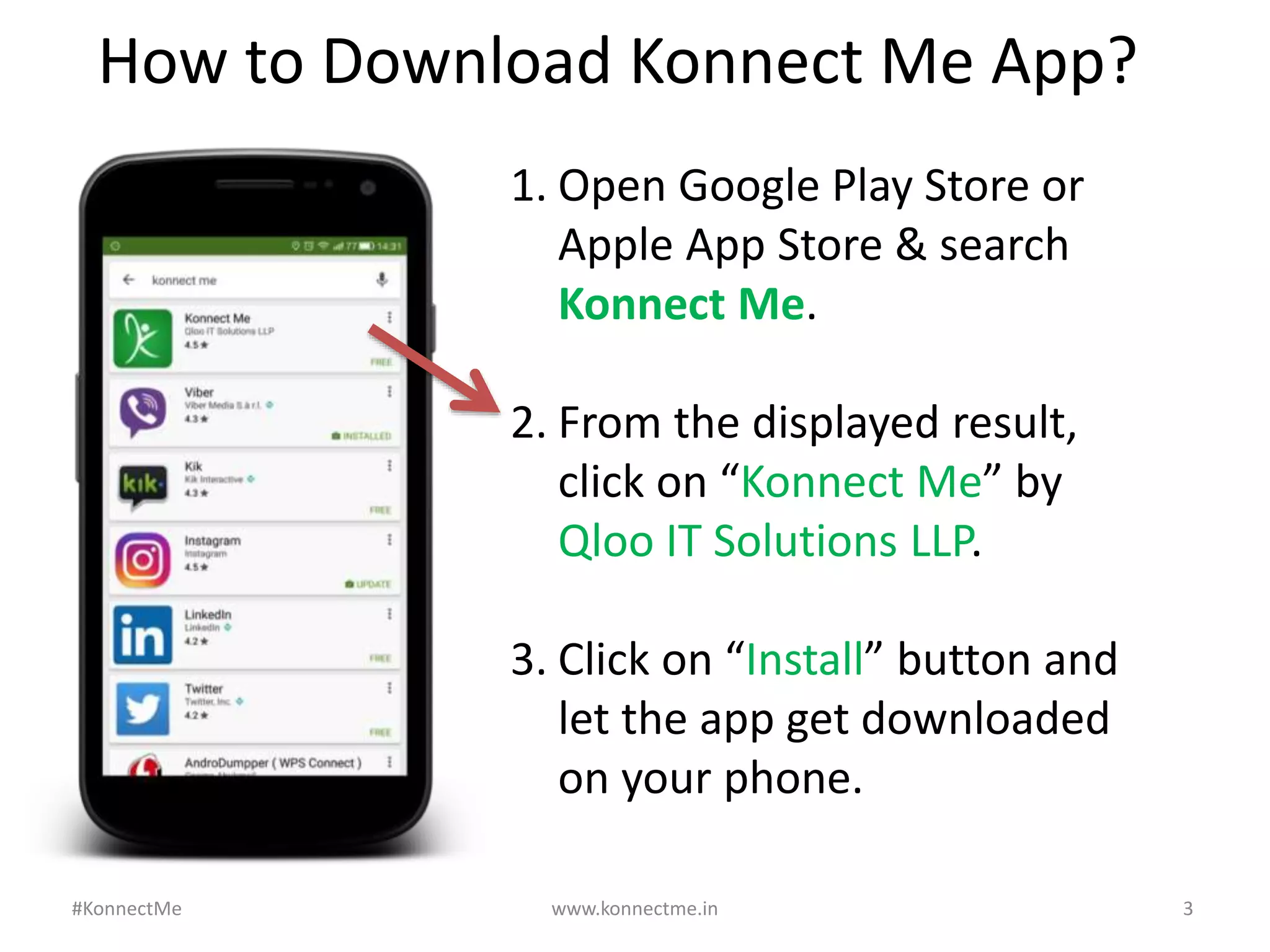
1. Open	
  Google	
  Play	
  Store	
  or	
  
Apple	
  App	
  Store	
  &	
  search	
  
Konnect	
  Me.	


2. From	
  the	
  displayed	
  result,	
  
click	
  on	
  “Konnect	
  Me”	
  by	
  
Qloo	
  IT	
  SoluAons	
  LLP.	


3. Click	
  on	
  “Install”	
  buVon	
  and	
  
let	
  the	
  app	
  get	
  downloaded	
  
on	
  your	
  phone.	
  
How	
  to	
  Download	
  Konnect	
  Me	
  App?	
  
#KonnectMe	
  
Or you can do this:
Type this link on your Android phone’s or
iPhone’s browser:
Android: bit.ly/aKONNECT
iPhone: bit.ly/iKONNECT
www.konnectme.in	
   4	
  
How	
  to	
  Download	
  Konnect	
  Me	
  App?	
  
#KonnectMe	
  
After downloading, open Konnect Me app on
your phone.
Enter your 10-digit mobile number.
You will receive SMS code (if your number is
registered with us). Enter that code and you
will be able to login.
www.konnectme.in	
   5	
  
How	
  to	
  Login	
  in	
  Konnect	
  Me	
  App?	
  
#KonnectMe	
  
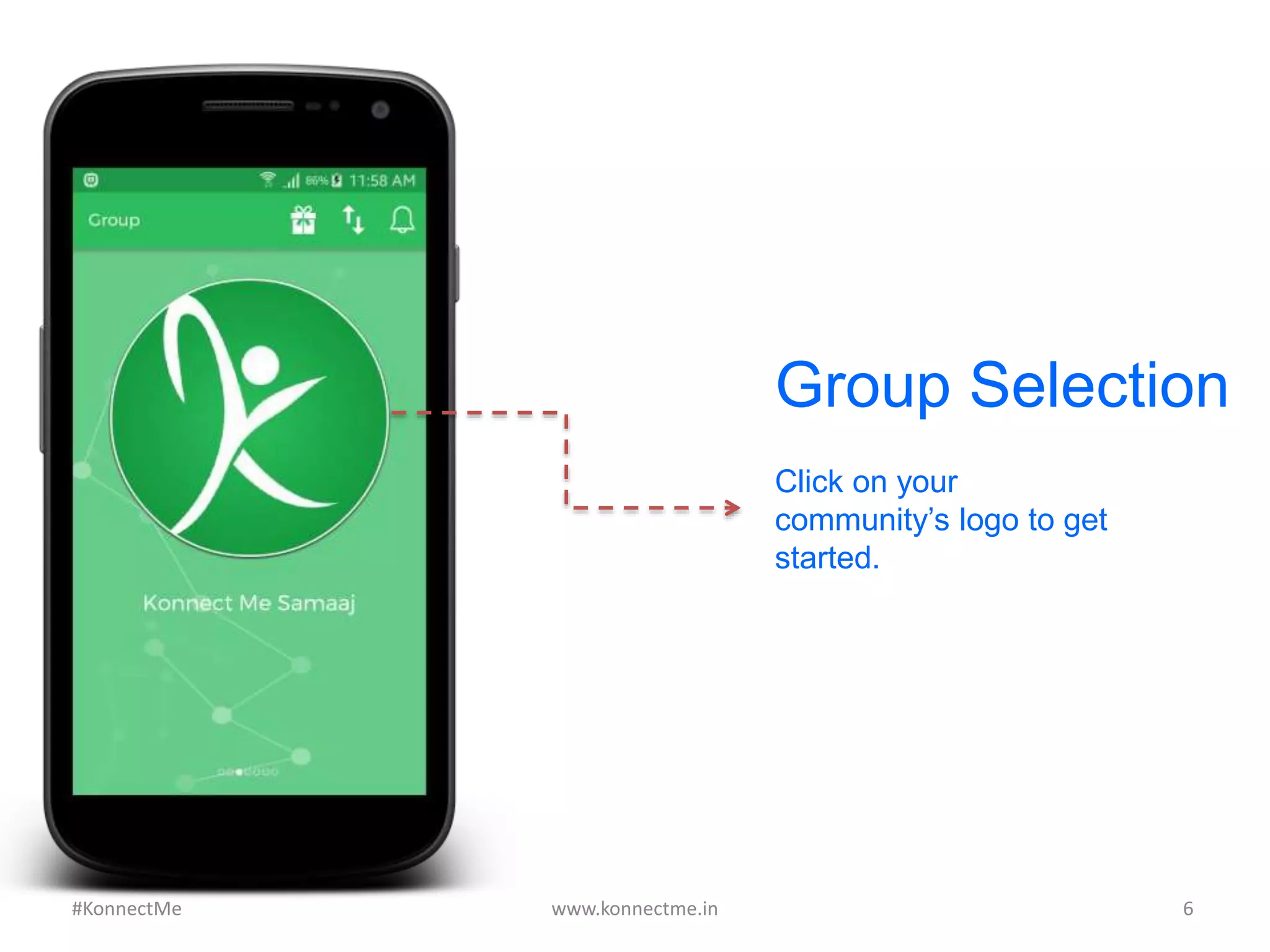
Click on your
community’s logo to get
started.
Group Selection
www.konnectme.in	
   6	
  #KonnectMe	
  
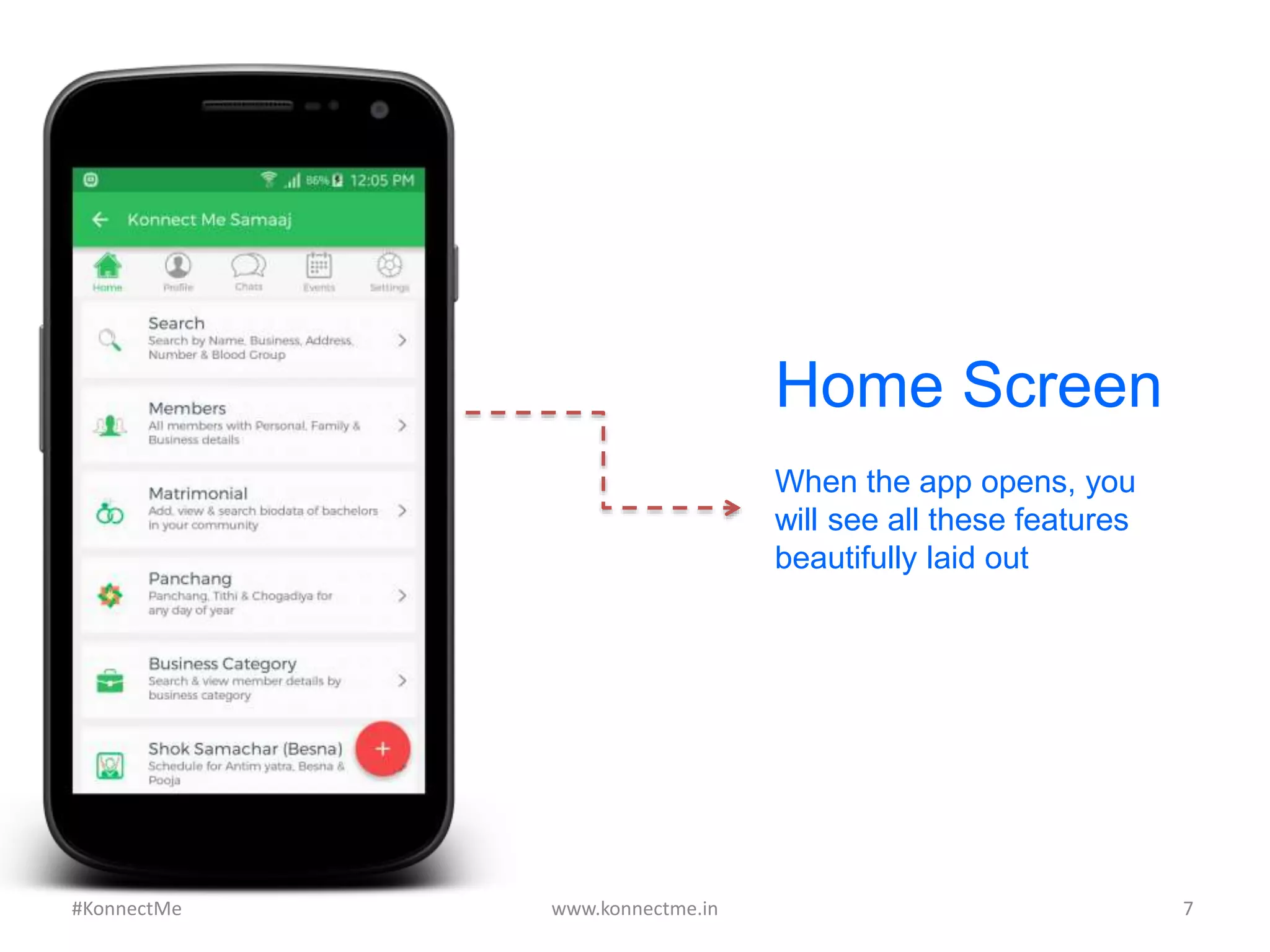
Home Screen
When the app opens, you
will see all these features
beautifully laid out
www.konnectme.in	
   7	
  #KonnectMe	
  
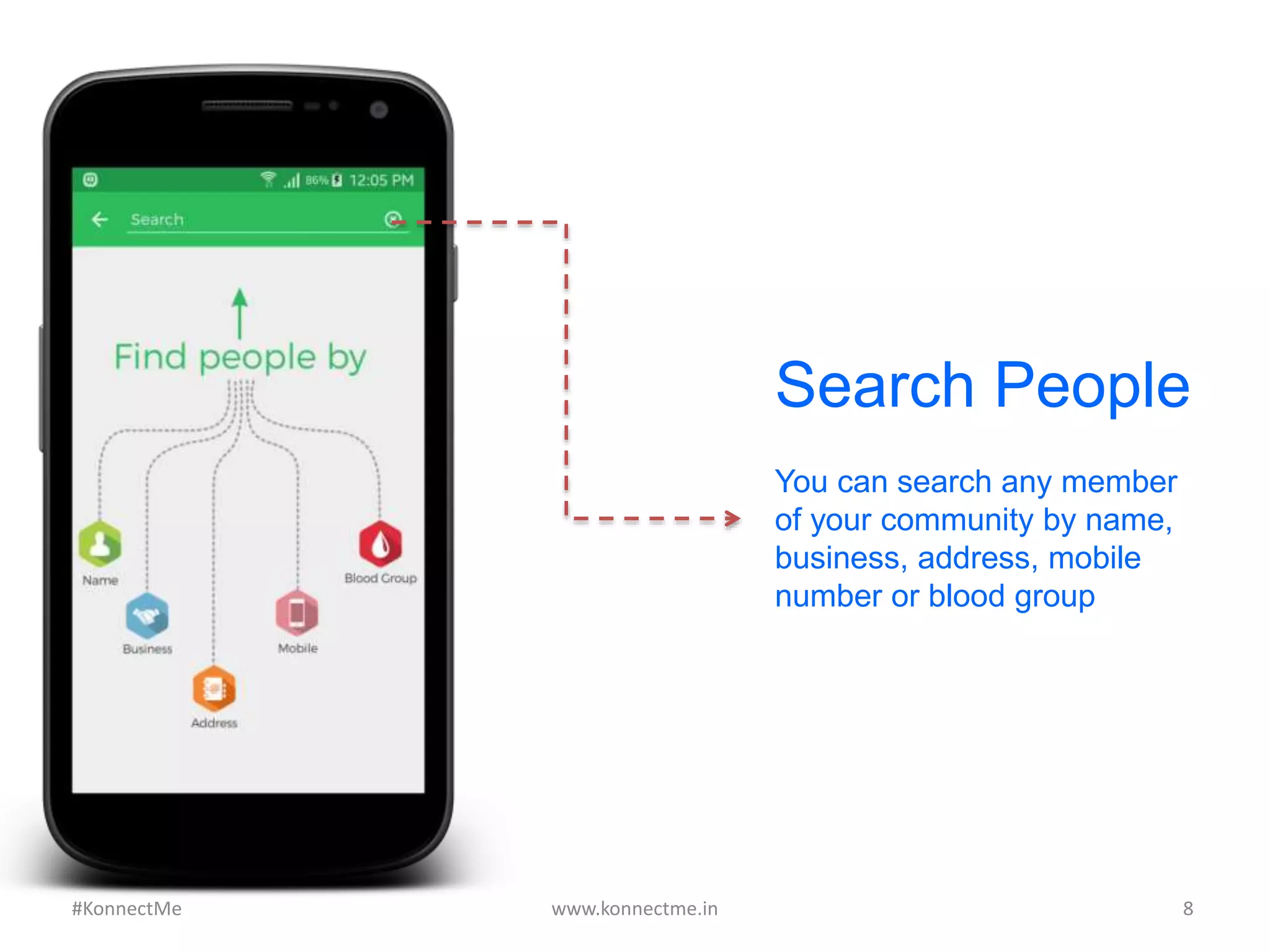
Search People
You can search any member
of your community by name,
business, address, mobile
number or blood group
www.konnectme.in	
   8	
  #KonnectMe	
  
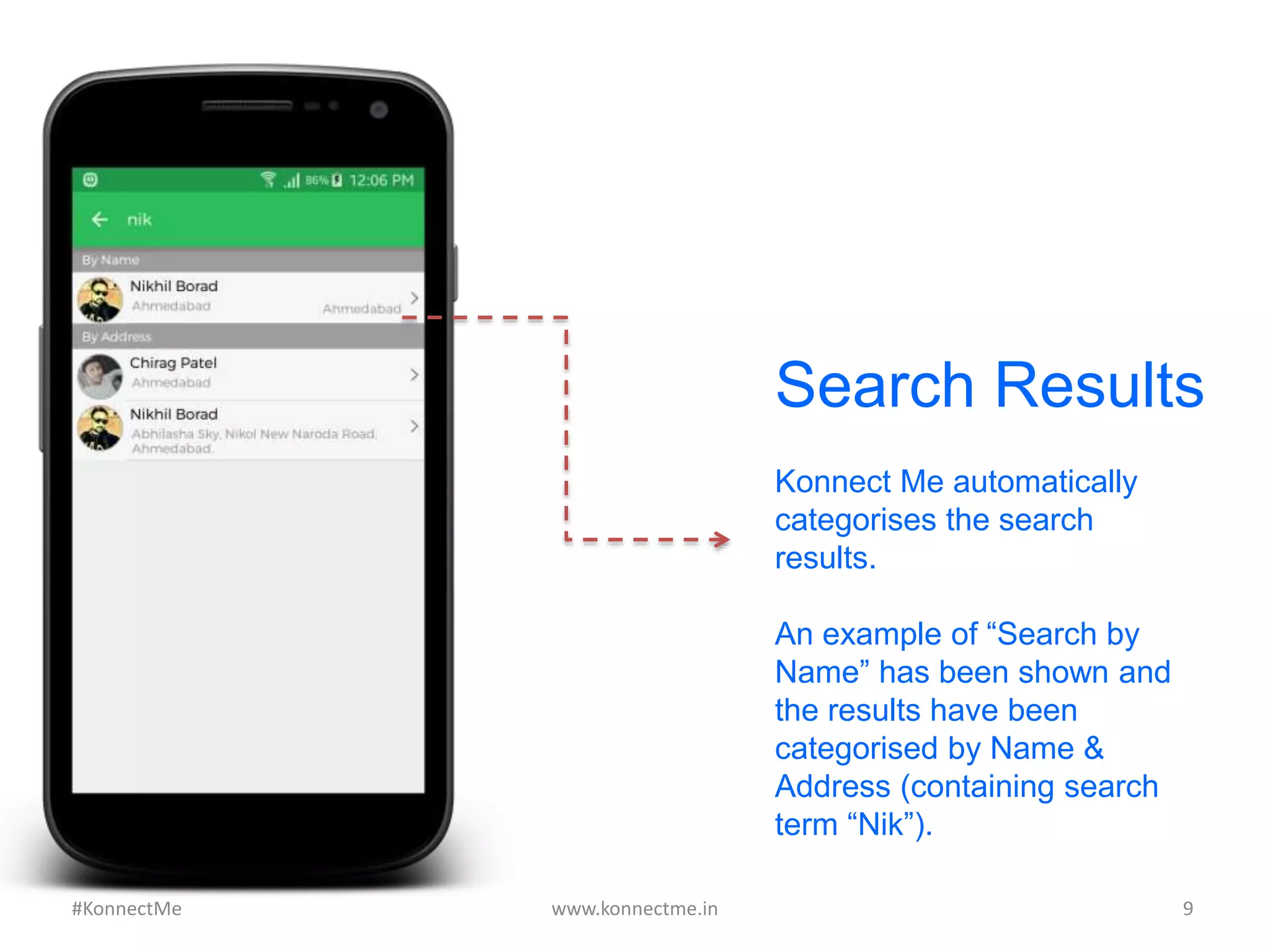
Search Results
Konnect Me automatically
categorises the search
results.
An example of “Search by
Name” has been shown and
the results have been
categorised by Name &
Address (containing search
term “Nik”).
www.konnectme.in	
   9	
  #KonnectMe	
  
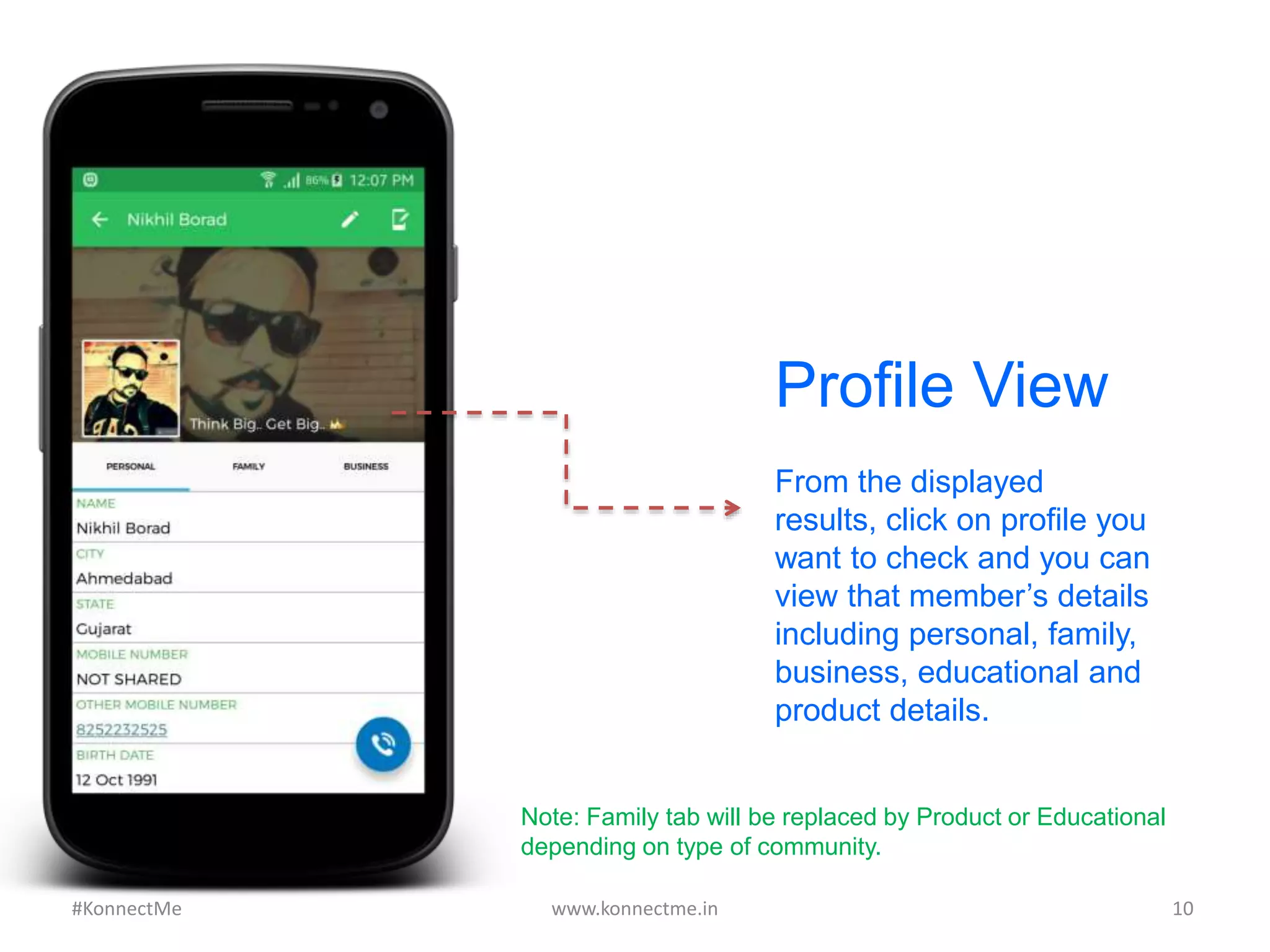
From the displayed
results, click on profile you
want to check and you can
view that member’s details
including personal, family,
business, educational and
product details.
Profile View
www.konnectme.in	
   10	
  #KonnectMe	
  
Note: Family tab will be replaced by Product or Educational
depending on type of community.
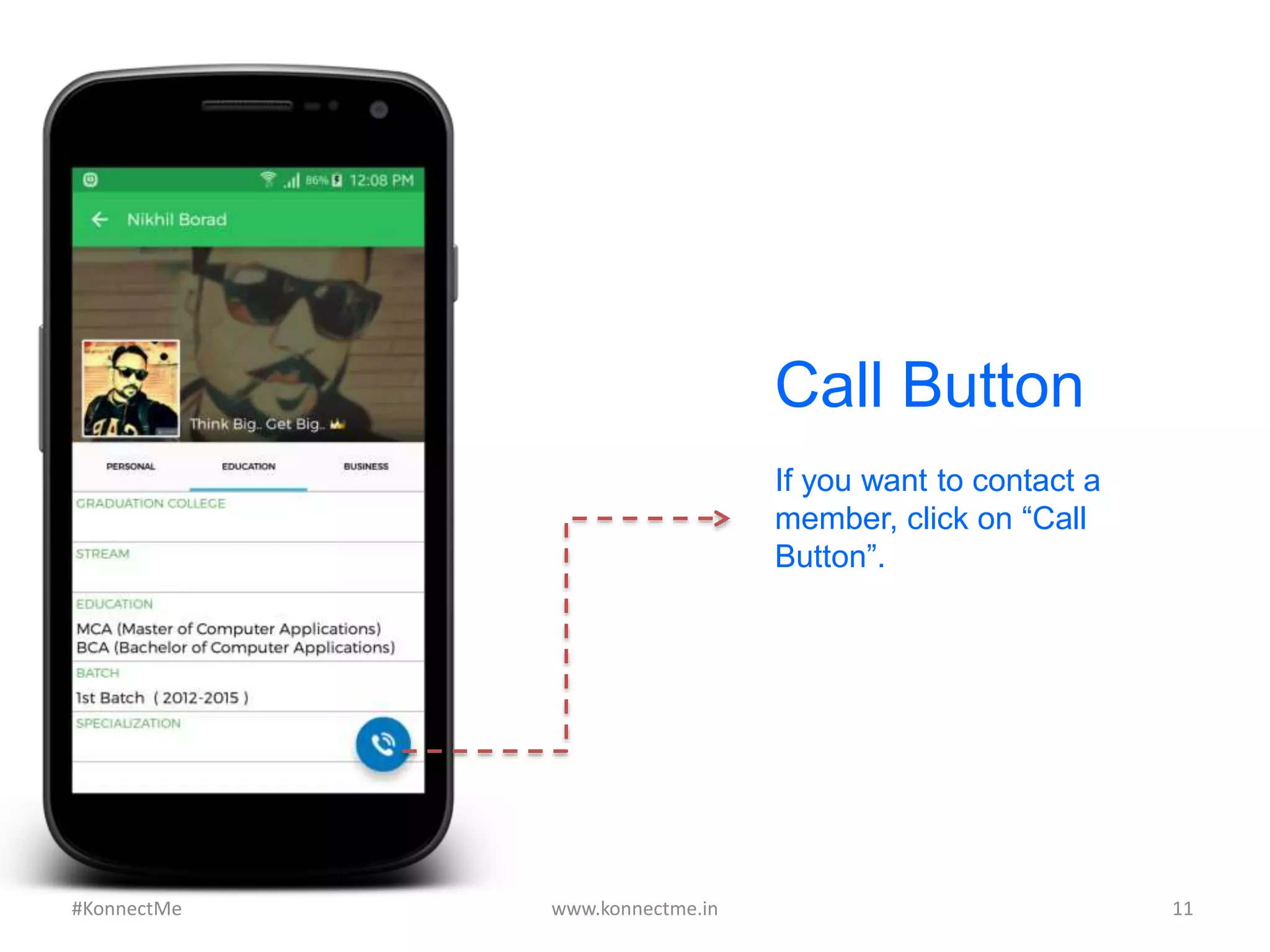
Call Button
If you want to contact a
member, click on “Call
Button”.
www.konnectme.in	
   11	
  #KonnectMe	
  
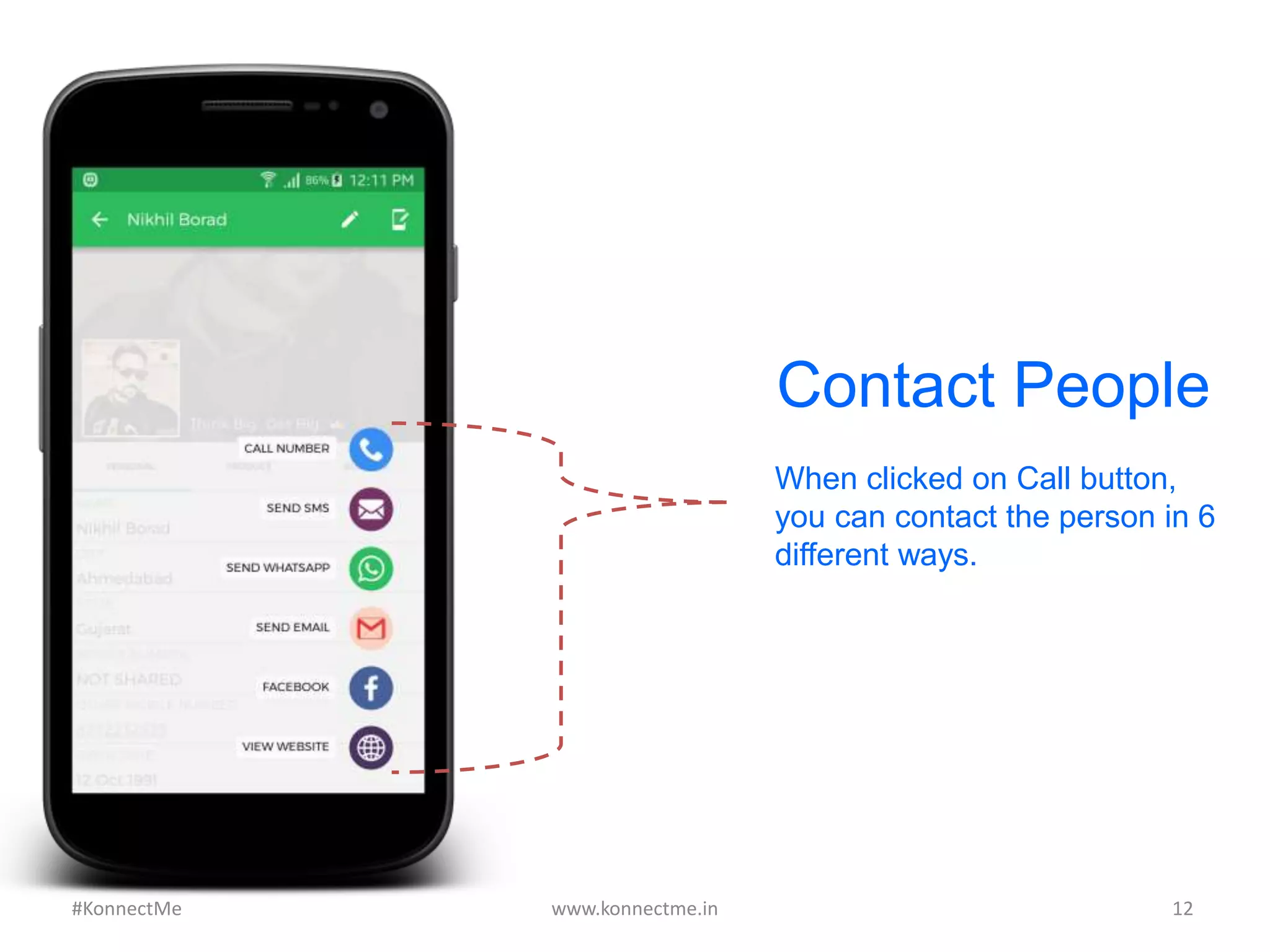
Contact People
When clicked on Call button,
you can contact the person in 6
different ways.
www.konnectme.in	
   12	
  #KonnectMe	
  
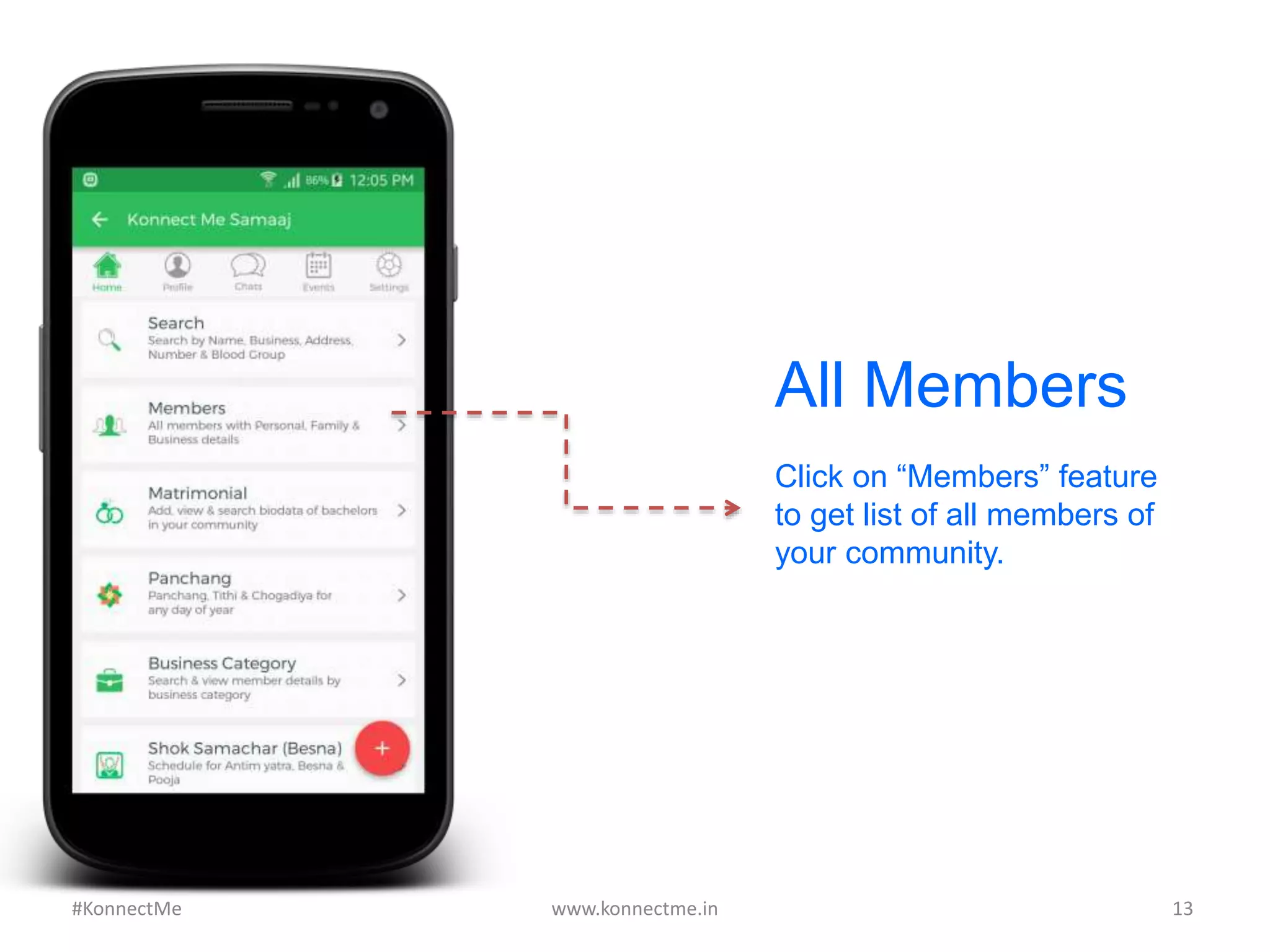
All Members
Click on “Members” feature
to get list of all members of
your community.
www.konnectme.in	
   13	
  #KonnectMe	
  
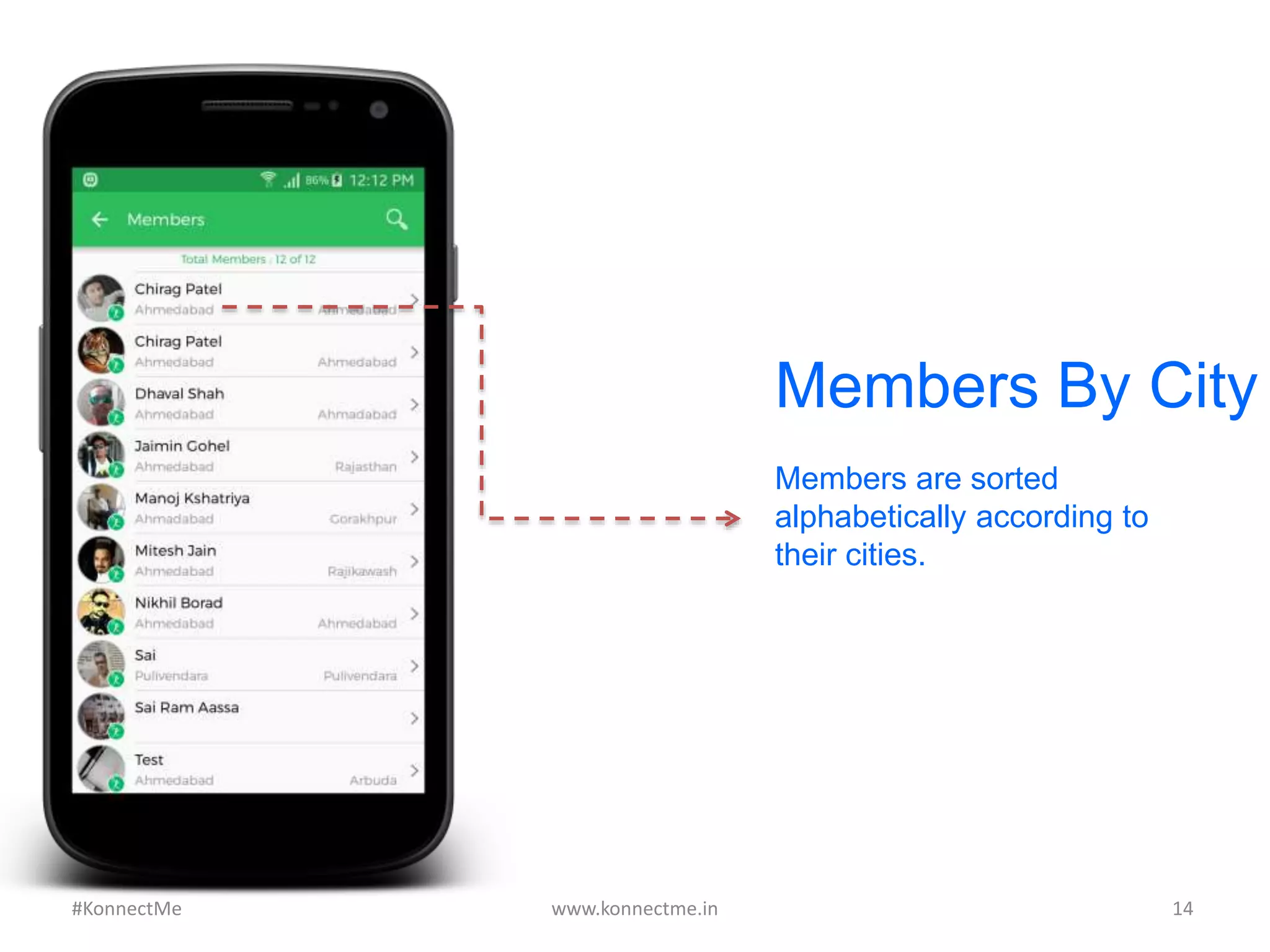
Members By City
Members are sorted
alphabetically according to
their cities.
www.konnectme.in	
   14	
  #KonnectMe	
  
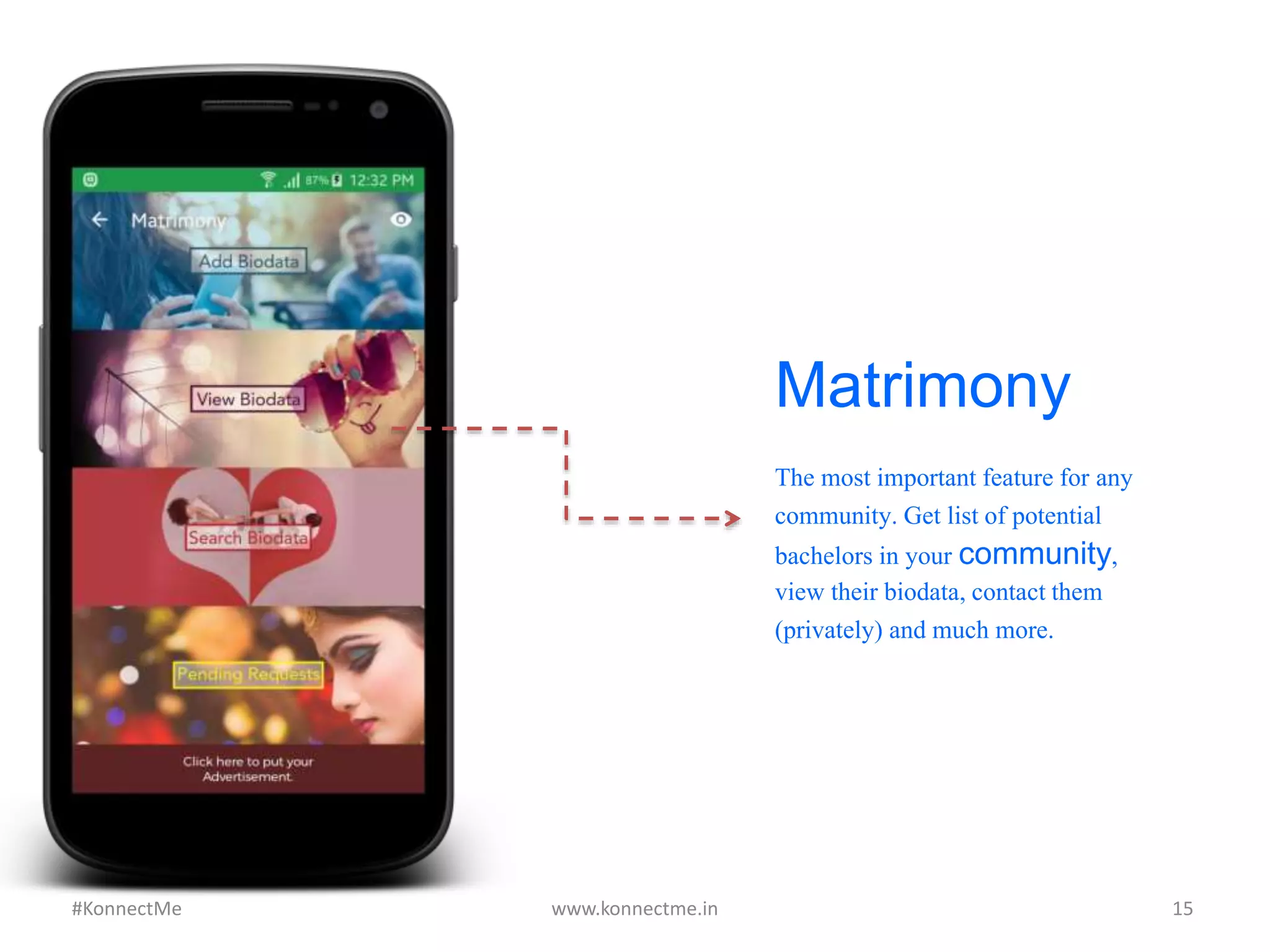
Matrimony
The most important feature
for any community. Get list
of potential bachelors in
your community, view their
biodata, contact them
(privately) and much more.
www.konnectme.in	
   15	
  #KonnectMe	
  
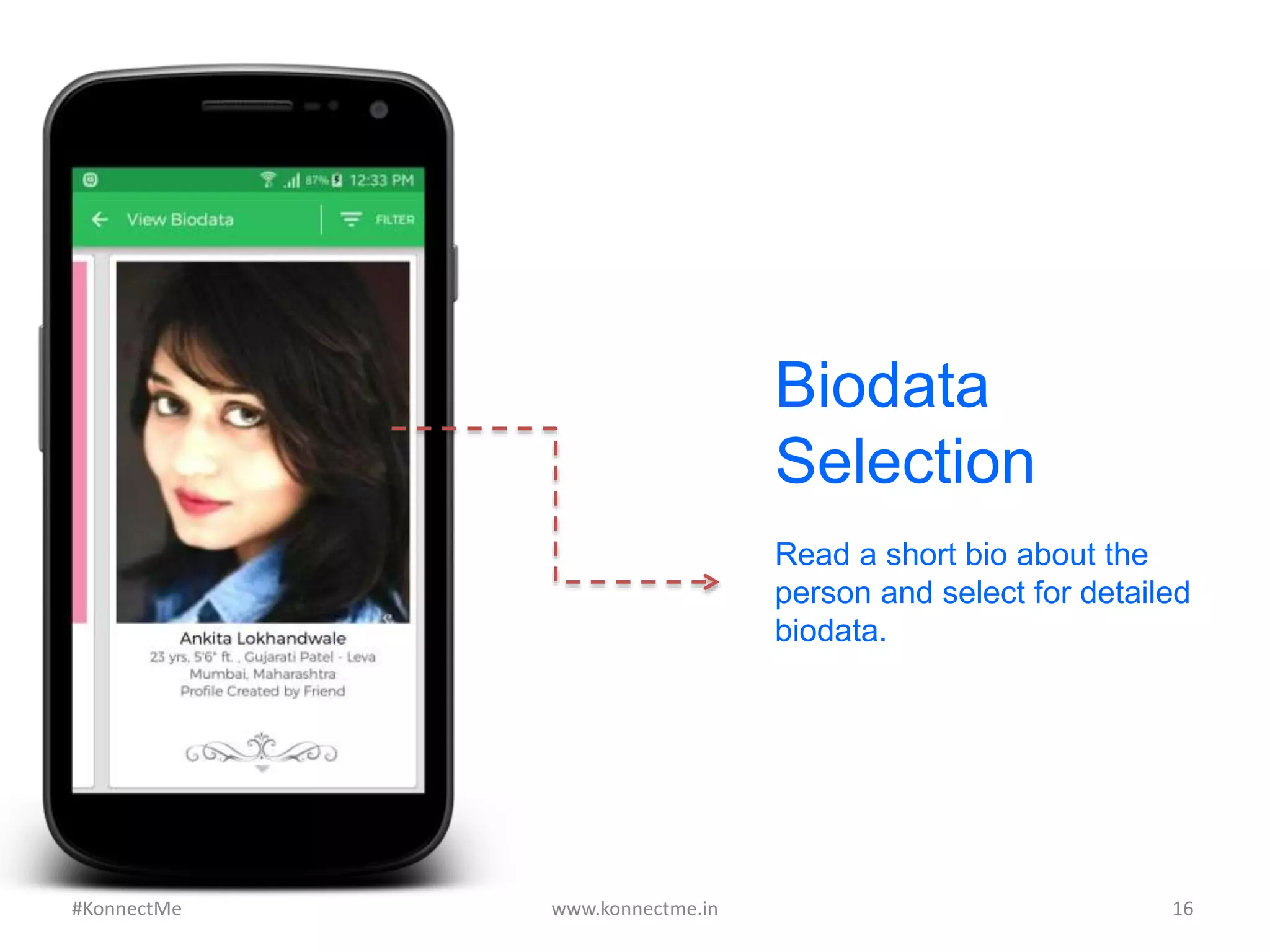
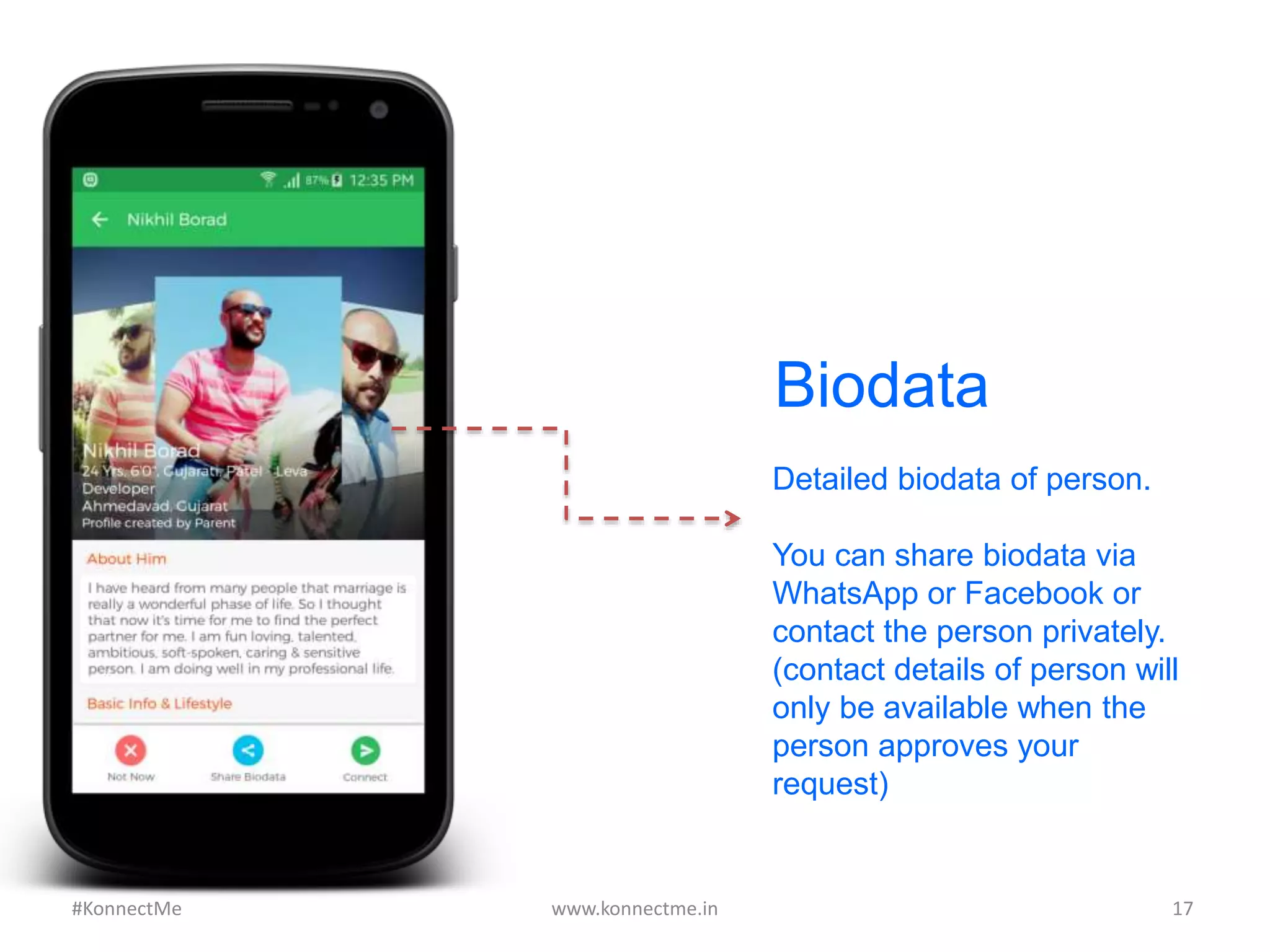
Biodata
Selection
Read a short bio about the
person and select for detailed
biodata.
www.konnectme.in	
   16	
  #KonnectMe	
  
Biodata
Detailed biodata of person.
You can share biodata via
WhatsApp or Facebook or
contact the person privately.
(contact details of person will
only be available when the
person approves your
request)
www.konnectme.in	
   17	
  #KonnectMe	
  
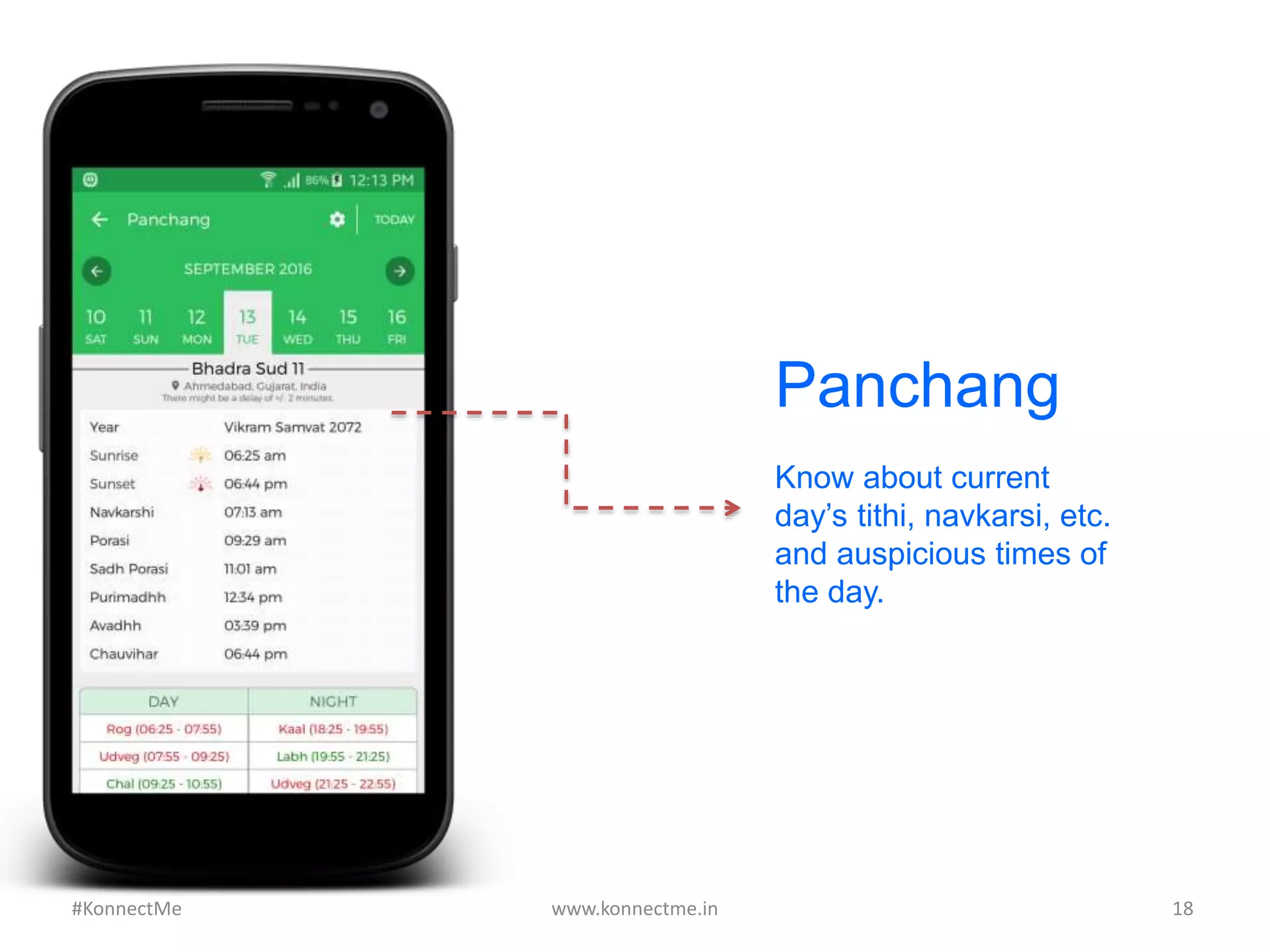
Panchang
Know about current
day’s tithi, navkarsi, etc.
and auspicious times of
the day.
www.konnectme.in	
   18	
  #KonnectMe	
  
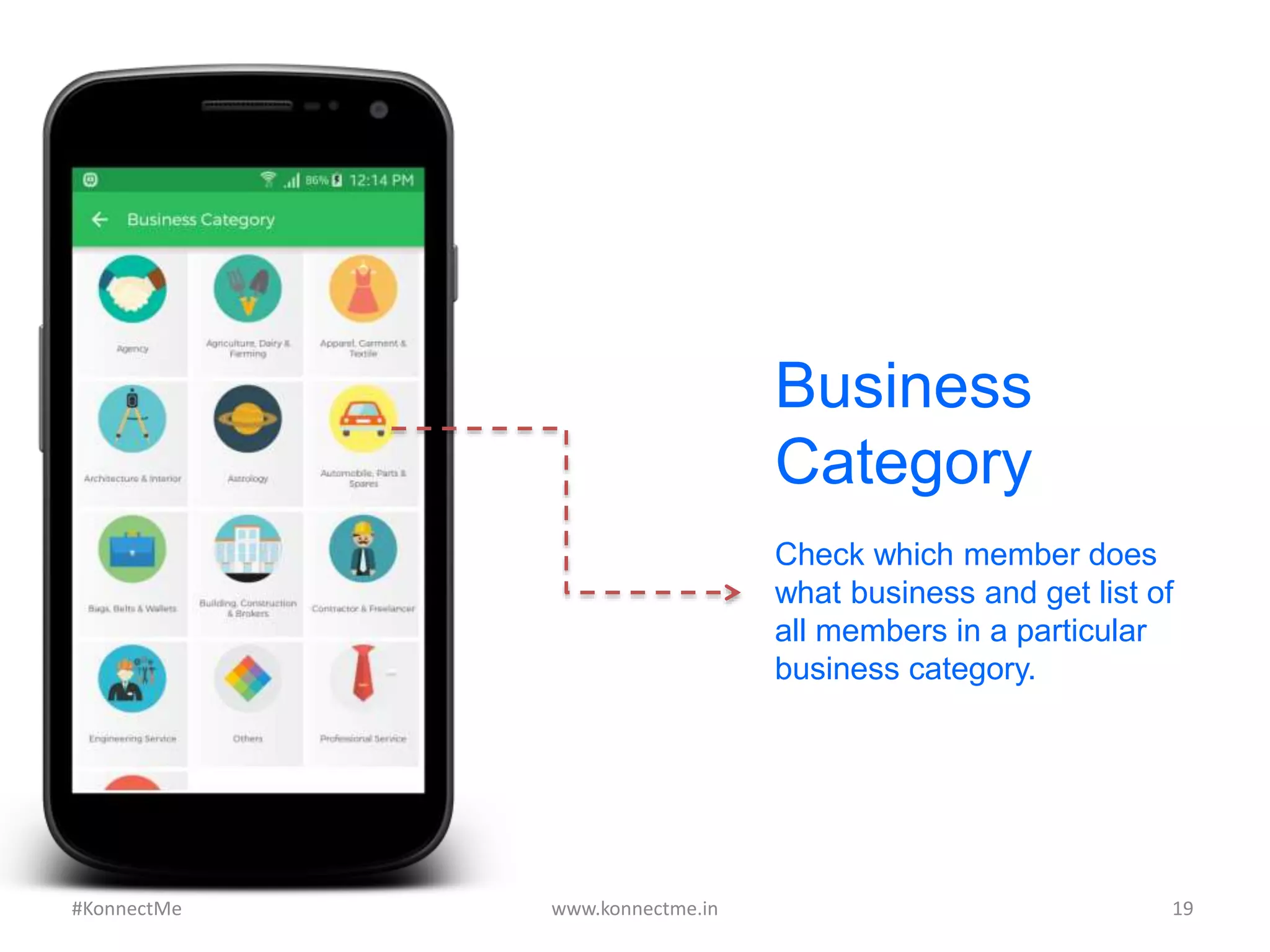
Check which member does
what business and get list of
all members in a particular
business category.
www.konnectme.in	
   19	
  
Business
Category
#KonnectMe	
  
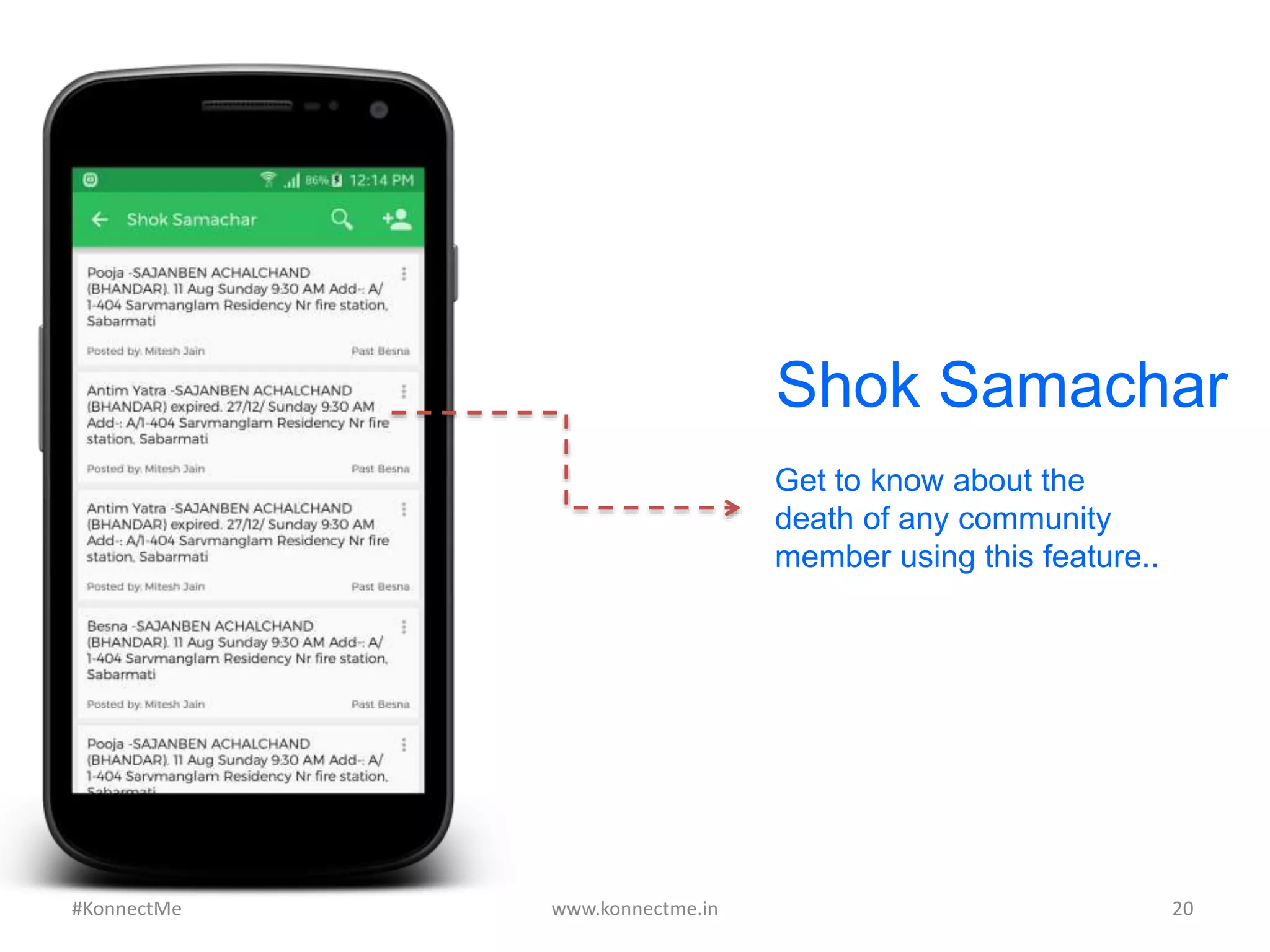
Shok Samachar
Get to know about the
death of any community
member using this feature..
www.konnectme.in	
   20	
  #KonnectMe	
  
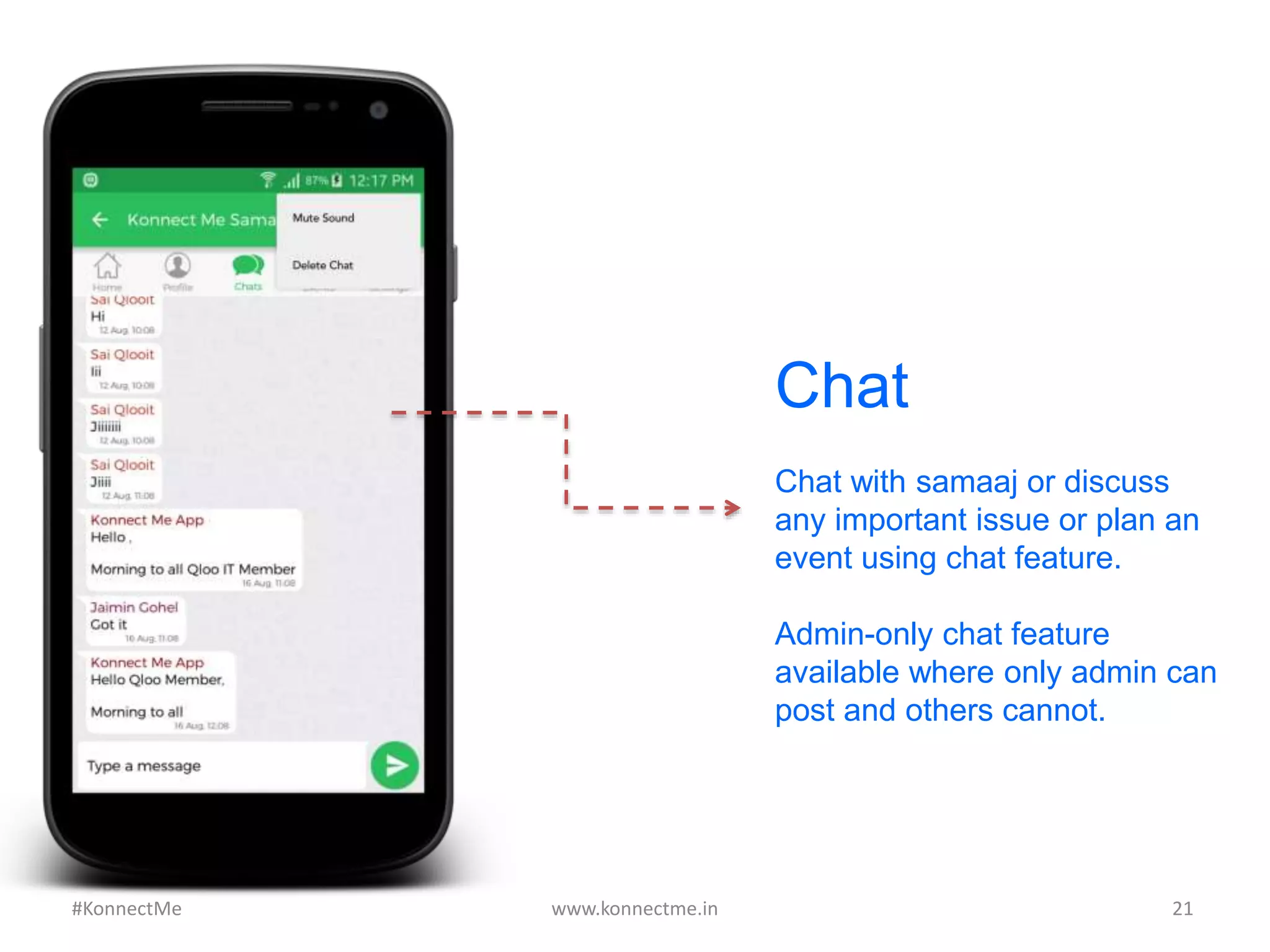
Chat with samaaj or discuss
any important issue or plan an
event using chat feature.
Admin-only chat feature
available where only admin can
post and others cannot.
www.konnectme.in	
   21	
  
Chat
#KonnectMe	
  
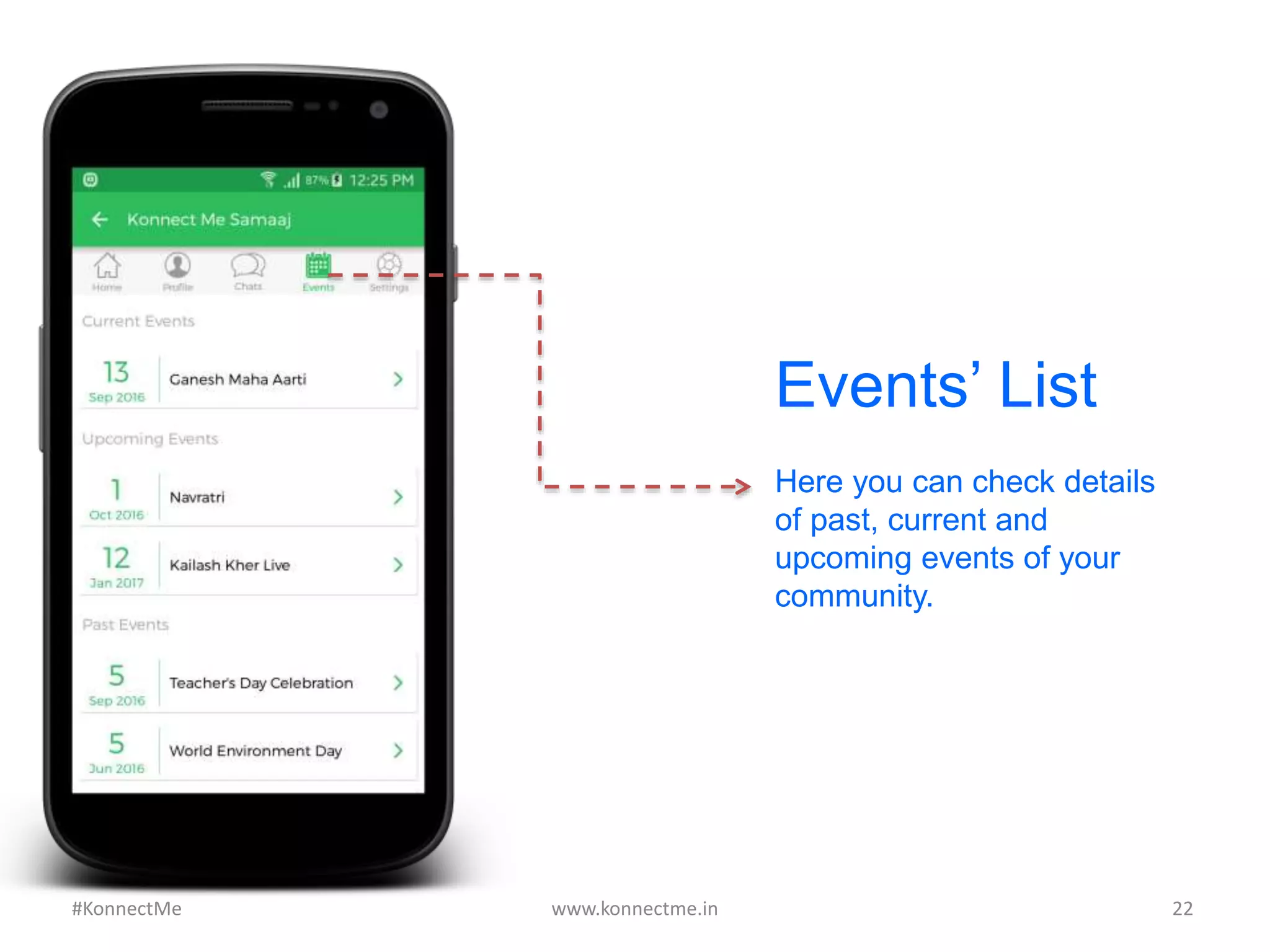
Events’ List
Here you can check details
of past, current and
upcoming events of your
community.
www.konnectme.in	
   22	
  #KonnectMe	
  
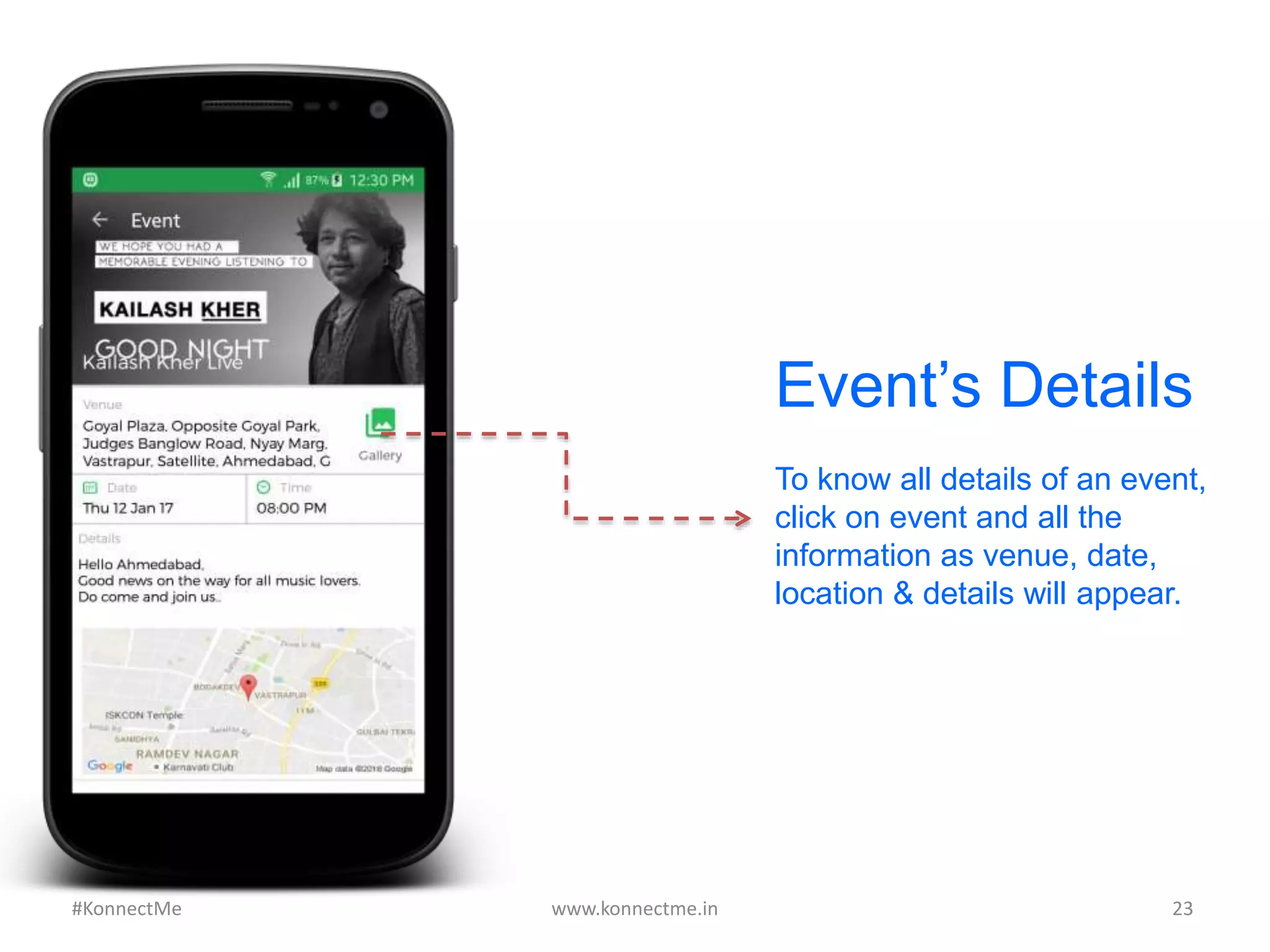
To know all details of an event,
click on event and all the
information as venue, date,
location & details will appear.
Event’s Details
www.konnectme.in	
   23	
  #KonnectMe	
  
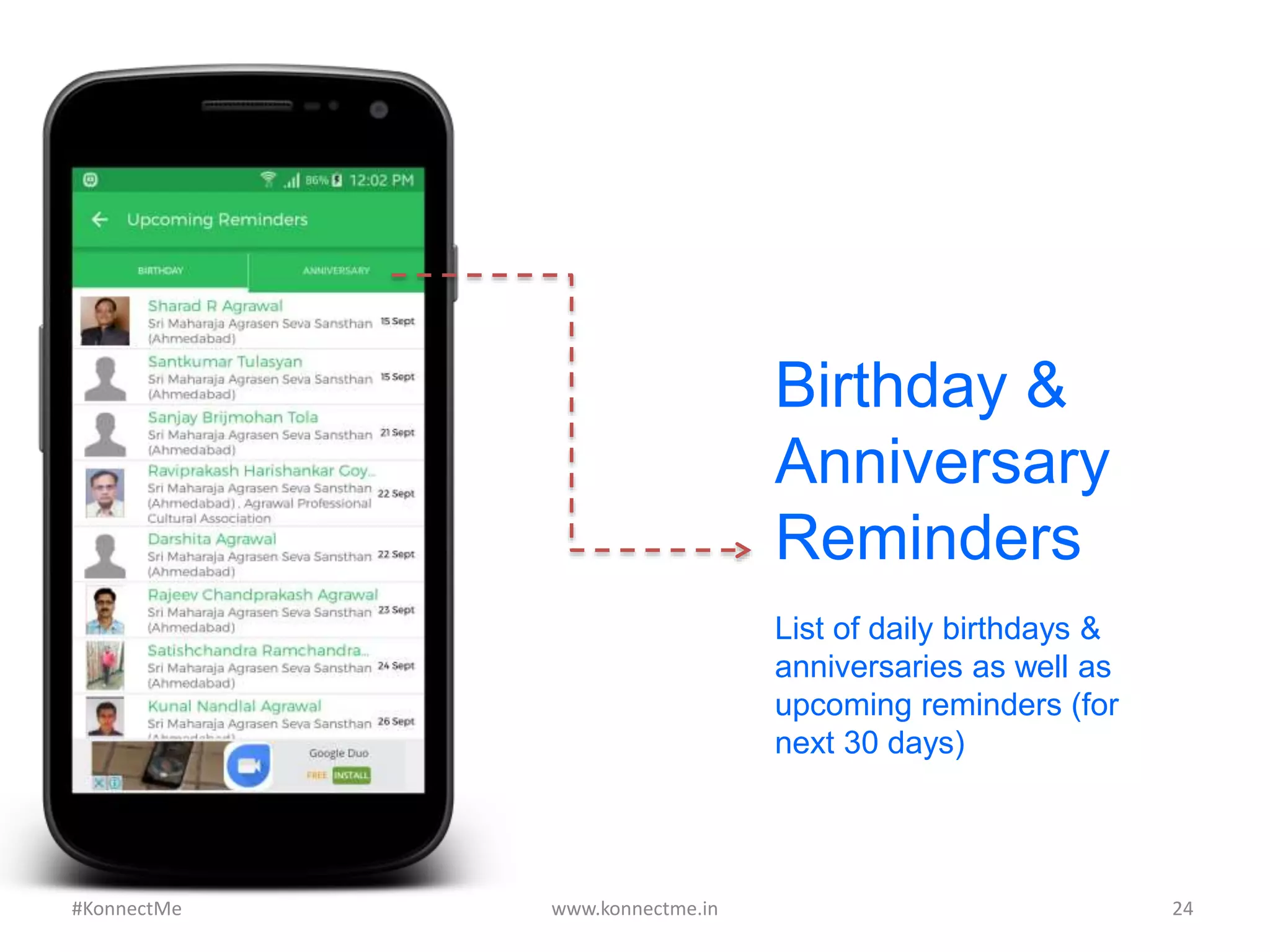
Birthday &
Anniversary
Reminders
List of daily birthdays &
anniversaries as well as
upcoming reminders (for
next 30 days)
www.konnectme.in	
   24	
  #KonnectMe	
  
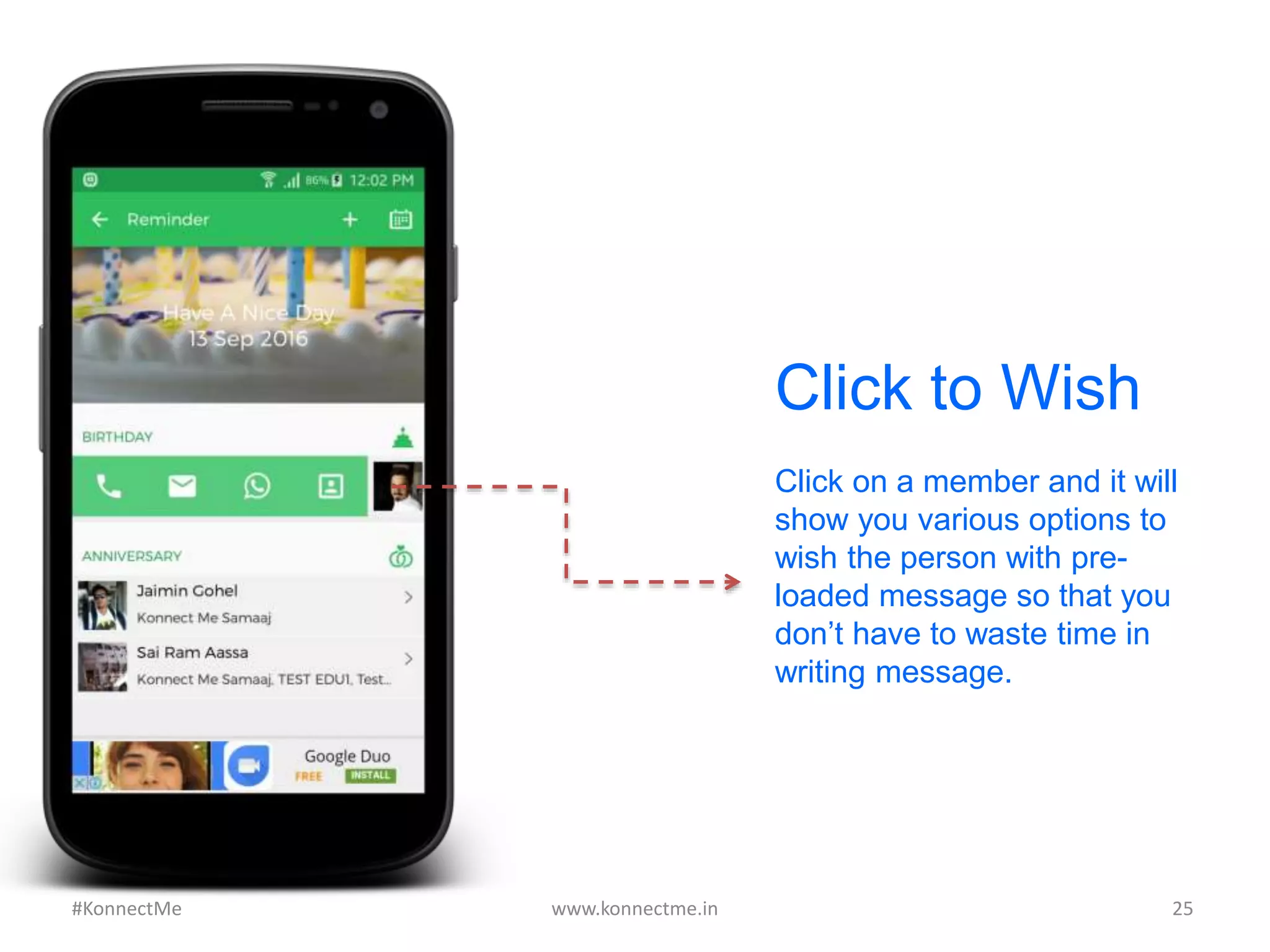
Click on a member and it will
show you various options to
wish the person with pre-
loaded message so that you
don’t have to waste time in
writing message.
Click to Wish
www.konnectme.in	
   25	
  #KonnectMe	
  
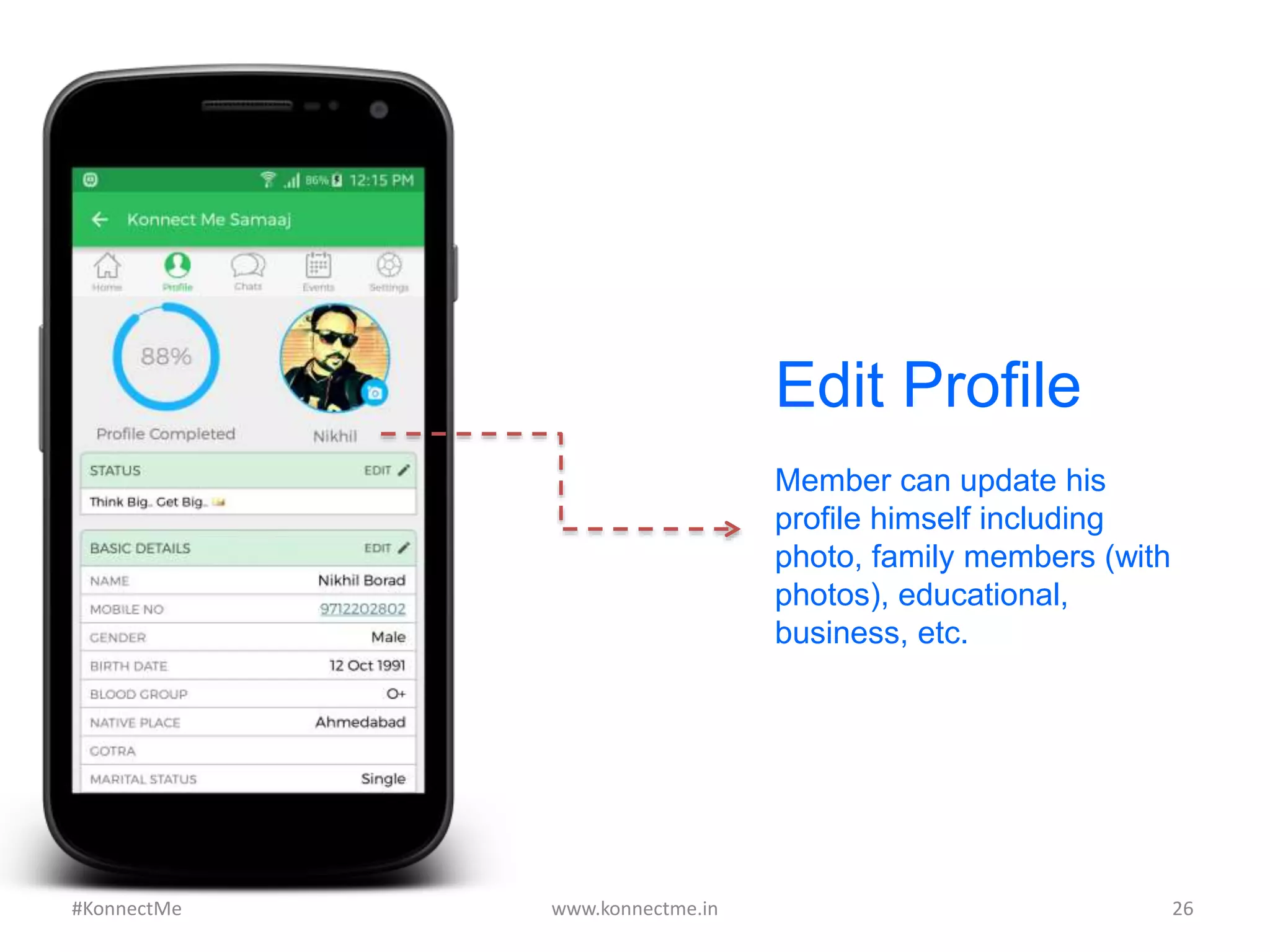
Edit Profile
Member can update his
profile himself including
photo, family members (with
photos), educational,
business, etc.
www.konnectme.in	
   26	
  #KonnectMe	
  
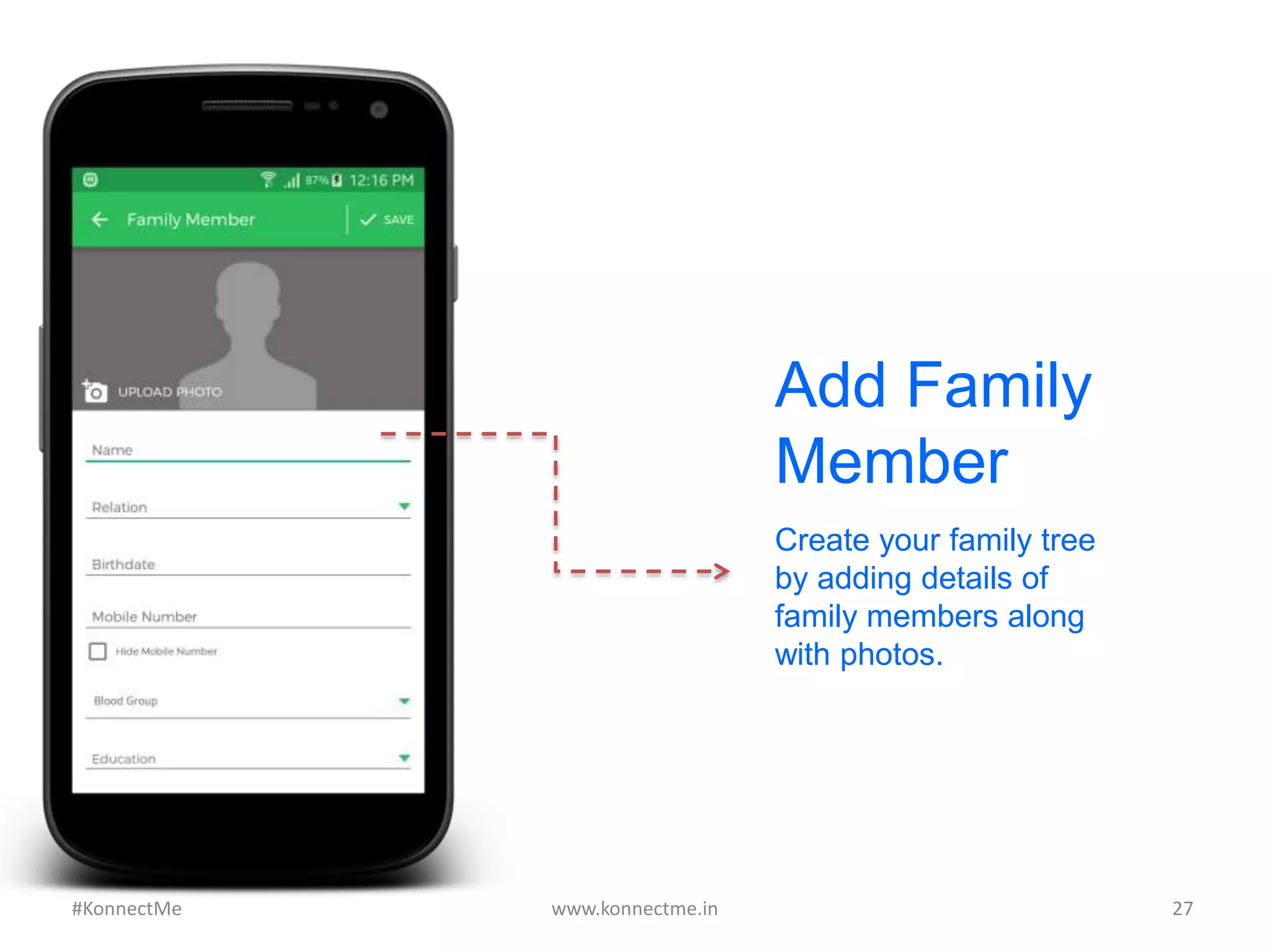
Add Family
Member
Create your family tree
by adding details of
family members along
with photos.
www.konnectme.in	
   27	
  #KonnectMe	
  
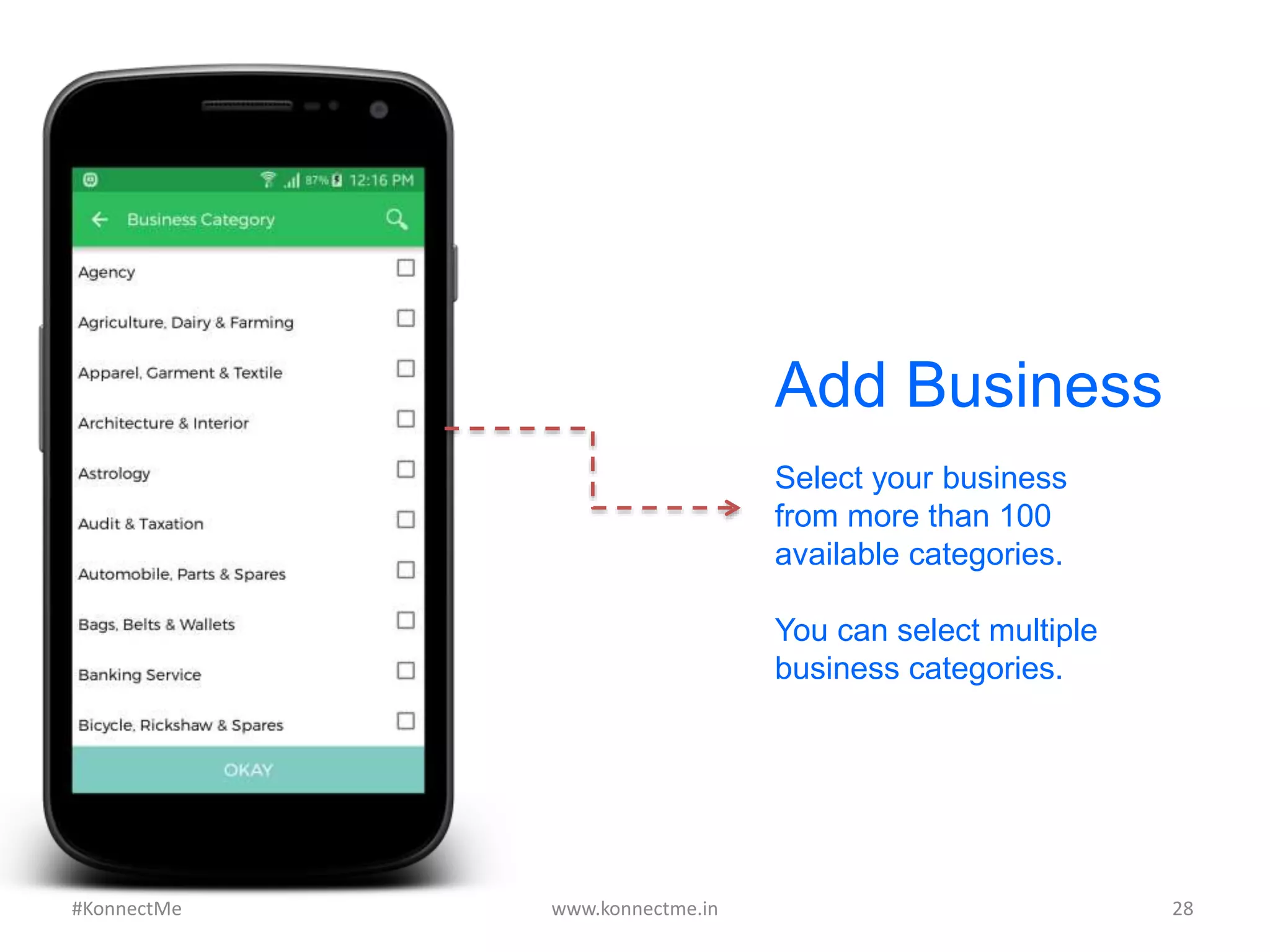
Add Business
Select your business
from more than 100
available categories.
You can select multiple
business categories.
www.konnectme.in	
   28	
  #KonnectMe	
  
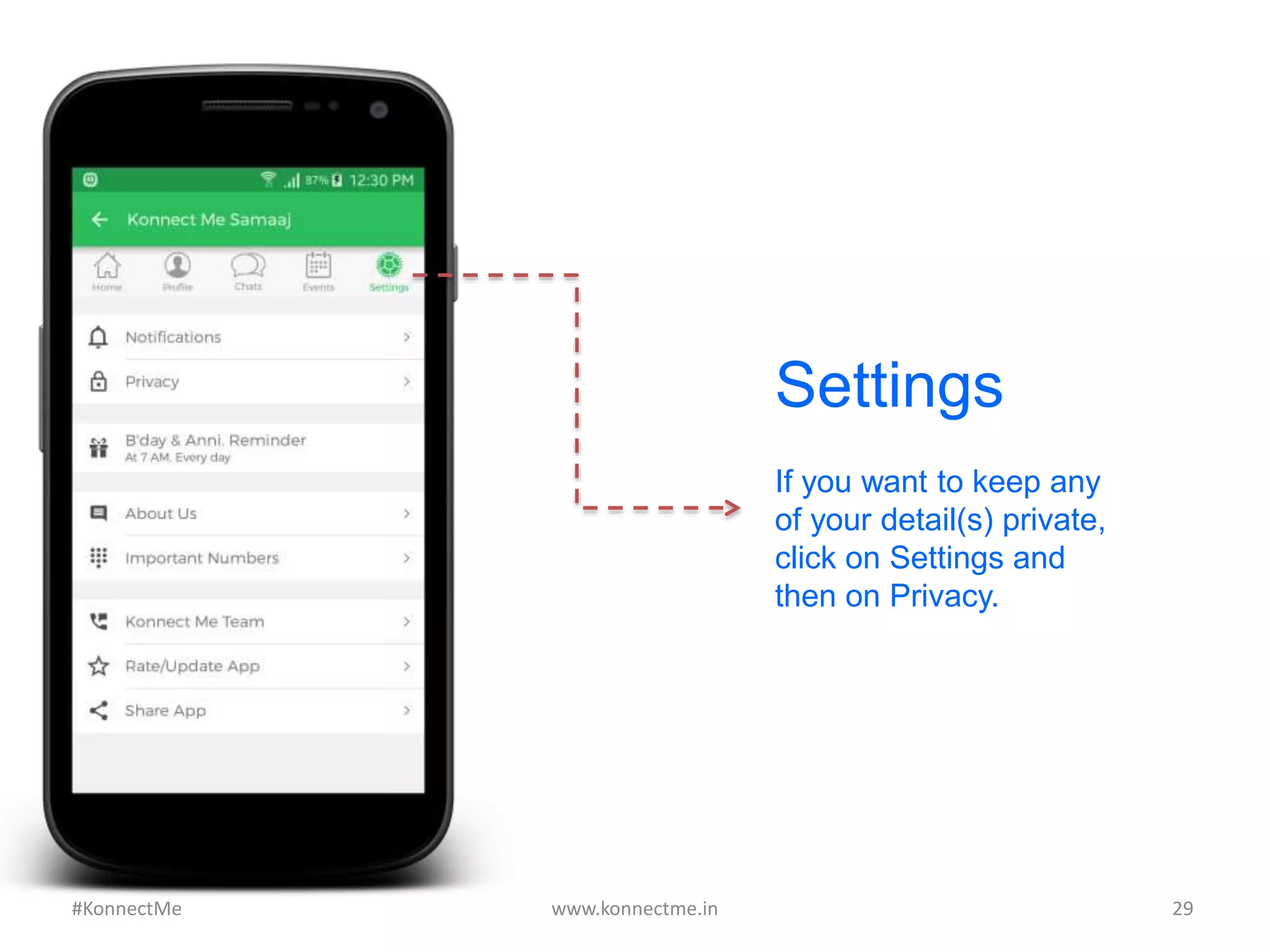
Settings
If you want to keep any
of your detail(s) private,
click on Settings and
then on Privacy.
www.konnectme.in	
   29	
  #KonnectMe	
  
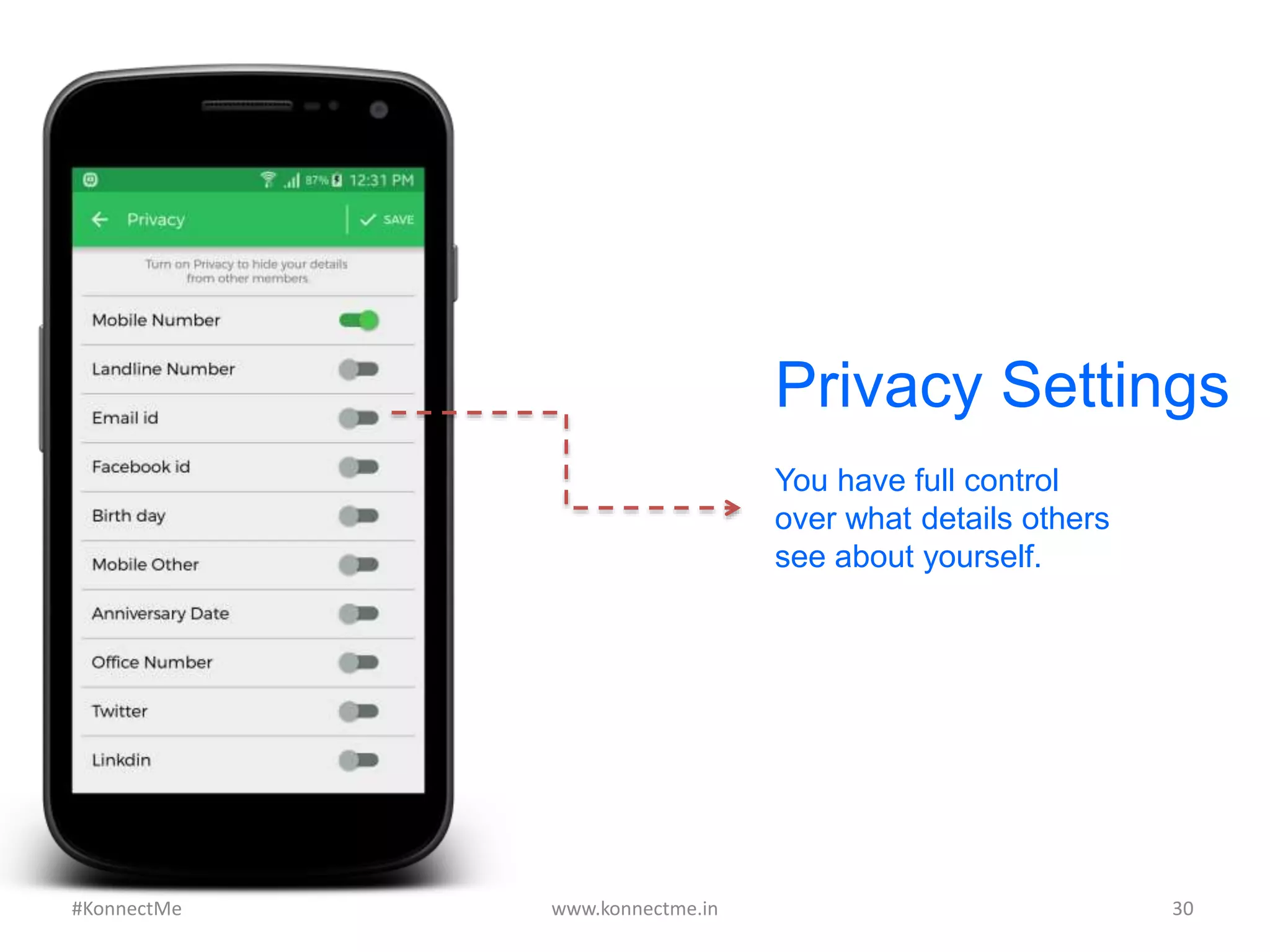
Privacy Settings
You have full control
over what details others
see about yourself.
www.konnectme.in	
   30	
  #KonnectMe	
  
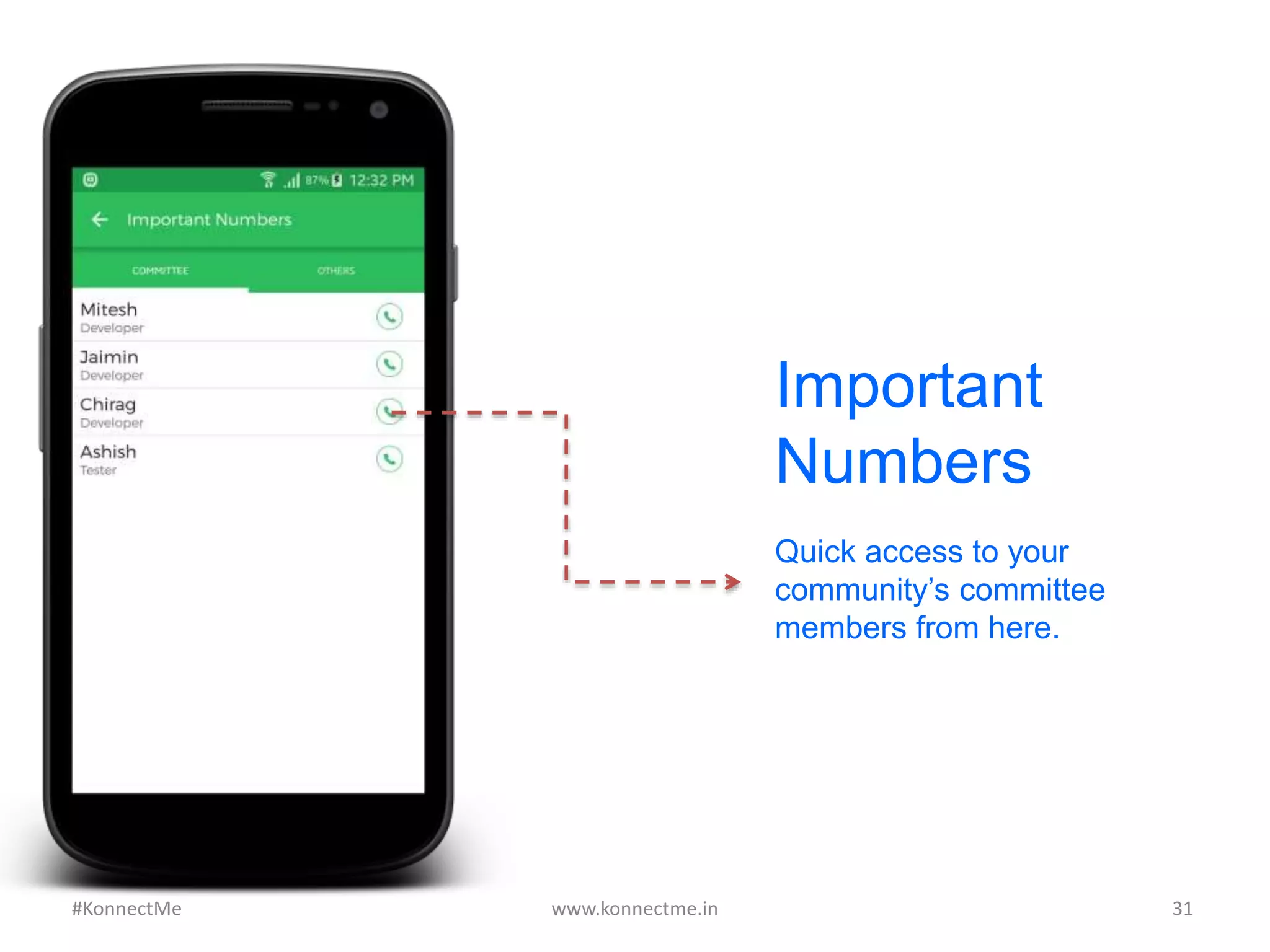
Quick access to your
community’s committee
members from here.
Important
Numbers
www.konnectme.in	
   31	
  #KonnectMe	
  
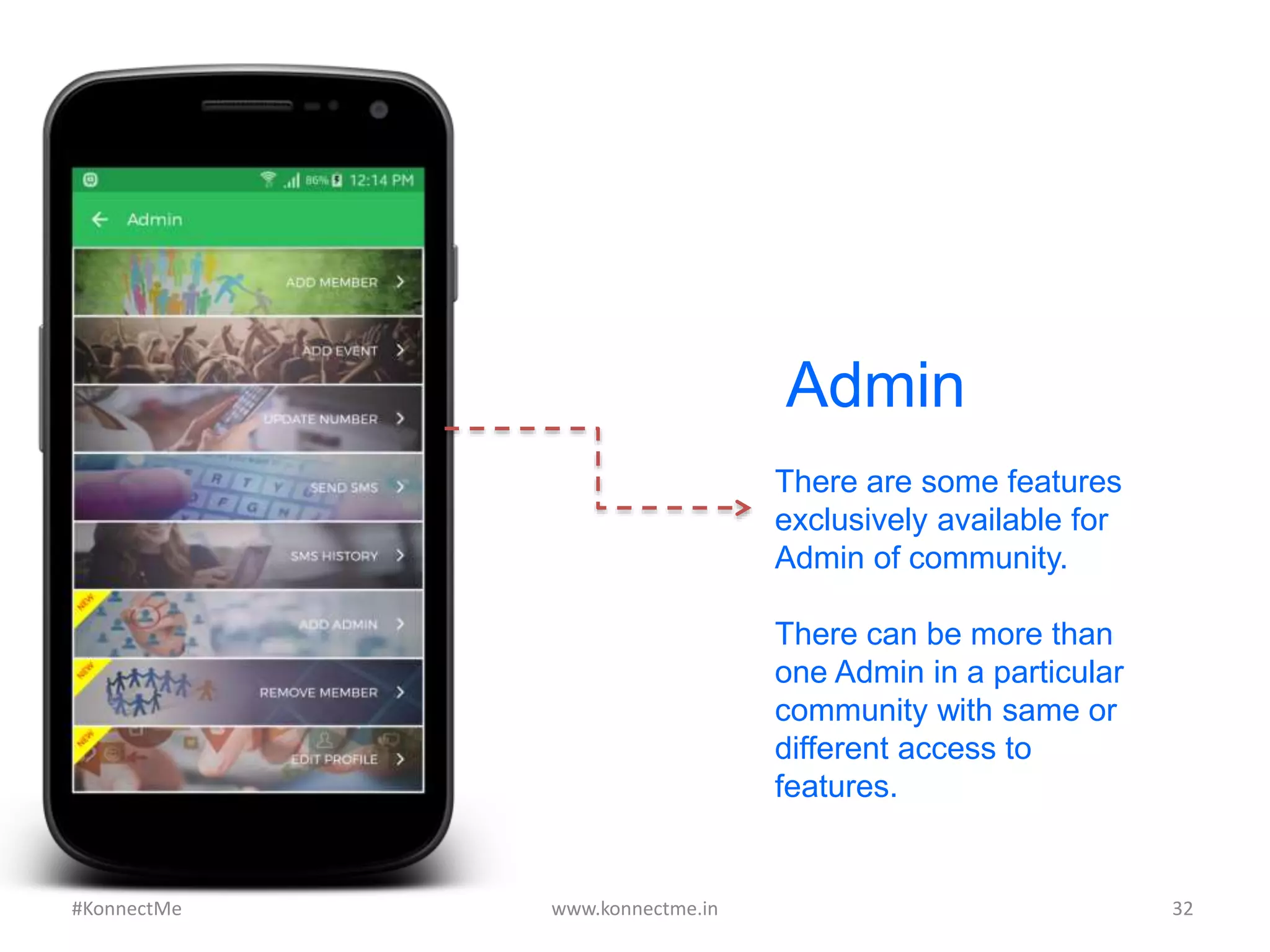
Admin
There are some features
exclusively available for
Admin of community.
There can be more than
one Admin in a particular
community with same or
different access to
features.
www.konnectme.in	
   32	
  #KonnectMe	
  
www.konnectme.in	
   33	
  
To	
  Connect	
  your	
  Community	
  in	
  
Konnect	
  Me	
  or	
  for	
  any	
  queries:	


#KonnectMe	
  
Ashish Chowdhary - 99793 74399
apps@qlooit.in
www.konnectme.in
A	
  product	
  by	
  Qloo	
  IT	
  SoluAons	
  LLP	
  

Konnect Me Mobile App For Communities

  • 1.
    What  is  Konnect  Me  Mobile  App     &  How  to  Use  it?   www.konnectme.in   1  #KonnectMe  
  • 2.
    www.konnectme.in   2   What  is  Konnect  Me  App?   Konnect  Me  app  is  a  mobile  app  to  connect  you  with   your  community.  Here,  you  get  the  latest  informaAon   of  all  members  and  can  connect  with  any  one,   anyAme,  anywhere.     A  community  can  be  any:     •  Samaaj  (with  family)   •  AssociaAon,  club,  organizaAon  (with  business   interests)   •  InsAtute  or  group  (with  same  educaAonal   insAtutes).    #KonnectMe  
  • 3.
    www.konnectme.in   3   1. Open  Google  Play  Store  or   Apple  App  Store  &  search   Konnect  Me.     2. From  the  displayed  result,   click  on  “Konnect  Me”  by   Qloo  IT  SoluAons  LLP.     3. Click  on  “Install”  buVon  and   let  the  app  get  downloaded   on  your  phone.   How  to  Download  Konnect  Me  App?   #KonnectMe  
  • 4.
    Or you cando this: Type this link on your Android phone’s or iPhone’s browser: Android: bit.ly/aKONNECT iPhone: bit.ly/iKONNECT www.konnectme.in   4   How  to  Download  Konnect  Me  App?   #KonnectMe  
  • 5.
    After downloading, openKonnect Me app on your phone. Enter your 10-digit mobile number. You will receive SMS code (if your number is registered with us). Enter that code and you will be able to login. www.konnectme.in   5   How  to  Login  in  Konnect  Me  App?   #KonnectMe  
  • 6.
    Click on your community’slogo to get started. Group Selection www.konnectme.in   6  #KonnectMe  
  • 7.
    Home Screen When theapp opens, you will see all these features beautifully laid out www.konnectme.in   7  #KonnectMe  
  • 8.
    Search People You cansearch any member of your community by name, business, address, mobile number or blood group www.konnectme.in   8  #KonnectMe  
  • 9.
    Search Results Konnect Meautomatically categorises the search results. An example of “Search by Name” has been shown and the results have been categorised by Name & Address (containing search term “Nik”). www.konnectme.in   9  #KonnectMe  
  • 10.
    From the displayed results,click on profile you want to check and you can view that member’s details including personal, family, business, educational and product details. Profile View www.konnectme.in   10  #KonnectMe   Note: Family tab will be replaced by Product or Educational depending on type of community.
  • 11.
    Call Button If youwant to contact a member, click on “Call Button”. www.konnectme.in   11  #KonnectMe  
  • 12.
    Contact People When clickedon Call button, you can contact the person in 6 different ways. www.konnectme.in   12  #KonnectMe  
  • 13.
    All Members Click on“Members” feature to get list of all members of your community. www.konnectme.in   13  #KonnectMe  
  • 14.
    Members By City Membersare sorted alphabetically according to their cities. www.konnectme.in   14  #KonnectMe  
  • 15.
    Matrimony The most importantfeature for any community. Get list of potential bachelors in your community, view their biodata, contact them (privately) and much more. www.konnectme.in   15  #KonnectMe  
  • 16.
    Biodata Selection Read a shortbio about the person and select for detailed biodata. www.konnectme.in   16  #KonnectMe  
  • 17.
    Biodata Detailed biodata ofperson. You can share biodata via WhatsApp or Facebook or contact the person privately. (contact details of person will only be available when the person approves your request) www.konnectme.in   17  #KonnectMe  
  • 18.
    Panchang Know about current day’stithi, navkarsi, etc. and auspicious times of the day. www.konnectme.in   18  #KonnectMe  
  • 19.
    Check which memberdoes what business and get list of all members in a particular business category. www.konnectme.in   19   Business Category #KonnectMe  
  • 20.
    Shok Samachar Get toknow about the death of any community member using this feature.. www.konnectme.in   20  #KonnectMe  
  • 21.
    Chat with samaajor discuss any important issue or plan an event using chat feature. Admin-only chat feature available where only admin can post and others cannot. www.konnectme.in   21   Chat #KonnectMe  
  • 22.
    Events’ List Here youcan check details of past, current and upcoming events of your community. www.konnectme.in   22  #KonnectMe  
  • 23.
    To know alldetails of an event, click on event and all the information as venue, date, location & details will appear. Event’s Details www.konnectme.in   23  #KonnectMe  
  • 24.
    Birthday & Anniversary Reminders List ofdaily birthdays & anniversaries as well as upcoming reminders (for next 30 days) www.konnectme.in   24  #KonnectMe  
  • 25.
    Click on amember and it will show you various options to wish the person with pre- loaded message so that you don’t have to waste time in writing message. Click to Wish www.konnectme.in   25  #KonnectMe  
  • 26.
    Edit Profile Member canupdate his profile himself including photo, family members (with photos), educational, business, etc. www.konnectme.in   26  #KonnectMe  
  • 27.
    Add Family Member Create yourfamily tree by adding details of family members along with photos. www.konnectme.in   27  #KonnectMe  
  • 28.
    Add Business Select yourbusiness from more than 100 available categories. You can select multiple business categories. www.konnectme.in   28  #KonnectMe  
  • 29.
    Settings If you wantto keep any of your detail(s) private, click on Settings and then on Privacy. www.konnectme.in   29  #KonnectMe  
  • 30.
    Privacy Settings You havefull control over what details others see about yourself. www.konnectme.in   30  #KonnectMe  
  • 31.
    Quick access toyour community’s committee members from here. Important Numbers www.konnectme.in   31  #KonnectMe  
  • 32.
    Admin There are somefeatures exclusively available for Admin of community. There can be more than one Admin in a particular community with same or different access to features. www.konnectme.in   32  #KonnectMe  
  • 33.
    www.konnectme.in   33   To  Connect  your  Community  in   Konnect  Me  or  for  any  queries:         #KonnectMe   Ashish Chowdhary - 99793 74399 apps@qlooit.in www.konnectme.in A  product  by  Qloo  IT  SoluAons  LLP