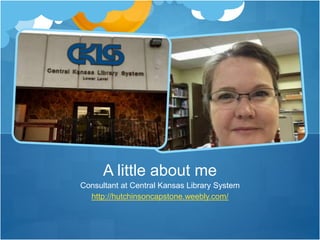
Consultant at Central Kansas Library System
http://hutchinsoncapstone.weebly.com/
A little about me
WHAT IS OVERDRIVE?
WHAT IS SUNFLOWER ELIBRARY?
CKLS ROLE IN SUNFLOWER ELIBRARY
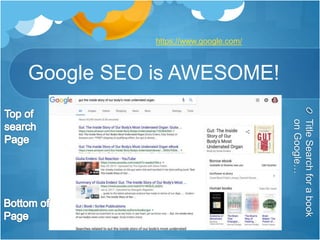
Google SEO is AWESOME!
TitleSearchforabook
onGoogle…
https://www.google.com/
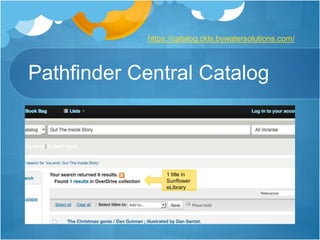
Pathfinder Central Catalog
1 title in
Sunflower
eLibrary
https://catalog.ckls.bywatersolutions.com/
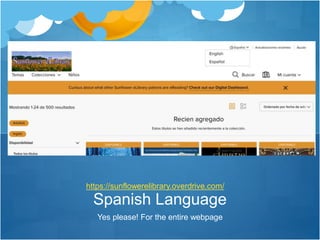
Yes please! For the entire webpage
Spanish Language
https://sunflowerelibrary.overdrive.com/
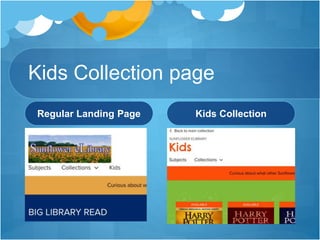
Kids Collection page
Regular Landing Page Kids Collection
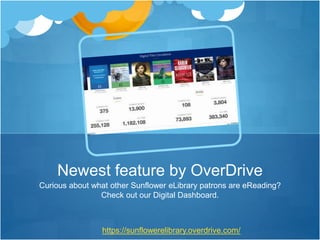
Curious about what other Sunflower eLibrary patrons are eReading?
Check out our Digital Dashboard.
Newest feature by OverDrive
https://sunflowerelibrary.overdrive.com/
I LOVE THIS GAL!!
Meet Libby!
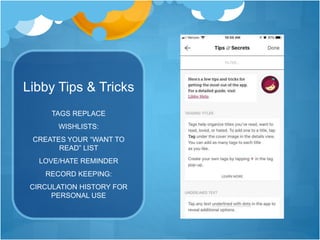
Libby Tips & Tricks
TAGS REPLACE
WISHLISTS:
CREATES YOUR “WANT TO
READ” LIST
LOVE/HATE REMINDER
RECORD KEEPING:
CIRCULATION HISTORY FOR
PERSONAL USE
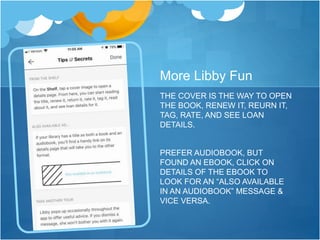
More Libby Fun
THE COVER IS THE WAY TO OPEN
THE BOOK, RENEW IT, REURN IT,
TAG, RATE, AND SEE LOAN
DETAILS.
PREFER AUDIOBOOK, BUT
FOUND AN EBOOK, CLICK ON
DETAILS OF THE EBOOK TO
LOOK FOR AN “ALSO AVAILABLE
IN AN AUDIOBOOK” MESSAGE &
VICE VERSA.
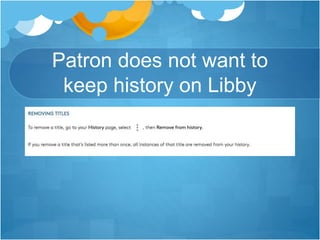
Patron does not want to
keep history on Libby
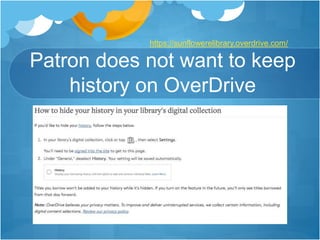
Patron does not want to keep
history on OverDrive
https://sunflowerelibrary.overdrive.com/
Fantastic internet resources
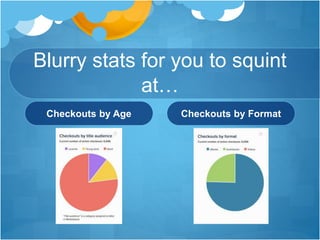
Blurry stats for you to squint
at…
Checkouts by Age Checkouts by Format
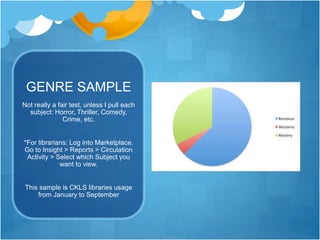
GENRE SAMPLE
Not really a fair test, unless I pull each
subject: Horror, Thriller, Comedy,
Crime, etc.
*For librarians: Log into Marketplace.
Go to Insight > Reports > Circulation
Activity > Select which Subject you
want to view.
This sample is CKLS libraries usage
from January to September
WORKING TOGETHER
Questions? Thank you!!!
https://sunflowerelibrary.overdrive.com/
https://catalog.ckls.bywatersolutions.com/
http://resources.overdrive.com/
http://resources.overdrive.com/library/marketing-outreach/
https://marketplace.overdrive.com/Account/Login
https://www.google.com/ > Then type in book title
https://groups.google.com/forum/#!forum/sunflower-elibrary
Crystal Hutchinson: Presenter, chutchinson@ckls.org
David Fischer: Administrator, technology@nwkls.org

KLA Sunflower eLibrary 2017

Editor's Notes

  • #2 Welcome to Sunflower eLibrary and the Patron Experience. If, at any time you decide this is not a session you are interested in, please feel free to sneak out. I won’t mind.
  • #3 My name is…I am a consultant…job duties… Before I get too far into the presentation, I want to assess my crowd. I have 3 questions and it will guide the direction my session goes. How many of you are libraries that participate in Sunflower eLibrary? How many are Sunflower eLibrary users, personally? How many are curious about Sunflower eLibrary for your library, but don’t have enough information to decide if your library is interested?
  • #4 The topics I’d like to cover today: I am going to cover the creation of a committee called Sunflower Committee, because we all love committees. Then I want to talk about Sunflower eLibrary on a larger scale, and move onto the smaller scale nuts and bolts of Sunflower eLibrary in regards to our patrons.
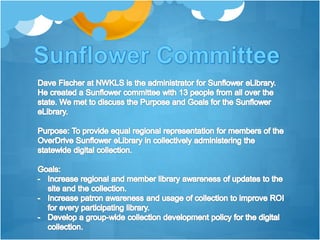
  • #6 Sunflower committee, is in essence, a committee of Kansas Librarians working to help other librarians. We don’t use this through the State, and we have one librarian who serves as the administrator for all of the Kansas Libraries participating. Librarians subscribe and spend content credit on what their communities want. It all is very self-sufficient. So why form a committee? Besides creating By-laws, Memorandum of Understanding and other fun documents. OverDrive was asking questions about updates and enhanced features and we needed more of a voice for our Kansas Librarians.
  • #7 When I heard we needed a curator, I jumped at the chance. My role in Sunflower Committee All the fun in curating. Creating collections, Summer Library Program, Hutchinson State Fair had a program, now we have a Horror month. I want to show off the awesomeness of Sunflower eLibrary on a larger scale, then move onto the OverDrive platform and I will show you my handiwork.
  • #8 This is the awesomeness of Sunflower eLibrary on a global scale. What is the purpose of this feature? If there are patrons that don’t know about Sunflower eLibrary, this is a way to lead potential patrons to this free platform for the patrons. Google’s Search Engine Optimizer is helping promote Library features and it’s on the first search result page!
  • #9 A recent Koha update offered an Enhanced Content feature that allows Sunflower eLibrary (or OverDrive) to sync up in our catalog to show what is available in Sunflower eLibrary when searching for a title. It is only available on the Patron side. If you click on the hyperlinked results “1 results” it will take the patron directly to the Sunflower eLibrary. (Actually click on the result to show picture in catalog to verify that the book is the one you want)
  • #10 Okay, down to the nuts and bolts of Sunflower eLibrary…Remember those updates and enhancements I mentioned? This is where the real fun happens
  • #11 the collection titles are manually added, Everything else on the page is changed by OverDrive to the correct language. If you speak Spanish, and see a collection title (point to the title and summary) When I create a collection, I add it in English, then I Change the language to Spanish. That means this title and summary are victims of Google translate.
  • #12 OverDrive presented examples of Kids page and Teen page. The Sunflower committee decided a Kids Collection section is a good option because it limits the age level of materials. Kind of separates the Adult content from the kids. Best part is once the collection is changed, browser keeps that page until it is changed back. Great for children room patron computers.
  • #13 The only way to show this is to go to Chrome, and do not sign in yet. I tried to do it in Firefox, and it worked and then it went away after a couple of times.
  • #14 My new favorite app!
  • #15 Watch video first. Libby is not intended to replace your OverDrive app or other methods of enjoying Sunflower eLibrary. It is intended for new users and patrons interested in new trends. OverDrive app is set up more like a library catalog, Libby is set up like an App. At this point I’d like to move over to my phone and show you the Libby app features.
  • #16 Do I dare try to do Air Drop now?
  • #17 Do a search for Finders Keepers. Click on title. Scroll down and explain what you see. Also available as…
  • #18 Stay in Libby. Show the Shelf, Activity, and select the 3 dots on the right side. Library World calls this Circulation History. Go to Sunflower eLibrary and my account, go through History, Settings (explain decision for 14 days from committee), loans, holds (go through all limits.) Wishlist. I have nothing on rated titles.
  • #19 Go to Sunflower eLibrary and my account, go through History, Settings (explain decision for 14 days from committee), loans, holds (go through all limits.) Wishlist. I have nothing on rated titles.
  • #20 Is it necessary for libraries to promote? Users just find this stuff! I had a librarian who called me and swore she didn’t have anyone using this, so her having stats was wrong. Lo and behold, several of her board members use it. The more information your patrons see, the more they are going to decide to use it. Remember Total Boox? That was what gave me the idea to find resources to promote this platform.
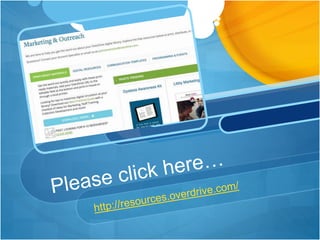
  • #21 OverDrive offers some fantastic resources. Both in Digital and print form. There is no log in needed.
  • #22 Every time I go to this Marketing page there are new promotional materials. There is 1 page tutorials, posters, bookmarks, buttons, and Spanish versions of almost everything. I sent materials to my regions Public libraries, and then I helped the School Library consultant put together K-12 promotional materials. My welcome letter was a communication template, digital is great for Facebook.
  • #23 Off topic for a moment…A patron may download an ebook or audiobook for offline use. Once a book is “borrowed” it starts ticking down the 14 days, and then becomes available at the end of the timeframe. Then the next patron can check it out. Not all content is fully downloaded, streaming and syncing a book from your computer to your device, or vice versa are some ways it is not fully downloaded.
  • #24 And here is just a little information about what Kansas patrons are reading..
  • #25 Talk about how I first purchased, YA, series and Juve. Then explain how that group prefers audiobooks, which caused more of an addition to audiobook format. These stats can be viewed on the Dashboard of Marketplace. I just took a snapshot of the current checkouts.
  • #26 This slide is just to show you how we can look at what our patrons are reading to help us decide what to purchase. I do remember OverDrive stating that Romance is the most popular Genre in Kansas, which is why I maintain a collection on the landing page and try to purchase it when possible.
  • #27 All of the streamlined purchasing, maintaining and curating layout is by the librarians, for the librarians. There is a feeling of purpose and confidence that we have a shared common goal to serve our Kansas patrons. We can provide quality econtent to our patrons. I hope this session helped you understand how Sunflower eLibrary focuses on our Kansas patron needs. Thank you.
  • #28 There are so many topics that I could have added to this session. Are there any questions? I have my email address and David’s email if you want to contact us. I also have business cards on me if you have questions later.