Keeping Spark on Track:
Productionizing Spark for ETL
Kyle Pistor
kyle@databricks.com
Miklos Christine
mwc@databricks.com
$ whoami
Kyle Pistor
–SA @ Databricks
–100s of Customers
–Focus on ETL and big
data warehousing using
Apache Spark
–BS/MS - EE
Miklos Christine
–SA @ Databricks!
–Previously: Systems
Engineer @ Cloudera
–Deep Knowledge of Big
Data Stack
–Apache Spark
Enthusiast
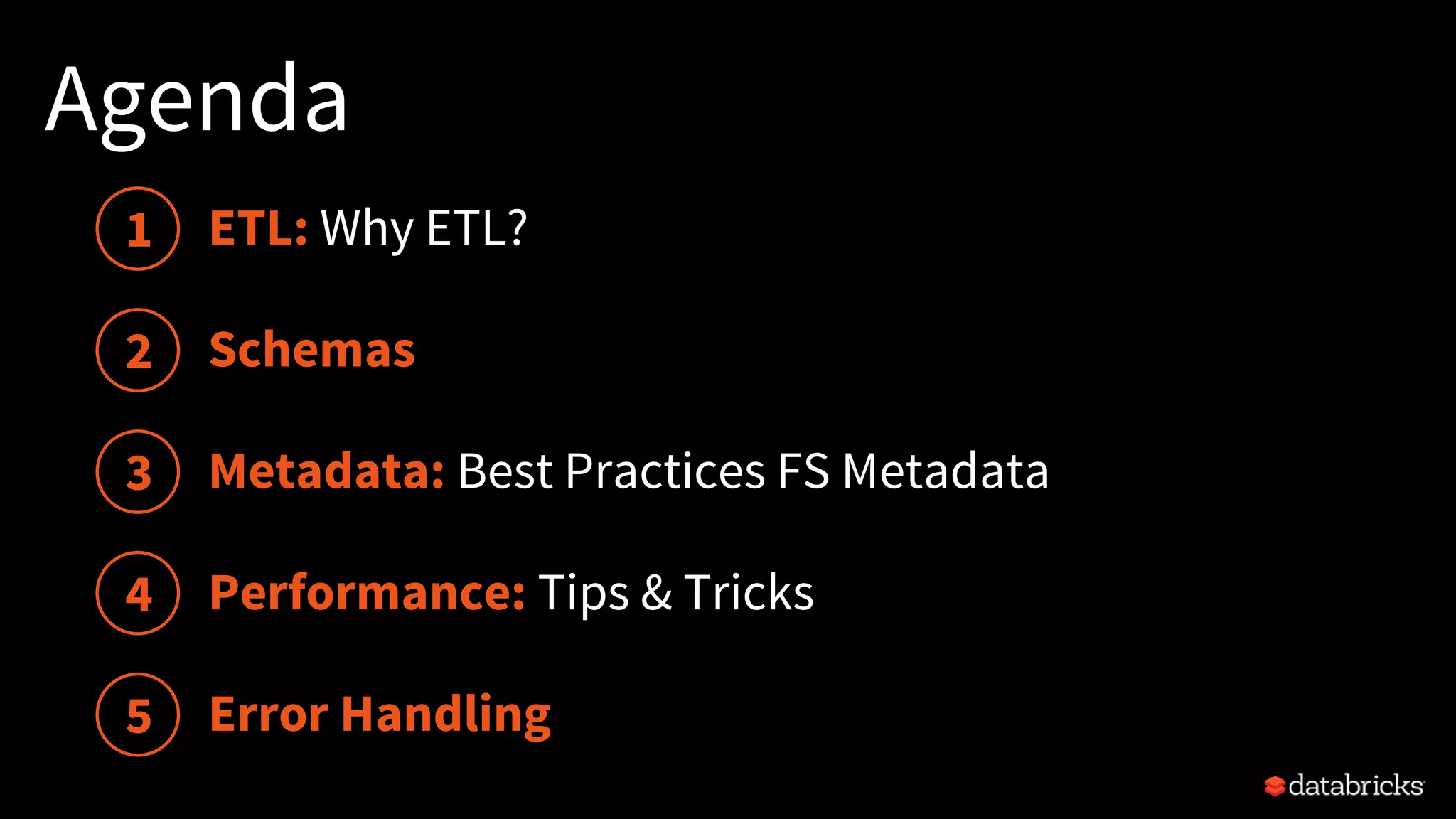
Agenda
Schemas
Performance: Tips & Tricks
1
2
3
4
5
Metadata: Best Practices FS Metadata
Error Handling
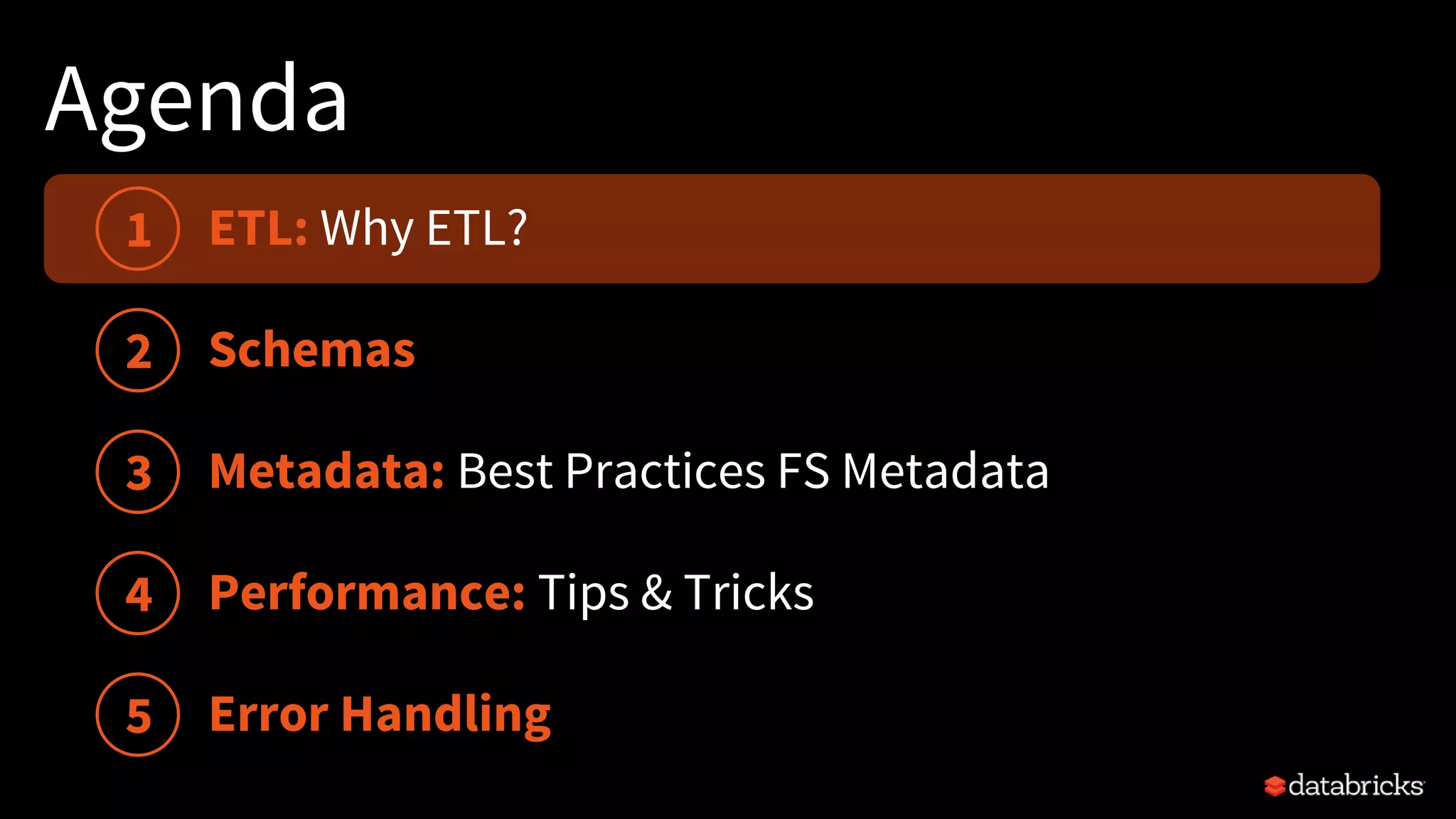
ETL: Why ETL?
Agenda
Schemas
Performance: Tips & Tricks
1
2
3
4
5
Metadata: Best Practices FS Metadata
Error Handling
ETL: Why ETL?
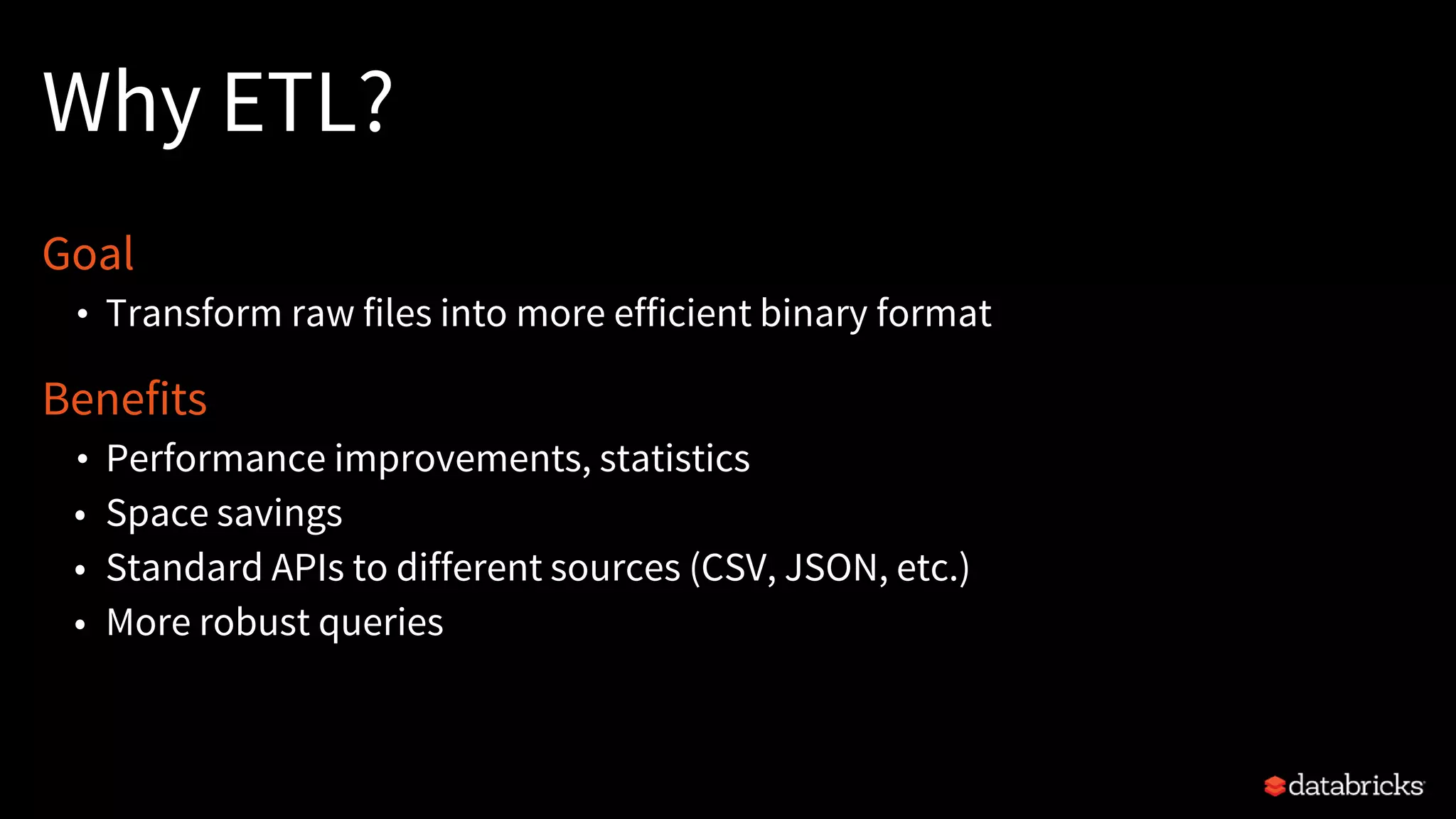
Why ETL?
Goal
• Transform raw files into more efficient binary format
Benefits
• Performance improvements, statistics
• Space savings
• Standard APIs to different sources (CSV, JSON, etc.)
• More robust queries
Agenda
Schemas
Performance: Tips & Tricks
1
2
3
4
5
Metadata: Best Practices FS Metadata
Error Handling
ETL: Why ETL?
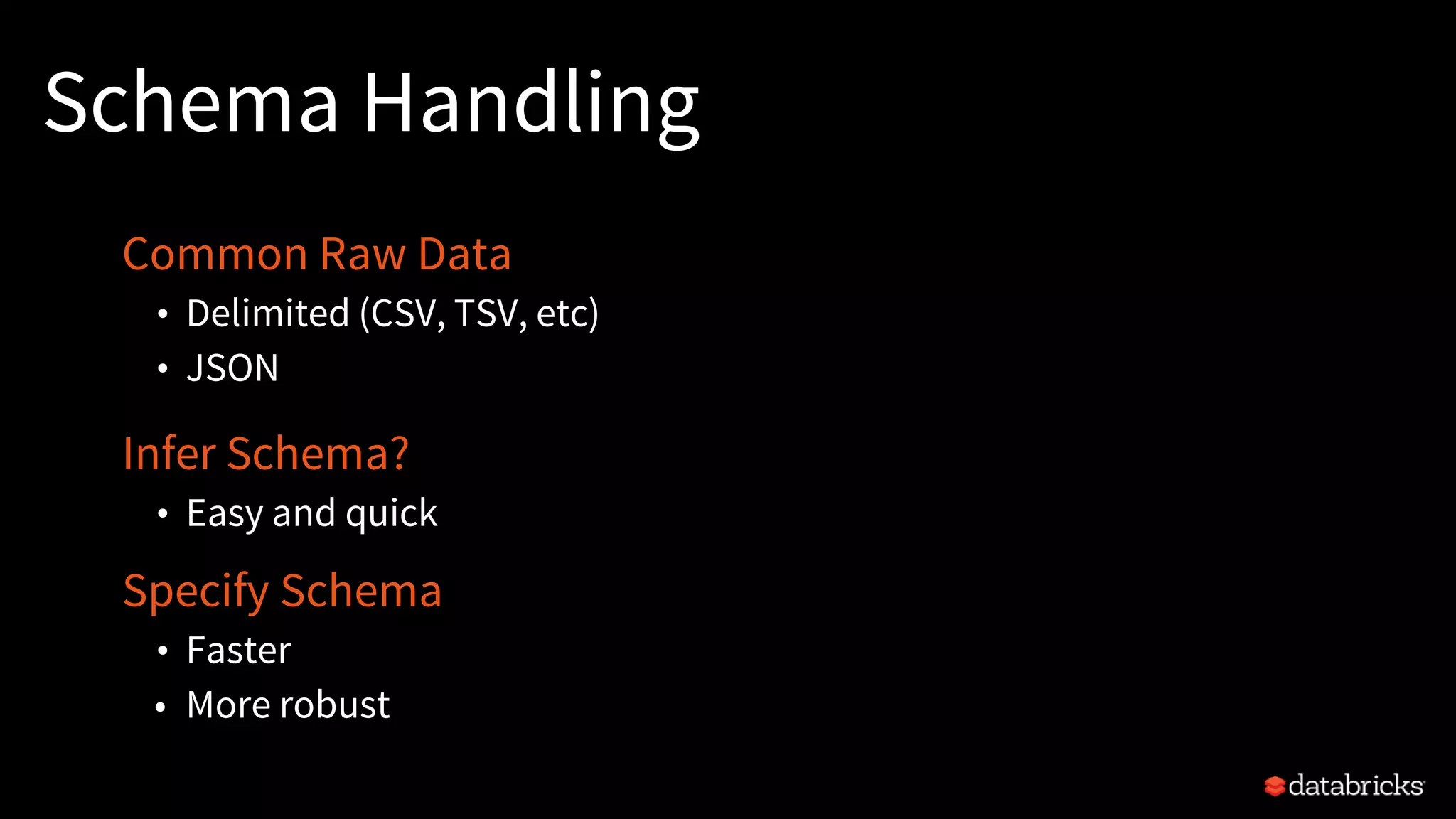
Schema Handling
Common Raw Data
• Delimited (CSV, TSV, etc)
• JSON
Infer Schema?
• Easy and quick
Specify Schema
• Faster
• More robust
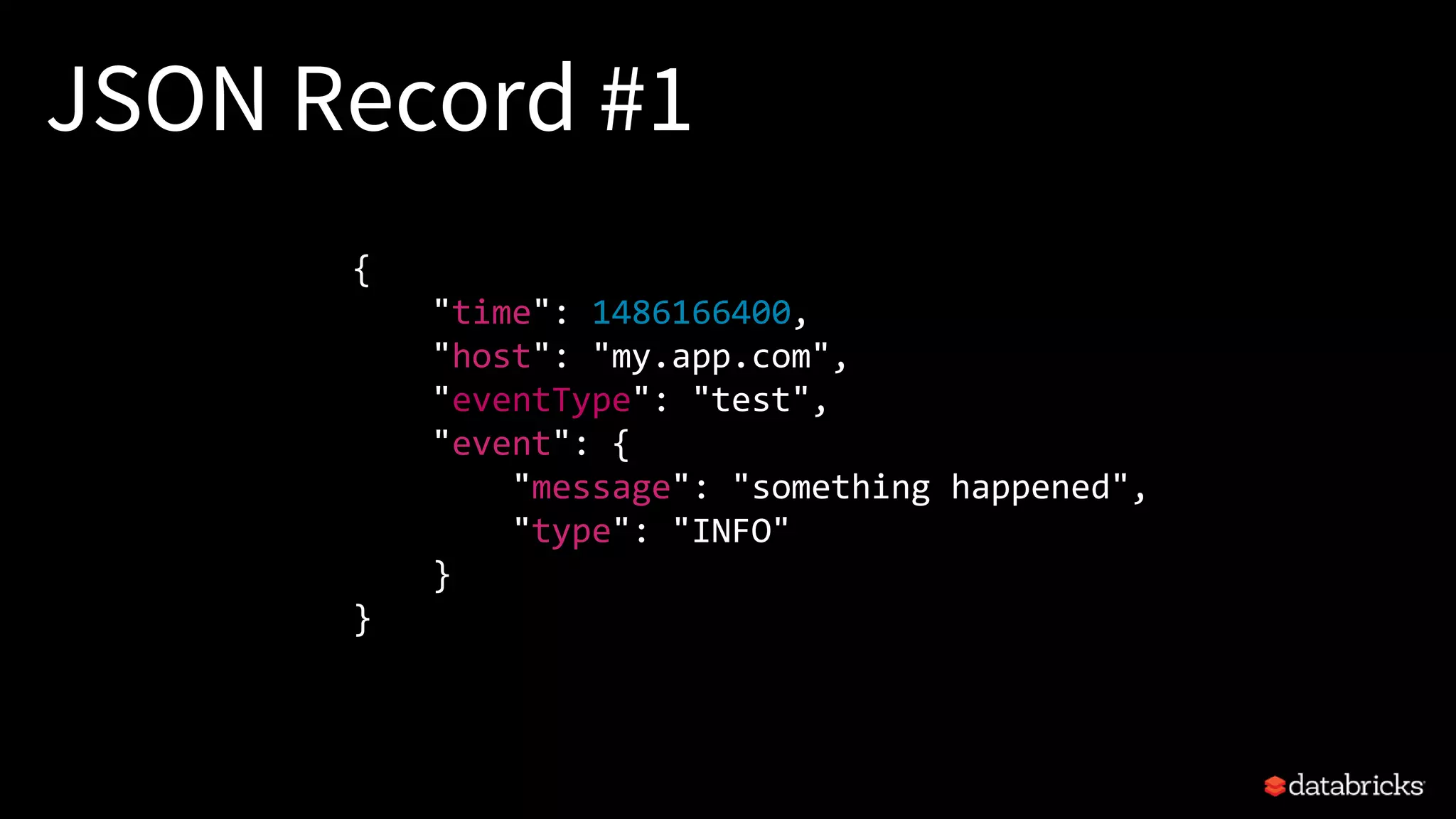
JSON Record #1
{
"time": 1486166400,
"host": "my.app.com",
"eventType": "test",
"event": {
"message": "something happened",
"type": "INFO"
}
}
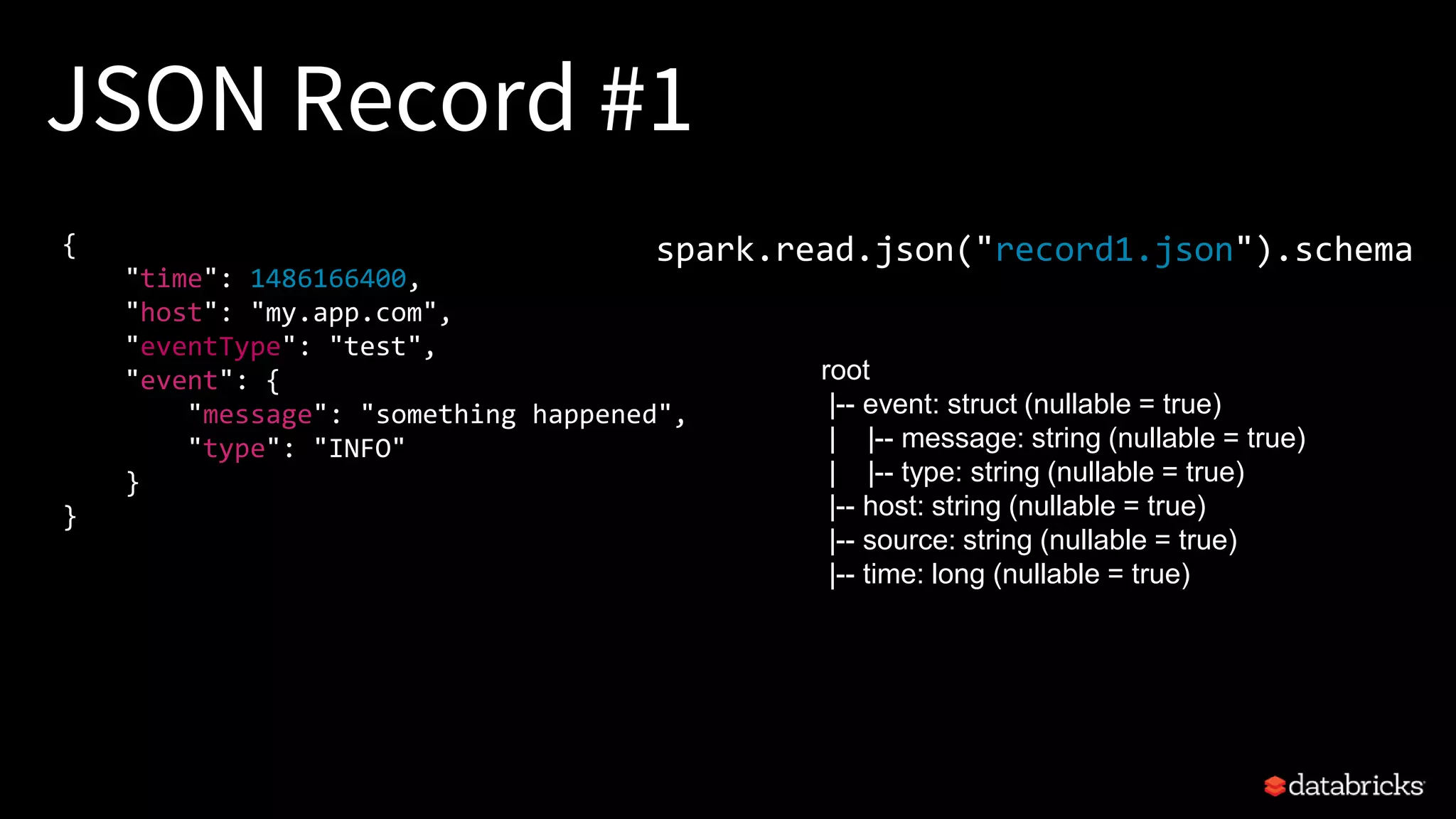
JSON Record #1
{
"time": 1486166400,
"host": "my.app.com",
"eventType": "test",
"event": {
"message": "something happened",
"type": "INFO"
}
}
spark.read.json("record1.json").schema
root
|-- event: struct (nullable = true)
| |-- message: string (nullable = true)
| |-- type: string (nullable = true)
|-- host: string (nullable = true)
|-- source: string (nullable = true)
|-- time: long (nullable = true)
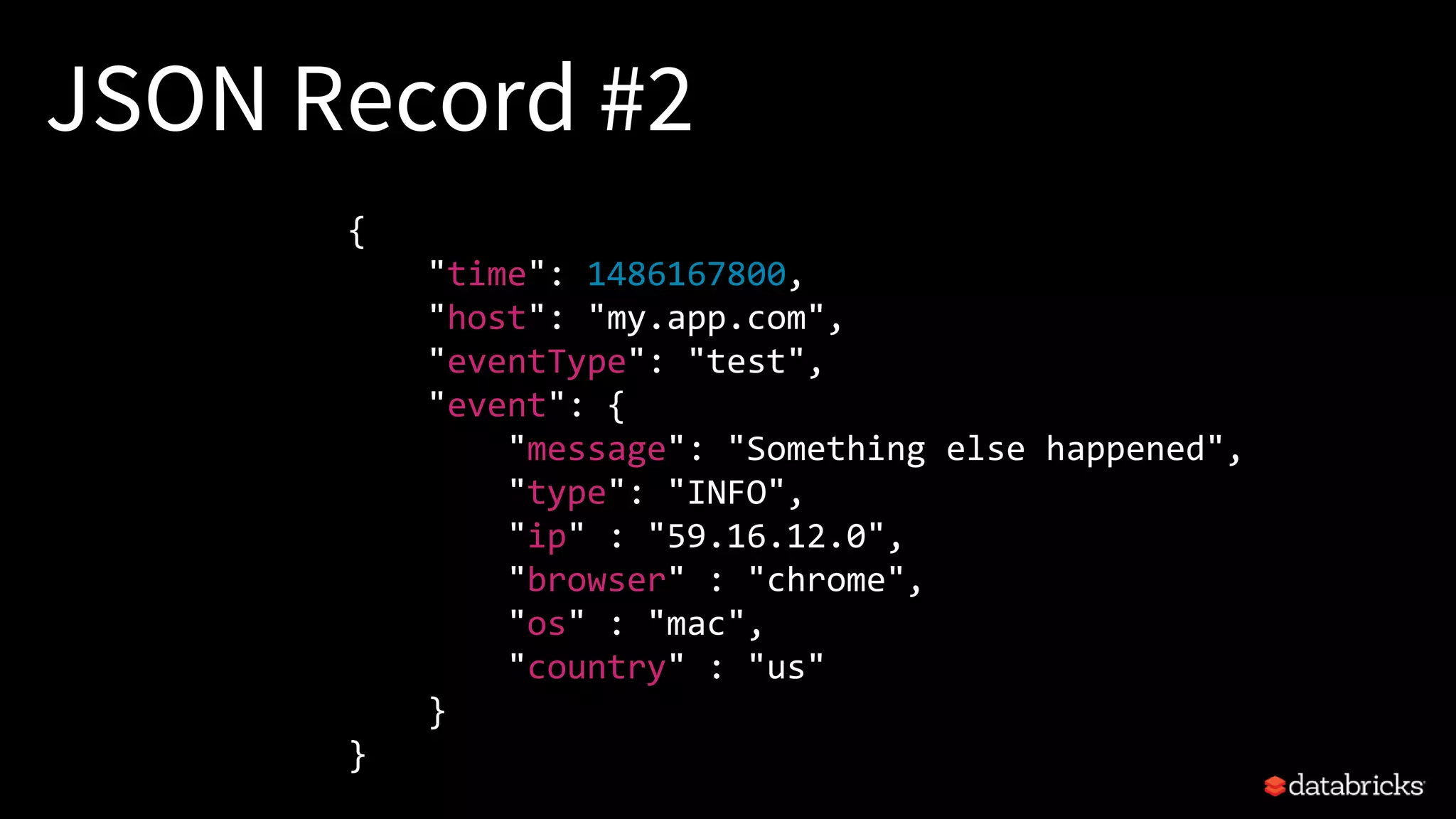
JSON Record #2
{
"time": 1486167800,
"host": "my.app.com",
"eventType": "test",
"event": {
"message": "Something else happened",
"type": "INFO",
"ip" : "59.16.12.0",
"browser" : "chrome",
"os" : "mac",
"country" : "us"
}
}
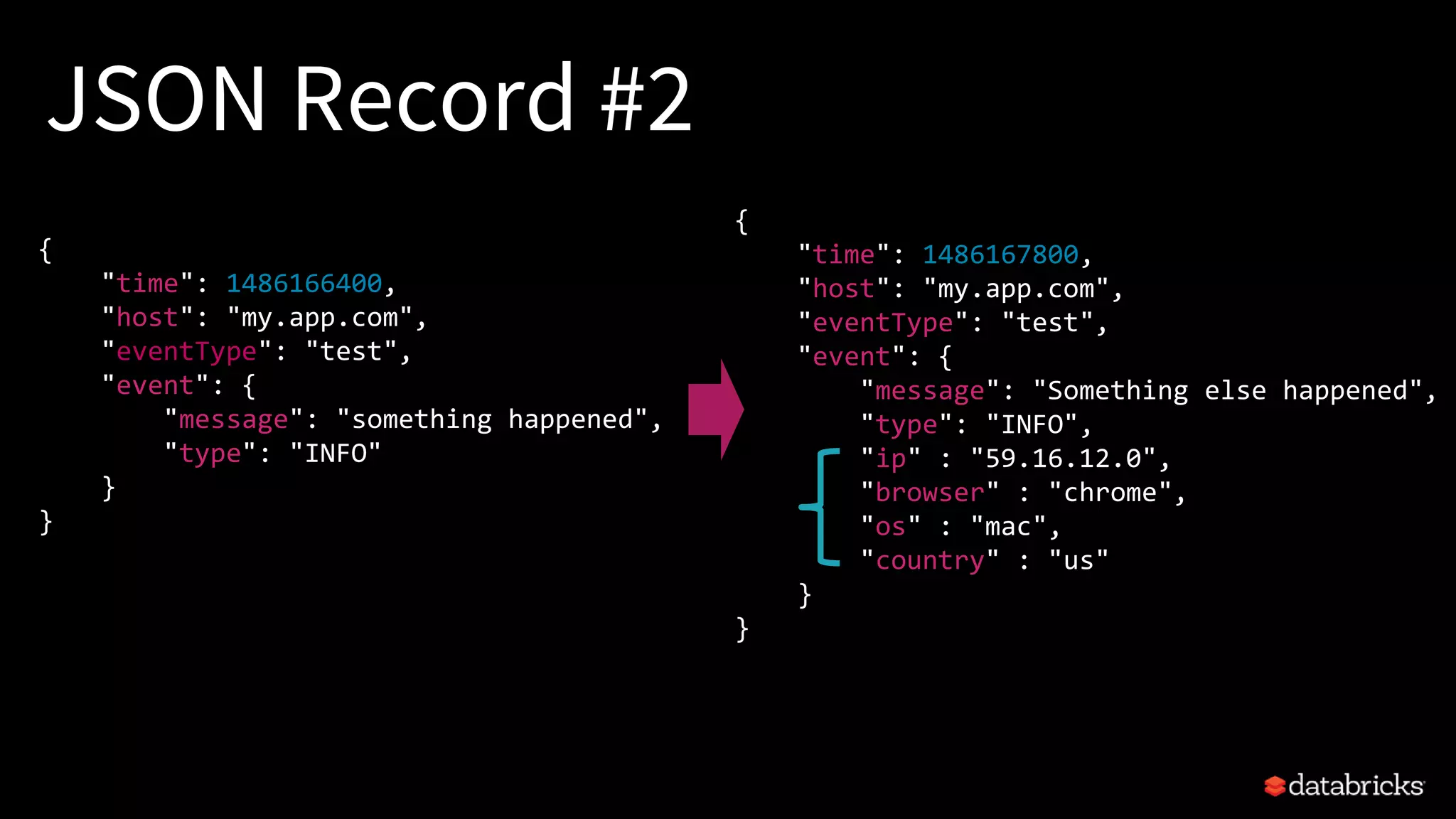
JSON Record #2
{
"time": 1486167800,
"host": "my.app.com",
"eventType": "test",
"event": {
"message": "Something else happened",
"type": "INFO",
"ip" : "59.16.12.0",
"browser" : "chrome",
"os" : "mac",
"country" : "us"
}
}
{
"time": 1486166400,
"host": "my.app.com",
"eventType": "test",
"event": {
"message": "something happened",
"type": "INFO"
}
}
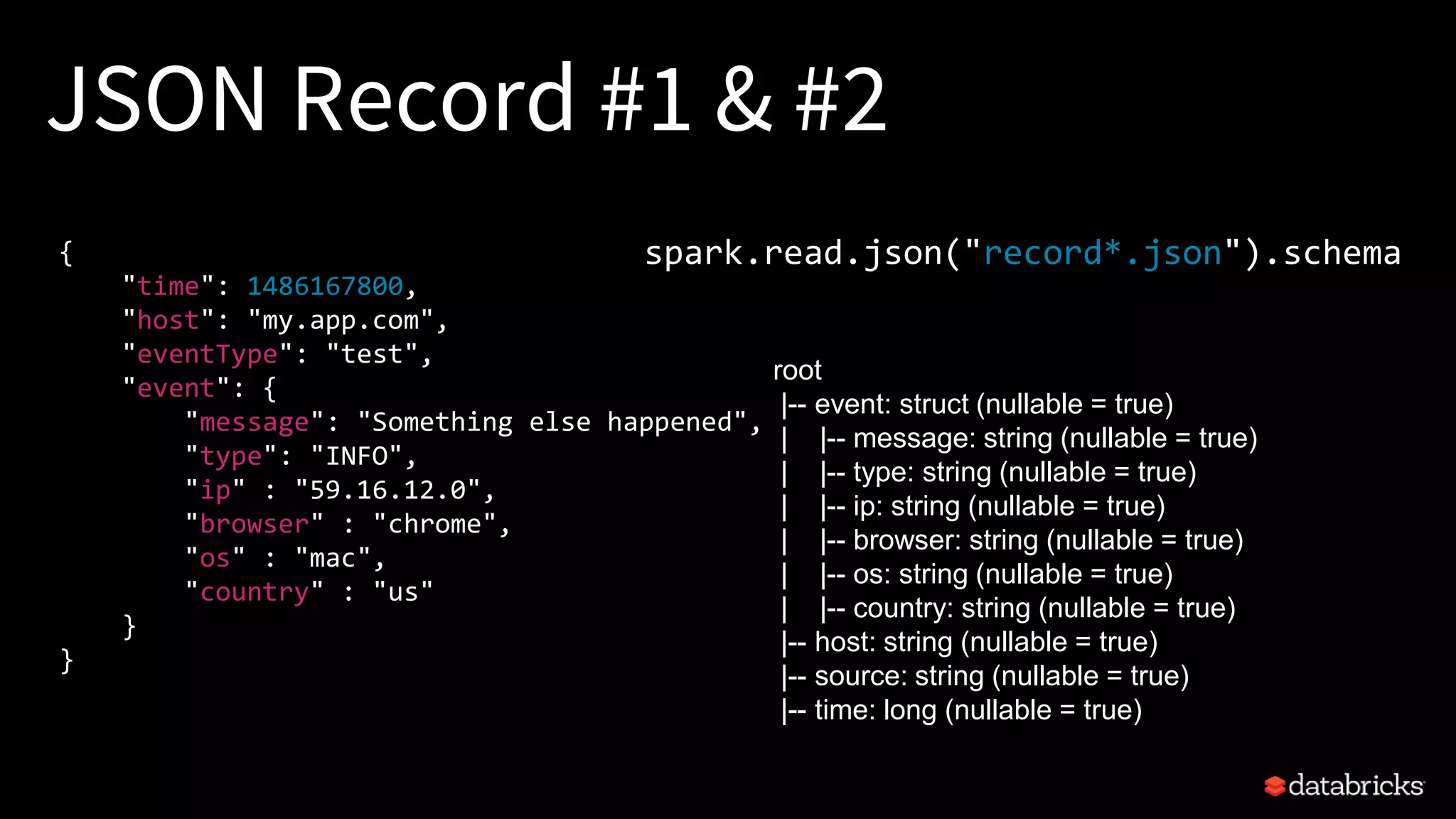
JSON Record #1 & #2
{
"time": 1486167800,
"host": "my.app.com",
"eventType": "test",
"event": {
"message": "Something else happened",
"type": "INFO",
"ip" : "59.16.12.0",
"browser" : "chrome",
"os" : "mac",
"country" : "us"
}
}
spark.read.json("record*.json").schema
root
|-- event: struct (nullable = true)
| |-- message: string (nullable = true)
| |-- type: string (nullable = true)
| |-- ip: string (nullable = true)
| |-- browser: string (nullable = true)
| |-- os: string (nullable = true)
| |-- country: string (nullable = true)
|-- host: string (nullable = true)
|-- source: string (nullable = true)
|-- time: long (nullable = true)
customSchema = StructType([
StructField("time", TimestampType(),True),
StructField("host", StringType(),True),
StructField("source", StringType(),True),
StructField ("event",
MapType(StringType(), StringType()))
])
JSON Generic Specified Schema
StructType => MapType
Print Schema
Specify Schema
spark.read.json("record*.json").printSchema
spark.read.schema(customSchema).json("record*.json")
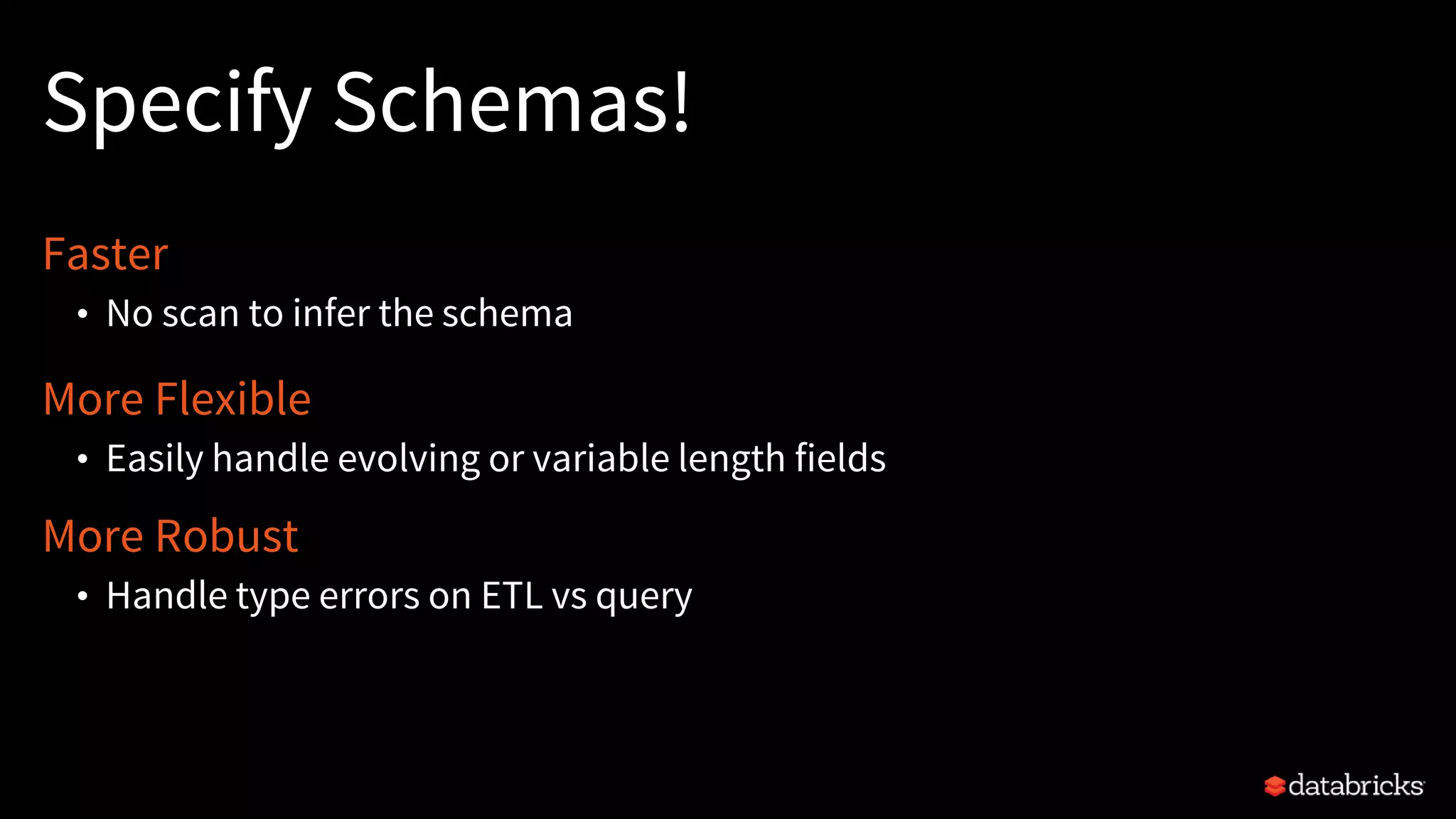
Specify Schemas!
Faster
• No scan to infer the schema
More Flexible
• Easily handle evolving or variable length fields
More Robust
• Handle type errors on ETL vs query
Agenda
Schemas
Performance: Tips & Tricks
1
2
3
4
5
Metadata: Best Practices FS Metadata
Error Handling
ETL: Why ETL?
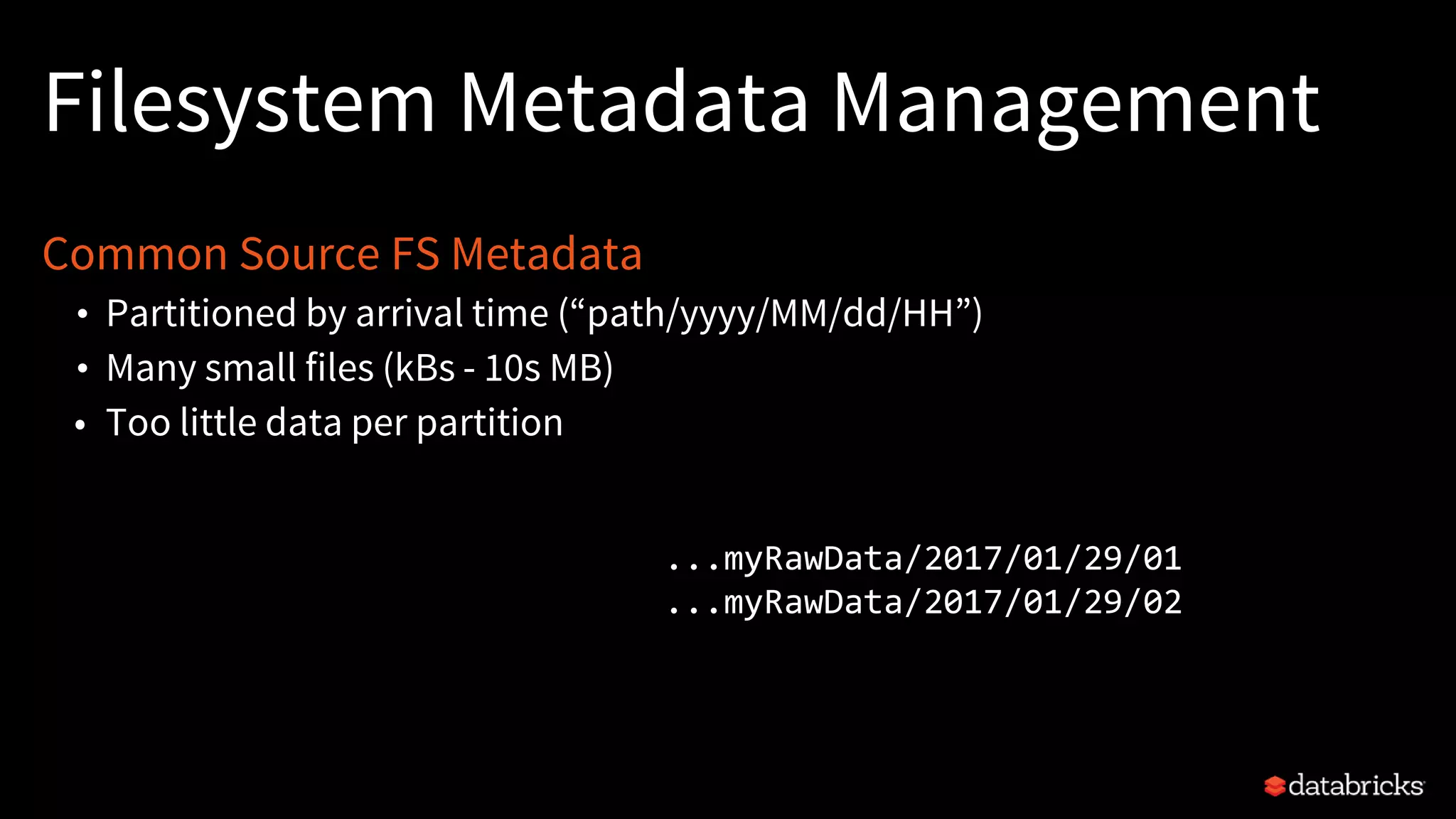
Filesystem Metadata Management
Common Source FS Metadata
• Partitioned by arrival time (“path/yyyy/MM/dd/HH”)
• Many small files (kBs - 10s MB)
• Too little data per partition
...myRawData/2017/01/29/01
...myRawData/2017/01/29/02
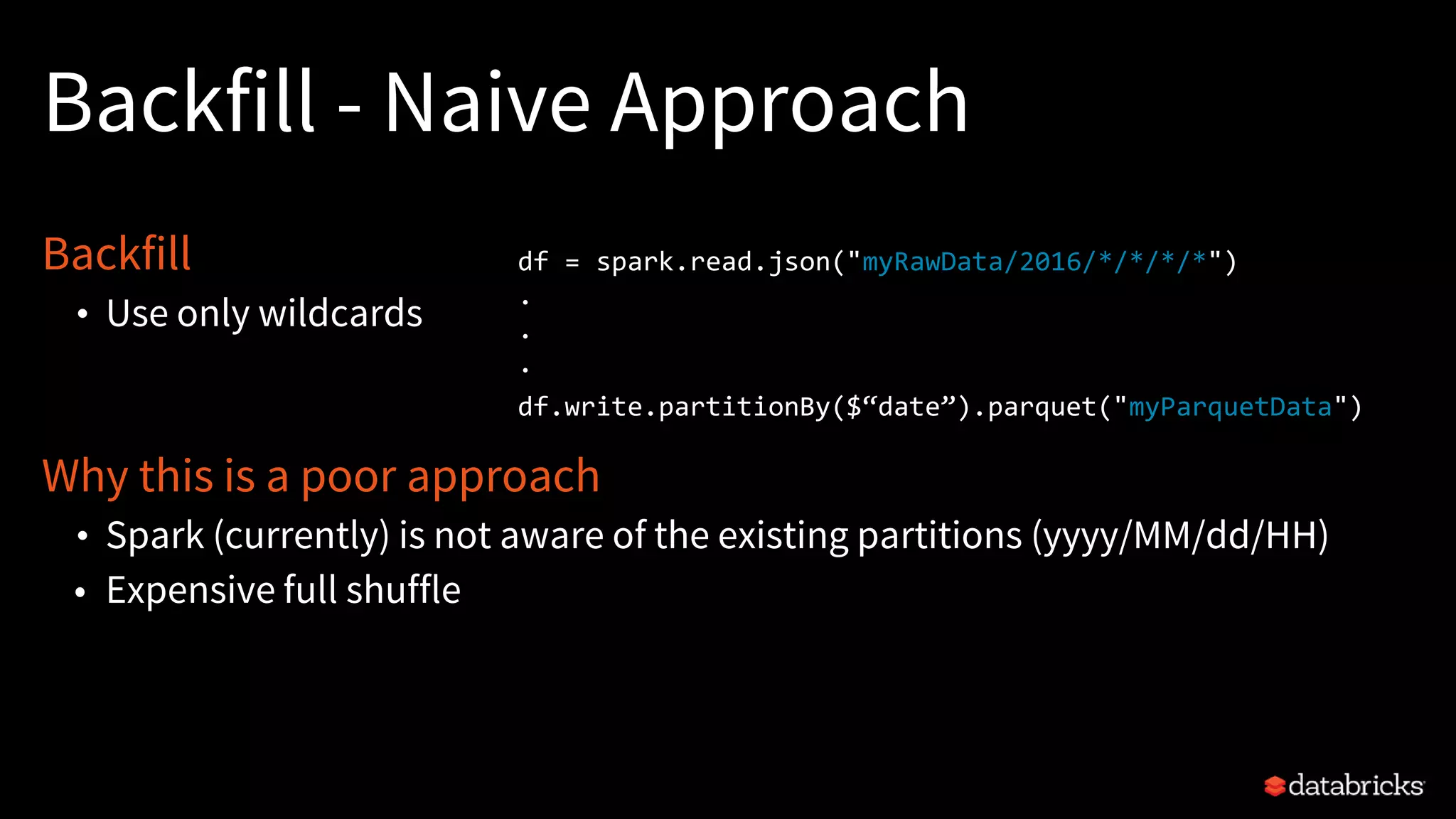
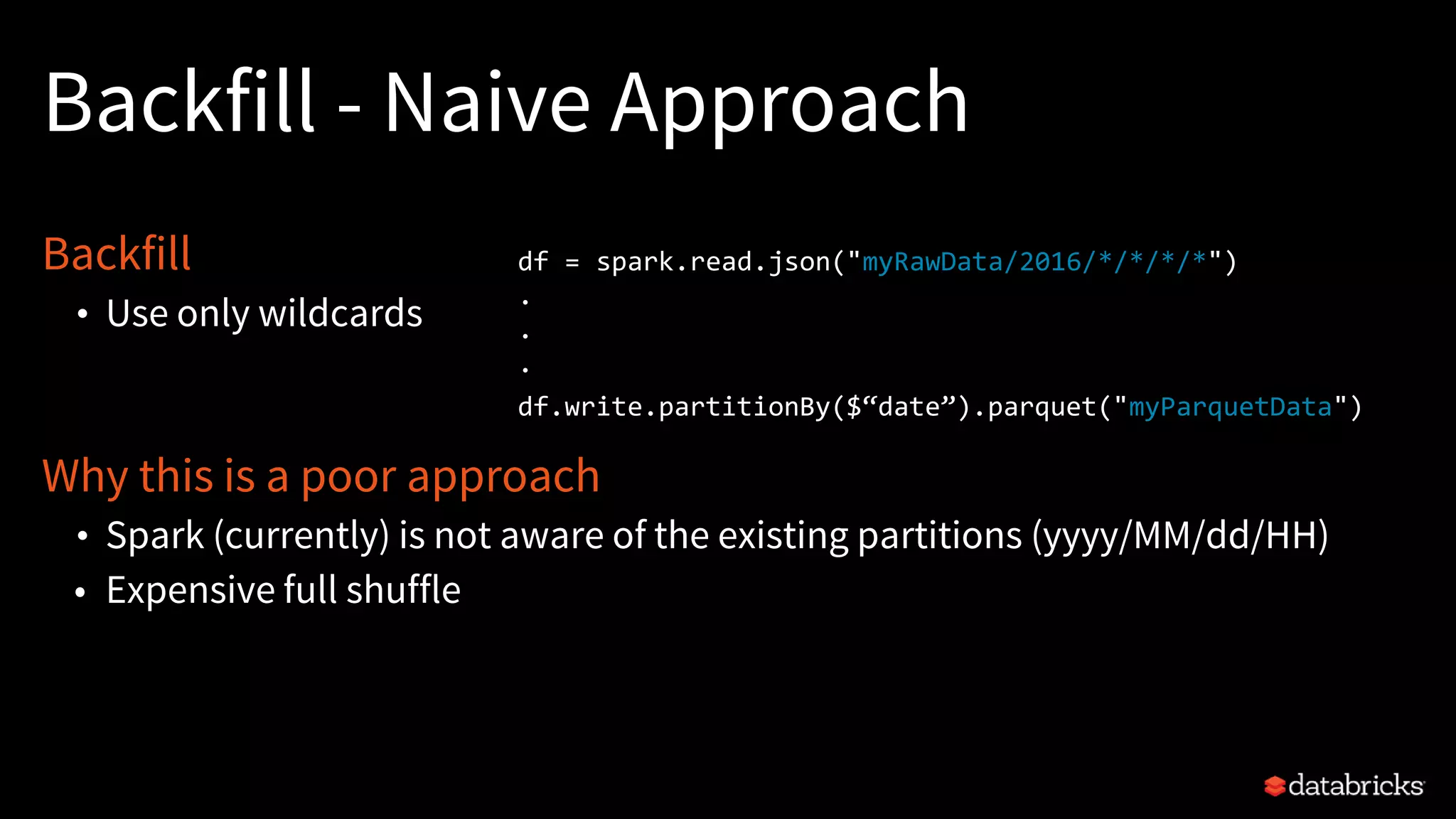
Backfill - Naive Approach
Backfill
• Use only wildcards
Why this is a poor approach
• Spark (currently) is not aware of the existing partitions (yyyy/MM/dd/HH)
• Expensive full shuffle
df = spark.read.json("myRawData/2016/*/*/*/*")
.
.
.
df.write.partitionBy($“date”).parquet("myParquetData")
Backfill - Naive Approach
Backfill
• Use only wildcards
Why this is a poor approach
• Spark (currently) is not aware of the existing partitions (yyyy/MM/dd/HH)
• Expensive full shuffle
df = spark.read.json("myRawData/2016/*/*/*/*")
.
.
.
df.write.partitionBy($“date”).parquet("myParquetData")
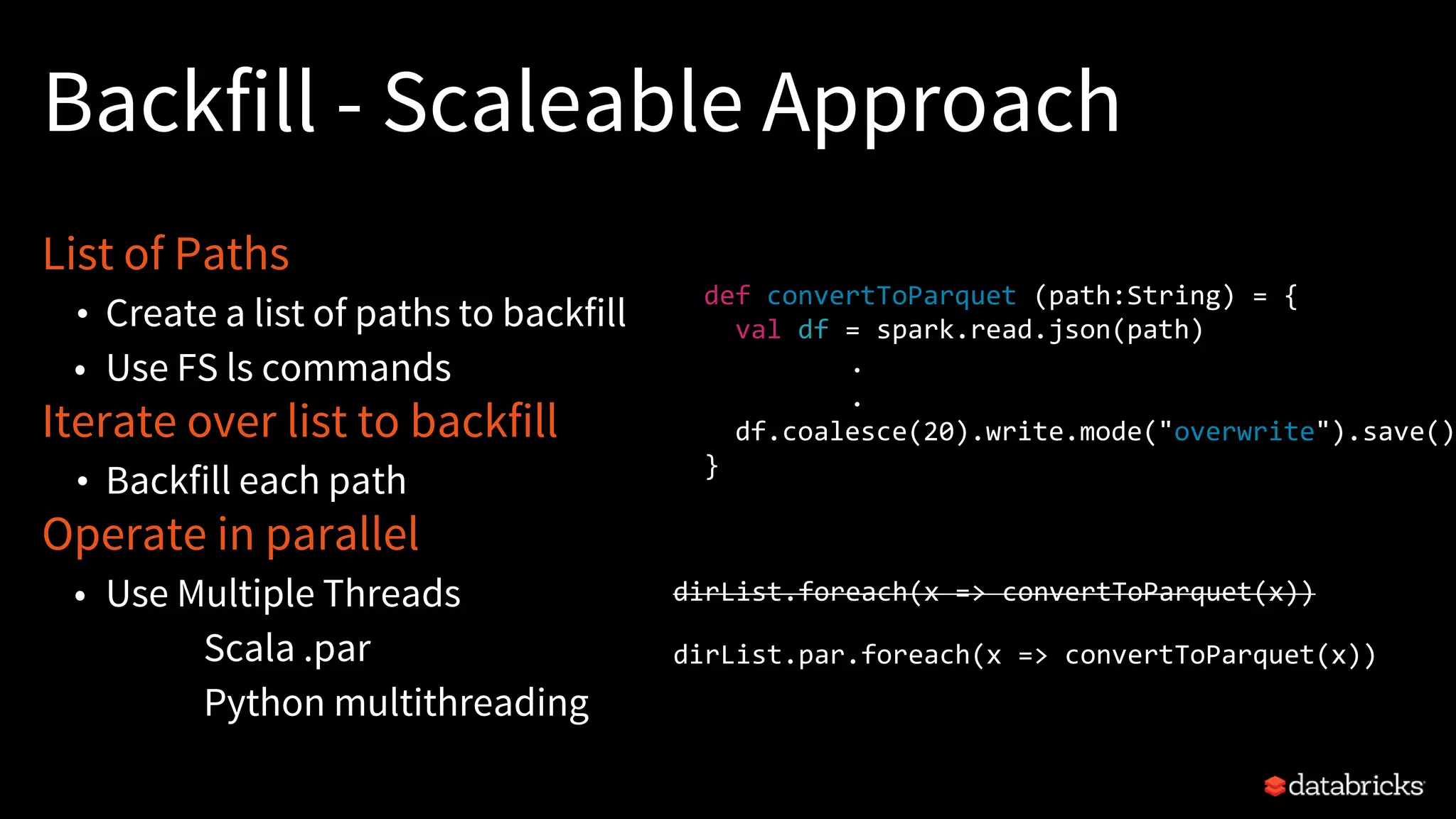
Backfill - Scaleable Approach
List of Paths
• Create a list of paths to backfill
• Use FS ls commands
Iterate over list to backfill
• Backfill each path
Operate in parallel
• Use Multiple Threads
Scala .par
Python multithreading
dirList.foreach(x => convertToParquet(x))
dirList.par.foreach(x => convertToParquet(x))
def convertToParquet (path:String) = {
val df = spark.read.json(path)
.
.
df.coalesce(20).write.mode("overwrite").save()
}
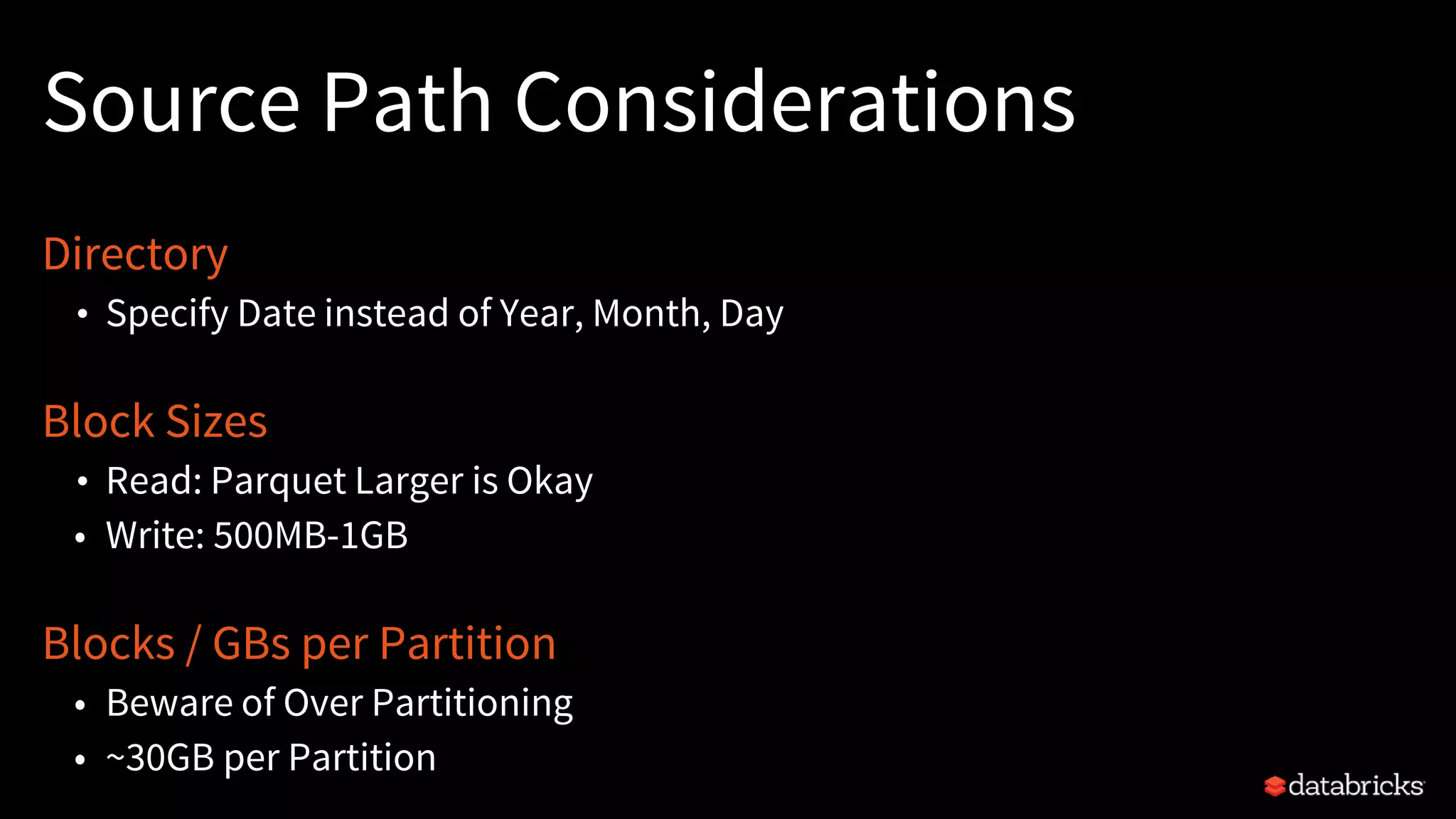
Source Path Considerations
Directory
• Specify Date instead of Year, Month, Day
Block Sizes
• Read: Parquet Larger is Okay
• Write: 500MB-1GB
Blocks / GBs per Partition
• Beware of Over Partitioning
• ~30GB per Partition
Agenda
Schemas
Performance: Tips & Tricks
1
2
3
4
5
Metadata: Best Practices FS Metadata
Error Handling
ETL: Why ETL?
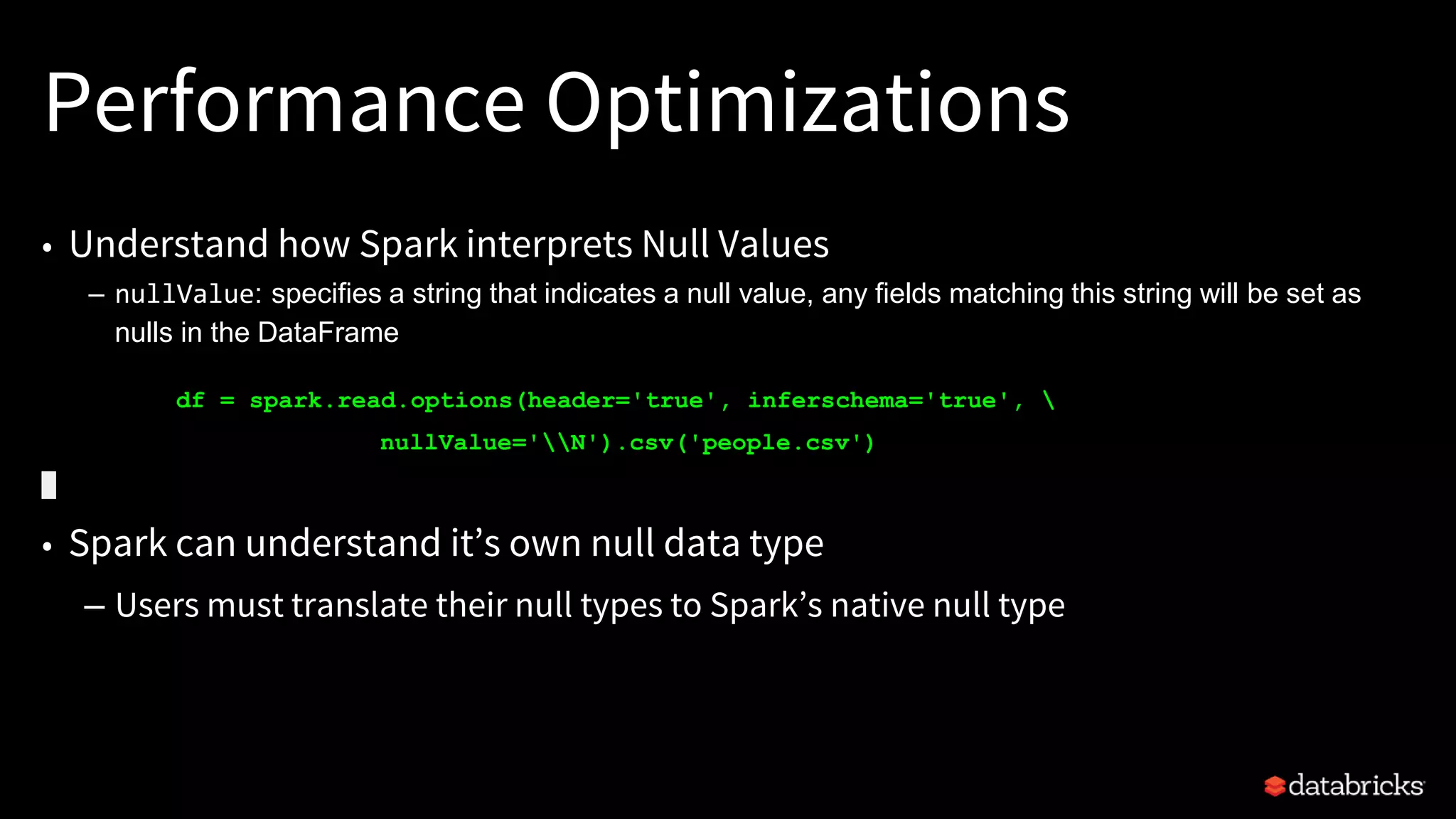
Performance Optimizations
• Understand how Spark interprets Null Values
– nullValue: specifies a string that indicates a null value, any fields matching this string will be set as
nulls in the DataFrame
df = spark.read.options(header='true', inferschema='true', 
nullValue='N').csv('people.csv')
• Spark can understand it’s own null data type
– Users must translate their null types to Spark’s native null type
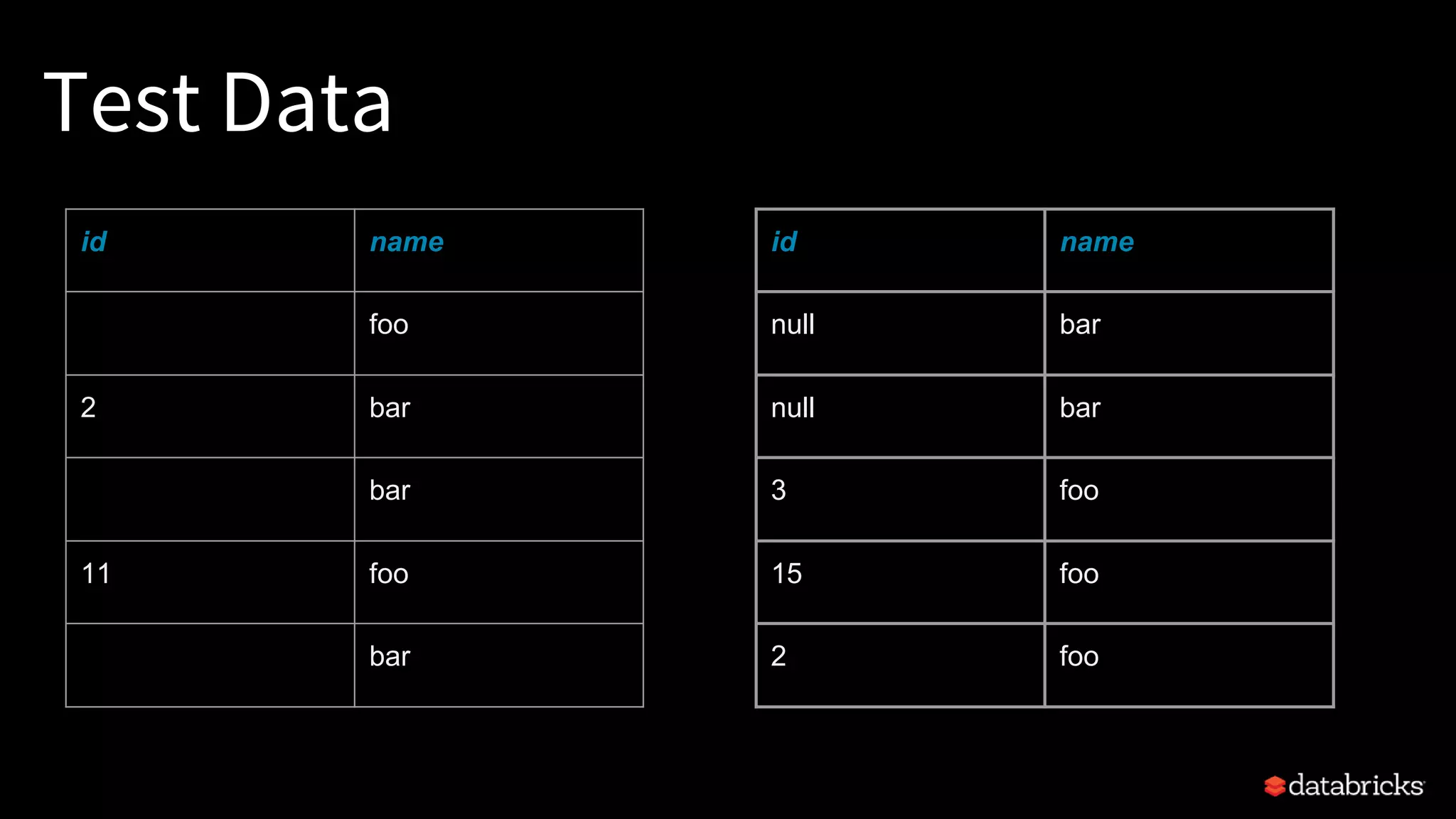
Test Data
id name
foo
2 bar
bar
11 foo
bar
id name
null bar
null bar
3 foo
15 foo
2 foo
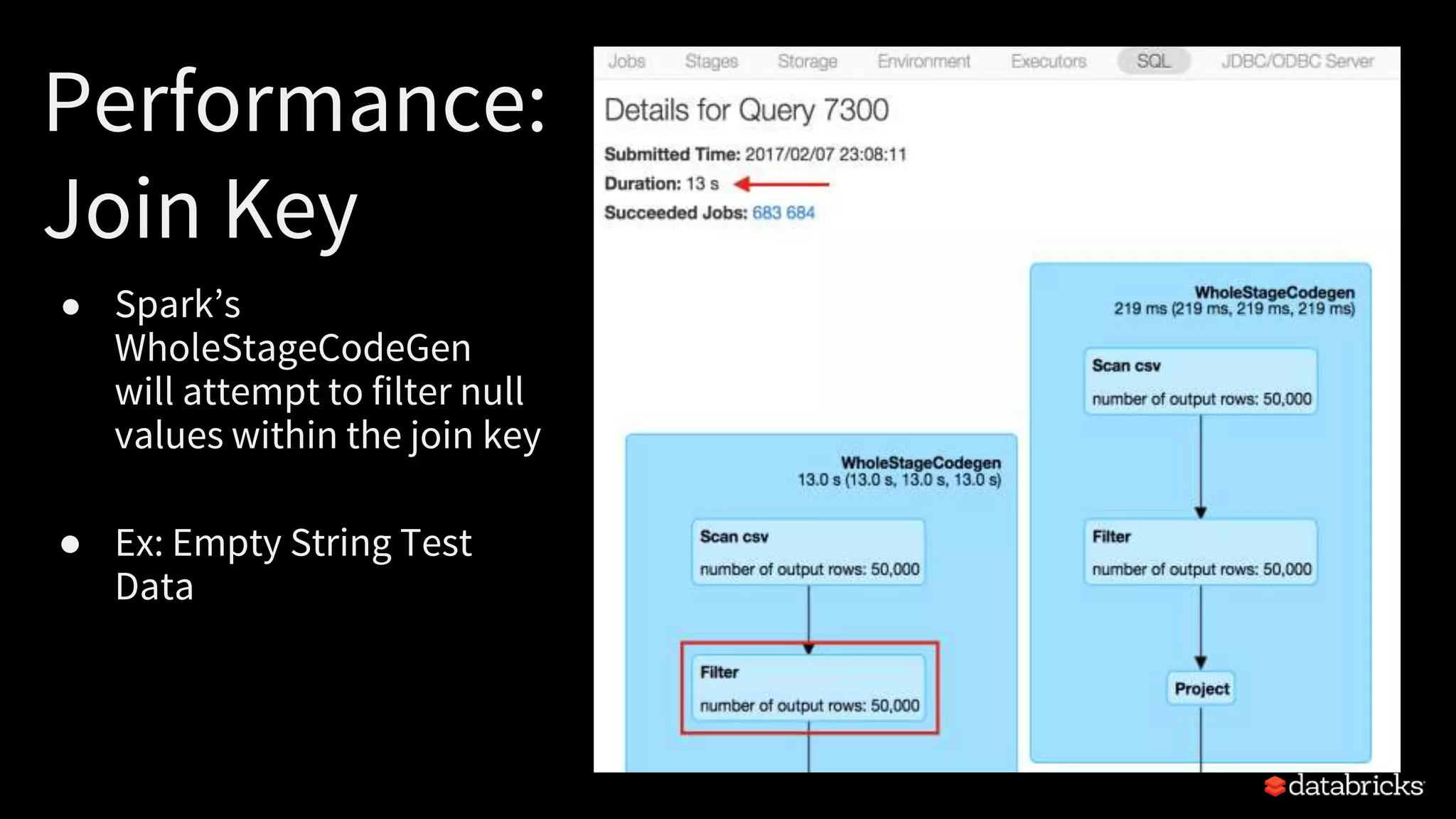
Performance:
Join Key
● Spark’s
WholeStageCodeGen
will attempt to filter null
values within the join key
● Ex: Empty String Test
Data
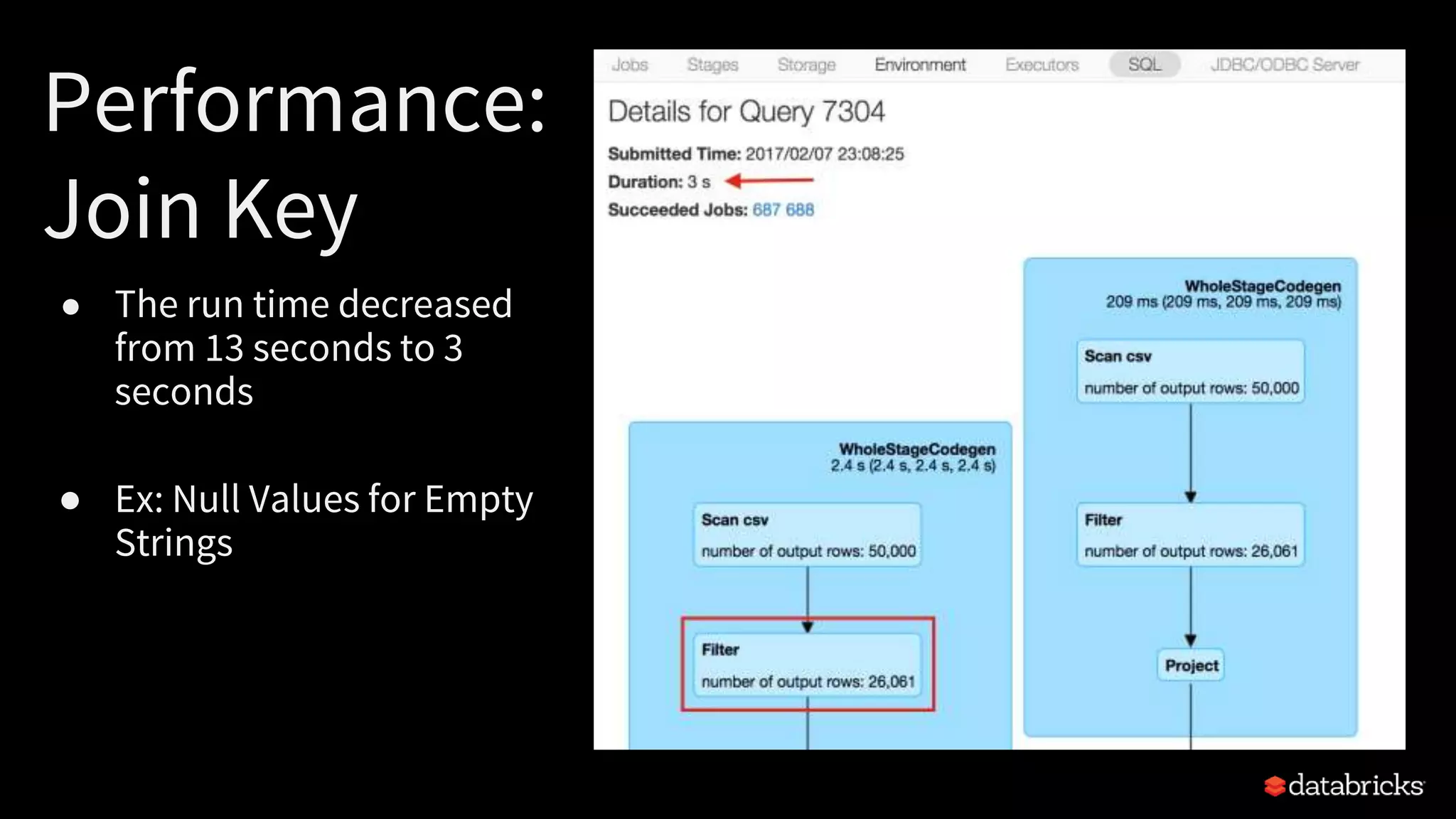
Performance:
Join Key
● The run time decreased
from 13 seconds to 3
seconds
● Ex: Null Values for Empty
Strings
DataFrame Joins
df = spark.read.options(header='true').csv('/mnt/mwc/csv_join_empty')
df_duplicate = df.join(df, df['id'] == df['id'])
df_duplicate.printSchema()
(2) Spark Jobs
root
|-- id: string (nullable = true)
|-- name1: string (nullable = true)
|-- id: string (nullable = true)
|-- name2: string (nullable = true)
DataFrame Joins
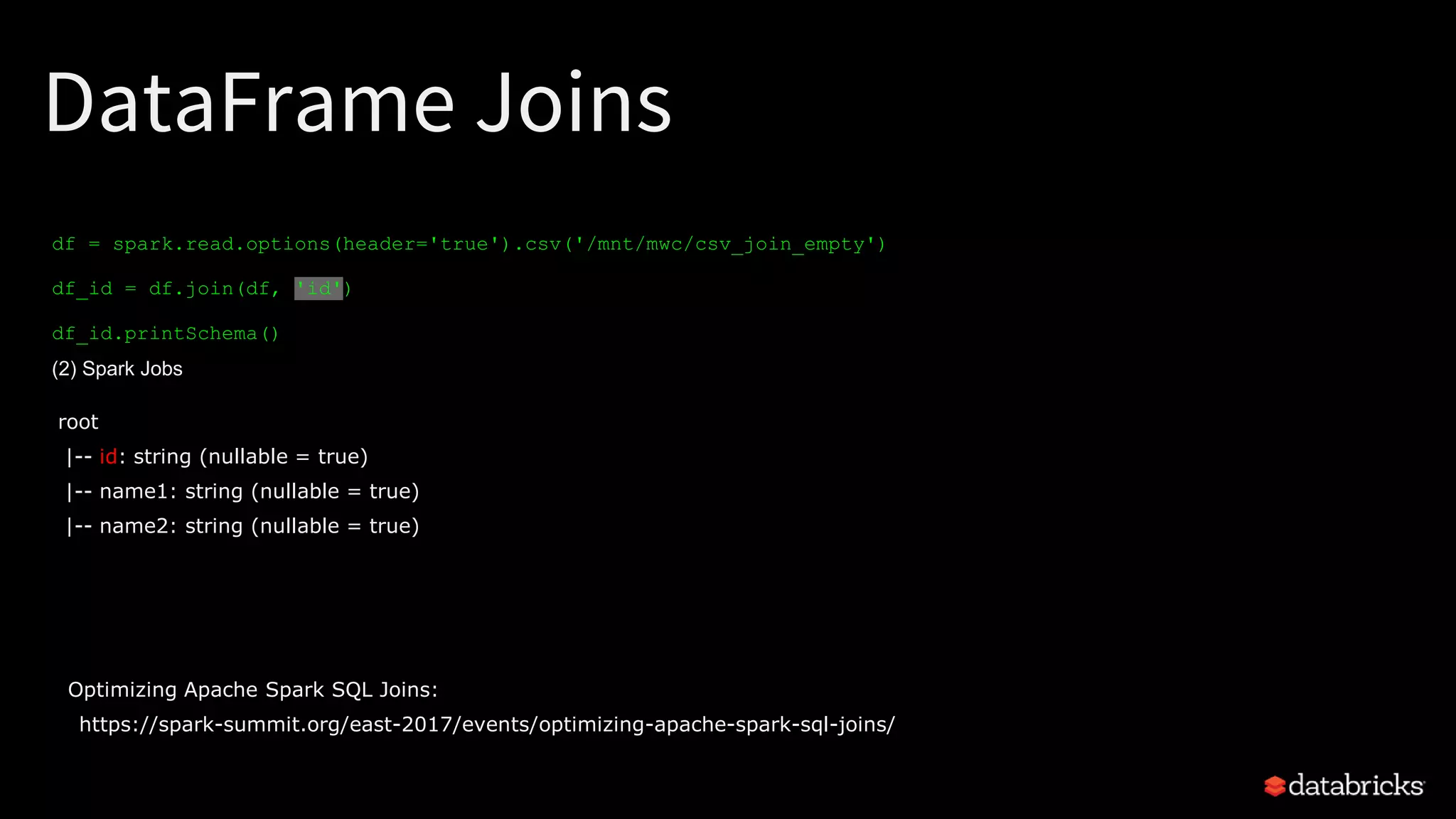
df = spark.read.options(header='true').csv('/mnt/mwc/csv_join_empty')
df_id = df.join(df, 'id')
df_id.printSchema()
(2) Spark Jobs
root
|-- id: string (nullable = true)
|-- name1: string (nullable = true)
|-- name2: string (nullable = true)
Optimizing Apache Spark SQL Joins:
https://spark-summit.org/east-2017/events/optimizing-apache-spark-sql-joins/
Agenda
Schemas
Performance: Tips & Tricks
1
2
3
4
5
Metadata: Best Practices FS Metadata
Error Handling
ETL: Why ETL?
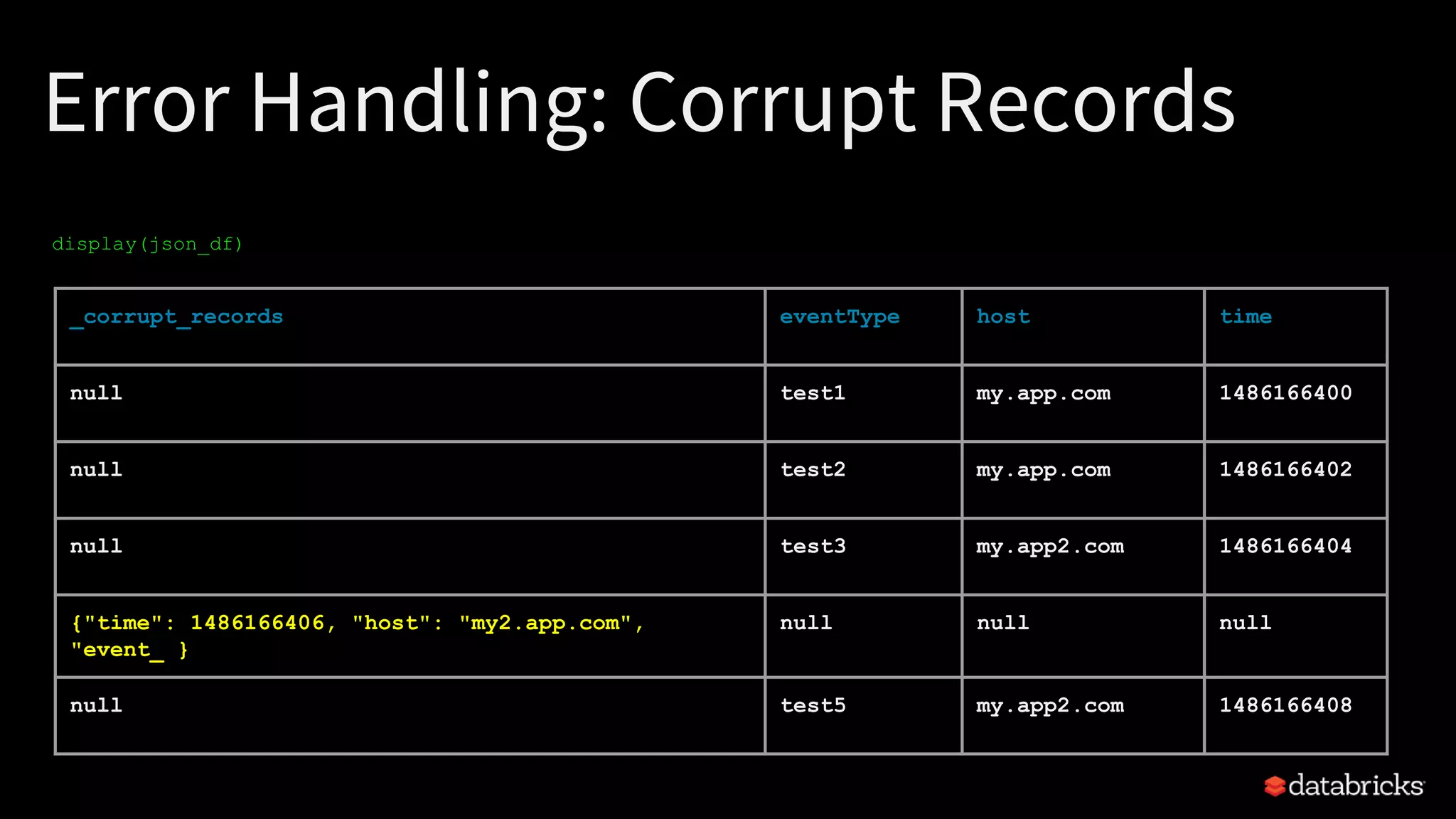
display(json_df)
Error Handling: Corrupt Records
_corrupt_records eventType host time
null test1 my.app.com 1486166400
null test2 my.app.com 1486166402
null test3 my.app2.com 1486166404
{"time": 1486166406, "host": "my2.app.com",
"event_ }
null null null
null test5 my.app2.com 1486166408
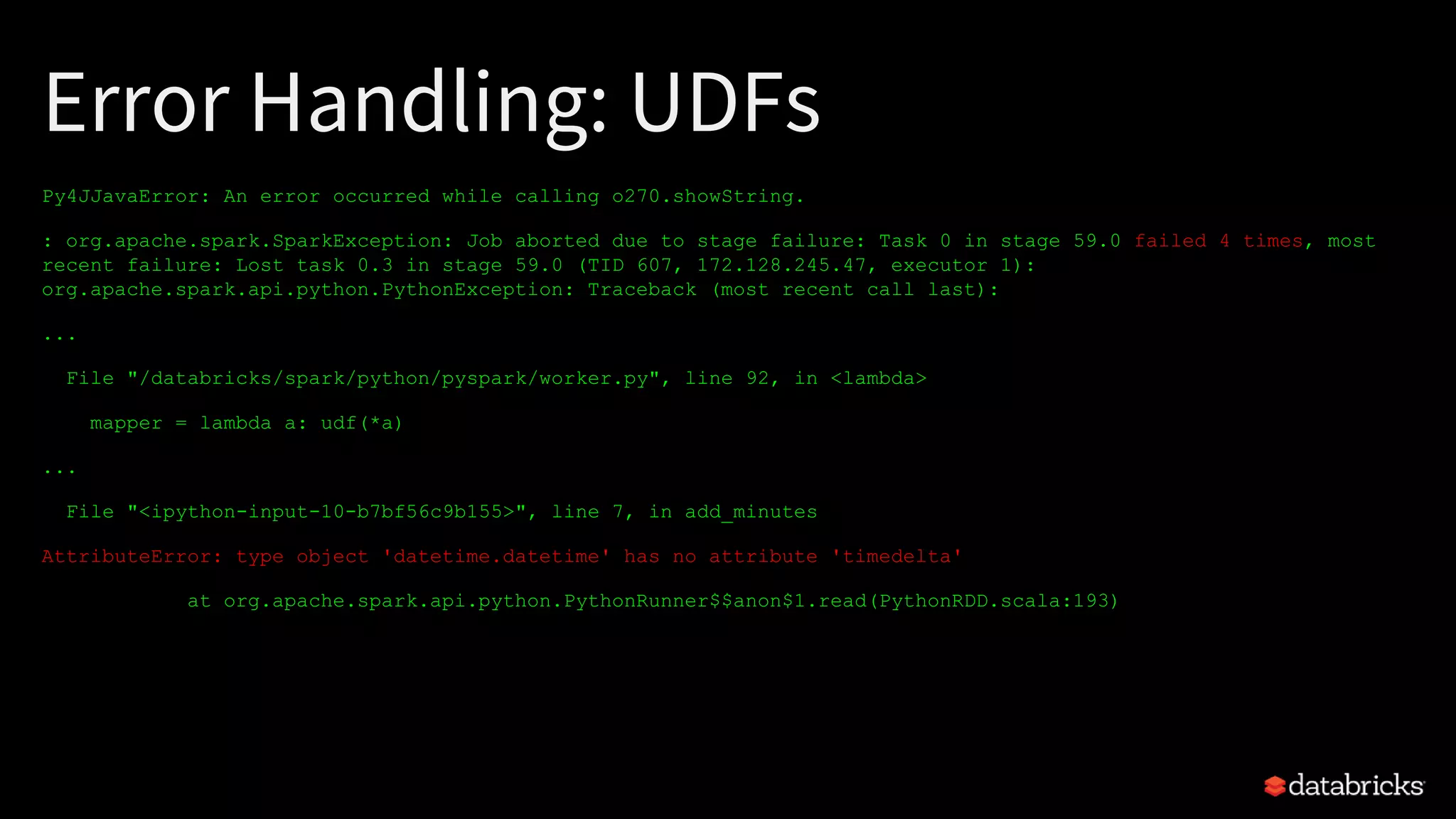
Error Handling: UDFs
Py4JJavaError: An error occurred while calling o270.showString.
: org.apache.spark.SparkException: Job aborted due to stage failure: Task 0 in stage 59.0 failed 4 times, most
recent failure: Lost task 0.3 in stage 59.0 (TID 607, 172.128.245.47, executor 1):
org.apache.spark.api.python.PythonException: Traceback (most recent call last):
...
File "/databricks/spark/python/pyspark/worker.py", line 92, in <lambda>
mapper = lambda a: udf(*a)
...
File "<ipython-input-10-b7bf56c9b155>", line 7, in add_minutes
AttributeError: type object 'datetime.datetime' has no attribute 'timedelta'
at org.apache.spark.api.python.PythonRunner$$anon$1.read(PythonRDD.scala:193)
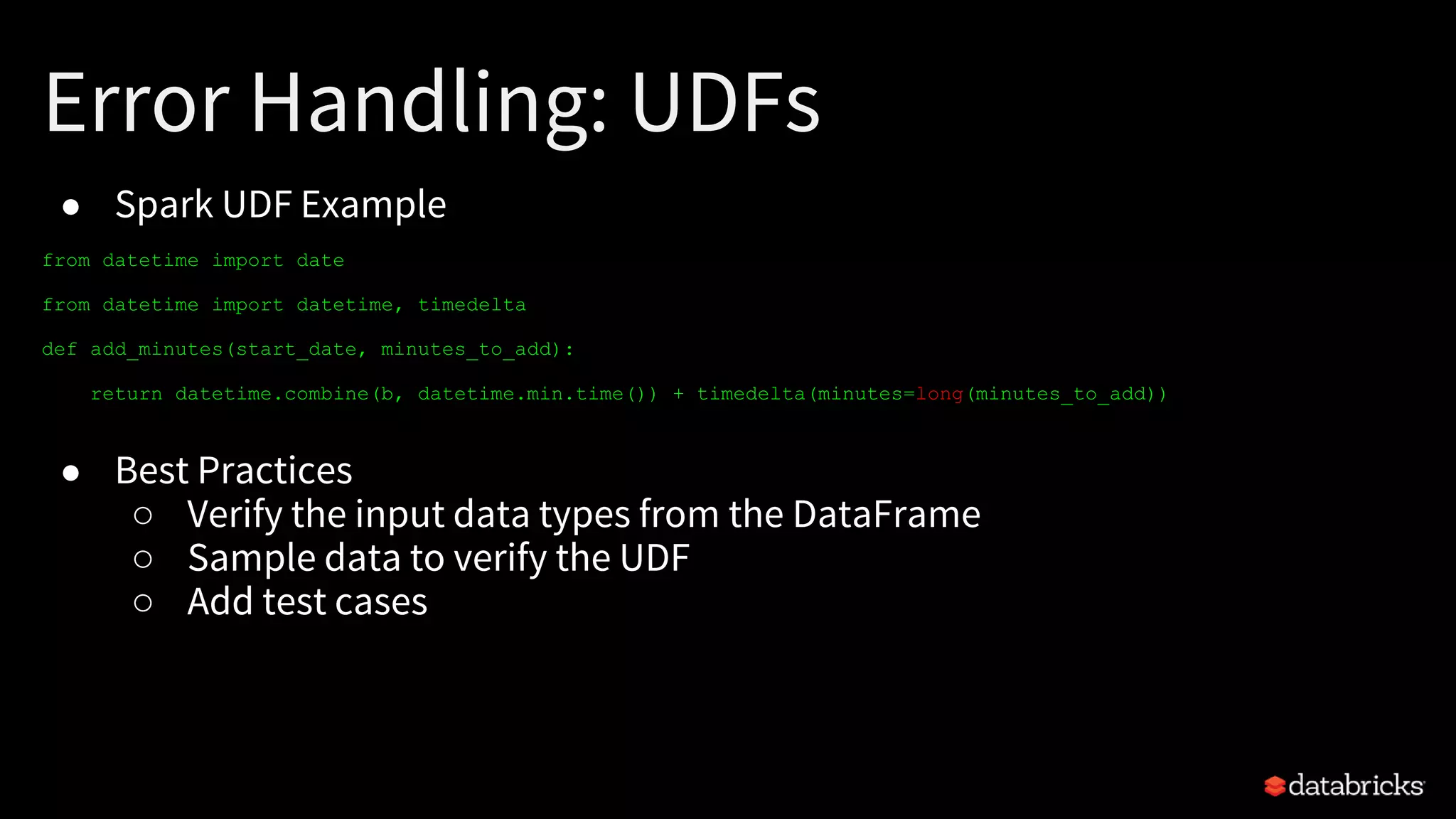
Error Handling: UDFs
● Spark UDF Example
from datetime import date
from datetime import datetime, timedelta
def add_minutes(start_date, minutes_to_add):
return datetime.combine(b, datetime.min.time()) + timedelta(minutes=long(minutes_to_add))
● Best Practices
○ Verify the input data types from the DataFrame
○ Sample data to verify the UDF
○ Add test cases
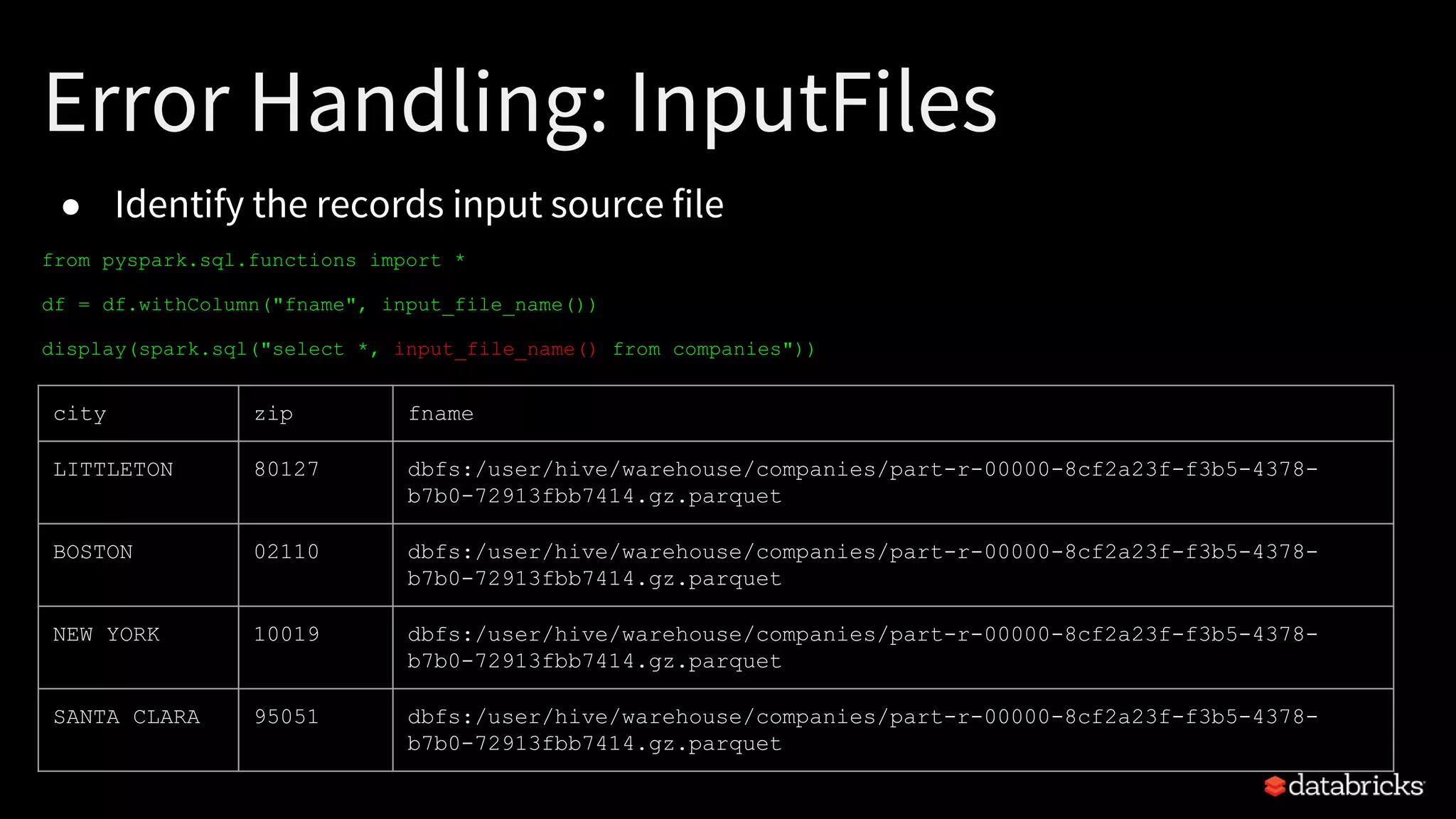
● Identify the records input source file
from pyspark.sql.functions import *
df = df.withColumn("fname", input_file_name())
display(spark.sql("select *, input_file_name() from companies"))
Error Handling: InputFiles
city zip fname
LITTLETON 80127 dbfs:/user/hive/warehouse/companies/part-r-00000-8cf2a23f-f3b5-4378-
b7b0-72913fbb7414.gz.parquet
BOSTON 02110 dbfs:/user/hive/warehouse/companies/part-r-00000-8cf2a23f-f3b5-4378-
b7b0-72913fbb7414.gz.parquet
NEW YORK 10019 dbfs:/user/hive/warehouse/companies/part-r-00000-8cf2a23f-f3b5-4378-
b7b0-72913fbb7414.gz.parquet
SANTA CLARA 95051 dbfs:/user/hive/warehouse/companies/part-r-00000-8cf2a23f-f3b5-4378-
b7b0-72913fbb7414.gz.parquet
Thanks
Enjoy The Snow
https://databricks.com/try-databricks

Keeping Spark on Track: Productionizing Spark for ETL

  • 1.
    Keeping Spark onTrack: Productionizing Spark for ETL Kyle Pistor kyle@databricks.com Miklos Christine mwc@databricks.com
  • 2.
    $ whoami Kyle Pistor –SA@ Databricks –100s of Customers –Focus on ETL and big data warehousing using Apache Spark –BS/MS - EE Miklos Christine –SA @ Databricks! –Previously: Systems Engineer @ Cloudera –Deep Knowledge of Big Data Stack –Apache Spark Enthusiast
  • 3.
    Agenda Schemas Performance: Tips &Tricks 1 2 3 4 5 Metadata: Best Practices FS Metadata Error Handling ETL: Why ETL?
  • 4.
    Agenda Schemas Performance: Tips &Tricks 1 2 3 4 5 Metadata: Best Practices FS Metadata Error Handling ETL: Why ETL?
  • 5.
    Why ETL? Goal • Transformraw files into more efficient binary format Benefits • Performance improvements, statistics • Space savings • Standard APIs to different sources (CSV, JSON, etc.) • More robust queries
  • 6.
    Agenda Schemas Performance: Tips &Tricks 1 2 3 4 5 Metadata: Best Practices FS Metadata Error Handling ETL: Why ETL?
  • 7.
    Schema Handling Common RawData • Delimited (CSV, TSV, etc) • JSON Infer Schema? • Easy and quick Specify Schema • Faster • More robust
  • 8.
    JSON Record #1 { "time":1486166400, "host": "my.app.com", "eventType": "test", "event": { "message": "something happened", "type": "INFO" } }
  • 9.
    JSON Record #1 { "time":1486166400, "host": "my.app.com", "eventType": "test", "event": { "message": "something happened", "type": "INFO" } } spark.read.json("record1.json").schema root |-- event: struct (nullable = true) | |-- message: string (nullable = true) | |-- type: string (nullable = true) |-- host: string (nullable = true) |-- source: string (nullable = true) |-- time: long (nullable = true)
  • 10.
    JSON Record #2 { "time":1486167800, "host": "my.app.com", "eventType": "test", "event": { "message": "Something else happened", "type": "INFO", "ip" : "59.16.12.0", "browser" : "chrome", "os" : "mac", "country" : "us" } }
  • 11.
    JSON Record #2 { "time":1486167800, "host": "my.app.com", "eventType": "test", "event": { "message": "Something else happened", "type": "INFO", "ip" : "59.16.12.0", "browser" : "chrome", "os" : "mac", "country" : "us" } } { "time": 1486166400, "host": "my.app.com", "eventType": "test", "event": { "message": "something happened", "type": "INFO" } }
  • 12.
    JSON Record #1& #2 { "time": 1486167800, "host": "my.app.com", "eventType": "test", "event": { "message": "Something else happened", "type": "INFO", "ip" : "59.16.12.0", "browser" : "chrome", "os" : "mac", "country" : "us" } } spark.read.json("record*.json").schema root |-- event: struct (nullable = true) | |-- message: string (nullable = true) | |-- type: string (nullable = true) | |-- ip: string (nullable = true) | |-- browser: string (nullable = true) | |-- os: string (nullable = true) | |-- country: string (nullable = true) |-- host: string (nullable = true) |-- source: string (nullable = true) |-- time: long (nullable = true)
  • 13.
    customSchema = StructType([ StructField("time",TimestampType(),True), StructField("host", StringType(),True), StructField("source", StringType(),True), StructField ("event", MapType(StringType(), StringType())) ]) JSON Generic Specified Schema StructType => MapType Print Schema Specify Schema spark.read.json("record*.json").printSchema spark.read.schema(customSchema).json("record*.json")
  • 14.
    Specify Schemas! Faster • Noscan to infer the schema More Flexible • Easily handle evolving or variable length fields More Robust • Handle type errors on ETL vs query
  • 15.
    Agenda Schemas Performance: Tips &Tricks 1 2 3 4 5 Metadata: Best Practices FS Metadata Error Handling ETL: Why ETL?
  • 16.
    Filesystem Metadata Management CommonSource FS Metadata • Partitioned by arrival time (“path/yyyy/MM/dd/HH”) • Many small files (kBs - 10s MB) • Too little data per partition ...myRawData/2017/01/29/01 ...myRawData/2017/01/29/02
  • 17.
    Backfill - NaiveApproach Backfill • Use only wildcards Why this is a poor approach • Spark (currently) is not aware of the existing partitions (yyyy/MM/dd/HH) • Expensive full shuffle df = spark.read.json("myRawData/2016/*/*/*/*") . . . df.write.partitionBy($“date”).parquet("myParquetData")
  • 18.
    Backfill - NaiveApproach Backfill • Use only wildcards Why this is a poor approach • Spark (currently) is not aware of the existing partitions (yyyy/MM/dd/HH) • Expensive full shuffle df = spark.read.json("myRawData/2016/*/*/*/*") . . . df.write.partitionBy($“date”).parquet("myParquetData")
  • 19.
    Backfill - ScaleableApproach List of Paths • Create a list of paths to backfill • Use FS ls commands Iterate over list to backfill • Backfill each path Operate in parallel • Use Multiple Threads Scala .par Python multithreading dirList.foreach(x => convertToParquet(x)) dirList.par.foreach(x => convertToParquet(x)) def convertToParquet (path:String) = { val df = spark.read.json(path) . . df.coalesce(20).write.mode("overwrite").save() }
  • 20.
    Source Path Considerations Directory •Specify Date instead of Year, Month, Day Block Sizes • Read: Parquet Larger is Okay • Write: 500MB-1GB Blocks / GBs per Partition • Beware of Over Partitioning • ~30GB per Partition
  • 21.
    Agenda Schemas Performance: Tips &Tricks 1 2 3 4 5 Metadata: Best Practices FS Metadata Error Handling ETL: Why ETL?
  • 22.
    Performance Optimizations • Understandhow Spark interprets Null Values – nullValue: specifies a string that indicates a null value, any fields matching this string will be set as nulls in the DataFrame df = spark.read.options(header='true', inferschema='true', nullValue='N').csv('people.csv') • Spark can understand it’s own null data type – Users must translate their null types to Spark’s native null type
  • 23.
    Test Data id name foo 2bar bar 11 foo bar id name null bar null bar 3 foo 15 foo 2 foo
  • 24.
    Performance: Join Key ● Spark’s WholeStageCodeGen willattempt to filter null values within the join key ● Ex: Empty String Test Data
  • 25.
    Performance: Join Key ● Therun time decreased from 13 seconds to 3 seconds ● Ex: Null Values for Empty Strings
  • 26.
    DataFrame Joins df =spark.read.options(header='true').csv('/mnt/mwc/csv_join_empty') df_duplicate = df.join(df, df['id'] == df['id']) df_duplicate.printSchema() (2) Spark Jobs root |-- id: string (nullable = true) |-- name1: string (nullable = true) |-- id: string (nullable = true) |-- name2: string (nullable = true)
  • 27.
    DataFrame Joins df =spark.read.options(header='true').csv('/mnt/mwc/csv_join_empty') df_id = df.join(df, 'id') df_id.printSchema() (2) Spark Jobs root |-- id: string (nullable = true) |-- name1: string (nullable = true) |-- name2: string (nullable = true) Optimizing Apache Spark SQL Joins: https://spark-summit.org/east-2017/events/optimizing-apache-spark-sql-joins/
  • 28.
    Agenda Schemas Performance: Tips &Tricks 1 2 3 4 5 Metadata: Best Practices FS Metadata Error Handling ETL: Why ETL?
  • 29.
    display(json_df) Error Handling: CorruptRecords _corrupt_records eventType host time null test1 my.app.com 1486166400 null test2 my.app.com 1486166402 null test3 my.app2.com 1486166404 {"time": 1486166406, "host": "my2.app.com", "event_ } null null null null test5 my.app2.com 1486166408
  • 30.
    Error Handling: UDFs Py4JJavaError:An error occurred while calling o270.showString. : org.apache.spark.SparkException: Job aborted due to stage failure: Task 0 in stage 59.0 failed 4 times, most recent failure: Lost task 0.3 in stage 59.0 (TID 607, 172.128.245.47, executor 1): org.apache.spark.api.python.PythonException: Traceback (most recent call last): ... File "/databricks/spark/python/pyspark/worker.py", line 92, in <lambda> mapper = lambda a: udf(*a) ... File "<ipython-input-10-b7bf56c9b155>", line 7, in add_minutes AttributeError: type object 'datetime.datetime' has no attribute 'timedelta' at org.apache.spark.api.python.PythonRunner$$anon$1.read(PythonRDD.scala:193)
  • 31.
    Error Handling: UDFs ●Spark UDF Example from datetime import date from datetime import datetime, timedelta def add_minutes(start_date, minutes_to_add): return datetime.combine(b, datetime.min.time()) + timedelta(minutes=long(minutes_to_add)) ● Best Practices ○ Verify the input data types from the DataFrame ○ Sample data to verify the UDF ○ Add test cases
  • 32.
    ● Identify therecords input source file from pyspark.sql.functions import * df = df.withColumn("fname", input_file_name()) display(spark.sql("select *, input_file_name() from companies")) Error Handling: InputFiles city zip fname LITTLETON 80127 dbfs:/user/hive/warehouse/companies/part-r-00000-8cf2a23f-f3b5-4378- b7b0-72913fbb7414.gz.parquet BOSTON 02110 dbfs:/user/hive/warehouse/companies/part-r-00000-8cf2a23f-f3b5-4378- b7b0-72913fbb7414.gz.parquet NEW YORK 10019 dbfs:/user/hive/warehouse/companies/part-r-00000-8cf2a23f-f3b5-4378- b7b0-72913fbb7414.gz.parquet SANTA CLARA 95051 dbfs:/user/hive/warehouse/companies/part-r-00000-8cf2a23f-f3b5-4378- b7b0-72913fbb7414.gz.parquet
  • 33.