Session by,
Bonny Chacko
Nibodha Technologies
History
• JavaScript and Java are two completely different
languages, in both concept and design.
• Java (invented by Sun) is a more complex
programming language in the same category as C.

• ECMA-262 is the official name of the JavaScript
standard.
• JavaScript was invented by Brendan Eich.
• JavaScript is the scripting language of the Web.
Introduction
• All modern HTML pages are using JavaScript.
• A scripting language is a lightweight
programming language.
• JavaScript is programming code that can be
inserted into HTML pages.
• JavaScript code can be executed by all modern
web browsers.
Examples
• document.write("<h1>This is a heading</h1>");
(this will print the heading)
• button type="button" onclick="alert('Welcome!')">Click
Me!</button> .
(this will give an alert of welcome)
• You will often see document.getElementById("some id"). This
is defined in the HTML DOM.
• The DOM (Document Object Model) is the official W3C
standard for accessing HTML elements.
The <script> Tag
• The <script> and </script> tells where the
JavaScript starts and ends.
• If we put JavaScript code inside a function, we
can call that function when an event occurs.
• Scripts can be in the <body> or in the <head>
section of HTML or in both.
• Scripts can also be placed in external files.
• To use an external script, point to the .js file in
the "src" attribute of the <script> tag:
document.getElementById(id) method
• Used to access an HTML element from JavaScript
• Use the "id" attribute to identify the HTML element
• Eg:<!DOCTYPE html>
<html>
<body>

<h1>My First Web Page</h1>
<p id="demo">My First Paragraph</p>
<script>
document.getElementById("demo").innerHTML="My First JavaScript";
</script>
</body>
</html>
Points to ponder
• JavaScript is case sensitive.
Eg: A function getElementById is not the same as getElementbyID.
• You can break up a code line within a text string with a backslash.
Eg:document.write("Hello 
World!");
•
•
•
•

Comments can be added to explain the JavaScript
Single line comments start with //
Multi line comments start with /* and end with */.
Using Comments at the End of a Line
Eg:var x=5; // declare x and assign 5 to it
Variables
Consider , x=5,y=6,z=x+y
• In JavaScript these letters are called variables.
• Variable names must begin with a letter
• Variable names can also begin with $ and _ (but we will not
use it)
• Variable names are case sensitive (y and Y are different
variables)
• Declare variables with the var keyword
Eg: var carname;
• You can also assign a value to the variable when you
declare it:
Eg: var carname="Volvo";
Data tpyes
• JavaScript support Strings, Eg: “John Doe”
• JavaScript support numbers, Eg:var x1=34.00;
• It supports booleans, Eg:var x=true;
var y=false;
• JavaScript also supports Arrays
Eg: var cars=new Array();
cars[0]="Saab";
cars[1]="Volvo";
cars[2]="BMW“;
• Eg: condensed arrays,
var cars=new Array("Saab","Volvo","BMW");
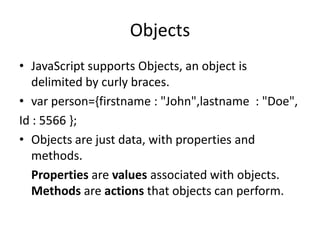
Objects
• JavaScript supports Objects, an object is
delimited by curly braces.
• var person={firstname : "John",lastname : "Doe",
Id : 5566 };
• Objects are just data, with properties and
methods.
Properties are values associated with objects.
Methods are actions that objects can perform.
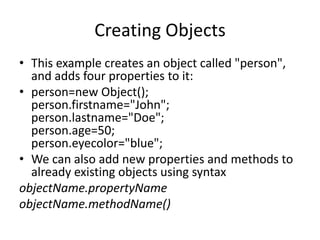
Creating Objects
• This example creates an object called "person",
and adds four properties to it:
• person=new Object();
person.firstname="John";
person.lastname="Doe";
person.age=50;
person.eyecolor="blue";
• We can also add new properties and methods to
already existing objects using syntax
objectName.propertyName
objectName.methodName()
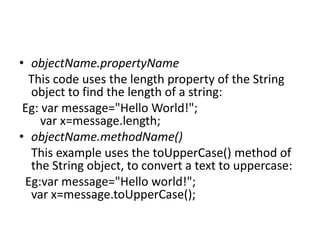
• objectName.propertyName
This code uses the length property of the String
object to find the length of a string:
Eg: var message="Hello World!";
var x=message.length;
• objectName.methodName()
This example uses the toUpperCase() method of
the String object, to convert a text to uppercase:
Eg:var message="Hello world!";
var x=message.toUpperCase();
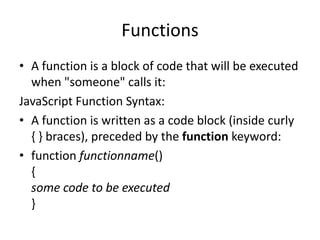
Functions
• A function is a block of code that will be executed
when "someone" calls it:
JavaScript Function Syntax:
• A function is written as a code block (inside curly
{ } braces), preceded by the function keyword:
• function functionname()
{
some code to be executed
}
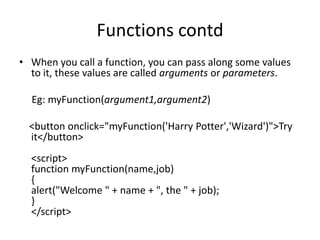
Functions contd
• When you call a function, you can pass along some values
to it, these values are called arguments or parameters.
Eg: myFunction(argument1,argument2)
<button onclick="myFunction('Harry Potter','Wizard')">Try
it</button>
<script>
function myFunction(name,job)
{
alert("Welcome " + name + ", the " + job);
}
</script>
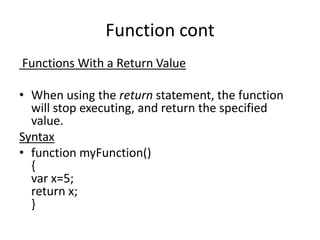
Function cont
Functions With a Return Value
• When using the return statement, the function
will stop executing, and return the specified
value.
Syntax
• function myFunction()
{
var x=5;
return x;
}
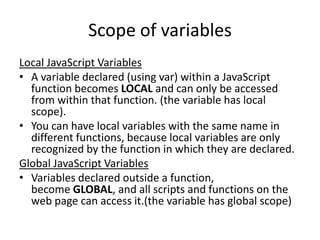
Scope of variables
Local JavaScript Variables
• A variable declared (using var) within a JavaScript
function becomes LOCAL and can only be accessed
from within that function. (the variable has local
scope).
• You can have local variables with the same name in
different functions, because local variables are only
recognized by the function in which they are declared.
Global JavaScript Variables
• Variables declared outside a function,
become GLOBAL, and all scripts and functions on the
web page can access it.(the variable has global scope)
Lifetime of JavaScript Variables
• The lifetime of JavaScript variables starts when they are
declared.
• Local variables are deleted when the function is completed.
• Global variables are deleted when you close the page.
Note:
• If you assign a value to a variable that has not yet been
declared, the variable will automatically be declared as
a GLOBALvariable.
Eg: carname="Volvo";
will declare the variable carname as a global variable , even
if it is executed inside a function
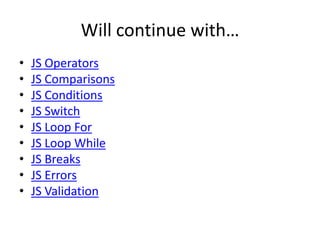
Will continue with…
•
•
•
•
•
•
•
•
•

JS Operators
JS Comparisons
JS Conditions
JS Switch
JS Loop For
JS Loop While
JS Breaks
JS Errors
JS Validation
THANK YOU

Javascript Basics by Bonny

  • 1.
  • 2.
    History • JavaScript andJava are two completely different languages, in both concept and design. • Java (invented by Sun) is a more complex programming language in the same category as C. • ECMA-262 is the official name of the JavaScript standard. • JavaScript was invented by Brendan Eich. • JavaScript is the scripting language of the Web.
  • 3.
    Introduction • All modernHTML pages are using JavaScript. • A scripting language is a lightweight programming language. • JavaScript is programming code that can be inserted into HTML pages. • JavaScript code can be executed by all modern web browsers.
  • 4.
    Examples • document.write("<h1>This isa heading</h1>"); (this will print the heading) • button type="button" onclick="alert('Welcome!')">Click Me!</button> . (this will give an alert of welcome) • You will often see document.getElementById("some id"). This is defined in the HTML DOM. • The DOM (Document Object Model) is the official W3C standard for accessing HTML elements.
  • 5.
    The <script> Tag •The <script> and </script> tells where the JavaScript starts and ends. • If we put JavaScript code inside a function, we can call that function when an event occurs. • Scripts can be in the <body> or in the <head> section of HTML or in both. • Scripts can also be placed in external files. • To use an external script, point to the .js file in the "src" attribute of the <script> tag:
  • 6.
    document.getElementById(id) method • Usedto access an HTML element from JavaScript • Use the "id" attribute to identify the HTML element • Eg:<!DOCTYPE html> <html> <body> <h1>My First Web Page</h1> <p id="demo">My First Paragraph</p> <script> document.getElementById("demo").innerHTML="My First JavaScript"; </script> </body> </html>
  • 7.
    Points to ponder •JavaScript is case sensitive. Eg: A function getElementById is not the same as getElementbyID. • You can break up a code line within a text string with a backslash. Eg:document.write("Hello World!"); • • • • Comments can be added to explain the JavaScript Single line comments start with // Multi line comments start with /* and end with */. Using Comments at the End of a Line Eg:var x=5; // declare x and assign 5 to it
  • 8.
    Variables Consider , x=5,y=6,z=x+y •In JavaScript these letters are called variables. • Variable names must begin with a letter • Variable names can also begin with $ and _ (but we will not use it) • Variable names are case sensitive (y and Y are different variables) • Declare variables with the var keyword Eg: var carname; • You can also assign a value to the variable when you declare it: Eg: var carname="Volvo";
  • 9.
    Data tpyes • JavaScriptsupport Strings, Eg: “John Doe” • JavaScript support numbers, Eg:var x1=34.00; • It supports booleans, Eg:var x=true; var y=false; • JavaScript also supports Arrays Eg: var cars=new Array(); cars[0]="Saab"; cars[1]="Volvo"; cars[2]="BMW“; • Eg: condensed arrays, var cars=new Array("Saab","Volvo","BMW");
  • 10.
    Objects • JavaScript supportsObjects, an object is delimited by curly braces. • var person={firstname : "John",lastname : "Doe", Id : 5566 }; • Objects are just data, with properties and methods. Properties are values associated with objects. Methods are actions that objects can perform.
  • 11.
    Creating Objects • Thisexample creates an object called "person", and adds four properties to it: • person=new Object(); person.firstname="John"; person.lastname="Doe"; person.age=50; person.eyecolor="blue"; • We can also add new properties and methods to already existing objects using syntax objectName.propertyName objectName.methodName()
  • 12.
    • objectName.propertyName This codeuses the length property of the String object to find the length of a string: Eg: var message="Hello World!"; var x=message.length; • objectName.methodName() This example uses the toUpperCase() method of the String object, to convert a text to uppercase: Eg:var message="Hello world!"; var x=message.toUpperCase();
  • 13.
    Functions • A functionis a block of code that will be executed when "someone" calls it: JavaScript Function Syntax: • A function is written as a code block (inside curly { } braces), preceded by the function keyword: • function functionname() { some code to be executed }
  • 14.
    Functions contd • Whenyou call a function, you can pass along some values to it, these values are called arguments or parameters. Eg: myFunction(argument1,argument2) <button onclick="myFunction('Harry Potter','Wizard')">Try it</button> <script> function myFunction(name,job) { alert("Welcome " + name + ", the " + job); } </script>
  • 15.
    Function cont Functions Witha Return Value • When using the return statement, the function will stop executing, and return the specified value. Syntax • function myFunction() { var x=5; return x; }
  • 16.
    Scope of variables LocalJavaScript Variables • A variable declared (using var) within a JavaScript function becomes LOCAL and can only be accessed from within that function. (the variable has local scope). • You can have local variables with the same name in different functions, because local variables are only recognized by the function in which they are declared. Global JavaScript Variables • Variables declared outside a function, become GLOBAL, and all scripts and functions on the web page can access it.(the variable has global scope)
  • 17.
    Lifetime of JavaScriptVariables • The lifetime of JavaScript variables starts when they are declared. • Local variables are deleted when the function is completed. • Global variables are deleted when you close the page. Note: • If you assign a value to a variable that has not yet been declared, the variable will automatically be declared as a GLOBALvariable. Eg: carname="Volvo"; will declare the variable carname as a global variable , even if it is executed inside a function
  • 18.
    Will continue with… • • • • • • • • • JSOperators JS Comparisons JS Conditions JS Switch JS Loop For JS Loop While JS Breaks JS Errors JS Validation
  • 19.