

JAVA SCRIPT
LOADING….
INTRODUCTIONJavaScript (aka ECMAScript) is an easy way to make your website visually attractive to clients and other viewers by adding interactivity and dynamics to HTML pages.  Explains ABOUT:                           why one would use JavaScript in their HTML website design.                          It also has links to JavaScript tools, readings and samples for                                     those who prefer ready-to-run effects.
What is java scriptJavaScript is the most popular scripting language on the internet, and works in all major browsers, such as Internet Explorer, Firefox Chrome, Opera, and Safari.JavaScript is a scripted language which is object oriented, event-driven, and platform independent.Each of these modern concepts in programming methodology are easier to work with in 'new' languages rather than being bolted on to older ones. And the syntax is similar to that of C and Java. This makes JavaScript a 'good' choice for learning as a first programming language.
JavaScript was designed to add interactivity to HTML pages JavaScript is a scripting language A scripting language is a lightweight programming languageJavaScript is usually embedded directly into HTML pagesJavaScript is an interpreted language (means that scripts execute without preliminary compilation) Everyone can use JavaScript without purchasing a license
Why should a webpage author use JavaScript in addition to HTML?
Java script  allows  client-side user form validationJava script provides seamless integration with user plug-insJava script allows access to some system information
Are Java and JavaScript the same?NO!Java and JavaScript are two completely different languages in both concept and design!Java (developed by Sun Microsystems) is a powerful and much more complex programming language - in the same category as C and C++.
The Real Name is ECMAScript:JavaScript's official name is ECMAScript.ECMAScript is developed and maintained by the ECMA organization.ECMA-262 is the official JavaScript standard.The language was invented by Brendan Eich at Netscape (with Navigator 2.0), and has appeared in all Netscape and Microsoft browsers since 1996.The development of ECMA-262 started in 1996, and the first edition of was adopted by the ECMA General Assembly in June 1997.The standard was approved as an international ISO (ISO/IEC 16262) standard in 1998.The development of the standard is still in progress.
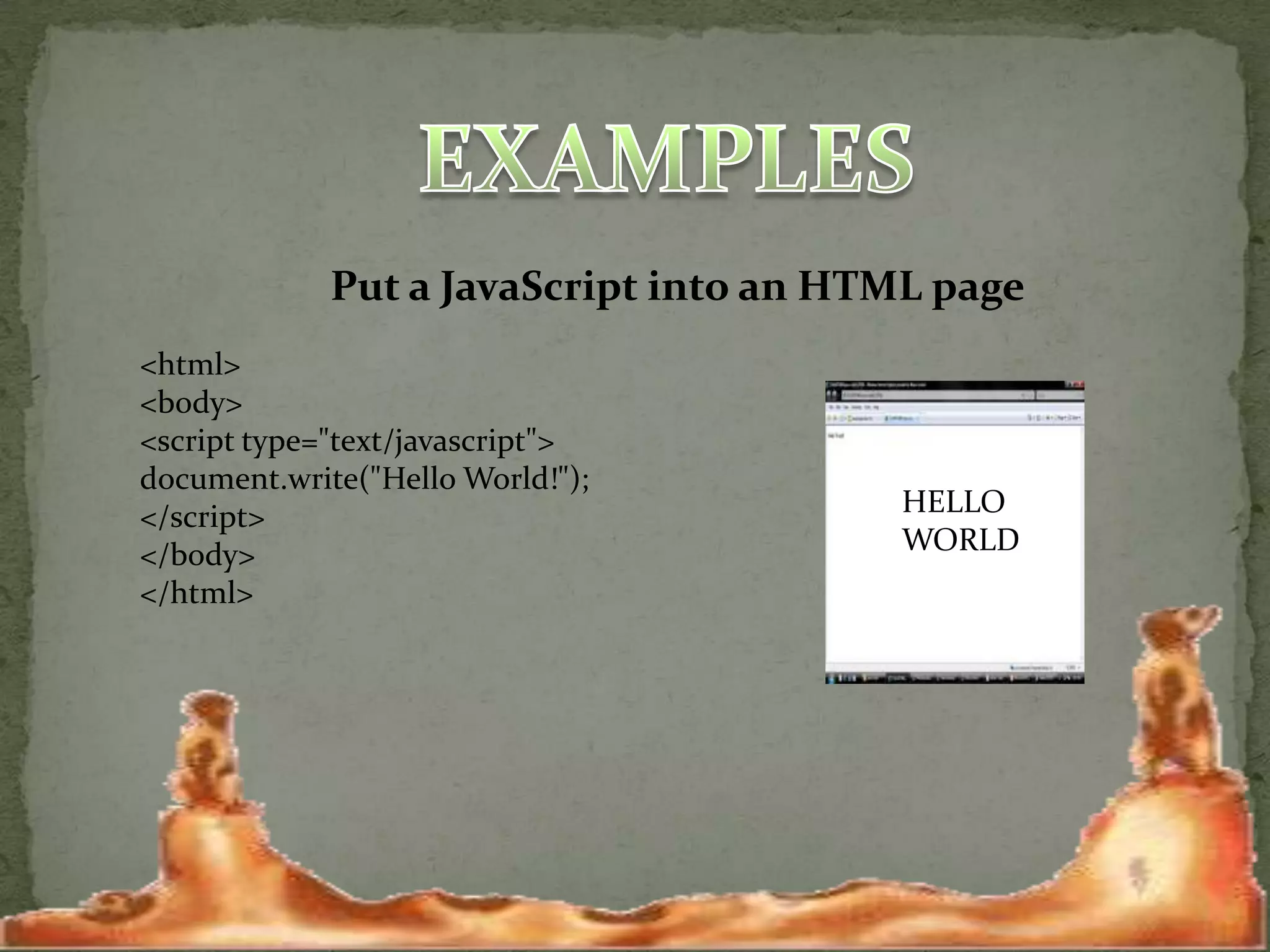
EXAMPLESPut a JavaScript into an HTML page<html><body><script type="text/javascript">document.write("Hello World!");</script></body></html> HELLO WORLD
JavaScript is Case Sensitive:Unlike HTML, JavaScript is case sensitive - therefore watch your capitalization closely when you write JavaScript statements, create or call variables, objects and functions.JavaScript Statements:A JavaScript statement is a command to a browser. The purpose of the command is to tell the browser what to do. This JavaScript statement tells the browser to write "Hello Dolly" to the web page:Note: Using semicolons makes it possible to write multiple statements on one line.
Java   Script CommentsComments can be added to explain the JavaScript, or to make the code more readable.>Single line comments start with “//”:.>JavaScript Multi-Line Comments:Multi line comments start with /* and end with */.<script type="text/javascript">// Write a headingdocument.write("<h1>This is a heading</h1>");// Write two paragraphs:document.write("<p>This is a paragraph.</p>");document.write("<p>This is another paragraph.</p>");</script> THIS IS HEADINGTHIS IS HEADINGTHIS IS HEADING
Java variables JavaScript Variables       As with algebra, JavaScript variables are used to hold values or expressions.  A variable can have a short name, like x, or a more descriptive name, like car name.Rules for JavaScript variable names:                              Variable names are case sensitive (y and Y are two different variables)                               Variable names must begin with a letter or the underscore character Note:Because JavaScript is case-sensitive, variable names are case-sensitive.
Declaring (Creating) JavaScript Variables                Creating variables in JavaScript is most often referred to as "declaring" variables.You can declare JavaScript variables with the var statement.EXAMPLE:var x;varcarname;Assigning Values to Undeclared JavaScript Variables:If you assign values to variables that have not yet been declared, the variables will automatically be declared.These statements:x=5;carname="Volvo";
Redeclaring  JavaScript VariablesAs with algebra, you can do arithmetic operations with JavaScript variables:y=x-5;z=y+5;JavaScript Operators= is used to assign values.+ is used to add values.JavaScript Arithmetic OperatorsArithmetic operators are used to perform arithmetic between variables and/or values.Given that y=5, the table below explains the arithmetic operators:              EXAMPLES: + , -,  *,   /,  %
JavaScript Assignment OperatorsAssignment operators are used to assign values to JavaScript variables.Given that x=10 and y=5, the table below explains the assignment operators:OPERATORS=, += ,-=,   *=,  /=,  %=The + Operator Used on StringsThe + operator can also be used to add string variables or text values together.txt1="What a very";txt2="nice day";txt3=txt1+txt2;
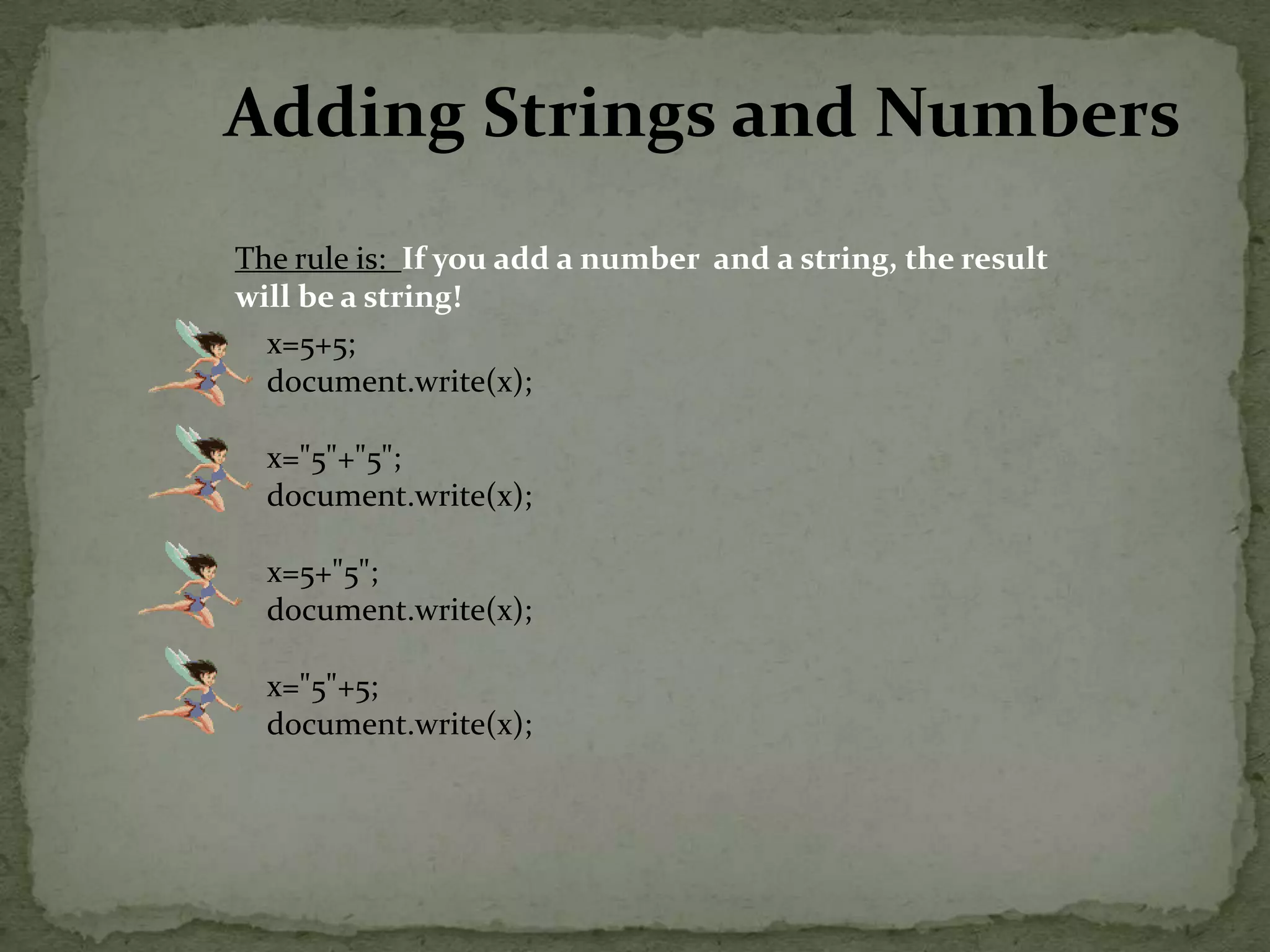
Adding Strings and NumbersThe rule is:  If you add a number  and a string, the result will be a string!x=5+5;document.write(x);x="5"+"5";document.write(x);x=5+"5";document.write(x);x="5"+5;document.write(x);
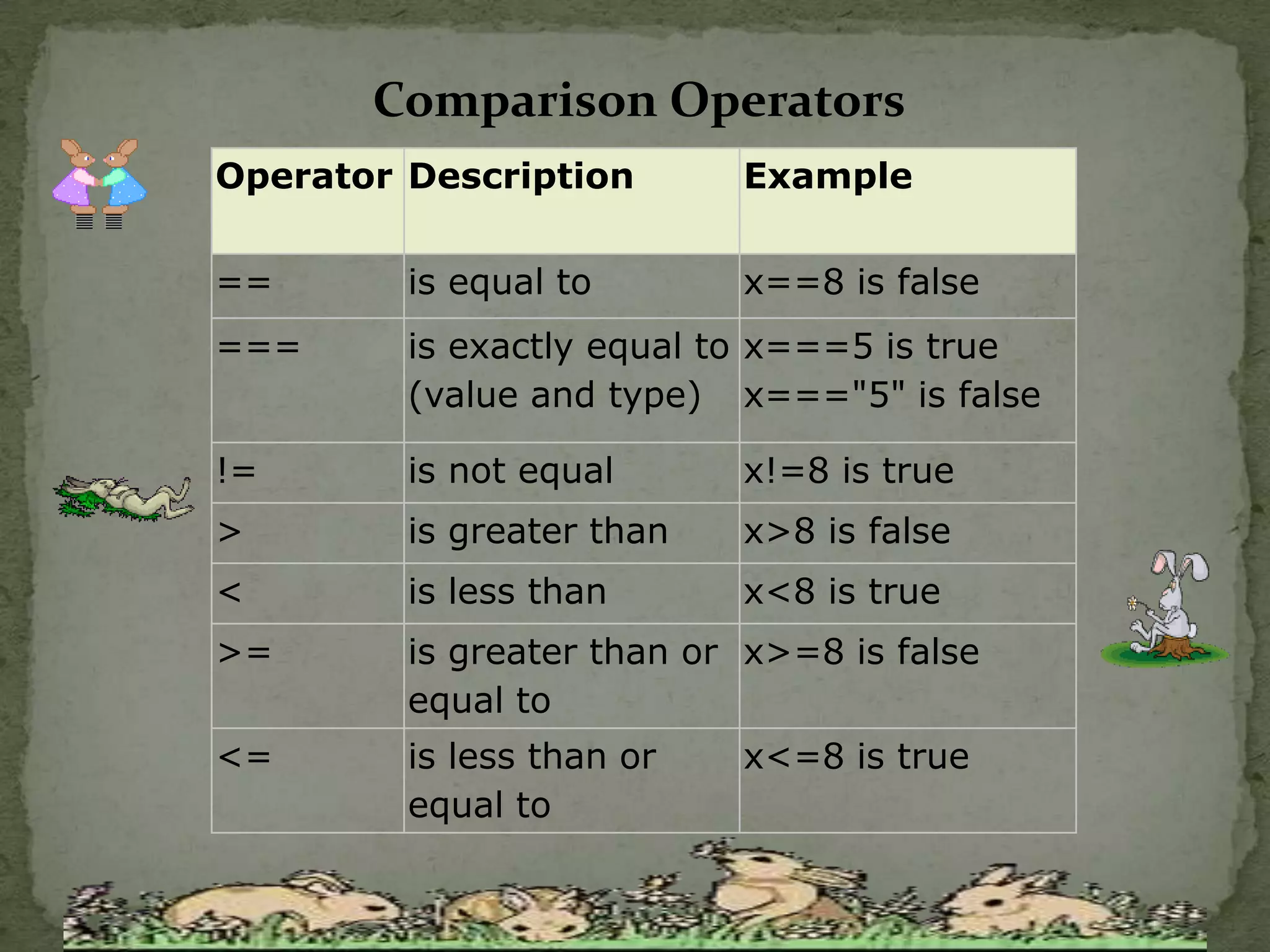
Comparison Operators
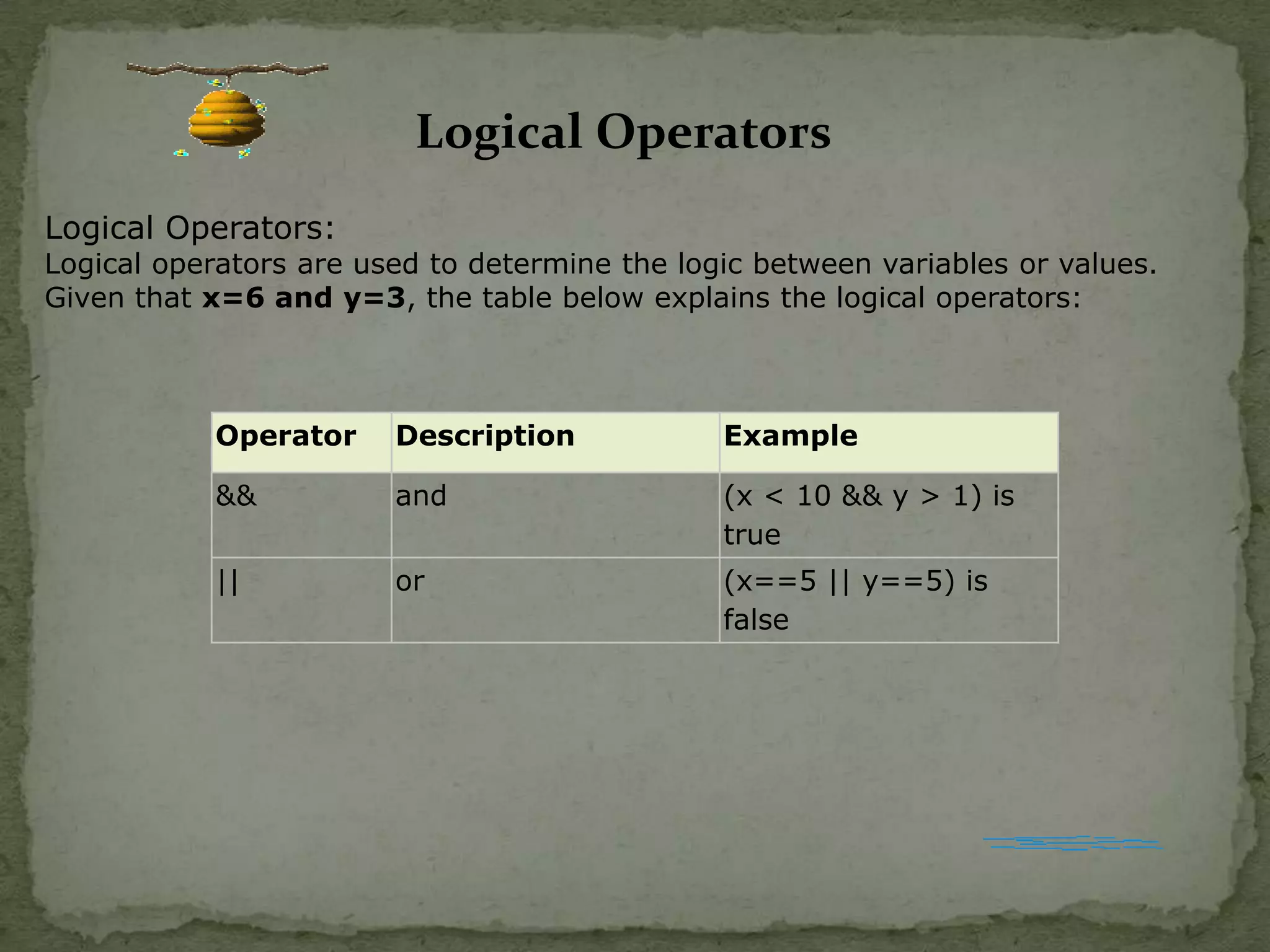
Logical OperatorsLogical Operators:Logical operators are used to determine the logic between variables or values.Given that x=6 and y=3, the table below explains the logical operators:
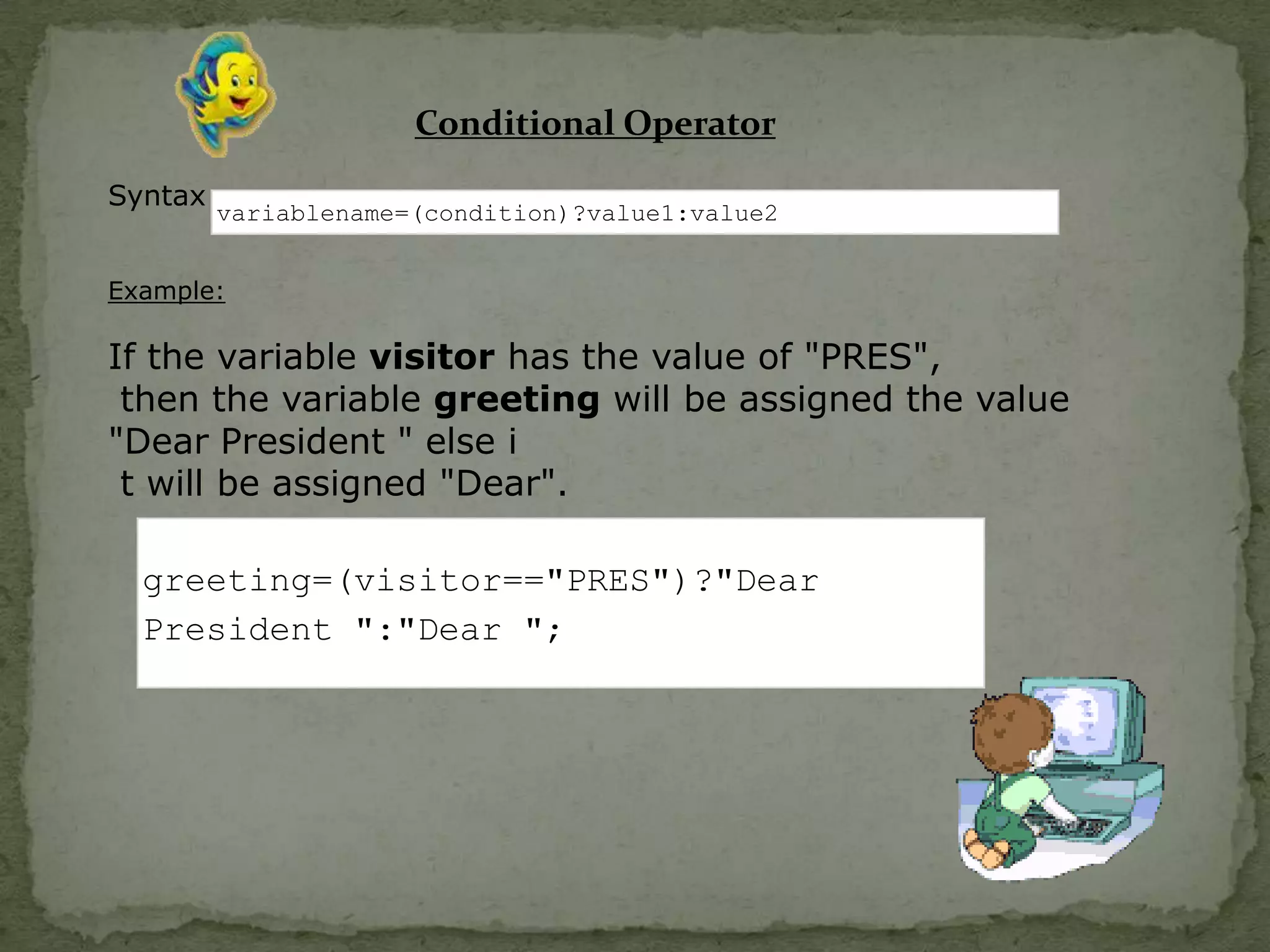
Conditional OperatorSyntaxExample:If the variable visitor has the value of "PRES", then the variable greeting will be assigned the value "Dear President " else i t will be assigned "Dear".
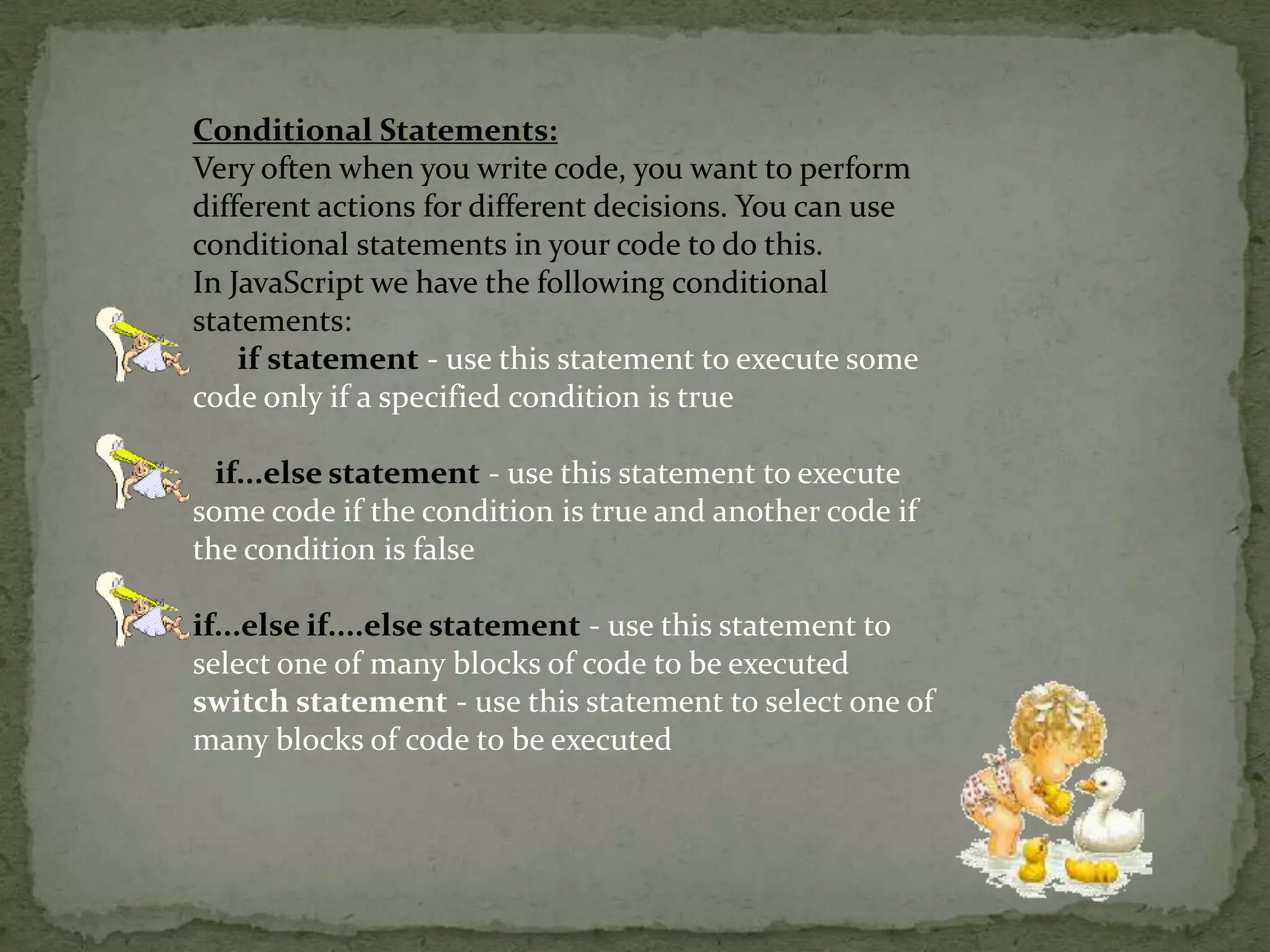
Conditional Statements:Very often when you write code, you want to perform different actions for different decisions. You can use conditional statements in your code to do this.In JavaScript we have the following conditional statements:if statement- use this statement to execute some code only if a specified condition is true    if...else statement- use this statement to execute some code if the condition is true and another code if the condition is false if...else if....else statement- use this statement to select one of many blocks of code to be executed switch statement - use this statement to select one of many blocks of code to be executed
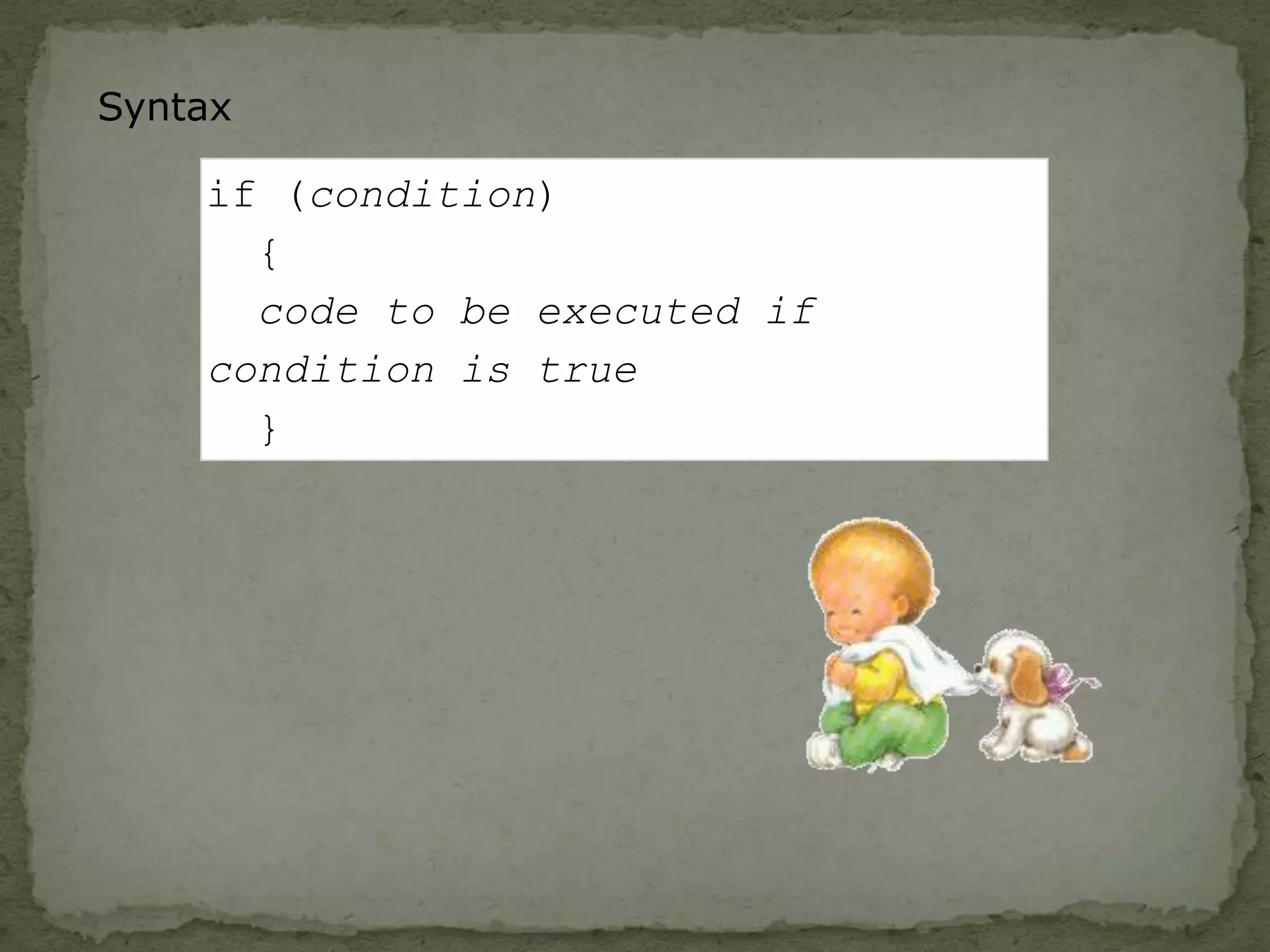
Syntax
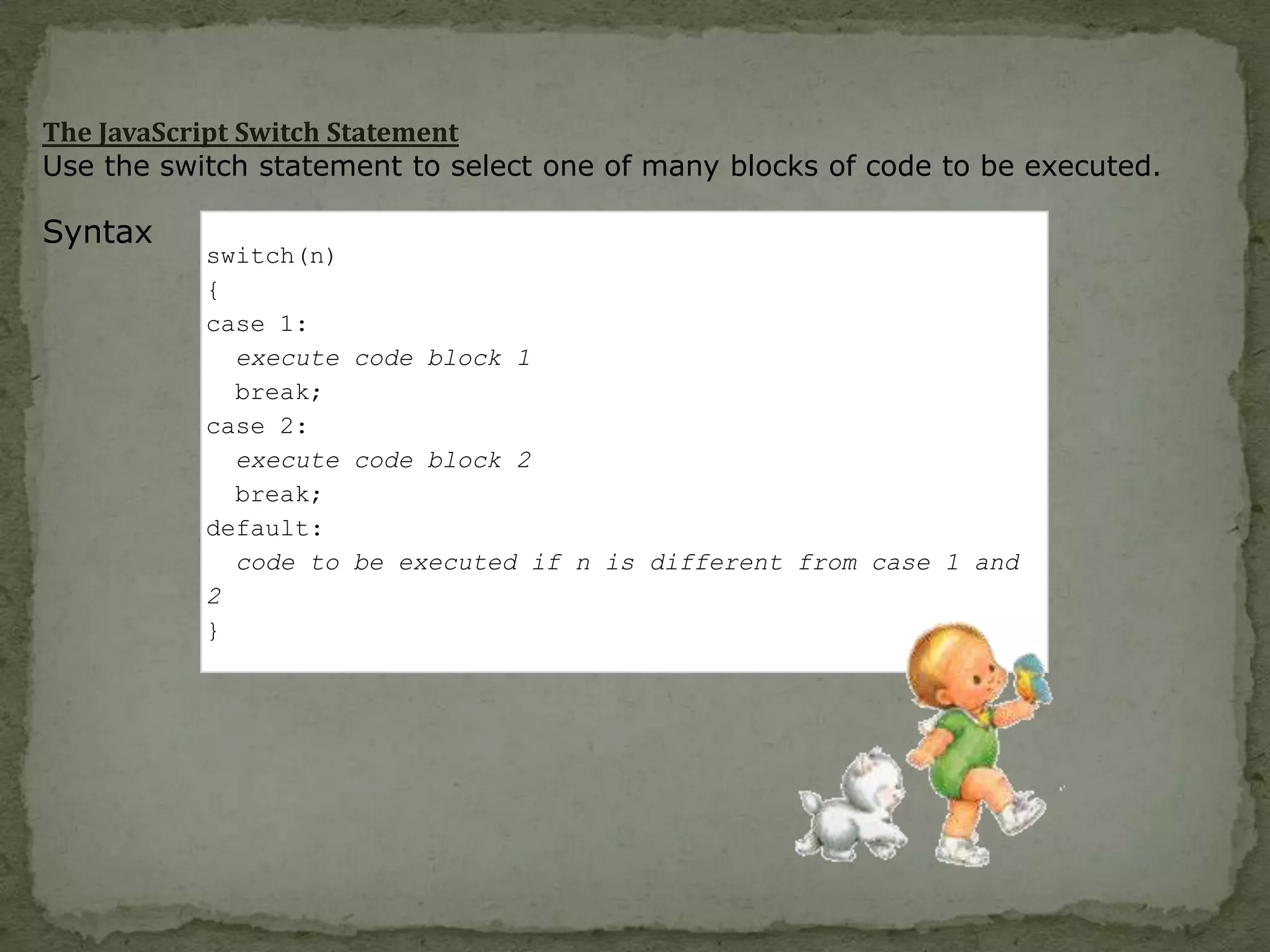
The JavaScript Switch StatementUse the switch statement to select one of many blocks of code to be executed.Syntax
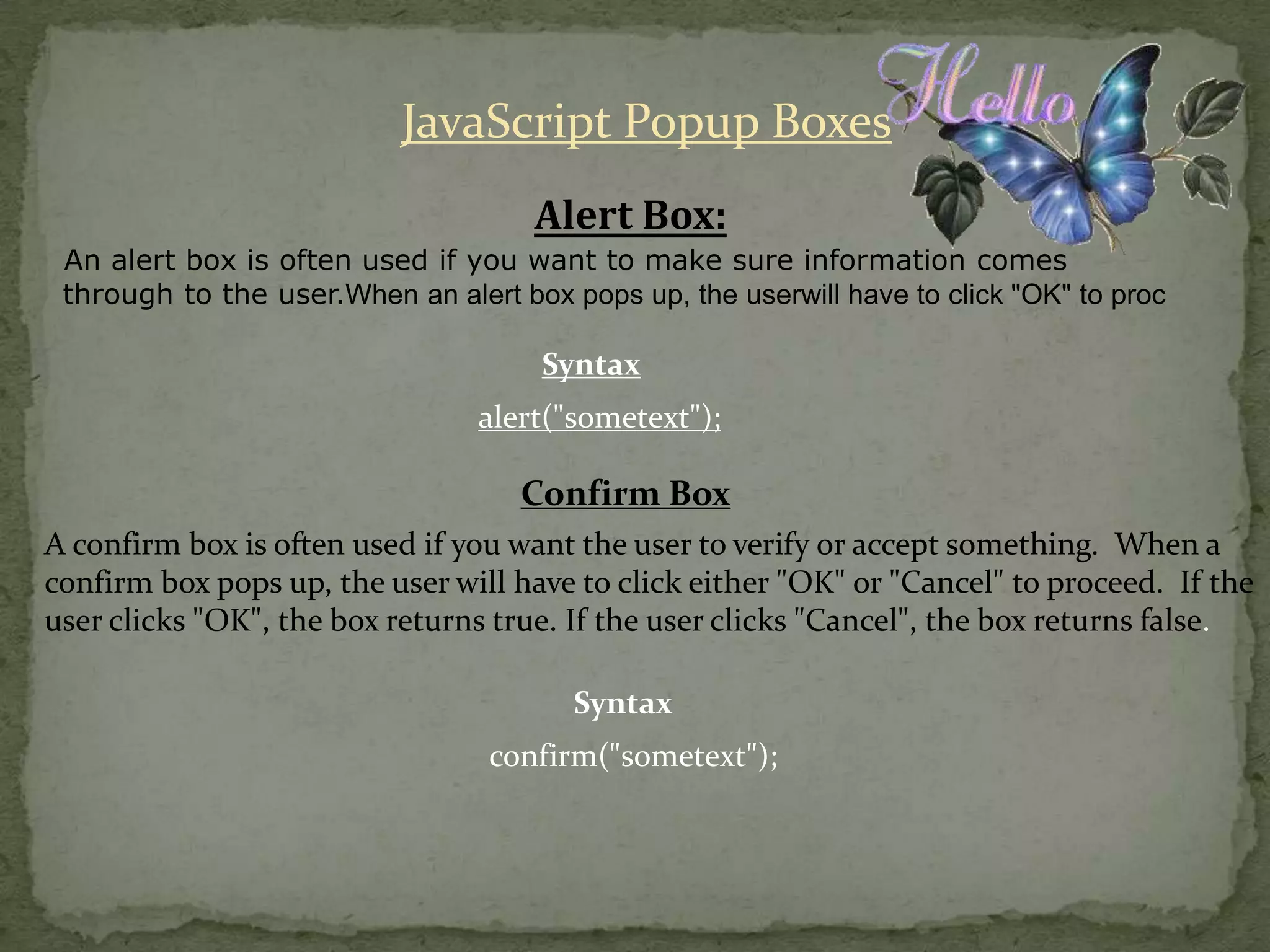
JavaScript Popup BoxesAlert Box:An alert box is often used if you want to make sure information comes through to the user.When an alert box pops up, the userwill have to click "OK" to procSyntaxalert("sometext");Confirm BoxA confirm box is often used if you want the user to verify or accept something.  When a confirm box pops up, the user will have to click either "OK" or "Cancel" to proceed.  If the user clicks "OK", the box returns true. If the user clicks "Cancel", the box returns false.Syntaxconfirm("sometext");
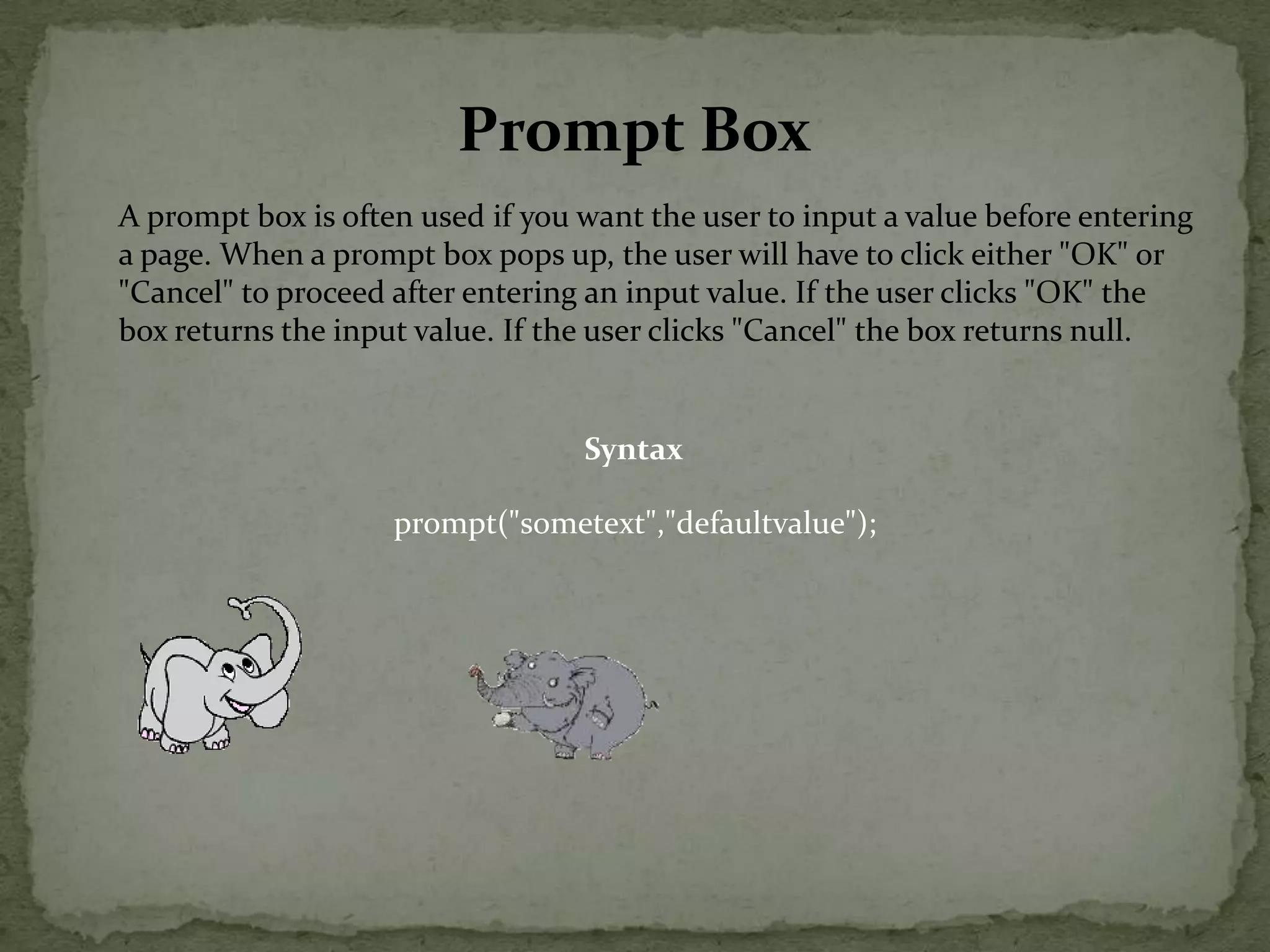
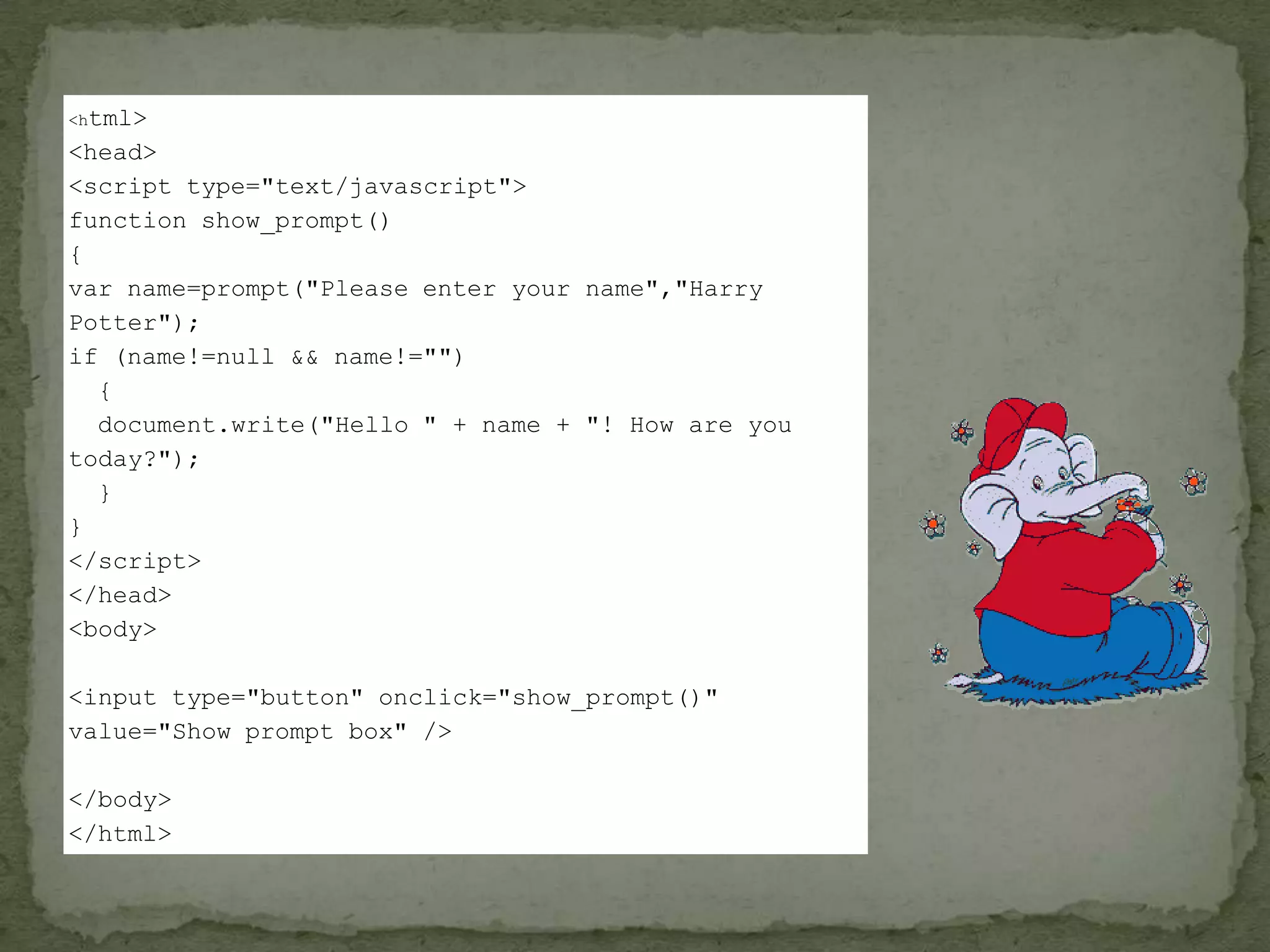
Prompt BoxA prompt box is often used if you want the user to input a value before entering a page. When a prompt box pops up, the user will have to click either "OK" or "Cancel" to proceed after entering an input value. If the user clicks "OK" the box returns the input value. If the user clicks "Cancel" the box returns null.Syntaxprompt("sometext","defaultvalue");
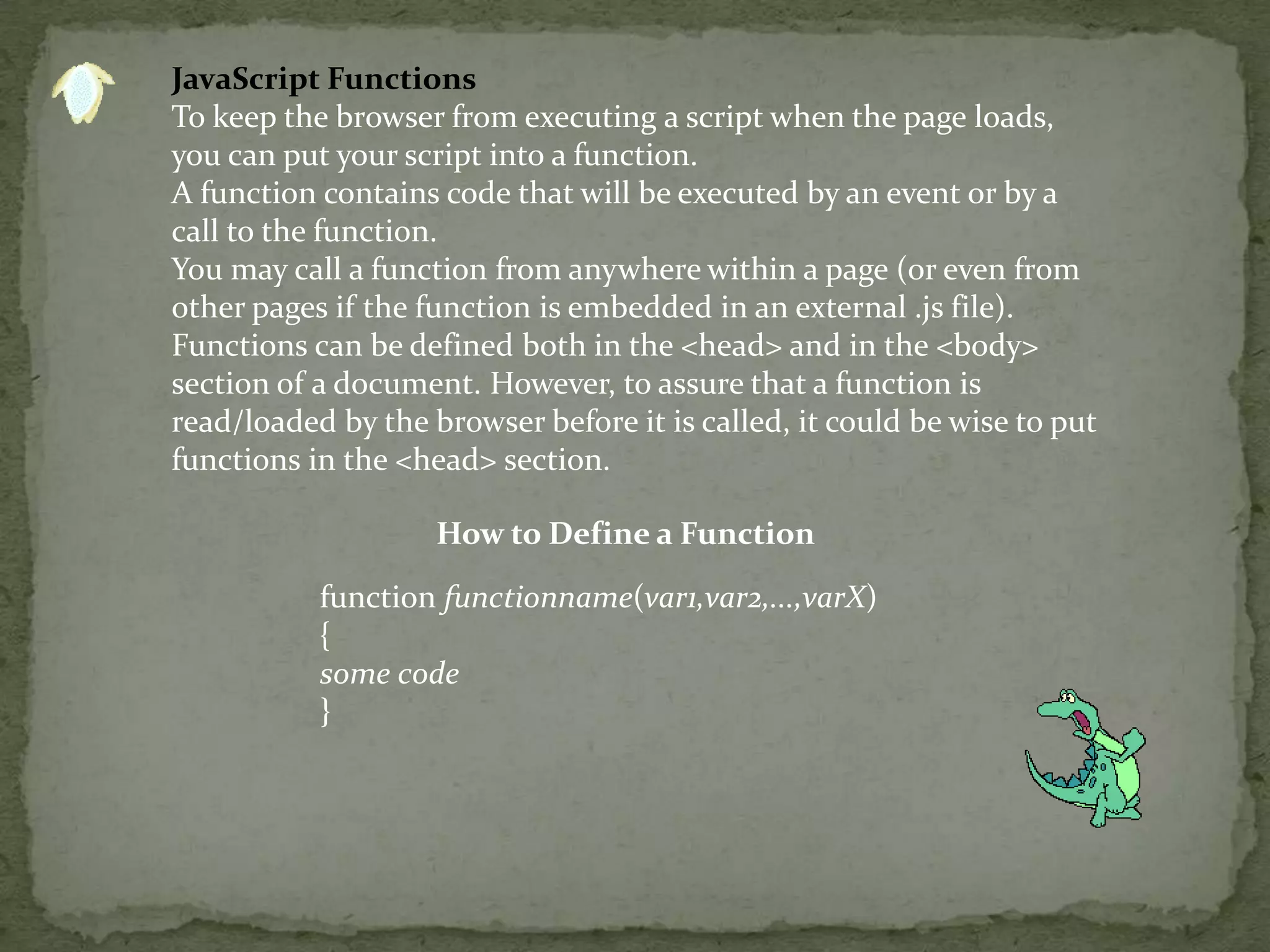
JavaScript FunctionsTo keep the browser from executing a script when the page loads, you can put your script into a function.A function contains code that will be executed by an event or by a call to the function.You may call a function from anywhere within a page (or even from other pages if the function is embedded in an external .js file).Functions can be defined both in the <head> and in the <body> section of a document. However, to assure that a function is read/loaded by the browser before it is called, it could be wise to put functions in the <head> section.How to Define a Functionfunction functionname(var1,var2,...,varX){some code}
EventsBy using JavaScript, we have the ability to create dynamic web pages. Events are actions that can be detected by JavaScript.Every element on a web page has certain events which can trigger a JavaScript. For example, we can use the onClick event of a button element to indicate that a function will run when a user clicks on the button. We define the events in the HTML tags.Examples of events:                        A mouse click                         A web page or an image loading Mousing over a hot spot on the web page                        Selecting an input field in an HTML                        form Submitting                        an HTML form                        A keystroke
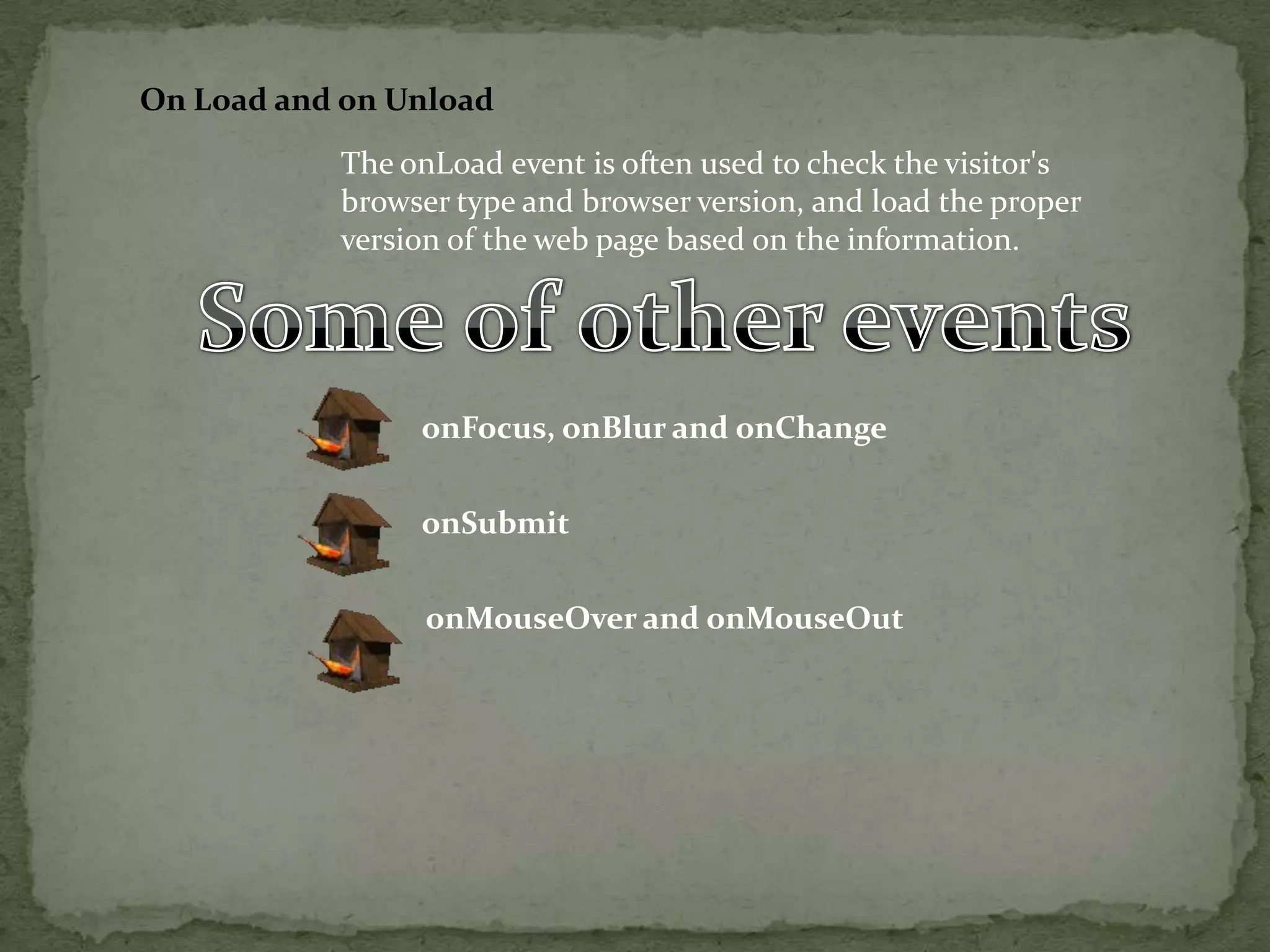
On Load and on UnloadThe onLoad event is often used to check the visitor's browser type and browser version, and load the proper version of the web page based on the information.Some of other eventsonFocus, onBlur and onChangeonSubmitonMouseOver and onMouseOut
Exception handlingWhen browsing Web pages on the internet, we all have seen a JavaScript alert box telling us there is a runtime error and asking "Do you wish to debug?". Error message like this may be useful for developers but not for users. When users see errors, they often leave the Web page.This chapter will teach you how to catch and handle JavaScript error messages, so you don't lose your audience.Try catch block try  {  //Run some code here  }catch(err)  {  //Handle errors here  }
Throw and throwsThe throw statement allows you to create an exception. If you use this statement together with the try...catch statement, you can control program flow and generate accurate error messages.syntaxthrow(exception)
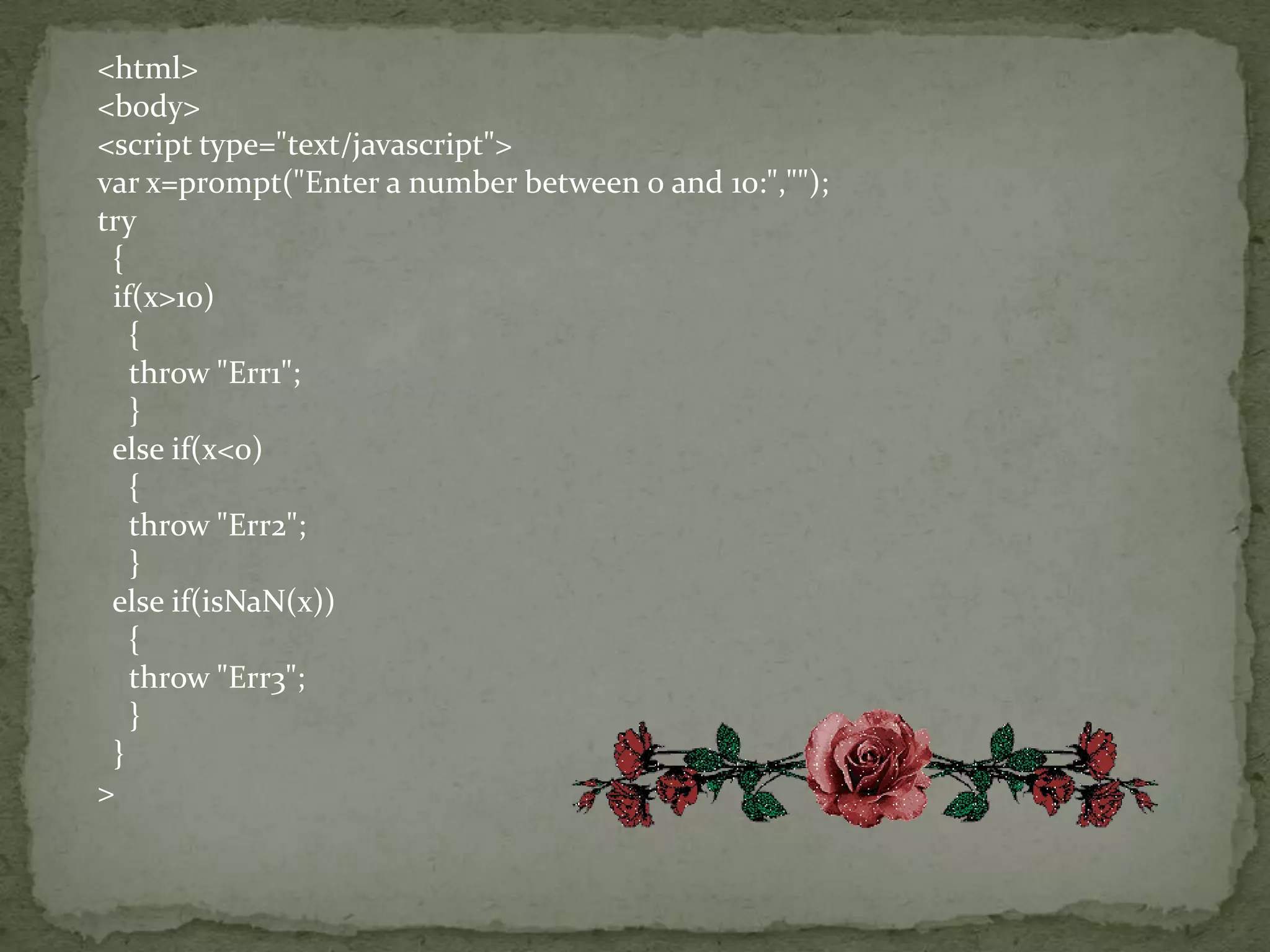
<html><body><script type="text/javascript">var x=prompt("Enter a number between 0 and 10:","");try  {   if(x>10)    {    throw "Err1";    }  else if(x<0)    {    throw "Err2";    }  else if(isNaN(x))    {    throw "Err3";    }  }>
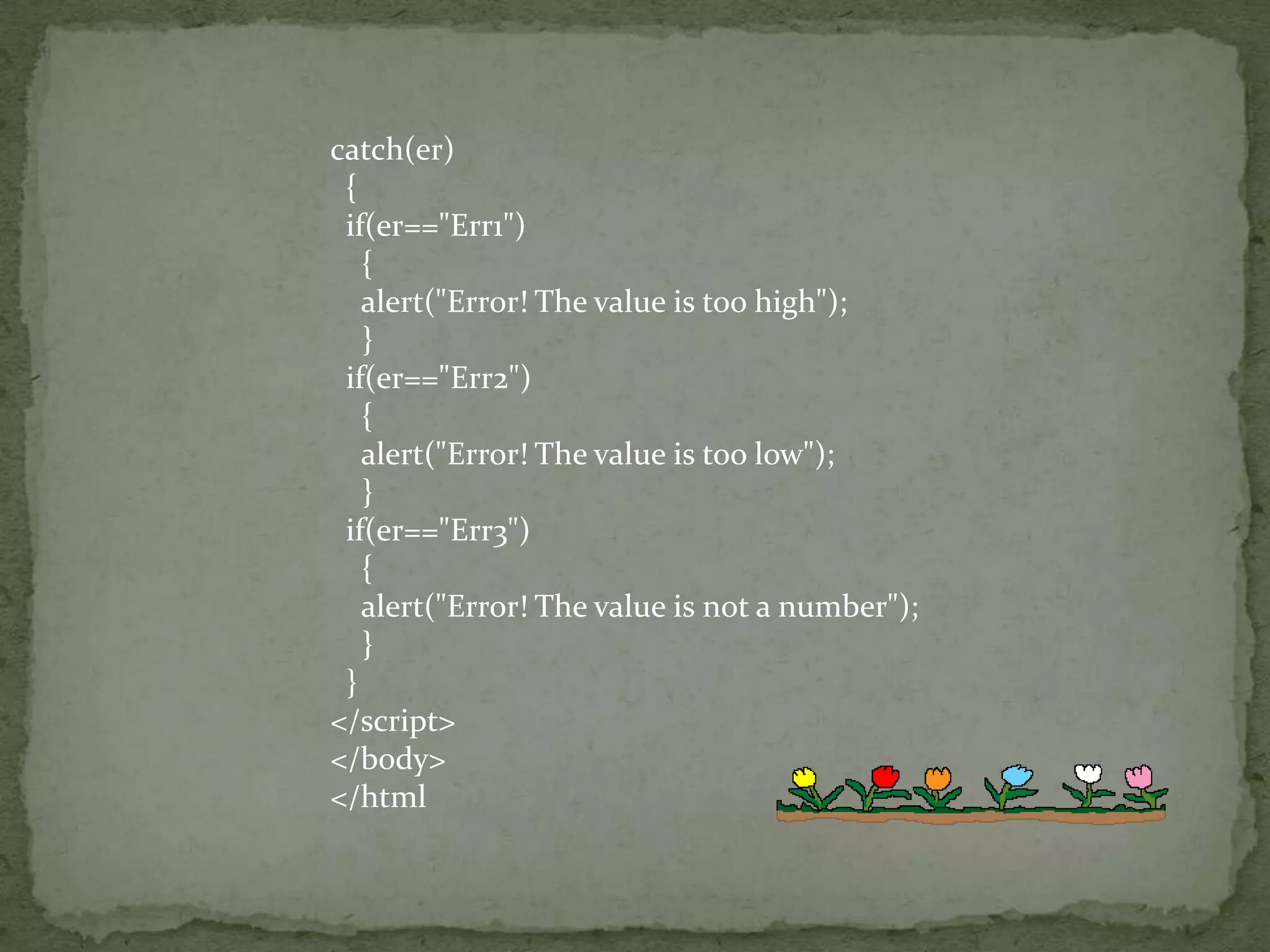
catch(er)  {  if(er=="Err1")    {    alert("Error! The value is too high");    }  if(er=="Err2")    {    alert("Error! The value is too low");    }  if(er=="Err3")    {    alert("Error! The value is not a number");    }  }</script></body></html
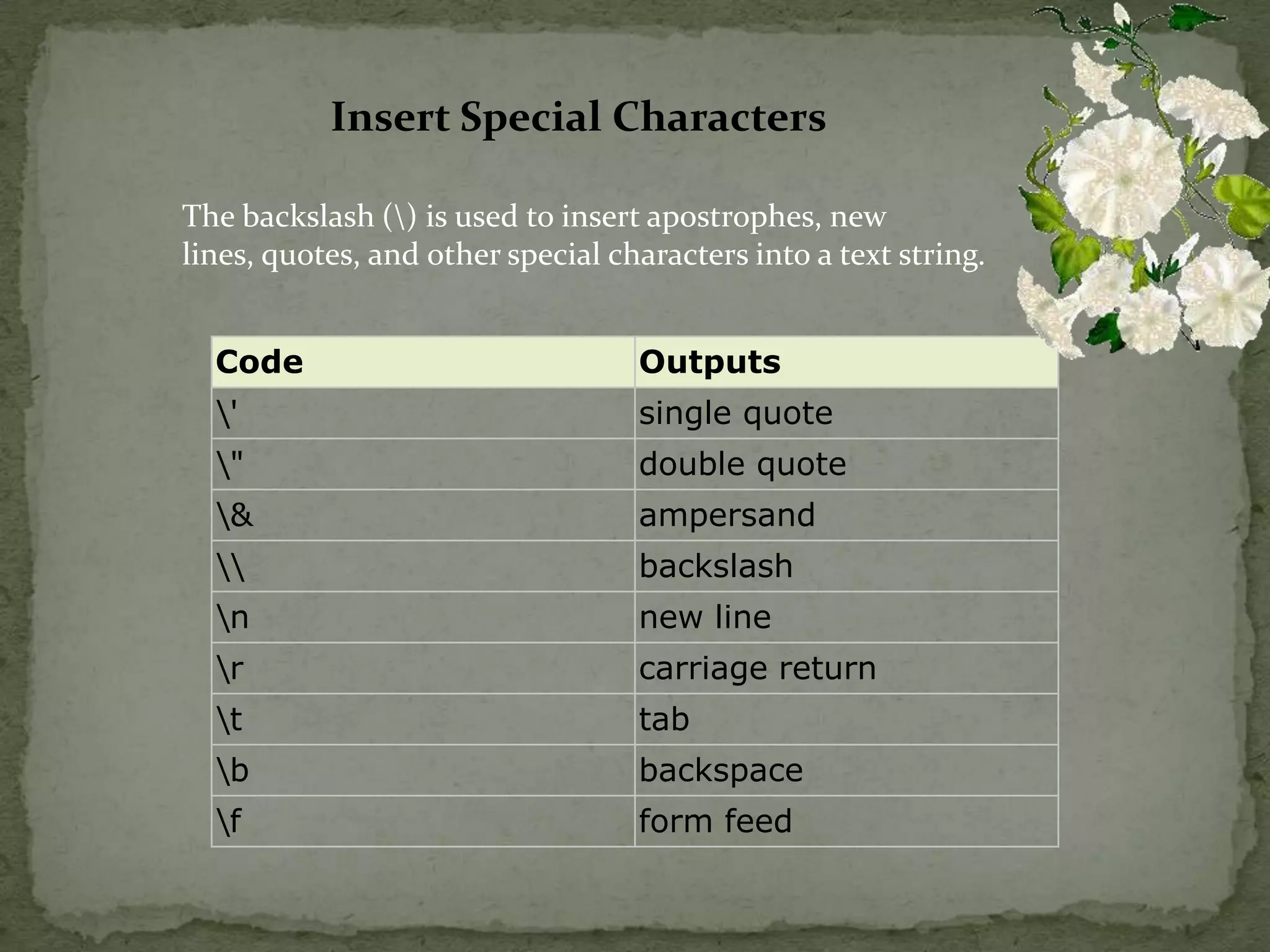
Insert Special CharactersThe backslash (\) is used to insert apostrophes, new lines, quotes, and other special characters into a text string.
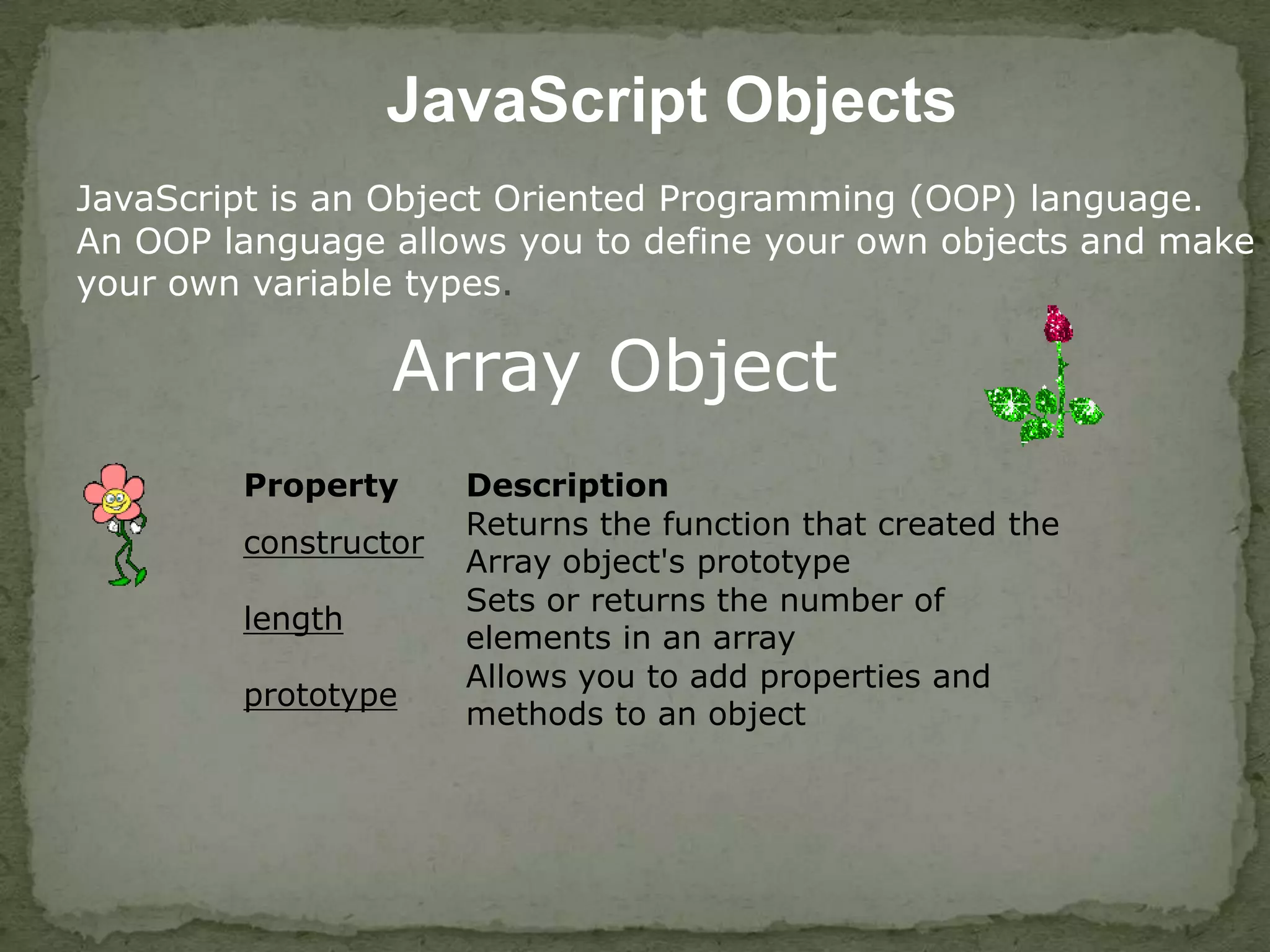
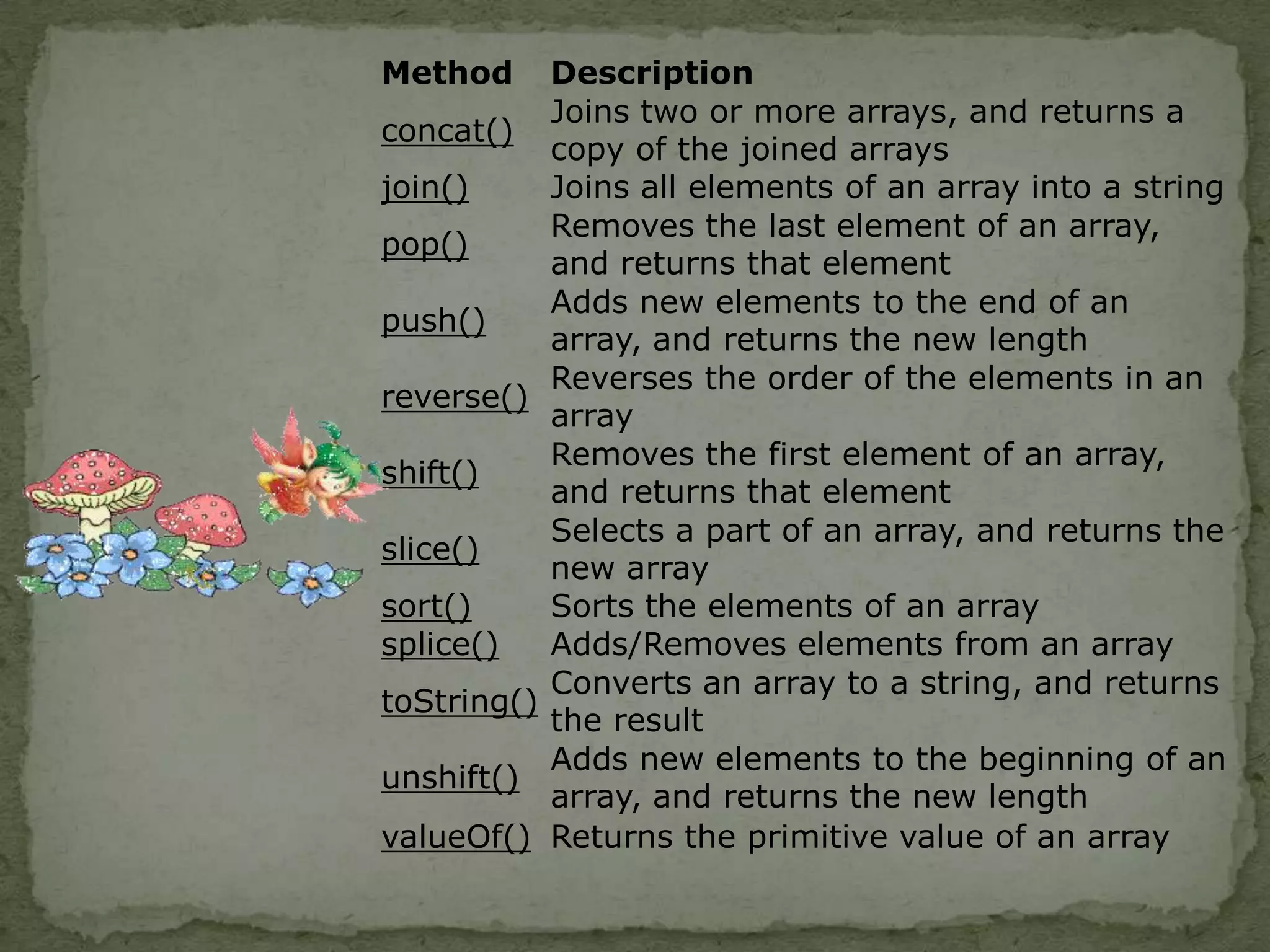
JavaScriptObjectsJavaScript is an Object Oriented Programming (OOP) language.An OOP language allows you to define your own objects and make your own variable types.Array Object
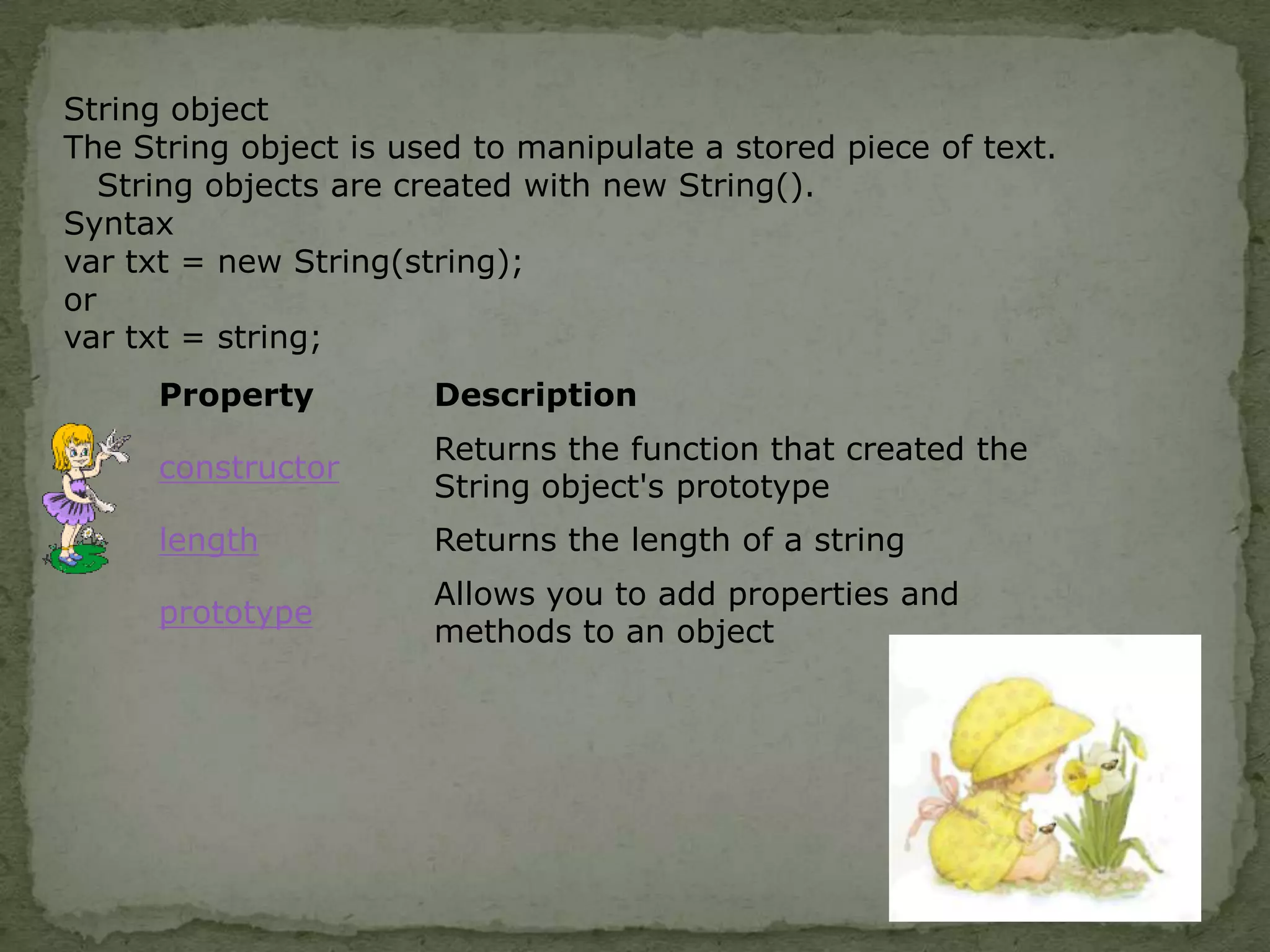
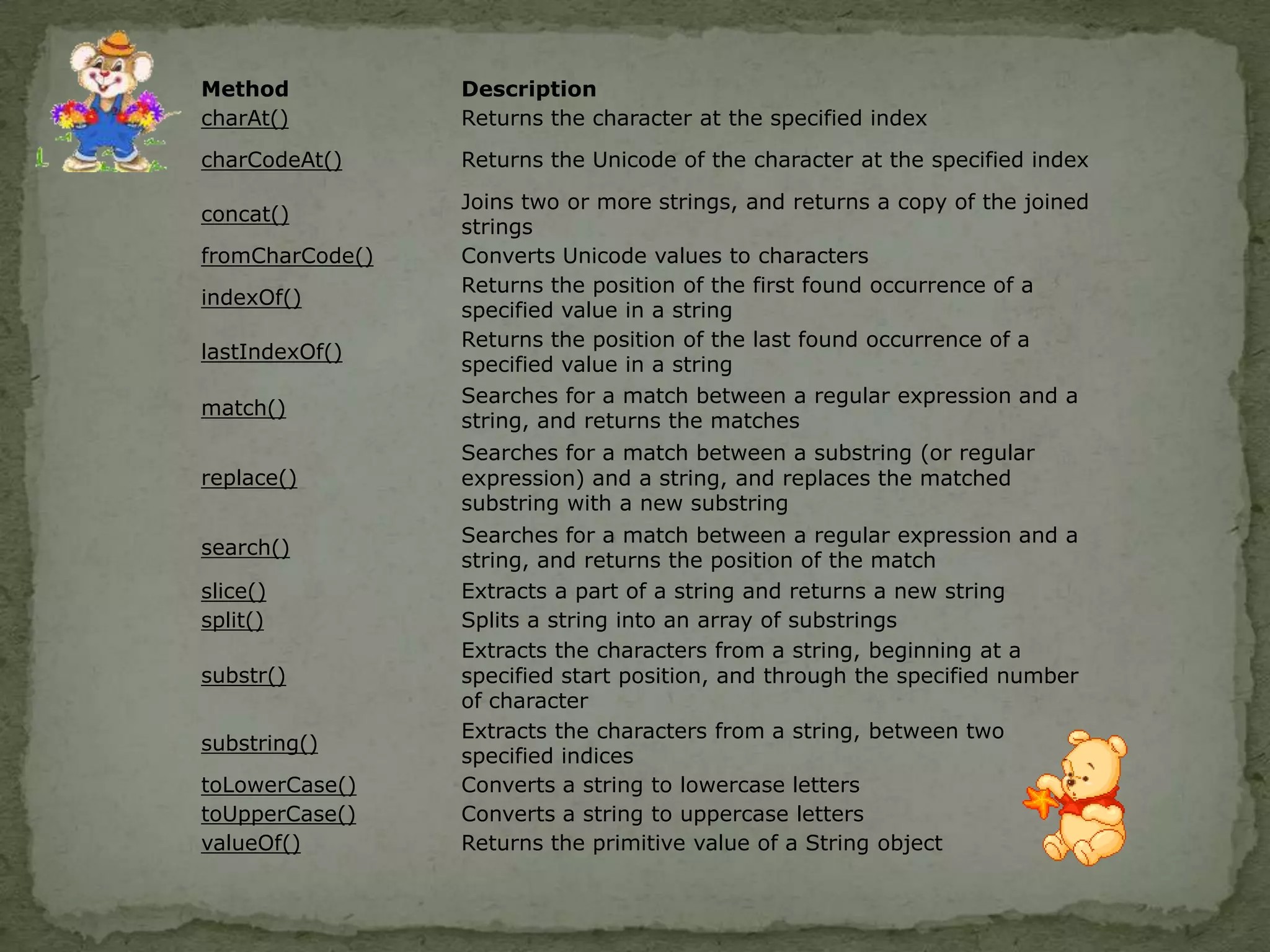
String objectThe String object is used to manipulate a stored piece of text.String objects are created with new String().Syntaxvar txt = new String(string); or var txt = string;
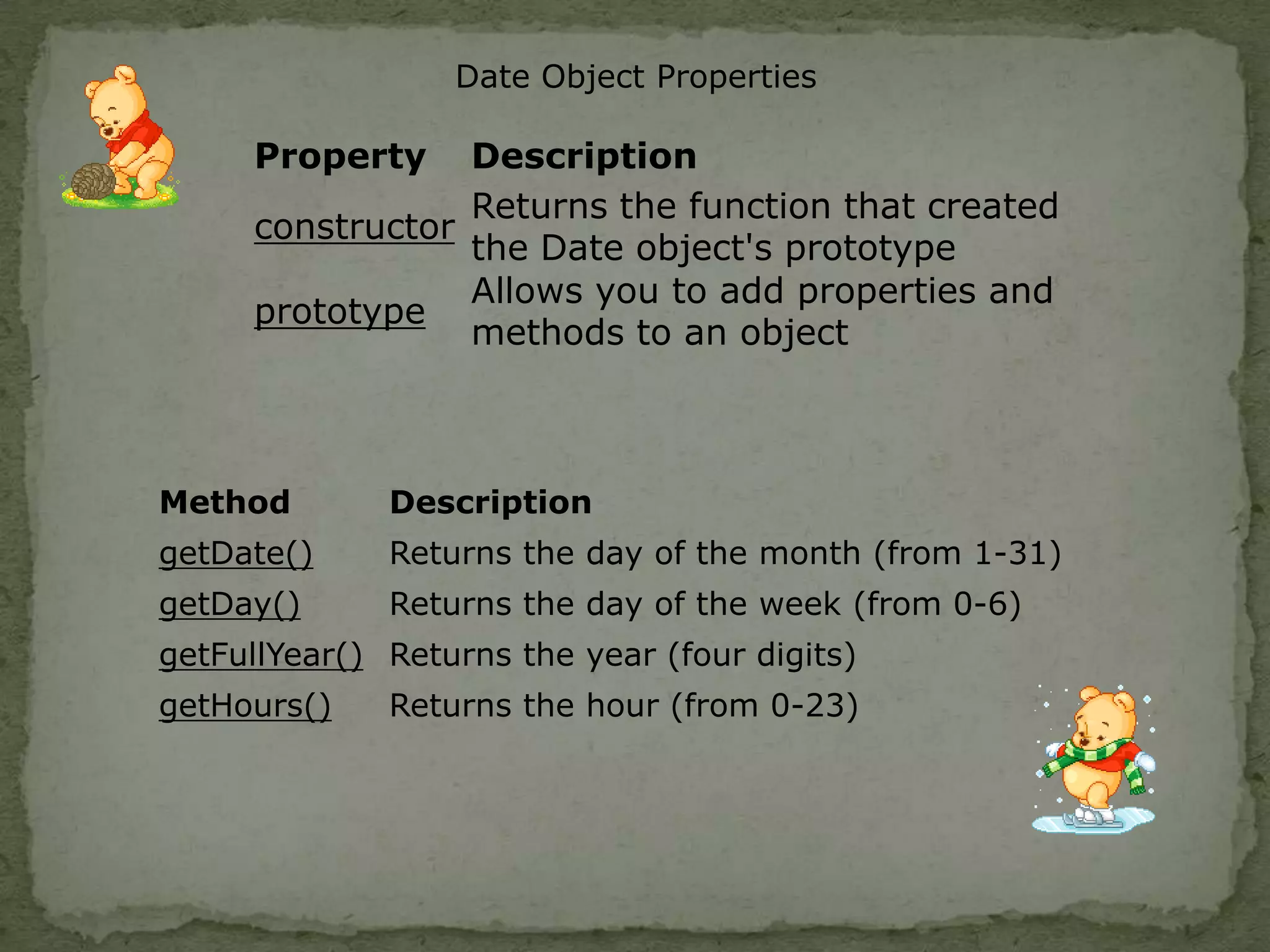
Date Object Properties
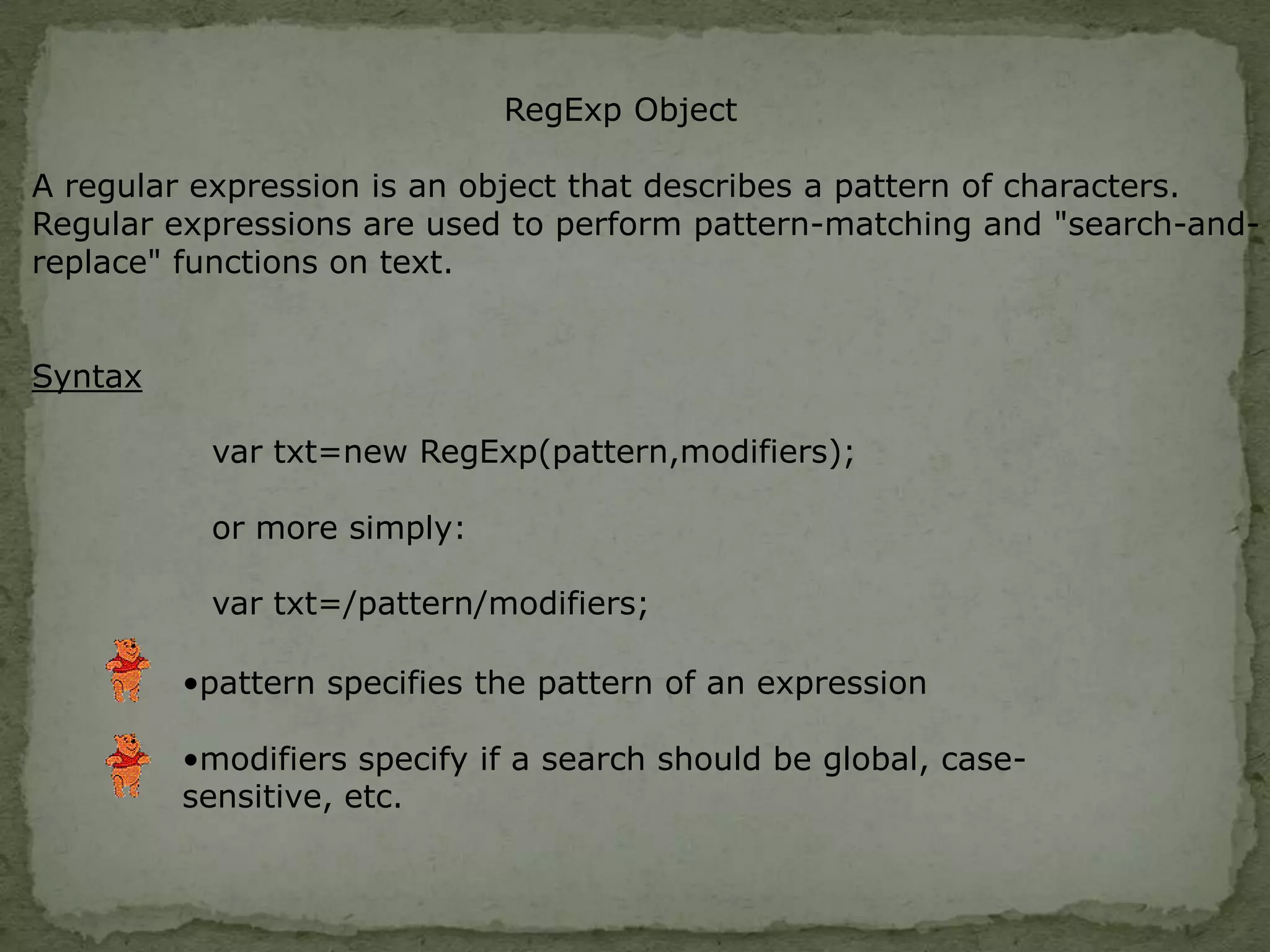
RegExp ObjectA regular expression is an object that describes a pattern of characters.Regular expressions are used to perform pattern-matching and "search-and-replace" functions on text.Syntaxpattern specifies the pattern of an expression
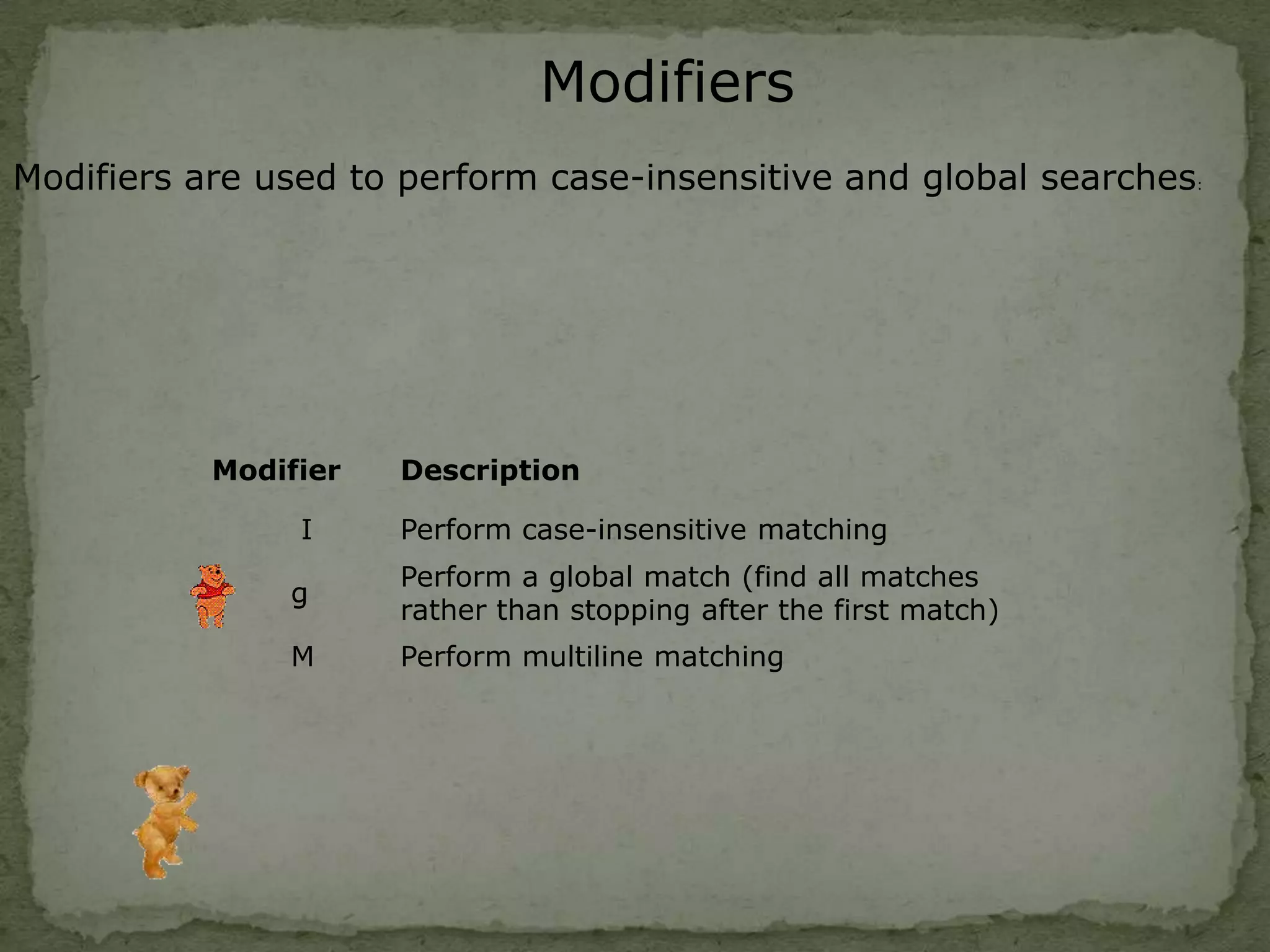
modifiers specify if a search should be global, case-sensitive, etc. ModifiersModifiers are used to perform case-insensitive and global searches:
ADVANCED JAVA SCRIPT OBJECTS
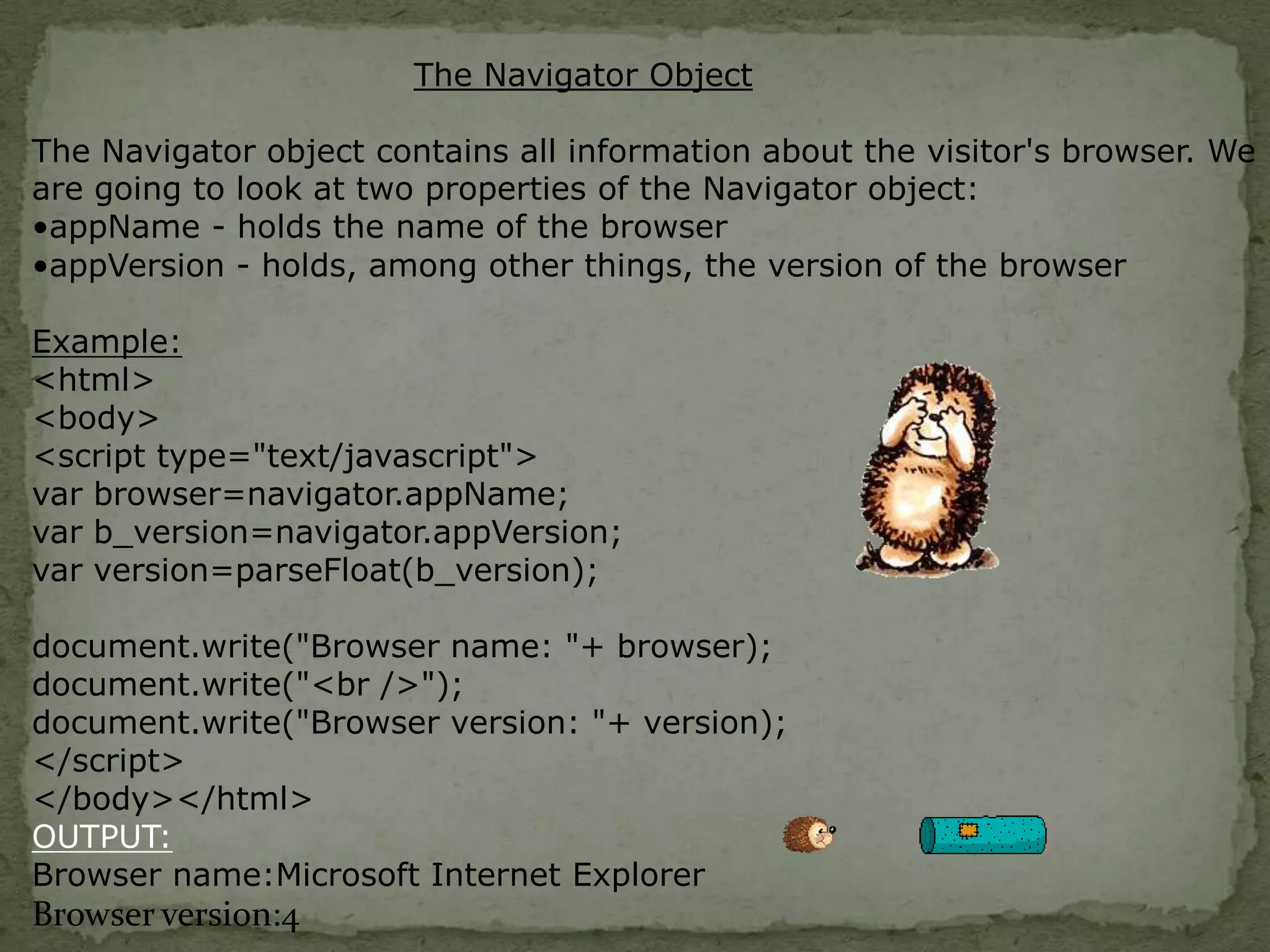
The Navigator ObjectThe Navigator object contains all information about the visitor's browser. We are going to look at two properties of the Navigator object:appName - holds the name of the browser
appVersion - holds, among other things, the version of the browser Example:<html><body><script type="text/javascript">var browser=navigator.appName;varb_version=navigator.appVersion;var version=parseFloat(b_version);document.write("Browser name: "+ browser);document.write("<br />");document.write("Browser version: "+ version);</script></body></html> OUTPUT:Browser name:Microsoft Internet ExplorerBrowser version:4
COOKIESA cookie is a variable that is stored on the visitor's computer. Each time the same computer requests a page with a browser,   it will send the cookie too.With JavaScript, you can both create and retrieve cookie values.A cookie is often used to identify a user.Examples of cookies:Name cookie - The first time a visitor arrives to your web page, he or she must fill in her/his name. The name is then stored in a cookie. Next time the visitor arrives at your page, he or she could get a welcome message like "Welcome John Doe!" The name is retrieved from the stored cookie
Password cookie - The first time a visitor arrives to your web page, he or she must fill in a password. The password is then stored in a cookie. Next time the visitor arrives at your page, the password is retrieved from the cookie
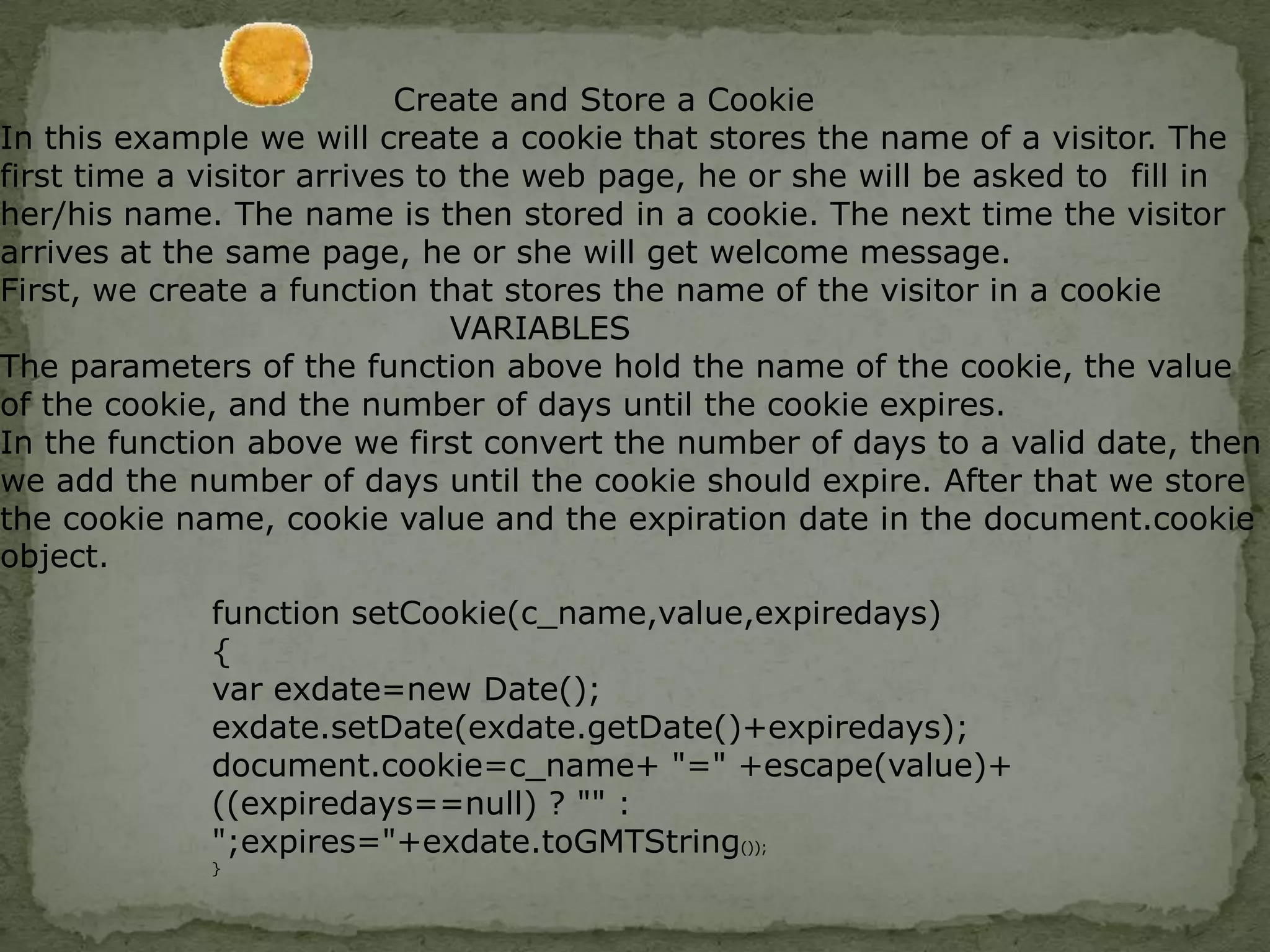
Date cookie - The first time a visitor arrives to your web page, the current date is stored in a cookie. Next time the visitor arrives at your page, he or she could get a message like "Your last visit was on Tuesday August 11, 2005!" The date is retrieved from the stored cookie                                    Create and Store a CookieIn this example we will create a cookie that stores the name of a visitor. The first time a visitor arrives to the web page, he or she will be asked to  fill in her/his name. The name is then stored in a cookie. The next time the visitor arrives at the same page, he or she will get welcome message.First, we create a function that stores the name of the visitor in a cookie                    VARIABLESThe parameters of the function above hold the name of the cookie, the value of the cookie, and the number of days until the cookie expires.In the function above we first convert the number of days to a valid date, then we add the number of days until the cookie should expire. After that we store the cookie name, cookie value and the expiration date in the document.cookie object.
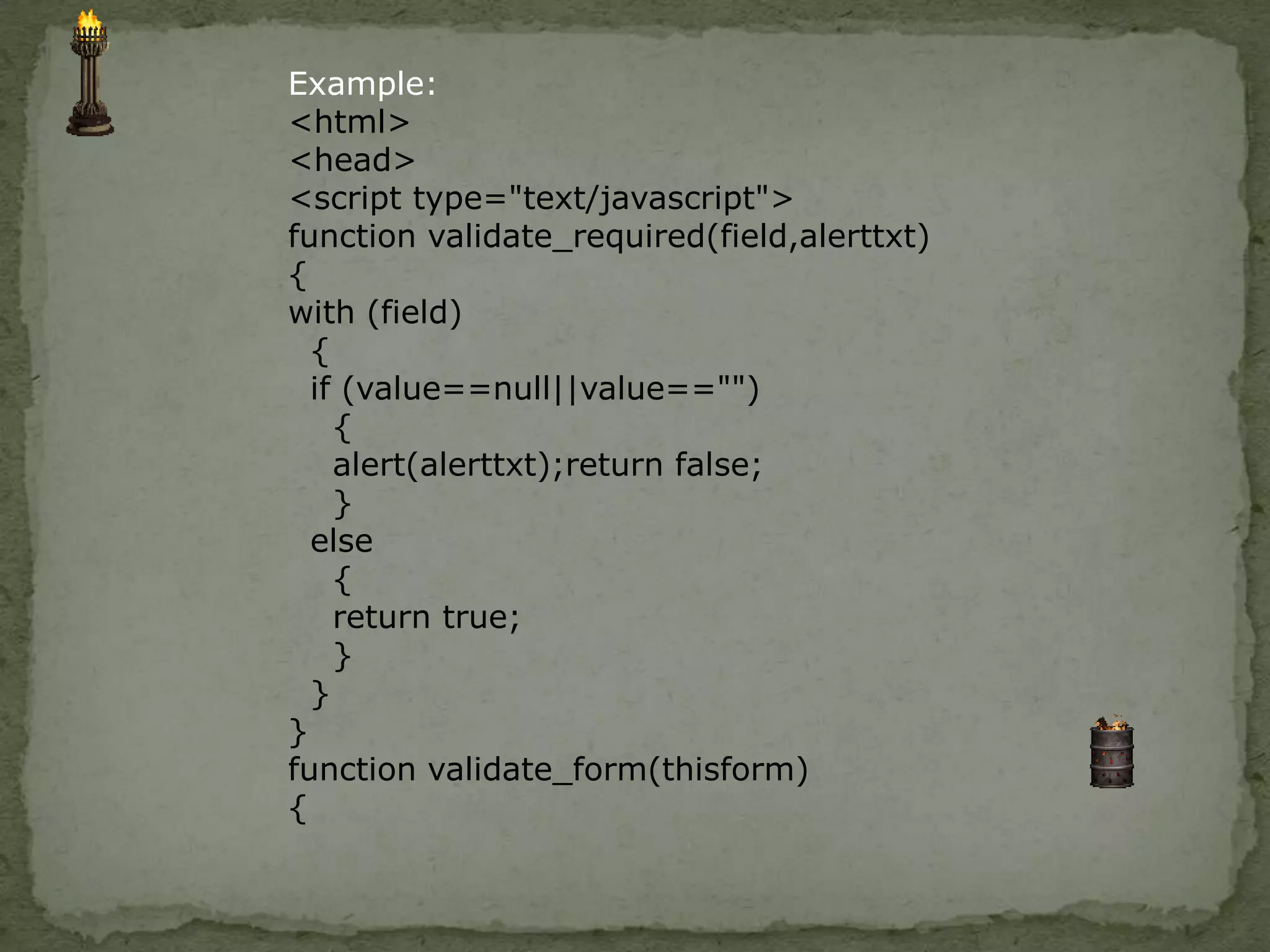
JavaScript Form ValidationJavaScript can be used to validate data in HTML forms before sending off the content to a server.Javascript  perform the following checks typically:            whether required fields are left empty
            whether E-mail id entered by user is valid or not
            whether Date entered is valid or  not
            whether  user has entered text in numerical formatExample:<html><head><script type="text/javascript">function validate_required(field,alerttxt){with (field)  {  if (value==null||value=="")    {    alert(alerttxt);return false;    }  else    {    return true;    }  }}function validate_form(thisform){
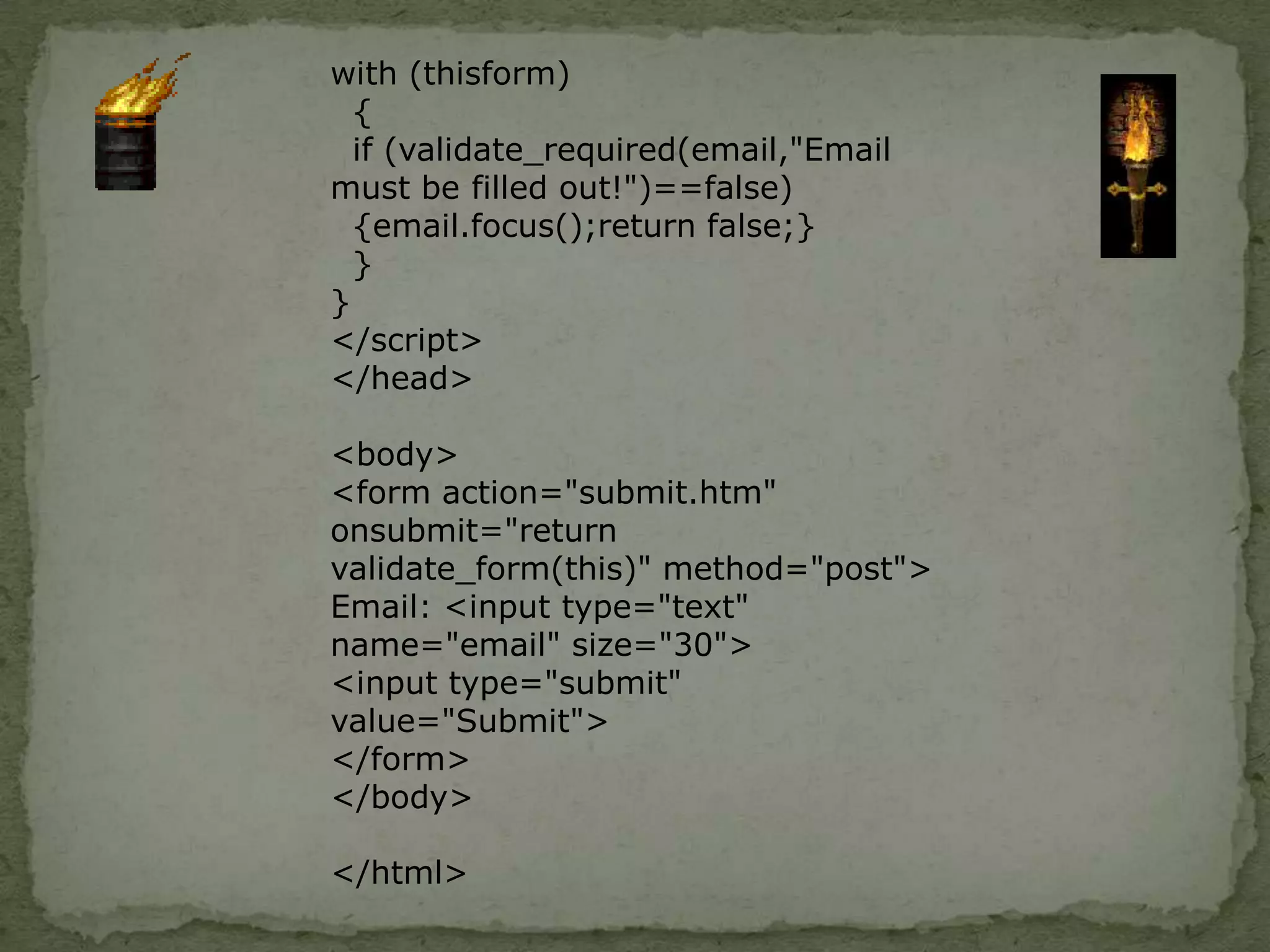
with (thisform)  {  if (validate_required(email,"Email must be filled out!")==false)  {email.focus();return false;}  }}</script></head><body><form action="submit.htm" onsubmit="return validate_form(this)" method="post">Email: <input type="text" name="email" size="30"><input type="submit" value="Submit"></form></body></html>
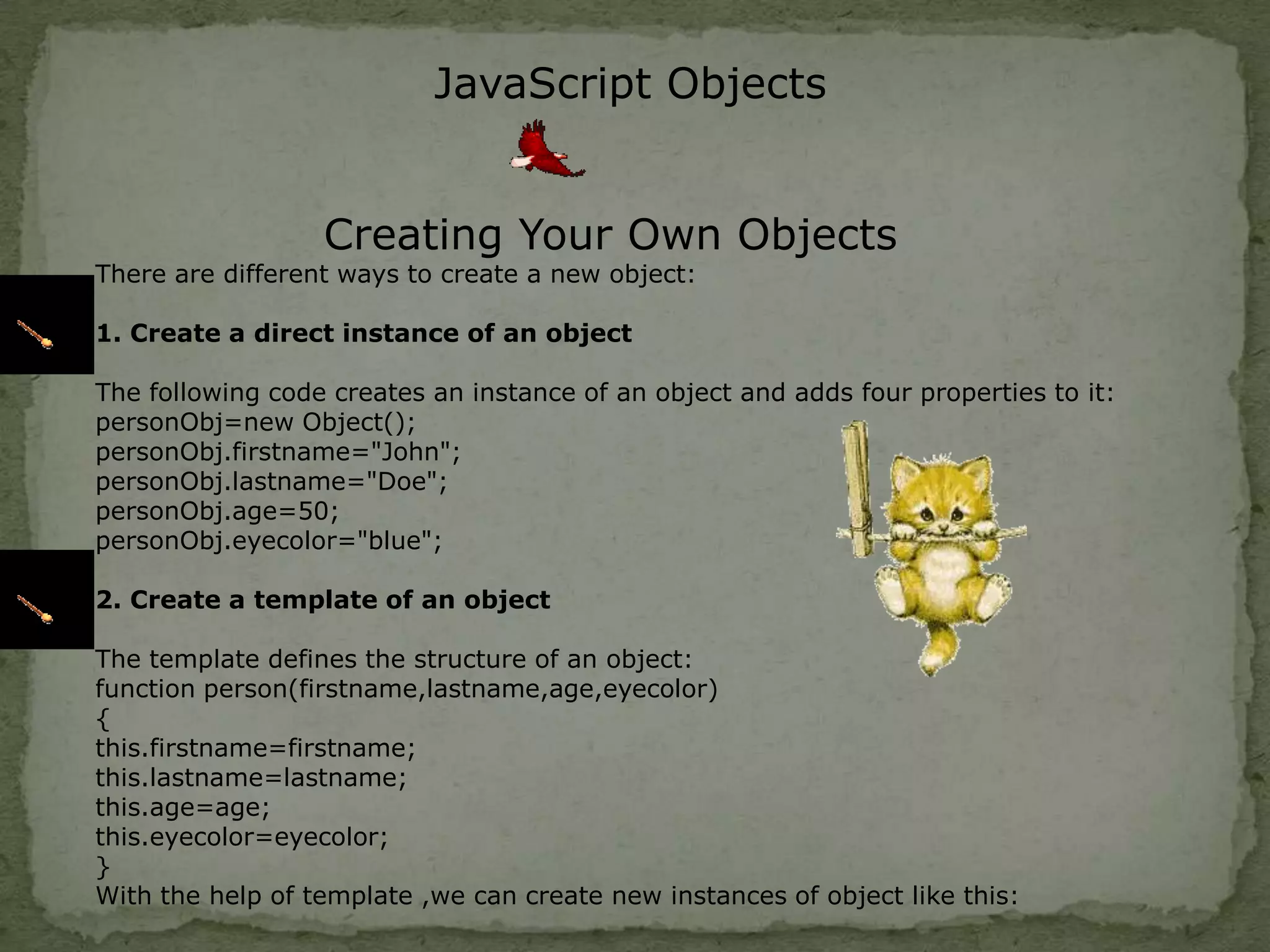
JavaScript ObjectsCreating Your Own ObjectsThere are different ways to create a new object:1. Create a direct instance of an objectThe following code creates an instance of an object and adds four properties to it:personObj=new Object();personObj.firstname="John";personObj.lastname="Doe";personObj.age=50;personObj.eyecolor="blue";2. Create a template of an objectThe template defines the structure of an object:function person(firstname,lastname,age,eyecolor){this.firstname=firstname;this.lastname=lastname;this.age=age;this.eyecolor=eyecolor;}With the help of template ,we can create new instances of object like this:
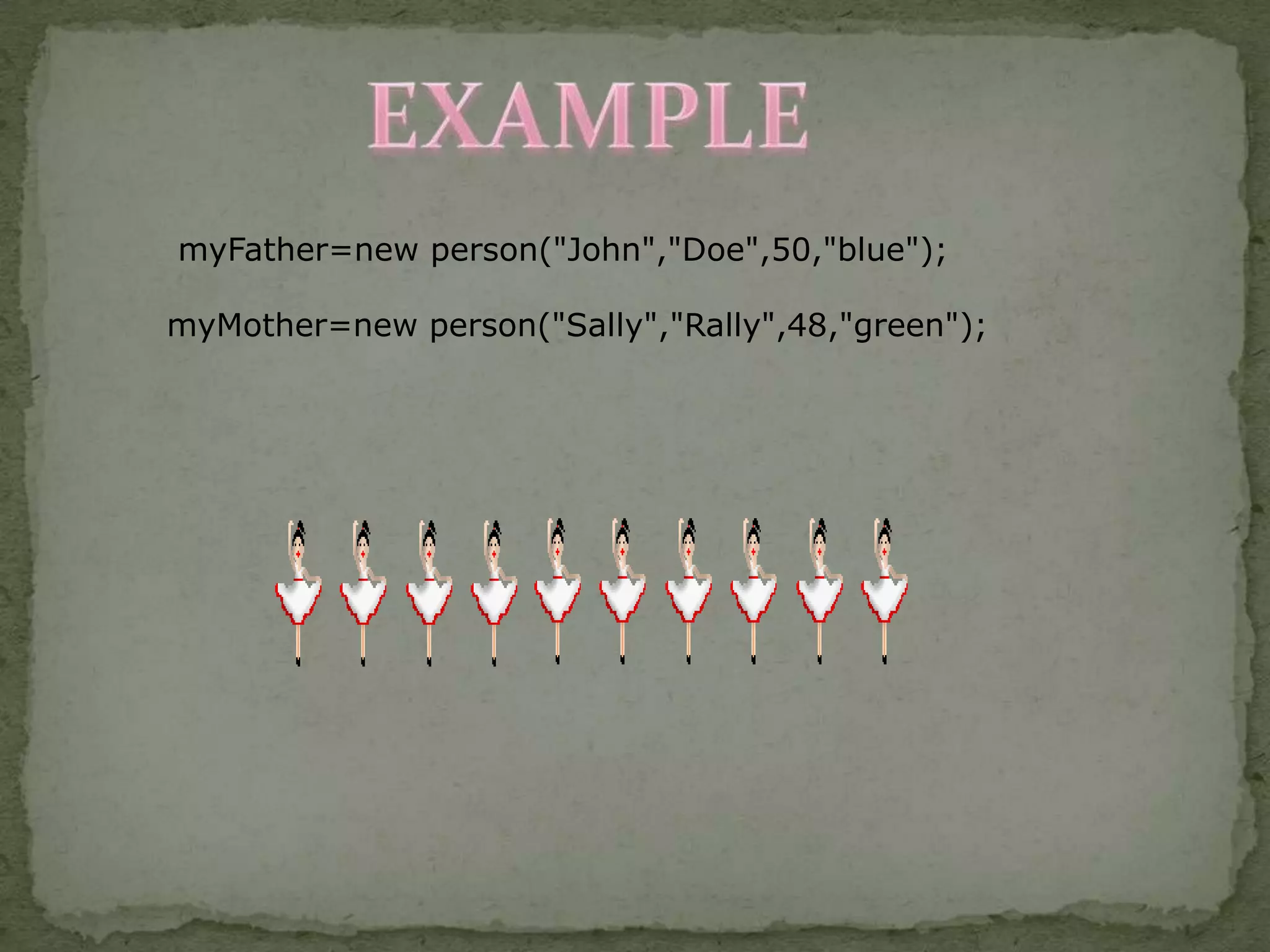
EXAMPLEmyFather=new person("John","Doe",50,"blue");myMother=new person("Sally","Rally",48,"green");

Javascript

  • 1.
  • 2.
  • 3.
    INTRODUCTIONJavaScript (aka ECMAScript)is an easy way to make your website visually attractive to clients and other viewers by adding interactivity and dynamics to HTML pages. Explains ABOUT: why one would use JavaScript in their HTML website design. It also has links to JavaScript tools, readings and samples for those who prefer ready-to-run effects.
  • 4.
    What is javascriptJavaScript is the most popular scripting language on the internet, and works in all major browsers, such as Internet Explorer, Firefox Chrome, Opera, and Safari.JavaScript is a scripted language which is object oriented, event-driven, and platform independent.Each of these modern concepts in programming methodology are easier to work with in 'new' languages rather than being bolted on to older ones. And the syntax is similar to that of C and Java. This makes JavaScript a 'good' choice for learning as a first programming language.
  • 5.
    JavaScript was designedto add interactivity to HTML pages JavaScript is a scripting language A scripting language is a lightweight programming languageJavaScript is usually embedded directly into HTML pagesJavaScript is an interpreted language (means that scripts execute without preliminary compilation) Everyone can use JavaScript without purchasing a license
  • 6.
    Why should awebpage author use JavaScript in addition to HTML?
  • 7.
    Java script allows client-side user form validationJava script provides seamless integration with user plug-insJava script allows access to some system information
  • 8.
    Are Java andJavaScript the same?NO!Java and JavaScript are two completely different languages in both concept and design!Java (developed by Sun Microsystems) is a powerful and much more complex programming language - in the same category as C and C++.
  • 9.
    The Real Nameis ECMAScript:JavaScript's official name is ECMAScript.ECMAScript is developed and maintained by the ECMA organization.ECMA-262 is the official JavaScript standard.The language was invented by Brendan Eich at Netscape (with Navigator 2.0), and has appeared in all Netscape and Microsoft browsers since 1996.The development of ECMA-262 started in 1996, and the first edition of was adopted by the ECMA General Assembly in June 1997.The standard was approved as an international ISO (ISO/IEC 16262) standard in 1998.The development of the standard is still in progress.
  • 10.
    EXAMPLESPut a JavaScriptinto an HTML page<html><body><script type="text/javascript">document.write("Hello World!");</script></body></html> HELLO WORLD
  • 11.
    JavaScript is CaseSensitive:Unlike HTML, JavaScript is case sensitive - therefore watch your capitalization closely when you write JavaScript statements, create or call variables, objects and functions.JavaScript Statements:A JavaScript statement is a command to a browser. The purpose of the command is to tell the browser what to do. This JavaScript statement tells the browser to write "Hello Dolly" to the web page:Note: Using semicolons makes it possible to write multiple statements on one line.
  • 12.
    Java Script CommentsComments can be added to explain the JavaScript, or to make the code more readable.>Single line comments start with “//”:.>JavaScript Multi-Line Comments:Multi line comments start with /* and end with */.<script type="text/javascript">// Write a headingdocument.write("<h1>This is a heading</h1>");// Write two paragraphs:document.write("<p>This is a paragraph.</p>");document.write("<p>This is another paragraph.</p>");</script> THIS IS HEADINGTHIS IS HEADINGTHIS IS HEADING
  • 13.
    Java variables JavaScriptVariables As with algebra, JavaScript variables are used to hold values or expressions. A variable can have a short name, like x, or a more descriptive name, like car name.Rules for JavaScript variable names: Variable names are case sensitive (y and Y are two different variables) Variable names must begin with a letter or the underscore character Note:Because JavaScript is case-sensitive, variable names are case-sensitive.
  • 14.
    Declaring (Creating) JavaScriptVariables Creating variables in JavaScript is most often referred to as "declaring" variables.You can declare JavaScript variables with the var statement.EXAMPLE:var x;varcarname;Assigning Values to Undeclared JavaScript Variables:If you assign values to variables that have not yet been declared, the variables will automatically be declared.These statements:x=5;carname="Volvo";
  • 15.
    Redeclaring JavaScriptVariablesAs with algebra, you can do arithmetic operations with JavaScript variables:y=x-5;z=y+5;JavaScript Operators= is used to assign values.+ is used to add values.JavaScript Arithmetic OperatorsArithmetic operators are used to perform arithmetic between variables and/or values.Given that y=5, the table below explains the arithmetic operators: EXAMPLES: + , -, *, /, %
  • 16.
    JavaScript Assignment OperatorsAssignmentoperators are used to assign values to JavaScript variables.Given that x=10 and y=5, the table below explains the assignment operators:OPERATORS=, += ,-=, *=, /=, %=The + Operator Used on StringsThe + operator can also be used to add string variables or text values together.txt1="What a very";txt2="nice day";txt3=txt1+txt2;
  • 17.
    Adding Strings andNumbersThe rule is: If you add a number and a string, the result will be a string!x=5+5;document.write(x);x="5"+"5";document.write(x);x=5+"5";document.write(x);x="5"+5;document.write(x);
  • 18.
  • 19.
    Logical OperatorsLogical Operators:Logicaloperators are used to determine the logic between variables or values.Given that x=6 and y=3, the table below explains the logical operators:
  • 20.
    Conditional OperatorSyntaxExample:If thevariable visitor has the value of "PRES", then the variable greeting will be assigned the value "Dear President " else i t will be assigned "Dear".
  • 21.
    Conditional Statements:Very oftenwhen you write code, you want to perform different actions for different decisions. You can use conditional statements in your code to do this.In JavaScript we have the following conditional statements:if statement- use this statement to execute some code only if a specified condition is true if...else statement- use this statement to execute some code if the condition is true and another code if the condition is false if...else if....else statement- use this statement to select one of many blocks of code to be executed switch statement - use this statement to select one of many blocks of code to be executed
  • 22.
  • 23.
    The JavaScript SwitchStatementUse the switch statement to select one of many blocks of code to be executed.Syntax
  • 24.
    JavaScript Popup BoxesAlertBox:An alert box is often used if you want to make sure information comes through to the user.When an alert box pops up, the userwill have to click "OK" to procSyntaxalert("sometext");Confirm BoxA confirm box is often used if you want the user to verify or accept something. When a confirm box pops up, the user will have to click either "OK" or "Cancel" to proceed. If the user clicks "OK", the box returns true. If the user clicks "Cancel", the box returns false.Syntaxconfirm("sometext");
  • 25.
    Prompt BoxA promptbox is often used if you want the user to input a value before entering a page. When a prompt box pops up, the user will have to click either "OK" or "Cancel" to proceed after entering an input value. If the user clicks "OK" the box returns the input value. If the user clicks "Cancel" the box returns null.Syntaxprompt("sometext","defaultvalue");
  • 27.
    JavaScript FunctionsTo keepthe browser from executing a script when the page loads, you can put your script into a function.A function contains code that will be executed by an event or by a call to the function.You may call a function from anywhere within a page (or even from other pages if the function is embedded in an external .js file).Functions can be defined both in the <head> and in the <body> section of a document. However, to assure that a function is read/loaded by the browser before it is called, it could be wise to put functions in the <head> section.How to Define a Functionfunction functionname(var1,var2,...,varX){some code}
  • 28.
    EventsBy using JavaScript,we have the ability to create dynamic web pages. Events are actions that can be detected by JavaScript.Every element on a web page has certain events which can trigger a JavaScript. For example, we can use the onClick event of a button element to indicate that a function will run when a user clicks on the button. We define the events in the HTML tags.Examples of events: A mouse click A web page or an image loading Mousing over a hot spot on the web page Selecting an input field in an HTML form Submitting an HTML form A keystroke
  • 29.
    On Load andon UnloadThe onLoad event is often used to check the visitor's browser type and browser version, and load the proper version of the web page based on the information.Some of other eventsonFocus, onBlur and onChangeonSubmitonMouseOver and onMouseOut
  • 30.
    Exception handlingWhen browsingWeb pages on the internet, we all have seen a JavaScript alert box telling us there is a runtime error and asking "Do you wish to debug?". Error message like this may be useful for developers but not for users. When users see errors, they often leave the Web page.This chapter will teach you how to catch and handle JavaScript error messages, so you don't lose your audience.Try catch block try  {  //Run some code here  }catch(err)  {  //Handle errors here  }
  • 31.
    Throw and throwsThethrow statement allows you to create an exception. If you use this statement together with the try...catch statement, you can control program flow and generate accurate error messages.syntaxthrow(exception)
  • 32.
    <html><body><script type="text/javascript">var x=prompt("Entera number between 0 and 10:","");try  {   if(x>10)    {    throw "Err1";    }  else if(x<0)    {    throw "Err2";    }  else if(isNaN(x))    {    throw "Err3";    }  }>
  • 33.
    catch(er)  {  if(er=="Err1")   {    alert("Error! The value is too high");    }  if(er=="Err2")    {    alert("Error! The value is too low");    }  if(er=="Err3")    {    alert("Error! The value is not a number");    }  }</script></body></html
  • 34.
    Insert Special CharactersThebackslash (\) is used to insert apostrophes, new lines, quotes, and other special characters into a text string.
  • 35.
    JavaScriptObjectsJavaScript is anObject Oriented Programming (OOP) language.An OOP language allows you to define your own objects and make your own variable types.Array Object
  • 37.
    String objectThe Stringobject is used to manipulate a stored piece of text.String objects are created with new String().Syntaxvar txt = new String(string); or var txt = string;
  • 39.
  • 40.
    RegExp ObjectA regularexpression is an object that describes a pattern of characters.Regular expressions are used to perform pattern-matching and "search-and-replace" functions on text.Syntaxpattern specifies the pattern of an expression
  • 41.
    modifiers specify ifa search should be global, case-sensitive, etc. ModifiersModifiers are used to perform case-insensitive and global searches:
  • 42.
  • 43.
    The Navigator ObjectTheNavigator object contains all information about the visitor's browser. We are going to look at two properties of the Navigator object:appName - holds the name of the browser
  • 44.
    appVersion - holds,among other things, the version of the browser Example:<html><body><script type="text/javascript">var browser=navigator.appName;varb_version=navigator.appVersion;var version=parseFloat(b_version);document.write("Browser name: "+ browser);document.write("<br />");document.write("Browser version: "+ version);</script></body></html> OUTPUT:Browser name:Microsoft Internet ExplorerBrowser version:4
  • 45.
    COOKIESA cookie isa variable that is stored on the visitor's computer. Each time the same computer requests a page with a browser, it will send the cookie too.With JavaScript, you can both create and retrieve cookie values.A cookie is often used to identify a user.Examples of cookies:Name cookie - The first time a visitor arrives to your web page, he or she must fill in her/his name. The name is then stored in a cookie. Next time the visitor arrives at your page, he or she could get a welcome message like "Welcome John Doe!" The name is retrieved from the stored cookie
  • 46.
    Password cookie -The first time a visitor arrives to your web page, he or she must fill in a password. The password is then stored in a cookie. Next time the visitor arrives at your page, the password is retrieved from the cookie
  • 47.
    Date cookie -The first time a visitor arrives to your web page, the current date is stored in a cookie. Next time the visitor arrives at your page, he or she could get a message like "Your last visit was on Tuesday August 11, 2005!" The date is retrieved from the stored cookie Create and Store a CookieIn this example we will create a cookie that stores the name of a visitor. The first time a visitor arrives to the web page, he or she will be asked to  fill in her/his name. The name is then stored in a cookie. The next time the visitor arrives at the same page, he or she will get welcome message.First, we create a function that stores the name of the visitor in a cookie VARIABLESThe parameters of the function above hold the name of the cookie, the value of the cookie, and the number of days until the cookie expires.In the function above we first convert the number of days to a valid date, then we add the number of days until the cookie should expire. After that we store the cookie name, cookie value and the expiration date in the document.cookie object.
  • 48.
    JavaScript Form ValidationJavaScriptcan be used to validate data in HTML forms before sending off the content to a server.Javascript perform the following checks typically: whether required fields are left empty
  • 49.
    whether E-mail id entered by user is valid or not
  • 50.
    whether Date entered is valid or not
  • 51.
    whether user has entered text in numerical formatExample:<html><head><script type="text/javascript">function validate_required(field,alerttxt){with (field)  {  if (value==null||value=="")    {    alert(alerttxt);return false;    }  else    {    return true;    }  }}function validate_form(thisform){
  • 52.
    with (thisform)  { if (validate_required(email,"Email must be filled out!")==false)  {email.focus();return false;}  }}</script></head><body><form action="submit.htm" onsubmit="return validate_form(this)" method="post">Email: <input type="text" name="email" size="30"><input type="submit" value="Submit"></form></body></html>
  • 53.
    JavaScript ObjectsCreating YourOwn ObjectsThere are different ways to create a new object:1. Create a direct instance of an objectThe following code creates an instance of an object and adds four properties to it:personObj=new Object();personObj.firstname="John";personObj.lastname="Doe";personObj.age=50;personObj.eyecolor="blue";2. Create a template of an objectThe template defines the structure of an object:function person(firstname,lastname,age,eyecolor){this.firstname=firstname;this.lastname=lastname;this.age=age;this.eyecolor=eyecolor;}With the help of template ,we can create new instances of object like this:
  • 54.
  • 55.
  • 56.
  • 57.
    create more sophisticateduser interfaces.
  • 58.
    JavaScript effects arealso much faster to download than some other front-end technologies like Flash and Java appletsNo need of extra tools to write JavaScript, any plain text or HTML editor will do it. It's also an easy language to learn.
  • 59.
    It allow Developerto add Dynamic content like image swapping ,Rollover, which is not available in HTML or CSS.CSS basically used for styling ur pages
  • 60.
    JavaScript used toallow script access to objects embedded in otherapplication.
  • 61.
    Drawbacks:Browser Compatibility
  • 62.
    Problems due touse of different javascript
  • 63.
  • 64.