Pass by Value and Pass by Reference in JavaScript
JavaScript handles variables in different ways when passing them to functions.
This is one fundamental concept that every JavaScript developer needs to understand is how variables are
passed to functions.
This is where “Pass by Value” and “Pass by Reference” come into play.
Pass by Value
 Pass by Value means that when you pass a variable to a function, JavaScript creates a copy of the
variable’s value and uses it inside the function.
 This means any changes made to the variable inside the function do not affect the original variable
outside the function.
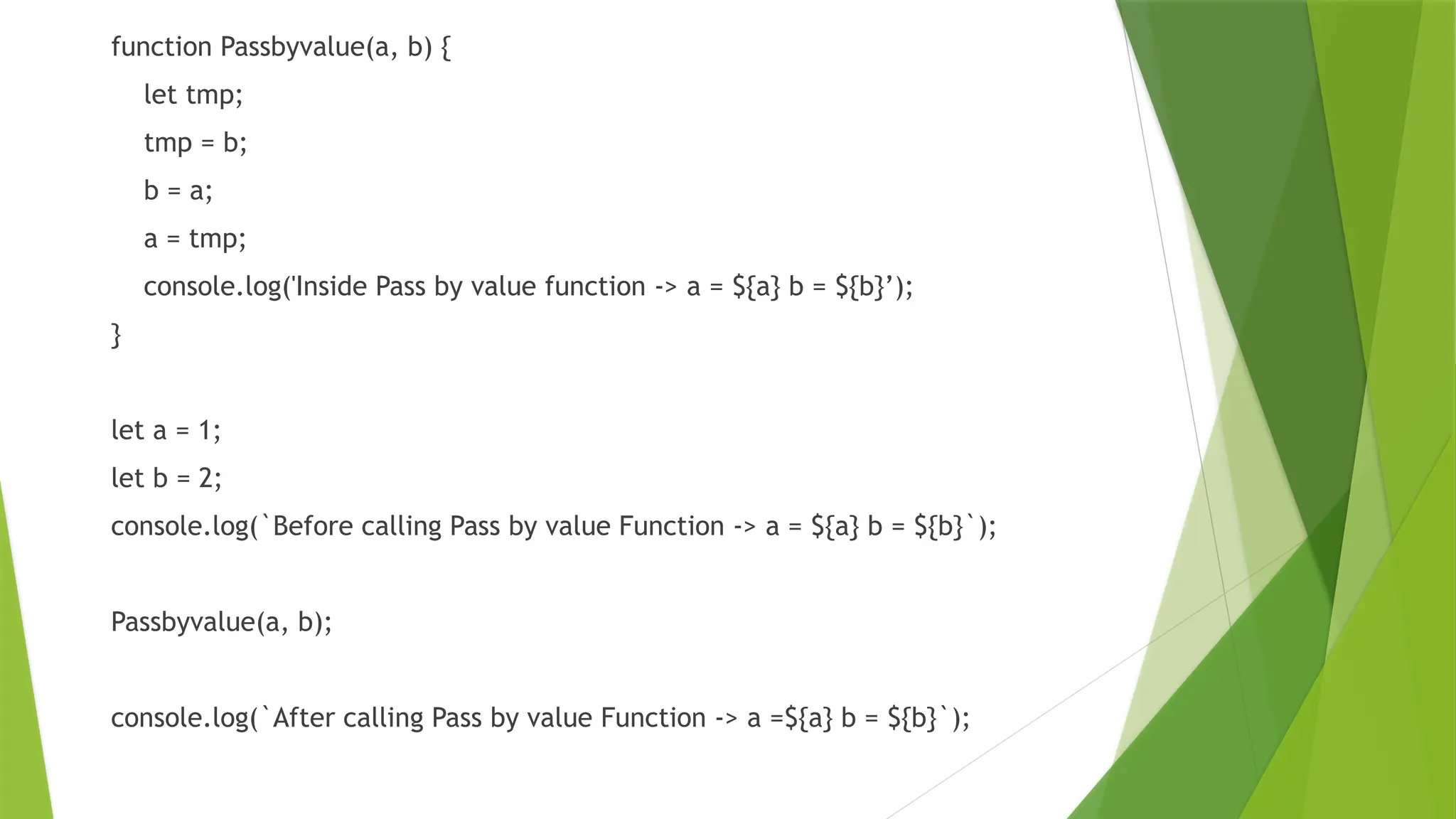
function Passbyvalue(a, b) {
let tmp;
tmp = b;
b = a;
a = tmp;
console.log('Inside Pass by value function -> a = ${a} b = ${b}’);
}
let a = 1;
let b = 2;
console.log(`Before calling Pass by value Function -> a = ${a} b = ${b}`);
Passbyvalue(a, b);
console.log(`After calling Pass by value Function -> a =${a} b = ${b}`);
Pass by Reference
 Pass by Reference means that when you pass a variable (specifically, objects or arrays) to a
function, JavaScript passes the reference or memory address of the variable, not a copy.
 This means any changes made to the variable inside the function will affect the original variable
outside the function.
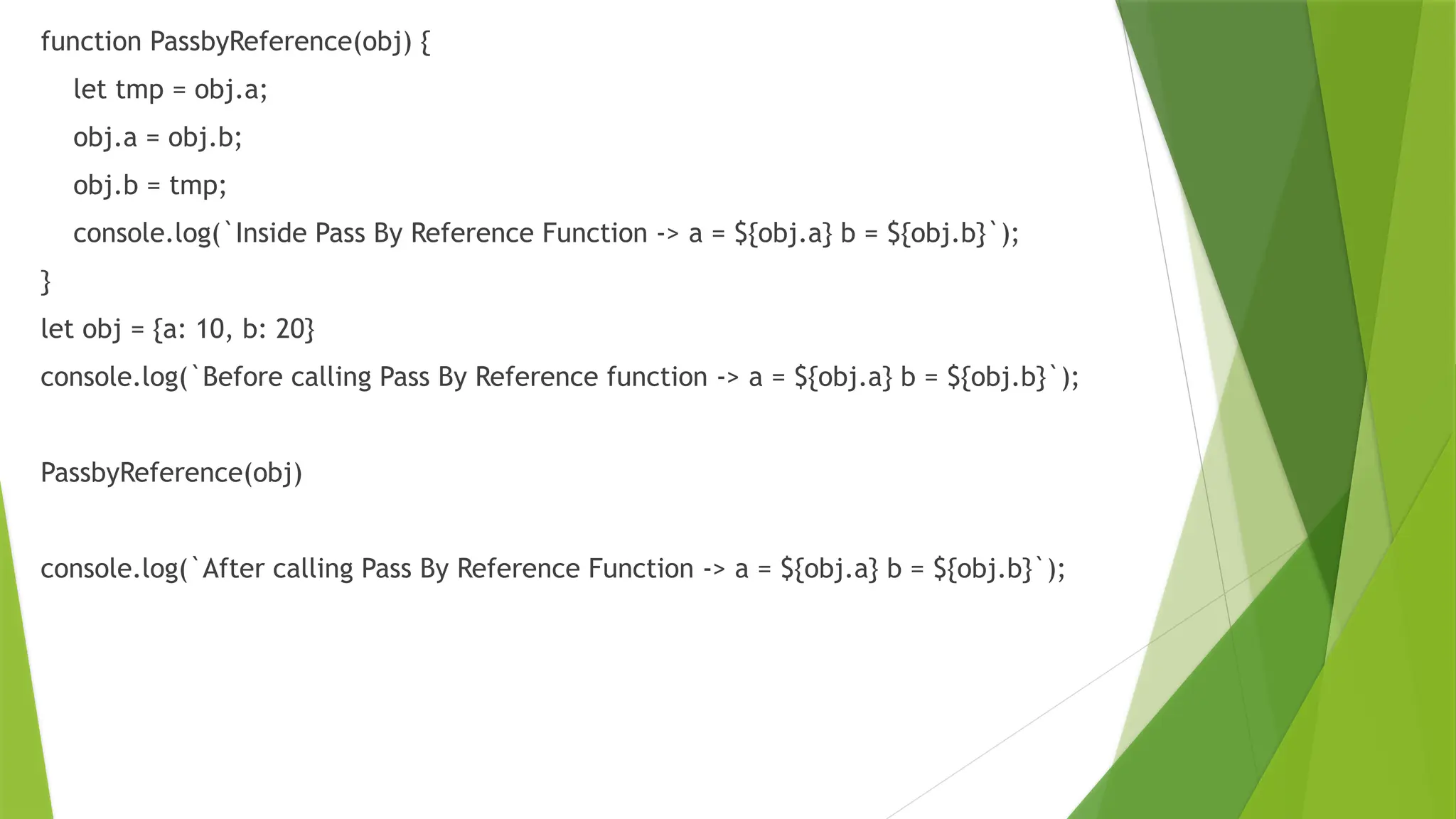
function PassbyReference(obj) {
let tmp = obj.a;
obj.a = obj.b;
obj.b = tmp;
console.log(`Inside Pass By Reference Function -> a = ${obj.a} b = ${obj.b}`);
}
let obj = {a: 10, b: 20}
console.log(`Before calling Pass By Reference function -> a = ${obj.a} b = ${obj.b}`);
PassbyReference(obj)
console.log(`After calling Pass By Reference Function -> a = ${obj.a} b = ${obj.b}`);
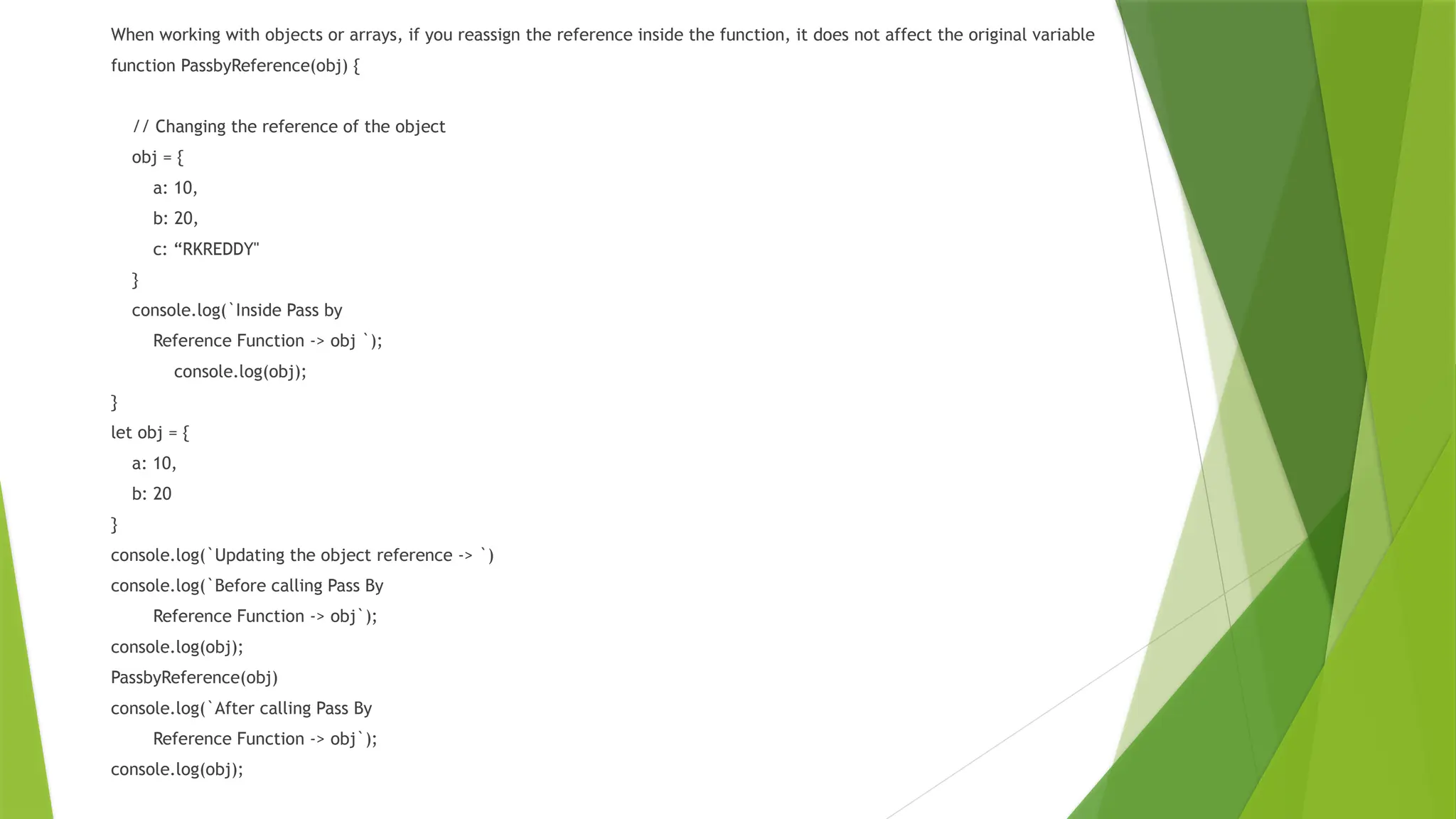
When working with objects or arrays, if you reassign the reference inside the function, it does not affect the original variable
function PassbyReference(obj) {
// Changing the reference of the object
obj = {
a: 10,
b: 20,
c: “RKREDDY"
}
console.log(`Inside Pass by
Reference Function -> obj `);
console.log(obj);
}
let obj = {
a: 10,
b: 20
}
console.log(`Updating the object reference -> `)
console.log(`Before calling Pass By
Reference Function -> obj`);
console.log(obj);
PassbyReference(obj)
console.log(`After calling Pass By
Reference Function -> obj`);
console.log(obj);
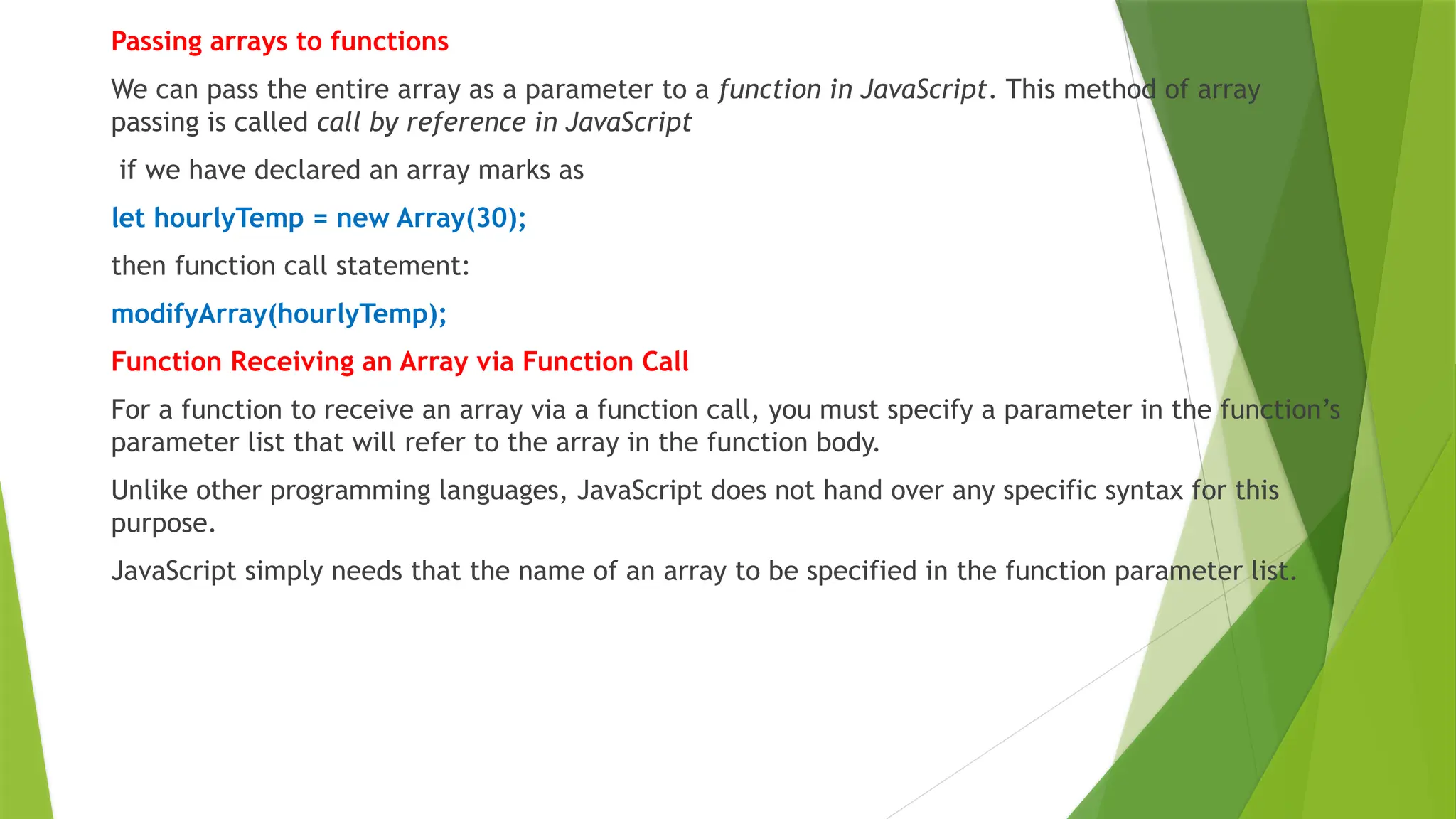
Passing arrays to functions
We can pass the entire array as a parameter to a function in JavaScript. This method of array
passing is called call by reference in JavaScript
if we have declared an array marks as
let hourlyTemp = new Array(30);
then function call statement:
modifyArray(hourlyTemp);
Function Receiving an Array via Function Call
For a function to receive an array via a function call, you must specify a parameter in the function’s
parameter list that will refer to the array in the function body.
Unlike other programming languages, JavaScript does not hand over any specific syntax for this
purpose.
JavaScript simply needs that the name of an array to be specified in the function parameter list.
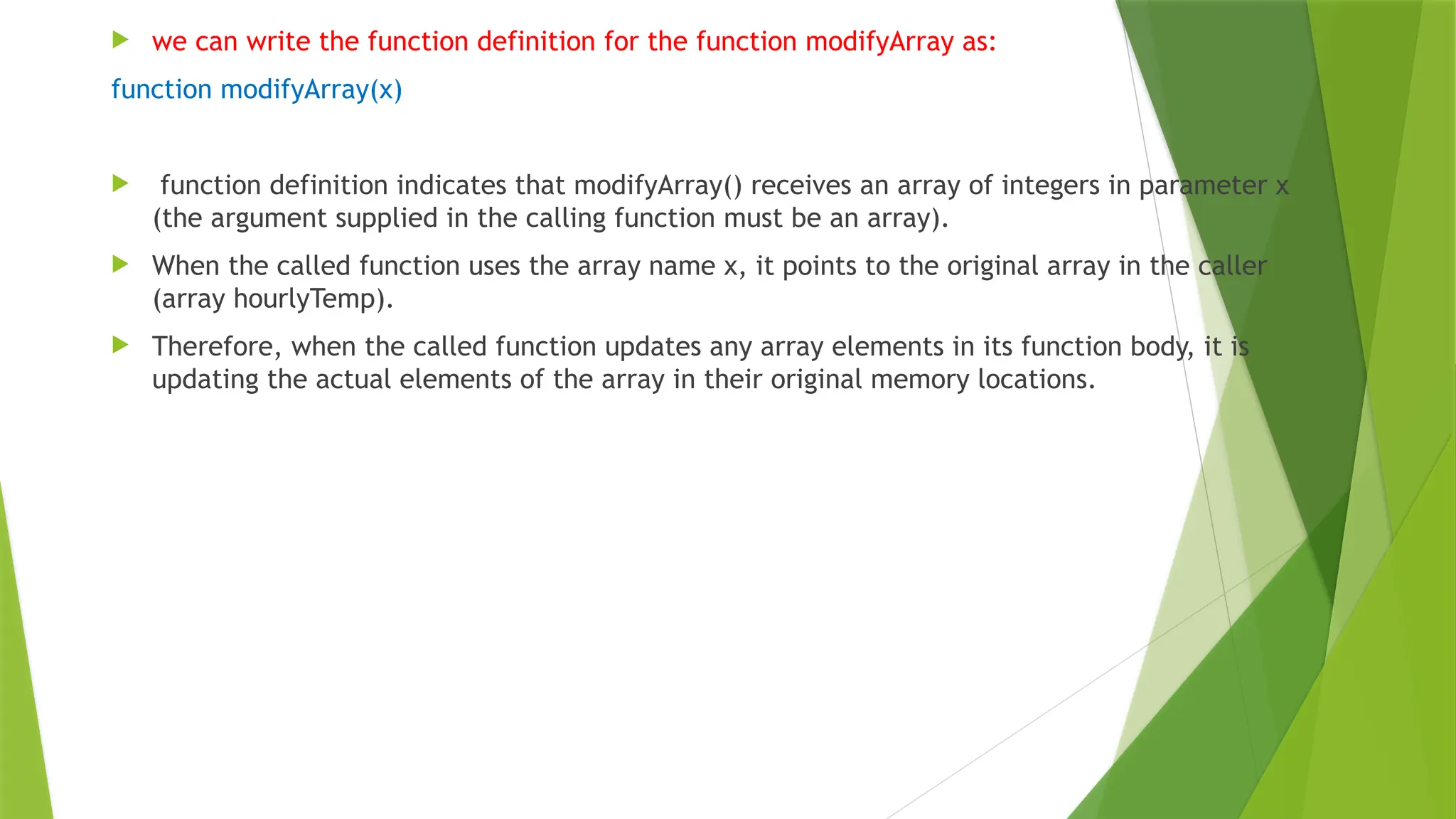
 we can write the function definition for the function modifyArray as:
function modifyArray(x)
 function definition indicates that modifyArray() receives an array of integers in parameter x
(the argument supplied in the calling function must be an array).
 When the called function uses the array name x, it points to the original array in the caller
(array hourlyTemp).
 Therefore, when the called function updates any array elements in its function body, it is
updating the actual elements of the array in their original memory locations.
Passing Array to Function as Pass by Reference
we will pass an initialized array to a function. Then, we will multiply each array element by 5 and display it.
<script>
let nums = new Array(20, 10, 25, 15, 35, 40);
let arrayLength = nums.length;
document.write("Original array elements are: ", "<br/>");
for(i = 0; i < arrayLength; i++) {
document.write(nums[i]+ " ");
}
document.write("<hr>");
// Function to pass an array by reference.
function modifyArray(x) {
document.write("Modified array elements: ", "<br/>");
for(i = 0; i < arrayLength; i++) {
document.write(nums[i] * 5 + " ");
}
}
// Calling function by passing array.
modifyArray(nums); // entire array passed by reference.
</script>
 we have passed an array nums into modifyArray() as pass by reference.
 That is, the parameter nums is passed into modifyArray() function with reference to x.
 Inside the function the array elements are multiplied by 5 and displayed.
Passing Individual Array Element to Function as Pass by Value
 Let’s create a JavaScript program in which we will pass the entire array as a pass by reference
to the function in JavaScript. Then we will pass the individual array element to the function as a
pass by value in JavaScript.
<script>
let nums = [10, 20, 30, 40, 50];
document.write("Original array: ", "<br/>");
for(i = 0; i < nums.length; i++)
document.write(nums[i]+ " ");
document.write("<br/>");
document.write("Modified array: ", "<br/>");
// Create a function that modifies elements of an array.
function modifyArray(newArray) {
for(j = 0; j < nums.length; j++)
document.write((newArray[j] *= 4)+ " ");
}
modifyArray(nums); // passing an array as passed by reference.
document.write("<br/>");
document.write("nums[3] before modifyElement: " +nums[3], "<br/>");
// Create a function that modifies the value passed.
function modifyElement(e) {
e *= 3;
document.write("nums[3] after modifyElement: " +e);
}
modifyElement(nums[3]); // passing array element nums[3] as passed by value.
</script>
JavaScript Multidimensional Array(MultiScripted)
 Multidimensional arrays are not directly provided in JavaScript.
 If we want to use anything which acts as a multidimensional array then we need to create a
multidimensional array by using another one-dimensional array.
 So multidimensional arrays in JavaScript is known as arrays inside another array.
 We need to put some arrays inside an array, then the total thing is working like a
multidimensional array.
 The array, in which the other arrays are going to insert, that array is use as the multidimensional
array in our code.
 To define a multidimensional array its exactly the same as defining a normal one-dimensional
array.
One-Dimensional array:
let arr = []; // Empty 1D array
let arr1 = ["A", "B", "C", "D"] // 1D array contains some alphabets
let arr1 = [1, 2, 3, 4, 5] // 1D array contains some digits
Multidimensional-Dimensional array(Method – 1):
1st, need to define some 1D array
let arr1 = ["ABC", 24, 18000];
let arr2 = ["EFG", 30, 30000];
let arr3 = ["IJK", 28, 41000];
let arr4 = ["EFG", 31, 28000];
let arr5 = ["EFG", 29, 35000];
// "salary" defines like a 1D array but it already contains some 1D array
let salary = [arr1, arr2, arr3, arr4, arr5];
//Here arr1, arr2, …arr5 are some 1D arrays that are inside the salary array.
Another Method:
let salary = [
["ABC", 24, 18000],
["EFG", 30, 30000],
["IJK", 28, 41000],
["EFG", 31, 28000],
];
Accessing the element of the salary array:
To access the array element we need a simple index-based notation
salary[0][2];
// Similarly,
salary[3][2]; // Selects 28000
**This notation is used for both Method 1 and Method 2.
For many iteration, we need to use loop to access the elements,
// This loop is for outer array
for (let i = 0, l1 = salary.length; i < l1; i++) {
// This loop is for inner-arrays
for (let j = 0, l2 = salary[i].length; j < l2; j++) {
// Accessing each elements of inner-array
documents.write( salary[i][j] );
}
}
Adding elements in Multidimensional Array:
 Adding elements in multi-dimensional arrays can be achieved in two ways in inner array or outer
array.
 The inner array can be done in two different ways.
Adding elements to inner array:
 We can use simple square bracket notation to add elements in multidimensional array.
 salary[3][3] = "India";
 // It adds "India" at the 4th index of 4th sub-array,
 // If we print the entire 4th sub-array, document.write(salary[3]);
 // the output will be : ["EFG", 31, 28000, "India"]
 // indexing starts from 0
We can use push() method to add elements in the array.
 salary[3].push("India", "Mumbai");
 // It add "India" at the 4th index and "Mumbai" at
 // 5th index of 4th sub-array
 // If we print the entire 4th sub-array,
 // document.write(salary[3]);
 // The output will be : ["EFG", 31, 28000, "India", "Mumbai"]
 // Indexing starts from 0
Adding elements to outer array: It is much similar to previous methods.
 salary.push(["MNO", 29, 33300]);
 // This row added after the last row in the "salary" array
Removing elements in Multidimensional Array: We can use pop() methods to remove
elements from inner-arrays, and also use pop() method for removing a entire inner array.
 // Remove last element from 4th sub-array
 // That is 28000 indexing starts from 0
 salary[3].pop();
 // Removes last sub-array
 // That is "["EFG", 31, 28000]"
 salary.pop();
Example
// Prints a simple multidimensional array in JavaScript
let arr1 = ["ABC", 24, 18000];
let arr2 = ["EFG", 30, 30000];
let arr3 = ["IJK", 28, 41000];
let arr4 = ["EFG", 31, 28000];
let arr5 = ["EFG", 29, 35000];
let salary = [arr1, arr2, arr3, arr4, arr5];
for (let i = 0; i < salary.length; i++) {
console.log(salary[i]);
}
// Prints a simple multidimensional array in
// JavaScript with different declaration
let salary = [
["ABC", 24, 18000],
["EFG", 30, 30000],
["IJK", 28, 41000],
["EFG", 31, 28000],
];
for (let i = 0; i < salary.length; i++) {
console.log(salary[i]);
}
// Prints a simple multidimensional array in JavaScript
// where we just print the salary of a specific person
let salary = [
["ABC", 24, 18000],
["EFG", 30, 30000],
["IJK", 28, 41000],
["EFG", 31, 28000],
];
console.log("salary of 2nd person : " + salary[1][2]);
console.log("salary of 4th person : " + salary[3][2]);
// Prints a simple multidimensional array in
// JavaScript where we add elements in the array
// using simple square bracket and push() method
let salary = [
["ABC", 24, 18000],
["EFG", 30, 30000],
["IJK", 28, 41000],
["EFG", 31, 28000],
];
// Prints first array
console.log("Original array :<br>");
for (let i = 0; i < salary.length; i++) {
console.log(salary[i]);
}
// Adding "India" at the 4th index of 4th sub array
salary[3][3] = "India";
console.log("<br>after adding "India" at the 4th array :<br>");
for (let i = 0; i < salary.length; i++) {
console.log(salary[i]);
}
console.log("<br>after adding "USA" and "Canada" " + "at the 3rd array using "push()" method :");
salary[2].push("USA", "Canada");
// Adding "USA" and "Canada" in the 2nd sub-array
for (let i = 0; i < salary.length; i++) {
console.log(salary[i]);
}
// Prints a simple multidimensional array in
// JavaScript where we add a new inner array
let salary = [
["ABC", 24, 18000],
["EFG", 30, 30000],
["IJK", 28, 41000],
["EFG", 31, 28000],
];
// Prints first array
console.log("Original array :");
for(let i = 0; i < salary.length; i++) {
console.log(salary[i]);
}
console.log("After adding a new inner array :");
// Pushing a new sub-array
salary.push(["MNO", 29, 33300]);
for(let i = 0; i < salary.length; i++) {
console.log(salary[i]);
}
// Prints a simple multidimensional array in
// JavaScript where we remove a single element
// and a entire sub-array
let salary = [
["ABC", 24, 18000],
["EFG", 30, 30000],
["IJK", 28, 41000],
["EFG", 31, 28000],
];
// Prints first array
console.log("Original array :");
for (let i = 0; i < salary.length; i++) {
console.log(salary[i]);
}
console.log("After removing last element " + "of last inner array :");
// Removes the last element of 3rd sub-array
salary[3].pop();
for (let i = 0; i < salary.length; i++) {
console.log(salary[i] + "");
}
console.log("After removing last inner array :");
// Removes last sub-array
salary.pop();
for (let i = 0; i < salary.length; i++) {
console.log(salary[i]);
}
Javascript Math Object
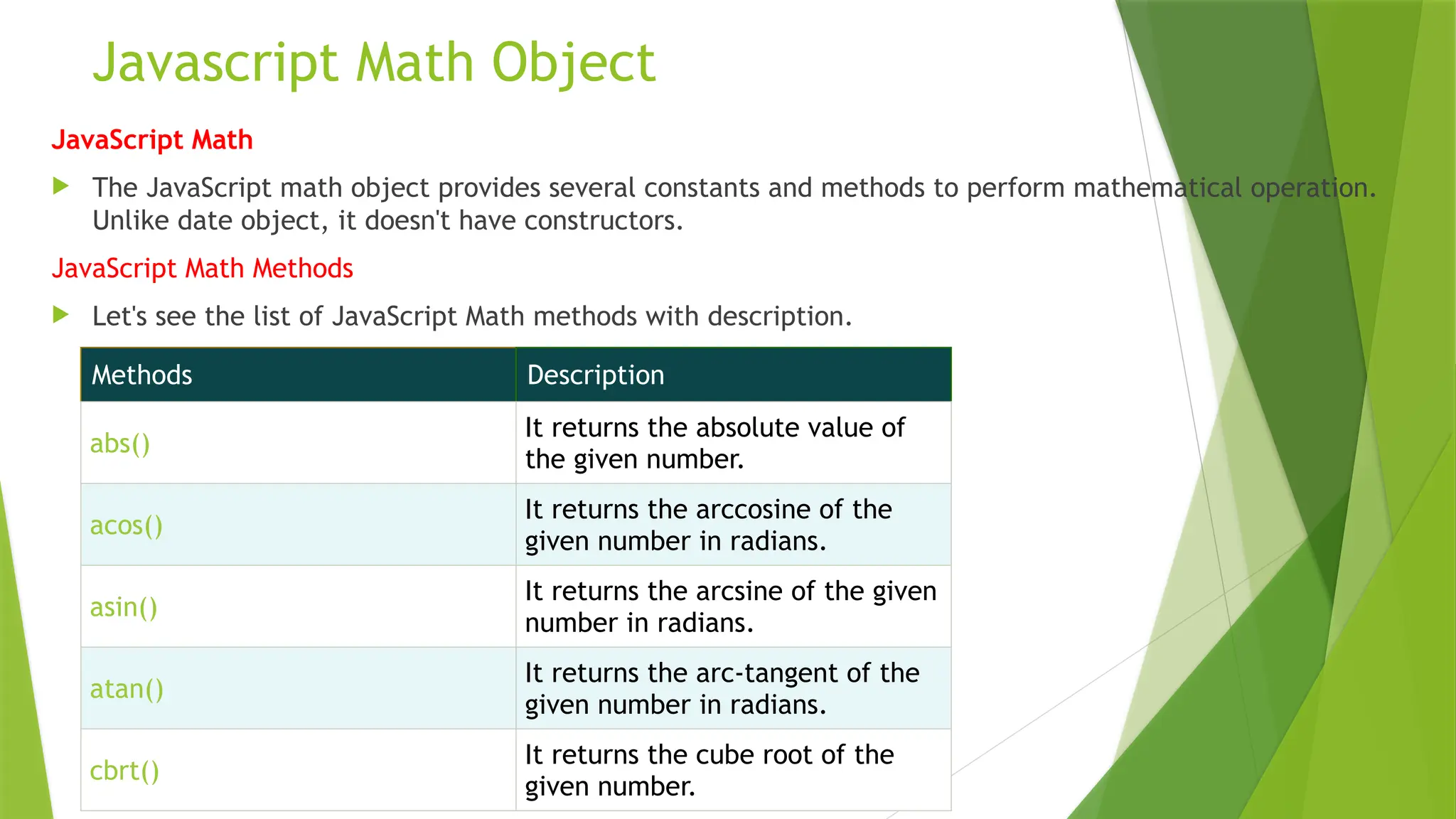
JavaScript Math
 The JavaScript math object provides several constants and methods to perform mathematical operation.
Unlike date object, it doesn't have constructors.
JavaScript Math Methods
 Let's see the list of JavaScript Math methods with description.
Methods Description
abs()
It returns the absolute value of
the given number.
acos()
It returns the arccosine of the
given number in radians.
asin()
It returns the arcsine of the given
number in radians.
atan()
It returns the arc-tangent of the
given number in radians.
cbrt()
It returns the cube root of the
given number.
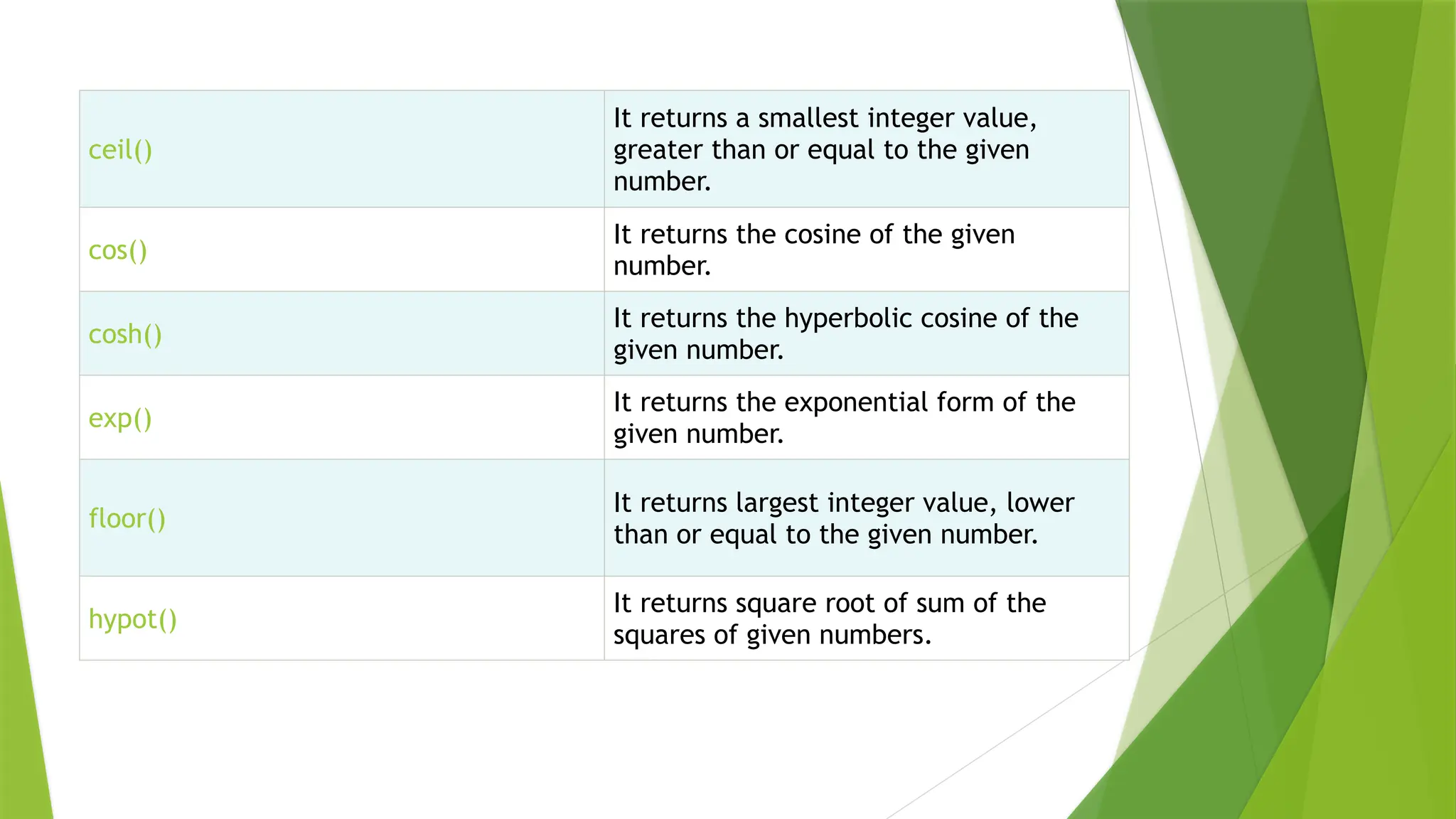
ceil()
It returns a smallest integer value,
greater than or equal to the given
number.
cos()
It returns the cosine of the given
number.
cosh()
It returns the hyperbolic cosine of the
given number.
exp()
It returns the exponential form of the
given number.
floor()
It returns largest integer value, lower
than or equal to the given number.
hypot()
It returns square root of sum of the
squares of given numbers.
Javascript Math Object
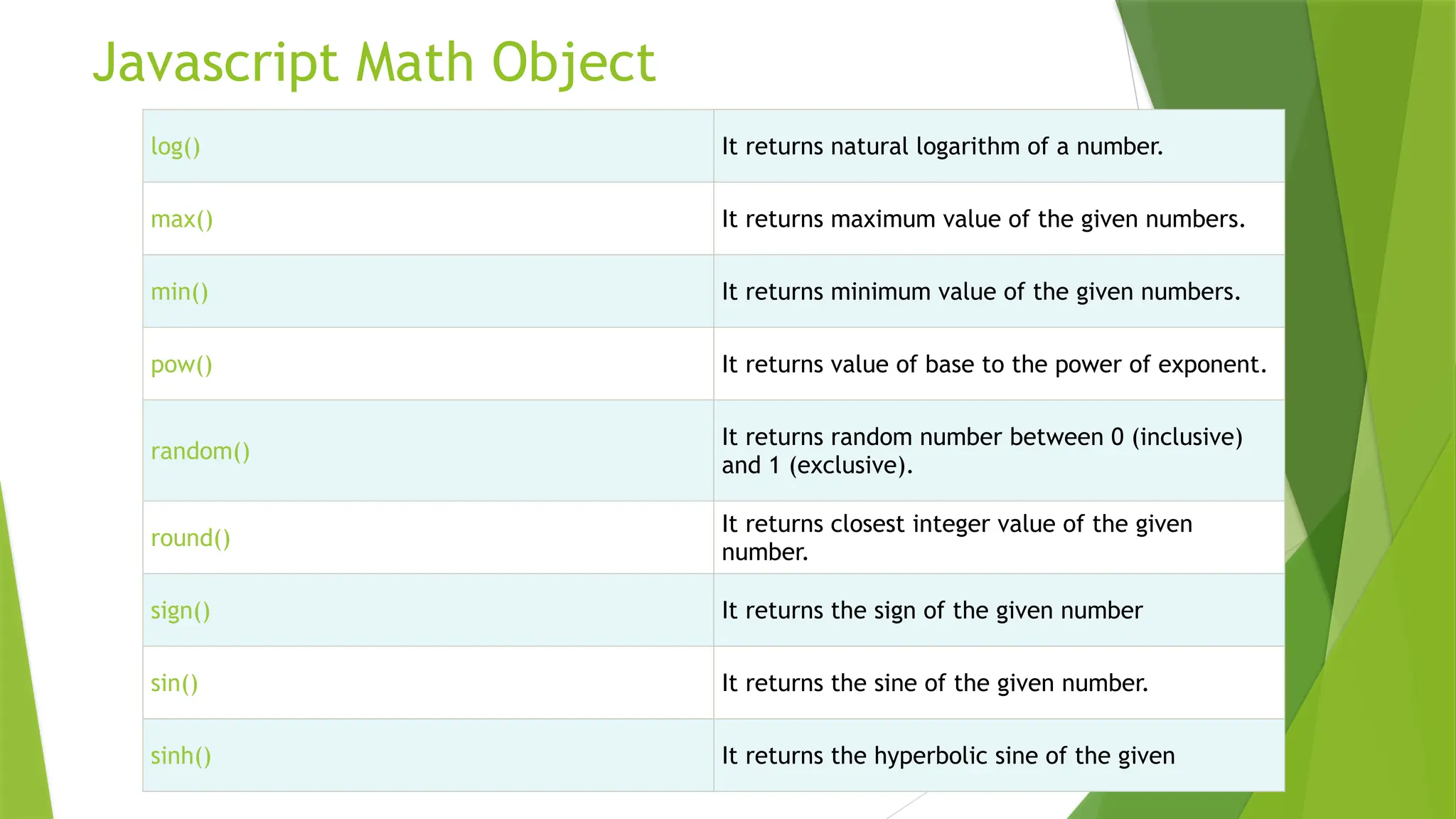
log() It returns natural logarithm of a number.
max() It returns maximum value of the given numbers.
min() It returns minimum value of the given numbers.
pow() It returns value of base to the power of exponent.
random()
It returns random number between 0 (inclusive)
and 1 (exclusive).
round()
It returns closest integer value of the given
number.
sign() It returns the sign of the given number
sin() It returns the sine of the given number.
sinh() It returns the hyperbolic sine of the given
Javascript Math Object
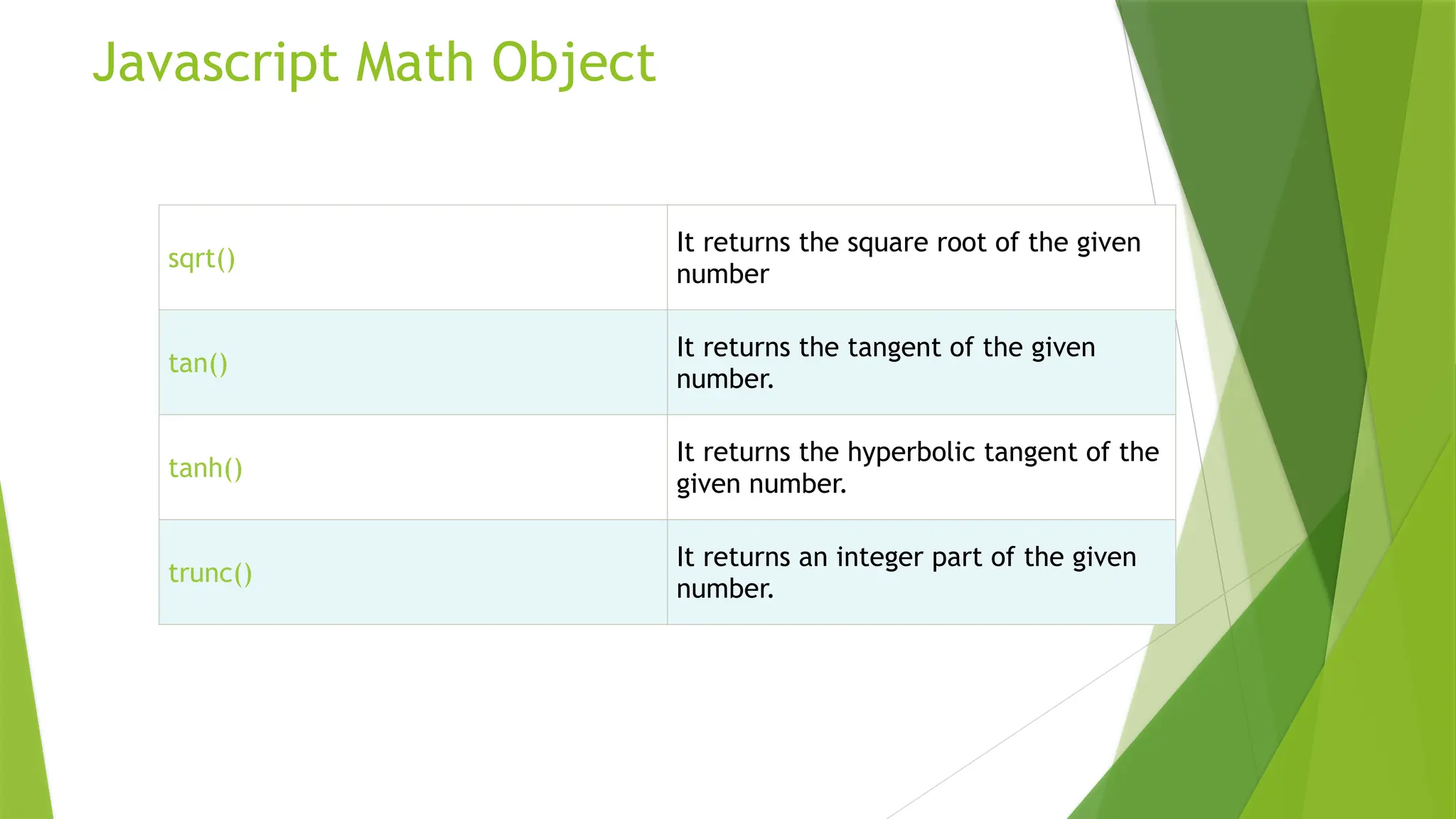
sqrt()
It returns the square root of the given
number
tan()
It returns the tangent of the given
number.
tanh()
It returns the hyperbolic tangent of the
given number.
trunc()
It returns an integer part of the given
number.
Javascript Math Object
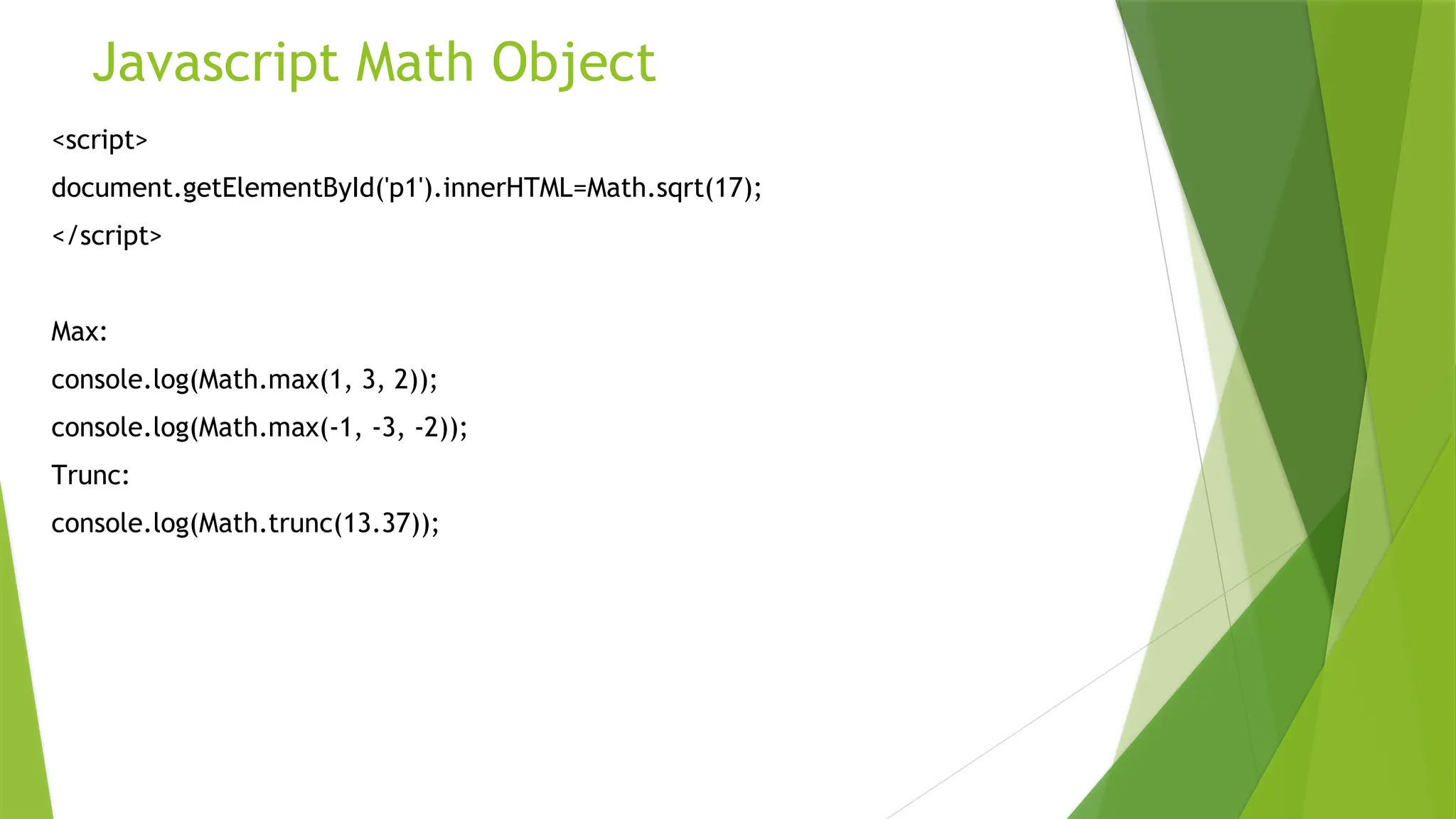
<script>
document.getElementById('p1').innerHTML=Math.sqrt(17);
</script>
Max:
console.log(Math.max(1, 3, 2));
console.log(Math.max(-1, -3, -2));
Trunc:
console.log(Math.trunc(13.37));
Javascript Math Object
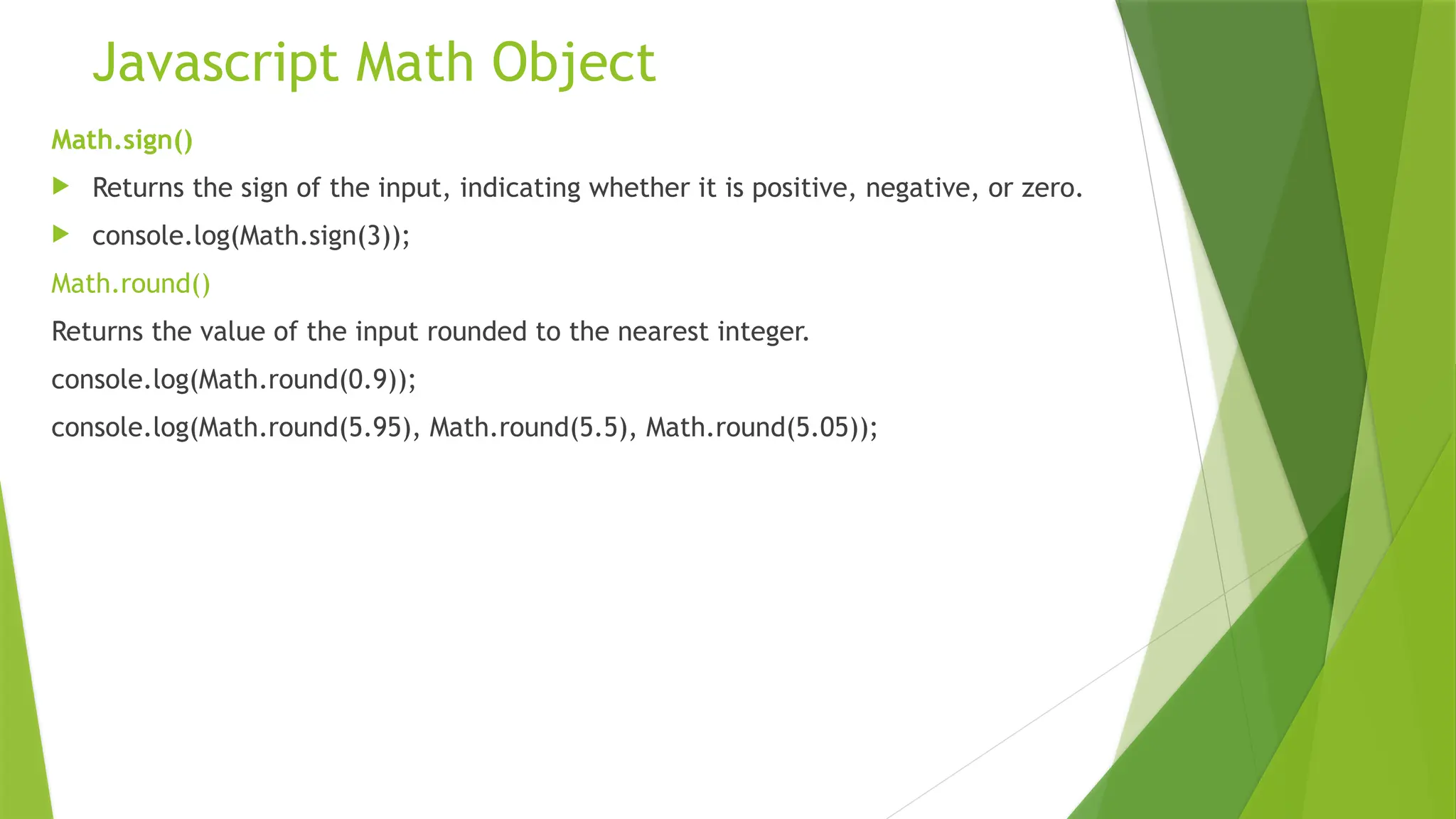
Math.sign()
 Returns the sign of the input, indicating whether it is positive, negative, or zero.
 console.log(Math.sign(3));
Math.round()
Returns the value of the input rounded to the nearest integer.
console.log(Math.round(0.9));
console.log(Math.round(5.95), Math.round(5.5), Math.round(5.05));
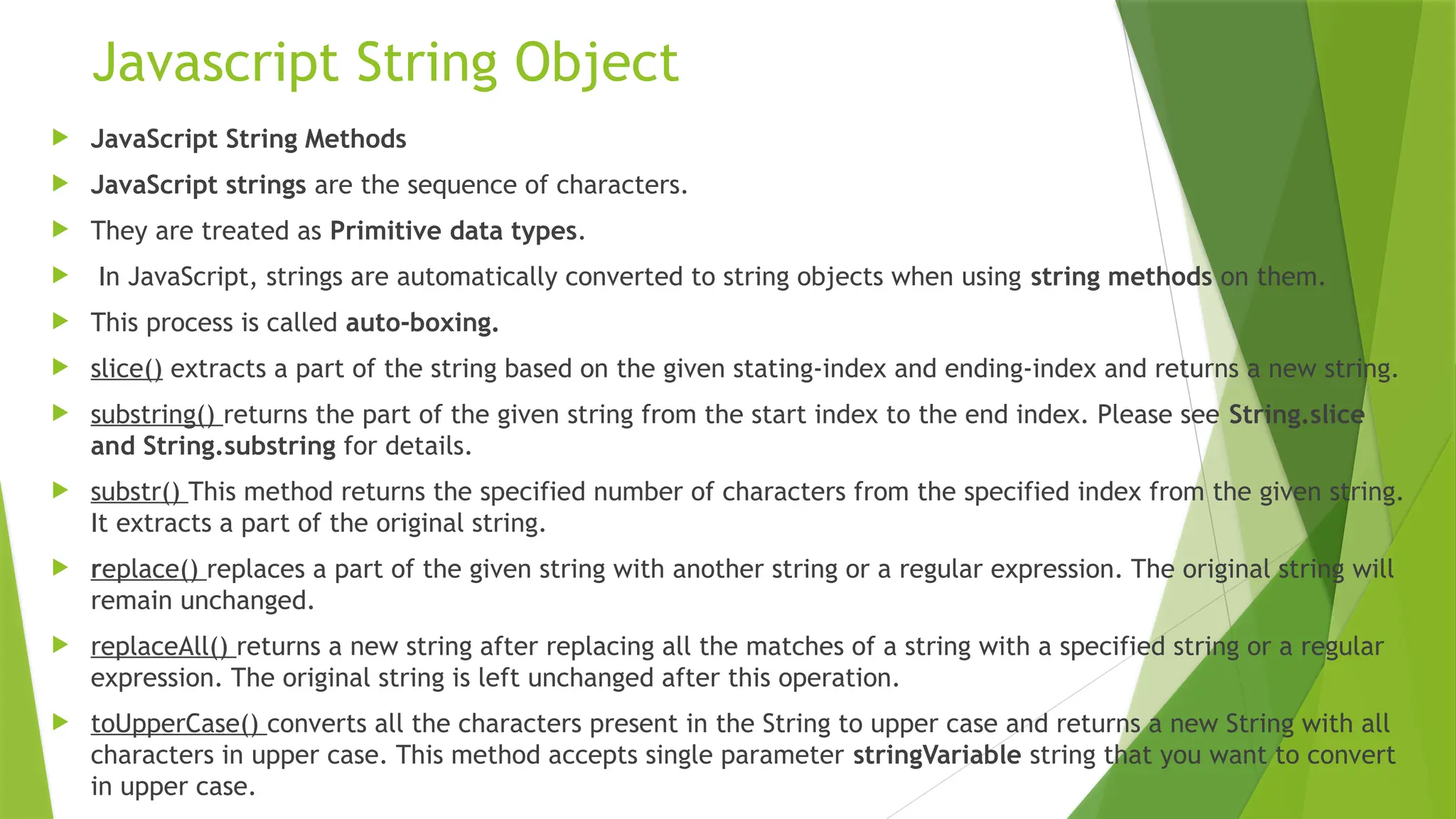
Javascript String Object
 JavaScript String Methods
 JavaScript strings are the sequence of characters.
 They are treated as Primitive data types.
 In JavaScript, strings are automatically converted to string objects when using string methods on them.
 This process is called auto-boxing.
 slice() extracts a part of the string based on the given stating-index and ending-index and returns a new string.
 substring() returns the part of the given string from the start index to the end index. Please see String.slice
and String.substring for details.
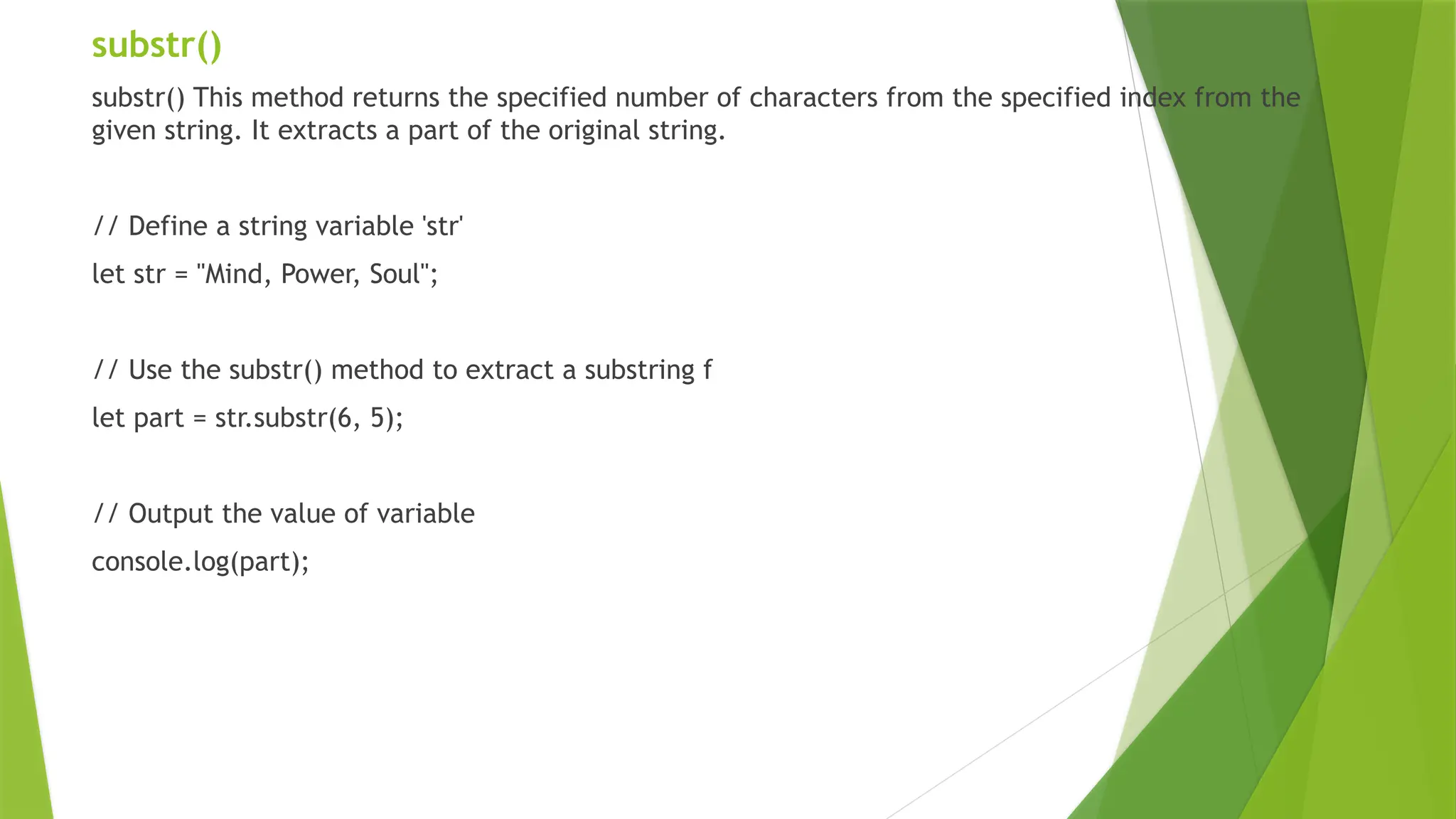
 substr() This method returns the specified number of characters from the specified index from the given string.
It extracts a part of the original string.
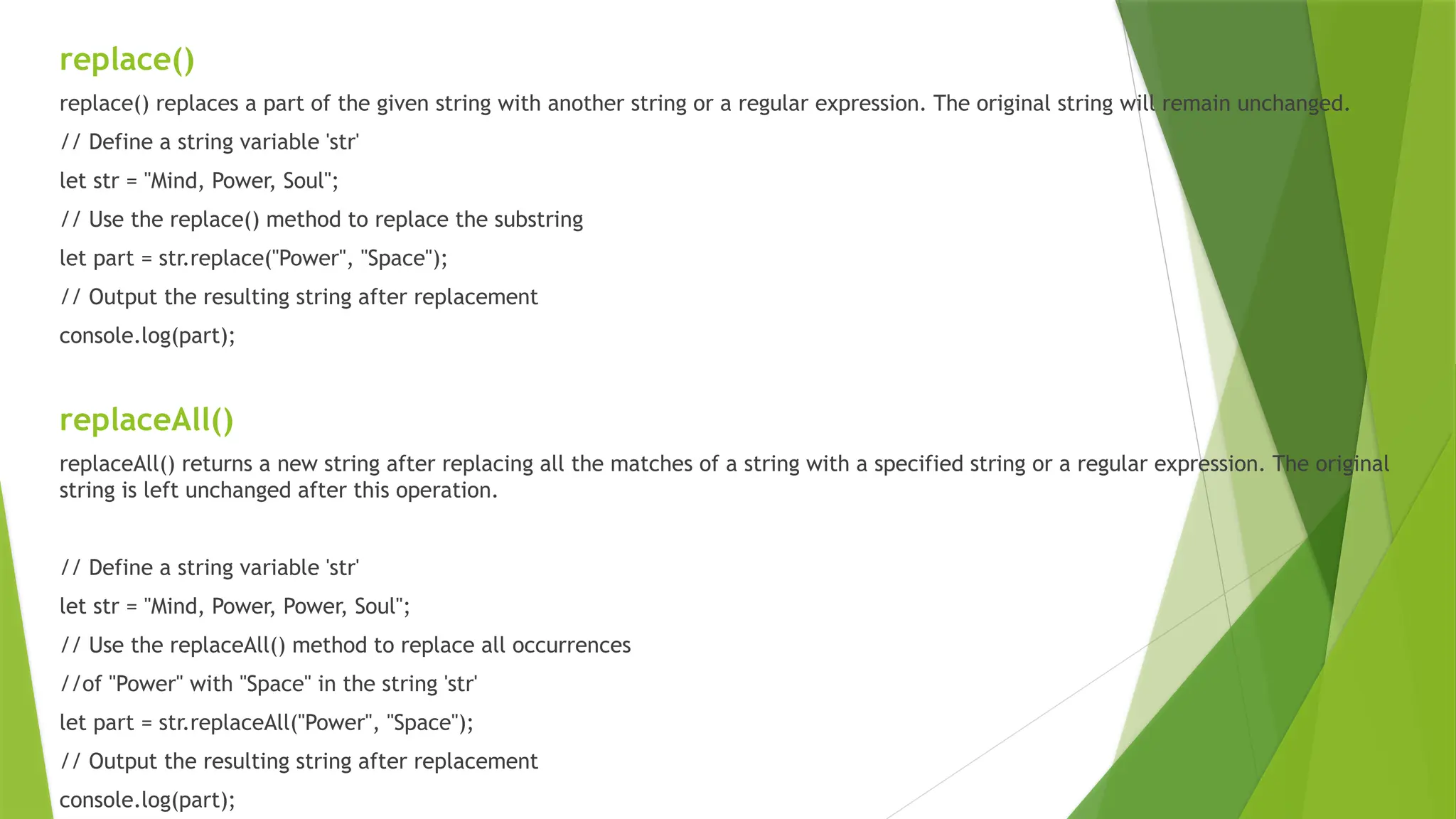
 replace() replaces a part of the given string with another string or a regular expression. The original string will
remain unchanged.
 replaceAll() returns a new string after replacing all the matches of a string with a specified string or a regular
expression. The original string is left unchanged after this operation.
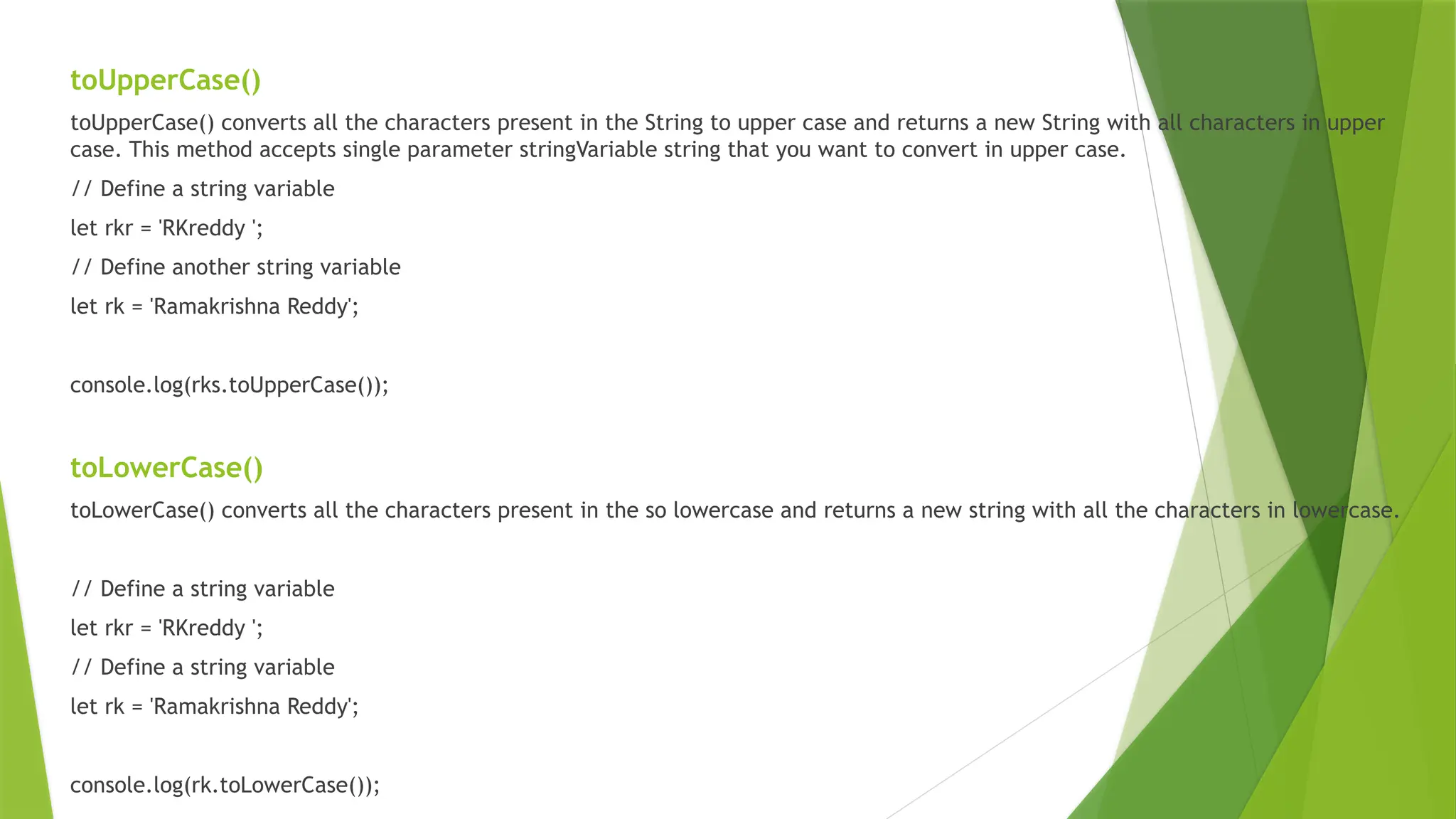
 toUpperCase() converts all the characters present in the String to upper case and returns a new String with all
characters in upper case. This method accepts single parameter stringVariable string that you want to convert
in upper case.
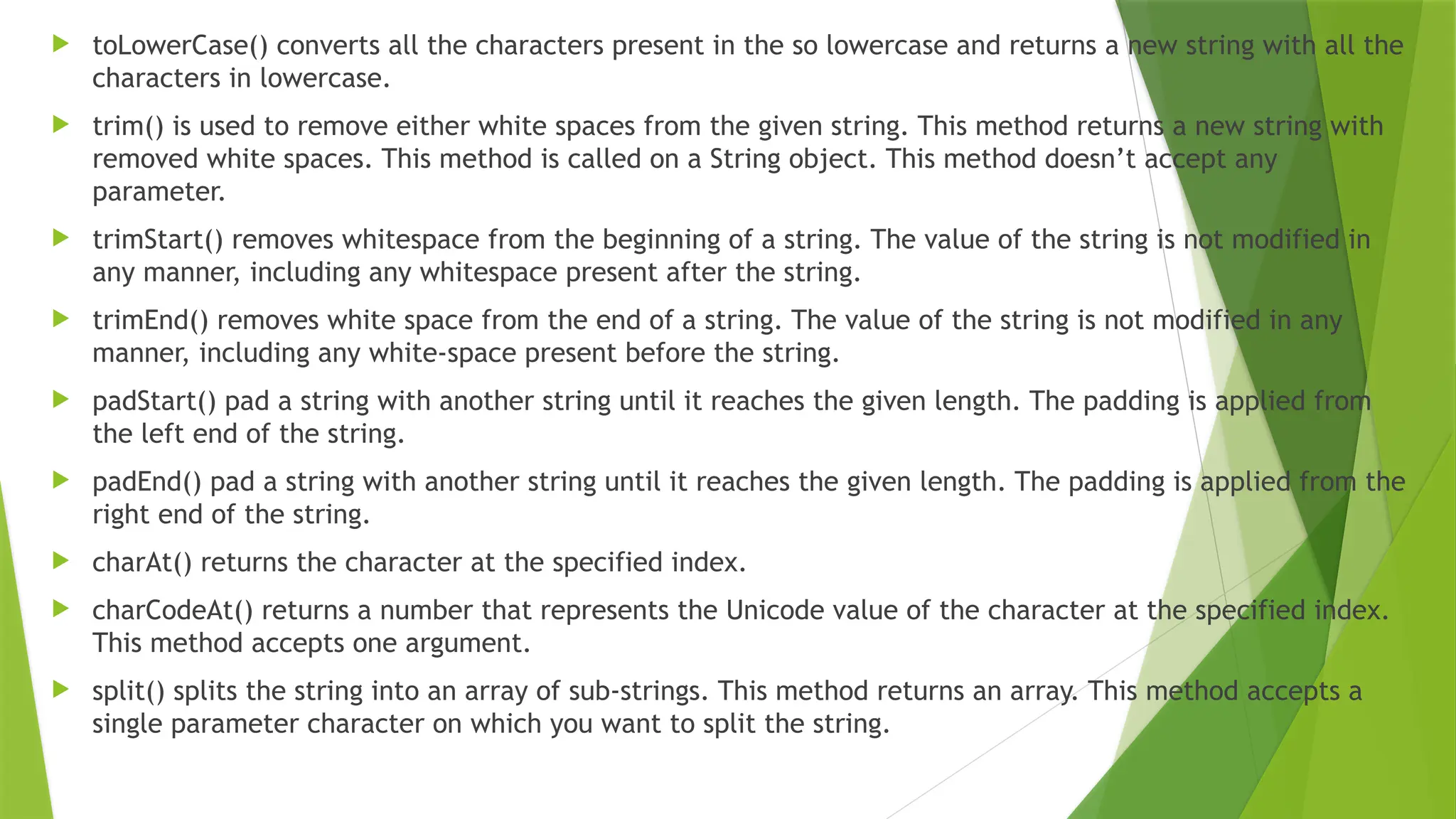
 toLowerCase() converts all the characters present in the so lowercase and returns a new string with all the
characters in lowercase.
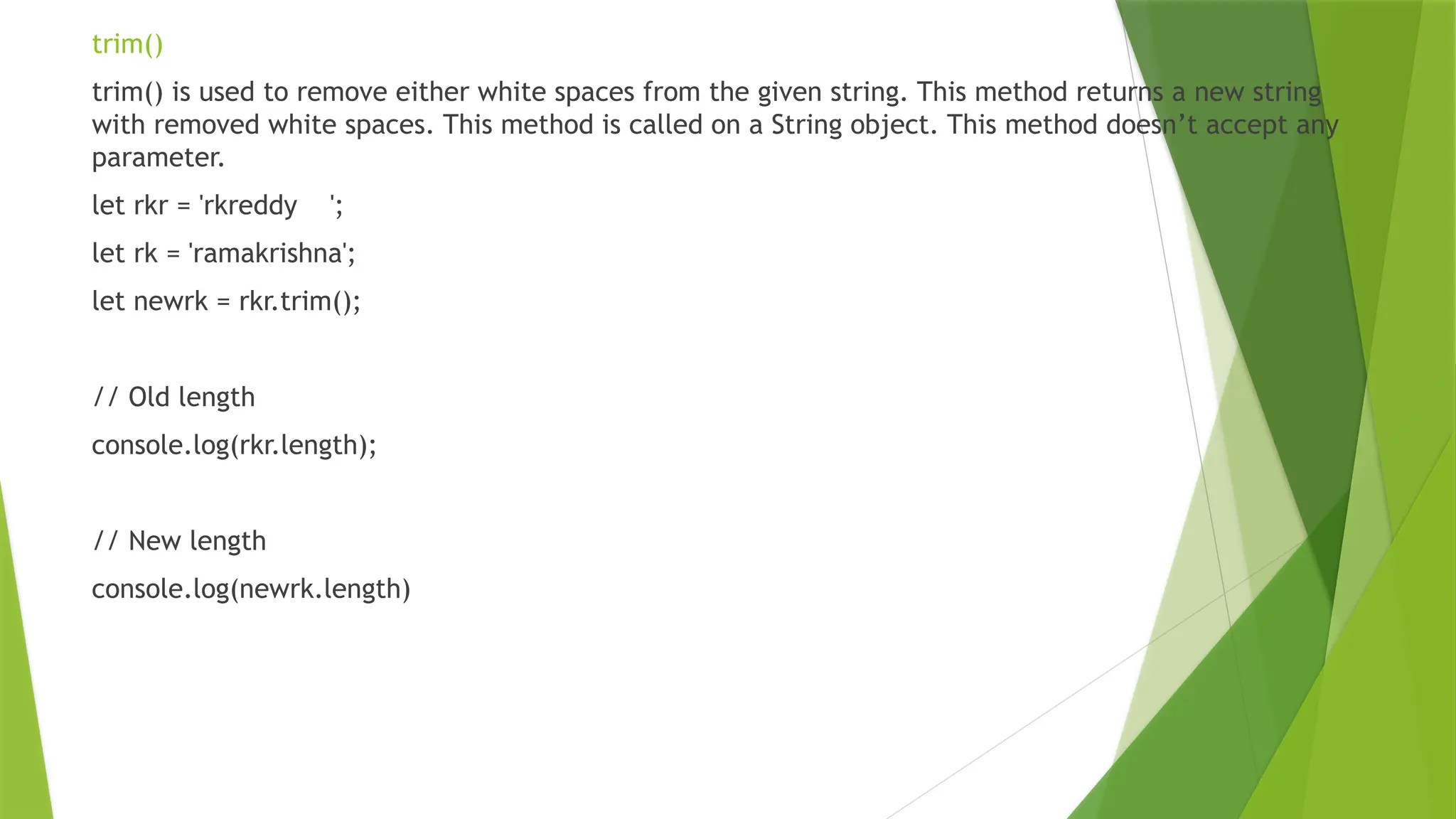
 trim() is used to remove either white spaces from the given string. This method returns a new string with
removed white spaces. This method is called on a String object. This method doesn’t accept any
parameter.
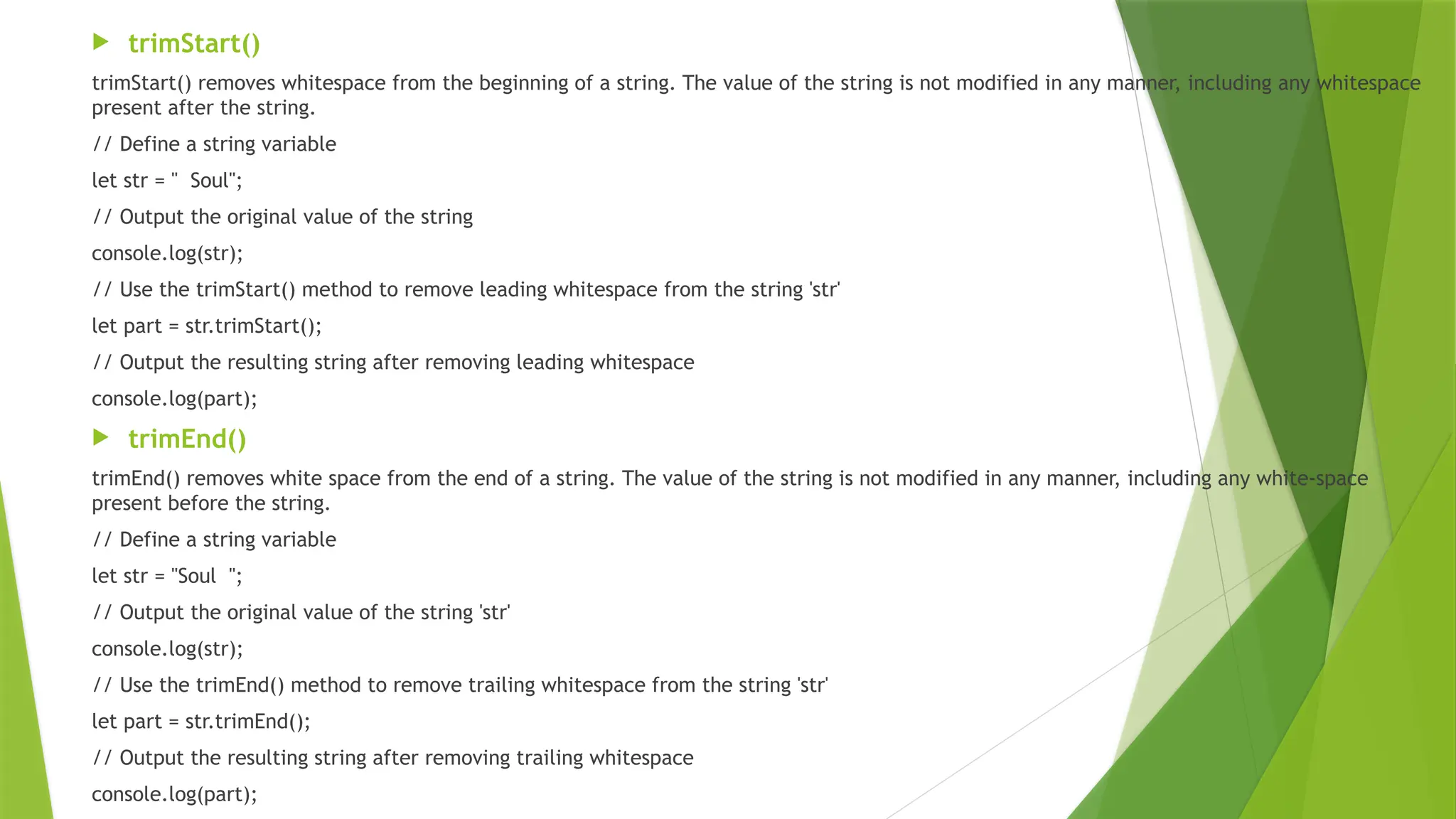
 trimStart() removes whitespace from the beginning of a string. The value of the string is not modified in
any manner, including any whitespace present after the string.
 trimEnd() removes white space from the end of a string. The value of the string is not modified in any
manner, including any white-space present before the string.
 padStart() pad a string with another string until it reaches the given length. The padding is applied from
the left end of the string.
 padEnd() pad a string with another string until it reaches the given length. The padding is applied from the
right end of the string.
 charAt() returns the character at the specified index.
 charCodeAt() returns a number that represents the Unicode value of the character at the specified index.
This method accepts one argument.
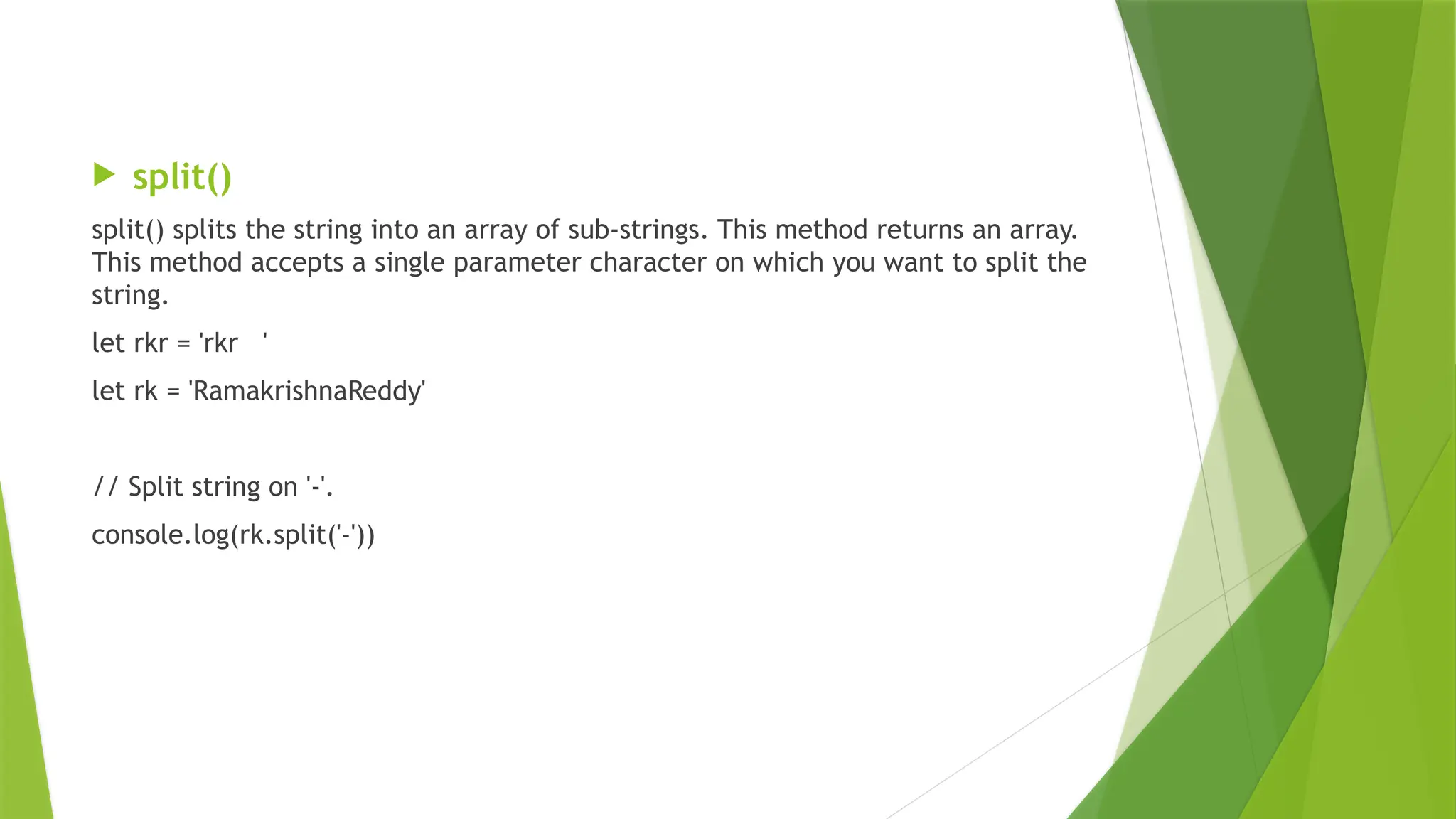
 split() splits the string into an array of sub-strings. This method returns an array. This method accepts a
single parameter character on which you want to split the string.
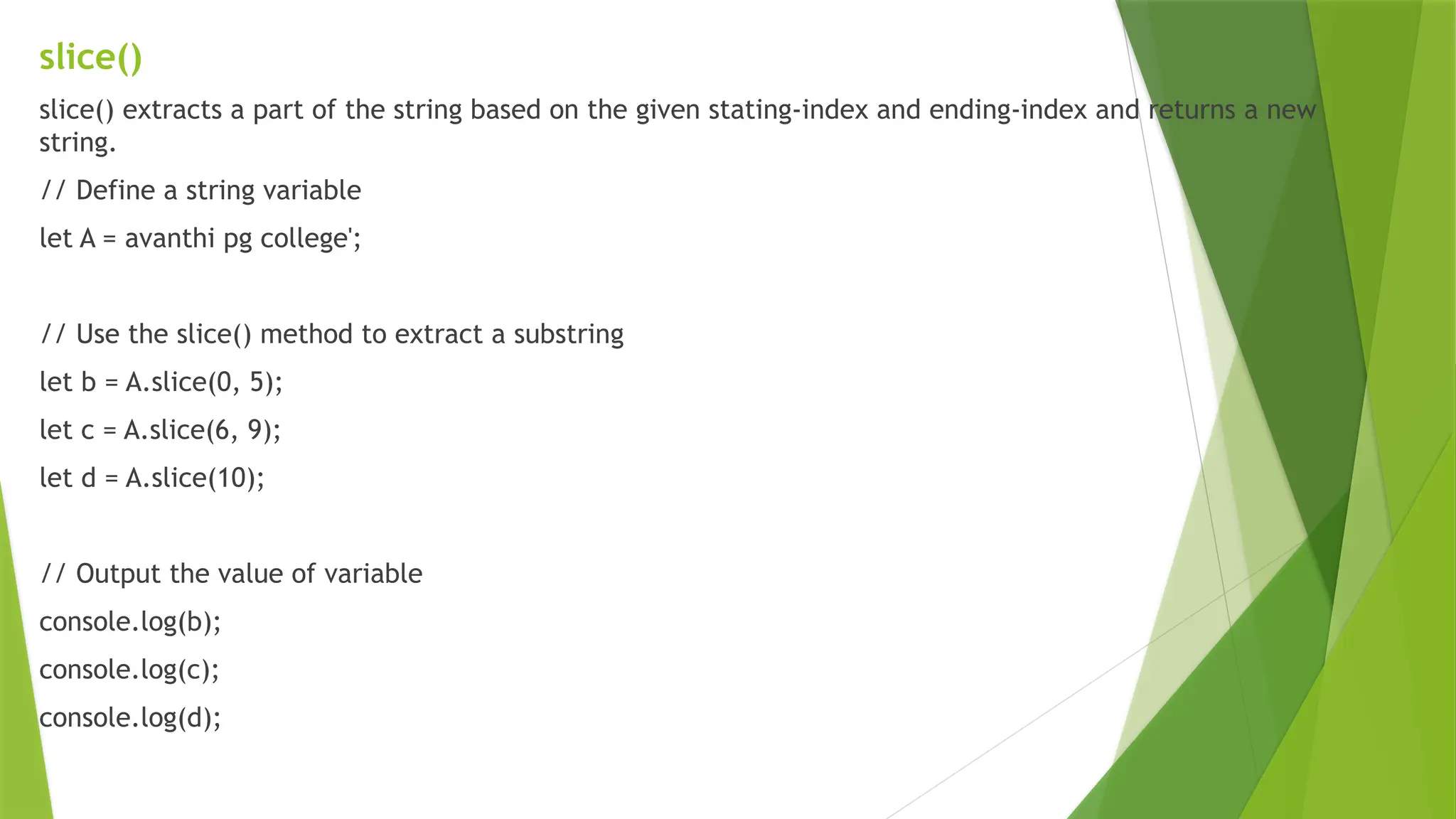
slice()
slice() extracts a part of the string based on the given stating-index and ending-index and returns a new
string.
// Define a string variable
let A = avanthi pg college';
// Use the slice() method to extract a substring
let b = A.slice(0, 5);
let c = A.slice(6, 9);
let d = A.slice(10);
// Output the value of variable
console.log(b);
console.log(c);
console.log(d);
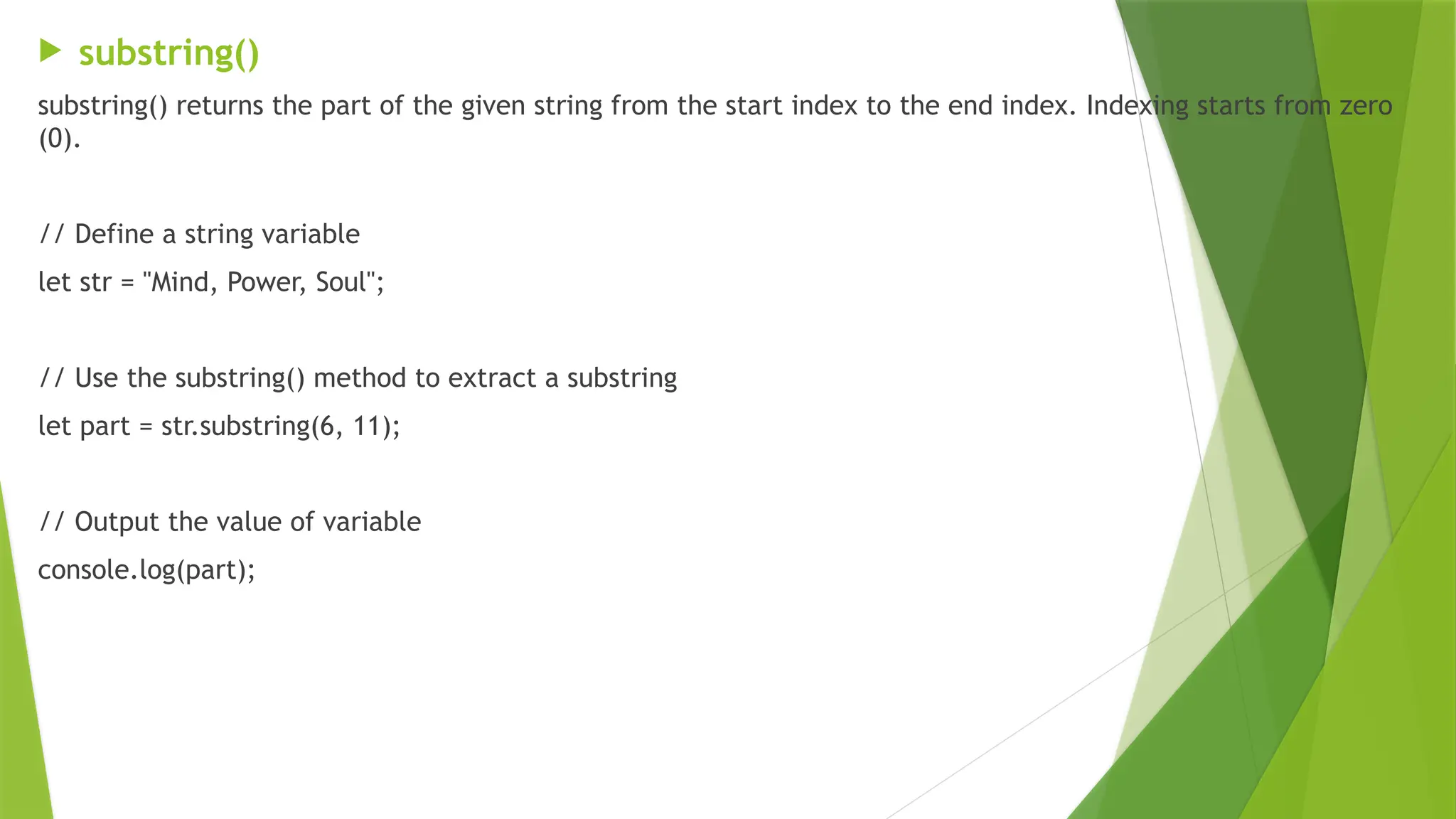
 substring()
substring() returns the part of the given string from the start index to the end index. Indexing starts from zero
(0).
// Define a string variable
let str = "Mind, Power, Soul";
// Use the substring() method to extract a substring
let part = str.substring(6, 11);
// Output the value of variable
console.log(part);
substr()
substr() This method returns the specified number of characters from the specified index from the
given string. It extracts a part of the original string.
// Define a string variable 'str'
let str = "Mind, Power, Soul";
// Use the substr() method to extract a substring f
let part = str.substr(6, 5);
// Output the value of variable
console.log(part);
replace()
replace() replaces a part of the given string with another string or a regular expression. The original string will remain unchanged.
// Define a string variable 'str'
let str = "Mind, Power, Soul";
// Use the replace() method to replace the substring
let part = str.replace("Power", "Space");
// Output the resulting string after replacement
console.log(part);
replaceAll()
replaceAll() returns a new string after replacing all the matches of a string with a specified string or a regular expression. The original
string is left unchanged after this operation.
// Define a string variable 'str'
let str = "Mind, Power, Power, Soul";
// Use the replaceAll() method to replace all occurrences
//of "Power" with "Space" in the string 'str'
let part = str.replaceAll("Power", "Space");
// Output the resulting string after replacement
console.log(part);
toUpperCase()
toUpperCase() converts all the characters present in the String to upper case and returns a new String with all characters in upper
case. This method accepts single parameter stringVariable string that you want to convert in upper case.
// Define a string variable
let rkr = 'RKreddy ';
// Define another string variable
let rk = 'Ramakrishna Reddy';
console.log(rks.toUpperCase());
toLowerCase()
toLowerCase() converts all the characters present in the so lowercase and returns a new string with all the characters in lowercase.
// Define a string variable
let rkr = 'RKreddy ';
// Define a string variable
let rk = 'Ramakrishna Reddy';
console.log(rk.toLowerCase());
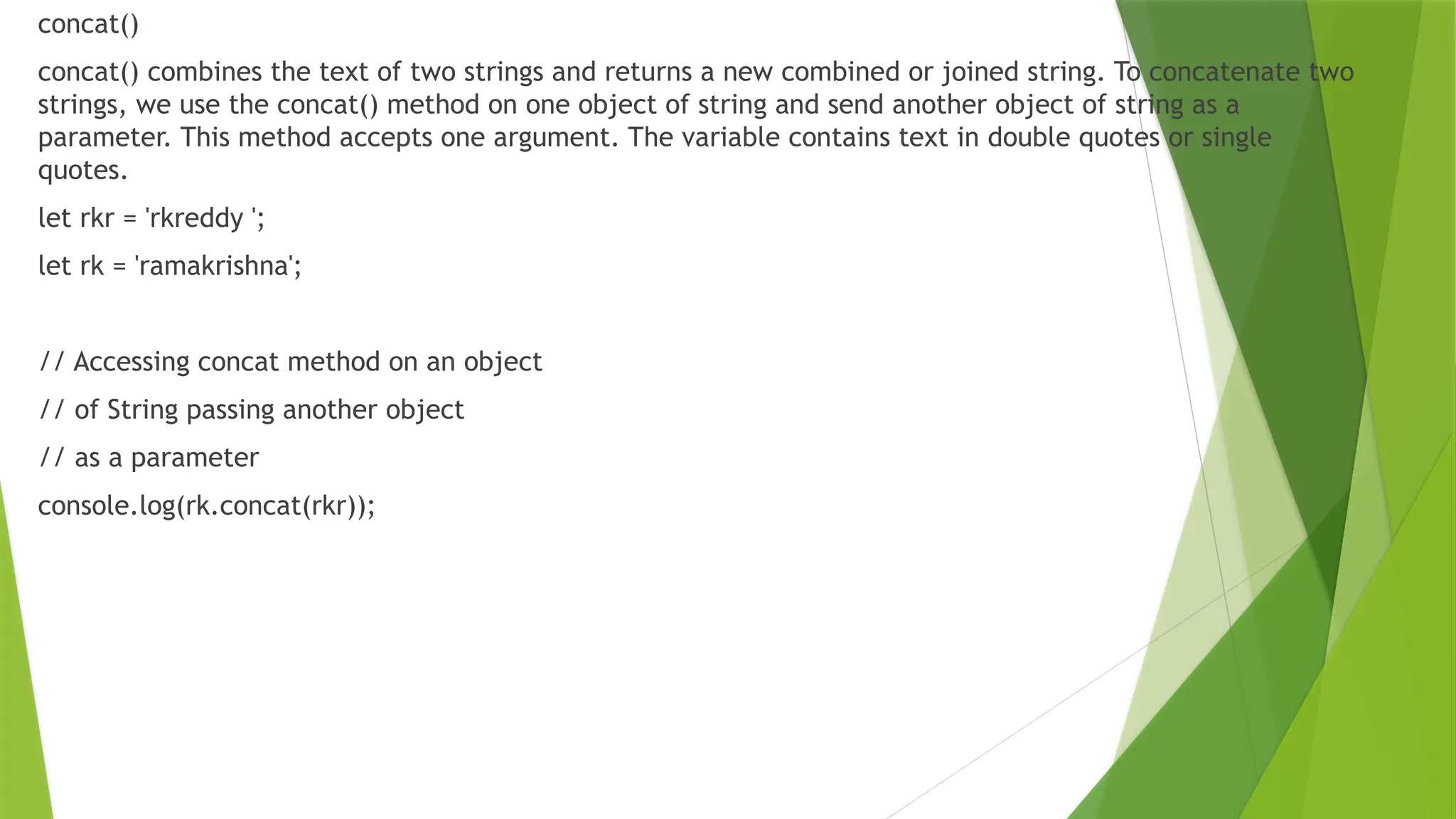
concat()
concat() combines the text of two strings and returns a new combined or joined string. To concatenate two
strings, we use the concat() method on one object of string and send another object of string as a
parameter. This method accepts one argument. The variable contains text in double quotes or single
quotes.
let rkr = 'rkreddy ';
let rk = 'ramakrishna';
// Accessing concat method on an object
// of String passing another object
// as a parameter
console.log(rk.concat(rkr));
trim()
trim() is used to remove either white spaces from the given string. This method returns a new string
with removed white spaces. This method is called on a String object. This method doesn’t accept any
parameter.
let rkr = 'rkreddy ';
let rk = 'ramakrishna';
let newrk = rkr.trim();
// Old length
console.log(rkr.length);
// New length
console.log(newrk.length)
 trimStart()
trimStart() removes whitespace from the beginning of a string. The value of the string is not modified in any manner, including any whitespace
present after the string.
// Define a string variable
let str = " Soul";
// Output the original value of the string
console.log(str);
// Use the trimStart() method to remove leading whitespace from the string 'str'
let part = str.trimStart();
// Output the resulting string after removing leading whitespace
console.log(part);
 trimEnd()
trimEnd() removes white space from the end of a string. The value of the string is not modified in any manner, including any white-space
present before the string.
// Define a string variable
let str = "Soul ";
// Output the original value of the string 'str'
console.log(str);
// Use the trimEnd() method to remove trailing whitespace from the string 'str'
let part = str.trimEnd();
// Output the resulting string after removing trailing whitespace
console.log(part);
 split()
split() splits the string into an array of sub-strings. This method returns an array.
This method accepts a single parameter character on which you want to split the
string.
let rkr = 'rkr '
let rk = 'RamakrishnaReddy'
// Split string on '-'.
console.log(rk.split('-'))
JavaScript  Arrays and its types   .pptx

JavaScript Arrays and its types .pptx

  • 1.
    Pass by Valueand Pass by Reference in JavaScript JavaScript handles variables in different ways when passing them to functions. This is one fundamental concept that every JavaScript developer needs to understand is how variables are passed to functions. This is where “Pass by Value” and “Pass by Reference” come into play.
  • 2.
    Pass by Value Pass by Value means that when you pass a variable to a function, JavaScript creates a copy of the variable’s value and uses it inside the function.  This means any changes made to the variable inside the function do not affect the original variable outside the function.
  • 3.
    function Passbyvalue(a, b){ let tmp; tmp = b; b = a; a = tmp; console.log('Inside Pass by value function -> a = ${a} b = ${b}’); } let a = 1; let b = 2; console.log(`Before calling Pass by value Function -> a = ${a} b = ${b}`); Passbyvalue(a, b); console.log(`After calling Pass by value Function -> a =${a} b = ${b}`);
  • 4.
    Pass by Reference Pass by Reference means that when you pass a variable (specifically, objects or arrays) to a function, JavaScript passes the reference or memory address of the variable, not a copy.  This means any changes made to the variable inside the function will affect the original variable outside the function.
  • 5.
    function PassbyReference(obj) { lettmp = obj.a; obj.a = obj.b; obj.b = tmp; console.log(`Inside Pass By Reference Function -> a = ${obj.a} b = ${obj.b}`); } let obj = {a: 10, b: 20} console.log(`Before calling Pass By Reference function -> a = ${obj.a} b = ${obj.b}`); PassbyReference(obj) console.log(`After calling Pass By Reference Function -> a = ${obj.a} b = ${obj.b}`);
  • 6.
    When working withobjects or arrays, if you reassign the reference inside the function, it does not affect the original variable function PassbyReference(obj) { // Changing the reference of the object obj = { a: 10, b: 20, c: “RKREDDY" } console.log(`Inside Pass by Reference Function -> obj `); console.log(obj); } let obj = { a: 10, b: 20 } console.log(`Updating the object reference -> `) console.log(`Before calling Pass By Reference Function -> obj`); console.log(obj); PassbyReference(obj) console.log(`After calling Pass By Reference Function -> obj`); console.log(obj);
  • 7.
    Passing arrays tofunctions We can pass the entire array as a parameter to a function in JavaScript. This method of array passing is called call by reference in JavaScript if we have declared an array marks as let hourlyTemp = new Array(30); then function call statement: modifyArray(hourlyTemp); Function Receiving an Array via Function Call For a function to receive an array via a function call, you must specify a parameter in the function’s parameter list that will refer to the array in the function body. Unlike other programming languages, JavaScript does not hand over any specific syntax for this purpose. JavaScript simply needs that the name of an array to be specified in the function parameter list.
  • 8.
     we canwrite the function definition for the function modifyArray as: function modifyArray(x)  function definition indicates that modifyArray() receives an array of integers in parameter x (the argument supplied in the calling function must be an array).  When the called function uses the array name x, it points to the original array in the caller (array hourlyTemp).  Therefore, when the called function updates any array elements in its function body, it is updating the actual elements of the array in their original memory locations.
  • 9.
    Passing Array toFunction as Pass by Reference we will pass an initialized array to a function. Then, we will multiply each array element by 5 and display it. <script> let nums = new Array(20, 10, 25, 15, 35, 40); let arrayLength = nums.length; document.write("Original array elements are: ", "<br/>"); for(i = 0; i < arrayLength; i++) { document.write(nums[i]+ " "); } document.write("<hr>"); // Function to pass an array by reference. function modifyArray(x) { document.write("Modified array elements: ", "<br/>"); for(i = 0; i < arrayLength; i++) { document.write(nums[i] * 5 + " "); } } // Calling function by passing array. modifyArray(nums); // entire array passed by reference. </script>
  • 10.
     we havepassed an array nums into modifyArray() as pass by reference.  That is, the parameter nums is passed into modifyArray() function with reference to x.  Inside the function the array elements are multiplied by 5 and displayed. Passing Individual Array Element to Function as Pass by Value  Let’s create a JavaScript program in which we will pass the entire array as a pass by reference to the function in JavaScript. Then we will pass the individual array element to the function as a pass by value in JavaScript.
  • 11.
    <script> let nums =[10, 20, 30, 40, 50]; document.write("Original array: ", "<br/>"); for(i = 0; i < nums.length; i++) document.write(nums[i]+ " "); document.write("<br/>"); document.write("Modified array: ", "<br/>"); // Create a function that modifies elements of an array. function modifyArray(newArray) { for(j = 0; j < nums.length; j++) document.write((newArray[j] *= 4)+ " "); } modifyArray(nums); // passing an array as passed by reference. document.write("<br/>"); document.write("nums[3] before modifyElement: " +nums[3], "<br/>"); // Create a function that modifies the value passed. function modifyElement(e) { e *= 3; document.write("nums[3] after modifyElement: " +e); } modifyElement(nums[3]); // passing array element nums[3] as passed by value. </script>
  • 12.
    JavaScript Multidimensional Array(MultiScripted) Multidimensional arrays are not directly provided in JavaScript.  If we want to use anything which acts as a multidimensional array then we need to create a multidimensional array by using another one-dimensional array.  So multidimensional arrays in JavaScript is known as arrays inside another array.  We need to put some arrays inside an array, then the total thing is working like a multidimensional array.  The array, in which the other arrays are going to insert, that array is use as the multidimensional array in our code.  To define a multidimensional array its exactly the same as defining a normal one-dimensional array.
  • 13.
    One-Dimensional array: let arr= []; // Empty 1D array let arr1 = ["A", "B", "C", "D"] // 1D array contains some alphabets let arr1 = [1, 2, 3, 4, 5] // 1D array contains some digits Multidimensional-Dimensional array(Method – 1): 1st, need to define some 1D array let arr1 = ["ABC", 24, 18000]; let arr2 = ["EFG", 30, 30000]; let arr3 = ["IJK", 28, 41000]; let arr4 = ["EFG", 31, 28000]; let arr5 = ["EFG", 29, 35000]; // "salary" defines like a 1D array but it already contains some 1D array let salary = [arr1, arr2, arr3, arr4, arr5]; //Here arr1, arr2, …arr5 are some 1D arrays that are inside the salary array.
  • 14.
    Another Method: let salary= [ ["ABC", 24, 18000], ["EFG", 30, 30000], ["IJK", 28, 41000], ["EFG", 31, 28000], ]; Accessing the element of the salary array: To access the array element we need a simple index-based notation salary[0][2]; // Similarly, salary[3][2]; // Selects 28000 **This notation is used for both Method 1 and Method 2.
  • 15.
    For many iteration,we need to use loop to access the elements, // This loop is for outer array for (let i = 0, l1 = salary.length; i < l1; i++) { // This loop is for inner-arrays for (let j = 0, l2 = salary[i].length; j < l2; j++) { // Accessing each elements of inner-array documents.write( salary[i][j] ); } }
  • 16.
    Adding elements inMultidimensional Array:  Adding elements in multi-dimensional arrays can be achieved in two ways in inner array or outer array.  The inner array can be done in two different ways. Adding elements to inner array:  We can use simple square bracket notation to add elements in multidimensional array.  salary[3][3] = "India";  // It adds "India" at the 4th index of 4th sub-array,  // If we print the entire 4th sub-array, document.write(salary[3]);  // the output will be : ["EFG", 31, 28000, "India"]  // indexing starts from 0
  • 17.
    We can usepush() method to add elements in the array.  salary[3].push("India", "Mumbai");  // It add "India" at the 4th index and "Mumbai" at  // 5th index of 4th sub-array  // If we print the entire 4th sub-array,  // document.write(salary[3]);  // The output will be : ["EFG", 31, 28000, "India", "Mumbai"]  // Indexing starts from 0 Adding elements to outer array: It is much similar to previous methods.  salary.push(["MNO", 29, 33300]);  // This row added after the last row in the "salary" array
  • 18.
    Removing elements inMultidimensional Array: We can use pop() methods to remove elements from inner-arrays, and also use pop() method for removing a entire inner array.  // Remove last element from 4th sub-array  // That is 28000 indexing starts from 0  salary[3].pop();  // Removes last sub-array  // That is "["EFG", 31, 28000]"  salary.pop();
  • 19.
    Example // Prints asimple multidimensional array in JavaScript let arr1 = ["ABC", 24, 18000]; let arr2 = ["EFG", 30, 30000]; let arr3 = ["IJK", 28, 41000]; let arr4 = ["EFG", 31, 28000]; let arr5 = ["EFG", 29, 35000]; let salary = [arr1, arr2, arr3, arr4, arr5]; for (let i = 0; i < salary.length; i++) { console.log(salary[i]); }
  • 20.
    // Prints asimple multidimensional array in // JavaScript with different declaration let salary = [ ["ABC", 24, 18000], ["EFG", 30, 30000], ["IJK", 28, 41000], ["EFG", 31, 28000], ]; for (let i = 0; i < salary.length; i++) { console.log(salary[i]); }
  • 21.
    // Prints asimple multidimensional array in JavaScript // where we just print the salary of a specific person let salary = [ ["ABC", 24, 18000], ["EFG", 30, 30000], ["IJK", 28, 41000], ["EFG", 31, 28000], ]; console.log("salary of 2nd person : " + salary[1][2]); console.log("salary of 4th person : " + salary[3][2]);
  • 22.
    // Prints asimple multidimensional array in // JavaScript where we add elements in the array // using simple square bracket and push() method let salary = [ ["ABC", 24, 18000], ["EFG", 30, 30000], ["IJK", 28, 41000], ["EFG", 31, 28000], ]; // Prints first array console.log("Original array :<br>"); for (let i = 0; i < salary.length; i++) { console.log(salary[i]); } // Adding "India" at the 4th index of 4th sub array salary[3][3] = "India"; console.log("<br>after adding "India" at the 4th array :<br>"); for (let i = 0; i < salary.length; i++) { console.log(salary[i]); } console.log("<br>after adding "USA" and "Canada" " + "at the 3rd array using "push()" method :"); salary[2].push("USA", "Canada"); // Adding "USA" and "Canada" in the 2nd sub-array for (let i = 0; i < salary.length; i++) { console.log(salary[i]); }
  • 23.
    // Prints asimple multidimensional array in // JavaScript where we add a new inner array let salary = [ ["ABC", 24, 18000], ["EFG", 30, 30000], ["IJK", 28, 41000], ["EFG", 31, 28000], ]; // Prints first array console.log("Original array :"); for(let i = 0; i < salary.length; i++) { console.log(salary[i]); } console.log("After adding a new inner array :"); // Pushing a new sub-array salary.push(["MNO", 29, 33300]); for(let i = 0; i < salary.length; i++) { console.log(salary[i]); }
  • 24.
    // Prints asimple multidimensional array in // JavaScript where we remove a single element // and a entire sub-array let salary = [ ["ABC", 24, 18000], ["EFG", 30, 30000], ["IJK", 28, 41000], ["EFG", 31, 28000], ]; // Prints first array console.log("Original array :"); for (let i = 0; i < salary.length; i++) { console.log(salary[i]); } console.log("After removing last element " + "of last inner array :"); // Removes the last element of 3rd sub-array salary[3].pop(); for (let i = 0; i < salary.length; i++) { console.log(salary[i] + ""); } console.log("After removing last inner array :"); // Removes last sub-array salary.pop(); for (let i = 0; i < salary.length; i++) { console.log(salary[i]); }
  • 25.
    Javascript Math Object JavaScriptMath  The JavaScript math object provides several constants and methods to perform mathematical operation. Unlike date object, it doesn't have constructors. JavaScript Math Methods  Let's see the list of JavaScript Math methods with description. Methods Description abs() It returns the absolute value of the given number. acos() It returns the arccosine of the given number in radians. asin() It returns the arcsine of the given number in radians. atan() It returns the arc-tangent of the given number in radians. cbrt() It returns the cube root of the given number.
  • 26.
    ceil() It returns asmallest integer value, greater than or equal to the given number. cos() It returns the cosine of the given number. cosh() It returns the hyperbolic cosine of the given number. exp() It returns the exponential form of the given number. floor() It returns largest integer value, lower than or equal to the given number. hypot() It returns square root of sum of the squares of given numbers.
  • 27.
    Javascript Math Object log()It returns natural logarithm of a number. max() It returns maximum value of the given numbers. min() It returns minimum value of the given numbers. pow() It returns value of base to the power of exponent. random() It returns random number between 0 (inclusive) and 1 (exclusive). round() It returns closest integer value of the given number. sign() It returns the sign of the given number sin() It returns the sine of the given number. sinh() It returns the hyperbolic sine of the given
  • 28.
    Javascript Math Object sqrt() Itreturns the square root of the given number tan() It returns the tangent of the given number. tanh() It returns the hyperbolic tangent of the given number. trunc() It returns an integer part of the given number.
  • 29.
  • 30.
    Javascript Math Object Math.sign() Returns the sign of the input, indicating whether it is positive, negative, or zero.  console.log(Math.sign(3)); Math.round() Returns the value of the input rounded to the nearest integer. console.log(Math.round(0.9)); console.log(Math.round(5.95), Math.round(5.5), Math.round(5.05));
  • 31.
    Javascript String Object JavaScript String Methods  JavaScript strings are the sequence of characters.  They are treated as Primitive data types.  In JavaScript, strings are automatically converted to string objects when using string methods on them.  This process is called auto-boxing.  slice() extracts a part of the string based on the given stating-index and ending-index and returns a new string.  substring() returns the part of the given string from the start index to the end index. Please see String.slice and String.substring for details.  substr() This method returns the specified number of characters from the specified index from the given string. It extracts a part of the original string.  replace() replaces a part of the given string with another string or a regular expression. The original string will remain unchanged.  replaceAll() returns a new string after replacing all the matches of a string with a specified string or a regular expression. The original string is left unchanged after this operation.  toUpperCase() converts all the characters present in the String to upper case and returns a new String with all characters in upper case. This method accepts single parameter stringVariable string that you want to convert in upper case.
  • 32.
     toLowerCase() convertsall the characters present in the so lowercase and returns a new string with all the characters in lowercase.  trim() is used to remove either white spaces from the given string. This method returns a new string with removed white spaces. This method is called on a String object. This method doesn’t accept any parameter.  trimStart() removes whitespace from the beginning of a string. The value of the string is not modified in any manner, including any whitespace present after the string.  trimEnd() removes white space from the end of a string. The value of the string is not modified in any manner, including any white-space present before the string.  padStart() pad a string with another string until it reaches the given length. The padding is applied from the left end of the string.  padEnd() pad a string with another string until it reaches the given length. The padding is applied from the right end of the string.  charAt() returns the character at the specified index.  charCodeAt() returns a number that represents the Unicode value of the character at the specified index. This method accepts one argument.  split() splits the string into an array of sub-strings. This method returns an array. This method accepts a single parameter character on which you want to split the string.
  • 33.
    slice() slice() extracts apart of the string based on the given stating-index and ending-index and returns a new string. // Define a string variable let A = avanthi pg college'; // Use the slice() method to extract a substring let b = A.slice(0, 5); let c = A.slice(6, 9); let d = A.slice(10); // Output the value of variable console.log(b); console.log(c); console.log(d);
  • 34.
     substring() substring() returnsthe part of the given string from the start index to the end index. Indexing starts from zero (0). // Define a string variable let str = "Mind, Power, Soul"; // Use the substring() method to extract a substring let part = str.substring(6, 11); // Output the value of variable console.log(part);
  • 35.
    substr() substr() This methodreturns the specified number of characters from the specified index from the given string. It extracts a part of the original string. // Define a string variable 'str' let str = "Mind, Power, Soul"; // Use the substr() method to extract a substring f let part = str.substr(6, 5); // Output the value of variable console.log(part);
  • 36.
    replace() replace() replaces apart of the given string with another string or a regular expression. The original string will remain unchanged. // Define a string variable 'str' let str = "Mind, Power, Soul"; // Use the replace() method to replace the substring let part = str.replace("Power", "Space"); // Output the resulting string after replacement console.log(part); replaceAll() replaceAll() returns a new string after replacing all the matches of a string with a specified string or a regular expression. The original string is left unchanged after this operation. // Define a string variable 'str' let str = "Mind, Power, Power, Soul"; // Use the replaceAll() method to replace all occurrences //of "Power" with "Space" in the string 'str' let part = str.replaceAll("Power", "Space"); // Output the resulting string after replacement console.log(part);
  • 37.
    toUpperCase() toUpperCase() converts allthe characters present in the String to upper case and returns a new String with all characters in upper case. This method accepts single parameter stringVariable string that you want to convert in upper case. // Define a string variable let rkr = 'RKreddy '; // Define another string variable let rk = 'Ramakrishna Reddy'; console.log(rks.toUpperCase()); toLowerCase() toLowerCase() converts all the characters present in the so lowercase and returns a new string with all the characters in lowercase. // Define a string variable let rkr = 'RKreddy '; // Define a string variable let rk = 'Ramakrishna Reddy'; console.log(rk.toLowerCase());
  • 38.
    concat() concat() combines thetext of two strings and returns a new combined or joined string. To concatenate two strings, we use the concat() method on one object of string and send another object of string as a parameter. This method accepts one argument. The variable contains text in double quotes or single quotes. let rkr = 'rkreddy '; let rk = 'ramakrishna'; // Accessing concat method on an object // of String passing another object // as a parameter console.log(rk.concat(rkr));
  • 39.
    trim() trim() is usedto remove either white spaces from the given string. This method returns a new string with removed white spaces. This method is called on a String object. This method doesn’t accept any parameter. let rkr = 'rkreddy '; let rk = 'ramakrishna'; let newrk = rkr.trim(); // Old length console.log(rkr.length); // New length console.log(newrk.length)
  • 40.
     trimStart() trimStart() removeswhitespace from the beginning of a string. The value of the string is not modified in any manner, including any whitespace present after the string. // Define a string variable let str = " Soul"; // Output the original value of the string console.log(str); // Use the trimStart() method to remove leading whitespace from the string 'str' let part = str.trimStart(); // Output the resulting string after removing leading whitespace console.log(part);  trimEnd() trimEnd() removes white space from the end of a string. The value of the string is not modified in any manner, including any white-space present before the string. // Define a string variable let str = "Soul "; // Output the original value of the string 'str' console.log(str); // Use the trimEnd() method to remove trailing whitespace from the string 'str' let part = str.trimEnd(); // Output the resulting string after removing trailing whitespace console.log(part);
  • 41.
     split() split() splitsthe string into an array of sub-strings. This method returns an array. This method accepts a single parameter character on which you want to split the string. let rkr = 'rkr ' let rk = 'RamakrishnaReddy' // Split string on '-'. console.log(rk.split('-'))