Java Language
#java
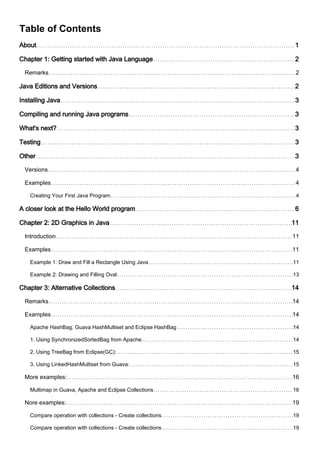
Table of Contents
About 1
Chapter 1: Getting started with Java Language 2
Remarks 2
Java Editions and Versions 2
Installing Java 3
Compiling and running Java programs 3
What's next? 3
Testing 3
Other 3
Versions 4
Examples 4
Creating Your First Java Program 4
A closer look at the Hello World program 6
Chapter 2: 2D Graphics in Java 11
Introduction 11
Examples 11
Example 1: Draw and Fill a Rectangle Using Java 11
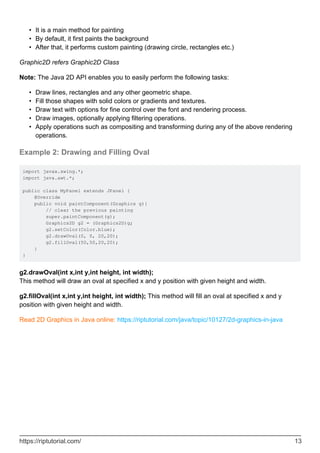
Example 2: Drawing and Filling Oval 13
Chapter 3: Alternative Collections 14
Remarks 14
Examples 14
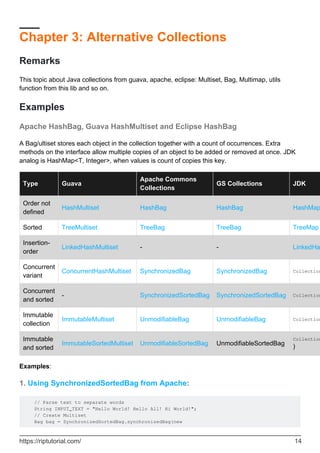
Apache HashBag, Guava HashMultiset and Eclipse HashBag 14
1. Using SynchronizedSortedBag from Apache: 14
2. Using TreeBag from Eclipse(GC): 15
3. Using LinkedHashMultiset from Guava: 15
More examples: 16
Multimap in Guava, Apache and Eclipse Collections 16
Nore examples: 19
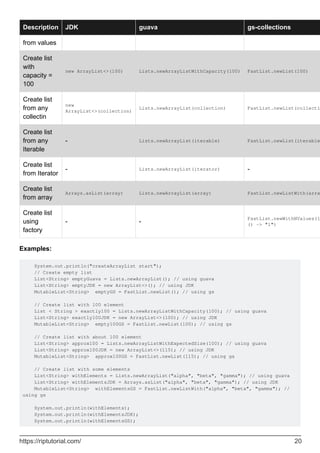
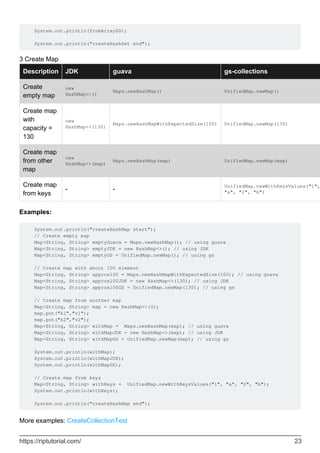
Compare operation with collections - Create collections 19
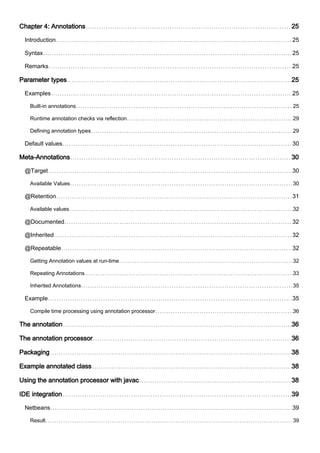
Chapter 4: Annotations 25
Introduction 25
Syntax 25
Remarks 25
Parameter types 25
Examples 25
Built-in annotations 25
Runtime annotation checks via reflection 29
Defining annotation types 29
Default values 30
Meta-Annotations 30
@Target 30
Available Values 30
@Retention 31
Available values 32
@Documented 32
@Inherited 32
@Repeatable 32
Getting Annotation values at run-time 32
Repeating Annotations 33
Inherited Annotations 35
Example 35
Compile time processing using annotation processor 36
The annotation 36
The annotation processor 36
Packaging 38
Example annotated class 38
Using the annotation processor with javac 38
IDE integration 39
Netbeans 39
Result 39
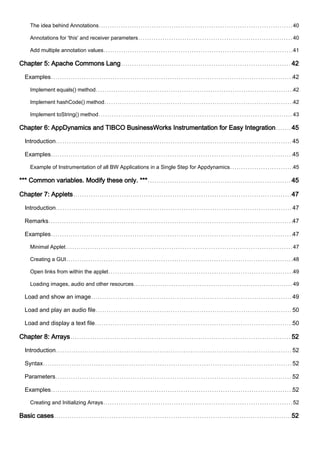
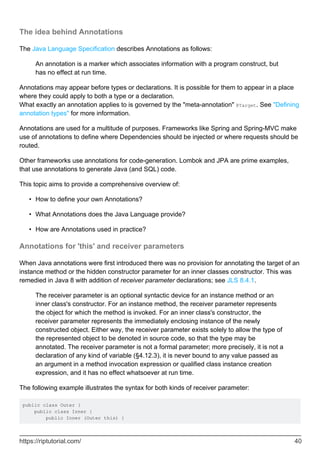
The idea behind Annotations 40
Annotations for 'this' and receiver parameters 40
Add multiple annotation values 41
Chapter 5: Apache Commons Lang 42
Examples 42
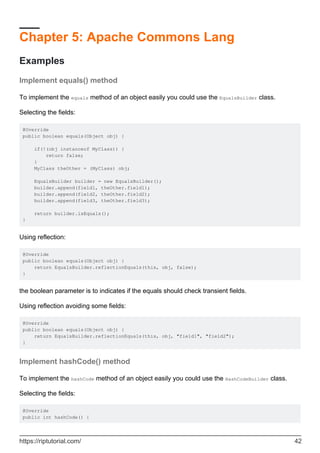
Implement equals() method 42
Implement hashCode() method 42
Implement toString() method 43
Chapter 6: AppDynamics and TIBCO BusinessWorks Instrumentation for Easy Integration 45
Introduction 45
Examples 45
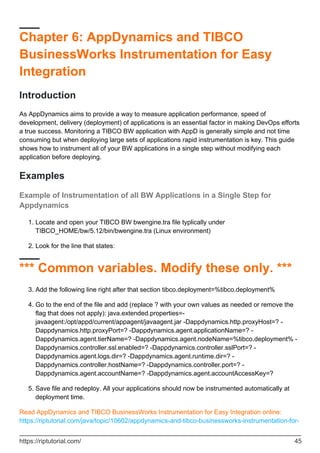
Example of Instrumentation of all BW Applications in a Single Step for Appdynamics 45
*** Common variables. Modify these only. *** 45
Chapter 7: Applets 47
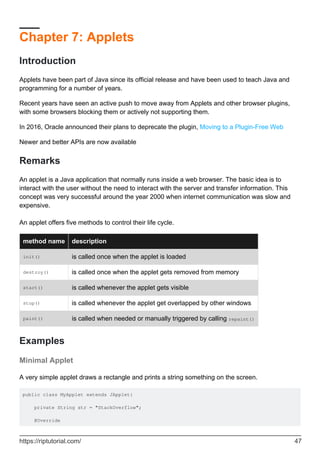
Introduction 47
Remarks 47
Examples 47
Minimal Applet 47
Creating a GUI 48
Open links from within the applet 49
Loading images, audio and other resources 49
Load and show an image 49
Load and play an audio file 50
Load and display a text file 50
Chapter 8: Arrays 52
Introduction 52
Syntax 52
Parameters 52
Examples 52
Creating and Initializing Arrays 52
Basic cases 52
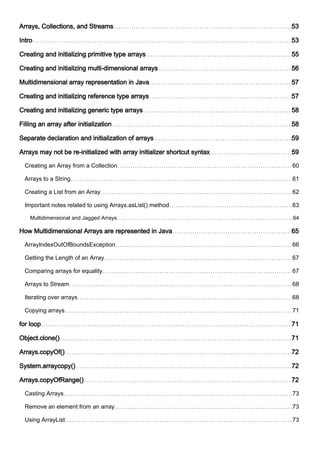
Arrays, Collections, and Streams 53
Intro 53
Creating and initializing primitive type arrays 55
Creating and initializing multi-dimensional arrays 56
Multidimensional array representation in Java 57
Creating and initializing reference type arrays 57
Creating and initializing generic type arrays 58
Filling an array after initialization 58
Separate declaration and initialization of arrays 59
Arrays may not be re-initialized with array initializer shortcut syntax 59
Creating an Array from a Collection 60
Arrays to a String 61
Creating a List from an Array 62
Important notes related to using Arrays.asList() method 63
Multidimensional and Jagged Arrays 64
How Multidimensional Arrays are represented in Java 65
ArrayIndexOutOfBoundsException 66
Getting the Length of an Array 67
Comparing arrays for equality 67
Arrays to Stream 68
Iterating over arrays 68
Copying arrays 71
for loop 71
Object.clone() 71
Arrays.copyOf() 72
System.arraycopy() 72
Arrays.copyOfRange() 72
Casting Arrays 73
Remove an element from an array 73
Using ArrayList 73
Using System.arraycopy 74
Using Apache Commons Lang 74
Array Covariance 74
How do you change the size of an array? 75
A better alternatives to array resizing 76
Finding an element in an array 76
Using Arrays.binarySearch (for sorted arrays only) 76
Using a Arrays.asList (for non-primitive arrays only) 76
Using a Stream 77
Linear search using a loop 77
Linear search using 3rd-party libraries such as org.apache.commons 77
Testing if an array contains an element 77
Sorting arrays 78
Converting arrays between primitives and boxed types 79
Chapter 9: Asserting 81
Syntax 81
Parameters 81
Remarks 81
Examples 81
Checking arithmetic with assert 81
Chapter 10: Atomic Types 82
Introduction 82
Parameters 82
Remarks 82
Examples 82
Creating Atomic Types 82
Motivation for Atomic Types 83
How does one implement Atomic Types? 84
How do Atomic Types work? 85
Chapter 11: Audio 87
Remarks 87
Examples 87
Play an Audio file Looped 87
Play a MIDI file 87
Bare metal sound 89
Basic audio output 89
Chapter 12: Autoboxing 91
Introduction 91
Remarks 91
Examples 91
Using int and Integer interchangeably 91
Using Boolean in if statement 92
Auto-unboxing may lead to NullPointerException 93
Memory and Computational Overhead of Autoboxing 93
Different Cases When Integer and int can be used interchangeably 94
Chapter 13: Basic Control Structures 96
Remarks 96
Examples 96
If / Else If / Else Control 96
For Loops 97
While Loops 98
do...while Loop 98
For Each 98
If / Else 99
Switch statement 100
Ternary Operator 102
Break 102
Try ... Catch ... Finally 102
Nested break / continue 103
Continue Statement in Java 104
Chapter 14: Benchmarks 105
Introduction 105
Examples 105
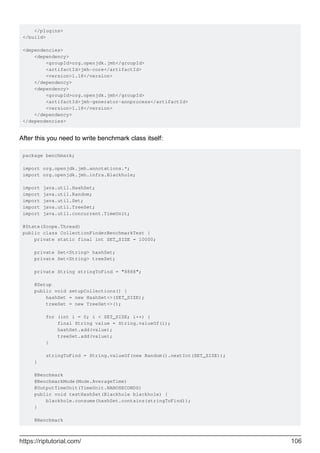
Simple JMH example 105
Chapter 15: BigDecimal 108
Introduction 108
Examples 108
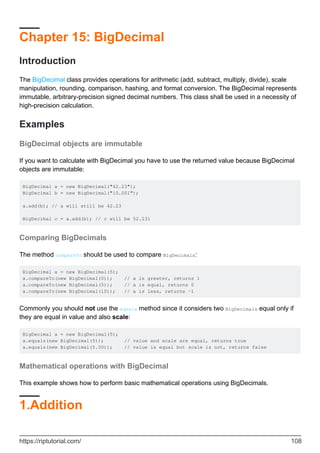
BigDecimal objects are immutable 108
Comparing BigDecimals 108
Mathematical operations with BigDecimal 108
1.Addition 108
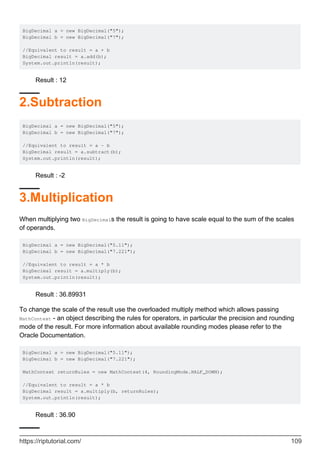
2.Subtraction 109
3.Multiplication 109
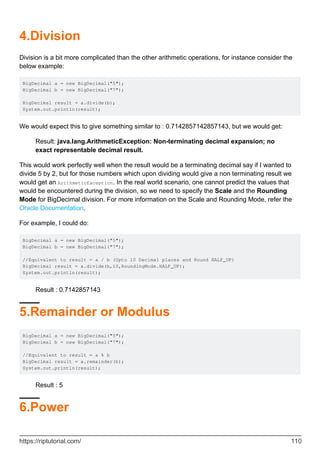
4.Division 109
5.Remainder or Modulus 110
6.Power 110
7.Max 111
8.Min 111
9.Move Point To Left 111
10.Move Point To Right 111
Using BigDecimal instead of float 112
BigDecimal.valueOf() 113
Initialization of BigDecimals with value zero, one or ten 113
Chapter 16: BigInteger 114
Introduction 114
Syntax 114
Remarks 114
Examples 115
Initialization 115
Comparing BigIntegers 116
BigInteger Mathematical Operations Examples 117
Binary Logic Operations on BigInteger 119
Generating random BigIntegers 120
Chapter 17: Bit Manipulation 122
Remarks 122
Examples 122
Packing / unpacking values as bit fragments 122
Checking, setting, clearing, and toggling individual bits. Using long as bit mask 123
Expressing the power of 2 123
Checking if a number is a power of 2 124
java.util.BitSet class 126
Signed vs unsigned shift 126
Chapter 18: BufferedWriter 128
Syntax 128
Remarks 128
Examples 128
Write a line of text to File 128
Chapter 19: ByteBuffer 130
Introduction 130
Syntax 130
Examples 130
Basic Usage - Creating a ByteBuffer 130
Basic Usage - Write Data to the Buffer 131
Basic Usage - Using DirectByteBuffer 131
Chapter 20: Bytecode Modification 133
Examples 133
What is Bytecode? 133
What's the logic behind this? 133
Well, there has to be more right? 133
How can I write / edit bytecode? 133
I'd like to learn more about bytecode! 134
How to edit jar files with ASM 134
How to load a ClassNode as a Class 137
How to rename classes in a jar file 137
Javassist Basic 138
Chapter 21: C++ Comparison 140
Introduction 140
Remarks 140
Classes Defined within Other Constructs# 140
Defined within Another Class 140
C++ 140
Java 140
Statically Defined within Another Class 140
C++ 140
Java 141
Defined within a Method 141
C++ 141
Java 141
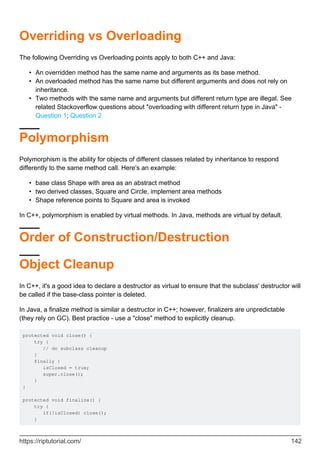
Overriding vs Overloading 141
Polymorphism 142
Order of Construction/Destruction 142
Object Cleanup 142
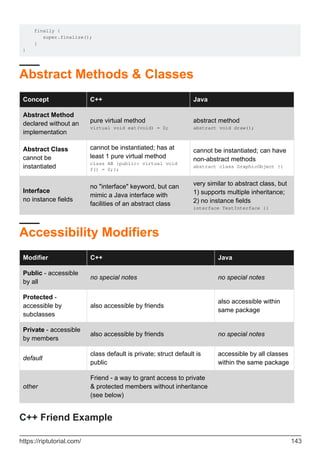
Abstract Methods & Classes 143
Accessibility Modifiers 143
C++ Friend Example 143
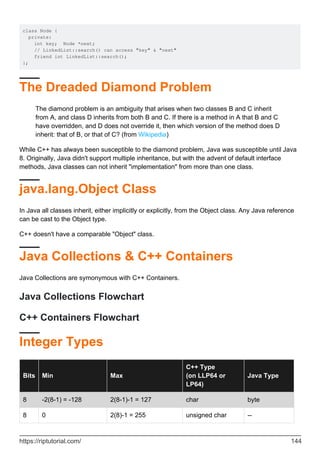
The Dreaded Diamond Problem 144
java.lang.Object Class 144
Java Collections & C++ Containers 144
Java Collections Flowchart 144
C++ Containers Flowchart 144
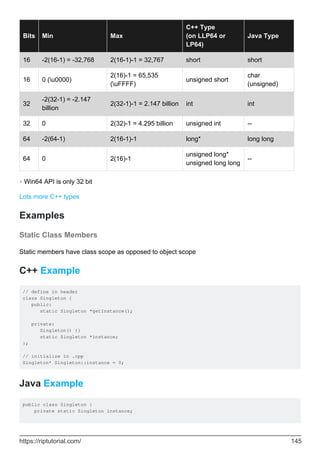
Integer Types 144
Examples 145
Static Class Members 145
C++ Example 145
Java Example 145
Classes Defined within Other Constructs 146
Defined within Another Class 146
C++ 146
Java 146
Statically Defined within Another Class 146
C++ 146
Java 147
Defined within a Method 147
C++ 147
Java 147
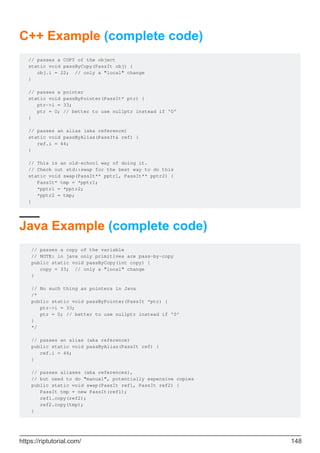
Pass-by-value & Pass-by-reference 147
C++ Example (complete code) 147
Java Example (complete code) 148
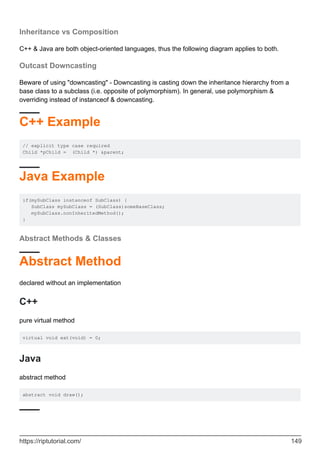
Inheritance vs Composition 149
Outcast Downcasting 149
C++ Example 149
Java Example 149
Abstract Methods & Classes 149
Abstract Method 149
C++ 149
Java 149
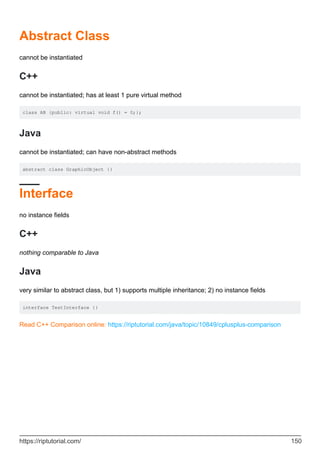
Abstract Class 149
C++ 150
Java 150
Interface 150
C++ 150
Java 150
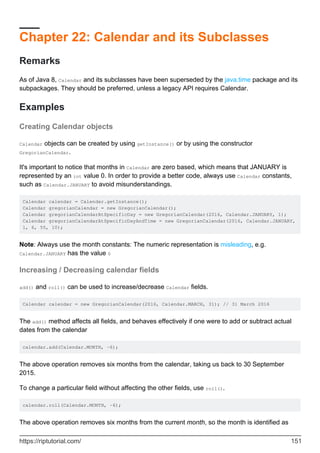
Chapter 22: Calendar and its Subclasses 151
Remarks 151
Examples 151
Creating Calendar objects 151
Increasing / Decreasing calendar fields 151
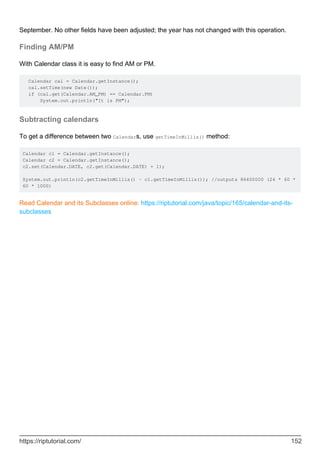
Finding AM/PM 152
Subtracting calendars 152
Chapter 23: Character encoding 153
Examples 153
Reading text from a file encoded in UTF-8 153
Writing text to a file in UTF-8 153
Getting byte representation of a string in UTF-8 154
Chapter 24: Choosing Collections 155
Introduction 155
Examples 155
Java Collections Flowchart 155
Chapter 25: Class - Java Reflection 156
Introduction 156
Examples 156
getClass() method of Object class 156
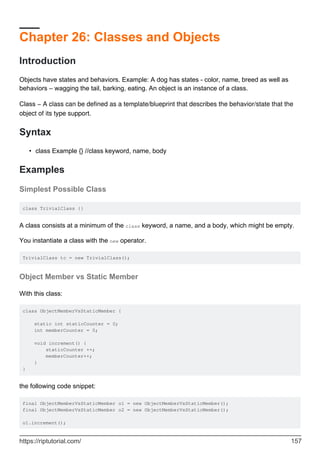
Chapter 26: Classes and Objects 157
Introduction 157
Syntax 157
Examples 157
Simplest Possible Class 157
Object Member vs Static Member 157
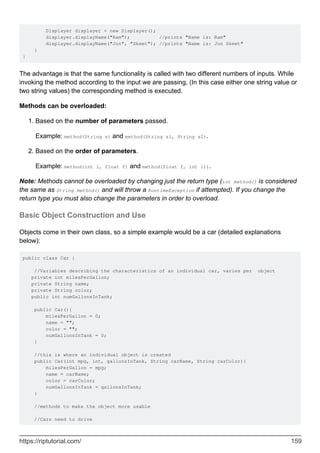
Overloading Methods 158
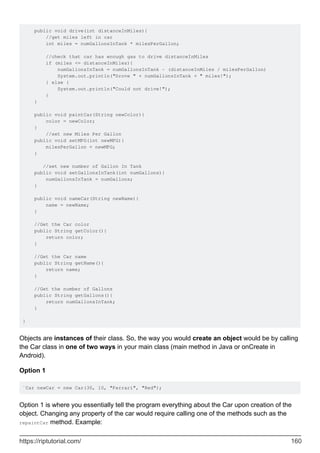
Basic Object Construction and Use 159
Constructors 162
Initializing static final fields using a static initializer 163
Explaining what is method overloading and overriding. 163
Chapter 27: Classloaders 167
Remarks 167
Examples 167
Instantiating and using a classloader 167
Implementing a custom classLoader 167
Loading an external .class file 168
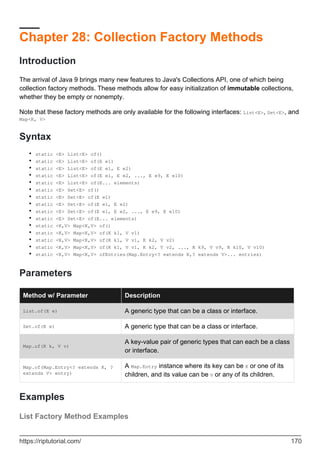
Chapter 28: Collection Factory Methods 170
Introduction 170
Syntax 170
Parameters 170
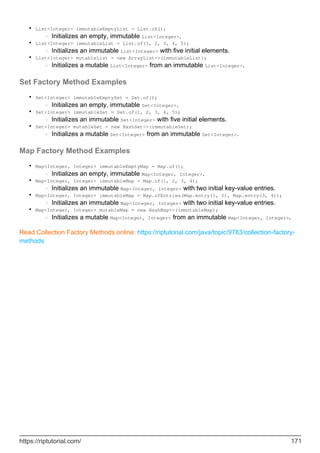
Examples 170
List Factory Method Examples 170
Set Factory Method Examples 171
Map Factory Method Examples 171
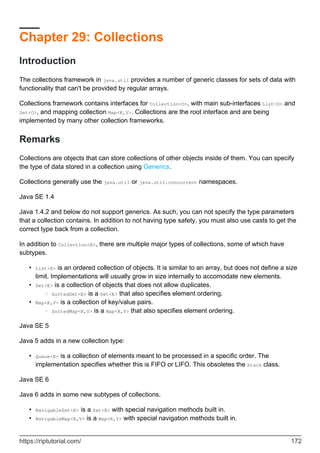
Chapter 29: Collections 172
Introduction 172
Remarks 172
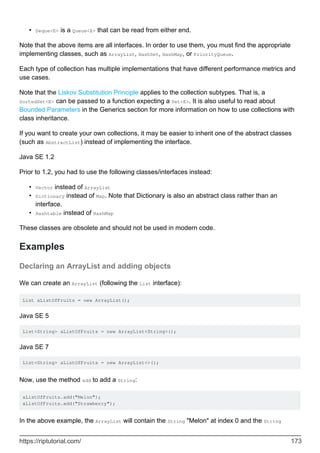
Examples 173
Declaring an ArrayList and adding objects 173
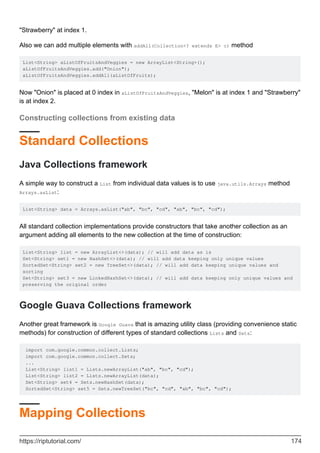
Constructing collections from existing data 174
Standard Collections 174
Java Collections framework 174
Google Guava Collections framework 174
Mapping Collections 174
Java Collections framework 175
Apache Commons Collections framework 175
Google Guava Collections framework 175
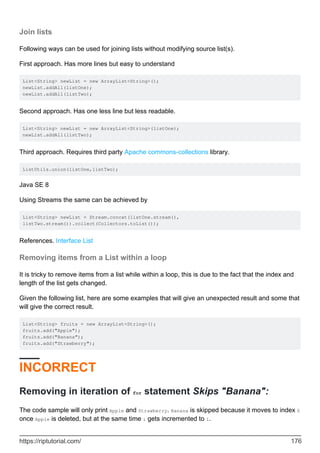
Join lists 176
Removing items from a List within a loop 176
INCORRECT 176
Removing in iteration of for statement Skips "Banana": 176
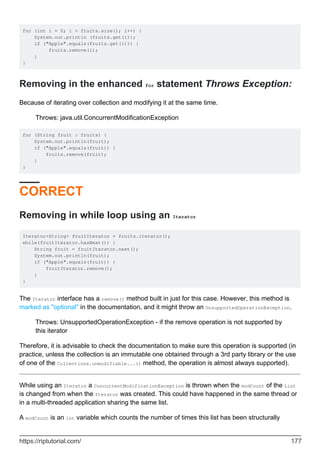
Removing in the enhanced for statement Throws Exception: 177
CORRECT 177
Removing in while loop using an Iterator 177
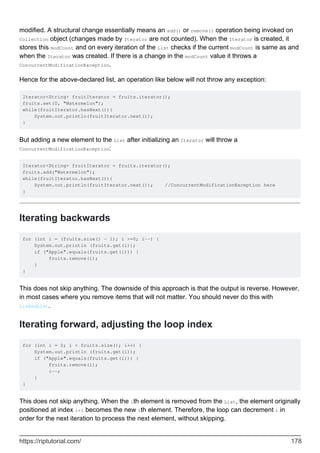
Iterating backwards 178
Iterating forward, adjusting the loop index 178
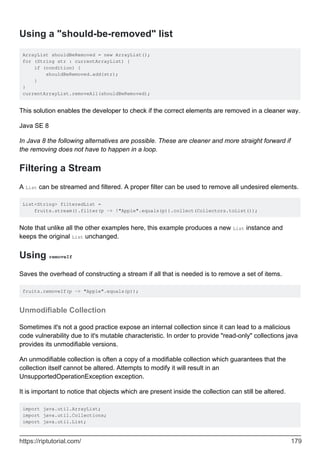
Using a "should-be-removed" list 179
Filtering a Stream 179
Using removeIf 179
Unmodifiable Collection 179
Iterating over Collections 180
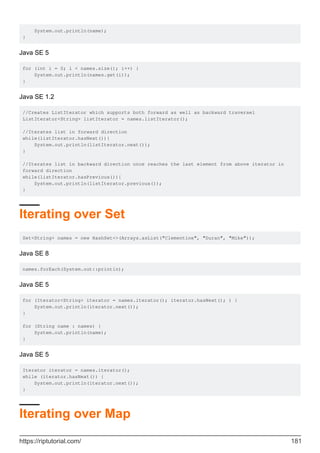
Iterating over List 180
Iterating over Set 181
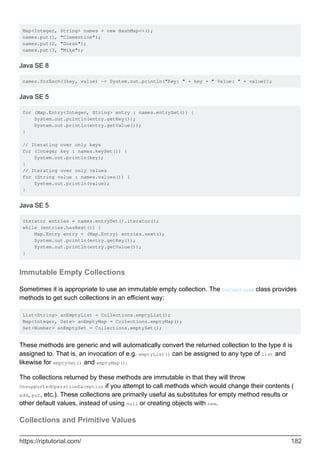
Iterating over Map 181
Immutable Empty Collections 182
Collections and Primitive Values 182
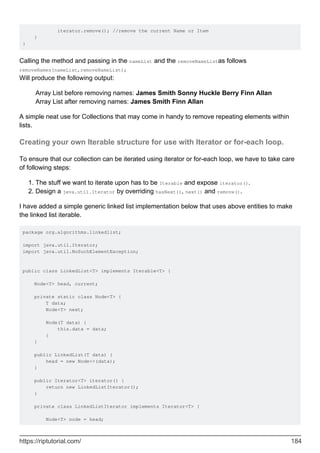
Removing matching items from Lists using Iterator. 183
Creating your own Iterable structure for use with Iterator or for-each loop. 184
Pitfall: concurrent modification exceptions 186
Sub Collections 186
List subList(int fromIndex, int toIndex) 186
Set subSet(fromIndex,toIndex) 187
Map subMap(fromKey,toKey) 187
Chapter 30: Command line Argument Processing 188
Syntax 188
Parameters 188
Remarks 188
Examples 188
Argument processing using GWT ToolBase 188
Processing arguments by hand 189
A command with no arguments 189
A command with two arguments 190
A command with "flag" options and at least one argument 190
Chapter 31: Common Java Pitfalls 192
Introduction 192
Examples 192
Pitfall: using == to compare primitive wrappers objects such as Integer 192
Pitfall: forgetting to free resources 193
Pitfall: memory leaks 194
Pitfall: using == to compare strings 195
Pitfall: testing a file before attempting to open it. 197
Pitfall: thinking of variables as objects 198
Example class 199
Multiple variables can point to the same object 199
The equality operator does NOT test that two objects are equal 200
Method calls do NOT pass objects at all 201
Pitfall: combining assignment and side-effects 201
Pitfall: Not understanding that String is an immutable class 202
Chapter 32: Comparable and Comparator 204
Syntax 204
Remarks 204
Examples 204
Sorting a List using Comparable or a Comparator 205
Lambda expression based comparators 208
Comparator default methods 208
Inversing the order of a comparator 208
The compareTo and compare Methods 208
Natural (comparable) vs explicit (comparator) sorting 209
Sorting Map entries 210
Creating a Comparator using comparing method 211
Chapter 33: CompletableFuture 212
Introduction 212
Examples 212
Convert blocking method to asynchonous 212
Simple Example of CompletableFuture 213
Chapter 34: Concurrent Collections 214
Introduction 214
Examples 214
Thread-safe Collections 214
Concurrent Collections 214
Thread safe but non concurrent examples 216
Insertion into ConcurrentHashMap 216
Chapter 35: Concurrent Programming (Threads) 218
Introduction 218
Remarks 218
Examples 218
Basic Multithreading 218
Producer-Consumer 219
Using ThreadLocal 220
CountDownLatch 221
Synchronization 223
Atomic operations 224
Creating basic deadlocked system 225
Pausing Execution 227
Visualizing read/write barriers while using synchronized / volatile 228
Creating a java.lang.Thread instance 229
Thread Interruption / Stopping Threads 231
Multiple producer/consumer example with shared global queue 233
Exclusive write / Concurrent read access 235
Runnable Object 237
Semaphore 237
Add two `int` arrays using a Threadpool 238
Get status of all threads started by your program excluding system threads 239
Callable and Future 240
Locks as Synchronisation aids 242
Chapter 36: Console I/O 244
Examples 244
Reading user input from the console 244
Using BufferedReader: 244
Using Scanner: 244
Using System.console: 245
Implementing Basic Command-Line Behavior 246
Aligning strings in console 247
Format strings examples 248
Chapter 37: Constructors 249
Introduction 249
Remarks 249
Examples 249
Default Constructor 249
Constructor with Arguments 250
Call parent constructor 251
Chapter 38: Converting to and from Strings 253
Examples 253
Converting other datatypes to String 253
Conversion to / from bytes 253
Base64 Encoding / Decoding 254
Parsing Strings to a Numerical Value 255
Getting a `String` from an `InputStream` 256
Converting String to other datatypes. 256
Chapter 39: Creating Images Programmatically 259
Remarks 259
Examples 259
Creating a simple image programmatically and displaying it 259
Save an Image to disk 260
Specifying image rendering quality 260
Creating an image with BufferedImage class 262
Editing and re-using image with BufferedImage 263
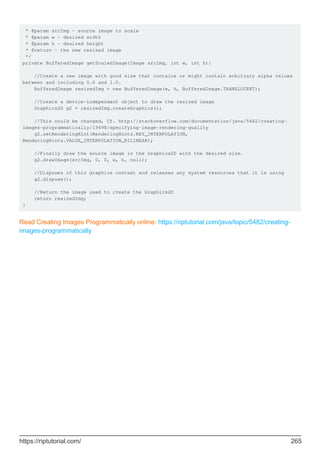
Setting individual pixel's color in BufferedImage 264
How to scale a BufferedImage 264
Chapter 40: Currency and Money 266
Examples 266
Add custom currency 266
Chapter 41: Date Class 267
Syntax 267
Parameters 267
Remarks 267
Examples 268
Creating Date objects 268
Comparing Date objects 269
Calendar, Date, and LocalDate 269
before, after, compareTo and equals methods 269
isBefore, isAfter, compareTo and equals methods 270
Date comparison before Java 8 270
Since Java 8 271
Converting Date to a certain String format 272
Converting String into Date 272
A basic date output 273
Convert formatted string representation of date to Date object 273
Creating a Specific Date 274
Java 8 LocalDate and LocalDateTime objects 274
Time Zones and java.util.Date 275
Convert java.util.Date to java.sql.Date 276
LocalTime 277
Chapter 42: Dates and Time (java.time.*) 278
Examples 278
Simple Date Manipulations 278
Date and time 278
Operations on dates and times 279
Instant 279
Usage of various classes of Date Time API 279
Date Time Formatting 281
Calculate Difference between 2 LocalDates 282
Chapter 43: Default Methods 283
Introduction 283
Syntax 283
Remarks 283
Default methods 283
Static methods 283
References : 284
Examples 284
Basic usage of default methods 284
Accessing other interface methods within default method 285
Accessing overridden default methods from implementing class 286
Why use Default Methods? 286
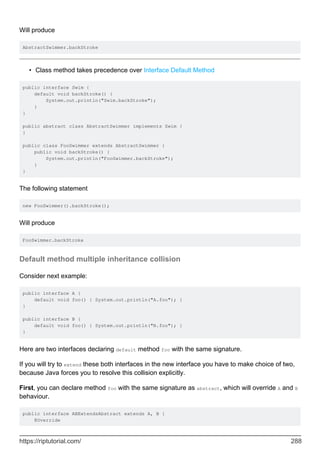
Class, Abstract class and Interface method precedence 287
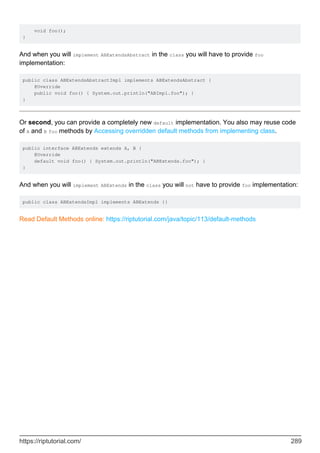
Default method multiple inheritance collision 288
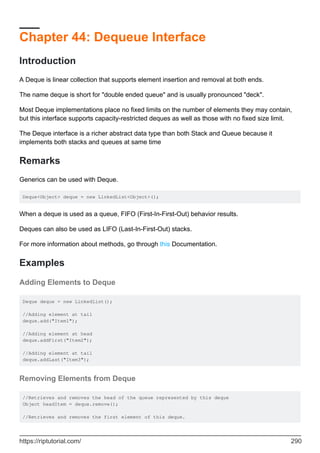
Chapter 44: Dequeue Interface 290
Introduction 290
Remarks 290
Examples 290
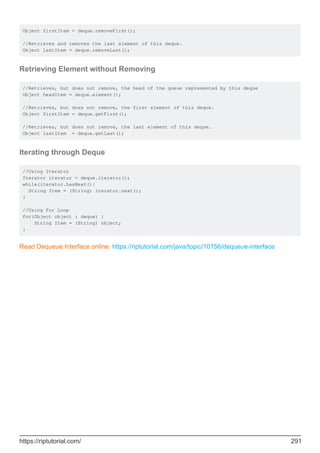
Adding Elements to Deque 290
Removing Elements from Deque 290
Retrieving Element without Removing 291
Iterating through Deque 291
Chapter 45: Disassembling and Decompiling 292
Syntax 292
Parameters 292
Examples 292
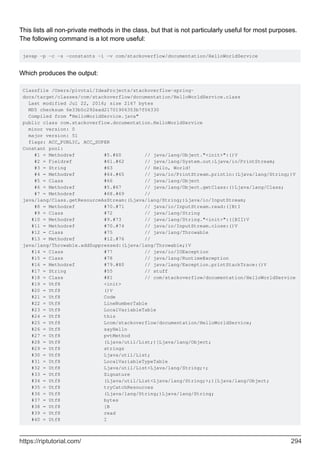
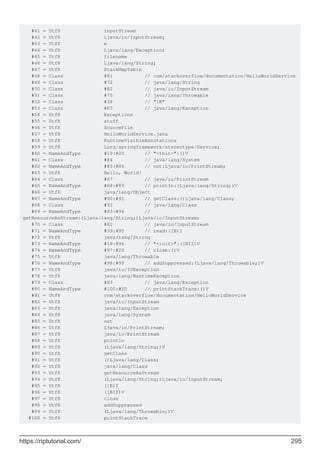
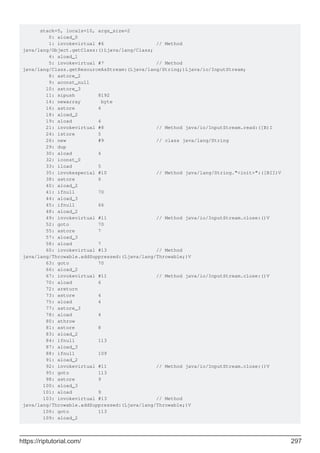
Viewing bytecode with javap 293
Chapter 46: Documenting Java Code 300
Introduction 300
Syntax 300
Remarks 301
Examples 301
Class Documentation 301
Method Documentation 302
Field Documentation 302
Package Documentation 303
Links 303
Building Javadocs From the Command Line 304
Inline Code Documentation 305
Code snippets inside documentation 306
Chapter 47: Dynamic Method Dispatch 307
Introduction 307
Remarks 307
Examples 307
Dynamic Method Dispatch - Example Code 307
Chapter 48: Encapsulation 310
Introduction 310
Remarks 310
Examples 310
Encapsulation to maintain invariants 310
Encapsulation to reduce coupling 311
Chapter 49: Enum Map 313
Introduction 313
Examples 313
Enum Map Book Example 313
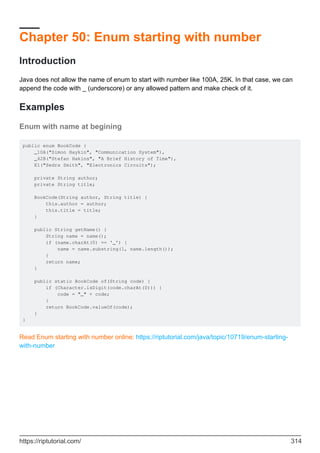
Chapter 50: Enum starting with number 314
Introduction 314
Examples 314
Enum with name at begining 314
Chapter 51: Enums 315
Introduction 315
Syntax 315
Remarks 315
Restrictions 315
Tips & Tricks 315
Examples 316
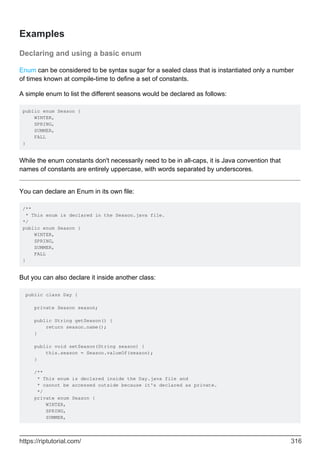
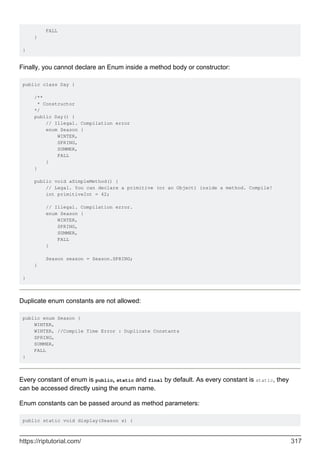
Declaring and using a basic enum 316
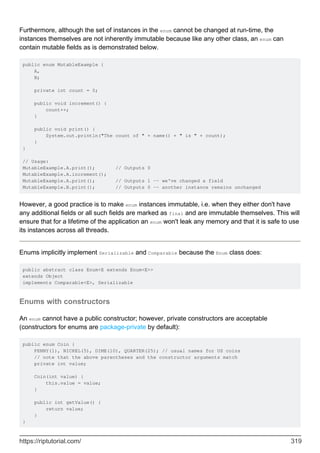
Enums with constructors 319
Using methods and static blocks 321
Implements Interface 322
Enum Polymorphism Pattern 323
Enums with Abstract Methods 324
Documenting enums 324
Getting the values of an enum 325
Enum as a bounded type parameter 325
Get enum constant by name 326
Implement Singleton pattern with a single-element enum 326
Enum with properties (fields) 327
Convert enum to String 328
Convert using name() 328
Convert using toString() 328
By default: 328
Example of being overridden 329
Enum constant specific body 329
Zero instance enum 330
Enums with static fields 331
Compare and Contains for Enum values 332
Chapter 52: EnumSet class 334
Introduction 334
Examples 334
Enum Set Example 334
Chapter 53: Exceptions and exception handling 335
Introduction 335
Syntax 335
Examples 335
Catching an exception with try-catch 335
Try-catch with one catch block 335
Try-catch with multiple catches 336
Multi-exception catch blocks 337
Throwing an exception 337
Exception chaining 338
Custom Exceptions 339
The try-with-resources statement 340
What is a resource? 341
The basic try-with-resource statement 341
The enhanced try-with-resource statements 341
Managing multiple resources 342
Equivalence of try-with-resource and classical try-catch-finally 342
Creating and reading stacktraces 344
Printing a stacktrace 344
Understanding a stacktrace 344
Exception chaining and nested stacktraces 346
Capturing a stacktrace as a String 347
Handling InterruptedException 348
The Java Exception Hierarchy - Unchecked and Checked Exceptions 349
Checked versus Unchecked Exceptions 349
Checked exception examples 350
Introduction 352
Return statements in try catch block 354
Advanced features of Exceptions 355
Examining the callstack programmatically 355
Optimizing exception construction 355
Erasing or replacing the stacktrace 356
Suppressed exceptions 356
The try-finally and try-catch-finally statements 357
Try-finally 357
try-catch-finally 357
The 'throws' clause in a method declaration 358
What is the point of declaring unchecked exceptions as thrown? 359
Throws and method overriding 359
Chapter 54: Executor, ExecutorService and Thread pools 361
Introduction 361
Remarks 361
Examples 361
Fire and Forget - Runnable Tasks 361
ThreadPoolExecutor 362
Retrieving value from computation - Callable 363
Scheduling tasks to run at a fixed time, after a delay or repeatedly 364
Starting a task after a fixed delay 364
Starting tasks at a fixed rate 364
Starting tasks with a fixed delay 365
Handle Rejected Execution 365
submit() vs execute() exception handling differences 366
Use cases for different types of concurrency constructs 368
Wait for completion of all tasks in ExecutorService 369
Use cases for different types of ExecutorService 371
Using Thread Pools 373
Chapter 55: Expressions 374
Introduction 374
Remarks 374
Examples 374
Operator Precedence 374
Constant Expressions 375
Uses for Constant Expressions 376
Expression evaluation order 377
Simple Example 377
Example with an operator which has a side-effect 377
Expression Basics 378
The Type of an Expression 379
The value of an Expression 379
Expression Statements 379
Chapter 56: File I/O 381
Introduction 381
Examples 381
Reading all bytes to a byte[] 381
Reading an image from a file 381
Writing a byte[] to a file 381
Stream vs Writer/Reader API 382
Reading a whole file at once 383
Reading a file with a Scanner 384
Iterating over a directory and filter by file extension 384
Migrating from java.io.File to Java 7 NIO (java.nio.file.Path) 385
Point to a path 385
Paths relative to another path 385
Converting File from/to Path for use with libraries 385
Check if the file exists and delete it if it does 385
Write to a file via an OutputStream 386
Iterating on each file within a folder 386
Recursive folder iteration 387
File Read/Write Using FileInputStream/FileOutputStream 387
Reading from a binary file 389
Locking 389
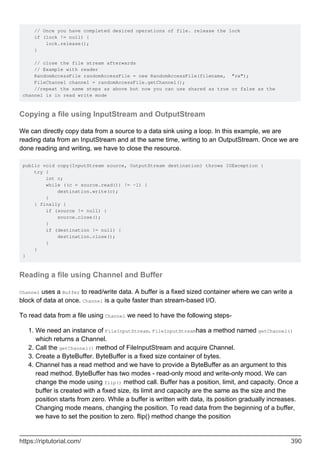
Copying a file using InputStream and OutputStream 390
Reading a file using Channel and Buffer 390
Copying a file using Channel 391
Reading a file using BufferedInputStream 392
Writing a file using Channel and Buffer 392
Writing a file using PrintStream 393
Iterate over a directory printing subdirectories in it 393
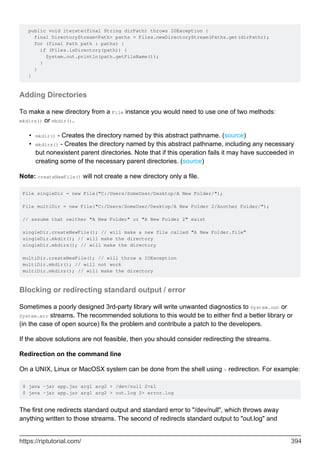
Adding Directories 394
Blocking or redirecting standard output / error 394
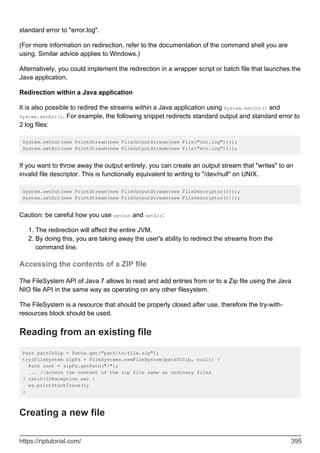
Accessing the contents of a ZIP file 395
Reading from an existing file 395
Creating a new file 395
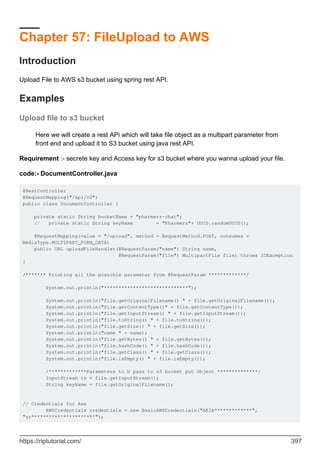
Chapter 57: FileUpload to AWS 397
Introduction 397
Examples 397
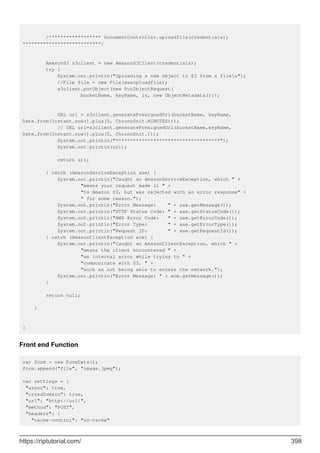
Upload file to s3 bucket 397
Chapter 58: Fluent Interface 400
Remarks 400
Examples 400
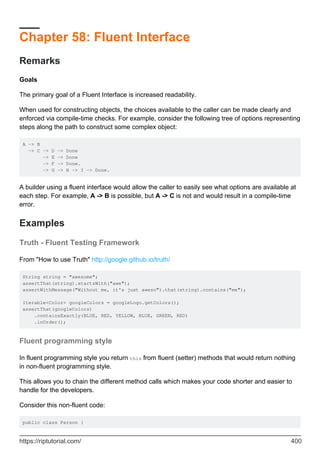
Truth - Fluent Testing Framework 400
Fluent programming style 400
Chapter 59: FTP (File Transfer Protocol) 403
Syntax 403
Parameters 403
Examples 403
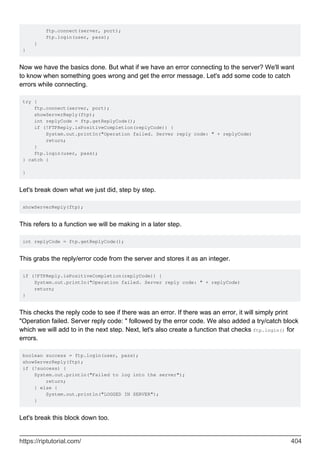
Connecting and Logging Into a FTP Server 403
Chapter 60: Functional Interfaces 409
Introduction 409
Examples 409
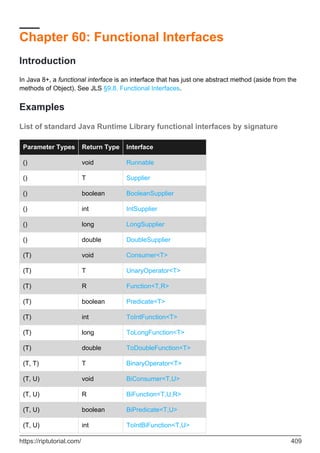
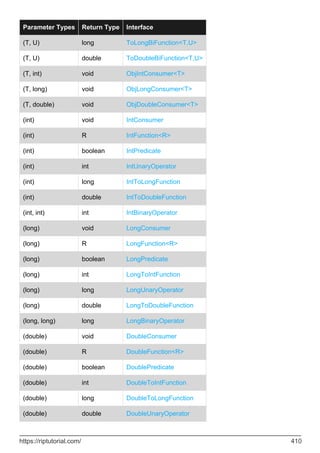
List of standard Java Runtime Library functional interfaces by signature 409
Chapter 61: Generating Java Code 412
Examples 412
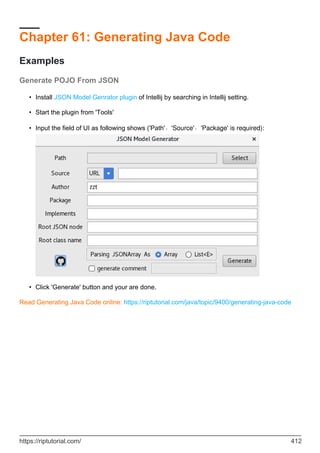
Generate POJO From JSON 412
Chapter 62: Generics 413
Introduction 413
Syntax 413
Remarks 413
Examples 413
Creating a Generic Class 413
Extending a generic class 414
Multiple type parameters 415
Declaring a Generic Method 416
The Diamond 417
Requiring multiple upper bounds ("extends A & B") 418
Creating a Bounded Generic Class 418
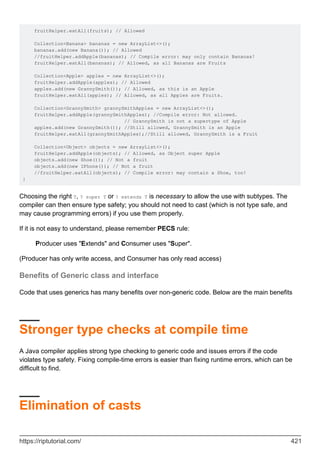
Deciding between `T`, `? super T`, and `? extends T` 420
Benefits of Generic class and interface 421
Stronger type checks at compile time 421
Elimination of casts 421
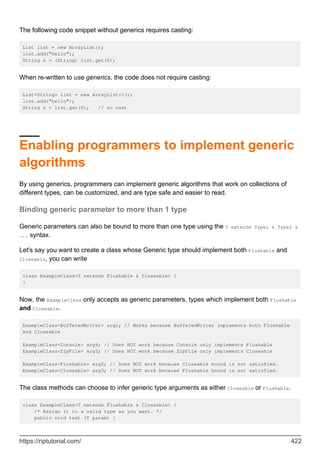
Enabling programmers to implement generic algorithms 422
Binding generic parameter to more than 1 type 422
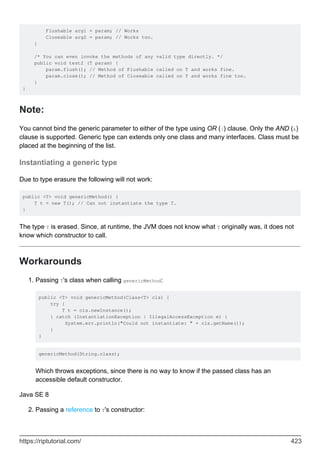
Note: 423
Instantiating a generic type 423
Workarounds 423
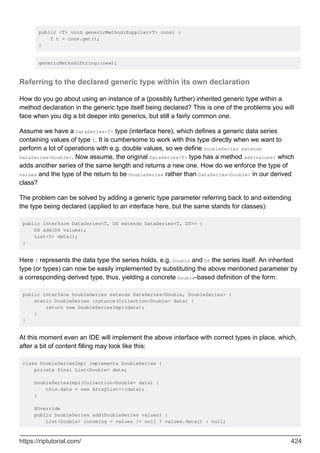
Referring to the declared generic type within its own declaration 424
Use of instanceof with Generics 425
Different ways for implementing a Generic Interface (or extending a Generic Class) 426
Using Generics to auto-cast 428
Obtain class that satisfies generic parameter at runtime 428
Chapter 63: Getters and Setters 430
Introduction 430
Examples 430
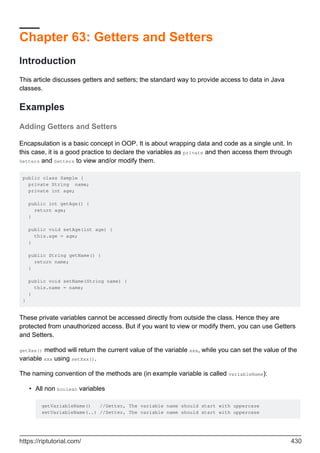
Adding Getters and Setters 430
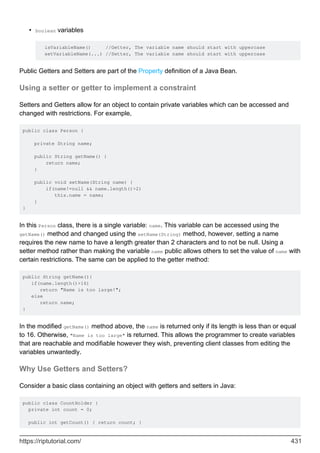
Using a setter or getter to implement a constraint 431
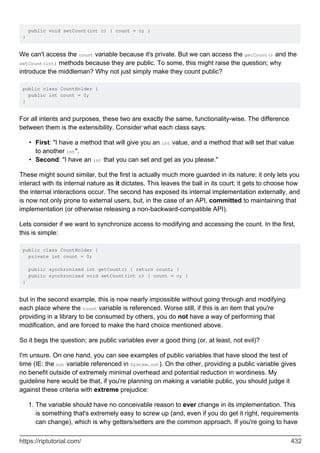
Why Use Getters and Setters? 431
Chapter 64: Hashtable 434
Introduction 434
Examples 434
Hashtable 434
Chapter 65: HttpURLConnection 435
Remarks 435
Examples 435
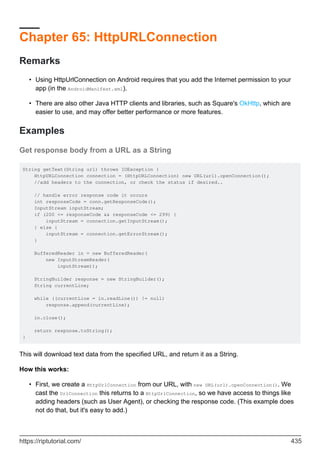
Get response body from a URL as a String 435
POST data 436
How it works 437
Delete resource 437
How it works 437
Check if resource exists 438
Explanation: 438
Example: 438
Chapter 66: Immutable Class 439
Introduction 439
Remarks 439
Examples 439
Rules to define immutable classes 439
Example without mutable refs 439
Example with mutable refs 440
What is the advantage of immutability? 441
Chapter 67: Immutable Objects 442
Remarks 442
Examples 442
Creating an immutable version of a type using defensive copying. 442
The recipe for an immutable class 443
Typical design flaws which prevent a class from being immutable 444
Chapter 68: Inheritance 448
Introduction 448
Syntax 448
Remarks 448
Examples 448
Abstract Classes 448
Static Inheritance 450
Using 'final' to restrict inheritance and overriding 451
Final classes 451
Use-cases for final classes 451
Final methods 452
The Liskov Substitution Principle 453
Inheritance 453
Inheritance and Static Methods 455
Variable shadowing 455
Narrowing and Widening of object references 456
Programming to an interface 457
Abstract class and Interface usage: "Is-a" relation vs "Has-a" capability 460
Overriding in Inheritance 463
Chapter 69: InputStreams and OutputStreams 465
Syntax 465
Remarks 465
Examples 465
Reading InputStream into a String 465
Writing bytes to an OutputStream 465
Closing Streams 466
Copying Input Stream to Output Stream 467
Wrapping Input/Output Streams 467
Useful combinations 467
List of Input/Output Stream wrappers 468
DataInputStream Example 468
Chapter 70: Installing Java (Standard Edition) 470
Introduction 470
Examples 470
Setting %PATH% and %JAVA_HOME% after installing on Windows 470
Assumptions: 470
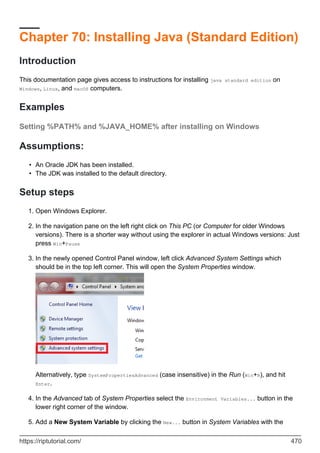
Setup steps 470
Check your work 471
Selecting an appropriate Java SE release 471
Java release and version naming 472
What do I need for Java Development 473
Installing a Java JDK on Linux 473
Using the Package Manager 473
Installing from an Oracle Java RPM file. 475
Installing a Java JDK or JRE on Windows 475
Installing a Java JDK on macOS 476
Configuring and switching Java versions on Linux using alternatives 477
Using Alternatives 477
Arch based installs 478
Listing installed environments 478
Switching current environment 478
Post-installation checking and configuration on Linux 479
Installing oracle java on Linux with latest tar file 480
Expected output: 481
Chapter 71: Interfaces 482
Introduction 482
Syntax 482
Examples 482
Declaring and Implementing an Interface 482
Implementing multiple interfaces 483
Extending an interface 484
Using Interfaces with Generics 484
Usefulness of interfaces 487
Implementing interfaces in an abstract class 488
Default methods 489
Observer pattern implementation 489
Diamond problem 490
Use default methods to resolve compatibility issues 491
Modifiers in Interfaces 491
Variables 492
Methods 492
Strengthen bounded type parameters 492
Chapter 72: Iterator and Iterable 494
Introduction 494
Remarks 494
Examples 494
Using Iterable in for loop 494
Using the raw iterator 494
Creating your own Iterable. 495
Removing elements using an iterator 496
Chapter 73: Java Agents 498
Examples 498
Modifying classes with agents 498
Adding an agent at runtime 499
Setting up a basic agent 499
Chapter 74: Java Compiler - 'javac' 501
Remarks 501
Examples 501
The 'javac' command - getting started 501
Simple example 501
Example with packages 502
Compiling multiple files at once with 'javac'. 503
Commonly used 'javac' options 503
References 504
Compiling for a different version of Java 504
Compiling old Java with a newer compiler 504
Compiling for an older execution platform 504
Chapter 75: Java deployment 506
Introduction 506
Remarks 506
Examples 506
Making an executable JAR from the command line 506
Creating JAR, WAR and EAR files 507
Creating JAR and WAR files using Maven 508
Creating JAR, WAR and EAR files using Ant 508
Creating JAR, WAR and EAR files using an IDE 508
Creating JAR, WAR and EAR files using the jar command. 508
Introduction to Java Web Start 509
Prerequisites 509
An example JNLP file 509
Setting up the web server 510
Enabling launch via a web page 510
Launching Web Start applications from the command line 511
Creating an UberJAR for an application and its dependencies 511
Creating an UberJAR using the "jar" command 511
Creating an UberJAR using Maven 512
The advantages and drawbacks of UberJARs 512
Chapter 76: Java Editions, Versions, Releases and Distributions 513
Examples 513
Differences between Java SE JRE or Java SE JDK distributions 513
Java Runtime Environment 513
Java Development Kit 513
What is the difference between Oracle Hotspot and OpenJDK 514
Differences between Java EE, Java SE, Java ME and JavaFX 514
The Java Programming Language Platforms 514
Java SE 515
Java EE 515
Java ME 515
Java FX 516
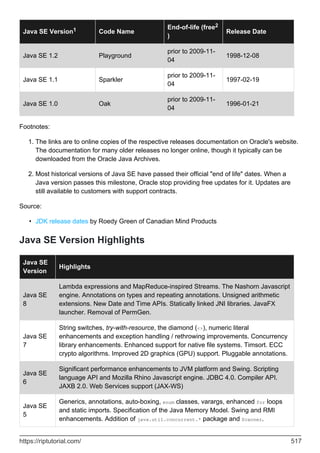
Java SE Versions 516
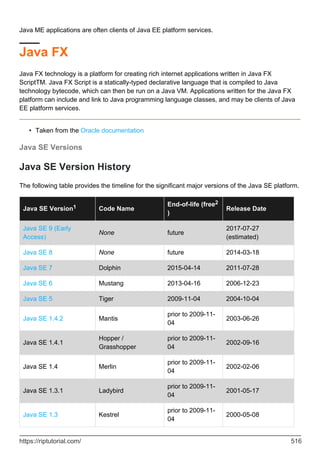
Java SE Version History 516
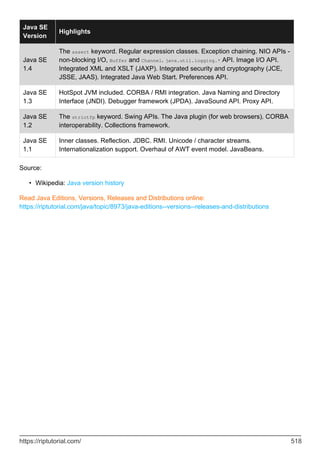
Java SE Version Highlights 517
Chapter 77: Java Floating Point Operations 519
Introduction 519
Examples 519
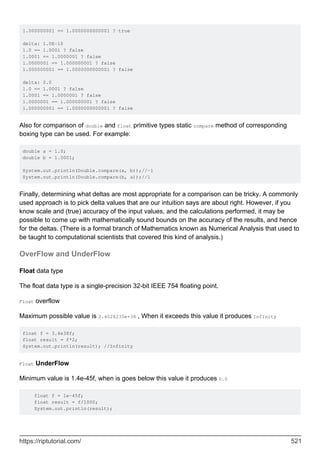
Comparing floating point values 519
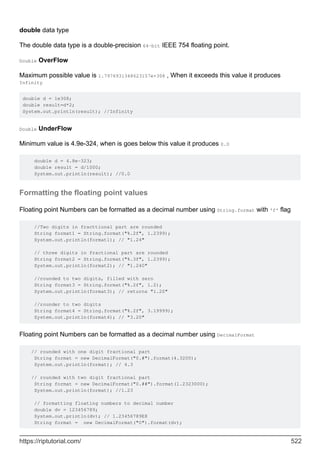
OverFlow and UnderFlow 521
Formatting the floating point values 522
Strict Adherence to the IEEE Specification 523
Chapter 78: Java Memory Management 524
Remarks 524
Examples 524
Finalization 524
Finalizers only run once 524
Manually triggering GC 525
Garbage collection 525
The C++ approach - new and delete 525
The Java approach - garbage collection 526
What happens when an object becomes unreachable 526
Examples of reachable and unreachable objects 527
Setting the Heap, PermGen and Stack sizes 528
Memory leaks in Java 529
Reachable objects can leak 529
Caches can be memory leaks 530
Chapter 79: Java Memory Model 531
Remarks 531
Examples 531
Motivation for the Memory Model 531
Reordering of assignments 532
Effects of memory caches 532
Proper synchronization 533
The Memory Model 533
Happens-before relationships 533
Actions 534
Program Order and Synchronization Order 534
Happens-before Order 535
Happens-before reasoning applied to some examples 535
Single-threaded code 535
Behavior of 'volatile' in an example with 2 threads 536
Volatile with three threads 537
How to avoid needing to understand the Memory Model 538
Chapter 80: Java Native Access 539
Examples 539
Introduction to JNA 539
What is JNA? 539
How can I use it? 539
Where to go now? 540
Chapter 81: Java Native Interface 541
Parameters 541
Remarks 541
Examples 541
Calling C++ methods from Java 541
Java code 541
C++ code 542
Output 543
Calling Java methods from C++ (callback) 543
Java code 543
C++ code 544
Output 544
Getting the descriptor 544
Loading native libraries 545
Target file lookup 545
Chapter 82: Java Performance Tuning 547
Examples 547
General approach 547
Reducing amount of Strings 547
An evidence-based approach to Java performance tuning 548
Chapter 83: Java Pitfalls - Exception usage 550
Introduction 550
Examples 550
Pitfall - Ignoring or squashing exceptions 550
Pitfall - Catching Throwable, Exception, Error or RuntimeException 551
Pitfall - Throwing Throwable, Exception, Error or RuntimeException 552
Declaring Throwable or Exception in a method's "throws" is problematic. 553
Pitfall - Catching InterruptedException 554
Pitfall - Using exceptions for normal flowcontrol 555
Pitfall - Excessive or inappropriate stacktraces 556
Pitfall - Directly subclassing `Throwable` 557
Chapter 84: Java Pitfalls - Language syntax 558
Introduction 558
Remarks 558
Examples 558
Pitfall - Ignoring method visibility 558
Pitfall - Missing a ‘break’ in a 'switch' case 558
Pitfall - Misplaced semicolons and missing braces 559
Pitfall - Leaving out braces: the "dangling if" and "dangling else" problems 561
Pitfall - Overloading instead of overriding 562
Pitfall - Octal literals 564
Pitfall - Declaring classes with the same names as standard classes 564
Pitfall - Using '==' to test a boolean 565
Pitfall - Wildcard imports can make your code fragile 566
Pitfall: Using 'assert' for argument or user input validation 566
Pitfall of Auto-Unboxing Null Objects into Primitives 567
Chapter 85: Java Pitfalls - Nulls and NullPointerException 569
Remarks 569
Examples 569
Pitfall - Unnecessary use of Primitive Wrappers can lead to NullPointerExceptions 569
Pitfall - Using null to represent an empty array or collection 570
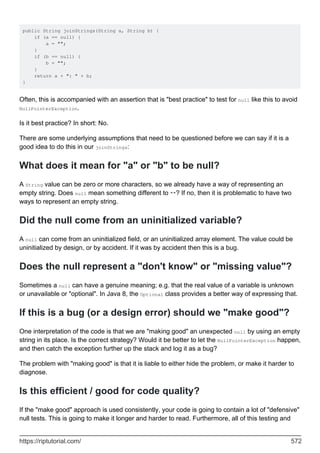
Pitfall - "Making good" unexpected nulls 571
What does it mean for "a" or "b" to be null? 572
Did the null come from an uninitialized variable? 572
Does the null represent a "don't know" or "missing value"? 572
If this is a bug (or a design error) should we "make good"? 572
Is this efficient / good for code quality? 572
In summary 573
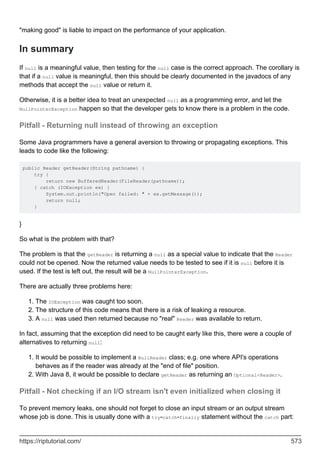
Pitfall - Returning null instead of throwing an exception 573
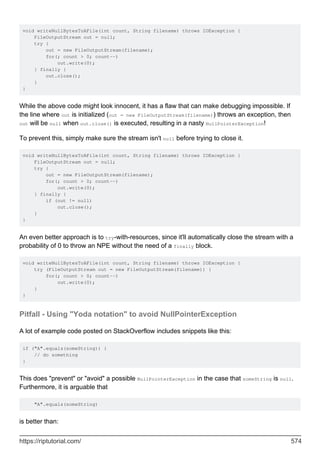
Pitfall - Not checking if an I/O stream isn't even initialized when closing it 573
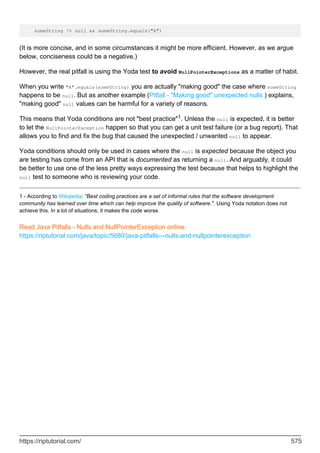
Pitfall - Using "Yoda notation" to avoid NullPointerException 574
Chapter 86: Java Pitfalls - Performance Issues 576
Introduction 576
Remarks 576
Examples 576
Pitfall - The overheads of creating log messages 576
Solution 576
Pitfall - String concatenation in a loop does not scale 577
Pitfall - Using 'new' to create primitive wrapper instances is inefficient 578
Pitfall - Calling 'new String(String)' is inefficient 578
Pitfall - Calling System.gc() is inefficient 579
Pitfall - Over-use of primitive wrapper types is inefficient 580
Pitfall - Iterating a Map's keys can be inefficient 581
Pitfall - Using size() to test if a collection is empty is inefficient. 581
Pitfall - Efficiency concerns with regular expressions 582
Pattern and Matcher instances should be reused 582
Don't use match() when you should use find() 583
Use more efficient alternatives to regular expressions 583
Catastrophic Backtracking 584
Pitfall - Interning strings so that you can use == is a bad idea 585
Fragility 585
Costs of using 'intern()' 585
The impact on garbage collection 586
The string pool hashtable size 586
Interning as a potential denial of service vector 587
Pitfall - Small reads / writes on unbuffered streams are inefficient 587
What about character-based streams? 588
Why do buffered streams make this much difference? 588
Are buffered streams always a win? 589
Is this the fastest way to copy a file in Java? 589
Chapter 87: Java Pitfalls - Threads and Concurrency 590
Examples 590
Pitfall: incorrect use of wait() / notify() 590
The "Lost Notification" problem 590
The "Illegal Monitor State" bug 590
Wait / notify is too low-level 591
Pitfall - Extending 'java.lang.Thread' 591
Pitfall - Too many threads makes an application slower. 592
Pitfall - Thread creation is relatively expensive 593
Pitfall: Shared variables require proper synchronization 594
Will it work as intended? 595
How do we fix the problem? 595
But isn't assignment atomic? 596
Why did they do this? 596
Why can't I reproduce this? 597
Chapter 88: Java plugin system implementations 599
Remarks 599
Examples 599
Using URLClassLoader 599
Chapter 89: Java Print Service 604
Introduction 604
Examples 604
Discovering the available print services 604
Discovering the default print service 604
Creating a print job from a print service 605
Building the Doc that will be printed 605
Defining print request attributes 606
Listening print job request status change 606
The PrintJobEvent pje argument 608
Another way to achieve the same goal 608
Chapter 90: Java SE 7 Features 609
Introduction 609
Remarks 609
Examples 609
New Java SE 7 programming language features 609
Binary Literals 609
The try-with-resources statement 610
Underscores in Numeric Literals 610
Type Inference for Generic Instance Creation 610
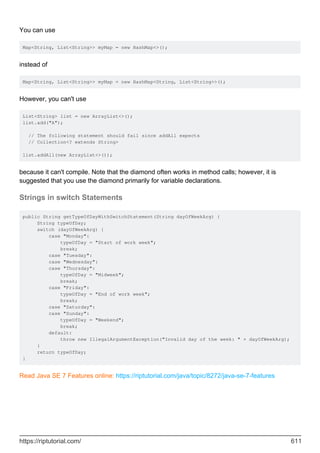
Strings in switch Statements 611
Chapter 91: Java SE 8 Features 612
Introduction 612
Remarks 612
Examples 612
New Java SE 8 programming language features 612
Chapter 92: Java Sockets 614
Introduction 614
Remarks 614
Examples 614
A simple TCP echo back server 614
Chapter 93: Java Virtual Machine (JVM) 618
Examples 618
These are the basics. 618
Chapter 94: JavaBean 619
Introduction 619
Syntax 619
Remarks 619
Examples 620
Basic Java Bean 620
Chapter 95: JAXB 621
Introduction 621
Syntax 621
Parameters 621
Remarks 621
Examples 621
Writing an XML file (marshalling an object) 621
Reading an XML file (unmarshalling) 622
Using XmlAdapter to generate desired xml format 623
Automatic field/property XML mapping configuration (@XmlAccessorType) 624
Manual field/property XML mapping configuration 626
Specifying a XmlAdapter instance to (re)use existing data 626
Example 627
User class 627
Adapter 627
Example XMLs 628
Using the adapter 629
Binding an XML namespace to a serializable Java class. 629
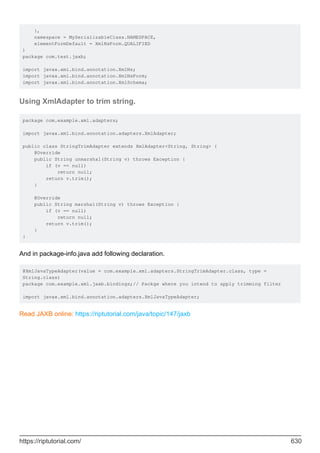
Using XmlAdapter to trim string. 630
Chapter 96: JAX-WS 631
Examples 631
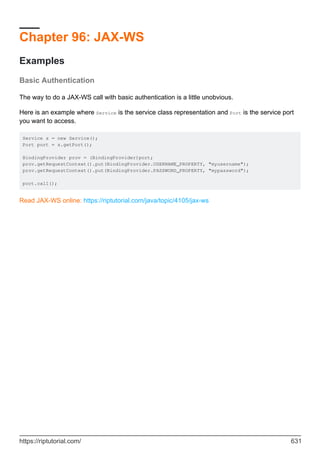
Basic Authentication 631
Chapter 97: JMX 632
Introduction 632
Examples 632
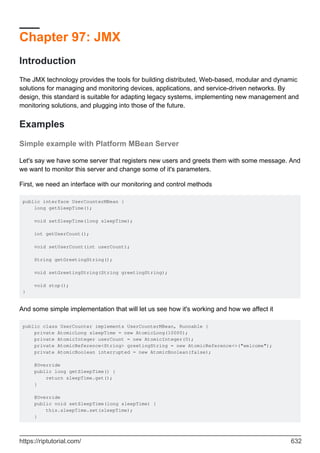
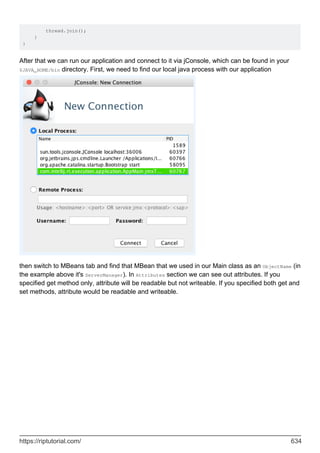
Simple example with Platform MBean Server 632
Chapter 98: JNDI 637
Examples 637
RMI through JNDI 637
Chapter 99: JShell 641
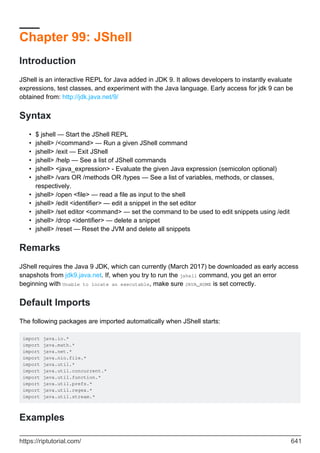
Introduction 641
Syntax 641
Remarks 641
Default Imports 641
Examples 641
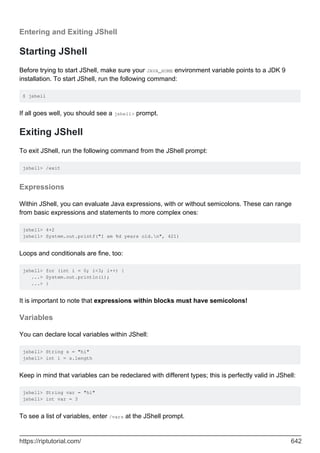
Entering and Exiting JShell 642
Starting JShell 642
Exiting JShell 642
Expressions 642
Variables 642
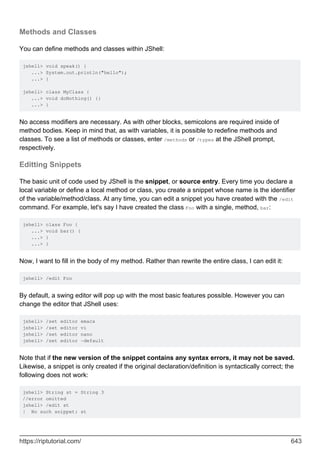
Methods and Classes 643
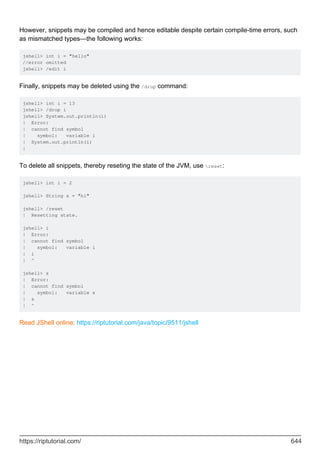
Editting Snippets 643
Chapter 100: JSON in Java 645
Introduction 645
Remarks 645
Examples 645
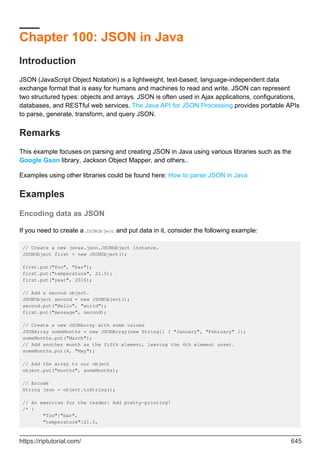
Encoding data as JSON 645
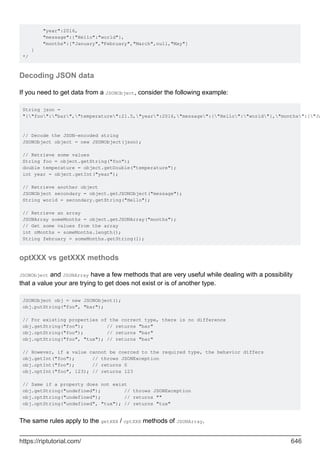
Decoding JSON data 646
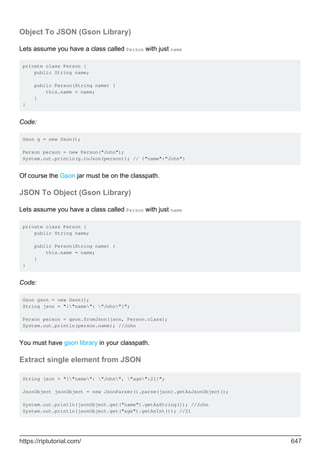
optXXX vs getXXX methods 646
Object To JSON (Gson Library) 647
JSON To Object (Gson Library) 647
Extract single element from JSON 647
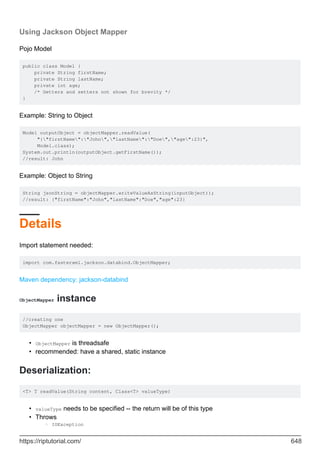
Using Jackson Object Mapper 648
Details 648
ObjectMapper instance 648
Deserialization: 648
Method for serialization: 649
JSON Iteration 649
JSON Builder - chaining methods 649
JSONObject.NULL 650
JsonArray to Java List (Gson Library) 650
Deserialize JSON collection to collection of Objects using Jackson 651
Deserializing JSON array 651
TypeFactory approach 651
TypeReference approach 652
Deserializing JSON map 652
TypeFactory approach 652
TypeReference approach 652
Details 652
Note 652
Chapter 101: Just in Time (JIT) compiler 654
Remarks 654
History 654
Examples 654
Overview 654
Chapter 102: JVM Flags 657
Remarks 657
Examples 657
-XXaggressive 657
-XXallocClearChunks 657
-XXallocClearChunkSize 658
-XXcallProfiling 658
-XXdisableFatSpin 658
-XXdisableGCHeuristics 659
-XXdumpSize 659
-XXexitOnOutOfMemory 659
Chapter 103: JVM Tool Interface 661
Remarks 661
Examples 661
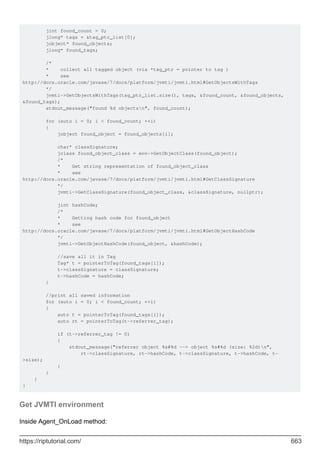
Iterate over objects reachable from object (Heap 1.0) 661
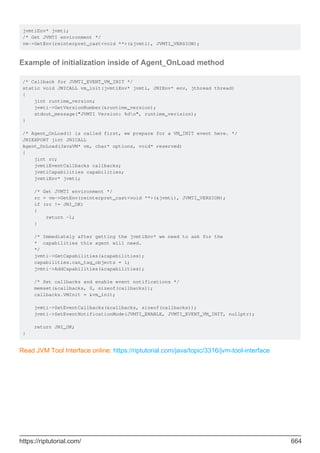
Get JVMTI environment 663
Example of initialization inside of Agent_OnLoad method 664
Chapter 104: Lambda Expressions 665
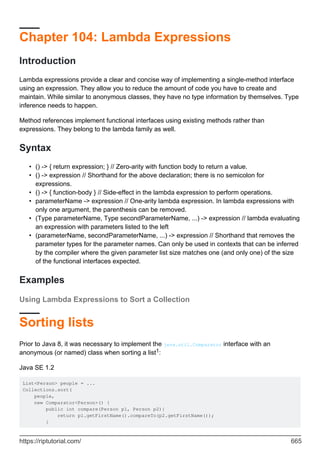
Introduction 665
Syntax 665
Examples 665
Using Lambda Expressions to Sort a Collection 665
Sorting lists 665
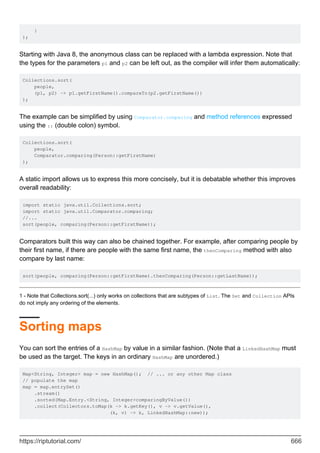
Sorting maps 666
Introduction to Java lambdas 667
Functional Interfaces 667
Lambda Expressions 668
Implicit Returns 669
Accessing Local Variables (value closures) 669
Accepting Lambdas 670
The Type of a Lambda Expression 670
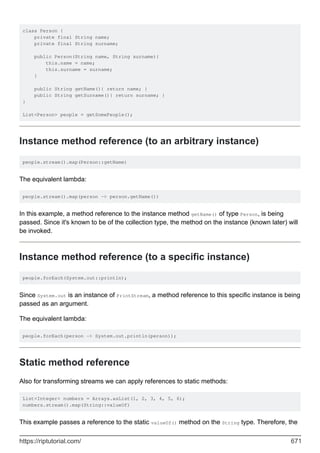
Method References 670
Instance method reference (to an arbitrary instance) 671
Instance method reference (to a specific instance) 671
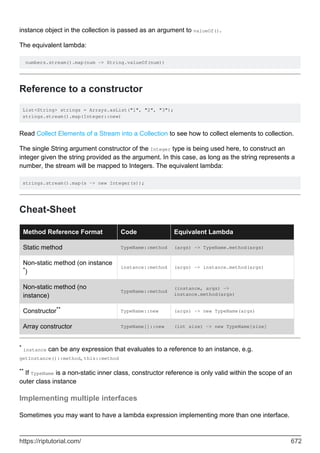
Static method reference 671
Reference to a constructor 672
Cheat-Sheet 672
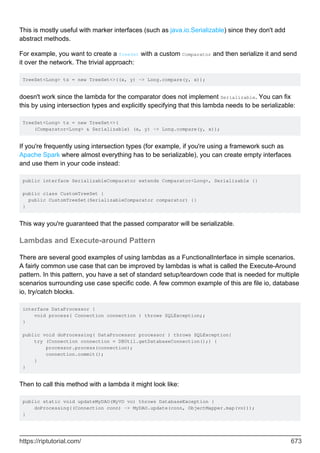
Implementing multiple interfaces 672
Lambdas and Execute-around Pattern 673
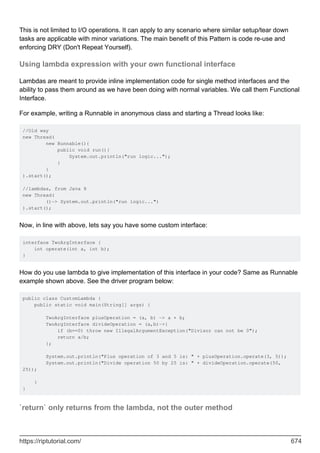
Using lambda expression with your own functional interface 674
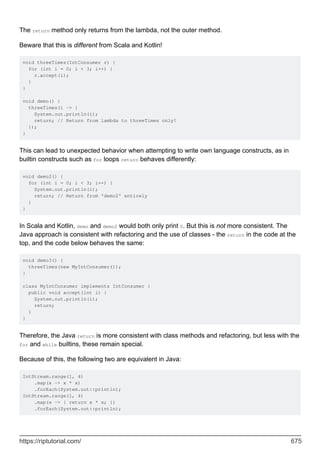
`return` only returns from the lambda, not the outer method 674
Java Closures with lambda expressions. 676
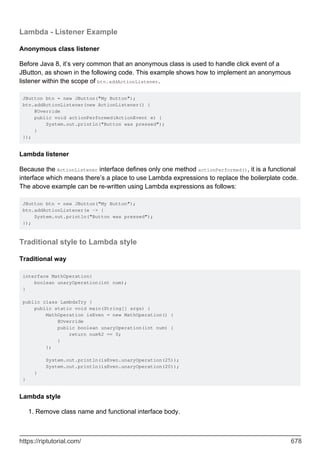
Lambda - Listener Example 678
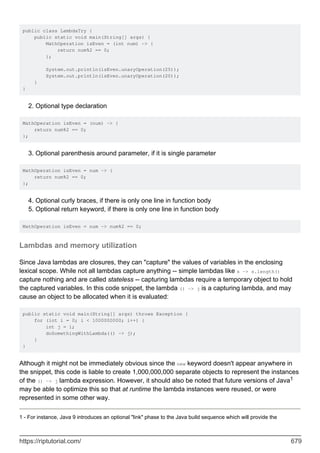
Traditional style to Lambda style 678
Lambdas and memory utilization 679
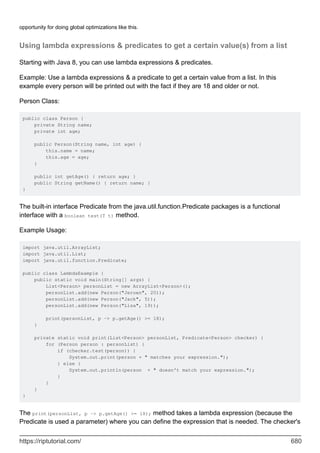
Using lambda expressions & predicates to get a certain value(s) from a list 680
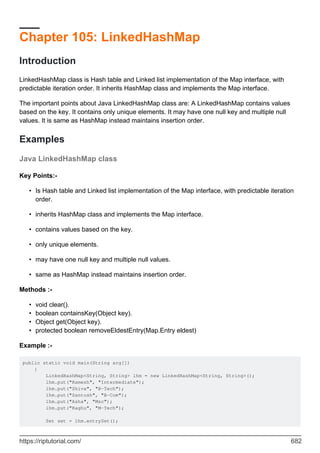
Chapter 105: LinkedHashMap 682
Introduction 682
Examples 682
Java LinkedHashMap class 682
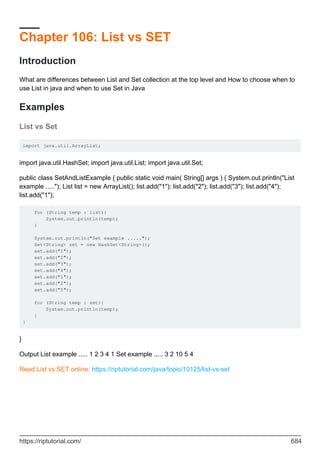
Chapter 106: List vs SET 684
Introduction 684
Examples 684
List vs Set 684
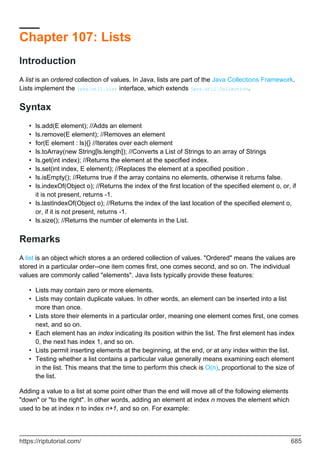
Chapter 107: Lists 685
Introduction 685
Syntax 685
Remarks 685
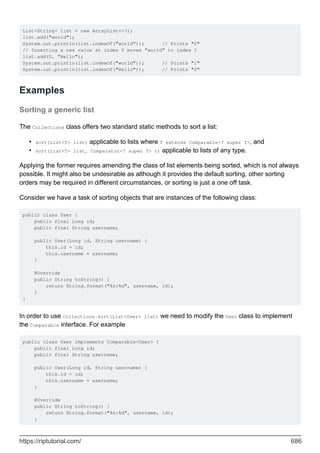
Examples 686
Sorting a generic list 686
Creating a List 687
Positional Access Operations 689
Iterating over elements in a list 690
Removing elements from list B that are present in the list A 691
Finding common elements between 2 lists 692
Convert a list of integers to a list of strings 692
Creating, Adding and Removing element from an ArrayList 692
In-place replacement of a List element 693
Making a list unmodifiable 694
Moving objects around in the list 694
Classes implementing List - Pros and Cons 695
Classes implementing List 695
Pros and Cons of each implementation in term of time complexity 695
ArrayList 696
AttributeList 696
CopyOnWriteArrayList 696
LinkedList 696
RoleList 697
RoleUnresolvedList 697
Stack 697
Vector 697
Chapter 108: Literals 699
Introduction 699
Examples 699
Hexadecimal, Octal and Binary literals 699
Using underscore to improve readability 699
Escape sequences in literals 700
Unicode escapes 701
Escaping in regexes 701
Decimal Integer literals 701
Ordinary integer literals 701
Long integer literals 702
Boolean literals 702
String literals 702
Long strings 703
Interning of string literals 703
The Null literal 703
Floating-point literals 704
Simple decimal forms 704
Scaled decimal forms 705
Hexadecimal forms 705
Underscores 705
Special cases 706
Character literals 706
Chapter 109: Local Inner Class 707
Introduction 707
Examples 707
Local Inner Class 707
Chapter 110: Localization and Internationalization 708
Remarks 708
General Resources 708
Java Resources 708
Examples 708
Automatically formatted Dates using "locale" 708
Let Java do the work for you 709
String Comparison 709
Locale 709
Language 710
Creating a Locale 710
Java ResourceBundle 710
Setting Locale 710
Chapter 111: LocalTime 712
Syntax 712
Parameters 712
Remarks 712
Examples 712
Time Modification 712
Time Zones and their time difference 713
Amount of time between two LocalTime 713
Intro 714
Chapter 112: log4j / log4j2 716
Introduction 716
Syntax 716
Remarks 716
End of Life for Log4j 1 reached 716
Examples 717
How to get Log4j 717
How to use Log4j in Java code 718
Setting up property file 718
Basic log4j2.xml configuration file 719
Migrating from log4j 1.x to 2.x 719
Properties-File to log to DB 720
Filter Logoutput by level (log4j 1.x) 721
Chapter 113: Logging (java.util.logging) 723
Examples 723
Using the default logger 723
Logging levels 723
Logging complex messages (efficiently) 724
Chapter 114: Maps 727
Introduction 727
Remarks 727
Examples 727
Add an element 727
Add multiple items 728
Using Default Methods of Map from Java 8 729
Clear the map 731
Iterating through the contents of a Map 732
Merging, combine and composing Maps 733
Composing Map<X,Y> and Map<Y,Z> to get Map<X,Z> 733
Check if key exists 734
Maps can contain null values 734
Iterating Map Entries Efficiently 734
Use custom object as key 737
Usage of HashMap 738
Creating and Initializing Maps 739
Introduction 739
Chapter 115: Modules 742
Syntax 742
Remarks 742
Examples 742
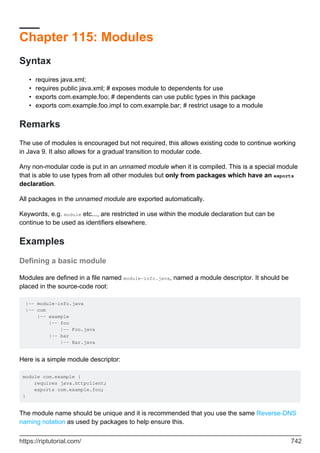
Defining a basic module 742
Chapter 116: Multi-Release JAR Files 744
Introduction 744
Examples 744
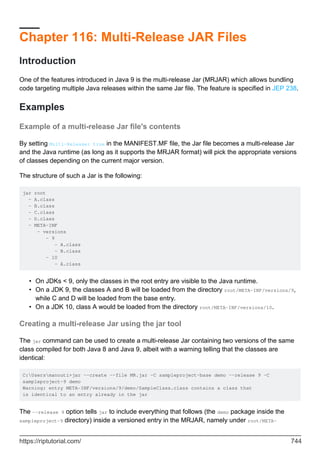
Example of a multi-release Jar file's contents 744
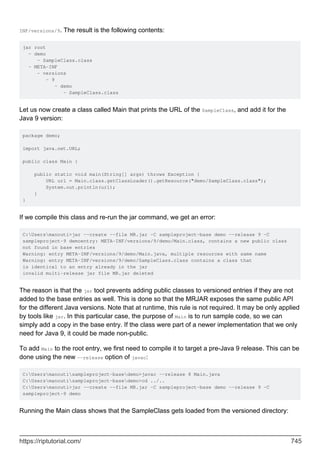
Creating a multi-release Jar using the jar tool 744
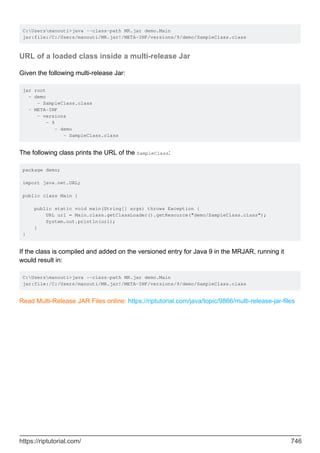
URL of a loaded class inside a multi-release Jar 746
Chapter 117: Nashorn JavaScript engine 747
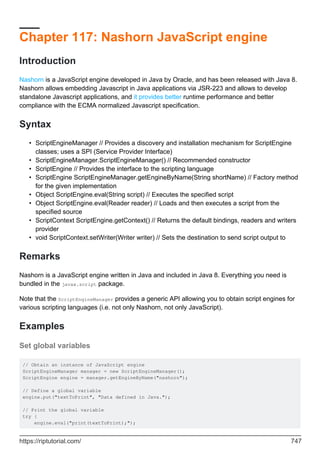
Introduction 747
Syntax 747
Remarks 747
Examples 747
Set global variables 747
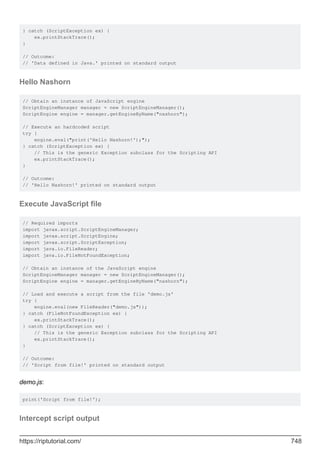
Hello Nashorn 748
Execute JavaScript file 748
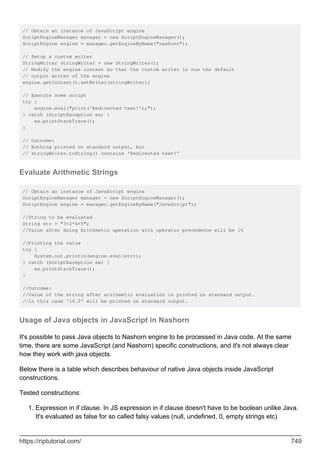
Intercept script output 748
Evaluate Arithmetic Strings 749
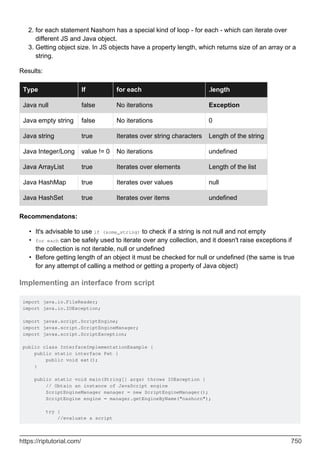
Usage of Java objects in JavaScript in Nashorn 749
Implementing an interface from script 750
Set and get global variables 751
Chapter 118: Nested and Inner Classes 752
Introduction 752
Syntax 752
Remarks 752
Terminology and classification 752
Semantic differences 753
Examples 753
A Simple Stack Using a Nested Class 753
Static vs Non Static Nested Classes 754
Access Modifiers for Inner Classes 756
Anonymous Inner Classes 757
Constructors 758
Method Local Inner Classes 758
Accessing the outer class from a non-static inner class 759
Create instance of non-static inner class from outside 760
Chapter 119: Networking 761
Syntax 761
Examples 761
Basic Client and Server Communication using a Socket 761
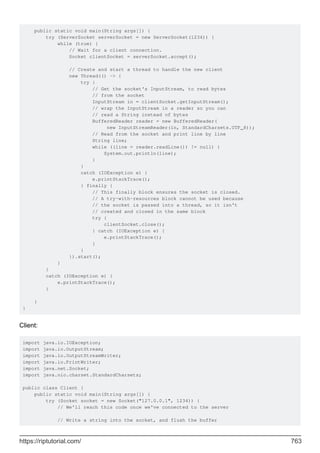
Server: Start, and wait for incoming connections 761
Server: Handling clients 761
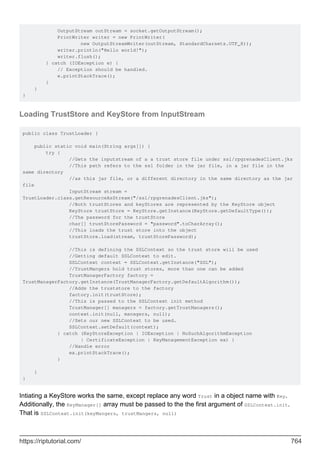
Client: Connect to the server and send a message 762
Closing Sockets and Handling Exceptions 762
Basic Server and Client - complete examples 762
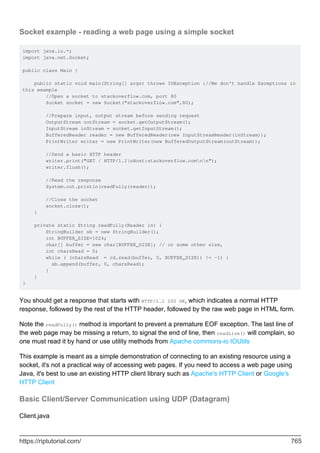
Loading TrustStore and KeyStore from InputStream 764
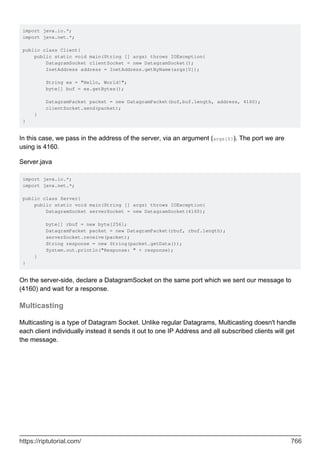
Socket example - reading a web page using a simple socket 765
Basic Client/Server Communication using UDP (Datagram) 765
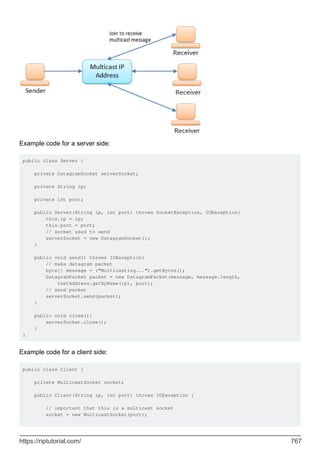
Multicasting 766
Temporarily disable SSL verification (for testing purposes) 768
Downloading a file using Channel 769
Notes 770
Chapter 120: New File I/O 771
Syntax 771
Examples 771
Creating paths 771
Retrieving information about a path 771
Manipulating paths 772
Joining Two Paths 772
Normalizing a path 772
Retrieving information using the filesystem 772
Checking existence 772
Checking whether a path points to a file or a directory 773
Getting properties 773
Getting MIME type 773
Reading files 774
Writing files 774
Chapter 121: NIO - Networking 775
Remarks 775
Examples 775
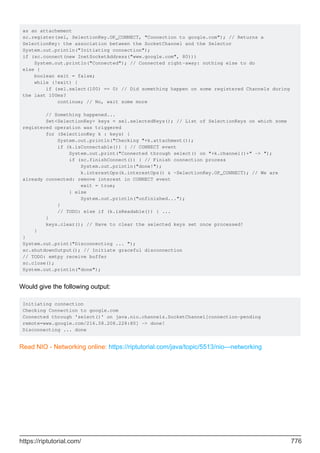
Using Selector to wait for events (example with OP_CONNECT) 775
Chapter 122: Non-Access Modifiers 777
Introduction 777
Examples 777
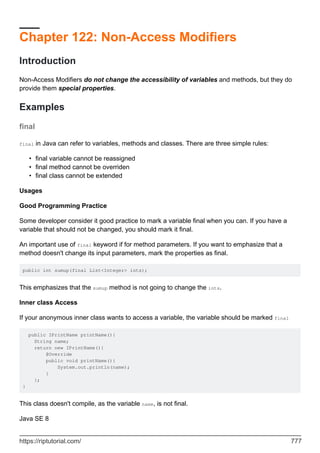
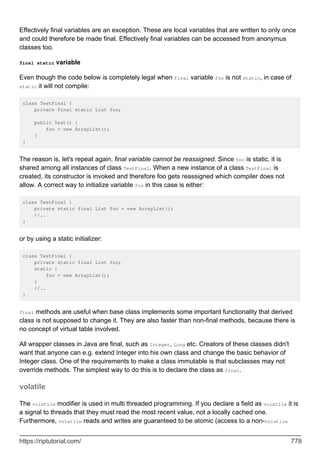
final 777
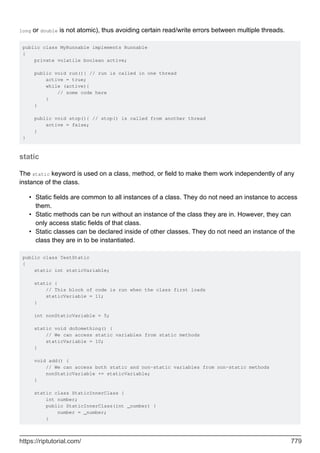
volatile 778
static 779
abstract 780
synchronized 781
transient 782
strictfp 782
Chapter 123: NumberFormat 783
Examples 783
NumberFormat 783
Chapter 124: Object Class Methods and Constructor 784
Introduction 784
Syntax 784
Examples 784
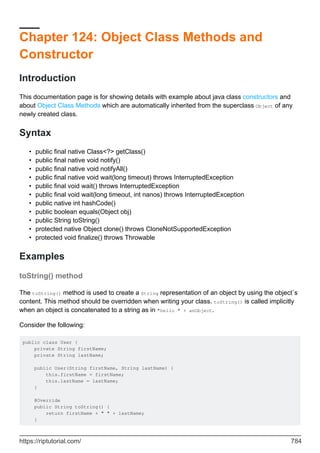
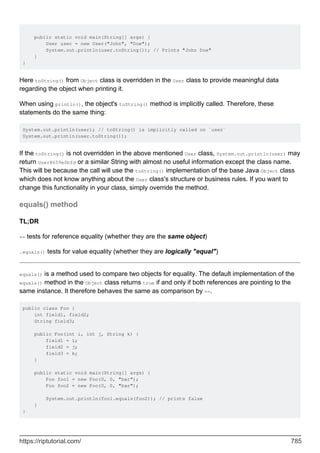
toString() method 784
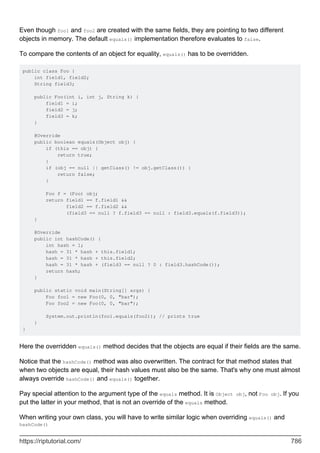
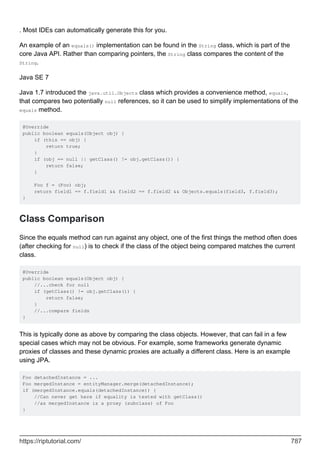
equals() method 785
Class Comparison 787
hashCode() method 788
Using Arrays.hashCode() as a short cut 789
Internal caching of hash codes 790
wait() and notify() methods 791
getClass() method 792
clone() method 793
finalize() method 794
Object constructor 795
Chapter 125: Object Cloning 798
Remarks 798
Examples 798
Cloning using a copy constructor 798
Cloning by implementing Clonable interface 798
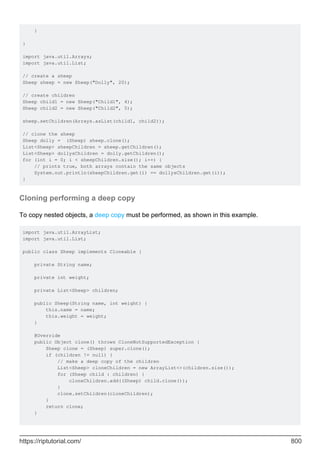
Cloning performing a shallow copy 799
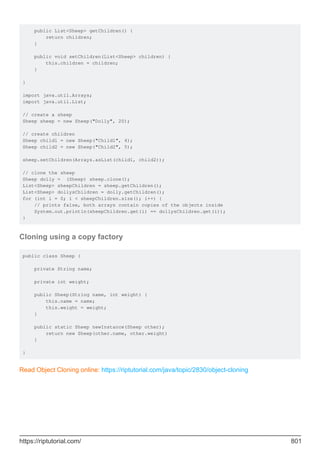
Cloning performing a deep copy 800
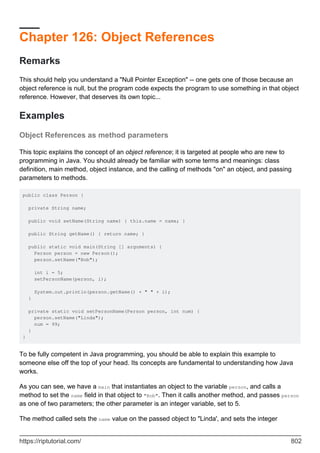
Cloning using a copy factory 801
Chapter 126: Object References 802
Remarks 802
Examples 802
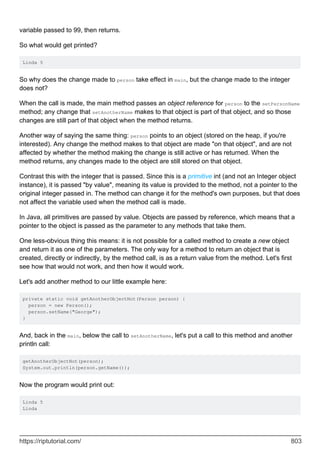
Object References as method parameters 802
Chapter 127: Operators 806
Introduction 806
Remarks 806
Examples 806
The String Concatenation Operator (+) 806
Optimization and efficiency 807
The Arithmetic Operators (+, -, *, /, %) 808
Operand and result types, and numeric promotion 809
The meaning of division 809
The meaning of remainder 810
Integer Overflow 810
Floating point INF and NAN values 811
The Equality Operators (==, !=) 811
The Numeric == and != operators 812
The Boolean == and != operators 812
The Reference == and != operators 813
About the NaN edge-cases 813
The Increment/Decrement Operators (++/--) 813
The Conditional Operator (? :) 814
Syntax 814
Common Usage 815
The Bitwise and Logical Operators (~, &, |, ^) 816
Operand types and result types. 817
The Instanceof Operator 817
The Assignment Operators (=, +=, -=, *=, /=, %=, <<=, >>= , >>>=, &=, |= and ^=) 818
The conditional-and and conditional-or Operators ( && and || ) 820
Example - using && as a guard in an expression 821
Example - using && to avoid a costly calculation 821
The Shift Operators (<<, >> and >>>) 821
The Lambda operator ( -> ) 823
The Relational Operators (<, <=, >, >=) 823
Chapter 128: Optional 825
Introduction 825
Syntax 825
Examples 825
Return default value if Optional is empty 825
Map 826
Throw an exception, if there is no value 827
Filter 827
Using Optional containers for primitive number types 828
Run code only if there is a value present 828
Lazily provide a default value using a Supplier 828
FlatMap 829
Chapter 129: Oracle Official Code Standard 830
Introduction 830
Remarks 830
Examples 830
Naming Conventions 830
Package names 830
Class, Interface and Enum Names 830
Method Names 831
Variables 831
Type Variables 831
Constants 831
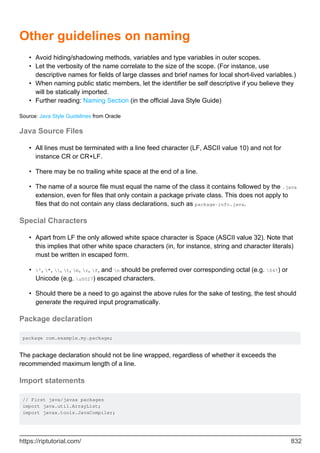
Other guidelines on naming 831
Java Source Files 832
Special Characters 832
Package declaration 832
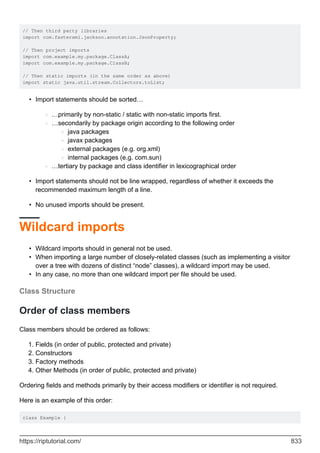
Import statements 832
Wildcard imports 833
Class Structure 833
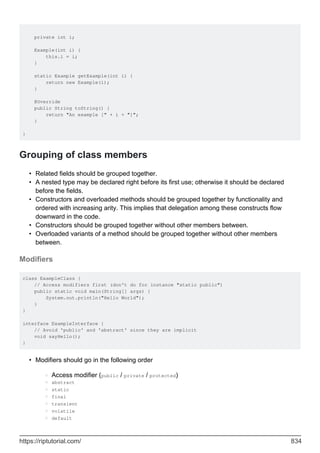
Order of class members 833
Grouping of class members 834
Modifiers 834
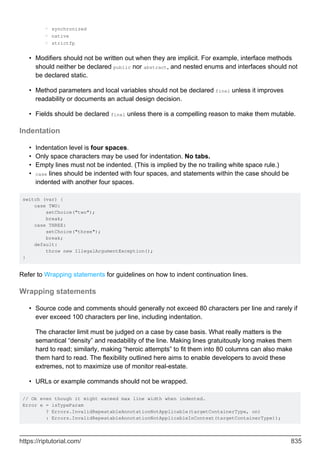
Indentation 835
Wrapping statements 835
Wrapping Method Declarations 836
Wrapping Expressions 837
Whitespace 837
Vertical Whitespace 837
Horizontal Whitespace 837
Variable Declarations 838
Annotations 838
Lambda Expressions 839
Redundant Parentheses 839
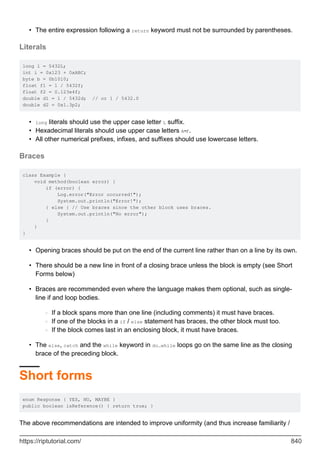
Literals 840
Braces 840
Short forms 840
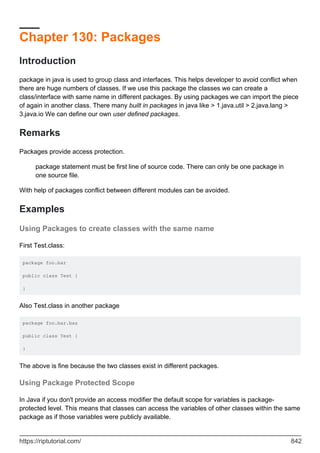
Chapter 130: Packages 842
Introduction 842
Remarks 842
Examples 842
Using Packages to create classes with the same name 842
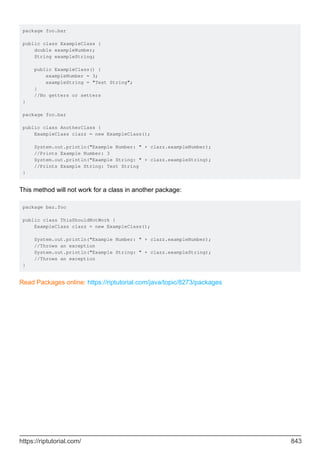
Using Package Protected Scope 842
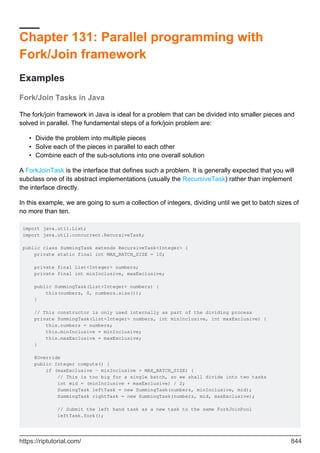
Chapter 131: Parallel programming with Fork/Join framework 844
Examples 844
Fork/Join Tasks in Java 844
Chapter 132: Polymorphism 846
Introduction 846
Remarks 846
Examples 846
Method Overloading 846
Method Overriding 848
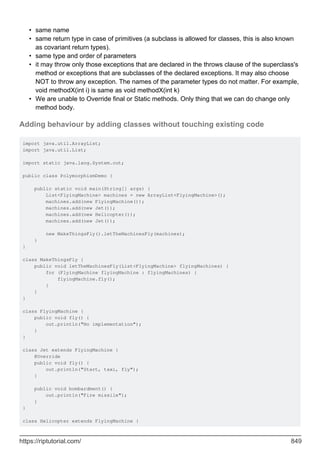
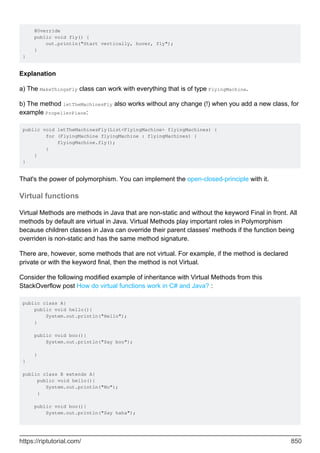
Adding behaviour by adding classes without touching existing code 849
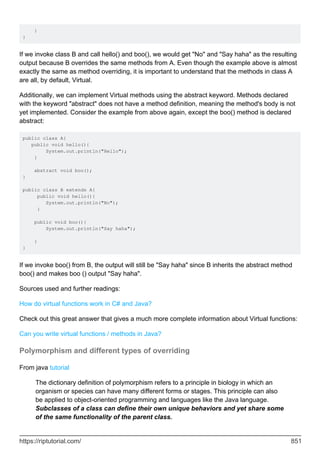
Virtual functions 850
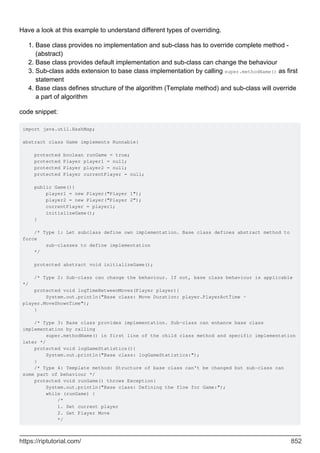
Polymorphism and different types of overriding 851
Chapter 133: Preferences 855
Examples 855
Adding event listeners 855
PreferenceChangeEvent 855
NodeChangeEvent 855
Getting sub-nodes of Preferences 856
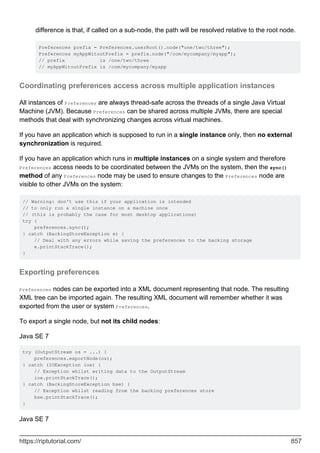
Coordinating preferences access across multiple application instances 857
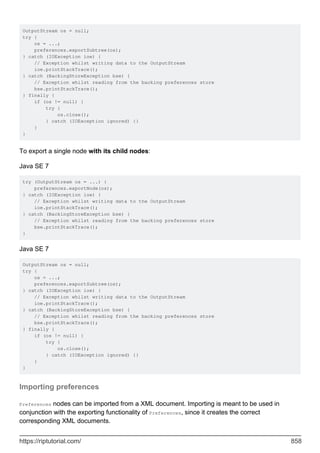
Exporting preferences 857
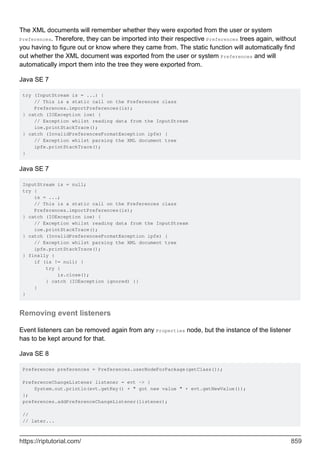
Importing preferences 858
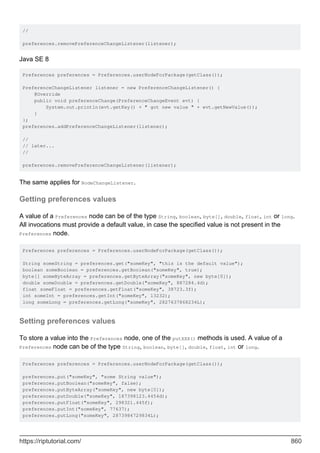
Removing event listeners 859
Getting preferences values 860
Setting preferences values 860
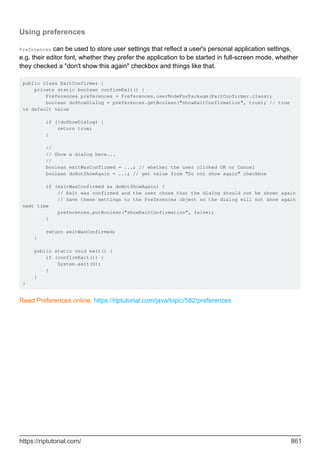
Using preferences 861
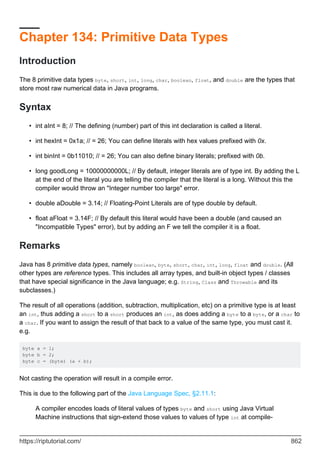
Chapter 134: Primitive Data Types 862
Introduction 862
Syntax 862
Remarks 862
Examples 863
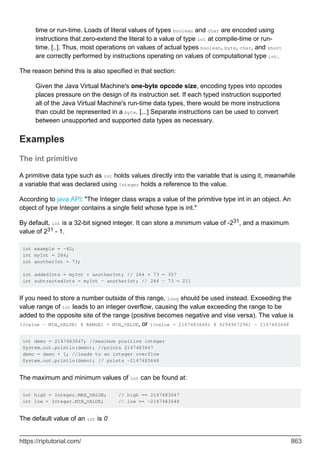
The int primitive 863
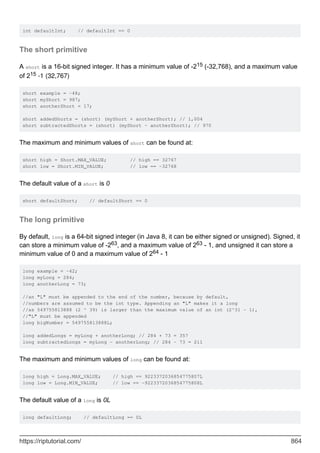
The short primitive 864
The long primitive 864
The boolean primitive 865
The byte primitive 866
The float primitive 866
The double primitive 867
The char primitive 868
Negative value representation 869
Memory consumption of primitives vs. boxed primitives 870
Boxed value caches 871
Converting Primitives 871
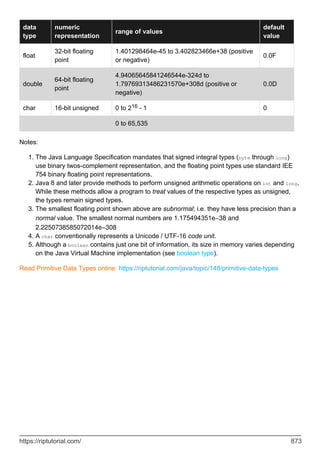
Primitive Types Cheatsheet 872
Chapter 135: Process 874
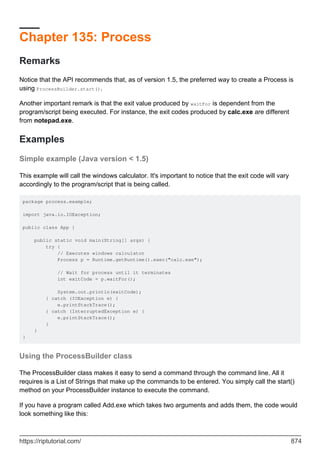
Remarks 874
Examples 874
Simple example (Java version < 1.5) 874
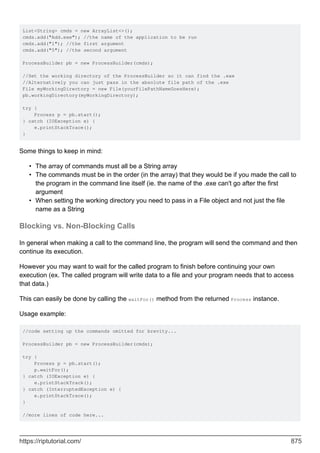
Using the ProcessBuilder class 874
Blocking vs. Non-Blocking Calls 875
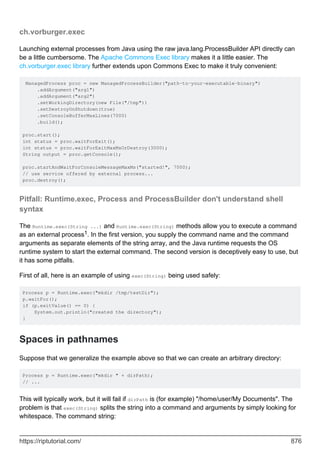
ch.vorburger.exec 876
Pitfall: Runtime.exec, Process and ProcessBuilder don't understand shell syntax 876
Spaces in pathnames 876
Redirection, pipelines and other shell syntax 877
Shell builtin commands don't work 878
Chapter 136: Properties Class 879
Introduction 879
Syntax 879
Remarks 879
Examples 880
Loading properties 880
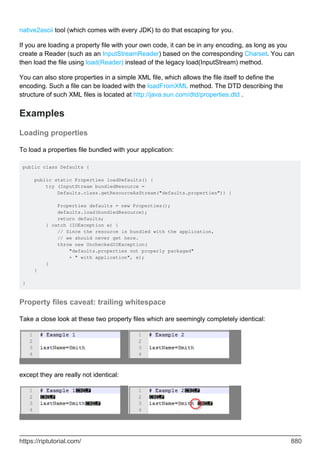
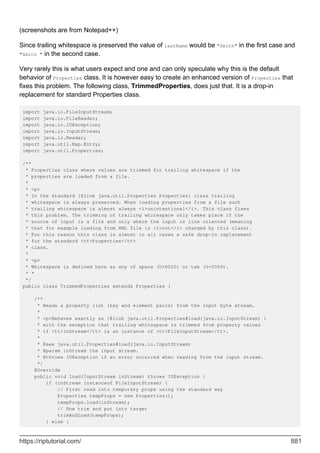
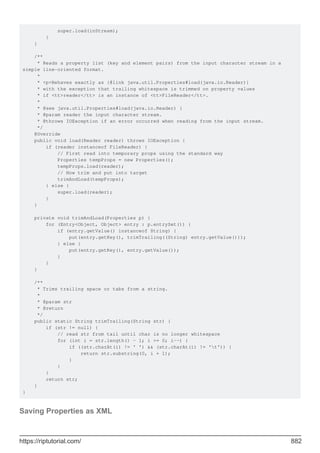
Property files caveat: trailing whitespace 880
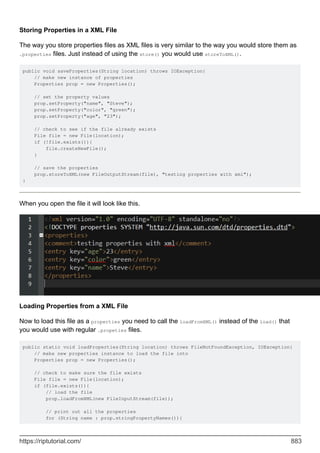
Saving Properties as XML 882
Chapter 137: Queues and Deques 885
Examples 885
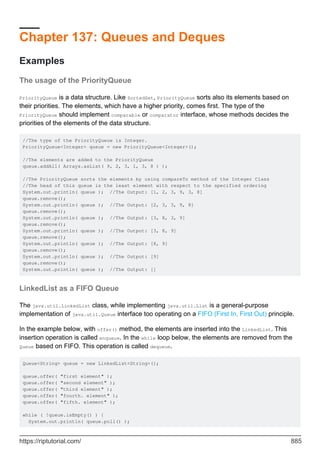
The usage of the PriorityQueue 885
LinkedList as a FIFO Queue 885
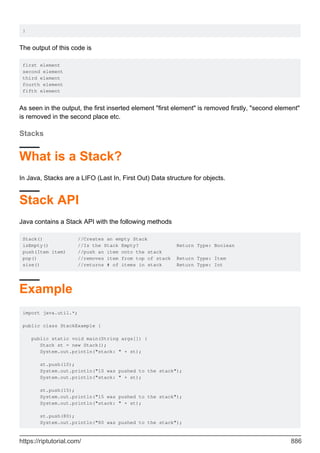
Stacks 886
What is a Stack? 886
Stack API 886
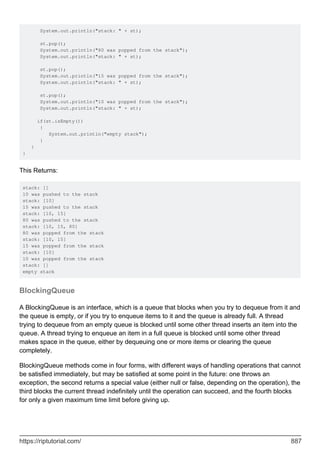
Example 886
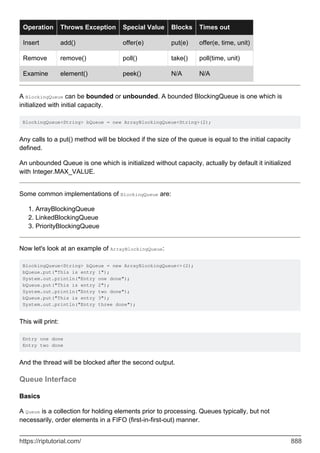
BlockingQueue 887
Queue Interface 888
Deque 889
Adding and Accessing Elements 890
Removing Elements 890
Chapter 138: Random Number Generation 891
Remarks 891
Examples 891
Pseudo Random Numbers 891
Pseudo Random Numbers in Specific Range 891
Generating cryptographically secure pseudorandom numbers 892
Select random numbers without duplicates 893
Generating Random Numbers with a Specified Seed 894
Generating Random number using apache-common lang3 894
Chapter 139: Readers and Writers 896
Introduction 896
Examples 896
BufferedReader 896
Introduction 896
Basics of using a BufferedReader 896
The BufferedReader buffer size 897
The BufferedReader.readLine() method 897
Example: reading all lines of a File into a List 897
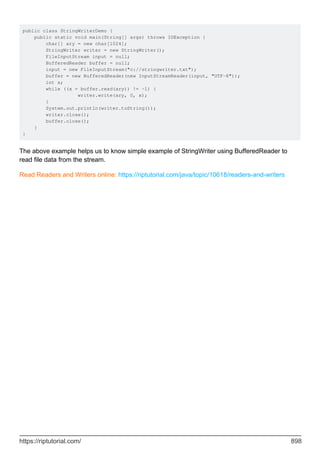
StringWriter Example 897
Chapter 140: Recursion 899
Introduction 899
Remarks 899
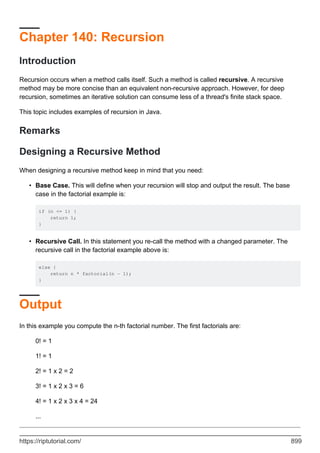
Designing a Recursive Method 899
Output 899
Java and Tail-call elimination 900
Examples 900
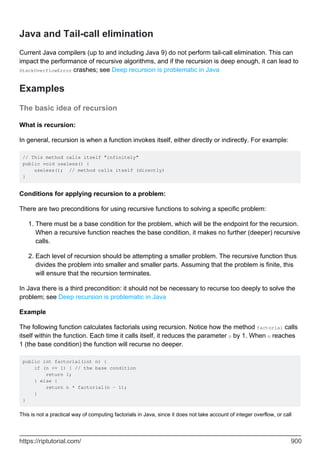
The basic idea of recursion 900
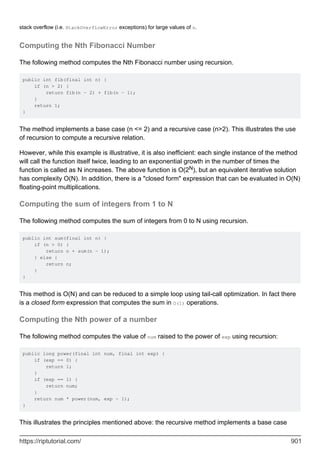
Computing the Nth Fibonacci Number 901
Computing the sum of integers from 1 to N 901
Computing the Nth power of a number 901
Reverse a string using Recursion 902
Traversing a Tree data structure with recursion 902
Types of Recursion 903
StackOverflowError & recursion to loop 903
Example 903
Workaround 904
Example 904
Deep recursion is problematic in Java 906
Why tail-call elimination is not implemented in Java (yet) 907
Chapter 141: Reference Data Types 908
Examples 908
Instantiating a reference type 908
Dereferencing 908
Chapter 142: Reference Types 910
Examples 910
Different Reference Types 910
Chapter 143: Reflection API 912
Introduction 912
Remarks 912
Performance 912
Examples 912
Introduction 912
Invoking a method 914
Getting and Setting fields 914
Call constructor 915
Getting the Constructor Object 915
New Instance using Constructor Object 916
Getting the Constants of an Enumeration 916
Get Class given its (fully qualified) name 917
Call overloaded constructors using reflection 918
Misuse of Reflection API to change private and final variables 918
Call constructor of nested class 920
Dynamic Proxies 920
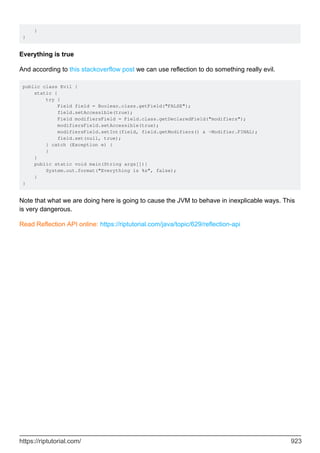
Evil Java hacks with Reflection 921
Chapter 144: Regular Expressions 924
Introduction 924
Syntax 924
Remarks 924
Imports 924
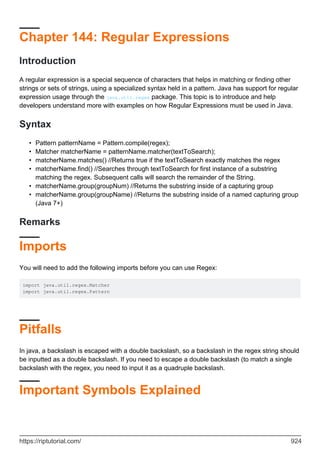
Pitfalls 924
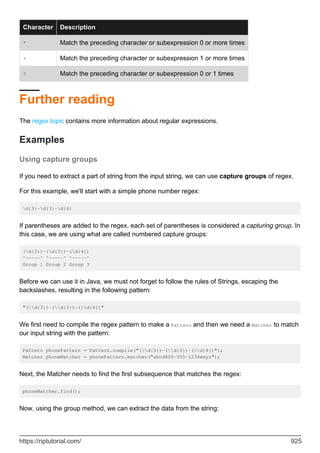
Important Symbols Explained 924
Further reading 925
Examples 925
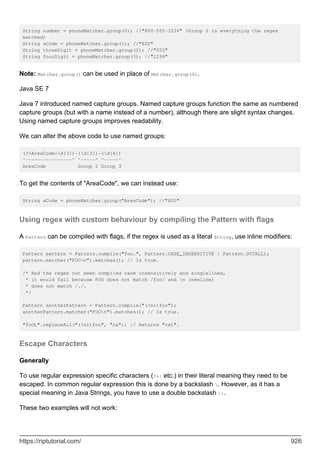
Using capture groups 925
Using regex with custom behaviour by compiling the Pattern with flags 926
Escape Characters 926
Matching with a regex literal. 927
Not matching a given string 927
Matching a backslash 928
Chapter 145: Remote Method Invocation (RMI) 930
Remarks 930
Examples 930
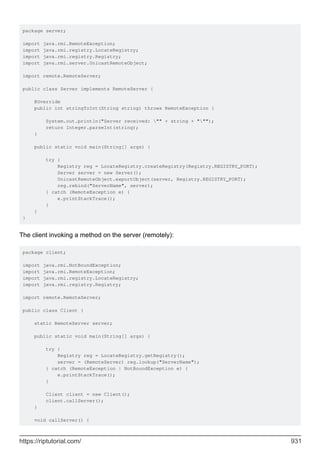
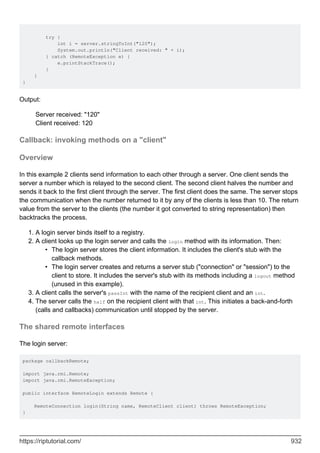
Client-Server: invoking methods in one JVM from another 930
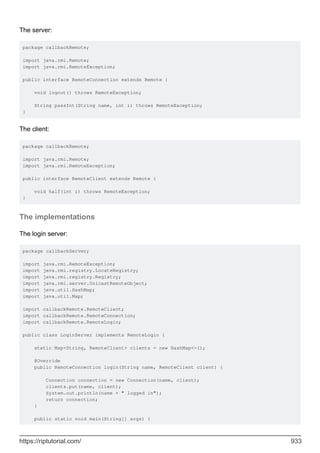
Callback: invoking methods on a "client" 932
Overview 932
The shared remote interfaces 932
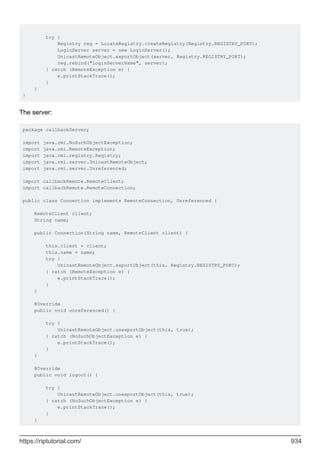
The implementations 933
Simple RMI example with Client and Server implementation 936
Server Package 936
Client package 937
Test your application 939
Chapter 146: Resources (on classpath) 940
Introduction 940
Remarks 940
Examples 941
Loading an image from a resource 941
Loading default configuration 942
Loading same-name resource from multiple JARs 942
Finding and reading resources using a classloader 942
Absolute and relative resource paths 943
Obtaining a Class or Classloader 943
The get methods 943
Chapter 147: RSA Encryption 945
Examples 945
An example using a hybrid cryptosystem consisting of OAEP and GCM 945
Chapter 148: Runtime Commands 950
Examples 950
Adding shutdown hooks 950
Chapter 149: Scanner 951
Syntax 951
Parameters 951
Remarks 951
Examples 951
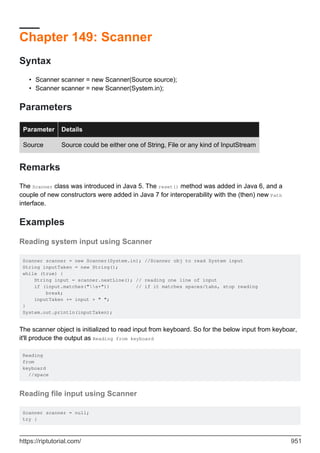
Reading system input using Scanner 951
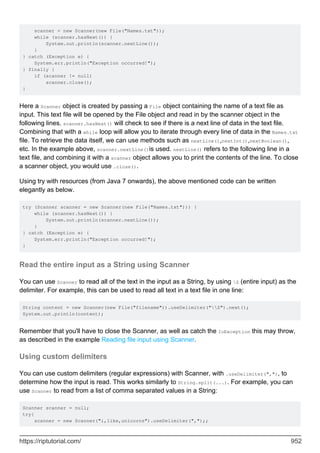
Reading file input using Scanner 951
Read the entire input as a String using Scanner 952
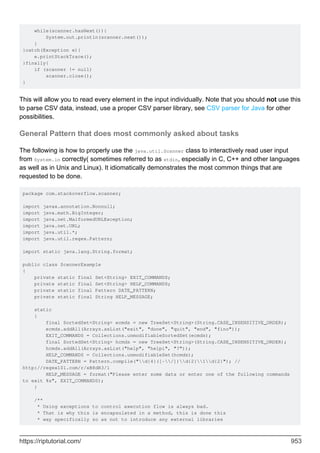
Using custom delimiters 952
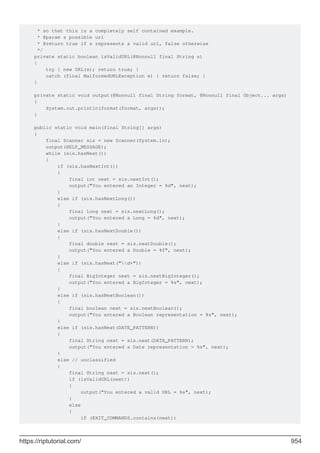
General Pattern that does most commonly asked about tasks 953
Read an int from the command line 955
Carefully Closing a Scanner 955
Chapter 150: Secure objects 956
Syntax 956
Examples 956
SealedObject (javax.crypto.SealedObject) 956
SignedObject (java.security.SignedObject) 956
Chapter 151: Security & Cryptography 958
Examples 958
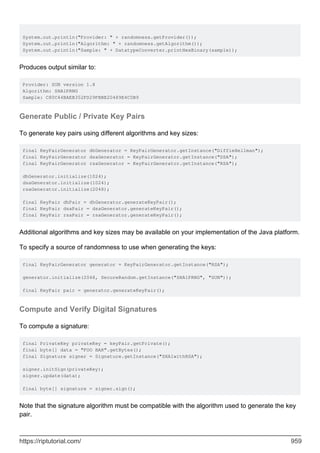
Compute Cryptographic Hashes 958
Generate Cryptographically Random Data 958
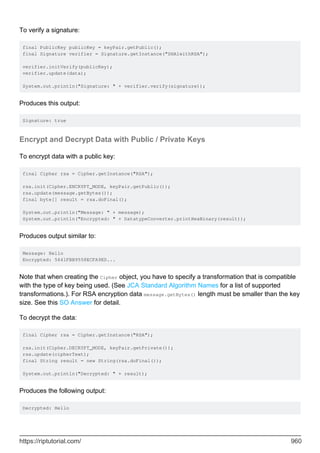
Generate Public / Private Key Pairs 959
Compute and Verify Digital Signatures 959
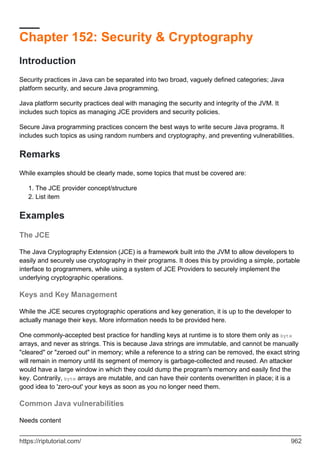
Encrypt and Decrypt Data with Public / Private Keys 960
Chapter 152: Security & Cryptography 962
Introduction 962
Remarks 962
Examples 962
The JCE 962
Keys and Key Management 962
Common Java vulnerabilities 962
Networking Concerns 963
Randomness and You 963
Hashing and Validation 963
Chapter 153: SecurityManager 964
Examples 964
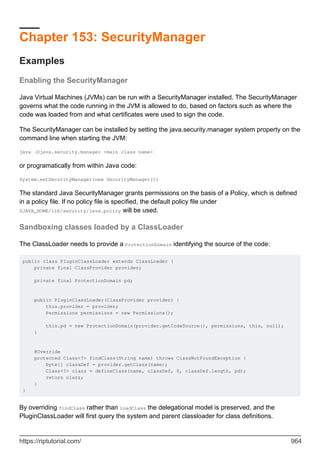
Enabling the SecurityManager 964
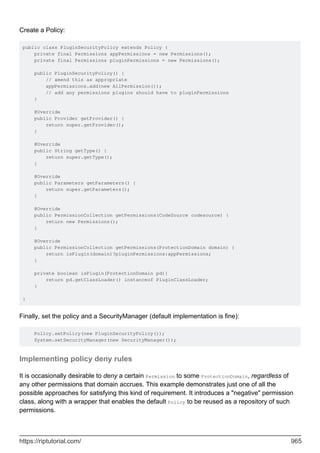
Sandboxing classes loaded by a ClassLoader 964
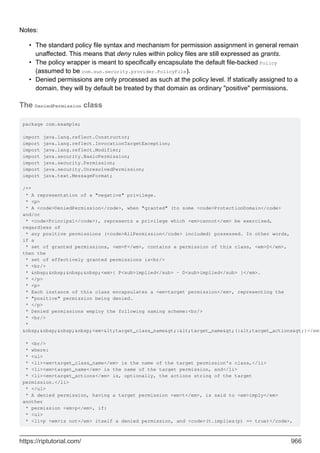
Implementing policy deny rules 965
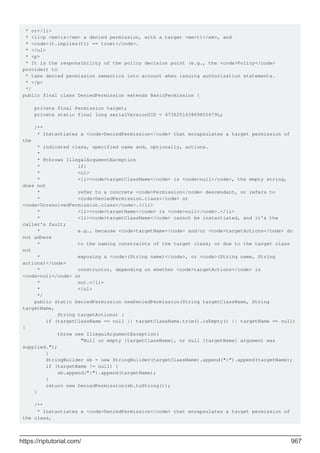
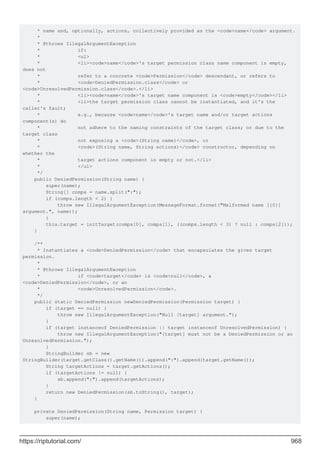
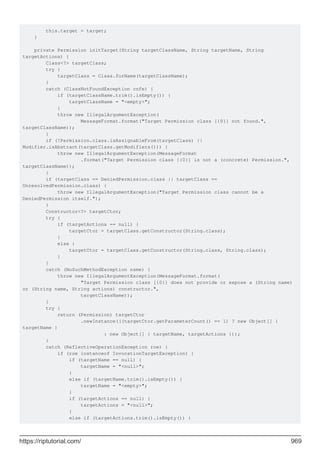
The DeniedPermission class 966
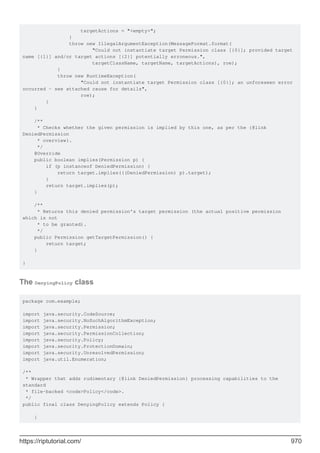
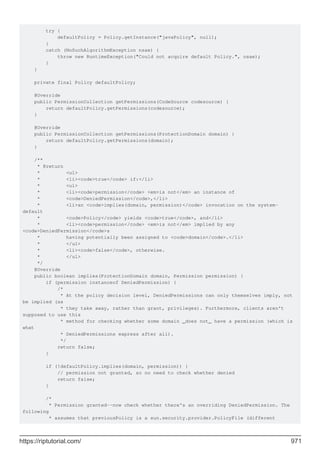
The DenyingPolicy class 970
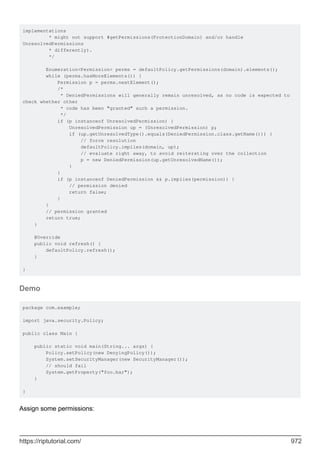
Demo 972
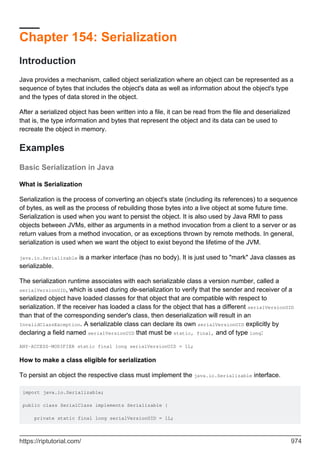
Chapter 154: Serialization 974
Introduction 974
Examples 974
Basic Serialization in Java 974
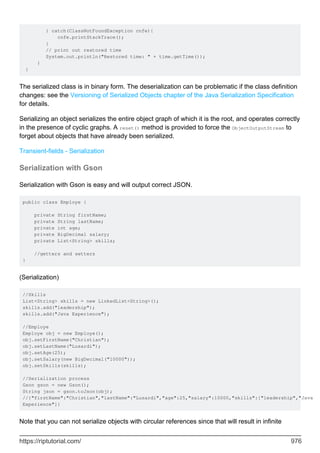
Serialization with Gson 976
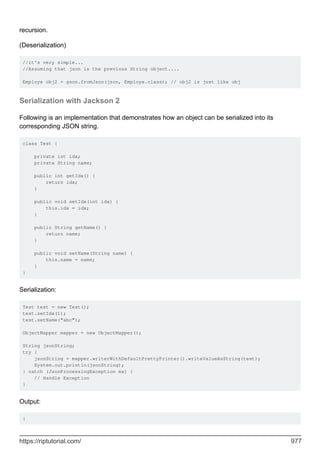
Serialization with Jackson 2 977
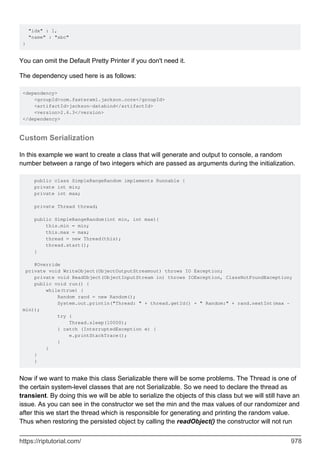
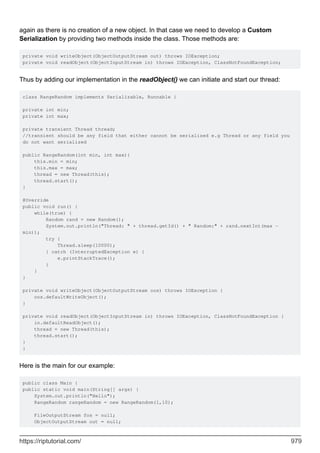
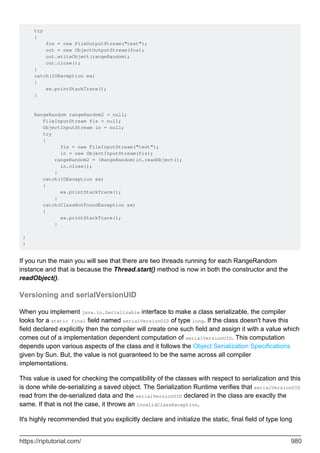
Custom Serialization 978
Versioning and serialVersionUID 980
Compatible Changes 981
Incompatible Changes 982
Custom JSON Deserialization with Jackson 982
Chapter 155: ServiceLoader 985
Remarks 985
Examples 985
Logger Service 985
Service 985
Implementations of the service 985
META-INF/services/servicetest.Logger 986
Usage 986
Simple ServiceLoader Example 987
Chapter 156: Sets 989
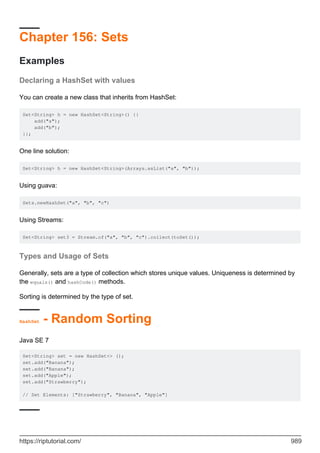
Examples 989
Declaring a HashSet with values 989
Types and Usage of Sets 989
HashSet - Random Sorting 989
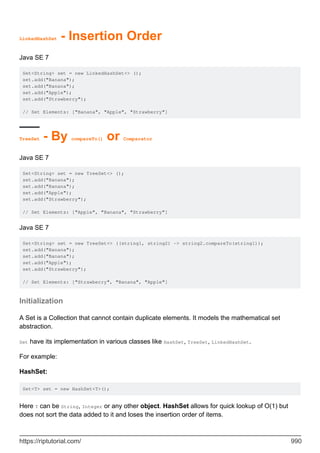
LinkedHashSet - Insertion Order 989
TreeSet - By compareTo() or Comparator 990
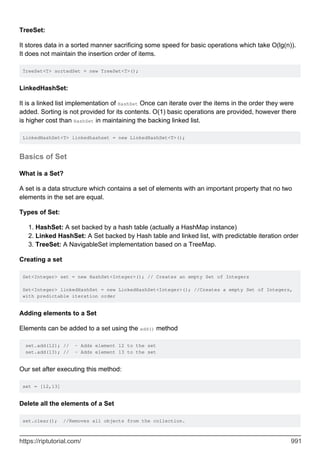
Initialization 990
Basics of Set 991
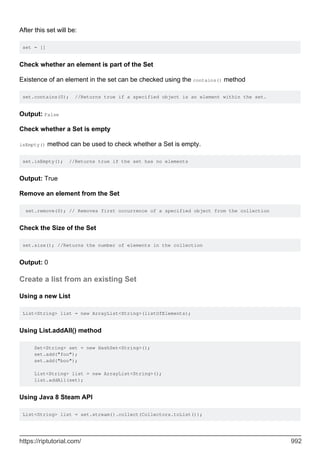
Create a list from an existing Set 992
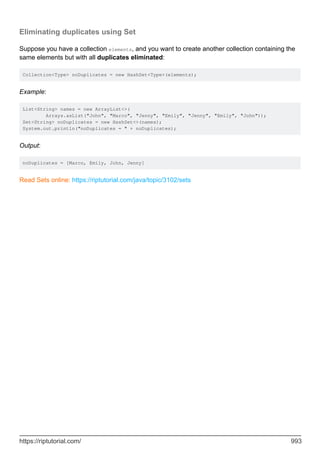
Eliminating duplicates using Set 993
Chapter 157: Singletons 994
Introduction 994
Examples 994
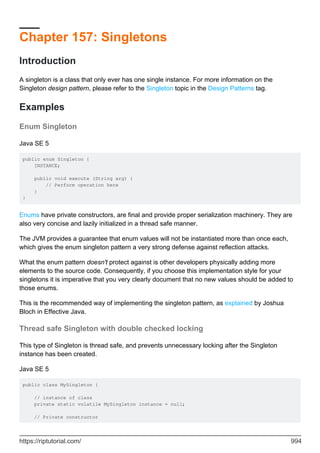
Enum Singleton 994
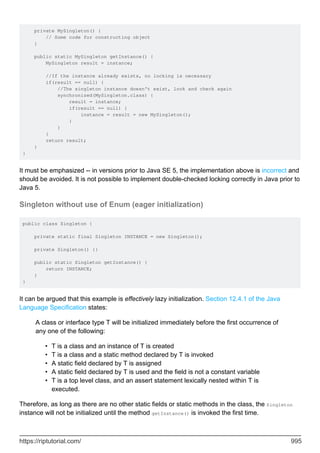
Thread safe Singleton with double checked locking 994
Singleton without use of Enum (eager initialization) 995
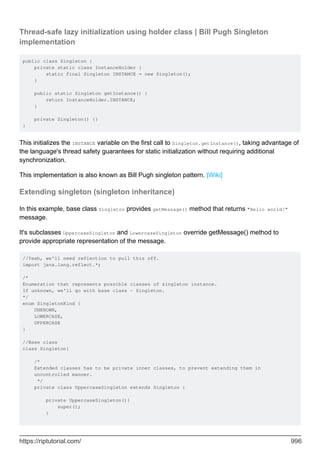
Thread-safe lazy initialization using holder class | Bill Pugh Singleton implementation 996
Extending singleton (singleton inheritance) 996
Chapter 158: Sockets 1000
Introduction 1000
Examples 1000
Read from socket 1000
Chapter 159: SortedMap 1001
Introduction 1001
Examples 1001
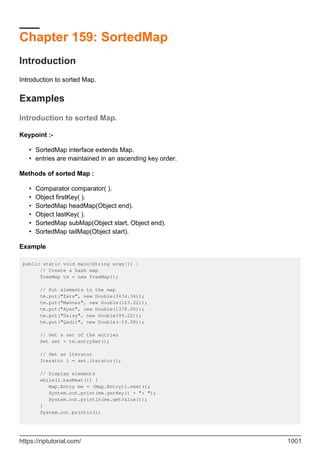
Introduction to sorted Map. 1001
Chapter 160: Splitting a string into fixed length parts 1003
Remarks 1003
Examples 1003
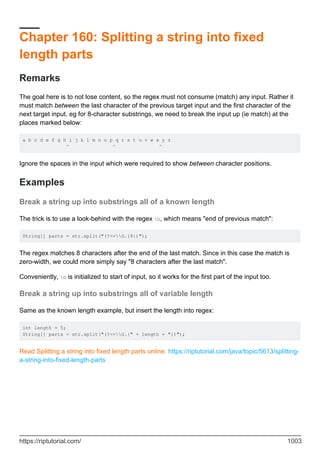
Break a string up into substrings all of a known length 1003
Break a string up into substrings all of variable length 1003
Chapter 161: Stack-Walking API 1004
Introduction 1004
Examples 1004
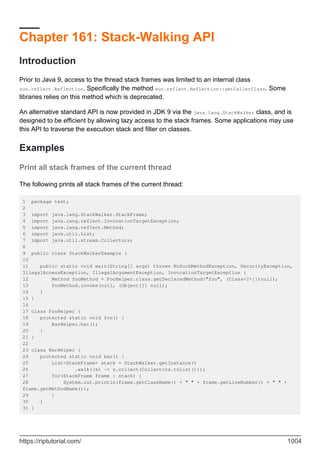
Print all stack frames of the current thread 1004
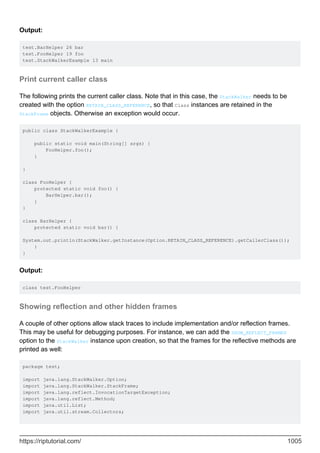
Print current caller class 1005
Showing reflection and other hidden frames 1005
Chapter 162: Streams 1007
Introduction 1007
Syntax 1007
Examples 1007
Using Streams 1007
Closing Streams 1008
Processing Order 1009
Differences from Containers (or Collections) 1010
Collect Elements of a Stream into a Collection 1010
Collect with toList() and toSet() 1010
Explicit control over the implementation of List or Set 1010
Cheat-Sheet 1012
Infinite Streams 1013
Consuming Streams 1014
h21 1015
Creating a Frequency Map 1015
Parallel Stream 1016
Performance impact 1016
Converting a Stream of Optional to a Stream of Values 1017
Creating a Stream 1017
Finding Statistics about Numerical Streams 1018
Get a Slice of a Stream 1019
Concatenate Streams 1019
IntStream to String 1020
Sort Using Stream 1020
Streams of Primitives 1021
Collect Results of a Stream into an Array 1021
Finding the First Element that Matches a Predicate 1021
Using IntStream to iterate over indexes 1022
Flatten Streams with flatMap() 1022
Create a Map based on a Stream 1023
Generating random Strings using Streams 1024
Using Streams to Implement Mathematical Functions 1025
Using Streams and Method References to Write Self-Documenting Processes 1025
Using Streams of Map.Entry to Preserve Initial Values after Mapping 1026
Stream operations categories 1027
Intermediate Operations: 1027
Terminal Operations 1027
Stateless Operations 1027
Stateful operations 1028
Converting an iterator to a stream 1028
Reduction with Streams 1028
Joining a stream to a single String 1031
Chapter 163: String Tokenizer 1033
Introduction 1033
Examples 1033
StringTokenizer Split by space 1033
StringTokenizer Split by comma ',' 1033
Chapter 164: StringBuffer 1035
Introduction 1035
Examples 1035
String Buffer class 1035
Chapter 165: StringBuilder 1037
Introduction 1037
Syntax 1037
Remarks 1037
Examples 1037
Repeat a String n times 1037
Comparing StringBuffer, StringBuilder, Formatter and StringJoiner 1038
Chapter 166: Strings 1040
Introduction 1040
Remarks 1040
Examples 1041
Comparing Strings 1041
Do not use the == operator to compare Strings 1042
Comparing Strings in a switch statement 1042
Comparing Strings with constant values 1043
String orderings 1043
Comparing with interned Strings 1043
Changing the case of characters within a String 1044
Finding a String Within Another String 1046
Getting the length of a String 1047
Substrings 1047
Getting the nth character in a String 1048
Platform independent new line separator 1048
Adding toString() method for custom objects 1049
Splitting Strings 1050
Joining Strings with a delimiter 1052
Reversing Strings 1053
Counting occurrences of a substring or character in a string 1054
String concatenation and StringBuilders 1054
Replacing parts of Strings 1056
Exact match 1056
Replace single character with another single character: 1056
Replace sequence of characters with another sequence of characters: 1056
Regex 1057
Replace all matches: 1057
Replace first match only: 1057
Remove Whitespace from the Beginning and End of a String 1057
String pool and heap storage 1058
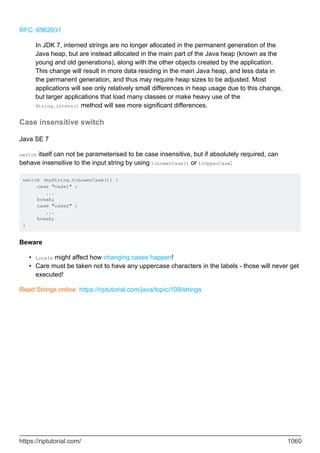
Case insensitive switch 1060
Chapter 167: sun.misc.Unsafe 1061
Remarks 1061
Examples 1061
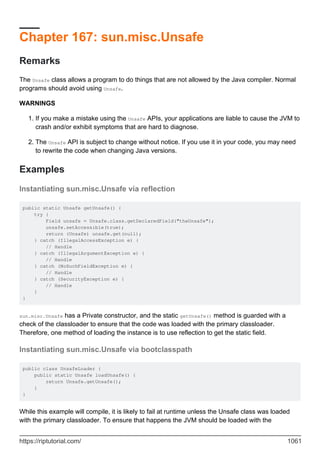
Instantiating sun.misc.Unsafe via reflection 1061
Instantiating sun.misc.Unsafe via bootclasspath 1061
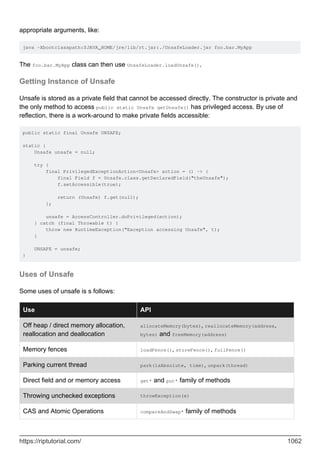
Getting Instance of Unsafe 1062
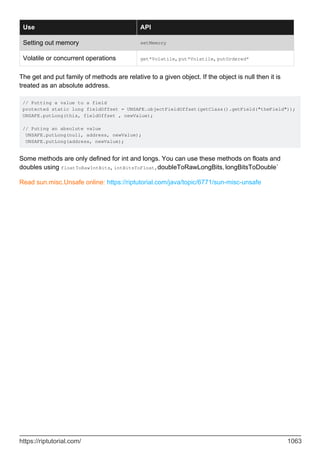
Uses of Unsafe 1062
Chapter 168: super keyword 1064
Examples 1064
Super keyword use with examples 1064
Constructor Level 1064
Method Level 1065
Variable Level 1065
Chapter 169: The Classpath 1067
Introduction 1067
Remarks 1067
Examples 1067
Different ways to specify the classpath 1067
Adding all JARs in a directory to the classpath 1068
Classpath path syntax 1068
Dynamic Classpath 1069
Load a resource from the classpath 1069
Mapping classnames to pathnames 1070
What the classpath means: how searches work 1070
The bootstrap classpath 1071
Chapter 170: The Java Command - 'java' and 'javaw' 1073
Syntax 1073
Remarks 1073
Examples 1073
Running an executable JAR file 1073
Running a Java applications via a "main" class 1074
Running the HelloWorld class 1074
Specifying a classpath 1074
Entry point classes 1074
JavaFX entry-points 1075
Troubleshooting the 'java' command 1075
"Command not found" 1075
"Could not find or load main class" 1076
"Main method not found in class <name>" 1077
Other Resources 1077
Running a Java application with library dependencies 1077
Spaces and other special characters in arguments 1078
Solutions using a POSIX shell 1079
Solution for Windows 1080
Java Options 1080
Setting system properties with -D 1080
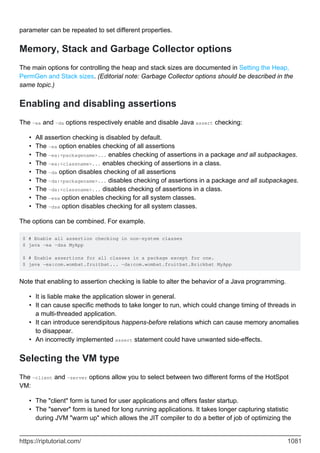
Memory, Stack and Garbage Collector options 1081
Enabling and disabling assertions 1081
Selecting the VM type 1081
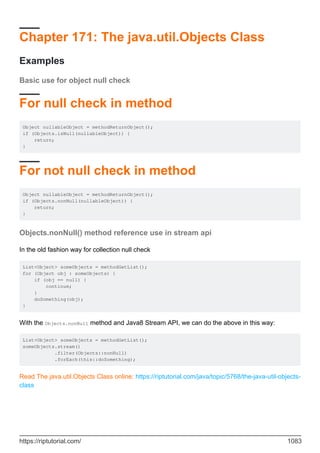
Chapter 171: The java.util.Objects Class 1083
Examples 1083
Basic use for object null check 1083
For null check in method 1083
For not null check in method 1083
Objects.nonNull() method reference use in stream api 1083
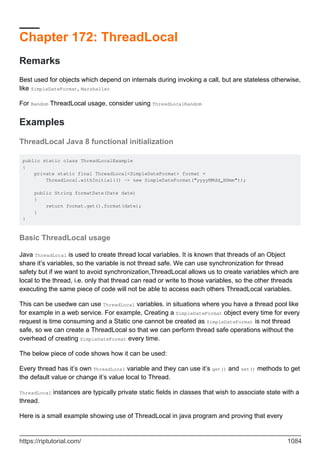
Chapter 172: ThreadLocal 1084
Remarks 1084
Examples 1084
ThreadLocal Java 8 functional initialization 1084
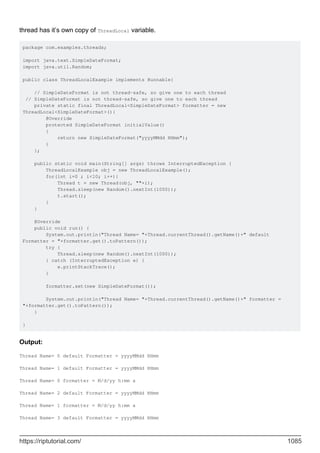
Basic ThreadLocal usage 1084
Multiple threads with one shared object 1086
Chapter 173: TreeMap and TreeSet 1088
Introduction 1088
Examples 1088
TreeMap of a simple Java type 1088
TreeSet of a simple Java Type 1089
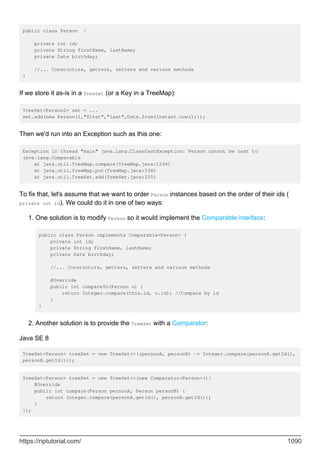
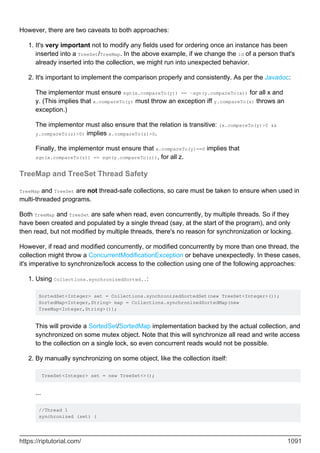
TreeMap/TreeSet of a custom Java type 1089
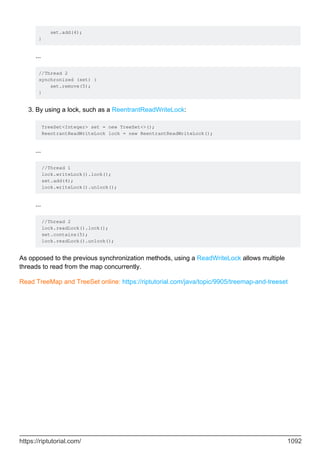
TreeMap and TreeSet Thread Safety 1091
Chapter 174: Type Conversion 1093
Syntax 1093
Examples 1093
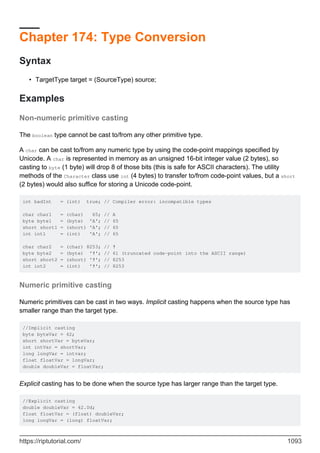
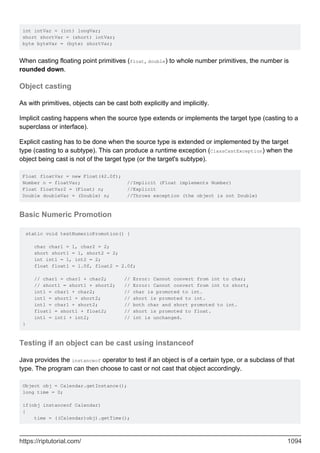
Non-numeric primitive casting 1093
Numeric primitive casting 1093
Object casting 1094
Basic Numeric Promotion 1094
Testing if an object can be cast using instanceof 1094
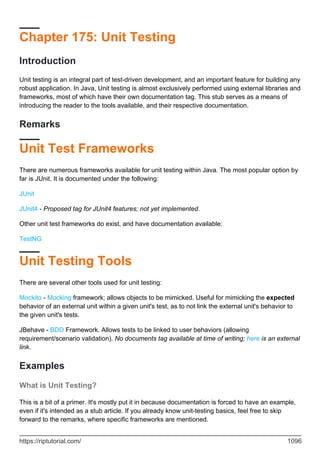
Chapter 175: Unit Testing 1096
Introduction 1096
Remarks 1096
Unit Test Frameworks 1096
Unit Testing Tools 1096
Examples 1096
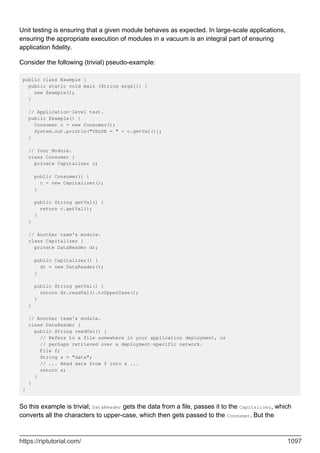
What is Unit Testing? 1096
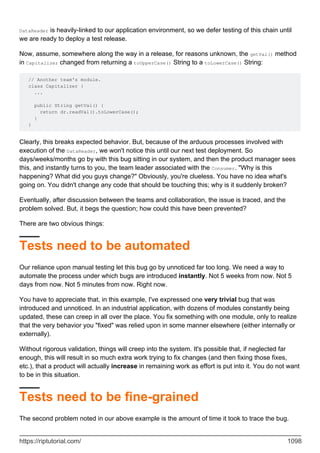
Tests need to be automated 1098
Tests need to be fine-grained 1098
Enter unit-testing 1099
Chapter 176: Using Other Scripting Languages in Java 1100
Introduction 1100
Remarks 1100
Examples 1100
Evaluating A javascript file in -scripting mode of nashorn 1100
Chapter 177: Using the static keyword 1103
Syntax 1103
Examples 1103
Using static to declare constants 1103
Using static with this 1103
Reference to non-static member from static context 1104
Chapter 178: Using ThreadPoolExecutor in MultiThreaded applications. 1106
Introduction 1106
Examples 1106
Performing Asynchronous Tasks Where No Return Value Is Needed Using a Runnable Class Insta 1106
Performing Asynchronous Tasks Where a Return Value Is Needed Using a Callable Class Instan 1108
Defining Asynchronous Tasks Inline using Lambdas 1110
Chapter 179: Varargs (Variable Argument) 1113
Remarks 1113
Examples 1113
Specifying a varargs parameter 1113
Working with Varargs parameters 1113
Chapter 180: Visibility (controlling access to members of a class) 1115
Syntax 1115
Remarks 1115
Examples 1116
Interface members 1116
Public Visibility 1116
Private Visibility 1116
Package Visibility 1117
Protected Visibility 1118
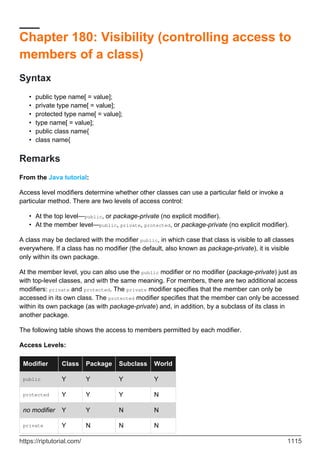
Summary of Class Member Access Modifiers 1118
Chapter 181: WeakHashMap 1119
Introduction 1119
Examples 1119
Concepts of WeakHashmap 1119
Chapter 182: XJC 1121
Introduction 1121
Syntax 1121
Parameters 1121
Remarks 1121
Examples 1121
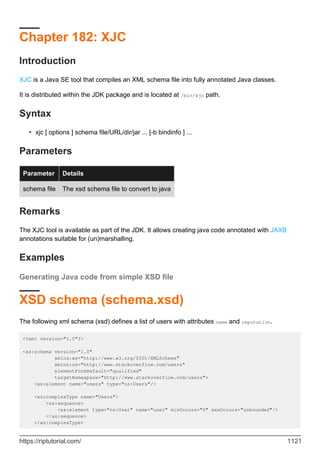
Generating Java code from simple XSD file 1121
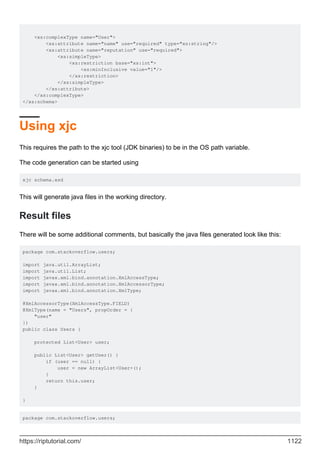
XSD schema (schema.xsd) 1121
Using xjc 1122
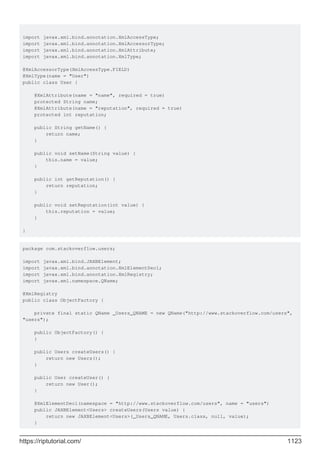
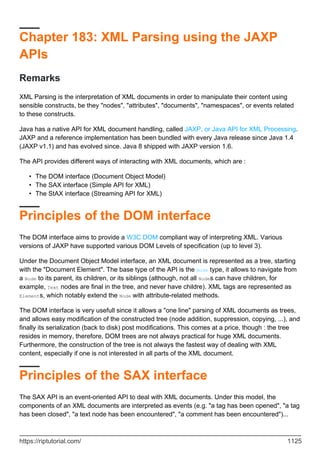
Result files 1122
package-info.java 1124
Chapter 183: XML Parsing using the JAXP APIs 1125
Remarks 1125
Principles of the DOM interface 1125
Principles of the SAX interface 1125
Principles of the StAX interface 1126
Examples 1126
Parsing and navigating a document using the DOM API 1126
Parsing a document using the StAX API 1127
Chapter 184: XML XPath Evaluation 1130
Remarks 1130
Examples 1130
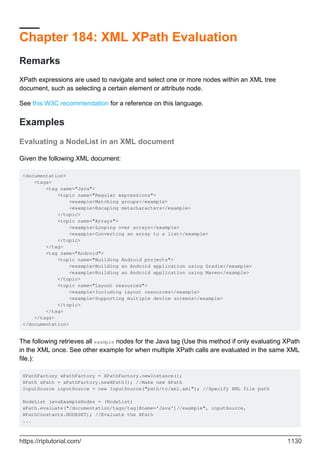
Evaluating a NodeList in an XML document 1130
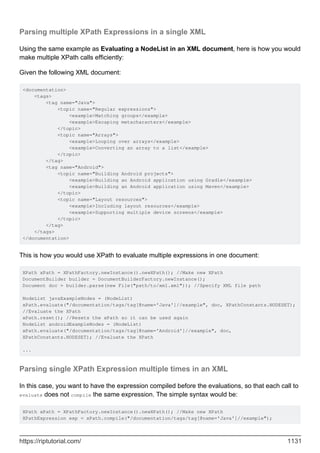
Parsing multiple XPath Expressions in a single XML 1131
Parsing single XPath Expression multiple times in an XML 1131
Chapter 185: XOM - XML Object Model 1133
Examples 1133
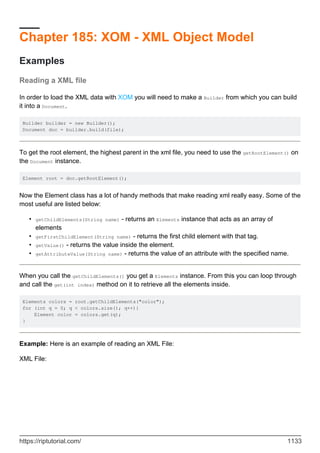
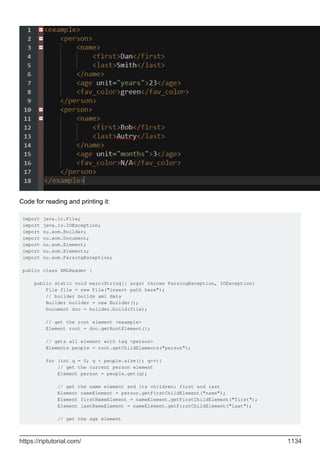
Reading a XML file 1133
Writing to a XML File 1135
Credits 1139
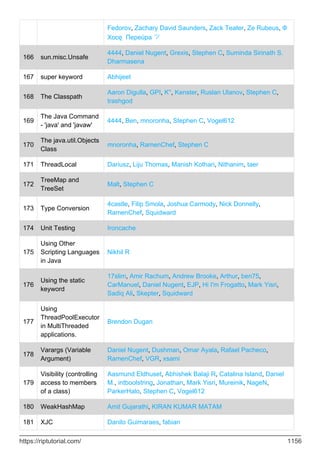
About
You can share this PDF with anyone you feel could benefit from it, downloaded the latest version
from: java-language
It is an unofficial and free Java Language ebook created for educational purposes. All the content
is extracted from Stack Overflow Documentation, which is written by many hardworking individuals
at Stack Overflow. It is neither affiliated with Stack Overflow nor official Java Language.
The content is released under Creative Commons BY-SA, and the list of contributors to each
chapter are provided in the credits section at the end of this book. Images may be copyright of
their respective owners unless otherwise specified. All trademarks and registered trademarks are
the property of their respective company owners.
Use the content presented in this book at your own risk; it is not guaranteed to be correct nor
accurate, please send your feedback and corrections to info@zzzprojects.com
https://riptutorial.com/ 1
Chapter 1: Getting started with Java
Language
Remarks
The Java programming language is...
General-purpose: It is designed to be used for writing software in a wide variety of
application domains, and lacks specialized features for any specific domain.
•
Class-based: Its object structure is defined in classes. Class instances always have those
fields and methods specified in their class definitions (see Classes and Objects). This is in
contrast to non-class-based languages such as JavaScript.
•
Statically-typed: the compiler checks at compile time that variable types are respected. For
example, if a method expects an argument of type String, that argument must in fact be a
string when the method is called.
•
Object-oriented: most things in a Java program are class instances, i.e. bundles of state
(fields) and behavior (methods which operate on data and form the object's interface to the
outside world).
•
Portable: It can be compiled on any platform with javac and the resultant class files can run
on any platform that has a JVM.
•
Java is intended to let application developers "write once, run anywhere" (WORA), meaning that
compiled Java code can run on all platforms that support Java without the need for recompilation.
Java code is compiled to bytecode (the .class files) which in turn get interpreted by the Java
Virtual Machine (JVM). In theory, bytecode created by one Java compiler should run the same
way on any JVM, even on a different kind of computer. The JVM might (and in real-world
programs will) choose to compile into native machine commands the parts of the bytecode that are
executed often. This is called "Just-in-time (JIT) compilation".
Java Editions and Versions
There are three "editions" of Java defined by Sun / Oracle:
Java Standard Edition (SE) is the edition that is designed for general use.
•
Java Enterprise Edition (EE) adds a range of facilities for building "enterprise grade" services
in Java. Java EE is covered separately.
•
Java Micro Edition (ME) is based on a subset of Java SE and is intended for use on small
devices with limited resources.
•
There is a separate topic on Java SE / EE / ME editions.
https://riptutorial.com/ 2
Each edition has multiple versions. The Java SE versions are listed below.
Installing Java
There is a separate topic on Installing Java (Standard Edition).
Compiling and running Java programs
There are separate topics on:
Compiling Java source code
•
Java deployment including creating JAR files
•
Running Java applications
•
The Classpath
•
What's next?
Here are links to subjects to continue learning and understanding the Java programming
language. These subjects are the basics of the Java programming to get you started.
Primitive Data Types in Java
•
Operators in Java
•
Strings in Java
•
Basic Control Structures in Java
•
Classes and Objects in Java
•
Arrays in Java
•
Java code standards
•
Testing
While Java does not have any support for testing in the standard library, there are 3rd-party
libraries that are designed to support testing. The two most popular unit testing libraries are:
JUnit (Official Site)
•
TestNG (Official Site)
•
Other
Design patterns for Java are covered in Design Patterns.
•
Programming for Android is covered in Android.
•
Java Enterprise Edition technologies are covered in Java EE.
•
The Oracle JavaFX technologies are covered in JavaFX.
•
https://riptutorial.com/ 3
1. In Versions section the end-of-life (free) date is when Oracle will stop posting further updates of Java SE to its
public download sites. Customers who need continued access to critical bug fixes and security fixes as well as general
maintenance for Java SE can get long term support through Oracle Java SE Support.
Versions
Java SE Version Code Name End-of-life (free1) Release Date
Java SE 9 (Early Access) None future 2017-07-27
Java SE 8 Spider future 2014-03-18
Java SE 7 Dolphin 2015-04-14 2011-07-28
Java SE 6 Mustang 2013-04-16 2006-12-23
Java SE 5 Tiger 2009-11-04 2004-10-04
Java SE 1.4 Merlin prior to 2009-11-04 2002-02-06
Java SE 1.3 Kestrel prior to 2009-11-04 2000-05-08
Java SE 1.2 Playground prior to 2009-11-04 1998-12-08
Java SE 1.1 None prior to 2009-11-04 1997-02-19
Java SE 1.0 Oak prior to 2009-11-04 1996-01-21
Examples
Creating Your First Java Program
Create a new file in your text editor or IDE named HelloWorld.java. Then paste this code block into
the file and save:
public class HelloWorld {
public static void main(String[] args) {
System.out.println("Hello, World!");
}
}
Run live on Ideone
Note: For Java to recognize this as a public class (and not throw a compile time error), the
filename must be the same as the class name (HelloWorld in this example) with a .java extension.
There should also be a public access modifier before it.
Naming conventions recommend that Java classes begin with an uppercase character, and be in
camel case format (in which the first letter of each word is capitalized). The conventions
https://riptutorial.com/ 4
recommend against underscores (_) and dollar signs ($).
To compile, open a terminal window and navigate to the directory of HelloWorld.java:
cd /path/to/containing/folder/
Note: cd is the terminal command to change directory.
Enter javac followed by the file name and extension as follows:
$ javac HelloWorld.java
It's fairly common to get the error 'javac' is not recognized as an internal or external command,
operable program or batch file. even when you have installed the JDK and are able to run the
program from IDE ex. eclipse etc. Since the path is not added to the environment by default.
In case you get this on windows, to resolve, first try browsing to your javac.exe path, it's most
probably in your C:Program FilesJavajdk(version number)bin. Then try running it with below.
$ C:Program FilesJavajdk(version number)binjavac HelloWorld.java
Previously when we were calling javac it was same as above command. Only in that case your OS
knew where javac resided. So let's tell it now, this way you don't have to type the whole path
every-time. We would need to add this to our PATH
To edit the PATH environment variable in Windows XP/Vista/7/8/10:
Control Panel ⇒ System ⇒ Advanced system settings
•
Switch to "Advanced" tab ⇒ Environment Variables
•
In "System Variables", scroll down to select "PATH" ⇒ Edit
•
You cannot undo this so be careful. First copy your existing path to notepad. Then to get the
exact PATH to your javac browse manually to the folder where javac resides and click on the
address bar and then copy it. It should look something like c:Program FilesJavajdk1.8.0_xxbin
In "Variable value" field, paste this IN FRONT of all the existing directories, followed by a semi-
colon (;). DO NOT DELETE any existing entries.
Variable name : PATH
Variable value : c:Program FilesJavajdk1.8.0_xxbin;[Existing Entries...]
Now this should resolve.
For Linux Based systems try here.
Note: The javac command invokes the Java compiler.
The compiler will then generate a bytecode file called HelloWorld.class which can be executed in
the Java Virtual Machine (JVM). The Java programming language compiler, javac, reads source
https://riptutorial.com/ 5
files written in the Java programming language and compiles them into bytecode class files.
Optionally, the compiler can also process annotations found in source and class files using the
Pluggable Annotation Processing API. The compiler is a command line tool but can also be invoked
using the Java Compiler API.
To run your program, enter java followed by the name of the class which contains the main method
(HelloWorld in our example). Note how the .class is omitted:
$ java HelloWorld
Note: The java command runs a Java application.
This will output to your console:
Hello, World!
You have successfully coded and built your very first Java program!
Note: In order for Java commands (java, javac, etc) to be recognized, you will need to make sure:
A JDK is installed (e.g. Oracle, OpenJDK and other sources)
•
Your environment variables are properly set up
•
You will need to use a compiler (javac) and an executor (java) provided by your JVM. To find out
which versions you have installed, enter java -version and javac -version on the command line.
The version number of your program will be printed in the terminal (e.g. 1.8.0_73).
A closer look at the Hello World program
The "Hello World" program contains a single file, which consists of a HelloWorld class definition, a
main method, and a statement inside the main method.
public class HelloWorld {
The class keyword begins the class definition for a class named HelloWorld. Every Java application
contains at least one class definition (Further information about classes).
public static void main(String[] args) {
This is an entry point method (defined by its name and signature of public static void
main(String[])) from which the JVM can run your program. Every Java program should have one. It
is:
public: meaning that the method can be called from anywhere mean from outside the
program as well. See Visibility for more information on this.
•
static: meaning it exists and can be run by itself (at the class level without creating an
•
https://riptutorial.com/ 6
object).
void: meaning it returns no value. Note: This is unlike C and C++ where a return code such
as int is expected (Java's way is System.exit()).
•
This main method accepts:
An array (typically called args) of Strings passed as arguments to main function (e.g. from
command line arguments).
•
Almost all of this is required for a Java entry point method.
Non-required parts:
The name args is a variable name, so it can be called anything you want, although it is
typically called args.
•
Whether its parameter type is an array (String[] args) or Varargs (String... args) does not
matter because arrays can be passed into varargs.
•
Note: A single application may have multiple classes containing an entry point (main) method. The
entry point of the application is determined by the class name passed as an argument to the java
command.
Inside the main method, we see the following statement:
System.out.println("Hello, World!");
Let's break down this statement element-by-element:
Element Purpose
System
this denotes that the subsequent expression will call upon the System class, from
the java.lang package.
.
this is a "dot operator". Dot operators provide you access to a classes members
1; i.e. its fields (variables) and its methods. In this case, this dot operator allows
you to reference the out static field within the System class.
out
this is the name of the static field of PrintStream type within the System class
containing the standard output functionality.
.
this is another dot operator. This dot operator provides access to the println
method within the out variable.
println
this is the name of a method within the PrintStream class. This method in
particular prints the contents of the parameters into the console and inserts a
newline after.
(
this parenthesis indicates that a method is being accessed (and not a field) and
begins the parameters being passed into the println method.
https://riptutorial.com/ 7
Element Purpose
"Hello,
World!"
this is the String literal that is passed as a parameter, into the println method.
The double quotation marks on each end delimit the text as a String.
)
this parenthesis signifies the closure of the parameters being passed into the
println method.
; this semicolon marks the end of the statement.
Note: Each statement in Java must end with a semicolon (;).
The method body and class body are then closed.
} // end of main function scope
} // end of class HelloWorld scope
Here's another example demonstrating the OO paradigm. Let's model a football team with one
(yes, one!) member. There can be more, but we'll discuss that when we get to arrays.
First, let's define our Team class:
public class Team {
Member member;
public Team(Member member) { // who is in this Team?
this.member = member; // one 'member' is in this Team!
}
}
Now, let's define our Member class:
class Member {
private String name;
private String type;
private int level; // note the data type here
private int rank; // note the data type here as well
public Member(String name, String type, int level, int rank) {
this.name = name;
this.type = type;
this.level = level;
this.rank = rank;
}
}
Why do we use private here? Well, if someone wanted to know your name, they should ask you
directly, instead of reaching into your pocket and pulling out your Social Security card. This private
does something like that: it prevents outside entities from accessing your variables. You can only
return private members through getter functions (shown below).
After putting it all together, and adding the getters and main method as discussed before, we
have:
https://riptutorial.com/ 8
public class Team {
Member member;
public Team(Member member) {
this.member = member;
}
// here's our main method
public static void main(String[] args) {
Member myMember = new Member("Aurieel", "light", 10, 1);
Team myTeam = new Team(myMember);
System.out.println(myTeam.member.getName());
System.out.println(myTeam.member.getType());
System.out.println(myTeam.member.getLevel());
System.out.println(myTeam.member.getRank());
}
}
class Member {
private String name;
private String type;
private int level;
private int rank;
public Member(String name, String type, int level, int rank) {
this.name = name;
this.type = type;
this.level = level;
this.rank = rank;
}
/* let's define our getter functions here */
public String getName() { // what is your name?
return this.name; // my name is ...
}
public String getType() { // what is your type?
return this.type; // my type is ...
}
public int getLevel() { // what is your level?
return this.level; // my level is ...
}
public int getRank() { // what is your rank?
return this.rank; // my rank is
}
}
Output:
Aurieel
light
10
1
Run on ideone
Once again, the main method inside the Test class is the entry point to our program. Without the
main method, we cannot tell the Java Virtual Machine (JVM) from where to begin execution of the
https://riptutorial.com/ 9
program.
1 - Because the HelloWorld class has little relation to the System class, it can only access public data.
Read Getting started with Java Language online: https://riptutorial.com/java/topic/84/getting-
started-with-java-language
https://riptutorial.com/ 10
Chapter 2: 2D Graphics in Java
Introduction
Graphics are visual images or designs on some surface, such as a wall, canvas, screen, paper, or
stone to inform, illustrate, or entertain. It includes: pictorial representation of data, as in computer-
aided design and manufacture, in typesetting and the graphic arts, and in educational and
recreational software. Images that are generated by a computer are called computer graphics.
The Java 2D API is powerful and complex. There are multiple ways to do 2D graphics in Java.
Examples
Example 1: Draw and Fill a Rectangle Using Java
This is an Example which print rectangle and fill color in the rectangle.
https://i.stack.imgur.com/dlC5v.jpg
Most methods of the Graphics class can be divided into two basic groups:
Draw and fill methods, enabling you to render basic shapes, text, and images
1.
Attributes setting methods, which affect how that drawing and filling appears
2.
Code Example: Let us start this with a little example of drawing a rectangle and filling color in it.
There we declare two classes, one class is MyPanel and other Class is Test. In class MyPanel we
use drawRect( ) & fillRect( ) mathods to draw rectangle and fill Color in it. We set the color by
setColor(Color.blue) method. In Second Class we Test our graphic which is Test Class we make a
https://riptutorial.com/ 11
Frame and put MyPanel with p=new MyPanel() object in it.By running Test Class we see a
Rectangle and a Blue Color Filled Rectangle.
First Class: MyPanel
import javax.swing.*;
import java.awt.*;
// MyPanel extends JPanel, which will eventually be placed in a JFrame
public class MyPanel extends JPanel {
// custom painting is performed by the paintComponent method
@Override
public void paintComponent(Graphics g){
// clear the previous painting
super.paintComponent(g);
// cast Graphics to Graphics2D
Graphics2D g2 = (Graphics2D) g;
g2.setColor(Color.red); // sets Graphics2D color
// draw the rectangle
g2.drawRect(0,0,100,100); // drawRect(x-position, y-position, width, height)
g2.setColor(Color.blue);
g2.fillRect(200,0,100,100); // fill new rectangle with color blue
}
}
Second Class: Test
import javax.swing.;
import java.awt.;
public class Test { //the Class by which we display our rectangle
JFrame f;
MyPanel p;
public Test(){
f = new JFrame();
// get the content area of Panel.
Container c = f.getContentPane();
// set the LayoutManager
c.setLayout(new BorderLayout());
p = new MyPanel();
// add MyPanel object into container
c.add(p);
// set the size of the JFrame
f.setSize(400,400);
// make the JFrame visible
f.setVisible(true);
// sets close behavior; EXIT_ON_CLOSE invokes System.exit(0) on closing the JFrame
f.setDefaultCloseOperation(JFrame.EXIT_ON_CLOSE);
}
public static void main(String args[ ]){
Test t = new Test();
}
}
For More Explanation about Border Layout:
https://docs.oracle.com/javase/tutorial/uiswing/layout/border.html
paintComponent( )
https://riptutorial.com/ 12
It is a main method for painting
•
By default, it first paints the background
•
After that, it performs custom painting (drawing circle, rectangles etc.)
•
Graphic2D refers Graphic2D Class
Note: The Java 2D API enables you to easily perform the following tasks:
Draw lines, rectangles and any other geometric shape.
•
Fill those shapes with solid colors or gradients and textures.
•
Draw text with options for fine control over the font and rendering process.
•
Draw images, optionally applying filtering operations.
•
Apply operations such as compositing and transforming during any of the above rendering
operations.
•
Example 2: Drawing and Filling Oval
import javax.swing.*;
import java.awt.*;
public class MyPanel extends JPanel {
@Override
public void paintComponent(Graphics g){
// clear the previous painting
super.paintComponent(g);
Graphics2D g2 = (Graphics2D)g;
g2.setColor(Color.blue);
g2.drawOval(0, 0, 20,20);
g2.fillOval(50,50,20,20);
}
}
g2.drawOval(int x,int y,int height, int width);
This method will draw an oval at specified x and y position with given height and width.
g2.fillOval(int x,int y,int height, int width); This method will fill an oval at specified x and y
position with given height and width.
Read 2D Graphics in Java online: https://riptutorial.com/java/topic/10127/2d-graphics-in-java
https://riptutorial.com/ 13
Chapter 3: Alternative Collections
Remarks
This topic about Java collections from guava, apache, eclipse: Multiset, Bag, Multimap, utils
function from this lib and so on.
Examples
Apache HashBag, Guava HashMultiset and Eclipse HashBag
A Bag/ultiset stores each object in the collection together with a count of occurrences. Extra
methods on the interface allow multiple copies of an object to be added or removed at once. JDK
analog is HashMap<T, Integer>, when values is count of copies this key.
Type Guava
Apache Commons
Collections
GS Collections JDK
Order not
defined
HashMultiset HashBag HashBag HashMap
Sorted TreeMultiset TreeBag TreeBag TreeMap
Insertion-
order
LinkedHashMultiset - - LinkedHa
Concurrent
variant
ConcurrentHashMultiset SynchronizedBag SynchronizedBag Collection
Concurrent
and sorted
- SynchronizedSortedBag SynchronizedSortedBag Collection
Immutable
collection
ImmutableMultiset UnmodifiableBag UnmodifiableBag Collection
Immutable
and sorted
ImmutableSortedMultiset UnmodifiableSortedBag UnmodifiableSortedBag
Collection
)
Examples:
1. Using SynchronizedSortedBag from Apache:
// Parse text to separate words
String INPUT_TEXT = "Hello World! Hello All! Hi World!";
// Create Multiset
Bag bag = SynchronizedSortedBag.synchronizedBag(new
https://riptutorial.com/ 14
TreeBag(Arrays.asList(INPUT_TEXT.split(" "))));
// Print count words
System.out.println(bag); // print [1:All!,2:Hello,1:Hi,2:World!]- in natural (alphabet)
order
// Print all unique words
System.out.println(bag.uniqueSet()); // print [All!, Hello, Hi, World!]- in natural
(alphabet) order
// Print count occurrences of words
System.out.println("Hello = " + bag.getCount("Hello")); // print 2
System.out.println("World = " + bag.getCount("World!")); // print 2
System.out.println("All = " + bag.getCount("All!")); // print 1
System.out.println("Hi = " + bag.getCount("Hi")); // print 1
System.out.println("Empty = " + bag.getCount("Empty")); // print 0
// Print count all words
System.out.println(bag.size()); //print 6
// Print count unique words
System.out.println(bag.uniqueSet().size()); //print 4
2. Using TreeBag from Eclipse(GC):
// Parse text to separate words
String INPUT_TEXT = "Hello World! Hello All! Hi World!";
// Create Multiset
MutableSortedBag<String> bag = TreeBag.newBag(Arrays.asList(INPUT_TEXT.split(" ")));
// Print count words
System.out.println(bag); // print [All!, Hello, Hello, Hi, World!, World!]- in natural
order
// Print all unique words
System.out.println(bag.toSortedSet()); // print [All!, Hello, Hi, World!]- in natural
order
// Print count occurrences of words
System.out.println("Hello = " + bag.occurrencesOf("Hello")); // print 2
System.out.println("World = " + bag.occurrencesOf("World!")); // print 2
System.out.println("All = " + bag.occurrencesOf("All!")); // print 1
System.out.println("Hi = " + bag.occurrencesOf("Hi")); // print 1
System.out.println("Empty = " + bag.occurrencesOf("Empty")); // print 0
// Print count all words
System.out.println(bag.size()); //print 6
// Print count unique words
System.out.println(bag.toSet().size()); //print 4
3. Using LinkedHashMultiset from Guava:
// Parse text to separate words
String INPUT_TEXT = "Hello World! Hello All! Hi World!";
// Create Multiset
Multiset<String> multiset = LinkedHashMultiset.create(Arrays.asList(INPUT_TEXT.split("
")));
https://riptutorial.com/ 15
// Print count words
System.out.println(multiset); // print [Hello x 2, World! x 2, All!, Hi]- in predictable
iteration order
// Print all unique words
System.out.println(multiset.elementSet()); // print [Hello, World!, All!, Hi] - in
predictable iteration order
// Print count occurrences of words
System.out.println("Hello = " + multiset.count("Hello")); // print 2
System.out.println("World = " + multiset.count("World!")); // print 2
System.out.println("All = " + multiset.count("All!")); // print 1
System.out.println("Hi = " + multiset.count("Hi")); // print 1
System.out.println("Empty = " + multiset.count("Empty")); // print 0
// Print count all words
System.out.println(multiset.size()); //print 6
// Print count unique words
System.out.println(multiset.elementSet().size()); //print 4
More examples:
I. Apache Collection:
HashBag - order not defined
1.
SynchronizedBag - concurrent and order not defined
2.
SynchronizedSortedBag - - concurrent and sorted order
3.
TreeBag - sorted order
4.
II. GS / Eclipse Collection
MutableBag - order not defined
5.
MutableSortedBag - sorted order
6.
III. Guava
HashMultiset - order not defined
7.
TreeMultiset - sorted order
8.
LinkedHashMultiset - insertion order
9.
ConcurrentHashMultiset - concurrent and order not defined
10.
Multimap in Guava, Apache and Eclipse Collections
This multimap allows duplicate key-value pairs. JDK analogs are HashMap<K, List>, HashMap<K,
Set> and so on.
Key's
order
Value's
order
Duplicate Analog key Analog value Guava Apache
not
defined
Insertion-
order
yes HashMap ArrayList ArrayListMultimap MultiVal
https://riptutorial.com/ 16
Key's
order
Value's
order
Duplicate Analog key Analog value Guava Apache
not
defined
not
defined
no HashMap HashSet HashMultimap
MultiVal
multiVal
HashMap<
HashSet.
not
defined
sorted no HashMap TreeSet
Multimaps.
newMultimap(
HashMap, Supplier
<TreeSet>)
MultiVal
new Hash
TreeSet.
Insertion-
order
Insertion-
order
yes LinkedHashMap ArrayList LinkedListMultimap
MultiVal
multiVal
LinkedH
ArrayLis
Insertion-
order
Insertion-
order
no LinkedHashMap LinkedHashSet LinkedHashMultimap
MultiVal
multiVal
LinkedHa
LinkedHa
sorted sorted no TreeMap TreeSet TreeMultimap
MultiVal
multiVal
TreeMap<
Set>(),T
Examples using Multimap
Task: Parse "Hello World! Hello All! Hi World!" string to separate words and print all indexes of
every word using MultiMap (for example, Hello=[0, 2], World!=[1, 5] and so on)
1. MultiValueMap from Apache
String INPUT_TEXT = "Hello World! Hello All! Hi World!";
// Parse text to words and index
List<String> words = Arrays.asList(INPUT_TEXT.split(" "));
// Create Multimap
MultiMap<String, Integer> multiMap = new MultiValueMap<String, Integer>();
// Fill Multimap
int i = 0;
for(String word: words) {
multiMap.put(word, i);
i++;
}
// Print all words
System.out.println(multiMap); // print {Hi=[4], Hello=[0, 2], World!=[1, 5], All!=[3]} -
in random orders
// Print all unique words
System.out.println(multiMap.keySet()); // print [Hi, Hello, World!, All!] - in random
orders
// Print all indexes
System.out.println("Hello = " + multiMap.get("Hello")); // print [0, 2]
System.out.println("World = " + multiMap.get("World!")); // print [1, 5]
System.out.println("All = " + multiMap.get("All!")); // print [3]
https://riptutorial.com/ 17
System.out.println("Hi = " + multiMap.get("Hi")); // print [4]
System.out.println("Empty = " + multiMap.get("Empty")); // print null
// Print count unique words
System.out.println(multiMap.keySet().size()); //print 4
2. HashBiMap from GS / Eclipse Collection
String[] englishWords = {"one", "two", "three","ball","snow"};
String[] russianWords = {"jeden", "dwa", "trzy", "kula", "snieg"};
// Create Multiset
MutableBiMap<String, String> biMap = new HashBiMap(englishWords.length);
// Create English-Polish dictionary
int i = 0;
for(String englishWord: englishWords) {
biMap.put(englishWord, russianWords[i]);
i++;
}
// Print count words
System.out.println(biMap); // print {two=dwa, ball=kula, one=jeden, snow=snieg,
three=trzy} - in random orders
// Print all unique words
System.out.println(biMap.keySet()); // print [snow, two, one, three, ball] - in random
orders
System.out.println(biMap.values()); // print [dwa, kula, jeden, snieg, trzy] - in
random orders
// Print translate by words
System.out.println("one = " + biMap.get("one")); // print one = jeden
System.out.println("two = " + biMap.get("two")); // print two = dwa
System.out.println("kula = " + biMap.inverse().get("kula")); // print kula = ball
System.out.println("snieg = " + biMap.inverse().get("snieg")); // print snieg = snow
System.out.println("empty = " + biMap.get("empty")); // print empty = null
// Print count word's pair
System.out.println(biMap.size()); //print 5
HashMultiMap from Guava
String INPUT_TEXT = "Hello World! Hello All! Hi World!";
// Parse text to words and index
List<String> words = Arrays.asList(INPUT_TEXT.split(" "));
// Create Multimap
Multimap<String, Integer> multiMap = HashMultimap.create();
// Fill Multimap
int i = 0;
for(String word: words) {
multiMap.put(word, i);
i++;
}
// Print all words
System.out.println(multiMap); // print {Hi=[4], Hello=[0, 2], World!=[1, 5], All!=[3]} -
keys and values in random orders
// Print all unique words
3.
https://riptutorial.com/ 18
System.out.println(multiMap.keySet()); // print [Hi, Hello, World!, All!] - in random
orders
// Print all indexes
System.out.println("Hello = " + multiMap.get("Hello")); // print [0, 2]
System.out.println("World = " + multiMap.get("World!")); // print [1, 5]
System.out.println("All = " + multiMap.get("All!")); // print [3]
System.out.println("Hi = " + multiMap.get("Hi")); // print [4]
System.out.println("Empty = " + multiMap.get("Empty")); // print []
// Print count all words
System.out.println(multiMap.size()); //print 6
// Print count unique words
System.out.println(multiMap.keySet().size()); //print 4
Nore examples:
I. Apache Collection:
MultiValueMap
1.
MultiValueMapLinked
2.
MultiValueMapTree
3.
II. GS / Eclipse Collection
FastListMultimap
1.
HashBagMultimap
2.
TreeSortedSetMultimap
3.
UnifiedSetMultimap
4.
III. Guava
HashMultiMap
1.
LinkedHashMultimap
2.
LinkedListMultimap
3.
TreeMultimap
4.
ArrayListMultimap
5.
Compare operation with collections - Create collections
1. Create List
Description JDK guava gs-collections
Create
empty list
new ArrayList<>() Lists.newArrayList() FastList.newList()
Create list Arrays.asList("1", "2",
"3")
Lists.newArrayList("1", "2", "3")
FastList.newListWith("1",
"2", "3")
https://riptutorial.com/ 19
Description JDK guava gs-collections
from values
Create list
with
capacity =
100
new ArrayList<>(100) Lists.newArrayListWithCapacity(100) FastList.newList(100)
Create list
from any
collectin
new
ArrayList<>(collection)
Lists.newArrayList(collection) FastList.newList(collecti
Create list
from any
Iterable
- Lists.newArrayList(iterable) FastList.newList(iterable
Create list
from Iterator
- Lists.newArrayList(iterator) -
Create list
from array
Arrays.asList(array) Lists.newArrayList(array) FastList.newListWith(arra
Create list
using
factory
- -
FastList.newWithNValues(1
() -> "1")
Examples:
System.out.println("createArrayList start");
// Create empty list
List<String> emptyGuava = Lists.newArrayList(); // using guava
List<String> emptyJDK = new ArrayList<>(); // using JDK
MutableList<String> emptyGS = FastList.newList(); // using gs
// Create list with 100 element
List < String > exactly100 = Lists.newArrayListWithCapacity(100); // using guava
List<String> exactly100JDK = new ArrayList<>(100); // using JDK
MutableList<String> empty100GS = FastList.newList(100); // using gs
// Create list with about 100 element
List<String> approx100 = Lists.newArrayListWithExpectedSize(100); // using guava
List<String> approx100JDK = new ArrayList<>(115); // using JDK
MutableList<String> approx100GS = FastList.newList(115); // using gs
// Create list with some elements
List<String> withElements = Lists.newArrayList("alpha", "beta", "gamma"); // using guava
List<String> withElementsJDK = Arrays.asList("alpha", "beta", "gamma"); // using JDK
MutableList<String> withElementsGS = FastList.newListWith("alpha", "beta", "gamma"); //
using gs
System.out.println(withElements);
System.out.println(withElementsJDK);
System.out.println(withElementsGS);
https://riptutorial.com/ 20
// Create list from any Iterable interface (any collection)
Collection<String> collection = new HashSet<>(3);
collection.add("1");
collection.add("2");
collection.add("3");
List<String> fromIterable = Lists.newArrayList(collection); // using guava
List<String> fromIterableJDK = new ArrayList<>(collection); // using JDK
MutableList<String> fromIterableGS = FastList.newList(collection); // using gs
System.out.println(fromIterable);
System.out.println(fromIterableJDK);
System.out.println(fromIterableGS);
/* Attention: JDK create list only from Collection, but guava and gs can create list from
Iterable and Collection */
// Create list from any Iterator
Iterator<String> iterator = collection.iterator();
List<String> fromIterator = Lists.newArrayList(iterator); // using guava
System.out.println(fromIterator);
// Create list from any array
String[] array = {"4", "5", "6"};
List<String> fromArray = Lists.newArrayList(array); // using guava
List<String> fromArrayJDK = Arrays.asList(array); // using JDK
MutableList<String> fromArrayGS = FastList.newListWith(array); // using gs
System.out.println(fromArray);
System.out.println(fromArrayJDK);
System.out.println(fromArrayGS);
// Create list using fabric
MutableList<String> fromFabricGS = FastList.newWithNValues(10, () ->
String.valueOf(Math.random())); // using gs
System.out.println(fromFabricGS);
System.out.println("createArrayList end");
2 Create Set
Description JDK guava gs-collections
Create
empty set
new HashSet<>() Sets.newHashSet() UnifiedSet.newSet()
Creatre set
from values
new
HashSet<>(Arrays.asList("alpha",
"beta", "gamma"))
Sets.newHashSet("alpha",
"beta", "gamma")
UnifiedSet.newSetWith("a
"beta", "gamma")
Create set
from any
collections
new HashSet<>(collection) Sets.newHashSet(collection) UnifiedSet.newSet(collec
Create set
from any
Iterable
- Sets.newHashSet(iterable) UnifiedSet.newSet(iterab
Create set - Sets.newHashSet(iterator) -
https://riptutorial.com/ 21
Description JDK guava gs-collections
from any
Iterator
Create set
from Array
new
HashSet<>(Arrays.asList(array))
Sets.newHashSet(array) UnifiedSet.newSetWith(ar
Examples:
System.out.println("createHashSet start");
// Create empty set
Set<String> emptyGuava = Sets.newHashSet(); // using guava
Set<String> emptyJDK = new HashSet<>(); // using JDK
Set<String> emptyGS = UnifiedSet.newSet(); // using gs
// Create set with 100 element
Set<String> approx100 = Sets.newHashSetWithExpectedSize(100); // using guava
Set<String> approx100JDK = new HashSet<>(130); // using JDK
Set<String> approx100GS = UnifiedSet.newSet(130); // using gs
// Create set from some elements
Set<String> withElements = Sets.newHashSet("alpha", "beta", "gamma"); // using guava
Set<String> withElementsJDK = new HashSet<>(Arrays.asList("alpha", "beta", "gamma")); //
using JDK
Set<String> withElementsGS = UnifiedSet.newSetWith("alpha", "beta", "gamma"); // using gs
System.out.println(withElements);
System.out.println(withElementsJDK);
System.out.println(withElementsGS);
// Create set from any Iterable interface (any collection)
Collection<String> collection = new ArrayList<>(3);
collection.add("1");
collection.add("2");
collection.add("3");
Set<String> fromIterable = Sets.newHashSet(collection); // using guava
Set<String> fromIterableJDK = new HashSet<>(collection); // using JDK
Set<String> fromIterableGS = UnifiedSet.newSet(collection); // using gs
System.out.println(fromIterable);
System.out.println(fromIterableJDK);
System.out.println(fromIterableGS);
/* Attention: JDK create set only from Collection, but guava and gs can create set from
Iterable and Collection */
// Create set from any Iterator
Iterator<String> iterator = collection.iterator();
Set<String> fromIterator = Sets.newHashSet(iterator); // using guava
System.out.println(fromIterator);
// Create set from any array
String[] array = {"4", "5", "6"};
Set<String> fromArray = Sets.newHashSet(array); // using guava
Set<String> fromArrayJDK = new HashSet<>(Arrays.asList(array)); // using JDK
Set<String> fromArrayGS = UnifiedSet.newSetWith(array); // using gs
System.out.println(fromArray);
System.out.println(fromArrayJDK);
https://riptutorial.com/ 22
System.out.println(fromArrayGS);
System.out.println("createHashSet end");
3 Create Map
Description JDK guava gs-collections
Create
empty map
new
HashMap<>()
Maps.newHashMap() UnifiedMap.newMap()
Create map
with
capacity =
130
new
HashMap<>(130)
Maps.newHashMapWithExpectedSize(100) UnifiedMap.newMap(130)
Create map
from other
map
new
HashMap<>(map)
Maps.newHashMap(map) UnifiedMap.newMap(map)
Create map
from keys
- -
UnifiedMap.newWithKeysValues("1",
"a", "2", "b")
Examples:
System.out.println("createHashMap start");
// Create empty map
Map<String, String> emptyGuava = Maps.newHashMap(); // using guava
Map<String, String> emptyJDK = new HashMap<>(); // using JDK
Map<String, String> emptyGS = UnifiedMap.newMap(); // using gs
// Create map with about 100 element
Map<String, String> approx100 = Maps.newHashMapWithExpectedSize(100); // using guava
Map<String, String> approx100JDK = new HashMap<>(130); // using JDK
Map<String, String> approx100GS = UnifiedMap.newMap(130); // using gs
// Create map from another map
Map<String, String> map = new HashMap<>(3);
map.put("k1","v1");
map.put("k2","v2");
Map<String, String> withMap = Maps.newHashMap(map); // using guava
Map<String, String> withMapJDK = new HashMap<>(map); // using JDK
Map<String, String> withMapGS = UnifiedMap.newMap(map); // using gs
System.out.println(withMap);
System.out.println(withMapJDK);
System.out.println(withMapGS);
// Create map from keys
Map<String, String> withKeys = UnifiedMap.newWithKeysValues("1", "a", "2", "b");
System.out.println(withKeys);
System.out.println("createHashMap end");
More examples: CreateCollectionTest
https://riptutorial.com/ 23
CollectionCompare
1.
CollectionSearch
2.
JavaTransform
3.
Read Alternative Collections online: https://riptutorial.com/java/topic/2958/alternative-collections
https://riptutorial.com/ 24
Chapter 4: Annotations
Introduction
In Java, an annotation is a form of syntactic metadata that can be added to Java source code. It
provides data about a program that is not part of the program itself. Annotations have no direct
effect on the operation of the code they annotate. Classes, methods, variables, parameters and
packages are allowed to be annotated.
Syntax
@AnnotationName // 'Marker annotation' (no parameters)
•
@AnnotationName(someValue) // sets parameter with the name 'value'
•
@AnnotationName(param1 = value1) // named parameter
•
@AnnotationName(param1 = value1, param2 = value2) // multiple named parameters
•
@AnnotationName(param1 = {1, 2, 3}) // named array parameter
•
@AnnotationName({value1}) // array with single element as parameter with the name 'value'
•
Remarks
Parameter types
Only constant expressions of following types are allowed for parameters, as well as arrays of
these types:
String
•
Class
•
primitive types
•
Enum types
•
Annotation Types
•
Examples
Built-in annotations
The Standard Edition of Java comes with some annotations predefined. You do not need to define
them by yourself and you can use them immediately. They allow the compiler to enable some
fundamental checking of methods, classes and code.
@Override
This annotation applies to a method and says that this method must override a superclass' method
or implement an abstract superclass' method definition. If this annotation is used with any other
https://riptutorial.com/ 25
kind of method, the compiler will throw an error.
Concrete superclass
public class Vehicle {
public void drive() {
System.out.println("I am driving");
}
}
class Car extends Vehicle {
// Fine
@Override
public void drive() {
System.out.prinln("Brrrm, brrm");
}
}
Abstract class
abstract class Animal {
public abstract void makeNoise();
}
class Dog extends Animal {
// Fine
@Override
public void makeNoise() {
System.out.prinln("Woof");
}
}
Does not work
class Logger1 {
public void log(String logString) {
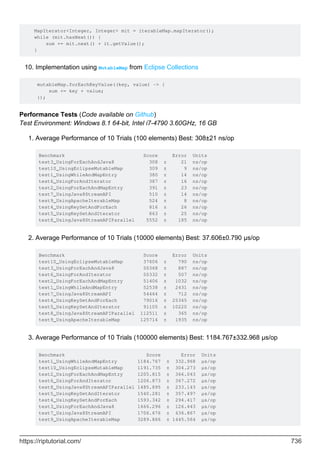
System.out.prinln(logString);
}
}
class Logger2 {
// This will throw compile-time error. Logger2 is not a subclass of Logger1.
// log method is not overriding anything
@Override
public void log(String logString) {
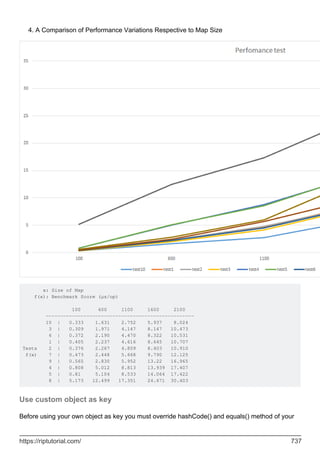
System.out.println("Log 2" + logString);
}
}
The main purpose is to catch mistyping, where you think you are overriding a method, but are
actually defining a new one.
class Vehicle {
public void drive() {
System.out.println("I am driving");
}
https://riptutorial.com/ 26
}
class Car extends Vehicle {
// Compiler error. "dirve" is not the correct method name to override.
@Override
public void dirve() {
System.out.prinln("Brrrm, brrm");
}
}
Note that the meaning of @Override has changed over time:
In Java 5, it meant that the annotated method had to override a non-abstract method
declared in the superclass chain.
•
From Java 6 onward, it is also satisfied if the annotated method implements an abstract
method declared in the classes superclass / interface hierarchy.
•
(This can occasionally cause problems when back-porting code to Java 5.)
@Deprecated
This marks the method as deprecated. There can be several reasons for this:
the API is flawed and is impractical to fix,
•
usage of the API is likely to lead to errors,
•
the API has been superseded by another API,
•
the API is obsolete,
•
the API is experimental and is subject to incompatible changes,
•
or any combination of the above.
•
The specific reason for deprecation can usually be found in the documentation of the API.
The annotation will cause the compiler to emit an error if you use it. IDEs may also highlight this
method somehow as deprecated
class ComplexAlgorithm {
@Deprecated
public void oldSlowUnthreadSafeMethod() {
// stuff here
}
public void quickThreadSafeMethod() {
// client code should use this instead
}
}
@SuppressWarnings
https://riptutorial.com/ 27
In almost all cases, when the compiler emits a warning, the most appropriate action is to fix the
cause. In some instances (Generics code using untype-safe pre-generics code, for example) this
may not be possible and it's better to suppress those warnings that you expect and cannot fix, so
you can more clearly see unexpected warnings.
This annotation can be applied to a whole class, method or line. It takes the category of warning
as a parameter.
@SuppressWarnings("deprecation")
public class RiddledWithWarnings {
// several methods calling deprecated code here
}
@SuppressWarning("finally")
public boolean checkData() {
// method calling return from within finally block
}
It is better to limit the scope of the annotation as much as possible, to prevent unexpected
warnings also being suppressed. For example, confining the scope of the annotation to a single-
line:
ComplexAlgorithm algorithm = new ComplexAlgorithm();
@SuppressWarnings("deprecation") algoritm.slowUnthreadSafeMethod();
// we marked this method deprecated in an example above
@SuppressWarnings("unsafe") List<Integer> list = getUntypeSafeList();
// old library returns, non-generic List containing only integers
The warnings supported by this annotation may vary from compiler to compiler. Only the unchecked
and deprecation warnings are specifically mentioned in the JLS. Unrecognized warning types will
be ignored.
@SafeVarargs
Because of type erasure, void method(T... t) will be converted to void method(Object[] t) meaning
that the compiler is not always able to verify that the use of varargs is type-safe. For instance:
private static <T> void generatesVarargsWarning(T... lists) {
There are instances where the use is safe, in which case you can annotate the method with the
SafeVarargs annotation to suppress the warning. This obviously hides the warning if your use is
unsafe too.
@FunctionalInterface
This is an optional annotation used to mark a FunctionalInterface. It will cause the compiler to
complain if it does not conform to the FunctionalInterface spec (has a single abstract method)
@FunctionalInterface
public interface ITrade {
https://riptutorial.com/ 28
public boolean check(Trade t);
}
@FunctionalInterface
public interface Predicate<T> {
boolean test(T t);
}
Runtime annotation checks via reflection
Java's Reflection API allows the programmer to perform various checks and operations on class
fields, methods and annotations during runtime. However, in order for an annotation to be at all
visible at runtime, the RetentionPolicy must be changed to RUNTIME, as demonstrated in the
example below:
@interface MyDefaultAnnotation {
}
@Retention(RetentionPolicy.RUNTIME)
@interface MyRuntimeVisibleAnnotation {
}
public class AnnotationAtRuntimeTest {
@MyDefaultAnnotation
static class RuntimeCheck1 {
}
@MyRuntimeVisibleAnnotation
static class RuntimeCheck2 {
}
public static void main(String[] args) {
Annotation[] annotationsByType = RuntimeCheck1.class.getAnnotations();
Annotation[] annotationsByType2 = RuntimeCheck2.class.getAnnotations();
System.out.println("default retention: " + Arrays.toString(annotationsByType));
System.out.println("runtime retention: " + Arrays.toString(annotationsByType2));
}
}
Defining annotation types
Annotation types are defined with @interface. Parameters are defined similar to methods of a
regular interface.
@interface MyAnnotation {
String param1();
boolean param2();
int[] param3(); // array parameter
}
https://riptutorial.com/ 29
Default values
@interface MyAnnotation {
String param1() default "someValue";
boolean param2() default true;
int[] param3() default {};
}
Meta-Annotations
Meta-annotations are annotations that can be applied to annotation types. Special predefined
meta-annotation define how annotation types can be used.
@Target
The @Target meta-annotation restricts the types the annotation can be applied to.
@Target(ElementType.METHOD)
@interface MyAnnotation {
// this annotation can only be applied to methods
}
Multiple values can be added using array notation, e.g. @Target({ElementType.FIELD,
ElementType.TYPE})
Available Values
ElementType target example usage on target element
ANNOTATION_TYPE annotation types
@Retention(RetentionPolicy.RUNTIME)
@interface MyAnnotation
CONSTRUCTOR constructors
@MyAnnotation
public MyClass() {}
FIELD fields, enum constants
@XmlAttribute
private int count;
for (@LoopVariable int i = 0; i < 100;
i++) {
@Unused
String resultVariable;
LOCAL_VARIABLE
variable declarations
inside methods
https://riptutorial.com/ 30
ElementType target example usage on target element
}
PACKAGE
package (in package-
info.java)
@Deprecated
package very.old;
METHOD methods
@XmlElement
public int getCount() {...}
PARAMETER
method/constructor
parameters
public Rectangle(
@NamedArg("width") double
width,
@NamedArg("height") double
height) {
...
}
TYPE
classes, interfaces,
enums
@XmlRootElement
public class Report {}
Java SE 8
ElementType target example usage on target element
TYPE_PARAMETER
Type parameter
declarations
public <@MyAnnotation T> void f(T t)
{}
TYPE_USE Use of a type
Object o = "42";
String s = (@MyAnnotation String) o;
@Retention
The @Retention meta-annotation defines the annotation visibility during the applications compilation
process or execution. By default, annotations are included in .class files, but are not visible at
runtime. To make an annotation accessible at runtime, RetentionPolicy.RUNTIME has to be set on
that annotation.
@Retention(RetentionPolicy.RUNTIME)
@interface MyAnnotation {
https://riptutorial.com/ 31
// this annotation can be accessed with reflections at runtime
}
Available values
RetentionPolicy Effect
CLASS The annotation is available in the .class file, but not at runtime
RUNTIME The annotation is available at runtime and can be accessed via reflection
SOURCE
The annotation is available at compile time, but not added to the .class
files. The annotation can be used e.g. by an annotation processor.
@Documented
The @Documented meta-annotation is used to mark annotations whose usage should be documented
by API documentation generators like javadoc. It has no values. With @Documented, all classes that
use the annotation will list it on their generated documentation page. Without @Documented, it's not
possible to see which classes use the annotation in the documentation.
@Inherited
The @Inherited meta-annotation is relevant to annotations that are applied to classes. It has no
values. Marking an annotation as @Inherited alters the way that annotation querying works.
For a non-inherited annotation, the query only examines the class being examined.
•
For an inherited annotation, the query will also check the super-class chain (recursively) until
an instance of the annotation is found.
•
Note that only the super-classes are queried: any annotations attached to interfaces in the classes
hierarchy will be ignored.
@Repeatable
The @Repeatable meta-annotation was added in Java 8. It indicates that multiple instances of the
annotation can be attached to the annotation's target. This meta-annotation has no values.
Getting Annotation values at run-time
You can fetch the current properties of the Annotation by using Reflection to fetch the Method or
Field or Class which has an Annotation applied to it, and then fetching the desired properties.
@Retention(RetentionPolicy.RUNTIME)
@interface MyAnnotation {
String key() default "foo";
https://riptutorial.com/ 32
String value() default "bar";
}
class AnnotationExample {
// Put the Annotation on the method, but leave the defaults
@MyAnnotation
public void testDefaults() throws Exception {
// Using reflection, get the public method "testDefaults", which is this method with
no args
Method method = AnnotationExample.class.getMethod("testDefaults", null);
// Fetch the Annotation that is of type MyAnnotation from the Method
MyAnnotation annotation = (MyAnnotation)method.getAnnotation(MyAnnotation.class);
// Print out the settings of the Annotation
print(annotation);
}
//Put the Annotation on the method, but override the settings
@MyAnnotation(key="baz", value="buzz")
public void testValues() throws Exception {
// Using reflection, get the public method "testValues", which is this method with no
args
Method method = AnnotationExample.class.getMethod("testValues", null);
// Fetch the Annotation that is of type MyAnnotation from the Method
MyAnnotation annotation = (MyAnnotation)method.getAnnotation(MyAnnotation.class);
// Print out the settings of the Annotation
print(annotation);
}
public void print(MyAnnotation annotation) {
// Fetch the MyAnnotation 'key' & 'value' properties, and print them out
System.out.println(annotation.key() + " = " + annotation.value());
}
public static void main(String[] args) {
AnnotationExample example = new AnnotationExample();
try {
example.testDefaults();
example.testValues();
} catch( Exception e ) {
// Shouldn't throw any Exceptions
System.err.println("Exception [" + e.getClass().getName() + "] - " +
e.getMessage());
e.printStackTrace(System.err);
}
}
}
The output will be
foo = bar
baz = buzz
Repeating Annotations
https://riptutorial.com/ 33
Until Java 8, two instances of the same annotation could not be applied to a single element. The
standard workaround was to use a container annotation holding an array of some other
annotation:
// Author.java
@Retention(RetentionPolicy.RUNTIME)
public @interface Author {
String value();
}
// Authors.java
@Retention(RetentionPolicy.RUNTIME)
public @interface Authors {
Author[] value();
}
// Test.java
@Authors({
@Author("Mary"),
@Author("Sam")
})
public class Test {
public static void main(String[] args) {
Author[] authors = Test.class.getAnnotation(Authors.class).value();
for (Author author : authors) {
System.out.println(author.value());
// Output:
// Mary
// Sam
}
}
}
Java SE 8
Java 8 provides a cleaner, more transparent way of using container annotations, using the
@Repeatable annotation. First we add this to the Author class:
@Repeatable(Authors.class)
This tells Java to treat multiple @Author annotations as though they were surrounded by the
@Authors container. We can also use Class.getAnnotationsByType() to access the @Author array by its
own class, instead of through its container:
@Author("Mary")
@Author("Sam")
public class Test {
public static void main(String[] args) {
Author[] authors = Test.class.getAnnotationsByType(Author.class);
for (Author author : authors) {
System.out.println(author.value());
// Output:
// Mary
// Sam
}
}
https://riptutorial.com/ 34
}
Inherited Annotations
By default class annotations do not apply to types extending them. This can be changed by adding
the @Inherited annotation to the annotation definition
Example
Consider the following 2 Annotations:
@Inherited
@Target(ElementType.TYPE)
@Retention(RetentionPolicy.RUNTIME)
public @interface InheritedAnnotationType {
}
and
@Target(ElementType.TYPE)
@Retention(RetentionPolicy.RUNTIME)
public @interface UninheritedAnnotationType {
}
If three classes are annotated like this:
@UninheritedAnnotationType
class A {
}
@InheritedAnnotationType
class B extends A {
}
class C extends B {
}
running this code
System.out.println(new A().getClass().getAnnotation(InheritedAnnotationType.class));
System.out.println(new B().getClass().getAnnotation(InheritedAnnotationType.class));
System.out.println(new C().getClass().getAnnotation(InheritedAnnotationType.class));
System.out.println("_________________________________");
System.out.println(new A().getClass().getAnnotation(UninheritedAnnotationType.class));
System.out.println(new B().getClass().getAnnotation(UninheritedAnnotationType.class));
System.out.println(new C().getClass().getAnnotation(UninheritedAnnotationType.class));
will print a result similar to this (depending on the packages of the annotation):
null
@InheritedAnnotationType()
https://riptutorial.com/ 35
_________________________________
@UninheritedAnnotationType()
null
null
Note that annotations can only be inherited from classes, not interfaces.
Compile time processing using annotation processor
This example demonstrates how to do compile time checking of an annotated element.
The annotation
The @Setter annotation is a marker can be applied to methods. The annotation will be discarded
during compilation not be available afterwards.
package annotation;
import java.lang.annotation.ElementType;
import java.lang.annotation.Retention;
import java.lang.annotation.RetentionPolicy;
import java.lang.annotation.Target;
@Retention(RetentionPolicy.SOURCE)
@Target(ElementType.METHOD)
public @interface Setter {
}
The annotation processor
The SetterProcessor class is used by the compiler to process the annotations. It checks, if the
methods annotated with the @Setter annotation are public, non-static methods with a name
starting with set and having a uppercase letter as 4th letter. If one of these conditions isn't met, a
error is written to the Messager. The compiler writes this to stderr, but other tools could use this
information differently. E.g. the NetBeans IDE allows the user specify annotation processors that
are used to display error messages in the editor.
package annotation.processor;
import annotation.Setter;
import java.util.Set;
import javax.annotation.processing.AbstractProcessor;
import javax.annotation.processing.Messager;
import javax.annotation.processing.ProcessingEnvironment;
import javax.annotation.processing.RoundEnvironment;
import javax.annotation.processing.SupportedAnnotationTypes;
import javax.annotation.processing.SupportedSourceVersion;
import javax.lang.model.SourceVersion;
import javax.lang.model.element.Element;
import javax.lang.model.element.ElementKind;
https://riptutorial.com/ 36
import javax.lang.model.element.ExecutableElement;
import javax.lang.model.element.Modifier;
import javax.lang.model.element.TypeElement;
import javax.tools.Diagnostic;
@SupportedAnnotationTypes({"annotation.Setter"})
@SupportedSourceVersion(SourceVersion.RELEASE_8)
public class SetterProcessor extends AbstractProcessor {
private Messager messager;
@Override
public boolean process(Set<? extends TypeElement> annotations, RoundEnvironment roundEnv)
{
// get elements annotated with the @Setter annotation
Set<? extends Element> annotatedElements =
roundEnv.getElementsAnnotatedWith(Setter.class);
for (Element element : annotatedElements) {
if (element.getKind() == ElementKind.METHOD) {
// only handle methods as targets
checkMethod((ExecutableElement) element);
}
}
// don't claim annotations to allow other processors to process them
return false;
}
private void checkMethod(ExecutableElement method) {
// check for valid name
String name = method.getSimpleName().toString();
if (!name.startsWith("set")) {
printError(method, "setter name must start with "set"");
} else if (name.length() == 3) {
printError(method, "the method name must contain more than just "set"");
} else if (Character.isLowerCase(name.charAt(3))) {
if (method.getParameters().size() != 1) {
printError(method, "character following "set" must be upper case");
}
}
// check, if setter is public
if (!method.getModifiers().contains(Modifier.PUBLIC)) {
printError(method, "setter must be public");
}
// check, if method is static
if (method.getModifiers().contains(Modifier.STATIC)) {
printError(method, "setter must not be static");
}
}
private void printError(Element element, String message) {
messager.printMessage(Diagnostic.Kind.ERROR, message, element);
}
@Override
public void init(ProcessingEnvironment processingEnvironment) {
super.init(processingEnvironment);
https://riptutorial.com/ 37
// get messager for printing errors
messager = processingEnvironment.getMessager();
}
}
Packaging
To be applied by the compiler, the annotation processor needs to be made available to the SPI
(see ServiceLoader).
To do this a text file META-INF/services/javax.annotation.processing.Processor needs to be added to
the jar file containing the annotation processor and the annotation in addition to the other files. The
file needs to include the fully qualified name of the annotation processor, i.e. it should look like this
annotation.processor.SetterProcessor
We'll assume the jar file is called AnnotationProcessor.jar below.
Example annotated class
The following class is example class in the default package with the annotations being applied to
the correct elements according to the retention policy. However only the annotation processor only
considers the second method a valid annotation target.
import annotation.Setter;
public class AnnotationProcessorTest {
@Setter
private void setValue(String value) {}
@Setter
public void setString(String value) {}
@Setter
public static void main(String[] args) {}
}
Using the annotation processor with javac
If the annotation processor is discovered using the SPI, it is automatically used to process
annotated elements. E.g. compiling the AnnotationProcessorTest class using
javac -cp AnnotationProcessor.jar AnnotationProcessorTest.java
https://riptutorial.com/ 38
yields the following output
AnnotationProcessorTest.java:6: error: setter must be public
private void setValue(String value) {}
^
AnnotationProcessorTest.java:12: error: setter name must start with "set"
public static void main(String[] args) {}
^
2 errors
instead of compiling normally. No .class file is created.
This could be prevented by specifying the -proc:none option for javac. You could also forgo the
usual compilation by specifying -proc:only instead.
IDE integration
Netbeans
Annotation processors can be used in the NetBeans editor. To do this the annotation processor
needs to be specified in the project settings:
go to Project Properties > Build > Compiling
1.
add check marks for Enable Annotation Processing and Enable Annotation Processing in
Editor
2.
click Add next to the annotation processor list
3.
in the popup that appears enter the fully qualified class name of the annotation processor
and click Ok.
4.
Result
https://riptutorial.com/ 39
The idea behind Annotations
The Java Language Specification describes Annotations as follows:
An annotation is a marker which associates information with a program construct, but
has no effect at run time.
Annotations may appear before types or declarations. It is possible for them to appear in a place
where they could apply to both a type or a declaration.
What exactly an annotation applies to is governed by the "meta-annotation" @Target. See "Defining
annotation types" for more information.
Annotations are used for a multitude of purposes. Frameworks like Spring and Spring-MVC make
use of annotations to define where Dependencies should be injected or where requests should be
routed.
Other frameworks use annotations for code-generation. Lombok and JPA are prime examples,
that use annotations to generate Java (and SQL) code.
This topic aims to provide a comprehensive overview of:
How to define your own Annotations?
•
What Annotations does the Java Language provide?
•
How are Annotations used in practice?
•
Annotations for 'this' and receiver parameters
When Java annotations were first introduced there was no provision for annotating the target of an
instance method or the hidden constructor parameter for an inner classes constructor. This was
remedied in Java 8 with addition of receiver parameter declarations; see JLS 8.4.1.
The receiver parameter is an optional syntactic device for an instance method or an
inner class's constructor. For an instance method, the receiver parameter represents
the object for which the method is invoked. For an inner class's constructor, the
receiver parameter represents the immediately enclosing instance of the newly
constructed object. Either way, the receiver parameter exists solely to allow the type of
the represented object to be denoted in source code, so that the type may be
annotated. The receiver parameter is not a formal parameter; more precisely, it is not a
declaration of any kind of variable (§4.12.3), it is never bound to any value passed as
an argument in a method invocation expression or qualified class instance creation
expression, and it has no effect whatsoever at run time.
The following example illustrates the syntax for both kinds of receiver parameter:
public class Outer {
public class Inner {
public Inner (Outer this) {
https://riptutorial.com/ 40
// ...
}
public void doIt(Inner this) {
// ...
}
}
}
The sole purpose of receiver parameters is to allow you to add annotations. For example, you
might have a custom annotation @IsOpen whose purpose is to assert that a Closeable object has not
been closed when a method is called. For example:
public class MyResource extends Closeable {
public void update(@IsOpen MyResource this, int value) {
// ...
}
public void close() {
// ...
}
}
At one level, the @IsOpen annotation on this could simply serve as documentation. However, we
could potentially do more. For example:
An annotation processor could insert a runtime check that this is not in closed state when
update is called.
•
A code checker could perform a static code analysis to find cases where this could be
closed when update is called.
•
Add multiple annotation values
An Annotation parameter can accept multiple values if it is defined as an array. For example the
standard annotation @SuppressWarnings is defined like this:
public @interface SuppressWarnings {
String[] value();
}
The value parameter is an array of Strings. You can set multiple values by using a notation similar
to Array initializers:
@SuppressWarnings({"unused"})
@SuppressWarnings({"unused", "javadoc"})
If you only need to set a single value, the brackets can be omitted:
@SuppressWarnings("unused")
Read Annotations online: https://riptutorial.com/java/topic/157/annotations
https://riptutorial.com/ 41
Chapter 5: Apache Commons Lang
Examples
Implement equals() method
To implement the equals method of an object easily you could use the EqualsBuilder class.
Selecting the fields:
@Override
public boolean equals(Object obj) {
if(!(obj instanceof MyClass)) {
return false;
}
MyClass theOther = (MyClass) obj;
EqualsBuilder builder = new EqualsBuilder();
builder.append(field1, theOther.field1);
builder.append(field2, theOther.field2);
builder.append(field3, theOther.field3);
return builder.isEquals();
}
Using reflection:
@Override
public boolean equals(Object obj) {
return EqualsBuilder.reflectionEquals(this, obj, false);
}
the boolean parameter is to indicates if the equals should check transient fields.
Using reflection avoiding some fields:
@Override
public boolean equals(Object obj) {
return EqualsBuilder.reflectionEquals(this, obj, "field1", "field2");
}
Implement hashCode() method
To implement the hashCode method of an object easily you could use the HashCodeBuilder class.
Selecting the fields:
@Override
public int hashCode() {
https://riptutorial.com/ 42
HashCodeBuilder builder = new HashCodeBuilder();
builder.append(field1);
builder.append(field2);
builder.append(field3);
return builder.hashCode();
}
Using reflection:
@Override
public int hashCode() {
return HashCodeBuilder.reflectionHashCode(this, false);
}
the boolean parameter indicates if it should use transient fields.
Using reflection avoiding some fields:
@Override
public int hashCode() {
return HashCodeBuilder.reflectionHashCode(this, "field1", "field2");
}
Implement toString() method
To implement the toString method of an object easily you could use the ToStringBuilder class.
Selecting the fields:
@Override
public String toString() {
ToStringBuilder builder = new ToStringBuilder(this);
builder.append(field1);
builder.append(field2);
builder.append(field3);
return builder.toString();
}
Example result:
ar.com.jonat.lang.MyClass@dd7123[<null>,0,false]
Explicitly giving names to the fields:
@Override
public String toString() {
ToStringBuilder builder = new ToStringBuilder(this);
builder.append("field1",field1);
https://riptutorial.com/ 43
builder.append("field2",field2);
builder.append("field3",field3);
return builder.toString();
}
Example result:
ar.com.jonat.lang.MyClass@dd7404[field1=<null>,field2=0,field3=false]
You could change the style via parameter:
@Override
public String toString() {
ToStringBuilder builder = new ToStringBuilder(this,
ToStringStyle.MULTI_LINE_STYLE);
builder.append("field1", field1);
builder.append("field2", field2);
builder.append("field3", field3);
return builder.toString();
}
Example result:
ar.com.bna.lang.MyClass@ebbf5c[
field1=<null>
field2=0
field3=false
]
There are some styles, for example JSON, no Classname, short, etc ...
Via reflection:
@Override
public String toString() {
return ToStringBuilder.reflectionToString(this);
}
You could also indicate the style:
@Override
public String toString() {
return ToStringBuilder.reflectionToString(this, ToStringStyle.JSON_STYLE);
}
Read Apache Commons Lang online: https://riptutorial.com/java/topic/3338/apache-commons-
lang
https://riptutorial.com/ 44
Chapter 6: AppDynamics and TIBCO
BusinessWorks Instrumentation for Easy
Integration
Introduction
As AppDynamics aims to provide a way to measure application performance, speed of
development, delivery (deployment) of applications is an essential factor in making DevOps efforts
a true success. Monitoring a TIBCO BW application with AppD is generally simple and not time
consuming but when deploying large sets of applications rapid instrumentation is key. This guide
shows how to instrument all of your BW applications in a single step without modifying each
application before deploying.
Examples
Example of Instrumentation of all BW Applications in a Single Step for
Appdynamics
Locate and open your TIBCO BW bwengine.tra file typlically under
TIBCO_HOME/bw/5.12/bin/bwengine.tra (Linux environment)
1.
Look for the line that states:
2.
*** Common variables. Modify these only. ***
Add the following line right after that section tibco.deployment=%tibco.deployment%
3.
Go to the end of the file and add (replace ? with your own values as needed or remove the
flag that does not apply): java.extended.properties=-
javaagent:/opt/appd/current/appagent/javaagent.jar -Dappdynamics.http.proxyHost=? -
Dappdynamics.http.proxyPort=? -Dappdynamics.agent.applicationName=? -
Dappdynamics.agent.tierName=? -Dappdynamics.agent.nodeName=%tibco.deployment% -
Dappdynamics.controller.ssl.enabled=? -Dappdynamics.controller.sslPort=? -
Dappdynamics.agent.logs.dir=? -Dappdynamics.agent.runtime.dir=? -
Dappdynamics.controller.hostName=? -Dappdynamics.controller.port=? -
Dappdynamics.agent.accountName=? -Dappdynamics.agent.accountAccessKey=?
4.
Save file and redeploy. All your applications should now be instrumented automatically at
deployment time.
5.
Read AppDynamics and TIBCO BusinessWorks Instrumentation for Easy Integration online:
https://riptutorial.com/java/topic/10602/appdynamics-and-tibco-businessworks-instrumentation-for-
https://riptutorial.com/ 45
easy-integration
https://riptutorial.com/ 46
Chapter 7: Applets
Introduction
Applets have been part of Java since its official release and have been used to teach Java and
programming for a number of years.
Recent years have seen an active push to move away from Applets and other browser plugins,
with some browsers blocking them or actively not supporting them.
In 2016, Oracle announced their plans to deprecate the plugin, Moving to a Plugin-Free Web
Newer and better APIs are now available
Remarks
An applet is a Java application that normally runs inside a web browser. The basic idea is to
interact with the user without the need to interact with the server and transfer information. This
concept was very successful around the year 2000 when internet communication was slow and
expensive.
An applet offers five methods to control their life cycle.
method name description
init() is called once when the applet is loaded
destroy() is called once when the applet gets removed from memory
start() is called whenever the applet gets visible
stop() is called whenever the applet get overlapped by other windows
paint() is called when needed or manually triggered by calling repaint()
Examples
Minimal Applet
A very simple applet draws a rectangle and prints a string something on the screen.
public class MyApplet extends JApplet{
private String str = "StackOverflow";
@Override
https://riptutorial.com/ 47
public void init() {
setBackground(Color.gray);
}
@Override
public void destroy() {}
@Override
public void start() {}
@Override
public void stop() {}
@Override
public void paint(Graphics g) {
g.setColor(Color.yellow);
g.fillRect(1,1,300,150);
g.setColor(Color.red);
g.setFont(new Font("TimesRoman", Font.PLAIN, 48));
g.drawString(str, 10, 80);
}
}
The main class of an applet extends from javax.swing.JApplet.
Java SE 1.2
Before Java 1.2 and the introduction of the swing API applets had extended from
java.applet.Applet.
Applets don't require a main method. The entry point is controlled by the life cycle. To use them,
they need to be embedded in a HTML document. This is also the point where their size is defined.
<html>
<head></head>
<body>
<applet code="MyApplet.class" width="400" height="200"></applet>
</body>
</html>
Creating a GUI
Applets could easily be used to create a GUI. They act like a Container and have an add() method
that takes any awt or swing component.
public class MyGUIApplet extends JApplet{
private JPanel panel;
private JButton button;
private JComboBox<String> cmbBox;
private JTextField textField;
@Override
public void init(){
panel = new JPanel();
button = new JButton("ClickMe!");
button.addActionListener(new ActionListener(){
@Override
public void actionPerformed(ActionEvent ae) {
if(((String)cmbBox.getSelectedItem()).equals("greet")) {
https://riptutorial.com/ 48
JOptionPane.showMessageDialog(null,"Hello " + textField.getText());
} else {
JOptionPane.showMessageDialog(null,textField.getText() + " stinks!");
}
}
});
cmbBox = new JComboBox<>(new String[]{"greet", "offend"});
textField = new JTextField("John Doe");
panel.add(cmbBox);
panel.add(textField);
panel.add(button);
add(panel);
}
}
Open links from within the applet
You can use the method getAppletContext() to get an AppletContext object that allows you to
request the browser to open a link. For this you use the method showDocument(). Its second
parameter tells the browser to use a new window _blank or the one that shows the applet _self.
public class MyLinkApplet extends JApplet{
@Override
public void init(){
JButton button = new JButton("ClickMe!");
button.addActionListener(new ActionListener(){
@Override
public void actionPerformed(ActionEvent ae) {
AppletContext a = getAppletContext();
try {
URL url = new URL("http://stackoverflow.com/");
a.showDocument(url,"_blank");
} catch (Exception e) { /* omitted for brevity */ }
}
});
add(button);
}
}
Loading images, audio and other resources
Java applets are able to load different resources. But since they are running in the web browser of
the client you need to make sure that these resources are accessible. Applets are not able to
access client resources as the local file system.
If you want to load resources from the same URL the Applet is stored you can use the method
getCodeBase() to retrieve the base URL. To load resources, applets offer the methods getImage()
and getAudioClip() to load images or audio files.
Load and show an image
https://riptutorial.com/ 49
public class MyImgApplet extends JApplet{
private Image img;
@Override
public void init(){
try {
img = getImage(new URL("http://cdn.sstatic.net/stackexchange/img/logos/so/so-
logo.png"));
} catch (MalformedURLException e) { /* omitted for brevity */ }
}
@Override
public void paint(Graphics g) {
g.drawImage(img, 0, 0, this);
}
}
Load and play an audio file
public class MyAudioApplet extends JApplet{
private AudioClip audioClip;
@Override
public void init(){
try {
audioClip = getAudioClip(new URL("URL/TO/AN/AUDIO/FILE.WAV"));
} catch (MalformedURLException e) { /* omitted for brevity */ }
}
@Override
public void start() {
audioClip.play();
}
@Override
public void stop(){
audioClip.stop();
}
}
Load and display a text file
public class MyTextApplet extends JApplet{
@Override
public void init(){
JTextArea textArea = new JTextArea();
JScrollPane sp = new JScrollPane(textArea);
add(sp);
// load text
try {
URL url = new URL("http://www.textfiles.com/fun/quotes.txt");
InputStream in = url.openStream();
BufferedReader bf = new BufferedReader(new InputStreamReader(in));
https://riptutorial.com/ 50
String line = "";
while((line = bf.readLine()) != null) {
textArea.append(line + "n");
}
} catch(Exception e) { /* omitted for brevity */ }
}
}
Read Applets online: https://riptutorial.com/java/topic/5503/applets
https://riptutorial.com/ 51
Chapter 8: Arrays
Introduction
Arrays allow for the storage and retrieval of an arbitrary quantity of values. They are analogous to
vectors in mathematics. Arrays of arrays are analogous to matrices, and act as multidimensional
arrays. Arrays can store any data of any type: primitives such as int or reference types such as
Object.
Syntax
ArrayType[] myArray; // Declaring arrays
•
ArrayType myArray[]; // Another valid syntax (less commonly used and discouraged)
•
ArrayType[][][] myArray; // Declaring multi-dimensional jagged arrays (repeat []s)
•
ArrayType myVar = myArray[index]; // Accessing (reading) element at index
•
myArray[index] = value; // Assign value to position index of array
•
ArrayType[] myArray = new ArrayType[arrayLength]; // Array initialization syntax
•
int[] ints = {1, 2, 3}; // Array initialization syntax with values provided, length is inferred
from the number of provided values: {[value1[, value2]*]}
•
new int[]{4, -5, 6} // Can be used as argument, without a local variable
•
int[] ints = new int[3]; // same as {0, 0, 0}
•
int[][] ints = {{1, 2}, {3}, null}; // Multi-dimensional array initialization. int[] extends
Object (and so does anyType[]) so null is a valid value.
•
Parameters
Parameter Details
ArrayType
Type of the array. This can be primitive (int, long, byte) or Objects (String,
MyObject, etc).
index Index refers to the position of a certain Object in an array.
length
Every array, when being created, needs a set length specified. This is either
done when creating an empty array (new int[3]) or implied when specifying
values ({1, 2, 3}).
Examples
Creating and Initializing Arrays
Basic cases
https://riptutorial.com/ 52
int[] numbers1 = new int[3]; // Array for 3 int values, default value is 0
int[] numbers2 = { 1, 2, 3 }; // Array literal of 3 int values
int[] numbers3 = new int[] { 1, 2, 3 }; // Array of 3 int values initialized
int[][] numbers4 = { { 1, 2 }, { 3, 4, 5 } }; // Jagged array literal
int[][] numbers5 = new int[5][]; // Jagged array, one dimension 5 long
int[][] numbers6 = new int[5][4]; // Multidimensional array: 5x4
Arrays may be created using any primitive or reference type.
float[] boats = new float[5]; // Array of five 32-bit floating point numbers.
double[] header = new double[] { 4.56, 332.267, 7.0, 0.3367, 10.0 };
// Array of five 64-bit floating point numbers.
String[] theory = new String[] { "a", "b", "c" };
// Array of three strings (reference type).
Object[] dArt = new Object[] { new Object(), "We love Stack Overflow.", new Integer(3) };
// Array of three Objects (reference type).
For the last example, note that subtypes of the declared array type are allowed in the array.
Arrays for user defined types can also be built similar to primitive types
UserDefinedClass[] udType = new UserDefinedClass[5];
Arrays, Collections, and Streams
Java SE 1.2
// Parameters require objects, not primitives
// Auto-boxing happening for int 127 here
Integer[] initial = { 127, Integer.valueOf( 42 ) };
List<Integer> toList = Arrays.asList( initial ); // Fixed size!
// Note: Works with all collections
Integer[] fromCollection = toList.toArray( new Integer[toList.size()] );
//Java doesn't allow you to create an array of a parameterized type
List<String>[] list = new ArrayList<String>[2]; // Compilation error!
Java SE 8
// Streams - JDK 8+
Stream<Integer> toStream = Arrays.stream( initial );
Integer[] fromStream = toStream.toArray( Integer[]::new );
Intro
An array is a data structure that holds a fixed number of primitive values or references to object
instances.
https://riptutorial.com/ 53
Each item in an array is called an element, and each element is accessed by its numerical index.
The length of an array is established when the array is created:
int size = 42;
int[] array = new int[size];
The size of an array is fixed at runtime when initialized. It cannot be changed after
initialization. If the size must be mutable at runtime, a Collection class such as ArrayList should be
used instead. ArrayList stores elements in an array and supports resizing by allocating a new
array and copying elements from the old array.
If the array is of a primitive type, i.e.
int[] array1 = { 1,2,3 };
int[] array2 = new int[10];
the values are stored in the array itself. In the absence of an initializer (as in array2 above), the
default value assigned to each element is 0 (zero).
If the array type is an object reference, as in
SomeClassOrInterface[] array = new SomeClassOrInterface[10];
then the array contains references to objects of type SomeClassOrInterface. Those references can
refer to an instance of SomeClassOrInterface or any subclass (for classes) or implementing class
(for interfaces) of SomeClassOrInterface. If the array declaration has no initializer then the default
value of null is assigned to each element.
Because all arrays are int-indexed, the size of an array must be specified by an int. The size of
the array cannot be specified as a long:
long size = 23L;
int[] array = new int[size]; // Compile-time error:
// incompatible types: possible lossy conversion from
// long to int
Arrays use a zero-based index system, which means indexing starts at 0 and ends at length - 1.
For example, the following image represents an array with size 10. Here, the first element is at
index 0 and the last element is at index 9, instead of the first element being at index 1 and the last
element at index 10 (see figure below).
https://riptutorial.com/ 54
Accesses to elements of arrays are done in constant time. That means accessing to the first
element of the array has the same cost (in time) of accessing the second element, the third
element and so on.
Java offers several ways of defining and initializing arrays, including literal and constructor
notations. When declaring arrays using the new Type[length] constructor, each element will be
initialized with the following default values:
0 for primitive numerical types: byte, short, int, long, float, and double.
•
'u0000' (null character) for the char type.
•
false for the boolean type.
•
null for reference types.
•
Creating and initializing primitive type arrays
int[] array1 = new int[] { 1, 2, 3 }; // Create an array with new operator and
// array initializer.
int[] array2 = { 1, 2, 3 }; // Shortcut syntax with array initializer.
int[] array3 = new int[3]; // Equivalent to { 0, 0, 0 }
int[] array4 = null; // The array itself is an object, so it
// can be set as null.
When declaring an array, [] will appear as part of the type at the beginning of the declaration
(after the type name), or as part of the declarator for a particular variable (after variable name), or
both:
int array5[]; /* equivalent to */ int[] array5;
int a, b[], c[][]; /* equivalent to */ int a; int[] b; int[][] c;
int[] a, b[]; /* equivalent to */ int[] a; int[][] b;
int a, []b, c[][]; /* Compilation Error, because [] is not part of the type at beginning
of the declaration, rather it is before 'b'. */
// The same rules apply when declaring a method that returns an array:
int foo()[] { ... } /* equivalent to */ int[] foo() { ... }
In the following example, both declarations are correct and can compile and run without any
problems. However, both the Java Coding Convention and the Google Java Style Guide
discourage the form with brackets after the variable name—the brackets identify the array type
and should appear with the type designation. The same should be used for method return
signatures.
float array[]; /* and */ int foo()[] { ... } /* are discouraged */
float[] array; /* and */ int[] foo() { ... } /* are encouraged */
The discouraged type is meant to accommodate transitioning C users, who are familiar with the
syntax for C which has the brackets after the variable name.
In Java, it is possible to have arrays of size 0:
int[] array = new int[0]; // Compiles and runs fine.
https://riptutorial.com/ 55
int[] array2 = {}; // Equivalent syntax.
However, since it's an empty array, no elements can be read from it or assigned to it:
array[0] = 1; // Throws java.lang.ArrayIndexOutOfBoundsException.
int i = array2[0]; // Also throws ArrayIndexOutOfBoundsException.
Such empty arrays are typically useful as return values, so that the calling code only has to worry
about dealing with an array, rather than a potential null value that may lead to a
NullPointerException.
The length of an array must be a non-negative integer:
int[] array = new int[-1]; // Throws java.lang.NegativeArraySizeException
The array size can be determined using a public final field called length:
System.out.println(array.length); // Prints 0 in this case.
Note: array.length returns the actual size of the array and not the number of array elements which
were assigned a value, unlike ArrayList.size() which returns the number of array elements which
were assigned a value.
Creating and initializing multi-dimensional
arrays
The simplest way to create a multi-dimensional array is as follows:
int[][] a = new int[2][3];
It will create two three-length int arrays—a[0] and a[1]. This is very similar to the classical, C-style
initialization of rectangular multi-dimensional arrays.
You can create and initialize at the same time:
int[][] a = { {1, 2}, {3, 4}, {5, 6} };
Unlike C, where only rectangular multi-dimensional arrays are supported, inner arrays do not need
to be of the same length, or even defined:
int[][] a = { {1}, {2, 3}, null };
Here, a[0] is a one-length int array, whereas a[1] is a two-length int array and a[2] is null. Arrays
like this are called jagged arrays or ragged arrays, that is, they are arrays of arrays. Multi-
dimensional arrays in Java are implemented as arrays of arrays, i.e. array[i][j][k] is equivalent to
https://riptutorial.com/ 56
((array[i])[j])[k]. Unlike C#, the syntax array[i,j] is not supported in Java.
Multidimensional array representation in Java
Source - Live on Ideone
Creating and initializing reference type arrays
String[] array6 = new String[] { "Laurel", "Hardy" }; // Create an array with new
// operator and array initializer.
String[] array7 = { "Laurel", "Hardy" }; // Shortcut syntax with array
// initializer.
String[] array8 = new String[3]; // { null, null, null }
String[] array9 = null; // null
Live on Ideone
In addition to the String literals and primitives shown above, the shortcut syntax for array
initialization also works with canonical Object types:
Object[] array10 = { new Object(), new Object() };
Because arrays are covariant, a reference type array can be initialized as an array of a subclass,
although an ArrayStoreException will be thrown if you try to set an element to something other than
a String:
Object[] array11 = new String[] { "foo", "bar", "baz" };
array11[1] = "qux"; // fine
array11[1] = new StringBuilder(); // throws ArrayStoreException
The shortcut syntax cannot be used for this because the shortcut syntax would have an implicit
https://riptutorial.com/ 57
type of Object[].
An array can be initialized with zero elements by using String[] emptyArray = new String[0]. For
example, an array with zero length like this is used for Creating an Array from a Collection when
the method needs the runtime type of an object.
In both primitive and reference types, an empty array initialization (for example String[] array8 =
new String[3]) will initialize the array with the default value for each data type.
Creating and initializing generic type arrays
In generic classes, arrays of generic types cannot be initialized like this due to type erasure:
public class MyGenericClass<T> {
private T[] a;
public MyGenericClass() {
a = new T[5]; // Compile time error: generic array creation
}
}
Instead, they can be created using one of the following methods: (note that these will generate
unchecked warnings)
By creating an Object array, and casting it to the generic type:
a = (T[]) new Object[5];
This is the simplest method, but since the underlying array is still of type Object[], this
method does not provide type safety. Therefore, this method of creating an array is best
used only within the generic class - not exposed publicly.
1.
By using Array.newInstance with a class parameter:
public MyGenericClass(Class<T> clazz) {
a = (T[]) Array.newInstance(clazz, 5);
}
Here the class of T has to be explicitly passed to the constructor. The return type of
Array.newInstance is always Object. However, this method is safer because the newly created
array is always of type T[], and therefore can be safely externalized.
2.
Filling an array after initialization
Java SE 1.2
Arrays.fill() can be used to fill an array with the same value after initialization:
https://riptutorial.com/ 58
Arrays.fill(array8, "abc"); // { "abc", "abc", "abc" }
Live on Ideone
fill() can also assign a value to each element of the specified range of the array:
Arrays.fill(array8, 1, 2, "aaa"); // Placing "aaa" from index 1 to 2.
Live on Ideone
Java SE 8
Since Java version 8, the method setAll, and its Concurrent equivalent parallelSetAll, can be used
to set every element of an array to generated values. These methods are passed a generator
function which accepts an index and returns the desired value for that position.
The following example creates an integer array and sets all of its elements to their respective
index value:
int[] array = new int[5];
Arrays.setAll(array, i -> i); // The array becomes { 0, 1, 2, 3, 4 }.
Live on Ideone
Separate declaration and initialization of
arrays
The value of an index for an array element must be a whole number (0, 1, 2, 3, 4, ...) and less than
the length of the array (indexes are zero-based). Otherwise, an ArrayIndexOutOfBoundsException
will be thrown:
int[] array9; // Array declaration - uninitialized
array9 = new int[3]; // Initialize array - { 0, 0, 0 }
array9[0] = 10; // Set index 0 value - { 10, 0, 0 }
array9[1] = 20; // Set index 1 value - { 10, 20, 0 }
array9[2] = 30; // Set index 2 value - { 10, 20, 30 }
Arrays may not be re-initialized with array
initializer shortcut syntax
It is not possible to re-initialize an array via a shortcut syntax with an array initializer since an array
initializer can only be specified in a field declaration or local variable declaration, or as a part of an
array creation expression.
https://riptutorial.com/ 59
However, it is possible to create a new array and assign it to the variable being used to reference
the old array. While this results in the array referenced by that variable being re-initialized, the
variable contents are a completely new array. To do this, the new operator can be used with an
array initializer and assigned to the array variable:
// First initialization of array
int[] array = new int[] { 1, 2, 3 };
// Prints "1 2 3 ".
for (int i : array) {
System.out.print(i + " ");
}
// Re-initializes array to a new int[] array.
array = new int[] { 4, 5, 6 };
// Prints "4 5 6 ".
for (int i : array) {
System.out.print(i + " ");
}
array = { 1, 2, 3, 4 }; // Compile-time error! Can't re-initialize an array via shortcut
// syntax with array initializer.
Live on Ideone
Creating an Array from a Collection
Two methods in java.util.Collection create an array from a collection:
Object[] toArray()
•
<T> T[] toArray(T[] a)
•
Object[] toArray() can be used as follows:
Java SE 5
Set<String> set = new HashSet<String>();
set.add("red");
set.add("blue");
// although set is a Set<String>, toArray() returns an Object[] not a String[]
Object[] objectArray = set.toArray();
<T> T[] toArray(T[] a) can be used as follows:
Java SE 5
Set<String> set = new HashSet<String>();
set.add("red");
set.add("blue");
// The array does not need to be created up front with the correct size.
// Only the array type matters. (If the size is wrong, a new array will
https://riptutorial.com/ 60
// be created with the same type.)
String[] stringArray = set.toArray(new String[0]);
// If you supply an array of the same size as collection or bigger, it
// will be populated with collection values and returned (new array
// won't be allocated)
String[] stringArray2 = set.toArray(new String[set.size()]);
The difference between them is more than just having untyped vs typed results. Their performance
can differ as well (for details please read this performance analysis section):
Object[] toArray() uses vectorized arraycopy, which is much faster than the type-checked
arraycopy used in T[] toArray(T[] a).
•
T[] toArray(new T[non-zero-size]) needs to zero-out the array at runtime, while T[]
toArray(new T[0]) does not. Such avoidance makes the latter call faster than the former.
Detailed analysis here : Arrays of Wisdom of the Ancients.
•
Java SE 8
Starting from Java SE 8+, where the concept of Stream has been introduced, it is possible to use
the Stream produced by the collection in order to create a new Array using the Stream.toArray
method.
String[] strings = list.stream().toArray(String[]::new);
Examples taken from two answers (1, 2) to Converting 'ArrayList to 'String[]' in Java on Stack
Overflow.
Arrays to a String
Java SE 5
Since Java 1.5 you can get a String representation of the contents of the specified array without
iterating over its every element. Just use Arrays.toString(Object[]) or
Arrays.deepToString(Object[]) for multidimentional arrays:
int[] arr = {1, 2, 3, 4, 5};
System.out.println(Arrays.toString(arr)); // [1, 2, 3, 4, 5]
int[][] arr = {
{1, 2, 3},
{4, 5, 6},
{7, 8, 9}
};
System.out.println(Arrays.deepToString(arr)); // [[1, 2, 3], [4, 5, 6], [7, 8, 9]]
Arrays.toString() method uses Object.toString() method to produce String values of every item in
the array, beside primitive type array, it can be used for all type of arrays. For instance:
public class Cat { /* implicitly extends Object */
https://riptutorial.com/ 61
@Override
public String toString() {
return "CAT!";
}
}
Cat[] arr = { new Cat(), new Cat() };
System.out.println(Arrays.toString(arr)); // [CAT!, CAT!]
If no overridden toString() exists for the class, then the inherited toString() from Object will be
used. Usually the output is then not very useful, for example:
public class Dog {
/* implicitly extends Object */
}
Dog[] arr = { new Dog() };
System.out.println(Arrays.toString(arr)); // [Dog@17ed40e0]
Creating a List from an Array
The Arrays.asList() method can be used to return a fixed-size List containing the elements of the
given array. The resulting List will be of the same parameter type as the base type of the array.
String[] stringArray = {"foo", "bar", "baz"};
List<String> stringList = Arrays.asList(stringArray);
Note: This list is backed by (a view of) the original array, meaning that any changes to the list will
change the array and vice versa. However, changes to the list that would change its size (and
hence the array length) will throw an exception.
To create a copy of the list, use the constructor of java.util.ArrayList taking a Collection as an
argument:
Java SE 5
String[] stringArray = {"foo", "bar", "baz"};
List<String> stringList = new ArrayList<String>(Arrays.asList(stringArray));
Java SE 7
In Java SE 7 and later, a pair of angle brackets <> (empty set of type arguments) can be used,
which is called the Diamond. The compiler can determine the type arguments from the context.
This means the type information can be left out when calling the constructor of ArrayList and it will
be inferred automatically during compilation. This is called Type Inference which is a part of Java
Generics.
// Using Arrays.asList()
String[] stringArray = {"foo", "bar", "baz"};
List<String> stringList = new ArrayList<>(Arrays.asList(stringArray));
https://riptutorial.com/ 62
// Using ArrayList.addAll()
String[] stringArray = {"foo", "bar", "baz"};
ArrayList<String> list = new ArrayList<>();
list.addAll(Arrays.asList(stringArray));
// Using Collections.addAll()
String[] stringArray = {"foo", "bar", "baz"};
ArrayList<String> list = new ArrayList<>();
Collections.addAll(list, stringArray);
A point worth noting about the Diamond is that it cannot be used with Anonymous Classes.
Java SE 8
// Using Streams
int[] ints = {1, 2, 3};
List<Integer> list = Arrays.stream(ints).boxed().collect(Collectors.toList());
String[] stringArray = {"foo", "bar", "baz"};
List<Object> list = Arrays.stream(stringArray).collect(Collectors.toList());
Important notes related to using Arrays.asList() method
This method returns List, which is an instance of Arrays$ArrayList(static inner class of Arrays
) and not java.util.ArrayList. The resulting List is of fixed-size. That means, adding or
removing elements is not supported and will throw an UnsupportedOperationException:
stringList.add("something"); // throws java.lang.UnsupportedOperationException
•
A new List can be created by passing an array-backed List to the constructor of a new List.
This creates a new copy of the data, which has changeable size and that is not backed by
the original array:
List<String> modifiableList = new ArrayList<>(Arrays.asList("foo", "bar"));
•
Calling <T> List<T> asList(T... a) on a primitive array, such as an int[], will produce a
List<int[]> whose only element is the source primitive array instead of the actual elements
of the source array.
The reason for this behavior is that primitive types cannot be used in place of generic type
parameters, so the entire primitive array replaces the generic type parameter in this case. In
order to convert a primitive array to a List, first of all, convert the primitive array to an array
of the corresponding wrapper type (i.e. call Arrays.asList on an Integer[] instead of an int[]
).
Therefore, this will print false:
•
https://riptutorial.com/ 63
int[] arr = {1, 2, 3}; // primitive array of int
System.out.println(Arrays.asList(arr).contains(1));
View Demo
On the other hand, this will print true:
Integer[] arr = {1, 2, 3}; // object array of Integer (wrapper for int)
System.out.println(Arrays.asList(arr).contains(1));
View Demo
This will also print true, because the array will be interpreted as an Integer[]):
System.out.println(Arrays.asList(1,2,3).contains(1));
View Demo
Multidimensional and Jagged Arrays
It is possible to define an array with more than one dimension. Instead of being accessed by
providing a single index, a multidimensional array is accessed by specifying an index for each
dimension.
The declaration of multidimensional array can be done by adding [] for each dimension to a
regular array decleration. For instance, to make a 2-dimensional int array, add another set of
brackets to the declaration, such as int[][]. This continues for 3-dimensional arrays (int[][][])
and so forth.
To define a 2-dimensional array with three rows and three columns:
int rows = 3;
int columns = 3;
int[][] table = new int[rows][columns];
The array can be indexed and assign values to it with this construct. Note that the unassigned
values are the default values for the type of an array, in this case 0 for int.
table[0][0] = 0;
table[0][1] = 1;
table[0][2] = 2;
It is also possible to instantiate a dimension at a time, and even make non-rectangular arrays.
These are more commonly referred to as jagged arrays.
int[][] nonRect = new int[4][];
It is important to note that although it is possible to define any dimension of jagged array, it's
https://riptutorial.com/ 64
preceding level must be defined.
// valid
String[][] employeeGraph = new String[30][];
// invalid
int[][] unshapenMatrix = new int[][10];
// also invalid
int[][][] misshapenGrid = new int[100][][10];
How Multidimensional Arrays are represented
in Java
Image source: http://math.hws.edu/eck/cs124/javanotes3/c8/s5.html
Jagged array literal intialization
Multidimensional arrays and jagged arrays can also be initialized with a literal expression. The
following declares and populates a 2x3 int array:
int[][] table = {
{1, 2, 3},
{4, 5, 6}
};
Note: Jagged subarrays may also be null. For instance, the following code declares and
populates a two dimensional int array whose first subarray is null, second subarray is of zero
length, third subarray is of one length and the last subarray is a two length array:
int[][] table = {
null,
https://riptutorial.com/ 65
{},
{1},
{1,2}
};
For multidimensional array it is possible to extract arrays of lower-level dimension by their indices:
int[][][] arr = new int[3][3][3];
int[][] arr1 = arr[0]; // get first 3x3-dimensional array from arr
int[] arr2 = arr1[0]; // get first 3-dimensional array from arr1
int[] arr3 = arr[0]; // error: cannot convert from int[][] to int[]
ArrayIndexOutOfBoundsException
The ArrayIndexOutOfBoundsException is thrown when a non-existing index of an array is being
accessed.
Arrays are zero-based indexed, so the index of the first element is 0 and the index of the last
element is the array capacity minus 1 (i.e. array.length - 1).
Therefore, any request for an array element by the index i has to satisfy the condition 0 <= i <
array.length, otherwise the ArrayIndexOutOfBoundsException will be thrown.
The following code is a simple example where an ArrayIndexOutOfBoundsException is thrown.
String[] people = new String[] { "Carol", "Andy" };
// An array will be created:
// people[0]: "Carol"
// people[1]: "Andy"
// Notice: no item on index 2. Trying to access it triggers the exception:
System.out.println(people[2]); // throws an ArrayIndexOutOfBoundsException.
Output:
Exception in thread "main" java.lang.ArrayIndexOutOfBoundsException: 2
at your.package.path.method(YourClass.java:15)
Note that the illegal index that is being accessed is also included in the exception (2 in the
example); this information could be useful to find the cause of the exception.
To avoid this, simply check that the index is within the limits of the array:
int index = 2;
if (index >= 0 && index < people.length) {
System.out.println(people[index]);
}
https://riptutorial.com/ 66
Getting the Length of an Array
Arrays are objects which provide space to store up to its size of elements of specified type. An
array's size can not be modified after the array is created.
int[] arr1 = new int[0];
int[] arr2 = new int[2];
int[] arr3 = new int[]{1, 2, 3, 4};
int[] arr4 = {1, 2, 3, 4, 5, 6, 7};
int len1 = arr1.length; // 0
int len2 = arr2.length; // 2
int len3 = arr3.length; // 4
int len4 = arr4.length; // 7
The length field in an array stores the size of an array. It is a final field and cannot be modified.
This code shows the difference between the length of an array and amount of objects an array
stores.
public static void main(String[] args) {
Integer arr[] = new Integer[] {1,2,3,null,5,null,7,null,null,null,11,null,13};
int arrayLength = arr.length;
int nonEmptyElementsCount = 0;
for (int i=0; i<arrayLength; i++) {
Integer arrElt = arr[i];
if (arrElt != null) {
nonEmptyElementsCount++;
}
}
System.out.println("Array 'arr' has a length of "+arrayLength+"n"
+ "and it contains "+nonEmptyElementsCount+" non-empty values");
}
Result:
Array 'arr' has a length of 13
and it contains 7 non-empty values
Comparing arrays for equality
Array types inherit their equals() (and hashCode()) implementations from java.lang.Object, so
equals() will only return true when comparing against the exact same array object. To compare
arrays for equality based on their values, use java.util.Arrays.equals, which is overloaded for all
array types.
int[] a = new int[]{1, 2, 3};
int[] b = new int[]{1, 2, 3};
System.out.println(a.equals(b)); //prints "false" because a and b refer to different objects
System.out.println(Arrays.equals(a, b)); //prints "true" because the elements of a and b have
https://riptutorial.com/ 67
the same values
When the element type is a reference type, Arrays.equals() calls equals() on the array elements to
determine equality. In particular, if the element type is itself an array type, identity comparison will
be used. To compare multidimensional arrays for equality, use Arrays.deepEquals() instead as
below:
int a[] = { 1, 2, 3 };
int b[] = { 1, 2, 3 };
Object[] aObject = { a }; // aObject contains one element
Object[] bObject = { b }; // bObject contains one element
System.out.println(Arrays.equals(aObject, bObject)); // false
System.out.println(Arrays.deepEquals(aObject, bObject));// true
Because sets and maps use equals() and hashCode(), arrays are generally not useful as set
elements or map keys. Either wrap them in a helper class that implements equals() and hashCode()
in terms of the array elements, or convert them to List instances and store the lists.
Arrays to Stream
Java SE 8
Converting an array of objects to Stream:
String[] arr = new String[] {"str1", "str2", "str3"};
Stream<String> stream = Arrays.stream(arr);
Converting an array of primitives to Stream using Arrays.stream() will transform the array to a
primitive specialization of Stream:
int[] intArr = {1, 2, 3};
IntStream intStream = Arrays.stream(intArr);
You can also limit the Stream to a range of elements in the array. The start index is inclusive and
the end index is exclusive:
int[] values = {1, 2, 3, 4};
IntStream intStream = Arrays.stream(values, 2, 4);
A method similar to Arrays.stream() appears in the Stream class: Stream.of(). The difference is that
Stream.of() uses a varargs parameter, so you can write something like:
Stream<Integer> intStream = Stream.of(1, 2, 3);
Stream<String> stringStream = Stream.of("1", "2", "3");
Stream<Double> doubleStream = Stream.of(new Double[]{1.0, 2.0});
Iterating over arrays
https://riptutorial.com/ 68
You can iterate over arrays either by using enhanced for loop (aka foreach) or by using array
indices:
int[] array = new int[10];
// using indices: read and write
for (int i = 0; i < array.length; i++) {
array[i] = i;
}
Java SE 5
// extended for: read only
for (int e : array) {
System.out.println(e);
}
It is worth noting here that there is no direct way to use an Iterator on an Array, but through the
Arrays library it can be easily converted to a list to obtain an Iterable object.
For boxed arrays use Arrays.asList:
Integer[] boxed = {1, 2, 3};
Iterable<Integer> boxedIt = Arrays.asList(boxed); // list-backed iterable
Iterator<Integer> fromBoxed1 = boxedIt.iterator();
For primitive arrays (using java 8) use streams (specifically in this example - Arrays.stream ->
IntStream):
int[] primitives = {1, 2, 3};
IntStream primitiveStream = Arrays.stream(primitives); // list-backed iterable
PrimitiveIterator.OfInt fromPrimitive1 = primitiveStream.iterator();
If you can't use streams (no java 8), you can choose to use google's guava library:
Iterable<Integer> fromPrimitive2 = Ints.asList(primitives);
In two-dimensional arrays or more, both techniques can be used in a slightly more complex
fashion.
Example:
int[][] array = new int[10][10];
for (int indexOuter = 0; indexOuter < array.length; indexOuter++) {
for (int indexInner = 0; indexInner < array[indexOuter].length; indexInner++) {
array[indexOuter][indexInner] = indexOuter + indexInner;
}
}
Java SE 5
https://riptutorial.com/ 69
for (int[] numbers : array) {
for (int value : numbers) {
System.out.println(value);
}
}
It is impossible to set an Array to any non-uniform value without using an index based loop.
Of course you can also use while or do-while loops when iterating using indices.
One note of caution: when using array indices, make sure the index is between 0 and
array.length - 1 (both inclusive). Don't make hard coded assumptions on the array length
otherwise you might break your code if the array length changes but your hard coded values don't.
Example:
int[] numbers = {1, 2, 3, 4};
public void incrementNumbers() {
// DO THIS :
for (int i = 0; i < numbers.length; i++) {
numbers[i] += 1; //or this: numbers[i] = numbers[i] + 1; or numbers[i]++;
}
// DON'T DO THIS :
for (int i = 0; i < 4; i++) {
numbers[i] += 1;
}
}
It's also best if you don't use fancy calculations to get the index but use the index to iterate and if
you need different values calculate those.
Example:
public void fillArrayWithDoubleIndex(int[] array) {
// DO THIS :
for (int i = 0; i < array.length; i++) {
array[i] = i * 2;
}
// DON'T DO THIS :
int doubleLength = array.length * 2;
for (int i = 0; i < doubleLength; i += 2) {
array[i / 2] = i;
}
}
Accessing Arrays in reverse order
int[] array = {0, 1, 1, 2, 3, 5, 8, 13};
for (int i = array.length - 1; i >= 0; i--) {
System.out.println(array[i]);
https://riptutorial.com/ 70
}
Using temporary Arrays to reduce code repetition
Iterating over a temporary array instead of repeating code can make your code cleaner. It can be
used where the same operation is performed on multiple variables.
// we want to print out all of these
String name = "Margaret";
int eyeCount = 16;
double height = 50.2;
int legs = 9;
int arms = 5;
// copy-paste approach:
System.out.println(name);
System.out.println(eyeCount);
System.out.println(height);
System.out.println(legs);
System.out.println(arms);
// temporary array approach:
for(Object attribute : new Object[]{name, eyeCount, height, legs, arms})
System.out.println(attribute);
// using only numbers
for(double number : new double[]{eyeCount, legs, arms, height})
System.out.println(Math.sqrt(number));
Keep in mind that this code should not be used in performance-critical sections, as an array is
created every time the loop is entered, and that primitive variables will be copied into the array and
thus cannot be modified.
Copying arrays
Java provides several ways to copy an array.
for loop
int[] a = { 4, 1, 3, 2 };
int[] b = new int[a.length];
for (int i = 0; i < a.length; i++) {
b[i] = a[i];
}
Note that using this option with an Object array instead of primitive array will fill the copy with
reference to the original content instead of copy of it.
https://riptutorial.com/ 71
Object.clone()
Since arrays are Objects in Java, you can use Object.clone().
int[] a = { 4, 1, 3, 2 };
int[] b = a.clone(); // [4, 1, 3, 2]
Note that the Object.clone method for an array performs a shallow copy, i.e. it returns a reference
to a new array which references the same elements as the source array.
Arrays.copyOf()
java.util.Arrays provides an easy way to perform the copy of an array to another. Here is the
basic usage:
int[] a = {4, 1, 3, 2};
int[] b = Arrays.copyOf(a, a.length); // [4, 1, 3, 2]
Note that Arrays.copyOf also provides an overload which allows you to change the type of the
array:
Double[] doubles = { 1.0, 2.0, 3.0 };
Number[] numbers = Arrays.copyOf(doubles, doubles.length, Number[].class);
System.arraycopy()
public static void arraycopy(Object src, int srcPos, Object dest, int destPos, int
length) Copies an array from the specified source array, beginning at the specified
position, to the specified position of the destination array.
Below an example of use
int[] a = { 4, 1, 3, 2 };
int[] b = new int[a.length];
System.arraycopy(a, 0, b, 0, a.length); // [4, 1, 3, 2]
Arrays.copyOfRange()
Mainly used to copy a part of an Array, you can also use it to copy whole array to another as
below:
https://riptutorial.com/ 72
int[] a = { 4, 1, 3, 2 };
int[] b = Arrays.copyOfRange(a, 0, a.length); // [4, 1, 3, 2]
Casting Arrays
Arrays are objects, but their type is defined by the type of the contained objects. Therefore, one
cannot just cast A[] to T[], but each A member of the specific A[] must be cast to a T object.
Generic example:
public static <T, A> T[] castArray(T[] target, A[] array) {
for (int i = 0; i < array.length; i++) {
target[i] = (T) array[i];
}
return target;
}
Thus, given an A[] array:
T[] target = new T[array.Length];
target = castArray(target, array);
Java SE provides the method Arrays.copyOf(original, newLength, newType) for this purpose:
Double[] doubles = { 1.0, 2.0, 3.0 };
Number[] numbers = Arrays.copyOf(doubles, doubles.length, Number[].class);
Remove an element from an array
Java doesn't provide a direct method in java.util.Arrays to remove an element from an array. To
perform it, you can either copy the original array to a new one without the element to remove or
convert your array to another structure allowing the removal.
Using ArrayList
You can convert the array to a java.util.List, remove the element and convert the list back to an
array as follows:
String[] array = new String[]{"foo", "bar", "baz"};
List<String> list = new ArrayList<>(Arrays.asList(array));
list.remove("foo");
// Creates a new array with the same size as the list and copies the list
// elements to it.
array = list.toArray(new String[list.size()]);
System.out.println(Arrays.toString(array)); //[bar, baz]
https://riptutorial.com/ 73
Using System.arraycopy
System.arraycopy() can be used to make a copy of the original array and remove the element you
want. Below an example:
int[] array = new int[] { 1, 2, 3, 4 }; // Original array.
int[] result = new int[array.length - 1]; // Array which will contain the result.
int index = 1; // Remove the value "2".
// Copy the elements at the left of the index.
System.arraycopy(array, 0, result, 0, index);
// Copy the elements at the right of the index.
System.arraycopy(array, index + 1, result, index, array.length - index - 1);
System.out.println(Arrays.toString(result)); //[1, 3, 4]
Using Apache Commons Lang
To easily remove an element, you can use the Apache Commons Lang library and especially the
static method removeElement() of the class ArrayUtils. Below an example:
int[] array = new int[]{1,2,3,4};
array = ArrayUtils.removeElement(array, 2); //remove first occurrence of 2
System.out.println(Arrays.toString(array)); //[1, 3, 4]
Array Covariance
Object arrays are covariant, which means that just as Integer is a subclass of Number, Integer[] is a
subclass of Number[]. This may seem intuitive, but can result in surprising behavior:
Integer[] integerArray = {1, 2, 3};
Number[] numberArray = integerArray; // valid
Number firstElement = numberArray[0]; // valid
numberArray[0] = 4L; // throws ArrayStoreException at runtime
Although Integer[] is a subclass of Number[], it can only hold Integers, and trying to assign a Long
element throws a runtime exception.
Note that this behavior is unique to arrays, and can be avoided by using a generic List instead:
List<Integer> integerList = Arrays.asList(1, 2, 3);
//List<Number> numberList = integerList; // compile error
List<? extends Number> numberList = integerList;
Number firstElement = numberList.get(0);
//numberList.set(0, 4L); // compile error
It's not necessary for all of the array elements to share the same type, as long as they are a
subclass of the array's type:
https://riptutorial.com/ 74
interface I {}
class A implements I {}
class B implements I {}
class C implements I {}
I[] array10 = new I[] { new A(), new B(), new C() }; // Create an array with new
// operator and array initializer.
I[] array11 = { new A(), new B(), new C() }; // Shortcut syntax with array
// initializer.
I[] array12 = new I[3]; // { null, null, null }
I[] array13 = new A[] { new A(), new A() }; // Works because A implements I.
Object[] array14 = new Object[] { "Hello, World!", 3.14159, 42 }; // Create an array with
// new operator and array initializer.
Object[] array15 = { new A(), 64, "My String" }; // Shortcut syntax
// with array initializer.
How do you change the size of an array?
The simple answer is that you cannot do this. Once an array has been created, its size cannot be
changed. Instead, an array can only be "resized" by creating a new array with the appropriate size
and copying the elements from the existing array to the new one.
String[] listOfCities = new String[3]; // array created with size 3.
listOfCities[0] = "New York";
listOfCities[1] = "London";
listOfCities[2] = "Berlin";
Suppose (for example) that a new element needs to be added to the listOfCities array defined as
above. To do this, you will need to:
create a new array with size 4,
1.
copy the existing 3 elements of the old array to the new array at offsets 0, 1 and 2, and
2.
add the new element to the new array at offset 3.
3.
There are various ways to do the above. Prior to Java 6, the most concise way was:
String[] newArray = new String[listOfCities.length + 1];
System.arraycopy(listOfCities, 0, newArray, 0, listOfCities.length);
newArray[listOfCities.length] = "Sydney";
From Java 6 onwards, the Arrays.copyOf and Arrays.copyOfRange methods can do this more simply:
String[] newArray = Arrays.copyOf(listOfCities, listOfCities.length + 1);
newArray[listOfCities.length] = "Sydney";
For other ways to copy an array, refer to the following example. Bear in mind that you need an
array copy with a different length to the original when resizing.
https://riptutorial.com/ 75
Copying arrays
•
A better alternatives to array resizing
There two major drawbacks with resizing an array as described above:
It is inefficient. Making an array bigger (or smaller) involves copying many or all of the
existing array elements, and allocating a new array object. The larger the array, the more
expensive it gets.
•
You need to be able to update any "live" variables that contain references to the old array.
•
One alternative is to create the array with a large enough size to start with. This is only viable if
you can determine that size accurately before allocating the array. If you cannot do that, then the
problem of resizing the array arises again.
The other alternative is to use a data structure class provided by the Java SE class library or a
third-party library. For example, the Java SE "collections" framework provides a number of
implementations of the List, Set and Map APIs with different runtime properties. The ArrayList class
is closest to performance characteristics of a plain array (e.g. O(N) lookup, O(1) get and set, O(N)
random insertion and deletion) while providing more efficient resizing without the reference update
problem.
(The resize efficiency for ArrayList comes from its strategy of doubling the size of the backing
array on each resize. For a typical use-case, this means that you only resize occasionally. When
you amortize over the lifetime of the list, the resize cost per insert is O(1). It may be possible to use
the same strategy when resizing a plain array.)
Finding an element in an array
There are many ways find the location of a value in an array. The following example snippets all
assume that the array is one of the following:
String[] strings = new String[] { "A", "B", "C" };
int[] ints = new int[] { 1, 2, 3, 4 };
In addition, each one sets index or index2 to either the index of required element, or -1 if the
element is not present.
Using Arrays.binarySearch (for sorted arrays only)
int index = Arrays.binarySearch(strings, "A");
int index2 = Arrays.binarySearch(ints, 1);
Using a Arrays.asList (for non-primitive arrays only)
int index = Arrays.asList(strings).indexOf("A");
https://riptutorial.com/ 76
int index2 = Arrays.asList(ints).indexOf(1); // compilation error
Using a Stream
Java SE 8
int index = IntStream.range(0, strings.length)
.filter(i -> "A".equals(strings[i]))
.findFirst()
.orElse(-1); // If not present, gives us -1.
// Similar for an array of primitives
Linear search using a loop
int index = -1;
for (int i = 0; i < array.length; i++) {
if ("A".equals(array[i])) {
index = i;
break;
}
}
// Similar for an array of primitives
Linear search using 3rd-party libraries such as
org.apache.commons
int index = org.apache.commons.lang3.ArrayUtils.contains(strings, "A");
int index2 = org.apache.commons.lang3.ArrayUtils.contains(ints, 1);
Note: Using a direct linear search is more efficient than wrapping in a list.
Testing if an array contains an element
The examples above can be adapted to test if the array contains an element by simply testing to
see if the index computed is greater or equal to zero.
Alternatively, there are also some more concise variations:
boolean isPresent = Arrays.asList(strings).contains("A");
Java SE 8
boolean isPresent = Stream<String>.of(strings).anyMatch(x -> "A".equals(x));
boolean isPresent = false;
for (String s : strings) {
if ("A".equals(s)) {
https://riptutorial.com/ 77
isPresent = true;
break;
}
}
boolean isPresent = org.apache.commons.lang3.ArrayUtils.contains(ints, 4);
Sorting arrays
Sorting arrays can be easily done with the Arrays api.
import java.util.Arrays;
// creating an array with integers
int[] array = {7, 4, 2, 1, 19};
// this is the sorting part just one function ready to be used
Arrays.sort(array);
// prints [1, 2, 4, 7, 19]
System.out.println(Arrays.toString(array));
Sorting String arrays:
String is not a numeric data, it defines it's own order which is called lexicographic order, also
known as alphabetic order. When you sort an array of String using sort() method, it sorts array
into natural order defined by Comparable interface, as shown below :
Increasing Order
String[] names = {"John", "Steve", "Shane", "Adam", "Ben"};
System.out.println("String array before sorting : " + Arrays.toString(names));
Arrays.sort(names);
System.out.println("String array after sorting in ascending order : " +
Arrays.toString(names));
Output:
String array before sorting : [John, Steve, Shane, Adam, Ben]
String array after sorting in ascending order : [Adam, Ben, John, Shane, Steve]
Decreasing Order
Arrays.sort(names, 0, names.length, Collections.reverseOrder());
System.out.println("String array after sorting in descending order : " +
Arrays.toString(names));
Output:
String array after sorting in descending order : [Steve, Shane, John, Ben, Adam]
Sorting an Object array
https://riptutorial.com/ 78
In order to sort an object array, all elements must implement either Comparable or Comparator
interface to define the order of the sorting.
We can use either sort(Object[]) method to sort an object array on its natural order, but you must
ensure that all elements in the array must implement Comparable.
Furthermore, they must be mutually comparable as well, for example e1.compareTo(e2) must not
throw a ClassCastException for any elements e1 and e2 in the array. Alternatively you can sort an
Object array on custom order using sort(T[], Comparator) method as shown in following example.
// How to Sort Object Array in Java using Comparator and Comparable
Course[] courses = new Course[4];
courses[0] = new Course(101, "Java", 200);
courses[1] = new Course(201, "Ruby", 300);
courses[2] = new Course(301, "Python", 400);
courses[3] = new Course(401, "Scala", 500);
System.out.println("Object array before sorting : " + Arrays.toString(courses));
Arrays.sort(courses);
System.out.println("Object array after sorting in natural order : " +
Arrays.toString(courses));
Arrays.sort(courses, new Course.PriceComparator());
System.out.println("Object array after sorting by price : " + Arrays.toString(courses));
Arrays.sort(courses, new Course.NameComparator());
System.out.println("Object array after sorting by name : " + Arrays.toString(courses));
Output:
Object array before sorting : [#101 Java@200 , #201 Ruby@300 , #301 Python@400 , #401
Scala@500 ]
Object array after sorting in natural order : [#101 Java@200 , #201 Ruby@300 , #301 Python@400
, #401 Scala@500 ]
Object array after sorting by price : [#101 Java@200 , #201 Ruby@300 , #301 Python@400 , #401
Scala@500 ]
Object array after sorting by name : [#101 Java@200 , #301 Python@400 , #201 Ruby@300 , #401
Scala@500 ]
Converting arrays between primitives and boxed types
Sometimes conversion of primitive types to boxed types is necessary.
To convert the array, it's possible to use streams (in Java 8 and above):
Java SE 8
int[] primitiveArray = {1, 2, 3, 4};
Integer[] boxedArray =
Arrays.stream(primitiveArray).boxed().toArray(Integer[]::new);
With lower versions it can be by iterating the primitive array and explicitly copying it to the boxed
array:
https://riptutorial.com/ 79
Java SE 8
int[] primitiveArray = {1, 2, 3, 4};
Integer[] boxedArray = new Integer[primitiveArray.length];
for (int i = 0; i < primitiveArray.length; ++i) {
boxedArray[i] = primitiveArray[i]; // Each element is autoboxed here
}
Similarly, a boxed array can be converted to an array of its primitive counterpart:
Java SE 8
Integer[] boxedArray = {1, 2, 3, 4};
int[] primitiveArray =
Arrays.stream(boxedArray).mapToInt(Integer::intValue).toArray();
Java SE 8
Integer[] boxedArray = {1, 2, 3, 4};
int[] primitiveArray = new int[boxedArray.length];
for (int i = 0; i < boxedArray.length; ++i) {
primitiveArray[i] = boxedArray[i]; // Each element is outboxed here
}
Read Arrays online: https://riptutorial.com/java/topic/99/arrays
https://riptutorial.com/ 80
Chapter 9: Asserting
Syntax
assert expression1;
•
assert expression1 : expression2;
•
Parameters
Parameter Details
expression1
The assertion statement throws an AssertionError if this expression evaluates
to false.
expression2
Optional. When used, AssertionErrors thrown by the assert statement have this
message.
Remarks
By default, assertions are disabled at runtime.
To enable assertions, you must run java with -ea flag.
java -ea com.example.AssertionExample
Assertions are statements that will throw an error if their expression evaluates to false. Assertions
should only be used to test code; they should never be used in production.
Examples
Checking arithmetic with assert
a = 1 - Math.abs(1 - a % 2);
// This will throw an error if my arithmetic above is wrong.
assert a >= 0 && a <= 1 : "Calculated value of " + a + " is outside of expected bounds";
return a;
Read Asserting online: https://riptutorial.com/java/topic/407/asserting
https://riptutorial.com/ 81
Chapter 10: Atomic Types
Introduction
Java Atomic Types are simple mutable types that provide basic operations that are thread-safe
and atomic without resorting to locking. They are intended for use in cases where locking would be
a concurrency bottleneck, or where there is risk of deadlock or livelock.
Parameters
Parameter Description
set Volatile set of the field
get Volatile read of the field
lazySet This is a store ordered operation of the field
compareAndSet If the value is the expeed value then sent it to the new value
getAndSet get the current value and update
Remarks
Many on essentially combinations of volatile reads or writes and CAS operations. Best way to
understand this is to look at the source code directly. E.g. AtomicInteger, Unsafe.getAndSet
Examples
Creating Atomic Types
For simple multi-threaded code, using synchronization is acceptable. However, using
synchronization does have a liveness impact, and as a codebase becomes more complex, the
likelihood goes up that you will end up with Deadlock, Starvation, or Livelock.
In cases of more complex concurrency, using Atomic Variables is often a better alternative, as it
allows an individual variable to be accessed in a thread-safe manner without the overhead of
using synchronized methods or code blocks.
Creating an AtomicInteger type:
AtomicInteger aInt = new AtomicInteger() // Create with default value 0
AtomicInteger aInt = new AtomicInteger(1) // Create with initial value 1
https://riptutorial.com/ 82
Similarly for other instance types.
AtomicIntegerArray aIntArray = new AtomicIntegerArray(10) // Create array of specific length
AtomicIntegerArray aIntArray = new AtomicIntegerArray(new int[] {1, 2, 3}) // Initialize array
with another array
Similarly for other atomic types.
There is a notable exception that there is no float and double types. These can be simulated
through the use of Float.floatToIntBits(float) and Float.intBitsToFloat(int) for float as well as
Double.doubleToLongBits(double) and Double.longBitsToDouble(long) for doubles.
If you are willing to use sun.misc.Unsafe you can use any primitive variable as atomic by using the
atomic operation in sun.misc.Unsafe. All primitive types should be converted or encoded in int or
longs to so use it in this way. For more on this see: sun.misc.Unsafe.
Motivation for Atomic Types
The simple way to implement multi-threaded applications is to use Java's built-in synchronization
and locking primitives; e.g. the synchronized keyword. The following example shows how we might
use synchronized to accumulate counts.
public class Counters {
private final int[] counters;
public Counters(int nosCounters) {
counters = new int[nosCounters];
}
/**
* Increments the integer at the given index
*/
public synchronized void count(int number) {
if (number >= 0 && number < counters.length) {
counters[number]++;
}
}
/**
* Obtains the current count of the number at the given index,
* or if there is no number at that index, returns 0.
*/
public synchronized int getCount(int number) {
return (number >= 0 && number < counters.length) ? counters[number] : 0;
}
}
This implementation will work correctly. However, if you have a large number of threads making
lots of simultaneous calls on the same Counters object, the synchronization is liable to be a
bottleneck. Specifically:
Each synchronized method call will start with the current thread acquiring the lock for the
Counters instance.
1.
https://riptutorial.com/ 83
The thread will hold the lock while it checks number value and updates the counter.
2.
Finally, the it will release the lock, allowing other threads access.
3.
If one thread attempts to acquire the lock while another one holds it, the attempting thread will be
blocked (stopped) at step 1 until the lock is released. If multiple threads are waiting, one of them
will get it, and the others will continue to be blocked.
This can lead to a couple of problems:
If there is a lot of contention for the lock (i.e. lots of thread try to acquire it), then some
threads can be blocked for a long time.
•
When a thread is blocked waiting for the lock, the operating system will typically try switch
execution to a different thread. This context switching incurs a relatively large performance
impact on the processor.
•
When there are multiple threads blocked on the same lock, there are no guarantees that any
one of them will be treated "fairly" (i.e. each thread is guaranteed to be scheduled to run).
This can lead to thread starvation.
•
How does one implement Atomic Types?
Let us start by rewriting the example above using AtomicInteger counters:
public class Counters {
private final AtomicInteger[] counters;
public Counters(int nosCounters) {
counters = new AtomicInteger[nosCounters];
for (int i = 0; i < nosCounters; i++) {
counters[i] = new AtomicInteger();
}
}
/**
* Increments the integer at the given index
*/
public void count(int number) {
if (number >= 0 && number < counters.length) {
counters[number].incrementAndGet();
}
}
/**
* Obtains the current count of the object at the given index,
* or if there is no number at that index, returns 0.
*/
public int getCount(int number) {
return (number >= 0 && number < counters.length) ?
counters[number].get() : 0;
}
}
We have replaced the int[] with an AtomicInteger[], and initialized it with an instance in each
https://riptutorial.com/ 84
element. We have also added calls to incrementAndGet() and get() in place of operations on int
values.
But the most important thing is that we can remove the synchronized keyword because locking is
no longer required. This works because the incrementAndGet() and get() operations are atomic and
thread-safe. In this context, it means that:
Each counter in the array will only be observable in the either the "before" state for an
operation (like an "increment") or in the "after" state.
•
Assuming that the operation occurs at time T, no thread will be able to see the "before" state
after time T.
•
Furthermore, while two threads might actually attempt to update the same AtomicInteger instance
at the same time, the implementations of the operations ensure that only one increment happens
at a time on the given instance. This is done without locking, often resulting in better performance.
How do Atomic Types work?
Atomic types typically rely on specialized hardware instructions in the instruction set of the target
machine. For example, Intel-based instruction sets provide a CAS (Compare and Swap) instruction
that will perform a specific sequence of memory operations atomically.
These low-level instructions are are used to implement higher-level operations in the APIs of the
respective AtomicXxx classes. For example, (again, in C-like pseudocode):
private volatile num;
int increment() {
while (TRUE) {
int old = num;
int new = old + 1;
if (old == compare_and_swap(&num, old, new)) {
return new;
}
}
}
If there is no contention on the AtomicXxxx, the if test will succeed and the loop will end
immediately. If there is contention, then the if will fail for all but one of the threads, and they will
"spin" in the loop for a small number of cycles of the loop. In practice, the spinning is orders of
magnitude faster (except at unrealistically high levels of contention, where synchronized performs
better than atomic classes because when the CAS operation fails, then the retry will only add more
contention) than suspending the thread and switching to another one.
Incidentally, CAS instructions are typically used by the JVM to implement uncontended locking. If
the JVM can see that a lock is not currently locked, it will attempt to use a CAS to acquire the lock.
If the CAS succeeds, then there is no need to do the expensive thread scheduling, context
switching and so on. For more information on the techniques used, see Biased Locking in HotSpot
.
https://riptutorial.com/ 85
Read Atomic Types online: https://riptutorial.com/java/topic/5963/atomic-types
https://riptutorial.com/ 86
Chapter 11: Audio
Remarks
Instead of using the javax.sound.sampled Clip, you can also use the AudioClip which is from the
applet API. It is however recommended to use Clip since AudioClip is just older and presents
limited functionalities.
Examples
Play an Audio file Looped
Needed imports:
import javax.sound.sampled.AudioSystem;
import javax.sound.sampled.Clip;
This code will create a clip and play it continuously once started:
Clip clip = AudioSystem.getClip();
clip.open(AudioSystem.getAudioInputStream(new URL(filename)));
clip.start();
clip.loop(Clip.LOOP_CONTINUOUSLY);
Get an Array with all supported file types:
AudioFileFormat.Type [] audioFileTypes = AudioSystem.getAudioFileTypes();
Play a MIDI file
MIDI files can be played by using several classes from the javax.sound.midi package. A Sequencer
performs playback of the MIDI file, and many of its methods can be used to set playback controls
such as loop count, tempo, track muting, and others.
General playback of MIDI data can be done in this way:
import java.io.File;
import java.io.IOException;
import javax.sound.midi.InvalidMidiDataException;
import javax.sound.midi.MidiSystem;
import javax.sound.midi.MidiUnavailableException;
import javax.sound.midi.Sequence;
import javax.sound.midi.Sequencer;
public class MidiPlayback {
public static void main(String[] args) {
try {
Sequencer sequencer = MidiSystem.getSequencer(); // Get the default Sequencer
https://riptutorial.com/ 87
if (sequencer==null) {
System.err.println("Sequencer device not supported");
return;
}
sequencer.open(); // Open device
// Create sequence, the File must contain MIDI file data.
Sequence sequence = MidiSystem.getSequence(new File(args[0]));
sequencer.setSequence(sequence); // load it into sequencer
sequencer.start(); // start the playback
} catch (MidiUnavailableException | InvalidMidiDataException | IOException ex) {
ex.printStackTrace();
}
}
}
To stop the playback use:
sequencer.stop(); // Stop the playback
A sequencer can be set to mute one or more of the sequence's tracks during playback so none of
the instruments in those specified play. The following example sets the first track in the sequence
to be muted:
import javax.sound.midi.Track;
// ...
Track[] track = sequence.getTracks();
sequencer.setTrackMute(track[0]);
A sequencer can play a sequence repeatedly if the loop count is given. The following sets the
sequencer to play a sequence four times and indefinitely:
sequencer.setLoopCount(3);
sequencer.setLoopCount(Sequencer.LOOP_CONTINUOUSLY);
The sequencer does not always have to play the sequence from the beginning, nor does it have to
play the sequence until the end. It can start and end at any point by specifying the tick in the
sequence to start and end at. It is also possible to specify manually which tick in the sequence the
sequencer should play from:
sequencer.setLoopStartPoint(512);
sequencer.setLoopEndPoint(32768);
sequencer.setTickPosition(8192);
Sequencers can also play a MIDI file at a certain tempo, which can be controlled by specifying the
tempo in beats per minute (BPM) or microseconds per quarter note (MPQ). The factor at which the
sequence is played can be adjusted as well.
sequencer.setTempoInBPM(1250f);
sequencer.setTempoInMPQ(4750f);
sequencer.setTempoFactor(1.5f);
https://riptutorial.com/ 88
When you finished using the Sequencer, remeber to close it
sequencer.close();
Bare metal sound
You can also go almost bare-metal when producing sound with java. This code will write raw
binary data into the OS audio buffer to generate sound. It's extremely important to understand the
limitations and necessary calculations to generating sound like this. Since playback is basically
instantaneous, calculations need to be performed at almost real-time.
As such this method is unusable for more complicated sound-sampling. For such purposes using
specialized tools is the better approach.
The following method generates and directly outputs a rectangle-wave of a given frequency in a
given volume for a given duration.
public void rectangleWave(byte volume, int hertz, int msecs) {
final SourceDataLine dataLine;
// 24 kHz x 8bit, single-channel, signed little endian AudioFormat
AudioFormat af = new AudioFormat(24_000, 8, 1, true, false);
try {
dataLine = AudioSystem.getSourceDataLine(af);
dataLine.open(af, 10_000); // audio buffer size: 10k samples
} catch (LineUnavailableException e) {
throw new RuntimeException(e);
}
int waveHalf = 24_000 / hertz; // samples for half a period
byte[] buffer = new byte[waveHalf * 20];
int samples = msecs * (24_000 / 1000); // 24k (samples / sec) / 1000 (ms/sec) * time(ms)
dataLine.start(); // starts playback
int sign = 1;
for (int i = 0; i < samples; i += buffer.length) {
for (int j = 0; j < 20; j++) { // generate 10 waves into buffer
sign *= -1;
// fill from the jth wave-half to the j+1th wave-half with volume
Arrays.fill(buffer, waveHalf * j, waveHalf * (j+1), (byte) (volume * sign));
}
dataLine.write(buffer, 0, buffer.length); //
}
dataLine.drain(); // forces buffer drain to hardware
dataLine.stop(); // ends playback
}
For a more differentiated way to generate different soundwaves sinus calculations and possibly
larger sample sizes are necessary. This results in significantly more complex code and is
accordingly omitted here.
Basic audio output
The Hello Audio! of Java that plays a sound file from local or internet storage looks as follows. It
https://riptutorial.com/ 89
works for uncompressed .wav files and should not be used for playing mp3 or compressed files.
import java.io.*;
import java.net.URL;
import javax.sound.sampled.*;
public class SoundClipTest {
// Constructor
public SoundClipTest() {
try {
// Open an audio input stream.
File soundFile = new File("/usr/share/sounds/alsa/Front_Center.wav"); //you could
also get the sound file with an URL
AudioInputStream audioIn = AudioSystem.getAudioInputStream(soundFile);
AudioFormat format = audioIn.getFormat();
// Get a sound clip resource.
DataLine.Info info = new DataLine.Info(Clip.class, format);
Clip clip = (Clip)AudioSystem.getLine(info);
// Open audio clip and load samples from the audio input stream.
clip.open(audioIn);
clip.start();
} catch (UnsupportedAudioFileException e) {
e.printStackTrace();
} catch (IOException e) {
e.printStackTrace();
} catch (LineUnavailableException e) {
e.printStackTrace();
}
}
public static void main(String[] args) {
new SoundClipTest();
}
}
Read Audio online: https://riptutorial.com/java/topic/160/audio
https://riptutorial.com/ 90
Chapter 12: Autoboxing
Introduction
Autoboxing is the automatic conversion that Java compiler makes between primitive types and
their corresponding object wrapper classes. Example, converting int -> Integer, double -> Double...
If the conversion goes the other way, this is called unboxing. Typically, this is used in Collections
that cannot hold other than Objects, where boxing primitive types is needed before setting them in
the collection.
Remarks
Autoboxing can have performance issues when used frequently in your code.
http://docs.oracle.com/javase/1.5.0/docs/guide/language/autoboxing.html
•
Integer auto-unboxing and auto-boxing gives performance issues?
•
Examples
Using int and Integer interchangeably
As you use generic types with utility classes, you may often find that number types aren't very
helpful when specified as the object types, as they aren't equal to their primitive counterparts.
List<Integer> ints = new ArrayList<Integer>();
Java SE 7
List<Integer> ints = new ArrayList<>();
Fortunately, expressions that evaluate to int can be used in place of an Integer when it is needed.
for (int i = 0; i < 10; i++)
ints.add(i);
The ints.add(i); statement is equivalent to:
ints.add(Integer.valueOf(i));
And retains properties from Integer#valueOf such as having the same Integer objects cached by
the JVM when it is within the number caching range.
This also applies to:
byte and Byte
•
https://riptutorial.com/ 91
short and Short
•
float and Float
•
double and Double
•
long and Long
•
char and Character
•
boolean and Boolean
•
Care must be taken, however, in ambiguous situations. Consider the following code:
List<Integer> ints = new ArrayList<Integer>();
ints.add(1);
ints.add(2);
ints.add(3);
ints.remove(1); // ints is now [1, 3]
The java.util.List interface contains both a remove(int index) (List interface method) and a
remove(Object o) (method inherited from java.util.Collection). In this case no boxing takes place
and remove(int index) is called.
One more example of strange Java code behavior caused by autoboxing Integers with values in
range from -128 to 127:
Integer a = 127;
Integer b = 127;
Integer c = 128;
Integer d = 128;
System.out.println(a == b); // true
System.out.println(c <= d); // true
System.out.println(c >= d); // true
System.out.println(c == d); // false
This happens because >= operator implicitly calls intValue() which returns int while == compares
references, not the int values.
By default, Java caches values in range [-128, 127], so the operator == works because the
Integers in this range reference to the same objects if their values are same. Maximal value of the
cacheable range can be defined with -XX:AutoBoxCacheMax JVM option. So, if you run the program
with -XX:AutoBoxCacheMax=1000, the following code will print true:
Integer a = 1000;
Integer b = 1000;
System.out.println(a == b); // true
Using Boolean in if statement
Due to auto unboxing, one can use a Boolean in an if statement:
Boolean a = Boolean.TRUE;
if (a) { // a gets converted to boolean
System.out.println("It works!");
}
https://riptutorial.com/ 92
That works for while, do while and the condition in the for statements as well.
Note that, if the Boolean is null, a NullPointerException will be thrown in the conversion.
Auto-unboxing may lead to NullPointerException
This code compiles:
Integer arg = null;
int x = arg;
But it will crash at runtime with a java.lang.NullPointerException on the second line.
The problem is that a primitive int cannot have a null value.
This is a minimalistic example, but in practice it often manifests in more sophisticated forms. The
NullPointerException is not very intuitive and is often little help in locating such bugs.
Rely on autoboxing and auto-unboxing with care, make sure that unboxed values will not have
null values at runtime.
Memory and Computational Overhead of Autoboxing
Autoboxing can come at a substantial memory overhead. For example:
Map<Integer, Integer> square = new HashMap<Integer, Integer>();
for(int i = 256; i < 1024; i++) {
square.put(i, i * i); // Autoboxing of large integers
}
will typically consume substantial amount of memory (about 60kb for 6k of actual data).
Furthermore, boxed integers usually require additional round-trips in the memory, and thus make
CPU caches less effective. In above example, the memory accessed is spread out to five different
locations that may be in entirely different regions of the memory: 1. the HashMap object, 2. the map's
Entry[] table object, 3. the Entry object, 4. the entrys key object (boxing the primitive key), 5. the
entrys value object (boxing the primitive value).
class Example {
int primitive; // Stored directly in the class `Example`
Integer boxed; // Reference to another memory location
}
Reading boxed requires two memory accesses, accessing primitive only one.
When getting data from this map, the seemingly innocent code
int sumOfSquares = 0;
for(int i = 256; i < 1024; i++) {
sumOfSquares += square.get(i);
https://riptutorial.com/ 93
}
is equivalent to:
int sumOfSquares = 0;
for(int i = 256; i < 1024; i++) {
sumOfSquares += square.get(Integer.valueOf(i)).intValue();
}
Typically, the above code causes the creation and garbage collection of an Integer object for
every Map#get(Integer) operation. (See Note below for more details.)
To reduce this overhead, several libraries offer optimized collections for primitive types that do not
require boxing. In addition to avoiding the boxing overhead, these collection will require about 4x
less memory per entry. While Java Hotspot may be able to optimize the autoboxing by working
with objects on the stack instead of the heap, it is not possible to optimize the memory overhead
and resulting memory indirection.
Java 8 streams also have optimized interfaces for primitive data types, such as IntStream that do
not require boxing.
Note: a typical Java runtime maintains a simple cache of Integer and other primitive wrapper
object that is used by the valueOf factory methods, and by autoboxing. For Integer, the default
range of this cache is -128 to +127. Some JVMs provide a JVM command-line option for changing
the cache size / range.
Different Cases When Integer and int can be used interchangeably
Case 1: While using in the place of method arguments.
If a method requires an object of wrapper class as argument.Then interchangeably the argument
can be passed a variable of the respective primitive type and vice versa.
Example:
int i;
Integer j;
void ex_method(Integer i)//Is a valid statement
void ex_method1(int j)//Is a valid statement
Case 2: While passing return values:
When a method returns a primitive type variable then an object of corresponding wrapper class
can be passed as the return value interchangeably and vice versa.
Example:
int i;
Integer j;
int ex_method()
https://riptutorial.com/ 94
{...
return j;}//Is a valid statement
Integer ex_method1()
{...
return i;//Is a valid statement
}
Case 3: While performing operations.
Whenever performing operations on numbers the primitive type variable and object of respective
wrapper class can be used interchangeably.
int i=5;
Integer j=new Integer(7);
int k=i+j;//Is a valid statement
Integer m=i+j;//Is also a valid statement
Pitfall:Remember to initialize or assign a value to an object of the wrapper class.
While using wrapper class object and primitive variable interchangeably never forget or miss to
initialize or assign a value to the wrapper class object else it may lead to null pointer exception at
runtime.
Example:
public class Test{
Integer i;
int j;
public void met()
{j=i;//Null pointer exception
SOP(j);
SOP(i);}
public static void main(String[] args)
{Test t=new Test();
t.go();//Null pointer exception
}
In the above example, the value of the object is unassigned and uninitialized and thus at runtime
the program will run into null pointer exception.So as clear from the above example the value of
object should never be left uninitialized and unassigned.
Read Autoboxing online: https://riptutorial.com/java/topic/138/autoboxing
https://riptutorial.com/ 95
Chapter 13: Basic Control Structures
Remarks
All control structures, unless otherwise noted, make use of block statements. These are denoted
by curly braces {}.
This differs from normal statements, which do not require curly braces, but also come with a stiff
caveat in that only the line immediately following the previous statement would be considered.
Thus, it is perfectly valid to write any of these control structures without curly braces, so long as
only one statement follows the beginning, but it is strongly discouraged, as it can lead to buggy
implementations, or broken code.
Example:
// valid, but discouraged
Scanner scan = new Scanner(System.in);
int val = scan.nextInt();
if(val % 2 == 0)
System.out.println("Val was even!");
// invalid; will not compile
// note the misleading indentation here
for(int i = 0; i < 10; i++)
System.out.println(i);
System.out.println("i is currently: " + i);
Examples
If / Else If / Else Control
if (i < 2) {
System.out.println("i is less than 2");
} else if (i > 2) {
System.out.println("i is more than 2");
} else {
System.out.println("i is not less than 2, and not more than 2");
}
The if block will only run when i is 1 or less.
The else if condition is checked only if all the conditions before it (in previous else if constructs,
and the parent if constructs) have been tested to false. In this example, the else if condition will
only be checked if i is greater than or equal to 2.
If its result is true, its block is run, and any else if and else constructs after it will be skipped.
https://riptutorial.com/ 96
If none of the if and else if conditions have been tested to true, the else block at the end will be
run.
For Loops
for (int i = 0; i < 100; i++) {
System.out.println(i);
}
The three components of the for loop (separated by ;) are variable declaration/initialization (here
int i = 0), the condition (here i < 100), and the increment statement (here i++). The variable
declaration is done once as if placed just inside the { on the first run. Then the condition is
checked, if it is true the body of the loop will execute, if it is false the loop will stop. Assuming the
loop continues, the body will execute and finally when the } is reached the increment statement
will execute just before the condition is checked again.
The curly braces are optional (you can one line with a semicolon) if the loop contains just one
statement. But, it's always recommended to use braces to avoid misunderstandings and bugs.
The for loop components are optional. If your business logic contains one of these parts, you can
omit the corresponding component from your for loop.
int i = obj.getLastestValue(); // i value is fetched from a method
for (; i < 100; i++) { // here initialization is not done
System.out.println(i);
}
The for (;;) { function-body } structure is equal to a while (true) loop.
Nested For Loops
Any looping statement having another loop statement inside called nested loop. The same way for
looping having more inner loop is called 'nested for loop'.
for(;;){
//Outer Loop Statements
for(;;){
//Inner Loop Statements
}
//Outer Loop Statements
}
Nested for loop can be demonstrated to print triangle shaped numbers.
for(int i=9;i>0;i--){//Outer Loop
System.out.println();
for(int k=i;k>0;k--){//Inner Loop -1
System.out.print(" ");
}
for(int j=i;j<=9;j++){//Inner Loop -2
System.out.print(" "+j);
https://riptutorial.com/ 97
}
}
While Loops
int i = 0;
while (i < 100) { // condition gets checked BEFORE the loop body executes
System.out.println(i);
i++;
}
A while loop runs as long as the condition inside the parentheses is true. This is also called the
"pre-test loop" structure because the conditional statement must be met before the main loop body
is performed every time.
The curly braces are optional if the loop contains just one statement, but some coding style
conventions prefers having the braces regardless.
do...while Loop
The do...while loop differs from other loops in that it is guaranteed to execute at least once. It is
also called the "post-test loop" structure because the conditional statement is performed after the
main loop body.
int i = 0;
do {
i++;
System.out.println(i);
} while (i < 100); // Condition gets checked AFTER the content of the loop executes.
In this example, the loop will run until the number 100 is printed (even though the condition is i <
100 and not i <= 100), because the loop condition is evaluated after the loop executes.
With the guarantee of at least one execution, it is possible to declare variables outside of the loop
and initialize them inside.
String theWord;
Scanner scan = new Scanner(System.in);
do {
theWord = scan.nextLine();
} while (!theWord.equals("Bird"));
System.out.println(theWord);
In this context, theWord is defined outside of the loop, but since it's guaranteed to have a value
based on its natural flow, theWord will be initialized.
For Each
Java SE 5
https://riptutorial.com/ 98
With Java 5 and up, one can use for-each loops, also known as enhanced for-loops:
List strings = new ArrayList();
strings.add("This");
strings.add("is");
strings.add("a for-each loop");
for (String string : strings) {
System.out.println(string);
}
For each loops can be used to iterate over Arrays and implementations of the Iterable interface,
the later includes Collections classes, such as List or Set.
The loop variable can be of any type that is assignable from the source type.
The loop variable for a enhanced for loop for Iterable<T> or T[] can be of type S, if
T extends S
•
both T and S are primitive types and assignable without a cast
•
S is a primitive type and T can be converted to a type assignable to S after unboxing
conversion.
•
T is a primitive type and can be converted to S by autoboxing conversion.
•
Examples:
T elements = ...
for (S s : elements) {
}
T S Compiles
int[] long yes
long[] int no
Iterable<Byte> long yes
Iterable<String> CharSequence yes
Iterable<CharSequence> String no
int[] Long no
int[] Integer yes
If / Else
int i = 2;
https://riptutorial.com/ 99
if (i < 2) {
System.out.println("i is less than 2");
} else {
System.out.println("i is greater than 2");
}
An if statement executes code conditionally depending on the result of the condition in
parentheses. When condition in parentheses is true it will enter to the block of if statement which is
defined by curly braces like { and }. opening bracket till the closing bracket is the scope of the if
statement.
The else block is optional and can be omitted. It runs if the if statement is false and does not run
if the if statement is true Because in that case if statement executes.
See also: Ternary If
Switch statement
The switch statement is Java's multi-way branch statement. It is used to take the place of long if-
else if-else chains, and make them more readable. However, unlike if statements, one may not
use inequalities; each value must be concretely defined.
There are three critical components to the switch statement:
case: This is the value that is evaluated for equivalence with the argument to the switch
statement.
•
default: This is an optional, catch-all expression, should none of the case statements
evaluate to true.
•
Abrupt completion of the case statement; usually break: This is required to prevent the
undesired evaluation of further case statements.
•
With the exception of continue, it is possible to use any statement which would cause the abrupt
completion of a statement. This includes:
break
•
return
•
throw
•
In the example below, a typical switch statement is written with four possible cases, including
default.
Scanner scan = new Scanner(System.in);
int i = scan.nextInt();
switch (i) {
case 0:
System.out.println("i is zero");
break;
case 1:
System.out.println("i is one");
break;
case 2:
System.out.println("i is two");
https://riptutorial.com/ 100
break;
default:
System.out.println("i is less than zero or greater than two");
}
By omitting break or any statement which would an abrupt completion, we can leverage what are
known as "fall-through" cases, which evaluate against several values. This can be used to create
ranges for a value to be successful against, but is still not as flexible as inequalities.
Scanner scan = new Scanner(System.in);
int foo = scan.nextInt();
switch(foo) {
case 1:
System.out.println("I'm equal or greater than one");
case 2:
case 3:
System.out.println("I'm one, two, or three");
break;
default:
System.out.println("I'm not either one, two, or three");
}
In case of foo == 1 the output will be:
I'm equal or greater than one
I'm one, two, or three
In case of foo == 3 the output will be:
I'm one, two, or three
Java SE 5
The switch statement can also be used with enums.
enum Option {
BLUE_PILL,
RED_PILL
}
public void takeOne(Option option) {
switch(option) {
case BLUE_PILL:
System.out.println("Story ends, wake up, believe whatever you want.");
break;
case RED_PILL:
System.out.println("I show you how deep the rabbit hole goes.");
break;
}
}
Java SE 7
The switch statement can also be used with Strings.
https://riptutorial.com/ 101
public void rhymingGame(String phrase) {
switch (phrase) {
case "apples and pears":
System.out.println("Stairs");
break;
case "lorry":
System.out.println("truck");
break;
default:
System.out.println("Don't know any more");
}
}
Ternary Operator
Sometimes you have to check for a condition and set the value of a variable.
For ex.
String name;
if (A > B) {
name = "Billy";
} else {
name = "Jimmy";
}
This can be easily written in one line as
String name = A > B ? "Billy" : "Jimmy";
The value of the variable is set to the value immediately after the condition, if the condition is true.
If the condition is false, the second value will be given to the variable.
Break
The break statement ends a loop (like for, while) or the evaluation of a switch statement.
Loop:
while(true) {
if(someCondition == 5) {
break;
}
}
The loop in the example would run forever. But when someCondition equals 5 at some point of
execution, then the loop ends.
If multiple loops are cascaded, only the most inner loop ends using break.
Try ... Catch ... Finally
https://riptutorial.com/ 102
The try { ... } catch ( ... ) { ... } control structure is used for handling Exceptions.
String age_input = "abc";
try {
int age = Integer.parseInt(age_input);
if (age >= 18) {
System.out.println("You can vote!");
} else {
System.out.println("Sorry, you can't vote yet.");
}
} catch (NumberFormatException ex) {
System.err.println("Invalid input. '" + age_input + "' is not a valid integer.");
}
This would print:
Invalid input. 'abc' is not a valid integer.
A finally clause can be added after the catch. The finally clause would always be executed,
regardless of whether an exception was thrown.
try { ... } catch ( ... ) { ... } finally { ... }
String age_input = "abc";
try {
int age = Integer.parseInt(age_input);
if (age >= 18) {
System.out.println("You can vote!");
} else {
System.out.println("Sorry, you can't vote yet.");
}
} catch (NumberFormatException ex) {
System.err.println("Invalid input. '" + age_input + "' is not a valid integer.");
} finally {
System.out.println("This code will always be run, even if an exception is thrown");
}
This would print:
Invalid input. 'abc' is not a valid integer.
This code will always be run, even if an exception is thrown
Nested break / continue
It's possible to break / continue to an outer loop by using label statements:
outerloop:
for(...) {
innerloop:
for(...) {
if(condition1)
break outerloop;
if(condition2)
continue innerloop; // equivalent to: continue;
https://riptutorial.com/ 103
}
}
There is no other use for labels in Java.
Continue Statement in Java
The continue statement is used to skip the remaining steps in the current iteration and start with
the next loop iteration. The control goes from the continue statement to the step value (increment
or decrement), if any.
String[] programmers = {"Adrian", "Paul", "John", "Harry"};
//john is not printed out
for (String name : programmers) {
if (name.equals("John"))
continue;
System.out.println(name);
}
The continue statement can also make the control of the program shift to the step value (if any) of
a named loop:
Outer: // The name of the outermost loop is kept here as 'Outer'
for(int i = 0; i < 5; )
{
for(int j = 0; j < 5; j++)
{
continue Outer;
}
}
Read Basic Control Structures online: https://riptutorial.com/java/topic/118/basic-control-structures
https://riptutorial.com/ 104
Chapter 14: Benchmarks
Introduction
Writing performance benchmarks in java is not as simple as getting System.currentTimeMillis() in
the beginning and in the end and calculating the difference. To write valid performance
benchmarks, one should use proper tools.
Examples
Simple JMH example
One of the tools for writing proper benchmark tests is JMH. Let's say we want to compare
performance of searching an element in HashSet vs TreeSet.
The easiest way to get JHM into your project - is to use maven and shade plugin. Also you can
see pom.xml from JHM examples.
<build>
<plugins>
<plugin>
<groupId>org.apache.maven.plugins</groupId>
<artifactId>maven-shade-plugin</artifactId>
<version>3.0.0</version>
<executions>
<execution>
<phase>package</phase>
<goals>
<goal>shade</goal>
</goals>
<configuration>
<finalName>/benchmarks</finalName>
<transformers>
<transformer
implementation="org.apache.maven.plugins.shade.resource.ManifestResourceTransformer">
<mainClass>org.openjdk.jmh.Main</mainClass>
</transformer>
</transformers>
<filters>
<filter>
<artifact>*:*</artifact>
<excludes>
<exclude>META-INF/*.SF</exclude>
<exclude>META-INF/*.DSA</exclude>
<exclude>META-INF/*.RSA</exclude>
</excludes>
</filter>
</filters>
</configuration>
</execution>
</executions>
</plugin>
https://riptutorial.com/ 105
</plugins>
</build>
<dependencies>
<dependency>
<groupId>org.openjdk.jmh</groupId>
<artifactId>jmh-core</artifactId>
<version>1.18</version>
</dependency>
<dependency>
<groupId>org.openjdk.jmh</groupId>
<artifactId>jmh-generator-annprocess</artifactId>
<version>1.18</version>
</dependency>
</dependencies>
After this you need to write benchmark class itself:
package benchmark;
import org.openjdk.jmh.annotations.*;
import org.openjdk.jmh.infra.Blackhole;
import java.util.HashSet;
import java.util.Random;
import java.util.Set;
import java.util.TreeSet;
import java.util.concurrent.TimeUnit;
@State(Scope.Thread)
public class CollectionFinderBenchmarkTest {
private static final int SET_SIZE = 10000;
private Set<String> hashSet;
private Set<String> treeSet;
private String stringToFind = "8888";
@Setup
public void setupCollections() {
hashSet = new HashSet<>(SET_SIZE);
treeSet = new TreeSet<>();
for (int i = 0; i < SET_SIZE; i++) {
final String value = String.valueOf(i);
hashSet.add(value);
treeSet.add(value);
}
stringToFind = String.valueOf(new Random().nextInt(SET_SIZE));
}
@Benchmark
@BenchmarkMode(Mode.AverageTime)
@OutputTimeUnit(TimeUnit.NANOSECONDS)
public void testHashSet(Blackhole blackhole) {
blackhole.consume(hashSet.contains(stringToFind));
}
@Benchmark
https://riptutorial.com/ 106
@BenchmarkMode(Mode.AverageTime)
@OutputTimeUnit(TimeUnit.NANOSECONDS)
public void testTreeSet(Blackhole blackhole) {
blackhole.consume(treeSet.contains(stringToFind));
}
}
Please keep in mind this blackhole.consume(), we'll get back to it later. Also we need main class for
running benchmark:
package benchmark;
import org.openjdk.jmh.runner.Runner;
import org.openjdk.jmh.runner.RunnerException;
import org.openjdk.jmh.runner.options.Options;
import org.openjdk.jmh.runner.options.OptionsBuilder;
public class BenchmarkMain {
public static void main(String[] args) throws RunnerException {
final Options options = new OptionsBuilder()
.include(CollectionFinderBenchmarkTest.class.getSimpleName())
.forks(1)
.build();
new Runner(options).run();
}
}
And we're all set. We just need to run mvn package (it will create benchmarks.jar in your /target
folder) and run our benchmark test:
java -cp target/benchmarks.jar benchmark.BenchmarkMain
And after some warmup and calculation iterations, we will have our results:
# Run complete. Total time: 00:01:21
Benchmark Mode Cnt Score Error Units
CollectionFinderBenchmarkTest.testHashSet avgt 20 9.940 ± 0.270 ns/op
CollectionFinderBenchmarkTest.testTreeSet avgt 20 98.858 ± 13.743 ns/op
About that blackhole.consume(). If your calculations do not change the state of your application,
java will most likely just ignore it. So, in order to avoid it, you can either make your benchmark
methods return some value, or use Blackhole object to consume it.
You can find more information about writing proper benchmarks in Aleksey Shipilëv's blog, in
Jacob Jenkov's blog and in java-performance blog: 1, 2.
Read Benchmarks online: https://riptutorial.com/java/topic/9514/benchmarks
https://riptutorial.com/ 107
Chapter 15: BigDecimal
Introduction
The BigDecimal class provides operations for arithmetic (add, subtract, multiply, divide), scale
manipulation, rounding, comparison, hashing, and format conversion. The BigDecimal represents
immutable, arbitrary-precision signed decimal numbers. This class shall be used in a necessity of
high-precision calculation.
Examples
BigDecimal objects are immutable
If you want to calculate with BigDecimal you have to use the returned value because BigDecimal
objects are immutable:
BigDecimal a = new BigDecimal("42.23");
BigDecimal b = new BigDecimal("10.001");
a.add(b); // a will still be 42.23
BigDecimal c = a.add(b); // c will be 52.231
Comparing BigDecimals
The method compareTo should be used to compare BigDecimals:
BigDecimal a = new BigDecimal(5);
a.compareTo(new BigDecimal(0)); // a is greater, returns 1
a.compareTo(new BigDecimal(5)); // a is equal, returns 0
a.compareTo(new BigDecimal(10)); // a is less, returns -1
Commonly you should not use the equals method since it considers two BigDecimals equal only if
they are equal in value and also scale:
BigDecimal a = new BigDecimal(5);
a.equals(new BigDecimal(5)); // value and scale are equal, returns true
a.equals(new BigDecimal(5.00)); // value is equal but scale is not, returns false
Mathematical operations with BigDecimal
This example shows how to perform basic mathematical operations using BigDecimals.
1.Addition
https://riptutorial.com/ 108
BigDecimal a = new BigDecimal("5");
BigDecimal b = new BigDecimal("7");
//Equivalent to result = a + b
BigDecimal result = a.add(b);
System.out.println(result);
Result : 12
2.Subtraction
BigDecimal a = new BigDecimal("5");
BigDecimal b = new BigDecimal("7");
//Equivalent to result = a - b
BigDecimal result = a.subtract(b);
System.out.println(result);
Result : -2
3.Multiplication
When multiplying two BigDecimals the result is going to have scale equal to the sum of the scales
of operands.
BigDecimal a = new BigDecimal("5.11");
BigDecimal b = new BigDecimal("7.221");
//Equivalent to result = a * b
BigDecimal result = a.multiply(b);
System.out.println(result);
Result : 36.89931
To change the scale of the result use the overloaded multiply method which allows passing
MathContext - an object describing the rules for operators, in particular the precision and rounding
mode of the result. For more information about available rounding modes please refer to the
Oracle Documentation.
BigDecimal a = new BigDecimal("5.11");
BigDecimal b = new BigDecimal("7.221");
MathContext returnRules = new MathContext(4, RoundingMode.HALF_DOWN);
//Equivalent to result = a * b
BigDecimal result = a.multiply(b, returnRules);
System.out.println(result);
Result : 36.90
https://riptutorial.com/ 109
4.Division
Division is a bit more complicated than the other arithmetic operations, for instance consider the
below example:
BigDecimal a = new BigDecimal("5");
BigDecimal b = new BigDecimal("7");
BigDecimal result = a.divide(b);
System.out.println(result);
We would expect this to give something similar to : 0.7142857142857143, but we would get:
Result: java.lang.ArithmeticException: Non-terminating decimal expansion; no
exact representable decimal result.
This would work perfectly well when the result would be a terminating decimal say if I wanted to
divide 5 by 2, but for those numbers which upon dividing would give a non terminating result we
would get an ArithmeticException. In the real world scenario, one cannot predict the values that
would be encountered during the division, so we need to specify the Scale and the Rounding
Mode for BigDecimal division. For more information on the Scale and Rounding Mode, refer the
Oracle Documentation.
For example, I could do:
BigDecimal a = new BigDecimal("5");
BigDecimal b = new BigDecimal("7");
//Equivalent to result = a / b (Upto 10 Decimal places and Round HALF_UP)
BigDecimal result = a.divide(b,10,RoundingMode.HALF_UP);
System.out.println(result);
Result : 0.7142857143
5.Remainder or Modulus
BigDecimal a = new BigDecimal("5");
BigDecimal b = new BigDecimal("7");
//Equivalent to result = a % b
BigDecimal result = a.remainder(b);
System.out.println(result);
Result : 5
6.Power
https://riptutorial.com/ 110
BigDecimal a = new BigDecimal("5");
//Equivalent to result = a^10
BigDecimal result = a.pow(10);
System.out.println(result);
Result : 9765625
7.Max
BigDecimal a = new BigDecimal("5");
BigDecimal b = new BigDecimal("7");
//Equivalent to result = MAX(a,b)
BigDecimal result = a.max(b);
System.out.println(result);
Result : 7
8.Min
BigDecimal a = new BigDecimal("5");
BigDecimal b = new BigDecimal("7");
//Equivalent to result = MIN(a,b)
BigDecimal result = a.min(b);
System.out.println(result);
Result : 5
9.Move Point To Left
BigDecimal a = new BigDecimal("5234.49843776");
//Moves the decimal point to 2 places left of current position
BigDecimal result = a.movePointLeft(2);
System.out.println(result);
Result : 52.3449843776
10.Move Point To Right
BigDecimal a = new BigDecimal("5234.49843776");
//Moves the decimal point to 3 places right of current position
BigDecimal result = a.movePointRight(3);
https://riptutorial.com/ 111
System.out.println(result);
Result : 5234498.43776
There are many more options and combination of parameters for the above mentioned examples
(For instance, there are 6 variations of the divide method), this set is a non-exhaustive list and
covers a few basic examples.
Using BigDecimal instead of float
Due to way that the float type is represented in computer memory, results of operations using this
type can be inaccurate - some values are stored as approximations. Good examples of this are
monetary calculations. If high precision is necessary, other types should be used. e.g. Java 7
provides BigDecimal.
import java.math.BigDecimal;
public class FloatTest {
public static void main(String[] args) {
float accountBalance = 10000.00f;
System.out.println("Operations using float:");
System.out.println("1000 operations for 1.99");
for(int i = 0; i<1000; i++){
accountBalance -= 1.99f;
}
System.out.println(String.format("Account balance after float operations: %f",
accountBalance));
BigDecimal accountBalanceTwo = new BigDecimal("10000.00");
System.out.println("Operations using BigDecimal:");
System.out.println("1000 operations for 1.99");
BigDecimal operation = new BigDecimal("1.99");
for(int i = 0; i<1000; i++){
accountBalanceTwo = accountBalanceTwo.subtract(operation);
}
System.out.println(String.format("Account balance after BigDecimal operations: %f",
accountBalanceTwo));
}
Output of this program is:
Operations using float:
1000 operations for 1.99
Account balance after float operations: 8009,765625
Operations using BigDecimal:
1000 operations for 1.99
Account balance after BigDecimal operations: 8010,000000
For a starting balance of 10000.00, after 1000 operations for 1.99, we expect the balance to be
8010.00. Using the float type gives us an answer around 8009.77, which is unacceptably
imprecise in the case of monetary calculations. Using BigDecimal gives us the proper result.
https://riptutorial.com/ 112
BigDecimal.valueOf()
The BigDecimal class contains an internal cache of frequently used numbers e.g. 0 to 10. The
BigDecimal.valueOf() methods are provided in preference to constructors with similar type
parameters i.e. in the below example a is preferred to b.
BigDecimal a = BigDecimal.valueOf(10L); //Returns cached Object reference
BigDecimal b = new BigDecimal(10L); //Does not return cached Object reference
BigDecimal a = BigDecimal.valueOf(20L); //Does not return cached Object reference
BigDecimal b = new BigDecimal(20L); //Does not return cached Object reference
BigDecimal a = BigDecimal.valueOf(15.15); //Preferred way to convert a double (or float) into
a BigDecimal, as the value returned is equal to that resulting from constructing a BigDecimal
from the result of using Double.toString(double)
BigDecimal b = new BigDecimal(15.15); //Return unpredictable result
Initialization of BigDecimals with value zero, one or ten
BigDecimal provides static properties for the numbers zero, one and ten. It's good practise to use
these instead of using the actual numbers:
BigDecimal.ZERO
•
BigDecimal.ONE
•
BigDecimal.TEN
•
By using the static properties, you avoid an unnecessary instantiation, also you've got a literal in
your code instead of a 'magic number'.
//Bad example:
BigDecimal bad0 = new BigDecimal(0);
BigDecimal bad1 = new BigDecimal(1);
BigDecimal bad10 = new BigDecimal(10);
//Good Example:
BigDecimal good0 = BigDecimal.ZERO;
BigDecimal good1 = BigDecimal.ONE;
BigDecimal good10 = BigDecimal.TEN;
Read BigDecimal online: https://riptutorial.com/java/topic/1667/bigdecimal
https://riptutorial.com/ 113
Chapter 16: BigInteger
Introduction
The BigInteger class is used for mathematical operations involving large integers with magnitudes
too large for primitive data types. For example 100-factorial is 158 digits - much larger than a long
can represent. BigInteger provides analogues to all of Java's primitive integer operators, and all
relevant methods from java.lang.Math as well as few other operations.
Syntax
BigInteger variable_name = new BigInteger("12345678901234567890"); // a decimal integer
as a string
•
BigInteger variable_name = new
BigInteger("1010101101010100101010011000110011101011000111110000101011010010",
2) // a binary integer as a string
•
BigInteger variable_name = new BigInteger("ab54a98ceb1f0800", 16) // a hexadecimal
integer as a string
•
BigInteger variable_name = new BigInteger(64, new Random()); // a pseudorandom number
generator supplying 64 bits to construct an integer
•
BigInteger variable_name = new BigInteger(new byte[]{0, -85, 84, -87, -116, -21, 31, 10, -
46}); // signed two's complement representation of an integer (big endian)
•
BigInteger variable_name = new BigInteger(1, new byte[]{-85, 84, -87, -116, -21, 31, 10, -
46}); // unsigned two's complement representation of a positive integer (big endian)
•
Remarks
BigInteger is immutable. Therefore you can't change its state. For example, the following won't
work as sum won't be updated due to immutability.
BigInteger sum = BigInteger.ZERO;
for(int i = 1; i < 5000; i++) {
sum.add(BigInteger.valueOf(i));
}
Assign the result to the sum variable to make it work.
sum = sum.add(BigInteger.valueOf(i));
Java SE 8
The official documentation of BigInteger states that BigInteger implementations should support all
integers between -22147483647 and 22147483647 (exclusive). This means BigIntegers can have
more than 2 billion bits!
https://riptutorial.com/ 114
Examples
Initialization
The java.math.BigInteger class provides operations analogues to all of Java's primitive integer
operators and for all relevant methods from java.lang.Math. As the java.math package is not
automatically made available you may have to import java.math.BigInteger before you can use the
simple class name.
To convert long or int values to BigInteger use:
long longValue = Long.MAX_VALUE;
BigInteger valueFromLong = BigInteger.valueOf(longValue);
or, for integers:
int intValue = Integer.MIN_VALUE; // negative
BigInteger valueFromInt = BigInteger.valueOf(intValue);
which will widen the intValue integer to long, using sign bit extension for negative values, so that
negative values will stay negative.
To convert a numeric String to BigInteger use:
String decimalString = "-1";
BigInteger valueFromDecimalString = new BigInteger(decimalString);
Following constructor is used to translate the String representation of a BigInteger in the specified
radix into a BigInteger.
String binaryString = "10";
int binaryRadix = 2;
BigInteger valueFromBinaryString = new BigInteger(binaryString , binaryRadix);
Java also supports direct conversion of bytes to an instance of BigInteger. Currently only signed
and unsigned big endian encoding may be used:
byte[] bytes = new byte[] { (byte) 0x80 };
BigInteger valueFromBytes = new BigInteger(bytes);
This will generate a BigInteger instance with value -128 as the first bit is interpreted as the sign bit.
byte[] unsignedBytes = new byte[] { (byte) 0x80 };
int sign = 1; // positive
BigInteger valueFromUnsignedBytes = new BigInteger(sign, unsignedBytes);
This will generate a BigInteger instance with value 128 as the bytes are interpreted as unsigned
https://riptutorial.com/ 115
number, and the sign is explicitly set to 1, a positive number.
There are predefined constants for common values:
BigInteger.ZERO — value of "0".
•
BigInteger.ONE — value of "1".
•
BigInteger.TEN — value of "10".
•
There's also BigInteger.TWO (value of "2"), but you can't use it in your code because it's private.
Comparing BigIntegers
You can compare BigIntegers same as you compare String or other objects in Java.
For example:
BigInteger one = BigInteger.valueOf(1);
BigInteger two = BigInteger.valueOf(2);
if(one.equals(two)){
System.out.println("Equal");
}
else{
System.out.println("Not Equal");
}
Output:
Not Equal
Note:
In general, do not use use the == operator to compare BigIntegers
== operator: compares references; i.e. whether two values refer to the same object
•
equals() method: compares the content of two BigIntegers.
•
For example, BigIntegers should not be compared in the following way:
if (firstBigInteger == secondBigInteger) {
// Only checks for reference equality, not content equality!
}
Doing so may lead to unexpected behavior, as the == operator only checks for reference equality.
If both BigIntegers contain the same content, but do not refer to the same object, this will fail.
Instead, compare BigIntegers using the equals methods, as explained above.
You can also compare your BigInteger to constant values like 0,1,10.
for example:
https://riptutorial.com/ 116
BigInteger reallyBig = BigInteger.valueOf(1);
if(BigInteger.ONE.equals(reallyBig)){
//code when they are equal.
}
You can also compare two BigIntegers by using compareTo() method, as following: compareTo()
returns 3 values.
0: When both are equal.
•
1: When first is greater than second (the one in brackets).
•
-1: When first is less than second.
•
BigInteger reallyBig = BigInteger.valueOf(10);
BigInteger reallyBig1 = BigInteger.valueOf(100);
if(reallyBig.compareTo(reallyBig1) == 0){
//code when both are equal.
}
else if(reallyBig.compareTo(reallyBig1) == 1){
//code when reallyBig is greater than reallyBig1.
}
else if(reallyBig.compareTo(reallyBig1) == -1){
//code when reallyBig is less than reallyBig1.
}
BigInteger Mathematical Operations Examples
BigInteger is in an immutable object, so you need to assign the results of any mathematical
operation, to a new BigInteger instance.
Addition: 10 + 10 = 20
BigInteger value1 = new BigInteger("10");
BigInteger value2 = new BigInteger("10");
BigInteger sum = value1.add(value2);
System.out.println(sum);
output: 20
Substraction: 10 - 9 = 1
BigInteger value1 = new BigInteger("10");
BigInteger value2 = new BigInteger("9");
BigInteger sub = value1.subtract(value2);
System.out.println(sub);
output: 1
Division: 10 / 5 = 2
https://riptutorial.com/ 117
BigInteger value1 = new BigInteger("10");
BigInteger value2 = new BigInteger("5");
BigInteger div = value1.divide(value2);
System.out.println(div);
output: 2
Division: 17/4 = 4
BigInteger value1 = new BigInteger("17");
BigInteger value2 = new BigInteger("4");
BigInteger div = value1.divide(value2);
System.out.println(div);
output: 4
Multiplication: 10 * 5 = 50
BigInteger value1 = new BigInteger("10");
BigInteger value2 = new BigInteger("5");
BigInteger mul = value1.multiply(value2);
System.out.println(mul);
output: 50
Power: 10 ^ 3 = 1000
BigInteger value1 = new BigInteger("10");
BigInteger power = value1.pow(3);
System.out.println(power);
output: 1000
Remainder: 10 % 6 = 4
BigInteger value1 = new BigInteger("10");
BigInteger value2 = new BigInteger("6");
BigInteger power = value1.remainder(value2);
System.out.println(power);
output: 4
GCD: Greatest Common Divisor (GCD) for 12and 18 is 6.
BigInteger value1 = new BigInteger("12");
BigInteger value2 = new BigInteger("18");
System.out.println(value1.gcd(value2));
https://riptutorial.com/ 118
Output: 6
Maximum of two BigIntegers:
BigInteger value1 = new BigInteger("10");
BigInteger value2 = new BigInteger("11");
System.out.println(value1.max(value2));
Output: 11
Minimum of two BigIntegers:
BigInteger value1 = new BigInteger("10");
BigInteger value2 = new BigInteger("11");
System.out.println(value1.min(value2));
Output: 10
Binary Logic Operations on BigInteger
BigInteger supports the binary logic operations that are available to Number types as well. As with
all operations they are implemented by calling a method.
Binary Or:
BigInteger val1 = new BigInteger("10");
BigInteger val2 = new BigInteger("9");
val1.or(val2);
Output: 11 (which is equivalent to 10 | 9)
Binary And:
BigInteger val1 = new BigInteger("10");
BigInteger val2 = new BigInteger("9");
val1.and(val2);
Output: 8 (which is equivalent to 10 & 9)
Binary Xor:
BigInteger val1 = new BigInteger("10");
BigInteger val2 = new BigInteger("9");
val1.xor(val2);
Output: 3 (which is equivalent to 10 ^ 9)
https://riptutorial.com/ 119
RightShift:
BigInteger val1 = new BigInteger("10");
val1.shiftRight(1); // the argument be an Integer
Output: 5 (equivalent to 10 >> 1)
LeftShift:
BigInteger val1 = new BigInteger("10");
val1.shiftLeft(1); // here parameter should be Integer
Output: 20 (equivalent to 10 << 1)
Binary Inversion (Not):
BigInteger val1 = new BigInteger("10");
val1.not();
Output: 5
NAND (And-Not):*
BigInteger val1 = new BigInteger("10");
BigInteger val2 = new BigInteger("9");
val1.andNot(val2);
Output: 7
Generating random BigIntegers
The BigInteger class has a constructor dedicated to generate random BigIntegers, given an
instance of java.util.Random and an int that specifies how many bits will the BigInteger have. Its
usage is quite simple - when you call the constructor BigInteger(int, Random) like this:
BigInteger randomBigInt = new BigInteger(bitCount, sourceOfRandomness);
then you'll end up with a BigInteger whose value is between 0 (inclusive) and 2bitCount
(exclusive).
This also means that new BigInteger(2147483647, sourceOfRandomness) may return all positive
BigIntegers given enough time.
What will the sourceOfRandomness be is up to you. For example, a new Random() is good enough in
most cases:
https://riptutorial.com/ 120
new BigInteger(32, new Random());
If you're willing to give up speed for higher-quality random numbers, you can use a new
SecureRandom() instead:
import java.security.SecureRandom;
// somewhere in the code...
new BigInteger(32, new SecureRandom());
You can even implement an algorithm on-the-fly with an anonymous class! Note that rolling out
your own RNG algorithm will end you up with low quality randomness, so always be sure to
use an algorithm that is proven to be decent unless you want the resulting BigInteger(s) to be
predictable.
new BigInteger(32, new Random() {
int seed = 0;
@Override
protected int next(int bits) {
seed = ((22695477 * seed) + 1) & 2147483647; // Values shamelessly stolen from
Wikipedia
return seed;
}
});
Read BigInteger online: https://riptutorial.com/java/topic/1514/biginteger
https://riptutorial.com/ 121
Chapter 17: Bit Manipulation
Remarks
Unlike C/C++, Java is completely endian-neutral with respect to the underlying machine
hardware. You do not get big or little endian behavior by default; you have to explicitly
specify which behavior you want.
•
The byte type is signed, with the range -128 to +127. To convert a byte value to its unsigned
equivalent, mask it with 0xFF like this: (b & 0xFF).
•
Examples
Packing / unpacking values as bit fragments
It is common for memory performance to compress multiple values into a single primitive value.
This may be useful to pass various information into a single variable.
For example, one can pack 3 bytes - such as color code in RGB - into an single int.
Packing the values
// Raw bytes as input
byte[] b = {(byte)0x65, (byte)0xFF, (byte)0x31};
// Packed in big endian: x == 0x65FF31
int x = (b[0] & 0xFF) << 16 // Red
| (b[1] & 0xFF) << 8 // Green
| (b[2] & 0xFF) << 0; // Blue
// Packed in little endian: y == 0x31FF65
int y = (b[0] & 0xFF) << 0
| (b[1] & 0xFF) << 8
| (b[2] & 0xFF) << 16;
Unpacking the values
// Raw int32 as input
int x = 0x31FF65;
// Unpacked in big endian: {0x65, 0xFF, 0x31}
byte[] c = {
(byte)(x >> 16),
(byte)(x >> 8),
(byte)(x & 0xFF)
};
// Unpacked in little endian: {0x31, 0xFF, 0x65}
byte[] d = {
(byte)(x & 0xFF),
(byte)(x >> 8),
https://riptutorial.com/ 122
(byte)(x >> 16)
};
Checking, setting, clearing, and toggling individual bits. Using long as bit
mask
Assuming we want to modify bit n of an integer primitive, i (byte, short, char, int, or long):
(i & 1 << n) != 0 // checks bit 'n'
i |= 1 << n; // sets bit 'n' to 1
i &= ~(1 << n); // sets bit 'n' to 0
i ^= 1 << n; // toggles the value of bit 'n'
Using long/int/short/byte as a bit mask:
public class BitMaskExample {
private static final long FIRST_BIT = 1L << 0;
private static final long SECOND_BIT = 1L << 1;
private static final long THIRD_BIT = 1L << 2;
private static final long FOURTH_BIT = 1L << 3;
private static final long FIFTH_BIT = 1L << 4;
private static final long BIT_55 = 1L << 54;
public static void main(String[] args) {
checkBitMask(FIRST_BIT | THIRD_BIT | FIFTH_BIT | BIT_55);
}
private static void checkBitMask(long bitmask) {
System.out.println("FIRST_BIT: " + ((bitmask & FIRST_BIT) != 0));
System.out.println("SECOND_BIT: " + ((bitmask & SECOND_BIT) != 0));
System.out.println("THIRD_BIT: " + ((bitmask & THIRD_BIT) != 0));
System.out.println("FOURTh_BIT: " + ((bitmask & FOURTH_BIT) != 0));
System.out.println("FIFTH_BIT: " + ((bitmask & FIFTH_BIT) != 0));
System.out.println("BIT_55: " + ((bitmask & BIT_55) != 0));
}
}
Prints
FIRST_BIT: true
SECOND_BIT: false
THIRD_BIT: true
FOURTh_BIT: false
FIFTH_BIT: true
BIT_55: true
which matches that mask we passed as checkBitMask parameter: FIRST_BIT | THIRD_BIT | FIFTH_BIT
| BIT_55.
Expressing the power of 2
For expressing the power of 2 (2^n) of integers, one may use a bitshift operation that allows to
explicitly specify the n.
https://riptutorial.com/ 123
The syntax is basically:
int pow2 = 1<<n;
Examples:
int twoExp4 = 1<<4; //2^4
int twoExp5 = 1<<5; //2^5
int twoExp6 = 1<<6; //2^6
...
int twoExp31 = 1<<31; //2^31
This is especially useful when defining constant values that should make it apparent, that a power
of 2 is used, instead of using hexadecimal or decimal values.
int twoExp4 = 0x10; //hexadecimal
int twoExp5 = 0x20; //hexadecimal
int twoExp6 = 64; //decimal
...
int twoExp31 = -2147483648; //is that a power of 2?
A simple method to calculate the int power of 2 would be
int pow2(int exp){
return 1<<exp;
}
Checking if a number is a power of 2
If an integer x is a power of 2, only one bit is set, whereas x-1 has all bits set after that. For
example: 4 is 100 and 3 is 011 as binary number, which satisfies the aforementioned condition. Zero
is not a power of 2 and has to be checked explicitly.
boolean isPowerOfTwo(int x)
{
return (x != 0) && ((x & (x - 1)) == 0);
}
Usage for Left and Right Shift
Let’s suppose, we have three kind of permissions, READ, WRITE and EXECUTE. Each
permission can range from 0 to 7. (Let’s assume 4 bit number system)
RESOURCE = READ WRITE EXECUTE (12 bit number)
RESOURCE = 0100 0110 0101 = 4 6 5 (12 bit number)
How can we get the (12 bit number) permissions, set on above (12 bit number)?
0100 0110 0101
https://riptutorial.com/ 124
0000 0000 0111 (&)
0000 0000 0101 = 5
So, this is how we can get the EXECUTE permissions of the RESOURCE. Now, what if we want
to get READ permissions of the RESOURCE?
0100 0110 0101
0111 0000 0000 (&)
0100 0000 0000 = 1024
Right? You are probably assuming this? But, permissions are resulted in 1024. We want to get
only READ permissions for the resource. Don’t worry, that’s why we had the shift operators. If we
see, READ permissions are 8 bits behind the actual result, so if apply some shift operator, which
will bring READ permissions to the very right of the result? What if we do:
0100 0000 0000 >> 8 => 0000 0000 0100 (Because it’s a positive number so replaced
with 0’s, if you don’t care about sign, just use unsigned right shift operator)
We now actually have the READ permissions which is 4.
Now, for example, we are given READ, WRITE, EXECUTE permissions for a RESOURCE, what
can we do to make permissions for this RESOURCE?
Let’s first take the example of binary permissions. (Still assuming 4 bit number system)
READ = 0001
WRITE = 0100
EXECUTE = 0110
If you are thinking that we will simply do:
READ | WRITE | EXECUTE, you are somewhat right but not exactly. See, what will happen if we will
perform READ | WRITE | EXECUTE
0001 | 0100 | 0110 => 0111
But permissions are actually being represented (in our example) as 0001 0100 0110
So, in order to do this, we know that READ is placed 8 bits behind, WRITE is placed 4 bits behind
and PERMISSIONS is placed at the last. The number system being used for RESOURCE
permissions is actually 12 bit (in our example). It can(will) be different in different systems.
(READ << 8) | (WRITE << 4) | (EXECUTE)
0000 0000 0001 << 8 (READ)
https://riptutorial.com/ 125
0001 0000 0000 (Left shift by 8 bits)
0000 0000 0100 << 4 (WRITE)
0000 0100 0000 (Left shift by 4 bits)
0000 0000 0001 (EXECUTE)
Now if we add the results of above shifting, it will be something like;
0001 0000 0000 (READ)
0000 0100 0000 (WRITE)
0000 0000 0001 (EXECUTE)
0001 0100 0001 (PERMISSIONS)
java.util.BitSet class
Since 1.7 there's a java.util.BitSet class that provides simple and user-friendly bit storage and
manipulation interface:
final BitSet bitSet = new BitSet(8); // by default all bits are unset
IntStream.range(0, 8).filter(i -> i % 2 == 0).forEach(bitSet::set); // {0, 2, 4, 6}
bitSet.set(3); // {0, 2, 3, 4, 6}
bitSet.set(3, false); // {0, 2, 4, 6}
final boolean b = bitSet.get(3); // b = false
bitSet.flip(6); // {0, 2, 4}
bitSet.set(100); // {0, 2, 4, 100} - expands automatically
BitSet implements Clonable and Serializable, and under the hood all bit values are stored in long[]
words field, that expands automatically.
It also supports whole-set logical operations and, or, xor, andNot:
bitSet.and(new BitSet(8));
bitSet.or(new BitSet(8));
bitSet.xor(new BitSet(8));
bitSet.andNot(new BitSet(8));
Signed vs unsigned shift
In Java, all number primitives are signed. For example, an int always represent values from [-2^31
- 1, 2^31], keeping the first bit to sign the value - 1 for negative value, 0 for positive.
https://riptutorial.com/ 126
Basic shift operators >> and << are signed operators. They will conserve the sign of the value.
But it is common for programmers to use numbers to store unsigned values. For an int, it means
shifting the range to [0, 2^32 - 1], to have twice as much value as with a signed int.
For those power users, the bit for sign as no meaning. That's why Java added >>>, a left-shift
operator, disregarding that sign bit.
initial value: 4 ( 100)
signed left-shift: 4 << 1 8 ( 1000)
signed right-shift: 4 >> 1 2 ( 10)
unsigned right-shift: 4 >>> 1 2 ( 10)
initial value: -4 ( 11111111111111111111111111111100)
signed left-shift: -4 << 1 -8 ( 11111111111111111111111111111000)
signed right-shift: -4 >> 1 -2 ( 11111111111111111111111111111110)
unsigned right-shift: -4 >>> 1 2147483646 ( 1111111111111111111111111111110)
Why is there no <<< ?
This comes from the intended definition of right-shift. As it fills the emptied places on the left, there
are no decision to take regarding the bit of sign. As a consequence, there is no need for 2 different
operators.
See this question for a more detailled answer.
Read Bit Manipulation online: https://riptutorial.com/java/topic/1177/bit-manipulation
https://riptutorial.com/ 127
Chapter 18: BufferedWriter
Syntax
new BufferedWriter(Writer); //The default constructor
•
BufferedWriter.write(int c); //Writes a single character
•
BufferedWriter.write(String str); //Writes a string
•
BufferedWriter.newLine(); //Writes a line separator
•
BufferedWriter.close(); //Closes the BufferedWriter
•
Remarks
If you try to write from a BufferedWriter (using BufferedWriter.write()) after closing the
BufferedWriter (using BufferedWriter.close()), it will throw an IOException.
•
The BufferedWriter(Writer) constructor does NOT throw an IOException. However, the
FileWriter(File) constructor throws a FileNotFoundException, which extends IOException. So
catching IOException will also catch FileNotFoundException, there is never a need for a second
catch statement unless you plan on doing something different with the FileNotFoundException.
•
Examples
Write a line of text to File
This code writes the string to a file. It is important to close the writer, so this is done in a finally
block.
public void writeLineToFile(String str) throws IOException {
File file = new File("file.txt");
BufferedWriter bw = null;
try {
bw = new BufferedWriter(new FileWriter(file));
bw.write(str);
} finally {
if (bw != null) {
bw.close();
}
}
}
Also note that write(String s) does not place newline character after string has been written. To
put it use newLine() method.
Java SE 7
Java 7 adds the java.nio.file package, and try-with-resources:
public void writeLineToFile(String str) throws IOException {
https://riptutorial.com/ 128
Path path = Paths.get("file.txt");
try (BufferedWriter bw = Files.newBufferedWriter(path)) {
bw.write(str);
}
}
Read BufferedWriter online: https://riptutorial.com/java/topic/3063/bufferedwriter
https://riptutorial.com/ 129
Chapter 19: ByteBuffer
Introduction
The ByteBuffer class was introduced in java 1.4 to ease working on binary data. It's especially
suited to use with primitive type data. It allows the creation, but also subsequent manipulation of a
byte[]s on a higher abstraction level
Syntax
byte[] arr = new byte[1000];
•
ByteBuffer buffer = ByteBuffer.wrap(arr);
•
ByteBuffer buffer = ByteBuffer.allocate(1024);
•
ByteBuffer buffer = ByteBuffer.allocateDirect(1024);
•
byte b = buffer.get();
•
byte b = buffer.get(10);
•
short s = buffer.getShort(10);
•
buffer.put((byte) 120);
•
buffer.putChar('a');
•
Examples
Basic Usage - Creating a ByteBuffer
There's two ways to create a ByteBuffer, where one can be subdivided again.
If you have an already existing byte[], you can "wrap" it into a ByteBuffer to simplify processing:
byte[] reqBuffer = new byte[BUFFER_SIZE];
int readBytes = socketInputStream.read(reqBuffer);
final ByteBuffer reqBufferWrapper = ByteBuffer.wrap(reqBuffer);
This would be a possibility for code that handles low-level networking interactions
If you do not have an already existing byte[], you can create a ByteBuffer over an array that's
specifically allocated for the buffer like this:
final ByteBuffer respBuffer = ByteBuffer.allocate(RESPONSE_BUFFER_SIZE);
putResponseData(respBuffer);
socketOutputStream.write(respBuffer.array());
If the code-path is extremely performance critical and you need direct system memory access,
the ByteBuffer can even allocate direct buffers using #allocateDirect()
https://riptutorial.com/ 130
Basic Usage - Write Data to the Buffer
Given a ByteBuffer instance one can write primitive-type data to it using relative and absolute put.
The striking difference is that putting data using the relative method keeps track of the index the
data is inserted at for you, while the absolute method always requires giving an index to put the
data at.
Both methods allow "chaining" calls. Given a sufficiently sized buffer one can accordingly do the
following:
buffer.putInt(0xCAFEBABE).putChar('c').putFloat(0.25).putLong(0xDEADBEEFCAFEBABE);
which is equivalent to:
buffer.putInt(0xCAFEBABE);
buffer.putChar('c');
buffer.putFloat(0.25);
buffer.putLong(0xDEADBEEFCAFEBABE);
Do note that the method operating on bytes is not named specially. Additionally note that it's also
valid to pass both a ByteBuffer and a byte[] to put. Other than that, all primitive types have
specialized put-methods.
An additional note: The index given when using absolute put* is always counted in bytes.
Basic Usage - Using DirectByteBuffer
DirectByteBuffer is special implementation of ByteBuffer that has no byte[] laying underneath.
We can allocate such ByteBuffer by calling:
ByteBuffer directBuffer = ByteBuffer.allocateDirect(16);
This operation will allocate 16 bytes of memory. The contents of direct buffers may reside outside
of the normal garbage-collected heap.
We can verify whether ByteBuffer is direct by calling:
directBuffer.isDirect(); // true
The main characteristics of DirectByteBuffer is that JVM will try to natively work on allocated
memory without any additional buffering so operations performed on it may be faster then those
performed on ByteBuffers with arrays lying underneath.
It is recomended to use DirectByteBuffer with heavy IO operations that rely on speed of execution,
like real time communication.
We have to be aware that if we try using array() method we will get UnsupportedOperationException.
https://riptutorial.com/ 131
So it is a good practice to chech whether our ByteBuffer has it (byte array) before we try to access
it:
byte[] arrayOfBytes;
if(buffer.hasArray()) {
arrayOfBytes = buffer.array();
}
Another use of direct byte buffer is interop through JNI. Since a direct byte buffer does not use a
byte[], but an actual block of memory, it is possible to access that memory directly through a
pointer in native code. This can save a bit of trouble and overhead on marshalling between the
Java and native representation of data.
The JNI interface defines several functions to handle direct byte buffers: NIO Support.
Read ByteBuffer online: https://riptutorial.com/java/topic/702/bytebuffer
https://riptutorial.com/ 132
Chapter 20: Bytecode Modification
Examples
What is Bytecode?
Bytecode is the set of instructions used by the JVM. To illustrate this let's take this Hello World
program.
public static void main(String[] args){
System.out.println("Hello World");
}
This is what it turns into when compiled into bytecode.
public static main([Ljava/lang/String; args)V
getstatic java/lang/System out Ljava/io/PrintStream;
ldc "Hello World"
invokevirtual java/io/PrintStream print(Ljava/lang/String;)V
What's the logic behind this?
getstatic - Retreives the value of a static field of a class. In this case, the PrintStream "Out" of
System.
ldc - Push a constant onto the stack. In this case, the String "Hello World"
invokevirtual - Invokes a method on a loaded reference on the stack and puts the result on the
stack. Parameters of the method are also taken from the stack.
Well, there has to be more right?
There are 255 opcodes, but not all of them are implemented yet. A table with all of the current
opcodes can be found here: Java bytecode instruction listings.
How can I write / edit bytecode?
There's multiple ways to write and edit bytecode. You can use a compiler, use a library, or use a
program.
For writing:
Jasmin
•
https://riptutorial.com/ 133
Krakatau
•
For editing:
Libraries
ASM
○
Javassist
○
BCEL - Doesn't support Java 8+
○
•
Tools
Bytecode-Viewer
○
JBytedit
○
reJ - Doesn't support Java 8+
○
JBE - Doesn't support Java 8+
○
•
I'd like to learn more about bytecode!
There's probably a specific documentation page specificially for bytecode. This page focuses on
the modification of bytecode using different libraries and tools.
How to edit jar files with ASM
Firstly the classes from the jar need to be loaded. We'll use three methods for this process:
loadClasses(File)
•
readJar(JarFile, JarEntry, Map)
•
getNode(byte[])
•
Map<String, ClassNode> loadClasses(File jarFile) throws IOException {
Map<String, ClassNode> classes = new HashMap<String, ClassNode>();
JarFile jar = new JarFile(jarFile);
Stream<JarEntry> str = jar.stream();
str.forEach(z -> readJar(jar, z, classes));
jar.close();
return classes;
}
Map<String, ClassNode> readJar(JarFile jar, JarEntry entry, Map<String, ClassNode> classes) {
String name = entry.getName();
try (InputStream jis = jar.getInputStream(entry)){
if (name.endsWith(".class")) {
byte[] bytes = IOUtils.toByteArray(jis);
String cafebabe = String.format("%02X%02X%02X%02X", bytes[0], bytes[1], bytes[2],
bytes[3]);
if (!cafebabe.toLowerCase().equals("cafebabe")) {
// This class doesn't have a valid magic
return classes;
}
try {
ClassNode cn = getNode(bytes);
classes.put(cn.name, cn);
} catch (Exception e) {
e.printStackTrace();
https://riptutorial.com/ 134
}
}
} catch (IOException e) {
e.printStackTrace();
}
return classes;
}
ClassNode getNode(byte[] bytes) {
ClassReader cr = new ClassReader(bytes);
ClassNode cn = new ClassNode();
try {
cr.accept(cn, ClassReader.EXPAND_FRAMES);
} catch (Exception e) {
e.printStackTrace();
}
cr = null;
return cn;
}
With these methods loading and changing a jar file becomes a simple matter of changing
ClassNodes in a map. In this example we will replace all Strings in the jar with capitalized ones
using the Tree API.
File jarFile = new File("sample.jar");
Map<String, ClassNode> nodes = loadClasses(jarFile);
// Iterate ClassNodes
for (ClassNode cn : nodes.values()){
// Iterate methods in class
for (MethodNode mn : cn.methods){
// Iterate instructions in method
for (AbstractInsnNode ain : mn.instructions.toArray()){
// If the instruction is loading a constant value
if (ain.getOpcode() == Opcodes.LDC){
// Cast current instruction to Ldc
// If the constant is a string then capitalize it.
LdcInsnNode ldc = (LdcInsnNode) ain;
if (ldc.cst instanceof String){
ldc.cst = ldc.cst.toString().toUpperCase();
}
}
}
}
}
Now that all of the ClassNode's strings have been modified we need to save the changes. In order
to save the changes and have a working output a few things have to be done:
Export ClassNodes to bytes
•
Load non-class jar entries (Ex: Manifest.mf / other binary resources in jar) as bytes
•
Save all bytes to a new jar
•
From the last portion above, we'll create three methods.
processNodes(Map<String, ClassNode> nodes)
•
loadNonClasses(File jarFile)
•
https://riptutorial.com/ 135
saveAsJar(Map<String, byte[]> outBytes, String fileName)
•
Usage:
Map<String, byte[]> out = process(nodes, new HashMap<String, MappedClass>());
out.putAll(loadNonClassEntries(jarFile));
saveAsJar(out, "sample-edit.jar");
The methods used:
static Map<String, byte[]> processNodes(Map<String, ClassNode> nodes, Map<String, MappedClass>
mappings) {
Map<String, byte[]> out = new HashMap<String, byte[]>();
// Iterate nodes and add them to the map of <Class names , Class bytes>
// Using Compute_Frames ensures that stack-frames will be re-calculated automatically
for (ClassNode cn : nodes.values()) {
ClassWriter cw = new ClassWriter(ClassWriter.COMPUTE_FRAMES);
out.put(mappings.containsKey(cn.name) ? mappings.get(cn.name).getNewName() : cn.name,
cw.toByteArray());
}
return out;
}
static Map<String, byte[]> loadNonClasses(File jarFile) throws IOException {
Map<String, byte[]> entries = new HashMap<String, byte[]>();
ZipInputStream jis = new ZipInputStream(new FileInputStream(jarFile));
ZipEntry entry;
// Iterate all entries
while ((entry = jis.getNextEntry()) != null) {
try {
String name = entry.getName();
if (!name.endsWith(".class") && !entry.isDirectory()) {
// Apache Commons - byte[] toByteArray(InputStream input)
//
// Add each entry to the map <Entry name , Entry bytes>
byte[] bytes = IOUtils.toByteArray(jis);
entries.put(name, bytes);
}
} catch (Exception e) {
e.printStackTrace();
} finally {
jis.closeEntry();
}
}
jis.close();
return entries;
}
static void saveAsJar(Map<String, byte[]> outBytes, String fileName) {
try {
// Create jar output stream
JarOutputStream out = new JarOutputStream(new FileOutputStream(fileName));
// For each entry in the map, save the bytes
for (String entry : outBytes.keySet()) {
// Appent class names to class entries
String ext = entry.contains(".") ? "" : ".class";
out.putNextEntry(new ZipEntry(entry + ext));
out.write(outBytes.get(entry));
out.closeEntry();
https://riptutorial.com/ 136
}
out.close();
} catch (IOException e) {
e.printStackTrace();
}
}
That's it. All the changes will be saved to "sample-edit.jar".
How to load a ClassNode as a Class
/**
* Load a class by from a ClassNode
*
* @param cn
* ClassNode to load
* @return
*/
public static Class<?> load(ClassNode cn) {
ClassWriter cw = new ClassWriter(ClassWriter.COMPUTE_FRAMES);
return new ClassDefiner(ClassLoader.getSystemClassLoader()).get(cn.name.replace("/", "."),
cw.toByteArray());
}
/**
* Classloader that loads a class from bytes.
*/
static class ClassDefiner extends ClassLoader {
public ClassDefiner(ClassLoader parent) {
super(parent);
}
public Class<?> get(String name, byte[] bytes) {
Class<?> c = defineClass(name, bytes, 0, bytes.length);
resolveClass(c);
return c;
}
}
How to rename classes in a jar file
public static void main(String[] args) throws Exception {
File jarFile = new File("Input.jar");
Map<String, ClassNode> nodes = JarUtils.loadClasses(jarFile);
Map<String, byte[]> out = JarUtils.loadNonClassEntries(jarFile);
Map<String, String> mappings = new HashMap<String, String>();
mappings.put("me/example/ExampleClass", "me/example/ExampleRenamed");
out.putAll(process(nodes, mappings));
JarUtils.saveAsJar(out, "Input-new.jar");
}
static Map<String, byte[]> process(Map<String, ClassNode> nodes, Map<String, String> mappings)
{
Map<String, byte[]> out = new HashMap<String, byte[]>();
Remapper mapper = new SimpleRemapper(mappings);
for (ClassNode cn : nodes.values()) {
https://riptutorial.com/ 137
ClassWriter cw = new ClassWriter(ClassWriter.COMPUTE_FRAMES);
ClassVisitor remapper = new ClassRemapper(cw, mapper);
cn.accept(remapper);
out.put(mappings.containsKey(cn.name) ? mappings.get(cn.name) : cn.name,
cw.toByteArray());
}
return out;
}
SimpleRemapper is an existing class in the ASM library. However it only allows for class names to
be changed. If you wish to rename fields and methods you should create your own implemenation
of the Remapper class.
Javassist Basic
Javassist is a bytecode instrumentation library that allows you to modify bytecode injecting Java
code that will be converted to bytecode by Javassist and added to the instrumented class/method
at runtime.
Lets write the first transformer that actually take an hypothetical class
"com.my.to.be.instrumented.MyClass" and add to the instructions of each method a log call.
import java.lang.instrument.ClassFileTransformer;
import java.lang.instrument.IllegalClassFormatException;
import java.security.ProtectionDomain;
import javassist.ClassPool;
import javassist.CtClass;
import javassist.CtMethod;
public class DynamicTransformer implements ClassFileTransformer {
public byte[] transform(ClassLoader loader, String className, Class classBeingRedefined,
ProtectionDomain protectionDomain, byte[] classfileBuffer) throws
IllegalClassFormatException {
byte[] byteCode = classfileBuffer;
// into the transformer will arrive every class loaded so we filter
// to match only what we need
if (className.equals("com/my/to/be/instrumented/MyClass")) {
try {
// retrive default Javassist class pool
ClassPool cp = ClassPool.getDefault();
// get from the class pool our class with this qualified name
CtClass cc = cp.get("com.my.to.be.instrumented.MyClass");
// get all the methods of the retrieved class
CtMethod[] methods = cc.getDeclaredMethods()
for(CtMethod meth : methods) {
// The instrumentation code to be returned and injected
final StringBuffer buffer = new StringBuffer();
String name = meth.getName();
// just print into the buffer a log for example
buffer.append("System.out.println("Method " + name + " executed" );");
meth.insertBefore(buffer.toString())
}
// create the byteclode of the class
https://riptutorial.com/ 138
byteCode = cc.toBytecode();
// remove the CtClass from the ClassPool
cc.detach();
} catch (Exception ex) {
ex.printStackTrace();
}
}
return byteCode;
}
}
Now in order to use this transformer (so that our JVM will call the method transform on each class
at load time) we need to add this instrumentor this with an agent:
import java.lang.instrument.Instrumentation;
public class EasyAgent {
public static void premain(String agentArgs, Instrumentation inst) {
// registers the transformer
inst.addTransformer(new DynamicTransformer());
}
}
Last step to start our first instrumentor experiment is to actually register this agent class to the
JVM machine execution. The easiest way to actually do it is to register it with an option into the
shell command:
java -javaagent:myAgent.jar MyJavaApplication
As we can see the agent/transformer project is added as a jar to the execution of any application
named MyJavaApplication that is supposed to contain a class named
"com.my.to.be.instrumented.MyClass" to actually execute our injected code.
Read Bytecode Modification online: https://riptutorial.com/java/topic/3747/bytecode-modification
https://riptutorial.com/ 139
Chapter 21: C++ Comparison
Introduction
Java and C++ are similar languages. This topic serves as a quick reference guide for Java and
C++ Engineers.
Remarks
Classes Defined within Other Constructs#
Defined within Another Class
C++
Nested Class[ref] (needs a reference to enclosing class)
class Outer {
class Inner {
public:
Inner(Outer* o) :outer(o) {}
private:
Outer* outer;
};
};
Java
[non-static] Nested Class (aka Inner Class or Member Class)
class OuterClass {
...
class InnerClass {
...
}
}
Statically Defined within Another Class
C++
https://riptutorial.com/ 140
Static Nested Class
class Outer {
class Inner {
...
};
};
Java
Static Nested Class (aka Static Member Class)[ref]
class OuterClass {
...
static class StaticNestedClass {
...
}
}
Defined within a Method
(e.g. event handling)
C++
Local Class[ref]
void fun() {
class Test {
/* members of Test class */
};
}
See also Lambda expressions
Java
Local Class[ref]
class Test {
void f() {
new Thread(new Runnable() {
public void run() {
doSomethingBackgroundish();
}
}).start();
}
}
https://riptutorial.com/ 141
Overriding vs Overloading
The following Overriding vs Overloading points apply to both C++ and Java:
An overridden method has the same name and arguments as its base method.
•
An overloaded method has the same name but different arguments and does not rely on
inheritance.
•
Two methods with the same name and arguments but different return type are illegal. See
related Stackoverflow questions about "overloading with different return type in Java" -
Question 1; Question 2
•
Polymorphism
Polymorphism is the ability for objects of different classes related by inheritance to respond
differently to the same method call. Here's an example:
base class Shape with area as an abstract method
•
two derived classes, Square and Circle, implement area methods
•
Shape reference points to Square and area is invoked
•
In C++, polymorphism is enabled by virtual methods. In Java, methods are virtual by default.
Order of Construction/Destruction
Object Cleanup
In C++, it's a good idea to declare a destructor as virtual to ensure that the subclass' destructor will
be called if the base-class pointer is deleted.
In Java, a finalize method is similar a destructor in C++; however, finalizers are unpredictable
(they rely on GC). Best practice - use a "close" method to explicitly cleanup.
protected void close() {
try {
// do subclass cleanup
}
finally {
isClosed = true;
super.close();
}
}
protected void finalize() {
try {
if(!isClosed) close();
}
https://riptutorial.com/ 142
finally {
super.finalize();
}
}
Abstract Methods & Classes
Concept C++ Java
Abstract Method
declared without an
implementation
pure virtual method
virtual void eat(void) = 0;
abstract method
abstract void draw();
Abstract Class
cannot be
instantiated
cannot be instantiated; has at
least 1 pure virtual method
class AB {public: virtual void
f() = 0;};
cannot be instantiated; can have
non-abstract methods
abstract class GraphicObject {}
Interface
no instance fields
no "interface" keyword, but can
mimic a Java interface with
facilities of an abstract class
very similar to abstract class, but
1) supports multiple inheritance;
2) no instance fields
interface TestInterface {}
Accessibility Modifiers
Modifier C++ Java
Public - accessible
by all
no special notes no special notes
Protected -
accessible by
subclasses
also accessible by friends
also accessible within
same package
Private - accessible
by members
also accessible by friends no special notes
default
class default is private; struct default is
public
accessible by all classes
within the same package
other
Friend - a way to grant access to private
& protected members without inheritance
(see below)
C++ Friend Example
https://riptutorial.com/ 143
class Node {
private:
int key; Node *next;
// LinkedList::search() can access "key" & "next"
friend int LinkedList::search();
};
The Dreaded Diamond Problem
The diamond problem is an ambiguity that arises when two classes B and C inherit
from A, and class D inherits from both B and C. If there is a method in A that B and C
have overridden, and D does not override it, then which version of the method does D
inherit: that of B, or that of C? (from Wikipedia)
While C++ has always been susceptible to the diamond problem, Java was susceptible until Java
8. Originally, Java didn't support multiple inheritance, but with the advent of default interface
methods, Java classes can not inherit "implementation" from more than one class.
java.lang.Object Class
In Java all classes inherit, either implicitly or explicitly, from the Object class. Any Java reference
can be cast to the Object type.
C++ doesn't have a comparable "Object" class.
Java Collections & C++ Containers
Java Collections are symonymous with C++ Containers.
Java Collections Flowchart
C++ Containers Flowchart
Integer Types
Bits Min Max
C++ Type
(on LLP64 or
LP64)
Java Type
8 -2(8-1) = -128 2(8-1)-1 = 127 char byte
8 0 2(8)-1 = 255 unsigned char --
https://riptutorial.com/ 144
Bits Min Max
C++ Type
(on LLP64 or
LP64)
Java Type
16 -2(16-1) = -32,768 2(16-1)-1 = 32,767 short short
16 0 (u0000)
2(16)-1 = 65,535
(uFFFF)
unsigned short
char
(unsigned)
32
-2(32-1) = -2.147
billion
2(32-1)-1 = 2.147 billion int int
32 0 2(32)-1 = 4.295 billion unsigned int --
64 -2(64-1) 2(16-1)-1 long* long long
64 0 2(16)-1
unsigned long*
unsigned long long
--
* Win64 API is only 32 bit
Lots more C++ types
Examples
Static Class Members
Static members have class scope as opposed to object scope
C++ Example
// define in header
class Singleton {
public:
static Singleton *getInstance();
private:
Singleton() {}
static Singleton *instance;
};
// initialize in .cpp
Singleton* Singleton::instance = 0;
Java Example
public class Singleton {
private static Singleton instance;
https://riptutorial.com/ 145
private Singleton() {}
public static Singleton getInstance() {
if(instance == null) {
instance = new Singleton();
}
return instance;
}
}
Classes Defined within Other Constructs
Defined within Another Class
C++
Nested Class[ref] (needs a reference to enclosing class)
class Outer {
class Inner {
public:
Inner(Outer* o) :outer(o) {}
private:
Outer* outer;
};
};
Java
[non-static] Nested Class (aka Inner Class or Member Class)
class OuterClass {
...
class InnerClass {
...
}
}
Statically Defined within Another Class
C++
Static Nested Class
class Outer {
class Inner {
...
https://riptutorial.com/ 146
};
};
Java
Static Nested Class (aka Static Member Class)[ref]
class OuterClass {
...
static class StaticNestedClass {
...
}
}
Defined within a Method
(e.g. event handling)
C++
Local Class[ref]
void fun() {
class Test {
/* members of Test class */
};
}
Java
Local Class[ref]
class Test {
void f() {
new Thread(new Runnable() {
public void run() {
doSomethingBackgroundish();
}
}).start();
}
}
Pass-by-value & Pass-by-reference
Many argue that Java is ONLY pass-by-value, but it's more nuanced than that. Compare the
following C++ and Java examples to see the many flavors of pass-by-value (aka copy) and pass-
by-reference (aka alias).
https://riptutorial.com/ 147
C++ Example (complete code)
// passes a COPY of the object
static void passByCopy(PassIt obj) {
obj.i = 22; // only a "local" change
}
// passes a pointer
static void passByPointer(PassIt* ptr) {
ptr->i = 33;
ptr = 0; // better to use nullptr instead if '0'
}
// passes an alias (aka reference)
static void passByAlias(PassIt& ref) {
ref.i = 44;
}
// This is an old-school way of doing it.
// Check out std::swap for the best way to do this
static void swap(PassIt** pptr1, PassIt** pptr2) {
PassIt* tmp = *pptr1;
*pptr1 = *pptr2;
*pptr2 = tmp;
}
Java Example (complete code)
// passes a copy of the variable
// NOTE: in java only primitives are pass-by-copy
public static void passByCopy(int copy) {
copy = 33; // only a "local" change
}
// No such thing as pointers in Java
/*
public static void passByPointer(PassIt *ptr) {
ptr->i = 33;
ptr = 0; // better to use nullptr instead if '0'
}
*/
// passes an alias (aka reference)
public static void passByAlias(PassIt ref) {
ref.i = 44;
}
// passes aliases (aka references),
// but need to do "manual", potentially expensive copies
public static void swap(PassIt ref1, PassIt ref2) {
PassIt tmp = new PassIt(ref1);
ref1.copy(ref2);
ref2.copy(tmp);
}
https://riptutorial.com/ 148
Inheritance vs Composition
C++ & Java are both object-oriented languages, thus the following diagram applies to both.
Outcast Downcasting
Beware of using "downcasting" - Downcasting is casting down the inheritance hierarchy from a
base class to a subclass (i.e. opposite of polymorphism). In general, use polymorphism &
overriding instead of instanceof & downcasting.
C++ Example
// explicit type case required
Child *pChild = (Child *) &parent;
Java Example
if(mySubClass instanceof SubClass) {
SubClass mySubClass = (SubClass)someBaseClass;
mySubClass.nonInheritedMethod();
}
Abstract Methods & Classes
Abstract Method
declared without an implementation
C++
pure virtual method
virtual void eat(void) = 0;
Java
abstract method
abstract void draw();
https://riptutorial.com/ 149
Abstract Class
cannot be instantiated
C++
cannot be instantiated; has at least 1 pure virtual method
class AB {public: virtual void f() = 0;};
Java
cannot be instantiated; can have non-abstract methods
abstract class GraphicObject {}
Interface
no instance fields
C++
nothing comparable to Java
Java
very similar to abstract class, but 1) supports multiple inheritance; 2) no instance fields
interface TestInterface {}
Read C++ Comparison online: https://riptutorial.com/java/topic/10849/cplusplus-comparison
https://riptutorial.com/ 150
Chapter 22: Calendar and its Subclasses
Remarks
As of Java 8, Calendar and its subclasses have been superseded by the java.time package and its
subpackages. They should be preferred, unless a legacy API requires Calendar.
Examples
Creating Calendar objects
Calendar objects can be created by using getInstance() or by using the constructor
GregorianCalendar.
It's important to notice that months in Calendar are zero based, which means that JANUARY is
represented by an int value 0. In order to provide a better code, always use Calendar constants,
such as Calendar.JANUARY to avoid misunderstandings.
Calendar calendar = Calendar.getInstance();
Calendar gregorianCalendar = new GregorianCalendar();
Calendar gregorianCalendarAtSpecificDay = new GregorianCalendar(2016, Calendar.JANUARY, 1);
Calendar gregorianCalendarAtSpecificDayAndTime = new GregorianCalendar(2016, Calendar.JANUARY,
1, 6, 55, 10);
Note: Always use the month constants: The numeric representation is misleading, e.g.
Calendar.JANUARY has the value 0
Increasing / Decreasing calendar fields
add() and roll() can be used to increase/decrease Calendar fields.
Calendar calendar = new GregorianCalendar(2016, Calendar.MARCH, 31); // 31 March 2016
The add() method affects all fields, and behaves effectively if one were to add or subtract actual
dates from the calendar
calendar.add(Calendar.MONTH, -6);
The above operation removes six months from the calendar, taking us back to 30 September
2015.
To change a particular field without affecting the other fields, use roll().
calendar.roll(Calendar.MONTH, -6);
The above operation removes six months from the current month, so the month is identified as
https://riptutorial.com/ 151
September. No other fields have been adjusted; the year has not changed with this operation.
Finding AM/PM
With Calendar class it is easy to find AM or PM.
Calendar cal = Calendar.getInstance();
cal.setTime(new Date());
if (cal.get(Calendar.AM_PM) == Calendar.PM)
System.out.println("It is PM");
Subtracting calendars
To get a difference between two Calendars, use getTimeInMillis() method:
Calendar c1 = Calendar.getInstance();
Calendar c2 = Calendar.getInstance();
c2.set(Calendar.DATE, c2.get(Calendar.DATE) + 1);
System.out.println(c2.getTimeInMillis() - c1.getTimeInMillis()); //outputs 86400000 (24 * 60 *
60 * 1000)
Read Calendar and its Subclasses online: https://riptutorial.com/java/topic/165/calendar-and-its-
subclasses
https://riptutorial.com/ 152
Chapter 23: Character encoding
Examples
Reading text from a file encoded in UTF-8
import java.io.BufferedReader;
import java.io.BufferedWriter;
import java.io.IOException;
import java.nio.charset.StandardCharsets;
import java.nio.file.Files;
import java.nio.file.Paths;
public class ReadingUTF8TextFile {
public static void main(String[] args) throws IOException {
//StandardCharsets is available since Java 1.7
//for ealier version use Charset.forName("UTF-8");
try (BufferedWriter wr = Files.newBufferedWriter(Paths.get("test.txt"),
StandardCharsets.UTF_8)) {
wr.write("Strange cyrillic symbol Ы");
}
/* First Way. For big files */
try (BufferedReader reader = Files.newBufferedReader(Paths.get("test.txt"),
StandardCharsets.UTF_8)) {
String line;
while ((line = reader.readLine()) != null) {
System.out.print(line);
}
}
System.out.println(); //just separating output
/* Second way. For small files */
String s = new String(Files.readAllBytes(Paths.get("test.txt")),
StandardCharsets.UTF_8);
System.out.print(s);
}
}
Writing text to a file in UTF-8
import java.io.BufferedWriter;
import java.io.IOException;
import java.nio.charset.StandardCharsets;
import java.nio.file.Files;
import java.nio.file.Paths;
public class WritingUTF8TextFile {
public static void main(String[] args) throws IOException {
//StandardCharsets is available since Java 1.7
//for ealier version use Charset.forName("UTF-8");
try (BufferedWriter wr = Files.newBufferedWriter(Paths.get("test2.txt"),
StandardCharsets.UTF_8)) {
https://riptutorial.com/ 153
wr.write("Cyrillic symbol Ы");
}
}
}
Getting byte representation of a string in UTF-8
import java.nio.charset.StandardCharsets;
import java.util.Arrays;
public class GetUtf8BytesFromString {
public static void main(String[] args) {
String str = "Cyrillic symbol Ы";
//StandardCharsets is available since Java 1.7
//for ealier version use Charset.forName("UTF-8");
byte[] textInUtf8 = str.getBytes(StandardCharsets.UTF_8);
System.out.println(Arrays.toString(textInUtf8));
}
}
Read Character encoding online: https://riptutorial.com/java/topic/2735/character-encoding
https://riptutorial.com/ 154
Chapter 24: Choosing Collections
Introduction
Java offers a wide variety of Collections. Choosing which Collection to use can be tricky. See the
Examples section for an easy-to-follow flowchart to choose the right Collection for the job.
Examples
Java Collections Flowchart
Use the following flowchart to choose the right Collection for the job.
This flowchart was based off [http://i.stack.imgur.com/aSDsG.png).
Read Choosing Collections online: https://riptutorial.com/java/topic/10846/choosing-collections
https://riptutorial.com/ 155
Chapter 25: Class - Java Reflection
Introduction
The java.lang.Class class provides many methods that can be used to get metadata, examine and
change the run time behavior of a class.
The java.lang and java.lang.reflect packages provide classes for java reflection.
Where it is used
The Reflection API is mainly used in:
IDE (Integrated Development Environment) e.g. Eclipse, MyEclipse, NetBeans etc. Debugger Test
Tools etc.
Examples
getClass() method of Object class
class Simple { }
class Test {
void printName(Object obj){
Class c = obj.getClass();
System.out.println(c.getName());
}
public static void main(String args[]){
Simple s = new Simple();
Test t = new Test();
t.printName(s);
}
}
Read Class - Java Reflection online: https://riptutorial.com/java/topic/10151/class---java-reflection
https://riptutorial.com/ 156
Chapter 26: Classes and Objects
Introduction
Objects have states and behaviors. Example: A dog has states - color, name, breed as well as
behaviors – wagging the tail, barking, eating. An object is an instance of a class.
Class − A class can be defined as a template/blueprint that describes the behavior/state that the
object of its type support.
Syntax
class Example {} //class keyword, name, body
•
Examples
Simplest Possible Class
class TrivialClass {}
A class consists at a minimum of the class keyword, a name, and a body, which might be empty.
You instantiate a class with the new operator.
TrivialClass tc = new TrivialClass();
Object Member vs Static Member
With this class:
class ObjectMemberVsStaticMember {
static int staticCounter = 0;
int memberCounter = 0;
void increment() {
staticCounter ++;
memberCounter++;
}
}
the following code snippet:
final ObjectMemberVsStaticMember o1 = new ObjectMemberVsStaticMember();
final ObjectMemberVsStaticMember o2 = new ObjectMemberVsStaticMember();
o1.increment();
https://riptutorial.com/ 157
o2.increment();
o2.increment();
System.out.println("o1 static counter " + o1.staticCounter);
System.out.println("o1 member counter " + o1.memberCounter);
System.out.println();
System.out.println("o2 static counter " + o2.staticCounter);
System.out.println("o2 member counter " + o2.memberCounter);
System.out.println();
System.out.println("ObjectMemberVsStaticMember.staticCounter = " +
ObjectMemberVsStaticMember.staticCounter);
// the following line does not compile. You need an object
// to access its members
//System.out.println("ObjectMemberVsStaticMember.staticCounter = " +
ObjectMemberVsStaticMember.memberCounter);
produces this output:
o1 static counter 3
o1 member counter 1
o2 static counter 3
o2 member counter 2
ObjectMemberVsStaticMember.staticCounter = 3
Note: You should not call static members on objects, but on classes. While it does not make a
difference for the JVM, human readers will appreciate it.
static members are part of the class and exists only once per class. Non-static members exist on
instances, there is an independent copy for each instance. This also means that you need access
to an object of that class to access its members.
Overloading Methods
Sometimes the same functionality has to be written for different kinds of inputs. At that time, one
can use the same method name with a different set of parameters. Each different set of
parameters is known as a method signature. As seen per the example, a single method can have
multiple signatures.
public class Displayer {
public void displayName(String firstName) {
System.out.println("Name is: " + firstName);
}
public void displayName(String firstName, String lastName) {
System.out.println("Name is: " + firstName + " " + lastName);
}
public static void main(String[] args) {
https://riptutorial.com/ 158
Displayer displayer = new Displayer();
displayer.displayName("Ram"); //prints "Name is: Ram"
displayer.displayName("Jon", "Skeet"); //prints "Name is: Jon Skeet"
}
}
The advantage is that the same functionality is called with two different numbers of inputs. While
invoking the method according to the input we are passing, (In this case either one string value or
two string values) the corresponding method is executed.
Methods can be overloaded:
Based on the number of parameters passed.
Example: method(String s) and method(String s1, String s2).
1.
Based on the order of parameters.
Example: method(int i, float f) and method(float f, int i)).
2.
Note: Methods cannot be overloaded by changing just the return type (int method() is considered
the same as String method() and will throw a RuntimeException if attempted). If you change the
return type you must also change the parameters in order to overload.
Basic Object Construction and Use
Objects come in their own class, so a simple example would be a car (detailed explanations
below):
public class Car {
//Variables describing the characteristics of an individual car, varies per object
private int milesPerGallon;
private String name;
private String color;
public int numGallonsInTank;
public Car(){
milesPerGallon = 0;
name = "";
color = "";
numGallonsInTank = 0;
}
//this is where an individual object is created
public Car(int mpg, int, gallonsInTank, String carName, String carColor){
milesPerGallon = mpg;
name = carName;
color = carColor;
numGallonsInTank = gallonsInTank;
}
//methods to make the object more usable
//Cars need to drive
https://riptutorial.com/ 159
public void drive(int distanceInMiles){
//get miles left in car
int miles = numGallonsInTank * milesPerGallon;
//check that car has enough gas to drive distanceInMiles
if (miles <= distanceInMiles){
numGallonsInTank = numGallonsInTank - (distanceInMiles / milesPerGallon)
System.out.println("Drove " + numGallonsInTank + " miles!");
} else {
System.out.println("Could not drive!");
}
}
public void paintCar(String newColor){
color = newColor;
}
//set new Miles Per Gallon
public void setMPG(int newMPG){
milesPerGallon = newMPG;
}
//set new number of Gallon In Tank
public void setGallonsInTank(int numGallons){
numGallonsInTank = numGallons;
}
public void nameCar(String newName){
name = newName;
}
//Get the Car color
public String getColor(){
return color;
}
//Get the Car name
public String getName(){
return name;
}
//Get the number of Gallons
public String getGallons(){
return numGallonsInTank;
}
}
Objects are instances of their class. So, the way you would create an object would be by calling
the Car class in one of two ways in your main class (main method in Java or onCreate in
Android).
Option 1
`Car newCar = new Car(30, 10, "Ferrari", "Red");
Option 1 is where you essentially tell the program everything about the Car upon creation of the
object. Changing any property of the car would require calling one of the methods such as the
repaintCar method. Example:
https://riptutorial.com/ 160
newCar.repaintCar("Blue");
Note: Make sure you pass the correct data type to the method. In the example above, you may
also pass a variable to the repaintCar method as long as the data type is correct`.
That was an example of changing properties of an object, receiving properties of an object would
require using a method from the Car class that has a return value (meaning a method that is not
void). Example:
String myCarName = newCar.getName(); //returns string "Ferrari"
Option 1 is the best option when you have all the object's data at the time of creation.
Option 2
`Car newCar = new Car();
Option 2 gets the same effect but required more work to create an object correctly. I want to recall
this Constructor in the Car class:
public void Car(){
milesPerGallon = 0;
name = "";
color = "";
numGallonsInTank = 0;
}
Notice that you do not have to actually pass any parameters into the object to create it. This is
very useful for when you do not have all the aspects of the object but you need to use the parts
that you do have. This sets generic data into each of the instance variables of the object so that, if
you call for a piece of data that does not exist, no errors are thrown.
Note: Do not forget that you have to set the parts of the object later that you did not initialize it
with. For example,
Car myCar = new Car();
String color = Car.getColor(); //returns empty string
This is a common mistake amongst objects that are not initialized with all their data. Errors were
avoided because there is a Constructor that allows an empty Car object to be created with stand-
in variables (public Car(){}), but no part of the myCar was actually customized. Correct example
of creating Car Object:
Car myCar = new Car();
myCar.nameCar("Ferrari");
myCar.paintCar("Purple");
myCar.setGallonsInTank(10);
myCar.setMPG(30);
https://riptutorial.com/ 161
And, as a reminder, get an object's properties by calling a method in your main class. Example:
String myCarName = myCar.getName(); //returns string "Ferrari"
Constructors
Constructors are special methods named after the class and without a return type, and are used to
construct objects. Constructors, like methods, can take input parameters. Constructors are used to
initialize objects. Abstract classes can have constructors also.
public class Hello{
// constructor
public Hello(String wordToPrint){
printHello(wordToPrint);
}
public void printHello(String word){
System.out.println(word);
}
}
// instantiates the object during creating and prints out the content
// of wordToPrint
It is important to understand that constructors are different from methods in several ways:
Constructors can only take the modifiers public, private, and protected, and cannot be
declared abstract, final, static, or synchronized.
1.
Constructors do not have a return type.
2.
Constructors MUST be named the same as the class name. In the Hello example, the Hello
object's constructor name is the same as the class name.
3.
The this keyword has an additional usage inside constructors. this.method(...) calls a
method on the current instance, while this(...) refers to another constructor in the current
class with different signatures.
4.
Constructors also can be called through inheritance using the keyword super.
public class SuperManClass{
public SuperManClass(){
// some implementation
}
// ... methods
}
public class BatmanClass extends SupermanClass{
public BatmanClass(){
super();
}
//... methods...
https://riptutorial.com/ 162
}
See Java Language Specification #8.8 and #15.9
Initializing static final fields using a static initializer
To initialize a static final fields that require using more than a single expression, a static
initializer can be used to assign the value. The following example initializes a unmodifiable set of
Strings:
public class MyClass {
public static final Set<String> WORDS;
static {
Set<String> set = new HashSet<>();
set.add("Hello");
set.add("World");
set.add("foo");
set.add("bar");
set.add("42");
WORDS = Collections.unmodifiableSet(set);
}
}
Explaining what is method overloading and overriding.
Method Overriding and Overloading are two forms of polymorphism supported by Java.
Method Overloading
Method overloading (also known as static Polymorphism) is a way you can have two (or more)
methods (functions) with same name in a single class. Yes its as simple as that.
public class Shape{
//It could be a circle or rectangle or square
private String type;
//To calculate area of rectangle
public Double area(Long length, Long breadth){
return (Double) length * breadth;
}
//To calculate area of a circle
public Double area(Long radius){
return (Double) 3.14 * r * r;
}
}
This way user can call the same method for area depending on the type of shape it has.
But the real question now is, how will java compiler will distinguish which method body is to be
executed?
https://riptutorial.com/ 163
Well Java have made it clear that even though the method names (area() in our case) can be
same but the arguments method is taking should be different.
Overloaded methods must have different arguments list (quantity and types).
That being said we cannot add another method to calculate area of a square like this : public
Double area(Long side) because in this case, it will conflict with area method of circle and will cause
ambiguity for java compiler.
Thank god, there are some relaxations while writing overloaded methods like
May have different return types.
May have different access modifiers.
May throw different exceptions.
Why is this called static polymorphism?
Well that's because which overloaded methods is to be invoked is decided at compile time, based
on the actual number of arguments and the compile-time types of the arguments.
One of common reasons of using method overloading is the simplicity of code it
provides. For example remember String.valueOf() which takes almost any type of
argument? What is written behind the scene is probably something like this :-
static String valueOf(boolean b)
static String valueOf(char c)
static String valueOf(char[] data)
static String valueOf(char[] data, int offset, int count)
static String valueOf(double d)
static String valueOf(float f)
static String valueOf(int i)
static String valueOf(long l)
static String valueOf(Object obj)
Method Overriding
Well, method overriding (yes you guess it right, it is also known as dynamic polymorphism) is
somewhat more interesting and complex topic.
In method overriding we overwrite the method body provided by the parent class. Got it? No? Let's
go through an example.
public abstract class Shape{
public abstract Double area(){
return 0.0;
}
}
So we have a class called Shape and it has method called area which will probably return the area
https://riptutorial.com/ 164
of the shape.
Let's say now we have two classes called Circle and Rectangle.
public class Circle extends Shape {
private Double radius = 5.0;
// See this annotation @Override, it is telling that this method is from parent
// class Shape and is overridden here
@Override
public Double area(){
return 3.14 * radius * radius;
}
}
Similarly rectangle class:
public class Rectangle extends Shape {
private Double length = 5.0;
private Double breadth= 10.0;
// See this annotation @Override, it is telling that this method is from parent
// class Shape and is overridden here
@Override
public Double area(){
return length * breadth;
}
}
So, now both of your children classes have updated method body provided by the parent (Shape)
class. Now question is how to see the result? Well lets do it the old psvm way.
public class AreaFinder{
public static void main(String[] args){
//This will create an object of circle class
Shape circle = new Circle();
//This will create an object of Rectangle class
Shape rectangle = new Rectangle();
// Drumbeats ......
//This should print 78.5
System.out.println("Shape of circle : "+circle.area());
//This should print 50.0
System.out.println("Shape of rectangle: "+rectangle.area());
}
}
Wow! isn't it great? Two objects of same type calling same methods and returning different values.
My friend, that's the power of dynamic polymorphism.
Here's a chart to better compare the differences between these two:-
https://riptutorial.com/ 165
Method Overloading Method Overriding
Method overloading is used to increase the
readability of the program.
Method overriding is used to provide
the specific implementation of the
method that is already provided by its
super class.
Method overloading is performed within class.
Method overriding occurs in two
classes that have IS-A (inheritance)
relationship.
In case of method overloading, parameter must be
different.
In case of method overriding,
parameter must be same.
Method overloading is the example of compile time
polymorphism.
Method overriding is the example of
run time polymorphism.
In java, method overloading can't be performed by
changing return type of the method only. Return type
can be same or different in method overloading. But
you must have to change the parameter.
Return type must be same or
covariant in method overriding.
Read Classes and Objects online: https://riptutorial.com/java/topic/114/classes-and-objects
https://riptutorial.com/ 166
Chapter 27: Classloaders
Remarks
A classloader is a class whose primary purpose is to mediate the location and loading of classes
used by an application. A class loader can also find and loaded resources.
The standard classloader classes can load classes and resources from directories in the file
system and from JAR and ZIP files. They can also download and cache JAR and ZIP files from a
remote server.
Classloaders are normally chained, so that the JVM will try to load classes from the standard class
libraries in preference to application-provided sources. Custom classloaders allow the programmer
to alter this. The also can do such things as decrypting bytecode files and bytecode modification.
Examples
Instantiating and using a classloader
This basic example shows how an application can instantiate a classloader and use it to
dynamically load a class.
URL[] urls = new URL[] {new URL("file:/home/me/extras.jar")};
Classloader loader = new URLClassLoader(urls);
Class<?> myObjectClass = loader.findClass("com.example.MyObject");
The classloader created in this example will have the default classloader as its parent, and will first
try to find any class in the parent classloader before looking in "extra.jar". If the requested class
has already been loaded, the findClass call will return the reference to the previously loaded class.
The findClass call can fail in a variety of ways. The most common are:
If the named class cannot be found, the call with throw ClassNotFoundException.
•
If the named class depends on some other class that cannot be found, the call will throw
NoClassDefFoundError.
•
Implementing a custom classLoader
Every custom loader must directly or indirectly extend the java.lang.ClassLoader class. The main
extension points are the following methods:
findClass(String) - overload this method if your classloader follows the standard delegation
model for class loading.
•
loadClass(String, boolean) - overload this method to implement an alternative delegation
model.
•
findResource and findResources - overload these methods to customize resource loading.
•
https://riptutorial.com/ 167
The defineClass methods which are responsible for actually loading the class from a byte array are
final to prevent overloading. Any custom behavior needs to be performed prior to calling
defineClass.
Here is a simple that loads a specific class from a byte array:
public class ByteArrayClassLoader extends ClassLoader {
private String classname;
private byte[] classfile;
public ByteArrayClassLoader(String classname, byte[] classfile) {
this.classname = classname;
this.classfile = classfile.clone();
}
@Override
protected Class findClass(String classname) throws ClassNotFoundException {
if (classname.equals(this.classname)) {
return defineClass(classname, classfile, 0, classfile.length);
} else {
throw new ClassNotFoundException(classname);
}
}
}
Since we have only overridden the findClass method, this custom class loader is going to behave
as follows when loadClass is called.
The classloader's loadClass method calls findLoadedClass to see if a class with this name has
already been loaded by this classloader. If that succeeds, the resulting Class object is
returned to the requestor.
1.
The loadClass method then delegates to the parent classloader by calling its loadClass call. If
the parent can deal with the request, it will return a Class object which is then returned to the
requestor.
2.
If the parent classloader cannot load the class, findClass then calls our override findClass
method, passing the name of the class to be loaded.
3.
If the requested name matches this.classname, we call defineClass to load the actual class
from the this.classfile byte array. The resulting Class object is then returned.
4.
If the name did not match, we throw ClassNotFoundException.
5.
Loading an external .class file
To load a class we first need to define it. The class is defined by the ClassLoader. There's just one
problem, Oracle didn't write the ClassLoader's code with this feature available. To define the class
we will need to access a method named defineClass() which is a private method of the ClassLoader
.
To access it, what we will do is create a new class, ByteClassLoader, and extend it to ClassLoader.
Now that we have extended our class to ClassLoader, we can access the ClassLoader's private
methods. To make defineClass() available, we will create a new method that will act like a mirror
for the private defineClass() method. To call the private method we will need the class name, name,
https://riptutorial.com/ 168
the class bytes, classBytes, the first byte's offset, which will be 0 because classBytes' data starts at
classBytes[0], and the last byte's offset, which will be classBytes.lenght because it represents the
size of the data, which will be the last offset.
public class ByteClassLoader extends ClassLoader {
public Class<?> defineClass(String name, byte[] classBytes) {
return defineClass(name, classBytes, 0, classBytes.length);
}
}
Now, we have a public defineClass() method. It can be called by passing the name of the class
and the class bytes as arguments.
Let's say we have class named MyClass in the package stackoverflow...
To call the method we need the class bytes so we create a Path object representing our class' path
by using the Paths.get() method and passing the path of the binary class as an argument. Now,
we can get the class bytes with Files.readAllBytes(path). So we create a ByteClassLoader instance
and use the method we created, defineClass(). We already have the class bytes but to call our
method we also need the class name which is given by the package name (dot) the class
canonical name, in this case stackoverflow.MyClass.
Path path = Paths.get("MyClass.class");
ByteClassLoader loader = new ByteClassLoader();
loader.defineClass("stackoverflow.MyClass", Files.readAllBytes(path);
Note: The defineClass() method returns a Class<?> object. You can save it if you want.
To load the class, we just call loadClass() and pass the class name. This method can throw an
ClassNotFoundException so we need to use a try cath block
try{
loader.loadClass("stackoverflow.MyClass");
} catch(ClassNotFoundException e){
e.printStackTrace();
}
Read Classloaders online: https://riptutorial.com/java/topic/5443/classloaders
https://riptutorial.com/ 169
Chapter 28: Collection Factory Methods
Introduction
The arrival of Java 9 brings many new features to Java's Collections API, one of which being
collection factory methods. These methods allow for easy initialization of immutable collections,
whether they be empty or nonempty.
Note that these factory methods are only available for the following interfaces: List<E>, Set<E>, and
Map<K, V>
Syntax
static <E> List<E> of()
•
static <E> List<E> of(E e1)
•
static <E> List<E> of(E e1, E e2)
•
static <E> List<E> of(E e1, E e2, ..., E e9, E e10)
•
static <E> List<E> of(E... elements)
•
static <E> Set<E> of()
•
static <E> Set<E> of(E e1)
•
static <E> Set<E> of(E e1, E e2)
•
static <E> Set<E> of(E e1, E e2, ..., E e9, E e10)
•
static <E> Set<E> of(E... elements)
•
static <K,V> Map<K,V> of()
•
static <K,V> Map<K,V> of(K k1, V v1)
•
static <K,V> Map<K,V> of(K k1, V v1, K k2, V v2)
•
static <K,V> Map<K,V> of(K k1, V v1, K k2, V v2, ..., K k9, V v9, K k10, V v10)
•
static <K,V> Map<K,V> ofEntries(Map.Entry<? extends K,? extends V>... entries)
•
Parameters
Method w/ Parameter Description
List.of(E e) A generic type that can be a class or interface.
Set.of(E e) A generic type that can be a class or interface.
Map.of(K k, V v)
A key-value pair of generic types that can each be a class
or interface.
Map.of(Map.Entry<? extends K, ?
extends V> entry)
A Map.Entry instance where its key can be K or one of its
children, and its value can be V or any of its children.
Examples
List Factory Method Examples
https://riptutorial.com/ 170
List<Integer> immutableEmptyList = List.of();
Initializes an empty, immutable List<Integer>.
○
•
List<Integer> immutableList = List.of(1, 2, 3, 4, 5);
Initializes an immutable List<Integer> with five initial elements.
○
•
List<Integer> mutableList = new ArrayList<>(immutableList);
Initializes a mutable List<Integer> from an immutable List<Integer>.
○
•
Set Factory Method Examples
Set<Integer> immutableEmptySet = Set.of();
Initializes an empty, immutable Set<Integer>.
○
•
Set<Integer> immutableSet = Set.of(1, 2, 3, 4, 5);
Initializes an immutable Set<Integer> with five initial elements.
○
•
Set<Integer> mutableSet = new HashSet<>(immutableSet);
Initializes a mutable Set<Integer> from an immutable Set<Integer>.
○
•
Map Factory Method Examples
Map<Integer, Integer> immutableEmptyMap = Map.of();
Initializes an empty, immutable Map<Integer, Integer>.
○
•
Map<Integer, Integer> immutableMap = Map.of(1, 2, 3, 4);
Initializes an immutable Map<Integer, Integer> with two initial key-value entries.
○
•
Map<Integer, Integer> immutableMap = Map.ofEntries(Map.entry(1, 2), Map.entry(3, 4));
Initializes an immutable Map<Integer, Integer> with two initial key-value entries.
○
•
Map<Integer, Integer> mutableMap = new HashMap<>(immutableMap);
Initializes a mutable Map<Integer, Integer> from an immutable Map<Integer, Integer>.
○
•
Read Collection Factory Methods online: https://riptutorial.com/java/topic/9783/collection-factory-
methods
https://riptutorial.com/ 171
Chapter 29: Collections
Introduction
The collections framework in java.util provides a number of generic classes for sets of data with
functionality that can't be provided by regular arrays.
Collections framework contains interfaces for Collection<O>, with main sub-interfaces List<O> and
Set<O>, and mapping collection Map<K,V>. Collections are the root interface and are being
implemented by many other collection frameworks.
Remarks
Collections are objects that can store collections of other objects inside of them. You can specify
the type of data stored in a collection using Generics.
Collections generally use the java.util or java.util.concurrent namespaces.
Java SE 1.4
Java 1.4.2 and below do not support generics. As such, you can not specify the type parameters
that a collection contains. In addition to not having type safety, you must also use casts to get the
correct type back from a collection.
In addition to Collection<E>, there are multiple major types of collections, some of which have
subtypes.
List<E> is an ordered collection of objects. It is similar to an array, but does not define a size
limit. Implementations will usually grow in size internally to accomodate new elements.
•
Set<E> is a collection of objects that does not allow duplicates.
SortedSet<E> is a Set<E> that also specifies element ordering.
○
•
Map<K,V> is a collection of key/value pairs.
SortedMap<K,V> is a Map<K,V> that also specifies element ordering.
○
•
Java SE 5
Java 5 adds in a new collection type:
Queue<E> is a collection of elements meant to be processed in a specific order. The
implementation specifies whether this is FIFO or LIFO. This obsoletes the Stack class.
•
Java SE 6
Java 6 adds in some new subtypes of collections.
NavigableSet<E> is a Set<E> with special navigation methods built in.
•
NavigableMap<K,V> is a Map<K,V> with special navigation methods built in.
•
https://riptutorial.com/ 172
Deque<E> is a Queue<E> that can be read from either end.
•
Note that the above items are all interfaces. In order to use them, you must find the appropriate
implementing classes, such as ArrayList, HashSet, HashMap, or PriorityQueue.
Each type of collection has multiple implementations that have different performance metrics and
use cases.
Note that the Liskov Substitution Principle applies to the collection subtypes. That is, a
SortedSet<E> can be passed to a function expecting a Set<E>. It is also useful to read about
Bounded Parameters in the Generics section for more information on how to use collections with
class inheritance.
If you want to create your own collections, it may be easier to inherit one of the abstract classes
(such as AbstractList) instead of implementing the interface.
Java SE 1.2
Prior to 1.2, you had to use the following classes/interfaces instead:
Vector instead of ArrayList
•
Dictionary instead of Map. Note that Dictionary is also an abstract class rather than an
interface.
•
Hashtable instead of HashMap
•
These classes are obsolete and should not be used in modern code.
Examples
Declaring an ArrayList and adding objects
We can create an ArrayList (following the List interface):
List aListOfFruits = new ArrayList();
Java SE 5
List<String> aListOfFruits = new ArrayList<String>();
Java SE 7
List<String> aListOfFruits = new ArrayList<>();
Now, use the method add to add a String:
aListOfFruits.add("Melon");
aListOfFruits.add("Strawberry");
In the above example, the ArrayList will contain the String "Melon" at index 0 and the String
https://riptutorial.com/ 173
"Strawberry" at index 1.
Also we can add multiple elements with addAll(Collection<? extends E> c) method
List<String> aListOfFruitsAndVeggies = new ArrayList<String>();
aListOfFruitsAndVeggies.add("Onion");
aListOfFruitsAndVeggies.addAll(aListOfFruits);
Now "Onion" is placed at 0 index in aListOfFruitsAndVeggies, "Melon" is at index 1 and "Strawberry"
is at index 2.
Constructing collections from existing data
Standard Collections
Java Collections framework
A simple way to construct a List from individual data values is to use java.utils.Arrays method
Arrays.asList:
List<String> data = Arrays.asList("ab", "bc", "cd", "ab", "bc", "cd");
All standard collection implementations provide constructors that take another collection as an
argument adding all elements to the new collection at the time of construction:
List<String> list = new ArrayList<>(data); // will add data as is
Set<String> set1 = new HashSet<>(data); // will add data keeping only unique values
SortedSet<String> set2 = new TreeSet<>(data); // will add data keeping unique values and
sorting
Set<String> set3 = new LinkedHashSet<>(data); // will add data keeping only unique values and
preserving the original order
Google Guava Collections framework
Another great framework is Google Guava that is amazing utility class (providing convenience static
methods) for construction of different types of standard collections Lists and Sets:
import com.google.common.collect.Lists;
import com.google.common.collect.Sets;
...
List<String> list1 = Lists.newArrayList("ab", "bc", "cd");
List<String> list2 = Lists.newArrayList(data);
Set<String> set4 = Sets.newHashSet(data);
SortedSet<String> set5 = Sets.newTreeSet("bc", "cd", "ab", "bc", "cd");
Mapping Collections
https://riptutorial.com/ 174
Java Collections framework
Similarly for maps, given a Map<String, Object> map a new map can be constructed with all
elements as follows:
Map<String, Object> map1 = new HashMap<>(map);
SortedMap<String, Object> map2 = new TreeMap<>(map);
Apache Commons Collections framework
Using Apache Commons you can create Map using array in ArrayUtils.toMap as well as MapUtils.toMap:
import org.apache.commons.lang3.ArrayUtils;
...
// Taken from org.apache.commons.lang.ArrayUtils#toMap JavaDoc
// Create a Map mapping colors.
Map colorMap = MapUtils.toMap(new String[][] {{
{"RED", "#FF0000"},
{"GREEN", "#00FF00"},
{"BLUE", "#0000FF"}});
Each element of the array must be either a Map.Entry or an Array, containing at least two
elements, where the first element is used as key and the second as value.
Google Guava Collections framework
Utility class from Google Guava framework is named Maps:
import com.google.common.collect.Maps;
...
void howToCreateMapsMethod(Function<? super K,V> valueFunction,
Iterable<K> keys1,
Set<K> keys2,
SortedSet<K> keys3) {
ImmutableMap<K, V> map1 = toMap(keys1, valueFunction); // Immutable copy
Map<K, V> map2 = asMap(keys2, valueFunction); // Live Map view
SortedMap<K, V> map3 = toMap(keys3, valueFunction); // Live Map view
}
Java SE 8
Using Stream,
Stream.of("xyz", "abc").collect(Collectors.toList());
or
Arrays.stream("xyz", "abc").collect(Collectors.toList());
https://riptutorial.com/ 175
Join lists
Following ways can be used for joining lists without modifying source list(s).
First approach. Has more lines but easy to understand
List<String> newList = new ArrayList<String>();
newList.addAll(listOne);
newList.addAll(listTwo);
Second approach. Has one less line but less readable.
List<String> newList = new ArrayList<String>(listOne);
newList.addAll(listTwo);
Third approach. Requires third party Apache commons-collections library.
ListUtils.union(listOne,listTwo);
Java SE 8
Using Streams the same can be achieved by
List<String> newList = Stream.concat(listOne.stream(),
listTwo.stream()).collect(Collectors.toList());
References. Interface List
Removing items from a List within a loop
It is tricky to remove items from a list while within a loop, this is due to the fact that the index and
length of the list gets changed.
Given the following list, here are some examples that will give an unexpected result and some that
will give the correct result.
List<String> fruits = new ArrayList<String>();
fruits.add("Apple");
fruits.add("Banana");
fruits.add("Strawberry");
INCORRECT
Removing in iteration of for statement Skips "Banana":
The code sample will only print Apple and Strawberry. Banana is skipped because it moves to index 0
once Apple is deleted, but at the same time i gets incremented to 1.
https://riptutorial.com/ 176
for (int i = 0; i < fruits.size(); i++) {
System.out.println (fruits.get(i));
if ("Apple".equals(fruits.get(i))) {
fruits.remove(i);
}
}
Removing in the enhanced for statement Throws Exception:
Because of iterating over collection and modifying it at the same time.
Throws: java.util.ConcurrentModificationException
for (String fruit : fruits) {
System.out.println(fruit);
if ("Apple".equals(fruit)) {
fruits.remove(fruit);
}
}
CORRECT
Removing in while loop using an Iterator
Iterator<String> fruitIterator = fruits.iterator();
while(fruitIterator.hasNext()) {
String fruit = fruitIterator.next();
System.out.println(fruit);
if ("Apple".equals(fruit)) {
fruitIterator.remove();
}
}
The Iterator interface has a remove() method built in just for this case. However, this method is
marked as "optional" in the documentation, and it might throw an UnsupportedOperationException.
Throws: UnsupportedOperationException - if the remove operation is not supported by
this iterator
Therefore, it is advisable to check the documentation to make sure this operation is supported (in
practice, unless the collection is an immutable one obtained through a 3rd party library or the use
of one of the Collections.unmodifiable...() method, the operation is almost always supported).
While using an Iterator a ConcurrentModificationException is thrown when the modCount of the List
is changed from when the Iterator was created. This could have happened in the same thread or
in a multi-threaded application sharing the same list.
A modCount is an int variable which counts the number of times this list has been structurally
https://riptutorial.com/ 177
modified. A structural change essentially means an add() or remove() operation being invoked on
Collection object (changes made by Iterator are not counted). When the Iterator is created, it
stores this modCount and on every iteration of the List checks if the current modCount is same as and
when the Iterator was created. If there is a change in the modCount value it throws a
ConcurrentModificationException.
Hence for the above-declared list, an operation like below will not throw any exception:
Iterator<String> fruitIterator = fruits.iterator();
fruits.set(0, "Watermelon");
while(fruitIterator.hasNext()){
System.out.println(fruitIterator.next());
}
But adding a new element to the List after initializing an Iterator will throw a
ConcurrentModificationException:
Iterator<String> fruitIterator = fruits.iterator();
fruits.add("Watermelon");
while(fruitIterator.hasNext()){
System.out.println(fruitIterator.next()); //ConcurrentModificationException here
}
Iterating backwards
for (int i = (fruits.size() - 1); i >=0; i--) {
System.out.println (fruits.get(i));
if ("Apple".equals(fruits.get(i))) {
fruits.remove(i);
}
}
This does not skip anything. The downside of this approach is that the output is reverse. However,
in most cases where you remove items that will not matter. You should never do this with
LinkedList.
Iterating forward, adjusting the loop index
for (int i = 0; i < fruits.size(); i++) {
System.out.println (fruits.get(i));
if ("Apple".equals(fruits.get(i))) {
fruits.remove(i);
i--;
}
}
This does not skip anything. When the ith element is removed from the List, the element originally
positioned at index i+1 becomes the new ith element. Therefore, the loop can decrement i in
order for the next iteration to process the next element, without skipping.
https://riptutorial.com/ 178
Using a "should-be-removed" list
ArrayList shouldBeRemoved = new ArrayList();
for (String str : currentArrayList) {
if (condition) {
shouldBeRemoved.add(str);
}
}
currentArrayList.removeAll(shouldBeRemoved);
This solution enables the developer to check if the correct elements are removed in a cleaner way.
Java SE 8
In Java 8 the following alternatives are possible. These are cleaner and more straight forward if
the removing does not have to happen in a loop.
Filtering a Stream
A List can be streamed and filtered. A proper filter can be used to remove all undesired elements.
List<String> filteredList =
fruits.stream().filter(p -> !"Apple".equals(p)).collect(Collectors.toList());
Note that unlike all the other examples here, this example produces a new List instance and
keeps the original List unchanged.
Using removeIf
Saves the overhead of constructing a stream if all that is needed is to remove a set of items.
fruits.removeIf(p -> "Apple".equals(p));
Unmodifiable Collection
Sometimes it's not a good practice expose an internal collection since it can lead to a malicious
code vulnerability due to it's mutable characteristic. In order to provide "read-only" collections java
provides its unmodifiable versions.
An unmodifiable collection is often a copy of a modifiable collection which guarantees that the
collection itself cannot be altered. Attempts to modify it will result in an
UnsupportedOperationException exception.
It is important to notice that objects which are present inside the collection can still be altered.
import java.util.ArrayList;
import java.util.Collections;
import java.util.List;
https://riptutorial.com/ 179
public class MyPojoClass {
private List<Integer> intList = new ArrayList<>();
public void addValueToIntList(Integer value){
intList.add(value);
}
public List<Integer> getIntList() {
return Collections.unmodifiableList(intList);
}
}
The following attempt to modify an unmodifiable collection will throw an exception:
import java.util.List;
public class App {
public static void main(String[] args) {
MyPojoClass pojo = new MyPojoClass();
pojo.addValueToIntList(42);
List<Integer> list = pojo.getIntList();
list.add(69);
}
}
output:
Exception in thread "main" java.lang.UnsupportedOperationException
at java.util.Collections$UnmodifiableCollection.add(Collections.java:1055)
at App.main(App.java:12)
Iterating over Collections
Iterating over List
List<String> names = new ArrayList<>(Arrays.asList("Clementine", "Duran", "Mike"));
Java SE 8
names.forEach(System.out::println);
If we need parallelism use
names.parallelStream().forEach(System.out::println);
Java SE 5
for (String name : names) {
https://riptutorial.com/ 180
System.out.println(name);
}
Java SE 5
for (int i = 0; i < names.size(); i++) {
System.out.println(names.get(i));
}
Java SE 1.2
//Creates ListIterator which supports both forward as well as backward traversel
ListIterator<String> listIterator = names.listIterator();
//Iterates list in forward direction
while(listIterator.hasNext()){
System.out.println(listIterator.next());
}
//Iterates list in backward direction once reaches the last element from above iterator in
forward direction
while(listIterator.hasPrevious()){
System.out.println(listIterator.previous());
}
Iterating over Set
Set<String> names = new HashSet<>(Arrays.asList("Clementine", "Duran", "Mike"));
Java SE 8
names.forEach(System.out::println);
Java SE 5
for (Iterator<String> iterator = names.iterator(); iterator.hasNext(); ) {
System.out.println(iterator.next());
}
for (String name : names) {
System.out.println(name);
}
Java SE 5
Iterator iterator = names.iterator();
while (iterator.hasNext()) {
System.out.println(iterator.next());
}
Iterating over Map
https://riptutorial.com/ 181
Map<Integer, String> names = new HashMap<>();
names.put(1, "Clementine");
names.put(2, "Duran");
names.put(3, "Mike");
Java SE 8
names.forEach((key, value) -> System.out.println("Key: " + key + " Value: " + value));
Java SE 5
for (Map.Entry<Integer, String> entry : names.entrySet()) {
System.out.println(entry.getKey());
System.out.println(entry.getValue());
}
// Iterating over only keys
for (Integer key : names.keySet()) {
System.out.println(key);
}
// Iterating over only values
for (String value : names.values()) {
System.out.println(value);
}
Java SE 5
Iterator entries = names.entrySet().iterator();
while (entries.hasNext()) {
Map.Entry entry = (Map.Entry) entries.next();
System.out.println(entry.getKey());
System.out.println(entry.getValue());
}
Immutable Empty Collections
Sometimes it is appropriate to use an immutable empty collection. The Collections class provides
methods to get such collections in an efficient way:
List<String> anEmptyList = Collections.emptyList();
Map<Integer, Date> anEmptyMap = Collections.emptyMap();
Set<Number> anEmptySet = Collections.emptySet();
These methods are generic and will automatically convert the returned collection to the type it is
assigned to. That is, an invocation of e.g. emptyList() can be assigned to any type of List and
likewise for emptySet() and emptyMap().
The collections returned by these methods are immutable in that they will throw
UnsupportedOperationException if you attempt to call methods which would change their contents (
add, put, etc.). These collections are primarily useful as substitutes for empty method results or
other default values, instead of using null or creating objects with new.
Collections and Primitive Values
https://riptutorial.com/ 182
Collections in Java only work for objects. I.e. there is no Map<int, int> in Java. Instead, primitive
values need to be boxed into objects, as in Map<Integer, Integer>. Java auto-boxing will enable
transparent use of these collections:
Map<Integer, Integer> map = new HashMap<>();
map.put(1, 17); // Automatic boxing of int to Integer objects
int a = map.get(1); // Automatic unboxing.
Unfortunately, the overhead of this is substantial. A HashMap<Integer, Integer> will require about 72
bytes per entry (e.g. on 64-bit JVM with compressed pointers, and assuming integers larger than
256, and assuming 50% load of the map). Because the actual data is only 8 bytes, this yields a
massive overhead. Furthermore, it requires two level of indirection (Map -> Entry -> Value) it is
unnecessarily slow.
There exist several libraries with optimized collections for primitive data types (that require only
~16 bytes per entry at 50% load, i.e. 4x less memory, and one level of indirection less), that can
yield substantial performance benefits when using large collections of primitive values in Java.
Removing matching items from Lists using Iterator.
Above I noticed an example to remove items from a List within a Loop and I thought of another
example that may come in handy this time using the Iterator interface.
This is a demonstration of a trick that might come in handy when dealing with duplicate items in
lists that you want to get rid of.
Note: This is only adding on to the Removing items from a List within a loop example:
So let's define our lists as usual
String[] names = {"James","Smith","Sonny","Huckle","Berry","Finn","Allan"};
List<String> nameList = new ArrayList<>();
//Create a List from an Array
nameList.addAll(Arrays.asList(names));
String[] removeNames = {"Sonny","Huckle","Berry"};
List<String> removeNameList = new ArrayList<>();
//Create a List from an Array
removeNameList.addAll(Arrays.asList(removeNames));
The following method takes in two Collection objects and performs the magic of removing the
elements in our removeNameList that match with elements in nameList.
private static void removeNames(Collection<String> collection1, Collection<String>
collection2) {
//get Iterator.
Iterator<String> iterator = collection1.iterator();
//Loop while collection has items
while(iterator.hasNext()){
if (collection2.contains(iterator.next()))
https://riptutorial.com/ 183
iterator.remove(); //remove the current Name or Item
}
}
Calling the method and passing in the nameList and the removeNameListas follows
removeNames(nameList,removeNameList);
Will produce the following output:
Array List before removing names: James Smith Sonny Huckle Berry Finn Allan
Array List after removing names: James Smith Finn Allan
A simple neat use for Collections that may come in handy to remove repeating elements within
lists.
Creating your own Iterable structure for use with Iterator or for-each loop.
To ensure that our collection can be iterated using iterator or for-each loop, we have to take care
of following steps:
The stuff we want to iterate upon has to be Iterable and expose iterator().
1.
Design a java.util.Iterator by overriding hasNext(), next() and remove().
2.
I have added a simple generic linked list implementation below that uses above entities to make
the linked list iterable.
package org.algorithms.linkedlist;
import java.util.Iterator;
import java.util.NoSuchElementException;
public class LinkedList<T> implements Iterable<T> {
Node<T> head, current;
private static class Node<T> {
T data;
Node<T> next;
Node(T data) {
this.data = data;
}
}
public LinkedList(T data) {
head = new Node<>(data);
}
public Iterator<T> iterator() {
return new LinkedListIterator();
}
private class LinkedListIterator implements Iterator<T> {
Node<T> node = head;
https://riptutorial.com/ 184
@Override
public boolean hasNext() {
return node != null;
}
@Override
public T next() {
if (!hasNext())
throw new NoSuchElementException();
Node<T> prevNode = node;
node = node.next;
return prevNode.data;
}
@Override
public void remove() {
throw new UnsupportedOperationException("Removal logic not implemented.");
}
}
public void add(T data) {
Node current = head;
while (current.next != null)
current = current.next;
current.next = new Node<>(data);
}
}
class App {
public static void main(String[] args) {
LinkedList<Integer> list = new LinkedList<>(1);
list.add(2);
list.add(4);
list.add(3);
//Test #1
System.out.println("using Iterator:");
Iterator<Integer> itr = list.iterator();
while (itr.hasNext()) {
Integer i = itr.next();
System.out.print(i + " ");
}
//Test #2
System.out.println("nnusing for-each:");
for (Integer data : list) {
System.out.print(data + " ");
}
}
}
Output
using Iterator:
1 2 4 3
using for-each:
1 2 4 3
https://riptutorial.com/ 185
This will run in Java 7+. You can make it run on Java 5 and Java 6 also by substituting:
LinkedList<Integer> list = new LinkedList<>(1);
with
LinkedList<Integer> list = new LinkedList<Integer>(1);
or just any other version by incorporating the compatible changes.
Pitfall: concurrent modification exceptions
This exception occurs when a collection is modified while iterating over it using methods other
than those provided by the iterator object. For example, we have a list of hats and we want to
remove all those that have ear flaps:
List<IHat> hats = new ArrayList<>();
hats.add(new Ushanka()); // that one has ear flaps
hats.add(new Fedora());
hats.add(new Sombrero());
for (IHat hat : hats) {
if (hat.hasEarFlaps()) {
hats.remove(hat);
}
}
If we run this code, ConcurrentModificationException will be raised since the code modifies the
collection while iterating it. The same exception may occur if one of the multiple threads working
with the same list is trying to modify the collection while others iterate over it. Concurrent
modification of collections in multiple threads is a natural thing, but should be treated with usual
tools from the concurrent programming toolbox such as synchronization locks, special collections
adopted for concurrent modification, modifying the cloned collection from initial etc.
Sub Collections
List subList(int fromIndex, int toIndex)
Here fromIndex is inclusive and toIndex is exclusive.
List list = new ArrayList();
List list1 = list.subList(fromIndex,toIndex);
If the list doesn't exist in the give range, it throws IndexOutofBoundException.
1.
What ever changes made on the list1 will impact the same changes in the list.This is called
backed collections.
2.
If the fromnIndex is greater than the toIndex (fromIndex > toIndex) it throws
IllegalArgumentException.
3.
https://riptutorial.com/ 186
Example:
List<String> list = new ArrayList<String>();
list.add("Hello1");
list.add("Hello2");
System.out.println("Before Sublist "+list);
List<String> list2 = list.subList(0, 1);
list2.add("Hello3");
System.out.println("After sublist changes "+list);
Output:
Before Sublist [Hello1, Hello2]
After sublist changes [Hello1, Hello3, Hello2]
Set subSet(fromIndex,toIndex)
Here fromIndex is inclusive and toIndex is exclusive.
Set set = new TreeSet();
Set set1 = set.subSet(fromIndex,toIndex);
The returned set will throw an IllegalArgumentException on an attempt to insert an element
outside its range.
Map subMap(fromKey,toKey)
fromKey is inclusive and toKey is exclusive
Map map = new TreeMap();
Map map1 = map.get(fromKey,toKey);
If fromKey is greater than toKey or if this map itself has a restricted range, and fromKey or toKey
lies outside the bounds of the range then it throws IllegalArgumentException.
All the collections support backed collections means changes made on the sub collection will have
same change on the main collection.
Read Collections online: https://riptutorial.com/java/topic/90/collections
https://riptutorial.com/ 187
Chapter 30: Command line Argument
Processing
Syntax
public static void main(String[] args)
•
Parameters
Parameter Details
args
The command line arguments. Assuming that the main method is invoked by the
Java launcher, args will be non-null, and will have no null elements.
Remarks
When a regular Java application is launched using the java command (or equivalent), a main
method will be called, passing the arguments from the command line in the args array.
Unfortunately, the Java SE class libraries do not provide any direct support for command
argument processing. This leaves you two alternatives:
Implement the argument processing by hand in Java.
•
Make use of a 3rd-party library.
•
This Topic will attempt to cover some of the more popular 3rd-party libraries. For an extensive list
of the alternatives, see this answer to the StackOverflow Question "How to parse command line
arguments in Java?".
Examples
Argument processing using GWT ToolBase
If you want to parse more complex command-line arguments, e.g. with optional parameters, than
the best is to use google's GWT approach. All classes are public available at:
https://gwt.googlesource.com/gwt/+/2.8.0-
beta1/dev/core/src/com/google/gwt/util/tools/ToolBase.java
An example for handling the command-line myprogram -dir "~/Documents" -port 8888 is:
public class MyProgramHandler extends ToolBase {
protected File dir;
https://riptutorial.com/ 188
protected int port;
// getters for dir and port
...
public MyProgramHandler() {
this.registerHandler(new ArgHandlerDir() {
@Override
public void setDir(File dir) {
this.dir = dir;
}
});
this.registerHandler(new ArgHandlerInt() {
@Override
public String[] getTagArgs() {
return new String[]{"port"};
}
@Override
public void setInt(int value) {
this.port = value;
}
});
}
public static void main(String[] args) {
MyProgramHandler myShell = new MyProgramHandler();
if (myShell.processArgs(args)) {
// main program operation
System.out.println(String.format("port: %d; dir: %s",
myShell.getPort(), myShell.getDir()));
}
System.exit(1);
}
}
ArgHandler also has a method isRequired() which can be overwritten to say that the command-line
argument is required (default return is false so that the argument is optional.
Processing arguments by hand
When the command-line syntax for an application is simple, it is reasonable to do the command
argument processing entirely in custom code.
In this example, we will present a series of simple case studies. In each case, the code will
produce error messages if the arguments are unacceptable, and then call System.exit(1) to tell the
shell that the command has failed. (We will assume in each case that the Java code is invoked
using a wrapper whose name is "myapp".)
A command with no arguments
In this case-study, the command requires no arguments. The code illustrates that args.length
gives us the number of command line arguments.
public class Main {
public static void main(String[] args) {
if (args.length > 0) {
System.err.println("usage: myapp");
https://riptutorial.com/ 189
System.exit(1);
}
// Run the application
System.out.println("It worked");
}
}
A command with two arguments
In this case-study, the command requires at precisely two arguments.
public class Main {
public static void main(String[] args) {
if (args.length != 2) {
System.err.println("usage: myapp <arg1> <arg2>");
System.exit(1);
}
// Run the application
System.out.println("It worked: " + args[0] + ", " + args[1]);
}
}
Note that if we neglected to check args.length, the command would crash if the user ran it with too
few command-line arguments.
A command with "flag" options and at least one argument
In this case-study, the command has a couple of (optional) flag options, and requires at least one
argument after the options.
package tommy;
public class Main {
public static void main(String[] args) {
boolean feelMe = false;
boolean seeMe = false;
int index;
loop: for (index = 0; index < args.length; index++) {
String opt = args[index];
switch (opt) {
case "-c":
seeMe = true;
break;
case "-f":
feelMe = true;
break;
default:
if (!opts.isEmpty() && opts.charAt(0) == '-') {
error("Unknown option: '" + opt + "');
}
break loop;
}
}
if (index >= args.length) {
error("Missing argument(s)");
}
https://riptutorial.com/ 190
// Run the application
// ...
}
private static void error(String message) {
if (message != null) {
System.err.println(message);
}
System.err.println("usage: myapp [-f] [-c] [ <arg> ...]");
System.exit(1);
}
}
As you can see, processing the arguments and options gets rather cumbersome if the command
syntax is complicated. It is advisable to use a "command line parsing" library; see the other
examples.
Read Command line Argument Processing online:
https://riptutorial.com/java/topic/4775/command-line-argument-processing
https://riptutorial.com/ 191
Chapter 31: Common Java Pitfalls
Introduction
This topic outlines some of the common mistakes made by beginners in Java.
This includes any common mistakes in use of the Java language or understanding of the run-time
environment.
Mistakes associated with specific APIs can be described in topics specific to those APIs. Strings
are a special case; they're covered in the Java Language Specification. Details other than
common mistakes can be described in this topic on Strings.
Examples
Pitfall: using == to compare primitive wrappers objects such as Integer
(This pitfall applies equally to all primitive wrapper types, but we will illustrate it for Integer and int
.)
When working with Integer objects, it is tempting to use == to compare values, because that is
what you would do with int values. And in some cases this will seem to work:
Integer int1_1 = Integer.valueOf("1");
Integer int1_2 = Integer.valueOf(1);
System.out.println("int1_1 == int1_2: " + (int1_1 == int1_2)); // true
System.out.println("int1_1 equals int1_2: " + int1_1.equals(int1_2)); // true
Here we created two Integer objects with the value 1 and compare them (In this case we created
one from a String and one from an int literal. There are other alternatives). Also, we observe that
the two comparison methods (== and equals) both yield true.
This behavior changes when we choose different values:
Integer int2_1 = Integer.valueOf("1000");
Integer int2_2 = Integer.valueOf(1000);
System.out.println("int2_1 == int2_2: " + (int2_1 == int2_2)); // false
System.out.println("int2_1 equals int2_2: " + int2_1.equals(int2_2)); // true
In this case, only the equals comparison yields the correct result.
The reason for this difference in behavior is, that the JVM maintains a cache of Integer objects for
the range -128 to 127. (The upper value can be overridden with the system property
"java.lang.Integer.IntegerCache.high" or the JVM argument "-XX:AutoBoxCacheMax=size"). For
values in this range, the Integer.valueOf() will return the cached value rather than creating a new
https://riptutorial.com/ 192
one.
Thus, in the first example the Integer.valueOf(1) and Integer.valueOf("1") calls returned the same
cached Integer instance. By contrast, in the second example the Integer.valueOf(1000) and
Integer.valueOf("1000") both created and returned new Integer objects.
The == operator for reference types tests for reference equality (i.e. the same object). Therefore, in
the first example int1_1 == int1_2 is true because the references are the same. In the second
example int2_1 == int2_2 is false because the references are different.
Pitfall: forgetting to free resources
Every time a program opens a resource, such as a file or network connection, it is important to
free the resource once you are done using it. Similar caution should be taken if any exception
were to be thrown during operations on such resources. One could argue that the FileInputStream
has a finalizer that invokes the close() method on a garbage collection event; however, since we
can’t be sure when a garbage collection cycle will start, the input stream can consume computer
resources for an indefinite period of time. The resource must be closed in a finally section of a
try-catch block:
Java SE 7
private static void printFileJava6() throws IOException {
FileInputStream input;
try {
input = new FileInputStream("file.txt");
int data = input.read();
while (data != -1){
System.out.print((char) data);
data = input.read();
}
} finally {
if (input != null) {
input.close();
}
}
}
Since Java 7 there is a really useful and neat statement introduced in Java 7 particularly for this
case, called try-with-resources:
Java SE 7
private static void printFileJava7() throws IOException {
try (FileInputStream input = new FileInputStream("file.txt")) {
int data = input.read();
while (data != -1){
System.out.print((char) data);
data = input.read();
}
}
}
https://riptutorial.com/ 193
The try-with-resources statement can be used with any object that implements the Closeable or
AutoCloseable interface. It ensures that each resource is closed by the end of the statement. The
difference between the two interfaces is, that the close() method of Closeable throws an
IOException which has to be handled in some way.
In cases where the resource has already been opened but should be safely closed after use, one
can assign it to a local variable inside the try-with-resources
Java SE 7
private static void printFileJava7(InputStream extResource) throws IOException {
try (InputStream input = extResource) {
... //access resource
}
}
The local resource variable created in the try-with-resources constructor is effectively final.
Pitfall: memory leaks
Java manages memory automatically. You are not required to free memory manually. An object's
memory on the heap may be freed by a garbage collector when the object is no longer reachable
by a live thread.
However, you can prevent memory from being freed, by allowing objects to be reachable that are
no longer needed. Whether you call this a memory leak or memory packratting, the result is the
same -- an unnecessary increase in allocated memory.
Memory leaks in Java can happen in various ways, but the most common reason is everlasting
object references, because the garbage collector can’t remove objects from the heap while there
are still references to them.
Static fields
One can create such a reference by defining class with a static field containing some collection of
objects, and forgetting to set that static field to null after the collection is no longer needed. static
fields are considered GC roots and are never collected. Another issue is leaks in non-heap
memory when JNI is used.
Classloader leak
By far, though, the most insidious type of memory leak is the classloader leak. A classloader holds
a reference to every class it has loaded, and every class holds a reference to its classloader.
Every object holds a reference to its class as well. Therefore, if even a single object of a class
loaded by a classloader is not garbage, not a single class that that classloader has loaded can be
collected. Since each class also refers to its static fields, they cannot be collected either.
Accumulation leak The accumulation leak example could look like the following:
final ScheduledExecutorService scheduledExecutorService = Executors.newScheduledThreadPool(1);
https://riptutorial.com/ 194
final Deque<BigDecimal> numbers = new LinkedBlockingDeque<>();
final BigDecimal divisor = new BigDecimal(51);
scheduledExecutorService.scheduleAtFixedRate(() -> {
BigDecimal number = numbers.peekLast();
if (number != null && number.remainder(divisor).byteValue() == 0) {
System.out.println("Number: " + number);
System.out.println("Deque size: " + numbers.size());
}
}, 10, 10, TimeUnit.MILLISECONDS);
scheduledExecutorService.scheduleAtFixedRate(() -> {
numbers.add(new BigDecimal(System.currentTimeMillis()));
}, 10, 10, TimeUnit.MILLISECONDS);
try {
scheduledExecutorService.awaitTermination(1, TimeUnit.DAYS);
} catch (InterruptedException e) {
e.printStackTrace();
}
This example creates two scheduled tasks. The first task takes the last number from a deque
called numbers, and, if the number is divisible by 51, it prints the number and the deque's size. The
second task puts numbers into the deque. Both tasks are scheduled at a fixed rate, and they run
every 10 ms.
If the code is executed, you’ll see that the size of the deque is permanently increasing. This will
eventually cause the deque to be filled with objects that consume all available heap memory.
To prevent this while preserving the semantics of this program, we can use a different method for
taking numbers from the deque: pollLast. Contrary to the method peekLast, pollLast returns the
element and removes it from the deque while peekLast only returns the last element.
Pitfall: using == to compare strings
A common mistake for Java beginners is to use the == operator to test if two strings are equal. For
example:
public class Hello {
public static void main(String[] args) {
if (args.length > 0) {
if (args[0] == "hello") {
System.out.println("Hello back to you");
} else {
System.out.println("Are you feeling grumpy today?");
}
}
}
}
The above program is supposed to test the first command line argument and print different
messages when it and isn't the word "hello". But the problem is that it won't work. That program
will output "Are you feeling grumpy today?" no matter what the first command line argument is.
https://riptutorial.com/ 195
In this particular case the String "hello" is put in the string pool while the String args[0] resides on
the heap. This means there are two objects representing the same literal, each with its reference.
Since == tests for references, not actual equality, the comparison will yield a false most of the
times. This doesn't mean that it will always do so.
When you use == to test strings, what you are actually testing is if two String objects are the same
Java object. Unfortunately, that is not what string equality means in Java. In fact, the correct way
to test strings is to use the equals(Object) method. For a pair of strings, we usually want to test if
they consist of the same characters in the same order.
public class Hello2 {
public static void main(String[] args) {
if (args.length > 0) {
if (args[0].equals("hello")) {
System.out.println("Hello back to you");
} else {
System.out.println("Are you feeling grumpy today?");
}
}
}
}
But it actually gets worse. The problem is that == will give the expected answer in some
circumstances. For example
public class Test1 {
public static void main(String[] args) {
String s1 = "hello";
String s2 = "hello";
if (s1 == s2) {
System.out.println("same");
} else {
System.out.println("different");
}
}
}
Interestingly, this will print "same", even though we are testing the strings the wrong way. Why is
that? Because the Java Language Specification (Section 3.10.5: String Literals) stipulates that any
two string >>literals<< consisting of the same characters will actually be represented by the same
Java object. Hence, the == test will give true for equal literals. (The string literals are "interned" and
added to a shared "string pool" when your code is loaded, but that is actually an implementation
detail.)
To add to the confusion, the Java Language Specification also stipulates that when you have a
compile-time constant expression that concatenates two string literals, that is equivalent to a
single literal. Thus:
public class Test1 {
public static void main(String[] args) {
String s1 = "hello";
String s2 = "hel" + "lo";
String s3 = " mum";
https://riptutorial.com/ 196
if (s1 == s2) {
System.out.println("1. same");
} else {
System.out.println("1. different");
}
if (s1 + s3 == "hello mum") {
System.out.println("2. same");
} else {
System.out.println("2. different");
}
}
}
This will output "1. same" and "2. different". In the first case, the + expression is evaluated at
compile time and we compare one String object with itself. In the second case, it is evaluated at
run time and we compare two different String objects
In summary, using == to test strings in Java is almost always incorrect, but it is not guaranteed to
give the wrong answer.
Pitfall: testing a file before attempting to open it.
Some people recommend that you should apply various tests to a file before attempting to open it
either to provide better diagnostics or avoid dealing with exceptions. For example, this method
attempts to check if path corresponds to a readable file:
public static File getValidatedFile(String path) throws IOException {
File f = new File(path);
if (!f.exists()) throw new IOException("Error: not found: " + path);
if (!f.isFile()) throw new IOException("Error: Is a directory: " + path);
if (!f.canRead()) throw new IOException("Error: cannot read file: " + path);
return f;
}
You might use the above method like this:
File f = null;
try {
f = getValidatedFile("somefile");
} catch (IOException ex) {
System.err.println(ex.getMessage());
return;
}
try (InputStream is = new FileInputStream(file)) {
// Read data etc.
}
The first problem is in the signature for FileInputStream(File) because the compiler will still insist
we catch IOException here, or further up the stack.
The second problem is that checks performed by getValidatedFile do not guarantee that the
FileInputStream will succeed.
https://riptutorial.com/ 197
Race conditions: another thread or a separate process could rename the file, delete the file,
or remove read access after the getValidatedFile returns. That would lead to a "plain"
IOException without the custom message.
•
There are edge cases not covered by those tests. For example, on a system with SELinux in
"enforcing" mode, an attempt to read a file can fail despite canRead() returning true.
•
The third problem is that the tests are inefficient. For example, the exists, isFile and canRead calls
will each make a syscall to perform the required check. Another syscall is then made to open the
file, which repeats the same checks behind the scenes.
In short, methods like getValidatedFile are misguided. It is better to simply attempt to open the file
and handle the exception:
try (InputStream is = new FileInputStream("somefile")) {
// Read data etc.
} catch (IOException ex) {
System.err.println("IO Error processing 'somefile': " + ex.getMessage());
return;
}
If you wanted to distinguish IO errors thrown while opening and reading, you could use a nested
try / catch. If you wanted to produce better diagnostics for open failures, you could perform the
exists, isFile and canRead checks in the handler.
Pitfall: thinking of variables as objects
No Java variable represents an object.
String foo; // NOT AN OBJECT
Neither does any Java array contain objects.
String bar[] = new String[100]; // No member is an object.
If you mistakenly think of variables as objects, the actual behavior of the Java language will
surprise you.
For Java variables which have a primitive type (such as int or float) the variable holds a
copy of the value. All copies of a primitive value are indistinguishable; i.e. there is only one
int value for the number one. Primitive values are not objects and they do not behave like
objects.
•
For Java variables which have a reference type (either a class or an array type) the variable
holds a reference. All copies of a reference are indistinguishable. References may point to
objects, or they may be null which means that they point to no object. However, they are not
objects and they don't behave like objects.
•
Variables are not objects in either case, and they don't contain objects in either case. They may
https://riptutorial.com/ 198
contain references to objects, but that is saying something different.
Example class
The examples that follow use this class, which represents a point in 2D space.
public final class MutableLocation {
public int x;
public int y;
public MutableLocation(int x, int y) {
this.x = x;
this.y = y;
}
public boolean equals(Object other) {
if (!(other instanceof MutableLocation) {
return false;
}
MutableLocation that = (MutableLocation) other;
return this.x == that.x && this.y == that.y;
}
}
An instance of this class is an object that has two fields x and y which have the type int.
We can have many instances of the MutableLocation class. Some will represent the same locations
in 2D space; i.e. the respective values of x and y will match. Others will represent different
locations.
Multiple variables can point to the same object
MutableLocation here = new MutableLocation(1, 2);
MutableLocation there = here;
MutableLocation elsewhere = new MutableLocation(1, 2);
In the above, we have declared three variables here, there and elsewhere that can hold references
to MutableLocation objects.
If you (incorrectly) think of these variables as being objects, then you are likely to misread the
statements as saying:
Copy the location "[1, 2]" to here
1.
Copy the location "[1, 2]" to there
2.
Copy the location "[1, 2]" to elsewhere
3.
From that, you are likely to infer we have three independent objects in the three variables. In fact
there are only two objects created by the above. The variables here and there actually refer to the
same object.
We can demonstrate this. Assuming the variable declarations as above:
https://riptutorial.com/ 199
System.out.println("BEFORE: here.x is " + here.x + ", there.x is " + there.x +
"elsewhere.x is " + elsewhere.x);
here.x = 42;
System.out.println("AFTER: here.x is " + here.x + ", there.x is " + there.x +
"elsewhere.x is " + elsewhere.x);
This will output the following:
BEFORE: here.x is 1, there.x is 1, elsewhere.x is 1
AFTER: here.x is 42, there.x is 42, elsewhere.x is 1
We assigned a new value to here.x and it changed the value that we see via there.x. They are
referring to the same object. But the value that we see via elsewhere.x has not changed, so
elsewhere must refer to a different object.
If a variable was an object, then the assignment here.x = 42 would not change there.x.
The equality operator does NOT test that two objects are
equal
Applying the equality (==) operator to reference values tests if the values refer to the same object.
It does not test whether two (different) objects are "equal" in the intuitive sense.
MutableLocation here = new MutableLocation(1, 2);
MutableLocation there = here;
MutableLocation elsewhere = new MutableLocation(1, 2);
if (here == there) {
System.out.println("here is there");
}
if (here == elsewhere) {
System.out.println("here is elsewhere");
}
This will print "here is there", but it won't print "here is elsewhere". (The references in here and
elsewhere are for two distinct objects.)
By contrast, if we call the equals(Object) method that we implemented above, we are going to test
if two MutableLocation instances have an equal location.
if (here.equals(there)) {
System.out.println("here equals there");
}
if (here.equals(elsewhere)) {
System.out.println("here equals elsewhere");
}
This will print both messages. In particular, here.equals(elsewhere) returns true because the
semantic criteria we chose for equality of two MutableLocation objects has been satisfied.
https://riptutorial.com/ 200
Method calls do NOT pass objects at all
Java method calls use pass by value1 to pass arguments and return a result.
When you pass a reference value to a method, you're actually passing a reference to an object by
value, which means that it is creating a copy of the object reference.
As long as both object references are still pointing to the same object, you can modify that object
from either reference, and this is what causes confusion for some.
However, you are not passing an object by reference2. The distinction is that if the object
reference copy is modified to point to another object, the original object reference will still point to
the original object.
void f(MutableLocation foo) {
foo = new MutableLocation(3, 4); // Point local foo at a different object.
}
void g() {
MutableLocation foo = MutableLocation(1, 2);
f(foo);
System.out.println("foo.x is " + foo.x); // Prints "foo.x is 1".
}
Neither are you passing a copy of the object.
void f(MutableLocation foo) {
foo.x = 42;
}
void g() {
MutableLocation foo = new MutableLocation(0, 0);
f(foo);
System.out.println("foo.x is " + foo.x); // Prints "foo.x is 42"
}
1 - In languages like Python and Ruby, the term "pass by sharing" is preferred for "pass by value" of an object /
reference.
2 - The term "pass by reference" or "call by reference" has a very specific meaning in programming language
terminology. In effect, it means that you pass the address of a variable or an array element, so that when the called
method assigns a new value to the formal argument, it changes the value in the original variable. Java does not
support this. For a more fulsome description of different mechanisms for passing parameters, please refer to
https://en.wikipedia.org/wiki/Evaluation_strategy.
Pitfall: combining assignment and side-effects
Occasionally we see StackOverflow Java questions (and C or C++ questions) that ask what
something like this:
i += a[i++] + b[i--];
https://riptutorial.com/ 201
evaluates to ... for some known initial states of i, a and b.
Generally speaking:
for Java the answer is always specified1, but non-obvious, and often difficult to figure out
•
for C and C++ the answer is often unspecified.
•
Such examples are often used in exams or job interviews as an attempt to see if the student or
interviewee understands how expression evaluation really works in the Java programming
language. This is arguably legitimate as a "test of knowledge", but that does not mean that you
should ever do this in a real program.
To illustrate, the following seemingly simple example has appeared a few times in StackOverflow
questions (like this one). In some cases, it appears as a genuine mistake in someone's code.
int a = 1;
a = a++;
System.out.println(a); // What does this print.
Most programmers (including Java experts) reading those statements quickly would say that it
outputs 2. In fact, it outputs 1. For a detailed explanation of why, please read this Answer.
However the real takeaway from this and similar examples is that any Java statement that both
assigns to and side-effects the same variable is going to be at best hard to understand, and at
worst downright misleading. You should avoid writing code like this.
1 - modulo potential issues with the Java Memory Model if the variables or objects are visible to other threads.
Pitfall: Not understanding that String is an immutable class
New Java programmers often forget, or fail to fully comprehend, that the Java String class is
immutable. This leads to problems like the one in the following example:
public class Shout {
public static void main(String[] args) {
for (String s : args) {
s.toUpperCase();
System.out.print(s);
System.out.print(" ");
}
System.out.println();
}
}
The above code is supposed to print command line arguments in upper case. Unfortunately, it
does not work, the case of the arguments is not changed. The problem is this statement:
s.toUpperCase();
You might think that calling toUpperCase() is going to change s to an uppercase string. It doesn't. It
https://riptutorial.com/ 202
can't! String objects are immutable. They cannot be changed.
In reality, the toUpperCase() method returns a String object which is an uppercase version of the
String that you call it on. This will probably be a new String object, but if s was already all
uppercase, the result could be the existing string.
So in order to use this method effectively, you need to use the object returned by the method call;
for example:
s = s.toUpperCase();
In fact, the "strings never change" rule applies to all String methods. If you remember that, then
you can avoid a whole category of beginner's mistakes.
Read Common Java Pitfalls online: https://riptutorial.com/java/topic/4388/common-java-pitfalls
https://riptutorial.com/ 203
Chapter 32: Comparable and Comparator
Syntax
public class MyClass implements Comparable<MyClass>
•
public class MyComparator implements Comparator<SomeOtherClass>
•
public int compareTo(MyClass other)
•
public int compare(SomeOtherClass o1, SomeOtherClass o2)
•
Remarks
When implementing a compareTo(..) method which depends upon a double, do not do the
following:
public int comareTo(MyClass other) {
return (int)(doubleField - other.doubleField); //THIS IS BAD
}
The truncation caused by the (int) cast will cause the method to sometimes incorrectly return 0
instead of a positive or negative number, and can thus lead to comparison and sorting bugs.
Instead, the simplest correct implementation is to use Double.compare, as such:
public int comareTo(MyClass other) {
return Double.compare(doubleField,other.doubleField); //THIS IS GOOD
}
A non-generic version of Comparable<T>, simply Comparable, has existed since Java 1.2. Other than
for interfacing with legacy code, it's always better to implement the generic version Comparable<T>,
as it doesn't require casting upon comparison.
It is very standard for a class to be comparable to itself, as in:
public class A implements Comparable<A>
While it is possible to break from this paradigm, be cautious when doing so.
A Comparator<T> can still be used on instances of a class if that class implements Comparable<T>. In
this case, the Comparator's logic will be used; the natural ordering specified by the Comparable
implementation will be ignored.
Examples
https://riptutorial.com/ 204
Sorting a List using Comparable or a Comparator
Say we are working on a class representing a Person by their first and last names. We have
created a basic class to do this and implemented proper equals and hashCode methods.
public class Person {
private final String lastName; //invariant - nonnull
private final String firstName; //invariant - nonnull
public Person(String firstName, String lastName){
this.firstName = firstName != null ? firstName : "";
this.lastName = lastName != null ? lastName : "";
}
public String getFirstName() {
return firstName;
}
public String getLastName() {
return lastName;
}
public String toString() {
return lastName + ", " + firstName;
}
@Override
public boolean equals(Object o) {
if (! (o instanceof Person)) return false;
Person p = (Person)o;
return firstName.equals(p.firstName) && lastName.equals(p.lastName);
}
@Override
public int hashCode() {
return Objects.hash(firstName, lastName);
}
}
Now we would like to sort a list of Person objects by their name, such as in the following scenario:
public static void main(String[] args) {
List<Person> people = Arrays.asList(new Person("John", "Doe"),
new Person("Bob", "Dole"),
new Person("Ronald", "McDonald"),
new Person("Alice", "McDonald"),
new Person("Jill", "Doe"));
Collections.sort(people); //This currently won't work.
}
Unfortunately, as marked, the above currently won't compile. Collections.sort(..) only knows how
to sort a list if the elements in that list are comparable, or a custom method of comparison is given.
If you were asked to sort the following list : 1,3,5,4,2, you'd have no problem saying the answer is
1,2,3,4,5. This is because Integers (both in Java and mathematically) have a natural ordering, a
https://riptutorial.com/ 205
standard, default comparison base ordering. To give our Person class a natural ordering, we
implement Comparable<Person>, which requires implementing the method compareTo(Person p):
public class Person implements Comparable<Person> {
private final String lastName; //invariant - nonnull
private final String firstName; //invariant - nonnull
public Person(String firstName, String lastName) {
this.firstName = firstName != null ? firstName : "";
this.lastName = lastName != null ? lastName : "";
}
public String getFirstName() {
return firstName;
}
public String getLastName() {
return lastName;
}
public String toString() {
return lastName + ", " + firstName;
}
@Override
public boolean equals(Object o) {
if (! (o instanceof Person)) return false;
Person p = (Person)o;
return firstName.equals(p.firstName) && lastName.equals(p.lastName);
}
@Override
public int hashCode() {
return Objects.hash(firstName, lastName);
}
@Override
public int compareTo(Person other) {
// If this' lastName and other's lastName are not comparably equivalent,
// Compare this to other by comparing their last names.
// Otherwise, compare this to other by comparing their first names
int lastNameCompare = lastName.compareTo(other.lastName);
if (lastNameCompare != 0) {
return lastNameCompare;
} else {
return firstName.compareTo(other.firstName);
}
}
}
Now, the main method given will function correctly
public static void main(String[] args) {
List<Person> people = Arrays.asList(new Person("John", "Doe"),
new Person("Bob", "Dole"),
new Person("Ronald", "McDonald"),
new Person("Alice", "McDonald"),
new Person("Jill", "Doe"));
https://riptutorial.com/ 206
Collections.sort(people); //Now functions correctly
//people is now sorted by last name, then first name:
// --> Jill Doe, John Doe, Bob Dole, Alice McDonald, Ronald McDonald
}
If, however, you either do not want or are unable to modify class Person, you can provide a custom
Comparator<T> that handles the comparison of any two Person objects. If you were asked to sort the
following list: circle, square, rectangle, triangle, hexagon you could not, but if you were asked to
sort that list based on the number of corners, you could. Just so, providing a comparator instructs
Java how to compare two normally not comparable objects.
public class PersonComparator implements Comparator<Person> {
public int compare(Person p1, Person p2) {
// If p1's lastName and p2's lastName are not comparably equivalent,
// Compare p1 to p2 by comparing their last names.
// Otherwise, compare p1 to p2 by comparing their first names
if (p1.getLastName().compareTo(p2.getLastName()) != 0) {
return p1.getLastName().compareTo(p2.getLastName());
} else {
return p1.getFirstName().compareTo(p2.getFirstName());
}
}
}
//Assume the first version of Person (that does not implement Comparable) is used here
public static void main(String[] args) {
List<Person> people = Arrays.asList(new Person("John", "Doe"),
new Person("Bob", "Dole"),
new Person("Ronald", "McDonald"),
new Person("Alice", "McDonald"),
new Person("Jill", "Doe"));
Collections.sort(people); //Illegal, Person doesn't implement Comparable.
Collections.sort(people, new PersonComparator()); //Legal
//people is now sorted by last name, then first name:
// --> Jill Doe, John Doe, Bob Dole, Alice McDonald, Ronald McDonald
}
Comparators can also be created/used as an anonymous inner class
//Assume the first version of Person (that does not implement Comparable) is used here
public static void main(String[] args) {
List<Person> people = Arrays.asList(new Person("John", "Doe"),
new Person("Bob", "Dole"),
new Person("Ronald", "McDonald"),
new Person("Alice", "McDonald"),
new Person("Jill", "Doe"));
Collections.sort(people); //Illegal, Person doesn't implement Comparable.
Collections.sort(people, new PersonComparator()); //Legal
//people is now sorted by last name, then first name:
// --> Jill Doe, John Doe, Bob Dole, Alice McDonald, Ronald McDonald
//Anonymous Class
https://riptutorial.com/ 207
Collections.sort(people, new Comparator<Person>() { //Legal
public int compare(Person p1, Person p2) {
//Method code...
}
});
}
Java SE 8
Lambda expression based comparators
As of Java 8, comparators can also be expressed as lambda expressions
//Lambda
Collections.sort(people, (p1, p2) -> { //Legal
//Method code....
});
Comparator default methods
Furthermore, there are interesting default methods on the Comparator interface for building
comparators : the following builds a comparator comparing by lastName and then firstName.
Collections.sort(people, Comparator.comparing(Person::getLastName)
.thenComparing(Person::getFirstName));
Inversing the order of a comparator
Any comparator can also easily be reversed using the reversedMethod which will change ascending
order to descending.
The compareTo and compare Methods
The Comparable<T> interface requires one method:
public interface Comparable<T> {
public int compareTo(T other);
}
And the Comparator<T> interface requires one method:
public interface Comparator<T> {
public int compare(T t1, T t2);
https://riptutorial.com/ 208
}
These two methods do essentially the same thing, with one minor difference: compareTo compares
this to other, whereas compare compares t1 to t2, not caring at all about this.
Aside from that difference, the two methods have similar requirements. Specifically (for
compareTo), Compares this object with the specified object for order. Returns a negative integer,
zero, or a positive integer as this object is less than, equal to, or greater than the specified object.
Thus, for the comparison of a and b:
If a < b, a.compareTo(b) and compare(a,b) should return a negative integer, and b.compareTo(a)
and compare(b,a) should return a positive integer
•
If a > b, a.compareTo(b) and compare(a,b) should return a positive integer, and b.compareTo(a)
and compare(b,a) should return a negative integer
•
If a equals b for comparison, all comparisons should return 0.
•
Natural (comparable) vs explicit (comparator) sorting
There are two Collections.sort() methods:
One that takes a List<T> as a parameter where T must implement Comparable and override
the compareTo() method that determines sort order.
•
One that takes a List and a Comparator as the arguments, where the Comparator
determines the sort order.
•
First, here is a Person class that implements Comparable:
public class Person implements Comparable<Person> {
private String name;
private int age;
public String getName() {
return name;
}
public void setName(String name) {
this.name = name;
}
public int getAge() {
return age;
}
public void setAge(int age) {
this.age = age;
}
@Override
public int compareTo(Person o) {
return this.getAge() - o.getAge();
}
@Override
public String toString() {
return this.getAge()+"-"+this.getName();
}
}
https://riptutorial.com/ 209
Here is how you would use the above class to sort a List in the natural ordering of its elements,
defined by the compareTo() method override:
//-- usage
List<Person> pList = new ArrayList<Person>();
Person p = new Person();
p.setName("A");
p.setAge(10);
pList.add(p);
p = new Person();
p.setName("Z");
p.setAge(20);
pList.add(p);
p = new Person();
p.setName("D");
p.setAge(30);
pList.add(p);
//-- natural sorting i.e comes with object implementation, by age
Collections.sort(pList);
System.out.println(pList);
Here is how you would use an anonymous inline Comparator to sort a List that does not
implement Comparable, or in this case, to sort a List in an order other than the natural ordering:
//-- explicit sorting, define sort on another property here goes with name
Collections.sort(pList, new Comparator<Person>() {
@Override
public int compare(Person o1, Person o2) {
return o1.getName().compareTo(o2.getName());
}
});
System.out.println(pList);
Sorting Map entries
As of Java 8, there are default methods on the Map.Entry interface to allow sorting of map
iterations.
Java SE 8
Map<String, Integer> numberOfEmployees = new HashMap<>();
numberOfEmployees.put("executives", 10);
numberOfEmployees.put("human ressources", 32);
numberOfEmployees.put("accounting", 12);
numberOfEmployees.put("IT", 100);
// Output the smallest departement in terms of number of employees
numberOfEmployees.entrySet().stream()
.sorted(Map.Entry.comparingByValue())
.limit(1)
.forEach(System.out::println); // outputs : executives=10
https://riptutorial.com/ 210
Of course, these can also be used outside of the stream api :
Java SE 8
List<Map.Entry<String, Integer>> entries = new ArrayList<>(numberOfEmployees.entrySet());
Collections.sort(entries, Map.Entry.comparingByValue());
Creating a Comparator using comparing method
Comparator.comparing(Person::getName)
This creates a comparator for the class Person that uses this person name as the comparison
source. Also it is possible to use method version to compare long, int and double. For example:
Comparator.comparingInt(Person::getAge)
Reversed order
To create a comparator that imposes the reverse ordering use reversed() method:
Comparator.comparing(Person::getName).reversed()
Chain of comparators
Comparator.comparing(Person::getLastName).thenComparing(Person::getFirstName)
This will create a comparator that firs compares with last name then compares with first name.
You can chain as many comparators as you want.
Read Comparable and Comparator online: https://riptutorial.com/java/topic/3137/comparable-and-
comparator
https://riptutorial.com/ 211
Chapter 33: CompletableFuture
Introduction
CompletableFuture is a class added to Java SE 8 which implements the Future interface from
Java SE 5. In addition to supporting the Future interface it adds many methods that allow
asynchronous callback when the future is completed.
Examples
Convert blocking method to asynchonous
The following method will take a second or two depending on your connection to retrieve a web
page and count the text length. Whatever thread calls it will block for that period of time. Also it
rethrows an exception which is useful later on.
public static long blockingGetWebPageLength(String urlString) {
try (BufferedReader br = new BufferedReader(new InputStreamReader(new
URL(urlString).openConnection().getInputStream()))) {
StringBuilder sb = new StringBuilder();
String line;
while ((line = br.readLine()) != null) {
sb.append(line);
}
return sb.toString().length();
} catch (IOException ex) {
throw new RuntimeException(ex);
}
}
This converts it to a method that will return immediately by moving the blocking method call to
another thread. By default the supplyAsync method will run the supplier on the common pool. For
a blocking method this is probably not a good choice since one might exhaust the threads in that
pool which is why I added the optional service parameter.
static private ExecutorService service = Executors.newCachedThreadPool();
static public CompletableFuture<Long> asyncGetWebPageLength(String url) {
return CompletableFuture.supplyAsync(() -> blockingGetWebPageLength(url), service);
}
To use the function in an asynchronous fashion one should use on of the methods that accepts a
lamda to be called with the result of the of the supplier when it completes such as thenAccept.
Also it is important to use exceptionally or handle method to log any exceptions that might have
happened.
public static void main(String[] args) {
https://riptutorial.com/ 212
asyncGetWebPageLength("https://stackoverflow.com/")
.thenAccept(l -> {
System.out.println("Stack Overflow returned " + l);
})
.exceptionally((Throwable throwable) -> {
Logger.getLogger("myclass").log(Level.SEVERE, "", throwable);
return null;
});
}
Simple Example of CompletableFuture
In the example below, the calculateShippingPrice method calculates shipping cost, which takes
some processing time. In a real world example, this would e.g. be contacting another server which
returns the price based on the weight of the product and the shipping method.
By modeling this in an async way via CompletableFuture, we can continue different work in the
method (i.e. calculating packaging costs).
public static void main(String[] args) {
int price = 15; // Let's keep it simple and work with whole number prices here
int weightInGrams = 900;
calculateShippingPrice(weightInGrams) // Here, we get the future
.thenAccept(shippingPrice -> { // And then immediately work on it!
// This fluent style is very useful for keeping it concise
System.out.println("Your total price is: " + (price + shippingPrice));
});
System.out.println("Please stand by. We are calculating your total price.");
}
public static CompletableFuture<Integer> calculateShippingPrice(int weightInGrams) {
return CompletableFuture.supplyAsync(() -> {
// supplyAsync is a factory method that turns a given
// Supplier<U> into a CompletableFuture<U>
// Let's just say each 200 grams is a new dollar on your shipping costs
int shippingCosts = weightInGrams / 200;
try {
Thread.sleep(2000L); // Now let's simulate some waiting time...
} catch(InterruptedException e) { /* We can safely ignore that */ }
return shippingCosts; // And send the costs back!
});
}
Read CompletableFuture online: https://riptutorial.com/java/topic/10935/completablefuture
https://riptutorial.com/ 213
Chapter 34: Concurrent Collections
Introduction
A concurrent collection is a [collection][1] which permits access by more than one thread at the
same time. Different threads can typically iterate through the contents of the collection and add or
remove elements. The collection is responsible for ensuring that the collection doesn't become
corrupt. [1]:
http://stackoverflow.com/documentation/java/90/collections#t=201612221936497298484
Examples
Thread-safe Collections
By default, the various Collection types are not thread-safe.
However, it's fairly easy to make a collection thread-safe.
List<String> threadSafeList = Collections.synchronizedList(new ArrayList<String>());
Set<String> threadSafeSet = Collections.synchronizedSet(new HashSet<String>());
Map<String, String> threadSafeMap = Collections.synchronizedMap(new HashMap<String,
String>());
When you make a thread-safe collection, you should never access it through the original
collection, only through the thread-safe wrapper.
Java SE 5
Starting in Java 5, java.util.collections has several new thread-safe collections that don't need
the various Collections.synchronized methods.
List<String> threadSafeList = new CopyOnWriteArrayList<String>();
Set<String> threadSafeSet = new ConcurrentHashSet<String>();
Map<String, String> threadSafeMap = new ConcurrentHashMap<String, String>();
Concurrent Collections
Concurrent collections are a generalization of thread-safe collections, that allow for a broader
usage in a concurrent environment.
While thread-safe collections have safe element addition or removal from multiple threads, they do
not necessarily have safe iteration in the same context (one may not be able to safely iterate
through the collection in one thread, while another one modifies it by adding/removing elements).
This is where concurrent collections are used.
As iteration is often the base implementation of several bulk methods in collections, like addAll,
https://riptutorial.com/ 214
removeAll, or also collection copying (through a constructor, or other means), sorting, ... the use
case for concurrent collections is actually pretty large.
For example, the Java SE 5 java.util.concurrent.CopyOnWriteArrayList is a thread safe and
concurrent List implementation, its javadoc states :
The "snapshot" style iterator method uses a reference to the state of the array at the
point that the iterator was created. This array never changes during the lifetime of the
iterator, so interference is impossible and the iterator is guaranteed not to throw
ConcurrentModificationException.
Therefore, the following code is safe :
public class ThreadSafeAndConcurrent {
public static final List<Integer> LIST = new CopyOnWriteArrayList<>();
public static void main(String[] args) throws InterruptedException {
Thread modifier = new Thread(new ModifierRunnable());
Thread iterator = new Thread(new IteratorRunnable());
modifier.start();
iterator.start();
modifier.join();
iterator.join();
}
public static final class ModifierRunnable implements Runnable {
@Override
public void run() {
try {
for (int i = 0; i < 50000; i++) {
LIST.add(i);
}
} catch (Exception e) {
e.printStackTrace();
}
}
}
public static final class IteratorRunnable implements Runnable {
@Override
public void run() {
try {
for (int i = 0; i < 10000; i++) {
long total = 0;
for(Integer inList : LIST) {
total += inList;
}
System.out.println(total);
}
} catch (Exception e) {
e.printStackTrace();
}
}
}
}
https://riptutorial.com/ 215
Another concurrent collection regarding iteration is ConcurrentLinkedQueue, which states :
Iterators are weakly consistent, returning elements reflecting the state of the queue at
some point at or since the creation of the iterator. They do not throw
java.util.ConcurrentModificationException, and may proceed concurrently with other
operations. Elements contained in the queue since the creation of the iterator will be
returned exactly once.
One should check the javadocs to see if a collection is concurrent, or not. The attributes of the
iterator returned by the iterator() method ("fail fast", "weakly consistent", ...) is the most important
attribute to look for.
Thread safe but non concurrent examples
In the above code, changing the LIST declaration to
public static final List<Integer> LIST = Collections.synchronizedList(new ArrayList<>());
Could (and statistically will on most modern, multi CPU/core architectures) lead to exceptions.
Synchronized collections from the Collections utility methods are thread safe for addition/removal
of elements, but not iteration (unless the underlying collection being passed to it already is).
Insertion into ConcurrentHashMap
public class InsertIntoConcurrentHashMap
{
public static void main(String[] args)
{
ConcurrentHashMap<Integer, SomeObject> concurrentHashMap = new ConcurrentHashMap<>();
SomeObject value = new SomeObject();
Integer key = 1;
SomeObject previousValue = concurrentHashMap.putIfAbsent(1, value);
if (previousValue != null)
{
//Then some other value was mapped to key = 1. 'value' that was passed to
//putIfAbsent method is NOT inserted, hence, any other thread which calls
//concurrentHashMap.get(1) would NOT receive a reference to the 'value'
//that your thread attempted to insert. Decide how you wish to handle
//this situation.
}
else
{
//'value' reference is mapped to key = 1.
}
}
}
https://riptutorial.com/ 216
Read Concurrent Collections online: https://riptutorial.com/java/topic/8363/concurrent-collections
https://riptutorial.com/ 217
Chapter 35: Concurrent Programming
(Threads)
Introduction
Concurrent computing is a form of computing in which several computations are executed
concurrently instead of sequentially. Java language is designed to support concurrent
programming through the usage of threads. Objects and resources can be accessed by multiple
threads; each thread can potentially access any object in the program and the programmer must
ensure read and write access to objects is properly synchronized between threads.
Remarks
Related topic(s) on StackOverflow:
Atomic Types
•
Executor, ExecutorService and Thread pools
•
Extending Thread versus implementing Runnable
•
Examples
Basic Multithreading
If you have many tasks to execute, and all these tasks are not dependent of the result of the
precedent ones, you can use Multithreading for your computer to do all this tasks at the same
time using more processors if your computer can. This can make your program execution faster if
you have some big independent tasks.
class CountAndPrint implements Runnable {
private final String name;
CountAndPrint(String name) {
this.name = name;
}
/** This is what a CountAndPrint will do */
@Override
public void run() {
for (int i = 0; i < 10000; i++) {
System.out.println(this.name + ": " + i);
}
}
public static void main(String[] args) {
// Launching 4 parallel threads
for (int i = 1; i <= 4; i++) {
// `start` method will call the `run` method
https://riptutorial.com/ 218
// of CountAndPrint in another thread
new Thread(new CountAndPrint("Instance " + i)).start();
}
// Doing some others tasks in the main Thread
for (int i = 0; i < 10000; i++) {
System.out.println("Main: " + i);
}
}
}
The code of the run method of the various CountAndPrint instances will execute in non predictable
order. A snippet of a sample execution might look like this:
Instance 4: 1
Instance 2: 1
Instance 4: 2
Instance 1: 1
Instance 1: 2
Main: 1
Instance 4: 3
Main: 2
Instance 3: 1
Instance 4: 4
...
Producer-Consumer
A simple example of producer-consumer problem solution. Notice that JDK classes (AtomicBoolean
and BlockingQueue) are used for synchronization, which reduces the chance of creating an invalid
solution. Consult Javadoc for various types of BlockingQueue; choosing different implementation
may drastically change the behavior of this example (like DelayQueue or Priority Queue).
public class Producer implements Runnable {
private final BlockingQueue<ProducedData> queue;
public Producer(BlockingQueue<ProducedData> queue) {
this.queue = queue;
}
public void run() {
int producedCount = 0;
try {
while (true) {
producedCount++;
//put throws an InterruptedException when the thread is interrupted
queue.put(new ProducedData());
}
} catch (InterruptedException e) {
// the thread has been interrupted: cleanup and exit
producedCount--;
//re-interrupt the thread in case the interrupt flag is needeed higher up
Thread.currentThread().interrupt();
}
System.out.println("Produced " + producedCount + " objects");
https://riptutorial.com/ 219
}
}
public class Consumer implements Runnable {
private final BlockingQueue<ProducedData> queue;
public Consumer(BlockingQueue<ProducedData> queue) {
this.queue = queue;
}
public void run() {
int consumedCount = 0;
try {
while (true) {
//put throws an InterruptedException when the thread is interrupted
ProducedData data = queue.poll(10, TimeUnit.MILLISECONDS);
// process data
consumedCount++;
}
} catch (InterruptedException e) {
// the thread has been interrupted: cleanup and exit
consumedCount--;
//re-interrupt the thread in case the interrupt flag is needeed higher up
Thread.currentThread().interrupt();
}
System.out.println("Consumed " + consumedCount + " objects");
}
}
public class ProducerConsumerExample {
static class ProducedData {
// empty data object
}
public static void main(String[] args) throws InterruptedException {
BlockingQueue<ProducedData> queue = new ArrayBlockingQueue<ProducedData>(1000);
// choice of queue determines the actual behavior: see various BlockingQueue
implementations
Thread producer = new Thread(new Producer(queue));
Thread consumer = new Thread(new Consumer(queue));
producer.start();
consumer.start();
Thread.sleep(1000);
producer.interrupt();
Thread.sleep(10);
consumer.interrupt();
}
}
Using ThreadLocal
A useful tool in Java Concurrency is ThreadLocal – this allows you to have a variable that will be
unique to a given thread. Thus, if the same code runs in different threads, these executions will not
share the value, but instead each thread has its own variable that is local to the thread.
https://riptutorial.com/ 220
For example, this is frequently used to establish the context (such as authorization information) of
handling a request in a servlet. You might do something like this:
private static final ThreadLocal<MyUserContext> contexts = new ThreadLocal<>();
public static MyUserContext getContext() {
return contexts.get(); // get returns the variable unique to this thread
}
public void doGet(...) {
MyUserContext context = magicGetContextFromRequest(request);
contexts.put(context); // save that context to our thread-local - other threads
// making this call don't overwrite ours
try {
// business logic
} finally {
contexts.remove(); // 'ensure' removal of thread-local variable
}
}
Now, instead of passing MyUserContext into every single method, you can instead use
MyServlet.getContext() where you need it. Now of course, this does introduce a variable that needs
to be documented, but it’s thread-safe, which eliminates a lot of the downsides to using such a
highly scoped variable.
The key advantage here is that every thread has its own thread local variable in that contexts
container. As long as you use it from a defined entry point (like demanding that each servlet
maintains its context, or perhaps by adding a servlet filter) you can rely on this context being there
when you need it.
CountDownLatch
CountDownLatch
A synchronization aid that allows one or more threads to wait until a set of operations
being performed in other threads completes.
A CountDownLatch is initialized with a given count.
1.
The await methods block until the current count reaches zero due to invocations of the
countDown() method, after which all waiting threads are released and any subsequent
invocations of await return immediately.
2.
This is a one-shot phenomenon—the count cannot be reset. If you need a version that resets
the count, consider using a CyclicBarrier.
3.
Key Methods:
public void await() throws InterruptedException
Causes the current thread to wait until the latch has counted down to zero, unless the
thread is interrupted.
https://riptutorial.com/ 221
public void countDown()
Decrements the count of the latch, releasing all waiting threads if the count reaches
zero.
Example:
import java.util.concurrent.*;
class DoSomethingInAThread implements Runnable {
CountDownLatch latch;
public DoSomethingInAThread(CountDownLatch latch) {
this.latch = latch;
}
public void run() {
try {
System.out.println("Do some thing");
latch.countDown();
} catch(Exception err) {
err.printStackTrace();
}
}
}
public class CountDownLatchDemo {
public static void main(String[] args) {
try {
int numberOfThreads = 5;
if (args.length < 1) {
System.out.println("Usage: java CountDownLatchDemo numberOfThreads");
return;
}
try {
numberOfThreads = Integer.parseInt(args[0]);
} catch(NumberFormatException ne) {
}
CountDownLatch latch = new CountDownLatch(numberOfThreads);
for (int n = 0; n < numberOfThreads; n++) {
Thread t = new Thread(new DoSomethingInAThread(latch));
t.start();
}
latch.await();
System.out.println("In Main thread after completion of " + numberOfThreads + "
threads");
} catch(Exception err) {
err.printStackTrace();
}
}
}
output:
java CountDownLatchDemo 5
Do some thing
Do some thing
Do some thing
Do some thing
https://riptutorial.com/ 222
Do some thing
In Main thread after completion of 5 threads
Explanation:
CountDownLatch is initialized with a counter of 5 in Main thread
1.
Main thread is waiting by using await() method.
2.
Five instances of DoSomethingInAThread have been created. Each instance decremented the
counter with countDown() method.
3.
Once the counter becomes zero, Main thread will resume
4.
Synchronization
In Java, there is a built-in language-level locking mechanism: the synchronized block, which can
use any Java object as an intrinsic lock (i.e. every Java object may have a monitor associated with
it).
Intrinsic locks provide atomicity to groups of statements. To understand what that means for us,
let's have a look at an example where synchronized is useful:
private static int t = 0;
private static Object mutex = new Object();
public static void main(String[] args) {
ExecutorService executorService = Executors.newFixedThreadPool(400); // The high thread
count is for demonstration purposes.
for (int i = 0; i < 100; i++) {
executorService.execute(() -> {
synchronized (mutex) {
t++;
System.out.println(MessageFormat.format("t: {0}", t));
}
});
}
executorService.shutdown();
}
In this case, if it weren't for the synchronized block, there would have been multiple concurrency
issues involved. The first one would be with the post increment operator (it isn't atomic in itself),
and the second would be that we would be observing the value of t after an arbitrary amount of
other threads has had the chance to modify it. However, since we acquired an intrinsic lock, there
will be no race conditions here and the output will contain numbers from 1 to 100 in their normal
order.
Intrinsic locks in Java are mutexes (i.e. mutual execution locks). Mutual execution means that if
one thread has acquired the lock, the second will be forced to wait for the first one to release it
before it can acquire the lock for itself. Note: An operation that may put the thread into the wait
(sleep) state is called a blocking operation. Thus, acquiring a lock is a blocking operation.
Intrinsic locks in Java are reentrant. This means that if a thread attempts to acquire a lock it
already owns, it will not block and it will successfully acquire it. For instance, the following code will
https://riptutorial.com/ 223
not block when called:
public void bar(){
synchronized(this){
...
}
}
public void foo(){
synchronized(this){
bar();
}
}
Beside synchronized blocks, there are also synchronized methods.
The following blocks of code are practically equivalent (even though the bytecode seems to be
different):
synchronized block on this:
public void foo() {
synchronized(this) {
doStuff();
}
}
1.
synchronized method:
public synchronized void foo() {
doStuff();
}
2.
Likewise for static methods, this:
class MyClass {
...
public static void bar() {
synchronized(MyClass.class) {
doSomeOtherStuff();
}
}
}
has the same effect as this:
class MyClass {
...
public static synchronized void bar() {
doSomeOtherStuff();
}
}
Atomic operations
https://riptutorial.com/ 224
An atomic operation is an operation that is executed "all at once", without any chance of other
threads observing or modifying state during the atomic operation's execution.
Lets consider a BAD EXAMPLE.
private static int t = 0;
public static void main(String[] args) {
ExecutorService executorService = Executors.newFixedThreadPool(400); // The high thread
count is for demonstration purposes.
for (int i = 0; i < 100; i++) {
executorService.execute(() -> {
t++;
System.out.println(MessageFormat.format("t: {0}", t));
});
}
executorService.shutdown();
}
In this case, there are two issues. The first issue is that the post increment operator is not atomic.
It is comprised of multiple operations: get the value, add 1 to the value, set the value. That's why if
we run the example, it is likely that we won't see t: 100 in the output - two threads may
concurrently get the value, increment it, and set it: let's say the value of t is 10, and two threads
are incrementing t. Both threads will set the value of t to 11, since the second thread observes the
value of t before the first thread had finished incrementing it.
The second issue is with how we are observing t. When we are printing the value of t, the value
may have already been changed by a different thread after this thread's increment operation.
To fix those issues, we'll use the java.util.concurrent.atomic.AtomicInteger, which has many
atomic operations for us to use.
private static AtomicInteger t = new AtomicInteger(0);
public static void main(String[] args) {
ExecutorService executorService = Executors.newFixedThreadPool(400); // The high thread
count is for demonstration purposes.
for (int i = 0; i < 100; i++) {
executorService.execute(() -> {
int currentT = t.incrementAndGet();
System.out.println(MessageFormat.format("t: {0}", currentT));
});
}
executorService.shutdown();
}
The incrementAndGet method of AtomicInteger atomically increments and returns the new value,
thus eliminating the previous race condition. Please note that in this example the lines will still be
out of order because we make no effort to sequence the println calls and that this falls outside the
scope of this example, since it would require synchronization and the goal of this example is to
show how to use AtomicInteger to eliminate race conditions concerning state.
Creating basic deadlocked system
https://riptutorial.com/ 225
A deadlock occurs when two competing actions wait for the other to finish, and thus neither ever
does. In java there is one lock associated with each object. To avoid concurrent modification done
by multiple threads on single object we can use synchronized keyword, but everything comes at a
cost. Using synchronized keyword wrongly can lead to stuck systems called as deadlocked system.
Consider there are 2 threads working on 1 instance, Lets call threads as First and Second, and
lets say we have 2 resources R1 and R2. First acquires R1 and also needs R2 for its completion
while Second acquires R2 and needs R1 for completion.
so say at time t=0,
First has R1 and Second has R2. now First is waiting for R2 while Second is waiting for R1. this
wait is indefinite and this leads to deadlock.
public class Example2 {
public static void main(String[] args) throws InterruptedException {
final DeadLock dl = new DeadLock();
Thread t1 = new Thread(new Runnable() {
@Override
public void run() {
// TODO Auto-generated method stub
dl.methodA();
}
});
Thread t2 = new Thread(new Runnable() {
@Override
public void run() {
// TODO Auto-generated method stub
try {
dl.method2();
} catch (InterruptedException e) {
// TODO Auto-generated catch block
e.printStackTrace();
}
}
});
t1.setName("First");
t2.setName("Second");
t1.start();
t2.start();
}
}
class DeadLock {
Object mLock1 = new Object();
Object mLock2 = new Object();
public void methodA() {
System.out.println("methodA wait for mLock1 " + Thread.currentThread().getName());
synchronized (mLock1) {
System.out.println("methodA mLock1 acquired " +
Thread.currentThread().getName());
https://riptutorial.com/ 226
try {
Thread.sleep(100);
method2();
} catch (InterruptedException e) {
// TODO Auto-generated catch block
e.printStackTrace();
}
}
}
public void method2() throws InterruptedException {
System.out.println("method2 wait for mLock2 " + Thread.currentThread().getName());
synchronized (mLock2) {
System.out.println("method2 mLock2 acquired " +
Thread.currentThread().getName());
Thread.sleep(100);
method3();
}
}
public void method3() throws InterruptedException {
System.out.println("method3 mLock1 "+ Thread.currentThread().getName());
synchronized (mLock1) {
System.out.println("method3 mLock1 acquired " +
Thread.currentThread().getName());
}
}
}
Output of this program:
methodA wait for mLock1 First
method2 wait for mLock2 Second
method2 mLock2 acquired Second
methodA mLock1 acquired First
method3 mLock1 Second
method2 wait for mLock2 First
Pausing Execution
Thread.sleep causes the current thread to suspend execution for a specified period. This is an
efficient means of making processor time available to the other threads of an application or other
applications that might be running on a computer system. There are two overloaded sleep
methods in the Thread class.
One that specifies the sleep time to the millisecond
public static void sleep(long millis) throws InterruptedException
One that specifies the sleep time to the nanosecond
public static void sleep(long millis, int nanos)
Pausing Execution for 1 second
https://riptutorial.com/ 227
Thread.sleep(1000);
It is important to note that this is a hint to the operating system's kernel's scheduler. This may not
necessarily be precise, and some implementations do not even consider the nanosecond
parameter (possibly rounding to the nearest millisecond).
It is recommended to enclose a call to Thread.sleep in try/catch and catch InterruptedException.
Visualizing read/write barriers while using synchronized / volatile
As we know that we should use synchronized keyword to make execution of a method or block
exclusive. But few of us may not be aware of one more important aspect of using synchronized and
volatile keyword: apart from making a unit of code atomic, it also provides read / write barrier.
What is this read / write barrier? Let's discuss this using an example:
class Counter {
private Integer count = 10;
public synchronized void incrementCount() {
count++;
}
public Integer getCount() {
return count;
}
}
Let's suppose a thread A calls incrementCount() first then another thread B calls getCount(). In this
scenario there is no guarantee that B will see updated value of count. It may still see count as 10,
even it is also possible that it never sees updated value of count ever.
To understand this behavior we need to understand how Java memory model integrates with
hardware architecture. In Java, each thread has it's own thread stack. This stack contains: method
call stack and local variable created in that thread. In a multi core system, it is quite possible that
two threads are running concurrently in separate cores. In such scenario it is possible that part of
a thread's stack lies inside register / cache of a core. If inside a thread, an object is accessed
using synchronized (or volatile) keyword, after synchronized block that thread syncs it's local copy
of that variable with the main memory. This creates a read / write barrier and makes sure that the
thread is seeing the latest value of that object.
But in our case, since thread B has not used synchronized access to count, it might be refering
value of count stored in register and may never see updates from thread A. To make sure that B
sees latest value of count we need to make getCount() synchronized as well.
public synchronized Integer getCount() {
return count;
}
Now when thread A is done with updating count it unlocks Counter instance, at the same time
https://riptutorial.com/ 228
creates write barrier and flushes all changes done inside that block to the main memory. Similarly
when thread B acquires lock on the same instance of Counter, it enters into read barrier and reads
value of count from main memory and sees all updates.
Same visibility effect goes for volatile read / writes as well. All variables updated prior to write to
volatile will be flushed to main memory and all reads after volatile variable read will be from
main memory.
Creating a java.lang.Thread instance
There are two main approaches to creating a thread in Java. In essence, creating a thread is as
easy as writing the code that will be executed in it. The two approaches differ in where you define
that code.
In Java, a thread is represented by an object - an instance of java.lang.Thread or its subclass. So
the first approach is to create that subclass and override the run() method.
Note: I'll use Thread to refer to the java.lang.Thread class and thread to refer to the logical
concept of threads.
class MyThread extends Thread {
https://riptutorial.com/ 229
@Override
public void run() {
for (int i = 0; i < 10; i++) {
System.out.println("Thread running!");
}
}
}
Now since we've already defined the code to be executed, the thread can be created simply as:
MyThread t = new MyThread();
The Thread class also contains a constructor accepting a string, which will be used as the thread's
name. This can be particulary useful when debugging a multi thread program.
class MyThread extends Thread {
public MyThread(String name) {
super(name);
}
@Override
public void run() {
for (int i = 0; i < 10; i++) {
System.out.println("Thread running! ");
}
}
}
MyThread t = new MyThread("Greeting Producer");
The second approach is to define the code using java.lang.Runnable and its only method run().
The Thread class then allows you to execute that method in a separated thread. To achieve this,
create the thread using a constructor accepting an instance of the Runnable interface.
Thread t = new Thread(aRunnable);
This can be very powerful when combined with lambdas or methods references (Java 8 only):
Thread t = new Thread(operator::hardWork);
You can specify the thread's name, too.
Thread t = new Thread(operator::hardWork, "Pi operator");
Practicaly speaking, you can use both approaches without worries. However the general wisdom
says to use the latter.
For every of the four mentioned constructors, there is also an alternative accepting an instance of
java.lang.ThreadGroup as the first parameter.
https://riptutorial.com/ 230
ThreadGroup tg = new ThreadGroup("Operators");
Thread t = new Thread(tg, operator::hardWork, "PI operator");
The ThreadGroup represents a set of threads. You can only add a Thread to a ThreadGroup using
a Thread's constructor. The ThreadGroup can then be used to manage all its Threads together, as
well as the Thread can gain information from its ThreadGroup.
So to sumarize, the Thread can be created with one of these public constructors:
Thread()
Thread(String name)
Thread(Runnable target)
Thread(Runnable target, String name)
Thread(ThreadGroup group, String name)
Thread(ThreadGroup group, Runnable target)
Thread(ThreadGroup group, Runnable target, String name)
Thread(ThreadGroup group, Runnable target, String name, long stackSize)
The last one allows us to define desired stack size for the new thread.
Often the code readability suffers when creating and configuring many Threads with same
properties or from the same pattern. That's when java.util.concurrent.ThreadFactory can be used.
This interface allows you to encapsulate the procedure of creating the thread through the factory
pattern and its only method newThread(Runnable).
class WorkerFactory implements ThreadFactory {
private int id = 0;
@Override
public Thread newThread(Runnable r) {
return new Thread(r, "Worker " + id++);
}
}
Thread Interruption / Stopping Threads
Each Java Thread has an interrupt flag, which is initially false. Interrupting a thread, is essentially
nothing more than setting that flag to true. The code running on that thread can check the flag on
occasion and act upon it. The code can also ignore it completely. But why would each Thread
have such a flag? After all, having a boolean flag on a thread is something we can just organize
ourselves, if and when we need it. Well, there are methods that behave in a special way when the
thread they're running on is interrupted. These methods are called blocking methods. These are
methods that put the thread in the WAITING or TIMED_WAITING state. When a thread is in this
state, interrupting it, will cause an InterruptedException to be thrown on the interrupted thread,
rather than the interrupt flag being set to true, and the thread becomes RUNNABLE again. Code
that invokes a blocking method is forced to deal with the InterruptedException, since it is a
checked exception. So, and hence its name, an interrupt can have the effect of interrupting a
WAIT, effectively ending it. Note that not all methods that are somehow waiting (e.g. blocking IO)
respond to interruption in that way, as they don't put the thread in a waiting state. Lastly a thread
https://riptutorial.com/ 231
that has its interrupt flag set, that enters a blocking method (i.e. tries to get into a waiting state),
will immediately throw an InterruptedException and the interrupt flag will be cleared.
Other than these mechanics, Java does not assign any special semantic meaning to interruption.
Code is free to interpret an interrupt any way it likes. But most often interruption is used to signal
to a thread it should stop running at its earliest convenience. But, as should be clear from the
above, it is up to the code on that thread to react to that interruption appropriately in order to stop
running. Stopping a thread is a collaboration. When a thread is interrupted its running code can be
several levels deep into the stacktrace. Most code doesn't call a blocking method, and finishes
timely enough to not delay the stopping of the thread unduly. The code that should mostly be
concerned with being responsive to interruption, is code that is in a loop handling tasks until there
are none left, or until a flag is set signalling it to stop that loop. Loops that handle possibly infinite
tasks (i.e. they keep running in principle) should check the interrupt flag in order to exit the loop.
For finite loops the semantics may dictate that all tasks must be finished before ending, or it may
be appropriate to leave some tasks unhandled. Code that calls blocking methods will be forced to
deal with the InterruptedException. If at all semantically possible, it can simply propagate the
InterruptedException and declare to throw it. As such it becomes a blocking method itself in regard
to its callers. If it cannot propagate the exception, it should at the very least set the interrupted flag,
so callers higher up the stack also know the thread was interrupted. In some cases the method
needs to continue waiting regardless of the InterruptedException, in which case it must delay
setting the interrupted flag until after it is done waiting, this may involve setting a local variable,
which is to be checked prior to exiting the method to then interrupt its thread.
Examples :
Example of code that stops handling tasks upon interruption
class TaskHandler implements Runnable {
private final BlockingQueue<Task> queue;
TaskHandler(BlockingQueue<Task> queue) {
this.queue = queue;
}
@Override
public void run() {
while (!Thread.currentThread().isInterrupted()) { // check for interrupt flag, exit
loop when interrupted
try {
Task task = queue.take(); // blocking call, responsive to interruption
handle(task);
} catch (InterruptedException e) {
Thread.currentThread().interrupt(); // cannot throw InterruptedException (due
to Runnable interface restriction) so indicating interruption by setting the flag
}
}
}
private void handle(Task task) {
// actual handling
}
}
https://riptutorial.com/ 232
Example of code that delays setting the interrupt flag until completely done :
class MustFinishHandler implements Runnable {
private final BlockingQueue<Task> queue;
MustFinishHandler(BlockingQueue<Task> queue) {
this.queue = queue;
}
@Override
public void run() {
boolean shouldInterrupt = false;
while (true) {
try {
Task task = queue.take();
if (task.isEndOfTasks()) {
if (shouldInterrupt) {
Thread.currentThread().interrupt();
}
return;
}
handle(task);
} catch (InterruptedException e) {
shouldInterrupt = true; // must finish, remember to set interrupt flag when
we're done
}
}
}
private void handle(Task task) {
// actual handling
}
}
Example of code that has a fixed list of tasks but may quit early when interrupted
class GetAsFarAsPossible implements Runnable {
private final List<Task> tasks = new ArrayList<>();
@Override
public void run() {
for (Task task : tasks) {
if (Thread.currentThread().isInterrupted()) {
return;
}
handle(task);
}
}
private void handle(Task task) {
// actual handling
}
}
Multiple producer/consumer example with shared global queue
https://riptutorial.com/ 233
Below code showcases multiple Producer/Consumer program. Both Producer and Consumer
threads share same global queue.
import java.util.concurrent.*;
import java.util.Random;
public class ProducerConsumerWithES {
public static void main(String args[]) {
BlockingQueue<Integer> sharedQueue = new LinkedBlockingQueue<Integer>();
ExecutorService pes = Executors.newFixedThreadPool(2);
ExecutorService ces = Executors.newFixedThreadPool(2);
pes.submit(new Producer(sharedQueue, 1));
pes.submit(new Producer(sharedQueue, 2));
ces.submit(new Consumer(sharedQueue, 1));
ces.submit(new Consumer(sharedQueue, 2));
pes.shutdown();
ces.shutdown();
}
}
/* Different producers produces a stream of integers continuously to a shared queue,
which is shared between all Producers and consumers */
class Producer implements Runnable {
private final BlockingQueue<Integer> sharedQueue;
private int threadNo;
private Random random = new Random();
public Producer(BlockingQueue<Integer> sharedQueue,int threadNo) {
this.threadNo = threadNo;
this.sharedQueue = sharedQueue;
}
@Override
public void run() {
// Producer produces a continuous stream of numbers for every 200 milli seconds
while (true) {
try {
int number = random.nextInt(1000);
System.out.println("Produced:" + number + ":by thread:"+ threadNo);
sharedQueue.put(number);
Thread.sleep(200);
} catch (Exception err) {
err.printStackTrace();
}
}
}
}
/* Different consumers consume data from shared queue, which is shared by both producer and
consumer threads */
class Consumer implements Runnable {
private final BlockingQueue<Integer> sharedQueue;
private int threadNo;
public Consumer (BlockingQueue<Integer> sharedQueue,int threadNo) {
this.sharedQueue = sharedQueue;
this.threadNo = threadNo;
}
@Override
public void run() {
https://riptutorial.com/ 234
// Consumer consumes numbers generated from Producer threads continuously
while(true){
try {
int num = sharedQueue.take();
System.out.println("Consumed: "+ num + ":by thread:"+threadNo);
} catch (Exception err) {
err.printStackTrace();
}
}
}
}
output:
Produced:69:by thread:2
Produced:553:by thread:1
Consumed: 69:by thread:1
Consumed: 553:by thread:2
Produced:41:by thread:2
Produced:796:by thread:1
Consumed: 41:by thread:1
Consumed: 796:by thread:2
Produced:728:by thread:2
Consumed: 728:by thread:1
and so on ................
Explanation:
sharedQueue, which is a LinkedBlockingQueue is shared among all Producer and Consumer
threads.
1.
Producer threads produces one integer for every 200 milli seconds continuously and append
it to sharedQueue
2.
Consumer thread consumes integer from sharedQueue continuously.
3.
This program is implemented with-out explicit synchronized or Lock constructs.
BlockingQueue is the key to achieve it.
4.
BlockingQueue implementations are designed to be used primarily for producer-
consumer queues.
BlockingQueue implementations are thread-safe. All queuing methods achieve their
effects atomically using internal locks or other forms of concurrency control.
Exclusive write / Concurrent read access
It is sometimes required for a process to concurrently write and read the same "data".
The ReadWriteLock interface, and its ReentrantReadWriteLock implementation allows for an access
pattern that can be described as follow :
There can be any number of concurrent readers of the data. If there is at least one reader
access granted, then no writer access is possible.
1.
https://riptutorial.com/ 235
There can be at most one single writer to the data. If there is a writer access granted, then
no reader can access the data.
2.
An implementation could look like :
import java.util.concurrent.locks.ReadWriteLock;
import java.util.concurrent.locks.ReentrantReadWriteLock;
public class Sample {
// Our lock. The constructor allows a "fairness" setting, which guarantees the chronology of
lock attributions.
protected static final ReadWriteLock RW_LOCK = new ReentrantReadWriteLock();
// This is a typical data that needs to be protected for concurrent access
protected static int data = 0;
/** This will write to the data, in an exclusive access */
public static void writeToData() {
RW_LOCK.writeLock().lock();
try {
data++;
} finally {
RW_LOCK.writeLock().unlock();
}
}
public static int readData() {
RW_LOCK.readLock().lock();
try {
return data;
} finally {
RW_LOCK.readLock().unlock();
}
}
}
NOTE 1 : This precise use case has a cleaner solution using AtomicInteger, but what is described
here is an access pattern, that works regardless of the fact that data here is an integer that as an
Atomic variant.
NOTE 2 : The lock on the reading part is really needed, although it might not look so to the casual
reader. Indeed, if you do not lock on the reader side, any number of things can go wrong, amongst
which :
The writes of primitive values are not guaranteed to be atomic on all JVMs, so the reader
could see e.g. only 32bits of a 64bits write if data were a 64bits long type
1.
The visibility of the write from a thread that did not perform it is guaranteed by the JVM only if
we establish Happen Before relationship between the writes and the reads. This relationship
is established when both readers and writers use their respective locks, but not otherwise
2.
Java SE 8
In case higher performance is required, an under certain types of usage, there is a faster lock type
available, called the StampedLock, that amongst other things implements an optimistic lock mode.
https://riptutorial.com/ 236
This lock works very differently from the ReadWriteLock, and this sample is not transposable.
Runnable Object
The Runnable interface defines a single method, run(), meant to contain the code executed in the
thread.
The Runnable object is passed to the Thread constructor. And Thread's start() method is called.
Example
public class HelloRunnable implements Runnable {
@Override
public void run() {
System.out.println("Hello from a thread");
}
public static void main(String[] args) {
new Thread(new HelloRunnable()).start();
}
}
Example in Java8:
public static void main(String[] args) {
Runnable r = () -> System.out.println("Hello world");
new Thread(r).start();
}
Runnable vs Thread subclass
A Runnable object employment is more general, because the Runnable object can subclass a class
other than Thread.
Thread subclassing is easier to use in simple applications, but is limited by the fact that your task
class must be a descendant of Thread.
A Runnable object is applicable to the high-level thread management APIs.
Semaphore
A Semaphore is a high-level synchronizer that maintains a set of permits that can be acquired and
released by threads. A Semaphore can be imagined as a counter of permits that will be
decremented when a thread acquires, and incremented when a thread releases. If the amount of
permits is 0 when a thread attempts to acquire, then the thread will block until a permit is made
available (or until the thread is interrupted).
A semaphore is initialized as:
Semaphore semaphore = new Semaphore(1); // The int value being the number of permits
https://riptutorial.com/ 237
The Semaphore constructor accepts an additional boolean parameter for fairness. When set false,
this class makes no guarantees about the order in which threads acquire permits. When fairness
is set true, the semaphore guarantees that threads invoking any of the acquire methods are
selected to obtain permits in the order in which their invocation of those methods was processed.
It is declared in the following manner:
Semaphore semaphore = new Semaphore(1, true);
Now let's look at an example from javadocs, where Semaphore is used to control access to a pool
of items. A Semaphore is used in this example to provide blocking functionality in order to ensure
that there are always items to be obtained when getItem() is called.
class Pool {
/*
* Note that this DOES NOT bound the amount that may be released!
* This is only a starting value for the Semaphore and has no other
* significant meaning UNLESS you enforce this inside of the
* getNextAvailableItem() and markAsUnused() methods
*/
private static final int MAX_AVAILABLE = 100;
private final Semaphore available = new Semaphore(MAX_AVAILABLE, true);
/**
* Obtains the next available item and reduces the permit count by 1.
* If there are no items available, block.
*/
public Object getItem() throws InterruptedException {
available.acquire();
return getNextAvailableItem();
}
/**
* Puts the item into the pool and add 1 permit.
*/
public void putItem(Object x) {
if (markAsUnused(x))
available.release();
}
private Object getNextAvailableItem() {
// Implementation
}
private boolean markAsUnused(Object o) {
// Implementation
}
}
Add two `int` arrays using a Threadpool
A Threadpool has a Queue of tasks, of which each will be executed on one these Threads.
The following example shows how to add two int arrays using a Threadpool.
Java SE 8
https://riptutorial.com/ 238
int[] firstArray = { 2, 4, 6, 8 };
int[] secondArray = { 1, 3, 5, 7 };
int[] result = { 0, 0, 0, 0 };
ExecutorService pool = Executors.newCachedThreadPool();
// Setup the ThreadPool:
// for each element in the array, submit a worker to the pool that adds elements
for (int i = 0; i < result.length; i++) {
final int worker = i;
pool.submit(() -> result[worker] = firstArray[worker] + secondArray[worker] );
}
// Wait for all Workers to finish:
try {
// execute all submitted tasks
pool.shutdown();
// waits until all workers finish, or the timeout ends
pool.awaitTermination(12, TimeUnit.SECONDS);
}
catch (InterruptedException e) {
pool.shutdownNow(); //kill thread
}
System.out.println(Arrays.toString(result));
Notes:
This example is purely illustrative. In practice, there won't be any speedup by using threads
for a task this small. A slowdown is likely, since the overheads of task creation and
scheduling will swamp the time taken to run a task.
1.
If you were using Java 7 and earlier, you would use anonymous classes instead of lambdas
to implement the tasks.
2.
Get status of all threads started by your program excluding system threads
Code snippet:
import java.util.Set;
public class ThreadStatus {
public static void main(String args[]) throws Exception {
for (int i = 0; i < 5; i++){
Thread t = new Thread(new MyThread());
t.setName("MyThread:" + i);
t.start();
}
int threadCount = 0;
Set<Thread> threadSet = Thread.getAllStackTraces().keySet();
for (Thread t : threadSet) {
if (t.getThreadGroup() == Thread.currentThread().getThreadGroup()) {
System.out.println("Thread :" + t + ":" + "state:" + t.getState());
++threadCount;
}
}
System.out.println("Thread count started by Main thread:" + threadCount);
https://riptutorial.com/ 239
}
}
class MyThread implements Runnable {
public void run() {
try {
Thread.sleep(2000);
} catch(Exception err) {
err.printStackTrace();
}
}
}
Output:
Thread :Thread[MyThread:1,5,main]:state:TIMED_WAITING
Thread :Thread[MyThread:3,5,main]:state:TIMED_WAITING
Thread :Thread[main,5,main]:state:RUNNABLE
Thread :Thread[MyThread:4,5,main]:state:TIMED_WAITING
Thread :Thread[MyThread:0,5,main]:state:TIMED_WAITING
Thread :Thread[MyThread:2,5,main]:state:TIMED_WAITING
Thread count started by Main thread:6
Explanation:
Thread.getAllStackTraces().keySet() returns all Threads including application threads and system
threads. If you are interested only in status of Threads, started by your application, iterate the
Thread set by checking Thread Group of a particular thread against your main program thread.
In absence of above ThreadGroup condition, the program returns status of below System
Threads:
Reference Handler
Signal Dispatcher
Attach Listener
Finalizer
Callable and Future
While Runnable provides a means to wrap code to be executed in a different thread, it has a
limitation in that it cannot return a result from the execution. The only way to get some return value
from the execution of a Runnable is to assign the result to a variable accessible in a scope outside
of the Runnable.
Callable was introduced in Java 5 as a peer to Runnable. Callable is essentially the same except it
has a call method instead of run. The call method has the additional capability to return a result
and is also allowed to throw checked exceptions.
The result from a Callable task submission is available to be tapped via a Future
Future can be considered a container of sorts that houses the result of the Callable computation.
Computation of the callable can carry on in another thread, and any attempt to tap the result of a
Future
https://riptutorial.com/ 240
will block and will only return the result once it is available.
Callable Interface
public interface Callable<V> {
V call() throws Exception;
}
Future
interface Future<V> {
V get();
V get(long timeout, TimeUnit unit);
boolean cancel(boolean mayInterruptIfRunning);
boolean isCancelled();
boolean isDone();
}
Using Callable and Future example:
public static void main(String[] args) throws Exception {
ExecutorService es = Executors.newSingleThreadExecutor();
System.out.println("Time At Task Submission : " + new Date());
Future<String> result = es.submit(new ComplexCalculator());
// the call to Future.get() blocks until the result is available.So we are in for about a
10 sec wait now
System.out.println("Result of Complex Calculation is : " + result.get());
System.out.println("Time At the Point of Printing the Result : " + new Date());
}
Our Callable that does a lengthy computation
public class ComplexCalculator implements Callable<String> {
@Override
public String call() throws Exception {
// just sleep for 10 secs to simulate a lengthy computation
Thread.sleep(10000);
System.out.println("Result after a lengthy 10sec calculation");
return "Complex Result"; // the result
}
}
Output
Time At Task Submission : Thu Aug 04 15:05:15 EDT 2016
Result after a lengthy 10sec calculation
Result of Complex Calculation is : Complex Result
Time At the Point of Printing the Result : Thu Aug 04 15:05:25 EDT 2016
Other operations permitted on Future
While get() is the method to extract the actual result Future has provision
https://riptutorial.com/ 241
get(long timeout, TimeUnit unit) defines maximum time period during current thread will wait
for a result;
•
To cancel the task call cancel(mayInterruptIfRunning). The flag mayInterrupt indicates that
task should be interrupted if it was started and is running right now;
•
To check if task is completed/finished by calling isDone();
•
To check if the lengthy task were cancelled isCancelled().
•
Locks as Synchronisation aids
Prior to Java 5's concurrent package introduction threading was more low level.The introduction of
this package provided several higher level concurrent programming aids/constructs.
Locks are thread synchronisation mechanisms that essentially serve the same purpose as
synchronized blocks or key words.
Intrinsic Locking
int count = 0; // shared among multiple threads
public void doSomething() {
synchronized(this) {
++count; // a non-atomic operation
}
}
Synchronisation using Locks
int count = 0; // shared among multiple threads
Lock lockObj = new ReentrantLock();
public void doSomething() {
try {
lockObj.lock();
++count; // a non-atomic operation
} finally {
lockObj.unlock(); // sure to release the lock without fail
}
}
Locks also have functionality available that intrinsic locking does not offer, such as locking but
remaining responsive to interruption, or trying to lock, and not block when unable to.
Locking, responsive to interruption
class Locky {
int count = 0; // shared among multiple threads
Lock lockObj = new ReentrantLock();
public void doSomething() {
try {
try {
lockObj.lockInterruptibly();
https://riptutorial.com/ 242
++count; // a non-atomic operation
} catch (InterruptedException e) {
Thread.currentThread().interrupt(); // stopping
}
} finally {
if (!Thread.currentThread().isInterrupted()) {
lockObj.unlock(); // sure to release the lock without fail
}
}
}
}
Only do something when able to lock
public class Locky2 {
int count = 0; // shared among multiple threads
Lock lockObj = new ReentrantLock();
public void doSomething() {
boolean locked = lockObj.tryLock(); // returns true upon successful lock
if (locked) {
try {
++count; // a non-atomic operation
} finally {
lockObj.unlock(); // sure to release the lock without fail
}
}
}
}
There are several variants of lock available.For more details refer the api docs here
Read Concurrent Programming (Threads) online: https://riptutorial.com/java/topic/121/concurrent-
programming--threads-
https://riptutorial.com/ 243
Chapter 36: Console I/O
Examples
Reading user input from the console
Using BufferedReader:
System.out.println("Please type your name and press Enter.");
BufferedReader reader = new BufferedReader(new InputStreamReader(System.in));
try {
String name = reader.readLine();
System.out.println("Hello, " + name + "!");
} catch(IOException e) {
System.out.println("An error occurred: " + e.getMessage());
}
The following imports are needed for this code:
import java.io.BufferedReader;
import java.io.IOException;
import java.io.InputStreamReader;
Using Scanner:
Java SE 5
System.out.println("Please type your name and press Enter");
Scanner scanner = new Scanner(System.in);
String name = scanner.nextLine();
System.out.println("Hello, " + name + "!");
The following import is needed for this example:
import java.util.Scanner;
To read more than one line, invoke scanner.nextLine() repeatedly:
System.out.println("Please enter your first and your last name, on separate lines.");
Scanner scanner = new Scanner(System.in);
String firstName = scanner.nextLine();
String lastName = scanner.nextLine();
System.out.println("Hello, " + firstName + " " + lastName + "!");
https://riptutorial.com/ 244
There are two methods for obtaining Strings, next() and nextLine(). next() returns text up until the
first space (also known as a "token"), and nextLine() returns all text that the user inputted until
pressing enter.
Scanner also provides utility methods for reading data types other than String. These include:
scanner.nextByte();
scanner.nextShort();
scanner.nextInt();
scanner.nextLong();
scanner.nextFloat();
scanner.nextDouble();
scanner.nextBigInteger();
scanner.nextBigDecimal();
Prefixing any of these methods with has (as in hasNextLine(), hasNextInt()) returns true if the
stream has any more of the request type. Note: These methods will crash the program if the input
is not of the requested type (for example, typing "a" for nextInt() ). You can use a try {} catch()
{} to prevent this (see: Exceptions)
Scanner scanner = new Scanner(System.in); //Create the scanner
scanner.useLocale(Locale.US); //Set number format excepted
System.out.println("Please input a float, decimal separator is .");
if (scanner.hasNextFloat()){ //Check if it is a float
float fValue = scanner.nextFloat(); //retrive the value directly as float
System.out.println(fValue + " is a float");
}else{
String sValue = scanner.next(); //We can not retrive as float
System.out.println(sValue + " is not a float");
}
Using System.console:
Java SE 6
String name = System.console().readLine("Please type your name and press Enter%n");
System.out.printf("Hello, %s!", name);
//To read passwords (without echoing as in unix terminal)
char[] password = System.console().readPassword();
Advantages:
Reading methods are synchronized
•
Format string syntax can be used
•
Note: This will only work if the program is run from a real command line without redirecting the
standard input and output streams. It does not work when the program is run from within certain
IDEs, such as Eclipse. For code that works within IDEs and with stream redirection, see the other
examples.
https://riptutorial.com/ 245
Implementing Basic Command-Line Behavior
For basic prototypes or basic command-line behavior, the following loop comes in handy.
public class ExampleCli {
private static final String CLI_LINE = "example-cli>"; //console like string
private static final String CMD_QUIT = "quit"; //string for exiting the program
private static final String CMD_HELLO = "hello"; //string for printing "Hello World!"
on the screen
private static final String CMD_ANSWER = "answer"; //string for printing 42 on the
screen
public static void main(String[] args) {
ExampleCli claimCli = new ExampleCli(); // creates an object of this class
try {
claimCli.start(); //calls the start function to do the work like console
}
catch (IOException e) {
e.printStackTrace(); //prints the exception log if it is failed to do get the
user input or something like that
}
}
private void start() throws IOException {
String cmd = "";
BufferedReader reader = new BufferedReader(new InputStreamReader(System.in));
while (!cmd.equals(CMD_QUIT)) { // terminates console if user input is "quit"
System.out.print(CLI_LINE); //prints the console-like string
cmd = reader.readLine(); //takes input from user. user input should be started
with "hello", "answer" or "quit"
String[] cmdArr = cmd.split(" ");
if (cmdArr[0].equals(CMD_HELLO)) { //executes when user input starts with
"hello"
hello(cmdArr);
}
else if (cmdArr[0].equals(CMD_ANSWER)) { //executes when user input starts with
"answer"
answer(cmdArr);
}
}
}
// prints "Hello World!" on the screen if user input starts with "hello"
private void hello(String[] cmdArr) {
System.out.println("Hello World!");
}
// prints "42" on the screen if user input starts with "answer"
private void answer(String[] cmdArr) {
System.out.println("42");
}
}
https://riptutorial.com/ 246
Aligning strings in console
The method PrintWriter.format (called through System.out.format) can be used to print aligned
strings in console. The method receives a String with the format information and a series of
objects to format:
String rowsStrings[] = new String[] {"1",
"1234",
"1234567",
"123456789"};
String column1Format = "%-3s"; // min 3 characters, left aligned
String column2Format = "%-5.8s"; // min 5 and max 8 characters, left aligned
String column3Format = "%6.6s"; // fixed size 6 characters, right aligned
String formatInfo = column1Format + " " + column2Format + " " + column3Format;
for(int i = 0; i < rowsStrings.length; i++) {
System.out.format(formatInfo, rowsStrings[i], rowsStrings[i], rowsStrings[i]);
System.out.println();
}
Output:
1 1 1
1234 1234 1234
1234567 1234567 123456
123456789 12345678 123456
Using format strings with fixed size permits to print the strings in a table-like appearance with fixed
size columns:
String rowsStrings[] = new String[] {"1",
"1234",
"1234567",
"123456789"};
String column1Format = "%-3.3s"; // fixed size 3 characters, left aligned
String column2Format = "%-8.8s"; // fixed size 8 characters, left aligned
String column3Format = "%6.6s"; // fixed size 6 characters, right aligned
String formatInfo = column1Format + " " + column2Format + " " + column3Format;
for(int i = 0; i < rowsStrings.length; i++) {
System.out.format(formatInfo, rowsStrings[i], rowsStrings[i], rowsStrings[i]);
System.out.println();
}
Output:
1 1 1
123 1234 1234
123 1234567 123456
123 12345678 123456
https://riptutorial.com/ 247
Format strings examples
%s: just a string with no formatting
•
%5s: format the string with a minimum of 5 characters; if the string is shorter it will be
padded to 5 characters and right aligned
•
%-5s: format the string with a minimum of 5 characters; if the string is shorter it will be
padded to 5 characters and left aligned
•
%5.10s: format the string with a minimum of 5 characters and a maximum of 10 characters;
if the string is shorter than 5 it will be padded to 5 characters and right aligned; if the string
is longer than 10 it will be truncated to 10 characters and right aligned
•
%-5.5s: format the string with a fixed size of 5 characters (minimum and maximum are
equals); if the string is shorter than 5 it will be padded to 5 characters and left aligned; if the
string is longer than 5 it will be truncated to 5 characters and left aligned
•
Read Console I/O online: https://riptutorial.com/java/topic/126/console-i-o
https://riptutorial.com/ 248
Chapter 37: Constructors
Introduction
While not required, constructors in Java are methods recognized by the compiler to instantiate
specific values for the class which may be essential to the role of the object. This topic
demonstrates proper usage of Java class constructors.
Remarks
The Java Language Specification talks at length about the exact nature of constructor semantics.
They can be found in JLS §8.8
Examples
Default Constructor
The "default" for constructors is that they do not have any arguments. In case you do not specify
any constructor, the compiler will generate a default constructor for you.
This means the following two snippets are semantically equivalent:
public class TestClass {
private String test;
}
public class TestClass {
private String test;
public TestClass() {
}
}
The visibility of the default constructor is the same as the visibility of the class. Thus a class
defined package-privately has a package-private default constructor
However, if you have non-default constructor, the compiler will not generate a default constructor
for you. So these are not equivalent:
public class TestClass {
private String test;
public TestClass(String arg) {
}
}
public class TestClass {
private String test;
public TestClass() {
https://riptutorial.com/ 249
}
public TestClass(String arg) {
}
}
Beware that the generated constructor performs no non-standard initialization. This means all
fields of your class will have their default value, unless they have an initializer.
public class TestClass {
private String testData;
public TestClass() {
testData = "Test"
}
}
Constructors are called like this:
TestClass testClass = new TestClass();
Constructor with Arguments
Constructors can be created with any kinds of arguments.
public class TestClass {
private String testData;
public TestClass(String testData) {
this.testData = testData;
}
}
Called like this:
TestClass testClass = new TestClass("Test Data");
A class can have multiple constructors with different signatures. To chain constructor calls (call a
different constructor of the same class when instantiating) use this().
public class TestClass {
private String testData;
public TestClass(String testData) {
this.testData = testData;
}
public TestClass() {
this("Test"); // testData defaults to "Test"
}
}
https://riptutorial.com/ 250
Called like this:
TestClass testClass1 = new TestClass("Test Data");
TestClass testClass2 = new TestClass();
Call parent constructor
Say you have a Parent class and a Child class. To construct a Child instance always requires
some Parent constructor to be run at the very gebinning of the Child constructor. We can select
the Parent constructor we want by explicitly calling super(...) with the appropriate arguments as
our first Child constructor statement. Doing this saves us time by reusing the Parent classes'
constructor instead of rewriting the same code in the Child classes' constructor.
Without super(...) method:
(implicitly, the no-args version super() is called invisibly)
class Parent {
private String name;
private int age;
public Parent() {} // necessary because we call super() without arguments
public Parent(String tName, int tAge) {
name = tName;
age = tAge;
}
}
// This does not even compile, because name and age are private,
// making them invisible even to the child class.
class Child extends Parent {
public Child() {
// compiler implicitly calls super() here
name = "John";
age = 42;
}
}
With super() method:
class Parent {
private String name;
private int age;
public Parent(String tName, int tAge) {
name = tName;
age = tAge;
}
}
class Child extends Parent {
public Child() {
super("John", 42); // explicit super-call
}
}
https://riptutorial.com/ 251
Note: Calls to another constructor (chaining) or the super constructor MUST be the first statement
inside the constructor.
If you call the super(...) constructor explicitly, a matching parent constructor must exist (that's
straightforward, isn't it?).
If you don't call any super(...) constructor explicitly, your parent class must have a no-args
constructor - and this can be either written explicitly or created as a default by the compiler if the
parent class doesn't provide any constructor.
class Parent{
public Parent(String tName, int tAge) {}
}
class Child extends Parent{
public Child(){}
}
The class Parent has no default constructor, so, the compiler can't add super in the Child
constructor. This code will not compile. You must change the constructors to fit both sides, or write
your own super call, like that:
class Child extends Parent{
public Child(){
super("",0);
}
}
Read Constructors online: https://riptutorial.com/java/topic/682/constructors
https://riptutorial.com/ 252
Chapter 38: Converting to and from Strings
Examples
Converting other datatypes to String
You can get the value of other primitive data types as a String using one the String class's
valueOf methods.
For example:
int i = 42;
String string = String.valueOf(i);
//string now equals "42”.
This method is also overloaded for other datatypes, such as float, double, boolean, and even
Object.
•
You can also get any other Object (any instance of any class) as a String by calling .toString
on it. For this to give useful output, the class must override toString(). Most of the standard
Java library classes do, such as Date and others.
For example:
Foo foo = new Foo(); //Any class.
String stringifiedFoo = foo.toString().
Here stringifiedFoo contains a representation of foo as a String.
•
You can also convert any number type to String with short notation like below.
int i = 10;
String str = i + "";
Or just simple way is
String str = 10 + "";
Conversion to / from bytes
To encode a string into a byte array, you can simply use the String#getBytes() method, with one of
the standard character sets available on any Java runtime:
byte[] bytes = "test".getBytes(StandardCharsets.UTF_8);
and to decode:
https://riptutorial.com/ 253
String testString = new String(bytes, StandardCharsets.UTF_8);
you can further simplify the call by using a static import:
import static java.nio.charset.StandardCharsets.UTF_8;
...
byte[] bytes = "test".getBytes(UTF_8);
For less common character sets you can indicate the character set with a string:
byte[] bytes = "test".getBytes("UTF-8");
and the reverse:
String testString = new String (bytes, "UTF-8");
this does however mean that you have to handle the checked UnsupportedCharsetException.
The following call will use the default character set. The default character set is platform specific
and generally differs between Windows, Mac and Linux platforms.
byte[] bytes = "test".getBytes();
and the reverse:
String testString = new String(bytes);
Note that invalid characters and bytes may be replaced or skipped by these methods. For more
control - for instance for validating input - you're encouraged to use the CharsetEncoder and
CharsetDecoder classes.
Base64 Encoding / Decoding
Occasionally you will find the need to encode binary data as a base64-encoded string.
For this we can use the DatatypeConverter class from the javax.xml.bind package:
import javax.xml.bind.DatatypeConverter;
import java.util.Arrays;
// arbitrary binary data specified as a byte array
byte[] binaryData = "some arbitrary data".getBytes("UTF-8");
// convert the binary data to the base64-encoded string
String encodedData = DatatypeConverter.printBase64Binary(binaryData);
// encodedData is now "c29tZSBhcmJpdHJhcnkgZGF0YQ=="
// convert the base64-encoded string back to a byte array
https://riptutorial.com/ 254
byte[] decodedData = DatatypeConverter.parseBase64Binary(encodedData);
// assert that the original data and the decoded data are equal
assert Arrays.equals(binaryData, decodedData);
Apache commons-codec
Alternatively, we can use Base64 from Apache commons-codec.
import org.apache.commons.codec.binary.Base64;
// your blob of binary as a byte array
byte[] blob = "someBinaryData".getBytes();
// use the Base64 class to encode
String binaryAsAString = Base64.encodeBase64String(blob);
// use the Base64 class to decode
byte[] blob2 = Base64.decodeBase64(binaryAsAString);
// assert that the two blobs are equal
System.out.println("Equal : " + Boolean.toString(Arrays.equals(blob, blob2)));
If you inspect this program wile running, you will see that someBinaryData encodes to
c29tZUJpbmFyeURhdGE=, a very managable UTF-8 String object.
Java SE 8
Details for the same can be found at Base64
// encode with padding
String encoded = Base64.getEncoder().encodeToString(someByteArray);
// encode without padding
String encoded = Base64.getEncoder().withoutPadding().encodeToString(someByteArray);
// decode a String
byte [] barr = Base64.getDecoder().decode(encoded);
Reference
Parsing Strings to a Numerical Value
String to a primitive numeric type or a numeric wrapper type:
Each numeric wrapper class provides a parseXxx method that converts a String to the
corresponding primitive type. The following code converts a String to an int using the
Integer.parseInt method:
String string = "59";
int primitive = Integer.parseInteger(string);
https://riptutorial.com/ 255
To convert to a String to an instance of a numeric wrapper class you can either use an overload of
the wrapper classes valueOf method:
String string = "59";
Integer wrapper = Integer.valueOf(string);
or rely on auto boxing (Java 5 and later):
String string = "59";
Integer wrapper = Integer.parseInteger(string); // 'int' result is autoboxed
The above pattern works for byte, short, int, long, float and double and the corresponding wrapper
classes (Byte, Short, Integer, Long, Float and Double).
String to Integer using radix:
String integerAsString = "0101"; // binary representation
int parseInt = Integer.parseInt(integerAsString,2);
Integer valueOfInteger = Integer.valueOf(integerAsString,2);
System.out.println(valueOfInteger); // prints 5
System.out.println(parseInt); // prints 5
Exceptions
The unchecked NumberFormatException exception will be thrown if a numeric valueOf(String) or
parseXxx(...) method is called for a string that is not an acceptable numeric representation, or that
represents a value that is out of range.
Getting a `String` from an `InputStream`
A String can be read from an InputStream using the byte array constructor.
import java.io.*;
public String readString(InputStream input) throws IOException {
byte[] bytes = new byte[50]; // supply the length of the string in bytes here
input.read(bytes);
return new String(bytes);
}
This uses the system default charset, although an alternate charset may be specified:
return new String(bytes, Charset.forName("UTF-8"));
Converting String to other datatypes.
You can convert a numeric string to various Java numeric types as follows:
String to int:
https://riptutorial.com/ 256
String number = "12";
int num = Integer.parseInt(number);
String to float:
String number = "12.0";
float num = Float.parseFloat(number);
String to double:
String double = "1.47";
double num = Double.parseDouble(double);
String to boolean:
String falseString = "False";
boolean falseBool = Boolean.parseBoolean(falseString); // falseBool = false
String trueString = "True";
boolean trueBool = Boolean.parseBoolean(trueString); // trueBool = true
String to long:
String number = "47";
long num = Long.parseLong(number);
String to BigInteger:
String bigNumber = "21";
BigInteger reallyBig = new BigInteger(bigNumber);
String to BigDecimal:
String bigFraction = "17.21455";
BigDecimal reallyBig = new BigDecimal(bigFraction);
Conversion Exceptions:
The numeric conversions above will all throw an (unchecked) NumberFormatException if you attempt
to parse a string that is not a suitably formatted number, or is out of range for the target type. The
Exceptions topic discusses how to deal with such exceptions.
If you wanted to test that you can parse a string, you could implement a tryParse... method like
this:
boolean tryParseInt (String value) {
try {
String somechar = Integer.parseInt(value);
return true;
} catch (NumberFormatException e) {
https://riptutorial.com/ 257
return false;
}
}
However, calling this tryParse... method immediately before parsing is (arguably) poor practice. It
would be better to just call the parse... method and deal with the exception.
Read Converting to and from Strings online: https://riptutorial.com/java/topic/6678/converting-to-
and-from-strings
https://riptutorial.com/ 258
Chapter 39: Creating Images
Programmatically
Remarks
BufferedImage.getGraphics() always returns Graphics2D.
Using a VolatileImage may significantly improve the speed of drawing operations, but also has its
drawbacks: its contents may be lost at any moment and they may have to be redrawn from
scratch.
Examples
Creating a simple image programmatically and displaying it
class ImageCreationExample {
static Image createSampleImage() {
// instantiate a new BufferedImage (subclass of Image) instance
BufferedImage img = new BufferedImage(640, 480, BufferedImage.TYPE_INT_ARGB);
//draw something on the image
paintOnImage(img);
return img;
}
static void paintOnImage(BufferedImage img) {
// get a drawable Graphics2D (subclass of Graphics) object
Graphics2D g2d = (Graphics2D) img.getGraphics();
// some sample drawing
g2d.setColor(Color.BLACK);
g2d.fillRect(0, 0, 640, 480);
g2d.setColor(Color.WHITE);
g2d.drawLine(0, 0, 640, 480);
g2d.drawLine(0, 480, 640, 0);
g2d.setColor(Color.YELLOW);
g2d.drawOval(200, 100, 240, 280);
g2d.setColor(Color.RED);
g2d.drawRect(150, 70, 340, 340);
// drawing on images can be very memory-consuming
// so it's better to free resources early
// it's not necessary, though
g2d.dispose();
}
public static void main(String[] args) {
JFrame frame = new JFrame();
frame.setDefaultCloseOperation(JFrame.EXIT_ON_CLOSE);
Image img = createSampleImage();
https://riptutorial.com/ 259
ImageIcon icon = new ImageIcon(img);
frame.add(new JLabel(icon));
frame.pack();
frame.setVisible(true);
}
}
Save an Image to disk
public static void saveImage(String destination) throws IOException {
// method implemented in "Creating a simple image Programmatically and displaying it"
example
BufferedImage img = createSampleImage();
// ImageIO provides several write methods with different outputs
ImageIO.write(img, "png", new File(destination));
}
Specifying image rendering quality
static void setupQualityHigh(Graphics2D g2d) {
g2d.setRenderingHint(RenderingHints.KEY_ANTIALIASING, RenderingHints.VALUE_ANTIALIAS_ON);
g2d.setRenderingHint(RenderingHints.KEY_RENDERING, RenderingHints.VALUE_RENDER_QUALITY);
// many other RenderingHints KEY/VALUE pairs to specify
https://riptutorial.com/ 260
}
static void setupQualityLow(Graphics2D g2d) {
g2d.setRenderingHint(RenderingHints.KEY_ANTIALIASING, RenderingHints.VALUE_ANTIALIAS_OFF);
g2d.setRenderingHint(RenderingHints.KEY_RENDERING, RenderingHints.VALUE_RENDER_SPEED);
}
A comparison of QUALITY and SPEED rendering of the sample image:
https://riptutorial.com/ 261
Creating an image with BufferedImage class
int width = 256; //in pixels
int height = 256; //in pixels
BufferedImage image = new BufferedImage(width, height, BufferedImage.TYPE_4BYTE_ABGR);
//BufferedImage.TYPE_4BYTE_ABGR - store RGB color and visibility (alpha), see javadoc for more
info
Graphics g = image.createGraphics();
//draw whatever you like, like you would in a drawComponent(Graphics g) method in an UI
application
g.setColor(Color.RED);
g.fillRect(20, 30, 50, 50);
g.setColor(Color.BLUE);
g.drawOval(120, 120, 80, 40);
g.dispose(); //dispose graphics objects when they are no longer needed
//now image has programmatically generated content, you can use it in graphics.drawImage() to
draw it somewhere else
//or just simply save it to a file
ImageIO.write(image, "png", new File("myimage.png"));
Output:
https://riptutorial.com/ 262
Editing and re-using image with BufferedImage
BufferedImage cat = ImageIO.read(new File("cat.jpg")); //read existing file
//modify it
Graphics g = cat.createGraphics();
g.setColor(Color.RED);
g.drawString("Cat", 10, 10);
g.dispose();
//now create a new image
BufferedImage cats = new BufferedImage(256, 256, BufferedImage.TYPE_4BYTE_ABGR);
//and draw the old one on it, 16 times
g = cats.createGraphics();
for (int i = 0; i < 4; i++) {
for (int j = 0; j < 4; j++) {
g.drawImage(cat, i * 64, j * 64, null);
}
}
g.setColor(Color.BLUE);
g.drawRect(0, 0, 255, 255); //add some nice border
g.dispose(); //and done
ImageIO.write(cats, "png", new File("cats.png"));
Original cat file:
Produced file:
https://riptutorial.com/ 263
Setting individual pixel's color in BufferedImage
BufferedImage image = new BufferedImage(256, 256, BufferedImage.TYPE_INT_ARGB);
//you don't have to use the Graphics object, you can read and set pixel color individually
for (int i = 0; i < 256; i++) {
for (int j = 0; j < 256; j++) {
int alpha = 255; //don't forget this, or use BufferedImage.TYPE_INT_RGB instead
int red = i; //or any formula you like
int green = j; //or any formula you like
int blue = 50; //or any formula you like
int color = (alpha << 24) | (red << 16) | (green << 8) | blue;
image.setRGB(i, j, color);
}
}
ImageIO.write(image, "png", new File("computed.png"));
Output:
How to scale a BufferedImage
/**
* Resizes an image using a Graphics2D object backed by a BufferedImage.
https://riptutorial.com/ 264
* @param srcImg - source image to scale
* @param w - desired width
* @param h - desired height
* @return - the new resized image
*/
private BufferedImage getScaledImage(Image srcImg, int w, int h){
//Create a new image with good size that contains or might contain arbitrary alpha values
between and including 0.0 and 1.0.
BufferedImage resizedImg = new BufferedImage(w, h, BufferedImage.TRANSLUCENT);
//Create a device-independant object to draw the resized image
Graphics2D g2 = resizedImg.createGraphics();
//This could be changed, Cf. http://stackoverflow.com/documentation/java/5482/creating-
images-programmatically/19498/specifying-image-rendering-quality
g2.setRenderingHint(RenderingHints.KEY_INTERPOLATION,
RenderingHints.VALUE_INTERPOLATION_BILINEAR);
//Finally draw the source image in the Graphics2D with the desired size.
g2.drawImage(srcImg, 0, 0, w, h, null);
//Disposes of this graphics context and releases any system resources that it is using
g2.dispose();
//Return the image used to create the Graphics2D
return resizedImg;
}
Read Creating Images Programmatically online: https://riptutorial.com/java/topic/5482/creating-
images-programmatically
https://riptutorial.com/ 265
Chapter 40: Currency and Money
Examples
Add custom currency
Required JARs on classpath:
javax.money:money-api:1.0 (JSR354 money and currency api)
•
org.javamoney:moneta:1.0 (Reference implementation)
•
javax:annotation-api:1.2. (Common annotations used by reference implementation)
•
// Let's create non-ISO currency, such as bitcoin
// At first, this will throw UnknownCurrencyException
MonetaryAmount moneys = Money.of(new BigDecimal("0.1"), "BTC");
// This happens because bitcoin is unknown to default currency
// providers
System.out.println(Monetary.isCurrencyAvailable("BTC")); // false
// We will build new currency using CurrencyUnitBuilder provided by org.javamoney.moneta
CurrencyUnit bitcoin = CurrencyUnitBuilder
.of("BTC", "BtcCurrencyProvider") // Set currency code and currency provider name
.setDefaultFractionDigits(2) // Set default fraction digits
.build(true); // Build new currency unit. Here 'true' means
// currency unit is to be registered and
// accessible within default monetary context
// Now BTC is available
System.out.println(Monetary.isCurrencyAvailable("BTC")); // True
Read Currency and Money online: https://riptutorial.com/java/topic/8359/currency-and-money
https://riptutorial.com/ 266
Chapter 41: Date Class
Syntax
Date object = new Date();
•
Date object = new Date(long date);
•
Parameters
Parameter Explanation
No
parameter
Creates a new Date object using the allocation time (to the nearest
millisecond)
long date
Creates a new Date object with the time set to the number of milliseconds
since "the epoch" (January 1, 1970, 00:00:00 GMT)
Remarks
Representation
Internally, a Java Date object is represented as a long; it is the number of milliseconds since a
specific time (referred to as the epoch). The original Java Date class had methods for dealing with
time zones, etc., but these were deprecated in favor of the then-new Calendar class.
So if all you want to do in your code is represent a specific time, you can create a Date class and
store it, etc. If you want to print out a human-readable version of that date, however, you create a
Calendar class and use its formatting to produce hours, minutes, seconds, days, time zones, etc.
Keep in mind that a specific millisecond is displayed as different hours in different time zones;
normally you want to display one in the "local" time zone, but the formatting methods have to take
into account that you may want to display it for some other one.
Also be aware that the clocks used by JVMs do not usually have millisecond accuracy; the clock
might only "tick" every 10 milliseconds, and therefore, if timing things, you cannot rely on
measuring things accurately at that level.
Import Statement
import java.util.Date;
The Date class may be imported from java.util package.
Caution
Date instances are mutable, so using them can make it difficult to write thread-safe code or can
https://riptutorial.com/ 267
accidentally provide write access to internal state. For example, in the below class, the getDate()
method allows the caller to modify the transaction date:
public final class Transaction {
private final Date date;
public Date getTransactionDate() {
return date;
}
}
The solution is to either return a copy of the date field or use the new APIs in java.time introduced
in Java 8.
Most of the constructor methods in the Date class have been deprecated and should not be used.
In almost all cases, it is advisable to use Calendar class for date operations.
Java 8
Java 8 introduces new time and date API in the package java.time, including LocalDate and
LocalTime. The classes in the java.time package provide an overhauled API that is easier to use.
If you are writing to Java 8 it is strongly encouraged that you use this new API. See Dates and
Time (java.time.*) .
Examples
Creating Date objects
Date date = new Date();
System.out.println(date); // Thu Feb 25 05:03:59 IST 2016
Here this Date object contains the current date and time when this object was created.
Calendar calendar = Calendar.getInstance();
calendar.set(90, Calendar.DECEMBER, 11);
Date myBirthDate = calendar.getTime();
System.out.println(myBirthDate); // Mon Dec 31 00:00:00 IST 1990
Date objects are best created through a Calendar instance since the use of the data constructors is
deprecated and discouraged. To do se we need to get an instance of the Calendar class from the
factory method. Then we can set year, month and day of month by using numbers or in case of
months constants provided py the Calendar class to improve readability and reduce errors.
calendar.set(90, Calendar.DECEMBER, 11, 8, 32, 35);
Date myBirthDatenTime = calendar.getTime();
System.out.println(myBirthDatenTime); // Mon Dec 31 08:32:35 IST 1990
Along with date, we can also pass time in the order of hour, minutes and seconds.
https://riptutorial.com/ 268
Comparing Date objects
Calendar, Date, and LocalDate
Java SE 8
before, after, compareTo and equals methods
//Use of Calendar and Date objects
final Date today = new Date();
final Calendar calendar = Calendar.getInstance();
calendar.set(1990, Calendar.NOVEMBER, 1, 0, 0, 0);
Date birthdate = calendar.getTime();
final Calendar calendar2 = Calendar.getInstance();
calendar2.set(1990, Calendar.NOVEMBER, 1, 0, 0, 0);
Date samebirthdate = calendar2.getTime();
//Before example
System.out.printf("Is %1$tF before %2$tF? %3$b%n", today, birthdate,
Boolean.valueOf(today.before(birthdate)));
System.out.printf("Is %1$tF before %1$tF? %3$b%n", today, today,
Boolean.valueOf(today.before(today)));
System.out.printf("Is %2$tF before %1$tF? %3$b%n", today, birthdate,
Boolean.valueOf(birthdate.before(today)));
//After example
System.out.printf("Is %1$tF after %2$tF? %3$b%n", today, birthdate,
Boolean.valueOf(today.after(birthdate)));
System.out.printf("Is %1$tF after %1$tF? %3$b%n", today, birthdate,
Boolean.valueOf(today.after(today)));
System.out.printf("Is %2$tF after %1$tF? %3$b%n", today, birthdate,
Boolean.valueOf(birthdate.after(today)));
//Compare example
System.out.printf("Compare %1$tF to %2$tF: %3$d%n", today, birthdate,
Integer.valueOf(today.compareTo(birthdate)));
System.out.printf("Compare %1$tF to %1$tF: %3$d%n", today, birthdate,
Integer.valueOf(today.compareTo(today)));
System.out.printf("Compare %2$tF to %1$tF: %3$d%n", today, birthdate,
Integer.valueOf(birthdate.compareTo(today)));
//Equal example
System.out.printf("Is %1$tF equal to %2$tF? %3$b%n", today, birthdate,
Boolean.valueOf(today.equals(birthdate)));
System.out.printf("Is %1$tF equal to %2$tF? %3$b%n", birthdate, samebirthdate,
Boolean.valueOf(birthdate.equals(samebirthdate)));
System.out.printf(
"Because birthdate.getTime() -> %1$d is different from samebirthdate.getTime() ->
%2$d, there are millisecondes!%n",
Long.valueOf(birthdate.getTime()), Long.valueOf(samebirthdate.getTime()));
//Clear ms from calendars
calendar.clear(Calendar.MILLISECOND);
calendar2.clear(Calendar.MILLISECOND);
https://riptutorial.com/ 269
birthdate = calendar.getTime();
samebirthdate = calendar2.getTime();
System.out.printf("Is %1$tF equal to %2$tF after clearing ms? %3$b%n", birthdate,
samebirthdate,
Boolean.valueOf(birthdate.equals(samebirthdate)));
Java SE 8
isBefore, isAfter, compareTo and equals
methods
//Use of LocalDate
final LocalDate now = LocalDate.now();
final LocalDate birthdate2 = LocalDate.of(2012, 6, 30);
final LocalDate birthdate3 = LocalDate.of(2012, 6, 30);
//Hours, minutes, second and nanoOfsecond can also be configured with an other class
LocalDateTime
//LocalDateTime.of(year, month, dayOfMonth, hour, minute, second, nanoOfSecond);
//isBefore example
System.out.printf("Is %1$tF before %2$tF? %3$b%n", now, birthdate2,
Boolean.valueOf(now.isBefore(birthdate2)));
System.out.printf("Is %1$tF before %1$tF? %3$b%n", now, birthdate2,
Boolean.valueOf(now.isBefore(now)));
System.out.printf("Is %2$tF before %1$tF? %3$b%n", now, birthdate2,
Boolean.valueOf(birthdate2.isBefore(now)));
//isAfter example
System.out.printf("Is %1$tF after %2$tF? %3$b%n", now, birthdate2,
Boolean.valueOf(now.isAfter(birthdate2)));
System.out.printf("Is %1$tF after %1$tF? %3$b%n", now, birthdate2,
Boolean.valueOf(now.isAfter(now)));
System.out.printf("Is %2$tF after %1$tF? %3$b%n", now, birthdate2,
Boolean.valueOf(birthdate2.isAfter(now)));
//compareTo example
System.out.printf("Compare %1$tF to %2$tF %3$d%n", now, birthdate2,
Integer.valueOf(now.compareTo(birthdate2)));
System.out.printf("Compare %1$tF to %1$tF %3$d%n", now, birthdate2,
Integer.valueOf(now.compareTo(now)));
System.out.printf("Compare %2$tF to %1$tF %3$d%n", now, birthdate2,
Integer.valueOf(birthdate2.compareTo(now)));
//equals example
System.out.printf("Is %1$tF equal to %2$tF? %3$b%n", now, birthdate2,
Boolean.valueOf(now.equals(birthdate2)));
System.out.printf("Is %1$tF to %2$tF? %3$b%n", birthdate2, birthdate3,
Boolean.valueOf(birthdate2.equals(birthdate3)));
//isEqual example
System.out.printf("Is %1$tF equal to %2$tF? %3$b%n", now, birthdate2,
Boolean.valueOf(now.isEqual(birthdate2)));
System.out.printf("Is %1$tF to %2$tF? %3$b%n", birthdate2, birthdate3,
Boolean.valueOf(birthdate2.isEqual(birthdate3)));
https://riptutorial.com/ 270
Date comparison before Java 8
Before Java 8, dates could be compared using java.util.Calendar and java.util.Date classes. Date
class offers 4 methods to compare dates :
after(Date when)
•
before(Date when)
•
compareTo(Date anotherDate)
•
equals(Object obj)
•
after, before, compareTo and equals methods compare the values returned by getTime() method for
each date.
compareTo method returns positive integer.
Value greater than 0 : when the Date is after the Date argument
•
Value greater than 0 : when the Date is before the Date argument
•
Value equals to 0 : when the Date is equal to the Date argument
•
equals results can be surprising as shown in the example because values, like milliseconds, are
not initialize with the same value if not explicitly given.
Since Java 8
With Java 8 a new Object to work with Date is available java.time.LocalDate. LocalDate implements
ChronoLocalDate, the abstract representation of a date where the Chronology, or calendar
system, is pluggable.
To have the date time precision the Object java.time.LocalDateTime has to be used. LocalDate and
LocalDateTime use the same methods name for comparing.
Comparing dates using a LocalDate is different from using ChronoLocalDate because the chronology,
or calendar system are not taken in account the first one.
Because most application should use LocalDate, ChronoLocalDate is not included in examples.
Further reading here.
Most applications should declare method signatures, fields and variables as LocalDate,
not this[ChronoLocalDate] interface.
LocalDate has 5 methods to compare dates :
isAfter(ChronoLocalDate other)
•
isBefore(ChronoLocalDate other)
•
isEqual(ChronoLocalDate other)
•
compareTo(ChronoLocalDate other)
•
equals(Object obj)
•
https://riptutorial.com/ 271
In case of LocalDate parameter, isAfter, isBefore, isEqual, equals and compareTo now use this
method:
int compareTo0(LocalDate otherDate) {
int cmp = (year - otherDate.year);
if (cmp == 0) {
cmp = (month - otherDate.month);
if (cmp == 0) {
cmp = (day - otherDate.day);
}
}
return cmp;
}
equals method check if the parameter reference equals the date first whereas isEqual directly calls
compareTo0.
In case of an other class instance of ChronoLocalDate the dates are compared using the Epoch Day.
The Epoch Day count is a simple incrementing count of days where day 0 is 1970-01-01 (ISO).
Converting Date to a certain String format
format() from SimpleDateFormat class helps to convert a Date object into certain format String object
by using the supplied pattern string.
Date today = new Date();
SimpleDateFormat dateFormat = new SimpleDateFormat("dd-MMM-yy"); //pattern is specified here
System.out.println(dateFormat.format(today)); //25-Feb-16
Patterns can be applied again by using applyPattern()
dateFormat.applyPattern("dd-MM-yyyy");
System.out.println(dateFormat.format(today)); //25-02-2016
dateFormat.applyPattern("dd-MM-yyyy HH:mm:ss E");
System.out.println(dateFormat.format(today)); //25-02-2016 06:14:33 Thu
Note: Here mm (small letter m) denotes minutes and MM (capital M) denotes month. Pay careful
attention when formatting years: capital "Y" (Y) indicates the "week in the year" while lower-case
"y" (y) indicates the year.
Converting String into Date
parse() from SimpleDateFormat class helps to convert a String pattern into a Date object.
DateFormat dateFormat = DateFormat.getDateInstance(DateFormat.SHORT, Locale.US);
String dateStr = "02/25/2016"; // input String
Date date = dateFormat.parse(dateStr);
System.out.println(date.getYear()); // 116
https://riptutorial.com/ 272
There are 4 different styles for the text format, SHORT, MEDIUM (this is the default), LONG and FULL, all of
which depend on the locale. If no locale is specified, the system default locale is used.
Style Locale.US Locale.France
SHORT 6/30/09 30/06/09
MEDIUM Jun 30, 2009 30 juin 2009
LONG June 30, 2009 30 juin 2009
FULL Tuesday, June 30, 2009 mardi 30 juin 2009
A basic date output
Using the following code with the format string yyyy/MM/dd hh:mm.ss, we will receive the following
output
2016/04/19 11:45.36
// define the format to use
String formatString = "yyyy/MM/dd hh:mm.ss";
// get a current date object
Date date = Calendar.getInstance().getTime();
// create the formatter
SimpleDateFormat simpleDateFormat = new SimpleDateFormat(formatString);
// format the date
String formattedDate = simpleDateFormat.format(date);
// print it
System.out.println(formattedDate);
// single-line version of all above code
System.out.println(new SimpleDateFormat("yyyy/MM/dd
hh:mm.ss").format(Calendar.getInstance().getTime()));
Convert formatted string representation of date to Date object
This method can be used to convert a formatted string representation of a date into a Date object.
/**
* Parses the date using the given format.
*
* @param formattedDate the formatted date string
* @param dateFormat the date format which was used to create the string.
* @return the date
*/
public static Date parseDate(String formattedDate, String dateFormat) {
Date date = null;
https://riptutorial.com/ 273
SimpleDateFormat objDf = new SimpleDateFormat(dateFormat);
try {
date = objDf.parse(formattedDate);
} catch (ParseException e) {
// Do what ever needs to be done with exception.
}
return date;
}
Creating a Specific Date
While the Java Date class has several constructors, you'll notice that most are deprecated. The
only acceptable way of creating a Date instance directly is either by using the empty constructor or
passing in a long (number of milliseconds since standard base time). Neither are handy unless
you're looking for the current date or have another Date instance already in hand.
To create a new date, you will need a Calendar instance. From there you can set the Calendar
instance to the date that you need.
Calendar c = Calendar.getInstance();
This returns a new Calendar instance set to the current time. Calendar has many methods for
mutating it's date and time or setting it outright. In this case, we'll set it to a specific date.
c.set(1974, 6, 2, 8, 0, 0);
Date d = c.getTime();
The getTime method returns the Date instance that we need. Keep in mind that the Calendar set
methods only set one or more fields, they do not set them all. That is, if you set the year, the other
fields remain unchanged.
PITFALL
In many cases, this code snippet fulfills its purpose, but keep in mind that two important parts of
the date/time are not defined.
the (1974, 6, 2, 8, 0, 0) parameters are interpreted within the default timezone, defined
somewhere else,
•
the milliseconds are not set to zero, but filled from the system clock at the time the Calendar
instance is created.
•
Java 8 LocalDate and LocalDateTime objects
Date and LocalDate objects cannot be exactly converted between each other since a Date object
represents both a specific day and time, while a LocalDate object does not contain time or
timezone information. However, it can be useful to convert between the two if you only care about
the actual date information and not the time information.
Creates a LocalDate
https://riptutorial.com/ 274
// Create a default date
LocalDate lDate = LocalDate.now();
// Creates a date from values
lDate = LocalDate.of(2017, 12, 15);
// create a date from string
lDate = LocalDate.parse("2017-12-15");
// creates a date from zone
LocalDate.now(ZoneId.systemDefault());
Creates a LocalDateTime
// Create a default date time
LocalDateTime lDateTime = LocalDateTime.now();
// Creates a date time from values
lDateTime = LocalDateTime.of(2017, 12, 15, 11, 30);
// create a date time from string
lDateTime = LocalDateTime.parse("2017-12-05T11:30:30");
// create a date time from zone
LocalDateTime.now(ZoneId.systemDefault());
LocalDate to Date and vice-versa
Date date = Date.from(Instant.now());
ZoneId defaultZoneId = ZoneId.systemDefault();
// Date to LocalDate
LocalDate localDate = date.toInstant().atZone(defaultZoneId).toLocalDate();
// LocalDate to Date
Date.from(localDate.atStartOfDay(defaultZoneId).toInstant());
LocalDateTime to Date and vice-versa
Date date = Date.from(Instant.now());
ZoneId defaultZoneId = ZoneId.systemDefault();
// Date to LocalDateTime
LocalDateTime localDateTime = date.toInstant().atZone(defaultZoneId).toLocalDateTime();
// LocalDateTime to Date
Date out = Date.from(localDateTime.atZone(defaultZoneId).toInstant());
Time Zones and java.util.Date
A java.util.Date object does not have a concept of time zone.
There is no way to set a timezone for a Date
•
There is no way to change the timezone of a Date object
•
A Date object created with the new Date() default constructor will be initialised with the
•
https://riptutorial.com/ 275
current time in the system default timezone
However, it is possible to display the date represented by the point in time described by the Date
object in a different time zone using e.g. java.text.SimpleDateFormat:
Date date = new Date();
//print default time zone
System.out.println(TimeZone.getDefault().getDisplayName());
SimpleDateFormat sdf = new SimpleDateFormat("yyyy-MM-dd HH:mm:ss"); //note: time zone not in
format!
//print date in the original time zone
System.out.println(sdf.format(date));
//current time in London
sdf.setTimeZone(TimeZone.getTimeZone("Europe/London"));
System.out.println(sdf.format(date));
Output:
Central European Time
2016-07-21 22:50:56
2016-07-21 21:50:56
Convert java.util.Date to java.sql.Date
java.util.Date to java.sql.Date conversion is usually necessary when a Date object needs to be
written in a database.
java.sql.Date is a wrapper around millisecond value and is used by JDBC to identify an SQL DATE
type
In the below example, we use the java.util.Date() constructor, that creates a Date object and
initializes it to represent time to the nearest millisecond. This date is used in the
convert(java.util.Date utilDate) method to return a java.sql.Date object
Example
public class UtilToSqlConversion {
public static void main(String args[])
{
java.util.Date utilDate = new java.util.Date();
System.out.println("java.util.Date is : " + utilDate);
java.sql.Date sqlDate = convert(utilDate);
System.out.println("java.sql.Date is : " + sqlDate);
DateFormat df = new SimpleDateFormat("dd/MM/YYYY - hh:mm:ss");
System.out.println("dateFormated date is : " + df.format(utilDate));
}
private static java.sql.Date convert(java.util.Date uDate) {
java.sql.Date sDate = new java.sql.Date(uDate.getTime());
return sDate;
}
}
https://riptutorial.com/ 276
Output
java.util.Date is : Fri Jul 22 14:40:35 IST 2016
java.sql.Date is : 2016-07-22
dateFormated date is : 22/07/2016 - 02:40:35
java.util.Date has both date and time information, whereas java.sql.Date only has date
information
LocalTime
To use just the time part of a Date use LocalTime. You can instantiate a LocalTime object in a
couple ways
LocalTime time = LocalTime.now();
1.
time = LocalTime.MIDNIGHT;
2.
time = LocalTime.NOON;
3.
time = LocalTime.of(12, 12, 45);
4.
LocalTime also has a built in toString method that displays the format very nicely.
System.out.println(time);
you can also get, add and subtract hours, minutes, seconds, and nanoseconds from the
LocalTime object i.e.
time.plusMinutes(1);
time.getMinutes();
time.minusMinutes(1);
You can turn it into a Date object with the following code:
LocalTime lTime = LocalTime.now();
Instant instant = lTime.atDate(LocalDate.of(A_YEAR, A_MONTH, A_DAY)).
atZone(ZoneId.systemDefault()).toInstant();
Date time = Date.from(instant);
this class works very nicely within a timer class to simulate an alarm clock.
Read Date Class online: https://riptutorial.com/java/topic/164/date-class
https://riptutorial.com/ 277
Chapter 42: Dates and Time (java.time.*)
Examples
Simple Date Manipulations
Get the current date.
LocalDate.now()
Get yesterday's date.
LocalDate y = LocalDate.now().minusDays(1);
Get tomorrow's date
LocalDate t = LocalDate.now().plusDays(1);
Get a specific date.
LocalDate t = LocalDate.of(1974, 6, 2, 8, 30, 0, 0);
In addition to the plus and minus methods, there are a set of "with" methods that can be used to set
a particular field on a LocalDate instance.
LocalDate.now().withMonth(6);
The example above returns a new instance with the month set to June (this differs from
java.util.Date where setMonth was indexed a 0 making June 5).
Because LocalDate manipulations return immutable LocalDate instances, these methods may also
be chained together.
LocalDate ld = LocalDate.now().plusDays(1).plusYears(1);
This would give us tomorrow's date one year from now.
Date and time
Date and time without time zone information
LocalDateTime dateTime = LocalDateTime.of(2016, Month.JULY, 27, 8, 0);
LocalDateTime now = LocalDateTime.now();
LocalDateTime parsed = LocalDateTime.parse("2016-07-27T07:00:00");
https://riptutorial.com/ 278
Date and time with time zone information
ZoneId zoneId = ZoneId.of("UTC+2");
ZonedDateTime dateTime = ZonedDateTime.of(2016, Month.JULY, 27, 7, 0, 0, 235, zoneId);
ZonedDateTime composition = ZonedDateTime.of(localDate, localTime, zoneId);
ZonedDateTime now = ZonedDateTime.now(); // Default time zone
ZonedDateTime parsed = ZonedDateTime.parse("2016-07-27T07:00:00+01:00[Europe/Stockholm]");
Date and time with offset information (i.e. no DST changes taken into account)
ZoneOffset zoneOffset = ZoneOffset.ofHours(2);
OffsetDateTime dateTime = OffsetDateTime.of(2016, 7, 27, 7, 0, 0, 235, zoneOffset);
OffsetDateTime composition = OffsetDateTime.of(localDate, localTime, zoneOffset);
OffsetDateTime now = OffsetDateTime.now(); // Offset taken from the default ZoneId
OffsetDateTime parsed = OffsetDateTime.parse("2016-07-27T07:00:00+02:00");
Operations on dates and times
LocalDate tomorrow = LocalDate.now().plusDays(1);
LocalDateTime anHourFromNow = LocalDateTime.now().plusHours(1);
Long daysBetween = java.time.temporal.ChronoUnit.DAYS.between(LocalDate.now(),
LocalDate.now().plusDays(3)); // 3
Duration duration = Duration.between(Instant.now(), ZonedDateTime.parse("2016-07-
27T07:00:00+01:00[Europe/Stockholm]"))
Instant
Represents an instant in time. Can be thought of as a wrapper around a Unix timestamp.
Instant now = Instant.now();
Instant epoch1 = Instant.ofEpochMilli(0);
Instant epoch2 = Instant.parse("1970-01-01T00:00:00Z");
java.time.temporal.ChronoUnit.MICROS.between(epoch1, epoch2); // 0
Usage of various classes of Date Time API
Following example also have explanation required for understanding example within it.
import java.time.Clock;
import java.time.Duration;
import java.time.Instant;
import java.time.LocalDate;
import java.time.LocalDateTime;
import java.time.LocalTime;
import java.time.ZoneId;
import java.time.ZonedDateTime;
import java.util.TimeZone;
public class SomeMethodsExamples {
/**
* Has the methods of the class {@link LocalDateTime}
*/
public static void checkLocalDateTime() {
https://riptutorial.com/ 279
LocalDateTime localDateTime = LocalDateTime.now();
System.out.println("Local Date time using static now() method ::: >>> "
+ localDateTime);
LocalDateTime ldt1 = LocalDateTime.now(ZoneId.of(ZoneId.SHORT_IDS
.get("AET")));
System.out
.println("LOCAL TIME USING now(ZoneId zoneId) method ::: >>>>"
+ ldt1);
LocalDateTime ldt2 = LocalDateTime.now(Clock.system(ZoneId
.of(ZoneId.SHORT_IDS.get("PST"))));
System.out
.println("Local TIME USING now(Clock.system(ZoneId.of())) ::: >>>> "
+ ldt2);
System.out
.println("Following is a static map in ZoneId class which has mapping of short
timezone names to their Actual timezone names");
System.out.println(ZoneId.SHORT_IDS);
}
/**
* This has the methods of the class {@link LocalDate}
*/
public static void checkLocalDate() {
LocalDate localDate = LocalDate.now();
System.out.println("Gives date without Time using now() method. >> "
+ localDate);
LocalDate localDate2 = LocalDate.now(ZoneId.of(ZoneId.SHORT_IDS
.get("ECT")));
System.out
.println("now() is overridden to take ZoneID as parametere using this we can get
the same date under different timezones. >> "
+ localDate2);
}
/**
* This has the methods of abstract class {@link Clock}. Clock can be used
* for time which has time with {@link TimeZone}.
*/
public static void checkClock() {
Clock clock = Clock.systemUTC();
// Represents time according to ISO 8601
System.out.println("Time using Clock class : " + clock.instant());
}
/**
* This has the {@link Instant} class methods.
*/
public static void checkInstant() {
Instant instant = Instant.now();
System.out.println("Instant using now() method :: " + instant);
Instant ins1 = Instant.now(Clock.systemUTC());
System.out.println("Instants using now(Clock clock) :: " + ins1);
}
https://riptutorial.com/ 280
/**
* This class checks the methods of the {@link Duration} class.
*/
public static void checkDuration() {
// toString() converts the duration to PTnHnMnS format according to ISO
// 8601 standard. If a field is zero its ignored.
// P is the duration designator (historically called "period") placed at
// the start of the duration representation.
// Y is the year designator that follows the value for the number of
// years.
// M is the month designator that follows the value for the number of
// months.
// W is the week designator that follows the value for the number of
// weeks.
// D is the day designator that follows the value for the number of
// days.
// T is the time designator that precedes the time components of the
// representation.
// H is the hour designator that follows the value for the number of
// hours.
// M is the minute designator that follows the value for the number of
// minutes.
// S is the second designator that follows the value for the number of
// seconds.
System.out.println(Duration.ofDays(2));
}
/**
* Shows Local time without date. It doesn't store or represenet a date and
* time. Instead its a representation of Time like clock on the wall.
*/
public static void checkLocalTime() {
LocalTime localTime = LocalTime.now();
System.out.println("LocalTime :: " + localTime);
}
/**
* A date time with Time zone details in ISO-8601 standards.
*/
public static void checkZonedDateTime() {
ZonedDateTime zonedDateTime = ZonedDateTime.now(ZoneId
.of(ZoneId.SHORT_IDS.get("CST")));
System.out.println(zonedDateTime);
}
}
Date Time Formatting
Before Java 8, there was DateFormat and SimpleDateFormat classes in the package java.text and
this legacy code will be continued to be used for sometime.
But, Java 8 offers a modern approach to handling Formatting and Parsing.
In formatting and parsing first you pass a String object to DateTimeFormatter, and in turn use it for
https://riptutorial.com/ 281
formatting or parsing.
import java.time.*;
import java.time.format.*;
class DateTimeFormat
{
public static void main(String[] args) {
//Parsing
String pattern = "d-MM-yyyy HH:mm";
DateTimeFormatter dtF1 = DateTimeFormatter.ofPattern(pattern);
LocalDateTime ldp1 = LocalDateTime.parse("2014-03-25T01:30"), //Default format
ldp2 = LocalDateTime.parse("15-05-2016 13:55",dtF1); //Custom format
System.out.println(ldp1 + "n" + ldp2); //Will be printed in Default format
//Formatting
DateTimeFormatter dtF2 = DateTimeFormatter.ofPattern("EEE d, MMMM, yyyy HH:mm");
DateTimeFormatter dtF3 = DateTimeFormatter.ISO_LOCAL_DATE_TIME;
LocalDateTime ldtf1 = LocalDateTime.now();
System.out.println(ldtf1.format(dtF2) +"n"+ldtf1.format(dtF3));
}
}
An important notice, instead of using Custom patterns, it is good practice to use predefined
formatters. Your code look more clear and usage of ISO8061 will definitely help you in the long
run.
Calculate Difference between 2 LocalDates
Use LocalDate and ChronoUnit:
LocalDate d1 = LocalDate.of(2017, 5, 1);
LocalDate d2 = LocalDate.of(2017, 5, 18);
now, since the method between of the ChronoUnit enumerator takes 2 Temporals as parameters so
you can pass without a problem the LocalDate instances
long days = ChronoUnit.DAYS.between(d1, d2);
System.out.println( days );
Read Dates and Time (java.time.*) online: https://riptutorial.com/java/topic/4813/dates-and-time--
java-time---
https://riptutorial.com/ 282
Chapter 43: Default Methods
Introduction
Default Method introduced in Java 8, allows developers to add new methods to an interface
without breaking the existing implementations of this interface. It provides flexibility to allow the
interface to define an implementation which will be used as default when a class which
implements that interface fails to provide an implementation of that method.
Syntax
public default void methodName() {/* method body */}
•
Remarks
Default methods
Can be used within an interface, to introduce a behaviour without forcing existing subclasses
to implement it.
•
Can be overridden by subclasses or by a sub-interface.
•
Are not allowed to override methods in java.lang.Object class.
•
If a class implementing more than one interface, inherits default methods with identical
method signatures from each of the intefaces, then it must override and provide its own
interface as if they were not default methods (as part of resolving multiple inheritance).
•
Although are intended to introduce a behaviour without breaking existing implementations,
existing subclasses with a static method with same method signature as the newly
introduced default method will still be broken. However this is true even in case of
introducing an instance method in a superclass.
•
Static methods
Can be used within an interface, primarily intended to be used as a utility method for default
methods.
•
Cannot be overridden by subclasses or by a sub-interface (is hidden to them). However as is
the case with static methods even now, each class or interface can have its own.
•
Are not allowed to override instance methods in java.lang.Object class (as is presently the
case for subclasses as well).
•
https://riptutorial.com/ 283
Below is a table summarizing the interaction between sub-class and super-class.
-
SUPER_CLASS-INSTANCE-
METHOD
SUPER_CLASS-STATIC-
METHOD
SUB_CLASS-INSTANCE-
METHOD
overrides generates-compiletime-error
SUB_CLASS-STATIC-
METHOD
generates-compiletime-error hides
Below is a table summarizing the interaction between interface and implementing-class.
-
INTERFACE-DEFAULT-
METHOD
INTERFACE-STATIC-
METHOD
IMPL_CLASS-INSTANCE-
METHOD
overrides hides
IMPL_CLASS-STATIC-
METHOD
generates-compiletime-error hides
References :
http://www.journaldev.com/2752/java-8-interface-changes-static-method-default-method
•
https://docs.oracle.com/javase/tutorial/java/IandI/override.html
•
Examples
Basic usage of default methods
/**
* Interface with default method
*/
public interface Printable {
default void printString() {
System.out.println( "default implementation" );
}
}
/**
* Class which falls back to default implementation of {@link #printString()}
*/
public class WithDefault
implements Printable
{
https://riptutorial.com/ 284
}
/**
* Custom implementation of {@link #printString()}
*/
public class OverrideDefault
implements Printable {
@Override
public void printString() {
System.out.println( "overridden implementation" );
}
}
The following statements
new WithDefault().printString();
new OverrideDefault().printString();
Will produce this output:
default implementation
overridden implementation
Accessing other interface methods within default method
You can as well access other interface methods from within your default method.
public interface Summable {
int getA();
int getB();
default int calculateSum() {
return getA() + getB();
}
}
public class Sum implements Summable {
@Override
public int getA() {
return 1;
}
@Override
public int getB() {
return 2;
}
}
The following statement will print 3:
System.out.println(new Sum().calculateSum());
Default methods could be used along with interface static methods as well:
https://riptutorial.com/ 285
public interface Summable {
static int getA() {
return 1;
}
static int getB() {
return 2;
}
default int calculateSum() {
return getA() + getB();
}
}
public class Sum implements Summable {}
The following statement will also print 3:
System.out.println(new Sum().calculateSum());
Accessing overridden default methods from implementing class
In classes, super.foo() will look in superclasses only. If you want to call a default implementation
from a superinterface, you need to qualify super with the interface name: Fooable.super.foo().
public interface Fooable {
default int foo() {return 3;}
}
public class A extends Object implements Fooable {
@Override
public int foo() {
//return super.foo() + 1; //error: no method foo() in java.lang.Object
return Fooable.super.foo() + 1; //okay, returns 4
}
}
Why use Default Methods?
The simple answer is that it allows you to evolve an existing interface without breaking existing
implementations.
For example, you have Swim interface that you published 20 years ago.
public interface Swim {
void backStroke();
}
We did a great job, our interface is very popular, there are many implementation on that around
the world and you don't have control over their source code.
public class FooSwimmer implements Swim {
public void backStroke() {
https://riptutorial.com/ 286
System.out.println("Do backstroke");
}
}
After 20 years, you've decided to add new functionality to the interface, but it looks like our
interface is frozen because it will break existing implementations.
Luckily Java 8 introduces brand new feature called Default method.
We can now add new method to the Swim interface.
public interface Swim {
void backStroke();
default void sideStroke() {
System.out.println("Default sidestroke implementation. Can be overridden");
}
}
Now all existing implementations of our interface can still work. But most importantly they can
implement the newly added method in their own time.
One of the biggest reasons for this change, and one of its biggest uses, is in the Java Collections
framework. Oracle could not add a foreach method to the existing Iterable interface without
breaking all existing code which implemented Iterable. By adding default methods, existing
Iterable implementation will inherit the default implementation.
Class, Abstract class and Interface method precedence
Implementations in classes, including abstract declarations, take precedence over all interface
defaults.
Abstract class method takes precedence over Interface Default Method.
•
public interface Swim {
default void backStroke() {
System.out.println("Swim.backStroke");
}
}
public abstract class AbstractSwimmer implements Swim {
public void backStroke() {
System.out.println("AbstractSwimmer.backStroke");
}
}
public class FooSwimmer extends AbstractSwimmer {
}
The following statement
new FooSwimmer().backStroke();
https://riptutorial.com/ 287
Will produce
AbstractSwimmer.backStroke
Class method takes precedence over Interface Default Method
•
public interface Swim {
default void backStroke() {
System.out.println("Swim.backStroke");
}
}
public abstract class AbstractSwimmer implements Swim {
}
public class FooSwimmer extends AbstractSwimmer {
public void backStroke() {
System.out.println("FooSwimmer.backStroke");
}
}
The following statement
new FooSwimmer().backStroke();
Will produce
FooSwimmer.backStroke
Default method multiple inheritance collision
Consider next example:
public interface A {
default void foo() { System.out.println("A.foo"); }
}
public interface B {
default void foo() { System.out.println("B.foo"); }
}
Here are two interfaces declaring default method foo with the same signature.
If you will try to extend these both interfaces in the new interface you have to make choice of two,
because Java forces you to resolve this collision explicitly.
First, you can declare method foo with the same signature as abstract, which will override A and B
behaviour.
public interface ABExtendsAbstract extends A, B {
@Override
https://riptutorial.com/ 288
void foo();
}
And when you will implement ABExtendsAbstract in the class you will have to provide foo
implementation:
public class ABExtendsAbstractImpl implements ABExtendsAbstract {
@Override
public void foo() { System.out.println("ABImpl.foo"); }
}
Or second, you can provide a completely new default implementation. You also may reuse code
of A and B foo methods by Accessing overridden default methods from implementing class.
public interface ABExtends extends A, B {
@Override
default void foo() { System.out.println("ABExtends.foo"); }
}
And when you will implement ABExtends in the class you will not have to provide foo implementation:
public class ABExtendsImpl implements ABExtends {}
Read Default Methods online: https://riptutorial.com/java/topic/113/default-methods
https://riptutorial.com/ 289
Chapter 44: Dequeue Interface
Introduction
A Deque is linear collection that supports element insertion and removal at both ends.
The name deque is short for "double ended queue" and is usually pronounced "deck".
Most Deque implementations place no fixed limits on the number of elements they may contain,
but this interface supports capacity-restricted deques as well as those with no fixed size limit.
The Deque interface is a richer abstract data type than both Stack and Queue because it
implements both stacks and queues at same time
Remarks
Generics can be used with Deque.
Deque<Object> deque = new LinkedList<Object>();
When a deque is used as a queue, FIFO (First-In-First-Out) behavior results.
Deques can also be used as LIFO (Last-In-First-Out) stacks.
For more information about methods, go through this Documentation.
Examples
Adding Elements to Deque
Deque deque = new LinkedList();
//Adding element at tail
deque.add("Item1");
//Adding element at head
deque.addFirst("Item2");
//Adding element at tail
deque.addLast("Item3");
Removing Elements from Deque
//Retrieves and removes the head of the queue represented by this deque
Object headItem = deque.remove();
//Retrieves and removes the first element of this deque.
https://riptutorial.com/ 290
Object firstItem = deque.removeFirst();
//Retrieves and removes the last element of this deque.
Object lastItem = deque.removeLast();
Retrieving Element without Removing
//Retrieves, but does not remove, the head of the queue represented by this deque
Object headItem = deque.element();
//Retrieves, but does not remove, the first element of this deque.
Object firstItem = deque.getFirst();
//Retrieves, but does not remove, the last element of this deque.
Object lastItem = deque.getLast();
Iterating through Deque
//Using Iterator
Iterator iterator = deque.iterator();
while(iterator.hasNext(){
String Item = (String) iterator.next();
}
//Using For Loop
for(Object object : deque) {
String Item = (String) object;
}
Read Dequeue Interface online: https://riptutorial.com/java/topic/10156/dequeue-interface
https://riptutorial.com/ 291
Chapter 45: Disassembling and Decompiling
Syntax
javap [options] <classes>
•
Parameters
Name Description
<classes>
List of classes to disassemble. Can be in either
package1.package2.Classname format, or package1/package2/Classname format.
Do not include the .class extension.
-help, --help, -? Print this usage message
-version Version information
-v, -verbose Print additional information
-l Print line number and local variable tables
-public Show only public classes and members
-protected Show protected/public classes and members
-package Show package/protected/public classes and members (default)
-p, -private Show all classes and members
-c Disassemble the code
-s Print internal type signatures
-sysinfo Show system info (path, size, date, MD5 hash) of class being processed
-constants Show final constants
-classpath
<path> Specify where to find user class files
-cp <path> Specify where to find user class files
-bootclasspath
<path> Override location of bootstrap class files
Examples
https://riptutorial.com/ 292
Viewing bytecode with javap
If you want to see the generated bytecode for a Java program, you can use the provided javap
command to view it.
Assuming that we have the following Java source file:
package com.stackoverflow.documentation;
import org.springframework.stereotype.Service;
import java.io.IOException;
import java.io.InputStream;
import java.util.List;
@Service
public class HelloWorldService {
public void sayHello() {
System.out.println("Hello, World!");
}
private Object[] pvtMethod(List<String> strings) {
return new Object[]{strings};
}
protected String tryCatchResources(String filename) throws IOException {
try (InputStream inputStream = getClass().getResourceAsStream(filename)) {
byte[] bytes = new byte[8192];
int read = inputStream.read(bytes);
return new String(bytes, 0, read);
} catch (IOException | RuntimeException e) {
e.printStackTrace();
throw e;
}
}
void stuff() {
System.out.println("stuff");
}
}
After compiling the source file, the most simple usage is:
cd <directory containing classes> (e.g. target/classes)
javap com/stackoverflow/documentation/SpringExample
Which produces the output
Compiled from "HelloWorldService.java"
public class com.stackoverflow.documentation.HelloWorldService {
public com.stackoverflow.documentation.HelloWorldService();
public void sayHello();
protected java.lang.String tryCatchResources(java.lang.String) throws java.io.IOException;
void stuff();
}
https://riptutorial.com/ 293
This lists all non-private methods in the class, but that is not particularly useful for most purposes.
The following command is a lot more useful:
javap -p -c -s -constants -l -v com/stackoverflow/documentation/HelloWorldService
Which produces the output:
Classfile /Users/pivotal/IdeaProjects/stackoverflow-spring-
docs/target/classes/com/stackoverflow/documentation/HelloWorldService.class
Last modified Jul 22, 2016; size 2167 bytes
MD5 checksum 6e33b5c292ead21701906353b7f06330
Compiled from "HelloWorldService.java"
public class com.stackoverflow.documentation.HelloWorldService
minor version: 0
major version: 51
flags: ACC_PUBLIC, ACC_SUPER
Constant pool:
#1 = Methodref #5.#60 // java/lang/Object."<init>":()V
#2 = Fieldref #61.#62 // java/lang/System.out:Ljava/io/PrintStream;
#3 = String #63 // Hello, World!
#4 = Methodref #64.#65 // java/io/PrintStream.println:(Ljava/lang/String;)V
#5 = Class #66 // java/lang/Object
#6 = Methodref #5.#67 // java/lang/Object.getClass:()Ljava/lang/Class;
#7 = Methodref #68.#69 //
java/lang/Class.getResourceAsStream:(Ljava/lang/String;)Ljava/io/InputStream;
#8 = Methodref #70.#71 // java/io/InputStream.read:([B)I
#9 = Class #72 // java/lang/String
#10 = Methodref #9.#73 // java/lang/String."<init>":([BII)V
#11 = Methodref #70.#74 // java/io/InputStream.close:()V
#12 = Class #75 // java/lang/Throwable
#13 = Methodref #12.#76 //
java/lang/Throwable.addSuppressed:(Ljava/lang/Throwable;)V
#14 = Class #77 // java/io/IOException
#15 = Class #78 // java/lang/RuntimeException
#16 = Methodref #79.#80 // java/lang/Exception.printStackTrace:()V
#17 = String #55 // stuff
#18 = Class #81 // com/stackoverflow/documentation/HelloWorldService
#19 = Utf8 <init>
#20 = Utf8 ()V
#21 = Utf8 Code
#22 = Utf8 LineNumberTable
#23 = Utf8 LocalVariableTable
#24 = Utf8 this
#25 = Utf8 Lcom/stackoverflow/documentation/HelloWorldService;
#26 = Utf8 sayHello
#27 = Utf8 pvtMethod
#28 = Utf8 (Ljava/util/List;)[Ljava/lang/Object;
#29 = Utf8 strings
#30 = Utf8 Ljava/util/List;
#31 = Utf8 LocalVariableTypeTable
#32 = Utf8 Ljava/util/List<Ljava/lang/String;>;
#33 = Utf8 Signature
#34 = Utf8 (Ljava/util/List<Ljava/lang/String;>;)[Ljava/lang/Object;
#35 = Utf8 tryCatchResources
#36 = Utf8 (Ljava/lang/String;)Ljava/lang/String;
#37 = Utf8 bytes
#38 = Utf8 [B
#39 = Utf8 read
#40 = Utf8 I
https://riptutorial.com/ 294
#41 = Utf8 inputStream
#42 = Utf8 Ljava/io/InputStream;
#43 = Utf8 e
#44 = Utf8 Ljava/lang/Exception;
#45 = Utf8 filename
#46 = Utf8 Ljava/lang/String;
#47 = Utf8 StackMapTable
#48 = Class #81 // com/stackoverflow/documentation/HelloWorldService
#49 = Class #72 // java/lang/String
#50 = Class #82 // java/io/InputStream
#51 = Class #75 // java/lang/Throwable
#52 = Class #38 // "[B"
#53 = Class #83 // java/lang/Exception
#54 = Utf8 Exceptions
#55 = Utf8 stuff
#56 = Utf8 SourceFile
#57 = Utf8 HelloWorldService.java
#58 = Utf8 RuntimeVisibleAnnotations
#59 = Utf8 Lorg/springframework/stereotype/Service;
#60 = NameAndType #19:#20 // "<init>":()V
#61 = Class #84 // java/lang/System
#62 = NameAndType #85:#86 // out:Ljava/io/PrintStream;
#63 = Utf8 Hello, World!
#64 = Class #87 // java/io/PrintStream
#65 = NameAndType #88:#89 // println:(Ljava/lang/String;)V
#66 = Utf8 java/lang/Object
#67 = NameAndType #90:#91 // getClass:()Ljava/lang/Class;
#68 = Class #92 // java/lang/Class
#69 = NameAndType #93:#94 //
getResourceAsStream:(Ljava/lang/String;)Ljava/io/InputStream;
#70 = Class #82 // java/io/InputStream
#71 = NameAndType #39:#95 // read:([B)I
#72 = Utf8 java/lang/String
#73 = NameAndType #19:#96 // "<init>":([BII)V
#74 = NameAndType #97:#20 // close:()V
#75 = Utf8 java/lang/Throwable
#76 = NameAndType #98:#99 // addSuppressed:(Ljava/lang/Throwable;)V
#77 = Utf8 java/io/IOException
#78 = Utf8 java/lang/RuntimeException
#79 = Class #83 // java/lang/Exception
#80 = NameAndType #100:#20 // printStackTrace:()V
#81 = Utf8 com/stackoverflow/documentation/HelloWorldService
#82 = Utf8 java/io/InputStream
#83 = Utf8 java/lang/Exception
#84 = Utf8 java/lang/System
#85 = Utf8 out
#86 = Utf8 Ljava/io/PrintStream;
#87 = Utf8 java/io/PrintStream
#88 = Utf8 println
#89 = Utf8 (Ljava/lang/String;)V
#90 = Utf8 getClass
#91 = Utf8 ()Ljava/lang/Class;
#92 = Utf8 java/lang/Class
#93 = Utf8 getResourceAsStream
#94 = Utf8 (Ljava/lang/String;)Ljava/io/InputStream;
#95 = Utf8 ([B)I
#96 = Utf8 ([BII)V
#97 = Utf8 close
#98 = Utf8 addSuppressed
#99 = Utf8 (Ljava/lang/Throwable;)V
#100 = Utf8 printStackTrace
https://riptutorial.com/ 295
{
public com.stackoverflow.documentation.HelloWorldService();
descriptor: ()V
flags: ACC_PUBLIC
Code:
stack=1, locals=1, args_size=1
0: aload_0
1: invokespecial #1 // Method java/lang/Object."<init>":()V
4: return
LineNumberTable:
line 10: 0
LocalVariableTable:
Start Length Slot Name Signature
0 5 0 this Lcom/stackoverflow/documentation/HelloWorldService;
public void sayHello();
descriptor: ()V
flags: ACC_PUBLIC
Code:
stack=2, locals=1, args_size=1
0: getstatic #2 // Field
java/lang/System.out:Ljava/io/PrintStream;
3: ldc #3 // String Hello, World!
5: invokevirtual #4 // Method
java/io/PrintStream.println:(Ljava/lang/String;)V
8: return
LineNumberTable:
line 13: 0
line 14: 8
LocalVariableTable:
Start Length Slot Name Signature
0 9 0 this Lcom/stackoverflow/documentation/HelloWorldService;
private java.lang.Object[] pvtMethod(java.util.List<java.lang.String>);
descriptor: (Ljava/util/List;)[Ljava/lang/Object;
flags: ACC_PRIVATE
Code:
stack=4, locals=2, args_size=2
0: iconst_1
1: anewarray #5 // class java/lang/Object
4: dup
5: iconst_0
6: aload_1
7: aastore
8: areturn
LineNumberTable:
line 17: 0
LocalVariableTable:
Start Length Slot Name Signature
0 9 0 this Lcom/stackoverflow/documentation/HelloWorldService;
0 9 1 strings Ljava/util/List;
LocalVariableTypeTable:
Start Length Slot Name Signature
0 9 1 strings Ljava/util/List<Ljava/lang/String;>;
Signature: #34 //
(Ljava/util/List<Ljava/lang/String;>;)[Ljava/lang/Object;
protected java.lang.String tryCatchResources(java.lang.String) throws java.io.IOException;
descriptor: (Ljava/lang/String;)Ljava/lang/String;
flags: ACC_PROTECTED
Code:
https://riptutorial.com/ 296
stack=5, locals=10, args_size=2
0: aload_0
1: invokevirtual #6 // Method
java/lang/Object.getClass:()Ljava/lang/Class;
4: aload_1
5: invokevirtual #7 // Method
java/lang/Class.getResourceAsStream:(Ljava/lang/String;)Ljava/io/InputStream;
8: astore_2
9: aconst_null
10: astore_3
11: sipush 8192
14: newarray byte
16: astore 4
18: aload_2
19: aload 4
21: invokevirtual #8 // Method java/io/InputStream.read:([B)I
24: istore 5
26: new #9 // class java/lang/String
29: dup
30: aload 4
32: iconst_0
33: iload 5
35: invokespecial #10 // Method java/lang/String."<init>":([BII)V
38: astore 6
40: aload_2
41: ifnull 70
44: aload_3
45: ifnull 66
48: aload_2
49: invokevirtual #11 // Method java/io/InputStream.close:()V
52: goto 70
55: astore 7
57: aload_3
58: aload 7
60: invokevirtual #13 // Method
java/lang/Throwable.addSuppressed:(Ljava/lang/Throwable;)V
63: goto 70
66: aload_2
67: invokevirtual #11 // Method java/io/InputStream.close:()V
70: aload 6
72: areturn
73: astore 4
75: aload 4
77: astore_3
78: aload 4
80: athrow
81: astore 8
83: aload_2
84: ifnull 113
87: aload_3
88: ifnull 109
91: aload_2
92: invokevirtual #11 // Method java/io/InputStream.close:()V
95: goto 113
98: astore 9
100: aload_3
101: aload 9
103: invokevirtual #13 // Method
java/lang/Throwable.addSuppressed:(Ljava/lang/Throwable;)V
106: goto 113
109: aload_2
https://riptutorial.com/ 297
110: invokevirtual #11 // Method java/io/InputStream.close:()V
113: aload 8
115: athrow
116: astore_2
117: aload_2
118: invokevirtual #16 // Method
java/lang/Exception.printStackTrace:()V
121: aload_2
122: athrow
Exception table:
from to target type
48 52 55 Class java/lang/Throwable
11 40 73 Class java/lang/Throwable
11 40 81 any
91 95 98 Class java/lang/Throwable
73 83 81 any
0 70 116 Class java/io/IOException
0 70 116 Class java/lang/RuntimeException
73 116 116 Class java/io/IOException
73 116 116 Class java/lang/RuntimeException
LineNumberTable:
line 21: 0
line 22: 11
line 23: 18
line 24: 26
line 25: 40
line 21: 73
line 25: 81
line 26: 117
line 27: 121
LocalVariableTable:
Start Length Slot Name Signature
18 55 4 bytes [B
26 47 5 read I
9 107 2 inputStream Ljava/io/InputStream;
117 6 2 e Ljava/lang/Exception;
0 123 0 this Lcom/stackoverflow/documentation/HelloWorldService;
0 123 1 filename Ljava/lang/String;
StackMapTable: number_of_entries = 9
frame_type = 255 /* full_frame */
offset_delta = 55
locals = [ class com/stackoverflow/documentation/HelloWorldService, class
java/lang/String, class java/io/InputStream, class java/lang/Throwable, class "[B", int, class
java/lang/String ]
stack = [ class java/lang/Throwable ]
frame_type = 10 /* same */
frame_type = 3 /* same */
frame_type = 255 /* full_frame */
offset_delta = 2
locals = [ class com/stackoverflow/documentation/HelloWorldService, class
java/lang/String, class java/io/InputStream, class java/lang/Throwable ]
stack = [ class java/lang/Throwable ]
frame_type = 71 /* same_locals_1_stack_item */
stack = [ class java/lang/Throwable ]
frame_type = 255 /* full_frame */
offset_delta = 16
locals = [ class com/stackoverflow/documentation/HelloWorldService, class
java/lang/String, class java/io/InputStream, class java/lang/Throwable, top, top, top, top,
class java/lang/Throwable ]
stack = [ class java/lang/Throwable ]
frame_type = 10 /* same */
https://riptutorial.com/ 298
frame_type = 3 /* same */
frame_type = 255 /* full_frame */
offset_delta = 2
locals = [ class com/stackoverflow/documentation/HelloWorldService, class
java/lang/String ]
stack = [ class java/lang/Exception ]
Exceptions:
throws java.io.IOException
void stuff();
descriptor: ()V
flags:
Code:
stack=2, locals=1, args_size=1
0: getstatic #2 // Field
java/lang/System.out:Ljava/io/PrintStream;
3: ldc #17 // String stuff
5: invokevirtual #4 // Method
java/io/PrintStream.println:(Ljava/lang/String;)V
8: return
LineNumberTable:
line 32: 0
line 33: 8
LocalVariableTable:
Start Length Slot Name Signature
0 9 0 this Lcom/stackoverflow/documentation/HelloWorldService;
}
SourceFile: "HelloWorldService.java"
RuntimeVisibleAnnotations:
0: #59()
Read Disassembling and Decompiling online:
https://riptutorial.com/java/topic/2318/disassembling-and-decompiling
https://riptutorial.com/ 299
Chapter 46: Documenting Java Code
Introduction
Documentation for java code is often generated using javadoc. Javadoc was created by Sun
Microsystems for the purpose of generating API documentation in HTML format from java source
code. Using the HTML format gives the convenience of being able to hyperlink related documents
together.
Syntax
/** -- start of JavaDoc on a class, field, method, or package
•
@author // To name the author of the class, interface or enum. It is required.
•
@version // The version of that class, interface or enum. It is required. You could use macros
like %I% or %G% for you source control software to fill in on checkout.
•
@param // To show the arguments (parameters) of a method or a constructor. Specify one
@param tag for each parameter.
•
@return // To show the return types for non-void methods.
•
@exception // Shows what exceptions could be thrown from the method or constructor.
Exceptions that MUST be caught should be listed here. If you want, you can also include
those that do not need to be caught, like ArrayIndexOutOfBoundsException. Specify one
@exception for each exception that can be thrown.
•
@throws // Same as @exception.
•
@see // Links to a method, field, class or package. Use in the form of
package.Class#something.
•
@since // When this method, field or class was added. For example, JDK-8 for a class like
java.util.Optional<T>.
•
@serial, @serialField, @serialData // Used to show the serialVersionUID.
•
@deprecated // To mark a class, method or field as deprecated. For example, one would be
java.io.StringBufferInputStream. See a full list of existing deprecated classes here.
•
{@link} // Similar to @see, but can be used with custom text: {@link
#setDefaultCloseOperation(int closeOperation) see JFrame#setDefaultCloseOperation for
more info}.
•
{@linkplain} // Similar to {@link}, but without the code font.
•
{@code} // For literal code, such as HTML tags. For example: {@code <html></html>}.
However, this will use a monospaced font. To get the same result without the monospace
font, use {@literal}.
•
{@literal} // Same as {@code}, but without the monospaced font.
•
{@value} // Shows the value of a static field: The value of JFrame#EXIT_ON_CLOSE is
{@value}. Or, you could link to a certain field: Uses the app name {@value
AppConstants#APP_NAME}.
•
{@docRoot} // The root folder of the JavaDoc HTML relative to the current file. Example: <a
href="{@docRoot}/credits.html">Credits</a>.
•
HTML is allowed: <code>"Hi cookies".substring(3)</code>.
•
https://riptutorial.com/ 300
*/ -- end of JavaDoc declaration
•
Remarks
Javadoc is a tool included with the JDK that allows in-code comments to be converted to an HTML
documentation. The Java API Specification was generated using Javadoc. The same is true for
much of the documentation of 3rd-party libraries.
Examples
Class Documentation
All Javadoc comments begin with a block comment followed by an asterisk (/**) and end when the
block comment does (*/). Optionally, each line can begin with arbitrary whitespace and a single
asterisk; these are ignored when the documentation files are generated.
/**
* Brief summary of this class, ending with a period.
*
* It is common to leave a blank line between the summary and further details.
* The summary (everything before the first period) is used in the class or package
* overview section.
*
* The following inline tags can be used (not an exhaustive list):
* {@link some.other.class.Documentation} for linking to other docs or symbols
* {@link some.other.class.Documentation Some Display Name} the link's appearance can be
* customized by adding a display name after the doc or symbol locator
* {@code code goes here} for formatting as code
* {@literal <>[]()foo} for interpreting literal text without converting to HTML markup
* or other tags.
*
* Optionally, the following tags may be used at the end of class documentation
* (not an exhaustive list):
*
* @author John Doe
* @version 1.0
* @since 5/10/15
* @see some.other.class.Documentation
* @deprecated This class has been replaced by some.other.package.BetterFileReader
*
* You can also have custom tags for displaying additional information.
* Using the @custom.<NAME> tag and the -tag custom.<NAME>:htmltag:"context"
* command line option, you can create a custom tag.
*
* Example custom tag and generation:
* @custom.updated 2.0
* Javadoc flag: -tag custom.updated:a:"Updated in version:"
* The above flag will display the value of @custom.updated under "Updated in version:"
*
*/
public class FileReader {
}
The same tags and format used for Classes can be used for Enums and Interfaces as well.
https://riptutorial.com/ 301
Method Documentation
All Javadoc comments begin with a block comment followed by an asterisk (/**) and end when the
block comment does (*/). Optionally, each line can begin with arbitrary whitespace and a single
asterisk; these are ignored when the documentation files are generated.
/**
* Brief summary of method, ending with a period.
*
* Further description of method and what it does, including as much detail as is
* appropriate. Inline tags such as
* {@code code here}, {@link some.other.Docs}, and {@literal text here} can be used.
*
* If a method overrides a superclass method, {@inheritDoc} can be used to copy the
* documentation
* from the superclass method
*
* @param stream Describe this parameter. Include as much detail as is appropriate
* Parameter docs are commonly aligned as here, but this is optional.
* As with other docs, the documentation before the first period is
* used as a summary.
*
* @return Describe the return values. Include as much detail as is appropriate
* Return type docs are commonly aligned as here, but this is optional.
* As with other docs, the documentation before the first period is used as a
* summary.
*
* @throws IOException Describe when and why this exception can be thrown.
* Exception docs are commonly aligned as here, but this is
* optional.
* As with other docs, the documentation before the first period
* is used as a summary.
* Instead of @throws, @exception can also be used.
*
* @since 2.1.0
* @see some.other.class.Documentation
* @deprecated Describe why this method is outdated. A replacement can also be specified.
*/
public String[] read(InputStream stream) throws IOException {
return null;
}
Field Documentation
All Javadoc comments begin with a block comment followed by an asterisk (/**) and end when the
block comment does (*/). Optionally, each line can begin with arbitrary whitespace and a single
asterisk; these are ignored when the documentation files are generated.
/**
* Fields can be documented as well.
*
* As with other javadocs, the documentation before the first period is used as a
* summary, and is usually separated from the rest of the documentation by a blank
* line.
*
* Documentation for fields can use inline tags, such as:
https://riptutorial.com/ 302
* {@code code here}
* {@literal text here}
* {@link other.docs.Here}
*
* Field documentation can also make use of the following tags:
*
* @since 2.1.0
* @see some.other.class.Documentation
* @deprecated Describe why this field is outdated
*/
public static final String CONSTANT_STRING = "foo";
Package Documentation
Java SE 5
It is possible to create package-level documentation in Javadocs using a file called package-
info.java. This file must be formatted as below. Leading whitespace and asterisks optional,
typically present in each line for formatting reason
/**
* Package documentation goes here; any documentation before the first period will
* be used as a summary.
*
* It is common practice to leave a blank line between the summary and the rest
* of the documentation; use this space to describe the package in as much detail
* as is appropriate.
*
* Inline tags such as {@code code here}, {@link reference.to.other.Documentation},
* and {@literal text here} can be used in this documentation.
*/
package com.example.foo;
// The rest of the file must be empty.
In the above case, you must put this file package-info.java inside the folder of the Java package
com.example.foo.
Links
Linking to other Javadocs is done with the @link tag:
/**
* You can link to the javadoc of an already imported class using {@link ClassName}.
*
* You can also use the fully-qualified name, if the class is not already imported:
* {@link some.other.ClassName}
*
* You can link to members (fields or methods) of a class like so:
* {@link ClassName#someMethod()}
* {@link ClassName#someMethodWithParameters(int, String)}
* {@link ClassName#someField}
* {@link #someMethodInThisClass()} - used to link to members in the current class
*
* You can add a label to a linked javadoc like so:
https://riptutorial.com/ 303
* {@link ClassName#someMethod() link text}
*/
With the @see tag you can add elements to the See also section. Like @param or @return the place
where they appear is not relevant. The spec says you should write it after @return.
/**
* This method has a nice explanation but you might found further
* information at the bottom.
*
* @see ClassName#someMethod()
*/
If you want to add links to external resources you can just use the HTML <a> tag. You can use it
inline anywhere or inside both @link and @see tags.
/**
* Wondering how this works? You might want
* to check this <a href="http://stackoverflow.com/">great service</a>.
*
* @see <a href="http://stackoverflow.com/">Stack Overflow</a>
*/
Building Javadocs From the Command Line
Many IDEs provide support for generating HTML from Javadocs automatically; some build tools (
Maven and Gradle, for example) also have plugins that can handle the HTML creation.
However, these tools are not required to generate the Javadoc HTML; this can be done using the
command line javadoc tool.
https://riptutorial.com/ 304
The most basic usage of the tool is:
javadoc JavaFile.java
Which will generate HTML from the Javadoc comments in JavaFile.java.
A more practical use of the command line tool, which will recursively read all java files in [source-
directory], create documentation for [package.name] and all sub-packages, and place the
generated HTML in the [docs-directory] is:
javadoc -d [docs-directory] -subpackages -sourcepath [source-directory] [package.name]
Inline Code Documentation
Apart from the Javadoc documentation code can be documented inline.
Single Line comments are started by // and may be positioned after a statement on the same line,
but not before.
public void method() {
//single line comment
someMethodCall(); //single line comment after statement
}
Multi-Line comments are defined between /* and */. They can span multiple lines and may even
been positioned between statements.
public void method(Object object) {
/*
multi
line
comment
*/
object/*inner-line-comment*/.method();
}
JavaDocs are a special form of multi-line comments, starting with /**.
As too many inline comments may decrease readability of code, they should be used sparsely in
case the code isn't self-explanatory enough or the design decision isn't obvious.
An additional use case for single-line comments is the use of TAGs, which are short, convention
driven keywords. Some development environments recognize certain conventions for such single-
comments. Common examples are
//TODO
•
//FIXME
•
https://riptutorial.com/ 305
Or issue references, i.e. for Jira
//PRJ-1234
•
Code snippets inside documentation
The canonical way of writing code inside documentation is with the {@code } construct. If you have
multiline code wrap inside <pre></pre>.
/**
* The Class TestUtils.
* <p>
* This is an {@code inline("code example")}.
* <p>
* You should wrap it in pre tags when writing multiline code.
* <pre>{@code
* Example example1 = new FirstLineExample();
* example1.butYouCanHaveMoreThanOneLine();
* }</pre>
* <p>
* Thanks for reading.
*/
class TestUtils {
Sometimes you may need to put some complex code inside the javadoc comment. The @ sign is
specially problematic. The use of the old <code> tag alongside the {@literal } construct solves the
problem.
/**
* Usage:
* <pre><code>
* class SomethingTest {
* {@literal @}Rule
* public SingleTestRule singleTestRule = new SingleTestRule("test1");
*
* {@literal @}Test
* public void test1() {
* // only this test will be executed
* }
*
* ...
* }
* </code></pre>
*/
class SingleTestRule implements TestRule { }
Read Documenting Java Code online: https://riptutorial.com/java/topic/140/documenting-java-code
https://riptutorial.com/ 306
Chapter 47: Dynamic Method Dispatch
Introduction
What is Dynamic Method Dispatch?
Dynamic Method Dispatch is a process in which the call to an overridden method is resolved at
runtime rather than at compile-time. When an overridden method is called by a reference, Java
determines which version of that method to execute based on the type of object it refer to. This is
also know as runtime polymorphism.
We will see this through an example.
Remarks
Dynamic Binding = Late binding
•
Abstract classes cannot be instantiated, but they can be sub-classed (Base for a child class)
•
An abstract method is a method that is declared without an implementation
•
Abstract class may contain a mix of methods declared with or without an implementation
•
When an abstract class is sub-classed, the subclass usually provides implementations for all
of the abstract methods in its parent class. However, if it does not, then the subclass must
also be declared abstract
•
Dynamic method dispatch is a mechanism by which a call to an overridden method is
resolved at runtime. This is how java implements runtime polymorphism.
•
Upcasting : Casting a subtype to a supertype, upward to the inheritance tree.
•
Runtime Polymorphism = Dynamic Polymorphism
•
Examples
Dynamic Method Dispatch - Example Code
Abstract Class :
package base;
/*
Abstract classes cannot be instantiated, but they can be subclassed
*/
public abstract class ClsVirusScanner {
//With One Abstract method
public abstract void fnStartScan();
protected void fnCheckForUpdateVersion(){
System.out.println("Perform Virus Scanner Version Check");
}
protected void fnBootTimeScan(){
https://riptutorial.com/ 307
System.out.println("Perform BootTime Scan");
}
protected void fnInternetSecutiry(){
System.out.println("Scan for Internet Security");
}
protected void fnRealTimeScan(){
System.out.println("Perform RealTime Scan");
}
protected void fnVirusMalwareScan(){
System.out.println("Detect Virus & Malware");
}
}
Overriding Abstract Method in Child Class :
import base.ClsVirusScanner;
//All the 3 child classes inherits the base class ClsVirusScanner
//Child Class 1
class ClsPaidVersion extends ClsVirusScanner{
@Override
public void fnStartScan() {
super.fnCheckForUpdateVersion();
super.fnBootTimeScan();
super.fnInternetSecutiry();
super.fnRealTimeScan();
super.fnVirusMalwareScan();
}
}; //ClsPaidVersion IS-A ClsVirusScanner
//Child Class 2
class ClsTrialVersion extends ClsVirusScanner{
@Override
public void fnStartScan() {
super.fnInternetSecutiry();
super.fnVirusMalwareScan();
}
}; //ClsTrialVersion IS-A ClsVirusScanner
//Child Class 3
class ClsFreeVersion extends ClsVirusScanner{
@Override
public void fnStartScan() {
super.fnVirusMalwareScan();
}
}; //ClsTrialVersion IS-A ClsVirusScanner
Dynamic/Late Binding leads to Dynamic method dispatch :
//Calling Class
public class ClsRunTheApplication {
public static void main(String[] args) {
final String VIRUS_SCANNER_VERSION = "TRIAL_VERSION";
//Parent Refers Null
https://riptutorial.com/ 308
ClsVirusScanner objVS=null;
//String Cases Supported from Java SE 7
switch (VIRUS_SCANNER_VERSION){
case "FREE_VERSION":
//Parent Refers Child Object 3
//ClsFreeVersion IS-A ClsVirusScanner
objVS = new ClsFreeVersion(); //Dynamic or Runtime Binding
break;
case "PAID_VERSION":
//Parent Refers Child Object 1
//ClsPaidVersion IS-A ClsVirusScanner
objVS = new ClsPaidVersion(); //Dynamic or Runtime Binding
break;
case "TRIAL_VERSION":
//Parent Refers Child Object 2
objVS = new ClsTrialVersion(); //Dynamic or Runtime Binding
break;
}
//Method fnStartScan() is the Version of ClsTrialVersion()
objVS.fnStartScan();
}
}
Result :
Scan for Internet Security
Detect Virus & Malware
Upcasting :
objVS = new ClsFreeVersion();
objVS = new ClsPaidVersion();
objVS = new ClsTrialVersion()
Read Dynamic Method Dispatch online: https://riptutorial.com/java/topic/9204/dynamic-method-
dispatch
https://riptutorial.com/ 309
Chapter 48: Encapsulation
Introduction
Imagine you had a class with some pretty important variables and they were set (by other
programmers from their code) to unacceptable values.Their code brought errors in your code. As a
solution, In OOP, you allow the state of an object (stored in its variables) to be modified only
through methods. Hiding the state of an object and providing all interaction through an objects
methods is known as Data Encapsulation.
Remarks
It is much easier to start with marking a variable private and expose it if necessary than to hide an
already public variable.
There is one exception where encapsulation may not be beneficial: "dumb" data structures
(classes whose sole purpose is to hold variables).
public class DumbData {
public String name;
public int timeStamp;
public int value;
}
In this case, the interface of the class is the data that it holds.
Note that variables marked final can be marked public without violating encapsulation because
they can't be changed after being set.
Examples
Encapsulation to maintain invariants
There are two parts of a class: the interface and the implementation.
The interface is the exposed functionality of the class. Its public methods and variables are part of
the interface.
The implementation is the internal workings of a class. Other classes shouldn't need to know
about the implementation of a class.
Encapsulation refers to the practice of hiding the implementation of a class from any users of that
class. This allows the class to make assumptions about its internal state.
For example, take this class representing an Angle:
https://riptutorial.com/ 310
public class Angle {
private double angleInDegrees;
private double angleInRadians;
public static Angle angleFromDegrees(double degrees){
Angle a = new Angle();
a.angleInDegrees = degrees;
a.angleInRadians = Math.PI*degrees/180;
return a;
}
public static Angle angleFromRadians(double radians){
Angle a = new Angle();
a.angleInRadians = radians;
a.angleInDegrees = radians*180/Math.PI;
return a;
}
public double getDegrees(){
return angleInDegrees;
}
public double getRadians(){
return angleInRadians;
}
public void setDegrees(double degrees){
this.angleInDegrees = degrees;
this.angleInRadians = Math.PI*degrees/180;
}
public void setRadians(double radians){
this.angleInRadians = radians;
this.angleInDegrees = radians*180/Math.PI;
}
private Angle(){}
}
This class relies on a basic assumption (or invariant): angleInDegrees and angleInRadians are
always in sync. If the class members were public, there would be no guarantees that the two
representations of angles are correlated.
Encapsulation to reduce coupling
Encapsulation allows you to make internal changes to a class without affecting any code that calls
the class. This reduces coupling, or how much any given class relies on the implementation of
another class.
For example, let's change the implementation of the Angle class from the previous example:
public class Angle {
private double angleInDegrees;
public static Angle angleFromDegrees(double degrees){
Angle a = new Angle();
https://riptutorial.com/ 311
a.angleInDegrees = degrees;
return a;
}
public static Angle angleFromRadians(double radians){
Angle a = new Angle();
a.angleInDegrees = radians*180/Math.PI;
return a;
}
public double getDegrees(){
return angleInDegrees;
}
public double getRadians(){
return angleInDegrees*Math.PI / 180;
}
public void setDegrees(double degrees){
this.angleInDegrees = degrees;
}
public void setRadians(double radians){
this.angleInDegrees = radians*180/Math.PI;
}
private Angle(){}
}
The implementation of this class has changed so that it only stores one representation of the angle
and calculates the other angle when needed.
However, the implementation changed, but the interface didn't. If a calling class relied on
accessing the angleInRadians method, it would need to be changed to use the new version of
Angle. Calling classes shouldn't care about the internal representation of a class.
Read Encapsulation online: https://riptutorial.com/java/topic/1295/encapsulation
https://riptutorial.com/ 312
Chapter 49: Enum Map
Introduction
Java EnumMap class is the specialized Map implementation for enum keys. It inherits Enum and
AbstractMap classes.
the Parameters for java.util.EnumMap class.
K: It is the type of keys maintained by this map. V: It is the type of mapped values.
Examples
Enum Map Book Example
import java.util.*;
class Book {
int id;
String name,author,publisher;
int quantity;
public Book(int id, String name, String author, String publisher, int quantity) {
this.id = id;
this.name = name;
this.author = author;
this.publisher = publisher;
this.quantity = quantity;
}
}
public class EnumMapExample {
// Creating enum
public enum Key{
One, Two, Three
};
public static void main(String[] args) {
EnumMap<Key, Book> map = new EnumMap<Key, Book>(Key.class);
// Creating Books
Book b1=new Book(101,"Let us C","Yashwant Kanetkar","BPB",8);
Book b2=new Book(102,"Data Communications & Networking","Forouzan","Mc Graw Hill",4);
Book b3=new Book(103,"Operating System","Galvin","Wiley",6);
// Adding Books to Map
map.put(Key.One, b1);
map.put(Key.Two, b2);
map.put(Key.Three, b3);
// Traversing EnumMap
for(Map.Entry<Key, Book> entry:map.entrySet()){
Book b=entry.getValue();
System.out.println(b.id+" "+b.name+" "+b.author+" "+b.publisher+" "+b.quantity);
}
}
}
Read Enum Map online: https://riptutorial.com/java/topic/10158/enum-map
https://riptutorial.com/ 313
Chapter 50: Enum starting with number
Introduction
Java does not allow the name of enum to start with number like 100A, 25K. In that case, we can
append the code with _ (underscore) or any allowed pattern and make check of it.
Examples
Enum with name at begining
public enum BookCode {
_10A("Simon Haykin", "Communication System"),
_42B("Stefan Hakins", "A Brief History of Time"),
E1("Sedra Smith", "Electronics Circuits");
private String author;
private String title;
BookCode(String author, String title) {
this.author = author;
this.title = title;
}
public String getName() {
String name = name();
if (name.charAt(0) == '_') {
name = name.substring(1, name.length());
}
return name;
}
public static BookCode of(String code) {
if (Character.isDigit(code.charAt(0))) {
code = "_" + code;
}
return BookCode.valueOf(code);
}
}
Read Enum starting with number online: https://riptutorial.com/java/topic/10719/enum-starting-
with-number
https://riptutorial.com/ 314
Chapter 51: Enums
Introduction
Java enums (declared using the enum keyword) are shorthand syntax for sizable quantities of
constants of a single class.
Syntax
[public/protected/private] enum Enum_name { // Declare a new enum.
•
ENUM_CONSTANT_1[, ENUM_CONSTANT_2...]; // Declare the enum constants. This must
be the first line inside of the enum, and should be separated by commas, with a semicolon at
the end.
•
ENUM_CONSTANT_1(param)[, ENUM_CONSTANT_2(param)...]; // Declare enum
constants with parameters. The parameter types must match the constructor.
•
ENUM_CONSTANT_1 {...}[, ENUM_CONSTANT_2 {...}...]; // Declare enum constants with
overridden methods. This must be done if the enum contains abstract methods; all such
methods must be implemented.
•
ENUM_CONSTANT.name() // Returns a String with the name of the enum constant.
•
ENUM_CONSTANT.ordinal() // Returns the ordinal of this enumeration constant, its position
in its enum declaration, where the initial constant is assigned an ordinal of zero.
•
Enum_name.values() // Returns a new array (of type Enum_name[]) containing every
constant of that enum everytime it is called.
•
Enum_name.valueOf("ENUM_CONSTANT") // The inverse of ENUM_CONSTANT.name() --
returns the enum constant with the given name.
•
Enum.valueOf(Enum_name.class, "ENUM_CONSTANT") // A synonym of the previous one:
The inverse of ENUM_CONSTANT.name() -- returns the enum constant with the given
name.
•
Remarks
Restrictions
Enums always extend java.lang.Enum, so it is impossible for an enum to extend a class. However,
they can implement many interfaces.
Tips & Tricks
Because of their specialized representation, there are more efficient maps and sets that can be
used with enums as their keys. These will often run quicker than their non-specialized
counterparts.
https://riptutorial.com/ 315
Examples
Declaring and using a basic enum
Enum can be considered to be syntax sugar for a sealed class that is instantiated only a number
of times known at compile-time to define a set of constants.
A simple enum to list the different seasons would be declared as follows:
public enum Season {
WINTER,
SPRING,
SUMMER,
FALL
}
While the enum constants don't necessarily need to be in all-caps, it is Java convention that
names of constants are entirely uppercase, with words separated by underscores.
You can declare an Enum in its own file:
/**
* This enum is declared in the Season.java file.
*/
public enum Season {
WINTER,
SPRING,
SUMMER,
FALL
}
But you can also declare it inside another class:
public class Day {
private Season season;
public String getSeason() {
return season.name();
}
public void setSeason(String season) {
this.season = Season.valueOf(season);
}
/**
* This enum is declared inside the Day.java file and
* cannot be accessed outside because it's declared as private.
*/
private enum Season {
WINTER,
SPRING,
SUMMER,
https://riptutorial.com/ 316
FALL
}
}
Finally, you cannot declare an Enum inside a method body or constructor:
public class Day {
/**
* Constructor
*/
public Day() {
// Illegal. Compilation error
enum Season {
WINTER,
SPRING,
SUMMER,
FALL
}
}
public void aSimpleMethod() {
// Legal. You can declare a primitive (or an Object) inside a method. Compile!
int primitiveInt = 42;
// Illegal. Compilation error.
enum Season {
WINTER,
SPRING,
SUMMER,
FALL
}
Season season = Season.SPRING;
}
}
Duplicate enum constants are not allowed:
public enum Season {
WINTER,
WINTER, //Compile Time Error : Duplicate Constants
SPRING,
SUMMER,
FALL
}
Every constant of enum is public, static and final by default. As every constant is static, they
can be accessed directly using the enum name.
Enum constants can be passed around as method parameters:
public static void display(Season s) {
https://riptutorial.com/ 317
System.out.println(s.name()); // name() is a built-in method that gets the exact name of
the enum constant
}
display(Season.WINTER); // Prints out "WINTER"
You can get an array of the enum constants using the values() method. The values are
guaranteed to be in declaration order in the returned array:
Season[] seasons = Season.values();
Note: this method allocates a new array of values each time it is called.
To iterate over the enum constants:
public static void enumIterate() {
for (Season s : Season.values()) {
System.out.println(s.name());
}
}
You can use enums in a switch statement:
public static void enumSwitchExample(Season s) {
switch(s) {
case WINTER:
System.out.println("It's pretty cold");
break;
case SPRING:
System.out.println("It's warming up");
break;
case SUMMER:
System.out.println("It's pretty hot");
break;
case FALL:
System.out.println("It's cooling down");
break;
}
}
You can also compare enum constants using ==:
Season.FALL == Season.WINTER // false
Season.SPRING == Season.SPRING // true
Another way to compare enum constants is by using equals() as below, which is considered bad
practice as you can easily fall into pitfalls as follows:
Season.FALL.equals(Season.FALL); // true
Season.FALL.equals(Season.WINTER); // false
Season.FALL.equals("FALL"); // false and no compiler error
https://riptutorial.com/ 318
Furthermore, although the set of instances in the enum cannot be changed at run-time, the
instances themselves are not inherently immutable because like any other class, an enum can
contain mutable fields as is demonstrated below.
public enum MutableExample {
A,
B;
private int count = 0;
public void increment() {
count++;
}
public void print() {
System.out.println("The count of " + name() + " is " + count);
}
}
// Usage:
MutableExample.A.print(); // Outputs 0
MutableExample.A.increment();
MutableExample.A.print(); // Outputs 1 -- we've changed a field
MutableExample.B.print(); // Outputs 0 -- another instance remains unchanged
However, a good practice is to make enum instances immutable, i.e. when they either don't have
any additional fields or all such fields are marked as final and are immutable themselves. This will
ensure that for a lifetime of the application an enum won't leak any memory and that it is safe to use
its instances across all threads.
Enums implicitly implement Serializable and Comparable because the Enum class does:
public abstract class Enum<E extends Enum<E>>
extends Object
implements Comparable<E>, Serializable
Enums with constructors
An enum cannot have a public constructor; however, private constructors are acceptable
(constructors for enums are package-private by default):
public enum Coin {
PENNY(1), NICKEL(5), DIME(10), QUARTER(25); // usual names for US coins
// note that the above parentheses and the constructor arguments match
private int value;
Coin(int value) {
this.value = value;
}
public int getValue() {
return value;
}
}
https://riptutorial.com/ 319
int p = Coin.NICKEL.getValue(); // the int value will be 5
It is recommended that you keep all fields private and provide getter methods, as there are a finite
number of instances for an enum.
If you were to implement an Enum as a class instead, it would look like this:
public class Coin<T extends Coin<T>> implements Comparable<T>, Serializable{
public static final Coin PENNY = new Coin(1);
public static final Coin NICKEL = new Coin(5);
public static final Coin DIME = new Coin(10);
public static final Coin QUARTER = new Coin(25);
private int value;
private Coin(int value){
this.value = value;
}
public int getValue() {
return value;
}
}
int p = Coin.NICKEL.getValue(); // the int value will be 5
Enum constants are technically mutable, so a setter could be added to change the internal
structure of an enum constant. However, this is considered very bad practice and should be
avoided.
Best practice is to make Enum fields immutable, with final:
public enum Coin {
PENNY(1), NICKEL(5), DIME(10), QUARTER(25);
private final int value;
Coin(int value){
this.value = value;
}
...
}
You may define multiple constructors in the same enum. When you do, the arguments you pass in
your enum declaration decide which constructor is called:
public enum Coin {
PENNY(1, true), NICKEL(5, false), DIME(10), QUARTER(25);
https://riptutorial.com/ 320
private final int value;
private final boolean isCopperColored;
Coin(int value){
this(value, false);
}
Coin(int value, boolean isCopperColored){
this.value = value;
this.isCopperColored = isCopperColored;
}
...
}
Note: All non-primitive enum fields should implement Serializable because the Enum class does.
Using methods and static blocks
An enum can contain a method, just like any class. To see how this works, we'll declare an enum
like this:
public enum Direction {
NORTH, SOUTH, EAST, WEST;
}
Let's have a method that returns the enum in the opposite direction:
public enum Direction {
NORTH, SOUTH, EAST, WEST;
public Direction getOpposite(){
switch (this){
case NORTH:
return SOUTH;
case SOUTH:
return NORTH;
case WEST:
return EAST;
case EAST:
return WEST;
default: //This will never happen
return null;
}
}
}
This can be improved further through the use of fields and static initializer blocks:
public enum Direction {
NORTH, SOUTH, EAST, WEST;
private Direction opposite;
https://riptutorial.com/ 321
public Direction getOpposite(){
return opposite;
}
static {
NORTH.opposite = SOUTH;
SOUTH.opposite = NORTH;
WEST.opposite = EAST;
EAST.opposite = WEST;
}
}
In this example, the opposite direction is stored in a private instance field opposite, which is
statically initialized the first time a Direction is used. In this particular case (because NORTH
references SOUTH and conversely), we cannot use Enums with constructors here (Constructors
NORTH(SOUTH), SOUTH(NORTH), EAST(WEST), WEST(EAST) would be more elegant and would allow
opposite to be declared final, but would be self-referential and therefore are not allowed).
Implements Interface
This is an enum that is also a callable function that tests String inputs against precompiled regular
expression patterns.
import java.util.function.Predicate;
import java.util.regex.Pattern;
enum RegEx implements Predicate<String> {
UPPER("[A-Z]+"), LOWER("[a-z]+"), NUMERIC("[+-]?[0-9]+");
private final Pattern pattern;
private RegEx(final String pattern) {
this.pattern = Pattern.compile(pattern);
}
@Override
public boolean test(final String input) {
return this.pattern.matcher(input).matches();
}
}
public class Main {
public static void main(String[] args) {
System.out.println(RegEx.UPPER.test("ABC"));
System.out.println(RegEx.LOWER.test("abc"));
System.out.println(RegEx.NUMERIC.test("+111"));
}
}
Each member of the enum can also implement the method:
import java.util.function.Predicate;
enum Acceptor implements Predicate<String> {
NULL {
@Override
https://riptutorial.com/ 322
public boolean test(String s) { return s == null; }
},
EMPTY {
@Override
public boolean test(String s) { return s.equals(""); }
},
NULL_OR_EMPTY {
@Override
public boolean test(String s) { return NULL.test(s) || EMPTY.test(s); }
};
}
public class Main {
public static void main(String[] args) {
System.out.println(Acceptor.NULL.test(null)); // true
System.out.println(Acceptor.EMPTY.test("")); // true
System.out.println(Acceptor.NULL_OR_EMPTY.test(" ")); // false
}
}
Enum Polymorphism Pattern
When a method need to accept an "extensible" set of enum values, the programmer can apply
polymorphism like on a normal class by creating an interface which will be used anywere where
the enums shall be used:
public interface ExtensibleEnum {
String name();
}
This way, any enum tagged by (implementing) the interface can be used as a parameter, allowing
the programmer to create a variable amount of enums that will be accepted by the method. This can
be useful, for example, in APIs where there is a default (unmodifiable) enum and the user of these
APIs want to "extend" the enum with more values.
A set of default enum values can be defined as follows:
public enum DefaultValues implements ExtensibleEnum {
VALUE_ONE, VALUE_TWO;
}
Additional values can then be defined like this:
public enum ExtendedValues implements ExtensibleEnum {
VALUE_THREE, VALUE_FOUR;
}
Sample which shows how to use the enums - note how printEnum() accepts values from both enum
types:
private void printEnum(ExtensibleEnum val) {
System.out.println(val.name());
}
https://riptutorial.com/ 323
printEnum(DefaultValues.VALUE_ONE); // VALUE_ONE
printEnum(DefaultValues.VALUE_TWO); // VALUE_TWO
printEnum(ExtendedValues.VALUE_THREE); // VALUE_THREE
printEnum(ExtendedValues.VALUE_FOUR); // VALUE_FOUR
Note: This pattern does not prevent you from redefining enum values, which are already defined in
one enum, in another enum. These enum values would be different instances then. Also, it is not
possible to use switch-on-enum since all we have is the interface, not the real enum.
Enums with Abstract Methods
Enums can define abstract methods, which each enum member is required to implement.
enum Action {
DODGE {
public boolean execute(Player player) {
return player.isAttacking();
}
},
ATTACK {
public boolean execute(Player player) {
return player.hasWeapon();
}
},
JUMP {
public boolean execute(Player player) {
return player.getCoordinates().equals(new Coordinates(0, 0));
}
};
public abstract boolean execute(Player player);
}
This allows for each enum member to define its own behaviour for a given operation, without
having to switch on types in a method in the top-level definition.
Note that this pattern is a short form of what is typically achieved using polymorphism and/or
implementing interfaces.
Documenting enums
Not always the enum name is clear enough to be understood. To document an enum, use standard
javadoc:
/**
* United States coins
*/
public enum Coins {
/**
* One-cent coin, commonly known as a penny,
* is a unit of currency equaling one-hundredth
* of a United States dollar
https://riptutorial.com/ 324
*/
PENNY(1),
/**
* A nickel is a five-cent coin equaling
* five-hundredth of a United States dollar
*/
NICKEL(5),
/**
* The dime is a ten-cent coin refers to
* one tenth of a United States dollar
*/
DIME(10),
/**
* The quarter is a US coin worth 25 cents,
* one-fourth of a United States dollar
*/
QUARTER(25);
private int value;
Coins(int value){
this.value = value;
}
public int getValue(){
return value;
}
}
Getting the values of an enum
Each enum class contains an implicit static method named values(). This method returns an array
containing all values of that enum. You can use this method to iterate over the values. It is
important to note however that this method returns a new array every time it is called.
public enum Day {
MONDAY, TUESDAY, WEDNESDAY, THURSDAY, FRIDAY, SATURDAY, SUNDAY;
/**
* Print out all the values in this enum.
*/
public static void printAllDays() {
for(Day day : Day.values()) {
System.out.println(day.name());
}
}
}
If you need a Set you can use EnumSet.allOf(Day.class) as well.
Enum as a bounded type parameter
When writing a class with generics in java, it is possible to ensure that the type parameter is an
https://riptutorial.com/ 325
enum. Since all enums extend the Enum class, the following syntax may be used.
public class Holder<T extends Enum<T>> {
public final T value;
public Holder(T init) {
this.value = init;
}
}
In this example, the type T must be an enum.
Get enum constant by name
Say we have an enum DayOfWeek:
enum DayOfWeek {
SUNDAY, MONDAY, TUESDAY, WEDNESDAY, THURSDAY, FRIDAY, SATURDAY;
}
An enum is compiled with a built-in static valueOf() method which can be used to lookup a
constant by its name:
String dayName = DayOfWeek.SUNDAY.name();
assert dayName.equals("SUNDAY");
DayOfWeek day = DayOfWeek.valueOf(dayName);
assert day == DayOfWeek.SUNDAY;
This is also possible using a dynamic enum type:
Class<DayOfWeek> enumType = DayOfWeek.class;
DayOfWeek day = Enum.valueOf(enumType, "SUNDAY");
assert day == DayOfWeek.SUNDAY;
Both of these valueOf() methods will throw an IllegalArgumentException if the specified enum does
not have a constant with a matching name.
The Guava library provides a helper method Enums.getIfPresent() that returns a Guava Optional to
eliminate explicit exception handling:
DayOfWeek defaultDay = DayOfWeek.SUNDAY;
DayOfWeek day = Enums.valueOf(DayOfWeek.class, "INVALID").or(defaultDay);
assert day == DayOfWeek.SUNDAY;
Implement Singleton pattern with a single-element enum
Enum constants are instantiated when an enum is referenced for the first time. Therefore, that
allows to implement Singleton software design pattern with a single-element enum.
https://riptutorial.com/ 326
public enum Attendant {
INSTANCE;
private Attendant() {
// perform some initialization routine
}
public void sayHello() {
System.out.println("Hello!");
}
}
public class Main {
public static void main(String... args) {
Attendant.INSTANCE.sayHello();// instantiated at this point
}
}
According to "Effective Java" book by Joshua Bloch, a single-element enum is the best way to
implement a singleton. This approach has following advantages:
thread safety
•
guarantee of single instantiation
•
out-of-the-box serialization
•
And as shown in the section implements interface this singleton might also implement one or more
interfaces.
Enum with properties (fields)
In case we want to use enum with more information and not just as constant values, and we want to
be able to compare two enums.
Consider the following example:
public enum Coin {
PENNY(1), NICKEL(5), DIME(10), QUARTER(25);
private final int value;
Coin(int value){
this.value = value;
}
public boolean isGreaterThan(Coin other){
return this.value > other.value;
}
}
Here we defined an Enum called Coin which represent its value. With the method isGreaterThan we
can compare two enums:
https://riptutorial.com/ 327
Coin penny = Coin.PENNY;
Coin dime = Coin.DIME;
System.out.println(penny.isGreaterThan(dime)); // prints: false
System.out.println(dime.isGreaterThan(penny)); // prints: true
Convert enum to String
Sometimes you want to convert your enum to a String, there are two ways to do that.
Assume we have:
public enum Fruit {
APPLE, ORANGE, STRAWBERRY, BANANA, LEMON, GRAPE_FRUIT;
}
So how do we convert something like Fruit.APPLE to "APPLE"?
Convert using name()
name() is an internal method in enum that returns the String representation of the enum, the return
String represents exactly how the enum value was defined.
For example:
System.out.println(Fruit.BANANA.name()); // "BANANA"
System.out.println(Fruit.GRAPE_FRUIT.name()); // "GRAPE_FRUIT"
Convert using toString()
toString() is, by default, overridden to have the same behavior as name()
However, toString() is likely overridden by developers to make it print a more user friendly String
Don't use toString() if you want to do checking in your code, name() is much more
stable for that. Only use toString() when you are going to output the value to logs or
stdout or something
By default:
System.out.println(Fruit.BANANA.toString()); // "BANANA"
System.out.println(Fruit.GRAPE_FRUIT.toString()); // "GRAPE_FRUIT"
https://riptutorial.com/ 328
Example of being overridden
System.out.println(Fruit.BANANA.toString()); // "Banana"
System.out.println(Fruit.GRAPE_FRUIT.toString()); // "Grape Fruit"
Enum constant specific body
In an enum it is possible to define a specific behavior for a particular constant of the enum which
overrides the default behavior of the enum, this technique is known as constant specific body.
Suppose three piano students - John, Ben and Luke - are defined in an enum named PianoClass, as
follows:
enum PianoClass {
JOHN, BEN, LUKE;
public String getSex() {
return "Male";
}
public String getLevel() {
return "Beginner";
}
}
And one day two other students arrive - Rita and Tom - with a sex (Female) and level
(Intermediate) that do not match the previous ones:
enum PianoClass2 {
JOHN, BEN, LUKE, RITA, TOM;
public String getSex() {
return "Male"; // issue, Rita is a female
}
public String getLevel() {
return "Beginner"; // issue, Tom is an intermediate student
}
}
so that simply adding the new students to the constant declaration, as follows, is not correct:
PianoClass2 tom = PianoClass2.TOM;
PianoClass2 rita = PianoClass2.RITA;
System.out.println(tom.getLevel()); // prints Beginner -> wrong Tom's not a beginner
System.out.println(rita.getSex()); // prints Male -> wrong Rita's not a male
It's possible to define a specific behavior for each of the constant, Rita and Tom, which overrides
the PianoClass2 default behavior as follows:
enum PianoClass3 {
JOHN, BEN, LUKE,
RITA {
@Override
public String getSex() {
return "Female";
https://riptutorial.com/ 329
}
},
TOM {
@Override
public String getLevel() {
return "Intermediate";
}
};
public String getSex() {
return "Male";
}
public String getLevel() {
return "Beginner";
}
}
and now Tom's level and Rita's sex are as they should be:
PianoClass3 tom = PianoClass3.TOM;
PianoClass3 rita = PianoClass3.RITA;
System.out.println(tom.getLevel()); // prints Intermediate
System.out.println(rita.getSex()); // prints Female
Another way to define content specific body is by using constructor, for instance:
enum Friend {
MAT("Male"),
JOHN("Male"),
JANE("Female");
private String gender;
Friend(String gender) {
this.gender = gender;
}
public String getGender() {
return this.gender;
}
}
and usage:
Friend mat = Friend.MAT;
Friend john = Friend.JOHN;
Friend jane = Friend.JANE;
System.out.println(mat.getGender()); // Male
System.out.println(john.getGender()); // Male
System.out.println(jane.getGender()); // Female
Zero instance enum
enum Util {
/* No instances */;
https://riptutorial.com/ 330
public static int clamp(int min, int max, int i) {
return Math.min(Math.max(i, min), max);
}
// other utility methods...
}
Just as enum can be used for singletons (1 instance classes), it can be used for utility classes (0
instance classes). Just make sure to terminate the (empty) list of enum constants with a ;.
See the question Zero instance enum vs private constructors for preventing instantiation for a
discussion on pro's and con's compared to private constructors.
Enums with static fields
If your enum class is required to have static fields, keep in mind they are created after the enum
values themselves. That means, the following code will result in a NullPointerException:
enum Example {
ONE(1), TWO(2);
static Map<String, Integer> integers = new HashMap<>();
private Example(int value) {
integers.put(this.name(), value);
}
}
A possible way to fix this:
enum Example {
ONE(1), TWO(2);
static Map<String, Integer> integers;
private Example(int value) {
putValue(this.name(), value);
}
private static void putValue(String name, int value) {
if (integers == null)
integers = new HashMap<>();
integers.put(name, value);
}
}
Do not initialize the static field:
enum Example {
ONE(1), TWO(2);
// after initialisisation integers is null!!
static Map<String, Integer> integers = null;
private Example(int value) {
https://riptutorial.com/ 331
putValue(this.name(), value);
}
private static void putValue(String name, int value) {
if (integers == null)
integers = new HashMap<>();
integers.put(name, value);
}
// !!this may lead to null poiner exception!!
public int getValue(){
return (Example.integers.get(this.name()));
}
}
initialisisation:
create the enum values
as side effect putValue() called that initializes integers
○
•
the static values are set
integers = null; // is executed after the enums so the content of integers is lost
○
•
Compare and Contains for Enum values
Enums contains only constants and can be compared directly with ==. So, only reference check is
needed, no need to use .equals method. Moreover, if .equals used incorrectly, may raise the
NullPointerException while that's not the case with == check.
enum Day {
GOOD, AVERAGE, WORST;
}
public class Test {
public static void main(String[] args) {
Day day = null;
if (day.equals(Day.GOOD)) {//NullPointerException!
System.out.println("Good Day!");
}
if (day == Day.GOOD) {//Always use == to compare enum
System.out.println("Good Day!");
}
}
}
To group, complement, range the enum values we have EnumSet class which contains different
methods.
EnumSet#range : To get subset of enum by range defined by two endpoints
•
EnumSet#of : Set of specific enums without any range. Multiple overloaded of methods are
there.
•
https://riptutorial.com/ 332
EnumSet#complementOf : Set of enum which is complement of enum values provided in method
parameter
enum Page {
A1, A2, A3, A4, A5, A6, A7, A8, A9, A10
}
public class Test {
public static void main(String[] args) {
EnumSet<Page> range = EnumSet.range(Page.A1, Page.A5);
if (range.contains(Page.A4)) {
System.out.println("Range contains A4");
}
EnumSet<Page> of = EnumSet.of(Page.A1, Page.A5, Page.A3);
if (of.contains(Page.A1)) {
System.out.println("Of contains A1");
}
}
}
•
Read Enums online: https://riptutorial.com/java/topic/155/enums
https://riptutorial.com/ 333
Chapter 52: EnumSet class
Introduction
Java EnumSet class is the specialized Set implementation for use with enum types. It inherits
AbstractSet class and implements the Set interface.
Examples
Enum Set Example
import java.util.*;
enum days {
SUNDAY, MONDAY, TUESDAY, WEDNESDAY, THURSDAY, FRIDAY, SATURDAY
}
public class EnumSetExample {
public static void main(String[] args) {
Set<days> set = EnumSet.of(days.TUESDAY, days.WEDNESDAY);
// Traversing elements
Iterator<days> iter = set.iterator();
while (iter.hasNext())
System.out.println(iter.next());
}
}
Read EnumSet class online: https://riptutorial.com/java/topic/10159/enumset-class
https://riptutorial.com/ 334
Chapter 53: Exceptions and exception
handling
Introduction
Objects of type Throwable and its subtypes can be sent up the stack with the throw keyword and
caught with try…catch statements.
Syntax
void someMethod() throws SomeException { } //method declaration, forces method callers to
catch if SomeException is a checked exception type
•
try {
someMethod(); //code that might throw an exception
}
•
catch (SomeException e) {
System.out.println("SomeException was thrown!"); //code that will run if certain
exception (SomeException) is thrown
}
•
finally {
//code that will always run, whether try block finishes or not
}
•
Examples
Catching an exception with try-catch
An exception can be caught and handled using the try...catch statement. (In fact try statements
take other forms, as described in other examples about try...catch...finally and try-with-
resources.)
Try-catch with one catch block
The most simple form looks like this:
https://riptutorial.com/ 335
try {
doSomething();
} catch (SomeException e) {
handle(e);
}
// next statement
The behavior of a simple try...catch is as follows:
The statements in the try block are executed.
•
If no exception is thrown by the statements in the try block, then control passes to the next
statement after the try...catch.
•
If an exception is thrown within the try block.
The exception object is tested to see if it is an instance of SomeException or a subtype.
○
If it is, then the catch block will catch the exception:
The variable e is bound to the exception object.
○
The code within the catch block is executed.
○
If that code throws an exception, then the newly thrown exception is propagated
in place of the original one.
○
Otherwise, control passes to the next statement after the try...catch.
○
○
If it is not, the original exception continues to propagate.
○
•
Try-catch with multiple catches
A try...catch can also have multiple catch blocks. For example:
try {
doSomething();
} catch (SomeException e) {
handleOneWay(e)
} catch (SomeOtherException e) {
handleAnotherWay(e);
}
// next statement
If there are multiple catch blocks, they are tried one at a time starting with the first one, until a
match is found for the exception. The corresponding handler is executed (as above), and then
control is passed to the next statement after the try...catch statement. The catch blocks after the
one that matches are always skipped, even if the handler code throws an exception.
The "top down" matching strategy has consequences for cases where the exceptions in the catch
blocks are not disjoint. For example:
try {
throw new RuntimeException("test");
} catch (Exception e) {
System.out.println("Exception");
} catch (RuntimeException e) {
System.out.println("RuntimeException");
}
https://riptutorial.com/ 336
This code snippet will output "Exception" rather than "RuntimeException". Since RuntimeException
is a subtype of Exception, the first (more general) catch will be matched. The second (more
specific) catch will never be executed.
The lesson to learn from this is that the most specific catch blocks (in terms of the exception types)
should appear first, and the most general ones should be last. (Some Java compilers will warn you
if a catch can never be executed, but this is not a compilation error.)
Multi-exception catch blocks
Java SE 7
Starting with Java SE 7, a single catch block can handle a list of unrelated exceptions. The
exception type are listed, separated with a vertical bar (|) symbol. For example:
try {
doSomething();
} catch (SomeException | SomeOtherException e) {
handleSomeException(e);
}
The behavior of a multi-exception catch is a simple extension for the single-exception case. The
catch matches if the thrown exception matches (at least) one of the listed exceptions.
There is some additional subtlety in the specification. The type of e is a synthetic union of the
exception types in the list. When the value of e is used, its static type is the least common
supertype of the type union. However, if e is rethrown within the catch block, the exception types
that are thrown are the types in the union. For example:
public void method() throws IOException, SQLException
try {
doSomething();
} catch (IOException | SQLException e) {
report(e);
throw e;
}
In the above, IOException and SQLException are checked exceptions whose least common
supertype is Exception. This means that the report method must match report(Exception).
However, the compiler knows that the throw can throw only an IOException or an SQLException.
Thus, method can be declared as throws IOException, SQLException rather than throws Exception.
(Which is a good thing: see Pitfall - Throwing Throwable, Exception, Error or RuntimeException.)
Throwing an exception
The following example shows the basics of throwing an exception:
public void checkNumber(int number) throws IllegalArgumentException {
if (number < 0) {
throw new IllegalArgumentException("Number must be positive: " + number);
https://riptutorial.com/ 337
}
}
The exception is thrown on the 3rd line. This statement can be broken down into two parts:
new IllegalArgumentException(...) is creating an instance of the IllegalArgumentException
class, with a message that describes the error that exception is reporting.
•
throw ... is then throwing the exception object.
•
When the exception is thrown, it causes the enclosing statements to terminate abnormally until the
exception is handled. This is described in other examples.
It is good practice to both create and throw the exception object in a single statement, as shown
above. It is also good practice to include a meaningful error message in the exception to help the
programmer to understand the cause of the problem. However, this is not necessarily the
message that you should be showing to the end user. (For a start, Java has no direct support for
internationalizing exception messages.)
There are a couple more points to be made:
We have declared the checkNumber as throws IllegalArgumentException. This was not strictly
necessary, since IllegalArgumentException is a checked exception; see The Java Exception
Hierarchy - Unchecked and Checked Exceptions. However, it is good practice to do this, and
also to include the exceptions thrown a method's javadoc comments.
•
Code immediately after a throw statement is unreachable. Hence if we wrote this:
throw new IllegalArgumentException("it is bad");
return;
the compiler would report a compilation error for the return statement.
•
Exception chaining
Many standard exceptions have a constructor with a second cause argument in addition to the
conventional message argument. The cause allows you to chain exceptions. Here is an example.
First we define an unchecked exception that our application is going throw when it encounters a
non-recoverable error. Note that we have included a constructor that accepts a cause argument.
public class AppErrorException extends RuntimeException {
public AppErrorException() {
super();
}
public AppErrorException(String message) {
super(message);
}
https://riptutorial.com/ 338
public AppErrorException(String message, Throwable cause) {
super(message, cause);
}
}
Next, here is some code that illustrates exception chaining.
public String readFirstLine(String file) throws AppErrorException {
try (Reader r = new BufferedReader(new FileReader(file))) {
String line = r.readLine();
if (line != null) {
return line;
} else {
throw new AppErrorException("File is empty: " + file);
}
} catch (IOException ex) {
throw new AppErrorException("Cannot read file: " + file, ex);
}
}
The throw within the try block detects a problem and reports it via an exception with a simple
message. By contrast, the throw within the catch block is handling the IOException by wrapping it in
a new (checked) exception. However, it is not throwing away the original exception. By passing
the IOException as the cause, we record it so that it can be printed in the stacktrace, as explained in
Creating and reading stacktraces.
Custom Exceptions
Under most circumstances, it is simpler from a code-design standpoint to use existing generic
Exception classes when throwing exceptions. This is especially true if you only need the exception
to carry a simple error message. In that case, RuntimeException is usually preferred, since it is not
a checked Exception. Other exception classes exist for common classes of errors:
UnsupportedOperationException - a certain operation is not supported
•
IllegalArgumentException - an invalid parameter value was passed to a method
•
IllegalStateException - your API has internally reached a condition that should never happen,
or which occurs as a result of using your API in an invalid way
•
Cases where you do want to use a custom exception class include the following:
You are writing an API or library for use by others, and you want to allow users of your API to
be able to specifically catch and handle exceptions from your API, and be able to
differentiate those exceptions from other, more generic exceptions.
•
You are throwing exceptions for a specific kind of error in one part of your program, which
you want to catch and handle in another part of your program, and you want to be able to
differentiate these errors from other, more generic errors.
•
You can create your own custom exceptions by extending RuntimeException for an unchecked
exception, or checked exception by extending any Exception which is not also subclass of
RuntimeException, because:
https://riptutorial.com/ 339
Subclasses of Exception that are not also subclasses of RuntimeException are
checked exceptions
public class StringTooLongException extends RuntimeException {
// Exceptions can have methods and fields like other classes
// those can be useful to communicate information to pieces of code catching
// such an exception
public final String value;
public final int maximumLength;
public StringTooLongException(String value, int maximumLength){
super(String.format("String exceeds maximum Length of %s: %s", maximumLength, value));
this.value = value;
this.maximumLength = maximumLength;
}
}
Those can be used just as predefined exceptions:
void validateString(String value){
if (value.length() > 30){
throw new StringTooLongException(value, 30);
}
}
And the fields can be used where the exception is caught and handled:
void anotherMethod(String value){
try {
validateString(value);
} catch(StringTooLongException e){
System.out.println("The string '" + e.value +
"' was longer than the max of " + e.maximumLength );
}
}
Keep in mind that, according to Oracle's Java Documentation:
[...] If a client can reasonably be expected to recover from an exception, make it a
checked exception. If a client cannot do anything to recover from the exception, make it
an unchecked exception.
More:
Why does RuntimeException not require an explicit exception handling?
•
The try-with-resources statement
Java SE 7
As the try-catch-final statement example illustrates, resource cleanup using a finally clause
requires a significant amount of "boiler-plate" code to implement the edge-cases correctly. Java 7
provides a much simpler way to deal with this problem in the form of the try-with-resources
https://riptutorial.com/ 340
statement.
What is a resource?
Java 7 introduced the java.lang.AutoCloseable interface to allow classes to be managed using the
try-with-resources statement. Instances of classes that implement AutoCloseable are referred to as
resources. These typically need to be disposed of in a timely fashion rather than relying on the
garbage collector to dispose of them.
The AutoCloseable interface defines a single method:
public void close() throws Exception
A close() method should dispose of the resource in an appropriate fashion. The specification
states that it should be safe to call the method on a resource that has already been disposed of. In
addition, classes that implement Autocloseable are strongly encouraged to declare the close()
method to throw a more specific exception than Exception, or no exception at all.
A wide range of standard Java classes and interfaces implement AutoCloseable. These include:
InputStream, OutputStream and their subclasses
•
Reader, Writer and their subclasses
•
Socket and ServerSocket and their subclasses
•
Channel and its subclasses, and
•
the JDBC interfaces Connection, Statement and ResultSet and their subclasses.
•
Application and third party classes may do this as well.
The basic try-with-resource statement
The syntax of a try-with-resources is based on classical try-catch, try-finally and try-catch-finally
forms. Here is an example of a "basic" form; i.e. the form without a catch or finally.
try (PrintStream stream = new PrintStream("hello.txt")) {
stream.println("Hello world!");
}
The resources to be manage are declared as variables in the (...) section after the try clause. In
the example above, we declare a resource variable stream and initialize it to a newly created
PrintStream.
Once the resource variables have been initialized, the try block is executed. When that
completes, stream.close() will be called automatically to ensure that the resource does not leak.
Note that the close() call happens no matter how the block completes.
The enhanced try-with-resource statements
https://riptutorial.com/ 341
The try-with-resources statement can be enhanced with catch and finally blocks, as with the pre-
Java 7 try-catch-finally syntax. The following code snippet adds a catch block to our previous one
to deal with the FileNotFoundException that the PrintStream constructor can throw:
try (PrintStream stream = new PrintStream("hello.txt")) {
stream.println("Hello world!");
} catch (FileNotFoundException ex) {
System.err.println("Cannot open the file");
} finally {
System.err.println("All done");
}
If either the resource initialization or the try block throws the exception, then the catch block will be
executed. The finally block will always be executed, as with a conventional try-catch-finally
statement.
There are a couple of things to note though:
The resource variable is out of scope in the catch and finally blocks.
•
The resource cleanup will happen before the statement tries to match the catch block.
•
If the automatic resource cleanup threw an exception, then that could be caught in one of the
catch blocks.
•
Managing multiple resources
The code snippets above show a single resource being managed. In fact, try-with-resources can
manage multiple resources in one statement. For example:
try (InputStream is = new FileInputStream(file1);
OutputStream os = new FileOutputStream(file2)) {
// Copy 'is' to 'os'
}
This behaves as you would expect. Both is and os are closed automatically at the end of the try
block. There are a couple of points to note:
The initializations occur in the code order, and later resource variable initializers can use of
the values of the earlier ones.
•
All resource variables that were successfully initialized will be cleaned up.
•
Resource variables are cleaned up in reverse order of their declarations.
•
Thus, in the above example, is is initialized before os and cleaned up after it, and is will be
cleaned up if there is an exception while initializing os.
Equivalence of try-with-resource and classical try-catch-
finally
The Java Language Specification specifies the behavior of try-with-resource forms in terms of the
https://riptutorial.com/ 342
classical try-catch-finally statement. (Please refer to the JLS for the full details.)
For example, this basic try-with-resource :
try (PrintStream stream = new PrintStream("hello.txt")) {
stream.println("Hello world!");
}
is defined to be equivalent to this try-catch-finally:
// Note that the constructor is not part of the try-catch statement
PrintStream stream = new PrintStream("hello.txt");
// This variable is used to keep track of the primary exception thrown
// in the try statement. If an exception is thrown in the try block,
// any exception thrown by AutoCloseable.close() will be suppressed.
Throwable primaryException = null;
// The actual try block
try {
stream.println("Hello world!");
} catch (Throwable t) {
// If an exception is thrown, remember it for the finally block
primaryException = t;
throw t;
} finally {
if (primaryException == null) {
// If no exception was thrown so far, exceptions thrown in close() will
// not be caught and therefore be passed on to the enclosing code.
stream.close();
} else {
// If an exception has already been thrown, any exception thrown in
// close() will be suppressed as it is likely to be related to the
// previous exception. The suppressed exception can be retrieved
// using primaryException.getSuppressed().
try {
stream.close();
} catch (Throwable suppressedException) {
primaryException.addSuppressed(suppressedException);
}
}
}
(The JLS specifies that the actual t and primaryException variables will be invisible to normal Java
code.)
The enhanced form of try-with-resources is specified as an equivalence with the basic form. For
example:
try (PrintStream stream = new PrintStream(fileName)) {
stream.println("Hello world!");
} catch (NullPointerException ex) {
System.err.println("Null filename");
} finally {
System.err.println("All done");
}
https://riptutorial.com/ 343
is equivalent to:
try {
try (PrintStream stream = new PrintStream(fileName)) {
stream.println("Hello world!");
}
} catch (NullPointerException ex) {
System.err.println("Null filename");
} finally {
System.err.println("All done");
}
Creating and reading stacktraces
When an exception object is created (i.e. when you new it), the Throwable constructor captures
information about the context in which the exception was created. Later on, this information can be
output in the form of a stacktrace, which can be used to help diagnose the problem that caused
the exception in the first place.
Printing a stacktrace
Printing a stacktrace is simply a matter of calling the printStackTrace() method. For example:
try {
int a = 0;
int b = 0;
int c = a / b;
} catch (ArithmeticException ex) {
// This prints the stacktrace to standard output
ex.printStackTrace();
}
The printStackTrace() method without arguments will print to the application's standard output; i.e.
the current System.out. There are also printStackTrace(PrintStream) and
printStackTrace(PrintWriter) overloads that print to a specified Stream or Writer.
Notes:
The stacktrace does not include the details of the exception itself. You can use the
toString() method to get those details; e.g.
// Print exception and stacktrace
System.out.println(ex);
ex.printStackTrace();
1.
Stacktrace printing should be used sparingly; see Pitfall - Excessive or inappropriate
stacktraces . It is often better to use a logging framework, and pass the exception object to
be logged.
2.
Understanding a stacktrace
https://riptutorial.com/ 344
Consider the following simple program consisting of two classes in two files. (We have shown the
filenames and added line numbers for illustration purposes.)
File: "Main.java"
1 public class Main {
2 public static void main(String[] args) {
3 new Test().foo();
4 }
5 }
File: "Test.java"
1 class Test {
2 public void foo() {
3 bar();
4 }
5
6 public int bar() {
7 int a = 1;
8 int b = 0;
9 return a / b;
10 }
When these files are compiled and run, we will get the following output.
Exception in thread "main" java.lang.ArithmeticException: / by zero
at Test.bar(Test.java:9)
at Test.foo(Test.java:3)
at Main.main(Main.java:3)
Let us read this one line at a time to figure out what it is telling us.
Line #1 tells us that the thread called "main" has terminated due to an uncaught exception. The full
name of the exception is java.lang.ArithmeticException, and the exception message is "/ by zero".
If we look up the javadocs for this exception, it says:
Thrown when an exceptional arithmetic condition has occurred. For example, an
integer "divide by zero" throws an instance of this class.
Indeed, the message "/ by zero" is a strong hint that the cause of the exception is that some code
has attempted to divide something by zero. But what?
The remaining 3 lines are the stack trace. Each line represents a method (or constructor) call on
the call stack, and each one tells us three things:
the name of the class and method that was being executed,
•
the source code filename,
•
the source code line number of the statement that was being executed
•
These lines of a stacktrace are listed with the frame for the current call at the top. The top frame in
our example above is in the Test.bar method, and at line 9 of the Test.java file. That is the
following line:
https://riptutorial.com/ 345
return a / b;
If we look a couple of lines earlier in the file to where b is initialized, it is apparent that b will have
the value zero. We can say without any doubt that this is the cause of the exception.
If we needed to go further, we can see from the stacktrace that bar() was called from foo() at line
3 of Test.java, and that foo() was in turn called from Main.main().
Note: The class and method names in the stack frames are the internal names for the classes and
methods. You will need to recognize the following unusual cases:
A nested or inner class will look like "OuterClass$InnerClass".
•
An anonymous inner class will look like "OuterClass$1", "OuterClass$2", etcetera.
•
When code in a constructor, instance field initializer or an instance initializer block is being
executed, the method name will be "".
•
When code in a static field initializer or static initializer block is being executed, the method
name will be "".
•
(In some versions of Java, the stacktrace formatting code will detect and elide repeated
stackframe sequences, as can occur when an application fails due to excessive recursion.)
Exception chaining and nested stacktraces
Java SE 1.4
Exception chaining happens when a piece of code catches an exception, and then creates and
throws a new one, passing the first exception as the cause. Here is an example:
File: Test,java
1 public class Test {
2 int foo() {
3 return 0 / 0;
4 }
5
6 public Test() {
7 try {
8 foo();
9 } catch (ArithmeticException ex) {
10 throw new RuntimeException("A bad thing happened", ex);
11 }
12 }
13
14 public static void main(String[] args) {
15 new Test();
16 }
17 }
When the above class is compiled and run, we get the following stacktrace:
Exception in thread "main" java.lang.RuntimeException: A bad thing happened
at Test.<init>(Test.java:10)
at Test.main(Test.java:15)
https://riptutorial.com/ 346
Caused by: java.lang.ArithmeticException: / by zero
at Test.foo(Test.java:3)
at Test.<init>(Test.java:8)
... 1 more
The stacktrace starts with the class name, method and call stack for the exception that (in this
case) caused the application to crash. This is followed by a "Caused by:" line that reports the cause
exception. The class name and message are reported, followed by the cause exception's stack
frames. The trace ends with an "... N more" which indicates that the last N frames are the same as
for the previous exception.
The "Caused by:" is only included in the output when the primary exception's cause is not null).
Exceptions can be chained indefinitely, and in that case the stacktrace can have multiple "Caused
by:" traces.
Note: the cause mechanism was only exposed in the Throwable API in Java 1.4.0. Prior to that,
exception chaining needed to be implemented by the application using a custom exception field to
represent the cause, and a custom printStackTrace method.
Capturing a stacktrace as a String
Sometimes, an application needs to be able to capture a stacktrace as a Java String, so that it can
be used for other purposes. The general approach for doing this is to create a temporary
OutputStream or Writer that writes to an in-memory buffer and pass that to the printStackTrace(...).
The Apache Commons and Guava libraries provide utility methods for capturing a stacktrace as a
String:
org.apache.commons.lang.exception.ExceptionUtils.getStackTrace(Throwable)
com.google.common.base.Throwables.getStackTraceAsString(Throwable)
If you cannot use third party libraries in your code base, then the following method with do the
task:
/**
* Returns the string representation of the stack trace.
*
* @param throwable the throwable
* @return the string.
*/
public static String stackTraceToString(Throwable throwable) {
StringWriter stringWriter = new StringWriter();
throwable.printStackTrace(new PrintWriter(stringWriter));
return stringWriter.toString();
}
Note that if your intention is to analyze the stacktrace, it is simpler to use getStackTrace() and
getCause() than to attempt to parse a stacktrace.
https://riptutorial.com/ 347
Handling InterruptedException
InterruptedException is a confusing beast - it shows up in seemingly innocuous methods like
Thread.sleep(), but handling it incorrectly leads to hard-to-manage code that behaves poorly in
concurrent environments.
At its most basic, if an InterruptedException is caught it means someone, somewhere, called
Thread.interrupt() on the thread your code is currently running in. You might be inclined to say
"It's my code! I'll never interrupt it!" and therefore do something like this:
// Bad. Don't do this.
try {
Thread.sleep(1000);
} catch (InterruptedException e) {
// disregard
}
But this is exactly the wrong way to handle an "impossible" event occurring. If you know your
application will never encounter an InterruptedException you should treat such an event as a
serious violation of your program's assumptions and exit as quickly as possible.
The proper way to handle an "impossible" interrupt is like so:
// When nothing will interrupt your code
try {
Thread.sleep(1000);
} catch (InterruptedException e) {
Thread.currentThread().interrupt();
throw new AssertionError(e);
}
This does two things; it first restores the interrupt status of the thread (as if the
InterruptedException had not been thrown in the first place), and then it throws an AssertionError
indicating the basic invariants of your application have been violated. If you know for certain that
you'll never interrupt the thread this code runs in this is safe since the catch block should never be
reached.
Using Guava's Uninterruptibles class helps simplify this pattern; calling
Uninterruptibles.sleepUninterruptibly() disregards the interrupted state of a thread until the sleep
duration has expired (at which point it's restored for later calls to inspect and throw their own
InterruptedException). If you know you'll never interrupt such code this safely avoids needing to
wrap your sleep calls in a try-catch block.
More often, however, you cannot guarantee that your thread will never be interrupted. In particular
if you're writing code that will be executed by an Executor or some other thread-management it's
critical that your code responds promptly to interrupts, otherwise your application will stall or even
deadlock.
In such cases the best thing to do is generally to allow the InterruptedException to propagate up
the call stack, adding a throws InterruptedException to each method in turn. This may seem kludgy
https://riptutorial.com/ 348
but it's actually a desirable property - your method's signatures now indicates to callers that it will
respond promptly to interrupts.
// Let the caller determine how to handle the interrupt if you're unsure
public void myLongRunningMethod() throws InterruptedException {
...
}
In limited cases (e.g. while overriding a method that doesn't throw any checked exceptions) you
can reset the interrupted status without raising an exception, expecting whatever code is executed
next to handle the interrupt. This delays handling the interruption but doesn't suppress it entirely.
// Suppresses the exception but resets the interrupted state letting later code
// detect the interrupt and handle it properly.
try {
Thread.sleep(1000);
} catch (InterruptedException e) {
Thread.currentThread().interrupt();
return ...; // your expectations are still broken at this point - try not to do more work.
}
The Java Exception Hierarchy - Unchecked and Checked Exceptions
All Java exceptions are instances of classes in the Exception class hierarchy. This can be
represented as follows:
java.lang.Throwable - This is the base class for all exception classes. Its methods and
constructors implement a range of functionality common to all exceptions.
java.lang.Exception - This is the superclass of all normal exceptions.
various standard and custom exception classes.
○
java.lang.RuntimeException - This the superclass of all normal exceptions that are
unchecked exceptions.
various standard and custom runtime exception classes.
○
○
○
java.lang.Error - This is the superclass of all "fatal error" exceptions.
○
•
Notes:
The distinction between checked and unchecked exceptions is described below.
1.
The Throwable, Exception and RuntimeException class should be treated as abstract; see Pitfall
- Throwing Throwable, Exception, Error or RuntimeException.
2.
The Error exceptions are thrown by the JVM in situations where it would be unsafe or unwise
for an application to attempt to recover.
3.
It would be unwise to declare custom subtypes of Throwable. Java tools and libraries may
assume that Error and Exception are the only direct subtypes of Throwable, and misbehave if
that assumption is incorrect.
4.
Checked versus Unchecked Exceptions
One of the criticisms of exception support in some programming languages is that is difficult to
https://riptutorial.com/ 349
know which exceptions a given method or procedure might throw. Given that an unhandled
exception is liable to cause a program to crash, this can make exceptions a source of fragility.
The Java language addresses this concern with the checked exception mechanism. First, Java
classifies exceptions into two categories:
Checked exceptions typically represent anticipated events that an application should be able
to deal with. For instance, IOException and its subtypes represent error conditions that can
occur in I/O operations. Examples include, file opens failing because a file or directory does
not exist, network reads and writes failing because a network connection has been broken
and so on.
•
Unchecked exceptions typically represent unanticipated events that an application cannot
deal with. These are typically the result of a bug in the application.
•
(In the following, "thrown" refers to any exception thrown explicitly (by a throw statement), or implicitly (in a failed
dereference, type cast and so on). Similarly, "propagated" refers to an exception that was thrown in a nested call, and
not caught within that call. The sample code below will illustrate this.)
The second part of the checked exception mechanism is that there are restrictions on methods
where a checked exception may occur:
When a checked exception is thrown or propagated in a method, it must either be caught by
the method, or listed in the method's throws clause. (The significance of the throws clause is
described in this example.)
•
When a checked exception is thrown or propagated in an initializer block, it must be caught
the the block.
•
A checked exception cannot be propagated by a method call in a field initialization
expression. (There is no way to catch such an exception.)
•
In short, a checked exception must be either handled, or declared.
These restrictions do not apply to unchecked exceptions. This includes all cases where an
exception is thrown implicitly, since all such cases throw unchecked exceptions.
Checked exception examples
These code snippets are intended to illustrate the checked exception restrictions. In each case, we
show a version of the code with a compilation error, and a second version with the error corrected.
// This declares a custom checked exception.
public class MyException extends Exception {
// constructors omitted.
}
// This declares a custom unchecked exception.
public class MyException2 extends RuntimeException {
// constructors omitted.
}
https://riptutorial.com/ 350
The first example shows how explicitly thrown checked exceptions can be declared as "thrown" if
they should not be handled in the method.
// INCORRECT
public void methodThrowingCheckedException(boolean flag) {
int i = 1 / 0; // Compiles OK, throws ArithmeticException
if (flag) {
throw new MyException(); // Compilation error
} else {
throw new MyException2(); // Compiles OK
}
}
// CORRECTED
public void methodThrowingCheckedException(boolean flag) throws MyException {
int i = 1 / 0; // Compiles OK, throws ArithmeticException
if (flag) {
throw new MyException(); // Compilation error
} else {
throw new MyException2(); // Compiles OK
}
}
The second example shows how a propagated checked exception can be dealt with.
// INCORRECT
public void methodWithPropagatedCheckedException() {
InputStream is = new FileInputStream("someFile.txt"); // Compilation error
// FileInputStream throws IOException or a subclass if the file cannot
// be opened. IOException is a checked exception.
...
}
// CORRECTED (Version A)
public void methodWithPropagatedCheckedException() throws IOException {
InputStream is = new FileInputStream("someFile.txt");
...
}
// CORRECTED (Version B)
public void methodWithPropagatedCheckedException() {
try {
InputStream is = new FileInputStream("someFile.txt");
...
} catch (IOException ex) {
System.out.println("Cannot open file: " + ex.getMessage());
}
}
The final example shows how to deal with a checked exception in a static field initializer.
// INCORRECT
public class Test {
private static final InputStream is =
new FileInputStream("someFile.txt"); // Compilation error
}
// CORRECTED
https://riptutorial.com/ 351
public class Test {
private static final InputStream is;
static {
InputStream tmp = null;
try {
tmp = new FileInputStream("someFile.txt");
} catch (IOException ex) {
System.out.println("Cannot open file: " + ex.getMessage());
}
is = tmp;
}
}
Note that in this last case, we also have to deal with the problems that is cannot be assigned to
more than once, and yet also has to be assigned to, even in the case of an exception.
Introduction
Exceptions are errors which occur when a program is executing. Consider the Java program
below which divides two integers.
class Division {
public static void main(String[] args) {
int a, b, result;
Scanner input = new Scanner(System.in);
System.out.println("Input two integers");
a = input.nextInt();
b = input.nextInt();
result = a / b;
System.out.println("Result = " + result);
}
}
Now we compile and execute the above code, and see the output for an attempted division by
zero:
Input two integers
7 0
Exception in thread "main" java.lang.ArithmeticException: / by zero
at Division.main(Disivion.java:14)
Division by zero is an invalid operation that would produce a value that cannot be represented as
an integer. Java deals with this by throwing an exception. In this case, the exception is an
instance of the ArithmeticException class.
Note: The example on creating and reading stack traces explains what the output after the two
numbers means.
The utility of an exception is the flow control that it allows. Without using exceptions, a typical
https://riptutorial.com/ 352
solution to this problem may be to first check if b == 0:
class Division {
public static void main(String[] args) {
int a, b, result;
Scanner input = new Scanner(System.in);
System.out.println("Input two integers");
a = input.nextInt();
b = input.nextInt();
if (b == 0) {
System.out.println("You cannot divide by zero.");
return;
}
result = a / b;
System.out.println("Result = " + result);
}
}
This prints the message You cannot divide by zero. to the console and quits the program in a
graceful way when the user tries to divide by zero. An equivalent way of dealing with this problem
via exception handling would be to replace the if flow control with a try-catch block:
...
a = input.nextInt();
b = input.nextInt();
try {
result = a / b;
}
catch (ArithmeticException e) {
System.out.println("An ArithmeticException occurred. Perhaps you tried to divide by
zero.");
return;
}
...
A try catch block is executed as follows:
Begin executing the code in the try block.
1.
If an exception occurs in the try block, immediately abort and check to see if this exception is
caught by the catch block (in this case, when the Exception is an instance of
ArithmeticException).
2.
If the exception is caught, it is assigned to the variable e and the catch block is executed.
3.
If either the try or catch block is completed (i.e. no uncaught exceptions occur during code
execution) then continue to execute code below the try-catch block.
4.
It is generally considered good practice to use exception handling as part of the normal flow
https://riptutorial.com/ 353
control of an application where behavior would otherwise be undefined or unexpected. For
instance, instead of returning null when a method fails, it is usually better practice to throw an
exception so that the application making use of the method can define its own flow control for the
situation via exception handling of the kind illustrated above. In some sense, this gets around the
problem of having to return a particular type, as any one of multiple kinds of exceptions may be
thrown to indicate the specific problem that occurred.
For more advice on how and how not to use exceptions, refer to Java Pitfalls - Exception usage
Return statements in try catch block
Although it's bad practice, it's possible to add multiple return statements in a exception handling
block:
public static int returnTest(int number){
try{
if(number%2 == 0) throw new Exception("Exception thrown");
else return x;
}
catch(Exception e){
return 3;
}
finally{
return 7;
}
}
This method will always return 7 since the finally block associated with the try/catch block is
executed before anything is returned. Now, as finally has return 7;, this value supersedes the
try/catch return values.
If the catch block returns a primitive value and that primitive value is subsequently changed in the
finally block, the value returned in the catch block will be returned and the changes from the finally
block will be ignored.
The example below will print "0", not "1".
public class FinallyExample {
public static void main(String[] args) {
int n = returnTest(4);
System.out.println(n);
}
public static int returnTest(int number) {
int returnNumber = 0;
try {
if (number % 2 == 0)
throw new Exception("Exception thrown");
else
return returnNumber;
https://riptutorial.com/ 354
} catch (Exception e) {
return returnNumber;
} finally {
returnNumber = 1;
}
}
}
Advanced features of Exceptions
This example covers some advanced features and use-cases for Exceptions.
Examining the callstack programmatically
Java SE 1.4
The primary use of exception stacktraces is to provide information about an application error and
its context so that the programmer can diagnose and fix the problem. Sometimes it can be used
for other things. For example, a SecurityManager class may need to examine the call stack to
decide whether the code that is making a call should be trusted.
You can use exceptions to examine the call stack programatically as follows:
Exception ex = new Exception(); // this captures the call stack
StackTraceElement[] frames = ex.getStackTrace();
System.out.println("This method is " + frames[0].getMethodName());
System.out.println("Called from method " + frames[1].getMethodName());
There are some important caveats on this:
The information available in a StackTraceElement is limited. There is no more information
available than is displayed by printStackTrace. (The values of the local variables in the frame
are not available.)
1.
The javadocs for getStackTrace() state that a JVM is permitted to leave out frames:
Some virtual machines may, under some circumstances, omit one or more stack
frames from the stack trace. In the extreme case, a virtual machine that has no
stack trace information concerning this throwable is permitted to return a zero-
length array from this method.
2.
Optimizing exception construction
As mentioned elsewhere, constructing an exception is rather expensive because it entails
capturing and recording information about all stack frames on the current thread. Sometimes, we
know that that information is never going to be used for a given exception; e.g. the stacktrace will
never be printed. In that case, there is an implementation trick that we can use in a custom
exception to cause the information to not be captured.
https://riptutorial.com/ 355
The stack frame information needed for stacktraces, is captured when the Throwable constructors
call the Throwable.fillInStackTrace() method. This method is public, which means that a subclass
can override it. The trick is to override the method inherited from Throwable with one that does
nothing; e.g.
public class MyException extends Exception {
// constructors
@Override
public void fillInStackTrace() {
// do nothing
}
}
The problem with this approach is that an exception that overrides fillInStackTrace() can never
capture the stacktrace, and is useless in scenarios where you need one.
Erasing or replacing the stacktrace
Java SE 1.4
In some situations, the stacktrace for an exception created in the normal way contains either
incorrect information, or information that the developer does not want to reveal to the user. For
these scenarios, the Throwable.setStackTrace can be used to replace the array of StackTraceElement
objects that holds the information.
For example, the following can be used to discard an exception's stack information:
exception.setStackTrace(new StackTraceElement[0]);
Suppressed exceptions
Java SE 7
Java 7 introduced the try-with-resources construct, and the associated concept of exception
suppression. Consider the following snippet:
try (Writer w = new BufferedWriter(new FileWriter(someFilename))) {
// do stuff
int temp = 0 / 0; // throws an ArithmeticException
}
When the exception is thrown, the try will call close() on the w which will flush any buffered output
and then close the FileWriter. But what happens if an IOException is thrown while flushing the
output?
What happens is that any exception that is thrown while cleaning up a resource is suppressed.
The exception is caught, and added to the primary exception's suppressed exception list. Next the
try-with-resources will continue with the cleanup of the other resources. Finally, primary exception
https://riptutorial.com/ 356
will be rethrown.
A similar pattern occurs if an exception it thrown during the resource initialization, or if the try
block completes normally. The first exception thrown becomes the primary exception, and
subsequent ones arising from cleanup are suppressed.
The suppressed exceptions can be retrieved from the primary exception object by calling
getSuppressedExceptions.
The try-finally and try-catch-finally statements
The try...catch...finally statement combines exception handling with clean-up code. The
finally block contains code that will be executed in all circumstances. This makes them suitable
for resource management, and other kinds of cleanup.
Try-finally
Here is an example of the simpler (try...finally) form:
try {
doSomething();
} finally {
cleanUp();
}
The behavior of the try...finally is as follows:
The code in the try block is executed.
•
If no exception was thrown in the try block:
The code in the finally block is executed.
○
If the finally block throws an exception, that exception is propagated.
○
Otherwise, control passes to the next statement after the try...finally.
○
•
If an exception was thrown in the try block:
The code in the finally block is executed.
○
If the finally block throws an exception, that exception is propagated.
○
Otherwise, the original exception continues to propagate.
○
•
The code within finally block will always be executed. (The only exceptions are if System.exit(int)
is called, or if the JVM panics.) Thus a finally block is the correct place code that always needs to
be executed; e.g. closing files and other resources or releasing locks.
try-catch-finally
Our second example shows how catch and finally can be used together. It also illustrates that
cleaning up resources is not straightforward.
// This code snippet writes the first line of a file to a string
String result = null;
https://riptutorial.com/ 357
Reader reader = null;
try {
reader = new BufferedReader(new FileReader(fileName));
result = reader.readLine();
} catch (IOException ex) {
Logger.getLogger.warn("Unexpected IO error", ex); // logging the exception
} finally {
if (reader != null) {
try {
reader.close();
} catch (IOException ex) {
// ignore / discard this exception
}
}
}
The complete set of (hypothetical) behaviors of try...catch...finally in this example are too
complicated to describe here. The simple version is that the code in the finally block will always
be executed.
Looking at this from the perspective of resource management:
We declare the "resource" (i.e. reader variable) before the try block so that it will be in scope
for the finally block.
•
By putting the new FileReader(...), the catch is able to handle any IOError exception from
thrown when opening the file.
•
We need a reader.close() in the finally block because there are some exception paths that
we cannot intercept either in the try block or in catch block.
•
However, since an exception might have been thrown before reader was initialized, we also
need an explicit null test.
•
Finally, the reader.close() call might (hypothetically) throw an exception. We don't care about
that, but if we don't catch the exception at source, we would need to deal with it further up
the call stack.
•
Java SE 7
Java 7 and later provide an alternative try-with-resources syntax which significantly simplifies
resource clean-up.
The 'throws' clause in a method declaration
Java's checked exception mechanism requires the programmer to declare that certain methods
could throw specifed checked exceptions. This is done using the throws clause. For example:
public class OddNumberException extends Exception { // a checked exception
}
public void checkEven(int number) throws OddNumberException {
if (number % 2 != 0) {
throw new OddNumberException();
}
}
https://riptutorial.com/ 358
The throws OddNumberException declares that a call to checkEven could throw an exception that is of
type OddNumberException.
A throws clause can declare a list of types, and can include unchecked exceptions as well as
checked exceptions.
public void checkEven(Double number)
throws OddNumberException, ArithmeticException {
if (!Double.isFinite(number)) {
throw new ArithmeticException("INF or NaN");
} else if (number % 2 != 0) {
throw new OddNumberException();
}
}
What is the point of declaring unchecked exceptions as
thrown?
The throws clause in a method declaration serves two purposes:
It tells the compiler which exceptions are thrown so that the compiler can report uncaught
(checked) exceptions as errors.
1.
It tells a programmer who is writing code that calls the method what exceptions to expect.
For this purpose, it often makes to senses to include unchecked exceptions in a throws list.
2.
Note: that the throws list is also used by the javadoc tool when generating API documentation, and
by a typical IDE's "hover text" method tips.
Throws and method overriding
The throws clause forms part of a method's signature for the purpose of method overriding. An
override method can be declared with the same set of checked exceptions as thrown by the
overridden method, or with a subset. However the override method cannot add extra checked
exceptions. For example:
@Override
public void checkEven(int number) throws NullPointerException // OK—NullPointerException is an
unchecked exception
...
@Override
public void checkEven(Double number) throws OddNumberException // OK—identical to the
superclass
...
class PrimeNumberException extends OddNumberException {}
class NonEvenNumberException extends OddNumberException {}
@Override
public void checkEven(int number) throws PrimeNumberException, NonEvenNumberException //
https://riptutorial.com/ 359
OK—these are both subclasses
@Override
public void checkEven(Double number) throws IOExcepion // ERROR
The reason for this rule is that if an overriden method can throw a checked exception that the
overridden method could not throw, that would break type substitutability.
Read Exceptions and exception handling online: https://riptutorial.com/java/topic/89/exceptions-
and-exception-handling
https://riptutorial.com/ 360
Chapter 54: Executor, ExecutorService and
Thread pools
Introduction
The Executor interface in Java provides a way of decoupling task submission from the mechanics
of how each task will be run, including details of thread use, scheduling, etc. An Executor is
normally used instead of explicitly creating threads. With Executors, developers won't have to
significantly rewrite their code to be able to easily tune their program's task-execution policy.
Remarks
Pitfalls
When you schedule a task for repeated execution, depending on the
ScheduledExecutorService used, your task might be suspended from any further execution,
if an execution of your task causes an exception which isn't handled. See Mother F**k the
ScheduledExecutorService!
•
Examples
Fire and Forget - Runnable Tasks
Executors accept a java.lang.Runnable which contains (potentially computationally or otherwise
long-running or heavy) code to be run in another Thread.
Usage would be:
Executor exec = anExecutor;
exec.execute(new Runnable() {
@Override public void run() {
//offloaded work, no need to get result back
}
});
Note that with this executor, you have no means to get any computed value back.
With Java 8, one can utilize lambdas to shorten the code example.
Java SE 8
Executor exec = anExecutor;
exec.execute(() -> {
//offloaded work, no need to get result back
});
https://riptutorial.com/ 361
ThreadPoolExecutor
A common Executor used is the ThreadPoolExecutor, which takes care of Thread handling. You can
configure the minimal amount of Threads the executor always has to maintain when there's not
much to do (it's called core size) and a maximal Thread size to which the Pool can grow, if there is
more work to do. Once the workload declines, the Pool slowly reduces the Thread count again
until it reaches min size.
ThreadPoolExecutor pool = new ThreadPoolExecutor(
1, // keep at least one thread ready,
// even if no Runnables are executed
5, // at most five Runnables/Threads
// executed in parallel
1, TimeUnit.MINUTES, // idle Threads terminated after one
// minute, when min Pool size exceeded
new ArrayBlockingQueue<Runnable>(10)); // outstanding Runnables are kept here
pool.execute(new Runnable() {
@Override public void run() {
//code to run
}
});
Note If you configure the ThreadPoolExecutor with an unbounded queue, then the thread count will
not exceed corePoolSize since new threads are only created if the queue is full:
ThreadPoolExecutor with all parameters:
ThreadPoolExecutor(int corePoolSize, int maximumPoolSize, long keepAliveTime,
TimeUnit unit, BlockingQueue<Runnable> workQueue, ThreadFactory threadFactory,
RejectedExecutionHandler handler)
from JavaDoc
If there are more than corePoolSize but less than maximumPoolSize threads running,
a new thread will be created only if the queue is full.
Advantages:
BlockingQueue size can be controlled and out-of-memory scenarios can be avoided.
Application performance won't be degraded with limited bounded queue size.
1.
You can use existing or create new Rejection Handler policies.
In the default ThreadPoolExecutor.AbortPolicy, the handler throws a runtime
RejectedExecutionException upon rejection.
1.
In ThreadPoolExecutor.CallerRunsPolicy, the thread that invokes execute itself runs the
task. This provides a simple feedback control mechanism that will slow down the rate
that new tasks are submitted.
2.
In ThreadPoolExecutor.DiscardPolicy, a task that cannot be executed is simply dropped.
3.
2.
https://riptutorial.com/ 362
In ThreadPoolExecutor.DiscardOldestPolicy, if the executor is not shut down, the task at
the head of the work queue is dropped, and then execution is retried (which can fail
again, causing this to be repeated.)
4.
Custom ThreadFactory can be configured, which is useful :
To set a more descriptive thread name
1.
To set thread daemon status
2.
To set thread priority
3.
3.
Here is a example of how to use ThreadPoolExecutor
Retrieving value from computation - Callable
If your computation produces some return value which later is required, a simple Runnable task
isn't sufficient. For such cases you can use ExecutorService.submit(Callable<T>) which returns a
value after execution completes.
The Service will return a Future which you can use to retrieve the result of the task execution.
// Submit a callable for execution
ExecutorService pool = anExecutorService;
Future<Integer> future = pool.submit(new Callable<Integer>() {
@Override public Integer call() {
//do some computation
return new Random().nextInt();
}
});
// ... perform other tasks while future is executed in a different thread
When you need to get the result of the future, call future.get()
Wait indefinitely for future to finish with a result.
try {
// Blocks current thread until future is completed
Integer result = future.get();
catch (InterruptedException || ExecutionException e) {
// handle appropriately
}
•
Wait for future to finish, but no longer than specified time.
try {
// Blocks current thread for a maximum of 500 milliseconds.
// If the future finishes before that, result is returned,
// otherwise TimeoutException is thrown.
Integer result = future.get(500, TimeUnit.MILLISECONDS);
catch (InterruptedException || ExecutionException || TimeoutException e) {
// handle appropriately
}
•
If the result of a scheduled or running task is no longer required, you can call
https://riptutorial.com/ 363
Future.cancel(boolean) to cancel it.
Calling cancel(false) will just remove the task from the queue of tasks to be run.
•
Calling cancel(true) will also interrupt the task if it is currently running.
•
Scheduling tasks to run at a fixed time, after a delay or repeatedly
The ScheduledExecutorService class provides a methods for scheduling single or repeated tasks in
a number of ways. The following code sample assume that pool has been declared and initialized
as follows:
ScheduledExecutorService pool = Executors.newScheduledThreadPool(2);
In addition to the normal ExecutorService methods, the ScheduledExecutorService API adds 4
methods that schedule tasks and return ScheduledFuture objects. The latter can be used to retrieve
results (in some cases) and cancel tasks.
Starting a task after a fixed delay
The following example schedules a task to start after ten minutes.
ScheduledFuture<Integer> future = pool.schedule(new Callable<>() {
@Override public Integer call() {
// do something
return 42;
}
},
10, TimeUnit.MINUTES);
Starting tasks at a fixed rate
The following example schedules a task to start after ten minutes, and then repeatedly at a rate of
once every one minute.
ScheduledFuture<?> future = pool.scheduleAtFixedRate(new Runnable() {
@Override public void run() {
// do something
}
},
10, 1, TimeUnit.MINUTES);
Task execution will continue according to the schedule until the pool is shut down, the future is
canceled, or one of the tasks encounters an exception.
It is guaranteed that the tasks scheduled by a given scheduledAtFixedRate call will not overlap in
time. If a task takes longer than the prescribed period, then the next and subsequent task
executions may start late.
https://riptutorial.com/ 364
Starting tasks with a fixed delay
The following example schedules a task to start after ten minutes, and then repeatedly with a
delay of one minute between one task ending and the next one starting.
ScheduledFuture<?> future = pool.scheduleWithFixedDelay(new Runnable() {
@Override public void run() {
// do something
}
},
10, 1, TimeUnit.MINUTES);
Task execution will continue according to the schedule until the pool is shut down, the future is
canceled, or one of the tasks encounters an exception.
Handle Rejected Execution
If
you try to submit tasks to a shutdown Executor or
1.
the queue is saturated (only possible with bounded ones) and maximum number of Threads
has been reached,
2.
RejectedExecutionHandler.rejectedExecution(Runnable, ThreadPoolExecutor) will be called.
The default behavior is that you'll get a RejectedExecutionException thrown at the caller. But there
are more predefined behaviors available:
ThreadPoolExecutor.AbortPolicy (default, will throw REE)
•
ThreadPoolExecutor.CallerRunsPolicy (executes task on caller's thread - blocking it)
•
ThreadPoolExecutor.DiscardPolicy (silently discard task)
•
ThreadPoolExecutor.DiscardOldestPolicy (silently discard oldest task in queue and retry
execution of the new task)
•
You can set them using one of the ThreadPool constructors:
public ThreadPoolExecutor(int corePoolSize,
int maximumPoolSize,
long keepAliveTime,
TimeUnit unit,
BlockingQueue<Runnable> workQueue,
RejectedExecutionHandler handler) // <--
public ThreadPoolExecutor(int corePoolSize,
int maximumPoolSize,
long keepAliveTime,
TimeUnit unit,
BlockingQueue<Runnable> workQueue,
ThreadFactory threadFactory,
RejectedExecutionHandler handler) // <--
https://riptutorial.com/ 365
You can as well implement your own behavior by extending RejectedExecutionHandler interface:
void rejectedExecution(Runnable r, ThreadPoolExecutor executor)
submit() vs execute() exception handling differences
Generally execute() command is used for fire and forget calls (without need of analyzing the
result) and submit() command is used for analyzing the result of Future object.
We should be aware of key difference of Exception Handling mechanisms between these two
commands.
Exceptions from submit() are swallowed by framework if you did not catch them.
Code example to understand the difference:
Case 1: submit the Runnable with execute() command, which reports the Exception.
import java.util.concurrent.*;
import java.util.*;
public class ExecuteSubmitDemo {
public ExecuteSubmitDemo() {
System.out.println("creating service");
ExecutorService service = Executors.newFixedThreadPool(2);
//ExtendedExecutor service = new ExtendedExecutor();
for (int i = 0; i < 2; i++){
service.execute(new Runnable(){
public void run(){
int a = 4, b = 0;
System.out.println("a and b=" + a + ":" + b);
System.out.println("a/b:" + (a / b));
System.out.println("Thread Name in Runnable after divide by
zero:"+Thread.currentThread().getName());
}
});
}
service.shutdown();
}
public static void main(String args[]){
ExecuteSubmitDemo demo = new ExecuteSubmitDemo();
}
}
class ExtendedExecutor extends ThreadPoolExecutor {
public ExtendedExecutor() {
super(1, 1, 60, TimeUnit.SECONDS, new ArrayBlockingQueue<Runnable>(100));
}
// ...
protected void afterExecute(Runnable r, Throwable t) {
super.afterExecute(r, t);
if (t == null && r instanceof Future<?>) {
try {
Object result = ((Future<?>) r).get();
} catch (CancellationException ce) {
https://riptutorial.com/ 366
t = ce;
} catch (ExecutionException ee) {
t = ee.getCause();
} catch (InterruptedException ie) {
Thread.currentThread().interrupt(); // ignore/reset
}
}
if (t != null)
System.out.println(t);
}
}
output:
creating service
a and b=4:0
a and b=4:0
Exception in thread "pool-1-thread-1" Exception in thread "pool-1-thread-2"
java.lang.ArithmeticException: / by zero
at ExecuteSubmitDemo$1.run(ExecuteSubmitDemo.java:15)
at java.util.concurrent.ThreadPoolExecutor.runWorker(ThreadPoolExecutor.java:1145)
at java.util.concurrent.ThreadPoolExecutor$Worker.run(ThreadPoolExecutor.java:615)
at java.lang.Thread.run(Thread.java:744)
java.lang.ArithmeticException: / by zero
at ExecuteSubmitDemo$1.run(ExecuteSubmitDemo.java:15)
at java.util.concurrent.ThreadPoolExecutor.runWorker(ThreadPoolExecutor.java:1145)
at java.util.concurrent.ThreadPoolExecutor$Worker.run(ThreadPoolExecutor.java:615)
at java.lang.Thread.run(Thread.java:744)
Case 2: Replace execute() with submit() : service.submit(new Runnable(){ In this case,
Exceptions are swallowed by framework since run() method did not catch them explicitly.
output:
creating service
a and b=4:0
a and b=4:0
Case 3: Change the newFixedThreadPool to ExtendedExecutor
//ExecutorService service = Executors.newFixedThreadPool(2);
ExtendedExecutor service = new ExtendedExecutor();
output:
creating service
a and b=4:0
java.lang.ArithmeticException: / by zero
a and b=4:0
java.lang.ArithmeticException: / by zero
I have demonstrated this example to cover two topics : Use your custom ThreadPoolExecutor and
handle Exectpion with custom ThreadPoolExecutor.
https://riptutorial.com/ 367
Other simple solution to above problem : When you are using normal ExecutorService &
submit command, get the Future object from submit() command call get() API on Future. Catch the
three exceptions, which have been quoted in afterExecute method implementation. Advantage of
custom ThreadPoolExecutor over this approach : You have to handle Exception handling
mechanism in only one place - Custom ThreadPoolExecutor.
Use cases for different types of concurrency constructs
ExecutorService
ExecutorService executor = Executors.newFixedThreadPool(50);
It is simple and easy to use. It hides low level details of ThreadPoolExecutor.
I prefer this one when number of Callable/Runnable tasks are small in number and piling of
tasks in unbounded queue does not increase memory & degrade the performance of the
system. If you have CPU/Memory constraints, I prefer to use ThreadPoolExecutor with capacity
constraints & RejectedExecutionHandler to handle rejection of tasks.
1.
CountDownLatch
CountDownLatch will be initialized with a given count. This count is decremented by calls to the
countDown() method. Threads waiting for this count to reach zero can call one of the await()
methods. Calling await() blocks the thread until the count reaches zero. This class enables a
java thread to wait until other set of threads completes their tasks.
Use cases:
Achieving Maximum Parallelism: Sometimes we want to start a number of threads at
the same time to achieve maximum parallelism
1.
Wait N threads to completes before start execution
2.
Deadlock detection.
3.
2.
ThreadPoolExecutor : It provides more control. If application is constrained by number of
pending Runnable/Callable tasks, you can use bounded queue by setting the max capacity.
Once the queue reaches maximum capacity, you can define RejectionHandler. Java
provides four types of RejectedExecutionHandler policies.
ThreadPoolExecutor.AbortPolicy, the handler throws a runtime
RejectedExecutionException upon rejection.
1.
ThreadPoolExecutor.CallerRunsPolicy`, the thread that invokes execute itself runs the
task. This provides a simple feedback control mechanism that will slow down the rate
that new tasks are submitted.
2.
In ThreadPoolExecutor.DiscardPolicy, a task that cannot be executed is simply dropped.
3.
ThreadPoolExecutor.DiscardOldestPolicy, if the executor is not shut down, the task at the
4.
3.
https://riptutorial.com/ 368
head of the work queue is dropped, and then execution is retried (which can fail again,
causing this to be repeated.)
If you want to simulate CountDownLatch behaviour, you can use invokeAll() method.
One more mechanism you did not quote is ForkJoinPool
The ForkJoinPool was added to Java in Java 7. The ForkJoinPool is similar to the Java
ExecutorService but with one difference. The ForkJoinPool makes it easy for tasks to split their
work up into smaller tasks which are then submitted to the ForkJoinPool too. Task stealing
happens in ForkJoinPool when free worker threads steal tasks from busy worker thread
queue.
Java 8 has introduced one more API in ExecutorService to create work stealing pool. You
don't have to create RecursiveTask and RecursiveAction but still can use ForkJoinPool.
public static ExecutorService newWorkStealingPool()
Creates a work-stealing thread pool using all available processors as its target
parallelism level.
By default, it will take number of CPU cores as parameter.
4.
All these four mechanism are complimentary to each other. Depending on level of granularity you
want to control, you have to chose right ones.
Wait for completion of all tasks in ExecutorService
Let's have a look at various options to wait for completion of tasks submitted to Executor
ExecutorService invokeAll()
Executes the given tasks, returning a list of Futures holding their status and
results when everything is completed.
1.
Example:
import java.util.concurrent.*;
import java.util.*;
public class InvokeAllDemo{
public InvokeAllDemo(){
System.out.println("creating service");
ExecutorService service =
Executors.newFixedThreadPool(Runtime.getRuntime().availableProcessors());
List<MyCallable> futureList = new ArrayList<MyCallable>();
for (int i = 0; i < 10; i++){
MyCallable myCallable = new MyCallable((long)i);
futureList.add(myCallable);
}
System.out.println("Start");
https://riptutorial.com/ 369
try{
List<Future<Long>> futures = service.invokeAll(futureList);
} catch(Exception err){
err.printStackTrace();
}
System.out.println("Completed");
service.shutdown();
}
public static void main(String args[]){
InvokeAllDemo demo = new InvokeAllDemo();
}
class MyCallable implements Callable<Long>{
Long id = 0L;
public MyCallable(Long val){
this.id = val;
}
public Long call(){
// Add your business logic
return id;
}
}
}
CountDownLatch
A synchronization aid that allows one or more threads to wait until a set of
operations being performed in other threads completes.
A CountDownLatch is initialized with a given count. The await methods block
until the current count reaches zero due to invocations of the countDown() method,
after which all waiting threads are released and any subsequent invocations of
await return immediately. This is a one-shot phenomenon -- the count cannot be
reset. If you need a version that resets the count, consider using a CyclicBarrier.
2.
ForkJoinPool or newWorkStealingPool() in Executors
3.
Iterate through all Future objects created after submitting to ExecutorService
4.
Recommended way of shutdown from oracle documentation page of ExecutorService:
void shutdownAndAwaitTermination(ExecutorService pool) {
pool.shutdown(); // Disable new tasks from being submitted
try {
// Wait a while for existing tasks to terminate
if (!pool.awaitTermination(60, TimeUnit.SECONDS)) {
pool.shutdownNow(); // Cancel currently executing tasks
// Wait a while for tasks to respond to being cancelled
if (!pool.awaitTermination(60, TimeUnit.SECONDS))
System.err.println("Pool did not terminate");
}
} catch (InterruptedException ie) {
// (Re-)Cancel if current thread also interrupted
pool.shutdownNow();
// Preserve interrupt status
Thread.currentThread().interrupt();
}
5.
https://riptutorial.com/ 370
shutdown(): Initiates an orderly shutdown in which previously submitted tasks are executed,
but no new tasks will be accepted.
shutdownNow():Attempts to stop all actively executing tasks, halts the processing of waiting
tasks, and returns a list of the tasks that were awaiting execution.
In above example, if your tasks are taking more time to complete, you can change if
condition to while condition
Replace
if (!pool.awaitTermination(60, TimeUnit.SECONDS))
with
while(!pool.awaitTermination(60, TimeUnit.SECONDS)) {
Thread.sleep(60000);
}
Use cases for different types of ExecutorService
Executors returns different type of ThreadPools catering to specific need.
public static ExecutorService newSingleThreadExecutor()
Creates an Executor that uses a single worker thread operating off an unbounded
queue
There is a difference between newFixedThreadPool(1) and newSingleThreadExecutor() as the
java doc says for the latter:
Unlike the otherwise equivalent newFixedThreadPool(1) the returned executor is
guaranteed not to be reconfigurable to use additional threads.
Which means that a newFixedThreadPool can be reconfigured later in the program by:
((ThreadPoolExecutor) fixedThreadPool).setMaximumPoolSize(10) This is not possible for
newSingleThreadExecutor
Use cases:
You want to execute the submitted tasks in a sequence.
1.
You need only one Thread to handle all your request
2.
Cons:
Unbounded queue is harmful
1.
1.
public static ExecutorService newFixedThreadPool(int nThreads)
Creates a thread pool that reuses a fixed number of threads operating off a
2.
https://riptutorial.com/ 371
shared unbounded queue. At any point, at most nThreads threads will be active
processing tasks. If additional tasks are submitted when all threads are active,
they will wait in the queue until a thread is available
Use cases:
Effective use of available cores. Configure nThreads as
Runtime.getRuntime().availableProcessors()
1.
When you decide that number of thread should not exceed a number in the thread pool
2.
Cons:
Unbounded queue is harmful.
1.
public static ExecutorService newCachedThreadPool()
Creates a thread pool that creates new threads as needed, but will reuse
previously constructed threads when they are available
Use cases:
For short-lived asynchronous tasks
1.
Cons:
Unbounded queue is harmful.
1.
Each new task will create a new thread if all existing threads are busy. If the task is
taking long duration, more number of threads will be created,which will degrade the
performance of the system. Alternative in this case: newFixedThreadPool
2.
3.
public static ScheduledExecutorService newScheduledThreadPool(int corePoolSize)
Creates a thread pool that can schedule commands to run after a given delay, or
to execute periodically.
Use cases:
Handling recurring events with delays, which will happen in future at certain interval of
times
1.
Cons:
Unbounded queue is harmful.
1.
5.public static ExecutorService newWorkStealingPool()
Creates a work-stealing thread pool using all available processors as its target
parallelism level
Use cases:
For divide and conquer type of problems.
1.
4.
https://riptutorial.com/ 372
Effective use of idle threads. Idle threads steals tasks from busy threads.
2.
Cons:
Unbounded queue size is harmful.
1.
You can see one common drawbacks in all these ExecutorService : unbounded queue. This will
be addressed with ThreadPoolExecutor
ThreadPoolExecutor(int corePoolSize, int maximumPoolSize, long keepAliveTime,
TimeUnit unit, BlockingQueue<Runnable> workQueue, ThreadFactory threadFactory,
RejectedExecutionHandler handler)
With ThreadPoolExecutor, you can
Control Thread pool size dynamically
1.
Set the capacity for BlockingQueue
2.
Define RejectionExecutionHander when queue is full
3.
CustomThreadFactory to add some additional functionality during Thread creation (public
Thread newThread(Runnable r)
4.
Using Thread Pools
Thread Pools are used mostly calling methods in ExecutorService.
The following methods can be used to submit work for execution:
Method Description
submit
Executes a the submitted work and return a future which can be used to get the
result
execute Execute the task sometime in the future without getting any return value
invokeAll Execute a list of tasks and return a list of Futures
invokeAny
Executes all the but return only the result of one that has been successful (without
exceptions)
Once you are done with the Thread Pool you can call shutdown() to terminate the Thread Pool.
This executes all pending tasks. To wait for all tasks to execute you can can loop around
awaitTermination or isShutdown().
Read Executor, ExecutorService and Thread pools online:
https://riptutorial.com/java/topic/143/executor--executorservice-and-thread-pools
https://riptutorial.com/ 373
Chapter 55: Expressions
Introduction
Expressions in Java are the primary construct for doing calculations.
Remarks
For a reference on the operators that can be used in expressions, see Operators.
Examples
Operator Precedence
When an expression contains multiple operators, it can potentially be read in different ways. For
example, the mathematical expression 1 + 2 x 3 could be read in two ways:
Add 1 and 2 and multiply the result by 3. This gives the answer 9. If we added parentheses,
this would look like ( 1 + 2 ) x 3.
1.
Add 1 to the result of multiplying 2 and 3. This gives the answer 7. If we added parentheses,
this would look like 1 + ( 2 x 3 ).
2.
In mathematics, the convention is to read the expression the second way. The general rule is that
multiplication and division are done before addition and subtraction. When more advanced
mathematical notation is used, either the meaning is either "self-evident" (to a trained
mathematician!), or parentheses are added to disambiguate. In either case, the effectiveness of
the notation to convey meaning depends on the intelligence and shared knowledge of the
mathematicians.
Java has the same clear rules on how to read an expression, based on the precedence of the
operators that are used.
In general, each operator is ascribed a precedence value; see the table below.
For example:
1 + 2 * 3
The precedence of + is lower than the precedence of *, so the result of the expression is 7, not 9.
Description Operators / constructs (primary) Precedence Associativity
Qualifier
Parentheses
Instance creation
name.name
(expr)
new
15 Left to right
https://riptutorial.com/ 374
Description Operators / constructs (primary) Precedence Associativity
Field access
Array access
Method invocation
Method reference
primary.name
primary[expr]
primary(expr, ...)
primary::name
Post increment expr++, expr-- 14 -
Pre increment
Unary
Cast1
++expr, --expr,
+expr, -expr, ~expr, !expr,
(type)expr
13
-
Right to left
Right to left
Multiplicative * / % 12 Left to right
Additive + - 11 Left to right
Shift << >> >>> 10 Left to right
Relational < > <= >= instanceof 9 Left to right
Equality == != 8 Left to right
Bitwise AND & 7 Left to right
Bitwise exclusive
OR
^ 6 Left to right
Bitwise inclusive OR | 5 Left to right
Logical AND && 4 Left to right
Logical OR || 3 Left to right
Conditional1 ? : 2 Right to left
Assignment
Lambda1
= *= /= %= += -= <<= >>= >>>= &= ^=
|=
->
1 Right to left
1 Lambda expression precedence is complex, as it can also occur after a cast, or as the third part
of the conditional ternary operator.
Constant Expressions
A constant expression is an expression that yields a primitive type or a String, and whose value
can be evaluated at compile time to a literal. The expression must evaluate without throwing an
exception, and it must be composed of only the following:
Primitive and String literals.
•
https://riptutorial.com/ 375
Type casts to primitive types or String.
•
The following unary operators: +, -, ~ and !.
•
The following binary operators: *, /, %, +, -, <<, >>, >>>, <, <=, >, >=, ==, !=, &, ^, |, && and ||.
•
The ternary conditional operator ? :.
•
Parenthesized constant expressions.
•
Simple names that refer to constant variables. (A constant variable is a variable declared as
final where the initializer expression is itself a constant expression.)
•
Qualified names of the form <TypeName> . <Identifier> that refer to constant variables.
•
Note that the above list excludes ++ and --, the assignment operators, class and instanceof,
method calls and references to general variables or fields.
Constant expressions of type String result in an "interned" String, and floating point operations in
constant expressions are evaluated with FP-strict semantics.
Uses for Constant Expressions
Constant expressions can be used (just about) anywhere that a normal expression can be used.
However, they have a special significance in the following contexts.
Constant expressions are required for case labels in switch statements. For example:
switch (someValue) {
case 1 + 1: // OK
case Math.min(2, 3): // Error - not a constant expression
doSomething();
}
When the expression on the right hand side of an assignment is a constant expression, then the
assignment can perform a primitive narrowing conversion. This is allowed provided that the value
of the constant expression is within the range of the type on the left hand side. (See JLS 5.1.3 and
5.2) For example:
byte b1 = 1 + 1; // OK - primitive narrowing conversion.
byte b2 = 127 + 1; // Error - out of range
byte b3 = b1 + 1; // Error - not a constant expession
byte b4 = (byte) (b1 + 1); // OK
When a constant expression is used as the condition in a do, while or for, then it affects the
readability analysis. For example:
while (false) {
doSomething(); // Error - statenent not reachable
}
boolean flag = false;
https://riptutorial.com/ 376
while (flag) {
doSomething(); // OK
}
(Note that this does not apply if statements. The Java compiler allows the then or else block of an
if statement to be unreachable. This is the Java analog of conditional compilation in C and C++.)
Finally, static final fields in an class or interface with constant expression initializers are
initialized eagerly. Thus, it is guaranteed that these constants will be observed in the initialized
state, even when there is a cycle in the class initialization dependency graph.
For more information, refer to JLS 15.28. Constant Expressions.
Expression evaluation order
Java expressions are evaluated following the following rules:
Operands are evaluated from left to right.
•
The operands of an operator are evaluated before the operator.
•
Operators are evaluated according to operator precedence
•
Argument lists are evaluated from left to right.
•
Simple Example
In the following example:
int i = method1() + method2();
the order of evaluation is:
The left operand of = operator is evaluated to the address of i.
1.
The left operand of the + operator (method1()) is evaluated.
2.
The right operand of the + operator (method2()) is evaluated.
3.
The + operation is evaluated.
4.
The = operation is evaluated, assigning the result of the addition to i.
5.
Note that if the effects of the calls are observable, you will be able to observe that the call to
method1 occurs before the call to method2.
Example with an operator which has a side-effect
In the following example:
int i = 1;
intArray[i] = ++i + 1;
the order of evaluation is:
https://riptutorial.com/ 377
The left operand of = operator is evaluated. This gives the address of intArray[1].
1.
The pre-increment is evaluated. This adds 1 to i, and evaluates to 2.
2.
The right hand operand of the + is evaluated.
3.
The + operation is evaluated to: 2 + 1 -> 3.
4.
The = operation is evaluated, assigning 3 to intArray[1].
5.
Note that since the left-hand operand of the = is evaluated first, it is not influenced by the side-
effect of the ++i subexpression.
Reference:
JLS 15.7 - Evaluation Order
•
Expression Basics
Expressions in Java are the primary construct for doing calculations. Here are some examples:
1 // A simple literal is an expression
1 + 2 // A simple expression that adds two numbers
(i + j) / k // An expression with multiple operations
(flag) ? c : d // An expression using the "conditional" operator
(String) s // A type-cast is an expression
obj.test() // A method call is an expression
new Object() // Creation of an object is an expression
new int[] // Creation of an object is an expression
In general, an expression consists of the following forms:
Expression names which consist of:
Simple identifiers; e.g. someIdentifier
○
Qualified identifiers; e.g. MyClass.someField
○
•
Primaries which consist of:
Literals; e.g. 1, 1.0, 'X', "hello", false and null
○
Class literal expressions; e.g. MyClass.class
○
this and <TypeName> . this
○
Parenthesized expressions; e.g. ( a + b )
○
Class instance creation expressions; e.g. new MyClass(1, 2, 3)
○
Array instance creation expressions; e.g. new int[3]
○
Field access expressions; e.g. obj.someField or this.someField
○
Array access expressions; e.g. vector[21]
○
Method invocations; e.g. obj.doIt(1, 2, 3)
○
Method references (Java 8 and later); e.g. MyClass::doIt
○
•
Unary operator expressions; e.g. !a or i++
•
Binary operator expressions; e.g. a + b or obj == null
•
Ternary operator expressions; e.g. (obj == null) ? 1 : obj.getCount()
•
Lambda expressions (Java 8 and later); e.g. obj -> obj.getCount()
•
The details of the different forms of expressions may be found in other Topics.
The Operators topic covers unary, binary and ternary operator expressions.
•
https://riptutorial.com/ 378
The Lambda expressions topic covers lambda expressions and method reference
expressions.
•
The Classes and Objects topic covers class instance creation expressions.
•
The Arrays topic covers array access expressions and array instance creation expressions.
•
The Literals topic covers the different kinds of literals expressions.
•
The Type of an Expression
In most cases, an expression has a static type that can be determined at compile time by
examining and its subexpressions. These are referred to as stand-alone expressions.
However, (in Java 8 and later) the following kinds of expressions may be poly expressions:
Parenthesized expressions
•
Class instance creation expressions
•
Method invocation expressions
•
Method reference expressions
•
Conditional expressions
•
Lambda expressions
•
When an expression is a poly expression, its type may be influenced by the expression's target
type; i.e. what it is being used for.
The value of an Expression
The value of an expression is assignment compatible with its type. The exception to this is when
heap pollution has occurred; e.g. because "unsafe conversion" warnings have been
(inappropriately) suppressed or ignored.
Expression Statements
Unlike many other languages, Java does not generally allow expressions to be used as
statements. For example:
public void compute(int i, int j) {
i + j; // ERROR
}
Since the result of evaluating an expression like cannot be use, and since it cannot affect the
execution of the program in any other way, the Java designers took the position that such usage is
either a mistake, or misguided.
However, this does not apply to all expressions. A subset of expressions are (in fact) legal as
statements. The set comprises:
Assignment expression, including operation-and-becomes assignments.
•
Pre and post increment and decrement expressions.
•
https://riptutorial.com/ 379
Method calls (void or non-void).
•
Class instance creation expressions.
•
Read Expressions online: https://riptutorial.com/java/topic/8167/expressions
https://riptutorial.com/ 380
Chapter 56: File I/O
Introduction
Java I/O (Input and Output) is used to process the input and produce the output. Java uses the
concept of stream to make I/O operation fast. The java.io package contains all the classes
required for input and output operations. Handling files is also done in java by Java I/O API.
Examples
Reading all bytes to a byte[]
Java 7 introduced the very useful Files class
Java SE 7
import java.nio.file.Files;
import java.nio.file.Paths;
import java.nio.file.Path;
Path path = Paths.get("path/to/file");
try {
byte[] data = Files.readAllBytes(path);
} catch(IOException e) {
e.printStackTrace();
}
Reading an image from a file
import java.awt.Image;
import javax.imageio.ImageIO;
...
try {
Image img = ImageIO.read(new File("~/Desktop/cat.png"));
} catch (IOException e) {
e.printStackTrace();
}
Writing a byte[] to a file
Java SE 7
byte[] bytes = { 0x48, 0x65, 0x6c, 0x6c, 0x6f };
try(FileOutputStream stream = new FileOutputStream("Hello world.txt")) {
stream.write(bytes);
} catch (IOException ioe) {
https://riptutorial.com/ 381
// Handle I/O Exception
ioe.printStackTrace();
}
Java SE 7
byte[] bytes = { 0x48, 0x65, 0x6c, 0x6c, 0x6f };
FileOutputStream stream = null;
try {
stream = new FileOutputStream("Hello world.txt");
stream.write(bytes);
} catch (IOException ioe) {
// Handle I/O Exception
ioe.printStackTrace();
} finally {
if (stream != null) {
try {
stream.close();
} catch (IOException ignored) {}
}
}
Most java.io file APIs accept both Strings and Files as arguments, so you could as well use
File file = new File("Hello world.txt");
FileOutputStream stream = new FileOutputStream(file);
Stream vs Writer/Reader API
Streams provide the most direct access to the binary content, so any InputStream / OutputStream
implementations always operate on ints and bytes.
// Read a single byte from the stream
int b = inputStream.read();
if (b >= 0) { // A negative value represents the end of the stream, normal values are in the
range 0 - 255
// Write the byte to another stream
outputStream.write(b);
}
// Read a chunk
byte[] data = new byte[1024];
int nBytesRead = inputStream.read(data);
if (nBytesRead >= 0) { // A negative value represents end of stream
// Write the chunk to another stream
outputStream.write(data, 0, nBytesRead);
}
There are some exceptions, probably most notably the PrintStream which adds the "ability to print
representations of various data values conveniently". This allows to use System.out both as a
binary InputStream and as a textual output using methods such as System.out.println().
Also, some stream implementations work as an interface to higher-level contents such as Java
objects (see Serialization) or native types, e.g. DataOutputStream / DataInputStream.
https://riptutorial.com/ 382
With the Writer and Reader classes, Java also provides an API for explicit character streams.
Although most applications will base these implementations on streams, the character stream API
does not expose any methods for binary content.
// This example uses the platform's default charset, see below
// for a better implementation.
Writer writer = new OutputStreamWriter(System.out);
writer.write("Hello world!");
Reader reader = new InputStreamReader(System.in);
char singleCharacter = reader.read();
Whenever it is necessary to encode characters into binary data (e.g. when using the
InputStreamWriter / OutputStreamWriter classes), you should specify a charset if you do not want to
depend on the platform's default charset. When in doubt, use a Unicode-compatible encoding, e.g.
UTF-8 which is supported on all Java platforms. Therefore, you should probably stay away from
classes like FileWriter and FileReader as those always use the default platform charset. A better
way to access files using character streams is this:
Charset myCharset = StandardCharsets.UTF_8;
Writer writer = new OutputStreamWriter( new FileOutputStream("test.txt"), myCharset );
writer.write('Ä');
writer.flush();
writer.close();
Reader reader = new InputStreamReader( new FileInputStream("test.txt"), myCharset );
char someUnicodeCharacter = reader.read();
reader.close();
One of the most commonly used Readers is BufferedReader which provides a method to read whole
lines of text from another reader and is presumably the simplest way to read a character stream
line by line:
// Read from baseReader, one line at a time
BufferedReader reader = new BufferedReader( baseReader );
String line;
while((line = reader.readLine()) != null) {
// Remember: System.out is a stream, not a writer!
System.out.println(line);
}
Reading a whole file at once
File f = new File(path);
String content = new Scanner(f).useDelimiter("Z").next();
Z is the EOF (End of File) Symbol. When set as delimiter the Scanner will read the fill until the
EOF Flag is reached.
https://riptutorial.com/ 383
Reading a file with a Scanner
Reading a file line by line
public class Main {
public static void main(String[] args) {
try {
Scanner scanner = new Scanner(new File("example.txt"));
while(scanner.hasNextLine())
{
String line = scanner.nextLine();
//do stuff
}
} catch (FileNotFoundException e) {
e.printStackTrace();
}
}
}
word by word
public class Main {
public static void main(String[] args) {
try {
Scanner scanner = new Scanner(new File("example.txt"));
while(scanner.hasNext())
{
String line = scanner.next();
//do stuff
}
} catch (FileNotFoundException e) {
e.printStackTrace();
}
}
}
and you can also change the delimeter by using scanner.useDelimeter() method
Iterating over a directory and filter by file extension
public void iterateAndFilter() throws IOException {
Path dir = Paths.get("C:/foo/bar");
PathMatcher imageFileMatcher =
FileSystems.getDefault().getPathMatcher(
"regex:.*(?i:jpg|jpeg|png|gif|bmp|jpe|jfif)");
try (DirectoryStream<Path> stream = Files.newDirectoryStream(dir,
entry -> imageFileMatcher.matches(entry.getFileName()))) {
for (Path path : stream) {
System.out.println(path.getFileName());
}
}
}
https://riptutorial.com/ 384
Migrating from java.io.File to Java 7 NIO (java.nio.file.Path)
These examples assume that you already know what Java 7's NIO is in general, and you are used
to writing code using java.io.File. Use these examples as a means to quickly find more NIO-
centric documentation for migrating.
There is much more to Java 7's NIO such as memory-mapped files or opening a ZIP or JAR file
using FileSystem. These examples will only cover a limited number of basic use cases.
As a basic rule, if you are used to perform a file system read/write operation using a java.io.File
instance method, you will find it as a static method within java.nio.file.Files.
Point to a path
// -> IO
File file = new File("io.txt");
// -> NIO
Path path = Paths.get("nio.txt");
Paths relative to another path
// Forward slashes can be used in place of backslashes even on a Windows operating system
// -> IO
File folder = new File("C:/");
File fileInFolder = new File(folder, "io.txt");
// -> NIO
Path directory = Paths.get("C:/");
Path pathInDirectory = directory.resolve("nio.txt");
Converting File from/to Path for use with
libraries
// -> IO to NIO
Path pathFromFile = new File("io.txt").toPath();
// -> NIO to IO
File fileFromPath = Paths.get("nio.txt").toFile();
Check if the file exists and delete it if it does
// -> IO
https://riptutorial.com/ 385
if (file.exists()) {
boolean deleted = file.delete();
if (!deleted) {
throw new IOException("Unable to delete file");
}
}
// -> NIO
Files.deleteIfExists(path);
Write to a file via an OutputStream
There are several ways to write and read from a file using NIO for different performance and
memory constraints, readability and use cases, such as FileChannel, Files.write(Path path,
byte[] bytes, OpenOption... options)... In this example, only OutputStream is covered, but you are
strongly encouraged to learn about memory-mapped files and the various static methods available
in java.nio.file.Files.
List<String> lines = Arrays.asList(
String.valueOf(Calendar.getInstance().getTimeInMillis()),
"line one",
"line two");
// -> IO
if (file.exists()) {
// Note: Not atomic
throw new IOException("File already exists");
}
try (FileOutputStream outputStream = new FileOutputStream(file)) {
for (String line : lines) {
outputStream.write((line + System.lineSeparator()).getBytes(StandardCharsets.UTF_8));
}
}
// -> NIO
try (OutputStream outputStream = Files.newOutputStream(path, StandardOpenOption.CREATE_NEW)) {
for (String line : lines) {
outputStream.write((line + System.lineSeparator()).getBytes(StandardCharsets.UTF_8));
}
}
Iterating on each file within a folder
// -> IO
for (File selectedFile : folder.listFiles()) {
// Note: Depending on the number of files in the directory folder.listFiles() may take a
long time to return
System.out.println((selectedFile.isDirectory() ? "d" : "f") + " " +
selectedFile.getAbsolutePath());
}
// -> NIO
Files.walkFileTree(directory, EnumSet.noneOf(FileVisitOption.class), 1, new
https://riptutorial.com/ 386
SimpleFileVisitor<Path>() {
@Override
public FileVisitResult preVisitDirectory(Path selectedPath, BasicFileAttributes attrs)
throws IOException {
System.out.println("d " + selectedPath.toAbsolutePath());
return FileVisitResult.CONTINUE;
}
@Override
public FileVisitResult visitFile(Path selectedPath, BasicFileAttributes attrs) throws
IOException {
System.out.println("f " + selectedPath.toAbsolutePath());
return FileVisitResult.CONTINUE;
}
});
Recursive folder iteration
// -> IO
recurseFolder(folder);
// -> NIO
// Note: Symbolic links are NOT followed unless explicitly passed as an argument to
Files.walkFileTree
Files.walkFileTree(directory, new SimpleFileVisitor<Path>() {
@Override
public FileVisitResult preVisitDirectory(Path dir, BasicFileAttributes attrs) throws
IOException {
System.out.println("d " + selectedPath.toAbsolutePath());
return FileVisitResult.CONTINUE;
}
@Override
public FileVisitResult visitFile(Path selectedPath, BasicFileAttributes attrs) throws
IOException {
System.out.println("f " + selectedPath.toAbsolutePath());
return FileVisitResult.CONTINUE;
}
});
private static void recurseFolder(File folder) {
for (File selectedFile : folder.listFiles()) {
System.out.println((selectedFile.isDirectory() ? "d" : "f") + " " +
selectedFile.getAbsolutePath());
if (selectedFile.isDirectory()) {
// Note: Symbolic links are followed
recurseFolder(selectedFile);
}
}
}
File Read/Write Using FileInputStream/FileOutputStream
Write to a file test.txt:
https://riptutorial.com/ 387
String filepath ="C:test.txt";
FileOutputStream fos = null;
try {
fos = new FileOutputStream(filepath);
byte[] buffer = "This will be written in test.txt".getBytes();
fos.write(buffer, 0, buffer.length);
fos.close();
} catch (FileNotFoundException e) {
e.printStackTrace();
} catch (IOException e) {
e.printStackTrace();
} finally{
if(fos != null)
fos.close();
}
Read from file test.txt:
String filepath ="C:test.txt";
FileInputStream fis = null;
try {
fis = new FileInputStream(filepath);
int length = (int) new File(filepath).length();
byte[] buffer = new byte[length];
fis.read(buffer, 0, length);
} catch (FileNotFoundException e) {
e.printStackTrace();
} catch (IOException e) {
e.printStackTrace();
} finally{
if(fis != null)
fis.close();
}
Note, that since Java 1.7 the try-with-resources statement was introduced what made
implementation of readingwriting operation much simpler:
Write to a file test.txt:
String filepath ="C:test.txt";
try (FileOutputStream fos = new FileOutputStream(filepath)){
byte[] buffer = "This will be written in test.txt".getBytes();
fos.write(buffer, 0, buffer.length);
} catch (FileNotFoundException e) {
e.printStackTrace();
} catch (IOException e) {
e.printStackTrace();
}
Read from file test.txt:
String filepath ="C:test.txt";
try (FileInputStream fis = new FileInputStream(filepath)){
int length = (int) new File(filepath).length();
byte[] buffer = new byte[length];
fis.read(buffer, 0, length);
} catch (FileNotFoundException e) {
https://riptutorial.com/ 388
e.printStackTrace();
} catch (IOException e) {
e.printStackTrace();
}
Reading from a binary file
You can read an a binary file using this piece of code in all recent versions of Java:
Java SE 1.4
File file = new File("path_to_the_file");
byte[] data = new byte[(int) file.length()];
DataInputStream stream = new DataInputStream(new FileInputStream(file));
stream.readFully(data);
stream.close();
If you are using Java 7 or later, there is a simpler way using the nio API:
Java SE 7
Path path = Paths.get("path_to_the_file");
byte [] data = Files.readAllBytes(path);
Locking
A file can be locked using the FileChannel API that can be acquired from Input Output streams and
readers
Example with streams
// Open a file stream FileInputStream ios = new FileInputStream(filename);
// get underlying channel
FileChannel channel = ios.getChannel();
/*
* try to lock the file. true means whether the lock is shared or not i.e. multiple
processes can acquire a
* shared lock (for reading only) Using false with readable channel only will generate an
exception. You should
* use a writable channel (taken from FileOutputStream) when using false. tryLock will
always return immediately
*/
FileLock lock = channel.tryLock(0, Long.MAX_VALUE, true);
if (lock == null) {
System.out.println("Unable to acquire lock");
} else {
System.out.println("Lock acquired successfully");
}
// you can also use blocking call which will block until a lock is acquired.
channel.lock();
https://riptutorial.com/ 389
// Once you have completed desired operations of file. release the lock
if (lock != null) {
lock.release();
}
// close the file stream afterwards
// Example with reader
RandomAccessFile randomAccessFile = new RandomAccessFile(filename, "rw");
FileChannel channel = randomAccessFile.getChannel();
//repeat the same steps as above but now you can use shared as true or false as the
channel is in read write mode
Copying a file using InputStream and OutputStream
We can directly copy data from a source to a data sink using a loop. In this example, we are
reading data from an InputStream and at the same time, writing to an OutputStream. Once we are
done reading and writing, we have to close the resource.
public void copy(InputStream source, OutputStream destination) throws IOException {
try {
int c;
while ((c = source.read()) != -1) {
destination.write(c);
}
} finally {
if (source != null) {
source.close();
}
if (destination != null) {
destination.close();
}
}
}
Reading a file using Channel and Buffer
Channel uses a Buffer to read/write data. A buffer is a fixed sized container where we can write a
block of data at once. Channel is a quite faster than stream-based I/O.
To read data from a file using Channel we need to have the following steps-
We need an instance of FileInputStream. FileInputStreamhas a method named getChannel()
which returns a Channel.
1.
Call the getChannel() method of FileInputStream and acquire Channel.
2.
Create a ByteBuffer. ByteBuffer is a fixed size container of bytes.
3.
Channel has a read method and we have to provide a ByteBuffer as an argument to this
read method. ByteBuffer has two modes - read-only mood and write-only mood. We can
change the mode using flip() method call. Buffer has a position, limit, and capacity. Once a
buffer is created with a fixed size, its limit and capacity are the same as the size and the
position starts from zero. While a buffer is written with data, its position gradually increases.
Changing mode means, changing the position. To read data from the beginning of a buffer,
we have to set the position to zero. flip() method change the position
4.
https://riptutorial.com/ 390
When we call the read method of the Channel, it fills up the buffer using data.
5.
If we need to read the data from the ByteBuffer, we need to flip the buffer to change its mode
to write-only to read-only mode and then keep reading data from the buffer.
6.
When there is no longer data to read, the read() method of channel returns 0 or -1.
7.
import java.io.File;
import java.io.FileInputStream;
import java.io.IOException;
import java.nio.ByteBuffer;
import java.nio.channels.FileChannel;
public class FileChannelRead {
public static void main(String[] args) {
File inputFile = new File("hello.txt");
if (!inputFile.exists()) {
System.out.println("The input file doesn't exit.");
return;
}
try {
FileInputStream fis = new FileInputStream(inputFile);
FileChannel fileChannel = fis.getChannel();
ByteBuffer buffer = ByteBuffer.allocate(1024);
while (fileChannel.read(buffer) > 0) {
buffer.flip();
while (buffer.hasRemaining()) {
byte b = buffer.get();
System.out.print((char) b);
}
buffer.clear();
}
fileChannel.close();
} catch (IOException e) {
e.printStackTrace();
}
}
}
Copying a file using Channel
We can use Channel to copy file content faster. To do so, we can use transferTo() method of
FileChannel .
import java.io.File;
import java.io.FileInputStream;
import java.io.FileOutputStream;
import java.io.IOException;
import java.nio.channels.FileChannel;
public class FileCopier {
public static void main(String[] args) {
https://riptutorial.com/ 391
File sourceFile = new File("hello.txt");
File sinkFile = new File("hello2.txt");
copy(sourceFile, sinkFile);
}
public static void copy(File sourceFile, File destFile) {
if (!sourceFile.exists() || !destFile.exists()) {
System.out.println("Source or destination file doesn't exist");
return;
}
try (FileChannel srcChannel = new FileInputStream(sourceFile).getChannel();
FileChannel sinkChanel = new FileOutputStream(destFile).getChannel()) {
srcChannel.transferTo(0, srcChannel.size(), sinkChanel);
} catch (IOException e) {
e.printStackTrace();
}
}
}
Reading a file using BufferedInputStream
Reading file using a BufferedInputStream generally faster than FileInputStream because it maintains
an internal buffer to store bytes read from the underlying input stream.
import java.io.BufferedInputStream;
import java.io.FileInputStream;
import java.io.IOException;
public class FileReadingDemo {
public static void main(String[] args) {
String source = "hello.txt";
try (BufferedInputStream bis = new BufferedInputStream(new FileInputStream(source))) {
byte data;
while ((data = (byte) bis.read()) != -1) {
System.out.println((char) data);
}
} catch (IOException e) {
e.printStackTrace();
}
}
}
Writing a file using Channel and Buffer
To write data to a file using Channel we need to have the following steps:
First, we need to get an object of FileOutputStream
1.
Acquire FileChannel calling the getChannel() method from the FileOutputStream
2.
Create a ByteBuffer and then fill it with data
3.
https://riptutorial.com/ 392
Then we have to call the flip() method of the ByteBuffer and pass it as an argument of the
write() method of the FileChannel
4.
Once we are done writing, we have to close the resource
5.
import java.io.*;
import java.nio.*;
public class FileChannelWrite {
public static void main(String[] args) {
File outputFile = new File("hello.txt");
String text = "I love Bangladesh.";
try {
FileOutputStream fos = new FileOutputStream(outputFile);
FileChannel fileChannel = fos.getChannel();
byte[] bytes = text.getBytes();
ByteBuffer buffer = ByteBuffer.wrap(bytes);
fileChannel.write(buffer);
fileChannel.close();
} catch (java.io.IOException e) {
e.printStackTrace();
}
}
}
Writing a file using PrintStream
We can use PrintStream class to write a file. It has several methods that let you print any data type
values. println() method appends a new line. Once we are done printing, we have to flush the
PrintStream.
import java.io.FileNotFoundException;
import java.io.PrintStream;
import java.time.LocalDate;
public class FileWritingDemo {
public static void main(String[] args) {
String destination = "file1.txt";
try(PrintStream ps = new PrintStream(destination)){
ps.println("Stackoverflow documentation seems fun.");
ps.println();
ps.println("I love Java!");
ps.printf("Today is: %1$tm/%1$td/%1$tY", LocalDate.now());
ps.flush();
} catch (FileNotFoundException e) {
e.printStackTrace();
}
}
}
Iterate over a directory printing subdirectories in it
https://riptutorial.com/ 393
public void iterate(final String dirPath) throws IOException {
final DirectoryStream<Path> paths = Files.newDirectoryStream(Paths.get(dirPath));
for (final Path path : paths) {
if (Files.isDirectory(path)) {
System.out.println(path.getFileName());
}
}
}
Adding Directories
To make a new directory from a File instance you would need to use one of two methods:
mkdirs() or mkdir().
mkdir() - Creates the directory named by this abstract pathname. (source)
•
mkdirs() - Creates the directory named by this abstract pathname, including any necessary
but nonexistent parent directories. Note that if this operation fails it may have succeeded in
creating some of the necessary parent directories. (source)
•
Note: createNewFile() will not create a new directory only a file.
File singleDir = new File("C:/Users/SomeUser/Desktop/A New Folder/");
File multiDir = new File("C:/Users/SomeUser/Desktop/A New Folder 2/Another Folder/");
// assume that neither "A New Folder" or "A New Folder 2" exist
singleDir.createNewFile(); // will make a new file called "A New Folder.file"
singleDir.mkdir(); // will make the directory
singleDir.mkdirs(); // will make the directory
multiDir.createNewFile(); // will throw a IOException
multiDir.mkdir(); // will not work
multiDir.mkdirs(); // will make the directory
Blocking or redirecting standard output / error
Sometimes a poorly designed 3rd-party library will write unwanted diagnostics to System.out or
System.err streams. The recommended solutions to this would be to either find a better library or
(in the case of open source) fix the problem and contribute a patch to the developers.
If the above solutions are not feasible, then you should consider redirecting the streams.
Redirection on the command line
On a UNIX, Linux or MacOSX system can be done from the shell using > redirection. For example:
$ java -jar app.jar arg1 arg2 > /dev/null 2>&1
$ java -jar app.jar arg1 arg2 > out.log 2> error.log
The first one redirects standard output and standard error to "/dev/null", which throws away
anything written to those streams. The second of redirects standard output to "out.log" and
https://riptutorial.com/ 394
standard error to "error.log".
(For more information on redirection, refer to the documentation of the command shell you are
using. Similar advice applies to Windows.)
Alternatively, you could implement the redirection in a wrapper script or batch file that launches the
Java application.
Redirection within a Java application
It is also possible to redired the streams within a Java application using System.setOut() and
System.setErr(). For example, the following snippet redirects standard output and standard error to
2 log files:
System.setOut(new PrintStream(new FileOutputStream(new File("out.log"))));
System.setErr(new PrintStream(new FileOutputStream(new File("err.log"))));
If you want to throw away the output entirely, you can create an output stream that "writes" to an
invalid file descriptor. This is functionally equivalent to writing to "/dev/null" on UNIX.
System.setOut(new PrintStream(new FileOutputStream(new FileDescriptor())));
System.setErr(new PrintStream(new FileOutputStream(new FileDescriptor())));
Caution: be careful how you use setOut and setErr:
The redirection will affect the entire JVM.
1.
By doing this, you are taking away the user's ability to redirect the streams from the
command line.
2.
Accessing the contents of a ZIP file
The FileSystem API of Java 7 allows to read and add entries from or to a Zip file using the Java
NIO file API in the same way as operating on any other filesystem.
The FileSystem is a resource that should be properly closed after use, therefore the try-with-
resources block should be used.
Reading from an existing file
Path pathToZip = Paths.get("path/to/file.zip");
try(FileSystem zipFs = FileSystems.newFileSystem(pathToZip, null)) {
Path root = zipFs.getPath("/");
... //access the content of the zip file same as ordinary files
} catch(IOException ex) {
ex.printStackTrace();
}
Creating a new file
https://riptutorial.com/ 395
Map<String, String> env = new HashMap<>();
env.put("create", "true"); //required for creating a new zip file
env.put("encoding", "UTF-8"); //optional: default is UTF-8
URI uri = URI.create("jar:file:/path/to/file.zip");
try (FileSystem zipfs = FileSystems.newFileSystem(uri, env)) {
Path newFile = zipFs.getPath("/newFile.txt");
//writing to file
Files.write(newFile, "Hello world".getBytes());
} catch(IOException ex) {
ex.printStackTrace();
}
Read File I/O online: https://riptutorial.com/java/topic/93/file-i-o
https://riptutorial.com/ 396
Chapter 57: FileUpload to AWS
Introduction
Upload File to AWS s3 bucket using spring rest API.
Examples
Upload file to s3 bucket
Here we will create a rest APi which will take file object as a multipart parameter from
front end and upload it to S3 bucket using java rest API.
Requirement :- secrete key and Access key for s3 bucket where you wanna upload your file.
code:- DocumentController.java
@RestController
@RequestMapping("/api/v2")
public class DocumentController {
private static String bucketName = "pharmerz-chat";
// private static String keyName = "Pharmerz"+ UUID.randomUUID();
@RequestMapping(value = "/upload", method = RequestMethod.POST, consumes =
MediaType.MULTIPART_FORM_DATA)
public URL uploadFileHandler(@RequestParam("name") String name,
@RequestParam("file") MultipartFile file) throws IOException
{
/******* Printing all the possible parameter from @RequestParam *************/
System.out.println("*****************************");
System.out.println("file.getOriginalFilename() " + file.getOriginalFilename());
System.out.println("file.getContentType()" + file.getContentType());
System.out.println("file.getInputStream() " + file.getInputStream());
System.out.println("file.toString() " + file.toString());
System.out.println("file.getSize() " + file.getSize());
System.out.println("name " + name);
System.out.println("file.getBytes() " + file.getBytes());
System.out.println("file.hashCode() " + file.hashCode());
System.out.println("file.getClass() " + file.getClass());
System.out.println("file.isEmpty() " + file.isEmpty());
/*************Parameters to b pass to s3 bucket put Object **************/
InputStream is = file.getInputStream();
String keyName = file.getOriginalFilename();
// Credentials for Aws
AWSCredentials credentials = new BasicAWSCredentials("AKIA*************",
"zr**********************");
https://riptutorial.com/ 397
/****************** DocumentController.uploadfile(credentials);
***************************/
AmazonS3 s3client = new AmazonS3Client(credentials);
try {
System.out.println("Uploading a new object to S3 from a filen");
//File file = new File(awsuploadfile);
s3client.putObject(new PutObjectRequest(
bucketName, keyName, is, new ObjectMetadata()));
URL url = s3client.generatePresignedUrl(bucketName, keyName,
Date.from(Instant.now().plus(5, ChronoUnit.MINUTES)));
// URL url=s3client.generatePresignedUrl(bucketName,keyName,
Date.from(Instant.now().plus(5, ChronoUnit.)));
System.out.println("************************************");
System.out.println(url);
return url;
} catch (AmazonServiceException ase) {
System.out.println("Caught an AmazonServiceException, which " +
"means your request made it " +
"to Amazon S3, but was rejected with an error response" +
" for some reason.");
System.out.println("Error Message: " + ase.getMessage());
System.out.println("HTTP Status Code: " + ase.getStatusCode());
System.out.println("AWS Error Code: " + ase.getErrorCode());
System.out.println("Error Type: " + ase.getErrorType());
System.out.println("Request ID: " + ase.getRequestId());
} catch (AmazonClientException ace) {
System.out.println("Caught an AmazonClientException, which " +
"means the client encountered " +
"an internal error while trying to " +
"communicate with S3, " +
"such as not being able to access the network.");
System.out.println("Error Message: " + ace.getMessage());
}
return null;
}
}
Front end Function
var form = new FormData();
form.append("file", "image.jpeg");
var settings = {
"async": true,
"crossDomain": true,
"url": "http://url/",
"method": "POST",
"headers": {
"cache-control": "no-cache"
https://riptutorial.com/ 398
},
"processData": false,
"contentType": false,
"mimeType": "multipart/form-data",
"data": form
}
$.ajax(settings).done(function (response) {
console.log(response);
});
Read FileUpload to AWS online: https://riptutorial.com/java/topic/10589/fileupload-to-aws
https://riptutorial.com/ 399
Chapter 58: Fluent Interface
Remarks
Goals
The primary goal of a Fluent Interface is increased readability.
When used for constructing objects, the choices available to the caller can be made clearly and
enforced via compile-time checks. For example, consider the following tree of options representing
steps along the path to construct some complex object:
A -> B
-> C -> D -> Done
-> E -> Done
-> F -> Done.
-> G -> H -> I -> Done.
A builder using a fluent interface would allow the caller to easily see what options are available at
each step. For example, A -> B is possible, but A -> C is not and would result in a compile-time
error.
Examples
Truth - Fluent Testing Framework
From "How to use Truth" http://google.github.io/truth/
String string = "awesome";
assertThat(string).startsWith("awe");
assertWithMessage("Without me, it's just aweso").that(string).contains("me");
Iterable<Color> googleColors = googleLogo.getColors();
assertThat(googleColors)
.containsExactly(BLUE, RED, YELLOW, BLUE, GREEN, RED)
.inOrder();
Fluent programming style
In fluent programming style you return this from fluent (setter) methods that would return nothing
in non-fluent programming style.
This allows you to chain the different method calls which makes your code shorter and easier to
handle for the developers.
Consider this non-fluent code:
public class Person {
https://riptutorial.com/ 400
private String firstName;
private String lastName;
public String getFirstName() {
return firstName;
}
public void setFirstName(String firstName) {
this.firstName = firstName;
}
public String getLastName() {
return lastName;
}
public void setLastName(String lastName) {
this.lastName = lastName;
}
public String whoAreYou() {
return "I am " + firstName + " " + lastName;
}
public static void main(String[] args) {
Person person = new Person();
person.setFirstName("John");
person.setLastName("Doe");
System.out.println(person.whoAreYou());
}
}
As the setter methods don't return anything, we need 4 instructions in the mainmethod to
instantiate a Person with some data and print it. With a fluent style this code can be changed to:
public class Person {
private String firstName;
private String lastName;
public String getFirstName() {
return firstName;
}
public Person withFirstName(String firstName) {
this.firstName = firstName;
return this;
}
public String getLastName() {
return lastName;
}
public Person withLastName(String lastName) {
this.lastName = lastName;
return this;
}
public String whoAreYou() {
return "I am " + firstName + " " + lastName;
}
https://riptutorial.com/ 401
public static void main(String[] args) {
System.out.println(new Person().withFirstName("John")
.withLastName("Doe").whoAreYou());
}
}
The idea is to always return some object to enable building of a method call chain and to use
method names which reflect natural speaking. This fluent style makes the code more readable.
Read Fluent Interface online: https://riptutorial.com/java/topic/5090/fluent-interface
https://riptutorial.com/ 402
Chapter 59: FTP (File Transfer Protocol)
Syntax
FTPClient connect(InetAddress host, int port)
•
FTPClient login(String username, String password)
•
FTPClient disconnect()
•
FTPReply getReplyStrings()
•
boolean storeFile(String remote, InputStream local)
•
OutputStream storeFileStream(String remote)
•
boolean setFileType(int fileType)
•
boolean completePendingCommand()
•
Parameters
Parameters Details
host Either the host name or IP address of the FTP server
port The FTP server port
username The FTP server username
password The FTP server password
Examples
Connecting and Logging Into a FTP Server
To start using FTP with Java, you will need to create a new FTPClient and then connect and login
to the server using .connect(String server, int port) and .login(String username, String password)
.
import java.io.IOException;
import org.apache.commons.net.ftp.FTPClient;
import org.apache.commons.net.ftp.FTPReply;
//Import all the required resource for this project.
public class FTPConnectAndLogin {
public static void main(String[] args) {
// SET THESE TO MATCH YOUR FTP SERVER //
String server = "www.server.com"; //Server can be either host name or IP address.
int port = 21;
String user = "Username";
String pass = "Password";
FTPClient ftp = new FTPClient;
https://riptutorial.com/ 403
ftp.connect(server, port);
ftp.login(user, pass);
}
}
Now we have the basics done. But what if we have an error connecting to the server? We'll want
to know when something goes wrong and get the error message. Let's add some code to catch
errors while connecting.
try {
ftp.connect(server, port);
showServerReply(ftp);
int replyCode = ftp.getReplyCode();
if (!FTPReply.isPositiveCompletion(replyCode)) {
System.out.printIn("Operation failed. Server reply code: " + replyCode)
return;
}
ftp.login(user, pass);
} catch {
}
Let's break down what we just did, step by step.
showServerReply(ftp);
This refers to a function we will be making in a later step.
int replyCode = ftp.getReplyCode();
This grabs the reply/error code from the server and stores it as an integer.
if (!FTPReply.isPositiveCompletion(replyCode)) {
System.out.printIn("Operation failed. Server reply code: " + replyCode)
return;
}
This checks the reply code to see if there was an error. If there was an error, it will simply print
"Operation failed. Server reply code: " followed by the error code. We also added a try/catch block
which we will add to in the next step. Next, let's also create a function that checks ftp.login() for
errors.
boolean success = ftp.login(user, pass);
showServerReply(ftp);
if (!success) {
System.out.println("Failed to log into the server");
return;
} else {
System.out.println("LOGGED IN SERVER");
}
Let's break this block down too.
https://riptutorial.com/ 404
boolean success = ftp.login(user, pass);
This will not just attempt to login to the FTP server, it will also store the result as a boolean.
showServerReply(ftp);
This will check if the server sent us any messages, but we will first need to create the function in
the next step.
if (!success) {
System.out.println("Failed to log into the server");
return;
} else {
System.out.println("LOGGED IN SERVER");
}
This statement will check if we logged in successfully; if so, it will print "LOGGED IN SERVER",
otherwise it will print "Failed to log into the server". This is our script so far:
import java.io.IOException;
import org.apache.commons.net.ftp.FTPClient;
import org.apache.commons.net.ftp.FTPReply;
public class FTPConnectAndLogin {
public static void main(String[] args) {
// SET THESE TO MATCH YOUR FTP SERVER //
String server = "www.server.com";
int port = 21;
String user = "username"
String pass = "password"
FTPClient ftp = new FTPClient
try {
ftp.connect(server, port)
showServerReply(ftp);
int replyCode = ftpClient.getReplyCode();
if (!FTPReply.isPositiveCompletion(replyCode)) {
System.out.println("Operation failed. Server reply code: " + replyCode);
return;
}
boolean success = ftp.login(user, pass);
showServerReply(ftp);
if (!success) {
System.out.println("Failed to log into the server");
return;
} else {
System.out.println("LOGGED IN SERVER");
}
} catch {
}
}
}
Now next let's create complete the Catch block in case we run into any errors with the whole
process.
https://riptutorial.com/ 405
} catch (IOException ex) {
System.out.println("Oops! Something went wrong.");
ex.printStackTrace();
}
The completed catch block will now print "Oops! Something went wrong." and the stacktrace if
there is an error. Now our final step is to create the showServerReply() we have been using for a
while now.
private static void showServerReply(FTPClient ftp) {
String[] replies = ftp.getReplyStrings();
if (replies != null && replies.length > 0) {
for (String aReply : replies) {
System.out.println("SERVER: " + aReply);
}
}
}
This function takes an FTPClient as a variable, and calls it "ftp". After that it stores any server
replies from the server in a string array. Next it checks if any messages were stored. If there is
any, it prints each of them as "SERVER: [reply]". Now that we have that function done, this is the
completed script:
import java.io.IOException;
import org.apache.commons.net.ftp.FTPClient;
import org.apache.commons.net.ftp.FTPReply;
public class FTPConnectAndLogin {
private static void showServerReply(FTPClient ftp) {
String[] replies = ftp.getReplyStrings();
if (replies != null && replies.length > 0) {
for (String aReply : replies) {
System.out.println("SERVER: " + aReply);
}
}
}
public static void main(String[] args) {
// SET THESE TO MATCH YOUR FTP SERVER //
String server = "www.server.com";
int port = 21;
String user = "username"
String pass = "password"
FTPClient ftp = new FTPClient
try {
ftp.connect(server, port)
showServerReply(ftp);
int replyCode = ftpClient.getReplyCode();
if (!FTPReply.isPositiveCompletion(replyCode)) {
System.out.println("Operation failed. Server reply code: " + replyCode);
return;
}
boolean success = ftp.login(user, pass);
showServerReply(ftp);
if (!success) {
System.out.println("Failed to log into the server");
https://riptutorial.com/ 406
return;
} else {
System.out.println("LOGGED IN SERVER");
}
} catch (IOException ex) {
System.out.println("Oops! Something went wrong.");
ex.printStackTrace();
}
}
}
We first need to create a new FTPClient and try connecting to the server it and logging into it using
.connect(String server, int port) and .login(String username, String password). It is important to
connect and login using a try/catch block in case our code fails to connect with the server. We will
also need to create a function that checks and displays any messages we may receive from the
server as we try connecting and logging in. We will call this function "showServerReply(FTPClient
ftp)".
import java.io.IOException;
import org.apache.commons.net.ftp.FTPClient;
import org.apache.commons.net.ftp.FTPReply;
public class FTPConnectAndLogin {
private static void showServerReply(FTPClient ftp) {
if (replies != null && replies.length > 0) {
for (String aReply : replies) {
System.out.println("SERVER: " + aReply);
}
}
}
public static void main(String[] args) {
// SET THESE TO MATCH YOUR FTP SERVER //
String server = "www.server.com";
int port = 21;
String user = "username"
String pass = "password"
FTPClient ftp = new FTPClient
try {
ftp.connect(server, port)
showServerReply(ftp);
int replyCode = ftpClient.getReplyCode();
if (!FTPReply.isPositiveCompletion(replyCode)) {
System.out.println("Operation failed. Server reply code: " + replyCode);
return;
}
boolean success = ftp.login(user, pass);
showServerReply(ftp);
if (!success) {
System.out.println("Failed to log into the server");
return;
} else {
System.out.println("LOGGED IN SERVER");
}
} catch (IOException ex) {
System.out.println("Oops! Something went wrong.");
ex.printStackTrace();
https://riptutorial.com/ 407
}
}
}
After this, you should now have your FTP server connected to you Java script.
Read FTP (File Transfer Protocol) online: https://riptutorial.com/java/topic/5228/ftp--file-transfer-
protocol-
https://riptutorial.com/ 408
Chapter 60: Functional Interfaces
Introduction
In Java 8+, a functional interface is an interface that has just one abstract method (aside from the
methods of Object). See JLS §9.8. Functional Interfaces.
Examples
List of standard Java Runtime Library functional interfaces by signature
Parameter Types Return Type Interface
() void Runnable
() T Supplier
() boolean BooleanSupplier
() int IntSupplier
() long LongSupplier
() double DoubleSupplier
(T) void Consumer<T>
(T) T UnaryOperator<T>
(T) R Function<T,R>
(T) boolean Predicate<T>
(T) int ToIntFunction<T>
(T) long ToLongFunction<T>
(T) double ToDoubleFunction<T>
(T, T) T BinaryOperator<T>
(T, U) void BiConsumer<T,U>
(T, U) R BiFunction<T,U,R>
(T, U) boolean BiPredicate<T,U>
(T, U) int ToIntBiFunction<T,U>
https://riptutorial.com/ 409
Parameter Types Return Type Interface
(T, U) long ToLongBiFunction<T,U>
(T, U) double ToDoubleBiFunction<T,U>
(T, int) void ObjIntConsumer<T>
(T, long) void ObjLongConsumer<T>
(T, double) void ObjDoubleConsumer<T>
(int) void IntConsumer
(int) R IntFunction<R>
(int) boolean IntPredicate
(int) int IntUnaryOperator
(int) long IntToLongFunction
(int) double IntToDoubleFunction
(int, int) int IntBinaryOperator
(long) void LongConsumer
(long) R LongFunction<R>
(long) boolean LongPredicate
(long) int LongToIntFunction
(long) long LongUnaryOperator
(long) double LongToDoubleFunction
(long, long) long LongBinaryOperator
(double) void DoubleConsumer
(double) R DoubleFunction<R>
(double) boolean DoublePredicate
(double) int DoubleToIntFunction
(double) long DoubleToLongFunction
(double) double DoubleUnaryOperator
https://riptutorial.com/ 410
Parameter Types Return Type Interface
(double, double) double DoubleBinaryOperator
Read Functional Interfaces online: https://riptutorial.com/java/topic/10001/functional-interfaces
https://riptutorial.com/ 411
Chapter 61: Generating Java Code
Examples
Generate POJO From JSON
Install JSON Model Genrator plugin of Intellij by searching in Intellij setting.
•
Start the plugin from 'Tools'
•
Input the field of UI as following shows ('Path'、'Source'、'Package' is required):
•
Click 'Generate' button and your are done.
•
Read Generating Java Code online: https://riptutorial.com/java/topic/9400/generating-java-code
https://riptutorial.com/ 412
Chapter 62: Generics
Introduction
Generics are a facility of generic programming that extend Java's type system to allow a type or
method to operate on objects of various types while providing compile-time type safety. In
particular, the Java collections framework supports generics to specify the type of objects stored in
a collection instance.
Syntax
class ArrayList<E> {} // a generic class with type parameter E
•
class HashMap<K, V> {} // a generic class with two type parameters K and V
•
<E> void print(E element) {} // a generic method with type parameter E
•
ArrayList<String> names; // declaration of a generic class
•
ArrayList<?> objects; // declaration of a generic class with an unknown type parameter
•
new ArrayList<String>() // instantiation of a generic class
•
new ArrayList<>() // instantiation with type inference "diamond" (Java 7 or later)
•
Remarks
Generics are implemented in Java through Type erasure, which means that during runtime the
Type information specified in the instantiation of a generic class is not available. For example, the
statement List<String> names = new ArrayList<>(); produces a list object from which the element
type String cannot be recovered at runtime. However, if the list is stored in a field of type
List<String>, or passed to a method/constructor parameter of this same type, or returned from a
method of that return type, then the full type information can be recovered at runtime through the
Java Reflection API.
This also means that when casting to a generic type (e.g.: (List<String>) list), the cast is an
unchecked cast. Because the parameter <String> is erased, the JVM cannot check if a cast from a
List<?> to a List<String> is correct; the JVM only sees a cast for List to List at runtime.
Examples
Creating a Generic Class
Generics enable classes, interfaces, and methods to take other classes and interfaces as type
parameters.
This example uses generic class Param to take a single type parameter T, delimited by angle
brackets (<>):
public class Param<T> {
https://riptutorial.com/ 413
private T value;
public T getValue() {
return value;
}
public void setValue(T value) {
this.value = value;
}
}
To instantiate this class, provide a type argument in place of T. For example, Integer:
Param<Integer> integerParam = new Param<Integer>();
The type argument can be any reference type, including arrays and other generic types:
Param<String[]> stringArrayParam;
Param<int[][]> int2dArrayParam;
Param<Param<Object>> objectNestedParam;
In Java SE 7 and later, the type argument can be replaced with an empty set of type arguments (
<>) called the diamond:
Java SE 7
Param<Integer> integerParam = new Param<>();
Unlike other identifiers, type parameters have no naming constraints. However their names are
commonly the first letter of their purpose in upper case. (This is true even throughout the official
JavaDocs.)
Examples include T for "type", E for "element" and K/V for "key"/"value".
Extending a generic class
public abstract class AbstractParam<T> {
private T value;
public T getValue() {
return value;
}
public void setValue(T value) {
this.value = value;
}
}
AbstractParam is an abstract class declared with a type parameter of T. When extending this class,
that type parameter can be replaced by a type argument written inside <>, or the type parameter
can remain unchanged. In the first and second examples below, String and Integer replace the
https://riptutorial.com/ 414
type parameter. In the third example, the type parameter remains unchanged. The fourth example
doesn't use generics at all, so it's similar to if the class had an Object parameter. The compiler will
warn about AbstractParam being a raw type, but it will compile the ObjectParam class. The fifth
example has 2 type parameters (see "multiple type parameters" below), choosing the second
parameter as the type parameter passed to the superclass.
public class Email extends AbstractParam<String> {
// ...
}
public class Age extends AbstractParam<Integer> {
// ...
}
public class Height<T> extends AbstractParam<T> {
// ...
}
public class ObjectParam extends AbstractParam {
// ...
}
public class MultiParam<T, E> extends AbstractParam<E> {
// ...
}
The following is the usage:
Email email = new Email();
email.setValue("test@example.com");
String retrievedEmail = email.getValue();
Age age = new Age();
age.setValue(25);
Integer retrievedAge = age.getValue();
int autounboxedAge = age.getValue();
Height<Integer> heightInInt = new Height<>();
heightInInt.setValue(125);
Height<Float> heightInFloat = new Height<>();
heightInFloat.setValue(120.3f);
MultiParam<String, Double> multiParam = new MultiParam<>();
multiParam.setValue(3.3);
Notice that in the Email class, the T getValue() method acts as if it had a signature of String
getValue(), and the void setValue(T) method acts as if it was declared void setValue(String).
It is also possible to instantiate with anonymous inner class with an empty curly braces ({}):
AbstractParam<Double> height = new AbstractParam<Double>(){};
height.setValue(198.6);
Note that using the diamond with anonymous inner classes is not allowed.
https://riptutorial.com/ 415
Multiple type parameters
Java provides the ability to use more than one type parameter in a generic class or interface.
Multiple type parameters can be used in a class or interface by placing a comma-separated list
of types between the angle brackets. Example:
public class MultiGenericParam<T, S> {
private T firstParam;
private S secondParam;
public MultiGenericParam(T firstParam, S secondParam) {
this.firstParam = firstParam;
this.secondParam = secondParam;
}
public T getFirstParam() {
return firstParam;
}
public void setFirstParam(T firstParam) {
this.firstParam = firstParam;
}
public S getSecondParam() {
return secondParam;
}
public void setSecondParam(S secondParam) {
this.secondParam = secondParam;
}
}
The usage can be done as below:
MultiGenericParam<String, String> aParam = new MultiGenericParam<String, String>("value1",
"value2");
MultiGenericParam<Integer, Double> dayOfWeekDegrees = new MultiGenericParam<Integer,
Double>(1, 2.6);
Declaring a Generic Method
Methods can also have generic type parameters.
public class Example {
// The type parameter T is scoped to the method
// and is independent of type parameters of other methods.
public <T> List<T> makeList(T t1, T t2) {
List<T> result = new ArrayList<T>();
result.add(t1);
result.add(t2);
return result;
}
https://riptutorial.com/ 416
public void usage() {
List<String> listString = makeList("Jeff", "Atwood");
List<Integer> listInteger = makeList(1, 2);
}
}
Notice that we don't have to pass an actual type argument to a generic method. The compiler
infers the type argument for us, based on the target type (e.g. the variable we assign the result to),
or on the types of the actual arguments. It will generally infer the most specific type argument that
will make the call type-correct.
Sometimes, albeit rarely, it can be necessary to override this type inference with explicit type
arguments:
void usage() {
consumeObjects(this.<Object>makeList("Jeff", "Atwood").stream());
}
void consumeObjects(Stream<Object> stream) { ... }
It's necessary in this example because the compiler can't "look ahead" to see that Object is desired
for T after calling stream() and it would otherwise infer String based on the makeList arguments.
Note that the Java language doesn't support omitting the class or object on which the method is
called (this in the above example) when type arguments are explicitly provided.
The Diamond
Java SE 7
Java 7 introduced the Diamond1 to remove some boiler-plate around generic class instantiation.
With Java 7+ you can write:
List<String> list = new LinkedList<>();
Where you had to write in previous versions, this:
List<String> list = new LinkedList<String>();
One limitation is for Anonymous Classes, where you still must provide the type parameter in the
instantiation:
// This will compile:
Comparator<String> caseInsensitiveComparator = new Comparator<String>() {
@Override
public int compare(String s1, String s2) {
return s1.compareToIgnoreCase(s2);
}
};
// But this will not:
https://riptutorial.com/ 417
Comparator<String> caseInsensitiveComparator = new Comparator<>() {
@Override
public int compare(String s1, String s2) {
return s1.compareToIgnoreCase(s2);
}
};
Java SE 8
Although using the diamond with Anonymous Inner Classes is not supported in Java 7 and 8, it
will be included as a new feature in Java 9.
Footnote:
1 - Some people call the <> usage the "diamond operator". This is incorrect. The diamond does not behave as an
operator, and is not described or listed anywhere in the JLS or the (official) Java Tutorials as an operator. Indeed, <>
is not even a distinct Java token. Rather it is a < token followed by a > token, and it is legal (though bad style) to have
whitespace or comments between the two. The JLS and the Tutorials consistently refer to <> as "the diamond", and
that is therefore the correct term for it.
Requiring multiple upper bounds ("extends A & B")
You can require a generic type to extend multiple upper bounds.
Example: we want to sort a list of numbers but Number doesn't implement Comparable.
public <T extends Number & Comparable<T>> void sortNumbers( List<T> n ) {
Collections.sort( n );
}
In this example T must extend Number and implement Comparable<T> which should fit all "normal"
built-in number implementations like Integer or BigDecimal but doesn't fit the more exotic ones like
Striped64.
Since multiple inheritance is not allowed, you can use at most one class as a bound and it must be
the first listed. For example, <T extends Comparable<T> & Number> is not allowed because
Comparable is an interface, and not a class.
Creating a Bounded Generic Class
You can restrict the valid types used in a generic class by bounding that type in the class
definition. Given the following simple type hierarchy:
public abstract class Animal {
public abstract String getSound();
}
public class Cat extends Animal {
public String getSound() {
return "Meow";
https://riptutorial.com/ 418
}
}
public class Dog extends Animal {
public String getSound() {
return "Woof";
}
}
Without bounded generics, we cannot make a container class that is both generic and knows
that each element is an animal:
public class AnimalContainer<T> {
private Collection<T> col;
public AnimalContainer() {
col = new ArrayList<T>();
}
public void add(T t) {
col.add(t);
}
public void printAllSounds() {
for (T t : col) {
// Illegal, type T doesn't have makeSound()
// it is used as an java.lang.Object here
System.out.println(t.makeSound());
}
}
}
With generic bound in class definition, this is now possible.
public class BoundedAnimalContainer<T extends Animal> { // Note bound here.
private Collection<T> col;
public BoundedAnimalContainer() {
col = new ArrayList<T>();
}
public void add(T t) {
col.add(t);
}
public void printAllSounds() {
for (T t : col) {
// Now works because T is extending Animal
System.out.println(t.makeSound());
}
}
}
This also restricts the valid instantiations of the generic type:
https://riptutorial.com/ 419
// Legal
AnimalContainer<Cat> a = new AnimalContainer<Cat>();
// Legal
AnimalContainer<String> a = new AnimalContainer<String>();
// Legal because Cat extends Animal
BoundedAnimalContainer<Cat> b = new BoundedAnimalContainer<Cat>();
// Illegal because String doesn't extends Animal
BoundedAnimalContainer<String> b = new BoundedAnimalContainer<String>();
Deciding between `T`, `? super T`, and `? extends T`
The syntax for Java generics bounded wildcards, representing the unknown type by ? is:
? extends T represents an upper bounded wildcard. The unknown type represents a type that
must be a subtype of T, or type T itself.
•
? super T represents a lower bounded wildcard. The unknown type represents a type that
must be a supertype of T, or type T itself.
•
As a rule of thumb, you should use
? extends T if you only need "read" access ("input")
•
? super T if you need "write" access ("output")
•
T if you need both ("modify")
•
Using extends or super is usually better because it makes your code more flexible (as in: allowing
the use of subtypes and supertypes), as you will see below.
class Shoe {}
class IPhone {}
interface Fruit {}
class Apple implements Fruit {}
class Banana implements Fruit {}
class GrannySmith extends Apple {}
public class FruitHelper {
public void eatAll(Collection<? extends Fruit> fruits) {}
public void addApple(Collection<? super Apple> apples) {}
}
The compiler will now be able to detect certain bad usage:
public class GenericsTest {
public static void main(String[] args){
FruitHelper fruitHelper = new FruitHelper() ;
List<Fruit> fruits = new ArrayList<Fruit>();
fruits.add(new Apple()); // Allowed, as Apple is a Fruit
fruits.add(new Banana()); // Allowed, as Banana is a Fruit
fruitHelper.addApple(fruits); // Allowed, as "Fruit super Apple"
https://riptutorial.com/ 420
fruitHelper.eatAll(fruits); // Allowed
Collection<Banana> bananas = new ArrayList<>();
bananas.add(new Banana()); // Allowed
//fruitHelper.addApple(bananas); // Compile error: may only contain Bananas!
fruitHelper.eatAll(bananas); // Allowed, as all Bananas are Fruits
Collection<Apple> apples = new ArrayList<>();
fruitHelper.addApple(apples); // Allowed
apples.add(new GrannySmith()); // Allowed, as this is an Apple
fruitHelper.eatAll(apples); // Allowed, as all Apples are Fruits.
Collection<GrannySmith> grannySmithApples = new ArrayList<>();
fruitHelper.addApple(grannySmithApples); //Compile error: Not allowed.
// GrannySmith is not a supertype of Apple
apples.add(new GrannySmith()); //Still allowed, GrannySmith is an Apple
fruitHelper.eatAll(grannySmithApples);//Still allowed, GrannySmith is a Fruit
Collection<Object> objects = new ArrayList<>();
fruitHelper.addApple(objects); // Allowed, as Object super Apple
objects.add(new Shoe()); // Not a fruit
objects.add(new IPhone()); // Not a fruit
//fruitHelper.eatAll(objects); // Compile error: may contain a Shoe, too!
}
Choosing the right T, ? super T or ? extends T is necessary to allow the use with subtypes. The
compiler can then ensure type safety; you should not need to cast (which is not type safe, and
may cause programming errors) if you use them properly.
If it is not easy to understand, please remember PECS rule:
Producer uses "Extends" and Consumer uses "Super".
(Producer has only write access, and Consumer has only read access)
Benefits of Generic class and interface
Code that uses generics has many benefits over non-generic code. Below are the main benefits
Stronger type checks at compile time
A Java compiler applies strong type checking to generic code and issues errors if the code
violates type safety. Fixing compile-time errors is easier than fixing runtime errors, which can be
difficult to find.
Elimination of casts
https://riptutorial.com/ 421
The following code snippet without generics requires casting:
List list = new ArrayList();
list.add("hello");
String s = (String) list.get(0);
When re-written to use generics, the code does not require casting:
List<String> list = new ArrayList<>();
list.add("hello");
String s = list.get(0); // no cast
Enabling programmers to implement generic
algorithms
By using generics, programmers can implement generic algorithms that work on collections of
different types, can be customized, and are type safe and easier to read.
Binding generic parameter to more than 1 type
Generic parameters can also be bound to more than one type using the T extends Type1 & Type2 &
... syntax.
Let's say you want to create a class whose Generic type should implement both Flushable and
Closeable, you can write
class ExampleClass<T extends Flushable & Closeable> {
}
Now, the ExampleClass only accepts as generic parameters, types which implement both Flushable
and Closeable.
ExampleClass<BufferedWriter> arg1; // Works because BufferedWriter implements both Flushable
and Closeable
ExampleClass<Console> arg4; // Does NOT work because Console only implements Flushable
ExampleClass<ZipFile> arg5; // Does NOT work because ZipFile only implements Closeable
ExampleClass<Flushable> arg2; // Does NOT work because Closeable bound is not satisfied.
ExampleClass<Closeable> arg3; // Does NOT work because Flushable bound is not satisfied.
The class methods can choose to infer generic type arguments as either Closeable or Flushable.
class ExampleClass<T extends Flushable & Closeable> {
/* Assign it to a valid type as you want. */
public void test (T param) {
https://riptutorial.com/ 422
Flushable arg1 = param; // Works
Closeable arg2 = param; // Works too.
}
/* You can even invoke the methods of any valid type directly. */
public void test2 (T param) {
param.flush(); // Method of Flushable called on T and works fine.
param.close(); // Method of Closeable called on T and works fine too.
}
}
Note:
You cannot bind the generic parameter to either of the type using OR (|) clause. Only the AND (&)
clause is supported. Generic type can extends only one class and many interfaces. Class must be
placed at the beginning of the list.
Instantiating a generic type
Due to type erasure the following will not work:
public <T> void genericMethod() {
T t = new T(); // Can not instantiate the type T.
}
The type T is erased. Since, at runtime, the JVM does not know what T originally was, it does not
know which constructor to call.
Workarounds
Passing T's class when calling genericMethod:
public <T> void genericMethod(Class<T> cls) {
try {
T t = cls.newInstance();
} catch (InstantiationException | IllegalAccessException e) {
System.err.println("Could not instantiate: " + cls.getName());
}
}
genericMethod(String.class);
Which throws exceptions, since there is no way to know if the passed class has an
accessible default constructor.
1.
Java SE 8
Passing a reference to T's constructor:
2.
https://riptutorial.com/ 423
public <T> void genericMethod(Supplier<T> cons) {
T t = cons.get();
}
genericMethod(String::new);
Referring to the declared generic type within its own declaration
How do you go about using an instance of a (possibly further) inherited generic type within a
method declaration in the generic type itself being declared? This is one of the problems you will
face when you dig a bit deeper into generics, but still a fairly common one.
Assume we have a DataSeries<T> type (interface here), which defines a generic data series
containing values of type T. It is cumbersome to work with this type directly when we want to
perform a lot of operations with e.g. double values, so we define DoubleSeries extends
DataSeries<Double>. Now assume, the original DataSeries<T> type has a method add(values) which
adds another series of the same length and returns a new one. How do we enforce the type of
values and the type of the return to be DoubleSeries rather than DataSeries<Double> in our derived
class?
The problem can be solved by adding a generic type parameter referring back to and extending
the type being declared (applied to an interface here, but the same stands for classes):
public interface DataSeries<T, DS extends DataSeries<T, DS>> {
DS add(DS values);
List<T> data();
}
Here T represents the data type the series holds, e.g. Double and DS the series itself. An inherited
type (or types) can now be easily implemented by substituting the above mentioned parameter by
a corresponding derived type, thus, yielding a concrete Double-based definition of the form:
public interface DoubleSeries extends DataSeries<Double, DoubleSeries> {
static DoubleSeries instance(Collection<Double> data) {
return new DoubleSeriesImpl(data);
}
}
At this moment even an IDE will implement the above interface with correct types in place, which,
after a bit of content filling may look like this:
class DoubleSeriesImpl implements DoubleSeries {
private final List<Double> data;
DoubleSeriesImpl(Collection<Double> data) {
this.data = new ArrayList<>(data);
}
@Override
public DoubleSeries add(DoubleSeries values) {
List<Double> incoming = values != null ? values.data() : null;
https://riptutorial.com/ 424
if (incoming == null || incoming.size() != data.size()) {
throw new IllegalArgumentException("bad series");
}
List<Double> newdata = new ArrayList<>(data.size());
for (int i = 0; i < data.size(); i++) {
newdata.add(this.data.get(i) + incoming.get(i)); // beware autoboxing
}
return DoubleSeries.instance(newdata);
}
@Override
public List<Double> data() {
return Collections.unmodifiableList(data);
}
}
As you can see the add method is declared as DoubleSeries add(DoubleSeries values) and the
compiler is happy.
The pattern can be further nested if required.
Use of instanceof with Generics
Using generics to define the type in instanceof
Consider the following generic class Example declared with the formal parameter <T>:
class Example<T> {
public boolean isTypeAString(String s) {
return s instanceof T; // Compilation error, cannot use T as class type here
}
}
This will always give a Compilation error because as soon as the compiler compiles the Java
source into Java bytecode it applies a process known as type erasure, which converts all generic
code into non-generic code, making impossible to distinguish among T types at runtime. The type
used with instanceof has to be reifiable, which means that all information about the type has to be
available at runtime, and this is usually not the case for generic types.
The following class represents what two different classes of Example, Example<String> and
Example<Number>, look like after generics has stripped off by type erasure:
class Example { // formal parameter is gone
public boolean isTypeAString(String s) {
return s instanceof Object; // Both <String> and <Number> are now Object
}
}
Since types are gone, it's not possible for the JVM to know which type is T.
Exception to the previous rule
https://riptutorial.com/ 425
You can always use unbounded wildcard (?) for specifying a type in the instanceof as follows:
public boolean isAList(Object obj) {
return obj instanceof List<?>;
}
This can be useful to evaluate whether an instance obj is a List or not:
System.out.println(isAList("foo")); // prints false
System.out.println(isAList(new ArrayList<String>()); // prints true
System.out.println(isAList(new ArrayList<Float>()); // prints true
In fact, unbounded wildcard is considered a reifiable type.
Using a generic instance with instanceof
The other side of the coin is that using an instance t of T with instanceof is legal, as shown in the
following example:
class Example<T> {
public boolean isTypeAString(T t) {
return t instanceof String; // No compilation error this time
}
}
because after the type erasure the class will look like the following:
class Example { // formal parameter is gone
public boolean isTypeAString(Object t) {
return t instanceof String; // No compilation error this time
}
}
Since, even if the type erasure happen anyway, now the JVM can distinguish among different
types in memory, even if they use the same reference type (Object), as the following snippet
shows:
Object obj1 = new String("foo"); // reference type Object, object type String
Object obj2 = new Integer(11); // reference type Object, object type Integer
System.out.println(obj1 instanceof String); // true
System.out.println(obj2 instanceof String); // false, it's an Integer, not a String
Different ways for implementing a Generic Interface (or extending a Generic
Class)
Suppose the following generic interface has been declared:
public interface MyGenericInterface<T> {
public void foo(T t);
}
https://riptutorial.com/ 426
Below are listed the possible ways to implement it.
Non-generic class implementation with a specific type
Choose a specific type to replace the formal type parameter <T> of MyGenericClass and implement
it, as the following example does:
public class NonGenericClass implements MyGenericInterface<String> {
public void foo(String t) { } // type T has been replaced by String
}
This class only deals with String, and this means that using MyGenericInterface with different
parameters (e.g. Integer, Object etc.) won't compile, as the following snippet shows:
NonGenericClass myClass = new NonGenericClass();
myClass.foo("foo_string"); // OK, legal
myClass.foo(11); // NOT OK, does not compile
myClass.foo(new Object()); // NOT OK, does not compile
Generic class implementation
Declare another generic interface with the formal type parameter <T> which implements
MyGenericInterface, as follows:
public class MyGenericSubclass<T> implements MyGenericInterface<T> {
public void foo(T t) { } // type T is still the same
// other methods...
}
Note that a different formal type parameter may have been used, as follows:
public class MyGenericSubclass<U> implements MyGenericInterface<U> { // equivalent to the
previous declaration
public void foo(U t) { }
// other methods...
}
Raw type class implementation
Declare a non-generic class which implements MyGenericInteface as a raw type (not using generic
at all), as follows:
public class MyGenericSubclass implements MyGenericInterface {
public void foo(Object t) { } // type T has been replaced by Object
// other possible methods
}
This way is not recommended, since it is not 100% safe at runtime because it mixes up raw type
(of the subclass) with generics (of the interface) and it is also confusing. Modern Java compilers
https://riptutorial.com/ 427
will raise a warning with this kind of implementation, nevertheless the code - for compatibility
reasons with older JVM (1.4 or earlier) - will compile.
All the ways listed above are also allowed when using a generic class as a supertype instead of a
generic interface.
Using Generics to auto-cast
With generics, it's possible to return whatever the caller expects:
private Map<String, Object> data;
public <T> T get(String key) {
return (T) data.get(key);
}
The method will compile with a warning. The code is actually more safe than it looks because the
Java runtime will do a cast when you use it:
Bar bar = foo.get("bar");
It's less safe when you use generic types:
List<Bar> bars = foo.get("bars");
Here, the cast will work when the returned type is any kind of List (i.e. returning List<String>
would not trigger a ClassCastException; you'd eventually get it when taking elements out of the list).
To work around this problem, you can create an API which uses typed keys:
public final static Key<List<Bar>> BARS = new Key<>("BARS");
along with this put() method:
public <T> T put(Key<T> key, T value);
With this approach, you can't put the wrong type into the map, so the result will always be correct
(unless you accidentally create two keys with the same name but different types).
Related:
Type-safe Map
•
Obtain class that satisfies generic parameter at runtime
Many unbound generic parameters, like those used in a static method, cannot be recovered at
runtime (see Other Threads on Erasure). However there is a common strategy employed for
accessing the type satisfying a generic parameter on a class at runtime. This allows for generic
https://riptutorial.com/ 428
code that depends on access to type without having to thread type information through every call.
Background
Generic parameterization on a class can be inspected by creating an anonymous inner class. This
class will capture the type information. In general this mechanism is referred to as super type
tokens, which are detailed in Neal Gafter's blog post.
Implementations
Three common implementations in Java are:
Guava's TypeToken
•
Spring's ParameterizedTypeReference
•
Jackson's TypeReference
•
Example usage
public class DataService<MODEL_TYPE> {
private final DataDao dataDao = new DataDao();
private final Class<MODEL_TYPE> type = (Class<MODEL_TYPE>) new TypeToken<MODEL_TYPE>
(getClass()){}.getRawType();
public List<MODEL_TYPE> getAll() {
return dataDao.getAllOfType(type);
}
}
// the subclass definitively binds the parameterization to User
// for all instances of this class, so that information can be
// recovered at runtime
public class UserService extends DataService<User> {}
public class Main {
public static void main(String[] args) {
UserService service = new UserService();
List<User> users = service.getAll();
}
}
Read Generics online: https://riptutorial.com/java/topic/92/generics
https://riptutorial.com/ 429
Chapter 63: Getters and Setters
Introduction
This article discusses getters and setters; the standard way to provide access to data in Java
classes.
Examples
Adding Getters and Setters
Encapsulation is a basic concept in OOP. It is about wrapping data and code as a single unit. In
this case, it is a good practice to declare the variables as private and then access them through
Getters and Setters to view and/or modify them.
public class Sample {
private String name;
private int age;
public int getAge() {
return age;
}
public void setAge(int age) {
this.age = age;
}
public String getName() {
return name;
}
public void setName(String name) {
this.name = name;
}
}
These private variables cannot be accessed directly from outside the class. Hence they are
protected from unauthorized access. But if you want to view or modify them, you can use Getters
and Setters.
getXxx() method will return the current value of the variable xxx, while you can set the value of the
variable xxx using setXxx().
The naming convention of the methods are (in example variable is called variableName):
All non boolean variables
getVariableName() //Getter, The variable name should start with uppercase
setVariableName(..) //Setter, The variable name should start with uppercase
•
https://riptutorial.com/ 430
boolean variables
isVariableName() //Getter, The variable name should start with uppercase
setVariableName(...) //Setter, The variable name should start with uppercase
•
Public Getters and Setters are part of the Property definition of a Java Bean.
Using a setter or getter to implement a constraint
Setters and Getters allow for an object to contain private variables which can be accessed and
changed with restrictions. For example,
public class Person {
private String name;
public String getName() {
return name;
}
public void setName(String name) {
if(name!=null && name.length()>2)
this.name = name;
}
}
In this Person class, there is a single variable: name. This variable can be accessed using the
getName() method and changed using the setName(String) method, however, setting a name
requires the new name to have a length greater than 2 characters and to not be null. Using a
setter method rather than making the variable name public allows others to set the value of name with
certain restrictions. The same can be applied to the getter method:
public String getName(){
if(name.length()>16)
return "Name is too large!";
else
return name;
}
In the modified getName() method above, the name is returned only if its length is less than or equal
to 16. Otherwise, "Name is too large" is returned. This allows the programmer to create variables
that are reachable and modifiable however they wish, preventing client classes from editing the
variables unwantedly.
Why Use Getters and Setters?
Consider a basic class containing an object with getters and setters in Java:
public class CountHolder {
private int count = 0;
public int getCount() { return count; }
https://riptutorial.com/ 431
public void setCount(int c) { count = c; }
}
We can't access the count variable because it's private. But we can access the getCount() and the
setCount(int) methods because they are public. To some, this might raise the question; why
introduce the middleman? Why not just simply make they count public?
public class CountHolder {
public int count = 0;
}
For all intents and purposes, these two are exactly the same, functionality-wise. The difference
between them is the extensibility. Consider what each class says:
First: "I have a method that will give you an int value, and a method that will set that value
to another int".
•
Second: "I have an int that you can set and get as you please."
•
These might sound similar, but the first is actually much more guarded in its nature; it only lets you
interact with its internal nature as it dictates. This leaves the ball in its court; it gets to choose how
the internal interactions occur. The second has exposed its internal implementation externally, and
is now not only prone to external users, but, in the case of an API, committed to maintaining that
implementation (or otherwise releasing a non-backward-compatible API).
Lets consider if we want to synchronize access to modifying and accessing the count. In the first,
this is simple:
public class CountHolder {
private int count = 0;
public synchronized int getCount() { return count; }
public synchronized void setCount(int c) { count = c; }
}
but in the second example, this is now nearly impossible without going through and modifying
each place where the count variable is referenced. Worse still, if this is an item that you're
providing in a library to be consumed by others, you do not have a way of performing that
modification, and are forced to make the hard choice mentioned above.
So it begs the question; are public variables ever a good thing (or, at least, not evil)?
I'm unsure. On one hand, you can see examples of public variables that have stood the test of
time (IE: the out variable referenced in System.out). On the other, providing a public variable gives
no benefit outside of extremely minimal overhead and potential reduction in wordiness. My
guideline here would be that, if you're planning on making a variable public, you should judge it
against these criteria with extreme prejudice:
The variable should have no conceivable reason to ever change in its implementation. This
is something that's extremely easy to screw up (and, even if you do get it right, requirements
can change), which is why getters/setters are the common approach. If you're going to have
1.
https://riptutorial.com/ 432
a public variable, this really needs to be thought through, especially if released in a
library/framework/API.
The variable needs to be referenced frequently enough that the minimal gains from reducing
verbosity warrants it. I don't even think the overhead for using a method versus directly
referencing should be considered here. It's far too negligible for what I'd conservatively
estimate to be 99.9% of applications.
2.
There's probably more than I haven't considered off the top of my head. If you're ever in doubt,
always use getters/setters.
Read Getters and Setters online: https://riptutorial.com/java/topic/3560/getters-and-setters
https://riptutorial.com/ 433
Chapter 64: Hashtable
Introduction
Hashtable is a class in Java collections which implements Map interface and extends the
Dictionary Class
Contains only unique elements and its synchronized
Examples
Hashtable
import java.util.*;
public class HashtableDemo {
public static void main(String args[]) {
// create and populate hash table
Hashtable<Integer, String> map = new Hashtable<Integer, String>();
map.put(101,"C Language");
map.put(102, "Domain");
map.put(104, "Databases");
System.out.println("Values before remove: "+ map);
// Remove value for key 102
map.remove(102);
System.out.println("Values after remove: "+ map);
}
}
Read Hashtable online: https://riptutorial.com/java/topic/10709/hashtable
https://riptutorial.com/ 434
Chapter 65: HttpURLConnection
Remarks
Using HttpUrlConnection on Android requires that you add the Internet permission to your
app (in the AndroidManifest.xml).
•
There are also other Java HTTP clients and libraries, such as Square's OkHttp, which are
easier to use, and may offer better performance or more features.
•
Examples
Get response body from a URL as a String
String getText(String url) throws IOException {
HttpURLConnection connection = (HttpURLConnection) new URL(url).openConnection();
//add headers to the connection, or check the status if desired..
// handle error response code it occurs
int responseCode = conn.getResponseCode();
InputStream inputStream;
if (200 <= responseCode && responseCode <= 299) {
inputStream = connection.getInputStream();
} else {
inputStream = connection.getErrorStream();
}
BufferedReader in = new BufferedReader(
new InputStreamReader(
inputStream));
StringBuilder response = new StringBuilder();
String currentLine;
while ((currentLine = in.readLine()) != null)
response.append(currentLine);
in.close();
return response.toString();
}
This will download text data from the specified URL, and return it as a String.
How this works:
First, we create a HttpUrlConnection from our URL, with new URL(url).openConnection(). We
cast the UrlConnection this returns to a HttpUrlConnection, so we have access to things like
adding headers (such as User Agent), or checking the response code. (This example does
not do that, but it's easy to add.)
•
https://riptutorial.com/ 435
Then, create InputStream basing on the response code (for error handling)
•
Then, create a BufferedReader which allows us to read text from InputStream we get from the
connection.
•
Now, we append the text to a StringBuilder, line by line.
•
Close the InputStream, and return the String we now have.
•
Notes:
This method will throw an IoException in case of failure (such as a network error, or no
internet connection), and it will also throw an unchecked MalformedUrlException if the given
URL is not valid.
•
It can be used for reading from any URL which returns text, such as webpages (HTML),
REST APIs which return JSON or XML, etc.
•
See also: Read URL to String in few lines of Java code.
•
Usage:
Is very simple:
String text = getText(”http://example.com");
//Do something with the text from example.com, in this case the HTML.
POST data
public static void post(String url, byte [] data, String contentType) throws IOException {
HttpURLConnection connection = null;
OutputStream out = null;
InputStream in = null;
try {
connection = (HttpURLConnection) new URL(url).openConnection();
connection.setRequestProperty("Content-Type", contentType);
connection.setDoOutput(true);
out = connection.getOutputStream();
out.write(data);
out.close();
in = connection.getInputStream();
BufferedReader reader = new BufferedReader(new InputStreamReader(in));
String line = null;
while ((line = reader.readLine()) != null) {
System.out.println(line);
}
in.close();
} finally {
if (connection != null) connection.disconnect();
if (out != null) out.close();
https://riptutorial.com/ 436
if (in != null) in.close();
}
}
This will POST data to the specified URL, then read the response line-by-line.
How it works
As usual we obtain the HttpURLConnection from a URL.
•
Set the content type using setRequestProperty, by default it's application/x-www-form-
urlencoded
•
setDoOutput(true) tells the connection that we will send data.
•
Then we obtain the OutputStream by calling getOutputStream() and write data to it. Don't forget
to close it after you are done.
•
At last we read the server response.
•
Delete resource
public static void delete (String urlString, String contentType) throws IOException {
HttpURLConnection connection = null;
try {
URL url = new URL(urlString);
connection = (HttpURLConnection) url.openConnection();
connection.setDoInput(true);
connection.setRequestMethod("DELETE");
connection.setRequestProperty("Content-Type", contentType);
Map<String, List<String>> map = connection.getHeaderFields();
StringBuilder sb = new StringBuilder();
Iterator<Map.Entry<String, String>> iterator =
responseHeader.entrySet().iterator();
while(iterator.hasNext())
{
Map.Entry<String, String> entry = iterator.next();
sb.append(entry.getKey());
sb.append('=').append('"');
sb.append(entry.getValue());
sb.append('"');
if(iterator.hasNext())
{
sb.append(',').append(' ');
}
}
System.out.println(sb.toString());
} catch (Exception e) {
e.printStackTrace();
} finally {
if (connection != null) connection.disconnect();
}
}
This will DELETE the resource in the specified URL, then print the response header.
https://riptutorial.com/ 437
How it works
we obtain the HttpURLConnection from a URL.
•
Set the content type using setRequestProperty, by default it's application/x-www-form-
urlencoded
•
setDoInput(true) tells the connection that we intend to use the URL connection for input.
•
setRequestMethod("DELETE") to perform HTTP DELETE
•
At last we print the server response header.
Check if resource exists
/**
* Checks if a resource exists by sending a HEAD-Request.
* @param url The url of a resource which has to be checked.
* @return true if the response code is 200 OK.
*/
public static final boolean checkIfResourceExists(URL url) throws IOException {
HttpURLConnection conn = (HttpURLConnection) url.openConnection();
conn.setRequestMethod("HEAD");
int code = conn.getResponseCode();
conn.disconnect();
return code == 200;
}
Explanation:
If you are just checking if a resource exists, it better to use a HEAD request than a GET. This
avoids the overhead of transferring the resource.
Note that the method only returns true if the response code is 200. If you anticipate redirect (i.e.
3XX) responses, then the method may need to be enhanced to honor them.
Example:
checkIfResourceExists(new URL("http://images.google.com/")); // true
checkIfResourceExists(new URL("http://pictures.google.com/")); // false
Read HttpURLConnection online: https://riptutorial.com/java/topic/156/httpurlconnection
https://riptutorial.com/ 438
Chapter 66: Immutable Class
Introduction
Immutable objects are instances whose state doesn’t change after it has been initialized. For
example, String is an immutable class and once instantiated its value never changes.
Remarks
Some immutable classes in Java:
java.lang.String
1.
The wrapper classes for the primitive types: java.lang.Integer, java.lang.Byte,
java.lang.Character, java.lang.Short, java.lang.Boolean, java.lang.Long, java.lang.Double,
java.lang.Float
2.
Most enum classes are immutable, but this in fact depends on the concrete case.
3.
java.math.BigInteger and java.math.BigDecimal (at least objects of those classes
themselves)
4.
java.io.File. Note that this represents an object external to the VM (a file on the local
system), which may or may not exist, and has some methods modifying and querying the
state of this external object. But the File object itself stays immutable.
5.
Examples
Rules to define immutable classes
The following rules define a simple strategy for creating immutable objects.
Don't provide "setter" methods - methods that modify fields or objects referred to by fields.
1.
Make all fields final and private.
2.
Don't allow subclasses to override methods. The simplest way to do this is to declare the
class as final. A more sophisticated approach is to make the constructor private and
construct instances in factory methods.
3.
If the instance fields include references to mutable objects, don't allow those objects to be
changed:
4.
Don't provide methods that modify the mutable objects.
5.
Don't share references to the mutable objects. Never store references to external, mutable
objects passed to the constructor; if necessary, create copies, and store references to the
copies. Similarly, create copies of your internal mutable objects when necessary to avoid
returning the originals in your methods.
6.
Example without mutable refs
public final class Color {
https://riptutorial.com/ 439
final private int red;
final private int green;
final private int blue;
private void check(int red, int green, int blue) {
if (red < 0 || red > 255 || green < 0 || green > 255 || blue < 0 || blue > 255) {
throw new IllegalArgumentException();
}
}
public Color(int red, int green, int blue) {
check(red, green, blue);
this.red = red;
this.green = green;
this.blue = blue;
}
public Color invert() {
return new Color(255 - red, 255 - green, 255 - blue);
}
}
Example with mutable refs
In this case class Point is mutable and some user can modify state of object of this class.
class Point {
private int x, y;
public Point(int x, int y) {
this.x = x;
this.y = y;
}
public int getX() {
return x;
}
public void setX(int x) {
this.x = x;
}
public int getY() {
return y;
}
public void setY(int y) {
this.y = y;
}
}
//...
public final class ImmutableCircle {
private final Point center;
private final double radius;
public ImmutableCircle(Point center, double radius) {
// we create new object here because it shouldn't be changed
https://riptutorial.com/ 440
this.center = new Point(center.getX(), center.getY());
this.radius = radius;
}
What is the advantage of immutability?
The advantage of immutability comes with concurrency. It is difficult to maintain correctness in
mutable objects, as multiple threads could be trying to change the state of the same object,
leading to some threads seeing a different state of the same object, depending on the timing of the
reads and writes to the said object.
By having an immutable object, one can ensure that all threads that are looking at the object will
be seeing the same state, as the state of an immutable object will not change.
Read Immutable Class online: https://riptutorial.com/java/topic/10561/immutable-class
https://riptutorial.com/ 441
Chapter 67: Immutable Objects
Remarks
Immutable objects have fixed state (no setters), so all state must be known at object creation time.
Although not technically required, it is best practice to make all fields final. This will make the
immutable class thread-safe (cf. Java Concurrency in Practice, 3.4.1).
The examples show several patterns that can assist with achieving this.
Examples
Creating an immutable version of a type using defensive copying.
Some basic types and classes in Java are fundamentally mutable. For example, all array types are
mutable, and so are classes like java.util.Data. This can be awkward in situations where an
immutable type is mandated.
One way to deal with this is to create an immutable wrapper for the mutable type. Here is a simple
wrapper for an array of integers
public class ImmutableIntArray {
private final int[] array;
public ImmutableIntArray(int[] array) {
this.array = array.clone();
}
public int[] getValue() {
return this.clone();
}
}
This class works by using defensive copying to isolate the mutable state (the int[]) from any code
that might mutate it:
The constructor uses clone() to create a distinct copy of the parameter array. If the caller of
the constructor subsequent changed the parameter array, it would not affect the state of the
ImmutableIntArray.
•
The getValue() method also uses clone() to create the array that is returned. If the caller
were to change the result array, it would not affect the state of the ImmutableIntArray.
•
We could also add methods to ImmutableIntArray to perform read-only operations on the wrapped
array; e.g. get its length, get the value at a particular index, and so on.
Note that an immutable wrapper type implemented this way is not type compatible with the original
https://riptutorial.com/ 442
type. You cannot simply substitute the former for the latter.
The recipe for an immutable class
An immutable object is an object whose state cannot be changed. An immutable class is a class
whose instances are immutable by design, and implementation. The Java class which is most
commonly presented as an example of immutability is java.lang.String.
The following is a stereotypical example:
public final class Person {
private final String name;
private final String ssn; // (SSN == social security number)
public Person(String name, String ssn) {
this.name = name;
this.ssn = ssn;
}
public String getName() {
return name;
}
public String getSSN() {
return ssn;
}
}
A variation on this is to declare the constructor as private and provide a public static factory
method instead.
The standard recipe for an immutable class is as follows:
All properties must be set in the constructor(s) or factory method(s).
•
There should be no setters.
•
If it is necessary to include setters for interface compatibility reasons, they should either do
nothing or throw an exception.
•
All properties should be declared as private and final.
•
For all properties that are references to mutable types:
the property should be initialized with a deep copy of the value passed via the
constructor, and
○
the property's getter should return a deep copy of the property value.
○
•
The class should be declared as final to prevent someone creating a mutable subclass of
an immutable class.
•
A couple of other things to note:
Immutability does not prevent object from being nullable; e.g. null can be assigned to a
String variable.
•
If an immutable classes properties are declared as final, instances are inherently thread-
safe. This makes immutable classes a good building block for implementing multi-threaded
•
https://riptutorial.com/ 443
applications.
Typical design flaws which prevent a class from being immutable
Using some setters, without setting all needed properties in the constructor(s)
public final class Person { // example of a bad immutability
private final String name;
private final String surname;
public Person(String name) {
this.name = name;
}
public String getName() { return name;}
public String getSurname() { return surname;}
public void setSurname(String surname) { this.surname = surname); }
}
It’s easy to show that Person class is not immutable:
Person person = new Person("Joe");
person.setSurname("Average"); // NOT OK, change surname field after creation
To fix it, simply delete setSurname() and refactor the constructor as follows:
public Person(String name, String surname) {
this.name = name;
this.surname = surname;
}
Not marking instance variables as private and final
Take a look at the following class:
public final class Person {
public String name;
public Person(String name) {
this.name = name;
}
public String getName() {
return name;
}
}
The following snippet shows that the above class is not immutable:
Person person = new Person("Average Joe");
person.name = "Magic Mike"; // not OK, new name for person after creation
To fix it, simply mark name property as private and final.
https://riptutorial.com/ 444
Exposing a mutable object of the class in a getter
Take a look at the following class:
import java.util.List;
import java.util.ArrayList;
public final class Names {
private final List<String> names;
public Names(List<String> names) {
this.names = new ArrayList<String>(names);
}
public List<String> getNames() {
return names;
}
public int size() {
return names.size();
}
}
Names class seems immutable at the first sight, but it is not as the following code shows:
List<String> namesList = new ArrayList<String>();
namesList.add("Average Joe");
Names names = new Names(namesList);
System.out.println(names.size()); // 1, only containing "Average Joe"
namesList = names.getNames();
namesList.add("Magic Mike");
System.out.println(names.size()); // 2, NOT OK, now names also contains "Magic Mike"
This happened because a change to the reference List returned by getNames() can modify the
actual list of Names.
To fix this, simply avoid returning references that reference class's mutable objects either by
making defensive copies, as follows:
public List<String> getNames() {
return new ArrayList<String>(this.names); // copies elements
}
or by designing getters in way that only other immutable objects and primitives are returned, as
follows:
public String getName(int index) {
return names.get(index);
}
public int size() {
return names.size();
}
Injecting constructor with object(s) that can be modified outside the immutable class
This is a variation of the previous flaw. Take a look at the following class:
https://riptutorial.com/ 445
import java.util.List;
public final class NewNames {
private final List<String> names;
public Names(List<String> names) {
this.names = names;
}
public String getName(int index) {
return names.get(index);
}
public int size() {
return names.size();
}
}
As Names class before, also NewNames class seems immutable at the first sight, but it is not, in fact
the following snippet proves the contrary:
List<String> namesList = new ArrayList<String>();
namesList.add("Average Joe");
NewNames names = new NewNames(namesList);
System.out.println(names.size()); // 1, only containing "Average Joe"
namesList.add("Magic Mike");
System.out.println(names.size()); // 2, NOT OK, now names also contains "Magic Mike"
To fix this, as in the previous flaw, simply make defensive copies of the object without assigning it
directly to the immutable class, i.e. constructor can be changed as follows:
public Names(List<String> names) {
this.names = new ArrayList<String>(names);
}
Letting the methods of the class being overridden
Take a look at the following class:
public class Person {
private final String name;
public Person(String name) {
this.name = name;
}
public String getName() { return name;}
}
Person class seems immutable at the first sight, but suppose a new subclass of Person is defined:
public class MutablePerson extends Person {
private String newName;
public MutablePerson(String name) {
super(name);
}
@Override
public String getName() {
return newName;
}
https://riptutorial.com/ 446
public void setName(String name) {
newName = name;
}
}
now Person (im)mutability can be exploited through polymorphism by using the new subclass:
Person person = new MutablePerson("Average Joe");
System.out.println(person.getName()); prints Average Joe
person.setName("Magic Mike"); // NOT OK, person has now a new name!
System.out.println(person.getName()); // prints Magic Mike
To fix this, either mark the class as final so it cannot be extended or declare all of its
constructor(s) as private.
Read Immutable Objects online: https://riptutorial.com/java/topic/2807/immutable-objects
https://riptutorial.com/ 447
Chapter 68: Inheritance
Introduction
Inheritance is a basic object oriented feature in which one class acquires and extends upon the
properties of another class, using the keyword extends. For Interfaces and the keyword implements,
see interfaces.
Syntax
class ClassB extends ClassA {...}
•
class ClassB implements InterfaceA {...}
•
interface InterfaceB extends InterfaceA {...}
•
class ClassB extends ClassA implements InterfaceC, InterfaceD {...}
•
abstract class AbstractClassB extends ClassA {...}
•
abstract class AbstractClassB extends AbstractClassA {...}
•
abstract class AbstractClassB extends ClassA implements InterfaceC, InterfaceD {...}
•
Remarks
Inheritance is often combined with generics so that the base class has one or more type
parameters. See Creating a Generic Class.
Examples
Abstract Classes
An abstract class is a class marked with the abstract keyword. It, contrary to non-abstract class,
may contain abstract - implementation-less - methods. It is, however, valid to create an abstract
class without abstract methods.
An abstract class cannot be instantiated. It can be sub-classed (extended) as long as the sub-
class is either also abstract, or implements all methods marked as abstract by super classes.
An example of an abstract class:
public abstract class Component {
private int x, y;
public setPosition(int x, int y) {
this.x = x;
this.y = y;
}
public abstract void render();
}
https://riptutorial.com/ 448
The class must be marked abstract, when it has at least one abstract method. An abstract method
is a method that has no implementation. Other methods can be declared within an abstract class
that have implementation in order to provide common code for any sub-classes.
Attempting to instantiate this class will provide a compile error:
//error: Component is abstract; cannot be instantiated
Component myComponent = new Component();
However a class that extends Component, and provides an implementation for all of its abstract
methods and can be instantiated.
public class Button extends Component {
@Override
public void render() {
//render a button
}
}
public class TextBox extends Component {
@Override
public void render() {
//render a textbox
}
}
Instances of inheriting classes also can be cast as the parent class (normal inheritance) and they
provide a polymorphic effect when the abstract method is called.
Component myButton = new Button();
Component myTextBox = new TextBox();
myButton.render(); //renders a button
myTextBox.render(); //renders a text box
Abstract classes vs Interfaces
Abstract classes and interfaces both provide a way to define method signatures while requiring the
extending/implementing class to provide the implementation.
There are two key differences between abstract classes and interfaces:
A class may only extend a single class, but may implement many interfaces.
•
An abstract class can contain instance (non-static) fields, but interfaces may only contain
static fields.
•
Java SE 8
Methods declared in interfaces could not contain implementations, so abstract classes were used
when it was useful to provide additional methods which implementations called the abstract
https://riptutorial.com/ 449
methods.
Java SE 8
Java 8 allows interfaces to contain default methods, usually implemented using the other methods
of the interface, making interfaces and abstract classes equally powerful in this regard.
Anonymous subclasses of Abstract Classes
As a convenience java allows for instantiation of anonymous instances of subclasses of abstract
classes, which provide implementations for the abstract methods upon creating the new object.
Using the above example this could look like this:
Component myAnonymousComponent = new Component() {
@Override
public void render() {
// render a quick 1-time use component
}
}
Static Inheritance
Static method can be inherited similar to normal methods, however unlike normal methods it is
impossible to create "abstract" methods in order to force static method overriding. Writing a
method with the same signature as a static method in a super class appears to be a form of
overriding, but really this simply creates a new function hides the other.
public class BaseClass {
public static int num = 5;
public static void sayHello() {
System.out.println("Hello");
}
public static void main(String[] args) {
BaseClass.sayHello();
System.out.println("BaseClass's num: " + BaseClass.num);
SubClass.sayHello();
//This will be different than the above statement's output, since it runs
//A different method
SubClass.sayHello(true);
StaticOverride.sayHello();
System.out.println("StaticOverride's num: " + StaticOverride.num);
}
}
public class SubClass extends BaseClass {
//Inherits the sayHello function, but does not override it
public static void sayHello(boolean test) {
System.out.println("Hey");
}
https://riptutorial.com/ 450
}
public static class StaticOverride extends BaseClass {
//Hides the num field from BaseClass
//You can even change the type, since this doesn't affect the signature
public static String num = "test";
//Cannot use @Override annotation, since this is static
//This overrides the sayHello method from BaseClass
public static void sayHello() {
System.out.println("Static says Hi");
}
}
Running any of these classes produces the output:
Hello
BaseClass's num: 5
Hello
Hey
Static says Hi
StaticOverride's num: test
Note that unlike normal inheritance, in static inheritance methods are not hidden. You can always
call the base sayHello method by using BaseClass.sayHello(). But classes do inherit static methods
if no methods with the same signature are found in the subclass. If two method's signatures vary,
both methods can be run from the subclass, even if the name is the same.
Static fields hide each other in a similar way.
Using 'final' to restrict inheritance and overriding
Final classes
When used in a class declaration, the final modifier prevents other classes from being declared
that extend the class. A final class is a "leaf" class in the inheritance class hierarchy.
// This declares a final class
final class MyFinalClass {
/* some code */
}
// Compilation error: cannot inherit from final MyFinalClass
class MySubClass extends MyFinalClass {
/* more code */
}
Use-cases for final classes
Final classes can be combined with a private constructor to control or prevent the instantiation of
https://riptutorial.com/ 451
a class. This can be used to create a so-called "utility class" that only defines static members; i.e.
constants and static methods.
public final class UtilityClass {
// Private constructor to replace the default visible constructor
private UtilityClass() {}
// Static members can still be used as usual
public static int doSomethingCool() {
return 123;
}
}
Immutable classes should also be declared as final. (An immutable class is one whose instances
cannot be changed after they have been created; see the Immutable Objects topic. ) By doing this,
you make it impossible to create a mutable subclass of an immutable class. That would violate the
Liskov Substitution Principle which requires that a subtype should obey the "behavioral contract"
of its supertypes.
From a practical perspective, declaring an immutable class to be final makes it easier to reason
about program behavior. It also addresses security concerns in the scenario where untrusted code
is executed in a security sandbox. (For instance, since String is declared as final, a trusted class
does not need to worry that it might be tricked into accepting mutable subclass, which the
untrusted caller could then surreptitiously change.)
One disadvantage of final classes is that they do not work with some mocking frameworks such
as Mockito. Update: Mockito version 2 now support mocking of final classes.
Final methods
The final modifier can also be applied to methods to prevent them being overridden in sub-
classes:
public class MyClassWithFinalMethod {
public final void someMethod() {
}
}
public class MySubClass extends MyClassWithFinalMethod {
@Override
public void someMethod() { // Compiler error (overridden method is final)
}
}
Final methods are typically used when you want to restrict what a subclass can change in a class
without forbidding subclasses entirely.
https://riptutorial.com/ 452
The final modifier can also be applied to variables, but the meaning of final for variables is
unrelated to inheritance.
The Liskov Substitution Principle
Substitutability is a principle in object-oriented programming introduced by Barbara Liskov in a
1987 conference keynote stating that, if class B is a subclass of class A, then wherever A is
expected, B can be used instead:
class A {...}
class B extends A {...}
public void method(A obj) {...}
A a = new B(); // Assignment OK
method(new B()); // Passing as parameter OK
This also applies when the type is an interface, where there doesn't need to any hierarchical
relationship between the objects:
interface Foo {
void bar();
}
class A implements Foo {
void bar() {...}
}
class B implements Foo {
void bar() {...}
}
List<Foo> foos = new ArrayList<>();
foos.add(new A()); // OK
foos.add(new B()); // OK
Now the list contains objects that are not from the same class hierarchy.
Inheritance
With the use of the extends keyword among classes, all the properties of the superclass (also
known as the Parent Class or Base Class) are present in the subclass (also known as the Child
Class or Derived Class)
public class BaseClass {
public void baseMethod(){
System.out.println("Doing base class stuff");
}
}
public class SubClass extends BaseClass {
}
https://riptutorial.com/ 453
Instances of SubClass have inherited the method baseMethod():
SubClass s = new SubClass();
s.baseMethod(); //Valid, prints "Doing base class stuff"
Additional content can be added to a subclass. Doing so allows for additional functionality in the
subclass without any change to the base class or any other subclasses from that same base
class:
public class Subclass2 extends BaseClass {
public void anotherMethod() {
System.out.println("Doing subclass2 stuff");
}
}
Subclass2 s2 = new Subclass2();
s2.baseMethod(); //Still valid , prints "Doing base class stuff"
s2.anotherMethod(); //Also valid, prints "Doing subclass2 stuff"
Fields are also inherited:
public class BaseClassWithField {
public int x;
}
public class SubClassWithField extends BaseClassWithField {
public SubClassWithField(int x) {
this.x = x; //Can access fields
}
}
private fields and methods still exist within the subclass, but are not accessible:
public class BaseClassWithPrivateField {
private int x = 5;
public int getX() {
return x;
}
}
public class SubClassInheritsPrivateField extends BaseClassWithPrivateField {
public void printX() {
System.out.println(x); //Illegal, can't access private field x
System.out.println(getX()); //Legal, prints 5
}
}
SubClassInheritsPrivateField s = new SubClassInheritsPrivateField();
int x = s.getX(); //x will have a value of 5.
https://riptutorial.com/ 454
In Java, each class may extend at most one other class.
public class A{}
public class B{}
public class ExtendsTwoClasses extends A, B {} //Illegal
This is known as multiple inheritance, and while it is legal in some languages, Java does not
permit it with classes.
As a result of this, every class has an unbranching ancestral chain of classes leading to Object,
from which all classes descend.
Inheritance and Static Methods
In Java, parent and child class both can have static methods with the same name. But in such
cases implementation of static method in child is hiding parent class' implementation, it's not
method overriding. For example:
class StaticMethodTest {
// static method and inheritance
public static void main(String[] args) {
Parent p = new Child();
p.staticMethod(); // prints Inside Parent
((Child) p).staticMethod(); // prints Inside Child
}
static class Parent {
public static void staticMethod() {
System.out.println("Inside Parent");
}
}
static class Child extends Parent {
public static void staticMethod() {
System.out.println("Inside Child");
}
}
}
Static methods are bind to a class not to an instance and this method binding happens at compile
time. Since in the first call to staticMethod(), parent class reference p was used, Parent's version of
staticMethod() is invoked. In second case, we did cast p into Child class, Child's staticMethod()
executed.
Variable shadowing
Variables are SHADOWED and methods are OVERRIDDEN. Which variable will be used depends
on the class that the variable is declared of. Which method will be used depends on the actual
class of the object that is referenced by the variable.
class Car {
https://riptutorial.com/ 455
public int gearRatio = 8;
public String accelerate() {
return "Accelerate : Car";
}
}
class SportsCar extends Car {
public int gearRatio = 9;
public String accelerate() {
return "Accelerate : SportsCar";
}
public void test() {
}
public static void main(String[] args) {
Car car = new SportsCar();
System.out.println(car.gearRatio + " " + car.accelerate());
// will print out 8 Accelerate : SportsCar
}
}
Narrowing and Widening of object references
Casting an instance of a base class to a subclass as in : b = (B) a; is called narrowing (as you are
trying to narrow the base class object to a more specific class object) and needs an explicit type-
cast.
Casting an instance of a subclass to a base class as in: A a = b; is called widening and does not
need a type-cast.
To illustrate, consider the following class declarations, and test code:
class Vehicle {
}
class Car extends Vehicle {
}
class Truck extends Vehicle {
}
class MotorCycle extends Vehicle {
}
class Test {
public static void main(String[] args) {
Vehicle vehicle = new Car();
Car car = new Car();
https://riptutorial.com/ 456
vehicle = car; // is valid, no cast needed
Car c = vehicle // not valid
Car c = (Car) vehicle; //valid
}
}
The statement Vehicle vehicle = new Car(); is a valid Java statement. Every instance of Car is also
a Vehicle. Therefore, the assignment is legal without the need for an explicit type-cast.
On the other hand, Car c = vehicle; is not valid. The static type of the vehicle variable is Vehicle
which means that it could refer to an instance of Car, Truck,MotorCycle, or any other current or
future subclass ofVehicle. (Or indeed, an instance ofVehicleitself, since we did not declare it
as anabstractclass.) The assignment cannot be allowed, since that might lead tocarreferring to a
Truck` instance.
To prevent this situation, we need to add an explicit type-cast:
Car c = (Car) vehicle;
The type-cast tells the compiler that we expect the value of vehicle to be a Car or a subclass of Car
. If necessary, compiler will insert code to perform a run-time type check. If the check fails, then a
ClassCastException will be thrown when the code is executed.
Note that not all type-casts are valid. For example:
String s = (String) vehicle; // not valid
The Java compiler knows that an instance that is type compatible with Vehicle cannot ever be type
compatible with String. The type-cast could never succeed, and the JLS mandates that this gives
in a compilation error.
Programming to an interface
The idea behind programming to an interface is to base the code primarily on interfaces and only
use concrete classes at the time of instantiation. In this context, good code dealing with e.g. Java
collections will look something like this (not that the method itself is of any use at all, just
illustration):
public <T> Set<T> toSet(Collection<T> collection) {
return Sets.newHashSet(collection);
}
while bad code might look like this:
public <T> HashSet<T> toSet(ArrayList<T> collection) {
return Sets.newHashSet(collection);
}
https://riptutorial.com/ 457
Not only the former can be applied to a wider choice of arguments, its results will be more
compatible with code provided by other developers that generally adhere to the concept of
programming to an interface. However, the most important reasons to use the former are:
most of the time the context, in which the result is used, does not and should not need that
many details as the concrete implementation provides;
•
adhering to an interface forces cleaner code and less hacks such as yet another public
method gets added to a class serving some specific scenario;
•
the code is more testable as interfaces are easily mockable;
•
finally, the concept helps even if only one implementation is expected (at least for testability).
•
So how can one easily apply the concept of programming to an interface when writing new code
having in mind one particular implementation? One option that we commonly use is a combination
of the following patterns:
programming to an interface
•
factory
•
builder
•
The following example based on these principles is a simplified and truncated version of an RPC
implementation written for a number of different protocols:
public interface RemoteInvoker {
<RQ, RS> CompletableFuture<RS> invoke(RQ request, Class<RS> responseClass);
}
The above interface is not supposed to be instantiated directly via a factory, instead we derive
further more concrete interfaces, one for HTTP invocation and one for AMQP, each then having a
factory and a builder to construct instances, which in turn are also instances of the above
interface:
public interface AmqpInvoker extends RemoteInvoker {
static AmqpInvokerBuilder with(String instanceId, ConnectionFactory factory) {
return new AmqpInvokerBuilder(instanceId, factory);
}
}
Instances of RemoteInvoker for the use with AMQP can now be constructed as easy as (or more
involved depending on the builder):
RemoteInvoker invoker = AmqpInvoker.with(instanceId, factory)
.requestRouter(router)
.build();
And an invocation of a request is as easy as:
Response res = invoker.invoke(new Request(data), Response.class).get();
Due to Java 8 permitting placing of static methods directly into interfaces, the intermediate factory
https://riptutorial.com/ 458
has become implicit in the above code replaced with AmqpInvoker.with(). In Java prior to version 8,
the same effect can be achieved with an inner Factory class:
public interface AmqpInvoker extends RemoteInvoker {
class Factory {
public static AmqpInvokerBuilder with(String instanceId, ConnectionFactory factory) {
return new AmqpInvokerBuilder(instanceId, factory);
}
}
}
The corresponding instantiation would then turn into:
RemoteInvoker invoker = AmqpInvoker.Factory.with(instanceId, factory)
.requestRouter(router)
.build();
The builder used above could look like this (although this is a simplification as the actual one
permits defining of up to 15 parameters deviating from defaults). Note that the construct is not
public, so it is specifically usable only from the above AmqpInvoker interface:
public class AmqpInvokerBuilder {
...
AmqpInvokerBuilder(String instanceId, ConnectionFactory factory) {
this.instanceId = instanceId;
this.factory = factory;
}
public AmqpInvokerBuilder requestRouter(RequestRouter requestRouter) {
this.requestRouter = requestRouter;
return this;
}
public AmqpInvoker build() throws TimeoutException, IOException {
return new AmqpInvokerImpl(instanceId, factory, requestRouter);
}
}
Generally, a builder can also be generated using a tool like FreeBuilder.
Finally, the standard (and the only expected) implementation of this interface is defined as a
package-local class to enforce the use of the interface, the factory and the builder:
class AmqpInvokerImpl implements AmqpInvoker {
AmqpInvokerImpl(String instanceId, ConnectionFactory factory, RequestRouter requestRouter) {
...
}
@Override
public <RQ, RS> CompletableFuture<RS> invoke(final RQ request, final Class<RS> respClass) {
...
}
}
https://riptutorial.com/ 459
Meanwhile, this pattern proved to be very efficient in developing all our new code not matter how
simple or complex the functionality is.
Abstract class and Interface usage: "Is-a" relation vs "Has-a" capability
When to use abstract classes: To implement the same or different behaviour among multiple
related objects
When to use interfaces: to implement a contract by multiple unrelated objects
Abstract classes create "is a" relations while interfaces provide "has a" capability.
This can be seen in the code below:
public class InterfaceAndAbstractClassDemo{
public static void main(String args[]){
Dog dog = new Dog("Jack",16);
Cat cat = new Cat("Joe",20);
System.out.println("Dog:"+dog);
System.out.println("Cat:"+cat);
dog.remember();
dog.protectOwner();
Learn dl = dog;
dl.learn();
cat.remember();
cat.protectOwner();
Climb c = cat;
c.climb();
Man man = new Man("Ravindra",40);
System.out.println(man);
Climb cm = man;
cm.climb();
Think t = man;
t.think();
Learn l = man;
l.learn();
Apply a = man;
a.apply();
}
}
abstract class Animal{
String name;
int lifeExpentency;
public Animal(String name,int lifeExpentency ){
this.name = name;
this.lifeExpentency=lifeExpentency;
}
public abstract void remember();
public abstract void protectOwner();
https://riptutorial.com/ 460
public String toString(){
return this.getClass().getSimpleName()+":"+name+":"+lifeExpentency;
}
}
class Dog extends Animal implements Learn{
public Dog(String name,int age){
super(name,age);
}
public void remember(){
System.out.println(this.getClass().getSimpleName()+" can remember for 5 minutes");
}
public void protectOwner(){
System.out.println(this.getClass().getSimpleName()+ " will protect owner");
}
public void learn(){
System.out.println(this.getClass().getSimpleName()+ " can learn:");
}
}
class Cat extends Animal implements Climb {
public Cat(String name,int age){
super(name,age);
}
public void remember(){
System.out.println(this.getClass().getSimpleName() + " can remember for 16 hours");
}
public void protectOwner(){
System.out.println(this.getClass().getSimpleName()+ " won't protect owner");
}
public void climb(){
System.out.println(this.getClass().getSimpleName()+ " can climb");
}
}
interface Climb{
void climb();
}
interface Think {
void think();
}
interface Learn {
void learn();
}
interface Apply{
void apply();
}
class Man implements Think,Learn,Apply,Climb{
String name;
int age;
public Man(String name,int age){
this.name = name;
this.age = age;
}
public void think(){
System.out.println("I can think:"+this.getClass().getSimpleName());
}
public void learn(){
System.out.println("I can learn:"+this.getClass().getSimpleName());
}
https://riptutorial.com/ 461
public void apply(){
System.out.println("I can apply:"+this.getClass().getSimpleName());
}
public void climb(){
System.out.println("I can climb:"+this.getClass().getSimpleName());
}
public String toString(){
return "Man :"+name+":Age:"+age;
}
}
output:
Dog:Dog:Jack:16
Cat:Cat:Joe:20
Dog can remember for 5 minutes
Dog will protect owner
Dog can learn:
Cat can remember for 16 hours
Cat won't protect owner
Cat can climb
Man :Ravindra:Age:40
I can climb:Man
I can think:Man
I can learn:Man
I can apply:Man
Key notes:
Animal is an abstract class with shared attributes: name and lifeExpectancy and abstract
methods: remember() and protectOwner(). Dog and Cat are Animals that have implemented the
remember() and protectOwner() methods.
1.
Cat can climb() but Dog cannot. Dog can think() but Cat cannot. These specific capabilities are
added to Cat and Dog by implementation.
2.
Man is not an Animal but he can Think , Learn, Apply, and Climb.
3.
Cat is not a Man but it can Climb.
4.
Dog is not a Man but it can Learn
5.
Man is neither a Cat nor a Dog but can have some of the capabilities of the latter two without
extending Animal, Cat, or Dog. This is done with Interfaces.
6.
Even though Animal is an abstract class, it has a constructor, unlike an interface.
7.
TL;DR:
Unrelated classes can have capabilities through interfaces, but related classes change the
behaviour through extension of base classes.
Refer to the Java documentation page to understand which one to use in a specific use case.
https://riptutorial.com/ 462
Consider using abstract classes if...
You want to share code among several closely related classes.
1.
You expect that classes that extend your abstract class have many common methods or
fields, or require access modifiers other than public (such as protected and private).
2.
You want to declare non-static or non-final fields.
3.
Consider using interfaces if...
You expect that unrelated classes would implement your interface. For example, many
unrelated objects can implement the Serializable interface.
1.
You want to specify the behaviour of a particular data type but are not concerned about who
implements its behaviour.
2.
You want to take advantage of multiple inheritance of type.
3.
Overriding in Inheritance
Overriding in Inheritance is used when you use a already defined method from a super class in a
sub class, but in a different way than how the method was originally designed in the super class.
Overriding allows the user to reuse code by using existing material and modifying it to suit the
user's needs better.
The following example demonstrates how ClassB overrides the functionality of ClassA by changing
what gets sent out through the printing method:
Example:
public static void main(String[] args) {
ClassA a = new ClassA();
ClassA b = new ClassB();
a.printing();
b.printing();
}
class ClassA {
public void printing() {
System.out.println("A");
}
}
class ClassB extends ClassA {
public void printing() {
System.out.println("B");
}
}
Output:
A
B
https://riptutorial.com/ 463
Read Inheritance online: https://riptutorial.com/java/topic/87/inheritance
https://riptutorial.com/ 464
Chapter 69: InputStreams and OutputStreams
Syntax
int read(byte[] b) throws IOException
•
Remarks
Note that most of the time you do NOT use InputStreams directly but use BufferedStreams, or
similar. This is because InputStream reads from the source every time the read method is called.
This can cause significant CPU usage in context switches into and out of the kernel.
Examples
Reading InputStream into a String
Sometimes you may wish to read byte-input into a String. To do this you will need to find
something that converts between byte and the "native Java" UTF-16 Codepoints used as char.
That is done with a InputStreamReader.
To speed the process up a bit, it's "usual" to allocate a buffer, so that we don't have too much
overhead when reading from Input.
Java SE 7
public String inputStreamToString(InputStream inputStream) throws Exception {
StringWriter writer = new StringWriter();
char[] buffer = new char[1024];
try (Reader reader = new BufferedReader(new InputStreamReader(inputStream, "UTF-8"))) {
int n;
while ((n = reader.read(buffer)) != -1) {
// all this code does is redirect the output of `reader` to `writer` in
// 1024 byte chunks
writer.write(buffer, 0, n);
}
}
return writer.toString();
}
Transforming this example to Java SE 6 (and lower)-compatible code is left out as an exercise for
the reader.
Writing bytes to an OutputStream
Writing bytes to an OutputStream one byte at a time
OutputStream stream = object.getOutputStream();
https://riptutorial.com/ 465
byte b = 0x00;
stream.write( b );
Writing a byte array
byte[] bytes = new byte[] { 0x00, 0x00 };
stream.write( bytes );
Writing a section of a byte array
int offset = 1;
int length = 2;
byte[] bytes = new byte[] { 0xFF, 0x00, 0x00, 0xFF };
stream.write( bytes, offset, length );
Closing Streams
Most streams must be closed when you are done with them, otherwise you could introduce a
memory leak or leave a file open. It is important that streams are closed even if an exception is
thrown.
Java SE 7
try(FileWriter fw = new FileWriter("outfilename");
BufferedWriter bw = new BufferedWriter(fw);
PrintWriter out = new PrintWriter(bw))
{
out.println("the text");
//more code
out.println("more text");
//more code
} catch (IOException e) {
//handle this however you
}
Remember: try-with-resources guarantees, that the resources have been closed when the block is
exited, whether that happens with the usual control flow or because of an exception.
Java SE 6
Sometimes, try-with-resources is not an option, or maybe you're supporting older version of Java 6
or earlier. In this case, proper handling is to use a finally block:
FileWriter fw = null;
BufferedWriter bw = null;
PrintWriter out = null;
try {
fw = new FileWriter("myfile.txt");
bw = new BufferedWriter(fw);
out = new PrintWriter(bw);
https://riptutorial.com/ 466
out.println("the text");
out.close();
} catch (IOException e) {
//handle this however you want
}
finally {
try {
if(out != null)
out.close();
} catch (IOException e) {
//typically not much you can do here...
}
}
Note that closing a wrapper stream will also close its underlying stream. This means you cannot
wrap a stream, close the wrapper and then continue using the original stream.
Copying Input Stream to Output Stream
This function copies data between two streams -
void copy(InputStream in, OutputStream out) throws IOException {
byte[] buffer = new byte[8192];
while ((bytesRead = in.read(buffer)) > 0) {
out.write(buffer, 0, bytesRead);
}
}
Example -
// reading from System.in and writing to System.out
copy(System.in, System.out);
Wrapping Input/Output Streams
OutputStream and InputStream have many different classes, each of them with a unique
functionality. By wrapping a stream around another, you gain the functionality of both streams.
You can wrap a stream any number of times, just take note of the ordering.
Useful combinations
Writing characters to a file while using a buffer
File myFile = new File("targetFile.txt");
PrintWriter writer = new PrintWriter(new BufferedOutputStream(new FileOutputStream(myFile)));
Compressing and encrypting data before writing to a file while using a buffer
Cipher cipher = ... // Initialize cipher
https://riptutorial.com/ 467
File myFile = new File("targetFile.enc");
BufferedOutputStream outputStream = new BufferedOutputStream(new DeflaterOutputStream(new
CipherOutputStream(new FileOutputStream(myFile), cipher)));
List of Input/Output Stream wrappers
Wrapper Description
BufferedOutputStream/
BufferedInputStream
While OutputStream writes data one byte at a time,
BufferedOutputStream writes data in chunks. This reduces the
number of system calls, thus improving performance.
DeflaterOutputStream/
DeflaterInputStream
Performs data compression.
InflaterOutputStream/
InflaterInputStream
Performs data decompression.
CipherOutputStream/
CipherInputStream
Encrypts/Decrypts data.
DigestOutputStream/
DigestInputStream
Generates Message Digest to verify data integrity.
CheckedOutputStream/
CheckedInputStream
Generates a CheckSum. CheckSum is a more trivial version
of Message Digest.
DataOutputStream/
DataInputStream
Allows writing of primitive data types and Strings. Meant for
writing bytes. Platform independent.
PrintStream
Allows writing of primitive data types and Strings. Meant for
writing bytes. Platform dependent.
OutputStreamWriter
Converts a OutputStream into a Writer. An OutputStream
deals with bytes while Writers deals with characters
PrintWriter
Automatically calls OutputStreamWriter. Allows writing of
primitive data types and Strings. Strictly for writing characters
and best for writing characters
DataInputStream Example
package com.streams;
import java.io.*;
public class DataStreamDemo {
public static void main(String[] args) throws IOException {
InputStream input = new FileInputStream("D:datastreamdemo.txt");
DataInputStream inst = new DataInputStream(input);
https://riptutorial.com/ 468
int count = input.available();
byte[] arr = new byte[count];
inst.read(arr);
for (byte byt : arr) {
char ki = (char) byt;
System.out.print(ki+"-");
}
}
}
Read InputStreams and OutputStreams online: https://riptutorial.com/java/topic/110/inputstreams-
and-outputstreams
https://riptutorial.com/ 469
Chapter 70: Installing Java (Standard Edition)
Introduction
This documentation page gives access to instructions for installing java standard edition on
Windows, Linux, and macOS computers.
Examples
Setting %PATH% and %JAVA_HOME% after installing on Windows
Assumptions:
An Oracle JDK has been installed.
•
The JDK was installed to the default directory.
•
Setup steps
Open Windows Explorer.
1.
In the navigation pane on the left right click on This PC (or Computer for older Windows
versions). There is a shorter way without using the explorer in actual Windows versions: Just
press Win+Pause
2.
In the newly opened Control Panel window, left click Advanced System Settings which
should be in the top left corner. This will open the System Properties window.
Alternatively, type SystemPropertiesAdvanced (case insensitive) in the Run (Win+R), and hit
Enter.
3.
In the Advanced tab of System Properties select the Environment Variables... button in the
lower right corner of the window.
4.
Add a New System Variable by clicking the New... button in System Variables with the
5.
https://riptutorial.com/ 470
name JAVA_HOME and whose value is the path to the directory where the JDK was installed.
After entering these values, press OK.
Scroll down the list of System Variables and select the Path variable.
6.
CAUTION: Windows relies on Path to find important programs. If any or all of it is
removed, Windows may not be able to function properly. It must be modified to
allow Windows to run the JDK. With this in mind ,click the "Edit..." button with the
Path variable selected. Add %JAVA_HOME%bin; to the beginning of the Path variable.
7.
It is better to append at the begining of the line because Oracle's software used to register their
own version of Java in Path - This will cause your version to be ignored if it occurs after Oracle's
declaration.
Check your work
Open the command prompt by clicking Start then typing cmd and pressing Enter.
1.
Enter javac -version into the prompt. If it was successful, then the version of the JDK will be
printed to the screen.
2.
Note: If you have to try again, close the prompt before checking your work. This will force windows
to get the new version of Path.
Selecting an appropriate Java SE release
There have been many releases of Java since the original Java 1.0 release in 1995. (Refer to
Java version history for a summary.) However most releases have passed their official End Of Life
dates. This means that the vendor (typically Oracle now) has ceased new development for the
release, and no longer provides public / free patches for any bugs or security issues. (Private
patch releases are typically available for people / organizations with a support contract; contact
your vendor's sales office.)
In general, the recommended Java SE release for use will be the latest update for the latest public
version. Currently, this means the latest available Java 8 release. Java 9 is due for public release
in 2017. (Java 7 has passed its End Of Life and the last public release was in April 2015. Java 7
and earlier releases are not recommended.)
This recommendation applies for all new Java development, and anyone learning Java. It also
https://riptutorial.com/ 471
applies to people who just want to run Java software provided by a third-party. Generally
speaking, well-written Java code will work on a newer release of Java. (But check the software's
release notes, and contact the author / supplier / vendor if you have doubts.)
If you are working on an older Java codebase, you would be advised to ensure that your code
runs on the latest release of Java. Deciding when to start using the features of newer Java
releases is more difficult, as this will impact your ability to support customers who are unable or
unwilling their Java installation.
Java release and version naming
Java release naming is a little confusing. There are actually two systems of naming and
numbering, as shown in this table:
JDK version Marketing name
jdk-1.0 JDK 1.0
jdk-1.1 JDK 1.1
jdk-1.2 J2SE 1.2
... ...
jdk-1.5 J2SE 1.5 rebranded Java SE 5
jdk-1.6 Java SE 6
jdk-1.7 Java SE 7
jdk-1.8 Java SE 8
jdk-91 Java SE 9 (not released yet)
1 - It appears that Oracle intends to break from their previous practice of using a "semantic version number" scheme
in the Java version strings. It remains to be seen if they will follow through with this.
The "SE" in the marketing names refers to Standard Edition. This is the base release for running
Java on most laptops, PCs and servers (apart from Android).
There are two other official editions of Java: "Java ME" is the Micro Edition, and "Java EE" is the
Enterprise Edition. The Android flavor of Java is also significantly different from Java SE. Java ME,
Java EE and Android Java are outside of the scope of this Topic.
The full version number for a Java release looks like this:
1.8.0_101-b13
This says JDK 1.8.0, Update 101, Build #13. Oracle refers to this in the release notes as:
https://riptutorial.com/ 472
Java™ SE Development Kit 8, Update 101 (JDK 8u101)
The update number is important -- Oracle regularly issue updates to a major release with security
patches, bug fixes and (in some cases) new features. The build number is usually irrelevant. Note
that Java 8 and Java 1.8 refer to the same thing; Java 8 is just the "marketing" name for Java 1.8.
What do I need for Java Development
A JDK installation and a text editor are the bare minimum for Java development. (It is nice to have
a text editor that can do Java syntax highlighting, but you can do without.)
However for serious development work it is recommended that you also use the following:
A Java IDE such as Eclipse, Intellij IDEA or NetBeans
•
A Java build tool such as Ant, Gradle or Maven
•
A version control system for managing your code base (with appropriate backups, and off-
site replication)
•
Test tools and CI (continuous integration) tools
•
Installing a Java JDK on Linux
Using the Package Manager
JDK and/or JRE releases for OpenJDK or Oracle can be installed using the package manager on
most mainstream Linux distribution. (The choices that are available to you will depend on the
distro.)
As a general rule, the procedure is to open terminal window and run the commands shown below.
(It is assumed that you have sufficient access to run commands as the "root" user ... which is what
the sudo command does. If you do not, then please talk to your system's administrators.)
Using the package manager is recommended because it (generally) makes it easier to keep your
Java installation up to date.
apt-get, Debian based Linux distributions (Ubuntu, etc)
The following instructions will install Oracle Java 8:
$ sudo add-apt-repository ppa:webupd8team/java
$ sudo apt-get update
$ sudo apt-get install oracle-java8-installer
Note: To automatically set up the Java 8 environment variables, you can install the following
package:
$ sudo apt-get install oracle-java8-set-default
Creating a .deb file
https://riptutorial.com/ 473
If you prefer to create the .deb file yourself from the .tar.gz file downloaded from Oracle, do the
following (assuming you've downloaded the .tar.gz to ./<jdk>.tar.gz):
$ sudo apt-get install java-package # might not be available in default repos
$ make-jpkg ./<jdk>.tar.gz # should not be run as root
$ sudo dpkg -i *j2sdk*.deb
Note: This expects the input to be provided as a ".tar.gz" file.
slackpkg, Slackware based Linux distributions
sudo slapt-get install default-jdk
yum, RedHat, CentOS, etc
sudo yum install java-1.8.0-openjdk-devel.x86_64
dnf, Fedora
On recent Fedora releases, yum has been superseded by dnf.
sudo dnf install java-1.8.0-openjdk-devel.x86_64
In recent Fedora releases, there are no packages for installing Java 7 and earlier.
pacman, Arch based Linux distributions
sudo pacman -S jdk8-openjdk
Using sudo is not required if you're running as the root user.
Gentoo Linux
The Gentoo Java guide is maintained by the Gentoo Java team and keeps an updated wiki page
including the correct portage packages and USE flags needed.
Installing Oracle JDKs on Redhat, CentOS, Fedora
Installing JDK from an Oracle JDK or JRE tar.gz file.
Download the appropriate Oracle archive ("tar.gz") file for the desired release from the
Oracle Java downloads site.
1.
Change directory to the place where you want to put the installation;
2.
Decompress the archive file; e.g.
tar xzvf jdk-8u67-linux-x64.tar.gz
3.
https://riptutorial.com/ 474
Installing from an Oracle Java RPM file.
Retrieve the required RPM file for the desired release from the Oracle Java downloads site.
1.
Install using the rpm command. For example:
$ sudo rpm -ivh jdk-8u67-linux-x644.rpm
2.
Installing a Java JDK or JRE on Windows
Only Oracle JDKs and JREs are available for Windows platforms. The installation procedure is
straight-forward:
Visit the Oracle Java Downloads page:
1.
Click on either the JDK button, the JRE button or the Server JRE button. Note that to
develop using Java you need JDK. To know the difference between JDK and JRE, see here
2.
Scroll down to the version you want to download. (Generally speaking, the most recent one
is recommended.)
3.
Select the "Accept License Agreement" radio button.
4.
Download the Windows x86 (32 bit) or Windows x64 (64 bit) installer.
5.
Run the installer ... in the normal way for your version of Windows.
6.
An alternate way to install Java on Windows using the command prompt is to use Chocolately:
Install Chocolately from https://chocolatey.org/
1.
Open a cmd instance, for example hit Win+R and then type "cmd" in the "Run" window
followed by an enter.
2.
In your cmd instance, run the following command to download and install a Java 8 JDK:
C:> choco install jdk8
3.
Getting up and running with portable versions
There are instances where you might want to install JDK/JRE on a system with limited privileges
like a VM or you might want to install and use multiple versions or architectures (x64/x86) of
JDK/JRE. The steps remain same till the point you download the installer (.EXE). The steps after
that are as follows (The steps are applicable for JDK/JRE 7 and above, for older versions they are
slightly different in the names of folders and files):
Move the file to an appropriate location where you would want your Java binaries to reside
permanently.
1.
Install 7-Zip or its portable version if you have limited privileges.
2.
With 7-Zip, extract the files from the Java installer EXE to the location.
3.
https://riptutorial.com/ 475
Open up command prompt there by holding Shift and Right-Clicking in the folder in explorer
or navigate to that location from anywhere.
4.
Navigate to the newly created folder. Let's say the folder name is jdk-7u25-windows-x64. So
type cd jdk-7u25-windows-x64. Then type the following commands in order :
cd .rsrcJAVA_CAB10
extrac32 111
5.
This will create a tools.zip file in that location. Extract the tools.zip with 7-Zip so that the
files inside it are now created under tools in the same directory.
6.
Now execute these commands on the already opened command prompt :
cd tools
for /r %x in (*.pack) do .binunpack200 -r "%x" "%~dx%~px%~nx.jar"
7.
Wait for the command to complete. Copy the contents of tools to the location where you
want your binaries to be.
8.
This way, you can install any versions of JDK/JRE you need to be installed simultaneously.
Original post : http://stackoverflow.com/a/6571736/1448252
Installing a Java JDK on macOS
Oracle Java 7 and Java 8
Java 7 and Java 8 for macOS are available from Oracle. This Oracle page answers a lot of
questions about Java for Mac. Note that Java 7 prior to 7u25 have been disabled by Apple for
security reasons.
In general, Oracle Java (Version 7 and later) requires an Intel-based Mac running macOS 10.7.3
or later.
Installation of Oracle Java
Java 7 & 8 JDK and JRE installers for macOS can be downloaded from Oracle’s website:
Java 8 - Java SE Downloads
•
Java 7 - Oracle Java Archive.
•
After downloading the relevant package, double click on the package and go through the normal
installation process. A JDK should get installed here:
/Library/Java/JavaVirtualMachines/<version>.jdk/Contents/Home
where corresponds to the installed version.
Command-Line Switching
https://riptutorial.com/ 476
When Java is installed, the installed version is automatically set as the default. To switch between
different, use:
export JAVA_HOME=/usr/libexec/java_home -v 1.6 #Or 1.7 or 1.8
The following functions can be added to the ~/.bash_profile (If you use the default Bash shell) for
ease of use:
function java_version {
echo 'java -version';
}
function java_set {
if [[ $1 == "6" ]]
then
export JAVA_HOME='/usr/libexec/java_home -v 1.6';
echo "Setting Java to version 6..."
echo "$JAVA_HOME"
elif [[ $1 == "7" ]]
then
export JAVA_HOME='/usr/libexec/java_home -v 1.7';
echo "Setting Java to version 7..."
echo "$JAVA_HOME"
elif [[ $1 == "8" ]]
then
export JAVA_HOME='/usr/libexec/java_home -v 1.8';
echo "Setting Java to version 8..."
echo "$JAVA_HOME"
fi
}
Apple Java 6 on macOS
On older versions of macOS (10.11 El Capitan and earlier), Apple's release of Java 6 comes pre-
installed. If installed, it can be be found at this location:
/System/Library/Java/JavaVirtualMachines/1.6.0.jdk/Contents/Home
Note that Java 6 passed its end-of-life long ago, so upgrading to a newer version is
recommended. There is more information on reinstalling Apple Java 6 on the Oracle website.
Configuring and switching Java versions on Linux using alternatives
Using Alternatives
Many Linux distributions use the alternatives command for switching between different versions of
a command. You can use this for switching between different versions of Java installed on a
machine.
In a command shell, set $JDK to the pathname of a newly installed JDK; e.g.
1.
https://riptutorial.com/ 477
$ JDK=/Data/jdk1.8.0_67
Use alternatives --install to add the commands in the Java SDK to alternatives:
$ sudo alternatives --install /usr/bin/java java $JDK/bin/java 2
$ sudo alternatives --install /usr/bin/javac javac $JDK/bin/javac 2
$ sudo alternatives --install /usr/bin/jar jar $JDK/bin/jar 2
And so on.
2.
Now you can switch between different versions of a Java command as follows:
$ sudo alternatives --config javac
There is 1 program that provides 'javac'.
Selection Command
-----------------------------------------------
*+ 1 /usr/lib/jvm/java-1.8.0-openjdk-1.8.0.101-1.b14.fc23.x86_64/bin/javac
2 /Data/jdk1.8.0_67/bin/javac
Enter to keep the current selection[+], or type selection number: 2
$
For more information on using alternatives, refer to the alternatives(8) manual entry.
Arch based installs
Arch Linux based installs come with the command archlinux-java to switch java versions.
Listing installed environments
$ archlinux-java status
Available Java environments:
java-7-openjdk (default)
java-8-openjdk/jre
Switching current environment
# archlinux-java set <JAVA_ENV_NAME>
Eg:
# archlinux-java set java-8-openjdk/jre
More information can be found on the Arch Linux Wiki
https://riptutorial.com/ 478
Post-installation checking and configuration on Linux
After installing a Java SDK, it is advisable to check that it is ready to use. You can do this by
running these two commands, using your normal user account:
$ java -version
$ javac -version
These commands print out the version information for the JRE and JDK (respectively) that are on
your shell's command search path. Look for the JDK / JRE version string.
If either of the above commands fails, saying "command not found", then the JRE or JDK is
not on the search path at all; go to Configuring PATH directly below.
•
If either of the above commands displays a different version string to what you were
expecting, then either your search path or the "alternatives" system needs adjusting; go to
Checking Alternatives
•
If the correct version strings are displayed, you are nearly done; skip to Checking
JAVA_HOME
•
Configuring PATH directly
If there is no java or javac on the search path at the moment, then the simple solution is to add it to
your search path.
First, find where you installed Java; see Where was Java installed? below if you have doubts.
Next, assuming that bash is your command shell, use a text editor to add the following lines to the
end of either ~/.bash_profile or ~/.bashrc (If you use Bash as your shell).
JAVA_HOME=<installation directory>
PATH=$JAVA_HOME/bin:$PATH
export JAVA_HOME
export PATH
... replacing <installation directory> with the pathname for your Java installation directory. Note
that the above assumes that the installation directory contains a bin directory, and the bin directory
contains the java and javac commands that you are trying to use.
Next, source the file that you just edited, so that the environment variables for your current shell
are updated.
$ source ~/.bash_profile
Next, repeat the java and javac version checks. If there are still problems, use which java and which
javac to verify that you have updates the environment variables correctly.
Finally, logout and login again so that the updated environment variables ptopagate to all of your
https://riptutorial.com/ 479
shells. You should now be done.
Checking Alternatives
If java -version or javac -version worked but gave an unexpected version number, you need to
check where the commands are coming from. Use which and ls -l to find this out as follows:
$ ls -l `which java`
If the output looks like this, :
lrwxrwxrwx. 1 root root 22 Jul 30 22:18 /usr/bin/java -> /etc/alternatives/java
then the alternatives version switching is being used. You needs to decide whether to continue
using it, or simply override it by setting the PATH directly.
Configuring and Switching Java versions on Linux using alternatives
•
See "Configuring PATH directly" above.
•
Where was Java installed?
Java can be installed in a variety of places, depending on the installation method.
The Oracle RPMs put the Java installation in "/usr/java".
•
On Fedora, the default location is "/usr/lib/jvm".
•
If Java was installed by hand from ZIP or JAR files, the installation could be anywhere.
•
If you are having difficultly finding the installation directory, We suggest that you use find (or
slocate) to find the command. For example:
$ find / -name java -type f 2> /dev/null
This gives you the pathnames for all files called java on your system. (The redirection of standard
error to "/dev/null" suppresses messages about files and directories that you can't access.)
Installing oracle java on Linux with latest tar file
Follow the below steps to install Oracle JDK from the latest tar file:
Download the latest tar file from here - Current latest is Java SE Development Kit 8u112.
1.
You need sudo privilages:
sudo su
2.
Create a dir for jdk install:
3.
https://riptutorial.com/ 480
mkdir /opt/jdk
Extract downloaded tar into it:
tar -zxf jdk-8u5-linux-x64.tar.gz -C /opt/jdk
4.
Verify if the files are extracted:
ls /opt/jdk
5.
Setting Oracle JDK as the default JVM:
update-alternatives --install /usr/bin/java java /opt/jdk/jdk1.8.0_05/bin/java 100
and
update-alternatives --install /usr/bin/javac javac /opt/jdk/jdk1.8.0_05/bin/javac 100
6.
Check Java version:
java -version
7.
Expected output:
java version "1.8.0_111"
Java(TM) SE Runtime Environment (build 1.8.0_111-b14)
Java HotSpot(TM) 64-Bit Server VM (build 25.111-b14, mixed mode)
Read Installing Java (Standard Edition) online: https://riptutorial.com/java/topic/4754/installing-
java--standard-edition-
https://riptutorial.com/ 481
Chapter 71: Interfaces
Introduction
An interface is a reference type, similar to a class, which can be declared by using interface
keyword. Interfaces can contain only constants, method signatures, default methods, static
methods, and nested types. Method bodies exist only for default methods and static methods. Like
abstract classes, Interfaces cannot be instantiated—they can only be implemented by classes or
extended by other interfaces. Interface is a common way to achieve full abstraction in Java.
Syntax
public interface Foo { void foo(); /* any other methods */ }
•
public interface Foo1 extends Foo { void bar(); /* any other methods */ }
•
public class Foo2 implements Foo, Foo1 { /* implementation of Foo and Foo1 */ }
•
Examples
Declaring and Implementing an Interface
Declaration of an interface using the interface keyword:
public interface Animal {
String getSound(); // Interface methods are public by default
}
Override Annotation
@Override
public String getSound() {
// Code goes here...
}
This forces the compiler to check that we are overriding and prevents the program from defining a
new method or messing up the method signature.
Interfaces are implemented using the implements keyword.
public class Cat implements Animal {
@Override
public String getSound() {
return "meow";
}
}
public class Dog implements Animal {
https://riptutorial.com/ 482
@Override
public String getSound() {
return "woof";
}
}
In the example, classes Cat and Dog must define the getSound() method as methods of an interface
are inherently abstract (with the exception of default methods).
Using the interfaces
Animal cat = new Cat();
Animal dog = new Dog();
System.out.println(cat.getSound()); // prints "meow"
System.out.println(dog.getSound()); // prints "woof"
Implementing multiple interfaces
A Java class can implement multiple interfaces.
public interface NoiseMaker {
String noise = "Making Noise"; // interface variables are public static final by default
String makeNoise(); //interface methods are public abstract by default
}
public interface FoodEater {
void eat(Food food);
}
public class Cat implements NoiseMaker, FoodEater {
@Override
public String makeNoise() {
return "meow";
}
@Override
public void eat(Food food) {
System.out.println("meows appreciatively");
}
}
Notice how the Cat class must implement the inherited abstract methods in both the interfaces.
Furthermore, notice how a class can practically implement as many interfaces as needed (there is
a limit of 65,535 due to JVM Limitation).
NoiseMaker noiseMaker = new Cat(); // Valid
FoodEater foodEater = new Cat(); // Valid
Cat cat = new Cat(); // valid
Cat invalid1 = new NoiseMaker(); // Invalid
Cat invalid2 = new FoodEater(); // Invalid
https://riptutorial.com/ 483
Note:
All variables declared in an interface are public static final
1.
All methods declared in an interface methods are public abstract (This statement is valid
only through Java 7. From Java 8, you are allowed to have methods in an interface, which
need not be abstract; such methods are known as default methods)
2.
Interfaces cannot be declared as final
3.
If more than one interface declares a method that has identical signature, then effectively it is
treated as only one method and you cannot distinguish from which interface method is
implemented
4.
A corresponding InterfaceName.class file would be generated for each interface, upon
compilation
5.
Extending an interface
An interface can extend another interface via the extends keyword.
public interface BasicResourceService {
Resource getResource();
}
public interface ExtendedResourceService extends BasicResourceService {
void updateResource(Resource resource);
}
Now a class implementing ExtendedResourceService will need to implement both getResource() and
updateResource().
Extending multiple interfaces
Unlike classes, the extends keyword can be used to extend multiple interfaces (Separated by
commas) allowing for combinations of interfaces into a new interface
public interface BasicResourceService {
Resource getResource();
}
public interface AlternateResourceService {
Resource getAlternateResource();
}
public interface ExtendedResourceService extends BasicResourceService,
AlternateResourceService {
Resource updateResource(Resource resource);
}
In this case a class implementing ExtendedResourceService will need to implement getResource(),
getAlternateResource(), and updateResource().
Using Interfaces with Generics
https://riptutorial.com/ 484
Let's say you want to define an interface that allows publishing / consuming data to and from
different types of channels (e.g. AMQP, JMS, etc), but you want to be able to switch out the
implementation details ...
Let's define a basic IO interface that can be re-used across multiple implementations:
public interface IO<IncomingType, OutgoingType> {
void publish(OutgoingType data);
IncomingType consume();
IncomingType RPCSubmit(OutgoingType data);
}
Now I can instantiate that interface, but since we don't have default implementations for those
methods, it'll need an implementation when we instantiate it:
IO<String, String> mockIO = new IO<String, String>() {
private String channel = "somechannel";
@Override
public void publish(String data) {
System.out.println("Publishing " + data + " to " + channel);
}
@Override
public String consume() {
System.out.println("Consuming from " + channel);
return "some useful data";
}
@Override
public String RPCSubmit(String data) {
return "received " + data + " just now ";
}
};
mockIO.consume(); // prints: Consuming from somechannel
mockIO.publish("TestData"); // Publishing TestData to somechannel
System.out.println(mockIO.RPCSubmit("TestData")); // received TestData just now
We can also do something more useful with that interface, let's say we want to use it to wrap some
basic RabbitMQ functions:
public class RabbitMQ implements IO<String, String> {
private String exchange;
private String queue;
public RabbitMQ(String exchange, String queue){
this.exchange = exchange;
this.queue = queue;
}
https://riptutorial.com/ 485
@Override
public void publish(String data) {
rabbit.basicPublish(exchange, queue, data.getBytes());
}
@Override
public String consume() {
return rabbit.basicConsume(exchange, queue);
}
@Override
public String RPCSubmit(String data) {
return rabbit.rpcPublish(exchange, queue, data);
}
}
Let's say I want to use this IO interface now as a way to count visits to my website since my last
system restart and then be able to display the total number of visits - you can do something like
this:
import java.util.concurrent.atomic.AtomicLong;
public class VisitCounter implements IO<Long, Integer> {
private static AtomicLong websiteCounter = new AtomicLong(0);
@Override
public void publish(Integer count) {
websiteCounter.addAndGet(count);
}
@Override
public Long consume() {
return websiteCounter.get();
}
@Override
public Long RPCSubmit(Integer count) {
return websiteCounter.addAndGet(count);
}
}
Now let's use the VisitCounter:
VisitCounter counter = new VisitCounter();
// just had 4 visits, yay
counter.publish(4);
// just had another visit, yay
counter.publish(1);
// get data for stats counter
System.out.println(counter.consume()); // prints 5
// show data for stats counter page, but include that as a page view
System.out.println(counter.RPCSubmit(1)); // prints 6
https://riptutorial.com/ 486
When implementing multiple interfaces, you can't implement the same interface twice. That also
applies to generic interfaces. Thus, the following code is invalid, and will result in a compile error:
interface Printer<T> {
void print(T value);
}
// Invalid!
class SystemPrinter implements Printer<Double>, Printer<Integer> {
@Override public void print(Double d){ System.out.println("Decimal: " + d); }
@Override public void print(Integer i){ System.out.println("Discrete: " + i); }
}
Usefulness of interfaces
Interfaces can be extremely helpful in many cases. For example, say you had a list of animals and
you wanted to loop through the list, each printing the sound they make.
{cat, dog, bird}
One way to do this would be to use interfaces. This would allow for the same method to be called
on all of the classes
public interface Animal {
public String getSound();
}
Any class that implements Animal also must have a getSound() method in them, yet they can all
have different implementations
public class Dog implements Animal {
public String getSound() {
return "Woof";
}
}
public class Cat implements Animal {
public String getSound() {
return "Meow";
}
}
public class Bird implements Animal{
public String getSound() {
return "Chirp";
}
}
We now have three different classes, each of which has a getSound() method. Because all of these
classes implement the Animal interface, which declares the getSound() method, any instance of an
Animal can have getSound() called on it
https://riptutorial.com/ 487
Animal dog = new Dog();
Animal cat = new Cat();
Animal bird = new Bird();
dog.getSound(); // "Woof"
cat.getSound(); // "Meow"
bird.getSound(); // "Chirp"
Because each of these is an Animal, we could even put the animals in a list, loop through them,
and print out their sounds
Animal[] animals = { new Dog(), new Cat(), new Bird() };
for (Animal animal : animals) {
System.out.println(animal.getSound());
}
Because the order of the array is Dog, Cat, and then Bird, "Woof Meow Chirp" will be printed to the
console.
Interfaces can also be used as the return value for functions. For example, returning a Dog if the
input is "dog", Cat if the input is "cat", and Bird if it is "bird", and then printing the sound of that
animal could be done using
public Animal getAnimalByName(String name) {
switch(name.toLowerCase()) {
case "dog":
return new Dog();
case "cat":
return new Cat();
case "bird":
return new Bird();
default:
return null;
}
}
public String getAnimalSoundByName(String name){
Animal animal = getAnimalByName(name);
if (animal == null) {
return null;
} else {
return animal.getSound();
}
}
String dogSound = getAnimalSoundByName("dog"); // "Woof"
String catSound = getAnimalSoundByName("cat"); // "Meow"
String birdSound = getAnimalSoundByName("bird"); // "Chirp"
String lightbulbSound = getAnimalSoundByName("lightbulb"); // null
Interfaces are also useful for extensibility, because if you want to add a new type of Animal, you
wouldn't need to change anything with the operations you perform on them.
Implementing interfaces in an abstract class
https://riptutorial.com/ 488
A method defined in an interface is by default public abstract. When an abstract class
implements an interface, any methods which are defined in the interface do not have to be
implemented by the abstract class. This is because a class that is declared abstract can contain
abstract method declarations. It is therefore the responsibility of the first concrete sub-class to
implement any abstract methods inherited from any interfaces and/or the abstract class.
public interface NoiseMaker {
void makeNoise();
}
public abstract class Animal implements NoiseMaker {
//Does not need to declare or implement makeNoise()
public abstract void eat();
}
//Because Dog is concrete, it must define both makeNoise() and eat()
public class Dog extends Animal {
@Override
public void makeNoise() {
System.out.println("Borf borf");
}
@Override
public void eat() {
System.out.println("Dog eats some kibble.");
}
}
From Java 8 onward it is possible for an interface to declare default implementations of methods
which means the method won't be abstract, therefore any concrete sub-classes will not be forced
to implement the method but will inherit the default implementation unless overridden.
Default methods
Introduced in Java 8, default methods are a way of specifying an implementation inside an
interface. This could be used to avoid the typical "Base" or "Abstract" class by providing a partial
implementation of an interface, and restricting the subclasses hierarchy.
Observer pattern implementation
For example, it's possible to implement the Observer-Listener pattern directly into the interface,
providing more flexibility to the implementing classes.
interface Observer {
void onAction(String a);
}
interface Observable{
public abstract List<Observer> getObservers();
public default void addObserver(Observer o){
getObservers().add(o);
https://riptutorial.com/ 489
}
public default void notify(String something ){
for( Observer l : getObservers() ){
l.onAction(something);
}
}
}
Now, any class can be made "Observable" just by implementing the Observable interface, while
being free to be part of a different class hierarchy.
abstract class Worker{
public abstract void work();
}
public class MyWorker extends Worker implements Observable {
private List<Observer> myObservers = new ArrayList<Observer>();
@Override
public List<Observer> getObservers() {
return myObservers;
}
@Override
public void work(){
notify("Started work");
// Code goes here...
notify("Completed work");
}
public static void main(String[] args) {
MyWorker w = new MyWorker();
w.addListener(new Observer() {
@Override
public void onAction(String a) {
System.out.println(a + " (" + new Date() + ")");
}
});
w.work();
}
}
Diamond problem
The compiler in Java 8 is aware of the diamond problem which is caused when a class is
implementing interfaces containing a method with the same signature.
In order to solve it, an implementing class must override the shared method and provide its own
implementation.
https://riptutorial.com/ 490
interface InterfaceA {
public default String getName(){
return "a";
}
}
interface InterfaceB {
public default String getName(){
return "b";
}
}
public class ImpClass implements InterfaceA, InterfaceB {
@Override
public String getName() {
//Must provide its own implementation
return InterfaceA.super.getName() + InterfaceB.super.getName();
}
public static void main(String[] args) {
ImpClass c = new ImpClass();
System.out.println( c.getName() ); // Prints "ab"
System.out.println( ((InterfaceA)c).getName() ); // Prints "ab"
System.out.println( ((InterfaceB)c).getName() ); // Prints "ab"
}
}
There's still the issue of having methods with the same name and parameters with different return
types, which will not compile.
Use default methods to resolve compatibility
issues
The default method implementations come in very handy if a method is added to an interface in an
existing system where the interfaces is used by several classes.
To avoid breaking up the entire system, you can provide a default method implementation when
you add a method to an interface. This way, the system will still compile and the actual
implementations can be done step by step.
For more information, see the Default Methods topic.
Modifiers in Interfaces
The Oracle Java Style Guide states:
Modifiers should not be written out when they are implicit.
(See Modifiers in Oracle Official Code Standard for the context and a link to the actual Oracle
https://riptutorial.com/ 491
document.)
This style guidance applies particularly to interfaces. Let's consider the following code snippet:
interface I {
public static final int VARIABLE = 0;
public abstract void method();
public static void staticMethod() { ... }
public default void defaultMethod() { ... }
}
Variables
All interface variables are implicitly constants with implicit public (accessible for all), static (are
accessible by interface name) and final (must be initialized during declaration) modifiers:
public static final int VARIABLE = 0;
Methods
All methods which don't provide implementation are implicitly public and abstract.
1.
public abstract void method();
Java SE 8
All methods with static or default modifier must provide implementation and are implicitly
public.
2.
public static void staticMethod() { ... }
After all of the above changes have been applied, we will get the following:
interface I {
int VARIABLE = 0;
void method();
static void staticMethod() { ... }
default void defaultMethod() { ... }
}
Strengthen bounded type parameters
Bounded type parameters allow you to set restrictions on generic type arguments:
https://riptutorial.com/ 492
class SomeClass {
}
class Demo<T extends SomeClass> {
}
But a type parameter can only bind to a single class type.
An interface type can be bound to a type that already had a binding. This is achieved using the &
symbol:
interface SomeInterface {
}
class GenericClass<T extends SomeClass & SomeInterface> {
}
This strengthens the bind, potentially requiring type arguments to derive from multiple types.
Multiple interface types can be bound to a type parameter:
class Demo<T extends SomeClass & FirstInterface & SecondInterface> {
}
But should be used with caution. Multiple interface bindings is usually a sign of a code smell,
suggesting that a new type should be created which acts as an adapter for the other types:
interface NewInterface extends FirstInterface, SecondInterface {
}
class Demo<T extends SomeClass & NewInterface> {
}
Read Interfaces online: https://riptutorial.com/java/topic/102/interfaces
https://riptutorial.com/ 493
Chapter 72: Iterator and Iterable
Introduction
The java.util.Iterator is the standard Java SE interface for object that implement the Iterator
design pattern. The java.lang.Iterable interface is for objects that can provide an iterator.
Remarks
It is possible to iterate over an array using the for-each loop, though java arrays do not implement
Iterable; iterating is done by JVM using a non-accessible index in the background.
Examples
Using Iterable in for loop
Classes implementing Iterable<> interface can be used in for loops. This is actually only syntactic
sugar for getting an iterator from the object and using it to get all elements sequentially; it makes
code clearer, faster to write end less error-prone.
public class UsingIterable {
public static void main(String[] args) {
List<Integer> intList = Arrays.asList(1,2,3,4,5,6,7);
// List extends Collection, Collection extends Iterable
Iterable<Integer> iterable = intList;
// foreach-like loop
for (Integer i: iterable) {
System.out.println(i);
}
// pre java 5 way of iterating loops
for(Iterator<Integer> i = iterable.iterator(); i.hasNext(); ) {
Integer item = i.next();
System.out.println(item);
}
}
}
Using the raw iterator
While using the foreach loop (or "extended for loop") is simple, it's sometimes beneficial to use the
iterator directly. For example, if you want to output a bunch of comma-separated values, but don't
want the last item to have a comma:
List<String> yourData = //...
https://riptutorial.com/ 494
Iterator<String> iterator = yourData.iterator();
while (iterator.hasNext()){
// next() "moves" the iterator to the next entry and returns it's value.
String entry = iterator.next();
System.out.print(entry);
if (iterator.hasNext()){
// If the iterator has another element after the current one:
System.out.print(",");
}
}
This is much easier and clearer than having a isLastEntry variable or doing calculations with the
loop index.
Creating your own Iterable.
To create your own Iterable as with any interface you just implement the abstract methods in the
interface. For Iterable there is only one which is called iterator(). But its return type Iterator is
itself an interface with three abstract methods. You can return an iterator associated with some
collection or create your own custom implementation:
public static class Alphabet implements Iterable<Character> {
@Override
public Iterator<Character> iterator() {
return new Iterator<Character>() {
char letter = 'a';
@Override
public boolean hasNext() {
return letter <= 'z';
}
@Override
public Character next() {
return letter++;
}
@Override
public void remove() {
throw new UnsupportedOperationException("Doesn't make sense to remove a
letter");
}
};
}
}
To use:
public static void main(String[] args) {
for(char c : new Alphabet()) {
System.out.println("c = " + c);
}
}
https://riptutorial.com/ 495
The new Iterator should come with a state pointing to the first item, each call to next updates its
state to point to the next one. The hasNext() checks to see if the iterator is at the end. If the iterator
were connected to a modifiable collection then the iterator's optional remove() method might be
implemented to remove the item currently pointed to from the underlying collection.
Removing elements using an iterator
The Iterator.remove() method is an optional method that removes the element returned by the
previous call to Iterator.next(). For example, the following code populates a list of strings and
then removes all of the empty strings.
List<String> names = new ArrayList<>();
names.add("name 1");
names.add("name 2");
names.add("");
names.add("name 3");
names.add("");
System.out.println("Old Size : " + names.size());
Iterator<String> it = names.iterator();
while (it.hasNext()) {
String el = it.next();
if (el.equals("")) {
it.remove();
}
}
System.out.println("New Size : " + names.size());
Output :
Old Size : 5
New Size : 3
Note that is the code above is the safe way to remove elements while iterating a typical collection.
If instead, you attempt to do remove elements from a collection like this:
for (String el: names) {
if (el.equals("")) {
names.remove(el); // WRONG!
}
}
a typical collection (such as ArrayList) which provides iterators with fail fast iterator semantics will
throw a ConcurrentModificationException.
The remove() method can only called (once) following a next() call. If it is called before calling
next() or if it is called twice following a next() call, then the remove() call will throw an
IllegalStateException.
The remove operation is described as an optional operation; i.e. not all iterators will allow it.
Examples where it is not supported include iterators for immutable collections, read-only views of
collections, or fixed sized collections. If remove() is called when the iterator does not support
removal, it will throw an UnsupportedOperationException.
https://riptutorial.com/ 496
Read Iterator and Iterable online: https://riptutorial.com/java/topic/172/iterator-and-iterable
https://riptutorial.com/ 497
Chapter 73: Java Agents
Examples
Modifying classes with agents
Firstly, make sure that the agent being used has the following attributes in the Manifest.mf:
Can-Redefine-Classes: true
Can-Retransform-Classes: true
Starting a java agent will let the agent access the class Instrumentation. With Instrumentation you
can call addTransformer(ClassFileTransformer transformer). ClassFileTransformers will let you
rewrite the bytes of classes. The class has only a single method which supplies the ClassLoader
that loads the class, the class's name, a java.lang.Class instance of it, it's ProtectionDomain, and
lastly the bytes of the class itself.
It looks like this:
byte[] transform(ClassLoader loader, String className, Class<?> classBeingRedefined,
ProtectionDomain protectionDomain, byte[] classfileBuffer)
Modifying a class purely from bytes can take ages. To remedy this there are libraries that can be
used to convert the class bytes into something more usable.
In this example I'll be using ASM, but other alternatives like Javassist and BCEL have similar
features.
ClassNode getNode(byte[] bytes) {
// Create a ClassReader that will parse the byte array into a ClassNode
ClassReader cr = new ClassReader(bytes);
ClassNode cn = new ClassNode();
try {
// This populates the ClassNode
cr.accept(cn, ClassReader.EXPAND_FRAMES);
cr = null;
} catch (Exception e) {
e.printStackTrace();
}
return cn;
}
From here changes can be made to the ClassNode object. This makes changing field/method
access incredibly easy. Plus with ASM's Tree API modifying the bytecode of methods is a breeze.
Once the edits are finished you can convert the ClassNode back into bytes with the following
method and return them in the transform method:
public static byte[] getNodeBytes(ClassNode cn, boolean useMaxs) {
https://riptutorial.com/ 498
ClassWriter cw = new ClassWriter(useMaxs ? ClassWriter.COMPUTE_MAXS :
ClassWriter.COMPUTE_FRAMES);
cn.accept(cw);
byte[] b = cw.toByteArray();
return b;
}
Adding an agent at runtime
Agents can be added to a JVM at runtime. To load an agent you will need to use the Attach API's
VirtualMachine.attatch(String id). You can then load a compiled agent jar with the following
method:
public static void loadAgent(String agentPath) {
String vmName = ManagementFactory.getRuntimeMXBean().getName();
int index = vmName.indexOf('@');
String pid = vmName.substring(0, index);
try {
File agentFile = new File(agentPath);
VirtualMachine vm = VirtualMachine.attach(pid);
vm.loadAgent(agentFile.getAbsolutePath(), "");
VirtualMachine.attach(vm.id());
} catch (Exception e) {
throw new RuntimeException(e);
}
}
This will not call premain((String agentArgs, Instrumentation inst) in the loaded agent, but instead
will call agentmain(String agentArgs, Instrumentation inst). This requires Agent-Class to be set in
the agent Manifest.mf.
Setting up a basic agent
The Premain class will contain the method "premain(String agentArgs Instrumentation inst)"
Here is an example:
import java.lang.instrument.Instrumentation;
public class PremainExample {
public static void premain(String agentArgs, Instrumentation inst) {
System.out.println(agentArgs);
}
}
When compiled into a jar file open the Manifest and ensure that it has the Premain-Class attribute.
Here is an example:
Premain-Class: PremainExample
To use the agent with another java program "myProgram" you must define the agent in the JVM
https://riptutorial.com/ 499
arguments:
java -javaagent:PremainAgent.jar -jar myProgram.jar
Read Java Agents online: https://riptutorial.com/java/topic/1265/java-agents
https://riptutorial.com/ 500
Chapter 74: Java Compiler - 'javac'
Remarks
The javac command is used for compiling Java source files to bytecode files. Bytecode files are
platform independent. This means that you can compile your code on one kind of hardware and
operating system, and then run the code on any other platform that supports Java.
The javac command is included in the Java Development Kit (JDK) distributions.
The Java compiler and the rest of the standard Java toolchain places the following restrictions on
the code:
Source code is held in files with the suffix ".java"
•
Bytecodes are held in files with the suffix ".class"
•
For source and bytecode files in the file system, the file pathnames must reflect the package
and class naming.
•
Note: The javac compiler should not be confused with the Just in Time (JIT) compiler which
compiles bytecodes to native code.
Examples
The 'javac' command - getting started
Simple example
Assuming that the "HelloWorld.java" contains the following Java source:
public class HelloWorld {
public static void main(String[] args) {
System.out.println("Hello world!");
}
}
(For an explanation of the above code, please refer to Getting started with Java Language .)
We can compile the above file using this command:
$ javac HelloWorld.java
This produces a file called "HelloWorld.class", which we can then run as follows:
$ java HelloWorld
Hello world!
https://riptutorial.com/ 501
The key points to note from this example are:
The source filename "HelloWorld.java" must match the class name in the source file ... which
is HelloWorld. If they don't match, you will get a compilation error.
1.
The bytecode filename "HelloWorld.class" corresponds to the classname. If you were to
rename the "HelloWorld.class", you would get an error when your tried to run it.
2.
When running a Java application using java, you supply the classname NOT the bytecode
filename.
3.
Example with packages
Most practical Java code uses packages to organize the namespace for classes and reduce the
risk of accidental class name collision.
If we wanted to declare the HelloWorld class in a package call com.example, the "HelloWorld.java"
would contain the following Java source:
package com.example;
public class HelloWorld {
public static void main(String[] args) {
System.out.println("Hello world!");
}
}
This source code file needs to stored in a directory tree whose structure corresponds to the
package naming.
. # the current directory (for this example)
|
----com
|
----example
|
----HelloWorld.java
We can compile the above file using this command:
$ javac com/example/HelloWorld.java
This produces a file called "com/example/HelloWorld.class"; i.e. after compilation, the file structure
should look like this:
. # the current directory (for this example)
|
----com
|
----example
|
----HelloWorld.java
----HelloWorld.class
https://riptutorial.com/ 502
We can then run the application as follows:
$ java com.example.HelloWorld
Hello world!
Additional points to note from this example are:
The directory structure must match the package name structure.
1.
When you run the class, the full class name must be supplied; i.e.
"com.example.HelloWorld" not "HelloWorld".
2.
You don't have to compile and run Java code out of the current directory. We are just doing it
here for illustration.
3.
Compiling multiple files at once with 'javac'.
If your application consists of multiple source code files (and most do!) you can compile them one
at a time. Alternatively, you can compile multiple files at the same time by listing the pathnames:
$ javac Foo.java Bar.java
or using your command shell's filename wildcard functionality ....
$ javac *.java
$ javac com/example/*.java
$ javac */**/*.java #Only works on Zsh or with globstar enabled on your shell
This will compile all Java source files in the current directory, in the "com/example" directory, and
recursively in child directories respectively. A third alternative is to supply a list of source filenames
(and compiler options) as a file. For example:
$ javac @sourcefiles
where the sourcefiles file contains:
Foo.java
Bar.java
com/example/HelloWorld.java
Note: compiling code like this is appropriate for small one-person projects, and for once-off
programs. Beyond that, it is advisable to select and use a Java build tool. Alternatively, most
programmers use a Java IDE (e.g. NetBeans, eclipse, IntelliJ IDEA) which offers an embedded
compiler and incremental building of "projects".
Commonly used 'javac' options
Here are a few options for the javac command that are likely to be useful to you
https://riptutorial.com/ 503
The -d option sets a destination directory for writing the ".class" files.
•
The -sourcepath option sets a source code search path.
•
The -cp or -classpath option sets the search path for finding external and previously
compiled classes. For more information on the classpath and how to specify it, refer to the
The Classpath Topic.
•
The -version option prints the compiler's version information.
•
A more complete list of compiler options will be described in a separate example.
References
The definitive reference for the javac command is the Oracle manual page for javac.
Compiling for a different version of Java
The Java programming language (and its runtime) has undergone numerous changes since its
release since its initial public release. These changes include:
Changes in the Java programming language syntax and semantics
•
Changes in the APIs provided by the Java standard class libraries.
•
Changes in the Java (bytecode) instruction set and classfile format.
•
With very few exceptions (for example the enum keyword, changes to some "internal" classes, etc),
these changes are backwards compatible.
A Java program that was compiled using an older version of the Java toolchain will run on a
newer version Java platform without recompilation.
•
A Java program that was written in an older version of Java will compile successfully with a
new Java compiler.
•
Compiling old Java with a newer compiler
If you need to (re-)compile older Java code on a newer Java platform to run on the newer platform,
you generally don't need to give any special compilation flags. In a few cases (e.g. if you had used
enum as an identifier) you could use the -source option to disable the new syntax. For example,
given the following class:
public class OldSyntax {
private static int enum; // invalid in Java 5 or later
}
the following is required to compile the class using a Java 5 compiler (or later):
$ javac -source 1.4 OldSyntax.java
Compiling for an older execution platform
https://riptutorial.com/ 504
If you need to compile Java to run on an older Java platforms, the simplest approach is to install a
JDK for the oldest version you need to support, and use that JDK's compiler in your builds.
You can also compile with a newer Java compiler, but there are complicated. First of all, there
some important preconditions that must be satisfied:
The code you are compiling must not use Java language constructs that were not available
in the version of Java that you are targeting.
•
The code must not depend on standard Java classes, fields, methods and so on that were
not available in the older platforms.
•
Third party libraries that the code depends must also be built for the older platform and
available at compile-time and run-time.
•
Given the preconditions are met, you can recompile code for an older platform using the -target
option. For example,
$ javac -target 1.4 SomeClass.java
will compile the above class to produce bytecodes that are compatible with Java 1.4 or later JVM.
(In fact, the -source option implies a compatible -target, so javac -source 1.4 ... would have the
same effect. The relationship between -source and -target is described in the Oracle
documentation.)
Having said that, if you simply use -target or -source, you will still be compiling against the
standard class libraries provided by the compiler's JDK. If you are not careful, you can end up with
classes with the correct bytecode version, but with dependencies on APIs that are not available.
The solution is to use the -bootclasspath option. For example:
$ javac -target 1.4 --bootclasspath path/to/java1.4/rt.jar SomeClass.java
will compile against an alternative set of runtime libraries. If the class being compiled has
(accidental) dependencies on newer libraries, this will give you compilation errors.
Read Java Compiler - 'javac' online: https://riptutorial.com/java/topic/4478/java-compiler----javac-
https://riptutorial.com/ 505
Chapter 75: Java deployment
Introduction
There are a variety of technologies for "packaging" Java applications, webapps and so forth, for
deployment to the platform on which they will run. They range from simple library or executable
JAR files, WAR and EAR files, through to installers and self-contained executables.
Remarks
At the most fundamental level, a Java program can be deployed by copying a compiled class (i.e.
a ".class" file) or a directory tree containing compiled classes. However Java is normally deployed
in one of the following ways:
By copying a JAR file or collection of JAR files to the system where they will be executed;
e.g. using javac.
•
By copying or uploading a WAR, EAR or similar file to a "servlet container" or "application
server".
•
By running some kind of application installer that automates the above. The installer might
also install an embedded JRE.
•
By putting the JAR files for the application onto a web server to allow them to be launched
using Java WebStart.
•
The Creating JAR, WAR and EAR files example summarizes the different ways to create these
files.
There are numerous open source and commercial "installer generator" and "EXE generator" tools
for Java. Similarly, there are tools for obfuscating Java class files (to make reverse engineering
harder) and for adding runtime license checking. These are all out of scope for the "Java
Programming Language" documentation.
Examples
Making an executable JAR from the command line
To make a jar, you need one or more class files. This should have a main method if it is to be run
by a double click.
For this example, we will use:
import javax.swing.*;
import java.awt.Container;
https://riptutorial.com/ 506
public class HelloWorld {
public static void main(String[] args) {
JFrame f = new JFrame("Hello, World");
JLabel label = new JLabel("Hello, World");
Container cont = f.getContentPane();
cont.add(label);
f.setSize(400,100);
f.setVisible(true);
f.setDefaultCloseOperation(JFrame.EXIT_ON_CLOSE);
}
}
It has been named HelloWorld.java
Next, we want to compile this program.
You may use any program you want to do this. To run from the command line, see the
documentation on compiling and running your first java program.
Once you have HelloWorld.class, make a new folder and call it whatever you want.
Make another file called manifest.txt and paste into it
Main-Class: HelloWorld
Class-Path: HelloWorld.jar
Put it in the same folder with HelloWorld.class
Use the command line to make your current directory (cd C:YourFolderPathHere on windows)
your folder.
Use Terminal and change directory to the directory (cd /Users/user/Documents/Java/jarfolder on
Mac) your folder
When that is done, type in jar -cvfm HelloWorld.jar manifest.txt HelloWorld.class and press
enter. This makes a jar file (in the folder with your manifest and HelloWorld.class) using the .class
files specified and named HelloWorld.jar. See the Syntax section for information about the options
(like -m and -v).
After these steps, go to your directory with the manifest file and you should find HelloWorld.jar
Clicking on it should display Hello, World in a text box.
Creating JAR, WAR and EAR files
The JAR, WAR and EAR files types are fundamentally ZIP files with a "manifest" file and (for WAR
and EAR files) a particular internal directory / file structure.
The recommended way to create these files is to use a Java-specific build tool which
"understands" the requirements for the respective file types. If you don't use a build tool, then IDE
"export" is the next option to try.
https://riptutorial.com/ 507
(Editorial note: the descriptions of how to create these files are best placed in the documentation
for the respective tools. Put them there. Please show some self-restraint and DON'T shoe-horn
them into this example!)
Creating JAR and WAR files using Maven
Creating a JAR or WAR using Maven is simply a matter of putting the correct <packaging> element
into the POM file; e,g,
<packaging>jar</packaging>
or
<packaging>war</packaging>
For more details. Maven can be configured to create "executable" JAR files by adding the requisite
information about the entry-point class and external dependencies as plugin properties for the
maven jar plugin. There is even a plugin for creating "uberJAR" files that combine an application
and its dependencies into a single JAR file.
Please refer to the Maven documentation ( http://www.riptutorial.com/topic/898 )for more
information.
Creating JAR, WAR and EAR files using Ant
The Ant build tool has separate "tasks" for building JAR, WAR and EAR. Please refer to the Ant
documentation ( http://www.riptutorial.com/topic/4223 ) for more information.
Creating JAR, WAR and EAR files using an IDE
The three most popular Java IDEs all have built-in support for creating deployment files. The
functionality is often described as "exporting".
Eclipse - http://www.riptutorial.com/topic/1143
•
NetBeans - http://www.riptutorial.com/topic/5438
•
Intellij-IDEA - Exporting
•
Creating JAR, WAR and EAR files using the jar command.
It is also possible to create these files "by hand" using the jar command. It is simply a matter of
assembling a file tree with the correct component files in the correct place, creating a manifest file,
and running jar to create the JAR file.
Please refer to the jar command Topic ( Creating and modifying JAR files ) for more information
https://riptutorial.com/ 508
Introduction to Java Web Start
The Oracle Java Tutorials summarize Web Start as follows:
Java Web Start software provides the power to launch full-featured applications with a
single click. Users can download and launch applications, such as a complete
spreadsheet program or an Internet chat client, without going through lengthy
installation procedures.
Other advantages of Java Web Start are support for signed code and explicit declaration of
platform dependencies, and support for code caching and deployment of application updates.
Java Web Start is also referred to as JavaWS and JAWS. The primary sources of information are:
The Java Tutorials - Lesson: Java Web Start
•
Java Web Start Guide
•
Java Web Start FAQ
•
JNLP Specification
•
javax.jnlp API Documentation
•
Java Web Start Developers Site
•
Prerequisites
At a high level, Web Start works by distributing Java applications packed as JAR files from a
remote webserver. The prerequisites are:
A pre-existing Java installation (JRE or JDK) on the target machine where the application is
to run. Java 1.2.2 or higher is required:
From Java 5.0 onwards, Web Start support is included in the JRE / JDK.
○
For earlier releases, Web Start support is installed separately.
○
The Web Start infrastructure includes some Javascript that can be included in a web
page to assist the user to install the necessary software.
○
•
The webserver that hosts the software must be accessible to the target machine.
•
If the user is going to launch a Web Start application using a link in a web page, then:
they need a compatible web browser, and
○
for modern (secure) browsers, they need to be told how to tell the browser to allow
Java to run ... without compromising web browser security.
○
•
An example JNLP file
The following example is intended to illustrate the basic functionality of JNLP.
<?xml version="1.0" encoding="UTF-8"?>
<jnlp spec="1.0+" codebase="https://www.example.com/demo"
https://riptutorial.com/ 509
href="demo_webstart.jnlp">
<information>
<title>Demo</title>
<vendor>The Example.com Team</vendor>
</information>
<resources>
<!-- Application Resources -->
<j2se version="1.7+" href="http://java.sun.com/products/autodl/j2se"/>
<jar href="Demo.jar" main="true"/>
</resources>
<application-desc
name="Demo Application"
main-class="com.example.jwsdemo.Main"
width="300"
height="300">
</application-desc>
<update check="background"/>
</jnlp>
As you can see, a JNLP file XML-based, and the information is all contained in the <jnlp> element.
The spec attribute gives the version of the JNPL spec that this file conforms to.
•
The codebase attribute gives the base URL for resolving relative href URLs in the rest of the
file.
•
The href attribute gives the definitive URL for this JNLP file.
•
The <information> element contains metadata the application including its title, authors,
description and help website.
•
The <resources> element describes the dependencies for the application including the
required Java version, OS platform and JAR files.
•
The <application-desc> (or <applet-desc>) element provides information needed to launch the
application.
•
Setting up the web server
The webserver must be configured to use application/x-java-jnlp-file as the MIMEtype for .jnlp
files.
The JNLP file and the application's JAR files must be installed on the webserver so that they are
available using the URLs indicated by the JNLP file.
Enabling launch via a web page
If the application is to be launched via a web link, the page that contains the link must be created
on the webserver.
If you can assume that Java Web Start is already installed on the user's machine, then the
web page simply needs to contain a link for launching the application. For example.
<a href="https://www.example.com/demo_webstart.jnlp">Launch the application</a>
•
https://riptutorial.com/ 510
Otherwise, the page should also include some scripting to detect the kind of browser the
user is using and request to download and install the required version of Java.
•
NOTE: It is a bad idea to encourage users to encourage to install Java this way, or even to enable
Java in their web browsers so that JNLP web page launch will work.
Launching Web Start applications from the command line
The instructions for launching an Web Start application from the command line are simple.
Assuming that the user has a Java 5.0 JRE or JDK installed, the simply need to run this:
$ javaws <url>
where <url> is the URL for the JNLP file on the remote server.
Creating an UberJAR for an application and its dependencies
A common requirement for a Java application is that can be deployed by copying a single file. For
simple applications that depend only on the standard Java SE class libraries, this requirement is
satisfied by creating a JAR file containing all of the (compiled) application classes.
Things are not so straightforward if the application depends on third-party libraries. If you simply
put dependency JAR files inside an application JAR, the standard Java class loader will not be
able to find the library classes, and your application will not start. Instead, you need to create a
single JAR file that contains the application classes and associated resources together with the
dependency classes and resources. These need to be organized as a single namespace for the
classloader to search.
The such a JAR file is often referred to as an UberJAR.
Creating an UberJAR using the "jar"
command
The procedure for creating an UberJAR is straight-forward. (I will use Linux commands for
simplicity. The commands should be identical for Mac OS, and similar for Windows.)
Create a temporary directory, and change directory to it.
$ mkdir tempDir
$ cd tempDir
1.
For each dependent JAR file, in the reverse order that they need to appear on the
application's classpath, used the jar command to unpack the JAR into the temporary
directory.
2.
https://riptutorial.com/ 511
$ jar -xf <path/to/file.jar>
Doing this for multiple JAR files will overlay contents of the JARs.
Copy the application classes from the build tree into the temporary directory
$ cp -r path/to/classes .
3.
Create the UberJAR from the contents of the temporary directory:
$ jar -cf ../myApplication.jar
If you are creating an executable JAR file, include an appropriate MANIFEST.MF as
described here.
4.
Creating an UberJAR using Maven
If your project is built using Maven, you can get it to create an UberJAR using either the "maven-
assembly" or "maven-shade" plugins. See the Maven Assembly topic (in the Maven
documentation) for details.
The advantages and drawbacks of UberJARs
Some of advantages of UberJARs are self-evident:
An UberJAR is easy to distribute.
•
You cannot break the library dependencies for an UberJAR, since the libraries are self-
contained.
•
In addition, if you use an appropriate tooling to create the UberJAR, you will have the option of
excluding library classes that are not used from the JAR file. However, that this is typically done by
static analysis of the classes. If your application uses reflection, annotation processing and similar
techniques, you need to be careful that classes are not excluded incorrectly.
UberJARs also have some disadvantages:
If you have lots of UberJARs with the same dependencies, then each one will contain a copy
of the dependencies.
•
Some open source libraries have licenses which may preclude 1 their use in an UberJAR.
•
1 - Some open source library licenses allow you to use the library only of the end-user is able to replace one version
of the library with another. UberJARs can make replacement of version dependencies difficult.
Read Java deployment online: https://riptutorial.com/java/topic/6840/java-deployment
https://riptutorial.com/ 512
Chapter 76: Java Editions, Versions,
Releases and Distributions
Examples
Differences between Java SE JRE or Java SE JDK distributions
Sun / Oracle releases of Java SE come in two forms: JRE and JDK. In simple terms, JREs support
running Java applications, and JDKs also support Java development.
Java Runtime Environment
Java Runtime Environment or JRE distributions consist of the set of libraries and tools needed to
run and manage Java applications. The tools in a typical modern JRE include:
The java command for running a Java program in a JVM (Java Virtual Machine)
•
The jjs command for running the Nashorn Javascript engine.
•
The keytool command for manipulating Java keystores.
•
The policytool command for editing security sandbox security policies.
•
The pack200 and unpack200 tools for packing and unpacking "pack200" file for web
deployment.
•
The orbd, rmid, rmiregistry and tnameserv commands that support Java CORBA and RMI
applications.
•
"Desktop JRE" installers include a Java plugin suitable for some web browser. This is deliberately
left out of "Server JRE" installers.linux syscall read benchmarku
From Java 7 update 6 onwards, JRE installers have included JavaFX (version 2.2 or later).
Java Development Kit
A Java Development Kit or JDK distribution includes the JRE tools, and additional tools for
developing Java software. The additional tools typically include:
The javac command, which compiles Java source code (".java") to bytecode files (".class").
•
The tools for creating JAR files such as jar and jarsigner
•
Development tools such as:
appletviewer for running applets
○
idlj the CORBA IDL to Java compiler
○
javah the JNI stub generator
○
native2ascii for character set conversion of Java source code
○
schemagen the Java to XML schema generator (part of JAXB)
○
serialver generate Java Object Serialization version string.
○
the wsgen and wsimport support tools for JAX-WS
○
•
https://riptutorial.com/ 513
Diagnostic tools such as:
jdb the basic Java debugger
○
jmap and jhat for dumping and analysing a Java heap.
○
jstack for getting a thread stack dump.
○
javap for examining ".class" files.
○
•
Application management and monitoring tools such as:
jconsole a management console,
○
jstat, jstatd, jinfo and jps for application monitoring
○
•
A typical Sun / Oracle JDK installation also includes a ZIP file with the source code of the Java
libraries. Prior to Java 6, this was the only publicly available Java source code.
From Java 6 onwards, the complete source code for OpenJDK is available for download from the
OpenJDK site. It is typically not included in (Linux) JDK packages, but is available as a separate
package.
What is the difference between Oracle Hotspot and OpenJDK
Orthogonal to the JRE versus JDK dichotomy, there are two types of Java release that are widely
available:
The Oracle Hotspot releases are the ones that you download from the Oracle download
sites.
•
The OpenJDK releases are the ones that are built (typically by third-party providers) from the
OpenJDK source repositories.
•
In functional terms, there is little difference between a Hotspot release and an OpenJDK release.
There are some extra "enterprise" features in Hotspot that Oracle (paying) Java customers can
enable, but apart from that the same technology are present in both Hotspot and OpenJDK.
Another advantage of Hotspot over OpenJDK is that patch releases for Hotspot tend to be
available a bit earlier. This also depends on how agile your OpenJDK provider is; e.g. how long it
takes a Linux distribution's build team to prepare and QA a new OpenJDK build, and get it into
their public repositories.
The flipside is that the Hotspot releases are not available from the package repositories for most
Linux distributions. This means that keeping your Java software up-to-date on a Linux machine is
usually more work if you use Hotspot.
Differences between Java EE, Java SE, Java ME and JavaFX
Java technology is both a programming language and a platform. The Java programming
language is a high-level object-oriented language that has a particular syntax and style. A Java
platform is a particular environment in which Java programming language applications run.
There are several Java platforms. Many developers, even long-time Java programming language
developers, do not understand how the different platforms relate to each other.
https://riptutorial.com/ 514
The Java Programming Language Platforms
There are four platforms of the Java programming language:
Java Platform, Standard Edition (Java SE)
•
Java Platform, Enterprise Edition (Java EE)
•
Java Platform, Micro Edition (Java ME)
•
Java FX
•
All Java platforms consist of a Java Virtual Machine (VM) and an application programming
interface (API). The Java Virtual Machine is a program, for a particular hardware and software
platform, that runs Java technology applications. An API is a collection of software components
that you can use to create other software components or applications. Each Java platform
provides a virtual machine and an API, and this allows applications written for that platform to run
on any compatible system with all the advantages of the Java programming language: platform-
independence, power, stability, ease-of-development, and security.
Java SE
When most people think of the Java programming language, they think of the Java SE API. Java
SE's API provides the core functionality of the Java programming language. It defines everything
from the basic types and objects of the Java programming language to high-level classes that are
used for networking, security, database access, graphical user interface (GUI) development, and
XML parsing.
In addition to the core API, the Java SE platform consists of a virtual machine, development tools,
deployment technologies, and other class libraries and toolkits commonly used in Java technology
applications.
Java EE
The Java EE platform is built on top of the Java SE platform. The Java EE platform provides an
API and runtime environment for developing and running large-scale, multi-tiered, scalable,
reliable, and secure network applications.
Java ME
The Java ME platform provides an API and a small-footprint virtual machine for running Java
programming language applications on small devices, like mobile phones. The API is a subset of
the Java SE API, along with special class libraries useful for small device application development.
https://riptutorial.com/ 515
Java ME applications are often clients of Java EE platform services.
Java FX
Java FX technology is a platform for creating rich internet applications written in Java FX
ScriptTM. Java FX Script is a statically-typed declarative language that is compiled to Java
technology bytecode, which can then be run on a Java VM. Applications written for the Java FX
platform can include and link to Java programming language classes, and may be clients of Java
EE platform services.
Taken from the Oracle documentation
•
Java SE Versions
Java SE Version History
The following table provides the timeline for the significant major versions of the Java SE platform.
Java SE Version1 Code Name
End-of-life (free2
)
Release Date
Java SE 9 (Early
Access)
None future
2017-07-27
(estimated)
Java SE 8 None future 2014-03-18
Java SE 7 Dolphin 2015-04-14 2011-07-28
Java SE 6 Mustang 2013-04-16 2006-12-23
Java SE 5 Tiger 2009-11-04 2004-10-04
Java SE 1.4.2 Mantis
prior to 2009-11-
04
2003-06-26
Java SE 1.4.1
Hopper /
Grasshopper
prior to 2009-11-
04
2002-09-16
Java SE 1.4 Merlin
prior to 2009-11-
04
2002-02-06
Java SE 1.3.1 Ladybird
prior to 2009-11-
04
2001-05-17
Java SE 1.3 Kestrel
prior to 2009-11-
04
2000-05-08
https://riptutorial.com/ 516
Java SE Version1 Code Name
End-of-life (free2
)
Release Date
Java SE 1.2 Playground
prior to 2009-11-
04
1998-12-08
Java SE 1.1 Sparkler
prior to 2009-11-
04
1997-02-19
Java SE 1.0 Oak
prior to 2009-11-
04
1996-01-21
Footnotes:
The links are to online copies of the respective releases documentation on Oracle's website.
The documentation for many older releases no longer online, though it typically can be
downloaded from the Oracle Java Archives.
1.
Most historical versions of Java SE have passed their official "end of life" dates. When a
Java version passes this milestone, Oracle stop providing free updates for it. Updates are
still available to customers with support contracts.
2.
Source:
JDK release dates by Roedy Green of Canadian Mind Products
•
Java SE Version Highlights
Java SE
Version
Highlights
Java SE
8
Lambda expressions and MapReduce-inspired Streams. The Nashorn Javascript
engine. Annotations on types and repeating annotations. Unsigned arithmetic
extensions. New Date and Time APIs. Statically linked JNI libraries. JavaFX
launcher. Removal of PermGen.
Java SE
7
String switches, try-with-resource, the diamond (<>), numeric literal
enhancements and exception handling / rethrowing improvements. Concurrency
library enhancements. Enhanced support for native file systems. Timsort. ECC
crypto algorithms. Improved 2D graphics (GPU) support. Pluggable annotations.
Java SE
6
Significant performance enhancements to JVM platform and Swing. Scripting
language API and Mozilla Rhino Javascript engine. JDBC 4.0. Compiler API.
JAXB 2.0. Web Services support (JAX-WS)
Java SE
5
Generics, annotations, auto-boxing, enum classes, varargs, enhanced for loops
and static imports. Specification of the Java Memory Model. Swing and RMI
enhancements. Addition of java.util.concurrent.* package and Scanner.
https://riptutorial.com/ 517
Java SE
Version
Highlights
Java SE
1.4
The assert keyword. Regular expression classes. Exception chaining. NIO APIs -
non-blocking I/O, Buffer and Channel. java.util.logging.* API. Image I/O API.
Integrated XML and XSLT (JAXP). Integrated security and cryptography (JCE,
JSSE, JAAS). Integrated Java Web Start. Preferences API.
Java SE
1.3
HotSpot JVM included. CORBA / RMI integration. Java Naming and Directory
Interface (JNDI). Debugger framework (JPDA). JavaSound API. Proxy API.
Java SE
1.2
The strictfp keyword. Swing APIs. The Java plugin (for web browsers). CORBA
interoperability. Collections framework.
Java SE
1.1
Inner classes. Reflection. JDBC. RMI. Unicode / character streams.
Internationalization support. Overhaul of AWT event model. JavaBeans.
Source:
Wikipedia: Java version history
•
Read Java Editions, Versions, Releases and Distributions online:
https://riptutorial.com/java/topic/8973/java-editions--versions--releases-and-distributions
https://riptutorial.com/ 518
Chapter 77: Java Floating Point Operations
Introduction
Floating-point numbers are numbers that have fractional parts (usually expressed with a decimal
point). In Java, there is two primitive types for floating-point numbers which are float (uses 4
bytes), and double (uses 8 bytes). This documentation page is for detailing with examples
operations that can be done on floating points in Java.
Examples
Comparing floating point values
You should be careful when comparing floating-point values (float or double) using relational
operators: ==, !=, < and so on. These operators give results according to the binary representations
of the floating point values. For example:
public class CompareTest {
public static void main(String[] args) {
double oneThird = 1.0 / 3.0;
double one = oneThird * 3;
System.out.println(one == 1.0); // prints "false"
}
}
The calculation oneThird has introduced a tiny rounding error, and when we multiply oneThird by 3
we get a result that is slightly different to 1.0.
This problem of inexact representations is more stark when we attempt to mix double and float in
calculations. For example:
public class CompareTest2 {
public static void main(String[] args) {
float floatVal = 0.1f;
double doubleVal = 0.1;
double doubleValCopy = floatVal;
System.out.println(floatVal); // 0.1
System.out.println(doubleVal); // 0.1
System.out.println(doubleValCopy); // 0.10000000149011612
System.out.println(floatVal == doubleVal); // false
System.out.println(doubleVal == doubleValCopy); // false
}
}
The floating point representations used in Java for the float and double types have limited number
of digits of precision. For the float type, the precision is 23 binary digits or about 8 decimal digits.
For the double type, it is 52 bits or about 15 decimal digits. On top of that, some arithmetical
https://riptutorial.com/ 519
operations will introduce rounding errors. Therefore, when a program compares floating point
values, it standard practice to define an acceptable delta for the comparison. If the difference
between the two numbers is less than the delta, they are deemed to be equal. For example
if (Math.abs(v1 - v2) < delta)
Delta compare example:
public class DeltaCompareExample {
private static boolean deltaCompare(double v1, double v2, double delta) {
// return true iff the difference between v1 and v2 is less than delta
return Math.abs(v1 - v2) < delta;
}
public static void main(String[] args) {
double[] doubles = {1.0, 1.0001, 1.0000001, 1.000000001, 1.0000000000001};
double[] deltas = {0.01, 0.00001, 0.0000001, 0.0000000001, 0};
// loop through all of deltas initialized above
for (int j = 0; j < deltas.length; j++) {
double delta = deltas[j];
System.out.println("delta: " + delta);
// loop through all of the doubles initialized above
for (int i = 0; i < doubles.length - 1; i++) {
double d1 = doubles[i];
double d2 = doubles[i + 1];
boolean result = deltaCompare(d1, d2, delta);
System.out.println("" + d1 + " == " + d2 + " ? " + result);
}
System.out.println();
}
}
}
Result:
delta: 0.01
1.0 == 1.0001 ? true
1.0001 == 1.0000001 ? true
1.0000001 == 1.000000001 ? true
1.000000001 == 1.0000000000001 ? true
delta: 1.0E-5
1.0 == 1.0001 ? false
1.0001 == 1.0000001 ? false
1.0000001 == 1.000000001 ? true
1.000000001 == 1.0000000000001 ? true
delta: 1.0E-7
1.0 == 1.0001 ? false
1.0001 == 1.0000001 ? false
1.0000001 == 1.000000001 ? true
https://riptutorial.com/ 520
1.000000001 == 1.0000000000001 ? true
delta: 1.0E-10
1.0 == 1.0001 ? false
1.0001 == 1.0000001 ? false
1.0000001 == 1.000000001 ? false
1.000000001 == 1.0000000000001 ? false
delta: 0.0
1.0 == 1.0001 ? false
1.0001 == 1.0000001 ? false
1.0000001 == 1.000000001 ? false
1.000000001 == 1.0000000000001 ? false
Also for comparison of double and float primitive types static compare method of corresponding
boxing type can be used. For example:
double a = 1.0;
double b = 1.0001;
System.out.println(Double.compare(a, b));//-1
System.out.println(Double.compare(b, a));//1
Finally, determining what deltas are most appropriate for a comparison can be tricky. A commonly
used approach is to pick delta values that are our intuition says are about right. However, if you
know scale and (true) accuracy of the input values, and the calculations performed, it may be
possible to come up with mathematically sound bounds on the accuracy of the results, and hence
for the deltas. (There is a formal branch of Mathematics known as Numerical Analysis that used to
be taught to computational scientists that covered this kind of analysis.)
OverFlow and UnderFlow
Float data type
The float data type is a single-precision 32-bit IEEE 754 floating point.
Float overflow
Maximum possible value is 3.4028235e+38 , When it exceeds this value it produces Infinity
float f = 3.4e38f;
float result = f*2;
System.out.println(result); //Infinity
Float UnderFlow
Minimum value is 1.4e-45f, when is goes below this value it produces 0.0
float f = 1e-45f;
float result = f/1000;
System.out.println(result);
https://riptutorial.com/ 521
double data type
The double data type is a double-precision 64-bit IEEE 754 floating point.
Double OverFlow
Maximum possible value is 1.7976931348623157e+308 , When it exceeds this value it produces
Infinity
double d = 1e308;
double result=d*2;
System.out.println(result); //Infinity
Double UnderFlow
Minimum value is 4.9e-324, when is goes below this value it produces 0.0
double d = 4.8e-323;
double result = d/1000;
System.out.println(result); //0.0
Formatting the floating point values
Floating point Numbers can be formatted as a decimal number using String.format with 'f' flag
//Two digits in fracttional part are rounded
String format1 = String.format("%.2f", 1.2399);
System.out.println(format1); // "1.24"
// three digits in fractional part are rounded
String format2 = String.format("%.3f", 1.2399);
System.out.println(format2); // "1.240"
//rounded to two digits, filled with zero
String format3 = String.format("%.2f", 1.2);
System.out.println(format3); // returns "1.20"
//rounder to two digits
String format4 = String.format("%.2f", 3.19999);
System.out.println(format4); // "3.20"
Floating point Numbers can be formatted as a decimal number using DecimalFormat
// rounded with one digit fractional part
String format = new DecimalFormat("0.#").format(4.3200);
System.out.println(format); // 4.3
// rounded with two digit fractional part
String format = new DecimalFormat("0.##").format(1.2323000);
System.out.println(format); //1.23
// formatting floating numbers to decimal number
double dv = 123456789;
System.out.println(dv); // 1.23456789E8
String format = new DecimalFormat("0").format(dv);
https://riptutorial.com/ 522
System.out.println(format); //123456789
Strict Adherence to the IEEE Specification
By default, floating point operations on float and double do not strictly adhere to the rules of the
IEEE 754 specification. An expression is allowed to use implementation-specific extensions to the
range of these values; essentially allowing them to be more accurate than required.
strictfp disables this behavior. It is applied to a class, interface, or method, and applies to
everything contained in it, such as classes, interfaces, methods, constructors, variable initializers,
etc. With strictfp, the intermediate values of a floating-point expression must be within the float
value set or the double value set. This causes the results of such expressions to be exactly those
that the IEEE 754 specification predicts.
All constant expressions are implicitly strict, even if they aren't inside a strictfp scope.
Therefore, strictfp has the net effect of sometimes making certain corner case computations less
accurate, and can also make floating point operations slower (as the CPU is now doing more work
to ensure any native extra precision does not affect the result). However, it also causes the results
to be exactly the same on all platforms. It is therefore useful in things like scientific programs,
where reproducibility is more important than speed.
public class StrictFP { // No strictfp -> default lenient
public strictfp float strict(float input) {
return input * input / 3.4f; // Strictly adheres to the spec.
// May be less accurate and may be slower.
}
public float lenient(float input) {
return input * input / 3.4f; // Can sometimes be more accurate and faster,
// but results may not be reproducable.
}
public static final strictfp class Ops { // strictfp affects all enclosed entities
private StrictOps() {}
public static div(double dividend, double divisor) { // implicitly strictfp
return dividend / divisor;
}
}
}
Read Java Floating Point Operations online: https://riptutorial.com/java/topic/6167/java-floating-
point-operations
https://riptutorial.com/ 523
Chapter 78: Java Memory Management
Remarks
In Java, objects are allocated in the heap, and heap memory is reclaimed by automatic garbage
collection. An application program cannot explicitly delete a Java object.
The basic principles of Java garbage collection are described in the Garbage collection example.
Other examples describe finalization, how to trigger the garbage collector by hand, and the
problem of storage leaks.
Examples
Finalization
A Java object may declare a finalize method. This method is called just before Java releases the
memory for the object. It will typically look like this:
public class MyClass {
//Methods for the class
@Override
protected void finalize() throws Throwable {
// Cleanup code
}
}
However, there some important caveats on the behavior of Java finalization.
Java makes no guarantees about when a finalize() method will called.
•
Java does not even guarantee that a finalize() method will be called some time during the
running application's lifetime.
•
The only thing that is guaranteed is that the method will be called before the object is deleted
... if the object is deleted.
•
The caveats above mean that it is a bad idea to rely on the finalize method to perform cleanup (or
other) actions that must be performed in a timely fashion. Over reliance on finalization can lead to
storage leaks, memory leaks and other problems.
In short, there are very few situation where finalization is actually a good solution.
Finalizers only run once
Normally, an object is deleted after it has been finalized. However, this doesn't happen all of the
time. Consider the following example1:
https://riptutorial.com/ 524
public class CaptainJack {
public static CaptainJack notDeadYet = null;
protected void finalize() {
// Resurrection!
notDeadYet = this;
}
}
When an instance of CaptainJack becomes unreachable and the garbage collector attempts to
reclaim it, the finalize() method will assign a reference to the instance to the notDeadYet variable.
That will make the instance reachable once more, and the garbage collector won't delete it.
Question: Is Captain Jack immortal?
Answer: No.
The catch is the JVM will only run a finalizer on an object once in its lifetime. If you assign null to
notDeadYet causing a resurected instance to be unreachable once more, the garbage collector
won't call finalize() on the object.
1 - See https://en.wikipedia.org/wiki/Jack_Harkness.
Manually triggering GC
You can manually trigger the Garbage Collector by calling
System.gc();
However, Java does not guarantee that the Garbage Collector has run when the call returns. This
method simply "suggests" to the JVM (Java Virtual Machine) that you want it to run the garbage
collector, but does not force it to do so.
It is generally considered a bad practice to attempt to manually trigger garbage collection. The
JVM can be run with the -XX:+DisableExplicitGC option to disable calls to System.gc(). Triggering
garbage collection by calling System.gc() can disrupt normal garbage management / object
promotion activities of the specific garbage collector implementation in use by the JVM.
Garbage collection
The C++ approach - new and delete
In a language like C++, the application program is responsible for managing the memory used by
dynamically allocated memory. When an object is created in the C++ heap using the new operator,
there needs to be a corresponding use of the delete operator to dispose of the object:
If program forgets to delete an object and just "forgets" about it, the associated memory is
lost to the application. The term for this situation is a memory leak, and it too much memory
leaks an application is liable to use more and more memory, and eventually crash.
•
https://riptutorial.com/ 525
On the other hand, if an application attempts to delete the same object twice, or use an
object after it has been deleted, then the application is liable to crash due to problems with
memory corruption
•
In a complicated C++ program, implementing memory management using new and delete can be
time consuming. Indeed, memory management is a common source of bugs.
The Java approach - garbage collection
Java takes a different approach. Instead of an explicit delete operator, Java provides an automatic
mechanism known as garbage collection to reclaim the memory used by objects that are no longer
needed. The Java runtime system takes responsibility for finding the objects to be disposed of.
This task is performed by a component called a garbage collector, or GC for short.
At any time during the execution of a Java program, we can divide the set of all existing objects
into two distinct subsets1:
Reachable objects are defined by the JLS as follows:
A reachable object is any object that can be accessed in any potential continuing
computation from any live thread.
In practice, this means that there is a chain of references starting from an in-scope local
variable or a static variable by which some code might be able to reach the object.
•
Unreachable objects are objects that cannot possibly be reached as above.
•
Any objects that are unreachable are eligible for garbage collection. This does not mean that they
will be garbage collected. In fact:
An unreachable object does not get collected immediately on becoming unreachable1.
•
An unreachable object may not ever be garbage collected.
•
The Java language Specification gives a lot of latitude to a JVM implementation to decide when to
collect unreachable objects. It also (in practice) gives permission for a JVM implementation to be
conservative in how it detects unreachable objects.
The one thing that the JLS guarantees is that no reachable objects will ever be garbage collected.
What happens when an object becomes unreachable
First of all, nothing specifically happens when an object becomes unreachable. Things only
happen when the garbage collector runs and it detects that the object is unreachable.
Furthermore, it is common for a GC run to not detect all unreachable objects.
When the GC detects an unreachable object, the following events can occur.
If there are any Reference objects that refer to the object, those references will be cleared
before the object is deleted.
1.
https://riptutorial.com/ 526
If the object is finalizable, then it will be finalized. This happens before the object is deleted.
2.
The object can be deleted, and the memory it occupies can be reclaimed.
3.
Note that there is a clear sequence in which the above events can occur, but nothing requires the
garbage collector to perform the final deletion of any specific object in any specific time-frame.
Examples of reachable and unreachable objects
Consider the following example classes:
// A node in simple "open" linked-list.
public class Node {
private static int counter = 0;
public int nodeNumber = ++counter;
public Node next;
}
public class ListTest {
public static void main(String[] args) {
test(); // M1
System.out.prinln("Done"); // M2
}
private static void test() {
Node n1 = new Node(); // T1
Node n2 = new Node(); // T2
Node n3 = new Node(); // T3
n1.next = n2; // T4
n2 = null; // T5
n3 = null; // T6
}
}
Let us examine what happens when test() is called. Statements T1, T2 and T3 create Node
objects, and the objects are all reachable via the n1, n2 and n3 variables respectively. Statement T4
assigns the reference to the 2nd Node object to the next field of the first one. When that is done, the
2nd Node is reachable via two paths:
n2 -> Node2
n1 -> Node1, Node1.next -> Node2
In statement T5, we assign null to n2. This breaks the first of the reachability chains for Node2, but
the second one remains unbroken, so Node2 is still reachable.
In statement T6, we assign null to n3. This breaks the only reachability chain for Node3, which
makes Node3 unreachable. However, Node1 and Node2 are both still reachable via the n1 variable.
Finally, when the test() method returns, its local variables n1, n2 and n3 go out of scope, and
therefore cannot be accessed by anything. This breaks the remaining reachability chains for Node1
and Node2, and all of the Node objects are nor unreachable and eligible for garbage collection.
https://riptutorial.com/ 527
1 - This is a simplification that ignores finalization, and Reference classes. 2 - Hypothetically, a Java implementation
could do this, but the performance cost of doing this makes it impractical.
Setting the Heap, PermGen and Stack sizes
When a Java virtual machine starts, it needs to know how big to make the Heap, and the default
size for thread stacks. These can be specified using command-line options on the java command.
For versions of Java prior to Java 8, you can also specify the size of the PermGen region of the
Heap.
Note that PermGen was removed in Java 8, and if you attempt to set the PermGen size the option
will be ignored (with a warning message).
If you don't specify Heap and Stack sizes explicitly, the JVM will use defaults that are calculated in
a version and platform specific way. This may result in your application using too little or too much
memory. This is typically OK for thread stacks, but it can be problematic for a program that uses a
lot of memory.
Setting the Heap, PermGen and default Stack sizes:
The following JVM options set the heap size:
-Xms<size> - sets the initial heap size
•
-Xmx<size> - sets the maximum heap size
•
-XX:PermSize<size> - sets the initial PermGen size
•
-XX:MaxPermSize<size> - sets the maximum PermGen size
•
-Xss<size> - sets the default thread stack size
•
The <size> parameter can be a number of bytes, or can have a suffix of k, m or g. The latter specify
the size in kilobytes, megabytes and gigabytes respectively.
Examples:
$ java -Xms512m -Xmx1024m JavaApp
$ java -XX:PermSize=64m -XX:MaxPermSize=128m JavaApp
$ java -Xss512k JavaApp
Finding the default sizes:
The -XX:+printFlagsFinal option can be used to print the values of all flags before starting the JVM.
This can be used to print the defaults for the heap and stack size settings as follows:
For Linux, Unix, Solaris and Mac OSX
$ java -XX:+PrintFlagsFinal -version | grep -iE 'HeapSize|PermSize|ThreadStackSize'
•
For Windows:
java -XX:+PrintFlagsFinal -version | findstr /i "HeapSize PermSize
ThreadStackSize"
•
https://riptutorial.com/ 528
The output of the above commands will resemble the following:
uintx InitialHeapSize := 20655360 {product}
uintx MaxHeapSize := 331350016 {product}
uintx PermSize = 21757952 {pd product}
uintx MaxPermSize = 85983232 {pd product}
intx ThreadStackSize = 1024 {pd product}
The sizes are given in bytes.
Memory leaks in Java
In the Garbage collection example, we implied that Java solves the problem of memory leaks. This
is not actually true. A Java program can leak memory, though the causes of the leaks are rather
different.
Reachable objects can leak
Consider the following naive stack implementation.
public class NaiveStack {
private Object[] stack = new Object[100];
private int top = 0;
public void push(Object obj) {
if (top >= stack.length) {
throw new StackException("stack overflow");
}
stack[top++] = obj;
}
public Object pop() {
if (top <= 0) {
throw new StackException("stack underflow");
}
return stack[--top];
}
public boolean isEmpty() {
return top == 0;
}
}
When you push an object and then immediately pop it, there will still be a reference to the object in
the stack array.
The logic of the stack implementation means that that reference cannot be returned to a client of
the API. If an object has been popped then we can prove that it cannot "be accessed in any
potential continuing computation from any live thread". The problem is that a current generation
JVM cannot prove this. Current generation JVMs do not consider the logic of the program in
determining whether references are reachable. (For a start, it is not practical.)
But setting aside the issue of what reachability really means, we clearly have a situation here
https://riptutorial.com/ 529
where the NaiveStack implementation is "hanging onto" objects that ought to be reclaimed. That is
a memory leak.
In this case, the solution is straightforward:
public Object pop() {
if (top <= 0) {
throw new StackException("stack underflow");
}
Object popped = stack[--top];
stack[top] = null; // Overwrite popped reference with null.
return popped;
}
Caches can be memory leaks
A common strategy for improving service performance is to cache results. The idea is that you
keep a record of common requests and their results in an in-memory data structure known as a
cache. Then, each time a request is made, you lookup the request in the cache. If the lookup
succeeds, you return the corresponding saved results.
This strategy can be very effective if implemented properly. However, if implemented incorrectly, a
cache can be a memory leak. Consider the following example:
public class RequestHandler {
private Map<Task, Result> cache = new HashMap<>();
public Result doRequest(Task task) {
Result result = cache.get(task);
if (result == null) {
result == doRequestProcessing(task);
cache.put(task, result);
}
return result;
}
}
The problem with this code is that while any call to doRequest could add a new entry to the cache,
there is nothing to remove them. If the service is continually getting different tasks, then the cache
will eventually consume all available memory. This is a form of memory leak.
One approach to solving this is to use a cache with a maximum size, and throw out old entries
when the cache exceeds the maximum. (Throwing out the least recently used entry is a good
strategy.) Another approach is to build the cache using WeakHashMap so that the JVM can evict
cache entries if the heap starts getting too full.
Read Java Memory Management online: https://riptutorial.com/java/topic/2804/java-memory-
management
https://riptutorial.com/ 530
Chapter 79: Java Memory Model
Remarks
The Java Memory Model is the section of the JLS that specifies the conditions under which one
thread is guaranteed to see the effects of memory writes made by another thread. The relevant
section in recent editions is "JLS 17.4 Memory Model" (in Java 8, Java 7, Java 6)
There was a major overhaul of the Java Memory Model in Java 5 which (among other things)
changed the way that volatile worked. Since then, the memory model been essentially
unchanged.
Examples
Motivation for the Memory Model
Consider the following example:
public class Example {
public int a, b, c, d;
public void doIt() {
a = b + 1;
c = d + 1;
}
}
If this class is used is a single-threaded application, then the observable behavior will be exactly
as you would expect. For instance:
public class SingleThreaded {
public static void main(String[] args) {
Example eg = new Example();
System.out.println(eg.a + ", " + eg.c);
eg.doIt();
System.out.println(eg.a + ", " + eg.c);
}
}
will output:
0, 0
1, 1
As far as the "main" thread can tell, the statements in the main() method and the doIt() method
will be executed in the order that they are written in the source code. This is a clear requirement of
the Java Language Specification (JLS).
https://riptutorial.com/ 531
Now consider the same class used in a multi-threaded application.
public class MultiThreaded {
public static void main(String[] args) {
final Example eg = new Example();
new Thread(new Runnable() {
public void run() {
while (true) {
eg.doIt();
}
}
}).start();
while (true) {
System.out.println(eg.a + ", " + eg.c);
}
}
}
What will this print?
In fact, according to the JLS it is not possible to predict that this will print:
You will probably see a few lines of 0, 0 to start with.
•
Then you probably see lines like N, N or N, N + 1.
•
You might see lines like N + 1, N.
•
In theory, you might even see that the 0, 0 lines continue forever1.
•
1 - In practice the presence of the println statements is liable to cause some serendipitous synchronization and
memory cache flushing. That is likely to hide some of the effects that would cause the above behavior.
So how can we explain these?
Reordering of assignments
One possible explanation for unexpected results is that the JIT compiler has changed the order of
the assignments in the doIt() method. The JLS requires that statements appear to execute in
order from the perspective of the current thread. In this case, nothing in the code of the doIt()
method can observe the effect of a (hypothetical) reordering of those two statement. This means
that the JIT compiler would be permitted to do that.
Why would it do that?
On typical modern hardware, machine instructions are executed using a instruction pipeline which
allows a sequence of instructions to be in different stages. Some phases of instruction execution
take longer than others, and memory operations tend to take a longer time. A smart compiler can
optimize the instruction throughput of the pipeline by ordering the instructions to maximize the
amount of overlap. This may lead to executing parts of statements out of order. The JLS permits
this provided that not affect the result of the computation from the perspective of the current thread
.
Effects of memory caches
https://riptutorial.com/ 532
A second possible explanation is effect of memory caching. In a classical computer architecture,
each processor has a small set of registers, and a larger amount of memory. Access to registers is
much faster than access to main memory. In modern architectures, there are memory caches that
are slower than registers, but faster than main memory.
A compiler will exploit this by trying to keep copies of variables in registers, or in the memory
caches. If a variable does not need to be flushed to main memory, or does not need to be read
from memory, there are significant performance benefits in not doing this. In cases where the JLS
does not require memory operations to be visible to another thread, the Java JIT compiler is likely
to not add the "read barrier" and "write barrier" instructions that will force main memory reads and
writes. Once again, the performance benefits of doing this are significant.
Proper synchronization
So far, we have seen that the JLS allows the JIT compiler to generate code that makes single-
threaded code faster by reordering or avoiding memory operations. But what happens when other
threads can observe the state of the (shared) variables in main memory?
The answer is, that the other threads are liable to observe variable states which would appear to
be impossible ... based on the code order of the Java statements. The solution to this is to use
appropriate synchronization. The three main approaches are:
Using primitive mutexes and the synchronized constructs.
•
Using volatile variables.
•
Using higher level concurrency support; e.g. classes in the java.util.concurrent packages.
•
But even with this, it is important to understand where synchronization is needed, and what effects
that you can rely on. This is where the Java Memory Model comes in.
The Memory Model
The Java Memory Model is the section of the JLS that specifies the conditions under which one
thread is guaranteed to see the effects of memory writes made by another thread. The Memory
Model is specified with a fair degree of formal rigor, and (as a result) requires detailed and careful
reading to understand. But the basic principle is that certain constructs create a "happens-before"
relation between write of a variable by one thread, and a subsequent read of the same variable by
another thread. If the "happens before" relation exists, the JIT compiler is obliged to generate code
that will ensure that the read operation sees the value written by the write.
Armed with this, it is possible to reason about memory coherency in a Java program, and decide
whether this will be predictable and consistent for all execution platforms.
Happens-before relationships
(The following is a simplified version of what the Java Language Specification says. For a deeper
understanding, you need to read the specification itself.)
https://riptutorial.com/ 533
Happens-before relationships are the part of the Memory Model that allow us to understand and
reason about memory visibility. As the JLS says (JLS 17.4.5):
"Two actions can be ordered by a happens-before relationship. If one action happens-
before another, then the first is visible to and ordered before the second."
What does this mean?
Actions
The actions that the above quote refers to are specified in JLS 17.4.2. There are 5 kinds of action
listed defined by the spec:
Read: Reading a non-volatile variable.
•
Write: Writing a non-volatile variable.
•
Synchronization actions:
Volatile read: Reading a volatile variable.
○
Volatile write: Writing a volatile variable.
○
Lock. Locking a monitor
○
Unlock. Unlocking a monitor.
○
The (synthetic) first and last actions of a thread.
○
Actions that start a thread or detect that a thread has terminated.
○
•
External Actions. An action that has a result that depends on the environment in which the
program.
•
Thread divergence actions. These model the behavior of certain kinds of infinite loop.
•
Program Order and Synchronization Order
These two orderings ( JLS 17.4.3 and JLS 17.4.4 ) govern the execution of statements in a Java
Program order describes the order of statement execution within a single thread.
Synchronization order describes the order of statement execution for two statements connected by
a synchronization:
An unlock action on monitor synchronizes-with all subsequent lock actions on that monitor.
•
A write to a volatile variable synchronizes-with all subsequent reads of the same variable by
any thread.
•
https://riptutorial.com/ 534
An action that starts a thread (i.e. the call to Thread.start()) synchronizes-with the first action
in the thread it starts (i.e. the call to the thread's run() method).
•
The default initialization of fields synchronizes-with the first action in every thread. (See the
JLS for an explanation of this.)
•
The final action in a thread synchronizes-with any action in another thread that detects the
termination; e.g. the return of a join() call or isTerminated() call that returns true.
•
If one thread interrupts another thread, the interrupt call in the first thread synchronizes-with
the point where another thread detects that the thread was interrupted.
•
Happens-before Order
This ordering ( JLS 17.4.5 ) is what determines whether a memory write is guaranteed to be visible
to a subsequent memory read.
More specifically, a read of a variable v is guaranteed to observe a write to v if and only if write(v)
happens-before read(v) AND there is no intervening write to v. If there are intervening writes, then
the read(v) may see the results of them rather than the earlier one.
The rules that define the happens-before ordering are as follows:
Happens-Before Rule #1 - If x and y are actions of the same thread and x comes before y
in program order, then x happens-before y.
•
Happens-Before Rule #2 - There is a happens-before edge from the end of a constructor of
an object to the start of a finalizer for that object.
•
Happens-Before Rule #3 - If an action x synchronizes-with a subsequent action y, then x
happens-before y.
•
Happens-Before Rule #4 - If x happens-before y and y happens-before z then x happens-
before z.
•
In addition, various classes in the Java standard libraries are specified as defining happens-before
relationships. You can interpret this as meaning that it happens somehow, without needing to
know exactly how the guarantee is going to be met.
Happens-before reasoning applied to some examples
We will present some examples to show how to apply happens-before reasoning to check that
writes are visible to subsequent reads.
Single-threaded code
As you would expect, writes are always visible to subsequent reads in a single-threaded program.
https://riptutorial.com/ 535
public class SingleThreadExample {
public int a, b;
public int add() {
a = 1; // write(a)
b = 2; // write(b)
return a + b; // read(a) followed by read(b)
}
}
By Happens-Before Rule #1:
The write(a) action happens-before the write(b) action.
1.
The write(b) action happens-before the read(a) action.
2.
The read(a) action happens-before the read(a) action.
3.
By Happens-Before Rule #4:
write(a) happens-before write(b) AND write(b) happens-before read(a) IMPLIES write(a)
happens-before read(a).
4.
write(b) happens-before read(a) AND read(a) happens-before read(b) IMPLIES write(b)
happens-before read(b).
5.
Summing up:
The write(a) happens-before read(a) relation means that the a + b statement is guaranteed
to see the correct value of a.
6.
The write(b) happens-before read(b) relation means that the a + b statement is guaranteed
to see the correct value of b.
7.
Behavior of 'volatile' in an example with 2 threads
We will use the following example code to explore some implications of the Memory Model for
`volatile.
public class VolatileExample {
private volatile int a;
private int b; // NOT volatile
public void update(int first, int second) {
b = first; // write(b)
a = second; // write-volatile(a)
}
public int observe() {
return a + b; // read-volatile(a) followed by read(b)
}
}
First, consider the following sequence of statements involving 2 threads:
A single instance of VolatileExample is created; call it ve,
1.
ve.update(1, 2)
2.
https://riptutorial.com/ 536
is called in one thread, and
ve.observe() is called in another thread.
3.
By Happens-Before Rule #1:
The write(a) action happens-before the volatile-write(a) action.
1.
The volatile-read(a) action happens-before the read(b) action.
2.
By Happens-Before Rule #2:
The volatile-write(a) action in the first thread happens-before the volatile-read(a) action in
the second thread.
3.
By Happens-Before Rule #4:
The write(b) action in the first thread happens-before the read(b) action in the second
thread.
4.
In other words, for this particular sequence, we are guaranteed that the 2nd thread will see the
update to the non-volatile variable b made by the first thread. However, it is should also be clear
that if the assignments in the update method were the other way around, or the observe() method
read the variable b before a, then the happens-before chain would be broken. The chain would
also be broken if volatile-read(a) in the second thread was not subsequent to the volatile-
write(a) in the first thread.
When the chain is broken, there is no guarantee that observe() will see the correct value of b.
Volatile with three threads
Suppose we to add a third thread into the previous example:
A single instance of VolatileExample is created; call it ve,
1.
Two threads call update:
ve.update(1, 2) is called in one thread,
•
ve.update(3, 4) is called in the second thread,
•
2.
ve.observe() is subsequently called in a third thread.
3.
To analyse this completely, we need to consider all of the possible interleavings of the statements
in thread one and thread two. Instead, we will consider just two of them.
Scenario #1 - suppose that update(1, 2) precedes update(3,4) we get this sequence:
write(b, 1), write-volatile(a, 2) // first thread
write(b, 3), write-volatile(a, 4) // second thread
read-volatile(a), read(b) // third thread
In this case, it is easy to see that there is an unbroken happens-before chain from write(b, 3) to
read(b). Furthermore there is no intervening write to b. So, for this scenario, the third thread is
guaranteed to see b as having value 3.
https://riptutorial.com/ 537
Scenario #2 - suppose that update(1, 2) and update(3,4) overlap and the ations are interleaved as
follows:
write(b, 3) // second thread
write(b, 1) // first thread
write-volatile(a, 2) // first thread
write-volatile(a, 4) // second thread
read-volatile(a), read(b) // third thread
Now, while there is a happens-before chain from write(b, 3) to read(b), there is an intervening
write(b, 1) action performed by the other thread. This means we cannot be certain which value
read(b) will see.
(Aside: This demonstrates that we cannot rely on volatile for ensuring visibility of non-volatile
variables, except in very limited situations.)
How to avoid needing to understand the Memory Model
The Memory Model is difficult to understand, and difficult to apply. It is useful if you need to reason
about the correctness of multi-threaded code, but you do not want to have to do this reasoning for
every multi-threaded application that you write.
If you adopt the following principals when writing concurrent code in Java, you can largely avoid
the need to resort to happens-before reasoning.
Use immutable data structures where possible. A properly implemented immutable class will
be thread-safe, and will not introduce thread-safety issues when you use it with other
classes.
•
Understand and avoid "unsafe publication".
•
Use primitive mutexes or Lock objects to synchronize access to state in mutable objects that
need to be thread-safe1.
•
Use Executor / ExecutorService or the fork join framework rather than attempting to create
manage threads directly.
•
Use the `java.util.concurrent classes that provide advanced locks, semaphores, latches and
barriers, instead of using wait/notify/notifyAll directly.
•
Use the java.util.concurrent versions of maps, sets, lists, queues and deques rather than
external synchonization of non-concurrent collections.
•
The general principle is to try to use Java's built-in concurrency libraries rather than "rolling your
own" concurrency. You can rely on them working, if you use them properly.
1 - Not all objects need to be thread safe. For example, if an object or objects is thread-confined (i.e. it is only
accessible to one thread), then its thread-safety is not relevant.
Read Java Memory Model online: https://riptutorial.com/java/topic/6829/java-memory-model
https://riptutorial.com/ 538
Chapter 80: Java Native Access
Examples
Introduction to JNA
What is JNA?
Java Native Access (JNA) is a community-developed library providing Java programs an easy
access to native shared libraries (.dll files on windows, .so files on Unix ...)
How can I use it?
Firstly, download the latest release of JNA and reference its jna.jar in your project's
CLASSPATH.
•
Secondly, copy, compile and run the Java code below
•
For the purpose of this introduction, we suppose the native platform in use is Windows.
If you're running on another platform simply replace the string "msvcrt" with the string
"c" in the code below.
The small Java program below will print a message on the console by calling the C printf
function.
CRuntimeLibrary.java
package jna.introduction;
import com.sun.jna.Library;
import com.sun.jna.Native;
// We declare the printf function we need and the library containing it (msvcrt)...
public interface CRuntimeLibrary extends Library {
CRuntimeLibrary INSTANCE =
(CRuntimeLibrary) Native.loadLibrary("msvcrt", CRuntimeLibrary.class);
void printf(String format, Object... args);
}
MyFirstJNAProgram.java
package jna.introduction;
// Now we call the printf function...
public class MyFirstJNAProgram {
https://riptutorial.com/ 539
public static void main(String args[]) {
CRuntimeLibrary.INSTANCE.printf("Hello World from JNA !");
}
}
Where to go now?
Jump into another topic here or jump to the official site.
Read Java Native Access online: https://riptutorial.com/java/topic/5244/java-native-access
https://riptutorial.com/ 540
Chapter 81: Java Native Interface
Parameters
Parameter Details
JNIEnv Pointer to the JNI environment
jobject The object which invoked the non-static native method
jclass The class which invoked the static native method
Remarks
Setting up JNI requires both a Java and a native compiler. Depending on the IDE and OS, there is
some setting up required. A guide for Eclipse can be found here. A full tutorial can be found here.
These are the steps for setting up the Java-C++ linkage on windows:
Compile the Java source files (.java) into classes (.class) using javac.
•
Create header (.h) files from the Java classes containing native methods using javah. These
files "instruct" the native code which methods it is responsible for implementing.
•
Include the header files (#include) in the C++ source files (.cpp) implementing the native
methods.
•
Compile the C++ source files and create a library (.dll). This library contains the native code
implementation.
•
Specify the library path (-Djava.library.path) and load it in the Java source file (
System.loadLibrary(...)).
•
Callbacks (Calling Java methods from native code) requires to specify a method descriptor. If the
descriptor is incorrect, a runtime error occurs. Because of this, it is helpful to have the descriptors
made for us, this can be done with javap -s.
Examples
Calling C++ methods from Java
Static and member methods in Java can be marked as native to indicate that their implementation
is to be found in a shared library file. Upon execution of a native method, the JVM looks for a
corresponding function in loaded libraries (see Loading native libraries), using a simple name
mangling scheme, performs argument conversion and stack setup, then hands over control to
native code.
Java code
https://riptutorial.com/ 541
/*** com/example/jni/JNIJava.java **/
package com.example.jni;
public class JNIJava {
static {
System.loadLibrary("libJNI_CPP");
}
// Obviously, native methods may not have a body defined in Java
public native void printString(String name);
public static native double average(int[] nums);
public static void main(final String[] args) {
JNIJava jniJava = new JNIJava();
jniJava.printString("Invoked C++ 'printString' from Java");
double d = average(new int[]{1, 2, 3, 4, 7});
System.out.println("Got result from C++ 'average': " + d);
}
}
C++ code
Header files containing native function declarations should be generated using the javah tool on
target classes. Running the following command at the build directory :
javah -o com_example_jni_JNIJava.hpp com.example.jni.JNIJava
... produces the following header file (comments stripped for brevity) :
// com_example_jni_JNIJava.hpp
/* DO NOT EDIT THIS FILE - it is machine generated */
#include <jni.h> // The JNI API declarations
#ifndef _Included_com_example_jni_JNIJava
#define _Included_com_example_jni_JNIJava
#ifdef __cplusplus
extern "C" { // This is absolutely required if using a C++ compiler
#endif
JNIEXPORT void JNICALL Java_com_example_jni_JNIJava_printString
(JNIEnv *, jobject, jstring);
JNIEXPORT jdouble JNICALL Java_com_example_jni_JNIJava_average
(JNIEnv *, jclass, jintArray);
#ifdef __cplusplus
}
#endif
#endif
Here is an example implementation :
https://riptutorial.com/ 542
// com_example_jni_JNIJava.cpp
#include <iostream>
#include "com_example_jni_JNIJava.hpp"
using namespace std;
JNIEXPORT void JNICALL Java_com_example_jni_JNIJava_printString(JNIEnv *env, jobject jthis,
jstring string) {
const char *stringInC = env->GetStringUTFChars(string, NULL);
if (NULL == stringInC)
return;
cout << stringInC << endl;
env->ReleaseStringUTFChars(string, stringInC);
}
JNIEXPORT jdouble JNICALL Java_com_example_jni_JNIJava_average(JNIEnv *env, jclass jthis,
jintArray intArray) {
jint *intArrayInC = env->GetIntArrayElements(intArray, NULL);
if (NULL == intArrayInC)
return -1;
jsize length = env->GetArrayLength(intArray);
int sum = 0;
for (int i = 0; i < length; i++) {
sum += intArrayInC[i];
}
env->ReleaseIntArrayElements(intArray, intArrayInC, 0);
return (double) sum / length;
}
Output
Running the example class above yields the following output :
Invoked C++ 'printString' from Java
Got result from C++ 'average': 3.4
Calling Java methods from C++ (callback)
Calling a Java method from native code is a two-step process :
obtain a method pointer with the GetMethodID JNI function, using the method name and
descriptor ;
1.
call one of the Call*Method functions listed here.
2.
Java code
/*** com.example.jni.JNIJavaCallback.java ***/
package com.example.jni;
public class JNIJavaCallback {
static {
System.loadLibrary("libJNI_CPP");
https://riptutorial.com/ 543
}
public static void main(String[] args) {
new JNIJavaCallback().callback();
}
public native void callback();
public static void printNum(int i) {
System.out.println("Got int from C++: " + i);
}
public void printFloat(float i) {
System.out.println("Got float from C++: " + i);
}
}
C++ code
// com_example_jni_JNICppCallback.cpp
#include <iostream>
#include "com_example_jni_JNIJavaCallback.h"
using namespace std;
JNIEXPORT void JNICALL Java_com_example_jni_JNIJavaCallback_callback(JNIEnv *env, jobject
jthis) {
jclass thisClass = env->GetObjectClass(jthis);
jmethodID printFloat = env->GetMethodID(thisClass, "printFloat", "(F)V");
if (NULL == printFloat)
return;
env->CallVoidMethod(jthis, printFloat, 5.221);
jmethodID staticPrintInt = env->GetStaticMethodID(thisClass, "printNum", "(I)V");
if (NULL == staticPrintInt)
return;
env->CallVoidMethod(jthis, staticPrintInt, 17);
}
Output
Got float from C++: 5.221
Got int from C++: 17
Getting the descriptor
Descriptors (or internal type signatures) are obtained using the javap program on the compiled
.class file. Here is the output of javap -p -s com.example.jni.JNIJavaCallback :
Compiled from "JNIJavaCallback.java"
public class com.example.jni.JNIJavaCallback {
https://riptutorial.com/ 544
static {};
descriptor: ()V
public com.example.jni.JNIJavaCallback();
descriptor: ()V
public static void main(java.lang.String[]);
descriptor: ([Ljava/lang/String;)V
public native void callback();
descriptor: ()V
public static void printNum(int);
descriptor: (I)V // <---- Needed
public void printFloat(float);
descriptor: (F)V // <---- Needed
}
Loading native libraries
The common idiom for loading shared library files in Java is the following :
public class ClassWithNativeMethods {
static {
System.loadLibrary("Example");
}
public native void someNativeMethod(String arg);
...
Calls to System.loadLibrary are almost always static so as to occur during class loading, ensuring
that no native method can execute before the shared library has been loaded. However the
following is possible :
public class ClassWithNativeMethods {
// Call this before using any native method
public static void prepareNativeMethods() {
System.loadLibrary("Example");
}
...
This allows to defer shared library loading until necessary, but requires extra care to avoid
java.lang.UnsatisfiedLinkErrors.
Target file lookup
Shared library files are searched for in the paths defined by the java.library.path system property,
which can be overriden using the -Djava.library.path= JVM argument at runtime :
java -Djava.library.path=path/to/lib/:path/to/other/lib MainClassWithNativeMethods
https://riptutorial.com/ 545
Watch out for system path separators : for example, Windows uses ; instead of :.
Note that System.loadLibrary resolves library filenames in a platform-dependent manner : the code
snippet above expects a file named libExample.so on Linux, and Example.dll on Windows.
An alternative to System.loadLibrary is System.load(String), which takes the full path to a shared
library file, circumventing the java.library.path lookup :
public class ClassWithNativeMethods {
static {
System.load("/path/to/lib/libExample.so");
}
...
Read Java Native Interface online: https://riptutorial.com/java/topic/168/java-native-interface
https://riptutorial.com/ 546
Chapter 82: Java Performance Tuning
Examples
General approach
The internet is packed with tips for performance improvement of Java programs. Perhaps the
number one tip is awareness. That means:
Identify possible performance problems and bottlenecks.
•
Use analyzing and testing tools.
•
Know good practices and bad practices.
•
The first point should be done during the design stage if speaking about a new system or module.
If speaking about legacy code, analyzing and testing tools come into the picture. The most basic
tool for analyzing your JVM performance is JVisualVM, which is included in the JDK.
The third point is mostly about experience and extensive research, and of course raw tips that will
show up on this page and others, like this.
Reducing amount of Strings
In Java, it's too "easy" to create many String instances which are not needed. That and other
reasons might cause your program to have lots of Strings that the GC is busy cleaning up.
Some ways you might be creating String instances:
myString += "foo";
Or worse, in a loop or recursion:
for (int i = 0; i < N; i++) {
myString += "foo" + i;
}
The problem is that each + creates a new String (usually, since new compilers optimize some
cases). A possible optimization can be made using StringBuilder or StringBuffer:
StringBuffer sb = new StringBuffer(myString);
for (int i = 0; i < N; i++) {
sb.append("foo").append(i);
}
myString = sb.toString();
If you build long Strings often (SQLs for example), use a String building API.
Other things to consider:
https://riptutorial.com/ 547
Reduce usage of replace, substring etc.
•
Avoid String.toArray(), especially in frequently accessed code.
•
Log prints which are destined to be filtered (due to log level for example) should not be
generated (log level should be checked in advance).
•
Use libraries like this if necessary.
•
StringBuilder is better if the variable is used in a non-shared manner (across threads).
•
An evidence-based approach to Java performance tuning
Donald Knuth is often quoted as saying this:
"Programmers waste enormous amounts of time thinking about, or worrying about, the
speed of noncritical parts of their programs, and these attempts at efficiency actually
have a strong negative impact when debugging and maintenance are considered. We
should forget about small efficiencies, say about 97% of the time: premature
optimization is the root of all evil. Yet we should not pass up our opportunities in that
critical 3%."
source
Bearing that sage advice in mind, here is the recommended procedure for optimizing programs:
First of all, design and code your program or library with a focus on simplicity and
correctness. To start with, don't spend much effort on performance.
1.
Get it to a working state, and (ideally) develop unit tests for the key parts of the codebase.
2.
Develop an application level performance benchmark. The benchmark should cover the
performance critical aspects of your application, and should perform a range of tasks that are
typical of how the application will be used in production.
3.
Measure the performance.
4.
Compare the measured performance against your criteria for how fast the application needs
to be. (Avoid unrealistic, unattainable or unquantifiable criteria such as "as fast as possible".)
5.
If you have met the criteria, STOP. You job is done. (Any further effort is probably a waste of
time.)
6.
Profile the application while it is running your performance benchmark.
7.
Examine the profiling results and pick the biggest (unoptimized) "performance hotspots"; i.e.
sections of the code where the application seems to be spending the most time.
8.
Analyse the hotspot code section to try to understand why it is a bottleneck, and think of a
way to make it faster.
9.
Implement that as a proposed code change, test and debug.
10.
Rerun the benchmark to see if the code change has improved the performance:
11.
https://riptutorial.com/ 548
If Yes, then return to step 4.
•
If No, then abandon the change and return to step 9. If you are making no progress,
pick a different hotspot for your attention.
•
Eventually you will get to a point where the application is either fast enough, or you have
considered all of the significant hotspots. At this point you need to stop this approach. If a section
of code is consuming (say) 1% of the overall time, then even a 50% improvement is only going to
make the application 0.5% faster overall.
Clearly, there is a point beyond which hotspot optimization is a waste of effort. If you get to that
point, you need to take a more radical approach. For example:
Look at the algorithmic complexity of your core algorithms.
•
If the application is spending a lot of time garbage collection, look for ways to reduce the rate
of object creation.
•
If key parts of the application are CPU intensive and single-threaded, look for opportunities
for parallelism.
•
If the application is already multi-threaded, look for concurrency bottlenecks.
•
But wherever possible, rely on tools and measurement rather than instinct to direct your
optimization effort.
Read Java Performance Tuning online: https://riptutorial.com/java/topic/4160/java-performance-
tuning
https://riptutorial.com/ 549
Chapter 83: Java Pitfalls - Exception usage
Introduction
Several Java programming language misusage might conduct a program to generate incorrect
results despite being compiled correctly. This topic main purpose is to list common pitfalls related
to exception handling, and to propose the correct way to avoid having such pitfalls.
Examples
Pitfall - Ignoring or squashing exceptions
This example is about deliberately ignoring or "squashing" exceptions. Or to be more precise, it is
about how to catch and handle an exception in a way that ignores it. However, before we describe
how to do this, we should first point out that squashing exceptions is generally not the correct way
to deal with them.
Exceptions are usually thrown (by something) to notify other parts of the program that some
significant (i.e. "exceptional") event has occurred. Generally (though not always) an exception
means that something has gone wrong. If you code your program to squash the exception, there is
a fair chance that the problem will reappear in another form. To make things worse, when you
squash the exception, you are throwing away the information in the exception object and its
associated stack trace. That is likely to make it harder to figure out what the original source of the
problem was.
In practice, exception squashing frequently happens when you use an IDE's auto-correction
feature to "fix" a compilation error caused by an unhandled exception. For example, you might see
code like this:
try {
inputStream = new FileInputStream("someFile");
} catch (IOException e) {
/* add exception handling code here */
}
Clearly, the programmer has accepted the IDE's suggestion to make the compilation error go
away, but the suggestion was inappropriate. (If the file open has failed, the program should most
likely do something about it. With the above "correction", the program is liable to fail later; e.g. with
a NullPointerException because inputStream is now null.)
Having said that, here is an example of deliberately squashing an exception. (For the purposes of
argument, assume that we have determined that an interrupt while showing the selfie is harmless.)
The comment tells the reader that we squashed the exception deliberately, and why we did that.
try {
selfie.show();
https://riptutorial.com/ 550
} catch (InterruptedException e) {
// It doesn't matter if showing the selfie is interrupted.
}
Another conventional way to highlight that we are deliberately squashing an exception without
saying why is to indicate this with the exception variable's name, like this:
try {
selfie.show();
} catch (InterruptedException ignored) { }
Some IDEs (like IntelliJ IDEA) won't display a warning about the empty catch block if the variable
name is set to ignored.
Pitfall - Catching Throwable, Exception, Error or RuntimeException
A common thought pattern for inexperienced Java programmers is that exceptions are "a problem"
or "a burden" and the best way to deal with this is catch them all1 as soon as possible. This leads
to code like this:
....
try {
InputStream is = new FileInputStream(fileName);
// process the input
} catch (Exception ex) {
System.out.println("Could not open file " + fileName);
}
The above code has a significant flaw. The catch is actually going to catch more exceptions than
the programmer is expecting. Suppose that the value of the fileName is null, due to a bug
elsewhere in the application. This will cause the FileInputStream constructor to throw a
NullPointerException. The handler will catch this, and report to the user:
Could not open file null
which is unhelpful and confusing. Worse still, suppose that the it was the "process the input" code
that threw the unexpected exception (checked or unchecked!). Now the user will get the
misleading message for a problem that didn't occur while opening the file, and may not be related
to I/O at all.
The root of the problem is that the programmer has coded a handler for Exception. This is almost
always a mistake:
Catching Exception will catch all checked exceptions, and most unchecked exceptions as
well.
•
Catching RuntimeException will catch most unchecked exceptions.
•
Catching Error will catch unchecked exceptions that signal JVM internal errors. These errors
are generally not recoverable, and should not be caught.
•
Catching Throwable will catch all possible exceptions.
•
https://riptutorial.com/ 551
The problem with catching too broad a set of exceptions is that the handler typically cannot handle
all of them appropriately. In the case of the Exception and so on, it is difficult for the programmer to
predict what could be caught; i.e. what to expect.
In general, the correct solution is to deal with the exceptions that are thrown. For example, you
can catch them and handle them in situ:
try {
InputStream is = new FileInputStream(fileName);
// process the input
} catch (FileNotFoundException ex) {
System.out.println("Could not open file " + fileName);
}
or you can declare them as thrown by the enclosing method.
There are very few situations where catching Exception is appropriate. The only one that arises
commonly is something like this:
public static void main(String[] args) {
try {
// do stuff
} catch (Exception ex) {
System.err.println("Unfortunately an error has occurred. " +
"Please report this to X Y Z");
// Write stacktrace to a log file.
System.exit(1);
}
}
Here we genuinely want to deal with all exceptions, so catching Exception (or even Throwable) is
correct.
1 - Also known as Pokemon Exception Handling.
Pitfall - Throwing Throwable, Exception, Error or RuntimeException
While catching the Throwable, Exception, Error and RuntimeException exceptions is bad, throwing
them is even worse.
The basic problem is that when your application needs to handle exceptions, the presence of the
top level exceptions make it hard to discriminate between different error conditions. For example
try {
InputStream is = new FileInputStream(someFile); // could throw IOException
...
if (somethingBad) {
throw new Exception(); // WRONG
}
} catch (IOException ex) {
System.err.println("cannot open ...");
https://riptutorial.com/ 552
} catch (Exception ex) {
System.err.println("something bad happened"); // WRONG
}
The problem is that because we threw an Exception instance, we are forced to catch it. However
as described in another example, catching Exception is bad. In this situation, it becomes difficult to
discriminate between the "expected" case of an Exception that gets thrown if somethingBad is true,
and the unexpected case where we actually catch an unchecked exception such as
NullPointerException.
If the top-level exception is allowed to propagate, we run into other problems:
We now have to remember all of the different reasons that we threw the top-level, and
discriminate / handle them.
•
In the case of Exception and Throwable we also need to add these exceptions to the throws
clause of methods if we want the exception to propagate. This is problematic, as described
below.
•
In short, don't throw these exceptions. Throw a more specific exception that more closely
describes the "exceptional event" that has happened. If you need to, define and use a custom
exception class.
Declaring Throwable or Exception in a method's "throws" is
problematic.
It is tempting to replace a long list of thrown exceptions in a method's throws clause with Exception
or even `Throwable. This is a bad idea:
It forces the caller to handle (or propagate) Exception.
1.
We can no longer rely on the compiler to tell us about specific checked exceptions that need
to be handled.
2.
Handling Exception properly is difficult. It is hard to know what actual exceptions may be
caught, and if you don't know what could be caught, it is hard to know what recovery strategy
is appropriate.
3.
Handling Throwable is even harder, since now you also have to cope with potential failures
that should never be recovered from.
4.
This advice means that certain other patterns should be avoided. For example:
try {
doSomething();
} catch (Exception ex) {
report(ex);
throw ex;
}
The above attempts to log all exceptions as they pass, without definitively handling them.
Unfortunately, prior to Java 7, the throw ex; statement caused the compiler to think that any
Exception
https://riptutorial.com/ 553
could be thrown. That could force you to declare the enclosing method as throws Exception. From
Java 7 onwards, the compiler knows that the set of exceptions that could be (re-thrown) there is
smaller.
Pitfall - Catching InterruptedException
As already pointed out in other pitfalls, catching all exceptions by using
try {
// Some code
} catch (Exception) {
// Some error handling
}
Comes with a lot of different problems. But one perticular problem is that it can lead to deadlocks
as it breaks the interrupt system when writing multi-threaded applications.
If you start a thread you usually also need to be able to stop it abruptly for various reasons.
Thread t = new Thread(new Runnable() {
public void run() {
while (true) {
//Do something indefinetely
}
}
}
t.start();
//Do something else
// The thread should be canceld if it is still active.
// A Better way to solve this is with a shared variable that is tested
// regularily by the thread for a clean exit, but for this example we try to
// forcibly interrupt this thread.
if (t.isAlive()) {
t.interrupt();
t.join();
}
//Continue with program
The t.interrupt() will raise an InterruptedException in that thread, than is intended to shut down
the thread. But what if the Thread needs to clean up some resources before its completely
stopped? For this it can catch the InterruptedException and do some cleanup.
Thread t = new Thread(new Runnable() {
public void run() {
try {
while (true) {
//Do something indefinetely
}
} catch (InterruptedException ex) {
//Do some quick cleanup
https://riptutorial.com/ 554
// In this case a simple return would do.
// But if you are not 100% sure that the thread ends after
// catching the InterruptedException you will need to raise another
// one for the layers surrounding this code.
Thread.currentThread().interrupt();
}
}
}
But if you have a catch-all expression in your code, the InterruptedException will be caught by it as
well and the interruption will not continue. Which in this case could lead to a deadlock as the
parent thread waits indefinitely for this thead to stop with t.join().
Thread t = new Thread(new Runnable() {
public void run() {
try {
while (true) {
try {
//Do something indefinetely
}
catch (Exception ex) {
ex.printStackTrace();
}
}
} catch (InterruptedException ex) {
// Dead code as the interrupt exception was already caught in
// the inner try-catch
Thread.currentThread().interrupt();
}
}
}
So it is better to catch Exceptions individually, but if you insist on using a catch-all, at least catch
the InterruptedException individually beforehand.
Thread t = new Thread(new Runnable() {
public void run() {
try {
while (true) {
try {
//Do something indefinetely
} catch (InterruptedException ex) {
throw ex; //Send it up in the chain
} catch (Exception ex) {
ex.printStackTrace();
}
}
} catch (InterruptedException ex) {
// Some quick cleanup code
Thread.currentThread().interrupt();
}
}
}
Pitfall - Using exceptions for normal flowcontrol
https://riptutorial.com/ 555
There is a mantra that some Java experts are wont to recite:
"Exceptions should only be used for exceptional cases."
(For example: http://programmers.stackexchange.com/questions/184654 )
The essence of this is that is it is a bad idea (in Java) to use exceptions and exception handling to
implement normal flow control. For example, compare these two ways of dealing with a parameter
that could be null.
public String truncateWordOrNull(String word, int maxLength) {
if (word == null) {
return "";
} else {
return word.substring(0, Math.min(word.length(), maxLength));
}
}
public String truncateWordOrNull(String word, int maxLength) {
try {
return word.substring(0, Math.min(word.length(), maxLength));
} catch (NullPointerException ex) {
return "";
}
}
In this example, we are (by design) treating the case where word is null as if it is an empty word.
The two versions deal with null either using conventional if ... else and or try ... catch. How should
we decide which version is better?
The first criterion is readability. While readability is hard to quantify objectively, most programmers
would agree that the essential meaning of the first version is easier to discern. Indeed, in order to
truly understand the second form, you need to understand that a NullPointerException cannot be
thrown by the Math.min or String.substring methods.
The second criterion is efficiency. In releases of Java prior to Java 8, the second version is
significantly (orders of magnitude) slower than the first version. In particular, the construction of an
exception object entails capturing and recording the stackframes, just in case the stacktrace is
required.
On the other hand, there are many situations where using exceptions is more readable, more
efficient and (sometimes) more correct than using conditional code to deal with "exceptional"
events. Indeed, there are rare situations where it is necessary to use them for "non-exceptional"
events; i.e. events that occur relatively frequently. For the latter, it is worth looking at ways to
reduce the overheads of creating exception objects.
Pitfall - Excessive or inappropriate stacktraces
One of the more annoying things that programmers can do is to scatter calls to printStackTrace()
throughout their code.
The problem is that the printStackTrace() is going to write the stacktrace to standard output.
https://riptutorial.com/ 556
For an application that is intended for end-users who are not Java programmers, a
stacktrace is uninformative at best, and alarming at worst.
•
For a server-side application, the chances are that nobody will look at the standard output.
•
A better idea is to not call printStackTrace directly, or if you do call it, do it in a way that the stack
trace is written to a log file or error file rather than to the end-user's console.
One way to do this is to use a logging framework, and pass the exception object as a parameter of
the log event. However, even logging the exception can be harmful if done injudiciously. Consider
the following:
public void method1() throws SomeException {
try {
method2();
// Do something
} catch (SomeException ex) {
Logger.getLogger().warn("Something bad in method1", ex);
throw ex;
}
}
public void method2() throws SomeException {
try {
// Do something else
} catch (SomeException ex) {
Logger.getLogger().warn("Something bad in method2", ex);
throw ex;
}
}
If the exception is thrown in method2, you are likely to see two copies of the same stacktrace in the
logfile, corresponding to the same failure.
In short, either log the exception or re-throw it further (possibly wrapped with another exception).
Don't do both.
Pitfall - Directly subclassing `Throwable`
Throwable has two direct subclasses, Exception and Error. While it's possible to create a new class
that extends Throwable directly, this is inadvisable as many applications assume only Exception and
Error exist.
More to the point there is no practical benefit to directly subclassing Throwable, as the resulting
class is, in effect, simply a checked exception. Subclassing Exception instead will result in the
same behavior, but will more clearly convey your intent.
Read Java Pitfalls - Exception usage online: https://riptutorial.com/java/topic/5381/java-pitfalls---
exception-usage
https://riptutorial.com/ 557
Chapter 84: Java Pitfalls - Language syntax
Introduction
Several Java programming language misusage might conduct a program to generate incorrect
results despite being compiled correctly. This topic main purpose is to list common pitfalls with
their causes, and to propose the correct way to avoid falling in such problems.
Remarks
This topic is about specific aspects of the Java language syntax that are either error prone or that
that should not be used in certain ways.
Examples
Pitfall - Ignoring method visibility
Even experienced Java developers tend to think that Java has only three protection modifiers. The
language actually has four! The package private (a.k.a. default) level of visibility is often
forgotten.
You should pay attention to what methods you make public. The public methods in an application
are the application’s visible API. This should be as small and compact as possible, especially if
you are writing a reusable library (see also the SOLID principle). It is important to similarly
consider the visibility of all methods, and to only use protected or package private access where
appropriate.
When you declare methods that should be private as public, you expose the internal
implementation details of the class.
A corollary to this is that you only unit test the public methods of your class - in fact you can only
test public methods. It is bad practice to increase the visibility of private methods just to be able to
run unit tests against those methods. Testing public methods that call the methods with more
restrictive visibility should be sufficient to test an entire API. You should never expand your API
with more public methods only to allow unit testing.
Pitfall - Missing a ‘break’ in a 'switch' case
These Java issues can be very embarrassing, and sometimes remain undiscovered until run in
production. Fallthrough behavior in switch statements is often useful; however, missing a “break”
keyword when such behavior is not desired can lead to disastrous results. If you have forgotten to
put a “break” in “case 0” in the code example below, the program will write “Zero” followed by
“One”, since the control flow inside here will go through the entire “switch” statement until it
reaches a “break”. For example:
https://riptutorial.com/ 558
public static void switchCasePrimer() {
int caseIndex = 0;
switch (caseIndex) {
case 0:
System.out.println("Zero");
case 1:
System.out.println("One");
break;
case 2:
System.out.println("Two");
break;
default:
System.out.println("Default");
}
}
In most cases, the cleaner solution would be to use interfaces and move code with specific
behaviour into separate implementations (composition over inheritance)
If a switch-statement is unavoidable it is recommended to document "expected" fallthroughs if they
occur. That way you show fellow developers that you are aware of the missing break, and that this
is expected behaviour.
switch(caseIndex) {
[...]
case 2:
System.out.println("Two");
// fallthrough
default:
System.out.println("Default");
Pitfall - Misplaced semicolons and missing braces
This is a mistake that causes real confusion for Java beginners, at least the first time that they do
it. Instead of writing this:
if (feeling == HAPPY)
System.out.println("Smile");
else
System.out.println("Frown");
they accidentally write this:
if (feeling == HAPPY);
System.out.println("Smile");
else
System.out.println("Frown");
and are puzzled when the Java compiler tells them that the else is misplaced. The Java compiler
with interpret the above as follows:
if (feeling == HAPPY)
/*empty statement*/ ;
https://riptutorial.com/ 559
System.out.println("Smile"); // This is unconditional
else // This is misplaced. A statement cannot
// start with 'else'
System.out.println("Frown");
In other cases, there will be no be compilation errors, but the code won't do what the programmer
intends. For example:
for (int i = 0; i < 5; i++);
System.out.println("Hello");
only prints "Hello" once. Once again, the spurious semicolon means that the body of the for loop
is an empty statement. That means that the println call that follows is unconditional.
Another variation:
for (int i = 0; i < 5; i++);
System.out.println("The number is " + i);
This will give a "Cannot find symbol" error for i. The presence of the spurious semicolon means
that the println call is attempting to use i outside of its scope.
In those examples, there is a straight-forward solution: simply delete the spurious semicolon.
However, there are some deeper lessons to be drawn from these examples:
The semicolon in Java is not "syntactic noise". The presence or absence of a semicolon can
change the meaning of your program. Don't just add them at the end of every line.
1.
Don't trust your code's indentation. In the Java language, extra whitespace at the beginning
of a line is ignored by the compiler.
2.
Use an automatic indenter. All IDEs and many simple text editors understand how to
correctly indent Java code.
3.
This is the most important lesson. Follow the latest Java style guidelines, and put braces
around the "then" and "else" statements and the body statement of a loop. The open brace (
{) should not be on a new line.
4.
If the programmer followed the style rules then the if example with a misplaced semicolons would
look like this:
if (feeling == HAPPY); {
System.out.println("Smile");
} else {
System.out.println("Frown");
}
That looks odd to an experienced eye. If you auto-indented that code, it would probably look like
this:
https://riptutorial.com/ 560
if (feeling == HAPPY); {
System.out.println("Smile");
} else {
System.out.println("Frown");
}
which should stand out as wrong to even a beginner.
Pitfall - Leaving out braces: the "dangling if" and "dangling else" problems
The latest version of the Oracle Java style guide mandates that the "then" and "else" statements in
an if statement should always be enclosed in "braces" or "curly brackets". Similar rules apply to
the bodies of various loop statements.
if (a) { // <- open brace
doSomething();
doSomeMore();
} // <- close brace
This is not actually required by Java language syntax. Indeed, if the "then" part of an if statement
is a single statement, it is legal to leave out the braces
if (a)
doSomething();
or even
if (a) doSomething();
However there are dangers in ignoring Java style rules and leaving out the braces. Specifically,
you significantly increase the risk that code with faulty indentation will be misread.
The "dangling if" problem:
Consider the example code from above, rewritten without braces.
if (a)
doSomething();
doSomeMore();
This code seems to say that the calls to doSomething and doSomeMore will both occur if and only if a is
true. In fact, the code is incorrectly indented. The Java Language Specification that the
doSomeMore() call is a separate statement following the if statement. The correct indentation is as
follows:
if (a)
doSomething();
doSomeMore();
The "dangling else" problem
https://riptutorial.com/ 561
A second problem appears when we add else to the mix. Consider the following example with
missing braces.
if (a)
if (b)
doX();
else if (c)
doY();
else
doZ();
The code above seems to say that doZ will be called when a is false. In fact, the indentation is
incorrect once again. The correct indentation for the code is:
if (a)
if (b)
doX();
else if (c)
doY();
else
doZ();
If the code was written according to the Java style rules, it would actually look like this:
if (a) {
if (b) {
doX();
} else if (c) {
doY();
} else {
doZ();
}
}
To illustrate why that is better, suppose that you had accidentally mis-indented the code. You
might end up with something like this:
if (a) { if (a) {
if (b) { if (b) {
doX(); doX();
} else if (c) { } else if (c) {
doY(); doY();
} else { } else {
doZ(); doZ();
} }
} }
But in both cases, the mis-indented code "looks wrong" to the eye of an experienced Java
programmer.
Pitfall - Overloading instead of overriding
Consider the following example:
https://riptutorial.com/ 562
public final class Person {
private final String firstName;
private final String lastName;
public Person(String firstName, String lastName) {
this.firstName = (firstName == null) ? "" : firstName;
this.lastName = (lastName == null) ? "" : lastName;
}
public boolean equals(String other) {
if (!(other instanceof Person)) {
return false;
}
Person p = (Person) other;
return firstName.equals(p.firstName) &&
lastName.equals(p.lastName);
}
public int hashcode() {
return firstName.hashCode() + 31 * lastName.hashCode();
}
}
This code is not going to behave as expected. The problem is that the equals and hashcode
methods for Person do not override the standard methods defined by Object.
The equals method has the wrong signature. It should be declared as equals(Object) not
equals(String).
•
The hashcode method has the wrong name. It should be hashCode() (note the capital C).
•
These mistakes mean that we have declared accidental overloads, and these won't be used if
Person is used in a polymorphic context.
However, there is a simple way to deal with this (from Java 5 onwards). Use the @Override
annotation whenever you intend your method to be an override:
Java SE 5
public final class Person {
...
@Override
public boolean equals(String other) {
....
}
@Override
public hashcode() {
....
}
}
When we add an @Override annotation to a method declaration, the compiler will check that the
method does override (or implement) a method declared in a superclass or interface. So in the
example above, the compiler will give us two compilation errors, which should be enough to alert
us to the mistake.
https://riptutorial.com/ 563
Pitfall - Octal literals
Consider the following code snippet:
// Print the sum of the numbers 1 to 10
int count = 0;
for (int i = 1; i < 010; i++) { // Mistake here ....
count = count + i;
}
System.out.println("The sum of 1 to 10 is " + count);
A Java beginner might be surprised to know that the above program prints the wrong answer. It
actually prints the sum of the numbers 1 to 8.
The reason is that an integer literal that starts with the digit zero ('0') is interpreted by the Java
compiler as an octal literal, not a decimal literal as you might expect. Thus, 010 is the octal number
10, which is 8 in decimal.
Pitfall - Declaring classes with the same names as standard classes
Sometimes, programmers who are new to Java make the mistake of defining a class with a name
that is the same as a widely used class. For example:
package com.example;
/**
* My string utilities
*/
public class String {
....
}
Then they wonder why they get unexpected errors. For example:
package com.example;
public class Test {
public static void main(String[] args) {
System.out.println("Hello world!");
}
}
If you compile and then attempt to run the above classes you will get an error:
$ javac com/example/*.java
$ java com.example.Test
Error: Main method not found in class test.Test, please define the main method as:
public static void main(String[] args)
or a JavaFX application class must extend javafx.application.Application
Someone looking at the code for the Test class would see the declaration of main and look at its
signature and wonder what the java command is complaining about. But in fact, the java command
https://riptutorial.com/ 564
is telling the truth.
When we declare a version of String in the same package as Test, this version takes precedence
over the automatic import of java.lang.String. Thus, the signature of the Test.main method is
actually
void main(com.example.String[] args)
instead of
void main(java.lang.String[] args)
and the java command will not recognize that as an entrypoint method.
Lesson: Do not define classes that have the same name as existing classes in java.lang, or other
commonly used classes in the Java SE library. If you do that, you are setting yourself open for all
sorts of obscure errors.
Pitfall - Using '==' to test a boolean
Sometimes a new Java programmer will write code like this:
public void check(boolean ok) {
if (ok == true) { // Note 'ok == true'
System.out.println("It is OK");
}
}
An experienced programmer would spot that as being clumsy and want to rewrite it as:
public void check(boolean ok) {
if (ok) {
System.out.println("It is OK");
}
}
However, there is more wrong with ok == true than simple clumsiness. Consider this variation:
public void check(boolean ok) {
if (ok = true) { // Oooops!
System.out.println("It is OK");
}
}
Here the programmer has mistyped == as = ... and now the code has a subtle bug. The expression
x = true unconditionally assigns true to x and then evaluates to true. In other words, the check
method will now print "It is OK" no matter what the parameter was.
The lesson here is to get out of the habit of using == false and == true. In addition to being
verbose, they make your coding more error prone.
https://riptutorial.com/ 565
Note: A possible alternative to ok == true that avoids the pitfall is to use Yoda conditions; i.e. put
the literal on the left side of the relational operator, as in true == ok. This works, but most
programmers would probably agree that Yoda conditions look odd. Certainly ok (or !ok) is more
concise and more natural.
Pitfall - Wildcard imports can make your code fragile
Consider the following partial example:
import com.example.somelib.*;
import com.acme.otherlib.*;
public class Test {
private Context x = new Context(); // from com.example.somelib
...
}
Suppose that when when you first developed the code against version 1.0 of somelib and version
1.0 of otherlib. Then at some later point, you need to upgrade your dependencies to a later
versions, and you decide to use otherlib version 2.0. Also suppose that one of the changes that
they made to otherlib between 1.0 and 2.0 was to add a Context class.
Now when you recompile Test, you will get a compilation error telling you that Context is an
ambiguous import.
If you are familiar with the codebase, this probably is just a minor inconvenience. If not, then you
have some work to do to address this problem, here and potentially elsewhere.
The problem here is the wildcard imports. On the one hand, using wildcards can make your
classes a few lines shorter. On the other hand:
Upwards compatible changes to other parts of your codebase, to Java standard libraries or
to 3rd party libraries can lead to compilation errors.
•
Readability suffers. Unless you are using an IDE, figuring out which of the wildcard imports is
pulling in a named class can be difficult.
•
The lesson is that it is a bad idea to use wildcard imports in code that needs to be long lived.
Specific (non-wildcard) imports are not much effort to maintain if you use an IDE, and the effort is
worthwhile.
Pitfall: Using 'assert' for argument or user input validation
A question that occasionally on StackOverflow is whether it is appropriate to use assert to validate
arguments supplied to a method, or even inputs provided by the user.
The simple answer is that it is not appropriate.
Better alternatives include:
https://riptutorial.com/ 566
Throwing an IllegalArgumentException using custom code.
•
Using the Preconditions methods available in Google Guava library.
•
Using the Validate methods available in Apache Commons Lang3 library.
•
This is what the Java Language Specification (JLS 14.10, for Java 8) advises on this matter:
Typically, assertion checking is enabled during program development and testing, and
disabled for deployment, to improve performance.
Because assertions may be disabled, programs must not assume that the expressions
contained in assertions will be evaluated. Thus, these boolean expressions should
generally be free of side effects. Evaluating such a boolean expression should not
affect any state that is visible after the evaluation is complete. It is not illegal for a
boolean expression contained in an assertion to have a side effect, but it is generally
inappropriate, as it could cause program behavior to vary depending on whether
assertions were enabled or disabled.
In light of this, assertions should not be used for argument checking in public methods.
Argument checking is typically part of the contract of a method, and this contract must
be upheld whether assertions are enabled or disabled.
A secondary problem with using assertions for argument checking is that erroneous
arguments should result in an appropriate run-time exception (such as
IllegalArgumentException, ArrayIndexOutOfBoundsException, or NullPointerException). An
assertion failure will not throw an appropriate exception. Again, it is not illegal to use
assertions for argument checking on public methods, but it is generally inappropriate. It
is intended that AssertionError never be caught, but it is possible to do so, thus the
rules for try statements should treat assertions appearing in a try block similarly to the
current treatment of throw statements.
Pitfall of Auto-Unboxing Null Objects into Primitives
public class Foobar {
public static void main(String[] args) {
// example:
Boolean ignore = null;
if (ignore == false) {
System.out.println("Do not ignore!");
}
}
}
The pitfall here is that null is compared to false. Since we're comparing a primitive boolean against
a Boolean, Java attempts to unbox the the Boolean Object into a primitive equivalent, ready for
comparison. However, since that value is null, a NullPointerException is thrown.
Java is incapable of comparing primitive types against null values, which causes a
NullPointerException at runtime. Consider the primitive case of the condition false == null; this
would generate a compile time error incomparable types: int and <null>.
https://riptutorial.com/ 567
Read Java Pitfalls - Language syntax online: https://riptutorial.com/java/topic/5382/java-pitfalls---
language-syntax
https://riptutorial.com/ 568
Chapter 85: Java Pitfalls - Nulls and
NullPointerException
Remarks
The value null is the default value for an uninitialized value of a field whose type is a reference
type.
NullPointerException (or NPE) is the exception that is thrown when you attempt to perform an
inappropriate operation on the null object reference. Such operations include:
calling an instance method on a null target object,
•
accessing a field of a null target object,
•
attempting to index a null array object or access its length,
•
using a null object reference as the mutex in a synchronized block,
•
casting a null object reference,
•
unboxing a null object reference, and
•
throwing a null object reference.
•
The most common root causes for NPEs:
forgetting to initialize a field with a reference type,
•
forgetting to initialize elements of an array of a reference type, or
•
not testing the results of certain API methods that are specified as returning null in certain
circumstances.
•
Examples of commonly used methods that return null include:
The get(key) method in the Map API will return a null if you call it with a key that doesn't have
a mapping.
•
The getResource(path) and getResourceAsStream(path) methods in the ClassLoader and Class
APIs will return null if the resource cannot be found.
•
The get() method in the Reference API will return null if the garbage collector has cleared the
reference.
•
Various getXxxx methods in the Java EE servlet APIs will return null if you attempt fetch a
non-existent request parameter, session or session attribute and so on.
•
There are strategies for avoiding unwanted NPEs, such as explicitly testing for null or using "Yoda
Notation", but these strategies often have the undesirable result of hiding problems in your code
that really ought to be fixed.
Examples
Pitfall - Unnecessary use of Primitive Wrappers can lead to
https://riptutorial.com/ 569
NullPointerExceptions
Sometimes, programmers who are new Java will use primitive types and wrappers
interchangeably. This can lead to problems. Consider this example:
public class MyRecord {
public int a, b;
public Integer c, d;
}
...
MyRecord record = new MyRecord();
record.a = 1; // OK
record.b = record.b + 1; // OK
record.c = 1; // OK
record.d = record.d + 1; // throws a NullPointerException
Our MyRecord class1 relies on default initialization to initialize the values on its fields. Thus, when
we new a record, the a and b fields will be set to zero, and the c and d fields will be set to null.
When we try to use the default initialized fields, we see that the int fields works all of the time, but
the Integer fields work in some cases and not others. Specifically, in the case that fails (with d),
what happens is that the expression on the right-hand side attempts to unbox a null reference,
and that is what causes the NullPointerException to be thrown.
There are a couple of ways to look at this:
If the fields c and d need to be primitive wrappers, then either we should not be relying on
default initialization, or we should be testing for null. For former is the correct approach
unless there is a definite meaning for the fields in the null state.
•
If the fields don't need to be primitive wrappers, then it is a mistake to make them primitive
wrappers. In addition to this problem, the primitive wrappers have extra overheads relative to
primitive types.
•
The lesson here is to not use primitive wrapper types unless you really need to.
1 - This class is not an example of good coding practice. For instance, a well-designed class would not have public
fields. However, that is not the point of this example.
Pitfall - Using null to represent an empty array or collection
Some programmers think that it is a good idea to save space by using a null to represent an
empty array or collection. While it is true that you can save a small amount of space, the flipside is
that it makes your code more complicated, and more fragile. Compare these two versions of a
method for summing an array:
The first version is how you would normally code the method:
/**
https://riptutorial.com/ 570
* Sum the values in an array of integers.
* @arg values the array to be summed
* @return the sum
**/
public int sum(int[] values) {
int sum = 0;
for (int value : values) {
sum += value;
}
return sum;
}
The second version is how you need to code the method if you are in the habit of using null to
represent an empty array.
/**
* Sum the values in an array of integers.
* @arg values the array to be summed, or null.
* @return the sum, or zero if the array is null.
**/
public int sum(int[] values) {
int sum = 0;
if (values != null) {
for (int value : values) {
sum += value;
}
}
return sum;
}
As you can see, the code is a bit more complicated. This is directly attributable to the decision to
use null in this way.
Now consider if this array that might be a null is used in lots of places. At each place where you
use it, you need to consider whether you need to test for null. If you miss a null test that needs to
be there, you risk a NullPointerException. Hence, the strategy of using null in this way leads to
your application being more fragile; i.e. more vulnerable to the consequences of programmer
errors.
The lesson here is to use empty arrays and empty lists when that is what you mean.
int[] values = new int[0]; // always empty
List<Integer> list = new ArrayList(); // initially empty
List<Integer> list = Collections.emptyList(); // always empty
The space overhead is small, and there are other ways to minimize it if this this is a worthwhile
thing to do.
Pitfall - "Making good" unexpected nulls
On StackOverflow, we often see code like this in Answers:
https://riptutorial.com/ 571
public String joinStrings(String a, String b) {
if (a == null) {
a = "";
}
if (b == null) {
b = "";
}
return a + ": " + b;
}
Often, this is accompanied with an assertion that is "best practice" to test for null like this to avoid
NullPointerException.
Is it best practice? In short: No.
There are some underlying assumptions that need to be questioned before we can say if it is a
good idea to do this in our joinStrings:
What does it mean for "a" or "b" to be null?
A String value can be zero or more characters, so we already have a way of representing an
empty string. Does null mean something different to ""? If no, then it is problematic to have two
ways to represent an empty string.
Did the null come from an uninitialized variable?
A null can come from an uninitialized field, or an uninitialized array element. The value could be
uninitialized by design, or by accident. If it was by accident then this is a bug.
Does the null represent a "don't know" or "missing value"?
Sometimes a null can have a genuine meaning; e.g. that the real value of a variable is unknown
or unavailable or "optional". In Java 8, the Optional class provides a better way of expressing that.
If this is a bug (or a design error) should we "make good"?
One interpretation of the code is that we are "making good" an unexpected null by using an empty
string in its place. Is the correct strategy? Would it be better to let the NullPointerException happen,
and then catch the exception further up the stack and log it as a bug?
The problem with "making good" is that it is liable to either hide the problem, or make it harder to
diagnose.
Is this efficient / good for code quality?
If the "make good" approach is used consistently, your code is going to contain a lot of "defensive"
null tests. This is going to make it longer and harder to read. Furthermore, all of this testing and
https://riptutorial.com/ 572
"making good" is liable to impact on the performance of your application.
In summary
If null is a meaningful value, then testing for the null case is the correct approach. The corollary is
that if a null value is meaningful, then this should be clearly documented in the javadocs of any
methods that accept the null value or return it.
Otherwise, it is a better idea to treat an unexpected null as a programming error, and let the
NullPointerException happen so that the developer gets to know there is a problem in the code.
Pitfall - Returning null instead of throwing an exception
Some Java programmers have a general aversion to throwing or propagating exceptions. This
leads to code like the following:
public Reader getReader(String pathname) {
try {
return new BufferedReader(FileReader(pathname));
} catch (IOException ex) {
System.out.println("Open failed: " + ex.getMessage());
return null;
}
}
So what is the problem with that?
The problem is that the getReader is returning a null as a special value to indicate that the Reader
could not be opened. Now the returned value needs to be tested to see if it is null before it is
used. If the test is left out, the result will be a NullPointerException.
There are actually three problems here:
The IOException was caught too soon.
1.
The structure of this code means that there is a risk of leaking a resource.
2.
A null was used then returned because no "real" Reader was available to return.
3.
In fact, assuming that the exception did need to be caught early like this, there were a couple of
alternatives to returning null:
It would be possible to implement a NullReader class; e.g. one where API's operations
behaves as if the reader was already at the "end of file" position.
1.
With Java 8, it would be possible to declare getReader as returning an Optional<Reader>.
2.
Pitfall - Not checking if an I/O stream isn't even initialized when closing it
To prevent memory leaks, one should not forget to close an input stream or an output stream
whose job is done. This is usually done with a try-catch-finally statement without the catch part:
https://riptutorial.com/ 573
void writeNullBytesToAFile(int count, String filename) throws IOException {
FileOutputStream out = null;
try {
out = new FileOutputStream(filename);
for(; count > 0; count--)
out.write(0);
} finally {
out.close();
}
}
While the above code might look innocent, it has a flaw that can make debugging impossible. If
the line where out is initialized (out = new FileOutputStream(filename)) throws an exception, then
out will be null when out.close() is executed, resulting in a nasty NullPointerException!
To prevent this, simply make sure the stream isn't null before trying to close it.
void writeNullBytesToAFile(int count, String filename) throws IOException {
FileOutputStream out = null;
try {
out = new FileOutputStream(filename);
for(; count > 0; count--)
out.write(0);
} finally {
if (out != null)
out.close();
}
}
An even better approach is to try-with-resources, since it'll automatically close the stream with a
probability of 0 to throw an NPE without the need of a finally block.
void writeNullBytesToAFile(int count, String filename) throws IOException {
try (FileOutputStream out = new FileOutputStream(filename)) {
for(; count > 0; count--)
out.write(0);
}
}
Pitfall - Using "Yoda notation" to avoid NullPointerException
A lot of example code posted on StackOverflow includes snippets like this:
if ("A".equals(someString)) {
// do something
}
This does "prevent" or "avoid" a possible NullPointerException in the case that someString is null.
Furthermore, it is arguable that
"A".equals(someString)
is better than:
https://riptutorial.com/ 574
someString != null && someString.equals("A")
(It is more concise, and in some circumstances it might be more efficient. However, as we argue
below, conciseness could be a negative.)
However, the real pitfall is using the Yoda test to avoid NullPointerExceptions as a matter of habit.
When you write "A".equals(someString) you are actually "making good" the case where someString
happens to be null. But as another example (Pitfall - "Making good" unexpected nulls ) explains,
"making good" null values can be harmful for a variety of reasons.
This means that Yoda conditions are not "best practice"1. Unless the null is expected, it is better
to let the NullPointerException happen so that you can get a unit test failure (or a bug report). That
allows you to find and fix the bug that caused the unexpected / unwanted null to appear.
Yoda conditions should only be used in cases where the null is expected because the object you
are testing has come from an API that is documented as returning a null. And arguably, it could
be better to use one of the less pretty ways expressing the test because that helps to highlight the
null test to someone who is reviewing your code.
1 - According to Wikipedia: "Best coding practices are a set of informal rules that the software development
community has learned over time which can help improve the quality of software.". Using Yoda notation does not
achieve this. In a lot of situations, it makes the code worse.
Read Java Pitfalls - Nulls and NullPointerException online:
https://riptutorial.com/java/topic/5680/java-pitfalls---nulls-and-nullpointerexception
https://riptutorial.com/ 575
Chapter 86: Java Pitfalls - Performance
Issues
Introduction
This topic describes a number of "pitfalls" (i.e. mistakes that novice java programmers make) that
relate to Java application performance.
Remarks
This topic describes some "micro" Java coding practices that are inefficient. In most cases, the
inefficiencies are relatively small, but it is still worth avoiding them is possible.
Examples
Pitfall - The overheads of creating log messages
TRACE and DEBUG log levels are there to be able to convey high detail about the operation of the
given code at runtime. Setting the log level above these is usually recommended, however some
care must be taken for these statements to not affect performance even when seemingly "turned
off".
Consider this log statement:
// Processing a request of some kind, logging the parameters
LOG.debug("Request coming from " + myInetAddress.toString()
+ " parameters: " + Arrays.toString(veryLongParamArray));
Even when the log level is set to INFO, arguments passed to debug() will be evaluated on each
execution of the line. This makes it unnecessarily consuming on several counts:
String concatenation: multiple String instances will be created
•
InetAddress might even do a DNS lookup.
•
the veryLongParamArray might be very long - creating a String out of it consumes memory,
takes time
•
Solution
Most logging framework provide means to create log messages using fix strings and object
references. The log message will be evaluated only if the message is actually logged. Example:
// No toString() evaluation, no string concatenation if debug is disabled
LOG.debug("Request coming from {} parameters: {}", myInetAddress, parameters));
https://riptutorial.com/ 576
This works very well as long as all parameters can be converted to strings using
String.valueOf(Object). If the log message compuation is more complex, the log level can be
checked before logging:
if (LOG.isDebugEnabled()) {
// Argument expression evaluated only when DEBUG is enabled
LOG.debug("Request coming from {}, parameters: {}", myInetAddress,
Arrays.toString(veryLongParamArray);
}
Here, LOG.debug() with the costly Arrays.toString(Obect[]) computation is processed only when
DEBUG is actually enabled.
Pitfall - String concatenation in a loop does not scale
Consider the following code as an illustration:
public String joinWords(List<String> words) {
String message = "";
for (String word : words) {
message = message + " " + word;
}
return message;
}
Unfortunate this code is inefficient if the words list is long. The root of the problem is this statement:
message = message + " " + word;
For each loop iteration, this statement creates a new message string containing a copy of all
characters in the original message string with extra characters appended to it. This generates a lot
of temporary strings, and does a lot of copying.
When we analyse joinWords, assuming that there are N words with an average length of M, we find
that O(N) temporary strings are created and O(M.N2) characters will be copied in the process. The
N2 component is particularly troubling.
The recommended approach for this kind of problem1 is to use a StringBuilder instead of string
concatenation as follows:
public String joinWords2(List<String> words) {
StringBuilder message = new StringBuilder();
for (String word : words) {
message.append(" ").append(word);
}
return message.toString();
}
The analysis of joinWords2 needs to take account of the overheads of "growing" the StringBuilder
backing array that holds the builder's characters. However, it turns out that the number of new
objects created is O(logN) and that the number of characters copied is O(M.N) characters. The
https://riptutorial.com/ 577
latter includes characters copied in the final toString() call.
(It may be possible to tune this further, by creating the StringBuilder with the correct capacity to
start with. However, the overall complexity remains the same.)
Returning to the original joinWords method, it turns out that the critical statement will be optimized
by a typical Java compiler to something like this:
StringBuilder tmp = new StringBuilder();
tmp.append(message).append(" ").append(word);
message = tmp.toString();
However, the Java compiler will not "hoist" the StringBuilder out of the loop, as we did by hand in
the code for joinWords2.
Reference:
"Is Java's String '+' operator in a loop slow?"
•
1 - In Java 8 and later, the Joiner class can be used to solve this particular problem. However, that is not what this
example is really supposed to be about.
Pitfall - Using 'new' to create primitive wrapper instances is inefficient
The Java language allows you to use new to create instances Integer, Boolean and so on, but it is
generally a bad idea. It is better to either use autoboxing (Java 5 and later) or the valueOf method.
Integer i1 = new Integer(1); // BAD
Integer i2 = 2; // BEST (autoboxing)
Integer i3 = Integer.valueOf(3); // OK
The reason that using new Integer(int) explicitly is a bad idea is that it creates a new object
(unless optimized out by JIT compiler). By contrast, when autoboxing or an explicit valueOf call are
used, the Java runtime will try to reuse an Integer object from a cache of pre-existing objects.
Each time the runtime has a cache "hit", it avoids creating an object. This also saves heap
memory and reduces GC overheads caused by object churn.
Notes:
In recent Java implementations, autoboxing is implemented by calling valueOf, and there are
caches for Boolean, Byte, Short, Integer, Long and Character.
1.
The caching behavior for the integral types is mandated by the Java Language Specification.
2.
Pitfall - Calling 'new String(String)' is inefficient
Using new String(String) to duplicate a string is inefficient and almost always unnecessary.
String objects are immutable, so there is no need to copy them to protect against changes.
•
In some older versions of Java, String objects can share backing arrays with other String
•
https://riptutorial.com/ 578
objects. In those versions, it is possible to leak memory by creating a (small) substring of a
(large) string and retaining it. However, from Java 7 onwards, String backing arrays are not
shared.
In the absence of any tangible benefit, calling new String(String) is simply wasteful:
Making the copy takes CPU time.
•
The copy uses more memory which increases the application's memoru footprint and / or
increases GC overheads.
•
Operations like equals(Object) and hashCode() can be slower if String objects are copied.
•
Pitfall - Calling System.gc() is inefficient
It is (almost always) a bad idea to call System.gc().
The javadoc for the gc() method specifies the following:
"Calling the gc method suggests that the Java Virtual Machine expend effort toward
recycling unused objects in order to make the memory they currently occupy available
for quick reuse. When control returns from the method call, the Java Virtual Machine
has made a best effort to reclaim space from all discarded objects."
There are a couple of important points that can be drawn from this:
The use of the word "suggests" rather than (say) "tells" means that the JVM is free to ignore
the suggestion. The default JVM behavior (recent releases) is to follow the suggestion, but
this can be overridden by setting -XX:+DisableExplicitGC when when launching the JVM.
1.
The phrase "a best effort to reclaim space from all discarded objects" implies that calling gc
will trigger a "full" garbage collection.
2.
So why is calling System.gc() a bad idea?
First, running a full garbage collection is expensive. A full GC involves visiting and "marking" every
object that is still reachable; i.e. every object that is not garbage. If you trigger this when there isn't
much garbage to be collected, then the GC does a lot of work for relatively little benefit.
Second, a full garbage collection is liable to disturb the "locality" properties of the objects that are
not collected. Objects that are allocated by the same thread at roughly the same time tend to be
allocated close together in memory. This is good. Objects that are allocated at the same time are
likely to be related; i.e. reference each other. If your application uses those references, then the
chances are that memory access will be faster because of various memory and page caching
effects. Unfortunately, a full garbage collection tend to move objects around so that objects that
were once close are now further apart.
Third, running a full garbage collection is liable to make your application pause until the collection
is complete. While this is happening, your application will be non-responsive.
In fact, the best strategy is to let the JVM decide when to run the GC, and what kind of collection
https://riptutorial.com/ 579
to run. If you don't interfere, the JVM will choose a time and collection type that optimizes
throughput or minimizes GC pause times.
At the beginning we said "... (almost always) a bad idea ...". In fact there are a couple of scenarios
where it might be a good idea:
If you are implementing a unit test for some code that is garbage collection sensitive (e.g.
something involving finalizers or weak / soft / phantom references) then calling System.gc()
may be necessary.
1.
In some interactive applications, there can be particular points in time where the user won't
care if there is a garbage collection pause. One example is a game where there are natural
pauses in the "play"; e.g. when loading a new level.
2.
Pitfall - Over-use of primitive wrapper types is inefficient
Consider these two pieces of code:
int a = 1000;
int b = a + 1;
and
Integer a = 1000;
Integer b = a + 1;
Question: Which version is more efficient?
Answer: The two versions look almost the identical, but the first version is a lot more efficient than
the second one.
The second version is using a representation for the numbers that uses more space, and is relying
on auto-boxing and auto-unboxing behind the scenes. In fact the second version is directly
equivalent to the following code:
Integer a = Integer.valueOf(1000); // box 1000
Integer b = Integer.valueOf(a.intValue() + 1); // unbox 1000, add 1, box 1001
Comparing this to the other version that uses int, there are clearly three extra method calls when
Integer is used. In the case of valueOf, the calls are each going to create and initialize a new
Integer object. All of this extra boxing and unboxing work is likely to make the second version an
order of magnitude slower than the first one.
In addition to that, the second version is allocating objects on the heap in each valueOf call. While
the space utilization is platform specific, it is likely to be in the region of 16 bytes for each Integer
object. By contrast, the int version needs zero extra heap space, assuming that a and b are local
variables.
https://riptutorial.com/ 580
Another big reason why primitives are faster then their boxed equivalent is how their respective
array types are laid out in memory.
If you take int[] and Integer[] as an example, in the case of an int[] the int values are
contiguously laid out in memory. But in the case of an Integer[] it's not the values that are laid out,
but references (pointers) to Integer objects, which in turn contain the actual int values.
Besides being an extra level of indirection, this can be a big tank when it comes to cache locality
when iterating over the values. In the case of an int[] the CPU could fetch all the values in the
array, into it's cache at once, because they are contiguous in memory. But in the case of an
Integer[] the CPU potentially has to do an additional memory fetch for each element, since the
array only contains references to the actual values.
In short, using primitive wrapper types is relatively expensive in both CPU and memory resources.
Using them unnecessarily is in efficient.
Pitfall - Iterating a Map's keys can be inefficient
The following example code is slower than it needs to be :
Map<String, String> map = new HashMap<>();
for (String key : map.keySet()) {
String value = map.get(key);
// Do something with key and value
}
That is because it requires a map lookup (the get() method) for each key in the map. This lookup
may not be efficient (in a HashMap, it entails calling hashCode on the key, then looking up the
correct bucket in internal data structures, and sometimes even calling equals). On a large map, this
may not be a trivial overhead.
The correct way of avoiding this is to iterate on the map's entries, which is detailed in the
Collections topic
Pitfall - Using size() to test if a collection is empty is inefficient.
The Java Collections Framework provides two related methods for all Collection objects:
size() returns the number of entries in a Collection, and
•
isEmpty() method returns true if (and only if) the Collection is empty.
•
Both methods can be used to test for collection emptiness. For example:
Collection<String> strings = new ArrayList<>();
boolean isEmpty_wrong = strings.size() == 0; // Avoid this
boolean isEmpty = strings.isEmpty(); // Best
While these approaches look the same, some collection implementations do not store the size. For
such a collection, the implementation of size() needs to calculate the size each time it is called.
https://riptutorial.com/ 581
For instance:
A simple linked list class (but not the java.util.LinkedList) might need to traverse the list to
count the elements.
•
The ConcurrentHashMap class needs to sum the entries in all of the map's "segments".
•
A lazy implementation of a collection might need to realize the entire collection in memory in
order to count the elements.
•
By contrast, an isEmpty() method only needs to test if there is at least one element in the
collection. This does not entail counting the elements.
While size() == 0 is not always less efficient that isEmpty(), it is inconceivable for a properly
implemented isEmpty() to be less efficient than size() == 0. Hence isEmpty() is preferred.
Pitfall - Efficiency concerns with regular expressions
Regular expression matching is a powerful tool (in Java, and in other contexts) but it does have
some drawbacks. One of these that regular expressions tends to be rather expensive.
Pattern and Matcher instances should be reused
Consider the following example:
/**
* Test if all strings in a list consist of English letters and numbers.
* @param strings the list to be checked
* @return 'true' if an only if all strings satisfy the criteria
* @throws NullPointerException if 'strings' is 'null' or a 'null' element.
*/
public boolean allAlphanumeric(List<String> strings) {
for (String s : strings) {
if (!s.matches("[A-Za-z0-9]*")) {
return false;
}
}
return true;
}
This code is correct, but it is inefficient. The problem is in the matches(...) call. Under the hood,
s.matches("[A-Za-z0-9]*") is equivalent to this:
Pattern.matches(s, "[A-Za-z0-9]*")
which is in turn equivalent to
Pattern.compile("[A-Za-z0-9]*").matcher(s).matches()
The Pattern.compile("[A-Za-z0-9]*") call parses the regular expression, analyze it, and construct a
Pattern object that holds the data structure that will be used by the regex engine. This is a non-
trivial computation. Then a Matcher object is created to wrap the s argument. Finally we call match()
https://riptutorial.com/ 582
to do the actual pattern matching.
The problem is that this work is all repeated for each loop iteration. The solution is to restructure
the code as follows:
private static Pattern ALPHA_NUMERIC = Pattern.compile("[A-Za-z0-9]*");
public boolean allAlphanumeric(List<String> strings) {
Matcher matcher = ALPHA_NUMERIC.matcher("");
for (String s : strings) {
matcher.reset(s);
if (!matcher.matches()) {
return false;
}
}
return true;
}
Note that the javadoc for Pattern states:
Instances of this class are immutable and are safe for use by multiple concurrent
threads. Instances of the Matcher class are not safe for such use.
Don't use match() when you should use find()
Suppose you want to test if a string s contains three or more digits in a row. You cn express this in
various ways including:
if (s.matches(".*[0-9]{3}.*")) {
System.out.println("matches");
}
or
if (Pattern.compile("[0-9]{3}").matcher(s).find()) {
System.out.println("matches");
}
The first one is more concise, but it is also likely to be less efficient. On the face of it, the first
version is going to try to match the entire string against the pattern. Furthermore, since ".*" is a
"greedy" pattern, the pattern matcher is likely to advance "eagerly" try to the end of the string, and
backtrack until it finds a match.
By contrast, the second version will search from left to right and will stop searching as soon as it
finds the 3 digits in a row.
Use more efficient alternatives to regular expressions
Regular expressions are a powerful tool, but they should not be your only tool. A lot of tasks can
be done more efficiently in other ways. For example:
https://riptutorial.com/ 583
Pattern.compile("ABC").matcher(s).find()
does the same thing as:
s.contains("ABC")
except that the latter is a lot more efficient. (Even if you can amortize the cost of compiling the
regular expression.)
Often, the non-regex form is more complicated. For example, the test performed by the matches()
call the earlier allAlplanumeric method can be rewritten as:
public boolean matches(String s) {
for (char c : s) {
if ((c >= 'A' && c <= 'Z') ||
(c >= 'a' && c <= 'z') ||
(c >= '0' && c <= '9')) {
return false;
}
}
return true;
}
Now that is more code than using a Matcher, but it is also going to be significantly faster.
Catastrophic Backtracking
(This is potentially a problem with all implementations of regular expressions, but we will mention it
here because it is a pitfall for Pattern usage.)
Consider this (contrived) example:
Pattern pat = Pattern.compile("(A+)+B");
System.out.println(pat.matcher("AAAAAAAAAAAAAAAAAAAAAAAAAAAAAAB").matches());
System.out.println(pat.matcher("AAAAAAAAAAAAAAAAAAAAAAAAAAAAAAC").matches());
The first println call will quickly print true. The second one will print false. Eventually. Indeed, if
you experiment with the code above, you will see that each time you add an A before the C, the
time take will double.
This is behavior is an example of catastrophic backtracking. The pattern matching engine that
implements the regex matching is fruitlessly trying all of the possible ways that the pattern might
match.
Let us look at what (A+)+B actually means. Superficially, it seems to say "one or more A characters
followed by a B value", but in reality it says one or more groups, each of which consists of one or
more A characters. So, for example:
'AB' matches one way only: '(A)B'
•
'AAB' matches two ways: '(AA)B' or '(A)(A)B`
•
https://riptutorial.com/ 584
'AAAB' matches four ways: '(AAA)B' or '(AA)(A)Bor '(A)(AA)B or '(A)(A)(A)B`
•
and so on
•
In other words, the number of possible matches is 2N where N is the number of A characters.
The above example is clearly contrived, but patterns that exhibit this kind of performance
characteristics (i.e. O(2^N) or O(N^K) for a large K) arise frequently when ill-considered regular
expressions are used. There are some standard remedies:
Avoid nesting repeating patterns within other repeating patterns.
•
Avoid using too many repeating patterns.
•
Use non-backtracking repetition as appropriate.
•
Don't use regexes for complicated parsing tasks. (Write a proper parser instead.)
•
Finally, beware of situations where a user or an API client can supply a regex string with
pathological characteristics. That can lead to accidental or deliberate "denial of service".
References:
The Regular Expressions tag, particularly http://www.riptutorial.com/regex/topic/259/getting-
started-with-regular-expressions/977/backtracking#t=201610010339131361163 and
http://www.riptutorial.com/regex/topic/259/getting-started-with-regular-
expressions/4527/when-you-should-not-use-regular-
expressions#t=201610010339593564913
•
"Regex Performance" by Jeff Atwood.
•
"How to kill Java with a Regular Expression" by Andreas Haufler.
•
Pitfall - Interning strings so that you can use == is a bad idea
When some programmers see this advice:
"Testing strings using == is incorrect (unless the strings are interned)"
their initial reaction is to intern strings so that they can use ==. (After all == is faster than calling
String.equals(...), isn't it.)
This is the wrong approach, from a number of perspectives:
Fragility
First of all, you can only safely use == if you know that all of the String objects you are testing have
been interned. The JLS guarantees that String literals in your source code will have been interned.
However, none of the standard Java SE APIs guarantee to return interned strings, apart from
String.intern(String) itself. If you miss just one source of String objects that haven't been
interned, your application will be unreliable. That unreliability will manifest itself as false negatives
rather than exceptions which is liable to make it harder to detect.
Costs of using 'intern()'
https://riptutorial.com/ 585
Under the hood, interning works by maintaining a hash table that contains previously interned
String objects. Some kind of weak reference mechanism is used so that the interning hash table
does not become a storage leak. While the hash table is implemented in native code (unlike
HashMap, HashTable and so on), the intern calls are still relatively costly in terms of CPU and
memory used.
This cost has to be compared with the saving of we are going to get by using == instead of equals.
In fact, we are not going to break even unless each interned string is compared with other strings
"a few" times.
(Aside: the few situations where interning is worthwhile tend to be about reducing the memory foot
print of an application where the same strings recur many times, and those strings have a long
lifetime.)
The impact on garbage collection
In addition to the direct CPU and memory costs described above, interned Strings impact on the
garbage collector performance.
For versions of Java prior to Java 7, interned strings are held in the "PermGen" space which is
collected infrequently. If PermGen needs to be collected, this (typically) triggers a full garbage
collection. If the PermGen space fills completely, the JVM crashes, even if there was free space in
the regular heap spaces.
In Java 7, the string pool was moved out of "PermGen" into the normal heap. However, the hash
table is still going to be a long-lived data structure, which is going to cause any interned strings to
be long-lived. (Even if the interned string objects were allocated in Eden space they would most
likely be promoted before they were collected.)
Thus in all cases, interning a string is going to prolong its lifetime relative to an ordinary string.
That will increase the garbage collection overheads over the lifetime of the JVM.
The second issue is that the hash table needs to use a weak reference mechanism of some kind
to prevent string interning leaking memory. But such a mechanism is more work for the garbage
collector.
These garbage collection overheads are difficult to quantify, but there is little doubt that they do
exist. If you use intern extensively, they could be significant.
The string pool hashtable size
According to this source, from Java 6 onwards, the string pool is implemented as fixed sized hash
table with chains to deal with strings that hash to the same bucket. In early releases of Java 6, the
hash table had a (hard-wired) constant size. A tuning parameter (-XX:StringTableSize) was added
as a mid-life update to Java 6. Then in a mid-life update to Java 7, the default size of the pool was
changed from 1009 to 60013.
The bottom line is that if you do intend to use intern intensively in your code, it is advisable to pick
https://riptutorial.com/ 586
a version of Java where the hashtable size is tunable and make sure that you tune the size it
appropriately. Otherwise, the performance of intern is liable to degrade as the pool gets larger.
Interning as a potential denial of service vector
The hashcode algorithm for strings is well-known. If you intern strings supplied by malicious users
or applications, this could be used as part of a denial of service (DoS) attack. If the malicious
agent arranges that all of the strings it provides have the same hash code, this could lead to an
unbalanced hash table and O(N) performance for intern ... where N is the number of collided
strings.
(There are simpler / more effective ways to launch a DoS attack against a service. However, this
vector could be used if the goal of the DoS attack is to break security, or to evade first-line DoS
defences.)
Pitfall - Small reads / writes on unbuffered streams are inefficient
Consider the following code to copy one file to another:
import java.io.*;
public class FileCopy {
public static void main(String[] args) throws Exception {
try (InputStream is = new FileInputStream(args[0]);
OutputStream os = new FileOutputStream(args[1])) {
int octet;
while ((octet = is.read()) != -1) {
os.write(octet);
}
}
}
}
(We have deliberated omitted normal argument checking, error reporting and so on because they
are not relevant to point of this example.)
If you compile the above code and use it to copy a huge file, you will notice that it is very slow. In
fact, it will be at least a couple of orders of magnitude slower than the standard OS file copy
utilities.
(Add actual performance measurements here!)
The primary reason that the example above is slow (in the large file case) is that it is performing
one-byte reads and one-byte writes on unbuffered byte streams. The simple way to improve
performance is to wrap the streams with buffered streams. For example:
import java.io.*;
public class FileCopy {
https://riptutorial.com/ 587
public static void main(String[] args) throws Exception {
try (InputStream is = new BufferedInputStream(
new FileInputStream(args[0]));
OutputStream os = new BufferedOutputStream(
new FileOutputStream(args[1]))) {
int octet;
while ((octet = is.read()) != -1) {
os.write(octet);
}
}
}
}
These small changes will improve data copy rate by at least a couple of orders of magnitude,
depending on various platform-related factors. The buffered stream wrappers cause the data to be
read and written in larger chunks. The instances both have buffers implemented as byte arrays.
With is, data is read from the file into the buffer a few kilobytes at a time. When read() is
called, the implementation will typically return a byte from the buffer. It will only read from the
underlying input stream if the buffer has been emptied.
•
The behavior for os is analogous. Calls to os.write(int) write single bytes into the buffer.
Data is only written to the output stream when the buffer is full, or when os is flushed or
closed.
•
What about character-based streams?
As you should be aware, Java I/O provides different APIs for reading and writing binary and text
data.
InputStream and OutputStream are the base APIs for stream-based binary I/O
•
Reader and Writer are the base APIs for stream-based text I/O.
•
For text I/O, BufferedReader and BufferedWriter are the equivalents for BufferedInputStream and
BufferedOutputStream.
Why do buffered streams make this much difference?
The real reason that buffered streams help performance is to do with the way that an application
talks to the operating system:
Java method in a Java application, or native procedure calls in the JVM's native runtime
libraries are fast. They typically take a couple of machine instructions and have minimal
performance impact.
•
By contrast, JVM runtime calls to the operating system are not fast. They involve something
known as a "syscall". The typical pattern for a syscall is as follows:
Put the syscall arguments into registers.
1.
Execute a SYSENTER trap instruction.
2.
•
https://riptutorial.com/ 588
The trap handler switched to privileged state and changes the virtual memory
mappings. Then it dispatches to the code to handle the specific syscall.
3.
The syscall handler checks the arguments, taking care that it isn't being told to access
memory that the user process should not see.
4.
The syscall specific work is performed. In the case of a read syscall, this may involve:
checking that there is data to be read at the file descriptor's current position
1.
calling the file system handler to fetch the required data from disk (or wherever it
is stored) into the buffer cache,
2.
copying data from the buffer cache to the JVM-supplied address
3.
adjusting thstream pointerse file descriptor position
4.
5.
Return from the syscall. This entails changing VM mappings again and switching out of
privileged state.
6.
As you can imagine, performing a single syscall can thousands of machine instructions.
Conservatively, at least two orders of magnitude longer than a regular method call. (Probably
three or more.)
Given this, the reason that buffered streams make a big difference is that they drastically reduce
the number of syscalls. Instead of doing a syscall for each read() call, the buffered input stream
reads a large amount of data into a buffer as required. Most read() calls on the buffered stream do
some simple bounds checking and return a byte that was read previously. Similar reasoning
applies in the output stream case, and also the character stream cases.
(Some people think that buffered I/O performance comes from the mismatch between the read
request size and the size of a disk block, disk rotational latency and things like that. In fact, a
modern OS uses a number of strategies to ensure that the application typically doesn't need to
wait for the disk. This is not the real explanation.)
Are buffered streams always a win?
Not always. Buffered streams are definitely a win if your application is going to do lots of "small"
reads or writes. However, if your application only needs to perform large reads or writes to / from a
large byte[] or char[], then buffered streams will give you no real benefits. Indeed there might
even be a (tiny) performance penalty.
Is this the fastest way to copy a file in Java?
No it isn't. When you use Java's stream-based APIs to copy a file, you incur the cost of at least
one extra memory-to-memory copy of the data. It is possible to avoid this if your use the NIO
ByteBuffer and Channel APIs. (Add a link to a separate example here.)
Read Java Pitfalls - Performance Issues online: https://riptutorial.com/java/topic/5455/java-pitfalls--
-performance-issues
https://riptutorial.com/ 589
Chapter 87: Java Pitfalls - Threads and
Concurrency
Examples
Pitfall: incorrect use of wait() / notify()
The methods object.wait(), object.notify() and object.notifyAll() are meant to be used in a very
specific way. (see http://stackoverflow.com/documentation/java/5409/wait-
notify#t=20160811161648303307 )
The "Lost Notification" problem
One common beginner mistake is to unconditionally call object.wait()
private final Object lock = new Object();
public void myConsumer() {
synchronized (lock) {
lock.wait(); // DON'T DO THIS!!
}
doSomething();
}
The reason this is wrong is that it depends on some other thread to call lock.notify() or
lock.notifyAll(), but nothing guarantees that the other thread did not make that call before the
consumer thread called lock.wait().
lock.notify() and lock.notifyAll() do not do anything at all if some other thread is not already
waiting for the notification. The thread that calls myConsumer() in this example will hang forever if it
is too late to catch the notification.
The "Illegal Monitor State" bug
If you call wait() or notify() on an object without holding the lock, then the JVM will throw
IllegalMonitorStateException.
public void myConsumer() {
lock.wait(); // throws exception
consume();
}
public void myProducer() {
produce();
lock.notify(); // throws exception
}
https://riptutorial.com/ 590
(The design for wait() / notify() requires that the lock is held because this is necessary to avoid
systemic race conditions. If it was possible to call wait() or notify() without locking, then it would
be impossible to implement the primary use-case for these primitives: waiting for a condition to
occur.)
Wait / notify is too low-level
The best way to avoid problems with wait() and notify() is to not use them. Most synchronization
problems can be solved by using the higher-level synchronization objects (queues, barriers,
semaphores, etc.) that are available in the java.utils.concurrent package.
Pitfall - Extending 'java.lang.Thread'
The javadoc for the Thread class shows two ways to define and use a thread:
Using a custom thread class:
class PrimeThread extends Thread {
long minPrime;
PrimeThread(long minPrime) {
this.minPrime = minPrime;
}
public void run() {
// compute primes larger than minPrime
. . .
}
}
PrimeThread p = new PrimeThread(143);
p.start();
Using a Runnable:
class PrimeRun implements Runnable {
long minPrime;
PrimeRun(long minPrime) {
this.minPrime = minPrime;
}
public void run() {
// compute primes larger than minPrime
. . .
}
}
PrimeRun p = new PrimeRun(143);
new Thread(p).start();
(Source: java.lang.Thread javadoc.)
The custom thread class approach works, but it has a few problems:
https://riptutorial.com/ 591
It is awkward to use PrimeThread in a context that uses a classic thread pool, an executor, or
the ForkJoin framework. (It is not impossible, because PrimeThread indirectly implements
Runnable, but using a custom Thread class as a Runnable is certainly clumsy, and may not be
viable ... depending on other aspects of the class.)
1.
There is more opportunity for mistakes in other methods. For example, if you declared a
PrimeThread.start() without delegating to Thread.start(), you would end up with a "thread"
that ran on the current thread.
2.
The approach of putting the thread logic into a Runnable avoids these problems. Indeed, if you use
an anonymous class (Java 1.1 onwards) to implement the Runnable the result is more succinct, and
more readable than the examples above.
final long minPrime = ...
new Thread(new Runnable() {
public void run() {
// compute primes larger than minPrime
. . .
}
}.start();
With a lambda expression (Java 8 onwards), the above example would become even more
elegant:
final long minPrime = ...
new Thread(() -> {
// compute primes larger than minPrime
. . .
}).start();
Pitfall - Too many threads makes an application slower.
A lot of people who are new to multi-threading think that using threads automatically make an
application go faster. In fact, it is a lot more complicated than that. But one thing that we can state
with certainty is that for any computer there is a limit on the number of threads that can be run at
the same time:
A computer has a fixed number of cores (or hyperthreads).
•
A Java thread has to be scheduled to a core or hyperthread in order to run.
•
If there are more runnable Java threads than (available) cores / hyperthreads, some of them
must wait.
•
This tells us that simply creating more and more Java threads cannot make the application go
faster and faster. But there are other considerations as well:
Each thread requires an off-heap memory region for its thread stack. The typical (default)
thread stack size is 512Kbytes or 1Mbytes. If you have a significant number of threads, the
memory usage can be significant.
•
Each active thread will refer to a number of objects in the heap. That increases the working
•
https://riptutorial.com/ 592
set of reachable objects, which impacts on garbage collection and on physical memory
usage.
The overheads of switching between threads is non-trivial. It typically entails a switch into the
OS kernel space to make a thread scheduling decision.
•
The overheads of thread synchronization and inter-thread signaling (e.g. wait(), notify() /
notifyAll) can be significant.
•
Depending on the details of your application, these factors generally mean that there is a "sweet
spot" for the number of threads. Beyond that, adding more threads gives minimal performance
improvement, and can make performance worse.
If your application create for each new task, then an unexpected increase in the workload (e.g. a
high request rate) can lead to catastrophic behavior.
A better way to deal with this is to use bounded thread pool whose size you can control (statically
or dynamically). When there is too much work to do, the application needs to queue the requests.
If you use an ExecutorService, it will take care of the thread pool management and task queuing.
Pitfall - Thread creation is relatively expensive
Consider these two micro-benchmarks:
The first benchmark simply creates, starts and joins threads. The thread's Runnable does no work.
public class ThreadTest {
public static void main(String[] args) throws Exception {
while (true) {
long start = System.nanoTime();
for (int i = 0; i < 100_000; i++) {
Thread t = new Thread(new Runnable() {
public void run() {
}});
t.start();
t.join();
}
long end = System.nanoTime();
System.out.println((end - start) / 100_000.0);
}
}
}
$ java ThreadTest
34627.91355
33596.66021
33661.19084
33699.44895
33603.097
33759.3928
33671.5719
33619.46809
33679.92508
33500.32862
33409.70188
https://riptutorial.com/ 593
33475.70541
33925.87848
33672.89529
^C
On a typical modern PC running Linux with 64bit Java 8 u101, this benchmark shows an average
time taken to create, start and join thread of between 33.6 and 33.9 microseconds.
The second benchmark does the equivalent to the first but using an ExecutorService to submit
tasks and a Future to rendezvous with the end of the task.
import java.util.concurrent.*;
public class ExecutorTest {
public static void main(String[] args) throws Exception {
ExecutorService exec = Executors.newCachedThreadPool();
while (true) {
long start = System.nanoTime();
for (int i = 0; i < 100_000; i++) {
Future<?> future = exec.submit(new Runnable() {
public void run() {
}
});
future.get();
}
long end = System.nanoTime();
System.out.println((end - start) / 100_000.0);
}
}
}
$ java ExecutorTest
6714.66053
5418.24901
5571.65213
5307.83651
5294.44132
5370.69978
5291.83493
5386.23932
5384.06842
5293.14126
5445.17405
5389.70685
^C
As you can see, the averages are between 5.3 and 5.6 microseconds.
While the actual times will depend on a variety of factors, the difference between these two results
is significant. It is clearly faster to use a thread pool to recycle threads than it is to create new
threads.
Pitfall: Shared variables require proper synchronization
Consider this example:
https://riptutorial.com/ 594
public class ThreadTest implements Runnable {
private boolean stop = false;
public void run() {
long counter = 0;
while (!stop) {
counter = counter + 1;
}
System.out.println("Counted " + counter);
}
public static void main(String[] args) {
ThreadTest tt = new ThreadTest();
new Thread(tt).start(); // Create and start child thread
Thread.sleep(1000);
tt.stop = true; // Tell child thread to stop.
}
}
The intent of this program is intended to start a thread, let it run for 1000 milliseconds, and then
cause it to stop by setting the stop flag.
Will it work as intended?
Maybe yes, may be no.
An application does not necessarily stop when the main method returns. If another thread has been
created, and that thread has not been marked as a daemon thread, then the application will
continue to run after the main thread has ended. In this example, that means that the application
will keep running until child thread ends. That should happens when tt.stop is set to true.
But that is actually not strictly true. In fact, the child thread will stop after it has observed stop with
the value true. Will that happen? Maybe yes, maybe no.
The Java Language Specification guarantees that memory reads and writes made in a thread are
visible to that thread, as per the order of the statements in the source code. However, in general,
this is NOT guaranteed when one thread writes and another thread (subsequently) reads. To get
guaranteed visibility, there needs to be a chain of happens-before relations between a write and a
subsequent read. In the example above, there is no such chain for the update to the stop flag, and
therefore it is not guaranteed that the child thread will see stop change to true.
(Note to authors: There should be a separate Topic on the Java Memory Model to go into the deep
technical details.)
How do we fix the problem?
In this case, there are two simple ways to ensure that the stop update is visible:
Declare stop to be volatile; i.e.
1.
https://riptutorial.com/ 595
private volatile boolean stop = false;
For a volatile variable, the JLS specifies that there is a happens-before relation between a
write by one thread and a later read by a second thread.
Use a mutex to synchronize as follows:
2.
public class ThreadTest implements Runnable {
private boolean stop = false;
public void run() {
long counter = 0;
while (true) {
synchronize (this) {
if (stop) {
break;
}
}
counter = counter + 1;
}
System.out.println("Counted " + counter);
}
public static void main(String[] args) {
ThreadTest tt = new ThreadTest();
new Thread(tt).start(); // Create and start child thread
Thread.sleep(1000);
synchronize (tt) {
tt.stop = true; // Tell child thread to stop.
}
}
}
In addition to ensuring that there is mutual exclusion, the JLS specifies that there is a happens-
before relation between the releasing a mutex in one thread and gaining the same mutex in a
second thread.
But isn't assignment atomic?
Yes it is!
However, that fact does not mean that the effects of update will be visible simultaneously to all
threads. Only a proper chain of happens-before relations will guarantee that.
Why did they do this?
Programmers doing multi-threaded programming in Java for the first time find the Memory Model
is challenging. Programs behave in an unintuitive way because the natural expectation is that
writes are visible uniformly. So why the Java designers design the Memory Model this way.
It actually comes down to a compromise between performance and ease of use (for the
https://riptutorial.com/ 596
programmer).
A modern computer architecture consists of multiple processors (cores) with individual register
sets. Main memory is accessible either to all processors or to groups of processors. Another
property of modern computer hardware is that access to registers is typically orders of magnitude
faster to access than access to main memory. As the number of cores scales up, it is easy to see
that reading and writing to main memory can become a system's main performance bottleneck.
This mismatch is addressed by implementing one or more levels of memory caching between the
processor cores and main memory. Each core access memory cells via its cache. Normally, a
main memory read only happens when there is a cache miss, and a main memory write only
happens when a cache line needs to be flushed. For an application where each core's working set
of memory locations will fit into its cache, the core speed is no longer limited by main memory
speed / bandwidth.
But that gives us a new problem when multiple cores are reading and writing shared variables.
The latest version of a variable may sit in one core's cache. Unless the that core flushes the cache
line to main memory, AND other cores invalidate their cached copy of older versions, some of
them are liable to see stale versions of the variable. But if the caches were flushed to memory
each time there is a cache write ("just in case" there was a read by another core) that would
consume main memory bandwidth unnecessarily.
The standard solution used at the hardware instruction set level is to provide instructions for cache
invalidation and a cache write-through, and leave it to the compiler to decide when to use them.
Returning to Java. the Memory Model is designed so that the Java compilers are not required to
issue cache invalidation and write-through instructions where they are not really needed. The
assumption is that the programmer will use an appropriate synchronization mechanism (e.g.
primitive mutexes, volatile, higher-level concurrency classes and so on) to indicate that it needs
memory visibility. In the absence of a happens-before relation, the Java compilers are free to
assume that no cache operations (or similar) are required.
This has significant performance advantages for multi-threaded applications, but the downside is
that writing correct multi-threaded applications is not a simple matter. The programmer does have
to understand what he or she is doing.
Why can't I reproduce this?
There are a number of reasons why problems like this are difficult to reproduce:
As explained above, the consequence of not dealing with memory visibility issues problems
properly is typically that your compiled application does not handle the memory caches
correctly. However, as we alluded to above, memory caches often get flushed anyway.
1.
When you change the hardware platform, the characteristics of the memory caches may
change. This can lead to different behavior if your application does not synchronize correctly.
2.
You may be observing the effects of serendipitous synchronization. For example, if you add
3.
https://riptutorial.com/ 597
traceprints, their is typically some synchronization happening behind the scenes in the I/O
streams that causes cache flushes. So adding traceprints often causes the application to
behave differently.
Running an application under a debugger causes it to be compiled differently by the JIT
compiler. Breakpoints and single stepping exacerbate this. These effects will often change
the way an application behaves.
4.
These things make bugs that are due to inadequate synchronization particularly difficult to solve.
Read Java Pitfalls - Threads and Concurrency online: https://riptutorial.com/java/topic/5567/java-
pitfalls---threads-and-concurrency
https://riptutorial.com/ 598
Chapter 88: Java plugin system
implementations
Remarks
If you use an IDE and/or build system, it is much easier to set up this kind of project. You create a
main application module, then API module, then create a plugin module and make it dependent on
the API module or both. Next, you configure where the project artifacts are to be put - in our case
the compiled plugin jars can be sent straight to 'plugins' directory, thus avoiding doing manual
movement.
Examples
Using URLClassLoader
There are several ways to implement a plugin system for a Java application. One of the simplest is
to use URLClassLoader. The following example will involve a bit of JavaFX code.
Suppose we have a module of a main application. This module is supposed to load plugins in form
of Jars from 'plugins' folder. Initial code:
package main;
public class MainApplication extends Application
{
@Override
public void start(Stage primaryStage) throws Exception
{
File pluginDirectory=new File("plugins"); //arbitrary directory
if(!pluginDirectory.exists())pluginDirectory.mkdir();
VBox loadedPlugins=new VBox(6); //a container to show the visual info later
Rectangle2D screenbounds=Screen.getPrimary().getVisualBounds();
Scene scene=new
Scene(loadedPlugins,screenbounds.getWidth()/2,screenbounds.getHeight()/2);
primaryStage.setScene(scene);
primaryStage.show();
}
public static void main(String[] a)
{
launch(a);
}
}
Then, we create an interface which will represent a plugin.
package main;
public interface Plugin
{
https://riptutorial.com/ 599
default void initialize()
{
System.out.println("Initialized "+this.getClass().getName());
}
default String name(){return getClass().getSimpleName();}
}
We want to load classes which implement this interface, so first we need to filter files which have a
'.jar' extension:
File[] files=pluginDirectory.listFiles((dir, name) -> name.endsWith(".jar"));
If there are any files, we need to create collections of URLs and class names:
if(files!=null && files.length>0)
{
ArrayList<String> classes=new ArrayList<>();
ArrayList<URL> urls=new ArrayList<>(files.length);
for(File file:files)
{
JarFile jar=new JarFile(file);
jar.stream().forEach(jarEntry -> {
if(jarEntry.getName().endsWith(".class"))
{
classes.add(jarEntry.getName());
}
});
URL url=file.toURI().toURL();
urls.add(url);
}
}
Let's add a static HashSet to MainApplication which will hold loaded plugins:
static HashSet<Plugin> plugins=new HashSet<>();
Next, we instantiate a URLClassLoader, and iterate over class names, instantiating classes which
implement Plugin interface:
URLClassLoader urlClassLoader=new URLClassLoader(urls.toArray(new URL[urls.size()]));
classes.forEach(className->{
try
{
Class
cls=urlClassLoader.loadClass(className.replaceAll("/",".").replace(".class",""));
//transforming to binary name
Class[] interfaces=cls.getInterfaces();
for(Class intface:interfaces)
{
if(intface.equals(Plugin.class)) //checking presence of Plugin interface
{
Plugin plugin=(Plugin) cls.newInstance(); //instantiating the Plugin
plugins.add(plugin);
break;
https://riptutorial.com/ 600
}
}
}
catch (Exception e){e.printStackTrace();}
});
Then, we can call plugin's methods, for example, to initialize them:
if(!plugins.isEmpty())loadedPlugins.getChildren().add(new Label("Loaded plugins:"));
plugins.forEach(plugin -> {
plugin.initialize();
loadedPlugins.getChildren().add(new Label(plugin.name()));
});
The final code of MainApplication:
package main;
public class MainApplication extends Application
{
static HashSet<Plugin> plugins=new HashSet<>();
@Override
public void start(Stage primaryStage) throws Exception
{
File pluginDirectory=new File("plugins");
if(!pluginDirectory.exists())pluginDirectory.mkdir();
File[] files=pluginDirectory.listFiles((dir, name) -> name.endsWith(".jar"));
VBox loadedPlugins=new VBox(6);
loadedPlugins.setAlignment(Pos.CENTER);
if(files!=null && files.length>0)
{
ArrayList<String> classes=new ArrayList<>();
ArrayList<URL> urls=new ArrayList<>(files.length);
for(File file:files)
{
JarFile jar=new JarFile(file);
jar.stream().forEach(jarEntry -> {
if(jarEntry.getName().endsWith(".class"))
{
classes.add(jarEntry.getName());
}
});
URL url=file.toURI().toURL();
urls.add(url);
}
URLClassLoader urlClassLoader=new URLClassLoader(urls.toArray(new
URL[urls.size()]));
classes.forEach(className->{
try
{
Class
cls=urlClassLoader.loadClass(className.replaceAll("/",".").replace(".class",""));
Class[] interfaces=cls.getInterfaces();
for(Class intface:interfaces)
{
if(intface.equals(Plugin.class))
{
Plugin plugin=(Plugin) cls.newInstance();
plugins.add(plugin);
break;
https://riptutorial.com/ 601
}
}
}
catch (Exception e){e.printStackTrace();}
});
if(!plugins.isEmpty())loadedPlugins.getChildren().add(new Label("Loaded
plugins:"));
plugins.forEach(plugin -> {
plugin.initialize();
loadedPlugins.getChildren().add(new Label(plugin.name()));
});
}
Rectangle2D screenbounds=Screen.getPrimary().getVisualBounds();
Scene scene=new
Scene(loadedPlugins,screenbounds.getWidth()/2,screenbounds.getHeight()/2);
primaryStage.setScene(scene);
primaryStage.show();
}
public static void main(String[] a)
{
launch(a);
}
}
Let's create two plugins. Obviously, the plugin's source should be in a separate module.
package plugins;
import main.Plugin;
public class FirstPlugin implements Plugin
{
//this plugin has default behaviour
}
Second plugin:
package plugins;
import main.Plugin;
public class AnotherPlugin implements Plugin
{
@Override
public void initialize() //overrided to show user's home directory
{
System.out.println("User home directory: "+System.getProperty("user.home"));
}
}
These plugins have to be packaged into standard Jars - this process depends on your IDE or
other tools.
When Jars will be put into 'plugins' directly, MainApplication will detect them and instantiate
appropriate classes.
Read Java plugin system implementations online: https://riptutorial.com/java/topic/7160/java-
https://riptutorial.com/ 602
plugin-system-implementations
https://riptutorial.com/ 603
Chapter 89: Java Print Service
Introduction
The Java Print Service API provides functionalities to discover print services and send print
requests for them.
It includes extensible print attributes based on the standard attributes specified in the Internet
Printing Protocol (IPP) 1.1 from the IETF Specification, RFC 2911.
Examples
Discovering the available print services
To discovery all the available print services, we can use the PrintServiceLookup class. Let's see
how:
import javax.print.PrintService;
import javax.print.PrintServiceLookup;
public class DiscoveringAvailablePrintServices {
public static void main(String[] args) {
discoverPrintServices();
}
public static void discoverPrintServices() {
PrintService[] allPrintServices = PrintServiceLookup.lookupPrintServices(null, null);
for (Printservice printService : allPrintServices) {
System.out.println("Print service name: " + printService.getName());
}
}
}
This program, when executed on a Windows environment, will print something like this:
Print service name: Fax
Print service name: Microsoft Print to PDF
Print service name: Microsoft XPS Document Viewer
Discovering the default print service
To discovery the default print service, we can use the PrintServiceLookup class. Let's see how::
import javax.print.PrintService;
import javax.print.PrintServiceLookup;
public class DiscoveringDefaultPrintService {
https://riptutorial.com/ 604
public static void main(String[] args) {
discoverDefaultPrintService();
}
public static void discoverDefaultPrintService() {
PrintService defaultPrintService = PrintServiceLookup.lookupDefaultPrintService();
System.out.println("Default print service name: " + defaultPrintService.getName());
}
}
Creating a print job from a print service
A print job is a request of printing something in a specific print service. It consists, basically, by:
the data that will be printed (see Building the Doc that will be printed)
•
a set of attributes
•
After picking-up the right print service instance, we can request the creation of a print job:
DocPrintJob printJob = printService.createPrintJob();
The DocPrintJob interface provide us the print method:
printJob.print(doc, pras);
The doc argument is a Doc: the data that will be printed.
And the pras argument is a PrintRequestAttributeSet interface: a set of PrintRequestAttribute. Are
examples of print request attributes:
amount of copies (1, 2 etc),
•
orientation (portrait or landscape)
•
chromacity (monochrome, color)
•
quality (draft, normal, high)
•
sides (one-sided, two-sided etc)
•
and so on...
•
The print method may throw a PrintException.
Building the Doc that will be printed
Doc is an interface and the Java Print Service API provide a simple implementation called SimpleDoc
.
Every Doc instance is basically made of two aspects:
the print data content itself (an E-mail, an image, a document etc)
•
the print data format, called DocFlavor (MIME type + Representation class).
•
https://riptutorial.com/ 605
Before creating the Doc object, we need to load our document from somewhere. In the example,
we will load an specific file from the disk:
FileInputStream pdfFileInputStream = new FileInputStream("something.pdf");
So now, we have to choose a DocFlavor that matches our content. The DocFlavor class has a bunch
of constants to represent the most usual types of data. Let's pick the INPUT_STREAM.PDF one:
DocFlavor pdfDocFlavor = DocFlavor.INPUT_STREAM.PDF;
Now, we can create a new instance of SimpleDoc:
Doc doc = new SimpleDoc(pdfFileInputStream, pdfDocFlavor , null);
The doc object now can be sent to the print job request (see Creating a print job from a print
service).
Defining print request attributes
Sometimes we need to determine some aspects of the print request. We will call them attribute.
Are examples of print request attributes:
amount of copies (1, 2 etc),
•
orientation (portrait or landscape)
•
chromacity (monochrome, color)
•
quality (draft, normal, high)
•
sides (one-sided, two-sided etc)
•
and so on...
•
Before choosing one of them and which value each one will have, first we need to build a set of
attributes:
PrintRequestAttributeSet pras = new HashPrintRequestAttributeSet();
Now we can add them. Some examples are:
pras.add(new Copies(5));
pras.add(MediaSize.ISO_A4);
pras.add(OrientationRequested.PORTRAIT);
pras.add(PrintQuality.NORMAL);
The pras object now can be sent to the print job request (see Creating a print job from a print
service).
Listening print job request status change
For the most printing clients, is extremely useful to know if a print job has finished or failed.
https://riptutorial.com/ 606
The Java Print Service API provide some functionalities to get informed about these scenarios. All
we have to do is:
provide an implementation for PrintJobListener interface and
•
register this implementation at the print job.
•
When the print job state changes, we will be notified. We can do anything is needed, for example:
update a user interface,
•
start another business process,
•
record something in the database,
•
or simply log it.
•
In the example bellow, we will log every print job status change:
import javax.print.event.PrintJobEvent;
import javax.print.event.PrintJobListener;
public class LoggerPrintJobListener implements PrintJobListener {
// Your favorite Logger class goes here!
private static final Logger LOG = Logger.getLogger(LoggerPrintJobListener.class);
public void printDataTransferCompleted(PrintJobEvent pje) {
LOG.info("Print data transfer completed ;) ");
}
public void printJobCompleted(PrintJobEvent pje) {
LOG.info("Print job completed =) ");
}
public void printJobFailed(PrintJobEvent pje) {
LOG.info("Print job failed =( ");
}
public void printJobCanceled(PrintJobEvent pje) {
LOG.info("Print job canceled :| ");
}
public void printJobNoMoreEvents(PrintJobEvent pje) {
LOG.info("No more events to the job ");
}
public void printJobRequiresAttention(PrintJobEvent pje) {
LOG.info("Print job requires attention :O ");
}
}
Finally, we can add our print job listener implementation on the print job before the print request
itself, as follows:
DocPrintJob printJob = printService.createPrintJob();
printJob.addPrintJobListener(new LoggerPrintJobListener());
https://riptutorial.com/ 607
printJob.print(doc, pras);
The PrintJobEvent pje argument
Notice that every method has a PrintJobEvent pje argument. We don't use it in this example for
simplicity purposes, but you can use it to explore the status. For example:
pje.getPrintJob().getAttributes();
Will return a PrintJobAttributeSet object instance and you can run them in a for-each way.
Another way to achieve the same goal
Another option to achieve the same goal is extending the PrintJobAdapter class, as the name says,
is an adapter for PrintJobListener. Implementing the interface we compulsorily have to implement
all of them. The advantage of this way it's we need to override only the methods we want. Let's
see how it works:
import javax.print.event.PrintJobEvent;
import javax.print.event.PrintJobAdapter;
public class LoggerPrintJobAdapter extends PrintJobAdapter {
// Your favorite Logger class goes here!
private static final Logger LOG = Logger.getLogger(LoggerPrintJobAdapter.class);
public void printJobCompleted(PrintJobEvent pje) {
LOG.info("Print job completed =) ");
}
public void printJobFailed(PrintJobEvent pje) {
LOG.info("Print job failed =( ");
}
}
Notice that we override only some specific methods.
As the same way in the example implementing the interface PrintJobListener, we add the listener
to the print job before sending it to print:
printJob.addPrintJobListener(new LoggerPrintJobAdapter());
printJob.print(doc, pras);
Read Java Print Service online: https://riptutorial.com/java/topic/10178/java-print-service
https://riptutorial.com/ 608
Chapter 90: Java SE 7 Features
Introduction
In this topic you'll find a summary of the new features added to the Java programming language in
Java SE 7. There are many other new features in other fields such as JDBC and Java Virtual
Machine (JVM) that are not going to be covered in this topic.
Remarks
Enhancements in Java SE 7
Examples
New Java SE 7 programming language features
Binary Literals: The integral types (byte, short, int, and long) can also be expressed using the
binary number system. To specify a binary literal, add the prefix 0b or 0B to the number.
•
Strings in switch Statements: You can use a String object in the expression of a switch
statement
•
The try-with-resources Statement: The try-with-resources statement is a try statement that
declares one or more resources. A resource is as an object that must be closed after the
program is finished with it. The try-with-resources statement ensures that each resource is
closed at the end of the statement. Any object that implements java.lang.AutoCloseable,
which includes all objects which implement java.io.Closeable, can be used as a resource.
•
Catching Multiple Exception Types and Rethrowing Exceptions with Improved Type
Checking: a single catch block can handle more than one type of exception. This feature can
reduce code duplication and lessen the temptation to catch an overly broad exception.
•
Underscores in Numeric Literals: Any number of underscore characters (_) can appear
anywhere between digits in a numerical literal. This feature enables you, for example, to
separate groups of digits in numeric literals, which can improve the readability of your code.
•
Type Inference for Generic Instance Creation: You can replace the type arguments required
to invoke the constructor of a generic class with an empty set of type parameters (<>) as
long as the compiler can infer the type arguments from the context. This pair of angle
brackets is informally called the diamond.
•
Improved Compiler Warnings and Errors When Using Non-Reifiable Formal Parameters with
Varargs Methods
•
Binary Literals
// An 8-bit 'byte' value:
byte aByte = (byte)0b00100001;
// A 16-bit 'short' value:
https://riptutorial.com/ 609
short aShort = (short)0b1010000101000101;
// Some 32-bit 'int' values:
int anInt1 = 0b10100001010001011010000101000101;
int anInt2 = 0b101;
int anInt3 = 0B101; // The B can be upper or lower case.
// A 64-bit 'long' value. Note the "L" suffix:
long aLong = 0b1010000101000101101000010100010110100001010001011010000101000101L;
The try-with-resources statement
The example reads the first line from a file. It uses an instance of BufferedReader to read data from
the file. BufferedReader is a resource that must be closed after the program is finished with it:
static String readFirstLineFromFile(String path) throws IOException {
try (BufferedReader br = new BufferedReader(new FileReader(path))) {
return br.readLine();
}
}
In this example, the resource declared in the try-with-resources statement is a BufferedReader. The
declaration statement appears within parentheses immediately after the try keyword. The class
BufferedReader, in Java SE 7 and later, implements the interface java.lang.AutoCloseable. Because
the BufferedReader instance is declared in a try-with-resource statement, it will be closed
regardless of whether the try statement completes normally or abruptly (as a result of the method
BufferedReader.readLine throwing an IOException).
Underscores in Numeric Literals
The following example shows other ways you can use the underscore in numeric literals:
long creditCardNumber = 1234_5678_9012_3456L;
long socialSecurityNumber = 999_99_9999L;
float pi = 3.14_15F;
long hexBytes = 0xFF_EC_DE_5E;
long hexWords = 0xCAFE_BABE;
long maxLong = 0x7fff_ffff_ffff_ffffL;
byte nybbles = 0b0010_0101;
long bytes = 0b11010010_01101001_10010100_10010010;
You can place underscores only between digits; you cannot place underscores in the following
places:
At the beginning or end of a number
•
Adjacent to a decimal point in a floating point literal
•
Prior to an F or L suffix
•
In positions where a string of digits is expected
•
Type Inference for Generic Instance Creation
https://riptutorial.com/ 610
You can use
Map<String, List<String>> myMap = new HashMap<>();
instead of
Map<String, List<String>> myMap = new HashMap<String, List<String>>();
However, you can't use
List<String> list = new ArrayList<>();
list.add("A");
// The following statement should fail since addAll expects
// Collection<? extends String>
list.addAll(new ArrayList<>());
because it can't compile. Note that the diamond often works in method calls; however, it is
suggested that you use the diamond primarily for variable declarations.
Strings in switch Statements
public String getTypeOfDayWithSwitchStatement(String dayOfWeekArg) {
String typeOfDay;
switch (dayOfWeekArg) {
case "Monday":
typeOfDay = "Start of work week";
break;
case "Tuesday":
case "Wednesday":
case "Thursday":
typeOfDay = "Midweek";
break;
case "Friday":
typeOfDay = "End of work week";
break;
case "Saturday":
case "Sunday":
typeOfDay = "Weekend";
break;
default:
throw new IllegalArgumentException("Invalid day of the week: " + dayOfWeekArg);
}
return typeOfDay;
}
Read Java SE 7 Features online: https://riptutorial.com/java/topic/8272/java-se-7-features
https://riptutorial.com/ 611
Chapter 91: Java SE 8 Features
Introduction
In this topic you'll find a summary of the new features added to the Java programming language in
Java SE 8. There are many other new features in other fields such as JDBC and Java Virtual
Machine (JVM) that are not going to be covered in this topic.
Remarks
Reference: Enhancements in Java SE 8
Examples
New Java SE 8 programming language features
Lambda Expressions, a new language feature, has been introduced in this release. They
enable you to treat functionality as a method argument, or code as data. Lambda
expressions let you express instances of single-method interfaces (referred to as functional
interfaces) more compactly.
Method references provide easy-to-read lambda expressions for methods that already
have a name.
○
Default methods enable new functionality to be added to the interfaces of libraries and
ensure binary compatibility with code written for older versions of those interfaces.
○
New and Enhanced APIs That Take Advantage of Lambda Expressions and Streams
in Java SE 8 describe new and enhanced classes that take advantage of lambda
expressions and streams.
○
•
Improved Type Inference - The Java compiler takes advantage of target typing to infer the
type parameters of a generic method invocation. The target type of an expression is the data
type that the Java compiler expects depending on where the expression appears. For
example, you can use an assignment statement's target type for type inference in Java SE 7.
However, in Java SE 8, you can use the target type for type inference in more contexts.
Target Typing in Lambda Expressions
○
Type Inference
○
•
Repeating Annotations provide the ability to apply the same annotation type more than once
to the same declaration or type use.
•
Type Annotations provide the ability to apply an annotation anywhere a type is used, not just
on a declaration. Used with a pluggable type system, this feature enables improved type
checking of your code.
•
Method parameter reflection - You can obtain the names of the formal parameters of any
method or constructor with the method java.lang.reflect.Executable.getParameters. (The
classes Method and Constructor extend the class Executable and therefore inherit the
method Executable.getParameters) However, .class files do not store formal parameter names
by default. To store formal parameter names in a particular .class file, and thus enable the
•
https://riptutorial.com/ 612
Reflection API to retrieve formal parameter names, compile the source file with the -
parameters option of the javac compiler.
Date-time-api - Added new time api in java.time. If used this, you don't need to designate
timezone.
•
Read Java SE 8 Features online: https://riptutorial.com/java/topic/8267/java-se-8-features
https://riptutorial.com/ 613
Chapter 92: Java Sockets
Introduction
Sockets are a low-level network interface that helps in creating a connection between two program
mainly clients which may or may not be running on the same machine.
Socket Programming is one of the most widely used networking concepts.
Remarks
There are two types of Internet Protocol Traffic -
1. TCP - Transmission Control Protocol 2. UDP - User Datagram Protocol
TCP is a connection-oriented protocol.
UDP is a connectionless protocol.
TCP is suited for applications that require high reliability, and transmission time is relatively less
critical.
UDP is suitable for applications that need fast, efficient transmission, such as games. UDP's
stateless nature is also useful for servers that answer small queries from huge numbers of clients.
In simpler words -
Use TCP when you cannot afford to loose data and when time to send and receive data doesn't
matter. Use UDP when you cannot afford to loose time and when loss of data doesn't matter.
There is an absolute guarantee that the data transferred remains intact and arrives in the same
order in which it was sent in case of TCP.
whereas there is no guarantee that the messages or packets sent would reach at all in UDP.
Examples
A simple TCP echo back server
Our TCP echo back server will be a separate thread. It's simple as its a start. It will just echo back
whatever you send it but in capitalised form.
public class CAPECHOServer extends Thread{
// This class implements server sockets. A server socket waits for requests to come
// in over the network only when it is allowed through the local firewall
ServerSocket serverSocket;
public CAPECHOServer(int port, int timeout){
try {
// Create a new Server on specified port.
https://riptutorial.com/ 614
serverSocket = new ServerSocket(port);
// SoTimeout is basiacally the socket timeout.
// timeout is the time until socket timeout in milliseconds
serverSocket.setSoTimeout(timeout);
} catch (IOException ex) {
Logger.getLogger(CAPECHOServer.class.getName()).log(Level.SEVERE, null, ex);
}
}
@Override
public void run(){
try {
// We want the server to continuously accept connections
while(!Thread.interrupted()){
}
// Close the server once done.
serverSocket.close();
} catch (IOException ex) {
Logger.getLogger(CAPECHOServer.class.getName()).log(Level.SEVERE, null, ex);
}
}
}
Now to accept connections. Let's update the run method.
@Override
public void run(){
while(!Thread.interrupted()){
try {
// Log with the port number and machine ip
Logger.getLogger((this.getClass().getName())).log(Level.INFO, "Listening for
Clients at {0} on {1}", new Object[]{serverSocket.getLocalPort(),
InetAddress.getLocalHost().getHostAddress()});
Socket client = serverSocket.accept(); // Accept client conncetion
// Now get DataInputStream and DataOutputStreams
DataInputStream istream = new DataInputStream(client.getInputStream()); // From
client's input stream
DataOutputStream ostream = new DataOutputStream(client.getOutputStream());
// Important Note
/*
The server's input is the client's output
The client's input is the server's output
*/
// Send a welcome message
ostream.writeUTF("Welcome!");
// Close the connection
istream.close();
ostream.close();
client.close();
} catch (IOException ex) {
Logger.getLogger(CAPECHOServer.class.getName()).log(Level.SEVERE, null, ex);
}
}
// Close the server once done
try {
https://riptutorial.com/ 615
serverSocket.close();
} catch (IOException ex) {
Logger.getLogger(CAPECHOServer.class.getName()).log(Level.SEVERE, null, ex);
}
}
Now if you can open telnet and try connecting You'll see a Welcome message.
You must connect with the port you specified and IP Adress.
You should see a result similar to this:
Welcome!
Connection to host lost.
Well, the connection was lost because we terminated it. Sometimes we would have to program our
own TCP client. In this case, we need a client to request input from the user and send it across the
network, receive the capitalised input.
If the server sends data first, then the client must read the data first.
public class CAPECHOClient extends Thread{
Socket server;
Scanner key; // Scanner for input
public CAPECHOClient(String ip, int port){
try {
server = new Socket(ip, port);
key = new Scanner(System.in);
} catch (IOException ex) {
Logger.getLogger(CAPECHOClient.class.getName()).log(Level.SEVERE, null, ex);
}
}
@Override
public void run(){
DataInputStream istream = null;
DataOutputStream ostream = null;
try {
istream = new DataInputStream(server.getInputStream()); // Familiar lines
ostream = new DataOutputStream(server.getOutputStream());
System.out.println(istream.readUTF()); // Print what the server sends
System.out.print(">");
String tosend = key.nextLine();
ostream.writeUTF(tosend); // Send whatever the user typed to the server
System.out.println(istream.readUTF()); // Finally read what the server sends
before exiting.
} catch (IOException ex) {
Logger.getLogger(CAPECHOClient.class.getName()).log(Level.SEVERE, null, ex);
} finally {
try {
istream.close();
ostream.close();
server.close();
} catch (IOException ex) {
https://riptutorial.com/ 616
Logger.getLogger(CAPECHOClient.class.getName()).log(Level.SEVERE, null, ex);
}
}
}
}
Now update the server
ostream.writeUTF("Welcome!");
String inString = istream.readUTF(); // Read what the user sent
String outString = inString.toUpperCase(); // Change it to caps
ostream.writeUTF(outString);
// Close the connection
istream.close();
And now run the server and client, You should have an output similar to this
Welcome!
>
Read Java Sockets online: https://riptutorial.com/java/topic/9923/java-sockets
https://riptutorial.com/ 617
Chapter 93: Java Virtual Machine (JVM)
Examples
These are the basics.
JVM is an abstract computing machine or Virtual machine that resides in your RAM. It has a
platform-independent execution environment that interprets Java bytecode into native machine
code. (Javac is Java Compiler which compiles your Java code into Bytecode)
Java program will be running inside the JVM which is then mapped onto the underlying physical
machine. It is one of programming tool in JDK.
(Byte code is platform-independent code which is run on every platform and Machine code is
platform-specific code which is run in only specific platform such as windows or linux; it depend on
execution.)
Some of the components:-
Class Loder - load the .class file into RAM.
•
Bytecode verifier - check whether there are any access restriction violations in your code.
•
Execution engine - convert the byte code into executable machine code.
•
JIT(just in time) - JIT is part of JVM which used to improves the performance of JVM.It will
dynamically compile or translate java bytecode into native machine code during execution
time.
•
(Edited)
Read Java Virtual Machine (JVM) online: https://riptutorial.com/java/topic/8110/java-virtual-
machine--jvm-
https://riptutorial.com/ 618
Chapter 94: JavaBean
Introduction
JavaBeans (TM) is a pattern for designing Java class APIs that allows instances (beans) to be
used in various contexts and using various tools without explicitly writing Java code. The patterns
consists of conventions for defining getters and setters for properties, for defining constructors,
and for defining event listener APIs.
Syntax
JavaBean Property Naming Rules
•
If the property is not a boolean, the getter method's prefix must be get. For example,
getSize()is a valid JavaBeans getter name for a property named "size." Keep in mind that
you do not need to have a variable named size. The name of the property is inferred from
the getters and setters, not through any variables in your class. What you return from
getSize() is up to you.
•
If the property is a boolean, the getter method's prefix is either get or is. For example,
getStopped() or isStopped() are both valid JavaBeans names for a boolean property.
•
The setter method's prefix must be set. For example, setSize() is the valid JavaBean name
for a property named size.
•
To complete the name of a getter or setter method, change the first letter of the property
name to uppercase, and then append it to the appropriate prefix (get, is, or set).
•
Setter method signatures must be marked public, with a void return type and an argument
that represents the property type.
•
Getter method signatures must be marked public, take no arguments, and have a return type
that matches the argument type of the setter method for that property.
•
JavaBean Listener Naming Rules
•
Listener method names used to "register" a listener with an event source must use the prefix
add, followed by the listener type. For example, addActionListener() is a valid name for a
method that an event source will have to allow others to register for Action events.
•
Listener method names used to remove ("unregister") a listener must use the prefix remove,
followed by the listener type (using the same rules as the registration add method).
•
The type of listener to be added or removed must be passed as the argument to the method.
•
Listener method names must end with the word "Listener".
•
Remarks
In order for a class to be a Java Bean must follow this standard - in summary:
All of its properties must be private and only accessible through getters and setters.
•
It must have a public no-argument constructor.
•
Must implement the java.io.Serializable interface.
•
https://riptutorial.com/ 619
Examples
Basic Java Bean
public class BasicJavaBean implements java.io.Serializable{
private int value1;
private String value2;
private boolean value3;
public BasicJavaBean(){}
public void setValue1(int value1){
this.value1 = value1;
}
public int getValue1(){
return value1;
}
public void setValue2(String value2){
this.value2 = value2;
}
public String getValue2(){
return value2;
}
public void setValue3(boolean value3){
this.value3 = value3;
}
public boolean isValue3(){
return value3;
}
}
Read JavaBean online: https://riptutorial.com/java/topic/8157/javabean
https://riptutorial.com/ 620
Chapter 95: JAXB
Introduction
JAXB or Java Architecture for XML Binding (JAXB) is a software framework that allows Java
developers to map Java classes to XML representations. This Page will introduce readers to JAXB
using detailed examples about its functions provided mainly for marshaling and un-marshaling
Java Objects into xml format and vice-versa.
Syntax
JAXB.marshall(object, fileObjOfXML);
•
Object obj = JAXB.unmarshall(fileObjOfXML, className);
•
Parameters
Parameter Details
fileObjOfXML File object of an XML file
className Name of a class with .class extension
Remarks
Using the XJC tool available in the JDK, java code for a xml structure described in a xml schema (
.xsd file) can be automatically generated, see XJC topic.
Examples
Writing an XML file (marshalling an object)
import javax.xml.bind.annotation.XmlRootElement;
@XmlRootElement
public class User {
private long userID;
private String name;
// getters and setters
}
By using the annotation XMLRootElement, we can mark a class as a root element of an XML file.
https://riptutorial.com/ 621
import java.io.File;
import javax.xml.bind.JAXB;
public class XMLCreator {
public static void main(String[] args) {
User user = new User();
user.setName("Jon Skeet");
user.setUserID(8884321);
try {
JAXB.marshal(user, new File("UserDetails.xml"));
} catch (Exception e) {
System.err.println("Exception occurred while writing in XML!");
} finally {
System.out.println("XML created");
}
}
}
marshal() is used to write the object's content into an XML file. Here userobject and a new File
object are passed as arguments to the marshal().
On successful execution, this creates an XML file named UserDetails.xml in the class-path with the
below content.
<?xml version="1.0" encoding="UTF-8" standalone="yes"?>
<user>
<name>Jon Skeet</name>
<userID>8884321</userID>
</user>
Reading an XML file (unmarshalling)
To read an XML file named UserDetails.xml with the below content
<?xml version="1.0" encoding="UTF-8" standalone="yes"?>
<user>
<name>Jon Skeet</name>
<userID>8884321</userID>
</user>
We need a POJO class named User.java as below
import javax.xml.bind.annotation.XmlRootElement;
@XmlRootElement
public class User {
private long userID;
private String name;
// getters and setters
}
Here we have created the variables and class name according to the XML nodes. To map them,
https://riptutorial.com/ 622
we use the annotation XmlRootElement on the class.
public class XMLReader {
public static void main(String[] args) {
try {
User user = JAXB.unmarshal(new File("UserDetails.xml"), User.class);
System.out.println(user.getName()); // prints Jon Skeet
System.out.println(user.getUserID()); // prints 8884321
} catch (Exception e) {
System.err.println("Exception occurred while reading the XML!");
}
}
}
Here unmarshal() method is used to parse the XML file. It takes the XML file name and the class
type as two arguments. Then we can use the getter methods of the object to print the data.
Using XmlAdapter to generate desired xml format
When desired XML format differs from Java object model, an XmlAdapter implementation can be
used to transform model object into xml-format object and vice versa. This example demonstrates
how to put a field's value into an attribute of an element with field's name.
public class XmlAdapterExample {
@XmlAccessorType(XmlAccessType.FIELD)
public static class NodeValueElement {
@XmlAttribute(name="attrValue")
String value;
public NodeValueElement() {
}
public NodeValueElement(String value) {
super();
this.value = value;
}
public String getValue() {
return value;
}
public void setValue(String value) {
this.value = value;
}
}
public static class ValueAsAttrXmlAdapter extends XmlAdapter<NodeValueElement, String> {
@Override
public NodeValueElement marshal(String v) throws Exception {
return new NodeValueElement(v);
}
@Override
public String unmarshal(NodeValueElement v) throws Exception {
https://riptutorial.com/ 623
if (v==null) return "";
return v.getValue();
}
}
@XmlRootElement(name="DataObject")
@XmlAccessorType(XmlAccessType.FIELD)
public static class DataObject {
String elementWithValue;
@XmlJavaTypeAdapter(value=ValueAsAttrXmlAdapter.class)
String elementWithAttribute;
}
public static void main(String[] args) {
DataObject data = new DataObject();
data.elementWithValue="value1";
data.elementWithAttribute ="value2";
ByteArrayOutputStream baos = new ByteArrayOutputStream();
JAXB.marshal(data, baos);
String xmlString = new String(baos.toByteArray(), StandardCharsets.UTF_8);
System.out.println(xmlString);
}
}
Automatic field/property XML mapping configuration (@XmlAccessorType)
Annotation @XmlAccessorType determines whether fields/properties will be automatically serialized to
XML. Note, that field and method annotations @XmlElement, @XmlAttribute or @XmlTransient take
precedence over the default settings.
public class XmlAccessTypeExample {
@XmlAccessorType(XmlAccessType.FIELD)
static class AccessorExampleField {
public String field="value1";
public String getGetter() {
return "getter";
}
public void setGetter(String value) {}
}
@XmlAccessorType(XmlAccessType.NONE)
static class AccessorExampleNone {
public String field="value1";
public String getGetter() {
return "getter";
}
public void setGetter(String value) {}
}
https://riptutorial.com/ 624
@XmlAccessorType(XmlAccessType.PROPERTY)
static class AccessorExampleProperty {
public String field="value1";
public String getGetter() {
return "getter";
}
public void setGetter(String value) {}
}
@XmlAccessorType(XmlAccessType.PUBLIC_MEMBER)
static class AccessorExamplePublic {
public String field="value1";
public String getGetter() {
return "getter";
}
public void setGetter(String value) {}
}
public static void main(String[] args) {
try {
System.out.println("nField:");
JAXB.marshal(new AccessorExampleField(), System.out);
System.out.println("nNone:");
JAXB.marshal(new AccessorExampleNone(), System.out);
System.out.println("nProperty:");
JAXB.marshal(new AccessorExampleProperty(), System.out);
System.out.println("nPublic:");
JAXB.marshal(new AccessorExamplePublic(), System.out);
} catch (Exception e) {
System.err.println("Exception occurred while writing in XML!");
}
}
} // outer class end
Output
Field:
<?xml version="1.0" encoding="UTF-8" standalone="yes"?>
<accessorExampleField>
<field>value1</field>
</accessorExampleField>
None:
<?xml version="1.0" encoding="UTF-8" standalone="yes"?>
<accessorExampleNone/>
Property:
<?xml version="1.0" encoding="UTF-8" standalone="yes"?>
<accessorExampleProperty>
<getter>getter</getter>
</accessorExampleProperty>
Public:
<?xml version="1.0" encoding="UTF-8" standalone="yes"?>
https://riptutorial.com/ 625
<accessorExamplePublic>
<field>value1</field>
<getter>getter</getter>
</accessorExamplePublic>
Manual field/property XML mapping configuration
Annotations @XmlElement, @XmlAttribute or @XmlTransient and other in package
javax.xml.bind.annotation allow the programmer to specify which and how marked fields or
properties should be serialized.
@XmlAccessorType(XmlAccessType.NONE) // we want no automatic field/property marshalling
public class ManualXmlElementsExample {
@XmlElement
private String field="field value";
@XmlAttribute
private String attribute="attr value";
@XmlAttribute(name="differentAttribute")
private String oneAttribute="other attr value";
@XmlElement(name="different name")
private String oneName="different name value";
@XmlTransient
private String transientField = "will not get serialized ever";
@XmlElement
public String getModifiedTransientValue() {
return transientField.replace(" ever", ", unless in a getter");
}
public void setModifiedTransientValue(String val) {} // empty on purpose
public static void main(String[] args) {
try {
JAXB.marshal(new ManualXmlElementsExample(), System.out);
} catch (Exception e) {
System.err.println("Exception occurred while writing in XML!");
}
}
}
Specifying a XmlAdapter instance to (re)use existing data
Sometimes specific instances of data should be used. Recreation is not desired and referencing
static data would have a code smell.
It is possible to specify a XmlAdapter instance the Unmarshaller should use, which allows the user to
use XmlAdapters with no zero-arg constructor and/or pass data to the adapter.
https://riptutorial.com/ 626
Example
User class
The following class contains a name and a user's image.
import java.awt.image.BufferedImage;
import javax.xml.bind.annotation.XmlAttribute;
import javax.xml.bind.annotation.XmlRootElement;
import javax.xml.bind.annotation.adapters.XmlJavaTypeAdapter;
@XmlRootElement
public class User {
private String name;
private BufferedImage image;
@XmlAttribute
public String getName() {
return name;
}
public void setName(String name) {
this.name = name;
}
@XmlJavaTypeAdapter(value=ImageCacheAdapter.class)
@XmlAttribute
public BufferedImage getImage() {
return image;
}
public void setImage(BufferedImage image) {
this.image = image;
}
public User(String name, BufferedImage image) {
this.name = name;
this.image = image;
}
public User() {
this("", null);
}
}
Adapter
To avoid creating the same image in memory twice (as well as downloading the data again), the
adapter stores the images in a map.
Java SE 7
For valid Java 7 code replace the getImage method with
https://riptutorial.com/ 627
public BufferedImage getImage(URL url) {
BufferedImage image = imageCache.get(url);
if (image == null) {
try {
image = ImageIO.read(url);
} catch (IOException ex) {
Logger.getLogger(ImageCacheAdapter.class.getName()).log(Level.SEVERE, null, ex);
return null;
}
imageCache.put(url, image);
reverseIndex.put(image, url);
}
return image;
}
import java.awt.image.BufferedImage;
import java.io.IOException;
import java.net.URL;
import java.util.HashMap;
import java.util.Map;
import java.util.logging.Level;
import java.util.logging.Logger;
import javax.imageio.ImageIO;
import javax.xml.bind.annotation.adapters.XmlAdapter;
public class ImageCacheAdapter extends XmlAdapter<String, BufferedImage> {
private final Map<URL, BufferedImage> imageCache = new HashMap<>();
private final Map<BufferedImage, URL> reverseIndex = new HashMap<>();
public BufferedImage getImage(URL url) {
// using a single lookup using Java 8 methods
return imageCache.computeIfAbsent(url, s -> {
try {
BufferedImage img = ImageIO.read(s);
reverseIndex.put(img, s);
return img;
} catch (IOException ex) {
Logger.getLogger(ImageCacheAdapter.class.getName()).log(Level.SEVERE, null,
ex);
return null;
}
});
}
@Override
public BufferedImage unmarshal(String v) throws Exception {
return getImage(new URL(v));
}
@Override
public String marshal(BufferedImage v) throws Exception {
return reverseIndex.get(v).toExternalForm();
}
}
Example XMLs
https://riptutorial.com/ 628
The following 2 xmls are for Jon Skeet and his earth 2 counterpart, which both look exactly the
same and therefore use the same avatar.
<?xml version="1.0" encoding="UTF-8"?>
<user name="Jon Skeet"
image="https://www.gravatar.com/avatar/6d8ebb117e8d83d74ea95fbdd0f87e13?s=328&amp;d=identicon&amp;r=PG"
<?xml version="1.0" encoding="UTF-8"?>
<user name="Jon Skeet (Earth 2)"
image="https://www.gravatar.com/avatar/6d8ebb117e8d83d74ea95fbdd0f87e13?s=328&amp;d=identicon&amp;r=PG"
Using the adapter
ImageCacheAdapter adapter = new ImageCacheAdapter();
JAXBContext context = JAXBContext.newInstance(User.class);
Unmarshaller unmarshaller = context.createUnmarshaller();
// specifiy the adapter instance to use for every
// @XmlJavaTypeAdapter(value=ImageCacheAdapter.class)
unmarshaller.setAdapter(ImageCacheAdapter.class, adapter);
User result1 = (User) unmarshaller.unmarshal(Main.class.getResource("user.xml"));
// unmarshal second xml using the same adapter instance
Unmarshaller unmarshaller2 = context.createUnmarshaller();
unmarshaller2.setAdapter(ImageCacheAdapter.class, adapter);
User result2 = (User) unmarshaller2.unmarshal(Main.class.getResource("user2.xml"));
System.out.println(result1.getName());
System.out.println(result2.getName());
// yields true, since image is reused
System.out.println(result1.getImage() == result2.getImage());
Binding an XML namespace to a serializable Java class.
This is an example of a package-info.java file that binds an XML namespace to a serializable Java
class. This should be placed in the same package as the Java classes that should be serialized
using the namespace.
/**
* A package containing serializable classes.
*/
@XmlSchema
(
xmlns =
{
@XmlNs(prefix = MySerializableClass.NAMESPACE_PREFIX, namespaceURI =
MySerializableClass.NAMESPACE)
https://riptutorial.com/ 629
},
namespace = MySerializableClass.NAMESPACE,
elementFormDefault = XmlNsForm.QUALIFIED
)
package com.test.jaxb;
import javax.xml.bind.annotation.XmlNs;
import javax.xml.bind.annotation.XmlNsForm;
import javax.xml.bind.annotation.XmlSchema;
Using XmlAdapter to trim string.
package com.example.xml.adapters;
import javax.xml.bind.annotation.adapters.XmlAdapter;
public class StringTrimAdapter extends XmlAdapter<String, String> {
@Override
public String unmarshal(String v) throws Exception {
if (v == null)
return null;
return v.trim();
}
@Override
public String marshal(String v) throws Exception {
if (v == null)
return null;
return v.trim();
}
}
And in package-info.java add following declaration.
@XmlJavaTypeAdapter(value = com.example.xml.adapters.StringTrimAdapter.class, type =
String.class)
package com.example.xml.jaxb.bindings;// Packge where you intend to apply trimming filter
import javax.xml.bind.annotation.adapters.XmlJavaTypeAdapter;
Read JAXB online: https://riptutorial.com/java/topic/147/jaxb
https://riptutorial.com/ 630
Chapter 96: JAX-WS
Examples
Basic Authentication
The way to do a JAX-WS call with basic authentication is a little unobvious.
Here is an example where Service is the service class representation and Port is the service port
you want to access.
Service s = new Service();
Port port = s.getPort();
BindingProvider prov = (BindingProvider)port;
prov.getRequestContext().put(BindingProvider.USERNAME_PROPERTY, "myusername");
prov.getRequestContext().put(BindingProvider.PASSWORD_PROPERTY, "mypassword");
port.call();
Read JAX-WS online: https://riptutorial.com/java/topic/4105/jax-ws
https://riptutorial.com/ 631
Chapter 97: JMX
Introduction
The JMX technology provides the tools for building distributed, Web-based, modular and dynamic
solutions for managing and monitoring devices, applications, and service-driven networks. By
design, this standard is suitable for adapting legacy systems, implementing new management and
monitoring solutions, and plugging into those of the future.
Examples
Simple example with Platform MBean Server
Let's say we have some server that registers new users and greets them with some message. And
we want to monitor this server and change some of it's parameters.
First, we need an interface with our monitoring and control methods
public interface UserCounterMBean {
long getSleepTime();
void setSleepTime(long sleepTime);
int getUserCount();
void setUserCount(int userCount);
String getGreetingString();
void setGreetingString(String greetingString);
void stop();
}
And some simple implementation that will let us see how it's working and how we affect it
public class UserCounter implements UserCounterMBean, Runnable {
private AtomicLong sleepTime = new AtomicLong(10000);
private AtomicInteger userCount = new AtomicInteger(0);
private AtomicReference<String> greetingString = new AtomicReference<>("welcome");
private AtomicBoolean interrupted = new AtomicBoolean(false);
@Override
public long getSleepTime() {
return sleepTime.get();
}
@Override
public void setSleepTime(long sleepTime) {
this.sleepTime.set(sleepTime);
}
https://riptutorial.com/ 632
@Override
public int getUserCount() {
return userCount.get();
}
@Override
public void setUserCount(int userCount) {
this.userCount.set(userCount);
}
@Override
public String getGreetingString() {
return greetingString.get();
}
@Override
public void setGreetingString(String greetingString) {
this.greetingString.set(greetingString);
}
@Override
public void stop() {
this.interrupted.set(true);
}
@Override
public void run() {
while (!interrupted.get()) {
try {
System.out.printf("User %d, %s%n", userCount.incrementAndGet(),
greetingString.get());
Thread.sleep(sleepTime.get());
} catch (InterruptedException ignored) {
}
}
}
}
For simple example with local or remote management, we need to register our MBean:
import javax.management.InstanceAlreadyExistsException;
import javax.management.MBeanRegistrationException;
import javax.management.MBeanServer;
import javax.management.MalformedObjectNameException;
import javax.management.NotCompliantMBeanException;
import javax.management.ObjectName;
import java.lang.management.ManagementFactory;
public class Main {
public static void main(String[] args) throws MalformedObjectNameException,
NotCompliantMBeanException, InstanceAlreadyExistsException, MBeanRegistrationException,
InterruptedException {
final UserCounter userCounter = new UserCounter();
final MBeanServer mBeanServer = ManagementFactory.getPlatformMBeanServer();
final ObjectName objectName = new ObjectName("ServerManager:type=UserCounter");
mBeanServer.registerMBean(userCounter, objectName);
final Thread thread = new Thread(userCounter);
thread.start();
https://riptutorial.com/ 633
thread.join();
}
}
After that we can run our application and connect to it via jConsole, which can be found in your
$JAVA_HOME/bin directory. First, we need to find our local java process with our application
then switch to MBeans tab and find that MBean that we used in our Main class as an ObjectName (in
the example above it's ServerManager). In Attributes section we can see out attributes. If you
specified get method only, attribute will be readable but not writeable. If you specified both get and
set methods, attribute would be readable and writeable.
https://riptutorial.com/ 634
Specified methods can be invoked in Operations section.
If you want to be able to use remote management, you will need additional JVM parameters, like:
-Dcom.sun.management.jmxremote=true //true by default
-Dcom.sun.management.jmxremote.port=36006
-Dcom.sun.management.jmxremote.authenticate=false
-Dcom.sun.management.jmxremote.ssl=false
https://riptutorial.com/ 635
These parameters can be found in Chapter 2 of JMX guides. After that you will be able to connect
to your application via jConsole remotely with jconsole host:port or with specifying host:port or
service:jmx:rmi:///jndi/rmi://hostName:portNum/jmxrmi in jConsole GUI.
Useful links:
JMX guides
•
JMX Best practices
•
Read JMX online: https://riptutorial.com/java/topic/9278/jmx
https://riptutorial.com/ 636
Chapter 98: JNDI
Examples
RMI through JNDI
This example shows how JNDI works in RMI. It has two roles:
to provide the server with a bind/unbind/rebind API to the RMI Registry
•
to provide the client with a lookup/list API to the RMI Registry.
•
The RMI Registry is part of RMI, not JNDI.
To make this simple, we will use java.rmi.registry.CreateRegistry() to create the RMI Registry.
Server.java(the JNDI server)
package com.neohope.jndi.test;
import javax.naming.Context;
import javax.naming.InitialContext;
import javax.naming.NamingException;
import java.io.IOException;
import java.rmi.RemoteException;
import java.rmi.registry.LocateRegistry;
import java.util.Hashtable;
/**
* JNDI Server
* 1.create a registry on port 1234
* 2.bind JNDI
* 3.wait for connection
* 4.clean up and end
*/
public class Server {
private static Registry registry;
private static InitialContext ctx;
public static void initJNDI() {
try {
registry = LocateRegistry.createRegistry(1234);
final Hashtable jndiProperties = new Hashtable();
jndiProperties.put(Context.INITIAL_CONTEXT_FACTORY,
"com.sun.jndi.rmi.registry.RegistryContextFactory");
jndiProperties.put(Context.PROVIDER_URL, "rmi://localhost:1234");
ctx = new InitialContext(jndiProperties);
} catch (NamingException e) {
e.printStackTrace();
} catch (RemoteException e) {
e.printStackTrace();
}
}
public static void bindJNDI(String name, Object obj) throws NamingException {
1.
https://riptutorial.com/ 637
ctx.bind(name, obj);
}
public static void unbindJNDI(String name) throws NamingException {
ctx.unbind(name);
}
public static void unInitJNDI() throws NamingException {
ctx.close();
}
public static void main(String[] args) throws NamingException, IOException {
initJNDI();
NMessage msg = new NMessage("Just A Message");
bindJNDI("/neohope/jndi/test01", msg);
System.in.read();
unbindJNDI("/neohope/jndi/test01");
unInitJNDI();
}
}
Client.java(the JNDI client)
package com.neohope.jndi.test;
import javax.naming.Context;
import javax.naming.InitialContext;
import javax.naming.NamingException;
import java.util.Hashtable;
/**
* 1.init context
* 2.lookup registry for the service
* 3.use the service
* 4.end
*/
public class Client {
public static void main(String[] args) throws NamingException {
final Hashtable jndiProperties = new Hashtable();
jndiProperties.put(Context.INITIAL_CONTEXT_FACTORY,
"com.sun.jndi.rmi.registry.RegistryContextFactory");
jndiProperties.put(Context.PROVIDER_URL, "rmi://localhost:1234");
InitialContext ctx = new InitialContext(jndiProperties);
NMessage msg = (NeoMessage) ctx.lookup("/neohope/jndi/test01");
System.out.println(msg.message);
ctx.close();
}
}
2.
NMessage.java (RMI server class)
package com.neohope.jndi.test;
import java.io.Serializable;
import java.rmi.Remote;
/**
3.
https://riptutorial.com/ 638
* NMessage
* RMI server class
* must implements Remote and Serializable
*/
public class NMessage implements Remote, Serializable {
public String message = "";
public NMessage(String message)
{
this.message = message;
}
}
How to run the eaxmple:
build and start the server
1.
build and start the client
2.
Introduce
The Java Naming and Directory Interface (JNDI) is a Java API for a directory service that allows
Java software clients to discover and look up data and objects via a name. It is designed to be
independent of any specific naming or directory service implementation.
The JNDI architecture consists of an API (Application Programming Interface) and an SPI (Service
Provider Interface). Java applications use this API to access a variety of naming and directory
services. The SPI enables a variety of naming and directory services to be plugged in
transparently, allowing the Java application using the API of the JNDI technology to access their
services.
As you can see form the picture above, JNDI supports LDAP, DNS, NIS, NDS, RMI and CORBA.
Of course, you can extend it.
https://riptutorial.com/ 639
How it works
In this example, the Java RMI use the JNDI API to look up objects in a network. If you want to look
up a object, you need at least two pieces of information:
Where to find the object
•
The RMI Registry manages the name bindings, it tells you where to find the object.
The name of the object
•
What is a object's name? It is usually a string, it can also be a object that implements the Name
interface.
Step by step
First you need a registry, which manage the name binding. In this example, we use
java.rmi.registry.LocateRegistry.
//This will start a registry on localhost, port 1234
registry = LocateRegistry.createRegistry(1234);
1.
Both client and server need a Context. Server use the Context to bind the name and object.
Client use the Context to lookup the name and get the object.
//We use com.sun.jndi.rmi.registry.RegistryContextFactory as the InitialContextFactory
final Hashtable jndiProperties = new Hashtable();
jndiProperties.put(Context.INITIAL_CONTEXT_FACTORY,
"com.sun.jndi.rmi.registry.RegistryContextFactory");
//the registry usrl is "rmi://localhost:1234"
jndiProperties.put(Context.PROVIDER_URL, "rmi://localhost:1234");
InitialContext ctx = new InitialContext(jndiProperties);
2.
The server bind the name and object
//The jndi name is "/neohope/jndi/test01"
bindJNDI("/neohope/jndi/test01", msg);
3.
The client look up the object by the name "/neohope/jndi/test01"
//look up the object by name "java:com/neohope/jndi/test01"
NeoMessage msg = (NeoMessage) ctx.lookup("/neohope/jndi/test01");
4.
Now the client can use the object
5.
When the server is ending, need to clean up.
ctx.unbind("/neohope/jndi/test01");
ctx.close();
6.
Read JNDI online: https://riptutorial.com/java/topic/5720/jndi
https://riptutorial.com/ 640
Chapter 99: JShell
Introduction
JShell is an interactive REPL for Java added in JDK 9. It allows developers to instantly evaluate
expressions, test classes, and experiment with the Java language. Early access for jdk 9 can be
obtained from: http://jdk.java.net/9/
Syntax
$ jshell — Start the JShell REPL
•
jshell> /<command> — Run a given JShell command
•
jshell> /exit — Exit JShell
•
jshell> /help — See a list of JShell commands
•
jshell> <java_expression> - Evaluate the given Java expression (semicolon optional)
•
jshell> /vars OR /methods OR /types — See a list of variables, methods, or classes,
respectively.
•
jshell> /open <file> — read a file as input to the shell
•
jshell> /edit <identifier> — edit a snippet in the set editor
•
jshell> /set editor <command> — set the command to be used to edit snippets using /edit
•
jshell> /drop <identifier> — delete a snippet
•
jshell> /reset — Reset the JVM and delete all snippets
•
Remarks
JShell requires the Java 9 JDK, which can currently (March 2017) be downloaded as early access
snapshots from jdk9.java.net. If, when you try to run the jshell command, you get an error
beginning with Unable to locate an executable, make sure JAVA_HOME is set correctly.
Default Imports
The following packages are imported automatically when JShell starts:
import java.io.*
import java.math.*
import java.net.*
import java.nio.file.*
import java.util.*
import java.util.concurrent.*
import java.util.function.*
import java.util.prefs.*
import java.util.regex.*
import java.util.stream.*
Examples
https://riptutorial.com/ 641
Entering and Exiting JShell
Starting JShell
Before trying to start JShell, make sure your JAVA_HOME environment variable points to a JDK 9
installation. To start JShell, run the following command:
$ jshell
If all goes well, you should see a jshell> prompt.
Exiting JShell
To exit JShell, run the following command from the JShell prompt:
jshell> /exit
Expressions
Within JShell, you can evaluate Java expressions, with or without semicolons. These can range
from basic expressions and statements to more complex ones:
jshell> 4+2
jshell> System.out.printf("I am %d years old.n", 421)
Loops and conditionals are fine, too:
jshell> for (int i = 0; i<3; i++) {
...> System.out.println(i);
...> }
It is important t
java-language-programação.2-PDF Room.pdf

java-language-programação.2-PDF Room.pdf

  • 1.
  • 2.
    Table of Contents About1 Chapter 1: Getting started with Java Language 2 Remarks 2 Java Editions and Versions 2 Installing Java 3 Compiling and running Java programs 3 What's next? 3 Testing 3 Other 3 Versions 4 Examples 4 Creating Your First Java Program 4 A closer look at the Hello World program 6 Chapter 2: 2D Graphics in Java 11 Introduction 11 Examples 11 Example 1: Draw and Fill a Rectangle Using Java 11 Example 2: Drawing and Filling Oval 13 Chapter 3: Alternative Collections 14 Remarks 14 Examples 14 Apache HashBag, Guava HashMultiset and Eclipse HashBag 14 1. Using SynchronizedSortedBag from Apache: 14 2. Using TreeBag from Eclipse(GC): 15 3. Using LinkedHashMultiset from Guava: 15 More examples: 16 Multimap in Guava, Apache and Eclipse Collections 16 Nore examples: 19 Compare operation with collections - Create collections 19 Compare operation with collections - Create collections 19
  • 3.
    Chapter 4: Annotations25 Introduction 25 Syntax 25 Remarks 25 Parameter types 25 Examples 25 Built-in annotations 25 Runtime annotation checks via reflection 29 Defining annotation types 29 Default values 30 Meta-Annotations 30 @Target 30 Available Values 30 @Retention 31 Available values 32 @Documented 32 @Inherited 32 @Repeatable 32 Getting Annotation values at run-time 32 Repeating Annotations 33 Inherited Annotations 35 Example 35 Compile time processing using annotation processor 36 The annotation 36 The annotation processor 36 Packaging 38 Example annotated class 38 Using the annotation processor with javac 38 IDE integration 39 Netbeans 39 Result 39
  • 4.
    The idea behindAnnotations 40 Annotations for 'this' and receiver parameters 40 Add multiple annotation values 41 Chapter 5: Apache Commons Lang 42 Examples 42 Implement equals() method 42 Implement hashCode() method 42 Implement toString() method 43 Chapter 6: AppDynamics and TIBCO BusinessWorks Instrumentation for Easy Integration 45 Introduction 45 Examples 45 Example of Instrumentation of all BW Applications in a Single Step for Appdynamics 45 *** Common variables. Modify these only. *** 45 Chapter 7: Applets 47 Introduction 47 Remarks 47 Examples 47 Minimal Applet 47 Creating a GUI 48 Open links from within the applet 49 Loading images, audio and other resources 49 Load and show an image 49 Load and play an audio file 50 Load and display a text file 50 Chapter 8: Arrays 52 Introduction 52 Syntax 52 Parameters 52 Examples 52 Creating and Initializing Arrays 52 Basic cases 52
  • 5.
    Arrays, Collections, andStreams 53 Intro 53 Creating and initializing primitive type arrays 55 Creating and initializing multi-dimensional arrays 56 Multidimensional array representation in Java 57 Creating and initializing reference type arrays 57 Creating and initializing generic type arrays 58 Filling an array after initialization 58 Separate declaration and initialization of arrays 59 Arrays may not be re-initialized with array initializer shortcut syntax 59 Creating an Array from a Collection 60 Arrays to a String 61 Creating a List from an Array 62 Important notes related to using Arrays.asList() method 63 Multidimensional and Jagged Arrays 64 How Multidimensional Arrays are represented in Java 65 ArrayIndexOutOfBoundsException 66 Getting the Length of an Array 67 Comparing arrays for equality 67 Arrays to Stream 68 Iterating over arrays 68 Copying arrays 71 for loop 71 Object.clone() 71 Arrays.copyOf() 72 System.arraycopy() 72 Arrays.copyOfRange() 72 Casting Arrays 73 Remove an element from an array 73 Using ArrayList 73
  • 6.
    Using System.arraycopy 74 UsingApache Commons Lang 74 Array Covariance 74 How do you change the size of an array? 75 A better alternatives to array resizing 76 Finding an element in an array 76 Using Arrays.binarySearch (for sorted arrays only) 76 Using a Arrays.asList (for non-primitive arrays only) 76 Using a Stream 77 Linear search using a loop 77 Linear search using 3rd-party libraries such as org.apache.commons 77 Testing if an array contains an element 77 Sorting arrays 78 Converting arrays between primitives and boxed types 79 Chapter 9: Asserting 81 Syntax 81 Parameters 81 Remarks 81 Examples 81 Checking arithmetic with assert 81 Chapter 10: Atomic Types 82 Introduction 82 Parameters 82 Remarks 82 Examples 82 Creating Atomic Types 82 Motivation for Atomic Types 83 How does one implement Atomic Types? 84 How do Atomic Types work? 85 Chapter 11: Audio 87 Remarks 87
  • 7.
    Examples 87 Play anAudio file Looped 87 Play a MIDI file 87 Bare metal sound 89 Basic audio output 89 Chapter 12: Autoboxing 91 Introduction 91 Remarks 91 Examples 91 Using int and Integer interchangeably 91 Using Boolean in if statement 92 Auto-unboxing may lead to NullPointerException 93 Memory and Computational Overhead of Autoboxing 93 Different Cases When Integer and int can be used interchangeably 94 Chapter 13: Basic Control Structures 96 Remarks 96 Examples 96 If / Else If / Else Control 96 For Loops 97 While Loops 98 do...while Loop 98 For Each 98 If / Else 99 Switch statement 100 Ternary Operator 102 Break 102 Try ... Catch ... Finally 102 Nested break / continue 103 Continue Statement in Java 104 Chapter 14: Benchmarks 105 Introduction 105 Examples 105
  • 8.
    Simple JMH example105 Chapter 15: BigDecimal 108 Introduction 108 Examples 108 BigDecimal objects are immutable 108 Comparing BigDecimals 108 Mathematical operations with BigDecimal 108 1.Addition 108 2.Subtraction 109 3.Multiplication 109 4.Division 109 5.Remainder or Modulus 110 6.Power 110 7.Max 111 8.Min 111 9.Move Point To Left 111 10.Move Point To Right 111 Using BigDecimal instead of float 112 BigDecimal.valueOf() 113 Initialization of BigDecimals with value zero, one or ten 113 Chapter 16: BigInteger 114 Introduction 114 Syntax 114 Remarks 114 Examples 115 Initialization 115 Comparing BigIntegers 116 BigInteger Mathematical Operations Examples 117 Binary Logic Operations on BigInteger 119 Generating random BigIntegers 120 Chapter 17: Bit Manipulation 122
  • 9.
    Remarks 122 Examples 122 Packing/ unpacking values as bit fragments 122 Checking, setting, clearing, and toggling individual bits. Using long as bit mask 123 Expressing the power of 2 123 Checking if a number is a power of 2 124 java.util.BitSet class 126 Signed vs unsigned shift 126 Chapter 18: BufferedWriter 128 Syntax 128 Remarks 128 Examples 128 Write a line of text to File 128 Chapter 19: ByteBuffer 130 Introduction 130 Syntax 130 Examples 130 Basic Usage - Creating a ByteBuffer 130 Basic Usage - Write Data to the Buffer 131 Basic Usage - Using DirectByteBuffer 131 Chapter 20: Bytecode Modification 133 Examples 133 What is Bytecode? 133 What's the logic behind this? 133 Well, there has to be more right? 133 How can I write / edit bytecode? 133 I'd like to learn more about bytecode! 134 How to edit jar files with ASM 134 How to load a ClassNode as a Class 137 How to rename classes in a jar file 137 Javassist Basic 138
  • 10.
    Chapter 21: C++Comparison 140 Introduction 140 Remarks 140 Classes Defined within Other Constructs# 140 Defined within Another Class 140 C++ 140 Java 140 Statically Defined within Another Class 140 C++ 140 Java 141 Defined within a Method 141 C++ 141 Java 141 Overriding vs Overloading 141 Polymorphism 142 Order of Construction/Destruction 142 Object Cleanup 142 Abstract Methods & Classes 143 Accessibility Modifiers 143 C++ Friend Example 143 The Dreaded Diamond Problem 144 java.lang.Object Class 144 Java Collections & C++ Containers 144 Java Collections Flowchart 144 C++ Containers Flowchart 144 Integer Types 144 Examples 145 Static Class Members 145 C++ Example 145 Java Example 145
  • 11.
    Classes Defined withinOther Constructs 146 Defined within Another Class 146 C++ 146 Java 146 Statically Defined within Another Class 146 C++ 146 Java 147 Defined within a Method 147 C++ 147 Java 147 Pass-by-value & Pass-by-reference 147 C++ Example (complete code) 147 Java Example (complete code) 148 Inheritance vs Composition 149 Outcast Downcasting 149 C++ Example 149 Java Example 149 Abstract Methods & Classes 149 Abstract Method 149 C++ 149 Java 149 Abstract Class 149 C++ 150 Java 150 Interface 150 C++ 150 Java 150 Chapter 22: Calendar and its Subclasses 151 Remarks 151 Examples 151 Creating Calendar objects 151
  • 12.
    Increasing / Decreasingcalendar fields 151 Finding AM/PM 152 Subtracting calendars 152 Chapter 23: Character encoding 153 Examples 153 Reading text from a file encoded in UTF-8 153 Writing text to a file in UTF-8 153 Getting byte representation of a string in UTF-8 154 Chapter 24: Choosing Collections 155 Introduction 155 Examples 155 Java Collections Flowchart 155 Chapter 25: Class - Java Reflection 156 Introduction 156 Examples 156 getClass() method of Object class 156 Chapter 26: Classes and Objects 157 Introduction 157 Syntax 157 Examples 157 Simplest Possible Class 157 Object Member vs Static Member 157 Overloading Methods 158 Basic Object Construction and Use 159 Constructors 162 Initializing static final fields using a static initializer 163 Explaining what is method overloading and overriding. 163 Chapter 27: Classloaders 167 Remarks 167 Examples 167 Instantiating and using a classloader 167 Implementing a custom classLoader 167
  • 13.
    Loading an external.class file 168 Chapter 28: Collection Factory Methods 170 Introduction 170 Syntax 170 Parameters 170 Examples 170 List Factory Method Examples 170 Set Factory Method Examples 171 Map Factory Method Examples 171 Chapter 29: Collections 172 Introduction 172 Remarks 172 Examples 173 Declaring an ArrayList and adding objects 173 Constructing collections from existing data 174 Standard Collections 174 Java Collections framework 174 Google Guava Collections framework 174 Mapping Collections 174 Java Collections framework 175 Apache Commons Collections framework 175 Google Guava Collections framework 175 Join lists 176 Removing items from a List within a loop 176 INCORRECT 176 Removing in iteration of for statement Skips "Banana": 176 Removing in the enhanced for statement Throws Exception: 177 CORRECT 177 Removing in while loop using an Iterator 177 Iterating backwards 178 Iterating forward, adjusting the loop index 178
  • 14.
    Using a "should-be-removed"list 179 Filtering a Stream 179 Using removeIf 179 Unmodifiable Collection 179 Iterating over Collections 180 Iterating over List 180 Iterating over Set 181 Iterating over Map 181 Immutable Empty Collections 182 Collections and Primitive Values 182 Removing matching items from Lists using Iterator. 183 Creating your own Iterable structure for use with Iterator or for-each loop. 184 Pitfall: concurrent modification exceptions 186 Sub Collections 186 List subList(int fromIndex, int toIndex) 186 Set subSet(fromIndex,toIndex) 187 Map subMap(fromKey,toKey) 187 Chapter 30: Command line Argument Processing 188 Syntax 188 Parameters 188 Remarks 188 Examples 188 Argument processing using GWT ToolBase 188 Processing arguments by hand 189 A command with no arguments 189 A command with two arguments 190 A command with "flag" options and at least one argument 190 Chapter 31: Common Java Pitfalls 192 Introduction 192 Examples 192 Pitfall: using == to compare primitive wrappers objects such as Integer 192
  • 15.
    Pitfall: forgetting tofree resources 193 Pitfall: memory leaks 194 Pitfall: using == to compare strings 195 Pitfall: testing a file before attempting to open it. 197 Pitfall: thinking of variables as objects 198 Example class 199 Multiple variables can point to the same object 199 The equality operator does NOT test that two objects are equal 200 Method calls do NOT pass objects at all 201 Pitfall: combining assignment and side-effects 201 Pitfall: Not understanding that String is an immutable class 202 Chapter 32: Comparable and Comparator 204 Syntax 204 Remarks 204 Examples 204 Sorting a List using Comparable or a Comparator 205 Lambda expression based comparators 208 Comparator default methods 208 Inversing the order of a comparator 208 The compareTo and compare Methods 208 Natural (comparable) vs explicit (comparator) sorting 209 Sorting Map entries 210 Creating a Comparator using comparing method 211 Chapter 33: CompletableFuture 212 Introduction 212 Examples 212 Convert blocking method to asynchonous 212 Simple Example of CompletableFuture 213 Chapter 34: Concurrent Collections 214 Introduction 214 Examples 214
  • 16.
    Thread-safe Collections 214 ConcurrentCollections 214 Thread safe but non concurrent examples 216 Insertion into ConcurrentHashMap 216 Chapter 35: Concurrent Programming (Threads) 218 Introduction 218 Remarks 218 Examples 218 Basic Multithreading 218 Producer-Consumer 219 Using ThreadLocal 220 CountDownLatch 221 Synchronization 223 Atomic operations 224 Creating basic deadlocked system 225 Pausing Execution 227 Visualizing read/write barriers while using synchronized / volatile 228 Creating a java.lang.Thread instance 229 Thread Interruption / Stopping Threads 231 Multiple producer/consumer example with shared global queue 233 Exclusive write / Concurrent read access 235 Runnable Object 237 Semaphore 237 Add two `int` arrays using a Threadpool 238 Get status of all threads started by your program excluding system threads 239 Callable and Future 240 Locks as Synchronisation aids 242 Chapter 36: Console I/O 244 Examples 244 Reading user input from the console 244 Using BufferedReader: 244 Using Scanner: 244
  • 17.
    Using System.console: 245 ImplementingBasic Command-Line Behavior 246 Aligning strings in console 247 Format strings examples 248 Chapter 37: Constructors 249 Introduction 249 Remarks 249 Examples 249 Default Constructor 249 Constructor with Arguments 250 Call parent constructor 251 Chapter 38: Converting to and from Strings 253 Examples 253 Converting other datatypes to String 253 Conversion to / from bytes 253 Base64 Encoding / Decoding 254 Parsing Strings to a Numerical Value 255 Getting a `String` from an `InputStream` 256 Converting String to other datatypes. 256 Chapter 39: Creating Images Programmatically 259 Remarks 259 Examples 259 Creating a simple image programmatically and displaying it 259 Save an Image to disk 260 Specifying image rendering quality 260 Creating an image with BufferedImage class 262 Editing and re-using image with BufferedImage 263 Setting individual pixel's color in BufferedImage 264 How to scale a BufferedImage 264 Chapter 40: Currency and Money 266 Examples 266 Add custom currency 266
  • 18.
    Chapter 41: DateClass 267 Syntax 267 Parameters 267 Remarks 267 Examples 268 Creating Date objects 268 Comparing Date objects 269 Calendar, Date, and LocalDate 269 before, after, compareTo and equals methods 269 isBefore, isAfter, compareTo and equals methods 270 Date comparison before Java 8 270 Since Java 8 271 Converting Date to a certain String format 272 Converting String into Date 272 A basic date output 273 Convert formatted string representation of date to Date object 273 Creating a Specific Date 274 Java 8 LocalDate and LocalDateTime objects 274 Time Zones and java.util.Date 275 Convert java.util.Date to java.sql.Date 276 LocalTime 277 Chapter 42: Dates and Time (java.time.*) 278 Examples 278 Simple Date Manipulations 278 Date and time 278 Operations on dates and times 279 Instant 279 Usage of various classes of Date Time API 279 Date Time Formatting 281 Calculate Difference between 2 LocalDates 282 Chapter 43: Default Methods 283
  • 19.
    Introduction 283 Syntax 283 Remarks283 Default methods 283 Static methods 283 References : 284 Examples 284 Basic usage of default methods 284 Accessing other interface methods within default method 285 Accessing overridden default methods from implementing class 286 Why use Default Methods? 286 Class, Abstract class and Interface method precedence 287 Default method multiple inheritance collision 288 Chapter 44: Dequeue Interface 290 Introduction 290 Remarks 290 Examples 290 Adding Elements to Deque 290 Removing Elements from Deque 290 Retrieving Element without Removing 291 Iterating through Deque 291 Chapter 45: Disassembling and Decompiling 292 Syntax 292 Parameters 292 Examples 292 Viewing bytecode with javap 293 Chapter 46: Documenting Java Code 300 Introduction 300 Syntax 300 Remarks 301 Examples 301 Class Documentation 301
  • 20.
    Method Documentation 302 FieldDocumentation 302 Package Documentation 303 Links 303 Building Javadocs From the Command Line 304 Inline Code Documentation 305 Code snippets inside documentation 306 Chapter 47: Dynamic Method Dispatch 307 Introduction 307 Remarks 307 Examples 307 Dynamic Method Dispatch - Example Code 307 Chapter 48: Encapsulation 310 Introduction 310 Remarks 310 Examples 310 Encapsulation to maintain invariants 310 Encapsulation to reduce coupling 311 Chapter 49: Enum Map 313 Introduction 313 Examples 313 Enum Map Book Example 313 Chapter 50: Enum starting with number 314 Introduction 314 Examples 314 Enum with name at begining 314 Chapter 51: Enums 315 Introduction 315 Syntax 315 Remarks 315 Restrictions 315
  • 21.
    Tips & Tricks315 Examples 316 Declaring and using a basic enum 316 Enums with constructors 319 Using methods and static blocks 321 Implements Interface 322 Enum Polymorphism Pattern 323 Enums with Abstract Methods 324 Documenting enums 324 Getting the values of an enum 325 Enum as a bounded type parameter 325 Get enum constant by name 326 Implement Singleton pattern with a single-element enum 326 Enum with properties (fields) 327 Convert enum to String 328 Convert using name() 328 Convert using toString() 328 By default: 328 Example of being overridden 329 Enum constant specific body 329 Zero instance enum 330 Enums with static fields 331 Compare and Contains for Enum values 332 Chapter 52: EnumSet class 334 Introduction 334 Examples 334 Enum Set Example 334 Chapter 53: Exceptions and exception handling 335 Introduction 335 Syntax 335 Examples 335 Catching an exception with try-catch 335
  • 22.
    Try-catch with onecatch block 335 Try-catch with multiple catches 336 Multi-exception catch blocks 337 Throwing an exception 337 Exception chaining 338 Custom Exceptions 339 The try-with-resources statement 340 What is a resource? 341 The basic try-with-resource statement 341 The enhanced try-with-resource statements 341 Managing multiple resources 342 Equivalence of try-with-resource and classical try-catch-finally 342 Creating and reading stacktraces 344 Printing a stacktrace 344 Understanding a stacktrace 344 Exception chaining and nested stacktraces 346 Capturing a stacktrace as a String 347 Handling InterruptedException 348 The Java Exception Hierarchy - Unchecked and Checked Exceptions 349 Checked versus Unchecked Exceptions 349 Checked exception examples 350 Introduction 352 Return statements in try catch block 354 Advanced features of Exceptions 355 Examining the callstack programmatically 355 Optimizing exception construction 355 Erasing or replacing the stacktrace 356 Suppressed exceptions 356 The try-finally and try-catch-finally statements 357 Try-finally 357 try-catch-finally 357 The 'throws' clause in a method declaration 358
  • 23.
    What is thepoint of declaring unchecked exceptions as thrown? 359 Throws and method overriding 359 Chapter 54: Executor, ExecutorService and Thread pools 361 Introduction 361 Remarks 361 Examples 361 Fire and Forget - Runnable Tasks 361 ThreadPoolExecutor 362 Retrieving value from computation - Callable 363 Scheduling tasks to run at a fixed time, after a delay or repeatedly 364 Starting a task after a fixed delay 364 Starting tasks at a fixed rate 364 Starting tasks with a fixed delay 365 Handle Rejected Execution 365 submit() vs execute() exception handling differences 366 Use cases for different types of concurrency constructs 368 Wait for completion of all tasks in ExecutorService 369 Use cases for different types of ExecutorService 371 Using Thread Pools 373 Chapter 55: Expressions 374 Introduction 374 Remarks 374 Examples 374 Operator Precedence 374 Constant Expressions 375 Uses for Constant Expressions 376 Expression evaluation order 377 Simple Example 377 Example with an operator which has a side-effect 377 Expression Basics 378 The Type of an Expression 379 The value of an Expression 379
  • 24.
    Expression Statements 379 Chapter56: File I/O 381 Introduction 381 Examples 381 Reading all bytes to a byte[] 381 Reading an image from a file 381 Writing a byte[] to a file 381 Stream vs Writer/Reader API 382 Reading a whole file at once 383 Reading a file with a Scanner 384 Iterating over a directory and filter by file extension 384 Migrating from java.io.File to Java 7 NIO (java.nio.file.Path) 385 Point to a path 385 Paths relative to another path 385 Converting File from/to Path for use with libraries 385 Check if the file exists and delete it if it does 385 Write to a file via an OutputStream 386 Iterating on each file within a folder 386 Recursive folder iteration 387 File Read/Write Using FileInputStream/FileOutputStream 387 Reading from a binary file 389 Locking 389 Copying a file using InputStream and OutputStream 390 Reading a file using Channel and Buffer 390 Copying a file using Channel 391 Reading a file using BufferedInputStream 392 Writing a file using Channel and Buffer 392 Writing a file using PrintStream 393 Iterate over a directory printing subdirectories in it 393 Adding Directories 394 Blocking or redirecting standard output / error 394
  • 25.
    Accessing the contentsof a ZIP file 395 Reading from an existing file 395 Creating a new file 395 Chapter 57: FileUpload to AWS 397 Introduction 397 Examples 397 Upload file to s3 bucket 397 Chapter 58: Fluent Interface 400 Remarks 400 Examples 400 Truth - Fluent Testing Framework 400 Fluent programming style 400 Chapter 59: FTP (File Transfer Protocol) 403 Syntax 403 Parameters 403 Examples 403 Connecting and Logging Into a FTP Server 403 Chapter 60: Functional Interfaces 409 Introduction 409 Examples 409 List of standard Java Runtime Library functional interfaces by signature 409 Chapter 61: Generating Java Code 412 Examples 412 Generate POJO From JSON 412 Chapter 62: Generics 413 Introduction 413 Syntax 413 Remarks 413 Examples 413 Creating a Generic Class 413 Extending a generic class 414
  • 26.
    Multiple type parameters415 Declaring a Generic Method 416 The Diamond 417 Requiring multiple upper bounds ("extends A & B") 418 Creating a Bounded Generic Class 418 Deciding between `T`, `? super T`, and `? extends T` 420 Benefits of Generic class and interface 421 Stronger type checks at compile time 421 Elimination of casts 421 Enabling programmers to implement generic algorithms 422 Binding generic parameter to more than 1 type 422 Note: 423 Instantiating a generic type 423 Workarounds 423 Referring to the declared generic type within its own declaration 424 Use of instanceof with Generics 425 Different ways for implementing a Generic Interface (or extending a Generic Class) 426 Using Generics to auto-cast 428 Obtain class that satisfies generic parameter at runtime 428 Chapter 63: Getters and Setters 430 Introduction 430 Examples 430 Adding Getters and Setters 430 Using a setter or getter to implement a constraint 431 Why Use Getters and Setters? 431 Chapter 64: Hashtable 434 Introduction 434 Examples 434 Hashtable 434 Chapter 65: HttpURLConnection 435 Remarks 435
  • 27.
    Examples 435 Get responsebody from a URL as a String 435 POST data 436 How it works 437 Delete resource 437 How it works 437 Check if resource exists 438 Explanation: 438 Example: 438 Chapter 66: Immutable Class 439 Introduction 439 Remarks 439 Examples 439 Rules to define immutable classes 439 Example without mutable refs 439 Example with mutable refs 440 What is the advantage of immutability? 441 Chapter 67: Immutable Objects 442 Remarks 442 Examples 442 Creating an immutable version of a type using defensive copying. 442 The recipe for an immutable class 443 Typical design flaws which prevent a class from being immutable 444 Chapter 68: Inheritance 448 Introduction 448 Syntax 448 Remarks 448 Examples 448 Abstract Classes 448 Static Inheritance 450 Using 'final' to restrict inheritance and overriding 451
  • 28.
    Final classes 451 Use-casesfor final classes 451 Final methods 452 The Liskov Substitution Principle 453 Inheritance 453 Inheritance and Static Methods 455 Variable shadowing 455 Narrowing and Widening of object references 456 Programming to an interface 457 Abstract class and Interface usage: "Is-a" relation vs "Has-a" capability 460 Overriding in Inheritance 463 Chapter 69: InputStreams and OutputStreams 465 Syntax 465 Remarks 465 Examples 465 Reading InputStream into a String 465 Writing bytes to an OutputStream 465 Closing Streams 466 Copying Input Stream to Output Stream 467 Wrapping Input/Output Streams 467 Useful combinations 467 List of Input/Output Stream wrappers 468 DataInputStream Example 468 Chapter 70: Installing Java (Standard Edition) 470 Introduction 470 Examples 470 Setting %PATH% and %JAVA_HOME% after installing on Windows 470 Assumptions: 470 Setup steps 470 Check your work 471 Selecting an appropriate Java SE release 471 Java release and version naming 472
  • 29.
    What do Ineed for Java Development 473 Installing a Java JDK on Linux 473 Using the Package Manager 473 Installing from an Oracle Java RPM file. 475 Installing a Java JDK or JRE on Windows 475 Installing a Java JDK on macOS 476 Configuring and switching Java versions on Linux using alternatives 477 Using Alternatives 477 Arch based installs 478 Listing installed environments 478 Switching current environment 478 Post-installation checking and configuration on Linux 479 Installing oracle java on Linux with latest tar file 480 Expected output: 481 Chapter 71: Interfaces 482 Introduction 482 Syntax 482 Examples 482 Declaring and Implementing an Interface 482 Implementing multiple interfaces 483 Extending an interface 484 Using Interfaces with Generics 484 Usefulness of interfaces 487 Implementing interfaces in an abstract class 488 Default methods 489 Observer pattern implementation 489 Diamond problem 490 Use default methods to resolve compatibility issues 491 Modifiers in Interfaces 491 Variables 492 Methods 492 Strengthen bounded type parameters 492
  • 30.
    Chapter 72: Iteratorand Iterable 494 Introduction 494 Remarks 494 Examples 494 Using Iterable in for loop 494 Using the raw iterator 494 Creating your own Iterable. 495 Removing elements using an iterator 496 Chapter 73: Java Agents 498 Examples 498 Modifying classes with agents 498 Adding an agent at runtime 499 Setting up a basic agent 499 Chapter 74: Java Compiler - 'javac' 501 Remarks 501 Examples 501 The 'javac' command - getting started 501 Simple example 501 Example with packages 502 Compiling multiple files at once with 'javac'. 503 Commonly used 'javac' options 503 References 504 Compiling for a different version of Java 504 Compiling old Java with a newer compiler 504 Compiling for an older execution platform 504 Chapter 75: Java deployment 506 Introduction 506 Remarks 506 Examples 506 Making an executable JAR from the command line 506 Creating JAR, WAR and EAR files 507
  • 31.
    Creating JAR andWAR files using Maven 508 Creating JAR, WAR and EAR files using Ant 508 Creating JAR, WAR and EAR files using an IDE 508 Creating JAR, WAR and EAR files using the jar command. 508 Introduction to Java Web Start 509 Prerequisites 509 An example JNLP file 509 Setting up the web server 510 Enabling launch via a web page 510 Launching Web Start applications from the command line 511 Creating an UberJAR for an application and its dependencies 511 Creating an UberJAR using the "jar" command 511 Creating an UberJAR using Maven 512 The advantages and drawbacks of UberJARs 512 Chapter 76: Java Editions, Versions, Releases and Distributions 513 Examples 513 Differences between Java SE JRE or Java SE JDK distributions 513 Java Runtime Environment 513 Java Development Kit 513 What is the difference between Oracle Hotspot and OpenJDK 514 Differences between Java EE, Java SE, Java ME and JavaFX 514 The Java Programming Language Platforms 514 Java SE 515 Java EE 515 Java ME 515 Java FX 516 Java SE Versions 516 Java SE Version History 516 Java SE Version Highlights 517 Chapter 77: Java Floating Point Operations 519 Introduction 519
  • 32.
    Examples 519 Comparing floatingpoint values 519 OverFlow and UnderFlow 521 Formatting the floating point values 522 Strict Adherence to the IEEE Specification 523 Chapter 78: Java Memory Management 524 Remarks 524 Examples 524 Finalization 524 Finalizers only run once 524 Manually triggering GC 525 Garbage collection 525 The C++ approach - new and delete 525 The Java approach - garbage collection 526 What happens when an object becomes unreachable 526 Examples of reachable and unreachable objects 527 Setting the Heap, PermGen and Stack sizes 528 Memory leaks in Java 529 Reachable objects can leak 529 Caches can be memory leaks 530 Chapter 79: Java Memory Model 531 Remarks 531 Examples 531 Motivation for the Memory Model 531 Reordering of assignments 532 Effects of memory caches 532 Proper synchronization 533 The Memory Model 533 Happens-before relationships 533 Actions 534 Program Order and Synchronization Order 534 Happens-before Order 535
  • 33.
    Happens-before reasoning appliedto some examples 535 Single-threaded code 535 Behavior of 'volatile' in an example with 2 threads 536 Volatile with three threads 537 How to avoid needing to understand the Memory Model 538 Chapter 80: Java Native Access 539 Examples 539 Introduction to JNA 539 What is JNA? 539 How can I use it? 539 Where to go now? 540 Chapter 81: Java Native Interface 541 Parameters 541 Remarks 541 Examples 541 Calling C++ methods from Java 541 Java code 541 C++ code 542 Output 543 Calling Java methods from C++ (callback) 543 Java code 543 C++ code 544 Output 544 Getting the descriptor 544 Loading native libraries 545 Target file lookup 545 Chapter 82: Java Performance Tuning 547 Examples 547 General approach 547 Reducing amount of Strings 547 An evidence-based approach to Java performance tuning 548
  • 34.
    Chapter 83: JavaPitfalls - Exception usage 550 Introduction 550 Examples 550 Pitfall - Ignoring or squashing exceptions 550 Pitfall - Catching Throwable, Exception, Error or RuntimeException 551 Pitfall - Throwing Throwable, Exception, Error or RuntimeException 552 Declaring Throwable or Exception in a method's "throws" is problematic. 553 Pitfall - Catching InterruptedException 554 Pitfall - Using exceptions for normal flowcontrol 555 Pitfall - Excessive or inappropriate stacktraces 556 Pitfall - Directly subclassing `Throwable` 557 Chapter 84: Java Pitfalls - Language syntax 558 Introduction 558 Remarks 558 Examples 558 Pitfall - Ignoring method visibility 558 Pitfall - Missing a ‘break’ in a 'switch' case 558 Pitfall - Misplaced semicolons and missing braces 559 Pitfall - Leaving out braces: the "dangling if" and "dangling else" problems 561 Pitfall - Overloading instead of overriding 562 Pitfall - Octal literals 564 Pitfall - Declaring classes with the same names as standard classes 564 Pitfall - Using '==' to test a boolean 565 Pitfall - Wildcard imports can make your code fragile 566 Pitfall: Using 'assert' for argument or user input validation 566 Pitfall of Auto-Unboxing Null Objects into Primitives 567 Chapter 85: Java Pitfalls - Nulls and NullPointerException 569 Remarks 569 Examples 569 Pitfall - Unnecessary use of Primitive Wrappers can lead to NullPointerExceptions 569 Pitfall - Using null to represent an empty array or collection 570 Pitfall - "Making good" unexpected nulls 571
  • 35.
    What does itmean for "a" or "b" to be null? 572 Did the null come from an uninitialized variable? 572 Does the null represent a "don't know" or "missing value"? 572 If this is a bug (or a design error) should we "make good"? 572 Is this efficient / good for code quality? 572 In summary 573 Pitfall - Returning null instead of throwing an exception 573 Pitfall - Not checking if an I/O stream isn't even initialized when closing it 573 Pitfall - Using "Yoda notation" to avoid NullPointerException 574 Chapter 86: Java Pitfalls - Performance Issues 576 Introduction 576 Remarks 576 Examples 576 Pitfall - The overheads of creating log messages 576 Solution 576 Pitfall - String concatenation in a loop does not scale 577 Pitfall - Using 'new' to create primitive wrapper instances is inefficient 578 Pitfall - Calling 'new String(String)' is inefficient 578 Pitfall - Calling System.gc() is inefficient 579 Pitfall - Over-use of primitive wrapper types is inefficient 580 Pitfall - Iterating a Map's keys can be inefficient 581 Pitfall - Using size() to test if a collection is empty is inefficient. 581 Pitfall - Efficiency concerns with regular expressions 582 Pattern and Matcher instances should be reused 582 Don't use match() when you should use find() 583 Use more efficient alternatives to regular expressions 583 Catastrophic Backtracking 584 Pitfall - Interning strings so that you can use == is a bad idea 585 Fragility 585 Costs of using 'intern()' 585 The impact on garbage collection 586 The string pool hashtable size 586
  • 36.
    Interning as apotential denial of service vector 587 Pitfall - Small reads / writes on unbuffered streams are inefficient 587 What about character-based streams? 588 Why do buffered streams make this much difference? 588 Are buffered streams always a win? 589 Is this the fastest way to copy a file in Java? 589 Chapter 87: Java Pitfalls - Threads and Concurrency 590 Examples 590 Pitfall: incorrect use of wait() / notify() 590 The "Lost Notification" problem 590 The "Illegal Monitor State" bug 590 Wait / notify is too low-level 591 Pitfall - Extending 'java.lang.Thread' 591 Pitfall - Too many threads makes an application slower. 592 Pitfall - Thread creation is relatively expensive 593 Pitfall: Shared variables require proper synchronization 594 Will it work as intended? 595 How do we fix the problem? 595 But isn't assignment atomic? 596 Why did they do this? 596 Why can't I reproduce this? 597 Chapter 88: Java plugin system implementations 599 Remarks 599 Examples 599 Using URLClassLoader 599 Chapter 89: Java Print Service 604 Introduction 604 Examples 604 Discovering the available print services 604 Discovering the default print service 604 Creating a print job from a print service 605 Building the Doc that will be printed 605
  • 37.
    Defining print requestattributes 606 Listening print job request status change 606 The PrintJobEvent pje argument 608 Another way to achieve the same goal 608 Chapter 90: Java SE 7 Features 609 Introduction 609 Remarks 609 Examples 609 New Java SE 7 programming language features 609 Binary Literals 609 The try-with-resources statement 610 Underscores in Numeric Literals 610 Type Inference for Generic Instance Creation 610 Strings in switch Statements 611 Chapter 91: Java SE 8 Features 612 Introduction 612 Remarks 612 Examples 612 New Java SE 8 programming language features 612 Chapter 92: Java Sockets 614 Introduction 614 Remarks 614 Examples 614 A simple TCP echo back server 614 Chapter 93: Java Virtual Machine (JVM) 618 Examples 618 These are the basics. 618 Chapter 94: JavaBean 619 Introduction 619 Syntax 619 Remarks 619
  • 38.
    Examples 620 Basic JavaBean 620 Chapter 95: JAXB 621 Introduction 621 Syntax 621 Parameters 621 Remarks 621 Examples 621 Writing an XML file (marshalling an object) 621 Reading an XML file (unmarshalling) 622 Using XmlAdapter to generate desired xml format 623 Automatic field/property XML mapping configuration (@XmlAccessorType) 624 Manual field/property XML mapping configuration 626 Specifying a XmlAdapter instance to (re)use existing data 626 Example 627 User class 627 Adapter 627 Example XMLs 628 Using the adapter 629 Binding an XML namespace to a serializable Java class. 629 Using XmlAdapter to trim string. 630 Chapter 96: JAX-WS 631 Examples 631 Basic Authentication 631 Chapter 97: JMX 632 Introduction 632 Examples 632 Simple example with Platform MBean Server 632 Chapter 98: JNDI 637 Examples 637 RMI through JNDI 637 Chapter 99: JShell 641
  • 39.
    Introduction 641 Syntax 641 Remarks641 Default Imports 641 Examples 641 Entering and Exiting JShell 642 Starting JShell 642 Exiting JShell 642 Expressions 642 Variables 642 Methods and Classes 643 Editting Snippets 643 Chapter 100: JSON in Java 645 Introduction 645 Remarks 645 Examples 645 Encoding data as JSON 645 Decoding JSON data 646 optXXX vs getXXX methods 646 Object To JSON (Gson Library) 647 JSON To Object (Gson Library) 647 Extract single element from JSON 647 Using Jackson Object Mapper 648 Details 648 ObjectMapper instance 648 Deserialization: 648 Method for serialization: 649 JSON Iteration 649 JSON Builder - chaining methods 649 JSONObject.NULL 650 JsonArray to Java List (Gson Library) 650 Deserialize JSON collection to collection of Objects using Jackson 651
  • 40.
    Deserializing JSON array651 TypeFactory approach 651 TypeReference approach 652 Deserializing JSON map 652 TypeFactory approach 652 TypeReference approach 652 Details 652 Note 652 Chapter 101: Just in Time (JIT) compiler 654 Remarks 654 History 654 Examples 654 Overview 654 Chapter 102: JVM Flags 657 Remarks 657 Examples 657 -XXaggressive 657 -XXallocClearChunks 657 -XXallocClearChunkSize 658 -XXcallProfiling 658 -XXdisableFatSpin 658 -XXdisableGCHeuristics 659 -XXdumpSize 659 -XXexitOnOutOfMemory 659 Chapter 103: JVM Tool Interface 661 Remarks 661 Examples 661 Iterate over objects reachable from object (Heap 1.0) 661 Get JVMTI environment 663 Example of initialization inside of Agent_OnLoad method 664 Chapter 104: Lambda Expressions 665
  • 41.
    Introduction 665 Syntax 665 Examples665 Using Lambda Expressions to Sort a Collection 665 Sorting lists 665 Sorting maps 666 Introduction to Java lambdas 667 Functional Interfaces 667 Lambda Expressions 668 Implicit Returns 669 Accessing Local Variables (value closures) 669 Accepting Lambdas 670 The Type of a Lambda Expression 670 Method References 670 Instance method reference (to an arbitrary instance) 671 Instance method reference (to a specific instance) 671 Static method reference 671 Reference to a constructor 672 Cheat-Sheet 672 Implementing multiple interfaces 672 Lambdas and Execute-around Pattern 673 Using lambda expression with your own functional interface 674 `return` only returns from the lambda, not the outer method 674 Java Closures with lambda expressions. 676 Lambda - Listener Example 678 Traditional style to Lambda style 678 Lambdas and memory utilization 679 Using lambda expressions & predicates to get a certain value(s) from a list 680 Chapter 105: LinkedHashMap 682 Introduction 682 Examples 682
  • 42.
    Java LinkedHashMap class682 Chapter 106: List vs SET 684 Introduction 684 Examples 684 List vs Set 684 Chapter 107: Lists 685 Introduction 685 Syntax 685 Remarks 685 Examples 686 Sorting a generic list 686 Creating a List 687 Positional Access Operations 689 Iterating over elements in a list 690 Removing elements from list B that are present in the list A 691 Finding common elements between 2 lists 692 Convert a list of integers to a list of strings 692 Creating, Adding and Removing element from an ArrayList 692 In-place replacement of a List element 693 Making a list unmodifiable 694 Moving objects around in the list 694 Classes implementing List - Pros and Cons 695 Classes implementing List 695 Pros and Cons of each implementation in term of time complexity 695 ArrayList 696 AttributeList 696 CopyOnWriteArrayList 696 LinkedList 696 RoleList 697 RoleUnresolvedList 697 Stack 697 Vector 697
  • 43.
    Chapter 108: Literals699 Introduction 699 Examples 699 Hexadecimal, Octal and Binary literals 699 Using underscore to improve readability 699 Escape sequences in literals 700 Unicode escapes 701 Escaping in regexes 701 Decimal Integer literals 701 Ordinary integer literals 701 Long integer literals 702 Boolean literals 702 String literals 702 Long strings 703 Interning of string literals 703 The Null literal 703 Floating-point literals 704 Simple decimal forms 704 Scaled decimal forms 705 Hexadecimal forms 705 Underscores 705 Special cases 706 Character literals 706 Chapter 109: Local Inner Class 707 Introduction 707 Examples 707 Local Inner Class 707 Chapter 110: Localization and Internationalization 708 Remarks 708 General Resources 708 Java Resources 708
  • 44.
    Examples 708 Automatically formattedDates using "locale" 708 Let Java do the work for you 709 String Comparison 709 Locale 709 Language 710 Creating a Locale 710 Java ResourceBundle 710 Setting Locale 710 Chapter 111: LocalTime 712 Syntax 712 Parameters 712 Remarks 712 Examples 712 Time Modification 712 Time Zones and their time difference 713 Amount of time between two LocalTime 713 Intro 714 Chapter 112: log4j / log4j2 716 Introduction 716 Syntax 716 Remarks 716 End of Life for Log4j 1 reached 716 Examples 717 How to get Log4j 717 How to use Log4j in Java code 718 Setting up property file 718 Basic log4j2.xml configuration file 719 Migrating from log4j 1.x to 2.x 719 Properties-File to log to DB 720 Filter Logoutput by level (log4j 1.x) 721
  • 45.
    Chapter 113: Logging(java.util.logging) 723 Examples 723 Using the default logger 723 Logging levels 723 Logging complex messages (efficiently) 724 Chapter 114: Maps 727 Introduction 727 Remarks 727 Examples 727 Add an element 727 Add multiple items 728 Using Default Methods of Map from Java 8 729 Clear the map 731 Iterating through the contents of a Map 732 Merging, combine and composing Maps 733 Composing Map<X,Y> and Map<Y,Z> to get Map<X,Z> 733 Check if key exists 734 Maps can contain null values 734 Iterating Map Entries Efficiently 734 Use custom object as key 737 Usage of HashMap 738 Creating and Initializing Maps 739 Introduction 739 Chapter 115: Modules 742 Syntax 742 Remarks 742 Examples 742 Defining a basic module 742 Chapter 116: Multi-Release JAR Files 744 Introduction 744 Examples 744
  • 46.
    Example of amulti-release Jar file's contents 744 Creating a multi-release Jar using the jar tool 744 URL of a loaded class inside a multi-release Jar 746 Chapter 117: Nashorn JavaScript engine 747 Introduction 747 Syntax 747 Remarks 747 Examples 747 Set global variables 747 Hello Nashorn 748 Execute JavaScript file 748 Intercept script output 748 Evaluate Arithmetic Strings 749 Usage of Java objects in JavaScript in Nashorn 749 Implementing an interface from script 750 Set and get global variables 751 Chapter 118: Nested and Inner Classes 752 Introduction 752 Syntax 752 Remarks 752 Terminology and classification 752 Semantic differences 753 Examples 753 A Simple Stack Using a Nested Class 753 Static vs Non Static Nested Classes 754 Access Modifiers for Inner Classes 756 Anonymous Inner Classes 757 Constructors 758 Method Local Inner Classes 758 Accessing the outer class from a non-static inner class 759 Create instance of non-static inner class from outside 760 Chapter 119: Networking 761
  • 47.
    Syntax 761 Examples 761 BasicClient and Server Communication using a Socket 761 Server: Start, and wait for incoming connections 761 Server: Handling clients 761 Client: Connect to the server and send a message 762 Closing Sockets and Handling Exceptions 762 Basic Server and Client - complete examples 762 Loading TrustStore and KeyStore from InputStream 764 Socket example - reading a web page using a simple socket 765 Basic Client/Server Communication using UDP (Datagram) 765 Multicasting 766 Temporarily disable SSL verification (for testing purposes) 768 Downloading a file using Channel 769 Notes 770 Chapter 120: New File I/O 771 Syntax 771 Examples 771 Creating paths 771 Retrieving information about a path 771 Manipulating paths 772 Joining Two Paths 772 Normalizing a path 772 Retrieving information using the filesystem 772 Checking existence 772 Checking whether a path points to a file or a directory 773 Getting properties 773 Getting MIME type 773 Reading files 774 Writing files 774 Chapter 121: NIO - Networking 775
  • 48.
    Remarks 775 Examples 775 UsingSelector to wait for events (example with OP_CONNECT) 775 Chapter 122: Non-Access Modifiers 777 Introduction 777 Examples 777 final 777 volatile 778 static 779 abstract 780 synchronized 781 transient 782 strictfp 782 Chapter 123: NumberFormat 783 Examples 783 NumberFormat 783 Chapter 124: Object Class Methods and Constructor 784 Introduction 784 Syntax 784 Examples 784 toString() method 784 equals() method 785 Class Comparison 787 hashCode() method 788 Using Arrays.hashCode() as a short cut 789 Internal caching of hash codes 790 wait() and notify() methods 791 getClass() method 792 clone() method 793 finalize() method 794 Object constructor 795 Chapter 125: Object Cloning 798
  • 49.
    Remarks 798 Examples 798 Cloningusing a copy constructor 798 Cloning by implementing Clonable interface 798 Cloning performing a shallow copy 799 Cloning performing a deep copy 800 Cloning using a copy factory 801 Chapter 126: Object References 802 Remarks 802 Examples 802 Object References as method parameters 802 Chapter 127: Operators 806 Introduction 806 Remarks 806 Examples 806 The String Concatenation Operator (+) 806 Optimization and efficiency 807 The Arithmetic Operators (+, -, *, /, %) 808 Operand and result types, and numeric promotion 809 The meaning of division 809 The meaning of remainder 810 Integer Overflow 810 Floating point INF and NAN values 811 The Equality Operators (==, !=) 811 The Numeric == and != operators 812 The Boolean == and != operators 812 The Reference == and != operators 813 About the NaN edge-cases 813 The Increment/Decrement Operators (++/--) 813 The Conditional Operator (? :) 814 Syntax 814
  • 50.
    Common Usage 815 TheBitwise and Logical Operators (~, &, |, ^) 816 Operand types and result types. 817 The Instanceof Operator 817 The Assignment Operators (=, +=, -=, *=, /=, %=, <<=, >>= , >>>=, &=, |= and ^=) 818 The conditional-and and conditional-or Operators ( && and || ) 820 Example - using && as a guard in an expression 821 Example - using && to avoid a costly calculation 821 The Shift Operators (<<, >> and >>>) 821 The Lambda operator ( -> ) 823 The Relational Operators (<, <=, >, >=) 823 Chapter 128: Optional 825 Introduction 825 Syntax 825 Examples 825 Return default value if Optional is empty 825 Map 826 Throw an exception, if there is no value 827 Filter 827 Using Optional containers for primitive number types 828 Run code only if there is a value present 828 Lazily provide a default value using a Supplier 828 FlatMap 829 Chapter 129: Oracle Official Code Standard 830 Introduction 830 Remarks 830 Examples 830 Naming Conventions 830 Package names 830 Class, Interface and Enum Names 830 Method Names 831 Variables 831
  • 51.
    Type Variables 831 Constants831 Other guidelines on naming 831 Java Source Files 832 Special Characters 832 Package declaration 832 Import statements 832 Wildcard imports 833 Class Structure 833 Order of class members 833 Grouping of class members 834 Modifiers 834 Indentation 835 Wrapping statements 835 Wrapping Method Declarations 836 Wrapping Expressions 837 Whitespace 837 Vertical Whitespace 837 Horizontal Whitespace 837 Variable Declarations 838 Annotations 838 Lambda Expressions 839 Redundant Parentheses 839 Literals 840 Braces 840 Short forms 840 Chapter 130: Packages 842 Introduction 842 Remarks 842 Examples 842 Using Packages to create classes with the same name 842
  • 52.
    Using Package ProtectedScope 842 Chapter 131: Parallel programming with Fork/Join framework 844 Examples 844 Fork/Join Tasks in Java 844 Chapter 132: Polymorphism 846 Introduction 846 Remarks 846 Examples 846 Method Overloading 846 Method Overriding 848 Adding behaviour by adding classes without touching existing code 849 Virtual functions 850 Polymorphism and different types of overriding 851 Chapter 133: Preferences 855 Examples 855 Adding event listeners 855 PreferenceChangeEvent 855 NodeChangeEvent 855 Getting sub-nodes of Preferences 856 Coordinating preferences access across multiple application instances 857 Exporting preferences 857 Importing preferences 858 Removing event listeners 859 Getting preferences values 860 Setting preferences values 860 Using preferences 861 Chapter 134: Primitive Data Types 862 Introduction 862 Syntax 862 Remarks 862 Examples 863 The int primitive 863
  • 53.
    The short primitive864 The long primitive 864 The boolean primitive 865 The byte primitive 866 The float primitive 866 The double primitive 867 The char primitive 868 Negative value representation 869 Memory consumption of primitives vs. boxed primitives 870 Boxed value caches 871 Converting Primitives 871 Primitive Types Cheatsheet 872 Chapter 135: Process 874 Remarks 874 Examples 874 Simple example (Java version < 1.5) 874 Using the ProcessBuilder class 874 Blocking vs. Non-Blocking Calls 875 ch.vorburger.exec 876 Pitfall: Runtime.exec, Process and ProcessBuilder don't understand shell syntax 876 Spaces in pathnames 876 Redirection, pipelines and other shell syntax 877 Shell builtin commands don't work 878 Chapter 136: Properties Class 879 Introduction 879 Syntax 879 Remarks 879 Examples 880 Loading properties 880 Property files caveat: trailing whitespace 880 Saving Properties as XML 882 Chapter 137: Queues and Deques 885
  • 54.
    Examples 885 The usageof the PriorityQueue 885 LinkedList as a FIFO Queue 885 Stacks 886 What is a Stack? 886 Stack API 886 Example 886 BlockingQueue 887 Queue Interface 888 Deque 889 Adding and Accessing Elements 890 Removing Elements 890 Chapter 138: Random Number Generation 891 Remarks 891 Examples 891 Pseudo Random Numbers 891 Pseudo Random Numbers in Specific Range 891 Generating cryptographically secure pseudorandom numbers 892 Select random numbers without duplicates 893 Generating Random Numbers with a Specified Seed 894 Generating Random number using apache-common lang3 894 Chapter 139: Readers and Writers 896 Introduction 896 Examples 896 BufferedReader 896 Introduction 896 Basics of using a BufferedReader 896 The BufferedReader buffer size 897 The BufferedReader.readLine() method 897 Example: reading all lines of a File into a List 897 StringWriter Example 897
  • 55.
    Chapter 140: Recursion899 Introduction 899 Remarks 899 Designing a Recursive Method 899 Output 899 Java and Tail-call elimination 900 Examples 900 The basic idea of recursion 900 Computing the Nth Fibonacci Number 901 Computing the sum of integers from 1 to N 901 Computing the Nth power of a number 901 Reverse a string using Recursion 902 Traversing a Tree data structure with recursion 902 Types of Recursion 903 StackOverflowError & recursion to loop 903 Example 903 Workaround 904 Example 904 Deep recursion is problematic in Java 906 Why tail-call elimination is not implemented in Java (yet) 907 Chapter 141: Reference Data Types 908 Examples 908 Instantiating a reference type 908 Dereferencing 908 Chapter 142: Reference Types 910 Examples 910 Different Reference Types 910 Chapter 143: Reflection API 912 Introduction 912 Remarks 912 Performance 912
  • 56.
    Examples 912 Introduction 912 Invokinga method 914 Getting and Setting fields 914 Call constructor 915 Getting the Constructor Object 915 New Instance using Constructor Object 916 Getting the Constants of an Enumeration 916 Get Class given its (fully qualified) name 917 Call overloaded constructors using reflection 918 Misuse of Reflection API to change private and final variables 918 Call constructor of nested class 920 Dynamic Proxies 920 Evil Java hacks with Reflection 921 Chapter 144: Regular Expressions 924 Introduction 924 Syntax 924 Remarks 924 Imports 924 Pitfalls 924 Important Symbols Explained 924 Further reading 925 Examples 925 Using capture groups 925 Using regex with custom behaviour by compiling the Pattern with flags 926 Escape Characters 926 Matching with a regex literal. 927 Not matching a given string 927 Matching a backslash 928 Chapter 145: Remote Method Invocation (RMI) 930 Remarks 930 Examples 930
  • 57.
    Client-Server: invoking methodsin one JVM from another 930 Callback: invoking methods on a "client" 932 Overview 932 The shared remote interfaces 932 The implementations 933 Simple RMI example with Client and Server implementation 936 Server Package 936 Client package 937 Test your application 939 Chapter 146: Resources (on classpath) 940 Introduction 940 Remarks 940 Examples 941 Loading an image from a resource 941 Loading default configuration 942 Loading same-name resource from multiple JARs 942 Finding and reading resources using a classloader 942 Absolute and relative resource paths 943 Obtaining a Class or Classloader 943 The get methods 943 Chapter 147: RSA Encryption 945 Examples 945 An example using a hybrid cryptosystem consisting of OAEP and GCM 945 Chapter 148: Runtime Commands 950 Examples 950 Adding shutdown hooks 950 Chapter 149: Scanner 951 Syntax 951 Parameters 951 Remarks 951 Examples 951 Reading system input using Scanner 951
  • 58.
    Reading file inputusing Scanner 951 Read the entire input as a String using Scanner 952 Using custom delimiters 952 General Pattern that does most commonly asked about tasks 953 Read an int from the command line 955 Carefully Closing a Scanner 955 Chapter 150: Secure objects 956 Syntax 956 Examples 956 SealedObject (javax.crypto.SealedObject) 956 SignedObject (java.security.SignedObject) 956 Chapter 151: Security & Cryptography 958 Examples 958 Compute Cryptographic Hashes 958 Generate Cryptographically Random Data 958 Generate Public / Private Key Pairs 959 Compute and Verify Digital Signatures 959 Encrypt and Decrypt Data with Public / Private Keys 960 Chapter 152: Security & Cryptography 962 Introduction 962 Remarks 962 Examples 962 The JCE 962 Keys and Key Management 962 Common Java vulnerabilities 962 Networking Concerns 963 Randomness and You 963 Hashing and Validation 963 Chapter 153: SecurityManager 964 Examples 964 Enabling the SecurityManager 964 Sandboxing classes loaded by a ClassLoader 964
  • 59.
    Implementing policy denyrules 965 The DeniedPermission class 966 The DenyingPolicy class 970 Demo 972 Chapter 154: Serialization 974 Introduction 974 Examples 974 Basic Serialization in Java 974 Serialization with Gson 976 Serialization with Jackson 2 977 Custom Serialization 978 Versioning and serialVersionUID 980 Compatible Changes 981 Incompatible Changes 982 Custom JSON Deserialization with Jackson 982 Chapter 155: ServiceLoader 985 Remarks 985 Examples 985 Logger Service 985 Service 985 Implementations of the service 985 META-INF/services/servicetest.Logger 986 Usage 986 Simple ServiceLoader Example 987 Chapter 156: Sets 989 Examples 989 Declaring a HashSet with values 989 Types and Usage of Sets 989 HashSet - Random Sorting 989 LinkedHashSet - Insertion Order 989 TreeSet - By compareTo() or Comparator 990
  • 60.
    Initialization 990 Basics ofSet 991 Create a list from an existing Set 992 Eliminating duplicates using Set 993 Chapter 157: Singletons 994 Introduction 994 Examples 994 Enum Singleton 994 Thread safe Singleton with double checked locking 994 Singleton without use of Enum (eager initialization) 995 Thread-safe lazy initialization using holder class | Bill Pugh Singleton implementation 996 Extending singleton (singleton inheritance) 996 Chapter 158: Sockets 1000 Introduction 1000 Examples 1000 Read from socket 1000 Chapter 159: SortedMap 1001 Introduction 1001 Examples 1001 Introduction to sorted Map. 1001 Chapter 160: Splitting a string into fixed length parts 1003 Remarks 1003 Examples 1003 Break a string up into substrings all of a known length 1003 Break a string up into substrings all of variable length 1003 Chapter 161: Stack-Walking API 1004 Introduction 1004 Examples 1004 Print all stack frames of the current thread 1004 Print current caller class 1005 Showing reflection and other hidden frames 1005
  • 61.
    Chapter 162: Streams1007 Introduction 1007 Syntax 1007 Examples 1007 Using Streams 1007 Closing Streams 1008 Processing Order 1009 Differences from Containers (or Collections) 1010 Collect Elements of a Stream into a Collection 1010 Collect with toList() and toSet() 1010 Explicit control over the implementation of List or Set 1010 Cheat-Sheet 1012 Infinite Streams 1013 Consuming Streams 1014 h21 1015 Creating a Frequency Map 1015 Parallel Stream 1016 Performance impact 1016 Converting a Stream of Optional to a Stream of Values 1017 Creating a Stream 1017 Finding Statistics about Numerical Streams 1018 Get a Slice of a Stream 1019 Concatenate Streams 1019 IntStream to String 1020 Sort Using Stream 1020 Streams of Primitives 1021 Collect Results of a Stream into an Array 1021 Finding the First Element that Matches a Predicate 1021 Using IntStream to iterate over indexes 1022 Flatten Streams with flatMap() 1022 Create a Map based on a Stream 1023 Generating random Strings using Streams 1024
  • 62.
    Using Streams toImplement Mathematical Functions 1025 Using Streams and Method References to Write Self-Documenting Processes 1025 Using Streams of Map.Entry to Preserve Initial Values after Mapping 1026 Stream operations categories 1027 Intermediate Operations: 1027 Terminal Operations 1027 Stateless Operations 1027 Stateful operations 1028 Converting an iterator to a stream 1028 Reduction with Streams 1028 Joining a stream to a single String 1031 Chapter 163: String Tokenizer 1033 Introduction 1033 Examples 1033 StringTokenizer Split by space 1033 StringTokenizer Split by comma ',' 1033 Chapter 164: StringBuffer 1035 Introduction 1035 Examples 1035 String Buffer class 1035 Chapter 165: StringBuilder 1037 Introduction 1037 Syntax 1037 Remarks 1037 Examples 1037 Repeat a String n times 1037 Comparing StringBuffer, StringBuilder, Formatter and StringJoiner 1038 Chapter 166: Strings 1040 Introduction 1040 Remarks 1040 Examples 1041
  • 63.
    Comparing Strings 1041 Donot use the == operator to compare Strings 1042 Comparing Strings in a switch statement 1042 Comparing Strings with constant values 1043 String orderings 1043 Comparing with interned Strings 1043 Changing the case of characters within a String 1044 Finding a String Within Another String 1046 Getting the length of a String 1047 Substrings 1047 Getting the nth character in a String 1048 Platform independent new line separator 1048 Adding toString() method for custom objects 1049 Splitting Strings 1050 Joining Strings with a delimiter 1052 Reversing Strings 1053 Counting occurrences of a substring or character in a string 1054 String concatenation and StringBuilders 1054 Replacing parts of Strings 1056 Exact match 1056 Replace single character with another single character: 1056 Replace sequence of characters with another sequence of characters: 1056 Regex 1057 Replace all matches: 1057 Replace first match only: 1057 Remove Whitespace from the Beginning and End of a String 1057 String pool and heap storage 1058 Case insensitive switch 1060 Chapter 167: sun.misc.Unsafe 1061 Remarks 1061 Examples 1061
  • 64.
    Instantiating sun.misc.Unsafe viareflection 1061 Instantiating sun.misc.Unsafe via bootclasspath 1061 Getting Instance of Unsafe 1062 Uses of Unsafe 1062 Chapter 168: super keyword 1064 Examples 1064 Super keyword use with examples 1064 Constructor Level 1064 Method Level 1065 Variable Level 1065 Chapter 169: The Classpath 1067 Introduction 1067 Remarks 1067 Examples 1067 Different ways to specify the classpath 1067 Adding all JARs in a directory to the classpath 1068 Classpath path syntax 1068 Dynamic Classpath 1069 Load a resource from the classpath 1069 Mapping classnames to pathnames 1070 What the classpath means: how searches work 1070 The bootstrap classpath 1071 Chapter 170: The Java Command - 'java' and 'javaw' 1073 Syntax 1073 Remarks 1073 Examples 1073 Running an executable JAR file 1073 Running a Java applications via a "main" class 1074 Running the HelloWorld class 1074 Specifying a classpath 1074 Entry point classes 1074 JavaFX entry-points 1075
  • 65.
    Troubleshooting the 'java'command 1075 "Command not found" 1075 "Could not find or load main class" 1076 "Main method not found in class <name>" 1077 Other Resources 1077 Running a Java application with library dependencies 1077 Spaces and other special characters in arguments 1078 Solutions using a POSIX shell 1079 Solution for Windows 1080 Java Options 1080 Setting system properties with -D 1080 Memory, Stack and Garbage Collector options 1081 Enabling and disabling assertions 1081 Selecting the VM type 1081 Chapter 171: The java.util.Objects Class 1083 Examples 1083 Basic use for object null check 1083 For null check in method 1083 For not null check in method 1083 Objects.nonNull() method reference use in stream api 1083 Chapter 172: ThreadLocal 1084 Remarks 1084 Examples 1084 ThreadLocal Java 8 functional initialization 1084 Basic ThreadLocal usage 1084 Multiple threads with one shared object 1086 Chapter 173: TreeMap and TreeSet 1088 Introduction 1088 Examples 1088 TreeMap of a simple Java type 1088 TreeSet of a simple Java Type 1089
  • 66.
    TreeMap/TreeSet of acustom Java type 1089 TreeMap and TreeSet Thread Safety 1091 Chapter 174: Type Conversion 1093 Syntax 1093 Examples 1093 Non-numeric primitive casting 1093 Numeric primitive casting 1093 Object casting 1094 Basic Numeric Promotion 1094 Testing if an object can be cast using instanceof 1094 Chapter 175: Unit Testing 1096 Introduction 1096 Remarks 1096 Unit Test Frameworks 1096 Unit Testing Tools 1096 Examples 1096 What is Unit Testing? 1096 Tests need to be automated 1098 Tests need to be fine-grained 1098 Enter unit-testing 1099 Chapter 176: Using Other Scripting Languages in Java 1100 Introduction 1100 Remarks 1100 Examples 1100 Evaluating A javascript file in -scripting mode of nashorn 1100 Chapter 177: Using the static keyword 1103 Syntax 1103 Examples 1103 Using static to declare constants 1103 Using static with this 1103 Reference to non-static member from static context 1104
  • 67.
    Chapter 178: UsingThreadPoolExecutor in MultiThreaded applications. 1106 Introduction 1106 Examples 1106 Performing Asynchronous Tasks Where No Return Value Is Needed Using a Runnable Class Insta 1106 Performing Asynchronous Tasks Where a Return Value Is Needed Using a Callable Class Instan 1108 Defining Asynchronous Tasks Inline using Lambdas 1110 Chapter 179: Varargs (Variable Argument) 1113 Remarks 1113 Examples 1113 Specifying a varargs parameter 1113 Working with Varargs parameters 1113 Chapter 180: Visibility (controlling access to members of a class) 1115 Syntax 1115 Remarks 1115 Examples 1116 Interface members 1116 Public Visibility 1116 Private Visibility 1116 Package Visibility 1117 Protected Visibility 1118 Summary of Class Member Access Modifiers 1118 Chapter 181: WeakHashMap 1119 Introduction 1119 Examples 1119 Concepts of WeakHashmap 1119 Chapter 182: XJC 1121 Introduction 1121 Syntax 1121 Parameters 1121 Remarks 1121 Examples 1121 Generating Java code from simple XSD file 1121
  • 68.
    XSD schema (schema.xsd)1121 Using xjc 1122 Result files 1122 package-info.java 1124 Chapter 183: XML Parsing using the JAXP APIs 1125 Remarks 1125 Principles of the DOM interface 1125 Principles of the SAX interface 1125 Principles of the StAX interface 1126 Examples 1126 Parsing and navigating a document using the DOM API 1126 Parsing a document using the StAX API 1127 Chapter 184: XML XPath Evaluation 1130 Remarks 1130 Examples 1130 Evaluating a NodeList in an XML document 1130 Parsing multiple XPath Expressions in a single XML 1131 Parsing single XPath Expression multiple times in an XML 1131 Chapter 185: XOM - XML Object Model 1133 Examples 1133 Reading a XML file 1133 Writing to a XML File 1135 Credits 1139
  • 69.
    About You can sharethis PDF with anyone you feel could benefit from it, downloaded the latest version from: java-language It is an unofficial and free Java Language ebook created for educational purposes. All the content is extracted from Stack Overflow Documentation, which is written by many hardworking individuals at Stack Overflow. It is neither affiliated with Stack Overflow nor official Java Language. The content is released under Creative Commons BY-SA, and the list of contributors to each chapter are provided in the credits section at the end of this book. Images may be copyright of their respective owners unless otherwise specified. All trademarks and registered trademarks are the property of their respective company owners. Use the content presented in this book at your own risk; it is not guaranteed to be correct nor accurate, please send your feedback and corrections to info@zzzprojects.com https://riptutorial.com/ 1
  • 70.
    Chapter 1: Gettingstarted with Java Language Remarks The Java programming language is... General-purpose: It is designed to be used for writing software in a wide variety of application domains, and lacks specialized features for any specific domain. • Class-based: Its object structure is defined in classes. Class instances always have those fields and methods specified in their class definitions (see Classes and Objects). This is in contrast to non-class-based languages such as JavaScript. • Statically-typed: the compiler checks at compile time that variable types are respected. For example, if a method expects an argument of type String, that argument must in fact be a string when the method is called. • Object-oriented: most things in a Java program are class instances, i.e. bundles of state (fields) and behavior (methods which operate on data and form the object's interface to the outside world). • Portable: It can be compiled on any platform with javac and the resultant class files can run on any platform that has a JVM. • Java is intended to let application developers "write once, run anywhere" (WORA), meaning that compiled Java code can run on all platforms that support Java without the need for recompilation. Java code is compiled to bytecode (the .class files) which in turn get interpreted by the Java Virtual Machine (JVM). In theory, bytecode created by one Java compiler should run the same way on any JVM, even on a different kind of computer. The JVM might (and in real-world programs will) choose to compile into native machine commands the parts of the bytecode that are executed often. This is called "Just-in-time (JIT) compilation". Java Editions and Versions There are three "editions" of Java defined by Sun / Oracle: Java Standard Edition (SE) is the edition that is designed for general use. • Java Enterprise Edition (EE) adds a range of facilities for building "enterprise grade" services in Java. Java EE is covered separately. • Java Micro Edition (ME) is based on a subset of Java SE and is intended for use on small devices with limited resources. • There is a separate topic on Java SE / EE / ME editions. https://riptutorial.com/ 2
  • 71.
    Each edition hasmultiple versions. The Java SE versions are listed below. Installing Java There is a separate topic on Installing Java (Standard Edition). Compiling and running Java programs There are separate topics on: Compiling Java source code • Java deployment including creating JAR files • Running Java applications • The Classpath • What's next? Here are links to subjects to continue learning and understanding the Java programming language. These subjects are the basics of the Java programming to get you started. Primitive Data Types in Java • Operators in Java • Strings in Java • Basic Control Structures in Java • Classes and Objects in Java • Arrays in Java • Java code standards • Testing While Java does not have any support for testing in the standard library, there are 3rd-party libraries that are designed to support testing. The two most popular unit testing libraries are: JUnit (Official Site) • TestNG (Official Site) • Other Design patterns for Java are covered in Design Patterns. • Programming for Android is covered in Android. • Java Enterprise Edition technologies are covered in Java EE. • The Oracle JavaFX technologies are covered in JavaFX. • https://riptutorial.com/ 3
  • 72.
    1. In Versionssection the end-of-life (free) date is when Oracle will stop posting further updates of Java SE to its public download sites. Customers who need continued access to critical bug fixes and security fixes as well as general maintenance for Java SE can get long term support through Oracle Java SE Support. Versions Java SE Version Code Name End-of-life (free1) Release Date Java SE 9 (Early Access) None future 2017-07-27 Java SE 8 Spider future 2014-03-18 Java SE 7 Dolphin 2015-04-14 2011-07-28 Java SE 6 Mustang 2013-04-16 2006-12-23 Java SE 5 Tiger 2009-11-04 2004-10-04 Java SE 1.4 Merlin prior to 2009-11-04 2002-02-06 Java SE 1.3 Kestrel prior to 2009-11-04 2000-05-08 Java SE 1.2 Playground prior to 2009-11-04 1998-12-08 Java SE 1.1 None prior to 2009-11-04 1997-02-19 Java SE 1.0 Oak prior to 2009-11-04 1996-01-21 Examples Creating Your First Java Program Create a new file in your text editor or IDE named HelloWorld.java. Then paste this code block into the file and save: public class HelloWorld { public static void main(String[] args) { System.out.println("Hello, World!"); } } Run live on Ideone Note: For Java to recognize this as a public class (and not throw a compile time error), the filename must be the same as the class name (HelloWorld in this example) with a .java extension. There should also be a public access modifier before it. Naming conventions recommend that Java classes begin with an uppercase character, and be in camel case format (in which the first letter of each word is capitalized). The conventions https://riptutorial.com/ 4
  • 73.
    recommend against underscores(_) and dollar signs ($). To compile, open a terminal window and navigate to the directory of HelloWorld.java: cd /path/to/containing/folder/ Note: cd is the terminal command to change directory. Enter javac followed by the file name and extension as follows: $ javac HelloWorld.java It's fairly common to get the error 'javac' is not recognized as an internal or external command, operable program or batch file. even when you have installed the JDK and are able to run the program from IDE ex. eclipse etc. Since the path is not added to the environment by default. In case you get this on windows, to resolve, first try browsing to your javac.exe path, it's most probably in your C:Program FilesJavajdk(version number)bin. Then try running it with below. $ C:Program FilesJavajdk(version number)binjavac HelloWorld.java Previously when we were calling javac it was same as above command. Only in that case your OS knew where javac resided. So let's tell it now, this way you don't have to type the whole path every-time. We would need to add this to our PATH To edit the PATH environment variable in Windows XP/Vista/7/8/10: Control Panel ⇒ System ⇒ Advanced system settings • Switch to "Advanced" tab ⇒ Environment Variables • In "System Variables", scroll down to select "PATH" ⇒ Edit • You cannot undo this so be careful. First copy your existing path to notepad. Then to get the exact PATH to your javac browse manually to the folder where javac resides and click on the address bar and then copy it. It should look something like c:Program FilesJavajdk1.8.0_xxbin In "Variable value" field, paste this IN FRONT of all the existing directories, followed by a semi- colon (;). DO NOT DELETE any existing entries. Variable name : PATH Variable value : c:Program FilesJavajdk1.8.0_xxbin;[Existing Entries...] Now this should resolve. For Linux Based systems try here. Note: The javac command invokes the Java compiler. The compiler will then generate a bytecode file called HelloWorld.class which can be executed in the Java Virtual Machine (JVM). The Java programming language compiler, javac, reads source https://riptutorial.com/ 5
  • 74.
    files written inthe Java programming language and compiles them into bytecode class files. Optionally, the compiler can also process annotations found in source and class files using the Pluggable Annotation Processing API. The compiler is a command line tool but can also be invoked using the Java Compiler API. To run your program, enter java followed by the name of the class which contains the main method (HelloWorld in our example). Note how the .class is omitted: $ java HelloWorld Note: The java command runs a Java application. This will output to your console: Hello, World! You have successfully coded and built your very first Java program! Note: In order for Java commands (java, javac, etc) to be recognized, you will need to make sure: A JDK is installed (e.g. Oracle, OpenJDK and other sources) • Your environment variables are properly set up • You will need to use a compiler (javac) and an executor (java) provided by your JVM. To find out which versions you have installed, enter java -version and javac -version on the command line. The version number of your program will be printed in the terminal (e.g. 1.8.0_73). A closer look at the Hello World program The "Hello World" program contains a single file, which consists of a HelloWorld class definition, a main method, and a statement inside the main method. public class HelloWorld { The class keyword begins the class definition for a class named HelloWorld. Every Java application contains at least one class definition (Further information about classes). public static void main(String[] args) { This is an entry point method (defined by its name and signature of public static void main(String[])) from which the JVM can run your program. Every Java program should have one. It is: public: meaning that the method can be called from anywhere mean from outside the program as well. See Visibility for more information on this. • static: meaning it exists and can be run by itself (at the class level without creating an • https://riptutorial.com/ 6
  • 75.
    object). void: meaning itreturns no value. Note: This is unlike C and C++ where a return code such as int is expected (Java's way is System.exit()). • This main method accepts: An array (typically called args) of Strings passed as arguments to main function (e.g. from command line arguments). • Almost all of this is required for a Java entry point method. Non-required parts: The name args is a variable name, so it can be called anything you want, although it is typically called args. • Whether its parameter type is an array (String[] args) or Varargs (String... args) does not matter because arrays can be passed into varargs. • Note: A single application may have multiple classes containing an entry point (main) method. The entry point of the application is determined by the class name passed as an argument to the java command. Inside the main method, we see the following statement: System.out.println("Hello, World!"); Let's break down this statement element-by-element: Element Purpose System this denotes that the subsequent expression will call upon the System class, from the java.lang package. . this is a "dot operator". Dot operators provide you access to a classes members 1; i.e. its fields (variables) and its methods. In this case, this dot operator allows you to reference the out static field within the System class. out this is the name of the static field of PrintStream type within the System class containing the standard output functionality. . this is another dot operator. This dot operator provides access to the println method within the out variable. println this is the name of a method within the PrintStream class. This method in particular prints the contents of the parameters into the console and inserts a newline after. ( this parenthesis indicates that a method is being accessed (and not a field) and begins the parameters being passed into the println method. https://riptutorial.com/ 7
  • 76.
    Element Purpose "Hello, World!" this isthe String literal that is passed as a parameter, into the println method. The double quotation marks on each end delimit the text as a String. ) this parenthesis signifies the closure of the parameters being passed into the println method. ; this semicolon marks the end of the statement. Note: Each statement in Java must end with a semicolon (;). The method body and class body are then closed. } // end of main function scope } // end of class HelloWorld scope Here's another example demonstrating the OO paradigm. Let's model a football team with one (yes, one!) member. There can be more, but we'll discuss that when we get to arrays. First, let's define our Team class: public class Team { Member member; public Team(Member member) { // who is in this Team? this.member = member; // one 'member' is in this Team! } } Now, let's define our Member class: class Member { private String name; private String type; private int level; // note the data type here private int rank; // note the data type here as well public Member(String name, String type, int level, int rank) { this.name = name; this.type = type; this.level = level; this.rank = rank; } } Why do we use private here? Well, if someone wanted to know your name, they should ask you directly, instead of reaching into your pocket and pulling out your Social Security card. This private does something like that: it prevents outside entities from accessing your variables. You can only return private members through getter functions (shown below). After putting it all together, and adding the getters and main method as discussed before, we have: https://riptutorial.com/ 8
  • 77.
    public class Team{ Member member; public Team(Member member) { this.member = member; } // here's our main method public static void main(String[] args) { Member myMember = new Member("Aurieel", "light", 10, 1); Team myTeam = new Team(myMember); System.out.println(myTeam.member.getName()); System.out.println(myTeam.member.getType()); System.out.println(myTeam.member.getLevel()); System.out.println(myTeam.member.getRank()); } } class Member { private String name; private String type; private int level; private int rank; public Member(String name, String type, int level, int rank) { this.name = name; this.type = type; this.level = level; this.rank = rank; } /* let's define our getter functions here */ public String getName() { // what is your name? return this.name; // my name is ... } public String getType() { // what is your type? return this.type; // my type is ... } public int getLevel() { // what is your level? return this.level; // my level is ... } public int getRank() { // what is your rank? return this.rank; // my rank is } } Output: Aurieel light 10 1 Run on ideone Once again, the main method inside the Test class is the entry point to our program. Without the main method, we cannot tell the Java Virtual Machine (JVM) from where to begin execution of the https://riptutorial.com/ 9
  • 78.
    program. 1 - Becausethe HelloWorld class has little relation to the System class, it can only access public data. Read Getting started with Java Language online: https://riptutorial.com/java/topic/84/getting- started-with-java-language https://riptutorial.com/ 10
  • 79.
    Chapter 2: 2DGraphics in Java Introduction Graphics are visual images or designs on some surface, such as a wall, canvas, screen, paper, or stone to inform, illustrate, or entertain. It includes: pictorial representation of data, as in computer- aided design and manufacture, in typesetting and the graphic arts, and in educational and recreational software. Images that are generated by a computer are called computer graphics. The Java 2D API is powerful and complex. There are multiple ways to do 2D graphics in Java. Examples Example 1: Draw and Fill a Rectangle Using Java This is an Example which print rectangle and fill color in the rectangle. https://i.stack.imgur.com/dlC5v.jpg Most methods of the Graphics class can be divided into two basic groups: Draw and fill methods, enabling you to render basic shapes, text, and images 1. Attributes setting methods, which affect how that drawing and filling appears 2. Code Example: Let us start this with a little example of drawing a rectangle and filling color in it. There we declare two classes, one class is MyPanel and other Class is Test. In class MyPanel we use drawRect( ) & fillRect( ) mathods to draw rectangle and fill Color in it. We set the color by setColor(Color.blue) method. In Second Class we Test our graphic which is Test Class we make a https://riptutorial.com/ 11
  • 80.
    Frame and putMyPanel with p=new MyPanel() object in it.By running Test Class we see a Rectangle and a Blue Color Filled Rectangle. First Class: MyPanel import javax.swing.*; import java.awt.*; // MyPanel extends JPanel, which will eventually be placed in a JFrame public class MyPanel extends JPanel { // custom painting is performed by the paintComponent method @Override public void paintComponent(Graphics g){ // clear the previous painting super.paintComponent(g); // cast Graphics to Graphics2D Graphics2D g2 = (Graphics2D) g; g2.setColor(Color.red); // sets Graphics2D color // draw the rectangle g2.drawRect(0,0,100,100); // drawRect(x-position, y-position, width, height) g2.setColor(Color.blue); g2.fillRect(200,0,100,100); // fill new rectangle with color blue } } Second Class: Test import javax.swing.; import java.awt.; public class Test { //the Class by which we display our rectangle JFrame f; MyPanel p; public Test(){ f = new JFrame(); // get the content area of Panel. Container c = f.getContentPane(); // set the LayoutManager c.setLayout(new BorderLayout()); p = new MyPanel(); // add MyPanel object into container c.add(p); // set the size of the JFrame f.setSize(400,400); // make the JFrame visible f.setVisible(true); // sets close behavior; EXIT_ON_CLOSE invokes System.exit(0) on closing the JFrame f.setDefaultCloseOperation(JFrame.EXIT_ON_CLOSE); } public static void main(String args[ ]){ Test t = new Test(); } } For More Explanation about Border Layout: https://docs.oracle.com/javase/tutorial/uiswing/layout/border.html paintComponent( ) https://riptutorial.com/ 12
  • 81.
    It is amain method for painting • By default, it first paints the background • After that, it performs custom painting (drawing circle, rectangles etc.) • Graphic2D refers Graphic2D Class Note: The Java 2D API enables you to easily perform the following tasks: Draw lines, rectangles and any other geometric shape. • Fill those shapes with solid colors or gradients and textures. • Draw text with options for fine control over the font and rendering process. • Draw images, optionally applying filtering operations. • Apply operations such as compositing and transforming during any of the above rendering operations. • Example 2: Drawing and Filling Oval import javax.swing.*; import java.awt.*; public class MyPanel extends JPanel { @Override public void paintComponent(Graphics g){ // clear the previous painting super.paintComponent(g); Graphics2D g2 = (Graphics2D)g; g2.setColor(Color.blue); g2.drawOval(0, 0, 20,20); g2.fillOval(50,50,20,20); } } g2.drawOval(int x,int y,int height, int width); This method will draw an oval at specified x and y position with given height and width. g2.fillOval(int x,int y,int height, int width); This method will fill an oval at specified x and y position with given height and width. Read 2D Graphics in Java online: https://riptutorial.com/java/topic/10127/2d-graphics-in-java https://riptutorial.com/ 13
  • 82.
    Chapter 3: AlternativeCollections Remarks This topic about Java collections from guava, apache, eclipse: Multiset, Bag, Multimap, utils function from this lib and so on. Examples Apache HashBag, Guava HashMultiset and Eclipse HashBag A Bag/ultiset stores each object in the collection together with a count of occurrences. Extra methods on the interface allow multiple copies of an object to be added or removed at once. JDK analog is HashMap<T, Integer>, when values is count of copies this key. Type Guava Apache Commons Collections GS Collections JDK Order not defined HashMultiset HashBag HashBag HashMap Sorted TreeMultiset TreeBag TreeBag TreeMap Insertion- order LinkedHashMultiset - - LinkedHa Concurrent variant ConcurrentHashMultiset SynchronizedBag SynchronizedBag Collection Concurrent and sorted - SynchronizedSortedBag SynchronizedSortedBag Collection Immutable collection ImmutableMultiset UnmodifiableBag UnmodifiableBag Collection Immutable and sorted ImmutableSortedMultiset UnmodifiableSortedBag UnmodifiableSortedBag Collection ) Examples: 1. Using SynchronizedSortedBag from Apache: // Parse text to separate words String INPUT_TEXT = "Hello World! Hello All! Hi World!"; // Create Multiset Bag bag = SynchronizedSortedBag.synchronizedBag(new https://riptutorial.com/ 14
  • 83.
    TreeBag(Arrays.asList(INPUT_TEXT.split(" ")))); // Printcount words System.out.println(bag); // print [1:All!,2:Hello,1:Hi,2:World!]- in natural (alphabet) order // Print all unique words System.out.println(bag.uniqueSet()); // print [All!, Hello, Hi, World!]- in natural (alphabet) order // Print count occurrences of words System.out.println("Hello = " + bag.getCount("Hello")); // print 2 System.out.println("World = " + bag.getCount("World!")); // print 2 System.out.println("All = " + bag.getCount("All!")); // print 1 System.out.println("Hi = " + bag.getCount("Hi")); // print 1 System.out.println("Empty = " + bag.getCount("Empty")); // print 0 // Print count all words System.out.println(bag.size()); //print 6 // Print count unique words System.out.println(bag.uniqueSet().size()); //print 4 2. Using TreeBag from Eclipse(GC): // Parse text to separate words String INPUT_TEXT = "Hello World! Hello All! Hi World!"; // Create Multiset MutableSortedBag<String> bag = TreeBag.newBag(Arrays.asList(INPUT_TEXT.split(" "))); // Print count words System.out.println(bag); // print [All!, Hello, Hello, Hi, World!, World!]- in natural order // Print all unique words System.out.println(bag.toSortedSet()); // print [All!, Hello, Hi, World!]- in natural order // Print count occurrences of words System.out.println("Hello = " + bag.occurrencesOf("Hello")); // print 2 System.out.println("World = " + bag.occurrencesOf("World!")); // print 2 System.out.println("All = " + bag.occurrencesOf("All!")); // print 1 System.out.println("Hi = " + bag.occurrencesOf("Hi")); // print 1 System.out.println("Empty = " + bag.occurrencesOf("Empty")); // print 0 // Print count all words System.out.println(bag.size()); //print 6 // Print count unique words System.out.println(bag.toSet().size()); //print 4 3. Using LinkedHashMultiset from Guava: // Parse text to separate words String INPUT_TEXT = "Hello World! Hello All! Hi World!"; // Create Multiset Multiset<String> multiset = LinkedHashMultiset.create(Arrays.asList(INPUT_TEXT.split(" "))); https://riptutorial.com/ 15
  • 84.
    // Print countwords System.out.println(multiset); // print [Hello x 2, World! x 2, All!, Hi]- in predictable iteration order // Print all unique words System.out.println(multiset.elementSet()); // print [Hello, World!, All!, Hi] - in predictable iteration order // Print count occurrences of words System.out.println("Hello = " + multiset.count("Hello")); // print 2 System.out.println("World = " + multiset.count("World!")); // print 2 System.out.println("All = " + multiset.count("All!")); // print 1 System.out.println("Hi = " + multiset.count("Hi")); // print 1 System.out.println("Empty = " + multiset.count("Empty")); // print 0 // Print count all words System.out.println(multiset.size()); //print 6 // Print count unique words System.out.println(multiset.elementSet().size()); //print 4 More examples: I. Apache Collection: HashBag - order not defined 1. SynchronizedBag - concurrent and order not defined 2. SynchronizedSortedBag - - concurrent and sorted order 3. TreeBag - sorted order 4. II. GS / Eclipse Collection MutableBag - order not defined 5. MutableSortedBag - sorted order 6. III. Guava HashMultiset - order not defined 7. TreeMultiset - sorted order 8. LinkedHashMultiset - insertion order 9. ConcurrentHashMultiset - concurrent and order not defined 10. Multimap in Guava, Apache and Eclipse Collections This multimap allows duplicate key-value pairs. JDK analogs are HashMap<K, List>, HashMap<K, Set> and so on. Key's order Value's order Duplicate Analog key Analog value Guava Apache not defined Insertion- order yes HashMap ArrayList ArrayListMultimap MultiVal https://riptutorial.com/ 16
  • 85.
    Key's order Value's order Duplicate Analog keyAnalog value Guava Apache not defined not defined no HashMap HashSet HashMultimap MultiVal multiVal HashMap< HashSet. not defined sorted no HashMap TreeSet Multimaps. newMultimap( HashMap, Supplier <TreeSet>) MultiVal new Hash TreeSet. Insertion- order Insertion- order yes LinkedHashMap ArrayList LinkedListMultimap MultiVal multiVal LinkedH ArrayLis Insertion- order Insertion- order no LinkedHashMap LinkedHashSet LinkedHashMultimap MultiVal multiVal LinkedHa LinkedHa sorted sorted no TreeMap TreeSet TreeMultimap MultiVal multiVal TreeMap< Set>(),T Examples using Multimap Task: Parse "Hello World! Hello All! Hi World!" string to separate words and print all indexes of every word using MultiMap (for example, Hello=[0, 2], World!=[1, 5] and so on) 1. MultiValueMap from Apache String INPUT_TEXT = "Hello World! Hello All! Hi World!"; // Parse text to words and index List<String> words = Arrays.asList(INPUT_TEXT.split(" ")); // Create Multimap MultiMap<String, Integer> multiMap = new MultiValueMap<String, Integer>(); // Fill Multimap int i = 0; for(String word: words) { multiMap.put(word, i); i++; } // Print all words System.out.println(multiMap); // print {Hi=[4], Hello=[0, 2], World!=[1, 5], All!=[3]} - in random orders // Print all unique words System.out.println(multiMap.keySet()); // print [Hi, Hello, World!, All!] - in random orders // Print all indexes System.out.println("Hello = " + multiMap.get("Hello")); // print [0, 2] System.out.println("World = " + multiMap.get("World!")); // print [1, 5] System.out.println("All = " + multiMap.get("All!")); // print [3] https://riptutorial.com/ 17
  • 86.
    System.out.println("Hi = "+ multiMap.get("Hi")); // print [4] System.out.println("Empty = " + multiMap.get("Empty")); // print null // Print count unique words System.out.println(multiMap.keySet().size()); //print 4 2. HashBiMap from GS / Eclipse Collection String[] englishWords = {"one", "two", "three","ball","snow"}; String[] russianWords = {"jeden", "dwa", "trzy", "kula", "snieg"}; // Create Multiset MutableBiMap<String, String> biMap = new HashBiMap(englishWords.length); // Create English-Polish dictionary int i = 0; for(String englishWord: englishWords) { biMap.put(englishWord, russianWords[i]); i++; } // Print count words System.out.println(biMap); // print {two=dwa, ball=kula, one=jeden, snow=snieg, three=trzy} - in random orders // Print all unique words System.out.println(biMap.keySet()); // print [snow, two, one, three, ball] - in random orders System.out.println(biMap.values()); // print [dwa, kula, jeden, snieg, trzy] - in random orders // Print translate by words System.out.println("one = " + biMap.get("one")); // print one = jeden System.out.println("two = " + biMap.get("two")); // print two = dwa System.out.println("kula = " + biMap.inverse().get("kula")); // print kula = ball System.out.println("snieg = " + biMap.inverse().get("snieg")); // print snieg = snow System.out.println("empty = " + biMap.get("empty")); // print empty = null // Print count word's pair System.out.println(biMap.size()); //print 5 HashMultiMap from Guava String INPUT_TEXT = "Hello World! Hello All! Hi World!"; // Parse text to words and index List<String> words = Arrays.asList(INPUT_TEXT.split(" ")); // Create Multimap Multimap<String, Integer> multiMap = HashMultimap.create(); // Fill Multimap int i = 0; for(String word: words) { multiMap.put(word, i); i++; } // Print all words System.out.println(multiMap); // print {Hi=[4], Hello=[0, 2], World!=[1, 5], All!=[3]} - keys and values in random orders // Print all unique words 3. https://riptutorial.com/ 18
  • 87.
    System.out.println(multiMap.keySet()); // print[Hi, Hello, World!, All!] - in random orders // Print all indexes System.out.println("Hello = " + multiMap.get("Hello")); // print [0, 2] System.out.println("World = " + multiMap.get("World!")); // print [1, 5] System.out.println("All = " + multiMap.get("All!")); // print [3] System.out.println("Hi = " + multiMap.get("Hi")); // print [4] System.out.println("Empty = " + multiMap.get("Empty")); // print [] // Print count all words System.out.println(multiMap.size()); //print 6 // Print count unique words System.out.println(multiMap.keySet().size()); //print 4 Nore examples: I. Apache Collection: MultiValueMap 1. MultiValueMapLinked 2. MultiValueMapTree 3. II. GS / Eclipse Collection FastListMultimap 1. HashBagMultimap 2. TreeSortedSetMultimap 3. UnifiedSetMultimap 4. III. Guava HashMultiMap 1. LinkedHashMultimap 2. LinkedListMultimap 3. TreeMultimap 4. ArrayListMultimap 5. Compare operation with collections - Create collections Compare operation with collections - Create collections 1. Create List Description JDK guava gs-collections Create empty list new ArrayList<>() Lists.newArrayList() FastList.newList() Create list Arrays.asList("1", "2", "3") Lists.newArrayList("1", "2", "3") FastList.newListWith("1", "2", "3") https://riptutorial.com/ 19
  • 88.
    Description JDK guavags-collections from values Create list with capacity = 100 new ArrayList<>(100) Lists.newArrayListWithCapacity(100) FastList.newList(100) Create list from any collectin new ArrayList<>(collection) Lists.newArrayList(collection) FastList.newList(collecti Create list from any Iterable - Lists.newArrayList(iterable) FastList.newList(iterable Create list from Iterator - Lists.newArrayList(iterator) - Create list from array Arrays.asList(array) Lists.newArrayList(array) FastList.newListWith(arra Create list using factory - - FastList.newWithNValues(1 () -> "1") Examples: System.out.println("createArrayList start"); // Create empty list List<String> emptyGuava = Lists.newArrayList(); // using guava List<String> emptyJDK = new ArrayList<>(); // using JDK MutableList<String> emptyGS = FastList.newList(); // using gs // Create list with 100 element List < String > exactly100 = Lists.newArrayListWithCapacity(100); // using guava List<String> exactly100JDK = new ArrayList<>(100); // using JDK MutableList<String> empty100GS = FastList.newList(100); // using gs // Create list with about 100 element List<String> approx100 = Lists.newArrayListWithExpectedSize(100); // using guava List<String> approx100JDK = new ArrayList<>(115); // using JDK MutableList<String> approx100GS = FastList.newList(115); // using gs // Create list with some elements List<String> withElements = Lists.newArrayList("alpha", "beta", "gamma"); // using guava List<String> withElementsJDK = Arrays.asList("alpha", "beta", "gamma"); // using JDK MutableList<String> withElementsGS = FastList.newListWith("alpha", "beta", "gamma"); // using gs System.out.println(withElements); System.out.println(withElementsJDK); System.out.println(withElementsGS); https://riptutorial.com/ 20
  • 89.
    // Create listfrom any Iterable interface (any collection) Collection<String> collection = new HashSet<>(3); collection.add("1"); collection.add("2"); collection.add("3"); List<String> fromIterable = Lists.newArrayList(collection); // using guava List<String> fromIterableJDK = new ArrayList<>(collection); // using JDK MutableList<String> fromIterableGS = FastList.newList(collection); // using gs System.out.println(fromIterable); System.out.println(fromIterableJDK); System.out.println(fromIterableGS); /* Attention: JDK create list only from Collection, but guava and gs can create list from Iterable and Collection */ // Create list from any Iterator Iterator<String> iterator = collection.iterator(); List<String> fromIterator = Lists.newArrayList(iterator); // using guava System.out.println(fromIterator); // Create list from any array String[] array = {"4", "5", "6"}; List<String> fromArray = Lists.newArrayList(array); // using guava List<String> fromArrayJDK = Arrays.asList(array); // using JDK MutableList<String> fromArrayGS = FastList.newListWith(array); // using gs System.out.println(fromArray); System.out.println(fromArrayJDK); System.out.println(fromArrayGS); // Create list using fabric MutableList<String> fromFabricGS = FastList.newWithNValues(10, () -> String.valueOf(Math.random())); // using gs System.out.println(fromFabricGS); System.out.println("createArrayList end"); 2 Create Set Description JDK guava gs-collections Create empty set new HashSet<>() Sets.newHashSet() UnifiedSet.newSet() Creatre set from values new HashSet<>(Arrays.asList("alpha", "beta", "gamma")) Sets.newHashSet("alpha", "beta", "gamma") UnifiedSet.newSetWith("a "beta", "gamma") Create set from any collections new HashSet<>(collection) Sets.newHashSet(collection) UnifiedSet.newSet(collec Create set from any Iterable - Sets.newHashSet(iterable) UnifiedSet.newSet(iterab Create set - Sets.newHashSet(iterator) - https://riptutorial.com/ 21
  • 90.
    Description JDK guavags-collections from any Iterator Create set from Array new HashSet<>(Arrays.asList(array)) Sets.newHashSet(array) UnifiedSet.newSetWith(ar Examples: System.out.println("createHashSet start"); // Create empty set Set<String> emptyGuava = Sets.newHashSet(); // using guava Set<String> emptyJDK = new HashSet<>(); // using JDK Set<String> emptyGS = UnifiedSet.newSet(); // using gs // Create set with 100 element Set<String> approx100 = Sets.newHashSetWithExpectedSize(100); // using guava Set<String> approx100JDK = new HashSet<>(130); // using JDK Set<String> approx100GS = UnifiedSet.newSet(130); // using gs // Create set from some elements Set<String> withElements = Sets.newHashSet("alpha", "beta", "gamma"); // using guava Set<String> withElementsJDK = new HashSet<>(Arrays.asList("alpha", "beta", "gamma")); // using JDK Set<String> withElementsGS = UnifiedSet.newSetWith("alpha", "beta", "gamma"); // using gs System.out.println(withElements); System.out.println(withElementsJDK); System.out.println(withElementsGS); // Create set from any Iterable interface (any collection) Collection<String> collection = new ArrayList<>(3); collection.add("1"); collection.add("2"); collection.add("3"); Set<String> fromIterable = Sets.newHashSet(collection); // using guava Set<String> fromIterableJDK = new HashSet<>(collection); // using JDK Set<String> fromIterableGS = UnifiedSet.newSet(collection); // using gs System.out.println(fromIterable); System.out.println(fromIterableJDK); System.out.println(fromIterableGS); /* Attention: JDK create set only from Collection, but guava and gs can create set from Iterable and Collection */ // Create set from any Iterator Iterator<String> iterator = collection.iterator(); Set<String> fromIterator = Sets.newHashSet(iterator); // using guava System.out.println(fromIterator); // Create set from any array String[] array = {"4", "5", "6"}; Set<String> fromArray = Sets.newHashSet(array); // using guava Set<String> fromArrayJDK = new HashSet<>(Arrays.asList(array)); // using JDK Set<String> fromArrayGS = UnifiedSet.newSetWith(array); // using gs System.out.println(fromArray); System.out.println(fromArrayJDK); https://riptutorial.com/ 22
  • 91.
    System.out.println(fromArrayGS); System.out.println("createHashSet end"); 3 CreateMap Description JDK guava gs-collections Create empty map new HashMap<>() Maps.newHashMap() UnifiedMap.newMap() Create map with capacity = 130 new HashMap<>(130) Maps.newHashMapWithExpectedSize(100) UnifiedMap.newMap(130) Create map from other map new HashMap<>(map) Maps.newHashMap(map) UnifiedMap.newMap(map) Create map from keys - - UnifiedMap.newWithKeysValues("1", "a", "2", "b") Examples: System.out.println("createHashMap start"); // Create empty map Map<String, String> emptyGuava = Maps.newHashMap(); // using guava Map<String, String> emptyJDK = new HashMap<>(); // using JDK Map<String, String> emptyGS = UnifiedMap.newMap(); // using gs // Create map with about 100 element Map<String, String> approx100 = Maps.newHashMapWithExpectedSize(100); // using guava Map<String, String> approx100JDK = new HashMap<>(130); // using JDK Map<String, String> approx100GS = UnifiedMap.newMap(130); // using gs // Create map from another map Map<String, String> map = new HashMap<>(3); map.put("k1","v1"); map.put("k2","v2"); Map<String, String> withMap = Maps.newHashMap(map); // using guava Map<String, String> withMapJDK = new HashMap<>(map); // using JDK Map<String, String> withMapGS = UnifiedMap.newMap(map); // using gs System.out.println(withMap); System.out.println(withMapJDK); System.out.println(withMapGS); // Create map from keys Map<String, String> withKeys = UnifiedMap.newWithKeysValues("1", "a", "2", "b"); System.out.println(withKeys); System.out.println("createHashMap end"); More examples: CreateCollectionTest https://riptutorial.com/ 23
  • 92.
    CollectionCompare 1. CollectionSearch 2. JavaTransform 3. Read Alternative Collectionsonline: https://riptutorial.com/java/topic/2958/alternative-collections https://riptutorial.com/ 24
  • 93.
    Chapter 4: Annotations Introduction InJava, an annotation is a form of syntactic metadata that can be added to Java source code. It provides data about a program that is not part of the program itself. Annotations have no direct effect on the operation of the code they annotate. Classes, methods, variables, parameters and packages are allowed to be annotated. Syntax @AnnotationName // 'Marker annotation' (no parameters) • @AnnotationName(someValue) // sets parameter with the name 'value' • @AnnotationName(param1 = value1) // named parameter • @AnnotationName(param1 = value1, param2 = value2) // multiple named parameters • @AnnotationName(param1 = {1, 2, 3}) // named array parameter • @AnnotationName({value1}) // array with single element as parameter with the name 'value' • Remarks Parameter types Only constant expressions of following types are allowed for parameters, as well as arrays of these types: String • Class • primitive types • Enum types • Annotation Types • Examples Built-in annotations The Standard Edition of Java comes with some annotations predefined. You do not need to define them by yourself and you can use them immediately. They allow the compiler to enable some fundamental checking of methods, classes and code. @Override This annotation applies to a method and says that this method must override a superclass' method or implement an abstract superclass' method definition. If this annotation is used with any other https://riptutorial.com/ 25
  • 94.
    kind of method,the compiler will throw an error. Concrete superclass public class Vehicle { public void drive() { System.out.println("I am driving"); } } class Car extends Vehicle { // Fine @Override public void drive() { System.out.prinln("Brrrm, brrm"); } } Abstract class abstract class Animal { public abstract void makeNoise(); } class Dog extends Animal { // Fine @Override public void makeNoise() { System.out.prinln("Woof"); } } Does not work class Logger1 { public void log(String logString) { System.out.prinln(logString); } } class Logger2 { // This will throw compile-time error. Logger2 is not a subclass of Logger1. // log method is not overriding anything @Override public void log(String logString) { System.out.println("Log 2" + logString); } } The main purpose is to catch mistyping, where you think you are overriding a method, but are actually defining a new one. class Vehicle { public void drive() { System.out.println("I am driving"); } https://riptutorial.com/ 26
  • 95.
    } class Car extendsVehicle { // Compiler error. "dirve" is not the correct method name to override. @Override public void dirve() { System.out.prinln("Brrrm, brrm"); } } Note that the meaning of @Override has changed over time: In Java 5, it meant that the annotated method had to override a non-abstract method declared in the superclass chain. • From Java 6 onward, it is also satisfied if the annotated method implements an abstract method declared in the classes superclass / interface hierarchy. • (This can occasionally cause problems when back-porting code to Java 5.) @Deprecated This marks the method as deprecated. There can be several reasons for this: the API is flawed and is impractical to fix, • usage of the API is likely to lead to errors, • the API has been superseded by another API, • the API is obsolete, • the API is experimental and is subject to incompatible changes, • or any combination of the above. • The specific reason for deprecation can usually be found in the documentation of the API. The annotation will cause the compiler to emit an error if you use it. IDEs may also highlight this method somehow as deprecated class ComplexAlgorithm { @Deprecated public void oldSlowUnthreadSafeMethod() { // stuff here } public void quickThreadSafeMethod() { // client code should use this instead } } @SuppressWarnings https://riptutorial.com/ 27
  • 96.
    In almost allcases, when the compiler emits a warning, the most appropriate action is to fix the cause. In some instances (Generics code using untype-safe pre-generics code, for example) this may not be possible and it's better to suppress those warnings that you expect and cannot fix, so you can more clearly see unexpected warnings. This annotation can be applied to a whole class, method or line. It takes the category of warning as a parameter. @SuppressWarnings("deprecation") public class RiddledWithWarnings { // several methods calling deprecated code here } @SuppressWarning("finally") public boolean checkData() { // method calling return from within finally block } It is better to limit the scope of the annotation as much as possible, to prevent unexpected warnings also being suppressed. For example, confining the scope of the annotation to a single- line: ComplexAlgorithm algorithm = new ComplexAlgorithm(); @SuppressWarnings("deprecation") algoritm.slowUnthreadSafeMethod(); // we marked this method deprecated in an example above @SuppressWarnings("unsafe") List<Integer> list = getUntypeSafeList(); // old library returns, non-generic List containing only integers The warnings supported by this annotation may vary from compiler to compiler. Only the unchecked and deprecation warnings are specifically mentioned in the JLS. Unrecognized warning types will be ignored. @SafeVarargs Because of type erasure, void method(T... t) will be converted to void method(Object[] t) meaning that the compiler is not always able to verify that the use of varargs is type-safe. For instance: private static <T> void generatesVarargsWarning(T... lists) { There are instances where the use is safe, in which case you can annotate the method with the SafeVarargs annotation to suppress the warning. This obviously hides the warning if your use is unsafe too. @FunctionalInterface This is an optional annotation used to mark a FunctionalInterface. It will cause the compiler to complain if it does not conform to the FunctionalInterface spec (has a single abstract method) @FunctionalInterface public interface ITrade { https://riptutorial.com/ 28
  • 97.
    public boolean check(Tradet); } @FunctionalInterface public interface Predicate<T> { boolean test(T t); } Runtime annotation checks via reflection Java's Reflection API allows the programmer to perform various checks and operations on class fields, methods and annotations during runtime. However, in order for an annotation to be at all visible at runtime, the RetentionPolicy must be changed to RUNTIME, as demonstrated in the example below: @interface MyDefaultAnnotation { } @Retention(RetentionPolicy.RUNTIME) @interface MyRuntimeVisibleAnnotation { } public class AnnotationAtRuntimeTest { @MyDefaultAnnotation static class RuntimeCheck1 { } @MyRuntimeVisibleAnnotation static class RuntimeCheck2 { } public static void main(String[] args) { Annotation[] annotationsByType = RuntimeCheck1.class.getAnnotations(); Annotation[] annotationsByType2 = RuntimeCheck2.class.getAnnotations(); System.out.println("default retention: " + Arrays.toString(annotationsByType)); System.out.println("runtime retention: " + Arrays.toString(annotationsByType2)); } } Defining annotation types Annotation types are defined with @interface. Parameters are defined similar to methods of a regular interface. @interface MyAnnotation { String param1(); boolean param2(); int[] param3(); // array parameter } https://riptutorial.com/ 29
  • 98.
    Default values @interface MyAnnotation{ String param1() default "someValue"; boolean param2() default true; int[] param3() default {}; } Meta-Annotations Meta-annotations are annotations that can be applied to annotation types. Special predefined meta-annotation define how annotation types can be used. @Target The @Target meta-annotation restricts the types the annotation can be applied to. @Target(ElementType.METHOD) @interface MyAnnotation { // this annotation can only be applied to methods } Multiple values can be added using array notation, e.g. @Target({ElementType.FIELD, ElementType.TYPE}) Available Values ElementType target example usage on target element ANNOTATION_TYPE annotation types @Retention(RetentionPolicy.RUNTIME) @interface MyAnnotation CONSTRUCTOR constructors @MyAnnotation public MyClass() {} FIELD fields, enum constants @XmlAttribute private int count; for (@LoopVariable int i = 0; i < 100; i++) { @Unused String resultVariable; LOCAL_VARIABLE variable declarations inside methods https://riptutorial.com/ 30
  • 99.
    ElementType target exampleusage on target element } PACKAGE package (in package- info.java) @Deprecated package very.old; METHOD methods @XmlElement public int getCount() {...} PARAMETER method/constructor parameters public Rectangle( @NamedArg("width") double width, @NamedArg("height") double height) { ... } TYPE classes, interfaces, enums @XmlRootElement public class Report {} Java SE 8 ElementType target example usage on target element TYPE_PARAMETER Type parameter declarations public <@MyAnnotation T> void f(T t) {} TYPE_USE Use of a type Object o = "42"; String s = (@MyAnnotation String) o; @Retention The @Retention meta-annotation defines the annotation visibility during the applications compilation process or execution. By default, annotations are included in .class files, but are not visible at runtime. To make an annotation accessible at runtime, RetentionPolicy.RUNTIME has to be set on that annotation. @Retention(RetentionPolicy.RUNTIME) @interface MyAnnotation { https://riptutorial.com/ 31
  • 100.
    // this annotationcan be accessed with reflections at runtime } Available values RetentionPolicy Effect CLASS The annotation is available in the .class file, but not at runtime RUNTIME The annotation is available at runtime and can be accessed via reflection SOURCE The annotation is available at compile time, but not added to the .class files. The annotation can be used e.g. by an annotation processor. @Documented The @Documented meta-annotation is used to mark annotations whose usage should be documented by API documentation generators like javadoc. It has no values. With @Documented, all classes that use the annotation will list it on their generated documentation page. Without @Documented, it's not possible to see which classes use the annotation in the documentation. @Inherited The @Inherited meta-annotation is relevant to annotations that are applied to classes. It has no values. Marking an annotation as @Inherited alters the way that annotation querying works. For a non-inherited annotation, the query only examines the class being examined. • For an inherited annotation, the query will also check the super-class chain (recursively) until an instance of the annotation is found. • Note that only the super-classes are queried: any annotations attached to interfaces in the classes hierarchy will be ignored. @Repeatable The @Repeatable meta-annotation was added in Java 8. It indicates that multiple instances of the annotation can be attached to the annotation's target. This meta-annotation has no values. Getting Annotation values at run-time You can fetch the current properties of the Annotation by using Reflection to fetch the Method or Field or Class which has an Annotation applied to it, and then fetching the desired properties. @Retention(RetentionPolicy.RUNTIME) @interface MyAnnotation { String key() default "foo"; https://riptutorial.com/ 32
  • 101.
    String value() default"bar"; } class AnnotationExample { // Put the Annotation on the method, but leave the defaults @MyAnnotation public void testDefaults() throws Exception { // Using reflection, get the public method "testDefaults", which is this method with no args Method method = AnnotationExample.class.getMethod("testDefaults", null); // Fetch the Annotation that is of type MyAnnotation from the Method MyAnnotation annotation = (MyAnnotation)method.getAnnotation(MyAnnotation.class); // Print out the settings of the Annotation print(annotation); } //Put the Annotation on the method, but override the settings @MyAnnotation(key="baz", value="buzz") public void testValues() throws Exception { // Using reflection, get the public method "testValues", which is this method with no args Method method = AnnotationExample.class.getMethod("testValues", null); // Fetch the Annotation that is of type MyAnnotation from the Method MyAnnotation annotation = (MyAnnotation)method.getAnnotation(MyAnnotation.class); // Print out the settings of the Annotation print(annotation); } public void print(MyAnnotation annotation) { // Fetch the MyAnnotation 'key' & 'value' properties, and print them out System.out.println(annotation.key() + " = " + annotation.value()); } public static void main(String[] args) { AnnotationExample example = new AnnotationExample(); try { example.testDefaults(); example.testValues(); } catch( Exception e ) { // Shouldn't throw any Exceptions System.err.println("Exception [" + e.getClass().getName() + "] - " + e.getMessage()); e.printStackTrace(System.err); } } } The output will be foo = bar baz = buzz Repeating Annotations https://riptutorial.com/ 33
  • 102.
    Until Java 8,two instances of the same annotation could not be applied to a single element. The standard workaround was to use a container annotation holding an array of some other annotation: // Author.java @Retention(RetentionPolicy.RUNTIME) public @interface Author { String value(); } // Authors.java @Retention(RetentionPolicy.RUNTIME) public @interface Authors { Author[] value(); } // Test.java @Authors({ @Author("Mary"), @Author("Sam") }) public class Test { public static void main(String[] args) { Author[] authors = Test.class.getAnnotation(Authors.class).value(); for (Author author : authors) { System.out.println(author.value()); // Output: // Mary // Sam } } } Java SE 8 Java 8 provides a cleaner, more transparent way of using container annotations, using the @Repeatable annotation. First we add this to the Author class: @Repeatable(Authors.class) This tells Java to treat multiple @Author annotations as though they were surrounded by the @Authors container. We can also use Class.getAnnotationsByType() to access the @Author array by its own class, instead of through its container: @Author("Mary") @Author("Sam") public class Test { public static void main(String[] args) { Author[] authors = Test.class.getAnnotationsByType(Author.class); for (Author author : authors) { System.out.println(author.value()); // Output: // Mary // Sam } } https://riptutorial.com/ 34
  • 103.
    } Inherited Annotations By defaultclass annotations do not apply to types extending them. This can be changed by adding the @Inherited annotation to the annotation definition Example Consider the following 2 Annotations: @Inherited @Target(ElementType.TYPE) @Retention(RetentionPolicy.RUNTIME) public @interface InheritedAnnotationType { } and @Target(ElementType.TYPE) @Retention(RetentionPolicy.RUNTIME) public @interface UninheritedAnnotationType { } If three classes are annotated like this: @UninheritedAnnotationType class A { } @InheritedAnnotationType class B extends A { } class C extends B { } running this code System.out.println(new A().getClass().getAnnotation(InheritedAnnotationType.class)); System.out.println(new B().getClass().getAnnotation(InheritedAnnotationType.class)); System.out.println(new C().getClass().getAnnotation(InheritedAnnotationType.class)); System.out.println("_________________________________"); System.out.println(new A().getClass().getAnnotation(UninheritedAnnotationType.class)); System.out.println(new B().getClass().getAnnotation(UninheritedAnnotationType.class)); System.out.println(new C().getClass().getAnnotation(UninheritedAnnotationType.class)); will print a result similar to this (depending on the packages of the annotation): null @InheritedAnnotationType() @InheritedAnnotationType() https://riptutorial.com/ 35
  • 104.
    _________________________________ @UninheritedAnnotationType() null null Note that annotationscan only be inherited from classes, not interfaces. Compile time processing using annotation processor This example demonstrates how to do compile time checking of an annotated element. The annotation The @Setter annotation is a marker can be applied to methods. The annotation will be discarded during compilation not be available afterwards. package annotation; import java.lang.annotation.ElementType; import java.lang.annotation.Retention; import java.lang.annotation.RetentionPolicy; import java.lang.annotation.Target; @Retention(RetentionPolicy.SOURCE) @Target(ElementType.METHOD) public @interface Setter { } The annotation processor The SetterProcessor class is used by the compiler to process the annotations. It checks, if the methods annotated with the @Setter annotation are public, non-static methods with a name starting with set and having a uppercase letter as 4th letter. If one of these conditions isn't met, a error is written to the Messager. The compiler writes this to stderr, but other tools could use this information differently. E.g. the NetBeans IDE allows the user specify annotation processors that are used to display error messages in the editor. package annotation.processor; import annotation.Setter; import java.util.Set; import javax.annotation.processing.AbstractProcessor; import javax.annotation.processing.Messager; import javax.annotation.processing.ProcessingEnvironment; import javax.annotation.processing.RoundEnvironment; import javax.annotation.processing.SupportedAnnotationTypes; import javax.annotation.processing.SupportedSourceVersion; import javax.lang.model.SourceVersion; import javax.lang.model.element.Element; import javax.lang.model.element.ElementKind; https://riptutorial.com/ 36
  • 105.
    import javax.lang.model.element.ExecutableElement; import javax.lang.model.element.Modifier; importjavax.lang.model.element.TypeElement; import javax.tools.Diagnostic; @SupportedAnnotationTypes({"annotation.Setter"}) @SupportedSourceVersion(SourceVersion.RELEASE_8) public class SetterProcessor extends AbstractProcessor { private Messager messager; @Override public boolean process(Set<? extends TypeElement> annotations, RoundEnvironment roundEnv) { // get elements annotated with the @Setter annotation Set<? extends Element> annotatedElements = roundEnv.getElementsAnnotatedWith(Setter.class); for (Element element : annotatedElements) { if (element.getKind() == ElementKind.METHOD) { // only handle methods as targets checkMethod((ExecutableElement) element); } } // don't claim annotations to allow other processors to process them return false; } private void checkMethod(ExecutableElement method) { // check for valid name String name = method.getSimpleName().toString(); if (!name.startsWith("set")) { printError(method, "setter name must start with "set""); } else if (name.length() == 3) { printError(method, "the method name must contain more than just "set""); } else if (Character.isLowerCase(name.charAt(3))) { if (method.getParameters().size() != 1) { printError(method, "character following "set" must be upper case"); } } // check, if setter is public if (!method.getModifiers().contains(Modifier.PUBLIC)) { printError(method, "setter must be public"); } // check, if method is static if (method.getModifiers().contains(Modifier.STATIC)) { printError(method, "setter must not be static"); } } private void printError(Element element, String message) { messager.printMessage(Diagnostic.Kind.ERROR, message, element); } @Override public void init(ProcessingEnvironment processingEnvironment) { super.init(processingEnvironment); https://riptutorial.com/ 37
  • 106.
    // get messagerfor printing errors messager = processingEnvironment.getMessager(); } } Packaging To be applied by the compiler, the annotation processor needs to be made available to the SPI (see ServiceLoader). To do this a text file META-INF/services/javax.annotation.processing.Processor needs to be added to the jar file containing the annotation processor and the annotation in addition to the other files. The file needs to include the fully qualified name of the annotation processor, i.e. it should look like this annotation.processor.SetterProcessor We'll assume the jar file is called AnnotationProcessor.jar below. Example annotated class The following class is example class in the default package with the annotations being applied to the correct elements according to the retention policy. However only the annotation processor only considers the second method a valid annotation target. import annotation.Setter; public class AnnotationProcessorTest { @Setter private void setValue(String value) {} @Setter public void setString(String value) {} @Setter public static void main(String[] args) {} } Using the annotation processor with javac If the annotation processor is discovered using the SPI, it is automatically used to process annotated elements. E.g. compiling the AnnotationProcessorTest class using javac -cp AnnotationProcessor.jar AnnotationProcessorTest.java https://riptutorial.com/ 38
  • 107.
    yields the followingoutput AnnotationProcessorTest.java:6: error: setter must be public private void setValue(String value) {} ^ AnnotationProcessorTest.java:12: error: setter name must start with "set" public static void main(String[] args) {} ^ 2 errors instead of compiling normally. No .class file is created. This could be prevented by specifying the -proc:none option for javac. You could also forgo the usual compilation by specifying -proc:only instead. IDE integration Netbeans Annotation processors can be used in the NetBeans editor. To do this the annotation processor needs to be specified in the project settings: go to Project Properties > Build > Compiling 1. add check marks for Enable Annotation Processing and Enable Annotation Processing in Editor 2. click Add next to the annotation processor list 3. in the popup that appears enter the fully qualified class name of the annotation processor and click Ok. 4. Result https://riptutorial.com/ 39
  • 108.
    The idea behindAnnotations The Java Language Specification describes Annotations as follows: An annotation is a marker which associates information with a program construct, but has no effect at run time. Annotations may appear before types or declarations. It is possible for them to appear in a place where they could apply to both a type or a declaration. What exactly an annotation applies to is governed by the "meta-annotation" @Target. See "Defining annotation types" for more information. Annotations are used for a multitude of purposes. Frameworks like Spring and Spring-MVC make use of annotations to define where Dependencies should be injected or where requests should be routed. Other frameworks use annotations for code-generation. Lombok and JPA are prime examples, that use annotations to generate Java (and SQL) code. This topic aims to provide a comprehensive overview of: How to define your own Annotations? • What Annotations does the Java Language provide? • How are Annotations used in practice? • Annotations for 'this' and receiver parameters When Java annotations were first introduced there was no provision for annotating the target of an instance method or the hidden constructor parameter for an inner classes constructor. This was remedied in Java 8 with addition of receiver parameter declarations; see JLS 8.4.1. The receiver parameter is an optional syntactic device for an instance method or an inner class's constructor. For an instance method, the receiver parameter represents the object for which the method is invoked. For an inner class's constructor, the receiver parameter represents the immediately enclosing instance of the newly constructed object. Either way, the receiver parameter exists solely to allow the type of the represented object to be denoted in source code, so that the type may be annotated. The receiver parameter is not a formal parameter; more precisely, it is not a declaration of any kind of variable (§4.12.3), it is never bound to any value passed as an argument in a method invocation expression or qualified class instance creation expression, and it has no effect whatsoever at run time. The following example illustrates the syntax for both kinds of receiver parameter: public class Outer { public class Inner { public Inner (Outer this) { https://riptutorial.com/ 40
  • 109.
    // ... } public voiddoIt(Inner this) { // ... } } } The sole purpose of receiver parameters is to allow you to add annotations. For example, you might have a custom annotation @IsOpen whose purpose is to assert that a Closeable object has not been closed when a method is called. For example: public class MyResource extends Closeable { public void update(@IsOpen MyResource this, int value) { // ... } public void close() { // ... } } At one level, the @IsOpen annotation on this could simply serve as documentation. However, we could potentially do more. For example: An annotation processor could insert a runtime check that this is not in closed state when update is called. • A code checker could perform a static code analysis to find cases where this could be closed when update is called. • Add multiple annotation values An Annotation parameter can accept multiple values if it is defined as an array. For example the standard annotation @SuppressWarnings is defined like this: public @interface SuppressWarnings { String[] value(); } The value parameter is an array of Strings. You can set multiple values by using a notation similar to Array initializers: @SuppressWarnings({"unused"}) @SuppressWarnings({"unused", "javadoc"}) If you only need to set a single value, the brackets can be omitted: @SuppressWarnings("unused") Read Annotations online: https://riptutorial.com/java/topic/157/annotations https://riptutorial.com/ 41
  • 110.
    Chapter 5: ApacheCommons Lang Examples Implement equals() method To implement the equals method of an object easily you could use the EqualsBuilder class. Selecting the fields: @Override public boolean equals(Object obj) { if(!(obj instanceof MyClass)) { return false; } MyClass theOther = (MyClass) obj; EqualsBuilder builder = new EqualsBuilder(); builder.append(field1, theOther.field1); builder.append(field2, theOther.field2); builder.append(field3, theOther.field3); return builder.isEquals(); } Using reflection: @Override public boolean equals(Object obj) { return EqualsBuilder.reflectionEquals(this, obj, false); } the boolean parameter is to indicates if the equals should check transient fields. Using reflection avoiding some fields: @Override public boolean equals(Object obj) { return EqualsBuilder.reflectionEquals(this, obj, "field1", "field2"); } Implement hashCode() method To implement the hashCode method of an object easily you could use the HashCodeBuilder class. Selecting the fields: @Override public int hashCode() { https://riptutorial.com/ 42
  • 111.
    HashCodeBuilder builder =new HashCodeBuilder(); builder.append(field1); builder.append(field2); builder.append(field3); return builder.hashCode(); } Using reflection: @Override public int hashCode() { return HashCodeBuilder.reflectionHashCode(this, false); } the boolean parameter indicates if it should use transient fields. Using reflection avoiding some fields: @Override public int hashCode() { return HashCodeBuilder.reflectionHashCode(this, "field1", "field2"); } Implement toString() method To implement the toString method of an object easily you could use the ToStringBuilder class. Selecting the fields: @Override public String toString() { ToStringBuilder builder = new ToStringBuilder(this); builder.append(field1); builder.append(field2); builder.append(field3); return builder.toString(); } Example result: ar.com.jonat.lang.MyClass@dd7123[<null>,0,false] Explicitly giving names to the fields: @Override public String toString() { ToStringBuilder builder = new ToStringBuilder(this); builder.append("field1",field1); https://riptutorial.com/ 43
  • 112.
    builder.append("field2",field2); builder.append("field3",field3); return builder.toString(); } Example result: ar.com.jonat.lang.MyClass@dd7404[field1=<null>,field2=0,field3=false] Youcould change the style via parameter: @Override public String toString() { ToStringBuilder builder = new ToStringBuilder(this, ToStringStyle.MULTI_LINE_STYLE); builder.append("field1", field1); builder.append("field2", field2); builder.append("field3", field3); return builder.toString(); } Example result: ar.com.bna.lang.MyClass@ebbf5c[ field1=<null> field2=0 field3=false ] There are some styles, for example JSON, no Classname, short, etc ... Via reflection: @Override public String toString() { return ToStringBuilder.reflectionToString(this); } You could also indicate the style: @Override public String toString() { return ToStringBuilder.reflectionToString(this, ToStringStyle.JSON_STYLE); } Read Apache Commons Lang online: https://riptutorial.com/java/topic/3338/apache-commons- lang https://riptutorial.com/ 44
  • 113.
    Chapter 6: AppDynamicsand TIBCO BusinessWorks Instrumentation for Easy Integration Introduction As AppDynamics aims to provide a way to measure application performance, speed of development, delivery (deployment) of applications is an essential factor in making DevOps efforts a true success. Monitoring a TIBCO BW application with AppD is generally simple and not time consuming but when deploying large sets of applications rapid instrumentation is key. This guide shows how to instrument all of your BW applications in a single step without modifying each application before deploying. Examples Example of Instrumentation of all BW Applications in a Single Step for Appdynamics Locate and open your TIBCO BW bwengine.tra file typlically under TIBCO_HOME/bw/5.12/bin/bwengine.tra (Linux environment) 1. Look for the line that states: 2. *** Common variables. Modify these only. *** Add the following line right after that section tibco.deployment=%tibco.deployment% 3. Go to the end of the file and add (replace ? with your own values as needed or remove the flag that does not apply): java.extended.properties=- javaagent:/opt/appd/current/appagent/javaagent.jar -Dappdynamics.http.proxyHost=? - Dappdynamics.http.proxyPort=? -Dappdynamics.agent.applicationName=? - Dappdynamics.agent.tierName=? -Dappdynamics.agent.nodeName=%tibco.deployment% - Dappdynamics.controller.ssl.enabled=? -Dappdynamics.controller.sslPort=? - Dappdynamics.agent.logs.dir=? -Dappdynamics.agent.runtime.dir=? - Dappdynamics.controller.hostName=? -Dappdynamics.controller.port=? - Dappdynamics.agent.accountName=? -Dappdynamics.agent.accountAccessKey=? 4. Save file and redeploy. All your applications should now be instrumented automatically at deployment time. 5. Read AppDynamics and TIBCO BusinessWorks Instrumentation for Easy Integration online: https://riptutorial.com/java/topic/10602/appdynamics-and-tibco-businessworks-instrumentation-for- https://riptutorial.com/ 45
  • 114.
  • 115.
    Chapter 7: Applets Introduction Appletshave been part of Java since its official release and have been used to teach Java and programming for a number of years. Recent years have seen an active push to move away from Applets and other browser plugins, with some browsers blocking them or actively not supporting them. In 2016, Oracle announced their plans to deprecate the plugin, Moving to a Plugin-Free Web Newer and better APIs are now available Remarks An applet is a Java application that normally runs inside a web browser. The basic idea is to interact with the user without the need to interact with the server and transfer information. This concept was very successful around the year 2000 when internet communication was slow and expensive. An applet offers five methods to control their life cycle. method name description init() is called once when the applet is loaded destroy() is called once when the applet gets removed from memory start() is called whenever the applet gets visible stop() is called whenever the applet get overlapped by other windows paint() is called when needed or manually triggered by calling repaint() Examples Minimal Applet A very simple applet draws a rectangle and prints a string something on the screen. public class MyApplet extends JApplet{ private String str = "StackOverflow"; @Override https://riptutorial.com/ 47
  • 116.
    public void init(){ setBackground(Color.gray); } @Override public void destroy() {} @Override public void start() {} @Override public void stop() {} @Override public void paint(Graphics g) { g.setColor(Color.yellow); g.fillRect(1,1,300,150); g.setColor(Color.red); g.setFont(new Font("TimesRoman", Font.PLAIN, 48)); g.drawString(str, 10, 80); } } The main class of an applet extends from javax.swing.JApplet. Java SE 1.2 Before Java 1.2 and the introduction of the swing API applets had extended from java.applet.Applet. Applets don't require a main method. The entry point is controlled by the life cycle. To use them, they need to be embedded in a HTML document. This is also the point where their size is defined. <html> <head></head> <body> <applet code="MyApplet.class" width="400" height="200"></applet> </body> </html> Creating a GUI Applets could easily be used to create a GUI. They act like a Container and have an add() method that takes any awt or swing component. public class MyGUIApplet extends JApplet{ private JPanel panel; private JButton button; private JComboBox<String> cmbBox; private JTextField textField; @Override public void init(){ panel = new JPanel(); button = new JButton("ClickMe!"); button.addActionListener(new ActionListener(){ @Override public void actionPerformed(ActionEvent ae) { if(((String)cmbBox.getSelectedItem()).equals("greet")) { https://riptutorial.com/ 48
  • 117.
    JOptionPane.showMessageDialog(null,"Hello " +textField.getText()); } else { JOptionPane.showMessageDialog(null,textField.getText() + " stinks!"); } } }); cmbBox = new JComboBox<>(new String[]{"greet", "offend"}); textField = new JTextField("John Doe"); panel.add(cmbBox); panel.add(textField); panel.add(button); add(panel); } } Open links from within the applet You can use the method getAppletContext() to get an AppletContext object that allows you to request the browser to open a link. For this you use the method showDocument(). Its second parameter tells the browser to use a new window _blank or the one that shows the applet _self. public class MyLinkApplet extends JApplet{ @Override public void init(){ JButton button = new JButton("ClickMe!"); button.addActionListener(new ActionListener(){ @Override public void actionPerformed(ActionEvent ae) { AppletContext a = getAppletContext(); try { URL url = new URL("http://stackoverflow.com/"); a.showDocument(url,"_blank"); } catch (Exception e) { /* omitted for brevity */ } } }); add(button); } } Loading images, audio and other resources Java applets are able to load different resources. But since they are running in the web browser of the client you need to make sure that these resources are accessible. Applets are not able to access client resources as the local file system. If you want to load resources from the same URL the Applet is stored you can use the method getCodeBase() to retrieve the base URL. To load resources, applets offer the methods getImage() and getAudioClip() to load images or audio files. Load and show an image https://riptutorial.com/ 49
  • 118.
    public class MyImgAppletextends JApplet{ private Image img; @Override public void init(){ try { img = getImage(new URL("http://cdn.sstatic.net/stackexchange/img/logos/so/so- logo.png")); } catch (MalformedURLException e) { /* omitted for brevity */ } } @Override public void paint(Graphics g) { g.drawImage(img, 0, 0, this); } } Load and play an audio file public class MyAudioApplet extends JApplet{ private AudioClip audioClip; @Override public void init(){ try { audioClip = getAudioClip(new URL("URL/TO/AN/AUDIO/FILE.WAV")); } catch (MalformedURLException e) { /* omitted for brevity */ } } @Override public void start() { audioClip.play(); } @Override public void stop(){ audioClip.stop(); } } Load and display a text file public class MyTextApplet extends JApplet{ @Override public void init(){ JTextArea textArea = new JTextArea(); JScrollPane sp = new JScrollPane(textArea); add(sp); // load text try { URL url = new URL("http://www.textfiles.com/fun/quotes.txt"); InputStream in = url.openStream(); BufferedReader bf = new BufferedReader(new InputStreamReader(in)); https://riptutorial.com/ 50
  • 119.
    String line =""; while((line = bf.readLine()) != null) { textArea.append(line + "n"); } } catch(Exception e) { /* omitted for brevity */ } } } Read Applets online: https://riptutorial.com/java/topic/5503/applets https://riptutorial.com/ 51
  • 120.
    Chapter 8: Arrays Introduction Arraysallow for the storage and retrieval of an arbitrary quantity of values. They are analogous to vectors in mathematics. Arrays of arrays are analogous to matrices, and act as multidimensional arrays. Arrays can store any data of any type: primitives such as int or reference types such as Object. Syntax ArrayType[] myArray; // Declaring arrays • ArrayType myArray[]; // Another valid syntax (less commonly used and discouraged) • ArrayType[][][] myArray; // Declaring multi-dimensional jagged arrays (repeat []s) • ArrayType myVar = myArray[index]; // Accessing (reading) element at index • myArray[index] = value; // Assign value to position index of array • ArrayType[] myArray = new ArrayType[arrayLength]; // Array initialization syntax • int[] ints = {1, 2, 3}; // Array initialization syntax with values provided, length is inferred from the number of provided values: {[value1[, value2]*]} • new int[]{4, -5, 6} // Can be used as argument, without a local variable • int[] ints = new int[3]; // same as {0, 0, 0} • int[][] ints = {{1, 2}, {3}, null}; // Multi-dimensional array initialization. int[] extends Object (and so does anyType[]) so null is a valid value. • Parameters Parameter Details ArrayType Type of the array. This can be primitive (int, long, byte) or Objects (String, MyObject, etc). index Index refers to the position of a certain Object in an array. length Every array, when being created, needs a set length specified. This is either done when creating an empty array (new int[3]) or implied when specifying values ({1, 2, 3}). Examples Creating and Initializing Arrays Basic cases https://riptutorial.com/ 52
  • 121.
    int[] numbers1 =new int[3]; // Array for 3 int values, default value is 0 int[] numbers2 = { 1, 2, 3 }; // Array literal of 3 int values int[] numbers3 = new int[] { 1, 2, 3 }; // Array of 3 int values initialized int[][] numbers4 = { { 1, 2 }, { 3, 4, 5 } }; // Jagged array literal int[][] numbers5 = new int[5][]; // Jagged array, one dimension 5 long int[][] numbers6 = new int[5][4]; // Multidimensional array: 5x4 Arrays may be created using any primitive or reference type. float[] boats = new float[5]; // Array of five 32-bit floating point numbers. double[] header = new double[] { 4.56, 332.267, 7.0, 0.3367, 10.0 }; // Array of five 64-bit floating point numbers. String[] theory = new String[] { "a", "b", "c" }; // Array of three strings (reference type). Object[] dArt = new Object[] { new Object(), "We love Stack Overflow.", new Integer(3) }; // Array of three Objects (reference type). For the last example, note that subtypes of the declared array type are allowed in the array. Arrays for user defined types can also be built similar to primitive types UserDefinedClass[] udType = new UserDefinedClass[5]; Arrays, Collections, and Streams Java SE 1.2 // Parameters require objects, not primitives // Auto-boxing happening for int 127 here Integer[] initial = { 127, Integer.valueOf( 42 ) }; List<Integer> toList = Arrays.asList( initial ); // Fixed size! // Note: Works with all collections Integer[] fromCollection = toList.toArray( new Integer[toList.size()] ); //Java doesn't allow you to create an array of a parameterized type List<String>[] list = new ArrayList<String>[2]; // Compilation error! Java SE 8 // Streams - JDK 8+ Stream<Integer> toStream = Arrays.stream( initial ); Integer[] fromStream = toStream.toArray( Integer[]::new ); Intro An array is a data structure that holds a fixed number of primitive values or references to object instances. https://riptutorial.com/ 53
  • 122.
    Each item inan array is called an element, and each element is accessed by its numerical index. The length of an array is established when the array is created: int size = 42; int[] array = new int[size]; The size of an array is fixed at runtime when initialized. It cannot be changed after initialization. If the size must be mutable at runtime, a Collection class such as ArrayList should be used instead. ArrayList stores elements in an array and supports resizing by allocating a new array and copying elements from the old array. If the array is of a primitive type, i.e. int[] array1 = { 1,2,3 }; int[] array2 = new int[10]; the values are stored in the array itself. In the absence of an initializer (as in array2 above), the default value assigned to each element is 0 (zero). If the array type is an object reference, as in SomeClassOrInterface[] array = new SomeClassOrInterface[10]; then the array contains references to objects of type SomeClassOrInterface. Those references can refer to an instance of SomeClassOrInterface or any subclass (for classes) or implementing class (for interfaces) of SomeClassOrInterface. If the array declaration has no initializer then the default value of null is assigned to each element. Because all arrays are int-indexed, the size of an array must be specified by an int. The size of the array cannot be specified as a long: long size = 23L; int[] array = new int[size]; // Compile-time error: // incompatible types: possible lossy conversion from // long to int Arrays use a zero-based index system, which means indexing starts at 0 and ends at length - 1. For example, the following image represents an array with size 10. Here, the first element is at index 0 and the last element is at index 9, instead of the first element being at index 1 and the last element at index 10 (see figure below). https://riptutorial.com/ 54
  • 123.
    Accesses to elementsof arrays are done in constant time. That means accessing to the first element of the array has the same cost (in time) of accessing the second element, the third element and so on. Java offers several ways of defining and initializing arrays, including literal and constructor notations. When declaring arrays using the new Type[length] constructor, each element will be initialized with the following default values: 0 for primitive numerical types: byte, short, int, long, float, and double. • 'u0000' (null character) for the char type. • false for the boolean type. • null for reference types. • Creating and initializing primitive type arrays int[] array1 = new int[] { 1, 2, 3 }; // Create an array with new operator and // array initializer. int[] array2 = { 1, 2, 3 }; // Shortcut syntax with array initializer. int[] array3 = new int[3]; // Equivalent to { 0, 0, 0 } int[] array4 = null; // The array itself is an object, so it // can be set as null. When declaring an array, [] will appear as part of the type at the beginning of the declaration (after the type name), or as part of the declarator for a particular variable (after variable name), or both: int array5[]; /* equivalent to */ int[] array5; int a, b[], c[][]; /* equivalent to */ int a; int[] b; int[][] c; int[] a, b[]; /* equivalent to */ int[] a; int[][] b; int a, []b, c[][]; /* Compilation Error, because [] is not part of the type at beginning of the declaration, rather it is before 'b'. */ // The same rules apply when declaring a method that returns an array: int foo()[] { ... } /* equivalent to */ int[] foo() { ... } In the following example, both declarations are correct and can compile and run without any problems. However, both the Java Coding Convention and the Google Java Style Guide discourage the form with brackets after the variable name—the brackets identify the array type and should appear with the type designation. The same should be used for method return signatures. float array[]; /* and */ int foo()[] { ... } /* are discouraged */ float[] array; /* and */ int[] foo() { ... } /* are encouraged */ The discouraged type is meant to accommodate transitioning C users, who are familiar with the syntax for C which has the brackets after the variable name. In Java, it is possible to have arrays of size 0: int[] array = new int[0]; // Compiles and runs fine. https://riptutorial.com/ 55
  • 124.
    int[] array2 ={}; // Equivalent syntax. However, since it's an empty array, no elements can be read from it or assigned to it: array[0] = 1; // Throws java.lang.ArrayIndexOutOfBoundsException. int i = array2[0]; // Also throws ArrayIndexOutOfBoundsException. Such empty arrays are typically useful as return values, so that the calling code only has to worry about dealing with an array, rather than a potential null value that may lead to a NullPointerException. The length of an array must be a non-negative integer: int[] array = new int[-1]; // Throws java.lang.NegativeArraySizeException The array size can be determined using a public final field called length: System.out.println(array.length); // Prints 0 in this case. Note: array.length returns the actual size of the array and not the number of array elements which were assigned a value, unlike ArrayList.size() which returns the number of array elements which were assigned a value. Creating and initializing multi-dimensional arrays The simplest way to create a multi-dimensional array is as follows: int[][] a = new int[2][3]; It will create two three-length int arrays—a[0] and a[1]. This is very similar to the classical, C-style initialization of rectangular multi-dimensional arrays. You can create and initialize at the same time: int[][] a = { {1, 2}, {3, 4}, {5, 6} }; Unlike C, where only rectangular multi-dimensional arrays are supported, inner arrays do not need to be of the same length, or even defined: int[][] a = { {1}, {2, 3}, null }; Here, a[0] is a one-length int array, whereas a[1] is a two-length int array and a[2] is null. Arrays like this are called jagged arrays or ragged arrays, that is, they are arrays of arrays. Multi- dimensional arrays in Java are implemented as arrays of arrays, i.e. array[i][j][k] is equivalent to https://riptutorial.com/ 56
  • 125.
    ((array[i])[j])[k]. Unlike C#,the syntax array[i,j] is not supported in Java. Multidimensional array representation in Java Source - Live on Ideone Creating and initializing reference type arrays String[] array6 = new String[] { "Laurel", "Hardy" }; // Create an array with new // operator and array initializer. String[] array7 = { "Laurel", "Hardy" }; // Shortcut syntax with array // initializer. String[] array8 = new String[3]; // { null, null, null } String[] array9 = null; // null Live on Ideone In addition to the String literals and primitives shown above, the shortcut syntax for array initialization also works with canonical Object types: Object[] array10 = { new Object(), new Object() }; Because arrays are covariant, a reference type array can be initialized as an array of a subclass, although an ArrayStoreException will be thrown if you try to set an element to something other than a String: Object[] array11 = new String[] { "foo", "bar", "baz" }; array11[1] = "qux"; // fine array11[1] = new StringBuilder(); // throws ArrayStoreException The shortcut syntax cannot be used for this because the shortcut syntax would have an implicit https://riptutorial.com/ 57
  • 126.
    type of Object[]. Anarray can be initialized with zero elements by using String[] emptyArray = new String[0]. For example, an array with zero length like this is used for Creating an Array from a Collection when the method needs the runtime type of an object. In both primitive and reference types, an empty array initialization (for example String[] array8 = new String[3]) will initialize the array with the default value for each data type. Creating and initializing generic type arrays In generic classes, arrays of generic types cannot be initialized like this due to type erasure: public class MyGenericClass<T> { private T[] a; public MyGenericClass() { a = new T[5]; // Compile time error: generic array creation } } Instead, they can be created using one of the following methods: (note that these will generate unchecked warnings) By creating an Object array, and casting it to the generic type: a = (T[]) new Object[5]; This is the simplest method, but since the underlying array is still of type Object[], this method does not provide type safety. Therefore, this method of creating an array is best used only within the generic class - not exposed publicly. 1. By using Array.newInstance with a class parameter: public MyGenericClass(Class<T> clazz) { a = (T[]) Array.newInstance(clazz, 5); } Here the class of T has to be explicitly passed to the constructor. The return type of Array.newInstance is always Object. However, this method is safer because the newly created array is always of type T[], and therefore can be safely externalized. 2. Filling an array after initialization Java SE 1.2 Arrays.fill() can be used to fill an array with the same value after initialization: https://riptutorial.com/ 58
  • 127.
    Arrays.fill(array8, "abc"); //{ "abc", "abc", "abc" } Live on Ideone fill() can also assign a value to each element of the specified range of the array: Arrays.fill(array8, 1, 2, "aaa"); // Placing "aaa" from index 1 to 2. Live on Ideone Java SE 8 Since Java version 8, the method setAll, and its Concurrent equivalent parallelSetAll, can be used to set every element of an array to generated values. These methods are passed a generator function which accepts an index and returns the desired value for that position. The following example creates an integer array and sets all of its elements to their respective index value: int[] array = new int[5]; Arrays.setAll(array, i -> i); // The array becomes { 0, 1, 2, 3, 4 }. Live on Ideone Separate declaration and initialization of arrays The value of an index for an array element must be a whole number (0, 1, 2, 3, 4, ...) and less than the length of the array (indexes are zero-based). Otherwise, an ArrayIndexOutOfBoundsException will be thrown: int[] array9; // Array declaration - uninitialized array9 = new int[3]; // Initialize array - { 0, 0, 0 } array9[0] = 10; // Set index 0 value - { 10, 0, 0 } array9[1] = 20; // Set index 1 value - { 10, 20, 0 } array9[2] = 30; // Set index 2 value - { 10, 20, 30 } Arrays may not be re-initialized with array initializer shortcut syntax It is not possible to re-initialize an array via a shortcut syntax with an array initializer since an array initializer can only be specified in a field declaration or local variable declaration, or as a part of an array creation expression. https://riptutorial.com/ 59
  • 128.
    However, it ispossible to create a new array and assign it to the variable being used to reference the old array. While this results in the array referenced by that variable being re-initialized, the variable contents are a completely new array. To do this, the new operator can be used with an array initializer and assigned to the array variable: // First initialization of array int[] array = new int[] { 1, 2, 3 }; // Prints "1 2 3 ". for (int i : array) { System.out.print(i + " "); } // Re-initializes array to a new int[] array. array = new int[] { 4, 5, 6 }; // Prints "4 5 6 ". for (int i : array) { System.out.print(i + " "); } array = { 1, 2, 3, 4 }; // Compile-time error! Can't re-initialize an array via shortcut // syntax with array initializer. Live on Ideone Creating an Array from a Collection Two methods in java.util.Collection create an array from a collection: Object[] toArray() • <T> T[] toArray(T[] a) • Object[] toArray() can be used as follows: Java SE 5 Set<String> set = new HashSet<String>(); set.add("red"); set.add("blue"); // although set is a Set<String>, toArray() returns an Object[] not a String[] Object[] objectArray = set.toArray(); <T> T[] toArray(T[] a) can be used as follows: Java SE 5 Set<String> set = new HashSet<String>(); set.add("red"); set.add("blue"); // The array does not need to be created up front with the correct size. // Only the array type matters. (If the size is wrong, a new array will https://riptutorial.com/ 60
  • 129.
    // be createdwith the same type.) String[] stringArray = set.toArray(new String[0]); // If you supply an array of the same size as collection or bigger, it // will be populated with collection values and returned (new array // won't be allocated) String[] stringArray2 = set.toArray(new String[set.size()]); The difference between them is more than just having untyped vs typed results. Their performance can differ as well (for details please read this performance analysis section): Object[] toArray() uses vectorized arraycopy, which is much faster than the type-checked arraycopy used in T[] toArray(T[] a). • T[] toArray(new T[non-zero-size]) needs to zero-out the array at runtime, while T[] toArray(new T[0]) does not. Such avoidance makes the latter call faster than the former. Detailed analysis here : Arrays of Wisdom of the Ancients. • Java SE 8 Starting from Java SE 8+, where the concept of Stream has been introduced, it is possible to use the Stream produced by the collection in order to create a new Array using the Stream.toArray method. String[] strings = list.stream().toArray(String[]::new); Examples taken from two answers (1, 2) to Converting 'ArrayList to 'String[]' in Java on Stack Overflow. Arrays to a String Java SE 5 Since Java 1.5 you can get a String representation of the contents of the specified array without iterating over its every element. Just use Arrays.toString(Object[]) or Arrays.deepToString(Object[]) for multidimentional arrays: int[] arr = {1, 2, 3, 4, 5}; System.out.println(Arrays.toString(arr)); // [1, 2, 3, 4, 5] int[][] arr = { {1, 2, 3}, {4, 5, 6}, {7, 8, 9} }; System.out.println(Arrays.deepToString(arr)); // [[1, 2, 3], [4, 5, 6], [7, 8, 9]] Arrays.toString() method uses Object.toString() method to produce String values of every item in the array, beside primitive type array, it can be used for all type of arrays. For instance: public class Cat { /* implicitly extends Object */ https://riptutorial.com/ 61
  • 130.
    @Override public String toString(){ return "CAT!"; } } Cat[] arr = { new Cat(), new Cat() }; System.out.println(Arrays.toString(arr)); // [CAT!, CAT!] If no overridden toString() exists for the class, then the inherited toString() from Object will be used. Usually the output is then not very useful, for example: public class Dog { /* implicitly extends Object */ } Dog[] arr = { new Dog() }; System.out.println(Arrays.toString(arr)); // [Dog@17ed40e0] Creating a List from an Array The Arrays.asList() method can be used to return a fixed-size List containing the elements of the given array. The resulting List will be of the same parameter type as the base type of the array. String[] stringArray = {"foo", "bar", "baz"}; List<String> stringList = Arrays.asList(stringArray); Note: This list is backed by (a view of) the original array, meaning that any changes to the list will change the array and vice versa. However, changes to the list that would change its size (and hence the array length) will throw an exception. To create a copy of the list, use the constructor of java.util.ArrayList taking a Collection as an argument: Java SE 5 String[] stringArray = {"foo", "bar", "baz"}; List<String> stringList = new ArrayList<String>(Arrays.asList(stringArray)); Java SE 7 In Java SE 7 and later, a pair of angle brackets <> (empty set of type arguments) can be used, which is called the Diamond. The compiler can determine the type arguments from the context. This means the type information can be left out when calling the constructor of ArrayList and it will be inferred automatically during compilation. This is called Type Inference which is a part of Java Generics. // Using Arrays.asList() String[] stringArray = {"foo", "bar", "baz"}; List<String> stringList = new ArrayList<>(Arrays.asList(stringArray)); https://riptutorial.com/ 62
  • 131.
    // Using ArrayList.addAll() String[]stringArray = {"foo", "bar", "baz"}; ArrayList<String> list = new ArrayList<>(); list.addAll(Arrays.asList(stringArray)); // Using Collections.addAll() String[] stringArray = {"foo", "bar", "baz"}; ArrayList<String> list = new ArrayList<>(); Collections.addAll(list, stringArray); A point worth noting about the Diamond is that it cannot be used with Anonymous Classes. Java SE 8 // Using Streams int[] ints = {1, 2, 3}; List<Integer> list = Arrays.stream(ints).boxed().collect(Collectors.toList()); String[] stringArray = {"foo", "bar", "baz"}; List<Object> list = Arrays.stream(stringArray).collect(Collectors.toList()); Important notes related to using Arrays.asList() method This method returns List, which is an instance of Arrays$ArrayList(static inner class of Arrays ) and not java.util.ArrayList. The resulting List is of fixed-size. That means, adding or removing elements is not supported and will throw an UnsupportedOperationException: stringList.add("something"); // throws java.lang.UnsupportedOperationException • A new List can be created by passing an array-backed List to the constructor of a new List. This creates a new copy of the data, which has changeable size and that is not backed by the original array: List<String> modifiableList = new ArrayList<>(Arrays.asList("foo", "bar")); • Calling <T> List<T> asList(T... a) on a primitive array, such as an int[], will produce a List<int[]> whose only element is the source primitive array instead of the actual elements of the source array. The reason for this behavior is that primitive types cannot be used in place of generic type parameters, so the entire primitive array replaces the generic type parameter in this case. In order to convert a primitive array to a List, first of all, convert the primitive array to an array of the corresponding wrapper type (i.e. call Arrays.asList on an Integer[] instead of an int[] ). Therefore, this will print false: • https://riptutorial.com/ 63
  • 132.
    int[] arr ={1, 2, 3}; // primitive array of int System.out.println(Arrays.asList(arr).contains(1)); View Demo On the other hand, this will print true: Integer[] arr = {1, 2, 3}; // object array of Integer (wrapper for int) System.out.println(Arrays.asList(arr).contains(1)); View Demo This will also print true, because the array will be interpreted as an Integer[]): System.out.println(Arrays.asList(1,2,3).contains(1)); View Demo Multidimensional and Jagged Arrays It is possible to define an array with more than one dimension. Instead of being accessed by providing a single index, a multidimensional array is accessed by specifying an index for each dimension. The declaration of multidimensional array can be done by adding [] for each dimension to a regular array decleration. For instance, to make a 2-dimensional int array, add another set of brackets to the declaration, such as int[][]. This continues for 3-dimensional arrays (int[][][]) and so forth. To define a 2-dimensional array with three rows and three columns: int rows = 3; int columns = 3; int[][] table = new int[rows][columns]; The array can be indexed and assign values to it with this construct. Note that the unassigned values are the default values for the type of an array, in this case 0 for int. table[0][0] = 0; table[0][1] = 1; table[0][2] = 2; It is also possible to instantiate a dimension at a time, and even make non-rectangular arrays. These are more commonly referred to as jagged arrays. int[][] nonRect = new int[4][]; It is important to note that although it is possible to define any dimension of jagged array, it's https://riptutorial.com/ 64
  • 133.
    preceding level mustbe defined. // valid String[][] employeeGraph = new String[30][]; // invalid int[][] unshapenMatrix = new int[][10]; // also invalid int[][][] misshapenGrid = new int[100][][10]; How Multidimensional Arrays are represented in Java Image source: http://math.hws.edu/eck/cs124/javanotes3/c8/s5.html Jagged array literal intialization Multidimensional arrays and jagged arrays can also be initialized with a literal expression. The following declares and populates a 2x3 int array: int[][] table = { {1, 2, 3}, {4, 5, 6} }; Note: Jagged subarrays may also be null. For instance, the following code declares and populates a two dimensional int array whose first subarray is null, second subarray is of zero length, third subarray is of one length and the last subarray is a two length array: int[][] table = { null, https://riptutorial.com/ 65
  • 134.
    {}, {1}, {1,2} }; For multidimensional arrayit is possible to extract arrays of lower-level dimension by their indices: int[][][] arr = new int[3][3][3]; int[][] arr1 = arr[0]; // get first 3x3-dimensional array from arr int[] arr2 = arr1[0]; // get first 3-dimensional array from arr1 int[] arr3 = arr[0]; // error: cannot convert from int[][] to int[] ArrayIndexOutOfBoundsException The ArrayIndexOutOfBoundsException is thrown when a non-existing index of an array is being accessed. Arrays are zero-based indexed, so the index of the first element is 0 and the index of the last element is the array capacity minus 1 (i.e. array.length - 1). Therefore, any request for an array element by the index i has to satisfy the condition 0 <= i < array.length, otherwise the ArrayIndexOutOfBoundsException will be thrown. The following code is a simple example where an ArrayIndexOutOfBoundsException is thrown. String[] people = new String[] { "Carol", "Andy" }; // An array will be created: // people[0]: "Carol" // people[1]: "Andy" // Notice: no item on index 2. Trying to access it triggers the exception: System.out.println(people[2]); // throws an ArrayIndexOutOfBoundsException. Output: Exception in thread "main" java.lang.ArrayIndexOutOfBoundsException: 2 at your.package.path.method(YourClass.java:15) Note that the illegal index that is being accessed is also included in the exception (2 in the example); this information could be useful to find the cause of the exception. To avoid this, simply check that the index is within the limits of the array: int index = 2; if (index >= 0 && index < people.length) { System.out.println(people[index]); } https://riptutorial.com/ 66
  • 135.
    Getting the Lengthof an Array Arrays are objects which provide space to store up to its size of elements of specified type. An array's size can not be modified after the array is created. int[] arr1 = new int[0]; int[] arr2 = new int[2]; int[] arr3 = new int[]{1, 2, 3, 4}; int[] arr4 = {1, 2, 3, 4, 5, 6, 7}; int len1 = arr1.length; // 0 int len2 = arr2.length; // 2 int len3 = arr3.length; // 4 int len4 = arr4.length; // 7 The length field in an array stores the size of an array. It is a final field and cannot be modified. This code shows the difference between the length of an array and amount of objects an array stores. public static void main(String[] args) { Integer arr[] = new Integer[] {1,2,3,null,5,null,7,null,null,null,11,null,13}; int arrayLength = arr.length; int nonEmptyElementsCount = 0; for (int i=0; i<arrayLength; i++) { Integer arrElt = arr[i]; if (arrElt != null) { nonEmptyElementsCount++; } } System.out.println("Array 'arr' has a length of "+arrayLength+"n" + "and it contains "+nonEmptyElementsCount+" non-empty values"); } Result: Array 'arr' has a length of 13 and it contains 7 non-empty values Comparing arrays for equality Array types inherit their equals() (and hashCode()) implementations from java.lang.Object, so equals() will only return true when comparing against the exact same array object. To compare arrays for equality based on their values, use java.util.Arrays.equals, which is overloaded for all array types. int[] a = new int[]{1, 2, 3}; int[] b = new int[]{1, 2, 3}; System.out.println(a.equals(b)); //prints "false" because a and b refer to different objects System.out.println(Arrays.equals(a, b)); //prints "true" because the elements of a and b have https://riptutorial.com/ 67
  • 136.
    the same values Whenthe element type is a reference type, Arrays.equals() calls equals() on the array elements to determine equality. In particular, if the element type is itself an array type, identity comparison will be used. To compare multidimensional arrays for equality, use Arrays.deepEquals() instead as below: int a[] = { 1, 2, 3 }; int b[] = { 1, 2, 3 }; Object[] aObject = { a }; // aObject contains one element Object[] bObject = { b }; // bObject contains one element System.out.println(Arrays.equals(aObject, bObject)); // false System.out.println(Arrays.deepEquals(aObject, bObject));// true Because sets and maps use equals() and hashCode(), arrays are generally not useful as set elements or map keys. Either wrap them in a helper class that implements equals() and hashCode() in terms of the array elements, or convert them to List instances and store the lists. Arrays to Stream Java SE 8 Converting an array of objects to Stream: String[] arr = new String[] {"str1", "str2", "str3"}; Stream<String> stream = Arrays.stream(arr); Converting an array of primitives to Stream using Arrays.stream() will transform the array to a primitive specialization of Stream: int[] intArr = {1, 2, 3}; IntStream intStream = Arrays.stream(intArr); You can also limit the Stream to a range of elements in the array. The start index is inclusive and the end index is exclusive: int[] values = {1, 2, 3, 4}; IntStream intStream = Arrays.stream(values, 2, 4); A method similar to Arrays.stream() appears in the Stream class: Stream.of(). The difference is that Stream.of() uses a varargs parameter, so you can write something like: Stream<Integer> intStream = Stream.of(1, 2, 3); Stream<String> stringStream = Stream.of("1", "2", "3"); Stream<Double> doubleStream = Stream.of(new Double[]{1.0, 2.0}); Iterating over arrays https://riptutorial.com/ 68
  • 137.
    You can iterateover arrays either by using enhanced for loop (aka foreach) or by using array indices: int[] array = new int[10]; // using indices: read and write for (int i = 0; i < array.length; i++) { array[i] = i; } Java SE 5 // extended for: read only for (int e : array) { System.out.println(e); } It is worth noting here that there is no direct way to use an Iterator on an Array, but through the Arrays library it can be easily converted to a list to obtain an Iterable object. For boxed arrays use Arrays.asList: Integer[] boxed = {1, 2, 3}; Iterable<Integer> boxedIt = Arrays.asList(boxed); // list-backed iterable Iterator<Integer> fromBoxed1 = boxedIt.iterator(); For primitive arrays (using java 8) use streams (specifically in this example - Arrays.stream -> IntStream): int[] primitives = {1, 2, 3}; IntStream primitiveStream = Arrays.stream(primitives); // list-backed iterable PrimitiveIterator.OfInt fromPrimitive1 = primitiveStream.iterator(); If you can't use streams (no java 8), you can choose to use google's guava library: Iterable<Integer> fromPrimitive2 = Ints.asList(primitives); In two-dimensional arrays or more, both techniques can be used in a slightly more complex fashion. Example: int[][] array = new int[10][10]; for (int indexOuter = 0; indexOuter < array.length; indexOuter++) { for (int indexInner = 0; indexInner < array[indexOuter].length; indexInner++) { array[indexOuter][indexInner] = indexOuter + indexInner; } } Java SE 5 https://riptutorial.com/ 69
  • 138.
    for (int[] numbers: array) { for (int value : numbers) { System.out.println(value); } } It is impossible to set an Array to any non-uniform value without using an index based loop. Of course you can also use while or do-while loops when iterating using indices. One note of caution: when using array indices, make sure the index is between 0 and array.length - 1 (both inclusive). Don't make hard coded assumptions on the array length otherwise you might break your code if the array length changes but your hard coded values don't. Example: int[] numbers = {1, 2, 3, 4}; public void incrementNumbers() { // DO THIS : for (int i = 0; i < numbers.length; i++) { numbers[i] += 1; //or this: numbers[i] = numbers[i] + 1; or numbers[i]++; } // DON'T DO THIS : for (int i = 0; i < 4; i++) { numbers[i] += 1; } } It's also best if you don't use fancy calculations to get the index but use the index to iterate and if you need different values calculate those. Example: public void fillArrayWithDoubleIndex(int[] array) { // DO THIS : for (int i = 0; i < array.length; i++) { array[i] = i * 2; } // DON'T DO THIS : int doubleLength = array.length * 2; for (int i = 0; i < doubleLength; i += 2) { array[i / 2] = i; } } Accessing Arrays in reverse order int[] array = {0, 1, 1, 2, 3, 5, 8, 13}; for (int i = array.length - 1; i >= 0; i--) { System.out.println(array[i]); https://riptutorial.com/ 70
  • 139.
    } Using temporary Arraysto reduce code repetition Iterating over a temporary array instead of repeating code can make your code cleaner. It can be used where the same operation is performed on multiple variables. // we want to print out all of these String name = "Margaret"; int eyeCount = 16; double height = 50.2; int legs = 9; int arms = 5; // copy-paste approach: System.out.println(name); System.out.println(eyeCount); System.out.println(height); System.out.println(legs); System.out.println(arms); // temporary array approach: for(Object attribute : new Object[]{name, eyeCount, height, legs, arms}) System.out.println(attribute); // using only numbers for(double number : new double[]{eyeCount, legs, arms, height}) System.out.println(Math.sqrt(number)); Keep in mind that this code should not be used in performance-critical sections, as an array is created every time the loop is entered, and that primitive variables will be copied into the array and thus cannot be modified. Copying arrays Java provides several ways to copy an array. for loop int[] a = { 4, 1, 3, 2 }; int[] b = new int[a.length]; for (int i = 0; i < a.length; i++) { b[i] = a[i]; } Note that using this option with an Object array instead of primitive array will fill the copy with reference to the original content instead of copy of it. https://riptutorial.com/ 71
  • 140.
    Object.clone() Since arrays areObjects in Java, you can use Object.clone(). int[] a = { 4, 1, 3, 2 }; int[] b = a.clone(); // [4, 1, 3, 2] Note that the Object.clone method for an array performs a shallow copy, i.e. it returns a reference to a new array which references the same elements as the source array. Arrays.copyOf() java.util.Arrays provides an easy way to perform the copy of an array to another. Here is the basic usage: int[] a = {4, 1, 3, 2}; int[] b = Arrays.copyOf(a, a.length); // [4, 1, 3, 2] Note that Arrays.copyOf also provides an overload which allows you to change the type of the array: Double[] doubles = { 1.0, 2.0, 3.0 }; Number[] numbers = Arrays.copyOf(doubles, doubles.length, Number[].class); System.arraycopy() public static void arraycopy(Object src, int srcPos, Object dest, int destPos, int length) Copies an array from the specified source array, beginning at the specified position, to the specified position of the destination array. Below an example of use int[] a = { 4, 1, 3, 2 }; int[] b = new int[a.length]; System.arraycopy(a, 0, b, 0, a.length); // [4, 1, 3, 2] Arrays.copyOfRange() Mainly used to copy a part of an Array, you can also use it to copy whole array to another as below: https://riptutorial.com/ 72
  • 141.
    int[] a ={ 4, 1, 3, 2 }; int[] b = Arrays.copyOfRange(a, 0, a.length); // [4, 1, 3, 2] Casting Arrays Arrays are objects, but their type is defined by the type of the contained objects. Therefore, one cannot just cast A[] to T[], but each A member of the specific A[] must be cast to a T object. Generic example: public static <T, A> T[] castArray(T[] target, A[] array) { for (int i = 0; i < array.length; i++) { target[i] = (T) array[i]; } return target; } Thus, given an A[] array: T[] target = new T[array.Length]; target = castArray(target, array); Java SE provides the method Arrays.copyOf(original, newLength, newType) for this purpose: Double[] doubles = { 1.0, 2.0, 3.0 }; Number[] numbers = Arrays.copyOf(doubles, doubles.length, Number[].class); Remove an element from an array Java doesn't provide a direct method in java.util.Arrays to remove an element from an array. To perform it, you can either copy the original array to a new one without the element to remove or convert your array to another structure allowing the removal. Using ArrayList You can convert the array to a java.util.List, remove the element and convert the list back to an array as follows: String[] array = new String[]{"foo", "bar", "baz"}; List<String> list = new ArrayList<>(Arrays.asList(array)); list.remove("foo"); // Creates a new array with the same size as the list and copies the list // elements to it. array = list.toArray(new String[list.size()]); System.out.println(Arrays.toString(array)); //[bar, baz] https://riptutorial.com/ 73
  • 142.
    Using System.arraycopy System.arraycopy() canbe used to make a copy of the original array and remove the element you want. Below an example: int[] array = new int[] { 1, 2, 3, 4 }; // Original array. int[] result = new int[array.length - 1]; // Array which will contain the result. int index = 1; // Remove the value "2". // Copy the elements at the left of the index. System.arraycopy(array, 0, result, 0, index); // Copy the elements at the right of the index. System.arraycopy(array, index + 1, result, index, array.length - index - 1); System.out.println(Arrays.toString(result)); //[1, 3, 4] Using Apache Commons Lang To easily remove an element, you can use the Apache Commons Lang library and especially the static method removeElement() of the class ArrayUtils. Below an example: int[] array = new int[]{1,2,3,4}; array = ArrayUtils.removeElement(array, 2); //remove first occurrence of 2 System.out.println(Arrays.toString(array)); //[1, 3, 4] Array Covariance Object arrays are covariant, which means that just as Integer is a subclass of Number, Integer[] is a subclass of Number[]. This may seem intuitive, but can result in surprising behavior: Integer[] integerArray = {1, 2, 3}; Number[] numberArray = integerArray; // valid Number firstElement = numberArray[0]; // valid numberArray[0] = 4L; // throws ArrayStoreException at runtime Although Integer[] is a subclass of Number[], it can only hold Integers, and trying to assign a Long element throws a runtime exception. Note that this behavior is unique to arrays, and can be avoided by using a generic List instead: List<Integer> integerList = Arrays.asList(1, 2, 3); //List<Number> numberList = integerList; // compile error List<? extends Number> numberList = integerList; Number firstElement = numberList.get(0); //numberList.set(0, 4L); // compile error It's not necessary for all of the array elements to share the same type, as long as they are a subclass of the array's type: https://riptutorial.com/ 74
  • 143.
    interface I {} classA implements I {} class B implements I {} class C implements I {} I[] array10 = new I[] { new A(), new B(), new C() }; // Create an array with new // operator and array initializer. I[] array11 = { new A(), new B(), new C() }; // Shortcut syntax with array // initializer. I[] array12 = new I[3]; // { null, null, null } I[] array13 = new A[] { new A(), new A() }; // Works because A implements I. Object[] array14 = new Object[] { "Hello, World!", 3.14159, 42 }; // Create an array with // new operator and array initializer. Object[] array15 = { new A(), 64, "My String" }; // Shortcut syntax // with array initializer. How do you change the size of an array? The simple answer is that you cannot do this. Once an array has been created, its size cannot be changed. Instead, an array can only be "resized" by creating a new array with the appropriate size and copying the elements from the existing array to the new one. String[] listOfCities = new String[3]; // array created with size 3. listOfCities[0] = "New York"; listOfCities[1] = "London"; listOfCities[2] = "Berlin"; Suppose (for example) that a new element needs to be added to the listOfCities array defined as above. To do this, you will need to: create a new array with size 4, 1. copy the existing 3 elements of the old array to the new array at offsets 0, 1 and 2, and 2. add the new element to the new array at offset 3. 3. There are various ways to do the above. Prior to Java 6, the most concise way was: String[] newArray = new String[listOfCities.length + 1]; System.arraycopy(listOfCities, 0, newArray, 0, listOfCities.length); newArray[listOfCities.length] = "Sydney"; From Java 6 onwards, the Arrays.copyOf and Arrays.copyOfRange methods can do this more simply: String[] newArray = Arrays.copyOf(listOfCities, listOfCities.length + 1); newArray[listOfCities.length] = "Sydney"; For other ways to copy an array, refer to the following example. Bear in mind that you need an array copy with a different length to the original when resizing. https://riptutorial.com/ 75
  • 144.
    Copying arrays • A betteralternatives to array resizing There two major drawbacks with resizing an array as described above: It is inefficient. Making an array bigger (or smaller) involves copying many or all of the existing array elements, and allocating a new array object. The larger the array, the more expensive it gets. • You need to be able to update any "live" variables that contain references to the old array. • One alternative is to create the array with a large enough size to start with. This is only viable if you can determine that size accurately before allocating the array. If you cannot do that, then the problem of resizing the array arises again. The other alternative is to use a data structure class provided by the Java SE class library or a third-party library. For example, the Java SE "collections" framework provides a number of implementations of the List, Set and Map APIs with different runtime properties. The ArrayList class is closest to performance characteristics of a plain array (e.g. O(N) lookup, O(1) get and set, O(N) random insertion and deletion) while providing more efficient resizing without the reference update problem. (The resize efficiency for ArrayList comes from its strategy of doubling the size of the backing array on each resize. For a typical use-case, this means that you only resize occasionally. When you amortize over the lifetime of the list, the resize cost per insert is O(1). It may be possible to use the same strategy when resizing a plain array.) Finding an element in an array There are many ways find the location of a value in an array. The following example snippets all assume that the array is one of the following: String[] strings = new String[] { "A", "B", "C" }; int[] ints = new int[] { 1, 2, 3, 4 }; In addition, each one sets index or index2 to either the index of required element, or -1 if the element is not present. Using Arrays.binarySearch (for sorted arrays only) int index = Arrays.binarySearch(strings, "A"); int index2 = Arrays.binarySearch(ints, 1); Using a Arrays.asList (for non-primitive arrays only) int index = Arrays.asList(strings).indexOf("A"); https://riptutorial.com/ 76
  • 145.
    int index2 =Arrays.asList(ints).indexOf(1); // compilation error Using a Stream Java SE 8 int index = IntStream.range(0, strings.length) .filter(i -> "A".equals(strings[i])) .findFirst() .orElse(-1); // If not present, gives us -1. // Similar for an array of primitives Linear search using a loop int index = -1; for (int i = 0; i < array.length; i++) { if ("A".equals(array[i])) { index = i; break; } } // Similar for an array of primitives Linear search using 3rd-party libraries such as org.apache.commons int index = org.apache.commons.lang3.ArrayUtils.contains(strings, "A"); int index2 = org.apache.commons.lang3.ArrayUtils.contains(ints, 1); Note: Using a direct linear search is more efficient than wrapping in a list. Testing if an array contains an element The examples above can be adapted to test if the array contains an element by simply testing to see if the index computed is greater or equal to zero. Alternatively, there are also some more concise variations: boolean isPresent = Arrays.asList(strings).contains("A"); Java SE 8 boolean isPresent = Stream<String>.of(strings).anyMatch(x -> "A".equals(x)); boolean isPresent = false; for (String s : strings) { if ("A".equals(s)) { https://riptutorial.com/ 77
  • 146.
    isPresent = true; break; } } booleanisPresent = org.apache.commons.lang3.ArrayUtils.contains(ints, 4); Sorting arrays Sorting arrays can be easily done with the Arrays api. import java.util.Arrays; // creating an array with integers int[] array = {7, 4, 2, 1, 19}; // this is the sorting part just one function ready to be used Arrays.sort(array); // prints [1, 2, 4, 7, 19] System.out.println(Arrays.toString(array)); Sorting String arrays: String is not a numeric data, it defines it's own order which is called lexicographic order, also known as alphabetic order. When you sort an array of String using sort() method, it sorts array into natural order defined by Comparable interface, as shown below : Increasing Order String[] names = {"John", "Steve", "Shane", "Adam", "Ben"}; System.out.println("String array before sorting : " + Arrays.toString(names)); Arrays.sort(names); System.out.println("String array after sorting in ascending order : " + Arrays.toString(names)); Output: String array before sorting : [John, Steve, Shane, Adam, Ben] String array after sorting in ascending order : [Adam, Ben, John, Shane, Steve] Decreasing Order Arrays.sort(names, 0, names.length, Collections.reverseOrder()); System.out.println("String array after sorting in descending order : " + Arrays.toString(names)); Output: String array after sorting in descending order : [Steve, Shane, John, Ben, Adam] Sorting an Object array https://riptutorial.com/ 78
  • 147.
    In order tosort an object array, all elements must implement either Comparable or Comparator interface to define the order of the sorting. We can use either sort(Object[]) method to sort an object array on its natural order, but you must ensure that all elements in the array must implement Comparable. Furthermore, they must be mutually comparable as well, for example e1.compareTo(e2) must not throw a ClassCastException for any elements e1 and e2 in the array. Alternatively you can sort an Object array on custom order using sort(T[], Comparator) method as shown in following example. // How to Sort Object Array in Java using Comparator and Comparable Course[] courses = new Course[4]; courses[0] = new Course(101, "Java", 200); courses[1] = new Course(201, "Ruby", 300); courses[2] = new Course(301, "Python", 400); courses[3] = new Course(401, "Scala", 500); System.out.println("Object array before sorting : " + Arrays.toString(courses)); Arrays.sort(courses); System.out.println("Object array after sorting in natural order : " + Arrays.toString(courses)); Arrays.sort(courses, new Course.PriceComparator()); System.out.println("Object array after sorting by price : " + Arrays.toString(courses)); Arrays.sort(courses, new Course.NameComparator()); System.out.println("Object array after sorting by name : " + Arrays.toString(courses)); Output: Object array before sorting : [#101 Java@200 , #201 Ruby@300 , #301 Python@400 , #401 Scala@500 ] Object array after sorting in natural order : [#101 Java@200 , #201 Ruby@300 , #301 Python@400 , #401 Scala@500 ] Object array after sorting by price : [#101 Java@200 , #201 Ruby@300 , #301 Python@400 , #401 Scala@500 ] Object array after sorting by name : [#101 Java@200 , #301 Python@400 , #201 Ruby@300 , #401 Scala@500 ] Converting arrays between primitives and boxed types Sometimes conversion of primitive types to boxed types is necessary. To convert the array, it's possible to use streams (in Java 8 and above): Java SE 8 int[] primitiveArray = {1, 2, 3, 4}; Integer[] boxedArray = Arrays.stream(primitiveArray).boxed().toArray(Integer[]::new); With lower versions it can be by iterating the primitive array and explicitly copying it to the boxed array: https://riptutorial.com/ 79
  • 148.
    Java SE 8 int[]primitiveArray = {1, 2, 3, 4}; Integer[] boxedArray = new Integer[primitiveArray.length]; for (int i = 0; i < primitiveArray.length; ++i) { boxedArray[i] = primitiveArray[i]; // Each element is autoboxed here } Similarly, a boxed array can be converted to an array of its primitive counterpart: Java SE 8 Integer[] boxedArray = {1, 2, 3, 4}; int[] primitiveArray = Arrays.stream(boxedArray).mapToInt(Integer::intValue).toArray(); Java SE 8 Integer[] boxedArray = {1, 2, 3, 4}; int[] primitiveArray = new int[boxedArray.length]; for (int i = 0; i < boxedArray.length; ++i) { primitiveArray[i] = boxedArray[i]; // Each element is outboxed here } Read Arrays online: https://riptutorial.com/java/topic/99/arrays https://riptutorial.com/ 80
  • 149.
    Chapter 9: Asserting Syntax assertexpression1; • assert expression1 : expression2; • Parameters Parameter Details expression1 The assertion statement throws an AssertionError if this expression evaluates to false. expression2 Optional. When used, AssertionErrors thrown by the assert statement have this message. Remarks By default, assertions are disabled at runtime. To enable assertions, you must run java with -ea flag. java -ea com.example.AssertionExample Assertions are statements that will throw an error if their expression evaluates to false. Assertions should only be used to test code; they should never be used in production. Examples Checking arithmetic with assert a = 1 - Math.abs(1 - a % 2); // This will throw an error if my arithmetic above is wrong. assert a >= 0 && a <= 1 : "Calculated value of " + a + " is outside of expected bounds"; return a; Read Asserting online: https://riptutorial.com/java/topic/407/asserting https://riptutorial.com/ 81
  • 150.
    Chapter 10: AtomicTypes Introduction Java Atomic Types are simple mutable types that provide basic operations that are thread-safe and atomic without resorting to locking. They are intended for use in cases where locking would be a concurrency bottleneck, or where there is risk of deadlock or livelock. Parameters Parameter Description set Volatile set of the field get Volatile read of the field lazySet This is a store ordered operation of the field compareAndSet If the value is the expeed value then sent it to the new value getAndSet get the current value and update Remarks Many on essentially combinations of volatile reads or writes and CAS operations. Best way to understand this is to look at the source code directly. E.g. AtomicInteger, Unsafe.getAndSet Examples Creating Atomic Types For simple multi-threaded code, using synchronization is acceptable. However, using synchronization does have a liveness impact, and as a codebase becomes more complex, the likelihood goes up that you will end up with Deadlock, Starvation, or Livelock. In cases of more complex concurrency, using Atomic Variables is often a better alternative, as it allows an individual variable to be accessed in a thread-safe manner without the overhead of using synchronized methods or code blocks. Creating an AtomicInteger type: AtomicInteger aInt = new AtomicInteger() // Create with default value 0 AtomicInteger aInt = new AtomicInteger(1) // Create with initial value 1 https://riptutorial.com/ 82
  • 151.
    Similarly for otherinstance types. AtomicIntegerArray aIntArray = new AtomicIntegerArray(10) // Create array of specific length AtomicIntegerArray aIntArray = new AtomicIntegerArray(new int[] {1, 2, 3}) // Initialize array with another array Similarly for other atomic types. There is a notable exception that there is no float and double types. These can be simulated through the use of Float.floatToIntBits(float) and Float.intBitsToFloat(int) for float as well as Double.doubleToLongBits(double) and Double.longBitsToDouble(long) for doubles. If you are willing to use sun.misc.Unsafe you can use any primitive variable as atomic by using the atomic operation in sun.misc.Unsafe. All primitive types should be converted or encoded in int or longs to so use it in this way. For more on this see: sun.misc.Unsafe. Motivation for Atomic Types The simple way to implement multi-threaded applications is to use Java's built-in synchronization and locking primitives; e.g. the synchronized keyword. The following example shows how we might use synchronized to accumulate counts. public class Counters { private final int[] counters; public Counters(int nosCounters) { counters = new int[nosCounters]; } /** * Increments the integer at the given index */ public synchronized void count(int number) { if (number >= 0 && number < counters.length) { counters[number]++; } } /** * Obtains the current count of the number at the given index, * or if there is no number at that index, returns 0. */ public synchronized int getCount(int number) { return (number >= 0 && number < counters.length) ? counters[number] : 0; } } This implementation will work correctly. However, if you have a large number of threads making lots of simultaneous calls on the same Counters object, the synchronization is liable to be a bottleneck. Specifically: Each synchronized method call will start with the current thread acquiring the lock for the Counters instance. 1. https://riptutorial.com/ 83
  • 152.
    The thread willhold the lock while it checks number value and updates the counter. 2. Finally, the it will release the lock, allowing other threads access. 3. If one thread attempts to acquire the lock while another one holds it, the attempting thread will be blocked (stopped) at step 1 until the lock is released. If multiple threads are waiting, one of them will get it, and the others will continue to be blocked. This can lead to a couple of problems: If there is a lot of contention for the lock (i.e. lots of thread try to acquire it), then some threads can be blocked for a long time. • When a thread is blocked waiting for the lock, the operating system will typically try switch execution to a different thread. This context switching incurs a relatively large performance impact on the processor. • When there are multiple threads blocked on the same lock, there are no guarantees that any one of them will be treated "fairly" (i.e. each thread is guaranteed to be scheduled to run). This can lead to thread starvation. • How does one implement Atomic Types? Let us start by rewriting the example above using AtomicInteger counters: public class Counters { private final AtomicInteger[] counters; public Counters(int nosCounters) { counters = new AtomicInteger[nosCounters]; for (int i = 0; i < nosCounters; i++) { counters[i] = new AtomicInteger(); } } /** * Increments the integer at the given index */ public void count(int number) { if (number >= 0 && number < counters.length) { counters[number].incrementAndGet(); } } /** * Obtains the current count of the object at the given index, * or if there is no number at that index, returns 0. */ public int getCount(int number) { return (number >= 0 && number < counters.length) ? counters[number].get() : 0; } } We have replaced the int[] with an AtomicInteger[], and initialized it with an instance in each https://riptutorial.com/ 84
  • 153.
    element. We havealso added calls to incrementAndGet() and get() in place of operations on int values. But the most important thing is that we can remove the synchronized keyword because locking is no longer required. This works because the incrementAndGet() and get() operations are atomic and thread-safe. In this context, it means that: Each counter in the array will only be observable in the either the "before" state for an operation (like an "increment") or in the "after" state. • Assuming that the operation occurs at time T, no thread will be able to see the "before" state after time T. • Furthermore, while two threads might actually attempt to update the same AtomicInteger instance at the same time, the implementations of the operations ensure that only one increment happens at a time on the given instance. This is done without locking, often resulting in better performance. How do Atomic Types work? Atomic types typically rely on specialized hardware instructions in the instruction set of the target machine. For example, Intel-based instruction sets provide a CAS (Compare and Swap) instruction that will perform a specific sequence of memory operations atomically. These low-level instructions are are used to implement higher-level operations in the APIs of the respective AtomicXxx classes. For example, (again, in C-like pseudocode): private volatile num; int increment() { while (TRUE) { int old = num; int new = old + 1; if (old == compare_and_swap(&num, old, new)) { return new; } } } If there is no contention on the AtomicXxxx, the if test will succeed and the loop will end immediately. If there is contention, then the if will fail for all but one of the threads, and they will "spin" in the loop for a small number of cycles of the loop. In practice, the spinning is orders of magnitude faster (except at unrealistically high levels of contention, where synchronized performs better than atomic classes because when the CAS operation fails, then the retry will only add more contention) than suspending the thread and switching to another one. Incidentally, CAS instructions are typically used by the JVM to implement uncontended locking. If the JVM can see that a lock is not currently locked, it will attempt to use a CAS to acquire the lock. If the CAS succeeds, then there is no need to do the expensive thread scheduling, context switching and so on. For more information on the techniques used, see Biased Locking in HotSpot . https://riptutorial.com/ 85
  • 154.
    Read Atomic Typesonline: https://riptutorial.com/java/topic/5963/atomic-types https://riptutorial.com/ 86
  • 155.
    Chapter 11: Audio Remarks Insteadof using the javax.sound.sampled Clip, you can also use the AudioClip which is from the applet API. It is however recommended to use Clip since AudioClip is just older and presents limited functionalities. Examples Play an Audio file Looped Needed imports: import javax.sound.sampled.AudioSystem; import javax.sound.sampled.Clip; This code will create a clip and play it continuously once started: Clip clip = AudioSystem.getClip(); clip.open(AudioSystem.getAudioInputStream(new URL(filename))); clip.start(); clip.loop(Clip.LOOP_CONTINUOUSLY); Get an Array with all supported file types: AudioFileFormat.Type [] audioFileTypes = AudioSystem.getAudioFileTypes(); Play a MIDI file MIDI files can be played by using several classes from the javax.sound.midi package. A Sequencer performs playback of the MIDI file, and many of its methods can be used to set playback controls such as loop count, tempo, track muting, and others. General playback of MIDI data can be done in this way: import java.io.File; import java.io.IOException; import javax.sound.midi.InvalidMidiDataException; import javax.sound.midi.MidiSystem; import javax.sound.midi.MidiUnavailableException; import javax.sound.midi.Sequence; import javax.sound.midi.Sequencer; public class MidiPlayback { public static void main(String[] args) { try { Sequencer sequencer = MidiSystem.getSequencer(); // Get the default Sequencer https://riptutorial.com/ 87
  • 156.
    if (sequencer==null) { System.err.println("Sequencerdevice not supported"); return; } sequencer.open(); // Open device // Create sequence, the File must contain MIDI file data. Sequence sequence = MidiSystem.getSequence(new File(args[0])); sequencer.setSequence(sequence); // load it into sequencer sequencer.start(); // start the playback } catch (MidiUnavailableException | InvalidMidiDataException | IOException ex) { ex.printStackTrace(); } } } To stop the playback use: sequencer.stop(); // Stop the playback A sequencer can be set to mute one or more of the sequence's tracks during playback so none of the instruments in those specified play. The following example sets the first track in the sequence to be muted: import javax.sound.midi.Track; // ... Track[] track = sequence.getTracks(); sequencer.setTrackMute(track[0]); A sequencer can play a sequence repeatedly if the loop count is given. The following sets the sequencer to play a sequence four times and indefinitely: sequencer.setLoopCount(3); sequencer.setLoopCount(Sequencer.LOOP_CONTINUOUSLY); The sequencer does not always have to play the sequence from the beginning, nor does it have to play the sequence until the end. It can start and end at any point by specifying the tick in the sequence to start and end at. It is also possible to specify manually which tick in the sequence the sequencer should play from: sequencer.setLoopStartPoint(512); sequencer.setLoopEndPoint(32768); sequencer.setTickPosition(8192); Sequencers can also play a MIDI file at a certain tempo, which can be controlled by specifying the tempo in beats per minute (BPM) or microseconds per quarter note (MPQ). The factor at which the sequence is played can be adjusted as well. sequencer.setTempoInBPM(1250f); sequencer.setTempoInMPQ(4750f); sequencer.setTempoFactor(1.5f); https://riptutorial.com/ 88
  • 157.
    When you finishedusing the Sequencer, remeber to close it sequencer.close(); Bare metal sound You can also go almost bare-metal when producing sound with java. This code will write raw binary data into the OS audio buffer to generate sound. It's extremely important to understand the limitations and necessary calculations to generating sound like this. Since playback is basically instantaneous, calculations need to be performed at almost real-time. As such this method is unusable for more complicated sound-sampling. For such purposes using specialized tools is the better approach. The following method generates and directly outputs a rectangle-wave of a given frequency in a given volume for a given duration. public void rectangleWave(byte volume, int hertz, int msecs) { final SourceDataLine dataLine; // 24 kHz x 8bit, single-channel, signed little endian AudioFormat AudioFormat af = new AudioFormat(24_000, 8, 1, true, false); try { dataLine = AudioSystem.getSourceDataLine(af); dataLine.open(af, 10_000); // audio buffer size: 10k samples } catch (LineUnavailableException e) { throw new RuntimeException(e); } int waveHalf = 24_000 / hertz; // samples for half a period byte[] buffer = new byte[waveHalf * 20]; int samples = msecs * (24_000 / 1000); // 24k (samples / sec) / 1000 (ms/sec) * time(ms) dataLine.start(); // starts playback int sign = 1; for (int i = 0; i < samples; i += buffer.length) { for (int j = 0; j < 20; j++) { // generate 10 waves into buffer sign *= -1; // fill from the jth wave-half to the j+1th wave-half with volume Arrays.fill(buffer, waveHalf * j, waveHalf * (j+1), (byte) (volume * sign)); } dataLine.write(buffer, 0, buffer.length); // } dataLine.drain(); // forces buffer drain to hardware dataLine.stop(); // ends playback } For a more differentiated way to generate different soundwaves sinus calculations and possibly larger sample sizes are necessary. This results in significantly more complex code and is accordingly omitted here. Basic audio output The Hello Audio! of Java that plays a sound file from local or internet storage looks as follows. It https://riptutorial.com/ 89
  • 158.
    works for uncompressed.wav files and should not be used for playing mp3 or compressed files. import java.io.*; import java.net.URL; import javax.sound.sampled.*; public class SoundClipTest { // Constructor public SoundClipTest() { try { // Open an audio input stream. File soundFile = new File("/usr/share/sounds/alsa/Front_Center.wav"); //you could also get the sound file with an URL AudioInputStream audioIn = AudioSystem.getAudioInputStream(soundFile); AudioFormat format = audioIn.getFormat(); // Get a sound clip resource. DataLine.Info info = new DataLine.Info(Clip.class, format); Clip clip = (Clip)AudioSystem.getLine(info); // Open audio clip and load samples from the audio input stream. clip.open(audioIn); clip.start(); } catch (UnsupportedAudioFileException e) { e.printStackTrace(); } catch (IOException e) { e.printStackTrace(); } catch (LineUnavailableException e) { e.printStackTrace(); } } public static void main(String[] args) { new SoundClipTest(); } } Read Audio online: https://riptutorial.com/java/topic/160/audio https://riptutorial.com/ 90
  • 159.
    Chapter 12: Autoboxing Introduction Autoboxingis the automatic conversion that Java compiler makes between primitive types and their corresponding object wrapper classes. Example, converting int -> Integer, double -> Double... If the conversion goes the other way, this is called unboxing. Typically, this is used in Collections that cannot hold other than Objects, where boxing primitive types is needed before setting them in the collection. Remarks Autoboxing can have performance issues when used frequently in your code. http://docs.oracle.com/javase/1.5.0/docs/guide/language/autoboxing.html • Integer auto-unboxing and auto-boxing gives performance issues? • Examples Using int and Integer interchangeably As you use generic types with utility classes, you may often find that number types aren't very helpful when specified as the object types, as they aren't equal to their primitive counterparts. List<Integer> ints = new ArrayList<Integer>(); Java SE 7 List<Integer> ints = new ArrayList<>(); Fortunately, expressions that evaluate to int can be used in place of an Integer when it is needed. for (int i = 0; i < 10; i++) ints.add(i); The ints.add(i); statement is equivalent to: ints.add(Integer.valueOf(i)); And retains properties from Integer#valueOf such as having the same Integer objects cached by the JVM when it is within the number caching range. This also applies to: byte and Byte • https://riptutorial.com/ 91
  • 160.
    short and Short • floatand Float • double and Double • long and Long • char and Character • boolean and Boolean • Care must be taken, however, in ambiguous situations. Consider the following code: List<Integer> ints = new ArrayList<Integer>(); ints.add(1); ints.add(2); ints.add(3); ints.remove(1); // ints is now [1, 3] The java.util.List interface contains both a remove(int index) (List interface method) and a remove(Object o) (method inherited from java.util.Collection). In this case no boxing takes place and remove(int index) is called. One more example of strange Java code behavior caused by autoboxing Integers with values in range from -128 to 127: Integer a = 127; Integer b = 127; Integer c = 128; Integer d = 128; System.out.println(a == b); // true System.out.println(c <= d); // true System.out.println(c >= d); // true System.out.println(c == d); // false This happens because >= operator implicitly calls intValue() which returns int while == compares references, not the int values. By default, Java caches values in range [-128, 127], so the operator == works because the Integers in this range reference to the same objects if their values are same. Maximal value of the cacheable range can be defined with -XX:AutoBoxCacheMax JVM option. So, if you run the program with -XX:AutoBoxCacheMax=1000, the following code will print true: Integer a = 1000; Integer b = 1000; System.out.println(a == b); // true Using Boolean in if statement Due to auto unboxing, one can use a Boolean in an if statement: Boolean a = Boolean.TRUE; if (a) { // a gets converted to boolean System.out.println("It works!"); } https://riptutorial.com/ 92
  • 161.
    That works forwhile, do while and the condition in the for statements as well. Note that, if the Boolean is null, a NullPointerException will be thrown in the conversion. Auto-unboxing may lead to NullPointerException This code compiles: Integer arg = null; int x = arg; But it will crash at runtime with a java.lang.NullPointerException on the second line. The problem is that a primitive int cannot have a null value. This is a minimalistic example, but in practice it often manifests in more sophisticated forms. The NullPointerException is not very intuitive and is often little help in locating such bugs. Rely on autoboxing and auto-unboxing with care, make sure that unboxed values will not have null values at runtime. Memory and Computational Overhead of Autoboxing Autoboxing can come at a substantial memory overhead. For example: Map<Integer, Integer> square = new HashMap<Integer, Integer>(); for(int i = 256; i < 1024; i++) { square.put(i, i * i); // Autoboxing of large integers } will typically consume substantial amount of memory (about 60kb for 6k of actual data). Furthermore, boxed integers usually require additional round-trips in the memory, and thus make CPU caches less effective. In above example, the memory accessed is spread out to five different locations that may be in entirely different regions of the memory: 1. the HashMap object, 2. the map's Entry[] table object, 3. the Entry object, 4. the entrys key object (boxing the primitive key), 5. the entrys value object (boxing the primitive value). class Example { int primitive; // Stored directly in the class `Example` Integer boxed; // Reference to another memory location } Reading boxed requires two memory accesses, accessing primitive only one. When getting data from this map, the seemingly innocent code int sumOfSquares = 0; for(int i = 256; i < 1024; i++) { sumOfSquares += square.get(i); https://riptutorial.com/ 93
  • 162.
    } is equivalent to: intsumOfSquares = 0; for(int i = 256; i < 1024; i++) { sumOfSquares += square.get(Integer.valueOf(i)).intValue(); } Typically, the above code causes the creation and garbage collection of an Integer object for every Map#get(Integer) operation. (See Note below for more details.) To reduce this overhead, several libraries offer optimized collections for primitive types that do not require boxing. In addition to avoiding the boxing overhead, these collection will require about 4x less memory per entry. While Java Hotspot may be able to optimize the autoboxing by working with objects on the stack instead of the heap, it is not possible to optimize the memory overhead and resulting memory indirection. Java 8 streams also have optimized interfaces for primitive data types, such as IntStream that do not require boxing. Note: a typical Java runtime maintains a simple cache of Integer and other primitive wrapper object that is used by the valueOf factory methods, and by autoboxing. For Integer, the default range of this cache is -128 to +127. Some JVMs provide a JVM command-line option for changing the cache size / range. Different Cases When Integer and int can be used interchangeably Case 1: While using in the place of method arguments. If a method requires an object of wrapper class as argument.Then interchangeably the argument can be passed a variable of the respective primitive type and vice versa. Example: int i; Integer j; void ex_method(Integer i)//Is a valid statement void ex_method1(int j)//Is a valid statement Case 2: While passing return values: When a method returns a primitive type variable then an object of corresponding wrapper class can be passed as the return value interchangeably and vice versa. Example: int i; Integer j; int ex_method() https://riptutorial.com/ 94
  • 163.
    {... return j;}//Is avalid statement Integer ex_method1() {... return i;//Is a valid statement } Case 3: While performing operations. Whenever performing operations on numbers the primitive type variable and object of respective wrapper class can be used interchangeably. int i=5; Integer j=new Integer(7); int k=i+j;//Is a valid statement Integer m=i+j;//Is also a valid statement Pitfall:Remember to initialize or assign a value to an object of the wrapper class. While using wrapper class object and primitive variable interchangeably never forget or miss to initialize or assign a value to the wrapper class object else it may lead to null pointer exception at runtime. Example: public class Test{ Integer i; int j; public void met() {j=i;//Null pointer exception SOP(j); SOP(i);} public static void main(String[] args) {Test t=new Test(); t.go();//Null pointer exception } In the above example, the value of the object is unassigned and uninitialized and thus at runtime the program will run into null pointer exception.So as clear from the above example the value of object should never be left uninitialized and unassigned. Read Autoboxing online: https://riptutorial.com/java/topic/138/autoboxing https://riptutorial.com/ 95
  • 164.
    Chapter 13: BasicControl Structures Remarks All control structures, unless otherwise noted, make use of block statements. These are denoted by curly braces {}. This differs from normal statements, which do not require curly braces, but also come with a stiff caveat in that only the line immediately following the previous statement would be considered. Thus, it is perfectly valid to write any of these control structures without curly braces, so long as only one statement follows the beginning, but it is strongly discouraged, as it can lead to buggy implementations, or broken code. Example: // valid, but discouraged Scanner scan = new Scanner(System.in); int val = scan.nextInt(); if(val % 2 == 0) System.out.println("Val was even!"); // invalid; will not compile // note the misleading indentation here for(int i = 0; i < 10; i++) System.out.println(i); System.out.println("i is currently: " + i); Examples If / Else If / Else Control if (i < 2) { System.out.println("i is less than 2"); } else if (i > 2) { System.out.println("i is more than 2"); } else { System.out.println("i is not less than 2, and not more than 2"); } The if block will only run when i is 1 or less. The else if condition is checked only if all the conditions before it (in previous else if constructs, and the parent if constructs) have been tested to false. In this example, the else if condition will only be checked if i is greater than or equal to 2. If its result is true, its block is run, and any else if and else constructs after it will be skipped. https://riptutorial.com/ 96
  • 165.
    If none ofthe if and else if conditions have been tested to true, the else block at the end will be run. For Loops for (int i = 0; i < 100; i++) { System.out.println(i); } The three components of the for loop (separated by ;) are variable declaration/initialization (here int i = 0), the condition (here i < 100), and the increment statement (here i++). The variable declaration is done once as if placed just inside the { on the first run. Then the condition is checked, if it is true the body of the loop will execute, if it is false the loop will stop. Assuming the loop continues, the body will execute and finally when the } is reached the increment statement will execute just before the condition is checked again. The curly braces are optional (you can one line with a semicolon) if the loop contains just one statement. But, it's always recommended to use braces to avoid misunderstandings and bugs. The for loop components are optional. If your business logic contains one of these parts, you can omit the corresponding component from your for loop. int i = obj.getLastestValue(); // i value is fetched from a method for (; i < 100; i++) { // here initialization is not done System.out.println(i); } The for (;;) { function-body } structure is equal to a while (true) loop. Nested For Loops Any looping statement having another loop statement inside called nested loop. The same way for looping having more inner loop is called 'nested for loop'. for(;;){ //Outer Loop Statements for(;;){ //Inner Loop Statements } //Outer Loop Statements } Nested for loop can be demonstrated to print triangle shaped numbers. for(int i=9;i>0;i--){//Outer Loop System.out.println(); for(int k=i;k>0;k--){//Inner Loop -1 System.out.print(" "); } for(int j=i;j<=9;j++){//Inner Loop -2 System.out.print(" "+j); https://riptutorial.com/ 97
  • 166.
    } } While Loops int i= 0; while (i < 100) { // condition gets checked BEFORE the loop body executes System.out.println(i); i++; } A while loop runs as long as the condition inside the parentheses is true. This is also called the "pre-test loop" structure because the conditional statement must be met before the main loop body is performed every time. The curly braces are optional if the loop contains just one statement, but some coding style conventions prefers having the braces regardless. do...while Loop The do...while loop differs from other loops in that it is guaranteed to execute at least once. It is also called the "post-test loop" structure because the conditional statement is performed after the main loop body. int i = 0; do { i++; System.out.println(i); } while (i < 100); // Condition gets checked AFTER the content of the loop executes. In this example, the loop will run until the number 100 is printed (even though the condition is i < 100 and not i <= 100), because the loop condition is evaluated after the loop executes. With the guarantee of at least one execution, it is possible to declare variables outside of the loop and initialize them inside. String theWord; Scanner scan = new Scanner(System.in); do { theWord = scan.nextLine(); } while (!theWord.equals("Bird")); System.out.println(theWord); In this context, theWord is defined outside of the loop, but since it's guaranteed to have a value based on its natural flow, theWord will be initialized. For Each Java SE 5 https://riptutorial.com/ 98
  • 167.
    With Java 5and up, one can use for-each loops, also known as enhanced for-loops: List strings = new ArrayList(); strings.add("This"); strings.add("is"); strings.add("a for-each loop"); for (String string : strings) { System.out.println(string); } For each loops can be used to iterate over Arrays and implementations of the Iterable interface, the later includes Collections classes, such as List or Set. The loop variable can be of any type that is assignable from the source type. The loop variable for a enhanced for loop for Iterable<T> or T[] can be of type S, if T extends S • both T and S are primitive types and assignable without a cast • S is a primitive type and T can be converted to a type assignable to S after unboxing conversion. • T is a primitive type and can be converted to S by autoboxing conversion. • Examples: T elements = ... for (S s : elements) { } T S Compiles int[] long yes long[] int no Iterable<Byte> long yes Iterable<String> CharSequence yes Iterable<CharSequence> String no int[] Long no int[] Integer yes If / Else int i = 2; https://riptutorial.com/ 99
  • 168.
    if (i <2) { System.out.println("i is less than 2"); } else { System.out.println("i is greater than 2"); } An if statement executes code conditionally depending on the result of the condition in parentheses. When condition in parentheses is true it will enter to the block of if statement which is defined by curly braces like { and }. opening bracket till the closing bracket is the scope of the if statement. The else block is optional and can be omitted. It runs if the if statement is false and does not run if the if statement is true Because in that case if statement executes. See also: Ternary If Switch statement The switch statement is Java's multi-way branch statement. It is used to take the place of long if- else if-else chains, and make them more readable. However, unlike if statements, one may not use inequalities; each value must be concretely defined. There are three critical components to the switch statement: case: This is the value that is evaluated for equivalence with the argument to the switch statement. • default: This is an optional, catch-all expression, should none of the case statements evaluate to true. • Abrupt completion of the case statement; usually break: This is required to prevent the undesired evaluation of further case statements. • With the exception of continue, it is possible to use any statement which would cause the abrupt completion of a statement. This includes: break • return • throw • In the example below, a typical switch statement is written with four possible cases, including default. Scanner scan = new Scanner(System.in); int i = scan.nextInt(); switch (i) { case 0: System.out.println("i is zero"); break; case 1: System.out.println("i is one"); break; case 2: System.out.println("i is two"); https://riptutorial.com/ 100
  • 169.
    break; default: System.out.println("i is lessthan zero or greater than two"); } By omitting break or any statement which would an abrupt completion, we can leverage what are known as "fall-through" cases, which evaluate against several values. This can be used to create ranges for a value to be successful against, but is still not as flexible as inequalities. Scanner scan = new Scanner(System.in); int foo = scan.nextInt(); switch(foo) { case 1: System.out.println("I'm equal or greater than one"); case 2: case 3: System.out.println("I'm one, two, or three"); break; default: System.out.println("I'm not either one, two, or three"); } In case of foo == 1 the output will be: I'm equal or greater than one I'm one, two, or three In case of foo == 3 the output will be: I'm one, two, or three Java SE 5 The switch statement can also be used with enums. enum Option { BLUE_PILL, RED_PILL } public void takeOne(Option option) { switch(option) { case BLUE_PILL: System.out.println("Story ends, wake up, believe whatever you want."); break; case RED_PILL: System.out.println("I show you how deep the rabbit hole goes."); break; } } Java SE 7 The switch statement can also be used with Strings. https://riptutorial.com/ 101
  • 170.
    public void rhymingGame(Stringphrase) { switch (phrase) { case "apples and pears": System.out.println("Stairs"); break; case "lorry": System.out.println("truck"); break; default: System.out.println("Don't know any more"); } } Ternary Operator Sometimes you have to check for a condition and set the value of a variable. For ex. String name; if (A > B) { name = "Billy"; } else { name = "Jimmy"; } This can be easily written in one line as String name = A > B ? "Billy" : "Jimmy"; The value of the variable is set to the value immediately after the condition, if the condition is true. If the condition is false, the second value will be given to the variable. Break The break statement ends a loop (like for, while) or the evaluation of a switch statement. Loop: while(true) { if(someCondition == 5) { break; } } The loop in the example would run forever. But when someCondition equals 5 at some point of execution, then the loop ends. If multiple loops are cascaded, only the most inner loop ends using break. Try ... Catch ... Finally https://riptutorial.com/ 102
  • 171.
    The try {... } catch ( ... ) { ... } control structure is used for handling Exceptions. String age_input = "abc"; try { int age = Integer.parseInt(age_input); if (age >= 18) { System.out.println("You can vote!"); } else { System.out.println("Sorry, you can't vote yet."); } } catch (NumberFormatException ex) { System.err.println("Invalid input. '" + age_input + "' is not a valid integer."); } This would print: Invalid input. 'abc' is not a valid integer. A finally clause can be added after the catch. The finally clause would always be executed, regardless of whether an exception was thrown. try { ... } catch ( ... ) { ... } finally { ... } String age_input = "abc"; try { int age = Integer.parseInt(age_input); if (age >= 18) { System.out.println("You can vote!"); } else { System.out.println("Sorry, you can't vote yet."); } } catch (NumberFormatException ex) { System.err.println("Invalid input. '" + age_input + "' is not a valid integer."); } finally { System.out.println("This code will always be run, even if an exception is thrown"); } This would print: Invalid input. 'abc' is not a valid integer. This code will always be run, even if an exception is thrown Nested break / continue It's possible to break / continue to an outer loop by using label statements: outerloop: for(...) { innerloop: for(...) { if(condition1) break outerloop; if(condition2) continue innerloop; // equivalent to: continue; https://riptutorial.com/ 103
  • 172.
    } } There is noother use for labels in Java. Continue Statement in Java The continue statement is used to skip the remaining steps in the current iteration and start with the next loop iteration. The control goes from the continue statement to the step value (increment or decrement), if any. String[] programmers = {"Adrian", "Paul", "John", "Harry"}; //john is not printed out for (String name : programmers) { if (name.equals("John")) continue; System.out.println(name); } The continue statement can also make the control of the program shift to the step value (if any) of a named loop: Outer: // The name of the outermost loop is kept here as 'Outer' for(int i = 0; i < 5; ) { for(int j = 0; j < 5; j++) { continue Outer; } } Read Basic Control Structures online: https://riptutorial.com/java/topic/118/basic-control-structures https://riptutorial.com/ 104
  • 173.
    Chapter 14: Benchmarks Introduction Writingperformance benchmarks in java is not as simple as getting System.currentTimeMillis() in the beginning and in the end and calculating the difference. To write valid performance benchmarks, one should use proper tools. Examples Simple JMH example One of the tools for writing proper benchmark tests is JMH. Let's say we want to compare performance of searching an element in HashSet vs TreeSet. The easiest way to get JHM into your project - is to use maven and shade plugin. Also you can see pom.xml from JHM examples. <build> <plugins> <plugin> <groupId>org.apache.maven.plugins</groupId> <artifactId>maven-shade-plugin</artifactId> <version>3.0.0</version> <executions> <execution> <phase>package</phase> <goals> <goal>shade</goal> </goals> <configuration> <finalName>/benchmarks</finalName> <transformers> <transformer implementation="org.apache.maven.plugins.shade.resource.ManifestResourceTransformer"> <mainClass>org.openjdk.jmh.Main</mainClass> </transformer> </transformers> <filters> <filter> <artifact>*:*</artifact> <excludes> <exclude>META-INF/*.SF</exclude> <exclude>META-INF/*.DSA</exclude> <exclude>META-INF/*.RSA</exclude> </excludes> </filter> </filters> </configuration> </execution> </executions> </plugin> https://riptutorial.com/ 105
  • 174.
    </plugins> </build> <dependencies> <dependency> <groupId>org.openjdk.jmh</groupId> <artifactId>jmh-core</artifactId> <version>1.18</version> </dependency> <dependency> <groupId>org.openjdk.jmh</groupId> <artifactId>jmh-generator-annprocess</artifactId> <version>1.18</version> </dependency> </dependencies> After this youneed to write benchmark class itself: package benchmark; import org.openjdk.jmh.annotations.*; import org.openjdk.jmh.infra.Blackhole; import java.util.HashSet; import java.util.Random; import java.util.Set; import java.util.TreeSet; import java.util.concurrent.TimeUnit; @State(Scope.Thread) public class CollectionFinderBenchmarkTest { private static final int SET_SIZE = 10000; private Set<String> hashSet; private Set<String> treeSet; private String stringToFind = "8888"; @Setup public void setupCollections() { hashSet = new HashSet<>(SET_SIZE); treeSet = new TreeSet<>(); for (int i = 0; i < SET_SIZE; i++) { final String value = String.valueOf(i); hashSet.add(value); treeSet.add(value); } stringToFind = String.valueOf(new Random().nextInt(SET_SIZE)); } @Benchmark @BenchmarkMode(Mode.AverageTime) @OutputTimeUnit(TimeUnit.NANOSECONDS) public void testHashSet(Blackhole blackhole) { blackhole.consume(hashSet.contains(stringToFind)); } @Benchmark https://riptutorial.com/ 106
  • 175.
    @BenchmarkMode(Mode.AverageTime) @OutputTimeUnit(TimeUnit.NANOSECONDS) public void testTreeSet(Blackholeblackhole) { blackhole.consume(treeSet.contains(stringToFind)); } } Please keep in mind this blackhole.consume(), we'll get back to it later. Also we need main class for running benchmark: package benchmark; import org.openjdk.jmh.runner.Runner; import org.openjdk.jmh.runner.RunnerException; import org.openjdk.jmh.runner.options.Options; import org.openjdk.jmh.runner.options.OptionsBuilder; public class BenchmarkMain { public static void main(String[] args) throws RunnerException { final Options options = new OptionsBuilder() .include(CollectionFinderBenchmarkTest.class.getSimpleName()) .forks(1) .build(); new Runner(options).run(); } } And we're all set. We just need to run mvn package (it will create benchmarks.jar in your /target folder) and run our benchmark test: java -cp target/benchmarks.jar benchmark.BenchmarkMain And after some warmup and calculation iterations, we will have our results: # Run complete. Total time: 00:01:21 Benchmark Mode Cnt Score Error Units CollectionFinderBenchmarkTest.testHashSet avgt 20 9.940 ± 0.270 ns/op CollectionFinderBenchmarkTest.testTreeSet avgt 20 98.858 ± 13.743 ns/op About that blackhole.consume(). If your calculations do not change the state of your application, java will most likely just ignore it. So, in order to avoid it, you can either make your benchmark methods return some value, or use Blackhole object to consume it. You can find more information about writing proper benchmarks in Aleksey Shipilëv's blog, in Jacob Jenkov's blog and in java-performance blog: 1, 2. Read Benchmarks online: https://riptutorial.com/java/topic/9514/benchmarks https://riptutorial.com/ 107
  • 176.
    Chapter 15: BigDecimal Introduction TheBigDecimal class provides operations for arithmetic (add, subtract, multiply, divide), scale manipulation, rounding, comparison, hashing, and format conversion. The BigDecimal represents immutable, arbitrary-precision signed decimal numbers. This class shall be used in a necessity of high-precision calculation. Examples BigDecimal objects are immutable If you want to calculate with BigDecimal you have to use the returned value because BigDecimal objects are immutable: BigDecimal a = new BigDecimal("42.23"); BigDecimal b = new BigDecimal("10.001"); a.add(b); // a will still be 42.23 BigDecimal c = a.add(b); // c will be 52.231 Comparing BigDecimals The method compareTo should be used to compare BigDecimals: BigDecimal a = new BigDecimal(5); a.compareTo(new BigDecimal(0)); // a is greater, returns 1 a.compareTo(new BigDecimal(5)); // a is equal, returns 0 a.compareTo(new BigDecimal(10)); // a is less, returns -1 Commonly you should not use the equals method since it considers two BigDecimals equal only if they are equal in value and also scale: BigDecimal a = new BigDecimal(5); a.equals(new BigDecimal(5)); // value and scale are equal, returns true a.equals(new BigDecimal(5.00)); // value is equal but scale is not, returns false Mathematical operations with BigDecimal This example shows how to perform basic mathematical operations using BigDecimals. 1.Addition https://riptutorial.com/ 108
  • 177.
    BigDecimal a =new BigDecimal("5"); BigDecimal b = new BigDecimal("7"); //Equivalent to result = a + b BigDecimal result = a.add(b); System.out.println(result); Result : 12 2.Subtraction BigDecimal a = new BigDecimal("5"); BigDecimal b = new BigDecimal("7"); //Equivalent to result = a - b BigDecimal result = a.subtract(b); System.out.println(result); Result : -2 3.Multiplication When multiplying two BigDecimals the result is going to have scale equal to the sum of the scales of operands. BigDecimal a = new BigDecimal("5.11"); BigDecimal b = new BigDecimal("7.221"); //Equivalent to result = a * b BigDecimal result = a.multiply(b); System.out.println(result); Result : 36.89931 To change the scale of the result use the overloaded multiply method which allows passing MathContext - an object describing the rules for operators, in particular the precision and rounding mode of the result. For more information about available rounding modes please refer to the Oracle Documentation. BigDecimal a = new BigDecimal("5.11"); BigDecimal b = new BigDecimal("7.221"); MathContext returnRules = new MathContext(4, RoundingMode.HALF_DOWN); //Equivalent to result = a * b BigDecimal result = a.multiply(b, returnRules); System.out.println(result); Result : 36.90 https://riptutorial.com/ 109
  • 178.
    4.Division Division is abit more complicated than the other arithmetic operations, for instance consider the below example: BigDecimal a = new BigDecimal("5"); BigDecimal b = new BigDecimal("7"); BigDecimal result = a.divide(b); System.out.println(result); We would expect this to give something similar to : 0.7142857142857143, but we would get: Result: java.lang.ArithmeticException: Non-terminating decimal expansion; no exact representable decimal result. This would work perfectly well when the result would be a terminating decimal say if I wanted to divide 5 by 2, but for those numbers which upon dividing would give a non terminating result we would get an ArithmeticException. In the real world scenario, one cannot predict the values that would be encountered during the division, so we need to specify the Scale and the Rounding Mode for BigDecimal division. For more information on the Scale and Rounding Mode, refer the Oracle Documentation. For example, I could do: BigDecimal a = new BigDecimal("5"); BigDecimal b = new BigDecimal("7"); //Equivalent to result = a / b (Upto 10 Decimal places and Round HALF_UP) BigDecimal result = a.divide(b,10,RoundingMode.HALF_UP); System.out.println(result); Result : 0.7142857143 5.Remainder or Modulus BigDecimal a = new BigDecimal("5"); BigDecimal b = new BigDecimal("7"); //Equivalent to result = a % b BigDecimal result = a.remainder(b); System.out.println(result); Result : 5 6.Power https://riptutorial.com/ 110
  • 179.
    BigDecimal a =new BigDecimal("5"); //Equivalent to result = a^10 BigDecimal result = a.pow(10); System.out.println(result); Result : 9765625 7.Max BigDecimal a = new BigDecimal("5"); BigDecimal b = new BigDecimal("7"); //Equivalent to result = MAX(a,b) BigDecimal result = a.max(b); System.out.println(result); Result : 7 8.Min BigDecimal a = new BigDecimal("5"); BigDecimal b = new BigDecimal("7"); //Equivalent to result = MIN(a,b) BigDecimal result = a.min(b); System.out.println(result); Result : 5 9.Move Point To Left BigDecimal a = new BigDecimal("5234.49843776"); //Moves the decimal point to 2 places left of current position BigDecimal result = a.movePointLeft(2); System.out.println(result); Result : 52.3449843776 10.Move Point To Right BigDecimal a = new BigDecimal("5234.49843776"); //Moves the decimal point to 3 places right of current position BigDecimal result = a.movePointRight(3); https://riptutorial.com/ 111
  • 180.
    System.out.println(result); Result : 5234498.43776 Thereare many more options and combination of parameters for the above mentioned examples (For instance, there are 6 variations of the divide method), this set is a non-exhaustive list and covers a few basic examples. Using BigDecimal instead of float Due to way that the float type is represented in computer memory, results of operations using this type can be inaccurate - some values are stored as approximations. Good examples of this are monetary calculations. If high precision is necessary, other types should be used. e.g. Java 7 provides BigDecimal. import java.math.BigDecimal; public class FloatTest { public static void main(String[] args) { float accountBalance = 10000.00f; System.out.println("Operations using float:"); System.out.println("1000 operations for 1.99"); for(int i = 0; i<1000; i++){ accountBalance -= 1.99f; } System.out.println(String.format("Account balance after float operations: %f", accountBalance)); BigDecimal accountBalanceTwo = new BigDecimal("10000.00"); System.out.println("Operations using BigDecimal:"); System.out.println("1000 operations for 1.99"); BigDecimal operation = new BigDecimal("1.99"); for(int i = 0; i<1000; i++){ accountBalanceTwo = accountBalanceTwo.subtract(operation); } System.out.println(String.format("Account balance after BigDecimal operations: %f", accountBalanceTwo)); } Output of this program is: Operations using float: 1000 operations for 1.99 Account balance after float operations: 8009,765625 Operations using BigDecimal: 1000 operations for 1.99 Account balance after BigDecimal operations: 8010,000000 For a starting balance of 10000.00, after 1000 operations for 1.99, we expect the balance to be 8010.00. Using the float type gives us an answer around 8009.77, which is unacceptably imprecise in the case of monetary calculations. Using BigDecimal gives us the proper result. https://riptutorial.com/ 112
  • 181.
    BigDecimal.valueOf() The BigDecimal classcontains an internal cache of frequently used numbers e.g. 0 to 10. The BigDecimal.valueOf() methods are provided in preference to constructors with similar type parameters i.e. in the below example a is preferred to b. BigDecimal a = BigDecimal.valueOf(10L); //Returns cached Object reference BigDecimal b = new BigDecimal(10L); //Does not return cached Object reference BigDecimal a = BigDecimal.valueOf(20L); //Does not return cached Object reference BigDecimal b = new BigDecimal(20L); //Does not return cached Object reference BigDecimal a = BigDecimal.valueOf(15.15); //Preferred way to convert a double (or float) into a BigDecimal, as the value returned is equal to that resulting from constructing a BigDecimal from the result of using Double.toString(double) BigDecimal b = new BigDecimal(15.15); //Return unpredictable result Initialization of BigDecimals with value zero, one or ten BigDecimal provides static properties for the numbers zero, one and ten. It's good practise to use these instead of using the actual numbers: BigDecimal.ZERO • BigDecimal.ONE • BigDecimal.TEN • By using the static properties, you avoid an unnecessary instantiation, also you've got a literal in your code instead of a 'magic number'. //Bad example: BigDecimal bad0 = new BigDecimal(0); BigDecimal bad1 = new BigDecimal(1); BigDecimal bad10 = new BigDecimal(10); //Good Example: BigDecimal good0 = BigDecimal.ZERO; BigDecimal good1 = BigDecimal.ONE; BigDecimal good10 = BigDecimal.TEN; Read BigDecimal online: https://riptutorial.com/java/topic/1667/bigdecimal https://riptutorial.com/ 113
  • 182.
    Chapter 16: BigInteger Introduction TheBigInteger class is used for mathematical operations involving large integers with magnitudes too large for primitive data types. For example 100-factorial is 158 digits - much larger than a long can represent. BigInteger provides analogues to all of Java's primitive integer operators, and all relevant methods from java.lang.Math as well as few other operations. Syntax BigInteger variable_name = new BigInteger("12345678901234567890"); // a decimal integer as a string • BigInteger variable_name = new BigInteger("1010101101010100101010011000110011101011000111110000101011010010", 2) // a binary integer as a string • BigInteger variable_name = new BigInteger("ab54a98ceb1f0800", 16) // a hexadecimal integer as a string • BigInteger variable_name = new BigInteger(64, new Random()); // a pseudorandom number generator supplying 64 bits to construct an integer • BigInteger variable_name = new BigInteger(new byte[]{0, -85, 84, -87, -116, -21, 31, 10, - 46}); // signed two's complement representation of an integer (big endian) • BigInteger variable_name = new BigInteger(1, new byte[]{-85, 84, -87, -116, -21, 31, 10, - 46}); // unsigned two's complement representation of a positive integer (big endian) • Remarks BigInteger is immutable. Therefore you can't change its state. For example, the following won't work as sum won't be updated due to immutability. BigInteger sum = BigInteger.ZERO; for(int i = 1; i < 5000; i++) { sum.add(BigInteger.valueOf(i)); } Assign the result to the sum variable to make it work. sum = sum.add(BigInteger.valueOf(i)); Java SE 8 The official documentation of BigInteger states that BigInteger implementations should support all integers between -22147483647 and 22147483647 (exclusive). This means BigIntegers can have more than 2 billion bits! https://riptutorial.com/ 114
  • 183.
    Examples Initialization The java.math.BigInteger classprovides operations analogues to all of Java's primitive integer operators and for all relevant methods from java.lang.Math. As the java.math package is not automatically made available you may have to import java.math.BigInteger before you can use the simple class name. To convert long or int values to BigInteger use: long longValue = Long.MAX_VALUE; BigInteger valueFromLong = BigInteger.valueOf(longValue); or, for integers: int intValue = Integer.MIN_VALUE; // negative BigInteger valueFromInt = BigInteger.valueOf(intValue); which will widen the intValue integer to long, using sign bit extension for negative values, so that negative values will stay negative. To convert a numeric String to BigInteger use: String decimalString = "-1"; BigInteger valueFromDecimalString = new BigInteger(decimalString); Following constructor is used to translate the String representation of a BigInteger in the specified radix into a BigInteger. String binaryString = "10"; int binaryRadix = 2; BigInteger valueFromBinaryString = new BigInteger(binaryString , binaryRadix); Java also supports direct conversion of bytes to an instance of BigInteger. Currently only signed and unsigned big endian encoding may be used: byte[] bytes = new byte[] { (byte) 0x80 }; BigInteger valueFromBytes = new BigInteger(bytes); This will generate a BigInteger instance with value -128 as the first bit is interpreted as the sign bit. byte[] unsignedBytes = new byte[] { (byte) 0x80 }; int sign = 1; // positive BigInteger valueFromUnsignedBytes = new BigInteger(sign, unsignedBytes); This will generate a BigInteger instance with value 128 as the bytes are interpreted as unsigned https://riptutorial.com/ 115
  • 184.
    number, and thesign is explicitly set to 1, a positive number. There are predefined constants for common values: BigInteger.ZERO — value of "0". • BigInteger.ONE — value of "1". • BigInteger.TEN — value of "10". • There's also BigInteger.TWO (value of "2"), but you can't use it in your code because it's private. Comparing BigIntegers You can compare BigIntegers same as you compare String or other objects in Java. For example: BigInteger one = BigInteger.valueOf(1); BigInteger two = BigInteger.valueOf(2); if(one.equals(two)){ System.out.println("Equal"); } else{ System.out.println("Not Equal"); } Output: Not Equal Note: In general, do not use use the == operator to compare BigIntegers == operator: compares references; i.e. whether two values refer to the same object • equals() method: compares the content of two BigIntegers. • For example, BigIntegers should not be compared in the following way: if (firstBigInteger == secondBigInteger) { // Only checks for reference equality, not content equality! } Doing so may lead to unexpected behavior, as the == operator only checks for reference equality. If both BigIntegers contain the same content, but do not refer to the same object, this will fail. Instead, compare BigIntegers using the equals methods, as explained above. You can also compare your BigInteger to constant values like 0,1,10. for example: https://riptutorial.com/ 116
  • 185.
    BigInteger reallyBig =BigInteger.valueOf(1); if(BigInteger.ONE.equals(reallyBig)){ //code when they are equal. } You can also compare two BigIntegers by using compareTo() method, as following: compareTo() returns 3 values. 0: When both are equal. • 1: When first is greater than second (the one in brackets). • -1: When first is less than second. • BigInteger reallyBig = BigInteger.valueOf(10); BigInteger reallyBig1 = BigInteger.valueOf(100); if(reallyBig.compareTo(reallyBig1) == 0){ //code when both are equal. } else if(reallyBig.compareTo(reallyBig1) == 1){ //code when reallyBig is greater than reallyBig1. } else if(reallyBig.compareTo(reallyBig1) == -1){ //code when reallyBig is less than reallyBig1. } BigInteger Mathematical Operations Examples BigInteger is in an immutable object, so you need to assign the results of any mathematical operation, to a new BigInteger instance. Addition: 10 + 10 = 20 BigInteger value1 = new BigInteger("10"); BigInteger value2 = new BigInteger("10"); BigInteger sum = value1.add(value2); System.out.println(sum); output: 20 Substraction: 10 - 9 = 1 BigInteger value1 = new BigInteger("10"); BigInteger value2 = new BigInteger("9"); BigInteger sub = value1.subtract(value2); System.out.println(sub); output: 1 Division: 10 / 5 = 2 https://riptutorial.com/ 117
  • 186.
    BigInteger value1 =new BigInteger("10"); BigInteger value2 = new BigInteger("5"); BigInteger div = value1.divide(value2); System.out.println(div); output: 2 Division: 17/4 = 4 BigInteger value1 = new BigInteger("17"); BigInteger value2 = new BigInteger("4"); BigInteger div = value1.divide(value2); System.out.println(div); output: 4 Multiplication: 10 * 5 = 50 BigInteger value1 = new BigInteger("10"); BigInteger value2 = new BigInteger("5"); BigInteger mul = value1.multiply(value2); System.out.println(mul); output: 50 Power: 10 ^ 3 = 1000 BigInteger value1 = new BigInteger("10"); BigInteger power = value1.pow(3); System.out.println(power); output: 1000 Remainder: 10 % 6 = 4 BigInteger value1 = new BigInteger("10"); BigInteger value2 = new BigInteger("6"); BigInteger power = value1.remainder(value2); System.out.println(power); output: 4 GCD: Greatest Common Divisor (GCD) for 12and 18 is 6. BigInteger value1 = new BigInteger("12"); BigInteger value2 = new BigInteger("18"); System.out.println(value1.gcd(value2)); https://riptutorial.com/ 118
  • 187.
    Output: 6 Maximum oftwo BigIntegers: BigInteger value1 = new BigInteger("10"); BigInteger value2 = new BigInteger("11"); System.out.println(value1.max(value2)); Output: 11 Minimum of two BigIntegers: BigInteger value1 = new BigInteger("10"); BigInteger value2 = new BigInteger("11"); System.out.println(value1.min(value2)); Output: 10 Binary Logic Operations on BigInteger BigInteger supports the binary logic operations that are available to Number types as well. As with all operations they are implemented by calling a method. Binary Or: BigInteger val1 = new BigInteger("10"); BigInteger val2 = new BigInteger("9"); val1.or(val2); Output: 11 (which is equivalent to 10 | 9) Binary And: BigInteger val1 = new BigInteger("10"); BigInteger val2 = new BigInteger("9"); val1.and(val2); Output: 8 (which is equivalent to 10 & 9) Binary Xor: BigInteger val1 = new BigInteger("10"); BigInteger val2 = new BigInteger("9"); val1.xor(val2); Output: 3 (which is equivalent to 10 ^ 9) https://riptutorial.com/ 119
  • 188.
    RightShift: BigInteger val1 =new BigInteger("10"); val1.shiftRight(1); // the argument be an Integer Output: 5 (equivalent to 10 >> 1) LeftShift: BigInteger val1 = new BigInteger("10"); val1.shiftLeft(1); // here parameter should be Integer Output: 20 (equivalent to 10 << 1) Binary Inversion (Not): BigInteger val1 = new BigInteger("10"); val1.not(); Output: 5 NAND (And-Not):* BigInteger val1 = new BigInteger("10"); BigInteger val2 = new BigInteger("9"); val1.andNot(val2); Output: 7 Generating random BigIntegers The BigInteger class has a constructor dedicated to generate random BigIntegers, given an instance of java.util.Random and an int that specifies how many bits will the BigInteger have. Its usage is quite simple - when you call the constructor BigInteger(int, Random) like this: BigInteger randomBigInt = new BigInteger(bitCount, sourceOfRandomness); then you'll end up with a BigInteger whose value is between 0 (inclusive) and 2bitCount (exclusive). This also means that new BigInteger(2147483647, sourceOfRandomness) may return all positive BigIntegers given enough time. What will the sourceOfRandomness be is up to you. For example, a new Random() is good enough in most cases: https://riptutorial.com/ 120
  • 189.
    new BigInteger(32, newRandom()); If you're willing to give up speed for higher-quality random numbers, you can use a new SecureRandom() instead: import java.security.SecureRandom; // somewhere in the code... new BigInteger(32, new SecureRandom()); You can even implement an algorithm on-the-fly with an anonymous class! Note that rolling out your own RNG algorithm will end you up with low quality randomness, so always be sure to use an algorithm that is proven to be decent unless you want the resulting BigInteger(s) to be predictable. new BigInteger(32, new Random() { int seed = 0; @Override protected int next(int bits) { seed = ((22695477 * seed) + 1) & 2147483647; // Values shamelessly stolen from Wikipedia return seed; } }); Read BigInteger online: https://riptutorial.com/java/topic/1514/biginteger https://riptutorial.com/ 121
  • 190.
    Chapter 17: BitManipulation Remarks Unlike C/C++, Java is completely endian-neutral with respect to the underlying machine hardware. You do not get big or little endian behavior by default; you have to explicitly specify which behavior you want. • The byte type is signed, with the range -128 to +127. To convert a byte value to its unsigned equivalent, mask it with 0xFF like this: (b & 0xFF). • Examples Packing / unpacking values as bit fragments It is common for memory performance to compress multiple values into a single primitive value. This may be useful to pass various information into a single variable. For example, one can pack 3 bytes - such as color code in RGB - into an single int. Packing the values // Raw bytes as input byte[] b = {(byte)0x65, (byte)0xFF, (byte)0x31}; // Packed in big endian: x == 0x65FF31 int x = (b[0] & 0xFF) << 16 // Red | (b[1] & 0xFF) << 8 // Green | (b[2] & 0xFF) << 0; // Blue // Packed in little endian: y == 0x31FF65 int y = (b[0] & 0xFF) << 0 | (b[1] & 0xFF) << 8 | (b[2] & 0xFF) << 16; Unpacking the values // Raw int32 as input int x = 0x31FF65; // Unpacked in big endian: {0x65, 0xFF, 0x31} byte[] c = { (byte)(x >> 16), (byte)(x >> 8), (byte)(x & 0xFF) }; // Unpacked in little endian: {0x31, 0xFF, 0x65} byte[] d = { (byte)(x & 0xFF), (byte)(x >> 8), https://riptutorial.com/ 122
  • 191.
    (byte)(x >> 16) }; Checking,setting, clearing, and toggling individual bits. Using long as bit mask Assuming we want to modify bit n of an integer primitive, i (byte, short, char, int, or long): (i & 1 << n) != 0 // checks bit 'n' i |= 1 << n; // sets bit 'n' to 1 i &= ~(1 << n); // sets bit 'n' to 0 i ^= 1 << n; // toggles the value of bit 'n' Using long/int/short/byte as a bit mask: public class BitMaskExample { private static final long FIRST_BIT = 1L << 0; private static final long SECOND_BIT = 1L << 1; private static final long THIRD_BIT = 1L << 2; private static final long FOURTH_BIT = 1L << 3; private static final long FIFTH_BIT = 1L << 4; private static final long BIT_55 = 1L << 54; public static void main(String[] args) { checkBitMask(FIRST_BIT | THIRD_BIT | FIFTH_BIT | BIT_55); } private static void checkBitMask(long bitmask) { System.out.println("FIRST_BIT: " + ((bitmask & FIRST_BIT) != 0)); System.out.println("SECOND_BIT: " + ((bitmask & SECOND_BIT) != 0)); System.out.println("THIRD_BIT: " + ((bitmask & THIRD_BIT) != 0)); System.out.println("FOURTh_BIT: " + ((bitmask & FOURTH_BIT) != 0)); System.out.println("FIFTH_BIT: " + ((bitmask & FIFTH_BIT) != 0)); System.out.println("BIT_55: " + ((bitmask & BIT_55) != 0)); } } Prints FIRST_BIT: true SECOND_BIT: false THIRD_BIT: true FOURTh_BIT: false FIFTH_BIT: true BIT_55: true which matches that mask we passed as checkBitMask parameter: FIRST_BIT | THIRD_BIT | FIFTH_BIT | BIT_55. Expressing the power of 2 For expressing the power of 2 (2^n) of integers, one may use a bitshift operation that allows to explicitly specify the n. https://riptutorial.com/ 123
  • 192.
    The syntax isbasically: int pow2 = 1<<n; Examples: int twoExp4 = 1<<4; //2^4 int twoExp5 = 1<<5; //2^5 int twoExp6 = 1<<6; //2^6 ... int twoExp31 = 1<<31; //2^31 This is especially useful when defining constant values that should make it apparent, that a power of 2 is used, instead of using hexadecimal or decimal values. int twoExp4 = 0x10; //hexadecimal int twoExp5 = 0x20; //hexadecimal int twoExp6 = 64; //decimal ... int twoExp31 = -2147483648; //is that a power of 2? A simple method to calculate the int power of 2 would be int pow2(int exp){ return 1<<exp; } Checking if a number is a power of 2 If an integer x is a power of 2, only one bit is set, whereas x-1 has all bits set after that. For example: 4 is 100 and 3 is 011 as binary number, which satisfies the aforementioned condition. Zero is not a power of 2 and has to be checked explicitly. boolean isPowerOfTwo(int x) { return (x != 0) && ((x & (x - 1)) == 0); } Usage for Left and Right Shift Let’s suppose, we have three kind of permissions, READ, WRITE and EXECUTE. Each permission can range from 0 to 7. (Let’s assume 4 bit number system) RESOURCE = READ WRITE EXECUTE (12 bit number) RESOURCE = 0100 0110 0101 = 4 6 5 (12 bit number) How can we get the (12 bit number) permissions, set on above (12 bit number)? 0100 0110 0101 https://riptutorial.com/ 124
  • 193.
    0000 0000 0111(&) 0000 0000 0101 = 5 So, this is how we can get the EXECUTE permissions of the RESOURCE. Now, what if we want to get READ permissions of the RESOURCE? 0100 0110 0101 0111 0000 0000 (&) 0100 0000 0000 = 1024 Right? You are probably assuming this? But, permissions are resulted in 1024. We want to get only READ permissions for the resource. Don’t worry, that’s why we had the shift operators. If we see, READ permissions are 8 bits behind the actual result, so if apply some shift operator, which will bring READ permissions to the very right of the result? What if we do: 0100 0000 0000 >> 8 => 0000 0000 0100 (Because it’s a positive number so replaced with 0’s, if you don’t care about sign, just use unsigned right shift operator) We now actually have the READ permissions which is 4. Now, for example, we are given READ, WRITE, EXECUTE permissions for a RESOURCE, what can we do to make permissions for this RESOURCE? Let’s first take the example of binary permissions. (Still assuming 4 bit number system) READ = 0001 WRITE = 0100 EXECUTE = 0110 If you are thinking that we will simply do: READ | WRITE | EXECUTE, you are somewhat right but not exactly. See, what will happen if we will perform READ | WRITE | EXECUTE 0001 | 0100 | 0110 => 0111 But permissions are actually being represented (in our example) as 0001 0100 0110 So, in order to do this, we know that READ is placed 8 bits behind, WRITE is placed 4 bits behind and PERMISSIONS is placed at the last. The number system being used for RESOURCE permissions is actually 12 bit (in our example). It can(will) be different in different systems. (READ << 8) | (WRITE << 4) | (EXECUTE) 0000 0000 0001 << 8 (READ) https://riptutorial.com/ 125
  • 194.
    0001 0000 0000(Left shift by 8 bits) 0000 0000 0100 << 4 (WRITE) 0000 0100 0000 (Left shift by 4 bits) 0000 0000 0001 (EXECUTE) Now if we add the results of above shifting, it will be something like; 0001 0000 0000 (READ) 0000 0100 0000 (WRITE) 0000 0000 0001 (EXECUTE) 0001 0100 0001 (PERMISSIONS) java.util.BitSet class Since 1.7 there's a java.util.BitSet class that provides simple and user-friendly bit storage and manipulation interface: final BitSet bitSet = new BitSet(8); // by default all bits are unset IntStream.range(0, 8).filter(i -> i % 2 == 0).forEach(bitSet::set); // {0, 2, 4, 6} bitSet.set(3); // {0, 2, 3, 4, 6} bitSet.set(3, false); // {0, 2, 4, 6} final boolean b = bitSet.get(3); // b = false bitSet.flip(6); // {0, 2, 4} bitSet.set(100); // {0, 2, 4, 100} - expands automatically BitSet implements Clonable and Serializable, and under the hood all bit values are stored in long[] words field, that expands automatically. It also supports whole-set logical operations and, or, xor, andNot: bitSet.and(new BitSet(8)); bitSet.or(new BitSet(8)); bitSet.xor(new BitSet(8)); bitSet.andNot(new BitSet(8)); Signed vs unsigned shift In Java, all number primitives are signed. For example, an int always represent values from [-2^31 - 1, 2^31], keeping the first bit to sign the value - 1 for negative value, 0 for positive. https://riptutorial.com/ 126
  • 195.
    Basic shift operators>> and << are signed operators. They will conserve the sign of the value. But it is common for programmers to use numbers to store unsigned values. For an int, it means shifting the range to [0, 2^32 - 1], to have twice as much value as with a signed int. For those power users, the bit for sign as no meaning. That's why Java added >>>, a left-shift operator, disregarding that sign bit. initial value: 4 ( 100) signed left-shift: 4 << 1 8 ( 1000) signed right-shift: 4 >> 1 2 ( 10) unsigned right-shift: 4 >>> 1 2 ( 10) initial value: -4 ( 11111111111111111111111111111100) signed left-shift: -4 << 1 -8 ( 11111111111111111111111111111000) signed right-shift: -4 >> 1 -2 ( 11111111111111111111111111111110) unsigned right-shift: -4 >>> 1 2147483646 ( 1111111111111111111111111111110) Why is there no <<< ? This comes from the intended definition of right-shift. As it fills the emptied places on the left, there are no decision to take regarding the bit of sign. As a consequence, there is no need for 2 different operators. See this question for a more detailled answer. Read Bit Manipulation online: https://riptutorial.com/java/topic/1177/bit-manipulation https://riptutorial.com/ 127
  • 196.
    Chapter 18: BufferedWriter Syntax newBufferedWriter(Writer); //The default constructor • BufferedWriter.write(int c); //Writes a single character • BufferedWriter.write(String str); //Writes a string • BufferedWriter.newLine(); //Writes a line separator • BufferedWriter.close(); //Closes the BufferedWriter • Remarks If you try to write from a BufferedWriter (using BufferedWriter.write()) after closing the BufferedWriter (using BufferedWriter.close()), it will throw an IOException. • The BufferedWriter(Writer) constructor does NOT throw an IOException. However, the FileWriter(File) constructor throws a FileNotFoundException, which extends IOException. So catching IOException will also catch FileNotFoundException, there is never a need for a second catch statement unless you plan on doing something different with the FileNotFoundException. • Examples Write a line of text to File This code writes the string to a file. It is important to close the writer, so this is done in a finally block. public void writeLineToFile(String str) throws IOException { File file = new File("file.txt"); BufferedWriter bw = null; try { bw = new BufferedWriter(new FileWriter(file)); bw.write(str); } finally { if (bw != null) { bw.close(); } } } Also note that write(String s) does not place newline character after string has been written. To put it use newLine() method. Java SE 7 Java 7 adds the java.nio.file package, and try-with-resources: public void writeLineToFile(String str) throws IOException { https://riptutorial.com/ 128
  • 197.
    Path path =Paths.get("file.txt"); try (BufferedWriter bw = Files.newBufferedWriter(path)) { bw.write(str); } } Read BufferedWriter online: https://riptutorial.com/java/topic/3063/bufferedwriter https://riptutorial.com/ 129
  • 198.
    Chapter 19: ByteBuffer Introduction TheByteBuffer class was introduced in java 1.4 to ease working on binary data. It's especially suited to use with primitive type data. It allows the creation, but also subsequent manipulation of a byte[]s on a higher abstraction level Syntax byte[] arr = new byte[1000]; • ByteBuffer buffer = ByteBuffer.wrap(arr); • ByteBuffer buffer = ByteBuffer.allocate(1024); • ByteBuffer buffer = ByteBuffer.allocateDirect(1024); • byte b = buffer.get(); • byte b = buffer.get(10); • short s = buffer.getShort(10); • buffer.put((byte) 120); • buffer.putChar('a'); • Examples Basic Usage - Creating a ByteBuffer There's two ways to create a ByteBuffer, where one can be subdivided again. If you have an already existing byte[], you can "wrap" it into a ByteBuffer to simplify processing: byte[] reqBuffer = new byte[BUFFER_SIZE]; int readBytes = socketInputStream.read(reqBuffer); final ByteBuffer reqBufferWrapper = ByteBuffer.wrap(reqBuffer); This would be a possibility for code that handles low-level networking interactions If you do not have an already existing byte[], you can create a ByteBuffer over an array that's specifically allocated for the buffer like this: final ByteBuffer respBuffer = ByteBuffer.allocate(RESPONSE_BUFFER_SIZE); putResponseData(respBuffer); socketOutputStream.write(respBuffer.array()); If the code-path is extremely performance critical and you need direct system memory access, the ByteBuffer can even allocate direct buffers using #allocateDirect() https://riptutorial.com/ 130
  • 199.
    Basic Usage -Write Data to the Buffer Given a ByteBuffer instance one can write primitive-type data to it using relative and absolute put. The striking difference is that putting data using the relative method keeps track of the index the data is inserted at for you, while the absolute method always requires giving an index to put the data at. Both methods allow "chaining" calls. Given a sufficiently sized buffer one can accordingly do the following: buffer.putInt(0xCAFEBABE).putChar('c').putFloat(0.25).putLong(0xDEADBEEFCAFEBABE); which is equivalent to: buffer.putInt(0xCAFEBABE); buffer.putChar('c'); buffer.putFloat(0.25); buffer.putLong(0xDEADBEEFCAFEBABE); Do note that the method operating on bytes is not named specially. Additionally note that it's also valid to pass both a ByteBuffer and a byte[] to put. Other than that, all primitive types have specialized put-methods. An additional note: The index given when using absolute put* is always counted in bytes. Basic Usage - Using DirectByteBuffer DirectByteBuffer is special implementation of ByteBuffer that has no byte[] laying underneath. We can allocate such ByteBuffer by calling: ByteBuffer directBuffer = ByteBuffer.allocateDirect(16); This operation will allocate 16 bytes of memory. The contents of direct buffers may reside outside of the normal garbage-collected heap. We can verify whether ByteBuffer is direct by calling: directBuffer.isDirect(); // true The main characteristics of DirectByteBuffer is that JVM will try to natively work on allocated memory without any additional buffering so operations performed on it may be faster then those performed on ByteBuffers with arrays lying underneath. It is recomended to use DirectByteBuffer with heavy IO operations that rely on speed of execution, like real time communication. We have to be aware that if we try using array() method we will get UnsupportedOperationException. https://riptutorial.com/ 131
  • 200.
    So it isa good practice to chech whether our ByteBuffer has it (byte array) before we try to access it: byte[] arrayOfBytes; if(buffer.hasArray()) { arrayOfBytes = buffer.array(); } Another use of direct byte buffer is interop through JNI. Since a direct byte buffer does not use a byte[], but an actual block of memory, it is possible to access that memory directly through a pointer in native code. This can save a bit of trouble and overhead on marshalling between the Java and native representation of data. The JNI interface defines several functions to handle direct byte buffers: NIO Support. Read ByteBuffer online: https://riptutorial.com/java/topic/702/bytebuffer https://riptutorial.com/ 132
  • 201.
    Chapter 20: BytecodeModification Examples What is Bytecode? Bytecode is the set of instructions used by the JVM. To illustrate this let's take this Hello World program. public static void main(String[] args){ System.out.println("Hello World"); } This is what it turns into when compiled into bytecode. public static main([Ljava/lang/String; args)V getstatic java/lang/System out Ljava/io/PrintStream; ldc "Hello World" invokevirtual java/io/PrintStream print(Ljava/lang/String;)V What's the logic behind this? getstatic - Retreives the value of a static field of a class. In this case, the PrintStream "Out" of System. ldc - Push a constant onto the stack. In this case, the String "Hello World" invokevirtual - Invokes a method on a loaded reference on the stack and puts the result on the stack. Parameters of the method are also taken from the stack. Well, there has to be more right? There are 255 opcodes, but not all of them are implemented yet. A table with all of the current opcodes can be found here: Java bytecode instruction listings. How can I write / edit bytecode? There's multiple ways to write and edit bytecode. You can use a compiler, use a library, or use a program. For writing: Jasmin • https://riptutorial.com/ 133
  • 202.
    Krakatau • For editing: Libraries ASM ○ Javassist ○ BCEL -Doesn't support Java 8+ ○ • Tools Bytecode-Viewer ○ JBytedit ○ reJ - Doesn't support Java 8+ ○ JBE - Doesn't support Java 8+ ○ • I'd like to learn more about bytecode! There's probably a specific documentation page specificially for bytecode. This page focuses on the modification of bytecode using different libraries and tools. How to edit jar files with ASM Firstly the classes from the jar need to be loaded. We'll use three methods for this process: loadClasses(File) • readJar(JarFile, JarEntry, Map) • getNode(byte[]) • Map<String, ClassNode> loadClasses(File jarFile) throws IOException { Map<String, ClassNode> classes = new HashMap<String, ClassNode>(); JarFile jar = new JarFile(jarFile); Stream<JarEntry> str = jar.stream(); str.forEach(z -> readJar(jar, z, classes)); jar.close(); return classes; } Map<String, ClassNode> readJar(JarFile jar, JarEntry entry, Map<String, ClassNode> classes) { String name = entry.getName(); try (InputStream jis = jar.getInputStream(entry)){ if (name.endsWith(".class")) { byte[] bytes = IOUtils.toByteArray(jis); String cafebabe = String.format("%02X%02X%02X%02X", bytes[0], bytes[1], bytes[2], bytes[3]); if (!cafebabe.toLowerCase().equals("cafebabe")) { // This class doesn't have a valid magic return classes; } try { ClassNode cn = getNode(bytes); classes.put(cn.name, cn); } catch (Exception e) { e.printStackTrace(); https://riptutorial.com/ 134
  • 203.
    } } } catch (IOExceptione) { e.printStackTrace(); } return classes; } ClassNode getNode(byte[] bytes) { ClassReader cr = new ClassReader(bytes); ClassNode cn = new ClassNode(); try { cr.accept(cn, ClassReader.EXPAND_FRAMES); } catch (Exception e) { e.printStackTrace(); } cr = null; return cn; } With these methods loading and changing a jar file becomes a simple matter of changing ClassNodes in a map. In this example we will replace all Strings in the jar with capitalized ones using the Tree API. File jarFile = new File("sample.jar"); Map<String, ClassNode> nodes = loadClasses(jarFile); // Iterate ClassNodes for (ClassNode cn : nodes.values()){ // Iterate methods in class for (MethodNode mn : cn.methods){ // Iterate instructions in method for (AbstractInsnNode ain : mn.instructions.toArray()){ // If the instruction is loading a constant value if (ain.getOpcode() == Opcodes.LDC){ // Cast current instruction to Ldc // If the constant is a string then capitalize it. LdcInsnNode ldc = (LdcInsnNode) ain; if (ldc.cst instanceof String){ ldc.cst = ldc.cst.toString().toUpperCase(); } } } } } Now that all of the ClassNode's strings have been modified we need to save the changes. In order to save the changes and have a working output a few things have to be done: Export ClassNodes to bytes • Load non-class jar entries (Ex: Manifest.mf / other binary resources in jar) as bytes • Save all bytes to a new jar • From the last portion above, we'll create three methods. processNodes(Map<String, ClassNode> nodes) • loadNonClasses(File jarFile) • https://riptutorial.com/ 135
  • 204.
    saveAsJar(Map<String, byte[]> outBytes,String fileName) • Usage: Map<String, byte[]> out = process(nodes, new HashMap<String, MappedClass>()); out.putAll(loadNonClassEntries(jarFile)); saveAsJar(out, "sample-edit.jar"); The methods used: static Map<String, byte[]> processNodes(Map<String, ClassNode> nodes, Map<String, MappedClass> mappings) { Map<String, byte[]> out = new HashMap<String, byte[]>(); // Iterate nodes and add them to the map of <Class names , Class bytes> // Using Compute_Frames ensures that stack-frames will be re-calculated automatically for (ClassNode cn : nodes.values()) { ClassWriter cw = new ClassWriter(ClassWriter.COMPUTE_FRAMES); out.put(mappings.containsKey(cn.name) ? mappings.get(cn.name).getNewName() : cn.name, cw.toByteArray()); } return out; } static Map<String, byte[]> loadNonClasses(File jarFile) throws IOException { Map<String, byte[]> entries = new HashMap<String, byte[]>(); ZipInputStream jis = new ZipInputStream(new FileInputStream(jarFile)); ZipEntry entry; // Iterate all entries while ((entry = jis.getNextEntry()) != null) { try { String name = entry.getName(); if (!name.endsWith(".class") && !entry.isDirectory()) { // Apache Commons - byte[] toByteArray(InputStream input) // // Add each entry to the map <Entry name , Entry bytes> byte[] bytes = IOUtils.toByteArray(jis); entries.put(name, bytes); } } catch (Exception e) { e.printStackTrace(); } finally { jis.closeEntry(); } } jis.close(); return entries; } static void saveAsJar(Map<String, byte[]> outBytes, String fileName) { try { // Create jar output stream JarOutputStream out = new JarOutputStream(new FileOutputStream(fileName)); // For each entry in the map, save the bytes for (String entry : outBytes.keySet()) { // Appent class names to class entries String ext = entry.contains(".") ? "" : ".class"; out.putNextEntry(new ZipEntry(entry + ext)); out.write(outBytes.get(entry)); out.closeEntry(); https://riptutorial.com/ 136
  • 205.
    } out.close(); } catch (IOExceptione) { e.printStackTrace(); } } That's it. All the changes will be saved to "sample-edit.jar". How to load a ClassNode as a Class /** * Load a class by from a ClassNode * * @param cn * ClassNode to load * @return */ public static Class<?> load(ClassNode cn) { ClassWriter cw = new ClassWriter(ClassWriter.COMPUTE_FRAMES); return new ClassDefiner(ClassLoader.getSystemClassLoader()).get(cn.name.replace("/", "."), cw.toByteArray()); } /** * Classloader that loads a class from bytes. */ static class ClassDefiner extends ClassLoader { public ClassDefiner(ClassLoader parent) { super(parent); } public Class<?> get(String name, byte[] bytes) { Class<?> c = defineClass(name, bytes, 0, bytes.length); resolveClass(c); return c; } } How to rename classes in a jar file public static void main(String[] args) throws Exception { File jarFile = new File("Input.jar"); Map<String, ClassNode> nodes = JarUtils.loadClasses(jarFile); Map<String, byte[]> out = JarUtils.loadNonClassEntries(jarFile); Map<String, String> mappings = new HashMap<String, String>(); mappings.put("me/example/ExampleClass", "me/example/ExampleRenamed"); out.putAll(process(nodes, mappings)); JarUtils.saveAsJar(out, "Input-new.jar"); } static Map<String, byte[]> process(Map<String, ClassNode> nodes, Map<String, String> mappings) { Map<String, byte[]> out = new HashMap<String, byte[]>(); Remapper mapper = new SimpleRemapper(mappings); for (ClassNode cn : nodes.values()) { https://riptutorial.com/ 137
  • 206.
    ClassWriter cw =new ClassWriter(ClassWriter.COMPUTE_FRAMES); ClassVisitor remapper = new ClassRemapper(cw, mapper); cn.accept(remapper); out.put(mappings.containsKey(cn.name) ? mappings.get(cn.name) : cn.name, cw.toByteArray()); } return out; } SimpleRemapper is an existing class in the ASM library. However it only allows for class names to be changed. If you wish to rename fields and methods you should create your own implemenation of the Remapper class. Javassist Basic Javassist is a bytecode instrumentation library that allows you to modify bytecode injecting Java code that will be converted to bytecode by Javassist and added to the instrumented class/method at runtime. Lets write the first transformer that actually take an hypothetical class "com.my.to.be.instrumented.MyClass" and add to the instructions of each method a log call. import java.lang.instrument.ClassFileTransformer; import java.lang.instrument.IllegalClassFormatException; import java.security.ProtectionDomain; import javassist.ClassPool; import javassist.CtClass; import javassist.CtMethod; public class DynamicTransformer implements ClassFileTransformer { public byte[] transform(ClassLoader loader, String className, Class classBeingRedefined, ProtectionDomain protectionDomain, byte[] classfileBuffer) throws IllegalClassFormatException { byte[] byteCode = classfileBuffer; // into the transformer will arrive every class loaded so we filter // to match only what we need if (className.equals("com/my/to/be/instrumented/MyClass")) { try { // retrive default Javassist class pool ClassPool cp = ClassPool.getDefault(); // get from the class pool our class with this qualified name CtClass cc = cp.get("com.my.to.be.instrumented.MyClass"); // get all the methods of the retrieved class CtMethod[] methods = cc.getDeclaredMethods() for(CtMethod meth : methods) { // The instrumentation code to be returned and injected final StringBuffer buffer = new StringBuffer(); String name = meth.getName(); // just print into the buffer a log for example buffer.append("System.out.println("Method " + name + " executed" );"); meth.insertBefore(buffer.toString()) } // create the byteclode of the class https://riptutorial.com/ 138
  • 207.
    byteCode = cc.toBytecode(); //remove the CtClass from the ClassPool cc.detach(); } catch (Exception ex) { ex.printStackTrace(); } } return byteCode; } } Now in order to use this transformer (so that our JVM will call the method transform on each class at load time) we need to add this instrumentor this with an agent: import java.lang.instrument.Instrumentation; public class EasyAgent { public static void premain(String agentArgs, Instrumentation inst) { // registers the transformer inst.addTransformer(new DynamicTransformer()); } } Last step to start our first instrumentor experiment is to actually register this agent class to the JVM machine execution. The easiest way to actually do it is to register it with an option into the shell command: java -javaagent:myAgent.jar MyJavaApplication As we can see the agent/transformer project is added as a jar to the execution of any application named MyJavaApplication that is supposed to contain a class named "com.my.to.be.instrumented.MyClass" to actually execute our injected code. Read Bytecode Modification online: https://riptutorial.com/java/topic/3747/bytecode-modification https://riptutorial.com/ 139
  • 208.
    Chapter 21: C++Comparison Introduction Java and C++ are similar languages. This topic serves as a quick reference guide for Java and C++ Engineers. Remarks Classes Defined within Other Constructs# Defined within Another Class C++ Nested Class[ref] (needs a reference to enclosing class) class Outer { class Inner { public: Inner(Outer* o) :outer(o) {} private: Outer* outer; }; }; Java [non-static] Nested Class (aka Inner Class or Member Class) class OuterClass { ... class InnerClass { ... } } Statically Defined within Another Class C++ https://riptutorial.com/ 140
  • 209.
    Static Nested Class classOuter { class Inner { ... }; }; Java Static Nested Class (aka Static Member Class)[ref] class OuterClass { ... static class StaticNestedClass { ... } } Defined within a Method (e.g. event handling) C++ Local Class[ref] void fun() { class Test { /* members of Test class */ }; } See also Lambda expressions Java Local Class[ref] class Test { void f() { new Thread(new Runnable() { public void run() { doSomethingBackgroundish(); } }).start(); } } https://riptutorial.com/ 141
  • 210.
    Overriding vs Overloading Thefollowing Overriding vs Overloading points apply to both C++ and Java: An overridden method has the same name and arguments as its base method. • An overloaded method has the same name but different arguments and does not rely on inheritance. • Two methods with the same name and arguments but different return type are illegal. See related Stackoverflow questions about "overloading with different return type in Java" - Question 1; Question 2 • Polymorphism Polymorphism is the ability for objects of different classes related by inheritance to respond differently to the same method call. Here's an example: base class Shape with area as an abstract method • two derived classes, Square and Circle, implement area methods • Shape reference points to Square and area is invoked • In C++, polymorphism is enabled by virtual methods. In Java, methods are virtual by default. Order of Construction/Destruction Object Cleanup In C++, it's a good idea to declare a destructor as virtual to ensure that the subclass' destructor will be called if the base-class pointer is deleted. In Java, a finalize method is similar a destructor in C++; however, finalizers are unpredictable (they rely on GC). Best practice - use a "close" method to explicitly cleanup. protected void close() { try { // do subclass cleanup } finally { isClosed = true; super.close(); } } protected void finalize() { try { if(!isClosed) close(); } https://riptutorial.com/ 142
  • 211.
    finally { super.finalize(); } } Abstract Methods& Classes Concept C++ Java Abstract Method declared without an implementation pure virtual method virtual void eat(void) = 0; abstract method abstract void draw(); Abstract Class cannot be instantiated cannot be instantiated; has at least 1 pure virtual method class AB {public: virtual void f() = 0;}; cannot be instantiated; can have non-abstract methods abstract class GraphicObject {} Interface no instance fields no "interface" keyword, but can mimic a Java interface with facilities of an abstract class very similar to abstract class, but 1) supports multiple inheritance; 2) no instance fields interface TestInterface {} Accessibility Modifiers Modifier C++ Java Public - accessible by all no special notes no special notes Protected - accessible by subclasses also accessible by friends also accessible within same package Private - accessible by members also accessible by friends no special notes default class default is private; struct default is public accessible by all classes within the same package other Friend - a way to grant access to private & protected members without inheritance (see below) C++ Friend Example https://riptutorial.com/ 143
  • 212.
    class Node { private: intkey; Node *next; // LinkedList::search() can access "key" & "next" friend int LinkedList::search(); }; The Dreaded Diamond Problem The diamond problem is an ambiguity that arises when two classes B and C inherit from A, and class D inherits from both B and C. If there is a method in A that B and C have overridden, and D does not override it, then which version of the method does D inherit: that of B, or that of C? (from Wikipedia) While C++ has always been susceptible to the diamond problem, Java was susceptible until Java 8. Originally, Java didn't support multiple inheritance, but with the advent of default interface methods, Java classes can not inherit "implementation" from more than one class. java.lang.Object Class In Java all classes inherit, either implicitly or explicitly, from the Object class. Any Java reference can be cast to the Object type. C++ doesn't have a comparable "Object" class. Java Collections & C++ Containers Java Collections are symonymous with C++ Containers. Java Collections Flowchart C++ Containers Flowchart Integer Types Bits Min Max C++ Type (on LLP64 or LP64) Java Type 8 -2(8-1) = -128 2(8-1)-1 = 127 char byte 8 0 2(8)-1 = 255 unsigned char -- https://riptutorial.com/ 144
  • 213.
    Bits Min Max C++Type (on LLP64 or LP64) Java Type 16 -2(16-1) = -32,768 2(16-1)-1 = 32,767 short short 16 0 (u0000) 2(16)-1 = 65,535 (uFFFF) unsigned short char (unsigned) 32 -2(32-1) = -2.147 billion 2(32-1)-1 = 2.147 billion int int 32 0 2(32)-1 = 4.295 billion unsigned int -- 64 -2(64-1) 2(16-1)-1 long* long long 64 0 2(16)-1 unsigned long* unsigned long long -- * Win64 API is only 32 bit Lots more C++ types Examples Static Class Members Static members have class scope as opposed to object scope C++ Example // define in header class Singleton { public: static Singleton *getInstance(); private: Singleton() {} static Singleton *instance; }; // initialize in .cpp Singleton* Singleton::instance = 0; Java Example public class Singleton { private static Singleton instance; https://riptutorial.com/ 145
  • 214.
    private Singleton() {} publicstatic Singleton getInstance() { if(instance == null) { instance = new Singleton(); } return instance; } } Classes Defined within Other Constructs Defined within Another Class C++ Nested Class[ref] (needs a reference to enclosing class) class Outer { class Inner { public: Inner(Outer* o) :outer(o) {} private: Outer* outer; }; }; Java [non-static] Nested Class (aka Inner Class or Member Class) class OuterClass { ... class InnerClass { ... } } Statically Defined within Another Class C++ Static Nested Class class Outer { class Inner { ... https://riptutorial.com/ 146
  • 215.
    }; }; Java Static Nested Class(aka Static Member Class)[ref] class OuterClass { ... static class StaticNestedClass { ... } } Defined within a Method (e.g. event handling) C++ Local Class[ref] void fun() { class Test { /* members of Test class */ }; } Java Local Class[ref] class Test { void f() { new Thread(new Runnable() { public void run() { doSomethingBackgroundish(); } }).start(); } } Pass-by-value & Pass-by-reference Many argue that Java is ONLY pass-by-value, but it's more nuanced than that. Compare the following C++ and Java examples to see the many flavors of pass-by-value (aka copy) and pass- by-reference (aka alias). https://riptutorial.com/ 147
  • 216.
    C++ Example (completecode) // passes a COPY of the object static void passByCopy(PassIt obj) { obj.i = 22; // only a "local" change } // passes a pointer static void passByPointer(PassIt* ptr) { ptr->i = 33; ptr = 0; // better to use nullptr instead if '0' } // passes an alias (aka reference) static void passByAlias(PassIt& ref) { ref.i = 44; } // This is an old-school way of doing it. // Check out std::swap for the best way to do this static void swap(PassIt** pptr1, PassIt** pptr2) { PassIt* tmp = *pptr1; *pptr1 = *pptr2; *pptr2 = tmp; } Java Example (complete code) // passes a copy of the variable // NOTE: in java only primitives are pass-by-copy public static void passByCopy(int copy) { copy = 33; // only a "local" change } // No such thing as pointers in Java /* public static void passByPointer(PassIt *ptr) { ptr->i = 33; ptr = 0; // better to use nullptr instead if '0' } */ // passes an alias (aka reference) public static void passByAlias(PassIt ref) { ref.i = 44; } // passes aliases (aka references), // but need to do "manual", potentially expensive copies public static void swap(PassIt ref1, PassIt ref2) { PassIt tmp = new PassIt(ref1); ref1.copy(ref2); ref2.copy(tmp); } https://riptutorial.com/ 148
  • 217.
    Inheritance vs Composition C++& Java are both object-oriented languages, thus the following diagram applies to both. Outcast Downcasting Beware of using "downcasting" - Downcasting is casting down the inheritance hierarchy from a base class to a subclass (i.e. opposite of polymorphism). In general, use polymorphism & overriding instead of instanceof & downcasting. C++ Example // explicit type case required Child *pChild = (Child *) &parent; Java Example if(mySubClass instanceof SubClass) { SubClass mySubClass = (SubClass)someBaseClass; mySubClass.nonInheritedMethod(); } Abstract Methods & Classes Abstract Method declared without an implementation C++ pure virtual method virtual void eat(void) = 0; Java abstract method abstract void draw(); https://riptutorial.com/ 149
  • 218.
    Abstract Class cannot beinstantiated C++ cannot be instantiated; has at least 1 pure virtual method class AB {public: virtual void f() = 0;}; Java cannot be instantiated; can have non-abstract methods abstract class GraphicObject {} Interface no instance fields C++ nothing comparable to Java Java very similar to abstract class, but 1) supports multiple inheritance; 2) no instance fields interface TestInterface {} Read C++ Comparison online: https://riptutorial.com/java/topic/10849/cplusplus-comparison https://riptutorial.com/ 150
  • 219.
    Chapter 22: Calendarand its Subclasses Remarks As of Java 8, Calendar and its subclasses have been superseded by the java.time package and its subpackages. They should be preferred, unless a legacy API requires Calendar. Examples Creating Calendar objects Calendar objects can be created by using getInstance() or by using the constructor GregorianCalendar. It's important to notice that months in Calendar are zero based, which means that JANUARY is represented by an int value 0. In order to provide a better code, always use Calendar constants, such as Calendar.JANUARY to avoid misunderstandings. Calendar calendar = Calendar.getInstance(); Calendar gregorianCalendar = new GregorianCalendar(); Calendar gregorianCalendarAtSpecificDay = new GregorianCalendar(2016, Calendar.JANUARY, 1); Calendar gregorianCalendarAtSpecificDayAndTime = new GregorianCalendar(2016, Calendar.JANUARY, 1, 6, 55, 10); Note: Always use the month constants: The numeric representation is misleading, e.g. Calendar.JANUARY has the value 0 Increasing / Decreasing calendar fields add() and roll() can be used to increase/decrease Calendar fields. Calendar calendar = new GregorianCalendar(2016, Calendar.MARCH, 31); // 31 March 2016 The add() method affects all fields, and behaves effectively if one were to add or subtract actual dates from the calendar calendar.add(Calendar.MONTH, -6); The above operation removes six months from the calendar, taking us back to 30 September 2015. To change a particular field without affecting the other fields, use roll(). calendar.roll(Calendar.MONTH, -6); The above operation removes six months from the current month, so the month is identified as https://riptutorial.com/ 151
  • 220.
    September. No otherfields have been adjusted; the year has not changed with this operation. Finding AM/PM With Calendar class it is easy to find AM or PM. Calendar cal = Calendar.getInstance(); cal.setTime(new Date()); if (cal.get(Calendar.AM_PM) == Calendar.PM) System.out.println("It is PM"); Subtracting calendars To get a difference between two Calendars, use getTimeInMillis() method: Calendar c1 = Calendar.getInstance(); Calendar c2 = Calendar.getInstance(); c2.set(Calendar.DATE, c2.get(Calendar.DATE) + 1); System.out.println(c2.getTimeInMillis() - c1.getTimeInMillis()); //outputs 86400000 (24 * 60 * 60 * 1000) Read Calendar and its Subclasses online: https://riptutorial.com/java/topic/165/calendar-and-its- subclasses https://riptutorial.com/ 152
  • 221.
    Chapter 23: Characterencoding Examples Reading text from a file encoded in UTF-8 import java.io.BufferedReader; import java.io.BufferedWriter; import java.io.IOException; import java.nio.charset.StandardCharsets; import java.nio.file.Files; import java.nio.file.Paths; public class ReadingUTF8TextFile { public static void main(String[] args) throws IOException { //StandardCharsets is available since Java 1.7 //for ealier version use Charset.forName("UTF-8"); try (BufferedWriter wr = Files.newBufferedWriter(Paths.get("test.txt"), StandardCharsets.UTF_8)) { wr.write("Strange cyrillic symbol Ы"); } /* First Way. For big files */ try (BufferedReader reader = Files.newBufferedReader(Paths.get("test.txt"), StandardCharsets.UTF_8)) { String line; while ((line = reader.readLine()) != null) { System.out.print(line); } } System.out.println(); //just separating output /* Second way. For small files */ String s = new String(Files.readAllBytes(Paths.get("test.txt")), StandardCharsets.UTF_8); System.out.print(s); } } Writing text to a file in UTF-8 import java.io.BufferedWriter; import java.io.IOException; import java.nio.charset.StandardCharsets; import java.nio.file.Files; import java.nio.file.Paths; public class WritingUTF8TextFile { public static void main(String[] args) throws IOException { //StandardCharsets is available since Java 1.7 //for ealier version use Charset.forName("UTF-8"); try (BufferedWriter wr = Files.newBufferedWriter(Paths.get("test2.txt"), StandardCharsets.UTF_8)) { https://riptutorial.com/ 153
  • 222.
    wr.write("Cyrillic symbol Ы"); } } } Gettingbyte representation of a string in UTF-8 import java.nio.charset.StandardCharsets; import java.util.Arrays; public class GetUtf8BytesFromString { public static void main(String[] args) { String str = "Cyrillic symbol Ы"; //StandardCharsets is available since Java 1.7 //for ealier version use Charset.forName("UTF-8"); byte[] textInUtf8 = str.getBytes(StandardCharsets.UTF_8); System.out.println(Arrays.toString(textInUtf8)); } } Read Character encoding online: https://riptutorial.com/java/topic/2735/character-encoding https://riptutorial.com/ 154
  • 223.
    Chapter 24: ChoosingCollections Introduction Java offers a wide variety of Collections. Choosing which Collection to use can be tricky. See the Examples section for an easy-to-follow flowchart to choose the right Collection for the job. Examples Java Collections Flowchart Use the following flowchart to choose the right Collection for the job. This flowchart was based off [http://i.stack.imgur.com/aSDsG.png). Read Choosing Collections online: https://riptutorial.com/java/topic/10846/choosing-collections https://riptutorial.com/ 155
  • 224.
    Chapter 25: Class- Java Reflection Introduction The java.lang.Class class provides many methods that can be used to get metadata, examine and change the run time behavior of a class. The java.lang and java.lang.reflect packages provide classes for java reflection. Where it is used The Reflection API is mainly used in: IDE (Integrated Development Environment) e.g. Eclipse, MyEclipse, NetBeans etc. Debugger Test Tools etc. Examples getClass() method of Object class class Simple { } class Test { void printName(Object obj){ Class c = obj.getClass(); System.out.println(c.getName()); } public static void main(String args[]){ Simple s = new Simple(); Test t = new Test(); t.printName(s); } } Read Class - Java Reflection online: https://riptutorial.com/java/topic/10151/class---java-reflection https://riptutorial.com/ 156
  • 225.
    Chapter 26: Classesand Objects Introduction Objects have states and behaviors. Example: A dog has states - color, name, breed as well as behaviors – wagging the tail, barking, eating. An object is an instance of a class. Class − A class can be defined as a template/blueprint that describes the behavior/state that the object of its type support. Syntax class Example {} //class keyword, name, body • Examples Simplest Possible Class class TrivialClass {} A class consists at a minimum of the class keyword, a name, and a body, which might be empty. You instantiate a class with the new operator. TrivialClass tc = new TrivialClass(); Object Member vs Static Member With this class: class ObjectMemberVsStaticMember { static int staticCounter = 0; int memberCounter = 0; void increment() { staticCounter ++; memberCounter++; } } the following code snippet: final ObjectMemberVsStaticMember o1 = new ObjectMemberVsStaticMember(); final ObjectMemberVsStaticMember o2 = new ObjectMemberVsStaticMember(); o1.increment(); https://riptutorial.com/ 157
  • 226.
    o2.increment(); o2.increment(); System.out.println("o1 static counter" + o1.staticCounter); System.out.println("o1 member counter " + o1.memberCounter); System.out.println(); System.out.println("o2 static counter " + o2.staticCounter); System.out.println("o2 member counter " + o2.memberCounter); System.out.println(); System.out.println("ObjectMemberVsStaticMember.staticCounter = " + ObjectMemberVsStaticMember.staticCounter); // the following line does not compile. You need an object // to access its members //System.out.println("ObjectMemberVsStaticMember.staticCounter = " + ObjectMemberVsStaticMember.memberCounter); produces this output: o1 static counter 3 o1 member counter 1 o2 static counter 3 o2 member counter 2 ObjectMemberVsStaticMember.staticCounter = 3 Note: You should not call static members on objects, but on classes. While it does not make a difference for the JVM, human readers will appreciate it. static members are part of the class and exists only once per class. Non-static members exist on instances, there is an independent copy for each instance. This also means that you need access to an object of that class to access its members. Overloading Methods Sometimes the same functionality has to be written for different kinds of inputs. At that time, one can use the same method name with a different set of parameters. Each different set of parameters is known as a method signature. As seen per the example, a single method can have multiple signatures. public class Displayer { public void displayName(String firstName) { System.out.println("Name is: " + firstName); } public void displayName(String firstName, String lastName) { System.out.println("Name is: " + firstName + " " + lastName); } public static void main(String[] args) { https://riptutorial.com/ 158
  • 227.
    Displayer displayer =new Displayer(); displayer.displayName("Ram"); //prints "Name is: Ram" displayer.displayName("Jon", "Skeet"); //prints "Name is: Jon Skeet" } } The advantage is that the same functionality is called with two different numbers of inputs. While invoking the method according to the input we are passing, (In this case either one string value or two string values) the corresponding method is executed. Methods can be overloaded: Based on the number of parameters passed. Example: method(String s) and method(String s1, String s2). 1. Based on the order of parameters. Example: method(int i, float f) and method(float f, int i)). 2. Note: Methods cannot be overloaded by changing just the return type (int method() is considered the same as String method() and will throw a RuntimeException if attempted). If you change the return type you must also change the parameters in order to overload. Basic Object Construction and Use Objects come in their own class, so a simple example would be a car (detailed explanations below): public class Car { //Variables describing the characteristics of an individual car, varies per object private int milesPerGallon; private String name; private String color; public int numGallonsInTank; public Car(){ milesPerGallon = 0; name = ""; color = ""; numGallonsInTank = 0; } //this is where an individual object is created public Car(int mpg, int, gallonsInTank, String carName, String carColor){ milesPerGallon = mpg; name = carName; color = carColor; numGallonsInTank = gallonsInTank; } //methods to make the object more usable //Cars need to drive https://riptutorial.com/ 159
  • 228.
    public void drive(intdistanceInMiles){ //get miles left in car int miles = numGallonsInTank * milesPerGallon; //check that car has enough gas to drive distanceInMiles if (miles <= distanceInMiles){ numGallonsInTank = numGallonsInTank - (distanceInMiles / milesPerGallon) System.out.println("Drove " + numGallonsInTank + " miles!"); } else { System.out.println("Could not drive!"); } } public void paintCar(String newColor){ color = newColor; } //set new Miles Per Gallon public void setMPG(int newMPG){ milesPerGallon = newMPG; } //set new number of Gallon In Tank public void setGallonsInTank(int numGallons){ numGallonsInTank = numGallons; } public void nameCar(String newName){ name = newName; } //Get the Car color public String getColor(){ return color; } //Get the Car name public String getName(){ return name; } //Get the number of Gallons public String getGallons(){ return numGallonsInTank; } } Objects are instances of their class. So, the way you would create an object would be by calling the Car class in one of two ways in your main class (main method in Java or onCreate in Android). Option 1 `Car newCar = new Car(30, 10, "Ferrari", "Red"); Option 1 is where you essentially tell the program everything about the Car upon creation of the object. Changing any property of the car would require calling one of the methods such as the repaintCar method. Example: https://riptutorial.com/ 160
  • 229.
    newCar.repaintCar("Blue"); Note: Make sureyou pass the correct data type to the method. In the example above, you may also pass a variable to the repaintCar method as long as the data type is correct`. That was an example of changing properties of an object, receiving properties of an object would require using a method from the Car class that has a return value (meaning a method that is not void). Example: String myCarName = newCar.getName(); //returns string "Ferrari" Option 1 is the best option when you have all the object's data at the time of creation. Option 2 `Car newCar = new Car(); Option 2 gets the same effect but required more work to create an object correctly. I want to recall this Constructor in the Car class: public void Car(){ milesPerGallon = 0; name = ""; color = ""; numGallonsInTank = 0; } Notice that you do not have to actually pass any parameters into the object to create it. This is very useful for when you do not have all the aspects of the object but you need to use the parts that you do have. This sets generic data into each of the instance variables of the object so that, if you call for a piece of data that does not exist, no errors are thrown. Note: Do not forget that you have to set the parts of the object later that you did not initialize it with. For example, Car myCar = new Car(); String color = Car.getColor(); //returns empty string This is a common mistake amongst objects that are not initialized with all their data. Errors were avoided because there is a Constructor that allows an empty Car object to be created with stand- in variables (public Car(){}), but no part of the myCar was actually customized. Correct example of creating Car Object: Car myCar = new Car(); myCar.nameCar("Ferrari"); myCar.paintCar("Purple"); myCar.setGallonsInTank(10); myCar.setMPG(30); https://riptutorial.com/ 161
  • 230.
    And, as areminder, get an object's properties by calling a method in your main class. Example: String myCarName = myCar.getName(); //returns string "Ferrari" Constructors Constructors are special methods named after the class and without a return type, and are used to construct objects. Constructors, like methods, can take input parameters. Constructors are used to initialize objects. Abstract classes can have constructors also. public class Hello{ // constructor public Hello(String wordToPrint){ printHello(wordToPrint); } public void printHello(String word){ System.out.println(word); } } // instantiates the object during creating and prints out the content // of wordToPrint It is important to understand that constructors are different from methods in several ways: Constructors can only take the modifiers public, private, and protected, and cannot be declared abstract, final, static, or synchronized. 1. Constructors do not have a return type. 2. Constructors MUST be named the same as the class name. In the Hello example, the Hello object's constructor name is the same as the class name. 3. The this keyword has an additional usage inside constructors. this.method(...) calls a method on the current instance, while this(...) refers to another constructor in the current class with different signatures. 4. Constructors also can be called through inheritance using the keyword super. public class SuperManClass{ public SuperManClass(){ // some implementation } // ... methods } public class BatmanClass extends SupermanClass{ public BatmanClass(){ super(); } //... methods... https://riptutorial.com/ 162
  • 231.
    } See Java LanguageSpecification #8.8 and #15.9 Initializing static final fields using a static initializer To initialize a static final fields that require using more than a single expression, a static initializer can be used to assign the value. The following example initializes a unmodifiable set of Strings: public class MyClass { public static final Set<String> WORDS; static { Set<String> set = new HashSet<>(); set.add("Hello"); set.add("World"); set.add("foo"); set.add("bar"); set.add("42"); WORDS = Collections.unmodifiableSet(set); } } Explaining what is method overloading and overriding. Method Overriding and Overloading are two forms of polymorphism supported by Java. Method Overloading Method overloading (also known as static Polymorphism) is a way you can have two (or more) methods (functions) with same name in a single class. Yes its as simple as that. public class Shape{ //It could be a circle or rectangle or square private String type; //To calculate area of rectangle public Double area(Long length, Long breadth){ return (Double) length * breadth; } //To calculate area of a circle public Double area(Long radius){ return (Double) 3.14 * r * r; } } This way user can call the same method for area depending on the type of shape it has. But the real question now is, how will java compiler will distinguish which method body is to be executed? https://riptutorial.com/ 163
  • 232.
    Well Java havemade it clear that even though the method names (area() in our case) can be same but the arguments method is taking should be different. Overloaded methods must have different arguments list (quantity and types). That being said we cannot add another method to calculate area of a square like this : public Double area(Long side) because in this case, it will conflict with area method of circle and will cause ambiguity for java compiler. Thank god, there are some relaxations while writing overloaded methods like May have different return types. May have different access modifiers. May throw different exceptions. Why is this called static polymorphism? Well that's because which overloaded methods is to be invoked is decided at compile time, based on the actual number of arguments and the compile-time types of the arguments. One of common reasons of using method overloading is the simplicity of code it provides. For example remember String.valueOf() which takes almost any type of argument? What is written behind the scene is probably something like this :- static String valueOf(boolean b) static String valueOf(char c) static String valueOf(char[] data) static String valueOf(char[] data, int offset, int count) static String valueOf(double d) static String valueOf(float f) static String valueOf(int i) static String valueOf(long l) static String valueOf(Object obj) Method Overriding Well, method overriding (yes you guess it right, it is also known as dynamic polymorphism) is somewhat more interesting and complex topic. In method overriding we overwrite the method body provided by the parent class. Got it? No? Let's go through an example. public abstract class Shape{ public abstract Double area(){ return 0.0; } } So we have a class called Shape and it has method called area which will probably return the area https://riptutorial.com/ 164
  • 233.
    of the shape. Let'ssay now we have two classes called Circle and Rectangle. public class Circle extends Shape { private Double radius = 5.0; // See this annotation @Override, it is telling that this method is from parent // class Shape and is overridden here @Override public Double area(){ return 3.14 * radius * radius; } } Similarly rectangle class: public class Rectangle extends Shape { private Double length = 5.0; private Double breadth= 10.0; // See this annotation @Override, it is telling that this method is from parent // class Shape and is overridden here @Override public Double area(){ return length * breadth; } } So, now both of your children classes have updated method body provided by the parent (Shape) class. Now question is how to see the result? Well lets do it the old psvm way. public class AreaFinder{ public static void main(String[] args){ //This will create an object of circle class Shape circle = new Circle(); //This will create an object of Rectangle class Shape rectangle = new Rectangle(); // Drumbeats ...... //This should print 78.5 System.out.println("Shape of circle : "+circle.area()); //This should print 50.0 System.out.println("Shape of rectangle: "+rectangle.area()); } } Wow! isn't it great? Two objects of same type calling same methods and returning different values. My friend, that's the power of dynamic polymorphism. Here's a chart to better compare the differences between these two:- https://riptutorial.com/ 165
  • 234.
    Method Overloading MethodOverriding Method overloading is used to increase the readability of the program. Method overriding is used to provide the specific implementation of the method that is already provided by its super class. Method overloading is performed within class. Method overriding occurs in two classes that have IS-A (inheritance) relationship. In case of method overloading, parameter must be different. In case of method overriding, parameter must be same. Method overloading is the example of compile time polymorphism. Method overriding is the example of run time polymorphism. In java, method overloading can't be performed by changing return type of the method only. Return type can be same or different in method overloading. But you must have to change the parameter. Return type must be same or covariant in method overriding. Read Classes and Objects online: https://riptutorial.com/java/topic/114/classes-and-objects https://riptutorial.com/ 166
  • 235.
    Chapter 27: Classloaders Remarks Aclassloader is a class whose primary purpose is to mediate the location and loading of classes used by an application. A class loader can also find and loaded resources. The standard classloader classes can load classes and resources from directories in the file system and from JAR and ZIP files. They can also download and cache JAR and ZIP files from a remote server. Classloaders are normally chained, so that the JVM will try to load classes from the standard class libraries in preference to application-provided sources. Custom classloaders allow the programmer to alter this. The also can do such things as decrypting bytecode files and bytecode modification. Examples Instantiating and using a classloader This basic example shows how an application can instantiate a classloader and use it to dynamically load a class. URL[] urls = new URL[] {new URL("file:/home/me/extras.jar")}; Classloader loader = new URLClassLoader(urls); Class<?> myObjectClass = loader.findClass("com.example.MyObject"); The classloader created in this example will have the default classloader as its parent, and will first try to find any class in the parent classloader before looking in "extra.jar". If the requested class has already been loaded, the findClass call will return the reference to the previously loaded class. The findClass call can fail in a variety of ways. The most common are: If the named class cannot be found, the call with throw ClassNotFoundException. • If the named class depends on some other class that cannot be found, the call will throw NoClassDefFoundError. • Implementing a custom classLoader Every custom loader must directly or indirectly extend the java.lang.ClassLoader class. The main extension points are the following methods: findClass(String) - overload this method if your classloader follows the standard delegation model for class loading. • loadClass(String, boolean) - overload this method to implement an alternative delegation model. • findResource and findResources - overload these methods to customize resource loading. • https://riptutorial.com/ 167
  • 236.
    The defineClass methodswhich are responsible for actually loading the class from a byte array are final to prevent overloading. Any custom behavior needs to be performed prior to calling defineClass. Here is a simple that loads a specific class from a byte array: public class ByteArrayClassLoader extends ClassLoader { private String classname; private byte[] classfile; public ByteArrayClassLoader(String classname, byte[] classfile) { this.classname = classname; this.classfile = classfile.clone(); } @Override protected Class findClass(String classname) throws ClassNotFoundException { if (classname.equals(this.classname)) { return defineClass(classname, classfile, 0, classfile.length); } else { throw new ClassNotFoundException(classname); } } } Since we have only overridden the findClass method, this custom class loader is going to behave as follows when loadClass is called. The classloader's loadClass method calls findLoadedClass to see if a class with this name has already been loaded by this classloader. If that succeeds, the resulting Class object is returned to the requestor. 1. The loadClass method then delegates to the parent classloader by calling its loadClass call. If the parent can deal with the request, it will return a Class object which is then returned to the requestor. 2. If the parent classloader cannot load the class, findClass then calls our override findClass method, passing the name of the class to be loaded. 3. If the requested name matches this.classname, we call defineClass to load the actual class from the this.classfile byte array. The resulting Class object is then returned. 4. If the name did not match, we throw ClassNotFoundException. 5. Loading an external .class file To load a class we first need to define it. The class is defined by the ClassLoader. There's just one problem, Oracle didn't write the ClassLoader's code with this feature available. To define the class we will need to access a method named defineClass() which is a private method of the ClassLoader . To access it, what we will do is create a new class, ByteClassLoader, and extend it to ClassLoader. Now that we have extended our class to ClassLoader, we can access the ClassLoader's private methods. To make defineClass() available, we will create a new method that will act like a mirror for the private defineClass() method. To call the private method we will need the class name, name, https://riptutorial.com/ 168
  • 237.
    the class bytes,classBytes, the first byte's offset, which will be 0 because classBytes' data starts at classBytes[0], and the last byte's offset, which will be classBytes.lenght because it represents the size of the data, which will be the last offset. public class ByteClassLoader extends ClassLoader { public Class<?> defineClass(String name, byte[] classBytes) { return defineClass(name, classBytes, 0, classBytes.length); } } Now, we have a public defineClass() method. It can be called by passing the name of the class and the class bytes as arguments. Let's say we have class named MyClass in the package stackoverflow... To call the method we need the class bytes so we create a Path object representing our class' path by using the Paths.get() method and passing the path of the binary class as an argument. Now, we can get the class bytes with Files.readAllBytes(path). So we create a ByteClassLoader instance and use the method we created, defineClass(). We already have the class bytes but to call our method we also need the class name which is given by the package name (dot) the class canonical name, in this case stackoverflow.MyClass. Path path = Paths.get("MyClass.class"); ByteClassLoader loader = new ByteClassLoader(); loader.defineClass("stackoverflow.MyClass", Files.readAllBytes(path); Note: The defineClass() method returns a Class<?> object. You can save it if you want. To load the class, we just call loadClass() and pass the class name. This method can throw an ClassNotFoundException so we need to use a try cath block try{ loader.loadClass("stackoverflow.MyClass"); } catch(ClassNotFoundException e){ e.printStackTrace(); } Read Classloaders online: https://riptutorial.com/java/topic/5443/classloaders https://riptutorial.com/ 169
  • 238.
    Chapter 28: CollectionFactory Methods Introduction The arrival of Java 9 brings many new features to Java's Collections API, one of which being collection factory methods. These methods allow for easy initialization of immutable collections, whether they be empty or nonempty. Note that these factory methods are only available for the following interfaces: List<E>, Set<E>, and Map<K, V> Syntax static <E> List<E> of() • static <E> List<E> of(E e1) • static <E> List<E> of(E e1, E e2) • static <E> List<E> of(E e1, E e2, ..., E e9, E e10) • static <E> List<E> of(E... elements) • static <E> Set<E> of() • static <E> Set<E> of(E e1) • static <E> Set<E> of(E e1, E e2) • static <E> Set<E> of(E e1, E e2, ..., E e9, E e10) • static <E> Set<E> of(E... elements) • static <K,V> Map<K,V> of() • static <K,V> Map<K,V> of(K k1, V v1) • static <K,V> Map<K,V> of(K k1, V v1, K k2, V v2) • static <K,V> Map<K,V> of(K k1, V v1, K k2, V v2, ..., K k9, V v9, K k10, V v10) • static <K,V> Map<K,V> ofEntries(Map.Entry<? extends K,? extends V>... entries) • Parameters Method w/ Parameter Description List.of(E e) A generic type that can be a class or interface. Set.of(E e) A generic type that can be a class or interface. Map.of(K k, V v) A key-value pair of generic types that can each be a class or interface. Map.of(Map.Entry<? extends K, ? extends V> entry) A Map.Entry instance where its key can be K or one of its children, and its value can be V or any of its children. Examples List Factory Method Examples https://riptutorial.com/ 170
  • 239.
    List<Integer> immutableEmptyList =List.of(); Initializes an empty, immutable List<Integer>. ○ • List<Integer> immutableList = List.of(1, 2, 3, 4, 5); Initializes an immutable List<Integer> with five initial elements. ○ • List<Integer> mutableList = new ArrayList<>(immutableList); Initializes a mutable List<Integer> from an immutable List<Integer>. ○ • Set Factory Method Examples Set<Integer> immutableEmptySet = Set.of(); Initializes an empty, immutable Set<Integer>. ○ • Set<Integer> immutableSet = Set.of(1, 2, 3, 4, 5); Initializes an immutable Set<Integer> with five initial elements. ○ • Set<Integer> mutableSet = new HashSet<>(immutableSet); Initializes a mutable Set<Integer> from an immutable Set<Integer>. ○ • Map Factory Method Examples Map<Integer, Integer> immutableEmptyMap = Map.of(); Initializes an empty, immutable Map<Integer, Integer>. ○ • Map<Integer, Integer> immutableMap = Map.of(1, 2, 3, 4); Initializes an immutable Map<Integer, Integer> with two initial key-value entries. ○ • Map<Integer, Integer> immutableMap = Map.ofEntries(Map.entry(1, 2), Map.entry(3, 4)); Initializes an immutable Map<Integer, Integer> with two initial key-value entries. ○ • Map<Integer, Integer> mutableMap = new HashMap<>(immutableMap); Initializes a mutable Map<Integer, Integer> from an immutable Map<Integer, Integer>. ○ • Read Collection Factory Methods online: https://riptutorial.com/java/topic/9783/collection-factory- methods https://riptutorial.com/ 171
  • 240.
    Chapter 29: Collections Introduction Thecollections framework in java.util provides a number of generic classes for sets of data with functionality that can't be provided by regular arrays. Collections framework contains interfaces for Collection<O>, with main sub-interfaces List<O> and Set<O>, and mapping collection Map<K,V>. Collections are the root interface and are being implemented by many other collection frameworks. Remarks Collections are objects that can store collections of other objects inside of them. You can specify the type of data stored in a collection using Generics. Collections generally use the java.util or java.util.concurrent namespaces. Java SE 1.4 Java 1.4.2 and below do not support generics. As such, you can not specify the type parameters that a collection contains. In addition to not having type safety, you must also use casts to get the correct type back from a collection. In addition to Collection<E>, there are multiple major types of collections, some of which have subtypes. List<E> is an ordered collection of objects. It is similar to an array, but does not define a size limit. Implementations will usually grow in size internally to accomodate new elements. • Set<E> is a collection of objects that does not allow duplicates. SortedSet<E> is a Set<E> that also specifies element ordering. ○ • Map<K,V> is a collection of key/value pairs. SortedMap<K,V> is a Map<K,V> that also specifies element ordering. ○ • Java SE 5 Java 5 adds in a new collection type: Queue<E> is a collection of elements meant to be processed in a specific order. The implementation specifies whether this is FIFO or LIFO. This obsoletes the Stack class. • Java SE 6 Java 6 adds in some new subtypes of collections. NavigableSet<E> is a Set<E> with special navigation methods built in. • NavigableMap<K,V> is a Map<K,V> with special navigation methods built in. • https://riptutorial.com/ 172
  • 241.
    Deque<E> is aQueue<E> that can be read from either end. • Note that the above items are all interfaces. In order to use them, you must find the appropriate implementing classes, such as ArrayList, HashSet, HashMap, or PriorityQueue. Each type of collection has multiple implementations that have different performance metrics and use cases. Note that the Liskov Substitution Principle applies to the collection subtypes. That is, a SortedSet<E> can be passed to a function expecting a Set<E>. It is also useful to read about Bounded Parameters in the Generics section for more information on how to use collections with class inheritance. If you want to create your own collections, it may be easier to inherit one of the abstract classes (such as AbstractList) instead of implementing the interface. Java SE 1.2 Prior to 1.2, you had to use the following classes/interfaces instead: Vector instead of ArrayList • Dictionary instead of Map. Note that Dictionary is also an abstract class rather than an interface. • Hashtable instead of HashMap • These classes are obsolete and should not be used in modern code. Examples Declaring an ArrayList and adding objects We can create an ArrayList (following the List interface): List aListOfFruits = new ArrayList(); Java SE 5 List<String> aListOfFruits = new ArrayList<String>(); Java SE 7 List<String> aListOfFruits = new ArrayList<>(); Now, use the method add to add a String: aListOfFruits.add("Melon"); aListOfFruits.add("Strawberry"); In the above example, the ArrayList will contain the String "Melon" at index 0 and the String https://riptutorial.com/ 173
  • 242.
    "Strawberry" at index1. Also we can add multiple elements with addAll(Collection<? extends E> c) method List<String> aListOfFruitsAndVeggies = new ArrayList<String>(); aListOfFruitsAndVeggies.add("Onion"); aListOfFruitsAndVeggies.addAll(aListOfFruits); Now "Onion" is placed at 0 index in aListOfFruitsAndVeggies, "Melon" is at index 1 and "Strawberry" is at index 2. Constructing collections from existing data Standard Collections Java Collections framework A simple way to construct a List from individual data values is to use java.utils.Arrays method Arrays.asList: List<String> data = Arrays.asList("ab", "bc", "cd", "ab", "bc", "cd"); All standard collection implementations provide constructors that take another collection as an argument adding all elements to the new collection at the time of construction: List<String> list = new ArrayList<>(data); // will add data as is Set<String> set1 = new HashSet<>(data); // will add data keeping only unique values SortedSet<String> set2 = new TreeSet<>(data); // will add data keeping unique values and sorting Set<String> set3 = new LinkedHashSet<>(data); // will add data keeping only unique values and preserving the original order Google Guava Collections framework Another great framework is Google Guava that is amazing utility class (providing convenience static methods) for construction of different types of standard collections Lists and Sets: import com.google.common.collect.Lists; import com.google.common.collect.Sets; ... List<String> list1 = Lists.newArrayList("ab", "bc", "cd"); List<String> list2 = Lists.newArrayList(data); Set<String> set4 = Sets.newHashSet(data); SortedSet<String> set5 = Sets.newTreeSet("bc", "cd", "ab", "bc", "cd"); Mapping Collections https://riptutorial.com/ 174
  • 243.
    Java Collections framework Similarlyfor maps, given a Map<String, Object> map a new map can be constructed with all elements as follows: Map<String, Object> map1 = new HashMap<>(map); SortedMap<String, Object> map2 = new TreeMap<>(map); Apache Commons Collections framework Using Apache Commons you can create Map using array in ArrayUtils.toMap as well as MapUtils.toMap: import org.apache.commons.lang3.ArrayUtils; ... // Taken from org.apache.commons.lang.ArrayUtils#toMap JavaDoc // Create a Map mapping colors. Map colorMap = MapUtils.toMap(new String[][] {{ {"RED", "#FF0000"}, {"GREEN", "#00FF00"}, {"BLUE", "#0000FF"}}); Each element of the array must be either a Map.Entry or an Array, containing at least two elements, where the first element is used as key and the second as value. Google Guava Collections framework Utility class from Google Guava framework is named Maps: import com.google.common.collect.Maps; ... void howToCreateMapsMethod(Function<? super K,V> valueFunction, Iterable<K> keys1, Set<K> keys2, SortedSet<K> keys3) { ImmutableMap<K, V> map1 = toMap(keys1, valueFunction); // Immutable copy Map<K, V> map2 = asMap(keys2, valueFunction); // Live Map view SortedMap<K, V> map3 = toMap(keys3, valueFunction); // Live Map view } Java SE 8 Using Stream, Stream.of("xyz", "abc").collect(Collectors.toList()); or Arrays.stream("xyz", "abc").collect(Collectors.toList()); https://riptutorial.com/ 175
  • 244.
    Join lists Following wayscan be used for joining lists without modifying source list(s). First approach. Has more lines but easy to understand List<String> newList = new ArrayList<String>(); newList.addAll(listOne); newList.addAll(listTwo); Second approach. Has one less line but less readable. List<String> newList = new ArrayList<String>(listOne); newList.addAll(listTwo); Third approach. Requires third party Apache commons-collections library. ListUtils.union(listOne,listTwo); Java SE 8 Using Streams the same can be achieved by List<String> newList = Stream.concat(listOne.stream(), listTwo.stream()).collect(Collectors.toList()); References. Interface List Removing items from a List within a loop It is tricky to remove items from a list while within a loop, this is due to the fact that the index and length of the list gets changed. Given the following list, here are some examples that will give an unexpected result and some that will give the correct result. List<String> fruits = new ArrayList<String>(); fruits.add("Apple"); fruits.add("Banana"); fruits.add("Strawberry"); INCORRECT Removing in iteration of for statement Skips "Banana": The code sample will only print Apple and Strawberry. Banana is skipped because it moves to index 0 once Apple is deleted, but at the same time i gets incremented to 1. https://riptutorial.com/ 176
  • 245.
    for (int i= 0; i < fruits.size(); i++) { System.out.println (fruits.get(i)); if ("Apple".equals(fruits.get(i))) { fruits.remove(i); } } Removing in the enhanced for statement Throws Exception: Because of iterating over collection and modifying it at the same time. Throws: java.util.ConcurrentModificationException for (String fruit : fruits) { System.out.println(fruit); if ("Apple".equals(fruit)) { fruits.remove(fruit); } } CORRECT Removing in while loop using an Iterator Iterator<String> fruitIterator = fruits.iterator(); while(fruitIterator.hasNext()) { String fruit = fruitIterator.next(); System.out.println(fruit); if ("Apple".equals(fruit)) { fruitIterator.remove(); } } The Iterator interface has a remove() method built in just for this case. However, this method is marked as "optional" in the documentation, and it might throw an UnsupportedOperationException. Throws: UnsupportedOperationException - if the remove operation is not supported by this iterator Therefore, it is advisable to check the documentation to make sure this operation is supported (in practice, unless the collection is an immutable one obtained through a 3rd party library or the use of one of the Collections.unmodifiable...() method, the operation is almost always supported). While using an Iterator a ConcurrentModificationException is thrown when the modCount of the List is changed from when the Iterator was created. This could have happened in the same thread or in a multi-threaded application sharing the same list. A modCount is an int variable which counts the number of times this list has been structurally https://riptutorial.com/ 177
  • 246.
    modified. A structuralchange essentially means an add() or remove() operation being invoked on Collection object (changes made by Iterator are not counted). When the Iterator is created, it stores this modCount and on every iteration of the List checks if the current modCount is same as and when the Iterator was created. If there is a change in the modCount value it throws a ConcurrentModificationException. Hence for the above-declared list, an operation like below will not throw any exception: Iterator<String> fruitIterator = fruits.iterator(); fruits.set(0, "Watermelon"); while(fruitIterator.hasNext()){ System.out.println(fruitIterator.next()); } But adding a new element to the List after initializing an Iterator will throw a ConcurrentModificationException: Iterator<String> fruitIterator = fruits.iterator(); fruits.add("Watermelon"); while(fruitIterator.hasNext()){ System.out.println(fruitIterator.next()); //ConcurrentModificationException here } Iterating backwards for (int i = (fruits.size() - 1); i >=0; i--) { System.out.println (fruits.get(i)); if ("Apple".equals(fruits.get(i))) { fruits.remove(i); } } This does not skip anything. The downside of this approach is that the output is reverse. However, in most cases where you remove items that will not matter. You should never do this with LinkedList. Iterating forward, adjusting the loop index for (int i = 0; i < fruits.size(); i++) { System.out.println (fruits.get(i)); if ("Apple".equals(fruits.get(i))) { fruits.remove(i); i--; } } This does not skip anything. When the ith element is removed from the List, the element originally positioned at index i+1 becomes the new ith element. Therefore, the loop can decrement i in order for the next iteration to process the next element, without skipping. https://riptutorial.com/ 178
  • 247.
    Using a "should-be-removed"list ArrayList shouldBeRemoved = new ArrayList(); for (String str : currentArrayList) { if (condition) { shouldBeRemoved.add(str); } } currentArrayList.removeAll(shouldBeRemoved); This solution enables the developer to check if the correct elements are removed in a cleaner way. Java SE 8 In Java 8 the following alternatives are possible. These are cleaner and more straight forward if the removing does not have to happen in a loop. Filtering a Stream A List can be streamed and filtered. A proper filter can be used to remove all undesired elements. List<String> filteredList = fruits.stream().filter(p -> !"Apple".equals(p)).collect(Collectors.toList()); Note that unlike all the other examples here, this example produces a new List instance and keeps the original List unchanged. Using removeIf Saves the overhead of constructing a stream if all that is needed is to remove a set of items. fruits.removeIf(p -> "Apple".equals(p)); Unmodifiable Collection Sometimes it's not a good practice expose an internal collection since it can lead to a malicious code vulnerability due to it's mutable characteristic. In order to provide "read-only" collections java provides its unmodifiable versions. An unmodifiable collection is often a copy of a modifiable collection which guarantees that the collection itself cannot be altered. Attempts to modify it will result in an UnsupportedOperationException exception. It is important to notice that objects which are present inside the collection can still be altered. import java.util.ArrayList; import java.util.Collections; import java.util.List; https://riptutorial.com/ 179
  • 248.
    public class MyPojoClass{ private List<Integer> intList = new ArrayList<>(); public void addValueToIntList(Integer value){ intList.add(value); } public List<Integer> getIntList() { return Collections.unmodifiableList(intList); } } The following attempt to modify an unmodifiable collection will throw an exception: import java.util.List; public class App { public static void main(String[] args) { MyPojoClass pojo = new MyPojoClass(); pojo.addValueToIntList(42); List<Integer> list = pojo.getIntList(); list.add(69); } } output: Exception in thread "main" java.lang.UnsupportedOperationException at java.util.Collections$UnmodifiableCollection.add(Collections.java:1055) at App.main(App.java:12) Iterating over Collections Iterating over List List<String> names = new ArrayList<>(Arrays.asList("Clementine", "Duran", "Mike")); Java SE 8 names.forEach(System.out::println); If we need parallelism use names.parallelStream().forEach(System.out::println); Java SE 5 for (String name : names) { https://riptutorial.com/ 180
  • 249.
    System.out.println(name); } Java SE 5 for(int i = 0; i < names.size(); i++) { System.out.println(names.get(i)); } Java SE 1.2 //Creates ListIterator which supports both forward as well as backward traversel ListIterator<String> listIterator = names.listIterator(); //Iterates list in forward direction while(listIterator.hasNext()){ System.out.println(listIterator.next()); } //Iterates list in backward direction once reaches the last element from above iterator in forward direction while(listIterator.hasPrevious()){ System.out.println(listIterator.previous()); } Iterating over Set Set<String> names = new HashSet<>(Arrays.asList("Clementine", "Duran", "Mike")); Java SE 8 names.forEach(System.out::println); Java SE 5 for (Iterator<String> iterator = names.iterator(); iterator.hasNext(); ) { System.out.println(iterator.next()); } for (String name : names) { System.out.println(name); } Java SE 5 Iterator iterator = names.iterator(); while (iterator.hasNext()) { System.out.println(iterator.next()); } Iterating over Map https://riptutorial.com/ 181
  • 250.
    Map<Integer, String> names= new HashMap<>(); names.put(1, "Clementine"); names.put(2, "Duran"); names.put(3, "Mike"); Java SE 8 names.forEach((key, value) -> System.out.println("Key: " + key + " Value: " + value)); Java SE 5 for (Map.Entry<Integer, String> entry : names.entrySet()) { System.out.println(entry.getKey()); System.out.println(entry.getValue()); } // Iterating over only keys for (Integer key : names.keySet()) { System.out.println(key); } // Iterating over only values for (String value : names.values()) { System.out.println(value); } Java SE 5 Iterator entries = names.entrySet().iterator(); while (entries.hasNext()) { Map.Entry entry = (Map.Entry) entries.next(); System.out.println(entry.getKey()); System.out.println(entry.getValue()); } Immutable Empty Collections Sometimes it is appropriate to use an immutable empty collection. The Collections class provides methods to get such collections in an efficient way: List<String> anEmptyList = Collections.emptyList(); Map<Integer, Date> anEmptyMap = Collections.emptyMap(); Set<Number> anEmptySet = Collections.emptySet(); These methods are generic and will automatically convert the returned collection to the type it is assigned to. That is, an invocation of e.g. emptyList() can be assigned to any type of List and likewise for emptySet() and emptyMap(). The collections returned by these methods are immutable in that they will throw UnsupportedOperationException if you attempt to call methods which would change their contents ( add, put, etc.). These collections are primarily useful as substitutes for empty method results or other default values, instead of using null or creating objects with new. Collections and Primitive Values https://riptutorial.com/ 182
  • 251.
    Collections in Javaonly work for objects. I.e. there is no Map<int, int> in Java. Instead, primitive values need to be boxed into objects, as in Map<Integer, Integer>. Java auto-boxing will enable transparent use of these collections: Map<Integer, Integer> map = new HashMap<>(); map.put(1, 17); // Automatic boxing of int to Integer objects int a = map.get(1); // Automatic unboxing. Unfortunately, the overhead of this is substantial. A HashMap<Integer, Integer> will require about 72 bytes per entry (e.g. on 64-bit JVM with compressed pointers, and assuming integers larger than 256, and assuming 50% load of the map). Because the actual data is only 8 bytes, this yields a massive overhead. Furthermore, it requires two level of indirection (Map -> Entry -> Value) it is unnecessarily slow. There exist several libraries with optimized collections for primitive data types (that require only ~16 bytes per entry at 50% load, i.e. 4x less memory, and one level of indirection less), that can yield substantial performance benefits when using large collections of primitive values in Java. Removing matching items from Lists using Iterator. Above I noticed an example to remove items from a List within a Loop and I thought of another example that may come in handy this time using the Iterator interface. This is a demonstration of a trick that might come in handy when dealing with duplicate items in lists that you want to get rid of. Note: This is only adding on to the Removing items from a List within a loop example: So let's define our lists as usual String[] names = {"James","Smith","Sonny","Huckle","Berry","Finn","Allan"}; List<String> nameList = new ArrayList<>(); //Create a List from an Array nameList.addAll(Arrays.asList(names)); String[] removeNames = {"Sonny","Huckle","Berry"}; List<String> removeNameList = new ArrayList<>(); //Create a List from an Array removeNameList.addAll(Arrays.asList(removeNames)); The following method takes in two Collection objects and performs the magic of removing the elements in our removeNameList that match with elements in nameList. private static void removeNames(Collection<String> collection1, Collection<String> collection2) { //get Iterator. Iterator<String> iterator = collection1.iterator(); //Loop while collection has items while(iterator.hasNext()){ if (collection2.contains(iterator.next())) https://riptutorial.com/ 183
  • 252.
    iterator.remove(); //remove thecurrent Name or Item } } Calling the method and passing in the nameList and the removeNameListas follows removeNames(nameList,removeNameList); Will produce the following output: Array List before removing names: James Smith Sonny Huckle Berry Finn Allan Array List after removing names: James Smith Finn Allan A simple neat use for Collections that may come in handy to remove repeating elements within lists. Creating your own Iterable structure for use with Iterator or for-each loop. To ensure that our collection can be iterated using iterator or for-each loop, we have to take care of following steps: The stuff we want to iterate upon has to be Iterable and expose iterator(). 1. Design a java.util.Iterator by overriding hasNext(), next() and remove(). 2. I have added a simple generic linked list implementation below that uses above entities to make the linked list iterable. package org.algorithms.linkedlist; import java.util.Iterator; import java.util.NoSuchElementException; public class LinkedList<T> implements Iterable<T> { Node<T> head, current; private static class Node<T> { T data; Node<T> next; Node(T data) { this.data = data; } } public LinkedList(T data) { head = new Node<>(data); } public Iterator<T> iterator() { return new LinkedListIterator(); } private class LinkedListIterator implements Iterator<T> { Node<T> node = head; https://riptutorial.com/ 184
  • 253.
    @Override public boolean hasNext(){ return node != null; } @Override public T next() { if (!hasNext()) throw new NoSuchElementException(); Node<T> prevNode = node; node = node.next; return prevNode.data; } @Override public void remove() { throw new UnsupportedOperationException("Removal logic not implemented."); } } public void add(T data) { Node current = head; while (current.next != null) current = current.next; current.next = new Node<>(data); } } class App { public static void main(String[] args) { LinkedList<Integer> list = new LinkedList<>(1); list.add(2); list.add(4); list.add(3); //Test #1 System.out.println("using Iterator:"); Iterator<Integer> itr = list.iterator(); while (itr.hasNext()) { Integer i = itr.next(); System.out.print(i + " "); } //Test #2 System.out.println("nnusing for-each:"); for (Integer data : list) { System.out.print(data + " "); } } } Output using Iterator: 1 2 4 3 using for-each: 1 2 4 3 https://riptutorial.com/ 185
  • 254.
    This will runin Java 7+. You can make it run on Java 5 and Java 6 also by substituting: LinkedList<Integer> list = new LinkedList<>(1); with LinkedList<Integer> list = new LinkedList<Integer>(1); or just any other version by incorporating the compatible changes. Pitfall: concurrent modification exceptions This exception occurs when a collection is modified while iterating over it using methods other than those provided by the iterator object. For example, we have a list of hats and we want to remove all those that have ear flaps: List<IHat> hats = new ArrayList<>(); hats.add(new Ushanka()); // that one has ear flaps hats.add(new Fedora()); hats.add(new Sombrero()); for (IHat hat : hats) { if (hat.hasEarFlaps()) { hats.remove(hat); } } If we run this code, ConcurrentModificationException will be raised since the code modifies the collection while iterating it. The same exception may occur if one of the multiple threads working with the same list is trying to modify the collection while others iterate over it. Concurrent modification of collections in multiple threads is a natural thing, but should be treated with usual tools from the concurrent programming toolbox such as synchronization locks, special collections adopted for concurrent modification, modifying the cloned collection from initial etc. Sub Collections List subList(int fromIndex, int toIndex) Here fromIndex is inclusive and toIndex is exclusive. List list = new ArrayList(); List list1 = list.subList(fromIndex,toIndex); If the list doesn't exist in the give range, it throws IndexOutofBoundException. 1. What ever changes made on the list1 will impact the same changes in the list.This is called backed collections. 2. If the fromnIndex is greater than the toIndex (fromIndex > toIndex) it throws IllegalArgumentException. 3. https://riptutorial.com/ 186
  • 255.
    Example: List<String> list =new ArrayList<String>(); List<String> list = new ArrayList<String>(); list.add("Hello1"); list.add("Hello2"); System.out.println("Before Sublist "+list); List<String> list2 = list.subList(0, 1); list2.add("Hello3"); System.out.println("After sublist changes "+list); Output: Before Sublist [Hello1, Hello2] After sublist changes [Hello1, Hello3, Hello2] Set subSet(fromIndex,toIndex) Here fromIndex is inclusive and toIndex is exclusive. Set set = new TreeSet(); Set set1 = set.subSet(fromIndex,toIndex); The returned set will throw an IllegalArgumentException on an attempt to insert an element outside its range. Map subMap(fromKey,toKey) fromKey is inclusive and toKey is exclusive Map map = new TreeMap(); Map map1 = map.get(fromKey,toKey); If fromKey is greater than toKey or if this map itself has a restricted range, and fromKey or toKey lies outside the bounds of the range then it throws IllegalArgumentException. All the collections support backed collections means changes made on the sub collection will have same change on the main collection. Read Collections online: https://riptutorial.com/java/topic/90/collections https://riptutorial.com/ 187
  • 256.
    Chapter 30: Commandline Argument Processing Syntax public static void main(String[] args) • Parameters Parameter Details args The command line arguments. Assuming that the main method is invoked by the Java launcher, args will be non-null, and will have no null elements. Remarks When a regular Java application is launched using the java command (or equivalent), a main method will be called, passing the arguments from the command line in the args array. Unfortunately, the Java SE class libraries do not provide any direct support for command argument processing. This leaves you two alternatives: Implement the argument processing by hand in Java. • Make use of a 3rd-party library. • This Topic will attempt to cover some of the more popular 3rd-party libraries. For an extensive list of the alternatives, see this answer to the StackOverflow Question "How to parse command line arguments in Java?". Examples Argument processing using GWT ToolBase If you want to parse more complex command-line arguments, e.g. with optional parameters, than the best is to use google's GWT approach. All classes are public available at: https://gwt.googlesource.com/gwt/+/2.8.0- beta1/dev/core/src/com/google/gwt/util/tools/ToolBase.java An example for handling the command-line myprogram -dir "~/Documents" -port 8888 is: public class MyProgramHandler extends ToolBase { protected File dir; https://riptutorial.com/ 188
  • 257.
    protected int port; //getters for dir and port ... public MyProgramHandler() { this.registerHandler(new ArgHandlerDir() { @Override public void setDir(File dir) { this.dir = dir; } }); this.registerHandler(new ArgHandlerInt() { @Override public String[] getTagArgs() { return new String[]{"port"}; } @Override public void setInt(int value) { this.port = value; } }); } public static void main(String[] args) { MyProgramHandler myShell = new MyProgramHandler(); if (myShell.processArgs(args)) { // main program operation System.out.println(String.format("port: %d; dir: %s", myShell.getPort(), myShell.getDir())); } System.exit(1); } } ArgHandler also has a method isRequired() which can be overwritten to say that the command-line argument is required (default return is false so that the argument is optional. Processing arguments by hand When the command-line syntax for an application is simple, it is reasonable to do the command argument processing entirely in custom code. In this example, we will present a series of simple case studies. In each case, the code will produce error messages if the arguments are unacceptable, and then call System.exit(1) to tell the shell that the command has failed. (We will assume in each case that the Java code is invoked using a wrapper whose name is "myapp".) A command with no arguments In this case-study, the command requires no arguments. The code illustrates that args.length gives us the number of command line arguments. public class Main { public static void main(String[] args) { if (args.length > 0) { System.err.println("usage: myapp"); https://riptutorial.com/ 189
  • 258.
    System.exit(1); } // Run theapplication System.out.println("It worked"); } } A command with two arguments In this case-study, the command requires at precisely two arguments. public class Main { public static void main(String[] args) { if (args.length != 2) { System.err.println("usage: myapp <arg1> <arg2>"); System.exit(1); } // Run the application System.out.println("It worked: " + args[0] + ", " + args[1]); } } Note that if we neglected to check args.length, the command would crash if the user ran it with too few command-line arguments. A command with "flag" options and at least one argument In this case-study, the command has a couple of (optional) flag options, and requires at least one argument after the options. package tommy; public class Main { public static void main(String[] args) { boolean feelMe = false; boolean seeMe = false; int index; loop: for (index = 0; index < args.length; index++) { String opt = args[index]; switch (opt) { case "-c": seeMe = true; break; case "-f": feelMe = true; break; default: if (!opts.isEmpty() && opts.charAt(0) == '-') { error("Unknown option: '" + opt + "'); } break loop; } } if (index >= args.length) { error("Missing argument(s)"); } https://riptutorial.com/ 190
  • 259.
    // Run theapplication // ... } private static void error(String message) { if (message != null) { System.err.println(message); } System.err.println("usage: myapp [-f] [-c] [ <arg> ...]"); System.exit(1); } } As you can see, processing the arguments and options gets rather cumbersome if the command syntax is complicated. It is advisable to use a "command line parsing" library; see the other examples. Read Command line Argument Processing online: https://riptutorial.com/java/topic/4775/command-line-argument-processing https://riptutorial.com/ 191
  • 260.
    Chapter 31: CommonJava Pitfalls Introduction This topic outlines some of the common mistakes made by beginners in Java. This includes any common mistakes in use of the Java language or understanding of the run-time environment. Mistakes associated with specific APIs can be described in topics specific to those APIs. Strings are a special case; they're covered in the Java Language Specification. Details other than common mistakes can be described in this topic on Strings. Examples Pitfall: using == to compare primitive wrappers objects such as Integer (This pitfall applies equally to all primitive wrapper types, but we will illustrate it for Integer and int .) When working with Integer objects, it is tempting to use == to compare values, because that is what you would do with int values. And in some cases this will seem to work: Integer int1_1 = Integer.valueOf("1"); Integer int1_2 = Integer.valueOf(1); System.out.println("int1_1 == int1_2: " + (int1_1 == int1_2)); // true System.out.println("int1_1 equals int1_2: " + int1_1.equals(int1_2)); // true Here we created two Integer objects with the value 1 and compare them (In this case we created one from a String and one from an int literal. There are other alternatives). Also, we observe that the two comparison methods (== and equals) both yield true. This behavior changes when we choose different values: Integer int2_1 = Integer.valueOf("1000"); Integer int2_2 = Integer.valueOf(1000); System.out.println("int2_1 == int2_2: " + (int2_1 == int2_2)); // false System.out.println("int2_1 equals int2_2: " + int2_1.equals(int2_2)); // true In this case, only the equals comparison yields the correct result. The reason for this difference in behavior is, that the JVM maintains a cache of Integer objects for the range -128 to 127. (The upper value can be overridden with the system property "java.lang.Integer.IntegerCache.high" or the JVM argument "-XX:AutoBoxCacheMax=size"). For values in this range, the Integer.valueOf() will return the cached value rather than creating a new https://riptutorial.com/ 192
  • 261.
    one. Thus, in thefirst example the Integer.valueOf(1) and Integer.valueOf("1") calls returned the same cached Integer instance. By contrast, in the second example the Integer.valueOf(1000) and Integer.valueOf("1000") both created and returned new Integer objects. The == operator for reference types tests for reference equality (i.e. the same object). Therefore, in the first example int1_1 == int1_2 is true because the references are the same. In the second example int2_1 == int2_2 is false because the references are different. Pitfall: forgetting to free resources Every time a program opens a resource, such as a file or network connection, it is important to free the resource once you are done using it. Similar caution should be taken if any exception were to be thrown during operations on such resources. One could argue that the FileInputStream has a finalizer that invokes the close() method on a garbage collection event; however, since we can’t be sure when a garbage collection cycle will start, the input stream can consume computer resources for an indefinite period of time. The resource must be closed in a finally section of a try-catch block: Java SE 7 private static void printFileJava6() throws IOException { FileInputStream input; try { input = new FileInputStream("file.txt"); int data = input.read(); while (data != -1){ System.out.print((char) data); data = input.read(); } } finally { if (input != null) { input.close(); } } } Since Java 7 there is a really useful and neat statement introduced in Java 7 particularly for this case, called try-with-resources: Java SE 7 private static void printFileJava7() throws IOException { try (FileInputStream input = new FileInputStream("file.txt")) { int data = input.read(); while (data != -1){ System.out.print((char) data); data = input.read(); } } } https://riptutorial.com/ 193
  • 262.
    The try-with-resources statementcan be used with any object that implements the Closeable or AutoCloseable interface. It ensures that each resource is closed by the end of the statement. The difference between the two interfaces is, that the close() method of Closeable throws an IOException which has to be handled in some way. In cases where the resource has already been opened but should be safely closed after use, one can assign it to a local variable inside the try-with-resources Java SE 7 private static void printFileJava7(InputStream extResource) throws IOException { try (InputStream input = extResource) { ... //access resource } } The local resource variable created in the try-with-resources constructor is effectively final. Pitfall: memory leaks Java manages memory automatically. You are not required to free memory manually. An object's memory on the heap may be freed by a garbage collector when the object is no longer reachable by a live thread. However, you can prevent memory from being freed, by allowing objects to be reachable that are no longer needed. Whether you call this a memory leak or memory packratting, the result is the same -- an unnecessary increase in allocated memory. Memory leaks in Java can happen in various ways, but the most common reason is everlasting object references, because the garbage collector can’t remove objects from the heap while there are still references to them. Static fields One can create such a reference by defining class with a static field containing some collection of objects, and forgetting to set that static field to null after the collection is no longer needed. static fields are considered GC roots and are never collected. Another issue is leaks in non-heap memory when JNI is used. Classloader leak By far, though, the most insidious type of memory leak is the classloader leak. A classloader holds a reference to every class it has loaded, and every class holds a reference to its classloader. Every object holds a reference to its class as well. Therefore, if even a single object of a class loaded by a classloader is not garbage, not a single class that that classloader has loaded can be collected. Since each class also refers to its static fields, they cannot be collected either. Accumulation leak The accumulation leak example could look like the following: final ScheduledExecutorService scheduledExecutorService = Executors.newScheduledThreadPool(1); https://riptutorial.com/ 194
  • 263.
    final Deque<BigDecimal> numbers= new LinkedBlockingDeque<>(); final BigDecimal divisor = new BigDecimal(51); scheduledExecutorService.scheduleAtFixedRate(() -> { BigDecimal number = numbers.peekLast(); if (number != null && number.remainder(divisor).byteValue() == 0) { System.out.println("Number: " + number); System.out.println("Deque size: " + numbers.size()); } }, 10, 10, TimeUnit.MILLISECONDS); scheduledExecutorService.scheduleAtFixedRate(() -> { numbers.add(new BigDecimal(System.currentTimeMillis())); }, 10, 10, TimeUnit.MILLISECONDS); try { scheduledExecutorService.awaitTermination(1, TimeUnit.DAYS); } catch (InterruptedException e) { e.printStackTrace(); } This example creates two scheduled tasks. The first task takes the last number from a deque called numbers, and, if the number is divisible by 51, it prints the number and the deque's size. The second task puts numbers into the deque. Both tasks are scheduled at a fixed rate, and they run every 10 ms. If the code is executed, you’ll see that the size of the deque is permanently increasing. This will eventually cause the deque to be filled with objects that consume all available heap memory. To prevent this while preserving the semantics of this program, we can use a different method for taking numbers from the deque: pollLast. Contrary to the method peekLast, pollLast returns the element and removes it from the deque while peekLast only returns the last element. Pitfall: using == to compare strings A common mistake for Java beginners is to use the == operator to test if two strings are equal. For example: public class Hello { public static void main(String[] args) { if (args.length > 0) { if (args[0] == "hello") { System.out.println("Hello back to you"); } else { System.out.println("Are you feeling grumpy today?"); } } } } The above program is supposed to test the first command line argument and print different messages when it and isn't the word "hello". But the problem is that it won't work. That program will output "Are you feeling grumpy today?" no matter what the first command line argument is. https://riptutorial.com/ 195
  • 264.
    In this particularcase the String "hello" is put in the string pool while the String args[0] resides on the heap. This means there are two objects representing the same literal, each with its reference. Since == tests for references, not actual equality, the comparison will yield a false most of the times. This doesn't mean that it will always do so. When you use == to test strings, what you are actually testing is if two String objects are the same Java object. Unfortunately, that is not what string equality means in Java. In fact, the correct way to test strings is to use the equals(Object) method. For a pair of strings, we usually want to test if they consist of the same characters in the same order. public class Hello2 { public static void main(String[] args) { if (args.length > 0) { if (args[0].equals("hello")) { System.out.println("Hello back to you"); } else { System.out.println("Are you feeling grumpy today?"); } } } } But it actually gets worse. The problem is that == will give the expected answer in some circumstances. For example public class Test1 { public static void main(String[] args) { String s1 = "hello"; String s2 = "hello"; if (s1 == s2) { System.out.println("same"); } else { System.out.println("different"); } } } Interestingly, this will print "same", even though we are testing the strings the wrong way. Why is that? Because the Java Language Specification (Section 3.10.5: String Literals) stipulates that any two string >>literals<< consisting of the same characters will actually be represented by the same Java object. Hence, the == test will give true for equal literals. (The string literals are "interned" and added to a shared "string pool" when your code is loaded, but that is actually an implementation detail.) To add to the confusion, the Java Language Specification also stipulates that when you have a compile-time constant expression that concatenates two string literals, that is equivalent to a single literal. Thus: public class Test1 { public static void main(String[] args) { String s1 = "hello"; String s2 = "hel" + "lo"; String s3 = " mum"; https://riptutorial.com/ 196
  • 265.
    if (s1 ==s2) { System.out.println("1. same"); } else { System.out.println("1. different"); } if (s1 + s3 == "hello mum") { System.out.println("2. same"); } else { System.out.println("2. different"); } } } This will output "1. same" and "2. different". In the first case, the + expression is evaluated at compile time and we compare one String object with itself. In the second case, it is evaluated at run time and we compare two different String objects In summary, using == to test strings in Java is almost always incorrect, but it is not guaranteed to give the wrong answer. Pitfall: testing a file before attempting to open it. Some people recommend that you should apply various tests to a file before attempting to open it either to provide better diagnostics or avoid dealing with exceptions. For example, this method attempts to check if path corresponds to a readable file: public static File getValidatedFile(String path) throws IOException { File f = new File(path); if (!f.exists()) throw new IOException("Error: not found: " + path); if (!f.isFile()) throw new IOException("Error: Is a directory: " + path); if (!f.canRead()) throw new IOException("Error: cannot read file: " + path); return f; } You might use the above method like this: File f = null; try { f = getValidatedFile("somefile"); } catch (IOException ex) { System.err.println(ex.getMessage()); return; } try (InputStream is = new FileInputStream(file)) { // Read data etc. } The first problem is in the signature for FileInputStream(File) because the compiler will still insist we catch IOException here, or further up the stack. The second problem is that checks performed by getValidatedFile do not guarantee that the FileInputStream will succeed. https://riptutorial.com/ 197
  • 266.
    Race conditions: anotherthread or a separate process could rename the file, delete the file, or remove read access after the getValidatedFile returns. That would lead to a "plain" IOException without the custom message. • There are edge cases not covered by those tests. For example, on a system with SELinux in "enforcing" mode, an attempt to read a file can fail despite canRead() returning true. • The third problem is that the tests are inefficient. For example, the exists, isFile and canRead calls will each make a syscall to perform the required check. Another syscall is then made to open the file, which repeats the same checks behind the scenes. In short, methods like getValidatedFile are misguided. It is better to simply attempt to open the file and handle the exception: try (InputStream is = new FileInputStream("somefile")) { // Read data etc. } catch (IOException ex) { System.err.println("IO Error processing 'somefile': " + ex.getMessage()); return; } If you wanted to distinguish IO errors thrown while opening and reading, you could use a nested try / catch. If you wanted to produce better diagnostics for open failures, you could perform the exists, isFile and canRead checks in the handler. Pitfall: thinking of variables as objects No Java variable represents an object. String foo; // NOT AN OBJECT Neither does any Java array contain objects. String bar[] = new String[100]; // No member is an object. If you mistakenly think of variables as objects, the actual behavior of the Java language will surprise you. For Java variables which have a primitive type (such as int or float) the variable holds a copy of the value. All copies of a primitive value are indistinguishable; i.e. there is only one int value for the number one. Primitive values are not objects and they do not behave like objects. • For Java variables which have a reference type (either a class or an array type) the variable holds a reference. All copies of a reference are indistinguishable. References may point to objects, or they may be null which means that they point to no object. However, they are not objects and they don't behave like objects. • Variables are not objects in either case, and they don't contain objects in either case. They may https://riptutorial.com/ 198
  • 267.
    contain references toobjects, but that is saying something different. Example class The examples that follow use this class, which represents a point in 2D space. public final class MutableLocation { public int x; public int y; public MutableLocation(int x, int y) { this.x = x; this.y = y; } public boolean equals(Object other) { if (!(other instanceof MutableLocation) { return false; } MutableLocation that = (MutableLocation) other; return this.x == that.x && this.y == that.y; } } An instance of this class is an object that has two fields x and y which have the type int. We can have many instances of the MutableLocation class. Some will represent the same locations in 2D space; i.e. the respective values of x and y will match. Others will represent different locations. Multiple variables can point to the same object MutableLocation here = new MutableLocation(1, 2); MutableLocation there = here; MutableLocation elsewhere = new MutableLocation(1, 2); In the above, we have declared three variables here, there and elsewhere that can hold references to MutableLocation objects. If you (incorrectly) think of these variables as being objects, then you are likely to misread the statements as saying: Copy the location "[1, 2]" to here 1. Copy the location "[1, 2]" to there 2. Copy the location "[1, 2]" to elsewhere 3. From that, you are likely to infer we have three independent objects in the three variables. In fact there are only two objects created by the above. The variables here and there actually refer to the same object. We can demonstrate this. Assuming the variable declarations as above: https://riptutorial.com/ 199
  • 268.
    System.out.println("BEFORE: here.x is" + here.x + ", there.x is " + there.x + "elsewhere.x is " + elsewhere.x); here.x = 42; System.out.println("AFTER: here.x is " + here.x + ", there.x is " + there.x + "elsewhere.x is " + elsewhere.x); This will output the following: BEFORE: here.x is 1, there.x is 1, elsewhere.x is 1 AFTER: here.x is 42, there.x is 42, elsewhere.x is 1 We assigned a new value to here.x and it changed the value that we see via there.x. They are referring to the same object. But the value that we see via elsewhere.x has not changed, so elsewhere must refer to a different object. If a variable was an object, then the assignment here.x = 42 would not change there.x. The equality operator does NOT test that two objects are equal Applying the equality (==) operator to reference values tests if the values refer to the same object. It does not test whether two (different) objects are "equal" in the intuitive sense. MutableLocation here = new MutableLocation(1, 2); MutableLocation there = here; MutableLocation elsewhere = new MutableLocation(1, 2); if (here == there) { System.out.println("here is there"); } if (here == elsewhere) { System.out.println("here is elsewhere"); } This will print "here is there", but it won't print "here is elsewhere". (The references in here and elsewhere are for two distinct objects.) By contrast, if we call the equals(Object) method that we implemented above, we are going to test if two MutableLocation instances have an equal location. if (here.equals(there)) { System.out.println("here equals there"); } if (here.equals(elsewhere)) { System.out.println("here equals elsewhere"); } This will print both messages. In particular, here.equals(elsewhere) returns true because the semantic criteria we chose for equality of two MutableLocation objects has been satisfied. https://riptutorial.com/ 200
  • 269.
    Method calls doNOT pass objects at all Java method calls use pass by value1 to pass arguments and return a result. When you pass a reference value to a method, you're actually passing a reference to an object by value, which means that it is creating a copy of the object reference. As long as both object references are still pointing to the same object, you can modify that object from either reference, and this is what causes confusion for some. However, you are not passing an object by reference2. The distinction is that if the object reference copy is modified to point to another object, the original object reference will still point to the original object. void f(MutableLocation foo) { foo = new MutableLocation(3, 4); // Point local foo at a different object. } void g() { MutableLocation foo = MutableLocation(1, 2); f(foo); System.out.println("foo.x is " + foo.x); // Prints "foo.x is 1". } Neither are you passing a copy of the object. void f(MutableLocation foo) { foo.x = 42; } void g() { MutableLocation foo = new MutableLocation(0, 0); f(foo); System.out.println("foo.x is " + foo.x); // Prints "foo.x is 42" } 1 - In languages like Python and Ruby, the term "pass by sharing" is preferred for "pass by value" of an object / reference. 2 - The term "pass by reference" or "call by reference" has a very specific meaning in programming language terminology. In effect, it means that you pass the address of a variable or an array element, so that when the called method assigns a new value to the formal argument, it changes the value in the original variable. Java does not support this. For a more fulsome description of different mechanisms for passing parameters, please refer to https://en.wikipedia.org/wiki/Evaluation_strategy. Pitfall: combining assignment and side-effects Occasionally we see StackOverflow Java questions (and C or C++ questions) that ask what something like this: i += a[i++] + b[i--]; https://riptutorial.com/ 201
  • 270.
    evaluates to ...for some known initial states of i, a and b. Generally speaking: for Java the answer is always specified1, but non-obvious, and often difficult to figure out • for C and C++ the answer is often unspecified. • Such examples are often used in exams or job interviews as an attempt to see if the student or interviewee understands how expression evaluation really works in the Java programming language. This is arguably legitimate as a "test of knowledge", but that does not mean that you should ever do this in a real program. To illustrate, the following seemingly simple example has appeared a few times in StackOverflow questions (like this one). In some cases, it appears as a genuine mistake in someone's code. int a = 1; a = a++; System.out.println(a); // What does this print. Most programmers (including Java experts) reading those statements quickly would say that it outputs 2. In fact, it outputs 1. For a detailed explanation of why, please read this Answer. However the real takeaway from this and similar examples is that any Java statement that both assigns to and side-effects the same variable is going to be at best hard to understand, and at worst downright misleading. You should avoid writing code like this. 1 - modulo potential issues with the Java Memory Model if the variables or objects are visible to other threads. Pitfall: Not understanding that String is an immutable class New Java programmers often forget, or fail to fully comprehend, that the Java String class is immutable. This leads to problems like the one in the following example: public class Shout { public static void main(String[] args) { for (String s : args) { s.toUpperCase(); System.out.print(s); System.out.print(" "); } System.out.println(); } } The above code is supposed to print command line arguments in upper case. Unfortunately, it does not work, the case of the arguments is not changed. The problem is this statement: s.toUpperCase(); You might think that calling toUpperCase() is going to change s to an uppercase string. It doesn't. It https://riptutorial.com/ 202
  • 271.
    can't! String objectsare immutable. They cannot be changed. In reality, the toUpperCase() method returns a String object which is an uppercase version of the String that you call it on. This will probably be a new String object, but if s was already all uppercase, the result could be the existing string. So in order to use this method effectively, you need to use the object returned by the method call; for example: s = s.toUpperCase(); In fact, the "strings never change" rule applies to all String methods. If you remember that, then you can avoid a whole category of beginner's mistakes. Read Common Java Pitfalls online: https://riptutorial.com/java/topic/4388/common-java-pitfalls https://riptutorial.com/ 203
  • 272.
    Chapter 32: Comparableand Comparator Syntax public class MyClass implements Comparable<MyClass> • public class MyComparator implements Comparator<SomeOtherClass> • public int compareTo(MyClass other) • public int compare(SomeOtherClass o1, SomeOtherClass o2) • Remarks When implementing a compareTo(..) method which depends upon a double, do not do the following: public int comareTo(MyClass other) { return (int)(doubleField - other.doubleField); //THIS IS BAD } The truncation caused by the (int) cast will cause the method to sometimes incorrectly return 0 instead of a positive or negative number, and can thus lead to comparison and sorting bugs. Instead, the simplest correct implementation is to use Double.compare, as such: public int comareTo(MyClass other) { return Double.compare(doubleField,other.doubleField); //THIS IS GOOD } A non-generic version of Comparable<T>, simply Comparable, has existed since Java 1.2. Other than for interfacing with legacy code, it's always better to implement the generic version Comparable<T>, as it doesn't require casting upon comparison. It is very standard for a class to be comparable to itself, as in: public class A implements Comparable<A> While it is possible to break from this paradigm, be cautious when doing so. A Comparator<T> can still be used on instances of a class if that class implements Comparable<T>. In this case, the Comparator's logic will be used; the natural ordering specified by the Comparable implementation will be ignored. Examples https://riptutorial.com/ 204
  • 273.
    Sorting a Listusing Comparable or a Comparator Say we are working on a class representing a Person by their first and last names. We have created a basic class to do this and implemented proper equals and hashCode methods. public class Person { private final String lastName; //invariant - nonnull private final String firstName; //invariant - nonnull public Person(String firstName, String lastName){ this.firstName = firstName != null ? firstName : ""; this.lastName = lastName != null ? lastName : ""; } public String getFirstName() { return firstName; } public String getLastName() { return lastName; } public String toString() { return lastName + ", " + firstName; } @Override public boolean equals(Object o) { if (! (o instanceof Person)) return false; Person p = (Person)o; return firstName.equals(p.firstName) && lastName.equals(p.lastName); } @Override public int hashCode() { return Objects.hash(firstName, lastName); } } Now we would like to sort a list of Person objects by their name, such as in the following scenario: public static void main(String[] args) { List<Person> people = Arrays.asList(new Person("John", "Doe"), new Person("Bob", "Dole"), new Person("Ronald", "McDonald"), new Person("Alice", "McDonald"), new Person("Jill", "Doe")); Collections.sort(people); //This currently won't work. } Unfortunately, as marked, the above currently won't compile. Collections.sort(..) only knows how to sort a list if the elements in that list are comparable, or a custom method of comparison is given. If you were asked to sort the following list : 1,3,5,4,2, you'd have no problem saying the answer is 1,2,3,4,5. This is because Integers (both in Java and mathematically) have a natural ordering, a https://riptutorial.com/ 205
  • 274.
    standard, default comparisonbase ordering. To give our Person class a natural ordering, we implement Comparable<Person>, which requires implementing the method compareTo(Person p): public class Person implements Comparable<Person> { private final String lastName; //invariant - nonnull private final String firstName; //invariant - nonnull public Person(String firstName, String lastName) { this.firstName = firstName != null ? firstName : ""; this.lastName = lastName != null ? lastName : ""; } public String getFirstName() { return firstName; } public String getLastName() { return lastName; } public String toString() { return lastName + ", " + firstName; } @Override public boolean equals(Object o) { if (! (o instanceof Person)) return false; Person p = (Person)o; return firstName.equals(p.firstName) && lastName.equals(p.lastName); } @Override public int hashCode() { return Objects.hash(firstName, lastName); } @Override public int compareTo(Person other) { // If this' lastName and other's lastName are not comparably equivalent, // Compare this to other by comparing their last names. // Otherwise, compare this to other by comparing their first names int lastNameCompare = lastName.compareTo(other.lastName); if (lastNameCompare != 0) { return lastNameCompare; } else { return firstName.compareTo(other.firstName); } } } Now, the main method given will function correctly public static void main(String[] args) { List<Person> people = Arrays.asList(new Person("John", "Doe"), new Person("Bob", "Dole"), new Person("Ronald", "McDonald"), new Person("Alice", "McDonald"), new Person("Jill", "Doe")); https://riptutorial.com/ 206
  • 275.
    Collections.sort(people); //Now functionscorrectly //people is now sorted by last name, then first name: // --> Jill Doe, John Doe, Bob Dole, Alice McDonald, Ronald McDonald } If, however, you either do not want or are unable to modify class Person, you can provide a custom Comparator<T> that handles the comparison of any two Person objects. If you were asked to sort the following list: circle, square, rectangle, triangle, hexagon you could not, but if you were asked to sort that list based on the number of corners, you could. Just so, providing a comparator instructs Java how to compare two normally not comparable objects. public class PersonComparator implements Comparator<Person> { public int compare(Person p1, Person p2) { // If p1's lastName and p2's lastName are not comparably equivalent, // Compare p1 to p2 by comparing their last names. // Otherwise, compare p1 to p2 by comparing their first names if (p1.getLastName().compareTo(p2.getLastName()) != 0) { return p1.getLastName().compareTo(p2.getLastName()); } else { return p1.getFirstName().compareTo(p2.getFirstName()); } } } //Assume the first version of Person (that does not implement Comparable) is used here public static void main(String[] args) { List<Person> people = Arrays.asList(new Person("John", "Doe"), new Person("Bob", "Dole"), new Person("Ronald", "McDonald"), new Person("Alice", "McDonald"), new Person("Jill", "Doe")); Collections.sort(people); //Illegal, Person doesn't implement Comparable. Collections.sort(people, new PersonComparator()); //Legal //people is now sorted by last name, then first name: // --> Jill Doe, John Doe, Bob Dole, Alice McDonald, Ronald McDonald } Comparators can also be created/used as an anonymous inner class //Assume the first version of Person (that does not implement Comparable) is used here public static void main(String[] args) { List<Person> people = Arrays.asList(new Person("John", "Doe"), new Person("Bob", "Dole"), new Person("Ronald", "McDonald"), new Person("Alice", "McDonald"), new Person("Jill", "Doe")); Collections.sort(people); //Illegal, Person doesn't implement Comparable. Collections.sort(people, new PersonComparator()); //Legal //people is now sorted by last name, then first name: // --> Jill Doe, John Doe, Bob Dole, Alice McDonald, Ronald McDonald //Anonymous Class https://riptutorial.com/ 207
  • 276.
    Collections.sort(people, new Comparator<Person>(){ //Legal public int compare(Person p1, Person p2) { //Method code... } }); } Java SE 8 Lambda expression based comparators As of Java 8, comparators can also be expressed as lambda expressions //Lambda Collections.sort(people, (p1, p2) -> { //Legal //Method code.... }); Comparator default methods Furthermore, there are interesting default methods on the Comparator interface for building comparators : the following builds a comparator comparing by lastName and then firstName. Collections.sort(people, Comparator.comparing(Person::getLastName) .thenComparing(Person::getFirstName)); Inversing the order of a comparator Any comparator can also easily be reversed using the reversedMethod which will change ascending order to descending. The compareTo and compare Methods The Comparable<T> interface requires one method: public interface Comparable<T> { public int compareTo(T other); } And the Comparator<T> interface requires one method: public interface Comparator<T> { public int compare(T t1, T t2); https://riptutorial.com/ 208
  • 277.
    } These two methodsdo essentially the same thing, with one minor difference: compareTo compares this to other, whereas compare compares t1 to t2, not caring at all about this. Aside from that difference, the two methods have similar requirements. Specifically (for compareTo), Compares this object with the specified object for order. Returns a negative integer, zero, or a positive integer as this object is less than, equal to, or greater than the specified object. Thus, for the comparison of a and b: If a < b, a.compareTo(b) and compare(a,b) should return a negative integer, and b.compareTo(a) and compare(b,a) should return a positive integer • If a > b, a.compareTo(b) and compare(a,b) should return a positive integer, and b.compareTo(a) and compare(b,a) should return a negative integer • If a equals b for comparison, all comparisons should return 0. • Natural (comparable) vs explicit (comparator) sorting There are two Collections.sort() methods: One that takes a List<T> as a parameter where T must implement Comparable and override the compareTo() method that determines sort order. • One that takes a List and a Comparator as the arguments, where the Comparator determines the sort order. • First, here is a Person class that implements Comparable: public class Person implements Comparable<Person> { private String name; private int age; public String getName() { return name; } public void setName(String name) { this.name = name; } public int getAge() { return age; } public void setAge(int age) { this.age = age; } @Override public int compareTo(Person o) { return this.getAge() - o.getAge(); } @Override public String toString() { return this.getAge()+"-"+this.getName(); } } https://riptutorial.com/ 209
  • 278.
    Here is howyou would use the above class to sort a List in the natural ordering of its elements, defined by the compareTo() method override: //-- usage List<Person> pList = new ArrayList<Person>(); Person p = new Person(); p.setName("A"); p.setAge(10); pList.add(p); p = new Person(); p.setName("Z"); p.setAge(20); pList.add(p); p = new Person(); p.setName("D"); p.setAge(30); pList.add(p); //-- natural sorting i.e comes with object implementation, by age Collections.sort(pList); System.out.println(pList); Here is how you would use an anonymous inline Comparator to sort a List that does not implement Comparable, or in this case, to sort a List in an order other than the natural ordering: //-- explicit sorting, define sort on another property here goes with name Collections.sort(pList, new Comparator<Person>() { @Override public int compare(Person o1, Person o2) { return o1.getName().compareTo(o2.getName()); } }); System.out.println(pList); Sorting Map entries As of Java 8, there are default methods on the Map.Entry interface to allow sorting of map iterations. Java SE 8 Map<String, Integer> numberOfEmployees = new HashMap<>(); numberOfEmployees.put("executives", 10); numberOfEmployees.put("human ressources", 32); numberOfEmployees.put("accounting", 12); numberOfEmployees.put("IT", 100); // Output the smallest departement in terms of number of employees numberOfEmployees.entrySet().stream() .sorted(Map.Entry.comparingByValue()) .limit(1) .forEach(System.out::println); // outputs : executives=10 https://riptutorial.com/ 210
  • 279.
    Of course, thesecan also be used outside of the stream api : Java SE 8 List<Map.Entry<String, Integer>> entries = new ArrayList<>(numberOfEmployees.entrySet()); Collections.sort(entries, Map.Entry.comparingByValue()); Creating a Comparator using comparing method Comparator.comparing(Person::getName) This creates a comparator for the class Person that uses this person name as the comparison source. Also it is possible to use method version to compare long, int and double. For example: Comparator.comparingInt(Person::getAge) Reversed order To create a comparator that imposes the reverse ordering use reversed() method: Comparator.comparing(Person::getName).reversed() Chain of comparators Comparator.comparing(Person::getLastName).thenComparing(Person::getFirstName) This will create a comparator that firs compares with last name then compares with first name. You can chain as many comparators as you want. Read Comparable and Comparator online: https://riptutorial.com/java/topic/3137/comparable-and- comparator https://riptutorial.com/ 211
  • 280.
    Chapter 33: CompletableFuture Introduction CompletableFutureis a class added to Java SE 8 which implements the Future interface from Java SE 5. In addition to supporting the Future interface it adds many methods that allow asynchronous callback when the future is completed. Examples Convert blocking method to asynchonous The following method will take a second or two depending on your connection to retrieve a web page and count the text length. Whatever thread calls it will block for that period of time. Also it rethrows an exception which is useful later on. public static long blockingGetWebPageLength(String urlString) { try (BufferedReader br = new BufferedReader(new InputStreamReader(new URL(urlString).openConnection().getInputStream()))) { StringBuilder sb = new StringBuilder(); String line; while ((line = br.readLine()) != null) { sb.append(line); } return sb.toString().length(); } catch (IOException ex) { throw new RuntimeException(ex); } } This converts it to a method that will return immediately by moving the blocking method call to another thread. By default the supplyAsync method will run the supplier on the common pool. For a blocking method this is probably not a good choice since one might exhaust the threads in that pool which is why I added the optional service parameter. static private ExecutorService service = Executors.newCachedThreadPool(); static public CompletableFuture<Long> asyncGetWebPageLength(String url) { return CompletableFuture.supplyAsync(() -> blockingGetWebPageLength(url), service); } To use the function in an asynchronous fashion one should use on of the methods that accepts a lamda to be called with the result of the of the supplier when it completes such as thenAccept. Also it is important to use exceptionally or handle method to log any exceptions that might have happened. public static void main(String[] args) { https://riptutorial.com/ 212
  • 281.
    asyncGetWebPageLength("https://stackoverflow.com/") .thenAccept(l -> { System.out.println("StackOverflow returned " + l); }) .exceptionally((Throwable throwable) -> { Logger.getLogger("myclass").log(Level.SEVERE, "", throwable); return null; }); } Simple Example of CompletableFuture In the example below, the calculateShippingPrice method calculates shipping cost, which takes some processing time. In a real world example, this would e.g. be contacting another server which returns the price based on the weight of the product and the shipping method. By modeling this in an async way via CompletableFuture, we can continue different work in the method (i.e. calculating packaging costs). public static void main(String[] args) { int price = 15; // Let's keep it simple and work with whole number prices here int weightInGrams = 900; calculateShippingPrice(weightInGrams) // Here, we get the future .thenAccept(shippingPrice -> { // And then immediately work on it! // This fluent style is very useful for keeping it concise System.out.println("Your total price is: " + (price + shippingPrice)); }); System.out.println("Please stand by. We are calculating your total price."); } public static CompletableFuture<Integer> calculateShippingPrice(int weightInGrams) { return CompletableFuture.supplyAsync(() -> { // supplyAsync is a factory method that turns a given // Supplier<U> into a CompletableFuture<U> // Let's just say each 200 grams is a new dollar on your shipping costs int shippingCosts = weightInGrams / 200; try { Thread.sleep(2000L); // Now let's simulate some waiting time... } catch(InterruptedException e) { /* We can safely ignore that */ } return shippingCosts; // And send the costs back! }); } Read CompletableFuture online: https://riptutorial.com/java/topic/10935/completablefuture https://riptutorial.com/ 213
  • 282.
    Chapter 34: ConcurrentCollections Introduction A concurrent collection is a [collection][1] which permits access by more than one thread at the same time. Different threads can typically iterate through the contents of the collection and add or remove elements. The collection is responsible for ensuring that the collection doesn't become corrupt. [1]: http://stackoverflow.com/documentation/java/90/collections#t=201612221936497298484 Examples Thread-safe Collections By default, the various Collection types are not thread-safe. However, it's fairly easy to make a collection thread-safe. List<String> threadSafeList = Collections.synchronizedList(new ArrayList<String>()); Set<String> threadSafeSet = Collections.synchronizedSet(new HashSet<String>()); Map<String, String> threadSafeMap = Collections.synchronizedMap(new HashMap<String, String>()); When you make a thread-safe collection, you should never access it through the original collection, only through the thread-safe wrapper. Java SE 5 Starting in Java 5, java.util.collections has several new thread-safe collections that don't need the various Collections.synchronized methods. List<String> threadSafeList = new CopyOnWriteArrayList<String>(); Set<String> threadSafeSet = new ConcurrentHashSet<String>(); Map<String, String> threadSafeMap = new ConcurrentHashMap<String, String>(); Concurrent Collections Concurrent collections are a generalization of thread-safe collections, that allow for a broader usage in a concurrent environment. While thread-safe collections have safe element addition or removal from multiple threads, they do not necessarily have safe iteration in the same context (one may not be able to safely iterate through the collection in one thread, while another one modifies it by adding/removing elements). This is where concurrent collections are used. As iteration is often the base implementation of several bulk methods in collections, like addAll, https://riptutorial.com/ 214
  • 283.
    removeAll, or alsocollection copying (through a constructor, or other means), sorting, ... the use case for concurrent collections is actually pretty large. For example, the Java SE 5 java.util.concurrent.CopyOnWriteArrayList is a thread safe and concurrent List implementation, its javadoc states : The "snapshot" style iterator method uses a reference to the state of the array at the point that the iterator was created. This array never changes during the lifetime of the iterator, so interference is impossible and the iterator is guaranteed not to throw ConcurrentModificationException. Therefore, the following code is safe : public class ThreadSafeAndConcurrent { public static final List<Integer> LIST = new CopyOnWriteArrayList<>(); public static void main(String[] args) throws InterruptedException { Thread modifier = new Thread(new ModifierRunnable()); Thread iterator = new Thread(new IteratorRunnable()); modifier.start(); iterator.start(); modifier.join(); iterator.join(); } public static final class ModifierRunnable implements Runnable { @Override public void run() { try { for (int i = 0; i < 50000; i++) { LIST.add(i); } } catch (Exception e) { e.printStackTrace(); } } } public static final class IteratorRunnable implements Runnable { @Override public void run() { try { for (int i = 0; i < 10000; i++) { long total = 0; for(Integer inList : LIST) { total += inList; } System.out.println(total); } } catch (Exception e) { e.printStackTrace(); } } } } https://riptutorial.com/ 215
  • 284.
    Another concurrent collectionregarding iteration is ConcurrentLinkedQueue, which states : Iterators are weakly consistent, returning elements reflecting the state of the queue at some point at or since the creation of the iterator. They do not throw java.util.ConcurrentModificationException, and may proceed concurrently with other operations. Elements contained in the queue since the creation of the iterator will be returned exactly once. One should check the javadocs to see if a collection is concurrent, or not. The attributes of the iterator returned by the iterator() method ("fail fast", "weakly consistent", ...) is the most important attribute to look for. Thread safe but non concurrent examples In the above code, changing the LIST declaration to public static final List<Integer> LIST = Collections.synchronizedList(new ArrayList<>()); Could (and statistically will on most modern, multi CPU/core architectures) lead to exceptions. Synchronized collections from the Collections utility methods are thread safe for addition/removal of elements, but not iteration (unless the underlying collection being passed to it already is). Insertion into ConcurrentHashMap public class InsertIntoConcurrentHashMap { public static void main(String[] args) { ConcurrentHashMap<Integer, SomeObject> concurrentHashMap = new ConcurrentHashMap<>(); SomeObject value = new SomeObject(); Integer key = 1; SomeObject previousValue = concurrentHashMap.putIfAbsent(1, value); if (previousValue != null) { //Then some other value was mapped to key = 1. 'value' that was passed to //putIfAbsent method is NOT inserted, hence, any other thread which calls //concurrentHashMap.get(1) would NOT receive a reference to the 'value' //that your thread attempted to insert. Decide how you wish to handle //this situation. } else { //'value' reference is mapped to key = 1. } } } https://riptutorial.com/ 216
  • 285.
    Read Concurrent Collectionsonline: https://riptutorial.com/java/topic/8363/concurrent-collections https://riptutorial.com/ 217
  • 286.
    Chapter 35: ConcurrentProgramming (Threads) Introduction Concurrent computing is a form of computing in which several computations are executed concurrently instead of sequentially. Java language is designed to support concurrent programming through the usage of threads. Objects and resources can be accessed by multiple threads; each thread can potentially access any object in the program and the programmer must ensure read and write access to objects is properly synchronized between threads. Remarks Related topic(s) on StackOverflow: Atomic Types • Executor, ExecutorService and Thread pools • Extending Thread versus implementing Runnable • Examples Basic Multithreading If you have many tasks to execute, and all these tasks are not dependent of the result of the precedent ones, you can use Multithreading for your computer to do all this tasks at the same time using more processors if your computer can. This can make your program execution faster if you have some big independent tasks. class CountAndPrint implements Runnable { private final String name; CountAndPrint(String name) { this.name = name; } /** This is what a CountAndPrint will do */ @Override public void run() { for (int i = 0; i < 10000; i++) { System.out.println(this.name + ": " + i); } } public static void main(String[] args) { // Launching 4 parallel threads for (int i = 1; i <= 4; i++) { // `start` method will call the `run` method https://riptutorial.com/ 218
  • 287.
    // of CountAndPrintin another thread new Thread(new CountAndPrint("Instance " + i)).start(); } // Doing some others tasks in the main Thread for (int i = 0; i < 10000; i++) { System.out.println("Main: " + i); } } } The code of the run method of the various CountAndPrint instances will execute in non predictable order. A snippet of a sample execution might look like this: Instance 4: 1 Instance 2: 1 Instance 4: 2 Instance 1: 1 Instance 1: 2 Main: 1 Instance 4: 3 Main: 2 Instance 3: 1 Instance 4: 4 ... Producer-Consumer A simple example of producer-consumer problem solution. Notice that JDK classes (AtomicBoolean and BlockingQueue) are used for synchronization, which reduces the chance of creating an invalid solution. Consult Javadoc for various types of BlockingQueue; choosing different implementation may drastically change the behavior of this example (like DelayQueue or Priority Queue). public class Producer implements Runnable { private final BlockingQueue<ProducedData> queue; public Producer(BlockingQueue<ProducedData> queue) { this.queue = queue; } public void run() { int producedCount = 0; try { while (true) { producedCount++; //put throws an InterruptedException when the thread is interrupted queue.put(new ProducedData()); } } catch (InterruptedException e) { // the thread has been interrupted: cleanup and exit producedCount--; //re-interrupt the thread in case the interrupt flag is needeed higher up Thread.currentThread().interrupt(); } System.out.println("Produced " + producedCount + " objects"); https://riptutorial.com/ 219
  • 288.
    } } public class Consumerimplements Runnable { private final BlockingQueue<ProducedData> queue; public Consumer(BlockingQueue<ProducedData> queue) { this.queue = queue; } public void run() { int consumedCount = 0; try { while (true) { //put throws an InterruptedException when the thread is interrupted ProducedData data = queue.poll(10, TimeUnit.MILLISECONDS); // process data consumedCount++; } } catch (InterruptedException e) { // the thread has been interrupted: cleanup and exit consumedCount--; //re-interrupt the thread in case the interrupt flag is needeed higher up Thread.currentThread().interrupt(); } System.out.println("Consumed " + consumedCount + " objects"); } } public class ProducerConsumerExample { static class ProducedData { // empty data object } public static void main(String[] args) throws InterruptedException { BlockingQueue<ProducedData> queue = new ArrayBlockingQueue<ProducedData>(1000); // choice of queue determines the actual behavior: see various BlockingQueue implementations Thread producer = new Thread(new Producer(queue)); Thread consumer = new Thread(new Consumer(queue)); producer.start(); consumer.start(); Thread.sleep(1000); producer.interrupt(); Thread.sleep(10); consumer.interrupt(); } } Using ThreadLocal A useful tool in Java Concurrency is ThreadLocal – this allows you to have a variable that will be unique to a given thread. Thus, if the same code runs in different threads, these executions will not share the value, but instead each thread has its own variable that is local to the thread. https://riptutorial.com/ 220
  • 289.
    For example, thisis frequently used to establish the context (such as authorization information) of handling a request in a servlet. You might do something like this: private static final ThreadLocal<MyUserContext> contexts = new ThreadLocal<>(); public static MyUserContext getContext() { return contexts.get(); // get returns the variable unique to this thread } public void doGet(...) { MyUserContext context = magicGetContextFromRequest(request); contexts.put(context); // save that context to our thread-local - other threads // making this call don't overwrite ours try { // business logic } finally { contexts.remove(); // 'ensure' removal of thread-local variable } } Now, instead of passing MyUserContext into every single method, you can instead use MyServlet.getContext() where you need it. Now of course, this does introduce a variable that needs to be documented, but it’s thread-safe, which eliminates a lot of the downsides to using such a highly scoped variable. The key advantage here is that every thread has its own thread local variable in that contexts container. As long as you use it from a defined entry point (like demanding that each servlet maintains its context, or perhaps by adding a servlet filter) you can rely on this context being there when you need it. CountDownLatch CountDownLatch A synchronization aid that allows one or more threads to wait until a set of operations being performed in other threads completes. A CountDownLatch is initialized with a given count. 1. The await methods block until the current count reaches zero due to invocations of the countDown() method, after which all waiting threads are released and any subsequent invocations of await return immediately. 2. This is a one-shot phenomenon—the count cannot be reset. If you need a version that resets the count, consider using a CyclicBarrier. 3. Key Methods: public void await() throws InterruptedException Causes the current thread to wait until the latch has counted down to zero, unless the thread is interrupted. https://riptutorial.com/ 221
  • 290.
    public void countDown() Decrementsthe count of the latch, releasing all waiting threads if the count reaches zero. Example: import java.util.concurrent.*; class DoSomethingInAThread implements Runnable { CountDownLatch latch; public DoSomethingInAThread(CountDownLatch latch) { this.latch = latch; } public void run() { try { System.out.println("Do some thing"); latch.countDown(); } catch(Exception err) { err.printStackTrace(); } } } public class CountDownLatchDemo { public static void main(String[] args) { try { int numberOfThreads = 5; if (args.length < 1) { System.out.println("Usage: java CountDownLatchDemo numberOfThreads"); return; } try { numberOfThreads = Integer.parseInt(args[0]); } catch(NumberFormatException ne) { } CountDownLatch latch = new CountDownLatch(numberOfThreads); for (int n = 0; n < numberOfThreads; n++) { Thread t = new Thread(new DoSomethingInAThread(latch)); t.start(); } latch.await(); System.out.println("In Main thread after completion of " + numberOfThreads + " threads"); } catch(Exception err) { err.printStackTrace(); } } } output: java CountDownLatchDemo 5 Do some thing Do some thing Do some thing Do some thing https://riptutorial.com/ 222
  • 291.
    Do some thing InMain thread after completion of 5 threads Explanation: CountDownLatch is initialized with a counter of 5 in Main thread 1. Main thread is waiting by using await() method. 2. Five instances of DoSomethingInAThread have been created. Each instance decremented the counter with countDown() method. 3. Once the counter becomes zero, Main thread will resume 4. Synchronization In Java, there is a built-in language-level locking mechanism: the synchronized block, which can use any Java object as an intrinsic lock (i.e. every Java object may have a monitor associated with it). Intrinsic locks provide atomicity to groups of statements. To understand what that means for us, let's have a look at an example where synchronized is useful: private static int t = 0; private static Object mutex = new Object(); public static void main(String[] args) { ExecutorService executorService = Executors.newFixedThreadPool(400); // The high thread count is for demonstration purposes. for (int i = 0; i < 100; i++) { executorService.execute(() -> { synchronized (mutex) { t++; System.out.println(MessageFormat.format("t: {0}", t)); } }); } executorService.shutdown(); } In this case, if it weren't for the synchronized block, there would have been multiple concurrency issues involved. The first one would be with the post increment operator (it isn't atomic in itself), and the second would be that we would be observing the value of t after an arbitrary amount of other threads has had the chance to modify it. However, since we acquired an intrinsic lock, there will be no race conditions here and the output will contain numbers from 1 to 100 in their normal order. Intrinsic locks in Java are mutexes (i.e. mutual execution locks). Mutual execution means that if one thread has acquired the lock, the second will be forced to wait for the first one to release it before it can acquire the lock for itself. Note: An operation that may put the thread into the wait (sleep) state is called a blocking operation. Thus, acquiring a lock is a blocking operation. Intrinsic locks in Java are reentrant. This means that if a thread attempts to acquire a lock it already owns, it will not block and it will successfully acquire it. For instance, the following code will https://riptutorial.com/ 223
  • 292.
    not block whencalled: public void bar(){ synchronized(this){ ... } } public void foo(){ synchronized(this){ bar(); } } Beside synchronized blocks, there are also synchronized methods. The following blocks of code are practically equivalent (even though the bytecode seems to be different): synchronized block on this: public void foo() { synchronized(this) { doStuff(); } } 1. synchronized method: public synchronized void foo() { doStuff(); } 2. Likewise for static methods, this: class MyClass { ... public static void bar() { synchronized(MyClass.class) { doSomeOtherStuff(); } } } has the same effect as this: class MyClass { ... public static synchronized void bar() { doSomeOtherStuff(); } } Atomic operations https://riptutorial.com/ 224
  • 293.
    An atomic operationis an operation that is executed "all at once", without any chance of other threads observing or modifying state during the atomic operation's execution. Lets consider a BAD EXAMPLE. private static int t = 0; public static void main(String[] args) { ExecutorService executorService = Executors.newFixedThreadPool(400); // The high thread count is for demonstration purposes. for (int i = 0; i < 100; i++) { executorService.execute(() -> { t++; System.out.println(MessageFormat.format("t: {0}", t)); }); } executorService.shutdown(); } In this case, there are two issues. The first issue is that the post increment operator is not atomic. It is comprised of multiple operations: get the value, add 1 to the value, set the value. That's why if we run the example, it is likely that we won't see t: 100 in the output - two threads may concurrently get the value, increment it, and set it: let's say the value of t is 10, and two threads are incrementing t. Both threads will set the value of t to 11, since the second thread observes the value of t before the first thread had finished incrementing it. The second issue is with how we are observing t. When we are printing the value of t, the value may have already been changed by a different thread after this thread's increment operation. To fix those issues, we'll use the java.util.concurrent.atomic.AtomicInteger, which has many atomic operations for us to use. private static AtomicInteger t = new AtomicInteger(0); public static void main(String[] args) { ExecutorService executorService = Executors.newFixedThreadPool(400); // The high thread count is for demonstration purposes. for (int i = 0; i < 100; i++) { executorService.execute(() -> { int currentT = t.incrementAndGet(); System.out.println(MessageFormat.format("t: {0}", currentT)); }); } executorService.shutdown(); } The incrementAndGet method of AtomicInteger atomically increments and returns the new value, thus eliminating the previous race condition. Please note that in this example the lines will still be out of order because we make no effort to sequence the println calls and that this falls outside the scope of this example, since it would require synchronization and the goal of this example is to show how to use AtomicInteger to eliminate race conditions concerning state. Creating basic deadlocked system https://riptutorial.com/ 225
  • 294.
    A deadlock occurswhen two competing actions wait for the other to finish, and thus neither ever does. In java there is one lock associated with each object. To avoid concurrent modification done by multiple threads on single object we can use synchronized keyword, but everything comes at a cost. Using synchronized keyword wrongly can lead to stuck systems called as deadlocked system. Consider there are 2 threads working on 1 instance, Lets call threads as First and Second, and lets say we have 2 resources R1 and R2. First acquires R1 and also needs R2 for its completion while Second acquires R2 and needs R1 for completion. so say at time t=0, First has R1 and Second has R2. now First is waiting for R2 while Second is waiting for R1. this wait is indefinite and this leads to deadlock. public class Example2 { public static void main(String[] args) throws InterruptedException { final DeadLock dl = new DeadLock(); Thread t1 = new Thread(new Runnable() { @Override public void run() { // TODO Auto-generated method stub dl.methodA(); } }); Thread t2 = new Thread(new Runnable() { @Override public void run() { // TODO Auto-generated method stub try { dl.method2(); } catch (InterruptedException e) { // TODO Auto-generated catch block e.printStackTrace(); } } }); t1.setName("First"); t2.setName("Second"); t1.start(); t2.start(); } } class DeadLock { Object mLock1 = new Object(); Object mLock2 = new Object(); public void methodA() { System.out.println("methodA wait for mLock1 " + Thread.currentThread().getName()); synchronized (mLock1) { System.out.println("methodA mLock1 acquired " + Thread.currentThread().getName()); https://riptutorial.com/ 226
  • 295.
    try { Thread.sleep(100); method2(); } catch(InterruptedException e) { // TODO Auto-generated catch block e.printStackTrace(); } } } public void method2() throws InterruptedException { System.out.println("method2 wait for mLock2 " + Thread.currentThread().getName()); synchronized (mLock2) { System.out.println("method2 mLock2 acquired " + Thread.currentThread().getName()); Thread.sleep(100); method3(); } } public void method3() throws InterruptedException { System.out.println("method3 mLock1 "+ Thread.currentThread().getName()); synchronized (mLock1) { System.out.println("method3 mLock1 acquired " + Thread.currentThread().getName()); } } } Output of this program: methodA wait for mLock1 First method2 wait for mLock2 Second method2 mLock2 acquired Second methodA mLock1 acquired First method3 mLock1 Second method2 wait for mLock2 First Pausing Execution Thread.sleep causes the current thread to suspend execution for a specified period. This is an efficient means of making processor time available to the other threads of an application or other applications that might be running on a computer system. There are two overloaded sleep methods in the Thread class. One that specifies the sleep time to the millisecond public static void sleep(long millis) throws InterruptedException One that specifies the sleep time to the nanosecond public static void sleep(long millis, int nanos) Pausing Execution for 1 second https://riptutorial.com/ 227
  • 296.
    Thread.sleep(1000); It is importantto note that this is a hint to the operating system's kernel's scheduler. This may not necessarily be precise, and some implementations do not even consider the nanosecond parameter (possibly rounding to the nearest millisecond). It is recommended to enclose a call to Thread.sleep in try/catch and catch InterruptedException. Visualizing read/write barriers while using synchronized / volatile As we know that we should use synchronized keyword to make execution of a method or block exclusive. But few of us may not be aware of one more important aspect of using synchronized and volatile keyword: apart from making a unit of code atomic, it also provides read / write barrier. What is this read / write barrier? Let's discuss this using an example: class Counter { private Integer count = 10; public synchronized void incrementCount() { count++; } public Integer getCount() { return count; } } Let's suppose a thread A calls incrementCount() first then another thread B calls getCount(). In this scenario there is no guarantee that B will see updated value of count. It may still see count as 10, even it is also possible that it never sees updated value of count ever. To understand this behavior we need to understand how Java memory model integrates with hardware architecture. In Java, each thread has it's own thread stack. This stack contains: method call stack and local variable created in that thread. In a multi core system, it is quite possible that two threads are running concurrently in separate cores. In such scenario it is possible that part of a thread's stack lies inside register / cache of a core. If inside a thread, an object is accessed using synchronized (or volatile) keyword, after synchronized block that thread syncs it's local copy of that variable with the main memory. This creates a read / write barrier and makes sure that the thread is seeing the latest value of that object. But in our case, since thread B has not used synchronized access to count, it might be refering value of count stored in register and may never see updates from thread A. To make sure that B sees latest value of count we need to make getCount() synchronized as well. public synchronized Integer getCount() { return count; } Now when thread A is done with updating count it unlocks Counter instance, at the same time https://riptutorial.com/ 228
  • 297.
    creates write barrierand flushes all changes done inside that block to the main memory. Similarly when thread B acquires lock on the same instance of Counter, it enters into read barrier and reads value of count from main memory and sees all updates. Same visibility effect goes for volatile read / writes as well. All variables updated prior to write to volatile will be flushed to main memory and all reads after volatile variable read will be from main memory. Creating a java.lang.Thread instance There are two main approaches to creating a thread in Java. In essence, creating a thread is as easy as writing the code that will be executed in it. The two approaches differ in where you define that code. In Java, a thread is represented by an object - an instance of java.lang.Thread or its subclass. So the first approach is to create that subclass and override the run() method. Note: I'll use Thread to refer to the java.lang.Thread class and thread to refer to the logical concept of threads. class MyThread extends Thread { https://riptutorial.com/ 229
  • 298.
    @Override public void run(){ for (int i = 0; i < 10; i++) { System.out.println("Thread running!"); } } } Now since we've already defined the code to be executed, the thread can be created simply as: MyThread t = new MyThread(); The Thread class also contains a constructor accepting a string, which will be used as the thread's name. This can be particulary useful when debugging a multi thread program. class MyThread extends Thread { public MyThread(String name) { super(name); } @Override public void run() { for (int i = 0; i < 10; i++) { System.out.println("Thread running! "); } } } MyThread t = new MyThread("Greeting Producer"); The second approach is to define the code using java.lang.Runnable and its only method run(). The Thread class then allows you to execute that method in a separated thread. To achieve this, create the thread using a constructor accepting an instance of the Runnable interface. Thread t = new Thread(aRunnable); This can be very powerful when combined with lambdas or methods references (Java 8 only): Thread t = new Thread(operator::hardWork); You can specify the thread's name, too. Thread t = new Thread(operator::hardWork, "Pi operator"); Practicaly speaking, you can use both approaches without worries. However the general wisdom says to use the latter. For every of the four mentioned constructors, there is also an alternative accepting an instance of java.lang.ThreadGroup as the first parameter. https://riptutorial.com/ 230
  • 299.
    ThreadGroup tg =new ThreadGroup("Operators"); Thread t = new Thread(tg, operator::hardWork, "PI operator"); The ThreadGroup represents a set of threads. You can only add a Thread to a ThreadGroup using a Thread's constructor. The ThreadGroup can then be used to manage all its Threads together, as well as the Thread can gain information from its ThreadGroup. So to sumarize, the Thread can be created with one of these public constructors: Thread() Thread(String name) Thread(Runnable target) Thread(Runnable target, String name) Thread(ThreadGroup group, String name) Thread(ThreadGroup group, Runnable target) Thread(ThreadGroup group, Runnable target, String name) Thread(ThreadGroup group, Runnable target, String name, long stackSize) The last one allows us to define desired stack size for the new thread. Often the code readability suffers when creating and configuring many Threads with same properties or from the same pattern. That's when java.util.concurrent.ThreadFactory can be used. This interface allows you to encapsulate the procedure of creating the thread through the factory pattern and its only method newThread(Runnable). class WorkerFactory implements ThreadFactory { private int id = 0; @Override public Thread newThread(Runnable r) { return new Thread(r, "Worker " + id++); } } Thread Interruption / Stopping Threads Each Java Thread has an interrupt flag, which is initially false. Interrupting a thread, is essentially nothing more than setting that flag to true. The code running on that thread can check the flag on occasion and act upon it. The code can also ignore it completely. But why would each Thread have such a flag? After all, having a boolean flag on a thread is something we can just organize ourselves, if and when we need it. Well, there are methods that behave in a special way when the thread they're running on is interrupted. These methods are called blocking methods. These are methods that put the thread in the WAITING or TIMED_WAITING state. When a thread is in this state, interrupting it, will cause an InterruptedException to be thrown on the interrupted thread, rather than the interrupt flag being set to true, and the thread becomes RUNNABLE again. Code that invokes a blocking method is forced to deal with the InterruptedException, since it is a checked exception. So, and hence its name, an interrupt can have the effect of interrupting a WAIT, effectively ending it. Note that not all methods that are somehow waiting (e.g. blocking IO) respond to interruption in that way, as they don't put the thread in a waiting state. Lastly a thread https://riptutorial.com/ 231
  • 300.
    that has itsinterrupt flag set, that enters a blocking method (i.e. tries to get into a waiting state), will immediately throw an InterruptedException and the interrupt flag will be cleared. Other than these mechanics, Java does not assign any special semantic meaning to interruption. Code is free to interpret an interrupt any way it likes. But most often interruption is used to signal to a thread it should stop running at its earliest convenience. But, as should be clear from the above, it is up to the code on that thread to react to that interruption appropriately in order to stop running. Stopping a thread is a collaboration. When a thread is interrupted its running code can be several levels deep into the stacktrace. Most code doesn't call a blocking method, and finishes timely enough to not delay the stopping of the thread unduly. The code that should mostly be concerned with being responsive to interruption, is code that is in a loop handling tasks until there are none left, or until a flag is set signalling it to stop that loop. Loops that handle possibly infinite tasks (i.e. they keep running in principle) should check the interrupt flag in order to exit the loop. For finite loops the semantics may dictate that all tasks must be finished before ending, or it may be appropriate to leave some tasks unhandled. Code that calls blocking methods will be forced to deal with the InterruptedException. If at all semantically possible, it can simply propagate the InterruptedException and declare to throw it. As such it becomes a blocking method itself in regard to its callers. If it cannot propagate the exception, it should at the very least set the interrupted flag, so callers higher up the stack also know the thread was interrupted. In some cases the method needs to continue waiting regardless of the InterruptedException, in which case it must delay setting the interrupted flag until after it is done waiting, this may involve setting a local variable, which is to be checked prior to exiting the method to then interrupt its thread. Examples : Example of code that stops handling tasks upon interruption class TaskHandler implements Runnable { private final BlockingQueue<Task> queue; TaskHandler(BlockingQueue<Task> queue) { this.queue = queue; } @Override public void run() { while (!Thread.currentThread().isInterrupted()) { // check for interrupt flag, exit loop when interrupted try { Task task = queue.take(); // blocking call, responsive to interruption handle(task); } catch (InterruptedException e) { Thread.currentThread().interrupt(); // cannot throw InterruptedException (due to Runnable interface restriction) so indicating interruption by setting the flag } } } private void handle(Task task) { // actual handling } } https://riptutorial.com/ 232
  • 301.
    Example of codethat delays setting the interrupt flag until completely done : class MustFinishHandler implements Runnable { private final BlockingQueue<Task> queue; MustFinishHandler(BlockingQueue<Task> queue) { this.queue = queue; } @Override public void run() { boolean shouldInterrupt = false; while (true) { try { Task task = queue.take(); if (task.isEndOfTasks()) { if (shouldInterrupt) { Thread.currentThread().interrupt(); } return; } handle(task); } catch (InterruptedException e) { shouldInterrupt = true; // must finish, remember to set interrupt flag when we're done } } } private void handle(Task task) { // actual handling } } Example of code that has a fixed list of tasks but may quit early when interrupted class GetAsFarAsPossible implements Runnable { private final List<Task> tasks = new ArrayList<>(); @Override public void run() { for (Task task : tasks) { if (Thread.currentThread().isInterrupted()) { return; } handle(task); } } private void handle(Task task) { // actual handling } } Multiple producer/consumer example with shared global queue https://riptutorial.com/ 233
  • 302.
    Below code showcasesmultiple Producer/Consumer program. Both Producer and Consumer threads share same global queue. import java.util.concurrent.*; import java.util.Random; public class ProducerConsumerWithES { public static void main(String args[]) { BlockingQueue<Integer> sharedQueue = new LinkedBlockingQueue<Integer>(); ExecutorService pes = Executors.newFixedThreadPool(2); ExecutorService ces = Executors.newFixedThreadPool(2); pes.submit(new Producer(sharedQueue, 1)); pes.submit(new Producer(sharedQueue, 2)); ces.submit(new Consumer(sharedQueue, 1)); ces.submit(new Consumer(sharedQueue, 2)); pes.shutdown(); ces.shutdown(); } } /* Different producers produces a stream of integers continuously to a shared queue, which is shared between all Producers and consumers */ class Producer implements Runnable { private final BlockingQueue<Integer> sharedQueue; private int threadNo; private Random random = new Random(); public Producer(BlockingQueue<Integer> sharedQueue,int threadNo) { this.threadNo = threadNo; this.sharedQueue = sharedQueue; } @Override public void run() { // Producer produces a continuous stream of numbers for every 200 milli seconds while (true) { try { int number = random.nextInt(1000); System.out.println("Produced:" + number + ":by thread:"+ threadNo); sharedQueue.put(number); Thread.sleep(200); } catch (Exception err) { err.printStackTrace(); } } } } /* Different consumers consume data from shared queue, which is shared by both producer and consumer threads */ class Consumer implements Runnable { private final BlockingQueue<Integer> sharedQueue; private int threadNo; public Consumer (BlockingQueue<Integer> sharedQueue,int threadNo) { this.sharedQueue = sharedQueue; this.threadNo = threadNo; } @Override public void run() { https://riptutorial.com/ 234
  • 303.
    // Consumer consumesnumbers generated from Producer threads continuously while(true){ try { int num = sharedQueue.take(); System.out.println("Consumed: "+ num + ":by thread:"+threadNo); } catch (Exception err) { err.printStackTrace(); } } } } output: Produced:69:by thread:2 Produced:553:by thread:1 Consumed: 69:by thread:1 Consumed: 553:by thread:2 Produced:41:by thread:2 Produced:796:by thread:1 Consumed: 41:by thread:1 Consumed: 796:by thread:2 Produced:728:by thread:2 Consumed: 728:by thread:1 and so on ................ Explanation: sharedQueue, which is a LinkedBlockingQueue is shared among all Producer and Consumer threads. 1. Producer threads produces one integer for every 200 milli seconds continuously and append it to sharedQueue 2. Consumer thread consumes integer from sharedQueue continuously. 3. This program is implemented with-out explicit synchronized or Lock constructs. BlockingQueue is the key to achieve it. 4. BlockingQueue implementations are designed to be used primarily for producer- consumer queues. BlockingQueue implementations are thread-safe. All queuing methods achieve their effects atomically using internal locks or other forms of concurrency control. Exclusive write / Concurrent read access It is sometimes required for a process to concurrently write and read the same "data". The ReadWriteLock interface, and its ReentrantReadWriteLock implementation allows for an access pattern that can be described as follow : There can be any number of concurrent readers of the data. If there is at least one reader access granted, then no writer access is possible. 1. https://riptutorial.com/ 235
  • 304.
    There can beat most one single writer to the data. If there is a writer access granted, then no reader can access the data. 2. An implementation could look like : import java.util.concurrent.locks.ReadWriteLock; import java.util.concurrent.locks.ReentrantReadWriteLock; public class Sample { // Our lock. The constructor allows a "fairness" setting, which guarantees the chronology of lock attributions. protected static final ReadWriteLock RW_LOCK = new ReentrantReadWriteLock(); // This is a typical data that needs to be protected for concurrent access protected static int data = 0; /** This will write to the data, in an exclusive access */ public static void writeToData() { RW_LOCK.writeLock().lock(); try { data++; } finally { RW_LOCK.writeLock().unlock(); } } public static int readData() { RW_LOCK.readLock().lock(); try { return data; } finally { RW_LOCK.readLock().unlock(); } } } NOTE 1 : This precise use case has a cleaner solution using AtomicInteger, but what is described here is an access pattern, that works regardless of the fact that data here is an integer that as an Atomic variant. NOTE 2 : The lock on the reading part is really needed, although it might not look so to the casual reader. Indeed, if you do not lock on the reader side, any number of things can go wrong, amongst which : The writes of primitive values are not guaranteed to be atomic on all JVMs, so the reader could see e.g. only 32bits of a 64bits write if data were a 64bits long type 1. The visibility of the write from a thread that did not perform it is guaranteed by the JVM only if we establish Happen Before relationship between the writes and the reads. This relationship is established when both readers and writers use their respective locks, but not otherwise 2. Java SE 8 In case higher performance is required, an under certain types of usage, there is a faster lock type available, called the StampedLock, that amongst other things implements an optimistic lock mode. https://riptutorial.com/ 236
  • 305.
    This lock worksvery differently from the ReadWriteLock, and this sample is not transposable. Runnable Object The Runnable interface defines a single method, run(), meant to contain the code executed in the thread. The Runnable object is passed to the Thread constructor. And Thread's start() method is called. Example public class HelloRunnable implements Runnable { @Override public void run() { System.out.println("Hello from a thread"); } public static void main(String[] args) { new Thread(new HelloRunnable()).start(); } } Example in Java8: public static void main(String[] args) { Runnable r = () -> System.out.println("Hello world"); new Thread(r).start(); } Runnable vs Thread subclass A Runnable object employment is more general, because the Runnable object can subclass a class other than Thread. Thread subclassing is easier to use in simple applications, but is limited by the fact that your task class must be a descendant of Thread. A Runnable object is applicable to the high-level thread management APIs. Semaphore A Semaphore is a high-level synchronizer that maintains a set of permits that can be acquired and released by threads. A Semaphore can be imagined as a counter of permits that will be decremented when a thread acquires, and incremented when a thread releases. If the amount of permits is 0 when a thread attempts to acquire, then the thread will block until a permit is made available (or until the thread is interrupted). A semaphore is initialized as: Semaphore semaphore = new Semaphore(1); // The int value being the number of permits https://riptutorial.com/ 237
  • 306.
    The Semaphore constructoraccepts an additional boolean parameter for fairness. When set false, this class makes no guarantees about the order in which threads acquire permits. When fairness is set true, the semaphore guarantees that threads invoking any of the acquire methods are selected to obtain permits in the order in which their invocation of those methods was processed. It is declared in the following manner: Semaphore semaphore = new Semaphore(1, true); Now let's look at an example from javadocs, where Semaphore is used to control access to a pool of items. A Semaphore is used in this example to provide blocking functionality in order to ensure that there are always items to be obtained when getItem() is called. class Pool { /* * Note that this DOES NOT bound the amount that may be released! * This is only a starting value for the Semaphore and has no other * significant meaning UNLESS you enforce this inside of the * getNextAvailableItem() and markAsUnused() methods */ private static final int MAX_AVAILABLE = 100; private final Semaphore available = new Semaphore(MAX_AVAILABLE, true); /** * Obtains the next available item and reduces the permit count by 1. * If there are no items available, block. */ public Object getItem() throws InterruptedException { available.acquire(); return getNextAvailableItem(); } /** * Puts the item into the pool and add 1 permit. */ public void putItem(Object x) { if (markAsUnused(x)) available.release(); } private Object getNextAvailableItem() { // Implementation } private boolean markAsUnused(Object o) { // Implementation } } Add two `int` arrays using a Threadpool A Threadpool has a Queue of tasks, of which each will be executed on one these Threads. The following example shows how to add two int arrays using a Threadpool. Java SE 8 https://riptutorial.com/ 238
  • 307.
    int[] firstArray ={ 2, 4, 6, 8 }; int[] secondArray = { 1, 3, 5, 7 }; int[] result = { 0, 0, 0, 0 }; ExecutorService pool = Executors.newCachedThreadPool(); // Setup the ThreadPool: // for each element in the array, submit a worker to the pool that adds elements for (int i = 0; i < result.length; i++) { final int worker = i; pool.submit(() -> result[worker] = firstArray[worker] + secondArray[worker] ); } // Wait for all Workers to finish: try { // execute all submitted tasks pool.shutdown(); // waits until all workers finish, or the timeout ends pool.awaitTermination(12, TimeUnit.SECONDS); } catch (InterruptedException e) { pool.shutdownNow(); //kill thread } System.out.println(Arrays.toString(result)); Notes: This example is purely illustrative. In practice, there won't be any speedup by using threads for a task this small. A slowdown is likely, since the overheads of task creation and scheduling will swamp the time taken to run a task. 1. If you were using Java 7 and earlier, you would use anonymous classes instead of lambdas to implement the tasks. 2. Get status of all threads started by your program excluding system threads Code snippet: import java.util.Set; public class ThreadStatus { public static void main(String args[]) throws Exception { for (int i = 0; i < 5; i++){ Thread t = new Thread(new MyThread()); t.setName("MyThread:" + i); t.start(); } int threadCount = 0; Set<Thread> threadSet = Thread.getAllStackTraces().keySet(); for (Thread t : threadSet) { if (t.getThreadGroup() == Thread.currentThread().getThreadGroup()) { System.out.println("Thread :" + t + ":" + "state:" + t.getState()); ++threadCount; } } System.out.println("Thread count started by Main thread:" + threadCount); https://riptutorial.com/ 239
  • 308.
    } } class MyThread implementsRunnable { public void run() { try { Thread.sleep(2000); } catch(Exception err) { err.printStackTrace(); } } } Output: Thread :Thread[MyThread:1,5,main]:state:TIMED_WAITING Thread :Thread[MyThread:3,5,main]:state:TIMED_WAITING Thread :Thread[main,5,main]:state:RUNNABLE Thread :Thread[MyThread:4,5,main]:state:TIMED_WAITING Thread :Thread[MyThread:0,5,main]:state:TIMED_WAITING Thread :Thread[MyThread:2,5,main]:state:TIMED_WAITING Thread count started by Main thread:6 Explanation: Thread.getAllStackTraces().keySet() returns all Threads including application threads and system threads. If you are interested only in status of Threads, started by your application, iterate the Thread set by checking Thread Group of a particular thread against your main program thread. In absence of above ThreadGroup condition, the program returns status of below System Threads: Reference Handler Signal Dispatcher Attach Listener Finalizer Callable and Future While Runnable provides a means to wrap code to be executed in a different thread, it has a limitation in that it cannot return a result from the execution. The only way to get some return value from the execution of a Runnable is to assign the result to a variable accessible in a scope outside of the Runnable. Callable was introduced in Java 5 as a peer to Runnable. Callable is essentially the same except it has a call method instead of run. The call method has the additional capability to return a result and is also allowed to throw checked exceptions. The result from a Callable task submission is available to be tapped via a Future Future can be considered a container of sorts that houses the result of the Callable computation. Computation of the callable can carry on in another thread, and any attempt to tap the result of a Future https://riptutorial.com/ 240
  • 309.
    will block andwill only return the result once it is available. Callable Interface public interface Callable<V> { V call() throws Exception; } Future interface Future<V> { V get(); V get(long timeout, TimeUnit unit); boolean cancel(boolean mayInterruptIfRunning); boolean isCancelled(); boolean isDone(); } Using Callable and Future example: public static void main(String[] args) throws Exception { ExecutorService es = Executors.newSingleThreadExecutor(); System.out.println("Time At Task Submission : " + new Date()); Future<String> result = es.submit(new ComplexCalculator()); // the call to Future.get() blocks until the result is available.So we are in for about a 10 sec wait now System.out.println("Result of Complex Calculation is : " + result.get()); System.out.println("Time At the Point of Printing the Result : " + new Date()); } Our Callable that does a lengthy computation public class ComplexCalculator implements Callable<String> { @Override public String call() throws Exception { // just sleep for 10 secs to simulate a lengthy computation Thread.sleep(10000); System.out.println("Result after a lengthy 10sec calculation"); return "Complex Result"; // the result } } Output Time At Task Submission : Thu Aug 04 15:05:15 EDT 2016 Result after a lengthy 10sec calculation Result of Complex Calculation is : Complex Result Time At the Point of Printing the Result : Thu Aug 04 15:05:25 EDT 2016 Other operations permitted on Future While get() is the method to extract the actual result Future has provision https://riptutorial.com/ 241
  • 310.
    get(long timeout, TimeUnitunit) defines maximum time period during current thread will wait for a result; • To cancel the task call cancel(mayInterruptIfRunning). The flag mayInterrupt indicates that task should be interrupted if it was started and is running right now; • To check if task is completed/finished by calling isDone(); • To check if the lengthy task were cancelled isCancelled(). • Locks as Synchronisation aids Prior to Java 5's concurrent package introduction threading was more low level.The introduction of this package provided several higher level concurrent programming aids/constructs. Locks are thread synchronisation mechanisms that essentially serve the same purpose as synchronized blocks or key words. Intrinsic Locking int count = 0; // shared among multiple threads public void doSomething() { synchronized(this) { ++count; // a non-atomic operation } } Synchronisation using Locks int count = 0; // shared among multiple threads Lock lockObj = new ReentrantLock(); public void doSomething() { try { lockObj.lock(); ++count; // a non-atomic operation } finally { lockObj.unlock(); // sure to release the lock without fail } } Locks also have functionality available that intrinsic locking does not offer, such as locking but remaining responsive to interruption, or trying to lock, and not block when unable to. Locking, responsive to interruption class Locky { int count = 0; // shared among multiple threads Lock lockObj = new ReentrantLock(); public void doSomething() { try { try { lockObj.lockInterruptibly(); https://riptutorial.com/ 242
  • 311.
    ++count; // anon-atomic operation } catch (InterruptedException e) { Thread.currentThread().interrupt(); // stopping } } finally { if (!Thread.currentThread().isInterrupted()) { lockObj.unlock(); // sure to release the lock without fail } } } } Only do something when able to lock public class Locky2 { int count = 0; // shared among multiple threads Lock lockObj = new ReentrantLock(); public void doSomething() { boolean locked = lockObj.tryLock(); // returns true upon successful lock if (locked) { try { ++count; // a non-atomic operation } finally { lockObj.unlock(); // sure to release the lock without fail } } } } There are several variants of lock available.For more details refer the api docs here Read Concurrent Programming (Threads) online: https://riptutorial.com/java/topic/121/concurrent- programming--threads- https://riptutorial.com/ 243
  • 312.
    Chapter 36: ConsoleI/O Examples Reading user input from the console Using BufferedReader: System.out.println("Please type your name and press Enter."); BufferedReader reader = new BufferedReader(new InputStreamReader(System.in)); try { String name = reader.readLine(); System.out.println("Hello, " + name + "!"); } catch(IOException e) { System.out.println("An error occurred: " + e.getMessage()); } The following imports are needed for this code: import java.io.BufferedReader; import java.io.IOException; import java.io.InputStreamReader; Using Scanner: Java SE 5 System.out.println("Please type your name and press Enter"); Scanner scanner = new Scanner(System.in); String name = scanner.nextLine(); System.out.println("Hello, " + name + "!"); The following import is needed for this example: import java.util.Scanner; To read more than one line, invoke scanner.nextLine() repeatedly: System.out.println("Please enter your first and your last name, on separate lines."); Scanner scanner = new Scanner(System.in); String firstName = scanner.nextLine(); String lastName = scanner.nextLine(); System.out.println("Hello, " + firstName + " " + lastName + "!"); https://riptutorial.com/ 244
  • 313.
    There are twomethods for obtaining Strings, next() and nextLine(). next() returns text up until the first space (also known as a "token"), and nextLine() returns all text that the user inputted until pressing enter. Scanner also provides utility methods for reading data types other than String. These include: scanner.nextByte(); scanner.nextShort(); scanner.nextInt(); scanner.nextLong(); scanner.nextFloat(); scanner.nextDouble(); scanner.nextBigInteger(); scanner.nextBigDecimal(); Prefixing any of these methods with has (as in hasNextLine(), hasNextInt()) returns true if the stream has any more of the request type. Note: These methods will crash the program if the input is not of the requested type (for example, typing "a" for nextInt() ). You can use a try {} catch() {} to prevent this (see: Exceptions) Scanner scanner = new Scanner(System.in); //Create the scanner scanner.useLocale(Locale.US); //Set number format excepted System.out.println("Please input a float, decimal separator is ."); if (scanner.hasNextFloat()){ //Check if it is a float float fValue = scanner.nextFloat(); //retrive the value directly as float System.out.println(fValue + " is a float"); }else{ String sValue = scanner.next(); //We can not retrive as float System.out.println(sValue + " is not a float"); } Using System.console: Java SE 6 String name = System.console().readLine("Please type your name and press Enter%n"); System.out.printf("Hello, %s!", name); //To read passwords (without echoing as in unix terminal) char[] password = System.console().readPassword(); Advantages: Reading methods are synchronized • Format string syntax can be used • Note: This will only work if the program is run from a real command line without redirecting the standard input and output streams. It does not work when the program is run from within certain IDEs, such as Eclipse. For code that works within IDEs and with stream redirection, see the other examples. https://riptutorial.com/ 245
  • 314.
    Implementing Basic Command-LineBehavior For basic prototypes or basic command-line behavior, the following loop comes in handy. public class ExampleCli { private static final String CLI_LINE = "example-cli>"; //console like string private static final String CMD_QUIT = "quit"; //string for exiting the program private static final String CMD_HELLO = "hello"; //string for printing "Hello World!" on the screen private static final String CMD_ANSWER = "answer"; //string for printing 42 on the screen public static void main(String[] args) { ExampleCli claimCli = new ExampleCli(); // creates an object of this class try { claimCli.start(); //calls the start function to do the work like console } catch (IOException e) { e.printStackTrace(); //prints the exception log if it is failed to do get the user input or something like that } } private void start() throws IOException { String cmd = ""; BufferedReader reader = new BufferedReader(new InputStreamReader(System.in)); while (!cmd.equals(CMD_QUIT)) { // terminates console if user input is "quit" System.out.print(CLI_LINE); //prints the console-like string cmd = reader.readLine(); //takes input from user. user input should be started with "hello", "answer" or "quit" String[] cmdArr = cmd.split(" "); if (cmdArr[0].equals(CMD_HELLO)) { //executes when user input starts with "hello" hello(cmdArr); } else if (cmdArr[0].equals(CMD_ANSWER)) { //executes when user input starts with "answer" answer(cmdArr); } } } // prints "Hello World!" on the screen if user input starts with "hello" private void hello(String[] cmdArr) { System.out.println("Hello World!"); } // prints "42" on the screen if user input starts with "answer" private void answer(String[] cmdArr) { System.out.println("42"); } } https://riptutorial.com/ 246
  • 315.
    Aligning strings inconsole The method PrintWriter.format (called through System.out.format) can be used to print aligned strings in console. The method receives a String with the format information and a series of objects to format: String rowsStrings[] = new String[] {"1", "1234", "1234567", "123456789"}; String column1Format = "%-3s"; // min 3 characters, left aligned String column2Format = "%-5.8s"; // min 5 and max 8 characters, left aligned String column3Format = "%6.6s"; // fixed size 6 characters, right aligned String formatInfo = column1Format + " " + column2Format + " " + column3Format; for(int i = 0; i < rowsStrings.length; i++) { System.out.format(formatInfo, rowsStrings[i], rowsStrings[i], rowsStrings[i]); System.out.println(); } Output: 1 1 1 1234 1234 1234 1234567 1234567 123456 123456789 12345678 123456 Using format strings with fixed size permits to print the strings in a table-like appearance with fixed size columns: String rowsStrings[] = new String[] {"1", "1234", "1234567", "123456789"}; String column1Format = "%-3.3s"; // fixed size 3 characters, left aligned String column2Format = "%-8.8s"; // fixed size 8 characters, left aligned String column3Format = "%6.6s"; // fixed size 6 characters, right aligned String formatInfo = column1Format + " " + column2Format + " " + column3Format; for(int i = 0; i < rowsStrings.length; i++) { System.out.format(formatInfo, rowsStrings[i], rowsStrings[i], rowsStrings[i]); System.out.println(); } Output: 1 1 1 123 1234 1234 123 1234567 123456 123 12345678 123456 https://riptutorial.com/ 247
  • 316.
    Format strings examples %s:just a string with no formatting • %5s: format the string with a minimum of 5 characters; if the string is shorter it will be padded to 5 characters and right aligned • %-5s: format the string with a minimum of 5 characters; if the string is shorter it will be padded to 5 characters and left aligned • %5.10s: format the string with a minimum of 5 characters and a maximum of 10 characters; if the string is shorter than 5 it will be padded to 5 characters and right aligned; if the string is longer than 10 it will be truncated to 10 characters and right aligned • %-5.5s: format the string with a fixed size of 5 characters (minimum and maximum are equals); if the string is shorter than 5 it will be padded to 5 characters and left aligned; if the string is longer than 5 it will be truncated to 5 characters and left aligned • Read Console I/O online: https://riptutorial.com/java/topic/126/console-i-o https://riptutorial.com/ 248
  • 317.
    Chapter 37: Constructors Introduction Whilenot required, constructors in Java are methods recognized by the compiler to instantiate specific values for the class which may be essential to the role of the object. This topic demonstrates proper usage of Java class constructors. Remarks The Java Language Specification talks at length about the exact nature of constructor semantics. They can be found in JLS §8.8 Examples Default Constructor The "default" for constructors is that they do not have any arguments. In case you do not specify any constructor, the compiler will generate a default constructor for you. This means the following two snippets are semantically equivalent: public class TestClass { private String test; } public class TestClass { private String test; public TestClass() { } } The visibility of the default constructor is the same as the visibility of the class. Thus a class defined package-privately has a package-private default constructor However, if you have non-default constructor, the compiler will not generate a default constructor for you. So these are not equivalent: public class TestClass { private String test; public TestClass(String arg) { } } public class TestClass { private String test; public TestClass() { https://riptutorial.com/ 249
  • 318.
    } public TestClass(String arg){ } } Beware that the generated constructor performs no non-standard initialization. This means all fields of your class will have their default value, unless they have an initializer. public class TestClass { private String testData; public TestClass() { testData = "Test" } } Constructors are called like this: TestClass testClass = new TestClass(); Constructor with Arguments Constructors can be created with any kinds of arguments. public class TestClass { private String testData; public TestClass(String testData) { this.testData = testData; } } Called like this: TestClass testClass = new TestClass("Test Data"); A class can have multiple constructors with different signatures. To chain constructor calls (call a different constructor of the same class when instantiating) use this(). public class TestClass { private String testData; public TestClass(String testData) { this.testData = testData; } public TestClass() { this("Test"); // testData defaults to "Test" } } https://riptutorial.com/ 250
  • 319.
    Called like this: TestClasstestClass1 = new TestClass("Test Data"); TestClass testClass2 = new TestClass(); Call parent constructor Say you have a Parent class and a Child class. To construct a Child instance always requires some Parent constructor to be run at the very gebinning of the Child constructor. We can select the Parent constructor we want by explicitly calling super(...) with the appropriate arguments as our first Child constructor statement. Doing this saves us time by reusing the Parent classes' constructor instead of rewriting the same code in the Child classes' constructor. Without super(...) method: (implicitly, the no-args version super() is called invisibly) class Parent { private String name; private int age; public Parent() {} // necessary because we call super() without arguments public Parent(String tName, int tAge) { name = tName; age = tAge; } } // This does not even compile, because name and age are private, // making them invisible even to the child class. class Child extends Parent { public Child() { // compiler implicitly calls super() here name = "John"; age = 42; } } With super() method: class Parent { private String name; private int age; public Parent(String tName, int tAge) { name = tName; age = tAge; } } class Child extends Parent { public Child() { super("John", 42); // explicit super-call } } https://riptutorial.com/ 251
  • 320.
    Note: Calls toanother constructor (chaining) or the super constructor MUST be the first statement inside the constructor. If you call the super(...) constructor explicitly, a matching parent constructor must exist (that's straightforward, isn't it?). If you don't call any super(...) constructor explicitly, your parent class must have a no-args constructor - and this can be either written explicitly or created as a default by the compiler if the parent class doesn't provide any constructor. class Parent{ public Parent(String tName, int tAge) {} } class Child extends Parent{ public Child(){} } The class Parent has no default constructor, so, the compiler can't add super in the Child constructor. This code will not compile. You must change the constructors to fit both sides, or write your own super call, like that: class Child extends Parent{ public Child(){ super("",0); } } Read Constructors online: https://riptutorial.com/java/topic/682/constructors https://riptutorial.com/ 252
  • 321.
    Chapter 38: Convertingto and from Strings Examples Converting other datatypes to String You can get the value of other primitive data types as a String using one the String class's valueOf methods. For example: int i = 42; String string = String.valueOf(i); //string now equals "42”. This method is also overloaded for other datatypes, such as float, double, boolean, and even Object. • You can also get any other Object (any instance of any class) as a String by calling .toString on it. For this to give useful output, the class must override toString(). Most of the standard Java library classes do, such as Date and others. For example: Foo foo = new Foo(); //Any class. String stringifiedFoo = foo.toString(). Here stringifiedFoo contains a representation of foo as a String. • You can also convert any number type to String with short notation like below. int i = 10; String str = i + ""; Or just simple way is String str = 10 + ""; Conversion to / from bytes To encode a string into a byte array, you can simply use the String#getBytes() method, with one of the standard character sets available on any Java runtime: byte[] bytes = "test".getBytes(StandardCharsets.UTF_8); and to decode: https://riptutorial.com/ 253
  • 322.
    String testString =new String(bytes, StandardCharsets.UTF_8); you can further simplify the call by using a static import: import static java.nio.charset.StandardCharsets.UTF_8; ... byte[] bytes = "test".getBytes(UTF_8); For less common character sets you can indicate the character set with a string: byte[] bytes = "test".getBytes("UTF-8"); and the reverse: String testString = new String (bytes, "UTF-8"); this does however mean that you have to handle the checked UnsupportedCharsetException. The following call will use the default character set. The default character set is platform specific and generally differs between Windows, Mac and Linux platforms. byte[] bytes = "test".getBytes(); and the reverse: String testString = new String(bytes); Note that invalid characters and bytes may be replaced or skipped by these methods. For more control - for instance for validating input - you're encouraged to use the CharsetEncoder and CharsetDecoder classes. Base64 Encoding / Decoding Occasionally you will find the need to encode binary data as a base64-encoded string. For this we can use the DatatypeConverter class from the javax.xml.bind package: import javax.xml.bind.DatatypeConverter; import java.util.Arrays; // arbitrary binary data specified as a byte array byte[] binaryData = "some arbitrary data".getBytes("UTF-8"); // convert the binary data to the base64-encoded string String encodedData = DatatypeConverter.printBase64Binary(binaryData); // encodedData is now "c29tZSBhcmJpdHJhcnkgZGF0YQ==" // convert the base64-encoded string back to a byte array https://riptutorial.com/ 254
  • 323.
    byte[] decodedData =DatatypeConverter.parseBase64Binary(encodedData); // assert that the original data and the decoded data are equal assert Arrays.equals(binaryData, decodedData); Apache commons-codec Alternatively, we can use Base64 from Apache commons-codec. import org.apache.commons.codec.binary.Base64; // your blob of binary as a byte array byte[] blob = "someBinaryData".getBytes(); // use the Base64 class to encode String binaryAsAString = Base64.encodeBase64String(blob); // use the Base64 class to decode byte[] blob2 = Base64.decodeBase64(binaryAsAString); // assert that the two blobs are equal System.out.println("Equal : " + Boolean.toString(Arrays.equals(blob, blob2))); If you inspect this program wile running, you will see that someBinaryData encodes to c29tZUJpbmFyeURhdGE=, a very managable UTF-8 String object. Java SE 8 Details for the same can be found at Base64 // encode with padding String encoded = Base64.getEncoder().encodeToString(someByteArray); // encode without padding String encoded = Base64.getEncoder().withoutPadding().encodeToString(someByteArray); // decode a String byte [] barr = Base64.getDecoder().decode(encoded); Reference Parsing Strings to a Numerical Value String to a primitive numeric type or a numeric wrapper type: Each numeric wrapper class provides a parseXxx method that converts a String to the corresponding primitive type. The following code converts a String to an int using the Integer.parseInt method: String string = "59"; int primitive = Integer.parseInteger(string); https://riptutorial.com/ 255
  • 324.
    To convert toa String to an instance of a numeric wrapper class you can either use an overload of the wrapper classes valueOf method: String string = "59"; Integer wrapper = Integer.valueOf(string); or rely on auto boxing (Java 5 and later): String string = "59"; Integer wrapper = Integer.parseInteger(string); // 'int' result is autoboxed The above pattern works for byte, short, int, long, float and double and the corresponding wrapper classes (Byte, Short, Integer, Long, Float and Double). String to Integer using radix: String integerAsString = "0101"; // binary representation int parseInt = Integer.parseInt(integerAsString,2); Integer valueOfInteger = Integer.valueOf(integerAsString,2); System.out.println(valueOfInteger); // prints 5 System.out.println(parseInt); // prints 5 Exceptions The unchecked NumberFormatException exception will be thrown if a numeric valueOf(String) or parseXxx(...) method is called for a string that is not an acceptable numeric representation, or that represents a value that is out of range. Getting a `String` from an `InputStream` A String can be read from an InputStream using the byte array constructor. import java.io.*; public String readString(InputStream input) throws IOException { byte[] bytes = new byte[50]; // supply the length of the string in bytes here input.read(bytes); return new String(bytes); } This uses the system default charset, although an alternate charset may be specified: return new String(bytes, Charset.forName("UTF-8")); Converting String to other datatypes. You can convert a numeric string to various Java numeric types as follows: String to int: https://riptutorial.com/ 256
  • 325.
    String number ="12"; int num = Integer.parseInt(number); String to float: String number = "12.0"; float num = Float.parseFloat(number); String to double: String double = "1.47"; double num = Double.parseDouble(double); String to boolean: String falseString = "False"; boolean falseBool = Boolean.parseBoolean(falseString); // falseBool = false String trueString = "True"; boolean trueBool = Boolean.parseBoolean(trueString); // trueBool = true String to long: String number = "47"; long num = Long.parseLong(number); String to BigInteger: String bigNumber = "21"; BigInteger reallyBig = new BigInteger(bigNumber); String to BigDecimal: String bigFraction = "17.21455"; BigDecimal reallyBig = new BigDecimal(bigFraction); Conversion Exceptions: The numeric conversions above will all throw an (unchecked) NumberFormatException if you attempt to parse a string that is not a suitably formatted number, or is out of range for the target type. The Exceptions topic discusses how to deal with such exceptions. If you wanted to test that you can parse a string, you could implement a tryParse... method like this: boolean tryParseInt (String value) { try { String somechar = Integer.parseInt(value); return true; } catch (NumberFormatException e) { https://riptutorial.com/ 257
  • 326.
    return false; } } However, callingthis tryParse... method immediately before parsing is (arguably) poor practice. It would be better to just call the parse... method and deal with the exception. Read Converting to and from Strings online: https://riptutorial.com/java/topic/6678/converting-to- and-from-strings https://riptutorial.com/ 258
  • 327.
    Chapter 39: CreatingImages Programmatically Remarks BufferedImage.getGraphics() always returns Graphics2D. Using a VolatileImage may significantly improve the speed of drawing operations, but also has its drawbacks: its contents may be lost at any moment and they may have to be redrawn from scratch. Examples Creating a simple image programmatically and displaying it class ImageCreationExample { static Image createSampleImage() { // instantiate a new BufferedImage (subclass of Image) instance BufferedImage img = new BufferedImage(640, 480, BufferedImage.TYPE_INT_ARGB); //draw something on the image paintOnImage(img); return img; } static void paintOnImage(BufferedImage img) { // get a drawable Graphics2D (subclass of Graphics) object Graphics2D g2d = (Graphics2D) img.getGraphics(); // some sample drawing g2d.setColor(Color.BLACK); g2d.fillRect(0, 0, 640, 480); g2d.setColor(Color.WHITE); g2d.drawLine(0, 0, 640, 480); g2d.drawLine(0, 480, 640, 0); g2d.setColor(Color.YELLOW); g2d.drawOval(200, 100, 240, 280); g2d.setColor(Color.RED); g2d.drawRect(150, 70, 340, 340); // drawing on images can be very memory-consuming // so it's better to free resources early // it's not necessary, though g2d.dispose(); } public static void main(String[] args) { JFrame frame = new JFrame(); frame.setDefaultCloseOperation(JFrame.EXIT_ON_CLOSE); Image img = createSampleImage(); https://riptutorial.com/ 259
  • 328.
    ImageIcon icon =new ImageIcon(img); frame.add(new JLabel(icon)); frame.pack(); frame.setVisible(true); } } Save an Image to disk public static void saveImage(String destination) throws IOException { // method implemented in "Creating a simple image Programmatically and displaying it" example BufferedImage img = createSampleImage(); // ImageIO provides several write methods with different outputs ImageIO.write(img, "png", new File(destination)); } Specifying image rendering quality static void setupQualityHigh(Graphics2D g2d) { g2d.setRenderingHint(RenderingHints.KEY_ANTIALIASING, RenderingHints.VALUE_ANTIALIAS_ON); g2d.setRenderingHint(RenderingHints.KEY_RENDERING, RenderingHints.VALUE_RENDER_QUALITY); // many other RenderingHints KEY/VALUE pairs to specify https://riptutorial.com/ 260
  • 329.
    } static void setupQualityLow(Graphics2Dg2d) { g2d.setRenderingHint(RenderingHints.KEY_ANTIALIASING, RenderingHints.VALUE_ANTIALIAS_OFF); g2d.setRenderingHint(RenderingHints.KEY_RENDERING, RenderingHints.VALUE_RENDER_SPEED); } A comparison of QUALITY and SPEED rendering of the sample image: https://riptutorial.com/ 261
  • 330.
    Creating an imagewith BufferedImage class int width = 256; //in pixels int height = 256; //in pixels BufferedImage image = new BufferedImage(width, height, BufferedImage.TYPE_4BYTE_ABGR); //BufferedImage.TYPE_4BYTE_ABGR - store RGB color and visibility (alpha), see javadoc for more info Graphics g = image.createGraphics(); //draw whatever you like, like you would in a drawComponent(Graphics g) method in an UI application g.setColor(Color.RED); g.fillRect(20, 30, 50, 50); g.setColor(Color.BLUE); g.drawOval(120, 120, 80, 40); g.dispose(); //dispose graphics objects when they are no longer needed //now image has programmatically generated content, you can use it in graphics.drawImage() to draw it somewhere else //or just simply save it to a file ImageIO.write(image, "png", new File("myimage.png")); Output: https://riptutorial.com/ 262
  • 331.
    Editing and re-usingimage with BufferedImage BufferedImage cat = ImageIO.read(new File("cat.jpg")); //read existing file //modify it Graphics g = cat.createGraphics(); g.setColor(Color.RED); g.drawString("Cat", 10, 10); g.dispose(); //now create a new image BufferedImage cats = new BufferedImage(256, 256, BufferedImage.TYPE_4BYTE_ABGR); //and draw the old one on it, 16 times g = cats.createGraphics(); for (int i = 0; i < 4; i++) { for (int j = 0; j < 4; j++) { g.drawImage(cat, i * 64, j * 64, null); } } g.setColor(Color.BLUE); g.drawRect(0, 0, 255, 255); //add some nice border g.dispose(); //and done ImageIO.write(cats, "png", new File("cats.png")); Original cat file: Produced file: https://riptutorial.com/ 263
  • 332.
    Setting individual pixel'scolor in BufferedImage BufferedImage image = new BufferedImage(256, 256, BufferedImage.TYPE_INT_ARGB); //you don't have to use the Graphics object, you can read and set pixel color individually for (int i = 0; i < 256; i++) { for (int j = 0; j < 256; j++) { int alpha = 255; //don't forget this, or use BufferedImage.TYPE_INT_RGB instead int red = i; //or any formula you like int green = j; //or any formula you like int blue = 50; //or any formula you like int color = (alpha << 24) | (red << 16) | (green << 8) | blue; image.setRGB(i, j, color); } } ImageIO.write(image, "png", new File("computed.png")); Output: How to scale a BufferedImage /** * Resizes an image using a Graphics2D object backed by a BufferedImage. https://riptutorial.com/ 264
  • 333.
    * @param srcImg- source image to scale * @param w - desired width * @param h - desired height * @return - the new resized image */ private BufferedImage getScaledImage(Image srcImg, int w, int h){ //Create a new image with good size that contains or might contain arbitrary alpha values between and including 0.0 and 1.0. BufferedImage resizedImg = new BufferedImage(w, h, BufferedImage.TRANSLUCENT); //Create a device-independant object to draw the resized image Graphics2D g2 = resizedImg.createGraphics(); //This could be changed, Cf. http://stackoverflow.com/documentation/java/5482/creating- images-programmatically/19498/specifying-image-rendering-quality g2.setRenderingHint(RenderingHints.KEY_INTERPOLATION, RenderingHints.VALUE_INTERPOLATION_BILINEAR); //Finally draw the source image in the Graphics2D with the desired size. g2.drawImage(srcImg, 0, 0, w, h, null); //Disposes of this graphics context and releases any system resources that it is using g2.dispose(); //Return the image used to create the Graphics2D return resizedImg; } Read Creating Images Programmatically online: https://riptutorial.com/java/topic/5482/creating- images-programmatically https://riptutorial.com/ 265
  • 334.
    Chapter 40: Currencyand Money Examples Add custom currency Required JARs on classpath: javax.money:money-api:1.0 (JSR354 money and currency api) • org.javamoney:moneta:1.0 (Reference implementation) • javax:annotation-api:1.2. (Common annotations used by reference implementation) • // Let's create non-ISO currency, such as bitcoin // At first, this will throw UnknownCurrencyException MonetaryAmount moneys = Money.of(new BigDecimal("0.1"), "BTC"); // This happens because bitcoin is unknown to default currency // providers System.out.println(Monetary.isCurrencyAvailable("BTC")); // false // We will build new currency using CurrencyUnitBuilder provided by org.javamoney.moneta CurrencyUnit bitcoin = CurrencyUnitBuilder .of("BTC", "BtcCurrencyProvider") // Set currency code and currency provider name .setDefaultFractionDigits(2) // Set default fraction digits .build(true); // Build new currency unit. Here 'true' means // currency unit is to be registered and // accessible within default monetary context // Now BTC is available System.out.println(Monetary.isCurrencyAvailable("BTC")); // True Read Currency and Money online: https://riptutorial.com/java/topic/8359/currency-and-money https://riptutorial.com/ 266
  • 335.
    Chapter 41: DateClass Syntax Date object = new Date(); • Date object = new Date(long date); • Parameters Parameter Explanation No parameter Creates a new Date object using the allocation time (to the nearest millisecond) long date Creates a new Date object with the time set to the number of milliseconds since "the epoch" (January 1, 1970, 00:00:00 GMT) Remarks Representation Internally, a Java Date object is represented as a long; it is the number of milliseconds since a specific time (referred to as the epoch). The original Java Date class had methods for dealing with time zones, etc., but these were deprecated in favor of the then-new Calendar class. So if all you want to do in your code is represent a specific time, you can create a Date class and store it, etc. If you want to print out a human-readable version of that date, however, you create a Calendar class and use its formatting to produce hours, minutes, seconds, days, time zones, etc. Keep in mind that a specific millisecond is displayed as different hours in different time zones; normally you want to display one in the "local" time zone, but the formatting methods have to take into account that you may want to display it for some other one. Also be aware that the clocks used by JVMs do not usually have millisecond accuracy; the clock might only "tick" every 10 milliseconds, and therefore, if timing things, you cannot rely on measuring things accurately at that level. Import Statement import java.util.Date; The Date class may be imported from java.util package. Caution Date instances are mutable, so using them can make it difficult to write thread-safe code or can https://riptutorial.com/ 267
  • 336.
    accidentally provide writeaccess to internal state. For example, in the below class, the getDate() method allows the caller to modify the transaction date: public final class Transaction { private final Date date; public Date getTransactionDate() { return date; } } The solution is to either return a copy of the date field or use the new APIs in java.time introduced in Java 8. Most of the constructor methods in the Date class have been deprecated and should not be used. In almost all cases, it is advisable to use Calendar class for date operations. Java 8 Java 8 introduces new time and date API in the package java.time, including LocalDate and LocalTime. The classes in the java.time package provide an overhauled API that is easier to use. If you are writing to Java 8 it is strongly encouraged that you use this new API. See Dates and Time (java.time.*) . Examples Creating Date objects Date date = new Date(); System.out.println(date); // Thu Feb 25 05:03:59 IST 2016 Here this Date object contains the current date and time when this object was created. Calendar calendar = Calendar.getInstance(); calendar.set(90, Calendar.DECEMBER, 11); Date myBirthDate = calendar.getTime(); System.out.println(myBirthDate); // Mon Dec 31 00:00:00 IST 1990 Date objects are best created through a Calendar instance since the use of the data constructors is deprecated and discouraged. To do se we need to get an instance of the Calendar class from the factory method. Then we can set year, month and day of month by using numbers or in case of months constants provided py the Calendar class to improve readability and reduce errors. calendar.set(90, Calendar.DECEMBER, 11, 8, 32, 35); Date myBirthDatenTime = calendar.getTime(); System.out.println(myBirthDatenTime); // Mon Dec 31 08:32:35 IST 1990 Along with date, we can also pass time in the order of hour, minutes and seconds. https://riptutorial.com/ 268
  • 337.
    Comparing Date objects Calendar,Date, and LocalDate Java SE 8 before, after, compareTo and equals methods //Use of Calendar and Date objects final Date today = new Date(); final Calendar calendar = Calendar.getInstance(); calendar.set(1990, Calendar.NOVEMBER, 1, 0, 0, 0); Date birthdate = calendar.getTime(); final Calendar calendar2 = Calendar.getInstance(); calendar2.set(1990, Calendar.NOVEMBER, 1, 0, 0, 0); Date samebirthdate = calendar2.getTime(); //Before example System.out.printf("Is %1$tF before %2$tF? %3$b%n", today, birthdate, Boolean.valueOf(today.before(birthdate))); System.out.printf("Is %1$tF before %1$tF? %3$b%n", today, today, Boolean.valueOf(today.before(today))); System.out.printf("Is %2$tF before %1$tF? %3$b%n", today, birthdate, Boolean.valueOf(birthdate.before(today))); //After example System.out.printf("Is %1$tF after %2$tF? %3$b%n", today, birthdate, Boolean.valueOf(today.after(birthdate))); System.out.printf("Is %1$tF after %1$tF? %3$b%n", today, birthdate, Boolean.valueOf(today.after(today))); System.out.printf("Is %2$tF after %1$tF? %3$b%n", today, birthdate, Boolean.valueOf(birthdate.after(today))); //Compare example System.out.printf("Compare %1$tF to %2$tF: %3$d%n", today, birthdate, Integer.valueOf(today.compareTo(birthdate))); System.out.printf("Compare %1$tF to %1$tF: %3$d%n", today, birthdate, Integer.valueOf(today.compareTo(today))); System.out.printf("Compare %2$tF to %1$tF: %3$d%n", today, birthdate, Integer.valueOf(birthdate.compareTo(today))); //Equal example System.out.printf("Is %1$tF equal to %2$tF? %3$b%n", today, birthdate, Boolean.valueOf(today.equals(birthdate))); System.out.printf("Is %1$tF equal to %2$tF? %3$b%n", birthdate, samebirthdate, Boolean.valueOf(birthdate.equals(samebirthdate))); System.out.printf( "Because birthdate.getTime() -> %1$d is different from samebirthdate.getTime() -> %2$d, there are millisecondes!%n", Long.valueOf(birthdate.getTime()), Long.valueOf(samebirthdate.getTime())); //Clear ms from calendars calendar.clear(Calendar.MILLISECOND); calendar2.clear(Calendar.MILLISECOND); https://riptutorial.com/ 269
  • 338.
    birthdate = calendar.getTime(); samebirthdate= calendar2.getTime(); System.out.printf("Is %1$tF equal to %2$tF after clearing ms? %3$b%n", birthdate, samebirthdate, Boolean.valueOf(birthdate.equals(samebirthdate))); Java SE 8 isBefore, isAfter, compareTo and equals methods //Use of LocalDate final LocalDate now = LocalDate.now(); final LocalDate birthdate2 = LocalDate.of(2012, 6, 30); final LocalDate birthdate3 = LocalDate.of(2012, 6, 30); //Hours, minutes, second and nanoOfsecond can also be configured with an other class LocalDateTime //LocalDateTime.of(year, month, dayOfMonth, hour, minute, second, nanoOfSecond); //isBefore example System.out.printf("Is %1$tF before %2$tF? %3$b%n", now, birthdate2, Boolean.valueOf(now.isBefore(birthdate2))); System.out.printf("Is %1$tF before %1$tF? %3$b%n", now, birthdate2, Boolean.valueOf(now.isBefore(now))); System.out.printf("Is %2$tF before %1$tF? %3$b%n", now, birthdate2, Boolean.valueOf(birthdate2.isBefore(now))); //isAfter example System.out.printf("Is %1$tF after %2$tF? %3$b%n", now, birthdate2, Boolean.valueOf(now.isAfter(birthdate2))); System.out.printf("Is %1$tF after %1$tF? %3$b%n", now, birthdate2, Boolean.valueOf(now.isAfter(now))); System.out.printf("Is %2$tF after %1$tF? %3$b%n", now, birthdate2, Boolean.valueOf(birthdate2.isAfter(now))); //compareTo example System.out.printf("Compare %1$tF to %2$tF %3$d%n", now, birthdate2, Integer.valueOf(now.compareTo(birthdate2))); System.out.printf("Compare %1$tF to %1$tF %3$d%n", now, birthdate2, Integer.valueOf(now.compareTo(now))); System.out.printf("Compare %2$tF to %1$tF %3$d%n", now, birthdate2, Integer.valueOf(birthdate2.compareTo(now))); //equals example System.out.printf("Is %1$tF equal to %2$tF? %3$b%n", now, birthdate2, Boolean.valueOf(now.equals(birthdate2))); System.out.printf("Is %1$tF to %2$tF? %3$b%n", birthdate2, birthdate3, Boolean.valueOf(birthdate2.equals(birthdate3))); //isEqual example System.out.printf("Is %1$tF equal to %2$tF? %3$b%n", now, birthdate2, Boolean.valueOf(now.isEqual(birthdate2))); System.out.printf("Is %1$tF to %2$tF? %3$b%n", birthdate2, birthdate3, Boolean.valueOf(birthdate2.isEqual(birthdate3))); https://riptutorial.com/ 270
  • 339.
    Date comparison beforeJava 8 Before Java 8, dates could be compared using java.util.Calendar and java.util.Date classes. Date class offers 4 methods to compare dates : after(Date when) • before(Date when) • compareTo(Date anotherDate) • equals(Object obj) • after, before, compareTo and equals methods compare the values returned by getTime() method for each date. compareTo method returns positive integer. Value greater than 0 : when the Date is after the Date argument • Value greater than 0 : when the Date is before the Date argument • Value equals to 0 : when the Date is equal to the Date argument • equals results can be surprising as shown in the example because values, like milliseconds, are not initialize with the same value if not explicitly given. Since Java 8 With Java 8 a new Object to work with Date is available java.time.LocalDate. LocalDate implements ChronoLocalDate, the abstract representation of a date where the Chronology, or calendar system, is pluggable. To have the date time precision the Object java.time.LocalDateTime has to be used. LocalDate and LocalDateTime use the same methods name for comparing. Comparing dates using a LocalDate is different from using ChronoLocalDate because the chronology, or calendar system are not taken in account the first one. Because most application should use LocalDate, ChronoLocalDate is not included in examples. Further reading here. Most applications should declare method signatures, fields and variables as LocalDate, not this[ChronoLocalDate] interface. LocalDate has 5 methods to compare dates : isAfter(ChronoLocalDate other) • isBefore(ChronoLocalDate other) • isEqual(ChronoLocalDate other) • compareTo(ChronoLocalDate other) • equals(Object obj) • https://riptutorial.com/ 271
  • 340.
    In case ofLocalDate parameter, isAfter, isBefore, isEqual, equals and compareTo now use this method: int compareTo0(LocalDate otherDate) { int cmp = (year - otherDate.year); if (cmp == 0) { cmp = (month - otherDate.month); if (cmp == 0) { cmp = (day - otherDate.day); } } return cmp; } equals method check if the parameter reference equals the date first whereas isEqual directly calls compareTo0. In case of an other class instance of ChronoLocalDate the dates are compared using the Epoch Day. The Epoch Day count is a simple incrementing count of days where day 0 is 1970-01-01 (ISO). Converting Date to a certain String format format() from SimpleDateFormat class helps to convert a Date object into certain format String object by using the supplied pattern string. Date today = new Date(); SimpleDateFormat dateFormat = new SimpleDateFormat("dd-MMM-yy"); //pattern is specified here System.out.println(dateFormat.format(today)); //25-Feb-16 Patterns can be applied again by using applyPattern() dateFormat.applyPattern("dd-MM-yyyy"); System.out.println(dateFormat.format(today)); //25-02-2016 dateFormat.applyPattern("dd-MM-yyyy HH:mm:ss E"); System.out.println(dateFormat.format(today)); //25-02-2016 06:14:33 Thu Note: Here mm (small letter m) denotes minutes and MM (capital M) denotes month. Pay careful attention when formatting years: capital "Y" (Y) indicates the "week in the year" while lower-case "y" (y) indicates the year. Converting String into Date parse() from SimpleDateFormat class helps to convert a String pattern into a Date object. DateFormat dateFormat = DateFormat.getDateInstance(DateFormat.SHORT, Locale.US); String dateStr = "02/25/2016"; // input String Date date = dateFormat.parse(dateStr); System.out.println(date.getYear()); // 116 https://riptutorial.com/ 272
  • 341.
    There are 4different styles for the text format, SHORT, MEDIUM (this is the default), LONG and FULL, all of which depend on the locale. If no locale is specified, the system default locale is used. Style Locale.US Locale.France SHORT 6/30/09 30/06/09 MEDIUM Jun 30, 2009 30 juin 2009 LONG June 30, 2009 30 juin 2009 FULL Tuesday, June 30, 2009 mardi 30 juin 2009 A basic date output Using the following code with the format string yyyy/MM/dd hh:mm.ss, we will receive the following output 2016/04/19 11:45.36 // define the format to use String formatString = "yyyy/MM/dd hh:mm.ss"; // get a current date object Date date = Calendar.getInstance().getTime(); // create the formatter SimpleDateFormat simpleDateFormat = new SimpleDateFormat(formatString); // format the date String formattedDate = simpleDateFormat.format(date); // print it System.out.println(formattedDate); // single-line version of all above code System.out.println(new SimpleDateFormat("yyyy/MM/dd hh:mm.ss").format(Calendar.getInstance().getTime())); Convert formatted string representation of date to Date object This method can be used to convert a formatted string representation of a date into a Date object. /** * Parses the date using the given format. * * @param formattedDate the formatted date string * @param dateFormat the date format which was used to create the string. * @return the date */ public static Date parseDate(String formattedDate, String dateFormat) { Date date = null; https://riptutorial.com/ 273
  • 342.
    SimpleDateFormat objDf =new SimpleDateFormat(dateFormat); try { date = objDf.parse(formattedDate); } catch (ParseException e) { // Do what ever needs to be done with exception. } return date; } Creating a Specific Date While the Java Date class has several constructors, you'll notice that most are deprecated. The only acceptable way of creating a Date instance directly is either by using the empty constructor or passing in a long (number of milliseconds since standard base time). Neither are handy unless you're looking for the current date or have another Date instance already in hand. To create a new date, you will need a Calendar instance. From there you can set the Calendar instance to the date that you need. Calendar c = Calendar.getInstance(); This returns a new Calendar instance set to the current time. Calendar has many methods for mutating it's date and time or setting it outright. In this case, we'll set it to a specific date. c.set(1974, 6, 2, 8, 0, 0); Date d = c.getTime(); The getTime method returns the Date instance that we need. Keep in mind that the Calendar set methods only set one or more fields, they do not set them all. That is, if you set the year, the other fields remain unchanged. PITFALL In many cases, this code snippet fulfills its purpose, but keep in mind that two important parts of the date/time are not defined. the (1974, 6, 2, 8, 0, 0) parameters are interpreted within the default timezone, defined somewhere else, • the milliseconds are not set to zero, but filled from the system clock at the time the Calendar instance is created. • Java 8 LocalDate and LocalDateTime objects Date and LocalDate objects cannot be exactly converted between each other since a Date object represents both a specific day and time, while a LocalDate object does not contain time or timezone information. However, it can be useful to convert between the two if you only care about the actual date information and not the time information. Creates a LocalDate https://riptutorial.com/ 274
  • 343.
    // Create adefault date LocalDate lDate = LocalDate.now(); // Creates a date from values lDate = LocalDate.of(2017, 12, 15); // create a date from string lDate = LocalDate.parse("2017-12-15"); // creates a date from zone LocalDate.now(ZoneId.systemDefault()); Creates a LocalDateTime // Create a default date time LocalDateTime lDateTime = LocalDateTime.now(); // Creates a date time from values lDateTime = LocalDateTime.of(2017, 12, 15, 11, 30); // create a date time from string lDateTime = LocalDateTime.parse("2017-12-05T11:30:30"); // create a date time from zone LocalDateTime.now(ZoneId.systemDefault()); LocalDate to Date and vice-versa Date date = Date.from(Instant.now()); ZoneId defaultZoneId = ZoneId.systemDefault(); // Date to LocalDate LocalDate localDate = date.toInstant().atZone(defaultZoneId).toLocalDate(); // LocalDate to Date Date.from(localDate.atStartOfDay(defaultZoneId).toInstant()); LocalDateTime to Date and vice-versa Date date = Date.from(Instant.now()); ZoneId defaultZoneId = ZoneId.systemDefault(); // Date to LocalDateTime LocalDateTime localDateTime = date.toInstant().atZone(defaultZoneId).toLocalDateTime(); // LocalDateTime to Date Date out = Date.from(localDateTime.atZone(defaultZoneId).toInstant()); Time Zones and java.util.Date A java.util.Date object does not have a concept of time zone. There is no way to set a timezone for a Date • There is no way to change the timezone of a Date object • A Date object created with the new Date() default constructor will be initialised with the • https://riptutorial.com/ 275
  • 344.
    current time inthe system default timezone However, it is possible to display the date represented by the point in time described by the Date object in a different time zone using e.g. java.text.SimpleDateFormat: Date date = new Date(); //print default time zone System.out.println(TimeZone.getDefault().getDisplayName()); SimpleDateFormat sdf = new SimpleDateFormat("yyyy-MM-dd HH:mm:ss"); //note: time zone not in format! //print date in the original time zone System.out.println(sdf.format(date)); //current time in London sdf.setTimeZone(TimeZone.getTimeZone("Europe/London")); System.out.println(sdf.format(date)); Output: Central European Time 2016-07-21 22:50:56 2016-07-21 21:50:56 Convert java.util.Date to java.sql.Date java.util.Date to java.sql.Date conversion is usually necessary when a Date object needs to be written in a database. java.sql.Date is a wrapper around millisecond value and is used by JDBC to identify an SQL DATE type In the below example, we use the java.util.Date() constructor, that creates a Date object and initializes it to represent time to the nearest millisecond. This date is used in the convert(java.util.Date utilDate) method to return a java.sql.Date object Example public class UtilToSqlConversion { public static void main(String args[]) { java.util.Date utilDate = new java.util.Date(); System.out.println("java.util.Date is : " + utilDate); java.sql.Date sqlDate = convert(utilDate); System.out.println("java.sql.Date is : " + sqlDate); DateFormat df = new SimpleDateFormat("dd/MM/YYYY - hh:mm:ss"); System.out.println("dateFormated date is : " + df.format(utilDate)); } private static java.sql.Date convert(java.util.Date uDate) { java.sql.Date sDate = new java.sql.Date(uDate.getTime()); return sDate; } } https://riptutorial.com/ 276
  • 345.
    Output java.util.Date is :Fri Jul 22 14:40:35 IST 2016 java.sql.Date is : 2016-07-22 dateFormated date is : 22/07/2016 - 02:40:35 java.util.Date has both date and time information, whereas java.sql.Date only has date information LocalTime To use just the time part of a Date use LocalTime. You can instantiate a LocalTime object in a couple ways LocalTime time = LocalTime.now(); 1. time = LocalTime.MIDNIGHT; 2. time = LocalTime.NOON; 3. time = LocalTime.of(12, 12, 45); 4. LocalTime also has a built in toString method that displays the format very nicely. System.out.println(time); you can also get, add and subtract hours, minutes, seconds, and nanoseconds from the LocalTime object i.e. time.plusMinutes(1); time.getMinutes(); time.minusMinutes(1); You can turn it into a Date object with the following code: LocalTime lTime = LocalTime.now(); Instant instant = lTime.atDate(LocalDate.of(A_YEAR, A_MONTH, A_DAY)). atZone(ZoneId.systemDefault()).toInstant(); Date time = Date.from(instant); this class works very nicely within a timer class to simulate an alarm clock. Read Date Class online: https://riptutorial.com/java/topic/164/date-class https://riptutorial.com/ 277
  • 346.
    Chapter 42: Datesand Time (java.time.*) Examples Simple Date Manipulations Get the current date. LocalDate.now() Get yesterday's date. LocalDate y = LocalDate.now().minusDays(1); Get tomorrow's date LocalDate t = LocalDate.now().plusDays(1); Get a specific date. LocalDate t = LocalDate.of(1974, 6, 2, 8, 30, 0, 0); In addition to the plus and minus methods, there are a set of "with" methods that can be used to set a particular field on a LocalDate instance. LocalDate.now().withMonth(6); The example above returns a new instance with the month set to June (this differs from java.util.Date where setMonth was indexed a 0 making June 5). Because LocalDate manipulations return immutable LocalDate instances, these methods may also be chained together. LocalDate ld = LocalDate.now().plusDays(1).plusYears(1); This would give us tomorrow's date one year from now. Date and time Date and time without time zone information LocalDateTime dateTime = LocalDateTime.of(2016, Month.JULY, 27, 8, 0); LocalDateTime now = LocalDateTime.now(); LocalDateTime parsed = LocalDateTime.parse("2016-07-27T07:00:00"); https://riptutorial.com/ 278
  • 347.
    Date and timewith time zone information ZoneId zoneId = ZoneId.of("UTC+2"); ZonedDateTime dateTime = ZonedDateTime.of(2016, Month.JULY, 27, 7, 0, 0, 235, zoneId); ZonedDateTime composition = ZonedDateTime.of(localDate, localTime, zoneId); ZonedDateTime now = ZonedDateTime.now(); // Default time zone ZonedDateTime parsed = ZonedDateTime.parse("2016-07-27T07:00:00+01:00[Europe/Stockholm]"); Date and time with offset information (i.e. no DST changes taken into account) ZoneOffset zoneOffset = ZoneOffset.ofHours(2); OffsetDateTime dateTime = OffsetDateTime.of(2016, 7, 27, 7, 0, 0, 235, zoneOffset); OffsetDateTime composition = OffsetDateTime.of(localDate, localTime, zoneOffset); OffsetDateTime now = OffsetDateTime.now(); // Offset taken from the default ZoneId OffsetDateTime parsed = OffsetDateTime.parse("2016-07-27T07:00:00+02:00"); Operations on dates and times LocalDate tomorrow = LocalDate.now().plusDays(1); LocalDateTime anHourFromNow = LocalDateTime.now().plusHours(1); Long daysBetween = java.time.temporal.ChronoUnit.DAYS.between(LocalDate.now(), LocalDate.now().plusDays(3)); // 3 Duration duration = Duration.between(Instant.now(), ZonedDateTime.parse("2016-07- 27T07:00:00+01:00[Europe/Stockholm]")) Instant Represents an instant in time. Can be thought of as a wrapper around a Unix timestamp. Instant now = Instant.now(); Instant epoch1 = Instant.ofEpochMilli(0); Instant epoch2 = Instant.parse("1970-01-01T00:00:00Z"); java.time.temporal.ChronoUnit.MICROS.between(epoch1, epoch2); // 0 Usage of various classes of Date Time API Following example also have explanation required for understanding example within it. import java.time.Clock; import java.time.Duration; import java.time.Instant; import java.time.LocalDate; import java.time.LocalDateTime; import java.time.LocalTime; import java.time.ZoneId; import java.time.ZonedDateTime; import java.util.TimeZone; public class SomeMethodsExamples { /** * Has the methods of the class {@link LocalDateTime} */ public static void checkLocalDateTime() { https://riptutorial.com/ 279
  • 348.
    LocalDateTime localDateTime =LocalDateTime.now(); System.out.println("Local Date time using static now() method ::: >>> " + localDateTime); LocalDateTime ldt1 = LocalDateTime.now(ZoneId.of(ZoneId.SHORT_IDS .get("AET"))); System.out .println("LOCAL TIME USING now(ZoneId zoneId) method ::: >>>>" + ldt1); LocalDateTime ldt2 = LocalDateTime.now(Clock.system(ZoneId .of(ZoneId.SHORT_IDS.get("PST")))); System.out .println("Local TIME USING now(Clock.system(ZoneId.of())) ::: >>>> " + ldt2); System.out .println("Following is a static map in ZoneId class which has mapping of short timezone names to their Actual timezone names"); System.out.println(ZoneId.SHORT_IDS); } /** * This has the methods of the class {@link LocalDate} */ public static void checkLocalDate() { LocalDate localDate = LocalDate.now(); System.out.println("Gives date without Time using now() method. >> " + localDate); LocalDate localDate2 = LocalDate.now(ZoneId.of(ZoneId.SHORT_IDS .get("ECT"))); System.out .println("now() is overridden to take ZoneID as parametere using this we can get the same date under different timezones. >> " + localDate2); } /** * This has the methods of abstract class {@link Clock}. Clock can be used * for time which has time with {@link TimeZone}. */ public static void checkClock() { Clock clock = Clock.systemUTC(); // Represents time according to ISO 8601 System.out.println("Time using Clock class : " + clock.instant()); } /** * This has the {@link Instant} class methods. */ public static void checkInstant() { Instant instant = Instant.now(); System.out.println("Instant using now() method :: " + instant); Instant ins1 = Instant.now(Clock.systemUTC()); System.out.println("Instants using now(Clock clock) :: " + ins1); } https://riptutorial.com/ 280
  • 349.
    /** * This classchecks the methods of the {@link Duration} class. */ public static void checkDuration() { // toString() converts the duration to PTnHnMnS format according to ISO // 8601 standard. If a field is zero its ignored. // P is the duration designator (historically called "period") placed at // the start of the duration representation. // Y is the year designator that follows the value for the number of // years. // M is the month designator that follows the value for the number of // months. // W is the week designator that follows the value for the number of // weeks. // D is the day designator that follows the value for the number of // days. // T is the time designator that precedes the time components of the // representation. // H is the hour designator that follows the value for the number of // hours. // M is the minute designator that follows the value for the number of // minutes. // S is the second designator that follows the value for the number of // seconds. System.out.println(Duration.ofDays(2)); } /** * Shows Local time without date. It doesn't store or represenet a date and * time. Instead its a representation of Time like clock on the wall. */ public static void checkLocalTime() { LocalTime localTime = LocalTime.now(); System.out.println("LocalTime :: " + localTime); } /** * A date time with Time zone details in ISO-8601 standards. */ public static void checkZonedDateTime() { ZonedDateTime zonedDateTime = ZonedDateTime.now(ZoneId .of(ZoneId.SHORT_IDS.get("CST"))); System.out.println(zonedDateTime); } } Date Time Formatting Before Java 8, there was DateFormat and SimpleDateFormat classes in the package java.text and this legacy code will be continued to be used for sometime. But, Java 8 offers a modern approach to handling Formatting and Parsing. In formatting and parsing first you pass a String object to DateTimeFormatter, and in turn use it for https://riptutorial.com/ 281
  • 350.
    formatting or parsing. importjava.time.*; import java.time.format.*; class DateTimeFormat { public static void main(String[] args) { //Parsing String pattern = "d-MM-yyyy HH:mm"; DateTimeFormatter dtF1 = DateTimeFormatter.ofPattern(pattern); LocalDateTime ldp1 = LocalDateTime.parse("2014-03-25T01:30"), //Default format ldp2 = LocalDateTime.parse("15-05-2016 13:55",dtF1); //Custom format System.out.println(ldp1 + "n" + ldp2); //Will be printed in Default format //Formatting DateTimeFormatter dtF2 = DateTimeFormatter.ofPattern("EEE d, MMMM, yyyy HH:mm"); DateTimeFormatter dtF3 = DateTimeFormatter.ISO_LOCAL_DATE_TIME; LocalDateTime ldtf1 = LocalDateTime.now(); System.out.println(ldtf1.format(dtF2) +"n"+ldtf1.format(dtF3)); } } An important notice, instead of using Custom patterns, it is good practice to use predefined formatters. Your code look more clear and usage of ISO8061 will definitely help you in the long run. Calculate Difference between 2 LocalDates Use LocalDate and ChronoUnit: LocalDate d1 = LocalDate.of(2017, 5, 1); LocalDate d2 = LocalDate.of(2017, 5, 18); now, since the method between of the ChronoUnit enumerator takes 2 Temporals as parameters so you can pass without a problem the LocalDate instances long days = ChronoUnit.DAYS.between(d1, d2); System.out.println( days ); Read Dates and Time (java.time.*) online: https://riptutorial.com/java/topic/4813/dates-and-time-- java-time--- https://riptutorial.com/ 282
  • 351.
    Chapter 43: DefaultMethods Introduction Default Method introduced in Java 8, allows developers to add new methods to an interface without breaking the existing implementations of this interface. It provides flexibility to allow the interface to define an implementation which will be used as default when a class which implements that interface fails to provide an implementation of that method. Syntax public default void methodName() {/* method body */} • Remarks Default methods Can be used within an interface, to introduce a behaviour without forcing existing subclasses to implement it. • Can be overridden by subclasses or by a sub-interface. • Are not allowed to override methods in java.lang.Object class. • If a class implementing more than one interface, inherits default methods with identical method signatures from each of the intefaces, then it must override and provide its own interface as if they were not default methods (as part of resolving multiple inheritance). • Although are intended to introduce a behaviour without breaking existing implementations, existing subclasses with a static method with same method signature as the newly introduced default method will still be broken. However this is true even in case of introducing an instance method in a superclass. • Static methods Can be used within an interface, primarily intended to be used as a utility method for default methods. • Cannot be overridden by subclasses or by a sub-interface (is hidden to them). However as is the case with static methods even now, each class or interface can have its own. • Are not allowed to override instance methods in java.lang.Object class (as is presently the case for subclasses as well). • https://riptutorial.com/ 283
  • 352.
    Below is atable summarizing the interaction between sub-class and super-class. - SUPER_CLASS-INSTANCE- METHOD SUPER_CLASS-STATIC- METHOD SUB_CLASS-INSTANCE- METHOD overrides generates-compiletime-error SUB_CLASS-STATIC- METHOD generates-compiletime-error hides Below is a table summarizing the interaction between interface and implementing-class. - INTERFACE-DEFAULT- METHOD INTERFACE-STATIC- METHOD IMPL_CLASS-INSTANCE- METHOD overrides hides IMPL_CLASS-STATIC- METHOD generates-compiletime-error hides References : http://www.journaldev.com/2752/java-8-interface-changes-static-method-default-method • https://docs.oracle.com/javase/tutorial/java/IandI/override.html • Examples Basic usage of default methods /** * Interface with default method */ public interface Printable { default void printString() { System.out.println( "default implementation" ); } } /** * Class which falls back to default implementation of {@link #printString()} */ public class WithDefault implements Printable { https://riptutorial.com/ 284
  • 353.
    } /** * Custom implementationof {@link #printString()} */ public class OverrideDefault implements Printable { @Override public void printString() { System.out.println( "overridden implementation" ); } } The following statements new WithDefault().printString(); new OverrideDefault().printString(); Will produce this output: default implementation overridden implementation Accessing other interface methods within default method You can as well access other interface methods from within your default method. public interface Summable { int getA(); int getB(); default int calculateSum() { return getA() + getB(); } } public class Sum implements Summable { @Override public int getA() { return 1; } @Override public int getB() { return 2; } } The following statement will print 3: System.out.println(new Sum().calculateSum()); Default methods could be used along with interface static methods as well: https://riptutorial.com/ 285
  • 354.
    public interface Summable{ static int getA() { return 1; } static int getB() { return 2; } default int calculateSum() { return getA() + getB(); } } public class Sum implements Summable {} The following statement will also print 3: System.out.println(new Sum().calculateSum()); Accessing overridden default methods from implementing class In classes, super.foo() will look in superclasses only. If you want to call a default implementation from a superinterface, you need to qualify super with the interface name: Fooable.super.foo(). public interface Fooable { default int foo() {return 3;} } public class A extends Object implements Fooable { @Override public int foo() { //return super.foo() + 1; //error: no method foo() in java.lang.Object return Fooable.super.foo() + 1; //okay, returns 4 } } Why use Default Methods? The simple answer is that it allows you to evolve an existing interface without breaking existing implementations. For example, you have Swim interface that you published 20 years ago. public interface Swim { void backStroke(); } We did a great job, our interface is very popular, there are many implementation on that around the world and you don't have control over their source code. public class FooSwimmer implements Swim { public void backStroke() { https://riptutorial.com/ 286
  • 355.
    System.out.println("Do backstroke"); } } After 20years, you've decided to add new functionality to the interface, but it looks like our interface is frozen because it will break existing implementations. Luckily Java 8 introduces brand new feature called Default method. We can now add new method to the Swim interface. public interface Swim { void backStroke(); default void sideStroke() { System.out.println("Default sidestroke implementation. Can be overridden"); } } Now all existing implementations of our interface can still work. But most importantly they can implement the newly added method in their own time. One of the biggest reasons for this change, and one of its biggest uses, is in the Java Collections framework. Oracle could not add a foreach method to the existing Iterable interface without breaking all existing code which implemented Iterable. By adding default methods, existing Iterable implementation will inherit the default implementation. Class, Abstract class and Interface method precedence Implementations in classes, including abstract declarations, take precedence over all interface defaults. Abstract class method takes precedence over Interface Default Method. • public interface Swim { default void backStroke() { System.out.println("Swim.backStroke"); } } public abstract class AbstractSwimmer implements Swim { public void backStroke() { System.out.println("AbstractSwimmer.backStroke"); } } public class FooSwimmer extends AbstractSwimmer { } The following statement new FooSwimmer().backStroke(); https://riptutorial.com/ 287
  • 356.
    Will produce AbstractSwimmer.backStroke Class methodtakes precedence over Interface Default Method • public interface Swim { default void backStroke() { System.out.println("Swim.backStroke"); } } public abstract class AbstractSwimmer implements Swim { } public class FooSwimmer extends AbstractSwimmer { public void backStroke() { System.out.println("FooSwimmer.backStroke"); } } The following statement new FooSwimmer().backStroke(); Will produce FooSwimmer.backStroke Default method multiple inheritance collision Consider next example: public interface A { default void foo() { System.out.println("A.foo"); } } public interface B { default void foo() { System.out.println("B.foo"); } } Here are two interfaces declaring default method foo with the same signature. If you will try to extend these both interfaces in the new interface you have to make choice of two, because Java forces you to resolve this collision explicitly. First, you can declare method foo with the same signature as abstract, which will override A and B behaviour. public interface ABExtendsAbstract extends A, B { @Override https://riptutorial.com/ 288
  • 357.
    void foo(); } And whenyou will implement ABExtendsAbstract in the class you will have to provide foo implementation: public class ABExtendsAbstractImpl implements ABExtendsAbstract { @Override public void foo() { System.out.println("ABImpl.foo"); } } Or second, you can provide a completely new default implementation. You also may reuse code of A and B foo methods by Accessing overridden default methods from implementing class. public interface ABExtends extends A, B { @Override default void foo() { System.out.println("ABExtends.foo"); } } And when you will implement ABExtends in the class you will not have to provide foo implementation: public class ABExtendsImpl implements ABExtends {} Read Default Methods online: https://riptutorial.com/java/topic/113/default-methods https://riptutorial.com/ 289
  • 358.
    Chapter 44: DequeueInterface Introduction A Deque is linear collection that supports element insertion and removal at both ends. The name deque is short for "double ended queue" and is usually pronounced "deck". Most Deque implementations place no fixed limits on the number of elements they may contain, but this interface supports capacity-restricted deques as well as those with no fixed size limit. The Deque interface is a richer abstract data type than both Stack and Queue because it implements both stacks and queues at same time Remarks Generics can be used with Deque. Deque<Object> deque = new LinkedList<Object>(); When a deque is used as a queue, FIFO (First-In-First-Out) behavior results. Deques can also be used as LIFO (Last-In-First-Out) stacks. For more information about methods, go through this Documentation. Examples Adding Elements to Deque Deque deque = new LinkedList(); //Adding element at tail deque.add("Item1"); //Adding element at head deque.addFirst("Item2"); //Adding element at tail deque.addLast("Item3"); Removing Elements from Deque //Retrieves and removes the head of the queue represented by this deque Object headItem = deque.remove(); //Retrieves and removes the first element of this deque. https://riptutorial.com/ 290
  • 359.
    Object firstItem =deque.removeFirst(); //Retrieves and removes the last element of this deque. Object lastItem = deque.removeLast(); Retrieving Element without Removing //Retrieves, but does not remove, the head of the queue represented by this deque Object headItem = deque.element(); //Retrieves, but does not remove, the first element of this deque. Object firstItem = deque.getFirst(); //Retrieves, but does not remove, the last element of this deque. Object lastItem = deque.getLast(); Iterating through Deque //Using Iterator Iterator iterator = deque.iterator(); while(iterator.hasNext(){ String Item = (String) iterator.next(); } //Using For Loop for(Object object : deque) { String Item = (String) object; } Read Dequeue Interface online: https://riptutorial.com/java/topic/10156/dequeue-interface https://riptutorial.com/ 291
  • 360.
    Chapter 45: Disassemblingand Decompiling Syntax javap [options] <classes> • Parameters Name Description <classes> List of classes to disassemble. Can be in either package1.package2.Classname format, or package1/package2/Classname format. Do not include the .class extension. -help, --help, -? Print this usage message -version Version information -v, -verbose Print additional information -l Print line number and local variable tables -public Show only public classes and members -protected Show protected/public classes and members -package Show package/protected/public classes and members (default) -p, -private Show all classes and members -c Disassemble the code -s Print internal type signatures -sysinfo Show system info (path, size, date, MD5 hash) of class being processed -constants Show final constants -classpath <path> Specify where to find user class files -cp <path> Specify where to find user class files -bootclasspath <path> Override location of bootstrap class files Examples https://riptutorial.com/ 292
  • 361.
    Viewing bytecode withjavap If you want to see the generated bytecode for a Java program, you can use the provided javap command to view it. Assuming that we have the following Java source file: package com.stackoverflow.documentation; import org.springframework.stereotype.Service; import java.io.IOException; import java.io.InputStream; import java.util.List; @Service public class HelloWorldService { public void sayHello() { System.out.println("Hello, World!"); } private Object[] pvtMethod(List<String> strings) { return new Object[]{strings}; } protected String tryCatchResources(String filename) throws IOException { try (InputStream inputStream = getClass().getResourceAsStream(filename)) { byte[] bytes = new byte[8192]; int read = inputStream.read(bytes); return new String(bytes, 0, read); } catch (IOException | RuntimeException e) { e.printStackTrace(); throw e; } } void stuff() { System.out.println("stuff"); } } After compiling the source file, the most simple usage is: cd <directory containing classes> (e.g. target/classes) javap com/stackoverflow/documentation/SpringExample Which produces the output Compiled from "HelloWorldService.java" public class com.stackoverflow.documentation.HelloWorldService { public com.stackoverflow.documentation.HelloWorldService(); public void sayHello(); protected java.lang.String tryCatchResources(java.lang.String) throws java.io.IOException; void stuff(); } https://riptutorial.com/ 293
  • 362.
    This lists allnon-private methods in the class, but that is not particularly useful for most purposes. The following command is a lot more useful: javap -p -c -s -constants -l -v com/stackoverflow/documentation/HelloWorldService Which produces the output: Classfile /Users/pivotal/IdeaProjects/stackoverflow-spring- docs/target/classes/com/stackoverflow/documentation/HelloWorldService.class Last modified Jul 22, 2016; size 2167 bytes MD5 checksum 6e33b5c292ead21701906353b7f06330 Compiled from "HelloWorldService.java" public class com.stackoverflow.documentation.HelloWorldService minor version: 0 major version: 51 flags: ACC_PUBLIC, ACC_SUPER Constant pool: #1 = Methodref #5.#60 // java/lang/Object."<init>":()V #2 = Fieldref #61.#62 // java/lang/System.out:Ljava/io/PrintStream; #3 = String #63 // Hello, World! #4 = Methodref #64.#65 // java/io/PrintStream.println:(Ljava/lang/String;)V #5 = Class #66 // java/lang/Object #6 = Methodref #5.#67 // java/lang/Object.getClass:()Ljava/lang/Class; #7 = Methodref #68.#69 // java/lang/Class.getResourceAsStream:(Ljava/lang/String;)Ljava/io/InputStream; #8 = Methodref #70.#71 // java/io/InputStream.read:([B)I #9 = Class #72 // java/lang/String #10 = Methodref #9.#73 // java/lang/String."<init>":([BII)V #11 = Methodref #70.#74 // java/io/InputStream.close:()V #12 = Class #75 // java/lang/Throwable #13 = Methodref #12.#76 // java/lang/Throwable.addSuppressed:(Ljava/lang/Throwable;)V #14 = Class #77 // java/io/IOException #15 = Class #78 // java/lang/RuntimeException #16 = Methodref #79.#80 // java/lang/Exception.printStackTrace:()V #17 = String #55 // stuff #18 = Class #81 // com/stackoverflow/documentation/HelloWorldService #19 = Utf8 <init> #20 = Utf8 ()V #21 = Utf8 Code #22 = Utf8 LineNumberTable #23 = Utf8 LocalVariableTable #24 = Utf8 this #25 = Utf8 Lcom/stackoverflow/documentation/HelloWorldService; #26 = Utf8 sayHello #27 = Utf8 pvtMethod #28 = Utf8 (Ljava/util/List;)[Ljava/lang/Object; #29 = Utf8 strings #30 = Utf8 Ljava/util/List; #31 = Utf8 LocalVariableTypeTable #32 = Utf8 Ljava/util/List<Ljava/lang/String;>; #33 = Utf8 Signature #34 = Utf8 (Ljava/util/List<Ljava/lang/String;>;)[Ljava/lang/Object; #35 = Utf8 tryCatchResources #36 = Utf8 (Ljava/lang/String;)Ljava/lang/String; #37 = Utf8 bytes #38 = Utf8 [B #39 = Utf8 read #40 = Utf8 I https://riptutorial.com/ 294
  • 363.
    #41 = Utf8inputStream #42 = Utf8 Ljava/io/InputStream; #43 = Utf8 e #44 = Utf8 Ljava/lang/Exception; #45 = Utf8 filename #46 = Utf8 Ljava/lang/String; #47 = Utf8 StackMapTable #48 = Class #81 // com/stackoverflow/documentation/HelloWorldService #49 = Class #72 // java/lang/String #50 = Class #82 // java/io/InputStream #51 = Class #75 // java/lang/Throwable #52 = Class #38 // "[B" #53 = Class #83 // java/lang/Exception #54 = Utf8 Exceptions #55 = Utf8 stuff #56 = Utf8 SourceFile #57 = Utf8 HelloWorldService.java #58 = Utf8 RuntimeVisibleAnnotations #59 = Utf8 Lorg/springframework/stereotype/Service; #60 = NameAndType #19:#20 // "<init>":()V #61 = Class #84 // java/lang/System #62 = NameAndType #85:#86 // out:Ljava/io/PrintStream; #63 = Utf8 Hello, World! #64 = Class #87 // java/io/PrintStream #65 = NameAndType #88:#89 // println:(Ljava/lang/String;)V #66 = Utf8 java/lang/Object #67 = NameAndType #90:#91 // getClass:()Ljava/lang/Class; #68 = Class #92 // java/lang/Class #69 = NameAndType #93:#94 // getResourceAsStream:(Ljava/lang/String;)Ljava/io/InputStream; #70 = Class #82 // java/io/InputStream #71 = NameAndType #39:#95 // read:([B)I #72 = Utf8 java/lang/String #73 = NameAndType #19:#96 // "<init>":([BII)V #74 = NameAndType #97:#20 // close:()V #75 = Utf8 java/lang/Throwable #76 = NameAndType #98:#99 // addSuppressed:(Ljava/lang/Throwable;)V #77 = Utf8 java/io/IOException #78 = Utf8 java/lang/RuntimeException #79 = Class #83 // java/lang/Exception #80 = NameAndType #100:#20 // printStackTrace:()V #81 = Utf8 com/stackoverflow/documentation/HelloWorldService #82 = Utf8 java/io/InputStream #83 = Utf8 java/lang/Exception #84 = Utf8 java/lang/System #85 = Utf8 out #86 = Utf8 Ljava/io/PrintStream; #87 = Utf8 java/io/PrintStream #88 = Utf8 println #89 = Utf8 (Ljava/lang/String;)V #90 = Utf8 getClass #91 = Utf8 ()Ljava/lang/Class; #92 = Utf8 java/lang/Class #93 = Utf8 getResourceAsStream #94 = Utf8 (Ljava/lang/String;)Ljava/io/InputStream; #95 = Utf8 ([B)I #96 = Utf8 ([BII)V #97 = Utf8 close #98 = Utf8 addSuppressed #99 = Utf8 (Ljava/lang/Throwable;)V #100 = Utf8 printStackTrace https://riptutorial.com/ 295
  • 364.
    { public com.stackoverflow.documentation.HelloWorldService(); descriptor: ()V flags:ACC_PUBLIC Code: stack=1, locals=1, args_size=1 0: aload_0 1: invokespecial #1 // Method java/lang/Object."<init>":()V 4: return LineNumberTable: line 10: 0 LocalVariableTable: Start Length Slot Name Signature 0 5 0 this Lcom/stackoverflow/documentation/HelloWorldService; public void sayHello(); descriptor: ()V flags: ACC_PUBLIC Code: stack=2, locals=1, args_size=1 0: getstatic #2 // Field java/lang/System.out:Ljava/io/PrintStream; 3: ldc #3 // String Hello, World! 5: invokevirtual #4 // Method java/io/PrintStream.println:(Ljava/lang/String;)V 8: return LineNumberTable: line 13: 0 line 14: 8 LocalVariableTable: Start Length Slot Name Signature 0 9 0 this Lcom/stackoverflow/documentation/HelloWorldService; private java.lang.Object[] pvtMethod(java.util.List<java.lang.String>); descriptor: (Ljava/util/List;)[Ljava/lang/Object; flags: ACC_PRIVATE Code: stack=4, locals=2, args_size=2 0: iconst_1 1: anewarray #5 // class java/lang/Object 4: dup 5: iconst_0 6: aload_1 7: aastore 8: areturn LineNumberTable: line 17: 0 LocalVariableTable: Start Length Slot Name Signature 0 9 0 this Lcom/stackoverflow/documentation/HelloWorldService; 0 9 1 strings Ljava/util/List; LocalVariableTypeTable: Start Length Slot Name Signature 0 9 1 strings Ljava/util/List<Ljava/lang/String;>; Signature: #34 // (Ljava/util/List<Ljava/lang/String;>;)[Ljava/lang/Object; protected java.lang.String tryCatchResources(java.lang.String) throws java.io.IOException; descriptor: (Ljava/lang/String;)Ljava/lang/String; flags: ACC_PROTECTED Code: https://riptutorial.com/ 296
  • 365.
    stack=5, locals=10, args_size=2 0:aload_0 1: invokevirtual #6 // Method java/lang/Object.getClass:()Ljava/lang/Class; 4: aload_1 5: invokevirtual #7 // Method java/lang/Class.getResourceAsStream:(Ljava/lang/String;)Ljava/io/InputStream; 8: astore_2 9: aconst_null 10: astore_3 11: sipush 8192 14: newarray byte 16: astore 4 18: aload_2 19: aload 4 21: invokevirtual #8 // Method java/io/InputStream.read:([B)I 24: istore 5 26: new #9 // class java/lang/String 29: dup 30: aload 4 32: iconst_0 33: iload 5 35: invokespecial #10 // Method java/lang/String."<init>":([BII)V 38: astore 6 40: aload_2 41: ifnull 70 44: aload_3 45: ifnull 66 48: aload_2 49: invokevirtual #11 // Method java/io/InputStream.close:()V 52: goto 70 55: astore 7 57: aload_3 58: aload 7 60: invokevirtual #13 // Method java/lang/Throwable.addSuppressed:(Ljava/lang/Throwable;)V 63: goto 70 66: aload_2 67: invokevirtual #11 // Method java/io/InputStream.close:()V 70: aload 6 72: areturn 73: astore 4 75: aload 4 77: astore_3 78: aload 4 80: athrow 81: astore 8 83: aload_2 84: ifnull 113 87: aload_3 88: ifnull 109 91: aload_2 92: invokevirtual #11 // Method java/io/InputStream.close:()V 95: goto 113 98: astore 9 100: aload_3 101: aload 9 103: invokevirtual #13 // Method java/lang/Throwable.addSuppressed:(Ljava/lang/Throwable;)V 106: goto 113 109: aload_2 https://riptutorial.com/ 297
  • 366.
    110: invokevirtual #11// Method java/io/InputStream.close:()V 113: aload 8 115: athrow 116: astore_2 117: aload_2 118: invokevirtual #16 // Method java/lang/Exception.printStackTrace:()V 121: aload_2 122: athrow Exception table: from to target type 48 52 55 Class java/lang/Throwable 11 40 73 Class java/lang/Throwable 11 40 81 any 91 95 98 Class java/lang/Throwable 73 83 81 any 0 70 116 Class java/io/IOException 0 70 116 Class java/lang/RuntimeException 73 116 116 Class java/io/IOException 73 116 116 Class java/lang/RuntimeException LineNumberTable: line 21: 0 line 22: 11 line 23: 18 line 24: 26 line 25: 40 line 21: 73 line 25: 81 line 26: 117 line 27: 121 LocalVariableTable: Start Length Slot Name Signature 18 55 4 bytes [B 26 47 5 read I 9 107 2 inputStream Ljava/io/InputStream; 117 6 2 e Ljava/lang/Exception; 0 123 0 this Lcom/stackoverflow/documentation/HelloWorldService; 0 123 1 filename Ljava/lang/String; StackMapTable: number_of_entries = 9 frame_type = 255 /* full_frame */ offset_delta = 55 locals = [ class com/stackoverflow/documentation/HelloWorldService, class java/lang/String, class java/io/InputStream, class java/lang/Throwable, class "[B", int, class java/lang/String ] stack = [ class java/lang/Throwable ] frame_type = 10 /* same */ frame_type = 3 /* same */ frame_type = 255 /* full_frame */ offset_delta = 2 locals = [ class com/stackoverflow/documentation/HelloWorldService, class java/lang/String, class java/io/InputStream, class java/lang/Throwable ] stack = [ class java/lang/Throwable ] frame_type = 71 /* same_locals_1_stack_item */ stack = [ class java/lang/Throwable ] frame_type = 255 /* full_frame */ offset_delta = 16 locals = [ class com/stackoverflow/documentation/HelloWorldService, class java/lang/String, class java/io/InputStream, class java/lang/Throwable, top, top, top, top, class java/lang/Throwable ] stack = [ class java/lang/Throwable ] frame_type = 10 /* same */ https://riptutorial.com/ 298
  • 367.
    frame_type = 3/* same */ frame_type = 255 /* full_frame */ offset_delta = 2 locals = [ class com/stackoverflow/documentation/HelloWorldService, class java/lang/String ] stack = [ class java/lang/Exception ] Exceptions: throws java.io.IOException void stuff(); descriptor: ()V flags: Code: stack=2, locals=1, args_size=1 0: getstatic #2 // Field java/lang/System.out:Ljava/io/PrintStream; 3: ldc #17 // String stuff 5: invokevirtual #4 // Method java/io/PrintStream.println:(Ljava/lang/String;)V 8: return LineNumberTable: line 32: 0 line 33: 8 LocalVariableTable: Start Length Slot Name Signature 0 9 0 this Lcom/stackoverflow/documentation/HelloWorldService; } SourceFile: "HelloWorldService.java" RuntimeVisibleAnnotations: 0: #59() Read Disassembling and Decompiling online: https://riptutorial.com/java/topic/2318/disassembling-and-decompiling https://riptutorial.com/ 299
  • 368.
    Chapter 46: DocumentingJava Code Introduction Documentation for java code is often generated using javadoc. Javadoc was created by Sun Microsystems for the purpose of generating API documentation in HTML format from java source code. Using the HTML format gives the convenience of being able to hyperlink related documents together. Syntax /** -- start of JavaDoc on a class, field, method, or package • @author // To name the author of the class, interface or enum. It is required. • @version // The version of that class, interface or enum. It is required. You could use macros like %I% or %G% for you source control software to fill in on checkout. • @param // To show the arguments (parameters) of a method or a constructor. Specify one @param tag for each parameter. • @return // To show the return types for non-void methods. • @exception // Shows what exceptions could be thrown from the method or constructor. Exceptions that MUST be caught should be listed here. If you want, you can also include those that do not need to be caught, like ArrayIndexOutOfBoundsException. Specify one @exception for each exception that can be thrown. • @throws // Same as @exception. • @see // Links to a method, field, class or package. Use in the form of package.Class#something. • @since // When this method, field or class was added. For example, JDK-8 for a class like java.util.Optional<T>. • @serial, @serialField, @serialData // Used to show the serialVersionUID. • @deprecated // To mark a class, method or field as deprecated. For example, one would be java.io.StringBufferInputStream. See a full list of existing deprecated classes here. • {@link} // Similar to @see, but can be used with custom text: {@link #setDefaultCloseOperation(int closeOperation) see JFrame#setDefaultCloseOperation for more info}. • {@linkplain} // Similar to {@link}, but without the code font. • {@code} // For literal code, such as HTML tags. For example: {@code <html></html>}. However, this will use a monospaced font. To get the same result without the monospace font, use {@literal}. • {@literal} // Same as {@code}, but without the monospaced font. • {@value} // Shows the value of a static field: The value of JFrame#EXIT_ON_CLOSE is {@value}. Or, you could link to a certain field: Uses the app name {@value AppConstants#APP_NAME}. • {@docRoot} // The root folder of the JavaDoc HTML relative to the current file. Example: <a href="{@docRoot}/credits.html">Credits</a>. • HTML is allowed: <code>"Hi cookies".substring(3)</code>. • https://riptutorial.com/ 300
  • 369.
    */ -- endof JavaDoc declaration • Remarks Javadoc is a tool included with the JDK that allows in-code comments to be converted to an HTML documentation. The Java API Specification was generated using Javadoc. The same is true for much of the documentation of 3rd-party libraries. Examples Class Documentation All Javadoc comments begin with a block comment followed by an asterisk (/**) and end when the block comment does (*/). Optionally, each line can begin with arbitrary whitespace and a single asterisk; these are ignored when the documentation files are generated. /** * Brief summary of this class, ending with a period. * * It is common to leave a blank line between the summary and further details. * The summary (everything before the first period) is used in the class or package * overview section. * * The following inline tags can be used (not an exhaustive list): * {@link some.other.class.Documentation} for linking to other docs or symbols * {@link some.other.class.Documentation Some Display Name} the link's appearance can be * customized by adding a display name after the doc or symbol locator * {@code code goes here} for formatting as code * {@literal <>[]()foo} for interpreting literal text without converting to HTML markup * or other tags. * * Optionally, the following tags may be used at the end of class documentation * (not an exhaustive list): * * @author John Doe * @version 1.0 * @since 5/10/15 * @see some.other.class.Documentation * @deprecated This class has been replaced by some.other.package.BetterFileReader * * You can also have custom tags for displaying additional information. * Using the @custom.<NAME> tag and the -tag custom.<NAME>:htmltag:"context" * command line option, you can create a custom tag. * * Example custom tag and generation: * @custom.updated 2.0 * Javadoc flag: -tag custom.updated:a:"Updated in version:" * The above flag will display the value of @custom.updated under "Updated in version:" * */ public class FileReader { } The same tags and format used for Classes can be used for Enums and Interfaces as well. https://riptutorial.com/ 301
  • 370.
    Method Documentation All Javadoccomments begin with a block comment followed by an asterisk (/**) and end when the block comment does (*/). Optionally, each line can begin with arbitrary whitespace and a single asterisk; these are ignored when the documentation files are generated. /** * Brief summary of method, ending with a period. * * Further description of method and what it does, including as much detail as is * appropriate. Inline tags such as * {@code code here}, {@link some.other.Docs}, and {@literal text here} can be used. * * If a method overrides a superclass method, {@inheritDoc} can be used to copy the * documentation * from the superclass method * * @param stream Describe this parameter. Include as much detail as is appropriate * Parameter docs are commonly aligned as here, but this is optional. * As with other docs, the documentation before the first period is * used as a summary. * * @return Describe the return values. Include as much detail as is appropriate * Return type docs are commonly aligned as here, but this is optional. * As with other docs, the documentation before the first period is used as a * summary. * * @throws IOException Describe when and why this exception can be thrown. * Exception docs are commonly aligned as here, but this is * optional. * As with other docs, the documentation before the first period * is used as a summary. * Instead of @throws, @exception can also be used. * * @since 2.1.0 * @see some.other.class.Documentation * @deprecated Describe why this method is outdated. A replacement can also be specified. */ public String[] read(InputStream stream) throws IOException { return null; } Field Documentation All Javadoc comments begin with a block comment followed by an asterisk (/**) and end when the block comment does (*/). Optionally, each line can begin with arbitrary whitespace and a single asterisk; these are ignored when the documentation files are generated. /** * Fields can be documented as well. * * As with other javadocs, the documentation before the first period is used as a * summary, and is usually separated from the rest of the documentation by a blank * line. * * Documentation for fields can use inline tags, such as: https://riptutorial.com/ 302
  • 371.
    * {@code codehere} * {@literal text here} * {@link other.docs.Here} * * Field documentation can also make use of the following tags: * * @since 2.1.0 * @see some.other.class.Documentation * @deprecated Describe why this field is outdated */ public static final String CONSTANT_STRING = "foo"; Package Documentation Java SE 5 It is possible to create package-level documentation in Javadocs using a file called package- info.java. This file must be formatted as below. Leading whitespace and asterisks optional, typically present in each line for formatting reason /** * Package documentation goes here; any documentation before the first period will * be used as a summary. * * It is common practice to leave a blank line between the summary and the rest * of the documentation; use this space to describe the package in as much detail * as is appropriate. * * Inline tags such as {@code code here}, {@link reference.to.other.Documentation}, * and {@literal text here} can be used in this documentation. */ package com.example.foo; // The rest of the file must be empty. In the above case, you must put this file package-info.java inside the folder of the Java package com.example.foo. Links Linking to other Javadocs is done with the @link tag: /** * You can link to the javadoc of an already imported class using {@link ClassName}. * * You can also use the fully-qualified name, if the class is not already imported: * {@link some.other.ClassName} * * You can link to members (fields or methods) of a class like so: * {@link ClassName#someMethod()} * {@link ClassName#someMethodWithParameters(int, String)} * {@link ClassName#someField} * {@link #someMethodInThisClass()} - used to link to members in the current class * * You can add a label to a linked javadoc like so: https://riptutorial.com/ 303
  • 372.
    * {@link ClassName#someMethod()link text} */ With the @see tag you can add elements to the See also section. Like @param or @return the place where they appear is not relevant. The spec says you should write it after @return. /** * This method has a nice explanation but you might found further * information at the bottom. * * @see ClassName#someMethod() */ If you want to add links to external resources you can just use the HTML <a> tag. You can use it inline anywhere or inside both @link and @see tags. /** * Wondering how this works? You might want * to check this <a href="http://stackoverflow.com/">great service</a>. * * @see <a href="http://stackoverflow.com/">Stack Overflow</a> */ Building Javadocs From the Command Line Many IDEs provide support for generating HTML from Javadocs automatically; some build tools ( Maven and Gradle, for example) also have plugins that can handle the HTML creation. However, these tools are not required to generate the Javadoc HTML; this can be done using the command line javadoc tool. https://riptutorial.com/ 304
  • 373.
    The most basicusage of the tool is: javadoc JavaFile.java Which will generate HTML from the Javadoc comments in JavaFile.java. A more practical use of the command line tool, which will recursively read all java files in [source- directory], create documentation for [package.name] and all sub-packages, and place the generated HTML in the [docs-directory] is: javadoc -d [docs-directory] -subpackages -sourcepath [source-directory] [package.name] Inline Code Documentation Apart from the Javadoc documentation code can be documented inline. Single Line comments are started by // and may be positioned after a statement on the same line, but not before. public void method() { //single line comment someMethodCall(); //single line comment after statement } Multi-Line comments are defined between /* and */. They can span multiple lines and may even been positioned between statements. public void method(Object object) { /* multi line comment */ object/*inner-line-comment*/.method(); } JavaDocs are a special form of multi-line comments, starting with /**. As too many inline comments may decrease readability of code, they should be used sparsely in case the code isn't self-explanatory enough or the design decision isn't obvious. An additional use case for single-line comments is the use of TAGs, which are short, convention driven keywords. Some development environments recognize certain conventions for such single- comments. Common examples are //TODO • //FIXME • https://riptutorial.com/ 305
  • 374.
    Or issue references,i.e. for Jira //PRJ-1234 • Code snippets inside documentation The canonical way of writing code inside documentation is with the {@code } construct. If you have multiline code wrap inside <pre></pre>. /** * The Class TestUtils. * <p> * This is an {@code inline("code example")}. * <p> * You should wrap it in pre tags when writing multiline code. * <pre>{@code * Example example1 = new FirstLineExample(); * example1.butYouCanHaveMoreThanOneLine(); * }</pre> * <p> * Thanks for reading. */ class TestUtils { Sometimes you may need to put some complex code inside the javadoc comment. The @ sign is specially problematic. The use of the old <code> tag alongside the {@literal } construct solves the problem. /** * Usage: * <pre><code> * class SomethingTest { * {@literal @}Rule * public SingleTestRule singleTestRule = new SingleTestRule("test1"); * * {@literal @}Test * public void test1() { * // only this test will be executed * } * * ... * } * </code></pre> */ class SingleTestRule implements TestRule { } Read Documenting Java Code online: https://riptutorial.com/java/topic/140/documenting-java-code https://riptutorial.com/ 306
  • 375.
    Chapter 47: DynamicMethod Dispatch Introduction What is Dynamic Method Dispatch? Dynamic Method Dispatch is a process in which the call to an overridden method is resolved at runtime rather than at compile-time. When an overridden method is called by a reference, Java determines which version of that method to execute based on the type of object it refer to. This is also know as runtime polymorphism. We will see this through an example. Remarks Dynamic Binding = Late binding • Abstract classes cannot be instantiated, but they can be sub-classed (Base for a child class) • An abstract method is a method that is declared without an implementation • Abstract class may contain a mix of methods declared with or without an implementation • When an abstract class is sub-classed, the subclass usually provides implementations for all of the abstract methods in its parent class. However, if it does not, then the subclass must also be declared abstract • Dynamic method dispatch is a mechanism by which a call to an overridden method is resolved at runtime. This is how java implements runtime polymorphism. • Upcasting : Casting a subtype to a supertype, upward to the inheritance tree. • Runtime Polymorphism = Dynamic Polymorphism • Examples Dynamic Method Dispatch - Example Code Abstract Class : package base; /* Abstract classes cannot be instantiated, but they can be subclassed */ public abstract class ClsVirusScanner { //With One Abstract method public abstract void fnStartScan(); protected void fnCheckForUpdateVersion(){ System.out.println("Perform Virus Scanner Version Check"); } protected void fnBootTimeScan(){ https://riptutorial.com/ 307
  • 376.
    System.out.println("Perform BootTime Scan"); } protectedvoid fnInternetSecutiry(){ System.out.println("Scan for Internet Security"); } protected void fnRealTimeScan(){ System.out.println("Perform RealTime Scan"); } protected void fnVirusMalwareScan(){ System.out.println("Detect Virus & Malware"); } } Overriding Abstract Method in Child Class : import base.ClsVirusScanner; //All the 3 child classes inherits the base class ClsVirusScanner //Child Class 1 class ClsPaidVersion extends ClsVirusScanner{ @Override public void fnStartScan() { super.fnCheckForUpdateVersion(); super.fnBootTimeScan(); super.fnInternetSecutiry(); super.fnRealTimeScan(); super.fnVirusMalwareScan(); } }; //ClsPaidVersion IS-A ClsVirusScanner //Child Class 2 class ClsTrialVersion extends ClsVirusScanner{ @Override public void fnStartScan() { super.fnInternetSecutiry(); super.fnVirusMalwareScan(); } }; //ClsTrialVersion IS-A ClsVirusScanner //Child Class 3 class ClsFreeVersion extends ClsVirusScanner{ @Override public void fnStartScan() { super.fnVirusMalwareScan(); } }; //ClsTrialVersion IS-A ClsVirusScanner Dynamic/Late Binding leads to Dynamic method dispatch : //Calling Class public class ClsRunTheApplication { public static void main(String[] args) { final String VIRUS_SCANNER_VERSION = "TRIAL_VERSION"; //Parent Refers Null https://riptutorial.com/ 308
  • 377.
    ClsVirusScanner objVS=null; //String CasesSupported from Java SE 7 switch (VIRUS_SCANNER_VERSION){ case "FREE_VERSION": //Parent Refers Child Object 3 //ClsFreeVersion IS-A ClsVirusScanner objVS = new ClsFreeVersion(); //Dynamic or Runtime Binding break; case "PAID_VERSION": //Parent Refers Child Object 1 //ClsPaidVersion IS-A ClsVirusScanner objVS = new ClsPaidVersion(); //Dynamic or Runtime Binding break; case "TRIAL_VERSION": //Parent Refers Child Object 2 objVS = new ClsTrialVersion(); //Dynamic or Runtime Binding break; } //Method fnStartScan() is the Version of ClsTrialVersion() objVS.fnStartScan(); } } Result : Scan for Internet Security Detect Virus & Malware Upcasting : objVS = new ClsFreeVersion(); objVS = new ClsPaidVersion(); objVS = new ClsTrialVersion() Read Dynamic Method Dispatch online: https://riptutorial.com/java/topic/9204/dynamic-method- dispatch https://riptutorial.com/ 309
  • 378.
    Chapter 48: Encapsulation Introduction Imagineyou had a class with some pretty important variables and they were set (by other programmers from their code) to unacceptable values.Their code brought errors in your code. As a solution, In OOP, you allow the state of an object (stored in its variables) to be modified only through methods. Hiding the state of an object and providing all interaction through an objects methods is known as Data Encapsulation. Remarks It is much easier to start with marking a variable private and expose it if necessary than to hide an already public variable. There is one exception where encapsulation may not be beneficial: "dumb" data structures (classes whose sole purpose is to hold variables). public class DumbData { public String name; public int timeStamp; public int value; } In this case, the interface of the class is the data that it holds. Note that variables marked final can be marked public without violating encapsulation because they can't be changed after being set. Examples Encapsulation to maintain invariants There are two parts of a class: the interface and the implementation. The interface is the exposed functionality of the class. Its public methods and variables are part of the interface. The implementation is the internal workings of a class. Other classes shouldn't need to know about the implementation of a class. Encapsulation refers to the practice of hiding the implementation of a class from any users of that class. This allows the class to make assumptions about its internal state. For example, take this class representing an Angle: https://riptutorial.com/ 310
  • 379.
    public class Angle{ private double angleInDegrees; private double angleInRadians; public static Angle angleFromDegrees(double degrees){ Angle a = new Angle(); a.angleInDegrees = degrees; a.angleInRadians = Math.PI*degrees/180; return a; } public static Angle angleFromRadians(double radians){ Angle a = new Angle(); a.angleInRadians = radians; a.angleInDegrees = radians*180/Math.PI; return a; } public double getDegrees(){ return angleInDegrees; } public double getRadians(){ return angleInRadians; } public void setDegrees(double degrees){ this.angleInDegrees = degrees; this.angleInRadians = Math.PI*degrees/180; } public void setRadians(double radians){ this.angleInRadians = radians; this.angleInDegrees = radians*180/Math.PI; } private Angle(){} } This class relies on a basic assumption (or invariant): angleInDegrees and angleInRadians are always in sync. If the class members were public, there would be no guarantees that the two representations of angles are correlated. Encapsulation to reduce coupling Encapsulation allows you to make internal changes to a class without affecting any code that calls the class. This reduces coupling, or how much any given class relies on the implementation of another class. For example, let's change the implementation of the Angle class from the previous example: public class Angle { private double angleInDegrees; public static Angle angleFromDegrees(double degrees){ Angle a = new Angle(); https://riptutorial.com/ 311
  • 380.
    a.angleInDegrees = degrees; returna; } public static Angle angleFromRadians(double radians){ Angle a = new Angle(); a.angleInDegrees = radians*180/Math.PI; return a; } public double getDegrees(){ return angleInDegrees; } public double getRadians(){ return angleInDegrees*Math.PI / 180; } public void setDegrees(double degrees){ this.angleInDegrees = degrees; } public void setRadians(double radians){ this.angleInDegrees = radians*180/Math.PI; } private Angle(){} } The implementation of this class has changed so that it only stores one representation of the angle and calculates the other angle when needed. However, the implementation changed, but the interface didn't. If a calling class relied on accessing the angleInRadians method, it would need to be changed to use the new version of Angle. Calling classes shouldn't care about the internal representation of a class. Read Encapsulation online: https://riptutorial.com/java/topic/1295/encapsulation https://riptutorial.com/ 312
  • 381.
    Chapter 49: EnumMap Introduction Java EnumMap class is the specialized Map implementation for enum keys. It inherits Enum and AbstractMap classes. the Parameters for java.util.EnumMap class. K: It is the type of keys maintained by this map. V: It is the type of mapped values. Examples Enum Map Book Example import java.util.*; class Book { int id; String name,author,publisher; int quantity; public Book(int id, String name, String author, String publisher, int quantity) { this.id = id; this.name = name; this.author = author; this.publisher = publisher; this.quantity = quantity; } } public class EnumMapExample { // Creating enum public enum Key{ One, Two, Three }; public static void main(String[] args) { EnumMap<Key, Book> map = new EnumMap<Key, Book>(Key.class); // Creating Books Book b1=new Book(101,"Let us C","Yashwant Kanetkar","BPB",8); Book b2=new Book(102,"Data Communications & Networking","Forouzan","Mc Graw Hill",4); Book b3=new Book(103,"Operating System","Galvin","Wiley",6); // Adding Books to Map map.put(Key.One, b1); map.put(Key.Two, b2); map.put(Key.Three, b3); // Traversing EnumMap for(Map.Entry<Key, Book> entry:map.entrySet()){ Book b=entry.getValue(); System.out.println(b.id+" "+b.name+" "+b.author+" "+b.publisher+" "+b.quantity); } } } Read Enum Map online: https://riptutorial.com/java/topic/10158/enum-map https://riptutorial.com/ 313
  • 382.
    Chapter 50: Enumstarting with number Introduction Java does not allow the name of enum to start with number like 100A, 25K. In that case, we can append the code with _ (underscore) or any allowed pattern and make check of it. Examples Enum with name at begining public enum BookCode { _10A("Simon Haykin", "Communication System"), _42B("Stefan Hakins", "A Brief History of Time"), E1("Sedra Smith", "Electronics Circuits"); private String author; private String title; BookCode(String author, String title) { this.author = author; this.title = title; } public String getName() { String name = name(); if (name.charAt(0) == '_') { name = name.substring(1, name.length()); } return name; } public static BookCode of(String code) { if (Character.isDigit(code.charAt(0))) { code = "_" + code; } return BookCode.valueOf(code); } } Read Enum starting with number online: https://riptutorial.com/java/topic/10719/enum-starting- with-number https://riptutorial.com/ 314
  • 383.
    Chapter 51: Enums Introduction Javaenums (declared using the enum keyword) are shorthand syntax for sizable quantities of constants of a single class. Syntax [public/protected/private] enum Enum_name { // Declare a new enum. • ENUM_CONSTANT_1[, ENUM_CONSTANT_2...]; // Declare the enum constants. This must be the first line inside of the enum, and should be separated by commas, with a semicolon at the end. • ENUM_CONSTANT_1(param)[, ENUM_CONSTANT_2(param)...]; // Declare enum constants with parameters. The parameter types must match the constructor. • ENUM_CONSTANT_1 {...}[, ENUM_CONSTANT_2 {...}...]; // Declare enum constants with overridden methods. This must be done if the enum contains abstract methods; all such methods must be implemented. • ENUM_CONSTANT.name() // Returns a String with the name of the enum constant. • ENUM_CONSTANT.ordinal() // Returns the ordinal of this enumeration constant, its position in its enum declaration, where the initial constant is assigned an ordinal of zero. • Enum_name.values() // Returns a new array (of type Enum_name[]) containing every constant of that enum everytime it is called. • Enum_name.valueOf("ENUM_CONSTANT") // The inverse of ENUM_CONSTANT.name() -- returns the enum constant with the given name. • Enum.valueOf(Enum_name.class, "ENUM_CONSTANT") // A synonym of the previous one: The inverse of ENUM_CONSTANT.name() -- returns the enum constant with the given name. • Remarks Restrictions Enums always extend java.lang.Enum, so it is impossible for an enum to extend a class. However, they can implement many interfaces. Tips & Tricks Because of their specialized representation, there are more efficient maps and sets that can be used with enums as their keys. These will often run quicker than their non-specialized counterparts. https://riptutorial.com/ 315
  • 384.
    Examples Declaring and usinga basic enum Enum can be considered to be syntax sugar for a sealed class that is instantiated only a number of times known at compile-time to define a set of constants. A simple enum to list the different seasons would be declared as follows: public enum Season { WINTER, SPRING, SUMMER, FALL } While the enum constants don't necessarily need to be in all-caps, it is Java convention that names of constants are entirely uppercase, with words separated by underscores. You can declare an Enum in its own file: /** * This enum is declared in the Season.java file. */ public enum Season { WINTER, SPRING, SUMMER, FALL } But you can also declare it inside another class: public class Day { private Season season; public String getSeason() { return season.name(); } public void setSeason(String season) { this.season = Season.valueOf(season); } /** * This enum is declared inside the Day.java file and * cannot be accessed outside because it's declared as private. */ private enum Season { WINTER, SPRING, SUMMER, https://riptutorial.com/ 316
  • 385.
    FALL } } Finally, you cannotdeclare an Enum inside a method body or constructor: public class Day { /** * Constructor */ public Day() { // Illegal. Compilation error enum Season { WINTER, SPRING, SUMMER, FALL } } public void aSimpleMethod() { // Legal. You can declare a primitive (or an Object) inside a method. Compile! int primitiveInt = 42; // Illegal. Compilation error. enum Season { WINTER, SPRING, SUMMER, FALL } Season season = Season.SPRING; } } Duplicate enum constants are not allowed: public enum Season { WINTER, WINTER, //Compile Time Error : Duplicate Constants SPRING, SUMMER, FALL } Every constant of enum is public, static and final by default. As every constant is static, they can be accessed directly using the enum name. Enum constants can be passed around as method parameters: public static void display(Season s) { https://riptutorial.com/ 317
  • 386.
    System.out.println(s.name()); // name()is a built-in method that gets the exact name of the enum constant } display(Season.WINTER); // Prints out "WINTER" You can get an array of the enum constants using the values() method. The values are guaranteed to be in declaration order in the returned array: Season[] seasons = Season.values(); Note: this method allocates a new array of values each time it is called. To iterate over the enum constants: public static void enumIterate() { for (Season s : Season.values()) { System.out.println(s.name()); } } You can use enums in a switch statement: public static void enumSwitchExample(Season s) { switch(s) { case WINTER: System.out.println("It's pretty cold"); break; case SPRING: System.out.println("It's warming up"); break; case SUMMER: System.out.println("It's pretty hot"); break; case FALL: System.out.println("It's cooling down"); break; } } You can also compare enum constants using ==: Season.FALL == Season.WINTER // false Season.SPRING == Season.SPRING // true Another way to compare enum constants is by using equals() as below, which is considered bad practice as you can easily fall into pitfalls as follows: Season.FALL.equals(Season.FALL); // true Season.FALL.equals(Season.WINTER); // false Season.FALL.equals("FALL"); // false and no compiler error https://riptutorial.com/ 318
  • 387.
    Furthermore, although theset of instances in the enum cannot be changed at run-time, the instances themselves are not inherently immutable because like any other class, an enum can contain mutable fields as is demonstrated below. public enum MutableExample { A, B; private int count = 0; public void increment() { count++; } public void print() { System.out.println("The count of " + name() + " is " + count); } } // Usage: MutableExample.A.print(); // Outputs 0 MutableExample.A.increment(); MutableExample.A.print(); // Outputs 1 -- we've changed a field MutableExample.B.print(); // Outputs 0 -- another instance remains unchanged However, a good practice is to make enum instances immutable, i.e. when they either don't have any additional fields or all such fields are marked as final and are immutable themselves. This will ensure that for a lifetime of the application an enum won't leak any memory and that it is safe to use its instances across all threads. Enums implicitly implement Serializable and Comparable because the Enum class does: public abstract class Enum<E extends Enum<E>> extends Object implements Comparable<E>, Serializable Enums with constructors An enum cannot have a public constructor; however, private constructors are acceptable (constructors for enums are package-private by default): public enum Coin { PENNY(1), NICKEL(5), DIME(10), QUARTER(25); // usual names for US coins // note that the above parentheses and the constructor arguments match private int value; Coin(int value) { this.value = value; } public int getValue() { return value; } } https://riptutorial.com/ 319
  • 388.
    int p =Coin.NICKEL.getValue(); // the int value will be 5 It is recommended that you keep all fields private and provide getter methods, as there are a finite number of instances for an enum. If you were to implement an Enum as a class instead, it would look like this: public class Coin<T extends Coin<T>> implements Comparable<T>, Serializable{ public static final Coin PENNY = new Coin(1); public static final Coin NICKEL = new Coin(5); public static final Coin DIME = new Coin(10); public static final Coin QUARTER = new Coin(25); private int value; private Coin(int value){ this.value = value; } public int getValue() { return value; } } int p = Coin.NICKEL.getValue(); // the int value will be 5 Enum constants are technically mutable, so a setter could be added to change the internal structure of an enum constant. However, this is considered very bad practice and should be avoided. Best practice is to make Enum fields immutable, with final: public enum Coin { PENNY(1), NICKEL(5), DIME(10), QUARTER(25); private final int value; Coin(int value){ this.value = value; } ... } You may define multiple constructors in the same enum. When you do, the arguments you pass in your enum declaration decide which constructor is called: public enum Coin { PENNY(1, true), NICKEL(5, false), DIME(10), QUARTER(25); https://riptutorial.com/ 320
  • 389.
    private final intvalue; private final boolean isCopperColored; Coin(int value){ this(value, false); } Coin(int value, boolean isCopperColored){ this.value = value; this.isCopperColored = isCopperColored; } ... } Note: All non-primitive enum fields should implement Serializable because the Enum class does. Using methods and static blocks An enum can contain a method, just like any class. To see how this works, we'll declare an enum like this: public enum Direction { NORTH, SOUTH, EAST, WEST; } Let's have a method that returns the enum in the opposite direction: public enum Direction { NORTH, SOUTH, EAST, WEST; public Direction getOpposite(){ switch (this){ case NORTH: return SOUTH; case SOUTH: return NORTH; case WEST: return EAST; case EAST: return WEST; default: //This will never happen return null; } } } This can be improved further through the use of fields and static initializer blocks: public enum Direction { NORTH, SOUTH, EAST, WEST; private Direction opposite; https://riptutorial.com/ 321
  • 390.
    public Direction getOpposite(){ returnopposite; } static { NORTH.opposite = SOUTH; SOUTH.opposite = NORTH; WEST.opposite = EAST; EAST.opposite = WEST; } } In this example, the opposite direction is stored in a private instance field opposite, which is statically initialized the first time a Direction is used. In this particular case (because NORTH references SOUTH and conversely), we cannot use Enums with constructors here (Constructors NORTH(SOUTH), SOUTH(NORTH), EAST(WEST), WEST(EAST) would be more elegant and would allow opposite to be declared final, but would be self-referential and therefore are not allowed). Implements Interface This is an enum that is also a callable function that tests String inputs against precompiled regular expression patterns. import java.util.function.Predicate; import java.util.regex.Pattern; enum RegEx implements Predicate<String> { UPPER("[A-Z]+"), LOWER("[a-z]+"), NUMERIC("[+-]?[0-9]+"); private final Pattern pattern; private RegEx(final String pattern) { this.pattern = Pattern.compile(pattern); } @Override public boolean test(final String input) { return this.pattern.matcher(input).matches(); } } public class Main { public static void main(String[] args) { System.out.println(RegEx.UPPER.test("ABC")); System.out.println(RegEx.LOWER.test("abc")); System.out.println(RegEx.NUMERIC.test("+111")); } } Each member of the enum can also implement the method: import java.util.function.Predicate; enum Acceptor implements Predicate<String> { NULL { @Override https://riptutorial.com/ 322
  • 391.
    public boolean test(Strings) { return s == null; } }, EMPTY { @Override public boolean test(String s) { return s.equals(""); } }, NULL_OR_EMPTY { @Override public boolean test(String s) { return NULL.test(s) || EMPTY.test(s); } }; } public class Main { public static void main(String[] args) { System.out.println(Acceptor.NULL.test(null)); // true System.out.println(Acceptor.EMPTY.test("")); // true System.out.println(Acceptor.NULL_OR_EMPTY.test(" ")); // false } } Enum Polymorphism Pattern When a method need to accept an "extensible" set of enum values, the programmer can apply polymorphism like on a normal class by creating an interface which will be used anywere where the enums shall be used: public interface ExtensibleEnum { String name(); } This way, any enum tagged by (implementing) the interface can be used as a parameter, allowing the programmer to create a variable amount of enums that will be accepted by the method. This can be useful, for example, in APIs where there is a default (unmodifiable) enum and the user of these APIs want to "extend" the enum with more values. A set of default enum values can be defined as follows: public enum DefaultValues implements ExtensibleEnum { VALUE_ONE, VALUE_TWO; } Additional values can then be defined like this: public enum ExtendedValues implements ExtensibleEnum { VALUE_THREE, VALUE_FOUR; } Sample which shows how to use the enums - note how printEnum() accepts values from both enum types: private void printEnum(ExtensibleEnum val) { System.out.println(val.name()); } https://riptutorial.com/ 323
  • 392.
    printEnum(DefaultValues.VALUE_ONE); // VALUE_ONE printEnum(DefaultValues.VALUE_TWO);// VALUE_TWO printEnum(ExtendedValues.VALUE_THREE); // VALUE_THREE printEnum(ExtendedValues.VALUE_FOUR); // VALUE_FOUR Note: This pattern does not prevent you from redefining enum values, which are already defined in one enum, in another enum. These enum values would be different instances then. Also, it is not possible to use switch-on-enum since all we have is the interface, not the real enum. Enums with Abstract Methods Enums can define abstract methods, which each enum member is required to implement. enum Action { DODGE { public boolean execute(Player player) { return player.isAttacking(); } }, ATTACK { public boolean execute(Player player) { return player.hasWeapon(); } }, JUMP { public boolean execute(Player player) { return player.getCoordinates().equals(new Coordinates(0, 0)); } }; public abstract boolean execute(Player player); } This allows for each enum member to define its own behaviour for a given operation, without having to switch on types in a method in the top-level definition. Note that this pattern is a short form of what is typically achieved using polymorphism and/or implementing interfaces. Documenting enums Not always the enum name is clear enough to be understood. To document an enum, use standard javadoc: /** * United States coins */ public enum Coins { /** * One-cent coin, commonly known as a penny, * is a unit of currency equaling one-hundredth * of a United States dollar https://riptutorial.com/ 324
  • 393.
    */ PENNY(1), /** * A nickelis a five-cent coin equaling * five-hundredth of a United States dollar */ NICKEL(5), /** * The dime is a ten-cent coin refers to * one tenth of a United States dollar */ DIME(10), /** * The quarter is a US coin worth 25 cents, * one-fourth of a United States dollar */ QUARTER(25); private int value; Coins(int value){ this.value = value; } public int getValue(){ return value; } } Getting the values of an enum Each enum class contains an implicit static method named values(). This method returns an array containing all values of that enum. You can use this method to iterate over the values. It is important to note however that this method returns a new array every time it is called. public enum Day { MONDAY, TUESDAY, WEDNESDAY, THURSDAY, FRIDAY, SATURDAY, SUNDAY; /** * Print out all the values in this enum. */ public static void printAllDays() { for(Day day : Day.values()) { System.out.println(day.name()); } } } If you need a Set you can use EnumSet.allOf(Day.class) as well. Enum as a bounded type parameter When writing a class with generics in java, it is possible to ensure that the type parameter is an https://riptutorial.com/ 325
  • 394.
    enum. Since allenums extend the Enum class, the following syntax may be used. public class Holder<T extends Enum<T>> { public final T value; public Holder(T init) { this.value = init; } } In this example, the type T must be an enum. Get enum constant by name Say we have an enum DayOfWeek: enum DayOfWeek { SUNDAY, MONDAY, TUESDAY, WEDNESDAY, THURSDAY, FRIDAY, SATURDAY; } An enum is compiled with a built-in static valueOf() method which can be used to lookup a constant by its name: String dayName = DayOfWeek.SUNDAY.name(); assert dayName.equals("SUNDAY"); DayOfWeek day = DayOfWeek.valueOf(dayName); assert day == DayOfWeek.SUNDAY; This is also possible using a dynamic enum type: Class<DayOfWeek> enumType = DayOfWeek.class; DayOfWeek day = Enum.valueOf(enumType, "SUNDAY"); assert day == DayOfWeek.SUNDAY; Both of these valueOf() methods will throw an IllegalArgumentException if the specified enum does not have a constant with a matching name. The Guava library provides a helper method Enums.getIfPresent() that returns a Guava Optional to eliminate explicit exception handling: DayOfWeek defaultDay = DayOfWeek.SUNDAY; DayOfWeek day = Enums.valueOf(DayOfWeek.class, "INVALID").or(defaultDay); assert day == DayOfWeek.SUNDAY; Implement Singleton pattern with a single-element enum Enum constants are instantiated when an enum is referenced for the first time. Therefore, that allows to implement Singleton software design pattern with a single-element enum. https://riptutorial.com/ 326
  • 395.
    public enum Attendant{ INSTANCE; private Attendant() { // perform some initialization routine } public void sayHello() { System.out.println("Hello!"); } } public class Main { public static void main(String... args) { Attendant.INSTANCE.sayHello();// instantiated at this point } } According to "Effective Java" book by Joshua Bloch, a single-element enum is the best way to implement a singleton. This approach has following advantages: thread safety • guarantee of single instantiation • out-of-the-box serialization • And as shown in the section implements interface this singleton might also implement one or more interfaces. Enum with properties (fields) In case we want to use enum with more information and not just as constant values, and we want to be able to compare two enums. Consider the following example: public enum Coin { PENNY(1), NICKEL(5), DIME(10), QUARTER(25); private final int value; Coin(int value){ this.value = value; } public boolean isGreaterThan(Coin other){ return this.value > other.value; } } Here we defined an Enum called Coin which represent its value. With the method isGreaterThan we can compare two enums: https://riptutorial.com/ 327
  • 396.
    Coin penny =Coin.PENNY; Coin dime = Coin.DIME; System.out.println(penny.isGreaterThan(dime)); // prints: false System.out.println(dime.isGreaterThan(penny)); // prints: true Convert enum to String Sometimes you want to convert your enum to a String, there are two ways to do that. Assume we have: public enum Fruit { APPLE, ORANGE, STRAWBERRY, BANANA, LEMON, GRAPE_FRUIT; } So how do we convert something like Fruit.APPLE to "APPLE"? Convert using name() name() is an internal method in enum that returns the String representation of the enum, the return String represents exactly how the enum value was defined. For example: System.out.println(Fruit.BANANA.name()); // "BANANA" System.out.println(Fruit.GRAPE_FRUIT.name()); // "GRAPE_FRUIT" Convert using toString() toString() is, by default, overridden to have the same behavior as name() However, toString() is likely overridden by developers to make it print a more user friendly String Don't use toString() if you want to do checking in your code, name() is much more stable for that. Only use toString() when you are going to output the value to logs or stdout or something By default: System.out.println(Fruit.BANANA.toString()); // "BANANA" System.out.println(Fruit.GRAPE_FRUIT.toString()); // "GRAPE_FRUIT" https://riptutorial.com/ 328
  • 397.
    Example of beingoverridden System.out.println(Fruit.BANANA.toString()); // "Banana" System.out.println(Fruit.GRAPE_FRUIT.toString()); // "Grape Fruit" Enum constant specific body In an enum it is possible to define a specific behavior for a particular constant of the enum which overrides the default behavior of the enum, this technique is known as constant specific body. Suppose three piano students - John, Ben and Luke - are defined in an enum named PianoClass, as follows: enum PianoClass { JOHN, BEN, LUKE; public String getSex() { return "Male"; } public String getLevel() { return "Beginner"; } } And one day two other students arrive - Rita and Tom - with a sex (Female) and level (Intermediate) that do not match the previous ones: enum PianoClass2 { JOHN, BEN, LUKE, RITA, TOM; public String getSex() { return "Male"; // issue, Rita is a female } public String getLevel() { return "Beginner"; // issue, Tom is an intermediate student } } so that simply adding the new students to the constant declaration, as follows, is not correct: PianoClass2 tom = PianoClass2.TOM; PianoClass2 rita = PianoClass2.RITA; System.out.println(tom.getLevel()); // prints Beginner -> wrong Tom's not a beginner System.out.println(rita.getSex()); // prints Male -> wrong Rita's not a male It's possible to define a specific behavior for each of the constant, Rita and Tom, which overrides the PianoClass2 default behavior as follows: enum PianoClass3 { JOHN, BEN, LUKE, RITA { @Override public String getSex() { return "Female"; https://riptutorial.com/ 329
  • 398.
    } }, TOM { @Override public StringgetLevel() { return "Intermediate"; } }; public String getSex() { return "Male"; } public String getLevel() { return "Beginner"; } } and now Tom's level and Rita's sex are as they should be: PianoClass3 tom = PianoClass3.TOM; PianoClass3 rita = PianoClass3.RITA; System.out.println(tom.getLevel()); // prints Intermediate System.out.println(rita.getSex()); // prints Female Another way to define content specific body is by using constructor, for instance: enum Friend { MAT("Male"), JOHN("Male"), JANE("Female"); private String gender; Friend(String gender) { this.gender = gender; } public String getGender() { return this.gender; } } and usage: Friend mat = Friend.MAT; Friend john = Friend.JOHN; Friend jane = Friend.JANE; System.out.println(mat.getGender()); // Male System.out.println(john.getGender()); // Male System.out.println(jane.getGender()); // Female Zero instance enum enum Util { /* No instances */; https://riptutorial.com/ 330
  • 399.
    public static intclamp(int min, int max, int i) { return Math.min(Math.max(i, min), max); } // other utility methods... } Just as enum can be used for singletons (1 instance classes), it can be used for utility classes (0 instance classes). Just make sure to terminate the (empty) list of enum constants with a ;. See the question Zero instance enum vs private constructors for preventing instantiation for a discussion on pro's and con's compared to private constructors. Enums with static fields If your enum class is required to have static fields, keep in mind they are created after the enum values themselves. That means, the following code will result in a NullPointerException: enum Example { ONE(1), TWO(2); static Map<String, Integer> integers = new HashMap<>(); private Example(int value) { integers.put(this.name(), value); } } A possible way to fix this: enum Example { ONE(1), TWO(2); static Map<String, Integer> integers; private Example(int value) { putValue(this.name(), value); } private static void putValue(String name, int value) { if (integers == null) integers = new HashMap<>(); integers.put(name, value); } } Do not initialize the static field: enum Example { ONE(1), TWO(2); // after initialisisation integers is null!! static Map<String, Integer> integers = null; private Example(int value) { https://riptutorial.com/ 331
  • 400.
    putValue(this.name(), value); } private staticvoid putValue(String name, int value) { if (integers == null) integers = new HashMap<>(); integers.put(name, value); } // !!this may lead to null poiner exception!! public int getValue(){ return (Example.integers.get(this.name())); } } initialisisation: create the enum values as side effect putValue() called that initializes integers ○ • the static values are set integers = null; // is executed after the enums so the content of integers is lost ○ • Compare and Contains for Enum values Enums contains only constants and can be compared directly with ==. So, only reference check is needed, no need to use .equals method. Moreover, if .equals used incorrectly, may raise the NullPointerException while that's not the case with == check. enum Day { GOOD, AVERAGE, WORST; } public class Test { public static void main(String[] args) { Day day = null; if (day.equals(Day.GOOD)) {//NullPointerException! System.out.println("Good Day!"); } if (day == Day.GOOD) {//Always use == to compare enum System.out.println("Good Day!"); } } } To group, complement, range the enum values we have EnumSet class which contains different methods. EnumSet#range : To get subset of enum by range defined by two endpoints • EnumSet#of : Set of specific enums without any range. Multiple overloaded of methods are there. • https://riptutorial.com/ 332
  • 401.
    EnumSet#complementOf : Setof enum which is complement of enum values provided in method parameter enum Page { A1, A2, A3, A4, A5, A6, A7, A8, A9, A10 } public class Test { public static void main(String[] args) { EnumSet<Page> range = EnumSet.range(Page.A1, Page.A5); if (range.contains(Page.A4)) { System.out.println("Range contains A4"); } EnumSet<Page> of = EnumSet.of(Page.A1, Page.A5, Page.A3); if (of.contains(Page.A1)) { System.out.println("Of contains A1"); } } } • Read Enums online: https://riptutorial.com/java/topic/155/enums https://riptutorial.com/ 333
  • 402.
    Chapter 52: EnumSetclass Introduction Java EnumSet class is the specialized Set implementation for use with enum types. It inherits AbstractSet class and implements the Set interface. Examples Enum Set Example import java.util.*; enum days { SUNDAY, MONDAY, TUESDAY, WEDNESDAY, THURSDAY, FRIDAY, SATURDAY } public class EnumSetExample { public static void main(String[] args) { Set<days> set = EnumSet.of(days.TUESDAY, days.WEDNESDAY); // Traversing elements Iterator<days> iter = set.iterator(); while (iter.hasNext()) System.out.println(iter.next()); } } Read EnumSet class online: https://riptutorial.com/java/topic/10159/enumset-class https://riptutorial.com/ 334
  • 403.
    Chapter 53: Exceptionsand exception handling Introduction Objects of type Throwable and its subtypes can be sent up the stack with the throw keyword and caught with try…catch statements. Syntax void someMethod() throws SomeException { } //method declaration, forces method callers to catch if SomeException is a checked exception type • try { someMethod(); //code that might throw an exception } • catch (SomeException e) { System.out.println("SomeException was thrown!"); //code that will run if certain exception (SomeException) is thrown } • finally { //code that will always run, whether try block finishes or not } • Examples Catching an exception with try-catch An exception can be caught and handled using the try...catch statement. (In fact try statements take other forms, as described in other examples about try...catch...finally and try-with- resources.) Try-catch with one catch block The most simple form looks like this: https://riptutorial.com/ 335
  • 404.
    try { doSomething(); } catch(SomeException e) { handle(e); } // next statement The behavior of a simple try...catch is as follows: The statements in the try block are executed. • If no exception is thrown by the statements in the try block, then control passes to the next statement after the try...catch. • If an exception is thrown within the try block. The exception object is tested to see if it is an instance of SomeException or a subtype. ○ If it is, then the catch block will catch the exception: The variable e is bound to the exception object. ○ The code within the catch block is executed. ○ If that code throws an exception, then the newly thrown exception is propagated in place of the original one. ○ Otherwise, control passes to the next statement after the try...catch. ○ ○ If it is not, the original exception continues to propagate. ○ • Try-catch with multiple catches A try...catch can also have multiple catch blocks. For example: try { doSomething(); } catch (SomeException e) { handleOneWay(e) } catch (SomeOtherException e) { handleAnotherWay(e); } // next statement If there are multiple catch blocks, they are tried one at a time starting with the first one, until a match is found for the exception. The corresponding handler is executed (as above), and then control is passed to the next statement after the try...catch statement. The catch blocks after the one that matches are always skipped, even if the handler code throws an exception. The "top down" matching strategy has consequences for cases where the exceptions in the catch blocks are not disjoint. For example: try { throw new RuntimeException("test"); } catch (Exception e) { System.out.println("Exception"); } catch (RuntimeException e) { System.out.println("RuntimeException"); } https://riptutorial.com/ 336
  • 405.
    This code snippetwill output "Exception" rather than "RuntimeException". Since RuntimeException is a subtype of Exception, the first (more general) catch will be matched. The second (more specific) catch will never be executed. The lesson to learn from this is that the most specific catch blocks (in terms of the exception types) should appear first, and the most general ones should be last. (Some Java compilers will warn you if a catch can never be executed, but this is not a compilation error.) Multi-exception catch blocks Java SE 7 Starting with Java SE 7, a single catch block can handle a list of unrelated exceptions. The exception type are listed, separated with a vertical bar (|) symbol. For example: try { doSomething(); } catch (SomeException | SomeOtherException e) { handleSomeException(e); } The behavior of a multi-exception catch is a simple extension for the single-exception case. The catch matches if the thrown exception matches (at least) one of the listed exceptions. There is some additional subtlety in the specification. The type of e is a synthetic union of the exception types in the list. When the value of e is used, its static type is the least common supertype of the type union. However, if e is rethrown within the catch block, the exception types that are thrown are the types in the union. For example: public void method() throws IOException, SQLException try { doSomething(); } catch (IOException | SQLException e) { report(e); throw e; } In the above, IOException and SQLException are checked exceptions whose least common supertype is Exception. This means that the report method must match report(Exception). However, the compiler knows that the throw can throw only an IOException or an SQLException. Thus, method can be declared as throws IOException, SQLException rather than throws Exception. (Which is a good thing: see Pitfall - Throwing Throwable, Exception, Error or RuntimeException.) Throwing an exception The following example shows the basics of throwing an exception: public void checkNumber(int number) throws IllegalArgumentException { if (number < 0) { throw new IllegalArgumentException("Number must be positive: " + number); https://riptutorial.com/ 337
  • 406.
    } } The exception isthrown on the 3rd line. This statement can be broken down into two parts: new IllegalArgumentException(...) is creating an instance of the IllegalArgumentException class, with a message that describes the error that exception is reporting. • throw ... is then throwing the exception object. • When the exception is thrown, it causes the enclosing statements to terminate abnormally until the exception is handled. This is described in other examples. It is good practice to both create and throw the exception object in a single statement, as shown above. It is also good practice to include a meaningful error message in the exception to help the programmer to understand the cause of the problem. However, this is not necessarily the message that you should be showing to the end user. (For a start, Java has no direct support for internationalizing exception messages.) There are a couple more points to be made: We have declared the checkNumber as throws IllegalArgumentException. This was not strictly necessary, since IllegalArgumentException is a checked exception; see The Java Exception Hierarchy - Unchecked and Checked Exceptions. However, it is good practice to do this, and also to include the exceptions thrown a method's javadoc comments. • Code immediately after a throw statement is unreachable. Hence if we wrote this: throw new IllegalArgumentException("it is bad"); return; the compiler would report a compilation error for the return statement. • Exception chaining Many standard exceptions have a constructor with a second cause argument in addition to the conventional message argument. The cause allows you to chain exceptions. Here is an example. First we define an unchecked exception that our application is going throw when it encounters a non-recoverable error. Note that we have included a constructor that accepts a cause argument. public class AppErrorException extends RuntimeException { public AppErrorException() { super(); } public AppErrorException(String message) { super(message); } https://riptutorial.com/ 338
  • 407.
    public AppErrorException(String message,Throwable cause) { super(message, cause); } } Next, here is some code that illustrates exception chaining. public String readFirstLine(String file) throws AppErrorException { try (Reader r = new BufferedReader(new FileReader(file))) { String line = r.readLine(); if (line != null) { return line; } else { throw new AppErrorException("File is empty: " + file); } } catch (IOException ex) { throw new AppErrorException("Cannot read file: " + file, ex); } } The throw within the try block detects a problem and reports it via an exception with a simple message. By contrast, the throw within the catch block is handling the IOException by wrapping it in a new (checked) exception. However, it is not throwing away the original exception. By passing the IOException as the cause, we record it so that it can be printed in the stacktrace, as explained in Creating and reading stacktraces. Custom Exceptions Under most circumstances, it is simpler from a code-design standpoint to use existing generic Exception classes when throwing exceptions. This is especially true if you only need the exception to carry a simple error message. In that case, RuntimeException is usually preferred, since it is not a checked Exception. Other exception classes exist for common classes of errors: UnsupportedOperationException - a certain operation is not supported • IllegalArgumentException - an invalid parameter value was passed to a method • IllegalStateException - your API has internally reached a condition that should never happen, or which occurs as a result of using your API in an invalid way • Cases where you do want to use a custom exception class include the following: You are writing an API or library for use by others, and you want to allow users of your API to be able to specifically catch and handle exceptions from your API, and be able to differentiate those exceptions from other, more generic exceptions. • You are throwing exceptions for a specific kind of error in one part of your program, which you want to catch and handle in another part of your program, and you want to be able to differentiate these errors from other, more generic errors. • You can create your own custom exceptions by extending RuntimeException for an unchecked exception, or checked exception by extending any Exception which is not also subclass of RuntimeException, because: https://riptutorial.com/ 339
  • 408.
    Subclasses of Exceptionthat are not also subclasses of RuntimeException are checked exceptions public class StringTooLongException extends RuntimeException { // Exceptions can have methods and fields like other classes // those can be useful to communicate information to pieces of code catching // such an exception public final String value; public final int maximumLength; public StringTooLongException(String value, int maximumLength){ super(String.format("String exceeds maximum Length of %s: %s", maximumLength, value)); this.value = value; this.maximumLength = maximumLength; } } Those can be used just as predefined exceptions: void validateString(String value){ if (value.length() > 30){ throw new StringTooLongException(value, 30); } } And the fields can be used where the exception is caught and handled: void anotherMethod(String value){ try { validateString(value); } catch(StringTooLongException e){ System.out.println("The string '" + e.value + "' was longer than the max of " + e.maximumLength ); } } Keep in mind that, according to Oracle's Java Documentation: [...] If a client can reasonably be expected to recover from an exception, make it a checked exception. If a client cannot do anything to recover from the exception, make it an unchecked exception. More: Why does RuntimeException not require an explicit exception handling? • The try-with-resources statement Java SE 7 As the try-catch-final statement example illustrates, resource cleanup using a finally clause requires a significant amount of "boiler-plate" code to implement the edge-cases correctly. Java 7 provides a much simpler way to deal with this problem in the form of the try-with-resources https://riptutorial.com/ 340
  • 409.
    statement. What is aresource? Java 7 introduced the java.lang.AutoCloseable interface to allow classes to be managed using the try-with-resources statement. Instances of classes that implement AutoCloseable are referred to as resources. These typically need to be disposed of in a timely fashion rather than relying on the garbage collector to dispose of them. The AutoCloseable interface defines a single method: public void close() throws Exception A close() method should dispose of the resource in an appropriate fashion. The specification states that it should be safe to call the method on a resource that has already been disposed of. In addition, classes that implement Autocloseable are strongly encouraged to declare the close() method to throw a more specific exception than Exception, or no exception at all. A wide range of standard Java classes and interfaces implement AutoCloseable. These include: InputStream, OutputStream and their subclasses • Reader, Writer and their subclasses • Socket and ServerSocket and their subclasses • Channel and its subclasses, and • the JDBC interfaces Connection, Statement and ResultSet and their subclasses. • Application and third party classes may do this as well. The basic try-with-resource statement The syntax of a try-with-resources is based on classical try-catch, try-finally and try-catch-finally forms. Here is an example of a "basic" form; i.e. the form without a catch or finally. try (PrintStream stream = new PrintStream("hello.txt")) { stream.println("Hello world!"); } The resources to be manage are declared as variables in the (...) section after the try clause. In the example above, we declare a resource variable stream and initialize it to a newly created PrintStream. Once the resource variables have been initialized, the try block is executed. When that completes, stream.close() will be called automatically to ensure that the resource does not leak. Note that the close() call happens no matter how the block completes. The enhanced try-with-resource statements https://riptutorial.com/ 341
  • 410.
    The try-with-resources statementcan be enhanced with catch and finally blocks, as with the pre- Java 7 try-catch-finally syntax. The following code snippet adds a catch block to our previous one to deal with the FileNotFoundException that the PrintStream constructor can throw: try (PrintStream stream = new PrintStream("hello.txt")) { stream.println("Hello world!"); } catch (FileNotFoundException ex) { System.err.println("Cannot open the file"); } finally { System.err.println("All done"); } If either the resource initialization or the try block throws the exception, then the catch block will be executed. The finally block will always be executed, as with a conventional try-catch-finally statement. There are a couple of things to note though: The resource variable is out of scope in the catch and finally blocks. • The resource cleanup will happen before the statement tries to match the catch block. • If the automatic resource cleanup threw an exception, then that could be caught in one of the catch blocks. • Managing multiple resources The code snippets above show a single resource being managed. In fact, try-with-resources can manage multiple resources in one statement. For example: try (InputStream is = new FileInputStream(file1); OutputStream os = new FileOutputStream(file2)) { // Copy 'is' to 'os' } This behaves as you would expect. Both is and os are closed automatically at the end of the try block. There are a couple of points to note: The initializations occur in the code order, and later resource variable initializers can use of the values of the earlier ones. • All resource variables that were successfully initialized will be cleaned up. • Resource variables are cleaned up in reverse order of their declarations. • Thus, in the above example, is is initialized before os and cleaned up after it, and is will be cleaned up if there is an exception while initializing os. Equivalence of try-with-resource and classical try-catch- finally The Java Language Specification specifies the behavior of try-with-resource forms in terms of the https://riptutorial.com/ 342
  • 411.
    classical try-catch-finally statement.(Please refer to the JLS for the full details.) For example, this basic try-with-resource : try (PrintStream stream = new PrintStream("hello.txt")) { stream.println("Hello world!"); } is defined to be equivalent to this try-catch-finally: // Note that the constructor is not part of the try-catch statement PrintStream stream = new PrintStream("hello.txt"); // This variable is used to keep track of the primary exception thrown // in the try statement. If an exception is thrown in the try block, // any exception thrown by AutoCloseable.close() will be suppressed. Throwable primaryException = null; // The actual try block try { stream.println("Hello world!"); } catch (Throwable t) { // If an exception is thrown, remember it for the finally block primaryException = t; throw t; } finally { if (primaryException == null) { // If no exception was thrown so far, exceptions thrown in close() will // not be caught and therefore be passed on to the enclosing code. stream.close(); } else { // If an exception has already been thrown, any exception thrown in // close() will be suppressed as it is likely to be related to the // previous exception. The suppressed exception can be retrieved // using primaryException.getSuppressed(). try { stream.close(); } catch (Throwable suppressedException) { primaryException.addSuppressed(suppressedException); } } } (The JLS specifies that the actual t and primaryException variables will be invisible to normal Java code.) The enhanced form of try-with-resources is specified as an equivalence with the basic form. For example: try (PrintStream stream = new PrintStream(fileName)) { stream.println("Hello world!"); } catch (NullPointerException ex) { System.err.println("Null filename"); } finally { System.err.println("All done"); } https://riptutorial.com/ 343
  • 412.
    is equivalent to: try{ try (PrintStream stream = new PrintStream(fileName)) { stream.println("Hello world!"); } } catch (NullPointerException ex) { System.err.println("Null filename"); } finally { System.err.println("All done"); } Creating and reading stacktraces When an exception object is created (i.e. when you new it), the Throwable constructor captures information about the context in which the exception was created. Later on, this information can be output in the form of a stacktrace, which can be used to help diagnose the problem that caused the exception in the first place. Printing a stacktrace Printing a stacktrace is simply a matter of calling the printStackTrace() method. For example: try { int a = 0; int b = 0; int c = a / b; } catch (ArithmeticException ex) { // This prints the stacktrace to standard output ex.printStackTrace(); } The printStackTrace() method without arguments will print to the application's standard output; i.e. the current System.out. There are also printStackTrace(PrintStream) and printStackTrace(PrintWriter) overloads that print to a specified Stream or Writer. Notes: The stacktrace does not include the details of the exception itself. You can use the toString() method to get those details; e.g. // Print exception and stacktrace System.out.println(ex); ex.printStackTrace(); 1. Stacktrace printing should be used sparingly; see Pitfall - Excessive or inappropriate stacktraces . It is often better to use a logging framework, and pass the exception object to be logged. 2. Understanding a stacktrace https://riptutorial.com/ 344
  • 413.
    Consider the followingsimple program consisting of two classes in two files. (We have shown the filenames and added line numbers for illustration purposes.) File: "Main.java" 1 public class Main { 2 public static void main(String[] args) { 3 new Test().foo(); 4 } 5 } File: "Test.java" 1 class Test { 2 public void foo() { 3 bar(); 4 } 5 6 public int bar() { 7 int a = 1; 8 int b = 0; 9 return a / b; 10 } When these files are compiled and run, we will get the following output. Exception in thread "main" java.lang.ArithmeticException: / by zero at Test.bar(Test.java:9) at Test.foo(Test.java:3) at Main.main(Main.java:3) Let us read this one line at a time to figure out what it is telling us. Line #1 tells us that the thread called "main" has terminated due to an uncaught exception. The full name of the exception is java.lang.ArithmeticException, and the exception message is "/ by zero". If we look up the javadocs for this exception, it says: Thrown when an exceptional arithmetic condition has occurred. For example, an integer "divide by zero" throws an instance of this class. Indeed, the message "/ by zero" is a strong hint that the cause of the exception is that some code has attempted to divide something by zero. But what? The remaining 3 lines are the stack trace. Each line represents a method (or constructor) call on the call stack, and each one tells us three things: the name of the class and method that was being executed, • the source code filename, • the source code line number of the statement that was being executed • These lines of a stacktrace are listed with the frame for the current call at the top. The top frame in our example above is in the Test.bar method, and at line 9 of the Test.java file. That is the following line: https://riptutorial.com/ 345
  • 414.
    return a /b; If we look a couple of lines earlier in the file to where b is initialized, it is apparent that b will have the value zero. We can say without any doubt that this is the cause of the exception. If we needed to go further, we can see from the stacktrace that bar() was called from foo() at line 3 of Test.java, and that foo() was in turn called from Main.main(). Note: The class and method names in the stack frames are the internal names for the classes and methods. You will need to recognize the following unusual cases: A nested or inner class will look like "OuterClass$InnerClass". • An anonymous inner class will look like "OuterClass$1", "OuterClass$2", etcetera. • When code in a constructor, instance field initializer or an instance initializer block is being executed, the method name will be "". • When code in a static field initializer or static initializer block is being executed, the method name will be "". • (In some versions of Java, the stacktrace formatting code will detect and elide repeated stackframe sequences, as can occur when an application fails due to excessive recursion.) Exception chaining and nested stacktraces Java SE 1.4 Exception chaining happens when a piece of code catches an exception, and then creates and throws a new one, passing the first exception as the cause. Here is an example: File: Test,java 1 public class Test { 2 int foo() { 3 return 0 / 0; 4 } 5 6 public Test() { 7 try { 8 foo(); 9 } catch (ArithmeticException ex) { 10 throw new RuntimeException("A bad thing happened", ex); 11 } 12 } 13 14 public static void main(String[] args) { 15 new Test(); 16 } 17 } When the above class is compiled and run, we get the following stacktrace: Exception in thread "main" java.lang.RuntimeException: A bad thing happened at Test.<init>(Test.java:10) at Test.main(Test.java:15) https://riptutorial.com/ 346
  • 415.
    Caused by: java.lang.ArithmeticException:/ by zero at Test.foo(Test.java:3) at Test.<init>(Test.java:8) ... 1 more The stacktrace starts with the class name, method and call stack for the exception that (in this case) caused the application to crash. This is followed by a "Caused by:" line that reports the cause exception. The class name and message are reported, followed by the cause exception's stack frames. The trace ends with an "... N more" which indicates that the last N frames are the same as for the previous exception. The "Caused by:" is only included in the output when the primary exception's cause is not null). Exceptions can be chained indefinitely, and in that case the stacktrace can have multiple "Caused by:" traces. Note: the cause mechanism was only exposed in the Throwable API in Java 1.4.0. Prior to that, exception chaining needed to be implemented by the application using a custom exception field to represent the cause, and a custom printStackTrace method. Capturing a stacktrace as a String Sometimes, an application needs to be able to capture a stacktrace as a Java String, so that it can be used for other purposes. The general approach for doing this is to create a temporary OutputStream or Writer that writes to an in-memory buffer and pass that to the printStackTrace(...). The Apache Commons and Guava libraries provide utility methods for capturing a stacktrace as a String: org.apache.commons.lang.exception.ExceptionUtils.getStackTrace(Throwable) com.google.common.base.Throwables.getStackTraceAsString(Throwable) If you cannot use third party libraries in your code base, then the following method with do the task: /** * Returns the string representation of the stack trace. * * @param throwable the throwable * @return the string. */ public static String stackTraceToString(Throwable throwable) { StringWriter stringWriter = new StringWriter(); throwable.printStackTrace(new PrintWriter(stringWriter)); return stringWriter.toString(); } Note that if your intention is to analyze the stacktrace, it is simpler to use getStackTrace() and getCause() than to attempt to parse a stacktrace. https://riptutorial.com/ 347
  • 416.
    Handling InterruptedException InterruptedException isa confusing beast - it shows up in seemingly innocuous methods like Thread.sleep(), but handling it incorrectly leads to hard-to-manage code that behaves poorly in concurrent environments. At its most basic, if an InterruptedException is caught it means someone, somewhere, called Thread.interrupt() on the thread your code is currently running in. You might be inclined to say "It's my code! I'll never interrupt it!" and therefore do something like this: // Bad. Don't do this. try { Thread.sleep(1000); } catch (InterruptedException e) { // disregard } But this is exactly the wrong way to handle an "impossible" event occurring. If you know your application will never encounter an InterruptedException you should treat such an event as a serious violation of your program's assumptions and exit as quickly as possible. The proper way to handle an "impossible" interrupt is like so: // When nothing will interrupt your code try { Thread.sleep(1000); } catch (InterruptedException e) { Thread.currentThread().interrupt(); throw new AssertionError(e); } This does two things; it first restores the interrupt status of the thread (as if the InterruptedException had not been thrown in the first place), and then it throws an AssertionError indicating the basic invariants of your application have been violated. If you know for certain that you'll never interrupt the thread this code runs in this is safe since the catch block should never be reached. Using Guava's Uninterruptibles class helps simplify this pattern; calling Uninterruptibles.sleepUninterruptibly() disregards the interrupted state of a thread until the sleep duration has expired (at which point it's restored for later calls to inspect and throw their own InterruptedException). If you know you'll never interrupt such code this safely avoids needing to wrap your sleep calls in a try-catch block. More often, however, you cannot guarantee that your thread will never be interrupted. In particular if you're writing code that will be executed by an Executor or some other thread-management it's critical that your code responds promptly to interrupts, otherwise your application will stall or even deadlock. In such cases the best thing to do is generally to allow the InterruptedException to propagate up the call stack, adding a throws InterruptedException to each method in turn. This may seem kludgy https://riptutorial.com/ 348
  • 417.
    but it's actuallya desirable property - your method's signatures now indicates to callers that it will respond promptly to interrupts. // Let the caller determine how to handle the interrupt if you're unsure public void myLongRunningMethod() throws InterruptedException { ... } In limited cases (e.g. while overriding a method that doesn't throw any checked exceptions) you can reset the interrupted status without raising an exception, expecting whatever code is executed next to handle the interrupt. This delays handling the interruption but doesn't suppress it entirely. // Suppresses the exception but resets the interrupted state letting later code // detect the interrupt and handle it properly. try { Thread.sleep(1000); } catch (InterruptedException e) { Thread.currentThread().interrupt(); return ...; // your expectations are still broken at this point - try not to do more work. } The Java Exception Hierarchy - Unchecked and Checked Exceptions All Java exceptions are instances of classes in the Exception class hierarchy. This can be represented as follows: java.lang.Throwable - This is the base class for all exception classes. Its methods and constructors implement a range of functionality common to all exceptions. java.lang.Exception - This is the superclass of all normal exceptions. various standard and custom exception classes. ○ java.lang.RuntimeException - This the superclass of all normal exceptions that are unchecked exceptions. various standard and custom runtime exception classes. ○ ○ ○ java.lang.Error - This is the superclass of all "fatal error" exceptions. ○ • Notes: The distinction between checked and unchecked exceptions is described below. 1. The Throwable, Exception and RuntimeException class should be treated as abstract; see Pitfall - Throwing Throwable, Exception, Error or RuntimeException. 2. The Error exceptions are thrown by the JVM in situations where it would be unsafe or unwise for an application to attempt to recover. 3. It would be unwise to declare custom subtypes of Throwable. Java tools and libraries may assume that Error and Exception are the only direct subtypes of Throwable, and misbehave if that assumption is incorrect. 4. Checked versus Unchecked Exceptions One of the criticisms of exception support in some programming languages is that is difficult to https://riptutorial.com/ 349
  • 418.
    know which exceptionsa given method or procedure might throw. Given that an unhandled exception is liable to cause a program to crash, this can make exceptions a source of fragility. The Java language addresses this concern with the checked exception mechanism. First, Java classifies exceptions into two categories: Checked exceptions typically represent anticipated events that an application should be able to deal with. For instance, IOException and its subtypes represent error conditions that can occur in I/O operations. Examples include, file opens failing because a file or directory does not exist, network reads and writes failing because a network connection has been broken and so on. • Unchecked exceptions typically represent unanticipated events that an application cannot deal with. These are typically the result of a bug in the application. • (In the following, "thrown" refers to any exception thrown explicitly (by a throw statement), or implicitly (in a failed dereference, type cast and so on). Similarly, "propagated" refers to an exception that was thrown in a nested call, and not caught within that call. The sample code below will illustrate this.) The second part of the checked exception mechanism is that there are restrictions on methods where a checked exception may occur: When a checked exception is thrown or propagated in a method, it must either be caught by the method, or listed in the method's throws clause. (The significance of the throws clause is described in this example.) • When a checked exception is thrown or propagated in an initializer block, it must be caught the the block. • A checked exception cannot be propagated by a method call in a field initialization expression. (There is no way to catch such an exception.) • In short, a checked exception must be either handled, or declared. These restrictions do not apply to unchecked exceptions. This includes all cases where an exception is thrown implicitly, since all such cases throw unchecked exceptions. Checked exception examples These code snippets are intended to illustrate the checked exception restrictions. In each case, we show a version of the code with a compilation error, and a second version with the error corrected. // This declares a custom checked exception. public class MyException extends Exception { // constructors omitted. } // This declares a custom unchecked exception. public class MyException2 extends RuntimeException { // constructors omitted. } https://riptutorial.com/ 350
  • 419.
    The first exampleshows how explicitly thrown checked exceptions can be declared as "thrown" if they should not be handled in the method. // INCORRECT public void methodThrowingCheckedException(boolean flag) { int i = 1 / 0; // Compiles OK, throws ArithmeticException if (flag) { throw new MyException(); // Compilation error } else { throw new MyException2(); // Compiles OK } } // CORRECTED public void methodThrowingCheckedException(boolean flag) throws MyException { int i = 1 / 0; // Compiles OK, throws ArithmeticException if (flag) { throw new MyException(); // Compilation error } else { throw new MyException2(); // Compiles OK } } The second example shows how a propagated checked exception can be dealt with. // INCORRECT public void methodWithPropagatedCheckedException() { InputStream is = new FileInputStream("someFile.txt"); // Compilation error // FileInputStream throws IOException or a subclass if the file cannot // be opened. IOException is a checked exception. ... } // CORRECTED (Version A) public void methodWithPropagatedCheckedException() throws IOException { InputStream is = new FileInputStream("someFile.txt"); ... } // CORRECTED (Version B) public void methodWithPropagatedCheckedException() { try { InputStream is = new FileInputStream("someFile.txt"); ... } catch (IOException ex) { System.out.println("Cannot open file: " + ex.getMessage()); } } The final example shows how to deal with a checked exception in a static field initializer. // INCORRECT public class Test { private static final InputStream is = new FileInputStream("someFile.txt"); // Compilation error } // CORRECTED https://riptutorial.com/ 351
  • 420.
    public class Test{ private static final InputStream is; static { InputStream tmp = null; try { tmp = new FileInputStream("someFile.txt"); } catch (IOException ex) { System.out.println("Cannot open file: " + ex.getMessage()); } is = tmp; } } Note that in this last case, we also have to deal with the problems that is cannot be assigned to more than once, and yet also has to be assigned to, even in the case of an exception. Introduction Exceptions are errors which occur when a program is executing. Consider the Java program below which divides two integers. class Division { public static void main(String[] args) { int a, b, result; Scanner input = new Scanner(System.in); System.out.println("Input two integers"); a = input.nextInt(); b = input.nextInt(); result = a / b; System.out.println("Result = " + result); } } Now we compile and execute the above code, and see the output for an attempted division by zero: Input two integers 7 0 Exception in thread "main" java.lang.ArithmeticException: / by zero at Division.main(Disivion.java:14) Division by zero is an invalid operation that would produce a value that cannot be represented as an integer. Java deals with this by throwing an exception. In this case, the exception is an instance of the ArithmeticException class. Note: The example on creating and reading stack traces explains what the output after the two numbers means. The utility of an exception is the flow control that it allows. Without using exceptions, a typical https://riptutorial.com/ 352
  • 421.
    solution to thisproblem may be to first check if b == 0: class Division { public static void main(String[] args) { int a, b, result; Scanner input = new Scanner(System.in); System.out.println("Input two integers"); a = input.nextInt(); b = input.nextInt(); if (b == 0) { System.out.println("You cannot divide by zero."); return; } result = a / b; System.out.println("Result = " + result); } } This prints the message You cannot divide by zero. to the console and quits the program in a graceful way when the user tries to divide by zero. An equivalent way of dealing with this problem via exception handling would be to replace the if flow control with a try-catch block: ... a = input.nextInt(); b = input.nextInt(); try { result = a / b; } catch (ArithmeticException e) { System.out.println("An ArithmeticException occurred. Perhaps you tried to divide by zero."); return; } ... A try catch block is executed as follows: Begin executing the code in the try block. 1. If an exception occurs in the try block, immediately abort and check to see if this exception is caught by the catch block (in this case, when the Exception is an instance of ArithmeticException). 2. If the exception is caught, it is assigned to the variable e and the catch block is executed. 3. If either the try or catch block is completed (i.e. no uncaught exceptions occur during code execution) then continue to execute code below the try-catch block. 4. It is generally considered good practice to use exception handling as part of the normal flow https://riptutorial.com/ 353
  • 422.
    control of anapplication where behavior would otherwise be undefined or unexpected. For instance, instead of returning null when a method fails, it is usually better practice to throw an exception so that the application making use of the method can define its own flow control for the situation via exception handling of the kind illustrated above. In some sense, this gets around the problem of having to return a particular type, as any one of multiple kinds of exceptions may be thrown to indicate the specific problem that occurred. For more advice on how and how not to use exceptions, refer to Java Pitfalls - Exception usage Return statements in try catch block Although it's bad practice, it's possible to add multiple return statements in a exception handling block: public static int returnTest(int number){ try{ if(number%2 == 0) throw new Exception("Exception thrown"); else return x; } catch(Exception e){ return 3; } finally{ return 7; } } This method will always return 7 since the finally block associated with the try/catch block is executed before anything is returned. Now, as finally has return 7;, this value supersedes the try/catch return values. If the catch block returns a primitive value and that primitive value is subsequently changed in the finally block, the value returned in the catch block will be returned and the changes from the finally block will be ignored. The example below will print "0", not "1". public class FinallyExample { public static void main(String[] args) { int n = returnTest(4); System.out.println(n); } public static int returnTest(int number) { int returnNumber = 0; try { if (number % 2 == 0) throw new Exception("Exception thrown"); else return returnNumber; https://riptutorial.com/ 354
  • 423.
    } catch (Exceptione) { return returnNumber; } finally { returnNumber = 1; } } } Advanced features of Exceptions This example covers some advanced features and use-cases for Exceptions. Examining the callstack programmatically Java SE 1.4 The primary use of exception stacktraces is to provide information about an application error and its context so that the programmer can diagnose and fix the problem. Sometimes it can be used for other things. For example, a SecurityManager class may need to examine the call stack to decide whether the code that is making a call should be trusted. You can use exceptions to examine the call stack programatically as follows: Exception ex = new Exception(); // this captures the call stack StackTraceElement[] frames = ex.getStackTrace(); System.out.println("This method is " + frames[0].getMethodName()); System.out.println("Called from method " + frames[1].getMethodName()); There are some important caveats on this: The information available in a StackTraceElement is limited. There is no more information available than is displayed by printStackTrace. (The values of the local variables in the frame are not available.) 1. The javadocs for getStackTrace() state that a JVM is permitted to leave out frames: Some virtual machines may, under some circumstances, omit one or more stack frames from the stack trace. In the extreme case, a virtual machine that has no stack trace information concerning this throwable is permitted to return a zero- length array from this method. 2. Optimizing exception construction As mentioned elsewhere, constructing an exception is rather expensive because it entails capturing and recording information about all stack frames on the current thread. Sometimes, we know that that information is never going to be used for a given exception; e.g. the stacktrace will never be printed. In that case, there is an implementation trick that we can use in a custom exception to cause the information to not be captured. https://riptutorial.com/ 355
  • 424.
    The stack frameinformation needed for stacktraces, is captured when the Throwable constructors call the Throwable.fillInStackTrace() method. This method is public, which means that a subclass can override it. The trick is to override the method inherited from Throwable with one that does nothing; e.g. public class MyException extends Exception { // constructors @Override public void fillInStackTrace() { // do nothing } } The problem with this approach is that an exception that overrides fillInStackTrace() can never capture the stacktrace, and is useless in scenarios where you need one. Erasing or replacing the stacktrace Java SE 1.4 In some situations, the stacktrace for an exception created in the normal way contains either incorrect information, or information that the developer does not want to reveal to the user. For these scenarios, the Throwable.setStackTrace can be used to replace the array of StackTraceElement objects that holds the information. For example, the following can be used to discard an exception's stack information: exception.setStackTrace(new StackTraceElement[0]); Suppressed exceptions Java SE 7 Java 7 introduced the try-with-resources construct, and the associated concept of exception suppression. Consider the following snippet: try (Writer w = new BufferedWriter(new FileWriter(someFilename))) { // do stuff int temp = 0 / 0; // throws an ArithmeticException } When the exception is thrown, the try will call close() on the w which will flush any buffered output and then close the FileWriter. But what happens if an IOException is thrown while flushing the output? What happens is that any exception that is thrown while cleaning up a resource is suppressed. The exception is caught, and added to the primary exception's suppressed exception list. Next the try-with-resources will continue with the cleanup of the other resources. Finally, primary exception https://riptutorial.com/ 356
  • 425.
    will be rethrown. Asimilar pattern occurs if an exception it thrown during the resource initialization, or if the try block completes normally. The first exception thrown becomes the primary exception, and subsequent ones arising from cleanup are suppressed. The suppressed exceptions can be retrieved from the primary exception object by calling getSuppressedExceptions. The try-finally and try-catch-finally statements The try...catch...finally statement combines exception handling with clean-up code. The finally block contains code that will be executed in all circumstances. This makes them suitable for resource management, and other kinds of cleanup. Try-finally Here is an example of the simpler (try...finally) form: try { doSomething(); } finally { cleanUp(); } The behavior of the try...finally is as follows: The code in the try block is executed. • If no exception was thrown in the try block: The code in the finally block is executed. ○ If the finally block throws an exception, that exception is propagated. ○ Otherwise, control passes to the next statement after the try...finally. ○ • If an exception was thrown in the try block: The code in the finally block is executed. ○ If the finally block throws an exception, that exception is propagated. ○ Otherwise, the original exception continues to propagate. ○ • The code within finally block will always be executed. (The only exceptions are if System.exit(int) is called, or if the JVM panics.) Thus a finally block is the correct place code that always needs to be executed; e.g. closing files and other resources or releasing locks. try-catch-finally Our second example shows how catch and finally can be used together. It also illustrates that cleaning up resources is not straightforward. // This code snippet writes the first line of a file to a string String result = null; https://riptutorial.com/ 357
  • 426.
    Reader reader =null; try { reader = new BufferedReader(new FileReader(fileName)); result = reader.readLine(); } catch (IOException ex) { Logger.getLogger.warn("Unexpected IO error", ex); // logging the exception } finally { if (reader != null) { try { reader.close(); } catch (IOException ex) { // ignore / discard this exception } } } The complete set of (hypothetical) behaviors of try...catch...finally in this example are too complicated to describe here. The simple version is that the code in the finally block will always be executed. Looking at this from the perspective of resource management: We declare the "resource" (i.e. reader variable) before the try block so that it will be in scope for the finally block. • By putting the new FileReader(...), the catch is able to handle any IOError exception from thrown when opening the file. • We need a reader.close() in the finally block because there are some exception paths that we cannot intercept either in the try block or in catch block. • However, since an exception might have been thrown before reader was initialized, we also need an explicit null test. • Finally, the reader.close() call might (hypothetically) throw an exception. We don't care about that, but if we don't catch the exception at source, we would need to deal with it further up the call stack. • Java SE 7 Java 7 and later provide an alternative try-with-resources syntax which significantly simplifies resource clean-up. The 'throws' clause in a method declaration Java's checked exception mechanism requires the programmer to declare that certain methods could throw specifed checked exceptions. This is done using the throws clause. For example: public class OddNumberException extends Exception { // a checked exception } public void checkEven(int number) throws OddNumberException { if (number % 2 != 0) { throw new OddNumberException(); } } https://riptutorial.com/ 358
  • 427.
    The throws OddNumberExceptiondeclares that a call to checkEven could throw an exception that is of type OddNumberException. A throws clause can declare a list of types, and can include unchecked exceptions as well as checked exceptions. public void checkEven(Double number) throws OddNumberException, ArithmeticException { if (!Double.isFinite(number)) { throw new ArithmeticException("INF or NaN"); } else if (number % 2 != 0) { throw new OddNumberException(); } } What is the point of declaring unchecked exceptions as thrown? The throws clause in a method declaration serves two purposes: It tells the compiler which exceptions are thrown so that the compiler can report uncaught (checked) exceptions as errors. 1. It tells a programmer who is writing code that calls the method what exceptions to expect. For this purpose, it often makes to senses to include unchecked exceptions in a throws list. 2. Note: that the throws list is also used by the javadoc tool when generating API documentation, and by a typical IDE's "hover text" method tips. Throws and method overriding The throws clause forms part of a method's signature for the purpose of method overriding. An override method can be declared with the same set of checked exceptions as thrown by the overridden method, or with a subset. However the override method cannot add extra checked exceptions. For example: @Override public void checkEven(int number) throws NullPointerException // OK—NullPointerException is an unchecked exception ... @Override public void checkEven(Double number) throws OddNumberException // OK—identical to the superclass ... class PrimeNumberException extends OddNumberException {} class NonEvenNumberException extends OddNumberException {} @Override public void checkEven(int number) throws PrimeNumberException, NonEvenNumberException // https://riptutorial.com/ 359
  • 428.
    OK—these are bothsubclasses @Override public void checkEven(Double number) throws IOExcepion // ERROR The reason for this rule is that if an overriden method can throw a checked exception that the overridden method could not throw, that would break type substitutability. Read Exceptions and exception handling online: https://riptutorial.com/java/topic/89/exceptions- and-exception-handling https://riptutorial.com/ 360
  • 429.
    Chapter 54: Executor,ExecutorService and Thread pools Introduction The Executor interface in Java provides a way of decoupling task submission from the mechanics of how each task will be run, including details of thread use, scheduling, etc. An Executor is normally used instead of explicitly creating threads. With Executors, developers won't have to significantly rewrite their code to be able to easily tune their program's task-execution policy. Remarks Pitfalls When you schedule a task for repeated execution, depending on the ScheduledExecutorService used, your task might be suspended from any further execution, if an execution of your task causes an exception which isn't handled. See Mother F**k the ScheduledExecutorService! • Examples Fire and Forget - Runnable Tasks Executors accept a java.lang.Runnable which contains (potentially computationally or otherwise long-running or heavy) code to be run in another Thread. Usage would be: Executor exec = anExecutor; exec.execute(new Runnable() { @Override public void run() { //offloaded work, no need to get result back } }); Note that with this executor, you have no means to get any computed value back. With Java 8, one can utilize lambdas to shorten the code example. Java SE 8 Executor exec = anExecutor; exec.execute(() -> { //offloaded work, no need to get result back }); https://riptutorial.com/ 361
  • 430.
    ThreadPoolExecutor A common Executorused is the ThreadPoolExecutor, which takes care of Thread handling. You can configure the minimal amount of Threads the executor always has to maintain when there's not much to do (it's called core size) and a maximal Thread size to which the Pool can grow, if there is more work to do. Once the workload declines, the Pool slowly reduces the Thread count again until it reaches min size. ThreadPoolExecutor pool = new ThreadPoolExecutor( 1, // keep at least one thread ready, // even if no Runnables are executed 5, // at most five Runnables/Threads // executed in parallel 1, TimeUnit.MINUTES, // idle Threads terminated after one // minute, when min Pool size exceeded new ArrayBlockingQueue<Runnable>(10)); // outstanding Runnables are kept here pool.execute(new Runnable() { @Override public void run() { //code to run } }); Note If you configure the ThreadPoolExecutor with an unbounded queue, then the thread count will not exceed corePoolSize since new threads are only created if the queue is full: ThreadPoolExecutor with all parameters: ThreadPoolExecutor(int corePoolSize, int maximumPoolSize, long keepAliveTime, TimeUnit unit, BlockingQueue<Runnable> workQueue, ThreadFactory threadFactory, RejectedExecutionHandler handler) from JavaDoc If there are more than corePoolSize but less than maximumPoolSize threads running, a new thread will be created only if the queue is full. Advantages: BlockingQueue size can be controlled and out-of-memory scenarios can be avoided. Application performance won't be degraded with limited bounded queue size. 1. You can use existing or create new Rejection Handler policies. In the default ThreadPoolExecutor.AbortPolicy, the handler throws a runtime RejectedExecutionException upon rejection. 1. In ThreadPoolExecutor.CallerRunsPolicy, the thread that invokes execute itself runs the task. This provides a simple feedback control mechanism that will slow down the rate that new tasks are submitted. 2. In ThreadPoolExecutor.DiscardPolicy, a task that cannot be executed is simply dropped. 3. 2. https://riptutorial.com/ 362
  • 431.
    In ThreadPoolExecutor.DiscardOldestPolicy, ifthe executor is not shut down, the task at the head of the work queue is dropped, and then execution is retried (which can fail again, causing this to be repeated.) 4. Custom ThreadFactory can be configured, which is useful : To set a more descriptive thread name 1. To set thread daemon status 2. To set thread priority 3. 3. Here is a example of how to use ThreadPoolExecutor Retrieving value from computation - Callable If your computation produces some return value which later is required, a simple Runnable task isn't sufficient. For such cases you can use ExecutorService.submit(Callable<T>) which returns a value after execution completes. The Service will return a Future which you can use to retrieve the result of the task execution. // Submit a callable for execution ExecutorService pool = anExecutorService; Future<Integer> future = pool.submit(new Callable<Integer>() { @Override public Integer call() { //do some computation return new Random().nextInt(); } }); // ... perform other tasks while future is executed in a different thread When you need to get the result of the future, call future.get() Wait indefinitely for future to finish with a result. try { // Blocks current thread until future is completed Integer result = future.get(); catch (InterruptedException || ExecutionException e) { // handle appropriately } • Wait for future to finish, but no longer than specified time. try { // Blocks current thread for a maximum of 500 milliseconds. // If the future finishes before that, result is returned, // otherwise TimeoutException is thrown. Integer result = future.get(500, TimeUnit.MILLISECONDS); catch (InterruptedException || ExecutionException || TimeoutException e) { // handle appropriately } • If the result of a scheduled or running task is no longer required, you can call https://riptutorial.com/ 363
  • 432.
    Future.cancel(boolean) to cancelit. Calling cancel(false) will just remove the task from the queue of tasks to be run. • Calling cancel(true) will also interrupt the task if it is currently running. • Scheduling tasks to run at a fixed time, after a delay or repeatedly The ScheduledExecutorService class provides a methods for scheduling single or repeated tasks in a number of ways. The following code sample assume that pool has been declared and initialized as follows: ScheduledExecutorService pool = Executors.newScheduledThreadPool(2); In addition to the normal ExecutorService methods, the ScheduledExecutorService API adds 4 methods that schedule tasks and return ScheduledFuture objects. The latter can be used to retrieve results (in some cases) and cancel tasks. Starting a task after a fixed delay The following example schedules a task to start after ten minutes. ScheduledFuture<Integer> future = pool.schedule(new Callable<>() { @Override public Integer call() { // do something return 42; } }, 10, TimeUnit.MINUTES); Starting tasks at a fixed rate The following example schedules a task to start after ten minutes, and then repeatedly at a rate of once every one minute. ScheduledFuture<?> future = pool.scheduleAtFixedRate(new Runnable() { @Override public void run() { // do something } }, 10, 1, TimeUnit.MINUTES); Task execution will continue according to the schedule until the pool is shut down, the future is canceled, or one of the tasks encounters an exception. It is guaranteed that the tasks scheduled by a given scheduledAtFixedRate call will not overlap in time. If a task takes longer than the prescribed period, then the next and subsequent task executions may start late. https://riptutorial.com/ 364
  • 433.
    Starting tasks witha fixed delay The following example schedules a task to start after ten minutes, and then repeatedly with a delay of one minute between one task ending and the next one starting. ScheduledFuture<?> future = pool.scheduleWithFixedDelay(new Runnable() { @Override public void run() { // do something } }, 10, 1, TimeUnit.MINUTES); Task execution will continue according to the schedule until the pool is shut down, the future is canceled, or one of the tasks encounters an exception. Handle Rejected Execution If you try to submit tasks to a shutdown Executor or 1. the queue is saturated (only possible with bounded ones) and maximum number of Threads has been reached, 2. RejectedExecutionHandler.rejectedExecution(Runnable, ThreadPoolExecutor) will be called. The default behavior is that you'll get a RejectedExecutionException thrown at the caller. But there are more predefined behaviors available: ThreadPoolExecutor.AbortPolicy (default, will throw REE) • ThreadPoolExecutor.CallerRunsPolicy (executes task on caller's thread - blocking it) • ThreadPoolExecutor.DiscardPolicy (silently discard task) • ThreadPoolExecutor.DiscardOldestPolicy (silently discard oldest task in queue and retry execution of the new task) • You can set them using one of the ThreadPool constructors: public ThreadPoolExecutor(int corePoolSize, int maximumPoolSize, long keepAliveTime, TimeUnit unit, BlockingQueue<Runnable> workQueue, RejectedExecutionHandler handler) // <-- public ThreadPoolExecutor(int corePoolSize, int maximumPoolSize, long keepAliveTime, TimeUnit unit, BlockingQueue<Runnable> workQueue, ThreadFactory threadFactory, RejectedExecutionHandler handler) // <-- https://riptutorial.com/ 365
  • 434.
    You can aswell implement your own behavior by extending RejectedExecutionHandler interface: void rejectedExecution(Runnable r, ThreadPoolExecutor executor) submit() vs execute() exception handling differences Generally execute() command is used for fire and forget calls (without need of analyzing the result) and submit() command is used for analyzing the result of Future object. We should be aware of key difference of Exception Handling mechanisms between these two commands. Exceptions from submit() are swallowed by framework if you did not catch them. Code example to understand the difference: Case 1: submit the Runnable with execute() command, which reports the Exception. import java.util.concurrent.*; import java.util.*; public class ExecuteSubmitDemo { public ExecuteSubmitDemo() { System.out.println("creating service"); ExecutorService service = Executors.newFixedThreadPool(2); //ExtendedExecutor service = new ExtendedExecutor(); for (int i = 0; i < 2; i++){ service.execute(new Runnable(){ public void run(){ int a = 4, b = 0; System.out.println("a and b=" + a + ":" + b); System.out.println("a/b:" + (a / b)); System.out.println("Thread Name in Runnable after divide by zero:"+Thread.currentThread().getName()); } }); } service.shutdown(); } public static void main(String args[]){ ExecuteSubmitDemo demo = new ExecuteSubmitDemo(); } } class ExtendedExecutor extends ThreadPoolExecutor { public ExtendedExecutor() { super(1, 1, 60, TimeUnit.SECONDS, new ArrayBlockingQueue<Runnable>(100)); } // ... protected void afterExecute(Runnable r, Throwable t) { super.afterExecute(r, t); if (t == null && r instanceof Future<?>) { try { Object result = ((Future<?>) r).get(); } catch (CancellationException ce) { https://riptutorial.com/ 366
  • 435.
    t = ce; }catch (ExecutionException ee) { t = ee.getCause(); } catch (InterruptedException ie) { Thread.currentThread().interrupt(); // ignore/reset } } if (t != null) System.out.println(t); } } output: creating service a and b=4:0 a and b=4:0 Exception in thread "pool-1-thread-1" Exception in thread "pool-1-thread-2" java.lang.ArithmeticException: / by zero at ExecuteSubmitDemo$1.run(ExecuteSubmitDemo.java:15) at java.util.concurrent.ThreadPoolExecutor.runWorker(ThreadPoolExecutor.java:1145) at java.util.concurrent.ThreadPoolExecutor$Worker.run(ThreadPoolExecutor.java:615) at java.lang.Thread.run(Thread.java:744) java.lang.ArithmeticException: / by zero at ExecuteSubmitDemo$1.run(ExecuteSubmitDemo.java:15) at java.util.concurrent.ThreadPoolExecutor.runWorker(ThreadPoolExecutor.java:1145) at java.util.concurrent.ThreadPoolExecutor$Worker.run(ThreadPoolExecutor.java:615) at java.lang.Thread.run(Thread.java:744) Case 2: Replace execute() with submit() : service.submit(new Runnable(){ In this case, Exceptions are swallowed by framework since run() method did not catch them explicitly. output: creating service a and b=4:0 a and b=4:0 Case 3: Change the newFixedThreadPool to ExtendedExecutor //ExecutorService service = Executors.newFixedThreadPool(2); ExtendedExecutor service = new ExtendedExecutor(); output: creating service a and b=4:0 java.lang.ArithmeticException: / by zero a and b=4:0 java.lang.ArithmeticException: / by zero I have demonstrated this example to cover two topics : Use your custom ThreadPoolExecutor and handle Exectpion with custom ThreadPoolExecutor. https://riptutorial.com/ 367
  • 436.
    Other simple solutionto above problem : When you are using normal ExecutorService & submit command, get the Future object from submit() command call get() API on Future. Catch the three exceptions, which have been quoted in afterExecute method implementation. Advantage of custom ThreadPoolExecutor over this approach : You have to handle Exception handling mechanism in only one place - Custom ThreadPoolExecutor. Use cases for different types of concurrency constructs ExecutorService ExecutorService executor = Executors.newFixedThreadPool(50); It is simple and easy to use. It hides low level details of ThreadPoolExecutor. I prefer this one when number of Callable/Runnable tasks are small in number and piling of tasks in unbounded queue does not increase memory & degrade the performance of the system. If you have CPU/Memory constraints, I prefer to use ThreadPoolExecutor with capacity constraints & RejectedExecutionHandler to handle rejection of tasks. 1. CountDownLatch CountDownLatch will be initialized with a given count. This count is decremented by calls to the countDown() method. Threads waiting for this count to reach zero can call one of the await() methods. Calling await() blocks the thread until the count reaches zero. This class enables a java thread to wait until other set of threads completes their tasks. Use cases: Achieving Maximum Parallelism: Sometimes we want to start a number of threads at the same time to achieve maximum parallelism 1. Wait N threads to completes before start execution 2. Deadlock detection. 3. 2. ThreadPoolExecutor : It provides more control. If application is constrained by number of pending Runnable/Callable tasks, you can use bounded queue by setting the max capacity. Once the queue reaches maximum capacity, you can define RejectionHandler. Java provides four types of RejectedExecutionHandler policies. ThreadPoolExecutor.AbortPolicy, the handler throws a runtime RejectedExecutionException upon rejection. 1. ThreadPoolExecutor.CallerRunsPolicy`, the thread that invokes execute itself runs the task. This provides a simple feedback control mechanism that will slow down the rate that new tasks are submitted. 2. In ThreadPoolExecutor.DiscardPolicy, a task that cannot be executed is simply dropped. 3. ThreadPoolExecutor.DiscardOldestPolicy, if the executor is not shut down, the task at the 4. 3. https://riptutorial.com/ 368
  • 437.
    head of thework queue is dropped, and then execution is retried (which can fail again, causing this to be repeated.) If you want to simulate CountDownLatch behaviour, you can use invokeAll() method. One more mechanism you did not quote is ForkJoinPool The ForkJoinPool was added to Java in Java 7. The ForkJoinPool is similar to the Java ExecutorService but with one difference. The ForkJoinPool makes it easy for tasks to split their work up into smaller tasks which are then submitted to the ForkJoinPool too. Task stealing happens in ForkJoinPool when free worker threads steal tasks from busy worker thread queue. Java 8 has introduced one more API in ExecutorService to create work stealing pool. You don't have to create RecursiveTask and RecursiveAction but still can use ForkJoinPool. public static ExecutorService newWorkStealingPool() Creates a work-stealing thread pool using all available processors as its target parallelism level. By default, it will take number of CPU cores as parameter. 4. All these four mechanism are complimentary to each other. Depending on level of granularity you want to control, you have to chose right ones. Wait for completion of all tasks in ExecutorService Let's have a look at various options to wait for completion of tasks submitted to Executor ExecutorService invokeAll() Executes the given tasks, returning a list of Futures holding their status and results when everything is completed. 1. Example: import java.util.concurrent.*; import java.util.*; public class InvokeAllDemo{ public InvokeAllDemo(){ System.out.println("creating service"); ExecutorService service = Executors.newFixedThreadPool(Runtime.getRuntime().availableProcessors()); List<MyCallable> futureList = new ArrayList<MyCallable>(); for (int i = 0; i < 10; i++){ MyCallable myCallable = new MyCallable((long)i); futureList.add(myCallable); } System.out.println("Start"); https://riptutorial.com/ 369
  • 438.
    try{ List<Future<Long>> futures =service.invokeAll(futureList); } catch(Exception err){ err.printStackTrace(); } System.out.println("Completed"); service.shutdown(); } public static void main(String args[]){ InvokeAllDemo demo = new InvokeAllDemo(); } class MyCallable implements Callable<Long>{ Long id = 0L; public MyCallable(Long val){ this.id = val; } public Long call(){ // Add your business logic return id; } } } CountDownLatch A synchronization aid that allows one or more threads to wait until a set of operations being performed in other threads completes. A CountDownLatch is initialized with a given count. The await methods block until the current count reaches zero due to invocations of the countDown() method, after which all waiting threads are released and any subsequent invocations of await return immediately. This is a one-shot phenomenon -- the count cannot be reset. If you need a version that resets the count, consider using a CyclicBarrier. 2. ForkJoinPool or newWorkStealingPool() in Executors 3. Iterate through all Future objects created after submitting to ExecutorService 4. Recommended way of shutdown from oracle documentation page of ExecutorService: void shutdownAndAwaitTermination(ExecutorService pool) { pool.shutdown(); // Disable new tasks from being submitted try { // Wait a while for existing tasks to terminate if (!pool.awaitTermination(60, TimeUnit.SECONDS)) { pool.shutdownNow(); // Cancel currently executing tasks // Wait a while for tasks to respond to being cancelled if (!pool.awaitTermination(60, TimeUnit.SECONDS)) System.err.println("Pool did not terminate"); } } catch (InterruptedException ie) { // (Re-)Cancel if current thread also interrupted pool.shutdownNow(); // Preserve interrupt status Thread.currentThread().interrupt(); } 5. https://riptutorial.com/ 370
  • 439.
    shutdown(): Initiates anorderly shutdown in which previously submitted tasks are executed, but no new tasks will be accepted. shutdownNow():Attempts to stop all actively executing tasks, halts the processing of waiting tasks, and returns a list of the tasks that were awaiting execution. In above example, if your tasks are taking more time to complete, you can change if condition to while condition Replace if (!pool.awaitTermination(60, TimeUnit.SECONDS)) with while(!pool.awaitTermination(60, TimeUnit.SECONDS)) { Thread.sleep(60000); } Use cases for different types of ExecutorService Executors returns different type of ThreadPools catering to specific need. public static ExecutorService newSingleThreadExecutor() Creates an Executor that uses a single worker thread operating off an unbounded queue There is a difference between newFixedThreadPool(1) and newSingleThreadExecutor() as the java doc says for the latter: Unlike the otherwise equivalent newFixedThreadPool(1) the returned executor is guaranteed not to be reconfigurable to use additional threads. Which means that a newFixedThreadPool can be reconfigured later in the program by: ((ThreadPoolExecutor) fixedThreadPool).setMaximumPoolSize(10) This is not possible for newSingleThreadExecutor Use cases: You want to execute the submitted tasks in a sequence. 1. You need only one Thread to handle all your request 2. Cons: Unbounded queue is harmful 1. 1. public static ExecutorService newFixedThreadPool(int nThreads) Creates a thread pool that reuses a fixed number of threads operating off a 2. https://riptutorial.com/ 371
  • 440.
    shared unbounded queue.At any point, at most nThreads threads will be active processing tasks. If additional tasks are submitted when all threads are active, they will wait in the queue until a thread is available Use cases: Effective use of available cores. Configure nThreads as Runtime.getRuntime().availableProcessors() 1. When you decide that number of thread should not exceed a number in the thread pool 2. Cons: Unbounded queue is harmful. 1. public static ExecutorService newCachedThreadPool() Creates a thread pool that creates new threads as needed, but will reuse previously constructed threads when they are available Use cases: For short-lived asynchronous tasks 1. Cons: Unbounded queue is harmful. 1. Each new task will create a new thread if all existing threads are busy. If the task is taking long duration, more number of threads will be created,which will degrade the performance of the system. Alternative in this case: newFixedThreadPool 2. 3. public static ScheduledExecutorService newScheduledThreadPool(int corePoolSize) Creates a thread pool that can schedule commands to run after a given delay, or to execute periodically. Use cases: Handling recurring events with delays, which will happen in future at certain interval of times 1. Cons: Unbounded queue is harmful. 1. 5.public static ExecutorService newWorkStealingPool() Creates a work-stealing thread pool using all available processors as its target parallelism level Use cases: For divide and conquer type of problems. 1. 4. https://riptutorial.com/ 372
  • 441.
    Effective use ofidle threads. Idle threads steals tasks from busy threads. 2. Cons: Unbounded queue size is harmful. 1. You can see one common drawbacks in all these ExecutorService : unbounded queue. This will be addressed with ThreadPoolExecutor ThreadPoolExecutor(int corePoolSize, int maximumPoolSize, long keepAliveTime, TimeUnit unit, BlockingQueue<Runnable> workQueue, ThreadFactory threadFactory, RejectedExecutionHandler handler) With ThreadPoolExecutor, you can Control Thread pool size dynamically 1. Set the capacity for BlockingQueue 2. Define RejectionExecutionHander when queue is full 3. CustomThreadFactory to add some additional functionality during Thread creation (public Thread newThread(Runnable r) 4. Using Thread Pools Thread Pools are used mostly calling methods in ExecutorService. The following methods can be used to submit work for execution: Method Description submit Executes a the submitted work and return a future which can be used to get the result execute Execute the task sometime in the future without getting any return value invokeAll Execute a list of tasks and return a list of Futures invokeAny Executes all the but return only the result of one that has been successful (without exceptions) Once you are done with the Thread Pool you can call shutdown() to terminate the Thread Pool. This executes all pending tasks. To wait for all tasks to execute you can can loop around awaitTermination or isShutdown(). Read Executor, ExecutorService and Thread pools online: https://riptutorial.com/java/topic/143/executor--executorservice-and-thread-pools https://riptutorial.com/ 373
  • 442.
    Chapter 55: Expressions Introduction Expressionsin Java are the primary construct for doing calculations. Remarks For a reference on the operators that can be used in expressions, see Operators. Examples Operator Precedence When an expression contains multiple operators, it can potentially be read in different ways. For example, the mathematical expression 1 + 2 x 3 could be read in two ways: Add 1 and 2 and multiply the result by 3. This gives the answer 9. If we added parentheses, this would look like ( 1 + 2 ) x 3. 1. Add 1 to the result of multiplying 2 and 3. This gives the answer 7. If we added parentheses, this would look like 1 + ( 2 x 3 ). 2. In mathematics, the convention is to read the expression the second way. The general rule is that multiplication and division are done before addition and subtraction. When more advanced mathematical notation is used, either the meaning is either "self-evident" (to a trained mathematician!), or parentheses are added to disambiguate. In either case, the effectiveness of the notation to convey meaning depends on the intelligence and shared knowledge of the mathematicians. Java has the same clear rules on how to read an expression, based on the precedence of the operators that are used. In general, each operator is ascribed a precedence value; see the table below. For example: 1 + 2 * 3 The precedence of + is lower than the precedence of *, so the result of the expression is 7, not 9. Description Operators / constructs (primary) Precedence Associativity Qualifier Parentheses Instance creation name.name (expr) new 15 Left to right https://riptutorial.com/ 374
  • 443.
    Description Operators /constructs (primary) Precedence Associativity Field access Array access Method invocation Method reference primary.name primary[expr] primary(expr, ...) primary::name Post increment expr++, expr-- 14 - Pre increment Unary Cast1 ++expr, --expr, +expr, -expr, ~expr, !expr, (type)expr 13 - Right to left Right to left Multiplicative * / % 12 Left to right Additive + - 11 Left to right Shift << >> >>> 10 Left to right Relational < > <= >= instanceof 9 Left to right Equality == != 8 Left to right Bitwise AND & 7 Left to right Bitwise exclusive OR ^ 6 Left to right Bitwise inclusive OR | 5 Left to right Logical AND && 4 Left to right Logical OR || 3 Left to right Conditional1 ? : 2 Right to left Assignment Lambda1 = *= /= %= += -= <<= >>= >>>= &= ^= |= -> 1 Right to left 1 Lambda expression precedence is complex, as it can also occur after a cast, or as the third part of the conditional ternary operator. Constant Expressions A constant expression is an expression that yields a primitive type or a String, and whose value can be evaluated at compile time to a literal. The expression must evaluate without throwing an exception, and it must be composed of only the following: Primitive and String literals. • https://riptutorial.com/ 375
  • 444.
    Type casts toprimitive types or String. • The following unary operators: +, -, ~ and !. • The following binary operators: *, /, %, +, -, <<, >>, >>>, <, <=, >, >=, ==, !=, &, ^, |, && and ||. • The ternary conditional operator ? :. • Parenthesized constant expressions. • Simple names that refer to constant variables. (A constant variable is a variable declared as final where the initializer expression is itself a constant expression.) • Qualified names of the form <TypeName> . <Identifier> that refer to constant variables. • Note that the above list excludes ++ and --, the assignment operators, class and instanceof, method calls and references to general variables or fields. Constant expressions of type String result in an "interned" String, and floating point operations in constant expressions are evaluated with FP-strict semantics. Uses for Constant Expressions Constant expressions can be used (just about) anywhere that a normal expression can be used. However, they have a special significance in the following contexts. Constant expressions are required for case labels in switch statements. For example: switch (someValue) { case 1 + 1: // OK case Math.min(2, 3): // Error - not a constant expression doSomething(); } When the expression on the right hand side of an assignment is a constant expression, then the assignment can perform a primitive narrowing conversion. This is allowed provided that the value of the constant expression is within the range of the type on the left hand side. (See JLS 5.1.3 and 5.2) For example: byte b1 = 1 + 1; // OK - primitive narrowing conversion. byte b2 = 127 + 1; // Error - out of range byte b3 = b1 + 1; // Error - not a constant expession byte b4 = (byte) (b1 + 1); // OK When a constant expression is used as the condition in a do, while or for, then it affects the readability analysis. For example: while (false) { doSomething(); // Error - statenent not reachable } boolean flag = false; https://riptutorial.com/ 376
  • 445.
    while (flag) { doSomething();// OK } (Note that this does not apply if statements. The Java compiler allows the then or else block of an if statement to be unreachable. This is the Java analog of conditional compilation in C and C++.) Finally, static final fields in an class or interface with constant expression initializers are initialized eagerly. Thus, it is guaranteed that these constants will be observed in the initialized state, even when there is a cycle in the class initialization dependency graph. For more information, refer to JLS 15.28. Constant Expressions. Expression evaluation order Java expressions are evaluated following the following rules: Operands are evaluated from left to right. • The operands of an operator are evaluated before the operator. • Operators are evaluated according to operator precedence • Argument lists are evaluated from left to right. • Simple Example In the following example: int i = method1() + method2(); the order of evaluation is: The left operand of = operator is evaluated to the address of i. 1. The left operand of the + operator (method1()) is evaluated. 2. The right operand of the + operator (method2()) is evaluated. 3. The + operation is evaluated. 4. The = operation is evaluated, assigning the result of the addition to i. 5. Note that if the effects of the calls are observable, you will be able to observe that the call to method1 occurs before the call to method2. Example with an operator which has a side-effect In the following example: int i = 1; intArray[i] = ++i + 1; the order of evaluation is: https://riptutorial.com/ 377
  • 446.
    The left operandof = operator is evaluated. This gives the address of intArray[1]. 1. The pre-increment is evaluated. This adds 1 to i, and evaluates to 2. 2. The right hand operand of the + is evaluated. 3. The + operation is evaluated to: 2 + 1 -> 3. 4. The = operation is evaluated, assigning 3 to intArray[1]. 5. Note that since the left-hand operand of the = is evaluated first, it is not influenced by the side- effect of the ++i subexpression. Reference: JLS 15.7 - Evaluation Order • Expression Basics Expressions in Java are the primary construct for doing calculations. Here are some examples: 1 // A simple literal is an expression 1 + 2 // A simple expression that adds two numbers (i + j) / k // An expression with multiple operations (flag) ? c : d // An expression using the "conditional" operator (String) s // A type-cast is an expression obj.test() // A method call is an expression new Object() // Creation of an object is an expression new int[] // Creation of an object is an expression In general, an expression consists of the following forms: Expression names which consist of: Simple identifiers; e.g. someIdentifier ○ Qualified identifiers; e.g. MyClass.someField ○ • Primaries which consist of: Literals; e.g. 1, 1.0, 'X', "hello", false and null ○ Class literal expressions; e.g. MyClass.class ○ this and <TypeName> . this ○ Parenthesized expressions; e.g. ( a + b ) ○ Class instance creation expressions; e.g. new MyClass(1, 2, 3) ○ Array instance creation expressions; e.g. new int[3] ○ Field access expressions; e.g. obj.someField or this.someField ○ Array access expressions; e.g. vector[21] ○ Method invocations; e.g. obj.doIt(1, 2, 3) ○ Method references (Java 8 and later); e.g. MyClass::doIt ○ • Unary operator expressions; e.g. !a or i++ • Binary operator expressions; e.g. a + b or obj == null • Ternary operator expressions; e.g. (obj == null) ? 1 : obj.getCount() • Lambda expressions (Java 8 and later); e.g. obj -> obj.getCount() • The details of the different forms of expressions may be found in other Topics. The Operators topic covers unary, binary and ternary operator expressions. • https://riptutorial.com/ 378
  • 447.
    The Lambda expressionstopic covers lambda expressions and method reference expressions. • The Classes and Objects topic covers class instance creation expressions. • The Arrays topic covers array access expressions and array instance creation expressions. • The Literals topic covers the different kinds of literals expressions. • The Type of an Expression In most cases, an expression has a static type that can be determined at compile time by examining and its subexpressions. These are referred to as stand-alone expressions. However, (in Java 8 and later) the following kinds of expressions may be poly expressions: Parenthesized expressions • Class instance creation expressions • Method invocation expressions • Method reference expressions • Conditional expressions • Lambda expressions • When an expression is a poly expression, its type may be influenced by the expression's target type; i.e. what it is being used for. The value of an Expression The value of an expression is assignment compatible with its type. The exception to this is when heap pollution has occurred; e.g. because "unsafe conversion" warnings have been (inappropriately) suppressed or ignored. Expression Statements Unlike many other languages, Java does not generally allow expressions to be used as statements. For example: public void compute(int i, int j) { i + j; // ERROR } Since the result of evaluating an expression like cannot be use, and since it cannot affect the execution of the program in any other way, the Java designers took the position that such usage is either a mistake, or misguided. However, this does not apply to all expressions. A subset of expressions are (in fact) legal as statements. The set comprises: Assignment expression, including operation-and-becomes assignments. • Pre and post increment and decrement expressions. • https://riptutorial.com/ 379
  • 448.
    Method calls (voidor non-void). • Class instance creation expressions. • Read Expressions online: https://riptutorial.com/java/topic/8167/expressions https://riptutorial.com/ 380
  • 449.
    Chapter 56: FileI/O Introduction Java I/O (Input and Output) is used to process the input and produce the output. Java uses the concept of stream to make I/O operation fast. The java.io package contains all the classes required for input and output operations. Handling files is also done in java by Java I/O API. Examples Reading all bytes to a byte[] Java 7 introduced the very useful Files class Java SE 7 import java.nio.file.Files; import java.nio.file.Paths; import java.nio.file.Path; Path path = Paths.get("path/to/file"); try { byte[] data = Files.readAllBytes(path); } catch(IOException e) { e.printStackTrace(); } Reading an image from a file import java.awt.Image; import javax.imageio.ImageIO; ... try { Image img = ImageIO.read(new File("~/Desktop/cat.png")); } catch (IOException e) { e.printStackTrace(); } Writing a byte[] to a file Java SE 7 byte[] bytes = { 0x48, 0x65, 0x6c, 0x6c, 0x6f }; try(FileOutputStream stream = new FileOutputStream("Hello world.txt")) { stream.write(bytes); } catch (IOException ioe) { https://riptutorial.com/ 381
  • 450.
    // Handle I/OException ioe.printStackTrace(); } Java SE 7 byte[] bytes = { 0x48, 0x65, 0x6c, 0x6c, 0x6f }; FileOutputStream stream = null; try { stream = new FileOutputStream("Hello world.txt"); stream.write(bytes); } catch (IOException ioe) { // Handle I/O Exception ioe.printStackTrace(); } finally { if (stream != null) { try { stream.close(); } catch (IOException ignored) {} } } Most java.io file APIs accept both Strings and Files as arguments, so you could as well use File file = new File("Hello world.txt"); FileOutputStream stream = new FileOutputStream(file); Stream vs Writer/Reader API Streams provide the most direct access to the binary content, so any InputStream / OutputStream implementations always operate on ints and bytes. // Read a single byte from the stream int b = inputStream.read(); if (b >= 0) { // A negative value represents the end of the stream, normal values are in the range 0 - 255 // Write the byte to another stream outputStream.write(b); } // Read a chunk byte[] data = new byte[1024]; int nBytesRead = inputStream.read(data); if (nBytesRead >= 0) { // A negative value represents end of stream // Write the chunk to another stream outputStream.write(data, 0, nBytesRead); } There are some exceptions, probably most notably the PrintStream which adds the "ability to print representations of various data values conveniently". This allows to use System.out both as a binary InputStream and as a textual output using methods such as System.out.println(). Also, some stream implementations work as an interface to higher-level contents such as Java objects (see Serialization) or native types, e.g. DataOutputStream / DataInputStream. https://riptutorial.com/ 382
  • 451.
    With the Writerand Reader classes, Java also provides an API for explicit character streams. Although most applications will base these implementations on streams, the character stream API does not expose any methods for binary content. // This example uses the platform's default charset, see below // for a better implementation. Writer writer = new OutputStreamWriter(System.out); writer.write("Hello world!"); Reader reader = new InputStreamReader(System.in); char singleCharacter = reader.read(); Whenever it is necessary to encode characters into binary data (e.g. when using the InputStreamWriter / OutputStreamWriter classes), you should specify a charset if you do not want to depend on the platform's default charset. When in doubt, use a Unicode-compatible encoding, e.g. UTF-8 which is supported on all Java platforms. Therefore, you should probably stay away from classes like FileWriter and FileReader as those always use the default platform charset. A better way to access files using character streams is this: Charset myCharset = StandardCharsets.UTF_8; Writer writer = new OutputStreamWriter( new FileOutputStream("test.txt"), myCharset ); writer.write('Ä'); writer.flush(); writer.close(); Reader reader = new InputStreamReader( new FileInputStream("test.txt"), myCharset ); char someUnicodeCharacter = reader.read(); reader.close(); One of the most commonly used Readers is BufferedReader which provides a method to read whole lines of text from another reader and is presumably the simplest way to read a character stream line by line: // Read from baseReader, one line at a time BufferedReader reader = new BufferedReader( baseReader ); String line; while((line = reader.readLine()) != null) { // Remember: System.out is a stream, not a writer! System.out.println(line); } Reading a whole file at once File f = new File(path); String content = new Scanner(f).useDelimiter("Z").next(); Z is the EOF (End of File) Symbol. When set as delimiter the Scanner will read the fill until the EOF Flag is reached. https://riptutorial.com/ 383
  • 452.
    Reading a filewith a Scanner Reading a file line by line public class Main { public static void main(String[] args) { try { Scanner scanner = new Scanner(new File("example.txt")); while(scanner.hasNextLine()) { String line = scanner.nextLine(); //do stuff } } catch (FileNotFoundException e) { e.printStackTrace(); } } } word by word public class Main { public static void main(String[] args) { try { Scanner scanner = new Scanner(new File("example.txt")); while(scanner.hasNext()) { String line = scanner.next(); //do stuff } } catch (FileNotFoundException e) { e.printStackTrace(); } } } and you can also change the delimeter by using scanner.useDelimeter() method Iterating over a directory and filter by file extension public void iterateAndFilter() throws IOException { Path dir = Paths.get("C:/foo/bar"); PathMatcher imageFileMatcher = FileSystems.getDefault().getPathMatcher( "regex:.*(?i:jpg|jpeg|png|gif|bmp|jpe|jfif)"); try (DirectoryStream<Path> stream = Files.newDirectoryStream(dir, entry -> imageFileMatcher.matches(entry.getFileName()))) { for (Path path : stream) { System.out.println(path.getFileName()); } } } https://riptutorial.com/ 384
  • 453.
    Migrating from java.io.Fileto Java 7 NIO (java.nio.file.Path) These examples assume that you already know what Java 7's NIO is in general, and you are used to writing code using java.io.File. Use these examples as a means to quickly find more NIO- centric documentation for migrating. There is much more to Java 7's NIO such as memory-mapped files or opening a ZIP or JAR file using FileSystem. These examples will only cover a limited number of basic use cases. As a basic rule, if you are used to perform a file system read/write operation using a java.io.File instance method, you will find it as a static method within java.nio.file.Files. Point to a path // -> IO File file = new File("io.txt"); // -> NIO Path path = Paths.get("nio.txt"); Paths relative to another path // Forward slashes can be used in place of backslashes even on a Windows operating system // -> IO File folder = new File("C:/"); File fileInFolder = new File(folder, "io.txt"); // -> NIO Path directory = Paths.get("C:/"); Path pathInDirectory = directory.resolve("nio.txt"); Converting File from/to Path for use with libraries // -> IO to NIO Path pathFromFile = new File("io.txt").toPath(); // -> NIO to IO File fileFromPath = Paths.get("nio.txt").toFile(); Check if the file exists and delete it if it does // -> IO https://riptutorial.com/ 385
  • 454.
    if (file.exists()) { booleandeleted = file.delete(); if (!deleted) { throw new IOException("Unable to delete file"); } } // -> NIO Files.deleteIfExists(path); Write to a file via an OutputStream There are several ways to write and read from a file using NIO for different performance and memory constraints, readability and use cases, such as FileChannel, Files.write(Path path, byte[] bytes, OpenOption... options)... In this example, only OutputStream is covered, but you are strongly encouraged to learn about memory-mapped files and the various static methods available in java.nio.file.Files. List<String> lines = Arrays.asList( String.valueOf(Calendar.getInstance().getTimeInMillis()), "line one", "line two"); // -> IO if (file.exists()) { // Note: Not atomic throw new IOException("File already exists"); } try (FileOutputStream outputStream = new FileOutputStream(file)) { for (String line : lines) { outputStream.write((line + System.lineSeparator()).getBytes(StandardCharsets.UTF_8)); } } // -> NIO try (OutputStream outputStream = Files.newOutputStream(path, StandardOpenOption.CREATE_NEW)) { for (String line : lines) { outputStream.write((line + System.lineSeparator()).getBytes(StandardCharsets.UTF_8)); } } Iterating on each file within a folder // -> IO for (File selectedFile : folder.listFiles()) { // Note: Depending on the number of files in the directory folder.listFiles() may take a long time to return System.out.println((selectedFile.isDirectory() ? "d" : "f") + " " + selectedFile.getAbsolutePath()); } // -> NIO Files.walkFileTree(directory, EnumSet.noneOf(FileVisitOption.class), 1, new https://riptutorial.com/ 386
  • 455.
    SimpleFileVisitor<Path>() { @Override public FileVisitResultpreVisitDirectory(Path selectedPath, BasicFileAttributes attrs) throws IOException { System.out.println("d " + selectedPath.toAbsolutePath()); return FileVisitResult.CONTINUE; } @Override public FileVisitResult visitFile(Path selectedPath, BasicFileAttributes attrs) throws IOException { System.out.println("f " + selectedPath.toAbsolutePath()); return FileVisitResult.CONTINUE; } }); Recursive folder iteration // -> IO recurseFolder(folder); // -> NIO // Note: Symbolic links are NOT followed unless explicitly passed as an argument to Files.walkFileTree Files.walkFileTree(directory, new SimpleFileVisitor<Path>() { @Override public FileVisitResult preVisitDirectory(Path dir, BasicFileAttributes attrs) throws IOException { System.out.println("d " + selectedPath.toAbsolutePath()); return FileVisitResult.CONTINUE; } @Override public FileVisitResult visitFile(Path selectedPath, BasicFileAttributes attrs) throws IOException { System.out.println("f " + selectedPath.toAbsolutePath()); return FileVisitResult.CONTINUE; } }); private static void recurseFolder(File folder) { for (File selectedFile : folder.listFiles()) { System.out.println((selectedFile.isDirectory() ? "d" : "f") + " " + selectedFile.getAbsolutePath()); if (selectedFile.isDirectory()) { // Note: Symbolic links are followed recurseFolder(selectedFile); } } } File Read/Write Using FileInputStream/FileOutputStream Write to a file test.txt: https://riptutorial.com/ 387
  • 456.
    String filepath ="C:test.txt"; FileOutputStreamfos = null; try { fos = new FileOutputStream(filepath); byte[] buffer = "This will be written in test.txt".getBytes(); fos.write(buffer, 0, buffer.length); fos.close(); } catch (FileNotFoundException e) { e.printStackTrace(); } catch (IOException e) { e.printStackTrace(); } finally{ if(fos != null) fos.close(); } Read from file test.txt: String filepath ="C:test.txt"; FileInputStream fis = null; try { fis = new FileInputStream(filepath); int length = (int) new File(filepath).length(); byte[] buffer = new byte[length]; fis.read(buffer, 0, length); } catch (FileNotFoundException e) { e.printStackTrace(); } catch (IOException e) { e.printStackTrace(); } finally{ if(fis != null) fis.close(); } Note, that since Java 1.7 the try-with-resources statement was introduced what made implementation of readingwriting operation much simpler: Write to a file test.txt: String filepath ="C:test.txt"; try (FileOutputStream fos = new FileOutputStream(filepath)){ byte[] buffer = "This will be written in test.txt".getBytes(); fos.write(buffer, 0, buffer.length); } catch (FileNotFoundException e) { e.printStackTrace(); } catch (IOException e) { e.printStackTrace(); } Read from file test.txt: String filepath ="C:test.txt"; try (FileInputStream fis = new FileInputStream(filepath)){ int length = (int) new File(filepath).length(); byte[] buffer = new byte[length]; fis.read(buffer, 0, length); } catch (FileNotFoundException e) { https://riptutorial.com/ 388
  • 457.
    e.printStackTrace(); } catch (IOExceptione) { e.printStackTrace(); } Reading from a binary file You can read an a binary file using this piece of code in all recent versions of Java: Java SE 1.4 File file = new File("path_to_the_file"); byte[] data = new byte[(int) file.length()]; DataInputStream stream = new DataInputStream(new FileInputStream(file)); stream.readFully(data); stream.close(); If you are using Java 7 or later, there is a simpler way using the nio API: Java SE 7 Path path = Paths.get("path_to_the_file"); byte [] data = Files.readAllBytes(path); Locking A file can be locked using the FileChannel API that can be acquired from Input Output streams and readers Example with streams // Open a file stream FileInputStream ios = new FileInputStream(filename); // get underlying channel FileChannel channel = ios.getChannel(); /* * try to lock the file. true means whether the lock is shared or not i.e. multiple processes can acquire a * shared lock (for reading only) Using false with readable channel only will generate an exception. You should * use a writable channel (taken from FileOutputStream) when using false. tryLock will always return immediately */ FileLock lock = channel.tryLock(0, Long.MAX_VALUE, true); if (lock == null) { System.out.println("Unable to acquire lock"); } else { System.out.println("Lock acquired successfully"); } // you can also use blocking call which will block until a lock is acquired. channel.lock(); https://riptutorial.com/ 389
  • 458.
    // Once youhave completed desired operations of file. release the lock if (lock != null) { lock.release(); } // close the file stream afterwards // Example with reader RandomAccessFile randomAccessFile = new RandomAccessFile(filename, "rw"); FileChannel channel = randomAccessFile.getChannel(); //repeat the same steps as above but now you can use shared as true or false as the channel is in read write mode Copying a file using InputStream and OutputStream We can directly copy data from a source to a data sink using a loop. In this example, we are reading data from an InputStream and at the same time, writing to an OutputStream. Once we are done reading and writing, we have to close the resource. public void copy(InputStream source, OutputStream destination) throws IOException { try { int c; while ((c = source.read()) != -1) { destination.write(c); } } finally { if (source != null) { source.close(); } if (destination != null) { destination.close(); } } } Reading a file using Channel and Buffer Channel uses a Buffer to read/write data. A buffer is a fixed sized container where we can write a block of data at once. Channel is a quite faster than stream-based I/O. To read data from a file using Channel we need to have the following steps- We need an instance of FileInputStream. FileInputStreamhas a method named getChannel() which returns a Channel. 1. Call the getChannel() method of FileInputStream and acquire Channel. 2. Create a ByteBuffer. ByteBuffer is a fixed size container of bytes. 3. Channel has a read method and we have to provide a ByteBuffer as an argument to this read method. ByteBuffer has two modes - read-only mood and write-only mood. We can change the mode using flip() method call. Buffer has a position, limit, and capacity. Once a buffer is created with a fixed size, its limit and capacity are the same as the size and the position starts from zero. While a buffer is written with data, its position gradually increases. Changing mode means, changing the position. To read data from the beginning of a buffer, we have to set the position to zero. flip() method change the position 4. https://riptutorial.com/ 390
  • 459.
    When we callthe read method of the Channel, it fills up the buffer using data. 5. If we need to read the data from the ByteBuffer, we need to flip the buffer to change its mode to write-only to read-only mode and then keep reading data from the buffer. 6. When there is no longer data to read, the read() method of channel returns 0 or -1. 7. import java.io.File; import java.io.FileInputStream; import java.io.IOException; import java.nio.ByteBuffer; import java.nio.channels.FileChannel; public class FileChannelRead { public static void main(String[] args) { File inputFile = new File("hello.txt"); if (!inputFile.exists()) { System.out.println("The input file doesn't exit."); return; } try { FileInputStream fis = new FileInputStream(inputFile); FileChannel fileChannel = fis.getChannel(); ByteBuffer buffer = ByteBuffer.allocate(1024); while (fileChannel.read(buffer) > 0) { buffer.flip(); while (buffer.hasRemaining()) { byte b = buffer.get(); System.out.print((char) b); } buffer.clear(); } fileChannel.close(); } catch (IOException e) { e.printStackTrace(); } } } Copying a file using Channel We can use Channel to copy file content faster. To do so, we can use transferTo() method of FileChannel . import java.io.File; import java.io.FileInputStream; import java.io.FileOutputStream; import java.io.IOException; import java.nio.channels.FileChannel; public class FileCopier { public static void main(String[] args) { https://riptutorial.com/ 391
  • 460.
    File sourceFile =new File("hello.txt"); File sinkFile = new File("hello2.txt"); copy(sourceFile, sinkFile); } public static void copy(File sourceFile, File destFile) { if (!sourceFile.exists() || !destFile.exists()) { System.out.println("Source or destination file doesn't exist"); return; } try (FileChannel srcChannel = new FileInputStream(sourceFile).getChannel(); FileChannel sinkChanel = new FileOutputStream(destFile).getChannel()) { srcChannel.transferTo(0, srcChannel.size(), sinkChanel); } catch (IOException e) { e.printStackTrace(); } } } Reading a file using BufferedInputStream Reading file using a BufferedInputStream generally faster than FileInputStream because it maintains an internal buffer to store bytes read from the underlying input stream. import java.io.BufferedInputStream; import java.io.FileInputStream; import java.io.IOException; public class FileReadingDemo { public static void main(String[] args) { String source = "hello.txt"; try (BufferedInputStream bis = new BufferedInputStream(new FileInputStream(source))) { byte data; while ((data = (byte) bis.read()) != -1) { System.out.println((char) data); } } catch (IOException e) { e.printStackTrace(); } } } Writing a file using Channel and Buffer To write data to a file using Channel we need to have the following steps: First, we need to get an object of FileOutputStream 1. Acquire FileChannel calling the getChannel() method from the FileOutputStream 2. Create a ByteBuffer and then fill it with data 3. https://riptutorial.com/ 392
  • 461.
    Then we haveto call the flip() method of the ByteBuffer and pass it as an argument of the write() method of the FileChannel 4. Once we are done writing, we have to close the resource 5. import java.io.*; import java.nio.*; public class FileChannelWrite { public static void main(String[] args) { File outputFile = new File("hello.txt"); String text = "I love Bangladesh."; try { FileOutputStream fos = new FileOutputStream(outputFile); FileChannel fileChannel = fos.getChannel(); byte[] bytes = text.getBytes(); ByteBuffer buffer = ByteBuffer.wrap(bytes); fileChannel.write(buffer); fileChannel.close(); } catch (java.io.IOException e) { e.printStackTrace(); } } } Writing a file using PrintStream We can use PrintStream class to write a file. It has several methods that let you print any data type values. println() method appends a new line. Once we are done printing, we have to flush the PrintStream. import java.io.FileNotFoundException; import java.io.PrintStream; import java.time.LocalDate; public class FileWritingDemo { public static void main(String[] args) { String destination = "file1.txt"; try(PrintStream ps = new PrintStream(destination)){ ps.println("Stackoverflow documentation seems fun."); ps.println(); ps.println("I love Java!"); ps.printf("Today is: %1$tm/%1$td/%1$tY", LocalDate.now()); ps.flush(); } catch (FileNotFoundException e) { e.printStackTrace(); } } } Iterate over a directory printing subdirectories in it https://riptutorial.com/ 393
  • 462.
    public void iterate(finalString dirPath) throws IOException { final DirectoryStream<Path> paths = Files.newDirectoryStream(Paths.get(dirPath)); for (final Path path : paths) { if (Files.isDirectory(path)) { System.out.println(path.getFileName()); } } } Adding Directories To make a new directory from a File instance you would need to use one of two methods: mkdirs() or mkdir(). mkdir() - Creates the directory named by this abstract pathname. (source) • mkdirs() - Creates the directory named by this abstract pathname, including any necessary but nonexistent parent directories. Note that if this operation fails it may have succeeded in creating some of the necessary parent directories. (source) • Note: createNewFile() will not create a new directory only a file. File singleDir = new File("C:/Users/SomeUser/Desktop/A New Folder/"); File multiDir = new File("C:/Users/SomeUser/Desktop/A New Folder 2/Another Folder/"); // assume that neither "A New Folder" or "A New Folder 2" exist singleDir.createNewFile(); // will make a new file called "A New Folder.file" singleDir.mkdir(); // will make the directory singleDir.mkdirs(); // will make the directory multiDir.createNewFile(); // will throw a IOException multiDir.mkdir(); // will not work multiDir.mkdirs(); // will make the directory Blocking or redirecting standard output / error Sometimes a poorly designed 3rd-party library will write unwanted diagnostics to System.out or System.err streams. The recommended solutions to this would be to either find a better library or (in the case of open source) fix the problem and contribute a patch to the developers. If the above solutions are not feasible, then you should consider redirecting the streams. Redirection on the command line On a UNIX, Linux or MacOSX system can be done from the shell using > redirection. For example: $ java -jar app.jar arg1 arg2 > /dev/null 2>&1 $ java -jar app.jar arg1 arg2 > out.log 2> error.log The first one redirects standard output and standard error to "/dev/null", which throws away anything written to those streams. The second of redirects standard output to "out.log" and https://riptutorial.com/ 394
  • 463.
    standard error to"error.log". (For more information on redirection, refer to the documentation of the command shell you are using. Similar advice applies to Windows.) Alternatively, you could implement the redirection in a wrapper script or batch file that launches the Java application. Redirection within a Java application It is also possible to redired the streams within a Java application using System.setOut() and System.setErr(). For example, the following snippet redirects standard output and standard error to 2 log files: System.setOut(new PrintStream(new FileOutputStream(new File("out.log")))); System.setErr(new PrintStream(new FileOutputStream(new File("err.log")))); If you want to throw away the output entirely, you can create an output stream that "writes" to an invalid file descriptor. This is functionally equivalent to writing to "/dev/null" on UNIX. System.setOut(new PrintStream(new FileOutputStream(new FileDescriptor()))); System.setErr(new PrintStream(new FileOutputStream(new FileDescriptor()))); Caution: be careful how you use setOut and setErr: The redirection will affect the entire JVM. 1. By doing this, you are taking away the user's ability to redirect the streams from the command line. 2. Accessing the contents of a ZIP file The FileSystem API of Java 7 allows to read and add entries from or to a Zip file using the Java NIO file API in the same way as operating on any other filesystem. The FileSystem is a resource that should be properly closed after use, therefore the try-with- resources block should be used. Reading from an existing file Path pathToZip = Paths.get("path/to/file.zip"); try(FileSystem zipFs = FileSystems.newFileSystem(pathToZip, null)) { Path root = zipFs.getPath("/"); ... //access the content of the zip file same as ordinary files } catch(IOException ex) { ex.printStackTrace(); } Creating a new file https://riptutorial.com/ 395
  • 464.
    Map<String, String> env= new HashMap<>(); env.put("create", "true"); //required for creating a new zip file env.put("encoding", "UTF-8"); //optional: default is UTF-8 URI uri = URI.create("jar:file:/path/to/file.zip"); try (FileSystem zipfs = FileSystems.newFileSystem(uri, env)) { Path newFile = zipFs.getPath("/newFile.txt"); //writing to file Files.write(newFile, "Hello world".getBytes()); } catch(IOException ex) { ex.printStackTrace(); } Read File I/O online: https://riptutorial.com/java/topic/93/file-i-o https://riptutorial.com/ 396
  • 465.
    Chapter 57: FileUploadto AWS Introduction Upload File to AWS s3 bucket using spring rest API. Examples Upload file to s3 bucket Here we will create a rest APi which will take file object as a multipart parameter from front end and upload it to S3 bucket using java rest API. Requirement :- secrete key and Access key for s3 bucket where you wanna upload your file. code:- DocumentController.java @RestController @RequestMapping("/api/v2") public class DocumentController { private static String bucketName = "pharmerz-chat"; // private static String keyName = "Pharmerz"+ UUID.randomUUID(); @RequestMapping(value = "/upload", method = RequestMethod.POST, consumes = MediaType.MULTIPART_FORM_DATA) public URL uploadFileHandler(@RequestParam("name") String name, @RequestParam("file") MultipartFile file) throws IOException { /******* Printing all the possible parameter from @RequestParam *************/ System.out.println("*****************************"); System.out.println("file.getOriginalFilename() " + file.getOriginalFilename()); System.out.println("file.getContentType()" + file.getContentType()); System.out.println("file.getInputStream() " + file.getInputStream()); System.out.println("file.toString() " + file.toString()); System.out.println("file.getSize() " + file.getSize()); System.out.println("name " + name); System.out.println("file.getBytes() " + file.getBytes()); System.out.println("file.hashCode() " + file.hashCode()); System.out.println("file.getClass() " + file.getClass()); System.out.println("file.isEmpty() " + file.isEmpty()); /*************Parameters to b pass to s3 bucket put Object **************/ InputStream is = file.getInputStream(); String keyName = file.getOriginalFilename(); // Credentials for Aws AWSCredentials credentials = new BasicAWSCredentials("AKIA*************", "zr**********************"); https://riptutorial.com/ 397
  • 466.
    /****************** DocumentController.uploadfile(credentials); ***************************/ AmazonS3 s3client= new AmazonS3Client(credentials); try { System.out.println("Uploading a new object to S3 from a filen"); //File file = new File(awsuploadfile); s3client.putObject(new PutObjectRequest( bucketName, keyName, is, new ObjectMetadata())); URL url = s3client.generatePresignedUrl(bucketName, keyName, Date.from(Instant.now().plus(5, ChronoUnit.MINUTES))); // URL url=s3client.generatePresignedUrl(bucketName,keyName, Date.from(Instant.now().plus(5, ChronoUnit.))); System.out.println("************************************"); System.out.println(url); return url; } catch (AmazonServiceException ase) { System.out.println("Caught an AmazonServiceException, which " + "means your request made it " + "to Amazon S3, but was rejected with an error response" + " for some reason."); System.out.println("Error Message: " + ase.getMessage()); System.out.println("HTTP Status Code: " + ase.getStatusCode()); System.out.println("AWS Error Code: " + ase.getErrorCode()); System.out.println("Error Type: " + ase.getErrorType()); System.out.println("Request ID: " + ase.getRequestId()); } catch (AmazonClientException ace) { System.out.println("Caught an AmazonClientException, which " + "means the client encountered " + "an internal error while trying to " + "communicate with S3, " + "such as not being able to access the network."); System.out.println("Error Message: " + ace.getMessage()); } return null; } } Front end Function var form = new FormData(); form.append("file", "image.jpeg"); var settings = { "async": true, "crossDomain": true, "url": "http://url/", "method": "POST", "headers": { "cache-control": "no-cache" https://riptutorial.com/ 398
  • 467.
    }, "processData": false, "contentType": false, "mimeType":"multipart/form-data", "data": form } $.ajax(settings).done(function (response) { console.log(response); }); Read FileUpload to AWS online: https://riptutorial.com/java/topic/10589/fileupload-to-aws https://riptutorial.com/ 399
  • 468.
    Chapter 58: FluentInterface Remarks Goals The primary goal of a Fluent Interface is increased readability. When used for constructing objects, the choices available to the caller can be made clearly and enforced via compile-time checks. For example, consider the following tree of options representing steps along the path to construct some complex object: A -> B -> C -> D -> Done -> E -> Done -> F -> Done. -> G -> H -> I -> Done. A builder using a fluent interface would allow the caller to easily see what options are available at each step. For example, A -> B is possible, but A -> C is not and would result in a compile-time error. Examples Truth - Fluent Testing Framework From "How to use Truth" http://google.github.io/truth/ String string = "awesome"; assertThat(string).startsWith("awe"); assertWithMessage("Without me, it's just aweso").that(string).contains("me"); Iterable<Color> googleColors = googleLogo.getColors(); assertThat(googleColors) .containsExactly(BLUE, RED, YELLOW, BLUE, GREEN, RED) .inOrder(); Fluent programming style In fluent programming style you return this from fluent (setter) methods that would return nothing in non-fluent programming style. This allows you to chain the different method calls which makes your code shorter and easier to handle for the developers. Consider this non-fluent code: public class Person { https://riptutorial.com/ 400
  • 469.
    private String firstName; privateString lastName; public String getFirstName() { return firstName; } public void setFirstName(String firstName) { this.firstName = firstName; } public String getLastName() { return lastName; } public void setLastName(String lastName) { this.lastName = lastName; } public String whoAreYou() { return "I am " + firstName + " " + lastName; } public static void main(String[] args) { Person person = new Person(); person.setFirstName("John"); person.setLastName("Doe"); System.out.println(person.whoAreYou()); } } As the setter methods don't return anything, we need 4 instructions in the mainmethod to instantiate a Person with some data and print it. With a fluent style this code can be changed to: public class Person { private String firstName; private String lastName; public String getFirstName() { return firstName; } public Person withFirstName(String firstName) { this.firstName = firstName; return this; } public String getLastName() { return lastName; } public Person withLastName(String lastName) { this.lastName = lastName; return this; } public String whoAreYou() { return "I am " + firstName + " " + lastName; } https://riptutorial.com/ 401
  • 470.
    public static voidmain(String[] args) { System.out.println(new Person().withFirstName("John") .withLastName("Doe").whoAreYou()); } } The idea is to always return some object to enable building of a method call chain and to use method names which reflect natural speaking. This fluent style makes the code more readable. Read Fluent Interface online: https://riptutorial.com/java/topic/5090/fluent-interface https://riptutorial.com/ 402
  • 471.
    Chapter 59: FTP(File Transfer Protocol) Syntax FTPClient connect(InetAddress host, int port) • FTPClient login(String username, String password) • FTPClient disconnect() • FTPReply getReplyStrings() • boolean storeFile(String remote, InputStream local) • OutputStream storeFileStream(String remote) • boolean setFileType(int fileType) • boolean completePendingCommand() • Parameters Parameters Details host Either the host name or IP address of the FTP server port The FTP server port username The FTP server username password The FTP server password Examples Connecting and Logging Into a FTP Server To start using FTP with Java, you will need to create a new FTPClient and then connect and login to the server using .connect(String server, int port) and .login(String username, String password) . import java.io.IOException; import org.apache.commons.net.ftp.FTPClient; import org.apache.commons.net.ftp.FTPReply; //Import all the required resource for this project. public class FTPConnectAndLogin { public static void main(String[] args) { // SET THESE TO MATCH YOUR FTP SERVER // String server = "www.server.com"; //Server can be either host name or IP address. int port = 21; String user = "Username"; String pass = "Password"; FTPClient ftp = new FTPClient; https://riptutorial.com/ 403
  • 472.
    ftp.connect(server, port); ftp.login(user, pass); } } Nowwe have the basics done. But what if we have an error connecting to the server? We'll want to know when something goes wrong and get the error message. Let's add some code to catch errors while connecting. try { ftp.connect(server, port); showServerReply(ftp); int replyCode = ftp.getReplyCode(); if (!FTPReply.isPositiveCompletion(replyCode)) { System.out.printIn("Operation failed. Server reply code: " + replyCode) return; } ftp.login(user, pass); } catch { } Let's break down what we just did, step by step. showServerReply(ftp); This refers to a function we will be making in a later step. int replyCode = ftp.getReplyCode(); This grabs the reply/error code from the server and stores it as an integer. if (!FTPReply.isPositiveCompletion(replyCode)) { System.out.printIn("Operation failed. Server reply code: " + replyCode) return; } This checks the reply code to see if there was an error. If there was an error, it will simply print "Operation failed. Server reply code: " followed by the error code. We also added a try/catch block which we will add to in the next step. Next, let's also create a function that checks ftp.login() for errors. boolean success = ftp.login(user, pass); showServerReply(ftp); if (!success) { System.out.println("Failed to log into the server"); return; } else { System.out.println("LOGGED IN SERVER"); } Let's break this block down too. https://riptutorial.com/ 404
  • 473.
    boolean success =ftp.login(user, pass); This will not just attempt to login to the FTP server, it will also store the result as a boolean. showServerReply(ftp); This will check if the server sent us any messages, but we will first need to create the function in the next step. if (!success) { System.out.println("Failed to log into the server"); return; } else { System.out.println("LOGGED IN SERVER"); } This statement will check if we logged in successfully; if so, it will print "LOGGED IN SERVER", otherwise it will print "Failed to log into the server". This is our script so far: import java.io.IOException; import org.apache.commons.net.ftp.FTPClient; import org.apache.commons.net.ftp.FTPReply; public class FTPConnectAndLogin { public static void main(String[] args) { // SET THESE TO MATCH YOUR FTP SERVER // String server = "www.server.com"; int port = 21; String user = "username" String pass = "password" FTPClient ftp = new FTPClient try { ftp.connect(server, port) showServerReply(ftp); int replyCode = ftpClient.getReplyCode(); if (!FTPReply.isPositiveCompletion(replyCode)) { System.out.println("Operation failed. Server reply code: " + replyCode); return; } boolean success = ftp.login(user, pass); showServerReply(ftp); if (!success) { System.out.println("Failed to log into the server"); return; } else { System.out.println("LOGGED IN SERVER"); } } catch { } } } Now next let's create complete the Catch block in case we run into any errors with the whole process. https://riptutorial.com/ 405
  • 474.
    } catch (IOExceptionex) { System.out.println("Oops! Something went wrong."); ex.printStackTrace(); } The completed catch block will now print "Oops! Something went wrong." and the stacktrace if there is an error. Now our final step is to create the showServerReply() we have been using for a while now. private static void showServerReply(FTPClient ftp) { String[] replies = ftp.getReplyStrings(); if (replies != null && replies.length > 0) { for (String aReply : replies) { System.out.println("SERVER: " + aReply); } } } This function takes an FTPClient as a variable, and calls it "ftp". After that it stores any server replies from the server in a string array. Next it checks if any messages were stored. If there is any, it prints each of them as "SERVER: [reply]". Now that we have that function done, this is the completed script: import java.io.IOException; import org.apache.commons.net.ftp.FTPClient; import org.apache.commons.net.ftp.FTPReply; public class FTPConnectAndLogin { private static void showServerReply(FTPClient ftp) { String[] replies = ftp.getReplyStrings(); if (replies != null && replies.length > 0) { for (String aReply : replies) { System.out.println("SERVER: " + aReply); } } } public static void main(String[] args) { // SET THESE TO MATCH YOUR FTP SERVER // String server = "www.server.com"; int port = 21; String user = "username" String pass = "password" FTPClient ftp = new FTPClient try { ftp.connect(server, port) showServerReply(ftp); int replyCode = ftpClient.getReplyCode(); if (!FTPReply.isPositiveCompletion(replyCode)) { System.out.println("Operation failed. Server reply code: " + replyCode); return; } boolean success = ftp.login(user, pass); showServerReply(ftp); if (!success) { System.out.println("Failed to log into the server"); https://riptutorial.com/ 406
  • 475.
    return; } else { System.out.println("LOGGEDIN SERVER"); } } catch (IOException ex) { System.out.println("Oops! Something went wrong."); ex.printStackTrace(); } } } We first need to create a new FTPClient and try connecting to the server it and logging into it using .connect(String server, int port) and .login(String username, String password). It is important to connect and login using a try/catch block in case our code fails to connect with the server. We will also need to create a function that checks and displays any messages we may receive from the server as we try connecting and logging in. We will call this function "showServerReply(FTPClient ftp)". import java.io.IOException; import org.apache.commons.net.ftp.FTPClient; import org.apache.commons.net.ftp.FTPReply; public class FTPConnectAndLogin { private static void showServerReply(FTPClient ftp) { if (replies != null && replies.length > 0) { for (String aReply : replies) { System.out.println("SERVER: " + aReply); } } } public static void main(String[] args) { // SET THESE TO MATCH YOUR FTP SERVER // String server = "www.server.com"; int port = 21; String user = "username" String pass = "password" FTPClient ftp = new FTPClient try { ftp.connect(server, port) showServerReply(ftp); int replyCode = ftpClient.getReplyCode(); if (!FTPReply.isPositiveCompletion(replyCode)) { System.out.println("Operation failed. Server reply code: " + replyCode); return; } boolean success = ftp.login(user, pass); showServerReply(ftp); if (!success) { System.out.println("Failed to log into the server"); return; } else { System.out.println("LOGGED IN SERVER"); } } catch (IOException ex) { System.out.println("Oops! Something went wrong."); ex.printStackTrace(); https://riptutorial.com/ 407
  • 476.
    } } } After this, youshould now have your FTP server connected to you Java script. Read FTP (File Transfer Protocol) online: https://riptutorial.com/java/topic/5228/ftp--file-transfer- protocol- https://riptutorial.com/ 408
  • 477.
    Chapter 60: FunctionalInterfaces Introduction In Java 8+, a functional interface is an interface that has just one abstract method (aside from the methods of Object). See JLS §9.8. Functional Interfaces. Examples List of standard Java Runtime Library functional interfaces by signature Parameter Types Return Type Interface () void Runnable () T Supplier () boolean BooleanSupplier () int IntSupplier () long LongSupplier () double DoubleSupplier (T) void Consumer<T> (T) T UnaryOperator<T> (T) R Function<T,R> (T) boolean Predicate<T> (T) int ToIntFunction<T> (T) long ToLongFunction<T> (T) double ToDoubleFunction<T> (T, T) T BinaryOperator<T> (T, U) void BiConsumer<T,U> (T, U) R BiFunction<T,U,R> (T, U) boolean BiPredicate<T,U> (T, U) int ToIntBiFunction<T,U> https://riptutorial.com/ 409
  • 478.
    Parameter Types ReturnType Interface (T, U) long ToLongBiFunction<T,U> (T, U) double ToDoubleBiFunction<T,U> (T, int) void ObjIntConsumer<T> (T, long) void ObjLongConsumer<T> (T, double) void ObjDoubleConsumer<T> (int) void IntConsumer (int) R IntFunction<R> (int) boolean IntPredicate (int) int IntUnaryOperator (int) long IntToLongFunction (int) double IntToDoubleFunction (int, int) int IntBinaryOperator (long) void LongConsumer (long) R LongFunction<R> (long) boolean LongPredicate (long) int LongToIntFunction (long) long LongUnaryOperator (long) double LongToDoubleFunction (long, long) long LongBinaryOperator (double) void DoubleConsumer (double) R DoubleFunction<R> (double) boolean DoublePredicate (double) int DoubleToIntFunction (double) long DoubleToLongFunction (double) double DoubleUnaryOperator https://riptutorial.com/ 410
  • 479.
    Parameter Types ReturnType Interface (double, double) double DoubleBinaryOperator Read Functional Interfaces online: https://riptutorial.com/java/topic/10001/functional-interfaces https://riptutorial.com/ 411
  • 480.
    Chapter 61: GeneratingJava Code Examples Generate POJO From JSON Install JSON Model Genrator plugin of Intellij by searching in Intellij setting. • Start the plugin from 'Tools' • Input the field of UI as following shows ('Path'、'Source'、'Package' is required): • Click 'Generate' button and your are done. • Read Generating Java Code online: https://riptutorial.com/java/topic/9400/generating-java-code https://riptutorial.com/ 412
  • 481.
    Chapter 62: Generics Introduction Genericsare a facility of generic programming that extend Java's type system to allow a type or method to operate on objects of various types while providing compile-time type safety. In particular, the Java collections framework supports generics to specify the type of objects stored in a collection instance. Syntax class ArrayList<E> {} // a generic class with type parameter E • class HashMap<K, V> {} // a generic class with two type parameters K and V • <E> void print(E element) {} // a generic method with type parameter E • ArrayList<String> names; // declaration of a generic class • ArrayList<?> objects; // declaration of a generic class with an unknown type parameter • new ArrayList<String>() // instantiation of a generic class • new ArrayList<>() // instantiation with type inference "diamond" (Java 7 or later) • Remarks Generics are implemented in Java through Type erasure, which means that during runtime the Type information specified in the instantiation of a generic class is not available. For example, the statement List<String> names = new ArrayList<>(); produces a list object from which the element type String cannot be recovered at runtime. However, if the list is stored in a field of type List<String>, or passed to a method/constructor parameter of this same type, or returned from a method of that return type, then the full type information can be recovered at runtime through the Java Reflection API. This also means that when casting to a generic type (e.g.: (List<String>) list), the cast is an unchecked cast. Because the parameter <String> is erased, the JVM cannot check if a cast from a List<?> to a List<String> is correct; the JVM only sees a cast for List to List at runtime. Examples Creating a Generic Class Generics enable classes, interfaces, and methods to take other classes and interfaces as type parameters. This example uses generic class Param to take a single type parameter T, delimited by angle brackets (<>): public class Param<T> { https://riptutorial.com/ 413
  • 482.
    private T value; publicT getValue() { return value; } public void setValue(T value) { this.value = value; } } To instantiate this class, provide a type argument in place of T. For example, Integer: Param<Integer> integerParam = new Param<Integer>(); The type argument can be any reference type, including arrays and other generic types: Param<String[]> stringArrayParam; Param<int[][]> int2dArrayParam; Param<Param<Object>> objectNestedParam; In Java SE 7 and later, the type argument can be replaced with an empty set of type arguments ( <>) called the diamond: Java SE 7 Param<Integer> integerParam = new Param<>(); Unlike other identifiers, type parameters have no naming constraints. However their names are commonly the first letter of their purpose in upper case. (This is true even throughout the official JavaDocs.) Examples include T for "type", E for "element" and K/V for "key"/"value". Extending a generic class public abstract class AbstractParam<T> { private T value; public T getValue() { return value; } public void setValue(T value) { this.value = value; } } AbstractParam is an abstract class declared with a type parameter of T. When extending this class, that type parameter can be replaced by a type argument written inside <>, or the type parameter can remain unchanged. In the first and second examples below, String and Integer replace the https://riptutorial.com/ 414
  • 483.
    type parameter. Inthe third example, the type parameter remains unchanged. The fourth example doesn't use generics at all, so it's similar to if the class had an Object parameter. The compiler will warn about AbstractParam being a raw type, but it will compile the ObjectParam class. The fifth example has 2 type parameters (see "multiple type parameters" below), choosing the second parameter as the type parameter passed to the superclass. public class Email extends AbstractParam<String> { // ... } public class Age extends AbstractParam<Integer> { // ... } public class Height<T> extends AbstractParam<T> { // ... } public class ObjectParam extends AbstractParam { // ... } public class MultiParam<T, E> extends AbstractParam<E> { // ... } The following is the usage: Email email = new Email(); email.setValue("test@example.com"); String retrievedEmail = email.getValue(); Age age = new Age(); age.setValue(25); Integer retrievedAge = age.getValue(); int autounboxedAge = age.getValue(); Height<Integer> heightInInt = new Height<>(); heightInInt.setValue(125); Height<Float> heightInFloat = new Height<>(); heightInFloat.setValue(120.3f); MultiParam<String, Double> multiParam = new MultiParam<>(); multiParam.setValue(3.3); Notice that in the Email class, the T getValue() method acts as if it had a signature of String getValue(), and the void setValue(T) method acts as if it was declared void setValue(String). It is also possible to instantiate with anonymous inner class with an empty curly braces ({}): AbstractParam<Double> height = new AbstractParam<Double>(){}; height.setValue(198.6); Note that using the diamond with anonymous inner classes is not allowed. https://riptutorial.com/ 415
  • 484.
    Multiple type parameters Javaprovides the ability to use more than one type parameter in a generic class or interface. Multiple type parameters can be used in a class or interface by placing a comma-separated list of types between the angle brackets. Example: public class MultiGenericParam<T, S> { private T firstParam; private S secondParam; public MultiGenericParam(T firstParam, S secondParam) { this.firstParam = firstParam; this.secondParam = secondParam; } public T getFirstParam() { return firstParam; } public void setFirstParam(T firstParam) { this.firstParam = firstParam; } public S getSecondParam() { return secondParam; } public void setSecondParam(S secondParam) { this.secondParam = secondParam; } } The usage can be done as below: MultiGenericParam<String, String> aParam = new MultiGenericParam<String, String>("value1", "value2"); MultiGenericParam<Integer, Double> dayOfWeekDegrees = new MultiGenericParam<Integer, Double>(1, 2.6); Declaring a Generic Method Methods can also have generic type parameters. public class Example { // The type parameter T is scoped to the method // and is independent of type parameters of other methods. public <T> List<T> makeList(T t1, T t2) { List<T> result = new ArrayList<T>(); result.add(t1); result.add(t2); return result; } https://riptutorial.com/ 416
  • 485.
    public void usage(){ List<String> listString = makeList("Jeff", "Atwood"); List<Integer> listInteger = makeList(1, 2); } } Notice that we don't have to pass an actual type argument to a generic method. The compiler infers the type argument for us, based on the target type (e.g. the variable we assign the result to), or on the types of the actual arguments. It will generally infer the most specific type argument that will make the call type-correct. Sometimes, albeit rarely, it can be necessary to override this type inference with explicit type arguments: void usage() { consumeObjects(this.<Object>makeList("Jeff", "Atwood").stream()); } void consumeObjects(Stream<Object> stream) { ... } It's necessary in this example because the compiler can't "look ahead" to see that Object is desired for T after calling stream() and it would otherwise infer String based on the makeList arguments. Note that the Java language doesn't support omitting the class or object on which the method is called (this in the above example) when type arguments are explicitly provided. The Diamond Java SE 7 Java 7 introduced the Diamond1 to remove some boiler-plate around generic class instantiation. With Java 7+ you can write: List<String> list = new LinkedList<>(); Where you had to write in previous versions, this: List<String> list = new LinkedList<String>(); One limitation is for Anonymous Classes, where you still must provide the type parameter in the instantiation: // This will compile: Comparator<String> caseInsensitiveComparator = new Comparator<String>() { @Override public int compare(String s1, String s2) { return s1.compareToIgnoreCase(s2); } }; // But this will not: https://riptutorial.com/ 417
  • 486.
    Comparator<String> caseInsensitiveComparator =new Comparator<>() { @Override public int compare(String s1, String s2) { return s1.compareToIgnoreCase(s2); } }; Java SE 8 Although using the diamond with Anonymous Inner Classes is not supported in Java 7 and 8, it will be included as a new feature in Java 9. Footnote: 1 - Some people call the <> usage the "diamond operator". This is incorrect. The diamond does not behave as an operator, and is not described or listed anywhere in the JLS or the (official) Java Tutorials as an operator. Indeed, <> is not even a distinct Java token. Rather it is a < token followed by a > token, and it is legal (though bad style) to have whitespace or comments between the two. The JLS and the Tutorials consistently refer to <> as "the diamond", and that is therefore the correct term for it. Requiring multiple upper bounds ("extends A & B") You can require a generic type to extend multiple upper bounds. Example: we want to sort a list of numbers but Number doesn't implement Comparable. public <T extends Number & Comparable<T>> void sortNumbers( List<T> n ) { Collections.sort( n ); } In this example T must extend Number and implement Comparable<T> which should fit all "normal" built-in number implementations like Integer or BigDecimal but doesn't fit the more exotic ones like Striped64. Since multiple inheritance is not allowed, you can use at most one class as a bound and it must be the first listed. For example, <T extends Comparable<T> & Number> is not allowed because Comparable is an interface, and not a class. Creating a Bounded Generic Class You can restrict the valid types used in a generic class by bounding that type in the class definition. Given the following simple type hierarchy: public abstract class Animal { public abstract String getSound(); } public class Cat extends Animal { public String getSound() { return "Meow"; https://riptutorial.com/ 418
  • 487.
    } } public class Dogextends Animal { public String getSound() { return "Woof"; } } Without bounded generics, we cannot make a container class that is both generic and knows that each element is an animal: public class AnimalContainer<T> { private Collection<T> col; public AnimalContainer() { col = new ArrayList<T>(); } public void add(T t) { col.add(t); } public void printAllSounds() { for (T t : col) { // Illegal, type T doesn't have makeSound() // it is used as an java.lang.Object here System.out.println(t.makeSound()); } } } With generic bound in class definition, this is now possible. public class BoundedAnimalContainer<T extends Animal> { // Note bound here. private Collection<T> col; public BoundedAnimalContainer() { col = new ArrayList<T>(); } public void add(T t) { col.add(t); } public void printAllSounds() { for (T t : col) { // Now works because T is extending Animal System.out.println(t.makeSound()); } } } This also restricts the valid instantiations of the generic type: https://riptutorial.com/ 419
  • 488.
    // Legal AnimalContainer<Cat> a= new AnimalContainer<Cat>(); // Legal AnimalContainer<String> a = new AnimalContainer<String>(); // Legal because Cat extends Animal BoundedAnimalContainer<Cat> b = new BoundedAnimalContainer<Cat>(); // Illegal because String doesn't extends Animal BoundedAnimalContainer<String> b = new BoundedAnimalContainer<String>(); Deciding between `T`, `? super T`, and `? extends T` The syntax for Java generics bounded wildcards, representing the unknown type by ? is: ? extends T represents an upper bounded wildcard. The unknown type represents a type that must be a subtype of T, or type T itself. • ? super T represents a lower bounded wildcard. The unknown type represents a type that must be a supertype of T, or type T itself. • As a rule of thumb, you should use ? extends T if you only need "read" access ("input") • ? super T if you need "write" access ("output") • T if you need both ("modify") • Using extends or super is usually better because it makes your code more flexible (as in: allowing the use of subtypes and supertypes), as you will see below. class Shoe {} class IPhone {} interface Fruit {} class Apple implements Fruit {} class Banana implements Fruit {} class GrannySmith extends Apple {} public class FruitHelper { public void eatAll(Collection<? extends Fruit> fruits) {} public void addApple(Collection<? super Apple> apples) {} } The compiler will now be able to detect certain bad usage: public class GenericsTest { public static void main(String[] args){ FruitHelper fruitHelper = new FruitHelper() ; List<Fruit> fruits = new ArrayList<Fruit>(); fruits.add(new Apple()); // Allowed, as Apple is a Fruit fruits.add(new Banana()); // Allowed, as Banana is a Fruit fruitHelper.addApple(fruits); // Allowed, as "Fruit super Apple" https://riptutorial.com/ 420
  • 489.
    fruitHelper.eatAll(fruits); // Allowed Collection<Banana>bananas = new ArrayList<>(); bananas.add(new Banana()); // Allowed //fruitHelper.addApple(bananas); // Compile error: may only contain Bananas! fruitHelper.eatAll(bananas); // Allowed, as all Bananas are Fruits Collection<Apple> apples = new ArrayList<>(); fruitHelper.addApple(apples); // Allowed apples.add(new GrannySmith()); // Allowed, as this is an Apple fruitHelper.eatAll(apples); // Allowed, as all Apples are Fruits. Collection<GrannySmith> grannySmithApples = new ArrayList<>(); fruitHelper.addApple(grannySmithApples); //Compile error: Not allowed. // GrannySmith is not a supertype of Apple apples.add(new GrannySmith()); //Still allowed, GrannySmith is an Apple fruitHelper.eatAll(grannySmithApples);//Still allowed, GrannySmith is a Fruit Collection<Object> objects = new ArrayList<>(); fruitHelper.addApple(objects); // Allowed, as Object super Apple objects.add(new Shoe()); // Not a fruit objects.add(new IPhone()); // Not a fruit //fruitHelper.eatAll(objects); // Compile error: may contain a Shoe, too! } Choosing the right T, ? super T or ? extends T is necessary to allow the use with subtypes. The compiler can then ensure type safety; you should not need to cast (which is not type safe, and may cause programming errors) if you use them properly. If it is not easy to understand, please remember PECS rule: Producer uses "Extends" and Consumer uses "Super". (Producer has only write access, and Consumer has only read access) Benefits of Generic class and interface Code that uses generics has many benefits over non-generic code. Below are the main benefits Stronger type checks at compile time A Java compiler applies strong type checking to generic code and issues errors if the code violates type safety. Fixing compile-time errors is easier than fixing runtime errors, which can be difficult to find. Elimination of casts https://riptutorial.com/ 421
  • 490.
    The following codesnippet without generics requires casting: List list = new ArrayList(); list.add("hello"); String s = (String) list.get(0); When re-written to use generics, the code does not require casting: List<String> list = new ArrayList<>(); list.add("hello"); String s = list.get(0); // no cast Enabling programmers to implement generic algorithms By using generics, programmers can implement generic algorithms that work on collections of different types, can be customized, and are type safe and easier to read. Binding generic parameter to more than 1 type Generic parameters can also be bound to more than one type using the T extends Type1 & Type2 & ... syntax. Let's say you want to create a class whose Generic type should implement both Flushable and Closeable, you can write class ExampleClass<T extends Flushable & Closeable> { } Now, the ExampleClass only accepts as generic parameters, types which implement both Flushable and Closeable. ExampleClass<BufferedWriter> arg1; // Works because BufferedWriter implements both Flushable and Closeable ExampleClass<Console> arg4; // Does NOT work because Console only implements Flushable ExampleClass<ZipFile> arg5; // Does NOT work because ZipFile only implements Closeable ExampleClass<Flushable> arg2; // Does NOT work because Closeable bound is not satisfied. ExampleClass<Closeable> arg3; // Does NOT work because Flushable bound is not satisfied. The class methods can choose to infer generic type arguments as either Closeable or Flushable. class ExampleClass<T extends Flushable & Closeable> { /* Assign it to a valid type as you want. */ public void test (T param) { https://riptutorial.com/ 422
  • 491.
    Flushable arg1 =param; // Works Closeable arg2 = param; // Works too. } /* You can even invoke the methods of any valid type directly. */ public void test2 (T param) { param.flush(); // Method of Flushable called on T and works fine. param.close(); // Method of Closeable called on T and works fine too. } } Note: You cannot bind the generic parameter to either of the type using OR (|) clause. Only the AND (&) clause is supported. Generic type can extends only one class and many interfaces. Class must be placed at the beginning of the list. Instantiating a generic type Due to type erasure the following will not work: public <T> void genericMethod() { T t = new T(); // Can not instantiate the type T. } The type T is erased. Since, at runtime, the JVM does not know what T originally was, it does not know which constructor to call. Workarounds Passing T's class when calling genericMethod: public <T> void genericMethod(Class<T> cls) { try { T t = cls.newInstance(); } catch (InstantiationException | IllegalAccessException e) { System.err.println("Could not instantiate: " + cls.getName()); } } genericMethod(String.class); Which throws exceptions, since there is no way to know if the passed class has an accessible default constructor. 1. Java SE 8 Passing a reference to T's constructor: 2. https://riptutorial.com/ 423
  • 492.
    public <T> voidgenericMethod(Supplier<T> cons) { T t = cons.get(); } genericMethod(String::new); Referring to the declared generic type within its own declaration How do you go about using an instance of a (possibly further) inherited generic type within a method declaration in the generic type itself being declared? This is one of the problems you will face when you dig a bit deeper into generics, but still a fairly common one. Assume we have a DataSeries<T> type (interface here), which defines a generic data series containing values of type T. It is cumbersome to work with this type directly when we want to perform a lot of operations with e.g. double values, so we define DoubleSeries extends DataSeries<Double>. Now assume, the original DataSeries<T> type has a method add(values) which adds another series of the same length and returns a new one. How do we enforce the type of values and the type of the return to be DoubleSeries rather than DataSeries<Double> in our derived class? The problem can be solved by adding a generic type parameter referring back to and extending the type being declared (applied to an interface here, but the same stands for classes): public interface DataSeries<T, DS extends DataSeries<T, DS>> { DS add(DS values); List<T> data(); } Here T represents the data type the series holds, e.g. Double and DS the series itself. An inherited type (or types) can now be easily implemented by substituting the above mentioned parameter by a corresponding derived type, thus, yielding a concrete Double-based definition of the form: public interface DoubleSeries extends DataSeries<Double, DoubleSeries> { static DoubleSeries instance(Collection<Double> data) { return new DoubleSeriesImpl(data); } } At this moment even an IDE will implement the above interface with correct types in place, which, after a bit of content filling may look like this: class DoubleSeriesImpl implements DoubleSeries { private final List<Double> data; DoubleSeriesImpl(Collection<Double> data) { this.data = new ArrayList<>(data); } @Override public DoubleSeries add(DoubleSeries values) { List<Double> incoming = values != null ? values.data() : null; https://riptutorial.com/ 424
  • 493.
    if (incoming ==null || incoming.size() != data.size()) { throw new IllegalArgumentException("bad series"); } List<Double> newdata = new ArrayList<>(data.size()); for (int i = 0; i < data.size(); i++) { newdata.add(this.data.get(i) + incoming.get(i)); // beware autoboxing } return DoubleSeries.instance(newdata); } @Override public List<Double> data() { return Collections.unmodifiableList(data); } } As you can see the add method is declared as DoubleSeries add(DoubleSeries values) and the compiler is happy. The pattern can be further nested if required. Use of instanceof with Generics Using generics to define the type in instanceof Consider the following generic class Example declared with the formal parameter <T>: class Example<T> { public boolean isTypeAString(String s) { return s instanceof T; // Compilation error, cannot use T as class type here } } This will always give a Compilation error because as soon as the compiler compiles the Java source into Java bytecode it applies a process known as type erasure, which converts all generic code into non-generic code, making impossible to distinguish among T types at runtime. The type used with instanceof has to be reifiable, which means that all information about the type has to be available at runtime, and this is usually not the case for generic types. The following class represents what two different classes of Example, Example<String> and Example<Number>, look like after generics has stripped off by type erasure: class Example { // formal parameter is gone public boolean isTypeAString(String s) { return s instanceof Object; // Both <String> and <Number> are now Object } } Since types are gone, it's not possible for the JVM to know which type is T. Exception to the previous rule https://riptutorial.com/ 425
  • 494.
    You can alwaysuse unbounded wildcard (?) for specifying a type in the instanceof as follows: public boolean isAList(Object obj) { return obj instanceof List<?>; } This can be useful to evaluate whether an instance obj is a List or not: System.out.println(isAList("foo")); // prints false System.out.println(isAList(new ArrayList<String>()); // prints true System.out.println(isAList(new ArrayList<Float>()); // prints true In fact, unbounded wildcard is considered a reifiable type. Using a generic instance with instanceof The other side of the coin is that using an instance t of T with instanceof is legal, as shown in the following example: class Example<T> { public boolean isTypeAString(T t) { return t instanceof String; // No compilation error this time } } because after the type erasure the class will look like the following: class Example { // formal parameter is gone public boolean isTypeAString(Object t) { return t instanceof String; // No compilation error this time } } Since, even if the type erasure happen anyway, now the JVM can distinguish among different types in memory, even if they use the same reference type (Object), as the following snippet shows: Object obj1 = new String("foo"); // reference type Object, object type String Object obj2 = new Integer(11); // reference type Object, object type Integer System.out.println(obj1 instanceof String); // true System.out.println(obj2 instanceof String); // false, it's an Integer, not a String Different ways for implementing a Generic Interface (or extending a Generic Class) Suppose the following generic interface has been declared: public interface MyGenericInterface<T> { public void foo(T t); } https://riptutorial.com/ 426
  • 495.
    Below are listedthe possible ways to implement it. Non-generic class implementation with a specific type Choose a specific type to replace the formal type parameter <T> of MyGenericClass and implement it, as the following example does: public class NonGenericClass implements MyGenericInterface<String> { public void foo(String t) { } // type T has been replaced by String } This class only deals with String, and this means that using MyGenericInterface with different parameters (e.g. Integer, Object etc.) won't compile, as the following snippet shows: NonGenericClass myClass = new NonGenericClass(); myClass.foo("foo_string"); // OK, legal myClass.foo(11); // NOT OK, does not compile myClass.foo(new Object()); // NOT OK, does not compile Generic class implementation Declare another generic interface with the formal type parameter <T> which implements MyGenericInterface, as follows: public class MyGenericSubclass<T> implements MyGenericInterface<T> { public void foo(T t) { } // type T is still the same // other methods... } Note that a different formal type parameter may have been used, as follows: public class MyGenericSubclass<U> implements MyGenericInterface<U> { // equivalent to the previous declaration public void foo(U t) { } // other methods... } Raw type class implementation Declare a non-generic class which implements MyGenericInteface as a raw type (not using generic at all), as follows: public class MyGenericSubclass implements MyGenericInterface { public void foo(Object t) { } // type T has been replaced by Object // other possible methods } This way is not recommended, since it is not 100% safe at runtime because it mixes up raw type (of the subclass) with generics (of the interface) and it is also confusing. Modern Java compilers https://riptutorial.com/ 427
  • 496.
    will raise awarning with this kind of implementation, nevertheless the code - for compatibility reasons with older JVM (1.4 or earlier) - will compile. All the ways listed above are also allowed when using a generic class as a supertype instead of a generic interface. Using Generics to auto-cast With generics, it's possible to return whatever the caller expects: private Map<String, Object> data; public <T> T get(String key) { return (T) data.get(key); } The method will compile with a warning. The code is actually more safe than it looks because the Java runtime will do a cast when you use it: Bar bar = foo.get("bar"); It's less safe when you use generic types: List<Bar> bars = foo.get("bars"); Here, the cast will work when the returned type is any kind of List (i.e. returning List<String> would not trigger a ClassCastException; you'd eventually get it when taking elements out of the list). To work around this problem, you can create an API which uses typed keys: public final static Key<List<Bar>> BARS = new Key<>("BARS"); along with this put() method: public <T> T put(Key<T> key, T value); With this approach, you can't put the wrong type into the map, so the result will always be correct (unless you accidentally create two keys with the same name but different types). Related: Type-safe Map • Obtain class that satisfies generic parameter at runtime Many unbound generic parameters, like those used in a static method, cannot be recovered at runtime (see Other Threads on Erasure). However there is a common strategy employed for accessing the type satisfying a generic parameter on a class at runtime. This allows for generic https://riptutorial.com/ 428
  • 497.
    code that dependson access to type without having to thread type information through every call. Background Generic parameterization on a class can be inspected by creating an anonymous inner class. This class will capture the type information. In general this mechanism is referred to as super type tokens, which are detailed in Neal Gafter's blog post. Implementations Three common implementations in Java are: Guava's TypeToken • Spring's ParameterizedTypeReference • Jackson's TypeReference • Example usage public class DataService<MODEL_TYPE> { private final DataDao dataDao = new DataDao(); private final Class<MODEL_TYPE> type = (Class<MODEL_TYPE>) new TypeToken<MODEL_TYPE> (getClass()){}.getRawType(); public List<MODEL_TYPE> getAll() { return dataDao.getAllOfType(type); } } // the subclass definitively binds the parameterization to User // for all instances of this class, so that information can be // recovered at runtime public class UserService extends DataService<User> {} public class Main { public static void main(String[] args) { UserService service = new UserService(); List<User> users = service.getAll(); } } Read Generics online: https://riptutorial.com/java/topic/92/generics https://riptutorial.com/ 429
  • 498.
    Chapter 63: Gettersand Setters Introduction This article discusses getters and setters; the standard way to provide access to data in Java classes. Examples Adding Getters and Setters Encapsulation is a basic concept in OOP. It is about wrapping data and code as a single unit. In this case, it is a good practice to declare the variables as private and then access them through Getters and Setters to view and/or modify them. public class Sample { private String name; private int age; public int getAge() { return age; } public void setAge(int age) { this.age = age; } public String getName() { return name; } public void setName(String name) { this.name = name; } } These private variables cannot be accessed directly from outside the class. Hence they are protected from unauthorized access. But if you want to view or modify them, you can use Getters and Setters. getXxx() method will return the current value of the variable xxx, while you can set the value of the variable xxx using setXxx(). The naming convention of the methods are (in example variable is called variableName): All non boolean variables getVariableName() //Getter, The variable name should start with uppercase setVariableName(..) //Setter, The variable name should start with uppercase • https://riptutorial.com/ 430
  • 499.
    boolean variables isVariableName() //Getter,The variable name should start with uppercase setVariableName(...) //Setter, The variable name should start with uppercase • Public Getters and Setters are part of the Property definition of a Java Bean. Using a setter or getter to implement a constraint Setters and Getters allow for an object to contain private variables which can be accessed and changed with restrictions. For example, public class Person { private String name; public String getName() { return name; } public void setName(String name) { if(name!=null && name.length()>2) this.name = name; } } In this Person class, there is a single variable: name. This variable can be accessed using the getName() method and changed using the setName(String) method, however, setting a name requires the new name to have a length greater than 2 characters and to not be null. Using a setter method rather than making the variable name public allows others to set the value of name with certain restrictions. The same can be applied to the getter method: public String getName(){ if(name.length()>16) return "Name is too large!"; else return name; } In the modified getName() method above, the name is returned only if its length is less than or equal to 16. Otherwise, "Name is too large" is returned. This allows the programmer to create variables that are reachable and modifiable however they wish, preventing client classes from editing the variables unwantedly. Why Use Getters and Setters? Consider a basic class containing an object with getters and setters in Java: public class CountHolder { private int count = 0; public int getCount() { return count; } https://riptutorial.com/ 431
  • 500.
    public void setCount(intc) { count = c; } } We can't access the count variable because it's private. But we can access the getCount() and the setCount(int) methods because they are public. To some, this might raise the question; why introduce the middleman? Why not just simply make they count public? public class CountHolder { public int count = 0; } For all intents and purposes, these two are exactly the same, functionality-wise. The difference between them is the extensibility. Consider what each class says: First: "I have a method that will give you an int value, and a method that will set that value to another int". • Second: "I have an int that you can set and get as you please." • These might sound similar, but the first is actually much more guarded in its nature; it only lets you interact with its internal nature as it dictates. This leaves the ball in its court; it gets to choose how the internal interactions occur. The second has exposed its internal implementation externally, and is now not only prone to external users, but, in the case of an API, committed to maintaining that implementation (or otherwise releasing a non-backward-compatible API). Lets consider if we want to synchronize access to modifying and accessing the count. In the first, this is simple: public class CountHolder { private int count = 0; public synchronized int getCount() { return count; } public synchronized void setCount(int c) { count = c; } } but in the second example, this is now nearly impossible without going through and modifying each place where the count variable is referenced. Worse still, if this is an item that you're providing in a library to be consumed by others, you do not have a way of performing that modification, and are forced to make the hard choice mentioned above. So it begs the question; are public variables ever a good thing (or, at least, not evil)? I'm unsure. On one hand, you can see examples of public variables that have stood the test of time (IE: the out variable referenced in System.out). On the other, providing a public variable gives no benefit outside of extremely minimal overhead and potential reduction in wordiness. My guideline here would be that, if you're planning on making a variable public, you should judge it against these criteria with extreme prejudice: The variable should have no conceivable reason to ever change in its implementation. This is something that's extremely easy to screw up (and, even if you do get it right, requirements can change), which is why getters/setters are the common approach. If you're going to have 1. https://riptutorial.com/ 432
  • 501.
    a public variable,this really needs to be thought through, especially if released in a library/framework/API. The variable needs to be referenced frequently enough that the minimal gains from reducing verbosity warrants it. I don't even think the overhead for using a method versus directly referencing should be considered here. It's far too negligible for what I'd conservatively estimate to be 99.9% of applications. 2. There's probably more than I haven't considered off the top of my head. If you're ever in doubt, always use getters/setters. Read Getters and Setters online: https://riptutorial.com/java/topic/3560/getters-and-setters https://riptutorial.com/ 433
  • 502.
    Chapter 64: Hashtable Introduction Hashtableis a class in Java collections which implements Map interface and extends the Dictionary Class Contains only unique elements and its synchronized Examples Hashtable import java.util.*; public class HashtableDemo { public static void main(String args[]) { // create and populate hash table Hashtable<Integer, String> map = new Hashtable<Integer, String>(); map.put(101,"C Language"); map.put(102, "Domain"); map.put(104, "Databases"); System.out.println("Values before remove: "+ map); // Remove value for key 102 map.remove(102); System.out.println("Values after remove: "+ map); } } Read Hashtable online: https://riptutorial.com/java/topic/10709/hashtable https://riptutorial.com/ 434
  • 503.
    Chapter 65: HttpURLConnection Remarks UsingHttpUrlConnection on Android requires that you add the Internet permission to your app (in the AndroidManifest.xml). • There are also other Java HTTP clients and libraries, such as Square's OkHttp, which are easier to use, and may offer better performance or more features. • Examples Get response body from a URL as a String String getText(String url) throws IOException { HttpURLConnection connection = (HttpURLConnection) new URL(url).openConnection(); //add headers to the connection, or check the status if desired.. // handle error response code it occurs int responseCode = conn.getResponseCode(); InputStream inputStream; if (200 <= responseCode && responseCode <= 299) { inputStream = connection.getInputStream(); } else { inputStream = connection.getErrorStream(); } BufferedReader in = new BufferedReader( new InputStreamReader( inputStream)); StringBuilder response = new StringBuilder(); String currentLine; while ((currentLine = in.readLine()) != null) response.append(currentLine); in.close(); return response.toString(); } This will download text data from the specified URL, and return it as a String. How this works: First, we create a HttpUrlConnection from our URL, with new URL(url).openConnection(). We cast the UrlConnection this returns to a HttpUrlConnection, so we have access to things like adding headers (such as User Agent), or checking the response code. (This example does not do that, but it's easy to add.) • https://riptutorial.com/ 435
  • 504.
    Then, create InputStreambasing on the response code (for error handling) • Then, create a BufferedReader which allows us to read text from InputStream we get from the connection. • Now, we append the text to a StringBuilder, line by line. • Close the InputStream, and return the String we now have. • Notes: This method will throw an IoException in case of failure (such as a network error, or no internet connection), and it will also throw an unchecked MalformedUrlException if the given URL is not valid. • It can be used for reading from any URL which returns text, such as webpages (HTML), REST APIs which return JSON or XML, etc. • See also: Read URL to String in few lines of Java code. • Usage: Is very simple: String text = getText(”http://example.com"); //Do something with the text from example.com, in this case the HTML. POST data public static void post(String url, byte [] data, String contentType) throws IOException { HttpURLConnection connection = null; OutputStream out = null; InputStream in = null; try { connection = (HttpURLConnection) new URL(url).openConnection(); connection.setRequestProperty("Content-Type", contentType); connection.setDoOutput(true); out = connection.getOutputStream(); out.write(data); out.close(); in = connection.getInputStream(); BufferedReader reader = new BufferedReader(new InputStreamReader(in)); String line = null; while ((line = reader.readLine()) != null) { System.out.println(line); } in.close(); } finally { if (connection != null) connection.disconnect(); if (out != null) out.close(); https://riptutorial.com/ 436
  • 505.
    if (in !=null) in.close(); } } This will POST data to the specified URL, then read the response line-by-line. How it works As usual we obtain the HttpURLConnection from a URL. • Set the content type using setRequestProperty, by default it's application/x-www-form- urlencoded • setDoOutput(true) tells the connection that we will send data. • Then we obtain the OutputStream by calling getOutputStream() and write data to it. Don't forget to close it after you are done. • At last we read the server response. • Delete resource public static void delete (String urlString, String contentType) throws IOException { HttpURLConnection connection = null; try { URL url = new URL(urlString); connection = (HttpURLConnection) url.openConnection(); connection.setDoInput(true); connection.setRequestMethod("DELETE"); connection.setRequestProperty("Content-Type", contentType); Map<String, List<String>> map = connection.getHeaderFields(); StringBuilder sb = new StringBuilder(); Iterator<Map.Entry<String, String>> iterator = responseHeader.entrySet().iterator(); while(iterator.hasNext()) { Map.Entry<String, String> entry = iterator.next(); sb.append(entry.getKey()); sb.append('=').append('"'); sb.append(entry.getValue()); sb.append('"'); if(iterator.hasNext()) { sb.append(',').append(' '); } } System.out.println(sb.toString()); } catch (Exception e) { e.printStackTrace(); } finally { if (connection != null) connection.disconnect(); } } This will DELETE the resource in the specified URL, then print the response header. https://riptutorial.com/ 437
  • 506.
    How it works weobtain the HttpURLConnection from a URL. • Set the content type using setRequestProperty, by default it's application/x-www-form- urlencoded • setDoInput(true) tells the connection that we intend to use the URL connection for input. • setRequestMethod("DELETE") to perform HTTP DELETE • At last we print the server response header. Check if resource exists /** * Checks if a resource exists by sending a HEAD-Request. * @param url The url of a resource which has to be checked. * @return true if the response code is 200 OK. */ public static final boolean checkIfResourceExists(URL url) throws IOException { HttpURLConnection conn = (HttpURLConnection) url.openConnection(); conn.setRequestMethod("HEAD"); int code = conn.getResponseCode(); conn.disconnect(); return code == 200; } Explanation: If you are just checking if a resource exists, it better to use a HEAD request than a GET. This avoids the overhead of transferring the resource. Note that the method only returns true if the response code is 200. If you anticipate redirect (i.e. 3XX) responses, then the method may need to be enhanced to honor them. Example: checkIfResourceExists(new URL("http://images.google.com/")); // true checkIfResourceExists(new URL("http://pictures.google.com/")); // false Read HttpURLConnection online: https://riptutorial.com/java/topic/156/httpurlconnection https://riptutorial.com/ 438
  • 507.
    Chapter 66: ImmutableClass Introduction Immutable objects are instances whose state doesn’t change after it has been initialized. For example, String is an immutable class and once instantiated its value never changes. Remarks Some immutable classes in Java: java.lang.String 1. The wrapper classes for the primitive types: java.lang.Integer, java.lang.Byte, java.lang.Character, java.lang.Short, java.lang.Boolean, java.lang.Long, java.lang.Double, java.lang.Float 2. Most enum classes are immutable, but this in fact depends on the concrete case. 3. java.math.BigInteger and java.math.BigDecimal (at least objects of those classes themselves) 4. java.io.File. Note that this represents an object external to the VM (a file on the local system), which may or may not exist, and has some methods modifying and querying the state of this external object. But the File object itself stays immutable. 5. Examples Rules to define immutable classes The following rules define a simple strategy for creating immutable objects. Don't provide "setter" methods - methods that modify fields or objects referred to by fields. 1. Make all fields final and private. 2. Don't allow subclasses to override methods. The simplest way to do this is to declare the class as final. A more sophisticated approach is to make the constructor private and construct instances in factory methods. 3. If the instance fields include references to mutable objects, don't allow those objects to be changed: 4. Don't provide methods that modify the mutable objects. 5. Don't share references to the mutable objects. Never store references to external, mutable objects passed to the constructor; if necessary, create copies, and store references to the copies. Similarly, create copies of your internal mutable objects when necessary to avoid returning the originals in your methods. 6. Example without mutable refs public final class Color { https://riptutorial.com/ 439
  • 508.
    final private intred; final private int green; final private int blue; private void check(int red, int green, int blue) { if (red < 0 || red > 255 || green < 0 || green > 255 || blue < 0 || blue > 255) { throw new IllegalArgumentException(); } } public Color(int red, int green, int blue) { check(red, green, blue); this.red = red; this.green = green; this.blue = blue; } public Color invert() { return new Color(255 - red, 255 - green, 255 - blue); } } Example with mutable refs In this case class Point is mutable and some user can modify state of object of this class. class Point { private int x, y; public Point(int x, int y) { this.x = x; this.y = y; } public int getX() { return x; } public void setX(int x) { this.x = x; } public int getY() { return y; } public void setY(int y) { this.y = y; } } //... public final class ImmutableCircle { private final Point center; private final double radius; public ImmutableCircle(Point center, double radius) { // we create new object here because it shouldn't be changed https://riptutorial.com/ 440
  • 509.
    this.center = newPoint(center.getX(), center.getY()); this.radius = radius; } What is the advantage of immutability? The advantage of immutability comes with concurrency. It is difficult to maintain correctness in mutable objects, as multiple threads could be trying to change the state of the same object, leading to some threads seeing a different state of the same object, depending on the timing of the reads and writes to the said object. By having an immutable object, one can ensure that all threads that are looking at the object will be seeing the same state, as the state of an immutable object will not change. Read Immutable Class online: https://riptutorial.com/java/topic/10561/immutable-class https://riptutorial.com/ 441
  • 510.
    Chapter 67: ImmutableObjects Remarks Immutable objects have fixed state (no setters), so all state must be known at object creation time. Although not technically required, it is best practice to make all fields final. This will make the immutable class thread-safe (cf. Java Concurrency in Practice, 3.4.1). The examples show several patterns that can assist with achieving this. Examples Creating an immutable version of a type using defensive copying. Some basic types and classes in Java are fundamentally mutable. For example, all array types are mutable, and so are classes like java.util.Data. This can be awkward in situations where an immutable type is mandated. One way to deal with this is to create an immutable wrapper for the mutable type. Here is a simple wrapper for an array of integers public class ImmutableIntArray { private final int[] array; public ImmutableIntArray(int[] array) { this.array = array.clone(); } public int[] getValue() { return this.clone(); } } This class works by using defensive copying to isolate the mutable state (the int[]) from any code that might mutate it: The constructor uses clone() to create a distinct copy of the parameter array. If the caller of the constructor subsequent changed the parameter array, it would not affect the state of the ImmutableIntArray. • The getValue() method also uses clone() to create the array that is returned. If the caller were to change the result array, it would not affect the state of the ImmutableIntArray. • We could also add methods to ImmutableIntArray to perform read-only operations on the wrapped array; e.g. get its length, get the value at a particular index, and so on. Note that an immutable wrapper type implemented this way is not type compatible with the original https://riptutorial.com/ 442
  • 511.
    type. You cannotsimply substitute the former for the latter. The recipe for an immutable class An immutable object is an object whose state cannot be changed. An immutable class is a class whose instances are immutable by design, and implementation. The Java class which is most commonly presented as an example of immutability is java.lang.String. The following is a stereotypical example: public final class Person { private final String name; private final String ssn; // (SSN == social security number) public Person(String name, String ssn) { this.name = name; this.ssn = ssn; } public String getName() { return name; } public String getSSN() { return ssn; } } A variation on this is to declare the constructor as private and provide a public static factory method instead. The standard recipe for an immutable class is as follows: All properties must be set in the constructor(s) or factory method(s). • There should be no setters. • If it is necessary to include setters for interface compatibility reasons, they should either do nothing or throw an exception. • All properties should be declared as private and final. • For all properties that are references to mutable types: the property should be initialized with a deep copy of the value passed via the constructor, and ○ the property's getter should return a deep copy of the property value. ○ • The class should be declared as final to prevent someone creating a mutable subclass of an immutable class. • A couple of other things to note: Immutability does not prevent object from being nullable; e.g. null can be assigned to a String variable. • If an immutable classes properties are declared as final, instances are inherently thread- safe. This makes immutable classes a good building block for implementing multi-threaded • https://riptutorial.com/ 443
  • 512.
    applications. Typical design flawswhich prevent a class from being immutable Using some setters, without setting all needed properties in the constructor(s) public final class Person { // example of a bad immutability private final String name; private final String surname; public Person(String name) { this.name = name; } public String getName() { return name;} public String getSurname() { return surname;} public void setSurname(String surname) { this.surname = surname); } } It’s easy to show that Person class is not immutable: Person person = new Person("Joe"); person.setSurname("Average"); // NOT OK, change surname field after creation To fix it, simply delete setSurname() and refactor the constructor as follows: public Person(String name, String surname) { this.name = name; this.surname = surname; } Not marking instance variables as private and final Take a look at the following class: public final class Person { public String name; public Person(String name) { this.name = name; } public String getName() { return name; } } The following snippet shows that the above class is not immutable: Person person = new Person("Average Joe"); person.name = "Magic Mike"; // not OK, new name for person after creation To fix it, simply mark name property as private and final. https://riptutorial.com/ 444
  • 513.
    Exposing a mutableobject of the class in a getter Take a look at the following class: import java.util.List; import java.util.ArrayList; public final class Names { private final List<String> names; public Names(List<String> names) { this.names = new ArrayList<String>(names); } public List<String> getNames() { return names; } public int size() { return names.size(); } } Names class seems immutable at the first sight, but it is not as the following code shows: List<String> namesList = new ArrayList<String>(); namesList.add("Average Joe"); Names names = new Names(namesList); System.out.println(names.size()); // 1, only containing "Average Joe" namesList = names.getNames(); namesList.add("Magic Mike"); System.out.println(names.size()); // 2, NOT OK, now names also contains "Magic Mike" This happened because a change to the reference List returned by getNames() can modify the actual list of Names. To fix this, simply avoid returning references that reference class's mutable objects either by making defensive copies, as follows: public List<String> getNames() { return new ArrayList<String>(this.names); // copies elements } or by designing getters in way that only other immutable objects and primitives are returned, as follows: public String getName(int index) { return names.get(index); } public int size() { return names.size(); } Injecting constructor with object(s) that can be modified outside the immutable class This is a variation of the previous flaw. Take a look at the following class: https://riptutorial.com/ 445
  • 514.
    import java.util.List; public finalclass NewNames { private final List<String> names; public Names(List<String> names) { this.names = names; } public String getName(int index) { return names.get(index); } public int size() { return names.size(); } } As Names class before, also NewNames class seems immutable at the first sight, but it is not, in fact the following snippet proves the contrary: List<String> namesList = new ArrayList<String>(); namesList.add("Average Joe"); NewNames names = new NewNames(namesList); System.out.println(names.size()); // 1, only containing "Average Joe" namesList.add("Magic Mike"); System.out.println(names.size()); // 2, NOT OK, now names also contains "Magic Mike" To fix this, as in the previous flaw, simply make defensive copies of the object without assigning it directly to the immutable class, i.e. constructor can be changed as follows: public Names(List<String> names) { this.names = new ArrayList<String>(names); } Letting the methods of the class being overridden Take a look at the following class: public class Person { private final String name; public Person(String name) { this.name = name; } public String getName() { return name;} } Person class seems immutable at the first sight, but suppose a new subclass of Person is defined: public class MutablePerson extends Person { private String newName; public MutablePerson(String name) { super(name); } @Override public String getName() { return newName; } https://riptutorial.com/ 446
  • 515.
    public void setName(Stringname) { newName = name; } } now Person (im)mutability can be exploited through polymorphism by using the new subclass: Person person = new MutablePerson("Average Joe"); System.out.println(person.getName()); prints Average Joe person.setName("Magic Mike"); // NOT OK, person has now a new name! System.out.println(person.getName()); // prints Magic Mike To fix this, either mark the class as final so it cannot be extended or declare all of its constructor(s) as private. Read Immutable Objects online: https://riptutorial.com/java/topic/2807/immutable-objects https://riptutorial.com/ 447
  • 516.
    Chapter 68: Inheritance Introduction Inheritanceis a basic object oriented feature in which one class acquires and extends upon the properties of another class, using the keyword extends. For Interfaces and the keyword implements, see interfaces. Syntax class ClassB extends ClassA {...} • class ClassB implements InterfaceA {...} • interface InterfaceB extends InterfaceA {...} • class ClassB extends ClassA implements InterfaceC, InterfaceD {...} • abstract class AbstractClassB extends ClassA {...} • abstract class AbstractClassB extends AbstractClassA {...} • abstract class AbstractClassB extends ClassA implements InterfaceC, InterfaceD {...} • Remarks Inheritance is often combined with generics so that the base class has one or more type parameters. See Creating a Generic Class. Examples Abstract Classes An abstract class is a class marked with the abstract keyword. It, contrary to non-abstract class, may contain abstract - implementation-less - methods. It is, however, valid to create an abstract class without abstract methods. An abstract class cannot be instantiated. It can be sub-classed (extended) as long as the sub- class is either also abstract, or implements all methods marked as abstract by super classes. An example of an abstract class: public abstract class Component { private int x, y; public setPosition(int x, int y) { this.x = x; this.y = y; } public abstract void render(); } https://riptutorial.com/ 448
  • 517.
    The class mustbe marked abstract, when it has at least one abstract method. An abstract method is a method that has no implementation. Other methods can be declared within an abstract class that have implementation in order to provide common code for any sub-classes. Attempting to instantiate this class will provide a compile error: //error: Component is abstract; cannot be instantiated Component myComponent = new Component(); However a class that extends Component, and provides an implementation for all of its abstract methods and can be instantiated. public class Button extends Component { @Override public void render() { //render a button } } public class TextBox extends Component { @Override public void render() { //render a textbox } } Instances of inheriting classes also can be cast as the parent class (normal inheritance) and they provide a polymorphic effect when the abstract method is called. Component myButton = new Button(); Component myTextBox = new TextBox(); myButton.render(); //renders a button myTextBox.render(); //renders a text box Abstract classes vs Interfaces Abstract classes and interfaces both provide a way to define method signatures while requiring the extending/implementing class to provide the implementation. There are two key differences between abstract classes and interfaces: A class may only extend a single class, but may implement many interfaces. • An abstract class can contain instance (non-static) fields, but interfaces may only contain static fields. • Java SE 8 Methods declared in interfaces could not contain implementations, so abstract classes were used when it was useful to provide additional methods which implementations called the abstract https://riptutorial.com/ 449
  • 518.
    methods. Java SE 8 Java8 allows interfaces to contain default methods, usually implemented using the other methods of the interface, making interfaces and abstract classes equally powerful in this regard. Anonymous subclasses of Abstract Classes As a convenience java allows for instantiation of anonymous instances of subclasses of abstract classes, which provide implementations for the abstract methods upon creating the new object. Using the above example this could look like this: Component myAnonymousComponent = new Component() { @Override public void render() { // render a quick 1-time use component } } Static Inheritance Static method can be inherited similar to normal methods, however unlike normal methods it is impossible to create "abstract" methods in order to force static method overriding. Writing a method with the same signature as a static method in a super class appears to be a form of overriding, but really this simply creates a new function hides the other. public class BaseClass { public static int num = 5; public static void sayHello() { System.out.println("Hello"); } public static void main(String[] args) { BaseClass.sayHello(); System.out.println("BaseClass's num: " + BaseClass.num); SubClass.sayHello(); //This will be different than the above statement's output, since it runs //A different method SubClass.sayHello(true); StaticOverride.sayHello(); System.out.println("StaticOverride's num: " + StaticOverride.num); } } public class SubClass extends BaseClass { //Inherits the sayHello function, but does not override it public static void sayHello(boolean test) { System.out.println("Hey"); } https://riptutorial.com/ 450
  • 519.
    } public static classStaticOverride extends BaseClass { //Hides the num field from BaseClass //You can even change the type, since this doesn't affect the signature public static String num = "test"; //Cannot use @Override annotation, since this is static //This overrides the sayHello method from BaseClass public static void sayHello() { System.out.println("Static says Hi"); } } Running any of these classes produces the output: Hello BaseClass's num: 5 Hello Hey Static says Hi StaticOverride's num: test Note that unlike normal inheritance, in static inheritance methods are not hidden. You can always call the base sayHello method by using BaseClass.sayHello(). But classes do inherit static methods if no methods with the same signature are found in the subclass. If two method's signatures vary, both methods can be run from the subclass, even if the name is the same. Static fields hide each other in a similar way. Using 'final' to restrict inheritance and overriding Final classes When used in a class declaration, the final modifier prevents other classes from being declared that extend the class. A final class is a "leaf" class in the inheritance class hierarchy. // This declares a final class final class MyFinalClass { /* some code */ } // Compilation error: cannot inherit from final MyFinalClass class MySubClass extends MyFinalClass { /* more code */ } Use-cases for final classes Final classes can be combined with a private constructor to control or prevent the instantiation of https://riptutorial.com/ 451
  • 520.
    a class. Thiscan be used to create a so-called "utility class" that only defines static members; i.e. constants and static methods. public final class UtilityClass { // Private constructor to replace the default visible constructor private UtilityClass() {} // Static members can still be used as usual public static int doSomethingCool() { return 123; } } Immutable classes should also be declared as final. (An immutable class is one whose instances cannot be changed after they have been created; see the Immutable Objects topic. ) By doing this, you make it impossible to create a mutable subclass of an immutable class. That would violate the Liskov Substitution Principle which requires that a subtype should obey the "behavioral contract" of its supertypes. From a practical perspective, declaring an immutable class to be final makes it easier to reason about program behavior. It also addresses security concerns in the scenario where untrusted code is executed in a security sandbox. (For instance, since String is declared as final, a trusted class does not need to worry that it might be tricked into accepting mutable subclass, which the untrusted caller could then surreptitiously change.) One disadvantage of final classes is that they do not work with some mocking frameworks such as Mockito. Update: Mockito version 2 now support mocking of final classes. Final methods The final modifier can also be applied to methods to prevent them being overridden in sub- classes: public class MyClassWithFinalMethod { public final void someMethod() { } } public class MySubClass extends MyClassWithFinalMethod { @Override public void someMethod() { // Compiler error (overridden method is final) } } Final methods are typically used when you want to restrict what a subclass can change in a class without forbidding subclasses entirely. https://riptutorial.com/ 452
  • 521.
    The final modifiercan also be applied to variables, but the meaning of final for variables is unrelated to inheritance. The Liskov Substitution Principle Substitutability is a principle in object-oriented programming introduced by Barbara Liskov in a 1987 conference keynote stating that, if class B is a subclass of class A, then wherever A is expected, B can be used instead: class A {...} class B extends A {...} public void method(A obj) {...} A a = new B(); // Assignment OK method(new B()); // Passing as parameter OK This also applies when the type is an interface, where there doesn't need to any hierarchical relationship between the objects: interface Foo { void bar(); } class A implements Foo { void bar() {...} } class B implements Foo { void bar() {...} } List<Foo> foos = new ArrayList<>(); foos.add(new A()); // OK foos.add(new B()); // OK Now the list contains objects that are not from the same class hierarchy. Inheritance With the use of the extends keyword among classes, all the properties of the superclass (also known as the Parent Class or Base Class) are present in the subclass (also known as the Child Class or Derived Class) public class BaseClass { public void baseMethod(){ System.out.println("Doing base class stuff"); } } public class SubClass extends BaseClass { } https://riptutorial.com/ 453
  • 522.
    Instances of SubClasshave inherited the method baseMethod(): SubClass s = new SubClass(); s.baseMethod(); //Valid, prints "Doing base class stuff" Additional content can be added to a subclass. Doing so allows for additional functionality in the subclass without any change to the base class or any other subclasses from that same base class: public class Subclass2 extends BaseClass { public void anotherMethod() { System.out.println("Doing subclass2 stuff"); } } Subclass2 s2 = new Subclass2(); s2.baseMethod(); //Still valid , prints "Doing base class stuff" s2.anotherMethod(); //Also valid, prints "Doing subclass2 stuff" Fields are also inherited: public class BaseClassWithField { public int x; } public class SubClassWithField extends BaseClassWithField { public SubClassWithField(int x) { this.x = x; //Can access fields } } private fields and methods still exist within the subclass, but are not accessible: public class BaseClassWithPrivateField { private int x = 5; public int getX() { return x; } } public class SubClassInheritsPrivateField extends BaseClassWithPrivateField { public void printX() { System.out.println(x); //Illegal, can't access private field x System.out.println(getX()); //Legal, prints 5 } } SubClassInheritsPrivateField s = new SubClassInheritsPrivateField(); int x = s.getX(); //x will have a value of 5. https://riptutorial.com/ 454
  • 523.
    In Java, eachclass may extend at most one other class. public class A{} public class B{} public class ExtendsTwoClasses extends A, B {} //Illegal This is known as multiple inheritance, and while it is legal in some languages, Java does not permit it with classes. As a result of this, every class has an unbranching ancestral chain of classes leading to Object, from which all classes descend. Inheritance and Static Methods In Java, parent and child class both can have static methods with the same name. But in such cases implementation of static method in child is hiding parent class' implementation, it's not method overriding. For example: class StaticMethodTest { // static method and inheritance public static void main(String[] args) { Parent p = new Child(); p.staticMethod(); // prints Inside Parent ((Child) p).staticMethod(); // prints Inside Child } static class Parent { public static void staticMethod() { System.out.println("Inside Parent"); } } static class Child extends Parent { public static void staticMethod() { System.out.println("Inside Child"); } } } Static methods are bind to a class not to an instance and this method binding happens at compile time. Since in the first call to staticMethod(), parent class reference p was used, Parent's version of staticMethod() is invoked. In second case, we did cast p into Child class, Child's staticMethod() executed. Variable shadowing Variables are SHADOWED and methods are OVERRIDDEN. Which variable will be used depends on the class that the variable is declared of. Which method will be used depends on the actual class of the object that is referenced by the variable. class Car { https://riptutorial.com/ 455
  • 524.
    public int gearRatio= 8; public String accelerate() { return "Accelerate : Car"; } } class SportsCar extends Car { public int gearRatio = 9; public String accelerate() { return "Accelerate : SportsCar"; } public void test() { } public static void main(String[] args) { Car car = new SportsCar(); System.out.println(car.gearRatio + " " + car.accelerate()); // will print out 8 Accelerate : SportsCar } } Narrowing and Widening of object references Casting an instance of a base class to a subclass as in : b = (B) a; is called narrowing (as you are trying to narrow the base class object to a more specific class object) and needs an explicit type- cast. Casting an instance of a subclass to a base class as in: A a = b; is called widening and does not need a type-cast. To illustrate, consider the following class declarations, and test code: class Vehicle { } class Car extends Vehicle { } class Truck extends Vehicle { } class MotorCycle extends Vehicle { } class Test { public static void main(String[] args) { Vehicle vehicle = new Car(); Car car = new Car(); https://riptutorial.com/ 456
  • 525.
    vehicle = car;// is valid, no cast needed Car c = vehicle // not valid Car c = (Car) vehicle; //valid } } The statement Vehicle vehicle = new Car(); is a valid Java statement. Every instance of Car is also a Vehicle. Therefore, the assignment is legal without the need for an explicit type-cast. On the other hand, Car c = vehicle; is not valid. The static type of the vehicle variable is Vehicle which means that it could refer to an instance of Car, Truck,MotorCycle, or any other current or future subclass ofVehicle. (Or indeed, an instance ofVehicleitself, since we did not declare it as anabstractclass.) The assignment cannot be allowed, since that might lead tocarreferring to a Truck` instance. To prevent this situation, we need to add an explicit type-cast: Car c = (Car) vehicle; The type-cast tells the compiler that we expect the value of vehicle to be a Car or a subclass of Car . If necessary, compiler will insert code to perform a run-time type check. If the check fails, then a ClassCastException will be thrown when the code is executed. Note that not all type-casts are valid. For example: String s = (String) vehicle; // not valid The Java compiler knows that an instance that is type compatible with Vehicle cannot ever be type compatible with String. The type-cast could never succeed, and the JLS mandates that this gives in a compilation error. Programming to an interface The idea behind programming to an interface is to base the code primarily on interfaces and only use concrete classes at the time of instantiation. In this context, good code dealing with e.g. Java collections will look something like this (not that the method itself is of any use at all, just illustration): public <T> Set<T> toSet(Collection<T> collection) { return Sets.newHashSet(collection); } while bad code might look like this: public <T> HashSet<T> toSet(ArrayList<T> collection) { return Sets.newHashSet(collection); } https://riptutorial.com/ 457
  • 526.
    Not only theformer can be applied to a wider choice of arguments, its results will be more compatible with code provided by other developers that generally adhere to the concept of programming to an interface. However, the most important reasons to use the former are: most of the time the context, in which the result is used, does not and should not need that many details as the concrete implementation provides; • adhering to an interface forces cleaner code and less hacks such as yet another public method gets added to a class serving some specific scenario; • the code is more testable as interfaces are easily mockable; • finally, the concept helps even if only one implementation is expected (at least for testability). • So how can one easily apply the concept of programming to an interface when writing new code having in mind one particular implementation? One option that we commonly use is a combination of the following patterns: programming to an interface • factory • builder • The following example based on these principles is a simplified and truncated version of an RPC implementation written for a number of different protocols: public interface RemoteInvoker { <RQ, RS> CompletableFuture<RS> invoke(RQ request, Class<RS> responseClass); } The above interface is not supposed to be instantiated directly via a factory, instead we derive further more concrete interfaces, one for HTTP invocation and one for AMQP, each then having a factory and a builder to construct instances, which in turn are also instances of the above interface: public interface AmqpInvoker extends RemoteInvoker { static AmqpInvokerBuilder with(String instanceId, ConnectionFactory factory) { return new AmqpInvokerBuilder(instanceId, factory); } } Instances of RemoteInvoker for the use with AMQP can now be constructed as easy as (or more involved depending on the builder): RemoteInvoker invoker = AmqpInvoker.with(instanceId, factory) .requestRouter(router) .build(); And an invocation of a request is as easy as: Response res = invoker.invoke(new Request(data), Response.class).get(); Due to Java 8 permitting placing of static methods directly into interfaces, the intermediate factory https://riptutorial.com/ 458
  • 527.
    has become implicitin the above code replaced with AmqpInvoker.with(). In Java prior to version 8, the same effect can be achieved with an inner Factory class: public interface AmqpInvoker extends RemoteInvoker { class Factory { public static AmqpInvokerBuilder with(String instanceId, ConnectionFactory factory) { return new AmqpInvokerBuilder(instanceId, factory); } } } The corresponding instantiation would then turn into: RemoteInvoker invoker = AmqpInvoker.Factory.with(instanceId, factory) .requestRouter(router) .build(); The builder used above could look like this (although this is a simplification as the actual one permits defining of up to 15 parameters deviating from defaults). Note that the construct is not public, so it is specifically usable only from the above AmqpInvoker interface: public class AmqpInvokerBuilder { ... AmqpInvokerBuilder(String instanceId, ConnectionFactory factory) { this.instanceId = instanceId; this.factory = factory; } public AmqpInvokerBuilder requestRouter(RequestRouter requestRouter) { this.requestRouter = requestRouter; return this; } public AmqpInvoker build() throws TimeoutException, IOException { return new AmqpInvokerImpl(instanceId, factory, requestRouter); } } Generally, a builder can also be generated using a tool like FreeBuilder. Finally, the standard (and the only expected) implementation of this interface is defined as a package-local class to enforce the use of the interface, the factory and the builder: class AmqpInvokerImpl implements AmqpInvoker { AmqpInvokerImpl(String instanceId, ConnectionFactory factory, RequestRouter requestRouter) { ... } @Override public <RQ, RS> CompletableFuture<RS> invoke(final RQ request, final Class<RS> respClass) { ... } } https://riptutorial.com/ 459
  • 528.
    Meanwhile, this patternproved to be very efficient in developing all our new code not matter how simple or complex the functionality is. Abstract class and Interface usage: "Is-a" relation vs "Has-a" capability When to use abstract classes: To implement the same or different behaviour among multiple related objects When to use interfaces: to implement a contract by multiple unrelated objects Abstract classes create "is a" relations while interfaces provide "has a" capability. This can be seen in the code below: public class InterfaceAndAbstractClassDemo{ public static void main(String args[]){ Dog dog = new Dog("Jack",16); Cat cat = new Cat("Joe",20); System.out.println("Dog:"+dog); System.out.println("Cat:"+cat); dog.remember(); dog.protectOwner(); Learn dl = dog; dl.learn(); cat.remember(); cat.protectOwner(); Climb c = cat; c.climb(); Man man = new Man("Ravindra",40); System.out.println(man); Climb cm = man; cm.climb(); Think t = man; t.think(); Learn l = man; l.learn(); Apply a = man; a.apply(); } } abstract class Animal{ String name; int lifeExpentency; public Animal(String name,int lifeExpentency ){ this.name = name; this.lifeExpentency=lifeExpentency; } public abstract void remember(); public abstract void protectOwner(); https://riptutorial.com/ 460
  • 529.
    public String toString(){ returnthis.getClass().getSimpleName()+":"+name+":"+lifeExpentency; } } class Dog extends Animal implements Learn{ public Dog(String name,int age){ super(name,age); } public void remember(){ System.out.println(this.getClass().getSimpleName()+" can remember for 5 minutes"); } public void protectOwner(){ System.out.println(this.getClass().getSimpleName()+ " will protect owner"); } public void learn(){ System.out.println(this.getClass().getSimpleName()+ " can learn:"); } } class Cat extends Animal implements Climb { public Cat(String name,int age){ super(name,age); } public void remember(){ System.out.println(this.getClass().getSimpleName() + " can remember for 16 hours"); } public void protectOwner(){ System.out.println(this.getClass().getSimpleName()+ " won't protect owner"); } public void climb(){ System.out.println(this.getClass().getSimpleName()+ " can climb"); } } interface Climb{ void climb(); } interface Think { void think(); } interface Learn { void learn(); } interface Apply{ void apply(); } class Man implements Think,Learn,Apply,Climb{ String name; int age; public Man(String name,int age){ this.name = name; this.age = age; } public void think(){ System.out.println("I can think:"+this.getClass().getSimpleName()); } public void learn(){ System.out.println("I can learn:"+this.getClass().getSimpleName()); } https://riptutorial.com/ 461
  • 530.
    public void apply(){ System.out.println("Ican apply:"+this.getClass().getSimpleName()); } public void climb(){ System.out.println("I can climb:"+this.getClass().getSimpleName()); } public String toString(){ return "Man :"+name+":Age:"+age; } } output: Dog:Dog:Jack:16 Cat:Cat:Joe:20 Dog can remember for 5 minutes Dog will protect owner Dog can learn: Cat can remember for 16 hours Cat won't protect owner Cat can climb Man :Ravindra:Age:40 I can climb:Man I can think:Man I can learn:Man I can apply:Man Key notes: Animal is an abstract class with shared attributes: name and lifeExpectancy and abstract methods: remember() and protectOwner(). Dog and Cat are Animals that have implemented the remember() and protectOwner() methods. 1. Cat can climb() but Dog cannot. Dog can think() but Cat cannot. These specific capabilities are added to Cat and Dog by implementation. 2. Man is not an Animal but he can Think , Learn, Apply, and Climb. 3. Cat is not a Man but it can Climb. 4. Dog is not a Man but it can Learn 5. Man is neither a Cat nor a Dog but can have some of the capabilities of the latter two without extending Animal, Cat, or Dog. This is done with Interfaces. 6. Even though Animal is an abstract class, it has a constructor, unlike an interface. 7. TL;DR: Unrelated classes can have capabilities through interfaces, but related classes change the behaviour through extension of base classes. Refer to the Java documentation page to understand which one to use in a specific use case. https://riptutorial.com/ 462
  • 531.
    Consider using abstractclasses if... You want to share code among several closely related classes. 1. You expect that classes that extend your abstract class have many common methods or fields, or require access modifiers other than public (such as protected and private). 2. You want to declare non-static or non-final fields. 3. Consider using interfaces if... You expect that unrelated classes would implement your interface. For example, many unrelated objects can implement the Serializable interface. 1. You want to specify the behaviour of a particular data type but are not concerned about who implements its behaviour. 2. You want to take advantage of multiple inheritance of type. 3. Overriding in Inheritance Overriding in Inheritance is used when you use a already defined method from a super class in a sub class, but in a different way than how the method was originally designed in the super class. Overriding allows the user to reuse code by using existing material and modifying it to suit the user's needs better. The following example demonstrates how ClassB overrides the functionality of ClassA by changing what gets sent out through the printing method: Example: public static void main(String[] args) { ClassA a = new ClassA(); ClassA b = new ClassB(); a.printing(); b.printing(); } class ClassA { public void printing() { System.out.println("A"); } } class ClassB extends ClassA { public void printing() { System.out.println("B"); } } Output: A B https://riptutorial.com/ 463
  • 532.
    Read Inheritance online:https://riptutorial.com/java/topic/87/inheritance https://riptutorial.com/ 464
  • 533.
    Chapter 69: InputStreamsand OutputStreams Syntax int read(byte[] b) throws IOException • Remarks Note that most of the time you do NOT use InputStreams directly but use BufferedStreams, or similar. This is because InputStream reads from the source every time the read method is called. This can cause significant CPU usage in context switches into and out of the kernel. Examples Reading InputStream into a String Sometimes you may wish to read byte-input into a String. To do this you will need to find something that converts between byte and the "native Java" UTF-16 Codepoints used as char. That is done with a InputStreamReader. To speed the process up a bit, it's "usual" to allocate a buffer, so that we don't have too much overhead when reading from Input. Java SE 7 public String inputStreamToString(InputStream inputStream) throws Exception { StringWriter writer = new StringWriter(); char[] buffer = new char[1024]; try (Reader reader = new BufferedReader(new InputStreamReader(inputStream, "UTF-8"))) { int n; while ((n = reader.read(buffer)) != -1) { // all this code does is redirect the output of `reader` to `writer` in // 1024 byte chunks writer.write(buffer, 0, n); } } return writer.toString(); } Transforming this example to Java SE 6 (and lower)-compatible code is left out as an exercise for the reader. Writing bytes to an OutputStream Writing bytes to an OutputStream one byte at a time OutputStream stream = object.getOutputStream(); https://riptutorial.com/ 465
  • 534.
    byte b =0x00; stream.write( b ); Writing a byte array byte[] bytes = new byte[] { 0x00, 0x00 }; stream.write( bytes ); Writing a section of a byte array int offset = 1; int length = 2; byte[] bytes = new byte[] { 0xFF, 0x00, 0x00, 0xFF }; stream.write( bytes, offset, length ); Closing Streams Most streams must be closed when you are done with them, otherwise you could introduce a memory leak or leave a file open. It is important that streams are closed even if an exception is thrown. Java SE 7 try(FileWriter fw = new FileWriter("outfilename"); BufferedWriter bw = new BufferedWriter(fw); PrintWriter out = new PrintWriter(bw)) { out.println("the text"); //more code out.println("more text"); //more code } catch (IOException e) { //handle this however you } Remember: try-with-resources guarantees, that the resources have been closed when the block is exited, whether that happens with the usual control flow or because of an exception. Java SE 6 Sometimes, try-with-resources is not an option, or maybe you're supporting older version of Java 6 or earlier. In this case, proper handling is to use a finally block: FileWriter fw = null; BufferedWriter bw = null; PrintWriter out = null; try { fw = new FileWriter("myfile.txt"); bw = new BufferedWriter(fw); out = new PrintWriter(bw); https://riptutorial.com/ 466
  • 535.
    out.println("the text"); out.close(); } catch(IOException e) { //handle this however you want } finally { try { if(out != null) out.close(); } catch (IOException e) { //typically not much you can do here... } } Note that closing a wrapper stream will also close its underlying stream. This means you cannot wrap a stream, close the wrapper and then continue using the original stream. Copying Input Stream to Output Stream This function copies data between two streams - void copy(InputStream in, OutputStream out) throws IOException { byte[] buffer = new byte[8192]; while ((bytesRead = in.read(buffer)) > 0) { out.write(buffer, 0, bytesRead); } } Example - // reading from System.in and writing to System.out copy(System.in, System.out); Wrapping Input/Output Streams OutputStream and InputStream have many different classes, each of them with a unique functionality. By wrapping a stream around another, you gain the functionality of both streams. You can wrap a stream any number of times, just take note of the ordering. Useful combinations Writing characters to a file while using a buffer File myFile = new File("targetFile.txt"); PrintWriter writer = new PrintWriter(new BufferedOutputStream(new FileOutputStream(myFile))); Compressing and encrypting data before writing to a file while using a buffer Cipher cipher = ... // Initialize cipher https://riptutorial.com/ 467
  • 536.
    File myFile =new File("targetFile.enc"); BufferedOutputStream outputStream = new BufferedOutputStream(new DeflaterOutputStream(new CipherOutputStream(new FileOutputStream(myFile), cipher))); List of Input/Output Stream wrappers Wrapper Description BufferedOutputStream/ BufferedInputStream While OutputStream writes data one byte at a time, BufferedOutputStream writes data in chunks. This reduces the number of system calls, thus improving performance. DeflaterOutputStream/ DeflaterInputStream Performs data compression. InflaterOutputStream/ InflaterInputStream Performs data decompression. CipherOutputStream/ CipherInputStream Encrypts/Decrypts data. DigestOutputStream/ DigestInputStream Generates Message Digest to verify data integrity. CheckedOutputStream/ CheckedInputStream Generates a CheckSum. CheckSum is a more trivial version of Message Digest. DataOutputStream/ DataInputStream Allows writing of primitive data types and Strings. Meant for writing bytes. Platform independent. PrintStream Allows writing of primitive data types and Strings. Meant for writing bytes. Platform dependent. OutputStreamWriter Converts a OutputStream into a Writer. An OutputStream deals with bytes while Writers deals with characters PrintWriter Automatically calls OutputStreamWriter. Allows writing of primitive data types and Strings. Strictly for writing characters and best for writing characters DataInputStream Example package com.streams; import java.io.*; public class DataStreamDemo { public static void main(String[] args) throws IOException { InputStream input = new FileInputStream("D:datastreamdemo.txt"); DataInputStream inst = new DataInputStream(input); https://riptutorial.com/ 468
  • 537.
    int count =input.available(); byte[] arr = new byte[count]; inst.read(arr); for (byte byt : arr) { char ki = (char) byt; System.out.print(ki+"-"); } } } Read InputStreams and OutputStreams online: https://riptutorial.com/java/topic/110/inputstreams- and-outputstreams https://riptutorial.com/ 469
  • 538.
    Chapter 70: InstallingJava (Standard Edition) Introduction This documentation page gives access to instructions for installing java standard edition on Windows, Linux, and macOS computers. Examples Setting %PATH% and %JAVA_HOME% after installing on Windows Assumptions: An Oracle JDK has been installed. • The JDK was installed to the default directory. • Setup steps Open Windows Explorer. 1. In the navigation pane on the left right click on This PC (or Computer for older Windows versions). There is a shorter way without using the explorer in actual Windows versions: Just press Win+Pause 2. In the newly opened Control Panel window, left click Advanced System Settings which should be in the top left corner. This will open the System Properties window. Alternatively, type SystemPropertiesAdvanced (case insensitive) in the Run (Win+R), and hit Enter. 3. In the Advanced tab of System Properties select the Environment Variables... button in the lower right corner of the window. 4. Add a New System Variable by clicking the New... button in System Variables with the 5. https://riptutorial.com/ 470
  • 539.
    name JAVA_HOME andwhose value is the path to the directory where the JDK was installed. After entering these values, press OK. Scroll down the list of System Variables and select the Path variable. 6. CAUTION: Windows relies on Path to find important programs. If any or all of it is removed, Windows may not be able to function properly. It must be modified to allow Windows to run the JDK. With this in mind ,click the "Edit..." button with the Path variable selected. Add %JAVA_HOME%bin; to the beginning of the Path variable. 7. It is better to append at the begining of the line because Oracle's software used to register their own version of Java in Path - This will cause your version to be ignored if it occurs after Oracle's declaration. Check your work Open the command prompt by clicking Start then typing cmd and pressing Enter. 1. Enter javac -version into the prompt. If it was successful, then the version of the JDK will be printed to the screen. 2. Note: If you have to try again, close the prompt before checking your work. This will force windows to get the new version of Path. Selecting an appropriate Java SE release There have been many releases of Java since the original Java 1.0 release in 1995. (Refer to Java version history for a summary.) However most releases have passed their official End Of Life dates. This means that the vendor (typically Oracle now) has ceased new development for the release, and no longer provides public / free patches for any bugs or security issues. (Private patch releases are typically available for people / organizations with a support contract; contact your vendor's sales office.) In general, the recommended Java SE release for use will be the latest update for the latest public version. Currently, this means the latest available Java 8 release. Java 9 is due for public release in 2017. (Java 7 has passed its End Of Life and the last public release was in April 2015. Java 7 and earlier releases are not recommended.) This recommendation applies for all new Java development, and anyone learning Java. It also https://riptutorial.com/ 471
  • 540.
    applies to peoplewho just want to run Java software provided by a third-party. Generally speaking, well-written Java code will work on a newer release of Java. (But check the software's release notes, and contact the author / supplier / vendor if you have doubts.) If you are working on an older Java codebase, you would be advised to ensure that your code runs on the latest release of Java. Deciding when to start using the features of newer Java releases is more difficult, as this will impact your ability to support customers who are unable or unwilling their Java installation. Java release and version naming Java release naming is a little confusing. There are actually two systems of naming and numbering, as shown in this table: JDK version Marketing name jdk-1.0 JDK 1.0 jdk-1.1 JDK 1.1 jdk-1.2 J2SE 1.2 ... ... jdk-1.5 J2SE 1.5 rebranded Java SE 5 jdk-1.6 Java SE 6 jdk-1.7 Java SE 7 jdk-1.8 Java SE 8 jdk-91 Java SE 9 (not released yet) 1 - It appears that Oracle intends to break from their previous practice of using a "semantic version number" scheme in the Java version strings. It remains to be seen if they will follow through with this. The "SE" in the marketing names refers to Standard Edition. This is the base release for running Java on most laptops, PCs and servers (apart from Android). There are two other official editions of Java: "Java ME" is the Micro Edition, and "Java EE" is the Enterprise Edition. The Android flavor of Java is also significantly different from Java SE. Java ME, Java EE and Android Java are outside of the scope of this Topic. The full version number for a Java release looks like this: 1.8.0_101-b13 This says JDK 1.8.0, Update 101, Build #13. Oracle refers to this in the release notes as: https://riptutorial.com/ 472
  • 541.
    Java™ SE DevelopmentKit 8, Update 101 (JDK 8u101) The update number is important -- Oracle regularly issue updates to a major release with security patches, bug fixes and (in some cases) new features. The build number is usually irrelevant. Note that Java 8 and Java 1.8 refer to the same thing; Java 8 is just the "marketing" name for Java 1.8. What do I need for Java Development A JDK installation and a text editor are the bare minimum for Java development. (It is nice to have a text editor that can do Java syntax highlighting, but you can do without.) However for serious development work it is recommended that you also use the following: A Java IDE such as Eclipse, Intellij IDEA or NetBeans • A Java build tool such as Ant, Gradle or Maven • A version control system for managing your code base (with appropriate backups, and off- site replication) • Test tools and CI (continuous integration) tools • Installing a Java JDK on Linux Using the Package Manager JDK and/or JRE releases for OpenJDK or Oracle can be installed using the package manager on most mainstream Linux distribution. (The choices that are available to you will depend on the distro.) As a general rule, the procedure is to open terminal window and run the commands shown below. (It is assumed that you have sufficient access to run commands as the "root" user ... which is what the sudo command does. If you do not, then please talk to your system's administrators.) Using the package manager is recommended because it (generally) makes it easier to keep your Java installation up to date. apt-get, Debian based Linux distributions (Ubuntu, etc) The following instructions will install Oracle Java 8: $ sudo add-apt-repository ppa:webupd8team/java $ sudo apt-get update $ sudo apt-get install oracle-java8-installer Note: To automatically set up the Java 8 environment variables, you can install the following package: $ sudo apt-get install oracle-java8-set-default Creating a .deb file https://riptutorial.com/ 473
  • 542.
    If you preferto create the .deb file yourself from the .tar.gz file downloaded from Oracle, do the following (assuming you've downloaded the .tar.gz to ./<jdk>.tar.gz): $ sudo apt-get install java-package # might not be available in default repos $ make-jpkg ./<jdk>.tar.gz # should not be run as root $ sudo dpkg -i *j2sdk*.deb Note: This expects the input to be provided as a ".tar.gz" file. slackpkg, Slackware based Linux distributions sudo slapt-get install default-jdk yum, RedHat, CentOS, etc sudo yum install java-1.8.0-openjdk-devel.x86_64 dnf, Fedora On recent Fedora releases, yum has been superseded by dnf. sudo dnf install java-1.8.0-openjdk-devel.x86_64 In recent Fedora releases, there are no packages for installing Java 7 and earlier. pacman, Arch based Linux distributions sudo pacman -S jdk8-openjdk Using sudo is not required if you're running as the root user. Gentoo Linux The Gentoo Java guide is maintained by the Gentoo Java team and keeps an updated wiki page including the correct portage packages and USE flags needed. Installing Oracle JDKs on Redhat, CentOS, Fedora Installing JDK from an Oracle JDK or JRE tar.gz file. Download the appropriate Oracle archive ("tar.gz") file for the desired release from the Oracle Java downloads site. 1. Change directory to the place where you want to put the installation; 2. Decompress the archive file; e.g. tar xzvf jdk-8u67-linux-x64.tar.gz 3. https://riptutorial.com/ 474
  • 543.
    Installing from anOracle Java RPM file. Retrieve the required RPM file for the desired release from the Oracle Java downloads site. 1. Install using the rpm command. For example: $ sudo rpm -ivh jdk-8u67-linux-x644.rpm 2. Installing a Java JDK or JRE on Windows Only Oracle JDKs and JREs are available for Windows platforms. The installation procedure is straight-forward: Visit the Oracle Java Downloads page: 1. Click on either the JDK button, the JRE button or the Server JRE button. Note that to develop using Java you need JDK. To know the difference between JDK and JRE, see here 2. Scroll down to the version you want to download. (Generally speaking, the most recent one is recommended.) 3. Select the "Accept License Agreement" radio button. 4. Download the Windows x86 (32 bit) or Windows x64 (64 bit) installer. 5. Run the installer ... in the normal way for your version of Windows. 6. An alternate way to install Java on Windows using the command prompt is to use Chocolately: Install Chocolately from https://chocolatey.org/ 1. Open a cmd instance, for example hit Win+R and then type "cmd" in the "Run" window followed by an enter. 2. In your cmd instance, run the following command to download and install a Java 8 JDK: C:> choco install jdk8 3. Getting up and running with portable versions There are instances where you might want to install JDK/JRE on a system with limited privileges like a VM or you might want to install and use multiple versions or architectures (x64/x86) of JDK/JRE. The steps remain same till the point you download the installer (.EXE). The steps after that are as follows (The steps are applicable for JDK/JRE 7 and above, for older versions they are slightly different in the names of folders and files): Move the file to an appropriate location where you would want your Java binaries to reside permanently. 1. Install 7-Zip or its portable version if you have limited privileges. 2. With 7-Zip, extract the files from the Java installer EXE to the location. 3. https://riptutorial.com/ 475
  • 544.
    Open up commandprompt there by holding Shift and Right-Clicking in the folder in explorer or navigate to that location from anywhere. 4. Navigate to the newly created folder. Let's say the folder name is jdk-7u25-windows-x64. So type cd jdk-7u25-windows-x64. Then type the following commands in order : cd .rsrcJAVA_CAB10 extrac32 111 5. This will create a tools.zip file in that location. Extract the tools.zip with 7-Zip so that the files inside it are now created under tools in the same directory. 6. Now execute these commands on the already opened command prompt : cd tools for /r %x in (*.pack) do .binunpack200 -r "%x" "%~dx%~px%~nx.jar" 7. Wait for the command to complete. Copy the contents of tools to the location where you want your binaries to be. 8. This way, you can install any versions of JDK/JRE you need to be installed simultaneously. Original post : http://stackoverflow.com/a/6571736/1448252 Installing a Java JDK on macOS Oracle Java 7 and Java 8 Java 7 and Java 8 for macOS are available from Oracle. This Oracle page answers a lot of questions about Java for Mac. Note that Java 7 prior to 7u25 have been disabled by Apple for security reasons. In general, Oracle Java (Version 7 and later) requires an Intel-based Mac running macOS 10.7.3 or later. Installation of Oracle Java Java 7 & 8 JDK and JRE installers for macOS can be downloaded from Oracle’s website: Java 8 - Java SE Downloads • Java 7 - Oracle Java Archive. • After downloading the relevant package, double click on the package and go through the normal installation process. A JDK should get installed here: /Library/Java/JavaVirtualMachines/<version>.jdk/Contents/Home where corresponds to the installed version. Command-Line Switching https://riptutorial.com/ 476
  • 545.
    When Java isinstalled, the installed version is automatically set as the default. To switch between different, use: export JAVA_HOME=/usr/libexec/java_home -v 1.6 #Or 1.7 or 1.8 The following functions can be added to the ~/.bash_profile (If you use the default Bash shell) for ease of use: function java_version { echo 'java -version'; } function java_set { if [[ $1 == "6" ]] then export JAVA_HOME='/usr/libexec/java_home -v 1.6'; echo "Setting Java to version 6..." echo "$JAVA_HOME" elif [[ $1 == "7" ]] then export JAVA_HOME='/usr/libexec/java_home -v 1.7'; echo "Setting Java to version 7..." echo "$JAVA_HOME" elif [[ $1 == "8" ]] then export JAVA_HOME='/usr/libexec/java_home -v 1.8'; echo "Setting Java to version 8..." echo "$JAVA_HOME" fi } Apple Java 6 on macOS On older versions of macOS (10.11 El Capitan and earlier), Apple's release of Java 6 comes pre- installed. If installed, it can be be found at this location: /System/Library/Java/JavaVirtualMachines/1.6.0.jdk/Contents/Home Note that Java 6 passed its end-of-life long ago, so upgrading to a newer version is recommended. There is more information on reinstalling Apple Java 6 on the Oracle website. Configuring and switching Java versions on Linux using alternatives Using Alternatives Many Linux distributions use the alternatives command for switching between different versions of a command. You can use this for switching between different versions of Java installed on a machine. In a command shell, set $JDK to the pathname of a newly installed JDK; e.g. 1. https://riptutorial.com/ 477
  • 546.
    $ JDK=/Data/jdk1.8.0_67 Use alternatives--install to add the commands in the Java SDK to alternatives: $ sudo alternatives --install /usr/bin/java java $JDK/bin/java 2 $ sudo alternatives --install /usr/bin/javac javac $JDK/bin/javac 2 $ sudo alternatives --install /usr/bin/jar jar $JDK/bin/jar 2 And so on. 2. Now you can switch between different versions of a Java command as follows: $ sudo alternatives --config javac There is 1 program that provides 'javac'. Selection Command ----------------------------------------------- *+ 1 /usr/lib/jvm/java-1.8.0-openjdk-1.8.0.101-1.b14.fc23.x86_64/bin/javac 2 /Data/jdk1.8.0_67/bin/javac Enter to keep the current selection[+], or type selection number: 2 $ For more information on using alternatives, refer to the alternatives(8) manual entry. Arch based installs Arch Linux based installs come with the command archlinux-java to switch java versions. Listing installed environments $ archlinux-java status Available Java environments: java-7-openjdk (default) java-8-openjdk/jre Switching current environment # archlinux-java set <JAVA_ENV_NAME> Eg: # archlinux-java set java-8-openjdk/jre More information can be found on the Arch Linux Wiki https://riptutorial.com/ 478
  • 547.
    Post-installation checking andconfiguration on Linux After installing a Java SDK, it is advisable to check that it is ready to use. You can do this by running these two commands, using your normal user account: $ java -version $ javac -version These commands print out the version information for the JRE and JDK (respectively) that are on your shell's command search path. Look for the JDK / JRE version string. If either of the above commands fails, saying "command not found", then the JRE or JDK is not on the search path at all; go to Configuring PATH directly below. • If either of the above commands displays a different version string to what you were expecting, then either your search path or the "alternatives" system needs adjusting; go to Checking Alternatives • If the correct version strings are displayed, you are nearly done; skip to Checking JAVA_HOME • Configuring PATH directly If there is no java or javac on the search path at the moment, then the simple solution is to add it to your search path. First, find where you installed Java; see Where was Java installed? below if you have doubts. Next, assuming that bash is your command shell, use a text editor to add the following lines to the end of either ~/.bash_profile or ~/.bashrc (If you use Bash as your shell). JAVA_HOME=<installation directory> PATH=$JAVA_HOME/bin:$PATH export JAVA_HOME export PATH ... replacing <installation directory> with the pathname for your Java installation directory. Note that the above assumes that the installation directory contains a bin directory, and the bin directory contains the java and javac commands that you are trying to use. Next, source the file that you just edited, so that the environment variables for your current shell are updated. $ source ~/.bash_profile Next, repeat the java and javac version checks. If there are still problems, use which java and which javac to verify that you have updates the environment variables correctly. Finally, logout and login again so that the updated environment variables ptopagate to all of your https://riptutorial.com/ 479
  • 548.
    shells. You shouldnow be done. Checking Alternatives If java -version or javac -version worked but gave an unexpected version number, you need to check where the commands are coming from. Use which and ls -l to find this out as follows: $ ls -l `which java` If the output looks like this, : lrwxrwxrwx. 1 root root 22 Jul 30 22:18 /usr/bin/java -> /etc/alternatives/java then the alternatives version switching is being used. You needs to decide whether to continue using it, or simply override it by setting the PATH directly. Configuring and Switching Java versions on Linux using alternatives • See "Configuring PATH directly" above. • Where was Java installed? Java can be installed in a variety of places, depending on the installation method. The Oracle RPMs put the Java installation in "/usr/java". • On Fedora, the default location is "/usr/lib/jvm". • If Java was installed by hand from ZIP or JAR files, the installation could be anywhere. • If you are having difficultly finding the installation directory, We suggest that you use find (or slocate) to find the command. For example: $ find / -name java -type f 2> /dev/null This gives you the pathnames for all files called java on your system. (The redirection of standard error to "/dev/null" suppresses messages about files and directories that you can't access.) Installing oracle java on Linux with latest tar file Follow the below steps to install Oracle JDK from the latest tar file: Download the latest tar file from here - Current latest is Java SE Development Kit 8u112. 1. You need sudo privilages: sudo su 2. Create a dir for jdk install: 3. https://riptutorial.com/ 480
  • 549.
    mkdir /opt/jdk Extract downloadedtar into it: tar -zxf jdk-8u5-linux-x64.tar.gz -C /opt/jdk 4. Verify if the files are extracted: ls /opt/jdk 5. Setting Oracle JDK as the default JVM: update-alternatives --install /usr/bin/java java /opt/jdk/jdk1.8.0_05/bin/java 100 and update-alternatives --install /usr/bin/javac javac /opt/jdk/jdk1.8.0_05/bin/javac 100 6. Check Java version: java -version 7. Expected output: java version "1.8.0_111" Java(TM) SE Runtime Environment (build 1.8.0_111-b14) Java HotSpot(TM) 64-Bit Server VM (build 25.111-b14, mixed mode) Read Installing Java (Standard Edition) online: https://riptutorial.com/java/topic/4754/installing- java--standard-edition- https://riptutorial.com/ 481
  • 550.
    Chapter 71: Interfaces Introduction Aninterface is a reference type, similar to a class, which can be declared by using interface keyword. Interfaces can contain only constants, method signatures, default methods, static methods, and nested types. Method bodies exist only for default methods and static methods. Like abstract classes, Interfaces cannot be instantiated—they can only be implemented by classes or extended by other interfaces. Interface is a common way to achieve full abstraction in Java. Syntax public interface Foo { void foo(); /* any other methods */ } • public interface Foo1 extends Foo { void bar(); /* any other methods */ } • public class Foo2 implements Foo, Foo1 { /* implementation of Foo and Foo1 */ } • Examples Declaring and Implementing an Interface Declaration of an interface using the interface keyword: public interface Animal { String getSound(); // Interface methods are public by default } Override Annotation @Override public String getSound() { // Code goes here... } This forces the compiler to check that we are overriding and prevents the program from defining a new method or messing up the method signature. Interfaces are implemented using the implements keyword. public class Cat implements Animal { @Override public String getSound() { return "meow"; } } public class Dog implements Animal { https://riptutorial.com/ 482
  • 551.
    @Override public String getSound(){ return "woof"; } } In the example, classes Cat and Dog must define the getSound() method as methods of an interface are inherently abstract (with the exception of default methods). Using the interfaces Animal cat = new Cat(); Animal dog = new Dog(); System.out.println(cat.getSound()); // prints "meow" System.out.println(dog.getSound()); // prints "woof" Implementing multiple interfaces A Java class can implement multiple interfaces. public interface NoiseMaker { String noise = "Making Noise"; // interface variables are public static final by default String makeNoise(); //interface methods are public abstract by default } public interface FoodEater { void eat(Food food); } public class Cat implements NoiseMaker, FoodEater { @Override public String makeNoise() { return "meow"; } @Override public void eat(Food food) { System.out.println("meows appreciatively"); } } Notice how the Cat class must implement the inherited abstract methods in both the interfaces. Furthermore, notice how a class can practically implement as many interfaces as needed (there is a limit of 65,535 due to JVM Limitation). NoiseMaker noiseMaker = new Cat(); // Valid FoodEater foodEater = new Cat(); // Valid Cat cat = new Cat(); // valid Cat invalid1 = new NoiseMaker(); // Invalid Cat invalid2 = new FoodEater(); // Invalid https://riptutorial.com/ 483
  • 552.
    Note: All variables declaredin an interface are public static final 1. All methods declared in an interface methods are public abstract (This statement is valid only through Java 7. From Java 8, you are allowed to have methods in an interface, which need not be abstract; such methods are known as default methods) 2. Interfaces cannot be declared as final 3. If more than one interface declares a method that has identical signature, then effectively it is treated as only one method and you cannot distinguish from which interface method is implemented 4. A corresponding InterfaceName.class file would be generated for each interface, upon compilation 5. Extending an interface An interface can extend another interface via the extends keyword. public interface BasicResourceService { Resource getResource(); } public interface ExtendedResourceService extends BasicResourceService { void updateResource(Resource resource); } Now a class implementing ExtendedResourceService will need to implement both getResource() and updateResource(). Extending multiple interfaces Unlike classes, the extends keyword can be used to extend multiple interfaces (Separated by commas) allowing for combinations of interfaces into a new interface public interface BasicResourceService { Resource getResource(); } public interface AlternateResourceService { Resource getAlternateResource(); } public interface ExtendedResourceService extends BasicResourceService, AlternateResourceService { Resource updateResource(Resource resource); } In this case a class implementing ExtendedResourceService will need to implement getResource(), getAlternateResource(), and updateResource(). Using Interfaces with Generics https://riptutorial.com/ 484
  • 553.
    Let's say youwant to define an interface that allows publishing / consuming data to and from different types of channels (e.g. AMQP, JMS, etc), but you want to be able to switch out the implementation details ... Let's define a basic IO interface that can be re-used across multiple implementations: public interface IO<IncomingType, OutgoingType> { void publish(OutgoingType data); IncomingType consume(); IncomingType RPCSubmit(OutgoingType data); } Now I can instantiate that interface, but since we don't have default implementations for those methods, it'll need an implementation when we instantiate it: IO<String, String> mockIO = new IO<String, String>() { private String channel = "somechannel"; @Override public void publish(String data) { System.out.println("Publishing " + data + " to " + channel); } @Override public String consume() { System.out.println("Consuming from " + channel); return "some useful data"; } @Override public String RPCSubmit(String data) { return "received " + data + " just now "; } }; mockIO.consume(); // prints: Consuming from somechannel mockIO.publish("TestData"); // Publishing TestData to somechannel System.out.println(mockIO.RPCSubmit("TestData")); // received TestData just now We can also do something more useful with that interface, let's say we want to use it to wrap some basic RabbitMQ functions: public class RabbitMQ implements IO<String, String> { private String exchange; private String queue; public RabbitMQ(String exchange, String queue){ this.exchange = exchange; this.queue = queue; } https://riptutorial.com/ 485
  • 554.
    @Override public void publish(Stringdata) { rabbit.basicPublish(exchange, queue, data.getBytes()); } @Override public String consume() { return rabbit.basicConsume(exchange, queue); } @Override public String RPCSubmit(String data) { return rabbit.rpcPublish(exchange, queue, data); } } Let's say I want to use this IO interface now as a way to count visits to my website since my last system restart and then be able to display the total number of visits - you can do something like this: import java.util.concurrent.atomic.AtomicLong; public class VisitCounter implements IO<Long, Integer> { private static AtomicLong websiteCounter = new AtomicLong(0); @Override public void publish(Integer count) { websiteCounter.addAndGet(count); } @Override public Long consume() { return websiteCounter.get(); } @Override public Long RPCSubmit(Integer count) { return websiteCounter.addAndGet(count); } } Now let's use the VisitCounter: VisitCounter counter = new VisitCounter(); // just had 4 visits, yay counter.publish(4); // just had another visit, yay counter.publish(1); // get data for stats counter System.out.println(counter.consume()); // prints 5 // show data for stats counter page, but include that as a page view System.out.println(counter.RPCSubmit(1)); // prints 6 https://riptutorial.com/ 486
  • 555.
    When implementing multipleinterfaces, you can't implement the same interface twice. That also applies to generic interfaces. Thus, the following code is invalid, and will result in a compile error: interface Printer<T> { void print(T value); } // Invalid! class SystemPrinter implements Printer<Double>, Printer<Integer> { @Override public void print(Double d){ System.out.println("Decimal: " + d); } @Override public void print(Integer i){ System.out.println("Discrete: " + i); } } Usefulness of interfaces Interfaces can be extremely helpful in many cases. For example, say you had a list of animals and you wanted to loop through the list, each printing the sound they make. {cat, dog, bird} One way to do this would be to use interfaces. This would allow for the same method to be called on all of the classes public interface Animal { public String getSound(); } Any class that implements Animal also must have a getSound() method in them, yet they can all have different implementations public class Dog implements Animal { public String getSound() { return "Woof"; } } public class Cat implements Animal { public String getSound() { return "Meow"; } } public class Bird implements Animal{ public String getSound() { return "Chirp"; } } We now have three different classes, each of which has a getSound() method. Because all of these classes implement the Animal interface, which declares the getSound() method, any instance of an Animal can have getSound() called on it https://riptutorial.com/ 487
  • 556.
    Animal dog =new Dog(); Animal cat = new Cat(); Animal bird = new Bird(); dog.getSound(); // "Woof" cat.getSound(); // "Meow" bird.getSound(); // "Chirp" Because each of these is an Animal, we could even put the animals in a list, loop through them, and print out their sounds Animal[] animals = { new Dog(), new Cat(), new Bird() }; for (Animal animal : animals) { System.out.println(animal.getSound()); } Because the order of the array is Dog, Cat, and then Bird, "Woof Meow Chirp" will be printed to the console. Interfaces can also be used as the return value for functions. For example, returning a Dog if the input is "dog", Cat if the input is "cat", and Bird if it is "bird", and then printing the sound of that animal could be done using public Animal getAnimalByName(String name) { switch(name.toLowerCase()) { case "dog": return new Dog(); case "cat": return new Cat(); case "bird": return new Bird(); default: return null; } } public String getAnimalSoundByName(String name){ Animal animal = getAnimalByName(name); if (animal == null) { return null; } else { return animal.getSound(); } } String dogSound = getAnimalSoundByName("dog"); // "Woof" String catSound = getAnimalSoundByName("cat"); // "Meow" String birdSound = getAnimalSoundByName("bird"); // "Chirp" String lightbulbSound = getAnimalSoundByName("lightbulb"); // null Interfaces are also useful for extensibility, because if you want to add a new type of Animal, you wouldn't need to change anything with the operations you perform on them. Implementing interfaces in an abstract class https://riptutorial.com/ 488
  • 557.
    A method definedin an interface is by default public abstract. When an abstract class implements an interface, any methods which are defined in the interface do not have to be implemented by the abstract class. This is because a class that is declared abstract can contain abstract method declarations. It is therefore the responsibility of the first concrete sub-class to implement any abstract methods inherited from any interfaces and/or the abstract class. public interface NoiseMaker { void makeNoise(); } public abstract class Animal implements NoiseMaker { //Does not need to declare or implement makeNoise() public abstract void eat(); } //Because Dog is concrete, it must define both makeNoise() and eat() public class Dog extends Animal { @Override public void makeNoise() { System.out.println("Borf borf"); } @Override public void eat() { System.out.println("Dog eats some kibble."); } } From Java 8 onward it is possible for an interface to declare default implementations of methods which means the method won't be abstract, therefore any concrete sub-classes will not be forced to implement the method but will inherit the default implementation unless overridden. Default methods Introduced in Java 8, default methods are a way of specifying an implementation inside an interface. This could be used to avoid the typical "Base" or "Abstract" class by providing a partial implementation of an interface, and restricting the subclasses hierarchy. Observer pattern implementation For example, it's possible to implement the Observer-Listener pattern directly into the interface, providing more flexibility to the implementing classes. interface Observer { void onAction(String a); } interface Observable{ public abstract List<Observer> getObservers(); public default void addObserver(Observer o){ getObservers().add(o); https://riptutorial.com/ 489
  • 558.
    } public default voidnotify(String something ){ for( Observer l : getObservers() ){ l.onAction(something); } } } Now, any class can be made "Observable" just by implementing the Observable interface, while being free to be part of a different class hierarchy. abstract class Worker{ public abstract void work(); } public class MyWorker extends Worker implements Observable { private List<Observer> myObservers = new ArrayList<Observer>(); @Override public List<Observer> getObservers() { return myObservers; } @Override public void work(){ notify("Started work"); // Code goes here... notify("Completed work"); } public static void main(String[] args) { MyWorker w = new MyWorker(); w.addListener(new Observer() { @Override public void onAction(String a) { System.out.println(a + " (" + new Date() + ")"); } }); w.work(); } } Diamond problem The compiler in Java 8 is aware of the diamond problem which is caused when a class is implementing interfaces containing a method with the same signature. In order to solve it, an implementing class must override the shared method and provide its own implementation. https://riptutorial.com/ 490
  • 559.
    interface InterfaceA { publicdefault String getName(){ return "a"; } } interface InterfaceB { public default String getName(){ return "b"; } } public class ImpClass implements InterfaceA, InterfaceB { @Override public String getName() { //Must provide its own implementation return InterfaceA.super.getName() + InterfaceB.super.getName(); } public static void main(String[] args) { ImpClass c = new ImpClass(); System.out.println( c.getName() ); // Prints "ab" System.out.println( ((InterfaceA)c).getName() ); // Prints "ab" System.out.println( ((InterfaceB)c).getName() ); // Prints "ab" } } There's still the issue of having methods with the same name and parameters with different return types, which will not compile. Use default methods to resolve compatibility issues The default method implementations come in very handy if a method is added to an interface in an existing system where the interfaces is used by several classes. To avoid breaking up the entire system, you can provide a default method implementation when you add a method to an interface. This way, the system will still compile and the actual implementations can be done step by step. For more information, see the Default Methods topic. Modifiers in Interfaces The Oracle Java Style Guide states: Modifiers should not be written out when they are implicit. (See Modifiers in Oracle Official Code Standard for the context and a link to the actual Oracle https://riptutorial.com/ 491
  • 560.
    document.) This style guidanceapplies particularly to interfaces. Let's consider the following code snippet: interface I { public static final int VARIABLE = 0; public abstract void method(); public static void staticMethod() { ... } public default void defaultMethod() { ... } } Variables All interface variables are implicitly constants with implicit public (accessible for all), static (are accessible by interface name) and final (must be initialized during declaration) modifiers: public static final int VARIABLE = 0; Methods All methods which don't provide implementation are implicitly public and abstract. 1. public abstract void method(); Java SE 8 All methods with static or default modifier must provide implementation and are implicitly public. 2. public static void staticMethod() { ... } After all of the above changes have been applied, we will get the following: interface I { int VARIABLE = 0; void method(); static void staticMethod() { ... } default void defaultMethod() { ... } } Strengthen bounded type parameters Bounded type parameters allow you to set restrictions on generic type arguments: https://riptutorial.com/ 492
  • 561.
    class SomeClass { } classDemo<T extends SomeClass> { } But a type parameter can only bind to a single class type. An interface type can be bound to a type that already had a binding. This is achieved using the & symbol: interface SomeInterface { } class GenericClass<T extends SomeClass & SomeInterface> { } This strengthens the bind, potentially requiring type arguments to derive from multiple types. Multiple interface types can be bound to a type parameter: class Demo<T extends SomeClass & FirstInterface & SecondInterface> { } But should be used with caution. Multiple interface bindings is usually a sign of a code smell, suggesting that a new type should be created which acts as an adapter for the other types: interface NewInterface extends FirstInterface, SecondInterface { } class Demo<T extends SomeClass & NewInterface> { } Read Interfaces online: https://riptutorial.com/java/topic/102/interfaces https://riptutorial.com/ 493
  • 562.
    Chapter 72: Iteratorand Iterable Introduction The java.util.Iterator is the standard Java SE interface for object that implement the Iterator design pattern. The java.lang.Iterable interface is for objects that can provide an iterator. Remarks It is possible to iterate over an array using the for-each loop, though java arrays do not implement Iterable; iterating is done by JVM using a non-accessible index in the background. Examples Using Iterable in for loop Classes implementing Iterable<> interface can be used in for loops. This is actually only syntactic sugar for getting an iterator from the object and using it to get all elements sequentially; it makes code clearer, faster to write end less error-prone. public class UsingIterable { public static void main(String[] args) { List<Integer> intList = Arrays.asList(1,2,3,4,5,6,7); // List extends Collection, Collection extends Iterable Iterable<Integer> iterable = intList; // foreach-like loop for (Integer i: iterable) { System.out.println(i); } // pre java 5 way of iterating loops for(Iterator<Integer> i = iterable.iterator(); i.hasNext(); ) { Integer item = i.next(); System.out.println(item); } } } Using the raw iterator While using the foreach loop (or "extended for loop") is simple, it's sometimes beneficial to use the iterator directly. For example, if you want to output a bunch of comma-separated values, but don't want the last item to have a comma: List<String> yourData = //... https://riptutorial.com/ 494
  • 563.
    Iterator<String> iterator =yourData.iterator(); while (iterator.hasNext()){ // next() "moves" the iterator to the next entry and returns it's value. String entry = iterator.next(); System.out.print(entry); if (iterator.hasNext()){ // If the iterator has another element after the current one: System.out.print(","); } } This is much easier and clearer than having a isLastEntry variable or doing calculations with the loop index. Creating your own Iterable. To create your own Iterable as with any interface you just implement the abstract methods in the interface. For Iterable there is only one which is called iterator(). But its return type Iterator is itself an interface with three abstract methods. You can return an iterator associated with some collection or create your own custom implementation: public static class Alphabet implements Iterable<Character> { @Override public Iterator<Character> iterator() { return new Iterator<Character>() { char letter = 'a'; @Override public boolean hasNext() { return letter <= 'z'; } @Override public Character next() { return letter++; } @Override public void remove() { throw new UnsupportedOperationException("Doesn't make sense to remove a letter"); } }; } } To use: public static void main(String[] args) { for(char c : new Alphabet()) { System.out.println("c = " + c); } } https://riptutorial.com/ 495
  • 564.
    The new Iteratorshould come with a state pointing to the first item, each call to next updates its state to point to the next one. The hasNext() checks to see if the iterator is at the end. If the iterator were connected to a modifiable collection then the iterator's optional remove() method might be implemented to remove the item currently pointed to from the underlying collection. Removing elements using an iterator The Iterator.remove() method is an optional method that removes the element returned by the previous call to Iterator.next(). For example, the following code populates a list of strings and then removes all of the empty strings. List<String> names = new ArrayList<>(); names.add("name 1"); names.add("name 2"); names.add(""); names.add("name 3"); names.add(""); System.out.println("Old Size : " + names.size()); Iterator<String> it = names.iterator(); while (it.hasNext()) { String el = it.next(); if (el.equals("")) { it.remove(); } } System.out.println("New Size : " + names.size()); Output : Old Size : 5 New Size : 3 Note that is the code above is the safe way to remove elements while iterating a typical collection. If instead, you attempt to do remove elements from a collection like this: for (String el: names) { if (el.equals("")) { names.remove(el); // WRONG! } } a typical collection (such as ArrayList) which provides iterators with fail fast iterator semantics will throw a ConcurrentModificationException. The remove() method can only called (once) following a next() call. If it is called before calling next() or if it is called twice following a next() call, then the remove() call will throw an IllegalStateException. The remove operation is described as an optional operation; i.e. not all iterators will allow it. Examples where it is not supported include iterators for immutable collections, read-only views of collections, or fixed sized collections. If remove() is called when the iterator does not support removal, it will throw an UnsupportedOperationException. https://riptutorial.com/ 496
  • 565.
    Read Iterator andIterable online: https://riptutorial.com/java/topic/172/iterator-and-iterable https://riptutorial.com/ 497
  • 566.
    Chapter 73: JavaAgents Examples Modifying classes with agents Firstly, make sure that the agent being used has the following attributes in the Manifest.mf: Can-Redefine-Classes: true Can-Retransform-Classes: true Starting a java agent will let the agent access the class Instrumentation. With Instrumentation you can call addTransformer(ClassFileTransformer transformer). ClassFileTransformers will let you rewrite the bytes of classes. The class has only a single method which supplies the ClassLoader that loads the class, the class's name, a java.lang.Class instance of it, it's ProtectionDomain, and lastly the bytes of the class itself. It looks like this: byte[] transform(ClassLoader loader, String className, Class<?> classBeingRedefined, ProtectionDomain protectionDomain, byte[] classfileBuffer) Modifying a class purely from bytes can take ages. To remedy this there are libraries that can be used to convert the class bytes into something more usable. In this example I'll be using ASM, but other alternatives like Javassist and BCEL have similar features. ClassNode getNode(byte[] bytes) { // Create a ClassReader that will parse the byte array into a ClassNode ClassReader cr = new ClassReader(bytes); ClassNode cn = new ClassNode(); try { // This populates the ClassNode cr.accept(cn, ClassReader.EXPAND_FRAMES); cr = null; } catch (Exception e) { e.printStackTrace(); } return cn; } From here changes can be made to the ClassNode object. This makes changing field/method access incredibly easy. Plus with ASM's Tree API modifying the bytecode of methods is a breeze. Once the edits are finished you can convert the ClassNode back into bytes with the following method and return them in the transform method: public static byte[] getNodeBytes(ClassNode cn, boolean useMaxs) { https://riptutorial.com/ 498
  • 567.
    ClassWriter cw =new ClassWriter(useMaxs ? ClassWriter.COMPUTE_MAXS : ClassWriter.COMPUTE_FRAMES); cn.accept(cw); byte[] b = cw.toByteArray(); return b; } Adding an agent at runtime Agents can be added to a JVM at runtime. To load an agent you will need to use the Attach API's VirtualMachine.attatch(String id). You can then load a compiled agent jar with the following method: public static void loadAgent(String agentPath) { String vmName = ManagementFactory.getRuntimeMXBean().getName(); int index = vmName.indexOf('@'); String pid = vmName.substring(0, index); try { File agentFile = new File(agentPath); VirtualMachine vm = VirtualMachine.attach(pid); vm.loadAgent(agentFile.getAbsolutePath(), ""); VirtualMachine.attach(vm.id()); } catch (Exception e) { throw new RuntimeException(e); } } This will not call premain((String agentArgs, Instrumentation inst) in the loaded agent, but instead will call agentmain(String agentArgs, Instrumentation inst). This requires Agent-Class to be set in the agent Manifest.mf. Setting up a basic agent The Premain class will contain the method "premain(String agentArgs Instrumentation inst)" Here is an example: import java.lang.instrument.Instrumentation; public class PremainExample { public static void premain(String agentArgs, Instrumentation inst) { System.out.println(agentArgs); } } When compiled into a jar file open the Manifest and ensure that it has the Premain-Class attribute. Here is an example: Premain-Class: PremainExample To use the agent with another java program "myProgram" you must define the agent in the JVM https://riptutorial.com/ 499
  • 568.
    arguments: java -javaagent:PremainAgent.jar -jarmyProgram.jar Read Java Agents online: https://riptutorial.com/java/topic/1265/java-agents https://riptutorial.com/ 500
  • 569.
    Chapter 74: JavaCompiler - 'javac' Remarks The javac command is used for compiling Java source files to bytecode files. Bytecode files are platform independent. This means that you can compile your code on one kind of hardware and operating system, and then run the code on any other platform that supports Java. The javac command is included in the Java Development Kit (JDK) distributions. The Java compiler and the rest of the standard Java toolchain places the following restrictions on the code: Source code is held in files with the suffix ".java" • Bytecodes are held in files with the suffix ".class" • For source and bytecode files in the file system, the file pathnames must reflect the package and class naming. • Note: The javac compiler should not be confused with the Just in Time (JIT) compiler which compiles bytecodes to native code. Examples The 'javac' command - getting started Simple example Assuming that the "HelloWorld.java" contains the following Java source: public class HelloWorld { public static void main(String[] args) { System.out.println("Hello world!"); } } (For an explanation of the above code, please refer to Getting started with Java Language .) We can compile the above file using this command: $ javac HelloWorld.java This produces a file called "HelloWorld.class", which we can then run as follows: $ java HelloWorld Hello world! https://riptutorial.com/ 501
  • 570.
    The key pointsto note from this example are: The source filename "HelloWorld.java" must match the class name in the source file ... which is HelloWorld. If they don't match, you will get a compilation error. 1. The bytecode filename "HelloWorld.class" corresponds to the classname. If you were to rename the "HelloWorld.class", you would get an error when your tried to run it. 2. When running a Java application using java, you supply the classname NOT the bytecode filename. 3. Example with packages Most practical Java code uses packages to organize the namespace for classes and reduce the risk of accidental class name collision. If we wanted to declare the HelloWorld class in a package call com.example, the "HelloWorld.java" would contain the following Java source: package com.example; public class HelloWorld { public static void main(String[] args) { System.out.println("Hello world!"); } } This source code file needs to stored in a directory tree whose structure corresponds to the package naming. . # the current directory (for this example) | ----com | ----example | ----HelloWorld.java We can compile the above file using this command: $ javac com/example/HelloWorld.java This produces a file called "com/example/HelloWorld.class"; i.e. after compilation, the file structure should look like this: . # the current directory (for this example) | ----com | ----example | ----HelloWorld.java ----HelloWorld.class https://riptutorial.com/ 502
  • 571.
    We can thenrun the application as follows: $ java com.example.HelloWorld Hello world! Additional points to note from this example are: The directory structure must match the package name structure. 1. When you run the class, the full class name must be supplied; i.e. "com.example.HelloWorld" not "HelloWorld". 2. You don't have to compile and run Java code out of the current directory. We are just doing it here for illustration. 3. Compiling multiple files at once with 'javac'. If your application consists of multiple source code files (and most do!) you can compile them one at a time. Alternatively, you can compile multiple files at the same time by listing the pathnames: $ javac Foo.java Bar.java or using your command shell's filename wildcard functionality .... $ javac *.java $ javac com/example/*.java $ javac */**/*.java #Only works on Zsh or with globstar enabled on your shell This will compile all Java source files in the current directory, in the "com/example" directory, and recursively in child directories respectively. A third alternative is to supply a list of source filenames (and compiler options) as a file. For example: $ javac @sourcefiles where the sourcefiles file contains: Foo.java Bar.java com/example/HelloWorld.java Note: compiling code like this is appropriate for small one-person projects, and for once-off programs. Beyond that, it is advisable to select and use a Java build tool. Alternatively, most programmers use a Java IDE (e.g. NetBeans, eclipse, IntelliJ IDEA) which offers an embedded compiler and incremental building of "projects". Commonly used 'javac' options Here are a few options for the javac command that are likely to be useful to you https://riptutorial.com/ 503
  • 572.
    The -d optionsets a destination directory for writing the ".class" files. • The -sourcepath option sets a source code search path. • The -cp or -classpath option sets the search path for finding external and previously compiled classes. For more information on the classpath and how to specify it, refer to the The Classpath Topic. • The -version option prints the compiler's version information. • A more complete list of compiler options will be described in a separate example. References The definitive reference for the javac command is the Oracle manual page for javac. Compiling for a different version of Java The Java programming language (and its runtime) has undergone numerous changes since its release since its initial public release. These changes include: Changes in the Java programming language syntax and semantics • Changes in the APIs provided by the Java standard class libraries. • Changes in the Java (bytecode) instruction set and classfile format. • With very few exceptions (for example the enum keyword, changes to some "internal" classes, etc), these changes are backwards compatible. A Java program that was compiled using an older version of the Java toolchain will run on a newer version Java platform without recompilation. • A Java program that was written in an older version of Java will compile successfully with a new Java compiler. • Compiling old Java with a newer compiler If you need to (re-)compile older Java code on a newer Java platform to run on the newer platform, you generally don't need to give any special compilation flags. In a few cases (e.g. if you had used enum as an identifier) you could use the -source option to disable the new syntax. For example, given the following class: public class OldSyntax { private static int enum; // invalid in Java 5 or later } the following is required to compile the class using a Java 5 compiler (or later): $ javac -source 1.4 OldSyntax.java Compiling for an older execution platform https://riptutorial.com/ 504
  • 573.
    If you needto compile Java to run on an older Java platforms, the simplest approach is to install a JDK for the oldest version you need to support, and use that JDK's compiler in your builds. You can also compile with a newer Java compiler, but there are complicated. First of all, there some important preconditions that must be satisfied: The code you are compiling must not use Java language constructs that were not available in the version of Java that you are targeting. • The code must not depend on standard Java classes, fields, methods and so on that were not available in the older platforms. • Third party libraries that the code depends must also be built for the older platform and available at compile-time and run-time. • Given the preconditions are met, you can recompile code for an older platform using the -target option. For example, $ javac -target 1.4 SomeClass.java will compile the above class to produce bytecodes that are compatible with Java 1.4 or later JVM. (In fact, the -source option implies a compatible -target, so javac -source 1.4 ... would have the same effect. The relationship between -source and -target is described in the Oracle documentation.) Having said that, if you simply use -target or -source, you will still be compiling against the standard class libraries provided by the compiler's JDK. If you are not careful, you can end up with classes with the correct bytecode version, but with dependencies on APIs that are not available. The solution is to use the -bootclasspath option. For example: $ javac -target 1.4 --bootclasspath path/to/java1.4/rt.jar SomeClass.java will compile against an alternative set of runtime libraries. If the class being compiled has (accidental) dependencies on newer libraries, this will give you compilation errors. Read Java Compiler - 'javac' online: https://riptutorial.com/java/topic/4478/java-compiler----javac- https://riptutorial.com/ 505
  • 574.
    Chapter 75: Javadeployment Introduction There are a variety of technologies for "packaging" Java applications, webapps and so forth, for deployment to the platform on which they will run. They range from simple library or executable JAR files, WAR and EAR files, through to installers and self-contained executables. Remarks At the most fundamental level, a Java program can be deployed by copying a compiled class (i.e. a ".class" file) or a directory tree containing compiled classes. However Java is normally deployed in one of the following ways: By copying a JAR file or collection of JAR files to the system where they will be executed; e.g. using javac. • By copying or uploading a WAR, EAR or similar file to a "servlet container" or "application server". • By running some kind of application installer that automates the above. The installer might also install an embedded JRE. • By putting the JAR files for the application onto a web server to allow them to be launched using Java WebStart. • The Creating JAR, WAR and EAR files example summarizes the different ways to create these files. There are numerous open source and commercial "installer generator" and "EXE generator" tools for Java. Similarly, there are tools for obfuscating Java class files (to make reverse engineering harder) and for adding runtime license checking. These are all out of scope for the "Java Programming Language" documentation. Examples Making an executable JAR from the command line To make a jar, you need one or more class files. This should have a main method if it is to be run by a double click. For this example, we will use: import javax.swing.*; import java.awt.Container; https://riptutorial.com/ 506
  • 575.
    public class HelloWorld{ public static void main(String[] args) { JFrame f = new JFrame("Hello, World"); JLabel label = new JLabel("Hello, World"); Container cont = f.getContentPane(); cont.add(label); f.setSize(400,100); f.setVisible(true); f.setDefaultCloseOperation(JFrame.EXIT_ON_CLOSE); } } It has been named HelloWorld.java Next, we want to compile this program. You may use any program you want to do this. To run from the command line, see the documentation on compiling and running your first java program. Once you have HelloWorld.class, make a new folder and call it whatever you want. Make another file called manifest.txt and paste into it Main-Class: HelloWorld Class-Path: HelloWorld.jar Put it in the same folder with HelloWorld.class Use the command line to make your current directory (cd C:YourFolderPathHere on windows) your folder. Use Terminal and change directory to the directory (cd /Users/user/Documents/Java/jarfolder on Mac) your folder When that is done, type in jar -cvfm HelloWorld.jar manifest.txt HelloWorld.class and press enter. This makes a jar file (in the folder with your manifest and HelloWorld.class) using the .class files specified and named HelloWorld.jar. See the Syntax section for information about the options (like -m and -v). After these steps, go to your directory with the manifest file and you should find HelloWorld.jar Clicking on it should display Hello, World in a text box. Creating JAR, WAR and EAR files The JAR, WAR and EAR files types are fundamentally ZIP files with a "manifest" file and (for WAR and EAR files) a particular internal directory / file structure. The recommended way to create these files is to use a Java-specific build tool which "understands" the requirements for the respective file types. If you don't use a build tool, then IDE "export" is the next option to try. https://riptutorial.com/ 507
  • 576.
    (Editorial note: thedescriptions of how to create these files are best placed in the documentation for the respective tools. Put them there. Please show some self-restraint and DON'T shoe-horn them into this example!) Creating JAR and WAR files using Maven Creating a JAR or WAR using Maven is simply a matter of putting the correct <packaging> element into the POM file; e,g, <packaging>jar</packaging> or <packaging>war</packaging> For more details. Maven can be configured to create "executable" JAR files by adding the requisite information about the entry-point class and external dependencies as plugin properties for the maven jar plugin. There is even a plugin for creating "uberJAR" files that combine an application and its dependencies into a single JAR file. Please refer to the Maven documentation ( http://www.riptutorial.com/topic/898 )for more information. Creating JAR, WAR and EAR files using Ant The Ant build tool has separate "tasks" for building JAR, WAR and EAR. Please refer to the Ant documentation ( http://www.riptutorial.com/topic/4223 ) for more information. Creating JAR, WAR and EAR files using an IDE The three most popular Java IDEs all have built-in support for creating deployment files. The functionality is often described as "exporting". Eclipse - http://www.riptutorial.com/topic/1143 • NetBeans - http://www.riptutorial.com/topic/5438 • Intellij-IDEA - Exporting • Creating JAR, WAR and EAR files using the jar command. It is also possible to create these files "by hand" using the jar command. It is simply a matter of assembling a file tree with the correct component files in the correct place, creating a manifest file, and running jar to create the JAR file. Please refer to the jar command Topic ( Creating and modifying JAR files ) for more information https://riptutorial.com/ 508
  • 577.
    Introduction to JavaWeb Start The Oracle Java Tutorials summarize Web Start as follows: Java Web Start software provides the power to launch full-featured applications with a single click. Users can download and launch applications, such as a complete spreadsheet program or an Internet chat client, without going through lengthy installation procedures. Other advantages of Java Web Start are support for signed code and explicit declaration of platform dependencies, and support for code caching and deployment of application updates. Java Web Start is also referred to as JavaWS and JAWS. The primary sources of information are: The Java Tutorials - Lesson: Java Web Start • Java Web Start Guide • Java Web Start FAQ • JNLP Specification • javax.jnlp API Documentation • Java Web Start Developers Site • Prerequisites At a high level, Web Start works by distributing Java applications packed as JAR files from a remote webserver. The prerequisites are: A pre-existing Java installation (JRE or JDK) on the target machine where the application is to run. Java 1.2.2 or higher is required: From Java 5.0 onwards, Web Start support is included in the JRE / JDK. ○ For earlier releases, Web Start support is installed separately. ○ The Web Start infrastructure includes some Javascript that can be included in a web page to assist the user to install the necessary software. ○ • The webserver that hosts the software must be accessible to the target machine. • If the user is going to launch a Web Start application using a link in a web page, then: they need a compatible web browser, and ○ for modern (secure) browsers, they need to be told how to tell the browser to allow Java to run ... without compromising web browser security. ○ • An example JNLP file The following example is intended to illustrate the basic functionality of JNLP. <?xml version="1.0" encoding="UTF-8"?> <jnlp spec="1.0+" codebase="https://www.example.com/demo" https://riptutorial.com/ 509
  • 578.
    href="demo_webstart.jnlp"> <information> <title>Demo</title> <vendor>The Example.com Team</vendor> </information> <resources> <!--Application Resources --> <j2se version="1.7+" href="http://java.sun.com/products/autodl/j2se"/> <jar href="Demo.jar" main="true"/> </resources> <application-desc name="Demo Application" main-class="com.example.jwsdemo.Main" width="300" height="300"> </application-desc> <update check="background"/> </jnlp> As you can see, a JNLP file XML-based, and the information is all contained in the <jnlp> element. The spec attribute gives the version of the JNPL spec that this file conforms to. • The codebase attribute gives the base URL for resolving relative href URLs in the rest of the file. • The href attribute gives the definitive URL for this JNLP file. • The <information> element contains metadata the application including its title, authors, description and help website. • The <resources> element describes the dependencies for the application including the required Java version, OS platform and JAR files. • The <application-desc> (or <applet-desc>) element provides information needed to launch the application. • Setting up the web server The webserver must be configured to use application/x-java-jnlp-file as the MIMEtype for .jnlp files. The JNLP file and the application's JAR files must be installed on the webserver so that they are available using the URLs indicated by the JNLP file. Enabling launch via a web page If the application is to be launched via a web link, the page that contains the link must be created on the webserver. If you can assume that Java Web Start is already installed on the user's machine, then the web page simply needs to contain a link for launching the application. For example. <a href="https://www.example.com/demo_webstart.jnlp">Launch the application</a> • https://riptutorial.com/ 510
  • 579.
    Otherwise, the pageshould also include some scripting to detect the kind of browser the user is using and request to download and install the required version of Java. • NOTE: It is a bad idea to encourage users to encourage to install Java this way, or even to enable Java in their web browsers so that JNLP web page launch will work. Launching Web Start applications from the command line The instructions for launching an Web Start application from the command line are simple. Assuming that the user has a Java 5.0 JRE or JDK installed, the simply need to run this: $ javaws <url> where <url> is the URL for the JNLP file on the remote server. Creating an UberJAR for an application and its dependencies A common requirement for a Java application is that can be deployed by copying a single file. For simple applications that depend only on the standard Java SE class libraries, this requirement is satisfied by creating a JAR file containing all of the (compiled) application classes. Things are not so straightforward if the application depends on third-party libraries. If you simply put dependency JAR files inside an application JAR, the standard Java class loader will not be able to find the library classes, and your application will not start. Instead, you need to create a single JAR file that contains the application classes and associated resources together with the dependency classes and resources. These need to be organized as a single namespace for the classloader to search. The such a JAR file is often referred to as an UberJAR. Creating an UberJAR using the "jar" command The procedure for creating an UberJAR is straight-forward. (I will use Linux commands for simplicity. The commands should be identical for Mac OS, and similar for Windows.) Create a temporary directory, and change directory to it. $ mkdir tempDir $ cd tempDir 1. For each dependent JAR file, in the reverse order that they need to appear on the application's classpath, used the jar command to unpack the JAR into the temporary directory. 2. https://riptutorial.com/ 511
  • 580.
    $ jar -xf<path/to/file.jar> Doing this for multiple JAR files will overlay contents of the JARs. Copy the application classes from the build tree into the temporary directory $ cp -r path/to/classes . 3. Create the UberJAR from the contents of the temporary directory: $ jar -cf ../myApplication.jar If you are creating an executable JAR file, include an appropriate MANIFEST.MF as described here. 4. Creating an UberJAR using Maven If your project is built using Maven, you can get it to create an UberJAR using either the "maven- assembly" or "maven-shade" plugins. See the Maven Assembly topic (in the Maven documentation) for details. The advantages and drawbacks of UberJARs Some of advantages of UberJARs are self-evident: An UberJAR is easy to distribute. • You cannot break the library dependencies for an UberJAR, since the libraries are self- contained. • In addition, if you use an appropriate tooling to create the UberJAR, you will have the option of excluding library classes that are not used from the JAR file. However, that this is typically done by static analysis of the classes. If your application uses reflection, annotation processing and similar techniques, you need to be careful that classes are not excluded incorrectly. UberJARs also have some disadvantages: If you have lots of UberJARs with the same dependencies, then each one will contain a copy of the dependencies. • Some open source libraries have licenses which may preclude 1 their use in an UberJAR. • 1 - Some open source library licenses allow you to use the library only of the end-user is able to replace one version of the library with another. UberJARs can make replacement of version dependencies difficult. Read Java deployment online: https://riptutorial.com/java/topic/6840/java-deployment https://riptutorial.com/ 512
  • 581.
    Chapter 76: JavaEditions, Versions, Releases and Distributions Examples Differences between Java SE JRE or Java SE JDK distributions Sun / Oracle releases of Java SE come in two forms: JRE and JDK. In simple terms, JREs support running Java applications, and JDKs also support Java development. Java Runtime Environment Java Runtime Environment or JRE distributions consist of the set of libraries and tools needed to run and manage Java applications. The tools in a typical modern JRE include: The java command for running a Java program in a JVM (Java Virtual Machine) • The jjs command for running the Nashorn Javascript engine. • The keytool command for manipulating Java keystores. • The policytool command for editing security sandbox security policies. • The pack200 and unpack200 tools for packing and unpacking "pack200" file for web deployment. • The orbd, rmid, rmiregistry and tnameserv commands that support Java CORBA and RMI applications. • "Desktop JRE" installers include a Java plugin suitable for some web browser. This is deliberately left out of "Server JRE" installers.linux syscall read benchmarku From Java 7 update 6 onwards, JRE installers have included JavaFX (version 2.2 or later). Java Development Kit A Java Development Kit or JDK distribution includes the JRE tools, and additional tools for developing Java software. The additional tools typically include: The javac command, which compiles Java source code (".java") to bytecode files (".class"). • The tools for creating JAR files such as jar and jarsigner • Development tools such as: appletviewer for running applets ○ idlj the CORBA IDL to Java compiler ○ javah the JNI stub generator ○ native2ascii for character set conversion of Java source code ○ schemagen the Java to XML schema generator (part of JAXB) ○ serialver generate Java Object Serialization version string. ○ the wsgen and wsimport support tools for JAX-WS ○ • https://riptutorial.com/ 513
  • 582.
    Diagnostic tools suchas: jdb the basic Java debugger ○ jmap and jhat for dumping and analysing a Java heap. ○ jstack for getting a thread stack dump. ○ javap for examining ".class" files. ○ • Application management and monitoring tools such as: jconsole a management console, ○ jstat, jstatd, jinfo and jps for application monitoring ○ • A typical Sun / Oracle JDK installation also includes a ZIP file with the source code of the Java libraries. Prior to Java 6, this was the only publicly available Java source code. From Java 6 onwards, the complete source code for OpenJDK is available for download from the OpenJDK site. It is typically not included in (Linux) JDK packages, but is available as a separate package. What is the difference between Oracle Hotspot and OpenJDK Orthogonal to the JRE versus JDK dichotomy, there are two types of Java release that are widely available: The Oracle Hotspot releases are the ones that you download from the Oracle download sites. • The OpenJDK releases are the ones that are built (typically by third-party providers) from the OpenJDK source repositories. • In functional terms, there is little difference between a Hotspot release and an OpenJDK release. There are some extra "enterprise" features in Hotspot that Oracle (paying) Java customers can enable, but apart from that the same technology are present in both Hotspot and OpenJDK. Another advantage of Hotspot over OpenJDK is that patch releases for Hotspot tend to be available a bit earlier. This also depends on how agile your OpenJDK provider is; e.g. how long it takes a Linux distribution's build team to prepare and QA a new OpenJDK build, and get it into their public repositories. The flipside is that the Hotspot releases are not available from the package repositories for most Linux distributions. This means that keeping your Java software up-to-date on a Linux machine is usually more work if you use Hotspot. Differences between Java EE, Java SE, Java ME and JavaFX Java technology is both a programming language and a platform. The Java programming language is a high-level object-oriented language that has a particular syntax and style. A Java platform is a particular environment in which Java programming language applications run. There are several Java platforms. Many developers, even long-time Java programming language developers, do not understand how the different platforms relate to each other. https://riptutorial.com/ 514
  • 583.
    The Java ProgrammingLanguage Platforms There are four platforms of the Java programming language: Java Platform, Standard Edition (Java SE) • Java Platform, Enterprise Edition (Java EE) • Java Platform, Micro Edition (Java ME) • Java FX • All Java platforms consist of a Java Virtual Machine (VM) and an application programming interface (API). The Java Virtual Machine is a program, for a particular hardware and software platform, that runs Java technology applications. An API is a collection of software components that you can use to create other software components or applications. Each Java platform provides a virtual machine and an API, and this allows applications written for that platform to run on any compatible system with all the advantages of the Java programming language: platform- independence, power, stability, ease-of-development, and security. Java SE When most people think of the Java programming language, they think of the Java SE API. Java SE's API provides the core functionality of the Java programming language. It defines everything from the basic types and objects of the Java programming language to high-level classes that are used for networking, security, database access, graphical user interface (GUI) development, and XML parsing. In addition to the core API, the Java SE platform consists of a virtual machine, development tools, deployment technologies, and other class libraries and toolkits commonly used in Java technology applications. Java EE The Java EE platform is built on top of the Java SE platform. The Java EE platform provides an API and runtime environment for developing and running large-scale, multi-tiered, scalable, reliable, and secure network applications. Java ME The Java ME platform provides an API and a small-footprint virtual machine for running Java programming language applications on small devices, like mobile phones. The API is a subset of the Java SE API, along with special class libraries useful for small device application development. https://riptutorial.com/ 515
  • 584.
    Java ME applicationsare often clients of Java EE platform services. Java FX Java FX technology is a platform for creating rich internet applications written in Java FX ScriptTM. Java FX Script is a statically-typed declarative language that is compiled to Java technology bytecode, which can then be run on a Java VM. Applications written for the Java FX platform can include and link to Java programming language classes, and may be clients of Java EE platform services. Taken from the Oracle documentation • Java SE Versions Java SE Version History The following table provides the timeline for the significant major versions of the Java SE platform. Java SE Version1 Code Name End-of-life (free2 ) Release Date Java SE 9 (Early Access) None future 2017-07-27 (estimated) Java SE 8 None future 2014-03-18 Java SE 7 Dolphin 2015-04-14 2011-07-28 Java SE 6 Mustang 2013-04-16 2006-12-23 Java SE 5 Tiger 2009-11-04 2004-10-04 Java SE 1.4.2 Mantis prior to 2009-11- 04 2003-06-26 Java SE 1.4.1 Hopper / Grasshopper prior to 2009-11- 04 2002-09-16 Java SE 1.4 Merlin prior to 2009-11- 04 2002-02-06 Java SE 1.3.1 Ladybird prior to 2009-11- 04 2001-05-17 Java SE 1.3 Kestrel prior to 2009-11- 04 2000-05-08 https://riptutorial.com/ 516
  • 585.
    Java SE Version1Code Name End-of-life (free2 ) Release Date Java SE 1.2 Playground prior to 2009-11- 04 1998-12-08 Java SE 1.1 Sparkler prior to 2009-11- 04 1997-02-19 Java SE 1.0 Oak prior to 2009-11- 04 1996-01-21 Footnotes: The links are to online copies of the respective releases documentation on Oracle's website. The documentation for many older releases no longer online, though it typically can be downloaded from the Oracle Java Archives. 1. Most historical versions of Java SE have passed their official "end of life" dates. When a Java version passes this milestone, Oracle stop providing free updates for it. Updates are still available to customers with support contracts. 2. Source: JDK release dates by Roedy Green of Canadian Mind Products • Java SE Version Highlights Java SE Version Highlights Java SE 8 Lambda expressions and MapReduce-inspired Streams. The Nashorn Javascript engine. Annotations on types and repeating annotations. Unsigned arithmetic extensions. New Date and Time APIs. Statically linked JNI libraries. JavaFX launcher. Removal of PermGen. Java SE 7 String switches, try-with-resource, the diamond (<>), numeric literal enhancements and exception handling / rethrowing improvements. Concurrency library enhancements. Enhanced support for native file systems. Timsort. ECC crypto algorithms. Improved 2D graphics (GPU) support. Pluggable annotations. Java SE 6 Significant performance enhancements to JVM platform and Swing. Scripting language API and Mozilla Rhino Javascript engine. JDBC 4.0. Compiler API. JAXB 2.0. Web Services support (JAX-WS) Java SE 5 Generics, annotations, auto-boxing, enum classes, varargs, enhanced for loops and static imports. Specification of the Java Memory Model. Swing and RMI enhancements. Addition of java.util.concurrent.* package and Scanner. https://riptutorial.com/ 517
  • 586.
    Java SE Version Highlights Java SE 1.4 Theassert keyword. Regular expression classes. Exception chaining. NIO APIs - non-blocking I/O, Buffer and Channel. java.util.logging.* API. Image I/O API. Integrated XML and XSLT (JAXP). Integrated security and cryptography (JCE, JSSE, JAAS). Integrated Java Web Start. Preferences API. Java SE 1.3 HotSpot JVM included. CORBA / RMI integration. Java Naming and Directory Interface (JNDI). Debugger framework (JPDA). JavaSound API. Proxy API. Java SE 1.2 The strictfp keyword. Swing APIs. The Java plugin (for web browsers). CORBA interoperability. Collections framework. Java SE 1.1 Inner classes. Reflection. JDBC. RMI. Unicode / character streams. Internationalization support. Overhaul of AWT event model. JavaBeans. Source: Wikipedia: Java version history • Read Java Editions, Versions, Releases and Distributions online: https://riptutorial.com/java/topic/8973/java-editions--versions--releases-and-distributions https://riptutorial.com/ 518
  • 587.
    Chapter 77: JavaFloating Point Operations Introduction Floating-point numbers are numbers that have fractional parts (usually expressed with a decimal point). In Java, there is two primitive types for floating-point numbers which are float (uses 4 bytes), and double (uses 8 bytes). This documentation page is for detailing with examples operations that can be done on floating points in Java. Examples Comparing floating point values You should be careful when comparing floating-point values (float or double) using relational operators: ==, !=, < and so on. These operators give results according to the binary representations of the floating point values. For example: public class CompareTest { public static void main(String[] args) { double oneThird = 1.0 / 3.0; double one = oneThird * 3; System.out.println(one == 1.0); // prints "false" } } The calculation oneThird has introduced a tiny rounding error, and when we multiply oneThird by 3 we get a result that is slightly different to 1.0. This problem of inexact representations is more stark when we attempt to mix double and float in calculations. For example: public class CompareTest2 { public static void main(String[] args) { float floatVal = 0.1f; double doubleVal = 0.1; double doubleValCopy = floatVal; System.out.println(floatVal); // 0.1 System.out.println(doubleVal); // 0.1 System.out.println(doubleValCopy); // 0.10000000149011612 System.out.println(floatVal == doubleVal); // false System.out.println(doubleVal == doubleValCopy); // false } } The floating point representations used in Java for the float and double types have limited number of digits of precision. For the float type, the precision is 23 binary digits or about 8 decimal digits. For the double type, it is 52 bits or about 15 decimal digits. On top of that, some arithmetical https://riptutorial.com/ 519
  • 588.
    operations will introducerounding errors. Therefore, when a program compares floating point values, it standard practice to define an acceptable delta for the comparison. If the difference between the two numbers is less than the delta, they are deemed to be equal. For example if (Math.abs(v1 - v2) < delta) Delta compare example: public class DeltaCompareExample { private static boolean deltaCompare(double v1, double v2, double delta) { // return true iff the difference between v1 and v2 is less than delta return Math.abs(v1 - v2) < delta; } public static void main(String[] args) { double[] doubles = {1.0, 1.0001, 1.0000001, 1.000000001, 1.0000000000001}; double[] deltas = {0.01, 0.00001, 0.0000001, 0.0000000001, 0}; // loop through all of deltas initialized above for (int j = 0; j < deltas.length; j++) { double delta = deltas[j]; System.out.println("delta: " + delta); // loop through all of the doubles initialized above for (int i = 0; i < doubles.length - 1; i++) { double d1 = doubles[i]; double d2 = doubles[i + 1]; boolean result = deltaCompare(d1, d2, delta); System.out.println("" + d1 + " == " + d2 + " ? " + result); } System.out.println(); } } } Result: delta: 0.01 1.0 == 1.0001 ? true 1.0001 == 1.0000001 ? true 1.0000001 == 1.000000001 ? true 1.000000001 == 1.0000000000001 ? true delta: 1.0E-5 1.0 == 1.0001 ? false 1.0001 == 1.0000001 ? false 1.0000001 == 1.000000001 ? true 1.000000001 == 1.0000000000001 ? true delta: 1.0E-7 1.0 == 1.0001 ? false 1.0001 == 1.0000001 ? false 1.0000001 == 1.000000001 ? true https://riptutorial.com/ 520
  • 589.
    1.000000001 == 1.0000000000001? true delta: 1.0E-10 1.0 == 1.0001 ? false 1.0001 == 1.0000001 ? false 1.0000001 == 1.000000001 ? false 1.000000001 == 1.0000000000001 ? false delta: 0.0 1.0 == 1.0001 ? false 1.0001 == 1.0000001 ? false 1.0000001 == 1.000000001 ? false 1.000000001 == 1.0000000000001 ? false Also for comparison of double and float primitive types static compare method of corresponding boxing type can be used. For example: double a = 1.0; double b = 1.0001; System.out.println(Double.compare(a, b));//-1 System.out.println(Double.compare(b, a));//1 Finally, determining what deltas are most appropriate for a comparison can be tricky. A commonly used approach is to pick delta values that are our intuition says are about right. However, if you know scale and (true) accuracy of the input values, and the calculations performed, it may be possible to come up with mathematically sound bounds on the accuracy of the results, and hence for the deltas. (There is a formal branch of Mathematics known as Numerical Analysis that used to be taught to computational scientists that covered this kind of analysis.) OverFlow and UnderFlow Float data type The float data type is a single-precision 32-bit IEEE 754 floating point. Float overflow Maximum possible value is 3.4028235e+38 , When it exceeds this value it produces Infinity float f = 3.4e38f; float result = f*2; System.out.println(result); //Infinity Float UnderFlow Minimum value is 1.4e-45f, when is goes below this value it produces 0.0 float f = 1e-45f; float result = f/1000; System.out.println(result); https://riptutorial.com/ 521
  • 590.
    double data type Thedouble data type is a double-precision 64-bit IEEE 754 floating point. Double OverFlow Maximum possible value is 1.7976931348623157e+308 , When it exceeds this value it produces Infinity double d = 1e308; double result=d*2; System.out.println(result); //Infinity Double UnderFlow Minimum value is 4.9e-324, when is goes below this value it produces 0.0 double d = 4.8e-323; double result = d/1000; System.out.println(result); //0.0 Formatting the floating point values Floating point Numbers can be formatted as a decimal number using String.format with 'f' flag //Two digits in fracttional part are rounded String format1 = String.format("%.2f", 1.2399); System.out.println(format1); // "1.24" // three digits in fractional part are rounded String format2 = String.format("%.3f", 1.2399); System.out.println(format2); // "1.240" //rounded to two digits, filled with zero String format3 = String.format("%.2f", 1.2); System.out.println(format3); // returns "1.20" //rounder to two digits String format4 = String.format("%.2f", 3.19999); System.out.println(format4); // "3.20" Floating point Numbers can be formatted as a decimal number using DecimalFormat // rounded with one digit fractional part String format = new DecimalFormat("0.#").format(4.3200); System.out.println(format); // 4.3 // rounded with two digit fractional part String format = new DecimalFormat("0.##").format(1.2323000); System.out.println(format); //1.23 // formatting floating numbers to decimal number double dv = 123456789; System.out.println(dv); // 1.23456789E8 String format = new DecimalFormat("0").format(dv); https://riptutorial.com/ 522
  • 591.
    System.out.println(format); //123456789 Strict Adherenceto the IEEE Specification By default, floating point operations on float and double do not strictly adhere to the rules of the IEEE 754 specification. An expression is allowed to use implementation-specific extensions to the range of these values; essentially allowing them to be more accurate than required. strictfp disables this behavior. It is applied to a class, interface, or method, and applies to everything contained in it, such as classes, interfaces, methods, constructors, variable initializers, etc. With strictfp, the intermediate values of a floating-point expression must be within the float value set or the double value set. This causes the results of such expressions to be exactly those that the IEEE 754 specification predicts. All constant expressions are implicitly strict, even if they aren't inside a strictfp scope. Therefore, strictfp has the net effect of sometimes making certain corner case computations less accurate, and can also make floating point operations slower (as the CPU is now doing more work to ensure any native extra precision does not affect the result). However, it also causes the results to be exactly the same on all platforms. It is therefore useful in things like scientific programs, where reproducibility is more important than speed. public class StrictFP { // No strictfp -> default lenient public strictfp float strict(float input) { return input * input / 3.4f; // Strictly adheres to the spec. // May be less accurate and may be slower. } public float lenient(float input) { return input * input / 3.4f; // Can sometimes be more accurate and faster, // but results may not be reproducable. } public static final strictfp class Ops { // strictfp affects all enclosed entities private StrictOps() {} public static div(double dividend, double divisor) { // implicitly strictfp return dividend / divisor; } } } Read Java Floating Point Operations online: https://riptutorial.com/java/topic/6167/java-floating- point-operations https://riptutorial.com/ 523
  • 592.
    Chapter 78: JavaMemory Management Remarks In Java, objects are allocated in the heap, and heap memory is reclaimed by automatic garbage collection. An application program cannot explicitly delete a Java object. The basic principles of Java garbage collection are described in the Garbage collection example. Other examples describe finalization, how to trigger the garbage collector by hand, and the problem of storage leaks. Examples Finalization A Java object may declare a finalize method. This method is called just before Java releases the memory for the object. It will typically look like this: public class MyClass { //Methods for the class @Override protected void finalize() throws Throwable { // Cleanup code } } However, there some important caveats on the behavior of Java finalization. Java makes no guarantees about when a finalize() method will called. • Java does not even guarantee that a finalize() method will be called some time during the running application's lifetime. • The only thing that is guaranteed is that the method will be called before the object is deleted ... if the object is deleted. • The caveats above mean that it is a bad idea to rely on the finalize method to perform cleanup (or other) actions that must be performed in a timely fashion. Over reliance on finalization can lead to storage leaks, memory leaks and other problems. In short, there are very few situation where finalization is actually a good solution. Finalizers only run once Normally, an object is deleted after it has been finalized. However, this doesn't happen all of the time. Consider the following example1: https://riptutorial.com/ 524
  • 593.
    public class CaptainJack{ public static CaptainJack notDeadYet = null; protected void finalize() { // Resurrection! notDeadYet = this; } } When an instance of CaptainJack becomes unreachable and the garbage collector attempts to reclaim it, the finalize() method will assign a reference to the instance to the notDeadYet variable. That will make the instance reachable once more, and the garbage collector won't delete it. Question: Is Captain Jack immortal? Answer: No. The catch is the JVM will only run a finalizer on an object once in its lifetime. If you assign null to notDeadYet causing a resurected instance to be unreachable once more, the garbage collector won't call finalize() on the object. 1 - See https://en.wikipedia.org/wiki/Jack_Harkness. Manually triggering GC You can manually trigger the Garbage Collector by calling System.gc(); However, Java does not guarantee that the Garbage Collector has run when the call returns. This method simply "suggests" to the JVM (Java Virtual Machine) that you want it to run the garbage collector, but does not force it to do so. It is generally considered a bad practice to attempt to manually trigger garbage collection. The JVM can be run with the -XX:+DisableExplicitGC option to disable calls to System.gc(). Triggering garbage collection by calling System.gc() can disrupt normal garbage management / object promotion activities of the specific garbage collector implementation in use by the JVM. Garbage collection The C++ approach - new and delete In a language like C++, the application program is responsible for managing the memory used by dynamically allocated memory. When an object is created in the C++ heap using the new operator, there needs to be a corresponding use of the delete operator to dispose of the object: If program forgets to delete an object and just "forgets" about it, the associated memory is lost to the application. The term for this situation is a memory leak, and it too much memory leaks an application is liable to use more and more memory, and eventually crash. • https://riptutorial.com/ 525
  • 594.
    On the otherhand, if an application attempts to delete the same object twice, or use an object after it has been deleted, then the application is liable to crash due to problems with memory corruption • In a complicated C++ program, implementing memory management using new and delete can be time consuming. Indeed, memory management is a common source of bugs. The Java approach - garbage collection Java takes a different approach. Instead of an explicit delete operator, Java provides an automatic mechanism known as garbage collection to reclaim the memory used by objects that are no longer needed. The Java runtime system takes responsibility for finding the objects to be disposed of. This task is performed by a component called a garbage collector, or GC for short. At any time during the execution of a Java program, we can divide the set of all existing objects into two distinct subsets1: Reachable objects are defined by the JLS as follows: A reachable object is any object that can be accessed in any potential continuing computation from any live thread. In practice, this means that there is a chain of references starting from an in-scope local variable or a static variable by which some code might be able to reach the object. • Unreachable objects are objects that cannot possibly be reached as above. • Any objects that are unreachable are eligible for garbage collection. This does not mean that they will be garbage collected. In fact: An unreachable object does not get collected immediately on becoming unreachable1. • An unreachable object may not ever be garbage collected. • The Java language Specification gives a lot of latitude to a JVM implementation to decide when to collect unreachable objects. It also (in practice) gives permission for a JVM implementation to be conservative in how it detects unreachable objects. The one thing that the JLS guarantees is that no reachable objects will ever be garbage collected. What happens when an object becomes unreachable First of all, nothing specifically happens when an object becomes unreachable. Things only happen when the garbage collector runs and it detects that the object is unreachable. Furthermore, it is common for a GC run to not detect all unreachable objects. When the GC detects an unreachable object, the following events can occur. If there are any Reference objects that refer to the object, those references will be cleared before the object is deleted. 1. https://riptutorial.com/ 526
  • 595.
    If the objectis finalizable, then it will be finalized. This happens before the object is deleted. 2. The object can be deleted, and the memory it occupies can be reclaimed. 3. Note that there is a clear sequence in which the above events can occur, but nothing requires the garbage collector to perform the final deletion of any specific object in any specific time-frame. Examples of reachable and unreachable objects Consider the following example classes: // A node in simple "open" linked-list. public class Node { private static int counter = 0; public int nodeNumber = ++counter; public Node next; } public class ListTest { public static void main(String[] args) { test(); // M1 System.out.prinln("Done"); // M2 } private static void test() { Node n1 = new Node(); // T1 Node n2 = new Node(); // T2 Node n3 = new Node(); // T3 n1.next = n2; // T4 n2 = null; // T5 n3 = null; // T6 } } Let us examine what happens when test() is called. Statements T1, T2 and T3 create Node objects, and the objects are all reachable via the n1, n2 and n3 variables respectively. Statement T4 assigns the reference to the 2nd Node object to the next field of the first one. When that is done, the 2nd Node is reachable via two paths: n2 -> Node2 n1 -> Node1, Node1.next -> Node2 In statement T5, we assign null to n2. This breaks the first of the reachability chains for Node2, but the second one remains unbroken, so Node2 is still reachable. In statement T6, we assign null to n3. This breaks the only reachability chain for Node3, which makes Node3 unreachable. However, Node1 and Node2 are both still reachable via the n1 variable. Finally, when the test() method returns, its local variables n1, n2 and n3 go out of scope, and therefore cannot be accessed by anything. This breaks the remaining reachability chains for Node1 and Node2, and all of the Node objects are nor unreachable and eligible for garbage collection. https://riptutorial.com/ 527
  • 596.
    1 - Thisis a simplification that ignores finalization, and Reference classes. 2 - Hypothetically, a Java implementation could do this, but the performance cost of doing this makes it impractical. Setting the Heap, PermGen and Stack sizes When a Java virtual machine starts, it needs to know how big to make the Heap, and the default size for thread stacks. These can be specified using command-line options on the java command. For versions of Java prior to Java 8, you can also specify the size of the PermGen region of the Heap. Note that PermGen was removed in Java 8, and if you attempt to set the PermGen size the option will be ignored (with a warning message). If you don't specify Heap and Stack sizes explicitly, the JVM will use defaults that are calculated in a version and platform specific way. This may result in your application using too little or too much memory. This is typically OK for thread stacks, but it can be problematic for a program that uses a lot of memory. Setting the Heap, PermGen and default Stack sizes: The following JVM options set the heap size: -Xms<size> - sets the initial heap size • -Xmx<size> - sets the maximum heap size • -XX:PermSize<size> - sets the initial PermGen size • -XX:MaxPermSize<size> - sets the maximum PermGen size • -Xss<size> - sets the default thread stack size • The <size> parameter can be a number of bytes, or can have a suffix of k, m or g. The latter specify the size in kilobytes, megabytes and gigabytes respectively. Examples: $ java -Xms512m -Xmx1024m JavaApp $ java -XX:PermSize=64m -XX:MaxPermSize=128m JavaApp $ java -Xss512k JavaApp Finding the default sizes: The -XX:+printFlagsFinal option can be used to print the values of all flags before starting the JVM. This can be used to print the defaults for the heap and stack size settings as follows: For Linux, Unix, Solaris and Mac OSX $ java -XX:+PrintFlagsFinal -version | grep -iE 'HeapSize|PermSize|ThreadStackSize' • For Windows: java -XX:+PrintFlagsFinal -version | findstr /i "HeapSize PermSize ThreadStackSize" • https://riptutorial.com/ 528
  • 597.
    The output ofthe above commands will resemble the following: uintx InitialHeapSize := 20655360 {product} uintx MaxHeapSize := 331350016 {product} uintx PermSize = 21757952 {pd product} uintx MaxPermSize = 85983232 {pd product} intx ThreadStackSize = 1024 {pd product} The sizes are given in bytes. Memory leaks in Java In the Garbage collection example, we implied that Java solves the problem of memory leaks. This is not actually true. A Java program can leak memory, though the causes of the leaks are rather different. Reachable objects can leak Consider the following naive stack implementation. public class NaiveStack { private Object[] stack = new Object[100]; private int top = 0; public void push(Object obj) { if (top >= stack.length) { throw new StackException("stack overflow"); } stack[top++] = obj; } public Object pop() { if (top <= 0) { throw new StackException("stack underflow"); } return stack[--top]; } public boolean isEmpty() { return top == 0; } } When you push an object and then immediately pop it, there will still be a reference to the object in the stack array. The logic of the stack implementation means that that reference cannot be returned to a client of the API. If an object has been popped then we can prove that it cannot "be accessed in any potential continuing computation from any live thread". The problem is that a current generation JVM cannot prove this. Current generation JVMs do not consider the logic of the program in determining whether references are reachable. (For a start, it is not practical.) But setting aside the issue of what reachability really means, we clearly have a situation here https://riptutorial.com/ 529
  • 598.
    where the NaiveStackimplementation is "hanging onto" objects that ought to be reclaimed. That is a memory leak. In this case, the solution is straightforward: public Object pop() { if (top <= 0) { throw new StackException("stack underflow"); } Object popped = stack[--top]; stack[top] = null; // Overwrite popped reference with null. return popped; } Caches can be memory leaks A common strategy for improving service performance is to cache results. The idea is that you keep a record of common requests and their results in an in-memory data structure known as a cache. Then, each time a request is made, you lookup the request in the cache. If the lookup succeeds, you return the corresponding saved results. This strategy can be very effective if implemented properly. However, if implemented incorrectly, a cache can be a memory leak. Consider the following example: public class RequestHandler { private Map<Task, Result> cache = new HashMap<>(); public Result doRequest(Task task) { Result result = cache.get(task); if (result == null) { result == doRequestProcessing(task); cache.put(task, result); } return result; } } The problem with this code is that while any call to doRequest could add a new entry to the cache, there is nothing to remove them. If the service is continually getting different tasks, then the cache will eventually consume all available memory. This is a form of memory leak. One approach to solving this is to use a cache with a maximum size, and throw out old entries when the cache exceeds the maximum. (Throwing out the least recently used entry is a good strategy.) Another approach is to build the cache using WeakHashMap so that the JVM can evict cache entries if the heap starts getting too full. Read Java Memory Management online: https://riptutorial.com/java/topic/2804/java-memory- management https://riptutorial.com/ 530
  • 599.
    Chapter 79: JavaMemory Model Remarks The Java Memory Model is the section of the JLS that specifies the conditions under which one thread is guaranteed to see the effects of memory writes made by another thread. The relevant section in recent editions is "JLS 17.4 Memory Model" (in Java 8, Java 7, Java 6) There was a major overhaul of the Java Memory Model in Java 5 which (among other things) changed the way that volatile worked. Since then, the memory model been essentially unchanged. Examples Motivation for the Memory Model Consider the following example: public class Example { public int a, b, c, d; public void doIt() { a = b + 1; c = d + 1; } } If this class is used is a single-threaded application, then the observable behavior will be exactly as you would expect. For instance: public class SingleThreaded { public static void main(String[] args) { Example eg = new Example(); System.out.println(eg.a + ", " + eg.c); eg.doIt(); System.out.println(eg.a + ", " + eg.c); } } will output: 0, 0 1, 1 As far as the "main" thread can tell, the statements in the main() method and the doIt() method will be executed in the order that they are written in the source code. This is a clear requirement of the Java Language Specification (JLS). https://riptutorial.com/ 531
  • 600.
    Now consider thesame class used in a multi-threaded application. public class MultiThreaded { public static void main(String[] args) { final Example eg = new Example(); new Thread(new Runnable() { public void run() { while (true) { eg.doIt(); } } }).start(); while (true) { System.out.println(eg.a + ", " + eg.c); } } } What will this print? In fact, according to the JLS it is not possible to predict that this will print: You will probably see a few lines of 0, 0 to start with. • Then you probably see lines like N, N or N, N + 1. • You might see lines like N + 1, N. • In theory, you might even see that the 0, 0 lines continue forever1. • 1 - In practice the presence of the println statements is liable to cause some serendipitous synchronization and memory cache flushing. That is likely to hide some of the effects that would cause the above behavior. So how can we explain these? Reordering of assignments One possible explanation for unexpected results is that the JIT compiler has changed the order of the assignments in the doIt() method. The JLS requires that statements appear to execute in order from the perspective of the current thread. In this case, nothing in the code of the doIt() method can observe the effect of a (hypothetical) reordering of those two statement. This means that the JIT compiler would be permitted to do that. Why would it do that? On typical modern hardware, machine instructions are executed using a instruction pipeline which allows a sequence of instructions to be in different stages. Some phases of instruction execution take longer than others, and memory operations tend to take a longer time. A smart compiler can optimize the instruction throughput of the pipeline by ordering the instructions to maximize the amount of overlap. This may lead to executing parts of statements out of order. The JLS permits this provided that not affect the result of the computation from the perspective of the current thread . Effects of memory caches https://riptutorial.com/ 532
  • 601.
    A second possibleexplanation is effect of memory caching. In a classical computer architecture, each processor has a small set of registers, and a larger amount of memory. Access to registers is much faster than access to main memory. In modern architectures, there are memory caches that are slower than registers, but faster than main memory. A compiler will exploit this by trying to keep copies of variables in registers, or in the memory caches. If a variable does not need to be flushed to main memory, or does not need to be read from memory, there are significant performance benefits in not doing this. In cases where the JLS does not require memory operations to be visible to another thread, the Java JIT compiler is likely to not add the "read barrier" and "write barrier" instructions that will force main memory reads and writes. Once again, the performance benefits of doing this are significant. Proper synchronization So far, we have seen that the JLS allows the JIT compiler to generate code that makes single- threaded code faster by reordering or avoiding memory operations. But what happens when other threads can observe the state of the (shared) variables in main memory? The answer is, that the other threads are liable to observe variable states which would appear to be impossible ... based on the code order of the Java statements. The solution to this is to use appropriate synchronization. The three main approaches are: Using primitive mutexes and the synchronized constructs. • Using volatile variables. • Using higher level concurrency support; e.g. classes in the java.util.concurrent packages. • But even with this, it is important to understand where synchronization is needed, and what effects that you can rely on. This is where the Java Memory Model comes in. The Memory Model The Java Memory Model is the section of the JLS that specifies the conditions under which one thread is guaranteed to see the effects of memory writes made by another thread. The Memory Model is specified with a fair degree of formal rigor, and (as a result) requires detailed and careful reading to understand. But the basic principle is that certain constructs create a "happens-before" relation between write of a variable by one thread, and a subsequent read of the same variable by another thread. If the "happens before" relation exists, the JIT compiler is obliged to generate code that will ensure that the read operation sees the value written by the write. Armed with this, it is possible to reason about memory coherency in a Java program, and decide whether this will be predictable and consistent for all execution platforms. Happens-before relationships (The following is a simplified version of what the Java Language Specification says. For a deeper understanding, you need to read the specification itself.) https://riptutorial.com/ 533
  • 602.
    Happens-before relationships arethe part of the Memory Model that allow us to understand and reason about memory visibility. As the JLS says (JLS 17.4.5): "Two actions can be ordered by a happens-before relationship. If one action happens- before another, then the first is visible to and ordered before the second." What does this mean? Actions The actions that the above quote refers to are specified in JLS 17.4.2. There are 5 kinds of action listed defined by the spec: Read: Reading a non-volatile variable. • Write: Writing a non-volatile variable. • Synchronization actions: Volatile read: Reading a volatile variable. ○ Volatile write: Writing a volatile variable. ○ Lock. Locking a monitor ○ Unlock. Unlocking a monitor. ○ The (synthetic) first and last actions of a thread. ○ Actions that start a thread or detect that a thread has terminated. ○ • External Actions. An action that has a result that depends on the environment in which the program. • Thread divergence actions. These model the behavior of certain kinds of infinite loop. • Program Order and Synchronization Order These two orderings ( JLS 17.4.3 and JLS 17.4.4 ) govern the execution of statements in a Java Program order describes the order of statement execution within a single thread. Synchronization order describes the order of statement execution for two statements connected by a synchronization: An unlock action on monitor synchronizes-with all subsequent lock actions on that monitor. • A write to a volatile variable synchronizes-with all subsequent reads of the same variable by any thread. • https://riptutorial.com/ 534
  • 603.
    An action thatstarts a thread (i.e. the call to Thread.start()) synchronizes-with the first action in the thread it starts (i.e. the call to the thread's run() method). • The default initialization of fields synchronizes-with the first action in every thread. (See the JLS for an explanation of this.) • The final action in a thread synchronizes-with any action in another thread that detects the termination; e.g. the return of a join() call or isTerminated() call that returns true. • If one thread interrupts another thread, the interrupt call in the first thread synchronizes-with the point where another thread detects that the thread was interrupted. • Happens-before Order This ordering ( JLS 17.4.5 ) is what determines whether a memory write is guaranteed to be visible to a subsequent memory read. More specifically, a read of a variable v is guaranteed to observe a write to v if and only if write(v) happens-before read(v) AND there is no intervening write to v. If there are intervening writes, then the read(v) may see the results of them rather than the earlier one. The rules that define the happens-before ordering are as follows: Happens-Before Rule #1 - If x and y are actions of the same thread and x comes before y in program order, then x happens-before y. • Happens-Before Rule #2 - There is a happens-before edge from the end of a constructor of an object to the start of a finalizer for that object. • Happens-Before Rule #3 - If an action x synchronizes-with a subsequent action y, then x happens-before y. • Happens-Before Rule #4 - If x happens-before y and y happens-before z then x happens- before z. • In addition, various classes in the Java standard libraries are specified as defining happens-before relationships. You can interpret this as meaning that it happens somehow, without needing to know exactly how the guarantee is going to be met. Happens-before reasoning applied to some examples We will present some examples to show how to apply happens-before reasoning to check that writes are visible to subsequent reads. Single-threaded code As you would expect, writes are always visible to subsequent reads in a single-threaded program. https://riptutorial.com/ 535
  • 604.
    public class SingleThreadExample{ public int a, b; public int add() { a = 1; // write(a) b = 2; // write(b) return a + b; // read(a) followed by read(b) } } By Happens-Before Rule #1: The write(a) action happens-before the write(b) action. 1. The write(b) action happens-before the read(a) action. 2. The read(a) action happens-before the read(a) action. 3. By Happens-Before Rule #4: write(a) happens-before write(b) AND write(b) happens-before read(a) IMPLIES write(a) happens-before read(a). 4. write(b) happens-before read(a) AND read(a) happens-before read(b) IMPLIES write(b) happens-before read(b). 5. Summing up: The write(a) happens-before read(a) relation means that the a + b statement is guaranteed to see the correct value of a. 6. The write(b) happens-before read(b) relation means that the a + b statement is guaranteed to see the correct value of b. 7. Behavior of 'volatile' in an example with 2 threads We will use the following example code to explore some implications of the Memory Model for `volatile. public class VolatileExample { private volatile int a; private int b; // NOT volatile public void update(int first, int second) { b = first; // write(b) a = second; // write-volatile(a) } public int observe() { return a + b; // read-volatile(a) followed by read(b) } } First, consider the following sequence of statements involving 2 threads: A single instance of VolatileExample is created; call it ve, 1. ve.update(1, 2) 2. https://riptutorial.com/ 536
  • 605.
    is called inone thread, and ve.observe() is called in another thread. 3. By Happens-Before Rule #1: The write(a) action happens-before the volatile-write(a) action. 1. The volatile-read(a) action happens-before the read(b) action. 2. By Happens-Before Rule #2: The volatile-write(a) action in the first thread happens-before the volatile-read(a) action in the second thread. 3. By Happens-Before Rule #4: The write(b) action in the first thread happens-before the read(b) action in the second thread. 4. In other words, for this particular sequence, we are guaranteed that the 2nd thread will see the update to the non-volatile variable b made by the first thread. However, it is should also be clear that if the assignments in the update method were the other way around, or the observe() method read the variable b before a, then the happens-before chain would be broken. The chain would also be broken if volatile-read(a) in the second thread was not subsequent to the volatile- write(a) in the first thread. When the chain is broken, there is no guarantee that observe() will see the correct value of b. Volatile with three threads Suppose we to add a third thread into the previous example: A single instance of VolatileExample is created; call it ve, 1. Two threads call update: ve.update(1, 2) is called in one thread, • ve.update(3, 4) is called in the second thread, • 2. ve.observe() is subsequently called in a third thread. 3. To analyse this completely, we need to consider all of the possible interleavings of the statements in thread one and thread two. Instead, we will consider just two of them. Scenario #1 - suppose that update(1, 2) precedes update(3,4) we get this sequence: write(b, 1), write-volatile(a, 2) // first thread write(b, 3), write-volatile(a, 4) // second thread read-volatile(a), read(b) // third thread In this case, it is easy to see that there is an unbroken happens-before chain from write(b, 3) to read(b). Furthermore there is no intervening write to b. So, for this scenario, the third thread is guaranteed to see b as having value 3. https://riptutorial.com/ 537
  • 606.
    Scenario #2 -suppose that update(1, 2) and update(3,4) overlap and the ations are interleaved as follows: write(b, 3) // second thread write(b, 1) // first thread write-volatile(a, 2) // first thread write-volatile(a, 4) // second thread read-volatile(a), read(b) // third thread Now, while there is a happens-before chain from write(b, 3) to read(b), there is an intervening write(b, 1) action performed by the other thread. This means we cannot be certain which value read(b) will see. (Aside: This demonstrates that we cannot rely on volatile for ensuring visibility of non-volatile variables, except in very limited situations.) How to avoid needing to understand the Memory Model The Memory Model is difficult to understand, and difficult to apply. It is useful if you need to reason about the correctness of multi-threaded code, but you do not want to have to do this reasoning for every multi-threaded application that you write. If you adopt the following principals when writing concurrent code in Java, you can largely avoid the need to resort to happens-before reasoning. Use immutable data structures where possible. A properly implemented immutable class will be thread-safe, and will not introduce thread-safety issues when you use it with other classes. • Understand and avoid "unsafe publication". • Use primitive mutexes or Lock objects to synchronize access to state in mutable objects that need to be thread-safe1. • Use Executor / ExecutorService or the fork join framework rather than attempting to create manage threads directly. • Use the `java.util.concurrent classes that provide advanced locks, semaphores, latches and barriers, instead of using wait/notify/notifyAll directly. • Use the java.util.concurrent versions of maps, sets, lists, queues and deques rather than external synchonization of non-concurrent collections. • The general principle is to try to use Java's built-in concurrency libraries rather than "rolling your own" concurrency. You can rely on them working, if you use them properly. 1 - Not all objects need to be thread safe. For example, if an object or objects is thread-confined (i.e. it is only accessible to one thread), then its thread-safety is not relevant. Read Java Memory Model online: https://riptutorial.com/java/topic/6829/java-memory-model https://riptutorial.com/ 538
  • 607.
    Chapter 80: JavaNative Access Examples Introduction to JNA What is JNA? Java Native Access (JNA) is a community-developed library providing Java programs an easy access to native shared libraries (.dll files on windows, .so files on Unix ...) How can I use it? Firstly, download the latest release of JNA and reference its jna.jar in your project's CLASSPATH. • Secondly, copy, compile and run the Java code below • For the purpose of this introduction, we suppose the native platform in use is Windows. If you're running on another platform simply replace the string "msvcrt" with the string "c" in the code below. The small Java program below will print a message on the console by calling the C printf function. CRuntimeLibrary.java package jna.introduction; import com.sun.jna.Library; import com.sun.jna.Native; // We declare the printf function we need and the library containing it (msvcrt)... public interface CRuntimeLibrary extends Library { CRuntimeLibrary INSTANCE = (CRuntimeLibrary) Native.loadLibrary("msvcrt", CRuntimeLibrary.class); void printf(String format, Object... args); } MyFirstJNAProgram.java package jna.introduction; // Now we call the printf function... public class MyFirstJNAProgram { https://riptutorial.com/ 539
  • 608.
    public static voidmain(String args[]) { CRuntimeLibrary.INSTANCE.printf("Hello World from JNA !"); } } Where to go now? Jump into another topic here or jump to the official site. Read Java Native Access online: https://riptutorial.com/java/topic/5244/java-native-access https://riptutorial.com/ 540
  • 609.
    Chapter 81: JavaNative Interface Parameters Parameter Details JNIEnv Pointer to the JNI environment jobject The object which invoked the non-static native method jclass The class which invoked the static native method Remarks Setting up JNI requires both a Java and a native compiler. Depending on the IDE and OS, there is some setting up required. A guide for Eclipse can be found here. A full tutorial can be found here. These are the steps for setting up the Java-C++ linkage on windows: Compile the Java source files (.java) into classes (.class) using javac. • Create header (.h) files from the Java classes containing native methods using javah. These files "instruct" the native code which methods it is responsible for implementing. • Include the header files (#include) in the C++ source files (.cpp) implementing the native methods. • Compile the C++ source files and create a library (.dll). This library contains the native code implementation. • Specify the library path (-Djava.library.path) and load it in the Java source file ( System.loadLibrary(...)). • Callbacks (Calling Java methods from native code) requires to specify a method descriptor. If the descriptor is incorrect, a runtime error occurs. Because of this, it is helpful to have the descriptors made for us, this can be done with javap -s. Examples Calling C++ methods from Java Static and member methods in Java can be marked as native to indicate that their implementation is to be found in a shared library file. Upon execution of a native method, the JVM looks for a corresponding function in loaded libraries (see Loading native libraries), using a simple name mangling scheme, performs argument conversion and stack setup, then hands over control to native code. Java code https://riptutorial.com/ 541
  • 610.
    /*** com/example/jni/JNIJava.java **/ packagecom.example.jni; public class JNIJava { static { System.loadLibrary("libJNI_CPP"); } // Obviously, native methods may not have a body defined in Java public native void printString(String name); public static native double average(int[] nums); public static void main(final String[] args) { JNIJava jniJava = new JNIJava(); jniJava.printString("Invoked C++ 'printString' from Java"); double d = average(new int[]{1, 2, 3, 4, 7}); System.out.println("Got result from C++ 'average': " + d); } } C++ code Header files containing native function declarations should be generated using the javah tool on target classes. Running the following command at the build directory : javah -o com_example_jni_JNIJava.hpp com.example.jni.JNIJava ... produces the following header file (comments stripped for brevity) : // com_example_jni_JNIJava.hpp /* DO NOT EDIT THIS FILE - it is machine generated */ #include <jni.h> // The JNI API declarations #ifndef _Included_com_example_jni_JNIJava #define _Included_com_example_jni_JNIJava #ifdef __cplusplus extern "C" { // This is absolutely required if using a C++ compiler #endif JNIEXPORT void JNICALL Java_com_example_jni_JNIJava_printString (JNIEnv *, jobject, jstring); JNIEXPORT jdouble JNICALL Java_com_example_jni_JNIJava_average (JNIEnv *, jclass, jintArray); #ifdef __cplusplus } #endif #endif Here is an example implementation : https://riptutorial.com/ 542
  • 611.
    // com_example_jni_JNIJava.cpp #include <iostream> #include"com_example_jni_JNIJava.hpp" using namespace std; JNIEXPORT void JNICALL Java_com_example_jni_JNIJava_printString(JNIEnv *env, jobject jthis, jstring string) { const char *stringInC = env->GetStringUTFChars(string, NULL); if (NULL == stringInC) return; cout << stringInC << endl; env->ReleaseStringUTFChars(string, stringInC); } JNIEXPORT jdouble JNICALL Java_com_example_jni_JNIJava_average(JNIEnv *env, jclass jthis, jintArray intArray) { jint *intArrayInC = env->GetIntArrayElements(intArray, NULL); if (NULL == intArrayInC) return -1; jsize length = env->GetArrayLength(intArray); int sum = 0; for (int i = 0; i < length; i++) { sum += intArrayInC[i]; } env->ReleaseIntArrayElements(intArray, intArrayInC, 0); return (double) sum / length; } Output Running the example class above yields the following output : Invoked C++ 'printString' from Java Got result from C++ 'average': 3.4 Calling Java methods from C++ (callback) Calling a Java method from native code is a two-step process : obtain a method pointer with the GetMethodID JNI function, using the method name and descriptor ; 1. call one of the Call*Method functions listed here. 2. Java code /*** com.example.jni.JNIJavaCallback.java ***/ package com.example.jni; public class JNIJavaCallback { static { System.loadLibrary("libJNI_CPP"); https://riptutorial.com/ 543
  • 612.
    } public static voidmain(String[] args) { new JNIJavaCallback().callback(); } public native void callback(); public static void printNum(int i) { System.out.println("Got int from C++: " + i); } public void printFloat(float i) { System.out.println("Got float from C++: " + i); } } C++ code // com_example_jni_JNICppCallback.cpp #include <iostream> #include "com_example_jni_JNIJavaCallback.h" using namespace std; JNIEXPORT void JNICALL Java_com_example_jni_JNIJavaCallback_callback(JNIEnv *env, jobject jthis) { jclass thisClass = env->GetObjectClass(jthis); jmethodID printFloat = env->GetMethodID(thisClass, "printFloat", "(F)V"); if (NULL == printFloat) return; env->CallVoidMethod(jthis, printFloat, 5.221); jmethodID staticPrintInt = env->GetStaticMethodID(thisClass, "printNum", "(I)V"); if (NULL == staticPrintInt) return; env->CallVoidMethod(jthis, staticPrintInt, 17); } Output Got float from C++: 5.221 Got int from C++: 17 Getting the descriptor Descriptors (or internal type signatures) are obtained using the javap program on the compiled .class file. Here is the output of javap -p -s com.example.jni.JNIJavaCallback : Compiled from "JNIJavaCallback.java" public class com.example.jni.JNIJavaCallback { https://riptutorial.com/ 544
  • 613.
    static {}; descriptor: ()V publiccom.example.jni.JNIJavaCallback(); descriptor: ()V public static void main(java.lang.String[]); descriptor: ([Ljava/lang/String;)V public native void callback(); descriptor: ()V public static void printNum(int); descriptor: (I)V // <---- Needed public void printFloat(float); descriptor: (F)V // <---- Needed } Loading native libraries The common idiom for loading shared library files in Java is the following : public class ClassWithNativeMethods { static { System.loadLibrary("Example"); } public native void someNativeMethod(String arg); ... Calls to System.loadLibrary are almost always static so as to occur during class loading, ensuring that no native method can execute before the shared library has been loaded. However the following is possible : public class ClassWithNativeMethods { // Call this before using any native method public static void prepareNativeMethods() { System.loadLibrary("Example"); } ... This allows to defer shared library loading until necessary, but requires extra care to avoid java.lang.UnsatisfiedLinkErrors. Target file lookup Shared library files are searched for in the paths defined by the java.library.path system property, which can be overriden using the -Djava.library.path= JVM argument at runtime : java -Djava.library.path=path/to/lib/:path/to/other/lib MainClassWithNativeMethods https://riptutorial.com/ 545
  • 614.
    Watch out forsystem path separators : for example, Windows uses ; instead of :. Note that System.loadLibrary resolves library filenames in a platform-dependent manner : the code snippet above expects a file named libExample.so on Linux, and Example.dll on Windows. An alternative to System.loadLibrary is System.load(String), which takes the full path to a shared library file, circumventing the java.library.path lookup : public class ClassWithNativeMethods { static { System.load("/path/to/lib/libExample.so"); } ... Read Java Native Interface online: https://riptutorial.com/java/topic/168/java-native-interface https://riptutorial.com/ 546
  • 615.
    Chapter 82: JavaPerformance Tuning Examples General approach The internet is packed with tips for performance improvement of Java programs. Perhaps the number one tip is awareness. That means: Identify possible performance problems and bottlenecks. • Use analyzing and testing tools. • Know good practices and bad practices. • The first point should be done during the design stage if speaking about a new system or module. If speaking about legacy code, analyzing and testing tools come into the picture. The most basic tool for analyzing your JVM performance is JVisualVM, which is included in the JDK. The third point is mostly about experience and extensive research, and of course raw tips that will show up on this page and others, like this. Reducing amount of Strings In Java, it's too "easy" to create many String instances which are not needed. That and other reasons might cause your program to have lots of Strings that the GC is busy cleaning up. Some ways you might be creating String instances: myString += "foo"; Or worse, in a loop or recursion: for (int i = 0; i < N; i++) { myString += "foo" + i; } The problem is that each + creates a new String (usually, since new compilers optimize some cases). A possible optimization can be made using StringBuilder or StringBuffer: StringBuffer sb = new StringBuffer(myString); for (int i = 0; i < N; i++) { sb.append("foo").append(i); } myString = sb.toString(); If you build long Strings often (SQLs for example), use a String building API. Other things to consider: https://riptutorial.com/ 547
  • 616.
    Reduce usage ofreplace, substring etc. • Avoid String.toArray(), especially in frequently accessed code. • Log prints which are destined to be filtered (due to log level for example) should not be generated (log level should be checked in advance). • Use libraries like this if necessary. • StringBuilder is better if the variable is used in a non-shared manner (across threads). • An evidence-based approach to Java performance tuning Donald Knuth is often quoted as saying this: "Programmers waste enormous amounts of time thinking about, or worrying about, the speed of noncritical parts of their programs, and these attempts at efficiency actually have a strong negative impact when debugging and maintenance are considered. We should forget about small efficiencies, say about 97% of the time: premature optimization is the root of all evil. Yet we should not pass up our opportunities in that critical 3%." source Bearing that sage advice in mind, here is the recommended procedure for optimizing programs: First of all, design and code your program or library with a focus on simplicity and correctness. To start with, don't spend much effort on performance. 1. Get it to a working state, and (ideally) develop unit tests for the key parts of the codebase. 2. Develop an application level performance benchmark. The benchmark should cover the performance critical aspects of your application, and should perform a range of tasks that are typical of how the application will be used in production. 3. Measure the performance. 4. Compare the measured performance against your criteria for how fast the application needs to be. (Avoid unrealistic, unattainable or unquantifiable criteria such as "as fast as possible".) 5. If you have met the criteria, STOP. You job is done. (Any further effort is probably a waste of time.) 6. Profile the application while it is running your performance benchmark. 7. Examine the profiling results and pick the biggest (unoptimized) "performance hotspots"; i.e. sections of the code where the application seems to be spending the most time. 8. Analyse the hotspot code section to try to understand why it is a bottleneck, and think of a way to make it faster. 9. Implement that as a proposed code change, test and debug. 10. Rerun the benchmark to see if the code change has improved the performance: 11. https://riptutorial.com/ 548
  • 617.
    If Yes, thenreturn to step 4. • If No, then abandon the change and return to step 9. If you are making no progress, pick a different hotspot for your attention. • Eventually you will get to a point where the application is either fast enough, or you have considered all of the significant hotspots. At this point you need to stop this approach. If a section of code is consuming (say) 1% of the overall time, then even a 50% improvement is only going to make the application 0.5% faster overall. Clearly, there is a point beyond which hotspot optimization is a waste of effort. If you get to that point, you need to take a more radical approach. For example: Look at the algorithmic complexity of your core algorithms. • If the application is spending a lot of time garbage collection, look for ways to reduce the rate of object creation. • If key parts of the application are CPU intensive and single-threaded, look for opportunities for parallelism. • If the application is already multi-threaded, look for concurrency bottlenecks. • But wherever possible, rely on tools and measurement rather than instinct to direct your optimization effort. Read Java Performance Tuning online: https://riptutorial.com/java/topic/4160/java-performance- tuning https://riptutorial.com/ 549
  • 618.
    Chapter 83: JavaPitfalls - Exception usage Introduction Several Java programming language misusage might conduct a program to generate incorrect results despite being compiled correctly. This topic main purpose is to list common pitfalls related to exception handling, and to propose the correct way to avoid having such pitfalls. Examples Pitfall - Ignoring or squashing exceptions This example is about deliberately ignoring or "squashing" exceptions. Or to be more precise, it is about how to catch and handle an exception in a way that ignores it. However, before we describe how to do this, we should first point out that squashing exceptions is generally not the correct way to deal with them. Exceptions are usually thrown (by something) to notify other parts of the program that some significant (i.e. "exceptional") event has occurred. Generally (though not always) an exception means that something has gone wrong. If you code your program to squash the exception, there is a fair chance that the problem will reappear in another form. To make things worse, when you squash the exception, you are throwing away the information in the exception object and its associated stack trace. That is likely to make it harder to figure out what the original source of the problem was. In practice, exception squashing frequently happens when you use an IDE's auto-correction feature to "fix" a compilation error caused by an unhandled exception. For example, you might see code like this: try { inputStream = new FileInputStream("someFile"); } catch (IOException e) { /* add exception handling code here */ } Clearly, the programmer has accepted the IDE's suggestion to make the compilation error go away, but the suggestion was inappropriate. (If the file open has failed, the program should most likely do something about it. With the above "correction", the program is liable to fail later; e.g. with a NullPointerException because inputStream is now null.) Having said that, here is an example of deliberately squashing an exception. (For the purposes of argument, assume that we have determined that an interrupt while showing the selfie is harmless.) The comment tells the reader that we squashed the exception deliberately, and why we did that. try { selfie.show(); https://riptutorial.com/ 550
  • 619.
    } catch (InterruptedExceptione) { // It doesn't matter if showing the selfie is interrupted. } Another conventional way to highlight that we are deliberately squashing an exception without saying why is to indicate this with the exception variable's name, like this: try { selfie.show(); } catch (InterruptedException ignored) { } Some IDEs (like IntelliJ IDEA) won't display a warning about the empty catch block if the variable name is set to ignored. Pitfall - Catching Throwable, Exception, Error or RuntimeException A common thought pattern for inexperienced Java programmers is that exceptions are "a problem" or "a burden" and the best way to deal with this is catch them all1 as soon as possible. This leads to code like this: .... try { InputStream is = new FileInputStream(fileName); // process the input } catch (Exception ex) { System.out.println("Could not open file " + fileName); } The above code has a significant flaw. The catch is actually going to catch more exceptions than the programmer is expecting. Suppose that the value of the fileName is null, due to a bug elsewhere in the application. This will cause the FileInputStream constructor to throw a NullPointerException. The handler will catch this, and report to the user: Could not open file null which is unhelpful and confusing. Worse still, suppose that the it was the "process the input" code that threw the unexpected exception (checked or unchecked!). Now the user will get the misleading message for a problem that didn't occur while opening the file, and may not be related to I/O at all. The root of the problem is that the programmer has coded a handler for Exception. This is almost always a mistake: Catching Exception will catch all checked exceptions, and most unchecked exceptions as well. • Catching RuntimeException will catch most unchecked exceptions. • Catching Error will catch unchecked exceptions that signal JVM internal errors. These errors are generally not recoverable, and should not be caught. • Catching Throwable will catch all possible exceptions. • https://riptutorial.com/ 551
  • 620.
    The problem withcatching too broad a set of exceptions is that the handler typically cannot handle all of them appropriately. In the case of the Exception and so on, it is difficult for the programmer to predict what could be caught; i.e. what to expect. In general, the correct solution is to deal with the exceptions that are thrown. For example, you can catch them and handle them in situ: try { InputStream is = new FileInputStream(fileName); // process the input } catch (FileNotFoundException ex) { System.out.println("Could not open file " + fileName); } or you can declare them as thrown by the enclosing method. There are very few situations where catching Exception is appropriate. The only one that arises commonly is something like this: public static void main(String[] args) { try { // do stuff } catch (Exception ex) { System.err.println("Unfortunately an error has occurred. " + "Please report this to X Y Z"); // Write stacktrace to a log file. System.exit(1); } } Here we genuinely want to deal with all exceptions, so catching Exception (or even Throwable) is correct. 1 - Also known as Pokemon Exception Handling. Pitfall - Throwing Throwable, Exception, Error or RuntimeException While catching the Throwable, Exception, Error and RuntimeException exceptions is bad, throwing them is even worse. The basic problem is that when your application needs to handle exceptions, the presence of the top level exceptions make it hard to discriminate between different error conditions. For example try { InputStream is = new FileInputStream(someFile); // could throw IOException ... if (somethingBad) { throw new Exception(); // WRONG } } catch (IOException ex) { System.err.println("cannot open ..."); https://riptutorial.com/ 552
  • 621.
    } catch (Exceptionex) { System.err.println("something bad happened"); // WRONG } The problem is that because we threw an Exception instance, we are forced to catch it. However as described in another example, catching Exception is bad. In this situation, it becomes difficult to discriminate between the "expected" case of an Exception that gets thrown if somethingBad is true, and the unexpected case where we actually catch an unchecked exception such as NullPointerException. If the top-level exception is allowed to propagate, we run into other problems: We now have to remember all of the different reasons that we threw the top-level, and discriminate / handle them. • In the case of Exception and Throwable we also need to add these exceptions to the throws clause of methods if we want the exception to propagate. This is problematic, as described below. • In short, don't throw these exceptions. Throw a more specific exception that more closely describes the "exceptional event" that has happened. If you need to, define and use a custom exception class. Declaring Throwable or Exception in a method's "throws" is problematic. It is tempting to replace a long list of thrown exceptions in a method's throws clause with Exception or even `Throwable. This is a bad idea: It forces the caller to handle (or propagate) Exception. 1. We can no longer rely on the compiler to tell us about specific checked exceptions that need to be handled. 2. Handling Exception properly is difficult. It is hard to know what actual exceptions may be caught, and if you don't know what could be caught, it is hard to know what recovery strategy is appropriate. 3. Handling Throwable is even harder, since now you also have to cope with potential failures that should never be recovered from. 4. This advice means that certain other patterns should be avoided. For example: try { doSomething(); } catch (Exception ex) { report(ex); throw ex; } The above attempts to log all exceptions as they pass, without definitively handling them. Unfortunately, prior to Java 7, the throw ex; statement caused the compiler to think that any Exception https://riptutorial.com/ 553
  • 622.
    could be thrown.That could force you to declare the enclosing method as throws Exception. From Java 7 onwards, the compiler knows that the set of exceptions that could be (re-thrown) there is smaller. Pitfall - Catching InterruptedException As already pointed out in other pitfalls, catching all exceptions by using try { // Some code } catch (Exception) { // Some error handling } Comes with a lot of different problems. But one perticular problem is that it can lead to deadlocks as it breaks the interrupt system when writing multi-threaded applications. If you start a thread you usually also need to be able to stop it abruptly for various reasons. Thread t = new Thread(new Runnable() { public void run() { while (true) { //Do something indefinetely } } } t.start(); //Do something else // The thread should be canceld if it is still active. // A Better way to solve this is with a shared variable that is tested // regularily by the thread for a clean exit, but for this example we try to // forcibly interrupt this thread. if (t.isAlive()) { t.interrupt(); t.join(); } //Continue with program The t.interrupt() will raise an InterruptedException in that thread, than is intended to shut down the thread. But what if the Thread needs to clean up some resources before its completely stopped? For this it can catch the InterruptedException and do some cleanup. Thread t = new Thread(new Runnable() { public void run() { try { while (true) { //Do something indefinetely } } catch (InterruptedException ex) { //Do some quick cleanup https://riptutorial.com/ 554
  • 623.
    // In thiscase a simple return would do. // But if you are not 100% sure that the thread ends after // catching the InterruptedException you will need to raise another // one for the layers surrounding this code. Thread.currentThread().interrupt(); } } } But if you have a catch-all expression in your code, the InterruptedException will be caught by it as well and the interruption will not continue. Which in this case could lead to a deadlock as the parent thread waits indefinitely for this thead to stop with t.join(). Thread t = new Thread(new Runnable() { public void run() { try { while (true) { try { //Do something indefinetely } catch (Exception ex) { ex.printStackTrace(); } } } catch (InterruptedException ex) { // Dead code as the interrupt exception was already caught in // the inner try-catch Thread.currentThread().interrupt(); } } } So it is better to catch Exceptions individually, but if you insist on using a catch-all, at least catch the InterruptedException individually beforehand. Thread t = new Thread(new Runnable() { public void run() { try { while (true) { try { //Do something indefinetely } catch (InterruptedException ex) { throw ex; //Send it up in the chain } catch (Exception ex) { ex.printStackTrace(); } } } catch (InterruptedException ex) { // Some quick cleanup code Thread.currentThread().interrupt(); } } } Pitfall - Using exceptions for normal flowcontrol https://riptutorial.com/ 555
  • 624.
    There is amantra that some Java experts are wont to recite: "Exceptions should only be used for exceptional cases." (For example: http://programmers.stackexchange.com/questions/184654 ) The essence of this is that is it is a bad idea (in Java) to use exceptions and exception handling to implement normal flow control. For example, compare these two ways of dealing with a parameter that could be null. public String truncateWordOrNull(String word, int maxLength) { if (word == null) { return ""; } else { return word.substring(0, Math.min(word.length(), maxLength)); } } public String truncateWordOrNull(String word, int maxLength) { try { return word.substring(0, Math.min(word.length(), maxLength)); } catch (NullPointerException ex) { return ""; } } In this example, we are (by design) treating the case where word is null as if it is an empty word. The two versions deal with null either using conventional if ... else and or try ... catch. How should we decide which version is better? The first criterion is readability. While readability is hard to quantify objectively, most programmers would agree that the essential meaning of the first version is easier to discern. Indeed, in order to truly understand the second form, you need to understand that a NullPointerException cannot be thrown by the Math.min or String.substring methods. The second criterion is efficiency. In releases of Java prior to Java 8, the second version is significantly (orders of magnitude) slower than the first version. In particular, the construction of an exception object entails capturing and recording the stackframes, just in case the stacktrace is required. On the other hand, there are many situations where using exceptions is more readable, more efficient and (sometimes) more correct than using conditional code to deal with "exceptional" events. Indeed, there are rare situations where it is necessary to use them for "non-exceptional" events; i.e. events that occur relatively frequently. For the latter, it is worth looking at ways to reduce the overheads of creating exception objects. Pitfall - Excessive or inappropriate stacktraces One of the more annoying things that programmers can do is to scatter calls to printStackTrace() throughout their code. The problem is that the printStackTrace() is going to write the stacktrace to standard output. https://riptutorial.com/ 556
  • 625.
    For an applicationthat is intended for end-users who are not Java programmers, a stacktrace is uninformative at best, and alarming at worst. • For a server-side application, the chances are that nobody will look at the standard output. • A better idea is to not call printStackTrace directly, or if you do call it, do it in a way that the stack trace is written to a log file or error file rather than to the end-user's console. One way to do this is to use a logging framework, and pass the exception object as a parameter of the log event. However, even logging the exception can be harmful if done injudiciously. Consider the following: public void method1() throws SomeException { try { method2(); // Do something } catch (SomeException ex) { Logger.getLogger().warn("Something bad in method1", ex); throw ex; } } public void method2() throws SomeException { try { // Do something else } catch (SomeException ex) { Logger.getLogger().warn("Something bad in method2", ex); throw ex; } } If the exception is thrown in method2, you are likely to see two copies of the same stacktrace in the logfile, corresponding to the same failure. In short, either log the exception or re-throw it further (possibly wrapped with another exception). Don't do both. Pitfall - Directly subclassing `Throwable` Throwable has two direct subclasses, Exception and Error. While it's possible to create a new class that extends Throwable directly, this is inadvisable as many applications assume only Exception and Error exist. More to the point there is no practical benefit to directly subclassing Throwable, as the resulting class is, in effect, simply a checked exception. Subclassing Exception instead will result in the same behavior, but will more clearly convey your intent. Read Java Pitfalls - Exception usage online: https://riptutorial.com/java/topic/5381/java-pitfalls--- exception-usage https://riptutorial.com/ 557
  • 626.
    Chapter 84: JavaPitfalls - Language syntax Introduction Several Java programming language misusage might conduct a program to generate incorrect results despite being compiled correctly. This topic main purpose is to list common pitfalls with their causes, and to propose the correct way to avoid falling in such problems. Remarks This topic is about specific aspects of the Java language syntax that are either error prone or that that should not be used in certain ways. Examples Pitfall - Ignoring method visibility Even experienced Java developers tend to think that Java has only three protection modifiers. The language actually has four! The package private (a.k.a. default) level of visibility is often forgotten. You should pay attention to what methods you make public. The public methods in an application are the application’s visible API. This should be as small and compact as possible, especially if you are writing a reusable library (see also the SOLID principle). It is important to similarly consider the visibility of all methods, and to only use protected or package private access where appropriate. When you declare methods that should be private as public, you expose the internal implementation details of the class. A corollary to this is that you only unit test the public methods of your class - in fact you can only test public methods. It is bad practice to increase the visibility of private methods just to be able to run unit tests against those methods. Testing public methods that call the methods with more restrictive visibility should be sufficient to test an entire API. You should never expand your API with more public methods only to allow unit testing. Pitfall - Missing a ‘break’ in a 'switch' case These Java issues can be very embarrassing, and sometimes remain undiscovered until run in production. Fallthrough behavior in switch statements is often useful; however, missing a “break” keyword when such behavior is not desired can lead to disastrous results. If you have forgotten to put a “break” in “case 0” in the code example below, the program will write “Zero” followed by “One”, since the control flow inside here will go through the entire “switch” statement until it reaches a “break”. For example: https://riptutorial.com/ 558
  • 627.
    public static voidswitchCasePrimer() { int caseIndex = 0; switch (caseIndex) { case 0: System.out.println("Zero"); case 1: System.out.println("One"); break; case 2: System.out.println("Two"); break; default: System.out.println("Default"); } } In most cases, the cleaner solution would be to use interfaces and move code with specific behaviour into separate implementations (composition over inheritance) If a switch-statement is unavoidable it is recommended to document "expected" fallthroughs if they occur. That way you show fellow developers that you are aware of the missing break, and that this is expected behaviour. switch(caseIndex) { [...] case 2: System.out.println("Two"); // fallthrough default: System.out.println("Default"); Pitfall - Misplaced semicolons and missing braces This is a mistake that causes real confusion for Java beginners, at least the first time that they do it. Instead of writing this: if (feeling == HAPPY) System.out.println("Smile"); else System.out.println("Frown"); they accidentally write this: if (feeling == HAPPY); System.out.println("Smile"); else System.out.println("Frown"); and are puzzled when the Java compiler tells them that the else is misplaced. The Java compiler with interpret the above as follows: if (feeling == HAPPY) /*empty statement*/ ; https://riptutorial.com/ 559
  • 628.
    System.out.println("Smile"); // Thisis unconditional else // This is misplaced. A statement cannot // start with 'else' System.out.println("Frown"); In other cases, there will be no be compilation errors, but the code won't do what the programmer intends. For example: for (int i = 0; i < 5; i++); System.out.println("Hello"); only prints "Hello" once. Once again, the spurious semicolon means that the body of the for loop is an empty statement. That means that the println call that follows is unconditional. Another variation: for (int i = 0; i < 5; i++); System.out.println("The number is " + i); This will give a "Cannot find symbol" error for i. The presence of the spurious semicolon means that the println call is attempting to use i outside of its scope. In those examples, there is a straight-forward solution: simply delete the spurious semicolon. However, there are some deeper lessons to be drawn from these examples: The semicolon in Java is not "syntactic noise". The presence or absence of a semicolon can change the meaning of your program. Don't just add them at the end of every line. 1. Don't trust your code's indentation. In the Java language, extra whitespace at the beginning of a line is ignored by the compiler. 2. Use an automatic indenter. All IDEs and many simple text editors understand how to correctly indent Java code. 3. This is the most important lesson. Follow the latest Java style guidelines, and put braces around the "then" and "else" statements and the body statement of a loop. The open brace ( {) should not be on a new line. 4. If the programmer followed the style rules then the if example with a misplaced semicolons would look like this: if (feeling == HAPPY); { System.out.println("Smile"); } else { System.out.println("Frown"); } That looks odd to an experienced eye. If you auto-indented that code, it would probably look like this: https://riptutorial.com/ 560
  • 629.
    if (feeling ==HAPPY); { System.out.println("Smile"); } else { System.out.println("Frown"); } which should stand out as wrong to even a beginner. Pitfall - Leaving out braces: the "dangling if" and "dangling else" problems The latest version of the Oracle Java style guide mandates that the "then" and "else" statements in an if statement should always be enclosed in "braces" or "curly brackets". Similar rules apply to the bodies of various loop statements. if (a) { // <- open brace doSomething(); doSomeMore(); } // <- close brace This is not actually required by Java language syntax. Indeed, if the "then" part of an if statement is a single statement, it is legal to leave out the braces if (a) doSomething(); or even if (a) doSomething(); However there are dangers in ignoring Java style rules and leaving out the braces. Specifically, you significantly increase the risk that code with faulty indentation will be misread. The "dangling if" problem: Consider the example code from above, rewritten without braces. if (a) doSomething(); doSomeMore(); This code seems to say that the calls to doSomething and doSomeMore will both occur if and only if a is true. In fact, the code is incorrectly indented. The Java Language Specification that the doSomeMore() call is a separate statement following the if statement. The correct indentation is as follows: if (a) doSomething(); doSomeMore(); The "dangling else" problem https://riptutorial.com/ 561
  • 630.
    A second problemappears when we add else to the mix. Consider the following example with missing braces. if (a) if (b) doX(); else if (c) doY(); else doZ(); The code above seems to say that doZ will be called when a is false. In fact, the indentation is incorrect once again. The correct indentation for the code is: if (a) if (b) doX(); else if (c) doY(); else doZ(); If the code was written according to the Java style rules, it would actually look like this: if (a) { if (b) { doX(); } else if (c) { doY(); } else { doZ(); } } To illustrate why that is better, suppose that you had accidentally mis-indented the code. You might end up with something like this: if (a) { if (a) { if (b) { if (b) { doX(); doX(); } else if (c) { } else if (c) { doY(); doY(); } else { } else { doZ(); doZ(); } } } } But in both cases, the mis-indented code "looks wrong" to the eye of an experienced Java programmer. Pitfall - Overloading instead of overriding Consider the following example: https://riptutorial.com/ 562
  • 631.
    public final classPerson { private final String firstName; private final String lastName; public Person(String firstName, String lastName) { this.firstName = (firstName == null) ? "" : firstName; this.lastName = (lastName == null) ? "" : lastName; } public boolean equals(String other) { if (!(other instanceof Person)) { return false; } Person p = (Person) other; return firstName.equals(p.firstName) && lastName.equals(p.lastName); } public int hashcode() { return firstName.hashCode() + 31 * lastName.hashCode(); } } This code is not going to behave as expected. The problem is that the equals and hashcode methods for Person do not override the standard methods defined by Object. The equals method has the wrong signature. It should be declared as equals(Object) not equals(String). • The hashcode method has the wrong name. It should be hashCode() (note the capital C). • These mistakes mean that we have declared accidental overloads, and these won't be used if Person is used in a polymorphic context. However, there is a simple way to deal with this (from Java 5 onwards). Use the @Override annotation whenever you intend your method to be an override: Java SE 5 public final class Person { ... @Override public boolean equals(String other) { .... } @Override public hashcode() { .... } } When we add an @Override annotation to a method declaration, the compiler will check that the method does override (or implement) a method declared in a superclass or interface. So in the example above, the compiler will give us two compilation errors, which should be enough to alert us to the mistake. https://riptutorial.com/ 563
  • 632.
    Pitfall - Octalliterals Consider the following code snippet: // Print the sum of the numbers 1 to 10 int count = 0; for (int i = 1; i < 010; i++) { // Mistake here .... count = count + i; } System.out.println("The sum of 1 to 10 is " + count); A Java beginner might be surprised to know that the above program prints the wrong answer. It actually prints the sum of the numbers 1 to 8. The reason is that an integer literal that starts with the digit zero ('0') is interpreted by the Java compiler as an octal literal, not a decimal literal as you might expect. Thus, 010 is the octal number 10, which is 8 in decimal. Pitfall - Declaring classes with the same names as standard classes Sometimes, programmers who are new to Java make the mistake of defining a class with a name that is the same as a widely used class. For example: package com.example; /** * My string utilities */ public class String { .... } Then they wonder why they get unexpected errors. For example: package com.example; public class Test { public static void main(String[] args) { System.out.println("Hello world!"); } } If you compile and then attempt to run the above classes you will get an error: $ javac com/example/*.java $ java com.example.Test Error: Main method not found in class test.Test, please define the main method as: public static void main(String[] args) or a JavaFX application class must extend javafx.application.Application Someone looking at the code for the Test class would see the declaration of main and look at its signature and wonder what the java command is complaining about. But in fact, the java command https://riptutorial.com/ 564
  • 633.
    is telling thetruth. When we declare a version of String in the same package as Test, this version takes precedence over the automatic import of java.lang.String. Thus, the signature of the Test.main method is actually void main(com.example.String[] args) instead of void main(java.lang.String[] args) and the java command will not recognize that as an entrypoint method. Lesson: Do not define classes that have the same name as existing classes in java.lang, or other commonly used classes in the Java SE library. If you do that, you are setting yourself open for all sorts of obscure errors. Pitfall - Using '==' to test a boolean Sometimes a new Java programmer will write code like this: public void check(boolean ok) { if (ok == true) { // Note 'ok == true' System.out.println("It is OK"); } } An experienced programmer would spot that as being clumsy and want to rewrite it as: public void check(boolean ok) { if (ok) { System.out.println("It is OK"); } } However, there is more wrong with ok == true than simple clumsiness. Consider this variation: public void check(boolean ok) { if (ok = true) { // Oooops! System.out.println("It is OK"); } } Here the programmer has mistyped == as = ... and now the code has a subtle bug. The expression x = true unconditionally assigns true to x and then evaluates to true. In other words, the check method will now print "It is OK" no matter what the parameter was. The lesson here is to get out of the habit of using == false and == true. In addition to being verbose, they make your coding more error prone. https://riptutorial.com/ 565
  • 634.
    Note: A possiblealternative to ok == true that avoids the pitfall is to use Yoda conditions; i.e. put the literal on the left side of the relational operator, as in true == ok. This works, but most programmers would probably agree that Yoda conditions look odd. Certainly ok (or !ok) is more concise and more natural. Pitfall - Wildcard imports can make your code fragile Consider the following partial example: import com.example.somelib.*; import com.acme.otherlib.*; public class Test { private Context x = new Context(); // from com.example.somelib ... } Suppose that when when you first developed the code against version 1.0 of somelib and version 1.0 of otherlib. Then at some later point, you need to upgrade your dependencies to a later versions, and you decide to use otherlib version 2.0. Also suppose that one of the changes that they made to otherlib between 1.0 and 2.0 was to add a Context class. Now when you recompile Test, you will get a compilation error telling you that Context is an ambiguous import. If you are familiar with the codebase, this probably is just a minor inconvenience. If not, then you have some work to do to address this problem, here and potentially elsewhere. The problem here is the wildcard imports. On the one hand, using wildcards can make your classes a few lines shorter. On the other hand: Upwards compatible changes to other parts of your codebase, to Java standard libraries or to 3rd party libraries can lead to compilation errors. • Readability suffers. Unless you are using an IDE, figuring out which of the wildcard imports is pulling in a named class can be difficult. • The lesson is that it is a bad idea to use wildcard imports in code that needs to be long lived. Specific (non-wildcard) imports are not much effort to maintain if you use an IDE, and the effort is worthwhile. Pitfall: Using 'assert' for argument or user input validation A question that occasionally on StackOverflow is whether it is appropriate to use assert to validate arguments supplied to a method, or even inputs provided by the user. The simple answer is that it is not appropriate. Better alternatives include: https://riptutorial.com/ 566
  • 635.
    Throwing an IllegalArgumentExceptionusing custom code. • Using the Preconditions methods available in Google Guava library. • Using the Validate methods available in Apache Commons Lang3 library. • This is what the Java Language Specification (JLS 14.10, for Java 8) advises on this matter: Typically, assertion checking is enabled during program development and testing, and disabled for deployment, to improve performance. Because assertions may be disabled, programs must not assume that the expressions contained in assertions will be evaluated. Thus, these boolean expressions should generally be free of side effects. Evaluating such a boolean expression should not affect any state that is visible after the evaluation is complete. It is not illegal for a boolean expression contained in an assertion to have a side effect, but it is generally inappropriate, as it could cause program behavior to vary depending on whether assertions were enabled or disabled. In light of this, assertions should not be used for argument checking in public methods. Argument checking is typically part of the contract of a method, and this contract must be upheld whether assertions are enabled or disabled. A secondary problem with using assertions for argument checking is that erroneous arguments should result in an appropriate run-time exception (such as IllegalArgumentException, ArrayIndexOutOfBoundsException, or NullPointerException). An assertion failure will not throw an appropriate exception. Again, it is not illegal to use assertions for argument checking on public methods, but it is generally inappropriate. It is intended that AssertionError never be caught, but it is possible to do so, thus the rules for try statements should treat assertions appearing in a try block similarly to the current treatment of throw statements. Pitfall of Auto-Unboxing Null Objects into Primitives public class Foobar { public static void main(String[] args) { // example: Boolean ignore = null; if (ignore == false) { System.out.println("Do not ignore!"); } } } The pitfall here is that null is compared to false. Since we're comparing a primitive boolean against a Boolean, Java attempts to unbox the the Boolean Object into a primitive equivalent, ready for comparison. However, since that value is null, a NullPointerException is thrown. Java is incapable of comparing primitive types against null values, which causes a NullPointerException at runtime. Consider the primitive case of the condition false == null; this would generate a compile time error incomparable types: int and <null>. https://riptutorial.com/ 567
  • 636.
    Read Java Pitfalls- Language syntax online: https://riptutorial.com/java/topic/5382/java-pitfalls--- language-syntax https://riptutorial.com/ 568
  • 637.
    Chapter 85: JavaPitfalls - Nulls and NullPointerException Remarks The value null is the default value for an uninitialized value of a field whose type is a reference type. NullPointerException (or NPE) is the exception that is thrown when you attempt to perform an inappropriate operation on the null object reference. Such operations include: calling an instance method on a null target object, • accessing a field of a null target object, • attempting to index a null array object or access its length, • using a null object reference as the mutex in a synchronized block, • casting a null object reference, • unboxing a null object reference, and • throwing a null object reference. • The most common root causes for NPEs: forgetting to initialize a field with a reference type, • forgetting to initialize elements of an array of a reference type, or • not testing the results of certain API methods that are specified as returning null in certain circumstances. • Examples of commonly used methods that return null include: The get(key) method in the Map API will return a null if you call it with a key that doesn't have a mapping. • The getResource(path) and getResourceAsStream(path) methods in the ClassLoader and Class APIs will return null if the resource cannot be found. • The get() method in the Reference API will return null if the garbage collector has cleared the reference. • Various getXxxx methods in the Java EE servlet APIs will return null if you attempt fetch a non-existent request parameter, session or session attribute and so on. • There are strategies for avoiding unwanted NPEs, such as explicitly testing for null or using "Yoda Notation", but these strategies often have the undesirable result of hiding problems in your code that really ought to be fixed. Examples Pitfall - Unnecessary use of Primitive Wrappers can lead to https://riptutorial.com/ 569
  • 638.
    NullPointerExceptions Sometimes, programmers whoare new Java will use primitive types and wrappers interchangeably. This can lead to problems. Consider this example: public class MyRecord { public int a, b; public Integer c, d; } ... MyRecord record = new MyRecord(); record.a = 1; // OK record.b = record.b + 1; // OK record.c = 1; // OK record.d = record.d + 1; // throws a NullPointerException Our MyRecord class1 relies on default initialization to initialize the values on its fields. Thus, when we new a record, the a and b fields will be set to zero, and the c and d fields will be set to null. When we try to use the default initialized fields, we see that the int fields works all of the time, but the Integer fields work in some cases and not others. Specifically, in the case that fails (with d), what happens is that the expression on the right-hand side attempts to unbox a null reference, and that is what causes the NullPointerException to be thrown. There are a couple of ways to look at this: If the fields c and d need to be primitive wrappers, then either we should not be relying on default initialization, or we should be testing for null. For former is the correct approach unless there is a definite meaning for the fields in the null state. • If the fields don't need to be primitive wrappers, then it is a mistake to make them primitive wrappers. In addition to this problem, the primitive wrappers have extra overheads relative to primitive types. • The lesson here is to not use primitive wrapper types unless you really need to. 1 - This class is not an example of good coding practice. For instance, a well-designed class would not have public fields. However, that is not the point of this example. Pitfall - Using null to represent an empty array or collection Some programmers think that it is a good idea to save space by using a null to represent an empty array or collection. While it is true that you can save a small amount of space, the flipside is that it makes your code more complicated, and more fragile. Compare these two versions of a method for summing an array: The first version is how you would normally code the method: /** https://riptutorial.com/ 570
  • 639.
    * Sum thevalues in an array of integers. * @arg values the array to be summed * @return the sum **/ public int sum(int[] values) { int sum = 0; for (int value : values) { sum += value; } return sum; } The second version is how you need to code the method if you are in the habit of using null to represent an empty array. /** * Sum the values in an array of integers. * @arg values the array to be summed, or null. * @return the sum, or zero if the array is null. **/ public int sum(int[] values) { int sum = 0; if (values != null) { for (int value : values) { sum += value; } } return sum; } As you can see, the code is a bit more complicated. This is directly attributable to the decision to use null in this way. Now consider if this array that might be a null is used in lots of places. At each place where you use it, you need to consider whether you need to test for null. If you miss a null test that needs to be there, you risk a NullPointerException. Hence, the strategy of using null in this way leads to your application being more fragile; i.e. more vulnerable to the consequences of programmer errors. The lesson here is to use empty arrays and empty lists when that is what you mean. int[] values = new int[0]; // always empty List<Integer> list = new ArrayList(); // initially empty List<Integer> list = Collections.emptyList(); // always empty The space overhead is small, and there are other ways to minimize it if this this is a worthwhile thing to do. Pitfall - "Making good" unexpected nulls On StackOverflow, we often see code like this in Answers: https://riptutorial.com/ 571
  • 640.
    public String joinStrings(Stringa, String b) { if (a == null) { a = ""; } if (b == null) { b = ""; } return a + ": " + b; } Often, this is accompanied with an assertion that is "best practice" to test for null like this to avoid NullPointerException. Is it best practice? In short: No. There are some underlying assumptions that need to be questioned before we can say if it is a good idea to do this in our joinStrings: What does it mean for "a" or "b" to be null? A String value can be zero or more characters, so we already have a way of representing an empty string. Does null mean something different to ""? If no, then it is problematic to have two ways to represent an empty string. Did the null come from an uninitialized variable? A null can come from an uninitialized field, or an uninitialized array element. The value could be uninitialized by design, or by accident. If it was by accident then this is a bug. Does the null represent a "don't know" or "missing value"? Sometimes a null can have a genuine meaning; e.g. that the real value of a variable is unknown or unavailable or "optional". In Java 8, the Optional class provides a better way of expressing that. If this is a bug (or a design error) should we "make good"? One interpretation of the code is that we are "making good" an unexpected null by using an empty string in its place. Is the correct strategy? Would it be better to let the NullPointerException happen, and then catch the exception further up the stack and log it as a bug? The problem with "making good" is that it is liable to either hide the problem, or make it harder to diagnose. Is this efficient / good for code quality? If the "make good" approach is used consistently, your code is going to contain a lot of "defensive" null tests. This is going to make it longer and harder to read. Furthermore, all of this testing and https://riptutorial.com/ 572
  • 641.
    "making good" isliable to impact on the performance of your application. In summary If null is a meaningful value, then testing for the null case is the correct approach. The corollary is that if a null value is meaningful, then this should be clearly documented in the javadocs of any methods that accept the null value or return it. Otherwise, it is a better idea to treat an unexpected null as a programming error, and let the NullPointerException happen so that the developer gets to know there is a problem in the code. Pitfall - Returning null instead of throwing an exception Some Java programmers have a general aversion to throwing or propagating exceptions. This leads to code like the following: public Reader getReader(String pathname) { try { return new BufferedReader(FileReader(pathname)); } catch (IOException ex) { System.out.println("Open failed: " + ex.getMessage()); return null; } } So what is the problem with that? The problem is that the getReader is returning a null as a special value to indicate that the Reader could not be opened. Now the returned value needs to be tested to see if it is null before it is used. If the test is left out, the result will be a NullPointerException. There are actually three problems here: The IOException was caught too soon. 1. The structure of this code means that there is a risk of leaking a resource. 2. A null was used then returned because no "real" Reader was available to return. 3. In fact, assuming that the exception did need to be caught early like this, there were a couple of alternatives to returning null: It would be possible to implement a NullReader class; e.g. one where API's operations behaves as if the reader was already at the "end of file" position. 1. With Java 8, it would be possible to declare getReader as returning an Optional<Reader>. 2. Pitfall - Not checking if an I/O stream isn't even initialized when closing it To prevent memory leaks, one should not forget to close an input stream or an output stream whose job is done. This is usually done with a try-catch-finally statement without the catch part: https://riptutorial.com/ 573
  • 642.
    void writeNullBytesToAFile(int count,String filename) throws IOException { FileOutputStream out = null; try { out = new FileOutputStream(filename); for(; count > 0; count--) out.write(0); } finally { out.close(); } } While the above code might look innocent, it has a flaw that can make debugging impossible. If the line where out is initialized (out = new FileOutputStream(filename)) throws an exception, then out will be null when out.close() is executed, resulting in a nasty NullPointerException! To prevent this, simply make sure the stream isn't null before trying to close it. void writeNullBytesToAFile(int count, String filename) throws IOException { FileOutputStream out = null; try { out = new FileOutputStream(filename); for(; count > 0; count--) out.write(0); } finally { if (out != null) out.close(); } } An even better approach is to try-with-resources, since it'll automatically close the stream with a probability of 0 to throw an NPE without the need of a finally block. void writeNullBytesToAFile(int count, String filename) throws IOException { try (FileOutputStream out = new FileOutputStream(filename)) { for(; count > 0; count--) out.write(0); } } Pitfall - Using "Yoda notation" to avoid NullPointerException A lot of example code posted on StackOverflow includes snippets like this: if ("A".equals(someString)) { // do something } This does "prevent" or "avoid" a possible NullPointerException in the case that someString is null. Furthermore, it is arguable that "A".equals(someString) is better than: https://riptutorial.com/ 574
  • 643.
    someString != null&& someString.equals("A") (It is more concise, and in some circumstances it might be more efficient. However, as we argue below, conciseness could be a negative.) However, the real pitfall is using the Yoda test to avoid NullPointerExceptions as a matter of habit. When you write "A".equals(someString) you are actually "making good" the case where someString happens to be null. But as another example (Pitfall - "Making good" unexpected nulls ) explains, "making good" null values can be harmful for a variety of reasons. This means that Yoda conditions are not "best practice"1. Unless the null is expected, it is better to let the NullPointerException happen so that you can get a unit test failure (or a bug report). That allows you to find and fix the bug that caused the unexpected / unwanted null to appear. Yoda conditions should only be used in cases where the null is expected because the object you are testing has come from an API that is documented as returning a null. And arguably, it could be better to use one of the less pretty ways expressing the test because that helps to highlight the null test to someone who is reviewing your code. 1 - According to Wikipedia: "Best coding practices are a set of informal rules that the software development community has learned over time which can help improve the quality of software.". Using Yoda notation does not achieve this. In a lot of situations, it makes the code worse. Read Java Pitfalls - Nulls and NullPointerException online: https://riptutorial.com/java/topic/5680/java-pitfalls---nulls-and-nullpointerexception https://riptutorial.com/ 575
  • 644.
    Chapter 86: JavaPitfalls - Performance Issues Introduction This topic describes a number of "pitfalls" (i.e. mistakes that novice java programmers make) that relate to Java application performance. Remarks This topic describes some "micro" Java coding practices that are inefficient. In most cases, the inefficiencies are relatively small, but it is still worth avoiding them is possible. Examples Pitfall - The overheads of creating log messages TRACE and DEBUG log levels are there to be able to convey high detail about the operation of the given code at runtime. Setting the log level above these is usually recommended, however some care must be taken for these statements to not affect performance even when seemingly "turned off". Consider this log statement: // Processing a request of some kind, logging the parameters LOG.debug("Request coming from " + myInetAddress.toString() + " parameters: " + Arrays.toString(veryLongParamArray)); Even when the log level is set to INFO, arguments passed to debug() will be evaluated on each execution of the line. This makes it unnecessarily consuming on several counts: String concatenation: multiple String instances will be created • InetAddress might even do a DNS lookup. • the veryLongParamArray might be very long - creating a String out of it consumes memory, takes time • Solution Most logging framework provide means to create log messages using fix strings and object references. The log message will be evaluated only if the message is actually logged. Example: // No toString() evaluation, no string concatenation if debug is disabled LOG.debug("Request coming from {} parameters: {}", myInetAddress, parameters)); https://riptutorial.com/ 576
  • 645.
    This works verywell as long as all parameters can be converted to strings using String.valueOf(Object). If the log message compuation is more complex, the log level can be checked before logging: if (LOG.isDebugEnabled()) { // Argument expression evaluated only when DEBUG is enabled LOG.debug("Request coming from {}, parameters: {}", myInetAddress, Arrays.toString(veryLongParamArray); } Here, LOG.debug() with the costly Arrays.toString(Obect[]) computation is processed only when DEBUG is actually enabled. Pitfall - String concatenation in a loop does not scale Consider the following code as an illustration: public String joinWords(List<String> words) { String message = ""; for (String word : words) { message = message + " " + word; } return message; } Unfortunate this code is inefficient if the words list is long. The root of the problem is this statement: message = message + " " + word; For each loop iteration, this statement creates a new message string containing a copy of all characters in the original message string with extra characters appended to it. This generates a lot of temporary strings, and does a lot of copying. When we analyse joinWords, assuming that there are N words with an average length of M, we find that O(N) temporary strings are created and O(M.N2) characters will be copied in the process. The N2 component is particularly troubling. The recommended approach for this kind of problem1 is to use a StringBuilder instead of string concatenation as follows: public String joinWords2(List<String> words) { StringBuilder message = new StringBuilder(); for (String word : words) { message.append(" ").append(word); } return message.toString(); } The analysis of joinWords2 needs to take account of the overheads of "growing" the StringBuilder backing array that holds the builder's characters. However, it turns out that the number of new objects created is O(logN) and that the number of characters copied is O(M.N) characters. The https://riptutorial.com/ 577
  • 646.
    latter includes characterscopied in the final toString() call. (It may be possible to tune this further, by creating the StringBuilder with the correct capacity to start with. However, the overall complexity remains the same.) Returning to the original joinWords method, it turns out that the critical statement will be optimized by a typical Java compiler to something like this: StringBuilder tmp = new StringBuilder(); tmp.append(message).append(" ").append(word); message = tmp.toString(); However, the Java compiler will not "hoist" the StringBuilder out of the loop, as we did by hand in the code for joinWords2. Reference: "Is Java's String '+' operator in a loop slow?" • 1 - In Java 8 and later, the Joiner class can be used to solve this particular problem. However, that is not what this example is really supposed to be about. Pitfall - Using 'new' to create primitive wrapper instances is inefficient The Java language allows you to use new to create instances Integer, Boolean and so on, but it is generally a bad idea. It is better to either use autoboxing (Java 5 and later) or the valueOf method. Integer i1 = new Integer(1); // BAD Integer i2 = 2; // BEST (autoboxing) Integer i3 = Integer.valueOf(3); // OK The reason that using new Integer(int) explicitly is a bad idea is that it creates a new object (unless optimized out by JIT compiler). By contrast, when autoboxing or an explicit valueOf call are used, the Java runtime will try to reuse an Integer object from a cache of pre-existing objects. Each time the runtime has a cache "hit", it avoids creating an object. This also saves heap memory and reduces GC overheads caused by object churn. Notes: In recent Java implementations, autoboxing is implemented by calling valueOf, and there are caches for Boolean, Byte, Short, Integer, Long and Character. 1. The caching behavior for the integral types is mandated by the Java Language Specification. 2. Pitfall - Calling 'new String(String)' is inefficient Using new String(String) to duplicate a string is inefficient and almost always unnecessary. String objects are immutable, so there is no need to copy them to protect against changes. • In some older versions of Java, String objects can share backing arrays with other String • https://riptutorial.com/ 578
  • 647.
    objects. In thoseversions, it is possible to leak memory by creating a (small) substring of a (large) string and retaining it. However, from Java 7 onwards, String backing arrays are not shared. In the absence of any tangible benefit, calling new String(String) is simply wasteful: Making the copy takes CPU time. • The copy uses more memory which increases the application's memoru footprint and / or increases GC overheads. • Operations like equals(Object) and hashCode() can be slower if String objects are copied. • Pitfall - Calling System.gc() is inefficient It is (almost always) a bad idea to call System.gc(). The javadoc for the gc() method specifies the following: "Calling the gc method suggests that the Java Virtual Machine expend effort toward recycling unused objects in order to make the memory they currently occupy available for quick reuse. When control returns from the method call, the Java Virtual Machine has made a best effort to reclaim space from all discarded objects." There are a couple of important points that can be drawn from this: The use of the word "suggests" rather than (say) "tells" means that the JVM is free to ignore the suggestion. The default JVM behavior (recent releases) is to follow the suggestion, but this can be overridden by setting -XX:+DisableExplicitGC when when launching the JVM. 1. The phrase "a best effort to reclaim space from all discarded objects" implies that calling gc will trigger a "full" garbage collection. 2. So why is calling System.gc() a bad idea? First, running a full garbage collection is expensive. A full GC involves visiting and "marking" every object that is still reachable; i.e. every object that is not garbage. If you trigger this when there isn't much garbage to be collected, then the GC does a lot of work for relatively little benefit. Second, a full garbage collection is liable to disturb the "locality" properties of the objects that are not collected. Objects that are allocated by the same thread at roughly the same time tend to be allocated close together in memory. This is good. Objects that are allocated at the same time are likely to be related; i.e. reference each other. If your application uses those references, then the chances are that memory access will be faster because of various memory and page caching effects. Unfortunately, a full garbage collection tend to move objects around so that objects that were once close are now further apart. Third, running a full garbage collection is liable to make your application pause until the collection is complete. While this is happening, your application will be non-responsive. In fact, the best strategy is to let the JVM decide when to run the GC, and what kind of collection https://riptutorial.com/ 579
  • 648.
    to run. Ifyou don't interfere, the JVM will choose a time and collection type that optimizes throughput or minimizes GC pause times. At the beginning we said "... (almost always) a bad idea ...". In fact there are a couple of scenarios where it might be a good idea: If you are implementing a unit test for some code that is garbage collection sensitive (e.g. something involving finalizers or weak / soft / phantom references) then calling System.gc() may be necessary. 1. In some interactive applications, there can be particular points in time where the user won't care if there is a garbage collection pause. One example is a game where there are natural pauses in the "play"; e.g. when loading a new level. 2. Pitfall - Over-use of primitive wrapper types is inefficient Consider these two pieces of code: int a = 1000; int b = a + 1; and Integer a = 1000; Integer b = a + 1; Question: Which version is more efficient? Answer: The two versions look almost the identical, but the first version is a lot more efficient than the second one. The second version is using a representation for the numbers that uses more space, and is relying on auto-boxing and auto-unboxing behind the scenes. In fact the second version is directly equivalent to the following code: Integer a = Integer.valueOf(1000); // box 1000 Integer b = Integer.valueOf(a.intValue() + 1); // unbox 1000, add 1, box 1001 Comparing this to the other version that uses int, there are clearly three extra method calls when Integer is used. In the case of valueOf, the calls are each going to create and initialize a new Integer object. All of this extra boxing and unboxing work is likely to make the second version an order of magnitude slower than the first one. In addition to that, the second version is allocating objects on the heap in each valueOf call. While the space utilization is platform specific, it is likely to be in the region of 16 bytes for each Integer object. By contrast, the int version needs zero extra heap space, assuming that a and b are local variables. https://riptutorial.com/ 580
  • 649.
    Another big reasonwhy primitives are faster then their boxed equivalent is how their respective array types are laid out in memory. If you take int[] and Integer[] as an example, in the case of an int[] the int values are contiguously laid out in memory. But in the case of an Integer[] it's not the values that are laid out, but references (pointers) to Integer objects, which in turn contain the actual int values. Besides being an extra level of indirection, this can be a big tank when it comes to cache locality when iterating over the values. In the case of an int[] the CPU could fetch all the values in the array, into it's cache at once, because they are contiguous in memory. But in the case of an Integer[] the CPU potentially has to do an additional memory fetch for each element, since the array only contains references to the actual values. In short, using primitive wrapper types is relatively expensive in both CPU and memory resources. Using them unnecessarily is in efficient. Pitfall - Iterating a Map's keys can be inefficient The following example code is slower than it needs to be : Map<String, String> map = new HashMap<>(); for (String key : map.keySet()) { String value = map.get(key); // Do something with key and value } That is because it requires a map lookup (the get() method) for each key in the map. This lookup may not be efficient (in a HashMap, it entails calling hashCode on the key, then looking up the correct bucket in internal data structures, and sometimes even calling equals). On a large map, this may not be a trivial overhead. The correct way of avoiding this is to iterate on the map's entries, which is detailed in the Collections topic Pitfall - Using size() to test if a collection is empty is inefficient. The Java Collections Framework provides two related methods for all Collection objects: size() returns the number of entries in a Collection, and • isEmpty() method returns true if (and only if) the Collection is empty. • Both methods can be used to test for collection emptiness. For example: Collection<String> strings = new ArrayList<>(); boolean isEmpty_wrong = strings.size() == 0; // Avoid this boolean isEmpty = strings.isEmpty(); // Best While these approaches look the same, some collection implementations do not store the size. For such a collection, the implementation of size() needs to calculate the size each time it is called. https://riptutorial.com/ 581
  • 650.
    For instance: A simplelinked list class (but not the java.util.LinkedList) might need to traverse the list to count the elements. • The ConcurrentHashMap class needs to sum the entries in all of the map's "segments". • A lazy implementation of a collection might need to realize the entire collection in memory in order to count the elements. • By contrast, an isEmpty() method only needs to test if there is at least one element in the collection. This does not entail counting the elements. While size() == 0 is not always less efficient that isEmpty(), it is inconceivable for a properly implemented isEmpty() to be less efficient than size() == 0. Hence isEmpty() is preferred. Pitfall - Efficiency concerns with regular expressions Regular expression matching is a powerful tool (in Java, and in other contexts) but it does have some drawbacks. One of these that regular expressions tends to be rather expensive. Pattern and Matcher instances should be reused Consider the following example: /** * Test if all strings in a list consist of English letters and numbers. * @param strings the list to be checked * @return 'true' if an only if all strings satisfy the criteria * @throws NullPointerException if 'strings' is 'null' or a 'null' element. */ public boolean allAlphanumeric(List<String> strings) { for (String s : strings) { if (!s.matches("[A-Za-z0-9]*")) { return false; } } return true; } This code is correct, but it is inefficient. The problem is in the matches(...) call. Under the hood, s.matches("[A-Za-z0-9]*") is equivalent to this: Pattern.matches(s, "[A-Za-z0-9]*") which is in turn equivalent to Pattern.compile("[A-Za-z0-9]*").matcher(s).matches() The Pattern.compile("[A-Za-z0-9]*") call parses the regular expression, analyze it, and construct a Pattern object that holds the data structure that will be used by the regex engine. This is a non- trivial computation. Then a Matcher object is created to wrap the s argument. Finally we call match() https://riptutorial.com/ 582
  • 651.
    to do theactual pattern matching. The problem is that this work is all repeated for each loop iteration. The solution is to restructure the code as follows: private static Pattern ALPHA_NUMERIC = Pattern.compile("[A-Za-z0-9]*"); public boolean allAlphanumeric(List<String> strings) { Matcher matcher = ALPHA_NUMERIC.matcher(""); for (String s : strings) { matcher.reset(s); if (!matcher.matches()) { return false; } } return true; } Note that the javadoc for Pattern states: Instances of this class are immutable and are safe for use by multiple concurrent threads. Instances of the Matcher class are not safe for such use. Don't use match() when you should use find() Suppose you want to test if a string s contains three or more digits in a row. You cn express this in various ways including: if (s.matches(".*[0-9]{3}.*")) { System.out.println("matches"); } or if (Pattern.compile("[0-9]{3}").matcher(s).find()) { System.out.println("matches"); } The first one is more concise, but it is also likely to be less efficient. On the face of it, the first version is going to try to match the entire string against the pattern. Furthermore, since ".*" is a "greedy" pattern, the pattern matcher is likely to advance "eagerly" try to the end of the string, and backtrack until it finds a match. By contrast, the second version will search from left to right and will stop searching as soon as it finds the 3 digits in a row. Use more efficient alternatives to regular expressions Regular expressions are a powerful tool, but they should not be your only tool. A lot of tasks can be done more efficiently in other ways. For example: https://riptutorial.com/ 583
  • 652.
    Pattern.compile("ABC").matcher(s).find() does the samething as: s.contains("ABC") except that the latter is a lot more efficient. (Even if you can amortize the cost of compiling the regular expression.) Often, the non-regex form is more complicated. For example, the test performed by the matches() call the earlier allAlplanumeric method can be rewritten as: public boolean matches(String s) { for (char c : s) { if ((c >= 'A' && c <= 'Z') || (c >= 'a' && c <= 'z') || (c >= '0' && c <= '9')) { return false; } } return true; } Now that is more code than using a Matcher, but it is also going to be significantly faster. Catastrophic Backtracking (This is potentially a problem with all implementations of regular expressions, but we will mention it here because it is a pitfall for Pattern usage.) Consider this (contrived) example: Pattern pat = Pattern.compile("(A+)+B"); System.out.println(pat.matcher("AAAAAAAAAAAAAAAAAAAAAAAAAAAAAAB").matches()); System.out.println(pat.matcher("AAAAAAAAAAAAAAAAAAAAAAAAAAAAAAC").matches()); The first println call will quickly print true. The second one will print false. Eventually. Indeed, if you experiment with the code above, you will see that each time you add an A before the C, the time take will double. This is behavior is an example of catastrophic backtracking. The pattern matching engine that implements the regex matching is fruitlessly trying all of the possible ways that the pattern might match. Let us look at what (A+)+B actually means. Superficially, it seems to say "one or more A characters followed by a B value", but in reality it says one or more groups, each of which consists of one or more A characters. So, for example: 'AB' matches one way only: '(A)B' • 'AAB' matches two ways: '(AA)B' or '(A)(A)B` • https://riptutorial.com/ 584
  • 653.
    'AAAB' matches fourways: '(AAA)B' or '(AA)(A)Bor '(A)(AA)B or '(A)(A)(A)B` • and so on • In other words, the number of possible matches is 2N where N is the number of A characters. The above example is clearly contrived, but patterns that exhibit this kind of performance characteristics (i.e. O(2^N) or O(N^K) for a large K) arise frequently when ill-considered regular expressions are used. There are some standard remedies: Avoid nesting repeating patterns within other repeating patterns. • Avoid using too many repeating patterns. • Use non-backtracking repetition as appropriate. • Don't use regexes for complicated parsing tasks. (Write a proper parser instead.) • Finally, beware of situations where a user or an API client can supply a regex string with pathological characteristics. That can lead to accidental or deliberate "denial of service". References: The Regular Expressions tag, particularly http://www.riptutorial.com/regex/topic/259/getting- started-with-regular-expressions/977/backtracking#t=201610010339131361163 and http://www.riptutorial.com/regex/topic/259/getting-started-with-regular- expressions/4527/when-you-should-not-use-regular- expressions#t=201610010339593564913 • "Regex Performance" by Jeff Atwood. • "How to kill Java with a Regular Expression" by Andreas Haufler. • Pitfall - Interning strings so that you can use == is a bad idea When some programmers see this advice: "Testing strings using == is incorrect (unless the strings are interned)" their initial reaction is to intern strings so that they can use ==. (After all == is faster than calling String.equals(...), isn't it.) This is the wrong approach, from a number of perspectives: Fragility First of all, you can only safely use == if you know that all of the String objects you are testing have been interned. The JLS guarantees that String literals in your source code will have been interned. However, none of the standard Java SE APIs guarantee to return interned strings, apart from String.intern(String) itself. If you miss just one source of String objects that haven't been interned, your application will be unreliable. That unreliability will manifest itself as false negatives rather than exceptions which is liable to make it harder to detect. Costs of using 'intern()' https://riptutorial.com/ 585
  • 654.
    Under the hood,interning works by maintaining a hash table that contains previously interned String objects. Some kind of weak reference mechanism is used so that the interning hash table does not become a storage leak. While the hash table is implemented in native code (unlike HashMap, HashTable and so on), the intern calls are still relatively costly in terms of CPU and memory used. This cost has to be compared with the saving of we are going to get by using == instead of equals. In fact, we are not going to break even unless each interned string is compared with other strings "a few" times. (Aside: the few situations where interning is worthwhile tend to be about reducing the memory foot print of an application where the same strings recur many times, and those strings have a long lifetime.) The impact on garbage collection In addition to the direct CPU and memory costs described above, interned Strings impact on the garbage collector performance. For versions of Java prior to Java 7, interned strings are held in the "PermGen" space which is collected infrequently. If PermGen needs to be collected, this (typically) triggers a full garbage collection. If the PermGen space fills completely, the JVM crashes, even if there was free space in the regular heap spaces. In Java 7, the string pool was moved out of "PermGen" into the normal heap. However, the hash table is still going to be a long-lived data structure, which is going to cause any interned strings to be long-lived. (Even if the interned string objects were allocated in Eden space they would most likely be promoted before they were collected.) Thus in all cases, interning a string is going to prolong its lifetime relative to an ordinary string. That will increase the garbage collection overheads over the lifetime of the JVM. The second issue is that the hash table needs to use a weak reference mechanism of some kind to prevent string interning leaking memory. But such a mechanism is more work for the garbage collector. These garbage collection overheads are difficult to quantify, but there is little doubt that they do exist. If you use intern extensively, they could be significant. The string pool hashtable size According to this source, from Java 6 onwards, the string pool is implemented as fixed sized hash table with chains to deal with strings that hash to the same bucket. In early releases of Java 6, the hash table had a (hard-wired) constant size. A tuning parameter (-XX:StringTableSize) was added as a mid-life update to Java 6. Then in a mid-life update to Java 7, the default size of the pool was changed from 1009 to 60013. The bottom line is that if you do intend to use intern intensively in your code, it is advisable to pick https://riptutorial.com/ 586
  • 655.
    a version ofJava where the hashtable size is tunable and make sure that you tune the size it appropriately. Otherwise, the performance of intern is liable to degrade as the pool gets larger. Interning as a potential denial of service vector The hashcode algorithm for strings is well-known. If you intern strings supplied by malicious users or applications, this could be used as part of a denial of service (DoS) attack. If the malicious agent arranges that all of the strings it provides have the same hash code, this could lead to an unbalanced hash table and O(N) performance for intern ... where N is the number of collided strings. (There are simpler / more effective ways to launch a DoS attack against a service. However, this vector could be used if the goal of the DoS attack is to break security, or to evade first-line DoS defences.) Pitfall - Small reads / writes on unbuffered streams are inefficient Consider the following code to copy one file to another: import java.io.*; public class FileCopy { public static void main(String[] args) throws Exception { try (InputStream is = new FileInputStream(args[0]); OutputStream os = new FileOutputStream(args[1])) { int octet; while ((octet = is.read()) != -1) { os.write(octet); } } } } (We have deliberated omitted normal argument checking, error reporting and so on because they are not relevant to point of this example.) If you compile the above code and use it to copy a huge file, you will notice that it is very slow. In fact, it will be at least a couple of orders of magnitude slower than the standard OS file copy utilities. (Add actual performance measurements here!) The primary reason that the example above is slow (in the large file case) is that it is performing one-byte reads and one-byte writes on unbuffered byte streams. The simple way to improve performance is to wrap the streams with buffered streams. For example: import java.io.*; public class FileCopy { https://riptutorial.com/ 587
  • 656.
    public static voidmain(String[] args) throws Exception { try (InputStream is = new BufferedInputStream( new FileInputStream(args[0])); OutputStream os = new BufferedOutputStream( new FileOutputStream(args[1]))) { int octet; while ((octet = is.read()) != -1) { os.write(octet); } } } } These small changes will improve data copy rate by at least a couple of orders of magnitude, depending on various platform-related factors. The buffered stream wrappers cause the data to be read and written in larger chunks. The instances both have buffers implemented as byte arrays. With is, data is read from the file into the buffer a few kilobytes at a time. When read() is called, the implementation will typically return a byte from the buffer. It will only read from the underlying input stream if the buffer has been emptied. • The behavior for os is analogous. Calls to os.write(int) write single bytes into the buffer. Data is only written to the output stream when the buffer is full, or when os is flushed or closed. • What about character-based streams? As you should be aware, Java I/O provides different APIs for reading and writing binary and text data. InputStream and OutputStream are the base APIs for stream-based binary I/O • Reader and Writer are the base APIs for stream-based text I/O. • For text I/O, BufferedReader and BufferedWriter are the equivalents for BufferedInputStream and BufferedOutputStream. Why do buffered streams make this much difference? The real reason that buffered streams help performance is to do with the way that an application talks to the operating system: Java method in a Java application, or native procedure calls in the JVM's native runtime libraries are fast. They typically take a couple of machine instructions and have minimal performance impact. • By contrast, JVM runtime calls to the operating system are not fast. They involve something known as a "syscall". The typical pattern for a syscall is as follows: Put the syscall arguments into registers. 1. Execute a SYSENTER trap instruction. 2. • https://riptutorial.com/ 588
  • 657.
    The trap handlerswitched to privileged state and changes the virtual memory mappings. Then it dispatches to the code to handle the specific syscall. 3. The syscall handler checks the arguments, taking care that it isn't being told to access memory that the user process should not see. 4. The syscall specific work is performed. In the case of a read syscall, this may involve: checking that there is data to be read at the file descriptor's current position 1. calling the file system handler to fetch the required data from disk (or wherever it is stored) into the buffer cache, 2. copying data from the buffer cache to the JVM-supplied address 3. adjusting thstream pointerse file descriptor position 4. 5. Return from the syscall. This entails changing VM mappings again and switching out of privileged state. 6. As you can imagine, performing a single syscall can thousands of machine instructions. Conservatively, at least two orders of magnitude longer than a regular method call. (Probably three or more.) Given this, the reason that buffered streams make a big difference is that they drastically reduce the number of syscalls. Instead of doing a syscall for each read() call, the buffered input stream reads a large amount of data into a buffer as required. Most read() calls on the buffered stream do some simple bounds checking and return a byte that was read previously. Similar reasoning applies in the output stream case, and also the character stream cases. (Some people think that buffered I/O performance comes from the mismatch between the read request size and the size of a disk block, disk rotational latency and things like that. In fact, a modern OS uses a number of strategies to ensure that the application typically doesn't need to wait for the disk. This is not the real explanation.) Are buffered streams always a win? Not always. Buffered streams are definitely a win if your application is going to do lots of "small" reads or writes. However, if your application only needs to perform large reads or writes to / from a large byte[] or char[], then buffered streams will give you no real benefits. Indeed there might even be a (tiny) performance penalty. Is this the fastest way to copy a file in Java? No it isn't. When you use Java's stream-based APIs to copy a file, you incur the cost of at least one extra memory-to-memory copy of the data. It is possible to avoid this if your use the NIO ByteBuffer and Channel APIs. (Add a link to a separate example here.) Read Java Pitfalls - Performance Issues online: https://riptutorial.com/java/topic/5455/java-pitfalls-- -performance-issues https://riptutorial.com/ 589
  • 658.
    Chapter 87: JavaPitfalls - Threads and Concurrency Examples Pitfall: incorrect use of wait() / notify() The methods object.wait(), object.notify() and object.notifyAll() are meant to be used in a very specific way. (see http://stackoverflow.com/documentation/java/5409/wait- notify#t=20160811161648303307 ) The "Lost Notification" problem One common beginner mistake is to unconditionally call object.wait() private final Object lock = new Object(); public void myConsumer() { synchronized (lock) { lock.wait(); // DON'T DO THIS!! } doSomething(); } The reason this is wrong is that it depends on some other thread to call lock.notify() or lock.notifyAll(), but nothing guarantees that the other thread did not make that call before the consumer thread called lock.wait(). lock.notify() and lock.notifyAll() do not do anything at all if some other thread is not already waiting for the notification. The thread that calls myConsumer() in this example will hang forever if it is too late to catch the notification. The "Illegal Monitor State" bug If you call wait() or notify() on an object without holding the lock, then the JVM will throw IllegalMonitorStateException. public void myConsumer() { lock.wait(); // throws exception consume(); } public void myProducer() { produce(); lock.notify(); // throws exception } https://riptutorial.com/ 590
  • 659.
    (The design forwait() / notify() requires that the lock is held because this is necessary to avoid systemic race conditions. If it was possible to call wait() or notify() without locking, then it would be impossible to implement the primary use-case for these primitives: waiting for a condition to occur.) Wait / notify is too low-level The best way to avoid problems with wait() and notify() is to not use them. Most synchronization problems can be solved by using the higher-level synchronization objects (queues, barriers, semaphores, etc.) that are available in the java.utils.concurrent package. Pitfall - Extending 'java.lang.Thread' The javadoc for the Thread class shows two ways to define and use a thread: Using a custom thread class: class PrimeThread extends Thread { long minPrime; PrimeThread(long minPrime) { this.minPrime = minPrime; } public void run() { // compute primes larger than minPrime . . . } } PrimeThread p = new PrimeThread(143); p.start(); Using a Runnable: class PrimeRun implements Runnable { long minPrime; PrimeRun(long minPrime) { this.minPrime = minPrime; } public void run() { // compute primes larger than minPrime . . . } } PrimeRun p = new PrimeRun(143); new Thread(p).start(); (Source: java.lang.Thread javadoc.) The custom thread class approach works, but it has a few problems: https://riptutorial.com/ 591
  • 660.
    It is awkwardto use PrimeThread in a context that uses a classic thread pool, an executor, or the ForkJoin framework. (It is not impossible, because PrimeThread indirectly implements Runnable, but using a custom Thread class as a Runnable is certainly clumsy, and may not be viable ... depending on other aspects of the class.) 1. There is more opportunity for mistakes in other methods. For example, if you declared a PrimeThread.start() without delegating to Thread.start(), you would end up with a "thread" that ran on the current thread. 2. The approach of putting the thread logic into a Runnable avoids these problems. Indeed, if you use an anonymous class (Java 1.1 onwards) to implement the Runnable the result is more succinct, and more readable than the examples above. final long minPrime = ... new Thread(new Runnable() { public void run() { // compute primes larger than minPrime . . . } }.start(); With a lambda expression (Java 8 onwards), the above example would become even more elegant: final long minPrime = ... new Thread(() -> { // compute primes larger than minPrime . . . }).start(); Pitfall - Too many threads makes an application slower. A lot of people who are new to multi-threading think that using threads automatically make an application go faster. In fact, it is a lot more complicated than that. But one thing that we can state with certainty is that for any computer there is a limit on the number of threads that can be run at the same time: A computer has a fixed number of cores (or hyperthreads). • A Java thread has to be scheduled to a core or hyperthread in order to run. • If there are more runnable Java threads than (available) cores / hyperthreads, some of them must wait. • This tells us that simply creating more and more Java threads cannot make the application go faster and faster. But there are other considerations as well: Each thread requires an off-heap memory region for its thread stack. The typical (default) thread stack size is 512Kbytes or 1Mbytes. If you have a significant number of threads, the memory usage can be significant. • Each active thread will refer to a number of objects in the heap. That increases the working • https://riptutorial.com/ 592
  • 661.
    set of reachableobjects, which impacts on garbage collection and on physical memory usage. The overheads of switching between threads is non-trivial. It typically entails a switch into the OS kernel space to make a thread scheduling decision. • The overheads of thread synchronization and inter-thread signaling (e.g. wait(), notify() / notifyAll) can be significant. • Depending on the details of your application, these factors generally mean that there is a "sweet spot" for the number of threads. Beyond that, adding more threads gives minimal performance improvement, and can make performance worse. If your application create for each new task, then an unexpected increase in the workload (e.g. a high request rate) can lead to catastrophic behavior. A better way to deal with this is to use bounded thread pool whose size you can control (statically or dynamically). When there is too much work to do, the application needs to queue the requests. If you use an ExecutorService, it will take care of the thread pool management and task queuing. Pitfall - Thread creation is relatively expensive Consider these two micro-benchmarks: The first benchmark simply creates, starts and joins threads. The thread's Runnable does no work. public class ThreadTest { public static void main(String[] args) throws Exception { while (true) { long start = System.nanoTime(); for (int i = 0; i < 100_000; i++) { Thread t = new Thread(new Runnable() { public void run() { }}); t.start(); t.join(); } long end = System.nanoTime(); System.out.println((end - start) / 100_000.0); } } } $ java ThreadTest 34627.91355 33596.66021 33661.19084 33699.44895 33603.097 33759.3928 33671.5719 33619.46809 33679.92508 33500.32862 33409.70188 https://riptutorial.com/ 593
  • 662.
    33475.70541 33925.87848 33672.89529 ^C On a typicalmodern PC running Linux with 64bit Java 8 u101, this benchmark shows an average time taken to create, start and join thread of between 33.6 and 33.9 microseconds. The second benchmark does the equivalent to the first but using an ExecutorService to submit tasks and a Future to rendezvous with the end of the task. import java.util.concurrent.*; public class ExecutorTest { public static void main(String[] args) throws Exception { ExecutorService exec = Executors.newCachedThreadPool(); while (true) { long start = System.nanoTime(); for (int i = 0; i < 100_000; i++) { Future<?> future = exec.submit(new Runnable() { public void run() { } }); future.get(); } long end = System.nanoTime(); System.out.println((end - start) / 100_000.0); } } } $ java ExecutorTest 6714.66053 5418.24901 5571.65213 5307.83651 5294.44132 5370.69978 5291.83493 5386.23932 5384.06842 5293.14126 5445.17405 5389.70685 ^C As you can see, the averages are between 5.3 and 5.6 microseconds. While the actual times will depend on a variety of factors, the difference between these two results is significant. It is clearly faster to use a thread pool to recycle threads than it is to create new threads. Pitfall: Shared variables require proper synchronization Consider this example: https://riptutorial.com/ 594
  • 663.
    public class ThreadTestimplements Runnable { private boolean stop = false; public void run() { long counter = 0; while (!stop) { counter = counter + 1; } System.out.println("Counted " + counter); } public static void main(String[] args) { ThreadTest tt = new ThreadTest(); new Thread(tt).start(); // Create and start child thread Thread.sleep(1000); tt.stop = true; // Tell child thread to stop. } } The intent of this program is intended to start a thread, let it run for 1000 milliseconds, and then cause it to stop by setting the stop flag. Will it work as intended? Maybe yes, may be no. An application does not necessarily stop when the main method returns. If another thread has been created, and that thread has not been marked as a daemon thread, then the application will continue to run after the main thread has ended. In this example, that means that the application will keep running until child thread ends. That should happens when tt.stop is set to true. But that is actually not strictly true. In fact, the child thread will stop after it has observed stop with the value true. Will that happen? Maybe yes, maybe no. The Java Language Specification guarantees that memory reads and writes made in a thread are visible to that thread, as per the order of the statements in the source code. However, in general, this is NOT guaranteed when one thread writes and another thread (subsequently) reads. To get guaranteed visibility, there needs to be a chain of happens-before relations between a write and a subsequent read. In the example above, there is no such chain for the update to the stop flag, and therefore it is not guaranteed that the child thread will see stop change to true. (Note to authors: There should be a separate Topic on the Java Memory Model to go into the deep technical details.) How do we fix the problem? In this case, there are two simple ways to ensure that the stop update is visible: Declare stop to be volatile; i.e. 1. https://riptutorial.com/ 595
  • 664.
    private volatile booleanstop = false; For a volatile variable, the JLS specifies that there is a happens-before relation between a write by one thread and a later read by a second thread. Use a mutex to synchronize as follows: 2. public class ThreadTest implements Runnable { private boolean stop = false; public void run() { long counter = 0; while (true) { synchronize (this) { if (stop) { break; } } counter = counter + 1; } System.out.println("Counted " + counter); } public static void main(String[] args) { ThreadTest tt = new ThreadTest(); new Thread(tt).start(); // Create and start child thread Thread.sleep(1000); synchronize (tt) { tt.stop = true; // Tell child thread to stop. } } } In addition to ensuring that there is mutual exclusion, the JLS specifies that there is a happens- before relation between the releasing a mutex in one thread and gaining the same mutex in a second thread. But isn't assignment atomic? Yes it is! However, that fact does not mean that the effects of update will be visible simultaneously to all threads. Only a proper chain of happens-before relations will guarantee that. Why did they do this? Programmers doing multi-threaded programming in Java for the first time find the Memory Model is challenging. Programs behave in an unintuitive way because the natural expectation is that writes are visible uniformly. So why the Java designers design the Memory Model this way. It actually comes down to a compromise between performance and ease of use (for the https://riptutorial.com/ 596
  • 665.
    programmer). A modern computerarchitecture consists of multiple processors (cores) with individual register sets. Main memory is accessible either to all processors or to groups of processors. Another property of modern computer hardware is that access to registers is typically orders of magnitude faster to access than access to main memory. As the number of cores scales up, it is easy to see that reading and writing to main memory can become a system's main performance bottleneck. This mismatch is addressed by implementing one or more levels of memory caching between the processor cores and main memory. Each core access memory cells via its cache. Normally, a main memory read only happens when there is a cache miss, and a main memory write only happens when a cache line needs to be flushed. For an application where each core's working set of memory locations will fit into its cache, the core speed is no longer limited by main memory speed / bandwidth. But that gives us a new problem when multiple cores are reading and writing shared variables. The latest version of a variable may sit in one core's cache. Unless the that core flushes the cache line to main memory, AND other cores invalidate their cached copy of older versions, some of them are liable to see stale versions of the variable. But if the caches were flushed to memory each time there is a cache write ("just in case" there was a read by another core) that would consume main memory bandwidth unnecessarily. The standard solution used at the hardware instruction set level is to provide instructions for cache invalidation and a cache write-through, and leave it to the compiler to decide when to use them. Returning to Java. the Memory Model is designed so that the Java compilers are not required to issue cache invalidation and write-through instructions where they are not really needed. The assumption is that the programmer will use an appropriate synchronization mechanism (e.g. primitive mutexes, volatile, higher-level concurrency classes and so on) to indicate that it needs memory visibility. In the absence of a happens-before relation, the Java compilers are free to assume that no cache operations (or similar) are required. This has significant performance advantages for multi-threaded applications, but the downside is that writing correct multi-threaded applications is not a simple matter. The programmer does have to understand what he or she is doing. Why can't I reproduce this? There are a number of reasons why problems like this are difficult to reproduce: As explained above, the consequence of not dealing with memory visibility issues problems properly is typically that your compiled application does not handle the memory caches correctly. However, as we alluded to above, memory caches often get flushed anyway. 1. When you change the hardware platform, the characteristics of the memory caches may change. This can lead to different behavior if your application does not synchronize correctly. 2. You may be observing the effects of serendipitous synchronization. For example, if you add 3. https://riptutorial.com/ 597
  • 666.
    traceprints, their istypically some synchronization happening behind the scenes in the I/O streams that causes cache flushes. So adding traceprints often causes the application to behave differently. Running an application under a debugger causes it to be compiled differently by the JIT compiler. Breakpoints and single stepping exacerbate this. These effects will often change the way an application behaves. 4. These things make bugs that are due to inadequate synchronization particularly difficult to solve. Read Java Pitfalls - Threads and Concurrency online: https://riptutorial.com/java/topic/5567/java- pitfalls---threads-and-concurrency https://riptutorial.com/ 598
  • 667.
    Chapter 88: Javaplugin system implementations Remarks If you use an IDE and/or build system, it is much easier to set up this kind of project. You create a main application module, then API module, then create a plugin module and make it dependent on the API module or both. Next, you configure where the project artifacts are to be put - in our case the compiled plugin jars can be sent straight to 'plugins' directory, thus avoiding doing manual movement. Examples Using URLClassLoader There are several ways to implement a plugin system for a Java application. One of the simplest is to use URLClassLoader. The following example will involve a bit of JavaFX code. Suppose we have a module of a main application. This module is supposed to load plugins in form of Jars from 'plugins' folder. Initial code: package main; public class MainApplication extends Application { @Override public void start(Stage primaryStage) throws Exception { File pluginDirectory=new File("plugins"); //arbitrary directory if(!pluginDirectory.exists())pluginDirectory.mkdir(); VBox loadedPlugins=new VBox(6); //a container to show the visual info later Rectangle2D screenbounds=Screen.getPrimary().getVisualBounds(); Scene scene=new Scene(loadedPlugins,screenbounds.getWidth()/2,screenbounds.getHeight()/2); primaryStage.setScene(scene); primaryStage.show(); } public static void main(String[] a) { launch(a); } } Then, we create an interface which will represent a plugin. package main; public interface Plugin { https://riptutorial.com/ 599
  • 668.
    default void initialize() { System.out.println("Initialized"+this.getClass().getName()); } default String name(){return getClass().getSimpleName();} } We want to load classes which implement this interface, so first we need to filter files which have a '.jar' extension: File[] files=pluginDirectory.listFiles((dir, name) -> name.endsWith(".jar")); If there are any files, we need to create collections of URLs and class names: if(files!=null && files.length>0) { ArrayList<String> classes=new ArrayList<>(); ArrayList<URL> urls=new ArrayList<>(files.length); for(File file:files) { JarFile jar=new JarFile(file); jar.stream().forEach(jarEntry -> { if(jarEntry.getName().endsWith(".class")) { classes.add(jarEntry.getName()); } }); URL url=file.toURI().toURL(); urls.add(url); } } Let's add a static HashSet to MainApplication which will hold loaded plugins: static HashSet<Plugin> plugins=new HashSet<>(); Next, we instantiate a URLClassLoader, and iterate over class names, instantiating classes which implement Plugin interface: URLClassLoader urlClassLoader=new URLClassLoader(urls.toArray(new URL[urls.size()])); classes.forEach(className->{ try { Class cls=urlClassLoader.loadClass(className.replaceAll("/",".").replace(".class","")); //transforming to binary name Class[] interfaces=cls.getInterfaces(); for(Class intface:interfaces) { if(intface.equals(Plugin.class)) //checking presence of Plugin interface { Plugin plugin=(Plugin) cls.newInstance(); //instantiating the Plugin plugins.add(plugin); break; https://riptutorial.com/ 600
  • 669.
    } } } catch (Exception e){e.printStackTrace();} }); Then,we can call plugin's methods, for example, to initialize them: if(!plugins.isEmpty())loadedPlugins.getChildren().add(new Label("Loaded plugins:")); plugins.forEach(plugin -> { plugin.initialize(); loadedPlugins.getChildren().add(new Label(plugin.name())); }); The final code of MainApplication: package main; public class MainApplication extends Application { static HashSet<Plugin> plugins=new HashSet<>(); @Override public void start(Stage primaryStage) throws Exception { File pluginDirectory=new File("plugins"); if(!pluginDirectory.exists())pluginDirectory.mkdir(); File[] files=pluginDirectory.listFiles((dir, name) -> name.endsWith(".jar")); VBox loadedPlugins=new VBox(6); loadedPlugins.setAlignment(Pos.CENTER); if(files!=null && files.length>0) { ArrayList<String> classes=new ArrayList<>(); ArrayList<URL> urls=new ArrayList<>(files.length); for(File file:files) { JarFile jar=new JarFile(file); jar.stream().forEach(jarEntry -> { if(jarEntry.getName().endsWith(".class")) { classes.add(jarEntry.getName()); } }); URL url=file.toURI().toURL(); urls.add(url); } URLClassLoader urlClassLoader=new URLClassLoader(urls.toArray(new URL[urls.size()])); classes.forEach(className->{ try { Class cls=urlClassLoader.loadClass(className.replaceAll("/",".").replace(".class","")); Class[] interfaces=cls.getInterfaces(); for(Class intface:interfaces) { if(intface.equals(Plugin.class)) { Plugin plugin=(Plugin) cls.newInstance(); plugins.add(plugin); break; https://riptutorial.com/ 601
  • 670.
    } } } catch (Exception e){e.printStackTrace();} }); if(!plugins.isEmpty())loadedPlugins.getChildren().add(newLabel("Loaded plugins:")); plugins.forEach(plugin -> { plugin.initialize(); loadedPlugins.getChildren().add(new Label(plugin.name())); }); } Rectangle2D screenbounds=Screen.getPrimary().getVisualBounds(); Scene scene=new Scene(loadedPlugins,screenbounds.getWidth()/2,screenbounds.getHeight()/2); primaryStage.setScene(scene); primaryStage.show(); } public static void main(String[] a) { launch(a); } } Let's create two plugins. Obviously, the plugin's source should be in a separate module. package plugins; import main.Plugin; public class FirstPlugin implements Plugin { //this plugin has default behaviour } Second plugin: package plugins; import main.Plugin; public class AnotherPlugin implements Plugin { @Override public void initialize() //overrided to show user's home directory { System.out.println("User home directory: "+System.getProperty("user.home")); } } These plugins have to be packaged into standard Jars - this process depends on your IDE or other tools. When Jars will be put into 'plugins' directly, MainApplication will detect them and instantiate appropriate classes. Read Java plugin system implementations online: https://riptutorial.com/java/topic/7160/java- https://riptutorial.com/ 602
  • 671.
  • 672.
    Chapter 89: JavaPrint Service Introduction The Java Print Service API provides functionalities to discover print services and send print requests for them. It includes extensible print attributes based on the standard attributes specified in the Internet Printing Protocol (IPP) 1.1 from the IETF Specification, RFC 2911. Examples Discovering the available print services To discovery all the available print services, we can use the PrintServiceLookup class. Let's see how: import javax.print.PrintService; import javax.print.PrintServiceLookup; public class DiscoveringAvailablePrintServices { public static void main(String[] args) { discoverPrintServices(); } public static void discoverPrintServices() { PrintService[] allPrintServices = PrintServiceLookup.lookupPrintServices(null, null); for (Printservice printService : allPrintServices) { System.out.println("Print service name: " + printService.getName()); } } } This program, when executed on a Windows environment, will print something like this: Print service name: Fax Print service name: Microsoft Print to PDF Print service name: Microsoft XPS Document Viewer Discovering the default print service To discovery the default print service, we can use the PrintServiceLookup class. Let's see how:: import javax.print.PrintService; import javax.print.PrintServiceLookup; public class DiscoveringDefaultPrintService { https://riptutorial.com/ 604
  • 673.
    public static voidmain(String[] args) { discoverDefaultPrintService(); } public static void discoverDefaultPrintService() { PrintService defaultPrintService = PrintServiceLookup.lookupDefaultPrintService(); System.out.println("Default print service name: " + defaultPrintService.getName()); } } Creating a print job from a print service A print job is a request of printing something in a specific print service. It consists, basically, by: the data that will be printed (see Building the Doc that will be printed) • a set of attributes • After picking-up the right print service instance, we can request the creation of a print job: DocPrintJob printJob = printService.createPrintJob(); The DocPrintJob interface provide us the print method: printJob.print(doc, pras); The doc argument is a Doc: the data that will be printed. And the pras argument is a PrintRequestAttributeSet interface: a set of PrintRequestAttribute. Are examples of print request attributes: amount of copies (1, 2 etc), • orientation (portrait or landscape) • chromacity (monochrome, color) • quality (draft, normal, high) • sides (one-sided, two-sided etc) • and so on... • The print method may throw a PrintException. Building the Doc that will be printed Doc is an interface and the Java Print Service API provide a simple implementation called SimpleDoc . Every Doc instance is basically made of two aspects: the print data content itself (an E-mail, an image, a document etc) • the print data format, called DocFlavor (MIME type + Representation class). • https://riptutorial.com/ 605
  • 674.
    Before creating theDoc object, we need to load our document from somewhere. In the example, we will load an specific file from the disk: FileInputStream pdfFileInputStream = new FileInputStream("something.pdf"); So now, we have to choose a DocFlavor that matches our content. The DocFlavor class has a bunch of constants to represent the most usual types of data. Let's pick the INPUT_STREAM.PDF one: DocFlavor pdfDocFlavor = DocFlavor.INPUT_STREAM.PDF; Now, we can create a new instance of SimpleDoc: Doc doc = new SimpleDoc(pdfFileInputStream, pdfDocFlavor , null); The doc object now can be sent to the print job request (see Creating a print job from a print service). Defining print request attributes Sometimes we need to determine some aspects of the print request. We will call them attribute. Are examples of print request attributes: amount of copies (1, 2 etc), • orientation (portrait or landscape) • chromacity (monochrome, color) • quality (draft, normal, high) • sides (one-sided, two-sided etc) • and so on... • Before choosing one of them and which value each one will have, first we need to build a set of attributes: PrintRequestAttributeSet pras = new HashPrintRequestAttributeSet(); Now we can add them. Some examples are: pras.add(new Copies(5)); pras.add(MediaSize.ISO_A4); pras.add(OrientationRequested.PORTRAIT); pras.add(PrintQuality.NORMAL); The pras object now can be sent to the print job request (see Creating a print job from a print service). Listening print job request status change For the most printing clients, is extremely useful to know if a print job has finished or failed. https://riptutorial.com/ 606
  • 675.
    The Java PrintService API provide some functionalities to get informed about these scenarios. All we have to do is: provide an implementation for PrintJobListener interface and • register this implementation at the print job. • When the print job state changes, we will be notified. We can do anything is needed, for example: update a user interface, • start another business process, • record something in the database, • or simply log it. • In the example bellow, we will log every print job status change: import javax.print.event.PrintJobEvent; import javax.print.event.PrintJobListener; public class LoggerPrintJobListener implements PrintJobListener { // Your favorite Logger class goes here! private static final Logger LOG = Logger.getLogger(LoggerPrintJobListener.class); public void printDataTransferCompleted(PrintJobEvent pje) { LOG.info("Print data transfer completed ;) "); } public void printJobCompleted(PrintJobEvent pje) { LOG.info("Print job completed =) "); } public void printJobFailed(PrintJobEvent pje) { LOG.info("Print job failed =( "); } public void printJobCanceled(PrintJobEvent pje) { LOG.info("Print job canceled :| "); } public void printJobNoMoreEvents(PrintJobEvent pje) { LOG.info("No more events to the job "); } public void printJobRequiresAttention(PrintJobEvent pje) { LOG.info("Print job requires attention :O "); } } Finally, we can add our print job listener implementation on the print job before the print request itself, as follows: DocPrintJob printJob = printService.createPrintJob(); printJob.addPrintJobListener(new LoggerPrintJobListener()); https://riptutorial.com/ 607
  • 676.
    printJob.print(doc, pras); The PrintJobEventpje argument Notice that every method has a PrintJobEvent pje argument. We don't use it in this example for simplicity purposes, but you can use it to explore the status. For example: pje.getPrintJob().getAttributes(); Will return a PrintJobAttributeSet object instance and you can run them in a for-each way. Another way to achieve the same goal Another option to achieve the same goal is extending the PrintJobAdapter class, as the name says, is an adapter for PrintJobListener. Implementing the interface we compulsorily have to implement all of them. The advantage of this way it's we need to override only the methods we want. Let's see how it works: import javax.print.event.PrintJobEvent; import javax.print.event.PrintJobAdapter; public class LoggerPrintJobAdapter extends PrintJobAdapter { // Your favorite Logger class goes here! private static final Logger LOG = Logger.getLogger(LoggerPrintJobAdapter.class); public void printJobCompleted(PrintJobEvent pje) { LOG.info("Print job completed =) "); } public void printJobFailed(PrintJobEvent pje) { LOG.info("Print job failed =( "); } } Notice that we override only some specific methods. As the same way in the example implementing the interface PrintJobListener, we add the listener to the print job before sending it to print: printJob.addPrintJobListener(new LoggerPrintJobAdapter()); printJob.print(doc, pras); Read Java Print Service online: https://riptutorial.com/java/topic/10178/java-print-service https://riptutorial.com/ 608
  • 677.
    Chapter 90: JavaSE 7 Features Introduction In this topic you'll find a summary of the new features added to the Java programming language in Java SE 7. There are many other new features in other fields such as JDBC and Java Virtual Machine (JVM) that are not going to be covered in this topic. Remarks Enhancements in Java SE 7 Examples New Java SE 7 programming language features Binary Literals: The integral types (byte, short, int, and long) can also be expressed using the binary number system. To specify a binary literal, add the prefix 0b or 0B to the number. • Strings in switch Statements: You can use a String object in the expression of a switch statement • The try-with-resources Statement: The try-with-resources statement is a try statement that declares one or more resources. A resource is as an object that must be closed after the program is finished with it. The try-with-resources statement ensures that each resource is closed at the end of the statement. Any object that implements java.lang.AutoCloseable, which includes all objects which implement java.io.Closeable, can be used as a resource. • Catching Multiple Exception Types and Rethrowing Exceptions with Improved Type Checking: a single catch block can handle more than one type of exception. This feature can reduce code duplication and lessen the temptation to catch an overly broad exception. • Underscores in Numeric Literals: Any number of underscore characters (_) can appear anywhere between digits in a numerical literal. This feature enables you, for example, to separate groups of digits in numeric literals, which can improve the readability of your code. • Type Inference for Generic Instance Creation: You can replace the type arguments required to invoke the constructor of a generic class with an empty set of type parameters (<>) as long as the compiler can infer the type arguments from the context. This pair of angle brackets is informally called the diamond. • Improved Compiler Warnings and Errors When Using Non-Reifiable Formal Parameters with Varargs Methods • Binary Literals // An 8-bit 'byte' value: byte aByte = (byte)0b00100001; // A 16-bit 'short' value: https://riptutorial.com/ 609
  • 678.
    short aShort =(short)0b1010000101000101; // Some 32-bit 'int' values: int anInt1 = 0b10100001010001011010000101000101; int anInt2 = 0b101; int anInt3 = 0B101; // The B can be upper or lower case. // A 64-bit 'long' value. Note the "L" suffix: long aLong = 0b1010000101000101101000010100010110100001010001011010000101000101L; The try-with-resources statement The example reads the first line from a file. It uses an instance of BufferedReader to read data from the file. BufferedReader is a resource that must be closed after the program is finished with it: static String readFirstLineFromFile(String path) throws IOException { try (BufferedReader br = new BufferedReader(new FileReader(path))) { return br.readLine(); } } In this example, the resource declared in the try-with-resources statement is a BufferedReader. The declaration statement appears within parentheses immediately after the try keyword. The class BufferedReader, in Java SE 7 and later, implements the interface java.lang.AutoCloseable. Because the BufferedReader instance is declared in a try-with-resource statement, it will be closed regardless of whether the try statement completes normally or abruptly (as a result of the method BufferedReader.readLine throwing an IOException). Underscores in Numeric Literals The following example shows other ways you can use the underscore in numeric literals: long creditCardNumber = 1234_5678_9012_3456L; long socialSecurityNumber = 999_99_9999L; float pi = 3.14_15F; long hexBytes = 0xFF_EC_DE_5E; long hexWords = 0xCAFE_BABE; long maxLong = 0x7fff_ffff_ffff_ffffL; byte nybbles = 0b0010_0101; long bytes = 0b11010010_01101001_10010100_10010010; You can place underscores only between digits; you cannot place underscores in the following places: At the beginning or end of a number • Adjacent to a decimal point in a floating point literal • Prior to an F or L suffix • In positions where a string of digits is expected • Type Inference for Generic Instance Creation https://riptutorial.com/ 610
  • 679.
    You can use Map<String,List<String>> myMap = new HashMap<>(); instead of Map<String, List<String>> myMap = new HashMap<String, List<String>>(); However, you can't use List<String> list = new ArrayList<>(); list.add("A"); // The following statement should fail since addAll expects // Collection<? extends String> list.addAll(new ArrayList<>()); because it can't compile. Note that the diamond often works in method calls; however, it is suggested that you use the diamond primarily for variable declarations. Strings in switch Statements public String getTypeOfDayWithSwitchStatement(String dayOfWeekArg) { String typeOfDay; switch (dayOfWeekArg) { case "Monday": typeOfDay = "Start of work week"; break; case "Tuesday": case "Wednesday": case "Thursday": typeOfDay = "Midweek"; break; case "Friday": typeOfDay = "End of work week"; break; case "Saturday": case "Sunday": typeOfDay = "Weekend"; break; default: throw new IllegalArgumentException("Invalid day of the week: " + dayOfWeekArg); } return typeOfDay; } Read Java SE 7 Features online: https://riptutorial.com/java/topic/8272/java-se-7-features https://riptutorial.com/ 611
  • 680.
    Chapter 91: JavaSE 8 Features Introduction In this topic you'll find a summary of the new features added to the Java programming language in Java SE 8. There are many other new features in other fields such as JDBC and Java Virtual Machine (JVM) that are not going to be covered in this topic. Remarks Reference: Enhancements in Java SE 8 Examples New Java SE 8 programming language features Lambda Expressions, a new language feature, has been introduced in this release. They enable you to treat functionality as a method argument, or code as data. Lambda expressions let you express instances of single-method interfaces (referred to as functional interfaces) more compactly. Method references provide easy-to-read lambda expressions for methods that already have a name. ○ Default methods enable new functionality to be added to the interfaces of libraries and ensure binary compatibility with code written for older versions of those interfaces. ○ New and Enhanced APIs That Take Advantage of Lambda Expressions and Streams in Java SE 8 describe new and enhanced classes that take advantage of lambda expressions and streams. ○ • Improved Type Inference - The Java compiler takes advantage of target typing to infer the type parameters of a generic method invocation. The target type of an expression is the data type that the Java compiler expects depending on where the expression appears. For example, you can use an assignment statement's target type for type inference in Java SE 7. However, in Java SE 8, you can use the target type for type inference in more contexts. Target Typing in Lambda Expressions ○ Type Inference ○ • Repeating Annotations provide the ability to apply the same annotation type more than once to the same declaration or type use. • Type Annotations provide the ability to apply an annotation anywhere a type is used, not just on a declaration. Used with a pluggable type system, this feature enables improved type checking of your code. • Method parameter reflection - You can obtain the names of the formal parameters of any method or constructor with the method java.lang.reflect.Executable.getParameters. (The classes Method and Constructor extend the class Executable and therefore inherit the method Executable.getParameters) However, .class files do not store formal parameter names by default. To store formal parameter names in a particular .class file, and thus enable the • https://riptutorial.com/ 612
  • 681.
    Reflection API toretrieve formal parameter names, compile the source file with the - parameters option of the javac compiler. Date-time-api - Added new time api in java.time. If used this, you don't need to designate timezone. • Read Java SE 8 Features online: https://riptutorial.com/java/topic/8267/java-se-8-features https://riptutorial.com/ 613
  • 682.
    Chapter 92: JavaSockets Introduction Sockets are a low-level network interface that helps in creating a connection between two program mainly clients which may or may not be running on the same machine. Socket Programming is one of the most widely used networking concepts. Remarks There are two types of Internet Protocol Traffic - 1. TCP - Transmission Control Protocol 2. UDP - User Datagram Protocol TCP is a connection-oriented protocol. UDP is a connectionless protocol. TCP is suited for applications that require high reliability, and transmission time is relatively less critical. UDP is suitable for applications that need fast, efficient transmission, such as games. UDP's stateless nature is also useful for servers that answer small queries from huge numbers of clients. In simpler words - Use TCP when you cannot afford to loose data and when time to send and receive data doesn't matter. Use UDP when you cannot afford to loose time and when loss of data doesn't matter. There is an absolute guarantee that the data transferred remains intact and arrives in the same order in which it was sent in case of TCP. whereas there is no guarantee that the messages or packets sent would reach at all in UDP. Examples A simple TCP echo back server Our TCP echo back server will be a separate thread. It's simple as its a start. It will just echo back whatever you send it but in capitalised form. public class CAPECHOServer extends Thread{ // This class implements server sockets. A server socket waits for requests to come // in over the network only when it is allowed through the local firewall ServerSocket serverSocket; public CAPECHOServer(int port, int timeout){ try { // Create a new Server on specified port. https://riptutorial.com/ 614
  • 683.
    serverSocket = newServerSocket(port); // SoTimeout is basiacally the socket timeout. // timeout is the time until socket timeout in milliseconds serverSocket.setSoTimeout(timeout); } catch (IOException ex) { Logger.getLogger(CAPECHOServer.class.getName()).log(Level.SEVERE, null, ex); } } @Override public void run(){ try { // We want the server to continuously accept connections while(!Thread.interrupted()){ } // Close the server once done. serverSocket.close(); } catch (IOException ex) { Logger.getLogger(CAPECHOServer.class.getName()).log(Level.SEVERE, null, ex); } } } Now to accept connections. Let's update the run method. @Override public void run(){ while(!Thread.interrupted()){ try { // Log with the port number and machine ip Logger.getLogger((this.getClass().getName())).log(Level.INFO, "Listening for Clients at {0} on {1}", new Object[]{serverSocket.getLocalPort(), InetAddress.getLocalHost().getHostAddress()}); Socket client = serverSocket.accept(); // Accept client conncetion // Now get DataInputStream and DataOutputStreams DataInputStream istream = new DataInputStream(client.getInputStream()); // From client's input stream DataOutputStream ostream = new DataOutputStream(client.getOutputStream()); // Important Note /* The server's input is the client's output The client's input is the server's output */ // Send a welcome message ostream.writeUTF("Welcome!"); // Close the connection istream.close(); ostream.close(); client.close(); } catch (IOException ex) { Logger.getLogger(CAPECHOServer.class.getName()).log(Level.SEVERE, null, ex); } } // Close the server once done try { https://riptutorial.com/ 615
  • 684.
    serverSocket.close(); } catch (IOExceptionex) { Logger.getLogger(CAPECHOServer.class.getName()).log(Level.SEVERE, null, ex); } } Now if you can open telnet and try connecting You'll see a Welcome message. You must connect with the port you specified and IP Adress. You should see a result similar to this: Welcome! Connection to host lost. Well, the connection was lost because we terminated it. Sometimes we would have to program our own TCP client. In this case, we need a client to request input from the user and send it across the network, receive the capitalised input. If the server sends data first, then the client must read the data first. public class CAPECHOClient extends Thread{ Socket server; Scanner key; // Scanner for input public CAPECHOClient(String ip, int port){ try { server = new Socket(ip, port); key = new Scanner(System.in); } catch (IOException ex) { Logger.getLogger(CAPECHOClient.class.getName()).log(Level.SEVERE, null, ex); } } @Override public void run(){ DataInputStream istream = null; DataOutputStream ostream = null; try { istream = new DataInputStream(server.getInputStream()); // Familiar lines ostream = new DataOutputStream(server.getOutputStream()); System.out.println(istream.readUTF()); // Print what the server sends System.out.print(">"); String tosend = key.nextLine(); ostream.writeUTF(tosend); // Send whatever the user typed to the server System.out.println(istream.readUTF()); // Finally read what the server sends before exiting. } catch (IOException ex) { Logger.getLogger(CAPECHOClient.class.getName()).log(Level.SEVERE, null, ex); } finally { try { istream.close(); ostream.close(); server.close(); } catch (IOException ex) { https://riptutorial.com/ 616
  • 685.
    Logger.getLogger(CAPECHOClient.class.getName()).log(Level.SEVERE, null, ex); } } } } Nowupdate the server ostream.writeUTF("Welcome!"); String inString = istream.readUTF(); // Read what the user sent String outString = inString.toUpperCase(); // Change it to caps ostream.writeUTF(outString); // Close the connection istream.close(); And now run the server and client, You should have an output similar to this Welcome! > Read Java Sockets online: https://riptutorial.com/java/topic/9923/java-sockets https://riptutorial.com/ 617
  • 686.
    Chapter 93: JavaVirtual Machine (JVM) Examples These are the basics. JVM is an abstract computing machine or Virtual machine that resides in your RAM. It has a platform-independent execution environment that interprets Java bytecode into native machine code. (Javac is Java Compiler which compiles your Java code into Bytecode) Java program will be running inside the JVM which is then mapped onto the underlying physical machine. It is one of programming tool in JDK. (Byte code is platform-independent code which is run on every platform and Machine code is platform-specific code which is run in only specific platform such as windows or linux; it depend on execution.) Some of the components:- Class Loder - load the .class file into RAM. • Bytecode verifier - check whether there are any access restriction violations in your code. • Execution engine - convert the byte code into executable machine code. • JIT(just in time) - JIT is part of JVM which used to improves the performance of JVM.It will dynamically compile or translate java bytecode into native machine code during execution time. • (Edited) Read Java Virtual Machine (JVM) online: https://riptutorial.com/java/topic/8110/java-virtual- machine--jvm- https://riptutorial.com/ 618
  • 687.
    Chapter 94: JavaBean Introduction JavaBeans(TM) is a pattern for designing Java class APIs that allows instances (beans) to be used in various contexts and using various tools without explicitly writing Java code. The patterns consists of conventions for defining getters and setters for properties, for defining constructors, and for defining event listener APIs. Syntax JavaBean Property Naming Rules • If the property is not a boolean, the getter method's prefix must be get. For example, getSize()is a valid JavaBeans getter name for a property named "size." Keep in mind that you do not need to have a variable named size. The name of the property is inferred from the getters and setters, not through any variables in your class. What you return from getSize() is up to you. • If the property is a boolean, the getter method's prefix is either get or is. For example, getStopped() or isStopped() are both valid JavaBeans names for a boolean property. • The setter method's prefix must be set. For example, setSize() is the valid JavaBean name for a property named size. • To complete the name of a getter or setter method, change the first letter of the property name to uppercase, and then append it to the appropriate prefix (get, is, or set). • Setter method signatures must be marked public, with a void return type and an argument that represents the property type. • Getter method signatures must be marked public, take no arguments, and have a return type that matches the argument type of the setter method for that property. • JavaBean Listener Naming Rules • Listener method names used to "register" a listener with an event source must use the prefix add, followed by the listener type. For example, addActionListener() is a valid name for a method that an event source will have to allow others to register for Action events. • Listener method names used to remove ("unregister") a listener must use the prefix remove, followed by the listener type (using the same rules as the registration add method). • The type of listener to be added or removed must be passed as the argument to the method. • Listener method names must end with the word "Listener". • Remarks In order for a class to be a Java Bean must follow this standard - in summary: All of its properties must be private and only accessible through getters and setters. • It must have a public no-argument constructor. • Must implement the java.io.Serializable interface. • https://riptutorial.com/ 619
  • 688.
    Examples Basic Java Bean publicclass BasicJavaBean implements java.io.Serializable{ private int value1; private String value2; private boolean value3; public BasicJavaBean(){} public void setValue1(int value1){ this.value1 = value1; } public int getValue1(){ return value1; } public void setValue2(String value2){ this.value2 = value2; } public String getValue2(){ return value2; } public void setValue3(boolean value3){ this.value3 = value3; } public boolean isValue3(){ return value3; } } Read JavaBean online: https://riptutorial.com/java/topic/8157/javabean https://riptutorial.com/ 620
  • 689.
    Chapter 95: JAXB Introduction JAXBor Java Architecture for XML Binding (JAXB) is a software framework that allows Java developers to map Java classes to XML representations. This Page will introduce readers to JAXB using detailed examples about its functions provided mainly for marshaling and un-marshaling Java Objects into xml format and vice-versa. Syntax JAXB.marshall(object, fileObjOfXML); • Object obj = JAXB.unmarshall(fileObjOfXML, className); • Parameters Parameter Details fileObjOfXML File object of an XML file className Name of a class with .class extension Remarks Using the XJC tool available in the JDK, java code for a xml structure described in a xml schema ( .xsd file) can be automatically generated, see XJC topic. Examples Writing an XML file (marshalling an object) import javax.xml.bind.annotation.XmlRootElement; @XmlRootElement public class User { private long userID; private String name; // getters and setters } By using the annotation XMLRootElement, we can mark a class as a root element of an XML file. https://riptutorial.com/ 621
  • 690.
    import java.io.File; import javax.xml.bind.JAXB; publicclass XMLCreator { public static void main(String[] args) { User user = new User(); user.setName("Jon Skeet"); user.setUserID(8884321); try { JAXB.marshal(user, new File("UserDetails.xml")); } catch (Exception e) { System.err.println("Exception occurred while writing in XML!"); } finally { System.out.println("XML created"); } } } marshal() is used to write the object's content into an XML file. Here userobject and a new File object are passed as arguments to the marshal(). On successful execution, this creates an XML file named UserDetails.xml in the class-path with the below content. <?xml version="1.0" encoding="UTF-8" standalone="yes"?> <user> <name>Jon Skeet</name> <userID>8884321</userID> </user> Reading an XML file (unmarshalling) To read an XML file named UserDetails.xml with the below content <?xml version="1.0" encoding="UTF-8" standalone="yes"?> <user> <name>Jon Skeet</name> <userID>8884321</userID> </user> We need a POJO class named User.java as below import javax.xml.bind.annotation.XmlRootElement; @XmlRootElement public class User { private long userID; private String name; // getters and setters } Here we have created the variables and class name according to the XML nodes. To map them, https://riptutorial.com/ 622
  • 691.
    we use theannotation XmlRootElement on the class. public class XMLReader { public static void main(String[] args) { try { User user = JAXB.unmarshal(new File("UserDetails.xml"), User.class); System.out.println(user.getName()); // prints Jon Skeet System.out.println(user.getUserID()); // prints 8884321 } catch (Exception e) { System.err.println("Exception occurred while reading the XML!"); } } } Here unmarshal() method is used to parse the XML file. It takes the XML file name and the class type as two arguments. Then we can use the getter methods of the object to print the data. Using XmlAdapter to generate desired xml format When desired XML format differs from Java object model, an XmlAdapter implementation can be used to transform model object into xml-format object and vice versa. This example demonstrates how to put a field's value into an attribute of an element with field's name. public class XmlAdapterExample { @XmlAccessorType(XmlAccessType.FIELD) public static class NodeValueElement { @XmlAttribute(name="attrValue") String value; public NodeValueElement() { } public NodeValueElement(String value) { super(); this.value = value; } public String getValue() { return value; } public void setValue(String value) { this.value = value; } } public static class ValueAsAttrXmlAdapter extends XmlAdapter<NodeValueElement, String> { @Override public NodeValueElement marshal(String v) throws Exception { return new NodeValueElement(v); } @Override public String unmarshal(NodeValueElement v) throws Exception { https://riptutorial.com/ 623
  • 692.
    if (v==null) return""; return v.getValue(); } } @XmlRootElement(name="DataObject") @XmlAccessorType(XmlAccessType.FIELD) public static class DataObject { String elementWithValue; @XmlJavaTypeAdapter(value=ValueAsAttrXmlAdapter.class) String elementWithAttribute; } public static void main(String[] args) { DataObject data = new DataObject(); data.elementWithValue="value1"; data.elementWithAttribute ="value2"; ByteArrayOutputStream baos = new ByteArrayOutputStream(); JAXB.marshal(data, baos); String xmlString = new String(baos.toByteArray(), StandardCharsets.UTF_8); System.out.println(xmlString); } } Automatic field/property XML mapping configuration (@XmlAccessorType) Annotation @XmlAccessorType determines whether fields/properties will be automatically serialized to XML. Note, that field and method annotations @XmlElement, @XmlAttribute or @XmlTransient take precedence over the default settings. public class XmlAccessTypeExample { @XmlAccessorType(XmlAccessType.FIELD) static class AccessorExampleField { public String field="value1"; public String getGetter() { return "getter"; } public void setGetter(String value) {} } @XmlAccessorType(XmlAccessType.NONE) static class AccessorExampleNone { public String field="value1"; public String getGetter() { return "getter"; } public void setGetter(String value) {} } https://riptutorial.com/ 624
  • 693.
    @XmlAccessorType(XmlAccessType.PROPERTY) static class AccessorExampleProperty{ public String field="value1"; public String getGetter() { return "getter"; } public void setGetter(String value) {} } @XmlAccessorType(XmlAccessType.PUBLIC_MEMBER) static class AccessorExamplePublic { public String field="value1"; public String getGetter() { return "getter"; } public void setGetter(String value) {} } public static void main(String[] args) { try { System.out.println("nField:"); JAXB.marshal(new AccessorExampleField(), System.out); System.out.println("nNone:"); JAXB.marshal(new AccessorExampleNone(), System.out); System.out.println("nProperty:"); JAXB.marshal(new AccessorExampleProperty(), System.out); System.out.println("nPublic:"); JAXB.marshal(new AccessorExamplePublic(), System.out); } catch (Exception e) { System.err.println("Exception occurred while writing in XML!"); } } } // outer class end Output Field: <?xml version="1.0" encoding="UTF-8" standalone="yes"?> <accessorExampleField> <field>value1</field> </accessorExampleField> None: <?xml version="1.0" encoding="UTF-8" standalone="yes"?> <accessorExampleNone/> Property: <?xml version="1.0" encoding="UTF-8" standalone="yes"?> <accessorExampleProperty> <getter>getter</getter> </accessorExampleProperty> Public: <?xml version="1.0" encoding="UTF-8" standalone="yes"?> https://riptutorial.com/ 625
  • 694.
    <accessorExamplePublic> <field>value1</field> <getter>getter</getter> </accessorExamplePublic> Manual field/property XMLmapping configuration Annotations @XmlElement, @XmlAttribute or @XmlTransient and other in package javax.xml.bind.annotation allow the programmer to specify which and how marked fields or properties should be serialized. @XmlAccessorType(XmlAccessType.NONE) // we want no automatic field/property marshalling public class ManualXmlElementsExample { @XmlElement private String field="field value"; @XmlAttribute private String attribute="attr value"; @XmlAttribute(name="differentAttribute") private String oneAttribute="other attr value"; @XmlElement(name="different name") private String oneName="different name value"; @XmlTransient private String transientField = "will not get serialized ever"; @XmlElement public String getModifiedTransientValue() { return transientField.replace(" ever", ", unless in a getter"); } public void setModifiedTransientValue(String val) {} // empty on purpose public static void main(String[] args) { try { JAXB.marshal(new ManualXmlElementsExample(), System.out); } catch (Exception e) { System.err.println("Exception occurred while writing in XML!"); } } } Specifying a XmlAdapter instance to (re)use existing data Sometimes specific instances of data should be used. Recreation is not desired and referencing static data would have a code smell. It is possible to specify a XmlAdapter instance the Unmarshaller should use, which allows the user to use XmlAdapters with no zero-arg constructor and/or pass data to the adapter. https://riptutorial.com/ 626
  • 695.
    Example User class The followingclass contains a name and a user's image. import java.awt.image.BufferedImage; import javax.xml.bind.annotation.XmlAttribute; import javax.xml.bind.annotation.XmlRootElement; import javax.xml.bind.annotation.adapters.XmlJavaTypeAdapter; @XmlRootElement public class User { private String name; private BufferedImage image; @XmlAttribute public String getName() { return name; } public void setName(String name) { this.name = name; } @XmlJavaTypeAdapter(value=ImageCacheAdapter.class) @XmlAttribute public BufferedImage getImage() { return image; } public void setImage(BufferedImage image) { this.image = image; } public User(String name, BufferedImage image) { this.name = name; this.image = image; } public User() { this("", null); } } Adapter To avoid creating the same image in memory twice (as well as downloading the data again), the adapter stores the images in a map. Java SE 7 For valid Java 7 code replace the getImage method with https://riptutorial.com/ 627
  • 696.
    public BufferedImage getImage(URLurl) { BufferedImage image = imageCache.get(url); if (image == null) { try { image = ImageIO.read(url); } catch (IOException ex) { Logger.getLogger(ImageCacheAdapter.class.getName()).log(Level.SEVERE, null, ex); return null; } imageCache.put(url, image); reverseIndex.put(image, url); } return image; } import java.awt.image.BufferedImage; import java.io.IOException; import java.net.URL; import java.util.HashMap; import java.util.Map; import java.util.logging.Level; import java.util.logging.Logger; import javax.imageio.ImageIO; import javax.xml.bind.annotation.adapters.XmlAdapter; public class ImageCacheAdapter extends XmlAdapter<String, BufferedImage> { private final Map<URL, BufferedImage> imageCache = new HashMap<>(); private final Map<BufferedImage, URL> reverseIndex = new HashMap<>(); public BufferedImage getImage(URL url) { // using a single lookup using Java 8 methods return imageCache.computeIfAbsent(url, s -> { try { BufferedImage img = ImageIO.read(s); reverseIndex.put(img, s); return img; } catch (IOException ex) { Logger.getLogger(ImageCacheAdapter.class.getName()).log(Level.SEVERE, null, ex); return null; } }); } @Override public BufferedImage unmarshal(String v) throws Exception { return getImage(new URL(v)); } @Override public String marshal(BufferedImage v) throws Exception { return reverseIndex.get(v).toExternalForm(); } } Example XMLs https://riptutorial.com/ 628
  • 697.
    The following 2xmls are for Jon Skeet and his earth 2 counterpart, which both look exactly the same and therefore use the same avatar. <?xml version="1.0" encoding="UTF-8"?> <user name="Jon Skeet" image="https://www.gravatar.com/avatar/6d8ebb117e8d83d74ea95fbdd0f87e13?s=328&amp;d=identicon&amp;r=PG" <?xml version="1.0" encoding="UTF-8"?> <user name="Jon Skeet (Earth 2)" image="https://www.gravatar.com/avatar/6d8ebb117e8d83d74ea95fbdd0f87e13?s=328&amp;d=identicon&amp;r=PG" Using the adapter ImageCacheAdapter adapter = new ImageCacheAdapter(); JAXBContext context = JAXBContext.newInstance(User.class); Unmarshaller unmarshaller = context.createUnmarshaller(); // specifiy the adapter instance to use for every // @XmlJavaTypeAdapter(value=ImageCacheAdapter.class) unmarshaller.setAdapter(ImageCacheAdapter.class, adapter); User result1 = (User) unmarshaller.unmarshal(Main.class.getResource("user.xml")); // unmarshal second xml using the same adapter instance Unmarshaller unmarshaller2 = context.createUnmarshaller(); unmarshaller2.setAdapter(ImageCacheAdapter.class, adapter); User result2 = (User) unmarshaller2.unmarshal(Main.class.getResource("user2.xml")); System.out.println(result1.getName()); System.out.println(result2.getName()); // yields true, since image is reused System.out.println(result1.getImage() == result2.getImage()); Binding an XML namespace to a serializable Java class. This is an example of a package-info.java file that binds an XML namespace to a serializable Java class. This should be placed in the same package as the Java classes that should be serialized using the namespace. /** * A package containing serializable classes. */ @XmlSchema ( xmlns = { @XmlNs(prefix = MySerializableClass.NAMESPACE_PREFIX, namespaceURI = MySerializableClass.NAMESPACE) https://riptutorial.com/ 629
  • 698.
    }, namespace = MySerializableClass.NAMESPACE, elementFormDefault= XmlNsForm.QUALIFIED ) package com.test.jaxb; import javax.xml.bind.annotation.XmlNs; import javax.xml.bind.annotation.XmlNsForm; import javax.xml.bind.annotation.XmlSchema; Using XmlAdapter to trim string. package com.example.xml.adapters; import javax.xml.bind.annotation.adapters.XmlAdapter; public class StringTrimAdapter extends XmlAdapter<String, String> { @Override public String unmarshal(String v) throws Exception { if (v == null) return null; return v.trim(); } @Override public String marshal(String v) throws Exception { if (v == null) return null; return v.trim(); } } And in package-info.java add following declaration. @XmlJavaTypeAdapter(value = com.example.xml.adapters.StringTrimAdapter.class, type = String.class) package com.example.xml.jaxb.bindings;// Packge where you intend to apply trimming filter import javax.xml.bind.annotation.adapters.XmlJavaTypeAdapter; Read JAXB online: https://riptutorial.com/java/topic/147/jaxb https://riptutorial.com/ 630
  • 699.
    Chapter 96: JAX-WS Examples BasicAuthentication The way to do a JAX-WS call with basic authentication is a little unobvious. Here is an example where Service is the service class representation and Port is the service port you want to access. Service s = new Service(); Port port = s.getPort(); BindingProvider prov = (BindingProvider)port; prov.getRequestContext().put(BindingProvider.USERNAME_PROPERTY, "myusername"); prov.getRequestContext().put(BindingProvider.PASSWORD_PROPERTY, "mypassword"); port.call(); Read JAX-WS online: https://riptutorial.com/java/topic/4105/jax-ws https://riptutorial.com/ 631
  • 700.
    Chapter 97: JMX Introduction TheJMX technology provides the tools for building distributed, Web-based, modular and dynamic solutions for managing and monitoring devices, applications, and service-driven networks. By design, this standard is suitable for adapting legacy systems, implementing new management and monitoring solutions, and plugging into those of the future. Examples Simple example with Platform MBean Server Let's say we have some server that registers new users and greets them with some message. And we want to monitor this server and change some of it's parameters. First, we need an interface with our monitoring and control methods public interface UserCounterMBean { long getSleepTime(); void setSleepTime(long sleepTime); int getUserCount(); void setUserCount(int userCount); String getGreetingString(); void setGreetingString(String greetingString); void stop(); } And some simple implementation that will let us see how it's working and how we affect it public class UserCounter implements UserCounterMBean, Runnable { private AtomicLong sleepTime = new AtomicLong(10000); private AtomicInteger userCount = new AtomicInteger(0); private AtomicReference<String> greetingString = new AtomicReference<>("welcome"); private AtomicBoolean interrupted = new AtomicBoolean(false); @Override public long getSleepTime() { return sleepTime.get(); } @Override public void setSleepTime(long sleepTime) { this.sleepTime.set(sleepTime); } https://riptutorial.com/ 632
  • 701.
    @Override public int getUserCount(){ return userCount.get(); } @Override public void setUserCount(int userCount) { this.userCount.set(userCount); } @Override public String getGreetingString() { return greetingString.get(); } @Override public void setGreetingString(String greetingString) { this.greetingString.set(greetingString); } @Override public void stop() { this.interrupted.set(true); } @Override public void run() { while (!interrupted.get()) { try { System.out.printf("User %d, %s%n", userCount.incrementAndGet(), greetingString.get()); Thread.sleep(sleepTime.get()); } catch (InterruptedException ignored) { } } } } For simple example with local or remote management, we need to register our MBean: import javax.management.InstanceAlreadyExistsException; import javax.management.MBeanRegistrationException; import javax.management.MBeanServer; import javax.management.MalformedObjectNameException; import javax.management.NotCompliantMBeanException; import javax.management.ObjectName; import java.lang.management.ManagementFactory; public class Main { public static void main(String[] args) throws MalformedObjectNameException, NotCompliantMBeanException, InstanceAlreadyExistsException, MBeanRegistrationException, InterruptedException { final UserCounter userCounter = new UserCounter(); final MBeanServer mBeanServer = ManagementFactory.getPlatformMBeanServer(); final ObjectName objectName = new ObjectName("ServerManager:type=UserCounter"); mBeanServer.registerMBean(userCounter, objectName); final Thread thread = new Thread(userCounter); thread.start(); https://riptutorial.com/ 633
  • 702.
    thread.join(); } } After that wecan run our application and connect to it via jConsole, which can be found in your $JAVA_HOME/bin directory. First, we need to find our local java process with our application then switch to MBeans tab and find that MBean that we used in our Main class as an ObjectName (in the example above it's ServerManager). In Attributes section we can see out attributes. If you specified get method only, attribute will be readable but not writeable. If you specified both get and set methods, attribute would be readable and writeable. https://riptutorial.com/ 634
  • 703.
    Specified methods canbe invoked in Operations section. If you want to be able to use remote management, you will need additional JVM parameters, like: -Dcom.sun.management.jmxremote=true //true by default -Dcom.sun.management.jmxremote.port=36006 -Dcom.sun.management.jmxremote.authenticate=false -Dcom.sun.management.jmxremote.ssl=false https://riptutorial.com/ 635
  • 704.
    These parameters canbe found in Chapter 2 of JMX guides. After that you will be able to connect to your application via jConsole remotely with jconsole host:port or with specifying host:port or service:jmx:rmi:///jndi/rmi://hostName:portNum/jmxrmi in jConsole GUI. Useful links: JMX guides • JMX Best practices • Read JMX online: https://riptutorial.com/java/topic/9278/jmx https://riptutorial.com/ 636
  • 705.
    Chapter 98: JNDI Examples RMIthrough JNDI This example shows how JNDI works in RMI. It has two roles: to provide the server with a bind/unbind/rebind API to the RMI Registry • to provide the client with a lookup/list API to the RMI Registry. • The RMI Registry is part of RMI, not JNDI. To make this simple, we will use java.rmi.registry.CreateRegistry() to create the RMI Registry. Server.java(the JNDI server) package com.neohope.jndi.test; import javax.naming.Context; import javax.naming.InitialContext; import javax.naming.NamingException; import java.io.IOException; import java.rmi.RemoteException; import java.rmi.registry.LocateRegistry; import java.util.Hashtable; /** * JNDI Server * 1.create a registry on port 1234 * 2.bind JNDI * 3.wait for connection * 4.clean up and end */ public class Server { private static Registry registry; private static InitialContext ctx; public static void initJNDI() { try { registry = LocateRegistry.createRegistry(1234); final Hashtable jndiProperties = new Hashtable(); jndiProperties.put(Context.INITIAL_CONTEXT_FACTORY, "com.sun.jndi.rmi.registry.RegistryContextFactory"); jndiProperties.put(Context.PROVIDER_URL, "rmi://localhost:1234"); ctx = new InitialContext(jndiProperties); } catch (NamingException e) { e.printStackTrace(); } catch (RemoteException e) { e.printStackTrace(); } } public static void bindJNDI(String name, Object obj) throws NamingException { 1. https://riptutorial.com/ 637
  • 706.
    ctx.bind(name, obj); } public staticvoid unbindJNDI(String name) throws NamingException { ctx.unbind(name); } public static void unInitJNDI() throws NamingException { ctx.close(); } public static void main(String[] args) throws NamingException, IOException { initJNDI(); NMessage msg = new NMessage("Just A Message"); bindJNDI("/neohope/jndi/test01", msg); System.in.read(); unbindJNDI("/neohope/jndi/test01"); unInitJNDI(); } } Client.java(the JNDI client) package com.neohope.jndi.test; import javax.naming.Context; import javax.naming.InitialContext; import javax.naming.NamingException; import java.util.Hashtable; /** * 1.init context * 2.lookup registry for the service * 3.use the service * 4.end */ public class Client { public static void main(String[] args) throws NamingException { final Hashtable jndiProperties = new Hashtable(); jndiProperties.put(Context.INITIAL_CONTEXT_FACTORY, "com.sun.jndi.rmi.registry.RegistryContextFactory"); jndiProperties.put(Context.PROVIDER_URL, "rmi://localhost:1234"); InitialContext ctx = new InitialContext(jndiProperties); NMessage msg = (NeoMessage) ctx.lookup("/neohope/jndi/test01"); System.out.println(msg.message); ctx.close(); } } 2. NMessage.java (RMI server class) package com.neohope.jndi.test; import java.io.Serializable; import java.rmi.Remote; /** 3. https://riptutorial.com/ 638
  • 707.
    * NMessage * RMIserver class * must implements Remote and Serializable */ public class NMessage implements Remote, Serializable { public String message = ""; public NMessage(String message) { this.message = message; } } How to run the eaxmple: build and start the server 1. build and start the client 2. Introduce The Java Naming and Directory Interface (JNDI) is a Java API for a directory service that allows Java software clients to discover and look up data and objects via a name. It is designed to be independent of any specific naming or directory service implementation. The JNDI architecture consists of an API (Application Programming Interface) and an SPI (Service Provider Interface). Java applications use this API to access a variety of naming and directory services. The SPI enables a variety of naming and directory services to be plugged in transparently, allowing the Java application using the API of the JNDI technology to access their services. As you can see form the picture above, JNDI supports LDAP, DNS, NIS, NDS, RMI and CORBA. Of course, you can extend it. https://riptutorial.com/ 639
  • 708.
    How it works Inthis example, the Java RMI use the JNDI API to look up objects in a network. If you want to look up a object, you need at least two pieces of information: Where to find the object • The RMI Registry manages the name bindings, it tells you where to find the object. The name of the object • What is a object's name? It is usually a string, it can also be a object that implements the Name interface. Step by step First you need a registry, which manage the name binding. In this example, we use java.rmi.registry.LocateRegistry. //This will start a registry on localhost, port 1234 registry = LocateRegistry.createRegistry(1234); 1. Both client and server need a Context. Server use the Context to bind the name and object. Client use the Context to lookup the name and get the object. //We use com.sun.jndi.rmi.registry.RegistryContextFactory as the InitialContextFactory final Hashtable jndiProperties = new Hashtable(); jndiProperties.put(Context.INITIAL_CONTEXT_FACTORY, "com.sun.jndi.rmi.registry.RegistryContextFactory"); //the registry usrl is "rmi://localhost:1234" jndiProperties.put(Context.PROVIDER_URL, "rmi://localhost:1234"); InitialContext ctx = new InitialContext(jndiProperties); 2. The server bind the name and object //The jndi name is "/neohope/jndi/test01" bindJNDI("/neohope/jndi/test01", msg); 3. The client look up the object by the name "/neohope/jndi/test01" //look up the object by name "java:com/neohope/jndi/test01" NeoMessage msg = (NeoMessage) ctx.lookup("/neohope/jndi/test01"); 4. Now the client can use the object 5. When the server is ending, need to clean up. ctx.unbind("/neohope/jndi/test01"); ctx.close(); 6. Read JNDI online: https://riptutorial.com/java/topic/5720/jndi https://riptutorial.com/ 640
  • 709.
    Chapter 99: JShell Introduction JShellis an interactive REPL for Java added in JDK 9. It allows developers to instantly evaluate expressions, test classes, and experiment with the Java language. Early access for jdk 9 can be obtained from: http://jdk.java.net/9/ Syntax $ jshell — Start the JShell REPL • jshell> /<command> — Run a given JShell command • jshell> /exit — Exit JShell • jshell> /help — See a list of JShell commands • jshell> <java_expression> - Evaluate the given Java expression (semicolon optional) • jshell> /vars OR /methods OR /types — See a list of variables, methods, or classes, respectively. • jshell> /open <file> — read a file as input to the shell • jshell> /edit <identifier> — edit a snippet in the set editor • jshell> /set editor <command> — set the command to be used to edit snippets using /edit • jshell> /drop <identifier> — delete a snippet • jshell> /reset — Reset the JVM and delete all snippets • Remarks JShell requires the Java 9 JDK, which can currently (March 2017) be downloaded as early access snapshots from jdk9.java.net. If, when you try to run the jshell command, you get an error beginning with Unable to locate an executable, make sure JAVA_HOME is set correctly. Default Imports The following packages are imported automatically when JShell starts: import java.io.* import java.math.* import java.net.* import java.nio.file.* import java.util.* import java.util.concurrent.* import java.util.function.* import java.util.prefs.* import java.util.regex.* import java.util.stream.* Examples https://riptutorial.com/ 641
  • 710.
    Entering and ExitingJShell Starting JShell Before trying to start JShell, make sure your JAVA_HOME environment variable points to a JDK 9 installation. To start JShell, run the following command: $ jshell If all goes well, you should see a jshell> prompt. Exiting JShell To exit JShell, run the following command from the JShell prompt: jshell> /exit Expressions Within JShell, you can evaluate Java expressions, with or without semicolons. These can range from basic expressions and statements to more complex ones: jshell> 4+2 jshell> System.out.printf("I am %d years old.n", 421) Loops and conditionals are fine, too: jshell> for (int i = 0; i<3; i++) { ...> System.out.println(i); ...> } It is important t