AVCCE CSE/V CS2309 JAVA LAB MANUAL
A.V.C.COLLEGE OF ENGINEERING
MANNAMPANDAL, MAYILADUTHURAI-609 305
Department of Computer Science & Engineering
LAB MANUAL
FOR THE SUBJECT OF
JAVA LAB
Subject Code : CS 2309
Semester : V SEMESTER
Department : B.E CSE
Academic Year : 2013-2014
Name of the Faculty : Ms. M. Parvathi, Asst. Prof
Mrs. H.Prabavathi, Asst. Prof.
Signature of the Staff Signature of the HOD
AVCCE CSE/V CS2309 JAVA LAB MANUAL
A.V.C College of Engineering
Mannampandal – 609 305
Department of Computer Science & Engineering
LAB MANUAL -Academic Year 2013 – 2014 Odd Semester
Name of the Staff: Ms. M. Parvathi, Asst. Prof , Mrs. H.Prabavathi, Asst. Prof.
Branch/ Year/ Sem: CSE / III / V
Subject : CS2309 Java Lab
SYLLABUS
CS2309 JAVA LAB L T P C
0 0 3 2
1. Develop Rational number class in Java. Use JavaDoc comments for documentation.
Your implementation should use efficient representation for a rational number, i.e.
(500 / 1000) should be represented as (½).
2. Develop Date class in Java similar to the one available in java.util package. Use
JavaDoc comments.
3. Implement Lisp-like list in Java. Write basic operations such as 'car', 'cdr', and
'cons'. If L is a list [3, 0, 2, 5], L.car() returns 3, while L.cdr() returns [0,2,5].
4. Design a Java interface for ADT Stack. Develop two different classes that implement
this interface, one using array and the other using linked-list. Provide necessary
exception handling in both the implementations.
5. Design a Vehicle class hierarchy in Java. Write a test program to demonstrate
polymorphism.
6. Design classes for Currency, Rupee, and Dollar. Write a program that randomly
generates Rupee and Dollar objects and write them into a file using object
serialization. Write another program to read that file, convert to Rupee if it reads a
Dollar, while leave the value as it is if it reads a Rupee.
7. Design a scientific calculator using event-driven programming paradigm of Java.
8. Write a multi-threaded Java program to print all numbers below 100,000 that are
both prime and fibonacci number (some examples are 2, 3, 5, 13, etc.). Design a
thread that generates prime numbers below 100,000 and writes them into a pipe.
Design another thread that generates fibonacci numbers and writes them to another
pipe. The main thread should read both the pipes to identify numbers common to
both.
1
AVCCE CSE/V CS2309 JAVA LAB MANUAL
9. Develop a simple OPAC system for library using even-driven and concurrent
programming paradigms of Java. Use JDBC to connect to a back-end database.
10. Develop multi-threaded echo server and a corresponding GUI client in Java.
11. [Mini-Project] Develop a programmer's editor in Java that supports syntaxhighlighting,
compilation support, debugging support, etc.
TOTAL= 45 PERIODS
Requirement for a Batch of 30 Students
S.No. Description of Equipment Quantity Required
1 PC’s 30
2 JUM & J2SE(Freeware) 30
3 MYSQL or any other DB 30
2
AVCCE CSE/V CS2309 JAVA LAB MANUAL
A.V.C College of Engineering
Mannampandal – 609 305
Department of Computer Science & Engineering
LAB PLAN -Academic Year 2013 – 2014 Odd Semester
Name of the Staff: Ms. M. Parvathi, Asst. Prof , Mrs. H.Prabavathi, Asst. Prof.
Branch/ Year/ Sem: CSE / III / V
Subject : CS2309 Java Lab
S.
No
Name of the Exercise Reference Batch
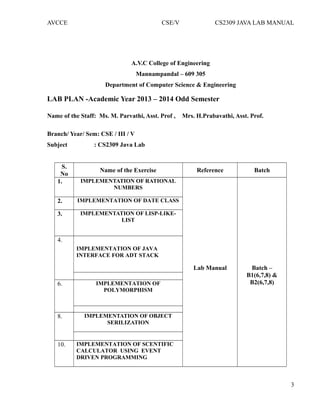
1. IMPLEMENTATION OF RATIONAL
NUMBERS
Lab Manual Batch –
B1(6,7,8) &
B2(6,7,8)
2. IMPLEMENTATION OF DATE CLASS
3. IMPLEMENTATION OF LISP-LIKE-
LIST
4.
IMPLEMENTATION OF JAVA
INTERFACE FOR ADT STACK
6. IMPLEMENTATION OF
POLYMORPHISM
8. IMPLEMENTATION OF OBJECT
SERILIZATION
10. IMPLEMENTATION OF SCENTIFIC
CALCULATOR USING EVENT
DRIVEN PROGRAMMING
3
AVCCE CSE/V CS2309 JAVA LAB MANUAL
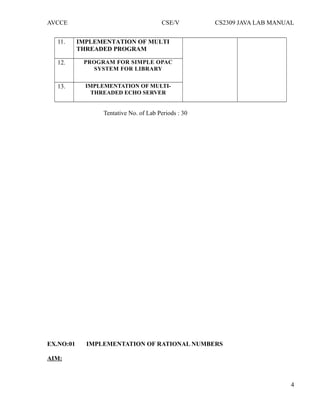
11. IMPLEMENTATION OF MULTI
THREADED PROGRAM
12. PROGRAM FOR SIMPLE OPAC
SYSTEM FOR LIBRARY
13. IMPLEMENTATION OF MULTI-
THREADED ECHO SERVER
Tentative No. of Lab Periods : 30
EX.NO:01 IMPLEMENTATION OF RATIONAL NUMBERS
AIM:
4
AVCCE CSE/V CS2309 JAVA LAB MANUAL
To develop Rational number class in Java. Use JavaDoc comment for documentation. Your
implementation should use efficient representation for a rational number, i.e. (500 / 1000) should
be represented as (½).
ALGORITHM:
STEP 1: Get two inputs from the user through command line arguments.
STEP 2: Store the numerator to variable a and denominator to variable b.
STEP 3: If both a and b are either positive or negative, set the flag as 0.
STEP 4: If either a or b is negative, set flag as 1.
STEP 5: Compare the values of a and b and assign the lowest value to c.
STEP 6: Set the for loop for i=2.
STEP 7: If both a and b values are divisible by i, then perform
(i) a=a/i;
(ii) b=b/i;
(ii) i=1;
STEP 8: Repeat the loop if the value of i is less than c. Break the loop if the condition fails.
STEP 9: If flag is 1, display the result as negative number; else display it as positive number.
PROGRAM:
import java.io.*;
public class rat
{
public static void main(String[] args)
{
Rational a=new Rational(35,50);
System.out.println("na="+a);
}
}
class Rational
{
public Rational(int num,int denum)
{
numerator=num;
if(denum==0)
denuminator=1;
else
denuminator=denum;
makeRational();
}
private void makeRational(
{
int gcd;
int divisor=0;
if(denuminator<0)
{
5
AVCCE CSE/V CS2309 JAVA LAB MANUAL
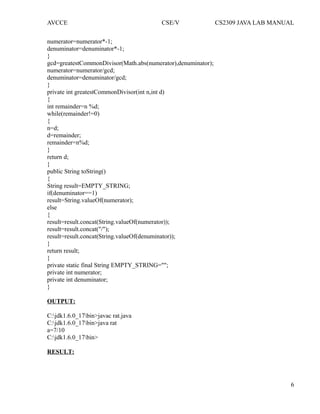
numerator=numerator*-1;
denuminator=denuminator*-1;
}
gcd=greatestCommonDivisor(Math.abs(numerator),denuminator);
numerator=numerator/gcd;
denuminator=denuminator/gcd;
}
private int greatestCommonDivisor(int n,int d)
{
int remainder=n %d;
while(remainder!=0)
{
n=d;
d=remainder;
remainder=n%d;
}
return d;
}
public String toString()
{
String result=EMPTY_STRING;
if(denuminator==1)
result=String.valueOf(numerator);
else
{
result=result.concat(String.valueOf(numerator));
result=result.concat("/");
result=result.concat(String.valueOf(denuminator));
}
return result;
}
private static final String EMPTY_STRING="";
private int numerator;
private int denuminator;
}
OUTPUT:
C:jdk1.6.0_17bin>javac rat.java
C:jdk1.6.0_17bin>java rat
a=7/10
C:jdk1.6.0_17bin>
RESULT:
6
AVCCE CSE/V CS2309 JAVA LAB MANUAL
Thus the program Implementation of rational numbers has been successfully executed
verified and successfully.
EX.NO:02 IMPLEMENTATION OF DATE CLASS
AIM:
7
AVCCE CSE/V CS2309 JAVA LAB MANUAL
To develop Date class in Java similar to the one available in java.util package. Use JavaDoc
comments.
ALGORITHM:
STEP 1: Create a package which consists of constructors with the following arguments:
i) Default
ii)Taking 3 arguments year, day and month
iii)Taking 5 arguments year, day, month, hours and minutes
iv)Taking 6 arguments year, day, month, hour, minutes and seconds
STEP 2: Get the year, month, date, hours, minutes, seconds using the getYear(),
getMonth(), getDate(), getHours(), getMinutes(), getSeconds() methods.
STEP 3: Set all these details using set methods.
STEP 4: After()-the after() method returns true if the current date comes after the
specified date else it returns false
STEP 5: Before()-the before()method returns true if the current date comes before the
specified date else it returns false
STEP 6: Compare()-the compare() method compares the current date with the specified
date and returns 0 if it is equal,if after it returns 1 and if before it returns -1.
PROGRAM:
import java.io.*;
import java.util.Date;
public class Dateclass
{
public static void main(String args[])
{
Date d1=new Date();
try
{
Thread.sleep(10);
}
catch(Exception e)
{
}
Date d2=new Date();
System.out.println("First date:"+d1);
System.out.println("Second date:"+d2);
System.out.println("In second date after first:"+d2.after(d1));
int result=d1.compareTo(d2);
if(result>0)
System.out.println("First date is after second date");
else if(result<0)
System.out.println("First date is before second date");
8
AVCCE CSE/V CS2309 JAVA LAB MANUAL
else
System.out.println("Both are equal");
Date d=new Date(365L*24L*60L*60L*1000L);
System.out.println(d);
System.out.println("Milli Second since jan-1-1970 00:00:00:IST:"+d.getTime());
}
}
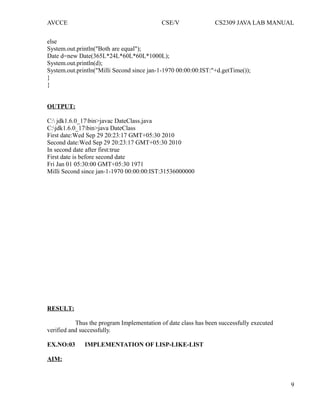
OUTPUT:
C: jdk1.6.0_17bin>javac DateClass.java
C:jdk1.6.0_17bin>java DateClass
First date:Wed Sep 29 20:23:17 GMT+05:30 2010
Second date:Wed Sep 29 20:23:17 GMT+05:30 2010
In second date after first:true
First date is before second date
Fri Jan 01 05:30:00 GMT+05:30 1971
Milli Second since jan-1-1970 00:00:00:IST:31536000000
RESULT:
Thus the program Implementation of date class has been successfully executed
verified and successfully.
EX.NO:03 IMPLEMENTATION OF LISP-LIKE-LIST
AIM:
9
AVCCE CSE/V CS2309 JAVA LAB MANUAL
To implement Lisp-like list in Java. Write basic operations such as 'car', 'cdr', and
'cons'. If L is a list [3, 0, 2, 5], L.car() returns 3, while L.cdr() returns [0,2,5].
ALGORITHM:
STEP 1: Create a node of a list having data part and link part.
STEP 2: Create a menu having the following choices : insert, car, cdr, adjoin and
display.
STEP 3: Read the choice from the user and call the respective m ethods.
STEP 4: Create another class which implements the same interface to implement the
concept of stack through linked list.
INSERT
STEP 1: Create an object of node and append to the list.
CAR
STEP 1: Return the first node data.
CDR
STEP 1: Return all the node (data part) in the list except the first node.
ADJOIN
STEP 1: Check if the node to be inserted is already present in the list, if not present
append to the list.
PROGRAM:
import java.util.*;
class Lisp
{
public int car(List l)
{
Object ob=l.get(0);
String st=ob.toString();
return Integer.parseInt(st);
}
public List cdr(List l)
{
Object ob=l.remove(0);
Object obj[]=l.toArray();
List list=Arrays.asList(obj);
return list;
}
public static void main(String[] args)
{
10
AVCCE CSE/V CS2309 JAVA LAB MANUAL
List <Integer>l=new ArrayList<Integer>();
l.add(3);
l.add(0);
l.add(2);
l.add(5);
Lisp L=new Lisp();
int val=L.car(l);
System.out.println(val);
List list=L.cdr(l);
System.out.println(list);
}
}
OUTPUT:
C:jdk1.6.0_17bin>javac Lisp.java
C:jdk1.6.0_17bin>java Lisp
3
[0, 2, 5]
C:jdk1.6.0_17bin>
RESULT:
Thus the program Implementation of lisp-like-list has been successfully executed verified and
successfully.
EX.NO:04 IMPLEMENTATION OF JAVA INTERFACE FOR ADT STACK
AIM:
11
AVCCE CSE/V CS2309 JAVA LAB MANUAL
To design a Java interface for ADT Stack. Develop two different classes that implement this
interface, one using array and the other using linked-list. Provide necessary exception handling in
both the implementations.
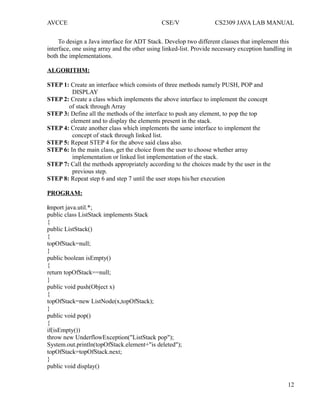
ALGORITHM:
STEP 1: Create an interface which consists of three methods namely PUSH, POP and
DISPLAY
STEP 2: Create a class which implements the above interface to implement the concept
of stack through Array
STEP 3: Define all the methods of the interface to push any element, to pop the top
element and to display the elements present in the stack.
STEP 4: Create another class which implements the same interface to implement the
concept of stack through linked list.
STEP 5: Repeat STEP 4 for the above said class also.
STEP 6: In the main class, get the choice from the user to choose whether array
implementation or linked list implementation of the stack.
STEP 7: Call the methods appropriately according to the choices made by the user in the
previous step.
STEP 8: Repeat step 6 and step 7 until the user stops his/her execution
PROGRAM:
import java.util.*;
public class ListStack implements Stack
{
public ListStack()
{
topOfStack=null;
}
public boolean isEmpty()
{
return topOfStack==null;
}
public void push(Object x)
{
topOfStack=new ListNode(x,topOfStack);
}
public void pop()
{
if(isEmpty())
throw new UnderflowException("ListStack pop");
System.out.println(topOfStack.element+"is deleted");
topOfStack=topOfStack.next;
}
public void display()
12
AVCCE CSE/V CS2309 JAVA LAB MANUAL
{
DispNode=topOfStack;
while(DispNode!=null)
{
System.out.println(DispNode.element+" ");
DispNode=DispNode.next;
}
}
public static void main(String[] args)
{
Scanner in=new Scanner(System.in);
ListStack theList=new ListStack();
int data=10;
int choice;
do
{
System.out.println();
System.out.println("-------------------------------------------------------------------");
System.out.println("STACK IMPLEMENTATION USING LINKED LIST");
System.out.println("-------------------------------------------------------------------");
System.out.println();
System.out.println("1.PUSH");
System.out.println("2.POP");
System.out.println("3.DISPLAY");
System.out.println("4.EXIT");
System.out.println("n ENTER YOUR CHOICE:");
choice=in.nextInt();
switch(choice)
{
case 1:
System.out.println("n enter the element to push:");
data=in.nextInt();
theList.push(data);
break;
case 2:
theList.pop();
break;
case 3:
System.out.println("the Stack elements are:");
theList.display();
break;
case 4:
break;
default:
System.out.println("wrong choice");
13
AVCCE CSE/V CS2309 JAVA LAB MANUAL
}
}
while(choice!=4);
}
private ListNode topOfStack;
private ListNode DispNode;
}
class UnderflowException extends RuntimeException
{
public UnderflowException(String message)
{
super(message);
}
}
interface Stack
{
void push(Object x);
void pop();
void display();
boolean isEmpty();
}
class ListNode
{
public ListNode(Object theElement)
{
this(theElement,null);
}
public ListNode(Object theElement,ListNode n)
{
element=theElement;
next=n;
}
public Object element;
public ListNode next;
}
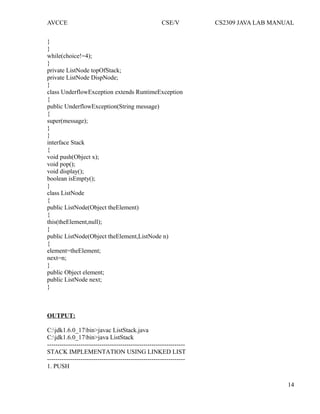
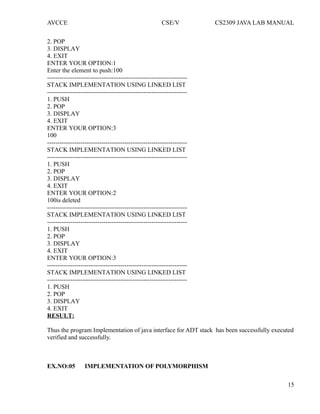
OUTPUT:
C:jdk1.6.0_17bin>javac ListStack.java
C:jdk1.6.0_17bin>java ListStack
------------------------------------------------------------------
STACK IMPLEMENTATION USING LINKED LIST
------------------------------------------------------------------
1. PUSH
14
AVCCE CSE/V CS2309 JAVA LAB MANUAL
2. POP
3. DISPLAY
4. EXIT
ENTER YOUR OPTION:1
Enter the element to push:100
-------------------------------------------------------------------
STACK IMPLEMENTATION USING LINKED LIST
-------------------------------------------------------------------
1. PUSH
2. POP
3. DISPLAY
4. EXIT
ENTER YOUR OPTION:3
100
-------------------------------------------------------------------
STACK IMPLEMENTATION USING LINKED LIST
-------------------------------------------------------------------
1. PUSH
2. POP
3. DISPLAY
4. EXIT
ENTER YOUR OPTION:2
100is deleted
-------------------------------------------------------------------
STACK IMPLEMENTATION USING LINKED LIST
-------------------------------------------------------------------
1. PUSH
2. POP
3. DISPLAY
4. EXIT
ENTER YOUR OPTION:3
-------------------------------------------------------------------
STACK IMPLEMENTATION USING LINKED LIST
-------------------------------------------------------------------
1. PUSH
2. POP
3. DISPLAY
4. EXIT
RESULT:
Thus the program Implementation of java interface for ADT stack has been successfully executed
verified and successfully.
EX.NO:05 IMPLEMENTATION OF POLYMORPHISM
15
AVCCE CSE/V CS2309 JAVA LAB MANUAL
AIM:
To design a Vehicle class hierarchy in Java. Write a test program to demonstrate
Polymorphism.
ALGORITHM:
STEP 1: Create an abstract class named vehicle with abstract method Display and a
concrete method Input.
STEP 2: Define the input method by prompting the user to enter the values for name,
owner, type, number, engine capacity, seating capacity for the vehicle; all the
inputs taken in the form string.
STEP 3: Extend three classes namely Air, Water and Land from the base class.
STEP 4: Define the method display under the class Air by displaying all the entered
values.
STEP 5: Repeat step 4 for the class Water.
STEP 6: Extend the input method for the class Land by taking in the value of wheeling
capacity for the vehicle in the form of string.
STEP 7: In the main method create a reference for the abstract class and create a switch
case to perform operations on the opted class.
STEP 8: Under each class create a switch case to either enter the data or to display the
transport report.
STEP 9: Repeat the main menu on the user's choice.
STEP 10: Create array of objects under each class and call the methods by assigning the
values of the created objects to the reference object, to show polymorphism.
PROGRAM:
import java.io.*;
public class VehicleTest
{
public static void main(String[] args)
{
Vehicle corvette=new Corvette("Corvette","red",545000);
Vehicle bettle=new Bettle("Bettle","blue",445000);
Vehicle porsche=new Porsche("Porsche","black",625000);
Vehicle vehicle=new Vehicle();
vehicle=porsche;
System.out.println("Name="+corvette.getName()+"nColor="+corvette.getColor()
+"nPrice="+corvette.getPrice()+"nn");
System.out.println("Name="+bettle.getName()+"nColor="+bettle.getColor()
+"nPrice="+bettle.getPrice()+"nn");
System.out.println("Name="+porsche.getName()+"nColor="+porsche.getColor()
+"nPrice="+porsche.getPrice()+"nn");
16
AVCCE CSE/V CS2309 JAVA LAB MANUAL
}
}
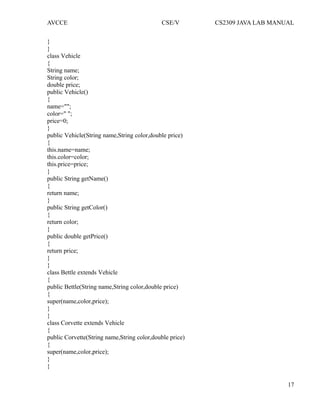
class Vehicle
{
String name;
String color;
double price;
public Vehicle()
{
name="";
color=" ";
price=0;
}
public Vehicle(String name,String color,double price)
{
this.name=name;
this.color=color;
this.price=price;
}
public String getName()
{
return name;
}
public String getColor()
{
return color;
}
public double getPrice()
{
return price;
}
}
class Bettle extends Vehicle
{
public Bettle(String name,String color,double price)
{
super(name,color,price);
}
}
class Corvette extends Vehicle
{
public Corvette(String name,String color,double price)
{
super(name,color,price);
}
}
17
AVCCE CSE/V CS2309 JAVA LAB MANUAL
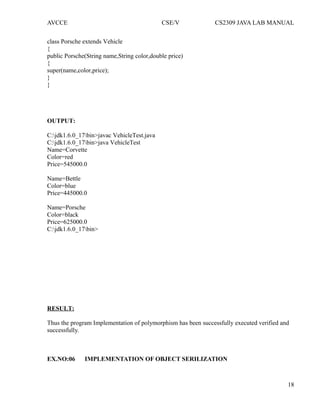
class Porsche extends Vehicle
{
public Porsche(String name,String color,double price)
{
super(name,color,price);
}
}
OUTPUT:
C:jdk1.6.0_17bin>javac VehicleTest.java
C:jdk1.6.0_17bin>java VehicleTest
Name=Corvette
Color=red
Price=545000.0
Name=Bettle
Color=blue
Price=445000.0
Name=Porsche
Color=black
Price=625000.0
C:jdk1.6.0_17bin>
RESULT:
Thus the program Implementation of polymorphism has been successfully executed verified and
successfully.
EX.NO:06 IMPLEMENTATION OF OBJECT SERILIZATION
18
AVCCE CSE/V CS2309 JAVA LAB MANUAL
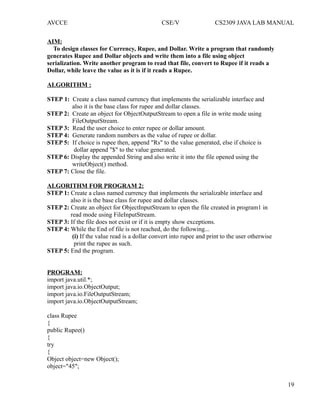
AIM:
To design classes for Currency, Rupee, and Dollar. Write a program that randomly
generates Rupee and Dollar objects and write them into a file using object
serialization. Write another program to read that file, convert to Rupee if it reads a
Dollar, while leave the value as it is if it reads a Rupee.
ALGORITHM :
STEP 1: Create a class named currency that implements the serializable interface and
also it is the base class for rupee and dollar classes.
STEP 2: Create an object for ObjectOutputStream to open a file in write mode using
FileOutputStream.
STEP 3: Read the user choice to enter rupee or dollar amount.
STEP 4: Generate random numbers as the value of rupee or dollar.
STEP 5: If choice is rupee then, append "Rs" to the value generated, else if choice is
dollar append "$" to the value generated.
STEP 6: Display the appended String and also write it into the file opened using the
writeObject() method.
STEP 7: Close the file.
ALGORITHM FOR PROGRAM 2:
STEP 1: Create a class named currency that implements the serializable interface and
also it is the base class for rupee and dollar classes.
STEP 2: Create an object for ObjectInputStream to open the file created in program1 in
read mode using FileInputStream.
STEP 3: If the file does not exist or if it is empty show exceptions.
STEP 4: While the End of file is not reached, do the following...
(i) If the value read is a dollar convert into rupee and print to the user otherwise
print the rupee as such.
STEP 5: End the program.
PROGRAM:
import java.util.*;
import java.io.ObjectOutput;
import java.io.FileOutputStream;
import java.io.ObjectOutputStream;
class Rupee
{
public Rupee()
{
try
{
Object object=new Object();
object="45";
19
AVCCE CSE/V CS2309 JAVA LAB MANUAL
ObjectOutput out=new ObjectOutputStream(new FileOutputStream("Rupees.dat"));
out.writeObject(object);
out.close();
}
catch(Exception e)
{
e.printStackTrace();
}
}
}
class Dollar
{
public Dollar()
{
try
{
Object object=new Object();
object="45";
ObjectOutput out=new ObjectOutputStream(new FileOutputStream("Dollar.dat"));
out.writeObject(object);
out.close();
}
catch(Exception e)
{
e.printStackTrace();
}
}
}
public class Currency
{
public static void main(String args[])
{
new Rupee();
new Dollar();
}
}
//CURRENCY TEST
import java.io.FileInputStream;
import java.io.IOException;
import java.io.ObjectInputStream;
import java.util.ArrayList;
import java.util.*;
public class CurrencyTest
{
public static void main(String[] args)
{
20
AVCCE CSE/V CS2309 JAVA LAB MANUAL
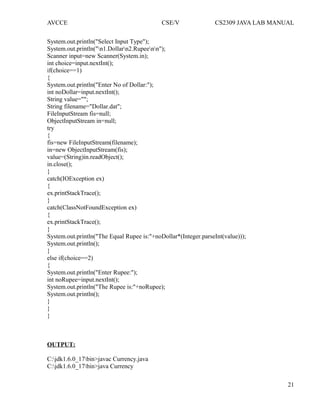
System.out.println("Select Input Type");
System.out.println("n1.Dollarn2.Rupeenn");
Scanner input=new Scanner(System.in);
int choice=input.nextInt();
if(choice==1)
{
System.out.println("Enter No of Dollar:");
int noDollar=input.nextInt();
String value="";
String filename="Dollar.dat";
FileInputStream fis=null;
ObjectInputStream in=null;
try
{
fis=new FileInputStream(filename);
in=new ObjectInputStream(fis);
value=(String)in.readObject();
in.close();
}
catch(IOException ex)
{
ex.printStackTrace();
}
catch(ClassNotFoundException ex)
{
ex.printStackTrace();
}
System.out.println("The Equal Rupee is:"+noDollar*(Integer.parseInt(value)));
System.out.println();
}
else if(choice==2)
{
System.out.println("Enter Rupee:");
int noRupee=input.nextInt();
System.out.println("The Rupee is:"+noRupee);
System.out.println();
}
}
}
OUTPUT:
C:jdk1.6.0_17bin>javac Currency.java
C:jdk1.6.0_17bin>java Currency
21
AVCCE CSE/V CS2309 JAVA LAB MANUAL
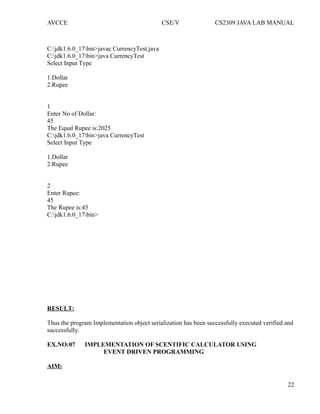
C:jdk1.6.0_17bin>javac CurrencyTest.java
C:jdk1.6.0_17bin>java CurrencyTest
Select Input Type
1.Dollar
2.Rupee
1
Enter No of Dollar:
45
The Equal Rupee is:2025
C:jdk1.6.0_17bin>java CurrencyTest
Select Input Type
1.Dollar
2.Rupee
2
Enter Rupee:
45
The Rupee is:45
C:jdk1.6.0_17bin>
RESULT:
Thus the program Implementation object serialization has been successfully executed verified and
successfully.
EX.NO:07 IMPLEMENTATION OF SCENTIFIC CALCULATOR USING
EVENT DRIVEN PROGRAMMING
AIM:
22
AVCCE CSE/V CS2309 JAVA LAB MANUAL
To develop a scientific calculator using even-driven programming paradigm of Java.
ALGORITHM:
STEP 1: Create a panel consisting of Buttons for various scientific operations.
STEP 2: Create Button actions.
STEP 3: Place the panel onto a frame.
STEP 4: Associate each Button click with the corresponding actionlistener.
PROGRAM:
import java.awt.*;
import java.awt.event.*;
import javax.swing.*;
import java.lang.*;
public class Calculator
{
public static void main(String[] args)
{
CalculatorFrame frame = new CalculatorFrame();
frame.setDefaultCloseOperation(JFrame.EXIT_ON_CLOSE);
frame.setVisible(true);
}
}
class CalculatorFrame extends JFrame
{
public CalculatorFrame()
{
setTitle("Calculator");
CalculatorPanel panel = new CalculatorPanel();
add(panel);
pack();
}
}
class CalculatorPanel extends JPanel
{
public CalculatorPanel()
{
setLayout(new BorderLayout());
result = 0;
lastCommand = "=";
start = true;
display = new JButton("0");
display.setEnabled(false);
add(display, BorderLayout.NORTH);
23
AVCCE CSE/V CS2309 JAVA LAB MANUAL
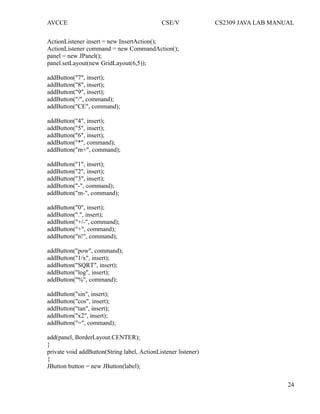
ActionListener insert = new InsertAction();
ActionListener command = new CommandAction();
panel = new JPanel();
panel.setLayout(new GridLayout(6,5));
addButton("7", insert);
addButton("8", insert);
addButton("9", insert);
addButton("/", command);
addButton("CE", command);
addButton("4", insert);
addButton("5", insert);
addButton("6", insert);
addButton("*", command);
addButton("m+", command);
addButton("1", insert);
addButton("2", insert);
addButton("3", insert);
addButton("-", command);
addButton("m-", command);
addButton("0", insert);
addButton(".", insert);
addButton("+/-", command);
addButton("+", command);
addButton("n!", command);
addButton("pow", command);
addButton("1/x", insert);
addButton("SQRT", insert);
addButton("log", insert);
addButton("%", command);
addButton("sin", insert);
addButton("cos", insert);
addButton("tan", insert);
addButton("x2", insert);
addButton("=", command);
add(panel, BorderLayout.CENTER);
}
private void addButton(String label, ActionListener listener)
{
JButton button = new JButton(label);
24
AVCCE CSE/V CS2309 JAVA LAB MANUAL
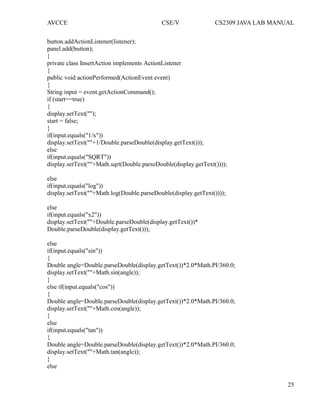
button.addActionListener(listener);
panel.add(button);
}
private class InsertAction implements ActionListener
{
public void actionPerformed(ActionEvent event)
{
String input = event.getActionCommand();
if (start==true)
{
display.setText("");
start = false;
}
if(input.equals("1/x"))
display.setText(""+1/Double.parseDouble(display.getText()));
else
if(input.equals("SQRT"))
display.setText(""+Math.sqrt(Double.parseDouble(display.getText())));
else
if(input.equals("log"))
display.setText(""+Math.log(Double.parseDouble(display.getText())));
else
if(input.equals("x2"))
display.setText(""+Double.parseDouble(display.getText())*
Double.parseDouble(display.getText()));
else
if(input.equals("sin"))
{
Double angle=Double.parseDouble(display.getText())*2.0*Math.PI/360.0;
display.setText(""+Math.sin(angle));
}
else if(input.equals("cos"))
{
Double angle=Double.parseDouble(display.getText())*2.0*Math.PI/360.0;
display.setText(""+Math.cos(angle));
}
else
if(input.equals("tan"))
{
Double angle=Double.parseDouble(display.getText())*2.0*Math.PI/360.0;
display.setText(""+Math.tan(angle));
}
else
25
AVCCE CSE/V CS2309 JAVA LAB MANUAL
display.setText(display.getText() + input);
}
}
private class CommandAction implements ActionListener
{
public void actionPerformed(ActionEvent event)
{
String command = event.getActionCommand();
if (start==true)
{
if (command.equals("-"))
{
display.setText(command);
start = false;
}
else
lastCommand = command;
}
else
{
calculate(Double.parseDouble(display.getText()));
lastCommand = command;
start = true;
}
}
}
public void calculate(double x)
{
if (lastCommand.equals("+")) result += x;
else if (lastCommand.equals("-")) result -= x;
else if (lastCommand.equals("*")) result *= x;
else if (lastCommand.equals("/")) result /= x;
else if (lastCommand.equals("=")) result = x;
else if (lastCommand.equals("CE")) result = 0.0;
else if (lastCommand.equals("m+")) result = result;
else if (lastCommand.equals("m-")) result = 0.0;
else if (lastCommand.equals("pow"))
{
double powval=1.0;
for(double i=0.0;i<x;i++)
powval*=result;
result=powval;
}
display.setText(""+ result);
}
26
AVCCE CSE/V CS2309 JAVA LAB MANUAL
private JButton display;
private JPanel panel;
private double result;
private String lastCommand;
private boolean start;
}
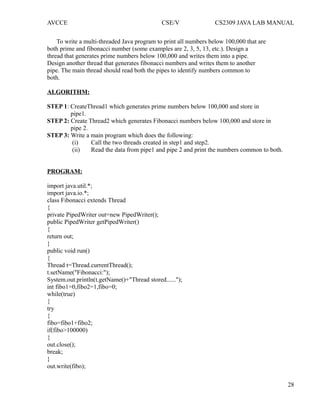
OUTPUT:
C:jdk1.6.0_17bin>javac Calculator.java
C:jdk1.6.0_17bin>java Calculator
C:jdk1.6.0_17bin>
RESULT:
Thus the program Implementation of scientific calculator using event driven programming has
been successfully executed verified and successfully.
EX.NO:08 IMPLEMENTATION OF MULTI THREADED PROGRAM
AIM:
27
AVCCE CSE/V CS2309 JAVA LAB MANUAL
To write a multi-threaded Java program to print all numbers below 100,000 that are
both prime and fibonacci number (some examples are 2, 3, 5, 13, etc.). Design a
thread that generates prime numbers below 100,000 and writes them into a pipe.
Design another thread that generates fibonacci numbers and writes them to another
pipe. The main thread should read both the pipes to identify numbers common to
both.
ALGORITHM:
STEP 1: CreateThread1 which generates prime numbers below 100,000 and store in
pipe1.
STEP 2: Create Thread2 which generates Fibonacci numbers below 100,000 and store in
pipe 2.
STEP 3: Write a main program which does the following:
(i) Call the two threads created in step1 and step2.
(ii) Read the data from pipe1 and pipe 2 and print the numbers common to both.
PROGRAM:
import java.util.*;
import java.io.*;
class Fibonacci extends Thread
{
private PipedWriter out=new PipedWriter();
public PipedWriter getPipedWriter()
{
return out;
}
public void run()
{
Thread t=Thread.currentThread();
t.setName("Fibonacci:");
System.out.println(t.getName()+"Thread stored......");
int fibo1=0,fibo2=1,fibo=0;
while(true)
{
try
{
fibo=fibo1+fibo2;
if(fibo>100000)
{
out.close();
break;
}
out.write(fibo);
28
AVCCE CSE/V CS2309 JAVA LAB MANUAL
sleep(1000);
}
catch(Exception e)
{
System.out.println("Fibonacci:"+e);
}
fibo1=fibo2;
fibo2=fibo;
}
System.out.println(t.getName()+"Thread exiting.");
}
}
class Prime extends Thread
{
private PipedWriter out1=new PipedWriter();
public PipedWriter getPipedWriter()
{
return out1;
}
public void run()
{
Thread t=Thread.currentThread();
t.setName("Prime:");
System.out.println(t.getName()+"Thread stored.......");
int prime=1;
while(true)
{
try
{
if(prime>100000)
{
out1.close();
break;
}
if(isPrime(prime))
out1.write(prime);
prime++;
sleep(0);
}
catch(Exception e)
{
System.out.println(t.getName()+"Thread exiting.");
System.exit(0);
}
} }
29
AVCCE CSE/V CS2309 JAVA LAB MANUAL
public boolean isPrime(int n)
{
int m=(int)Math.round(Math.sqrt(n));
if(n==1||n==2)
return true;
for(int i=2;i<=m;i++)
if(n%i==0)
return false;
return true;
}
}
public class PipedIo
{
public static void main(String[] args)throws Exception
{
Thread t=Thread.currentThread();
t.setName("Main:");
System.out.println(t.getName()+"Thread sorted......");
Fibonacci fibonacci=new Fibonacci();
Prime prime=new Prime();
PipedReader fpr=new PipedReader(fibonacci.getPipedWriter());
PipedReader ppr=new PipedReader(prime.getPipedWriter());
fibonacci.start();
prime.start();
int fib=fpr.read(),prm=ppr.read();
System.out.println("The Numbers Common To PRIME and FIBONACCI:");
while ((fib!=-1)&&(prm!=-1))
{
while(prm<=fib)
{
if(fib==prm)
System.out.println(prm);
prm=ppr.read();
}
fib=fpr.read();
}
System.out.println(t.getName()+"Thread exiting.");
} }
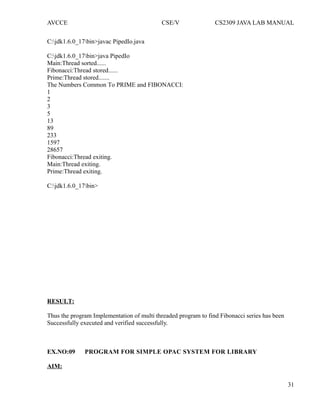
OUTPUT:
30
AVCCE CSE/V CS2309 JAVA LAB MANUAL
C:jdk1.6.0_17bin>javac PipedIo.java
C:jdk1.6.0_17bin>java PipedIo
Main:Thread sorted......
Fibonacci:Thread stored......
Prime:Thread stored.......
The Numbers Common To PRIME and FIBONACCI:
1
2
3
5
13
89
233
1597
28657
Fibonacci:Thread exiting.
Main:Thread exiting.
Prime:Thread exiting.
C:jdk1.6.0_17bin>
RESULT:
Thus the program Implementation of multi threaded program to find Fibonacci series has been
Successfully executed and verified successfully.
EX.NO:09 PROGRAM FOR SIMPLE OPAC SYSTEM FOR LIBRARY
AIM:
31
AVCCE CSE/V CS2309 JAVA LAB MANUAL
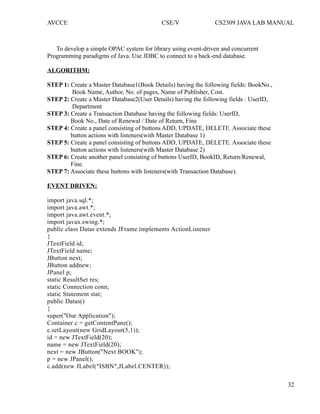
To develop a simple OPAC system for library using event-driven and concurrent
Programming paradigms of Java. Use JDBC to connect to a back-end database.
ALGORITHM:
STEP 1: Create a Master Database1(Book Details) having the following fields: BookNo.,
Book Name, Author, No. of pages, Name of Publisher, Cost.
STEP 2: Create a Master Database2(User Details) having the following fields : UserID,
Department
STEP 3: Create a Transaction Database having the following fields: UserID,
Book No., Date of Renewal / Date of Return, Fine
STEP 4: Create a panel consisting of buttons ADD, UPDATE, DELETE. Associate these
button actions with listeners(with Master Database 1)
STEP 5: Create a panel consisting of buttons ADD, UPDATE, DELETE. Associate these
button actions with listeners(with Master Database 2)
STEP 6: Create another panel consisting of buttons UserID, BookID, Return/Renewal,
Fine.
STEP 7: Associate these buttons with listeners(with Transaction Database).
EVENT DRIVEN:
import java.sql.*;
import java.awt.*;
import java.awt.event.*;
import javax.swing.*;
public class Datas extends JFrame implements ActionListener
{
JTextField id;
JTextField name;
JButton next;
JButton addnew;
JPanel p;
static ResultSet res;
static Connection conn;
static Statement stat;
public Datas()
{
super("Our Application");
Container c = getContentPane();
c.setLayout(new GridLayout(5,1));
id = new JTextField(20);
name = new JTextField(20);
next = new JButton("Next BOOK");
p = new JPanel();
c.add(new JLabel("ISBN",JLabel.CENTER));
32
AVCCE CSE/V CS2309 JAVA LAB MANUAL
c.add(id);
c.add(new JLabel("Book Name",JLabel.CENTER));
c.add(name);
c.add(p);
p.add(next);
next.addActionListener(this);
pack();
setVisible(true);
addWindowListener(new WIN());
}
public static void main(String args[])
{
Datas d = new Datas();
try
{
Class.forName("sun.jdbc.odbc.JdbcOdbcDriver");
conn = DriverManager.getConnection("jdbc:odbc:custo"); // custo is the DSN Name
stat = conn.createStatement();
res = stat.executeQuery("Select * from Customers"); // Customers is the table name
res.next();
}
catch(Exception e)
{
System.out.println("Error" +e);
}
d.showRecord(res);
}
public void actionPerformed(ActionEvent e)
{
if(e.getSource() == next)
{
try
{
res.next();
}
catch(Exception ee) {}
showRecord(res);
}
}
public void showRecord(ResultSet res)
{
try
{
id.setText(res.getString(1));
name.setText(res.getString(2));
}
33
AVCCE CSE/V CS2309 JAVA LAB MANUAL
catch(Exception e) {}
}
class WIN extends WindowAdapter
{
public void windowClosing(WindowEvent w)
{
JOptionPane jop = new JOptionPane();
jop.showMessageDialog(null,"Database","Thanks",JOptionPane.QUESTION_MESSAGE);
}
} //end of WIN class
}//end of Datas class
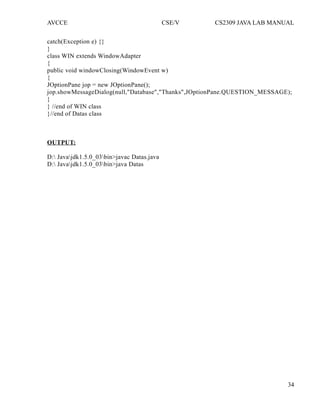
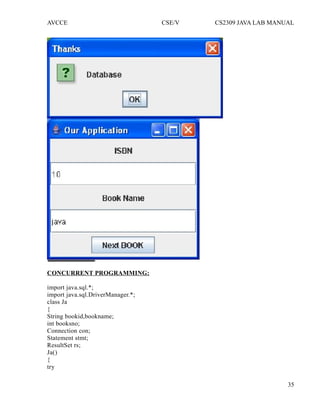
OUTPUT:
D: Javajdk1.5.0_03bin>javac Datas.java
D: Javajdk1.5.0_03bin>java Datas
34
AVCCE CSE/V CS2309 JAVA LAB MANUAL
CONCURRENT PROGRAMMING:
import java.sql.*;
import java.sql.DriverManager.*;
class Ja
{
String bookid,bookname;
int booksno;
Connection con;
Statement stmt;
ResultSet rs;
Ja()
{
try
35
AVCCE CSE/V CS2309 JAVA LAB MANUAL
{
Class.forName("sun.jdbc.odbc.JdbcOdbcDriver");
con=DriverManager.getConnection("jdbc:odbc:cust");
}
catch(Exception e)
{
System.out.println("connection error");
}
}
void myput()
{
try
{
stmt=con.createStatement();
rs=stmt.executeQuery("SELECT * FROM cust1");
while(rs.next())
{
booksno=rs.getInt(1);
bookid=rs.getString(2);
bookname=rs.getString(3);
System.out.println("n"+ booksno+"t"+bookid+"t"+bookname);
}
rs.close();
stmt.close();
con.close();
}
catch(SQLException e)
{
System.out.println("sql error");
}
}
}
class prog1
{
public static void main(String arg[])
{
Ja j=new Ja();
j.myput();
}
}
OUTPUT:
D: Javajdk1.5.0_03bin>javac Ja.java
D: Javajdk1.5.0_03bin>java prog1
36
AVCCE CSE/V CS2309 JAVA LAB MANUAL
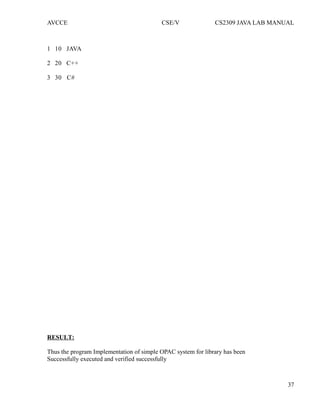
1 10 JAVA
2 20 C++
3 30 C#
RESULT:
Thus the program Implementation of simple OPAC system for library has been
Successfully executed and verified successfully
37
AVCCE CSE/V CS2309 JAVA LAB MANUAL
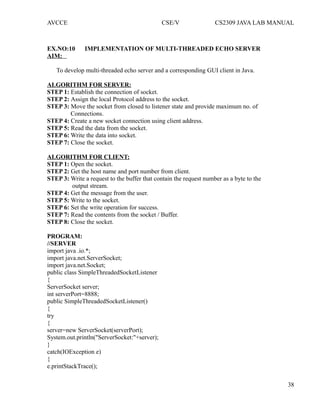
EX.NO:10 IMPLEMENTATION OF MULTI-THREADED ECHO SERVER
AIM:
To develop multi-threaded echo server and a corresponding GUI client in Java.
ALGORITHM FOR SERVER:
STEP 1: Establish the connection of socket.
STEP 2: Assign the local Protocol address to the socket.
STEP 3: Move the socket from closed to listener state and provide maximum no. of
Connections.
STEP 4: Create a new socket connection using client address.
STEP 5: Read the data from the socket.
STEP 6: Write the data into socket.
STEP 7: Close the socket.
ALGORITHM FOR CLIENT:
STEP 1: Open the socket.
STEP 2: Get the host name and port number from client.
STEP 3: Write a request to the buffer that contain the request number as a byte to the
output stream.
STEP 4: Get the message from the user.
STEP 5: Write to the socket.
STEP 6: Set the write operation for success.
STEP 7: Read the contents from the socket / Buffer.
STEP 8: Close the socket.
PROGRAM:
//SERVER
import java .io.*;
import java.net.ServerSocket;
import java.net.Socket;
public class SimpleThreadedSocketListener
{
ServerSocket server;
int serverPort=8888;
public SimpleThreadedSocketListener()
{
try
{
server=new ServerSocket(serverPort);
System.out.println("ServerSocket:"+server);
}
catch(IOException e)
{
e.printStackTrace();
38
AVCCE CSE/V CS2309 JAVA LAB MANUAL
}
}
private void listen()
{
while(true)
{
try
{
Socket socket=server.accept();
System.out.println("Socket:"+socket);
new ClientThread(socket).start();
}
catch(IOException e)
{
e.printStackTrace();
}
}
}
public static void main(String[]args)
{
new SimpleThreadedSocketListener().listen();
}
class ClientThread extends Thread
{
Socket socket;
public ClientThread(Socket socket)
{
this.socket=socket;
}
public void run()
{
InputStream in;
try
{
in=socket.getInputStream();
int byteRead;
while((byteRead=in.read())!=-1)
{
System.out.print((char)byteRead);
}
}
catch(IOException e)
{
e.printStackTrace();
}
}
39
AVCCE CSE/V CS2309 JAVA LAB MANUAL
}
}
//CLIENT
import java .io.*;
import java .awt.*;
import java .awt.event.*;
import java .net.*;
import javax.swing.*;
public class SimpleClient extends JFrame implements ActionListener
{
Socket client=null;
String serverAddr="localhost";
int serverPort=8888;
PrintWriter out;
JTextField tf;
public SimpleClient()
{
Try
{
client=new Socket(serverAddr,serverPort);
System.out.println("Client:"+client);
out=new PrintWriter(client.getOutputStream());
out.println("HELLOW");
out.flush();
}
catch(UnknownHostException e)
{
e.printStackTrace();
}
catch(IOException e)
{
e.printStackTrace();
}
Container cp=this.getContentPane();
cp.setLayout(new FlowLayout(FlowLayout.LEFT,15,15));
cp.add(new JLabel("Enter your message or"quit""));
tf=new JTextField(40);
tf.addActionListener(this);
cp.add(tf);
this.setDefaultCloseOperation(EXIT_ON_CLOSE);
this.pack();
this.setTitle("simple Client");
this.setVisible(true);
}
public void actionPerformed(ActionEvent e)
{
40
AVCCE CSE/V CS2309 JAVA LAB MANUAL
String message=tf.getText();
System.out.println(message);
if(message.equals("quit"))
{
try
{
out.close();
client.close();
System.exit(0);
}
catch(IOException e1)
{
e1.printStackTrace();
}
}
else
{
out.println(message);
out.flush();
tf.setText("");
}
}
public static void main(String[] args)
{
new SimpleClient();
}
}
OUTPUT:
C:jdk1.6.0_17bin>javac SimpleClient.java
C:jdk1.6.0_17bin>java SimpleClient
Client:Socket[addr=localhost/127.0.0.1,port=8888,localport=1040]
C:jdk1.6.0_17bin>javac SimpleThreadedSocketListener.java
C:jdk1.6.0_17bin>java SimpleThreadedSocketListener
ServerSocket:ServerSocket[addr=0.0.0.0/0.0.0.0,port=0,localport=8888]
Socket:Socket[addr=/127.0.0.1,port=1040,localport=8888]
41
AVCCE CSE/V CS2309 JAVA LAB MANUAL
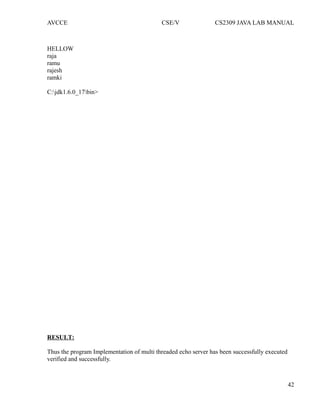
HELLOW
raja
ramu
rajesh
ramki
C:jdk1.6.0_17bin>
RESULT:
Thus the program Implementation of multi threaded echo server has been successfully executed
verified and successfully.
42

Java lab 2

  • 1.
    AVCCE CSE/V CS2309JAVA LAB MANUAL A.V.C.COLLEGE OF ENGINEERING MANNAMPANDAL, MAYILADUTHURAI-609 305 Department of Computer Science & Engineering LAB MANUAL FOR THE SUBJECT OF JAVA LAB Subject Code : CS 2309 Semester : V SEMESTER Department : B.E CSE Academic Year : 2013-2014 Name of the Faculty : Ms. M. Parvathi, Asst. Prof Mrs. H.Prabavathi, Asst. Prof. Signature of the Staff Signature of the HOD
  • 2.
    AVCCE CSE/V CS2309JAVA LAB MANUAL A.V.C College of Engineering Mannampandal – 609 305 Department of Computer Science & Engineering LAB MANUAL -Academic Year 2013 – 2014 Odd Semester Name of the Staff: Ms. M. Parvathi, Asst. Prof , Mrs. H.Prabavathi, Asst. Prof. Branch/ Year/ Sem: CSE / III / V Subject : CS2309 Java Lab SYLLABUS CS2309 JAVA LAB L T P C 0 0 3 2 1. Develop Rational number class in Java. Use JavaDoc comments for documentation. Your implementation should use efficient representation for a rational number, i.e. (500 / 1000) should be represented as (½). 2. Develop Date class in Java similar to the one available in java.util package. Use JavaDoc comments. 3. Implement Lisp-like list in Java. Write basic operations such as 'car', 'cdr', and 'cons'. If L is a list [3, 0, 2, 5], L.car() returns 3, while L.cdr() returns [0,2,5]. 4. Design a Java interface for ADT Stack. Develop two different classes that implement this interface, one using array and the other using linked-list. Provide necessary exception handling in both the implementations. 5. Design a Vehicle class hierarchy in Java. Write a test program to demonstrate polymorphism. 6. Design classes for Currency, Rupee, and Dollar. Write a program that randomly generates Rupee and Dollar objects and write them into a file using object serialization. Write another program to read that file, convert to Rupee if it reads a Dollar, while leave the value as it is if it reads a Rupee. 7. Design a scientific calculator using event-driven programming paradigm of Java. 8. Write a multi-threaded Java program to print all numbers below 100,000 that are both prime and fibonacci number (some examples are 2, 3, 5, 13, etc.). Design a thread that generates prime numbers below 100,000 and writes them into a pipe. Design another thread that generates fibonacci numbers and writes them to another pipe. The main thread should read both the pipes to identify numbers common to both. 1
  • 3.
    AVCCE CSE/V CS2309JAVA LAB MANUAL 9. Develop a simple OPAC system for library using even-driven and concurrent programming paradigms of Java. Use JDBC to connect to a back-end database. 10. Develop multi-threaded echo server and a corresponding GUI client in Java. 11. [Mini-Project] Develop a programmer's editor in Java that supports syntaxhighlighting, compilation support, debugging support, etc. TOTAL= 45 PERIODS Requirement for a Batch of 30 Students S.No. Description of Equipment Quantity Required 1 PC’s 30 2 JUM & J2SE(Freeware) 30 3 MYSQL or any other DB 30 2
  • 4.
    AVCCE CSE/V CS2309JAVA LAB MANUAL A.V.C College of Engineering Mannampandal – 609 305 Department of Computer Science & Engineering LAB PLAN -Academic Year 2013 – 2014 Odd Semester Name of the Staff: Ms. M. Parvathi, Asst. Prof , Mrs. H.Prabavathi, Asst. Prof. Branch/ Year/ Sem: CSE / III / V Subject : CS2309 Java Lab S. No Name of the Exercise Reference Batch 1. IMPLEMENTATION OF RATIONAL NUMBERS Lab Manual Batch – B1(6,7,8) & B2(6,7,8) 2. IMPLEMENTATION OF DATE CLASS 3. IMPLEMENTATION OF LISP-LIKE- LIST 4. IMPLEMENTATION OF JAVA INTERFACE FOR ADT STACK 6. IMPLEMENTATION OF POLYMORPHISM 8. IMPLEMENTATION OF OBJECT SERILIZATION 10. IMPLEMENTATION OF SCENTIFIC CALCULATOR USING EVENT DRIVEN PROGRAMMING 3
  • 5.
    AVCCE CSE/V CS2309JAVA LAB MANUAL 11. IMPLEMENTATION OF MULTI THREADED PROGRAM 12. PROGRAM FOR SIMPLE OPAC SYSTEM FOR LIBRARY 13. IMPLEMENTATION OF MULTI- THREADED ECHO SERVER Tentative No. of Lab Periods : 30 EX.NO:01 IMPLEMENTATION OF RATIONAL NUMBERS AIM: 4
  • 6.
    AVCCE CSE/V CS2309JAVA LAB MANUAL To develop Rational number class in Java. Use JavaDoc comment for documentation. Your implementation should use efficient representation for a rational number, i.e. (500 / 1000) should be represented as (½). ALGORITHM: STEP 1: Get two inputs from the user through command line arguments. STEP 2: Store the numerator to variable a and denominator to variable b. STEP 3: If both a and b are either positive or negative, set the flag as 0. STEP 4: If either a or b is negative, set flag as 1. STEP 5: Compare the values of a and b and assign the lowest value to c. STEP 6: Set the for loop for i=2. STEP 7: If both a and b values are divisible by i, then perform (i) a=a/i; (ii) b=b/i; (ii) i=1; STEP 8: Repeat the loop if the value of i is less than c. Break the loop if the condition fails. STEP 9: If flag is 1, display the result as negative number; else display it as positive number. PROGRAM: import java.io.*; public class rat { public static void main(String[] args) { Rational a=new Rational(35,50); System.out.println("na="+a); } } class Rational { public Rational(int num,int denum) { numerator=num; if(denum==0) denuminator=1; else denuminator=denum; makeRational(); } private void makeRational( { int gcd; int divisor=0; if(denuminator<0) { 5
  • 7.
    AVCCE CSE/V CS2309JAVA LAB MANUAL numerator=numerator*-1; denuminator=denuminator*-1; } gcd=greatestCommonDivisor(Math.abs(numerator),denuminator); numerator=numerator/gcd; denuminator=denuminator/gcd; } private int greatestCommonDivisor(int n,int d) { int remainder=n %d; while(remainder!=0) { n=d; d=remainder; remainder=n%d; } return d; } public String toString() { String result=EMPTY_STRING; if(denuminator==1) result=String.valueOf(numerator); else { result=result.concat(String.valueOf(numerator)); result=result.concat("/"); result=result.concat(String.valueOf(denuminator)); } return result; } private static final String EMPTY_STRING=""; private int numerator; private int denuminator; } OUTPUT: C:jdk1.6.0_17bin>javac rat.java C:jdk1.6.0_17bin>java rat a=7/10 C:jdk1.6.0_17bin> RESULT: 6
  • 8.
    AVCCE CSE/V CS2309JAVA LAB MANUAL Thus the program Implementation of rational numbers has been successfully executed verified and successfully. EX.NO:02 IMPLEMENTATION OF DATE CLASS AIM: 7
  • 9.
    AVCCE CSE/V CS2309JAVA LAB MANUAL To develop Date class in Java similar to the one available in java.util package. Use JavaDoc comments. ALGORITHM: STEP 1: Create a package which consists of constructors with the following arguments: i) Default ii)Taking 3 arguments year, day and month iii)Taking 5 arguments year, day, month, hours and minutes iv)Taking 6 arguments year, day, month, hour, minutes and seconds STEP 2: Get the year, month, date, hours, minutes, seconds using the getYear(), getMonth(), getDate(), getHours(), getMinutes(), getSeconds() methods. STEP 3: Set all these details using set methods. STEP 4: After()-the after() method returns true if the current date comes after the specified date else it returns false STEP 5: Before()-the before()method returns true if the current date comes before the specified date else it returns false STEP 6: Compare()-the compare() method compares the current date with the specified date and returns 0 if it is equal,if after it returns 1 and if before it returns -1. PROGRAM: import java.io.*; import java.util.Date; public class Dateclass { public static void main(String args[]) { Date d1=new Date(); try { Thread.sleep(10); } catch(Exception e) { } Date d2=new Date(); System.out.println("First date:"+d1); System.out.println("Second date:"+d2); System.out.println("In second date after first:"+d2.after(d1)); int result=d1.compareTo(d2); if(result>0) System.out.println("First date is after second date"); else if(result<0) System.out.println("First date is before second date"); 8
  • 10.
    AVCCE CSE/V CS2309JAVA LAB MANUAL else System.out.println("Both are equal"); Date d=new Date(365L*24L*60L*60L*1000L); System.out.println(d); System.out.println("Milli Second since jan-1-1970 00:00:00:IST:"+d.getTime()); } } OUTPUT: C: jdk1.6.0_17bin>javac DateClass.java C:jdk1.6.0_17bin>java DateClass First date:Wed Sep 29 20:23:17 GMT+05:30 2010 Second date:Wed Sep 29 20:23:17 GMT+05:30 2010 In second date after first:true First date is before second date Fri Jan 01 05:30:00 GMT+05:30 1971 Milli Second since jan-1-1970 00:00:00:IST:31536000000 RESULT: Thus the program Implementation of date class has been successfully executed verified and successfully. EX.NO:03 IMPLEMENTATION OF LISP-LIKE-LIST AIM: 9
  • 11.
    AVCCE CSE/V CS2309JAVA LAB MANUAL To implement Lisp-like list in Java. Write basic operations such as 'car', 'cdr', and 'cons'. If L is a list [3, 0, 2, 5], L.car() returns 3, while L.cdr() returns [0,2,5]. ALGORITHM: STEP 1: Create a node of a list having data part and link part. STEP 2: Create a menu having the following choices : insert, car, cdr, adjoin and display. STEP 3: Read the choice from the user and call the respective m ethods. STEP 4: Create another class which implements the same interface to implement the concept of stack through linked list. INSERT STEP 1: Create an object of node and append to the list. CAR STEP 1: Return the first node data. CDR STEP 1: Return all the node (data part) in the list except the first node. ADJOIN STEP 1: Check if the node to be inserted is already present in the list, if not present append to the list. PROGRAM: import java.util.*; class Lisp { public int car(List l) { Object ob=l.get(0); String st=ob.toString(); return Integer.parseInt(st); } public List cdr(List l) { Object ob=l.remove(0); Object obj[]=l.toArray(); List list=Arrays.asList(obj); return list; } public static void main(String[] args) { 10
  • 12.
    AVCCE CSE/V CS2309JAVA LAB MANUAL List <Integer>l=new ArrayList<Integer>(); l.add(3); l.add(0); l.add(2); l.add(5); Lisp L=new Lisp(); int val=L.car(l); System.out.println(val); List list=L.cdr(l); System.out.println(list); } } OUTPUT: C:jdk1.6.0_17bin>javac Lisp.java C:jdk1.6.0_17bin>java Lisp 3 [0, 2, 5] C:jdk1.6.0_17bin> RESULT: Thus the program Implementation of lisp-like-list has been successfully executed verified and successfully. EX.NO:04 IMPLEMENTATION OF JAVA INTERFACE FOR ADT STACK AIM: 11
  • 13.
    AVCCE CSE/V CS2309JAVA LAB MANUAL To design a Java interface for ADT Stack. Develop two different classes that implement this interface, one using array and the other using linked-list. Provide necessary exception handling in both the implementations. ALGORITHM: STEP 1: Create an interface which consists of three methods namely PUSH, POP and DISPLAY STEP 2: Create a class which implements the above interface to implement the concept of stack through Array STEP 3: Define all the methods of the interface to push any element, to pop the top element and to display the elements present in the stack. STEP 4: Create another class which implements the same interface to implement the concept of stack through linked list. STEP 5: Repeat STEP 4 for the above said class also. STEP 6: In the main class, get the choice from the user to choose whether array implementation or linked list implementation of the stack. STEP 7: Call the methods appropriately according to the choices made by the user in the previous step. STEP 8: Repeat step 6 and step 7 until the user stops his/her execution PROGRAM: import java.util.*; public class ListStack implements Stack { public ListStack() { topOfStack=null; } public boolean isEmpty() { return topOfStack==null; } public void push(Object x) { topOfStack=new ListNode(x,topOfStack); } public void pop() { if(isEmpty()) throw new UnderflowException("ListStack pop"); System.out.println(topOfStack.element+"is deleted"); topOfStack=topOfStack.next; } public void display() 12
  • 14.
    AVCCE CSE/V CS2309JAVA LAB MANUAL { DispNode=topOfStack; while(DispNode!=null) { System.out.println(DispNode.element+" "); DispNode=DispNode.next; } } public static void main(String[] args) { Scanner in=new Scanner(System.in); ListStack theList=new ListStack(); int data=10; int choice; do { System.out.println(); System.out.println("-------------------------------------------------------------------"); System.out.println("STACK IMPLEMENTATION USING LINKED LIST"); System.out.println("-------------------------------------------------------------------"); System.out.println(); System.out.println("1.PUSH"); System.out.println("2.POP"); System.out.println("3.DISPLAY"); System.out.println("4.EXIT"); System.out.println("n ENTER YOUR CHOICE:"); choice=in.nextInt(); switch(choice) { case 1: System.out.println("n enter the element to push:"); data=in.nextInt(); theList.push(data); break; case 2: theList.pop(); break; case 3: System.out.println("the Stack elements are:"); theList.display(); break; case 4: break; default: System.out.println("wrong choice"); 13
  • 15.
    AVCCE CSE/V CS2309JAVA LAB MANUAL } } while(choice!=4); } private ListNode topOfStack; private ListNode DispNode; } class UnderflowException extends RuntimeException { public UnderflowException(String message) { super(message); } } interface Stack { void push(Object x); void pop(); void display(); boolean isEmpty(); } class ListNode { public ListNode(Object theElement) { this(theElement,null); } public ListNode(Object theElement,ListNode n) { element=theElement; next=n; } public Object element; public ListNode next; } OUTPUT: C:jdk1.6.0_17bin>javac ListStack.java C:jdk1.6.0_17bin>java ListStack ------------------------------------------------------------------ STACK IMPLEMENTATION USING LINKED LIST ------------------------------------------------------------------ 1. PUSH 14
  • 16.
    AVCCE CSE/V CS2309JAVA LAB MANUAL 2. POP 3. DISPLAY 4. EXIT ENTER YOUR OPTION:1 Enter the element to push:100 ------------------------------------------------------------------- STACK IMPLEMENTATION USING LINKED LIST ------------------------------------------------------------------- 1. PUSH 2. POP 3. DISPLAY 4. EXIT ENTER YOUR OPTION:3 100 ------------------------------------------------------------------- STACK IMPLEMENTATION USING LINKED LIST ------------------------------------------------------------------- 1. PUSH 2. POP 3. DISPLAY 4. EXIT ENTER YOUR OPTION:2 100is deleted ------------------------------------------------------------------- STACK IMPLEMENTATION USING LINKED LIST ------------------------------------------------------------------- 1. PUSH 2. POP 3. DISPLAY 4. EXIT ENTER YOUR OPTION:3 ------------------------------------------------------------------- STACK IMPLEMENTATION USING LINKED LIST ------------------------------------------------------------------- 1. PUSH 2. POP 3. DISPLAY 4. EXIT RESULT: Thus the program Implementation of java interface for ADT stack has been successfully executed verified and successfully. EX.NO:05 IMPLEMENTATION OF POLYMORPHISM 15
  • 17.
    AVCCE CSE/V CS2309JAVA LAB MANUAL AIM: To design a Vehicle class hierarchy in Java. Write a test program to demonstrate Polymorphism. ALGORITHM: STEP 1: Create an abstract class named vehicle with abstract method Display and a concrete method Input. STEP 2: Define the input method by prompting the user to enter the values for name, owner, type, number, engine capacity, seating capacity for the vehicle; all the inputs taken in the form string. STEP 3: Extend three classes namely Air, Water and Land from the base class. STEP 4: Define the method display under the class Air by displaying all the entered values. STEP 5: Repeat step 4 for the class Water. STEP 6: Extend the input method for the class Land by taking in the value of wheeling capacity for the vehicle in the form of string. STEP 7: In the main method create a reference for the abstract class and create a switch case to perform operations on the opted class. STEP 8: Under each class create a switch case to either enter the data or to display the transport report. STEP 9: Repeat the main menu on the user's choice. STEP 10: Create array of objects under each class and call the methods by assigning the values of the created objects to the reference object, to show polymorphism. PROGRAM: import java.io.*; public class VehicleTest { public static void main(String[] args) { Vehicle corvette=new Corvette("Corvette","red",545000); Vehicle bettle=new Bettle("Bettle","blue",445000); Vehicle porsche=new Porsche("Porsche","black",625000); Vehicle vehicle=new Vehicle(); vehicle=porsche; System.out.println("Name="+corvette.getName()+"nColor="+corvette.getColor() +"nPrice="+corvette.getPrice()+"nn"); System.out.println("Name="+bettle.getName()+"nColor="+bettle.getColor() +"nPrice="+bettle.getPrice()+"nn"); System.out.println("Name="+porsche.getName()+"nColor="+porsche.getColor() +"nPrice="+porsche.getPrice()+"nn"); 16
  • 18.
    AVCCE CSE/V CS2309JAVA LAB MANUAL } } class Vehicle { String name; String color; double price; public Vehicle() { name=""; color=" "; price=0; } public Vehicle(String name,String color,double price) { this.name=name; this.color=color; this.price=price; } public String getName() { return name; } public String getColor() { return color; } public double getPrice() { return price; } } class Bettle extends Vehicle { public Bettle(String name,String color,double price) { super(name,color,price); } } class Corvette extends Vehicle { public Corvette(String name,String color,double price) { super(name,color,price); } } 17
  • 19.
    AVCCE CSE/V CS2309JAVA LAB MANUAL class Porsche extends Vehicle { public Porsche(String name,String color,double price) { super(name,color,price); } } OUTPUT: C:jdk1.6.0_17bin>javac VehicleTest.java C:jdk1.6.0_17bin>java VehicleTest Name=Corvette Color=red Price=545000.0 Name=Bettle Color=blue Price=445000.0 Name=Porsche Color=black Price=625000.0 C:jdk1.6.0_17bin> RESULT: Thus the program Implementation of polymorphism has been successfully executed verified and successfully. EX.NO:06 IMPLEMENTATION OF OBJECT SERILIZATION 18
  • 20.
    AVCCE CSE/V CS2309JAVA LAB MANUAL AIM: To design classes for Currency, Rupee, and Dollar. Write a program that randomly generates Rupee and Dollar objects and write them into a file using object serialization. Write another program to read that file, convert to Rupee if it reads a Dollar, while leave the value as it is if it reads a Rupee. ALGORITHM : STEP 1: Create a class named currency that implements the serializable interface and also it is the base class for rupee and dollar classes. STEP 2: Create an object for ObjectOutputStream to open a file in write mode using FileOutputStream. STEP 3: Read the user choice to enter rupee or dollar amount. STEP 4: Generate random numbers as the value of rupee or dollar. STEP 5: If choice is rupee then, append "Rs" to the value generated, else if choice is dollar append "$" to the value generated. STEP 6: Display the appended String and also write it into the file opened using the writeObject() method. STEP 7: Close the file. ALGORITHM FOR PROGRAM 2: STEP 1: Create a class named currency that implements the serializable interface and also it is the base class for rupee and dollar classes. STEP 2: Create an object for ObjectInputStream to open the file created in program1 in read mode using FileInputStream. STEP 3: If the file does not exist or if it is empty show exceptions. STEP 4: While the End of file is not reached, do the following... (i) If the value read is a dollar convert into rupee and print to the user otherwise print the rupee as such. STEP 5: End the program. PROGRAM: import java.util.*; import java.io.ObjectOutput; import java.io.FileOutputStream; import java.io.ObjectOutputStream; class Rupee { public Rupee() { try { Object object=new Object(); object="45"; 19
  • 21.
    AVCCE CSE/V CS2309JAVA LAB MANUAL ObjectOutput out=new ObjectOutputStream(new FileOutputStream("Rupees.dat")); out.writeObject(object); out.close(); } catch(Exception e) { e.printStackTrace(); } } } class Dollar { public Dollar() { try { Object object=new Object(); object="45"; ObjectOutput out=new ObjectOutputStream(new FileOutputStream("Dollar.dat")); out.writeObject(object); out.close(); } catch(Exception e) { e.printStackTrace(); } } } public class Currency { public static void main(String args[]) { new Rupee(); new Dollar(); } } //CURRENCY TEST import java.io.FileInputStream; import java.io.IOException; import java.io.ObjectInputStream; import java.util.ArrayList; import java.util.*; public class CurrencyTest { public static void main(String[] args) { 20
  • 22.
    AVCCE CSE/V CS2309JAVA LAB MANUAL System.out.println("Select Input Type"); System.out.println("n1.Dollarn2.Rupeenn"); Scanner input=new Scanner(System.in); int choice=input.nextInt(); if(choice==1) { System.out.println("Enter No of Dollar:"); int noDollar=input.nextInt(); String value=""; String filename="Dollar.dat"; FileInputStream fis=null; ObjectInputStream in=null; try { fis=new FileInputStream(filename); in=new ObjectInputStream(fis); value=(String)in.readObject(); in.close(); } catch(IOException ex) { ex.printStackTrace(); } catch(ClassNotFoundException ex) { ex.printStackTrace(); } System.out.println("The Equal Rupee is:"+noDollar*(Integer.parseInt(value))); System.out.println(); } else if(choice==2) { System.out.println("Enter Rupee:"); int noRupee=input.nextInt(); System.out.println("The Rupee is:"+noRupee); System.out.println(); } } } OUTPUT: C:jdk1.6.0_17bin>javac Currency.java C:jdk1.6.0_17bin>java Currency 21
  • 23.
    AVCCE CSE/V CS2309JAVA LAB MANUAL C:jdk1.6.0_17bin>javac CurrencyTest.java C:jdk1.6.0_17bin>java CurrencyTest Select Input Type 1.Dollar 2.Rupee 1 Enter No of Dollar: 45 The Equal Rupee is:2025 C:jdk1.6.0_17bin>java CurrencyTest Select Input Type 1.Dollar 2.Rupee 2 Enter Rupee: 45 The Rupee is:45 C:jdk1.6.0_17bin> RESULT: Thus the program Implementation object serialization has been successfully executed verified and successfully. EX.NO:07 IMPLEMENTATION OF SCENTIFIC CALCULATOR USING EVENT DRIVEN PROGRAMMING AIM: 22
  • 24.
    AVCCE CSE/V CS2309JAVA LAB MANUAL To develop a scientific calculator using even-driven programming paradigm of Java. ALGORITHM: STEP 1: Create a panel consisting of Buttons for various scientific operations. STEP 2: Create Button actions. STEP 3: Place the panel onto a frame. STEP 4: Associate each Button click with the corresponding actionlistener. PROGRAM: import java.awt.*; import java.awt.event.*; import javax.swing.*; import java.lang.*; public class Calculator { public static void main(String[] args) { CalculatorFrame frame = new CalculatorFrame(); frame.setDefaultCloseOperation(JFrame.EXIT_ON_CLOSE); frame.setVisible(true); } } class CalculatorFrame extends JFrame { public CalculatorFrame() { setTitle("Calculator"); CalculatorPanel panel = new CalculatorPanel(); add(panel); pack(); } } class CalculatorPanel extends JPanel { public CalculatorPanel() { setLayout(new BorderLayout()); result = 0; lastCommand = "="; start = true; display = new JButton("0"); display.setEnabled(false); add(display, BorderLayout.NORTH); 23
  • 25.
    AVCCE CSE/V CS2309JAVA LAB MANUAL ActionListener insert = new InsertAction(); ActionListener command = new CommandAction(); panel = new JPanel(); panel.setLayout(new GridLayout(6,5)); addButton("7", insert); addButton("8", insert); addButton("9", insert); addButton("/", command); addButton("CE", command); addButton("4", insert); addButton("5", insert); addButton("6", insert); addButton("*", command); addButton("m+", command); addButton("1", insert); addButton("2", insert); addButton("3", insert); addButton("-", command); addButton("m-", command); addButton("0", insert); addButton(".", insert); addButton("+/-", command); addButton("+", command); addButton("n!", command); addButton("pow", command); addButton("1/x", insert); addButton("SQRT", insert); addButton("log", insert); addButton("%", command); addButton("sin", insert); addButton("cos", insert); addButton("tan", insert); addButton("x2", insert); addButton("=", command); add(panel, BorderLayout.CENTER); } private void addButton(String label, ActionListener listener) { JButton button = new JButton(label); 24
  • 26.
    AVCCE CSE/V CS2309JAVA LAB MANUAL button.addActionListener(listener); panel.add(button); } private class InsertAction implements ActionListener { public void actionPerformed(ActionEvent event) { String input = event.getActionCommand(); if (start==true) { display.setText(""); start = false; } if(input.equals("1/x")) display.setText(""+1/Double.parseDouble(display.getText())); else if(input.equals("SQRT")) display.setText(""+Math.sqrt(Double.parseDouble(display.getText()))); else if(input.equals("log")) display.setText(""+Math.log(Double.parseDouble(display.getText()))); else if(input.equals("x2")) display.setText(""+Double.parseDouble(display.getText())* Double.parseDouble(display.getText())); else if(input.equals("sin")) { Double angle=Double.parseDouble(display.getText())*2.0*Math.PI/360.0; display.setText(""+Math.sin(angle)); } else if(input.equals("cos")) { Double angle=Double.parseDouble(display.getText())*2.0*Math.PI/360.0; display.setText(""+Math.cos(angle)); } else if(input.equals("tan")) { Double angle=Double.parseDouble(display.getText())*2.0*Math.PI/360.0; display.setText(""+Math.tan(angle)); } else 25
  • 27.
    AVCCE CSE/V CS2309JAVA LAB MANUAL display.setText(display.getText() + input); } } private class CommandAction implements ActionListener { public void actionPerformed(ActionEvent event) { String command = event.getActionCommand(); if (start==true) { if (command.equals("-")) { display.setText(command); start = false; } else lastCommand = command; } else { calculate(Double.parseDouble(display.getText())); lastCommand = command; start = true; } } } public void calculate(double x) { if (lastCommand.equals("+")) result += x; else if (lastCommand.equals("-")) result -= x; else if (lastCommand.equals("*")) result *= x; else if (lastCommand.equals("/")) result /= x; else if (lastCommand.equals("=")) result = x; else if (lastCommand.equals("CE")) result = 0.0; else if (lastCommand.equals("m+")) result = result; else if (lastCommand.equals("m-")) result = 0.0; else if (lastCommand.equals("pow")) { double powval=1.0; for(double i=0.0;i<x;i++) powval*=result; result=powval; } display.setText(""+ result); } 26
  • 28.
    AVCCE CSE/V CS2309JAVA LAB MANUAL private JButton display; private JPanel panel; private double result; private String lastCommand; private boolean start; } OUTPUT: C:jdk1.6.0_17bin>javac Calculator.java C:jdk1.6.0_17bin>java Calculator C:jdk1.6.0_17bin> RESULT: Thus the program Implementation of scientific calculator using event driven programming has been successfully executed verified and successfully. EX.NO:08 IMPLEMENTATION OF MULTI THREADED PROGRAM AIM: 27
  • 29.
    AVCCE CSE/V CS2309JAVA LAB MANUAL To write a multi-threaded Java program to print all numbers below 100,000 that are both prime and fibonacci number (some examples are 2, 3, 5, 13, etc.). Design a thread that generates prime numbers below 100,000 and writes them into a pipe. Design another thread that generates fibonacci numbers and writes them to another pipe. The main thread should read both the pipes to identify numbers common to both. ALGORITHM: STEP 1: CreateThread1 which generates prime numbers below 100,000 and store in pipe1. STEP 2: Create Thread2 which generates Fibonacci numbers below 100,000 and store in pipe 2. STEP 3: Write a main program which does the following: (i) Call the two threads created in step1 and step2. (ii) Read the data from pipe1 and pipe 2 and print the numbers common to both. PROGRAM: import java.util.*; import java.io.*; class Fibonacci extends Thread { private PipedWriter out=new PipedWriter(); public PipedWriter getPipedWriter() { return out; } public void run() { Thread t=Thread.currentThread(); t.setName("Fibonacci:"); System.out.println(t.getName()+"Thread stored......"); int fibo1=0,fibo2=1,fibo=0; while(true) { try { fibo=fibo1+fibo2; if(fibo>100000) { out.close(); break; } out.write(fibo); 28
  • 30.
    AVCCE CSE/V CS2309JAVA LAB MANUAL sleep(1000); } catch(Exception e) { System.out.println("Fibonacci:"+e); } fibo1=fibo2; fibo2=fibo; } System.out.println(t.getName()+"Thread exiting."); } } class Prime extends Thread { private PipedWriter out1=new PipedWriter(); public PipedWriter getPipedWriter() { return out1; } public void run() { Thread t=Thread.currentThread(); t.setName("Prime:"); System.out.println(t.getName()+"Thread stored......."); int prime=1; while(true) { try { if(prime>100000) { out1.close(); break; } if(isPrime(prime)) out1.write(prime); prime++; sleep(0); } catch(Exception e) { System.out.println(t.getName()+"Thread exiting."); System.exit(0); } } } 29
  • 31.
    AVCCE CSE/V CS2309JAVA LAB MANUAL public boolean isPrime(int n) { int m=(int)Math.round(Math.sqrt(n)); if(n==1||n==2) return true; for(int i=2;i<=m;i++) if(n%i==0) return false; return true; } } public class PipedIo { public static void main(String[] args)throws Exception { Thread t=Thread.currentThread(); t.setName("Main:"); System.out.println(t.getName()+"Thread sorted......"); Fibonacci fibonacci=new Fibonacci(); Prime prime=new Prime(); PipedReader fpr=new PipedReader(fibonacci.getPipedWriter()); PipedReader ppr=new PipedReader(prime.getPipedWriter()); fibonacci.start(); prime.start(); int fib=fpr.read(),prm=ppr.read(); System.out.println("The Numbers Common To PRIME and FIBONACCI:"); while ((fib!=-1)&&(prm!=-1)) { while(prm<=fib) { if(fib==prm) System.out.println(prm); prm=ppr.read(); } fib=fpr.read(); } System.out.println(t.getName()+"Thread exiting."); } } OUTPUT: 30
  • 32.
    AVCCE CSE/V CS2309JAVA LAB MANUAL C:jdk1.6.0_17bin>javac PipedIo.java C:jdk1.6.0_17bin>java PipedIo Main:Thread sorted...... Fibonacci:Thread stored...... Prime:Thread stored....... The Numbers Common To PRIME and FIBONACCI: 1 2 3 5 13 89 233 1597 28657 Fibonacci:Thread exiting. Main:Thread exiting. Prime:Thread exiting. C:jdk1.6.0_17bin> RESULT: Thus the program Implementation of multi threaded program to find Fibonacci series has been Successfully executed and verified successfully. EX.NO:09 PROGRAM FOR SIMPLE OPAC SYSTEM FOR LIBRARY AIM: 31
  • 33.
    AVCCE CSE/V CS2309JAVA LAB MANUAL To develop a simple OPAC system for library using event-driven and concurrent Programming paradigms of Java. Use JDBC to connect to a back-end database. ALGORITHM: STEP 1: Create a Master Database1(Book Details) having the following fields: BookNo., Book Name, Author, No. of pages, Name of Publisher, Cost. STEP 2: Create a Master Database2(User Details) having the following fields : UserID, Department STEP 3: Create a Transaction Database having the following fields: UserID, Book No., Date of Renewal / Date of Return, Fine STEP 4: Create a panel consisting of buttons ADD, UPDATE, DELETE. Associate these button actions with listeners(with Master Database 1) STEP 5: Create a panel consisting of buttons ADD, UPDATE, DELETE. Associate these button actions with listeners(with Master Database 2) STEP 6: Create another panel consisting of buttons UserID, BookID, Return/Renewal, Fine. STEP 7: Associate these buttons with listeners(with Transaction Database). EVENT DRIVEN: import java.sql.*; import java.awt.*; import java.awt.event.*; import javax.swing.*; public class Datas extends JFrame implements ActionListener { JTextField id; JTextField name; JButton next; JButton addnew; JPanel p; static ResultSet res; static Connection conn; static Statement stat; public Datas() { super("Our Application"); Container c = getContentPane(); c.setLayout(new GridLayout(5,1)); id = new JTextField(20); name = new JTextField(20); next = new JButton("Next BOOK"); p = new JPanel(); c.add(new JLabel("ISBN",JLabel.CENTER)); 32
  • 34.
    AVCCE CSE/V CS2309JAVA LAB MANUAL c.add(id); c.add(new JLabel("Book Name",JLabel.CENTER)); c.add(name); c.add(p); p.add(next); next.addActionListener(this); pack(); setVisible(true); addWindowListener(new WIN()); } public static void main(String args[]) { Datas d = new Datas(); try { Class.forName("sun.jdbc.odbc.JdbcOdbcDriver"); conn = DriverManager.getConnection("jdbc:odbc:custo"); // custo is the DSN Name stat = conn.createStatement(); res = stat.executeQuery("Select * from Customers"); // Customers is the table name res.next(); } catch(Exception e) { System.out.println("Error" +e); } d.showRecord(res); } public void actionPerformed(ActionEvent e) { if(e.getSource() == next) { try { res.next(); } catch(Exception ee) {} showRecord(res); } } public void showRecord(ResultSet res) { try { id.setText(res.getString(1)); name.setText(res.getString(2)); } 33
  • 35.
    AVCCE CSE/V CS2309JAVA LAB MANUAL catch(Exception e) {} } class WIN extends WindowAdapter { public void windowClosing(WindowEvent w) { JOptionPane jop = new JOptionPane(); jop.showMessageDialog(null,"Database","Thanks",JOptionPane.QUESTION_MESSAGE); } } //end of WIN class }//end of Datas class OUTPUT: D: Javajdk1.5.0_03bin>javac Datas.java D: Javajdk1.5.0_03bin>java Datas 34
  • 36.
    AVCCE CSE/V CS2309JAVA LAB MANUAL CONCURRENT PROGRAMMING: import java.sql.*; import java.sql.DriverManager.*; class Ja { String bookid,bookname; int booksno; Connection con; Statement stmt; ResultSet rs; Ja() { try 35
  • 37.
    AVCCE CSE/V CS2309JAVA LAB MANUAL { Class.forName("sun.jdbc.odbc.JdbcOdbcDriver"); con=DriverManager.getConnection("jdbc:odbc:cust"); } catch(Exception e) { System.out.println("connection error"); } } void myput() { try { stmt=con.createStatement(); rs=stmt.executeQuery("SELECT * FROM cust1"); while(rs.next()) { booksno=rs.getInt(1); bookid=rs.getString(2); bookname=rs.getString(3); System.out.println("n"+ booksno+"t"+bookid+"t"+bookname); } rs.close(); stmt.close(); con.close(); } catch(SQLException e) { System.out.println("sql error"); } } } class prog1 { public static void main(String arg[]) { Ja j=new Ja(); j.myput(); } } OUTPUT: D: Javajdk1.5.0_03bin>javac Ja.java D: Javajdk1.5.0_03bin>java prog1 36
  • 38.
    AVCCE CSE/V CS2309JAVA LAB MANUAL 1 10 JAVA 2 20 C++ 3 30 C# RESULT: Thus the program Implementation of simple OPAC system for library has been Successfully executed and verified successfully 37
  • 39.
    AVCCE CSE/V CS2309JAVA LAB MANUAL EX.NO:10 IMPLEMENTATION OF MULTI-THREADED ECHO SERVER AIM: To develop multi-threaded echo server and a corresponding GUI client in Java. ALGORITHM FOR SERVER: STEP 1: Establish the connection of socket. STEP 2: Assign the local Protocol address to the socket. STEP 3: Move the socket from closed to listener state and provide maximum no. of Connections. STEP 4: Create a new socket connection using client address. STEP 5: Read the data from the socket. STEP 6: Write the data into socket. STEP 7: Close the socket. ALGORITHM FOR CLIENT: STEP 1: Open the socket. STEP 2: Get the host name and port number from client. STEP 3: Write a request to the buffer that contain the request number as a byte to the output stream. STEP 4: Get the message from the user. STEP 5: Write to the socket. STEP 6: Set the write operation for success. STEP 7: Read the contents from the socket / Buffer. STEP 8: Close the socket. PROGRAM: //SERVER import java .io.*; import java.net.ServerSocket; import java.net.Socket; public class SimpleThreadedSocketListener { ServerSocket server; int serverPort=8888; public SimpleThreadedSocketListener() { try { server=new ServerSocket(serverPort); System.out.println("ServerSocket:"+server); } catch(IOException e) { e.printStackTrace(); 38
  • 40.
    AVCCE CSE/V CS2309JAVA LAB MANUAL } } private void listen() { while(true) { try { Socket socket=server.accept(); System.out.println("Socket:"+socket); new ClientThread(socket).start(); } catch(IOException e) { e.printStackTrace(); } } } public static void main(String[]args) { new SimpleThreadedSocketListener().listen(); } class ClientThread extends Thread { Socket socket; public ClientThread(Socket socket) { this.socket=socket; } public void run() { InputStream in; try { in=socket.getInputStream(); int byteRead; while((byteRead=in.read())!=-1) { System.out.print((char)byteRead); } } catch(IOException e) { e.printStackTrace(); } } 39
  • 41.
    AVCCE CSE/V CS2309JAVA LAB MANUAL } } //CLIENT import java .io.*; import java .awt.*; import java .awt.event.*; import java .net.*; import javax.swing.*; public class SimpleClient extends JFrame implements ActionListener { Socket client=null; String serverAddr="localhost"; int serverPort=8888; PrintWriter out; JTextField tf; public SimpleClient() { Try { client=new Socket(serverAddr,serverPort); System.out.println("Client:"+client); out=new PrintWriter(client.getOutputStream()); out.println("HELLOW"); out.flush(); } catch(UnknownHostException e) { e.printStackTrace(); } catch(IOException e) { e.printStackTrace(); } Container cp=this.getContentPane(); cp.setLayout(new FlowLayout(FlowLayout.LEFT,15,15)); cp.add(new JLabel("Enter your message or"quit"")); tf=new JTextField(40); tf.addActionListener(this); cp.add(tf); this.setDefaultCloseOperation(EXIT_ON_CLOSE); this.pack(); this.setTitle("simple Client"); this.setVisible(true); } public void actionPerformed(ActionEvent e) { 40
  • 42.
    AVCCE CSE/V CS2309JAVA LAB MANUAL String message=tf.getText(); System.out.println(message); if(message.equals("quit")) { try { out.close(); client.close(); System.exit(0); } catch(IOException e1) { e1.printStackTrace(); } } else { out.println(message); out.flush(); tf.setText(""); } } public static void main(String[] args) { new SimpleClient(); } } OUTPUT: C:jdk1.6.0_17bin>javac SimpleClient.java C:jdk1.6.0_17bin>java SimpleClient Client:Socket[addr=localhost/127.0.0.1,port=8888,localport=1040] C:jdk1.6.0_17bin>javac SimpleThreadedSocketListener.java C:jdk1.6.0_17bin>java SimpleThreadedSocketListener ServerSocket:ServerSocket[addr=0.0.0.0/0.0.0.0,port=0,localport=8888] Socket:Socket[addr=/127.0.0.1,port=1040,localport=8888] 41
  • 43.
    AVCCE CSE/V CS2309JAVA LAB MANUAL HELLOW raja ramu rajesh ramki C:jdk1.6.0_17bin> RESULT: Thus the program Implementation of multi threaded echo server has been successfully executed verified and successfully. 42