Java Concurrency
Thread Management
zxholy@gmail.com
All content
1. Basic thread management
2. Thread synchronization mechanisms
3. Thread creation and management
delegation with executors
4. Fork/Join farmework to enhance the
performance of your application
5. Data structures for concurrent programs
6. Adapting the default behavior of some
concurrency classes to your needs
7. Testing Java concurrency applications
In this chapter, we will cover:
● Creating and running a thread
● Getting and setting thread information
● Interrupting a thread
● Controlling the interruption of a thread
● Sleeping and resuming a thread
● Waiting for the finalization of a thread
● Creating and running a daemon thread
● Processing uncontrolled exceptions in a
thread
● Using local thread variables
● Grouping threads into a group
● Processing uncontrolled exceptions in a
group of threads
● Creating threads through a factory
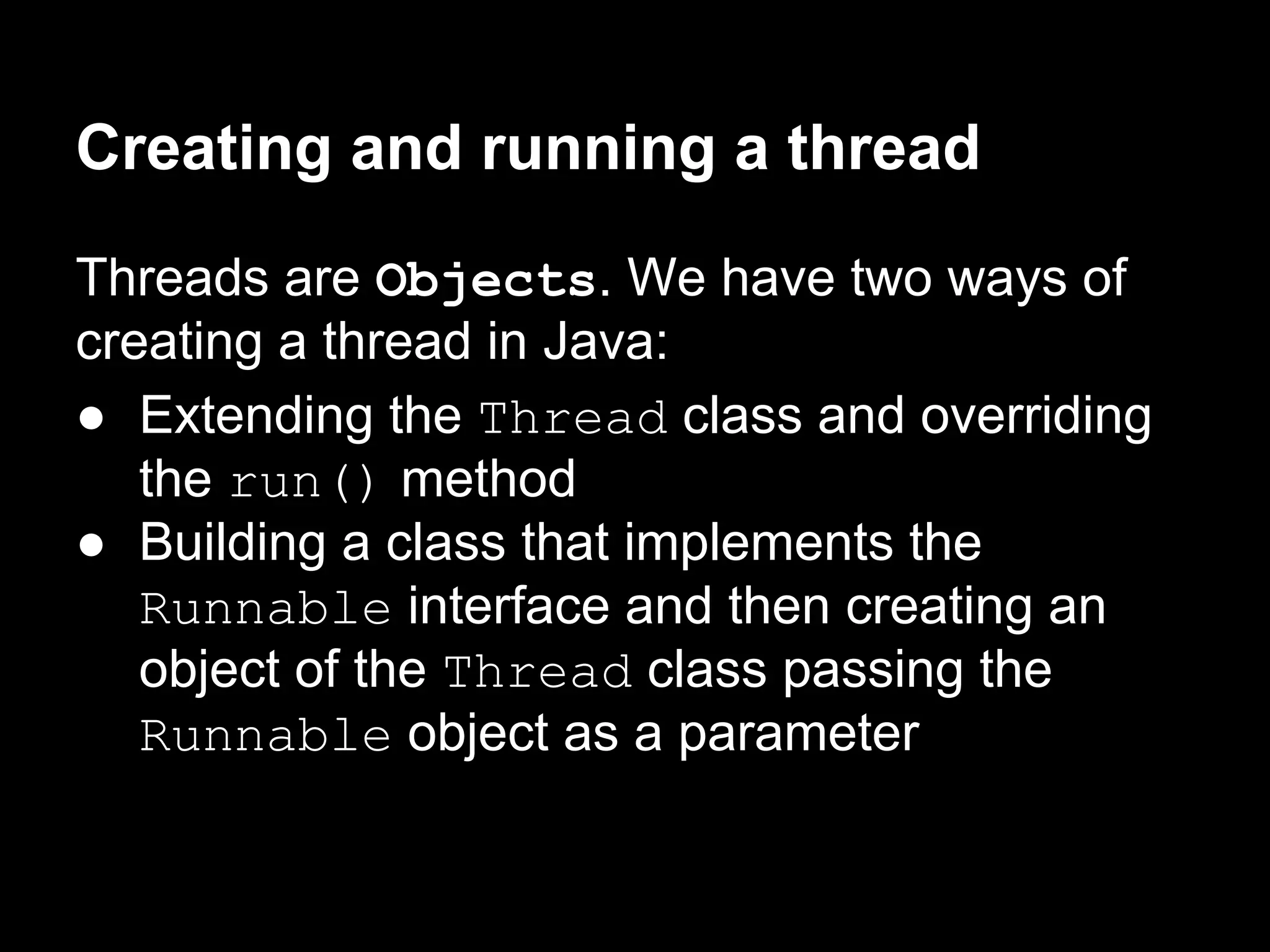
Creating and running a thread
Threads are Objects. We have two ways of
creating a thread in Java:
● Extending the Thread class and overriding
the run() method
● Building a class that implements the
Runnable interface and then creating an
object of the Thread class passing the
Runnable object as a parameter
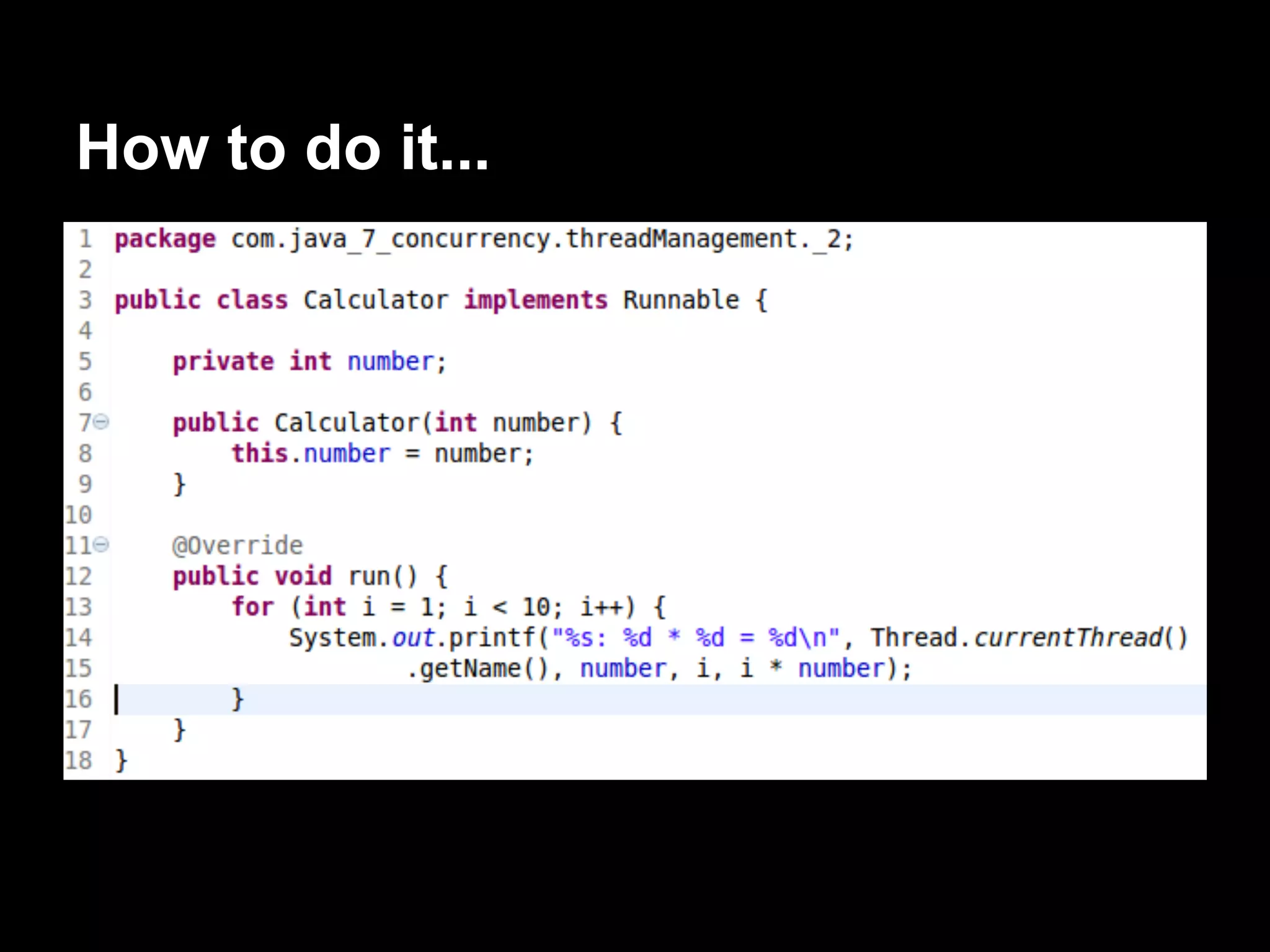
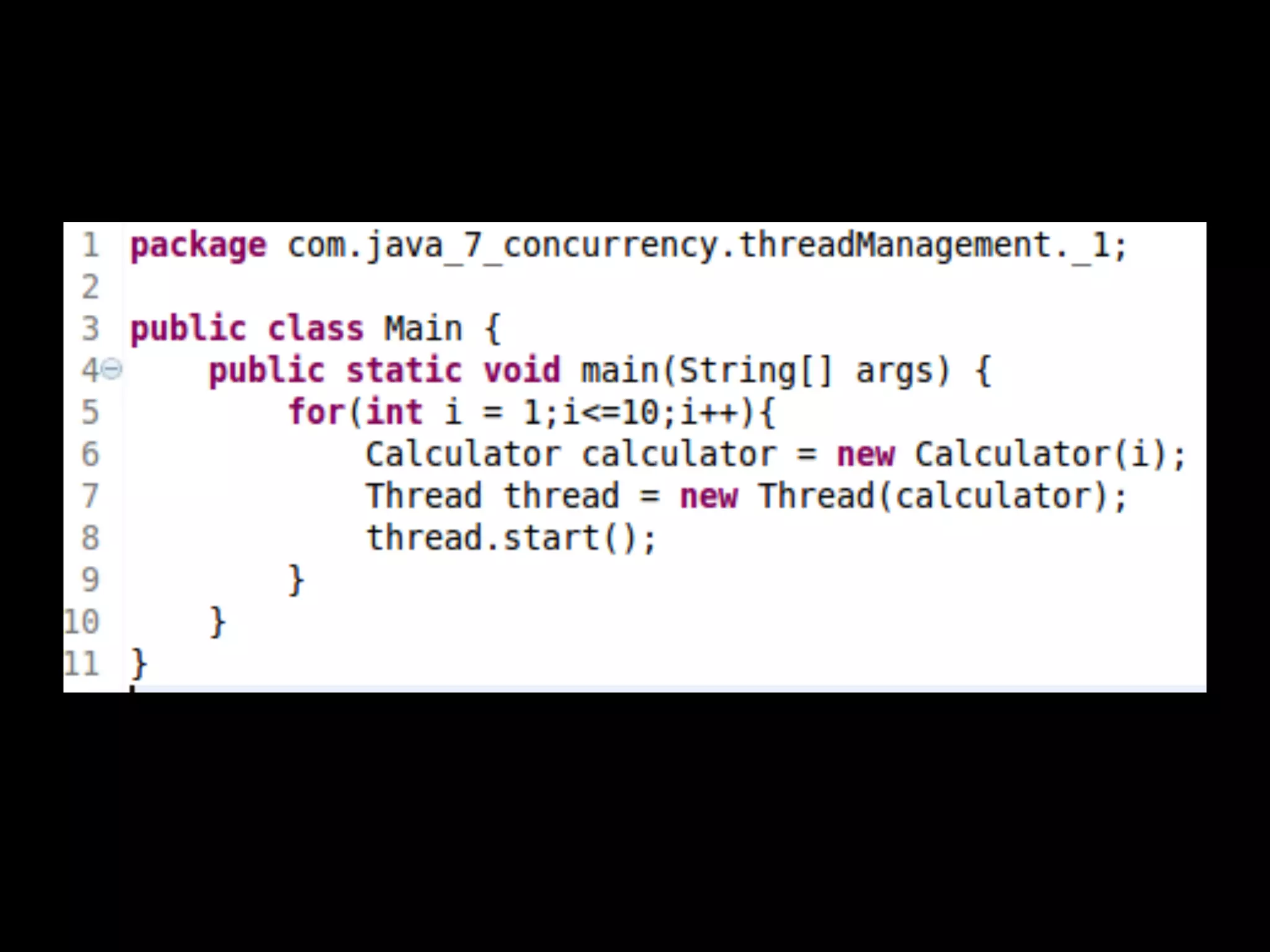
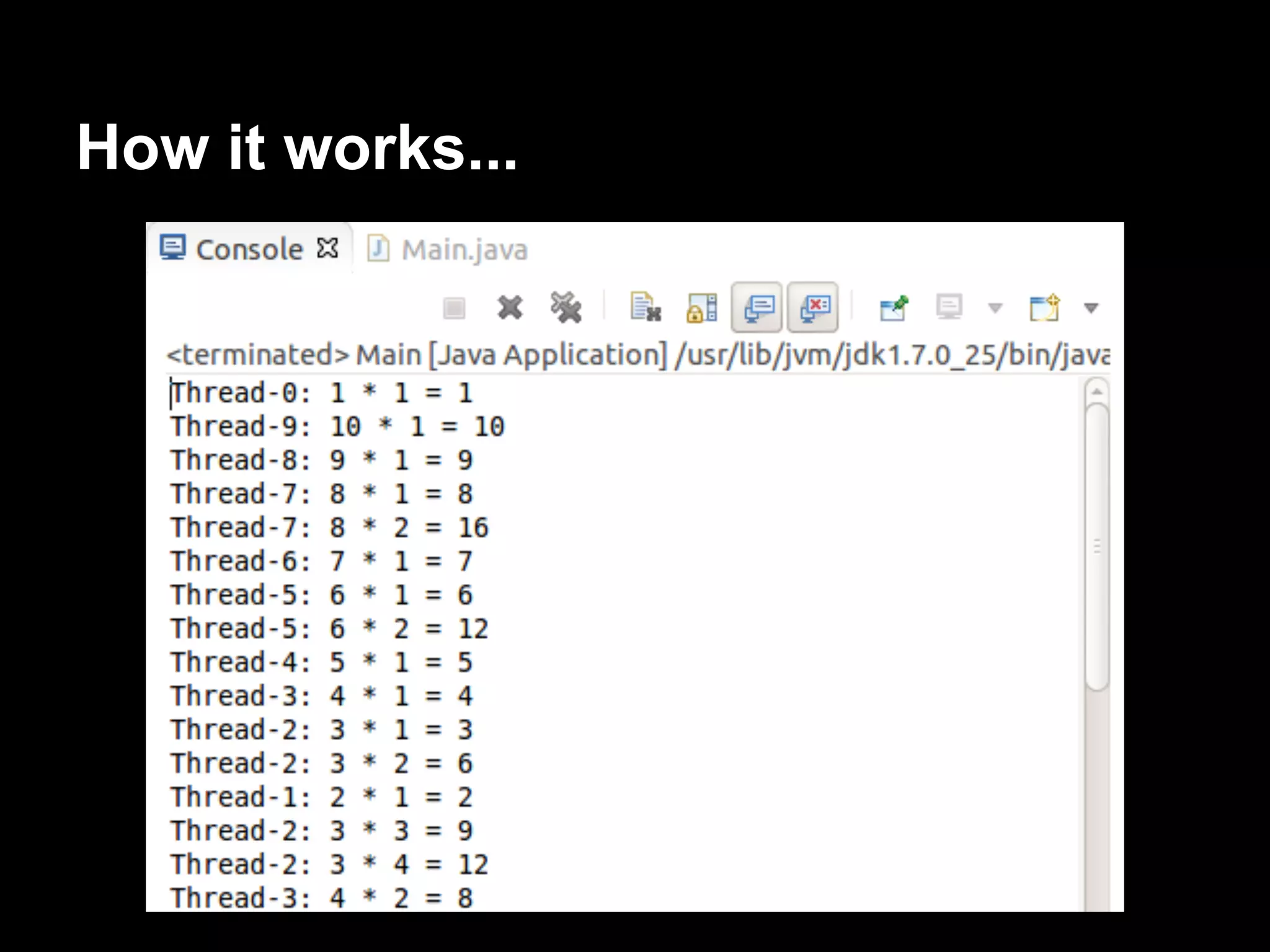
Creates and runs 10 threads.
Each thread calculates and prints the
mutiplication table of a number between 1 and
10.
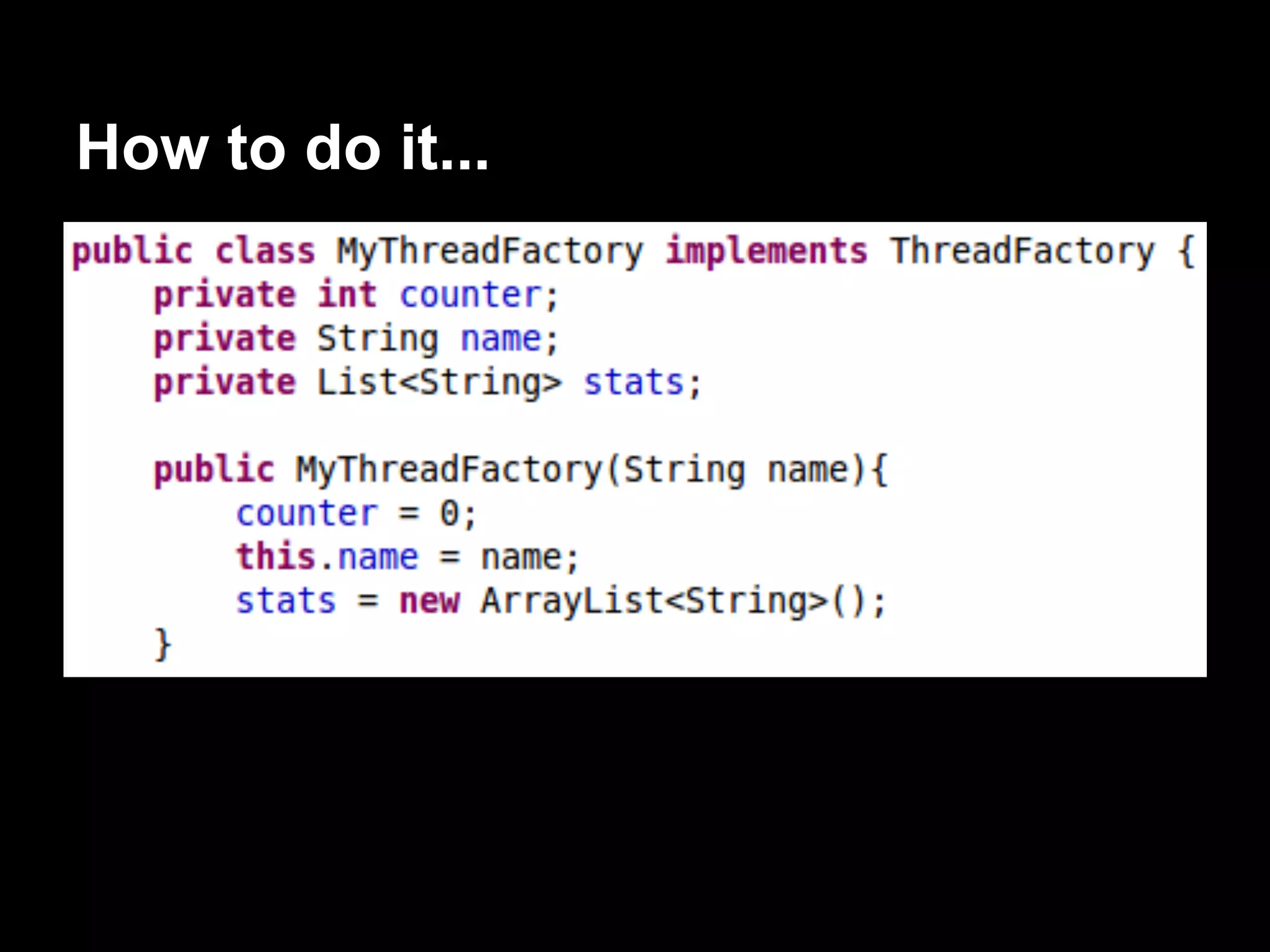
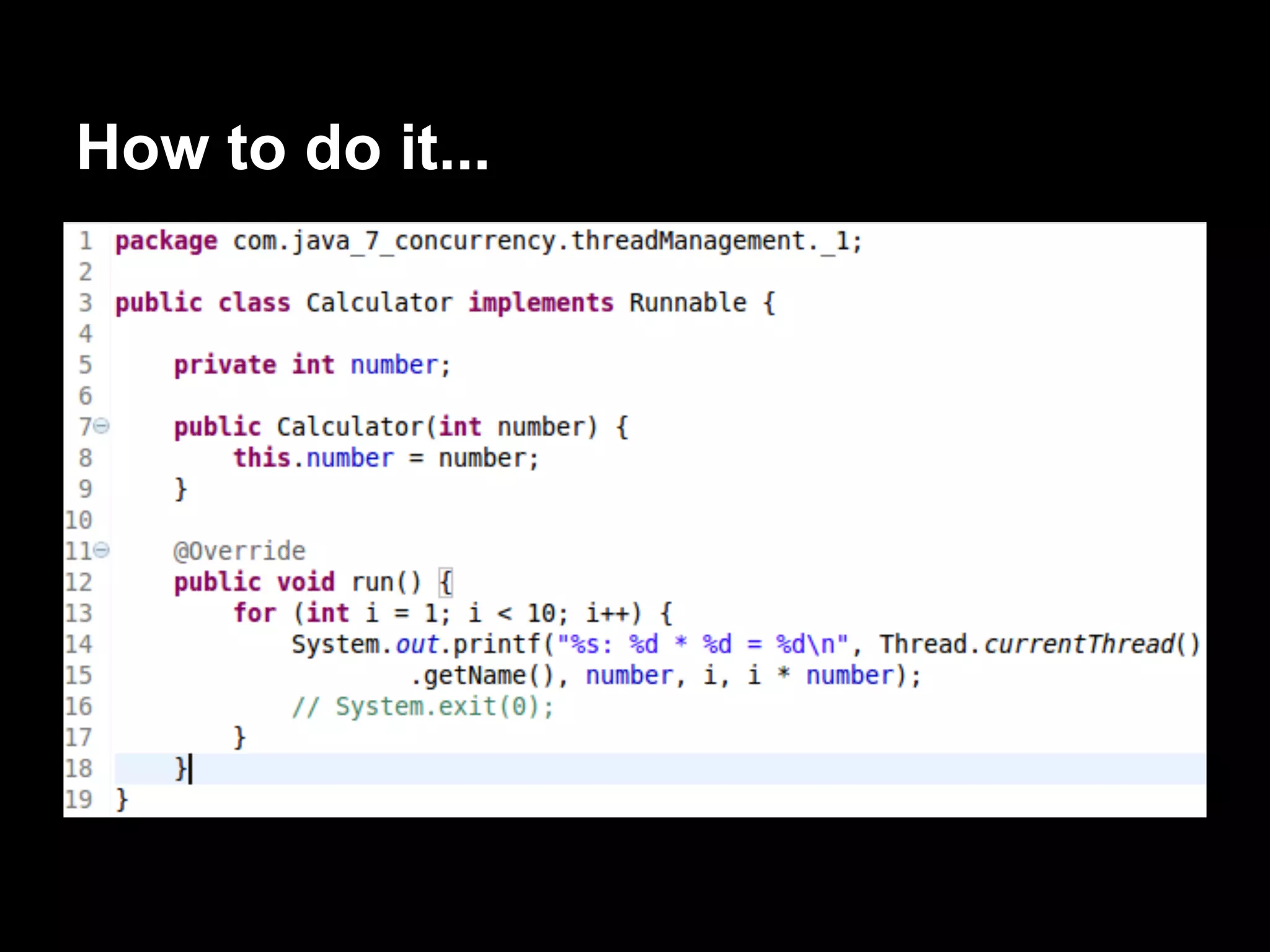
How to do it...
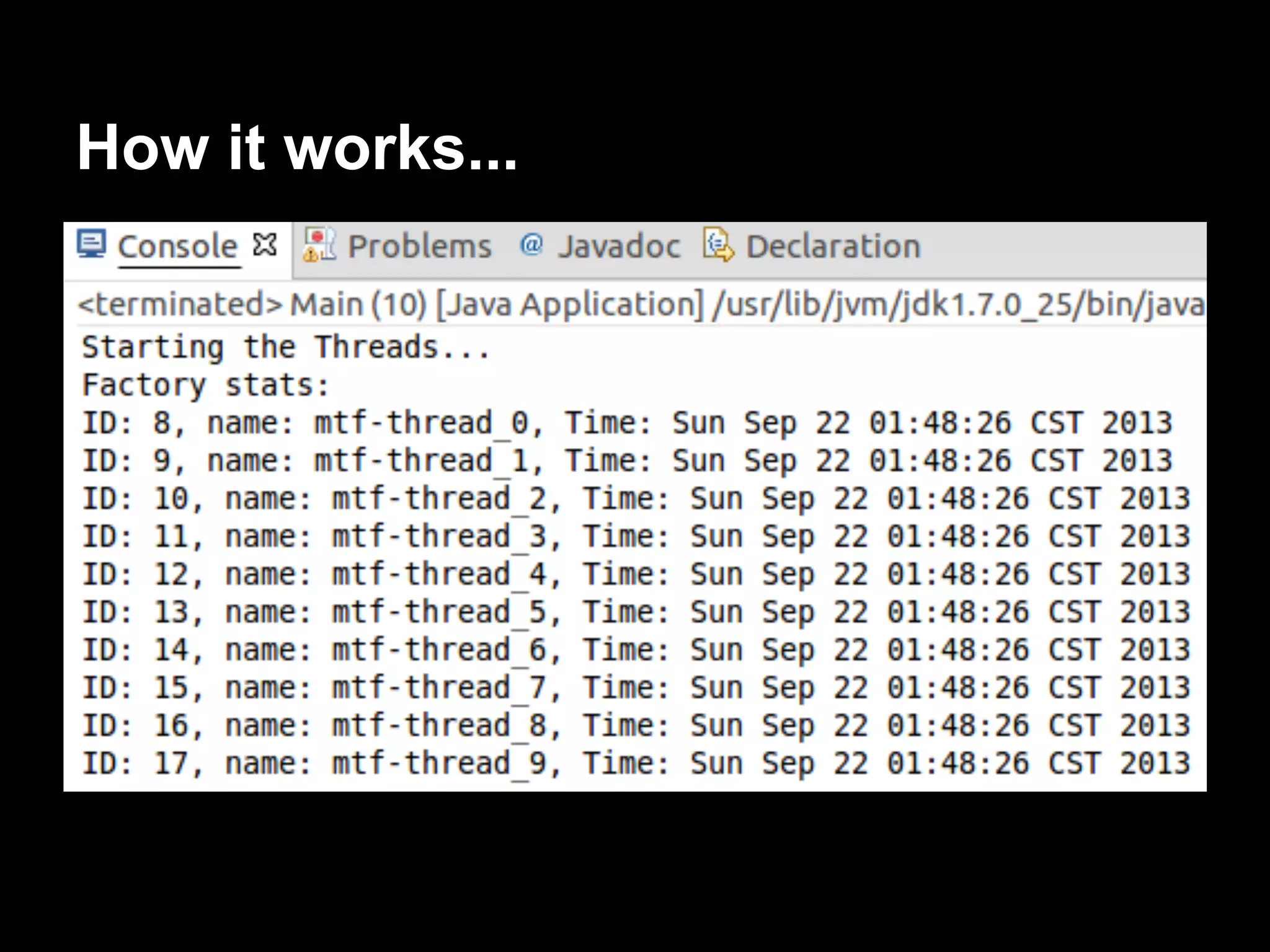
How it works...
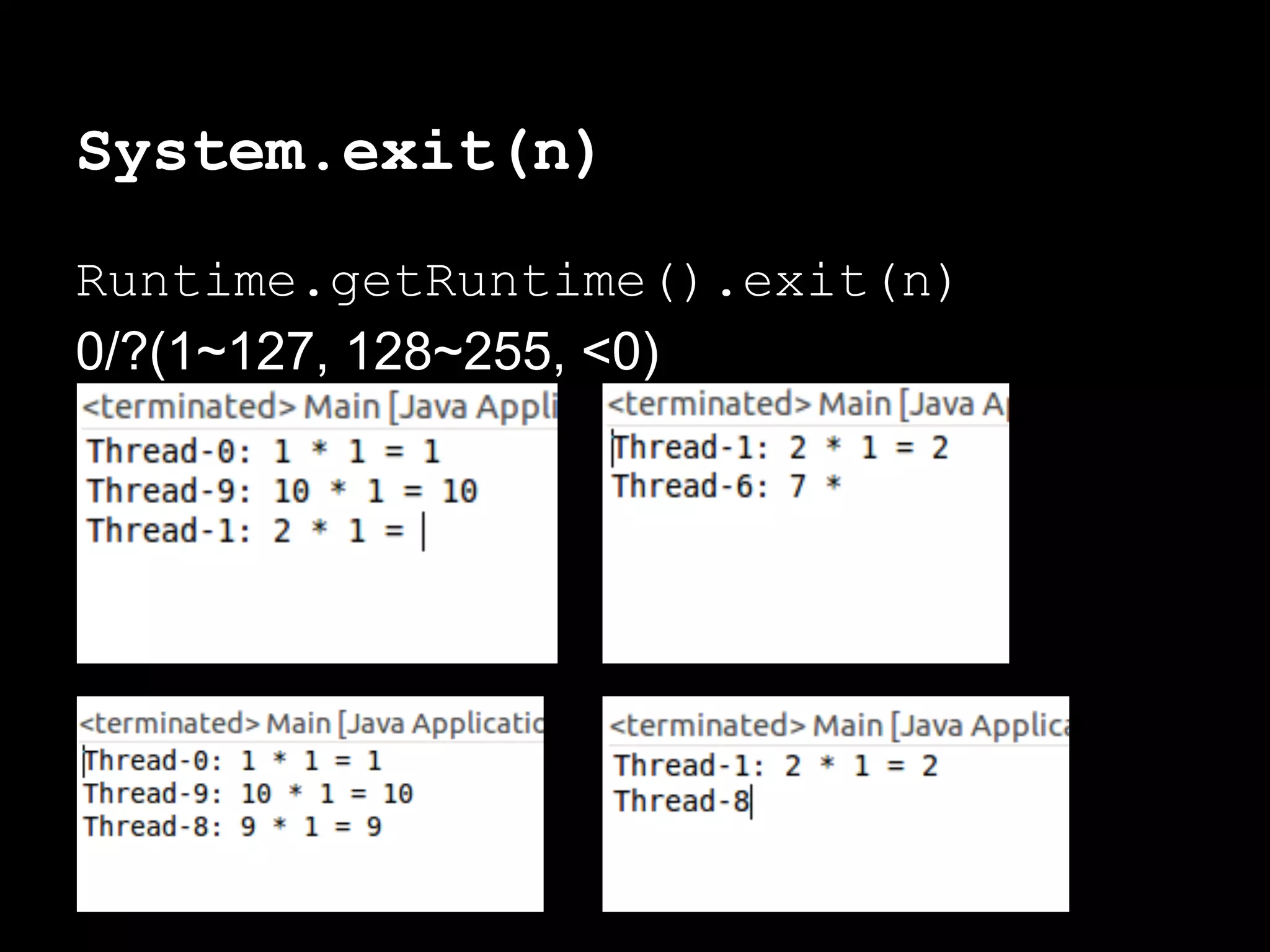
System.exit(n)
Runtime.getRuntime().exit(n)
0/?(1~127, 128~255, <0)
There’s more...
You can implement a class that extends
Thread class and overrides the run()
method of this class.
Call the start() method to have a new
execution thread.
Getting and setting thread
information
The Thread class saves some infomation
attributes that can help us to identify a thread:
● ID: A unique identifier for each Thread.
● Name
● Proiority: The priority of the Thread
objects.
value ∈ [1, 10] (low-->high)
IllegalArgumentException
Not recommended to change, but you can use
if you want.
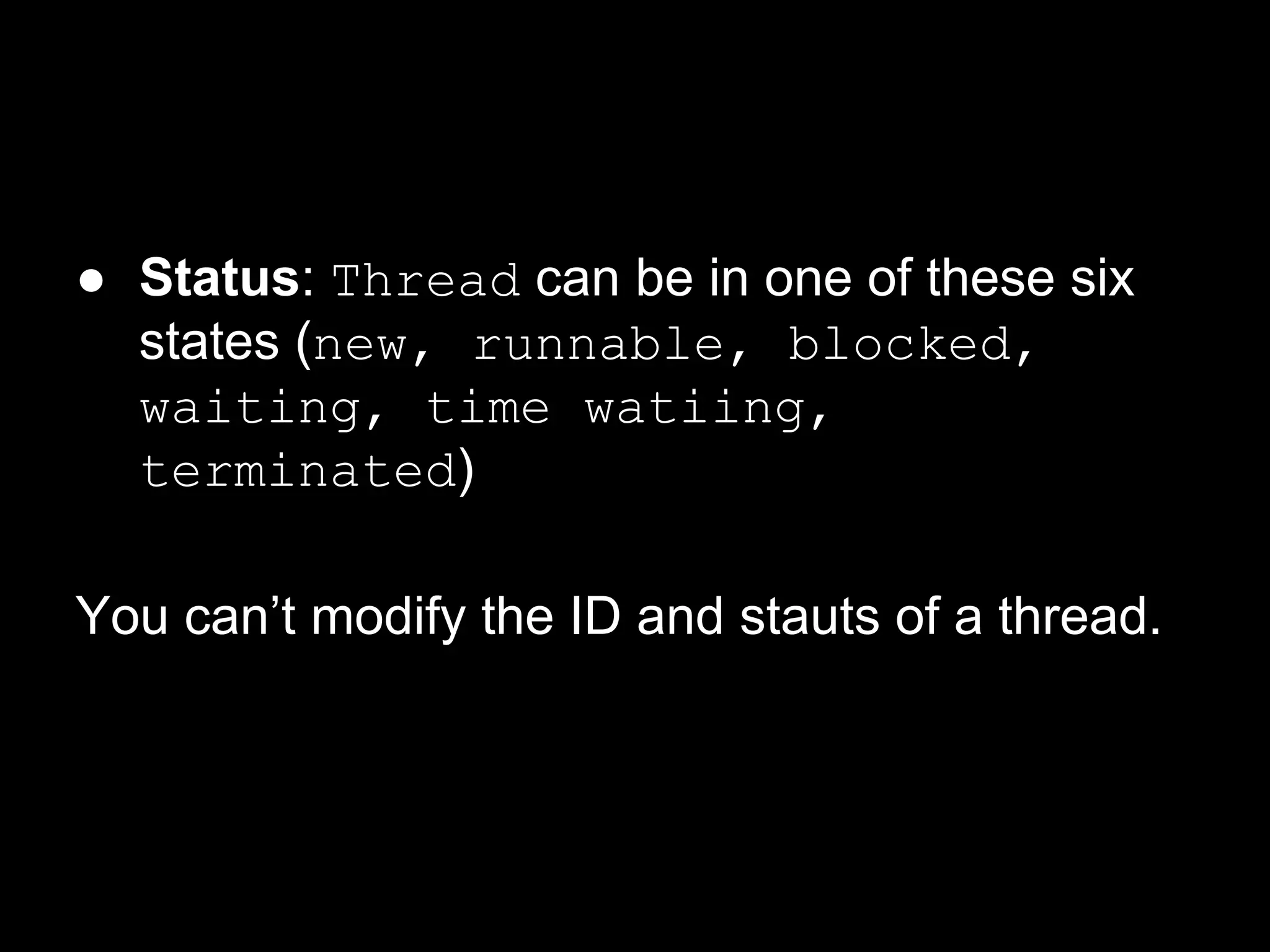
● Status: Thread can be in one of these six
states (new, runnable, blocked,
waiting, time watiing,
terminated)
You can’t modify the ID and stauts of a thread.
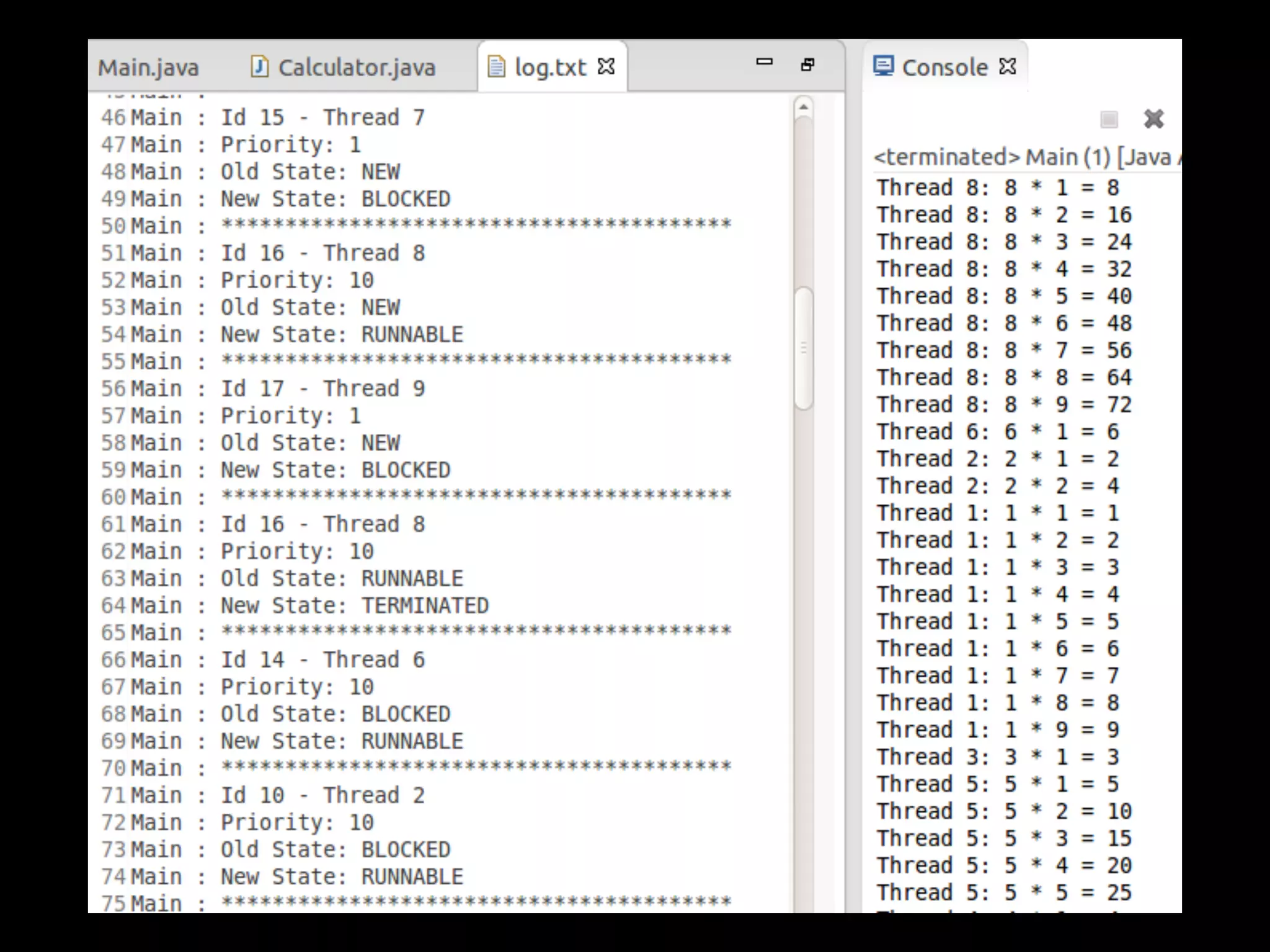
Develop a program that establishes the name
and priority for 10 threads, and then show
information about their status until they finish.
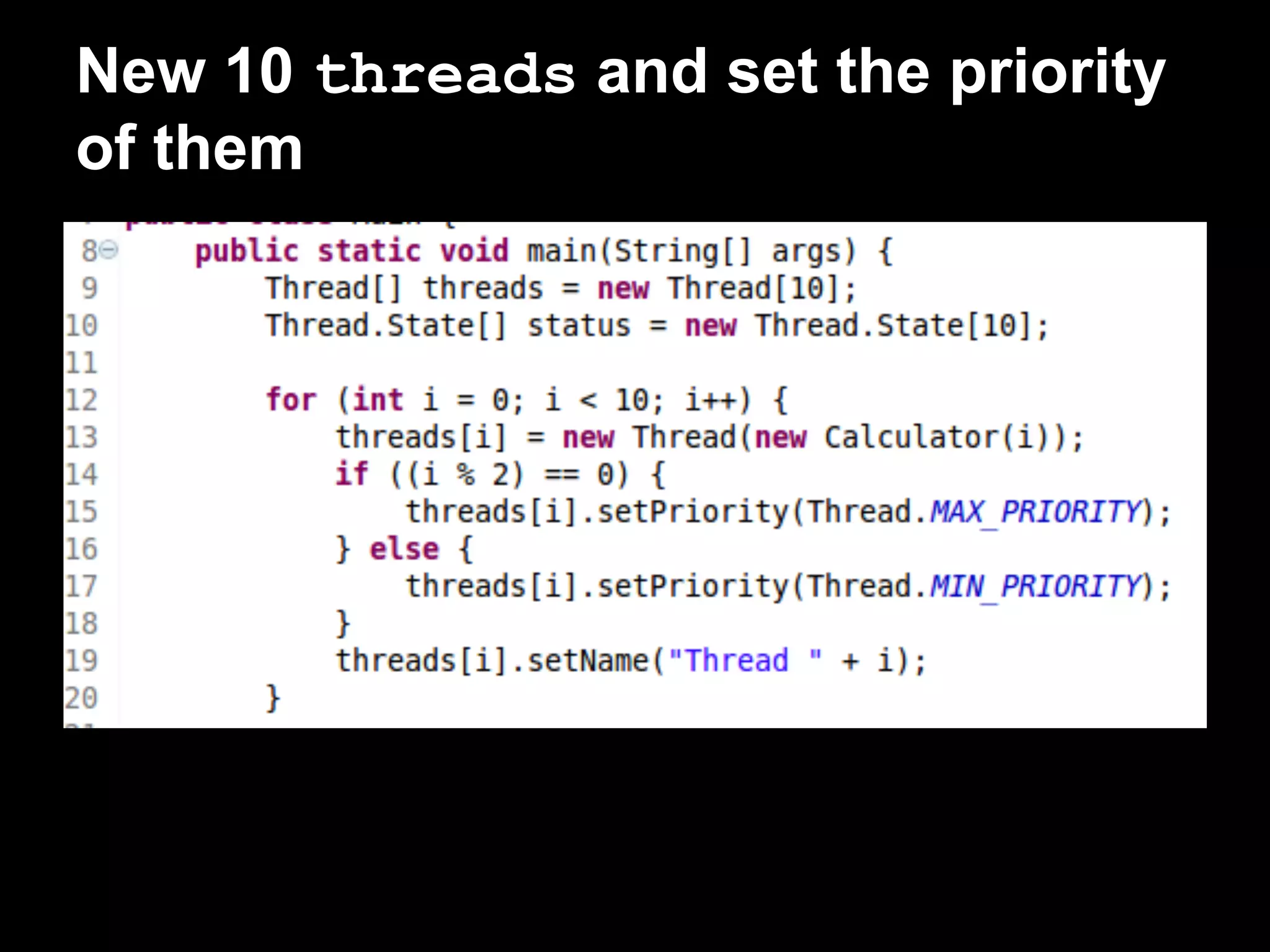
How to do it...
New 10 threads and set the priority
of them
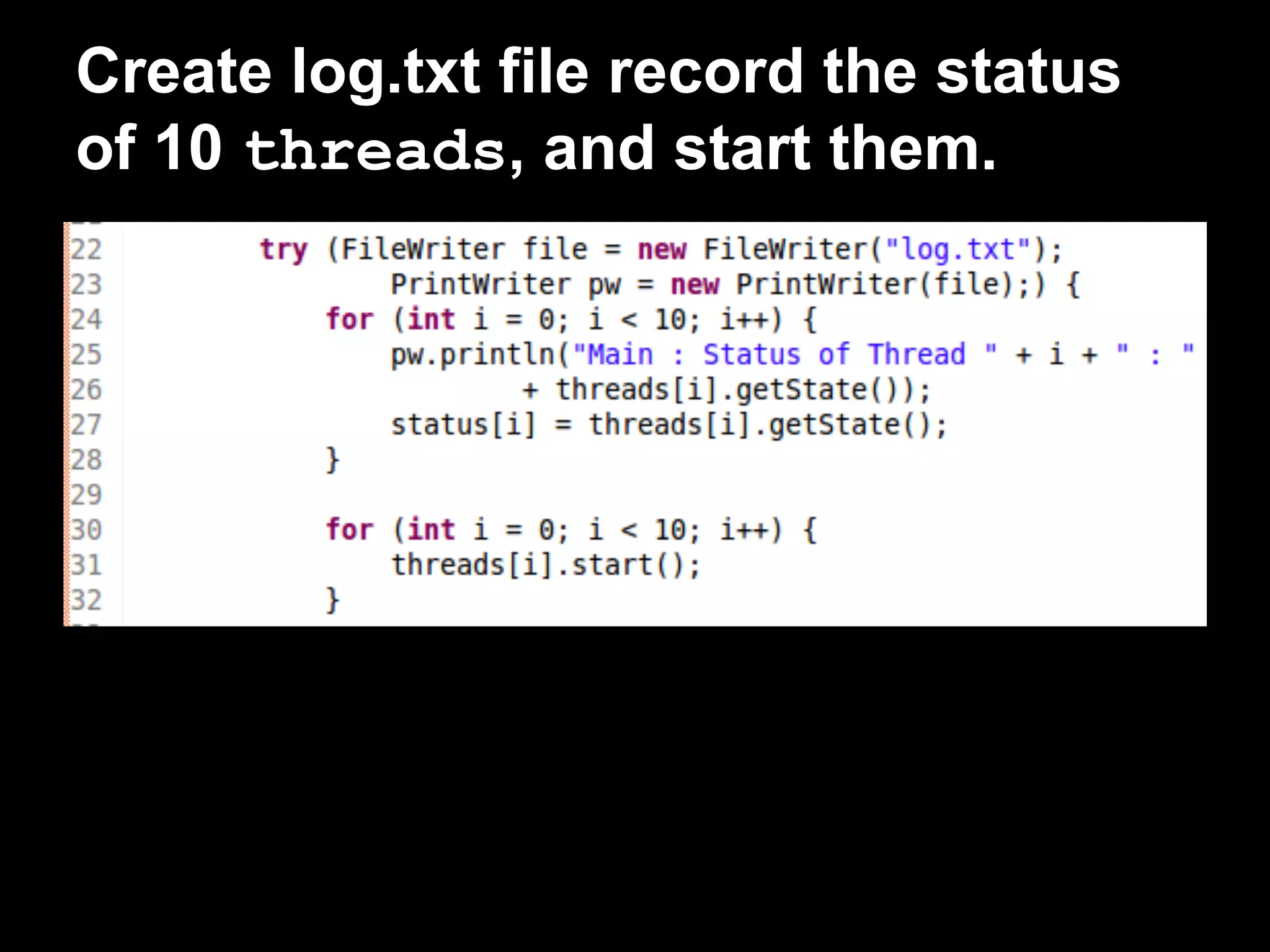
Create log.txt file record the status
of 10 threads, and start them.
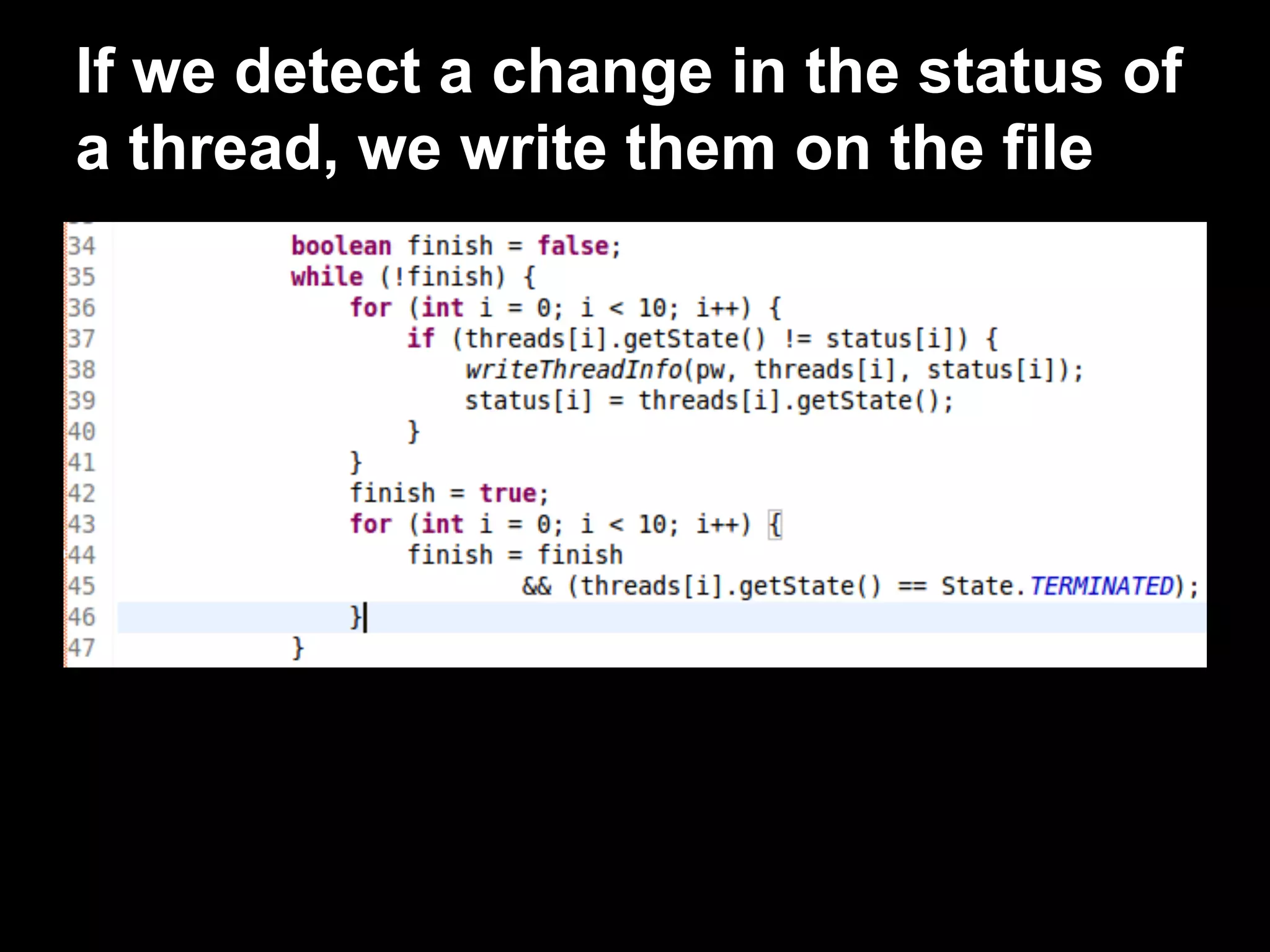
If we detect a change in the status of
a thread, we write them on the file
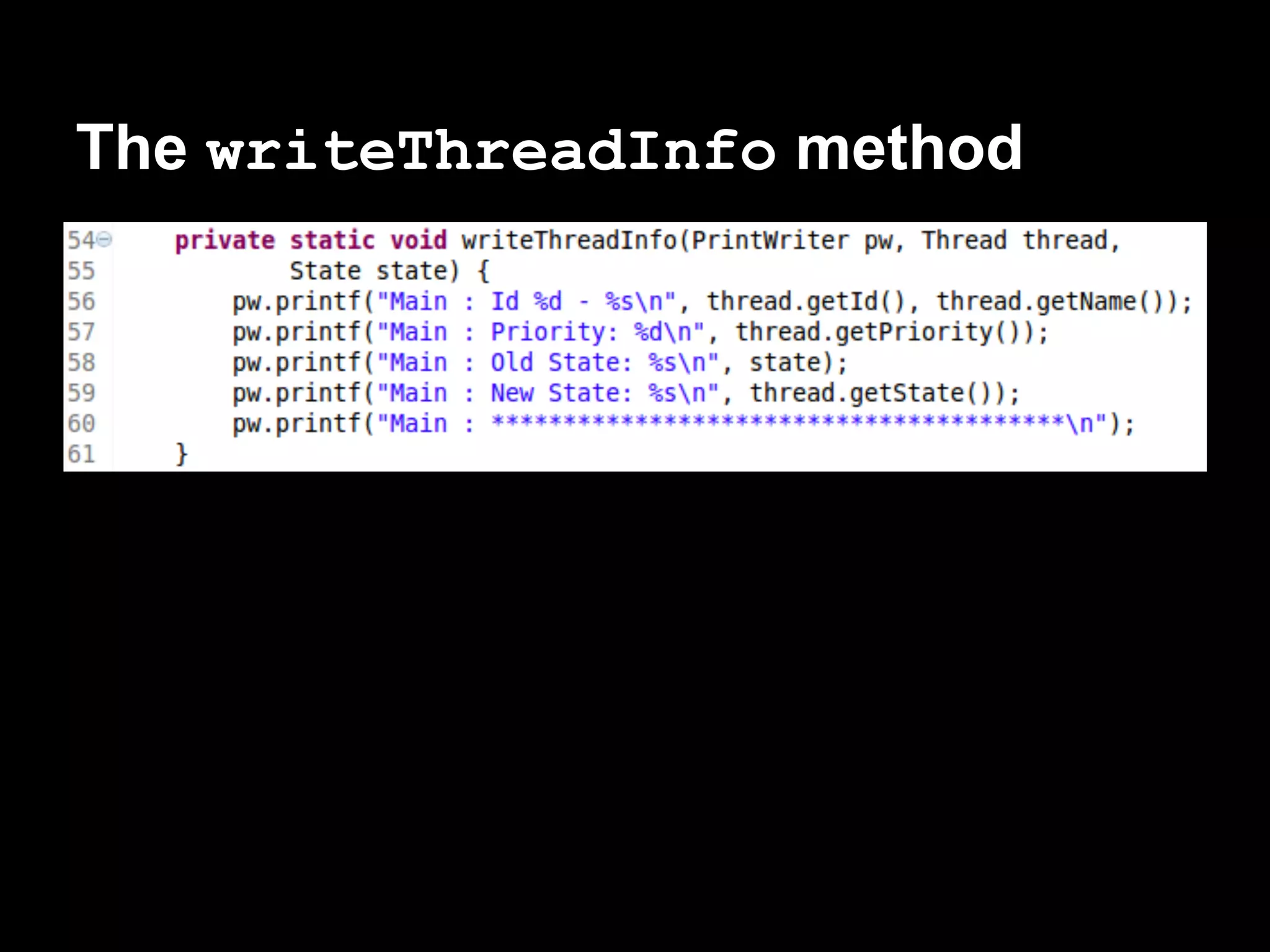
The writeThreadInfo method
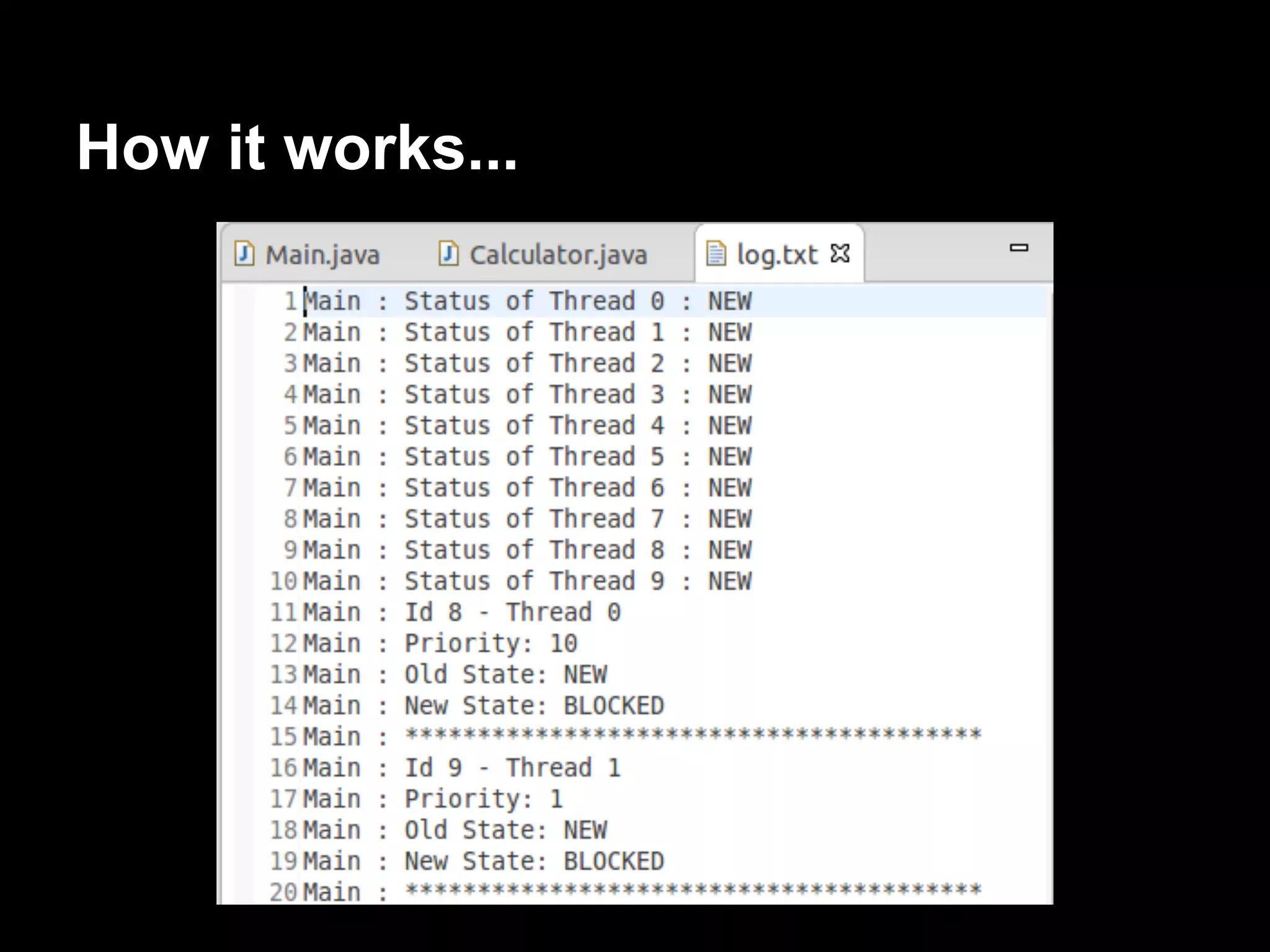
How it works...
Interrupting a thread
Finish a program:
● All its non-daemon threads end its
execution.
● One of the threads use the System.exit()
method.
Interruption mechanism
Thread has to:
● Check if it has been interrupted or not.
● Decide if it responds to the finalization
request or not.
Thread can ignore it and continue with its
execution.
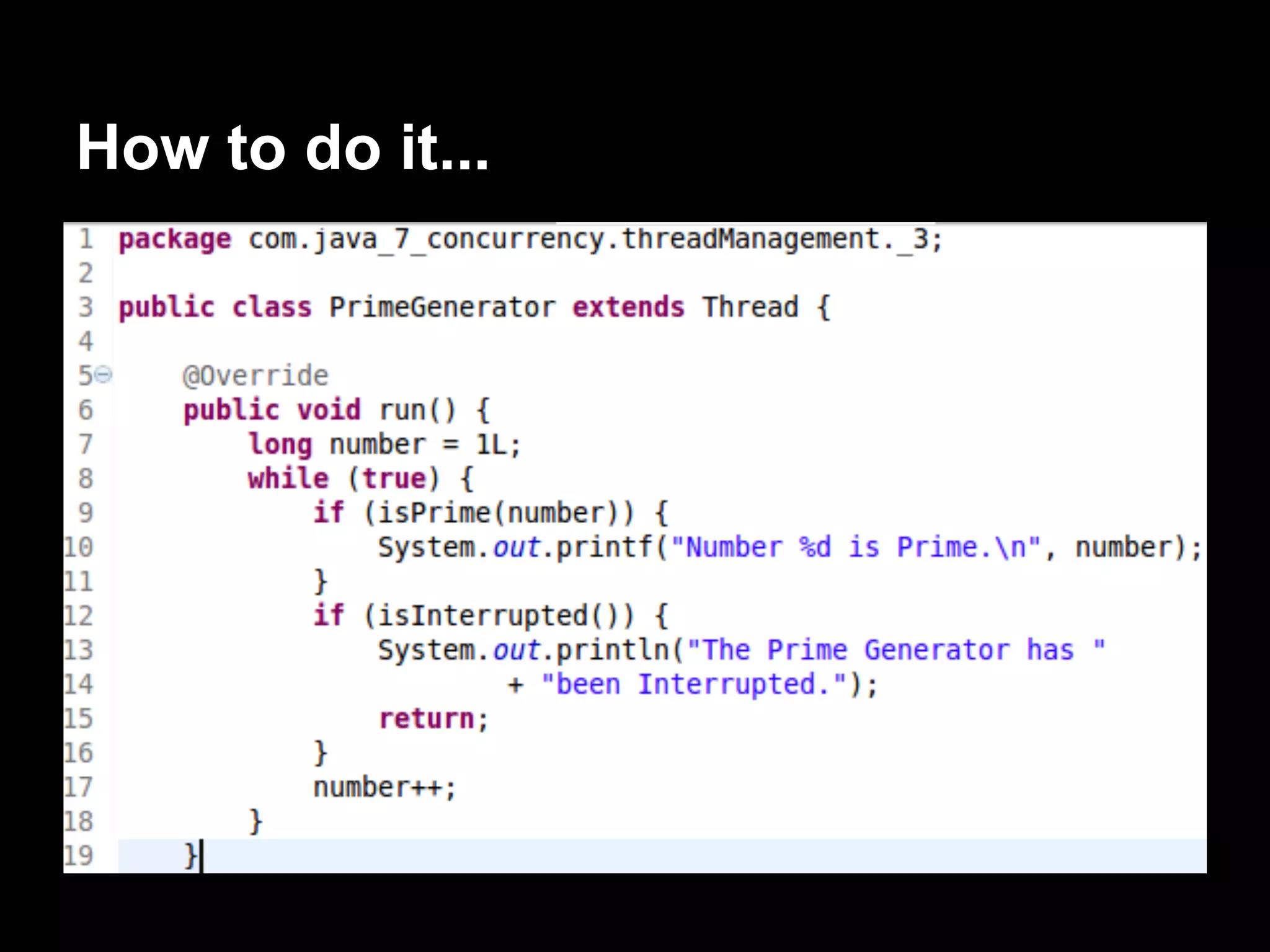
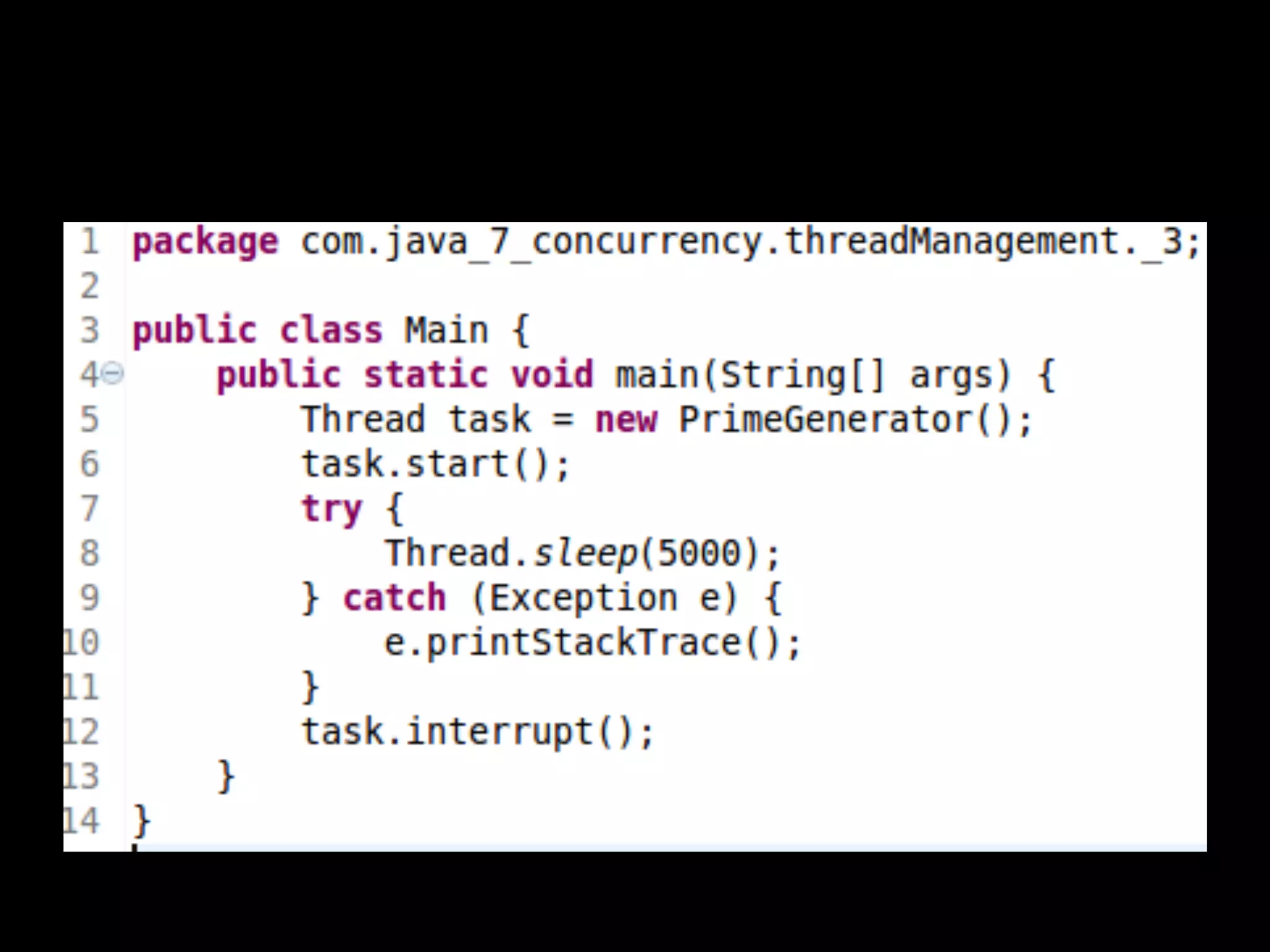
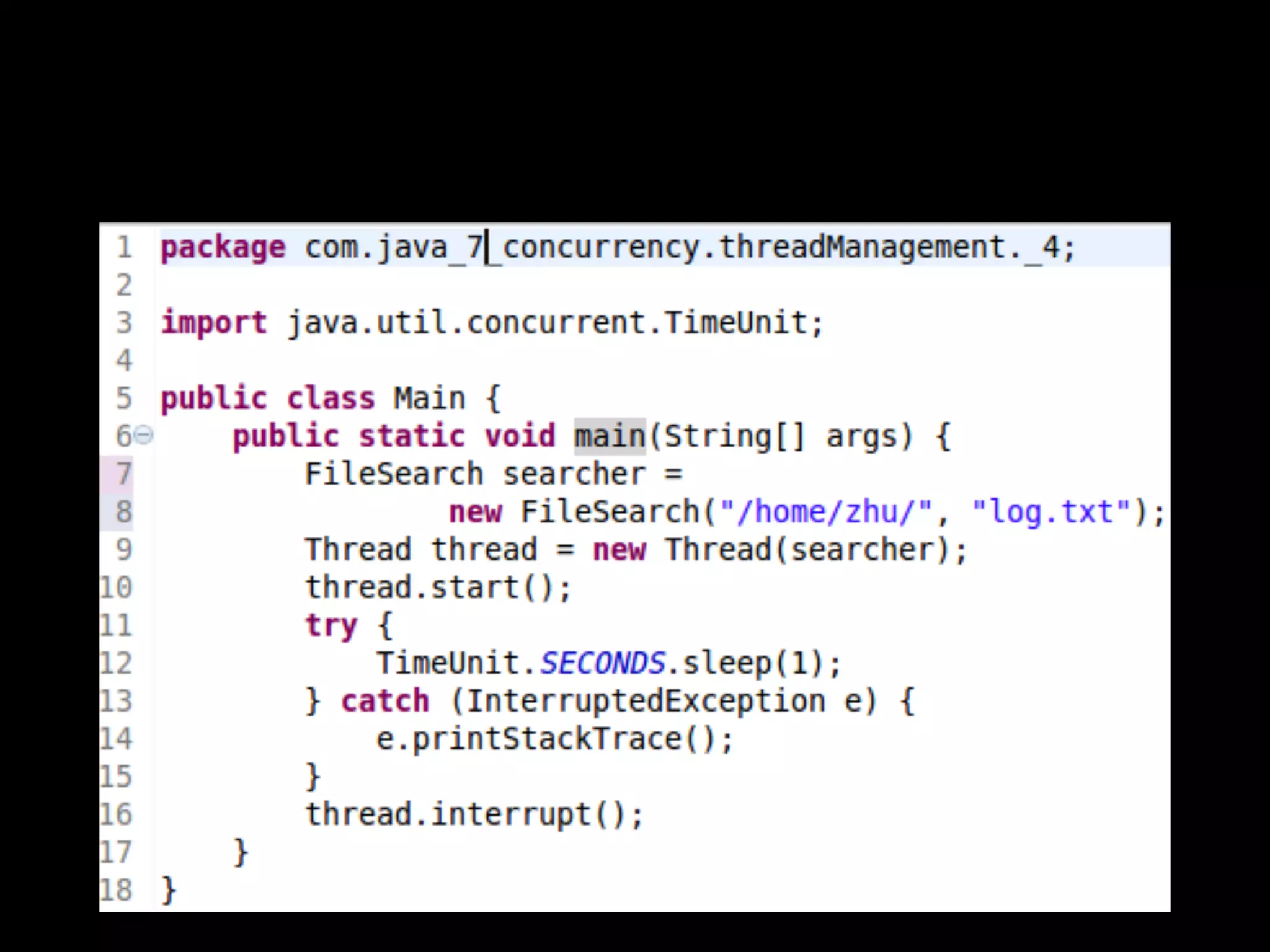
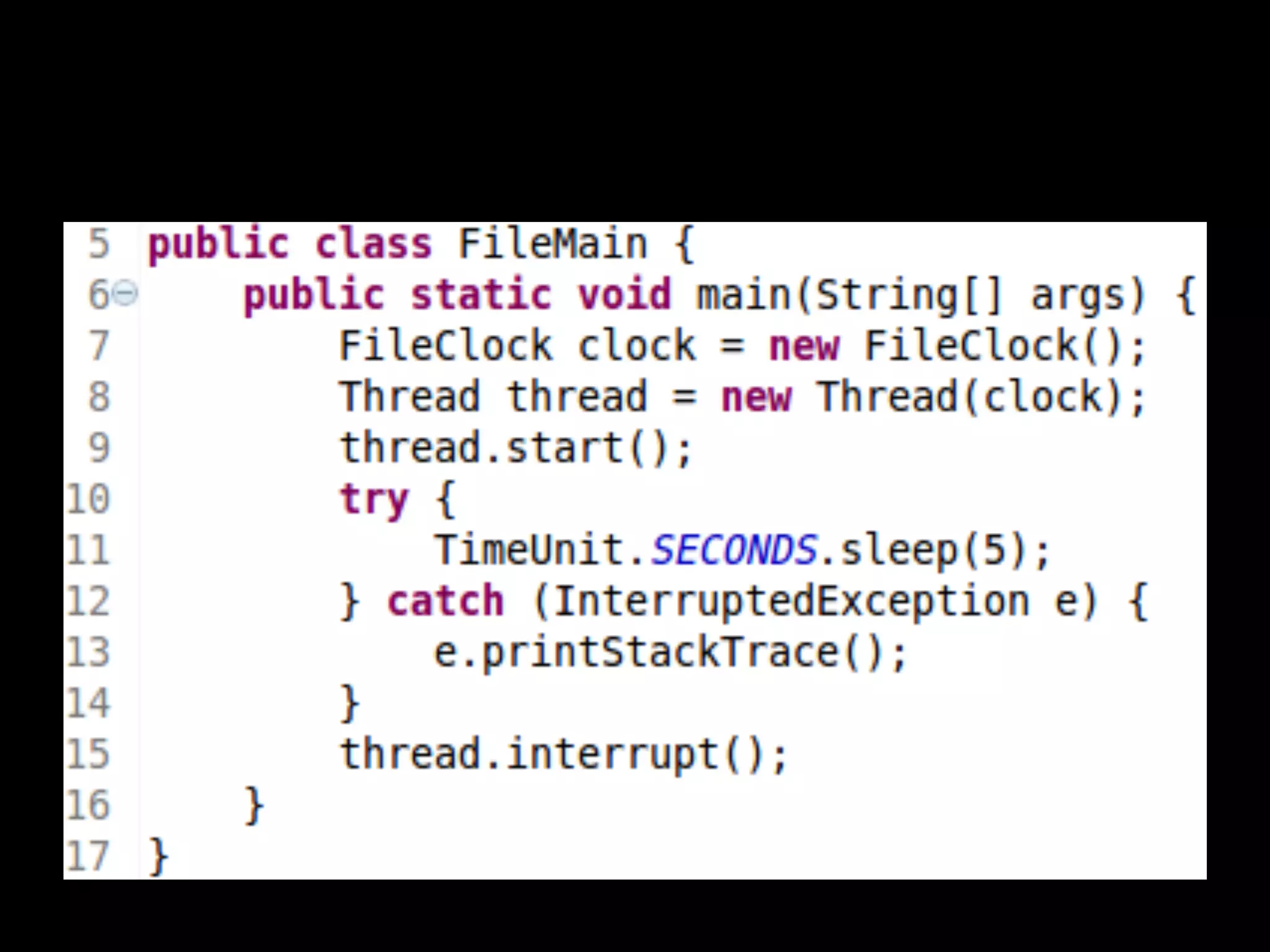
Develop a program that creates Thread and,
after 5 seconds, will force its finalization using
the interruption mechanism.
How to do it...
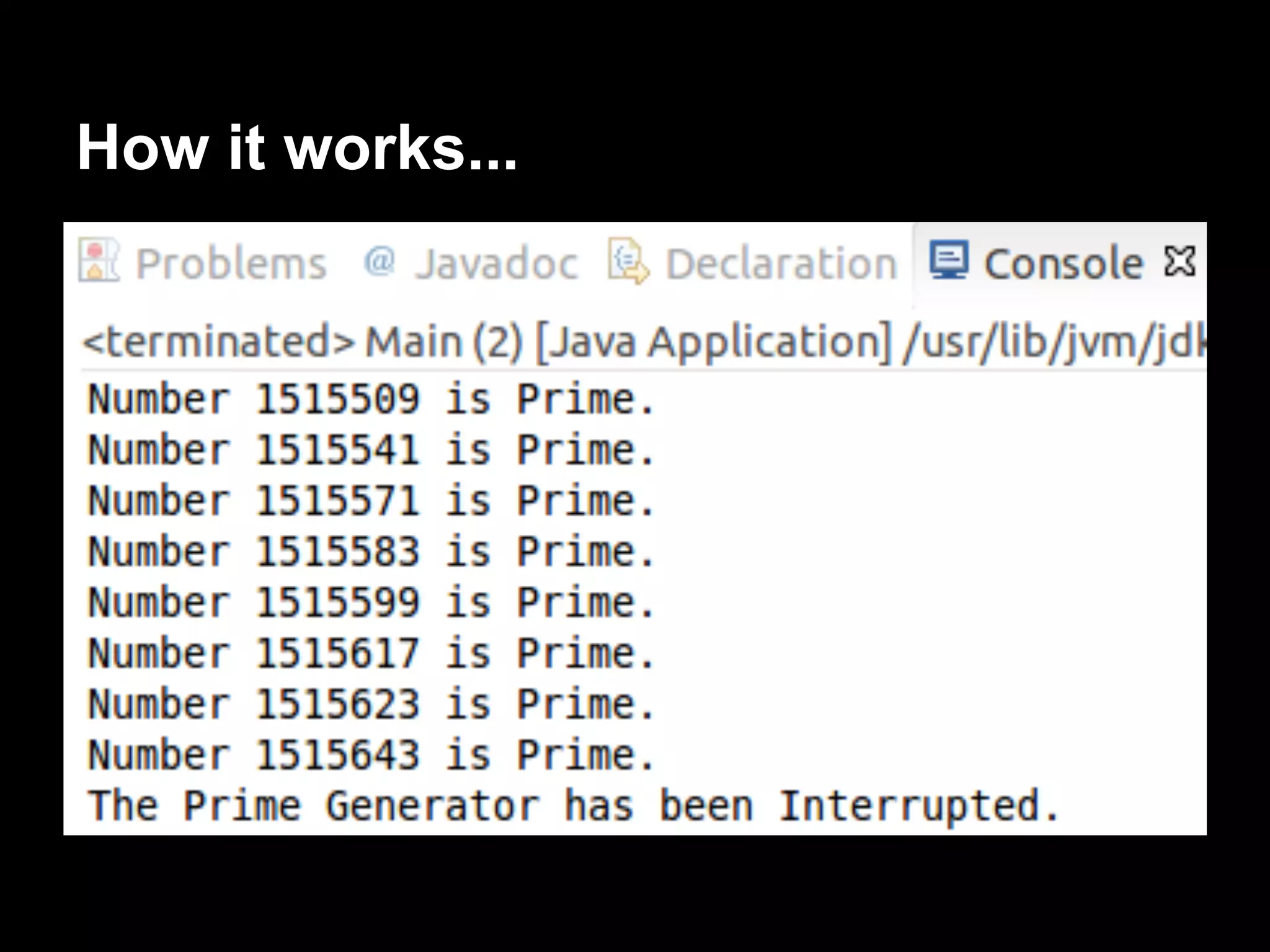
How it works...
There’s more...
The Thread class has another method to
check whether Thread has been interrupted or
not.
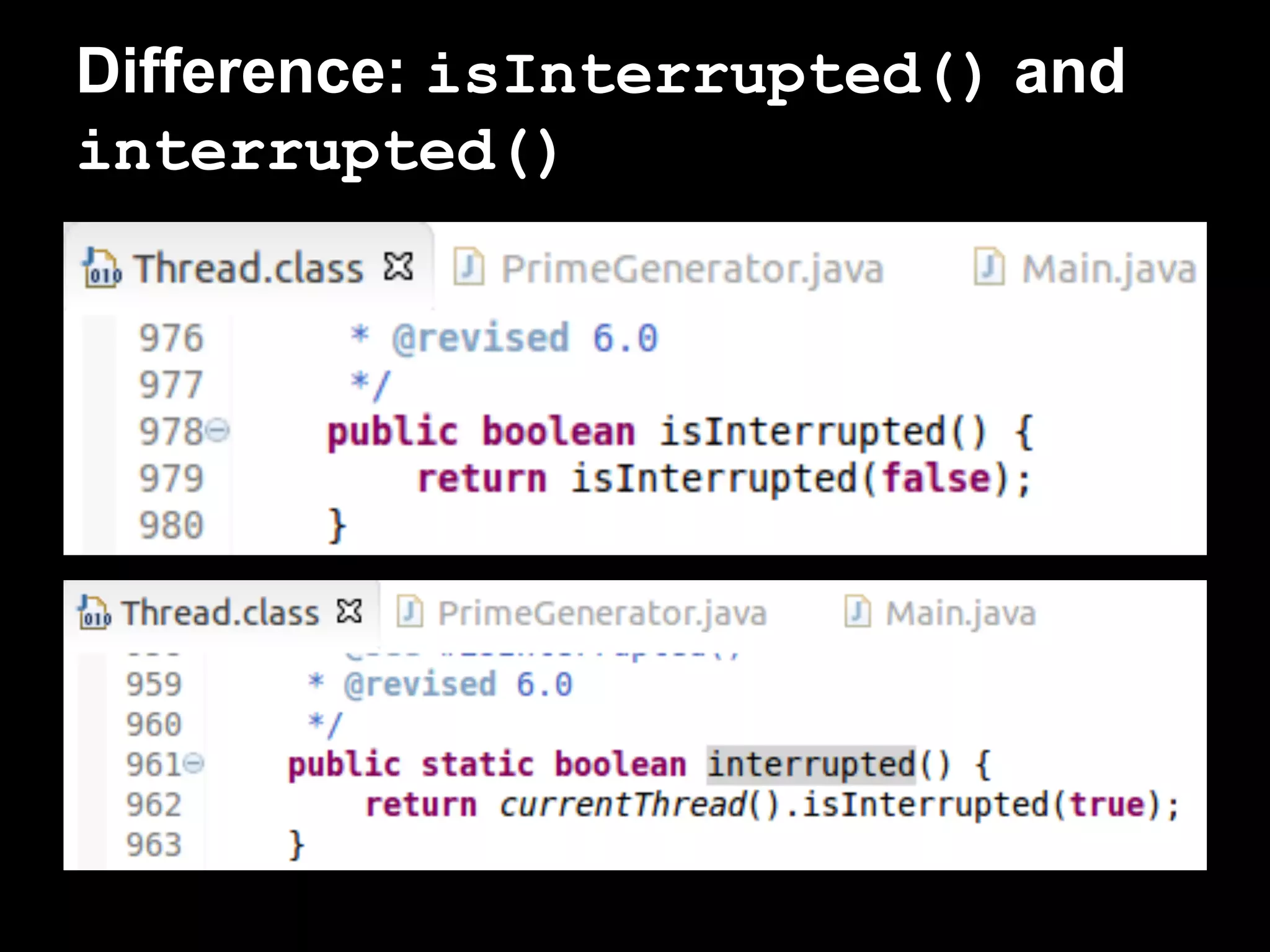
Thread.interrupted()
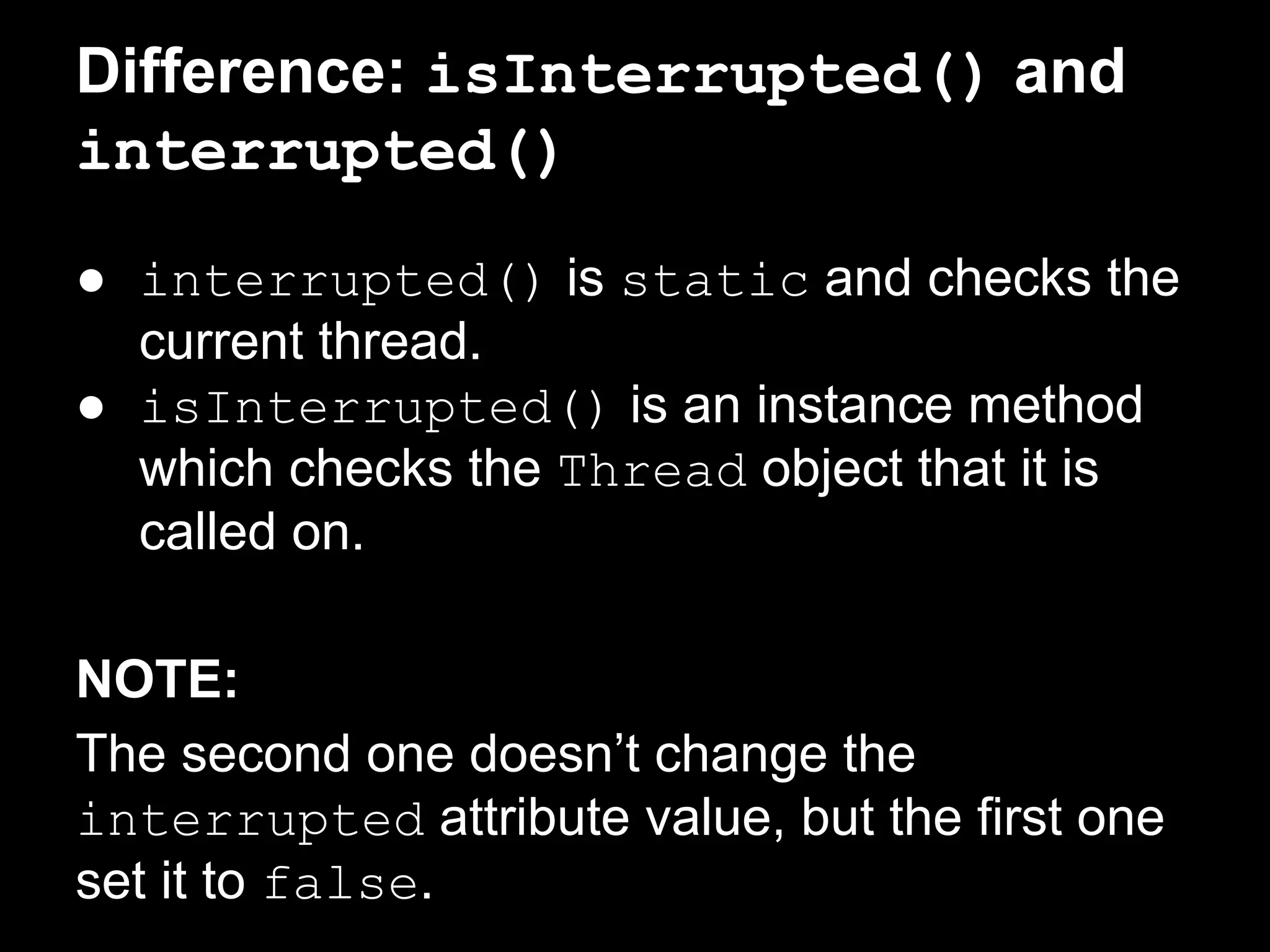
Difference: isInterrupted() and
interrupted()
● interrupted() is static and checks the
current thread.
● isInterrupted() is an instance method
which checks the Thread object that it is
called on.
NOTE:
The second one doesn’t change the
interrupted attribute value, but the first one
set it to false.
Difference: isInterrupted() and
interrupted()
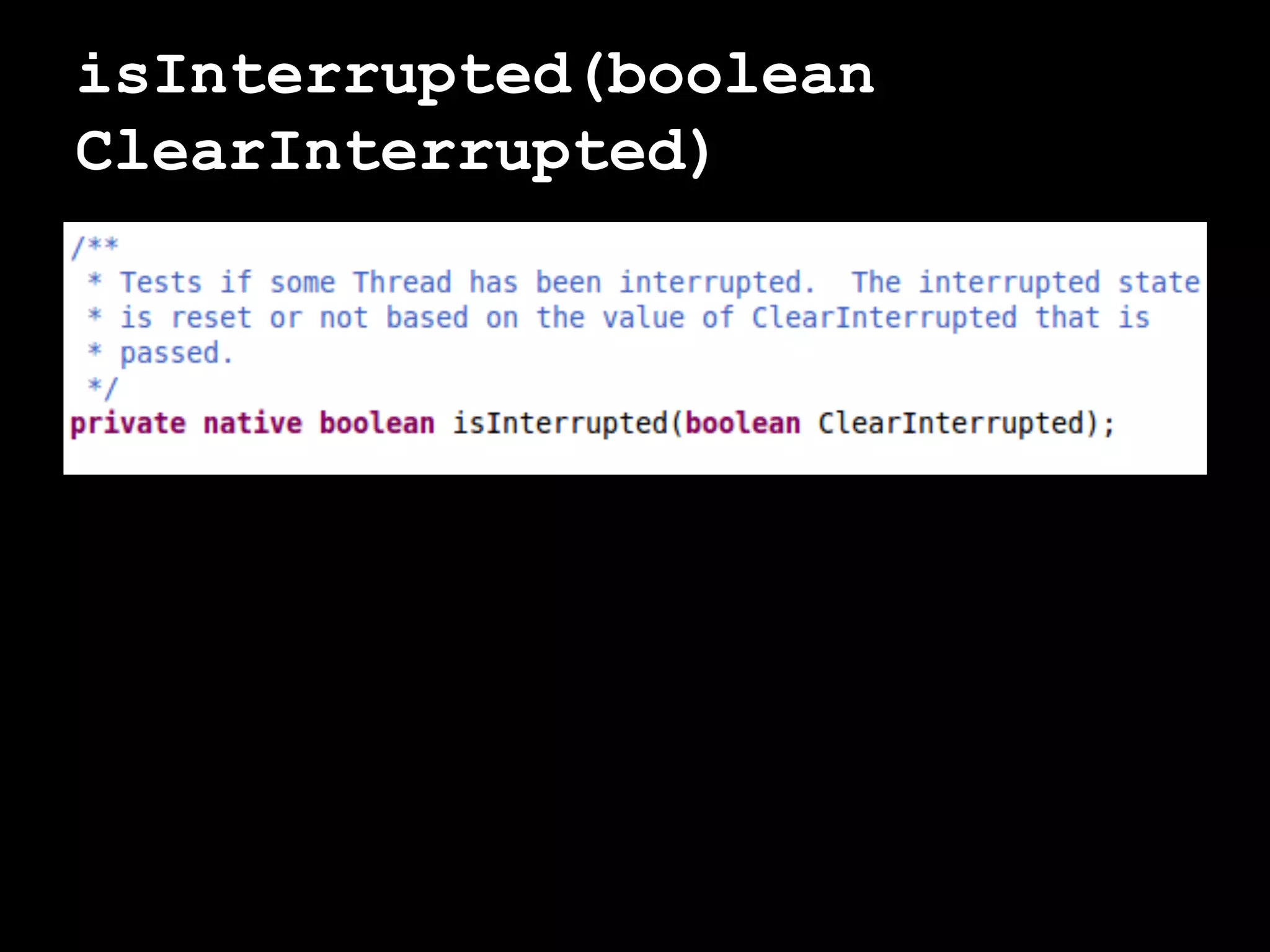
isInterrupted(boolean
ClearInterrupted)
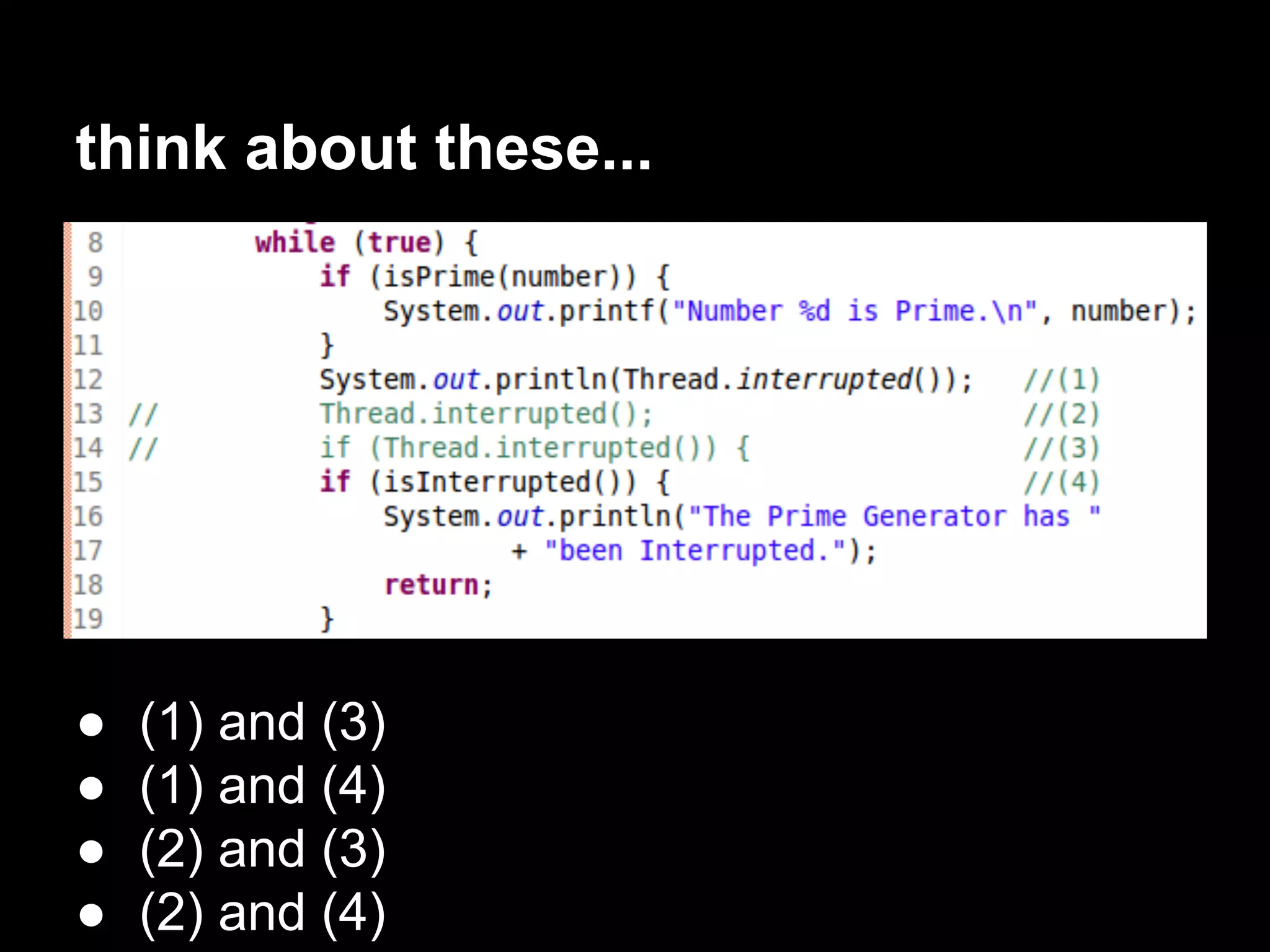
think about these...
● (1) and (3)
● (1) and (4)
● (2) and (3)
● (2) and (4)
Controlling the interruption of a
thread
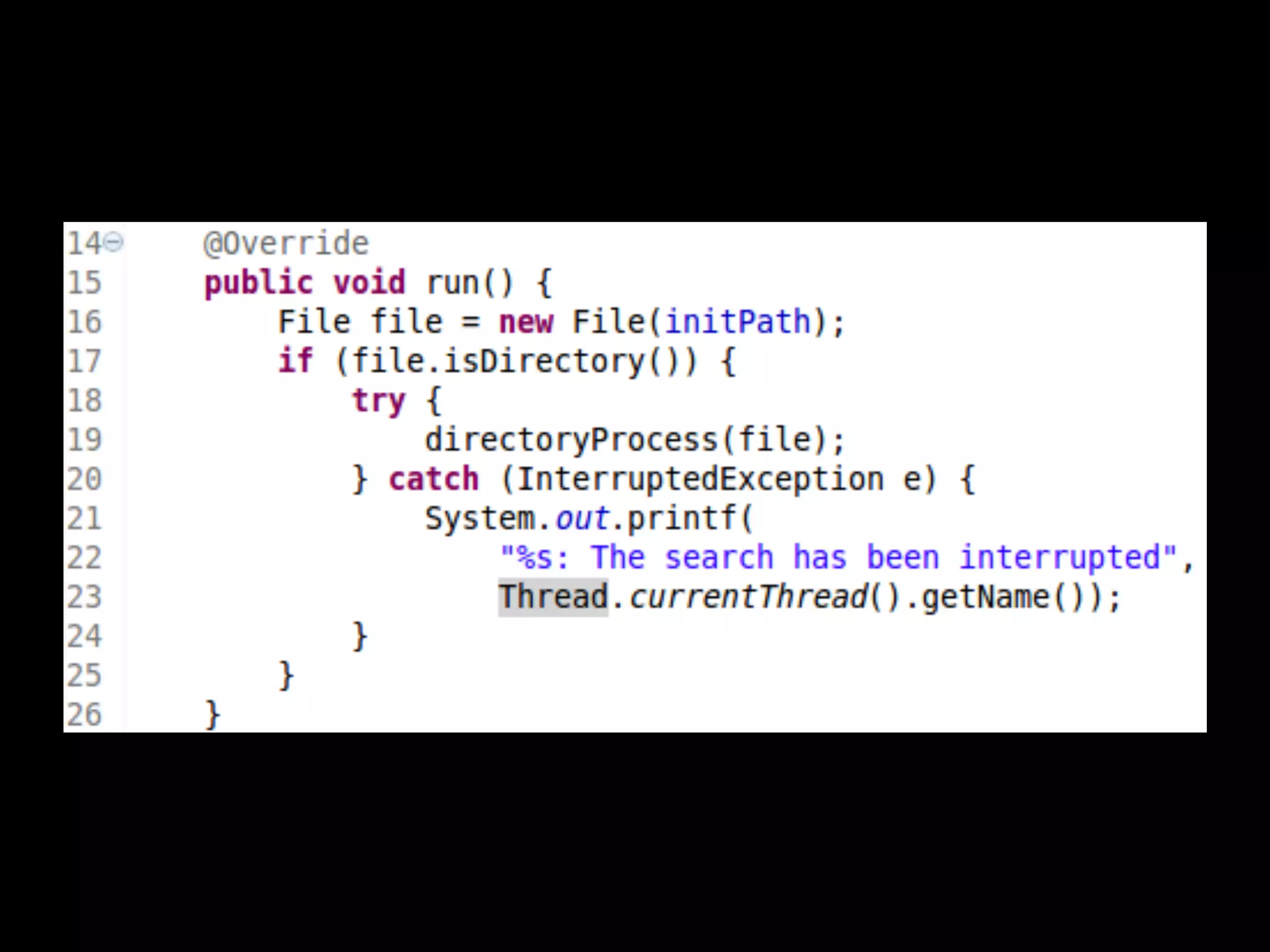
InterruptedException: A better
mechanism to control the interruption of the
thread.
Detect and throw this exception and catch in
the run() method.
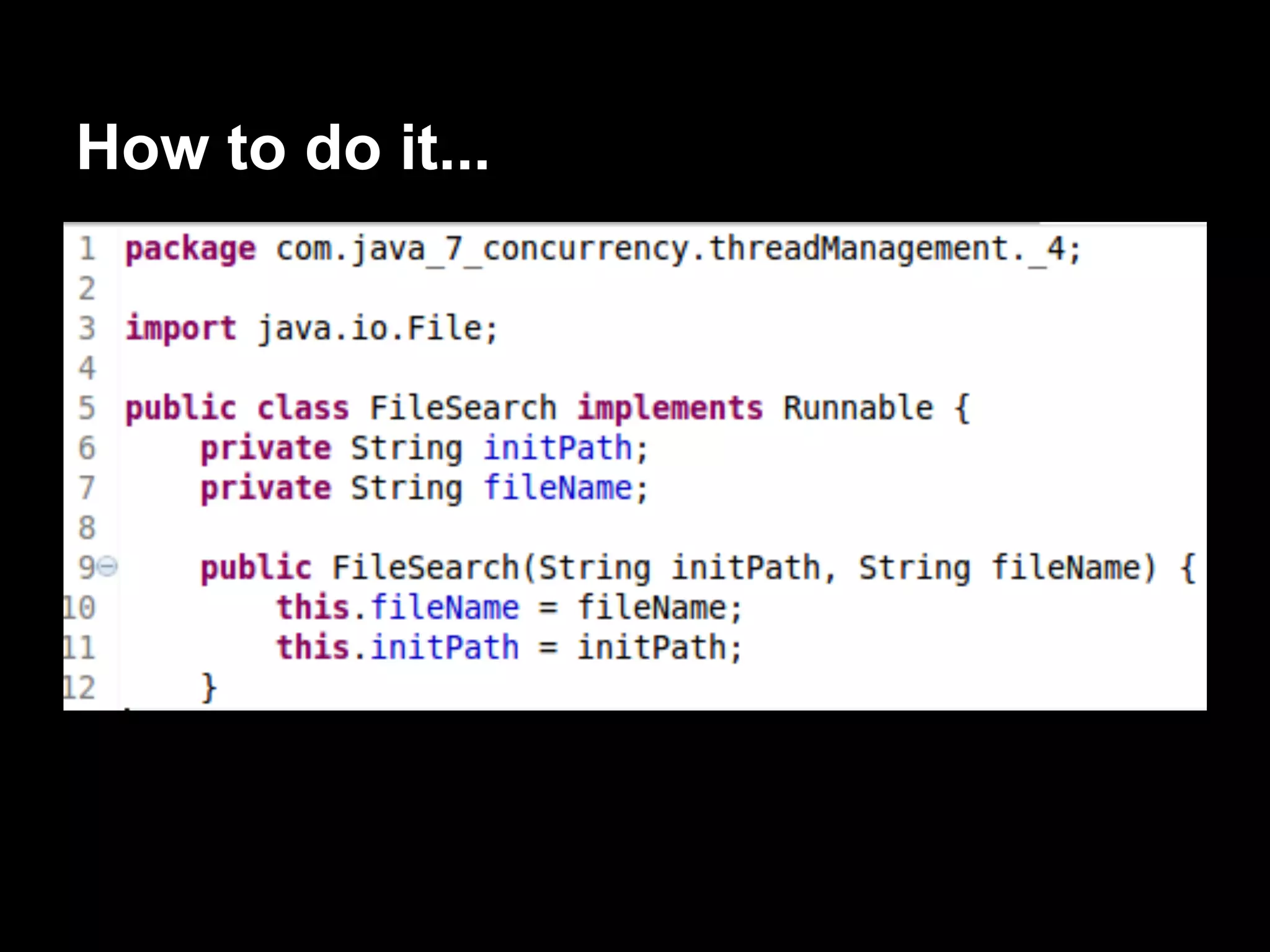
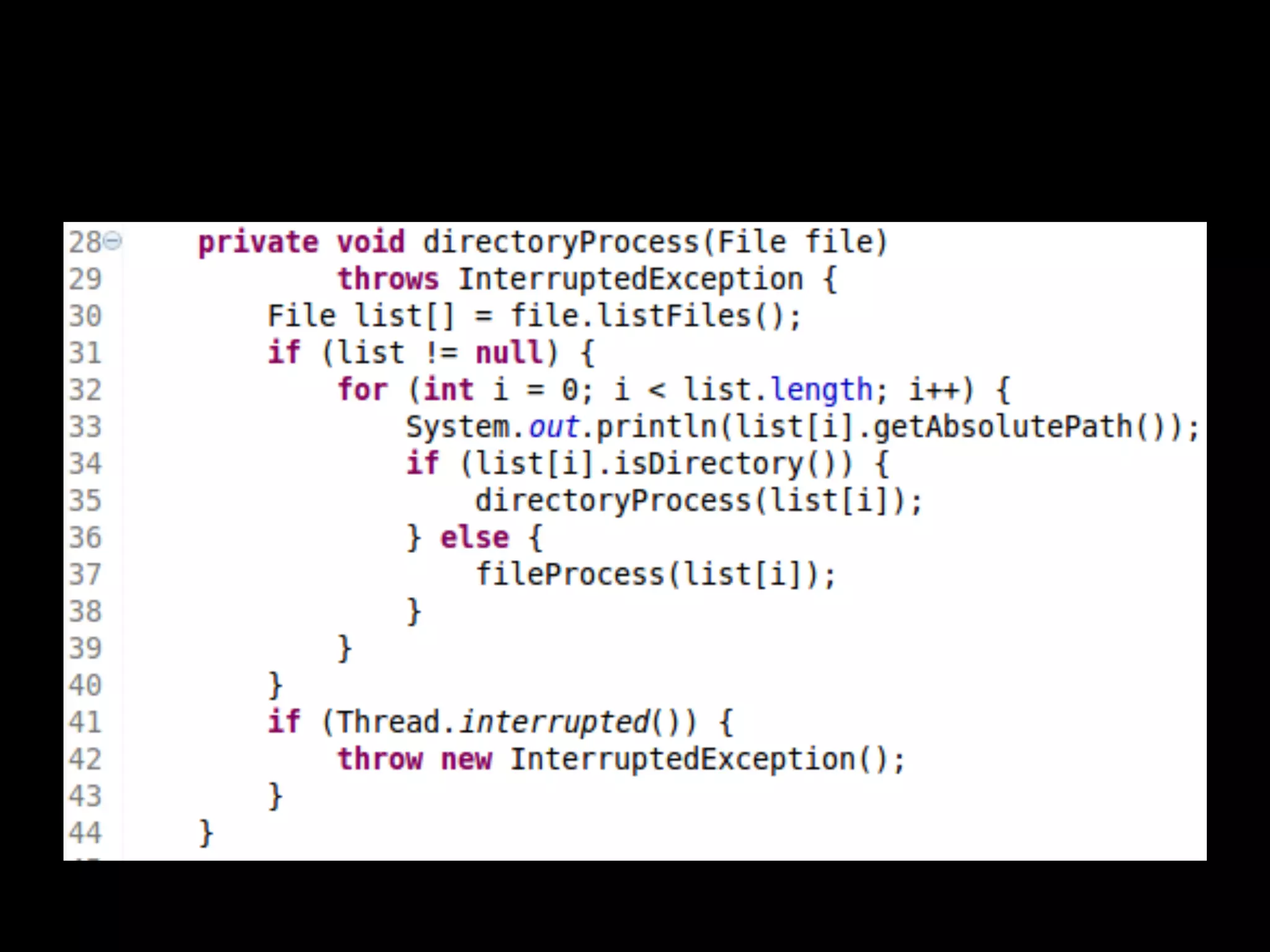
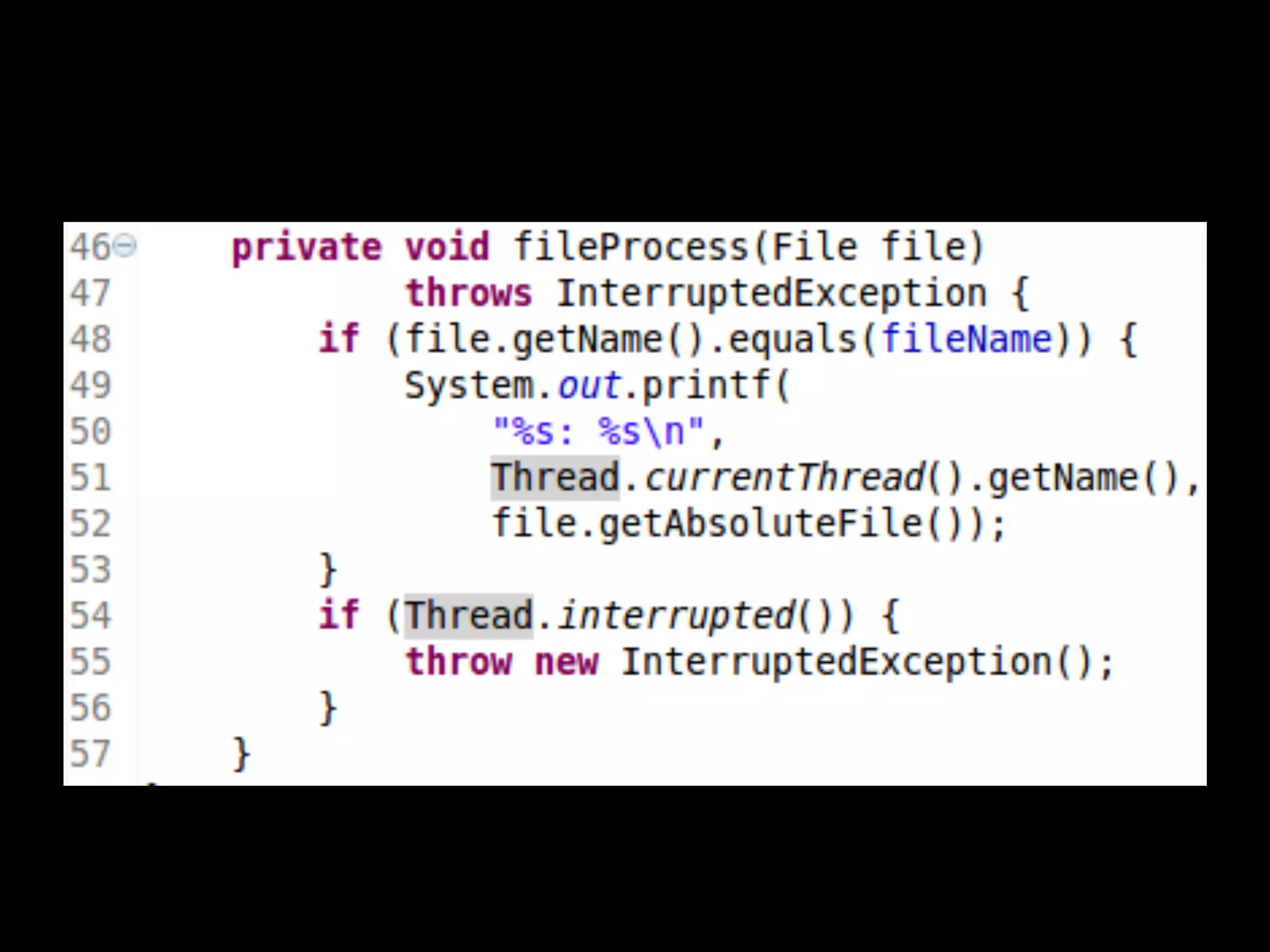
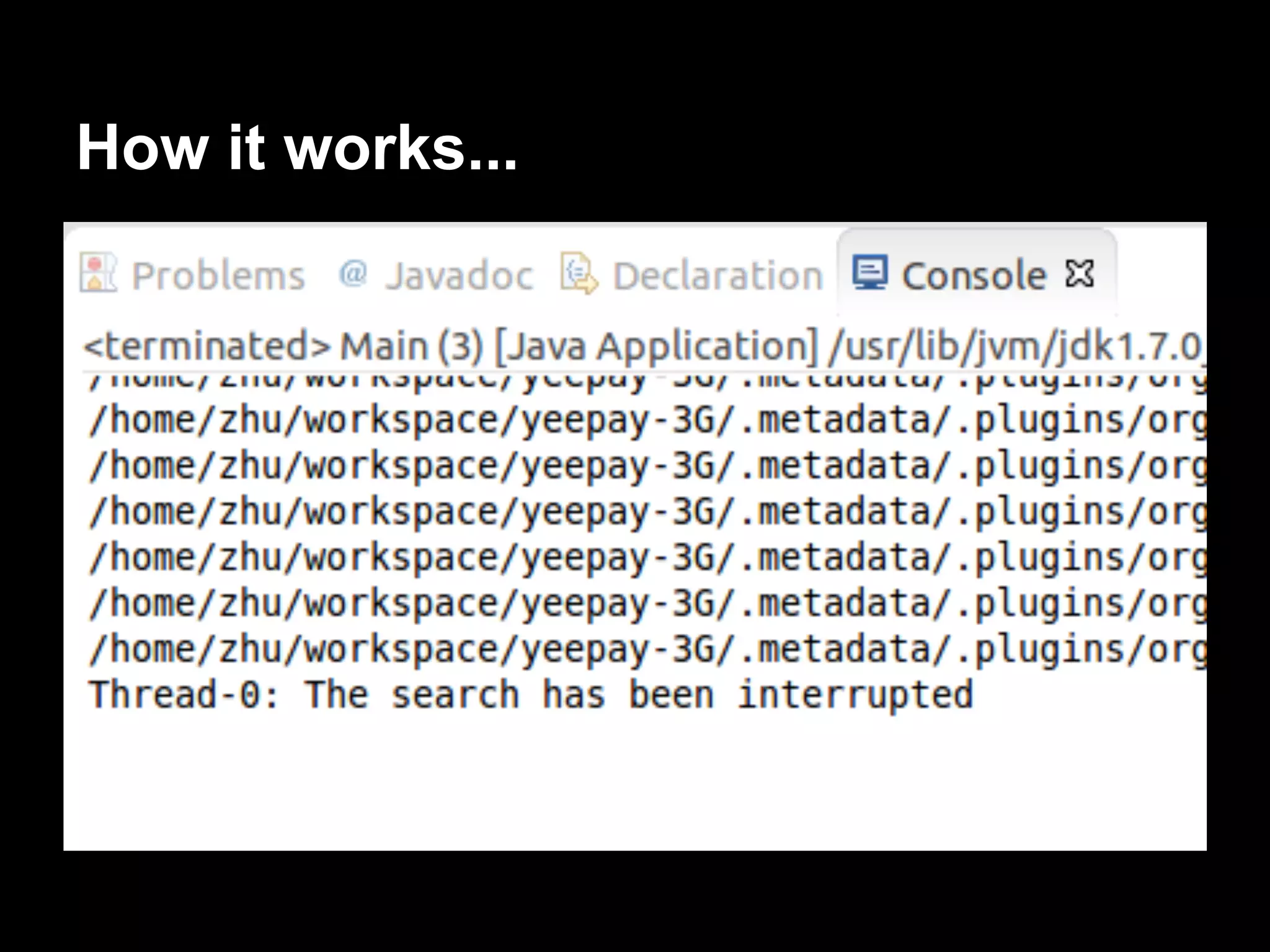
We will implement Thread that looks for files
with a determined name in a
folder and in all its subfolders to show how to
use the InterruptedException exception
to control the interruption of a thread.
How to do it...
How it works...
There’s more...
The InterruptedException exception is
thrown by some Java methods related with the
concurrency API such as sleep()
Sleeping and resuming a thread
A thread in a program checks a sensor state
once per minute. The rest of the time, the
thread does nothing.
● Thread.sleep()
● TimeUnit.SECONDS.sleep()
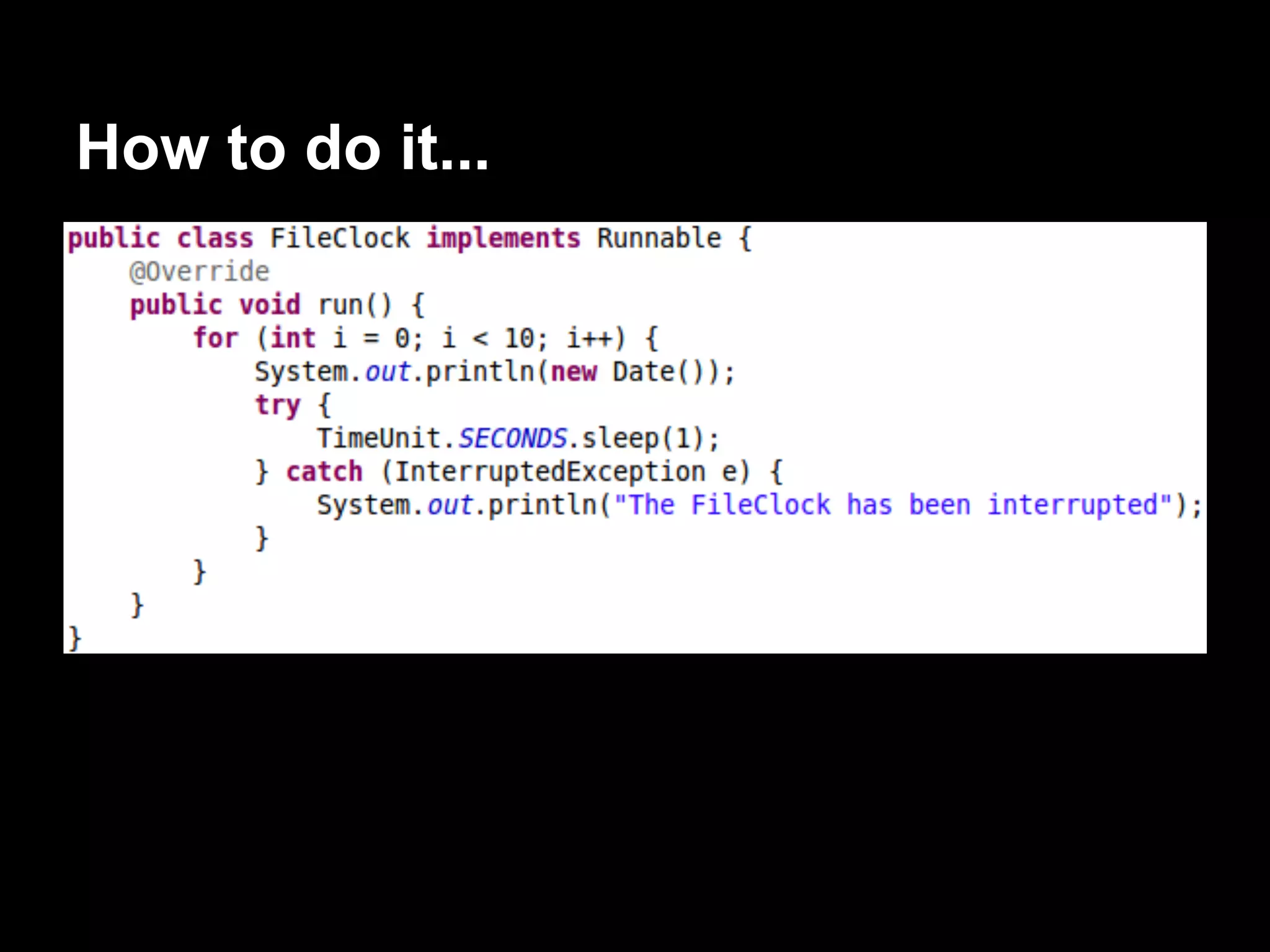
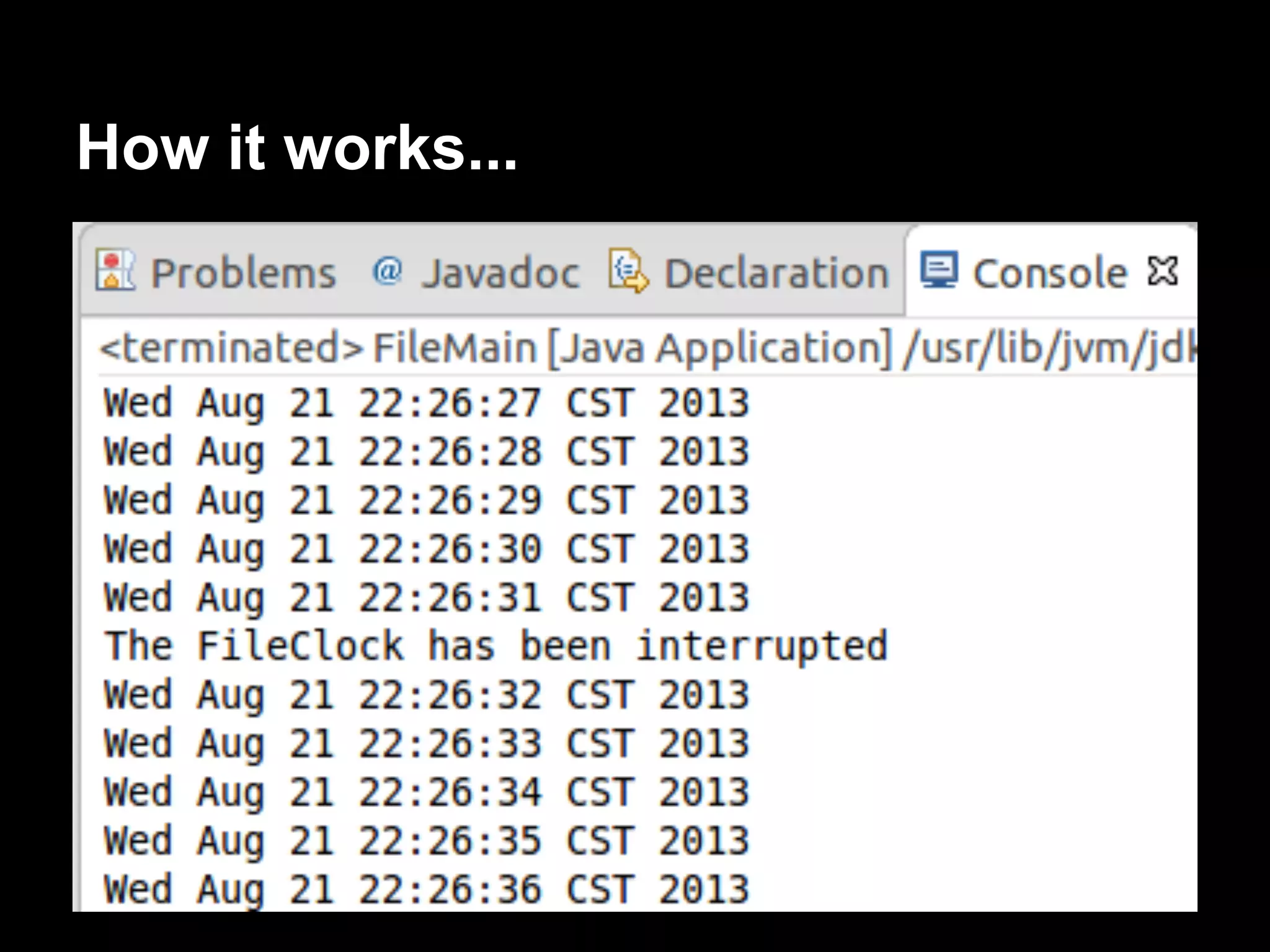
We will develop a program that uses the
sleep() method to write the actual
date every second.
How to do it...
How it works...
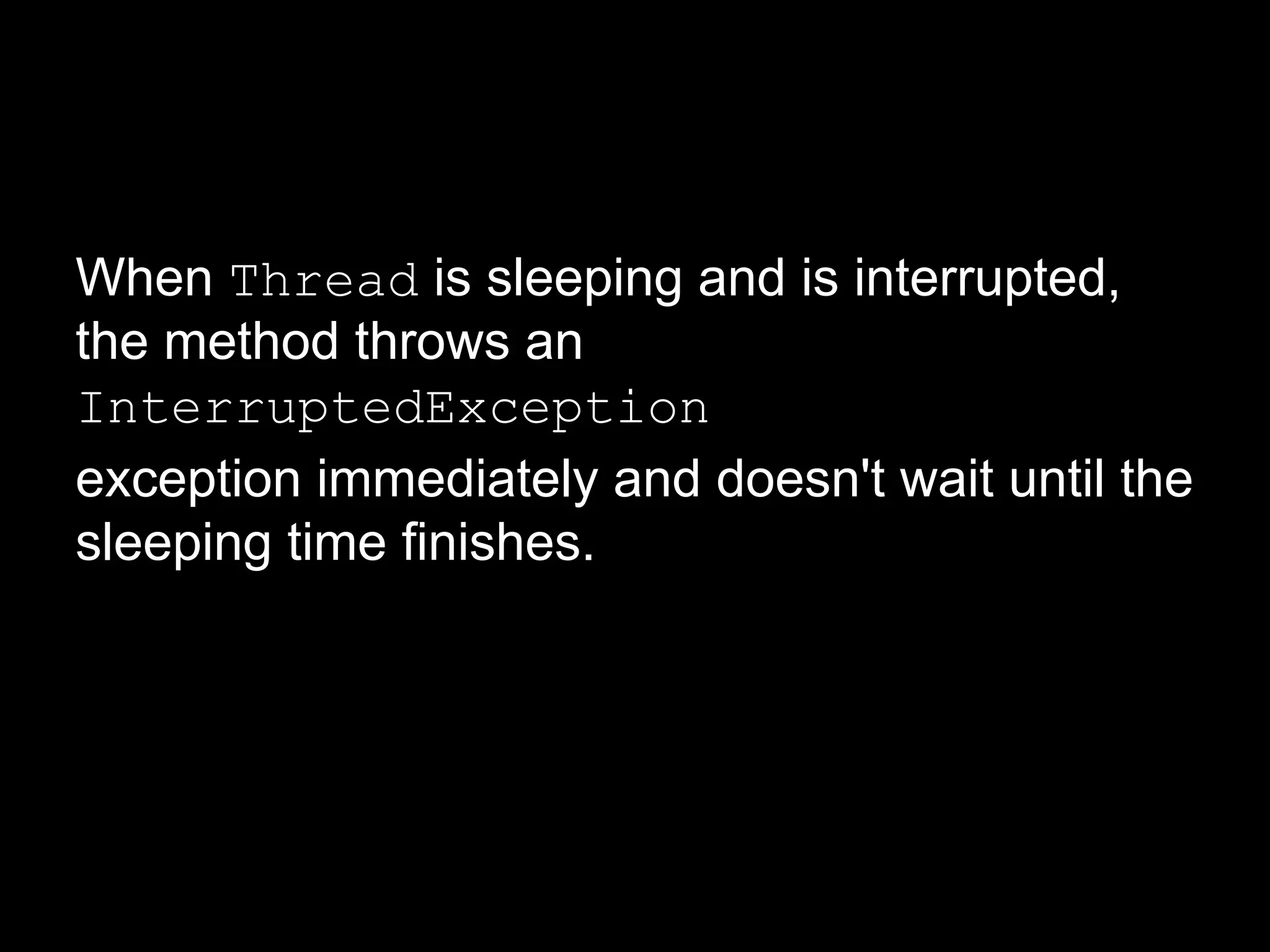
When Thread is sleeping and is interrupted,
the method throws an
InterruptedException
exception immediately and doesn't wait until the
sleeping time finishes.
Waiting for the finalization of a
thread
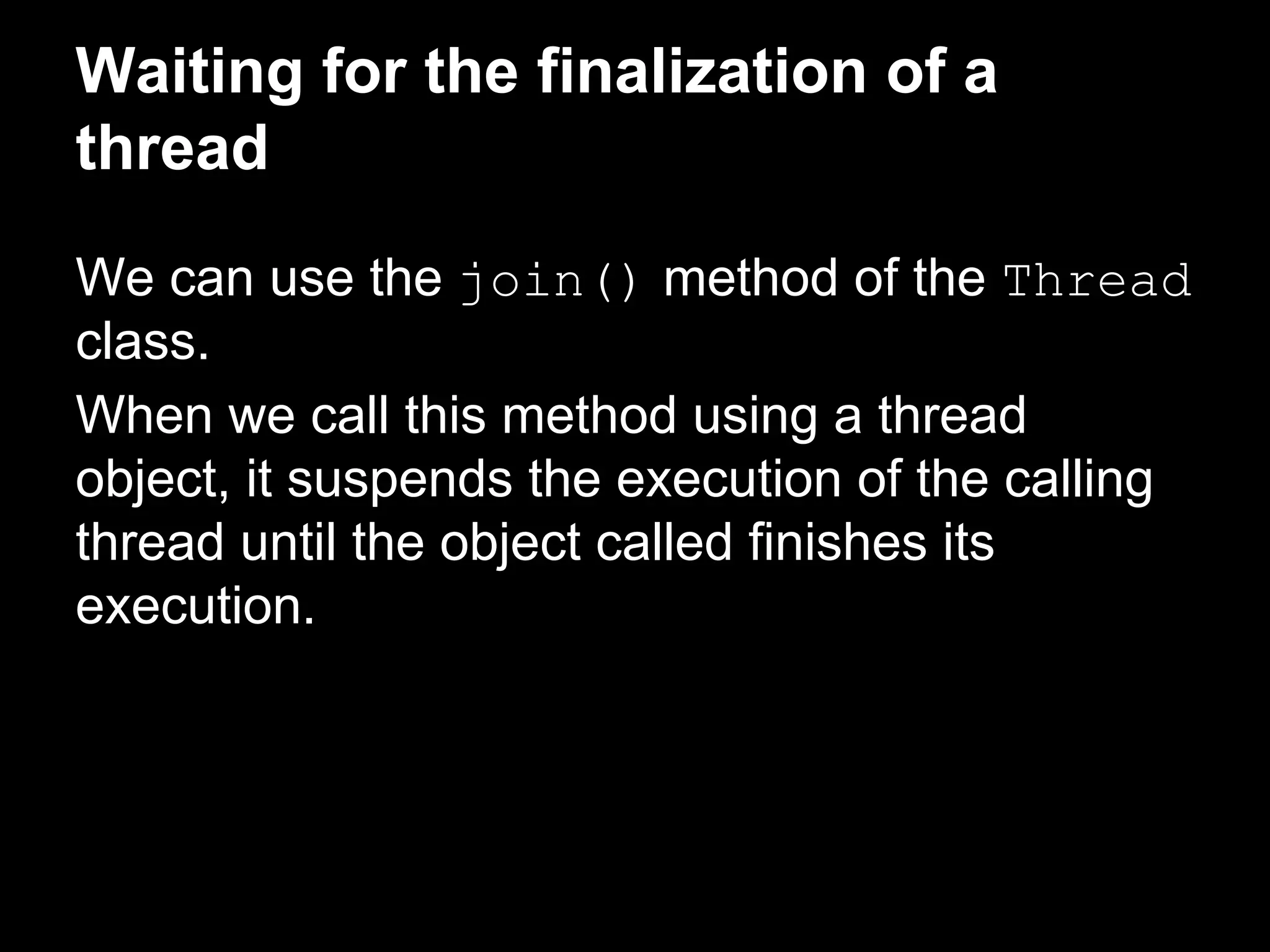
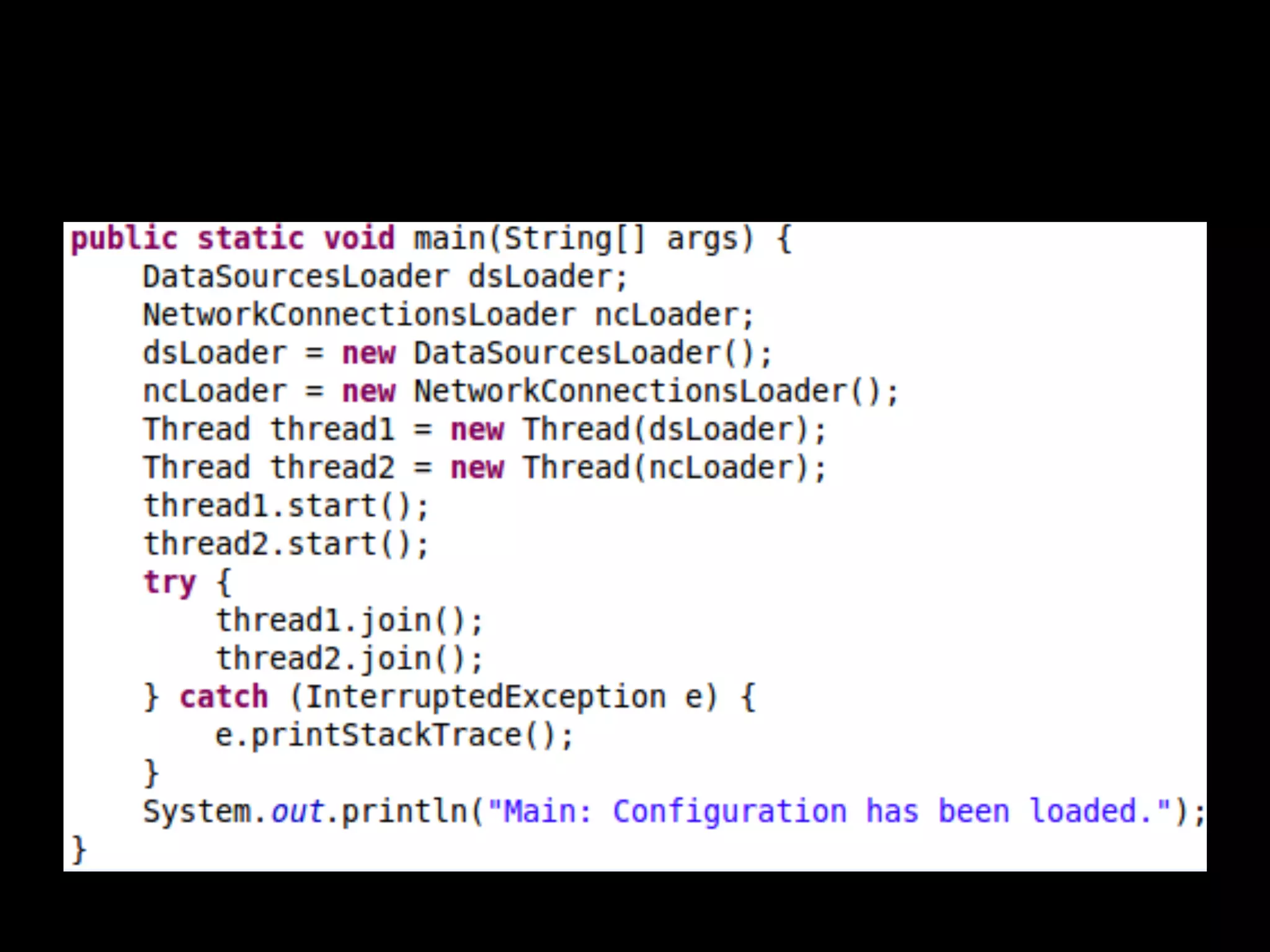
We can use the join() method of the Thread
class.
When we call this method using a thread
object, it suspends the execution of the calling
thread until the object called finishes its
execution.
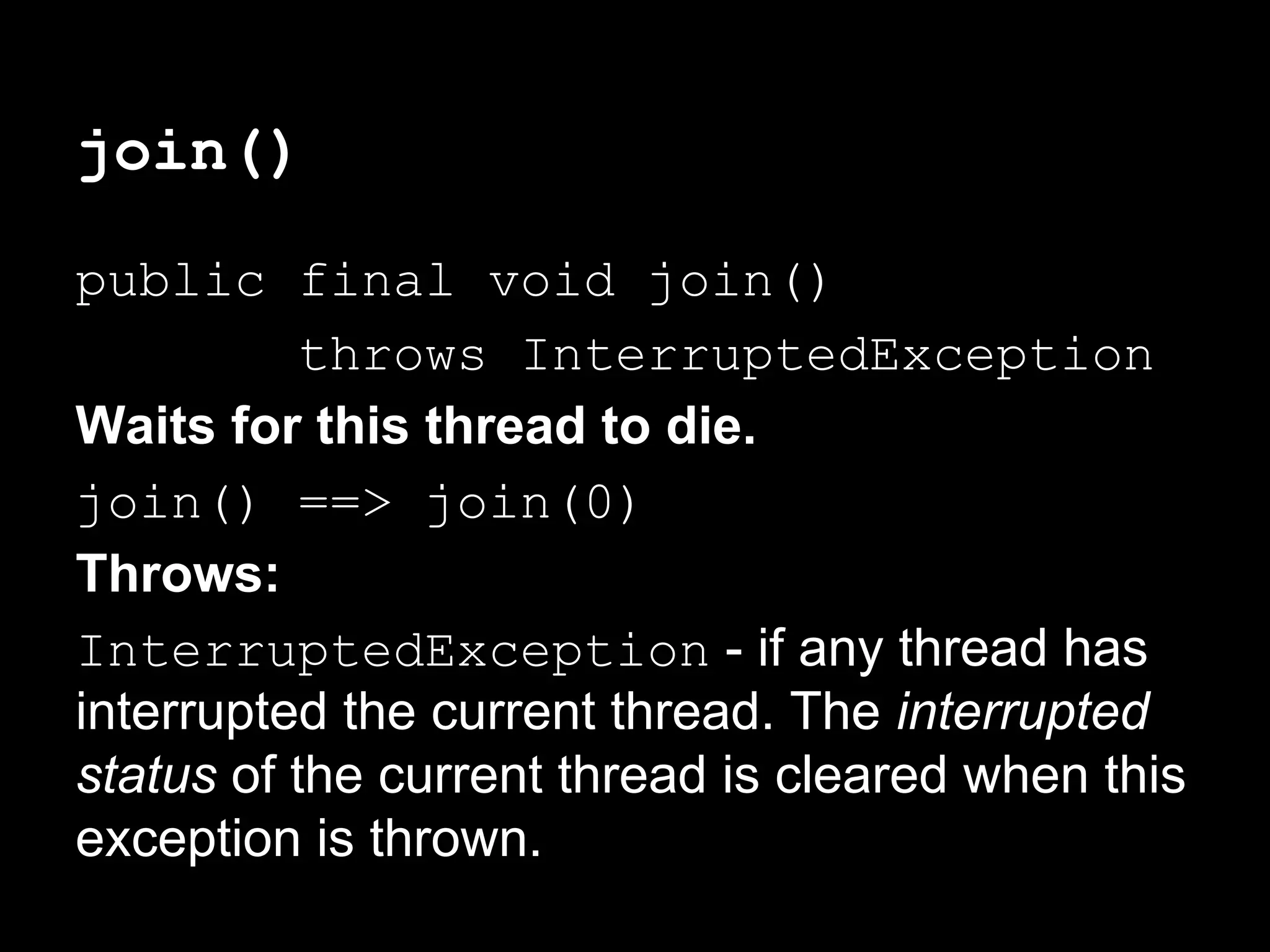
join()
public final void join()
throws InterruptedException
Waits for this thread to die.
join() ==> join(0)
Throws:
InterruptedException - if any thread has
interrupted the current thread. The interrupted
status of the current thread is cleared when this
exception is thrown.
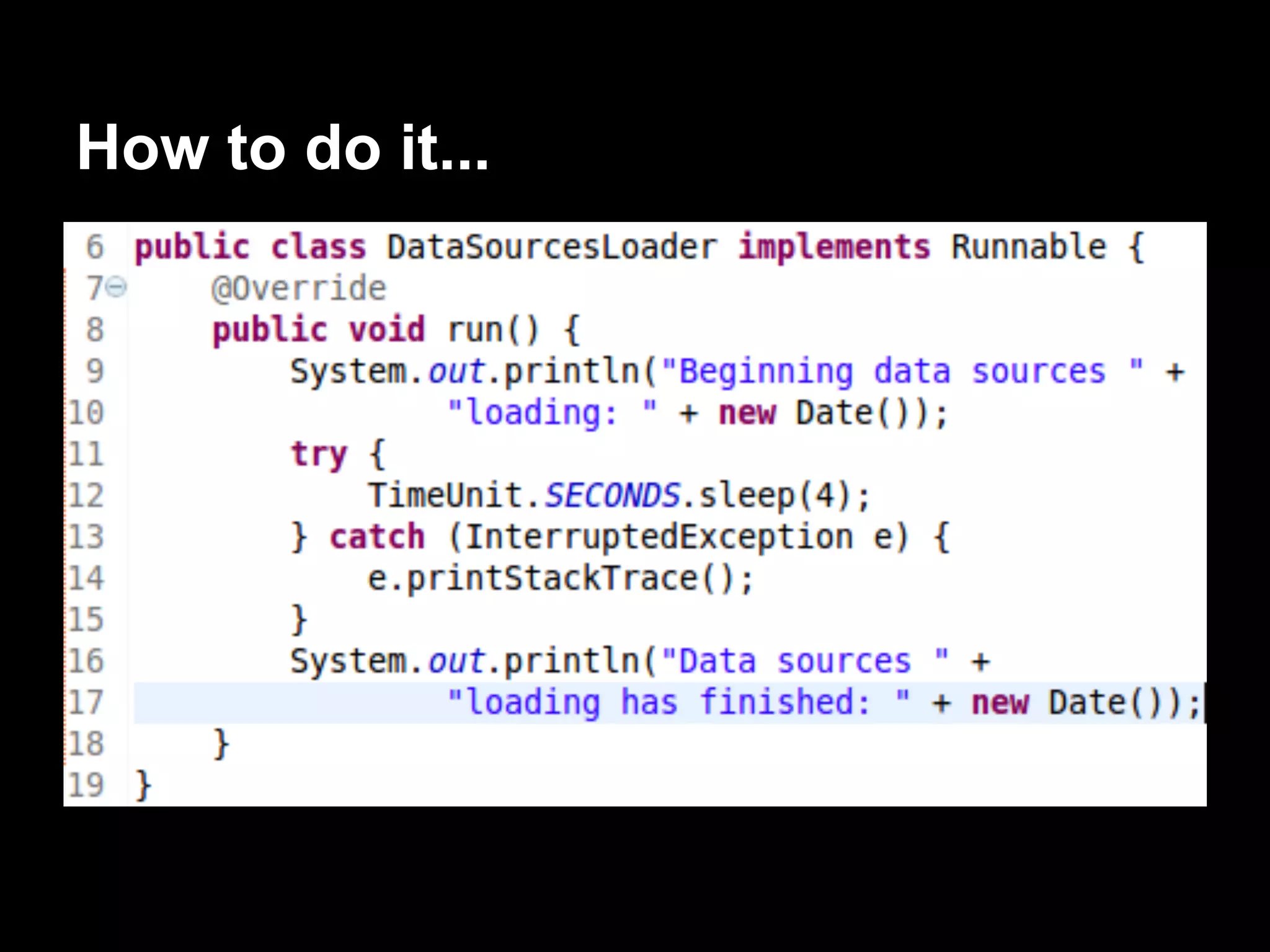
How to do it...
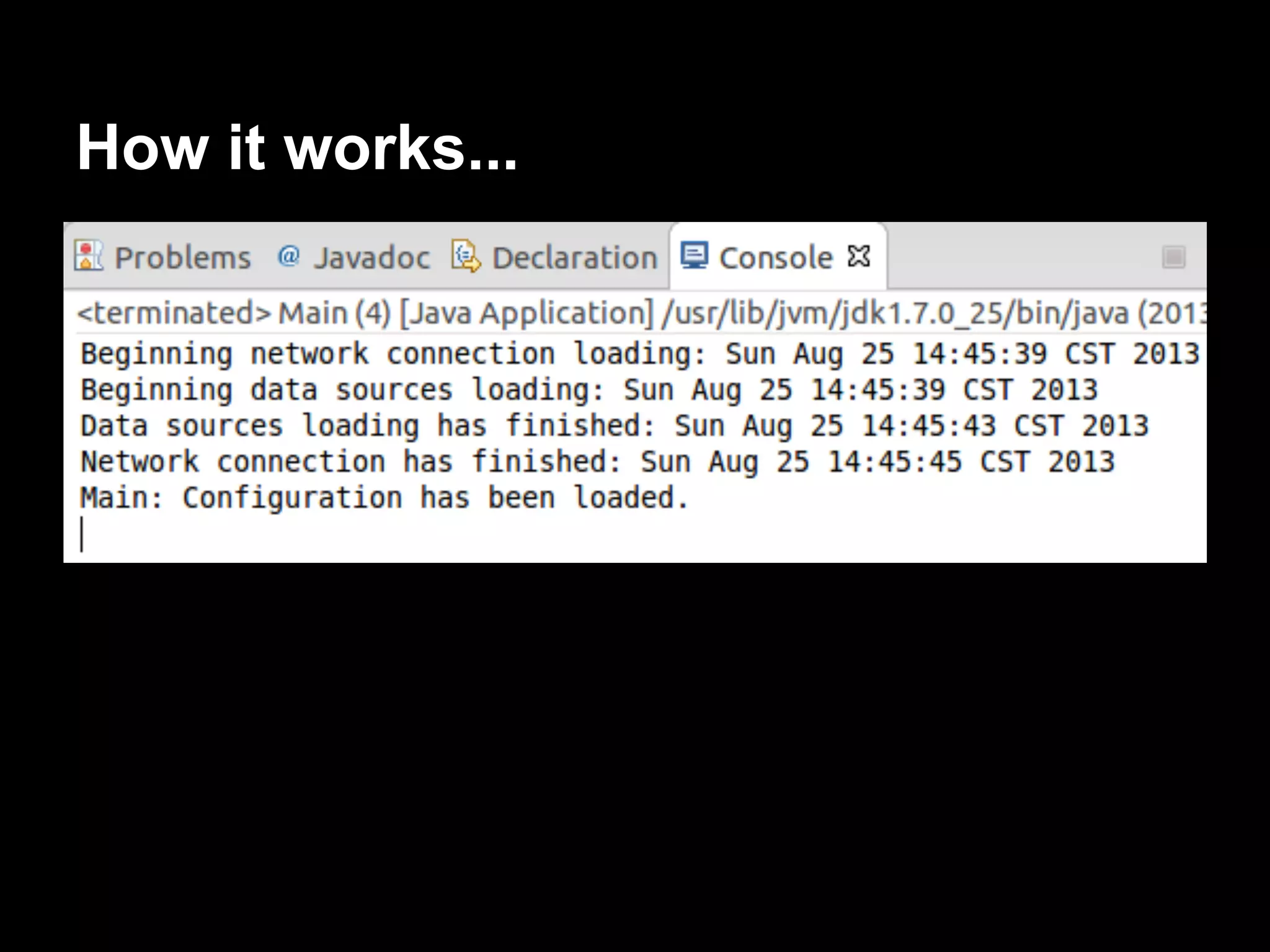
How it works...
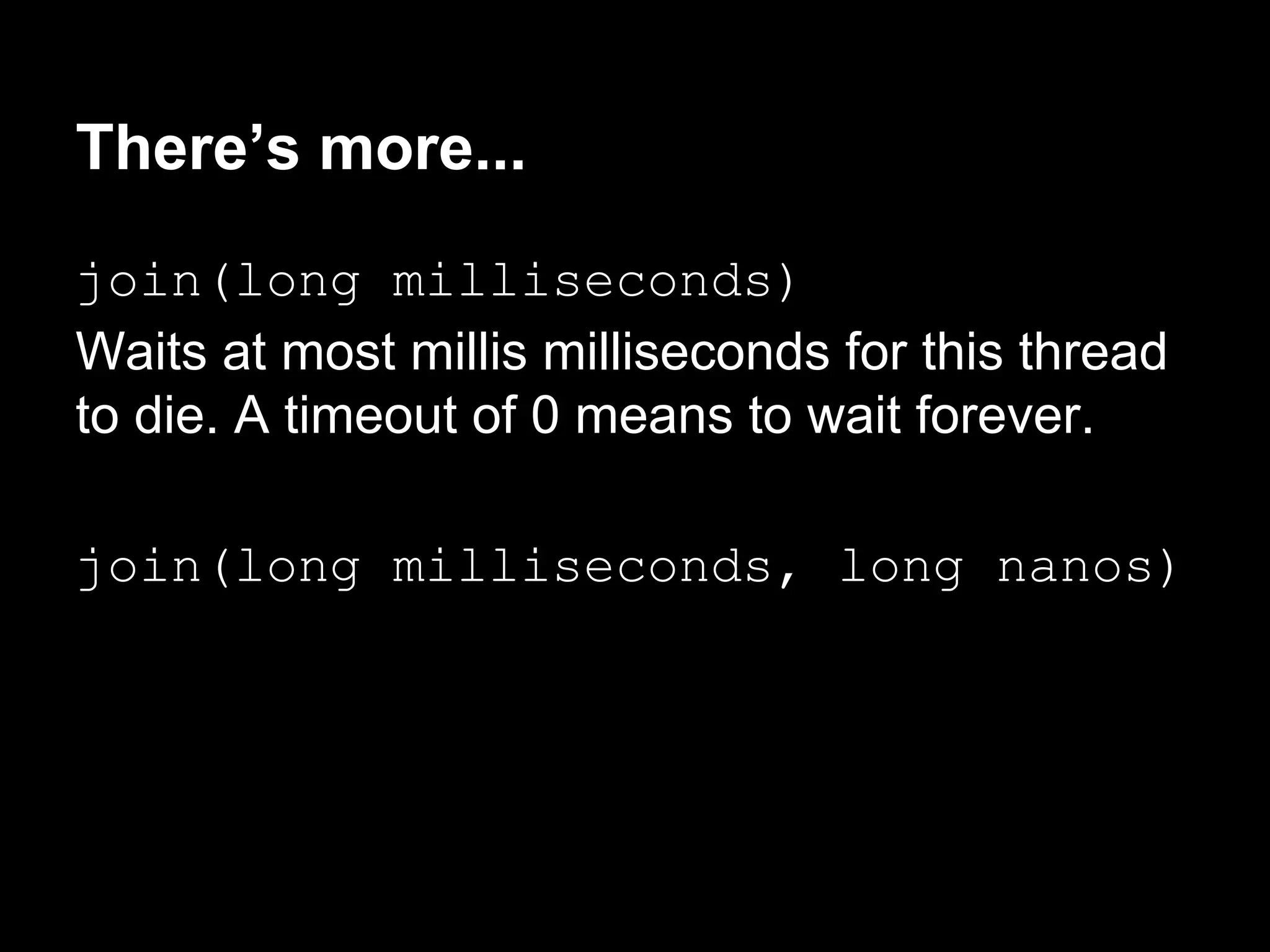
There’s more...
join(long milliseconds)
Waits at most millis milliseconds for this thread
to die. A timeout of 0 means to wait forever.
join(long milliseconds, long nanos)
If the object thread1 has the code, thread1.
join(1000), the thread2 suspends its
execution until one of these two conditions is
true:
● thread1 finishes its execution
● 1000 milliseconds have been passed
When one of these two conditions is true, the
join() method returns.
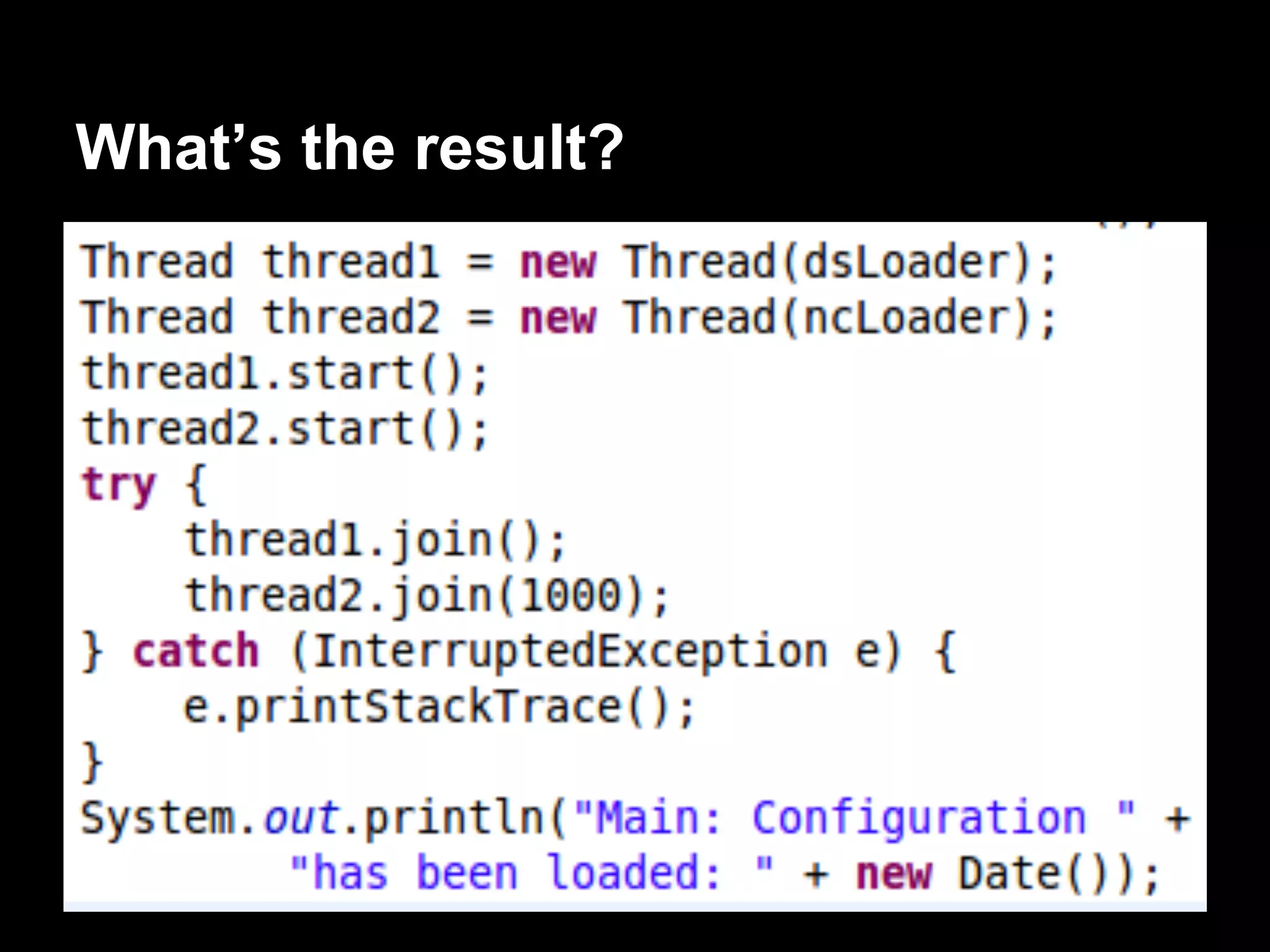
What’s the result?
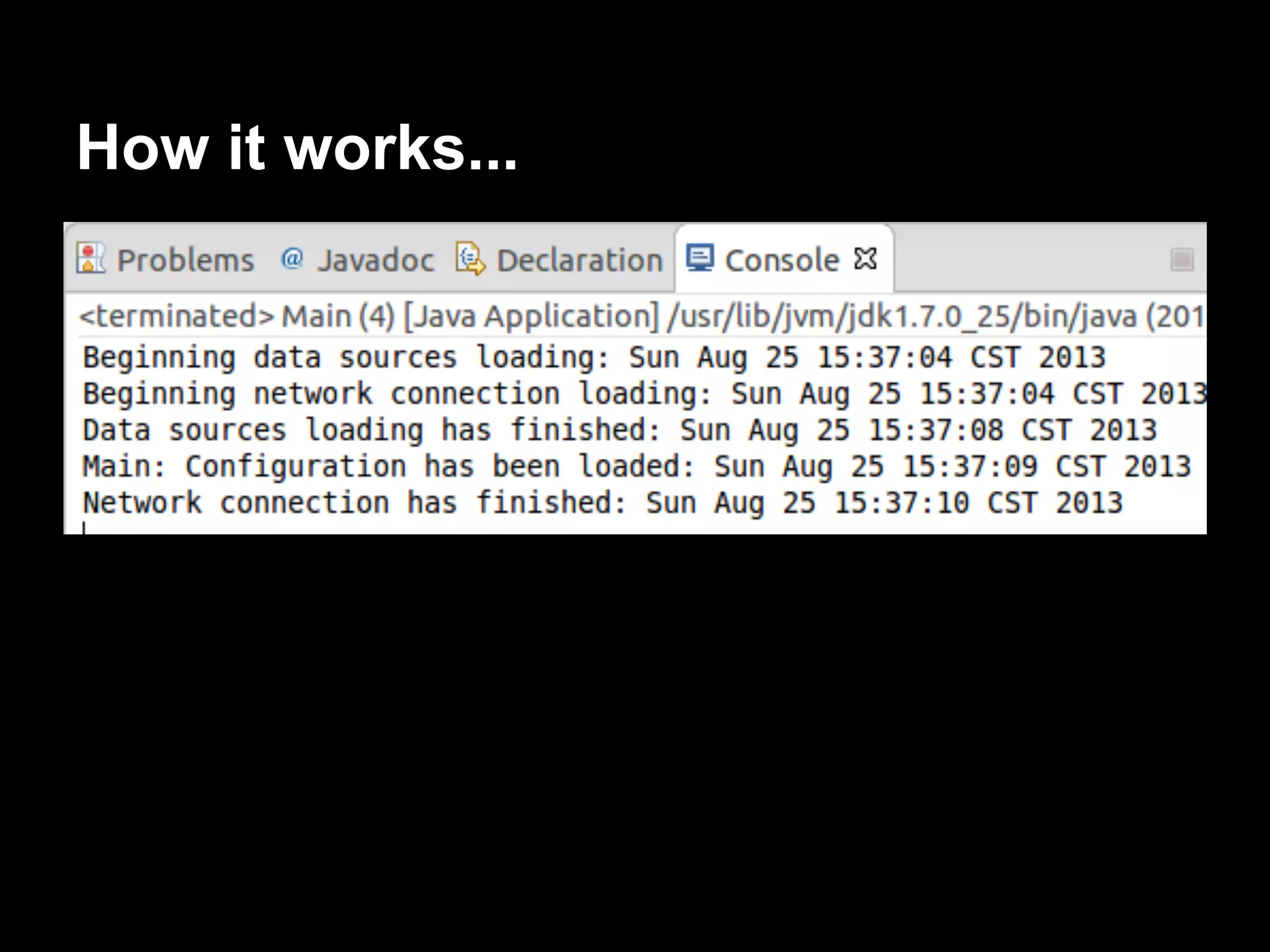
How it works...
Creating and running a daemon
thread
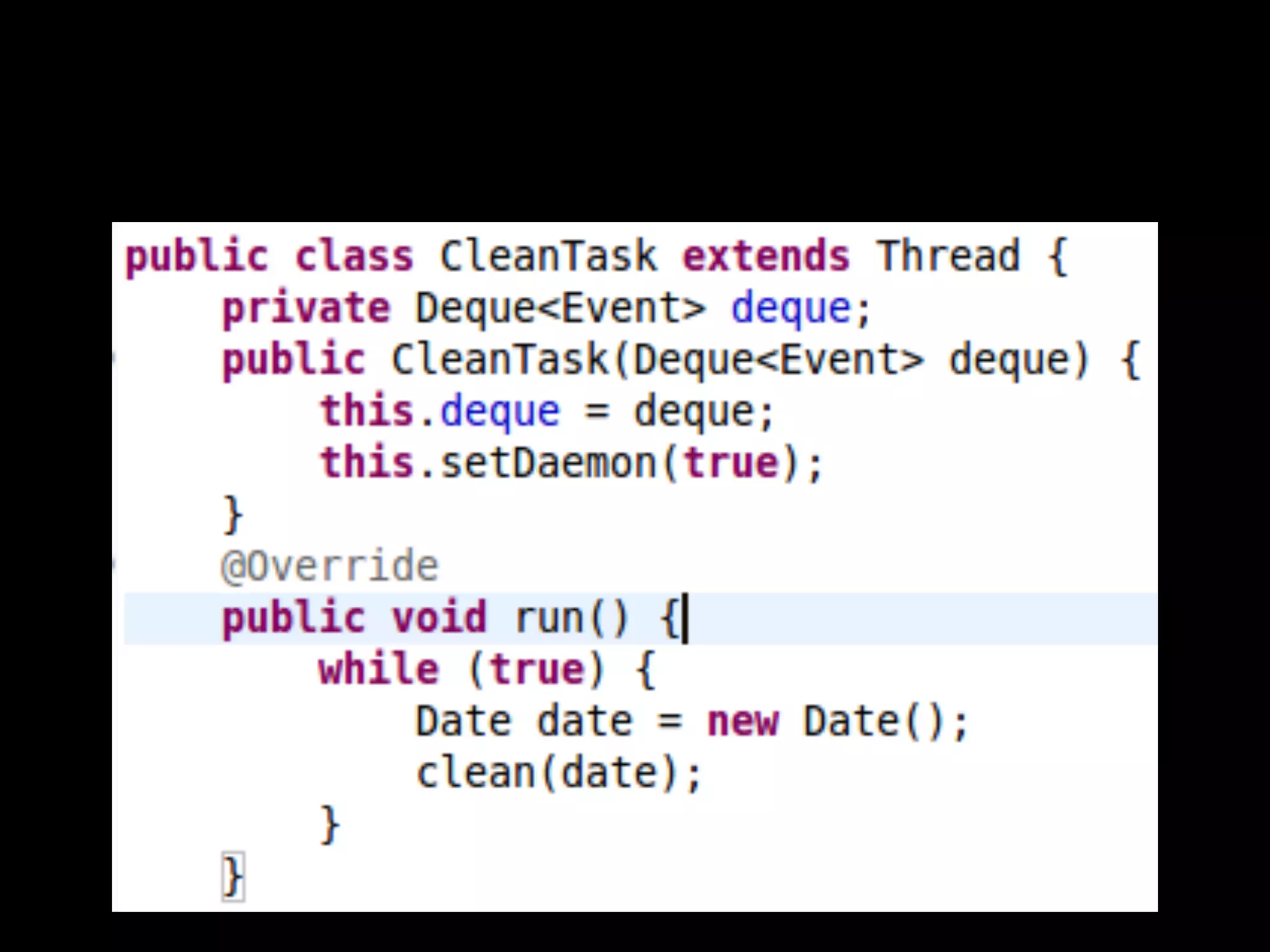
Java has a special kind of thread called
daemon thread.
What is daemon thread?
Daemon thread
● Very low priority.
● Only executes when no other thread of the
same program is running.
● JVM ends the program finishing these
threads, when daemon threads are the only
threads running in a program.
What does daemon thread used for...
Normally used as service providers for normal
threads.
Usually have an infinite loop that waits for the
service request or performs the tasks of the
thread.
They can’t do important jobs.
Example: The java garbage collector.
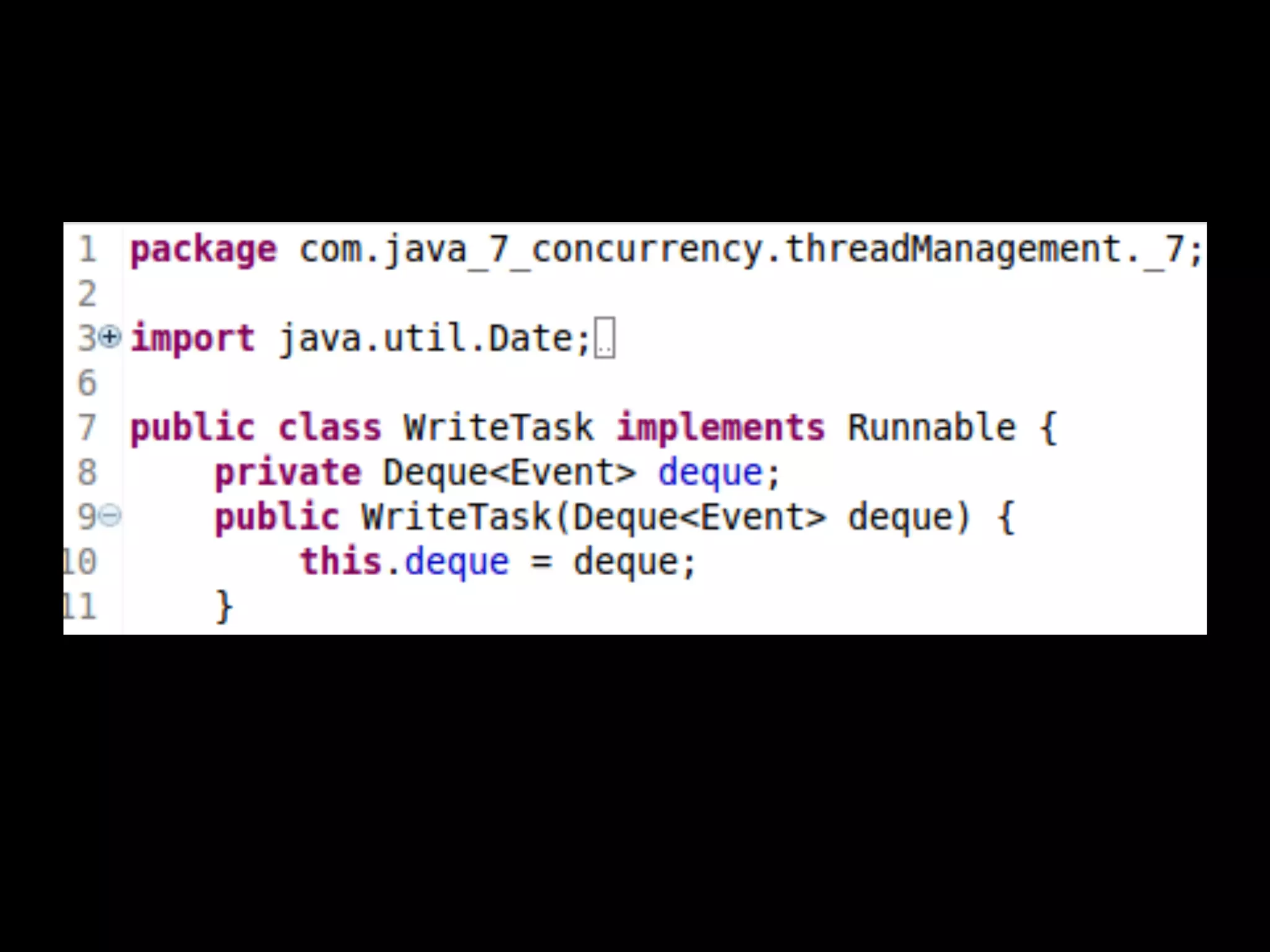
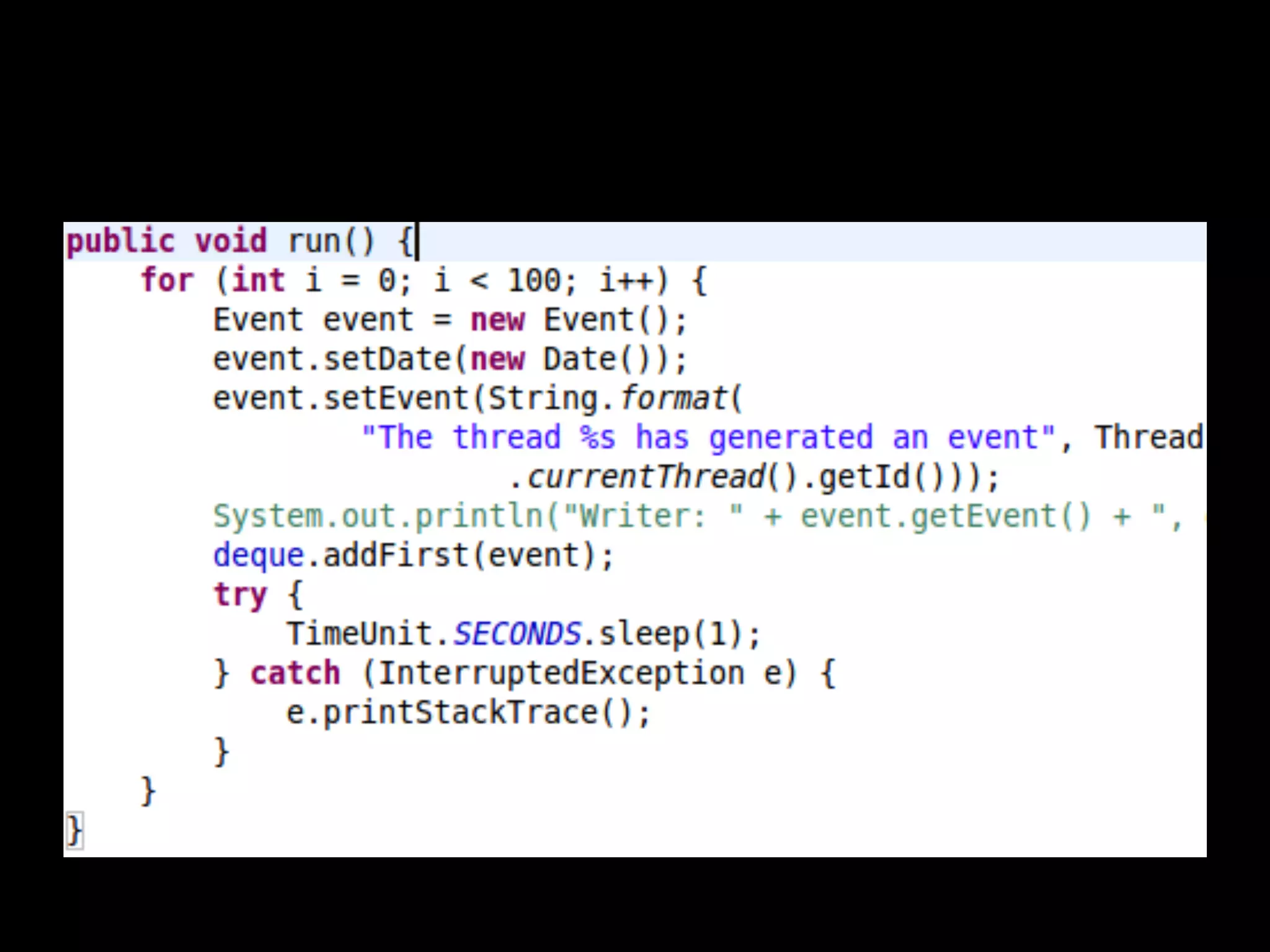
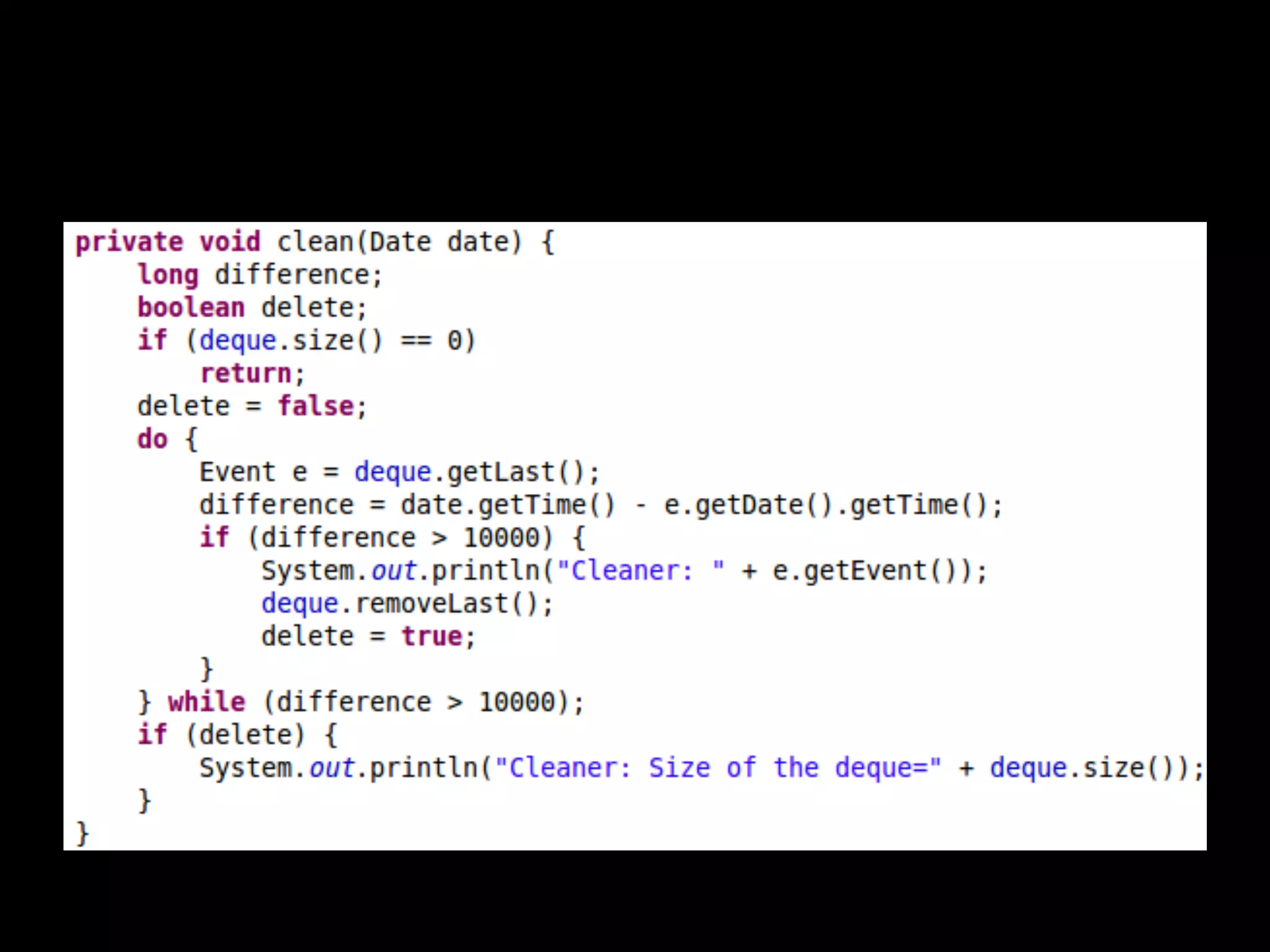
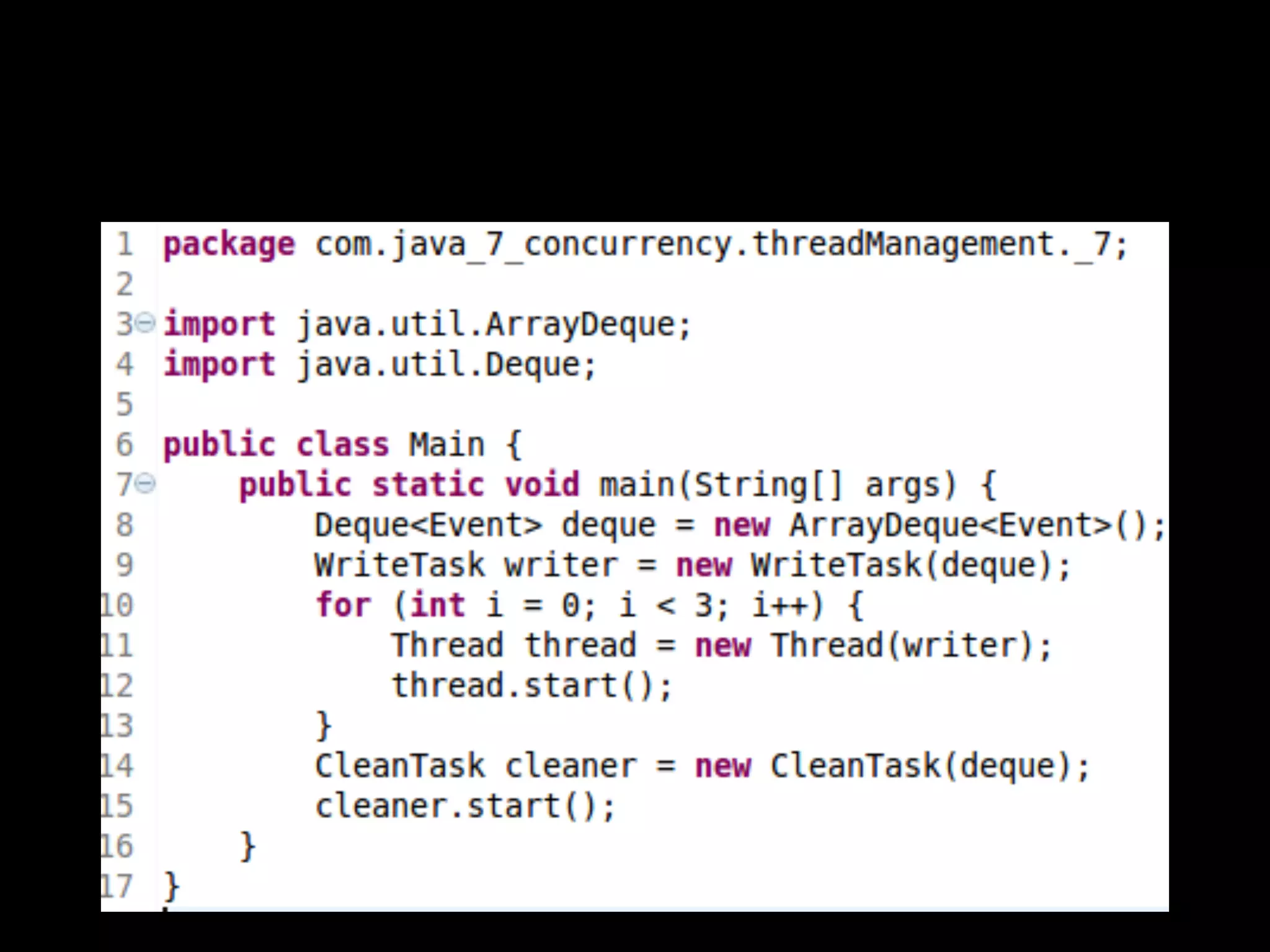
Developing an example with two threads:
● One user thread that writes events on a
queue.
● One daemon thread that cleans the queue,
removing the events which were generated
more than 10 seconds age.
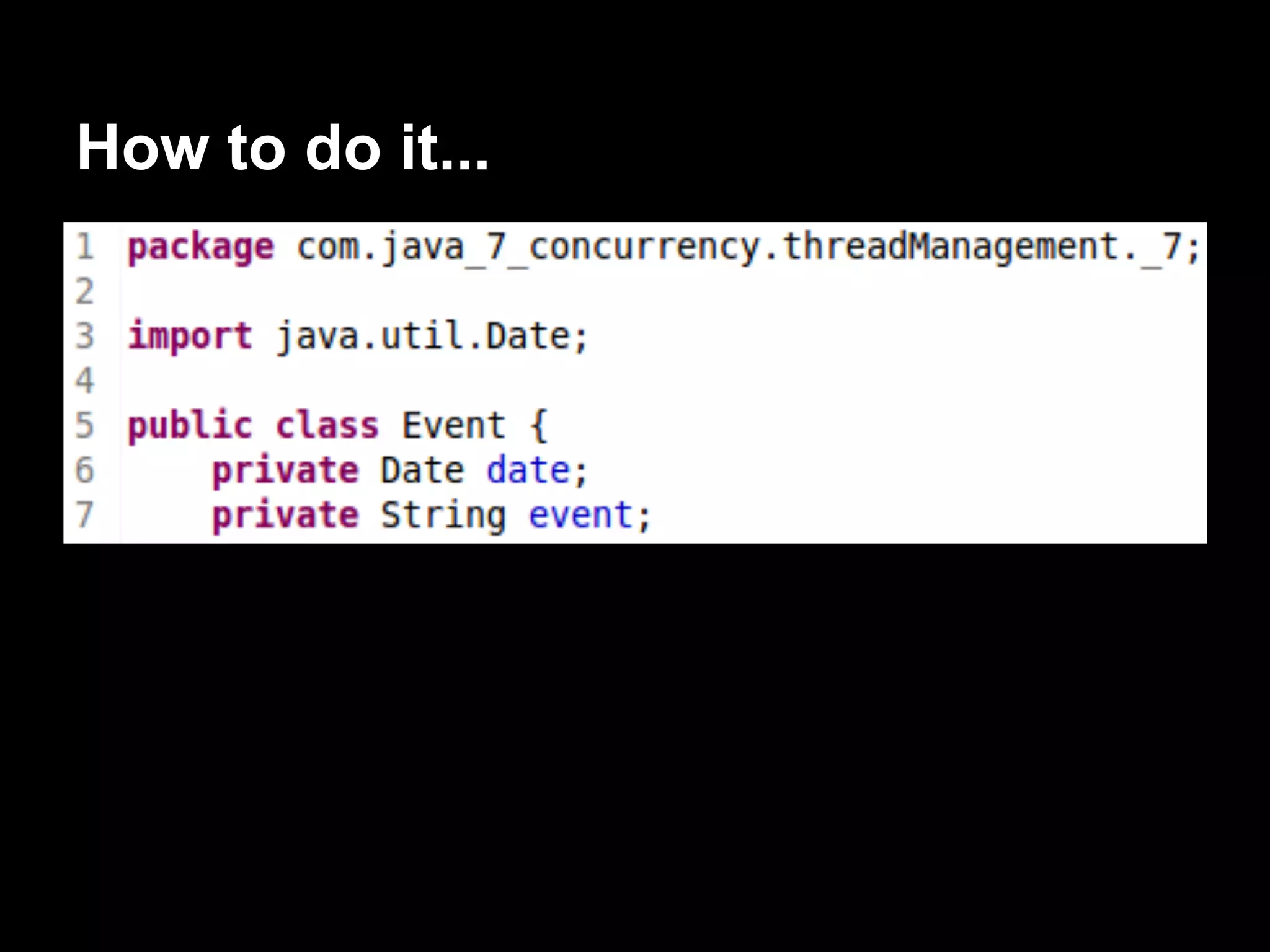
How to do it...
How it works...
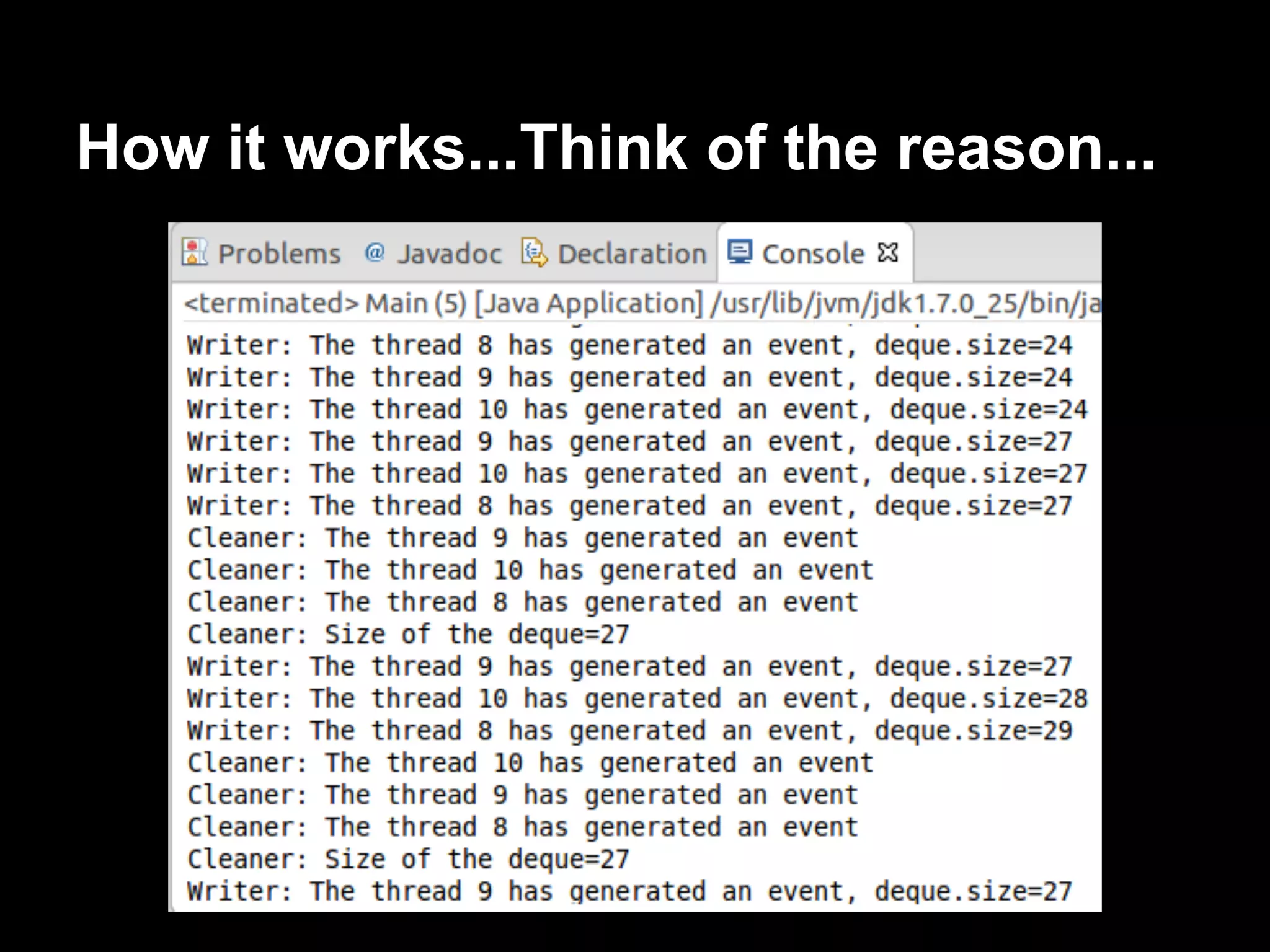
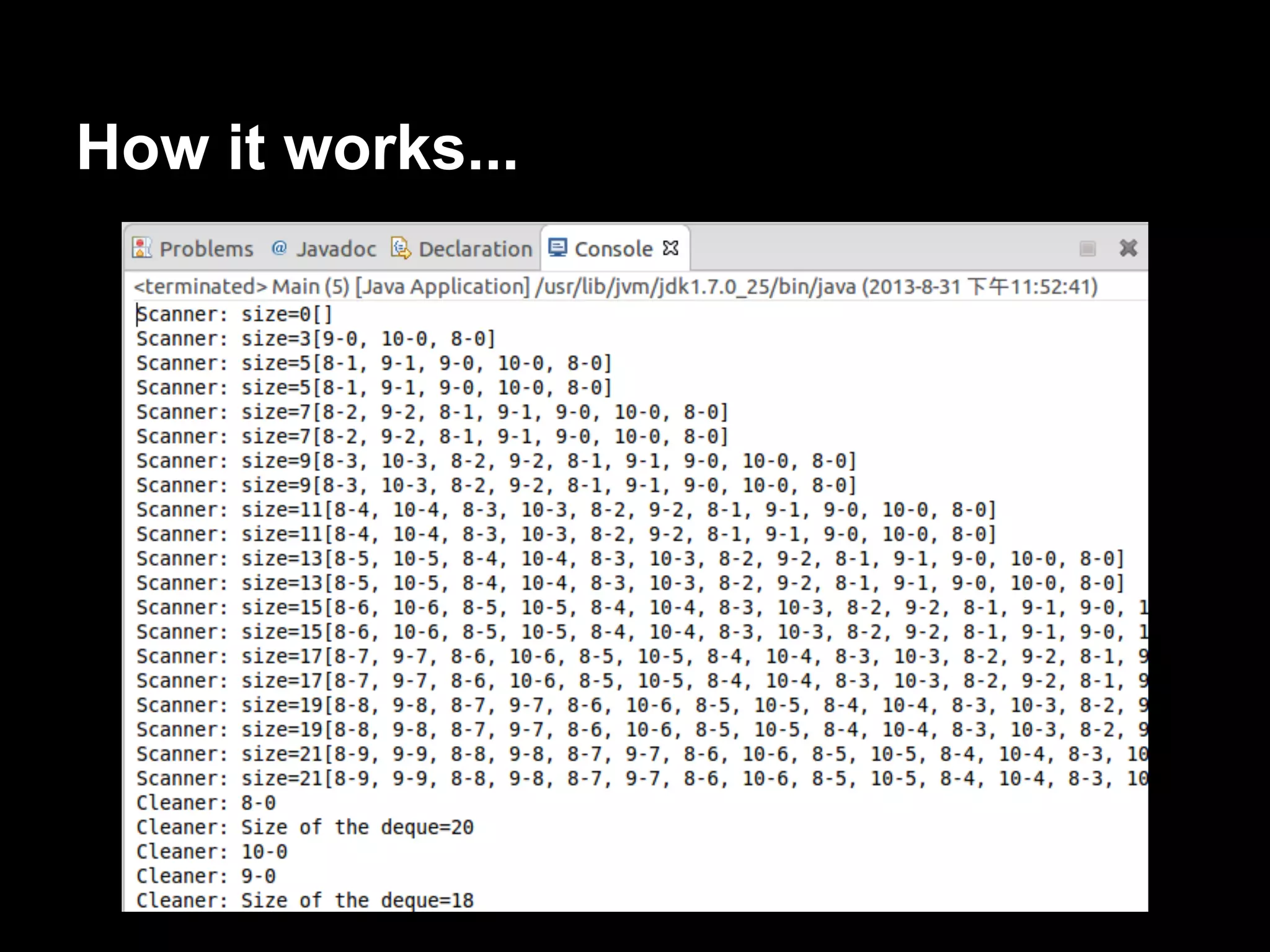
If you analyze the output of one execution of
the program, you can see how the queue
begins
to grow until it has 30 events and then, its size
will vary between 27 and 30 events until the
end of the execution.
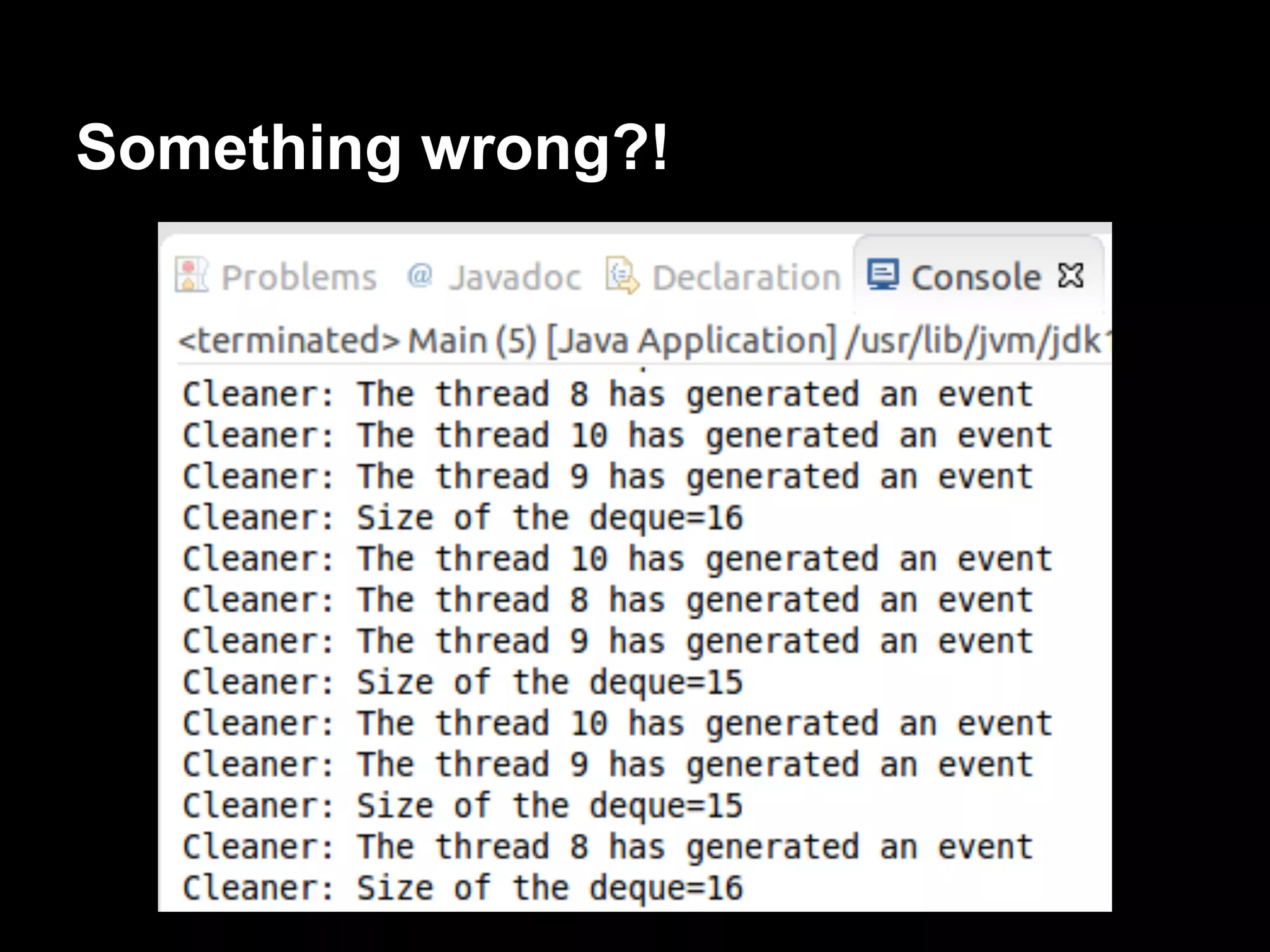
Something wrong?!
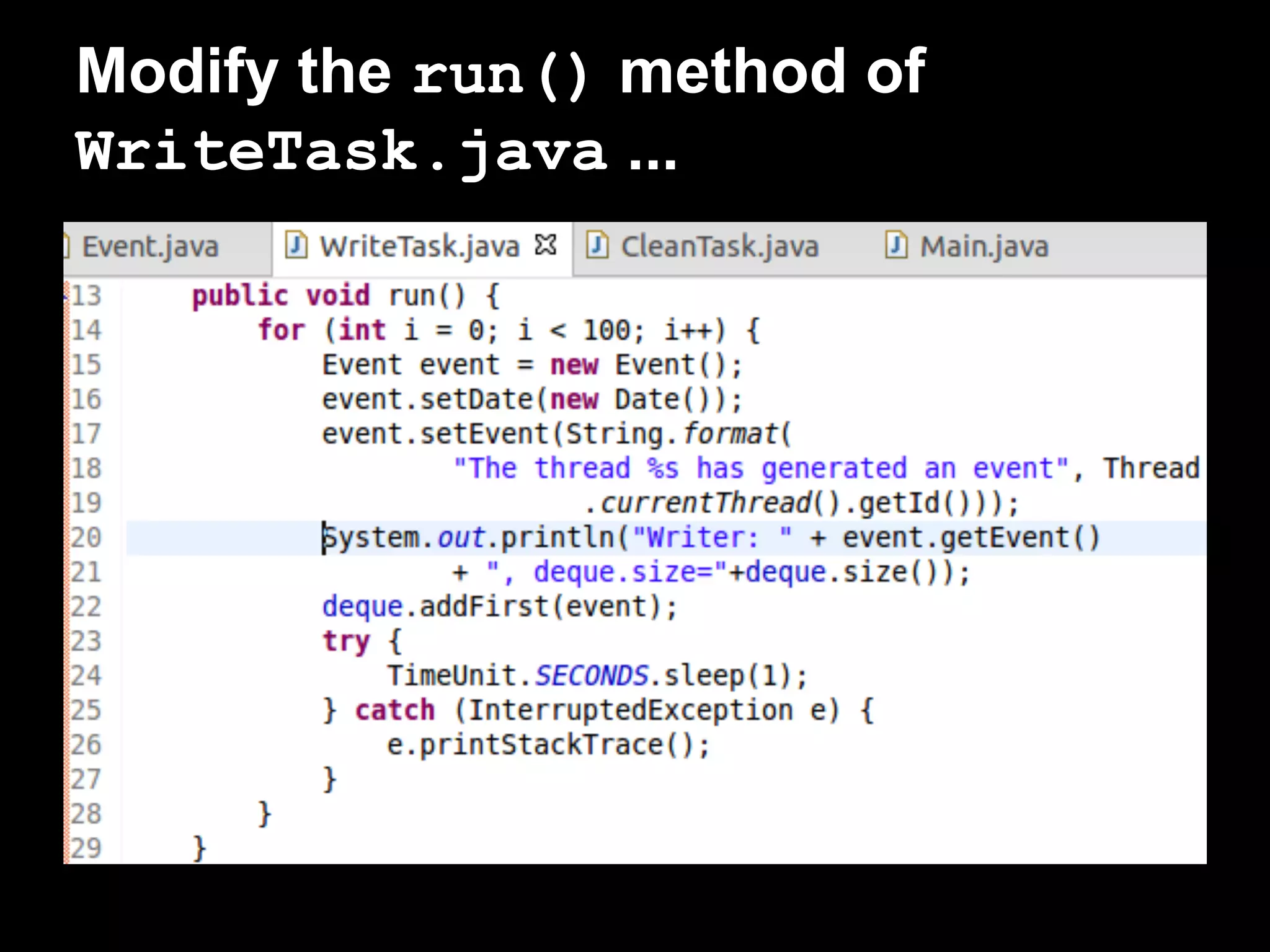
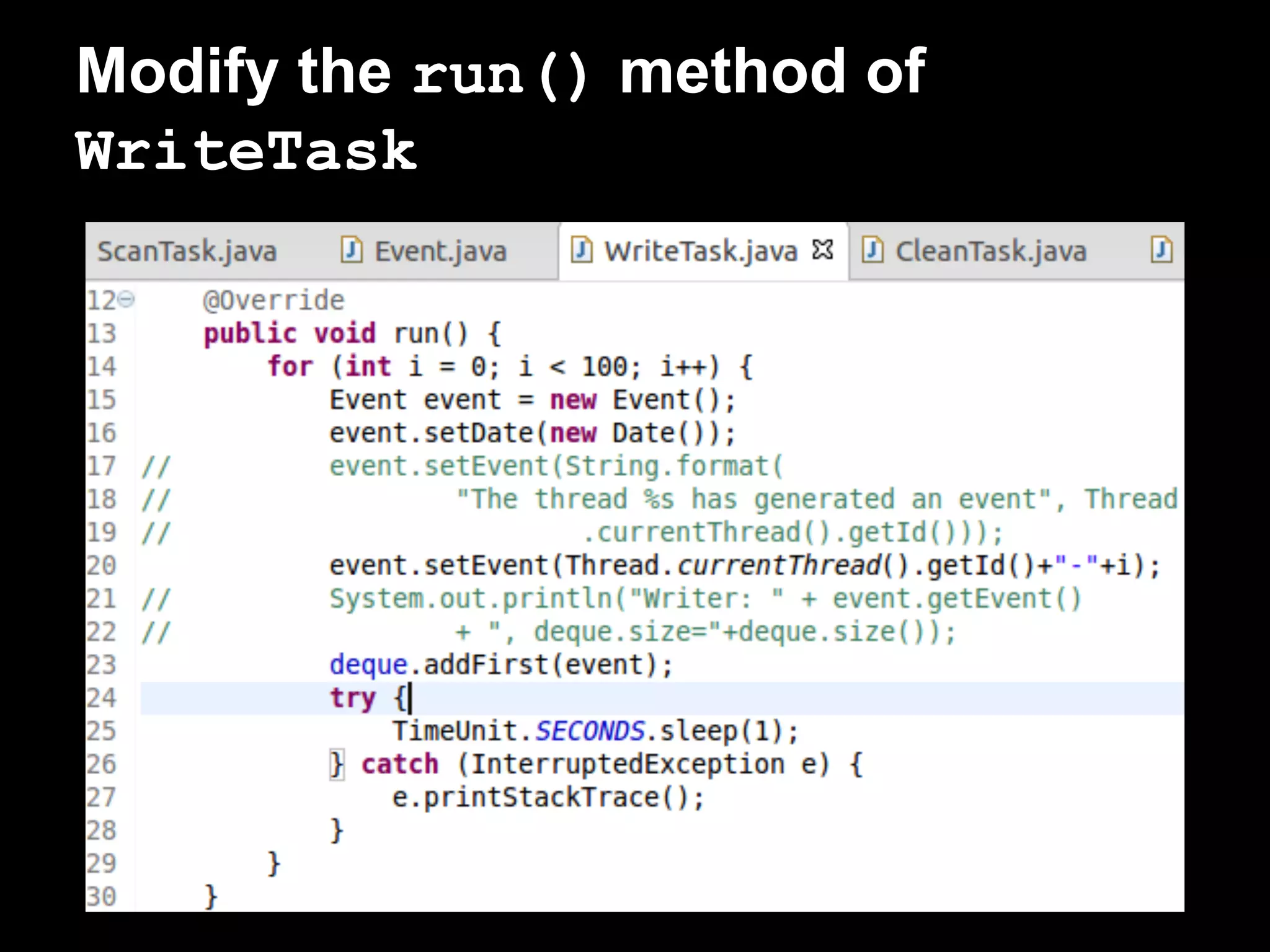
Modify the run() method of
WriteTask.java ...
How it works...Think of the reason...
How to find out the reason...
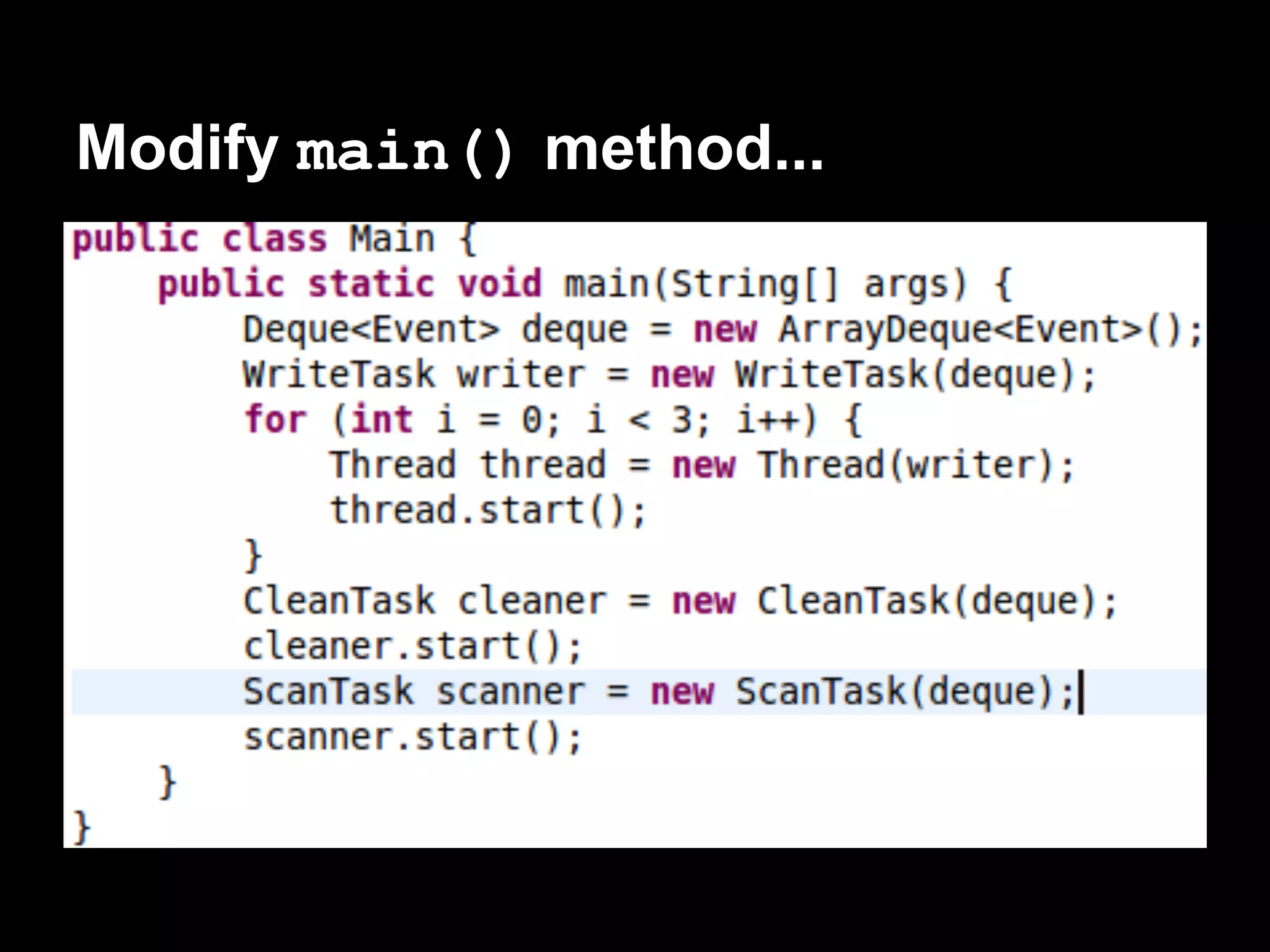
● Modify the run() method of WriteTask,
make it easy to distinguish each element.
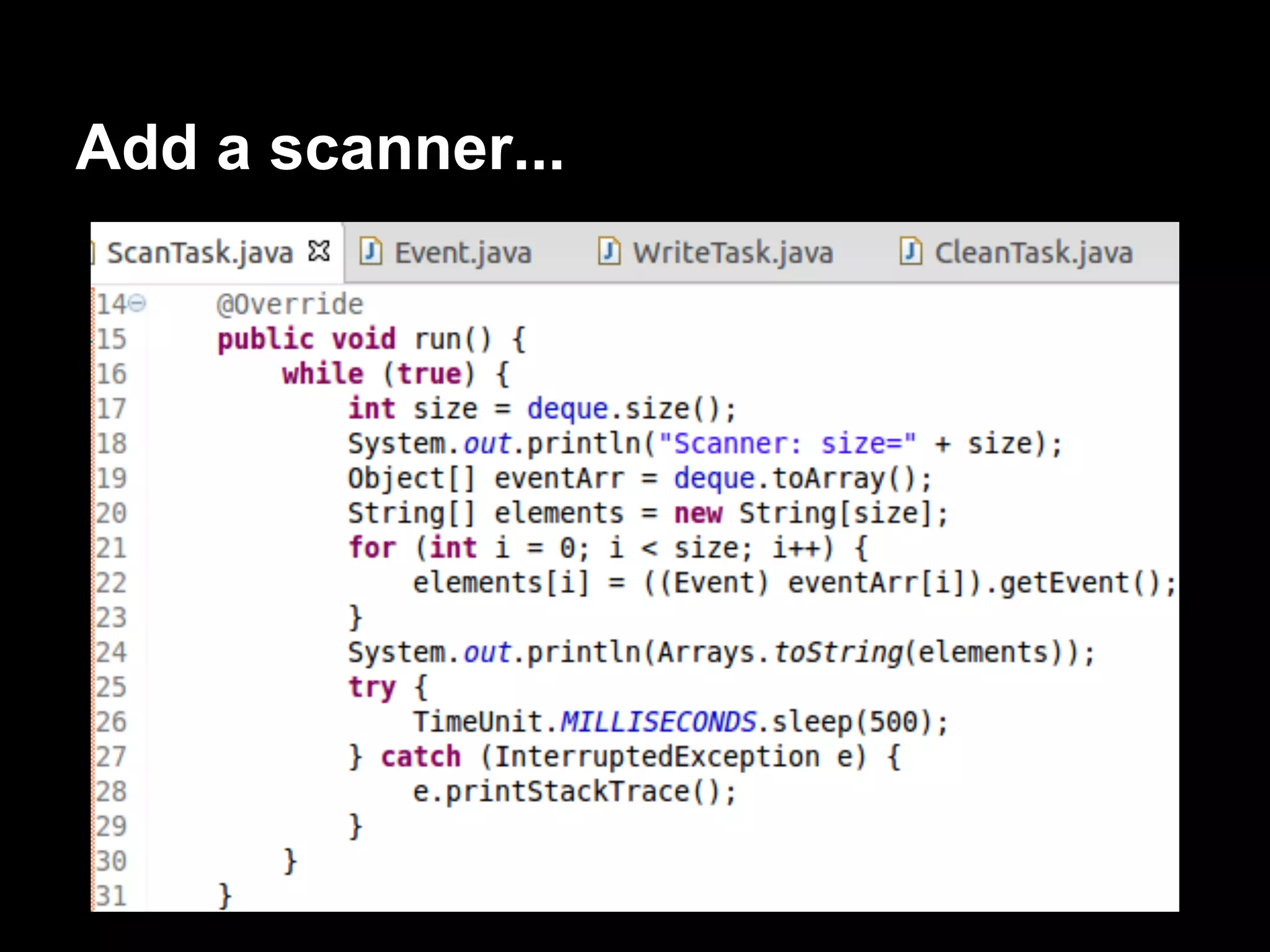
● Add a scanner, list all element of this deque.
Modify the run() method of
WriteTask
Add a scanner...
Modify main() method...
How it works...
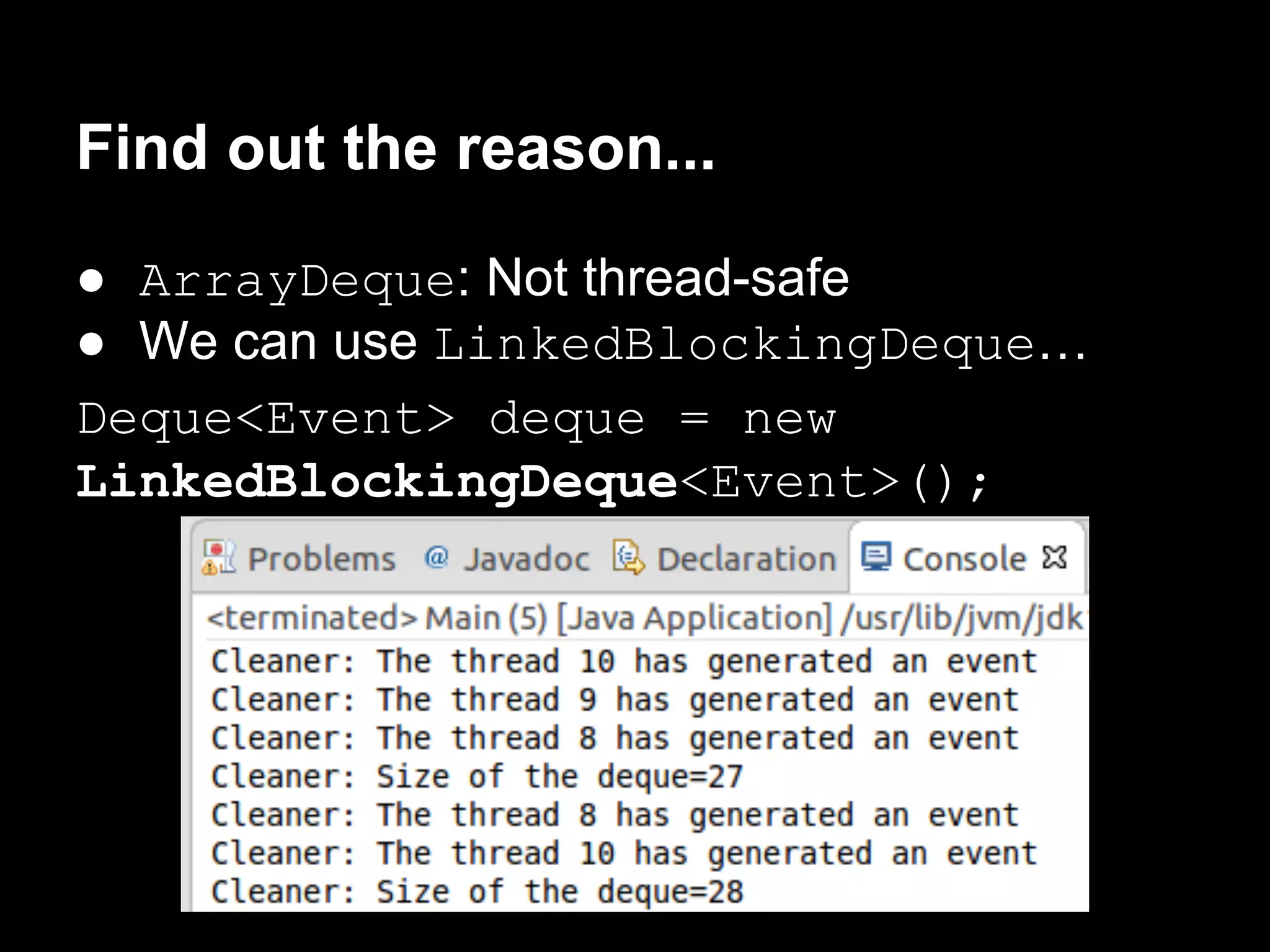
Find out the reason...
● ArrayDeque: Not thread-safe
● We can use LinkedBlockingDeque…
Deque<Event> deque = new
LinkedBlockingDeque<Event>();
There’s more...
● You only call the setDaemon() method
before you call the start() method. Once
the thread is running, you can’t modify its
daemon status.
● Use isDaemon() method to check if a
thread is a daemon thread or a user thread.
Difference between Daemon and
Non Daemon thread in Java :
● JVM doesn't wait for any daemon thread to
finish before existing.
● Daemon Thread are treated differently than
User Thread when JVM terminates, finally
blocks are not called, Stacks are not
unwounded and JVM just exits.
Processing uncontrolled exceptions
in a thread
There are two kinds of exceptions in Java:
● Checked exceptions
IOException
ClassNotFoundException
URLReferenceException
● Unchecked exceptions
NumberFormatException
ClassCastException
NullPointException
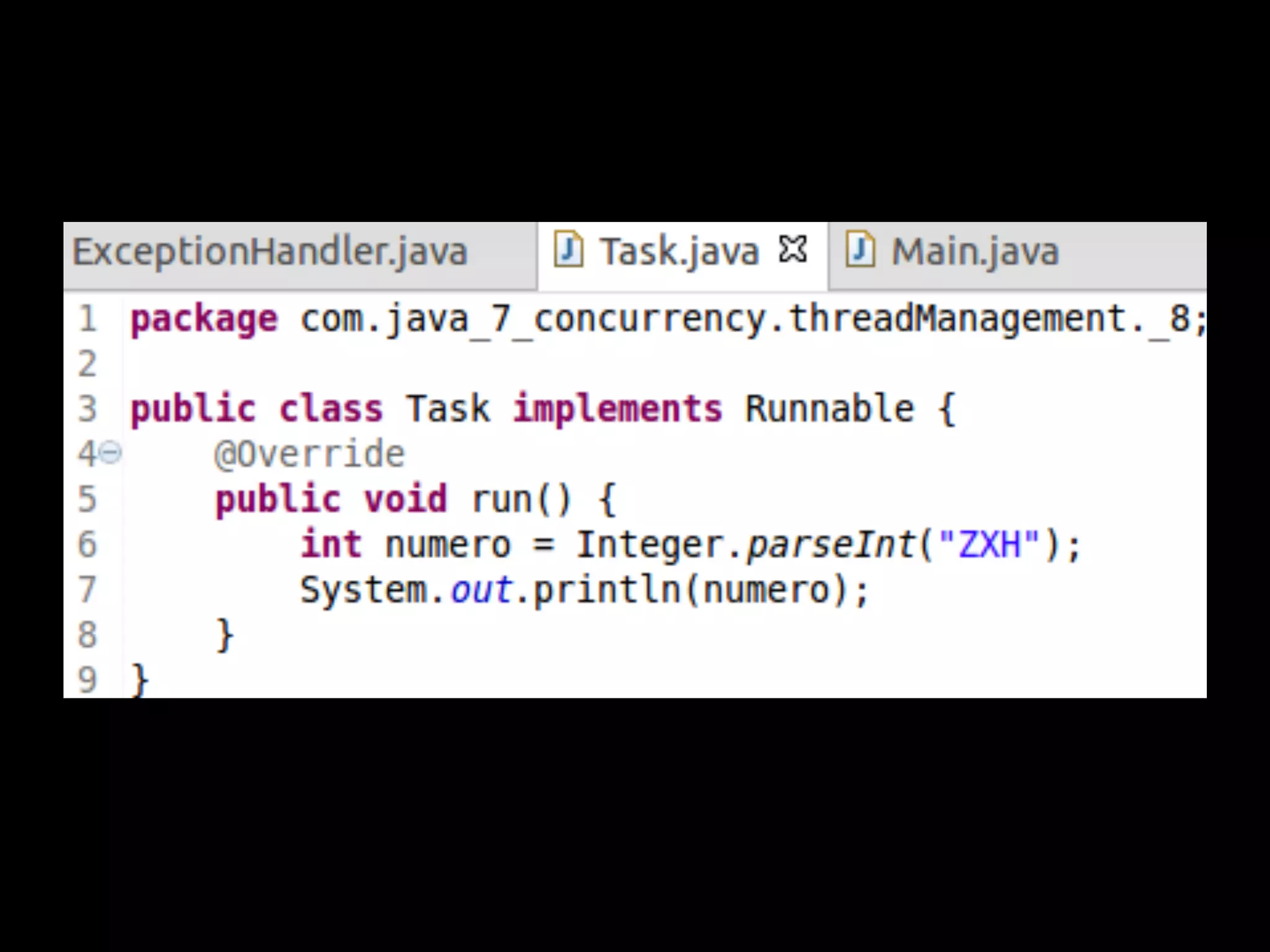
Exceptions in run() method:
● Checked exception:
We have to catch and treat them, because
the run() method doesn't accept a throws
clause.
● Unchecked exception:
A mechanism to catch and treat the
unchecked exceptions.
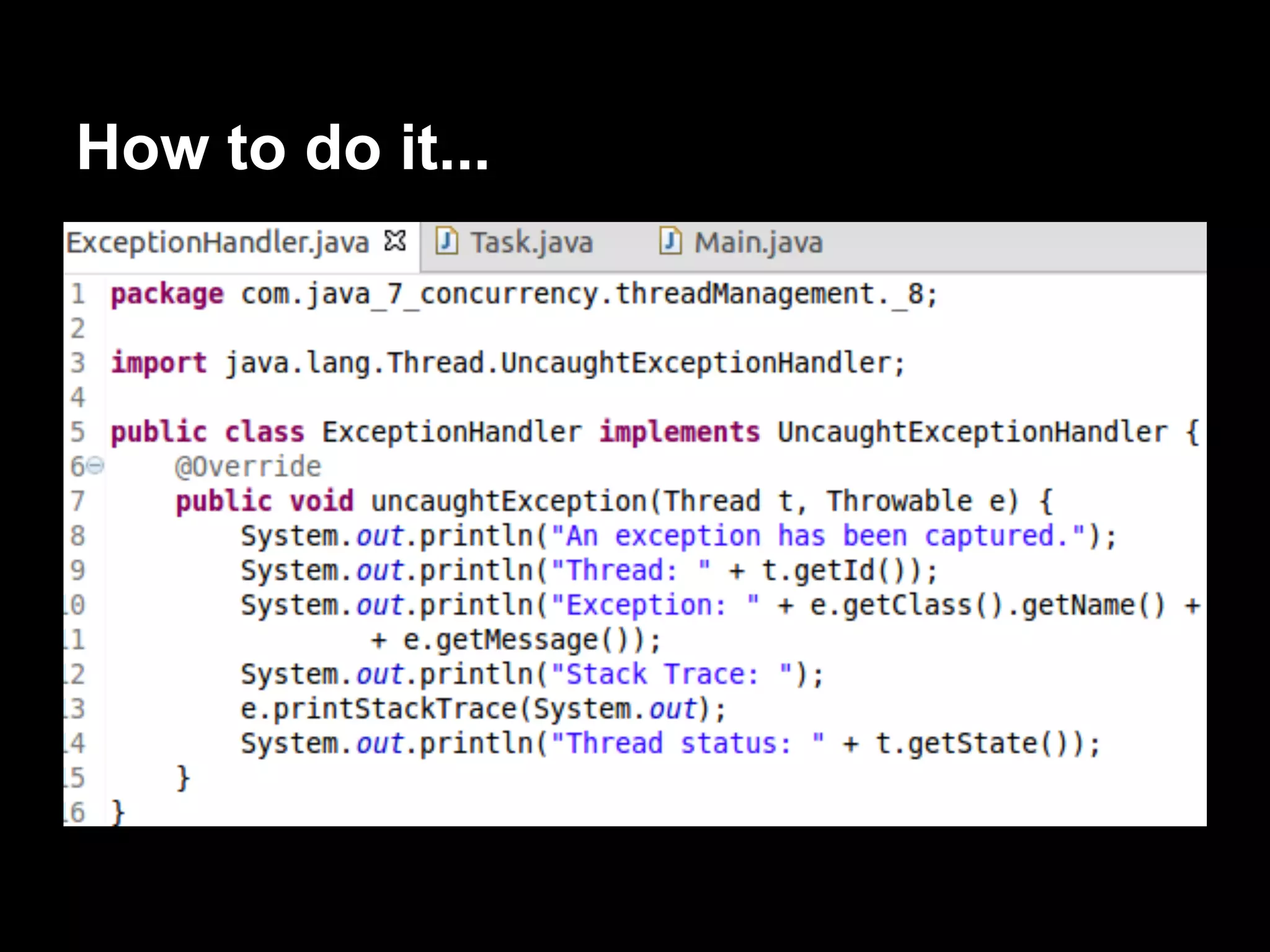
The default behaviour is to write the stack
trace in the console and exit the program.
We will learn this mechanism using an
example.
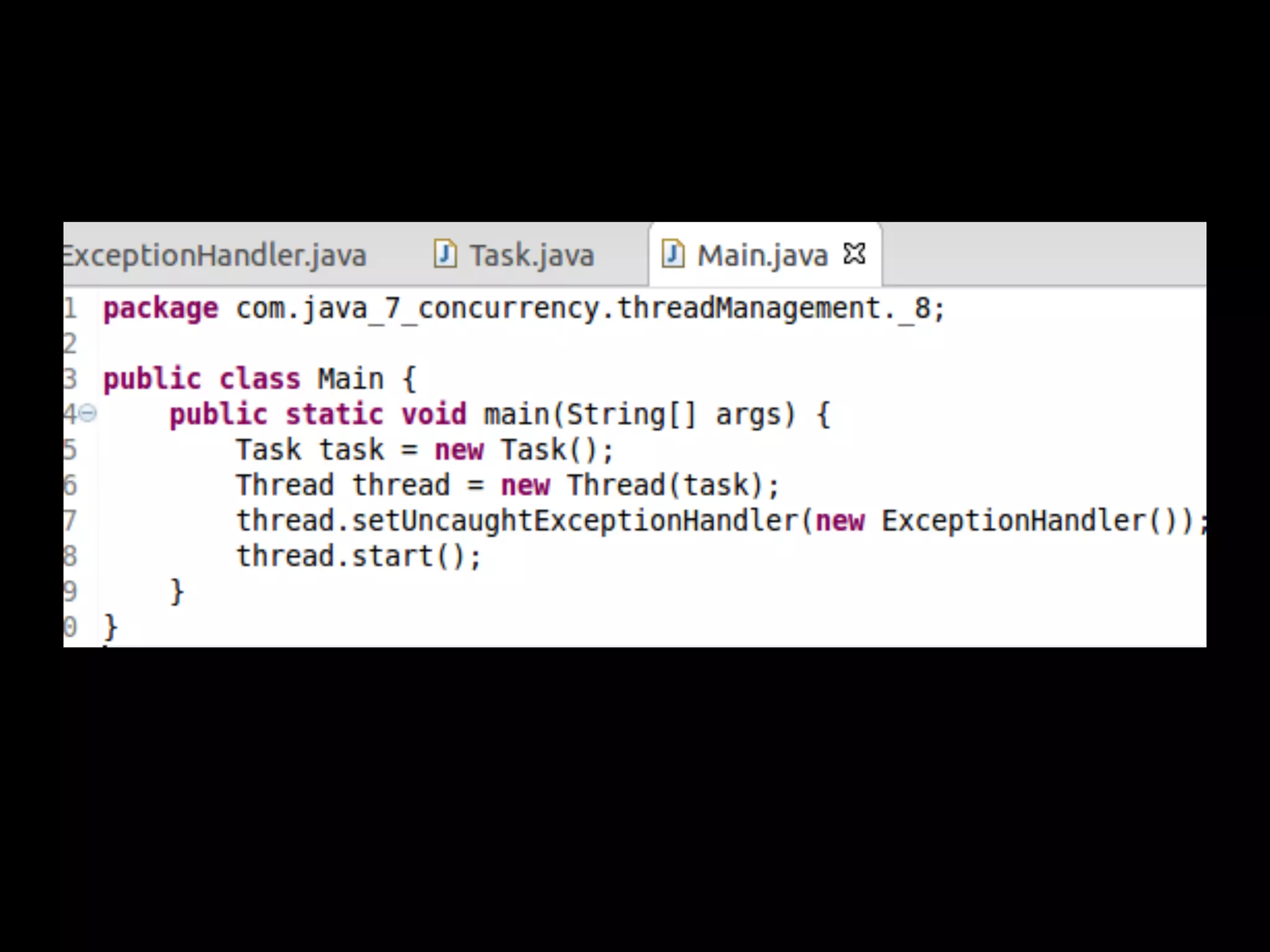
How to do it...
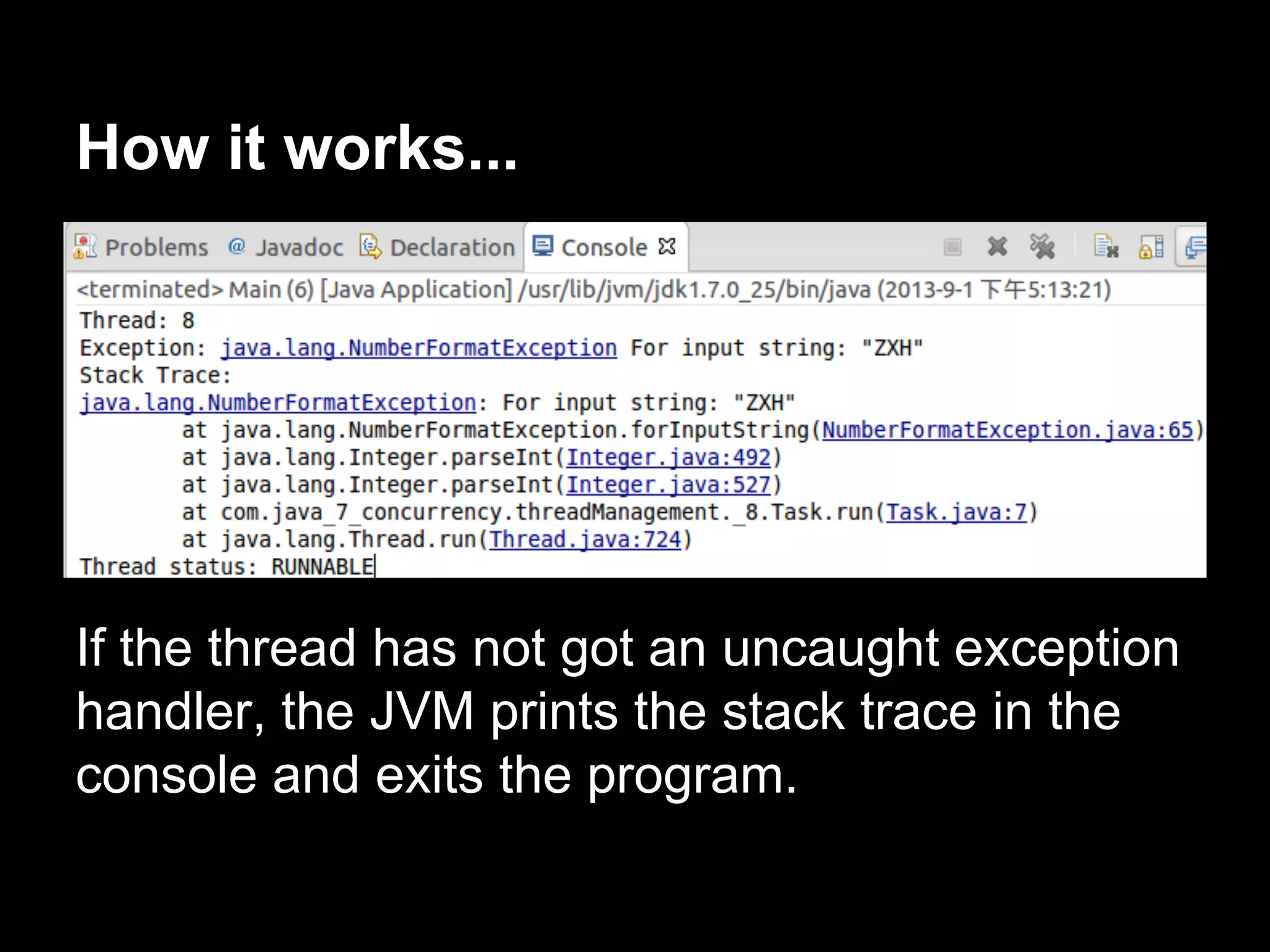
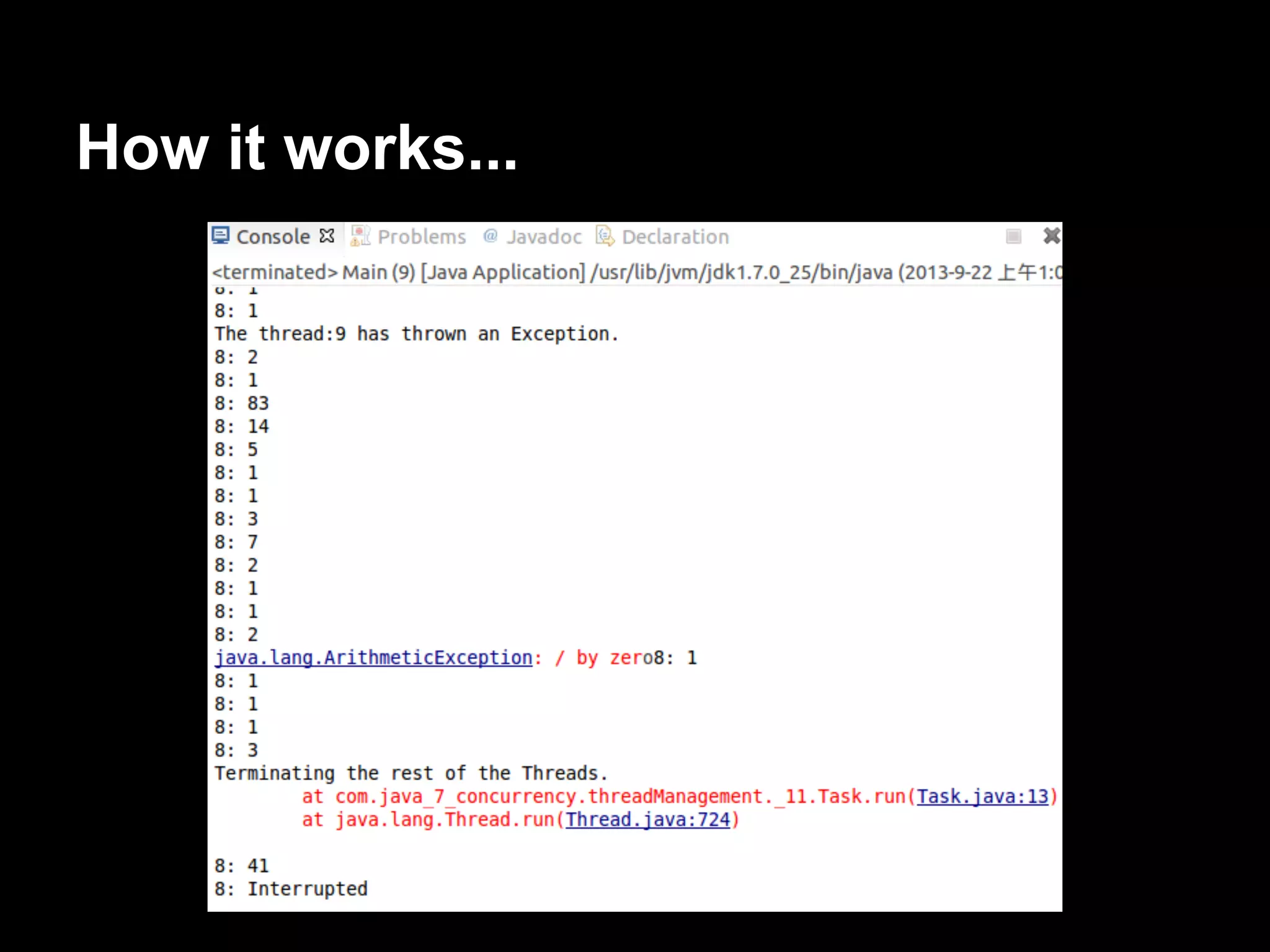
How it works...
If the thread has not got an uncaught exception
handler, the JVM prints the stack trace in the
console and exits the program.
There’s more...
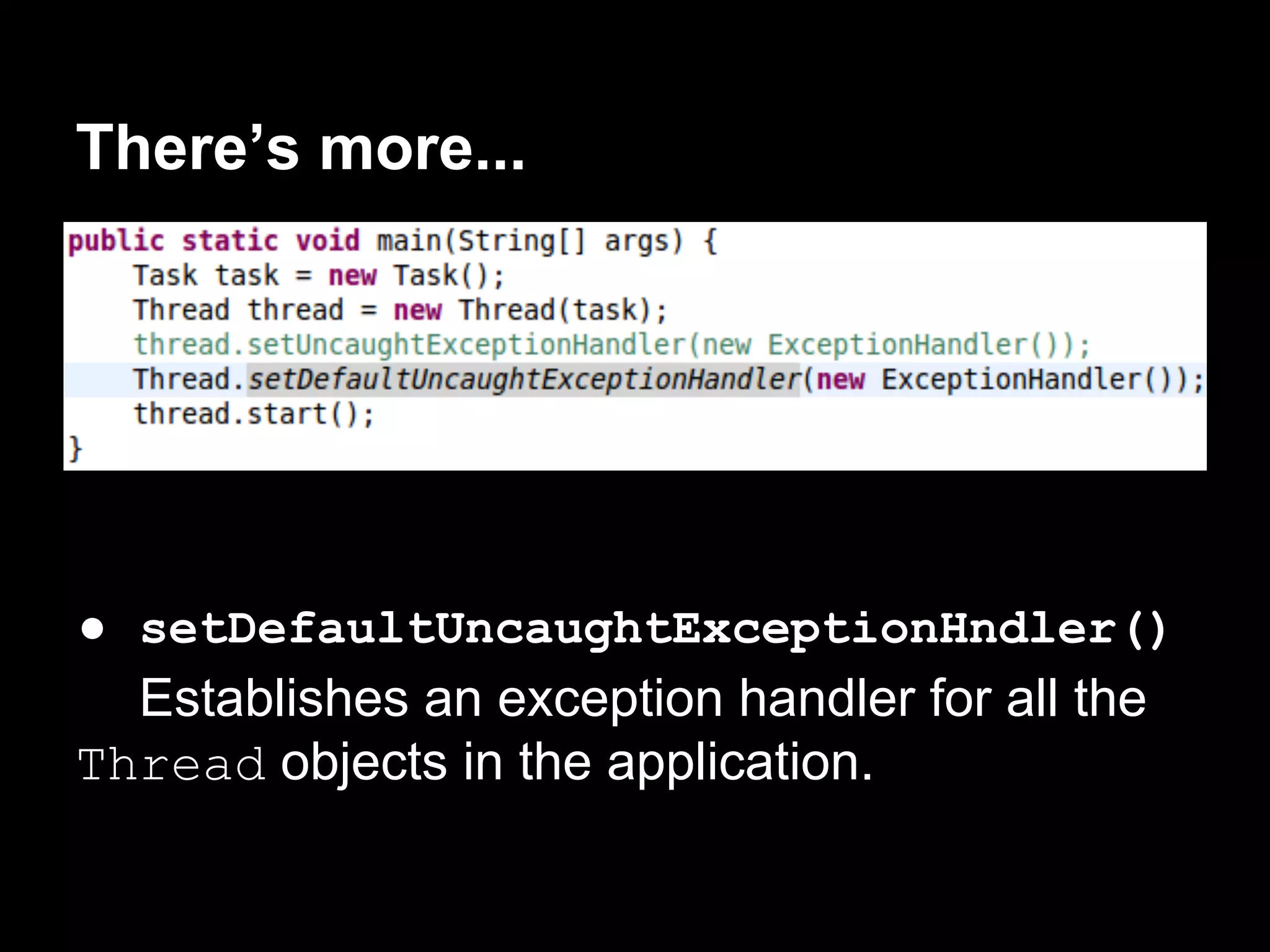
● setDefaultUncaughtExceptionHndler()
Establishes an exception handler for all the
Thread objects in the application.
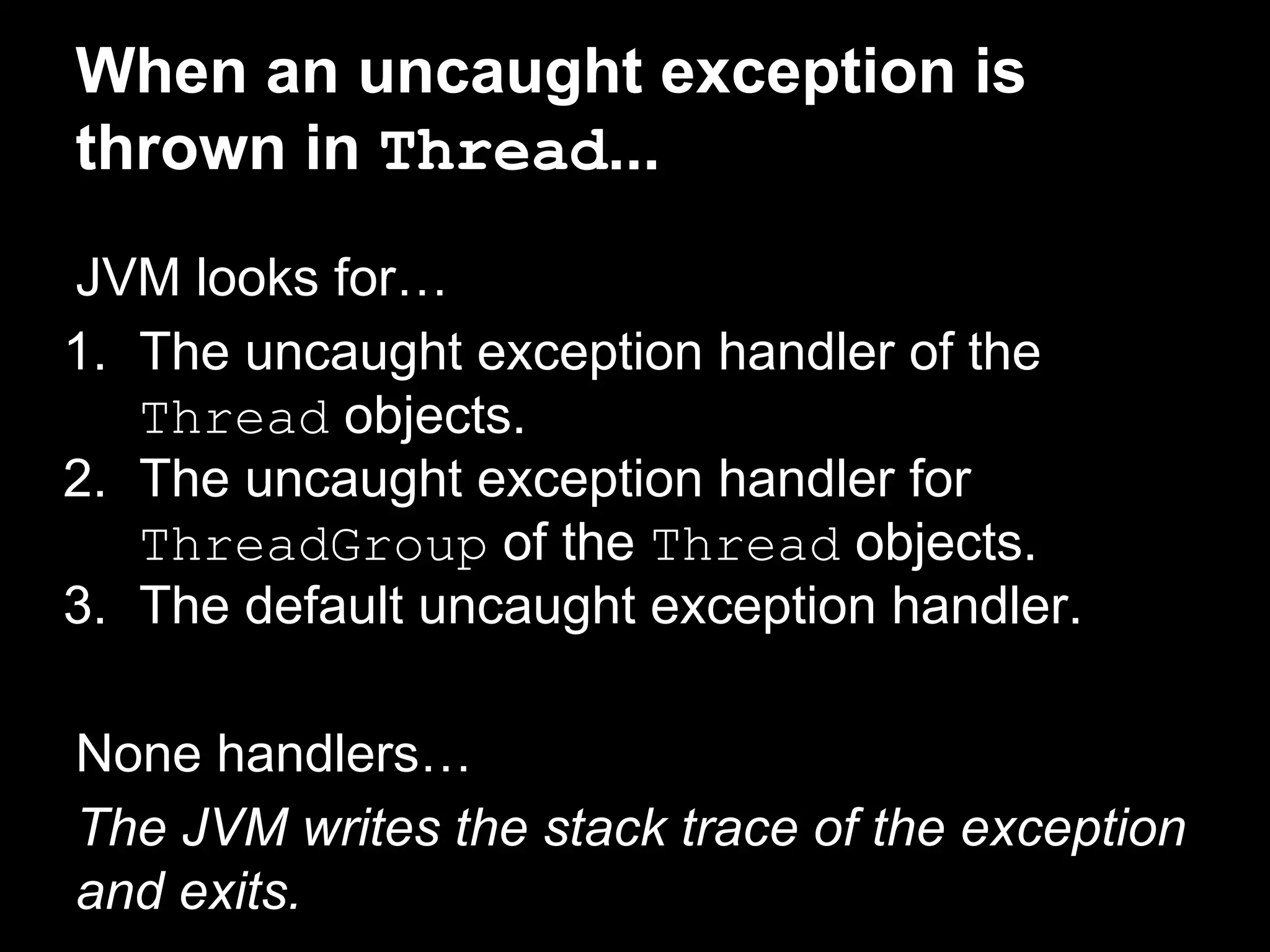
When an uncaught exception is
thrown in Thread...
JVM looks for…
1. The uncaught exception handler of the
Thread objects.
2. The uncaught exception handler for
ThreadGroup of the Thread objects.
3. The default uncaught exception handler.
None handlers…
The JVM writes the stack trace of the exception
and exits.
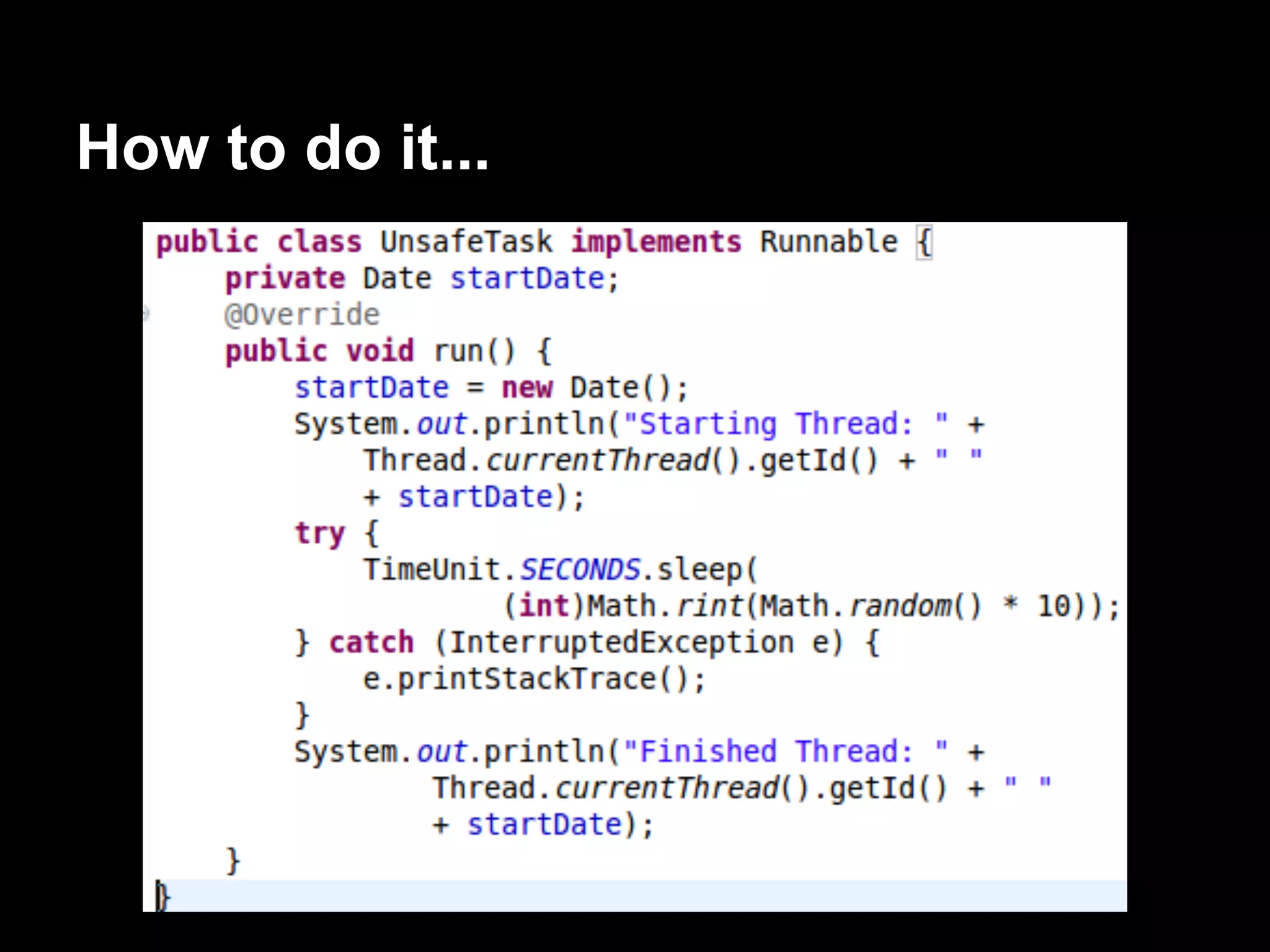
Using local thread variables
One of the most critical aspects of a concurrent
application is shared data.
If you change an attribute in a thread, all the
threads will be affected by this change.
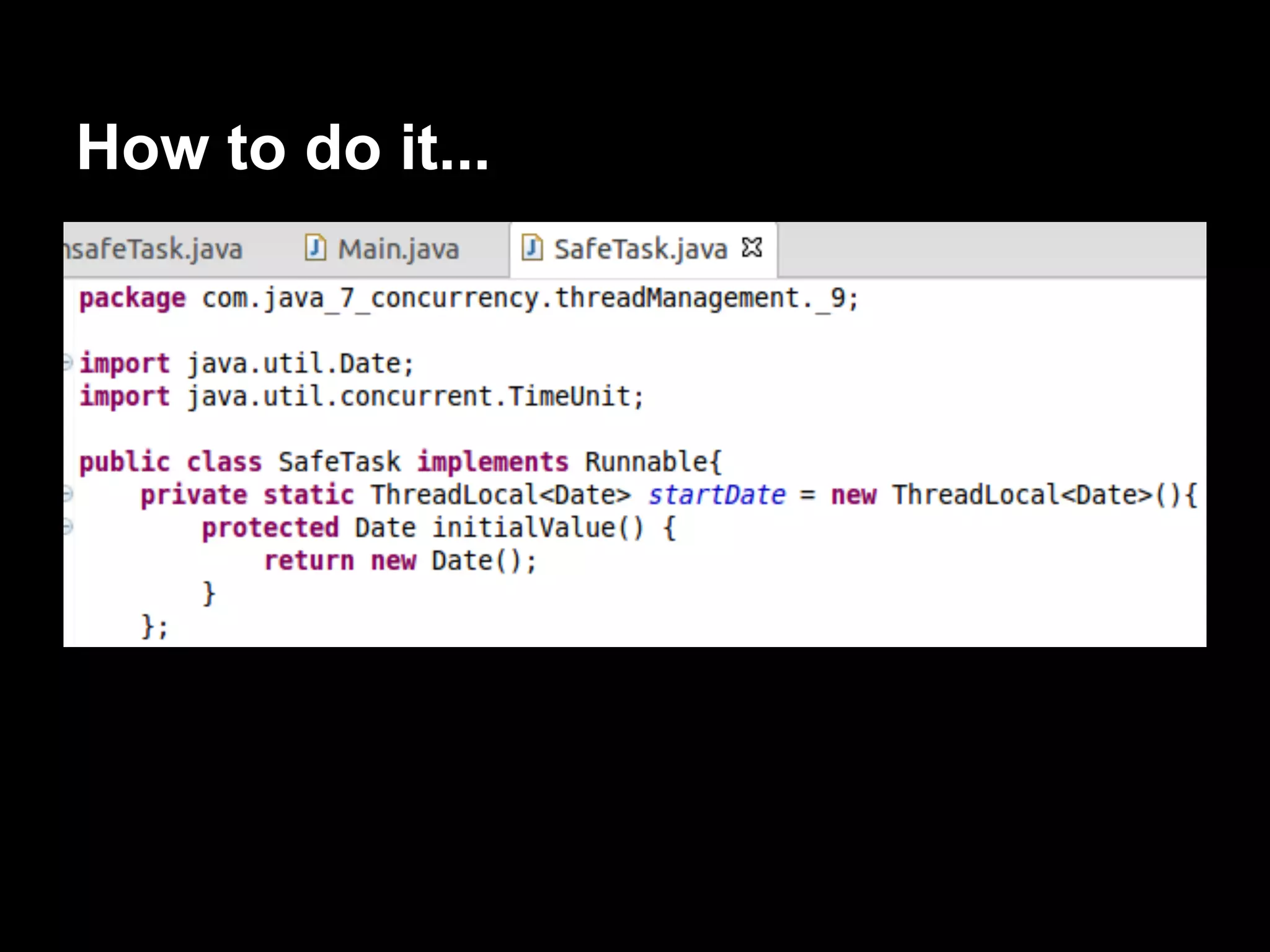
The Java Concurrency API provides a clean
mechanism called thread-local variables with a
very good performance.
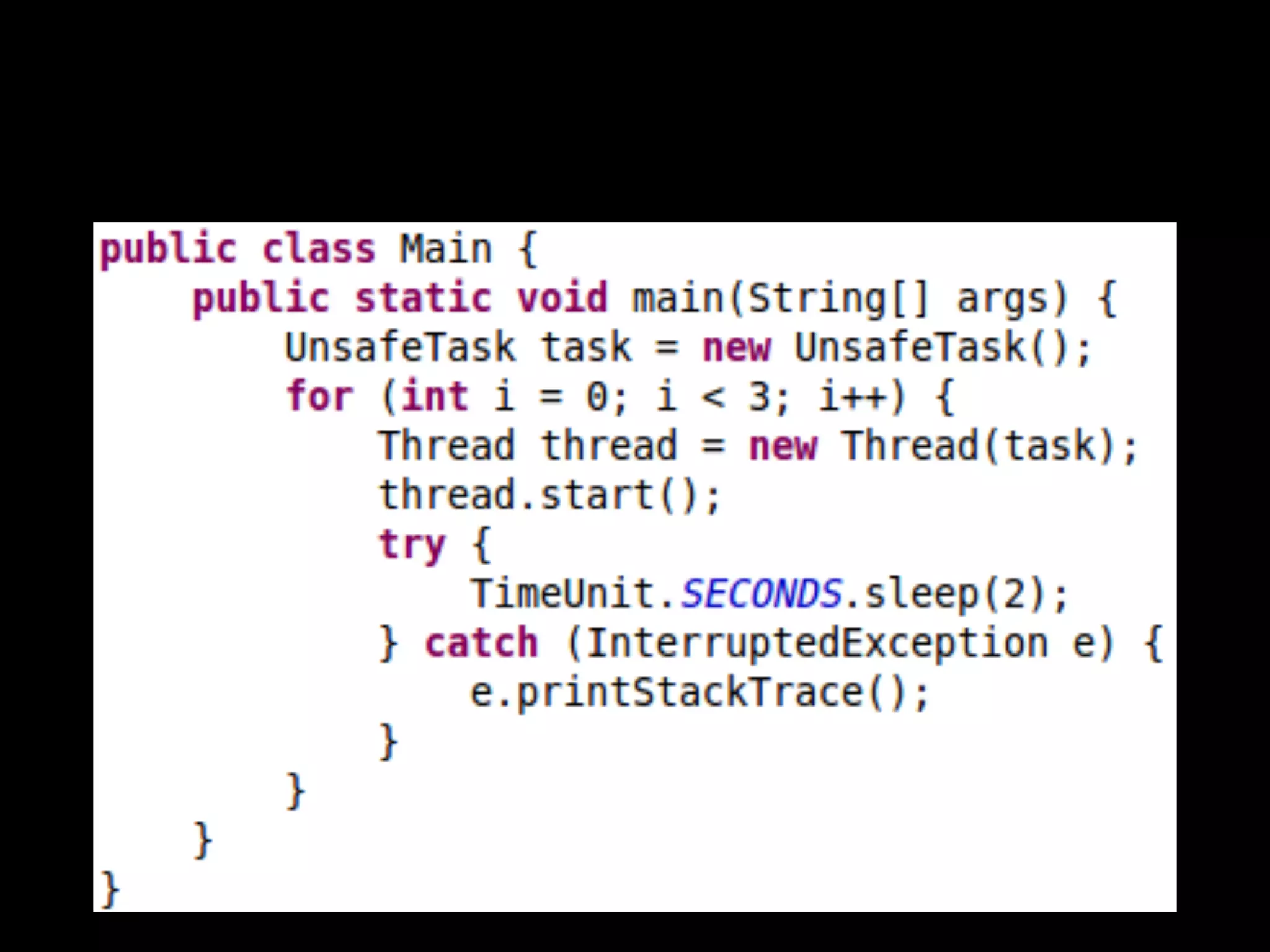
We will develop a program that has the
problem and another program using the thread-
local variables mechanism.
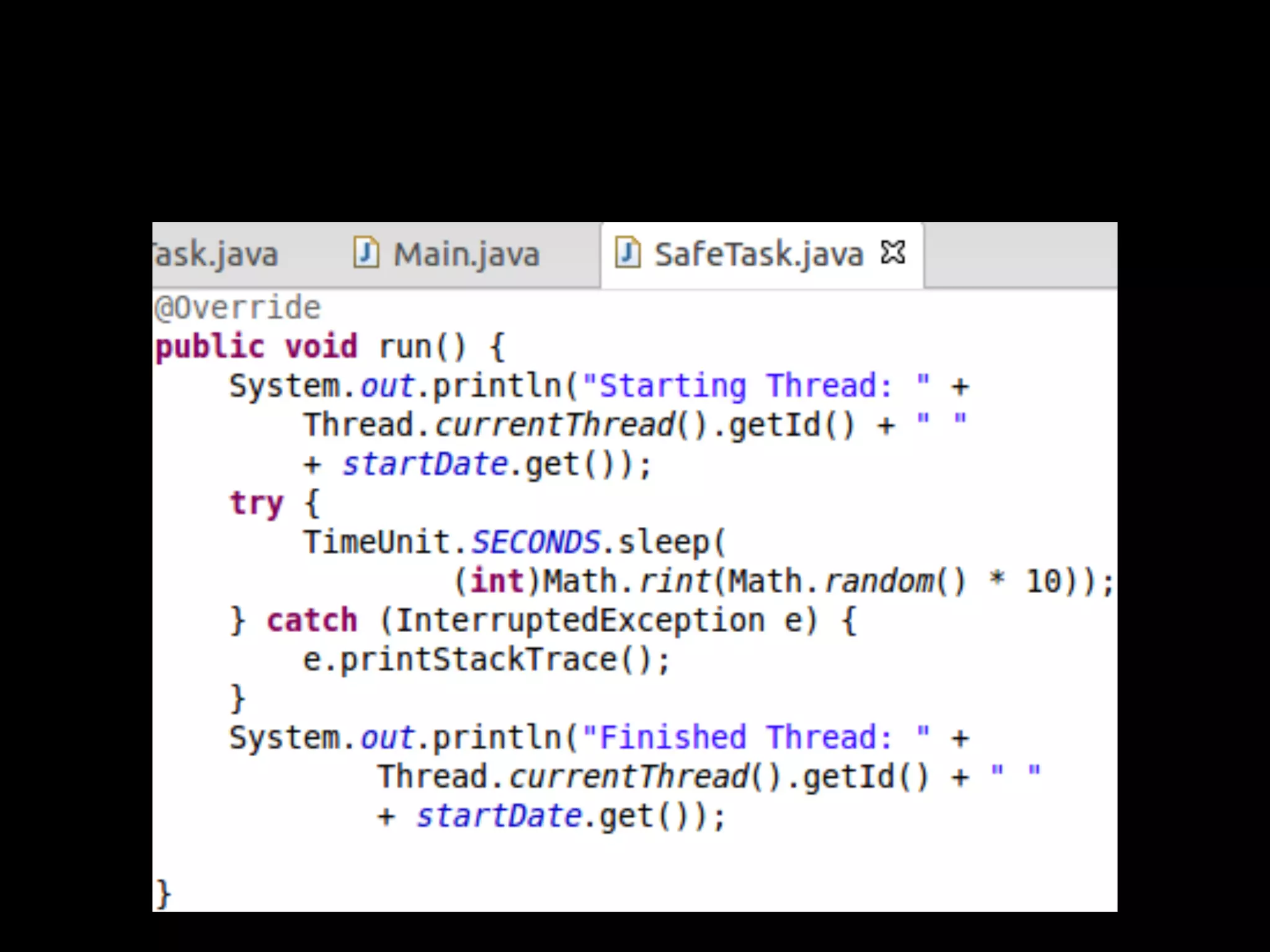
How to do it...
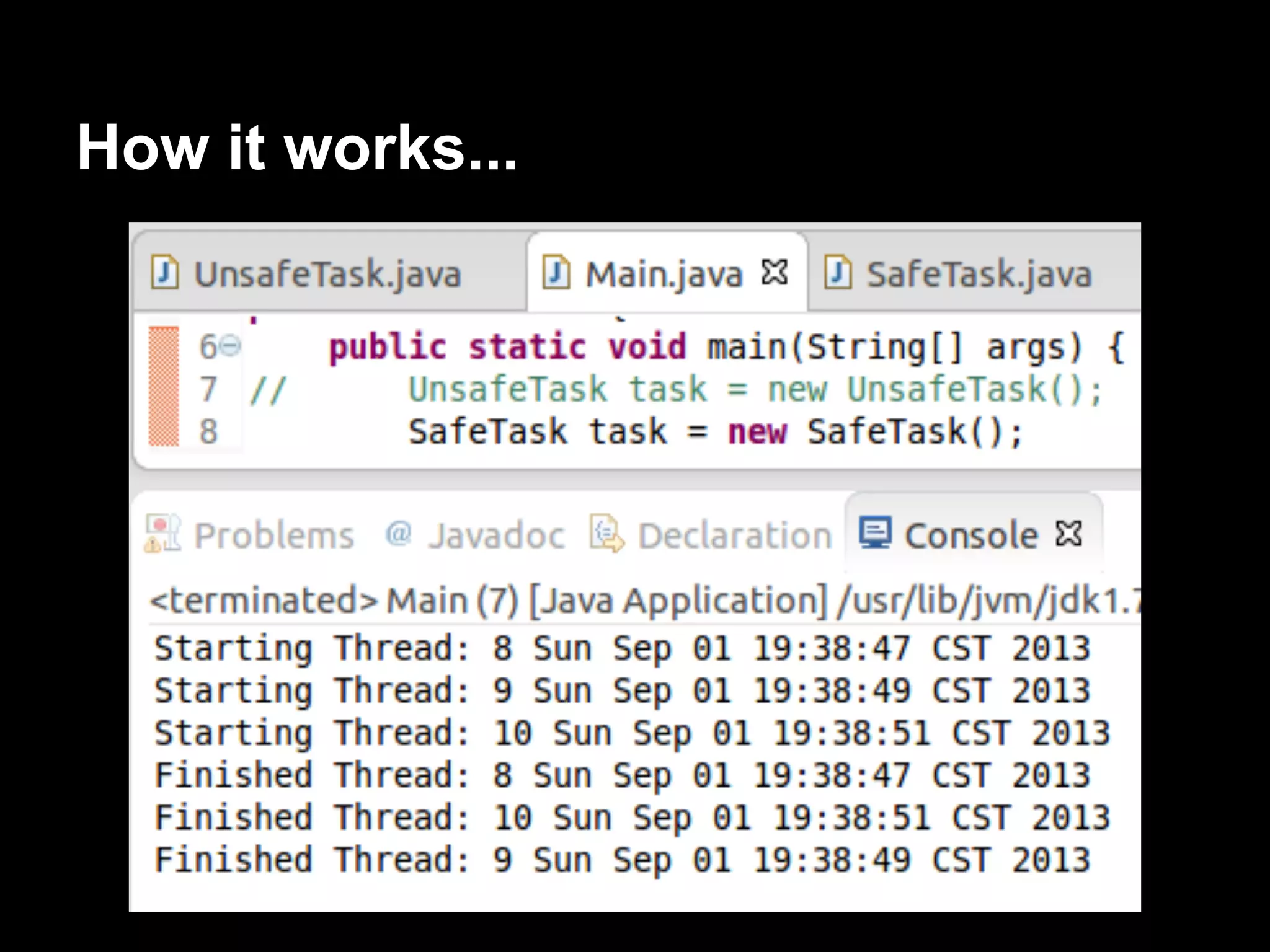
How it works...
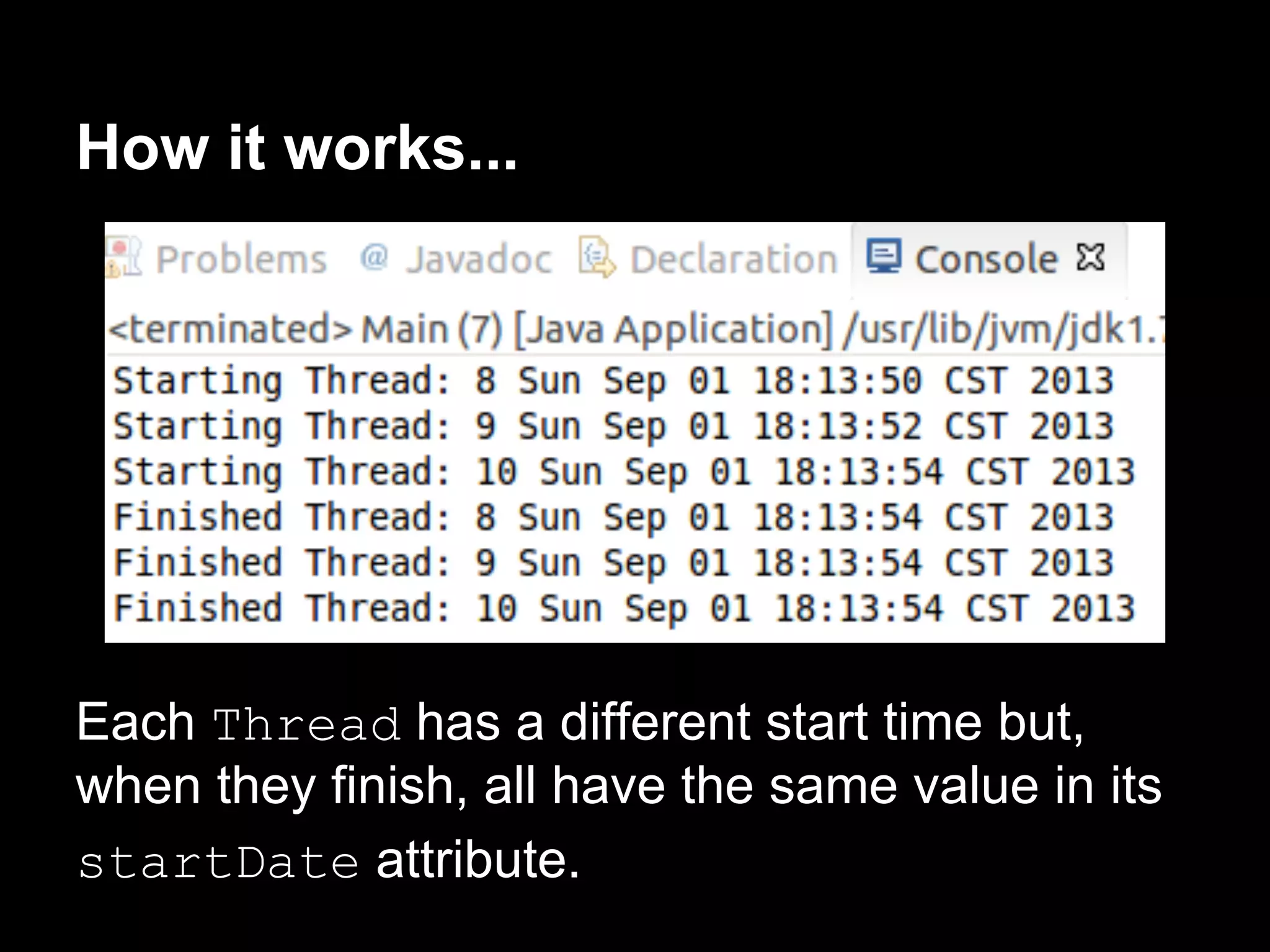
Each Thread has a different start time but,
when they finish, all have the same value in its
startDate attribute.
How to do it...
How it works...
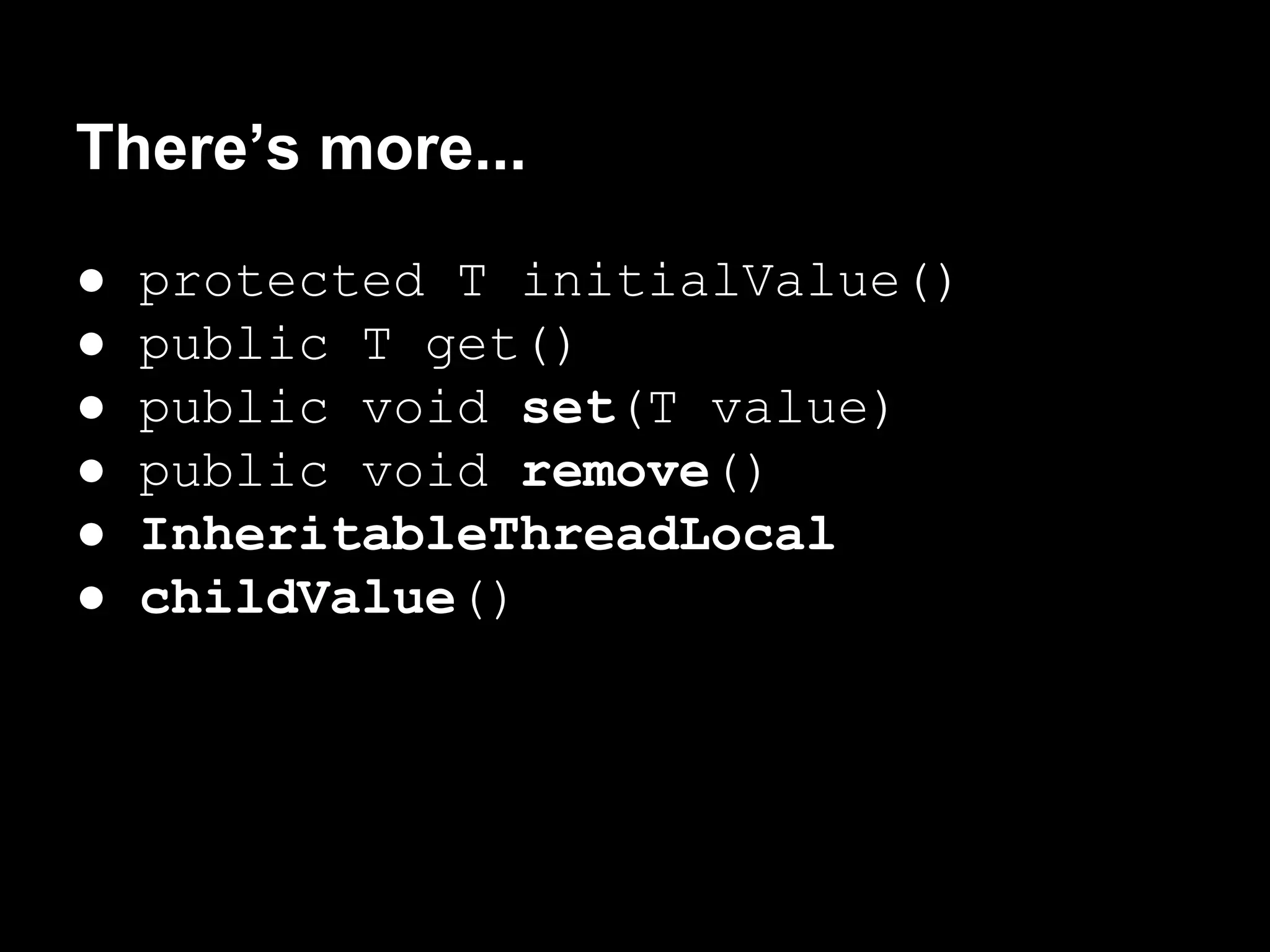
There’s more...
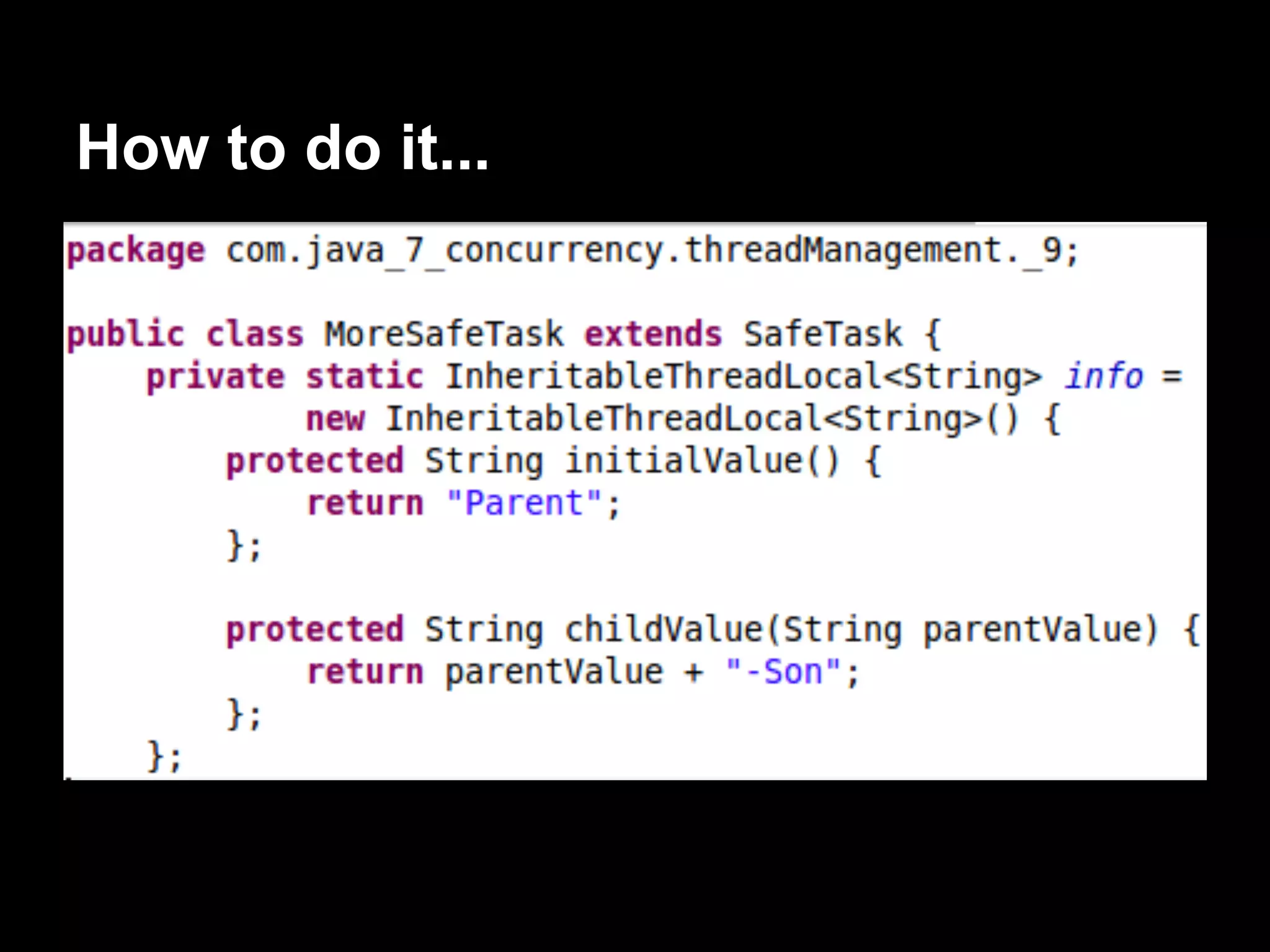
● protected T initialValue()
● public T get()
● public void set(T value)
● public void remove()
● InheritableThreadLocal
● childValue()
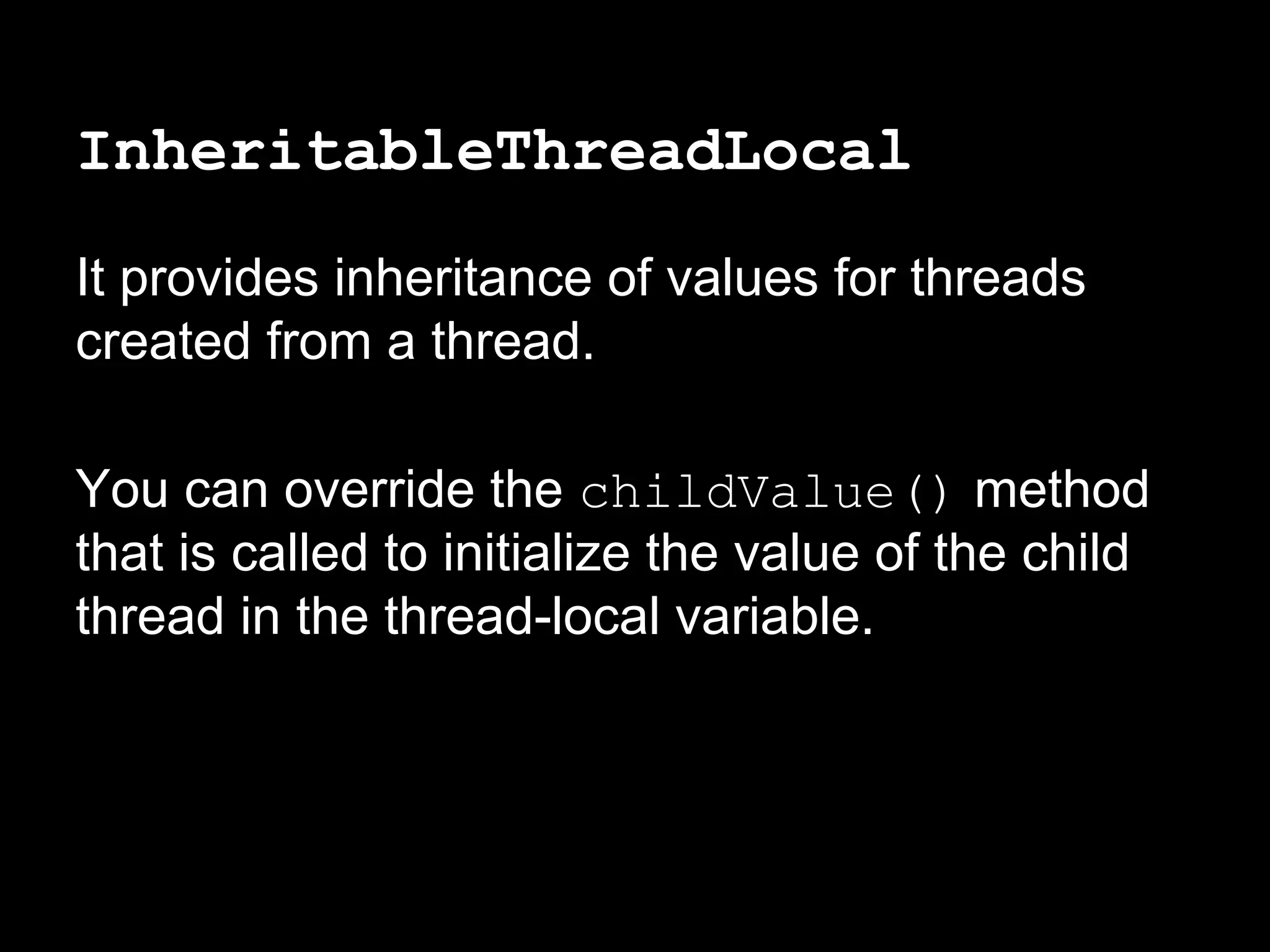
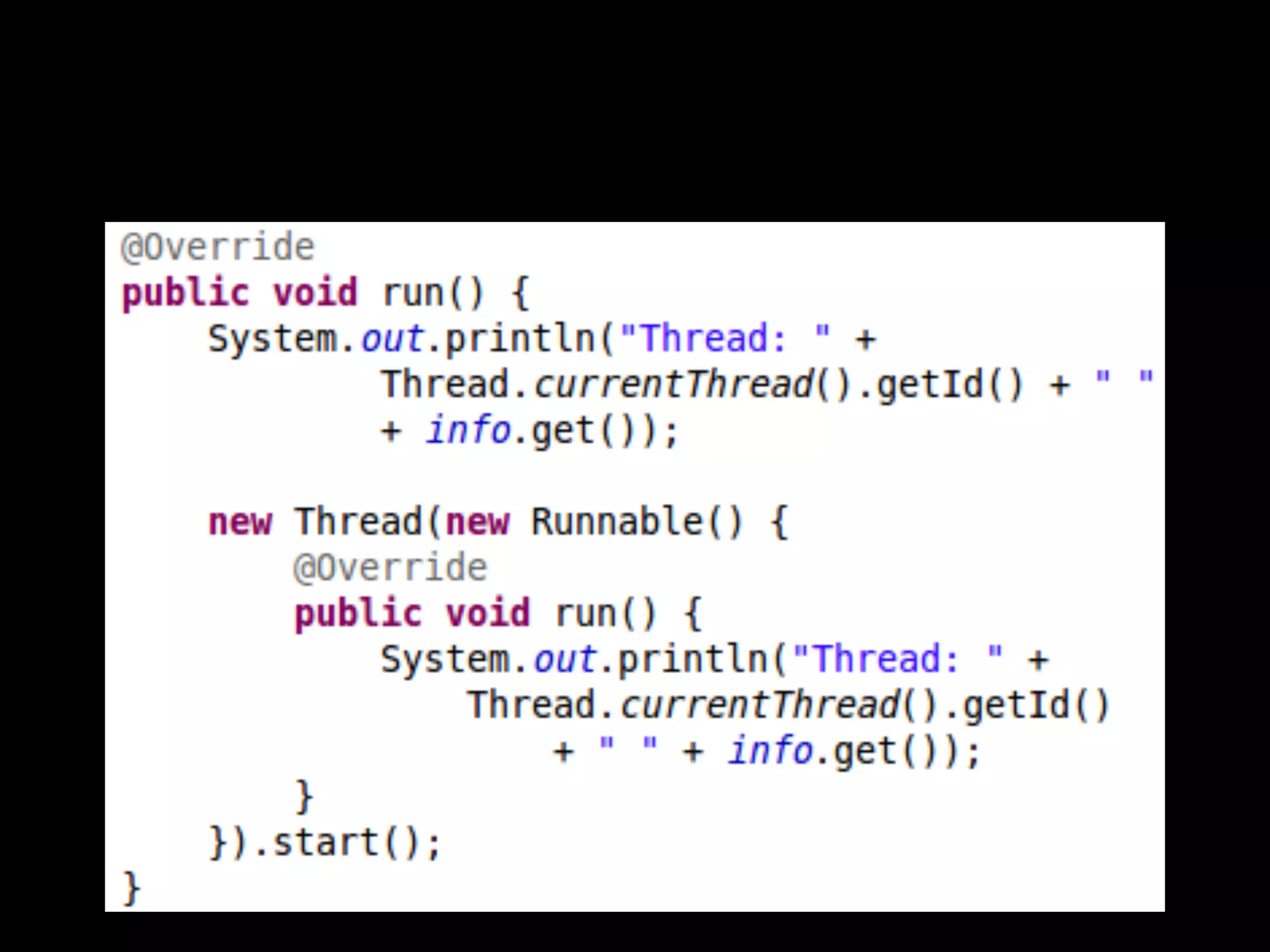
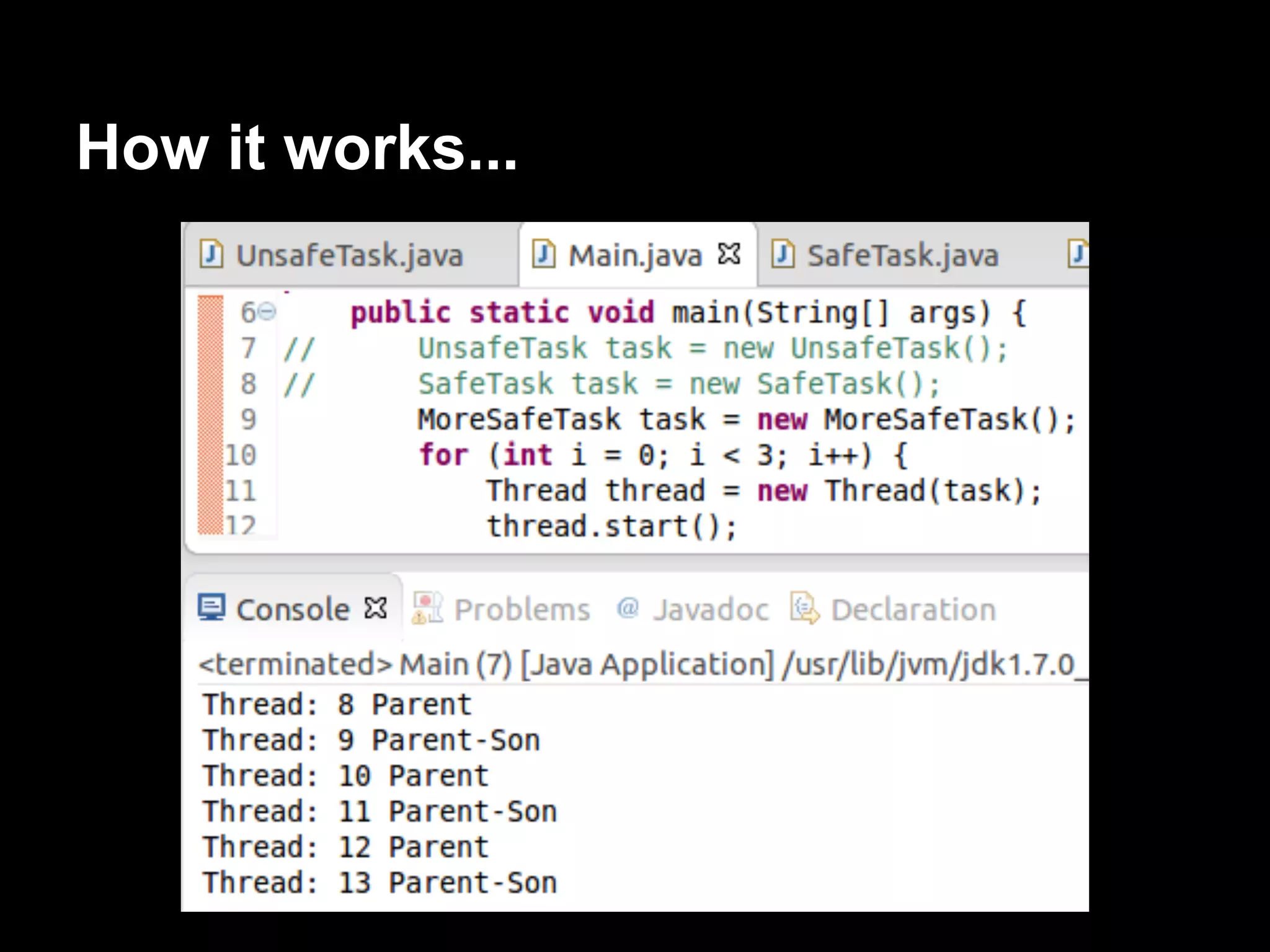
InheritableThreadLocal
It provides inheritance of values for threads
created from a thread.
You can override the childValue() method
that is called to initialize the value of the child
thread in the thread-local variable.
How to do it...
How it works...
Grouping threads into a group
ThreadGroup: The threads of a group as a
single unit.
A threadGroup object can be formed by
Thread objects and by another ThreadGroup
object.
A tree structure of threads.
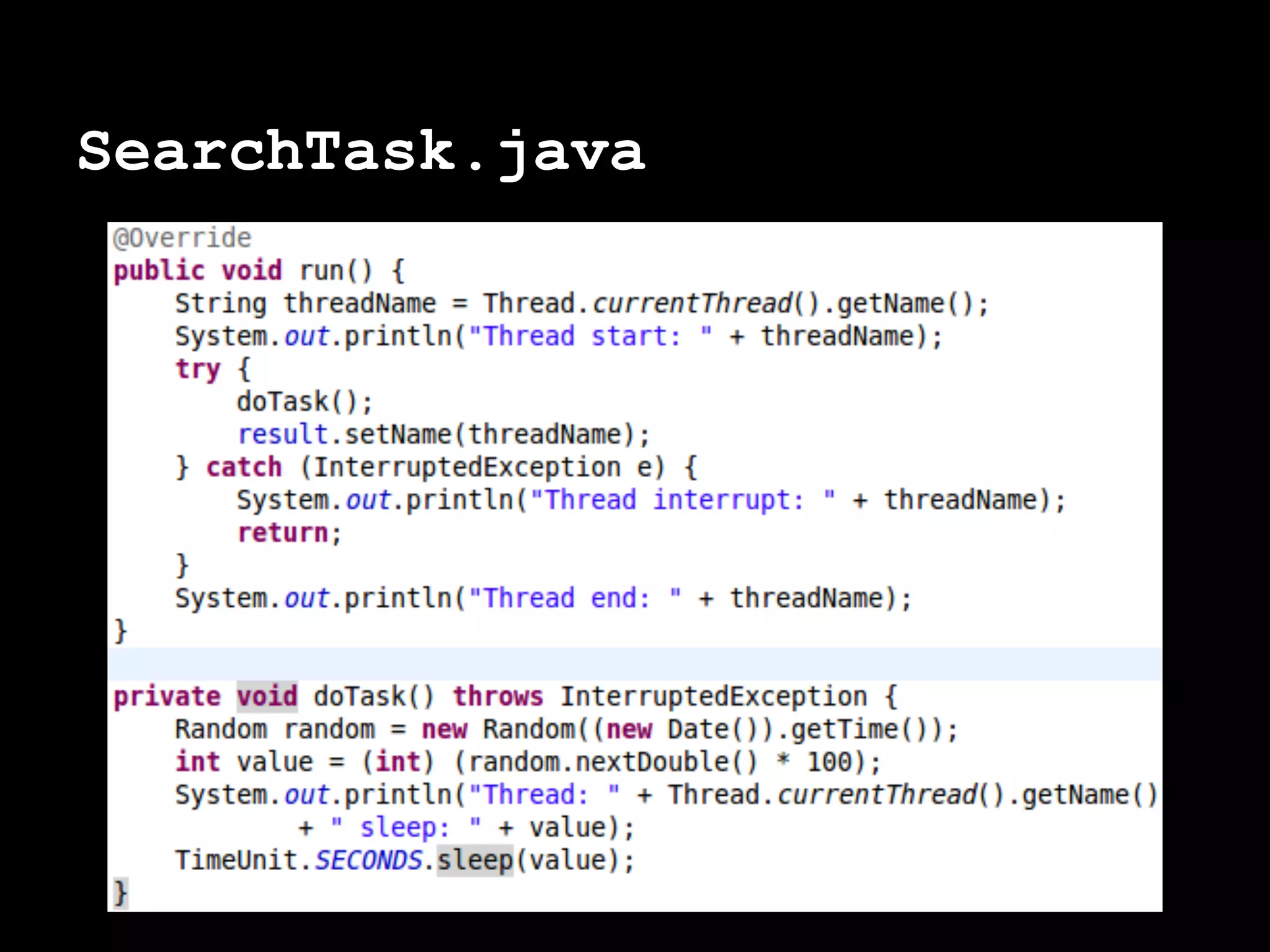
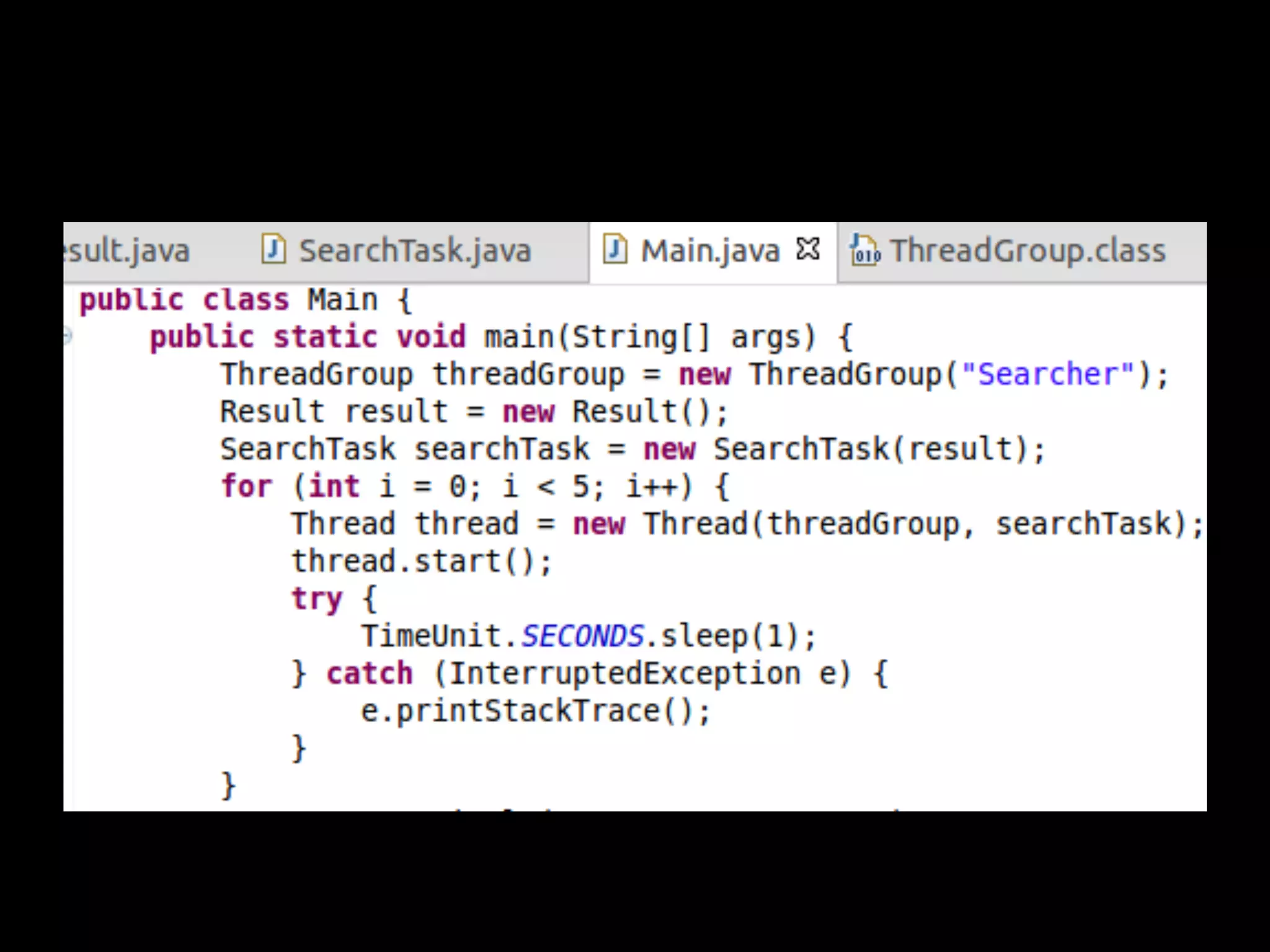
Simulating a search...
We will have 5 threads sleeping during a
random period of time, when one of them
finishes, we are going to interrupt the rest.
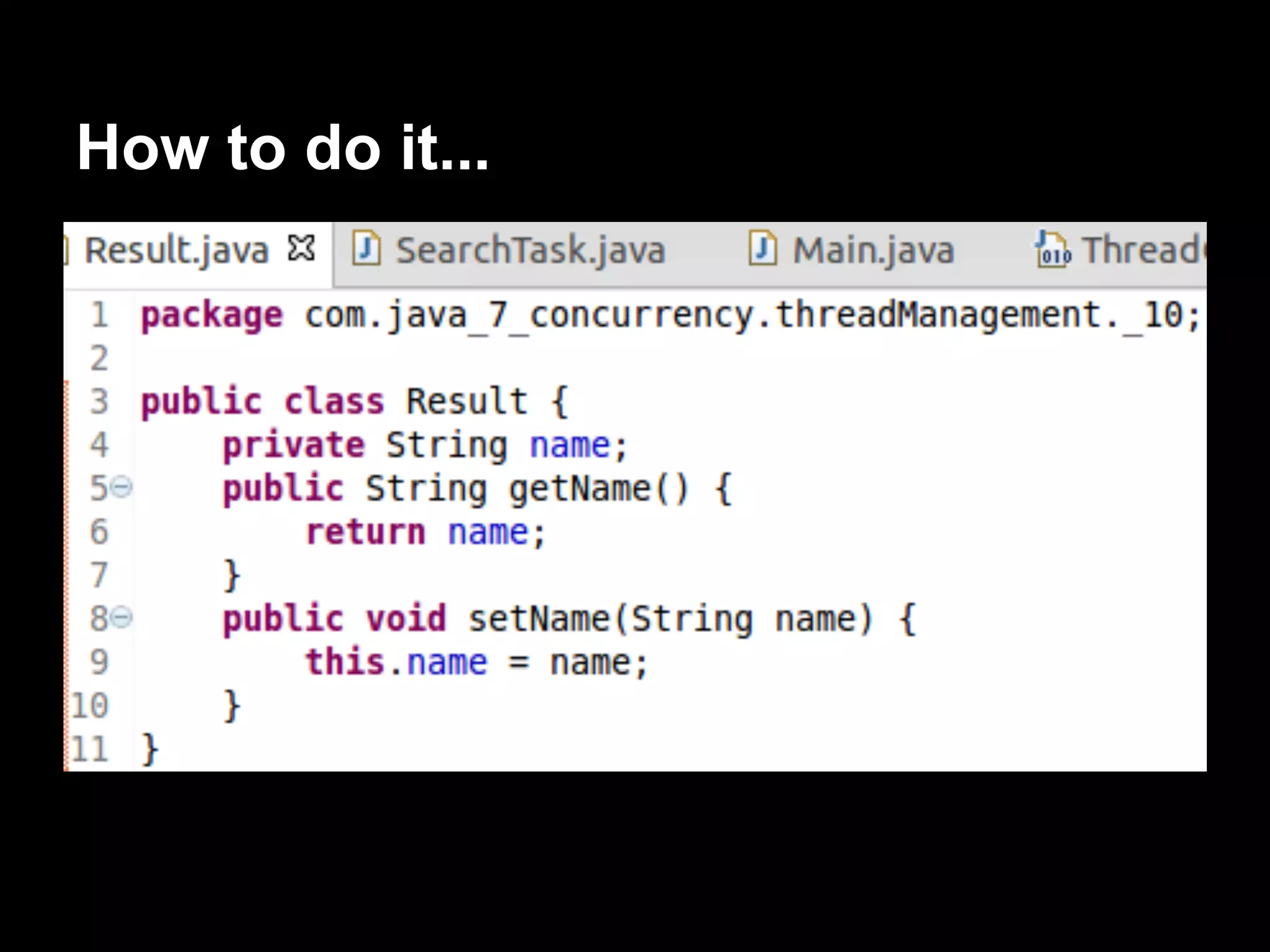
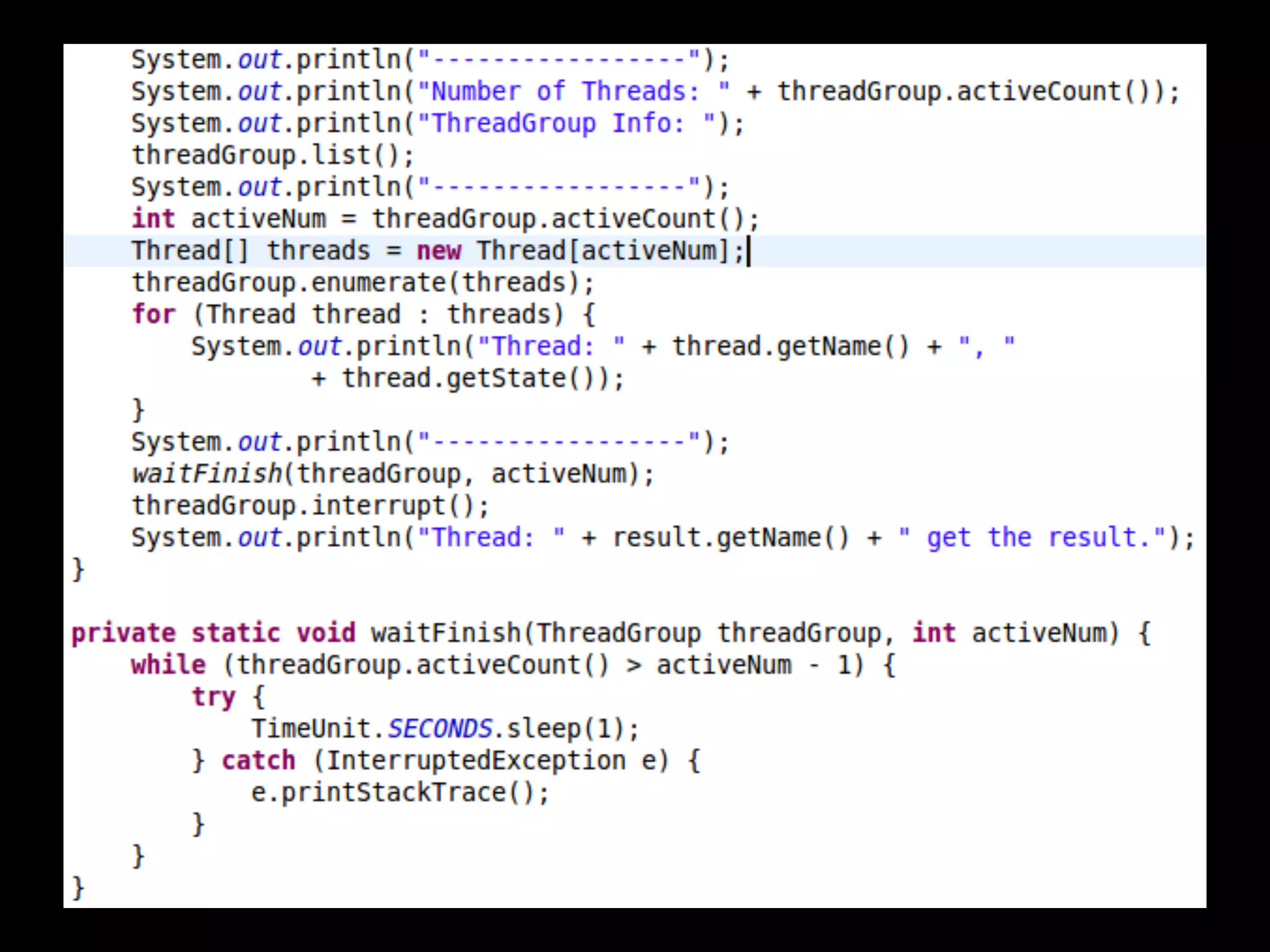
How to do it...
SearchTask.java
How it works...
Normal condition...
Abnormal condition...
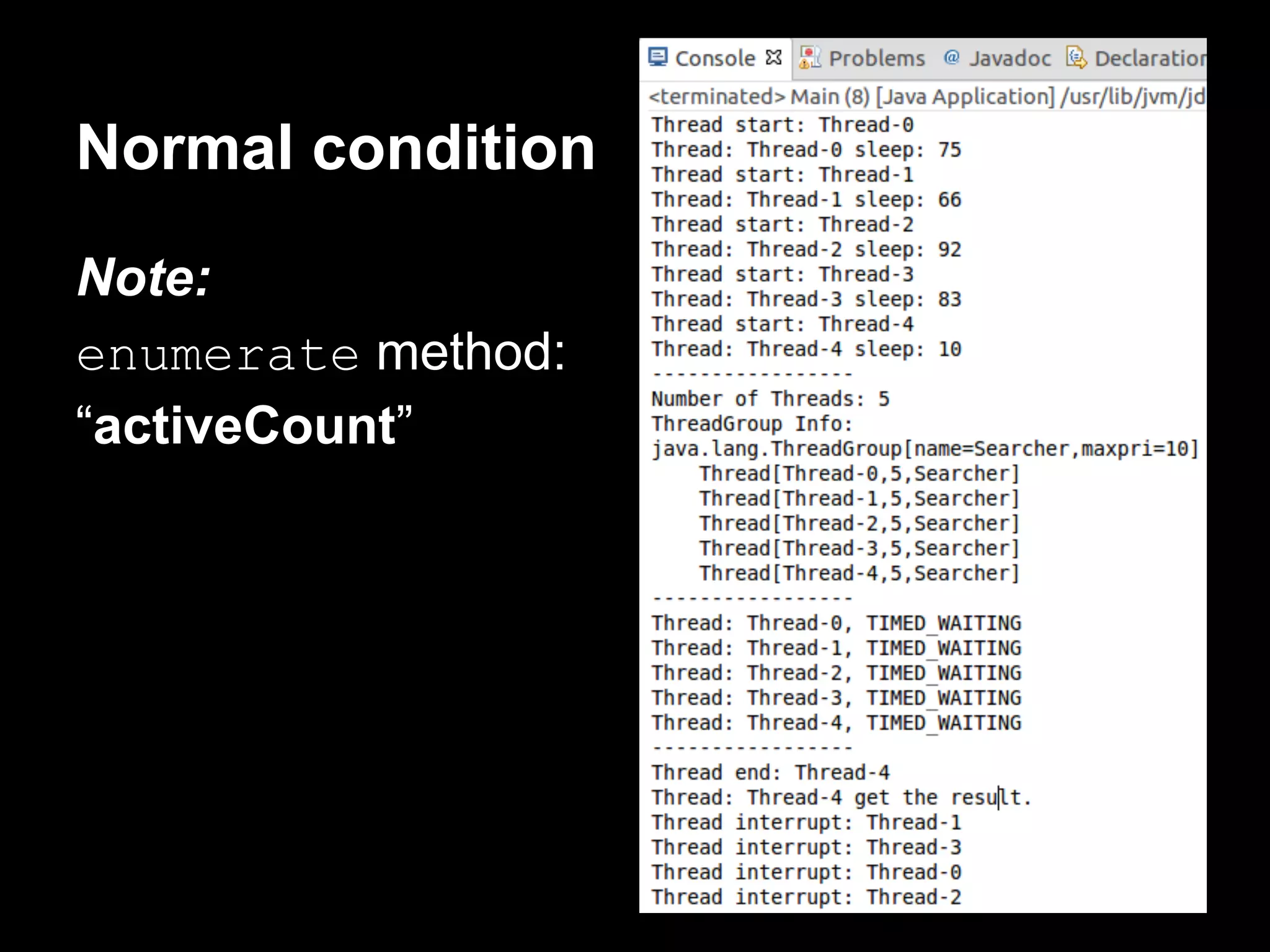
Normal condition
Note:
enumerate method:
“activeCount”
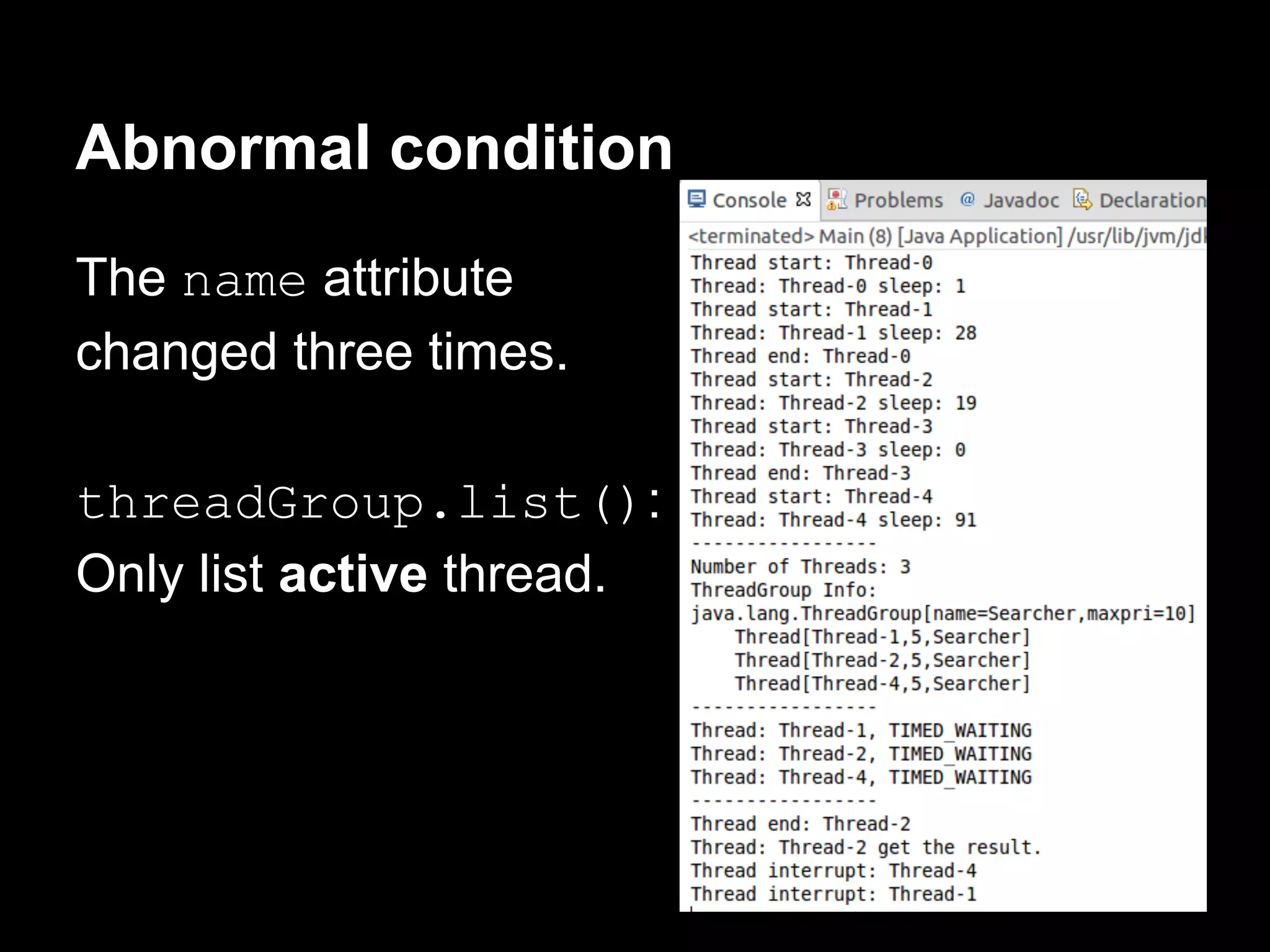
Abnormal condition
The name attribute
changed three times.
threadGroup.list():
Only list active thread.
Processing uncontrolled exceptions
in a group of threads
Establish a method that captures all the
uncaught exceptions thrown by any Thread of
the ThreadGroup class.
We will learn to set a handler using an
example.
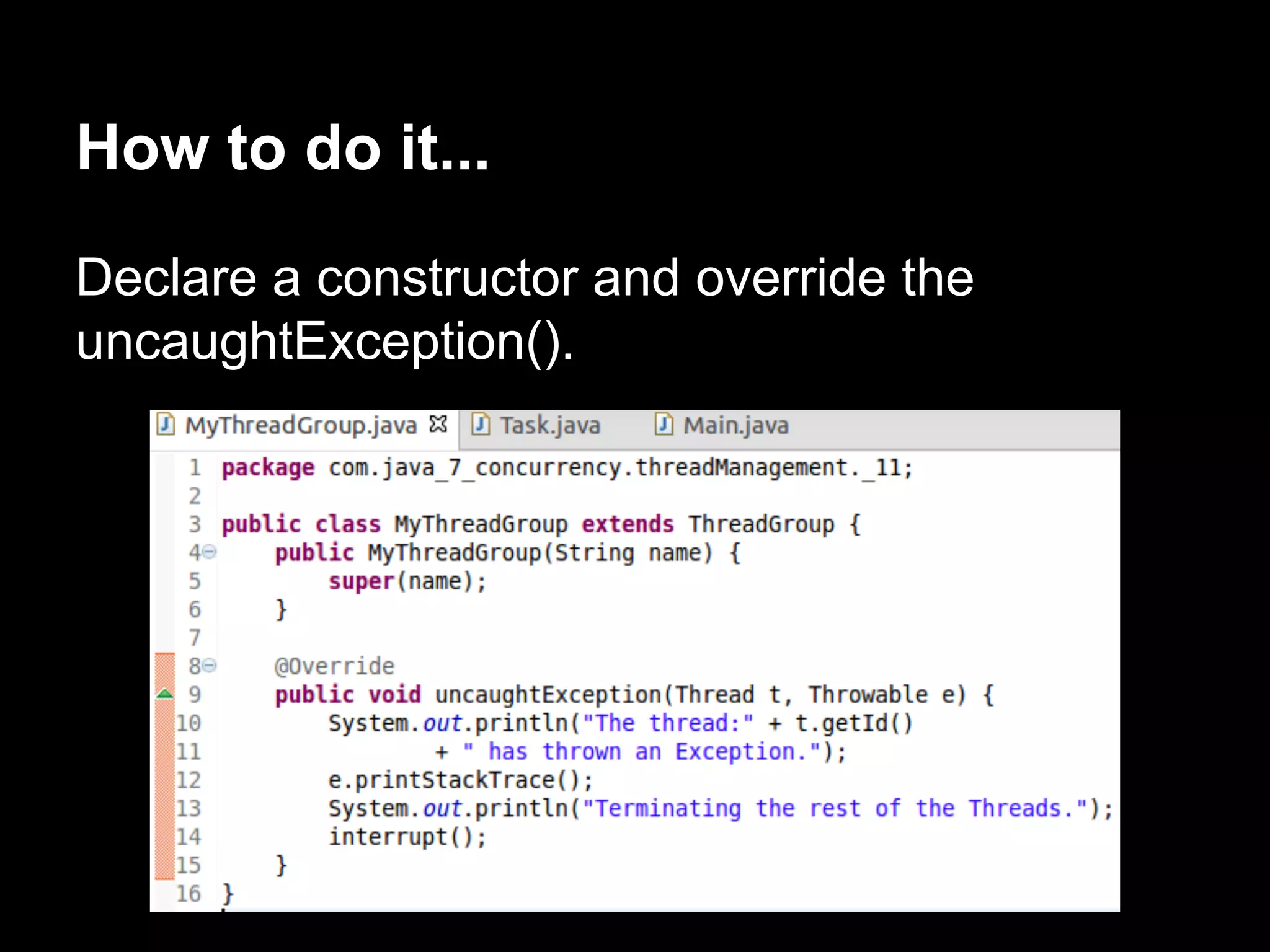
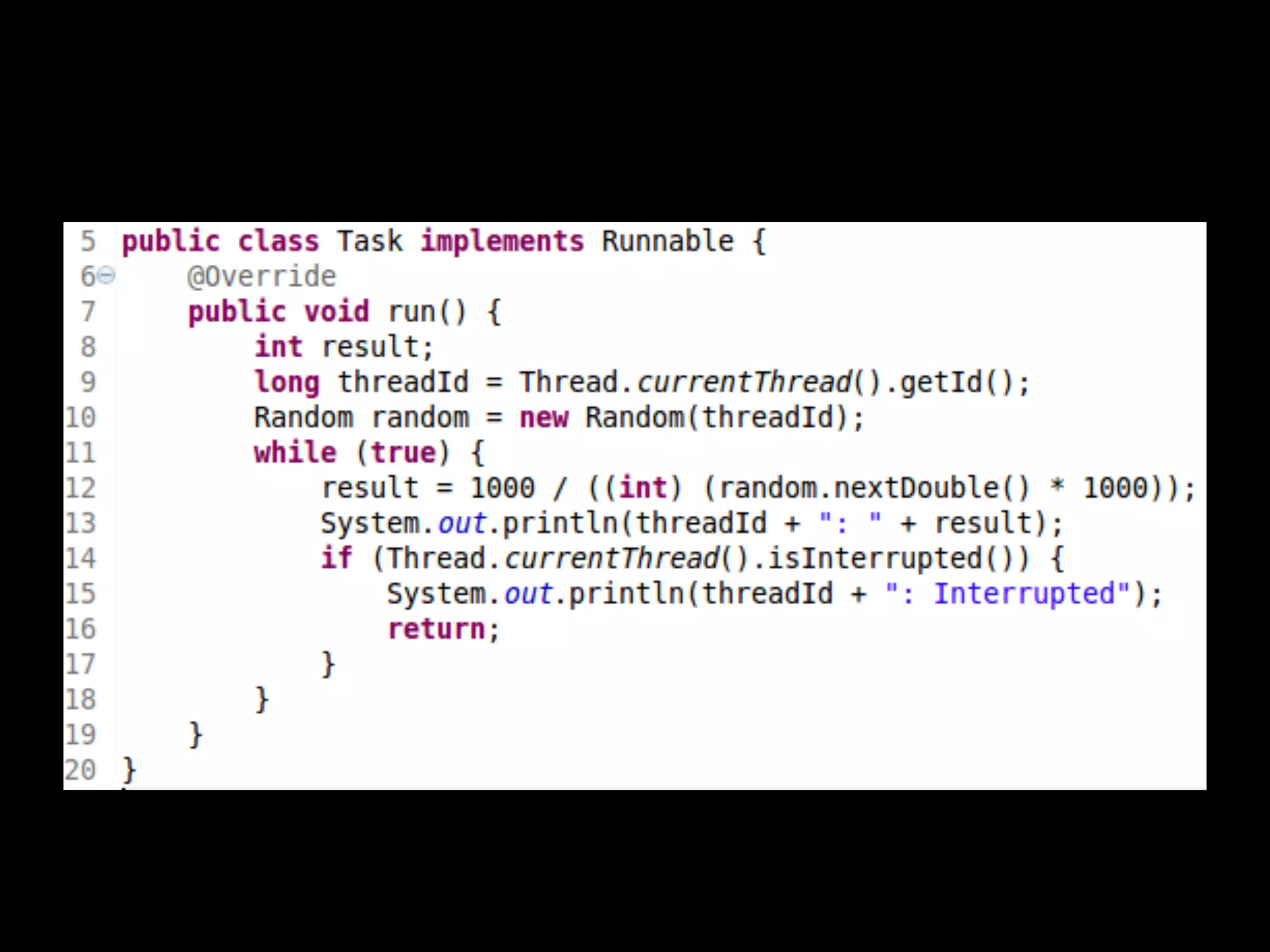
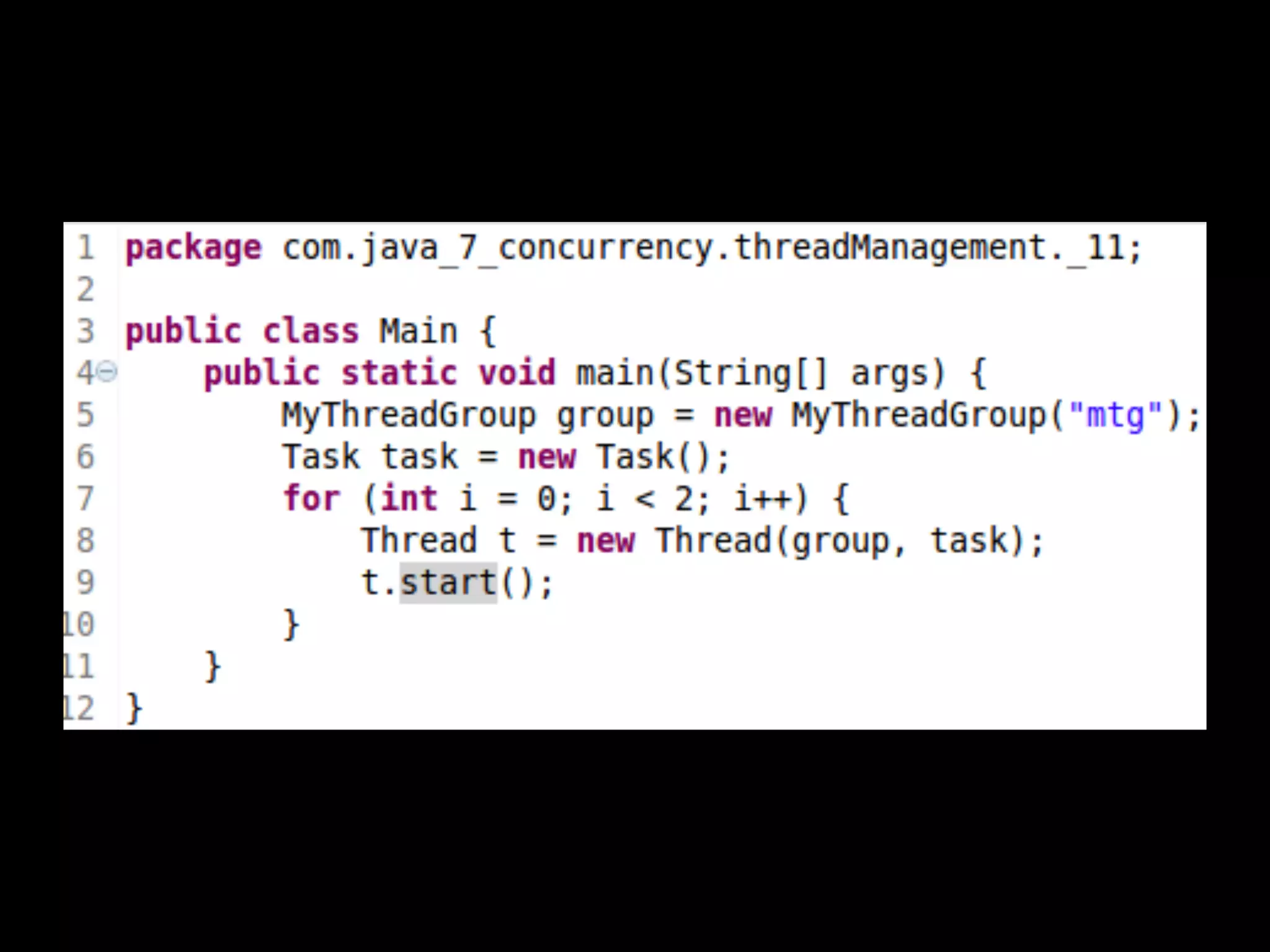
How to do it...
Declare a constructor and override the
uncaughtException().
How it works...
Creating threads through a factory
The factory pattern in OO is a creational
pattern.
Develop an object whose creating other objects
of one or servel classes.
Instead of using the new operator.
Centralize the creation of objects.
Some advantages:
● It's easy to change the class of the objects
created or the way we create these objects.
● It's easy to limit the creation of objects for
limited resources. For example, we can only
have n objects of a type.
● It's easy to generate statistical data about
the creation of the objects.
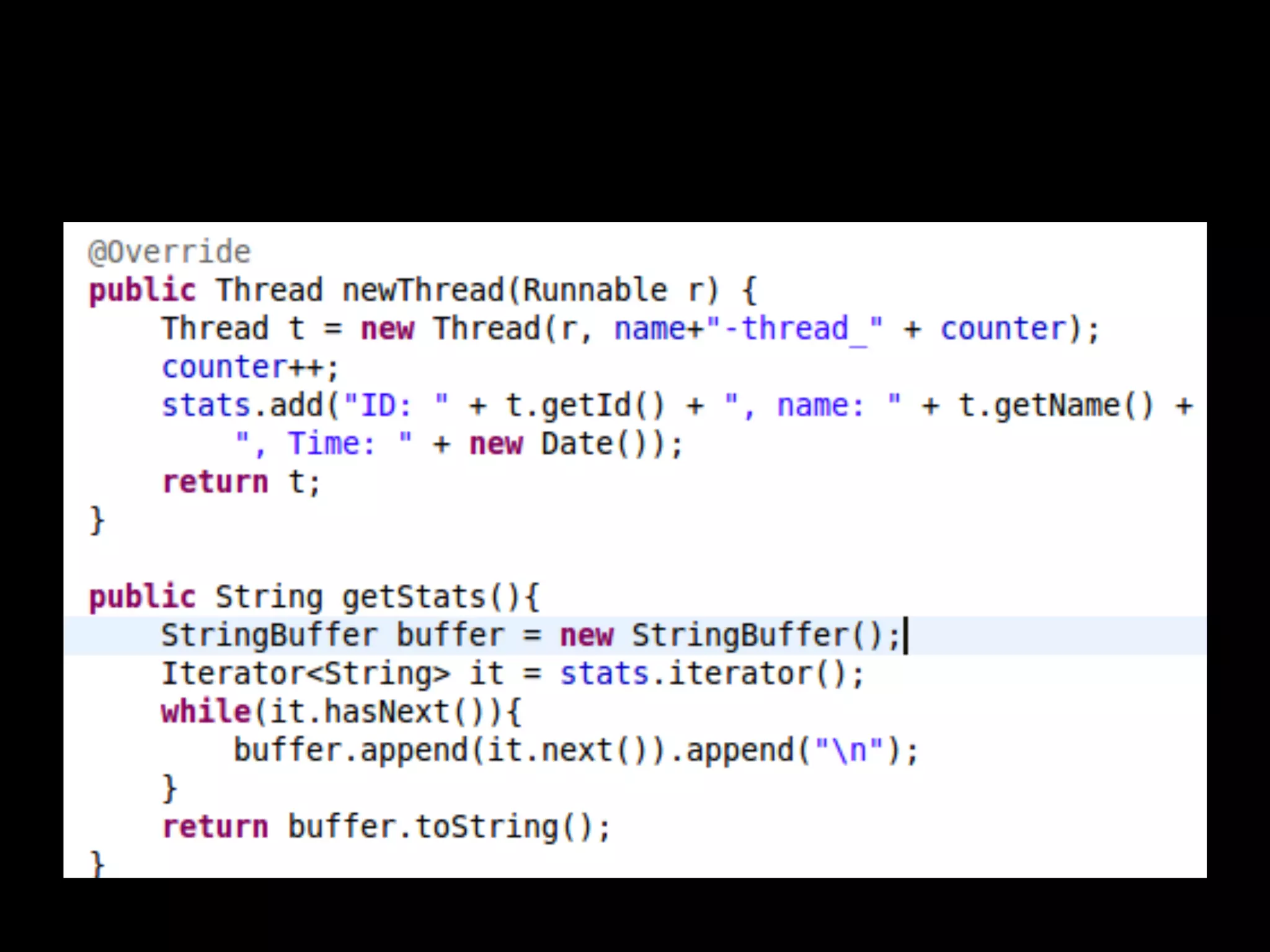
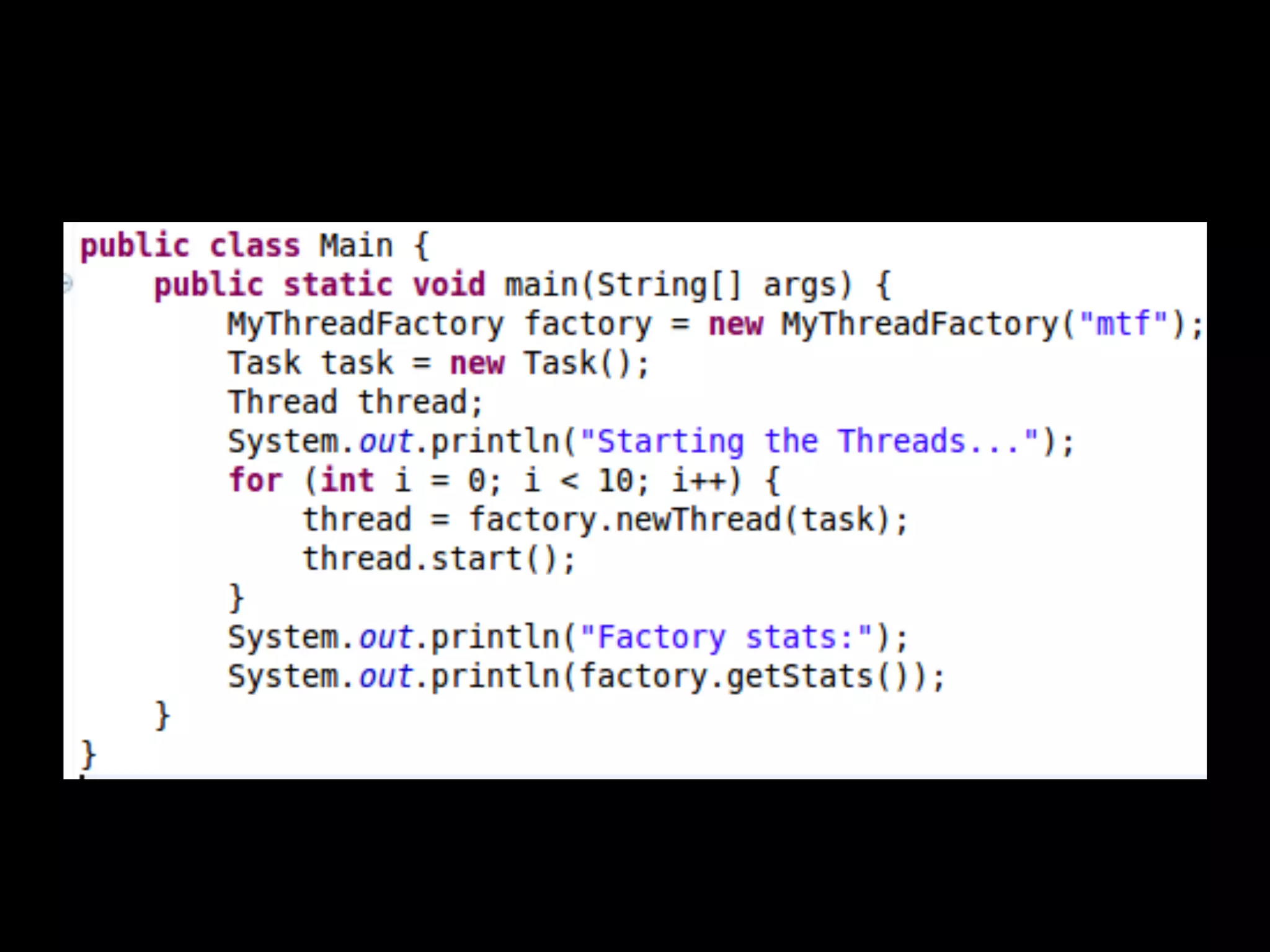
Java provides the ThreadFactory interface to
implement a Thread Object factory.
Well will implement a ThreadFactory
interface to create Thread objects with a
personalized name while we save statistics of
the Thread objects created.
How to do it...
How it works...
There’s more...
If you implement a ThreadFactory interface
to centralize the creation of threads, you have
to review the code to guarantee that all threads
are created using that factory.
End
Thank you!

[Java concurrency]01.thread management

  • 1.
  • 2.
    All content 1. Basicthread management 2. Thread synchronization mechanisms 3. Thread creation and management delegation with executors 4. Fork/Join farmework to enhance the performance of your application 5. Data structures for concurrent programs 6. Adapting the default behavior of some concurrency classes to your needs 7. Testing Java concurrency applications
  • 3.
    In this chapter,we will cover: ● Creating and running a thread ● Getting and setting thread information ● Interrupting a thread ● Controlling the interruption of a thread ● Sleeping and resuming a thread ● Waiting for the finalization of a thread ● Creating and running a daemon thread ● Processing uncontrolled exceptions in a thread ● Using local thread variables
  • 4.
    ● Grouping threadsinto a group ● Processing uncontrolled exceptions in a group of threads ● Creating threads through a factory
  • 5.
    Creating and runninga thread Threads are Objects. We have two ways of creating a thread in Java: ● Extending the Thread class and overriding the run() method ● Building a class that implements the Runnable interface and then creating an object of the Thread class passing the Runnable object as a parameter
  • 6.
    Creates and runs10 threads. Each thread calculates and prints the mutiplication table of a number between 1 and 10.
  • 7.
    How to doit...
  • 9.
  • 10.
  • 11.
    There’s more... You canimplement a class that extends Thread class and overrides the run() method of this class. Call the start() method to have a new execution thread.
  • 12.
    Getting and settingthread information The Thread class saves some infomation attributes that can help us to identify a thread: ● ID: A unique identifier for each Thread. ● Name ● Proiority: The priority of the Thread objects. value ∈ [1, 10] (low-->high) IllegalArgumentException Not recommended to change, but you can use if you want.
  • 13.
    ● Status: Threadcan be in one of these six states (new, runnable, blocked, waiting, time watiing, terminated) You can’t modify the ID and stauts of a thread.
  • 14.
    Develop a programthat establishes the name and priority for 10 threads, and then show information about their status until they finish.
  • 15.
    How to doit...
  • 16.
    New 10 threadsand set the priority of them
  • 17.
    Create log.txt filerecord the status of 10 threads, and start them.
  • 18.
    If we detecta change in the status of a thread, we write them on the file
  • 19.
  • 20.
  • 22.
    Interrupting a thread Finisha program: ● All its non-daemon threads end its execution. ● One of the threads use the System.exit() method. Interruption mechanism
  • 23.
    Interruption mechanism Thread hasto: ● Check if it has been interrupted or not. ● Decide if it responds to the finalization request or not. Thread can ignore it and continue with its execution.
  • 24.
    Develop a programthat creates Thread and, after 5 seconds, will force its finalization using the interruption mechanism.
  • 25.
    How to doit...
  • 27.
  • 28.
    There’s more... The Threadclass has another method to check whether Thread has been interrupted or not. Thread.interrupted()
  • 29.
    Difference: isInterrupted() and interrupted() ●interrupted() is static and checks the current thread. ● isInterrupted() is an instance method which checks the Thread object that it is called on. NOTE: The second one doesn’t change the interrupted attribute value, but the first one set it to false.
  • 30.
  • 31.
  • 32.
    think about these... ●(1) and (3) ● (1) and (4) ● (2) and (3) ● (2) and (4)
  • 33.
    Controlling the interruptionof a thread InterruptedException: A better mechanism to control the interruption of the thread. Detect and throw this exception and catch in the run() method.
  • 34.
    We will implementThread that looks for files with a determined name in a folder and in all its subfolders to show how to use the InterruptedException exception to control the interruption of a thread.
  • 35.
    How to doit...
  • 40.
  • 41.
    There’s more... The InterruptedExceptionexception is thrown by some Java methods related with the concurrency API such as sleep()
  • 42.
    Sleeping and resuminga thread A thread in a program checks a sensor state once per minute. The rest of the time, the thread does nothing. ● Thread.sleep() ● TimeUnit.SECONDS.sleep()
  • 43.
    We will developa program that uses the sleep() method to write the actual date every second.
  • 44.
    How to doit...
  • 46.
  • 47.
    When Thread issleeping and is interrupted, the method throws an InterruptedException exception immediately and doesn't wait until the sleeping time finishes.
  • 48.
    Waiting for thefinalization of a thread We can use the join() method of the Thread class. When we call this method using a thread object, it suspends the execution of the calling thread until the object called finishes its execution.
  • 49.
    join() public final voidjoin() throws InterruptedException Waits for this thread to die. join() ==> join(0) Throws: InterruptedException - if any thread has interrupted the current thread. The interrupted status of the current thread is cleared when this exception is thrown.
  • 50.
    How to doit...
  • 52.
  • 53.
    There’s more... join(long milliseconds) Waitsat most millis milliseconds for this thread to die. A timeout of 0 means to wait forever. join(long milliseconds, long nanos)
  • 54.
    If the objectthread1 has the code, thread1. join(1000), the thread2 suspends its execution until one of these two conditions is true: ● thread1 finishes its execution ● 1000 milliseconds have been passed When one of these two conditions is true, the join() method returns.
  • 55.
  • 56.
  • 57.
    Creating and runninga daemon thread Java has a special kind of thread called daemon thread. What is daemon thread?
  • 58.
    Daemon thread ● Verylow priority. ● Only executes when no other thread of the same program is running. ● JVM ends the program finishing these threads, when daemon threads are the only threads running in a program.
  • 59.
    What does daemonthread used for... Normally used as service providers for normal threads. Usually have an infinite loop that waits for the service request or performs the tasks of the thread. They can’t do important jobs. Example: The java garbage collector.
  • 60.
    Developing an examplewith two threads: ● One user thread that writes events on a queue. ● One daemon thread that cleans the queue, removing the events which were generated more than 10 seconds age.
  • 61.
    How to doit...
  • 67.
    How it works... Ifyou analyze the output of one execution of the program, you can see how the queue begins to grow until it has 30 events and then, its size will vary between 27 and 30 events until the end of the execution.
  • 68.
  • 69.
    Modify the run()method of WriteTask.java ...
  • 70.
    How it works...Thinkof the reason...
  • 71.
    How to findout the reason... ● Modify the run() method of WriteTask, make it easy to distinguish each element. ● Add a scanner, list all element of this deque.
  • 72.
    Modify the run()method of WriteTask
  • 73.
  • 74.
  • 75.
  • 76.
    Find out thereason... ● ArrayDeque: Not thread-safe ● We can use LinkedBlockingDeque… Deque<Event> deque = new LinkedBlockingDeque<Event>();
  • 77.
    There’s more... ● Youonly call the setDaemon() method before you call the start() method. Once the thread is running, you can’t modify its daemon status. ● Use isDaemon() method to check if a thread is a daemon thread or a user thread.
  • 78.
    Difference between Daemonand Non Daemon thread in Java : ● JVM doesn't wait for any daemon thread to finish before existing. ● Daemon Thread are treated differently than User Thread when JVM terminates, finally blocks are not called, Stacks are not unwounded and JVM just exits.
  • 79.
    Processing uncontrolled exceptions ina thread There are two kinds of exceptions in Java: ● Checked exceptions IOException ClassNotFoundException URLReferenceException ● Unchecked exceptions NumberFormatException ClassCastException NullPointException
  • 80.
    Exceptions in run()method: ● Checked exception: We have to catch and treat them, because the run() method doesn't accept a throws clause. ● Unchecked exception: A mechanism to catch and treat the unchecked exceptions. The default behaviour is to write the stack trace in the console and exit the program.
  • 81.
    We will learnthis mechanism using an example.
  • 82.
    How to doit...
  • 85.
    How it works... Ifthe thread has not got an uncaught exception handler, the JVM prints the stack trace in the console and exits the program.
  • 86.
    There’s more... ● setDefaultUncaughtExceptionHndler() Establishesan exception handler for all the Thread objects in the application.
  • 87.
    When an uncaughtexception is thrown in Thread... JVM looks for… 1. The uncaught exception handler of the Thread objects. 2. The uncaught exception handler for ThreadGroup of the Thread objects. 3. The default uncaught exception handler. None handlers… The JVM writes the stack trace of the exception and exits.
  • 88.
    Using local threadvariables One of the most critical aspects of a concurrent application is shared data. If you change an attribute in a thread, all the threads will be affected by this change. The Java Concurrency API provides a clean mechanism called thread-local variables with a very good performance.
  • 89.
    We will developa program that has the problem and another program using the thread- local variables mechanism.
  • 90.
    How to doit...
  • 92.
    How it works... EachThread has a different start time but, when they finish, all have the same value in its startDate attribute.
  • 93.
    How to doit...
  • 95.
  • 96.
    There’s more... ● protectedT initialValue() ● public T get() ● public void set(T value) ● public void remove() ● InheritableThreadLocal ● childValue()
  • 97.
    InheritableThreadLocal It provides inheritanceof values for threads created from a thread. You can override the childValue() method that is called to initialize the value of the child thread in the thread-local variable.
  • 98.
    How to doit...
  • 100.
  • 101.
    Grouping threads intoa group ThreadGroup: The threads of a group as a single unit. A threadGroup object can be formed by Thread objects and by another ThreadGroup object. A tree structure of threads.
  • 102.
    Simulating a search... Wewill have 5 threads sleeping during a random period of time, when one of them finishes, we are going to interrupt the rest.
  • 103.
    How to doit...
  • 104.
  • 107.
    How it works... Normalcondition... Abnormal condition...
  • 108.
  • 109.
    Abnormal condition The nameattribute changed three times. threadGroup.list(): Only list active thread.
  • 110.
    Processing uncontrolled exceptions ina group of threads Establish a method that captures all the uncaught exceptions thrown by any Thread of the ThreadGroup class.
  • 111.
    We will learnto set a handler using an example.
  • 112.
    How to doit... Declare a constructor and override the uncaughtException().
  • 115.
  • 116.
    Creating threads througha factory The factory pattern in OO is a creational pattern. Develop an object whose creating other objects of one or servel classes. Instead of using the new operator. Centralize the creation of objects.
  • 117.
    Some advantages: ● It'seasy to change the class of the objects created or the way we create these objects. ● It's easy to limit the creation of objects for limited resources. For example, we can only have n objects of a type. ● It's easy to generate statistical data about the creation of the objects.
  • 118.
    Java provides theThreadFactory interface to implement a Thread Object factory. Well will implement a ThreadFactory interface to create Thread objects with a personalized name while we save statistics of the Thread objects created.
  • 119.
    How to doit...
  • 122.
  • 123.
    There’s more... If youimplement a ThreadFactory interface to centralize the creation of threads, you have to review the code to guarantee that all threads are created using that factory.
  • 124.