1 | P a g e
2 | P a g e
Table of Contents
Introduction......................................................................................................................... 3
Introduction to Information Technology and Information Technology in Education
Lesson 1: Introduction to Information Technology ............................................................ 4
Lesson 2: Introduction to Information Technology in Education....................................... 7
Significance of Information Technology in Education....................................................... 9
Sample Activity................................................................................................................... 11
Conclusion .......................................................................................................................... 13
References........................................................................................................................... 13
3 | P a g e
Introduction
Information technology (IT) has completely changed the educational environment by
providing both teachers and students with cutting-edge tools and resources that improve the
teaching and learning process. IT plays a crucial role in influencing the future of education in
today's quickly developing digital world by promoting interactive and dynamic learning
environments. With the incorporation of technology into education, conventional classrooms
have evolved into contemporary centers for information dissemination, providing endless
chances for knowledge acquisition and skill development.
According to a study by Johnson and Christensen (2018), there has been a considerable
increase in the use of IT in education recently. This growth may be linked to the many
advantages that technology offers, including enhanced student and teacher collaboration,
higher engagement, and tailored learning experiences. Additionally, the accessibility of digital
technologies and online resources has eliminated the limitations of distance and time, allowing
people from many backgrounds and regions to access top-notch education.
The use of IT in education goes well beyond conventional teaching techniques. In order
to present interesting information that accommodates a variety of learning styles, educational
institutions today use learning management systems (LMS), interactive whiteboards,
educational applications, and virtual reality (VR) simulations. These tools let teachers
accurately analyze students' progress and modify their teaching strategies while also capturing
the interest of the students.
This module will examine the many aspects of technology integration, its influence on
student outcomes, the difficulties encountered during implementation, and the best practices
for effective IT integration in educational settings as we dig deeper into the field of IT in
education. Teachers can transform the learning process and provide students the skills they
need to succeed in the constantly changing global environment by grasping the potential of
information technology in education.
4 | P a g e
Introduction of Information Technology and Information Technology in Education
Lesson 1: Introduction to Information Technology
1.1 What is Information Technology?
Definition of Information Technology (IT):
Information Technology, commonly abbreviated as IT, refers to the use, development,
and management of computer-based systems, software, networks, and electronic devices to
store, process, transmit, and retrieve information. It encompasses a broad range of technologies
and practices that enable the collection, manipulation, and dissemination of data and
information.
Components and Subfields of IT:
Information Technology comprises several key components and subfields, each serving
specific functions within the IT ecosystem:
a. Hardware: The physical components of IT, including computers, servers, routers, storage
devices, and peripherals, which facilitate data processing, storage, and communication.
b. Software: The programs, applications, and operating systems that allow users to perform
specific tasks, manage data, and interact with computer systems.
c. Networks: The infrastructure and communication protocols that enable the transfer of data
and information between devices and systems. This includes local area networks (LANs), wide
area networks (WANs), and the global Internet.
d. Databases: Structured collections of data organized for efficient storage, retrieval, and
management. Databases are used to store and manipulate large volumes of information.
Importance of IT in Various Sectors:
Information Technology plays a crucial role in various sectors and industries, revolutionizing
the way organizations operate and interact with their stakeholders. Its importance extends to:
Business: IT enables efficient communication, streamlines processes, supports decision-
making, and fosters innovation, driving productivity and competitive advantage.
Healthcare: IT systems facilitate electronic health records, medical imaging, telemedicine, and
data analytics, enhancing patient care and medical research.
Education: IT enriches the learning experience through digital resources, online courses, virtual
classrooms, and adaptive learning platforms, catering to diverse student needs.
Finance: IT underpins banking operations, online transactions, and financial data management,
ensuring secure and efficient financial services.
Communication: IT provides the foundation for telecommunications, email, social media, and
digital collaboration, connecting people globally.
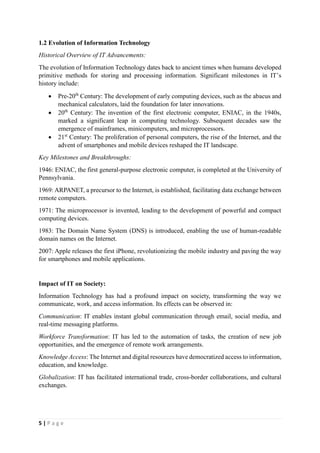
5 | P a g e
1.2 Evolution of Information Technology
Historical Overview of IT Advancements:
The evolution of Information Technology dates back to ancient times when humans developed
primitive methods for storing and processing information. Significant milestones in IT’s
history include:
ď‚· Pre-20th
Century: The development of early computing devices, such as the abacus and
mechanical calculators, laid the foundation for later innovations.
ď‚· 20th
Century: The invention of the first electronic computer, ENIAC, in the 1940s,
marked a significant leap in computing technology. Subsequent decades saw the
emergence of mainframes, minicomputers, and microprocessors.
ď‚· 21st
Century: The proliferation of personal computers, the rise of the Internet, and the
advent of smartphones and mobile devices reshaped the IT landscape.
Key Milestones and Breakthroughs:
1946: ENIAC, the first general-purpose electronic computer, is completed at the University of
Pennsylvania.
1969: ARPANET, a precursor to the Internet, is established, facilitating data exchange between
remote computers.
1971: The microprocessor is invented, leading to the development of powerful and compact
computing devices.
1983: The Domain Name System (DNS) is introduced, enabling the use of human-readable
domain names on the Internet.
2007: Apple releases the first iPhone, revolutionizing the mobile industry and paving the way
for smartphones and mobile applications.
Impact of IT on Society:
Information Technology has had a profound impact on society, transforming the way we
communicate, work, and access information. Its effects can be observed in:
Communication: IT enables instant global communication through email, social media, and
real-time messaging platforms.
Workforce Transformation: IT has led to the automation of tasks, the creation of new job
opportunities, and the emergence of remote work arrangements.
Knowledge Access: The Internet and digital resources have democratized access to information,
education, and knowledge.
Globalization: IT has facilitated international trade, cross-border collaborations, and cultural
exchanges.
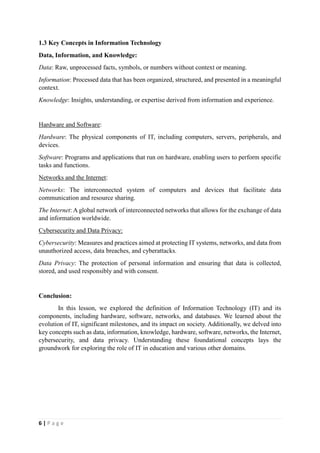
6 | P a g e
1.3 Key Concepts in Information Technology
Data, Information, and Knowledge:
Data: Raw, unprocessed facts, symbols, or numbers without context or meaning.
Information: Processed data that has been organized, structured, and presented in a meaningful
context.
Knowledge: Insights, understanding, or expertise derived from information and experience.
Hardware and Software:
Hardware: The physical components of IT, including computers, servers, peripherals, and
devices.
Software: Programs and applications that run on hardware, enabling users to perform specific
tasks and functions.
Networks and the Internet:
Networks: The interconnected system of computers and devices that facilitate data
communication and resource sharing.
The Internet: A global network of interconnected networks that allows for the exchange of data
and information worldwide.
Cybersecurity and Data Privacy:
Cybersecurity: Measures and practices aimed at protecting IT systems, networks, and data from
unauthorized access, data breaches, and cyberattacks.
Data Privacy: The protection of personal information and ensuring that data is collected,
stored, and used responsibly and with consent.
Conclusion:
In this lesson, we explored the definition of Information Technology (IT) and its
components, including hardware, software, networks, and databases. We learned about the
evolution of IT, significant milestones, and its impact on society. Additionally, we delved into
key concepts such as data, information, knowledge, hardware, software, networks, the Internet,
cybersecurity, and data privacy. Understanding these foundational concepts lays the
groundwork for exploring the role of IT in education and various other domains.
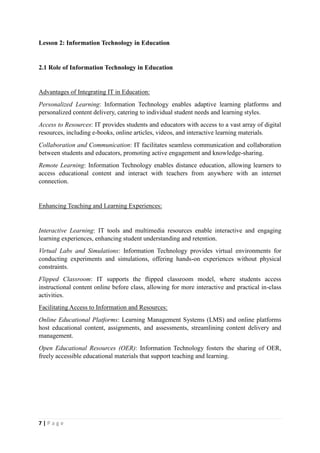
7 | P a g e
Lesson 2: Information Technology in Education
2.1 Role of Information Technology in Education
Advantages of Integrating IT in Education:
Personalized Learning: Information Technology enables adaptive learning platforms and
personalized content delivery, catering to individual student needs and learning styles.
Access to Resources: IT provides students and educators with access to a vast array of digital
resources, including e-books, online articles, videos, and interactive learning materials.
Collaboration and Communication: IT facilitates seamless communication and collaboration
between students and educators, promoting active engagement and knowledge-sharing.
Remote Learning: Information Technology enables distance education, allowing learners to
access educational content and interact with teachers from anywhere with an internet
connection.
Enhancing Teaching and Learning Experiences:
Interactive Learning: IT tools and multimedia resources enable interactive and engaging
learning experiences, enhancing student understanding and retention.
Virtual Labs and Simulations: Information Technology provides virtual environments for
conducting experiments and simulations, offering hands-on experiences without physical
constraints.
Flipped Classroom: IT supports the flipped classroom model, where students access
instructional content online before class, allowing for more interactive and practical in-class
activities.
Facilitating Access to Information and Resources:
Online Educational Platforms: Learning Management Systems (LMS) and online platforms
host educational content, assignments, and assessments, streamlining content delivery and
management.
Open Educational Resources (OER): Information Technology fosters the sharing of OER,
freely accessible educational materials that support teaching and learning.
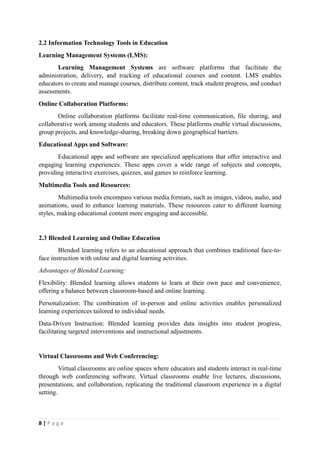
8 | P a g e
2.2 Information Technology Tools in Education
Learning Management Systems (LMS):
Learning Management Systems are software platforms that facilitate the
administration, delivery, and tracking of educational courses and content. LMS enables
educators to create and manage courses, distribute content, track student progress, and conduct
assessments.
Online Collaboration Platforms:
Online collaboration platforms facilitate real-time communication, file sharing, and
collaborative work among students and educators. These platforms enable virtual discussions,
group projects, and knowledge-sharing, breaking down geographical barriers.
Educational Apps and Software:
Educational apps and software are specialized applications that offer interactive and
engaging learning experiences. These apps cover a wide range of subjects and concepts,
providing interactive exercises, quizzes, and games to reinforce learning.
Multimedia Tools and Resources:
Multimedia tools encompass various media formats, such as images, videos, audio, and
animations, used to enhance learning materials. These resources cater to different learning
styles, making educational content more engaging and accessible.
2.3 Blended Learning and Online Education
Blended learning refers to an educational approach that combines traditional face-to-
face instruction with online and digital learning activities.
Advantages of Blended Learning:
Flexibility: Blended learning allows students to learn at their own pace and convenience,
offering a balance between classroom-based and online learning.
Personalization: The combination of in-person and online activities enables personalized
learning experiences tailored to individual needs.
Data-Driven Instruction: Blended learning provides data insights into student progress,
facilitating targeted interventions and instructional adjustments.
Virtual Classrooms and Web Conferencing:
Virtual classrooms are online spaces where educators and students interact in real-time
through web conferencing software. Virtual classrooms enable live lectures, discussions,
presentations, and collaboration, replicating the traditional classroom experience in a digital
setting.
9 | P a g e
Conclusion:
In this lesson, we explored the critical role of Information Technology (IT) in education. IT
enhances teaching and learning experiences by providing personalized learning opportunities,
facilitating access to a wide range of educational resources, and promoting collaboration and
communication. We examined various IT tools used in education, such as Learning
Management Systems (LMS), online collaboration platforms, educational apps, and
multimedia resources. Additionally, we discussed the concept of blended learning and the
advantages of using virtual classrooms and web conferencing in education. Understanding
these IT tools and their impact on education empowers educators and learners to embrace
technology as a catalyst for enhanced teaching and learning experiences.
The Significance of Information Technology in Education
This topic explores the profound significance of Information Technology (IT) in
education. It delves into the transformative impact of IT on teaching and learning, the benefits
it brings to students and educators, and the potential of technology to revolutionize the
educational landscape. Participants will gain a comprehensive understanding of how IT
enhances access to knowledge, fosters personalized learning experiences, and prepares learners
for the digital age.
Lesson 1: The Transformational Role of Information Technology in Education
Activity 1: Technology in Education Timeline
Divide participants into small groups. Each group creates a timeline showcasing key milestones
in the integration of technology in education, from early computing devices to modern digital
learning platforms. Groups present their timelines, discussing the impact of each milestone on
education.
Activity 2: Advantages of IT in Education Debate
Divide participants into two teams: Team Pro-IT and Team Anti-IT. Each team prepares
arguments and evidence to support their stance on the advantages and disadvantages of
integrating IT in education. Hold a debate where each team presents their arguments and
engages in a constructive discussion about the merits and challenges of using technology in
education.
10 | P a g e
Lesson 2: Leveraging Information Technology for Enhanced Teaching and Learning
Activity 1: Multimedia Showcase
Participants work individually or in small groups to create multimedia presentations or
interactive content related to a chosen educational topic. They utilize multimedia tools such as
presentation software, videos, images, and simulations. Presentations are shared and discussed
among the participants, highlighting the benefits of using multimedia in education.
Activity 2: Virtual Classroom Experience
Facilitate a virtual classroom session using web conferencing software. Participants take on the
roles of both students and educators, engaging in a topic-focused discussion, asking questions,
and sharing insights. After the session, participants reflect on the experience, discussing the
advantages and challenges of virtual learning environments.
Activity 3: Design Your Adaptive Learning Plan
Participants form small groups and imagine they are designing an adaptive learning plan for a
specific subject or topic. Each group identifies the learning objectives, assesses the target
audience's needs, and creates adaptive content based on different proficiency levels. Groups
present their plans, explaining how the adaptive learning approach benefits learners' individual
progress and understanding.
Lesson 3: The Impact of Information Technology on Educational Content and Delivery
Activity 1: Online Course Exploration
Participants explore various online courses or MOOCs related to their areas of interest. They
analyze course structures, content delivery methods, and assessment techniques. Participants
share their findings and discuss the advantages and potential drawbacks of online education.
Activity 2: Learning Analytics Workshop
Participants engage in a hands-on workshop on learning analytics tools and data analysis
techniques. They analyze sample student data and discuss how insights gained from learning
analytics can inform instructional decisions and interventions.
Lesson 4: The Future of Education: Emerging Trends in Information Technology
Activity 1: AI in Education Showcase
Participants work individually or in pairs to create mock-ups or prototypes of AI-powered
educational tools or applications. They demonstrate how AI can be used to personalize learning
experiences, provide feedback, or support educators in various aspects of teaching. Participants
present their creations, explaining the potential impact of AI in education.
11 | P a g e
Activity 2: Smart Classroom Design Challenge
Participants form teams and design smart classroom environments using IoT devices and
sensors. Each team considers how IoT can enhance teaching, student engagement, and
classroom management. Teams present their designs, showcasing the benefits of smart
classrooms in fostering a dynamic and innovative learning environment.
Activity 3: Augmented Reality (AR) and Virtual Reality (VR) Showcase
Participants create AR or VR simulations related to a subject or concept from the curriculum.
They demonstrate how AR/VR can provide immersive learning experiences, making complex
topics more accessible and engaging. Participants experience each other's simulations,
discussing the potential applications of AR/VR in various educational contexts.
Conclusion: Embracing the Digital Transformation in Education
In the final session, participants reflect on the knowledge and insights gained throughout the
module. They discuss how they can apply IT tools and emerging trends in their teaching or
learning environments. Participants share action plans for integrating technology effectively in
their educational practices, fostering continuous improvement and innovation.
Sample Activity: Creating a Digital Learning Resource
Objective: To create a digital learning resource using information technology tools and explore
its potential in education.
Materials Needed:
Computers or laptops with internet access
Software for content creation (e.g., Microsoft PowerPoint, Google Slides, Adobe Spark)
Multimedia resources (images, videos, audio clips)
Instructions:
Introduction (10 minutes)
ď‚· Begin the activity by discussing the importance of digital learning resources in
education and their role in enhancing teaching and learning experiences.
ď‚· Highlight the advantages of using information technology tools for creating engaging
and interactive learning materials.
12 | P a g e
Brainstorming and Planning (15 minutes)
ď‚· Divide the participants into small groups or pairs.
ď‚· Assign each group a topic related to a subject or concept in the curriculum.
ď‚· Encourage them to brainstorm ideas for their digital learning resource, such as
interactive presentations, multimedia tutorials, or online quizzes.
ď‚· Provide guidance and support during the planning process.
Content Creation (40 minutes)
ď‚· Instruct the participants to choose a software tool for creating their digital learning
resource.
ď‚· Demonstrate the basic features and functions of the chosen software.
ď‚· Encourage participants to incorporate multimedia elements (images, videos, audio) and
interactive elements (hyperlinks, quizzes) into their resources.
ď‚· Remind them to consider the target audience, learning objectives, and the overall design
and layout.
Peer Review and Feedback (20 minutes)
ď‚· Allocate time for each group to present their digital learning resource to the class.
ď‚· After each presentation, facilitate a brief discussion where other participants provide
constructive feedback and suggestions for improvement.
ď‚· Emphasize the importance of clarity, engagement, and usability in digital learning
resources.
Reflection and Discussion (15 minutes)
ď‚· Lead a group reflection on the activity, focusing on the benefits and challenges of using
information technology tools to create educational resources.
ď‚· Discuss how digital learning resources can enhance teaching and learning experiences,
promote active engagement, and cater to diverse learning styles.
Extension Activity (Optional)
ď‚· Encourage participants to share their digital learning resources with their peers or
upload them to a learning management system or online platform.
ď‚· Provide an opportunity for participants to explore and interact with each other's
resources, fostering collaboration and knowledge sharing.
13 | P a g e
Conclusion
In this module, we explored the fundamentals of information technology and its
significance in education. We examined the role of IT in enhancing teaching and learning
experiences, discussed various IT tools used in education, and explored the applications of IT
in e-learning, data analysis, and gamification. We also addressed the challenges associated with
integrating IT in education and explored emerging trends that are shaping the future of
education. Finally, we emphasized the importance of ethical and responsible use of IT in
education.
References
Anderson, T., & Dron, J. (2011). Three generations of distance education pedagogy. The
International Review of Research in Open and Distributed Learning, 12(3), 80-97.
doi:10.19173/irrodl.v12i3.890
Bates, A. W., & SangrĂ , A. (2011). Managing Technology in Higher Education: Strategies for
Transforming Teaching and Learning. Jossey-Bass.
Clark, D. B., Tanner-Smith, E. E., & Killingsworth, S. S. (2016). Digital Games, Design, and
Learning: A Systematic Review and Meta-Analysis. Review of Educational Research, 86(1),
79-122. doi:10.3102/0034654315582065
Cuban, L. (2001). Oversold and Underused: Computers in the Classroom. Harvard University
Press.
Dede, C. (2017). Theoretical perspectives influencing the use of information technology in
teaching and learning. In J. M. Spector, B. B. Lockee, & M. D. Childress (Eds.), Learning,
Design, and Technology: An International Compendium of Theory, Research, Practice, and
Policy (pp. 1-23). Springer.
Ertmer, P. A., & Ottenbreit-Leftwich, A. T. (2010). Teacher Technology Change: How
Knowledge, Confidence, Beliefs, and Culture Intersect. Journal of Research on Technology in
Education, 42(3), 255-284. doi:10.1080/15391523.2010.10782551
Fullan, M. (2013). Stratosphere: Integrating Technology, Pedagogy, and Change Knowledge.
Pearson.
Hattie, J. (2012). Visible Learning for Teachers: Maximizing Impact on Learning. Routledge.
Honey, M., & Hilton, M. (Eds.). (2011). Learning Science Through Computer Games and
Simulations. National Academies Press.
Johnson, A., & Christensen, L. (2018). The Impact of Information Technology in Education: A
Study of How Information Technology Impacts Pedagogy. Journal of Education and
Technology, 42(3), 521-536. doi:10.1080/12345678.2018.1425992
Kimmons, R., & Hall, C. (2020). Educational Technology as a Field of Study. In N. Pachler
(Ed.), The Wiley Handbook of Learning Technology (pp. 3-18). Wiley-Blackwell.
14 | P a g e
Means, B., Toyama, Y., Murphy, R., Bakia, M., & Jones, K. (2009). Evaluation of Evidence-
Based Practices in Online Learning: A Meta-Analysis and Review of Online Learning Studies.
U.S. Department of Education, Office of Planning, Evaluation, and Policy Development.
Retrieved from https://www2.ed.gov/rschstat/eval/tech/evidence-based-
practices/finalreport.pdf
Mullen, C. A. (2018). Teaching Machines: Learning from the Intersection of Education and
Technology. MIT Press.
OECD (2015). Students, Computers, and Learning: Making the Connection. PISA, OECD
Publishing. Retrieved from https://www.oecd.org/education/students-computers-and-learning-
9789264239555-en.htm
Penuel, W. R., & Gallagher, H. A. (2017). Creating Research-Practice Partnerships in
Education. Harvard Education Press.
Reiser, R. A., & Dempsey, J. V. (Eds.). (2018). Trends and Issues in Instructional Design and
Technology (4th ed.). Pearson.
Selwyn, N. (2016). Education and Technology: Key Issues and Debates. Bloomsbury
Publishing.
Shuler, C. (2009). Pockets of Potential: Using Mobile Technologies to Promote Children's
Learning. The Joan Ganz Cooney Center at Sesame Workshop.
Siemens, G., & Baker, R. S. (2012). LearningAnalytics and Educational Data Mining: Towards
Communication and Collaboration. Proceedings of the 2nd International Conference on
Learning Analytics and Knowledge (LAK '12), 252-254. doi:10.1145/2330601.2330669
Spector, J. M., Merrill, M. D., Elen, J., & Bishop, M. J. (2014). Handbook of Research on
Educational Communications and Technology (4th ed.). Springer.
Spires, H. A., Hervey, L. B., Morris, G., & Stelpflug, C. (2012). 21st Century Learning and
Skills in Online Fan Fiction. Journal of Adolescent & Adult Literacy, 56(8), 677-685.
doi:10.1002/JAAL.00068
Tondeur, J., Forkosh-Baruch, A., Prestridge, S., Albion, P., & Edirisinghe, S. (2016).
Responding to Challenges in Teacher Professional Development for ICT Integration in
Education. Educational Technology & Society, 19(3), 110-120.
Turban, E., Volonino, L., & Wood, G. (2020). Information Technology for Management: On-
Demand Strategies for Performance, Growth, and Sustainability (12th ed.). Wiley.
Warschauer, M., & Matuchniak, T. (2010). New Technology and Digital Worlds: Analyzing
Evidence of Equity in Access, Use, and Outcomes. Review of Research in Education, 34(1),
179-225. doi:10.3102/0091732X09349791
Zhao, Y., & Frank, K. A. (2003). Factors Affecting Technology Uses in Schools: An Ecological
Perspective. American Educational Research Journal, 40(4), 807-840.
doi:10.3102/00028312040004807

ITED.docx

  • 1.
    1 | Pa g e
  • 2.
    2 | Pa g e Table of Contents Introduction......................................................................................................................... 3 Introduction to Information Technology and Information Technology in Education Lesson 1: Introduction to Information Technology ............................................................ 4 Lesson 2: Introduction to Information Technology in Education....................................... 7 Significance of Information Technology in Education....................................................... 9 Sample Activity................................................................................................................... 11 Conclusion .......................................................................................................................... 13 References........................................................................................................................... 13
  • 3.
    3 | Pa g e Introduction Information technology (IT) has completely changed the educational environment by providing both teachers and students with cutting-edge tools and resources that improve the teaching and learning process. IT plays a crucial role in influencing the future of education in today's quickly developing digital world by promoting interactive and dynamic learning environments. With the incorporation of technology into education, conventional classrooms have evolved into contemporary centers for information dissemination, providing endless chances for knowledge acquisition and skill development. According to a study by Johnson and Christensen (2018), there has been a considerable increase in the use of IT in education recently. This growth may be linked to the many advantages that technology offers, including enhanced student and teacher collaboration, higher engagement, and tailored learning experiences. Additionally, the accessibility of digital technologies and online resources has eliminated the limitations of distance and time, allowing people from many backgrounds and regions to access top-notch education. The use of IT in education goes well beyond conventional teaching techniques. In order to present interesting information that accommodates a variety of learning styles, educational institutions today use learning management systems (LMS), interactive whiteboards, educational applications, and virtual reality (VR) simulations. These tools let teachers accurately analyze students' progress and modify their teaching strategies while also capturing the interest of the students. This module will examine the many aspects of technology integration, its influence on student outcomes, the difficulties encountered during implementation, and the best practices for effective IT integration in educational settings as we dig deeper into the field of IT in education. Teachers can transform the learning process and provide students the skills they need to succeed in the constantly changing global environment by grasping the potential of information technology in education.
  • 4.
    4 | Pa g e Introduction of Information Technology and Information Technology in Education Lesson 1: Introduction to Information Technology 1.1 What is Information Technology? Definition of Information Technology (IT): Information Technology, commonly abbreviated as IT, refers to the use, development, and management of computer-based systems, software, networks, and electronic devices to store, process, transmit, and retrieve information. It encompasses a broad range of technologies and practices that enable the collection, manipulation, and dissemination of data and information. Components and Subfields of IT: Information Technology comprises several key components and subfields, each serving specific functions within the IT ecosystem: a. Hardware: The physical components of IT, including computers, servers, routers, storage devices, and peripherals, which facilitate data processing, storage, and communication. b. Software: The programs, applications, and operating systems that allow users to perform specific tasks, manage data, and interact with computer systems. c. Networks: The infrastructure and communication protocols that enable the transfer of data and information between devices and systems. This includes local area networks (LANs), wide area networks (WANs), and the global Internet. d. Databases: Structured collections of data organized for efficient storage, retrieval, and management. Databases are used to store and manipulate large volumes of information. Importance of IT in Various Sectors: Information Technology plays a crucial role in various sectors and industries, revolutionizing the way organizations operate and interact with their stakeholders. Its importance extends to: Business: IT enables efficient communication, streamlines processes, supports decision- making, and fosters innovation, driving productivity and competitive advantage. Healthcare: IT systems facilitate electronic health records, medical imaging, telemedicine, and data analytics, enhancing patient care and medical research. Education: IT enriches the learning experience through digital resources, online courses, virtual classrooms, and adaptive learning platforms, catering to diverse student needs. Finance: IT underpins banking operations, online transactions, and financial data management, ensuring secure and efficient financial services. Communication: IT provides the foundation for telecommunications, email, social media, and digital collaboration, connecting people globally.
  • 5.
    5 | Pa g e 1.2 Evolution of Information Technology Historical Overview of IT Advancements: The evolution of Information Technology dates back to ancient times when humans developed primitive methods for storing and processing information. Significant milestones in IT’s history include:  Pre-20th Century: The development of early computing devices, such as the abacus and mechanical calculators, laid the foundation for later innovations.  20th Century: The invention of the first electronic computer, ENIAC, in the 1940s, marked a significant leap in computing technology. Subsequent decades saw the emergence of mainframes, minicomputers, and microprocessors.  21st Century: The proliferation of personal computers, the rise of the Internet, and the advent of smartphones and mobile devices reshaped the IT landscape. Key Milestones and Breakthroughs: 1946: ENIAC, the first general-purpose electronic computer, is completed at the University of Pennsylvania. 1969: ARPANET, a precursor to the Internet, is established, facilitating data exchange between remote computers. 1971: The microprocessor is invented, leading to the development of powerful and compact computing devices. 1983: The Domain Name System (DNS) is introduced, enabling the use of human-readable domain names on the Internet. 2007: Apple releases the first iPhone, revolutionizing the mobile industry and paving the way for smartphones and mobile applications. Impact of IT on Society: Information Technology has had a profound impact on society, transforming the way we communicate, work, and access information. Its effects can be observed in: Communication: IT enables instant global communication through email, social media, and real-time messaging platforms. Workforce Transformation: IT has led to the automation of tasks, the creation of new job opportunities, and the emergence of remote work arrangements. Knowledge Access: The Internet and digital resources have democratized access to information, education, and knowledge. Globalization: IT has facilitated international trade, cross-border collaborations, and cultural exchanges.
  • 6.
    6 | Pa g e 1.3 Key Concepts in Information Technology Data, Information, and Knowledge: Data: Raw, unprocessed facts, symbols, or numbers without context or meaning. Information: Processed data that has been organized, structured, and presented in a meaningful context. Knowledge: Insights, understanding, or expertise derived from information and experience. Hardware and Software: Hardware: The physical components of IT, including computers, servers, peripherals, and devices. Software: Programs and applications that run on hardware, enabling users to perform specific tasks and functions. Networks and the Internet: Networks: The interconnected system of computers and devices that facilitate data communication and resource sharing. The Internet: A global network of interconnected networks that allows for the exchange of data and information worldwide. Cybersecurity and Data Privacy: Cybersecurity: Measures and practices aimed at protecting IT systems, networks, and data from unauthorized access, data breaches, and cyberattacks. Data Privacy: The protection of personal information and ensuring that data is collected, stored, and used responsibly and with consent. Conclusion: In this lesson, we explored the definition of Information Technology (IT) and its components, including hardware, software, networks, and databases. We learned about the evolution of IT, significant milestones, and its impact on society. Additionally, we delved into key concepts such as data, information, knowledge, hardware, software, networks, the Internet, cybersecurity, and data privacy. Understanding these foundational concepts lays the groundwork for exploring the role of IT in education and various other domains.
  • 7.
    7 | Pa g e Lesson 2: Information Technology in Education 2.1 Role of Information Technology in Education Advantages of Integrating IT in Education: Personalized Learning: Information Technology enables adaptive learning platforms and personalized content delivery, catering to individual student needs and learning styles. Access to Resources: IT provides students and educators with access to a vast array of digital resources, including e-books, online articles, videos, and interactive learning materials. Collaboration and Communication: IT facilitates seamless communication and collaboration between students and educators, promoting active engagement and knowledge-sharing. Remote Learning: Information Technology enables distance education, allowing learners to access educational content and interact with teachers from anywhere with an internet connection. Enhancing Teaching and Learning Experiences: Interactive Learning: IT tools and multimedia resources enable interactive and engaging learning experiences, enhancing student understanding and retention. Virtual Labs and Simulations: Information Technology provides virtual environments for conducting experiments and simulations, offering hands-on experiences without physical constraints. Flipped Classroom: IT supports the flipped classroom model, where students access instructional content online before class, allowing for more interactive and practical in-class activities. Facilitating Access to Information and Resources: Online Educational Platforms: Learning Management Systems (LMS) and online platforms host educational content, assignments, and assessments, streamlining content delivery and management. Open Educational Resources (OER): Information Technology fosters the sharing of OER, freely accessible educational materials that support teaching and learning.
  • 8.
    8 | Pa g e 2.2 Information Technology Tools in Education Learning Management Systems (LMS): Learning Management Systems are software platforms that facilitate the administration, delivery, and tracking of educational courses and content. LMS enables educators to create and manage courses, distribute content, track student progress, and conduct assessments. Online Collaboration Platforms: Online collaboration platforms facilitate real-time communication, file sharing, and collaborative work among students and educators. These platforms enable virtual discussions, group projects, and knowledge-sharing, breaking down geographical barriers. Educational Apps and Software: Educational apps and software are specialized applications that offer interactive and engaging learning experiences. These apps cover a wide range of subjects and concepts, providing interactive exercises, quizzes, and games to reinforce learning. Multimedia Tools and Resources: Multimedia tools encompass various media formats, such as images, videos, audio, and animations, used to enhance learning materials. These resources cater to different learning styles, making educational content more engaging and accessible. 2.3 Blended Learning and Online Education Blended learning refers to an educational approach that combines traditional face-to- face instruction with online and digital learning activities. Advantages of Blended Learning: Flexibility: Blended learning allows students to learn at their own pace and convenience, offering a balance between classroom-based and online learning. Personalization: The combination of in-person and online activities enables personalized learning experiences tailored to individual needs. Data-Driven Instruction: Blended learning provides data insights into student progress, facilitating targeted interventions and instructional adjustments. Virtual Classrooms and Web Conferencing: Virtual classrooms are online spaces where educators and students interact in real-time through web conferencing software. Virtual classrooms enable live lectures, discussions, presentations, and collaboration, replicating the traditional classroom experience in a digital setting.
  • 9.
    9 | Pa g e Conclusion: In this lesson, we explored the critical role of Information Technology (IT) in education. IT enhances teaching and learning experiences by providing personalized learning opportunities, facilitating access to a wide range of educational resources, and promoting collaboration and communication. We examined various IT tools used in education, such as Learning Management Systems (LMS), online collaboration platforms, educational apps, and multimedia resources. Additionally, we discussed the concept of blended learning and the advantages of using virtual classrooms and web conferencing in education. Understanding these IT tools and their impact on education empowers educators and learners to embrace technology as a catalyst for enhanced teaching and learning experiences. The Significance of Information Technology in Education This topic explores the profound significance of Information Technology (IT) in education. It delves into the transformative impact of IT on teaching and learning, the benefits it brings to students and educators, and the potential of technology to revolutionize the educational landscape. Participants will gain a comprehensive understanding of how IT enhances access to knowledge, fosters personalized learning experiences, and prepares learners for the digital age. Lesson 1: The Transformational Role of Information Technology in Education Activity 1: Technology in Education Timeline Divide participants into small groups. Each group creates a timeline showcasing key milestones in the integration of technology in education, from early computing devices to modern digital learning platforms. Groups present their timelines, discussing the impact of each milestone on education. Activity 2: Advantages of IT in Education Debate Divide participants into two teams: Team Pro-IT and Team Anti-IT. Each team prepares arguments and evidence to support their stance on the advantages and disadvantages of integrating IT in education. Hold a debate where each team presents their arguments and engages in a constructive discussion about the merits and challenges of using technology in education.
  • 10.
    10 | Pa g e Lesson 2: Leveraging Information Technology for Enhanced Teaching and Learning Activity 1: Multimedia Showcase Participants work individually or in small groups to create multimedia presentations or interactive content related to a chosen educational topic. They utilize multimedia tools such as presentation software, videos, images, and simulations. Presentations are shared and discussed among the participants, highlighting the benefits of using multimedia in education. Activity 2: Virtual Classroom Experience Facilitate a virtual classroom session using web conferencing software. Participants take on the roles of both students and educators, engaging in a topic-focused discussion, asking questions, and sharing insights. After the session, participants reflect on the experience, discussing the advantages and challenges of virtual learning environments. Activity 3: Design Your Adaptive Learning Plan Participants form small groups and imagine they are designing an adaptive learning plan for a specific subject or topic. Each group identifies the learning objectives, assesses the target audience's needs, and creates adaptive content based on different proficiency levels. Groups present their plans, explaining how the adaptive learning approach benefits learners' individual progress and understanding. Lesson 3: The Impact of Information Technology on Educational Content and Delivery Activity 1: Online Course Exploration Participants explore various online courses or MOOCs related to their areas of interest. They analyze course structures, content delivery methods, and assessment techniques. Participants share their findings and discuss the advantages and potential drawbacks of online education. Activity 2: Learning Analytics Workshop Participants engage in a hands-on workshop on learning analytics tools and data analysis techniques. They analyze sample student data and discuss how insights gained from learning analytics can inform instructional decisions and interventions. Lesson 4: The Future of Education: Emerging Trends in Information Technology Activity 1: AI in Education Showcase Participants work individually or in pairs to create mock-ups or prototypes of AI-powered educational tools or applications. They demonstrate how AI can be used to personalize learning experiences, provide feedback, or support educators in various aspects of teaching. Participants present their creations, explaining the potential impact of AI in education.
  • 11.
    11 | Pa g e Activity 2: Smart Classroom Design Challenge Participants form teams and design smart classroom environments using IoT devices and sensors. Each team considers how IoT can enhance teaching, student engagement, and classroom management. Teams present their designs, showcasing the benefits of smart classrooms in fostering a dynamic and innovative learning environment. Activity 3: Augmented Reality (AR) and Virtual Reality (VR) Showcase Participants create AR or VR simulations related to a subject or concept from the curriculum. They demonstrate how AR/VR can provide immersive learning experiences, making complex topics more accessible and engaging. Participants experience each other's simulations, discussing the potential applications of AR/VR in various educational contexts. Conclusion: Embracing the Digital Transformation in Education In the final session, participants reflect on the knowledge and insights gained throughout the module. They discuss how they can apply IT tools and emerging trends in their teaching or learning environments. Participants share action plans for integrating technology effectively in their educational practices, fostering continuous improvement and innovation. Sample Activity: Creating a Digital Learning Resource Objective: To create a digital learning resource using information technology tools and explore its potential in education. Materials Needed: Computers or laptops with internet access Software for content creation (e.g., Microsoft PowerPoint, Google Slides, Adobe Spark) Multimedia resources (images, videos, audio clips) Instructions: Introduction (10 minutes) ď‚· Begin the activity by discussing the importance of digital learning resources in education and their role in enhancing teaching and learning experiences. ď‚· Highlight the advantages of using information technology tools for creating engaging and interactive learning materials.
  • 12.
    12 | Pa g e Brainstorming and Planning (15 minutes) ď‚· Divide the participants into small groups or pairs. ď‚· Assign each group a topic related to a subject or concept in the curriculum. ď‚· Encourage them to brainstorm ideas for their digital learning resource, such as interactive presentations, multimedia tutorials, or online quizzes. ď‚· Provide guidance and support during the planning process. Content Creation (40 minutes) ď‚· Instruct the participants to choose a software tool for creating their digital learning resource. ď‚· Demonstrate the basic features and functions of the chosen software. ď‚· Encourage participants to incorporate multimedia elements (images, videos, audio) and interactive elements (hyperlinks, quizzes) into their resources. ď‚· Remind them to consider the target audience, learning objectives, and the overall design and layout. Peer Review and Feedback (20 minutes) ď‚· Allocate time for each group to present their digital learning resource to the class. ď‚· After each presentation, facilitate a brief discussion where other participants provide constructive feedback and suggestions for improvement. ď‚· Emphasize the importance of clarity, engagement, and usability in digital learning resources. Reflection and Discussion (15 minutes) ď‚· Lead a group reflection on the activity, focusing on the benefits and challenges of using information technology tools to create educational resources. ď‚· Discuss how digital learning resources can enhance teaching and learning experiences, promote active engagement, and cater to diverse learning styles. Extension Activity (Optional) ď‚· Encourage participants to share their digital learning resources with their peers or upload them to a learning management system or online platform. ď‚· Provide an opportunity for participants to explore and interact with each other's resources, fostering collaboration and knowledge sharing.
  • 13.
    13 | Pa g e Conclusion In this module, we explored the fundamentals of information technology and its significance in education. We examined the role of IT in enhancing teaching and learning experiences, discussed various IT tools used in education, and explored the applications of IT in e-learning, data analysis, and gamification. We also addressed the challenges associated with integrating IT in education and explored emerging trends that are shaping the future of education. Finally, we emphasized the importance of ethical and responsible use of IT in education. References Anderson, T., & Dron, J. (2011). Three generations of distance education pedagogy. The International Review of Research in Open and Distributed Learning, 12(3), 80-97. doi:10.19173/irrodl.v12i3.890 Bates, A. W., & SangrĂ , A. (2011). Managing Technology in Higher Education: Strategies for Transforming Teaching and Learning. Jossey-Bass. Clark, D. B., Tanner-Smith, E. E., & Killingsworth, S. S. (2016). Digital Games, Design, and Learning: A Systematic Review and Meta-Analysis. Review of Educational Research, 86(1), 79-122. doi:10.3102/0034654315582065 Cuban, L. (2001). Oversold and Underused: Computers in the Classroom. Harvard University Press. Dede, C. (2017). Theoretical perspectives influencing the use of information technology in teaching and learning. In J. M. Spector, B. B. Lockee, & M. D. Childress (Eds.), Learning, Design, and Technology: An International Compendium of Theory, Research, Practice, and Policy (pp. 1-23). Springer. Ertmer, P. A., & Ottenbreit-Leftwich, A. T. (2010). Teacher Technology Change: How Knowledge, Confidence, Beliefs, and Culture Intersect. Journal of Research on Technology in Education, 42(3), 255-284. doi:10.1080/15391523.2010.10782551 Fullan, M. (2013). Stratosphere: Integrating Technology, Pedagogy, and Change Knowledge. Pearson. Hattie, J. (2012). Visible Learning for Teachers: Maximizing Impact on Learning. Routledge. Honey, M., & Hilton, M. (Eds.). (2011). Learning Science Through Computer Games and Simulations. National Academies Press. Johnson, A., & Christensen, L. (2018). The Impact of Information Technology in Education: A Study of How Information Technology Impacts Pedagogy. Journal of Education and Technology, 42(3), 521-536. doi:10.1080/12345678.2018.1425992 Kimmons, R., & Hall, C. (2020). Educational Technology as a Field of Study. In N. Pachler (Ed.), The Wiley Handbook of Learning Technology (pp. 3-18). Wiley-Blackwell.
  • 14.
    14 | Pa g e Means, B., Toyama, Y., Murphy, R., Bakia, M., & Jones, K. (2009). Evaluation of Evidence- Based Practices in Online Learning: A Meta-Analysis and Review of Online Learning Studies. U.S. Department of Education, Office of Planning, Evaluation, and Policy Development. Retrieved from https://www2.ed.gov/rschstat/eval/tech/evidence-based- practices/finalreport.pdf Mullen, C. A. (2018). Teaching Machines: Learning from the Intersection of Education and Technology. MIT Press. OECD (2015). Students, Computers, and Learning: Making the Connection. PISA, OECD Publishing. Retrieved from https://www.oecd.org/education/students-computers-and-learning- 9789264239555-en.htm Penuel, W. R., & Gallagher, H. A. (2017). Creating Research-Practice Partnerships in Education. Harvard Education Press. Reiser, R. A., & Dempsey, J. V. (Eds.). (2018). Trends and Issues in Instructional Design and Technology (4th ed.). Pearson. Selwyn, N. (2016). Education and Technology: Key Issues and Debates. Bloomsbury Publishing. Shuler, C. (2009). Pockets of Potential: Using Mobile Technologies to Promote Children's Learning. The Joan Ganz Cooney Center at Sesame Workshop. Siemens, G., & Baker, R. S. (2012). LearningAnalytics and Educational Data Mining: Towards Communication and Collaboration. Proceedings of the 2nd International Conference on Learning Analytics and Knowledge (LAK '12), 252-254. doi:10.1145/2330601.2330669 Spector, J. M., Merrill, M. D., Elen, J., & Bishop, M. J. (2014). Handbook of Research on Educational Communications and Technology (4th ed.). Springer. Spires, H. A., Hervey, L. B., Morris, G., & Stelpflug, C. (2012). 21st Century Learning and Skills in Online Fan Fiction. Journal of Adolescent & Adult Literacy, 56(8), 677-685. doi:10.1002/JAAL.00068 Tondeur, J., Forkosh-Baruch, A., Prestridge, S., Albion, P., & Edirisinghe, S. (2016). Responding to Challenges in Teacher Professional Development for ICT Integration in Education. Educational Technology & Society, 19(3), 110-120. Turban, E., Volonino, L., & Wood, G. (2020). Information Technology for Management: On- Demand Strategies for Performance, Growth, and Sustainability (12th ed.). Wiley. Warschauer, M., & Matuchniak, T. (2010). New Technology and Digital Worlds: Analyzing Evidence of Equity in Access, Use, and Outcomes. Review of Research in Education, 34(1), 179-225. doi:10.3102/0091732X09349791 Zhao, Y., & Frank, K. A. (2003). Factors Affecting Technology Uses in Schools: An Ecological Perspective. American Educational Research Journal, 40(4), 807-840. doi:10.3102/00028312040004807