BASICWEBPROGRAMMING
(JAVASCRIPT)
S1E2: INTRODUCTION TO WEBPAGE
AND HTML
MR. IAN PAOLO V. IGNACIO
COMPUTER 7 TEACHER
S1E2: INTRODUCTION TO WEBPAGE AND HTML
OPENING
PRAYER
Father God, thank you for this
wonderful day.
Thank you for your love and
guidance.
Bless and protect our family,
teachers,
and classmates. Guide us with
our lessons for today.
May we grow, learn, and have
fun in our class.
In Jesus’ name we pray,
Amen.
WEBPAGE
S1E2: INTRODUCTION TO WEBPAGE AND HTML
WEB PAGE
The World Wide Web or Web,
consists or world wide collection of
electronic documents. These
electronic documents are called
web pages.
S1E2: INTRODUCTION TO WEBPAGE AND HTML
WEB PAGE
Electronic document that may contain text,
images, sounds, videos and hyperlinks.
Hyperlinks, also known as hypertext are
built-in connections on another related web
pages
S1E2: INTRODUCTION TO WEBPAGE AND HTML
WEB PAGE
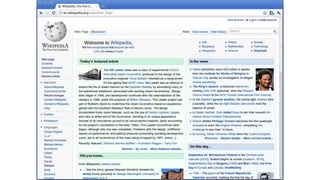
Collection of related web pages that can
be accessed is called website.
The home page is similar to a book cover
or a table of contents for the site.
S1E2: INTRODUCTION TO WEBPAGE AND HTML
HTML
S1E2: INTRODUCTION TO WEBPAGE AND HTML
HTML
HTML is the primary language used to create
web pages. It stands for HyperText Markup
Language.
Hypertext provides commands that will allow
you to create links between web pages.
S1E2: INTRODUCTION TO WEBPAGE AND HTML
HTML
Mark-up is the process of inserting
formatting instructions to the document.
The mark-up process comes from the
days when book and magazine publishing
people made special marks on authors’
manuscripts to tell typesetters how to
format the text.
S1E2: INTRODUCTION TO WEBPAGE AND HTML
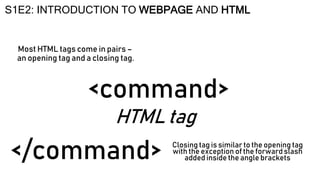
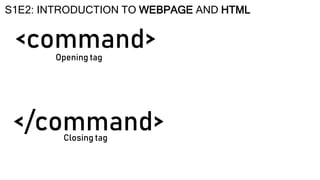
HTML tag
<command>
S1E2: INTRODUCTION TO WEBPAGE AND HTML
Most HTML tags come in pairs –
an opening tag and a closing tag.
Closing tag is similar to the opening tag
with the exception of the forward slash
added inside the angle brackets
</command>
<command>
S1E2: INTRODUCTION TO WEBPAGE AND HTML
Opening tag
Closing tag
</command>
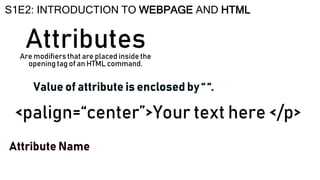
Attributes
S1E2: INTRODUCTION TO WEBPAGE AND HTML
Are modifiers that are placed inside the
opening tag of an HTML command.
<palign=“center”>Your text here </p>
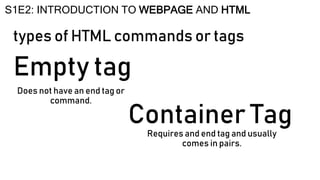
types of HTML commands or tags
S1E2: INTRODUCTION TO WEBPAGE AND HTML
Does not have an end tag or
command.
Requires and end tag and usually
comes in pairs.
Empty tag
Container Tag
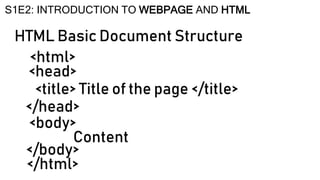
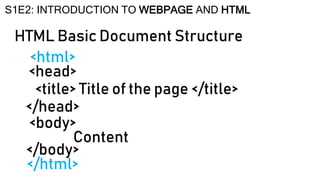
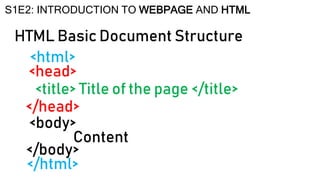
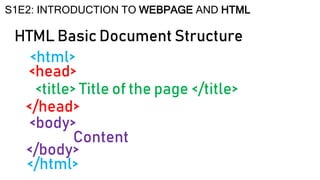
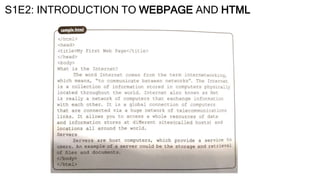
HTML Basic Document Structure
S1E2: INTRODUCTION TO WEBPAGE AND HTML
<html>
<head>
<title> Title of the page </title>
</head>
<body>
Content
</body>
</html>
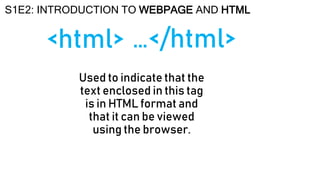
<html>
S1E2: INTRODUCTION TO WEBPAGE AND HTML
Used to indicate that the
text enclosed in this tag
is in HTML format and
that it can be viewed
using the browser.
…</html>
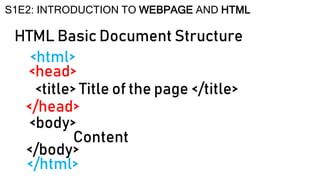
HTML Basic Document Structure
S1E2: INTRODUCTION TO WEBPAGE AND HTML
<html>
<head>
<title> Title of the page </title>
</head>
<body>
Content
</body>
</html>
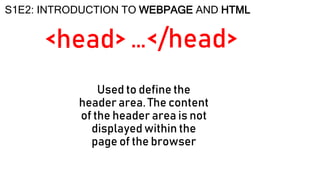
<head>
S1E2: INTRODUCTION TO WEBPAGE AND HTML
Used to define the
header area. The content
of the header area is not
displayed within the
page of the browser
…</head>
HTML Basic Document Structure
S1E2: INTRODUCTION TO WEBPAGE AND HTML
<html>
<head>
<title> Title of the page </title>
</head>
<body>
Content
</body>
</html>
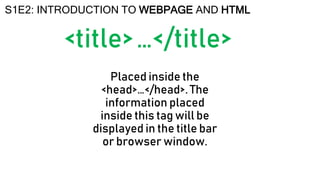
<title>
S1E2: INTRODUCTION TO WEBPAGE AND HTML
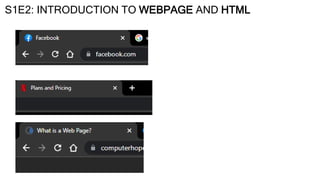
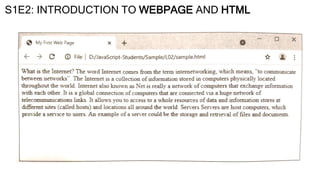
Placed inside the
<head>…</head>. The
information placed
inside this tag will be
displayed in the title bar
or browser window.
…</title>
HTML Basic Document Structure
S1E2: INTRODUCTION TO WEBPAGE AND HTML
<html>
<head>
<title> Title of the page </title>
</head>
<body>
Content
</body>
</html>
S1E2: INTRODUCTION TO WEBPAGE AND HTML
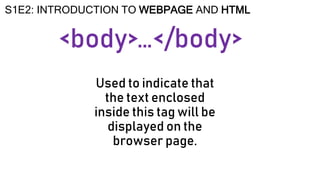
<body>
S1E2: INTRODUCTION TO WEBPAGE AND HTML
Used to indicate that
the text enclosed
inside this tag will be
displayed on the
browser page.
…</body>
HTML Basic Document Structure
S1E2: INTRODUCTION TO WEBPAGE AND HTML
<html>
<head>
<title> Title of the page </title>
</head>
<body>
Content
</body>
</html>
S1E2: INTRODUCTION TO WEBPAGE AND HTML
ASSESSMENT#2
Web Programming (JavaScript)
Page 10
BASICWEBPROGRAMMING (JAVASCRIPT)
CLOSING
PRAYER
Father God, thank you for
another day of learning.
Thank you for the lessons we
received
and for the teacher who
guided us.
Teach us to use our talents
and gifts in helping others.
In Jesus’ name we pray,
Amen.

Introduction to Webpage creation and HTML

  • 1.
    BASICWEBPROGRAMMING (JAVASCRIPT) S1E2: INTRODUCTION TOWEBPAGE AND HTML MR. IAN PAOLO V. IGNACIO COMPUTER 7 TEACHER
  • 2.
    S1E2: INTRODUCTION TOWEBPAGE AND HTML OPENING PRAYER Father God, thank you for this wonderful day. Thank you for your love and guidance. Bless and protect our family, teachers, and classmates. Guide us with our lessons for today. May we grow, learn, and have fun in our class. In Jesus’ name we pray, Amen.
  • 3.
  • 4.
    WEB PAGE The WorldWide Web or Web, consists or world wide collection of electronic documents. These electronic documents are called web pages. S1E2: INTRODUCTION TO WEBPAGE AND HTML
  • 7.
    WEB PAGE Electronic documentthat may contain text, images, sounds, videos and hyperlinks. Hyperlinks, also known as hypertext are built-in connections on another related web pages S1E2: INTRODUCTION TO WEBPAGE AND HTML
  • 8.
    WEB PAGE Collection ofrelated web pages that can be accessed is called website. The home page is similar to a book cover or a table of contents for the site. S1E2: INTRODUCTION TO WEBPAGE AND HTML
  • 9.
  • 10.
    HTML HTML is theprimary language used to create web pages. It stands for HyperText Markup Language. Hypertext provides commands that will allow you to create links between web pages. S1E2: INTRODUCTION TO WEBPAGE AND HTML
  • 11.
    HTML Mark-up is theprocess of inserting formatting instructions to the document. The mark-up process comes from the days when book and magazine publishing people made special marks on authors’ manuscripts to tell typesetters how to format the text. S1E2: INTRODUCTION TO WEBPAGE AND HTML
  • 12.
    HTML tag <command> S1E2: INTRODUCTIONTO WEBPAGE AND HTML Most HTML tags come in pairs – an opening tag and a closing tag. Closing tag is similar to the opening tag with the exception of the forward slash added inside the angle brackets </command>
  • 13.
    <command> S1E2: INTRODUCTION TOWEBPAGE AND HTML Opening tag Closing tag </command>
  • 14.
    Attributes S1E2: INTRODUCTION TOWEBPAGE AND HTML Are modifiers that are placed inside the opening tag of an HTML command. <palign=“center”>Your text here </p>
  • 15.
    types of HTMLcommands or tags S1E2: INTRODUCTION TO WEBPAGE AND HTML Does not have an end tag or command. Requires and end tag and usually comes in pairs. Empty tag Container Tag
  • 16.
    HTML Basic DocumentStructure S1E2: INTRODUCTION TO WEBPAGE AND HTML <html> <head> <title> Title of the page </title> </head> <body> Content </body> </html>
  • 17.
    <html> S1E2: INTRODUCTION TOWEBPAGE AND HTML Used to indicate that the text enclosed in this tag is in HTML format and that it can be viewed using the browser. …</html>
  • 18.
    HTML Basic DocumentStructure S1E2: INTRODUCTION TO WEBPAGE AND HTML <html> <head> <title> Title of the page </title> </head> <body> Content </body> </html>
  • 19.
    <head> S1E2: INTRODUCTION TOWEBPAGE AND HTML Used to define the header area. The content of the header area is not displayed within the page of the browser …</head>
  • 20.
    HTML Basic DocumentStructure S1E2: INTRODUCTION TO WEBPAGE AND HTML <html> <head> <title> Title of the page </title> </head> <body> Content </body> </html>
  • 21.
    <title> S1E2: INTRODUCTION TOWEBPAGE AND HTML Placed inside the <head>…</head>. The information placed inside this tag will be displayed in the title bar or browser window. …</title>
  • 22.
    HTML Basic DocumentStructure S1E2: INTRODUCTION TO WEBPAGE AND HTML <html> <head> <title> Title of the page </title> </head> <body> Content </body> </html>
  • 23.
    S1E2: INTRODUCTION TOWEBPAGE AND HTML
  • 24.
    <body> S1E2: INTRODUCTION TOWEBPAGE AND HTML Used to indicate that the text enclosed inside this tag will be displayed on the browser page. …</body>
  • 25.
    HTML Basic DocumentStructure S1E2: INTRODUCTION TO WEBPAGE AND HTML <html> <head> <title> Title of the page </title> </head> <body> Content </body> </html>
  • 26.
    S1E2: INTRODUCTION TOWEBPAGE AND HTML
  • 27.
    S1E2: INTRODUCTION TOWEBPAGE AND HTML
  • 28.
    S1E2: INTRODUCTION TOWEBPAGE AND HTML ASSESSMENT#2 Web Programming (JavaScript) Page 10
  • 29.
    BASICWEBPROGRAMMING (JAVASCRIPT) CLOSING PRAYER Father God,thank you for another day of learning. Thank you for the lessons we received and for the teacher who guided us. Teach us to use our talents and gifts in helping others. In Jesus’ name we pray, Amen.