Client-side
• The clientis simply the browser a person is using to view a site, and it’s where client-side
technology is unpacked and processed.
• The client is the system on which the Web browser is running. JavaScript is the main
client-side scripting language for the Web.
• Client-side scripts are interpreted by the browser. The process with client-side scripting is:
• The user requests a Web page from the server
• The server finds the page and sends it to the user
• The page is displayed on the browser with any scripts running during or after display.
5.
Server-Side
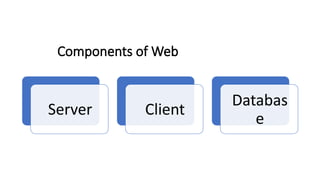
• The serveris at a remote location anywhere in the world—housing data, running a site’s
back-end architecture, processing requests, and sending pages to the browser.
• The server is where the Web page and other content lives. The server sends pages to the
user/client on request.
• The process is:
• The user requests a Web page from the server
• The script in the page is interpreted by the server creating or changing the page
content to suit the user and the occasion and/or passing data around
• The page in its final form is sent to the user and then cannot be changed using server-
side scripting
6.
Definition of WebEngineering
• Web Engineering refers to the systematic and disciplined approach to developing,
operating, and maintaining high-quality web applications.
• It involves the application of various principles, methodologies, and tools to design,
implement, test, and deploy web-based systems.
• Web engineering encompasses the entire lifecycle of web development, including
requirements gathering, design, development, testing, deployment, and maintenance.
7.
Brief History ofthe Web
• The World Wide Web, commonly known as the Web, was invented by Sir Tim Berners-Lee
in 1989.
• In 1990, he introduced the first web browser and server, along with the Hypertext
Transfer Protocol (HTTP) and Hypertext Markup Language (HTML) standards.
• The early web was primarily text-based, with limited functionality and interactivity.
• The introduction of graphical web browsers like Mosaic in the early 1990s led to the rapid
growth of the Web, making it more accessible to a wider audience.
• Over the years, advancements in technologies, such as JavaScript, CSS, and server-side
scripting, have transformed the Web into a dynamic and interactive platform.
8.
The Evolution
• EarlyWeb Applications (1990s): The World Wide Web, commonly known as the Web, was proposed
by Sir Tim Berners-Lee in 1989. The static websites era.
• Dynamic Web Pages and CGI (Common Gateway Interface) (1990s): Developers could create
dynamic web pages that generated content in response to user input or database queries.
• JavaScript and DHTML (Late 1990s - Early 2000s): JavaScript revolutionized web development by
enabling client-side scripting and interactivity. Dynamic HTML (DHTML) emerged, allowing
developers to manipulate the Document Object Model (DOM) dynamically.
• Web 2.0 and Rich Internet Applications (Mid-2000s)
• HTML5, CSS3, and Responsive Design (2010s)
• JavaScript Frameworks, Microservices Architecture and Single Page Applications (SPAs) (Mid-2010s)
• Machine Learning and Web Development
• Web 3.0 and Decentralized Applications (DApps): Decentralized Applications (DApps) are like special
computer programs that work on many computers, not just one. They use a secure technology
called blockchain to keep track of things, and they're good because they are safer, open to
everyone, and don't need a boss computer. Some examples are money apps, digital wallets, and
social networks that give more control to users.
• Augmented Reality (AR) and Virtual Reality (VR) Web Applications (Present)
9.
Current Trends inWeb Engineering
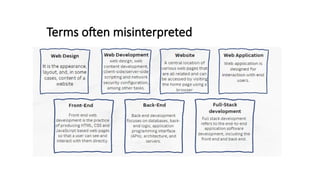
• Front-end Development: HTML, CSS, JavaScript, and popular frameworks/libraries like React,
Angular, and Vue.js are widely used for building interactive and responsive user interfaces.
• Back-end Development: Server-side technologies like Node.js, Python (Django, Flask), Ruby (Ruby on
Rails), and PHP (Laravel, Symfony) provide the foundation for web application logic and data
processing.
• Databases: Relational databases (MySQL, PostgreSQL) and NoSQL databases (MongoDB, Cassandra)
are commonly used for storing and retrieving web application data.
• Web Services/APIs: Representational State Transfer (REST) and GraphQL are popular approaches for
building web APIs that allow communication between different systems.
• Cloud Computing: Platforms like Amazon Web Services (AWS), Microsoft Azure, and Google Cloud
Platform provide scalable infrastructure for hosting web applications, ensuring high availability and
flexibility.
Web Engineering ||Spring 2024|| Surayya Obaid || Departme
nt of Computer Science and Software Engineering
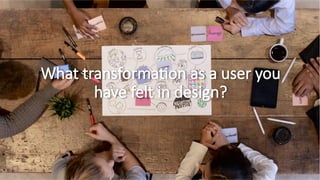
What transformation as a user you
have felt in design?
12.
The Design Trends
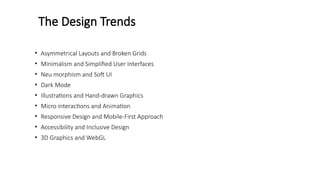
•Asymmetrical Layouts and Broken Grids
• Minimalism and Simplified User Interfaces
• Neu morphism and Soft UI
• Dark Mode
• Illustrations and Hand-drawn Graphics
• Micro interactions and Animation
• Responsive Design and Mobile-First Approach
• Accessibility and Inclusive Design
• 3D Graphics and WebGL
13.
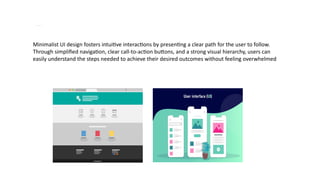
Minim alism andSimplified User Interfaces
Minimalist UI design fosters intuitive interactions by presenting a clear path for the user to follow.
Through simplified navigation, clear call-to-action buttons, and a strong visual hierarchy, users can
easily understand the steps needed to achieve their desired outcomes without feeling overwhelmed
14.
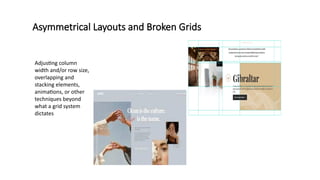
Asymmetrical Layouts andBroken Grids
Adjusting column
width and/or row size,
overlapping and
stacking elements,
animations, or other
techniques beyond
what a grid system
dictates
15.
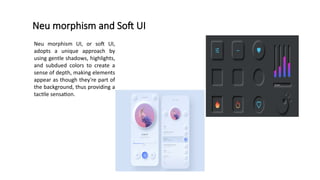
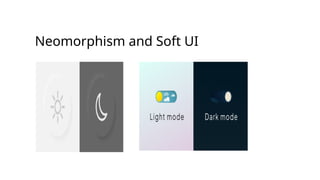
Neu morphism andSoft UI
Neu morphism UI, or soft UI,
adopts a unique approach by
using gentle shadows, highlights,
and subdued colors to create a
sense of depth, making elements
appear as though they're part of
the background, thus providing a
tactile sensation.
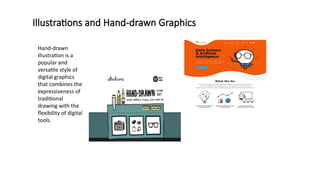
Illustrations and Hand-drawnGraphics
Hand-drawn
illustration is a
popular and
versatile style of
digital graphics
that combines the
expressiveness of
traditional
drawing with the
flexibility of digital
tools.
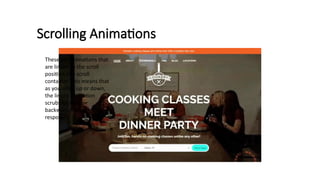
Scrolling Animations
These areanimations that
are linked to the scroll
position of a scroll
container. This means that
as you scroll up or down,
the linked animation
scrubs forward or
backward in direct
response.
20.
Micro-interactions
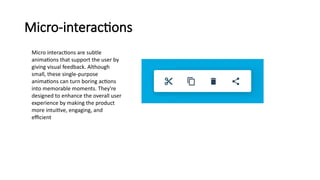
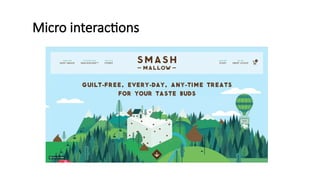
Micro interactions aresubtle
animations that support the user by
giving visual feedback. Although
small, these single-purpose
animations can turn boring actions
into memorable moments. They're
designed to enhance the overall user
experience by making the product
more intuitive, engaging, and
efficient
References
• Basics ofWeb Design: HTML5 & CSS,5th edition(2019),
ISBN:0135225485, ISBN:9780135225486.
• Principles of web Design by Joel Sklar 6th edition(2015), ISBN:
9781285852645.
• W3Schools url: www.w3school.com
• Tutorials Point url: www.tutorialpoint.com
Editor's Notes
#12 Neumorphism (or soft UI) design mimics physical surfaces with subtle shadows and highlights, creating a tactile and realistic appearance.
Soft UI elements blend seamlessly into backgrounds, enhancing visual depth and engagement.
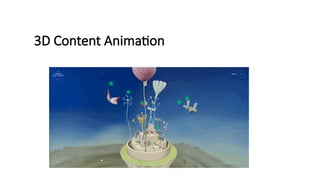
3D graphics and WebGL (Web Graphics Library) enable immersive visual experiences, including 3D modeling, virtual environments, and interactive product showcases.
WebGL-based animations and effects push the boundaries of web design, blurring the line between web and gaming experiences.
#13 Neumorphism (or soft UI) design mimics physical surfaces with subtle shadows and highlights, creating a tactile and realistic appearance.
Soft UI elements blend seamlessly into backgrounds, enhancing visual depth and engagement.
3D graphics and WebGL (Web Graphics Library) enable immersive visual experiences, including 3D modeling, virtual environments, and interactive product showcases.
WebGL-based animations and effects push the boundaries of web design, blurring the line between web and gaming experiences.
#14 Neumorphism (or soft UI) design mimics physical surfaces with subtle shadows and highlights, creating a tactile and realistic appearance.
Soft UI elements blend seamlessly into backgrounds, enhancing visual depth and engagement.
3D graphics and WebGL (Web Graphics Library) enable immersive visual experiences, including 3D modeling, virtual environments, and interactive product showcases.
WebGL-based animations and effects push the boundaries of web design, blurring the line between web and gaming experiences.
#15 Neumorphism (or soft UI) design mimics physical surfaces with subtle shadows and highlights, creating a tactile and realistic appearance.
Soft UI elements blend seamlessly into backgrounds, enhancing visual depth and engagement.
3D graphics and WebGL (Web Graphics Library) enable immersive visual experiences, including 3D modeling, virtual environments, and interactive product showcases.
WebGL-based animations and effects push the boundaries of web design, blurring the line between web and gaming experiences.
#16 Neumorphism (or soft UI) design mimics physical surfaces with subtle shadows and highlights, creating a tactile and realistic appearance.
Soft UI elements blend seamlessly into backgrounds, enhancing visual depth and engagement.
3D graphics and WebGL (Web Graphics Library) enable immersive visual experiences, including 3D modeling, virtual environments, and interactive product showcases.
WebGL-based animations and effects push the boundaries of web design, blurring the line between web and gaming experiences.
#17 Neumorphism (or soft UI) design mimics physical surfaces with subtle shadows and highlights, creating a tactile and realistic appearance.
Soft UI elements blend seamlessly into backgrounds, enhancing visual depth and engagement.
3D graphics and WebGL (Web Graphics Library) enable immersive visual experiences, including 3D modeling, virtual environments, and interactive product showcases.
WebGL-based animations and effects push the boundaries of web design, blurring the line between web and gaming experiences.
#18 Neumorphism (or soft UI) design mimics physical surfaces with subtle shadows and highlights, creating a tactile and realistic appearance.
Soft UI elements blend seamlessly into backgrounds, enhancing visual depth and engagement.
3D graphics and WebGL (Web Graphics Library) enable immersive visual experiences, including 3D modeling, virtual environments, and interactive product showcases.
WebGL-based animations and effects push the boundaries of web design, blurring the line between web and gaming experiences.