By Mohamed Gamal
Lecture 3: Deep Dive into
the Operating System
Operating System
– What’s DMA (Direct Memory Access)?
– What’re the different layers of a computer system?
– Mention three types of storage structure along with their
advantages.
– What’re the three basic logic gates found?
– What’s the difference between a file and a directory?
– What’re the following extensions used for?
o .exe, .png, .mp3, .mp4, .c, .jpg
Test your knowledge ?
– Find the one’s complement of the binary number 1001001
– Conversion:
• 5 Megabytes to Bytes.
• 12 Terabytes to Megabytes.
• 1024 Kilobytes to Gigabytes.
• 5 Bytes to bits.
Test your knowledge ?
The topics of today’s lecture:
Agenda
– Simple Structure (MS-DOS)
– More Complex (UNIX – monolithic)

– Layered (Conceptual)
– Microkernel (Mach)
– Modular (modules)
OS Design Structure
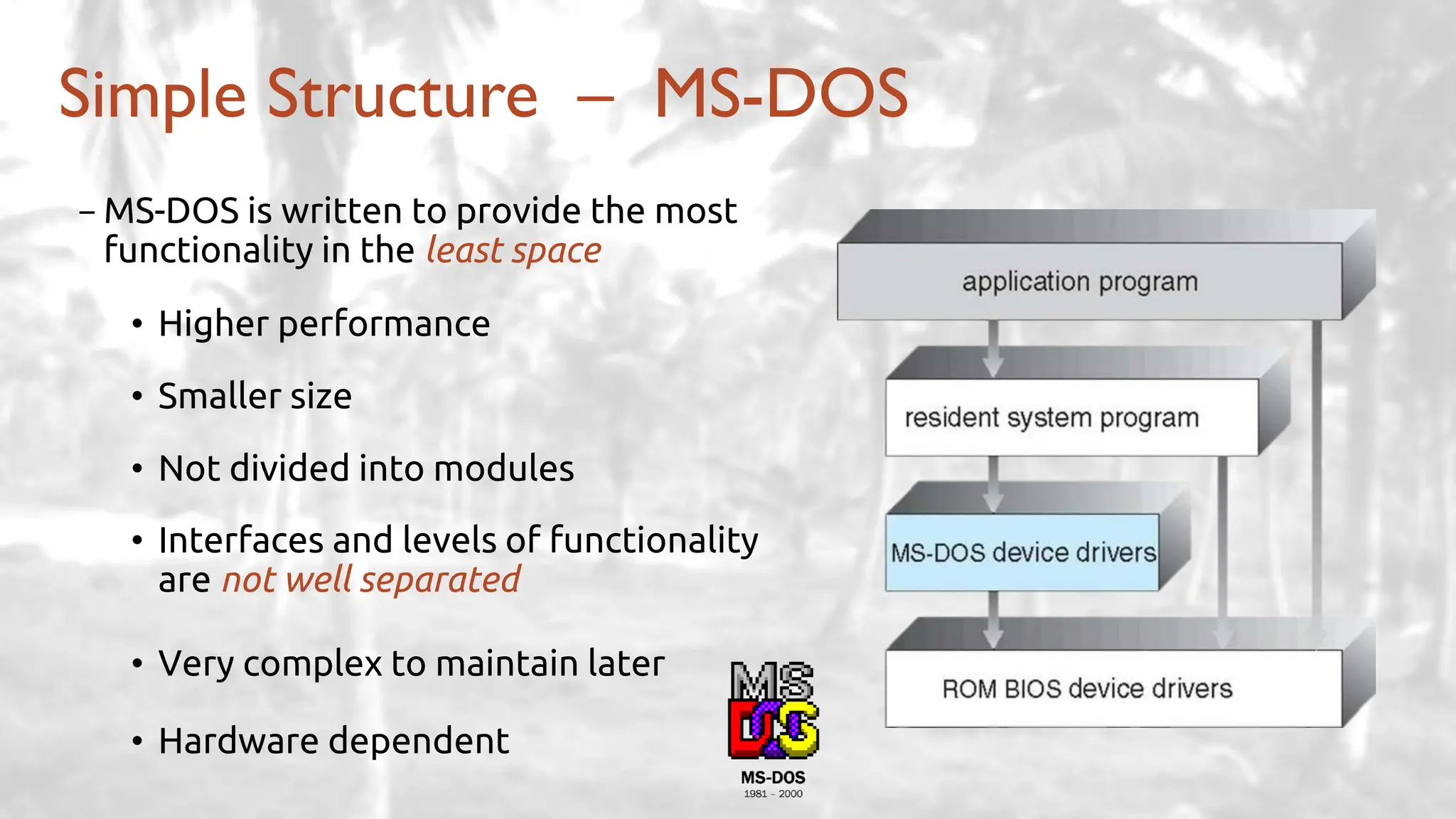
Simple Structure – MS-DOS
-MS-DOS is written to provide the most
functionality in the least space
• Higher performance
• Smaller size
• Not divided into modules
• Interfaces and levels of functionality
are not well separated
• Very complex to maintain later
• Hardware dependent
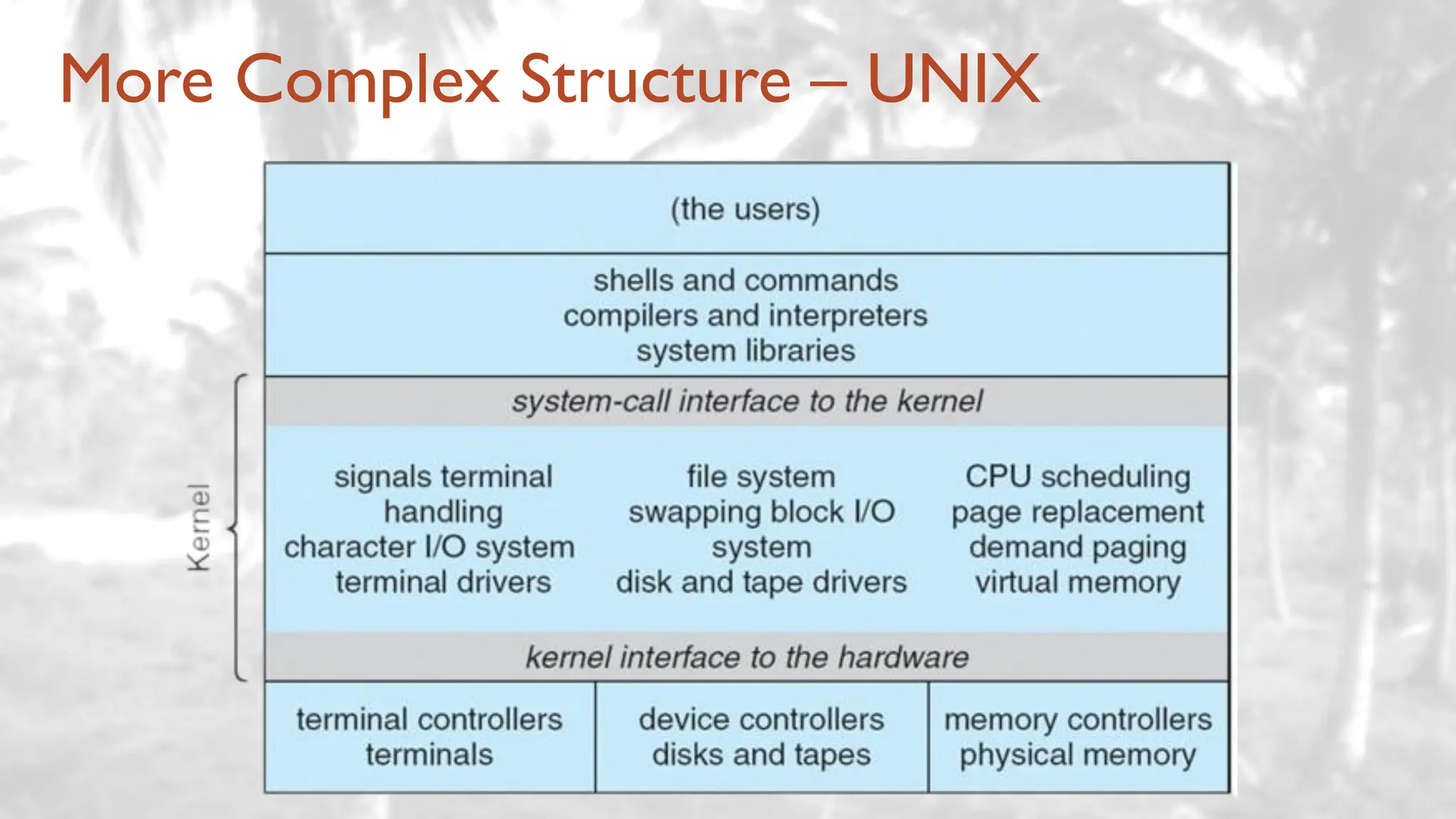
More Complex Structure – UNIX
- Advantages:
• Higher performance
• Adds some protection
- Disadvantages:
• Very complex to maintain later
• Still Hardware dependent
Examples: Windows XP – Monolithic
More Complex Structure – UNIX (Cont.)
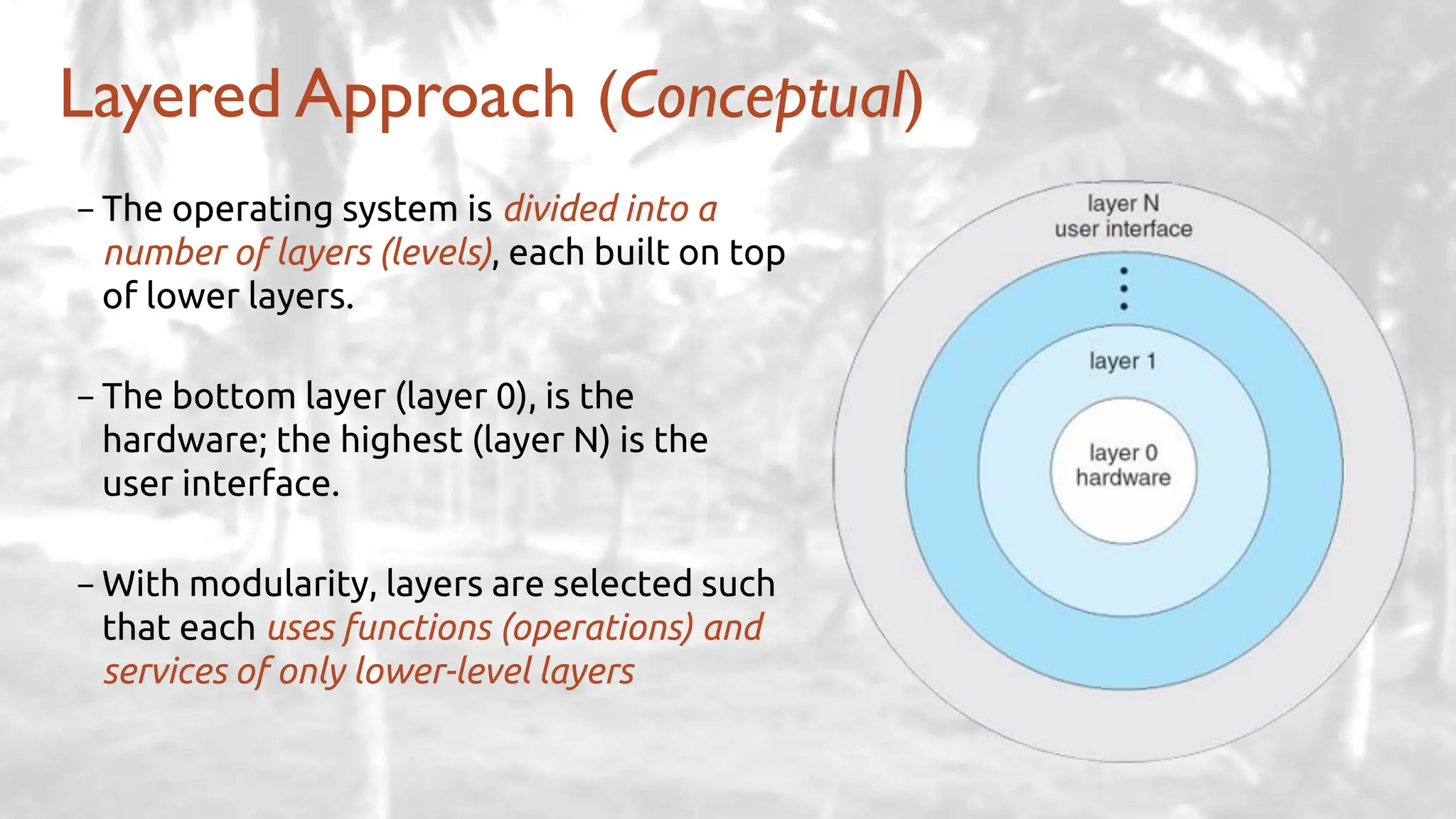
Layered Approach (Conceptual)
-The operating system is divided into a
number of layers (levels), each built on top
of lower layers.
-The bottom layer (layer 0), is the
hardware; the highest (layer N) is the
user interface.
-With modularity, layers are selected such
that each uses functions (operations) and
services of only lower-level layers
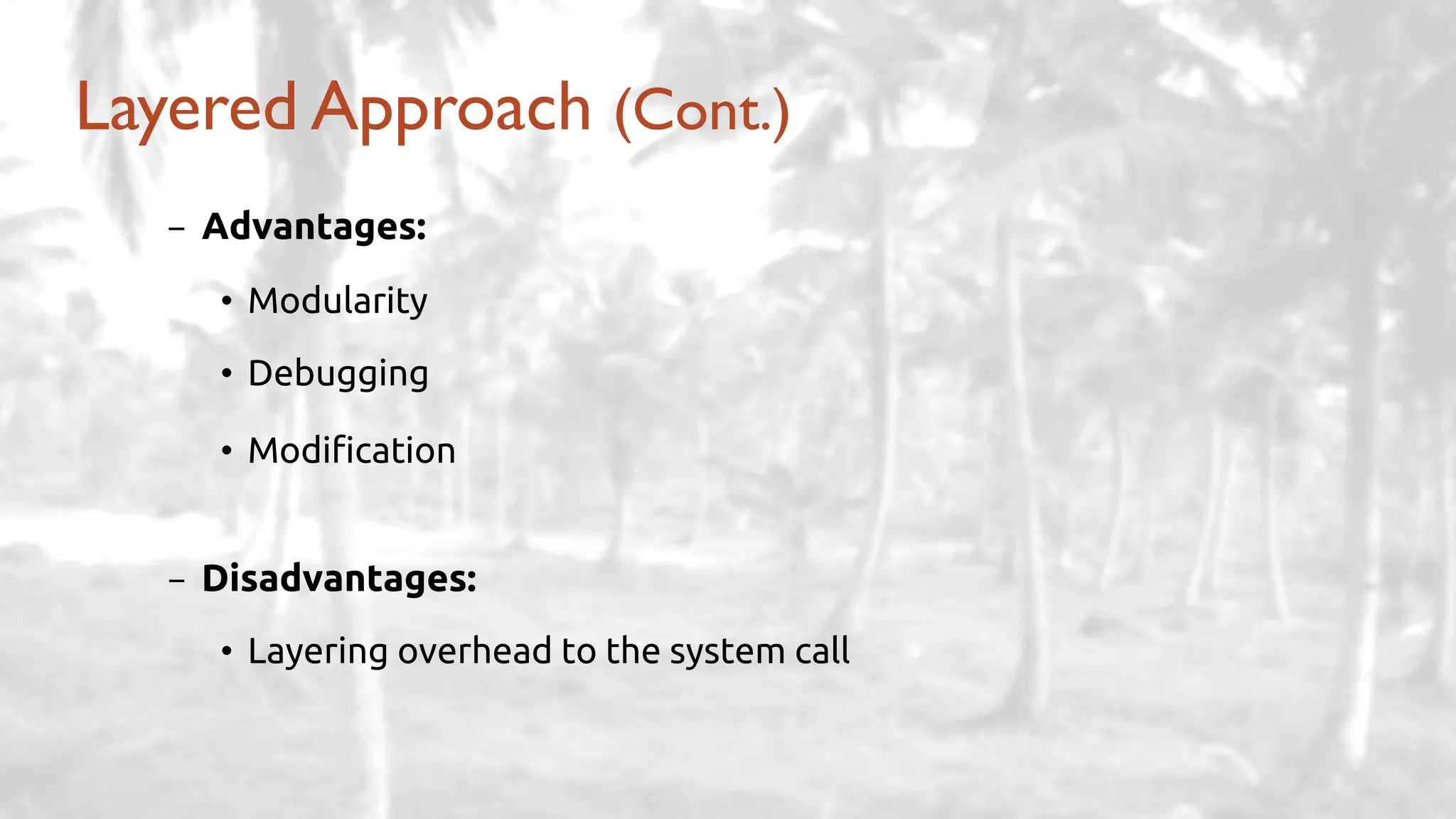
- Advantages:
• Modularity
• Debugging
• Modification
- Disadvantages:
• Layering overhead to the system call
Layered Approach (Cont.)
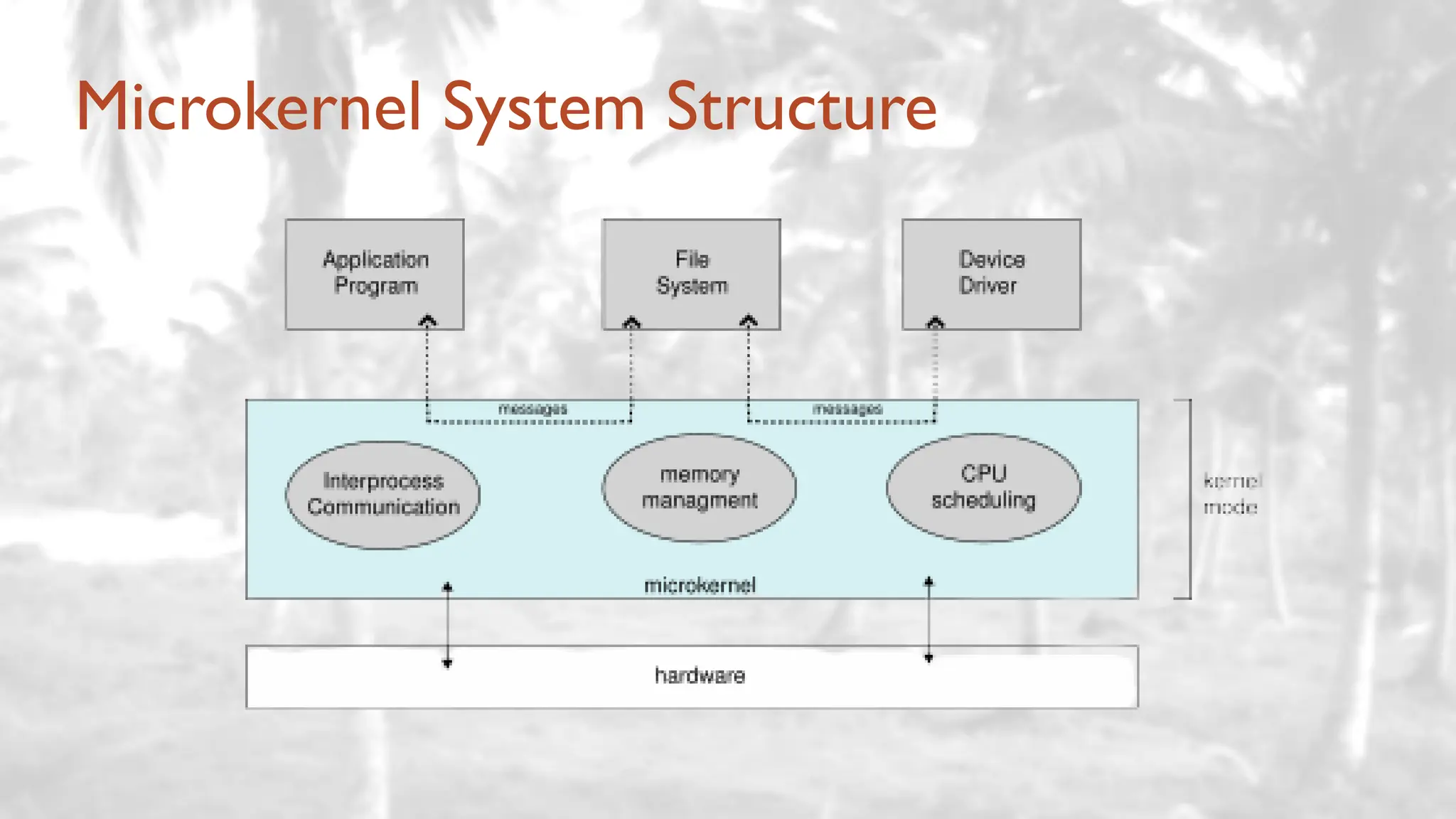
Microkernel System Structure
- Advantages:
• Easier to extend
• More reliable
• More secure
- Disadvantages:
• Performance overhead of user space to kernel space communication
✓ That’s why Windows XP designed almost as monolithic again!
Microkernel System Structure (Cont.)
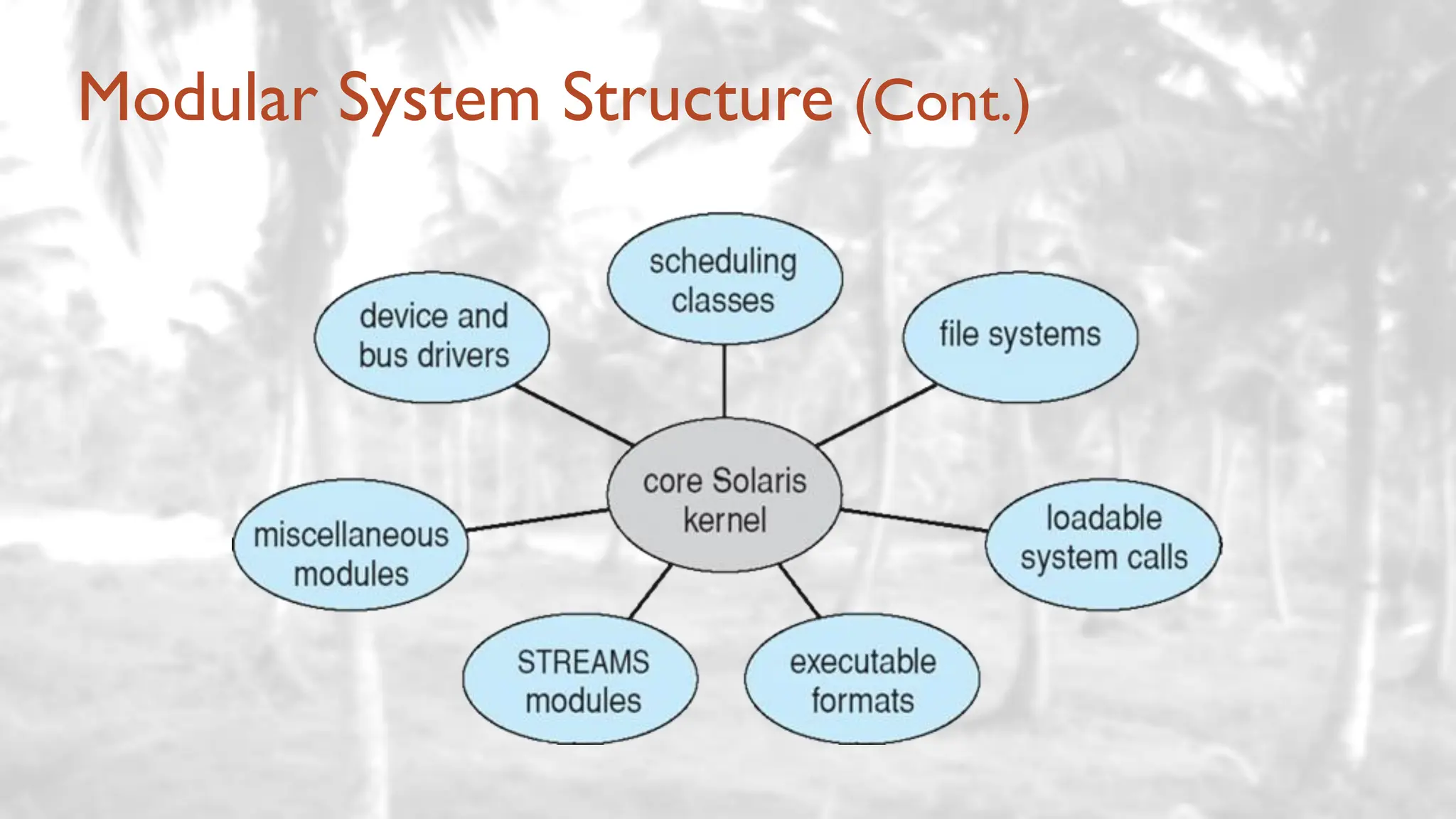
- Many modern operating systems implement loadable kernel modules
• Uses object-oriented approach
• Each core component is separate
• Each talks to the others over known interfaces
• Each is loadable as needed within the kernel
- Similar to layers but with more flexibility (any module can call another module)
• Linux, Solaris … etc.
Modular System Structure
Modular System Structure (Cont.)
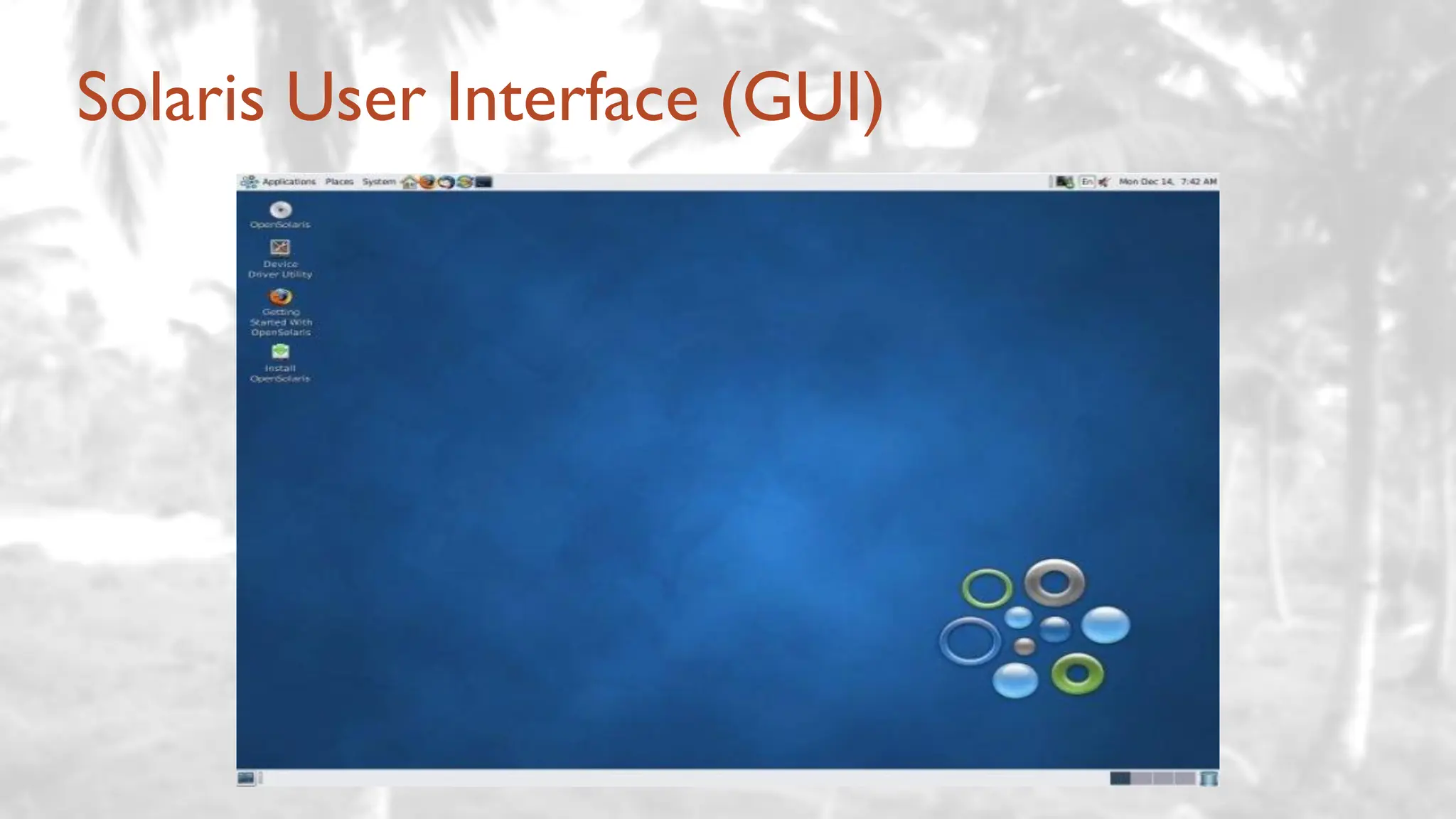
Solaris User Interface (GUI)
Modular System Structure (Cont.)
- Advantages:
• Resembles a layered system
• More flexibility
✓ any module can call any other module
• Similar to microkernel approach but more efficient
✓ modules do not need to invoke message passing to communicate
– Most modern operating systems are actually not one pure model
• Hybrid combines multiple approaches to address performance, security,
usability needs
• Linux and Solaris kernels:
✓ monolithic, plus modular
• Windows:
✓ monolithic, plus microkernel
Hybrid Systems
Process Concept
- Program: a passive entity stored on disk (executable file – .exe).
- Process: a program in execution; process execution must progress in
sequential fashion.
- Program becomes a process when executable file loaded into memory.
- One program can be several processes.
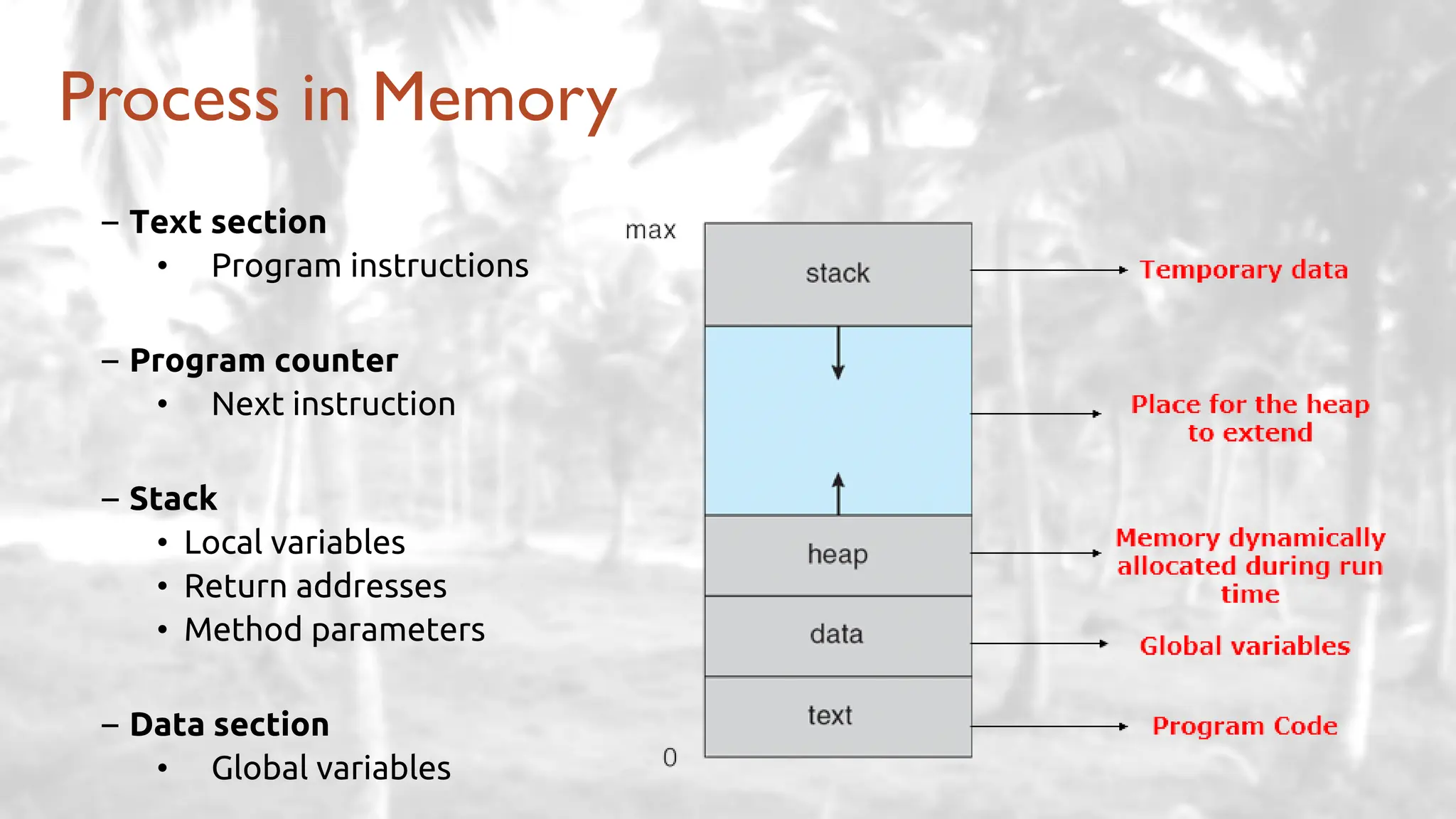
Process in Memory
– Text section
• Program instructions
– Program counter
• Next instruction
– Stack
• Local variables
• Return addresses
• Method parameters
– Data section
• Global variables
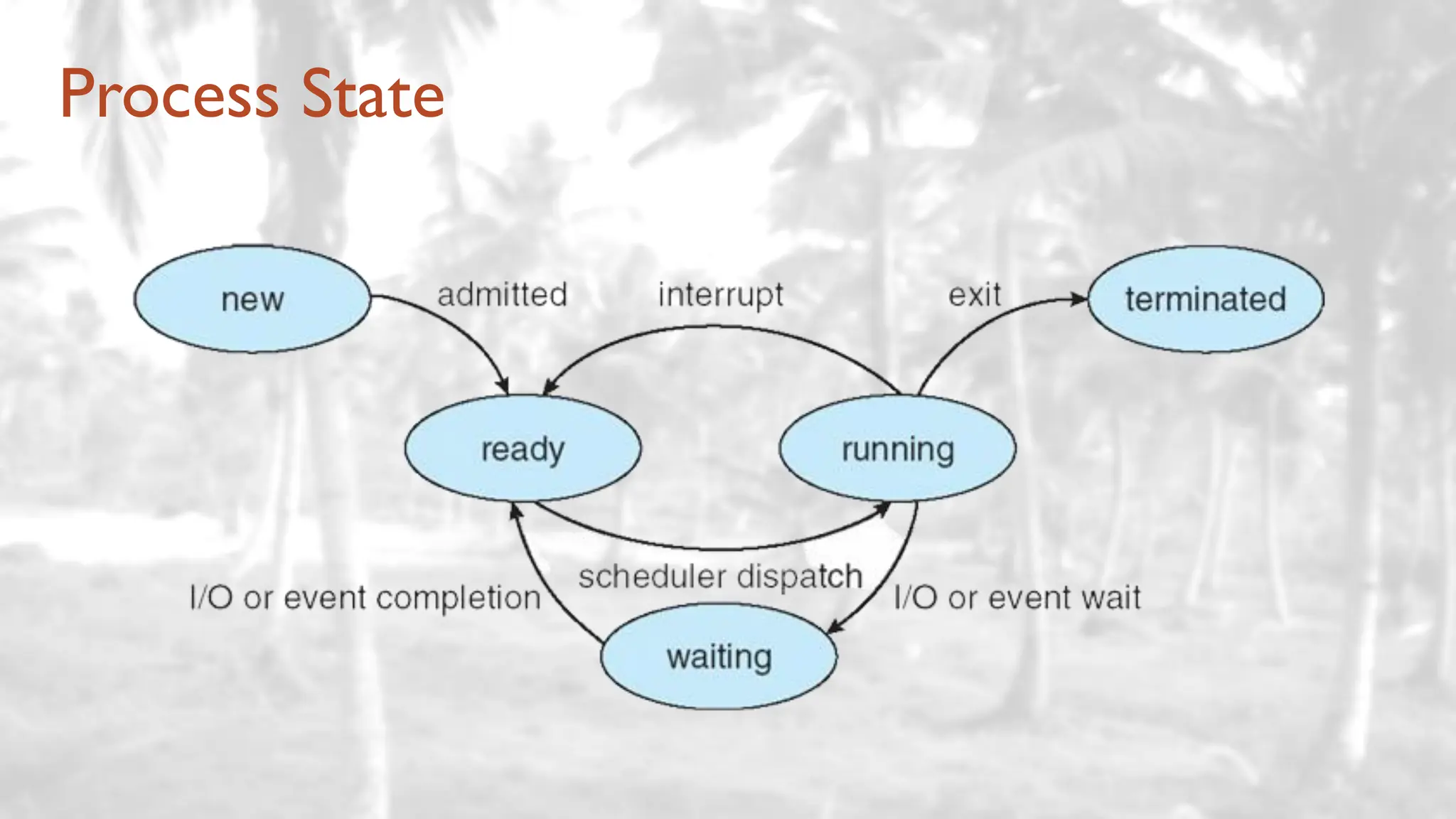
Process State
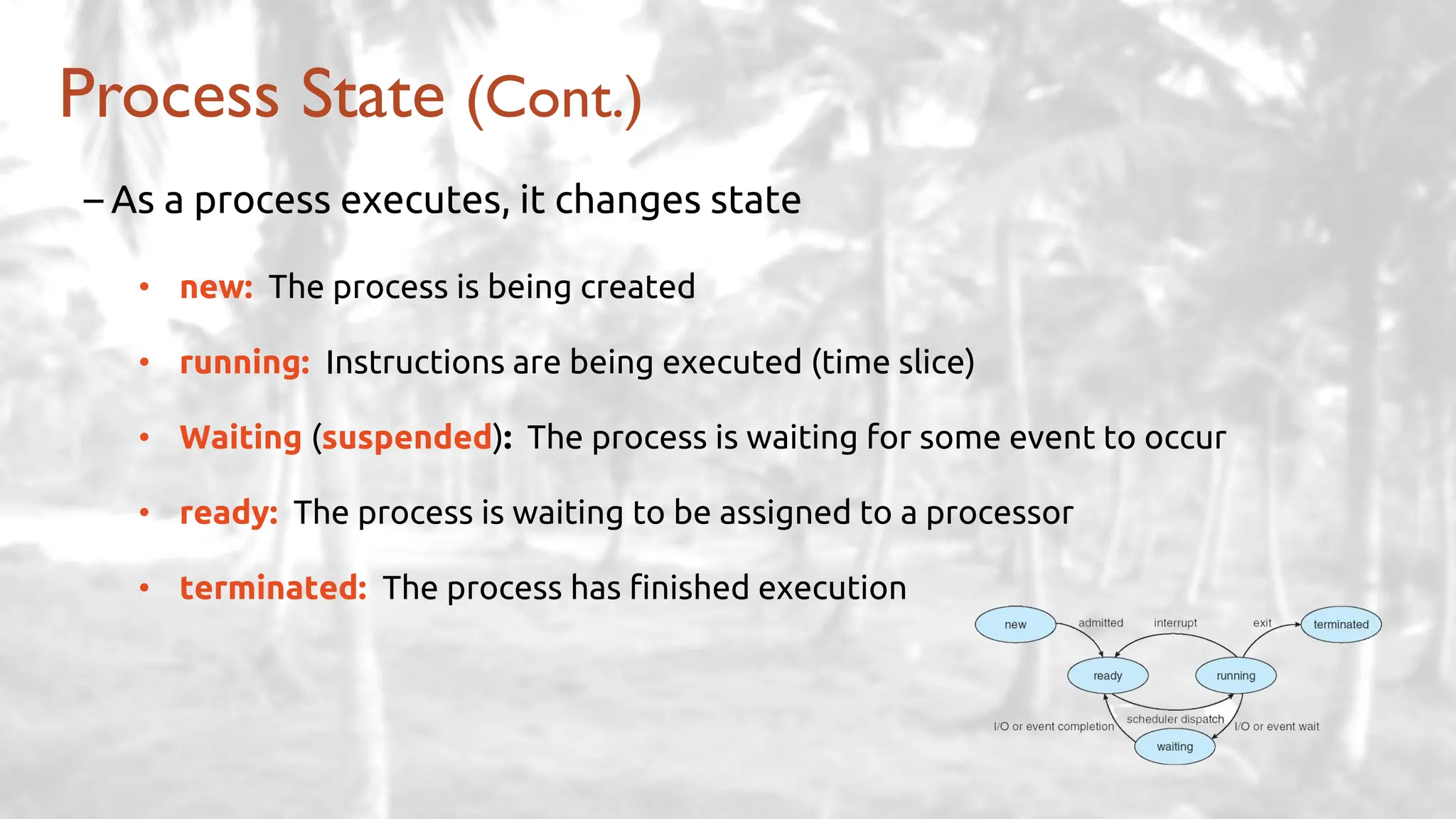
Process State (Cont.)
– As a process executes, it changes state
• new: The process is being created
• running: Instructions are being executed (time slice)
• Waiting (suspended): The process is waiting for some event to occur
• ready: The process is waiting to be assigned to a processor
• terminated: The process has finished execution
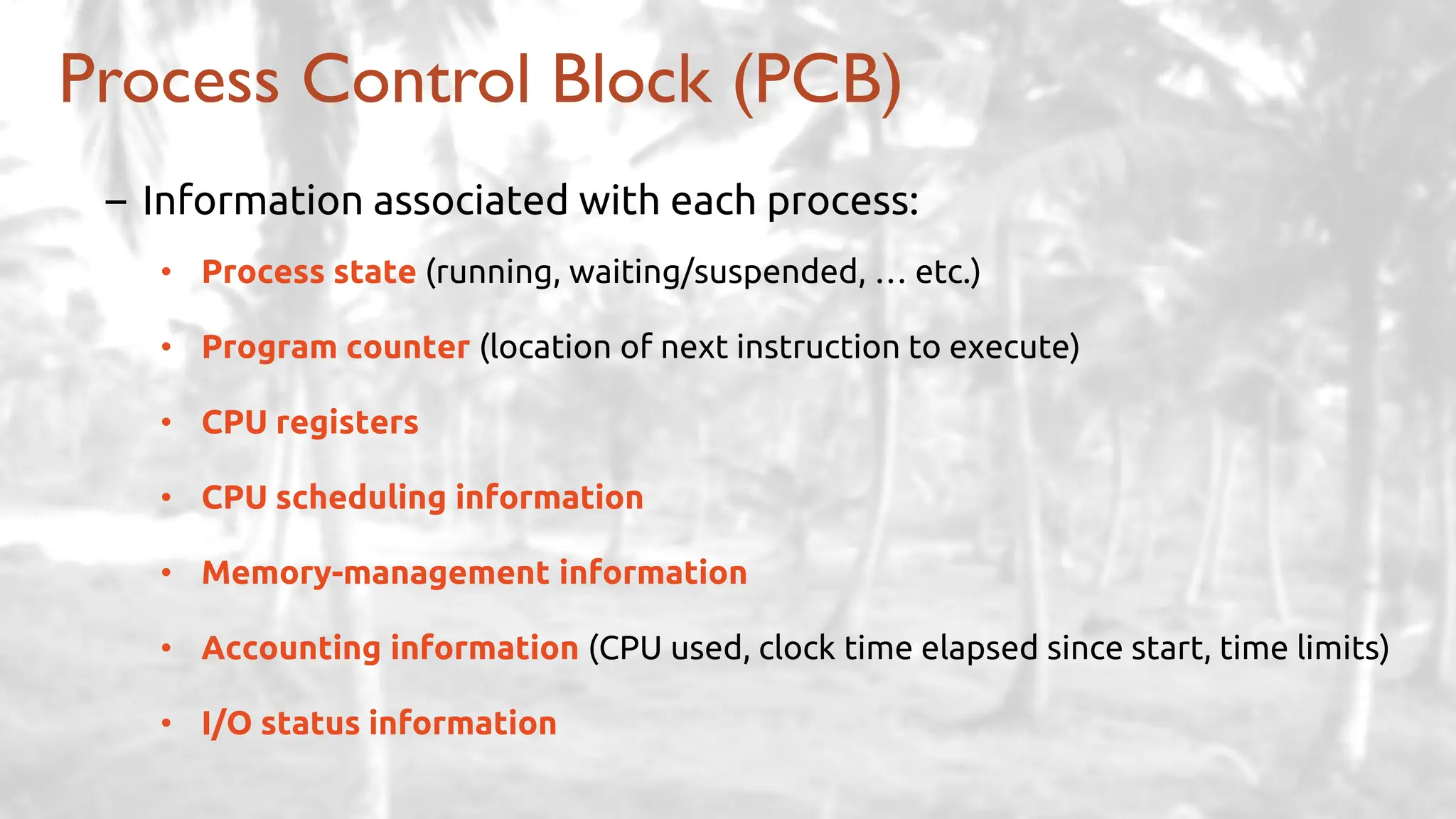
Process Control Block (PCB)
– Information associated with each process:
• Process state (running, waiting/suspended, … etc.)
• Program counter (location of next instruction to execute)
• CPU registers
• CPU scheduling information
• Memory-management information
• Accounting information (CPU used, clock time elapsed since start, time limits)
• I/O status information
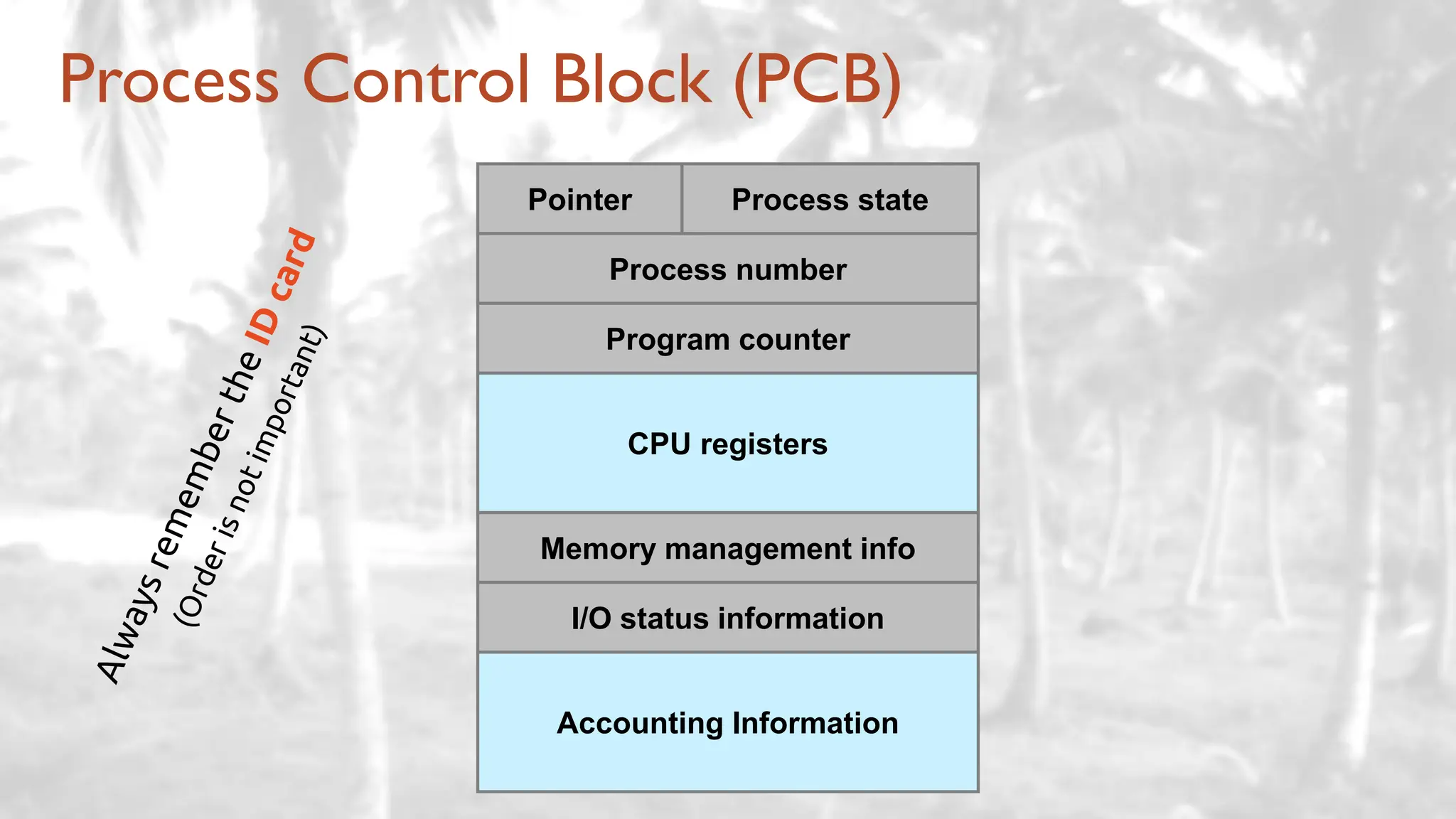
Process Control Block (PCB)
Pointer Process state
Process number
Program counter
CPU registers
Memory management info
I/O status information
Accounting Information
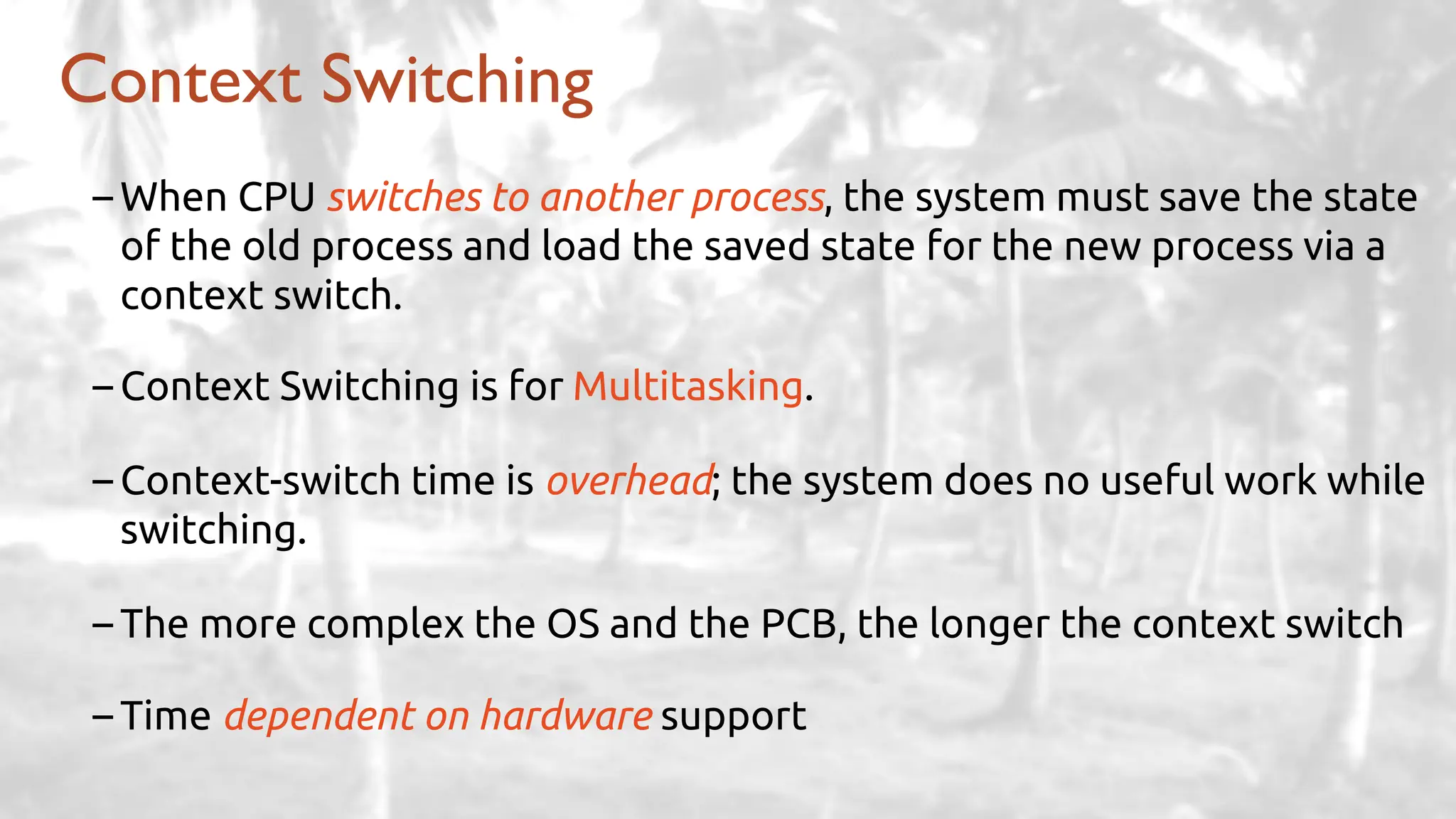
Context Switching
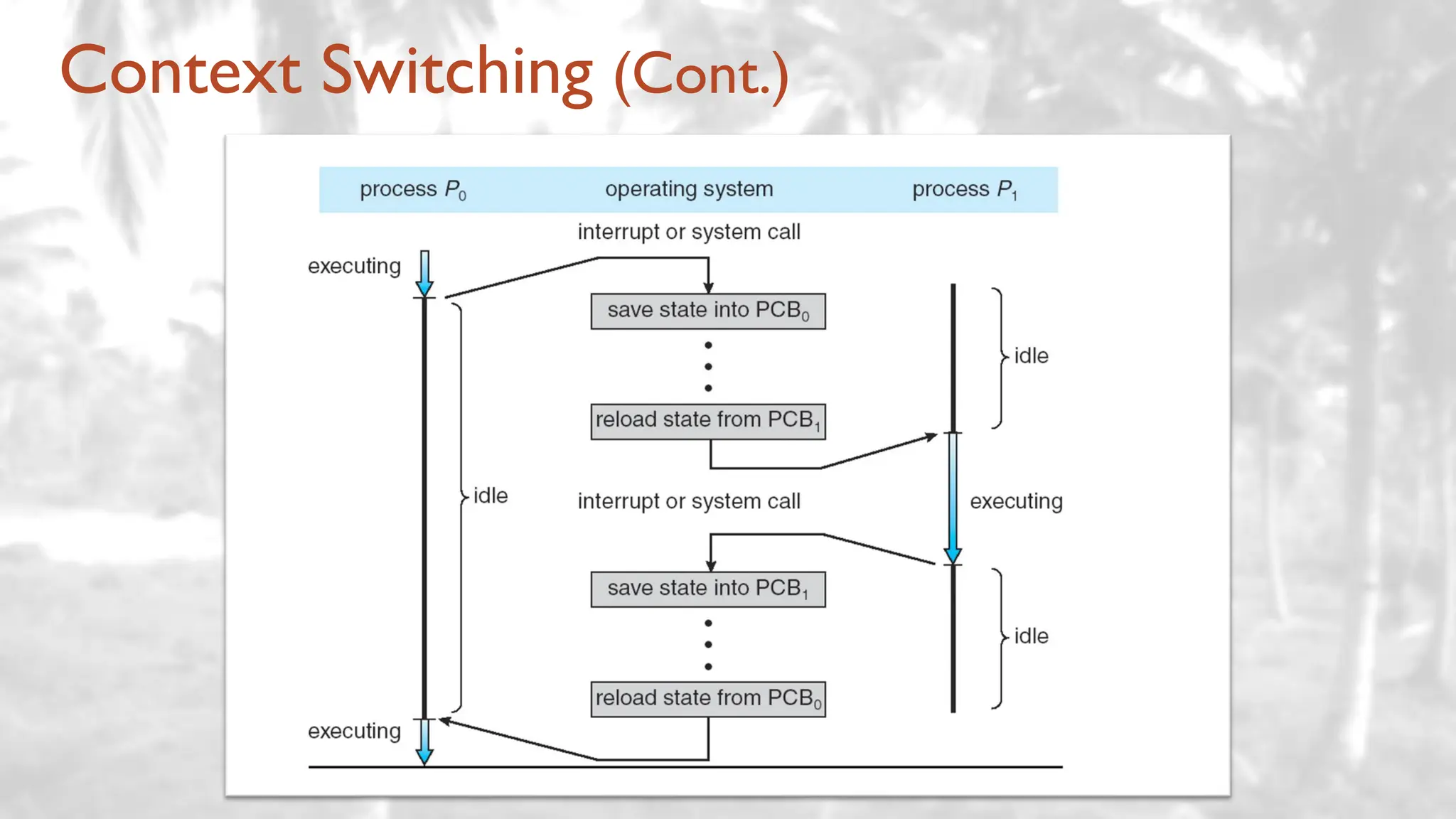
– When CPU switches to another process, the system must save the state
of the old process and load the saved state for the new process via a
context switch.
– Context Switching is for Multitasking.
– Context-switch time is overhead; the system does no useful work while
switching.
– The more complex the OS and the PCB, the longer the context switch
– Time dependent on hardware support
Context Switching (Cont.)
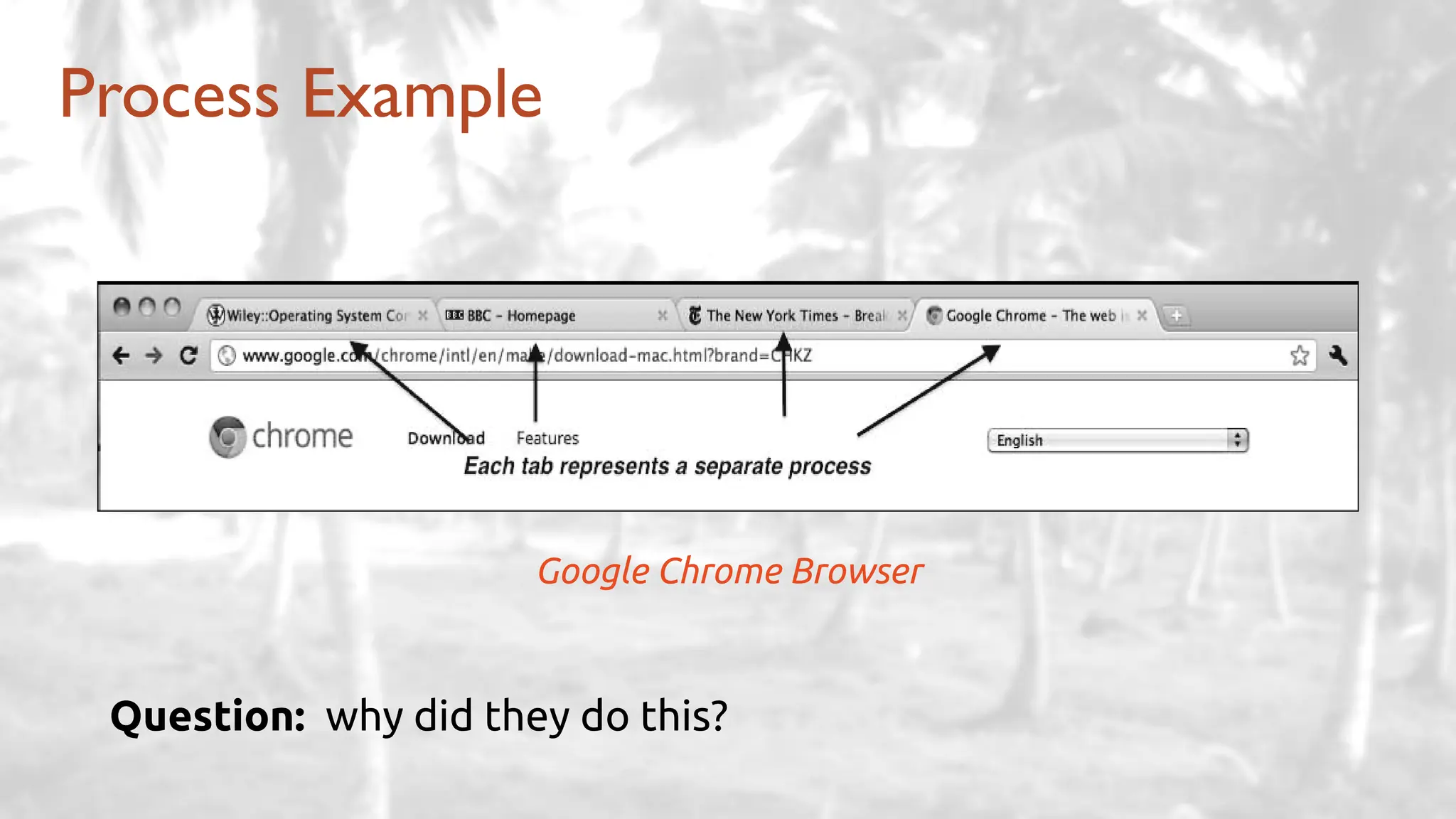
Process Example
Google Chrome Browser
Question: why did they do this?
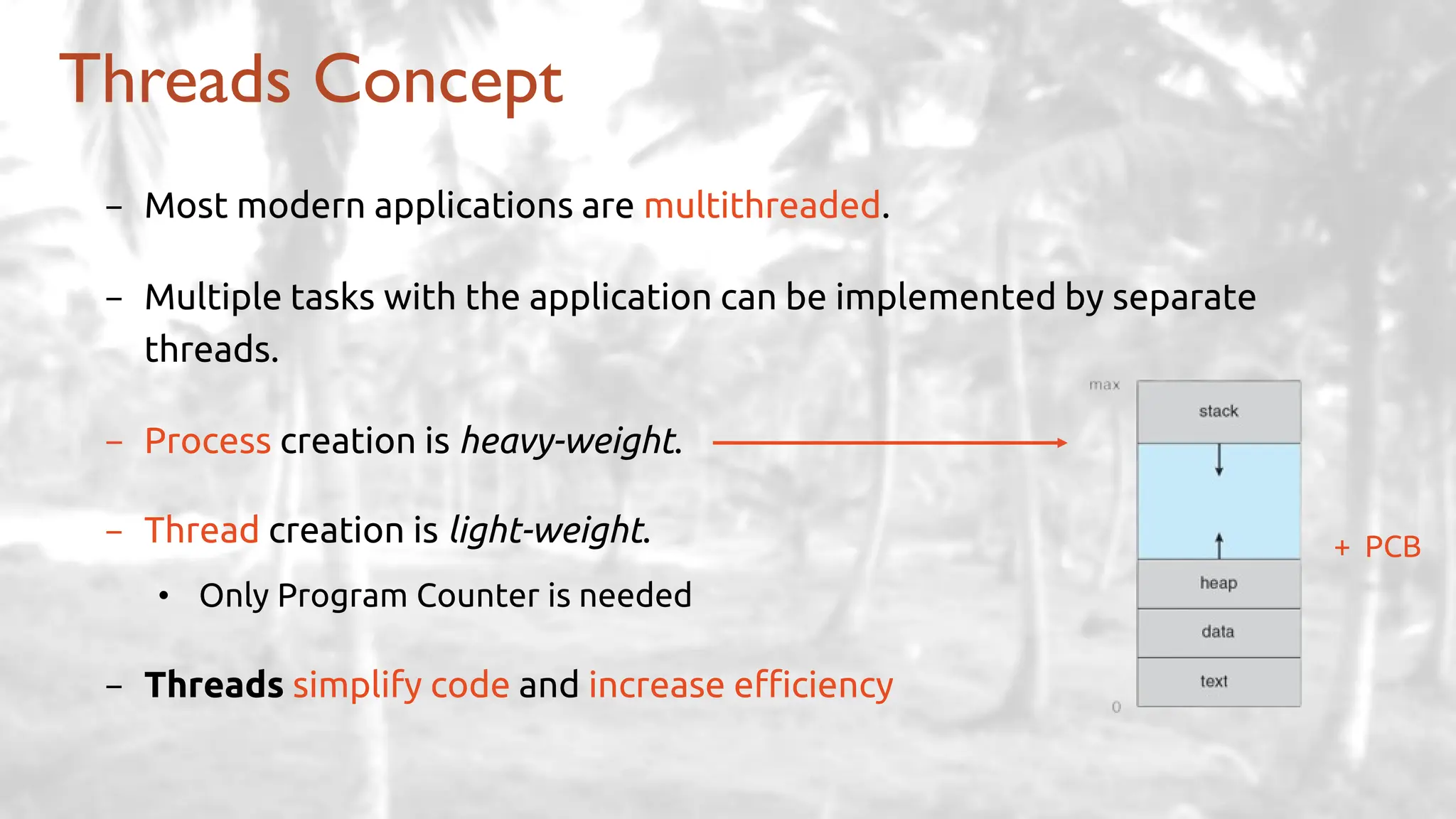
Threads Concept
- Most modern applications are multithreaded.
- Multiple tasks with the application can be implemented by separate
threads.
- Process creation is heavy-weight.
- Thread creation is light-weight.
• Only Program Counter is needed
- Threads simplify code and increase efficiency
+ PCB
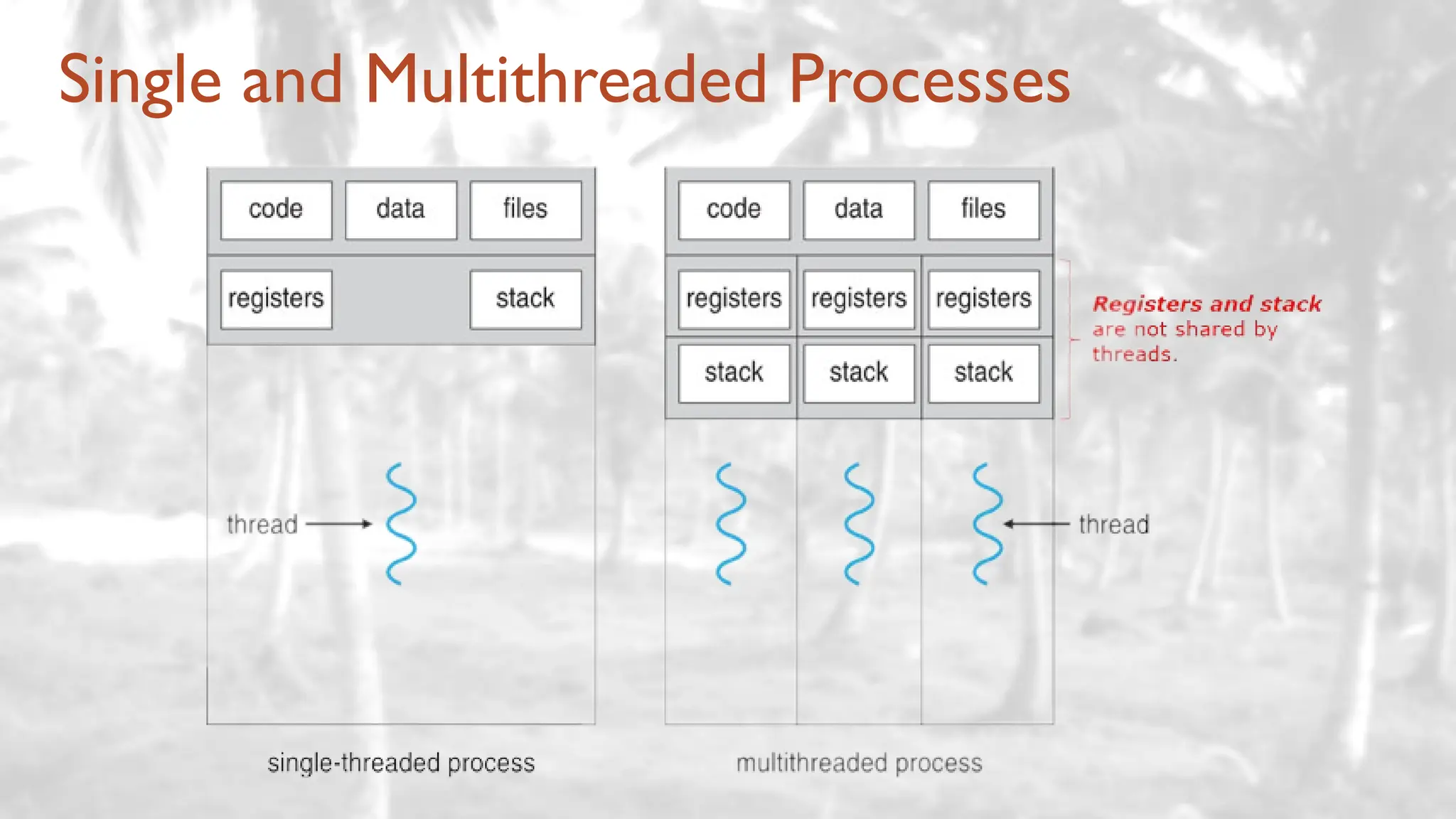
Single and Multithreaded Processes
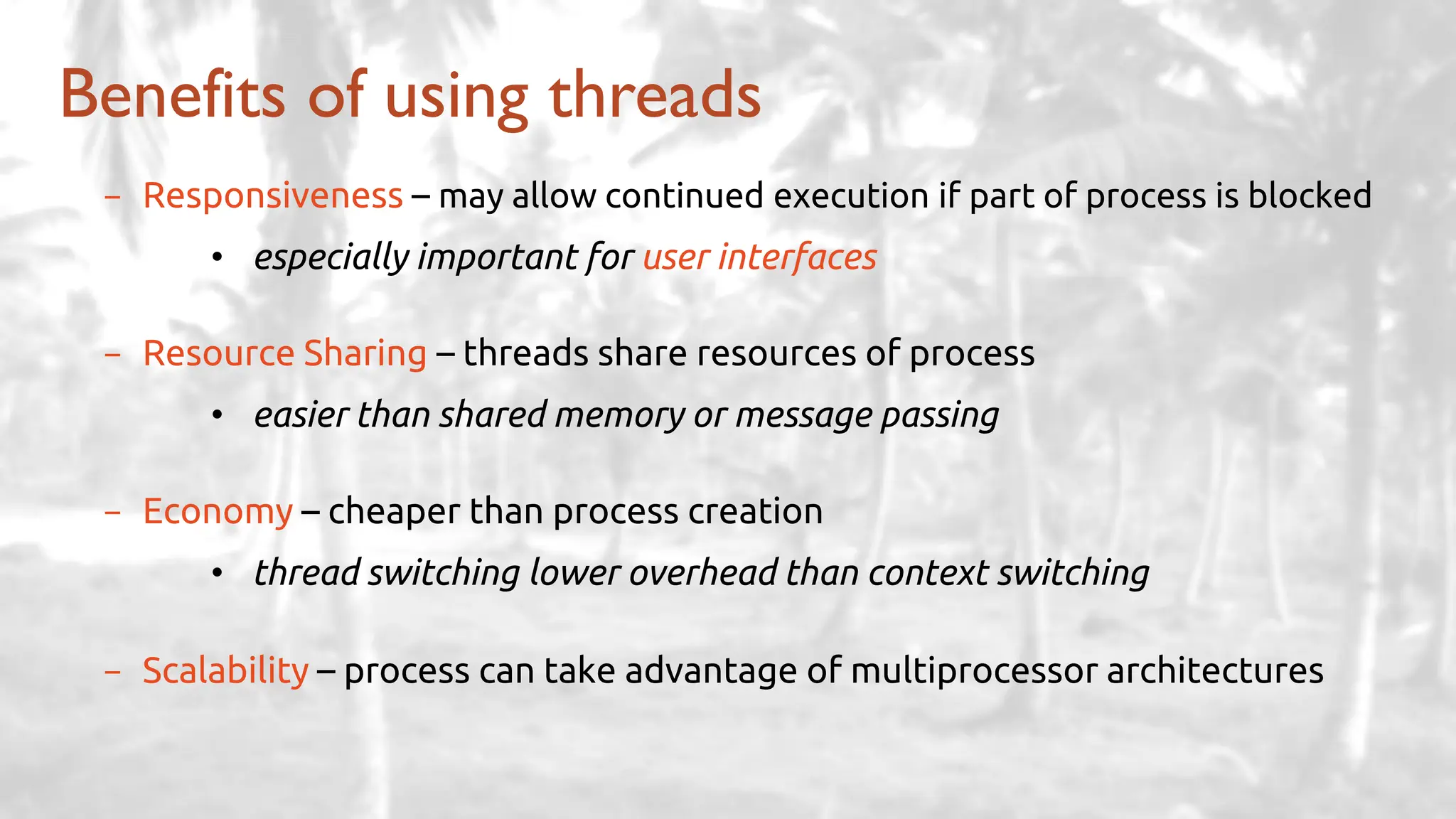
Benefits of using threads
- Responsiveness – may allow continued execution if part of process is blocked
• especially important for user interfaces
- Resource Sharing – threads share resources of process
• easier than shared memory or message passing
- Economy – cheaper than process creation
• thread switching lower overhead than context switching
- Scalability – process can take advantage of multiprocessor architectures
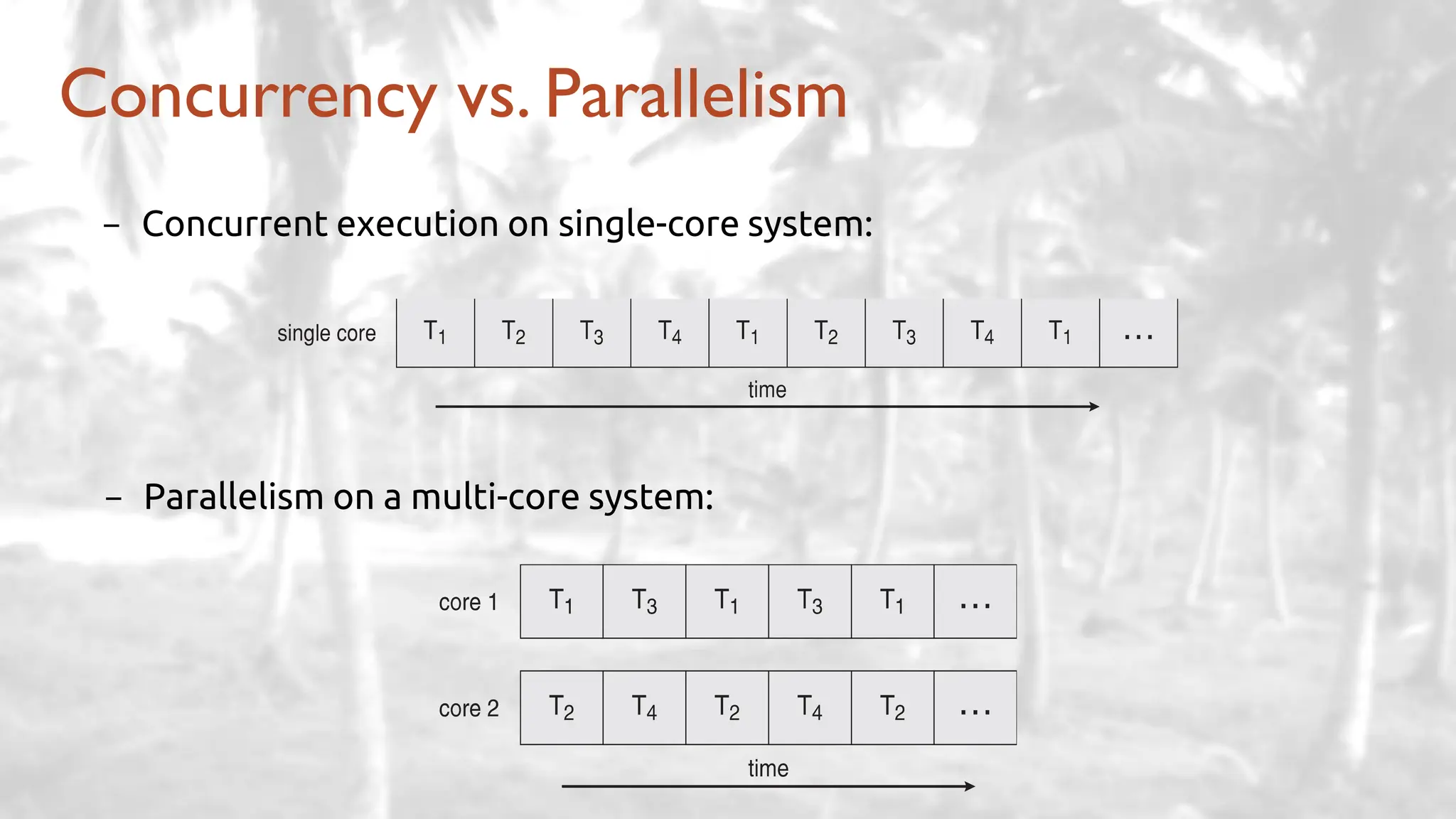
Concurrency vs. Parallelism
- Concurrent execution on single-core system:
- Parallelism on a multi-core system:
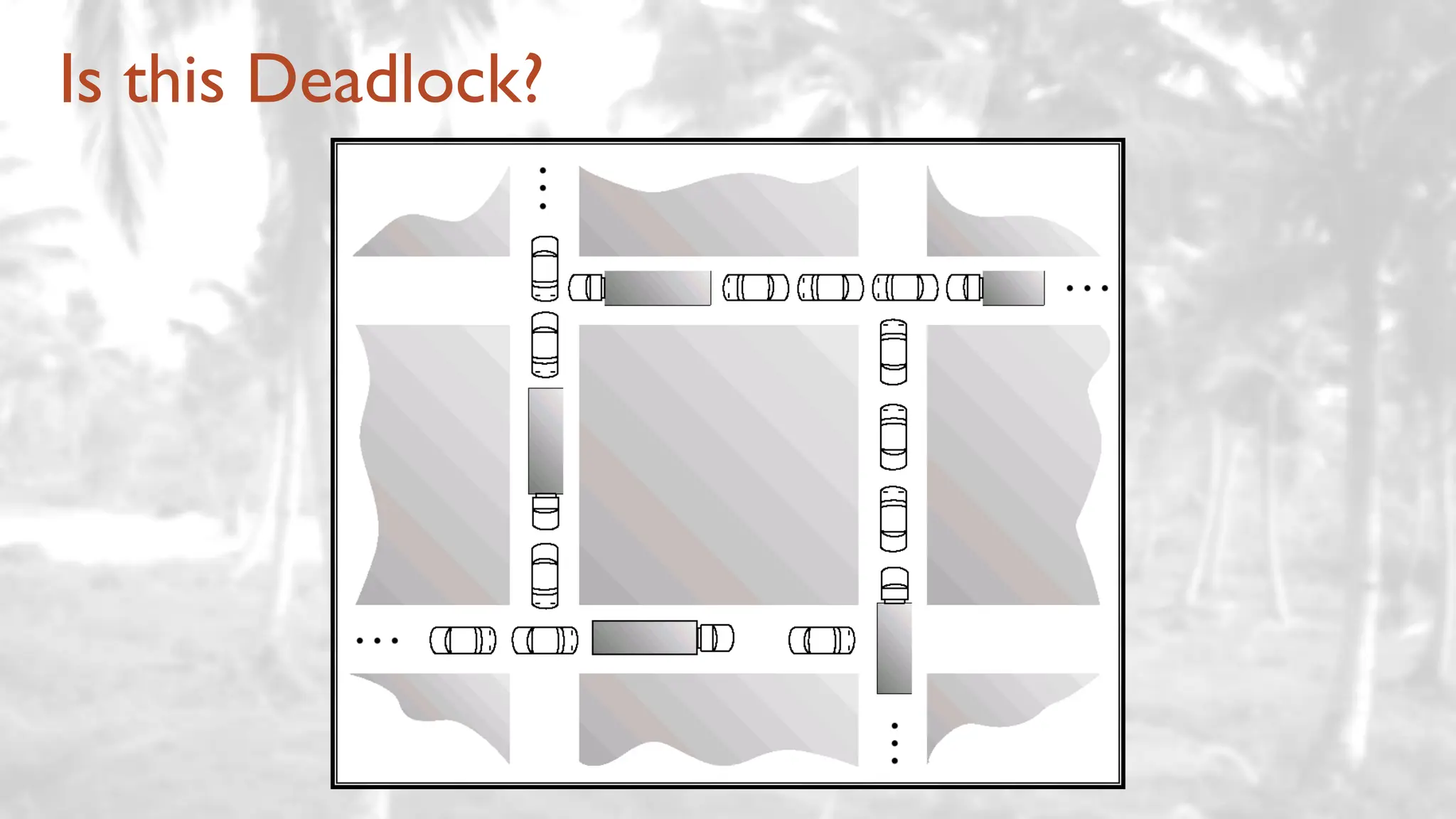
Is this Deadlock?
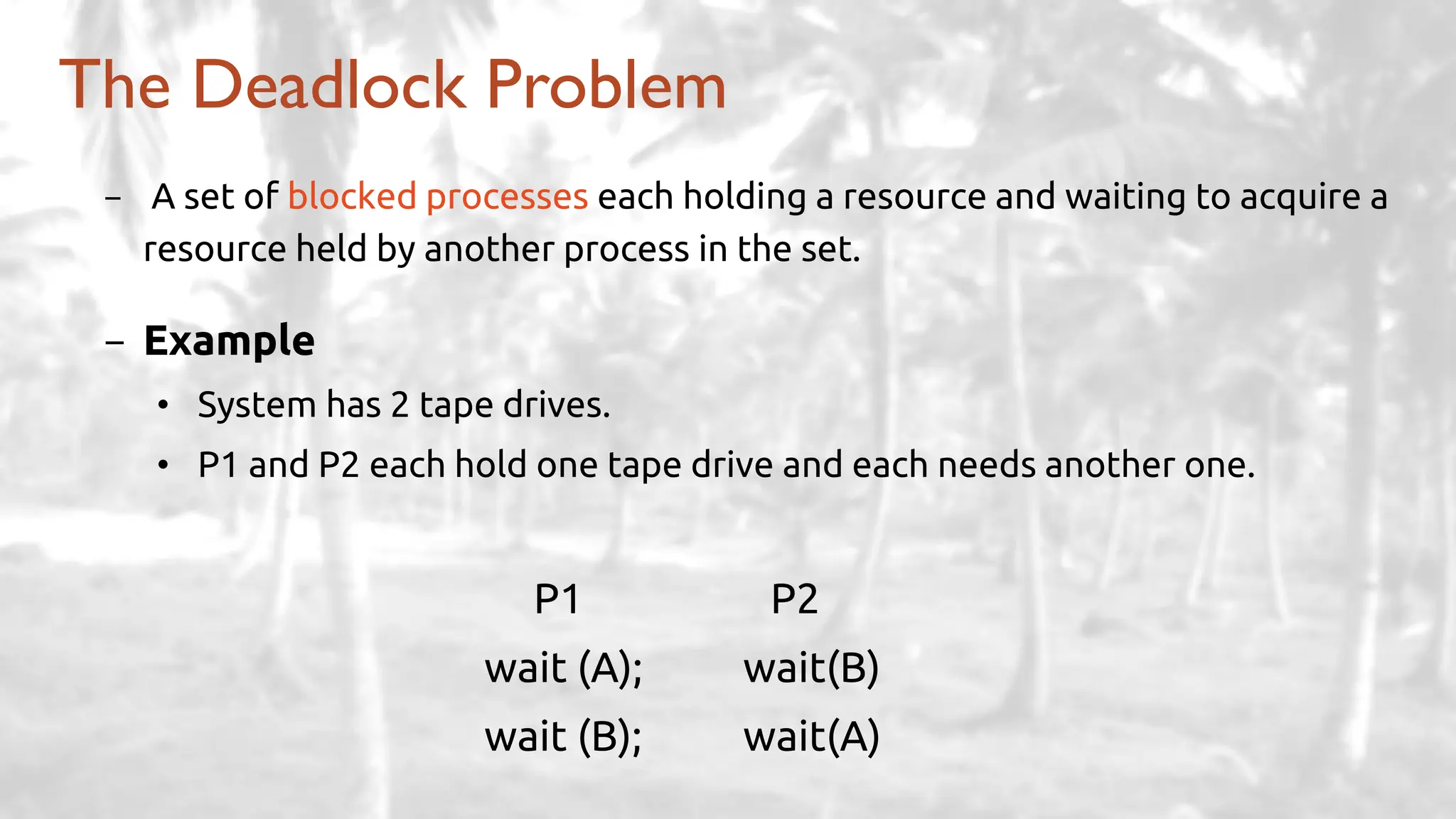
- A set of blocked processes each holding a resource and waiting to acquire a
resource held by another process in the set.
- Example
• System has 2 tape drives.
• P1 and P2 each hold one tape drive and each needs another one.
P1 P2
wait (A); wait(B)
wait (B); wait(A)
The Deadlock Problem
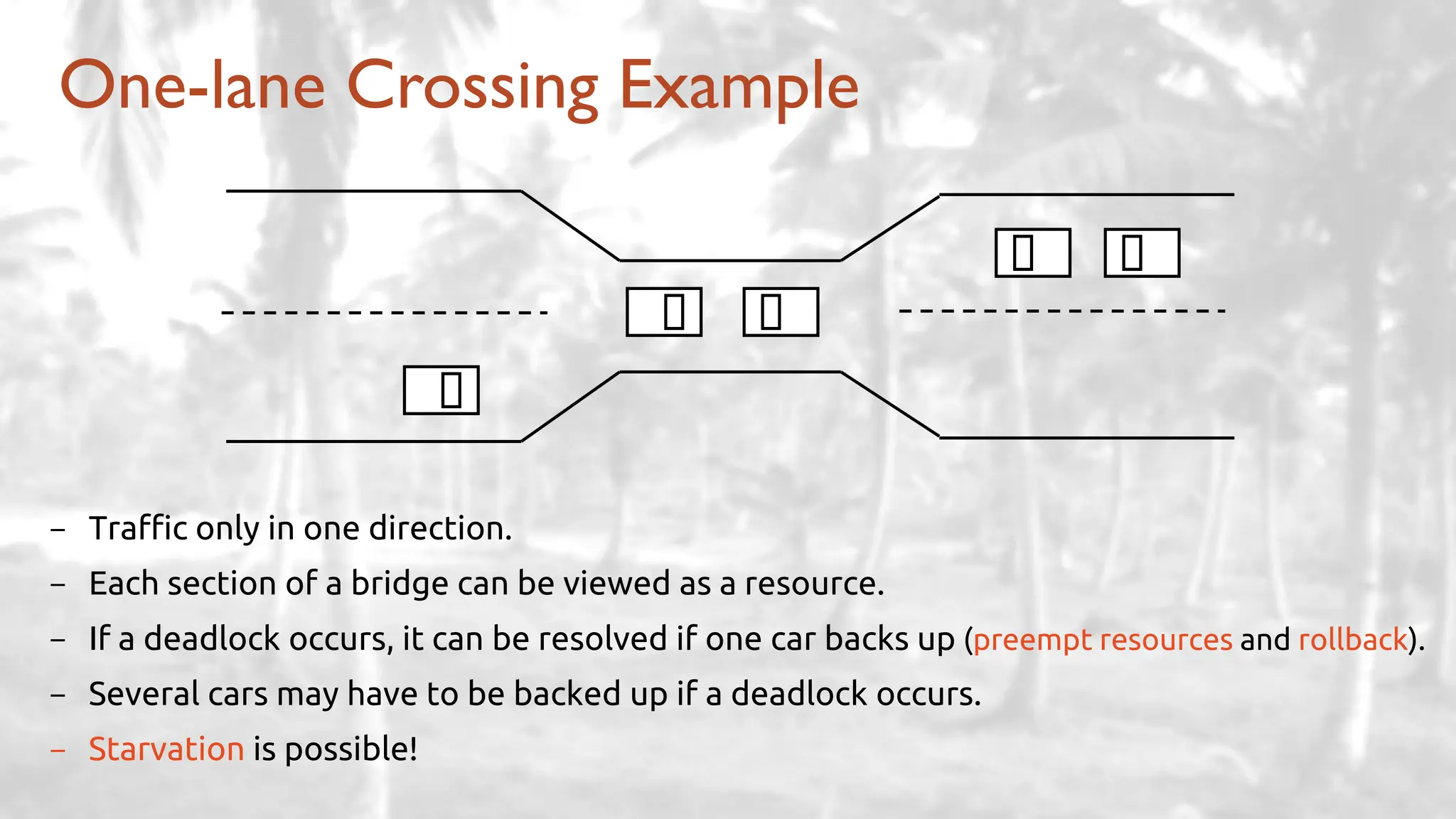
One-lane Crossing Example
- Traffic only in one direction.
- Each section of a bridge can be viewed as a resource.
- If a deadlock occurs, it can be resolved if one car backs up (preempt resources and rollback).
- Several cars may have to be backed up if a deadlock occurs.
- Starvation is possible!
- Ensure that the system will never enter a deadlock state.
- Allow the system to enter a deadlock state and then recover.
- Ignore the problem and pretend that deadlocks never occur in
the system
• used by most operating systems, including UNIX
• lets the user handle it
• Deadlock prevention is not completely guaranteed and is incredibly
hard!
Methods for Handling Deadlocks
- Combination of bits are used to represent:
• alphabetic data
• numeric data
• Symbols
• sound and video data
- Binary Coding schemes are used for this purpose
• EBCDIC (Extended Binary Coded Decimal Interchange Code)
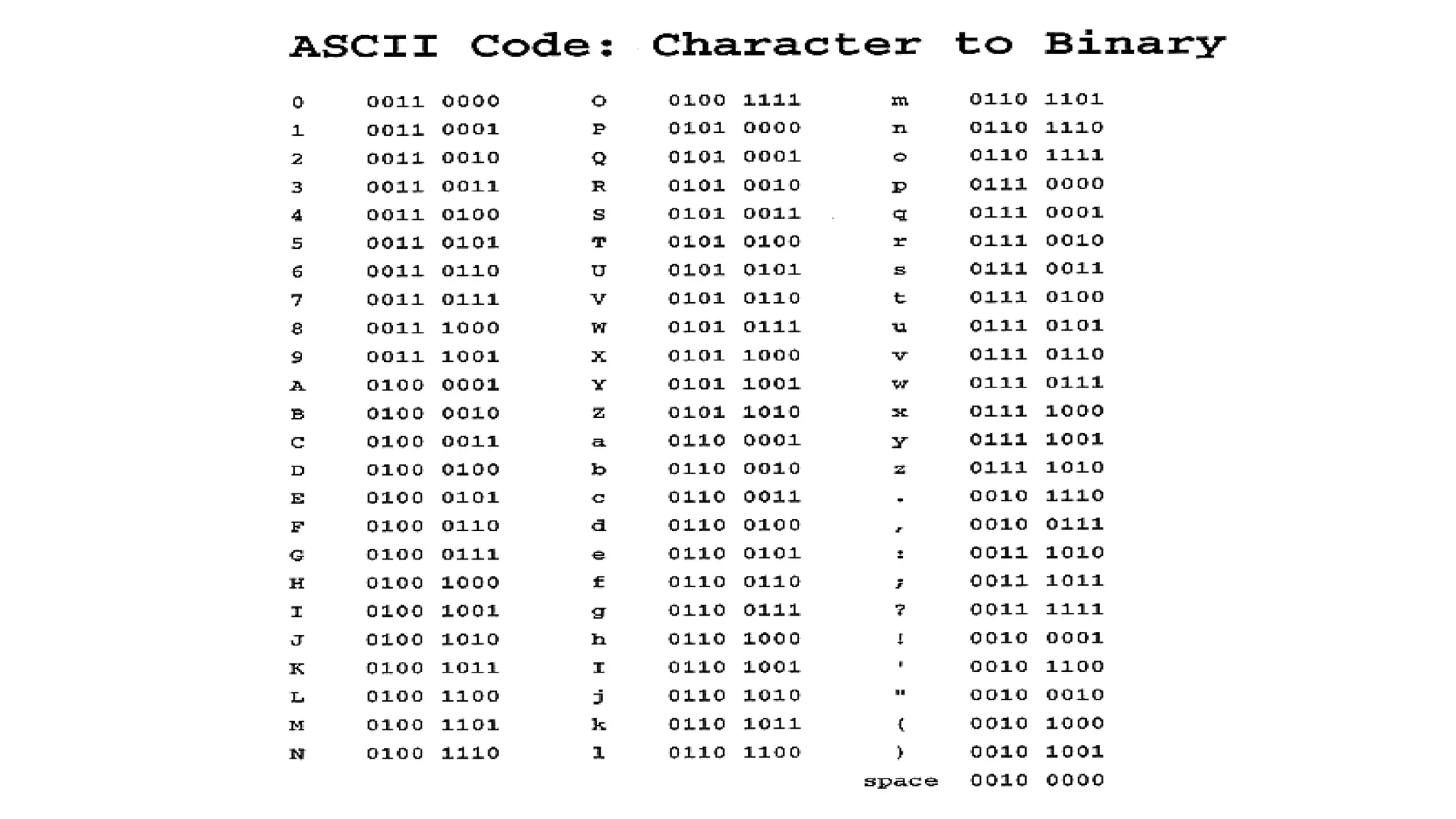
• ASCII (American Standard Code for Information Interchange)
• Unicode (UTF-8)
Binary Coding Schemes
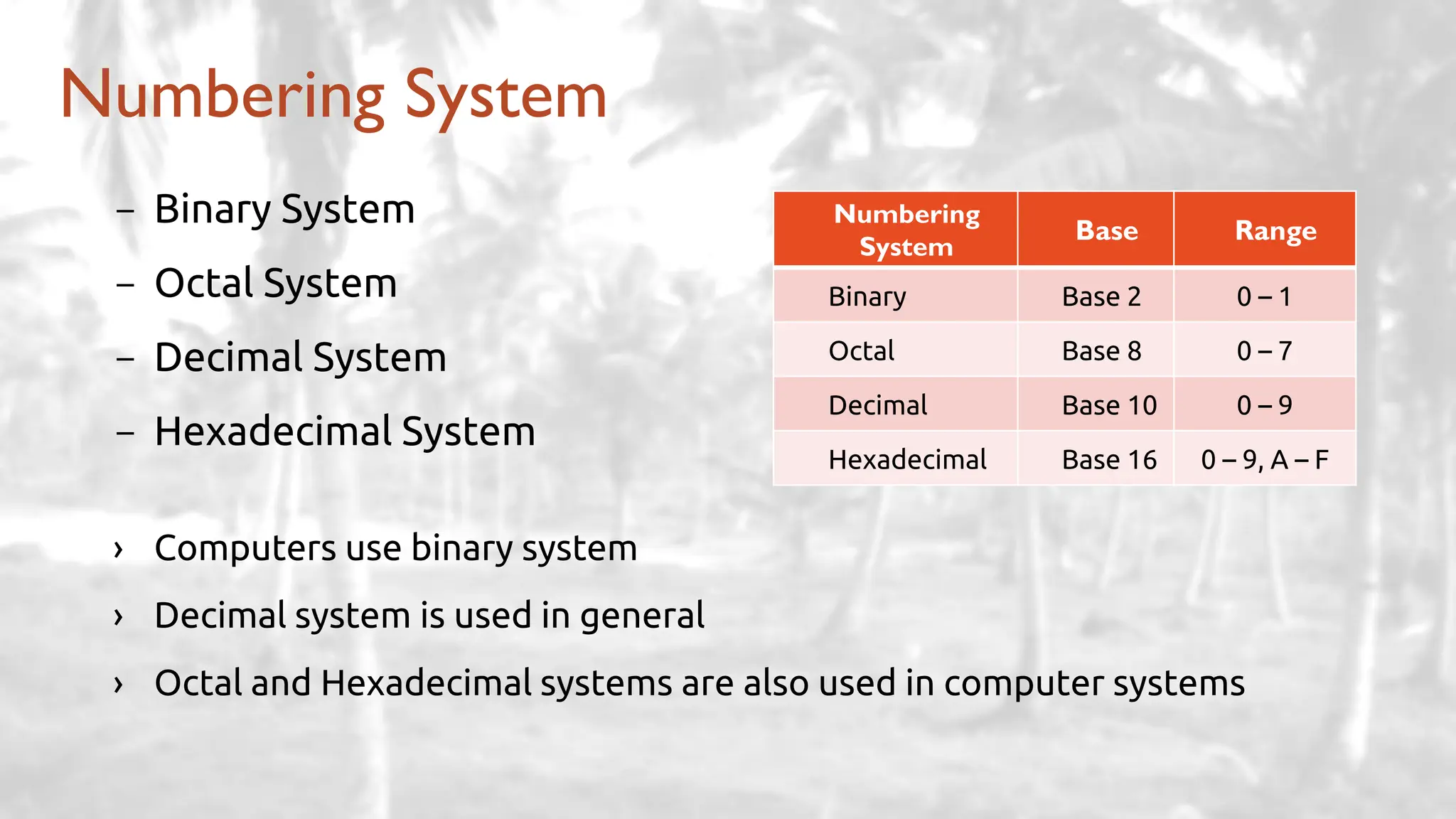
- Binary System
- Octal System
- Decimal System
- Hexadecimal System
› Computers use binary system
› Decimal system is used in general
› Octal and Hexadecimal systems are also used in computer systems
Numbering System
Numbering
System
Base Range
Binary Base 2 0 – 1
Octal Base 8 0 – 7
Decimal Base 10 0 – 9
Hexadecimal Base 16 0 – 9, A – F
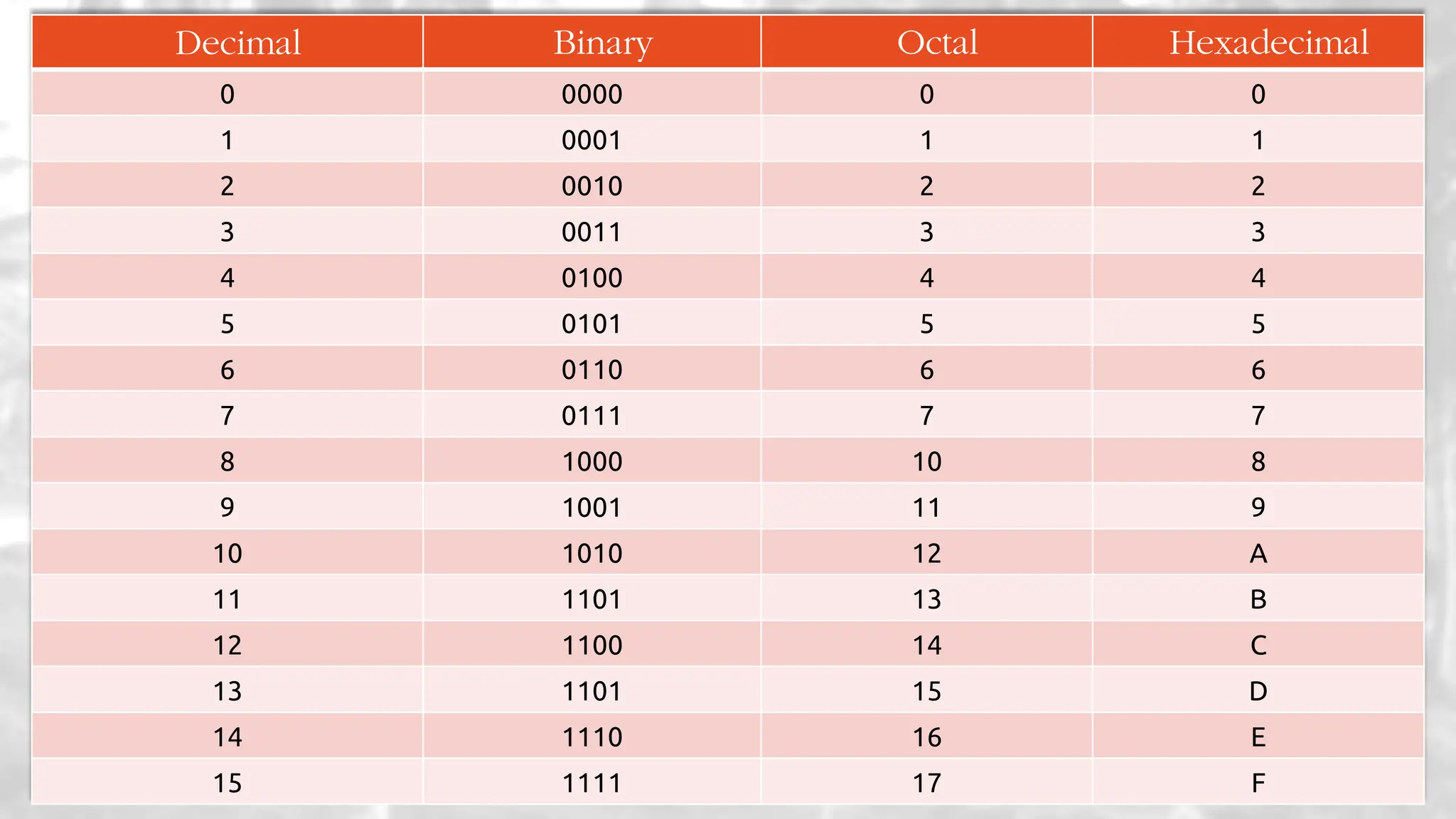
Decimal Binary Octal Hexadecimal
0 0000 0 0
1 0001 1 1
2 0010 2 2
3 0011 3 3
4 0100 4 4
5 0101 5 5
6 0110 6 6
7 0111 7 7
8 1000 10 8
9 1001 11 9
10 1010 12 A
11 1101 13 B
12 1100 14 C
13 1101 15 D
14 1110 16 E
15 1111 17 F
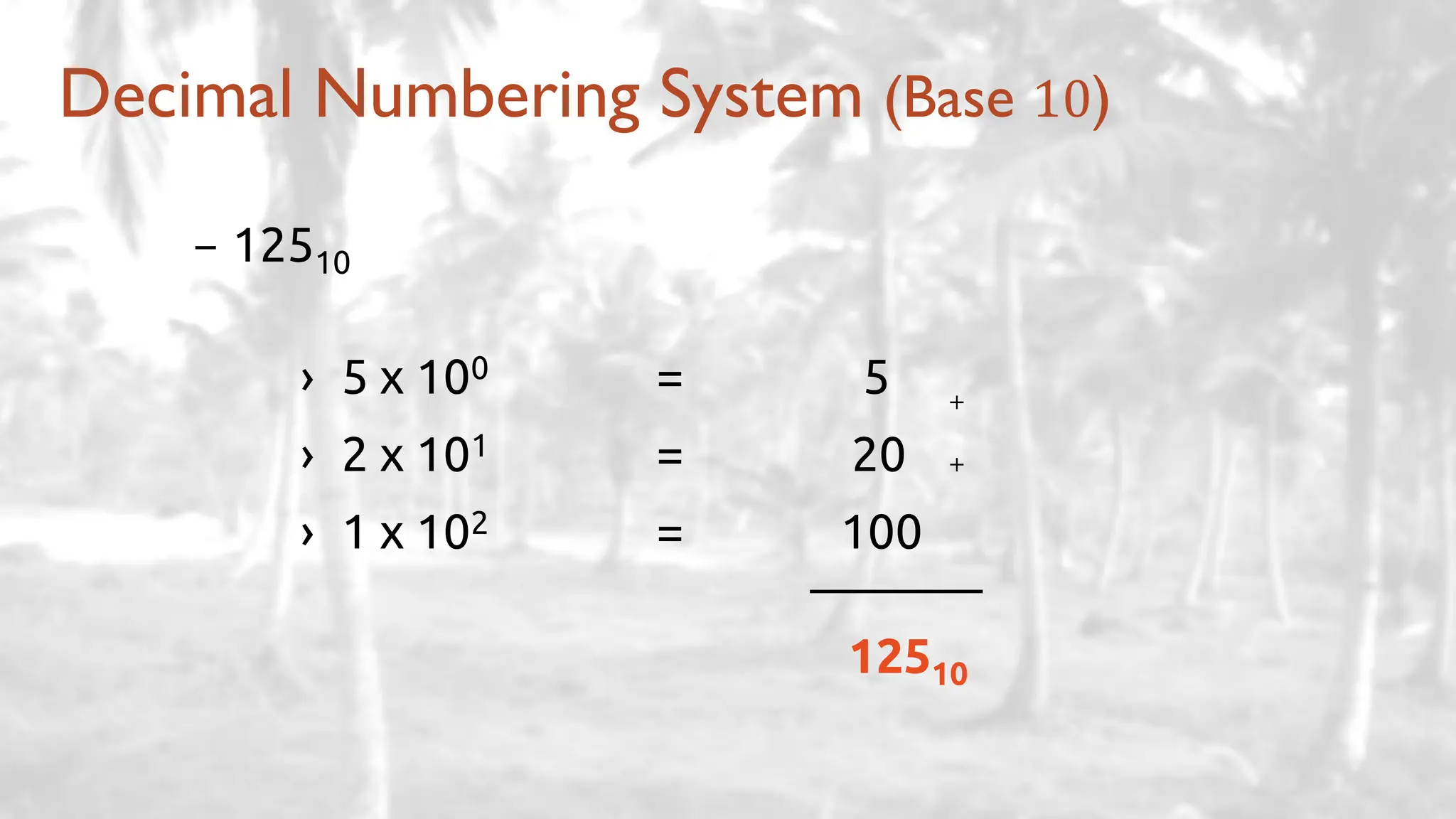
- 12510
› 5 x 100 = 5
› 2 x 101 = 20
› 1 x 102 = 100
12510
Decimal Numbering System (Base 10)
+
+
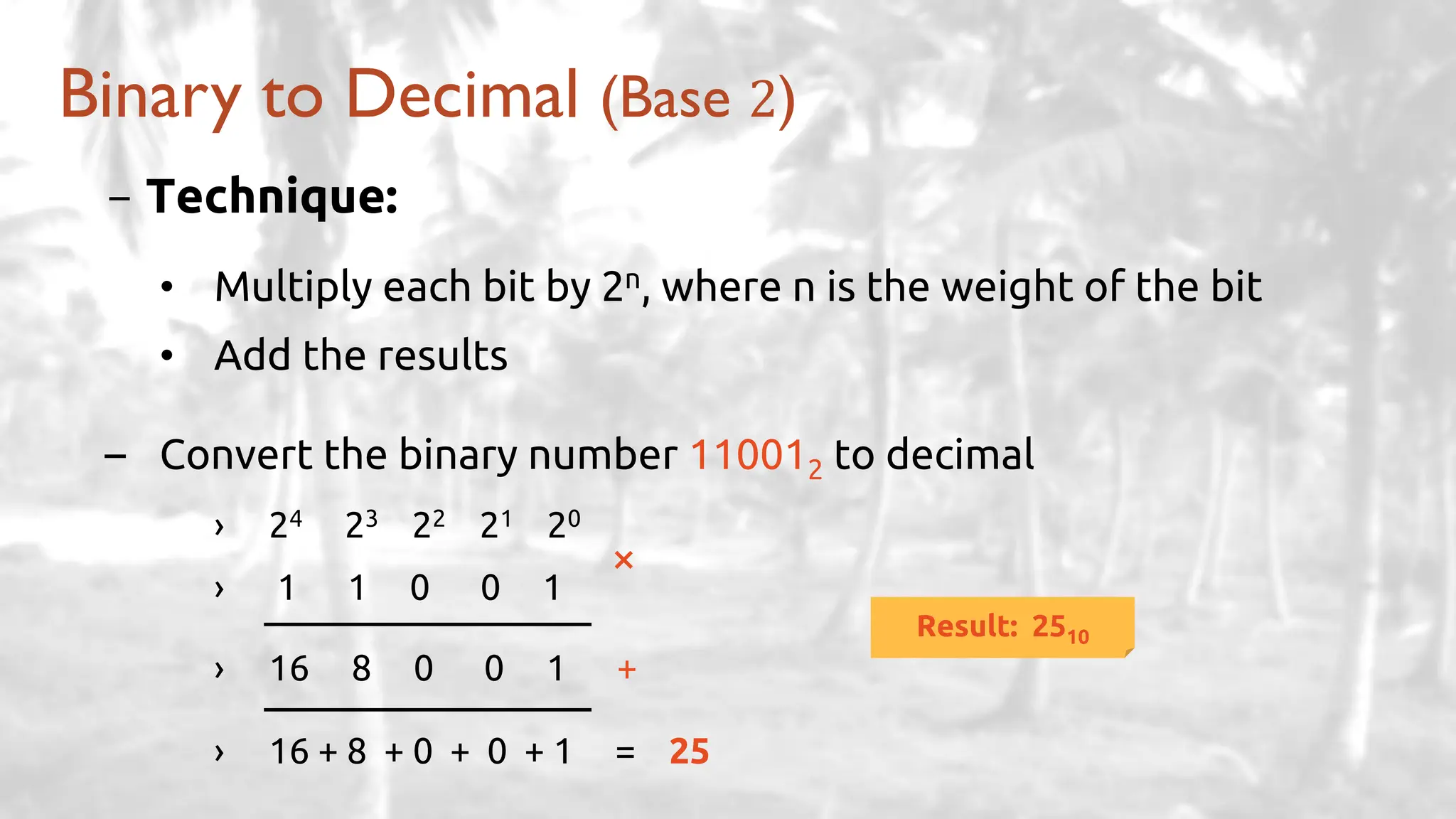
- Technique:
• Multiply each bit by 2n, where n is the weight of the bit
• Add the results
– Convert the binary number 110012 to decimal
› 24 23 22 21 20
› 1 1 0 0 1
› 16 8 0 0 1 +
› 16 + 8 + 0 + 0 + 1 = 25
Binary to Decimal (Base 2)
×
Result: 2510
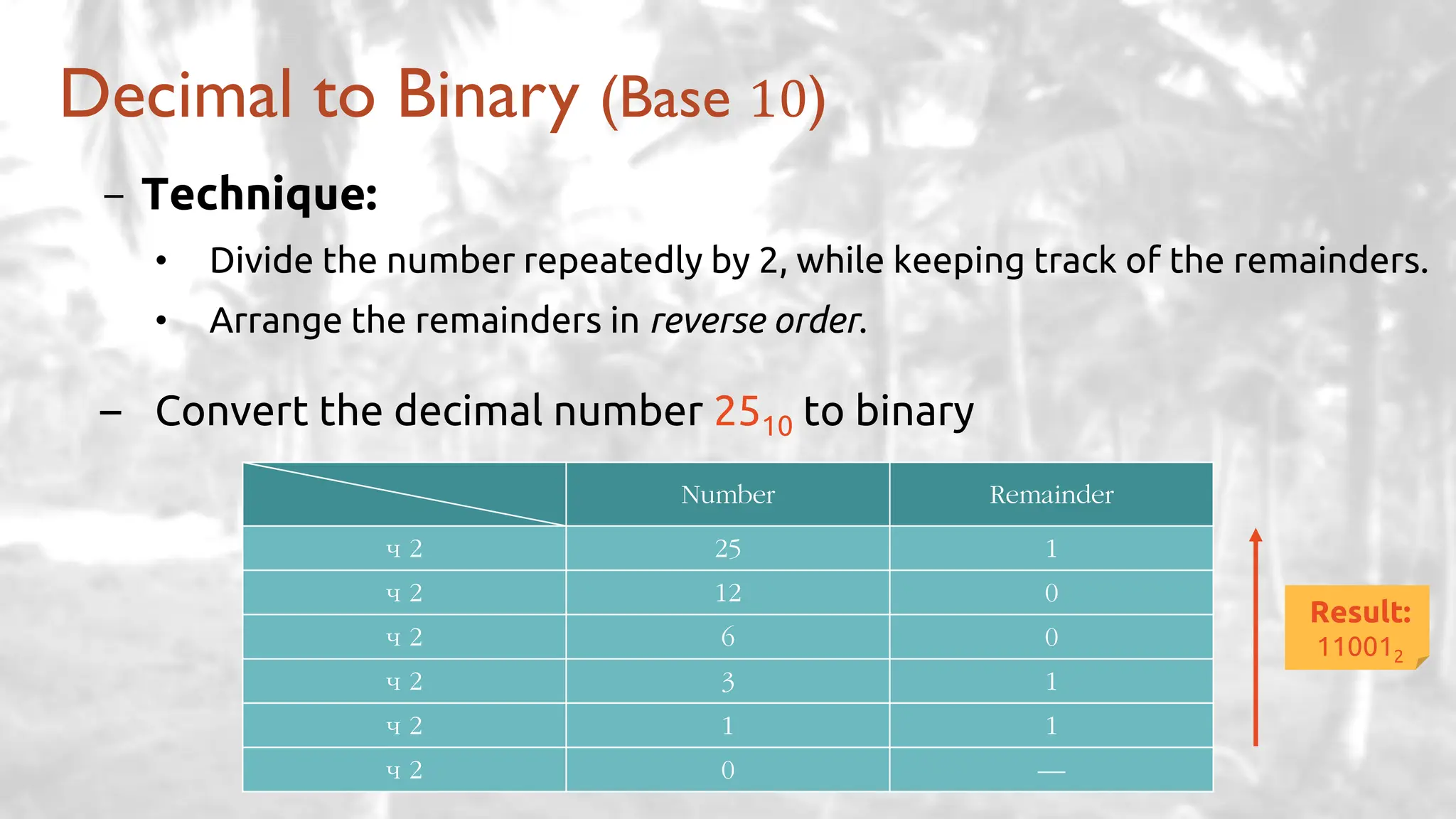
- Technique:
• Divide the number repeatedly by 2, while keeping track of the remainders.
• Arrange the remainders in reverse order.
– Convert the decimal number 2510 to binary
Decimal to Binary (Base 10)
Number Remainder
÷ 2 25 1
÷ 2 12 0
÷ 2 6 0
÷ 2 3 1
÷ 2 1 1
÷ 2 0 —
Result:
110012
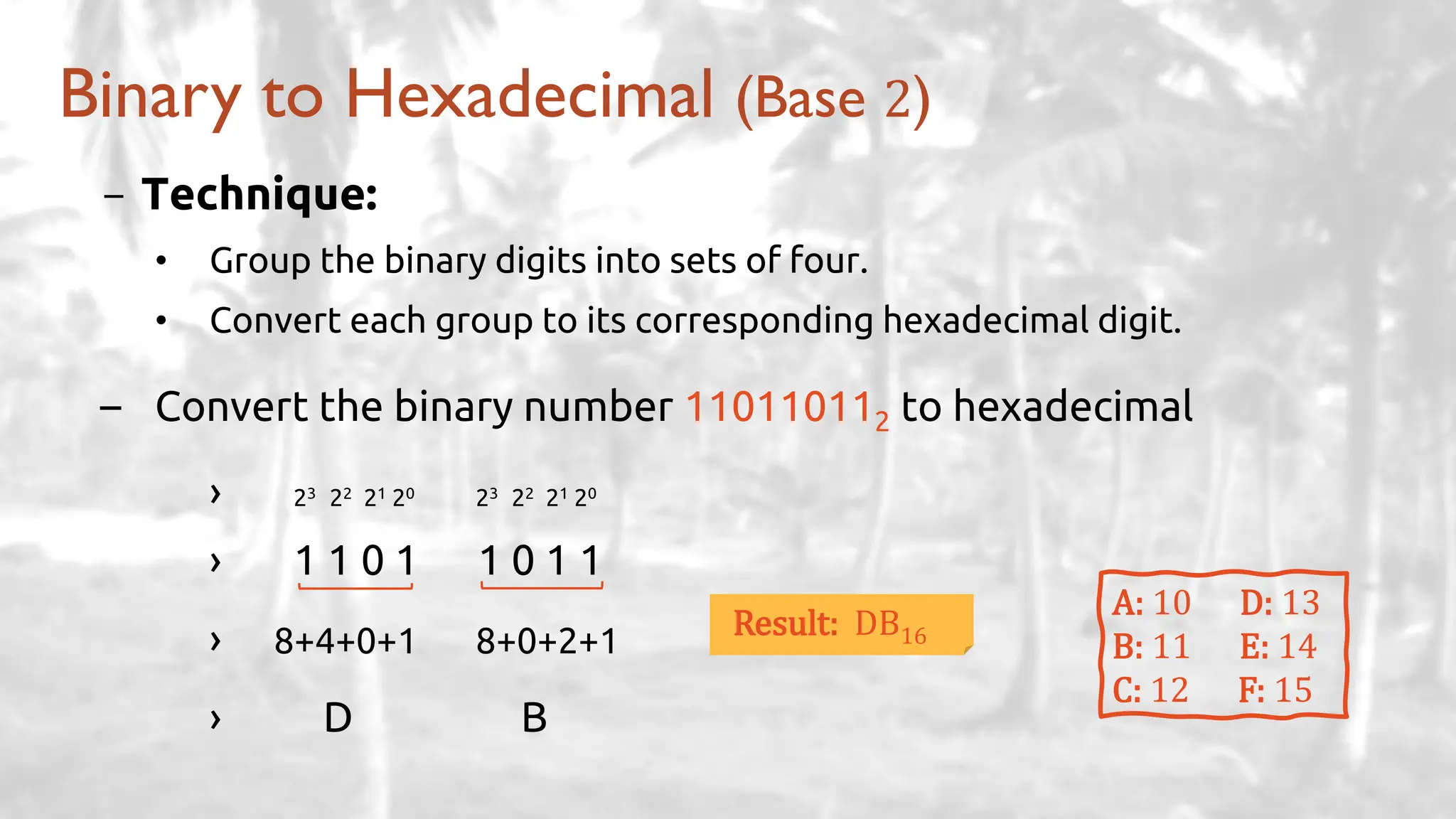
- Technique:
• Group the binary digits into sets of four.
• Convert each group to its corresponding hexadecimal digit.
– Convert the binary number 110110112 to hexadecimal
› 23 22 21 20 23 22 21 20
› 1 1 0 1 1 0 1 1
› 8+4+0+1 8+0+2+1
› D B
Binary to Hexadecimal (Base 2)
A: 10 D: 13
B: 11 E: 14
C: 12 F: 15
Result: DB16
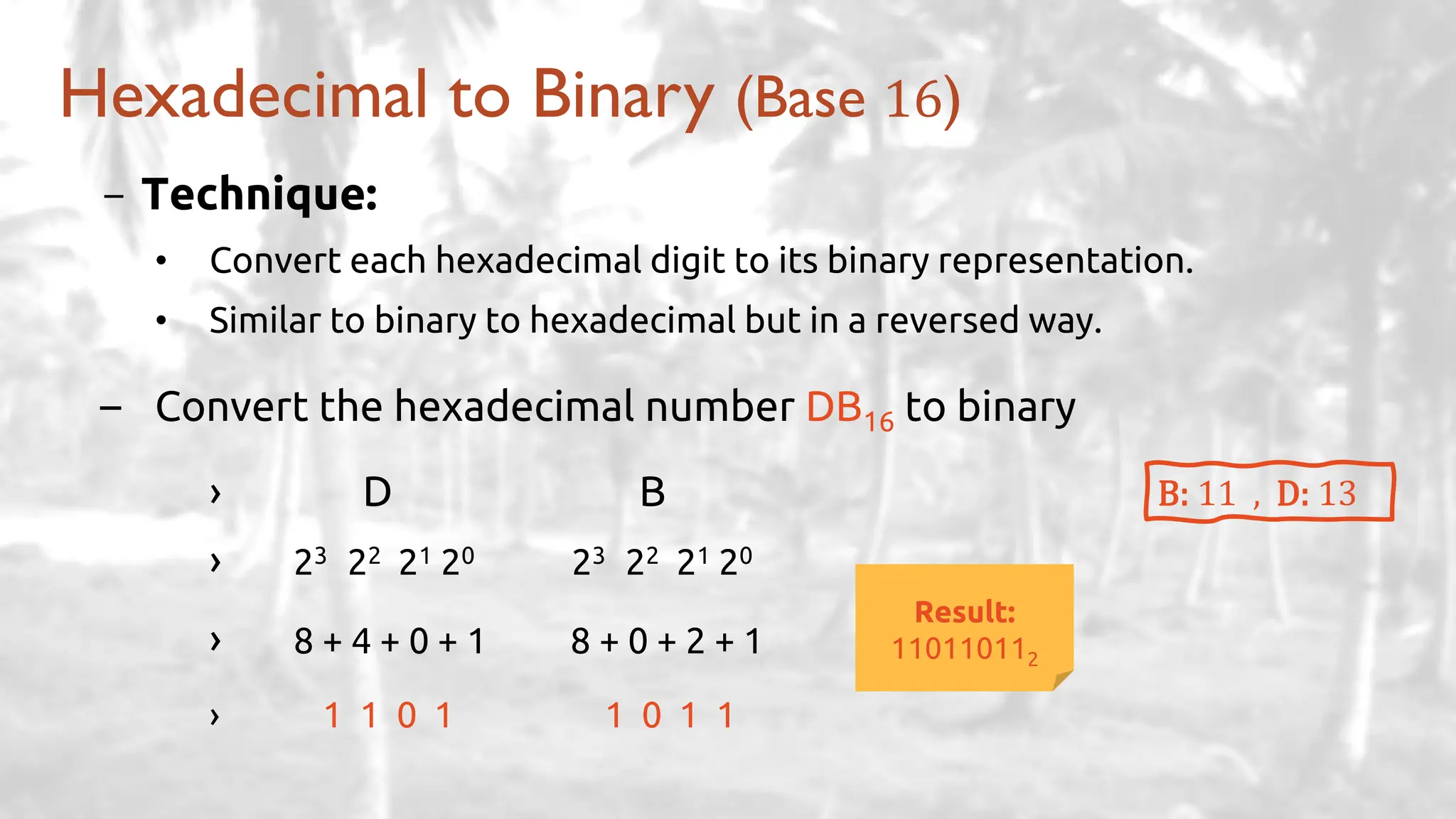
- Technique:
• Convert each hexadecimal digit to its binary representation.
• Similar to binary to hexadecimal but in a reversed way.
– Convert the hexadecimal number DB16 to binary
› D B
› 23 22 21 20 23 22 21 20
› 8 + 4 + 0 + 1 8 + 0 + 2 + 1
› 1 1 0 1 1 0 1 1
Hexadecimal to Binary (Base 16)
B: 11 , D: 13
Result:
110110112
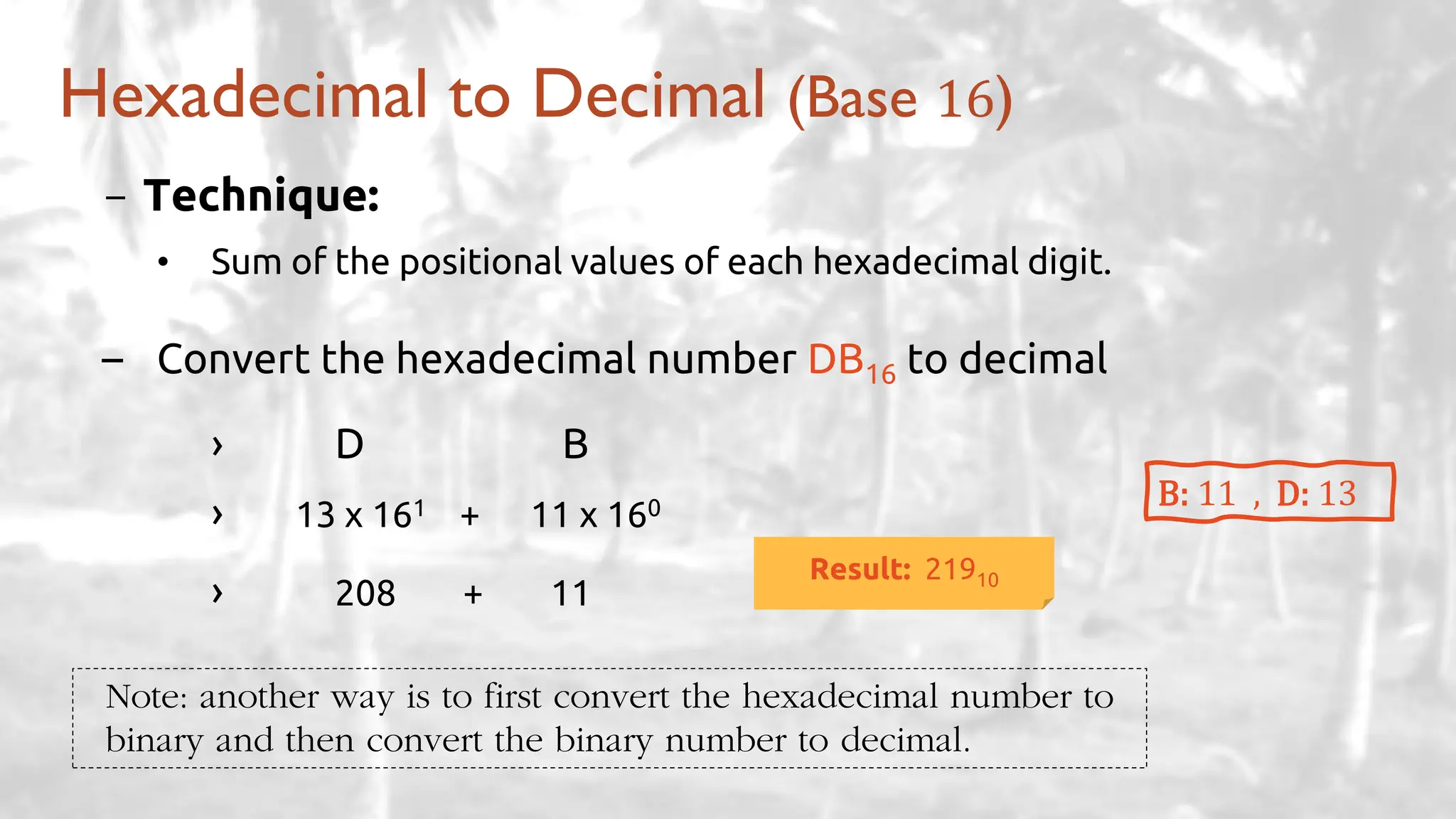
- Technique:
• Sum of the positional values of each hexadecimal digit.
– Convert the hexadecimal number DB16 to decimal
› D B
› 13 x 161 + 11 x 160
› 208 + 11
Hexadecimal to Decimal (Base 16)
B: 11 , D: 13
Result: 21910
Note: another way is to first convert the hexadecimal number to
binary and then convert the binary number to decimal.
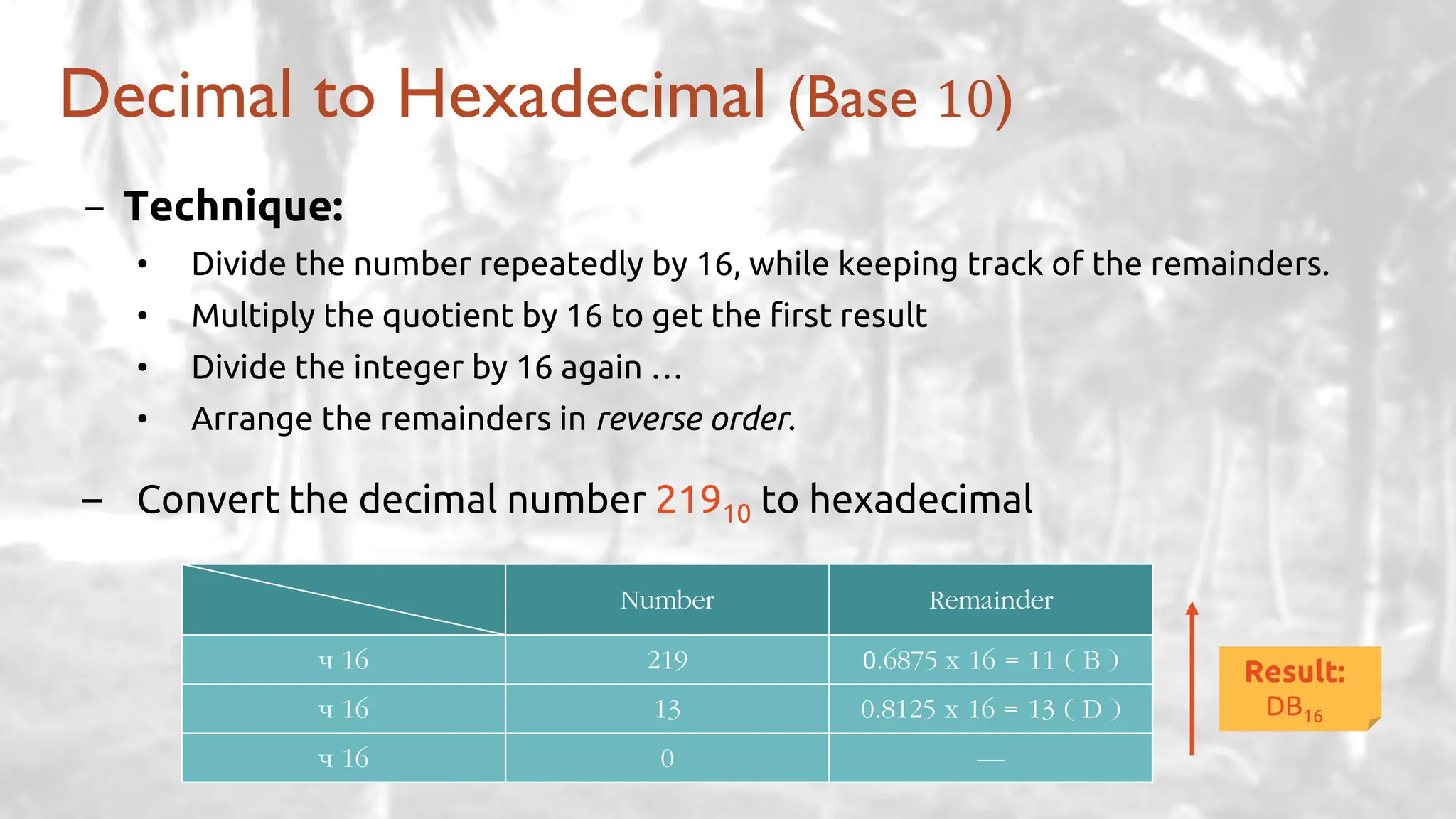
Decimal to Hexadecimal (Base 10)
- Technique:
• Divide the number repeatedly by 16, while keeping track of the remainders.
• Multiply the quotient by 16 to get the first result
• Divide the integer by 16 again …
• Arrange the remainders in reverse order.
– Convert the decimal number 21910 to hexadecimal
Number Remainder
÷ 16 219 0.6875 x 16 = 11 ( B )
÷ 16 13 0.8125 x 16 = 13 ( D )
÷ 16 0 —
Result:
DB16
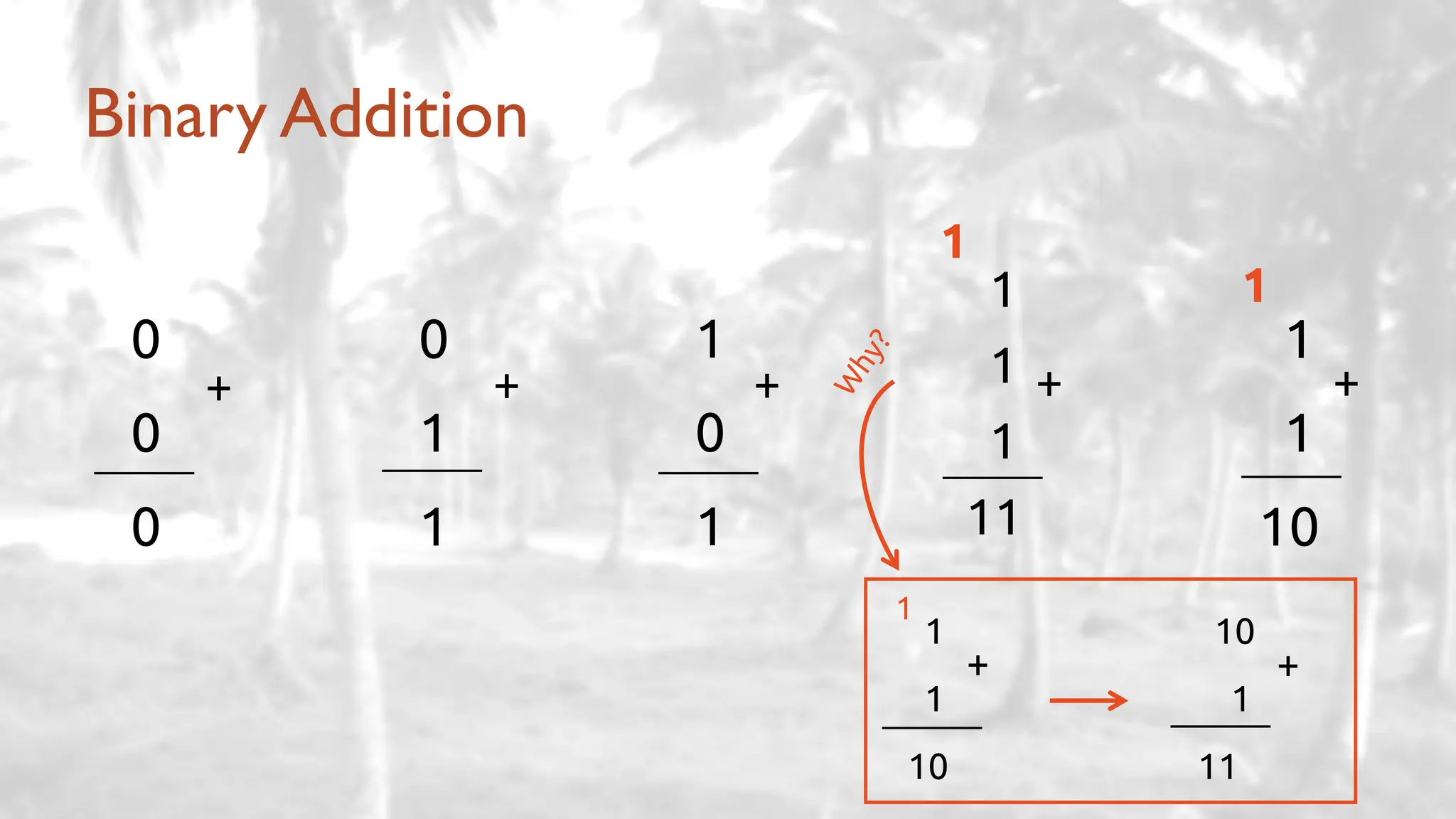
Binary Addition
0
0
0
1
0
1
0
1
1
1
1
10
+ + + +
1
1
1
1
11
+
1
1
1
10
+
10
1
11
+
1
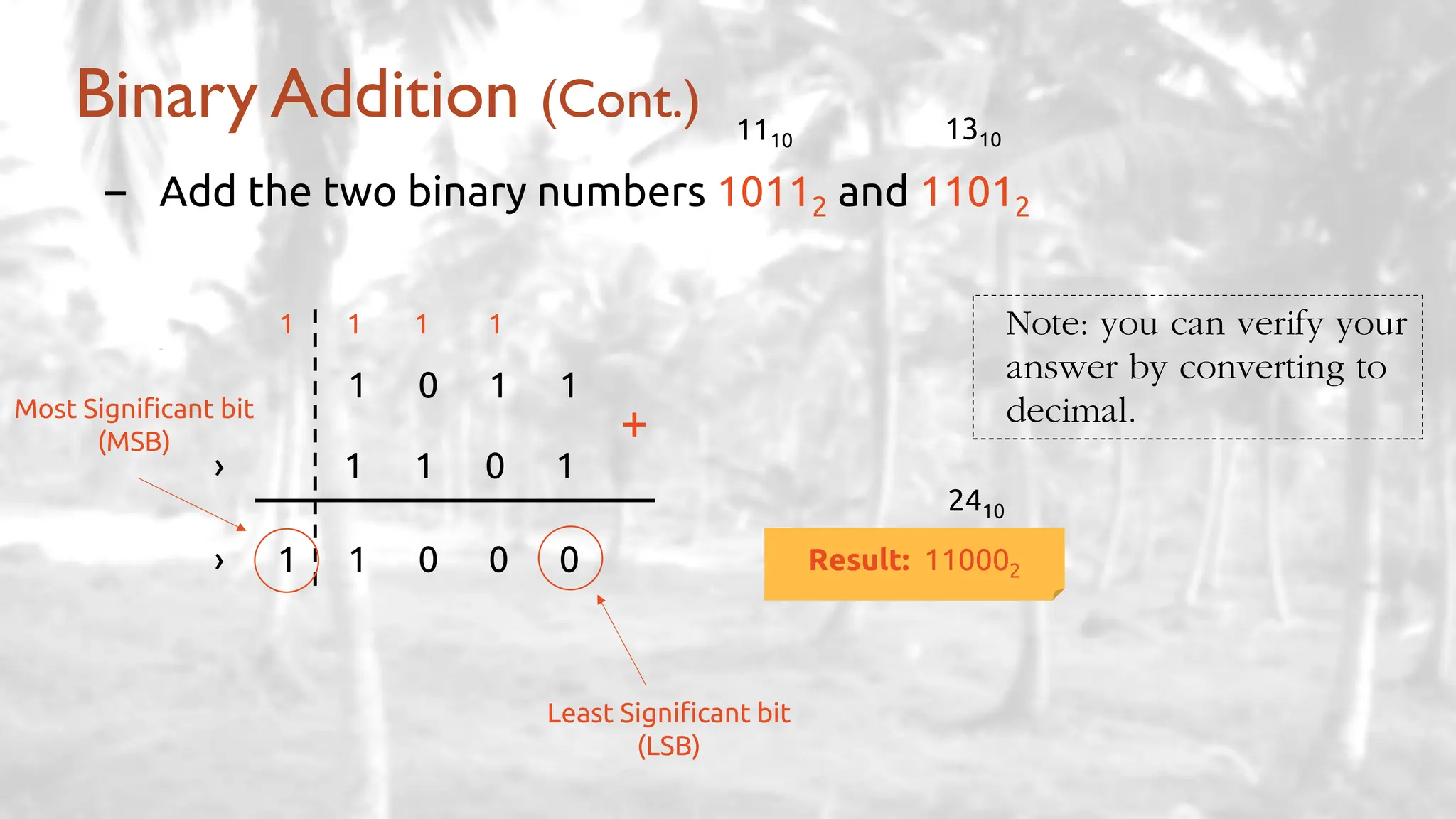
Binary Addition (Cont.)
– Add the two binary numbers 10112 and 11012
1 1 1 1
– 1111
1 0 1 1
› 1 1 0 1
› 1 1 0 0 0
+
Result: 110002
Least Significant bit
(LSB)
Most Significant bit
(MSB)
Note: you can verify your
answer by converting to
decimal.
1110 1310
2410
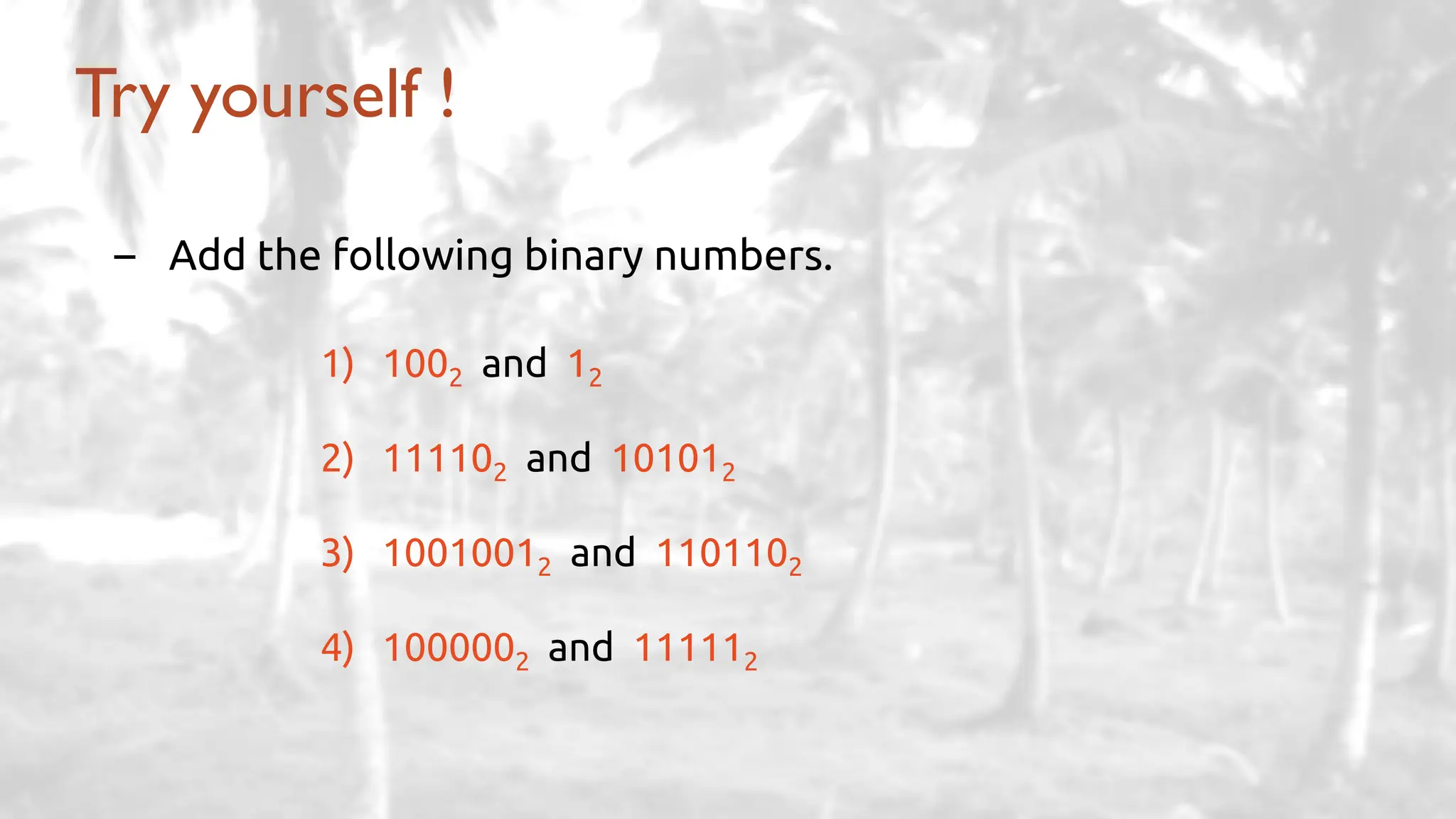
Try yourself !
– Add the following binary numbers.
1) 1002 and 12
2) 111102 and 101012
3) 10010012 and 1101102
4) 1000002 and 111112
1
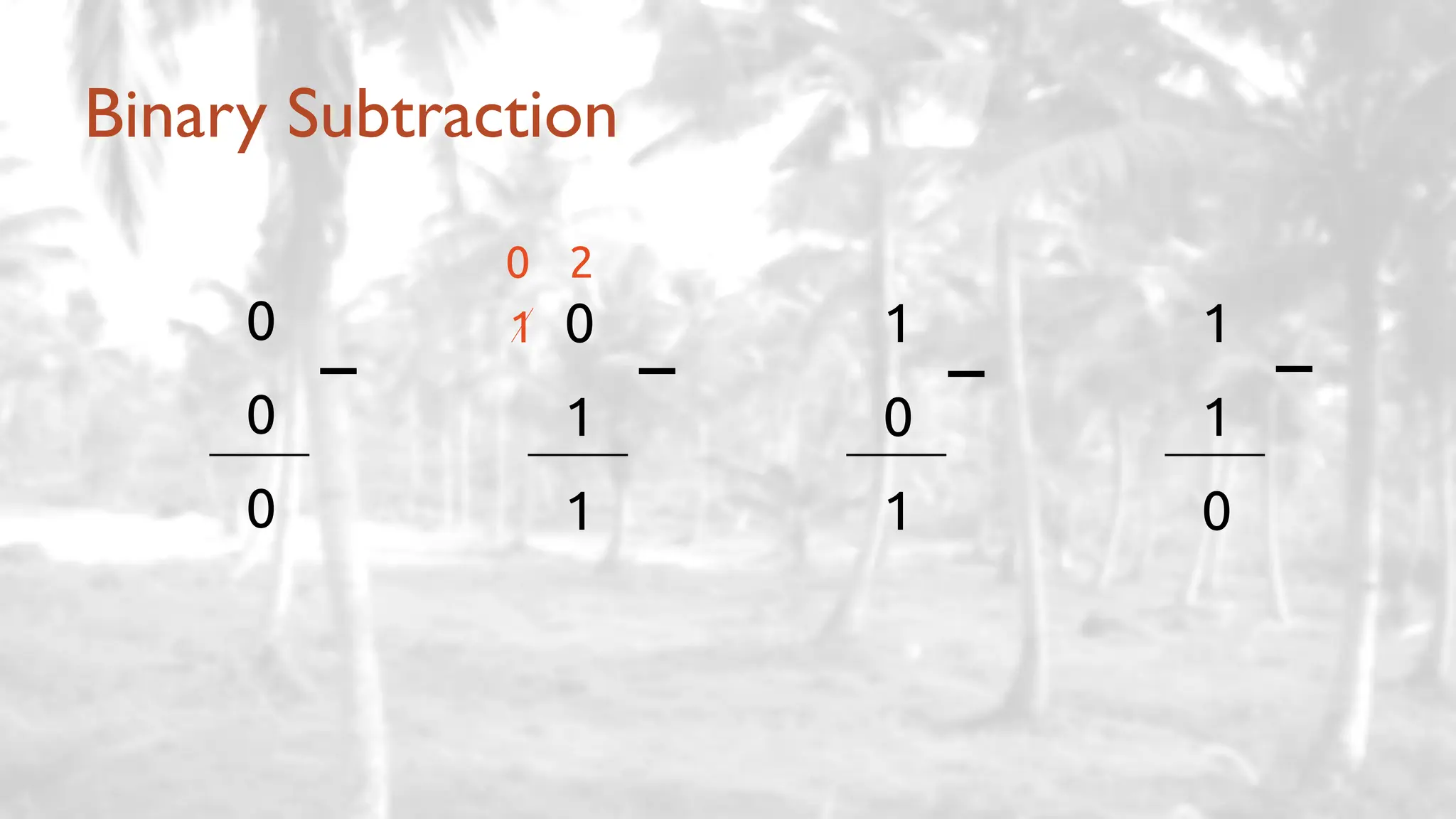
Binary Subtraction
0
0
0
1
0
1
0
1
1
1
1
0
– – – –
0 2
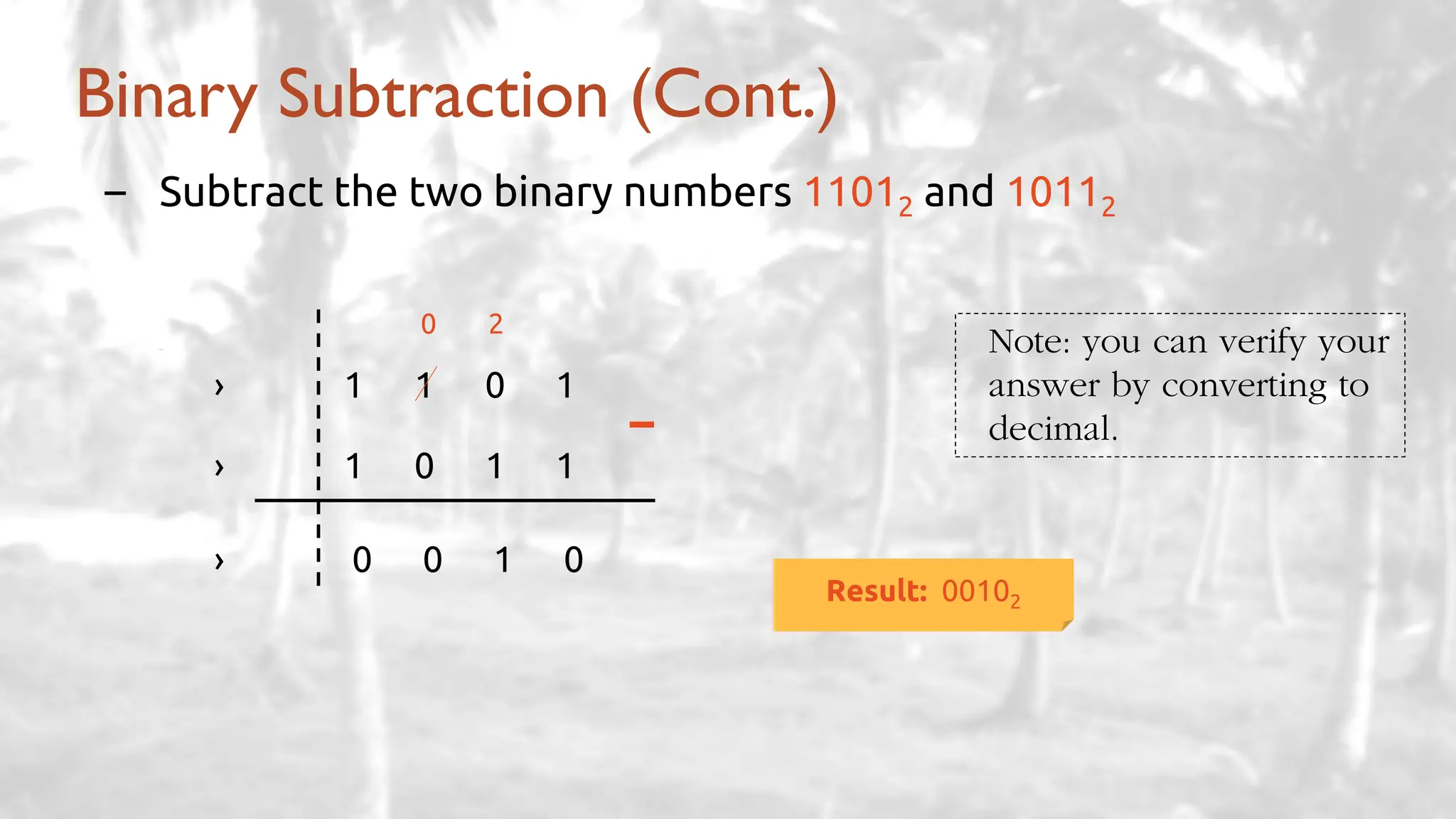
Binary Subtraction (Cont.)
– Subtract the two binary numbers 11012 and 10112
0 2
– 1111
› 1 1 0 1
› 1 0 1 1
› 0 0 1 0
–
Result: 00102
Note: you can verify your
answer by converting to
decimal.
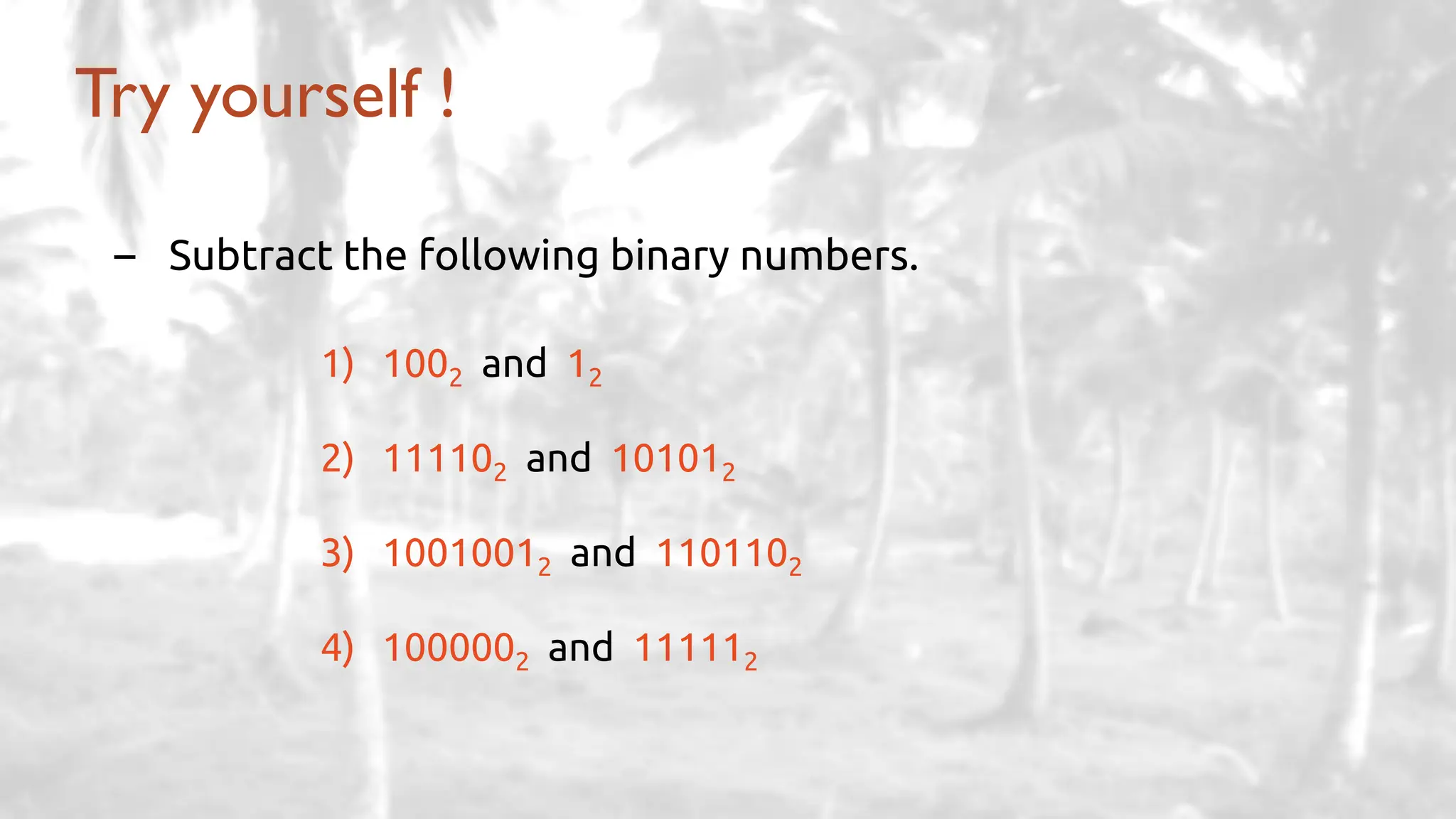
Try yourself !
– Subtract the following binary numbers.
1) 1002 and 12
2) 111102 and 101012
3) 10010012 and 1101102
4) 1000002 and 111112
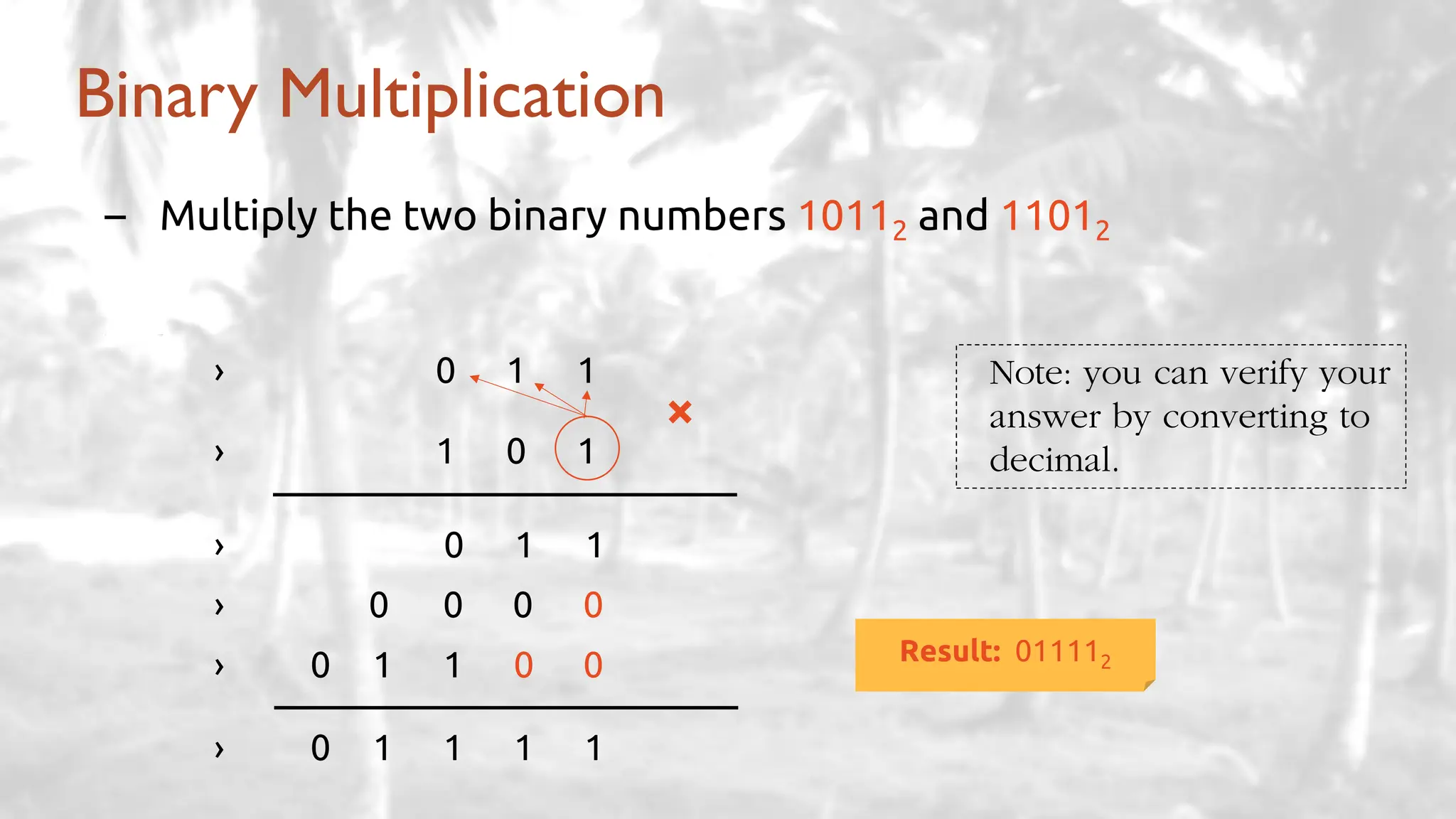
Binary Multiplication
– Multiply the two binary numbers 10112 and 11012
– 1111
› 0 1 1
› 1 0 1
› 0 1 1
› 0 0 0 0
› 0 1 1 0 0
› 0 1 1 1 1
×
Result: 011112
Note: you can verify your
answer by converting to
decimal.
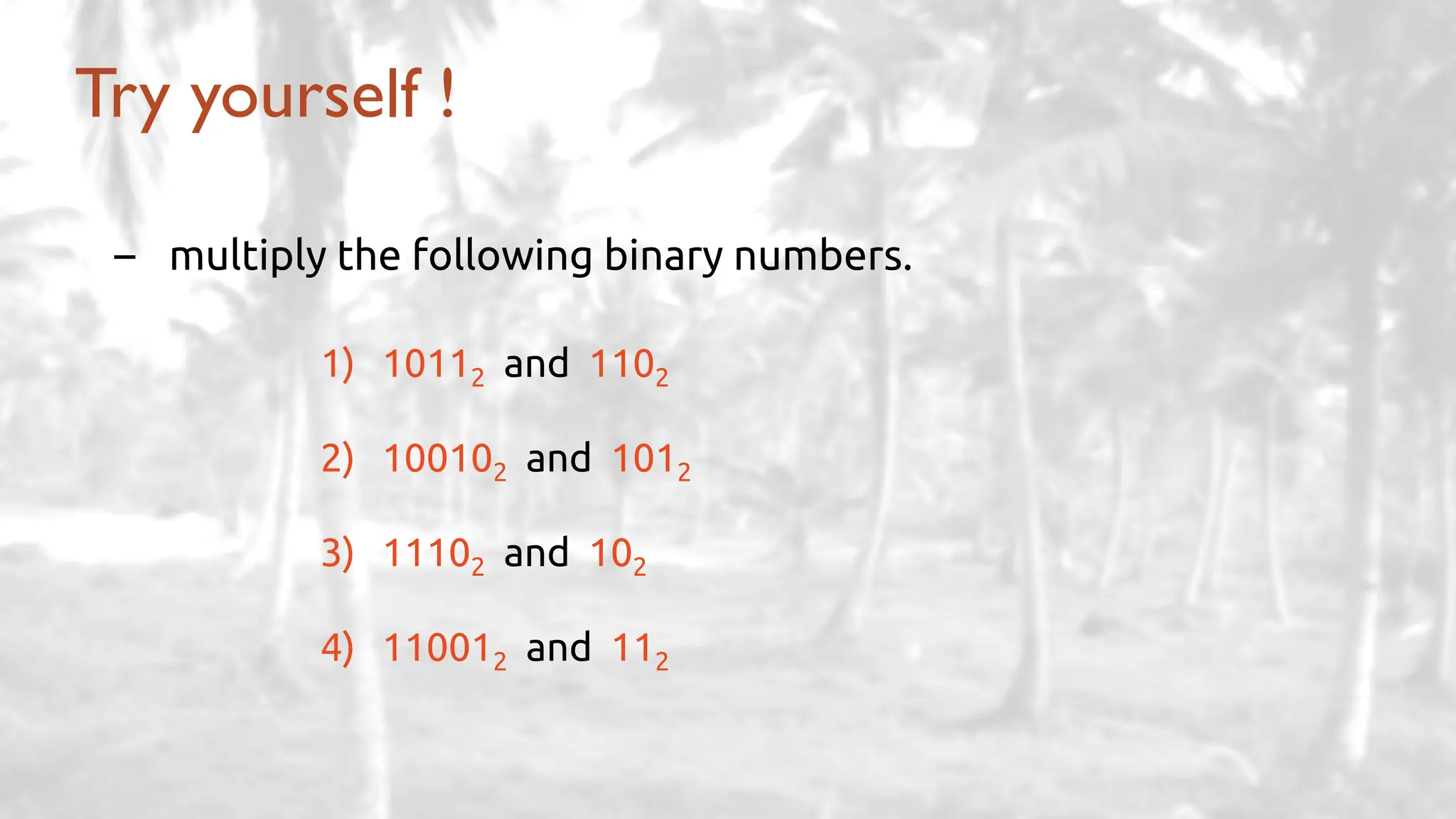
Try yourself !
– multiply the following binary numbers.
1) 10112 and 1102
2) 100102 and 1012
3) 11102 and 102
4) 110012 and 112
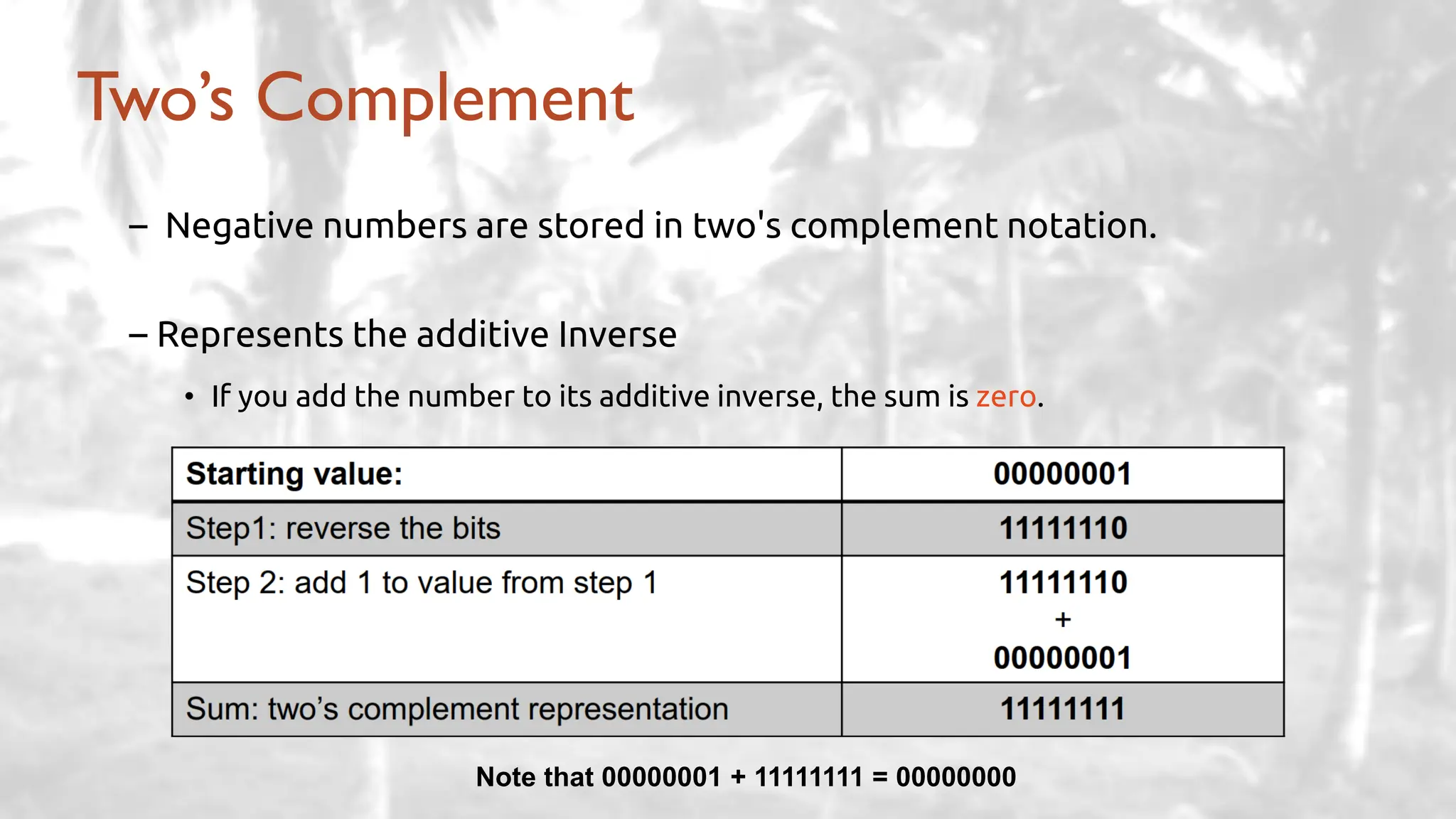
– Negative numbers are stored in two's complement notation.
– Represents the additive Inverse
• If you add the number to its additive inverse, the sum is zero.
Two’s Complement
Note that 00000001 + 11111111 = 00000000
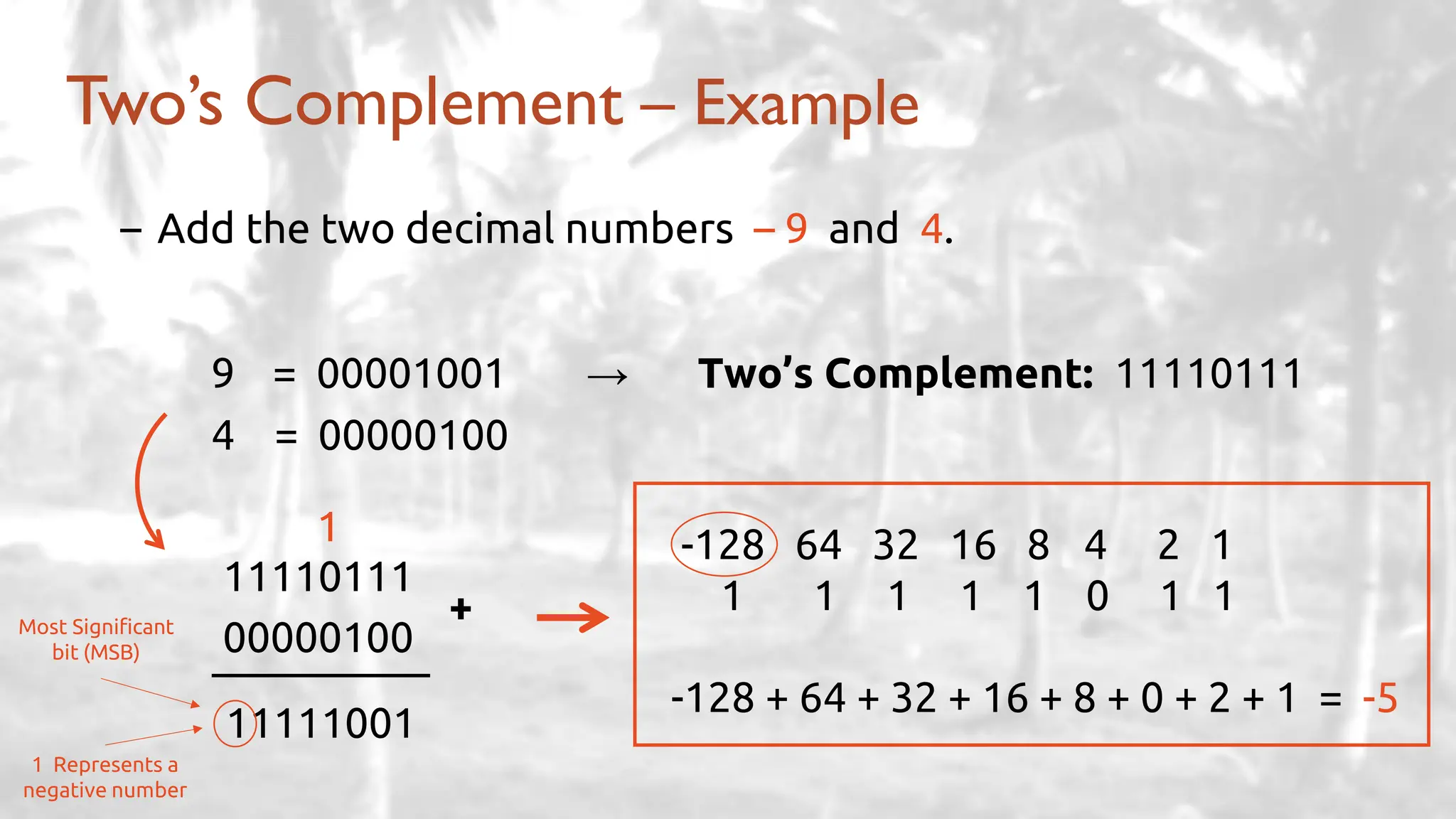
– Add the two decimal numbers – 9 and 4.
Two’s Complement – Example
9 = 00001001 → Two’s Complement: 11110111
4 = 00000100
11110111
00000100
+
11111001
1 Represents a
negative number
Most Significant
bit (MSB)
1 -128 64 32 16 8 4 2 1
1 1 1 1 1 0 1 1
-128 + 64 + 32 + 16 + 8 + 0 + 2 + 1 = -5
– CMD
– OS
– OS Types (VM)
– Storage Structure
– Caching concept
– Difference between files and directories
– Viruses types
– API Concept
– Logic Gates
– Fetch-decode Cycle
– Multiprocessor/Multicores vs. Multiprogramming
– Grid and its derivatives
– Real-time systems
– LAN vs. WAN
Revision
End of lecture 3
ThankYou!

Introduction to Operating System - Lecture 3

  • 1.
    By Mohamed Gamal Lecture3: Deep Dive into the Operating System Operating System
  • 2.
    – What’s DMA(Direct Memory Access)? – What’re the different layers of a computer system? – Mention three types of storage structure along with their advantages. – What’re the three basic logic gates found? – What’s the difference between a file and a directory? – What’re the following extensions used for? o .exe, .png, .mp3, .mp4, .c, .jpg Test your knowledge ?
  • 3.
    – Find theone’s complement of the binary number 1001001 – Conversion: • 5 Megabytes to Bytes. • 12 Terabytes to Megabytes. • 1024 Kilobytes to Gigabytes. • 5 Bytes to bits. Test your knowledge ?
  • 4.
    The topics oftoday’s lecture: Agenda
  • 6.
    – Simple Structure(MS-DOS) – More Complex (UNIX – monolithic) – Layered (Conceptual) – Microkernel (Mach) – Modular (modules) OS Design Structure
  • 7.
    Simple Structure –MS-DOS -MS-DOS is written to provide the most functionality in the least space • Higher performance • Smaller size • Not divided into modules • Interfaces and levels of functionality are not well separated • Very complex to maintain later • Hardware dependent
  • 8.
  • 9.
    - Advantages: • Higherperformance • Adds some protection - Disadvantages: • Very complex to maintain later • Still Hardware dependent Examples: Windows XP – Monolithic More Complex Structure – UNIX (Cont.)
  • 10.
    Layered Approach (Conceptual) -Theoperating system is divided into a number of layers (levels), each built on top of lower layers. -The bottom layer (layer 0), is the hardware; the highest (layer N) is the user interface. -With modularity, layers are selected such that each uses functions (operations) and services of only lower-level layers
  • 11.
    - Advantages: • Modularity •Debugging • Modification - Disadvantages: • Layering overhead to the system call Layered Approach (Cont.)
  • 12.
  • 13.
    - Advantages: • Easierto extend • More reliable • More secure - Disadvantages: • Performance overhead of user space to kernel space communication ✓ That’s why Windows XP designed almost as monolithic again! Microkernel System Structure (Cont.)
  • 14.
    - Many modernoperating systems implement loadable kernel modules • Uses object-oriented approach • Each core component is separate • Each talks to the others over known interfaces • Each is loadable as needed within the kernel - Similar to layers but with more flexibility (any module can call another module) • Linux, Solaris … etc. Modular System Structure
  • 15.
  • 16.
  • 17.
    Modular System Structure(Cont.) - Advantages: • Resembles a layered system • More flexibility ✓ any module can call any other module • Similar to microkernel approach but more efficient ✓ modules do not need to invoke message passing to communicate
  • 18.
    – Most modernoperating systems are actually not one pure model • Hybrid combines multiple approaches to address performance, security, usability needs • Linux and Solaris kernels: ✓ monolithic, plus modular • Windows: ✓ monolithic, plus microkernel Hybrid Systems
  • 20.
    Process Concept - Program:a passive entity stored on disk (executable file – .exe). - Process: a program in execution; process execution must progress in sequential fashion. - Program becomes a process when executable file loaded into memory. - One program can be several processes.
  • 21.
    Process in Memory –Text section • Program instructions – Program counter • Next instruction – Stack • Local variables • Return addresses • Method parameters – Data section • Global variables
  • 22.
  • 23.
    Process State (Cont.) –As a process executes, it changes state • new: The process is being created • running: Instructions are being executed (time slice) • Waiting (suspended): The process is waiting for some event to occur • ready: The process is waiting to be assigned to a processor • terminated: The process has finished execution
  • 24.
    Process Control Block(PCB) – Information associated with each process: • Process state (running, waiting/suspended, … etc.) • Program counter (location of next instruction to execute) • CPU registers • CPU scheduling information • Memory-management information • Accounting information (CPU used, clock time elapsed since start, time limits) • I/O status information
  • 25.
    Process Control Block(PCB) Pointer Process state Process number Program counter CPU registers Memory management info I/O status information Accounting Information
  • 26.
    Context Switching – WhenCPU switches to another process, the system must save the state of the old process and load the saved state for the new process via a context switch. – Context Switching is for Multitasking. – Context-switch time is overhead; the system does no useful work while switching. – The more complex the OS and the PCB, the longer the context switch – Time dependent on hardware support
  • 27.
  • 28.
    Process Example Google ChromeBrowser Question: why did they do this?
  • 30.
    Threads Concept - Mostmodern applications are multithreaded. - Multiple tasks with the application can be implemented by separate threads. - Process creation is heavy-weight. - Thread creation is light-weight. • Only Program Counter is needed - Threads simplify code and increase efficiency + PCB
  • 31.
  • 32.
    Benefits of usingthreads - Responsiveness – may allow continued execution if part of process is blocked • especially important for user interfaces - Resource Sharing – threads share resources of process • easier than shared memory or message passing - Economy – cheaper than process creation • thread switching lower overhead than context switching - Scalability – process can take advantage of multiprocessor architectures
  • 33.
    Concurrency vs. Parallelism -Concurrent execution on single-core system: - Parallelism on a multi-core system:
  • 35.
  • 36.
    - A setof blocked processes each holding a resource and waiting to acquire a resource held by another process in the set. - Example • System has 2 tape drives. • P1 and P2 each hold one tape drive and each needs another one. P1 P2 wait (A); wait(B) wait (B); wait(A) The Deadlock Problem
  • 37.
    One-lane Crossing Example -Traffic only in one direction. - Each section of a bridge can be viewed as a resource. - If a deadlock occurs, it can be resolved if one car backs up (preempt resources and rollback). - Several cars may have to be backed up if a deadlock occurs. - Starvation is possible!
  • 38.
    - Ensure thatthe system will never enter a deadlock state. - Allow the system to enter a deadlock state and then recover. - Ignore the problem and pretend that deadlocks never occur in the system • used by most operating systems, including UNIX • lets the user handle it • Deadlock prevention is not completely guaranteed and is incredibly hard! Methods for Handling Deadlocks
  • 40.
    - Combination ofbits are used to represent: • alphabetic data • numeric data • Symbols • sound and video data - Binary Coding schemes are used for this purpose • EBCDIC (Extended Binary Coded Decimal Interchange Code) • ASCII (American Standard Code for Information Interchange) • Unicode (UTF-8) Binary Coding Schemes
  • 43.
    - Binary System -Octal System - Decimal System - Hexadecimal System › Computers use binary system › Decimal system is used in general › Octal and Hexadecimal systems are also used in computer systems Numbering System Numbering System Base Range Binary Base 2 0 – 1 Octal Base 8 0 – 7 Decimal Base 10 0 – 9 Hexadecimal Base 16 0 – 9, A – F
  • 44.
    Decimal Binary OctalHexadecimal 0 0000 0 0 1 0001 1 1 2 0010 2 2 3 0011 3 3 4 0100 4 4 5 0101 5 5 6 0110 6 6 7 0111 7 7 8 1000 10 8 9 1001 11 9 10 1010 12 A 11 1101 13 B 12 1100 14 C 13 1101 15 D 14 1110 16 E 15 1111 17 F
  • 45.
    - 12510 › 5x 100 = 5 › 2 x 101 = 20 › 1 x 102 = 100 12510 Decimal Numbering System (Base 10) + +
  • 46.
    - Technique: • Multiplyeach bit by 2n, where n is the weight of the bit • Add the results – Convert the binary number 110012 to decimal › 24 23 22 21 20 › 1 1 0 0 1 › 16 8 0 0 1 + › 16 + 8 + 0 + 0 + 1 = 25 Binary to Decimal (Base 2) × Result: 2510
  • 47.
    - Technique: • Dividethe number repeatedly by 2, while keeping track of the remainders. • Arrange the remainders in reverse order. – Convert the decimal number 2510 to binary Decimal to Binary (Base 10) Number Remainder ÷ 2 25 1 ÷ 2 12 0 ÷ 2 6 0 ÷ 2 3 1 ÷ 2 1 1 ÷ 2 0 — Result: 110012
  • 48.
    - Technique: • Groupthe binary digits into sets of four. • Convert each group to its corresponding hexadecimal digit. – Convert the binary number 110110112 to hexadecimal › 23 22 21 20 23 22 21 20 › 1 1 0 1 1 0 1 1 › 8+4+0+1 8+0+2+1 › D B Binary to Hexadecimal (Base 2) A: 10 D: 13 B: 11 E: 14 C: 12 F: 15 Result: DB16
  • 49.
    - Technique: • Converteach hexadecimal digit to its binary representation. • Similar to binary to hexadecimal but in a reversed way. – Convert the hexadecimal number DB16 to binary › D B › 23 22 21 20 23 22 21 20 › 8 + 4 + 0 + 1 8 + 0 + 2 + 1 › 1 1 0 1 1 0 1 1 Hexadecimal to Binary (Base 16) B: 11 , D: 13 Result: 110110112
  • 50.
    - Technique: • Sumof the positional values of each hexadecimal digit. – Convert the hexadecimal number DB16 to decimal › D B › 13 x 161 + 11 x 160 › 208 + 11 Hexadecimal to Decimal (Base 16) B: 11 , D: 13 Result: 21910 Note: another way is to first convert the hexadecimal number to binary and then convert the binary number to decimal.
  • 51.
    Decimal to Hexadecimal(Base 10) - Technique: • Divide the number repeatedly by 16, while keeping track of the remainders. • Multiply the quotient by 16 to get the first result • Divide the integer by 16 again … • Arrange the remainders in reverse order. – Convert the decimal number 21910 to hexadecimal Number Remainder ÷ 16 219 0.6875 x 16 = 11 ( B ) ÷ 16 13 0.8125 x 16 = 13 ( D ) ÷ 16 0 — Result: DB16
  • 53.
    Binary Addition 0 0 0 1 0 1 0 1 1 1 1 10 + ++ + 1 1 1 1 11 + 1 1 1 10 + 10 1 11 + 1
  • 54.
    Binary Addition (Cont.) –Add the two binary numbers 10112 and 11012 1 1 1 1 – 1111 1 0 1 1 › 1 1 0 1 › 1 1 0 0 0 + Result: 110002 Least Significant bit (LSB) Most Significant bit (MSB) Note: you can verify your answer by converting to decimal. 1110 1310 2410
  • 55.
    Try yourself ! –Add the following binary numbers. 1) 1002 and 12 2) 111102 and 101012 3) 10010012 and 1101102 4) 1000002 and 111112
  • 56.
  • 57.
    Binary Subtraction (Cont.) –Subtract the two binary numbers 11012 and 10112 0 2 – 1111 › 1 1 0 1 › 1 0 1 1 › 0 0 1 0 – Result: 00102 Note: you can verify your answer by converting to decimal.
  • 58.
    Try yourself ! –Subtract the following binary numbers. 1) 1002 and 12 2) 111102 and 101012 3) 10010012 and 1101102 4) 1000002 and 111112
  • 59.
    Binary Multiplication – Multiplythe two binary numbers 10112 and 11012 – 1111 › 0 1 1 › 1 0 1 › 0 1 1 › 0 0 0 0 › 0 1 1 0 0 › 0 1 1 1 1 × Result: 011112 Note: you can verify your answer by converting to decimal.
  • 60.
    Try yourself ! –multiply the following binary numbers. 1) 10112 and 1102 2) 100102 and 1012 3) 11102 and 102 4) 110012 and 112
  • 62.
    – Negative numbersare stored in two's complement notation. – Represents the additive Inverse • If you add the number to its additive inverse, the sum is zero. Two’s Complement Note that 00000001 + 11111111 = 00000000
  • 63.
    – Add thetwo decimal numbers – 9 and 4. Two’s Complement – Example 9 = 00001001 → Two’s Complement: 11110111 4 = 00000100 11110111 00000100 + 11111001 1 Represents a negative number Most Significant bit (MSB) 1 -128 64 32 16 8 4 2 1 1 1 1 1 1 0 1 1 -128 + 64 + 32 + 16 + 8 + 0 + 2 + 1 = -5
  • 64.
    – CMD – OS –OS Types (VM) – Storage Structure – Caching concept – Difference between files and directories – Viruses types – API Concept – Logic Gates – Fetch-decode Cycle – Multiprocessor/Multicores vs. Multiprogramming – Grid and its derivatives – Real-time systems – LAN vs. WAN Revision
  • 65.
    End of lecture3 ThankYou!