Introduction to e-Learning &
Learning Management System
K. Sarveswaran
Department of Computer Science,
University of Jaffna.
iamsarves@gmail.com
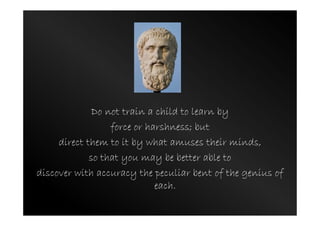
Do not train a child to learn by
force or harshness; but
direct them to it by what amuses their minds,
so that you may be better able to
discover with accuracy the peculiar bent of the genius of
each.
Learning outcomes
• Define the term e-Learning
• Review different terms associated with eLearning
• Describe Web 2.0 technologies
• Use Web 2.0 technologies in Teaching and
Learning
• Analyse the importance of e-Learning
• Define the concept blended learning
• Define what is Learning Management System
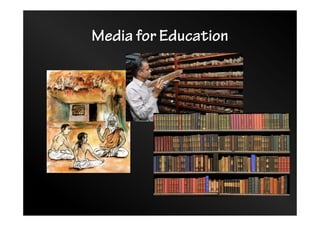
Media for Education
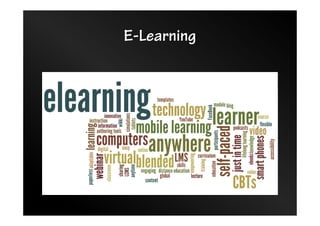
E-Learning
Electronic Learning
• E-Learning
• Multimedia learning
• Technology-enhanced learning (TEL)
• Computer-Based Instruction (CBI)
• Computer-Based Training (CBT)
• Computer-Aided Instruction (CAI)
• Internet-Based Training (IBT)
• Web-Based Training (WBT)
• Online education
• Virtual education
• Virtual Learning Environments (VLE)
• M-Learning …
Electronic Learning
• Related terms:
– Open and Distance Learning
– Blended Learning
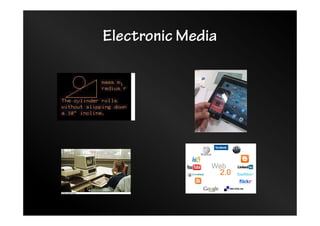
Electronic Media
Web
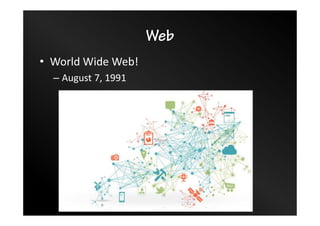
• World Wide Web!
– August 7, 1991
Web
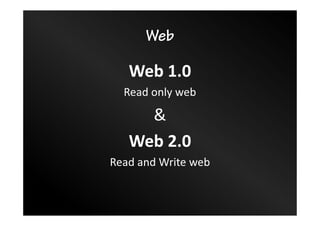
Web 1.0
Read only web
&
Web 2.0
Read and Write web
Web 2.0 – Characteristics – 1/2
• User-centered Design:
– A web design created in a way that it fulfills every
possible need of the end user and empowers the user
to perform certain customizations within the design.
• Crowd-sourcing :
– Every small unit of contribution is important to a Web
2.0 service. Millions of such contributions eventually
lead the website to state of higher relevance
• Web as Platform:
– Web 2.0 services do not require a client download
condition, nor is the dependency on a particular OS
for accessing the web services
Web 2.0 – Characteristics – 2/2
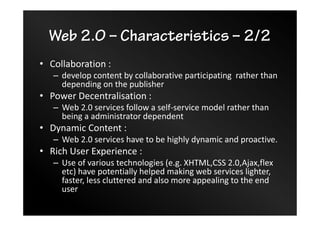
• Collaboration :
– develop content by collaborative participating rather than
depending on the publisher
• Power Decentralisation :
– Web 2.0 services follow a self-service model rather than
being a administrator dependent
• Dynamic Content :
– Web 2.0 services have to be highly dynamic and proactive.
• Rich User Experience :
– Use of various technologies (e.g. XHTML,CSS 2.0,Ajax,flex
etc) have potentially helped making web services lighter,
faster, less cluttered and also more appealing to the end
user
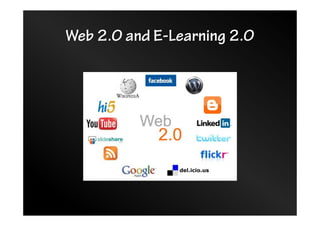
Web 2.0 and E-Learning 2.0
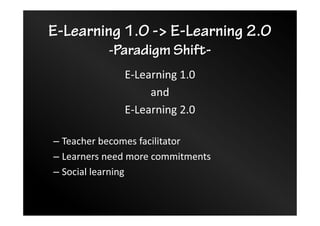
E-Learning 1.0 -> E-Learning 2.0
-Paradigm Shift-
E-Learning 1.0
and
E-Learning 2.0
– Teacher becomes facilitator
– Learners need more commitments
– Social learning
Activity
• Choose THREE web 2.0 tools and explore how
those could be used in Teaching/Learning
• Please record your views here:
tinyurl.com/web2-tl
Why e-Learning?
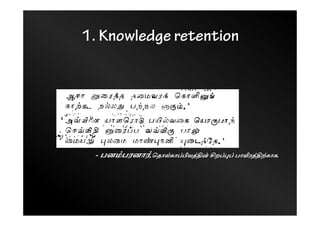
1. Knowledge retention
- பனÝபரனாß,ெதாàகாÜ‚யÚå zறÜ®Ü பா„ரÚäகாக.
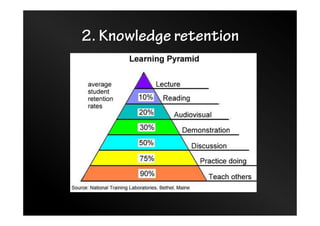
2. Knowledge retention
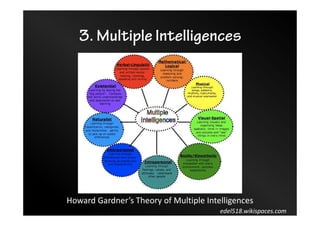
3. Multiple Intelligences
edel518.wikispaces.com
Howard Gardner’s Theory of Multiple Intelligences
4. Common Interests – 1/2
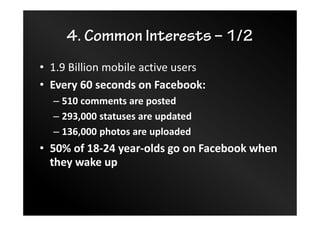
• 1.9 Billion mobile active users
• Every 60 seconds on Facebook:
– 510 comments are posted
– 293,000 statuses are updated
– 136,000 photos are uploaded
• 50% of 18-24 year-olds go on Facebook when
they wake up
4. Common Interests – 2/2
5. Digital natives – 1/2
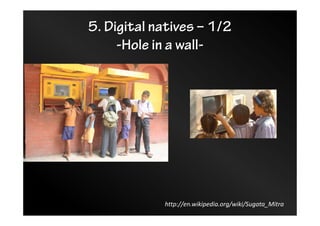
-Hole in a wall-
http://en.wikipedia.org/wiki/Sugata_Mitra
5. Digital natives – 2/2
-Self-Organised Learning-
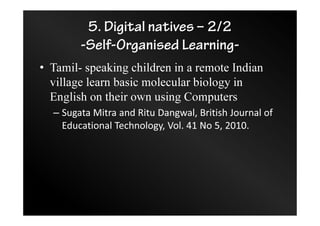
• Tamil- speaking children in a remote Indian
village learn basic molecular biology in
English on their own using Computers
– Sugata Mitra and Ritu Dangwal, British Journal of
Educational Technology, Vol. 41 No 5, 2010.
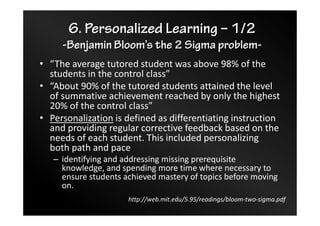
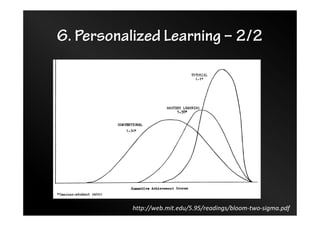
6. Personalized Learning – 1/2
-Benjamin Bloom’s the 2 Sigma problem-
• “The average tutored student was above 98% of the
students in the control class”
• “About 90% of the tutored students attained the level
of summative achievement reached by only the highest
20% of the control class”
• Personalization is defined as differentiating instruction
and providing regular corrective feedback based on the
needs of each student. This included personalizing
both path and pace
– identifying and addressing missing prerequisite
knowledge, and spending more time where necessary to
ensure students achieved mastery of topics before moving
on.
http://web.mit.edu/5.95/readings/bloom-two-sigma.pdf
6. Personalized Learning – 2/2
http://web.mit.edu/5.95/readings/bloom-two-sigma.pdf
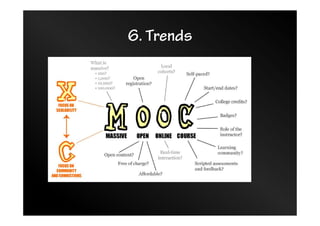
6. Trends
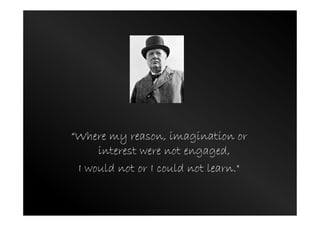
“Where my reason, imagination or
interest were not engaged,
I would not or I could not learn."
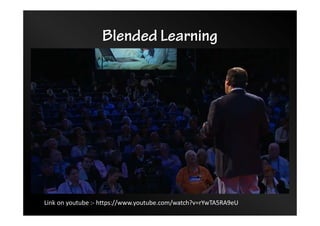
Blended Learning
Link on youtube :- https://www.youtube.com/watch?v=rYwTA5RA9eU
Learning Management System
• LMS is a software application that automates
the administration, tracking, and reporting of
training events.
– course, content, learning facilitation, user, role
– assessment, feedback, class room management
– reporting
Learning Management System
• Main frame based LMS
• TV network based LMS
• CD based
• CD network based
• Web based!
• Web 2.0 based!
Moodle
• Web 2.0 and E-Learning 2.0
• Based on Social Constructionism:
– all of us are potential teachers as well as learners - in a true
collaborative environment we are both
– we learn particularly well from the act of creating or expressing
something for others to see
– we learn a lot by just observing the activity of our peers
– by understanding the contexts of others, we can teach in a more
transformational way
– a learning environment needs to be flexible and adaptable, so
that it can quickly respond to the needs of the participants
within it.
http://docs.moodle.org/23/en/Pedagogy
Activities in Moodle
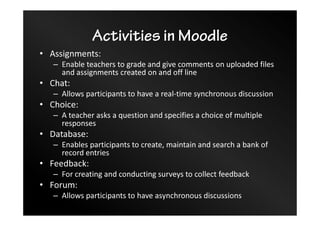
• Assignments:
– Enable teachers to grade and give comments on uploaded files
and assignments created on and off line
• Chat:
– Allows participants to have a real-time synchronous discussion
• Choice:
– A teacher asks a question and specifies a choice of multiple
responses
• Database:
– Enables participants to create, maintain and search a bank of
record entries
• Feedback:
– For creating and conducting surveys to collect feedback
• Forum:
– Allows participants to have asynchronous discussions
Activities in Moodle
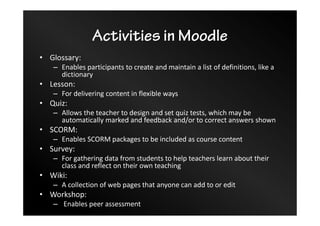
• Glossary:
– Enables participants to create and maintain a list of definitions, like a
dictionary
• Lesson:
– For delivering content in flexible ways
• Quiz:
– Allows the teacher to design and set quiz tests, which may be
automatically marked and feedback and/or to correct answers shown
• SCORM:
– Enables SCORM packages to be included as course content
• Survey:
– For gathering data from students to help teachers learn about their
class and reflect on their own teaching
• Wiki:
– A collection of web pages that anyone can add to or edit
• Workshop:
– Enables peer assessment
K. Sarveswaran
iamsarves@gmail.com

Introduction to Electronic Learning

  • 1.
    Introduction to e-Learning& Learning Management System K. Sarveswaran Department of Computer Science, University of Jaffna. iamsarves@gmail.com
  • 2.
    Do not traina child to learn by force or harshness; but direct them to it by what amuses their minds, so that you may be better able to discover with accuracy the peculiar bent of the genius of each.
  • 3.
    Learning outcomes • Definethe term e-Learning • Review different terms associated with eLearning • Describe Web 2.0 technologies • Use Web 2.0 technologies in Teaching and Learning • Analyse the importance of e-Learning • Define the concept blended learning • Define what is Learning Management System
  • 4.
  • 5.
  • 6.
    Electronic Learning • E-Learning •Multimedia learning • Technology-enhanced learning (TEL) • Computer-Based Instruction (CBI) • Computer-Based Training (CBT) • Computer-Aided Instruction (CAI) • Internet-Based Training (IBT) • Web-Based Training (WBT) • Online education • Virtual education • Virtual Learning Environments (VLE) • M-Learning …
  • 7.
    Electronic Learning • Relatedterms: – Open and Distance Learning – Blended Learning
  • 8.
  • 9.
    Web • World WideWeb! – August 7, 1991
  • 10.
    Web Web 1.0 Read onlyweb & Web 2.0 Read and Write web
  • 11.
    Web 2.0 –Characteristics – 1/2 • User-centered Design: – A web design created in a way that it fulfills every possible need of the end user and empowers the user to perform certain customizations within the design. • Crowd-sourcing : – Every small unit of contribution is important to a Web 2.0 service. Millions of such contributions eventually lead the website to state of higher relevance • Web as Platform: – Web 2.0 services do not require a client download condition, nor is the dependency on a particular OS for accessing the web services
  • 12.
    Web 2.0 –Characteristics – 2/2 • Collaboration : – develop content by collaborative participating rather than depending on the publisher • Power Decentralisation : – Web 2.0 services follow a self-service model rather than being a administrator dependent • Dynamic Content : – Web 2.0 services have to be highly dynamic and proactive. • Rich User Experience : – Use of various technologies (e.g. XHTML,CSS 2.0,Ajax,flex etc) have potentially helped making web services lighter, faster, less cluttered and also more appealing to the end user
  • 13.
    Web 2.0 andE-Learning 2.0
  • 14.
    E-Learning 1.0 ->E-Learning 2.0 -Paradigm Shift- E-Learning 1.0 and E-Learning 2.0 – Teacher becomes facilitator – Learners need more commitments – Social learning
  • 15.
    Activity • Choose THREEweb 2.0 tools and explore how those could be used in Teaching/Learning • Please record your views here: tinyurl.com/web2-tl
  • 16.
  • 17.
    1. Knowledge retention -பனÝபரனாß,ெதாàகாÜ‚யÚå zறÜ®Ü பா„ரÚäகாக.
  • 18.
  • 19.
    3. Multiple Intelligences edel518.wikispaces.com HowardGardner’s Theory of Multiple Intelligences
  • 20.
    4. Common Interests– 1/2 • 1.9 Billion mobile active users • Every 60 seconds on Facebook: – 510 comments are posted – 293,000 statuses are updated – 136,000 photos are uploaded • 50% of 18-24 year-olds go on Facebook when they wake up
  • 21.
  • 22.
    5. Digital natives– 1/2 -Hole in a wall- http://en.wikipedia.org/wiki/Sugata_Mitra
  • 23.
    5. Digital natives– 2/2 -Self-Organised Learning- • Tamil- speaking children in a remote Indian village learn basic molecular biology in English on their own using Computers – Sugata Mitra and Ritu Dangwal, British Journal of Educational Technology, Vol. 41 No 5, 2010.
  • 24.
    6. Personalized Learning– 1/2 -Benjamin Bloom’s the 2 Sigma problem- • “The average tutored student was above 98% of the students in the control class” • “About 90% of the tutored students attained the level of summative achievement reached by only the highest 20% of the control class” • Personalization is defined as differentiating instruction and providing regular corrective feedback based on the needs of each student. This included personalizing both path and pace – identifying and addressing missing prerequisite knowledge, and spending more time where necessary to ensure students achieved mastery of topics before moving on. http://web.mit.edu/5.95/readings/bloom-two-sigma.pdf
  • 25.
    6. Personalized Learning– 2/2 http://web.mit.edu/5.95/readings/bloom-two-sigma.pdf
  • 26.
  • 27.
    “Where my reason,imagination or interest were not engaged, I would not or I could not learn."
  • 28.
    Blended Learning Link onyoutube :- https://www.youtube.com/watch?v=rYwTA5RA9eU
  • 29.
    Learning Management System •LMS is a software application that automates the administration, tracking, and reporting of training events. – course, content, learning facilitation, user, role – assessment, feedback, class room management – reporting
  • 30.
    Learning Management System •Main frame based LMS • TV network based LMS • CD based • CD network based • Web based! • Web 2.0 based!
  • 31.
    Moodle • Web 2.0and E-Learning 2.0 • Based on Social Constructionism: – all of us are potential teachers as well as learners - in a true collaborative environment we are both – we learn particularly well from the act of creating or expressing something for others to see – we learn a lot by just observing the activity of our peers – by understanding the contexts of others, we can teach in a more transformational way – a learning environment needs to be flexible and adaptable, so that it can quickly respond to the needs of the participants within it. http://docs.moodle.org/23/en/Pedagogy
  • 32.
    Activities in Moodle •Assignments: – Enable teachers to grade and give comments on uploaded files and assignments created on and off line • Chat: – Allows participants to have a real-time synchronous discussion • Choice: – A teacher asks a question and specifies a choice of multiple responses • Database: – Enables participants to create, maintain and search a bank of record entries • Feedback: – For creating and conducting surveys to collect feedback • Forum: – Allows participants to have asynchronous discussions
  • 33.
    Activities in Moodle •Glossary: – Enables participants to create and maintain a list of definitions, like a dictionary • Lesson: – For delivering content in flexible ways • Quiz: – Allows the teacher to design and set quiz tests, which may be automatically marked and feedback and/or to correct answers shown • SCORM: – Enables SCORM packages to be included as course content • Survey: – For gathering data from students to help teachers learn about their class and reflect on their own teaching • Wiki: – A collection of web pages that anyone can add to or edit • Workshop: – Enables peer assessment
  • 34.