

What is Ancestry?
• It is a commercial (for profit) privately
owned company which offers many
genealogically and historically significant
databases.
What kinds of records?
• A lot, over 30,00 databases varying from
military, census, immigration and vital
statistics, to newspaper articles, maps and
photographs, border crossings,
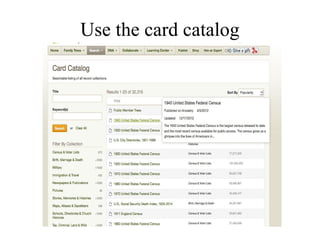
naturalization records. It even has a card
catalog which lists individual databases.
• You can perform basic or advanced
searches and historical journals).
Don't’ forget these -
• The Social Security Death Index, state
birth, marriage, divorce and death records,
links to headstones and Find A Grave,
searchable probate records, some obituaries,
war records from the Revolution, War of
1812, the Civil War, WW I and II related
records
• (You can pause and catch your breath here)
What else does it have?
• Has charts and forms
• A learning wiki
• A quick way to browse what kinds of
records are available for a certain place
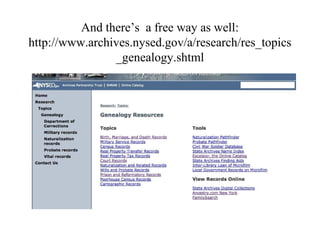
And there’s a free way as well:
http://www.archives.nysed.gov/a/research/res_topics
_genealogy.shtml
How big is it?
• At the end of 2013, figures were available
which mention that it offered over 12
billion records and had over 2 million
subscribers.
What services?
• Ancestry.com, ProGenealogists, Fold3.com,
Newspapers.com, Genealogy.com,
MyFamily.com, and Rootsweb.com. They
also sell Family Tree Maker software.
• It also has version in other countries,
especially in Europe.
Then again…as of 6/4/14:
• Online genealogy company Ancestry.com
will "retire" five of its products and services
as of Sept. 5, 2014: MyFamily.com,
Genealogy.com (subscriptions and member
accounts will be discontinued, but the site
will stay online), MyCanvas, Mundia, and
Y-DNA and mitochondrial DNA testing.
Other facts
• From 2007 to 2010, Ancestry was not
available for free at the Family History
Centers. It is available there now for free.
Members of the Church of LDS will be
getting free access as individuals, while non
members can use it for free at FHC’s and in
libraries which subscribe.
• Are you using Ancestry Library Edition, or
a personal subscription?
What is the difference between Ancestry.com and
the Ancestry Library Edition?
• Ancestry.com is designed for the individual so
there is a lot of personalized functionality and
there are personalized options available to
individual subscribers that are not available on our
institutional sites. These include: Family Trees
Tab; Collaborate Tab; and the Member Directory.
•Additionally, there are certain databases that are
available on Ancestry.com, that are NOT available on
Ancestry Library Edition (ALE):
• Historical Newspaper Collection
• Family and Local History Collection
• Obituary Collection
• Filby's Passenger and Immigration Lists Index
(PILI)
• Biography & Genealogy Master Index (BGMI)
• Freedman's Bank Records
Here’s a deal -
Until about March 2015, AARP
members can get 30 per cent off an
Ancestry.com personal subscription
So, what can you do?
• Search censuses, using truncations and wild
cards.
• Search military records
• Search immigration records
• Search vital records
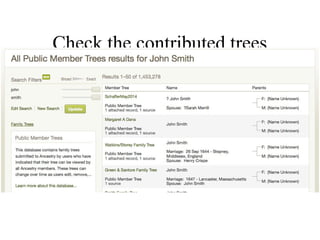
• Search contributed family trees (use
caution!)
There are advantages to both
Ancestry subscriptions and to
using the free version at libraries
and FHC’s
How do you search censuses?
• Hint: Creatively!
• Just because you spell the name one way
doesn’t mean that it has always been spelled
tat way. And consider also census takers
who talked to neighbors, workers who
weren't very literate themselves, or did not
speak the language of the people they were
interviewing.
Remember also that names can
be flipped first to last, people
wrote what they heard, and might
not have even gotten
everyone in the area.
And what about censuses being
mis-copied? Or lost before
filming?
• Use tricks that you can find in the help
section. Do not just search always for the
exact name(s) which you seek. Consider
neighbors and married daughters.
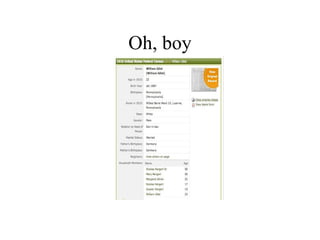
Oh, boy
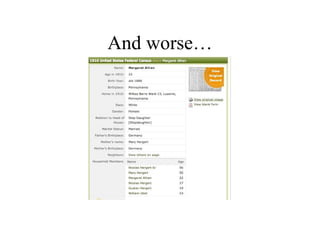
And worse…
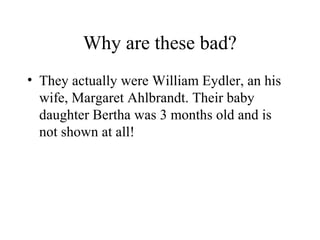
Why are these bad?
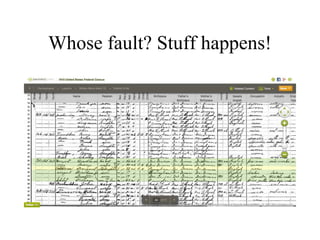
• They actually were William Eydler, an his
wife, Margaret Ahlbrandt. Their baby
daughter Bertha was 3 months old and is
not shown at all!
Whose fault? Stuff happens!
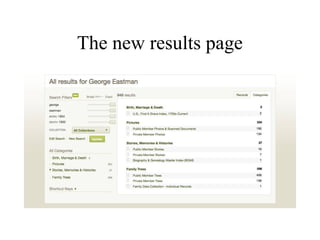
• Fine tune your search.
• Use names, places, time periods, other
relatives or neighbors, even places of
origin.
• Use advanced search boxes.
• Put a little information in and gradually
expand it - do NOT put full names and
exact dates in to start.
• Difference between * and ?
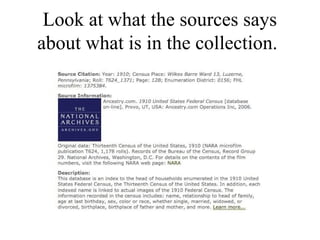
Look at what the sources says
about what is in the collection.
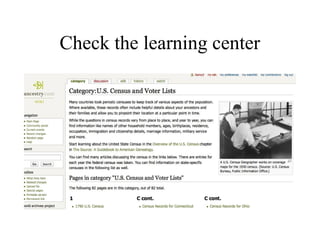
Check the learning center
Use the card catalog
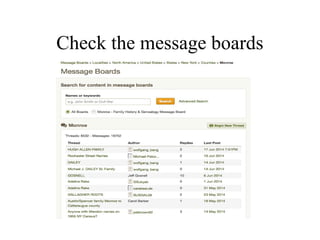
Check the message boards
Check the contributed trees
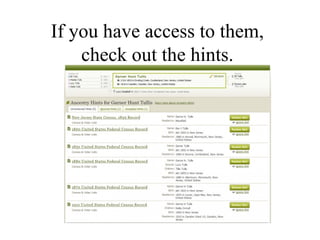
If you have access to them,
check out the hints.
How does Ancestry display
things?
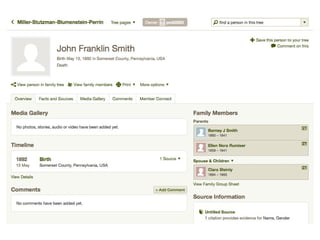
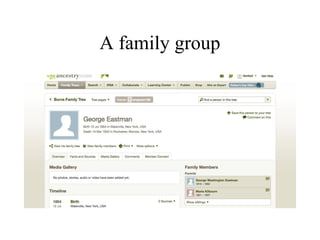
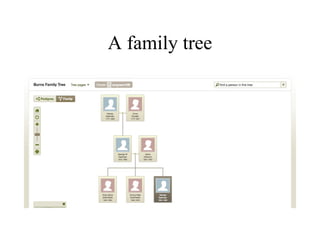
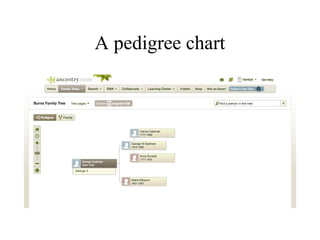
• In family trees, profile mode family group
sheets), results.
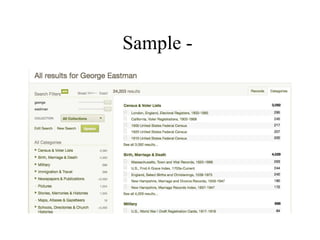
Sample -
A family group
A family tree
A pedigree chart
Remember to fine tune your
results
• Do you search exact? Or by sounds-like?
Lived in?
• Born in (watch for extreme misspellings
and variations in this one!)
Examine the previews, and the
hints.
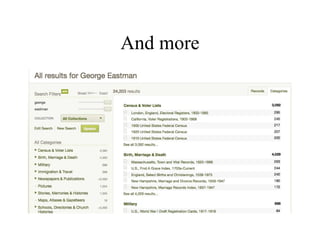
The new results page
And more
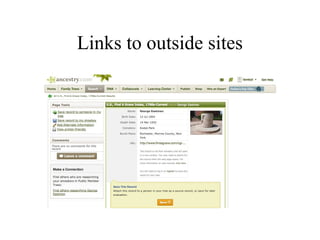
Links to outside sites
• You can zoom the display; save it to a
computer or flash drive; print it; or email it
to yourself or to someone else.
• And you can attach to your records if you
have a tree on Ancestry.
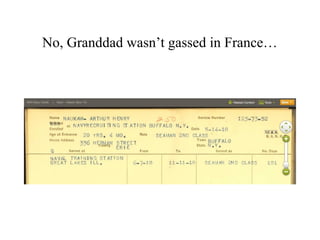
No, Granddad wasn’t gassed in France…
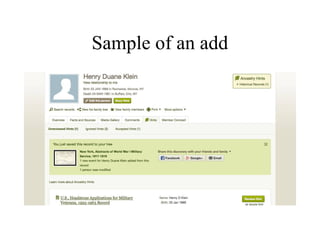
Sample of an add
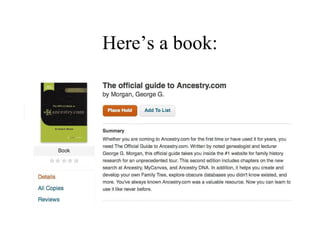
Here’s a book:
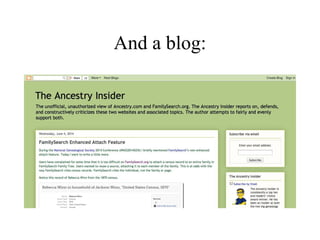
And a blog:

Intro to ancestry.com

  • 1.
    What is Ancestry? •It is a commercial (for profit) privately owned company which offers many genealogically and historically significant databases.
  • 2.
    What kinds ofrecords? • A lot, over 30,00 databases varying from military, census, immigration and vital statistics, to newspaper articles, maps and photographs, border crossings, naturalization records. It even has a card catalog which lists individual databases. • You can perform basic or advanced searches and historical journals).
  • 3.
    Don't’ forget these- • The Social Security Death Index, state birth, marriage, divorce and death records, links to headstones and Find A Grave, searchable probate records, some obituaries, war records from the Revolution, War of 1812, the Civil War, WW I and II related records • (You can pause and catch your breath here)
  • 4.
    What else doesit have? • Has charts and forms • A learning wiki • A quick way to browse what kinds of records are available for a certain place
  • 5.
    And there’s afree way as well: http://www.archives.nysed.gov/a/research/res_topics _genealogy.shtml
  • 6.
    How big isit? • At the end of 2013, figures were available which mention that it offered over 12 billion records and had over 2 million subscribers.
  • 7.
    What services? • Ancestry.com,ProGenealogists, Fold3.com, Newspapers.com, Genealogy.com, MyFamily.com, and Rootsweb.com. They also sell Family Tree Maker software. • It also has version in other countries, especially in Europe.
  • 8.
    Then again…as of6/4/14: • Online genealogy company Ancestry.com will "retire" five of its products and services as of Sept. 5, 2014: MyFamily.com, Genealogy.com (subscriptions and member accounts will be discontinued, but the site will stay online), MyCanvas, Mundia, and Y-DNA and mitochondrial DNA testing.
  • 9.
    Other facts • From2007 to 2010, Ancestry was not available for free at the Family History Centers. It is available there now for free. Members of the Church of LDS will be getting free access as individuals, while non members can use it for free at FHC’s and in libraries which subscribe.
  • 10.
    • Are youusing Ancestry Library Edition, or a personal subscription?
  • 11.
    What is thedifference between Ancestry.com and the Ancestry Library Edition? • Ancestry.com is designed for the individual so there is a lot of personalized functionality and there are personalized options available to individual subscribers that are not available on our institutional sites. These include: Family Trees Tab; Collaborate Tab; and the Member Directory.
  • 12.
    •Additionally, there arecertain databases that are available on Ancestry.com, that are NOT available on Ancestry Library Edition (ALE): • Historical Newspaper Collection • Family and Local History Collection • Obituary Collection • Filby's Passenger and Immigration Lists Index (PILI) • Biography & Genealogy Master Index (BGMI) • Freedman's Bank Records
  • 13.
    Here’s a deal- Until about March 2015, AARP members can get 30 per cent off an Ancestry.com personal subscription
  • 14.
    So, what canyou do? • Search censuses, using truncations and wild cards. • Search military records • Search immigration records • Search vital records • Search contributed family trees (use caution!)
  • 15.
    There are advantagesto both Ancestry subscriptions and to using the free version at libraries and FHC’s
  • 16.
    How do yousearch censuses? • Hint: Creatively! • Just because you spell the name one way doesn’t mean that it has always been spelled tat way. And consider also census takers who talked to neighbors, workers who weren't very literate themselves, or did not speak the language of the people they were interviewing.
  • 17.
    Remember also thatnames can be flipped first to last, people wrote what they heard, and might not have even gotten everyone in the area. And what about censuses being mis-copied? Or lost before filming?
  • 18.
    • Use tricksthat you can find in the help section. Do not just search always for the exact name(s) which you seek. Consider neighbors and married daughters.
  • 19.
  • 20.
  • 21.
    Why are thesebad? • They actually were William Eydler, an his wife, Margaret Ahlbrandt. Their baby daughter Bertha was 3 months old and is not shown at all!
  • 22.
  • 23.
    • Fine tuneyour search. • Use names, places, time periods, other relatives or neighbors, even places of origin. • Use advanced search boxes. • Put a little information in and gradually expand it - do NOT put full names and exact dates in to start. • Difference between * and ?
  • 24.
    Look at whatthe sources says about what is in the collection.
  • 25.
  • 26.
    Use the cardcatalog
  • 27.
  • 28.
  • 30.
    If you haveaccess to them, check out the hints.
  • 31.
    How does Ancestrydisplay things? • In family trees, profile mode family group sheets), results.
  • 32.
  • 33.
  • 34.
  • 35.
  • 36.
    Remember to finetune your results • Do you search exact? Or by sounds-like? Lived in? • Born in (watch for extreme misspellings and variations in this one!)
  • 37.
    Examine the previews,and the hints.
  • 38.
  • 39.
  • 40.
  • 41.
    • You canzoom the display; save it to a computer or flash drive; print it; or email it to yourself or to someone else. • And you can attach to your records if you have a tree on Ancestry.
  • 42.
    No, Granddad wasn’tgassed in France…
  • 43.
  • 44.
  • 45.