Introduction to .Net By Sam Nasr May 5, 2006 www.ClevelandDotNet.info
Agenda Introductions What is .Net? .Net Framework Advantages of .Net Advantages of CLR Visual Studio 2005 .Net Languages C# vs. VB.Net Resources
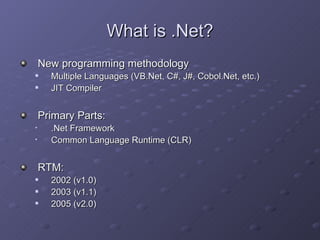
What is .Net? New programming methodology Multiple Languages (VB.Net, C#, J#, Cobol.Net, etc.) JIT Compiler Primary Parts: .Net Framework Common Language Runtime (CLR) RTM: 2002 (v1.0) 2003 (v1.1) 2005 (v2.0)
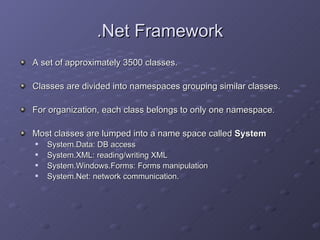
.Net Framework A set of approximately 3500 classes.  Classes are divided into namespaces grouping similar classes. For organization, each class belongs to only one namespace. Most classes are lumped into a name space called  System System.Data: DB access System.XML: reading/writing XML System.Windows.Forms: Forms manipulation System.Net: network communication.
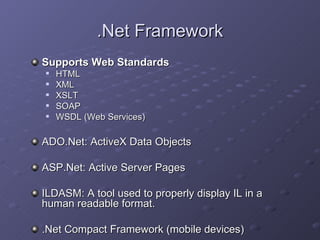
.Net Framework Supports Web Standards HTML XML XSLT SOAP WSDL (Web Services) ADO.Net: ActiveX Data Objects ASP.Net: Active Server Pages ILDASM: A tool used to properly display IL in a human readable format.  .Net Compact Framework (mobile devices)
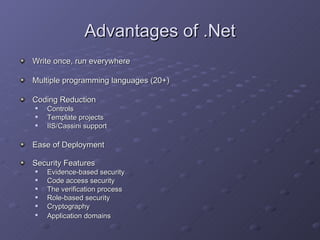
Advantages of .Net Write once, run everywhere Multiple programming languages (20+) Coding Reduction Controls Template projects IIS/Cassini support Ease of Deployment Security Features Evidence-based security  Code access security  The verification process  Role-based security  Cryptography  Application domains
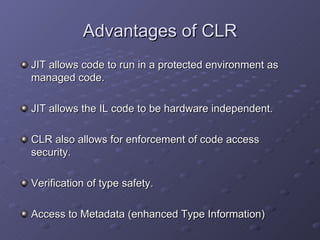
Advantages of CLR JIT allows code to run in a protected environment as managed code.  JIT allows the IL code to be hardware independent.  CLR also allows for enforcement of code access security. Verification of type safety. Access to Metadata (enhanced Type Information)
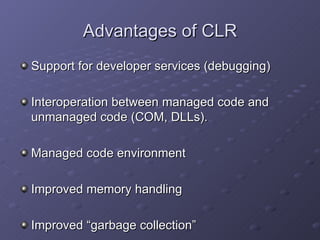
Advantages of CLR Support for developer services (debugging) Interoperation between managed code and unmanaged code (COM, DLLs). Managed code environment Improved memory handling Improved “garbage collection”
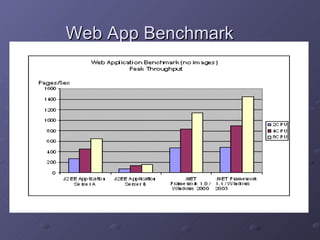
Web App Benchmark
Distributed Transactions
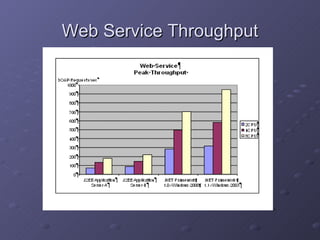
Web Service Throughput
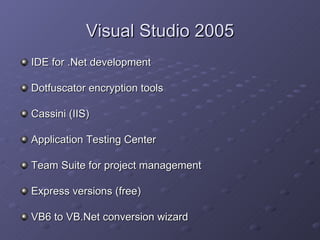
Visual Studio 2005 IDE for .Net development Dotfuscator encryption tools Cassini (IIS) Application Testing Center Team Suite for project management Express versions (free) VB6 to VB.Net conversion wizard
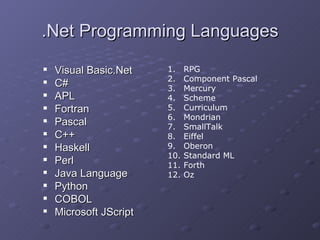
.Net Programming Languages Visual Basic.Net C# APL Fortran  Pascal  C++  Haskell  Perl  Java Language  Python  COBOL  Microsoft JScript RPG  Component Pascal  Mercury  Scheme  Curriculum  Mondrian  SmallTalk  Eiffel  Oberon  Standard ML  Forth  Oz
C# vs. VB.Net Differences lie in: Syntax Object Oriented Features Visual Studio.Net IDE
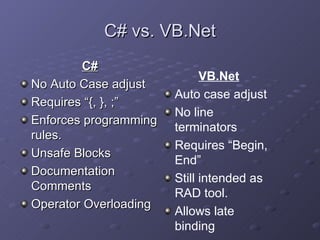
C# vs. VB.Net C# No Auto Case adjust Requires “{, }, ;” Enforces programming rules. Unsafe Blocks Documentation Comments Operator Overloading VB.Net Auto case adjust No line terminators Requires “Begin, End” Still intended as RAD tool. Allows late binding
C# vs. VB.Net C# class App { static void Main(string [ ] args) {  int intCounter=0; foreach (string arg in args) { System.Console.WriteLine(“Counter:” + intCounter.ToString() +  “=“  + arg); } //end of foreach }  //end of Main() }  //end of App{} VB.Net Class App Shared Sub Main(ByVal args as String( ) ) Dim arg as String Dim intCounter as Integer For Each arg in args System.Console.Writeline(“Counter: ” & intCounter & “=“ & arg) Next  ‘For Each loop End Sub  ‘end of Main() End Class  ‘end of App{}
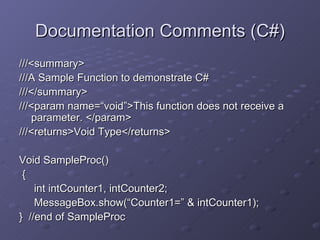
Documentation Comments (C#) ///<summary> ///A Sample Function to demonstrate C# ///</summary> ///<param name=“void”>This function does not receive a parameter. </param> ///<returns>Void Type</returns> Void SampleProc() { int intCounter1, intCounter2; MessageBox.show(“Counter1=” & intCounter1); }  //end of SampleProc
C#/VB.Net Myths VB.Net is intended for use with Microsoft Office. C# is the latest release of C++. C# is easier to learn than VB.Net. To learn C#, one should first learn C++. C# is more advanced than VB.Net C# runs faster than VB.Net
C#/VB.Net Converters C# to VB.NET http://www.aspalliance.com/aldotnet/examples/translate.aspx   http://www.kamalpatel.net/ConvertCSharp2VB.aspx   VB.Net to C# http://www.e-iceblue.com   http://www.vbconversions.com
Developer Resources Microsoft Developers Network:  http://msdn.microsoft.com   .Net Training and Events:  http://msdn.microsoft.com/netframework/support/training/default.aspx   Deploying .Net Applications:  http://msdn.microsoft.com/library/default.asp?url=/library/en-us/cpguide/html/cpcondeployingnetframeworkapplications.asp   MSDN Events (VS.Net):  http://www.msdnevents.com   TechNet Events (SQL Server):  http://www.technetevents.com   C#/VB.Net Special Interest Group:  http://www.ClevelandDotNet.info/
Informational Resources .Net Overview  http://msdn.microsoft.com/netframework/technologyinfo/overview/   What .Net means to IT Professionals http://www.microsoft.com/net/business/it_pros.asp   Case Studies: Continental Airlines Dollar Rent A Car Systems U.S. Army Intelligence and Security Command Scandinavian Airlines TS2 Seminars http://www.ts2seminars.com/

Intro dotnet

  • 1.
    Introduction to .NetBy Sam Nasr May 5, 2006 www.ClevelandDotNet.info
  • 2.
    Agenda Introductions Whatis .Net? .Net Framework Advantages of .Net Advantages of CLR Visual Studio 2005 .Net Languages C# vs. VB.Net Resources
  • 3.
    What is .Net?New programming methodology Multiple Languages (VB.Net, C#, J#, Cobol.Net, etc.) JIT Compiler Primary Parts: .Net Framework Common Language Runtime (CLR) RTM: 2002 (v1.0) 2003 (v1.1) 2005 (v2.0)
  • 4.
    .Net Framework Aset of approximately 3500 classes. Classes are divided into namespaces grouping similar classes. For organization, each class belongs to only one namespace. Most classes are lumped into a name space called System System.Data: DB access System.XML: reading/writing XML System.Windows.Forms: Forms manipulation System.Net: network communication.
  • 5.
    .Net Framework SupportsWeb Standards HTML XML XSLT SOAP WSDL (Web Services) ADO.Net: ActiveX Data Objects ASP.Net: Active Server Pages ILDASM: A tool used to properly display IL in a human readable format. .Net Compact Framework (mobile devices)
  • 6.
    Advantages of .NetWrite once, run everywhere Multiple programming languages (20+) Coding Reduction Controls Template projects IIS/Cassini support Ease of Deployment Security Features Evidence-based security Code access security The verification process Role-based security Cryptography Application domains
  • 7.
    Advantages of CLRJIT allows code to run in a protected environment as managed code. JIT allows the IL code to be hardware independent. CLR also allows for enforcement of code access security. Verification of type safety. Access to Metadata (enhanced Type Information)
  • 8.
    Advantages of CLRSupport for developer services (debugging) Interoperation between managed code and unmanaged code (COM, DLLs). Managed code environment Improved memory handling Improved “garbage collection”
  • 9.
  • 10.
  • 11.
  • 12.
    Visual Studio 2005IDE for .Net development Dotfuscator encryption tools Cassini (IIS) Application Testing Center Team Suite for project management Express versions (free) VB6 to VB.Net conversion wizard
  • 13.
    .Net Programming LanguagesVisual Basic.Net C# APL Fortran Pascal C++ Haskell Perl Java Language Python COBOL Microsoft JScript RPG Component Pascal Mercury Scheme Curriculum Mondrian SmallTalk Eiffel Oberon Standard ML Forth Oz
  • 14.
    C# vs. VB.NetDifferences lie in: Syntax Object Oriented Features Visual Studio.Net IDE
  • 15.
    C# vs. VB.NetC# No Auto Case adjust Requires “{, }, ;” Enforces programming rules. Unsafe Blocks Documentation Comments Operator Overloading VB.Net Auto case adjust No line terminators Requires “Begin, End” Still intended as RAD tool. Allows late binding
  • 16.
    C# vs. VB.NetC# class App { static void Main(string [ ] args) { int intCounter=0; foreach (string arg in args) { System.Console.WriteLine(“Counter:” + intCounter.ToString() + “=“ + arg); } //end of foreach } //end of Main() } //end of App{} VB.Net Class App Shared Sub Main(ByVal args as String( ) ) Dim arg as String Dim intCounter as Integer For Each arg in args System.Console.Writeline(“Counter: ” & intCounter & “=“ & arg) Next ‘For Each loop End Sub ‘end of Main() End Class ‘end of App{}
  • 17.
    Documentation Comments (C#)///<summary> ///A Sample Function to demonstrate C# ///</summary> ///<param name=“void”>This function does not receive a parameter. </param> ///<returns>Void Type</returns> Void SampleProc() { int intCounter1, intCounter2; MessageBox.show(“Counter1=” & intCounter1); } //end of SampleProc
  • 18.
    C#/VB.Net Myths VB.Netis intended for use with Microsoft Office. C# is the latest release of C++. C# is easier to learn than VB.Net. To learn C#, one should first learn C++. C# is more advanced than VB.Net C# runs faster than VB.Net
  • 19.
    C#/VB.Net Converters C#to VB.NET http://www.aspalliance.com/aldotnet/examples/translate.aspx http://www.kamalpatel.net/ConvertCSharp2VB.aspx VB.Net to C# http://www.e-iceblue.com http://www.vbconversions.com
  • 20.
    Developer Resources MicrosoftDevelopers Network: http://msdn.microsoft.com .Net Training and Events: http://msdn.microsoft.com/netframework/support/training/default.aspx Deploying .Net Applications: http://msdn.microsoft.com/library/default.asp?url=/library/en-us/cpguide/html/cpcondeployingnetframeworkapplications.asp MSDN Events (VS.Net): http://www.msdnevents.com TechNet Events (SQL Server): http://www.technetevents.com C#/VB.Net Special Interest Group: http://www.ClevelandDotNet.info/
  • 21.
    Informational Resources .NetOverview http://msdn.microsoft.com/netframework/technologyinfo/overview/ What .Net means to IT Professionals http://www.microsoft.com/net/business/it_pros.asp Case Studies: Continental Airlines Dollar Rent A Car Systems U.S. Army Intelligence and Security Command Scandinavian Airlines TS2 Seminars http://www.ts2seminars.com/

Editor's Notes

  • #4 CLR also includes the Just-In-Time (JIT) compiler.