Impact of Computers in Learning
D e p a r t m e n t o f B i g d a t a A n a l y t i c s
S t . J o s e p h ’ s C o l l e g e ( A u t o n o m o u s )
B e n g a l u r u
F r a n c i s D e n s i l R a j V
A Journey of a thousand
miles begins with a
single step
I cried when I had no
shoes but I stopped crying
when I saw a man without
legs. Life is full of
blessings sometimes we
don't value it.
William Shakespeare
- Nelson Mandela
- Alfred Mercier
- Aristotle
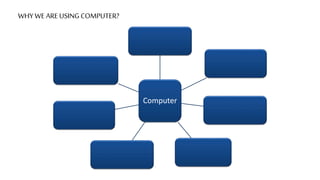
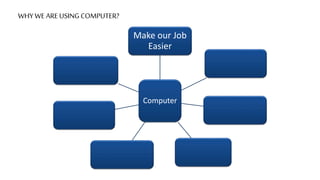
WHY WE ARE USING COMPUTER?
Computer
WHY WE ARE USING COMPUTER?
Computer
Make our Job
Easier
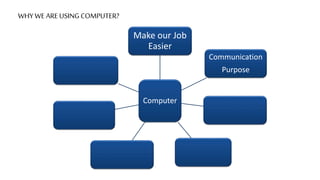
WHY WE ARE USING COMPUTER?
Computer
Make our Job
Easier
Communication
Purpose
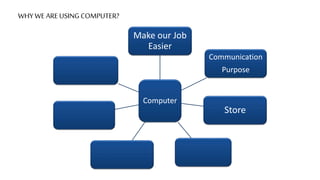
WHY WE ARE USING COMPUTER?
Computer
Make our Job
Easier
Communication
Purpose
Store
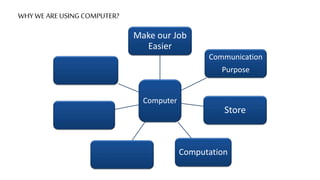
WHY WE ARE USING COMPUTER?
Computer
Make our Job
Easier
Communication
Purpose
Store
Computation
WHY WE ARE USING COMPUTER?
Computer
Make our Job
Easier
Communication
Purpose
Store
Computation
Play Games
WHY WE ARE USING COMPUTER?
Computer
Make our Job
Easier
Communication
Purpose
Store
Computation
Play Games
Watch
Movies
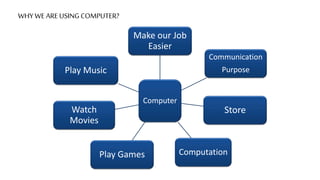
WHY WE ARE USING COMPUTER?
Computer
Make our Job
Easier
Communication
Purpose
Store
Computation
Play Games
Watch
Movies
Play Music
WHAT IS THE PURPOSE OF COMPUTER?
It is used to solve
the Complex
Problems in the
Fastest Manner
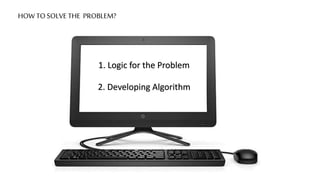
HOW TO SOLVE THE PROBLEM?
1. Logic for the Problem
2. Developing Algorithm
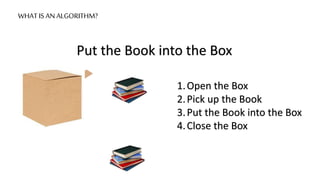
WHAT IS AN ALGORITHM?
Put the Book into the Box
1.Open the Box
2.Pick up the Book
3.Put the Book into the Box
4.Close the Box
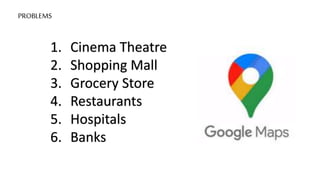
PROBLEMS
1. Cinema Theatre
2. Shopping Mall
3. Grocery Store
4. Restaurants
5. Hospitals
6. Banks
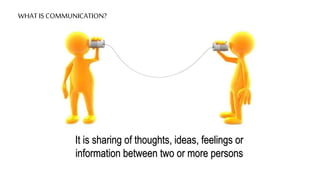
WHAT IS COMMUNICATION?
It is sharing of thoughts, ideas, feelings or
information between two or more persons
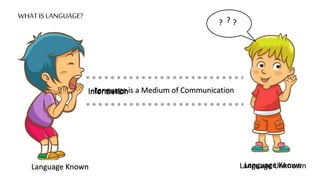
WHAT IS LANGUAGE?
Language is a Medium of Communication
Language Known Language Known
Information
Language Unknown
? ? ?
Information
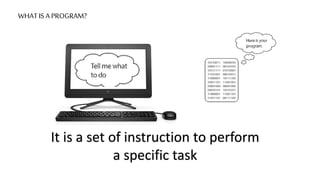
WHAT IS A PROGRAM?
It is a set of instruction to perform
a specific task
WHAT IS A PROGRAMMING ?
It is the process of
writing an algorithm
into a sequence of
computer instructions.
WHAT IS A PROGRAMMING LANGUAGE?
It is a specific
human-readable
way of telling a
computer what
to do
WHO IS A PROGRAMMER?
A Programmer is a
person who writes a
required computer
programme
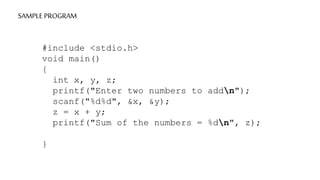
SAMPLE PROGRAM
#include <stdio.h>
void main()
{
int x, y, z;
printf("Enter two numbers to addn");
scanf("%d%d", &x, &y);
z = x + y;
printf("Sum of the numbers = %dn", z);
}
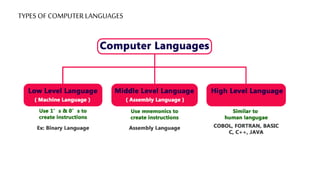
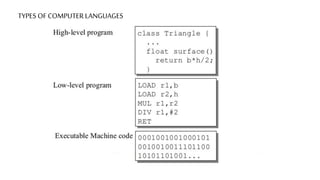
TYPES OF COMPUTER LANGUAGES
SOME SUBJECTS YOU CAME ACROSS
Computer Science
Chemistry
Mathematics
Biology
Accounts
Economics
Physics
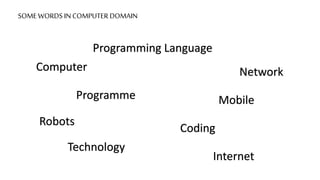
SOME WORDS IN COMPUTER DOMAIN
Computer
Programme
Programming Language
Technology
Coding
Robots
Network
Internet
Mobile
WHY PEOPLE ARE AFRAID OF CODING?
1. People Think it’s Too Difficult
2. They Presume That They’ll Fail
3. Beginners Think it’s Too Late to Learn
4. They Think They’re Not Meant to Code
5. People Think it’s Expensive.
What do you understand?
HOW TO OVERCOME THE FEAR OF CODING
1. Find a Good Resource
2. Just Start
3. Start Small
4. Build Things
5. Focus on One Programming Language Before
Jumping into Another
HOW TO OVERCOME THE FEAR OF CODING
6. Realize That You Don’t Need to Know 100% of a
Programming Language
7. Don’t Worry About the Big Picture. Trust the Process
8. Break Down Code into Smaller Chunks
9. Attend a Bootcamp (Optional)
10. Find a Mentor
STEPS TO SUCCEED AT CODING
1. Go to Meetup or Attend Conference
2. Build a Project with a Team
3. Contribute to Open Source
Communities
4. Master the Art of “Googling”
5. Teach Others to Code
STEPS TO SUCCEED AT CODING
6. Answer Questions Asked by Other
Beginners
7. Code Every Day
8. Debug the Coding
9. Keep Learning
10. Learn Soft Skills
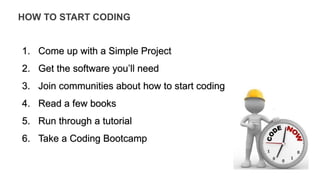
HOW TO START CODING
1. Come up with a Simple Project
2. Get the software you’ll need
3. Join communities about how to start coding
4. Read a few books
5. Run through a tutorial
6. Take a Coding Bootcamp
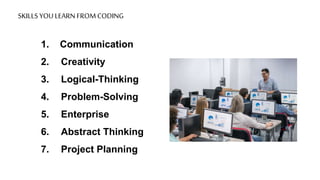
SKILLS YOU LEARN FROM CODING
1. Communication
2. Creativity
3. Logical-Thinking
4. Problem-Solving
5. Enterprise
6. Abstract Thinking
7. Project Planning
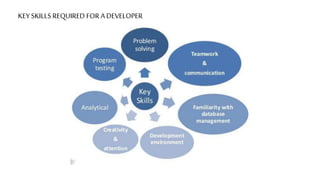
KEY SKILLS REQUIRED FOR A DEVELOPER
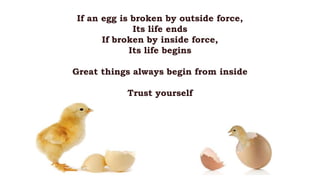
If an egg is broken by outside force,
Its life ends
If broken by inside force,
Its life begins
Great things always begin from inside
Trust yourself
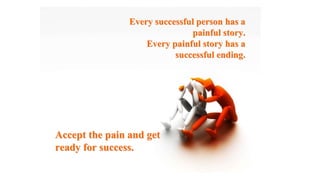
Every successful person has a
painful story.
painful story.
Every painful story has a
successful ending.
successful ending.
Accept the pain and get
ready for success.
ready for success.
THANK YOU

Intro Class.pptx

  • 1.
    Impact of Computersin Learning D e p a r t m e n t o f B i g d a t a A n a l y t i c s S t . J o s e p h ’ s C o l l e g e ( A u t o n o m o u s ) B e n g a l u r u F r a n c i s D e n s i l R a j V
  • 2.
    A Journey ofa thousand miles begins with a single step
  • 3.
    I cried whenI had no shoes but I stopped crying when I saw a man without legs. Life is full of blessings sometimes we don't value it. William Shakespeare
  • 4.
    - Nelson Mandela -Alfred Mercier - Aristotle
  • 5.
    WHY WE AREUSING COMPUTER? Computer
  • 6.
    WHY WE AREUSING COMPUTER? Computer Make our Job Easier
  • 7.
    WHY WE AREUSING COMPUTER? Computer Make our Job Easier Communication Purpose
  • 8.
    WHY WE AREUSING COMPUTER? Computer Make our Job Easier Communication Purpose Store
  • 9.
    WHY WE AREUSING COMPUTER? Computer Make our Job Easier Communication Purpose Store Computation
  • 10.
    WHY WE AREUSING COMPUTER? Computer Make our Job Easier Communication Purpose Store Computation Play Games
  • 11.
    WHY WE AREUSING COMPUTER? Computer Make our Job Easier Communication Purpose Store Computation Play Games Watch Movies
  • 12.
    WHY WE AREUSING COMPUTER? Computer Make our Job Easier Communication Purpose Store Computation Play Games Watch Movies Play Music
  • 13.
    WHAT IS THEPURPOSE OF COMPUTER? It is used to solve the Complex Problems in the Fastest Manner
  • 14.
    HOW TO SOLVETHE PROBLEM? 1. Logic for the Problem 2. Developing Algorithm
  • 15.
    WHAT IS ANALGORITHM? Put the Book into the Box 1.Open the Box 2.Pick up the Book 3.Put the Book into the Box 4.Close the Box
  • 16.
    PROBLEMS 1. Cinema Theatre 2.Shopping Mall 3. Grocery Store 4. Restaurants 5. Hospitals 6. Banks
  • 17.
    WHAT IS COMMUNICATION? Itis sharing of thoughts, ideas, feelings or information between two or more persons
  • 18.
    WHAT IS LANGUAGE? Languageis a Medium of Communication Language Known Language Known Information Language Unknown ? ? ? Information
  • 19.
    WHAT IS APROGRAM? It is a set of instruction to perform a specific task
  • 20.
    WHAT IS APROGRAMMING ? It is the process of writing an algorithm into a sequence of computer instructions.
  • 21.
    WHAT IS APROGRAMMING LANGUAGE? It is a specific human-readable way of telling a computer what to do
  • 22.
    WHO IS APROGRAMMER? A Programmer is a person who writes a required computer programme
  • 23.
    SAMPLE PROGRAM #include <stdio.h> voidmain() { int x, y, z; printf("Enter two numbers to addn"); scanf("%d%d", &x, &y); z = x + y; printf("Sum of the numbers = %dn", z); }
  • 24.
  • 25.
  • 26.
    SOME SUBJECTS YOUCAME ACROSS Computer Science Chemistry Mathematics Biology Accounts Economics Physics
  • 27.
    SOME WORDS INCOMPUTER DOMAIN Computer Programme Programming Language Technology Coding Robots Network Internet Mobile
  • 28.
    WHY PEOPLE AREAFRAID OF CODING? 1. People Think it’s Too Difficult 2. They Presume That They’ll Fail 3. Beginners Think it’s Too Late to Learn 4. They Think They’re Not Meant to Code 5. People Think it’s Expensive.
  • 29.
    What do youunderstand?
  • 30.
    HOW TO OVERCOMETHE FEAR OF CODING 1. Find a Good Resource 2. Just Start 3. Start Small 4. Build Things 5. Focus on One Programming Language Before Jumping into Another
  • 31.
    HOW TO OVERCOMETHE FEAR OF CODING 6. Realize That You Don’t Need to Know 100% of a Programming Language 7. Don’t Worry About the Big Picture. Trust the Process 8. Break Down Code into Smaller Chunks 9. Attend a Bootcamp (Optional) 10. Find a Mentor
  • 32.
    STEPS TO SUCCEEDAT CODING 1. Go to Meetup or Attend Conference 2. Build a Project with a Team 3. Contribute to Open Source Communities 4. Master the Art of “Googling” 5. Teach Others to Code
  • 33.
    STEPS TO SUCCEEDAT CODING 6. Answer Questions Asked by Other Beginners 7. Code Every Day 8. Debug the Coding 9. Keep Learning 10. Learn Soft Skills
  • 34.
    HOW TO STARTCODING 1. Come up with a Simple Project 2. Get the software you’ll need 3. Join communities about how to start coding 4. Read a few books 5. Run through a tutorial 6. Take a Coding Bootcamp
  • 35.
    SKILLS YOU LEARNFROM CODING 1. Communication 2. Creativity 3. Logical-Thinking 4. Problem-Solving 5. Enterprise 6. Abstract Thinking 7. Project Planning
  • 36.
    KEY SKILLS REQUIREDFOR A DEVELOPER
  • 38.
    If an eggis broken by outside force, Its life ends If broken by inside force, Its life begins Great things always begin from inside Trust yourself
  • 39.
    Every successful personhas a Every successful person has a painful story. painful story. Every painful story has a Every painful story has a successful ending. successful ending. Accept the pain and get Accept the pain and get ready for success. ready for success.
  • 40.