C I F O R C F M L
D E E P D I V E
Me: Jon Clausen
Team Ortus Member
Grand Rapids, Michigan
C O N T I N U O U S
I N T E G R AT I O N
• the process of automating the
build and testing of code when
commits are pushed to source
control
• encourages developers to share
their code and unit tests upon
task completion
• helps to avoid the problems of
merge conflicts, hard to fix
bugs, diverging code strategies,
and duplicated efforts
C O N T I N U O U S
I N T E G R AT I O N
• encourages short-lived
feature branches to isolate
developers work
• increases developer
confidence and
productivity by providing
an automated safety net
• test automation ensures
consistent quality
C O N T I N U O U S
D E L I V E RY
• software is built and
deployed via automation as
features are merged in
• prioritizes maintaining
deployable software over
extended, potentially
destructive development
• provides fast, automated
feedback on production
readiness of software
C O N T I N U O U S
D E L I V E RY
• utilizes a deployment pipeline to
provide increasing confidence in
readiness
• provides early evaluation of
performance, security or usability
issues before they are
introduced to the production tier
• promotes collaboration between
the various groups involved in
delivering software  -
developers, product owners,
affected departments
H I S T O R I C A L
C H A L L E N G E S
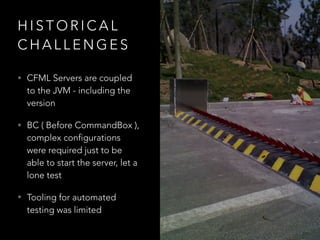
• CFML Servers are coupled
to the JVM - including the
version
• BC ( Before CommandBox ),
complex configurations
were required just to be
able to start the server, let a
lone test
• Tooling for automated
testing was limited
E N T E R C F M L - C O M PAT I B L E
C L I T O O L I N G
C O N T I N U O U S I N T E G R AT I O N
A N D D E P L O Y M E N T
F O R C F M L A P P S 

H A S N E V E R H A D S U C H A L O W B A R R I E R O F E N T RY
J E N K I N S
• Powerful CI server and Task
manager
• Open-source, self hosted
• Pipelines are managed via
plugin infrastructure and
“pipeline scripts” which use a
Jenkins-specific syntax.
• Mature with many community
integrations and plugins
I N F O C U S :
T R AV I S C I
• Cloud-provided CI/CD
service
• Used extensively for
building open source
projects
• Commercial plans
available for private
projects
• YAML-based syntax
I N F O C U S :
G I T L A B
• Turn-key solution for source
control, CI, and Docker
registries ( plus whole bunch
of other goodies )
• Open source community
edition
• Available as self-hosted and
cloud-hosted service.
• YAML-based pipeline
configuration
I N F O C U S :
B I T B U C K E T
P I P E L I N E S
• Atlassian product -
integrated with other
software offerings ( JIRA,
Confluence, HipChat )
• Support for Docker in
pipelines ( but not
compose at this time )
• YAML-based pipeline
configuration
I N F O C U S :
S H A L L O W D I V E :
T R AV I S C I
S H A L L O W D I V E :
B I T B U C K E T P I P E L I N E S
D E E P D I V E :
G I T L A B C I
G E T T I N G S TA R T E D :
• Write your tests!
• Identify a CI/CD platform
• Craft your test and
deployment steps
• Sit back and watch cool
things happen!
Q & A

Into The Box 2018 CI Deep Dive

  • 1.
    C I FO R C F M L D E E P D I V E
  • 2.
    Me: Jon Clausen TeamOrtus Member Grand Rapids, Michigan
  • 3.
    C O NT I N U O U S I N T E G R AT I O N • the process of automating the build and testing of code when commits are pushed to source control • encourages developers to share their code and unit tests upon task completion • helps to avoid the problems of merge conflicts, hard to fix bugs, diverging code strategies, and duplicated efforts
  • 4.
    C O NT I N U O U S I N T E G R AT I O N • encourages short-lived feature branches to isolate developers work • increases developer confidence and productivity by providing an automated safety net • test automation ensures consistent quality
  • 5.
    C O NT I N U O U S D E L I V E RY • software is built and deployed via automation as features are merged in • prioritizes maintaining deployable software over extended, potentially destructive development • provides fast, automated feedback on production readiness of software
  • 6.
    C O NT I N U O U S D E L I V E RY • utilizes a deployment pipeline to provide increasing confidence in readiness • provides early evaluation of performance, security or usability issues before they are introduced to the production tier • promotes collaboration between the various groups involved in delivering software  - developers, product owners, affected departments
  • 7.
    H I ST O R I C A L C H A L L E N G E S • CFML Servers are coupled to the JVM - including the version • BC ( Before CommandBox ), complex configurations were required just to be able to start the server, let a lone test • Tooling for automated testing was limited
  • 8.
    E N TE R C F M L - C O M PAT I B L E C L I T O O L I N G
  • 9.
    C O NT I N U O U S I N T E G R AT I O N A N D D E P L O Y M E N T F O R C F M L A P P S 
 H A S N E V E R H A D S U C H A L O W B A R R I E R O F E N T RY
  • 10.
    J E NK I N S • Powerful CI server and Task manager • Open-source, self hosted • Pipelines are managed via plugin infrastructure and “pipeline scripts” which use a Jenkins-specific syntax. • Mature with many community integrations and plugins I N F O C U S :
  • 11.
    T R AVI S C I • Cloud-provided CI/CD service • Used extensively for building open source projects • Commercial plans available for private projects • YAML-based syntax I N F O C U S :
  • 12.
    G I TL A B • Turn-key solution for source control, CI, and Docker registries ( plus whole bunch of other goodies ) • Open source community edition • Available as self-hosted and cloud-hosted service. • YAML-based pipeline configuration I N F O C U S :
  • 13.
    B I TB U C K E T P I P E L I N E S • Atlassian product - integrated with other software offerings ( JIRA, Confluence, HipChat ) • Support for Docker in pipelines ( but not compose at this time ) • YAML-based pipeline configuration I N F O C U S :
  • 14.
    S H AL L O W D I V E : T R AV I S C I
  • 15.
    S H AL L O W D I V E : B I T B U C K E T P I P E L I N E S
  • 16.
    D E EP D I V E : G I T L A B C I
  • 17.
    G E TT I N G S TA R T E D : • Write your tests! • Identify a CI/CD platform • Craft your test and deployment steps • Sit back and watch cool things happen!
  • 18.