Integration Testing
in Software Development
Bibek Pokhrel
February 2024
Introduction
• The process of testing the interface between two software units or modules.
• Focuses on determining the correctness of the interface
• Exposes faults in the interaction between integrated units
• Once all the modules have been unit-tested, integration testing is
performed.
Why Integration testing ?
• Early Issue Identification: Integration testing allows the early
identification By testing the integration points, developers can catch and
address problems before they escalate to more critical stages.
• Data Flow Validation: Integration testing validates the seamless flow of
data between different components by testing data interactions between
integrated modules.
• Software Reliability Enhancement: Integration testing contributes to the
enhancement of software reliability by verifying that integrated
components work harmoniously together.
Types of Integration test
There are four types of integration testing approaches. Those
approaches are the following:
1. Big-Bang Integration Testing
2. Bottom-Up Integration Testing
3. Top-Down Integration Testing
4. Mixed/Hybrid Integration Testing
Big-Bang Integration Testing
• The simplest integration testing approach, where all the modules
are combined and the functionality is verified after the completion of
individual module testing
• Practicable only for very small systems.
• It is very difficult to localize the error.
• The goal of big-bang integration testing is to verify the overall
functionality of the system.
Big-Bang Integration Testing
Advantages:
• It is convenient for small systems.
• Simple and straightforward approach.
• Can be completed quickly.
• Does not require a lot of planning or coordination.
Disadvantages:
• There will be quite a lot of delay because you would have to wait
for all the modules to be integrated.
• Not Good for long projects.
• High risk of integration problems that are difficult to identify and
diagnose.
Bottom-Up Integration Testing
• Each module at lower levels are tested with higher modules until
all modules are tested.
• The primary purpose of this integration testing is that each
subsystem tests the interfaces among various modules making up
the subsystem.
• This integration testing uses test drivers to drive and pass
appropriate data to the lower-level modules.
Bottom-Up Integration Testing
Advantages:
• In bottom-up testing, no stubs are required.
• A principal advantage of this integration testing is that several disjoint
subsystems can be tested simultaneously.
• It is easy to create the test conditions.
• It is Easy to observe the test results.
Disadvantages:
• Driver modules must be produced.
• The complexity that occurs when the system is made up of a large
number of small subsystems.
• As Far modules have been created, there is no working model can be
represented.
Top-Down Integration Testing
• Used in order to simulate the behaviour of the lower-level modules
that are not yet integrated.
• First, high-level modules are tested and then low-level modules.
• finally integrating the low-level modules to a high level to ensure
the system is working as intended.
Top-Down Integration Testing
Advantages:
• Separately debugged module.
• Few or no drivers needed.
• It is more stable and accurate at the aggregate level.
• Easier isolation of interface errors.
Disadvantages:
• Needs many Stubs.
• Modules at lower level are tested inadequately.
• It is difficult to observe the test output.
• It is difficult to stub design.
Mixed/Hybrid Integration Testing
• Also called sandwiched integration testing.
• Follows a combination of top down and bottom-up testing.
• Overcomes this shortcoming of the top-down and bottom-up
approaches.
Mixed/Hybrid Integration Testing
Advantages:
• Mixed approach is useful for very large projects having several sub
projects.
• This Sandwich approach overcomes this shortcoming of the top-down
and bottom-up approaches.
• Parallel test can be performed in top and bottom layer tests.
Disadvantages:
• For mixed integration testing, it requires very high cost because one part
has a Top-down approach while another part has a bottom-up approach.
• This integration testing cannot be used for smaller systems with huge
interdependence between different modules.
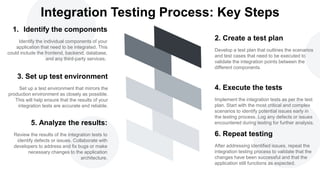
Identify the individual components of your
application that need to be integrated. This
could include the frontend, backend, database,
and any third-party services.
1. Identify the components
Set up a test environment that mirrors the
production environment as closely as possible.
This will help ensure that the results of your
integration tests are accurate and reliable.
3. Set up test environment
Review the results of the integration tests to
identify defects or issues. Collaborate with
developers to address and fix bugs or make
necessary changes to the application
architecture.
5. Analyze the results:
After addressing identified issues, repeat the
integration testing process to validate that the
changes have been successful and that the
application still functions as expected.
6. Repeat testing
Implement the integration tests as per the test
plan. Start with the most critical and complex
scenarios to identify potential issues early in
the testing process. Log any defects or issues
encountered during testing for further analysis.
4. Execute the tests
Develop a test plan that outlines the scenarios
and test cases that need to be executed to
validate the integration points between the
different components.
2. Create a test plan
Integration Testing Process: Key Steps

Integration Testing in Software Development.pptx

  • 1.
    Integration Testing in SoftwareDevelopment Bibek Pokhrel February 2024
  • 2.
    Introduction • The processof testing the interface between two software units or modules. • Focuses on determining the correctness of the interface • Exposes faults in the interaction between integrated units • Once all the modules have been unit-tested, integration testing is performed.
  • 3.
    Why Integration testing? • Early Issue Identification: Integration testing allows the early identification By testing the integration points, developers can catch and address problems before they escalate to more critical stages. • Data Flow Validation: Integration testing validates the seamless flow of data between different components by testing data interactions between integrated modules. • Software Reliability Enhancement: Integration testing contributes to the enhancement of software reliability by verifying that integrated components work harmoniously together.
  • 4.
    Types of Integrationtest There are four types of integration testing approaches. Those approaches are the following: 1. Big-Bang Integration Testing 2. Bottom-Up Integration Testing 3. Top-Down Integration Testing 4. Mixed/Hybrid Integration Testing
  • 5.
    Big-Bang Integration Testing •The simplest integration testing approach, where all the modules are combined and the functionality is verified after the completion of individual module testing • Practicable only for very small systems. • It is very difficult to localize the error. • The goal of big-bang integration testing is to verify the overall functionality of the system.
  • 6.
    Big-Bang Integration Testing Advantages: •It is convenient for small systems. • Simple and straightforward approach. • Can be completed quickly. • Does not require a lot of planning or coordination. Disadvantages: • There will be quite a lot of delay because you would have to wait for all the modules to be integrated. • Not Good for long projects. • High risk of integration problems that are difficult to identify and diagnose.
  • 7.
    Bottom-Up Integration Testing •Each module at lower levels are tested with higher modules until all modules are tested. • The primary purpose of this integration testing is that each subsystem tests the interfaces among various modules making up the subsystem. • This integration testing uses test drivers to drive and pass appropriate data to the lower-level modules.
  • 8.
    Bottom-Up Integration Testing Advantages: •In bottom-up testing, no stubs are required. • A principal advantage of this integration testing is that several disjoint subsystems can be tested simultaneously. • It is easy to create the test conditions. • It is Easy to observe the test results. Disadvantages: • Driver modules must be produced. • The complexity that occurs when the system is made up of a large number of small subsystems. • As Far modules have been created, there is no working model can be represented.
  • 9.
    Top-Down Integration Testing •Used in order to simulate the behaviour of the lower-level modules that are not yet integrated. • First, high-level modules are tested and then low-level modules. • finally integrating the low-level modules to a high level to ensure the system is working as intended.
  • 10.
    Top-Down Integration Testing Advantages: •Separately debugged module. • Few or no drivers needed. • It is more stable and accurate at the aggregate level. • Easier isolation of interface errors. Disadvantages: • Needs many Stubs. • Modules at lower level are tested inadequately. • It is difficult to observe the test output. • It is difficult to stub design.
  • 11.
    Mixed/Hybrid Integration Testing •Also called sandwiched integration testing. • Follows a combination of top down and bottom-up testing. • Overcomes this shortcoming of the top-down and bottom-up approaches.
  • 12.
    Mixed/Hybrid Integration Testing Advantages: •Mixed approach is useful for very large projects having several sub projects. • This Sandwich approach overcomes this shortcoming of the top-down and bottom-up approaches. • Parallel test can be performed in top and bottom layer tests. Disadvantages: • For mixed integration testing, it requires very high cost because one part has a Top-down approach while another part has a bottom-up approach. • This integration testing cannot be used for smaller systems with huge interdependence between different modules.
  • 13.
    Identify the individualcomponents of your application that need to be integrated. This could include the frontend, backend, database, and any third-party services. 1. Identify the components Set up a test environment that mirrors the production environment as closely as possible. This will help ensure that the results of your integration tests are accurate and reliable. 3. Set up test environment Review the results of the integration tests to identify defects or issues. Collaborate with developers to address and fix bugs or make necessary changes to the application architecture. 5. Analyze the results: After addressing identified issues, repeat the integration testing process to validate that the changes have been successful and that the application still functions as expected. 6. Repeat testing Implement the integration tests as per the test plan. Start with the most critical and complex scenarios to identify potential issues early in the testing process. Log any defects or issues encountered during testing for further analysis. 4. Execute the tests Develop a test plan that outlines the scenarios and test cases that need to be executed to validate the integration points between the different components. 2. Create a test plan Integration Testing Process: Key Steps