Download to read offline

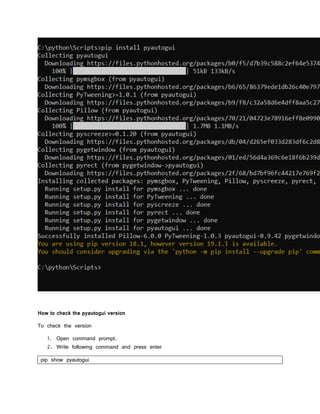
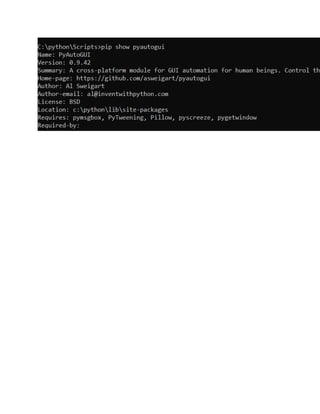
Pyautogui is a cross-platform GUI automation tool that allows you to control the mouse and keyboard from Python code. To install pyautogui, open the command prompt, navigate to the Python installation directory, and enter "pip install pyautogui" which will download and install the latest version. The installed version can be checked by entering "pip show pyautogui" in the command prompt.


![Lect 1 Number systems and base conversions. [Autosaved].pptx](https://cdn.slidesharecdn.com/ss_thumbnails/lect1numbersystemsandbaseconversions-260111134109-67c2d865-thumbnail.jpg?width=640&height=640&fit=bounds)


