B.Tech (EEE) 2007-2011

Image

Compression

B.Tech (6th Semester)
Electrical & Electronics Engineering
College Of Engineering Roorkee
Contents ...
Image Compression
Lossy Compression

Lossless Compression
JPEG Compression Algorithm
DCT v/s DWT
Applications of Image Processing
Advantages /Disadvantages of Image Processing
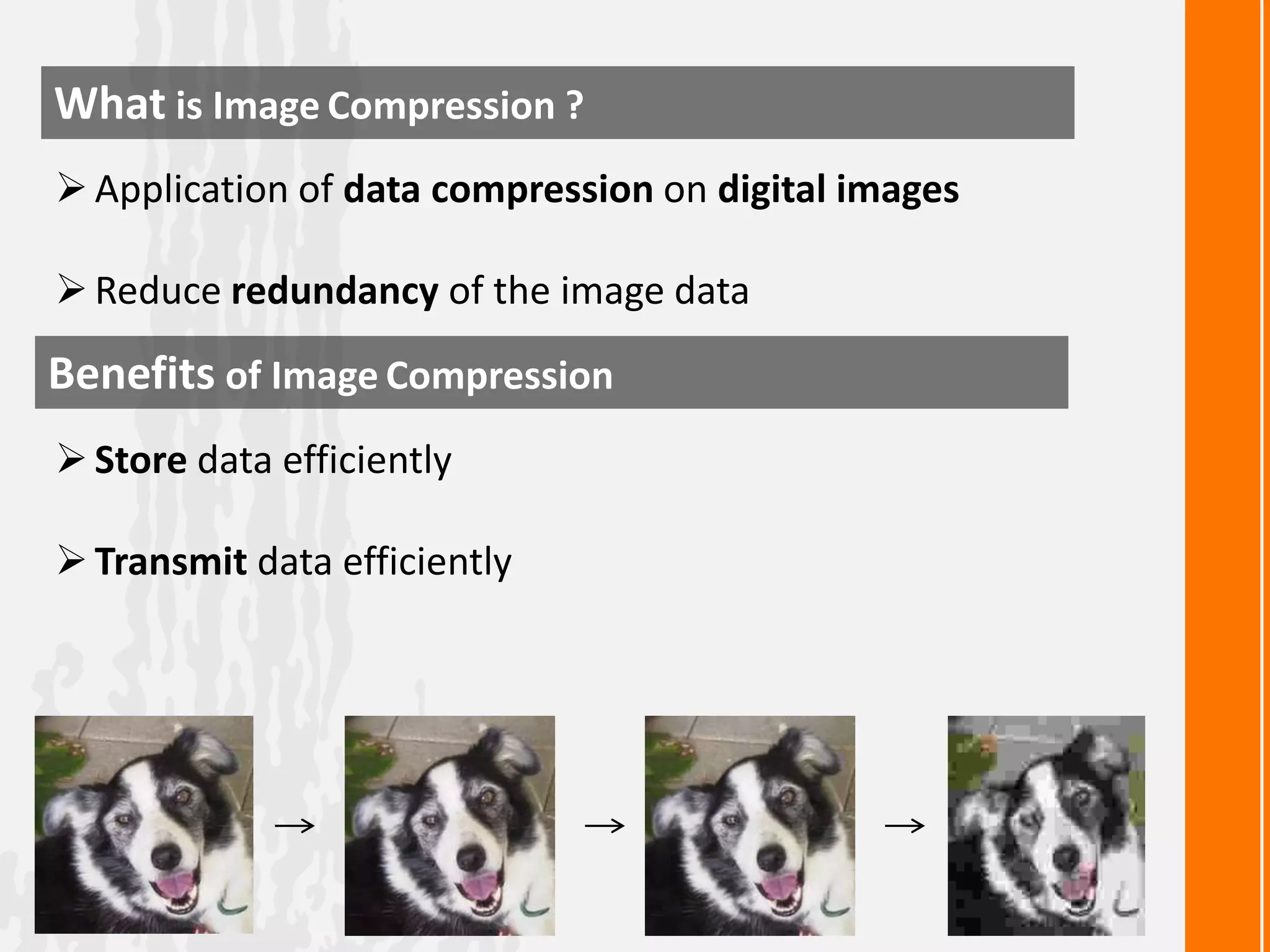
What is Image Compression ?
 Application of data compression on digital images

 Reduce redundancy of the image data

Benefits of Image Compression
 Store data efficiently
 Transmit data efficiently
Lossy Compression

 Decompression retrieves data different
from the original
 Used to compress multimedia data
 Streaming media and internet telephony

Methods
JPEG

TIFF

MNG

PGF
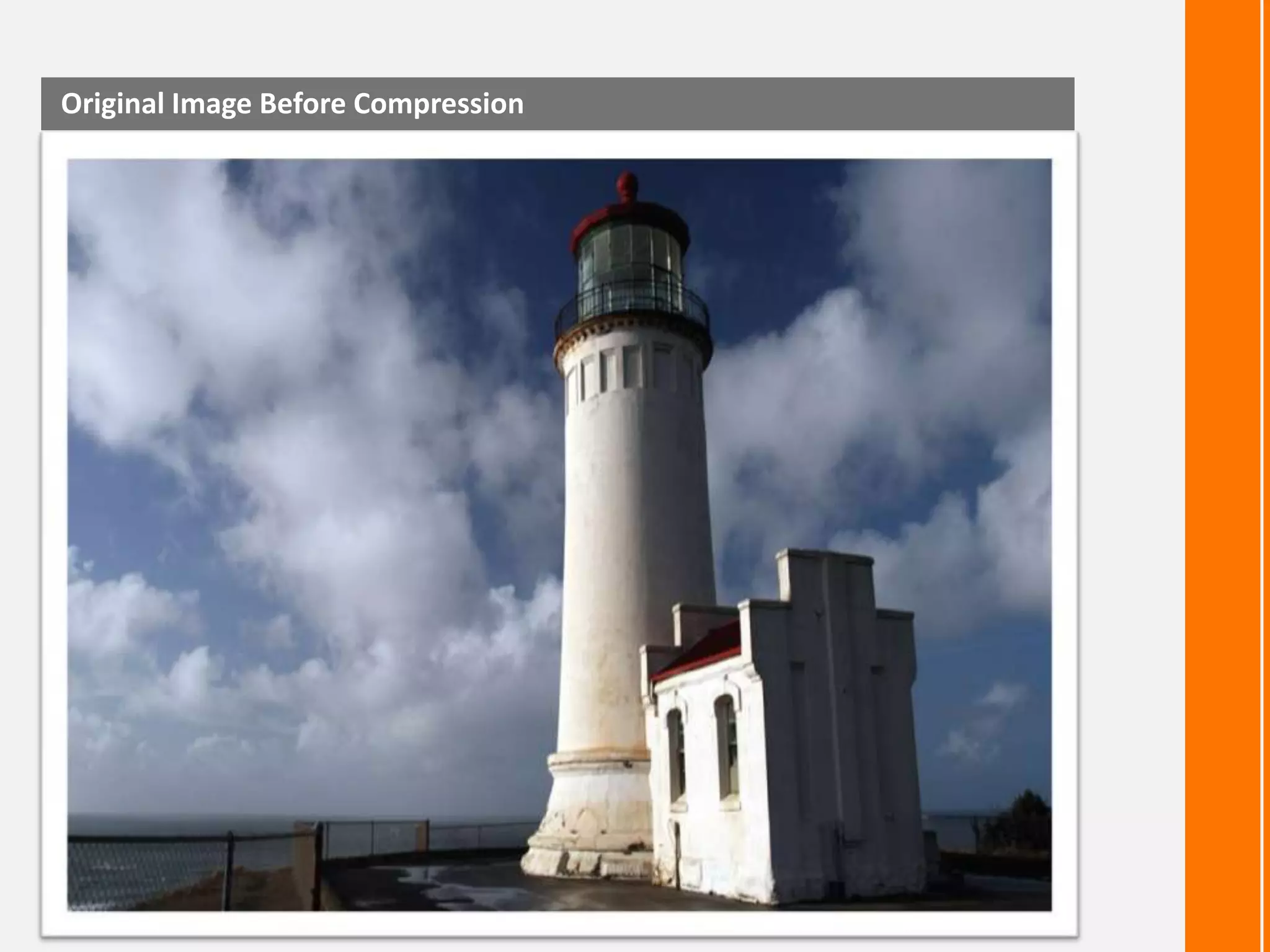
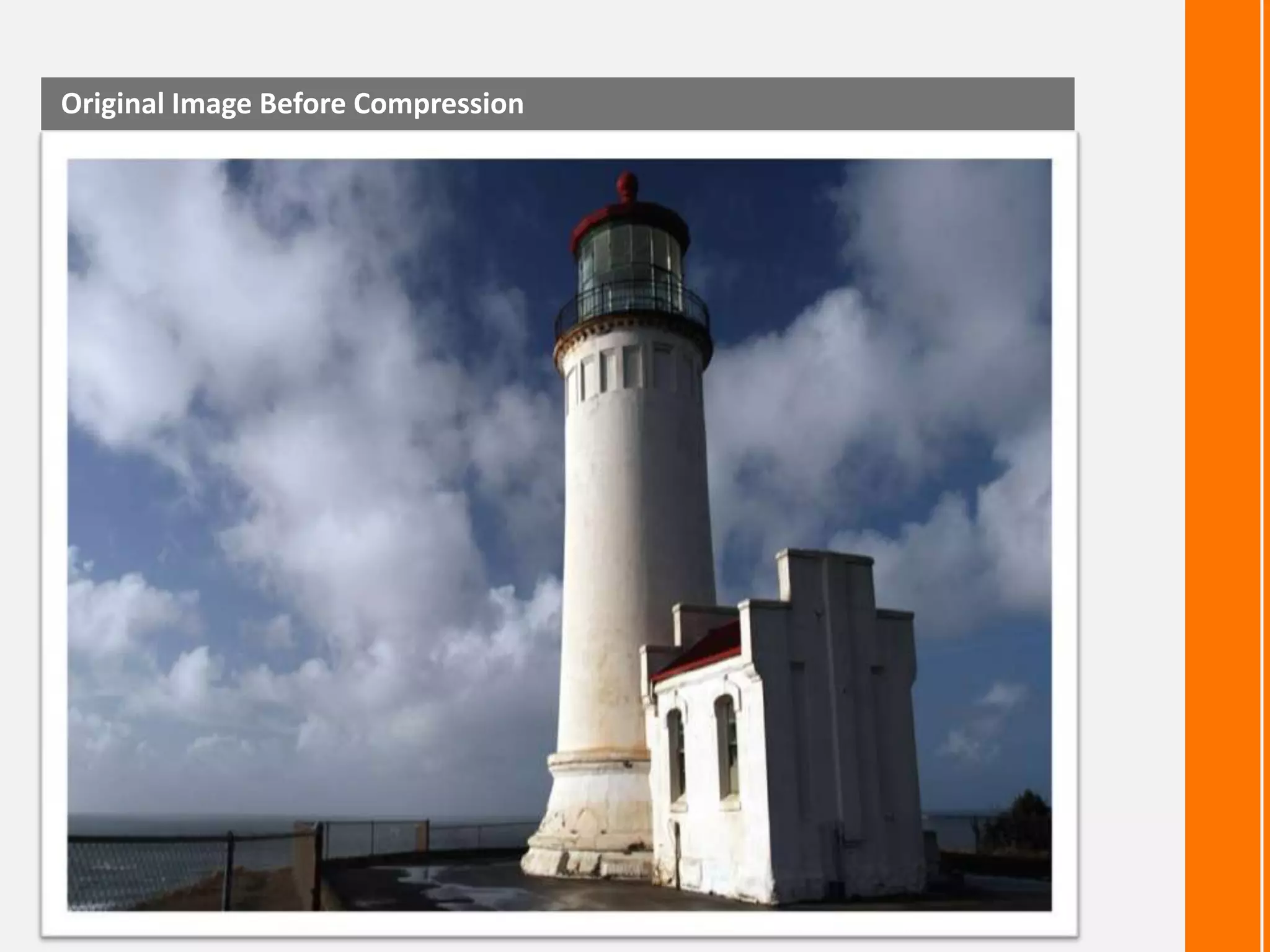
Original Image Before Compression
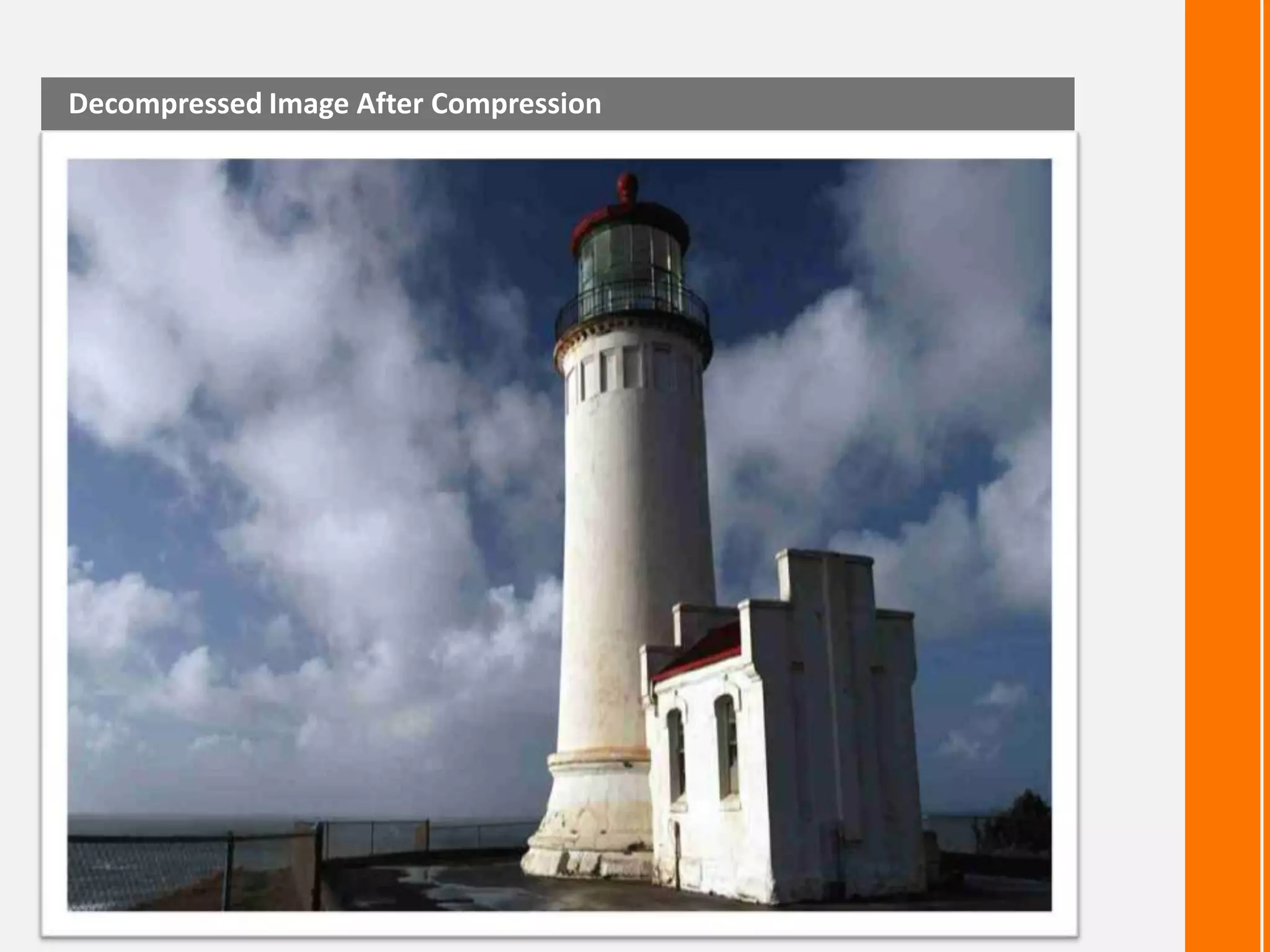
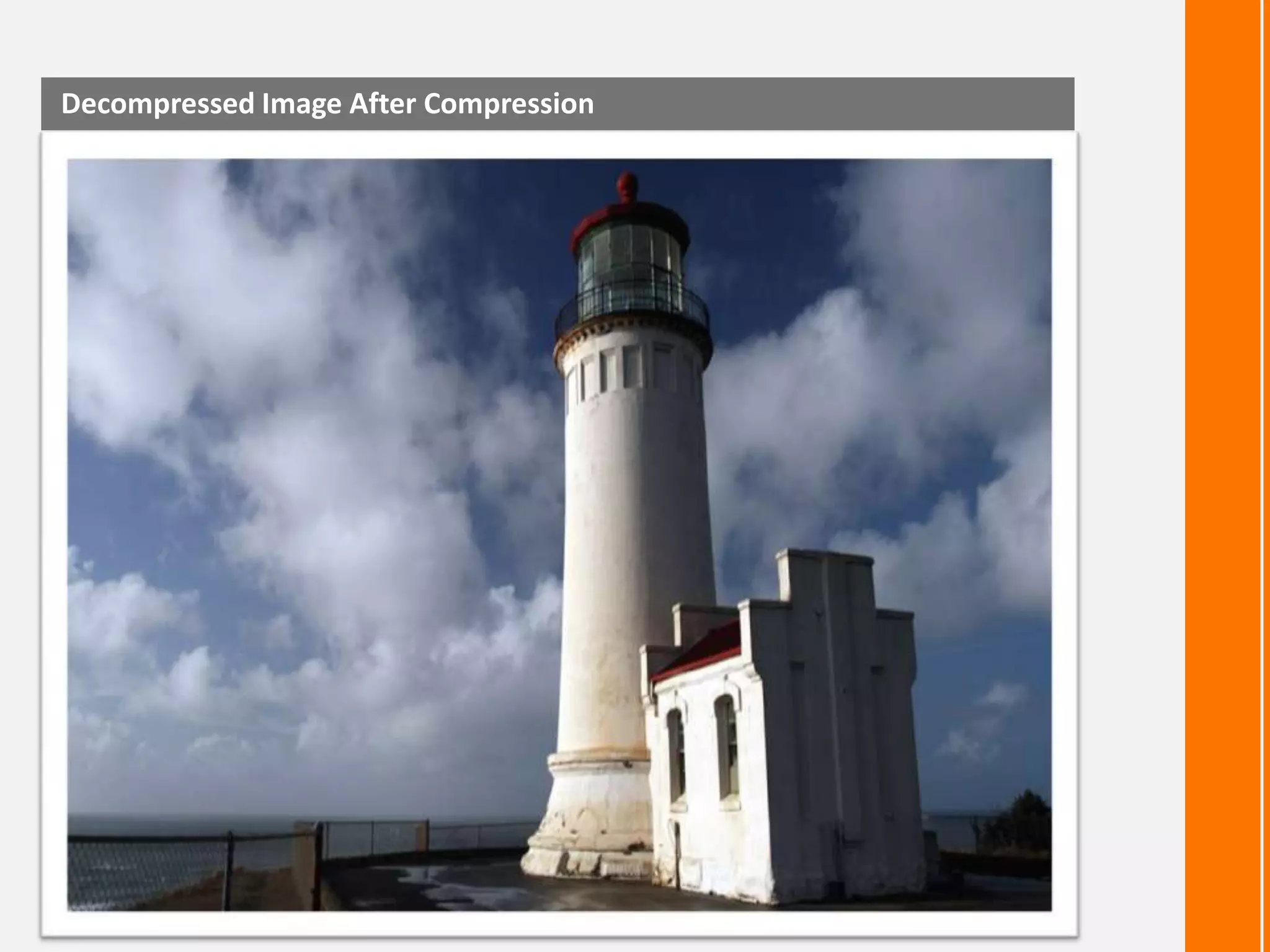
Decompressed Image After Compression
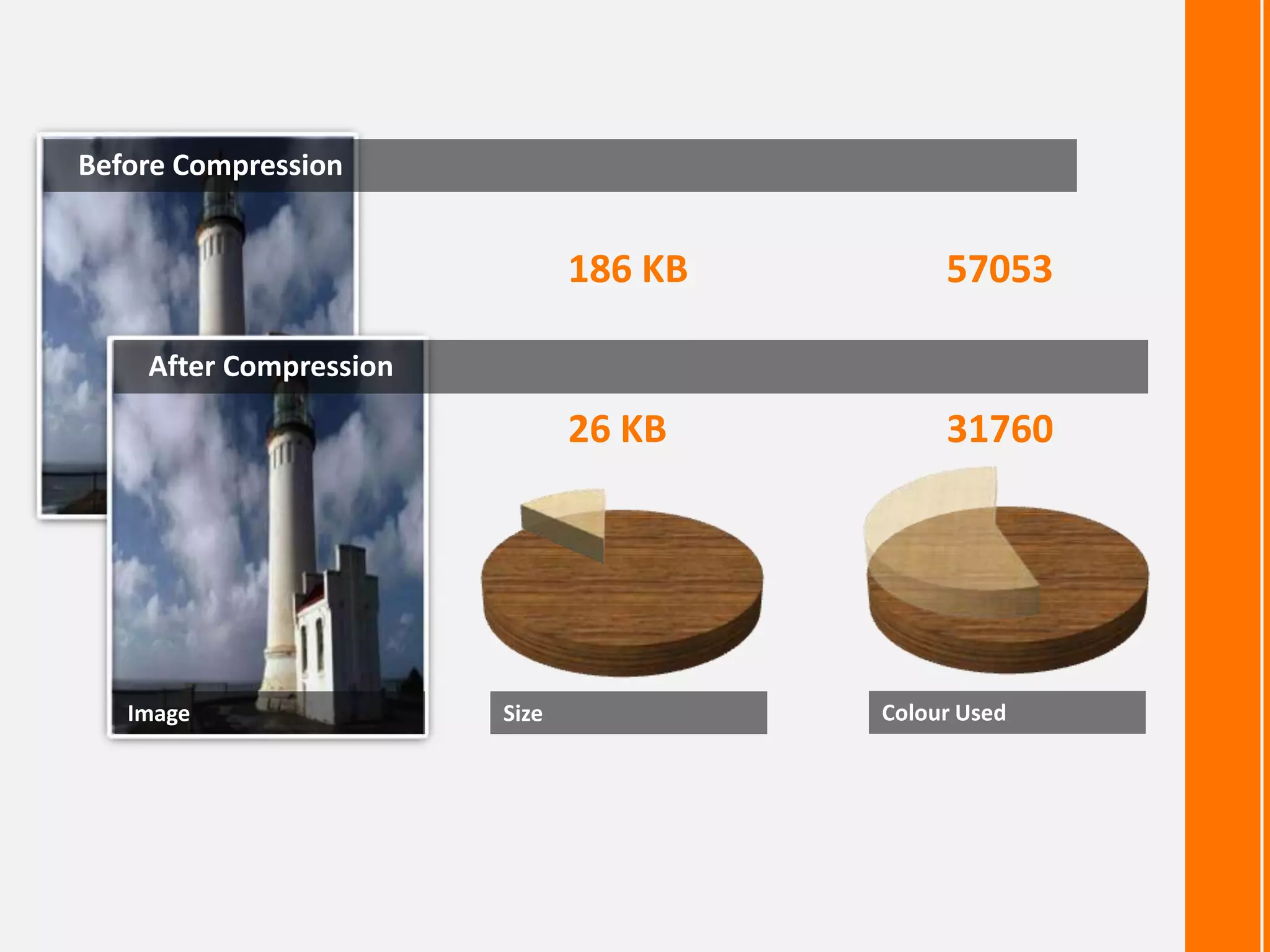
Before Compression

186 KB

57053

26 KB

31760

After Compression

Image

Size

Colour Used
Lossless Compression
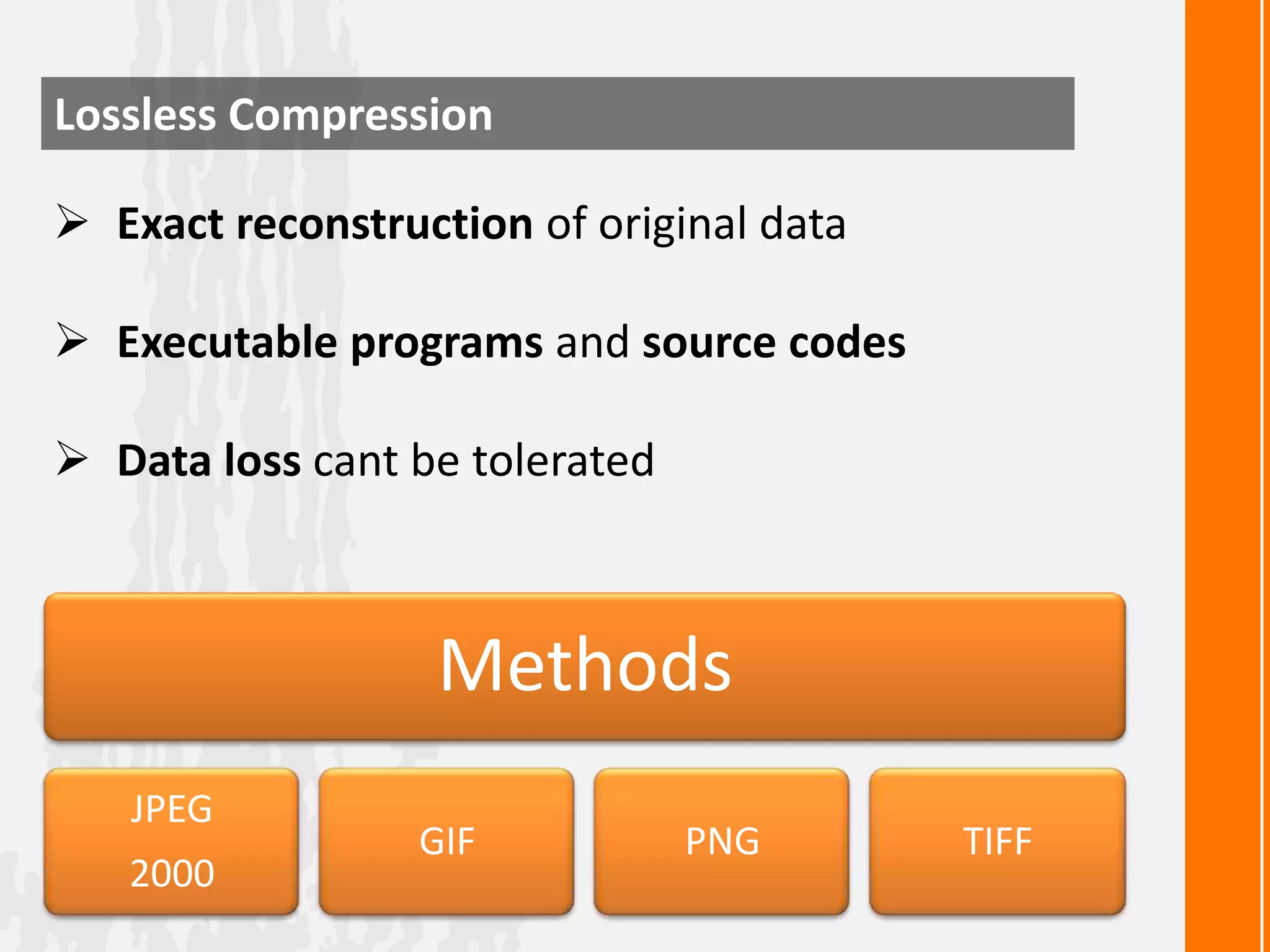
 Exact reconstruction of original data

 Executable programs and source codes
 Data loss cant be tolerated

Methods
JPEG
2000

GIF

PNG

TIFF
Original Image Before Compression
Decompressed Image After Compression
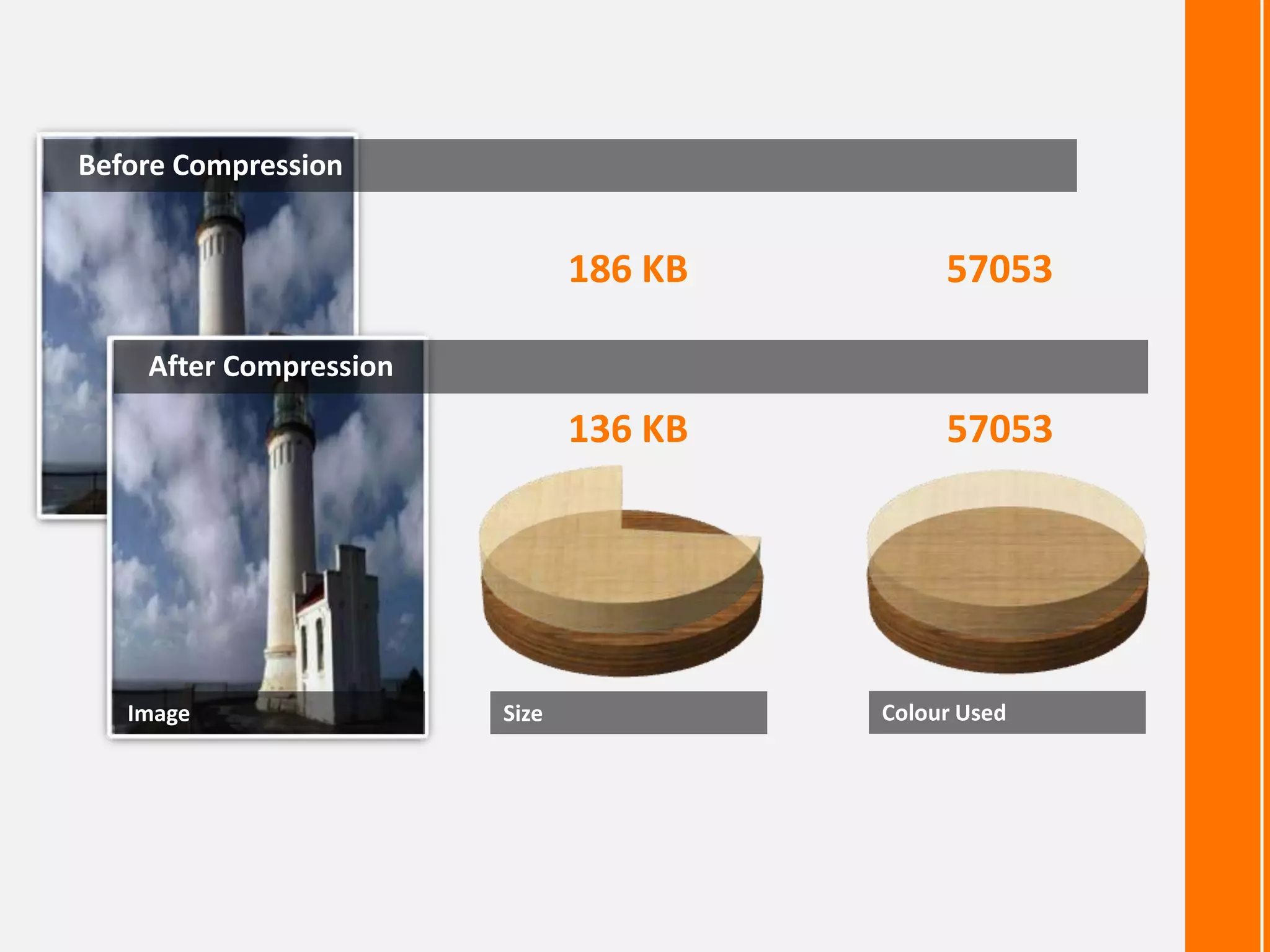
Before Compression

186 KB

57053

136 KB

57053

After Compression

Image

Size

Colour Used
What is JPEG ?
 Stands for Joint Photographics Experts
Group
 Lossy compression method
 Mostly used by digital cameras & web
usage
 Not suited for drawing , textual and iconic
graphics
Basics of JPEG Compression
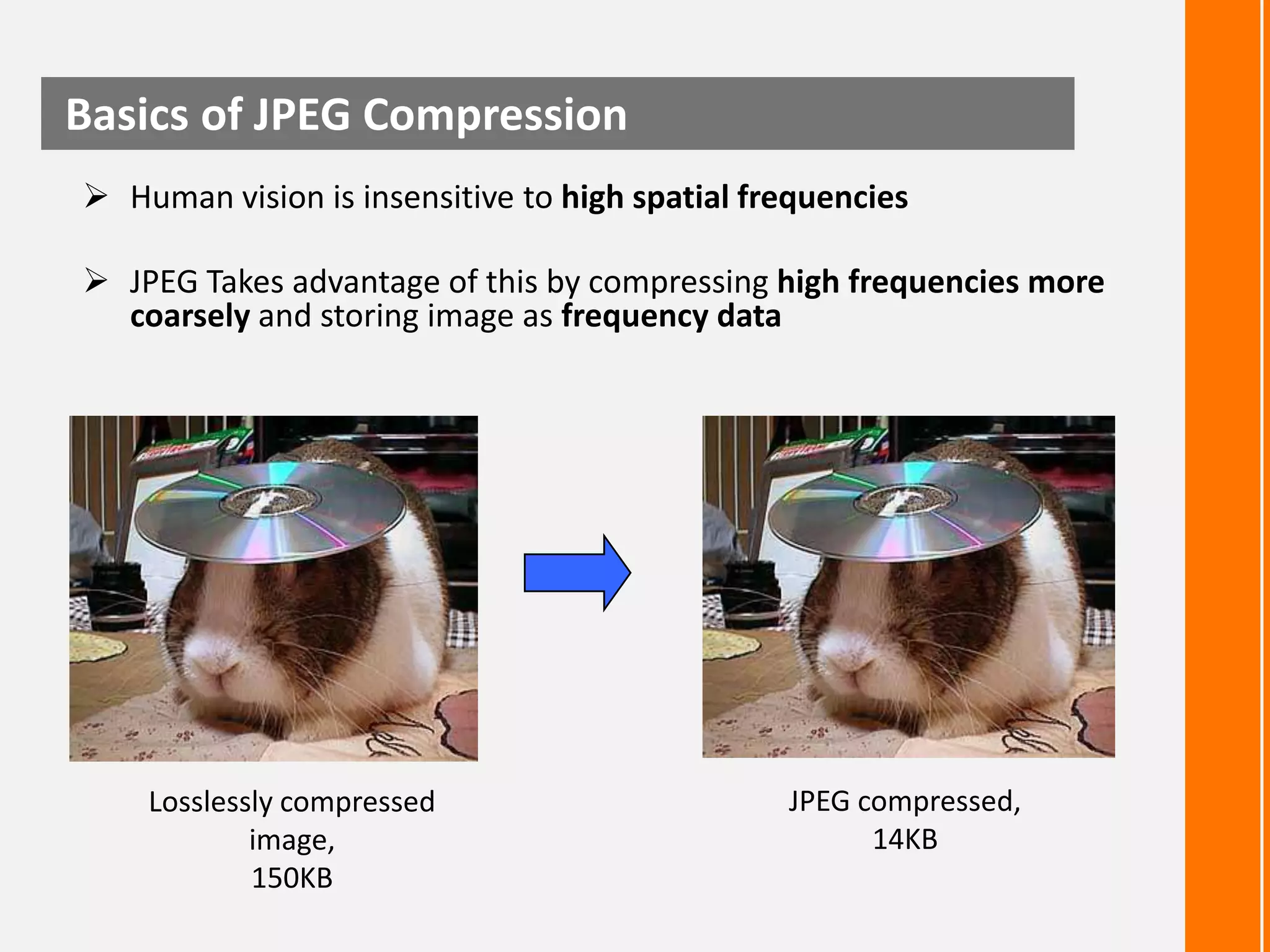
 Human vision is insensitive to high spatial frequencies
 JPEG Takes advantage of this by compressing high frequencies more
coarsely and storing image as frequency data

Losslessly compressed
image,
150KB

JPEG compressed,
14KB
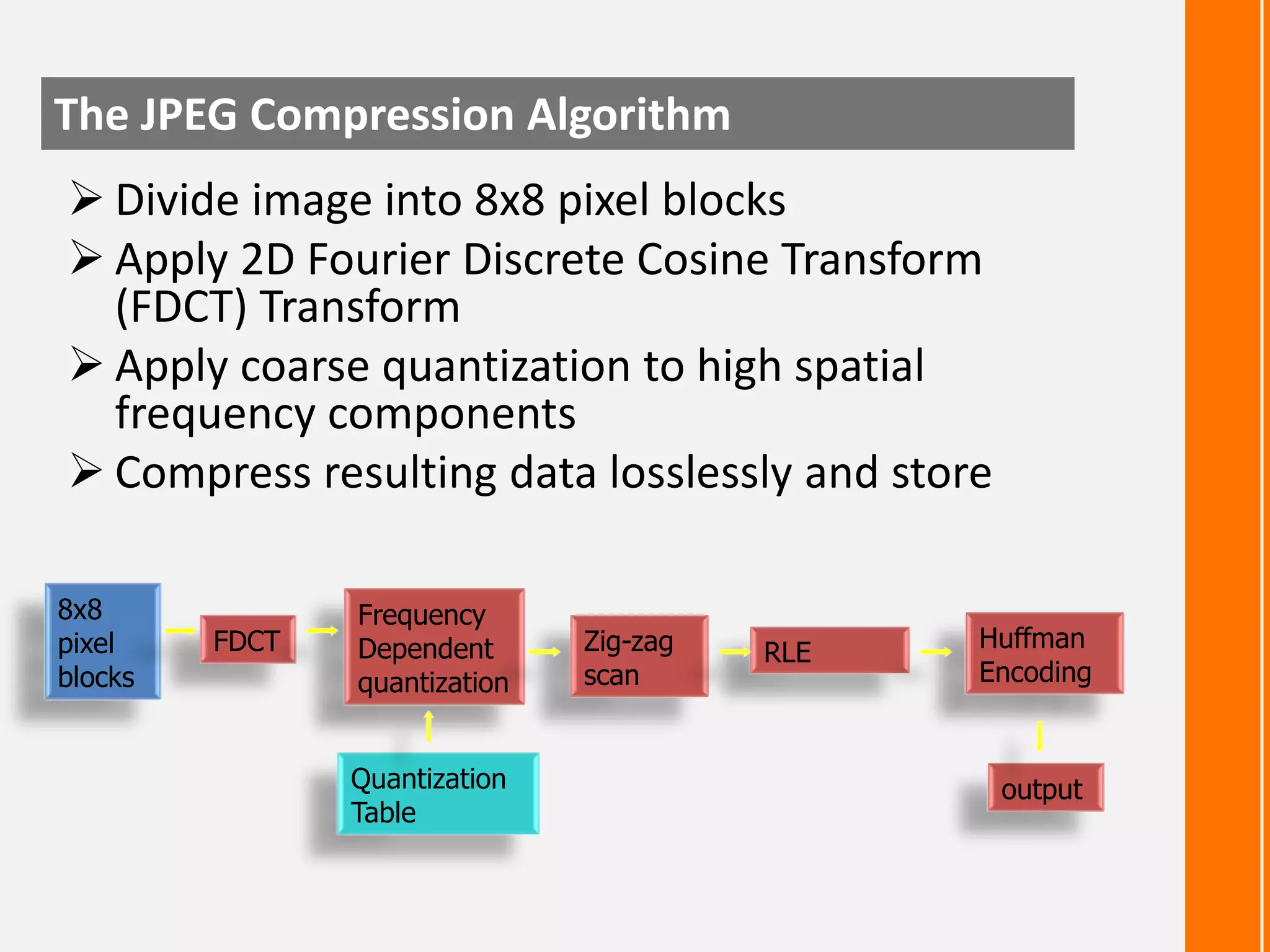
The JPEG Compression Algorithm
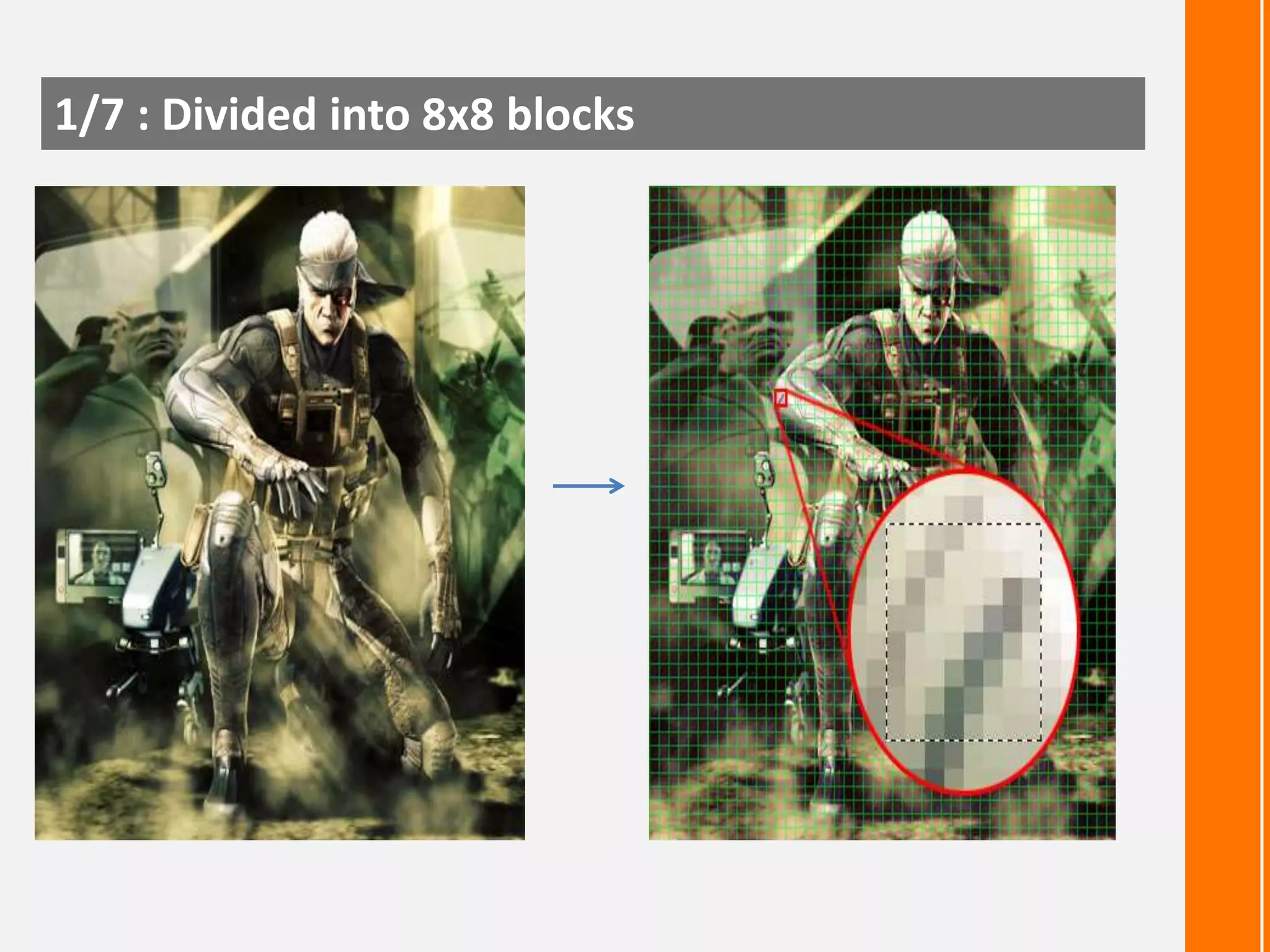
 Divide image into 8x8 pixel blocks
 Apply 2D Fourier Discrete Cosine Transform
(FDCT) Transform
 Apply coarse quantization to high spatial
frequency components
 Compress resulting data losslessly and store
8x8
pixel
blocks

FDCT

Frequency
Dependent
quantization
Quantization
Table

Zig-zag
scan

RLE

Huffman
Encoding

output
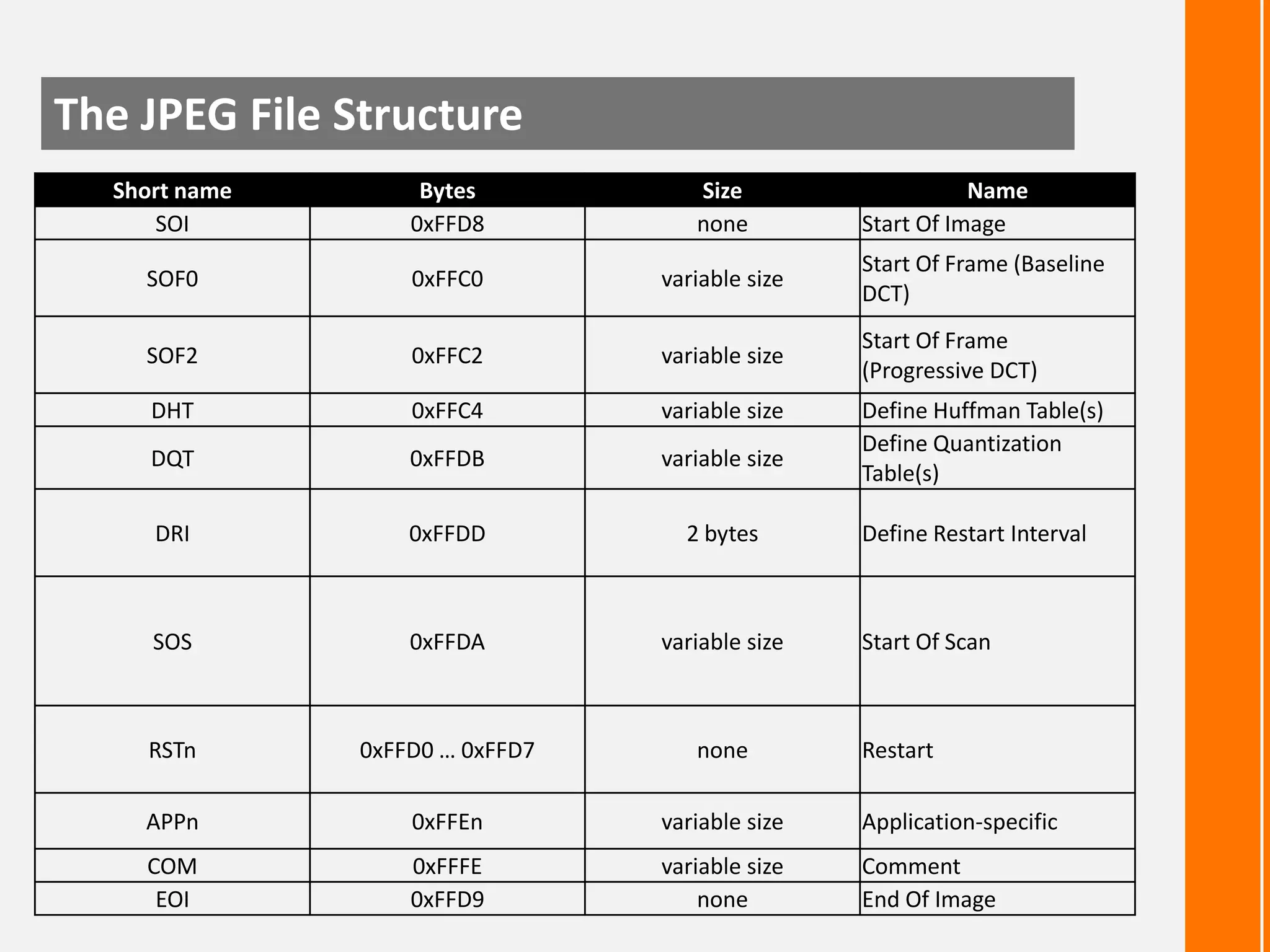
The JPEG File Structure
Short name
SOI

Bytes
0xFFD8

Size
none

Name
Start Of Image

SOF0

0xFFC0

variable size

Start Of Frame (Baseline
DCT)

SOF2

0xFFC2

variable size

Start Of Frame
(Progressive DCT)

DHT

0xFFC4

variable size

DQT

0xFFDB

variable size

DRI

0xFFDD

2 bytes

SOS

0xFFDA

variable size

RSTn

0xFFD0 … 0xFFD7

none

APPn

0xFFEn

variable size

Application-specific

COM
EOI

0xFFFE
0xFFD9

variable size
none

Comment
End Of Image

Define Huffman Table(s)
Define Quantization
Table(s)

Define Restart Interval

Start Of Scan

Restart
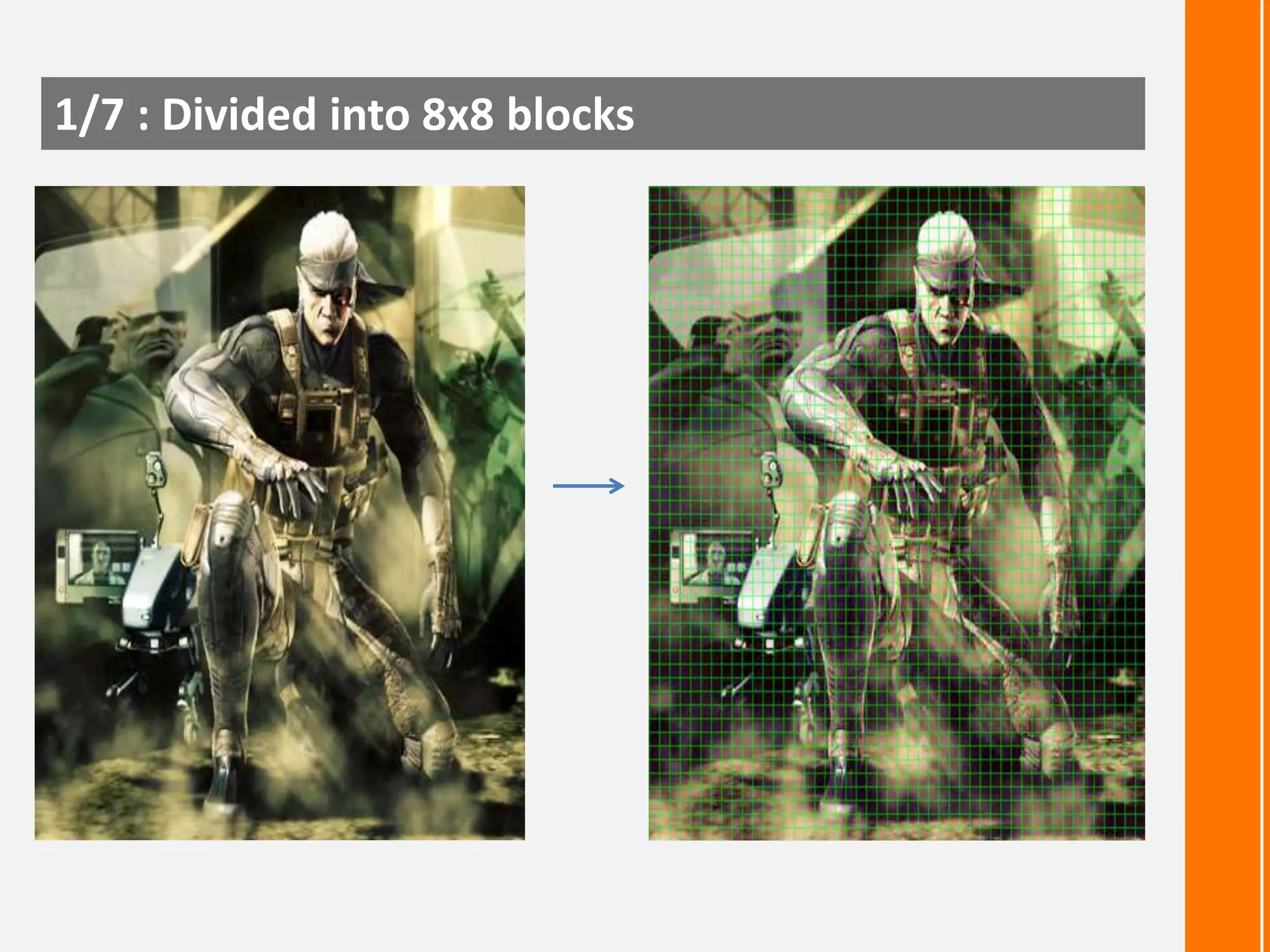
1/7 : Divided into 8x8 blocks
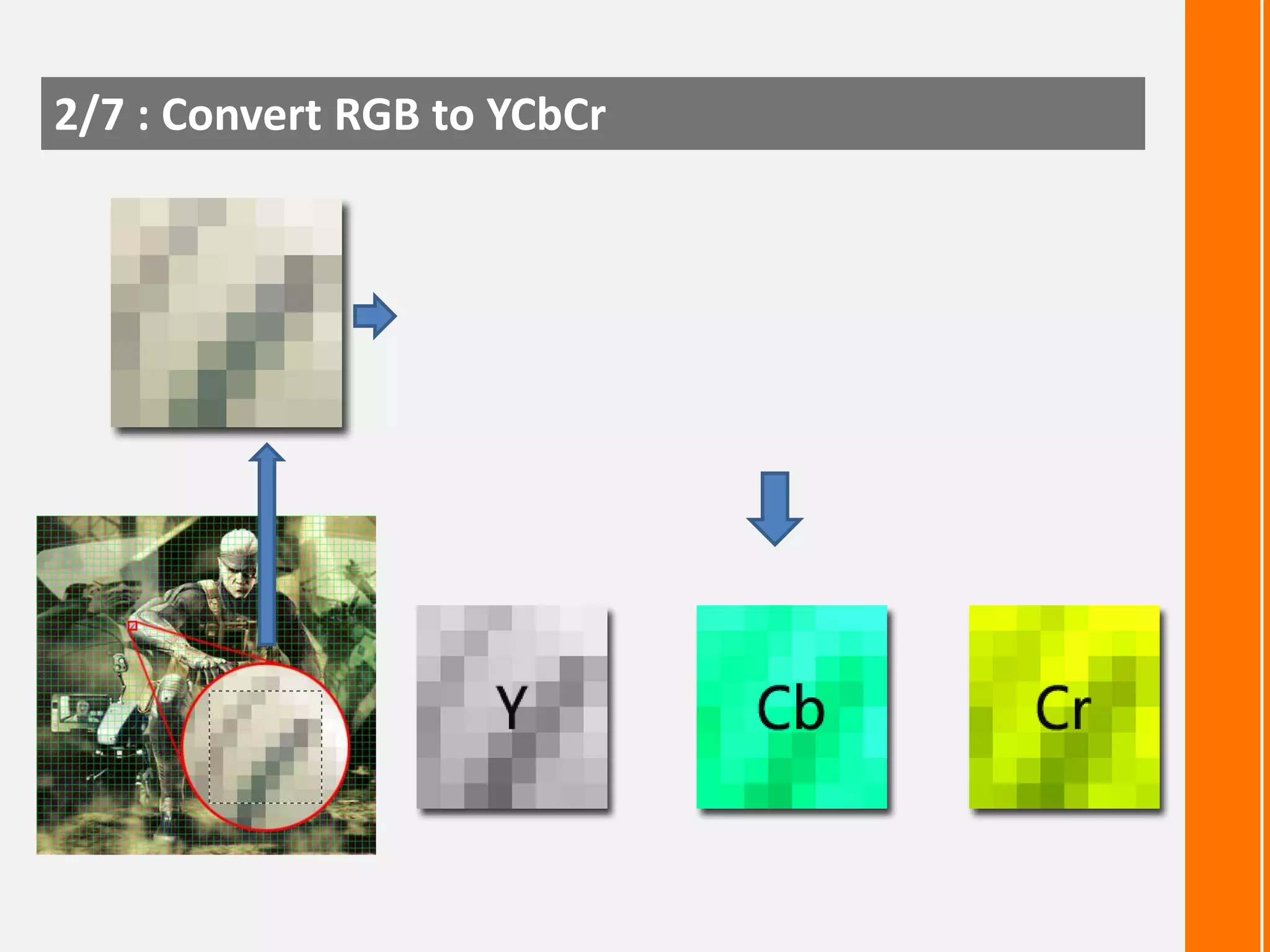
2/7 : Convert RGB to YCbCr
 Simple color space model: [R,G,B] per pixel
 JPEG uses [Y, Cb, Cr] Model

 Y (Brightness) = 0.299R + 0.587G + 0.114B
Cb (Color blueness) = -0.1687R - 0.3313G + 0.5B + 128
Cr (Color redness) = 0.5R - 0.4187G - 0.0813B + 128
2/7 : Convert RGB to YCbCr
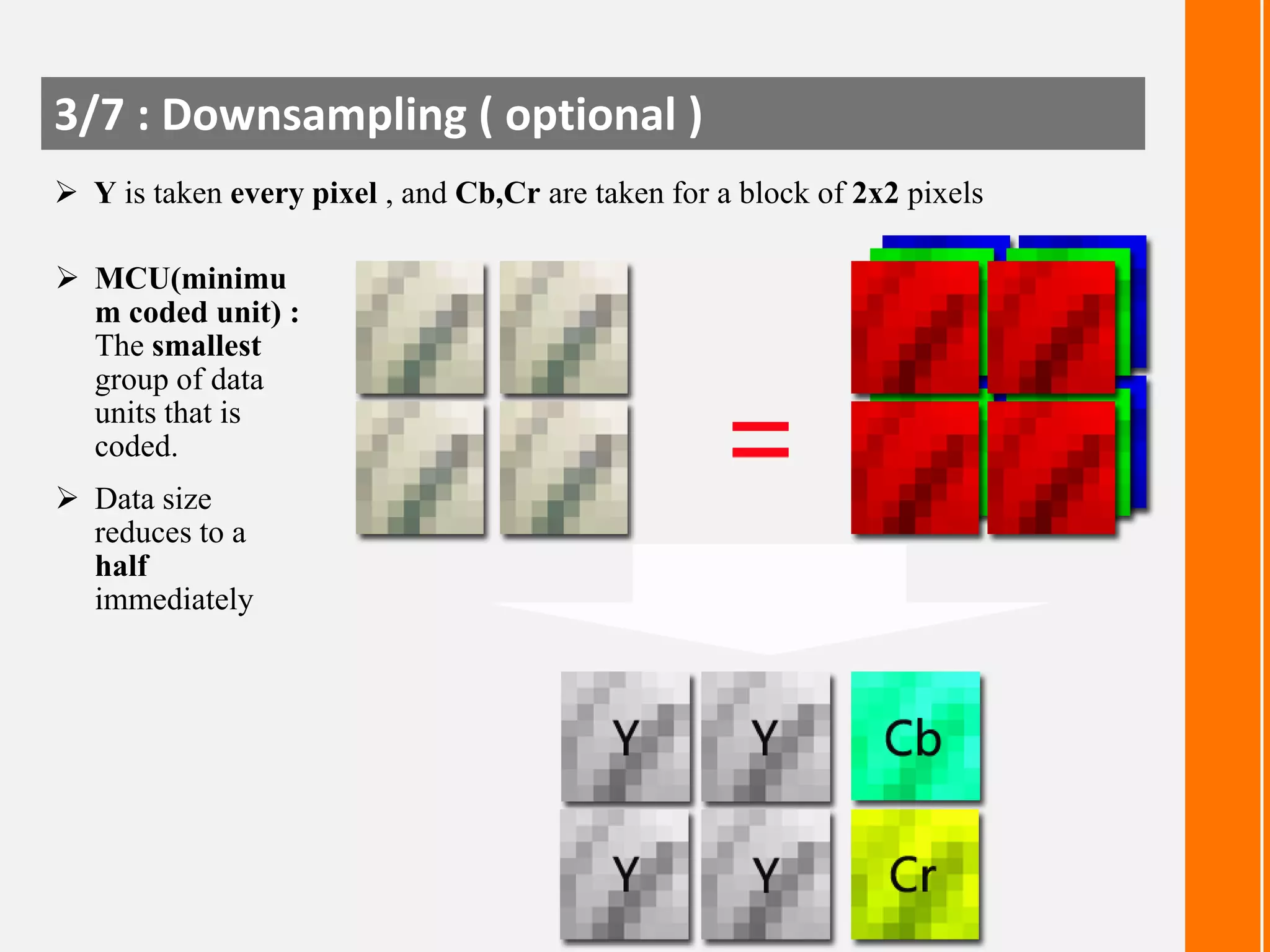
3/7 : Downsampling ( optional )
 Y is taken every pixel , and Cb,Cr are taken for a block of 2x2 pixels
 MCU(minimu
m coded unit) :
The smallest
group of data
units that is
coded.
 Data size
reduces to a
half
immediately
4/7 : Apply DCT [ Discrete Cosine Transformation ]
2D DCT:

1D DCT:
4/7 : Apply DCT [ Discrete Cosine Transformation ]
Shift operations
From [0, 255]
To [-128, 127]

DCT
Result
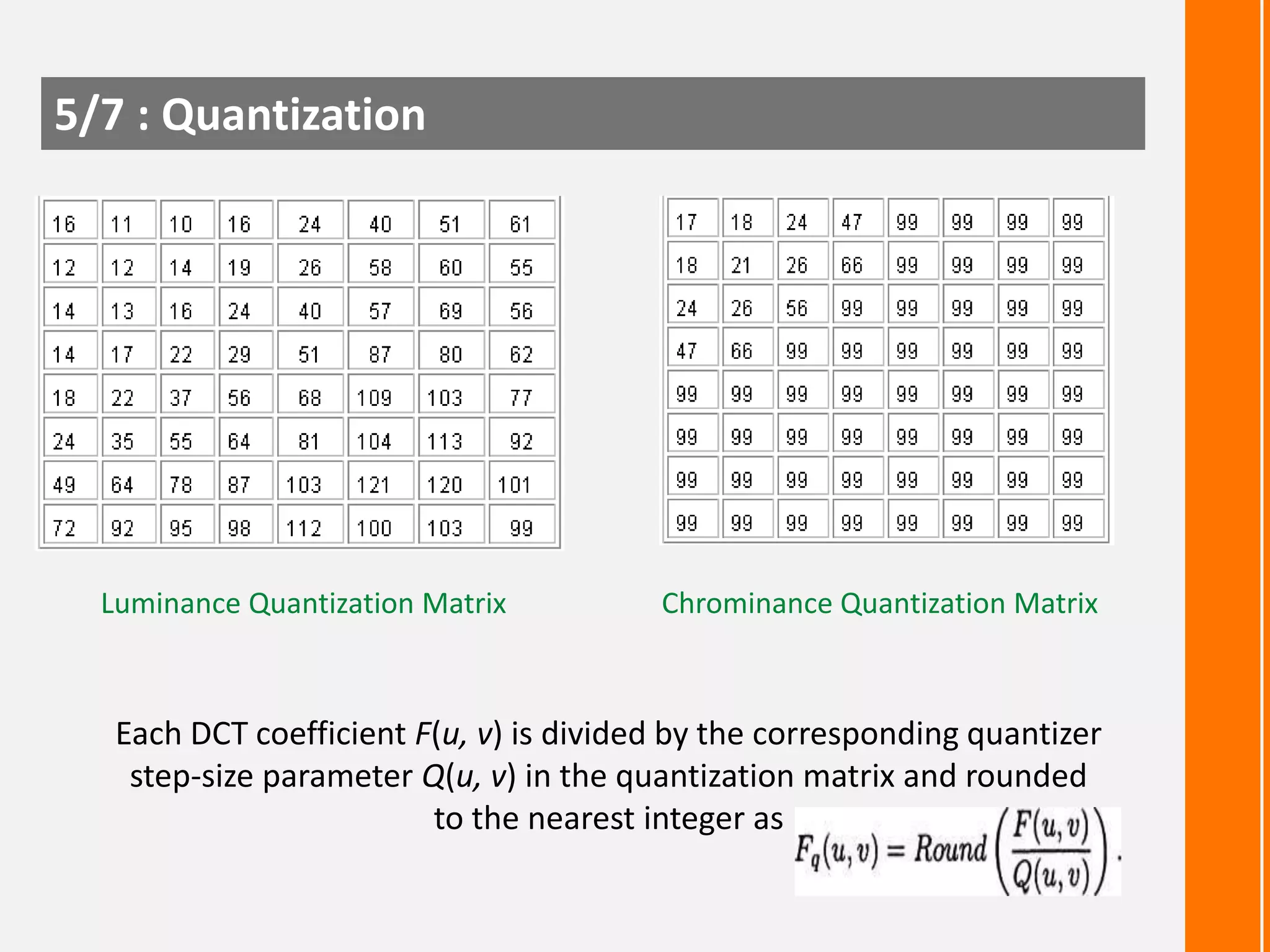
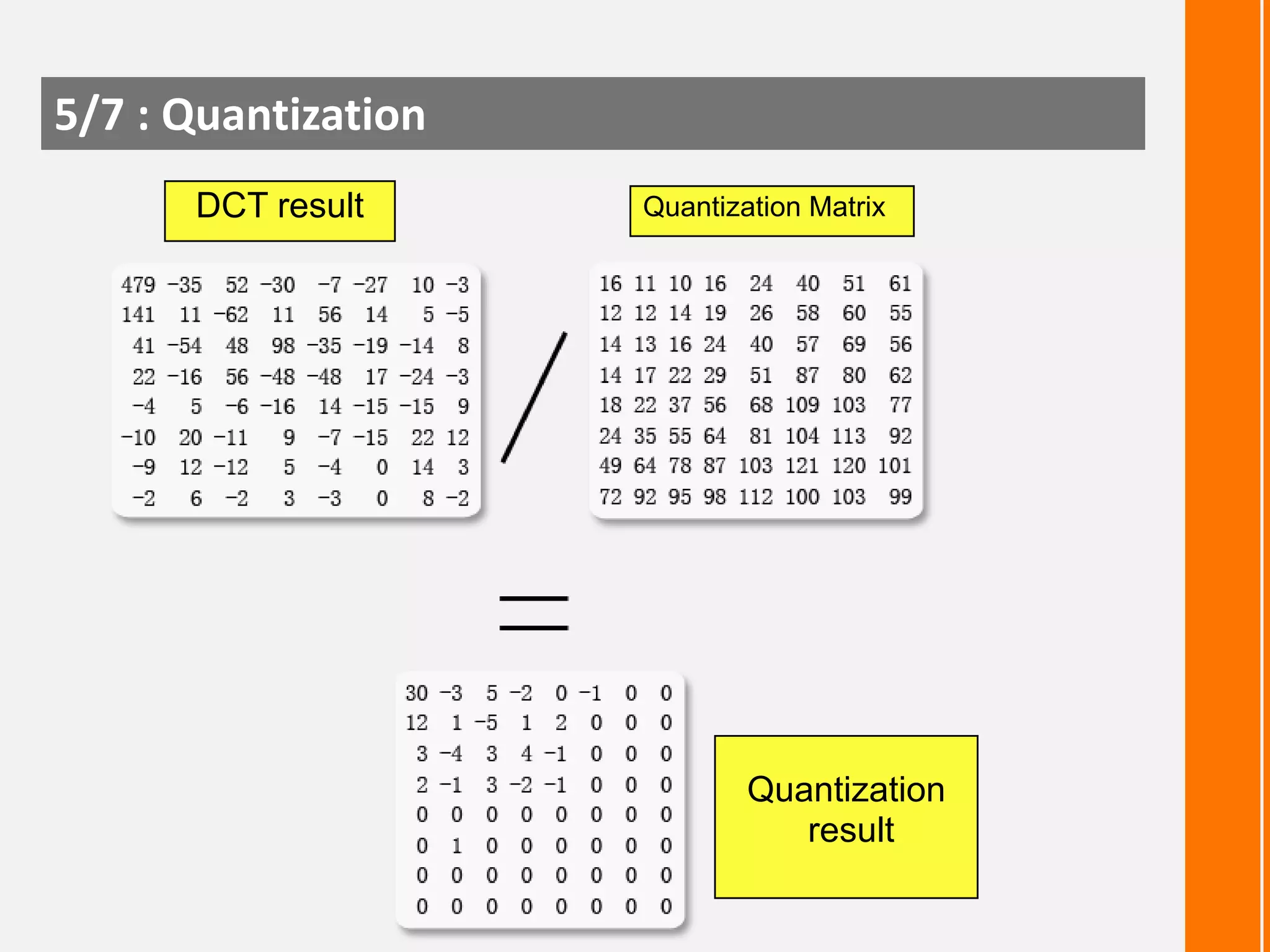
5/7 : Quantization

Luminance Quantization Matrix

Chrominance Quantization Matrix

Each DCT coefficient F(u, v) is divided by the corresponding quantizer
step-size parameter Q(u, v) in the quantization matrix and rounded
to the nearest integer as
5/7 : Quantization [ Quality Factor ]
Quality of the reconstructed image and the achieved
compression can be controlled by a user by selecting a
quality factor [ Q_JPEG ] :
 Q_JPEG ranges between 1 to 100

 When Q_JPEG is used, the entries in tables in previous slide is
scaled by the factor alpha (α), defined as :

 Q_JPEG is 100 for best reproduction
5/7 : Quantization
DCT result

Quantization Matrix

Quantization
result
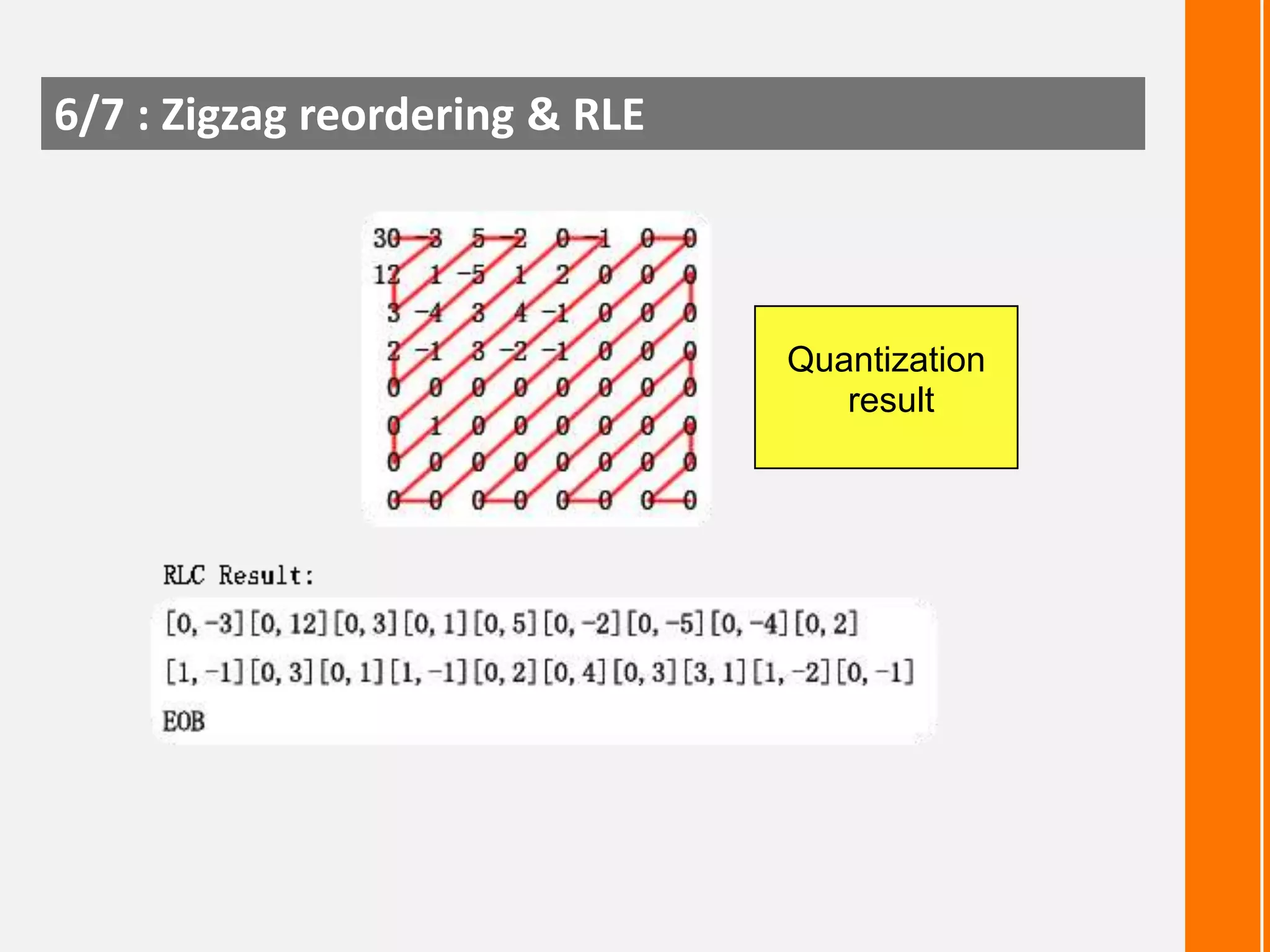
6/7 : Zigzag reordering & RLE

Quantization
result
7/7 : Huffman encoding
Values

G

0
0
-1, 1
1
-3, -2, 2, 3
2
-7,-6,-5,-4,5,6,7 3
.
4
.
5
.
.
.
.
.
.
.
.
.
.
.
.
.
.
-32767..32767 15

Real saved values
.
0,1
00, 01, 10, 11
000,001,010,011,100,101,110,111

.
.
.
.
.
.
.
.
.

 RLC result:
[0, -3] [0, 12] [0,
3]......EOB
 After group number added:
[0,2,00b] [0,4,1100b]
[0,2,00b]
...... EOB
 First Huffman coding (i.e. for
[0,2,00b] ):
[0, 2, 00b] => [100b,
00b]

Input : 512 bits
Output : 113 bits
% Red : 22.07 %
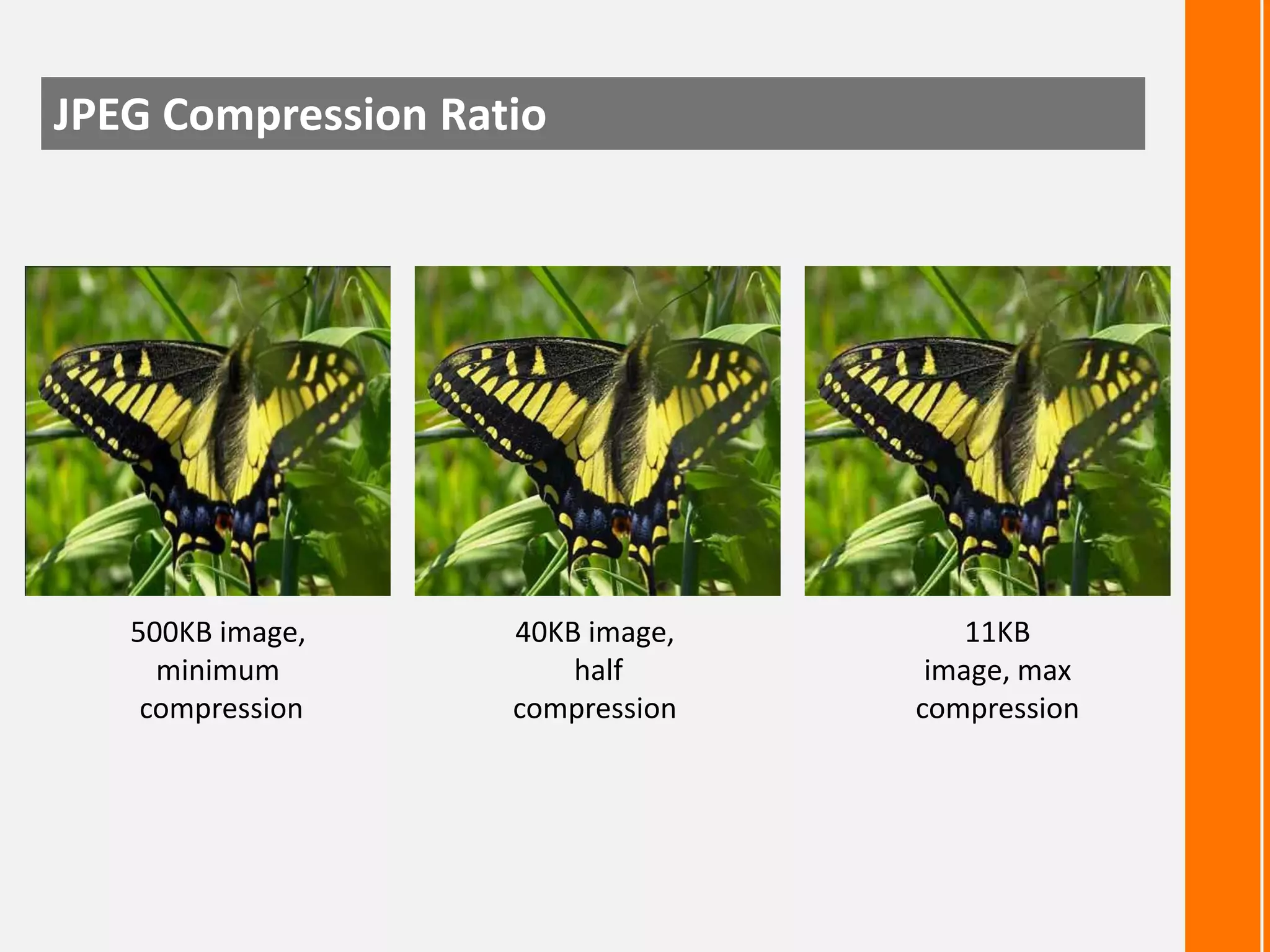
JPEG Compression Ratio

500KB image,
minimum
compression

40KB image,
half
compression

11KB
image, max
compression
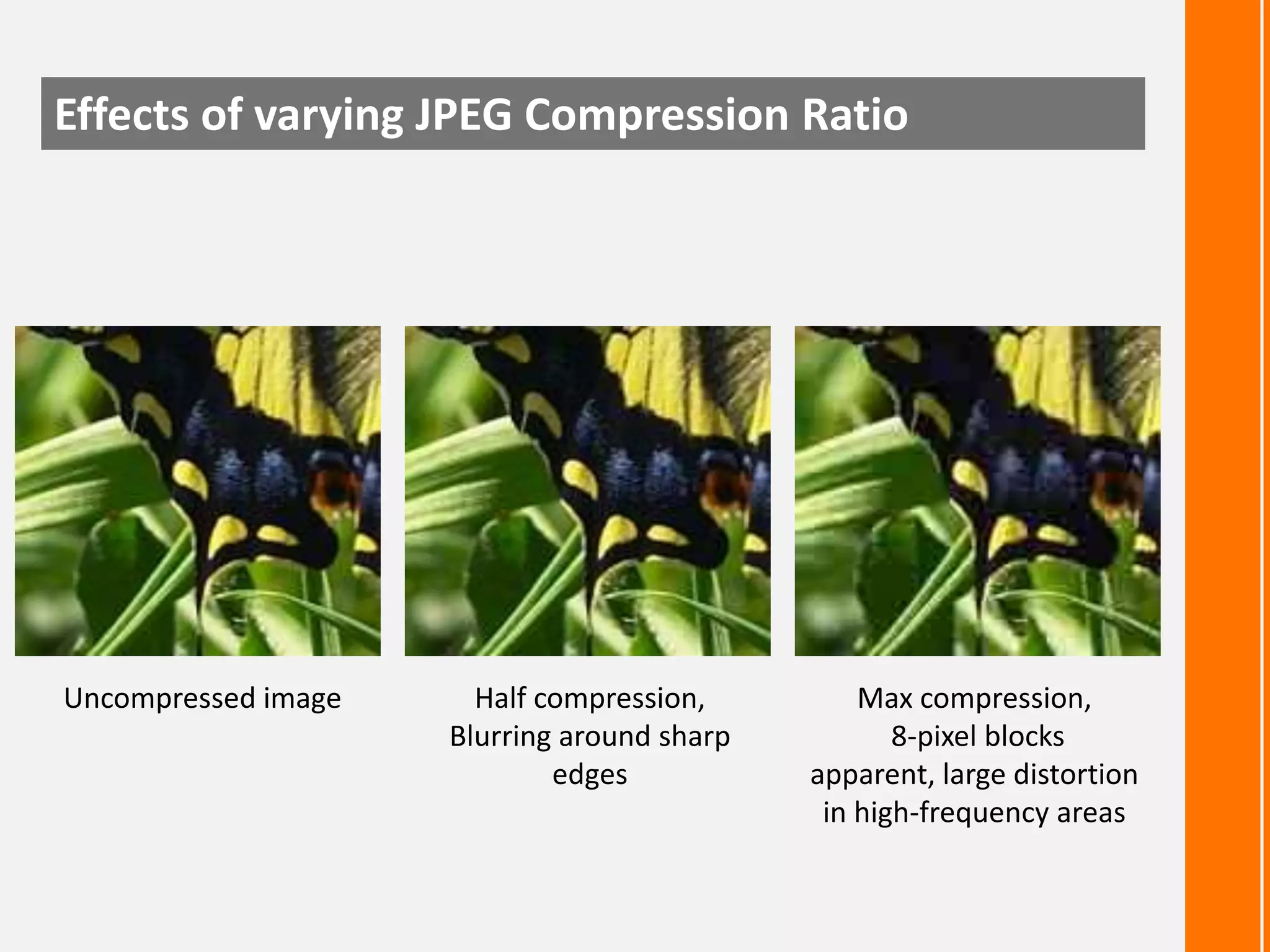
Effects of varying JPEG Compression Ratio

Uncompressed image

Half compression,
Blurring around sharp
edges

Max compression,
8-pixel blocks
apparent, large distortion
in high-frequency areas
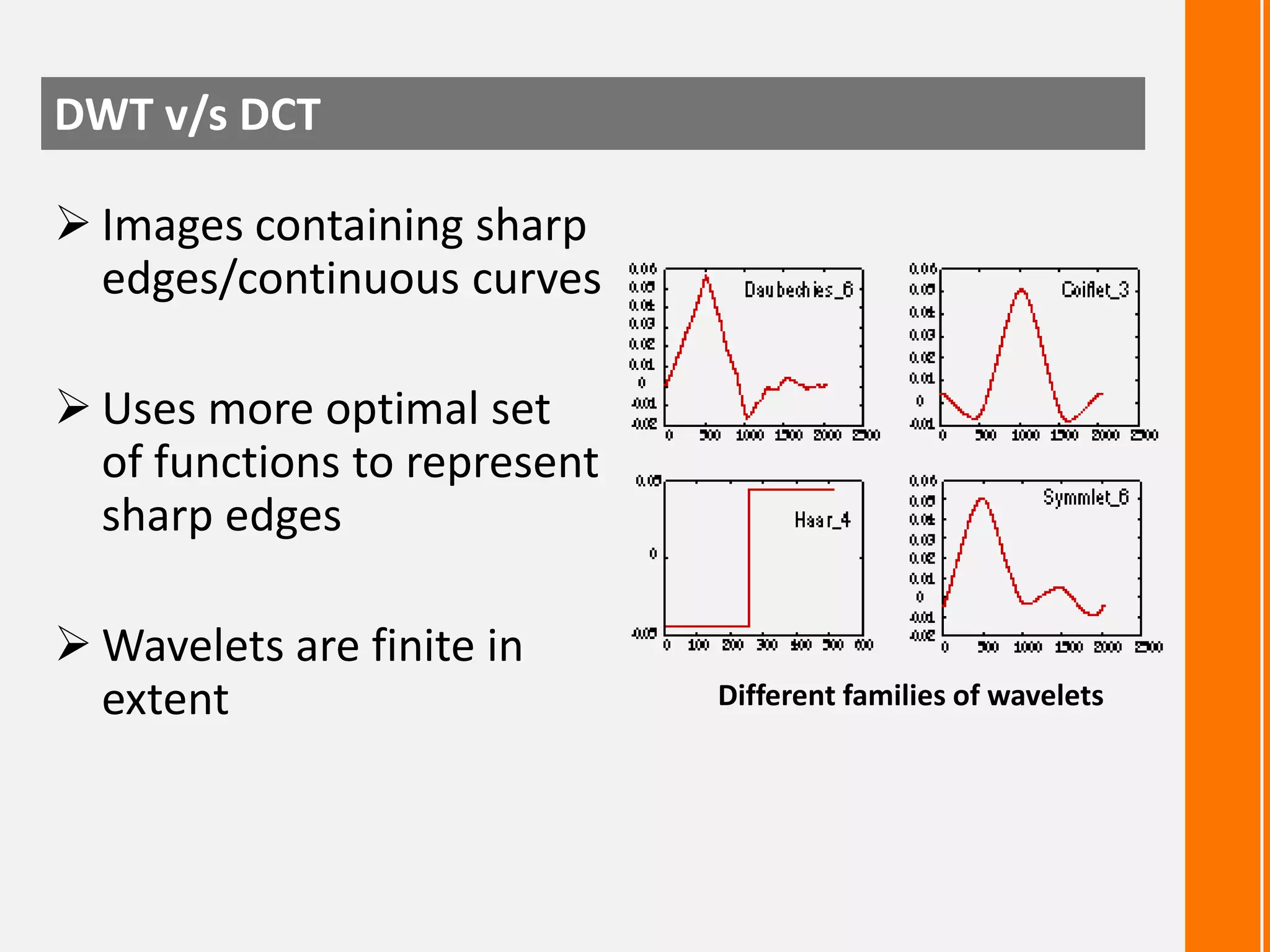
DWT v/s DCT
 Images containing sharp
edges/continuous curves

 Uses more optimal set
of functions to represent
sharp edges
 Wavelets are finite in
extent

Different families of wavelets
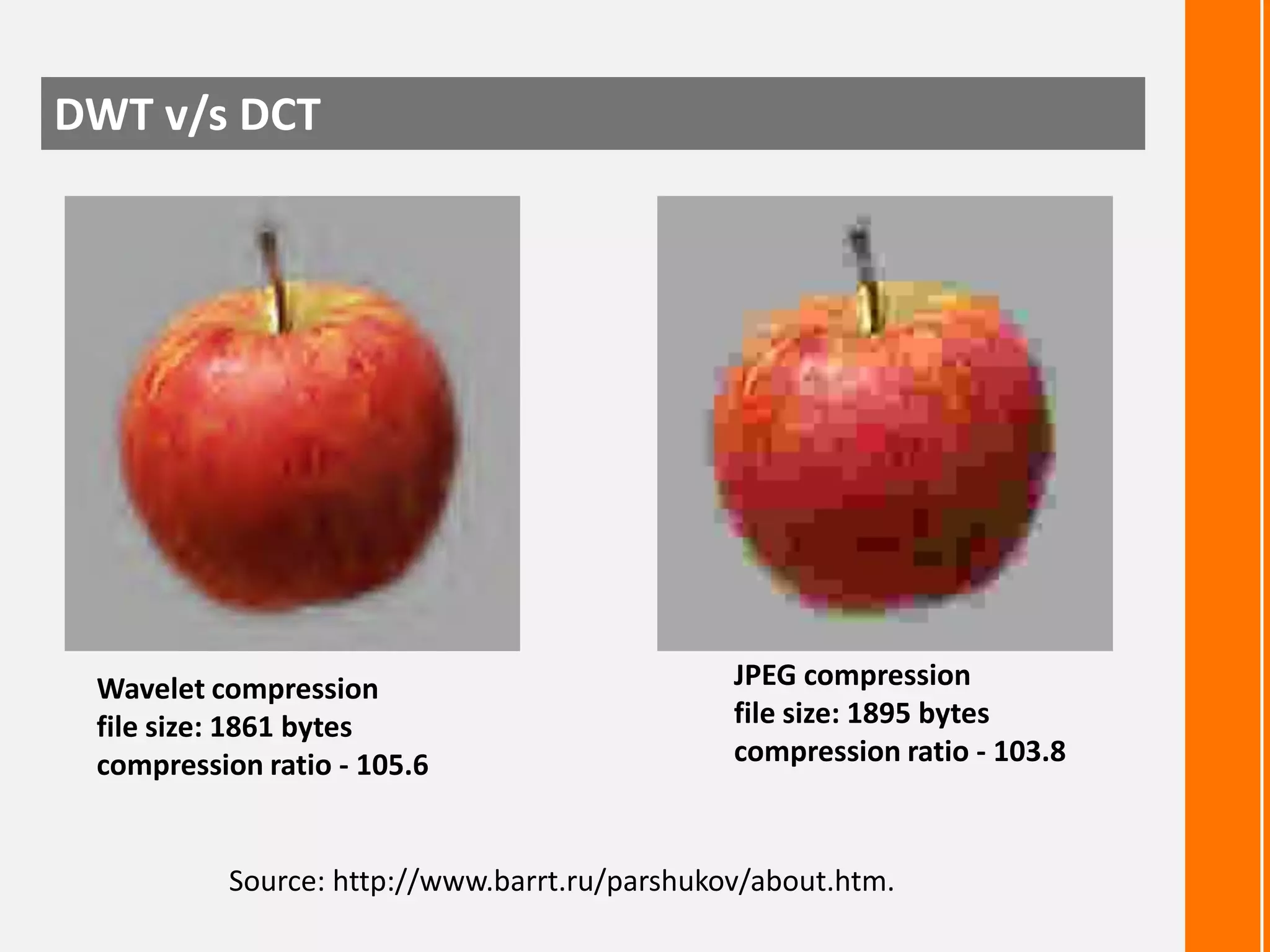
DWT v/s DCT

Wavelet compression
file size: 1861 bytes
compression ratio - 105.6

JPEG compression
file size: 1895 bytes
compression ratio - 103.8

Source: http://www.barrt.ru/parshukov/about.htm.
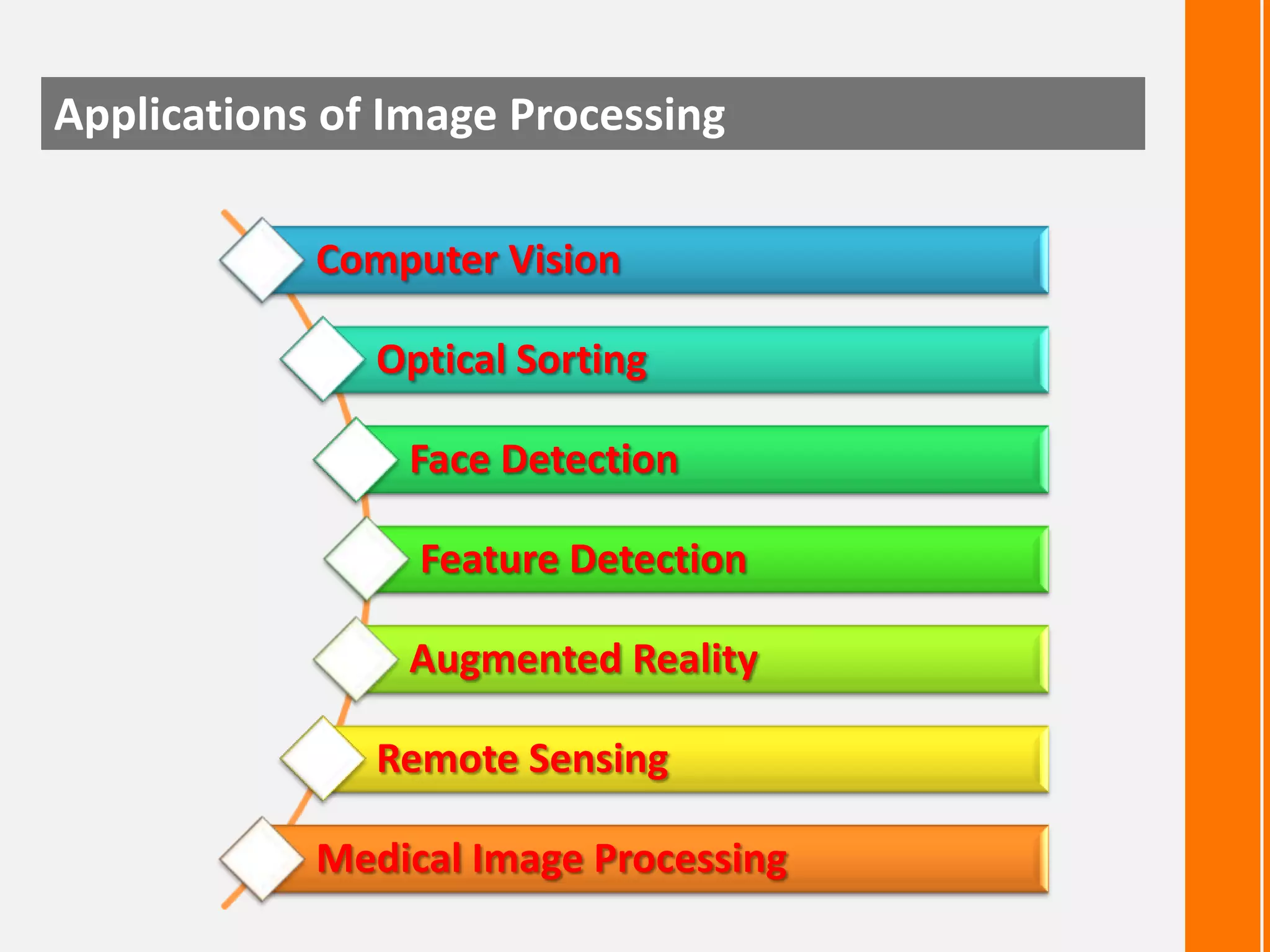
Applications of Image Processing
Computer Vision

Optical Sorting
Face Detection

Feature Detection
Augmented Reality
Remote Sensing
Medical Image Processing
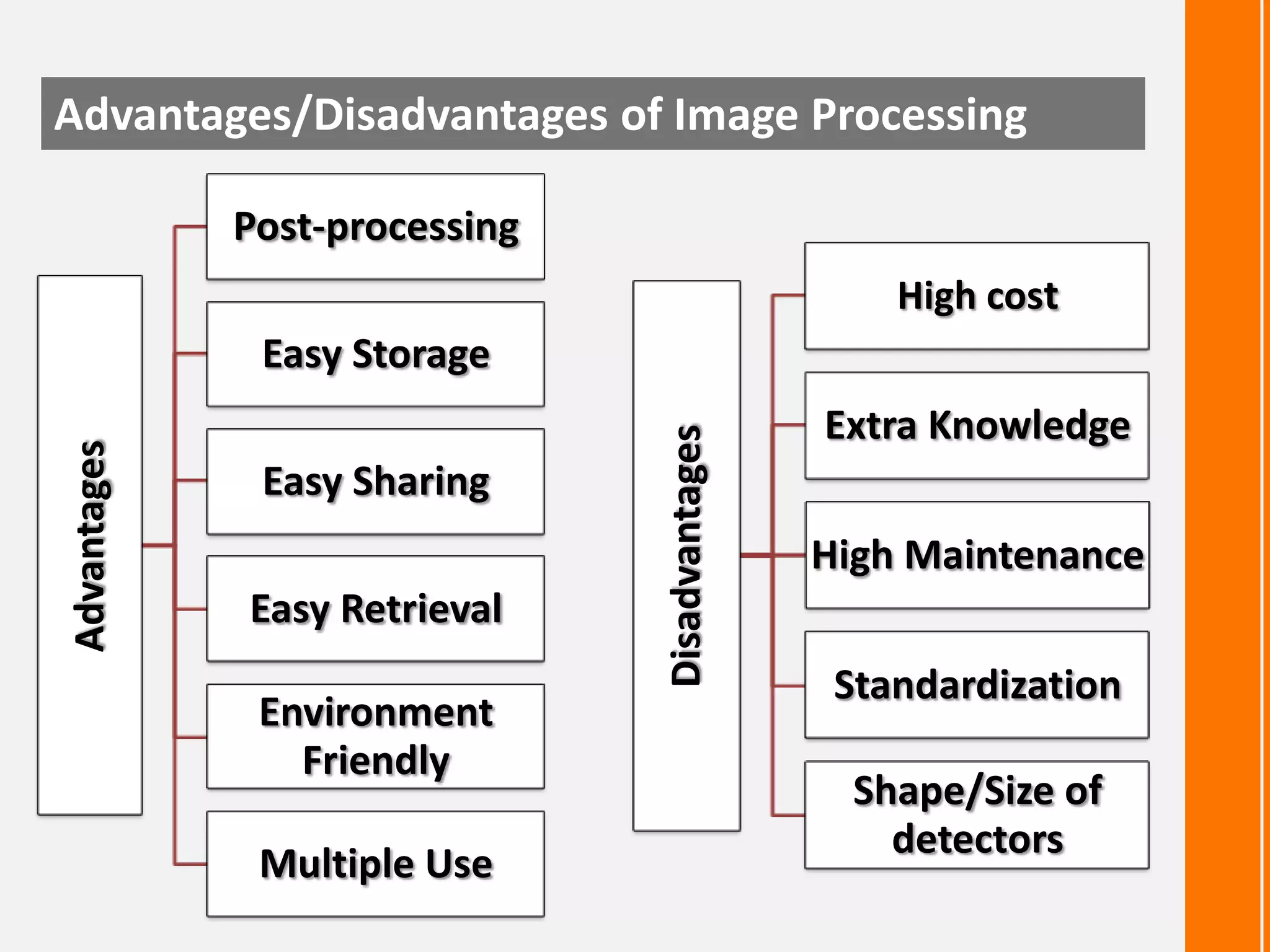
Advantages/Disadvantages of Image Processing
Post-processing
High cost

Easy Sharing
Easy Retrieval

Environment
Friendly
Multiple Use

Disadvantages

Advantages

Easy Storage
Extra Knowledge
High Maintenance
Standardization
Shape/Size of
detectors
Any
info4eee
An initiative for B.Tech (EEE) Student

Image Compression

  • 1.
    B.Tech (EEE) 2007-2011 Image Compression B.Tech(6th Semester) Electrical & Electronics Engineering College Of Engineering Roorkee
  • 2.
    Contents ... Image Compression LossyCompression Lossless Compression JPEG Compression Algorithm DCT v/s DWT Applications of Image Processing Advantages /Disadvantages of Image Processing
  • 3.
    What is ImageCompression ?  Application of data compression on digital images  Reduce redundancy of the image data Benefits of Image Compression  Store data efficiently  Transmit data efficiently
  • 4.
    Lossy Compression  Decompressionretrieves data different from the original  Used to compress multimedia data  Streaming media and internet telephony Methods JPEG TIFF MNG PGF
  • 5.
  • 6.
  • 7.
    Before Compression 186 KB 57053 26KB 31760 After Compression Image Size Colour Used
  • 8.
    Lossless Compression  Exactreconstruction of original data  Executable programs and source codes  Data loss cant be tolerated Methods JPEG 2000 GIF PNG TIFF
  • 9.
  • 10.
  • 11.
    Before Compression 186 KB 57053 136KB 57053 After Compression Image Size Colour Used
  • 12.
    What is JPEG?  Stands for Joint Photographics Experts Group  Lossy compression method  Mostly used by digital cameras & web usage  Not suited for drawing , textual and iconic graphics
  • 13.
    Basics of JPEGCompression  Human vision is insensitive to high spatial frequencies  JPEG Takes advantage of this by compressing high frequencies more coarsely and storing image as frequency data Losslessly compressed image, 150KB JPEG compressed, 14KB
  • 14.
    The JPEG CompressionAlgorithm  Divide image into 8x8 pixel blocks  Apply 2D Fourier Discrete Cosine Transform (FDCT) Transform  Apply coarse quantization to high spatial frequency components  Compress resulting data losslessly and store 8x8 pixel blocks FDCT Frequency Dependent quantization Quantization Table Zig-zag scan RLE Huffman Encoding output
  • 15.
    The JPEG FileStructure Short name SOI Bytes 0xFFD8 Size none Name Start Of Image SOF0 0xFFC0 variable size Start Of Frame (Baseline DCT) SOF2 0xFFC2 variable size Start Of Frame (Progressive DCT) DHT 0xFFC4 variable size DQT 0xFFDB variable size DRI 0xFFDD 2 bytes SOS 0xFFDA variable size RSTn 0xFFD0 … 0xFFD7 none APPn 0xFFEn variable size Application-specific COM EOI 0xFFFE 0xFFD9 variable size none Comment End Of Image Define Huffman Table(s) Define Quantization Table(s) Define Restart Interval Start Of Scan Restart
  • 16.
    1/7 : Dividedinto 8x8 blocks
  • 17.
    1/7 : Dividedinto 8x8 blocks
  • 18.
    2/7 : ConvertRGB to YCbCr  Simple color space model: [R,G,B] per pixel  JPEG uses [Y, Cb, Cr] Model  Y (Brightness) = 0.299R + 0.587G + 0.114B Cb (Color blueness) = -0.1687R - 0.3313G + 0.5B + 128 Cr (Color redness) = 0.5R - 0.4187G - 0.0813B + 128
  • 19.
    2/7 : ConvertRGB to YCbCr
  • 20.
    3/7 : Downsampling( optional )  Y is taken every pixel , and Cb,Cr are taken for a block of 2x2 pixels  MCU(minimu m coded unit) : The smallest group of data units that is coded.  Data size reduces to a half immediately
  • 21.
    4/7 : ApplyDCT [ Discrete Cosine Transformation ] 2D DCT: 1D DCT:
  • 22.
    4/7 : ApplyDCT [ Discrete Cosine Transformation ] Shift operations From [0, 255] To [-128, 127] DCT Result
  • 23.
    5/7 : Quantization LuminanceQuantization Matrix Chrominance Quantization Matrix Each DCT coefficient F(u, v) is divided by the corresponding quantizer step-size parameter Q(u, v) in the quantization matrix and rounded to the nearest integer as
  • 24.
    5/7 : Quantization[ Quality Factor ] Quality of the reconstructed image and the achieved compression can be controlled by a user by selecting a quality factor [ Q_JPEG ] :  Q_JPEG ranges between 1 to 100  When Q_JPEG is used, the entries in tables in previous slide is scaled by the factor alpha (α), defined as :  Q_JPEG is 100 for best reproduction
  • 25.
    5/7 : Quantization DCTresult Quantization Matrix Quantization result
  • 26.
    6/7 : Zigzagreordering & RLE Quantization result
  • 27.
    7/7 : Huffmanencoding Values G 0 0 -1, 1 1 -3, -2, 2, 3 2 -7,-6,-5,-4,5,6,7 3 . 4 . 5 . . . . . . . . . . . . . . -32767..32767 15 Real saved values . 0,1 00, 01, 10, 11 000,001,010,011,100,101,110,111 . . . . . . . . .  RLC result: [0, -3] [0, 12] [0, 3]......EOB  After group number added: [0,2,00b] [0,4,1100b] [0,2,00b] ...... EOB  First Huffman coding (i.e. for [0,2,00b] ): [0, 2, 00b] => [100b, 00b] Input : 512 bits Output : 113 bits % Red : 22.07 %
  • 28.
    JPEG Compression Ratio 500KBimage, minimum compression 40KB image, half compression 11KB image, max compression
  • 29.
    Effects of varyingJPEG Compression Ratio Uncompressed image Half compression, Blurring around sharp edges Max compression, 8-pixel blocks apparent, large distortion in high-frequency areas
  • 30.
    DWT v/s DCT Images containing sharp edges/continuous curves  Uses more optimal set of functions to represent sharp edges  Wavelets are finite in extent Different families of wavelets
  • 31.
    DWT v/s DCT Waveletcompression file size: 1861 bytes compression ratio - 105.6 JPEG compression file size: 1895 bytes compression ratio - 103.8 Source: http://www.barrt.ru/parshukov/about.htm.
  • 32.
    Applications of ImageProcessing Computer Vision Optical Sorting Face Detection Feature Detection Augmented Reality Remote Sensing Medical Image Processing
  • 33.
    Advantages/Disadvantages of ImageProcessing Post-processing High cost Easy Sharing Easy Retrieval Environment Friendly Multiple Use Disadvantages Advantages Easy Storage Extra Knowledge High Maintenance Standardization Shape/Size of detectors
  • 34.
  • 35.
    info4eee An initiative forB.Tech (EEE) Student