CLOUD SECURITY
Architecture + Engineering
Author: Teri Radichel © 2019 2nd Sight Lab. Confidential
Copyright Notice
All Rights Reserved.
All course materials (the “Materials”) are protected by copyright under U.S. Copyright laws and are the property of 2nd Sight Lab. They
are provided pursuant to a royalty free, perpetual license to the course attendee (the "Attendee") to whom they were presented by 2nd
Sight Lab and are solely for the training and education of the Attendee. The Materials may not be copied, reproduced, distributed,
offered for sale, published, displayed, performed, modified, used to create derivative works, transmitted to others, or used or exploited
in any way, including, in whole or in part, as training materials by or for any third party.
ANY SOFTWARE IS PROVIDED "AS IS", WITHOUT WARRANTY OF ANY KIND, EXPRESS OR IMPLIED, INCLUDING BUT NOT
LIMITED TO THE WARRANTIES OF MERCHANTABILITY, FITNESS FOR A PARTICULAR PURPOSE AND NONINFRINGEMENT. IN
NO EVENT SHALL THE AUTHORS OR COPYRIGHT HOLDERS BE LIABLE FOR ANY CLAIM, DAMAGES OR OTHER LIABILITY,
WHETHER IN AN ACTION OF CONTRACT, TORT OR OTHERWISE, ARISING FROM, OUT OF OR IN CONNECTION WITH THE
SOFTWARE OR THE USE OR OTHER DEALINGS IN THE SOFTWARE.
Author: Teri Radichel © 2019 2nd Sight Lab. Confidential 2
Content is provided in electronic format. We request that you abide by the terms of
the agreement and only use the content in the books and labs for your personal use.
If you like the class and want to share with others we love referrals! You can ask
people to connect with Teri Radichel on LinkedIn for more information.
Day 3: Compute and Data Security
Virtual Machines
Containers and Serverless
APIs and Microservices
Data Protection
Application Logs and monitoring
Author: Teri Radichel © 2019 2nd Sight Lab. Confidential 3
4
Compute
4
Author: Teri Radichel © 2019 2nd Sight Lab. Confidential
Cloud Compute
5
Author: Teri Radichel © 2019 2nd Sight Lab. Confidential
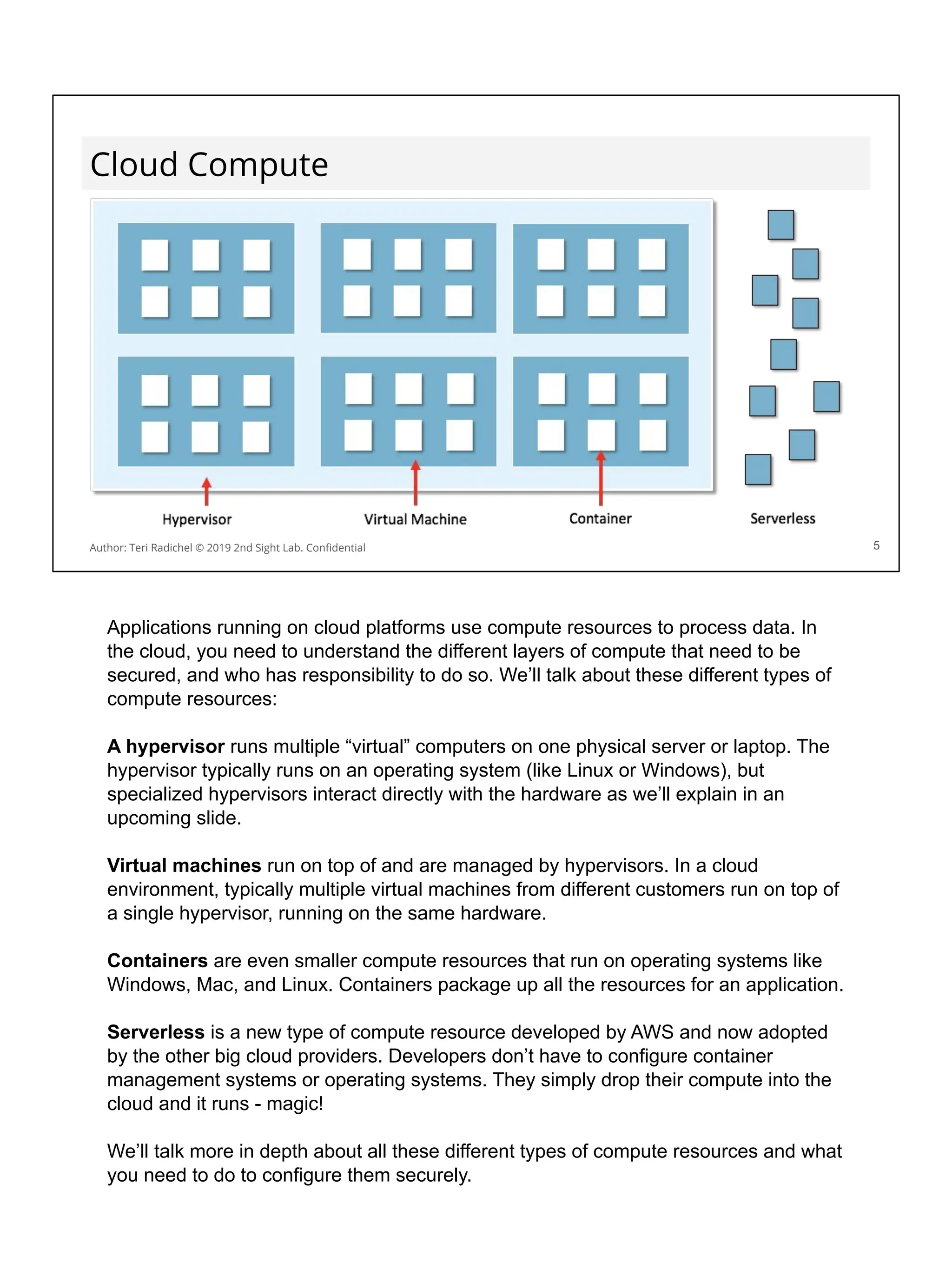
Applications running on cloud platforms use compute resources to process data. In
the cloud, you need to understand the different layers of compute that need to be
secured, and who has responsibility to do so. We’ll talk about these different types of
compute resources:
A hypervisor runs multiple “virtual” computers on one physical server or laptop. The
hypervisor typically runs on an operating system (like Linux or Windows), but
specialized hypervisors interact directly with the hardware as we’ll explain in an
upcoming slide.
Virtual machines run on top of and are managed by hypervisors. In a cloud
environment, typically multiple virtual machines from different customers run on top of
a single hypervisor, running on the same hardware.
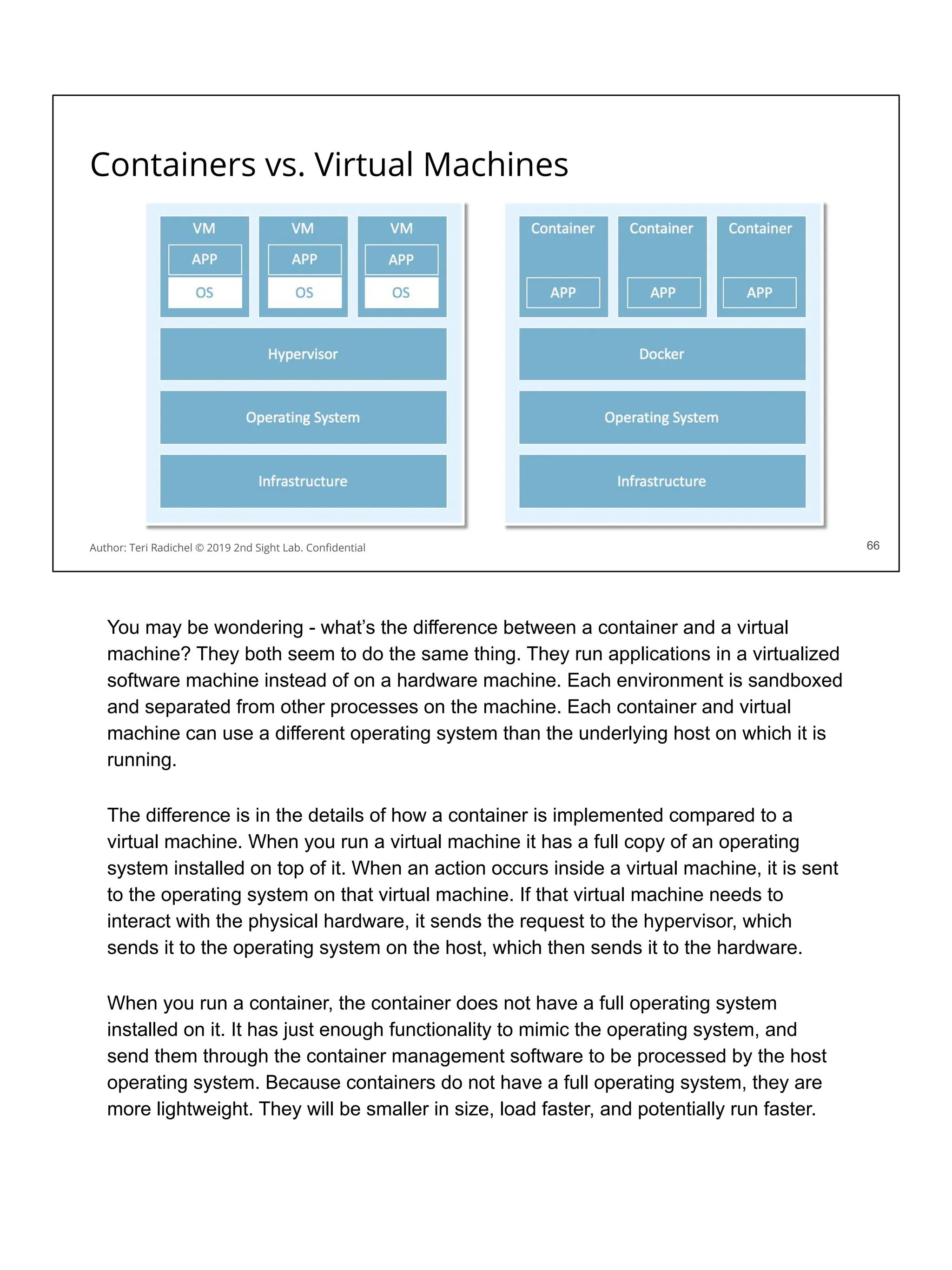
Containers are even smaller compute resources that run on operating systems like
Windows, Mac, and Linux. Containers package up all the resources for an application.
Serverless is a new type of compute resource developed by AWS and now adopted
by the other big cloud providers. Developers don’t have to configure container
management systems or operating systems. They simply drop their compute into the
cloud and it runs - magic!
We’ll talk more in depth about all these different types of compute resources and what
you need to do to configure them securely.
Compute Resources
6
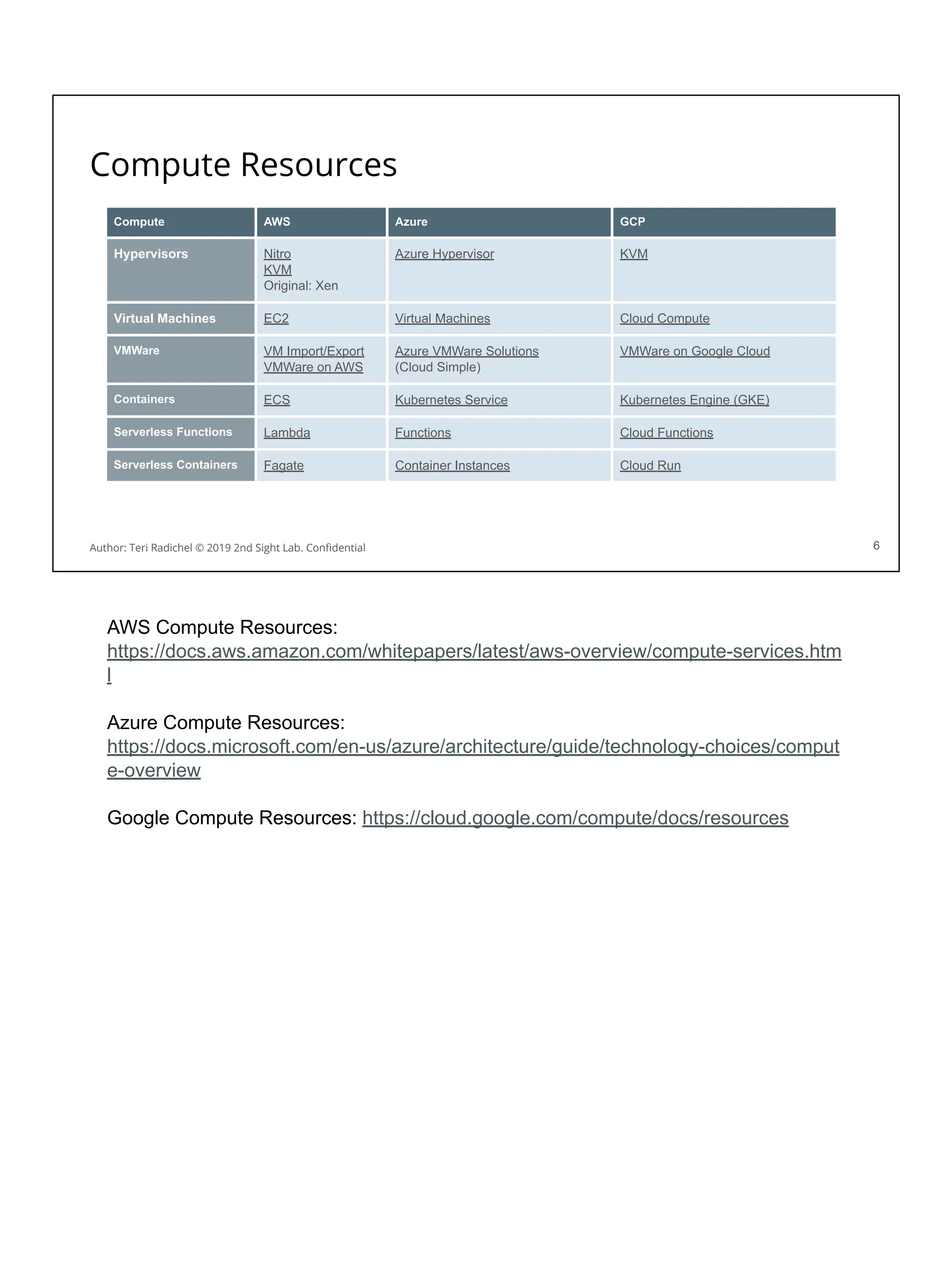
Compute AWS Azure GCP
Hypervisors Nitro
KVM
Original: Xen
Azure Hypervisor KVM
Virtual Machines EC2 Virtual Machines Cloud Compute
VMWare VM Import/Export
VMWare on AWS
Azure VMWare Solutions
(Cloud Simple)
VMWare on Google Cloud
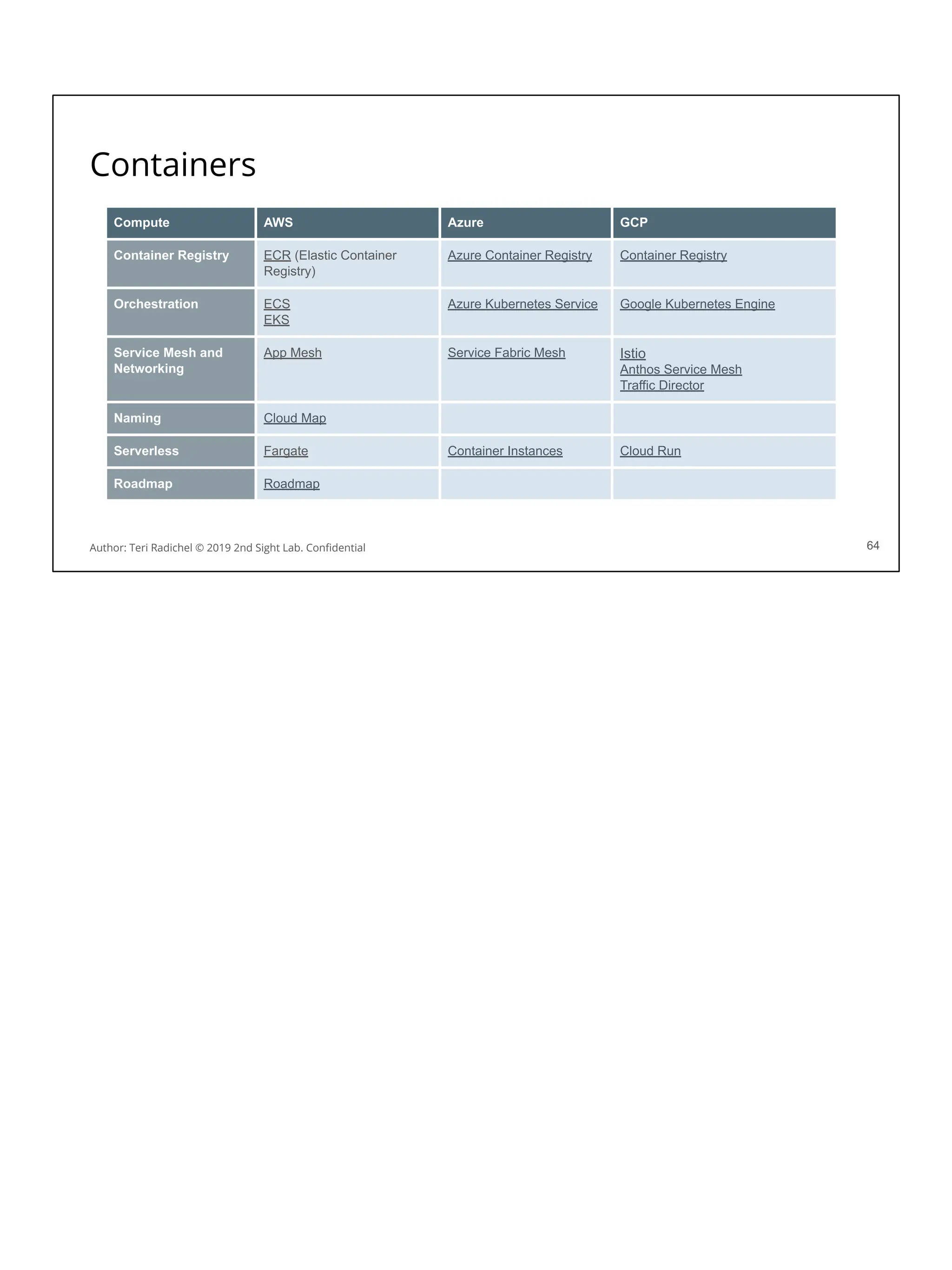
Containers ECS Kubernetes Service Kubernetes Engine (GKE)
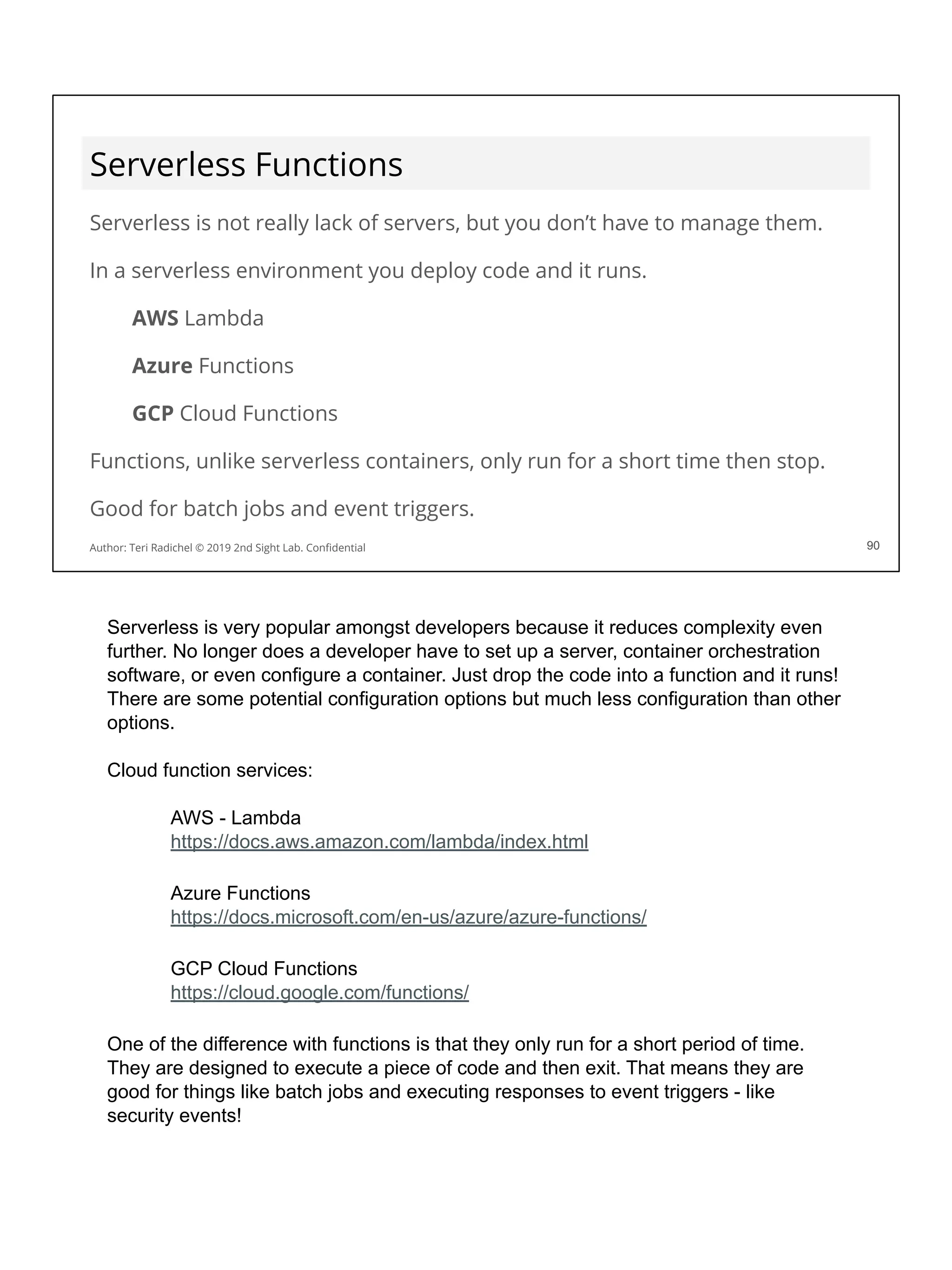
Serverless Functions Lambda Functions Cloud Functions
Serverless Containers Fagate Container Instances Cloud Run
Author: Teri Radichel © 2019 2nd Sight Lab. Confidential
AWS Compute Resources:
https://docs.aws.amazon.com/whitepapers/latest/aws-overview/compute-services.htm
l
Azure Compute Resources:
https://docs.microsoft.com/en-us/azure/architecture/guide/technology-choices/comput
e-overview
Google Compute Resources: https://cloud.google.com/compute/docs/resources
The Hypervisor
In the cloud, multiple “virtual”
computers run on the same
hardware.
The hypervisor makes this
possible.
In almost every case the cloud
provider manages the hypervisor.
You will want to understand how
the hypervisor is secured.
7
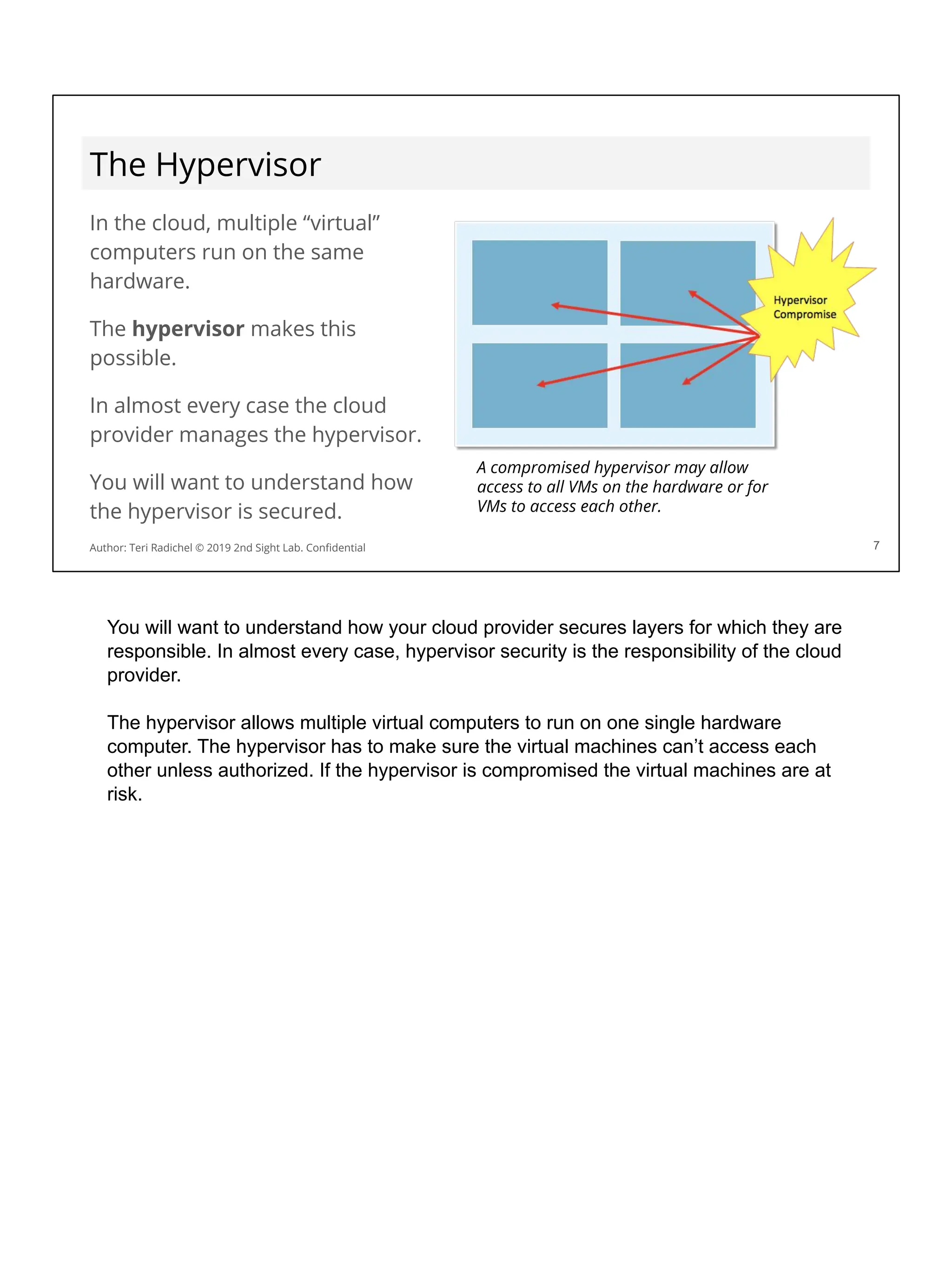
A compromised hypervisor may allow
access to all VMs on the hardware or for
VMs to access each other.
Author: Teri Radichel © 2019 2nd Sight Lab. Confidential
You will want to understand how your cloud provider secures layers for which they are
responsible. In almost every case, hypervisor security is the responsibility of the cloud
provider.
The hypervisor allows multiple virtual computers to run on one single hardware
computer. The hypervisor has to make sure the virtual machines can’t access each
other unless authorized. If the hypervisor is compromised the virtual machines are at
risk.
What types of hypervisors do cloud providers use?
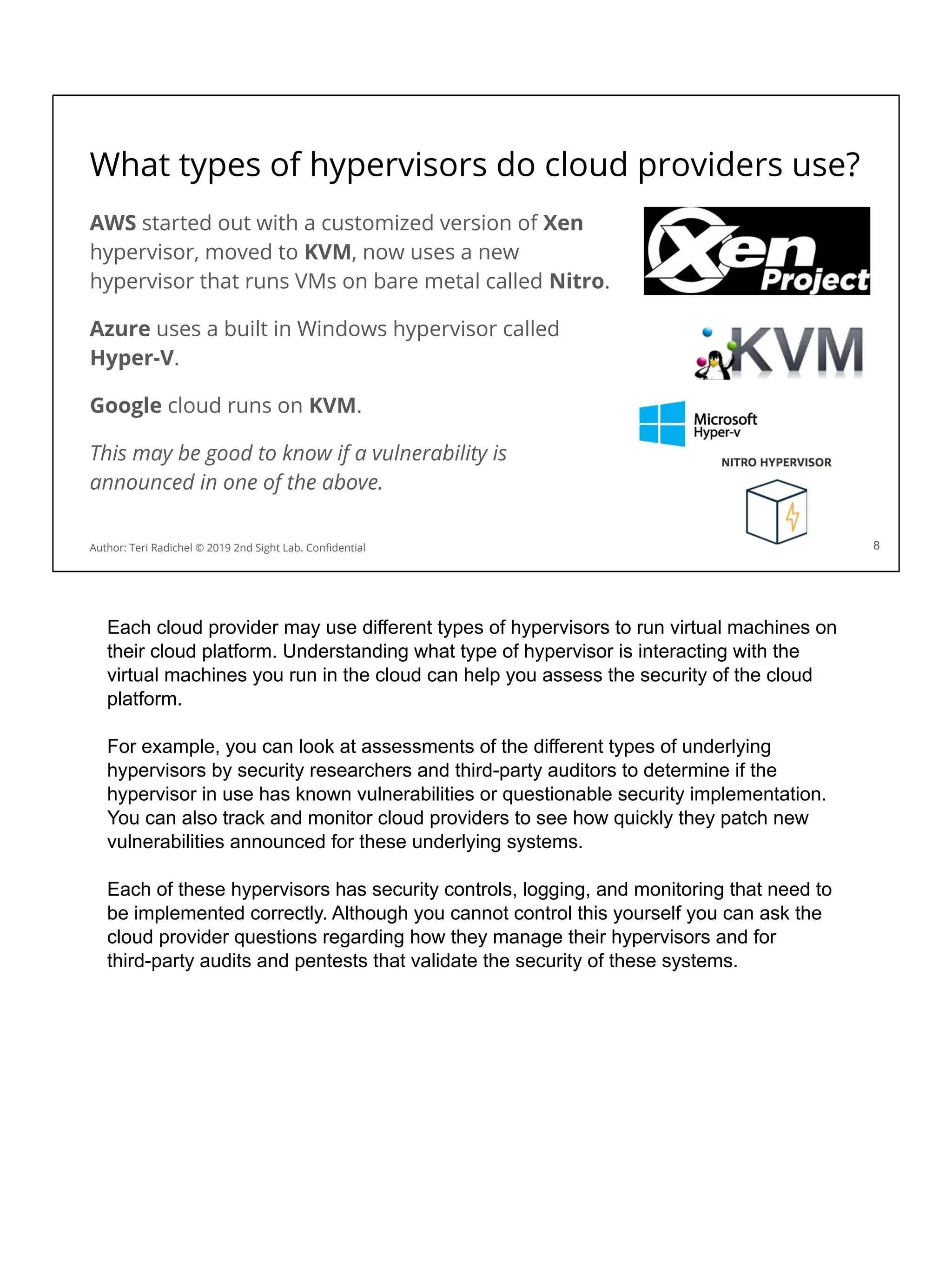
AWS started out with a customized version of Xen
hypervisor, moved to KVM, now uses a new
hypervisor that runs VMs on bare metal called Nitro.
Azure uses a built in Windows hypervisor called
Hyper-V.
Google cloud runs on KVM.
This may be good to know if a vulnerability is
announced in one of the above.
8
Author: Teri Radichel © 2019 2nd Sight Lab. Confidential
Each cloud provider may use different types of hypervisors to run virtual machines on
their cloud platform. Understanding what type of hypervisor is interacting with the
virtual machines you run in the cloud can help you assess the security of the cloud
platform.
For example, you can look at assessments of the different types of underlying
hypervisors by security researchers and third-party auditors to determine if the
hypervisor in use has known vulnerabilities or questionable security implementation.
You can also track and monitor cloud providers to see how quickly they patch new
vulnerabilities announced for these underlying systems.
Each of these hypervisors has security controls, logging, and monitoring that need to
be implemented correctly. Although you cannot control this yourself you can ask the
cloud provider questions regarding how they manage their hypervisors and for
third-party audits and pentests that validate the security of these systems.
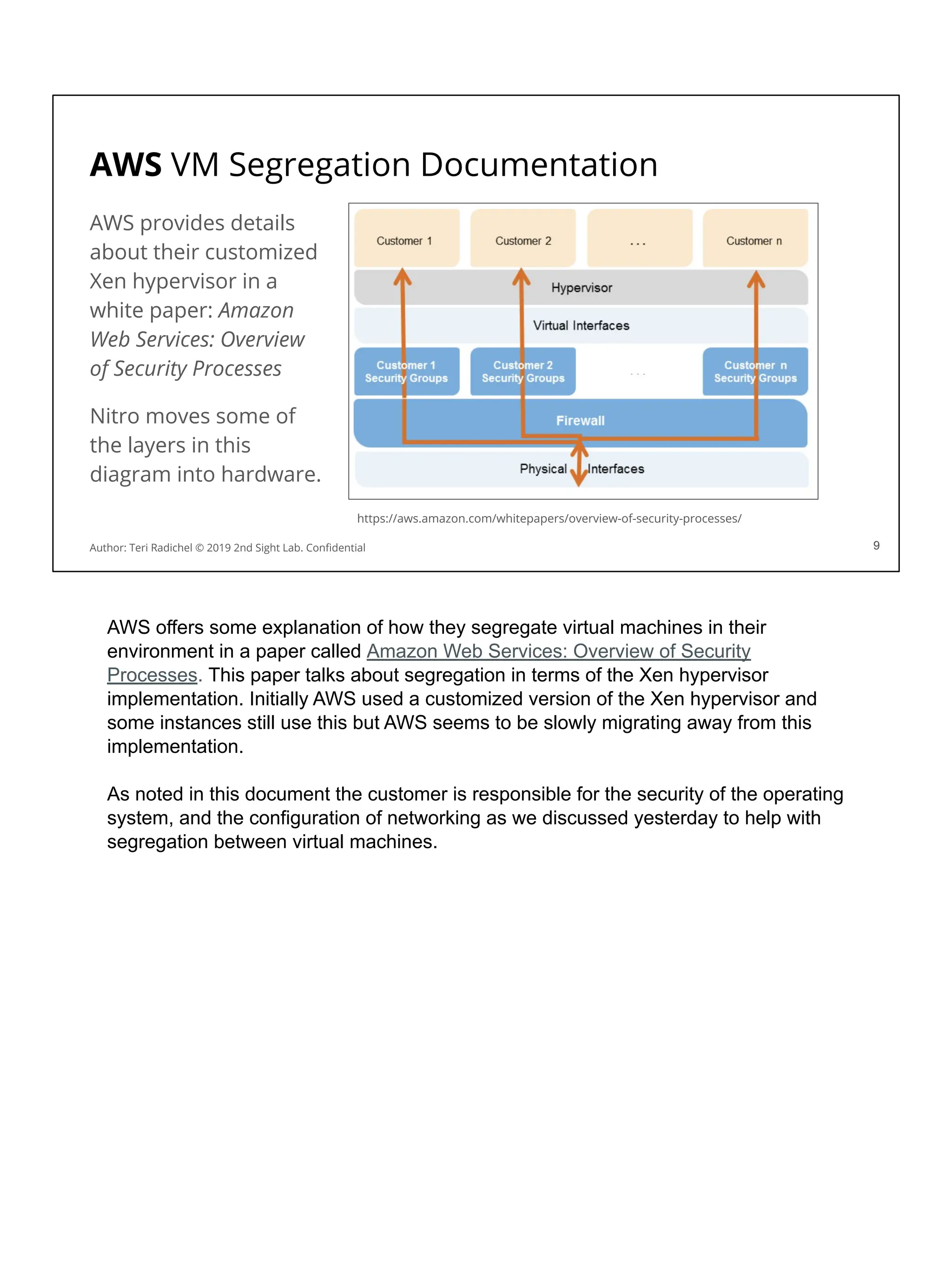
AWS VM Segregation Documentation
AWS provides details
about their customized
Xen hypervisor in a
white paper: Amazon
Web Services: Overview
of Security Processes
Nitro moves some of
the layers in this
diagram into hardware.
9
https://aws.amazon.com/whitepapers/overview-of-security-processes/
Author: Teri Radichel © 2019 2nd Sight Lab. Confidential 9
AWS offers some explanation of how they segregate virtual machines in their
environment in a paper called Amazon Web Services: Overview of Security
Processes. This paper talks about segregation in terms of the Xen hypervisor
implementation. Initially AWS used a customized version of the Xen hypervisor and
some instances still use this but AWS seems to be slowly migrating away from this
implementation.
As noted in this document the customer is responsible for the security of the operating
system, and the configuration of networking as we discussed yesterday to help with
segregation between virtual machines.
10
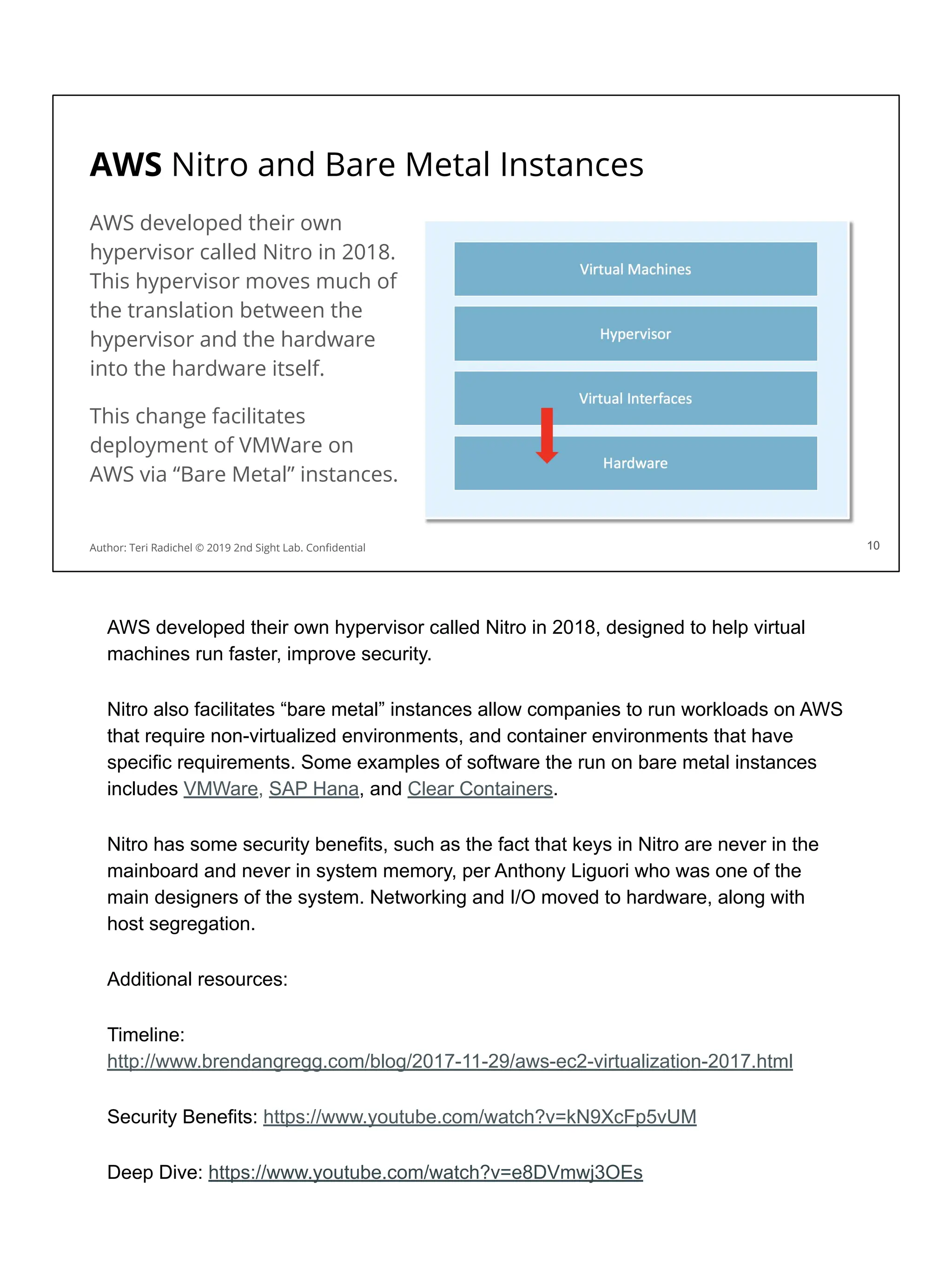
AWS Nitro and Bare Metal Instances
AWS developed their own
hypervisor called Nitro in 2018.
This hypervisor moves much of
the translation between the
hypervisor and the hardware
into the hardware itself.
This change facilitates
deployment of VMWare on
AWS via “Bare Metal” instances.
Author: Teri Radichel © 2019 2nd Sight Lab. Confidential 10
AWS developed their own hypervisor called Nitro in 2018, designed to help virtual
machines run faster, improve security.
Nitro also facilitates “bare metal” instances allow companies to run workloads on AWS
that require non-virtualized environments, and container environments that have
specific requirements. Some examples of software the run on bare metal instances
includes VMWare, SAP Hana, and Clear Containers.
Nitro has some security benefits, such as the fact that keys in Nitro are never in the
mainboard and never in system memory, per Anthony Liguori who was one of the
main designers of the system. Networking and I/O moved to hardware, along with
host segregation.
Additional resources:
Timeline:
http://www.brendangregg.com/blog/2017-11-29/aws-ec2-virtualization-2017.html
Security Benefits: https://www.youtube.com/watch?v=kN9XcFp5vUM
Deep Dive: https://www.youtube.com/watch?v=e8DVmwj3OEs
Micro VMs
Micro VMS are virtual machines segregated by hardware.
Each Micro VM is segregated from every other Micro VM.
The Micro VMs are also segregated from the main operating system.
Malware is software designed to do something malicious.
Very difficult for malware to affect hardware isolation.
11
AWS created a micro VM called AWS Firecracker that is designed to be more
lightweight and load faster for their serverless compute services. Micro VMs use
hardware isolation instead of software isolation.
More information on the AWS Firecracker Micro VM:
https://searchservervirtualization.techtarget.com/tip/AWS-Firecracker-microVMs-provi
de-isolation-and-agility
https://firecracker-microvm.github.io/
https://aws.amazon.com/blogs/opensource/firecracker-open-source-secure-fast-microvm
-serverless/
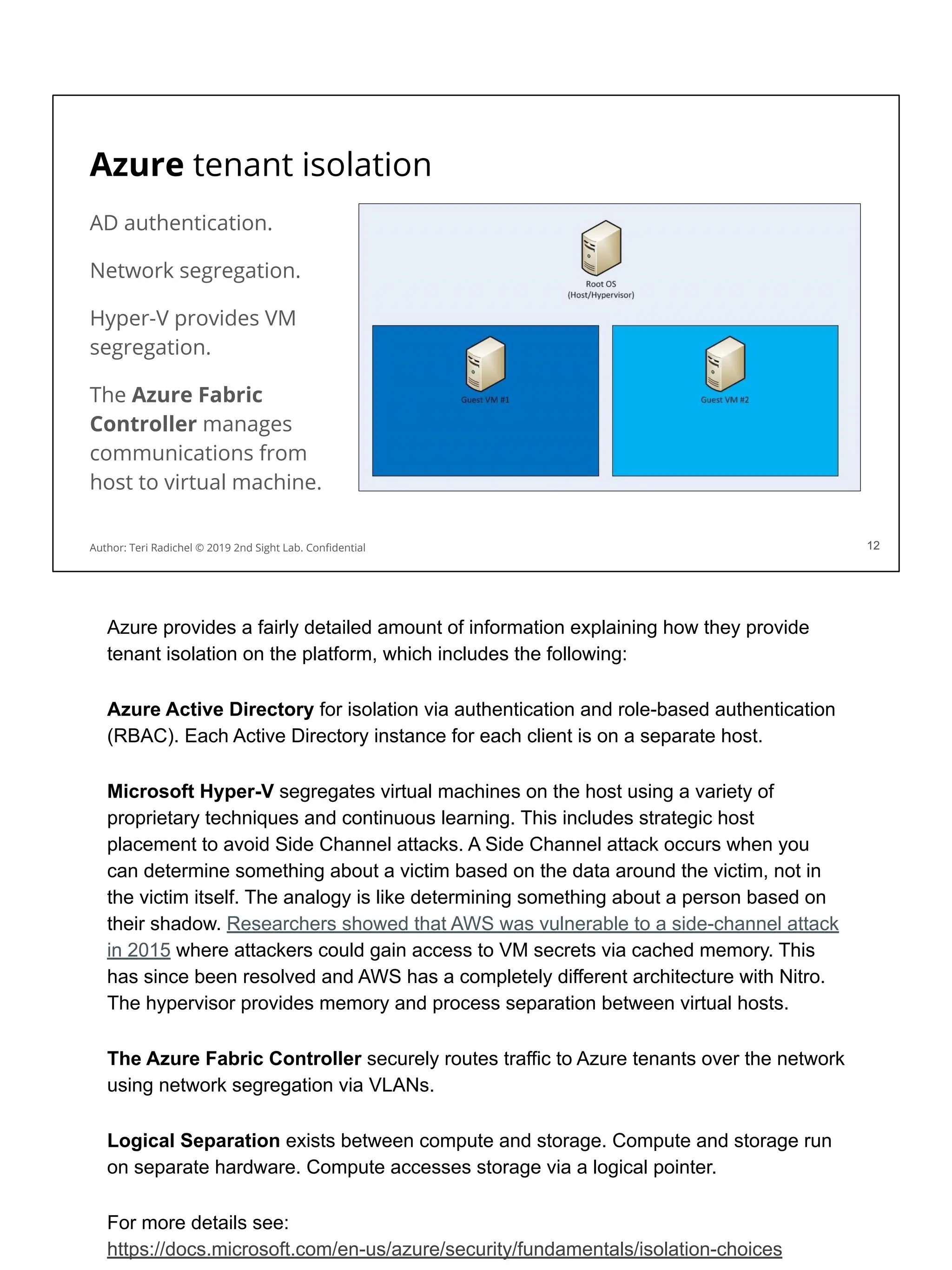
Azure tenant isolation
AD authentication.
Network segregation.
Hyper-V provides VM
segregation.
The Azure Fabric
Controller manages
communications from
host to virtual machine.
12
Author: Teri Radichel © 2019 2nd Sight Lab. Confidential 12
Azure provides a fairly detailed amount of information explaining how they provide
tenant isolation on the platform, which includes the following:
Azure Active Directory for isolation via authentication and role-based authentication
(RBAC). Each Active Directory instance for each client is on a separate host.
Microsoft Hyper-V segregates virtual machines on the host using a variety of
proprietary techniques and continuous learning. This includes strategic host
placement to avoid Side Channel attacks. A Side Channel attack occurs when you
can determine something about a victim based on the data around the victim, not in
the victim itself. The analogy is like determining something about a person based on
their shadow. Researchers showed that AWS was vulnerable to a side-channel attack
in 2015 where attackers could gain access to VM secrets via cached memory. This
has since been resolved and AWS has a completely different architecture with Nitro.
The hypervisor provides memory and process separation between virtual hosts.
The Azure Fabric Controller securely routes traffic to Azure tenants over the network
using network segregation via VLANs.
Logical Separation exists between compute and storage. Compute and storage run
on separate hardware. Compute accesses storage via a logical pointer.
For more details see:
https://docs.microsoft.com/en-us/azure/security/fundamentals/isolation-choices
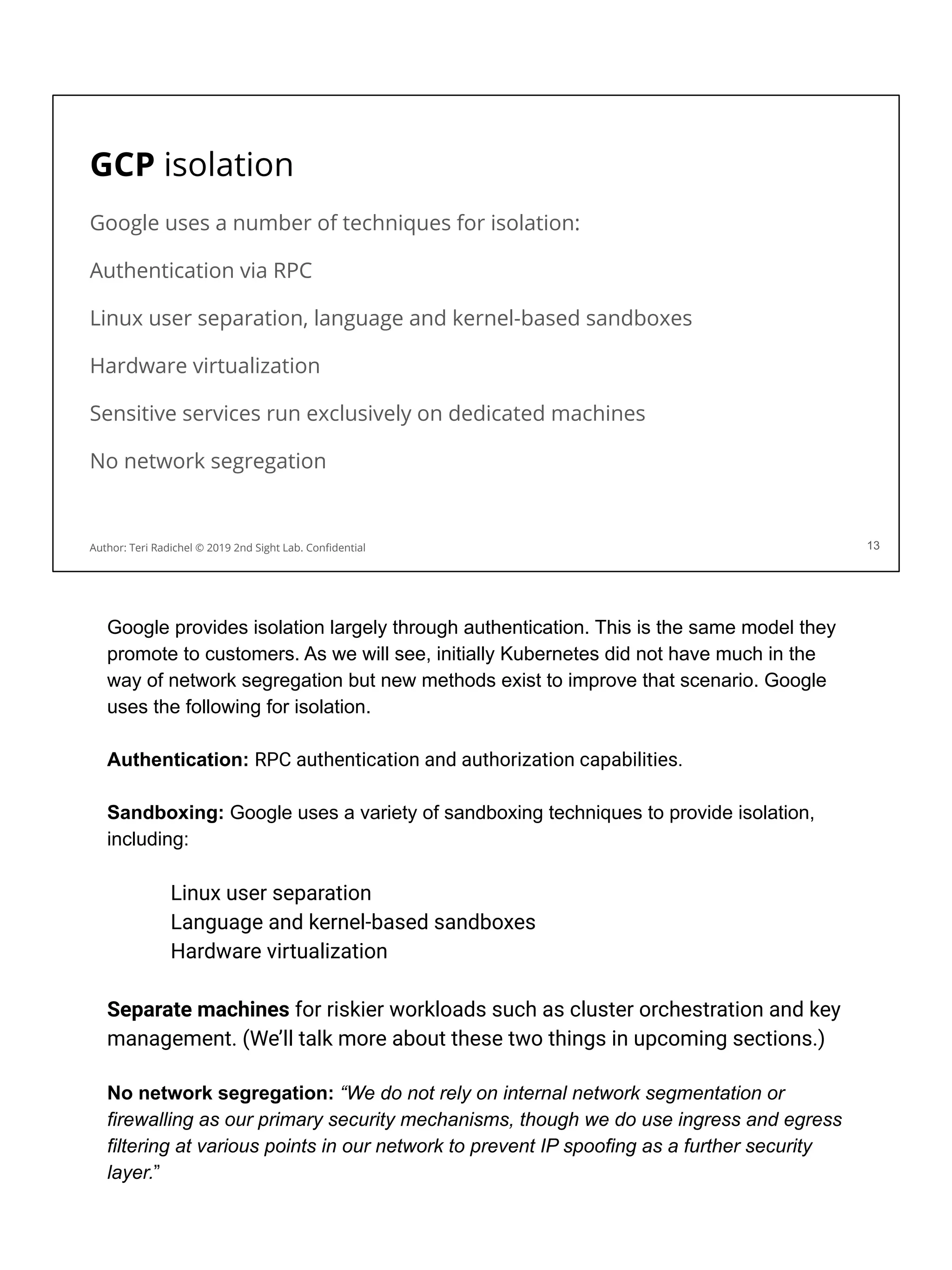
GCP isolation
Google uses a number of techniques for isolation:
Authentication via RPC
Linux user separation, language and kernel-based sandboxes
Hardware virtualization
Sensitive services run exclusively on dedicated machines
No network segregation
13
Author: Teri Radichel © 2019 2nd Sight Lab. Confidential
Google provides isolation largely through authentication. This is the same model they
promote to customers. As we will see, initially Kubernetes did not have much in the
way of network segregation but new methods exist to improve that scenario. Google
uses the following for isolation.
Authentication: RPC authentication and authorization capabilities.
Sandboxing: Google uses a variety of sandboxing techniques to provide isolation,
including:
Linux user separation
Language and kernel-based sandboxes
Hardware virtualization
Separate machines for riskier workloads such as cluster orchestration and key
management. (We’ll talk more about these two things in upcoming sections.)
No network segregation: “We do not rely on internal network segmentation or
firewalling as our primary security mechanisms, though we do use ingress and egress
filtering at various points in our network to prevent IP spoofing as a further security
layer.”
For more information see:
https://cloud.google.com/security/infrastructure/design/
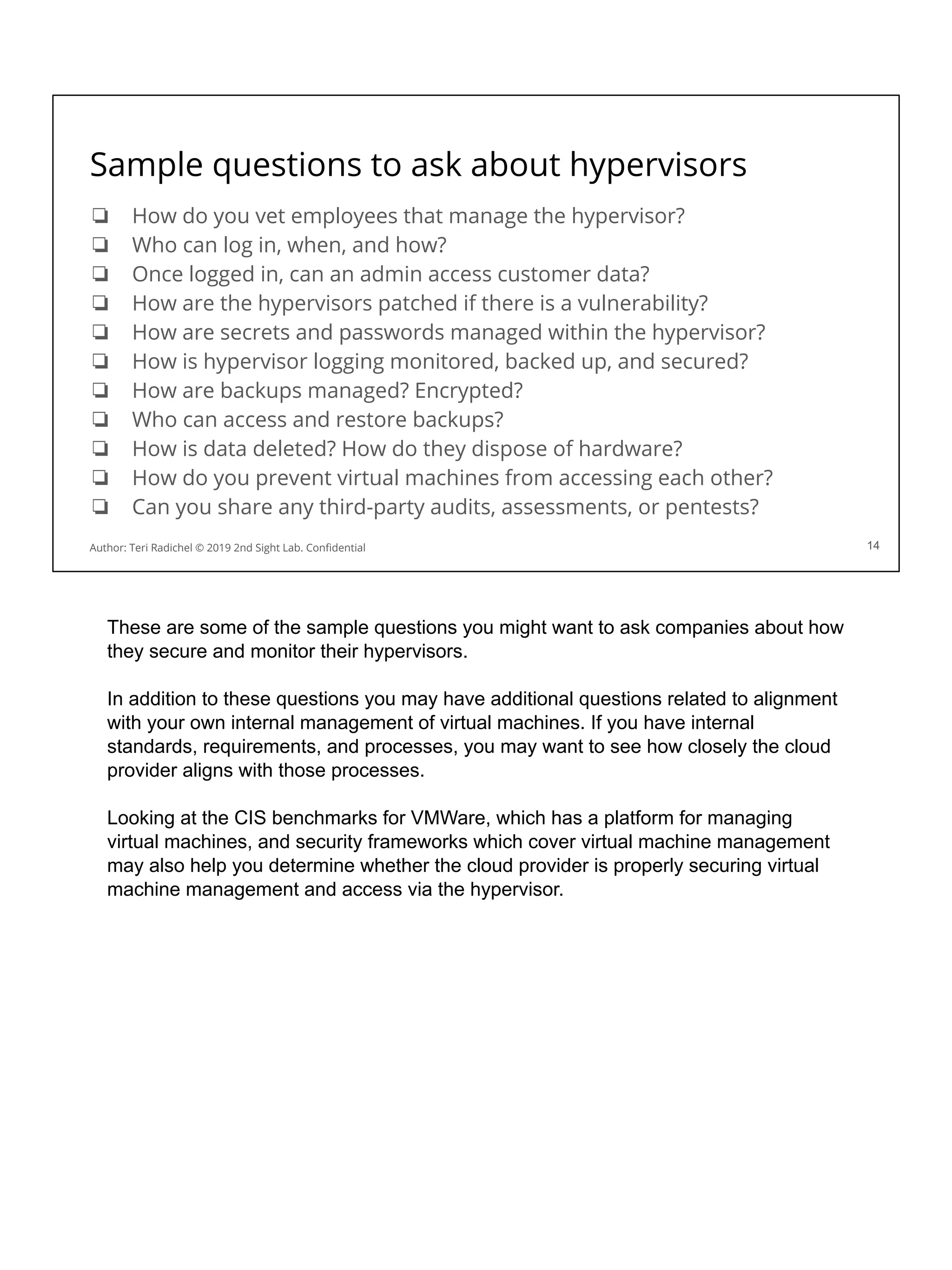
Sample questions to ask about hypervisors
❏ How do you vet employees that manage the hypervisor?
❏ Who can log in, when, and how?
❏ Once logged in, can an admin access customer data?
❏ How are the hypervisors patched if there is a vulnerability?
❏ How are secrets and passwords managed within the hypervisor?
❏ How is hypervisor logging monitored, backed up, and secured?
❏ How are backups managed? Encrypted?
❏ Who can access and restore backups?
❏ How is data deleted? How do they dispose of hardware?
❏ How do you prevent virtual machines from accessing each other?
❏ Can you share any third-party audits, assessments, or pentests?
14
Author: Teri Radichel © 2019 2nd Sight Lab. Confidential
These are some of the sample questions you might want to ask companies about how
they secure and monitor their hypervisors.
In addition to these questions you may have additional questions related to alignment
with your own internal management of virtual machines. If you have internal
standards, requirements, and processes, you may want to see how closely the cloud
provider aligns with those processes.
Looking at the CIS benchmarks for VMWare, which has a platform for managing
virtual machines, and security frameworks which cover virtual machine management
may also help you determine whether the cloud provider is properly securing virtual
machine management and access via the hypervisor.
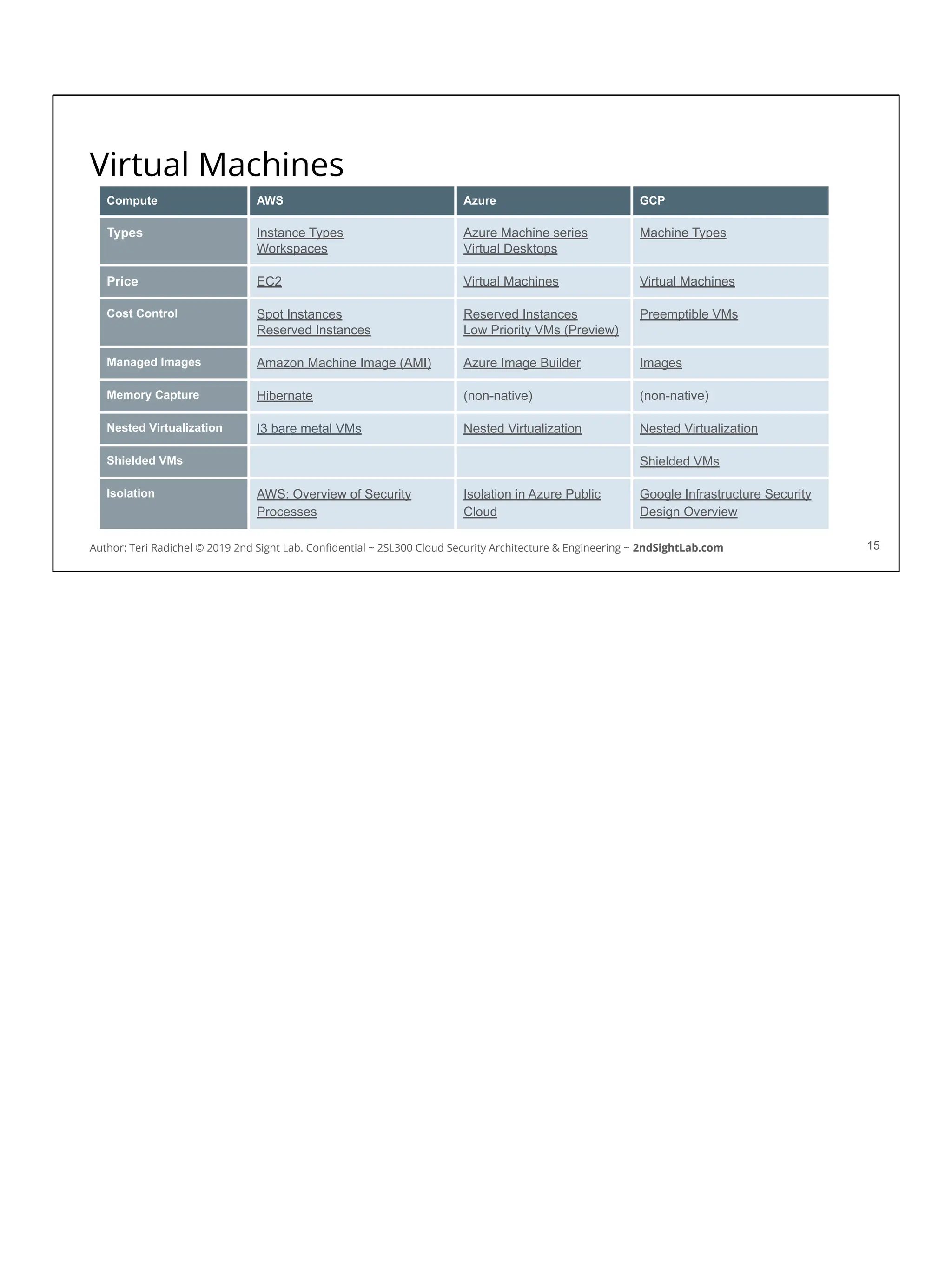
Virtual Machines
15
Compute AWS Azure GCP
Types Instance Types
Workspaces
Azure Machine series
Virtual Desktops
Machine Types
Price EC2 Virtual Machines Virtual Machines
Cost Control Spot Instances
Reserved Instances
Reserved Instances
Low Priority VMs (Preview)
Preemptible VMs
Managed Images Amazon Machine Image (AMI) Azure Image Builder Images
Memory Capture Hibernate (non-native) (non-native)
Nested Virtualization I3 bare metal VMs Nested Virtualization Nested Virtualization
Shielded VMs Shielded VMs
Isolation AWS: Overview of Security
Processes
Isolation in Azure Public
Cloud
Google Infrastructure Security
Design Overview
Author: Teri Radichel © 2019 2nd Sight Lab. Confidential ~ 2SL300 Cloud Security Architecture & Engineering ~ 2ndSightLab.com
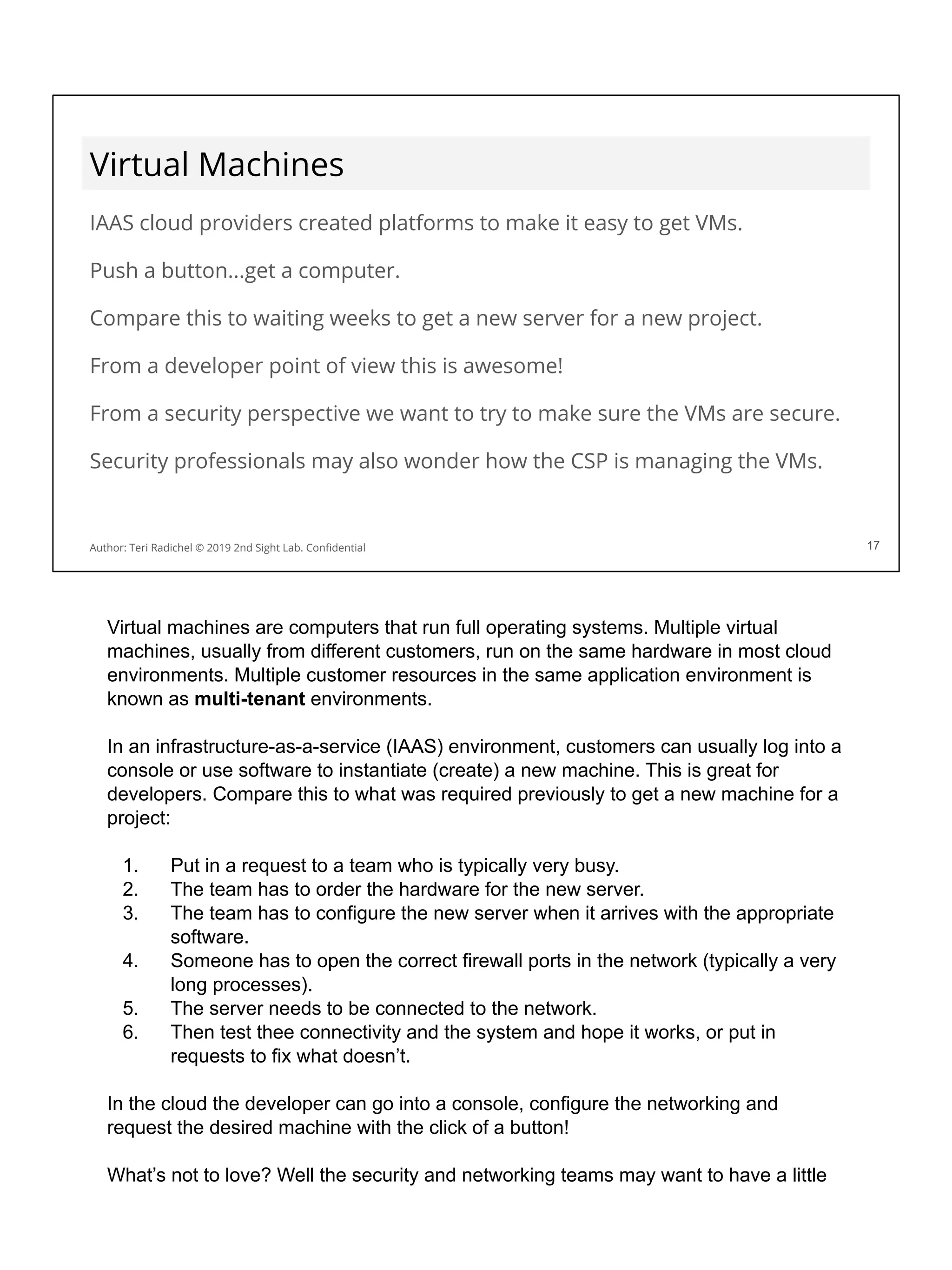
Virtual Machines
IAAS cloud providers created platforms to make it easy to get VMs.
Push a button...get a computer.
Compare this to waiting weeks to get a new server for a new project.
From a developer point of view this is awesome!
From a security perspective we want to try to make sure the VMs are secure.
Security professionals may also wonder how the CSP is managing the VMs.
17
Author: Teri Radichel © 2019 2nd Sight Lab. Confidential 17
Virtual machines are computers that run full operating systems. Multiple virtual
machines, usually from different customers, run on the same hardware in most cloud
environments. Multiple customer resources in the same application environment is
known as multi-tenant environments.
In an infrastructure-as-a-service (IAAS) environment, customers can usually log into a
console or use software to instantiate (create) a new machine. This is great for
developers. Compare this to what was required previously to get a new machine for a
project:
1. Put in a request to a team who is typically very busy.
2. The team has to order the hardware for the new server.
3. The team has to configure the new server when it arrives with the appropriate
software.
4. Someone has to open the correct firewall ports in the network (typically a very
long processes).
5. The server needs to be connected to the network.
6. Then test thee connectivity and the system and hope it works, or put in
requests to fix what doesn’t.
In the cloud the developer can go into a console, configure the networking and
request the desired machine with the click of a button!
What’s not to love? Well the security and networking teams may want to have a little
input into the configuration of these new machines and the related networking. We’ll
talk about how to set up a way to monitor and govern new deployments tomorrow, but
for now be aware that setting up machines in the cloud is very easy, but it still requires
the people deploying the systems to configure them properly!
In addition, companies that manage their businesses on cloud systems need to
understand how the cloud provider may be able to access sensitive data on the virtual
machines. What types of logs and systems can employees of the cloud provider
access? Could they backup and restore a system? Plug a device into the hardware to
access the memory?
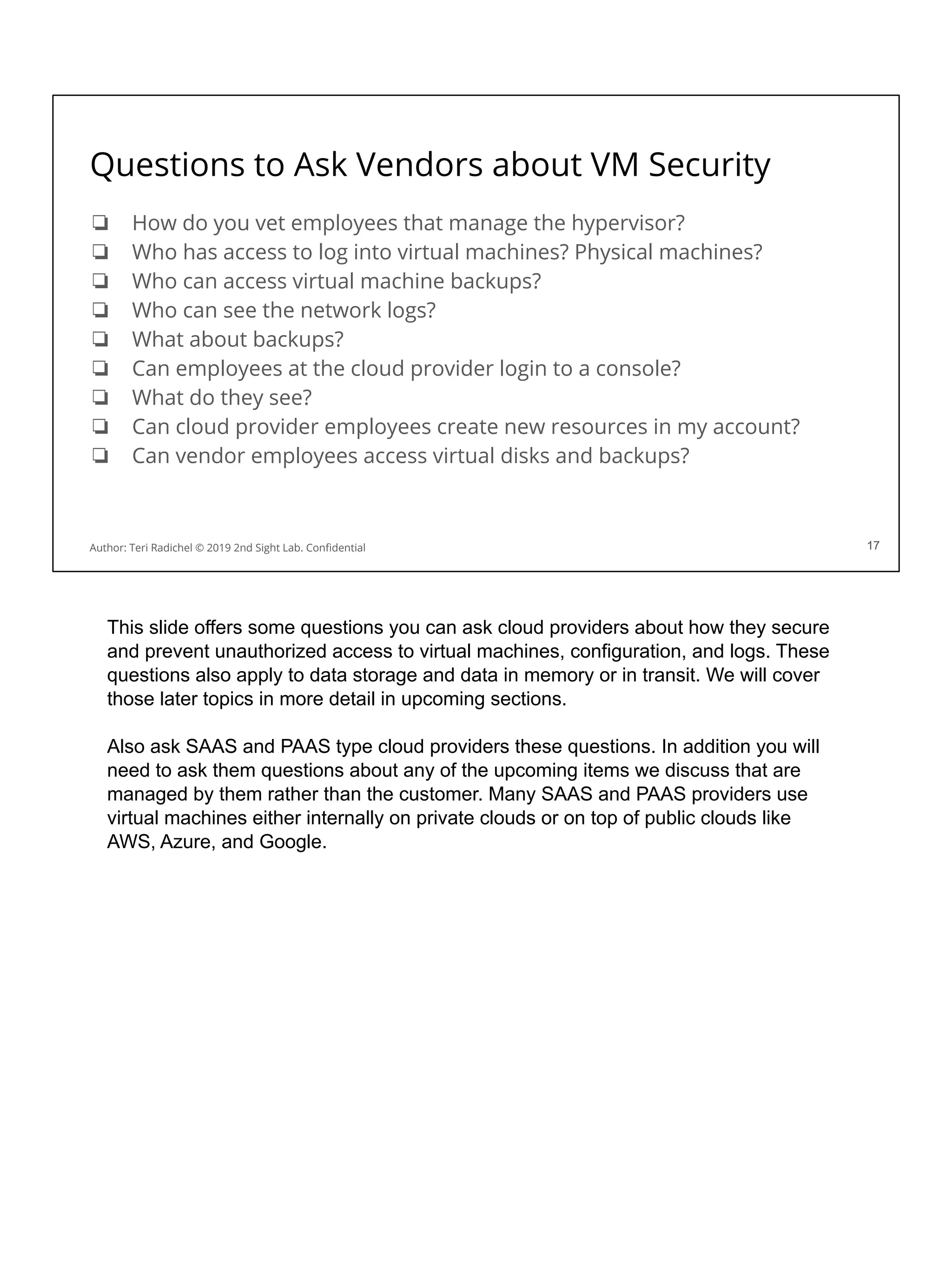
Questions to Ask Vendors about VM Security
❏ How do you vet employees that manage the hypervisor?
❏ Who has access to log into virtual machines? Physical machines?
❏ Who can access virtual machine backups?
❏ Who can see the network logs?
❏ What about backups?
❏ Can employees at the cloud provider login to a console?
❏ What do they see?
❏ Can cloud provider employees create new resources in my account?
❏ Can vendor employees access virtual disks and backups?
17
Author: Teri Radichel © 2019 2nd Sight Lab. Confidential 17
This slide offers some questions you can ask cloud providers about how they secure
and prevent unauthorized access to virtual machines, configuration, and logs. These
questions also apply to data storage and data in memory or in transit. We will cover
those later topics in more detail in upcoming sections.
Also ask SAAS and PAAS type cloud providers these questions. In addition you will
need to ask them questions about any of the upcoming items we discuss that are
managed by them rather than the customer. Many SAAS and PAAS providers use
virtual machines either internally on private clouds or on top of public clouds like
AWS, Azure, and Google.
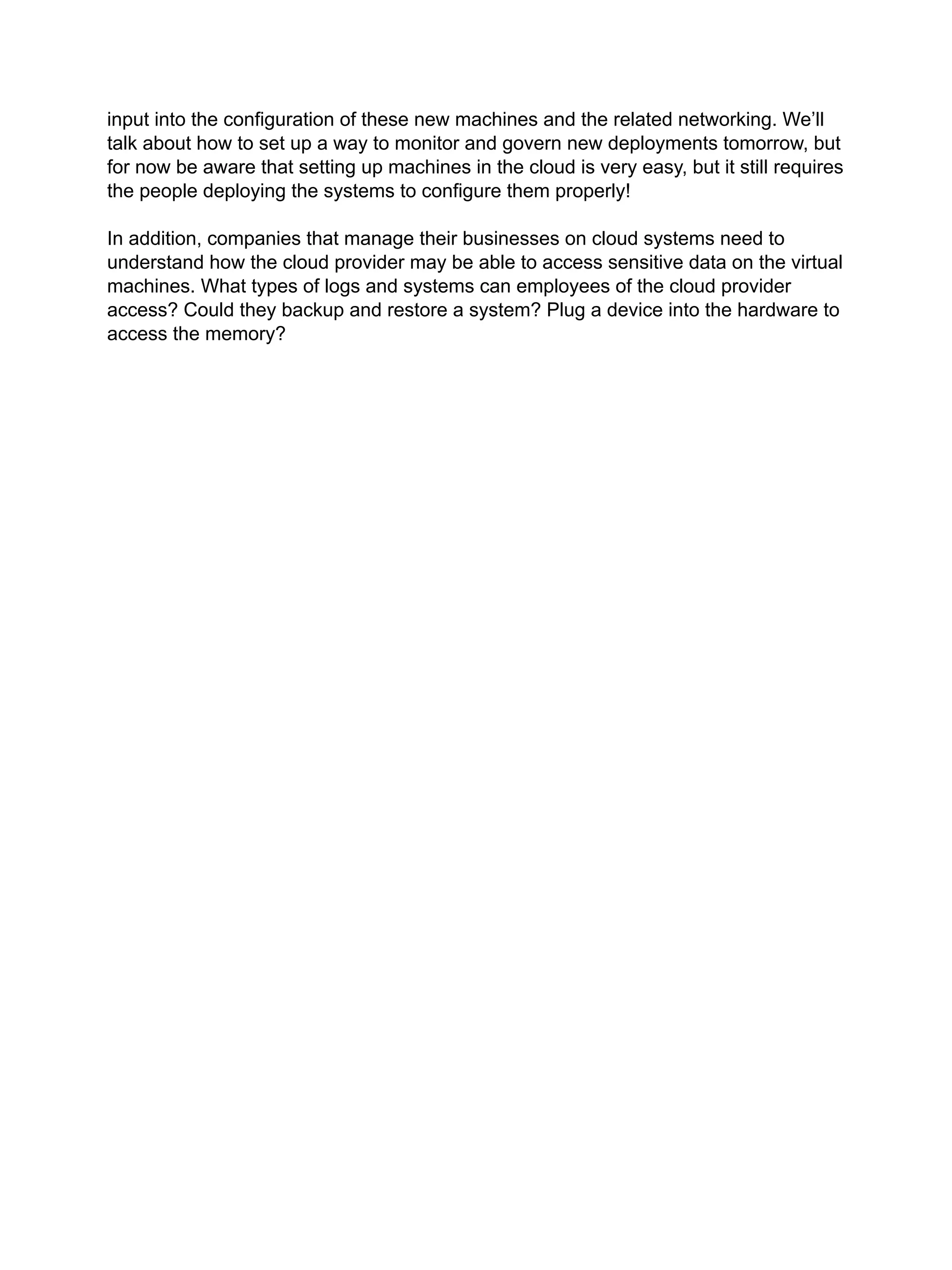
Operating Systems on Virtual Machines
Each virtual
machine running
in a cloud
environment runs
an operating
system that needs
to be secured
according to best
practices.
18
Author: Teri Radichel © 2019 2nd Sight Lab. Confidential 18
Author: Teri Radichel © 2019 2nd Sight Lab. Confidential
Virtual machines run on top of the hypervisor. Each virtual machine will run its own
operating system and applications can be installed on top of that. Each operating
system needs to be secured according to the same best practices as your security
teams do internally when you deploy new physical devices.
Virtual machines run operating systems you are used to seeing on traditional
hardware servers such as Windows and different types of Linux. Amazon has
created their own operating system called Amazon Linux which has a lot of
things built into it to interact with AWS services. Windows on Azure will have the
same type of capabilities. Each of the cloud providers will run the most common
operating systems on their platforms.
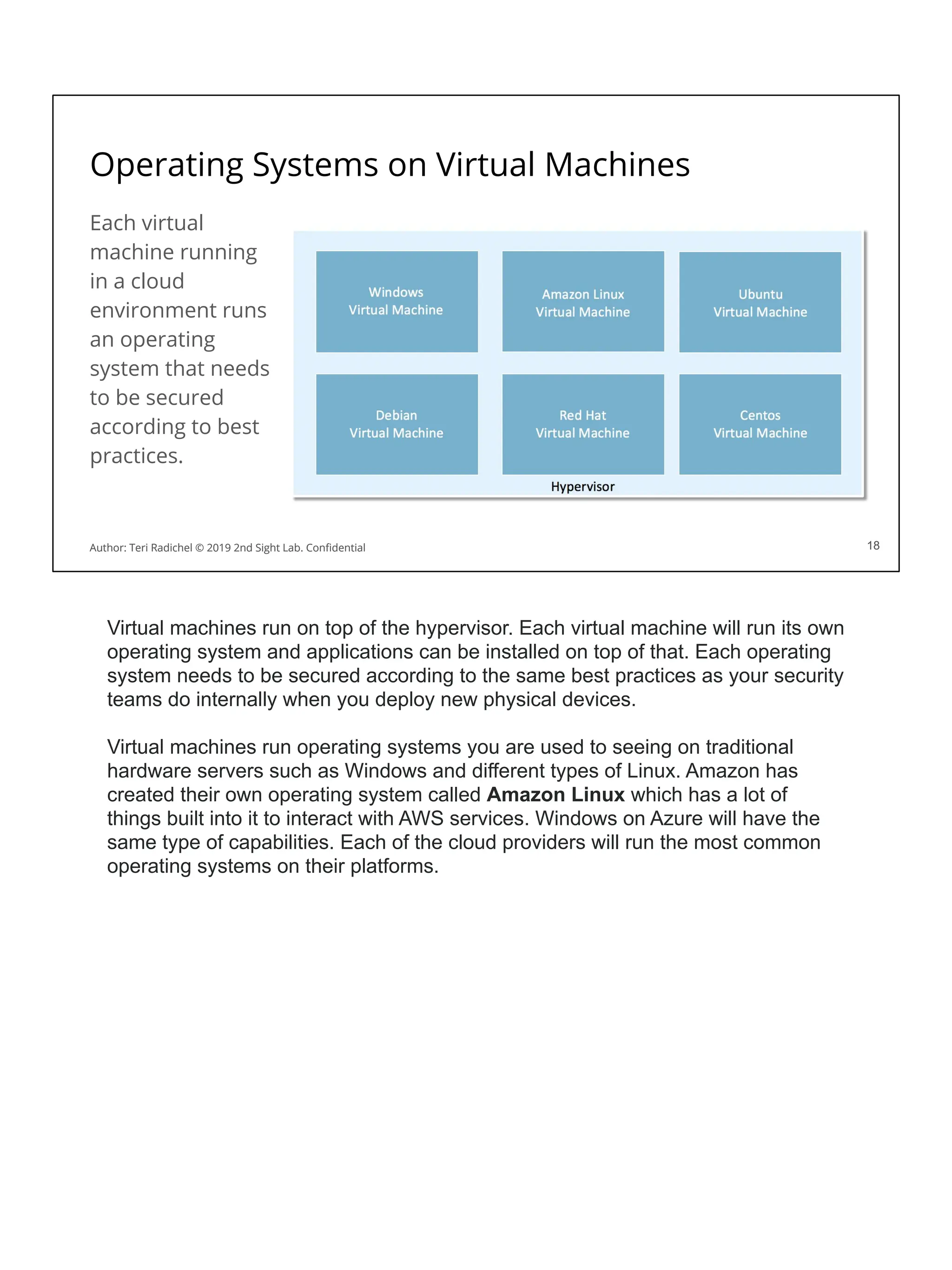
CIS Benchmarks
Use the CIS benchmarks!
Many operating systems.
Includes Amazon Linux.
Create a secure baseline.
Marketplace CIS images.
More on DevOps tomorrow.
19
Author: Teri Radichel © 2019 2nd Sight Lab. Confidential
The Center for Internet Security publishes benchmarks which define secure
configurations for many different types of systems. Use the CIS benchmarks to
determine how to securely configure operating systems in the cloud, including
cloud-specific operating systems like Amazon Linux.
Create a “golden image” on which you deploy applications. The golden image is
implemented securely according to best practices and updated frequently. We will
discuss how to create and deploy these images using typical DevOps tools tomorrow.
Alternatively, you can choose to use pre-configured virtual machines from the AWS,
Azure, and Google. You may pay a bit more for these hardened images.
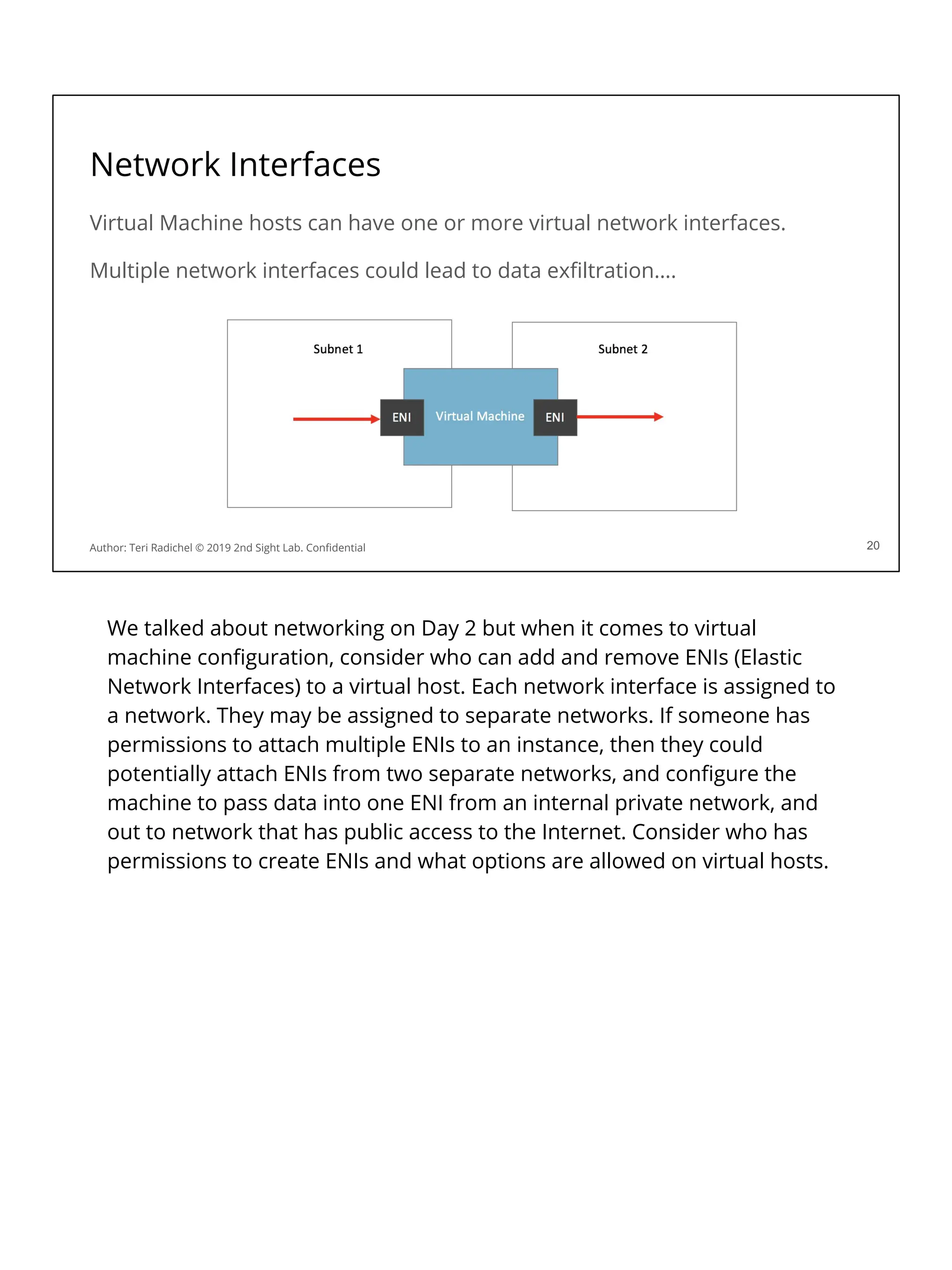
Network Interfaces
Virtual Machine hosts can have one or more virtual network interfaces.
Multiple network interfaces could lead to data exfiltration….
20
Author: Teri Radichel © 2019 2nd Sight Lab. Confidential
We talked about networking on Day 2 but when it comes to virtual
machine configuration, consider who can add and remove ENIs (Elastic
Network Interfaces) to a virtual host. Each network interface is assigned to
a network. They may be assigned to separate networks. If someone has
permissions to attach multiple ENIs to an instance, then they could
potentially attach ENIs from two separate networks, and configure the
machine to pass data into one ENI from an internal private network, and
out to network that has public access to the Internet. Consider who has
permissions to create ENIs and what options are allowed on virtual hosts.
Virtual machine metadata
VMs running in cloud environments have data associated with them.
You obtain information about cloud instances:
- Via the console.
- By querying the cloud platform programmatically.
- Via access to the virtual machine itself
When you query the data about an instance, it may include sensitive data.
Let’s look at the metadata on virtual machine instances.
23
Author: Teri Radichel © 2019 2nd Sight Lab. Confidential
When you run a virtual machine on a cloud provider platform, the CSP needs to track
each virtual machine, who it belongs to, where it exists on the network, and so on. In
addition the virtual machine itself generally has permissions and related credentials
which allow it to access resources. On each cloud provider it’s a good idea to
understand what metadata exists, where, and any potentially sensitive data that may
need to be protected.
Typically you can find out information in the following ways:
- In the cloud provider console, as you have been doing in some of the labs.
You can look at the details to see the key assigned to the instance, for
example, in AWS. This is not sensitive data in and of itself, but if an attacker
obtains an SSH key and knows the name they can query all the instances he
or she can access with that key. Additionally the data includes the role of the
AWS instance. This allows anyone to see what permissions the virtual
machine has. An attacker might try to query machines that have higher
permissions and try to access those particular machines.
- Users can obtain the same information by querying via the command line.
- One other way to obtain data is via the host itself. An attacker who obtains
access to a machine may be able to determine what capabilities a machine
has after obtaining access, and then use the credentials on that machine to
access other resources within the account. That is what the attacker did in the
case of the Capital One breach to the best of our knowledge based on
published reports and information obtained by the author of this course. The
- attacker probably leveraged the role on a virtual machine hosting a ModSec
web application firewall. That virtual machine had access to all the S3 buckets
in the account.
AWS vm metadata
You can query metadata for a virtual machine on Amazon Linux:
[ec2-user ~]$ curl http://169.254.169.254/latest/meta-data/
You will notice the data includes a session token…
If someone can get that token they can use it to take actions in your account!
You can block access to this metadata service using iptables.
Of course, you also have to disallow changing the iptables configuration.
22
Author: Teri Radichel © 2019 2nd Sight Lab. Confidential
On AWS you can capture metadata using the following command:
[ec2-user ~]$ curl http://169.254.169.254/latest/meta-data/
This command would allow someone to query a lot of the same information you see in
the AWS console pertaining to the instance. In addition, this data includes a session
token. When AWS instances are given permissions on AWS via an AWS role (more
tomorrow) AWS does a great job of rotating those credentials frequently - but they still
exist on the machine. An attacker can query those credentials and use them on the
host, or even externally to the host, to perform actions in the AWS account.
You can block access to the AWS metadata service on Amazon Linux using IPTables
(the built in Linux host-based firewall). However, one of the first things an attacker will
do when they get on a machine is try to get escalated privileges. If they can do that
then they could turn off IPTables or change the configuration. You can also use AWS
GuardDuty to get alerts when someone tries to use credentials from an AWS virtual
machine outside your account.
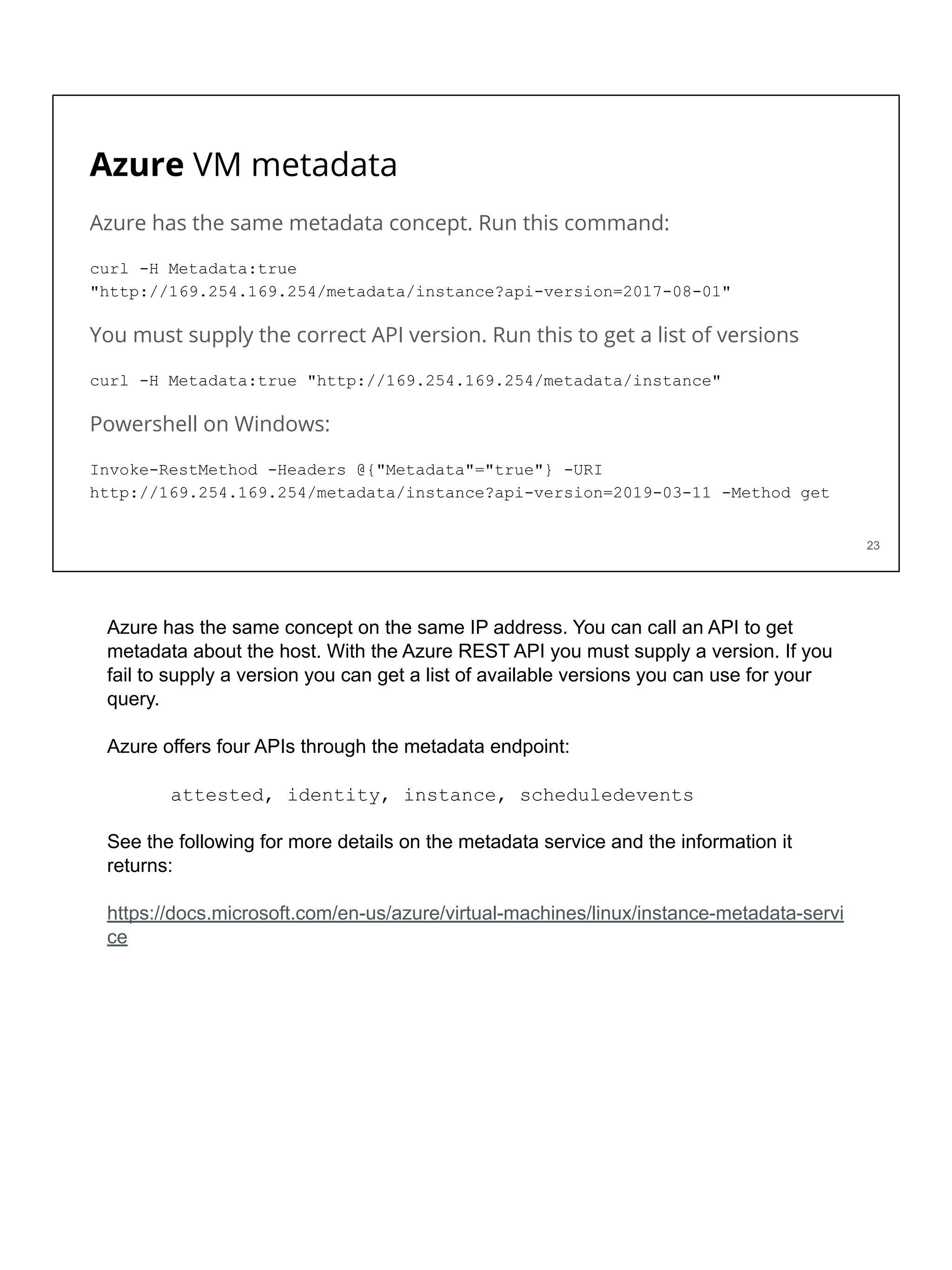
Azure VM metadata
Azure has the same metadata concept. Run this command:
curl -H Metadata:true
"http://169.254.169.254/metadata/instance?api-version=2017-08-01"
You must supply the correct API version. Run this to get a list of versions
curl -H Metadata:true "http://169.254.169.254/metadata/instance"
Powershell on Windows:
Invoke-RestMethod -Headers @{"Metadata"="true"} -URI
http://169.254.169.254/metadata/instance?api-version=2019-03-11 -Method get
23
Azure has the same concept on the same IP address. You can call an API to get
metadata about the host. With the Azure REST API you must supply a version. If you
fail to supply a version you can get a list of available versions you can use for your
query.
Azure offers four APIs through the metadata endpoint:
attested, identity, instance, scheduledevents
See the following for more details on the metadata service and the information it
returns:
https://docs.microsoft.com/en-us/azure/virtual-machines/linux/instance-metadata-servi
ce
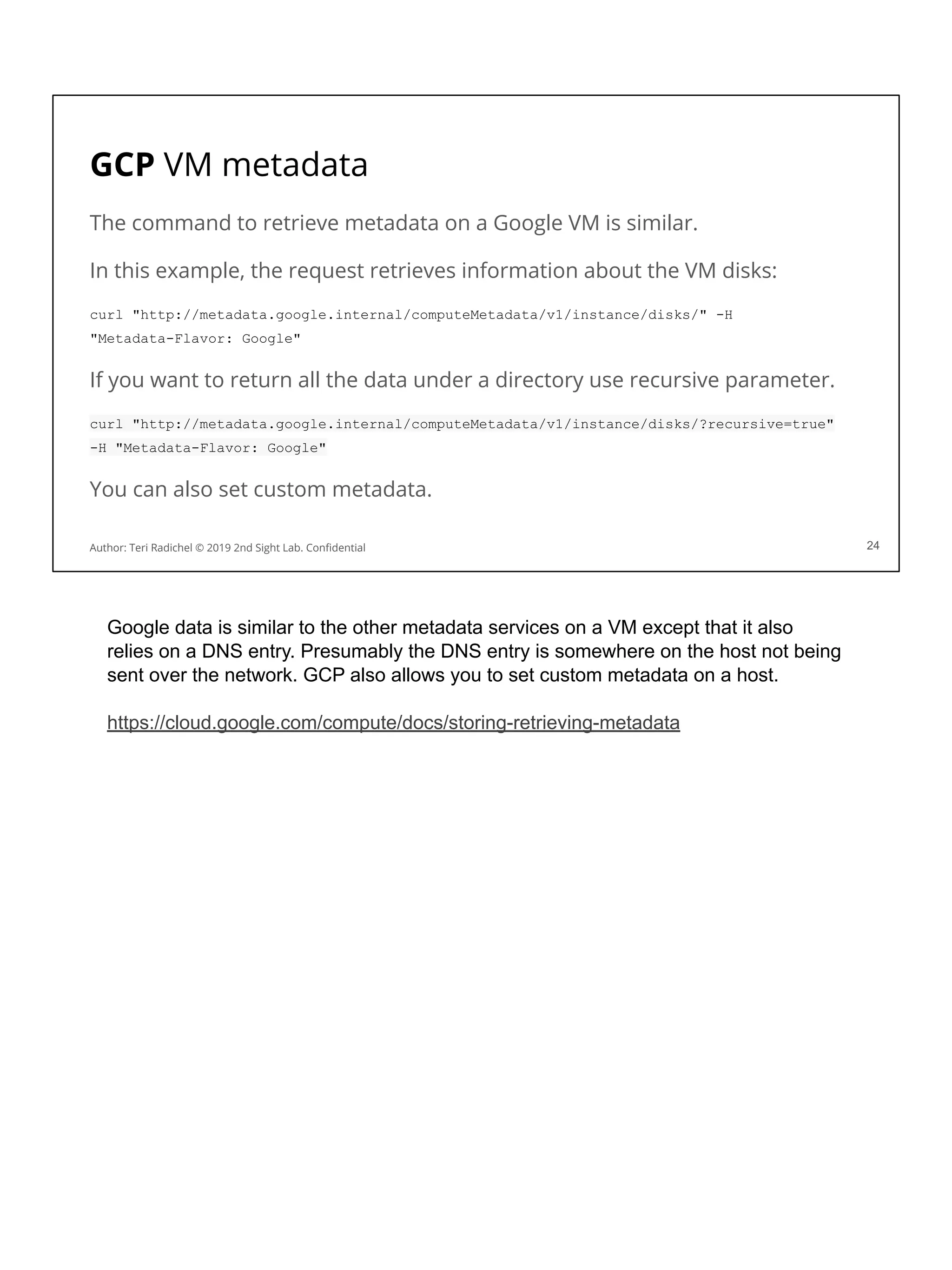
GCP VM metadata
The command to retrieve metadata on a Google VM is similar.
In this example, the request retrieves information about the VM disks:
curl "http://metadata.google.internal/computeMetadata/v1/instance/disks/" -H
"Metadata-Flavor: Google"
If you want to return all the data under a directory use recursive parameter.
curl "http://metadata.google.internal/computeMetadata/v1/instance/disks/?recursive=true"
-H "Metadata-Flavor: Google"
You can also set custom metadata.
24
Author: Teri Radichel © 2019 2nd Sight Lab. Confidential
Google data is similar to the other metadata services on a VM except that it also
relies on a DNS entry. Presumably the DNS entry is somewhere on the host not being
sent over the network. GCP also allows you to set custom metadata on a host.
https://cloud.google.com/compute/docs/storing-retrieving-metadata
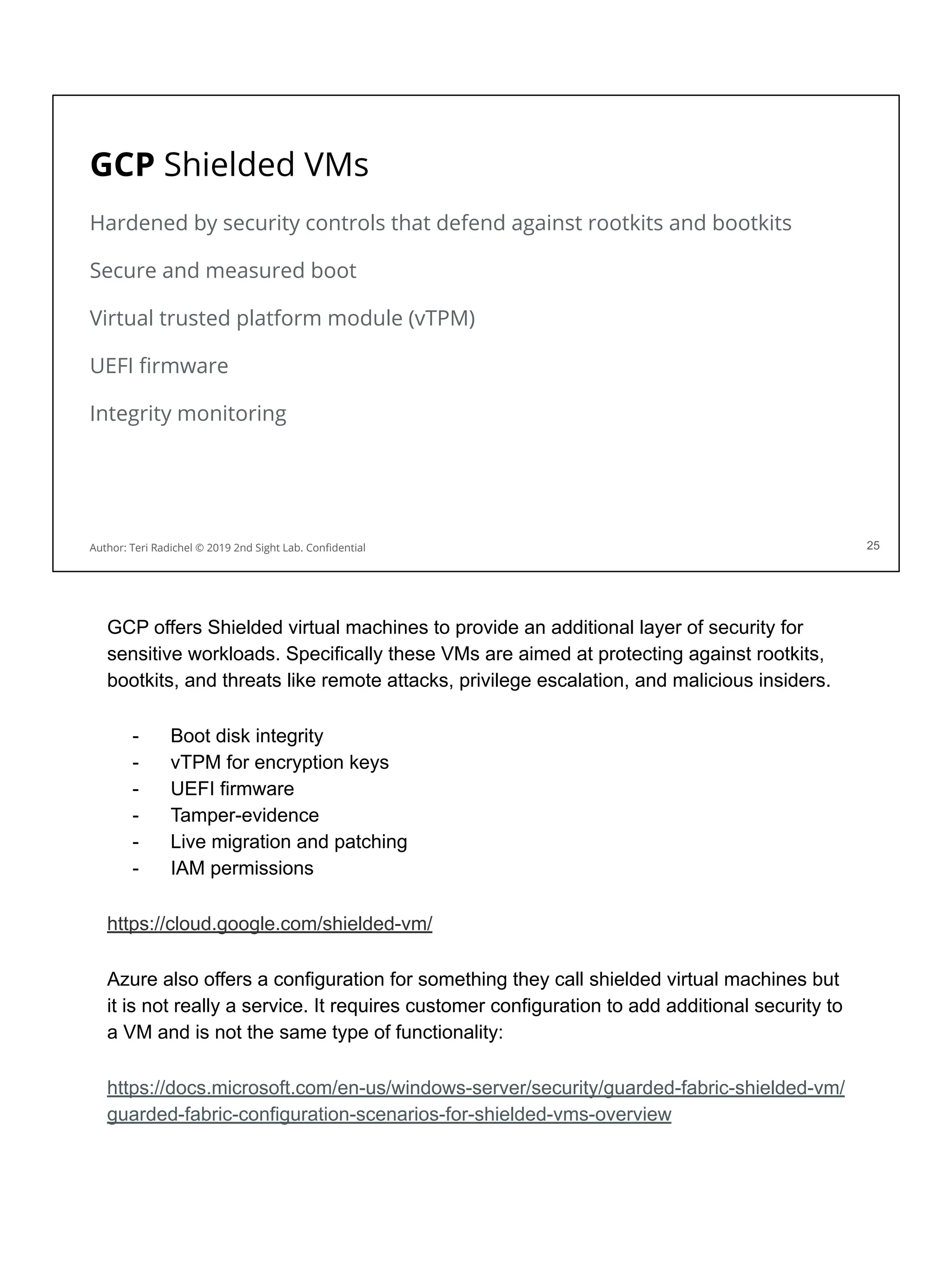
GCP Shielded VMs
Hardened by security controls that defend against rootkits and bootkits
Secure and measured boot
Virtual trusted platform module (vTPM)
UEFI firmware
Integrity monitoring
25
Author: Teri Radichel © 2019 2nd Sight Lab. Confidential
GCP offers Shielded virtual machines to provide an additional layer of security for
sensitive workloads. Specifically these VMs are aimed at protecting against rootkits,
bootkits, and threats like remote attacks, privilege escalation, and malicious insiders.
- Boot disk integrity
- vTPM for encryption keys
- UEFI firmware
- Tamper-evidence
- Live migration and patching
- IAM permissions
https://cloud.google.com/shielded-vm/
Azure also offers a configuration for something they call shielded virtual machines but
it is not really a service. It requires customer configuration to add additional security to
a VM and is not the same type of functionality:
https://docs.microsoft.com/en-us/windows-server/security/guarded-fabric-shielded-vm/
guarded-fabric-configuration-scenarios-for-shielded-vms-overview
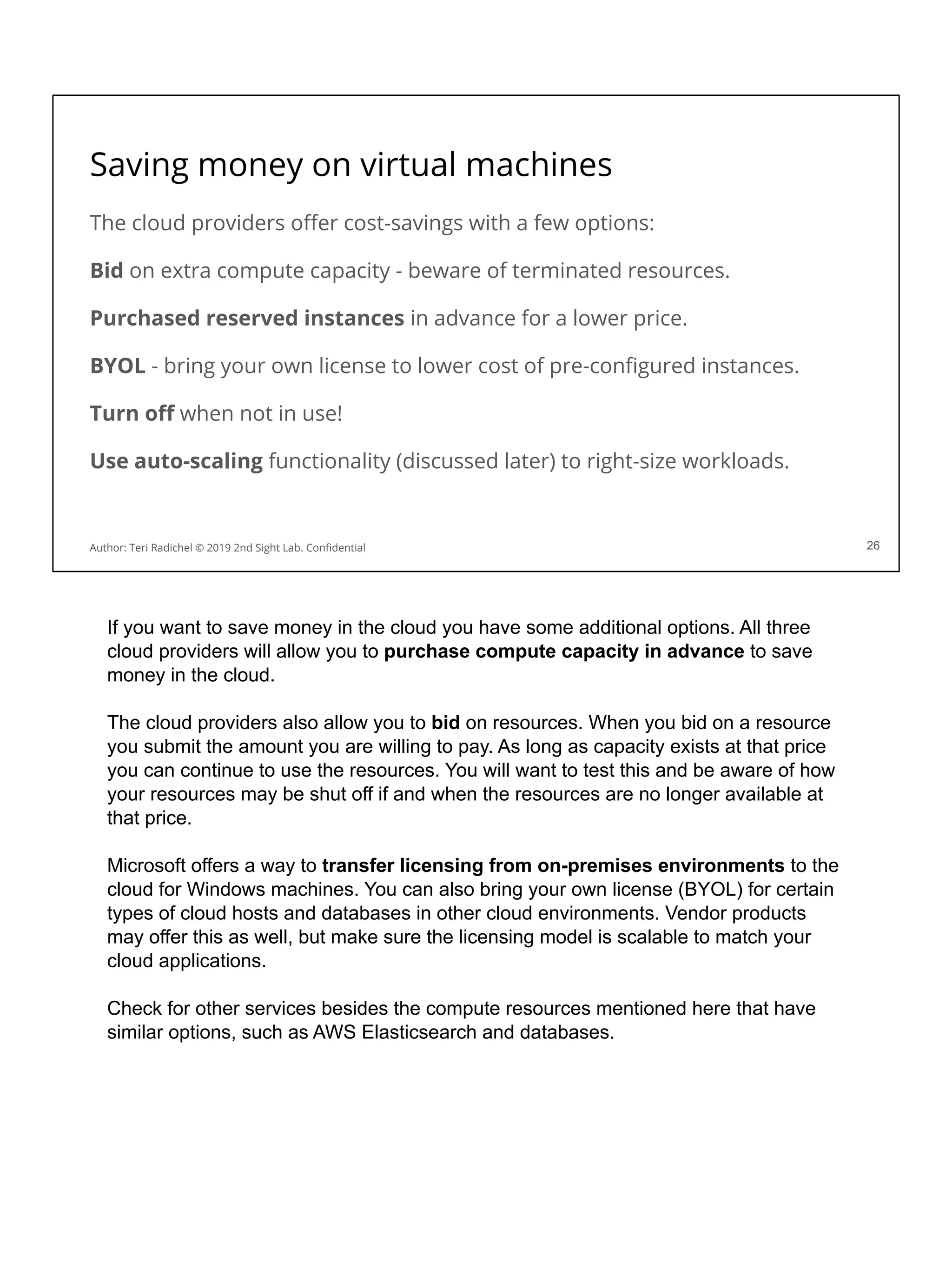
Saving money on virtual machines
The cloud providers offer cost-savings with a few options:
Bid on extra compute capacity - beware of terminated resources.
Purchased reserved instances in advance for a lower price.
BYOL - bring your own license to lower cost of pre-configured instances.
Turn off when not in use!
Use auto-scaling functionality (discussed later) to right-size workloads.
26
Author: Teri Radichel © 2019 2nd Sight Lab. Confidential
If you want to save money in the cloud you have some additional options. All three
cloud providers will allow you to purchase compute capacity in advance to save
money in the cloud.
The cloud providers also allow you to bid on resources. When you bid on a resource
you submit the amount you are willing to pay. As long as capacity exists at that price
you can continue to use the resources. You will want to test this and be aware of how
your resources may be shut off if and when the resources are no longer available at
that price.
Microsoft offers a way to transfer licensing from on-premises environments to the
cloud for Windows machines. You can also bring your own license (BYOL) for certain
types of cloud hosts and databases in other cloud environments. Vendor products
may offer this as well, but make sure the licensing model is scalable to match your
cloud applications.
Check for other services besides the compute resources mentioned here that have
similar options, such as AWS Elasticsearch and databases.
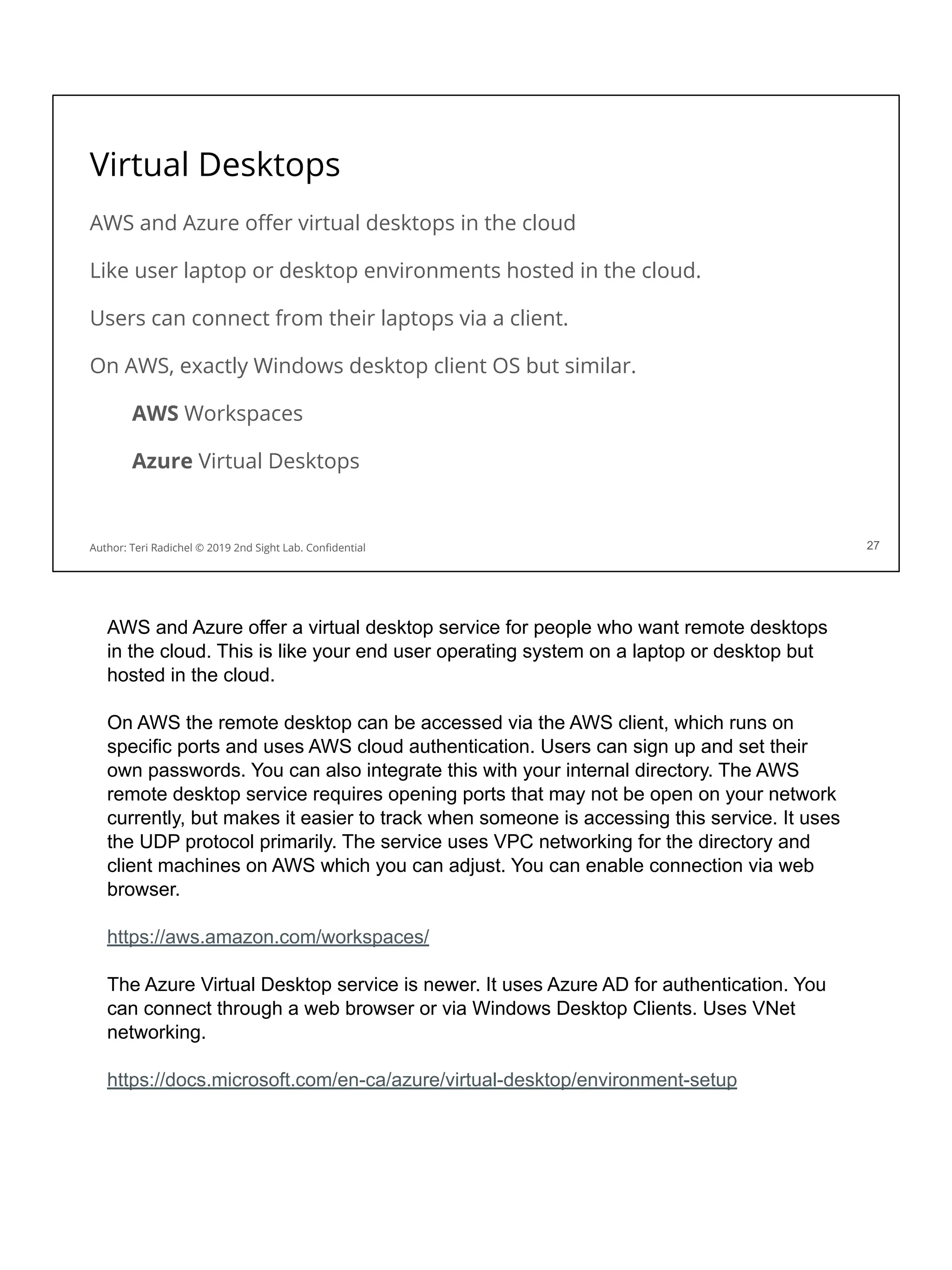
Virtual Desktops
AWS and Azure offer virtual desktops in the cloud
Like user laptop or desktop environments hosted in the cloud.
Users can connect from their laptops via a client.
On AWS, exactly Windows desktop client OS but similar.
AWS Workspaces
Azure Virtual Desktops
27
Author: Teri Radichel © 2019 2nd Sight Lab. Confidential
AWS and Azure offer a virtual desktop service for people who want remote desktops
in the cloud. This is like your end user operating system on a laptop or desktop but
hosted in the cloud.
On AWS the remote desktop can be accessed via the AWS client, which runs on
specific ports and uses AWS cloud authentication. Users can sign up and set their
own passwords. You can also integrate this with your internal directory. The AWS
remote desktop service requires opening ports that may not be open on your network
currently, but makes it easier to track when someone is accessing this service. It uses
the UDP protocol primarily. The service uses VPC networking for the directory and
client machines on AWS which you can adjust. You can enable connection via web
browser.
https://aws.amazon.com/workspaces/
The Azure Virtual Desktop service is newer. It uses Azure AD for authentication. You
can connect through a web browser or via Windows Desktop Clients. Uses VNet
networking.
https://docs.microsoft.com/en-ca/azure/virtual-desktop/environment-setup
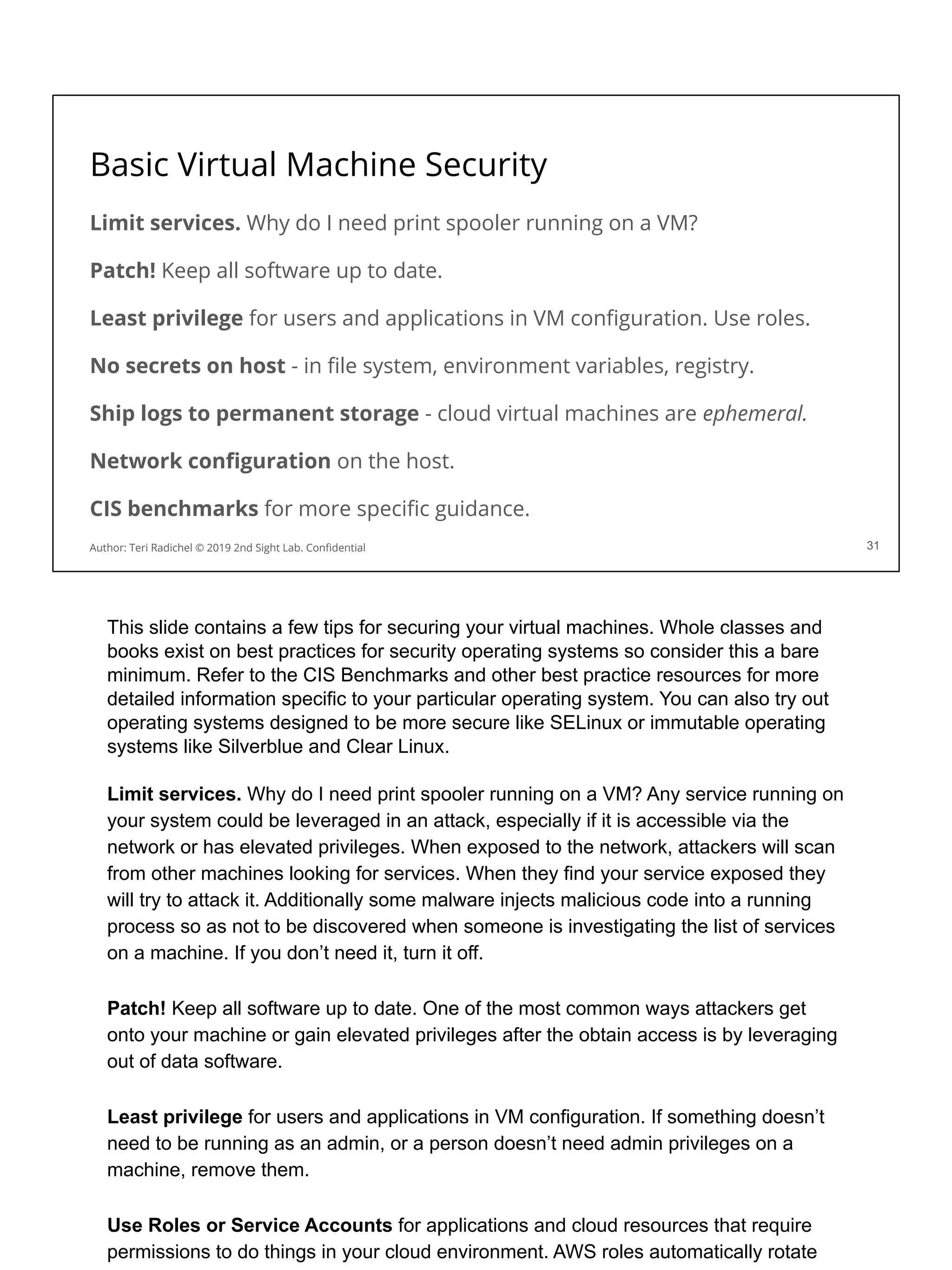
Basic Virtual Machine Security
Limit services. Why do I need print spooler running on a VM?
Patch! Keep all software up to date.
Least privilege for users and applications in VM configuration. Use roles.
No secrets on host - in file system, environment variables, registry.
Ship logs to permanent storage - cloud virtual machines are ephemeral.
Network configuration on the host.
CIS benchmarks for more specific guidance.
31
Author: Teri Radichel © 2019 2nd Sight Lab. Confidential
This slide contains a few tips for securing your virtual machines. Whole classes and
books exist on best practices for security operating systems so consider this a bare
minimum. Refer to the CIS Benchmarks and other best practice resources for more
detailed information specific to your particular operating system. You can also try out
operating systems designed to be more secure like SELinux or immutable operating
systems like Silverblue and Clear Linux.
Limit services. Why do I need print spooler running on a VM? Any service running on
your system could be leveraged in an attack, especially if it is accessible via the
network or has elevated privileges. When exposed to the network, attackers will scan
from other machines looking for services. When they find your service exposed they
will try to attack it. Additionally some malware injects malicious code into a running
process so as not to be discovered when someone is investigating the list of services
on a machine. If you don’t need it, turn it off.
Patch! Keep all software up to date. One of the most common ways attackers get
onto your machine or gain elevated privileges after the obtain access is by leveraging
out of data software.
Least privilege for users and applications in VM configuration. If something doesn’t
need to be running as an admin, or a person doesn’t need admin privileges on a
machine, remove them.
Use Roles or Service Accounts for applications and cloud resources that require
permissions to do things in your cloud environment. AWS roles automatically rotate
credentials periodically, so if stolen they will not be active for very long.
No secrets on host - in file system, environment variables, registry. Secrets where
they should not be is one of the most common flaws in cloud configurations that leads
to a security incident. We’ll explain how to access secrets more securely in future
sections and a lab. As mentioned, use AWS roles instead of putting AWS developer
credentials on a host. Do not store your database credentials, etc. on the host or in
environment variables, registry, or anywhere else on the machine. Access from a
secure, encrypted, authenticated repository.
Ship logs to permanent storage - cloud virtual machines are ephemeral. Ephemeral
means after you shut them down, they are gone. Make sure you ship logs to a more
permanent location and secure the logs so they are not accessible to prying eyes.
Network configuration on the host - lockdown access to the instance metadata
service if not required. Host based network controls may not be practical in a base
image unless the rules are applicable to every host. You may employee host based
firewall rules to prevent access from the cloud to your host, however the cloud
provider hypervisor based networking may also serve some of that purpose. If you
think the hypervisor could be compromised, then you can employ host based firewall
services as well. The network configuration on the host itself could be changed by
malware or an attacker who obtains elevated privileges, so best to start with network
security outside the host.
CIS benchmarks provide more specific guidance as does other documentation and
security frameworks. Each operating system has a myriad of controls that differ due to
the unique configuration of each system. Refer to specialized documentation and
guidance for your operating system.
Installing applications on VMs
There are different ways to install software on virtual machines.
One way would be to embed the software into the image.
This is what we’ve done with the 2nd Sight Lab AMIs for some software.
The other option is to install software separately, on top of a base image.
You can download and install software on your 2nd Sight Lab AMI.
We’ll start by explaining software installations on top of an existing image.
29
Author: Teri Radichel © 2019 2nd Sight Lab. Confidential 29
Once you have configured the base operating system you need to consider if and
how developers, DevOps, and IT teams will install software on top of that base
operating system. There are different ways to install applications onto cloud virtual
machines.
One way would be to create separate machine images for each application. You can
install the software into the base image. When a virtual machine is started it has all
the software it needs to run whatever application it is supposed to run.
First we’ll explain how to install software on top of an existing image and some
security considerations.
Secondly, you can allow people to start a virtual machine, and then install whatever
software they need on top of that.
The reason you might want to let people build software into the base image, is
because it will take less time for the virtual machine to start up in an autoscaling
environment.
Options for installing software
Different options exist for installing additional software on a VM.
Log in via remote access. Install software manually on a running instance.
Create a VM in the console and add software at the same time.
Deploy code to running instances using various tools.
Write code to deploy a virtual machine and install code at the same time.
It’s important to maintain security around these processes.
If you limit software installations, you block a lot of malware.
34
Author: Teri Radichel © 2019 2nd Sight Lab. Confidential
There are a few different options for deploying code on a virtual machine. You want to
consider which of these options you want to allow or disallow.
The first one is pretty obvious. You could log into the virtual machine and deploy
software manually. What’s the problem? Let’s say the instance fails. You’ll need to go
in and reinstall all the software by hand again. What if the person who initially installed
the software is no longer around and no one knows how to do it? How long will it take
to get up and running again? How will you track the steps and process for installing
the software and track things like license keys? You will need to provide access to log
into the virtual machine as well.
The second option involves logging into the cloud console, running a virtual machine
by clicking buttons, and installing software by adding it to the configuration as you go.
This process has the same drawbacks as manually adding the code to a running
instance, but at least you don’t have to open a port for remote access.
You can use various configuration management tools to deploy patches, updates, and
new software to instances while they are running. This requires you to add credentials
and permissions to change running machines. You’ll need to open a port for remote
access. Some of these management tools cost money. If an attacker or malicious
insider can get into this process, or leverage the credentials of the systems that
deploy software, they could install malware on your cloud hosts.
The last option would be to write code that deploys the virtual machine and the host
software all at once. The benefit of this option is that you have a repeatable
deployment process. If your host fails, you can run the script to deploy the host again
and have it up and running in minutes. It also works with infrastructure that scales on
demand by deploying new hosts. You can track changes if you check it into source
control. In addition, you can lock down your virtual hosts to allow no changes once
deployed. To update the host, update the code and run it through your standardized
deployment process, which hopefully includes basic security configuration checks.
If you limit the ways in which attackers can access your hosts and install
malware, you limit the potential avenues for attack!
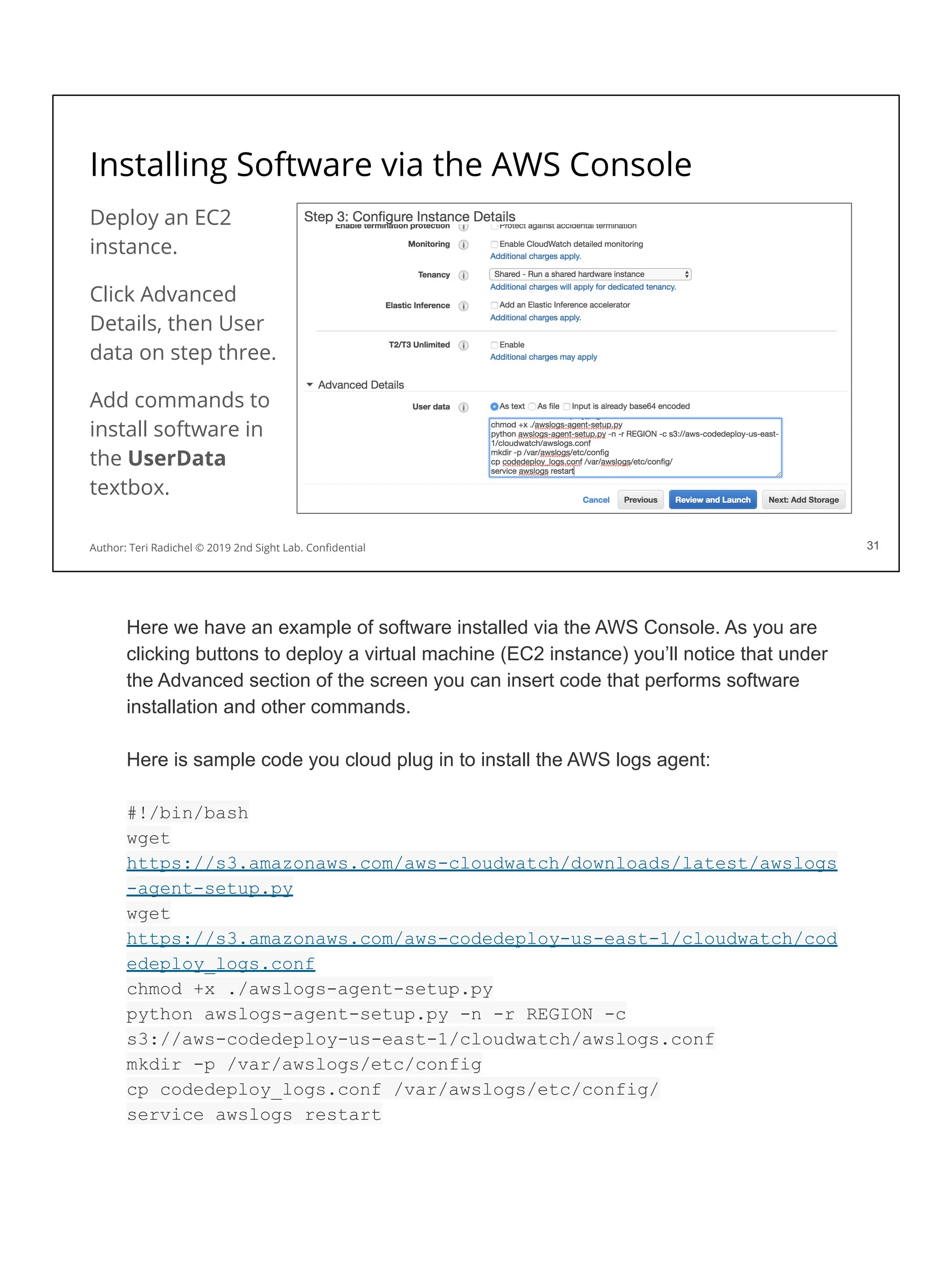
Installing Software via the AWS Console
Deploy an EC2
instance.
Click Advanced
Details, then User
data on step three.
Add commands to
install software in
the UserData
textbox.
31
Author: Teri Radichel © 2019 2nd Sight Lab. Confidential 31
Here we have an example of software installed via the AWS Console. As you are
clicking buttons to deploy a virtual machine (EC2 instance) you’ll notice that under
the Advanced section of the screen you can insert code that performs software
installation and other commands.
Here is sample code you cloud plug in to install the AWS logs agent:
#!/bin/bash
wget
https://s3.amazonaws.com/aws-cloudwatch/downloads/latest/awslogs
-agent-setup.py
wget
https://s3.amazonaws.com/aws-codedeploy-us-east-1/cloudwatch/cod
edeploy_logs.conf
chmod +x ./awslogs-agent-setup.py
python awslogs-agent-setup.py -n -r REGION -c
s3://aws-codedeploy-us-east-1/cloudwatch/awslogs.conf
mkdir -p /var/awslogs/etc/config
cp codedeploy_logs.conf /var/awslogs/etc/config/
service awslogs restart
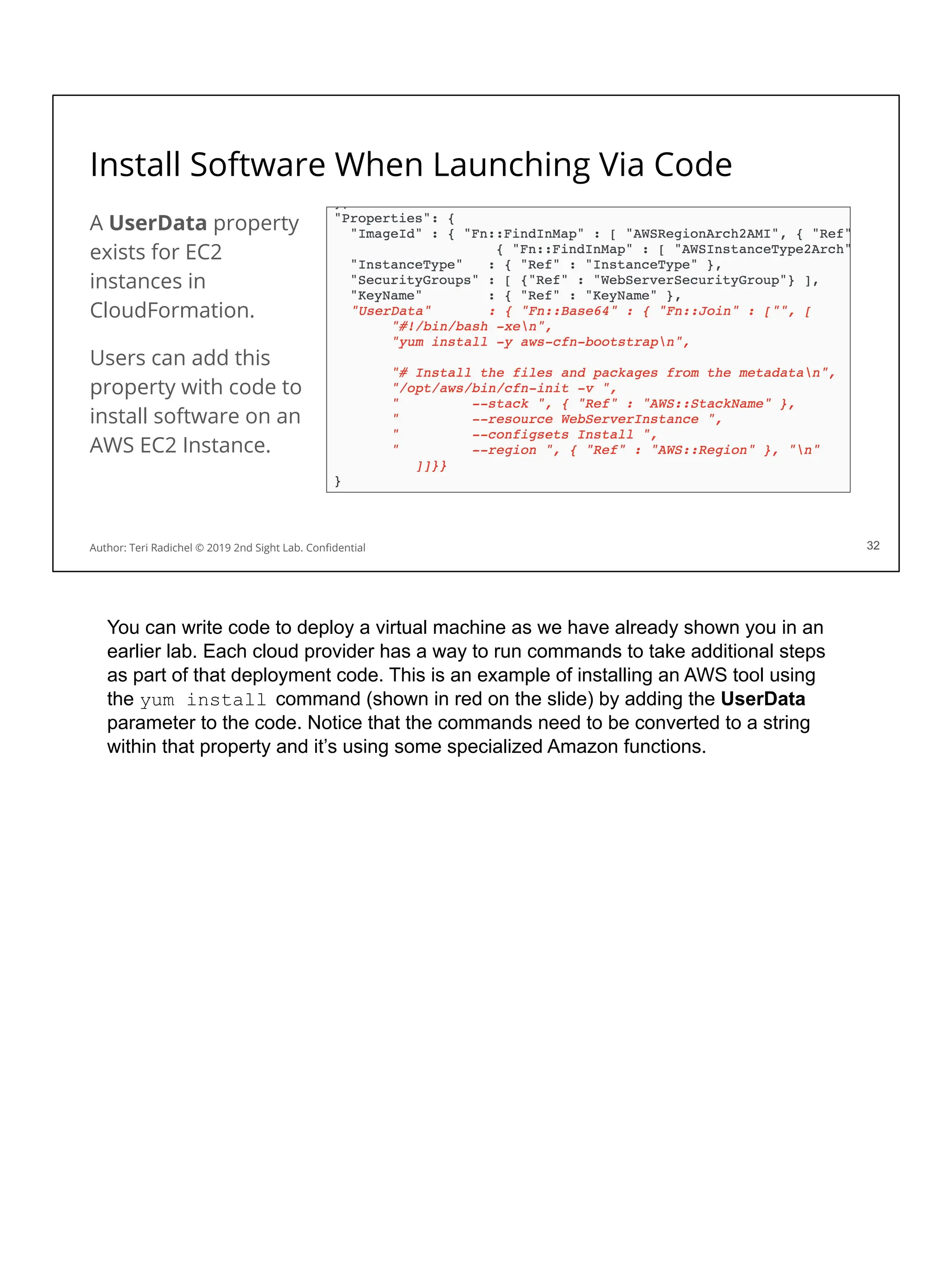
Install Software When Launching Via Code
A UserData property
exists for EC2
instances in
CloudFormation.
Users can add this
property with code to
install software on an
AWS EC2 Instance.
32
Author: Teri Radichel © 2019 2nd Sight Lab. Confidential 32
You can write code to deploy a virtual machine as we have already shown you in an
earlier lab. Each cloud provider has a way to run commands to take additional steps
as part of that deployment code. This is an example of installing an AWS tool using
the yum install command (shown in red on the slide) by adding the UserData
parameter to the code. Notice that the commands need to be converted to a string
within that property and it’s using some specialized Amazon functions.
Tools For Patching Software
Various tools exist to remotely deploy software and configure machines.
Some of the most popular options in cloud environments:
Chef, Puppet, Ansible, and Salt (Open Source and Commercial)
AWS Systems Manager offers similar capabilities. (Cloud Native)
Security issues:
All these require a hole in the network, an agent or access.
They also require permission to make changes on running hosts.
33
Author: Teri Radichel © 2019 2nd Sight Lab. Confidential 33
Various tools exist that allow you to update running system configurations and
software. Some of the most popular in cloud and DevOps environments include: Chef,
Puppet, Ansible, and Salt. AWS also came out with a cloud native option called AWS
Systems Manager (SSM).
IT teams may be familiar with similar tools that are used to update desktops and
servers in a physical environment.
The security implication of these tools is that they all require opening network ports.
This provides an avenue for attack to your hosts. Additionally many of them require an
agent, which could be compromised, or at a minimum credentials that have access to
make changes to your machines. All of these configuration items are avenues for
attacking your hosts. You will need to provide a user or access on the VM to make
changes. If an attacker obtains these credentials they too can make changes on the
host using those credentials.
Some of these tools will also increase your costs by requiring per agent fees. You
need to specify how many agents are required and purchase appropriate licensing in
some cases.
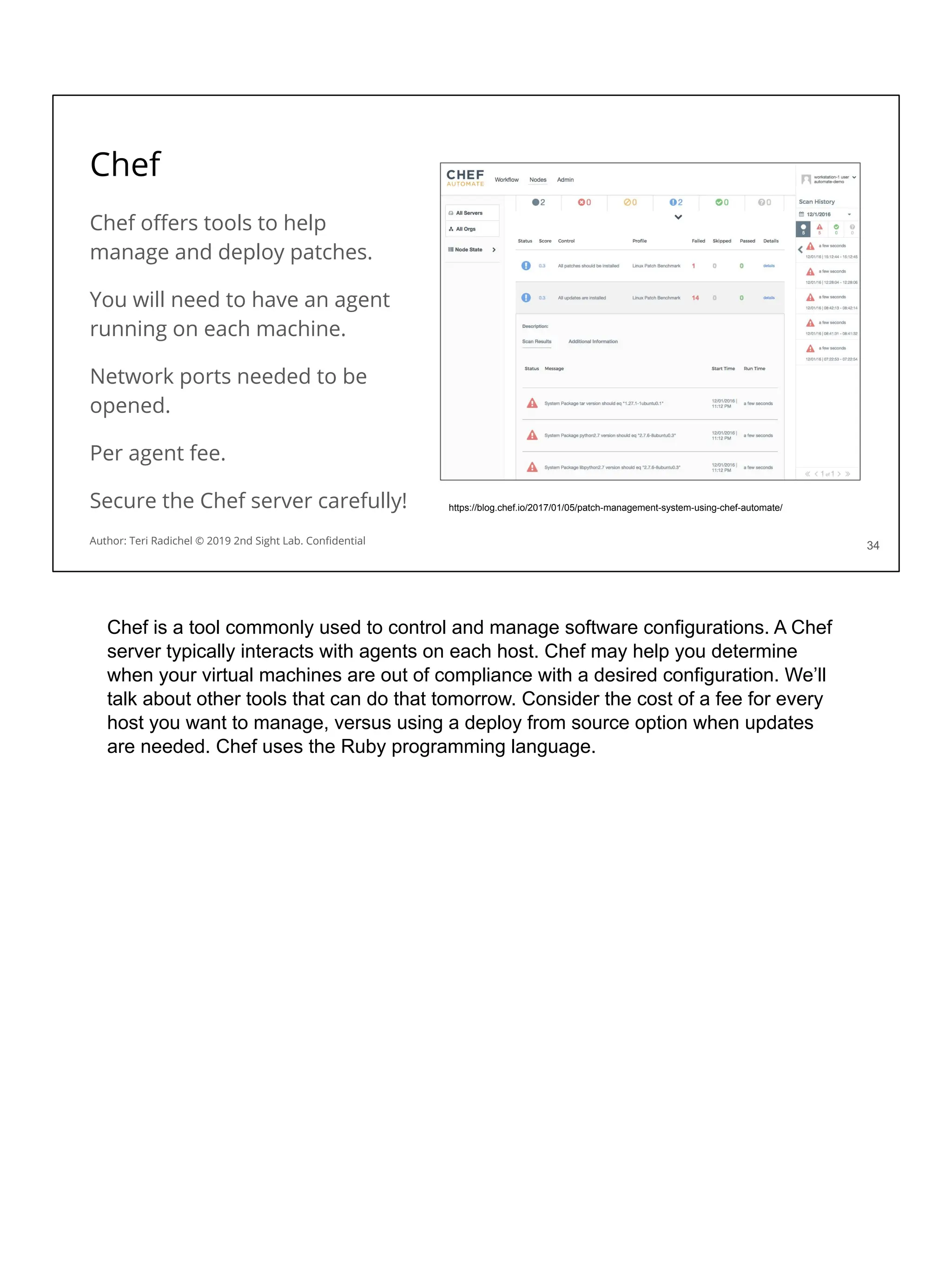
Chef
Chef offers tools to help
manage and deploy patches.
You will need to have an agent
running on each machine.
Network ports needed to be
opened.
Per agent fee.
Secure the Chef server carefully!
34
https://blog.chef.io/2017/01/05/patch-management-system-using-chef-automate/
Author: Teri Radichel © 2019 2nd Sight Lab. Confidential
Chef is a tool commonly used to control and manage software configurations. A Chef
server typically interacts with agents on each host. Chef may help you determine
when your virtual machines are out of compliance with a desired configuration. We’ll
talk about other tools that can do that tomorrow. Consider the cost of a fee for every
host you want to manage, versus using a deploy from source option when updates
are needed. Chef uses the Ruby programming language.
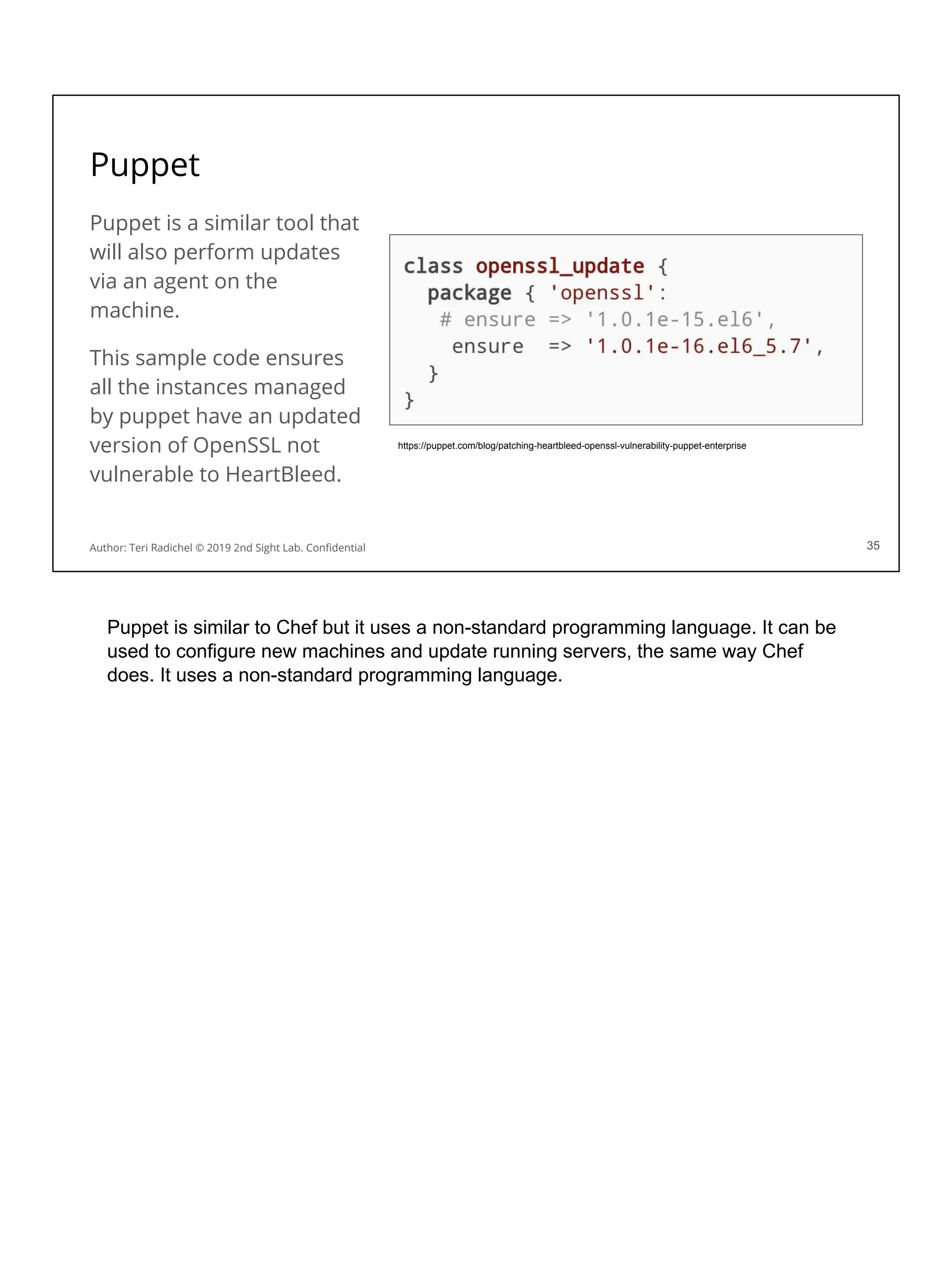
Puppet
Puppet is a similar tool that
will also perform updates
via an agent on the
machine.
This sample code ensures
all the instances managed
by puppet have an updated
version of OpenSSL not
vulnerable to HeartBleed.
35
https://puppet.com/blog/patching-heartbleed-openssl-vulnerability-puppet-enterprise
Author: Teri Radichel © 2019 2nd Sight Lab. Confidential 35
Puppet is similar to Chef but it uses a non-standard programming language. It can be
used to configure new machines and update running servers, the same way Chef
does. It uses a non-standard programming language.
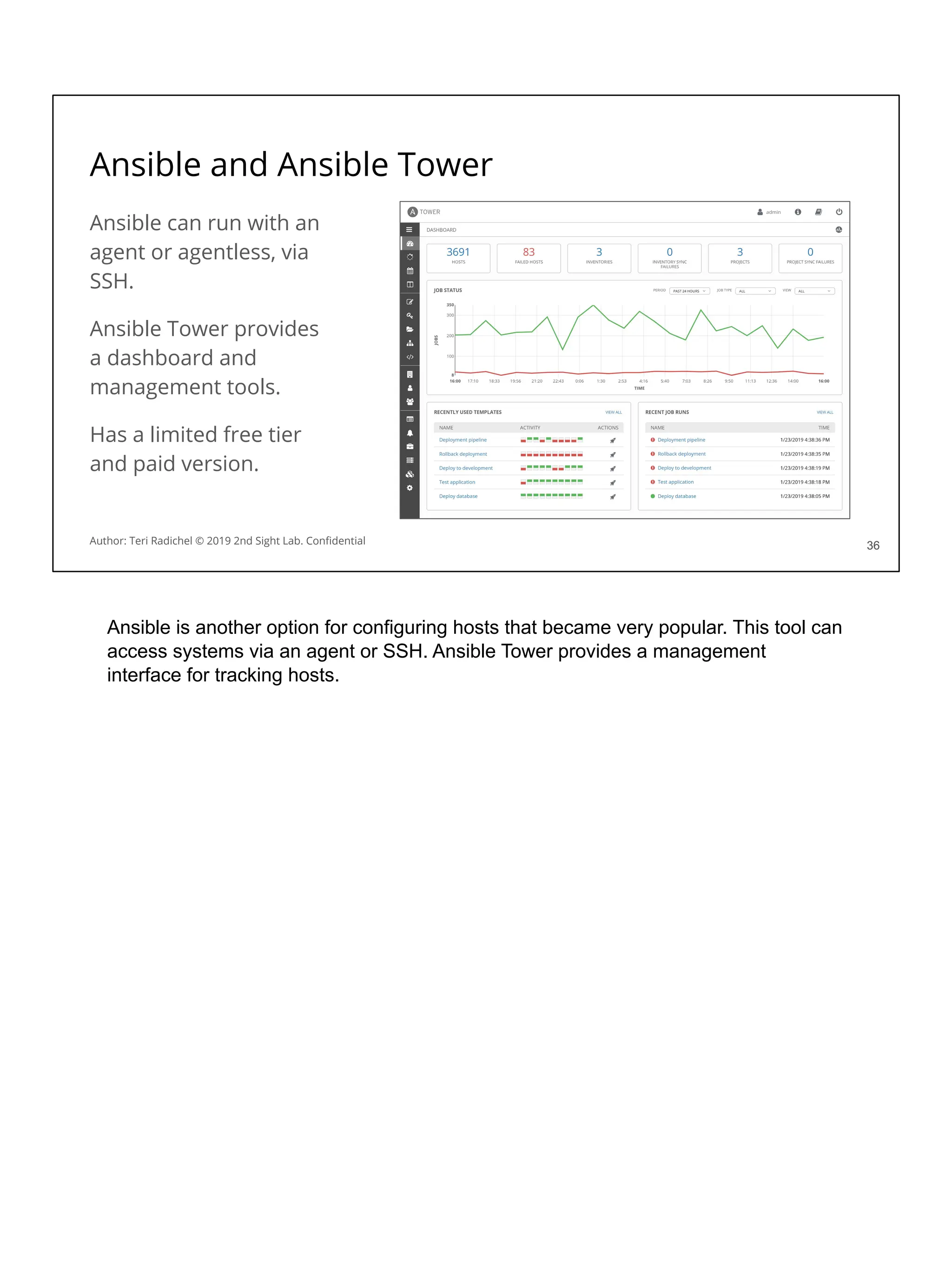
Ansible and Ansible Tower
Ansible can run with an
agent or agentless, via
SSH.
Ansible Tower provides
a dashboard and
management tools.
Has a limited free tier
and paid version.
36
36
Author: Teri Radichel © 2019 2nd Sight Lab. Confidential
Ansible is another option for configuring hosts that became very popular. This tool can
access systems via an agent or SSH. Ansible Tower provides a management
interface for tracking hosts.
What risk does deploying running systems pose?
Think about that for a minute….
Let’s look at how AWS SSM works in more detail.
Along the way…
Let’s consider how it could be leveraged by attackers.
The same great functionality you can use, they can too!
37
Author: Teri Radichel © 2019 2nd Sight Lab. Confidential
?
Can you think of ways in which attackers might compromise a deployment system
and leverage it to perform dastardly deeds?
Think for a minute about how all these deployment systems work. You execute a
command remotely and it takes some action on a host through a network connection.
Does this sound familiar to anything we discussed yesterday?
Let’s take a closer look at SSM and consider how it may increase attack vectors and
potential threats to our cloud environment.
AWS Systems Manager (SSM)
AWS SSM provides a number of different functions.
One feature is the ability to remotely access and update machines.
SSM Documents define the actions performed on your systems.
The SSM Agent works on-premises or in the cloud.
SSM requires the user permissions to execute SSM actions.
In addition, the VMs where the agent runs need host permissions.
38
Author: Teri Radichel © 2019 2nd Sight Lab. Confidential
AWS SSM is a cloud native option for updating and configuring running hosts. SSM
Documents define the actions to take on a host. Instructions are sent to an agent on
the host to execute the commands. Both the users who are taking SSM actions and
the virtual machines where the agent runs need permission to execute commands.
SSM Documents:
https://docs.aws.amazon.com/systems-manager/latest/userguide/sysman-ssm-docs.h
tml
SSM Agent:
https://docs.aws.amazon.com/systems-manager/latest/userguide/ssm-agent.html
AWS Quick Setup:
https://docs.aws.amazon.com/systems-manager/latest/userguide/systems-manager-q
uick-setup.html
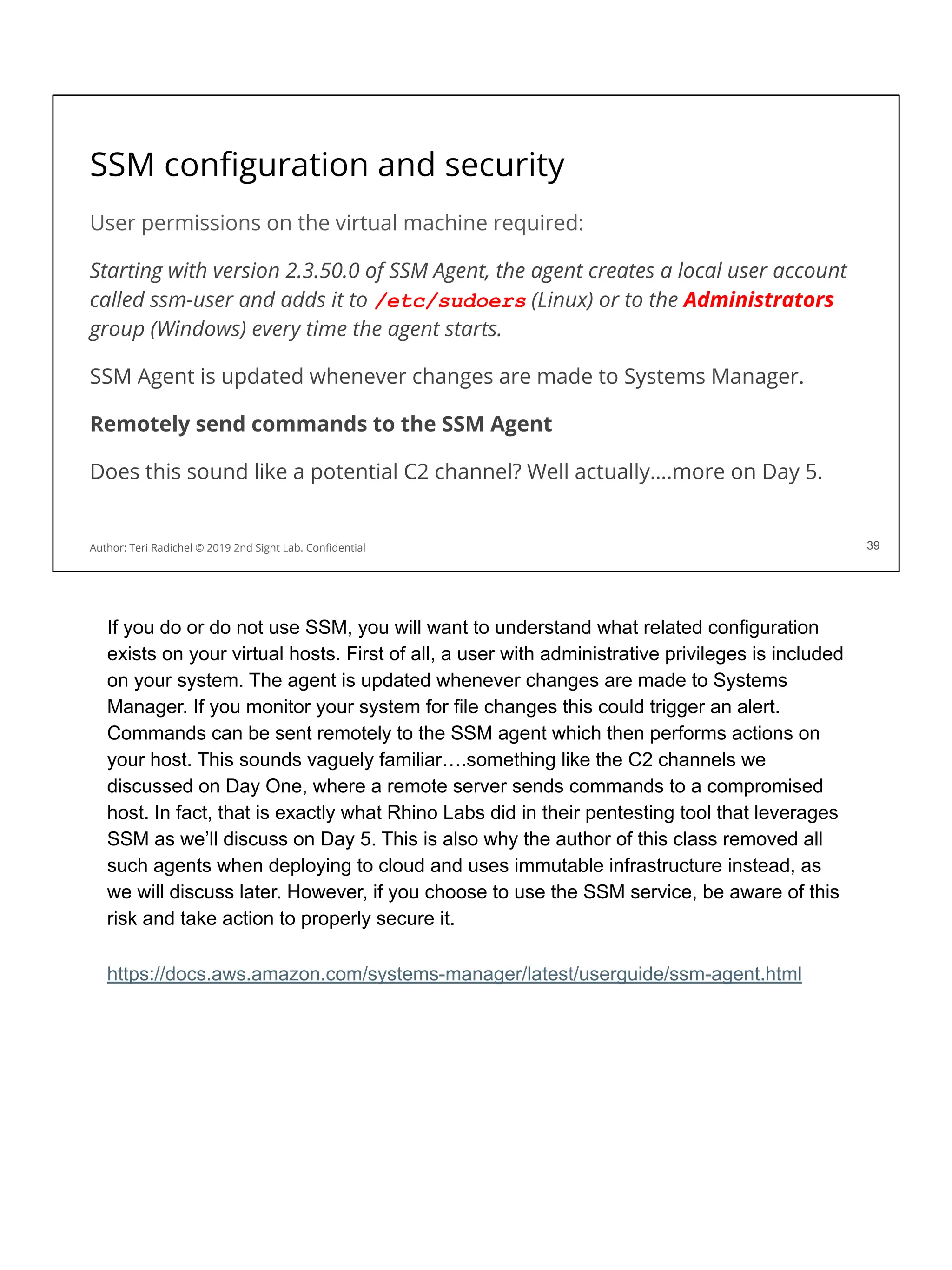
SSM configuration and security
User permissions on the virtual machine required:
Starting with version 2.3.50.0 of SSM Agent, the agent creates a local user account
called ssm-user and adds it to /etc/sudoers (Linux) or to the Administrators
group (Windows) every time the agent starts.
SSM Agent is updated whenever changes are made to Systems Manager.
Remotely send commands to the SSM Agent
Does this sound like a potential C2 channel? Well actually….more on Day 5.
39
Author: Teri Radichel © 2019 2nd Sight Lab. Confidential 39
If you do or do not use SSM, you will want to understand what related configuration
exists on your virtual hosts. First of all, a user with administrative privileges is included
on your system. The agent is updated whenever changes are made to Systems
Manager. If you monitor your system for file changes this could trigger an alert.
Commands can be sent remotely to the SSM agent which then performs actions on
your host. This sounds vaguely familiar….something like the C2 channels we
discussed on Day One, where a remote server sends commands to a compromised
host. In fact, that is exactly what Rhino Labs did in their pentesting tool that leverages
SSM as we’ll discuss on Day 5. This is also why the author of this class removed all
such agents when deploying to cloud and uses immutable infrastructure instead, as
we will discuss later. However, if you choose to use the SSM service, be aware of this
risk and take action to properly secure it.
https://docs.aws.amazon.com/systems-manager/latest/userguide/ssm-agent.html
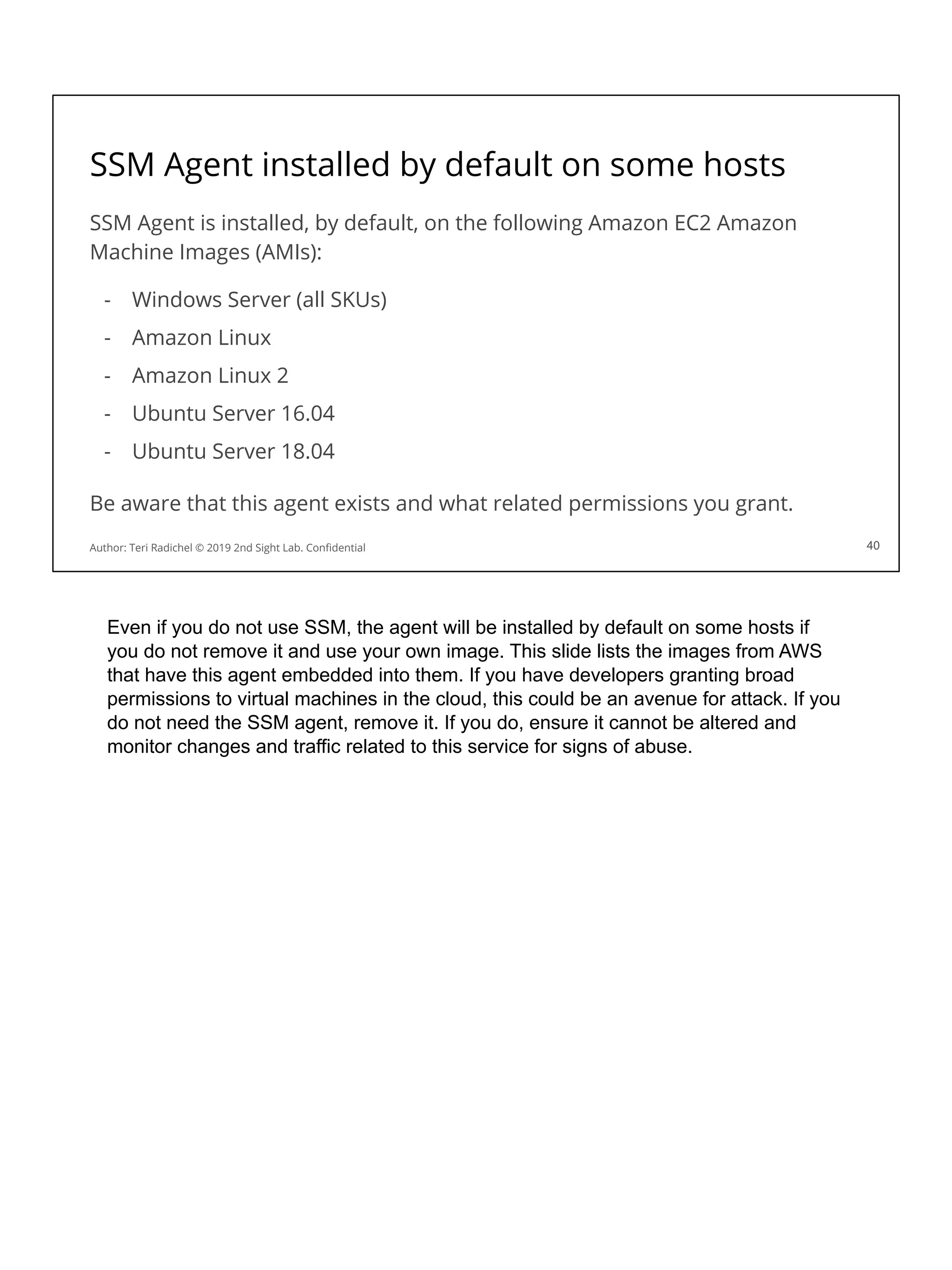
SSM Agent installed by default on some hosts
SSM Agent is installed, by default, on the following Amazon EC2 Amazon
Machine Images (AMIs):
- Windows Server (all SKUs)
- Amazon Linux
- Amazon Linux 2
- Ubuntu Server 16.04
- Ubuntu Server 18.04
Be aware that this agent exists and what related permissions you grant.
40
Author: Teri Radichel © 2019 2nd Sight Lab. Confidential 40
Even if you do not use SSM, the agent will be installed by default on some hosts if
you do not remove it and use your own image. This slide lists the images from AWS
that have this agent embedded into them. If you have developers granting broad
permissions to virtual machines in the cloud, this could be an avenue for attack. If you
do not need the SSM agent, remove it. If you do, ensure it cannot be altered and
monitor changes and traffic related to this service for signs of abuse.
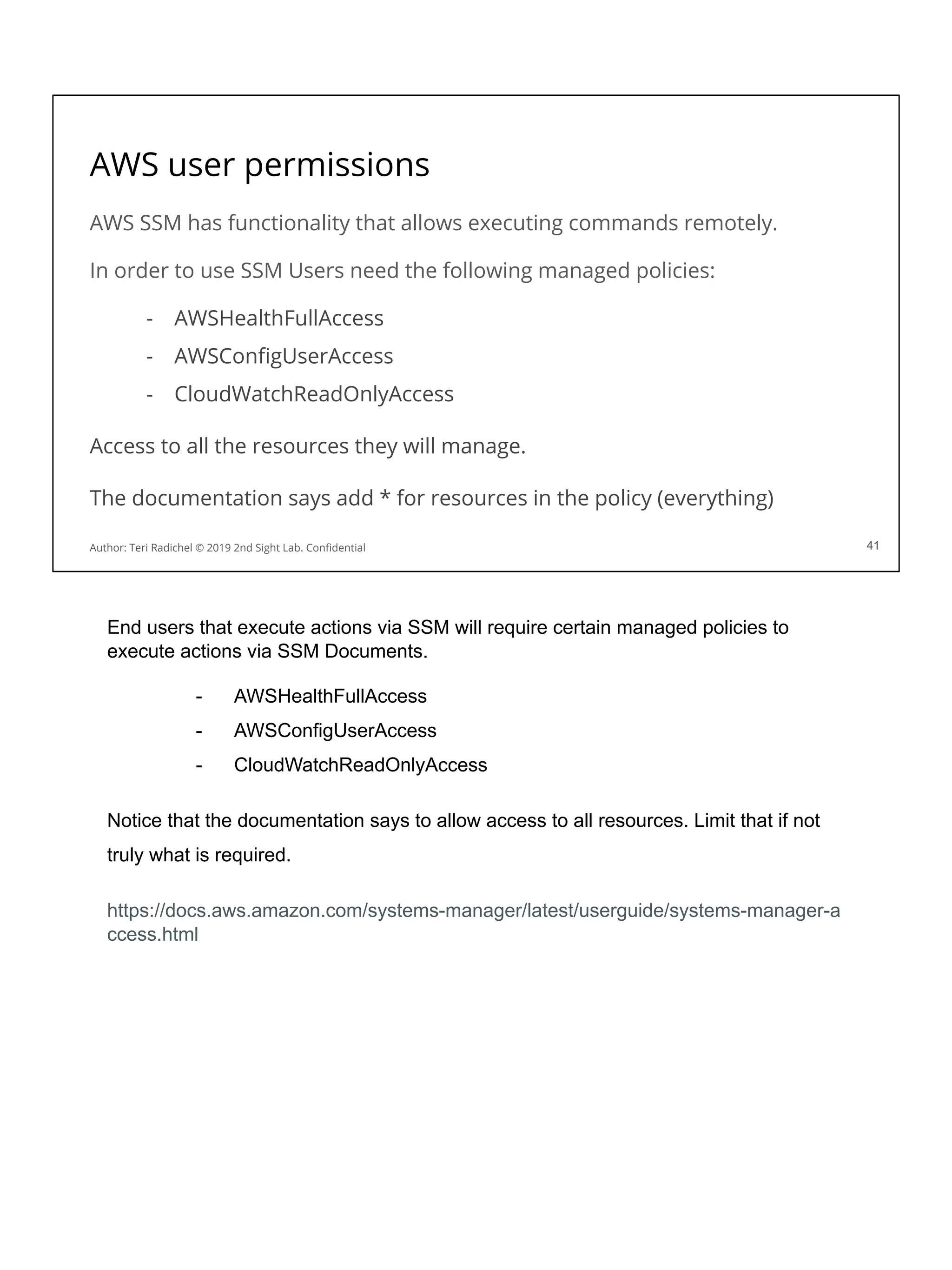
AWS user permissions
AWS SSM has functionality that allows executing commands remotely.
In order to use SSM Users need the following managed policies:
- AWSHealthFullAccess
- AWSConfigUserAccess
- CloudWatchReadOnlyAccess
Access to all the resources they will manage.
The documentation says add * for resources in the policy (everything)

41
Author: Teri Radichel © 2019 2nd Sight Lab. Confidential 41
End users that execute actions via SSM will require certain managed policies to
execute actions via SSM Documents.
- AWSHealthFullAccess
- AWSConfigUserAccess
- CloudWatchReadOnlyAccess
Notice that the documentation says to allow access to all resources. Limit that if not
truly what is required.
https://docs.aws.amazon.com/systems-manager/latest/userguide/systems-manager-a
ccess.html
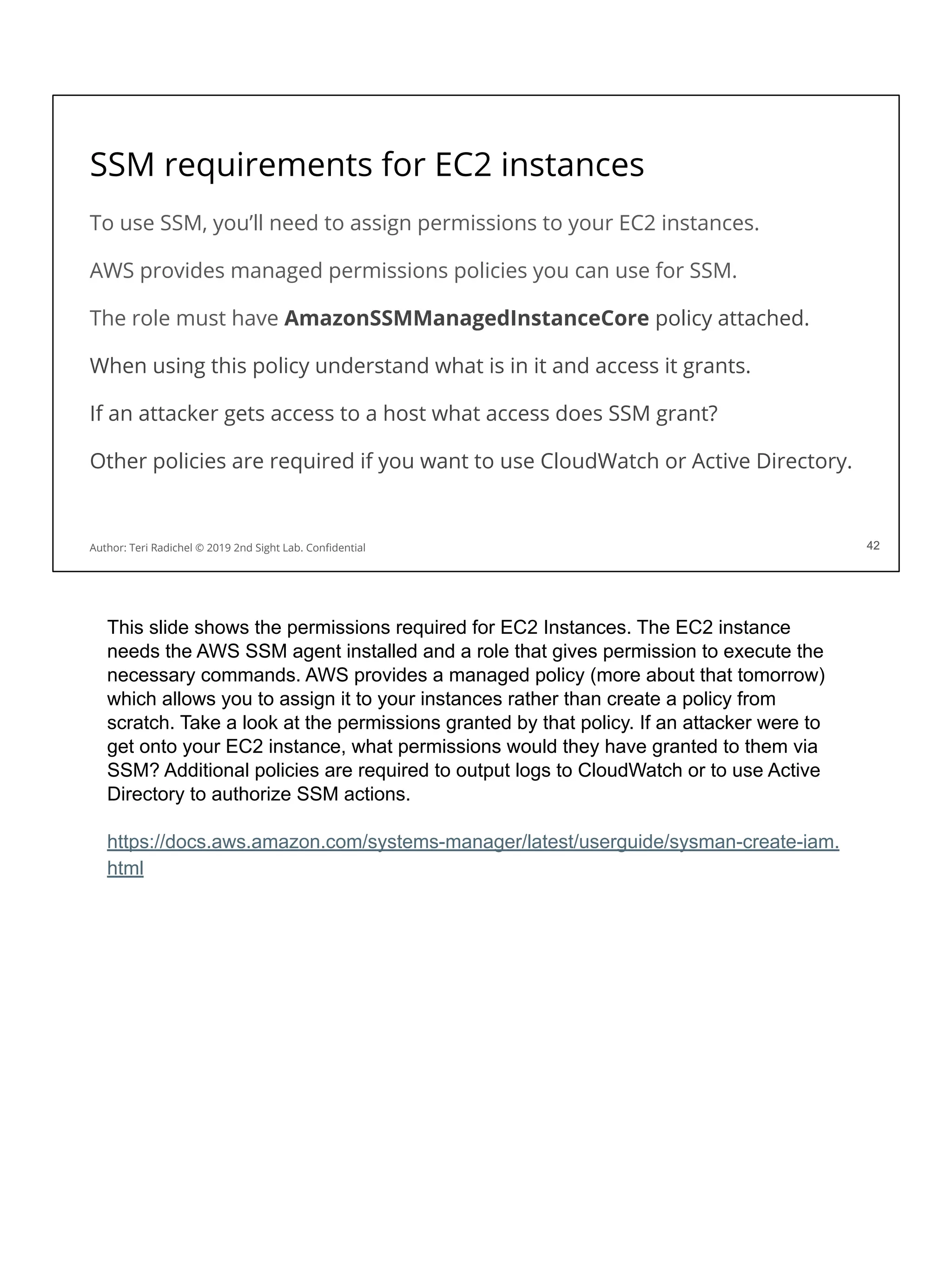
SSM requirements for EC2 instances
To use SSM, you’ll need to assign permissions to your EC2 instances.
AWS provides managed permissions policies you can use for SSM.
The role must have AmazonSSMManagedInstanceCore policy attached.
When using this policy understand what is in it and access it grants.
If an attacker gets access to a host what access does SSM grant?
Other policies are required if you want to use CloudWatch or Active Directory.
42
Author: Teri Radichel © 2019 2nd Sight Lab. Confidential 42
This slide shows the permissions required for EC2 Instances. The EC2 instance
needs the AWS SSM agent installed and a role that gives permission to execute the
necessary commands. AWS provides a managed policy (more about that tomorrow)
which allows you to assign it to your instances rather than create a policy from
scratch. Take a look at the permissions granted by that policy. If an attacker were to
get onto your EC2 instance, what permissions would they have granted to them via
SSM? Additional policies are required to output logs to CloudWatch or to use Active
Directory to authorize SSM actions.
https://docs.aws.amazon.com/systems-manager/latest/userguide/sysman-create-iam.
html
SSM Updates via S3 Buckets and GitHub
AWS SSM sends files to S3 buckets.
You can also run commands from files in S3 and GitHub.
Make sure someone cannot write something unexpected to either of those!
Make sure your have the correct policies on your S3 bucket.
Make sure changes cannot be pushed to GitHub without testing / vetting.
You don’t want a random attacker inserting commands to update your hosts.
43
Author: Teri Radichel © 2019 2nd Sight Lab. Confidential
SSM writes files to S3 buckets. In addition it can retrieve commands to execute from
S3 buckets and Github. Therefore, it’s very important that you have correct
permissions both on GitHub and S3 to prevent malicious or accidentally destructive
code from being inserted into either of these data stores. If an attacker can insert
code into these locations that code would then be potentially executed on all your
hosts configured to receive updates.
SSM Updates via GitHub and S3:
https://docs.aws.amazon.com/systems-manager/latest/userguide/integration-remote-s
cripts.html
SSM Agent Logs
Windows
%PROGRAMDATA%AmazonSSMLogsamazon-ssm-agent.log
%PROGRAMDATA%AmazonSSMLogserrors.log
Linux
/var/log/amazon/ssm/amazon-ssm-agent.log
/var/log/amazon/ssm/errors.log
Consider log shipping.
The SSM agent with sudo access can delete these logs!
44
Author: Teri Radichel © 2019 2nd Sight Lab. Confidential 44
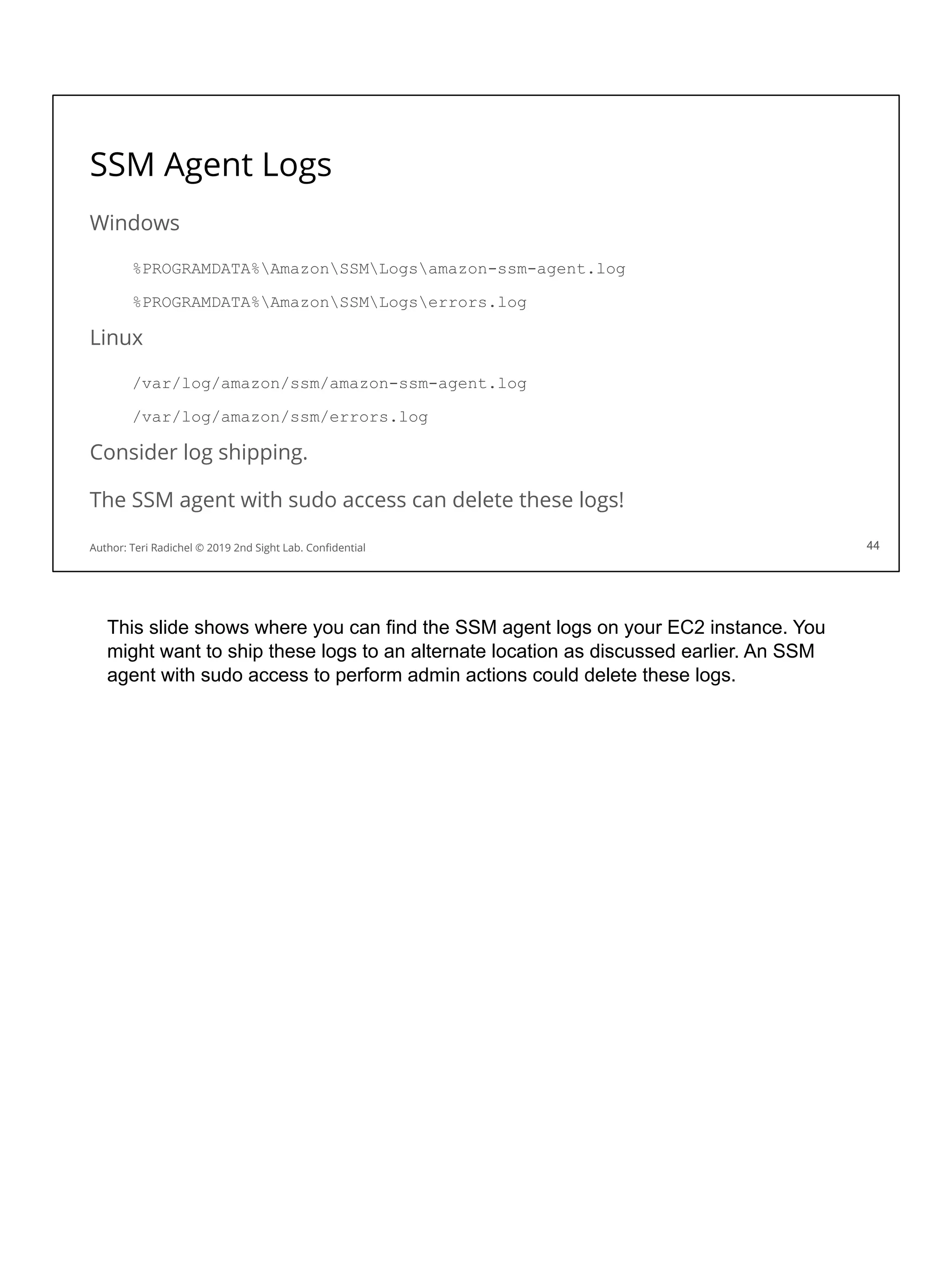
This slide shows where you can find the SSM agent logs on your EC2 instance. You
might want to ship these logs to an alternate location as discussed earlier. An SSM
agent with sudo access to perform admin actions could delete these logs.
SSM Documents
An SSM Document contains commands to execute on the remote host.
Use built-in documents or create your own.
45
Author: Teri Radichel © 2019 2nd Sight Lab. Confidential 45
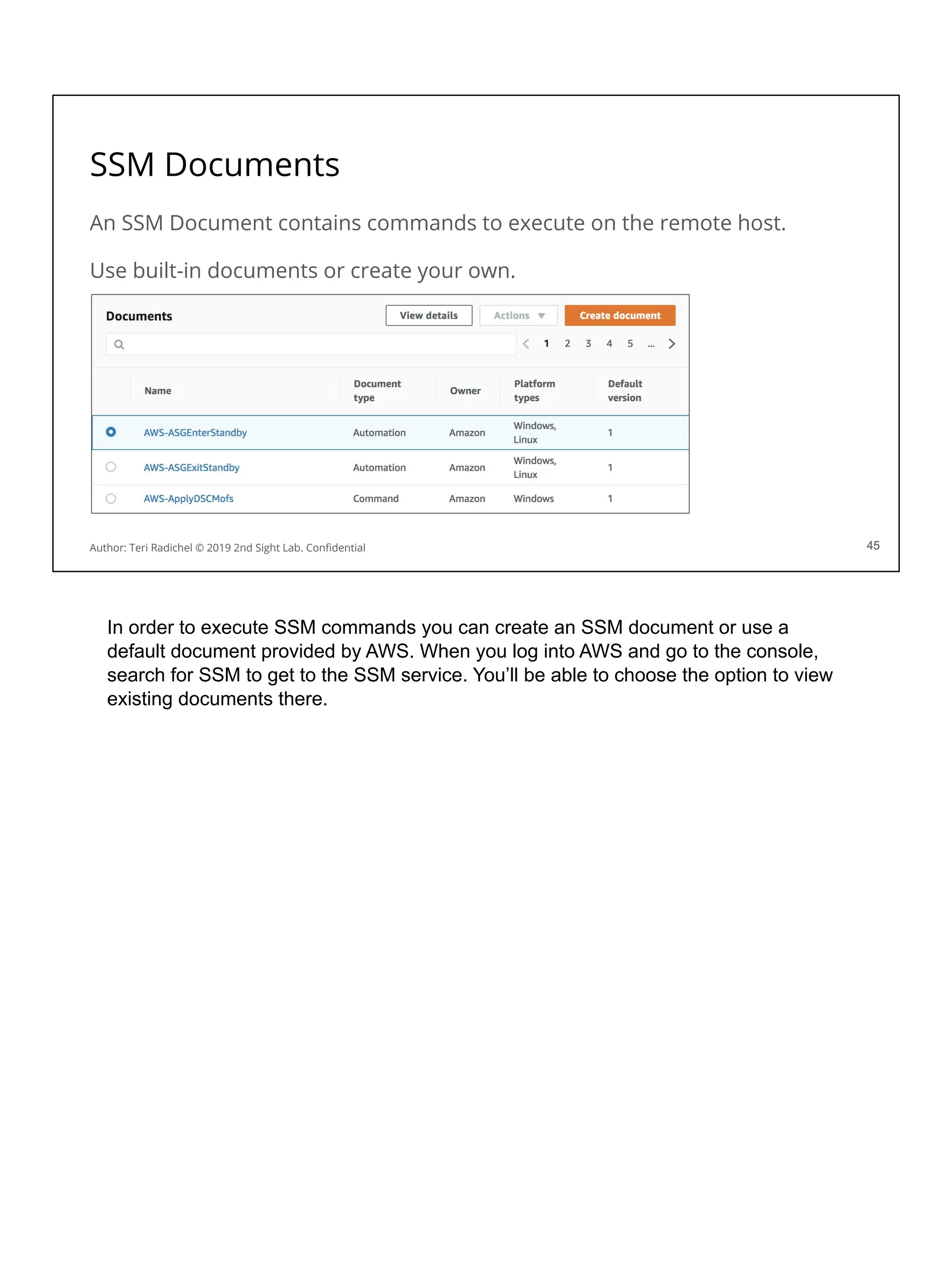
In order to execute SSM commands you can create an SSM document or use a
default document provided by AWS. When you log into AWS and go to the console,
search for SSM to get to the SSM service. You’ll be able to choose the option to view
existing documents there.
Run Any Shell Script
46
Author: Teri Radichel © 2019 2nd Sight Lab. Confidential 46
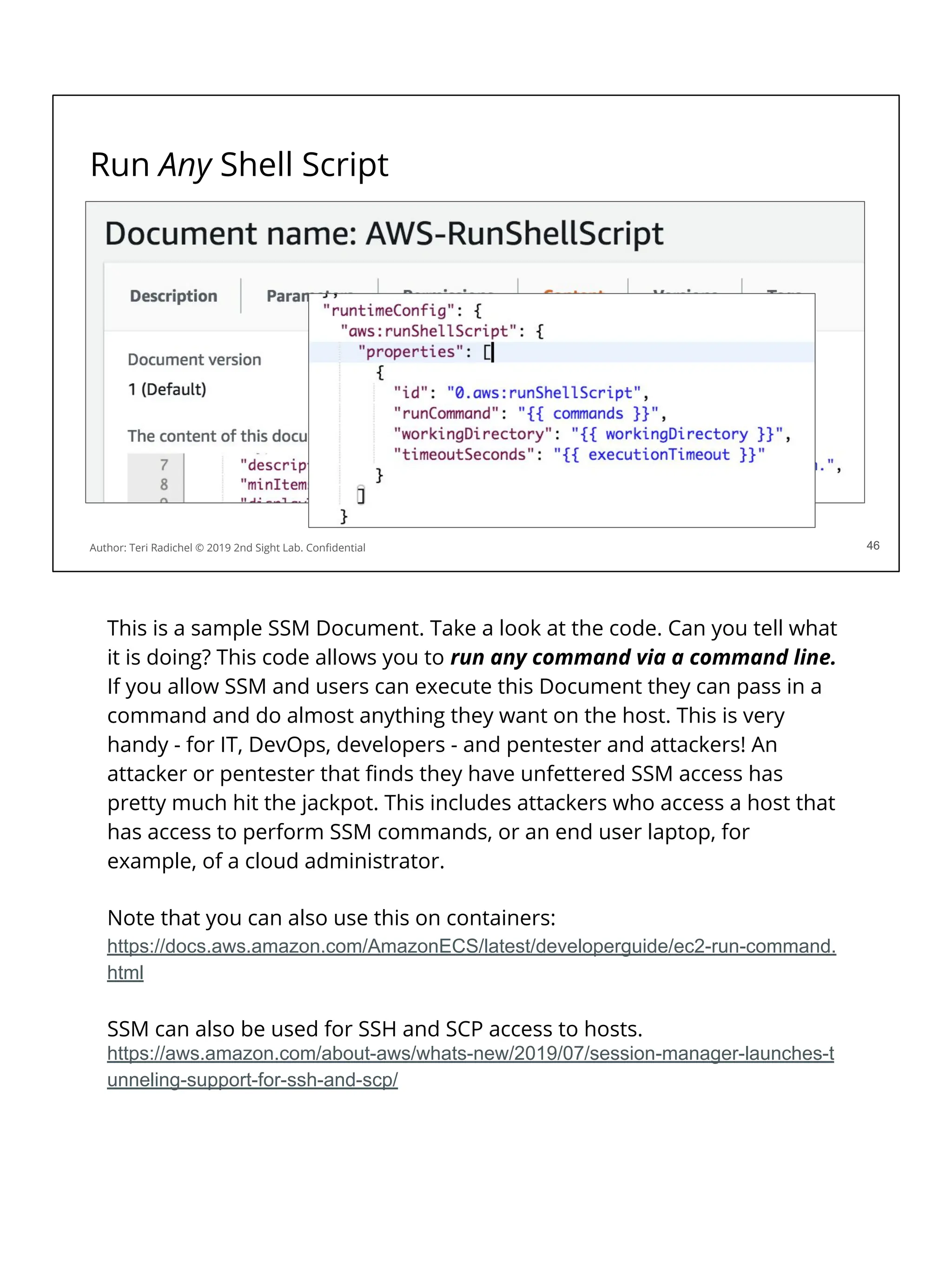
This is a sample SSM Document. Take a look at the code. Can you tell what
it is doing? This code allows you to run any command via a command line.
If you allow SSM and users can execute this Document they can pass in a
command and do almost anything they want on the host. This is very
handy - for IT, DevOps, developers - and pentester and attackers! An
attacker or pentester that finds they have unfettered SSM access has
pretty much hit the jackpot. This includes attackers who access a host that
has access to perform SSM commands, or an end user laptop, for
example, of a cloud administrator.
Note that you can also use this on containers:
https://docs.aws.amazon.com/AmazonECS/latest/developerguide/ec2-run-command.
html
SSM can also be used for SSH and SCP access to hosts.
https://aws.amazon.com/about-aws/whats-new/2019/07/session-manager-launches-t
unneling-support-for-ssh-and-scp/
The moral of this story...
You may find these tools useful
They provide powerful automation capabilities
Remote command execution could also help with incident response
However make sure you understand the capabilities of the tools
Also ensure permissions are appropriately locked down
Consider not only who runs the tool but how related code can be modified
Ensure you have logging and alerts for unwanted activities.
47
Author: Teri Radichel © 2019 2nd Sight Lab. Confidential 47
These tools used to update software on running hosts are very powerful and useful
for updating software and configurations. They also provide a massive attack vector
for an attacker to wreak havoc on your cloud systems. Use these tools very carefully.
Consider all the ways in which an attacker might leverage them to infiltrate unwanted
commands into your environment. You have been warned!!
Now let’s consider a different (better?) way to update your systems, when you can
use it.
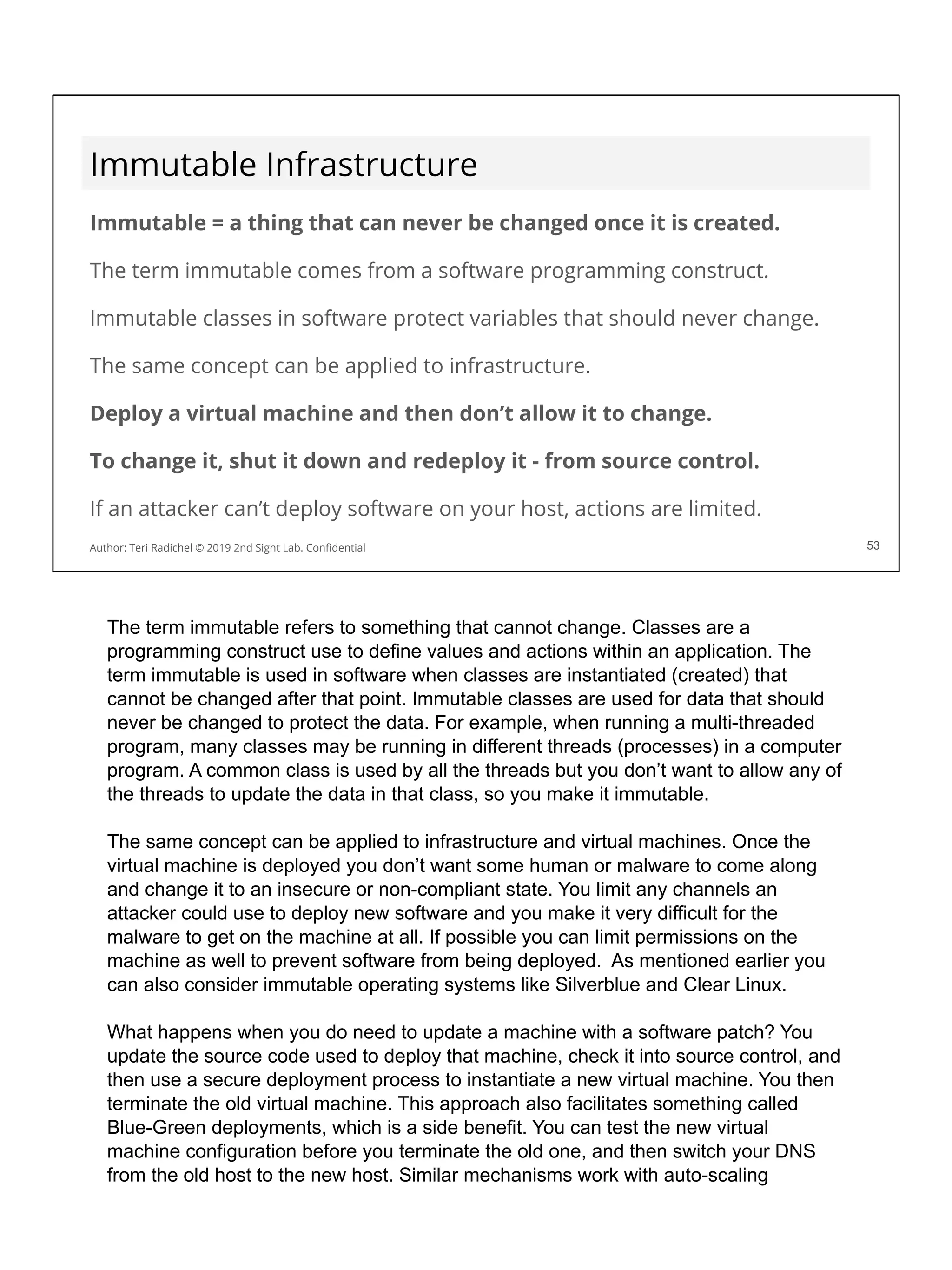
Immutable Infrastructure
Immutable = a thing that can never be changed once it is created.
The term immutable comes from a software programming construct.
Immutable classes in software protect variables that should never change.
The same concept can be applied to infrastructure.
Deploy a virtual machine and then don’t allow it to change.
To change it, shut it down and redeploy it - from source control.
If an attacker can’t deploy software on your host, actions are limited.
53
Author: Teri Radichel © 2019 2nd Sight Lab. Confidential 53
The term immutable refers to something that cannot change. Classes are a
programming construct use to define values and actions within an application. The
term immutable is used in software when classes are instantiated (created) that
cannot be changed after that point. Immutable classes are used for data that should
never be changed to protect the data. For example, when running a multi-threaded
program, many classes may be running in different threads (processes) in a computer
program. A common class is used by all the threads but you don’t want to allow any of
the threads to update the data in that class, so you make it immutable.
The same concept can be applied to infrastructure and virtual machines. Once the
virtual machine is deployed you don’t want some human or malware to come along
and change it to an insecure or non-compliant state. You limit any channels an
attacker could use to deploy new software and you make it very difficult for the
malware to get on the machine at all. If possible you can limit permissions on the
machine as well to prevent software from being deployed. As mentioned earlier you
can also consider immutable operating systems like Silverblue and Clear Linux.
What happens when you do need to update a machine with a software patch? You
update the source code used to deploy that machine, check it into source control, and
then use a secure deployment process to instantiate a new virtual machine. You then
terminate the old virtual machine. This approach also facilitates something called
Blue-Green deployments, which is a side benefit. You can test the new virtual
machine configuration before you terminate the old one, and then switch your DNS
from the old host to the new host. Similar mechanisms work with auto-scaling
instances as well.
Using this approach removes all the complications and potential risks associated with
the SSM approach we mentioned earlier.
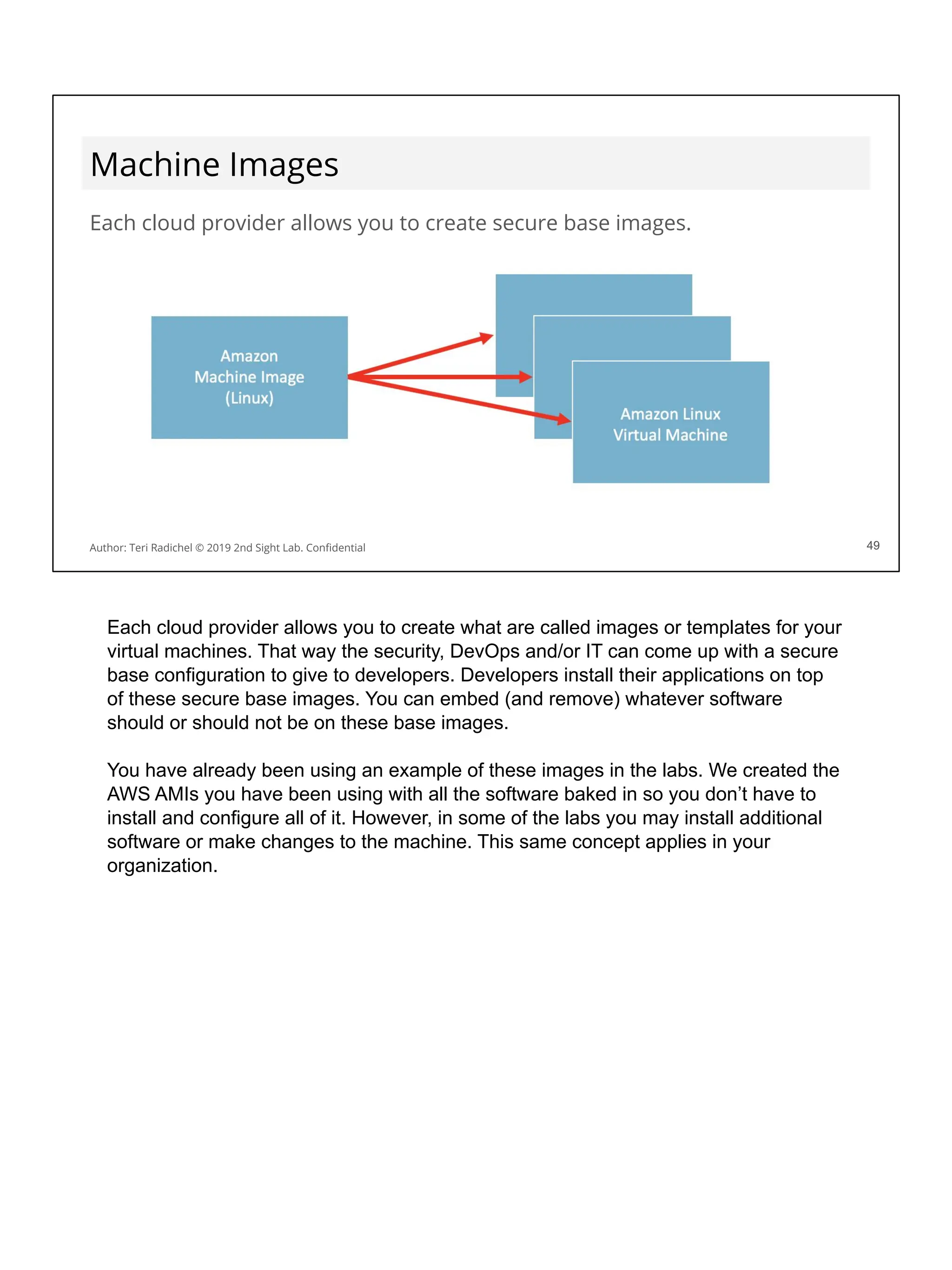
Machine Images
Each cloud provider allows you to create secure base images.
49
Author: Teri Radichel © 2019 2nd Sight Lab. Confidential 49
Each cloud provider allows you to create what are called images or templates for your
virtual machines. That way the security, DevOps and/or IT can come up with a secure
base configuration to give to developers. Developers install their applications on top
of these secure base images. You can embed (and remove) whatever software
should or should not be on these base images.
You have already been using an example of these images in the labs. We created the
AWS AMIs you have been using with all the software baked in so you don’t have to
install and configure all of it. However, in some of the labs you may install additional
software or make changes to the machine. This same concept applies in your
organization.
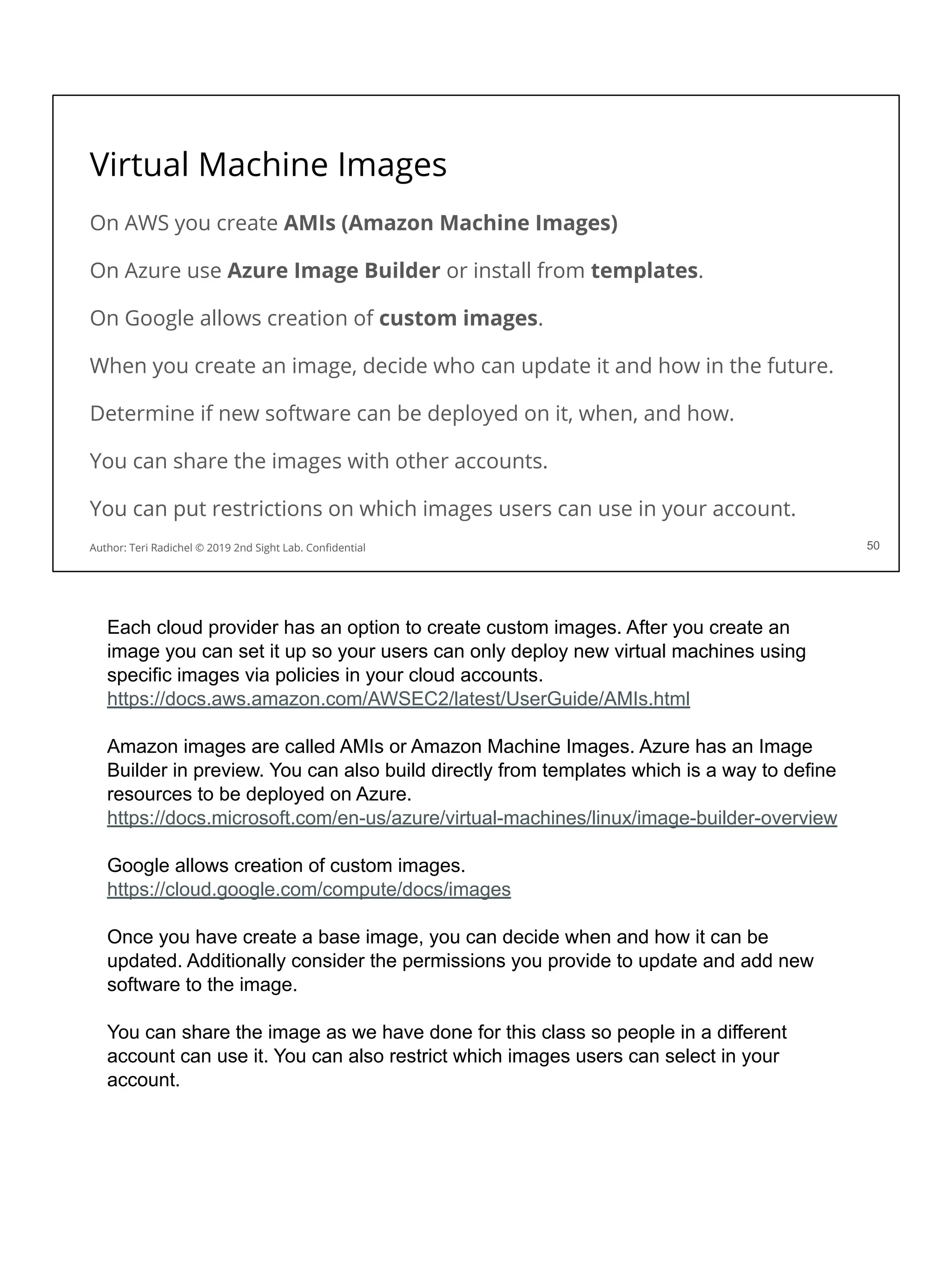
Virtual Machine Images
50
Author: Teri Radichel © 2019 2nd Sight Lab. Confidential
On AWS you create AMIs (Amazon Machine Images)
On Azure use Azure Image Builder or install from templates.
On Google allows creation of custom images.
When you create an image, decide who can update it and how in the future.
Determine if new software can be deployed on it, when, and how.
You can share the images with other accounts.
You can put restrictions on which images users can use in your account.
Each cloud provider has an option to create custom images. After you create an
image you can set it up so your users can only deploy new virtual machines using
specific images via policies in your cloud accounts.
https://docs.aws.amazon.com/AWSEC2/latest/UserGuide/AMIs.html
Amazon images are called AMIs or Amazon Machine Images. Azure has an Image
Builder in preview. You can also build directly from templates which is a way to define
resources to be deployed on Azure.
https://docs.microsoft.com/en-us/azure/virtual-machines/linux/image-builder-overview
Google allows creation of custom images.
https://cloud.google.com/compute/docs/images
Once you have create a base image, you can decide when and how it can be
updated. Additionally consider the permissions you provide to update and add new
software to the image.
You can share the image as we have done for this class so people in a different
account can use it. You can also restrict which images users can select in your
account.
Packer from HashiCorp
Open source tool from
HashiCorp.
Create multiple images on
different platforms from a single
configuration.
Packer can be used with tools like
Ansible, Puppet, and Chef to
install software onto an image.
We show you how in the next lab!
51
Author: Teri Radichel © 2019 2nd Sight Lab. Confidential 51
Packer is an open source tool from HashiCorp that can help you create cloud images.
This tool can work with the tools we discussed earlier that help you configure
operating systems. This is a good point to use these tools. They help you create code
for standard configurations that you can check into source control. You can automate
the process for creating, updating, and deploying new images. In addition you can
automate and wrap security around the whole process, defining who has permission
to create, update, and deploy images to your account.
Marketplace, community, and public images
Many vendors offer virtual machine images in the cloud marketplaces.
Images may also be available from kind souls who preconfigure software.
In the past some of these images have come “bearing gifts” (malware).
Additionally these images may not be following good security practices.
You may want to limit what people can use from the marketplace.
You can also simply disallow using it at all.
52
Author: Teri Radichel © 2019 2nd Sight Lab. Confidential 52
In addition to creating private images people can create public images. Some
examples of public images include products from vendors in the cloud marketplaces.
Vendors configure machine images with their software and sell it to you. Other images
can be shared publicly by people who simply want to share their work -- or get you to
install an insecure, malicious host!
When AWS was newer, all the Amazon and community images were mixed together.
It was hard to tell which images were officially from AWS. An unsuspecting person
would choose the wrong image from a third-party and it may potentially contain
malicious code. Right now embedding cryptominers on “free” software is all the rage.
Considerations for VM Images
❏ Who is allowed to create and share images?
❏ What operating systems and standard configurations are allowed?
❏ How will you scan and test new images to ensure they are secure?
❏ Do you need any security agents in your base image?
❏ Will you allow agents that make changes to machines?
❏ What networking changes are required for agents?
❏ Who can update the images?
❏ How will you prevent unwanted changes?
❏ How will a new image be deployed to existing applications?
❏ Embedded software loads faster in auto-scaling environment.
❏ Will you limit images that can be used in your accounts?
53
Author: Teri Radichel © 2019 2nd Sight Lab. Confidential
This slide lists some questions you should consider when defining a process for
creating new images. You want to make sure permissions are set so that only the
appropriate people can change and share an image to your accounts. If anyone can
share an image to your account, the wrong image could be shared by someone
malicious. Additionally, if anyone can change the base image they can change your
secure image to something less secure or embed or remove software. Consider this
process carefully to make sure only the appropriate people have access.
Another point of contention will be alerting developers when new images are available
and ensuring they use the latest version when deploying new systems. For existing
systems, an update process must be in place - hopefully automated - to deploy new
images in applications with stand-alone and auto-scaling virtual machine
configurations.
Sending an email to developers to tell them to update their applications is likely not
the best approach in most organizations. Work with managers, product managers,
scrum backlog owners, and others to determine how to get your request into the
backlog of items the developers are scheduled to complete. Make sure you work with
developer and QA teams rather than simply pushing out changes which may break
their applications. They will likely need to test the applications in a QA environment,
and then deploy them to production.
Lab: Virtual Machine Images
54
Author: Teri Radichel © 2019 2nd Sight Lab. Confidential
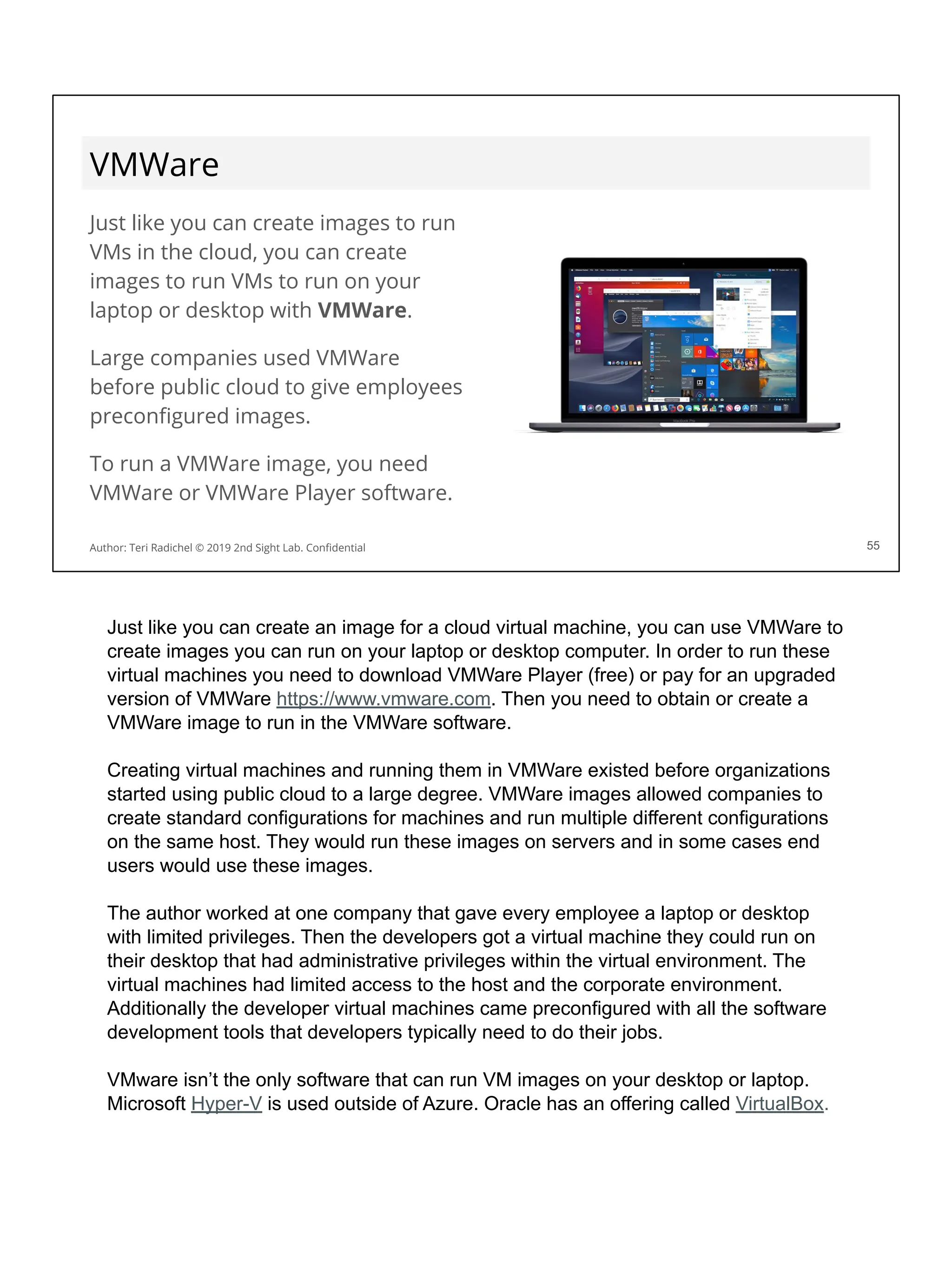
VMWare
Just like you can create images to run
VMs in the cloud, you can create
images to run VMs to run on your
laptop or desktop with VMWare.
Large companies used VMWare
before public cloud to give employees
preconfigured images.
To run a VMWare image, you need
VMWare or VMWare Player software.
55
Author: Teri Radichel © 2019 2nd Sight Lab. Confidential
Just like you can create an image for a cloud virtual machine, you can use VMWare to
create images you can run on your laptop or desktop computer. In order to run these
virtual machines you need to download VMWare Player (free) or pay for an upgraded
version of VMWare https://www.vmware.com. Then you need to obtain or create a
VMWare image to run in the VMWare software.
Creating virtual machines and running them in VMWare existed before organizations
started using public cloud to a large degree. VMWare images allowed companies to
create standard configurations for machines and run multiple different configurations
on the same host. They would run these images on servers and in some cases end
users would use these images.
The author worked at one company that gave every employee a laptop or desktop
with limited privileges. Then the developers got a virtual machine they could run on
their desktop that had administrative privileges within the virtual environment. The
virtual machines had limited access to the host and the corporate environment.
Additionally the developer virtual machines came preconfigured with all the software
development tools that developers typically need to do their jobs.
VMware isn’t the only software that can run VM images on your desktop or laptop.
Microsoft Hyper-V is used outside of Azure. Oracle has an offering called VirtualBox.
VMWare in the cloud
Some companies want to use their existing VMWare images in the cloud.
It has been possible to import a single VM to the cloud for a while.
Companies also want to use the software that manages their VMs
Initially this was not possible but now AWS, Amazon, and GCP support it.
AWS Bare Metal instances came about for this reason.
Amazon says this is one of their fastest growing services.
62
Author: Teri Radichel © 2019 2nd Sight Lab. Confidential
Companies have been using VMWare longer than public cloud. They use VMWare to
manage images that have pre-installed software for new users. They also use virtual
machines to run different operating systems on a single server for different
applications.
Instead of creating new and different VM images in the cloud some companies prefer
to use their existing VMWare images. AWS offers the AWS VM import-export
functionality for a while. This service was a bit limited because it works with a single
VM.
Companies also wanted to use the software they use to manage and deploy VMs
internally. Initially this wasn’t possible but now it is on all three major cloud providers.
Bare metal instances run with the Nitro hypervisor came about as a result of the
desire to support VMWare on AWS. Andy Jassy, CEO of AWS, said VMWare on AWS
is one of the fastest growing services on AWS at a recent conference.
AWS VM Import-Export
https://aws.amazon.com/ec2/vm-import/
VMWare Cloud on AWS
https://aws.amazon.com/vmware/
This is a pretty detailed blog post about a VMWare migration to AWS:
https://esxsi.com/2019/01/17/vmware-aws-migration/
VMWare Cloud Solutions on Azure (run by a third party, Cloud SImple)
https://azure.microsoft.com/en-us/overview/azure-vmware/
GCP VMWare (run by Cloud Simple)
https://cloud.google.com/vmware/
Scalability and availability
AWS, Azure, Google (and others) offer services to help with:
Scalability: As more people visit your site, it can handle the load
Availability: If a virtual machine fails, your application still works!
These services include the following:
Load balancers
Auto scaling
57
Author: Teri Radichel © 2019 2nd Sight Lab. Confidential
When you run an application on-premises typically you use hardware load balancers
from companies like Cisco or F5. Before people started using software defined
networking, everything was connected via hardware boxes. Network technicians
logged in and manually configured these devices. The purpose of the load balancer
was to receive the traffic before it went to the web servers and determine which web
server could best handle the load. The load balancer would then route the request to
that server. If any server failed, the load balancer would stop sending traffic to it and
only send requests to the healthy web servers. We can do something similar in the
cloud but with software.
Cloud providers offer two types of software-defined services that help ensure your
application is always up and running, just like it is in your data center: Load balancers
and auto scaling.
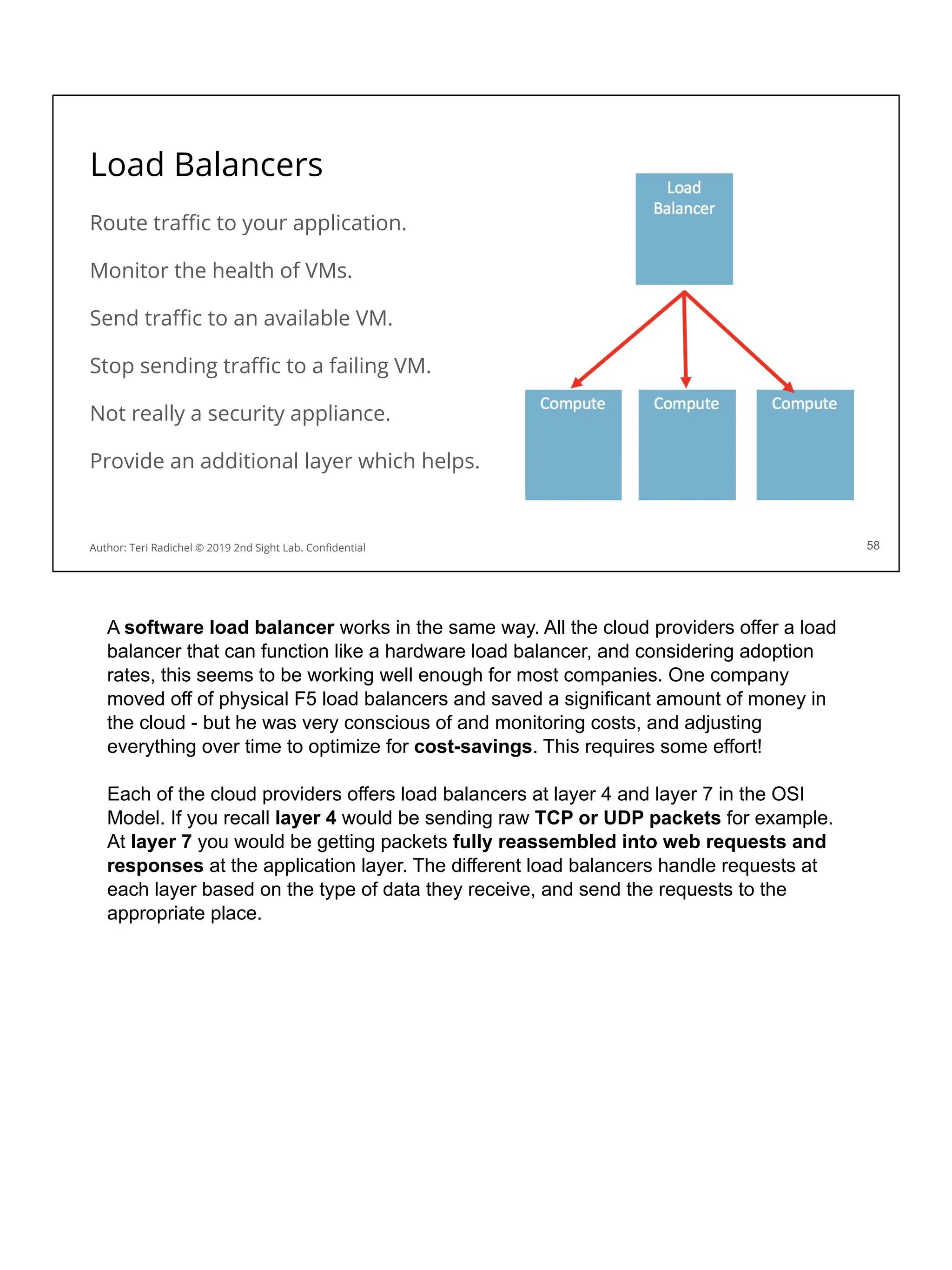
Load Balancers
Route traffic to your application.
Monitor the health of VMs.
Send traffic to an available VM.
Stop sending traffic to a failing VM.
Not really a security appliance.
Provide an additional layer which helps.
58
Author: Teri Radichel © 2019 2nd Sight Lab. Confidential
A software load balancer works in the same way. All the cloud providers offer a load
balancer that can function like a hardware load balancer, and considering adoption
rates, this seems to be working well enough for most companies. One company
moved off of physical F5 load balancers and saved a significant amount of money in
the cloud - but he was very conscious of and monitoring costs, and adjusting
everything over time to optimize for cost-savings. This requires some effort!
Each of the cloud providers offers load balancers at layer 4 and layer 7 in the OSI
Model. If you recall layer 4 would be sending raw TCP or UDP packets for example.
At layer 7 you would be getting packets fully reassembled into web requests and
responses at the application layer. The different load balancers handle requests at
each layer based on the type of data they receive, and send the requests to the
appropriate place.
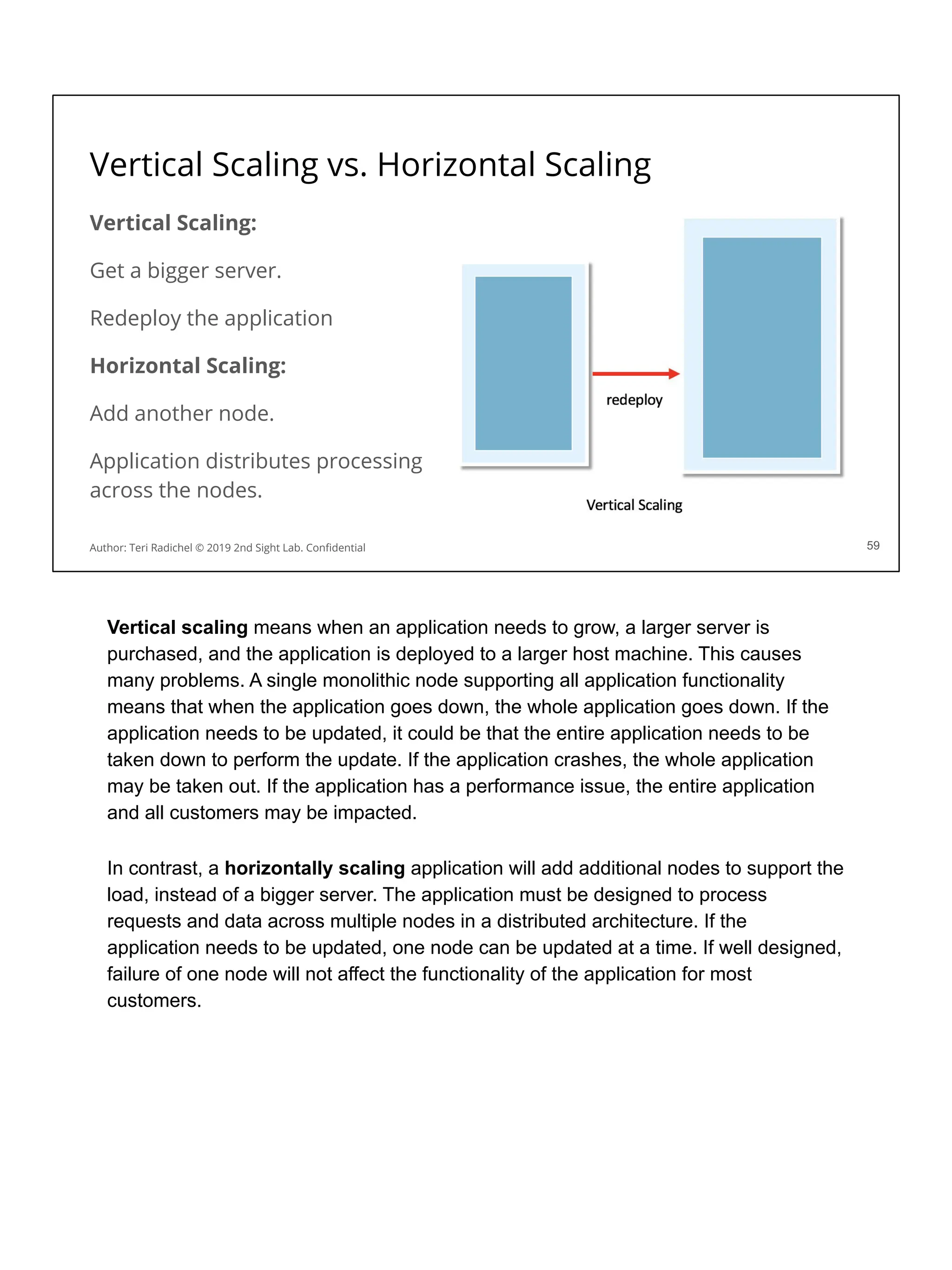
Vertical Scaling vs. Horizontal Scaling
Vertical Scaling:
Get a bigger server.
Redeploy the application
Horizontal Scaling:
Add another node.
Application distributes processing
across the nodes.
59
Author: Teri Radichel © 2019 2nd Sight Lab. Confidential
Vertical scaling means when an application needs to grow, a larger server is
purchased, and the application is deployed to a larger host machine. This causes
many problems. A single monolithic node supporting all application functionality
means that when the application goes down, the whole application goes down. If the
application needs to be updated, it could be that the entire application needs to be
taken down to perform the update. If the application crashes, the whole application
may be taken out. If the application has a performance issue, the entire application
and all customers may be impacted.
In contrast, a horizontally scaling application will add additional nodes to support the
load, instead of a bigger server. The application must be designed to process
requests and data across multiple nodes in a distributed architecture. If the
application needs to be updated, one node can be updated at a time. If well designed,
failure of one node will not affect the functionality of the application for most
customers.
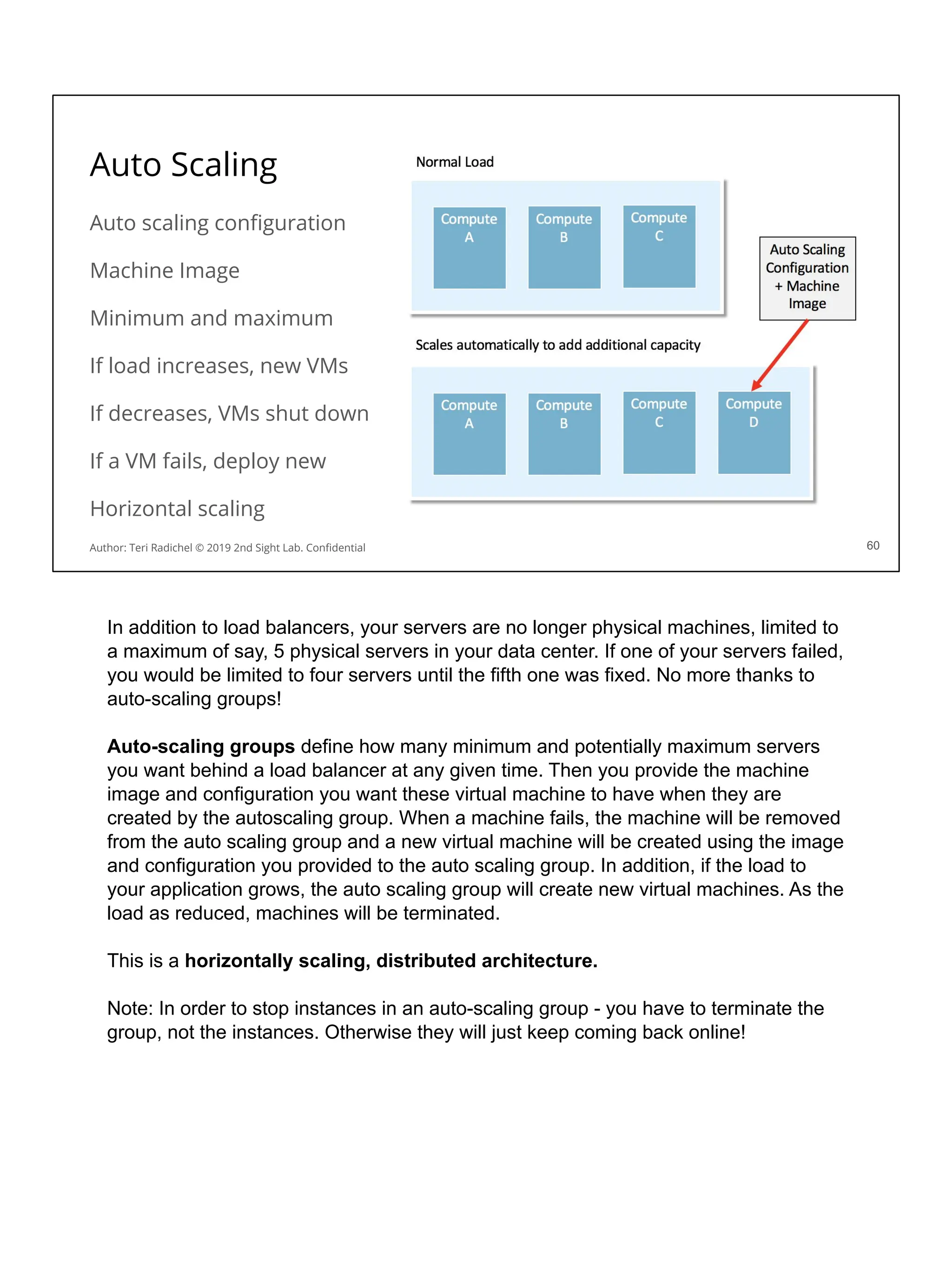
Auto Scaling
Auto scaling configuration
Machine Image
Minimum and maximum
If load increases, new VMs
If decreases, VMs shut down
If a VM fails, deploy new
Horizontal scaling
60
Author: Teri Radichel © 2019 2nd Sight Lab. Confidential
In addition to load balancers, your servers are no longer physical machines, limited to
a maximum of say, 5 physical servers in your data center. If one of your servers failed,
you would be limited to four servers until the fifth one was fixed. No more thanks to
auto-scaling groups!
Auto-scaling groups define how many minimum and potentially maximum servers
you want behind a load balancer at any given time. Then you provide the machine
image and configuration you want these virtual machine to have when they are
created by the autoscaling group. When a machine fails, the machine will be removed
from the auto scaling group and a new virtual machine will be created using the image
and configuration you provided to the auto scaling group. In addition, if the load to
your application grows, the auto scaling group will create new virtual machines. As the
load as reduced, machines will be terminated.
This is a horizontally scaling, distributed architecture.
Note: In order to stop instances in an auto-scaling group - you have to terminate the
group, not the instances. Otherwise they will just keep coming back online!
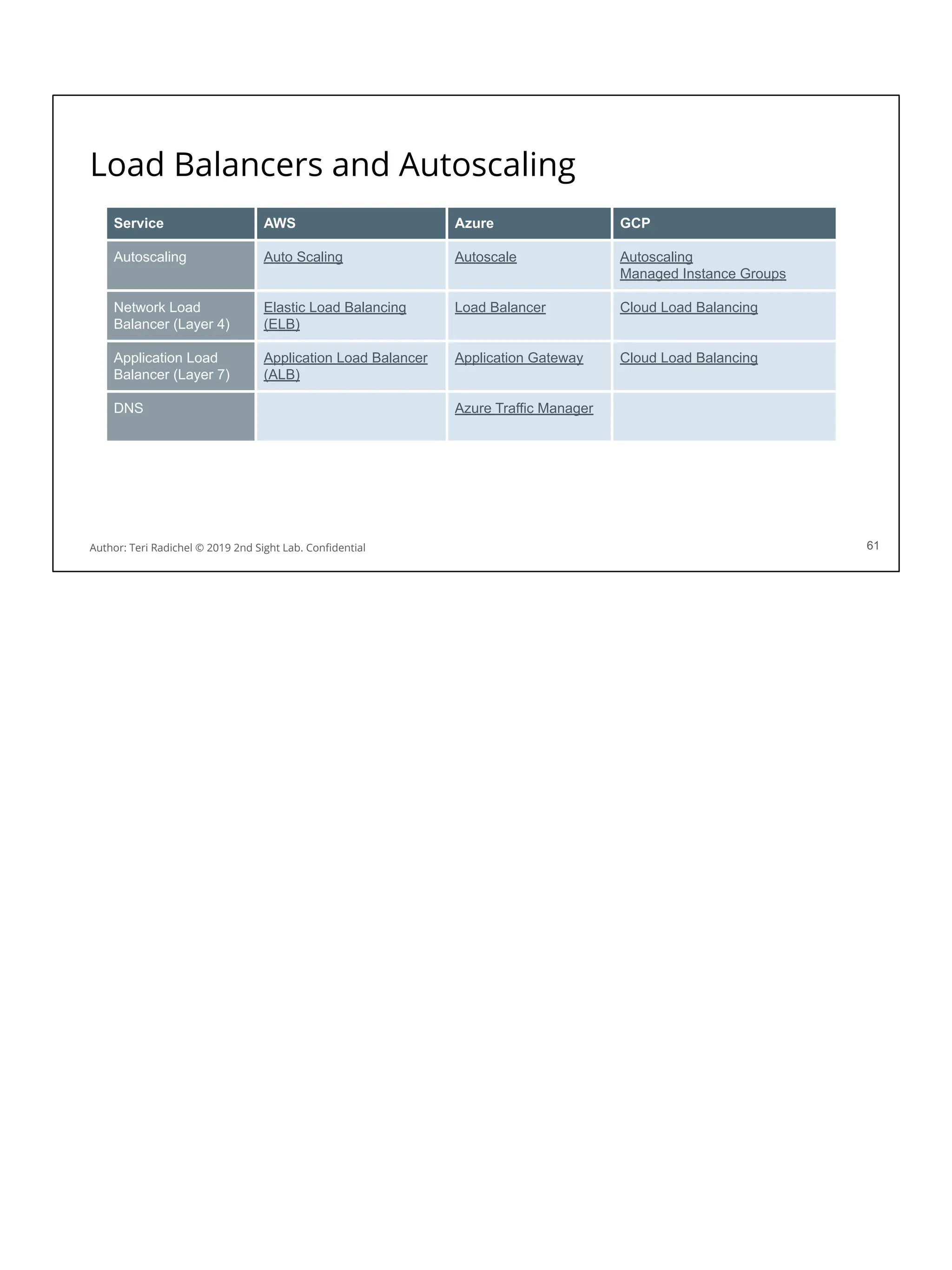
Load Balancers and Autoscaling
61
Service AWS Azure GCP
Autoscaling Auto Scaling Autoscale Autoscaling
Managed Instance Groups
Network Load
Balancer (Layer 4)
Elastic Load Balancing
(ELB)
Load Balancer Cloud Load Balancing
Application Load
Balancer (Layer 7)
Application Load Balancer
(ALB)
Application Gateway Cloud Load Balancing
DNS Azure Traffic Manager
Author: Teri Radichel © 2019 2nd Sight Lab. Confidential
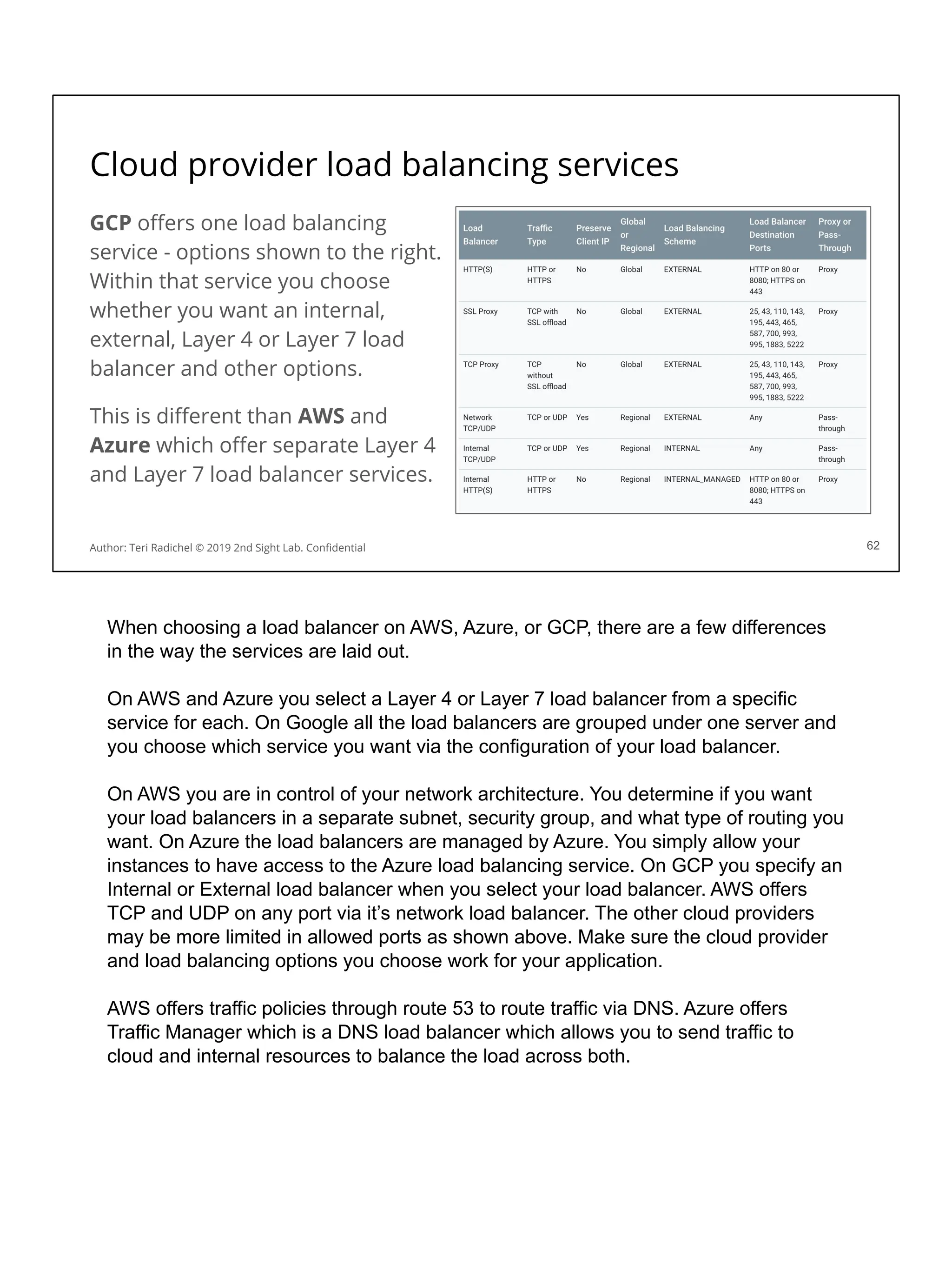
Cloud provider load balancing services
GCP offers one load balancing
service - options shown to the right.
Within that service you choose
whether you want an internal,
external, Layer 4 or Layer 7 load
balancer and other options.
This is different than AWS and
Azure which offer separate Layer 4
and Layer 7 load balancer services.
62
Author: Teri Radichel © 2019 2nd Sight Lab. Confidential
When choosing a load balancer on AWS, Azure, or GCP, there are a few differences
in the way the services are laid out.
On AWS and Azure you select a Layer 4 or Layer 7 load balancer from a specific
service for each. On Google all the load balancers are grouped under one server and
you choose which service you want via the configuration of your load balancer.
On AWS you are in control of your network architecture. You determine if you want
your load balancers in a separate subnet, security group, and what type of routing you
want. On Azure the load balancers are managed by Azure. You simply allow your
instances to have access to the Azure load balancing service. On GCP you specify an
Internal or External load balancer when you select your load balancer. AWS offers
TCP and UDP on any port via it’s network load balancer. The other cloud providers
may be more limited in allowed ports as shown above. Make sure the cloud provider
and load balancing options you choose work for your application.
AWS offers traffic policies through route 53 to route traffic via DNS. Azure offers
Traffic Manager which is a DNS load balancer which allows you to send traffic to
cloud and internal resources to balance the load across both.
63
Containers and Serverless
63
Author: Teri Radichel © 2019 2nd Sight Lab. Confidential
Containers
64
Compute AWS Azure GCP
Container Registry ECR (Elastic Container
Registry)
Azure Container Registry Container Registry
Orchestration ECS
EKS
Azure Kubernetes Service Google Kubernetes Engine
Service Mesh and
Networking
App Mesh Service Fabric Mesh Istio
Anthos Service Mesh
Traffic Director
Naming Cloud Map
Serverless Fargate Container Instances Cloud Run
Roadmap Roadmap
Author: Teri Radichel © 2019 2nd Sight Lab. Confidential
Containers
Containers package up all the software for an
application and run it in a sandboxed environment.
Applications with conflicting software requirements
(software libraries) can run on the same host.
Each application runs in it’s own environment with a
simulated operating system.
Often a container runs a single service - called a
microservice - but this is not a requirement.
65
Author: Teri Radichel © 2019 2nd Sight Lab. Confidential 65
Containers are compute instances that package up all the requirements for a
particular application and allow you to run the container on a host that runs software
that supports containers. The most popular software for running containers that you
may have heard of or already use is called Docker. You can create docker containers
and install applications on them that run on different emulated operating systems like
Ubuntu or Centos or Windows. Then you can run that application in the container on
your laptop - regardless of what operating system you are running on your laptop, as
long as it and the software installed on it can run a container.
Containers have been around a long time though they recently became more
prevalent. They were initially part of the Linux operating system. Now containers have
been improved and various software to manage them more effectively exists, like
Docker. However, Docker is not the only type of container software. Other types of
containers include kata containers, CoreOS rkt (migrating to RedHat), Mesos
Containerizor, LXC Linux Containers, OpenVZ, containerd
Containers vs. Virtual Machines
66
Author: Teri Radichel © 2019 2nd Sight Lab. Confidential 66
You may be wondering - what’s the difference between a container and a virtual
machine? They both seem to do the same thing. They run applications in a virtualized
software machine instead of on a hardware machine. Each environment is sandboxed
and separated from other processes on the machine. Each container and virtual
machine can use a different operating system than the underlying host on which it is
running.
The difference is in the details of how a container is implemented compared to a
virtual machine. When you run a virtual machine it has a full copy of an operating
system installed on top of it. When an action occurs inside a virtual machine, it is sent
to the operating system on that virtual machine. If that virtual machine needs to
interact with the physical hardware, it sends the request to the hypervisor, which
sends it to the operating system on the host, which then sends it to the hardware.
When you run a container, the container does not have a full operating system
installed on it. It has just enough functionality to mimic the operating system, and
send them through the container management software to be processed by the host
operating system. Because containers do not have a full operating system, they are
more lightweight. They will be smaller in size, load faster, and potentially run faster.
What is a Microservice?
Old School Application: All
the code and libraries
deployed together on an
operating system. One
monolithic application.
Microservices Application:
Code for different
functionality deployed in
different containers.
67
Author: Teri Radichel © 2019 2nd Sight Lab. Confidential
A microservices architecture is a new way to create and deploy applications. In the
past applications were written as one big blob of code, sometimes in separate files,
sometimes compiled, but one big bunch of code all deployed together. Within the
code, different code blocks called functions or methods were used for different pieces
of functionality. The code could also call functions in external libraries (packages of
code) which were deployed with the application code. All of this resided on a single
computer. If one thing in the application needed to change, the whole application
needed to be re-deployed.
A microservices architecture breaks the application into smaller pieces. Each piece of
the application typically runs in a container (though a container can run any
application, not only microservices). Each microservice might perform a specific
function within the larger application or architecture. If something needs to change in
one function of the application, the container(s) that run that function can be updated
and re-deployed independently of the rest of the application.
Typically microservices implement Application Programming Interfaces (APIs) which
take the place of what used to be functions in code. We’ll talk more about APIs later
today.
Microservice applications should be written to be horizontally scalable, and resilient
so if something fails, the application continues to function until the failed service is
restored.
Microservices architecture security considerations
❏ Authentication
❏ Deployments
❏ Network segregation
❏ Service segregation - each service can only access it’s own data
❏ CORS configurations
❏ Container configurations
❏ Orchestration configuration
❏ Logging
❏ Monitoring
❏ Availability
68
Author: Teri Radichel © 2019 2nd Sight Lab. Confidential 68
This slide lists a few things to consider when configuring and auditing containers.
Some of these issues are covered here. Some are covered later in the class.
CoreOS rkt
CoreOS (now part of RedHat, now IBM)
“A security-minded, standards-based container engine.”
Does not require running as root.
Runs on full hardware virtualization.
Containers signed and verified by default.
Ensure only trusted containers run on your machine.
69
Author: Teri Radichel © 2019 2nd Sight Lab. Confidential 69
CoreOS was purchased by RedHat which is now part of IBM. This is a security
minded container engine. It doesn’t required running as root and hasn’t long before
Docker. CoreOS was built as a more secure container option according to their web
site. Containers are signed and verified by default. You can ensure only trusted
containers run on your machine via a TPM (Trusted Platform Module).
https://coreos.com/rkt/
Container registries
Different container registries exist.
Public and private registries.
Facilitate automated deployments.
Only deploy trusted containers.
Consider leveraging private registries.
More on registries tomorrow.
77
Author: Teri Radichel © 2019 2nd Sight Lab. Confidential
Developers create Docker images. Docker images are used to deploy containers. The
docker image is like a template. The containers are the actual running version of the
template. The same Docker image can be used to deploy many containers. When you
create an image and want to store and deploy it in an automated fashion, it is often
stored in a container registry.
Docker offers a public registry called Docker Hub people can use to share docker
containers. Unfortunately some of the containers contain extra code that you don’t
want in all cases, as we have discussed. Additionally malicious containers are
deployed with very similar names to valid containers. Developers may download
these by mistake. Consider whether you want to give your developers access to
public repositories and in what environments. You probably never want to deploy to
production from a public repository.
You can also use software like Sonatype (formerly Nexus) and JFrog to store
containers. These repositories store more than just containers and offer additional
features to help with application deployment security. They allow you to set policies,
can scan containers, and create immutable containers that persist between
development, QA, and production environments.
Docker Hub
https://hub.docker.com/
AWS Elastic Container Registry (ECR)
https://aws.amazon.com/ecr/
Azure Private Container Registry
https://docs.microsoft.com/en-us/azure/container-registry/container-registry-intro
Google Container Registry
https://cloud.google.com/container-registry/
JFrog
https://jfrog.com/
Sonatype (formerly Nexus)
https://www.sonatype.com/automate-devops
Docker infected images on Dockerhub
Someone was nice and made a container for you ~ only it came with a
backdoor and a cryptominer!
71
Author: Teri Radichel © 2019 2nd Sight Lab. Confidential 71
https://arstechnica.com/information-technology/2018/06/backdoored-images-downloaded-5-million-times-finally-removed-from-docker-hub/
Here’s an example of infected images in Docker Hub - downloaded 5 million times!
This image including cryptomining software on it which potentially generated $90,000
for the creating docker image builder. Are your developers vetting and inspecting
software from public repositories - and GitHub - before they deploy it? Do you scan
the images and monitor network traffic to see if the container is reaching out to
untrusted sources on the network?
Orchestration Software
Often, an application requires multiple containers.
The containers need to communicate on the network.
The application may add and remove containers.
Requests need to be load balanced between containers.
This is where orchestration software comes in.
Different types of orchestration software exists.
Groups of containers in an application are called clusters.
80
Author: Teri Radichel © 2019 2nd Sight Lab. Confidential
Orchestration Software manages containers used by an application. Containers for an
application need to be deployed and managed. Some sort of orchestration software
needs to run all the containers, monitor them if they fail, and create a new container.
Applications generally need multiple containers for each service for reliability and
scalability. Containers are deployed in clusters. The number of containers may grow
and shrink as application load changes. These are just some of the functions of
orchestration software. You’ll get a chance to deploy Kubernetes in a lab tomorrow.
Most of the cloud providers deploy and manage the orchestration software for you.
AWS has their own orchestration software called Elastic Container Service. All three
cloud providers offer a managed Kubernetes service.
Docker Swarm
https://docs.docker.com/engine/swarm/
Amazon ECS
https://aws.amazon.com/ecs/
Kubernetes
https://kubernetes.io/
Google Kubernetes Engine (GKE)
https://cloud.google.com/kubernetes-engine/
AWS Elastic Kubernetes Service (EKS)
https://aws.amazon.com/eks/
Azure Kubernetes Service (AKS)
https://azure.microsoft.com/en-us/services/kubernetes-service/
Now services exist to run containers without worrying
about servers or orchestration.
It seems like everyone is trying to get in on the
container platform space - even Cisco!
The Red Hat (now IBM) Openshift platform seems to be
gaining in popularity as well.
Standalone containers
73
Author: Teri Radichel © 2019 2nd Sight Lab. Confidential
Now services exist where you can run a container without worrying about container
orchestration software or servers at all. This sometimes gets lumped in with the
serverless services we’ll talk about shortly but since these are closely related to
containers we’ll include it here. You still create your Docker container image. You just
don’t have to deploy and manage orchestration software, or servers. Just push your
container to the platform and it runs.
This seems to be a very popular space with a lot of companies trying to participate.
Presumably Cisco is exploring new markets since less people are deploying their
products in data centers if they are moving to the cloud.
Redhat Openshift has been gaining in popularity in some spaces. RedShift was
recently purchased by IBM.
https://developer.ibm.com/blogs/a-brief-history-of-red-hat-openshift/
Orchestration Functionality
Different parts of the architecture will perform different functions.
Management Plane: Functionality for controlling and managing containers.
Control Plane: Which path traffic should use. Routing. Load balancing.
Data Plane: Logs and proxy service like Envoy and Service Mesh. Packet
forwarding from one to service to another.
Some services do one or all of these functions.
For Best security, these should be segregated, so one cannot affect the other.
74
Author: Teri Radichel © 2019 2nd Sight Lab. Confidential
When speaking about container orchestration functionality you’ll hear people talk
about different planes. There are three primary planes to consider:
Management Plane: Functionality for controlling and managing containers.
Control Plane: Determines which path traffic should use. Routing.
Data Plane: Logs and proxy service like Envoy and Service Mesh. Packet forwarding
from one to service to another.
Applications and services within your cloud environment perform one or all of these
functions.
For best security, these should be segregated, so one cannot affect the other.
They should also be segregated from running containers talking through the network
to administrative ports to affect other instances or the management plane itself. The
management plane that starts and stops containers should not be able to change the
network routing. The management and routing planes should not be able to alter
network traffic inspection and logging.
Envoy by Lyft
Created by Lyft.
Open Source Layer 7 Proxy.
Overcome networking and visibility problems with container applications.
Proxy any type of traffic (e.g. websockets), Filter traffic.
Supports encryption both ways.
IP Transparency.
The cloud providers are starting to implement some of this functionality.
84
Author: Teri Radichel © 2019 2nd Sight Lab. Confidential
When Kubernetes was developed, it seems that the goal was to optimize use of
compute, vs. a security focus. There was not a good way (if any way) to monitor
network traffic between instances, restrict network traffic externally to a node, and
handle certain types of traditional security functions and logging.
Also, when you block network traffic between hosts, you can do that on the host itself.
The same is true for a container. You can allow and disallow traffic within the
container.
There are problems with this approach. If you allow developers to configure the
container and they don’t understand networking you’re going to end up with wide
open containers. The author worked on networking for Capital One and led other
teams deploying networking in the cloud and has seen this happen with every kind of
networking. It’s not malicious. It’s simply trying to get the job done and not sure why
everything is breaking or what ephemeral ports or protocols are. Additionally if
malware gets on the container and has enough privileges, it can simply open the
ports it needs and wants. It can potentially then communicate with other nodes on the
same host or even over the network.
Kubernetes is designed to deploy all types of different services on the same host. It
optimizes where it places containers to maximize your compute usage. This can save
you money in a cloud environment. It was not designed however, to be very strict
between containers on the same host, encrypt traffic between containers, or provide
visibility for all the traffic between the containers - initially.
In contrast when you deployed a node in an AWS ECS cluster, you can deploy each
service to a separate host. You might lose some money on wasted compute but you
can restrict access easily between different services. Now you can also deploy a
security group on a “task” which is the AWS term for a container running on ECS.
These security groups provide network traffic visibility as we demonstrated in the last
lab yesterday.
Over time people wanted a better solution. This is how the sidecar pattern evolved.
Lyft created a solution called Envoy that leverages this sidecar pattern. Envoy acts as
a proxy that provides visibility between containers, encrypts the traffic, and more.
What is Envoy:
https://www.envoyproxy.io/docs/envoy/latest/intro/what_is_envoy
Here’s a good blog post for those who want to dig into the details of how this works:
https://www.datawire.io/envoyproxy/getting-started-lyft-envoy-microservices-resilience
/
Service Mesh
A service mesh controls network communications between services.
Each cloud provider is now offering a type of service mesh on their platform.
AWS App Mesh - Based on Envoy pattern. Network control and visibility.
Azure Service Fabric Mesh - Uses Envoy model. More than networking...
GCP Istio - Close to the envoy model. Network visibility and control.
GCP Traffic Director - works with Envoy instead of replacing it.
GCP Athos Service Mesh - Envoy functionality on Anthos (more tomorrow).
86
Author: Teri Radichel © 2019 2nd Sight Lab. Confidential
To overcome issues with networking, visibility and security between containers, all the
cloud providers have started using an Envoy model, creating services messages that
are fully or partially managed.
AWS App Mesh focuses on network routing, control, and visibility using the Envoy
model.
https://docs.aws.amazon.com/app-mesh/latest/userguide/what-is-app-mesh.html
https://docs.aws.amazon.com/app-mesh/latest/userguide/envoy.html
AWS Cloud Map is a service that works with your service mesh. It names services
and maps them to IP addresses. It can work across accounts. It also monitors to
make sure services are up and running. If your organization uses this or something
like it, it not only helps developers and applications, but can help with security incident
investigations as well, and tracking applications and services that have vulnerabilities.
Pentesters and attackers can use it to find what services are running in organizations
too! Ensure it is only accessible to the appropriate networks and watch for suspicious
requests.
https://aws.amazon.com/cloud-map/
Azure Service Mesh Fabric uses the Envoy model under the hood to route traffic
into clusters but it seems to be incorporating it in a different way and offering more
functionality than just network control and visibility like a typical service mesh. The
documentation says it allows access to all Azure security and compliance features -
which is a bit different than the other services listed here.
https://docs.microsoft.com/en-us/azure/service-fabric-mesh/service-fabric-mesh-overv
iew
Istio Uses the Envoy model for network visibility and control.
https://cloud.google.com/istio/
GCP Service Mesh Fully managed service mesh that works with Anthos.
https://cloud.google.com/service-mesh/
GCP Traffic Director works with Envoy if you want to use Envoy instead of other
cloud-native services from GCP.
https://cloud.google.com/traffic-director/docs/traffic-director-concepts
Container Vulnerabilities
If someone gets into your container via kernel exploit - they own your host.
78
Author: Teri Radichel © 2019 2nd Sight Lab. Confidential 78
Monitor for vulnerabilities in both container and orchestration software. Make sure
your everly layer of software involved in running your containerized applications have
up to date software. If an attacker is able to leverage a kernel exploit on your
container, they can escape and control the host machine that the container is running
on, access all the other containers, and possibly other things on your network.
Kubernetes vulnerabilities:
https://www.cvedetails.com/vulnerability-list/vendor_id-15867/product_id-34016/Kuber
netes-Kubernetes.html
AWS Security Bulletins
https://aws.amazon.com/security/security-bulletins/
Rootless Docker
For a long time, Docker required root privileges to execute.
Containers themselves did not require running as root.
This high level of privileges makes the Docker process a risk
Some malware works by injecting its code into running process
If malware can inject code into the Docker process, it will get high access
Docker is now finally releasing an option to run rootless.
79
Author: Teri Radichel © 2019 2nd Sight Lab. Confidential 79
For the longest time you had to run Docker with root privileges. The problem with
running processes with root privileges is that they can do anything on the operating
system. They have full admin access to make any changes, like installing
ransomware and asking you to pay a ransom to get your files back, running
cryptominers, keyloggers, or other types of nefarious code.. Malware will try to inject
itself into the running process in memory so you won’t see any new processes or any
indication the malware is on your machine. It’s better to only run processes with lower,
non-root, non-admin permissions.
Docker has finally released a version that does not require root privileges. You can
read more about it on the Docker engineering blog:
https://engineering.docker.com/2019/02/experimenting-with-rootless-docker/
Containers also do not require a process running with root privileges. Limit to what is
required.
Kubernetes shell...
80
Author: Teri Radichel © 2019 2nd Sight Lab. Confidential 80
Are you aware of the things you can do with Kubernetes? This is advertised as
feature, but in the wrong hands this is definitely a vulnerability! This feature is like
SSM in AWS or any of the software that updates running hosts. It may be fine in a test
and development environment, but probably not something you want to have enabled
in production.
https://kubernetes.io/docs/tasks/debug-application-cluster/get-shell-running-container/
PID1
The first process started by the Linux kernel gets PID 1
Running a container as PID 1 exposes all processes on the host to the container
Allows for container escape.
81
Author: Teri Radichel © 2019 2nd Sight Lab. Confidential 81
The first process started by the Linux kernel gets PID 1. Do not run any container
related processes with PID 1 as it exposes all processes on the host to the container.
This lead to potential container escape.
RunC allowed additional container processes via 'runc exec' to be ptraced by
the pid 1 of the container. This allows the main processes of the container, if
running as root, to gain access to file-descriptors of these new processes
during the initialization and can lead to container escapes or modification of
runC state before the process is fully placed inside the container.
https://www.cvedetails.com/cve/CVE-2016-9962/
Docker Socket
Docker socket is a unix socket to which Docker commands are sent.
Again, this opens up a path to run commands remotely.
Tools like Portainer make use of this capability.
82
Author: Teri Radichel © 2019 2nd Sight Lab. Confidential 82
When you run commands on a Docker container it sends commands to Docker using
a socket. You can use this socket to send commands to Docker and obtain
information.
Blog post:
http://carnal0wnage.attackresearch.com/2019/02/abusing-docker-api-socket.html
var/run/docker.sock
The owner of var/run/docker.sock is root
Mounting var/run/docker.sock inside a container gives root access
Sample Exploit. Privileged option is not necessarily required.
83
Author: Teri Radichel © 2019 2nd Sight Lab. Confidential 83
Mounting var/run/docker.sock inside a container gives access to run commands within
the container that would not otherwise be possible.
More explanations and information in this blog post.
https://stackoverflow.com/questions/35110146/can-anyone-explain-docker-sock/3511034
4
Mapping root folders….
85
Author: Teri Radichel © 2019 2nd Sight Lab. Confidential 85
If you map to root within a docker container, then anyone who gets access inside a
host can navigate to files in the root directory, obtain the password files on the host,
and execute executables that have execute privileges within those root directories. If
the attacker has write access they could change host system files and execute
malware.
Docker Layers and Squashing
Docker builds in layers each time you make a change and create an image.
If you have some sensitive data in prior layers, it can be exposed.
Squashing tries to hide prior layers - lose cache - but no prior secrets, etc.
Experimental - may not work on Windows.
86
Author: Teri Radichel © 2019 2nd Sight Lab. Confidential 86
Each time you create an image, alter it and create a new image, layers are created in
your Docker container. If you stored and later removed a secret from the image, the
secret may still be visible in prior layers.
More about Docker layers:
https://docs.docker.com/v17.09/engine/userguide/storagedriver/imagesandcontainers/
CIS Benchmarks - Kubernetes and Docker
87
Author: Teri Radichel © 2019 2nd Sight Lab. Confidential 87
This section showed a variety of issues with deployment of Docker containers and
Kubernetes. Luckily, CIS benchmarks exist for widely used container and
orchestration software. This slide shows Kubernetes, for example.
Kubernetes:
https://www.cisecurity.org/benchmark/kubernetes/
Docker:
https://www.cisecurity.org/benchmark/docker/
The AWS CIS Benchmarks contain some ECS checks, but ECS is largely managed
by AWS:
https://www.cisecurity.org/benchmark/amazon_web_services/
You can also find hardened container images in the AWS Marketplace:
https://www.cisecurity.org/press-release/cis-introduces-hardened-container-image-wit
h-amazon/
Container security considerations
❏ What privileges does the container, orchestration software require?
❏ How will you secure the installation of each of the above?
❏ How will you update software when CVEs are announced in the above?
❏ Who is allowed to configure the containers?
❏ What will your standard configurations be?
❏ How will you scan containers? Ensure they are not changed afterwards?
❏ How will you get and store container logs?
❏ Are the control, data, and run planes segregated?
❏ View and secure traffic between containers?
❏ Where are secrets stored?
❏ Do you have extraneous code, processes, open ports on containers?
88
Author: Teri Radichel © 2019 2nd Sight Lab. Confidential
When deploying containers these are some of the considerations you will want to
think about. You may think of more! Think of all the ways something could go wrong
and what you will do about it. Consider who will have permission to make what
changes in your environment. What can the containers access on the host? On the
network? How will you patch them and keep software up to date? How will you secure
the orchestration software? We will look at some of this today, and more tomorrow.
For now let’s look at secure container configurations in general.
Lab: Containers
89
Author: Teri Radichel © 2019 2nd Sight Lab. Confidential
Serverless Functions
Serverless is not really lack of servers, but you don’t have to manage them.
In a serverless environment you deploy code and it runs.
AWS Lambda
Azure Functions
GCP Cloud Functions
Functions, unlike serverless containers, only run for a short time then stop.
Good for batch jobs and event triggers.
90
Author: Teri Radichel © 2019 2nd Sight Lab. Confidential 90
Serverless is very popular amongst developers because it reduces complexity even
further. No longer does a developer have to set up a server, container orchestration
software, or even configure a container. Just drop the code into a function and it runs!
There are some potential configuration options but much less configuration than other
options.
Cloud function services:
AWS - Lambda
https://docs.aws.amazon.com/lambda/index.html
Azure Functions
https://docs.microsoft.com/en-us/azure/azure-functions/
GCP Cloud Functions
https://cloud.google.com/functions/
One of the difference with functions is that they only run for a short period of time.
They are designed to execute a piece of code and then exit. That means they are
good for things like batch jobs and executing responses to event triggers - like
security events!
Serverless Functions
91
Compute AWS Azure GCP
Functions Lambda Functions Functions
Serverless
Repository
SAR Azure Serverless Library
Serverless Security Security Overview
Lambda Security
Azure Serverless Security GCP Function Security
Edge Lambda at Edge
Framework SAM
Networking VPC Networking Options Can connect to VPC
Author: Teri Radichel © 2019 2nd Sight Lab. Confidential
Automated Incident Response via Lambda
An event can trigger a Lambda function on AWS.
The author of this course wrote a paper in 2016 demonstrating this concept.
Set up one instance to ping the other on a network.
Set up an event trigger on the network logging that calls the Lambda function.
When a deny event on ping is discovered in the logs…
Make an image of the offending host and shut it down.
92
Author: Teri Radichel © 2019 2nd Sight Lab. Confidential
In 2016, Lambda functions were new. No one was talking about or doing automated
incident handling in the cloud. The author of this class asked a cloud vendor why they
only had alerts and no automated responses at the Seattle AWS Architects and
Engineers Meetup. Then she decided to write a paper on how a security incident
could trigger an automated response.
She set up two hosts in a VPC in different subnets and turned on VPC Flow Logs,
which sends data to CloudWatch. She set up an event trigger to process the logs
when they hit CloudWatch. The Lambda function would search for DENY traffic in the
logs. When the DENY entry was received, an image was created of the offending host
and it was terminate. A new host with the same configuration was deployed in its
place without the ping command.
You can read the details in this paper, which covers different types of responses to
events in a cloud environment:
https://www.sans.org/reading-room/whitepapers/incident/balancing-security-innovatio
n-event-driven-automation-36837
This paper was presented at SANS Networking the same year. The following year,
automated incident response was the topic of many presentations AWS re:Invent!
Security risks for serverless functions
The same attacks that
apply to any API or website
apply to serverless.
OWASP came up with a
serverless interpretation.
In addition, use proper
networking and cloud
configurations.
93
Author: Teri Radichel © 2019 2nd Sight Lab. Confidential
Serverless is simply a short running service. It could be delivering an API or even a
web page. It could also be running a batch job. Serverless is mainly software so all
the same attacks that apply to any software apply to serverless. In fact, OWASP has
an OWASP Top 10 project for serverless which is mainly an interpretation of the same
threats, showing how they might be applied in a serverless environment:
https://www.owasp.org/images/5/5c/OWASP-Top-10-Serverless-Interpretation-en.pdf
Just as with any software system, limit network access to what is required (where
possible) to limit scanning, monitoring, and otherwise.
Also follow cloud provider and CIS benchmarks best practices for configuration
functions to avoid misconfigurations.
What about the functions themselves?
Many researchers try to find flaws. Not much has been discovered.
When functions run for a short period of time, hard to get a foothold.
A few issues discovered:
- Azure functions - cross container access in single application
- AWS billing function - likely fixed by now
- The tmp directory may cache data across invocations
- code.location uses time limited URLs
If a vulnerability is discovered, likely the CSPs will fix it faster than most could.
94
Author: Teri Radichel © 2019 2nd Sight Lab. Confidential
Many researchers try to figure out if they can break into cloud functions in some way.
Many have tried, but the results have been somewhat limited. Even if an attacker
does find a vulnerability, likely its use will be very short-lived. The cloud providers are
quick to update and fix any problems. When they fix a problem, it’s fixed for every
customer.
LIkely researchers and pentesters will have more luck with customer errors and
misconfigurations. One customer may fix a problem but the same problem can still
exist on many other customer implementations.
Some examples of issues that have been discussed in presentations:
- Azure functions - cross container access in single application
- AWS billing function - likely fixed by now
- The tmp directory may cache data across invocations
- code.location uses time limited URLs (this is by design but if a developer
leaves secrets in code…)
Lambda code.location
95
Author: Teri Radichel © 2019 2nd Sight Lab. Confidential 95
This is a slide from a re:Invent talk the author did at re:Invent with Kolby Allen. This
slide shows how using the AWSCLI to call get-function produces a time-limited URL.
This URL can be called from anyone who has it - no additional authentication
required. Typically using URLs for authentication is not a good idea for this very
reason. In any case, let’s see what we can see when we go to this URL.
Exposes files...no authentication required
96
Author: Teri Radichel © 2019 2nd Sight Lab. Confidential 96
This URL gives us all the code for the lambda function. If an attacker could get the
URL, they could explore and scan the code for vulnerabilities. There’s one other
problem with this code. Let’s look at what’s in that config file on the screen.
Secrets in code...
97
Author: Teri Radichel © 2019 2nd Sight Lab. Confidential 97
The developer stored secrets in the code! That’s great. Now an attack can try to find a
way to access the database those credentials get into. If the attacker obtains access
to any host, as we demonstrated in our talk, and the networking is not configured
correctly, then the attacker can potentially get to the data and exfiltrate it.
If you would like to watch the full video, you can find it here:
https://www.rsaconference.com/videos/red-team-vs-blue-team-on-aws
This code came from an example on the AWS web site by the way. You might want to
explain to developers that not all examples on the cloud vendor web sites are
production ready.
Permissions….
This warning will come up for every compute service.
Limit permissions to what is required.
By default some Cloud Functions start with too many permissions.
Make sure you define a role that gives your function only what is required.
Malformed data submitted to a Cloud Function could result in SSRF attack.
The permissions of the function could be used to access something internal
98
Author: Teri Radichel © 2019 2nd Sight Lab. Confidential
Just as with any compute resource, limit permissions. An attacker could exploit many
of the common web flaws in a compute resources as well as on a traditional web
application. A SQL injection attack can still reach the database. An SSRF (Server Side
Request Forgery) attach, such as was used at Capital One could be used on a
serverless function. If an exploit is possible, an attacker can send a carefully crafted
request that allows the attacker to leverage the permissions of the function to access
internal resources and return them in the output of the function, or worse - provide
themselves persistent access somehow or elevated privileges on some other
resource.
Serverless Framework, AWS SAM, and Knative
Various frameworks and management platforms exist.
Serverless Framework
AWS Serverless Application Model (SAM)
Knative
Many of these frameworks come with poor defaults.
Analyze the code, lock down, deploy with segregation, and limit permissions
Vet companies storing your log data to ensure they are secure.
99
Author: Teri Radichel © 2019 2nd Sight Lab. Confidential
Some open source frameworks exist that developers like to use to manage serverless
applications. Unfortunately some of these frameworks do not have very secure
defaults. You will want to review the networking, the permissions given to the
framework itself to deploy code, and monitor all networking to see what the serverless
framework is doing on the network. Is it pulling code from public sources? Is it
sending log data to third-party systems with potentially sensitive information? Is the
framework free from vulnerabilities and security flaws? Have they been pentested?
Do CIS benchmarks exist?
Here are some sample frameworks
Serverless Framework
https://serverless.com/
AWS Serverless Application Model (SAM) - an open source framework for building
serverless applications.
https://aws.amazon.com/serverless/sam/
Knative
https://github.com/knative/serving
Lambda@Edge
AWS offers a service called Lambda@Edge.
This servers works with CloudFront, the AWS CDN.
It pushes execution to edge locations around the world.
Be careful using this - understand where sensitive data may be cached.
AWS has a demo using this for authentication.
Sensitive data may be stored at edge locations.
100
Author: Teri Radichel © 2019 2nd Sight Lab. Confidential
AWS offers a service called Lambda@Edge. This service works with the AWS CDN
service, CloudFront. When developers use Lambda@Edge, code execution is pushed
to the edge locations near customers. The idea is that they may receive a faster
response.
Be careful with this service. When code is executed, some data may also be cached
at the edge depending on how your CDN is configured. This example below shows
using Lambda@Edge for authentication. Besure when you do this you understand
exactly where any session tokens or authentication related values are stored and for
how long. Consider how they might be accessed.
This same rule applies for anything you are running through the CDN. Consider what
is being cached when. Ensure TLS is set to the highest value. The default is not 1.2
as of the time of this writing and lower versions have security flaws.
Whenever you use the latest and greatest new cloud service, analyze it carefully.
Sometimes things are just fine - until you use them for something you shouldn’t or
misconfigure them!
https://aws.amazon.com/blogs/networking-and-content-delivery/authorizationedge-ho
w-to-use-lambdaedge-and-json-web-tokens-to-enhance-web-application-security/
Recommendations for Securing Serverless
❏ Limit privileges (what functions can do)
❏ Keep software up to date
❏ No secrets in code
❏ Understand what is cached where (tmp directory between invocations)
❏ Understand where code lives, who has access (S3 bucket and versions)
❏ Minimal code and libraries possible
❏ Networking - don’t expose ports and services unnecessarily
❏ Front with API Gateway and WAF
101
Author: Teri Radichel © 2019 2nd Sight Lab. Confidential 101
These are a few tips for security your serverless applications. As always, analyze your
deployments for threats specific to your particular application and environment. Use
the CIS benchmarks when possible and other best practices such as those
recommended by OWASP for application security.
102
APIs and Microservices
102
Author: Teri Radichel © 2019 2nd Sight Lab. Confidential
What is an API?
API stands for Application
Programming Interface.
A web browser makes a
request to a web server for
a web page.
An application can use the
same protocols to request
an API to perform an action
or retrieve data.
103
Author: Teri Radichel © 2019 2nd Sight Lab. Confidential
When you visit a website and request a web page, you enter a URL in your browser
(like Google Chrome, Internet Explorer, or Firefox). Your browser sends an HTTP
request to the webserver. The web server returns a web page (which is basically a file
on the server and a bunch of files it includes potentially).
An Application Programming Interface (API) runs on a webserver like a website.
Applications can make a request to the API the same way your browser makes a
request for a web page, typically using the same protocol (HTTP or HTTPS, or newer
protocols like WebSockets). The request to the API may cause the server to perform
an action and possibly return data to the calling application. Many APIs can run on
one server, in separate containers, or in serverless functions.
One thing about applications using APIs is that now everything is going over the
network, depends on the network, and calls can fail and hang on the network, leaving
connections open, which then leads to performance problems. Consider using a
circuit breaker pattern to prevent this type of issue:
https://martinfowler.com/bliki/CircuitBreaker.html
What’s an API Gateway?
Sits between the APIs and the
applications that call them.
- Security checks
- Authentication
- Performance
- Monitoring
- Logging
- APIs in private networks
- Defense in depth
113
Author: Teri Radichel © 2019 2nd Sight Lab. Confidential
An API gateway sits between the calling application and the APIs. It receives requests
from calling applications and forwards them to the APIs. Why would you want or need
that? May reasons.
Security checks: as the request passes through the API gateway security checks
may be performed. Additionally a WAF (Web Application Firewall) may be set up in
front of the API gateway to check for security flaws.
Authentication: When an application calls an API it should always be an
authenticated and authorized request. Even if the data is completely public it’s a good
idea to know who is calling the API and what they are doing on your system for
logging and monitoring purposes. Each user should have a separate id and way to
authenticate. The API Gateway may perform this function or integrate with other
software that performs this function. That way you don’t have to implement
authentication inside every single API and count on every API developer to do it right.
More on this tomorrow.
Performance: API Gateways can help with API performance via monitoring, load
balancing the requests, and other functions. The API Gateway may implement the
circuit break pattern mentioned on the last slide for you.
Monitoring: Request can be monitored external to the APIs. A developer of a
particular API might forget to monitor (or intentionally not monitor) something. An API
gateway is a layer external to the APIs that can monitor all requests. Centralized
monitoring may also help improve performance.
Logging: Just like logging the API gateway can do some traffic logging in a
centralized way such as access logs and traffic logs.
APIs in private networks: With this configuration, APIs can run in private networks.
Only the API gateway is exposed to the Internet. This greatly reduces the attack
surface exposed to the Internet, if these APIs are called from the Internet.
Defense in depth: this architecture provides defense in depth. If an attacker from the
Internet tries to break into the API, they must first break through the API gateway.
Their actions will hopefully trigger an alarm and someone can investigate before the
attacker can get all the way to the APIs.
API Gateways
105
API Gateway AWS API Gateway Azure API Gateway GCP Cloud Endpoints GCP Cross-Cloud API
Management (Apigee)
Docs API Gateway API Management Cloud Endpoints API Management (Apigee)
Serverless Yes Yes Yes via ESP GCP Cloud Functions,
AWS Lambda
Web Sockets Yes No Possibly via ESP No (briefly, didn’t work)
Authentication IAM, OAUTH, key,
lambda authorizer,
Cognito
STS Token API Keys, Firebase,
Service Account,
Google ID token
Basic Authentication,
WAF Integration Yes Yes No Yes
Private network Yes Yes No No
Author: Teri Radichel © 2019 2nd Sight Lab. Confidential
AWS API Gateway Architecture
You can front API
Gateway with a WAF.
The same protections
apply to web requests
from an end user.
Also integrates with
other services.
106
Author: Teri Radichel © 2019 2nd Sight Lab. Confidential
This image shows the architecture of the AWS API gateway, as an example. The
webis ties mobile apps and other services may call the API from the public Internet.
You can also run API gateway inside your VPC to make sure it is not accessible from
the Internet. Logs are sent to CloudWatch Monitoring. You can also use X-Ray which
makes it easier to trace request as they pass through APIs in the system. Notice there
is some caching going on. You will want to understand what data is cached and how
that affects your security. The the API gateway calls an API. The API itself may reside
on any compute resource, including APIs outside your AWS account, if your
networking controls allow it.
This page explains how to implement a WAF in front of the AWS API Gateway.
https://aws.amazon.com/blogs/compute/protecting-your-api-using-amazon-api-gatewa
y-and-aws-waf-part-i/
Apigee security features
Apigee has some security features:
- Anomaly detection
- Policies
- Governance
- Strong cryptography
- OWASP Threat Protection
- Bot Detection
- Federated Identity
Missing private network.
107
Author: Teri Radichel © 2019 2nd Sight Lab. Confidential
Apigee has a lot of nice security features built into it.
- Anomaly detection
- Policies
- Governance
- Strong cryptography
- OWASP Threat Protection
- Bot Detection
- Federated Identity
Unfortunately does not seem to have the option to deploy in a private network so
traffic must traverse the Internet. This limits logging if an MITM attack occurs, for
example, and provides more exposure for attackers in various network layers.
https://cloud.google.com/apigee/api-management/secure-apis/
Azure has some security policies
Azure provides some additional policies to help you protect APIs
- Enforce existence of HTTP header
- Limit API calls by key
- Limit calls by subscription
- Restrict calling IPs or CIDRs (whitelist)
- Set usage quotas by subscription
- Set usage quotas by key
- Validate JWTs
108
Author: Teri Radichel © 2019 2nd Sight Lab. Confidential
Check HTTP header - Enforces existence and/or value of a HTTP Header.
Limit call rate by subscription - Prevents API usage spikes by limiting call rate, on a
per subscription basis.
Limit call rate by key - Prevents API usage spikes by limiting call rate, on a per key
basis.
Restrict caller IPs - Filters (allows/denies) calls from specific IP addresses and/or
address ranges.
Set usage quota by subscription - Allows you to enforce a renewable or lifetime call
volume and/or bandwidth quota, on a per subscription basis.
Set usage quota by key - Allows you to enforce a renewable or lifetime call volume
and/or bandwidth quota, on a per key basis.
Validate JWT - Enforces existence and validity of a JWT extracted from either a
specified HTTP Header or a specified query parameter
https://docs.microsoft.com/en-us/azure/api-management/api-management-access-res
triction-policies
API gateway configuration considerations
❏ Does it require internet access? If not, deploy inside a private network.
❏ Is Internet access required for APIs called? Make private if possible.
❏ Is traffic encrypted end to end with correct version. (More to follow.)
❏ Is logging available and is it sufficient to handle a data breach.
❏ Can you deploy a WAF in front of it?
❏ Have you enabled rate limiting to prevent malicious activity?
❏ Is CORS configured correctly?
❏ What type of data is cached? Anything sensitive?
❏ Is authentication implemented properly (more tomorrow)?
❏ Check CIS Benchmarks for more best practices.
109
Author: Teri Radichel © 2019 2nd Sight Lab. Confidential
These are some security questions you may want to ask about your API gateway
configuration. Also check out the CIS Benchmarks.
Lab: Severless
+ API Gateway
110
Author: Teri Radichel © 2019 2nd Sight Lab. Confidential
111
Data Protection
111
Author: Teri Radichel © 2019 2nd Sight Lab. Confidential
Cloud Storage
The cloud offers many, many different types of storage services.
Each type of storage has different capabilities. Why?
Better performance depending on the application.
Some take longer to retrieve and cost less.
Some are fast and cost more.
They all have different security controls to configure!
112
Author: Teri Radichel © 2019 2nd Sight Lab. Confidential
All the IAAS cloud providers have numerous storage options. Why so many? All the
different storage options are useful for different types of applications. The way files,
data, or objects are stored may lead to faster retrieval, greater reliability, or a more
scalable solution. A graph database has a structure that is good for storing things like
website maps while a transactional relational database is good for atomic transactions
that need to be correct. Some databases are more scalable, fault tolerant, and load
quickly but may be eventually consistent, meaning they won’t be exactly accurate
every moment but will catch up. This might be OK for a game dashboard, for
example.
All these data stores have different performance characteristics - and security controls
to configure. Evaluate the controls for each individual type of data store to determine
if it’s appropriate for the use case and you can secure the data according to your
requirements.
Security considerations for storage services
Software engineers will choose based on speed, performance, cost.
For security consider the following:
❏ Encryption (appropriate for architecture of application and cloud)
❏ Networking (private, three tier)
❏ Availability
❏ Backups
❏ Access restrictions, alerts, and monitoring [Day 4]
❏ Data Loss Prevention (DLP)
❏ Data deletion
❏ Legal Holds
113
Author: Teri Radichel © 2019 2nd Sight Lab. Confidential
These are some security considerations that we will discuss in the upcoming sections
related to data services from each cloud provider. We’ve gone over some of these
and will cover more in the next section.
Encryption
Networking
Availability
Backups
Access restrictions
Data Loss Prevention
Data deletion
Legal holds
Let’s look at these and some storage options more closely.
Data deletion
When you click the data in a system is it really deleted?
Not neccessarily. Some options may include:
- Deleting the encryption key
- Segregation of the data
- Setting a flag to indicating the data is no longer active
- Existing in backup systems or caches
You will want to ask the cloud provider how data is deleted.
Also check how disks are destroyed.
124
Author: Teri Radichel © 2019 2nd Sight Lab. Confidential
Another thing you should consider when using a cloud provider is how data is or is not
deleted. When you terminate an EC2 instance on AWS, what happens to the data that
was on the disk? Is anything left in caches? What about deleting records in Google
BigQuery? Is it truly gone when you delete it or just inaccessible from the UI?
One cloud provider continued to send emails with PII for contractors after a particular
account was inaccessible from a user standpoint because the account had been
closed. In this case it was clear the data was not deleted, and in fact it was being sent
in emails! Not a very secure approach as emails are a very insecure form of
communication. What about data that exists in backup systems? Is that also delete in
a timely manner? Files, file stores, logs, CDNs, and memory all may have persistent
data after a record is deleted.
Cryptographic deletion involves deleting the encryption key that was used to
encrypt the data. Presumably if you don’t have the encryption key you can’t get the
data back. But what happens when quantum computing or a vulnerability comes
along that allows attackers to obtain the data? At that point the data could be truly
deleted but that can take a long time, and hopefully happens before the attackers can
get to it! Also hopefully no person got a copy of the key along the way either while the
data was stored or during the deletion process.
AWS has some information on data destruction in these papers
https://d0.awsstatic.com/whitepapers/aws-security-whitepaper.pdf
https://d0.awsstatic.com/whitepapers/compliance/AWS_Risk_and_Compliance_White
paper_020315.pdf
Azure information is vague
https://docs.microsoft.com/en-us/azure/security/fundamentals/protection-customer-dat
a
https://www.microsoft.com/en/trust-center/privacy/data-management
Google Data Deletion page provides a lot of information about how they destroy data.
Initially it involves deletion of a cryptographic key, but later it is fully deleted.
https://cloud.google.com/security/deletion/
Storage - Files, Objects
115
Computer AWS Azure GCP
VM Disks EBS Volumes Disk Storage Persistent Disks
Object Storage S3 Buckets Storage Accounts Storage Buckets
File Storage Elastic File Storage (EFS)
Windows File Storage
Storage Accounts Cloud Volumes
Filestore
Hybrid Storage Storage Gateway StorSimple N/A - third-party
Archive Glacier Archive Storage Archival Cloud Storage
Data Transfer Migration Options Data Transfer Options Cloud Data Transfer
Legal Hold S3 Object Lock Immutable Storage Bucket Lock
GSuite Vault
Author: Teri Radichel © 2019 2nd Sight Lab. Confidential
The next two slides are the cloud services at a high level. We’ll dive into each of these
cloud services throughout the data plus a few more not listed here.
Legal Holds
Legal holds are required when you need to maintain files for legal purposes
Example:
Ongoing lawsuit
Security incident
All three cloud providers offer services that prevent data alteration or deletion
G Suite Vault can help with eDiscovery (finding data related to a legal matter)
116
Author: Teri Radichel © 2019 2nd Sight Lab. Confidential
In the case of a legal issue or security incident, an organization may need to place a
legal hold on documents to keep them for use in court. Each of the cloud providers
support storing documents for legal holds.
AWS S3 Object Lock
https://docs.aws.amazon.com/AmazonS3/latest/dev/object-lock-overview.html
Azure immutable storage for Azure Storage Blobs:
https://docs.microsoft.com/en-us/azure/storage/blobs/storage-blob-immutable-storage
GCP Bucket Lock and G Suite Vault (which includes eDiscovery to find issues related
to a legal matter.
https://cloud.google.com/storage/docs/bucket-lock
https://gsuite.google.com/products/vault/
Virtual Disks
Come in different sizes and types and can be associated with VMs
They can store persistent data, unlike the ephemeral data on your VM.
You can detach a disk and re-attach it to another VM
Snapshots (backups) of disks can be configured to be public in some cases.
Detach a disk if you don’t have access to a VM and attach it to another.
Additionally, someone could restore a public snapshot.
117
Author: Teri Radichel © 2019 2nd Sight Lab. Confidential
The cloud providers each offer virtual disks that can be attached to instances. These
disks come in different sizes and types (such as SSD, HDD for EBS volumes. Cloud
users can configure these disks with public access in some cases. This leads to a
couple of problems:
- Someone with the ability to attach and reattach a disk could detach a disk from
a VM they don’t have permission to log into.
- Public snapshots could be restored and attached to VMs by people outside
the account to read data.
This article talks about the latter issue.
https://techcrunch.com/2019/08/0d9/aws-ebs-cloud-backups-leak/
To help prevent these issues, encrypt data with encryption keys and set policies for
access and decription.
Object Storage
All three cloud providers offer a scalable object storage service.
These types of storage are private by default.
Each cloud provider offers a way to host a website in these types of storage.
The ability to make the data public has lead to some accidental exposures.
Be careful with time-limited URLs, policies for storage, and user policies.
Encrypt in transit and at rest and networks access.
129
Author: Teri Radichel © 2019 2nd Sight Lab. Confidential
All three cloud providers offer a form of object storage. Object storage is a bit slower
but more scalable than file storage. When you upload documents to these buckets
they look like files in the UI but the storage mechanism is different behind the scenes.
Many cloud applications and backup systems use this type of storage for application
data.
AWS S3 Buckets. This is probably the first widely exploited cloud service. We’ve
already seen similar attacks in other clouds.
https://docs.aws.amazon.com/AmazonS3/latest/dev/security.html
Azure Storage Accounts - Blobs (Azure also offers other types of storage in storage
accounts).
https://docs.microsoft.com/en-us/azure/storage/common/storage-security-guide
GCP Storage Buckets
https://cloud.google.com/storage/docs/best-practices
All three cloud providers also offer the capability to make these storage options public
and host a website straight from these services. What that means is that any sensitive
data stored in these services could also purposefully or inadvertently be made public.
All the options are private by default. The misconfiguration of these services falls
squarely in the realm of customer responsibility!
Other issues with these bucket storage options involve time-limited URLs for
accessing data. If someone is able to obtain a time limited URL, file uploads can be
replayed. The author has performed penetration tests where she replaced files with
malicious contents after obtaining the URL, bypassing various file upload restrictions.
These URLs can also be used to retrieve data by anyone who has the URL. No
application specific authorization is required.
Make sure you set appropriate policies on the storage resources, and on the users
who can access the storage. We’ll look at some of these policies in more detail in
upcoming labs today and tomorrow.
Encrypt the data with appropriate keys and policies as well. Object level storage is
very flexible for encrypting data on a per-customer basis with separate encryption
keys for cryptographic segregation of data in SAAS solutions.
The configuration for these systems can be public or private and restricted to specific
IPs. As noted yesterday you can also use network endpoints to completely prevent
these types of storage from being accessible on the network.
Object Storage Security
❏ Look at the available security controls for the service.
❏ Typically you can restrict access on the storage itself.
❏ Also place restrictions on what storage users and applications can access.
❏ Understand cross-account access.
❏ Follow the cloud provider security best practices.
❏ Limit network access (for example, AWS S3 endpoints).
❏ Use appropriate authentication to files (discussed more tomorrow).
❏ Turn on and monitor logs (access failures, DLP, etc.)
❏ Turn on versioning to prevent data loss.
❏ Set the appropriate redundancy where options exist.
❏ Architect to prevent downtime and malicious access (more on day 5).
119
Author: Teri Radichel © 2019 2nd Sight Lab. Confidential
This slide lists some things you’ll want to check when using object storage in the
cloud. Since this is one of the biggest sources of breaches right now you’ll want to
make sure you have locked down these services carefully.
Follow the cloud provider best practices, along with the items listed here.
AWS
https://docs.aws.amazon.com/AmazonS3/latest/dev/security.html
Azure
https://docs.microsoft.com/en-us/azure/security/fundamentals/storage-overview
GCP
https://cloud.google.com/storage/docs/best-practices
Shodan for S3
120
Author: Teri Radichel © 2019 2nd Sight Lab. Confidential
Greyhat Warfare setup a Shodan for S3 buckets. Some of these buckets may be
intentionally open as they host web sites. We’ll look at some tools you can use to
scan S3 buckets for public exposure on Day 5. These are the types of things you can
learn on Twitter if you follow the right people!
https://buckets.grayhatwarfare.com/
File storage, archival storage, and hybrid storage
Other types of storage include:
File storage: Stores the data as files. Like traditional file shares.
Archive storage: Long term, frequently accessed. Cheaper, slower.
Hybrid storage: Share data from on-prem in cloud and vice versa.
Most of the same security concerns for object storage except public websites.
For hybrid storage consider caching and network traversal.
121
Other types of storage include:
File storage: Stores the data as files. Like traditional file shares.
Archive storage: Long term, frequently accessed. Cheaper, slower.
Hybrid storage: Share data from on-prem in cloud and vice versa.
Most of the same security concerns for object storage except public websites.
For hybrid storage consider caching and network traversal.
Storage - Databases
122
AWS Azure GCP
Relational DB RDS (Aurora, Postgres, MySQL,
SQL Server, MariaDB, Oracle)
SQL Database, MySql, Postgres
SQL, SQL Server, MariaDB
Cloud SQL, Spanner
Data Warehouse Redshift SQL Data Warehouse BigQuery
Key-Value, No SQL DynamoDB Table Storage BigTable
Graph DB Neptune Cosmos DB FireStore, Firebase
In-Memory ElastiCache Azure Cache Memorystore
Document (Mongo) DocumentDB Cosmos DB
Elasticsearch Elasticsearch Elasticsearch N/A (marketplace)
Time series Timestream Time Series Insights N/A (Big Table Design)
Ledger (BlockChain) QLDB
Connectors and Migration AppSync, Glue, Migration Service Database Migration Service Database Migration
Author: Teri Radichel © 2019 2nd Sight Lab. Confidential
The next two slides are the cloud services at a high level. We’ll dive into each of these
cloud services throughout the data plus a few more not listed here.
Database Security
For each type of database you are considering using check the following:
❏ Restriction to private network, three-tier architecture.
❏ Consider network routing and controls that inadvertently provide access.
❏ Where are usernames and passwords stored, if not using cloud IAM.
❏ Encryption in transit and at rest.
❏ Is it possible.?
❏ What types of encryption supported?
❏ Is cryptographic segregation possible if required?
❏ How does it affect performance?
❏ Backups, caching, consistent or eventually consistent.
123
Author: Teri Radichel © 2019 2nd Sight Lab. Confidential
Your data is your gold! Protect it carefully.
Architecture: Ideally any data including databases is hosted in a data tier in a three
tier network architecture as discussed yesterday.
Network attack paths: Consider all network attack paths. Perhaps you have to
provide DNS access, NTP access, network access for database updates. Can any of
these paths be used to exploit data? Use least privilege to provide access to data.
Secrets: If the database requires user names and passwords used by applications to
retrieve data, where are they stored?
Encryption: Configure encryption in transit and at rest. Determine if you will use
encryption keys with your own policies. Some types of data stores may not support
encryption, or the type of encryption you require. Check how encryption affects
performance. For example, the way AWS RedShift stores data, if you try to create
separate keys for users of SAAS applications, performance takes a hit. With
ElasticSearch separate keys for customers was very difficult, if not impossible the last
time the author wanted to use it.
Backups: Where are they stored, geographic location? Who has access? Are they
encrypted?
Caches: How are caches containing data protected in hardware, software, and in
financial applications. Eventually consistent data stores distribute updates across
multiple hosts and one or more hosts could be out of sync at any given time - this is
not acceptable for financial applications!
124
Encryption
124
Author: Teri Radichel © 2019 2nd Sight Lab. Confidential
Encryption
When using any type of storage you’ll likely want to encrypt the data.
Encryption turns plain text into indecipherable gibberish.
If you don’t implement and use encryption correctly…it won’t help you.
125
Author: Teri Radichel © 2019 2nd Sight Lab. Confidential
Many people talk about encrypting data but don’t understand the underlying
fundamentals and critical elements of encryption. We’ll talk about those briefly before
we dive into talking about encryption in the cloud. Encrypting data is great, but you
need to understand the important factors to implement it correctly. It is also not a
panacea. Just because you encrypted the data doesn’t mean people can’t get at it
depending on how they are accessing your systems and your architecture.
The encryption fallacy
Encryption won’t always save you!
Data must be decrypted at some point to be useful...
What if your laptop is encrypted but left open and an attacker grabs it?
What if an attacker access the memory of your system?
What if an attacker obtains access to a system allowed to decrypt data?
What if an attacker gets into an active encrypted session?
Is ALL the data encrypted? End to end? Is there a back door?
126
Author: Teri Radichel © 2019 2nd Sight Lab. Confidential
Many compliance rules require “encryption.” People believe that they have encrypted
their data, so they are safe. This is not always true! There are many factors that affect
whether or not encryption is effective. Scenarios exist where encryption is useful and
protects your data - and cases where it doesn’t.
The author of this class wrote about this in a blog post entitled - The Encryption
Fallacy.
https://medium.com/cloud-security/the-encryption-fallacy-6872435bdef6
Encryption Basics
Effective encryption depends on a number of factors including:
❏ Type of encryption (symmetric, asymmetric, hashing)

❏ Encryption algorithm
❏ Encryption mode
❏ Key length
❏ Proper handling of encryption keys
❏ How the system is accessed
❏ How long the key is used
127
Author: Teri Radichel © 2019 2nd Sight Lab. Confidential
Effective encryption depends on a number of factors. We will talk about each of these
briefly - and then show how some cloud providers can help you implement encryption
more effectively. Additionally, if you are inspecting a SAAS solution, you will want to
ask them how they handle these aspects of encryption in their own environment.
Types of encryption
Different types of encryption exist that are useful in different situations.
Symmetric - shared key encrypts and decrypts the data
Asymmetric - public key and private key
Hashing - hash data and verify hash matches when data received
Sometimes these are used together in a complete encryption solution
Encoding is not encryption!
128
Author: Teri Radichel © 2019 2nd Sight Lab. Confidential
Different types of encryption exist and they are used separately or in combination for
different purposes.
Symmetric encryption is sometimes referred to as shared key encryption. A single
key is used both to encrypt and decrypt the data. The key must be kept secret - so
how do you share it? More on that in a bit.
Asymmetric encryption is sometimes called two key encryption. A public key which
can be shared with anyone is used to encrypt data. A private key which is kept secret
is used to decrypt the data.
Hashing is sometimes called one-way encryption. Hashing encrypts the data but you
can’t reverse it. What good is that? You can share a file with someone, and provide
the hash through a separate channel. The person can use the hash to determine the
file hasn’t changed. This is sometimes used with software - you use an MD5 (not the
best) or SHA256 hash to ensure the software you downloaded has not been altered in
transit.
Sometimes these are used together in a complete encryption solution such as HTTPS
(SSL/TLS).
Encoding is not encryption! Encoding changes data so it looks unreadable but that’s
not the same as encryption. There is no key and encoding can easily be reversed.
Encryption Algorithms and Key Length
Different types of encryption algorithms exist.
They evolved over time.
Some found to be insecure.
Use up to date versions.
Use proper key length - longer not always better.
Consider following NIST standards.
142
Author: Teri Radichel © 2019 2nd Sight Lab. Confidential
When implementing encryption it’s important to choose an algorithm that is not broken
and to use it correctly with the proper modes and key lengths. If you are not sure what
the best encryption standards are at any given moment, check with experts you trust.
NIST offers guidance on encryption protocols. NIST (National Institute of Standards
and Technology) is associated with the US government. You can also check for
guidance from other governments and security organizations.
https://www.nist.gov/news-events/news/2019/07/guideline-using-cryptographic-standa
rds-federal-government-cryptographic
You can check cloud provider documentation to see what type of encryption they use
for various services. For example, Azure reports (at the time of this writing) that
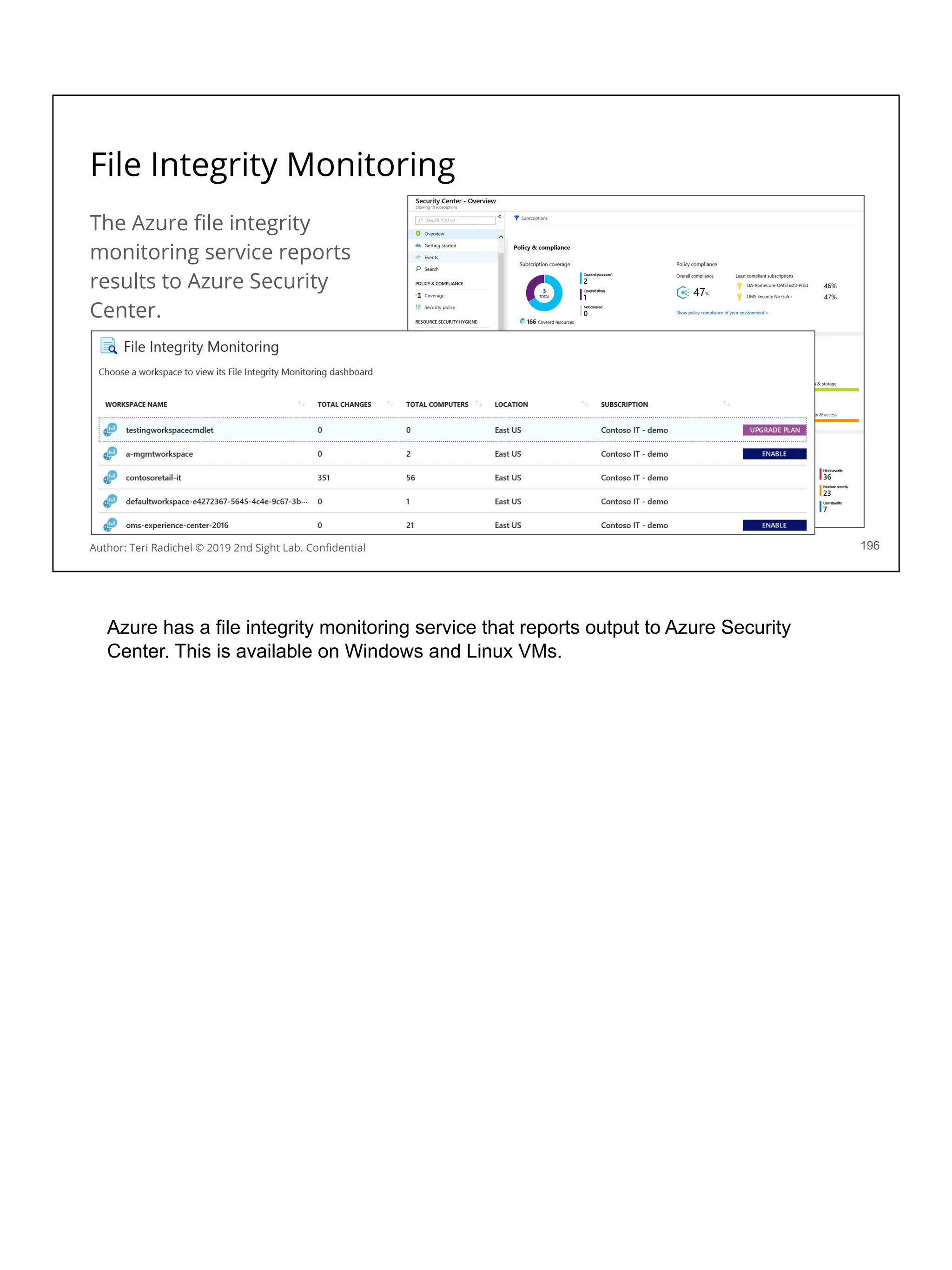
Bitlocker uses AES-128.
https://docs.microsoft.com/en-us/azure-stack/operator/azure-stack-security-bitlocker
Using the pentesting opsec skills we’ll learn on day 5 you can search for specifics in
Google search engine. :)
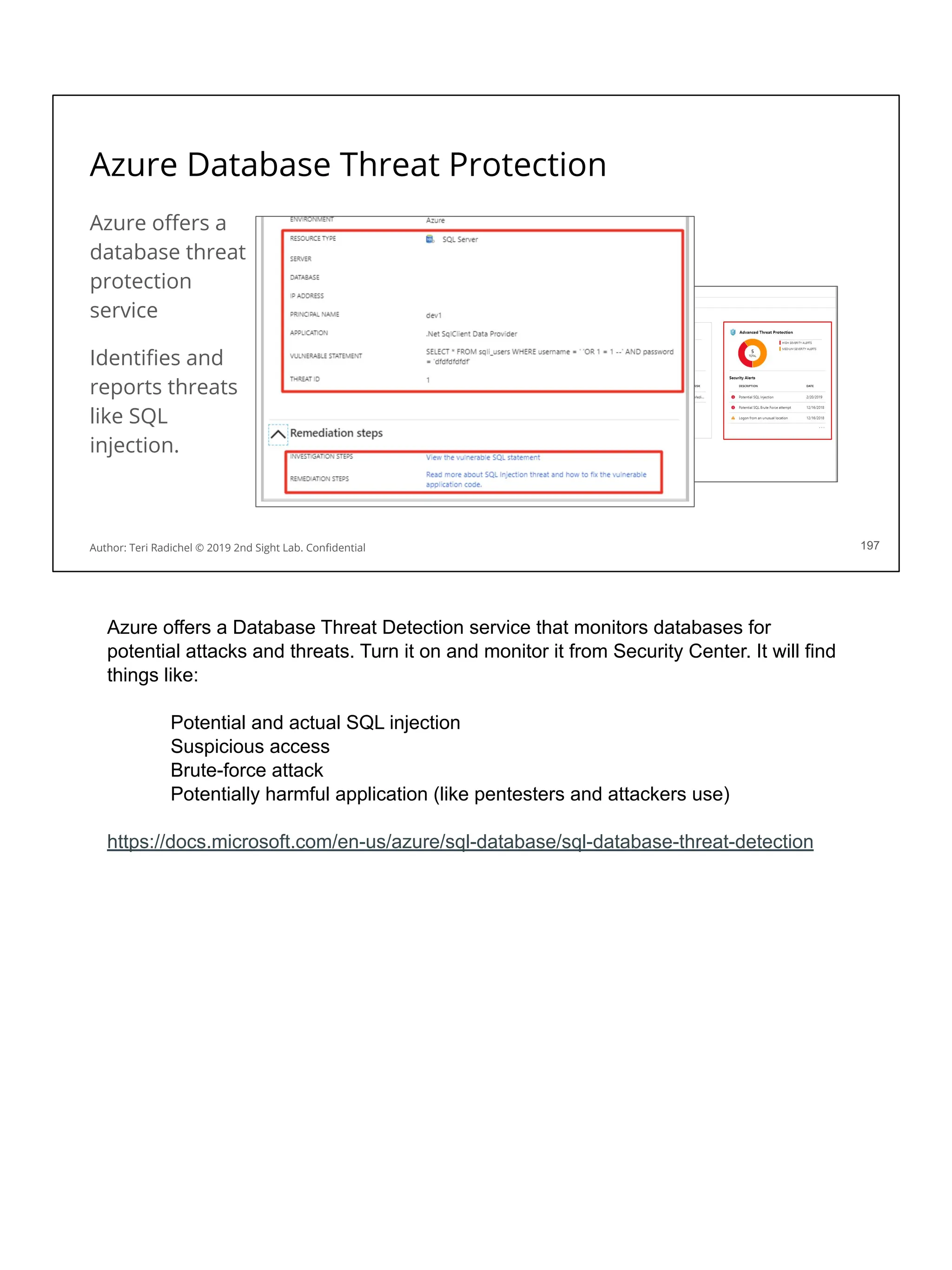
Search for: AES-128 site:aws.amazon.com
You won’t find much in recent documentation because Amazon mainly uses AES-256
for everything that uses the AES algorithm.
Search for: AES-128 site:cloud.google.com
“Data stored in Google Cloud Platform is encrypted at the storage level using either
AES256 or AES128”
https://cloud.google.com/security/encryption-at-rest/default-encryption/
The above statement conflicts with another document so may be out of date. This
document says Google only uses AES256.
https://cloud.google.com/storage/docs/encryption/default-keys
Whichever cloud provider you are using - make sure they are using algorithms that
are up to do date, well-vetted and recommended by security experts, and do not use
algorithms and versions with known security vulnerabilities.
Encryption Modes
Different encryption modes exist (ECB, CBC, CTR, CCM, OCB, GCM)
Using the wrong encryption mode can lead to vulnerabilities.
We don’t have time in this class to go into the details on all encryption modes.
Just remember ECB is not secure with over one block of data.
Have cryptography experts and pentesters validate encryption modes.
Look for cloud provider documentation with mode specifications.
144
Author: Teri Radichel © 2019 2nd Sight Lab. Confidential
Different encryption modes are used for different use cases (blocks of data or
streaming data, for example). Some modes are faster, but less secure. ECB
(Electronic Cookbook) is not secure for more than one block, so in general you won’t
want applications to use it. Even if only encrypting one block, someone will come
along and copy the code and use it elsewhere that has more than one block of data.
Don’t do it! When evaluating cryptographic solutions you’ll want to ensure the
appropriate cryptographic modes are used. Also in some cases SDKs and software
from the cloud provider come with secure defaults so your developers won’t have to
worry about this if they don’t alter it (for example, the AWS S3 client SDK.)
Searching for information on encryption modes on AWS, Azure, and Google:
Amazon:
https://docs.aws.amazon.com/crypto/latest/userguide/concepts-algorithms.html
https://docs.aws.amazon.com/encryption-sdk/latest/developer-guide/supported-algorit
hms.html
https://docs.aws.amazon.com/encryption-sdk/latest/developer-guide/faq.html
Azure
https://docs.microsoft.com/en-us/sql/relational-databases/security/encryption/always-e
ncrypted-cryptography
https://docs.microsoft.com/en-us/microsoft-365/compliance/office-365-customer-mana
ged-encryption-features
Google
https://cloud.google.com/bigquery/docs/reference/standard-sql/aead-encryption-conc
epts#block_cipher_modes
https://cloud.google.com/kms/docs/envelope-encryption
Symmetric Encryption
131
Author: Teri Radichel © 2019 2nd Sight Lab. Confidential
Symmetric encryption works with a shared key. The person sharing the data encrypts
it with an encryption key. The person that gets the data needs to use the same key to
decrypt the data. One of the best encryption algorithms to use for symmetric
encryption is AES256. Many other types of symmetric algorithms like DES are broken
and should not be used.
Symmetric encryption has better performance than some other options. Although
sharing the key is problematic, the fact that it can encrypt data efficiently leads to its
use in many applications. You’ll see how you can safely share the symmetric key next
with asymmetric encryption.
Uses and algorithms for symmetric encryption
Symmetric encryption is used because it offers better performance.
Streaming large amounts of data.
Large files.
Database encryption.
Probably the best algorithm to use right now is AES 256.
Don’t use outdated algorithms like DES and triple DES!
132
Author: Teri Radichel © 2019 2nd Sight Lab. Confidential
Symmetric encryption is used to improve systems that encrypt and decrypt a lot of
data because it offers better performance than some other options. Examples:
Streaming: when sending large amounts of data over the Internet, shared key
cryptography will be faster than using public and private keys.
Large files: Encrypting very large files will be faster.
Database: Typically databases use shared key encryption as they often need to
return data quickly.
Check that systems are using AES256. This is probably the best and most vetted
option as of the time of this writing but refer to NIST and other trusted sources for
updates.
Don’t use outdated encryption algorithms like DES and triple DES! As the NIST
documentation recommends, you can keep this around only to decrypt old data - but
when re-encrypting transfer it to a more secure algorithm. If your data is important,
transfer it to better encryption algorithms sooner than later.
Asymmetric Encryption - Step 1
148
Author: Teri Radichel © 2019 2nd Sight Lab. Confidential
Asymmetric encryption involves two different keys - a public and a private key.
The public key is not secret. It can be shared with anyone. The public key can also
be used to ensure data gets to the right person because only the person with the
private key can encrypt the data. That helps you know that you are sending the data
to the right place.
The private key is kept secret. Only the person or system with the private key can
decrypt the data. The risk is someone getting ahold of the private key.
This sounds better than transporting a shared key across insecure networks. Why
don’t we just use asymmetric encryption everywhere? It’s slower. It’s good for small
amounts of data. Emails are fairly small and using public-private key technologies
helps ensure emails get to the right place. Asymmetric encryption is also good for
sharing the symmetric key.
Notice that the private key needs to be kept secret and secure. Where do you store
your private key for an email system? Is it on your laptop or published to a public
repository? It’s ok to share your public key but do you really want to store your private
key in a cloud system? Be careful with that...anyone who can get your private key can
read your email or impersonate you.
A company that managed keys for people became very popular for a while. I saw a lot
of people publishing their identities online using this company. After a while the
company started recommending that people import their private key into the system
as well to “make things easier.” If people do not understand this technology they may
happily do so and be thrilled with the results because “it just works.” The problem is
that they did not vet the company to make sure that no one in the company has
access to the private keys or look at how the keys are stored and managed.
Make sure you understand the technologies you use, and vet your vendors. Do NOT
assume security companies know what they are doing. Many security companies hire
developers and do not train them in security. They build and buy products with blatant
security flaws. You need to understand how the products you buy work and vet
your vendors.
Asymmetric Encryption - Step 2
134
Author: Teri Radichel © 2019 2nd Sight Lab. Confidential
The second step in Asymmetric encryption is for the person who obtains the private
key to encrypt the data with an asymmetric encryption algorithm. One such
mechanism for doing so is with GPG (Gnu Privacy Guard). If you did the last lab on
day 1 you had a chance to try this out and see how it works.
Also note that you need to keep your GPG software up to date and use best practices
to ensure spoofing is not possible. We explained how to verify the public key with a
hash in lab 1.4.
Asymmetric Encryption - Step 3
135
Author: Teri Radichel © 2019 2nd Sight Lab. Confidential
In step three, the person with the private key gets the data and decrypts it. Only the
person with the private key can decrypt it (assuming no one has stolen the private key
and you are using the correct public key.)
Note that you can also use public-private key encryption in reverse. A person that has
a private key can encrypt a message and publish it. People can use the public key to
decrypt the message to ensure it really came from that person.
Uses and algorithms for asymmetric encryption
Asymmetric encryption has many uses. Here are some examples:
Email
Digital Signatures
IOT devices
Sharing credentials (like on penetration tests)
You can use GPG for many applications. Elliptical curve is a newer option.
152
Author: Teri Radichel © 2019 2nd Sight Lab. Confidential
Notice that using a private key it identifies a person or a system that has the
private key and ensures only that person or system open the message. This is not
the same functionality as encryption in transit using something like SSL or TLS -
which encrypts the data as it passes over the network -- but does not identify the
user. Different types of encryption serve different purposes.
Email: Some mail systems build this into the system and your IT team can manage it
to make it easier to implement and use. For example, when using Microsoft Outlook
you may have the option to use a private key when sending email.
Digital Signatures: A one-way hash of the data is encrypted with a person’s private
key. The encrypted hash along with other information such as the algorithm used for
encryption from the digital signature. Any changes to it invalidate the signature.
IOT: When you deploy devices in the field you want to make sure you are sending
and receiving data for a
specific customer only to and from the device owned by that customer. How do you
do that? Well if you have private keys generated on an IOT device by a TPM (Trusted
Platform Module) in the device hardware then you can be fairly confident you are
communicating with the correct device. The issue here is to ensure the private keys
are generated when they get to the customer site so they were not altered in transit,
and the customer gets the public key off the device and puts it in the SAAS solution
themselves. That way no one in the manufacturing process can somehow alter these
keys before they got to the customer site.
Penetration tests: Often when performing a penetration test, the people performing
the test will request credentials via GPG. The penetration tester will provide a public
key and the customer can validate it by requesting a hash from the pentester as
explained in lab 1.1.
Hashing
137
Author: Teri Radichel © 2019 2nd Sight Lab. Confidential
Hashing is sometimes referred to as one-way encryption. Hashing encrypts a file or
piece of data and produces a cryptographic string as output. This allows someone to
hash the same data to see if they get the same output to prove the data or file has not
changed. Hashing is a form of validating the integrity of data and files.
Uses and algorithms for hashing
Hashing has many uses:
File integrity checking software
Malware signatures
Software integrity checking
Digital signatures
Storing passwords
Sha-256 is best. MD5 has proven to be broken.
155
Author: Teri Radichel © 2019 2nd Sight Lab. Confidential
Here are some use cases for hashing:
File integrity checking software: Some software will validate that files on your
system have not changed. This software produces hashes of all the files and then
validates periodically that files have not changed.
Malware signatures: Virus checkers create hashes of malware files and then when
new files arrive, if a hash matches known malware, the file will be rejected.
Unfortunately attackers have created malware that changes the bits in every single
copy of the malware, which makes this approach useless for newer, more
sophisticated malware. It is still useful for security researches that want to identify and
share specific copies of malware for analysis and tracking purposes.
Software integrity checking: When you download new software, do you check the
signature to make sure you received the correct version? A lot of software still comes
to you over unencrypted channels unfortunately, If you do not check that you have
received the correct software via the hash provided from the vendor, you are at risk of
someone altering that software in transit as it was sent over the Internet or directing
you to a bogus site where you downloaded something other than you expect.
Digital signatures: As explained earlier, digital signatures contain a hash of the file
being signed, encrypted with the signers private key.
Storing passwords: Many systems store passwords as hashes instead of storing the
actual password. That way the user’s password can’t be stolen - as long as a good
algorithm is being used and users change their passwords frequently and don’t store
the same password in other databases that don’t store them securely!
MD5 has been broken and is not the best option but a lot of systems use it because
it’s embedded everywhere and the supporting systems that integrate depend on it. If
possible, update to SHA-256 as soon as possible if you still have systems using MD5.
Sample commands to create a hash of a file
Hashing validates file integrity (that it has not changed).
You can see below changing one letter in a file changes the hash of the file
139
Author: Teri Radichel © 2019 2nd Sight Lab. Confidential 139
This slide shows sample commands to create a hash of a file. Try it out!
Storing passwords as hashes
140
Author: Teri Radichel © 2019 2nd Sight Lab. Confidential
Often you hear about data breaches involving stolen passwords that were not
properly encrypted. What is going on with that? Well, in some cases people forgot to
use a salt when encrypting the passwords or used the salt incorrectly. What’s a salt?
It’s a random string that’s passed into the hashing algorithm to make sure that each
output is unique - even if two users have the same password.
The problems in some of the recent data breaches was that a salt was not use, the
salt was not changed for each user (defeating the purpose of using it) or the salt
produced was not random enough. Additionally use of outdated, broken algorithms
does not help either!
Over time attackers have collected many usernames and passwords so they know
commonly used passwords and can try to see if people are using them when they
attack a system. Attackers have also created something called Rainbow Tables
which are large databases of passwords and matching hashes. An attacker can use
these when salts are not used to look up the password for a corresponding hash.
They could also generate these password-hash combinations if they know a single
salt is being used.
Encoding
Encoding looks like encrypted data - but it is not
Anyone can encode or decode data using standard functions like base64
Try it yourself with the following commands - no encryption key required
141
Author: Teri Radichel © 2019 2nd Sight Lab. Confidential 141
Sometimes people encode data and believe they are encrypting data but they are not.
Encoding is a form of translating data into unreadable characters but it is not actually
a form of encryption and can easily be reversed. You can try out the commands on
the slide to encode some data and see how easily it can be reversed back to plain
text by the corresponding commands.
Encoding is used to map characters to bytes. If you want to know more about that
refer to this stack overflow Q & A:
https://stackoverflow.com/questions/10611455/what-is-character-encoding-and-why-s
hould-i-bother-with-it
https://stackoverflow.com/questions/201479/what-is-base-64-encoding-used-for
Looks like Azure has written that encoding is encryption at time of this writing on their
website. Make sure your vendors know the difference (and I know there are people at
Azure that do!)
https://docs.microsoft.com/en-us/azure/security/fundamentals/encryption-atrest#the-p
urpose-of-encryption-at-rest
HTTPS (SSL/TLS)
160
Author: Teri Radichel © 2019 2nd Sight Lab. Confidential
As you’ve seen symmetric encryption is fast and good for handling encryption of large
amounts of data, but sharing the key is problematic. How do you get the key from one
user to another without someone seeing it?
Asymmetric is good because you don’t need to share a key, but it is slower. However,
we can use asymmetric encryption to share the symmetric key and then use
symmetric encryption from that point.
That’s exactly how HTTPS (TLS and SSL) works. Additionally, a third-party system
called a Certificate Authority (CA) is used to help validate that the public certificates
you are using are valid in the key exchange.
The slide here shows the flow of data back and forth. You’ll want to make sure no
data is shared in plain text in this process. Some systems send data in advance
before the handshake is complete and expose data.
Make sure your systems are using up to date protocols. TLS 1.2 is the minimum
systems should be using at this time. TLS 1.3 is coming out but has some significant
changes which should be reviewed, vetted, and tested. For example, is data being
pushed to the client? This is an anti-pattern in most secure environments where
clients only request data. This breaks firewall rules where all inbound traffic is
disallowed. Check the latest version of the standard to see how it works as the author
has not vetted this completely, but Google Chrome seems to be pushing data to
clients and Google is heavily involved in creating this new standard and pushing for
changes.
Sample SSL/TLS attacks
Man in the middle (MITM)
SSL stripping - changing HTTPS links to HTTP in transit - Lookalike domains
Vulnerabilities
HEARTBLEED
POODLE (Oracle attack)
BEAST
BREACH
LUCKY13
143
Author: Teri Radichel © 2019 2nd Sight Lab. Confidential 143
SSL, TLS and HTTPS are vulnerable to certain types of attacks. Be aware of these
issues to help prevent them in your environment.
Man-in-the-middle: Intercepted traffic. The attacker can view data that is supposed
to be encrypted. See the next slide.
SSL Stripping: A user is tricked into visiting a non-HTTPS site before being
redirected to the secure version of the site. At this point the attacker can intercept
and/or alter traffic. The user’s browser session is downgraded to an insecure HTTP
connection. Implement HTTP String Transport Security (HSTS) on web sites to
prevent this attack.
Vulnerabilities: Old versions of TLS and SSL are vulnerable to various attacks
shown on this slide. We won’t explain how all these work - just make sure every
service you use in the cloud is using the best possible algorithm. For example, when
you
configure your CloudFront CDN on AWS, make sure it is TLS 1.2. The author has
seen TLS 1.1 on various penetration tests.
Man-In-The-Middle Attack
144
Attacker tricks user into clicking a
fake SSL certificate.
Then the attacker can read traffic
between the client and the server.
Author: Teri Radichel © 2019 2nd Sight Lab. Confidential
Man-in-the middle attacks are executed in a few different ways. Here are a few of
them most common:
Manually set the proxy of the browser to route all traffic via malware or access to
the machine.
ARP Poisoning (Involves tricking your machine to use the wrong router and not
possible IN AWS but still possible outside of AWS - like developers in coffee shops or
corporate environments!)
Create a Hotspot and allow the victims connect to it. There’s something called Evil
Twin that can create a hotspot that looks like a valid hotspot. When users connect to
wifi they use it because they think the are connecting to a valid wifi device.
easy-creds is a tool that incorporates many other attack tools and can be used for
mitm and related attacks like SSLStrip.
- SSL strip: For downgrading request https to http
- airodump-ng: To start WLAN in promiscuous mode
- airbase-ng: To create a hotspot
- ettercap: For sniffing data
- urlsniff: For authentic real-time display of request from the victim’s machine
- DHCP server and more
Ways of breaking encryption
❏ Stealing the key!
❏ Man-in-the-middle
❏ Outdated, broken algorithm
❏ Weak encryption mode
❏ Hashes with no salt
❏ Having known text to try to reverse ciphertext or vice versa
❏ Having the algorithm to try to get clues about the text
❏ Key too short - takes less time to crack; not rotating - more time to crack
❏ Key not rotated - a long time to guess the value - Rainbow Tables
❏ Downgrading SSL certificates
❏ Fake certificate in browser
164
Author: Teri Radichel © 2019 2nd Sight Lab. Confidential 164
There are numerous ways to break encryption. You’ll want to make sure when
evaluating cloud providers that wherever they are responsible for these items they are
correctly protecting your data. When your team is responsible for encryption you need
to make sure they are doing the same.
One of the biggest problems is simply allowing the attacker to steal the key. Keys are
often stored in insecure locations, sent in email, posted on blog pages, and included
in source code.
We’ve explained encryption algorithms, modes and salts.
Attackers will try to brute-force guessing encrypted values at times if they have the
cipher text and corresponding data. They will try to perform computations to encrypt
and decrypt data to see if they can figure out how to reverse cryptographic text back
to plain text. A weak algorithm allows them to do this.
Sometimes algorithms have flaws that give clues about the encrypted text in
unintended ways. If the algorithm is not random enough, or it shows the same
encrypted character for the same plaintext data, for example, the attacker may be
able to ascertain which character is vowel - since vowels appear more frequently than
other letters in plain text. Character for character replacement is not good encryption!
If the encryption key is too short, it makes it easier for an attacker to guess the key.
The attacker can simply try different characters over and over until they find the key
that produces the correct output. Then they can use that key to decrypt everything
else.
If the key is rotated before the attacker can guess the key, they have to start guessing
all over again. Using the same key for a long period of time without rotating it gives
attackers more time to guess it.
As we discussed SSLStripping involves downgrading an encrypted connection to an
unencrypted connection. In addition, attackers can use various exploits to downgrade
an HTTPS encrypted session to a lower encryption algorithm version. If you don’t
need these - remove them from your website and systems. Only offer the latest
encryption algorithm to browsers and remove any that are insecure.
There are many types of man-in-the-middle (MITM) attacks. Getting users to click
fake certificates in their browsers allows attackers to intercept and view traffic that
was supposed to be private and encrypted.
This BlackHat talk covers some other issues found while auditing encryption:
https://aumasson.jp/data/talks/BH19.pdf
Encryption Overview
146
AWS Azure GCP
Encryption Overview AWS Encryption Azure Encryption Encryption at Rest
Encryption SDK Encryption SDK, Corretto, S2N
Author: Teri Radichel © 2019 2nd Sight Lab. Confidential
Overview of Encryption Services
Each of the cloud services provides encryption options in varying ways.
GCP encrypts all your data at rest by default.
AWS gives you the option to encrypt, and enforce encryption.
Azure is working towards encryption at rest by default.
As mentioned, encryption has a performance hit.
For the sake of security encryption everywhere may help avoid mistakes.
147
Author: Teri Radichel © 2019 2nd Sight Lab. Confidential
Each of the cloud providers offers encryption in similar but different ways.
GCP encrypts all your data at rest by default. This is great if you want to know your
data is all encrypted no matter what. As explained earlier that doesn’t alway save you
- but it helps to know that someone who accesses their systems without the
encryption key can’t see your data.
AWS gives you the option to encrypt. You can configure EBS volumes to encrypt by
default, for example. Some people may not want encryption on every piece of data
where it slows down performance and encryption is not a requirement (public data).
Azure Storage encryption is enabled for all new and existing storage accounts and
cannot be disabled. Microsoft is working on encrypting all data by default.
Capital One just decided to enforce encryption everywhere in the cloud. Rather than
try to track and determine where encryption was needed, policies were set up to
enforce encryption on every piece of data. Although that did not help them in a recent
breach due to architectural flaws, this is still a good policy. If people have the option to
disable encryption, or have to decide when to use it or not, mistakes will be made.
AWS Encryption Libraries
AWS offers a number of encryption libraries.
If you don’t employ cryptography experts, you may rely on their expertise.
After a myriad of flaws in SSL open source libraries, AWS wrote their own.
S2N - a trimmed down library that contains what is required to run on AWS.
AWS Encryption SDK - best practices and integration in many languages.
Corretto - A Java encryption library
168
Author: Teri Radichel © 2019 2nd Sight Lab. Confidential
People said open source was supposed to be more secure because people can view
the code so many people can validate it. This is turning out not to be true in the case
of libraries like OpenSSL. For a while, numerous breaches like HeartBleed occured
that caused a lot of headaches for enterprises when they had to update all their
systems very quickly. Many vendor products also use these open source libraries. A
flaw was introduced by a German programmer who apparently “made a mistake”
when implementing the heartbeat functionality in OpenSSL. That led to a flaw where
someone could extract the private key, hence rendering the encryption useless.
Due to all these vulnerabilities and the overly complex nature of the OpenSSL code,
AWS wrote their own open source SSL/TLS library called S2N which you can find on
GitHub. In addition to providing fixes to TLS issues, they are working on post-quantum
encryption. There is also a very interesting talk on how they implemented it and their
mechanisms for validating the code from AWS re:Invent.
S2N for TLS/HTTPS
https://github.com/awslabs/s2n
https://www.youtube.com/watch?v=APhTOQ9eeI0
https://www.youtube.com/watch?v=iBUReOA8s7Y
AWS Encryption SDK
https://docs.aws.amazon.com/crypto/latest/userguide/awscryp-service-encrypt.html
Corretto for Java on AWS
https://aws.amazon.com/about-aws/whats-new/2019/07/introducing-the-amazon-corret
to-crypto-provider/
Encryption At Rest
149
AWS Azure GCP
Disk EBS Encryption Disk Encryption Encrypted by default
Object Encryption Encryption, S3 Client Side
Encryption
Azure Storage Accounts, .NET client
side encryption
Encryption configuration
Database Encryption
(Verify for each service)
CSP or KMS, Oracle TDE with
CloudHSM
CSP or Key Vault, Customer Keys on
Customer Hardware
CSP or KMS
File Encryption EFS: CSP or KMS CSP or Key Vault CSP
Author: Teri Radichel © 2019 2nd Sight Lab. Confidential
150
Encryption at rest in the on IAAS platforms
Author: Teri Radichel © 2019 2nd Sight Lab. Confidential 150
For almost every encryption at rest offering in the cloud you can choose:
Let the cloud provider manage the key.
You manage the key via the CSP’s key management service.
You need to check each cloud service to verify.
For services that don’t yet work with the CSP key service, probably will soon.
Encrypting S3 Bucket Files
Choose options when you create your bucket
Let Amazon encrypt - or use your own KMS key
151
Author: Teri Radichel © 2019 2nd Sight Lab. Confidential 151
This slide shows the options in S3 for encrypting your data. When you manually
create a bucket, you can choose to automatically encrypt the files. Then you can
choose an option. The option names are a bit misleading. Both options encrypt the
data with AES 256 encryption. The first one uses keys managed by AWS. The section
option refers to using keys managed by KMS.
Encryption and governance
When you create S3 buckets, you can create policies to restrict access.
You’ll probably want to do this, vs. using the NACL option.
This allows you to more tightly control who can access the bucket.
In these policies, you can enforce other things like enforcing encryption.
These types of security settings on cloud services help with governance.
The cloud providers also have ways to monitor for unencrypted resources.
152
Author: Teri Radichel © 2019 2nd Sight Lab. Confidential 152
When you want to enforce your desired encryption rules within your organization, you
can leverage various tools from the cloud providers. For example, on an AWS S3
bucket you can create policies that restrict access and enforce rules. One of the rules
you can enforce is to disallow uploads of unencrypted files. Additionally, the cloud
providers have ways to monitor for unencrypted resources.
AWS Config can help you find unencrypted resources.
https://aws.amazon.com/config/
Azure Security Center will warn you about unencrypted resources if you enable it.
However, Azure is moving to encrypt all data. We’ll see how this setting changes as
that happens.
https://azure.microsoft.com/en-us/services/security-center/
Google encrypts everything by default. You can monitor use of KMS keys in
StackDriver.
https://cloud.google.com/kms/docs/monitoring
AWS S3 Client Encryption
153
Author: Teri Radichel © 2019 2nd Sight Lab. Confidential 153
The AWS S3 Client gives you three options for your encryption key:
Use a customer managed key stored in the Key Management Service
Use a master key stored within your application
With the second option your application can run in or outside the cloud.
If you choose client-side encryption, your keys are never sent to AWS.
With client-side encryption, if you lose your key AWS can’t get it back for you!
When using the AWS S3 Client to encrypt and decrypt data you have different
options. You can use your customer managed encryption key that is created by the
KMS service (more on how that works in upcoming slides). You can also use a master
key that is stored within your application. If you choose to store the key in your
application it can run inside or outside the cloud. You control the key. Note that if you
lose the key in that scenario, AWS can’t get it back for you since AWS never had it.
https://docs.aws.amazon.com/AmazonS3/latest/dev/UsingClientSideEncryption.html
Encryption in Transit
154
AWS Azure GCP
TLS/SSL AWS Certificate Manager Azure Key Vault (via Digicert,
GlobalSIgn)
Private CA Private CA
Author: Teri Radichel © 2019 2nd Sight Lab. Confidential
SSL/TLS Certificate Validation
When you want to get a certificate, CAs validate you own the domain.
One way to do this is via an email which is not very secure.
A better method is to use DNS.
The certificate authority provides you a value
You put that value into your DNS records
The CA checks your DNS records to see that record
Because the CA see the change, they know you own the domain.
155
Author: Teri Radichel © 2019 2nd Sight Lab. Confidential 155
One thing to be aware when purchasing certificates. You want to use a provide that
requires adequate proof before issuing the certification. If the provider simply emails
someone to renew the certificate, anyone with an email for the organization can
create the certificate. That’s not a very secure solution. It’s better when the CA uses
DNS records. After a request is made for a new certificate, the CA provides a value to
put in the DNS records. The owner of the domain adds a new DNS entry that the CA
can query for to validate ownership of the domain.
TLS certificates on Cloud Platforms
Automate certificate requests and creation.
Automate renewal (now more systems down for mysterious reasons!)
AWS Certificate manager
Azure Key Vault - Certificates - from DigiCert of Global Sign.
Azure App Service works with GoDaddy to obtain and renew certs.
Integrates nicely with other services.
156
Author: Teri Radichel © 2019 2nd Sight Lab. Confidential
Many a mysterious outage has occurred in organizations due to an expired SSL or
TLS certificate. When the certificate expires, people suspect the application or
something else is causing the error and spend a long time troubleshooting. Once they
determine what the problem is, they have to go through the certificate renal process
which is not fast (though it used to be much worse). During the downtime some
companies have lost millions of dollars. Some customers lose faith in the service as
well when they see security errors like this. The cloud providers that offer automated
certificate and renewal processes can help prevent such problems.
AWS and Azure allow you to get SSL certificates from them directly, though Azure is
integrating with two third parties - DigiCert and GlobalSign. Both these services
validate your certificate via a domain name. The Azure App Service works with
GoDaddy to provide SSL certificates. All the services will automatically renew your
certificates.
TLS Termination on Network Load Balancers
When choosing to use TLS termination - understand the risk.
Your traffic is no longer encrypted end-to-end
157
Author: Teri Radichel © 2019 2nd Sight Lab. Confidential
Some cloud provider options include termination of SSL/TLS at the load balancer
instead of setting up SSL certificates on every web server. The same is true for
applications hosted behind CloudFront. You can configure SSL/TLS without
CloudFront on AWS instead of on the end servers. When you choose these options,
be aware the data is not encrypted end-to-end.
What’s the risk? Someone working in the cloud provider environment who has access
to the network traffic could sniff the data. Packet captures and other types of logs may
include data that is unencrypted.
AWS SSL Termination for Network Load Balancers:
https://aws.amazon.com/blogs/aws/new-tls-termination-for-network-load-balancers/
SSL/TLS for CloudFront:
https://docs.aws.amazon.com/AmazonCloudFront/latest/DeveloperGuide/using-https.
html
https://aws.amazon.com/blogs/aws/new-aws-certificate-manager-deploy-ssltls-based-
apps-on-aws/
SSL for Amazon CloudFront
MTLS (Mutual Authentication)
158
Author: Teri Radichel © 2019 2nd Sight Lab. Confidential
Mutual Authentication (MTLS), sometimes called 2-Way-SSL, validates SSL/TLS
certificates in both directions. For example, API Gateway supports this option. You
can set up your web server to only receive requests from the API gateway because it
will ensure that the certificate for the API gateway is correct before sending data to it.
This ensures that some other source besides the API gateway can’t make requests to
your APIs.
https://docs.aws.amazon.com/apigateway/latest/developerguide/getting-started-client-
side-ssl-authentication.html
AWS Private Certificate Authority (CA)
AWS provides the option to create a Private Certificate Authority (CA)
Setting up Public Key Infrastructure (PKI) can be very complicated.
If an organization needs to set up a Private CA, this could help.
Additionally some organizations use this for device certificates.
You can also ensure only those you trust have certificates you manage.
159
AWS offers a private certificate authority if you need one. Rather than have
developers get certificates from AWS or a third party, you might want to control this
process more carefully. Additionally some vendors use this option for IOT devices that
need unique types of certificates. PKI infrastructure can be time consuming and
complicated to set up. AWS helps make it easier using this service.
AWS Private Certificate Authority (CA)
https://aws.amazon.com/certificate-manager/private-certificate-authority/
Encryption in Use
160
AWS Azure GCP
Homomorphic Microsoft SEAL
TEE Confidential Computing
Author: Teri Radichel © 2019 2nd Sight Lab. Confidential
Trusted Execution Environment (TEE)
Azure offers their
Confidential Computing
service that uses a TEE.
Send sensitive encrypted
data and code to the TEE.
Data is decrypted only in
the TEE so not exposed
elsewhere.
161
Author: Teri Radichel © 2019 2nd Sight Lab. Confidential 161
Azure offers a Confidential Computing service that allows customers to process
sensitive data in a Trusted Execution Environment (TEE). Sensitive, encrypted data is
sent for processing along with the code that will process it to a TEE. The processing
takes place and the data is never visible in plain text outside the TEE. More
information on the Azure confidential computing solution is provided by Azure’s CTO,
Mark Russinovich.
https://azure.microsoft.com/en-us/blog/introducing-azure-confidential-computing/
A consortium of other companies are working on new confidential computing
solutions:
https://www.linuxfoundation.org/press-release/2019/08/new-cross-industry-effort-to-ad
vance-computational-trust-and-security-for-next-generation-cloud-and-edge-computin
g/
Homomorphic Encryption
Operations on ciphertext that produce the same results as plaintext.
How is this possible?
New mathematical models allow for some types of operations.
Some layers of encryption are not removed for the operations to take place.
Microsoft offers an open source library called SEAL For this purpose.
You can get the code on GitHub.
162
Author: Teri Radichel © 2019 2nd Sight Lab. Confidential
Homomorphic Encryption aims to be able to perform operations on encrypted data
without ever decrypting it. That allows customers to send data to the cloud for
computations and never send the key to decrypt the data to the cloud. Then they can
retrieve the data and decrypt it in their own environment.
Microsoft has been working on a library to make it easier for developers to use
homomorphic encryption called Microsoft Seal.
From the Github page:
“Microsoft SEAL is a homomorphic encryption library that allows additions and
multiplications to be performed on encrypted integers or real numbers. Other
operations, such as encrypted comparison, sorting, or regular expressions, are
in most cases not feasible to evaluate on encrypted data using this technology.
Therefore, only specific privacy-critical cloud computation parts of programs
should be implemented with Microsoft SEAL.”
https://www.microsoft.com/en-us/research/project/microsoft-seal/
Code on Github:
https://github.com/Microsoft/SEAL
Tokenization
Another way to prevent data from exposure is via tokenization.
Sensitive data such as an SSN could be replaced with tokens.
Then the data is sent to the cloud for processing.
Tokens could be used to identify people but would not be the real SSNs.
Make sure you tokenize everything…
In the Capital One breach, SSNs were tokenized but not Canadian IDs.
163
Author: Teri Radichel © 2019 2nd Sight Lab. Confidential
Another mechanism for protecting data while in use is via tokenization. Instead of
using the real values use a token instead. For example, replace SSN’s with a fake
value when sending to the cloud for processing. When the data returns, restore the
SSN. This is a bit complicated and possibly error prone, but could be worth it. Test it
carefully.
Perhaps the tokens are encrypted values. In the case of CipherCloud, the encrypted
tokens were larger than the data they encrypted. The end result was that the larger
tokens didn’t fit into existing database fields and this caused lots of application
functionality to break.
When Capital One was breached, we learned that the SSNs they were processing
were tokenized, but the Canadian IDs were not. Make sure you tokenize all the
sensitive data when leveraging this mechanism.
Key and Secrets Management
164
AWS Azure GCP
HSM AWS CloudHSM Azure HSM Google CloudHSM
Key Management KMS Azure Key Vault Cloud Key Management
TPM Support (IOT) AWS IOT Greengrass Azure provisioning with TPM Device Security
Secrets Management SSM Parameter Store
Secrets Manager
Azure Key Vault Secrets Management
Author: Teri Radichel © 2019 2nd Sight Lab. Confidential
Hardware Security Module (HSM)
A physical hardware device.
Stores encryption keys in hardware.
Keys cannot be removed.
Tamper-proof. Will self-destruct (erase keys).
Different types - some execute code, SSL offload.
Not very scalable, can’t failover easily to a new region, etc.
186
Author: Teri Radichel © 2019 2nd Sight Lab. Confidential
An HSM or hardware security module is a hardware device designed to protect
encryption keys. The encryption keys are stored in this tamper proof device “in
hardware.” They are basically only accessible in a certain portion of the device and
can’t be transferred around like a file could be. The keys cannot be removed. The
devices are designed to be tamper-proof. If someone tries to remove the keys, the
device will erase the keys and make them inaccessible.
Some different types of HSMs exist. Some only store keys. Some perform certain
types of computations within the device. Some will do SSL offloading which means
certain aspects of TLS/SSL will be processed by this device to offload the
performance hit on web servers.
HSMS are what AWS’s cryptography product manager calls their “least cloudy
service.” HSMs are not scalable. They are hardware and old-school type on-premises
devices that must be managed in a cluster rather than something like auto-scaling.
They are very complicated to set up and manage. They typically have a management
console that needs to be installed in or outside of the cloud to manage these devices
with appropriate networking, processes and security controls. The devices have to be
configured properly as well.
If you require an HSM you will have to use it. However, the author worked with
someone that used to work for an HSM company that said there’s no way she wanted
to use an HSM because it was too complicated and caused problems. If someone
who works for an HSM company says that… you can image how fun it will be to
manage yourself. The author of this course helped set up networking for HSMs at
Capital One and worked with the team trying to implement the service and can
confirm the complexity.
HSMs in the Cloud
Some companies require an HSM for contractual or compliance reasons.
All three cloud providers offer an HSM service.
AWS CloudHSM
Azure Dedicated HSM
GCP Cloud HSM
AWS and Azure offer dedicated hardware devices.
Google’s documentation doesn’t say that.
166
Author: Teri Radichel © 2019 2nd Sight Lab. Confidential
Each cloud provider offers an HSM service if you need one:
AWS CloudHSM (Safenet, now Thales)
Dedicated, single tenant access to each HSM in cluster. VPC only.
Azure Dedicated HSM (Thales)
Dedicated hardware HSM.
Google CloudHSM
Google HSM: Does not state that it is a dedicated hardware device. API based.
HSMs for devices using cloud keys
Yubikey offers an interesting HSM that you can plug into a USB Port.
Might work for IOT devices however at time of this writing, $650...
167
Author: Teri Radichel © 2019 2nd Sight Lab. Confidential
Yubikey offers a new, interesting HSM offering. It’s a small HSM that plugs into a
USB port. It definitely has some use cases. For example, it might be able to store
AWS keys or be used for CA root of trust certificates. They also suggest using it for
IOT devices. That would be cost-prohibitive for most devices however. The cost of
this HSM at the time of this writing is $650 - more than most devices cost! Still,
this is a very interesting option and something to keep watch.
https://www.yubico.com/wp-content/uploads/2019/02/YubiHSM2-solution-brief-r3-1.pd
f
Key Management
Rather than a dedicated HSM you could use these key management services:
AWS Key Management Service (KMS)
Azure Key Vault
GCP Cloud Key Management
Automate key creation and management like key rotation.
Integrated with services provided by the CSP.
Set policies like who can access the keys and who can decrypt data.
190
Author: Teri Radichel © 2019 2nd Sight Lab. Confidential
HSMs can be complicated to set up and expensive. You might want to opt for a more
customizable, scalable, automated solutions. Each of the cloud providers offers a key
management service. Many of there other services easily integrate with their key
management services. Of course, you will want to vet how they manage the keys in
these cases, but these are good options. Large companies with compliance
requirements do use these services. They are all FIPS 140-2 compliant with auditing
and logging on actions taken on or by encryption keys.
The services are:
AWS Key Management Service (KMS)
https://aws.amazon.com/kms/
Azure Key Vault
https://docs.microsoft.com/en-us/azure/key-vault/about-keys-secrets-and-certif
icates
GCP Cloud Key Management
https://cloud.google.com/kms/
Some of the benefits of using these services include the ability to automate actions,
audit all actions, and implement fine grained access policies on keys such as who can
access the keys and who can use them to encrypt and decrypt data.
Envelope encryption
170
Author: Teri Radichel © 2019 2nd Sight Lab. Confidential
The cloud providers use something called envelope encryption to protect your data
and your keys. Envelope encryption uses the concept of key hierarchies. If one key is
accessed it doesn’t compromise all the data.
The process works like this:
You will have a master key is created in your account. Either you manage it or let the
cloud provider manage it.
1. When you want to encrypt a piece of data, a data key is created which is used
to encrypt the data.
2. Then the master key encrypts the data key.
3. The data key is then stored with the data.
On AWS and Google the master keys are stored in an HSM.
On Azure you have the option of using a soft key or an HSM-backed master key.
The master key never leaves the HSM, if and when used.
Envelope encryption - decrypting data
171
Author: Teri Radichel © 2019 2nd Sight Lab. Confidential
When it’s time to decrypt the data, the data key is sent back to the key management
service. The key management service decrypts the data key and sends it back to the
application. The application decrypts the data with the plain text data key and deletes
the data key. The data key should never be stored on disk and only hang around as
long as required.
Bring your own key ~ the risk
If you choose to use the cloud key management services, you have options.
You can let the cloud provider generate the key material.
Alternatively control the key material yourself.
If you choose to manage the key and you lose it - the CSP can’t help you!
You have effectively employed ransomware on yourself in that case.
Only you can’t even pay a ransom to get your data back! It’s gone…
Recommend only choosing BYOK if you have solid key-management process.
172
Author: Teri Radichel © 2019 2nd Sight Lab. Confidential
All three cloud providers allow you to bring your own key to the cloud service. If you
choose to bring your own key, beware that if you lose it the cloud provider cannot help
you get it back - and they shouldn’t be able to! If they could you would know they
weren’t using a proper HSM to store the master keys. When you import your own key
material, consider that it is going to the same place as the cloud-provider created
HSM keys. If you need to import the keys for some reason, such as you need a
backup of the key because you don’t trust the cloud provider, that could be a valid
reason to do this. However, for many companies the large cloud providers may be
able to manage keys better via automated mechanisms than customers can do
themselves. Consider if you are actually increasing the risk in that case by managing
the key yourself.
Importing key material into AWS KMS:
https://docs.aws.amazon.com/kms/latest/developerguide/importing-keys.html
Azure customer-managed keys.
https://docs.microsoft.com/en-us/azure/storage/common/storage-encryption-keys-port
al
Google customer supplied encryption keys:
https://cloud.google.com/storage/docs/encryption/using-customer-supplied-keys
Key Hierarchies and Segregation
Use multiple keys instead of one.
If one key is stolen, all your data is not compromised.
Different keys for different customers.
Different keys for different applications.
Different keys for different users.
Definitely - different keys in Dev, QA, and Prod.
Needs to be a parameter passed it to the code when deployed.
173
https://www.slideshare.net/AmazonWebServices/a
ws-reinvent-2016-aws-partners-and-data-privacy-g
pst303
Author: Teri Radichel © 2019 2nd Sight Lab. Confidential 173
When setting up encryption segregate and limit use of keys appropriately. Make sure
you don’t use one key to encrypt and decrypt all your data. That way if one key is
stolen or compromised, all the data is not accessible to the attacker.
Use different keys for:
Different customers in a SAAS application
Different IOT devices
Different applications
Different microservices
Different development environments (Dev, QA, Prod)
Make sure you do not embed the key into the code. A parameter should exist in the
code which is populated with the key as required for encryption and decryption.
Least privilege via policies
Set key policies that restrict access to data
This is an example of an AWS KMS policy.
174
Author: Teri Radichel © 2019 2nd Sight Lab. Confidential 174
Make sure you leverage key policies to allow access to KMS keys based on the
principle of least privilege. Only the appropriate systems or users can access the key
and take specific actions - maybe only under certain conditions.
AWS KMS Bring Your Own Key
Create the CMK container
Download public RSA key
Wrap your key with the KMS RSA
public key
Import encrypted key into KMS.
Since you encrypted with KMS
public key, the service can decrypt
your key and use it.
175
Author: Teri Radichel © 2019 2nd Sight Lab. Confidential
This slide shows what importing your key into AWS KMS looks like. It provides a few
more details about the key transport process. Notice that even when you bring your
own key, the KMS service has to be able to see it to use it. The other cloud providers
will have a similar process.
https://www.slideshare.net/AmazonWebServices/aws-reinvent-2016-aws-partners-and-data-privacy-gpst303
Secrets Management
Keep secrets out of code ~
AWS - Parameter Store
AWS - Secrets Manager
Azure - Vault
Google - secrets management
Hashicorp - Vault (multi-cloud)
176
Author: Teri Radichel © 2019 2nd Sight Lab. Confidential 176
At Microsoft Build in 2019, someone from Azure said one of the biggest problems they
have is developers checking secrets into code. Don’t do it! There are many great
options now for managing secrets. This wasn’t true in the past. Here are a few:
AWS Parameter Store (stores secrets)
AWS Secrets Manager (additionally can rotate secrets like database passwords)
Azure Key Vault (can store parameters and secrets)
Google Secrets Management (Works with KMS)
Hashicorp - Vault (multi-cloud)
With all of these options, developers can store secrets externally to the code and run
simple commands to obtain the secrets. These vaults can also encrypt the secrets to
hide them from prying eyes. You can limit who has access to the secrets and who can
encrypt and decrypt them using policies.
ECS Secrets on github - managing secrets in containers on ECS:
https://github.com/awslabs/ecs-secrets
Lab: S3 Secrets + Encryption
177
Author: Teri Radichel © 2019 2nd Sight Lab. Confidential
178
Application
Logs and Monitoring
178
Author: Teri Radichel © 2019 2nd Sight Lab. Confidential
Application Logging and Monitoring
179
AWS Azure GCP
Cloud Audit Logs CloudTrail Activity Logs, Azure AD Logs Cloud Audit
Stream to Third Party Export Log Data Event Hub Log Exports
Resource Monitoring CloudWatch Azure Monitor Stack Driver
Object Store Logs S3 Access Logging Storage Analytics Access & Storage Logs
Tracing X-Ray Request Tracing Cloud Endpoints
Alerts SNS Monitor, Security Center Cloud Pub/Sub
Vulnerabilities Inspector Security Center (Third-Party) Cloud Security Scanner
Database Azure Real-Time Threat Detection
File Integrity File Integrity Monitoring
DLP Macie Azure Information Protection Google Cloud DLP
Author: Teri Radichel © 2019 2nd Sight Lab. Confidential
Logging and Monitoring
What to log and monitor for application security:
❏ Monitor for vulnerabilities
❏ Compliance monitoring (more tomorrow)
❏ Cloud provider audit logs - actions on the cloud platform
❏ Operating system logs, containers, and serverless
❏ Application logs (written by your developers)
❏ All the individual service logs including things like CDNs, storage services,
and load balancers
180
Author: Teri Radichel © 2019 2nd Sight Lab. Confidential
Vulnerability Management
Keeping software up to date is an important step in preventing breaches.
Vulnerability scanning may also be required for compliance.
When finding, preventing, and patching vulnerabilities consider the following:
- Prevent as many vulnerabilities from entering the systems that you can
- Monitor for new vulnerabilities announced and update
- Monitor for vulnerabilities that appear due to malware on systems
The question is - how do we do that in the cloud?
181
Author: Teri Radichel © 2019 2nd Sight Lab. Confidential 181
One of the most important things you can do to prevent data breaches is to ensure
your cloud systems are fully patched and running the latest software. You may also be
required to run vulnerability scanning software for compliance purposes.
The most effective step is to prevent vulnerable software from getting to production in
the first place. However, in addition to preventing production software from entering
the system, you’ll need to monitor for new vulnerabilities that are announced after the
software was deployed. The other way a vulnerability could be introduced is in the
case of malware getting onto a host that makes the system vulnerable by installing
software or performing some other malicious activity.
Developing a vulnerability management plan
❏ Who is responsible for monitoring systems for CVEs out of date software?
❏ What happens when a vulnerability is announced or discovered?
❏ Will you update running virtual machines? Or deploy immutable VMs?
❏ Who will perform the updates? To the VMs? To the applications?
❏ Will they log into systems or run code to make those updates?
❏ What about serverless and containers?
204
Author: Teri Radichel © 2019 2nd Sight Lab. Confidential
As alluded to earlier you’ll want to determine how you are going to patch systems
when updates are required. This slide presents some questions you will want to
address in your patching strategy. We’ll discuss the pros and cons of different
approaches.
Who is responsible for monitoring systems for out of date software?
If you have a large organization, potentially you have many different parts of the
organization deploying different types of applications and software. You will need to
determine what the policies and processes will be around monitoring systems for out
of date software. How will you determine what software exists, and what is out of date
and needs to be patched? Will you prevent software with known CVEs from entering
production? You will still need monitor for CVEs announced after systems have been
deployed.
What happens when a vulnerability is announced or discovered?
When a new vulnerability is announced or discovered, what is the process for
updating the software? Likely your deployment processes and the people doing the
work are different than those on-premises. If they are not, you can possibly follow
your existing process. In many organizations, the process may need adjustments to
account for changes in roles and responsibilities. You may also choose to implement
an automated platform that enforces software deployed to production environments to
be free from known vulnerabilities. Will the vulnerabilities be reported through an
Will you update running virtual machines? Or deploy immutable VMs?
One other question we’ll talk about is whether you want to have people login to
update machines or push updates through an system directly to running machines?
Alternatively you can require people to redeploy the entire system from source control
to obtain updates.
Who will perform the updates?
When updates are required, who will perform the updates? Someone creates the
secure base image. Who is responsible for updating that image? Is the same team
responsible for updating the machine images and the software running on the
machines, or will this be separate teams? For example, the IT or a DevOps team
manages the base image, and the developers may be responsible for the software
installed on the operating systems and docker containers.
Will they log into systems?
What about serverless and containers?
What is different about serverless and containers? You likely won’t be installing
agents on serverless functions that only run for a few minutes. What about
containers? These are not full-fledged operating systems but if incorrectly configured
can provide access to the admin or root system permissions. Who is responsible for
ensuring that does not happen?
These are all questions you will want to address in your patching and vulnerability
management strategy, policies, and processes.
Common Vulnerabilities and Exposure (CVE)
CVE numbers are assigned
to vulnerabilities in software.
This helps track which
vulnerabilities exist in which
version of software. (It also
helps pentesters as you’ll
see on day 5!)
Search on the website and
follow @CVEnew on Twitter.
183
Author: Teri Radichel © 2019 2nd Sight Lab. Confidential
Typically people think of CVEs when they think of software vulnerabilities. Software
scanners inspect software for these vulnerabilities by look at the version of the
software and comparing it to this database of vulnerabilities. If you’re running software
with vulnerabilities then attackers can do the same thing. CVEs can exist in all forms
of cloud compute!
The original CVE list is available from MITRE:
https://cve.mitre.org/cve/
Some other websites and lists have arisen which sometimes have a few differences,
such as CVE Details:
https://www.cvedetails.com/
Common Weakness Enumeration (CWE)
CWEs are a type
or category of fla
that can exist on a
system.
A CWE does not
refer to a specific
flaw in a specific
piece of software
but a type of flaw
that may exist.
184
Author: Teri Radichel © 2019 2nd Sight Lab. Confidential
A Common Weakness Enumeration (CWE) is a type of flaw, not a specific flaw in a
specific piece of software. For example, Improper Input Validation is a type of flaw that
could exist in any type of software. CWEs are also tracked by MITRE and available
on their website:
https://cwe.mitre.org/
OWASP Top 10
Open Web Application
Security Project (OWASP)
Top 10
A list of common web
vulnerabilities.
Some types of scanners will
find these types of
vulnerabilities.
185
A1:2017-Injection
A2:2017-Broken Authentication
A3:2017-Sensitive Data Exposure
A4:2017-XML External Entities (XXE)
A5:2017-Broken Access Control
A6:2017-Security Misconfiguration
A7:2017-Cross-Site Scripting (XSS)
A8:2017-Insecure Deserialization
A9:2017-Using Components with Known Vulnerabilities
A10:2017-Insufficient Logging & Monitoring
Author: Teri Radichel © 2019 2nd Sight Lab. Confidential
The Open Web Application Security Project (OWASP) Top 10 is a list of what the
organization deems to be the most common vulnerabilities in web applications. These
top vulnerabilities still apply to cloud applications and you need to make sure your
applications are free from these types of flaws. Various scanner will look for these
types of vulnerabilities as we’ll discuss.
https://www.owasp.org/images/7/72/OWASP_Top_10-2017_%28en%29.pdf.pdf
Types of scanners
186
Author: Teri Radichel © 2019 2nd Sight Lab. Confidential
SAST - Static Application Security Testing (scan source code).
DAST - Dynamic Application Security Testing (scan running application).
IAST - Interactive Application Security Testing (agent in application).
RASP - Runtime Application Security Protection (embedded in application).
Fuzzers - insert random data into software and may increase code coverage.
Specialized scanners for specific vulnerabilities.
Vendor, Open Source, Cloud Native
The scanners listed here can be used by attackers, pentesters, and the people trying
to secure applications within an organization. Hopefully your organization is scanning
and finds the vulnerabilities before the attackers! We’ll show you how you can
integrate scanners into your DevOps pipeline tomorrow!
SAST - Static Application Security Testing tools scan source code.
DAST - Dynamic Application Security Testing scan running applications from the outside.
IAST - Interactive Application Security Testing involves running an agent inside the
application to monitor what is happening.
RASP - Runtime Application Security Protection is embedded into an application to
analyze network and end user behavior. May alert, block, or virtually patch
vulnerabilities. The only downside is the integration of third party software potentially
into production systems that can see vulnerabilities. Be very careful where this data is
sent.
Fuzzers - insert random data into software and may increase code coverage.
Specialized scanners for specific vulnerabilities exist, often in Github, and they are
free. For example, Git secrets scans for secrets in your source code. Some scanners
will look for S3 bucket misconfigurations, or subdomain takeover possibility.
Container and Serverless Scanning
Containers may not have a lot of resources to run a scanner.
Serverless compute may only run for a few minutes.
Running a scanning agent on every resource may not be feasible.
Some vendors are offering new types of solutions to deal with this.
For serverless, consider scanning the code and ensuring it cannot change.
187
Author: Teri Radichel © 2019 2nd Sight Lab. Confidential
Containers and serverless pose new challenges for vulnerability scanning and
management. Containers are small compute resources that don’t lend themselves
well to an agent running on the host. Some vendors have developed ways of
scanning containers from the outside and offer different types of container security
checks. You can also scan the software before the container is built and ensure it
does not change after deployment. Then track what software you have deployed and
update when new vulnerabilities are announced. You will want to ensure containers
are redeployed frequently to avoid malware getting a foothold on a long-running
container. Also ensure containers are immutable (unchangeable) after the point the
software or container has been inspected for vulnerabilities and cannot be changed
by malware.
For serverless, consider a static code analysis scanner. Scanning serverless
functions is an acceptable approach for some PCI and other compliance auditors.
Since the functions are short running and execute each time from source and
libraries, have a mechanism to scan the source code and libraries for vulnerabilities
prior to deployment. Ensure you understand where files are deployed and how they
are access by functions at runtime and make sure those files are immutable (cannot
change) after they are checked for malware.
Vendor Products
You probably already have vulnerability scanning software.
Likely that same software is available in the cloud marketplaces.
Considerations:
-Architecture (Scalability)
-Networking
-Agent installations
-Licensing
211
Author: Teri Radichel © 2019 2nd Sight Lab. Confidential
Whatever vulnerability management software you use internally is likely available
from your favorite vendor in the cloud marketplaces. It’s also very easy to try out this
software in most cases without spending a lot of money. Some vendors offer a free
trial. If your team is familiar with a particular brand and likes the results it may be
possible to use that brand in the cloud. The results may be able to feed into your
existing vulnerability management processes.
Before you automatically choose your existing vendor, make sure you test it out on
your cloud applications. Some vendors simply migrated existing architectures to the
cloud without re-architecting for a cloud environment. Cloud architectures are
different, as discussed. You will want to make sure that your vulnerability scanning
solution can scale with your new scalable cloud applications. Additionally, the cloud
versions of the applications may not have all the features you are used to because
the cloud environment doesn’t support all of them.
Most vulnerability management systems require agents, which can create additional
load and potentially expense on running systems. How will you get that into all your
virtual machines? You will probably want to embed this into your golden image for
your virtual machines rather than counting on developers to install it. This agent
probably requires network connectivity back to some other control system. How will
you ensure all systems have the required network ports open and can report back
appropriately? How will the agents get updates?
If the vulnerability management system does not require an agent it is likely scanning
externally over the network. In that case how will you ensure the scanner has access
to all running instances? What will you do when access to a particular instance fails
and the scanner cannot check it?
Also check the licensing associated with these systems. Sometimes the licensing is
not aligned with cloud pricing. You may be increasing and decreasing your hosts in
the cloud daily. Does the licensing for your vulnerability management solution align
with this new pay-as-you-go cloud model, or are you required to commit to your
maximum number of instances at any one time? What if you exceed that number?
Open Source
Some open source tools exist that can scan for vulnerabilities
OWASP Dependency Check
Nikto
Clair can scan containers
WPScan for Wordpress
Github has a built in CVE checker for some software.
Microsoft DevSkim
213
Author: Teri Radichel © 2019 2nd Sight Lab. Confidential
Some open source tools exist that you can use to scan your compute resources in the
cloud if you’re on a budget. You can also test them to see how they compare to
alternatives.
OWASP Dependency Check
https://www.owasp.org/index.php/OWASP_Dependency_Check
Nikto
https://cirt.net/Nikto2
Clair from CoreOS can scan containers
https://github.com/coreos/clair
WPScan for Wordpress
https://wpscan.org/
Github has a built in CVE checker for some software.
https://help.github.com/en/articles/about-security-alerts-for-vulnerable-dependencies
Microsoft DevSkim
https://github.com/microsoft/DevSkim
Using Clair with AWS Code Pipeline:
https://aws.amazon.com/blogs/compute/scanning-docker-images-for-vulnerabilities-us
ctions-and-docker/
These may also be useful in pentests, as we’ll see :-)
Cloud Native
The cloud provides offer some vulnerability scanning services.
The benefits of these services:
Scalable, built for cloud, dashboards in existing console
No additional networking and no access outside the cloud network
Agents are generally easy to install automatically
Downside:
Some scanners not as robust as vendor products (what they check).
190
Author: Teri Radichel © 2019 2nd Sight Lab. Confidential
Last but not least we can take a look at some of the tools directly from the cloud
providers that perform vulnerability scanning. These tools have some benefits. You
don’t have to open ports typically, or if you do the ports are only opened within the
cloud provider network. Systems are not exposed to the Internet unless. There is no
centralized management system to install. At most you will need to install an agent on
a host and configure something in your account. Typically, agent installation is pretty
seamless (it wasn’t for a while everywhere but seems to be getting better). The cloud
native solutions are scalable, built for cloud, and will send the data to your existing
cloud console. Typically you can also export data to your SIEM in some fashion.
The downside of these scanners, is that the cloud providers are not neccessarily as
dedicated to finding vulnerabilities as some security vendors. You will want to test the
scanners to see what vulnerabilities they find, and which vulnerability lists they are
using compared to your existing vendors.
Cloud Native Scanning Services
AWS Inspector - scans for CVEs, CIS Benchmarks, and AWS Best Practices.
AWS Macie - finds some vulnerabilities in S3 buckets.
Azure integrates with Qualys for vulnerability scanning.
GCP Security Scanner - scans for common vulnerabilities such as XSS, SQL
Injection and other website flaws.
GCP Container Registry - finds vulnerabilities in containers.
191
Author: Teri Radichel © 2019 2nd Sight Lab. Confidential
AWS Inspector has a few different scanning categories: CVEs, CIS Benchmarks, and
AWS Best Practices.
https://docs.aws.amazon.com/inspector/latest/userguide/inspector_introduction.html
Amazon Macie is primarily for DLP but finds some malicious software in S3 buckets.
https://docs.aws.amazon.com/macie/latest/userguide/macie-alerts.html
GCP Security Scanner finds common vulnerabilities.
https://cloud.google.com/security-scanner/
GCP Registry finds common CVEs
https://cloud.google.com/container-registry/docs/get-image-vulnerabilities
Note the Azure integrates with third-parties for vulnerability scanning. Azure Security
Center will check to see if you have a vulnerability scanner in place and report if you
don’t. They will then recommend that you use Qualys, which is integrated into their
platform, so it’s pretty close to cloud native.
https://docs.microsoft.com/en-us/azure/security-center/security-center-vulnerability-as
sessment-recommendations
Logging overview
Log everything! Monitor it!
Almost every service has logging
capabilities.
Understand logging at different
layers - CSP auditing logs vs
application and OS logs.
Understand what is not being
logged - leveraged by some pentest
tools like Pacu.
192
Author: Teri Radichel © 2019 2nd Sight Lab. Confidential
Log everything you can, but make sure you monitor it also. Logging with no
monitoring is only useful after the fact to determine how much you are going to have
to pay for a data breach based on number of exposed records. Only if you are actively
monitoring can you prevent data breaches in progress to limit the damage or stop
them completely.
Almost every service in the cloud has logging. Understand what it is and turn it on.
Also understand all the different layers of logs. Some logs audit actions on the cloud
platform itself. Then you have your own application logs, the service logs, and
operating system logs.
Also be aware of what is not logged. Some pentesting tools like Pacu take advantage
of this.
Logging with large-scale cloud applications can be challenging at times. AWS has a
paper on logging at scale:
https://d1.awsstatic.com/whitepapers/compliance/AWS_Security_at_Scale_Logging_i
n_AWS_Whitepaper.pdf
Auditing cloud platform activities
Cloud audit logs are for auditing actions taken on the cloud platform.
Cloud audit logs:
AWS CloudTrail
Azure Activity Logs and Azure AD Logs
Cloud Audit
Some aspects of application logs will appear in the cloud audit logs.
193
Author: Teri Radichel © 2019 2nd Sight Lab. Confidential
The cloud platforms all have logs that pertain to the actions on the cloud platform
itself. Some actions taken by an application might appear in the cloud audit logs
themselves. For each cloud service you use that is leveraged by an application,
understand which actions the application takes will end up in the audit logs.
AWS CloudTrail
Azure Activity Logs and Azure AD Logs
Cloud Audit
AWS has an option to log S3 bucket logs to CloudTrail but you have to turn it on.
Every service has logs
194
Turn them on.
Monitor them.
Author: Teri Radichel © 2019 2nd Sight Lab. Confidential
Each cloud service has a way to monitor resources in your account.
Resource monitoring
195
AWS
CloudWatch
Azure
Monitor
GCP
StackDriver
Author: Teri Radichel © 2019 2nd Sight Lab. Confidential
Each of the clouds has a way to monitor resources in your account. You can monitor
certain aspects of system performance for virtual machines, for example. Leverage
these resources to look for security and application problems. This is where you can
monitor for CPU spikes that may indicate you have a cryptominer running on a
particular host.
You can query these services now for information about your systems.
AWS CloudWatch Insights
https://aws.amazon.com/blogs/aws/new-amazon-cloudwatch-logs-insights-fast-interac
tive-log-analytics/
Azure VM Insights
https://docs.microsoft.com/en-us/azure/azure-monitor/insights/vminsights-log-search
GCP StackDriver Queries
https://cloud.google.com/logging/docs/view/basic-queries
File Integrity Monitoring
The Azure file integrity
monitoring service reports
results to Azure Security
Center.
196
Author: Teri Radichel © 2019 2nd Sight Lab. Confidential
Azure has a file integrity monitoring service that reports output to Azure Security
Center. This is available on Windows and Linux VMs.
Azure Database Threat Protection
Azure offers a
database threat
protection
service
Identifies and
reports threats
like SQL
injection.
197
Author: Teri Radichel © 2019 2nd Sight Lab. Confidential
Azure offers a Database Threat Detection service that monitors databases for
potential attacks and threats. Turn it on and monitor it from Security Center. It will find
things like:
Potential and actual SQL injection
Suspicious access
Brute-force attack
Potentially harmful application (like pentesters and attackers use)
https://docs.microsoft.com/en-us/azure/sql-database/sql-database-threat-detection
Tracing calls in distributed applications.
Viewing logs for distributed applications can be very complicated.
The tracing services from cloud providers help solve this.
These services track calls as they pass through and affect different resources.
198
Author: Teri Radichel © 2019 2nd Sight Lab. Confidential
Viewing logs for distributed applications can be very complicated. Applications aren’t
all residing on a single server anymore. They may be making requests to many
different components to perform a single action. The tracing services from cloud
providers help solve this. These services track calls as they pass through and affect
different resources such as containers, VMS, and databases.
Data Loss Prevention (DLP)
Each of the cloud providers offers some level of DLP.
AWS Macie
Azure Information Protection (AIP)
GCP Cloud DLP
DLP will try to identify sensitive data leaving your environment.
It may also watch for large quantities of data or unusual access patterns.
These service also try to classify your data - tagging things that are sensitive.
Author: Teri Radichel © 2019 2nd Sight Lab. Confidential 199
Each of the cloud providers offers some level of DLP. Data Loss Prevention
systems try to determine if someone is taking data they shouldn’t out of your
organization. These systems will also try to classify data they discover to
determine if it is sensitive or not. They may also allow you to apply rules and
policies around data based on labels or tags you provide. They may also detect
large amounts of data leaving your systems and network.
AWS Macie
Azure Information Protection (AIP)
GCP Cloud DLP
Cloud Access Security Broker (CASB)
225
Author: Teri Radichel © 2019 2nd Sight Lab. Confidential
Log Collection
API Forward Proxy
Reverse Proxy
Cloud Access Security Brokers (CASBs) came about to try to identify shadow IT in
your environment. Shadow IT refers to applications you didn’t know people were
using and may not be authorized. They can also track usage in and suspicious or
risky activity. CASBS will use often use the following log sources to find applications:
1. Firewall, SIEM (security information and events manager) logs that contain
domains and IPs for cloud applications.
2. APIs that integrate with your cloud solution providers to get actions taken in
cloud environments. These are useful when someone is not on the network
and so won’t show up in the other logs. This could show data exfiltration from
one of your cloud accounts even though the user is working remotely.
3. Forward Proxies are used to get a user request, inspect it, and then forward it
to the requested host.
4. Reverse proxies will get a request from a user, then make a separate request
to the host for the requested user, and then send that data back to the user.
https://cloudsecurity.mcafee.com/cloud/en-us/forms/white-papers/wp-deployment-arc
hitectures-for-the-top-20-casb-use-cases-banner-cloud-mfe.html
CASB companies typically have research teams that inspect traffic logs and try to
track which applications are more or less risky. Sometimes you can override their
settings. The information they provide may be useful when doing risk assessments as
well.
CASBs are not perfect but many companies who have used them found information
they didn’t expect when they turned them on.
Application security in the cloud
❏ Use a proper cloud architecture for availability. [All Days]
❏ Start with secure networking and logging. [Day 2]
❏ Secure authentication and authorization [Day 4]
❏ The OWASP Top 10 is your friend! Follow best practices. [Day 3 + 5]
❏ Some aspects of MITRE ATT&CK framework will also apply. [Day 1]
❏ Follow the cloud configuration best practices. [All Days + CSP and CIS]
❏ Use threat modeling to improve your controls. [Day 5]
❏ Scan for flaws in running applications and source code [Day 3, 4, 5]
❏ Pentest your application for security flaws [Day 5]
❏ Use proper encryption [Day 3]
❏ Ensure you have a secure deployment pipeline [Day 4]
❏ Turn on all logging you can - and monitor it! [All Days]
201
Author: Teri Radichel © 2019 2nd Sight Lab. Confidential 201
This checklist should help when considering application security. We’ve covered some
of these topics already, and we’ll cover some of the others on upcoming days.
Day 3: Compute and Data Security
Virtual Machines
Containers and Serverless
APIs and Microservices
Data Protection
Application Logs and monitoring
Author: Teri Radichel © 2019 2nd Sight Lab. Confidential 202

Day 3 - Data and Application Security - 2nd Sight Lab Cloud Security Class

  • 1.
    CLOUD SECURITY Architecture +Engineering Author: Teri Radichel © 2019 2nd Sight Lab. Confidential
  • 2.
    Copyright Notice All RightsReserved. All course materials (the “Materials”) are protected by copyright under U.S. Copyright laws and are the property of 2nd Sight Lab. They are provided pursuant to a royalty free, perpetual license to the course attendee (the "Attendee") to whom they were presented by 2nd Sight Lab and are solely for the training and education of the Attendee. The Materials may not be copied, reproduced, distributed, offered for sale, published, displayed, performed, modified, used to create derivative works, transmitted to others, or used or exploited in any way, including, in whole or in part, as training materials by or for any third party. ANY SOFTWARE IS PROVIDED "AS IS", WITHOUT WARRANTY OF ANY KIND, EXPRESS OR IMPLIED, INCLUDING BUT NOT LIMITED TO THE WARRANTIES OF MERCHANTABILITY, FITNESS FOR A PARTICULAR PURPOSE AND NONINFRINGEMENT. IN NO EVENT SHALL THE AUTHORS OR COPYRIGHT HOLDERS BE LIABLE FOR ANY CLAIM, DAMAGES OR OTHER LIABILITY, WHETHER IN AN ACTION OF CONTRACT, TORT OR OTHERWISE, ARISING FROM, OUT OF OR IN CONNECTION WITH THE SOFTWARE OR THE USE OR OTHER DEALINGS IN THE SOFTWARE. Author: Teri Radichel © 2019 2nd Sight Lab. Confidential 2 Content is provided in electronic format. We request that you abide by the terms of the agreement and only use the content in the books and labs for your personal use. If you like the class and want to share with others we love referrals! You can ask people to connect with Teri Radichel on LinkedIn for more information.
  • 3.
    Day 3: Computeand Data Security Virtual Machines Containers and Serverless APIs and Microservices Data Protection Application Logs and monitoring Author: Teri Radichel © 2019 2nd Sight Lab. Confidential 3
  • 4.
    4 Compute 4 Author: Teri Radichel© 2019 2nd Sight Lab. Confidential
  • 5.
    Cloud Compute 5 Author: TeriRadichel © 2019 2nd Sight Lab. Confidential Applications running on cloud platforms use compute resources to process data. In the cloud, you need to understand the different layers of compute that need to be secured, and who has responsibility to do so. We’ll talk about these different types of compute resources: A hypervisor runs multiple “virtual” computers on one physical server or laptop. The hypervisor typically runs on an operating system (like Linux or Windows), but specialized hypervisors interact directly with the hardware as we’ll explain in an upcoming slide. Virtual machines run on top of and are managed by hypervisors. In a cloud environment, typically multiple virtual machines from different customers run on top of a single hypervisor, running on the same hardware. Containers are even smaller compute resources that run on operating systems like Windows, Mac, and Linux. Containers package up all the resources for an application. Serverless is a new type of compute resource developed by AWS and now adopted by the other big cloud providers. Developers don’t have to configure container management systems or operating systems. They simply drop their compute into the cloud and it runs - magic! We’ll talk more in depth about all these different types of compute resources and what you need to do to configure them securely.
  • 6.
    Compute Resources 6 Compute AWSAzure GCP Hypervisors Nitro KVM Original: Xen Azure Hypervisor KVM Virtual Machines EC2 Virtual Machines Cloud Compute VMWare VM Import/Export VMWare on AWS Azure VMWare Solutions (Cloud Simple) VMWare on Google Cloud Containers ECS Kubernetes Service Kubernetes Engine (GKE) Serverless Functions Lambda Functions Cloud Functions Serverless Containers Fagate Container Instances Cloud Run Author: Teri Radichel © 2019 2nd Sight Lab. Confidential AWS Compute Resources: https://docs.aws.amazon.com/whitepapers/latest/aws-overview/compute-services.htm l Azure Compute Resources: https://docs.microsoft.com/en-us/azure/architecture/guide/technology-choices/comput e-overview Google Compute Resources: https://cloud.google.com/compute/docs/resources
  • 7.
    The Hypervisor In thecloud, multiple “virtual” computers run on the same hardware. The hypervisor makes this possible. In almost every case the cloud provider manages the hypervisor. You will want to understand how the hypervisor is secured. 7 A compromised hypervisor may allow access to all VMs on the hardware or for VMs to access each other. Author: Teri Radichel © 2019 2nd Sight Lab. Confidential You will want to understand how your cloud provider secures layers for which they are responsible. In almost every case, hypervisor security is the responsibility of the cloud provider. The hypervisor allows multiple virtual computers to run on one single hardware computer. The hypervisor has to make sure the virtual machines can’t access each other unless authorized. If the hypervisor is compromised the virtual machines are at risk.
  • 8.
    What types ofhypervisors do cloud providers use? AWS started out with a customized version of Xen hypervisor, moved to KVM, now uses a new hypervisor that runs VMs on bare metal called Nitro. Azure uses a built in Windows hypervisor called Hyper-V. Google cloud runs on KVM. This may be good to know if a vulnerability is announced in one of the above. 8 Author: Teri Radichel © 2019 2nd Sight Lab. Confidential Each cloud provider may use different types of hypervisors to run virtual machines on their cloud platform. Understanding what type of hypervisor is interacting with the virtual machines you run in the cloud can help you assess the security of the cloud platform. For example, you can look at assessments of the different types of underlying hypervisors by security researchers and third-party auditors to determine if the hypervisor in use has known vulnerabilities or questionable security implementation. You can also track and monitor cloud providers to see how quickly they patch new vulnerabilities announced for these underlying systems. Each of these hypervisors has security controls, logging, and monitoring that need to be implemented correctly. Although you cannot control this yourself you can ask the cloud provider questions regarding how they manage their hypervisors and for third-party audits and pentests that validate the security of these systems.
  • 9.
    AWS VM SegregationDocumentation AWS provides details about their customized Xen hypervisor in a white paper: Amazon Web Services: Overview of Security Processes Nitro moves some of the layers in this diagram into hardware. 9 https://aws.amazon.com/whitepapers/overview-of-security-processes/ Author: Teri Radichel © 2019 2nd Sight Lab. Confidential 9 AWS offers some explanation of how they segregate virtual machines in their environment in a paper called Amazon Web Services: Overview of Security Processes. This paper talks about segregation in terms of the Xen hypervisor implementation. Initially AWS used a customized version of the Xen hypervisor and some instances still use this but AWS seems to be slowly migrating away from this implementation. As noted in this document the customer is responsible for the security of the operating system, and the configuration of networking as we discussed yesterday to help with segregation between virtual machines.
  • 10.
    10 AWS Nitro andBare Metal Instances AWS developed their own hypervisor called Nitro in 2018. This hypervisor moves much of the translation between the hypervisor and the hardware into the hardware itself. This change facilitates deployment of VMWare on AWS via “Bare Metal” instances. Author: Teri Radichel © 2019 2nd Sight Lab. Confidential 10 AWS developed their own hypervisor called Nitro in 2018, designed to help virtual machines run faster, improve security. Nitro also facilitates “bare metal” instances allow companies to run workloads on AWS that require non-virtualized environments, and container environments that have specific requirements. Some examples of software the run on bare metal instances includes VMWare, SAP Hana, and Clear Containers. Nitro has some security benefits, such as the fact that keys in Nitro are never in the mainboard and never in system memory, per Anthony Liguori who was one of the main designers of the system. Networking and I/O moved to hardware, along with host segregation. Additional resources: Timeline: http://www.brendangregg.com/blog/2017-11-29/aws-ec2-virtualization-2017.html Security Benefits: https://www.youtube.com/watch?v=kN9XcFp5vUM Deep Dive: https://www.youtube.com/watch?v=e8DVmwj3OEs
  • 11.
    Micro VMs Micro VMSare virtual machines segregated by hardware. Each Micro VM is segregated from every other Micro VM. The Micro VMs are also segregated from the main operating system. Malware is software designed to do something malicious. Very difficult for malware to affect hardware isolation. 11 AWS created a micro VM called AWS Firecracker that is designed to be more lightweight and load faster for their serverless compute services. Micro VMs use hardware isolation instead of software isolation. More information on the AWS Firecracker Micro VM: https://searchservervirtualization.techtarget.com/tip/AWS-Firecracker-microVMs-provi de-isolation-and-agility https://firecracker-microvm.github.io/ https://aws.amazon.com/blogs/opensource/firecracker-open-source-secure-fast-microvm -serverless/
  • 12.
    Azure tenant isolation ADauthentication. Network segregation. Hyper-V provides VM segregation. The Azure Fabric Controller manages communications from host to virtual machine. 12 Author: Teri Radichel © 2019 2nd Sight Lab. Confidential 12 Azure provides a fairly detailed amount of information explaining how they provide tenant isolation on the platform, which includes the following: Azure Active Directory for isolation via authentication and role-based authentication (RBAC). Each Active Directory instance for each client is on a separate host. Microsoft Hyper-V segregates virtual machines on the host using a variety of proprietary techniques and continuous learning. This includes strategic host placement to avoid Side Channel attacks. A Side Channel attack occurs when you can determine something about a victim based on the data around the victim, not in the victim itself. The analogy is like determining something about a person based on their shadow. Researchers showed that AWS was vulnerable to a side-channel attack in 2015 where attackers could gain access to VM secrets via cached memory. This has since been resolved and AWS has a completely different architecture with Nitro. The hypervisor provides memory and process separation between virtual hosts. The Azure Fabric Controller securely routes traffic to Azure tenants over the network using network segregation via VLANs. Logical Separation exists between compute and storage. Compute and storage run on separate hardware. Compute accesses storage via a logical pointer. For more details see: https://docs.microsoft.com/en-us/azure/security/fundamentals/isolation-choices
  • 13.
    GCP isolation Google usesa number of techniques for isolation: Authentication via RPC Linux user separation, language and kernel-based sandboxes Hardware virtualization Sensitive services run exclusively on dedicated machines No network segregation 13 Author: Teri Radichel © 2019 2nd Sight Lab. Confidential Google provides isolation largely through authentication. This is the same model they promote to customers. As we will see, initially Kubernetes did not have much in the way of network segregation but new methods exist to improve that scenario. Google uses the following for isolation. Authentication: RPC authentication and authorization capabilities. Sandboxing: Google uses a variety of sandboxing techniques to provide isolation, including: Linux user separation Language and kernel-based sandboxes Hardware virtualization Separate machines for riskier workloads such as cluster orchestration and key management. (We’ll talk more about these two things in upcoming sections.) No network segregation: “We do not rely on internal network segmentation or firewalling as our primary security mechanisms, though we do use ingress and egress filtering at various points in our network to prevent IP spoofing as a further security layer.”
  • 14.
    For more informationsee: https://cloud.google.com/security/infrastructure/design/
  • 15.
    Sample questions toask about hypervisors ❏ How do you vet employees that manage the hypervisor? ❏ Who can log in, when, and how? ❏ Once logged in, can an admin access customer data? ❏ How are the hypervisors patched if there is a vulnerability? ❏ How are secrets and passwords managed within the hypervisor? ❏ How is hypervisor logging monitored, backed up, and secured? ❏ How are backups managed? Encrypted? ❏ Who can access and restore backups? ❏ How is data deleted? How do they dispose of hardware? ❏ How do you prevent virtual machines from accessing each other? ❏ Can you share any third-party audits, assessments, or pentests? 14 Author: Teri Radichel © 2019 2nd Sight Lab. Confidential These are some of the sample questions you might want to ask companies about how they secure and monitor their hypervisors. In addition to these questions you may have additional questions related to alignment with your own internal management of virtual machines. If you have internal standards, requirements, and processes, you may want to see how closely the cloud provider aligns with those processes. Looking at the CIS benchmarks for VMWare, which has a platform for managing virtual machines, and security frameworks which cover virtual machine management may also help you determine whether the cloud provider is properly securing virtual machine management and access via the hypervisor.
  • 16.
    Virtual Machines 15 Compute AWSAzure GCP Types Instance Types Workspaces Azure Machine series Virtual Desktops Machine Types Price EC2 Virtual Machines Virtual Machines Cost Control Spot Instances Reserved Instances Reserved Instances Low Priority VMs (Preview) Preemptible VMs Managed Images Amazon Machine Image (AMI) Azure Image Builder Images Memory Capture Hibernate (non-native) (non-native) Nested Virtualization I3 bare metal VMs Nested Virtualization Nested Virtualization Shielded VMs Shielded VMs Isolation AWS: Overview of Security Processes Isolation in Azure Public Cloud Google Infrastructure Security Design Overview Author: Teri Radichel © 2019 2nd Sight Lab. Confidential ~ 2SL300 Cloud Security Architecture & Engineering ~ 2ndSightLab.com
  • 17.
    Virtual Machines IAAS cloudproviders created platforms to make it easy to get VMs. Push a button...get a computer. Compare this to waiting weeks to get a new server for a new project. From a developer point of view this is awesome! From a security perspective we want to try to make sure the VMs are secure. Security professionals may also wonder how the CSP is managing the VMs. 17 Author: Teri Radichel © 2019 2nd Sight Lab. Confidential 17 Virtual machines are computers that run full operating systems. Multiple virtual machines, usually from different customers, run on the same hardware in most cloud environments. Multiple customer resources in the same application environment is known as multi-tenant environments. In an infrastructure-as-a-service (IAAS) environment, customers can usually log into a console or use software to instantiate (create) a new machine. This is great for developers. Compare this to what was required previously to get a new machine for a project: 1. Put in a request to a team who is typically very busy. 2. The team has to order the hardware for the new server. 3. The team has to configure the new server when it arrives with the appropriate software. 4. Someone has to open the correct firewall ports in the network (typically a very long processes). 5. The server needs to be connected to the network. 6. Then test thee connectivity and the system and hope it works, or put in requests to fix what doesn’t. In the cloud the developer can go into a console, configure the networking and request the desired machine with the click of a button! What’s not to love? Well the security and networking teams may want to have a little
  • 18.
    input into theconfiguration of these new machines and the related networking. We’ll talk about how to set up a way to monitor and govern new deployments tomorrow, but for now be aware that setting up machines in the cloud is very easy, but it still requires the people deploying the systems to configure them properly! In addition, companies that manage their businesses on cloud systems need to understand how the cloud provider may be able to access sensitive data on the virtual machines. What types of logs and systems can employees of the cloud provider access? Could they backup and restore a system? Plug a device into the hardware to access the memory?
  • 19.
    Questions to AskVendors about VM Security ❏ How do you vet employees that manage the hypervisor? ❏ Who has access to log into virtual machines? Physical machines? ❏ Who can access virtual machine backups? ❏ Who can see the network logs? ❏ What about backups? ❏ Can employees at the cloud provider login to a console? ❏ What do they see? ❏ Can cloud provider employees create new resources in my account? ❏ Can vendor employees access virtual disks and backups? 17 Author: Teri Radichel © 2019 2nd Sight Lab. Confidential 17 This slide offers some questions you can ask cloud providers about how they secure and prevent unauthorized access to virtual machines, configuration, and logs. These questions also apply to data storage and data in memory or in transit. We will cover those later topics in more detail in upcoming sections. Also ask SAAS and PAAS type cloud providers these questions. In addition you will need to ask them questions about any of the upcoming items we discuss that are managed by them rather than the customer. Many SAAS and PAAS providers use virtual machines either internally on private clouds or on top of public clouds like AWS, Azure, and Google.
  • 20.
    Operating Systems onVirtual Machines Each virtual machine running in a cloud environment runs an operating system that needs to be secured according to best practices. 18 Author: Teri Radichel © 2019 2nd Sight Lab. Confidential 18 Author: Teri Radichel © 2019 2nd Sight Lab. Confidential Virtual machines run on top of the hypervisor. Each virtual machine will run its own operating system and applications can be installed on top of that. Each operating system needs to be secured according to the same best practices as your security teams do internally when you deploy new physical devices. Virtual machines run operating systems you are used to seeing on traditional hardware servers such as Windows and different types of Linux. Amazon has created their own operating system called Amazon Linux which has a lot of things built into it to interact with AWS services. Windows on Azure will have the same type of capabilities. Each of the cloud providers will run the most common operating systems on their platforms.
  • 21.
    CIS Benchmarks Use theCIS benchmarks! Many operating systems. Includes Amazon Linux. Create a secure baseline. Marketplace CIS images. More on DevOps tomorrow. 19 Author: Teri Radichel © 2019 2nd Sight Lab. Confidential The Center for Internet Security publishes benchmarks which define secure configurations for many different types of systems. Use the CIS benchmarks to determine how to securely configure operating systems in the cloud, including cloud-specific operating systems like Amazon Linux. Create a “golden image” on which you deploy applications. The golden image is implemented securely according to best practices and updated frequently. We will discuss how to create and deploy these images using typical DevOps tools tomorrow. Alternatively, you can choose to use pre-configured virtual machines from the AWS, Azure, and Google. You may pay a bit more for these hardened images.
  • 22.
    Network Interfaces Virtual Machinehosts can have one or more virtual network interfaces. Multiple network interfaces could lead to data exfiltration…. 20 Author: Teri Radichel © 2019 2nd Sight Lab. Confidential We talked about networking on Day 2 but when it comes to virtual machine configuration, consider who can add and remove ENIs (Elastic Network Interfaces) to a virtual host. Each network interface is assigned to a network. They may be assigned to separate networks. If someone has permissions to attach multiple ENIs to an instance, then they could potentially attach ENIs from two separate networks, and configure the machine to pass data into one ENI from an internal private network, and out to network that has public access to the Internet. Consider who has permissions to create ENIs and what options are allowed on virtual hosts.
  • 23.
    Virtual machine metadata VMsrunning in cloud environments have data associated with them. You obtain information about cloud instances: - Via the console. - By querying the cloud platform programmatically. - Via access to the virtual machine itself When you query the data about an instance, it may include sensitive data. Let’s look at the metadata on virtual machine instances. 23 Author: Teri Radichel © 2019 2nd Sight Lab. Confidential When you run a virtual machine on a cloud provider platform, the CSP needs to track each virtual machine, who it belongs to, where it exists on the network, and so on. In addition the virtual machine itself generally has permissions and related credentials which allow it to access resources. On each cloud provider it’s a good idea to understand what metadata exists, where, and any potentially sensitive data that may need to be protected. Typically you can find out information in the following ways: - In the cloud provider console, as you have been doing in some of the labs. You can look at the details to see the key assigned to the instance, for example, in AWS. This is not sensitive data in and of itself, but if an attacker obtains an SSH key and knows the name they can query all the instances he or she can access with that key. Additionally the data includes the role of the AWS instance. This allows anyone to see what permissions the virtual machine has. An attacker might try to query machines that have higher permissions and try to access those particular machines. - Users can obtain the same information by querying via the command line. - One other way to obtain data is via the host itself. An attacker who obtains access to a machine may be able to determine what capabilities a machine has after obtaining access, and then use the credentials on that machine to access other resources within the account. That is what the attacker did in the case of the Capital One breach to the best of our knowledge based on published reports and information obtained by the author of this course. The
  • 24.
    - attacker probablyleveraged the role on a virtual machine hosting a ModSec web application firewall. That virtual machine had access to all the S3 buckets in the account.
  • 25.
    AWS vm metadata Youcan query metadata for a virtual machine on Amazon Linux: [ec2-user ~]$ curl http://169.254.169.254/latest/meta-data/ You will notice the data includes a session token… If someone can get that token they can use it to take actions in your account! You can block access to this metadata service using iptables. Of course, you also have to disallow changing the iptables configuration. 22 Author: Teri Radichel © 2019 2nd Sight Lab. Confidential On AWS you can capture metadata using the following command: [ec2-user ~]$ curl http://169.254.169.254/latest/meta-data/ This command would allow someone to query a lot of the same information you see in the AWS console pertaining to the instance. In addition, this data includes a session token. When AWS instances are given permissions on AWS via an AWS role (more tomorrow) AWS does a great job of rotating those credentials frequently - but they still exist on the machine. An attacker can query those credentials and use them on the host, or even externally to the host, to perform actions in the AWS account. You can block access to the AWS metadata service on Amazon Linux using IPTables (the built in Linux host-based firewall). However, one of the first things an attacker will do when they get on a machine is try to get escalated privileges. If they can do that then they could turn off IPTables or change the configuration. You can also use AWS GuardDuty to get alerts when someone tries to use credentials from an AWS virtual machine outside your account.
  • 26.
    Azure VM metadata Azurehas the same metadata concept. Run this command: curl -H Metadata:true "http://169.254.169.254/metadata/instance?api-version=2017-08-01" You must supply the correct API version. Run this to get a list of versions curl -H Metadata:true "http://169.254.169.254/metadata/instance" Powershell on Windows: Invoke-RestMethod -Headers @{"Metadata"="true"} -URI http://169.254.169.254/metadata/instance?api-version=2019-03-11 -Method get 23 Azure has the same concept on the same IP address. You can call an API to get metadata about the host. With the Azure REST API you must supply a version. If you fail to supply a version you can get a list of available versions you can use for your query. Azure offers four APIs through the metadata endpoint: attested, identity, instance, scheduledevents See the following for more details on the metadata service and the information it returns: https://docs.microsoft.com/en-us/azure/virtual-machines/linux/instance-metadata-servi ce
  • 27.
    GCP VM metadata Thecommand to retrieve metadata on a Google VM is similar. In this example, the request retrieves information about the VM disks: curl "http://metadata.google.internal/computeMetadata/v1/instance/disks/" -H "Metadata-Flavor: Google" If you want to return all the data under a directory use recursive parameter. curl "http://metadata.google.internal/computeMetadata/v1/instance/disks/?recursive=true" -H "Metadata-Flavor: Google" You can also set custom metadata. 24 Author: Teri Radichel © 2019 2nd Sight Lab. Confidential Google data is similar to the other metadata services on a VM except that it also relies on a DNS entry. Presumably the DNS entry is somewhere on the host not being sent over the network. GCP also allows you to set custom metadata on a host. https://cloud.google.com/compute/docs/storing-retrieving-metadata
  • 28.
    GCP Shielded VMs Hardenedby security controls that defend against rootkits and bootkits Secure and measured boot Virtual trusted platform module (vTPM) UEFI firmware Integrity monitoring 25 Author: Teri Radichel © 2019 2nd Sight Lab. Confidential GCP offers Shielded virtual machines to provide an additional layer of security for sensitive workloads. Specifically these VMs are aimed at protecting against rootkits, bootkits, and threats like remote attacks, privilege escalation, and malicious insiders. - Boot disk integrity - vTPM for encryption keys - UEFI firmware - Tamper-evidence - Live migration and patching - IAM permissions https://cloud.google.com/shielded-vm/ Azure also offers a configuration for something they call shielded virtual machines but it is not really a service. It requires customer configuration to add additional security to a VM and is not the same type of functionality: https://docs.microsoft.com/en-us/windows-server/security/guarded-fabric-shielded-vm/ guarded-fabric-configuration-scenarios-for-shielded-vms-overview
  • 29.
    Saving money onvirtual machines The cloud providers offer cost-savings with a few options: Bid on extra compute capacity - beware of terminated resources. Purchased reserved instances in advance for a lower price. BYOL - bring your own license to lower cost of pre-configured instances. Turn off when not in use! Use auto-scaling functionality (discussed later) to right-size workloads. 26 Author: Teri Radichel © 2019 2nd Sight Lab. Confidential If you want to save money in the cloud you have some additional options. All three cloud providers will allow you to purchase compute capacity in advance to save money in the cloud. The cloud providers also allow you to bid on resources. When you bid on a resource you submit the amount you are willing to pay. As long as capacity exists at that price you can continue to use the resources. You will want to test this and be aware of how your resources may be shut off if and when the resources are no longer available at that price. Microsoft offers a way to transfer licensing from on-premises environments to the cloud for Windows machines. You can also bring your own license (BYOL) for certain types of cloud hosts and databases in other cloud environments. Vendor products may offer this as well, but make sure the licensing model is scalable to match your cloud applications. Check for other services besides the compute resources mentioned here that have similar options, such as AWS Elasticsearch and databases.
  • 30.
    Virtual Desktops AWS andAzure offer virtual desktops in the cloud Like user laptop or desktop environments hosted in the cloud. Users can connect from their laptops via a client. On AWS, exactly Windows desktop client OS but similar. AWS Workspaces Azure Virtual Desktops 27 Author: Teri Radichel © 2019 2nd Sight Lab. Confidential AWS and Azure offer a virtual desktop service for people who want remote desktops in the cloud. This is like your end user operating system on a laptop or desktop but hosted in the cloud. On AWS the remote desktop can be accessed via the AWS client, which runs on specific ports and uses AWS cloud authentication. Users can sign up and set their own passwords. You can also integrate this with your internal directory. The AWS remote desktop service requires opening ports that may not be open on your network currently, but makes it easier to track when someone is accessing this service. It uses the UDP protocol primarily. The service uses VPC networking for the directory and client machines on AWS which you can adjust. You can enable connection via web browser. https://aws.amazon.com/workspaces/ The Azure Virtual Desktop service is newer. It uses Azure AD for authentication. You can connect through a web browser or via Windows Desktop Clients. Uses VNet networking. https://docs.microsoft.com/en-ca/azure/virtual-desktop/environment-setup
  • 31.
    Basic Virtual MachineSecurity Limit services. Why do I need print spooler running on a VM? Patch! Keep all software up to date. Least privilege for users and applications in VM configuration. Use roles. No secrets on host - in file system, environment variables, registry. Ship logs to permanent storage - cloud virtual machines are ephemeral. Network configuration on the host. CIS benchmarks for more specific guidance. 31 Author: Teri Radichel © 2019 2nd Sight Lab. Confidential This slide contains a few tips for securing your virtual machines. Whole classes and books exist on best practices for security operating systems so consider this a bare minimum. Refer to the CIS Benchmarks and other best practice resources for more detailed information specific to your particular operating system. You can also try out operating systems designed to be more secure like SELinux or immutable operating systems like Silverblue and Clear Linux. Limit services. Why do I need print spooler running on a VM? Any service running on your system could be leveraged in an attack, especially if it is accessible via the network or has elevated privileges. When exposed to the network, attackers will scan from other machines looking for services. When they find your service exposed they will try to attack it. Additionally some malware injects malicious code into a running process so as not to be discovered when someone is investigating the list of services on a machine. If you don’t need it, turn it off. Patch! Keep all software up to date. One of the most common ways attackers get onto your machine or gain elevated privileges after the obtain access is by leveraging out of data software. Least privilege for users and applications in VM configuration. If something doesn’t need to be running as an admin, or a person doesn’t need admin privileges on a machine, remove them. Use Roles or Service Accounts for applications and cloud resources that require permissions to do things in your cloud environment. AWS roles automatically rotate
  • 32.
    credentials periodically, soif stolen they will not be active for very long. No secrets on host - in file system, environment variables, registry. Secrets where they should not be is one of the most common flaws in cloud configurations that leads to a security incident. We’ll explain how to access secrets more securely in future sections and a lab. As mentioned, use AWS roles instead of putting AWS developer credentials on a host. Do not store your database credentials, etc. on the host or in environment variables, registry, or anywhere else on the machine. Access from a secure, encrypted, authenticated repository. Ship logs to permanent storage - cloud virtual machines are ephemeral. Ephemeral means after you shut them down, they are gone. Make sure you ship logs to a more permanent location and secure the logs so they are not accessible to prying eyes. Network configuration on the host - lockdown access to the instance metadata service if not required. Host based network controls may not be practical in a base image unless the rules are applicable to every host. You may employee host based firewall rules to prevent access from the cloud to your host, however the cloud provider hypervisor based networking may also serve some of that purpose. If you think the hypervisor could be compromised, then you can employ host based firewall services as well. The network configuration on the host itself could be changed by malware or an attacker who obtains elevated privileges, so best to start with network security outside the host. CIS benchmarks provide more specific guidance as does other documentation and security frameworks. Each operating system has a myriad of controls that differ due to the unique configuration of each system. Refer to specialized documentation and guidance for your operating system.
  • 33.
    Installing applications onVMs There are different ways to install software on virtual machines. One way would be to embed the software into the image. This is what we’ve done with the 2nd Sight Lab AMIs for some software. The other option is to install software separately, on top of a base image. You can download and install software on your 2nd Sight Lab AMI. We’ll start by explaining software installations on top of an existing image. 29 Author: Teri Radichel © 2019 2nd Sight Lab. Confidential 29 Once you have configured the base operating system you need to consider if and how developers, DevOps, and IT teams will install software on top of that base operating system. There are different ways to install applications onto cloud virtual machines. One way would be to create separate machine images for each application. You can install the software into the base image. When a virtual machine is started it has all the software it needs to run whatever application it is supposed to run. First we’ll explain how to install software on top of an existing image and some security considerations. Secondly, you can allow people to start a virtual machine, and then install whatever software they need on top of that. The reason you might want to let people build software into the base image, is because it will take less time for the virtual machine to start up in an autoscaling environment.
  • 34.
    Options for installingsoftware Different options exist for installing additional software on a VM. Log in via remote access. Install software manually on a running instance. Create a VM in the console and add software at the same time. Deploy code to running instances using various tools. Write code to deploy a virtual machine and install code at the same time. It’s important to maintain security around these processes. If you limit software installations, you block a lot of malware. 34 Author: Teri Radichel © 2019 2nd Sight Lab. Confidential There are a few different options for deploying code on a virtual machine. You want to consider which of these options you want to allow or disallow. The first one is pretty obvious. You could log into the virtual machine and deploy software manually. What’s the problem? Let’s say the instance fails. You’ll need to go in and reinstall all the software by hand again. What if the person who initially installed the software is no longer around and no one knows how to do it? How long will it take to get up and running again? How will you track the steps and process for installing the software and track things like license keys? You will need to provide access to log into the virtual machine as well. The second option involves logging into the cloud console, running a virtual machine by clicking buttons, and installing software by adding it to the configuration as you go. This process has the same drawbacks as manually adding the code to a running instance, but at least you don’t have to open a port for remote access. You can use various configuration management tools to deploy patches, updates, and new software to instances while they are running. This requires you to add credentials and permissions to change running machines. You’ll need to open a port for remote access. Some of these management tools cost money. If an attacker or malicious insider can get into this process, or leverage the credentials of the systems that deploy software, they could install malware on your cloud hosts. The last option would be to write code that deploys the virtual machine and the host
  • 35.
    software all atonce. The benefit of this option is that you have a repeatable deployment process. If your host fails, you can run the script to deploy the host again and have it up and running in minutes. It also works with infrastructure that scales on demand by deploying new hosts. You can track changes if you check it into source control. In addition, you can lock down your virtual hosts to allow no changes once deployed. To update the host, update the code and run it through your standardized deployment process, which hopefully includes basic security configuration checks. If you limit the ways in which attackers can access your hosts and install malware, you limit the potential avenues for attack!
  • 36.
    Installing Software viathe AWS Console Deploy an EC2 instance. Click Advanced Details, then User data on step three. Add commands to install software in the UserData textbox. 31 Author: Teri Radichel © 2019 2nd Sight Lab. Confidential 31 Here we have an example of software installed via the AWS Console. As you are clicking buttons to deploy a virtual machine (EC2 instance) you’ll notice that under the Advanced section of the screen you can insert code that performs software installation and other commands. Here is sample code you cloud plug in to install the AWS logs agent: #!/bin/bash wget https://s3.amazonaws.com/aws-cloudwatch/downloads/latest/awslogs -agent-setup.py wget https://s3.amazonaws.com/aws-codedeploy-us-east-1/cloudwatch/cod edeploy_logs.conf chmod +x ./awslogs-agent-setup.py python awslogs-agent-setup.py -n -r REGION -c s3://aws-codedeploy-us-east-1/cloudwatch/awslogs.conf mkdir -p /var/awslogs/etc/config cp codedeploy_logs.conf /var/awslogs/etc/config/ service awslogs restart
  • 37.
    Install Software WhenLaunching Via Code A UserData property exists for EC2 instances in CloudFormation. Users can add this property with code to install software on an AWS EC2 Instance. 32 Author: Teri Radichel © 2019 2nd Sight Lab. Confidential 32 You can write code to deploy a virtual machine as we have already shown you in an earlier lab. Each cloud provider has a way to run commands to take additional steps as part of that deployment code. This is an example of installing an AWS tool using the yum install command (shown in red on the slide) by adding the UserData parameter to the code. Notice that the commands need to be converted to a string within that property and it’s using some specialized Amazon functions.
  • 38.
    Tools For PatchingSoftware Various tools exist to remotely deploy software and configure machines. Some of the most popular options in cloud environments: Chef, Puppet, Ansible, and Salt (Open Source and Commercial) AWS Systems Manager offers similar capabilities. (Cloud Native) Security issues: All these require a hole in the network, an agent or access. They also require permission to make changes on running hosts. 33 Author: Teri Radichel © 2019 2nd Sight Lab. Confidential 33 Various tools exist that allow you to update running system configurations and software. Some of the most popular in cloud and DevOps environments include: Chef, Puppet, Ansible, and Salt. AWS also came out with a cloud native option called AWS Systems Manager (SSM). IT teams may be familiar with similar tools that are used to update desktops and servers in a physical environment. The security implication of these tools is that they all require opening network ports. This provides an avenue for attack to your hosts. Additionally many of them require an agent, which could be compromised, or at a minimum credentials that have access to make changes to your machines. All of these configuration items are avenues for attacking your hosts. You will need to provide a user or access on the VM to make changes. If an attacker obtains these credentials they too can make changes on the host using those credentials. Some of these tools will also increase your costs by requiring per agent fees. You need to specify how many agents are required and purchase appropriate licensing in some cases.
  • 39.
    Chef Chef offers toolsto help manage and deploy patches. You will need to have an agent running on each machine. Network ports needed to be opened. Per agent fee. Secure the Chef server carefully! 34 https://blog.chef.io/2017/01/05/patch-management-system-using-chef-automate/ Author: Teri Radichel © 2019 2nd Sight Lab. Confidential Chef is a tool commonly used to control and manage software configurations. A Chef server typically interacts with agents on each host. Chef may help you determine when your virtual machines are out of compliance with a desired configuration. We’ll talk about other tools that can do that tomorrow. Consider the cost of a fee for every host you want to manage, versus using a deploy from source option when updates are needed. Chef uses the Ruby programming language.
  • 40.
    Puppet Puppet is asimilar tool that will also perform updates via an agent on the machine. This sample code ensures all the instances managed by puppet have an updated version of OpenSSL not vulnerable to HeartBleed. 35 https://puppet.com/blog/patching-heartbleed-openssl-vulnerability-puppet-enterprise Author: Teri Radichel © 2019 2nd Sight Lab. Confidential 35 Puppet is similar to Chef but it uses a non-standard programming language. It can be used to configure new machines and update running servers, the same way Chef does. It uses a non-standard programming language.
  • 41.
    Ansible and AnsibleTower Ansible can run with an agent or agentless, via SSH. Ansible Tower provides a dashboard and management tools. Has a limited free tier and paid version. 36 36 Author: Teri Radichel © 2019 2nd Sight Lab. Confidential Ansible is another option for configuring hosts that became very popular. This tool can access systems via an agent or SSH. Ansible Tower provides a management interface for tracking hosts.
  • 42.
    What risk doesdeploying running systems pose? What risk does deploying running systems pose? Think about that for a minute…. Let’s look at how AWS SSM works in more detail. Along the way… Let’s consider how it could be leveraged by attackers. The same great functionality you can use, they can too! 37 Author: Teri Radichel © 2019 2nd Sight Lab. Confidential ? Can you think of ways in which attackers might compromise a deployment system and leverage it to perform dastardly deeds? Think for a minute about how all these deployment systems work. You execute a command remotely and it takes some action on a host through a network connection. Does this sound familiar to anything we discussed yesterday? Let’s take a closer look at SSM and consider how it may increase attack vectors and potential threats to our cloud environment.
  • 43.
    AWS Systems Manager(SSM) AWS SSM provides a number of different functions. One feature is the ability to remotely access and update machines. SSM Documents define the actions performed on your systems. The SSM Agent works on-premises or in the cloud. SSM requires the user permissions to execute SSM actions. In addition, the VMs where the agent runs need host permissions. 38 Author: Teri Radichel © 2019 2nd Sight Lab. Confidential AWS SSM is a cloud native option for updating and configuring running hosts. SSM Documents define the actions to take on a host. Instructions are sent to an agent on the host to execute the commands. Both the users who are taking SSM actions and the virtual machines where the agent runs need permission to execute commands. SSM Documents: https://docs.aws.amazon.com/systems-manager/latest/userguide/sysman-ssm-docs.h tml SSM Agent: https://docs.aws.amazon.com/systems-manager/latest/userguide/ssm-agent.html AWS Quick Setup: https://docs.aws.amazon.com/systems-manager/latest/userguide/systems-manager-q uick-setup.html
  • 44.
    SSM configuration andsecurity User permissions on the virtual machine required: Starting with version 2.3.50.0 of SSM Agent, the agent creates a local user account called ssm-user and adds it to /etc/sudoers (Linux) or to the Administrators group (Windows) every time the agent starts. SSM Agent is updated whenever changes are made to Systems Manager. Remotely send commands to the SSM Agent Does this sound like a potential C2 channel? Well actually….more on Day 5. 39 Author: Teri Radichel © 2019 2nd Sight Lab. Confidential 39 If you do or do not use SSM, you will want to understand what related configuration exists on your virtual hosts. First of all, a user with administrative privileges is included on your system. The agent is updated whenever changes are made to Systems Manager. If you monitor your system for file changes this could trigger an alert. Commands can be sent remotely to the SSM agent which then performs actions on your host. This sounds vaguely familiar….something like the C2 channels we discussed on Day One, where a remote server sends commands to a compromised host. In fact, that is exactly what Rhino Labs did in their pentesting tool that leverages SSM as we’ll discuss on Day 5. This is also why the author of this class removed all such agents when deploying to cloud and uses immutable infrastructure instead, as we will discuss later. However, if you choose to use the SSM service, be aware of this risk and take action to properly secure it. https://docs.aws.amazon.com/systems-manager/latest/userguide/ssm-agent.html
  • 45.
    SSM Agent installedby default on some hosts SSM Agent is installed, by default, on the following Amazon EC2 Amazon Machine Images (AMIs): - Windows Server (all SKUs) - Amazon Linux - Amazon Linux 2 - Ubuntu Server 16.04 - Ubuntu Server 18.04 Be aware that this agent exists and what related permissions you grant. 40 Author: Teri Radichel © 2019 2nd Sight Lab. Confidential 40 Even if you do not use SSM, the agent will be installed by default on some hosts if you do not remove it and use your own image. This slide lists the images from AWS that have this agent embedded into them. If you have developers granting broad permissions to virtual machines in the cloud, this could be an avenue for attack. If you do not need the SSM agent, remove it. If you do, ensure it cannot be altered and monitor changes and traffic related to this service for signs of abuse.
  • 46.
    AWS user permissions AWSSSM has functionality that allows executing commands remotely. In order to use SSM Users need the following managed policies: - AWSHealthFullAccess - AWSConfigUserAccess - CloudWatchReadOnlyAccess Access to all the resources they will manage. The documentation says add * for resources in the policy (everything) 41 Author: Teri Radichel © 2019 2nd Sight Lab. Confidential 41 End users that execute actions via SSM will require certain managed policies to execute actions via SSM Documents. - AWSHealthFullAccess - AWSConfigUserAccess - CloudWatchReadOnlyAccess Notice that the documentation says to allow access to all resources. Limit that if not truly what is required. https://docs.aws.amazon.com/systems-manager/latest/userguide/systems-manager-a ccess.html
  • 47.
    SSM requirements forEC2 instances To use SSM, you’ll need to assign permissions to your EC2 instances. AWS provides managed permissions policies you can use for SSM. The role must have AmazonSSMManagedInstanceCore policy attached. When using this policy understand what is in it and access it grants. If an attacker gets access to a host what access does SSM grant? Other policies are required if you want to use CloudWatch or Active Directory. 42 Author: Teri Radichel © 2019 2nd Sight Lab. Confidential 42 This slide shows the permissions required for EC2 Instances. The EC2 instance needs the AWS SSM agent installed and a role that gives permission to execute the necessary commands. AWS provides a managed policy (more about that tomorrow) which allows you to assign it to your instances rather than create a policy from scratch. Take a look at the permissions granted by that policy. If an attacker were to get onto your EC2 instance, what permissions would they have granted to them via SSM? Additional policies are required to output logs to CloudWatch or to use Active Directory to authorize SSM actions. https://docs.aws.amazon.com/systems-manager/latest/userguide/sysman-create-iam. html
  • 48.
    SSM Updates viaS3 Buckets and GitHub AWS SSM sends files to S3 buckets. You can also run commands from files in S3 and GitHub. Make sure someone cannot write something unexpected to either of those! Make sure your have the correct policies on your S3 bucket. Make sure changes cannot be pushed to GitHub without testing / vetting. You don’t want a random attacker inserting commands to update your hosts. 43 Author: Teri Radichel © 2019 2nd Sight Lab. Confidential SSM writes files to S3 buckets. In addition it can retrieve commands to execute from S3 buckets and Github. Therefore, it’s very important that you have correct permissions both on GitHub and S3 to prevent malicious or accidentally destructive code from being inserted into either of these data stores. If an attacker can insert code into these locations that code would then be potentially executed on all your hosts configured to receive updates. SSM Updates via GitHub and S3: https://docs.aws.amazon.com/systems-manager/latest/userguide/integration-remote-s cripts.html
  • 49.
    SSM Agent Logs Windows %PROGRAMDATA%AmazonSSMLogsamazon-ssm-agent.log %PROGRAMDATA%AmazonSSMLogserrors.log Linux /var/log/amazon/ssm/amazon-ssm-agent.log /var/log/amazon/ssm/errors.log Considerlog shipping. The SSM agent with sudo access can delete these logs! 44 Author: Teri Radichel © 2019 2nd Sight Lab. Confidential 44 This slide shows where you can find the SSM agent logs on your EC2 instance. You might want to ship these logs to an alternate location as discussed earlier. An SSM agent with sudo access to perform admin actions could delete these logs.
  • 50.
    SSM Documents An SSMDocument contains commands to execute on the remote host. Use built-in documents or create your own. 45 Author: Teri Radichel © 2019 2nd Sight Lab. Confidential 45 In order to execute SSM commands you can create an SSM document or use a default document provided by AWS. When you log into AWS and go to the console, search for SSM to get to the SSM service. You’ll be able to choose the option to view existing documents there.
  • 51.
    Run Any ShellScript 46 Author: Teri Radichel © 2019 2nd Sight Lab. Confidential 46 This is a sample SSM Document. Take a look at the code. Can you tell what it is doing? This code allows you to run any command via a command line. If you allow SSM and users can execute this Document they can pass in a command and do almost anything they want on the host. This is very handy - for IT, DevOps, developers - and pentester and attackers! An attacker or pentester that finds they have unfettered SSM access has pretty much hit the jackpot. This includes attackers who access a host that has access to perform SSM commands, or an end user laptop, for example, of a cloud administrator. Note that you can also use this on containers: https://docs.aws.amazon.com/AmazonECS/latest/developerguide/ec2-run-command. html SSM can also be used for SSH and SCP access to hosts. https://aws.amazon.com/about-aws/whats-new/2019/07/session-manager-launches-t unneling-support-for-ssh-and-scp/
  • 52.
    The moral ofthis story... You may find these tools useful They provide powerful automation capabilities Remote command execution could also help with incident response However make sure you understand the capabilities of the tools Also ensure permissions are appropriately locked down Consider not only who runs the tool but how related code can be modified Ensure you have logging and alerts for unwanted activities. 47 Author: Teri Radichel © 2019 2nd Sight Lab. Confidential 47 These tools used to update software on running hosts are very powerful and useful for updating software and configurations. They also provide a massive attack vector for an attacker to wreak havoc on your cloud systems. Use these tools very carefully. Consider all the ways in which an attacker might leverage them to infiltrate unwanted commands into your environment. You have been warned!! Now let’s consider a different (better?) way to update your systems, when you can use it.
  • 53.
    Immutable Infrastructure Immutable =a thing that can never be changed once it is created. The term immutable comes from a software programming construct. Immutable classes in software protect variables that should never change. The same concept can be applied to infrastructure. Deploy a virtual machine and then don’t allow it to change. To change it, shut it down and redeploy it - from source control. If an attacker can’t deploy software on your host, actions are limited. 53 Author: Teri Radichel © 2019 2nd Sight Lab. Confidential 53 The term immutable refers to something that cannot change. Classes are a programming construct use to define values and actions within an application. The term immutable is used in software when classes are instantiated (created) that cannot be changed after that point. Immutable classes are used for data that should never be changed to protect the data. For example, when running a multi-threaded program, many classes may be running in different threads (processes) in a computer program. A common class is used by all the threads but you don’t want to allow any of the threads to update the data in that class, so you make it immutable. The same concept can be applied to infrastructure and virtual machines. Once the virtual machine is deployed you don’t want some human or malware to come along and change it to an insecure or non-compliant state. You limit any channels an attacker could use to deploy new software and you make it very difficult for the malware to get on the machine at all. If possible you can limit permissions on the machine as well to prevent software from being deployed. As mentioned earlier you can also consider immutable operating systems like Silverblue and Clear Linux. What happens when you do need to update a machine with a software patch? You update the source code used to deploy that machine, check it into source control, and then use a secure deployment process to instantiate a new virtual machine. You then terminate the old virtual machine. This approach also facilitates something called Blue-Green deployments, which is a side benefit. You can test the new virtual machine configuration before you terminate the old one, and then switch your DNS from the old host to the new host. Similar mechanisms work with auto-scaling
  • 54.
    instances as well. Usingthis approach removes all the complications and potential risks associated with the SSM approach we mentioned earlier.
  • 55.
    Machine Images Each cloudprovider allows you to create secure base images. 49 Author: Teri Radichel © 2019 2nd Sight Lab. Confidential 49 Each cloud provider allows you to create what are called images or templates for your virtual machines. That way the security, DevOps and/or IT can come up with a secure base configuration to give to developers. Developers install their applications on top of these secure base images. You can embed (and remove) whatever software should or should not be on these base images. You have already been using an example of these images in the labs. We created the AWS AMIs you have been using with all the software baked in so you don’t have to install and configure all of it. However, in some of the labs you may install additional software or make changes to the machine. This same concept applies in your organization.
  • 56.
    Virtual Machine Images 50 Author:Teri Radichel © 2019 2nd Sight Lab. Confidential On AWS you create AMIs (Amazon Machine Images) On Azure use Azure Image Builder or install from templates. On Google allows creation of custom images. When you create an image, decide who can update it and how in the future. Determine if new software can be deployed on it, when, and how. You can share the images with other accounts. You can put restrictions on which images users can use in your account. Each cloud provider has an option to create custom images. After you create an image you can set it up so your users can only deploy new virtual machines using specific images via policies in your cloud accounts. https://docs.aws.amazon.com/AWSEC2/latest/UserGuide/AMIs.html Amazon images are called AMIs or Amazon Machine Images. Azure has an Image Builder in preview. You can also build directly from templates which is a way to define resources to be deployed on Azure. https://docs.microsoft.com/en-us/azure/virtual-machines/linux/image-builder-overview Google allows creation of custom images. https://cloud.google.com/compute/docs/images Once you have create a base image, you can decide when and how it can be updated. Additionally consider the permissions you provide to update and add new software to the image. You can share the image as we have done for this class so people in a different account can use it. You can also restrict which images users can select in your account.
  • 57.
    Packer from HashiCorp Opensource tool from HashiCorp. Create multiple images on different platforms from a single configuration. Packer can be used with tools like Ansible, Puppet, and Chef to install software onto an image. We show you how in the next lab! 51 Author: Teri Radichel © 2019 2nd Sight Lab. Confidential 51 Packer is an open source tool from HashiCorp that can help you create cloud images. This tool can work with the tools we discussed earlier that help you configure operating systems. This is a good point to use these tools. They help you create code for standard configurations that you can check into source control. You can automate the process for creating, updating, and deploying new images. In addition you can automate and wrap security around the whole process, defining who has permission to create, update, and deploy images to your account.
  • 58.
    Marketplace, community, andpublic images Many vendors offer virtual machine images in the cloud marketplaces. Images may also be available from kind souls who preconfigure software. In the past some of these images have come “bearing gifts” (malware). Additionally these images may not be following good security practices. You may want to limit what people can use from the marketplace. You can also simply disallow using it at all. 52 Author: Teri Radichel © 2019 2nd Sight Lab. Confidential 52 In addition to creating private images people can create public images. Some examples of public images include products from vendors in the cloud marketplaces. Vendors configure machine images with their software and sell it to you. Other images can be shared publicly by people who simply want to share their work -- or get you to install an insecure, malicious host! When AWS was newer, all the Amazon and community images were mixed together. It was hard to tell which images were officially from AWS. An unsuspecting person would choose the wrong image from a third-party and it may potentially contain malicious code. Right now embedding cryptominers on “free” software is all the rage.
  • 59.
    Considerations for VMImages ❏ Who is allowed to create and share images? ❏ What operating systems and standard configurations are allowed? ❏ How will you scan and test new images to ensure they are secure? ❏ Do you need any security agents in your base image? ❏ Will you allow agents that make changes to machines? ❏ What networking changes are required for agents? ❏ Who can update the images? ❏ How will you prevent unwanted changes? ❏ How will a new image be deployed to existing applications? ❏ Embedded software loads faster in auto-scaling environment. ❏ Will you limit images that can be used in your accounts? 53 Author: Teri Radichel © 2019 2nd Sight Lab. Confidential This slide lists some questions you should consider when defining a process for creating new images. You want to make sure permissions are set so that only the appropriate people can change and share an image to your accounts. If anyone can share an image to your account, the wrong image could be shared by someone malicious. Additionally, if anyone can change the base image they can change your secure image to something less secure or embed or remove software. Consider this process carefully to make sure only the appropriate people have access. Another point of contention will be alerting developers when new images are available and ensuring they use the latest version when deploying new systems. For existing systems, an update process must be in place - hopefully automated - to deploy new images in applications with stand-alone and auto-scaling virtual machine configurations. Sending an email to developers to tell them to update their applications is likely not the best approach in most organizations. Work with managers, product managers, scrum backlog owners, and others to determine how to get your request into the backlog of items the developers are scheduled to complete. Make sure you work with developer and QA teams rather than simply pushing out changes which may break their applications. They will likely need to test the applications in a QA environment, and then deploy them to production.
  • 60.
    Lab: Virtual MachineImages 54 Author: Teri Radichel © 2019 2nd Sight Lab. Confidential
  • 61.
    VMWare Just like youcan create images to run VMs in the cloud, you can create images to run VMs to run on your laptop or desktop with VMWare. Large companies used VMWare before public cloud to give employees preconfigured images. To run a VMWare image, you need VMWare or VMWare Player software. 55 Author: Teri Radichel © 2019 2nd Sight Lab. Confidential Just like you can create an image for a cloud virtual machine, you can use VMWare to create images you can run on your laptop or desktop computer. In order to run these virtual machines you need to download VMWare Player (free) or pay for an upgraded version of VMWare https://www.vmware.com. Then you need to obtain or create a VMWare image to run in the VMWare software. Creating virtual machines and running them in VMWare existed before organizations started using public cloud to a large degree. VMWare images allowed companies to create standard configurations for machines and run multiple different configurations on the same host. They would run these images on servers and in some cases end users would use these images. The author worked at one company that gave every employee a laptop or desktop with limited privileges. Then the developers got a virtual machine they could run on their desktop that had administrative privileges within the virtual environment. The virtual machines had limited access to the host and the corporate environment. Additionally the developer virtual machines came preconfigured with all the software development tools that developers typically need to do their jobs. VMware isn’t the only software that can run VM images on your desktop or laptop. Microsoft Hyper-V is used outside of Azure. Oracle has an offering called VirtualBox.
  • 62.
    VMWare in thecloud Some companies want to use their existing VMWare images in the cloud. It has been possible to import a single VM to the cloud for a while. Companies also want to use the software that manages their VMs Initially this was not possible but now AWS, Amazon, and GCP support it. AWS Bare Metal instances came about for this reason. Amazon says this is one of their fastest growing services. 62 Author: Teri Radichel © 2019 2nd Sight Lab. Confidential Companies have been using VMWare longer than public cloud. They use VMWare to manage images that have pre-installed software for new users. They also use virtual machines to run different operating systems on a single server for different applications. Instead of creating new and different VM images in the cloud some companies prefer to use their existing VMWare images. AWS offers the AWS VM import-export functionality for a while. This service was a bit limited because it works with a single VM. Companies also wanted to use the software they use to manage and deploy VMs internally. Initially this wasn’t possible but now it is on all three major cloud providers. Bare metal instances run with the Nitro hypervisor came about as a result of the desire to support VMWare on AWS. Andy Jassy, CEO of AWS, said VMWare on AWS is one of the fastest growing services on AWS at a recent conference. AWS VM Import-Export https://aws.amazon.com/ec2/vm-import/ VMWare Cloud on AWS https://aws.amazon.com/vmware/ This is a pretty detailed blog post about a VMWare migration to AWS: https://esxsi.com/2019/01/17/vmware-aws-migration/
  • 63.
    VMWare Cloud Solutionson Azure (run by a third party, Cloud SImple) https://azure.microsoft.com/en-us/overview/azure-vmware/ GCP VMWare (run by Cloud Simple) https://cloud.google.com/vmware/
  • 64.
    Scalability and availability AWS,Azure, Google (and others) offer services to help with: Scalability: As more people visit your site, it can handle the load Availability: If a virtual machine fails, your application still works! These services include the following: Load balancers Auto scaling 57 Author: Teri Radichel © 2019 2nd Sight Lab. Confidential When you run an application on-premises typically you use hardware load balancers from companies like Cisco or F5. Before people started using software defined networking, everything was connected via hardware boxes. Network technicians logged in and manually configured these devices. The purpose of the load balancer was to receive the traffic before it went to the web servers and determine which web server could best handle the load. The load balancer would then route the request to that server. If any server failed, the load balancer would stop sending traffic to it and only send requests to the healthy web servers. We can do something similar in the cloud but with software. Cloud providers offer two types of software-defined services that help ensure your application is always up and running, just like it is in your data center: Load balancers and auto scaling.
  • 65.
    Load Balancers Route trafficto your application. Monitor the health of VMs. Send traffic to an available VM. Stop sending traffic to a failing VM. Not really a security appliance. Provide an additional layer which helps. 58 Author: Teri Radichel © 2019 2nd Sight Lab. Confidential A software load balancer works in the same way. All the cloud providers offer a load balancer that can function like a hardware load balancer, and considering adoption rates, this seems to be working well enough for most companies. One company moved off of physical F5 load balancers and saved a significant amount of money in the cloud - but he was very conscious of and monitoring costs, and adjusting everything over time to optimize for cost-savings. This requires some effort! Each of the cloud providers offers load balancers at layer 4 and layer 7 in the OSI Model. If you recall layer 4 would be sending raw TCP or UDP packets for example. At layer 7 you would be getting packets fully reassembled into web requests and responses at the application layer. The different load balancers handle requests at each layer based on the type of data they receive, and send the requests to the appropriate place.
  • 66.
    Vertical Scaling vs.Horizontal Scaling Vertical Scaling: Get a bigger server. Redeploy the application Horizontal Scaling: Add another node. Application distributes processing across the nodes. 59 Author: Teri Radichel © 2019 2nd Sight Lab. Confidential Vertical scaling means when an application needs to grow, a larger server is purchased, and the application is deployed to a larger host machine. This causes many problems. A single monolithic node supporting all application functionality means that when the application goes down, the whole application goes down. If the application needs to be updated, it could be that the entire application needs to be taken down to perform the update. If the application crashes, the whole application may be taken out. If the application has a performance issue, the entire application and all customers may be impacted. In contrast, a horizontally scaling application will add additional nodes to support the load, instead of a bigger server. The application must be designed to process requests and data across multiple nodes in a distributed architecture. If the application needs to be updated, one node can be updated at a time. If well designed, failure of one node will not affect the functionality of the application for most customers.
  • 67.
    Auto Scaling Auto scalingconfiguration Machine Image Minimum and maximum If load increases, new VMs If decreases, VMs shut down If a VM fails, deploy new Horizontal scaling 60 Author: Teri Radichel © 2019 2nd Sight Lab. Confidential In addition to load balancers, your servers are no longer physical machines, limited to a maximum of say, 5 physical servers in your data center. If one of your servers failed, you would be limited to four servers until the fifth one was fixed. No more thanks to auto-scaling groups! Auto-scaling groups define how many minimum and potentially maximum servers you want behind a load balancer at any given time. Then you provide the machine image and configuration you want these virtual machine to have when they are created by the autoscaling group. When a machine fails, the machine will be removed from the auto scaling group and a new virtual machine will be created using the image and configuration you provided to the auto scaling group. In addition, if the load to your application grows, the auto scaling group will create new virtual machines. As the load as reduced, machines will be terminated. This is a horizontally scaling, distributed architecture. Note: In order to stop instances in an auto-scaling group - you have to terminate the group, not the instances. Otherwise they will just keep coming back online!
  • 68.
    Load Balancers andAutoscaling 61 Service AWS Azure GCP Autoscaling Auto Scaling Autoscale Autoscaling Managed Instance Groups Network Load Balancer (Layer 4) Elastic Load Balancing (ELB) Load Balancer Cloud Load Balancing Application Load Balancer (Layer 7) Application Load Balancer (ALB) Application Gateway Cloud Load Balancing DNS Azure Traffic Manager Author: Teri Radichel © 2019 2nd Sight Lab. Confidential
  • 69.
    Cloud provider loadbalancing services GCP offers one load balancing service - options shown to the right. Within that service you choose whether you want an internal, external, Layer 4 or Layer 7 load balancer and other options. This is different than AWS and Azure which offer separate Layer 4 and Layer 7 load balancer services. 62 Author: Teri Radichel © 2019 2nd Sight Lab. Confidential When choosing a load balancer on AWS, Azure, or GCP, there are a few differences in the way the services are laid out. On AWS and Azure you select a Layer 4 or Layer 7 load balancer from a specific service for each. On Google all the load balancers are grouped under one server and you choose which service you want via the configuration of your load balancer. On AWS you are in control of your network architecture. You determine if you want your load balancers in a separate subnet, security group, and what type of routing you want. On Azure the load balancers are managed by Azure. You simply allow your instances to have access to the Azure load balancing service. On GCP you specify an Internal or External load balancer when you select your load balancer. AWS offers TCP and UDP on any port via it’s network load balancer. The other cloud providers may be more limited in allowed ports as shown above. Make sure the cloud provider and load balancing options you choose work for your application. AWS offers traffic policies through route 53 to route traffic via DNS. Azure offers Traffic Manager which is a DNS load balancer which allows you to send traffic to cloud and internal resources to balance the load across both.
  • 70.
    63 Containers and Serverless 63 Author:Teri Radichel © 2019 2nd Sight Lab. Confidential
  • 71.
    Containers 64 Compute AWS AzureGCP Container Registry ECR (Elastic Container Registry) Azure Container Registry Container Registry Orchestration ECS EKS Azure Kubernetes Service Google Kubernetes Engine Service Mesh and Networking App Mesh Service Fabric Mesh Istio Anthos Service Mesh Traffic Director Naming Cloud Map Serverless Fargate Container Instances Cloud Run Roadmap Roadmap Author: Teri Radichel © 2019 2nd Sight Lab. Confidential
  • 72.
    Containers Containers package upall the software for an application and run it in a sandboxed environment. Applications with conflicting software requirements (software libraries) can run on the same host. Each application runs in it’s own environment with a simulated operating system. Often a container runs a single service - called a microservice - but this is not a requirement. 65 Author: Teri Radichel © 2019 2nd Sight Lab. Confidential 65 Containers are compute instances that package up all the requirements for a particular application and allow you to run the container on a host that runs software that supports containers. The most popular software for running containers that you may have heard of or already use is called Docker. You can create docker containers and install applications on them that run on different emulated operating systems like Ubuntu or Centos or Windows. Then you can run that application in the container on your laptop - regardless of what operating system you are running on your laptop, as long as it and the software installed on it can run a container. Containers have been around a long time though they recently became more prevalent. They were initially part of the Linux operating system. Now containers have been improved and various software to manage them more effectively exists, like Docker. However, Docker is not the only type of container software. Other types of containers include kata containers, CoreOS rkt (migrating to RedHat), Mesos Containerizor, LXC Linux Containers, OpenVZ, containerd
  • 73.
    Containers vs. VirtualMachines 66 Author: Teri Radichel © 2019 2nd Sight Lab. Confidential 66 You may be wondering - what’s the difference between a container and a virtual machine? They both seem to do the same thing. They run applications in a virtualized software machine instead of on a hardware machine. Each environment is sandboxed and separated from other processes on the machine. Each container and virtual machine can use a different operating system than the underlying host on which it is running. The difference is in the details of how a container is implemented compared to a virtual machine. When you run a virtual machine it has a full copy of an operating system installed on top of it. When an action occurs inside a virtual machine, it is sent to the operating system on that virtual machine. If that virtual machine needs to interact with the physical hardware, it sends the request to the hypervisor, which sends it to the operating system on the host, which then sends it to the hardware. When you run a container, the container does not have a full operating system installed on it. It has just enough functionality to mimic the operating system, and send them through the container management software to be processed by the host operating system. Because containers do not have a full operating system, they are more lightweight. They will be smaller in size, load faster, and potentially run faster.
  • 74.
    What is aMicroservice? Old School Application: All the code and libraries deployed together on an operating system. One monolithic application. Microservices Application: Code for different functionality deployed in different containers. 67 Author: Teri Radichel © 2019 2nd Sight Lab. Confidential A microservices architecture is a new way to create and deploy applications. In the past applications were written as one big blob of code, sometimes in separate files, sometimes compiled, but one big bunch of code all deployed together. Within the code, different code blocks called functions or methods were used for different pieces of functionality. The code could also call functions in external libraries (packages of code) which were deployed with the application code. All of this resided on a single computer. If one thing in the application needed to change, the whole application needed to be re-deployed. A microservices architecture breaks the application into smaller pieces. Each piece of the application typically runs in a container (though a container can run any application, not only microservices). Each microservice might perform a specific function within the larger application or architecture. If something needs to change in one function of the application, the container(s) that run that function can be updated and re-deployed independently of the rest of the application. Typically microservices implement Application Programming Interfaces (APIs) which take the place of what used to be functions in code. We’ll talk more about APIs later today. Microservice applications should be written to be horizontally scalable, and resilient so if something fails, the application continues to function until the failed service is restored.
  • 75.
    Microservices architecture securityconsiderations ❏ Authentication ❏ Deployments ❏ Network segregation ❏ Service segregation - each service can only access it’s own data ❏ CORS configurations ❏ Container configurations ❏ Orchestration configuration ❏ Logging ❏ Monitoring ❏ Availability 68 Author: Teri Radichel © 2019 2nd Sight Lab. Confidential 68 This slide lists a few things to consider when configuring and auditing containers. Some of these issues are covered here. Some are covered later in the class.
  • 76.
    CoreOS rkt CoreOS (nowpart of RedHat, now IBM) “A security-minded, standards-based container engine.” Does not require running as root. Runs on full hardware virtualization. Containers signed and verified by default. Ensure only trusted containers run on your machine. 69 Author: Teri Radichel © 2019 2nd Sight Lab. Confidential 69 CoreOS was purchased by RedHat which is now part of IBM. This is a security minded container engine. It doesn’t required running as root and hasn’t long before Docker. CoreOS was built as a more secure container option according to their web site. Containers are signed and verified by default. You can ensure only trusted containers run on your machine via a TPM (Trusted Platform Module). https://coreos.com/rkt/
  • 77.
    Container registries Different containerregistries exist. Public and private registries. Facilitate automated deployments. Only deploy trusted containers. Consider leveraging private registries. More on registries tomorrow. 77 Author: Teri Radichel © 2019 2nd Sight Lab. Confidential Developers create Docker images. Docker images are used to deploy containers. The docker image is like a template. The containers are the actual running version of the template. The same Docker image can be used to deploy many containers. When you create an image and want to store and deploy it in an automated fashion, it is often stored in a container registry. Docker offers a public registry called Docker Hub people can use to share docker containers. Unfortunately some of the containers contain extra code that you don’t want in all cases, as we have discussed. Additionally malicious containers are deployed with very similar names to valid containers. Developers may download these by mistake. Consider whether you want to give your developers access to public repositories and in what environments. You probably never want to deploy to production from a public repository. You can also use software like Sonatype (formerly Nexus) and JFrog to store containers. These repositories store more than just containers and offer additional features to help with application deployment security. They allow you to set policies, can scan containers, and create immutable containers that persist between development, QA, and production environments. Docker Hub https://hub.docker.com/ AWS Elastic Container Registry (ECR)
  • 78.
    https://aws.amazon.com/ecr/ Azure Private ContainerRegistry https://docs.microsoft.com/en-us/azure/container-registry/container-registry-intro Google Container Registry https://cloud.google.com/container-registry/ JFrog https://jfrog.com/ Sonatype (formerly Nexus) https://www.sonatype.com/automate-devops
  • 79.
    Docker infected imageson Dockerhub Someone was nice and made a container for you ~ only it came with a backdoor and a cryptominer! 71 Author: Teri Radichel © 2019 2nd Sight Lab. Confidential 71 https://arstechnica.com/information-technology/2018/06/backdoored-images-downloaded-5-million-times-finally-removed-from-docker-hub/ Here’s an example of infected images in Docker Hub - downloaded 5 million times! This image including cryptomining software on it which potentially generated $90,000 for the creating docker image builder. Are your developers vetting and inspecting software from public repositories - and GitHub - before they deploy it? Do you scan the images and monitor network traffic to see if the container is reaching out to untrusted sources on the network?
  • 80.
    Orchestration Software Often, anapplication requires multiple containers. The containers need to communicate on the network. The application may add and remove containers. Requests need to be load balanced between containers. This is where orchestration software comes in. Different types of orchestration software exists. Groups of containers in an application are called clusters. 80 Author: Teri Radichel © 2019 2nd Sight Lab. Confidential Orchestration Software manages containers used by an application. Containers for an application need to be deployed and managed. Some sort of orchestration software needs to run all the containers, monitor them if they fail, and create a new container. Applications generally need multiple containers for each service for reliability and scalability. Containers are deployed in clusters. The number of containers may grow and shrink as application load changes. These are just some of the functions of orchestration software. You’ll get a chance to deploy Kubernetes in a lab tomorrow. Most of the cloud providers deploy and manage the orchestration software for you. AWS has their own orchestration software called Elastic Container Service. All three cloud providers offer a managed Kubernetes service. Docker Swarm https://docs.docker.com/engine/swarm/ Amazon ECS https://aws.amazon.com/ecs/ Kubernetes https://kubernetes.io/ Google Kubernetes Engine (GKE) https://cloud.google.com/kubernetes-engine/
  • 81.
    AWS Elastic KubernetesService (EKS) https://aws.amazon.com/eks/ Azure Kubernetes Service (AKS) https://azure.microsoft.com/en-us/services/kubernetes-service/
  • 82.
    Now services existto run containers without worrying about servers or orchestration. It seems like everyone is trying to get in on the container platform space - even Cisco! The Red Hat (now IBM) Openshift platform seems to be gaining in popularity as well. Standalone containers 73 Author: Teri Radichel © 2019 2nd Sight Lab. Confidential Now services exist where you can run a container without worrying about container orchestration software or servers at all. This sometimes gets lumped in with the serverless services we’ll talk about shortly but since these are closely related to containers we’ll include it here. You still create your Docker container image. You just don’t have to deploy and manage orchestration software, or servers. Just push your container to the platform and it runs. This seems to be a very popular space with a lot of companies trying to participate. Presumably Cisco is exploring new markets since less people are deploying their products in data centers if they are moving to the cloud. Redhat Openshift has been gaining in popularity in some spaces. RedShift was recently purchased by IBM. https://developer.ibm.com/blogs/a-brief-history-of-red-hat-openshift/
  • 83.
    Orchestration Functionality Different partsof the architecture will perform different functions. Management Plane: Functionality for controlling and managing containers. Control Plane: Which path traffic should use. Routing. Load balancing. Data Plane: Logs and proxy service like Envoy and Service Mesh. Packet forwarding from one to service to another. Some services do one or all of these functions. For Best security, these should be segregated, so one cannot affect the other. 74 Author: Teri Radichel © 2019 2nd Sight Lab. Confidential When speaking about container orchestration functionality you’ll hear people talk about different planes. There are three primary planes to consider: Management Plane: Functionality for controlling and managing containers. Control Plane: Determines which path traffic should use. Routing. Data Plane: Logs and proxy service like Envoy and Service Mesh. Packet forwarding from one to service to another. Applications and services within your cloud environment perform one or all of these functions. For best security, these should be segregated, so one cannot affect the other. They should also be segregated from running containers talking through the network to administrative ports to affect other instances or the management plane itself. The management plane that starts and stops containers should not be able to change the network routing. The management and routing planes should not be able to alter network traffic inspection and logging.
  • 84.
    Envoy by Lyft Createdby Lyft. Open Source Layer 7 Proxy. Overcome networking and visibility problems with container applications. Proxy any type of traffic (e.g. websockets), Filter traffic. Supports encryption both ways. IP Transparency. The cloud providers are starting to implement some of this functionality. 84 Author: Teri Radichel © 2019 2nd Sight Lab. Confidential When Kubernetes was developed, it seems that the goal was to optimize use of compute, vs. a security focus. There was not a good way (if any way) to monitor network traffic between instances, restrict network traffic externally to a node, and handle certain types of traditional security functions and logging. Also, when you block network traffic between hosts, you can do that on the host itself. The same is true for a container. You can allow and disallow traffic within the container. There are problems with this approach. If you allow developers to configure the container and they don’t understand networking you’re going to end up with wide open containers. The author worked on networking for Capital One and led other teams deploying networking in the cloud and has seen this happen with every kind of networking. It’s not malicious. It’s simply trying to get the job done and not sure why everything is breaking or what ephemeral ports or protocols are. Additionally if malware gets on the container and has enough privileges, it can simply open the ports it needs and wants. It can potentially then communicate with other nodes on the same host or even over the network. Kubernetes is designed to deploy all types of different services on the same host. It optimizes where it places containers to maximize your compute usage. This can save you money in a cloud environment. It was not designed however, to be very strict between containers on the same host, encrypt traffic between containers, or provide visibility for all the traffic between the containers - initially.
  • 85.
    In contrast whenyou deployed a node in an AWS ECS cluster, you can deploy each service to a separate host. You might lose some money on wasted compute but you can restrict access easily between different services. Now you can also deploy a security group on a “task” which is the AWS term for a container running on ECS. These security groups provide network traffic visibility as we demonstrated in the last lab yesterday. Over time people wanted a better solution. This is how the sidecar pattern evolved. Lyft created a solution called Envoy that leverages this sidecar pattern. Envoy acts as a proxy that provides visibility between containers, encrypts the traffic, and more. What is Envoy: https://www.envoyproxy.io/docs/envoy/latest/intro/what_is_envoy Here’s a good blog post for those who want to dig into the details of how this works: https://www.datawire.io/envoyproxy/getting-started-lyft-envoy-microservices-resilience /
  • 86.
    Service Mesh A servicemesh controls network communications between services. Each cloud provider is now offering a type of service mesh on their platform. AWS App Mesh - Based on Envoy pattern. Network control and visibility. Azure Service Fabric Mesh - Uses Envoy model. More than networking... GCP Istio - Close to the envoy model. Network visibility and control. GCP Traffic Director - works with Envoy instead of replacing it. GCP Athos Service Mesh - Envoy functionality on Anthos (more tomorrow). 86 Author: Teri Radichel © 2019 2nd Sight Lab. Confidential To overcome issues with networking, visibility and security between containers, all the cloud providers have started using an Envoy model, creating services messages that are fully or partially managed. AWS App Mesh focuses on network routing, control, and visibility using the Envoy model. https://docs.aws.amazon.com/app-mesh/latest/userguide/what-is-app-mesh.html https://docs.aws.amazon.com/app-mesh/latest/userguide/envoy.html AWS Cloud Map is a service that works with your service mesh. It names services and maps them to IP addresses. It can work across accounts. It also monitors to make sure services are up and running. If your organization uses this or something like it, it not only helps developers and applications, but can help with security incident investigations as well, and tracking applications and services that have vulnerabilities. Pentesters and attackers can use it to find what services are running in organizations too! Ensure it is only accessible to the appropriate networks and watch for suspicious requests. https://aws.amazon.com/cloud-map/ Azure Service Mesh Fabric uses the Envoy model under the hood to route traffic into clusters but it seems to be incorporating it in a different way and offering more functionality than just network control and visibility like a typical service mesh. The documentation says it allows access to all Azure security and compliance features -
  • 87.
    which is abit different than the other services listed here. https://docs.microsoft.com/en-us/azure/service-fabric-mesh/service-fabric-mesh-overv iew Istio Uses the Envoy model for network visibility and control. https://cloud.google.com/istio/ GCP Service Mesh Fully managed service mesh that works with Anthos. https://cloud.google.com/service-mesh/ GCP Traffic Director works with Envoy if you want to use Envoy instead of other cloud-native services from GCP. https://cloud.google.com/traffic-director/docs/traffic-director-concepts
  • 88.
    Container Vulnerabilities If someonegets into your container via kernel exploit - they own your host. 78 Author: Teri Radichel © 2019 2nd Sight Lab. Confidential 78 Monitor for vulnerabilities in both container and orchestration software. Make sure your everly layer of software involved in running your containerized applications have up to date software. If an attacker is able to leverage a kernel exploit on your container, they can escape and control the host machine that the container is running on, access all the other containers, and possibly other things on your network. Kubernetes vulnerabilities: https://www.cvedetails.com/vulnerability-list/vendor_id-15867/product_id-34016/Kuber netes-Kubernetes.html AWS Security Bulletins https://aws.amazon.com/security/security-bulletins/
  • 89.
    Rootless Docker For along time, Docker required root privileges to execute. Containers themselves did not require running as root. This high level of privileges makes the Docker process a risk Some malware works by injecting its code into running process If malware can inject code into the Docker process, it will get high access Docker is now finally releasing an option to run rootless. 79 Author: Teri Radichel © 2019 2nd Sight Lab. Confidential 79 For the longest time you had to run Docker with root privileges. The problem with running processes with root privileges is that they can do anything on the operating system. They have full admin access to make any changes, like installing ransomware and asking you to pay a ransom to get your files back, running cryptominers, keyloggers, or other types of nefarious code.. Malware will try to inject itself into the running process in memory so you won’t see any new processes or any indication the malware is on your machine. It’s better to only run processes with lower, non-root, non-admin permissions. Docker has finally released a version that does not require root privileges. You can read more about it on the Docker engineering blog: https://engineering.docker.com/2019/02/experimenting-with-rootless-docker/ Containers also do not require a process running with root privileges. Limit to what is required.
  • 90.
    Kubernetes shell... 80 Author: TeriRadichel © 2019 2nd Sight Lab. Confidential 80 Are you aware of the things you can do with Kubernetes? This is advertised as feature, but in the wrong hands this is definitely a vulnerability! This feature is like SSM in AWS or any of the software that updates running hosts. It may be fine in a test and development environment, but probably not something you want to have enabled in production. https://kubernetes.io/docs/tasks/debug-application-cluster/get-shell-running-container/
  • 91.
    PID1 The first processstarted by the Linux kernel gets PID 1 Running a container as PID 1 exposes all processes on the host to the container Allows for container escape. 81 Author: Teri Radichel © 2019 2nd Sight Lab. Confidential 81 The first process started by the Linux kernel gets PID 1. Do not run any container related processes with PID 1 as it exposes all processes on the host to the container. This lead to potential container escape. RunC allowed additional container processes via 'runc exec' to be ptraced by the pid 1 of the container. This allows the main processes of the container, if running as root, to gain access to file-descriptors of these new processes during the initialization and can lead to container escapes or modification of runC state before the process is fully placed inside the container. https://www.cvedetails.com/cve/CVE-2016-9962/
  • 92.
    Docker Socket Docker socketis a unix socket to which Docker commands are sent. Again, this opens up a path to run commands remotely. Tools like Portainer make use of this capability. 82 Author: Teri Radichel © 2019 2nd Sight Lab. Confidential 82 When you run commands on a Docker container it sends commands to Docker using a socket. You can use this socket to send commands to Docker and obtain information. Blog post: http://carnal0wnage.attackresearch.com/2019/02/abusing-docker-api-socket.html
  • 93.
    var/run/docker.sock The owner ofvar/run/docker.sock is root Mounting var/run/docker.sock inside a container gives root access Sample Exploit. Privileged option is not necessarily required. 83 Author: Teri Radichel © 2019 2nd Sight Lab. Confidential 83 Mounting var/run/docker.sock inside a container gives access to run commands within the container that would not otherwise be possible. More explanations and information in this blog post. https://stackoverflow.com/questions/35110146/can-anyone-explain-docker-sock/3511034 4
  • 94.
    Mapping root folders…. 85 Author:Teri Radichel © 2019 2nd Sight Lab. Confidential 85 If you map to root within a docker container, then anyone who gets access inside a host can navigate to files in the root directory, obtain the password files on the host, and execute executables that have execute privileges within those root directories. If the attacker has write access they could change host system files and execute malware.
  • 95.
    Docker Layers andSquashing Docker builds in layers each time you make a change and create an image. If you have some sensitive data in prior layers, it can be exposed. Squashing tries to hide prior layers - lose cache - but no prior secrets, etc. Experimental - may not work on Windows. 86 Author: Teri Radichel © 2019 2nd Sight Lab. Confidential 86 Each time you create an image, alter it and create a new image, layers are created in your Docker container. If you stored and later removed a secret from the image, the secret may still be visible in prior layers. More about Docker layers: https://docs.docker.com/v17.09/engine/userguide/storagedriver/imagesandcontainers/
  • 96.
    CIS Benchmarks -Kubernetes and Docker 87 Author: Teri Radichel © 2019 2nd Sight Lab. Confidential 87 This section showed a variety of issues with deployment of Docker containers and Kubernetes. Luckily, CIS benchmarks exist for widely used container and orchestration software. This slide shows Kubernetes, for example. Kubernetes: https://www.cisecurity.org/benchmark/kubernetes/ Docker: https://www.cisecurity.org/benchmark/docker/ The AWS CIS Benchmarks contain some ECS checks, but ECS is largely managed by AWS: https://www.cisecurity.org/benchmark/amazon_web_services/ You can also find hardened container images in the AWS Marketplace: https://www.cisecurity.org/press-release/cis-introduces-hardened-container-image-wit h-amazon/
  • 97.
    Container security considerations ❏What privileges does the container, orchestration software require? ❏ How will you secure the installation of each of the above? ❏ How will you update software when CVEs are announced in the above? ❏ Who is allowed to configure the containers? ❏ What will your standard configurations be? ❏ How will you scan containers? Ensure they are not changed afterwards? ❏ How will you get and store container logs? ❏ Are the control, data, and run planes segregated? ❏ View and secure traffic between containers? ❏ Where are secrets stored? ❏ Do you have extraneous code, processes, open ports on containers? 88 Author: Teri Radichel © 2019 2nd Sight Lab. Confidential When deploying containers these are some of the considerations you will want to think about. You may think of more! Think of all the ways something could go wrong and what you will do about it. Consider who will have permission to make what changes in your environment. What can the containers access on the host? On the network? How will you patch them and keep software up to date? How will you secure the orchestration software? We will look at some of this today, and more tomorrow. For now let’s look at secure container configurations in general.
  • 98.
    Lab: Containers 89 Author: TeriRadichel © 2019 2nd Sight Lab. Confidential
  • 99.
    Serverless Functions Serverless isnot really lack of servers, but you don’t have to manage them. In a serverless environment you deploy code and it runs. AWS Lambda Azure Functions GCP Cloud Functions Functions, unlike serverless containers, only run for a short time then stop. Good for batch jobs and event triggers. 90 Author: Teri Radichel © 2019 2nd Sight Lab. Confidential 90 Serverless is very popular amongst developers because it reduces complexity even further. No longer does a developer have to set up a server, container orchestration software, or even configure a container. Just drop the code into a function and it runs! There are some potential configuration options but much less configuration than other options. Cloud function services: AWS - Lambda https://docs.aws.amazon.com/lambda/index.html Azure Functions https://docs.microsoft.com/en-us/azure/azure-functions/ GCP Cloud Functions https://cloud.google.com/functions/ One of the difference with functions is that they only run for a short period of time. They are designed to execute a piece of code and then exit. That means they are good for things like batch jobs and executing responses to event triggers - like security events!
  • 100.
    Serverless Functions 91 Compute AWSAzure GCP Functions Lambda Functions Functions Serverless Repository SAR Azure Serverless Library Serverless Security Security Overview Lambda Security Azure Serverless Security GCP Function Security Edge Lambda at Edge Framework SAM Networking VPC Networking Options Can connect to VPC Author: Teri Radichel © 2019 2nd Sight Lab. Confidential
  • 101.
    Automated Incident Responsevia Lambda An event can trigger a Lambda function on AWS. The author of this course wrote a paper in 2016 demonstrating this concept. Set up one instance to ping the other on a network. Set up an event trigger on the network logging that calls the Lambda function. When a deny event on ping is discovered in the logs… Make an image of the offending host and shut it down. 92 Author: Teri Radichel © 2019 2nd Sight Lab. Confidential In 2016, Lambda functions were new. No one was talking about or doing automated incident handling in the cloud. The author of this class asked a cloud vendor why they only had alerts and no automated responses at the Seattle AWS Architects and Engineers Meetup. Then she decided to write a paper on how a security incident could trigger an automated response. She set up two hosts in a VPC in different subnets and turned on VPC Flow Logs, which sends data to CloudWatch. She set up an event trigger to process the logs when they hit CloudWatch. The Lambda function would search for DENY traffic in the logs. When the DENY entry was received, an image was created of the offending host and it was terminate. A new host with the same configuration was deployed in its place without the ping command. You can read the details in this paper, which covers different types of responses to events in a cloud environment: https://www.sans.org/reading-room/whitepapers/incident/balancing-security-innovatio n-event-driven-automation-36837 This paper was presented at SANS Networking the same year. The following year, automated incident response was the topic of many presentations AWS re:Invent!
  • 102.
    Security risks forserverless functions The same attacks that apply to any API or website apply to serverless. OWASP came up with a serverless interpretation. In addition, use proper networking and cloud configurations. 93 Author: Teri Radichel © 2019 2nd Sight Lab. Confidential Serverless is simply a short running service. It could be delivering an API or even a web page. It could also be running a batch job. Serverless is mainly software so all the same attacks that apply to any software apply to serverless. In fact, OWASP has an OWASP Top 10 project for serverless which is mainly an interpretation of the same threats, showing how they might be applied in a serverless environment: https://www.owasp.org/images/5/5c/OWASP-Top-10-Serverless-Interpretation-en.pdf Just as with any software system, limit network access to what is required (where possible) to limit scanning, monitoring, and otherwise. Also follow cloud provider and CIS benchmarks best practices for configuration functions to avoid misconfigurations.
  • 103.
    What about thefunctions themselves? Many researchers try to find flaws. Not much has been discovered. When functions run for a short period of time, hard to get a foothold. A few issues discovered: - Azure functions - cross container access in single application - AWS billing function - likely fixed by now - The tmp directory may cache data across invocations - code.location uses time limited URLs If a vulnerability is discovered, likely the CSPs will fix it faster than most could. 94 Author: Teri Radichel © 2019 2nd Sight Lab. Confidential Many researchers try to figure out if they can break into cloud functions in some way. Many have tried, but the results have been somewhat limited. Even if an attacker does find a vulnerability, likely its use will be very short-lived. The cloud providers are quick to update and fix any problems. When they fix a problem, it’s fixed for every customer. LIkely researchers and pentesters will have more luck with customer errors and misconfigurations. One customer may fix a problem but the same problem can still exist on many other customer implementations. Some examples of issues that have been discussed in presentations: - Azure functions - cross container access in single application - AWS billing function - likely fixed by now - The tmp directory may cache data across invocations - code.location uses time limited URLs (this is by design but if a developer leaves secrets in code…)
  • 104.
    Lambda code.location 95 Author: TeriRadichel © 2019 2nd Sight Lab. Confidential 95 This is a slide from a re:Invent talk the author did at re:Invent with Kolby Allen. This slide shows how using the AWSCLI to call get-function produces a time-limited URL. This URL can be called from anyone who has it - no additional authentication required. Typically using URLs for authentication is not a good idea for this very reason. In any case, let’s see what we can see when we go to this URL.
  • 105.
    Exposes files...no authenticationrequired 96 Author: Teri Radichel © 2019 2nd Sight Lab. Confidential 96 This URL gives us all the code for the lambda function. If an attacker could get the URL, they could explore and scan the code for vulnerabilities. There’s one other problem with this code. Let’s look at what’s in that config file on the screen.
  • 106.
    Secrets in code... 97 Author:Teri Radichel © 2019 2nd Sight Lab. Confidential 97 The developer stored secrets in the code! That’s great. Now an attack can try to find a way to access the database those credentials get into. If the attacker obtains access to any host, as we demonstrated in our talk, and the networking is not configured correctly, then the attacker can potentially get to the data and exfiltrate it. If you would like to watch the full video, you can find it here: https://www.rsaconference.com/videos/red-team-vs-blue-team-on-aws This code came from an example on the AWS web site by the way. You might want to explain to developers that not all examples on the cloud vendor web sites are production ready.
  • 107.
    Permissions…. This warning willcome up for every compute service. Limit permissions to what is required. By default some Cloud Functions start with too many permissions. Make sure you define a role that gives your function only what is required. Malformed data submitted to a Cloud Function could result in SSRF attack. The permissions of the function could be used to access something internal 98 Author: Teri Radichel © 2019 2nd Sight Lab. Confidential Just as with any compute resource, limit permissions. An attacker could exploit many of the common web flaws in a compute resources as well as on a traditional web application. A SQL injection attack can still reach the database. An SSRF (Server Side Request Forgery) attach, such as was used at Capital One could be used on a serverless function. If an exploit is possible, an attacker can send a carefully crafted request that allows the attacker to leverage the permissions of the function to access internal resources and return them in the output of the function, or worse - provide themselves persistent access somehow or elevated privileges on some other resource.
  • 108.
    Serverless Framework, AWSSAM, and Knative Various frameworks and management platforms exist. Serverless Framework AWS Serverless Application Model (SAM) Knative Many of these frameworks come with poor defaults. Analyze the code, lock down, deploy with segregation, and limit permissions Vet companies storing your log data to ensure they are secure. 99 Author: Teri Radichel © 2019 2nd Sight Lab. Confidential Some open source frameworks exist that developers like to use to manage serverless applications. Unfortunately some of these frameworks do not have very secure defaults. You will want to review the networking, the permissions given to the framework itself to deploy code, and monitor all networking to see what the serverless framework is doing on the network. Is it pulling code from public sources? Is it sending log data to third-party systems with potentially sensitive information? Is the framework free from vulnerabilities and security flaws? Have they been pentested? Do CIS benchmarks exist? Here are some sample frameworks Serverless Framework https://serverless.com/ AWS Serverless Application Model (SAM) - an open source framework for building serverless applications. https://aws.amazon.com/serverless/sam/ Knative https://github.com/knative/serving
  • 109.
    Lambda@Edge AWS offers aservice called Lambda@Edge. This servers works with CloudFront, the AWS CDN. It pushes execution to edge locations around the world. Be careful using this - understand where sensitive data may be cached. AWS has a demo using this for authentication. Sensitive data may be stored at edge locations. 100 Author: Teri Radichel © 2019 2nd Sight Lab. Confidential AWS offers a service called Lambda@Edge. This service works with the AWS CDN service, CloudFront. When developers use Lambda@Edge, code execution is pushed to the edge locations near customers. The idea is that they may receive a faster response. Be careful with this service. When code is executed, some data may also be cached at the edge depending on how your CDN is configured. This example below shows using Lambda@Edge for authentication. Besure when you do this you understand exactly where any session tokens or authentication related values are stored and for how long. Consider how they might be accessed. This same rule applies for anything you are running through the CDN. Consider what is being cached when. Ensure TLS is set to the highest value. The default is not 1.2 as of the time of this writing and lower versions have security flaws. Whenever you use the latest and greatest new cloud service, analyze it carefully. Sometimes things are just fine - until you use them for something you shouldn’t or misconfigure them! https://aws.amazon.com/blogs/networking-and-content-delivery/authorizationedge-ho w-to-use-lambdaedge-and-json-web-tokens-to-enhance-web-application-security/
  • 110.
    Recommendations for SecuringServerless ❏ Limit privileges (what functions can do) ❏ Keep software up to date ❏ No secrets in code ❏ Understand what is cached where (tmp directory between invocations) ❏ Understand where code lives, who has access (S3 bucket and versions) ❏ Minimal code and libraries possible ❏ Networking - don’t expose ports and services unnecessarily ❏ Front with API Gateway and WAF 101 Author: Teri Radichel © 2019 2nd Sight Lab. Confidential 101 These are a few tips for security your serverless applications. As always, analyze your deployments for threats specific to your particular application and environment. Use the CIS benchmarks when possible and other best practices such as those recommended by OWASP for application security.
  • 111.
    102 APIs and Microservices 102 Author:Teri Radichel © 2019 2nd Sight Lab. Confidential
  • 112.
    What is anAPI? API stands for Application Programming Interface. A web browser makes a request to a web server for a web page. An application can use the same protocols to request an API to perform an action or retrieve data. 103 Author: Teri Radichel © 2019 2nd Sight Lab. Confidential When you visit a website and request a web page, you enter a URL in your browser (like Google Chrome, Internet Explorer, or Firefox). Your browser sends an HTTP request to the webserver. The web server returns a web page (which is basically a file on the server and a bunch of files it includes potentially). An Application Programming Interface (API) runs on a webserver like a website. Applications can make a request to the API the same way your browser makes a request for a web page, typically using the same protocol (HTTP or HTTPS, or newer protocols like WebSockets). The request to the API may cause the server to perform an action and possibly return data to the calling application. Many APIs can run on one server, in separate containers, or in serverless functions. One thing about applications using APIs is that now everything is going over the network, depends on the network, and calls can fail and hang on the network, leaving connections open, which then leads to performance problems. Consider using a circuit breaker pattern to prevent this type of issue: https://martinfowler.com/bliki/CircuitBreaker.html
  • 113.
    What’s an APIGateway? Sits between the APIs and the applications that call them. - Security checks - Authentication - Performance - Monitoring - Logging - APIs in private networks - Defense in depth 113 Author: Teri Radichel © 2019 2nd Sight Lab. Confidential An API gateway sits between the calling application and the APIs. It receives requests from calling applications and forwards them to the APIs. Why would you want or need that? May reasons. Security checks: as the request passes through the API gateway security checks may be performed. Additionally a WAF (Web Application Firewall) may be set up in front of the API gateway to check for security flaws. Authentication: When an application calls an API it should always be an authenticated and authorized request. Even if the data is completely public it’s a good idea to know who is calling the API and what they are doing on your system for logging and monitoring purposes. Each user should have a separate id and way to authenticate. The API Gateway may perform this function or integrate with other software that performs this function. That way you don’t have to implement authentication inside every single API and count on every API developer to do it right. More on this tomorrow. Performance: API Gateways can help with API performance via monitoring, load balancing the requests, and other functions. The API Gateway may implement the circuit break pattern mentioned on the last slide for you. Monitoring: Request can be monitored external to the APIs. A developer of a particular API might forget to monitor (or intentionally not monitor) something. An API gateway is a layer external to the APIs that can monitor all requests. Centralized monitoring may also help improve performance.
  • 114.
    Logging: Just likelogging the API gateway can do some traffic logging in a centralized way such as access logs and traffic logs. APIs in private networks: With this configuration, APIs can run in private networks. Only the API gateway is exposed to the Internet. This greatly reduces the attack surface exposed to the Internet, if these APIs are called from the Internet. Defense in depth: this architecture provides defense in depth. If an attacker from the Internet tries to break into the API, they must first break through the API gateway. Their actions will hopefully trigger an alarm and someone can investigate before the attacker can get all the way to the APIs.
  • 115.
    API Gateways 105 API GatewayAWS API Gateway Azure API Gateway GCP Cloud Endpoints GCP Cross-Cloud API Management (Apigee) Docs API Gateway API Management Cloud Endpoints API Management (Apigee) Serverless Yes Yes Yes via ESP GCP Cloud Functions, AWS Lambda Web Sockets Yes No Possibly via ESP No (briefly, didn’t work) Authentication IAM, OAUTH, key, lambda authorizer, Cognito STS Token API Keys, Firebase, Service Account, Google ID token Basic Authentication, WAF Integration Yes Yes No Yes Private network Yes Yes No No Author: Teri Radichel © 2019 2nd Sight Lab. Confidential
  • 116.
    AWS API GatewayArchitecture You can front API Gateway with a WAF. The same protections apply to web requests from an end user. Also integrates with other services. 106 Author: Teri Radichel © 2019 2nd Sight Lab. Confidential This image shows the architecture of the AWS API gateway, as an example. The webis ties mobile apps and other services may call the API from the public Internet. You can also run API gateway inside your VPC to make sure it is not accessible from the Internet. Logs are sent to CloudWatch Monitoring. You can also use X-Ray which makes it easier to trace request as they pass through APIs in the system. Notice there is some caching going on. You will want to understand what data is cached and how that affects your security. The the API gateway calls an API. The API itself may reside on any compute resource, including APIs outside your AWS account, if your networking controls allow it. This page explains how to implement a WAF in front of the AWS API Gateway. https://aws.amazon.com/blogs/compute/protecting-your-api-using-amazon-api-gatewa y-and-aws-waf-part-i/
  • 117.
    Apigee security features Apigeehas some security features: - Anomaly detection - Policies - Governance - Strong cryptography - OWASP Threat Protection - Bot Detection - Federated Identity Missing private network. 107 Author: Teri Radichel © 2019 2nd Sight Lab. Confidential Apigee has a lot of nice security features built into it. - Anomaly detection - Policies - Governance - Strong cryptography - OWASP Threat Protection - Bot Detection - Federated Identity Unfortunately does not seem to have the option to deploy in a private network so traffic must traverse the Internet. This limits logging if an MITM attack occurs, for example, and provides more exposure for attackers in various network layers. https://cloud.google.com/apigee/api-management/secure-apis/
  • 118.
    Azure has somesecurity policies Azure provides some additional policies to help you protect APIs - Enforce existence of HTTP header - Limit API calls by key - Limit calls by subscription - Restrict calling IPs or CIDRs (whitelist) - Set usage quotas by subscription - Set usage quotas by key - Validate JWTs 108 Author: Teri Radichel © 2019 2nd Sight Lab. Confidential Check HTTP header - Enforces existence and/or value of a HTTP Header. Limit call rate by subscription - Prevents API usage spikes by limiting call rate, on a per subscription basis. Limit call rate by key - Prevents API usage spikes by limiting call rate, on a per key basis. Restrict caller IPs - Filters (allows/denies) calls from specific IP addresses and/or address ranges. Set usage quota by subscription - Allows you to enforce a renewable or lifetime call volume and/or bandwidth quota, on a per subscription basis. Set usage quota by key - Allows you to enforce a renewable or lifetime call volume and/or bandwidth quota, on a per key basis. Validate JWT - Enforces existence and validity of a JWT extracted from either a specified HTTP Header or a specified query parameter https://docs.microsoft.com/en-us/azure/api-management/api-management-access-res triction-policies
  • 119.
    API gateway configurationconsiderations ❏ Does it require internet access? If not, deploy inside a private network. ❏ Is Internet access required for APIs called? Make private if possible. ❏ Is traffic encrypted end to end with correct version. (More to follow.) ❏ Is logging available and is it sufficient to handle a data breach. ❏ Can you deploy a WAF in front of it? ❏ Have you enabled rate limiting to prevent malicious activity? ❏ Is CORS configured correctly? ❏ What type of data is cached? Anything sensitive? ❏ Is authentication implemented properly (more tomorrow)? ❏ Check CIS Benchmarks for more best practices. 109 Author: Teri Radichel © 2019 2nd Sight Lab. Confidential These are some security questions you may want to ask about your API gateway configuration. Also check out the CIS Benchmarks.
  • 120.
    Lab: Severless + APIGateway 110 Author: Teri Radichel © 2019 2nd Sight Lab. Confidential
  • 121.
    111 Data Protection 111 Author: TeriRadichel © 2019 2nd Sight Lab. Confidential
  • 122.
    Cloud Storage The cloudoffers many, many different types of storage services. Each type of storage has different capabilities. Why? Better performance depending on the application. Some take longer to retrieve and cost less. Some are fast and cost more. They all have different security controls to configure! 112 Author: Teri Radichel © 2019 2nd Sight Lab. Confidential All the IAAS cloud providers have numerous storage options. Why so many? All the different storage options are useful for different types of applications. The way files, data, or objects are stored may lead to faster retrieval, greater reliability, or a more scalable solution. A graph database has a structure that is good for storing things like website maps while a transactional relational database is good for atomic transactions that need to be correct. Some databases are more scalable, fault tolerant, and load quickly but may be eventually consistent, meaning they won’t be exactly accurate every moment but will catch up. This might be OK for a game dashboard, for example. All these data stores have different performance characteristics - and security controls to configure. Evaluate the controls for each individual type of data store to determine if it’s appropriate for the use case and you can secure the data according to your requirements.
  • 123.
    Security considerations forstorage services Software engineers will choose based on speed, performance, cost. For security consider the following: ❏ Encryption (appropriate for architecture of application and cloud) ❏ Networking (private, three tier) ❏ Availability ❏ Backups ❏ Access restrictions, alerts, and monitoring [Day 4] ❏ Data Loss Prevention (DLP) ❏ Data deletion ❏ Legal Holds 113 Author: Teri Radichel © 2019 2nd Sight Lab. Confidential These are some security considerations that we will discuss in the upcoming sections related to data services from each cloud provider. We’ve gone over some of these and will cover more in the next section. Encryption Networking Availability Backups Access restrictions Data Loss Prevention Data deletion Legal holds Let’s look at these and some storage options more closely.
  • 124.
    Data deletion When youclick the data in a system is it really deleted? Not neccessarily. Some options may include: - Deleting the encryption key - Segregation of the data - Setting a flag to indicating the data is no longer active - Existing in backup systems or caches You will want to ask the cloud provider how data is deleted. Also check how disks are destroyed. 124 Author: Teri Radichel © 2019 2nd Sight Lab. Confidential Another thing you should consider when using a cloud provider is how data is or is not deleted. When you terminate an EC2 instance on AWS, what happens to the data that was on the disk? Is anything left in caches? What about deleting records in Google BigQuery? Is it truly gone when you delete it or just inaccessible from the UI? One cloud provider continued to send emails with PII for contractors after a particular account was inaccessible from a user standpoint because the account had been closed. In this case it was clear the data was not deleted, and in fact it was being sent in emails! Not a very secure approach as emails are a very insecure form of communication. What about data that exists in backup systems? Is that also delete in a timely manner? Files, file stores, logs, CDNs, and memory all may have persistent data after a record is deleted. Cryptographic deletion involves deleting the encryption key that was used to encrypt the data. Presumably if you don’t have the encryption key you can’t get the data back. But what happens when quantum computing or a vulnerability comes along that allows attackers to obtain the data? At that point the data could be truly deleted but that can take a long time, and hopefully happens before the attackers can get to it! Also hopefully no person got a copy of the key along the way either while the data was stored or during the deletion process. AWS has some information on data destruction in these papers https://d0.awsstatic.com/whitepapers/aws-security-whitepaper.pdf https://d0.awsstatic.com/whitepapers/compliance/AWS_Risk_and_Compliance_White
  • 125.
    paper_020315.pdf Azure information isvague https://docs.microsoft.com/en-us/azure/security/fundamentals/protection-customer-dat a https://www.microsoft.com/en/trust-center/privacy/data-management Google Data Deletion page provides a lot of information about how they destroy data. Initially it involves deletion of a cryptographic key, but later it is fully deleted. https://cloud.google.com/security/deletion/
  • 126.
    Storage - Files,Objects 115 Computer AWS Azure GCP VM Disks EBS Volumes Disk Storage Persistent Disks Object Storage S3 Buckets Storage Accounts Storage Buckets File Storage Elastic File Storage (EFS) Windows File Storage Storage Accounts Cloud Volumes Filestore Hybrid Storage Storage Gateway StorSimple N/A - third-party Archive Glacier Archive Storage Archival Cloud Storage Data Transfer Migration Options Data Transfer Options Cloud Data Transfer Legal Hold S3 Object Lock Immutable Storage Bucket Lock GSuite Vault Author: Teri Radichel © 2019 2nd Sight Lab. Confidential The next two slides are the cloud services at a high level. We’ll dive into each of these cloud services throughout the data plus a few more not listed here.
  • 127.
    Legal Holds Legal holdsare required when you need to maintain files for legal purposes Example: Ongoing lawsuit Security incident All three cloud providers offer services that prevent data alteration or deletion G Suite Vault can help with eDiscovery (finding data related to a legal matter) 116 Author: Teri Radichel © 2019 2nd Sight Lab. Confidential In the case of a legal issue or security incident, an organization may need to place a legal hold on documents to keep them for use in court. Each of the cloud providers support storing documents for legal holds. AWS S3 Object Lock https://docs.aws.amazon.com/AmazonS3/latest/dev/object-lock-overview.html Azure immutable storage for Azure Storage Blobs: https://docs.microsoft.com/en-us/azure/storage/blobs/storage-blob-immutable-storage GCP Bucket Lock and G Suite Vault (which includes eDiscovery to find issues related to a legal matter. https://cloud.google.com/storage/docs/bucket-lock https://gsuite.google.com/products/vault/
  • 128.
    Virtual Disks Come indifferent sizes and types and can be associated with VMs They can store persistent data, unlike the ephemeral data on your VM. You can detach a disk and re-attach it to another VM Snapshots (backups) of disks can be configured to be public in some cases. Detach a disk if you don’t have access to a VM and attach it to another. Additionally, someone could restore a public snapshot. 117 Author: Teri Radichel © 2019 2nd Sight Lab. Confidential The cloud providers each offer virtual disks that can be attached to instances. These disks come in different sizes and types (such as SSD, HDD for EBS volumes. Cloud users can configure these disks with public access in some cases. This leads to a couple of problems: - Someone with the ability to attach and reattach a disk could detach a disk from a VM they don’t have permission to log into. - Public snapshots could be restored and attached to VMs by people outside the account to read data. This article talks about the latter issue. https://techcrunch.com/2019/08/0d9/aws-ebs-cloud-backups-leak/ To help prevent these issues, encrypt data with encryption keys and set policies for access and decription.
  • 129.
    Object Storage All threecloud providers offer a scalable object storage service. These types of storage are private by default. Each cloud provider offers a way to host a website in these types of storage. The ability to make the data public has lead to some accidental exposures. Be careful with time-limited URLs, policies for storage, and user policies. Encrypt in transit and at rest and networks access. 129 Author: Teri Radichel © 2019 2nd Sight Lab. Confidential All three cloud providers offer a form of object storage. Object storage is a bit slower but more scalable than file storage. When you upload documents to these buckets they look like files in the UI but the storage mechanism is different behind the scenes. Many cloud applications and backup systems use this type of storage for application data. AWS S3 Buckets. This is probably the first widely exploited cloud service. We’ve already seen similar attacks in other clouds. https://docs.aws.amazon.com/AmazonS3/latest/dev/security.html Azure Storage Accounts - Blobs (Azure also offers other types of storage in storage accounts). https://docs.microsoft.com/en-us/azure/storage/common/storage-security-guide GCP Storage Buckets https://cloud.google.com/storage/docs/best-practices All three cloud providers also offer the capability to make these storage options public and host a website straight from these services. What that means is that any sensitive data stored in these services could also purposefully or inadvertently be made public. All the options are private by default. The misconfiguration of these services falls squarely in the realm of customer responsibility! Other issues with these bucket storage options involve time-limited URLs for
  • 130.
    accessing data. Ifsomeone is able to obtain a time limited URL, file uploads can be replayed. The author has performed penetration tests where she replaced files with malicious contents after obtaining the URL, bypassing various file upload restrictions. These URLs can also be used to retrieve data by anyone who has the URL. No application specific authorization is required. Make sure you set appropriate policies on the storage resources, and on the users who can access the storage. We’ll look at some of these policies in more detail in upcoming labs today and tomorrow. Encrypt the data with appropriate keys and policies as well. Object level storage is very flexible for encrypting data on a per-customer basis with separate encryption keys for cryptographic segregation of data in SAAS solutions. The configuration for these systems can be public or private and restricted to specific IPs. As noted yesterday you can also use network endpoints to completely prevent these types of storage from being accessible on the network.
  • 131.
    Object Storage Security ❏Look at the available security controls for the service. ❏ Typically you can restrict access on the storage itself. ❏ Also place restrictions on what storage users and applications can access. ❏ Understand cross-account access. ❏ Follow the cloud provider security best practices. ❏ Limit network access (for example, AWS S3 endpoints). ❏ Use appropriate authentication to files (discussed more tomorrow). ❏ Turn on and monitor logs (access failures, DLP, etc.) ❏ Turn on versioning to prevent data loss. ❏ Set the appropriate redundancy where options exist. ❏ Architect to prevent downtime and malicious access (more on day 5). 119 Author: Teri Radichel © 2019 2nd Sight Lab. Confidential This slide lists some things you’ll want to check when using object storage in the cloud. Since this is one of the biggest sources of breaches right now you’ll want to make sure you have locked down these services carefully. Follow the cloud provider best practices, along with the items listed here. AWS https://docs.aws.amazon.com/AmazonS3/latest/dev/security.html Azure https://docs.microsoft.com/en-us/azure/security/fundamentals/storage-overview GCP https://cloud.google.com/storage/docs/best-practices
  • 132.
    Shodan for S3 120 Author:Teri Radichel © 2019 2nd Sight Lab. Confidential Greyhat Warfare setup a Shodan for S3 buckets. Some of these buckets may be intentionally open as they host web sites. We’ll look at some tools you can use to scan S3 buckets for public exposure on Day 5. These are the types of things you can learn on Twitter if you follow the right people! https://buckets.grayhatwarfare.com/
  • 133.
    File storage, archivalstorage, and hybrid storage Other types of storage include: File storage: Stores the data as files. Like traditional file shares. Archive storage: Long term, frequently accessed. Cheaper, slower. Hybrid storage: Share data from on-prem in cloud and vice versa. Most of the same security concerns for object storage except public websites. For hybrid storage consider caching and network traversal. 121 Other types of storage include: File storage: Stores the data as files. Like traditional file shares. Archive storage: Long term, frequently accessed. Cheaper, slower. Hybrid storage: Share data from on-prem in cloud and vice versa. Most of the same security concerns for object storage except public websites. For hybrid storage consider caching and network traversal.
  • 134.
    Storage - Databases 122 AWSAzure GCP Relational DB RDS (Aurora, Postgres, MySQL, SQL Server, MariaDB, Oracle) SQL Database, MySql, Postgres SQL, SQL Server, MariaDB Cloud SQL, Spanner Data Warehouse Redshift SQL Data Warehouse BigQuery Key-Value, No SQL DynamoDB Table Storage BigTable Graph DB Neptune Cosmos DB FireStore, Firebase In-Memory ElastiCache Azure Cache Memorystore Document (Mongo) DocumentDB Cosmos DB Elasticsearch Elasticsearch Elasticsearch N/A (marketplace) Time series Timestream Time Series Insights N/A (Big Table Design) Ledger (BlockChain) QLDB Connectors and Migration AppSync, Glue, Migration Service Database Migration Service Database Migration Author: Teri Radichel © 2019 2nd Sight Lab. Confidential The next two slides are the cloud services at a high level. We’ll dive into each of these cloud services throughout the data plus a few more not listed here.
  • 135.
    Database Security For eachtype of database you are considering using check the following: ❏ Restriction to private network, three-tier architecture. ❏ Consider network routing and controls that inadvertently provide access. ❏ Where are usernames and passwords stored, if not using cloud IAM. ❏ Encryption in transit and at rest. ❏ Is it possible.? ❏ What types of encryption supported? ❏ Is cryptographic segregation possible if required? ❏ How does it affect performance? ❏ Backups, caching, consistent or eventually consistent. 123 Author: Teri Radichel © 2019 2nd Sight Lab. Confidential Your data is your gold! Protect it carefully. Architecture: Ideally any data including databases is hosted in a data tier in a three tier network architecture as discussed yesterday. Network attack paths: Consider all network attack paths. Perhaps you have to provide DNS access, NTP access, network access for database updates. Can any of these paths be used to exploit data? Use least privilege to provide access to data. Secrets: If the database requires user names and passwords used by applications to retrieve data, where are they stored? Encryption: Configure encryption in transit and at rest. Determine if you will use encryption keys with your own policies. Some types of data stores may not support encryption, or the type of encryption you require. Check how encryption affects performance. For example, the way AWS RedShift stores data, if you try to create separate keys for users of SAAS applications, performance takes a hit. With ElasticSearch separate keys for customers was very difficult, if not impossible the last time the author wanted to use it. Backups: Where are they stored, geographic location? Who has access? Are they encrypted? Caches: How are caches containing data protected in hardware, software, and in
  • 136.
    financial applications. Eventuallyconsistent data stores distribute updates across multiple hosts and one or more hosts could be out of sync at any given time - this is not acceptable for financial applications!
  • 137.
    124 Encryption 124 Author: Teri Radichel© 2019 2nd Sight Lab. Confidential
  • 138.
    Encryption When using anytype of storage you’ll likely want to encrypt the data. Encryption turns plain text into indecipherable gibberish. If you don’t implement and use encryption correctly…it won’t help you. 125 Author: Teri Radichel © 2019 2nd Sight Lab. Confidential Many people talk about encrypting data but don’t understand the underlying fundamentals and critical elements of encryption. We’ll talk about those briefly before we dive into talking about encryption in the cloud. Encrypting data is great, but you need to understand the important factors to implement it correctly. It is also not a panacea. Just because you encrypted the data doesn’t mean people can’t get at it depending on how they are accessing your systems and your architecture.
  • 139.
    The encryption fallacy Encryptionwon’t always save you! Data must be decrypted at some point to be useful... What if your laptop is encrypted but left open and an attacker grabs it? What if an attacker access the memory of your system? What if an attacker obtains access to a system allowed to decrypt data? What if an attacker gets into an active encrypted session? Is ALL the data encrypted? End to end? Is there a back door? 126 Author: Teri Radichel © 2019 2nd Sight Lab. Confidential Many compliance rules require “encryption.” People believe that they have encrypted their data, so they are safe. This is not always true! There are many factors that affect whether or not encryption is effective. Scenarios exist where encryption is useful and protects your data - and cases where it doesn’t. The author of this class wrote about this in a blog post entitled - The Encryption Fallacy. https://medium.com/cloud-security/the-encryption-fallacy-6872435bdef6
  • 140.
    Encryption Basics Effective encryptiondepends on a number of factors including: ❏ Type of encryption (symmetric, asymmetric, hashing) ❏ Encryption algorithm ❏ Encryption mode ❏ Key length ❏ Proper handling of encryption keys ❏ How the system is accessed ❏ How long the key is used 127 Author: Teri Radichel © 2019 2nd Sight Lab. Confidential Effective encryption depends on a number of factors. We will talk about each of these briefly - and then show how some cloud providers can help you implement encryption more effectively. Additionally, if you are inspecting a SAAS solution, you will want to ask them how they handle these aspects of encryption in their own environment.
  • 141.
    Types of encryption Differenttypes of encryption exist that are useful in different situations. Symmetric - shared key encrypts and decrypts the data Asymmetric - public key and private key Hashing - hash data and verify hash matches when data received Sometimes these are used together in a complete encryption solution Encoding is not encryption! 128 Author: Teri Radichel © 2019 2nd Sight Lab. Confidential Different types of encryption exist and they are used separately or in combination for different purposes. Symmetric encryption is sometimes referred to as shared key encryption. A single key is used both to encrypt and decrypt the data. The key must be kept secret - so how do you share it? More on that in a bit. Asymmetric encryption is sometimes called two key encryption. A public key which can be shared with anyone is used to encrypt data. A private key which is kept secret is used to decrypt the data. Hashing is sometimes called one-way encryption. Hashing encrypts the data but you can’t reverse it. What good is that? You can share a file with someone, and provide the hash through a separate channel. The person can use the hash to determine the file hasn’t changed. This is sometimes used with software - you use an MD5 (not the best) or SHA256 hash to ensure the software you downloaded has not been altered in transit. Sometimes these are used together in a complete encryption solution such as HTTPS (SSL/TLS). Encoding is not encryption! Encoding changes data so it looks unreadable but that’s not the same as encryption. There is no key and encoding can easily be reversed.
  • 142.
    Encryption Algorithms andKey Length Different types of encryption algorithms exist. They evolved over time. Some found to be insecure. Use up to date versions. Use proper key length - longer not always better. Consider following NIST standards. 142 Author: Teri Radichel © 2019 2nd Sight Lab. Confidential When implementing encryption it’s important to choose an algorithm that is not broken and to use it correctly with the proper modes and key lengths. If you are not sure what the best encryption standards are at any given moment, check with experts you trust. NIST offers guidance on encryption protocols. NIST (National Institute of Standards and Technology) is associated with the US government. You can also check for guidance from other governments and security organizations. https://www.nist.gov/news-events/news/2019/07/guideline-using-cryptographic-standa rds-federal-government-cryptographic You can check cloud provider documentation to see what type of encryption they use for various services. For example, Azure reports (at the time of this writing) that Bitlocker uses AES-128. https://docs.microsoft.com/en-us/azure-stack/operator/azure-stack-security-bitlocker Using the pentesting opsec skills we’ll learn on day 5 you can search for specifics in Google search engine. :) Search for: AES-128 site:aws.amazon.com You won’t find much in recent documentation because Amazon mainly uses AES-256 for everything that uses the AES algorithm.
  • 143.
    Search for: AES-128site:cloud.google.com “Data stored in Google Cloud Platform is encrypted at the storage level using either AES256 or AES128” https://cloud.google.com/security/encryption-at-rest/default-encryption/ The above statement conflicts with another document so may be out of date. This document says Google only uses AES256. https://cloud.google.com/storage/docs/encryption/default-keys Whichever cloud provider you are using - make sure they are using algorithms that are up to do date, well-vetted and recommended by security experts, and do not use algorithms and versions with known security vulnerabilities.
  • 144.
    Encryption Modes Different encryptionmodes exist (ECB, CBC, CTR, CCM, OCB, GCM) Using the wrong encryption mode can lead to vulnerabilities. We don’t have time in this class to go into the details on all encryption modes. Just remember ECB is not secure with over one block of data. Have cryptography experts and pentesters validate encryption modes. Look for cloud provider documentation with mode specifications. 144 Author: Teri Radichel © 2019 2nd Sight Lab. Confidential Different encryption modes are used for different use cases (blocks of data or streaming data, for example). Some modes are faster, but less secure. ECB (Electronic Cookbook) is not secure for more than one block, so in general you won’t want applications to use it. Even if only encrypting one block, someone will come along and copy the code and use it elsewhere that has more than one block of data. Don’t do it! When evaluating cryptographic solutions you’ll want to ensure the appropriate cryptographic modes are used. Also in some cases SDKs and software from the cloud provider come with secure defaults so your developers won’t have to worry about this if they don’t alter it (for example, the AWS S3 client SDK.) Searching for information on encryption modes on AWS, Azure, and Google: Amazon: https://docs.aws.amazon.com/crypto/latest/userguide/concepts-algorithms.html https://docs.aws.amazon.com/encryption-sdk/latest/developer-guide/supported-algorit hms.html https://docs.aws.amazon.com/encryption-sdk/latest/developer-guide/faq.html Azure https://docs.microsoft.com/en-us/sql/relational-databases/security/encryption/always-e ncrypted-cryptography https://docs.microsoft.com/en-us/microsoft-365/compliance/office-365-customer-mana ged-encryption-features
  • 145.
  • 146.
    Symmetric Encryption 131 Author: TeriRadichel © 2019 2nd Sight Lab. Confidential Symmetric encryption works with a shared key. The person sharing the data encrypts it with an encryption key. The person that gets the data needs to use the same key to decrypt the data. One of the best encryption algorithms to use for symmetric encryption is AES256. Many other types of symmetric algorithms like DES are broken and should not be used. Symmetric encryption has better performance than some other options. Although sharing the key is problematic, the fact that it can encrypt data efficiently leads to its use in many applications. You’ll see how you can safely share the symmetric key next with asymmetric encryption.
  • 147.
    Uses and algorithmsfor symmetric encryption Symmetric encryption is used because it offers better performance. Streaming large amounts of data. Large files. Database encryption. Probably the best algorithm to use right now is AES 256. Don’t use outdated algorithms like DES and triple DES! 132 Author: Teri Radichel © 2019 2nd Sight Lab. Confidential Symmetric encryption is used to improve systems that encrypt and decrypt a lot of data because it offers better performance than some other options. Examples: Streaming: when sending large amounts of data over the Internet, shared key cryptography will be faster than using public and private keys. Large files: Encrypting very large files will be faster. Database: Typically databases use shared key encryption as they often need to return data quickly. Check that systems are using AES256. This is probably the best and most vetted option as of the time of this writing but refer to NIST and other trusted sources for updates. Don’t use outdated encryption algorithms like DES and triple DES! As the NIST documentation recommends, you can keep this around only to decrypt old data - but when re-encrypting transfer it to a more secure algorithm. If your data is important, transfer it to better encryption algorithms sooner than later.
  • 148.
    Asymmetric Encryption -Step 1 148 Author: Teri Radichel © 2019 2nd Sight Lab. Confidential Asymmetric encryption involves two different keys - a public and a private key. The public key is not secret. It can be shared with anyone. The public key can also be used to ensure data gets to the right person because only the person with the private key can encrypt the data. That helps you know that you are sending the data to the right place. The private key is kept secret. Only the person or system with the private key can decrypt the data. The risk is someone getting ahold of the private key. This sounds better than transporting a shared key across insecure networks. Why don’t we just use asymmetric encryption everywhere? It’s slower. It’s good for small amounts of data. Emails are fairly small and using public-private key technologies helps ensure emails get to the right place. Asymmetric encryption is also good for sharing the symmetric key. Notice that the private key needs to be kept secret and secure. Where do you store your private key for an email system? Is it on your laptop or published to a public repository? It’s ok to share your public key but do you really want to store your private key in a cloud system? Be careful with that...anyone who can get your private key can read your email or impersonate you. A company that managed keys for people became very popular for a while. I saw a lot of people publishing their identities online using this company. After a while the
  • 149.
    company started recommendingthat people import their private key into the system as well to “make things easier.” If people do not understand this technology they may happily do so and be thrilled with the results because “it just works.” The problem is that they did not vet the company to make sure that no one in the company has access to the private keys or look at how the keys are stored and managed. Make sure you understand the technologies you use, and vet your vendors. Do NOT assume security companies know what they are doing. Many security companies hire developers and do not train them in security. They build and buy products with blatant security flaws. You need to understand how the products you buy work and vet your vendors.
  • 150.
    Asymmetric Encryption -Step 2 134 Author: Teri Radichel © 2019 2nd Sight Lab. Confidential The second step in Asymmetric encryption is for the person who obtains the private key to encrypt the data with an asymmetric encryption algorithm. One such mechanism for doing so is with GPG (Gnu Privacy Guard). If you did the last lab on day 1 you had a chance to try this out and see how it works. Also note that you need to keep your GPG software up to date and use best practices to ensure spoofing is not possible. We explained how to verify the public key with a hash in lab 1.4.
  • 151.
    Asymmetric Encryption -Step 3 135 Author: Teri Radichel © 2019 2nd Sight Lab. Confidential In step three, the person with the private key gets the data and decrypts it. Only the person with the private key can decrypt it (assuming no one has stolen the private key and you are using the correct public key.) Note that you can also use public-private key encryption in reverse. A person that has a private key can encrypt a message and publish it. People can use the public key to decrypt the message to ensure it really came from that person.
  • 152.
    Uses and algorithmsfor asymmetric encryption Asymmetric encryption has many uses. Here are some examples: Email Digital Signatures IOT devices Sharing credentials (like on penetration tests) You can use GPG for many applications. Elliptical curve is a newer option. 152 Author: Teri Radichel © 2019 2nd Sight Lab. Confidential Notice that using a private key it identifies a person or a system that has the private key and ensures only that person or system open the message. This is not the same functionality as encryption in transit using something like SSL or TLS - which encrypts the data as it passes over the network -- but does not identify the user. Different types of encryption serve different purposes. Email: Some mail systems build this into the system and your IT team can manage it to make it easier to implement and use. For example, when using Microsoft Outlook you may have the option to use a private key when sending email. Digital Signatures: A one-way hash of the data is encrypted with a person’s private key. The encrypted hash along with other information such as the algorithm used for encryption from the digital signature. Any changes to it invalidate the signature. IOT: When you deploy devices in the field you want to make sure you are sending and receiving data for a specific customer only to and from the device owned by that customer. How do you do that? Well if you have private keys generated on an IOT device by a TPM (Trusted Platform Module) in the device hardware then you can be fairly confident you are communicating with the correct device. The issue here is to ensure the private keys are generated when they get to the customer site so they were not altered in transit, and the customer gets the public key off the device and puts it in the SAAS solution themselves. That way no one in the manufacturing process can somehow alter these keys before they got to the customer site.
  • 153.
    Penetration tests: Oftenwhen performing a penetration test, the people performing the test will request credentials via GPG. The penetration tester will provide a public key and the customer can validate it by requesting a hash from the pentester as explained in lab 1.1.
  • 154.
    Hashing 137 Author: Teri Radichel© 2019 2nd Sight Lab. Confidential Hashing is sometimes referred to as one-way encryption. Hashing encrypts a file or piece of data and produces a cryptographic string as output. This allows someone to hash the same data to see if they get the same output to prove the data or file has not changed. Hashing is a form of validating the integrity of data and files.
  • 155.
    Uses and algorithmsfor hashing Hashing has many uses: File integrity checking software Malware signatures Software integrity checking Digital signatures Storing passwords Sha-256 is best. MD5 has proven to be broken. 155 Author: Teri Radichel © 2019 2nd Sight Lab. Confidential Here are some use cases for hashing: File integrity checking software: Some software will validate that files on your system have not changed. This software produces hashes of all the files and then validates periodically that files have not changed. Malware signatures: Virus checkers create hashes of malware files and then when new files arrive, if a hash matches known malware, the file will be rejected. Unfortunately attackers have created malware that changes the bits in every single copy of the malware, which makes this approach useless for newer, more sophisticated malware. It is still useful for security researches that want to identify and share specific copies of malware for analysis and tracking purposes. Software integrity checking: When you download new software, do you check the signature to make sure you received the correct version? A lot of software still comes to you over unencrypted channels unfortunately, If you do not check that you have received the correct software via the hash provided from the vendor, you are at risk of someone altering that software in transit as it was sent over the Internet or directing you to a bogus site where you downloaded something other than you expect. Digital signatures: As explained earlier, digital signatures contain a hash of the file being signed, encrypted with the signers private key. Storing passwords: Many systems store passwords as hashes instead of storing the actual password. That way the user’s password can’t be stolen - as long as a good algorithm is being used and users change their passwords frequently and don’t store the same password in other databases that don’t store them securely!
  • 156.
    MD5 has beenbroken and is not the best option but a lot of systems use it because it’s embedded everywhere and the supporting systems that integrate depend on it. If possible, update to SHA-256 as soon as possible if you still have systems using MD5.
  • 157.
    Sample commands tocreate a hash of a file Hashing validates file integrity (that it has not changed). You can see below changing one letter in a file changes the hash of the file 139 Author: Teri Radichel © 2019 2nd Sight Lab. Confidential 139 This slide shows sample commands to create a hash of a file. Try it out!
  • 158.
    Storing passwords ashashes 140 Author: Teri Radichel © 2019 2nd Sight Lab. Confidential Often you hear about data breaches involving stolen passwords that were not properly encrypted. What is going on with that? Well, in some cases people forgot to use a salt when encrypting the passwords or used the salt incorrectly. What’s a salt? It’s a random string that’s passed into the hashing algorithm to make sure that each output is unique - even if two users have the same password. The problems in some of the recent data breaches was that a salt was not use, the salt was not changed for each user (defeating the purpose of using it) or the salt produced was not random enough. Additionally use of outdated, broken algorithms does not help either! Over time attackers have collected many usernames and passwords so they know commonly used passwords and can try to see if people are using them when they attack a system. Attackers have also created something called Rainbow Tables which are large databases of passwords and matching hashes. An attacker can use these when salts are not used to look up the password for a corresponding hash. They could also generate these password-hash combinations if they know a single salt is being used.
  • 159.
    Encoding Encoding looks likeencrypted data - but it is not Anyone can encode or decode data using standard functions like base64 Try it yourself with the following commands - no encryption key required 141 Author: Teri Radichel © 2019 2nd Sight Lab. Confidential 141 Sometimes people encode data and believe they are encrypting data but they are not. Encoding is a form of translating data into unreadable characters but it is not actually a form of encryption and can easily be reversed. You can try out the commands on the slide to encode some data and see how easily it can be reversed back to plain text by the corresponding commands. Encoding is used to map characters to bytes. If you want to know more about that refer to this stack overflow Q & A: https://stackoverflow.com/questions/10611455/what-is-character-encoding-and-why-s hould-i-bother-with-it https://stackoverflow.com/questions/201479/what-is-base-64-encoding-used-for Looks like Azure has written that encoding is encryption at time of this writing on their website. Make sure your vendors know the difference (and I know there are people at Azure that do!) https://docs.microsoft.com/en-us/azure/security/fundamentals/encryption-atrest#the-p urpose-of-encryption-at-rest
  • 160.
    HTTPS (SSL/TLS) 160 Author: TeriRadichel © 2019 2nd Sight Lab. Confidential As you’ve seen symmetric encryption is fast and good for handling encryption of large amounts of data, but sharing the key is problematic. How do you get the key from one user to another without someone seeing it? Asymmetric is good because you don’t need to share a key, but it is slower. However, we can use asymmetric encryption to share the symmetric key and then use symmetric encryption from that point. That’s exactly how HTTPS (TLS and SSL) works. Additionally, a third-party system called a Certificate Authority (CA) is used to help validate that the public certificates you are using are valid in the key exchange. The slide here shows the flow of data back and forth. You’ll want to make sure no data is shared in plain text in this process. Some systems send data in advance before the handshake is complete and expose data. Make sure your systems are using up to date protocols. TLS 1.2 is the minimum systems should be using at this time. TLS 1.3 is coming out but has some significant changes which should be reviewed, vetted, and tested. For example, is data being pushed to the client? This is an anti-pattern in most secure environments where clients only request data. This breaks firewall rules where all inbound traffic is disallowed. Check the latest version of the standard to see how it works as the author has not vetted this completely, but Google Chrome seems to be pushing data to clients and Google is heavily involved in creating this new standard and pushing for
  • 161.
  • 162.
    Sample SSL/TLS attacks Manin the middle (MITM) SSL stripping - changing HTTPS links to HTTP in transit - Lookalike domains Vulnerabilities HEARTBLEED POODLE (Oracle attack) BEAST BREACH LUCKY13 143 Author: Teri Radichel © 2019 2nd Sight Lab. Confidential 143 SSL, TLS and HTTPS are vulnerable to certain types of attacks. Be aware of these issues to help prevent them in your environment. Man-in-the-middle: Intercepted traffic. The attacker can view data that is supposed to be encrypted. See the next slide. SSL Stripping: A user is tricked into visiting a non-HTTPS site before being redirected to the secure version of the site. At this point the attacker can intercept and/or alter traffic. The user’s browser session is downgraded to an insecure HTTP connection. Implement HTTP String Transport Security (HSTS) on web sites to prevent this attack. Vulnerabilities: Old versions of TLS and SSL are vulnerable to various attacks shown on this slide. We won’t explain how all these work - just make sure every service you use in the cloud is using the best possible algorithm. For example, when you configure your CloudFront CDN on AWS, make sure it is TLS 1.2. The author has seen TLS 1.1 on various penetration tests.
  • 163.
    Man-In-The-Middle Attack 144 Attacker tricksuser into clicking a fake SSL certificate. Then the attacker can read traffic between the client and the server. Author: Teri Radichel © 2019 2nd Sight Lab. Confidential Man-in-the middle attacks are executed in a few different ways. Here are a few of them most common: Manually set the proxy of the browser to route all traffic via malware or access to the machine. ARP Poisoning (Involves tricking your machine to use the wrong router and not possible IN AWS but still possible outside of AWS - like developers in coffee shops or corporate environments!) Create a Hotspot and allow the victims connect to it. There’s something called Evil Twin that can create a hotspot that looks like a valid hotspot. When users connect to wifi they use it because they think the are connecting to a valid wifi device. easy-creds is a tool that incorporates many other attack tools and can be used for mitm and related attacks like SSLStrip. - SSL strip: For downgrading request https to http - airodump-ng: To start WLAN in promiscuous mode - airbase-ng: To create a hotspot - ettercap: For sniffing data - urlsniff: For authentic real-time display of request from the victim’s machine - DHCP server and more
  • 164.
    Ways of breakingencryption ❏ Stealing the key! ❏ Man-in-the-middle ❏ Outdated, broken algorithm ❏ Weak encryption mode ❏ Hashes with no salt ❏ Having known text to try to reverse ciphertext or vice versa ❏ Having the algorithm to try to get clues about the text ❏ Key too short - takes less time to crack; not rotating - more time to crack ❏ Key not rotated - a long time to guess the value - Rainbow Tables ❏ Downgrading SSL certificates ❏ Fake certificate in browser 164 Author: Teri Radichel © 2019 2nd Sight Lab. Confidential 164 There are numerous ways to break encryption. You’ll want to make sure when evaluating cloud providers that wherever they are responsible for these items they are correctly protecting your data. When your team is responsible for encryption you need to make sure they are doing the same. One of the biggest problems is simply allowing the attacker to steal the key. Keys are often stored in insecure locations, sent in email, posted on blog pages, and included in source code. We’ve explained encryption algorithms, modes and salts. Attackers will try to brute-force guessing encrypted values at times if they have the cipher text and corresponding data. They will try to perform computations to encrypt and decrypt data to see if they can figure out how to reverse cryptographic text back to plain text. A weak algorithm allows them to do this. Sometimes algorithms have flaws that give clues about the encrypted text in unintended ways. If the algorithm is not random enough, or it shows the same encrypted character for the same plaintext data, for example, the attacker may be able to ascertain which character is vowel - since vowels appear more frequently than other letters in plain text. Character for character replacement is not good encryption! If the encryption key is too short, it makes it easier for an attacker to guess the key. The attacker can simply try different characters over and over until they find the key
  • 165.
    that produces thecorrect output. Then they can use that key to decrypt everything else. If the key is rotated before the attacker can guess the key, they have to start guessing all over again. Using the same key for a long period of time without rotating it gives attackers more time to guess it. As we discussed SSLStripping involves downgrading an encrypted connection to an unencrypted connection. In addition, attackers can use various exploits to downgrade an HTTPS encrypted session to a lower encryption algorithm version. If you don’t need these - remove them from your website and systems. Only offer the latest encryption algorithm to browsers and remove any that are insecure. There are many types of man-in-the-middle (MITM) attacks. Getting users to click fake certificates in their browsers allows attackers to intercept and view traffic that was supposed to be private and encrypted. This BlackHat talk covers some other issues found while auditing encryption: https://aumasson.jp/data/talks/BH19.pdf
  • 166.
    Encryption Overview 146 AWS AzureGCP Encryption Overview AWS Encryption Azure Encryption Encryption at Rest Encryption SDK Encryption SDK, Corretto, S2N Author: Teri Radichel © 2019 2nd Sight Lab. Confidential
  • 167.
    Overview of EncryptionServices Each of the cloud services provides encryption options in varying ways. GCP encrypts all your data at rest by default. AWS gives you the option to encrypt, and enforce encryption. Azure is working towards encryption at rest by default. As mentioned, encryption has a performance hit. For the sake of security encryption everywhere may help avoid mistakes. 147 Author: Teri Radichel © 2019 2nd Sight Lab. Confidential Each of the cloud providers offers encryption in similar but different ways. GCP encrypts all your data at rest by default. This is great if you want to know your data is all encrypted no matter what. As explained earlier that doesn’t alway save you - but it helps to know that someone who accesses their systems without the encryption key can’t see your data. AWS gives you the option to encrypt. You can configure EBS volumes to encrypt by default, for example. Some people may not want encryption on every piece of data where it slows down performance and encryption is not a requirement (public data). Azure Storage encryption is enabled for all new and existing storage accounts and cannot be disabled. Microsoft is working on encrypting all data by default. Capital One just decided to enforce encryption everywhere in the cloud. Rather than try to track and determine where encryption was needed, policies were set up to enforce encryption on every piece of data. Although that did not help them in a recent breach due to architectural flaws, this is still a good policy. If people have the option to disable encryption, or have to decide when to use it or not, mistakes will be made.
  • 168.
    AWS Encryption Libraries AWSoffers a number of encryption libraries. If you don’t employ cryptography experts, you may rely on their expertise. After a myriad of flaws in SSL open source libraries, AWS wrote their own. S2N - a trimmed down library that contains what is required to run on AWS. AWS Encryption SDK - best practices and integration in many languages. Corretto - A Java encryption library 168 Author: Teri Radichel © 2019 2nd Sight Lab. Confidential People said open source was supposed to be more secure because people can view the code so many people can validate it. This is turning out not to be true in the case of libraries like OpenSSL. For a while, numerous breaches like HeartBleed occured that caused a lot of headaches for enterprises when they had to update all their systems very quickly. Many vendor products also use these open source libraries. A flaw was introduced by a German programmer who apparently “made a mistake” when implementing the heartbeat functionality in OpenSSL. That led to a flaw where someone could extract the private key, hence rendering the encryption useless. Due to all these vulnerabilities and the overly complex nature of the OpenSSL code, AWS wrote their own open source SSL/TLS library called S2N which you can find on GitHub. In addition to providing fixes to TLS issues, they are working on post-quantum encryption. There is also a very interesting talk on how they implemented it and their mechanisms for validating the code from AWS re:Invent. S2N for TLS/HTTPS https://github.com/awslabs/s2n https://www.youtube.com/watch?v=APhTOQ9eeI0 https://www.youtube.com/watch?v=iBUReOA8s7Y AWS Encryption SDK https://docs.aws.amazon.com/crypto/latest/userguide/awscryp-service-encrypt.html Corretto for Java on AWS
  • 169.
  • 170.
    Encryption At Rest 149 AWSAzure GCP Disk EBS Encryption Disk Encryption Encrypted by default Object Encryption Encryption, S3 Client Side Encryption Azure Storage Accounts, .NET client side encryption Encryption configuration Database Encryption (Verify for each service) CSP or KMS, Oracle TDE with CloudHSM CSP or Key Vault, Customer Keys on Customer Hardware CSP or KMS File Encryption EFS: CSP or KMS CSP or Key Vault CSP Author: Teri Radichel © 2019 2nd Sight Lab. Confidential
  • 171.
    150 Encryption at restin the on IAAS platforms Author: Teri Radichel © 2019 2nd Sight Lab. Confidential 150 For almost every encryption at rest offering in the cloud you can choose: Let the cloud provider manage the key. You manage the key via the CSP’s key management service. You need to check each cloud service to verify. For services that don’t yet work with the CSP key service, probably will soon.
  • 172.
    Encrypting S3 BucketFiles Choose options when you create your bucket Let Amazon encrypt - or use your own KMS key 151 Author: Teri Radichel © 2019 2nd Sight Lab. Confidential 151 This slide shows the options in S3 for encrypting your data. When you manually create a bucket, you can choose to automatically encrypt the files. Then you can choose an option. The option names are a bit misleading. Both options encrypt the data with AES 256 encryption. The first one uses keys managed by AWS. The section option refers to using keys managed by KMS.
  • 173.
    Encryption and governance Whenyou create S3 buckets, you can create policies to restrict access. You’ll probably want to do this, vs. using the NACL option. This allows you to more tightly control who can access the bucket. In these policies, you can enforce other things like enforcing encryption. These types of security settings on cloud services help with governance. The cloud providers also have ways to monitor for unencrypted resources. 152 Author: Teri Radichel © 2019 2nd Sight Lab. Confidential 152 When you want to enforce your desired encryption rules within your organization, you can leverage various tools from the cloud providers. For example, on an AWS S3 bucket you can create policies that restrict access and enforce rules. One of the rules you can enforce is to disallow uploads of unencrypted files. Additionally, the cloud providers have ways to monitor for unencrypted resources. AWS Config can help you find unencrypted resources. https://aws.amazon.com/config/ Azure Security Center will warn you about unencrypted resources if you enable it. However, Azure is moving to encrypt all data. We’ll see how this setting changes as that happens. https://azure.microsoft.com/en-us/services/security-center/ Google encrypts everything by default. You can monitor use of KMS keys in StackDriver. https://cloud.google.com/kms/docs/monitoring
  • 174.
    AWS S3 ClientEncryption 153 Author: Teri Radichel © 2019 2nd Sight Lab. Confidential 153 The AWS S3 Client gives you three options for your encryption key: Use a customer managed key stored in the Key Management Service Use a master key stored within your application With the second option your application can run in or outside the cloud. If you choose client-side encryption, your keys are never sent to AWS. With client-side encryption, if you lose your key AWS can’t get it back for you! When using the AWS S3 Client to encrypt and decrypt data you have different options. You can use your customer managed encryption key that is created by the KMS service (more on how that works in upcoming slides). You can also use a master key that is stored within your application. If you choose to store the key in your application it can run inside or outside the cloud. You control the key. Note that if you lose the key in that scenario, AWS can’t get it back for you since AWS never had it. https://docs.aws.amazon.com/AmazonS3/latest/dev/UsingClientSideEncryption.html
  • 175.
    Encryption in Transit 154 AWSAzure GCP TLS/SSL AWS Certificate Manager Azure Key Vault (via Digicert, GlobalSIgn) Private CA Private CA Author: Teri Radichel © 2019 2nd Sight Lab. Confidential
  • 176.
    SSL/TLS Certificate Validation Whenyou want to get a certificate, CAs validate you own the domain. One way to do this is via an email which is not very secure. A better method is to use DNS. The certificate authority provides you a value You put that value into your DNS records The CA checks your DNS records to see that record Because the CA see the change, they know you own the domain. 155 Author: Teri Radichel © 2019 2nd Sight Lab. Confidential 155 One thing to be aware when purchasing certificates. You want to use a provide that requires adequate proof before issuing the certification. If the provider simply emails someone to renew the certificate, anyone with an email for the organization can create the certificate. That’s not a very secure solution. It’s better when the CA uses DNS records. After a request is made for a new certificate, the CA provides a value to put in the DNS records. The owner of the domain adds a new DNS entry that the CA can query for to validate ownership of the domain.
  • 177.
    TLS certificates onCloud Platforms Automate certificate requests and creation. Automate renewal (now more systems down for mysterious reasons!) AWS Certificate manager Azure Key Vault - Certificates - from DigiCert of Global Sign. Azure App Service works with GoDaddy to obtain and renew certs. Integrates nicely with other services. 156 Author: Teri Radichel © 2019 2nd Sight Lab. Confidential Many a mysterious outage has occurred in organizations due to an expired SSL or TLS certificate. When the certificate expires, people suspect the application or something else is causing the error and spend a long time troubleshooting. Once they determine what the problem is, they have to go through the certificate renal process which is not fast (though it used to be much worse). During the downtime some companies have lost millions of dollars. Some customers lose faith in the service as well when they see security errors like this. The cloud providers that offer automated certificate and renewal processes can help prevent such problems. AWS and Azure allow you to get SSL certificates from them directly, though Azure is integrating with two third parties - DigiCert and GlobalSign. Both these services validate your certificate via a domain name. The Azure App Service works with GoDaddy to provide SSL certificates. All the services will automatically renew your certificates.
  • 178.
    TLS Termination onNetwork Load Balancers When choosing to use TLS termination - understand the risk. Your traffic is no longer encrypted end-to-end 157 Author: Teri Radichel © 2019 2nd Sight Lab. Confidential Some cloud provider options include termination of SSL/TLS at the load balancer instead of setting up SSL certificates on every web server. The same is true for applications hosted behind CloudFront. You can configure SSL/TLS without CloudFront on AWS instead of on the end servers. When you choose these options, be aware the data is not encrypted end-to-end. What’s the risk? Someone working in the cloud provider environment who has access to the network traffic could sniff the data. Packet captures and other types of logs may include data that is unencrypted. AWS SSL Termination for Network Load Balancers: https://aws.amazon.com/blogs/aws/new-tls-termination-for-network-load-balancers/ SSL/TLS for CloudFront: https://docs.aws.amazon.com/AmazonCloudFront/latest/DeveloperGuide/using-https. html https://aws.amazon.com/blogs/aws/new-aws-certificate-manager-deploy-ssltls-based- apps-on-aws/ SSL for Amazon CloudFront
  • 179.
    MTLS (Mutual Authentication) 158 Author:Teri Radichel © 2019 2nd Sight Lab. Confidential Mutual Authentication (MTLS), sometimes called 2-Way-SSL, validates SSL/TLS certificates in both directions. For example, API Gateway supports this option. You can set up your web server to only receive requests from the API gateway because it will ensure that the certificate for the API gateway is correct before sending data to it. This ensures that some other source besides the API gateway can’t make requests to your APIs. https://docs.aws.amazon.com/apigateway/latest/developerguide/getting-started-client- side-ssl-authentication.html
  • 180.
    AWS Private CertificateAuthority (CA) AWS provides the option to create a Private Certificate Authority (CA) Setting up Public Key Infrastructure (PKI) can be very complicated. If an organization needs to set up a Private CA, this could help. Additionally some organizations use this for device certificates. You can also ensure only those you trust have certificates you manage. 159 AWS offers a private certificate authority if you need one. Rather than have developers get certificates from AWS or a third party, you might want to control this process more carefully. Additionally some vendors use this option for IOT devices that need unique types of certificates. PKI infrastructure can be time consuming and complicated to set up. AWS helps make it easier using this service. AWS Private Certificate Authority (CA) https://aws.amazon.com/certificate-manager/private-certificate-authority/
  • 181.
    Encryption in Use 160 AWSAzure GCP Homomorphic Microsoft SEAL TEE Confidential Computing Author: Teri Radichel © 2019 2nd Sight Lab. Confidential
  • 182.
    Trusted Execution Environment(TEE) Azure offers their Confidential Computing service that uses a TEE. Send sensitive encrypted data and code to the TEE. Data is decrypted only in the TEE so not exposed elsewhere. 161 Author: Teri Radichel © 2019 2nd Sight Lab. Confidential 161 Azure offers a Confidential Computing service that allows customers to process sensitive data in a Trusted Execution Environment (TEE). Sensitive, encrypted data is sent for processing along with the code that will process it to a TEE. The processing takes place and the data is never visible in plain text outside the TEE. More information on the Azure confidential computing solution is provided by Azure’s CTO, Mark Russinovich. https://azure.microsoft.com/en-us/blog/introducing-azure-confidential-computing/ A consortium of other companies are working on new confidential computing solutions: https://www.linuxfoundation.org/press-release/2019/08/new-cross-industry-effort-to-ad vance-computational-trust-and-security-for-next-generation-cloud-and-edge-computin g/
  • 183.
    Homomorphic Encryption Operations onciphertext that produce the same results as plaintext. How is this possible? New mathematical models allow for some types of operations. Some layers of encryption are not removed for the operations to take place. Microsoft offers an open source library called SEAL For this purpose. You can get the code on GitHub. 162 Author: Teri Radichel © 2019 2nd Sight Lab. Confidential Homomorphic Encryption aims to be able to perform operations on encrypted data without ever decrypting it. That allows customers to send data to the cloud for computations and never send the key to decrypt the data to the cloud. Then they can retrieve the data and decrypt it in their own environment. Microsoft has been working on a library to make it easier for developers to use homomorphic encryption called Microsoft Seal. From the Github page: “Microsoft SEAL is a homomorphic encryption library that allows additions and multiplications to be performed on encrypted integers or real numbers. Other operations, such as encrypted comparison, sorting, or regular expressions, are in most cases not feasible to evaluate on encrypted data using this technology. Therefore, only specific privacy-critical cloud computation parts of programs should be implemented with Microsoft SEAL.” https://www.microsoft.com/en-us/research/project/microsoft-seal/ Code on Github: https://github.com/Microsoft/SEAL
  • 184.
    Tokenization Another way toprevent data from exposure is via tokenization. Sensitive data such as an SSN could be replaced with tokens. Then the data is sent to the cloud for processing. Tokens could be used to identify people but would not be the real SSNs. Make sure you tokenize everything… In the Capital One breach, SSNs were tokenized but not Canadian IDs. 163 Author: Teri Radichel © 2019 2nd Sight Lab. Confidential Another mechanism for protecting data while in use is via tokenization. Instead of using the real values use a token instead. For example, replace SSN’s with a fake value when sending to the cloud for processing. When the data returns, restore the SSN. This is a bit complicated and possibly error prone, but could be worth it. Test it carefully. Perhaps the tokens are encrypted values. In the case of CipherCloud, the encrypted tokens were larger than the data they encrypted. The end result was that the larger tokens didn’t fit into existing database fields and this caused lots of application functionality to break. When Capital One was breached, we learned that the SSNs they were processing were tokenized, but the Canadian IDs were not. Make sure you tokenize all the sensitive data when leveraging this mechanism.
  • 185.
    Key and SecretsManagement 164 AWS Azure GCP HSM AWS CloudHSM Azure HSM Google CloudHSM Key Management KMS Azure Key Vault Cloud Key Management TPM Support (IOT) AWS IOT Greengrass Azure provisioning with TPM Device Security Secrets Management SSM Parameter Store Secrets Manager Azure Key Vault Secrets Management Author: Teri Radichel © 2019 2nd Sight Lab. Confidential
  • 186.
    Hardware Security Module(HSM) A physical hardware device. Stores encryption keys in hardware. Keys cannot be removed. Tamper-proof. Will self-destruct (erase keys). Different types - some execute code, SSL offload. Not very scalable, can’t failover easily to a new region, etc. 186 Author: Teri Radichel © 2019 2nd Sight Lab. Confidential An HSM or hardware security module is a hardware device designed to protect encryption keys. The encryption keys are stored in this tamper proof device “in hardware.” They are basically only accessible in a certain portion of the device and can’t be transferred around like a file could be. The keys cannot be removed. The devices are designed to be tamper-proof. If someone tries to remove the keys, the device will erase the keys and make them inaccessible. Some different types of HSMs exist. Some only store keys. Some perform certain types of computations within the device. Some will do SSL offloading which means certain aspects of TLS/SSL will be processed by this device to offload the performance hit on web servers. HSMS are what AWS’s cryptography product manager calls their “least cloudy service.” HSMs are not scalable. They are hardware and old-school type on-premises devices that must be managed in a cluster rather than something like auto-scaling. They are very complicated to set up and manage. They typically have a management console that needs to be installed in or outside of the cloud to manage these devices with appropriate networking, processes and security controls. The devices have to be configured properly as well. If you require an HSM you will have to use it. However, the author worked with someone that used to work for an HSM company that said there’s no way she wanted to use an HSM because it was too complicated and caused problems. If someone who works for an HSM company says that… you can image how fun it will be to
  • 187.
    manage yourself. Theauthor of this course helped set up networking for HSMs at Capital One and worked with the team trying to implement the service and can confirm the complexity.
  • 188.
    HSMs in theCloud Some companies require an HSM for contractual or compliance reasons. All three cloud providers offer an HSM service. AWS CloudHSM Azure Dedicated HSM GCP Cloud HSM AWS and Azure offer dedicated hardware devices. Google’s documentation doesn’t say that. 166 Author: Teri Radichel © 2019 2nd Sight Lab. Confidential Each cloud provider offers an HSM service if you need one: AWS CloudHSM (Safenet, now Thales) Dedicated, single tenant access to each HSM in cluster. VPC only. Azure Dedicated HSM (Thales) Dedicated hardware HSM. Google CloudHSM Google HSM: Does not state that it is a dedicated hardware device. API based.
  • 189.
    HSMs for devicesusing cloud keys Yubikey offers an interesting HSM that you can plug into a USB Port. Might work for IOT devices however at time of this writing, $650... 167 Author: Teri Radichel © 2019 2nd Sight Lab. Confidential Yubikey offers a new, interesting HSM offering. It’s a small HSM that plugs into a USB port. It definitely has some use cases. For example, it might be able to store AWS keys or be used for CA root of trust certificates. They also suggest using it for IOT devices. That would be cost-prohibitive for most devices however. The cost of this HSM at the time of this writing is $650 - more than most devices cost! Still, this is a very interesting option and something to keep watch. https://www.yubico.com/wp-content/uploads/2019/02/YubiHSM2-solution-brief-r3-1.pd f
  • 190.
    Key Management Rather thana dedicated HSM you could use these key management services: AWS Key Management Service (KMS) Azure Key Vault GCP Cloud Key Management Automate key creation and management like key rotation. Integrated with services provided by the CSP. Set policies like who can access the keys and who can decrypt data. 190 Author: Teri Radichel © 2019 2nd Sight Lab. Confidential HSMs can be complicated to set up and expensive. You might want to opt for a more customizable, scalable, automated solutions. Each of the cloud providers offers a key management service. Many of there other services easily integrate with their key management services. Of course, you will want to vet how they manage the keys in these cases, but these are good options. Large companies with compliance requirements do use these services. They are all FIPS 140-2 compliant with auditing and logging on actions taken on or by encryption keys. The services are: AWS Key Management Service (KMS) https://aws.amazon.com/kms/ Azure Key Vault https://docs.microsoft.com/en-us/azure/key-vault/about-keys-secrets-and-certif icates GCP Cloud Key Management https://cloud.google.com/kms/ Some of the benefits of using these services include the ability to automate actions, audit all actions, and implement fine grained access policies on keys such as who can access the keys and who can use them to encrypt and decrypt data.
  • 192.
    Envelope encryption 170 Author: TeriRadichel © 2019 2nd Sight Lab. Confidential The cloud providers use something called envelope encryption to protect your data and your keys. Envelope encryption uses the concept of key hierarchies. If one key is accessed it doesn’t compromise all the data. The process works like this: You will have a master key is created in your account. Either you manage it or let the cloud provider manage it. 1. When you want to encrypt a piece of data, a data key is created which is used to encrypt the data. 2. Then the master key encrypts the data key. 3. The data key is then stored with the data. On AWS and Google the master keys are stored in an HSM. On Azure you have the option of using a soft key or an HSM-backed master key. The master key never leaves the HSM, if and when used.
  • 193.
    Envelope encryption -decrypting data 171 Author: Teri Radichel © 2019 2nd Sight Lab. Confidential When it’s time to decrypt the data, the data key is sent back to the key management service. The key management service decrypts the data key and sends it back to the application. The application decrypts the data with the plain text data key and deletes the data key. The data key should never be stored on disk and only hang around as long as required.
  • 194.
    Bring your ownkey ~ the risk If you choose to use the cloud key management services, you have options. You can let the cloud provider generate the key material. Alternatively control the key material yourself. If you choose to manage the key and you lose it - the CSP can’t help you! You have effectively employed ransomware on yourself in that case. Only you can’t even pay a ransom to get your data back! It’s gone… Recommend only choosing BYOK if you have solid key-management process. 172 Author: Teri Radichel © 2019 2nd Sight Lab. Confidential All three cloud providers allow you to bring your own key to the cloud service. If you choose to bring your own key, beware that if you lose it the cloud provider cannot help you get it back - and they shouldn’t be able to! If they could you would know they weren’t using a proper HSM to store the master keys. When you import your own key material, consider that it is going to the same place as the cloud-provider created HSM keys. If you need to import the keys for some reason, such as you need a backup of the key because you don’t trust the cloud provider, that could be a valid reason to do this. However, for many companies the large cloud providers may be able to manage keys better via automated mechanisms than customers can do themselves. Consider if you are actually increasing the risk in that case by managing the key yourself. Importing key material into AWS KMS: https://docs.aws.amazon.com/kms/latest/developerguide/importing-keys.html Azure customer-managed keys. https://docs.microsoft.com/en-us/azure/storage/common/storage-encryption-keys-port al Google customer supplied encryption keys: https://cloud.google.com/storage/docs/encryption/using-customer-supplied-keys
  • 195.
    Key Hierarchies andSegregation Use multiple keys instead of one. If one key is stolen, all your data is not compromised. Different keys for different customers. Different keys for different applications. Different keys for different users. Definitely - different keys in Dev, QA, and Prod. Needs to be a parameter passed it to the code when deployed. 173 https://www.slideshare.net/AmazonWebServices/a ws-reinvent-2016-aws-partners-and-data-privacy-g pst303 Author: Teri Radichel © 2019 2nd Sight Lab. Confidential 173 When setting up encryption segregate and limit use of keys appropriately. Make sure you don’t use one key to encrypt and decrypt all your data. That way if one key is stolen or compromised, all the data is not accessible to the attacker. Use different keys for: Different customers in a SAAS application Different IOT devices Different applications Different microservices Different development environments (Dev, QA, Prod) Make sure you do not embed the key into the code. A parameter should exist in the code which is populated with the key as required for encryption and decryption.
  • 196.
    Least privilege viapolicies Set key policies that restrict access to data This is an example of an AWS KMS policy. 174 Author: Teri Radichel © 2019 2nd Sight Lab. Confidential 174 Make sure you leverage key policies to allow access to KMS keys based on the principle of least privilege. Only the appropriate systems or users can access the key and take specific actions - maybe only under certain conditions.
  • 197.
    AWS KMS BringYour Own Key Create the CMK container Download public RSA key Wrap your key with the KMS RSA public key Import encrypted key into KMS. Since you encrypted with KMS public key, the service can decrypt your key and use it. 175 Author: Teri Radichel © 2019 2nd Sight Lab. Confidential This slide shows what importing your key into AWS KMS looks like. It provides a few more details about the key transport process. Notice that even when you bring your own key, the KMS service has to be able to see it to use it. The other cloud providers will have a similar process. https://www.slideshare.net/AmazonWebServices/aws-reinvent-2016-aws-partners-and-data-privacy-gpst303
  • 198.
    Secrets Management Keep secretsout of code ~ AWS - Parameter Store AWS - Secrets Manager Azure - Vault Google - secrets management Hashicorp - Vault (multi-cloud) 176 Author: Teri Radichel © 2019 2nd Sight Lab. Confidential 176 At Microsoft Build in 2019, someone from Azure said one of the biggest problems they have is developers checking secrets into code. Don’t do it! There are many great options now for managing secrets. This wasn’t true in the past. Here are a few: AWS Parameter Store (stores secrets) AWS Secrets Manager (additionally can rotate secrets like database passwords) Azure Key Vault (can store parameters and secrets) Google Secrets Management (Works with KMS) Hashicorp - Vault (multi-cloud) With all of these options, developers can store secrets externally to the code and run simple commands to obtain the secrets. These vaults can also encrypt the secrets to hide them from prying eyes. You can limit who has access to the secrets and who can encrypt and decrypt them using policies. ECS Secrets on github - managing secrets in containers on ECS: https://github.com/awslabs/ecs-secrets
  • 199.
    Lab: S3 Secrets+ Encryption 177 Author: Teri Radichel © 2019 2nd Sight Lab. Confidential
  • 200.
    178 Application Logs and Monitoring 178 Author:Teri Radichel © 2019 2nd Sight Lab. Confidential
  • 201.
    Application Logging andMonitoring 179 AWS Azure GCP Cloud Audit Logs CloudTrail Activity Logs, Azure AD Logs Cloud Audit Stream to Third Party Export Log Data Event Hub Log Exports Resource Monitoring CloudWatch Azure Monitor Stack Driver Object Store Logs S3 Access Logging Storage Analytics Access & Storage Logs Tracing X-Ray Request Tracing Cloud Endpoints Alerts SNS Monitor, Security Center Cloud Pub/Sub Vulnerabilities Inspector Security Center (Third-Party) Cloud Security Scanner Database Azure Real-Time Threat Detection File Integrity File Integrity Monitoring DLP Macie Azure Information Protection Google Cloud DLP Author: Teri Radichel © 2019 2nd Sight Lab. Confidential
  • 202.
    Logging and Monitoring Whatto log and monitor for application security: ❏ Monitor for vulnerabilities ❏ Compliance monitoring (more tomorrow) ❏ Cloud provider audit logs - actions on the cloud platform ❏ Operating system logs, containers, and serverless ❏ Application logs (written by your developers) ❏ All the individual service logs including things like CDNs, storage services, and load balancers 180 Author: Teri Radichel © 2019 2nd Sight Lab. Confidential
  • 203.
    Vulnerability Management Keeping softwareup to date is an important step in preventing breaches. Vulnerability scanning may also be required for compliance. When finding, preventing, and patching vulnerabilities consider the following: - Prevent as many vulnerabilities from entering the systems that you can - Monitor for new vulnerabilities announced and update - Monitor for vulnerabilities that appear due to malware on systems The question is - how do we do that in the cloud? 181 Author: Teri Radichel © 2019 2nd Sight Lab. Confidential 181 One of the most important things you can do to prevent data breaches is to ensure your cloud systems are fully patched and running the latest software. You may also be required to run vulnerability scanning software for compliance purposes. The most effective step is to prevent vulnerable software from getting to production in the first place. However, in addition to preventing production software from entering the system, you’ll need to monitor for new vulnerabilities that are announced after the software was deployed. The other way a vulnerability could be introduced is in the case of malware getting onto a host that makes the system vulnerable by installing software or performing some other malicious activity.
  • 204.
    Developing a vulnerabilitymanagement plan ❏ Who is responsible for monitoring systems for CVEs out of date software? ❏ What happens when a vulnerability is announced or discovered? ❏ Will you update running virtual machines? Or deploy immutable VMs? ❏ Who will perform the updates? To the VMs? To the applications? ❏ Will they log into systems or run code to make those updates? ❏ What about serverless and containers? 204 Author: Teri Radichel © 2019 2nd Sight Lab. Confidential As alluded to earlier you’ll want to determine how you are going to patch systems when updates are required. This slide presents some questions you will want to address in your patching strategy. We’ll discuss the pros and cons of different approaches. Who is responsible for monitoring systems for out of date software? If you have a large organization, potentially you have many different parts of the organization deploying different types of applications and software. You will need to determine what the policies and processes will be around monitoring systems for out of date software. How will you determine what software exists, and what is out of date and needs to be patched? Will you prevent software with known CVEs from entering production? You will still need monitor for CVEs announced after systems have been deployed. What happens when a vulnerability is announced or discovered? When a new vulnerability is announced or discovered, what is the process for updating the software? Likely your deployment processes and the people doing the work are different than those on-premises. If they are not, you can possibly follow your existing process. In many organizations, the process may need adjustments to account for changes in roles and responsibilities. You may also choose to implement an automated platform that enforces software deployed to production environments to be free from known vulnerabilities. Will the vulnerabilities be reported through an
  • 205.
    Will you updaterunning virtual machines? Or deploy immutable VMs? One other question we’ll talk about is whether you want to have people login to update machines or push updates through an system directly to running machines? Alternatively you can require people to redeploy the entire system from source control to obtain updates. Who will perform the updates? When updates are required, who will perform the updates? Someone creates the secure base image. Who is responsible for updating that image? Is the same team responsible for updating the machine images and the software running on the machines, or will this be separate teams? For example, the IT or a DevOps team manages the base image, and the developers may be responsible for the software installed on the operating systems and docker containers. Will they log into systems? What about serverless and containers? What is different about serverless and containers? You likely won’t be installing agents on serverless functions that only run for a few minutes. What about containers? These are not full-fledged operating systems but if incorrectly configured can provide access to the admin or root system permissions. Who is responsible for ensuring that does not happen? These are all questions you will want to address in your patching and vulnerability management strategy, policies, and processes.
  • 206.
    Common Vulnerabilities andExposure (CVE) CVE numbers are assigned to vulnerabilities in software. This helps track which vulnerabilities exist in which version of software. (It also helps pentesters as you’ll see on day 5!) Search on the website and follow @CVEnew on Twitter. 183 Author: Teri Radichel © 2019 2nd Sight Lab. Confidential Typically people think of CVEs when they think of software vulnerabilities. Software scanners inspect software for these vulnerabilities by look at the version of the software and comparing it to this database of vulnerabilities. If you’re running software with vulnerabilities then attackers can do the same thing. CVEs can exist in all forms of cloud compute! The original CVE list is available from MITRE: https://cve.mitre.org/cve/ Some other websites and lists have arisen which sometimes have a few differences, such as CVE Details: https://www.cvedetails.com/
  • 207.
    Common Weakness Enumeration(CWE) CWEs are a type or category of fla that can exist on a system. A CWE does not refer to a specific flaw in a specific piece of software but a type of flaw that may exist. 184 Author: Teri Radichel © 2019 2nd Sight Lab. Confidential A Common Weakness Enumeration (CWE) is a type of flaw, not a specific flaw in a specific piece of software. For example, Improper Input Validation is a type of flaw that could exist in any type of software. CWEs are also tracked by MITRE and available on their website: https://cwe.mitre.org/
  • 208.
    OWASP Top 10 OpenWeb Application Security Project (OWASP) Top 10 A list of common web vulnerabilities. Some types of scanners will find these types of vulnerabilities. 185 A1:2017-Injection A2:2017-Broken Authentication A3:2017-Sensitive Data Exposure A4:2017-XML External Entities (XXE) A5:2017-Broken Access Control A6:2017-Security Misconfiguration A7:2017-Cross-Site Scripting (XSS) A8:2017-Insecure Deserialization A9:2017-Using Components with Known Vulnerabilities A10:2017-Insufficient Logging & Monitoring Author: Teri Radichel © 2019 2nd Sight Lab. Confidential The Open Web Application Security Project (OWASP) Top 10 is a list of what the organization deems to be the most common vulnerabilities in web applications. These top vulnerabilities still apply to cloud applications and you need to make sure your applications are free from these types of flaws. Various scanner will look for these types of vulnerabilities as we’ll discuss. https://www.owasp.org/images/7/72/OWASP_Top_10-2017_%28en%29.pdf.pdf
  • 209.
    Types of scanners 186 Author:Teri Radichel © 2019 2nd Sight Lab. Confidential SAST - Static Application Security Testing (scan source code). DAST - Dynamic Application Security Testing (scan running application). IAST - Interactive Application Security Testing (agent in application). RASP - Runtime Application Security Protection (embedded in application). Fuzzers - insert random data into software and may increase code coverage. Specialized scanners for specific vulnerabilities. Vendor, Open Source, Cloud Native The scanners listed here can be used by attackers, pentesters, and the people trying to secure applications within an organization. Hopefully your organization is scanning and finds the vulnerabilities before the attackers! We’ll show you how you can integrate scanners into your DevOps pipeline tomorrow! SAST - Static Application Security Testing tools scan source code. DAST - Dynamic Application Security Testing scan running applications from the outside. IAST - Interactive Application Security Testing involves running an agent inside the application to monitor what is happening. RASP - Runtime Application Security Protection is embedded into an application to analyze network and end user behavior. May alert, block, or virtually patch vulnerabilities. The only downside is the integration of third party software potentially into production systems that can see vulnerabilities. Be very careful where this data is sent. Fuzzers - insert random data into software and may increase code coverage. Specialized scanners for specific vulnerabilities exist, often in Github, and they are free. For example, Git secrets scans for secrets in your source code. Some scanners will look for S3 bucket misconfigurations, or subdomain takeover possibility.
  • 210.
    Container and ServerlessScanning Containers may not have a lot of resources to run a scanner. Serverless compute may only run for a few minutes. Running a scanning agent on every resource may not be feasible. Some vendors are offering new types of solutions to deal with this. For serverless, consider scanning the code and ensuring it cannot change. 187 Author: Teri Radichel © 2019 2nd Sight Lab. Confidential Containers and serverless pose new challenges for vulnerability scanning and management. Containers are small compute resources that don’t lend themselves well to an agent running on the host. Some vendors have developed ways of scanning containers from the outside and offer different types of container security checks. You can also scan the software before the container is built and ensure it does not change after deployment. Then track what software you have deployed and update when new vulnerabilities are announced. You will want to ensure containers are redeployed frequently to avoid malware getting a foothold on a long-running container. Also ensure containers are immutable (unchangeable) after the point the software or container has been inspected for vulnerabilities and cannot be changed by malware. For serverless, consider a static code analysis scanner. Scanning serverless functions is an acceptable approach for some PCI and other compliance auditors. Since the functions are short running and execute each time from source and libraries, have a mechanism to scan the source code and libraries for vulnerabilities prior to deployment. Ensure you understand where files are deployed and how they are access by functions at runtime and make sure those files are immutable (cannot change) after they are checked for malware.
  • 211.
    Vendor Products You probablyalready have vulnerability scanning software. Likely that same software is available in the cloud marketplaces. Considerations: -Architecture (Scalability) -Networking -Agent installations -Licensing 211 Author: Teri Radichel © 2019 2nd Sight Lab. Confidential Whatever vulnerability management software you use internally is likely available from your favorite vendor in the cloud marketplaces. It’s also very easy to try out this software in most cases without spending a lot of money. Some vendors offer a free trial. If your team is familiar with a particular brand and likes the results it may be possible to use that brand in the cloud. The results may be able to feed into your existing vulnerability management processes. Before you automatically choose your existing vendor, make sure you test it out on your cloud applications. Some vendors simply migrated existing architectures to the cloud without re-architecting for a cloud environment. Cloud architectures are different, as discussed. You will want to make sure that your vulnerability scanning solution can scale with your new scalable cloud applications. Additionally, the cloud versions of the applications may not have all the features you are used to because the cloud environment doesn’t support all of them. Most vulnerability management systems require agents, which can create additional load and potentially expense on running systems. How will you get that into all your virtual machines? You will probably want to embed this into your golden image for your virtual machines rather than counting on developers to install it. This agent probably requires network connectivity back to some other control system. How will you ensure all systems have the required network ports open and can report back
  • 212.
    appropriately? How willthe agents get updates? If the vulnerability management system does not require an agent it is likely scanning externally over the network. In that case how will you ensure the scanner has access to all running instances? What will you do when access to a particular instance fails and the scanner cannot check it? Also check the licensing associated with these systems. Sometimes the licensing is not aligned with cloud pricing. You may be increasing and decreasing your hosts in the cloud daily. Does the licensing for your vulnerability management solution align with this new pay-as-you-go cloud model, or are you required to commit to your maximum number of instances at any one time? What if you exceed that number?
  • 213.
    Open Source Some opensource tools exist that can scan for vulnerabilities OWASP Dependency Check Nikto Clair can scan containers WPScan for Wordpress Github has a built in CVE checker for some software. Microsoft DevSkim 213 Author: Teri Radichel © 2019 2nd Sight Lab. Confidential Some open source tools exist that you can use to scan your compute resources in the cloud if you’re on a budget. You can also test them to see how they compare to alternatives. OWASP Dependency Check https://www.owasp.org/index.php/OWASP_Dependency_Check Nikto https://cirt.net/Nikto2 Clair from CoreOS can scan containers https://github.com/coreos/clair WPScan for Wordpress https://wpscan.org/ Github has a built in CVE checker for some software. https://help.github.com/en/articles/about-security-alerts-for-vulnerable-dependencies Microsoft DevSkim https://github.com/microsoft/DevSkim Using Clair with AWS Code Pipeline: https://aws.amazon.com/blogs/compute/scanning-docker-images-for-vulnerabilities-us
  • 214.
    ctions-and-docker/ These may alsobe useful in pentests, as we’ll see :-)
  • 215.
    Cloud Native The cloudprovides offer some vulnerability scanning services. The benefits of these services: Scalable, built for cloud, dashboards in existing console No additional networking and no access outside the cloud network Agents are generally easy to install automatically Downside: Some scanners not as robust as vendor products (what they check). 190 Author: Teri Radichel © 2019 2nd Sight Lab. Confidential Last but not least we can take a look at some of the tools directly from the cloud providers that perform vulnerability scanning. These tools have some benefits. You don’t have to open ports typically, or if you do the ports are only opened within the cloud provider network. Systems are not exposed to the Internet unless. There is no centralized management system to install. At most you will need to install an agent on a host and configure something in your account. Typically, agent installation is pretty seamless (it wasn’t for a while everywhere but seems to be getting better). The cloud native solutions are scalable, built for cloud, and will send the data to your existing cloud console. Typically you can also export data to your SIEM in some fashion. The downside of these scanners, is that the cloud providers are not neccessarily as dedicated to finding vulnerabilities as some security vendors. You will want to test the scanners to see what vulnerabilities they find, and which vulnerability lists they are using compared to your existing vendors.
  • 216.
    Cloud Native ScanningServices AWS Inspector - scans for CVEs, CIS Benchmarks, and AWS Best Practices. AWS Macie - finds some vulnerabilities in S3 buckets. Azure integrates with Qualys for vulnerability scanning. GCP Security Scanner - scans for common vulnerabilities such as XSS, SQL Injection and other website flaws. GCP Container Registry - finds vulnerabilities in containers. 191 Author: Teri Radichel © 2019 2nd Sight Lab. Confidential AWS Inspector has a few different scanning categories: CVEs, CIS Benchmarks, and AWS Best Practices. https://docs.aws.amazon.com/inspector/latest/userguide/inspector_introduction.html Amazon Macie is primarily for DLP but finds some malicious software in S3 buckets. https://docs.aws.amazon.com/macie/latest/userguide/macie-alerts.html GCP Security Scanner finds common vulnerabilities. https://cloud.google.com/security-scanner/ GCP Registry finds common CVEs https://cloud.google.com/container-registry/docs/get-image-vulnerabilities Note the Azure integrates with third-parties for vulnerability scanning. Azure Security Center will check to see if you have a vulnerability scanner in place and report if you don’t. They will then recommend that you use Qualys, which is integrated into their platform, so it’s pretty close to cloud native. https://docs.microsoft.com/en-us/azure/security-center/security-center-vulnerability-as sessment-recommendations
  • 217.
    Logging overview Log everything!Monitor it! Almost every service has logging capabilities. Understand logging at different layers - CSP auditing logs vs application and OS logs. Understand what is not being logged - leveraged by some pentest tools like Pacu. 192 Author: Teri Radichel © 2019 2nd Sight Lab. Confidential Log everything you can, but make sure you monitor it also. Logging with no monitoring is only useful after the fact to determine how much you are going to have to pay for a data breach based on number of exposed records. Only if you are actively monitoring can you prevent data breaches in progress to limit the damage or stop them completely. Almost every service in the cloud has logging. Understand what it is and turn it on. Also understand all the different layers of logs. Some logs audit actions on the cloud platform itself. Then you have your own application logs, the service logs, and operating system logs. Also be aware of what is not logged. Some pentesting tools like Pacu take advantage of this. Logging with large-scale cloud applications can be challenging at times. AWS has a paper on logging at scale: https://d1.awsstatic.com/whitepapers/compliance/AWS_Security_at_Scale_Logging_i n_AWS_Whitepaper.pdf
  • 218.
    Auditing cloud platformactivities Cloud audit logs are for auditing actions taken on the cloud platform. Cloud audit logs: AWS CloudTrail Azure Activity Logs and Azure AD Logs Cloud Audit Some aspects of application logs will appear in the cloud audit logs. 193 Author: Teri Radichel © 2019 2nd Sight Lab. Confidential The cloud platforms all have logs that pertain to the actions on the cloud platform itself. Some actions taken by an application might appear in the cloud audit logs themselves. For each cloud service you use that is leveraged by an application, understand which actions the application takes will end up in the audit logs. AWS CloudTrail Azure Activity Logs and Azure AD Logs Cloud Audit AWS has an option to log S3 bucket logs to CloudTrail but you have to turn it on.
  • 219.
    Every service haslogs 194 Turn them on. Monitor them. Author: Teri Radichel © 2019 2nd Sight Lab. Confidential
  • 220.
    Each cloud servicehas a way to monitor resources in your account. Resource monitoring 195 AWS CloudWatch Azure Monitor GCP StackDriver Author: Teri Radichel © 2019 2nd Sight Lab. Confidential Each of the clouds has a way to monitor resources in your account. You can monitor certain aspects of system performance for virtual machines, for example. Leverage these resources to look for security and application problems. This is where you can monitor for CPU spikes that may indicate you have a cryptominer running on a particular host. You can query these services now for information about your systems. AWS CloudWatch Insights https://aws.amazon.com/blogs/aws/new-amazon-cloudwatch-logs-insights-fast-interac tive-log-analytics/ Azure VM Insights https://docs.microsoft.com/en-us/azure/azure-monitor/insights/vminsights-log-search GCP StackDriver Queries https://cloud.google.com/logging/docs/view/basic-queries
  • 221.
    File Integrity Monitoring TheAzure file integrity monitoring service reports results to Azure Security Center. 196 Author: Teri Radichel © 2019 2nd Sight Lab. Confidential Azure has a file integrity monitoring service that reports output to Azure Security Center. This is available on Windows and Linux VMs.
  • 222.
    Azure Database ThreatProtection Azure offers a database threat protection service Identifies and reports threats like SQL injection. 197 Author: Teri Radichel © 2019 2nd Sight Lab. Confidential Azure offers a Database Threat Detection service that monitors databases for potential attacks and threats. Turn it on and monitor it from Security Center. It will find things like: Potential and actual SQL injection Suspicious access Brute-force attack Potentially harmful application (like pentesters and attackers use) https://docs.microsoft.com/en-us/azure/sql-database/sql-database-threat-detection
  • 223.
    Tracing calls indistributed applications. Viewing logs for distributed applications can be very complicated. The tracing services from cloud providers help solve this. These services track calls as they pass through and affect different resources. 198 Author: Teri Radichel © 2019 2nd Sight Lab. Confidential Viewing logs for distributed applications can be very complicated. Applications aren’t all residing on a single server anymore. They may be making requests to many different components to perform a single action. The tracing services from cloud providers help solve this. These services track calls as they pass through and affect different resources such as containers, VMS, and databases.
  • 224.
    Data Loss Prevention(DLP) Each of the cloud providers offers some level of DLP. AWS Macie Azure Information Protection (AIP) GCP Cloud DLP DLP will try to identify sensitive data leaving your environment. It may also watch for large quantities of data or unusual access patterns. These service also try to classify your data - tagging things that are sensitive. Author: Teri Radichel © 2019 2nd Sight Lab. Confidential 199 Each of the cloud providers offers some level of DLP. Data Loss Prevention systems try to determine if someone is taking data they shouldn’t out of your organization. These systems will also try to classify data they discover to determine if it is sensitive or not. They may also allow you to apply rules and policies around data based on labels or tags you provide. They may also detect large amounts of data leaving your systems and network. AWS Macie Azure Information Protection (AIP) GCP Cloud DLP
  • 225.
    Cloud Access SecurityBroker (CASB) 225 Author: Teri Radichel © 2019 2nd Sight Lab. Confidential Log Collection API Forward Proxy Reverse Proxy Cloud Access Security Brokers (CASBs) came about to try to identify shadow IT in your environment. Shadow IT refers to applications you didn’t know people were using and may not be authorized. They can also track usage in and suspicious or risky activity. CASBS will use often use the following log sources to find applications: 1. Firewall, SIEM (security information and events manager) logs that contain domains and IPs for cloud applications. 2. APIs that integrate with your cloud solution providers to get actions taken in cloud environments. These are useful when someone is not on the network and so won’t show up in the other logs. This could show data exfiltration from one of your cloud accounts even though the user is working remotely. 3. Forward Proxies are used to get a user request, inspect it, and then forward it to the requested host. 4. Reverse proxies will get a request from a user, then make a separate request to the host for the requested user, and then send that data back to the user. https://cloudsecurity.mcafee.com/cloud/en-us/forms/white-papers/wp-deployment-arc hitectures-for-the-top-20-casb-use-cases-banner-cloud-mfe.html CASB companies typically have research teams that inspect traffic logs and try to track which applications are more or less risky. Sometimes you can override their settings. The information they provide may be useful when doing risk assessments as well. CASBs are not perfect but many companies who have used them found information
  • 226.
    they didn’t expectwhen they turned them on.
  • 227.
    Application security inthe cloud ❏ Use a proper cloud architecture for availability. [All Days] ❏ Start with secure networking and logging. [Day 2] ❏ Secure authentication and authorization [Day 4] ❏ The OWASP Top 10 is your friend! Follow best practices. [Day 3 + 5] ❏ Some aspects of MITRE ATT&CK framework will also apply. [Day 1] ❏ Follow the cloud configuration best practices. [All Days + CSP and CIS] ❏ Use threat modeling to improve your controls. [Day 5] ❏ Scan for flaws in running applications and source code [Day 3, 4, 5] ❏ Pentest your application for security flaws [Day 5] ❏ Use proper encryption [Day 3] ❏ Ensure you have a secure deployment pipeline [Day 4] ❏ Turn on all logging you can - and monitor it! [All Days] 201 Author: Teri Radichel © 2019 2nd Sight Lab. Confidential 201 This checklist should help when considering application security. We’ve covered some of these topics already, and we’ll cover some of the others on upcoming days.
  • 228.
    Day 3: Computeand Data Security Virtual Machines Containers and Serverless APIs and Microservices Data Protection Application Logs and monitoring Author: Teri Radichel © 2019 2nd Sight Lab. Confidential 202