M.PRIYADHARSHIN
I
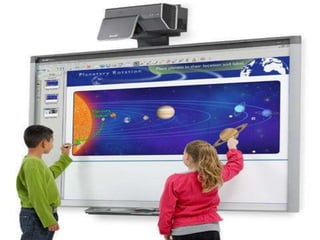
• An interactive whiteboard is a
large, interactive screen that
connects a computer and a projector.
The projector projects the computer's
desktop onto the screen of
theinteractive whiteboard.
Definition of Interactive white
Boards
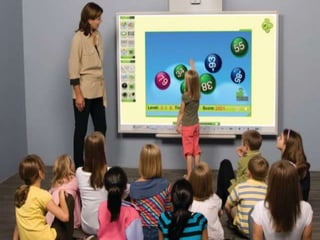
• “An interactive smart board, also known as
an electronic whiteboard, is a classroom tool
that allows images from a computer screen to
be displayed onto a classroom board using a
digital projector. The teacher or a student can
“interact” with the images directly on the
screen using a tool or even a finger”.
The Growing Use of Interactive
White Boards in Schools
• Education is at crossroads in the United States.
Teachers are struggling to connect with students using
old, outdated technology. Students grew up in a smart,
connected world. They have access anywhere and
anytime to knowledge and digital services. Yet schools
and teachers are still trying to engage them with a
chalkboard.
• Static chalkboards and paper-based lessons don’t
connect with students in the digital age. Teachers forced
to rely on chalk to reach students are doomed to fail.
Forcing lessons into lectures or on chalkboards in the
classroom will lead students to tune out before the class
starts.
• Interactive smart boards invite students to
engage with the lessons. Teachers aren’t
limited in what they can present to students.
Movies, PowerPoint presentations, and
graphics can be used in addition to standard
text-based lessons. In this blog, we’ll take a
look at smartboard technology in the
classroom and how teachers can better engage
with students.
COMMON TYPES OF
OPERATION
• An infrared scan technology
• A resistive touch based board
• An electromagnetic pen
• Associated software and ultrasonic pen
GENERAL OPERATION
• An interactive whiteboard device is connected
to a computer via USB or else wirelessly via
Bluetooth.
• A device is usually installed interactive white
board can act as a human input device ,like
mouse.
• Computer’s video output a digital projector.
• An IWB emulates both mouse and key board .
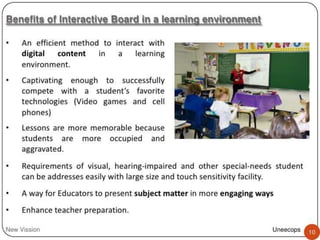
Benefits of Interactive
Whiteboards in the Classroom
• Makes the Learning Process More Fun
• Increases the Level of Engagement between
Teachers and Students
• Allows Students with Various Disabilities to
Learn Better
• Brings Convenience and Flexibility in
Learning
• saves on Teaching Costs
Interactive White Boards in
the Classroom
• According to a recent article from Yale
University, interactive lessons presented on a
smart board or white board increased student
engagement. The technology encourages
active learning in students. Students asked
more questions and took more notes, enabling
more effective group activities like
brainstorming and problem-solving.
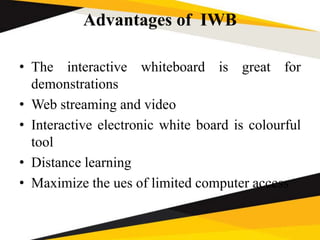
Advantages of IWB
• The interactive whiteboard is great for
demonstrations
• Web streaming and video
• Interactive electronic white board is colourful
tool
• Distance learning
• Maximize the ues of limited computer access
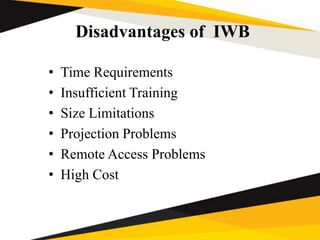
Disadvantages of IWB
• Time Requirements
• Insufficient Training
• Size Limitations
• Projection Problems
• Remote Access Problems
• High Cost
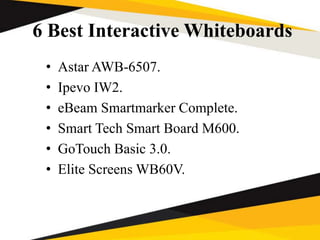
6 Best Interactive Whiteboards
• Astar AWB-6507.
• Ipevo IW2.
• eBeam Smartmarker Complete.
• Smart Tech Smart Board M600.
• GoTouch Basic 3.0.
• Elite Screens WB60V.
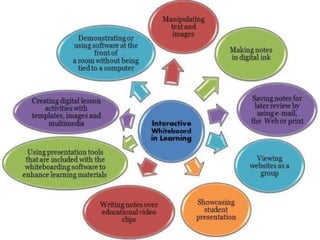
Four ways teachers are
engaging with students using
this technology
• 1. Presenting Additional Content on the
Whiteboard
• 2. Highlight Important Information from the
Lesson
• 3. Engage Students in Group Problem Solving
• 4. Answer Student Questions
REFERENCES
• https://wiki.ezvid.com/
• https://youtu.be/lLxVjw1yvRk
• https://en.wikipedia.org
• https://www.eztalks.com/whiteboard/disadva
ntages-of-interactive-whiteboards.html
• https://community.smarttech.com
• https://support.deakin.edu.au
 ict interactive white board

ict interactive white board

  • 1.
  • 3.
    • An interactivewhiteboard is a large, interactive screen that connects a computer and a projector. The projector projects the computer's desktop onto the screen of theinteractive whiteboard.
  • 5.
    Definition of Interactivewhite Boards • “An interactive smart board, also known as an electronic whiteboard, is a classroom tool that allows images from a computer screen to be displayed onto a classroom board using a digital projector. The teacher or a student can “interact” with the images directly on the screen using a tool or even a finger”.
  • 6.
    The Growing Useof Interactive White Boards in Schools • Education is at crossroads in the United States. Teachers are struggling to connect with students using old, outdated technology. Students grew up in a smart, connected world. They have access anywhere and anytime to knowledge and digital services. Yet schools and teachers are still trying to engage them with a chalkboard. • Static chalkboards and paper-based lessons don’t connect with students in the digital age. Teachers forced to rely on chalk to reach students are doomed to fail. Forcing lessons into lectures or on chalkboards in the classroom will lead students to tune out before the class starts.
  • 7.
    • Interactive smartboards invite students to engage with the lessons. Teachers aren’t limited in what they can present to students. Movies, PowerPoint presentations, and graphics can be used in addition to standard text-based lessons. In this blog, we’ll take a look at smartboard technology in the classroom and how teachers can better engage with students.
  • 10.
    COMMON TYPES OF OPERATION •An infrared scan technology • A resistive touch based board • An electromagnetic pen • Associated software and ultrasonic pen
  • 11.
    GENERAL OPERATION • Aninteractive whiteboard device is connected to a computer via USB or else wirelessly via Bluetooth. • A device is usually installed interactive white board can act as a human input device ,like mouse. • Computer’s video output a digital projector. • An IWB emulates both mouse and key board .
  • 12.
    Benefits of Interactive Whiteboardsin the Classroom • Makes the Learning Process More Fun • Increases the Level of Engagement between Teachers and Students • Allows Students with Various Disabilities to Learn Better • Brings Convenience and Flexibility in Learning • saves on Teaching Costs
  • 13.
    Interactive White Boardsin the Classroom • According to a recent article from Yale University, interactive lessons presented on a smart board or white board increased student engagement. The technology encourages active learning in students. Students asked more questions and took more notes, enabling more effective group activities like brainstorming and problem-solving.
  • 14.
    Advantages of IWB •The interactive whiteboard is great for demonstrations • Web streaming and video • Interactive electronic white board is colourful tool • Distance learning • Maximize the ues of limited computer access
  • 15.
    Disadvantages of IWB •Time Requirements • Insufficient Training • Size Limitations • Projection Problems • Remote Access Problems • High Cost
  • 16.
    6 Best InteractiveWhiteboards • Astar AWB-6507. • Ipevo IW2. • eBeam Smartmarker Complete. • Smart Tech Smart Board M600. • GoTouch Basic 3.0. • Elite Screens WB60V.
  • 18.
    Four ways teachersare engaging with students using this technology • 1. Presenting Additional Content on the Whiteboard • 2. Highlight Important Information from the Lesson • 3. Engage Students in Group Problem Solving • 4. Answer Student Questions
  • 21.
    REFERENCES • https://wiki.ezvid.com/ • https://youtu.be/lLxVjw1yvRk •https://en.wikipedia.org • https://www.eztalks.com/whiteboard/disadva ntages-of-interactive-whiteboards.html • https://community.smarttech.com • https://support.deakin.edu.au