

XPages and Office 365 development - more familiar that you think
Dr. Mark Roden
• 20 years working with Web Technologies
• Principal Architect at PSC Group
• Developer, Project Leader, Front-End Guy
• Evangelist, Trouble maker
• Working with O365 for 9 months
Agenda
• What are we going to come away with today?
• What is Office 365?
• Why should you care?
• How is it possibly like XPages?
• What are Office Add-Ins?
• Demonstrations
• Review
Abstract
• Many companies run a mixed IBM Notes and Microsoft
Office 365 (O365) environment
• SharePoint/Outlook and Domino should be viewed as a new
opportunity to create rich and engaging user experiences.
• Come and see how your core Domino webdev skills are
equally applicable to the Office 365 environment.
What are we going to come away with today?
What is Office 365?
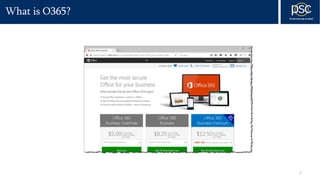
What is O365?
7
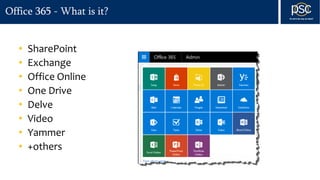
Office 365 - What is it?
• SharePoint
• Exchange
• Office Online
• One Drive
• Delve
• Video
• Yammer
• +others
Office 365 - What holds it together?
• Single Sign On implemented using OAuth across the cloud
• Azure Active Directory
• CORS
• Facilitates permissive use of CORS for authorized users
• Permissions based Access Control model
• End point control
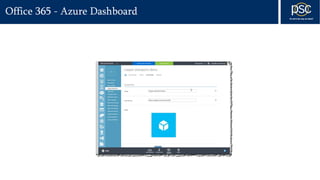
Office 365 - Azure Dashboard
Office 365 - Programmatic control
• SharePoint online REST API model
• Office Graph
• API demo site
• Office Add-In
• Programmatic control in JavaScript
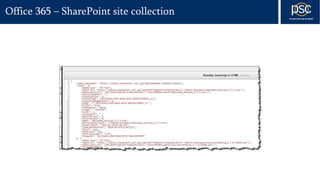
Office 365 – SharePoint site collection
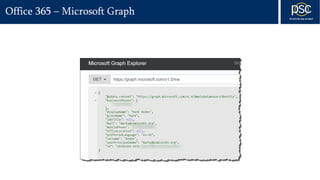
Office 365 – Microsoft Graph
Why should you care?
You should care because.....
• It’s just another “integration” problem
• Your existing Web based skills apply, today
• Compelling story for customers
How is this possibly like XPages?
Like XPages? Well......kind of....
• Not so much like backend XPages
• Very much like frontend XPages development
• Directly relatable web-based skillset
• Integrating it with XPages is a frequent use case
What are Office Add-Ins?
Office Add-Ins
• HTML, JavaScript, CSS
• Runs in client, on Web, on Mobile
• In context functionality provided
• Integration between Office clients and web data feed
Office Add-Ins
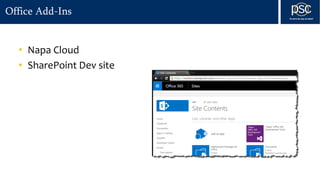
• Napa Cloud
• SharePoint Dev site
Office Add-Ins
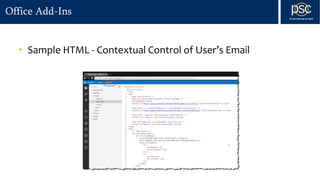
• Sample HTML - Contextual Control of User’s Email
Office Add-Ins
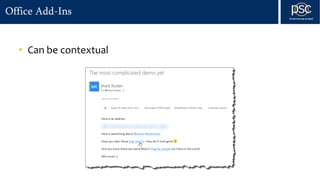
• Can be contextual
Office Add-Ins
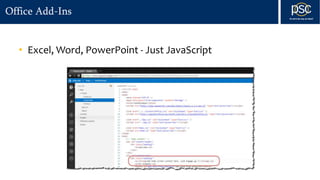
• Excel, Word, PowerPoint - Just JavaScript
Office Add-Ins
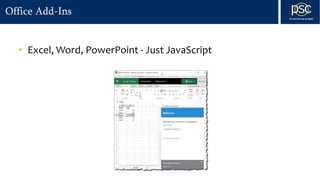
• Excel, Word, PowerPoint - Just JavaScript
Office Add-Ins
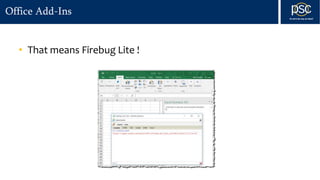
• That means Firebug Lite !
Demonstrations
Demonstrations
• Outlook Use Cases
• Making a contextual Plug-In(s)
• Integrated Domino application
• Workflow Integration
Demonstrations
• XPages Use Cases
• Adding SharePoint functionality into an Existing XPages
Application
• Attachment control
• Site Collection manipulation
Demonstrations
• Office / XPages Integration Use Cases
• Pulling data from XPages and programmatically adding it to the
office file
• Excel Document automation
Review
Review
• There is no Dark-side / Light-side any more
• There is only Opportunity
• Web based skillset necessary, No C# (or Java)
Questions?
• Blog: http://www.xomino.com
http://www.xomino365.com
• Twitter: @markyroden

Iconus 2016

  • 1.
    XPages and Office365 development - more familiar that you think
  • 2.
    Dr. Mark Roden •20 years working with Web Technologies • Principal Architect at PSC Group • Developer, Project Leader, Front-End Guy • Evangelist, Trouble maker • Working with O365 for 9 months
  • 3.
    Agenda • What arewe going to come away with today? • What is Office 365? • Why should you care? • How is it possibly like XPages? • What are Office Add-Ins? • Demonstrations • Review
  • 4.
    Abstract • Many companiesrun a mixed IBM Notes and Microsoft Office 365 (O365) environment • SharePoint/Outlook and Domino should be viewed as a new opportunity to create rich and engaging user experiences. • Come and see how your core Domino webdev skills are equally applicable to the Office 365 environment.
  • 5.
    What are wegoing to come away with today?
  • 6.
  • 7.
  • 8.
    Office 365 -What is it? • SharePoint • Exchange • Office Online • One Drive • Delve • Video • Yammer • +others
  • 9.
    Office 365 -What holds it together? • Single Sign On implemented using OAuth across the cloud • Azure Active Directory • CORS • Facilitates permissive use of CORS for authorized users • Permissions based Access Control model • End point control
  • 10.
    Office 365 -Azure Dashboard
  • 11.
    Office 365 -Programmatic control • SharePoint online REST API model • Office Graph • API demo site • Office Add-In • Programmatic control in JavaScript
  • 12.
    Office 365 –SharePoint site collection
  • 13.
    Office 365 –Microsoft Graph
  • 14.
  • 15.
    You should carebecause..... • It’s just another “integration” problem • Your existing Web based skills apply, today • Compelling story for customers
  • 16.
    How is thispossibly like XPages?
  • 17.
    Like XPages? Well......kindof.... • Not so much like backend XPages • Very much like frontend XPages development • Directly relatable web-based skillset • Integrating it with XPages is a frequent use case
  • 18.
  • 19.
    Office Add-Ins • HTML,JavaScript, CSS • Runs in client, on Web, on Mobile • In context functionality provided • Integration between Office clients and web data feed
  • 20.
    Office Add-Ins • NapaCloud • SharePoint Dev site
  • 21.
    Office Add-Ins • SampleHTML - Contextual Control of User’s Email
  • 22.
  • 23.
    Office Add-Ins • Excel,Word, PowerPoint - Just JavaScript
  • 24.
    Office Add-Ins • Excel,Word, PowerPoint - Just JavaScript
  • 25.
    Office Add-Ins • Thatmeans Firebug Lite !
  • 26.
  • 27.
    Demonstrations • Outlook UseCases • Making a contextual Plug-In(s) • Integrated Domino application • Workflow Integration
  • 28.
    Demonstrations • XPages UseCases • Adding SharePoint functionality into an Existing XPages Application • Attachment control • Site Collection manipulation
  • 29.
    Demonstrations • Office /XPages Integration Use Cases • Pulling data from XPages and programmatically adding it to the office file • Excel Document automation
  • 30.
  • 31.
    Review • There isno Dark-side / Light-side any more • There is only Opportunity • Web based skillset necessary, No C# (or Java)
  • 32.

Editor's Notes

  • #3 Mover the contact information to the end