
Introduction to HTML5
INTRODUCTION
   HTML5 is the new standard for HTML.
   HTML5 is still a work in progress
   HTML5 is a cooperation between the World Wide Web Consortium (W3C)
    and the Web Hypertext Application Technology Working Group
    (WHATWG).
   New features of HTML5 are based on HTML, CSS, DOM, and JavaScript.
   Reduce the need for external plugins (like Flash)
HTML5 New Input Types
   color
         Your favorite color: <input type="color" name="favcolor" />
   date
   datetime
   datetime-local
   Email
          E-mail: <input type="email" name="usremail" />
   month
   number
   range
   search
   Tel
        Telephone: <input type="tel" name="usrtel" />
   time
   url
HTML5 New Form Elements

<datalist>
   The list is created with <option> elements inside the <datalist>.
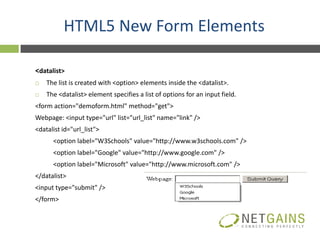
   The <datalist> element specifies a list of options for an input field.
<form action="demoform.html" method="get">
Webpage: <input type="url" list="url_list" name="link" />
<datalist id="url_list">
      <option label="W3Schools" value="http://www.w3schools.com" />
      <option label="Google" value="http://www.google.com" />
      <option label="Microsoft" value="http://www.microsoft.com" />
</datalist>
<input type="submit" />
</form>
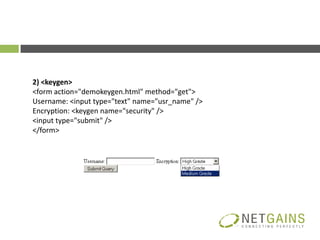
2) <keygen>
<form action="demokeygen.html" method="get">
Username: <input type="text" name="usr_name" />
Encryption: <keygen name="security" />
<input type="submit" />
</form>
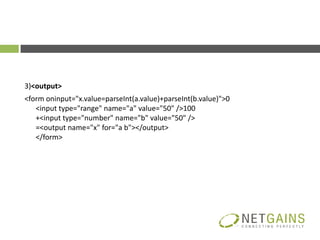
3)<output>
<form oninput="x.value=parseInt(a.value)+parseInt(b.value)">0
   <input type="range" name="a" value="50" />100
   +<input type="number" name="b" value="50" />
   =<output name="x" for="a b"></output>
   </form>
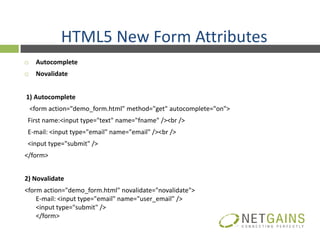
HTML5 New Form Attributes
    Autocomplete
    Novalidate


1) Autocomplete
    <form action="demo_form.html" method="get" autocomplete="on">
 First name:<input type="text" name="fname" /><br />
 E-mail: <input type="email" name="email" /><br />
 <input type="submit" />
</form>


2) Novalidate
<form action="demo_form.html" novalidate="novalidate">
    E-mail: <input type="email" name="user_email" />
    <input type="submit" />
    </form>
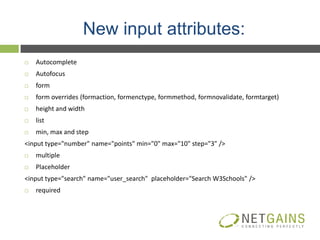
New input attributes:
   Autocomplete
   Autofocus
   form
   form overrides (formaction, formenctype, formmethod, formnovalidate, formtarget)
   height and width
   list
   min, max and step
<input type="number" name="points" min="0" max="10" step="3" />
   multiple
   Placeholder
<input type="search" name="user_search" placeholder="Search W3Schools" />
   required
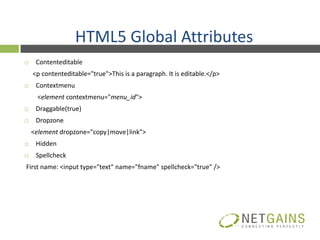
HTML5 Global Attributes
    Contenteditable
    <p contenteditable="true">This is a paragraph. It is editable.</p>
    Contextmenu
     <element contextmenu="menu_id">
    Draggable(true)
    Dropzone
    <element dropzone="copy|move|link">
    Hidden
    Spellcheck
First name: <input type="text" name="fname" spellcheck="true" />
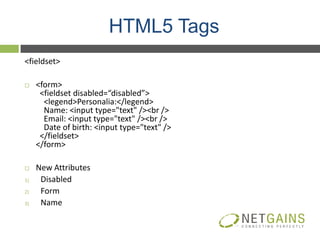
HTML5 Tags
<fieldset>

    <form>
      <fieldset disabled=“disabled”>
       <legend>Personalia:</legend>
       Name: <input type="text" /><br />
       Email: <input type="text" /><br />
       Date of birth: <input type="text" />
      </fieldset>
     </form>

    New Attributes
1)    Disabled
2)    Form
3)    Name
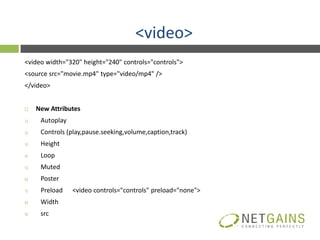
<video>
<video width="320" height="240" controls="controls">
<source src="movie.mp4" type="video/mp4" />
</video>


    New Attributes
1)    Autoplay
2)    Controls (play,pause.seeking,volume,caption,track)
3)    Height
4)    Loop
5)    Muted
6)    Poster
7)    Preload    <video controls="controls" preload="none">
8)    Width
9)    src
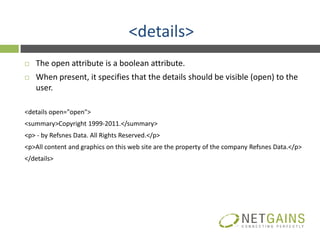
<details>
   The open attribute is a boolean attribute.
   When present, it specifies that the details should be visible (open) to the
    user.

<details open="open">
<summary>Copyright 1999-2011.</summary>
<p> - by Refsnes Data. All Rights Reserved.</p>
<p>All content and graphics on this web site are the property of the company Refsnes Data.</p>
</details>
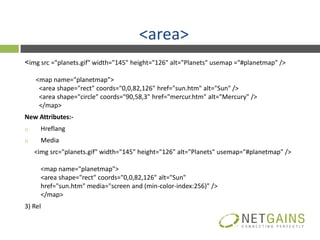
<area>
<img src ="planets.gif" width="145" height="126" alt="Planets" usemap ="#planetmap" />

     <map name="planetmap">
      <area shape="rect" coords="0,0,82,126" href="sun.htm" alt="Sun" />
      <area shape="circle" coords="90,58,3" href="mercur.htm" alt="Mercury" />
      </map>
New Attributes:-
1)     Hreflang
2)     Media
     <img src="planets.gif" width="145" height="126" alt="Planets" usemap="#planetmap" />

       <map name="planetmap">
       <area shape="rect" coords="0,0,82,126" alt="Sun"
       href="sun.htm" media="screen and (min-color-index:256)" />
       </map>
3) Rel
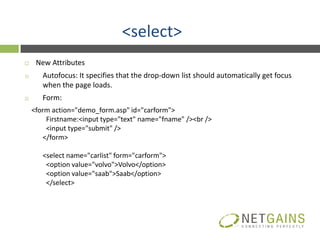
<select>
     New Attributes
1)      Autofocus: It specifies that the drop-down list should automatically get focus
        when the page loads.
2)      Form:
     <form action="demo_form.asp" id="carform">
         Firstname:<input type="text" name="fname" /><br />
         <input type="submit" />
        </form>

        <select name="carlist" form="carform">
         <option value="volvo">Volvo</option>
         <option value="saab">Saab</option>
         </select>
<button><button type="button">Click Me!</button>

    New Attributes:-
1)     Autofocus
2)     Disabled
3)     Form
4)     Formaction
5)     Formenctype
6)     Formmethod
7)     Formnovalidate
8)     formtarget
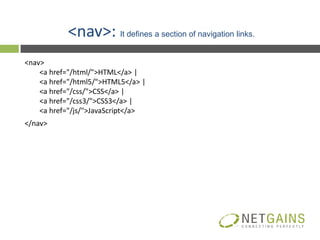
<nav>: It defines a section of navigation links.
<nav>
    <a href="/html/">HTML</a> |
    <a href="/html5/">HTML5</a> |
    <a href="/css/">CSS</a> |
    <a href="/css3/">CSS3</a> |
    <a href="/js/">JavaScript</a>
</nav>
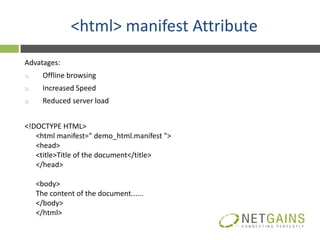
<html> manifest Attribute
Advatages:
1)     Offline browsing
2)     Increased Speed
3)     Reduced server load


<!DOCTYPE HTML>
   <html manifest=" demo_html.manifest ">
   <head>
   <title>Title of the document</title>
   </head>

     <body>
     The content of the document......
     </body>
     </html>
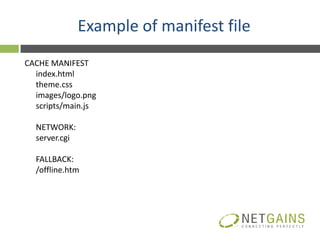
Example of manifest file
CACHE MANIFEST
  index.html
  theme.css
  images/logo.png
  scripts/main.js

  NETWORK:
  server.cgi

  FALLBACK:
  /offline.htm
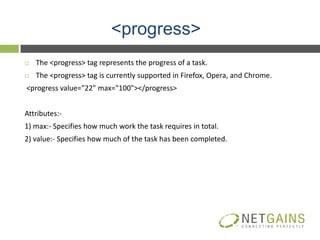
<progress>
   The <progress> tag represents the progress of a task.
   The <progress> tag is currently supported in Firefox, Opera, and Chrome.
<progress value="22" max="100"></progress>


Attributes:-
1) max:- Specifies how much work the task requires in total.
2) value:- Specifies how much of the task has been completed.
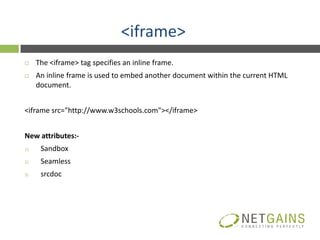
<iframe>
    The <iframe> tag specifies an inline frame.
    An inline frame is used to embed another document within the current HTML
     document.


<iframe src="http://www.w3schools.com"></iframe>


New attributes:-
1)    Sandbox
2)    Seamless
3)    srcdoc
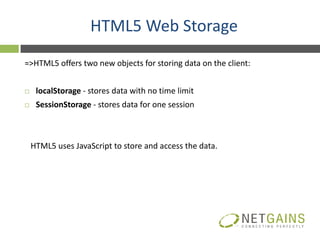
HTML5 Web Storage
=>HTML5 offers two new objects for storing data on the client:


    localStorage - stores data with no time limit
    SessionStorage - stores data for one session


    HTML5 uses JavaScript to store and access the data.
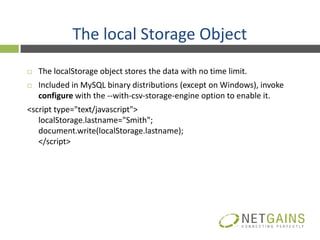
The local Storage Object
   The localStorage object stores the data with no time limit.
   Included in MySQL binary distributions (except on Windows), invoke
    configure with the --with-csv-storage-engine option to enable it.
<script type="text/javascript">
   localStorage.lastname="Smith";
   document.write(localStorage.lastname);
   </script>
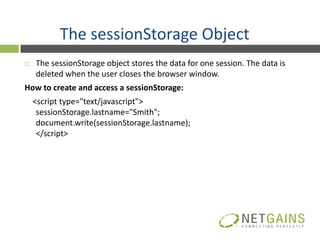
The sessionStorage Object
   The sessionStorage object stores the data for one session. The data is
    deleted when the user closes the browser window.
How to create and access a sessionStorage:
    <script type="text/javascript">
     sessionStorage.lastname="Smith";
     document.write(sessionStorage.lastname);
     </script>
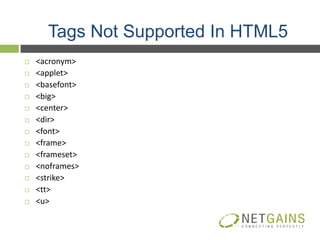
Tags Not Supported In HTML5
   <acronym>
   <applet>
   <basefont>
   <big>
   <center>
   <dir>
   <font>
   <frame>
   <frameset>
   <noframes>
   <strike>
   <tt>
   <u>
Contact us

 Information: info@netgains.org
 Sales: sales@netgains.org
 Partners: partners@netgains.org
 Careers: jobs@netgains.org


INDIA (Chandigarh)                 USA (New York)
Mobile: +91 9876597755             NETGAINS AMERICA LLC
Office: +91 (172) 2700428          87 Wolfs Lane, 2nd Floor
Fax: +91 (172) 2700428             Pelham, New York - 10803
                                   Office: + 1 (917) 779-0480
                                   Toll Free: +1 (866) 693-5132
Introduction to Html5

Introduction to Html5

  • 1.
  • 2.
    INTRODUCTION  HTML5 is the new standard for HTML.  HTML5 is still a work in progress  HTML5 is a cooperation between the World Wide Web Consortium (W3C) and the Web Hypertext Application Technology Working Group (WHATWG).  New features of HTML5 are based on HTML, CSS, DOM, and JavaScript.  Reduce the need for external plugins (like Flash)
  • 3.
    HTML5 New InputTypes  color Your favorite color: <input type="color" name="favcolor" />  date  datetime  datetime-local  Email E-mail: <input type="email" name="usremail" />  month  number  range  search  Tel Telephone: <input type="tel" name="usrtel" />  time  url
  • 4.
    HTML5 New FormElements <datalist>  The list is created with <option> elements inside the <datalist>.  The <datalist> element specifies a list of options for an input field. <form action="demoform.html" method="get"> Webpage: <input type="url" list="url_list" name="link" /> <datalist id="url_list"> <option label="W3Schools" value="http://www.w3schools.com" /> <option label="Google" value="http://www.google.com" /> <option label="Microsoft" value="http://www.microsoft.com" /> </datalist> <input type="submit" /> </form>
  • 5.
    2) <keygen> <form action="demokeygen.html"method="get"> Username: <input type="text" name="usr_name" /> Encryption: <keygen name="security" /> <input type="submit" /> </form>
  • 6.
    3)<output> <form oninput="x.value=parseInt(a.value)+parseInt(b.value)">0 <input type="range" name="a" value="50" />100 +<input type="number" name="b" value="50" /> =<output name="x" for="a b"></output> </form>
  • 7.
    HTML5 New FormAttributes  Autocomplete  Novalidate 1) Autocomplete <form action="demo_form.html" method="get" autocomplete="on"> First name:<input type="text" name="fname" /><br /> E-mail: <input type="email" name="email" /><br /> <input type="submit" /> </form> 2) Novalidate <form action="demo_form.html" novalidate="novalidate"> E-mail: <input type="email" name="user_email" /> <input type="submit" /> </form>
  • 8.
    New input attributes:  Autocomplete  Autofocus  form  form overrides (formaction, formenctype, formmethod, formnovalidate, formtarget)  height and width  list  min, max and step <input type="number" name="points" min="0" max="10" step="3" />  multiple  Placeholder <input type="search" name="user_search" placeholder="Search W3Schools" />  required
  • 9.
    HTML5 Global Attributes  Contenteditable <p contenteditable="true">This is a paragraph. It is editable.</p>  Contextmenu <element contextmenu="menu_id">  Draggable(true)  Dropzone <element dropzone="copy|move|link">  Hidden  Spellcheck First name: <input type="text" name="fname" spellcheck="true" />
  • 10.
    HTML5 Tags <fieldset>  <form> <fieldset disabled=“disabled”> <legend>Personalia:</legend> Name: <input type="text" /><br /> Email: <input type="text" /><br /> Date of birth: <input type="text" /> </fieldset> </form>  New Attributes 1) Disabled 2) Form 3) Name
  • 11.
    <video> <video width="320" height="240"controls="controls"> <source src="movie.mp4" type="video/mp4" /> </video>  New Attributes 1) Autoplay 2) Controls (play,pause.seeking,volume,caption,track) 3) Height 4) Loop 5) Muted 6) Poster 7) Preload <video controls="controls" preload="none"> 8) Width 9) src
  • 12.
    <details>  The open attribute is a boolean attribute.  When present, it specifies that the details should be visible (open) to the user. <details open="open"> <summary>Copyright 1999-2011.</summary> <p> - by Refsnes Data. All Rights Reserved.</p> <p>All content and graphics on this web site are the property of the company Refsnes Data.</p> </details>
  • 13.
    <area> <img src ="planets.gif"width="145" height="126" alt="Planets" usemap ="#planetmap" /> <map name="planetmap"> <area shape="rect" coords="0,0,82,126" href="sun.htm" alt="Sun" /> <area shape="circle" coords="90,58,3" href="mercur.htm" alt="Mercury" /> </map> New Attributes:- 1) Hreflang 2) Media <img src="planets.gif" width="145" height="126" alt="Planets" usemap="#planetmap" /> <map name="planetmap"> <area shape="rect" coords="0,0,82,126" alt="Sun" href="sun.htm" media="screen and (min-color-index:256)" /> </map> 3) Rel
  • 14.
    <select>  New Attributes 1) Autofocus: It specifies that the drop-down list should automatically get focus when the page loads. 2) Form: <form action="demo_form.asp" id="carform"> Firstname:<input type="text" name="fname" /><br /> <input type="submit" /> </form> <select name="carlist" form="carform"> <option value="volvo">Volvo</option> <option value="saab">Saab</option> </select>
  • 15.
    <button><button type="button">Click Me!</button>  New Attributes:- 1) Autofocus 2) Disabled 3) Form 4) Formaction 5) Formenctype 6) Formmethod 7) Formnovalidate 8) formtarget
  • 16.
    <nav>: It definesa section of navigation links. <nav> <a href="/html/">HTML</a> | <a href="/html5/">HTML5</a> | <a href="/css/">CSS</a> | <a href="/css3/">CSS3</a> | <a href="/js/">JavaScript</a> </nav>
  • 17.
    <html> manifest Attribute Advatages: 1) Offline browsing 2) Increased Speed 3) Reduced server load <!DOCTYPE HTML> <html manifest=" demo_html.manifest "> <head> <title>Title of the document</title> </head> <body> The content of the document...... </body> </html>
  • 18.
    Example of manifestfile CACHE MANIFEST index.html theme.css images/logo.png scripts/main.js NETWORK: server.cgi FALLBACK: /offline.htm
  • 19.
    <progress>  The <progress> tag represents the progress of a task.  The <progress> tag is currently supported in Firefox, Opera, and Chrome. <progress value="22" max="100"></progress> Attributes:- 1) max:- Specifies how much work the task requires in total. 2) value:- Specifies how much of the task has been completed.
  • 20.
    <iframe>  The <iframe> tag specifies an inline frame.  An inline frame is used to embed another document within the current HTML document. <iframe src="http://www.w3schools.com"></iframe> New attributes:- 1) Sandbox 2) Seamless 3) srcdoc
  • 21.
    HTML5 Web Storage =>HTML5offers two new objects for storing data on the client:  localStorage - stores data with no time limit  SessionStorage - stores data for one session HTML5 uses JavaScript to store and access the data.
  • 22.
    The local StorageObject  The localStorage object stores the data with no time limit.  Included in MySQL binary distributions (except on Windows), invoke configure with the --with-csv-storage-engine option to enable it. <script type="text/javascript"> localStorage.lastname="Smith"; document.write(localStorage.lastname); </script>
  • 23.
    The sessionStorage Object  The sessionStorage object stores the data for one session. The data is deleted when the user closes the browser window. How to create and access a sessionStorage: <script type="text/javascript"> sessionStorage.lastname="Smith"; document.write(sessionStorage.lastname); </script>
  • 24.
    Tags Not SupportedIn HTML5  <acronym>  <applet>  <basefont>  <big>  <center>  <dir>  <font>  <frame>  <frameset>  <noframes>  <strike>  <tt>  <u>
  • 25.
    Contact us Information:info@netgains.org Sales: sales@netgains.org Partners: partners@netgains.org Careers: jobs@netgains.org INDIA (Chandigarh) USA (New York) Mobile: +91 9876597755 NETGAINS AMERICA LLC Office: +91 (172) 2700428 87 Wolfs Lane, 2nd Floor Fax: +91 (172) 2700428 Pelham, New York - 10803 Office: + 1 (917) 779-0480 Toll Free: +1 (866) 693-5132