Download free for 30 days
Sign in
Upload
Language (EN)
Support
Business
Mobile
Social Media
Marketing
Technology
Art & Photos
Career
Design
Education
Presentations & Public Speaking
Government & Nonprofit
Healthcare
Internet
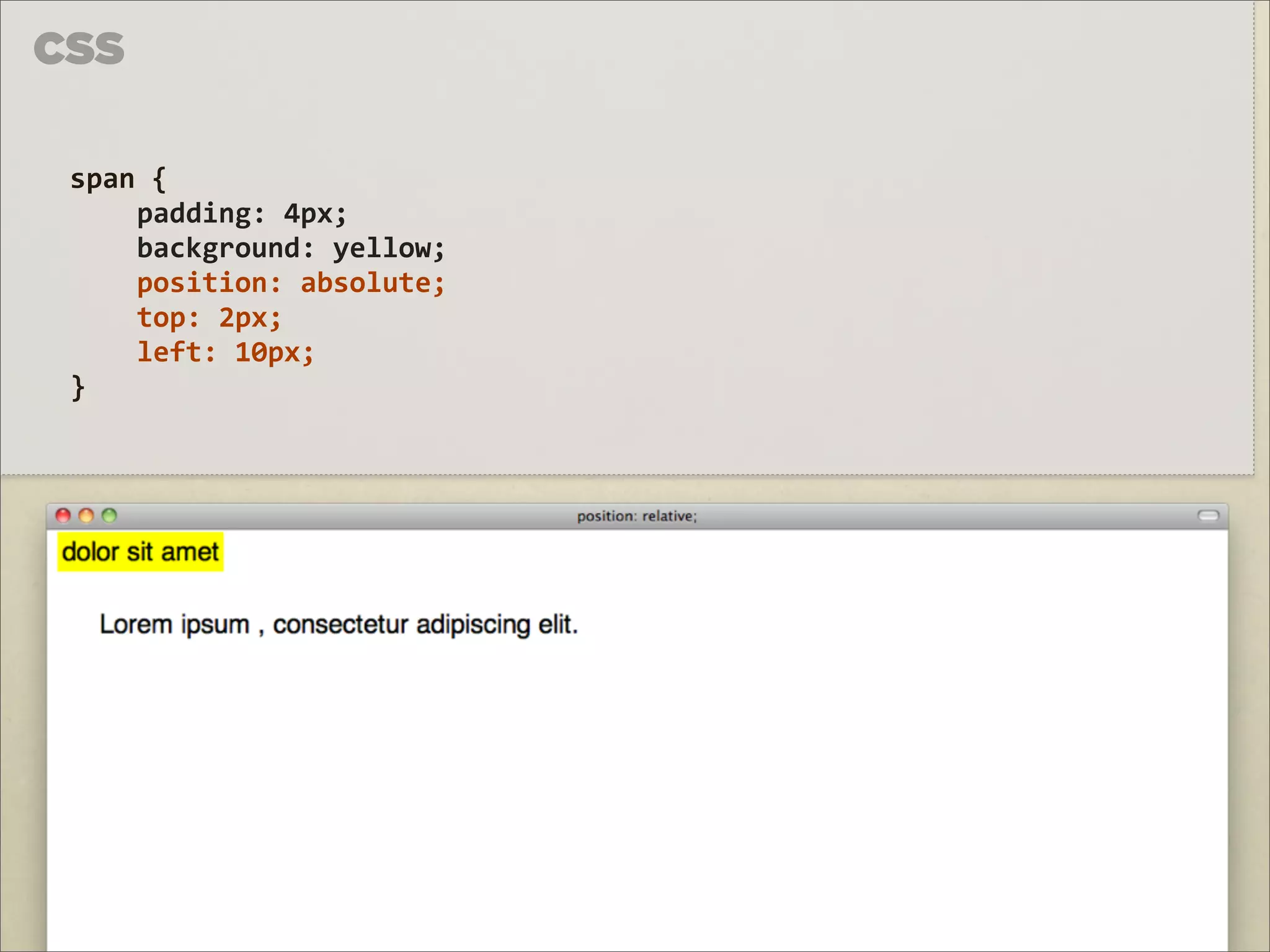
Law
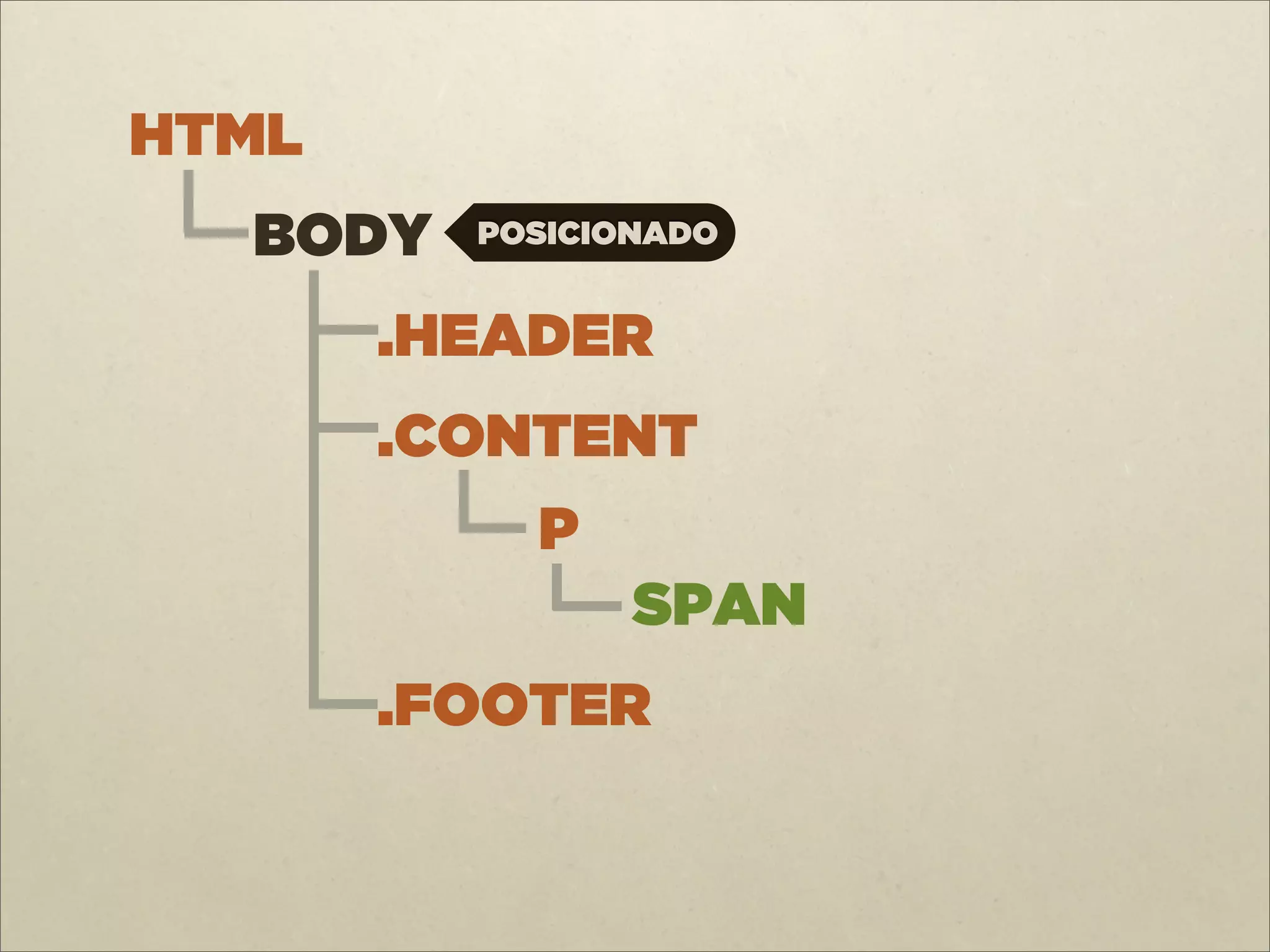
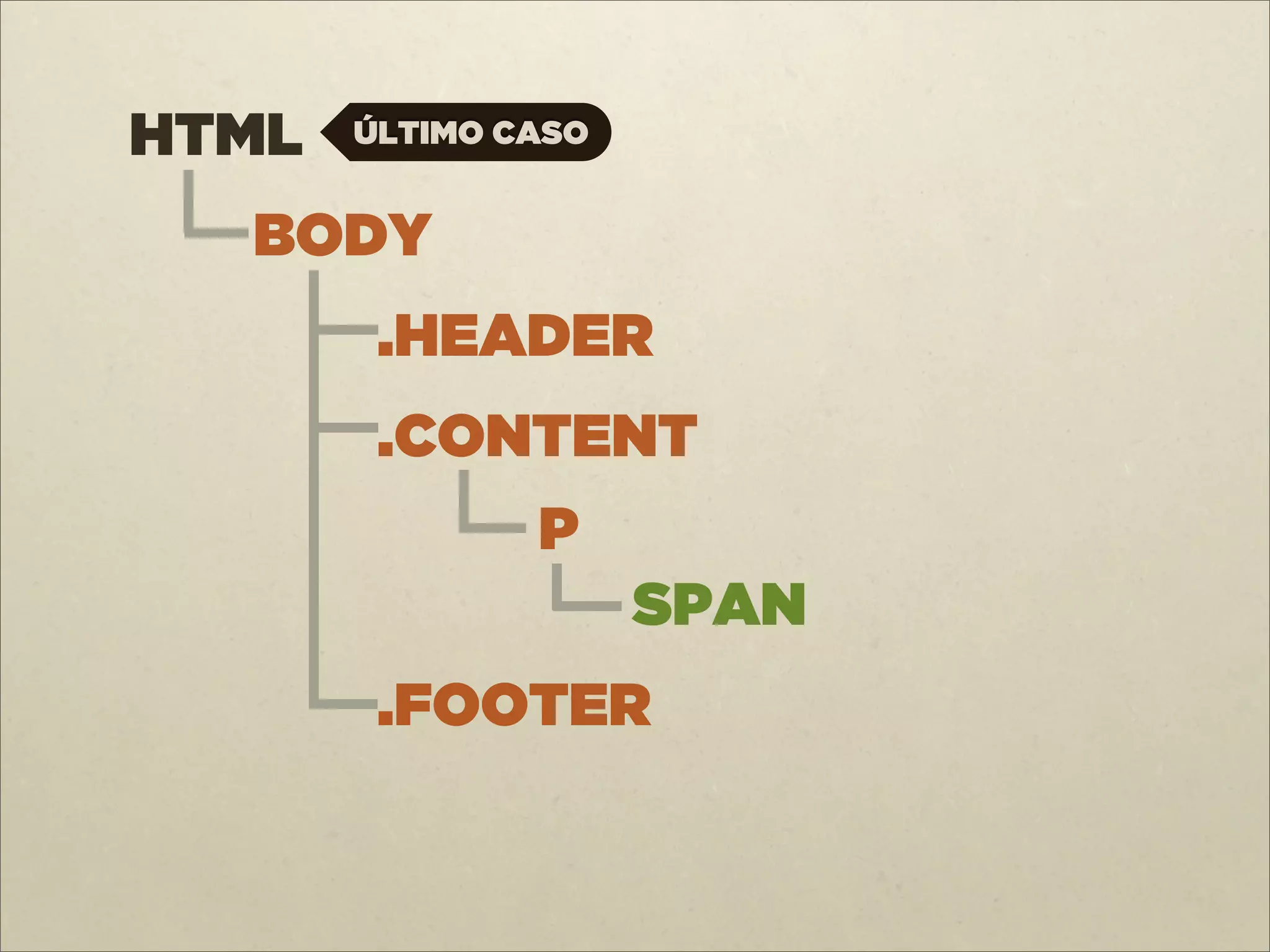
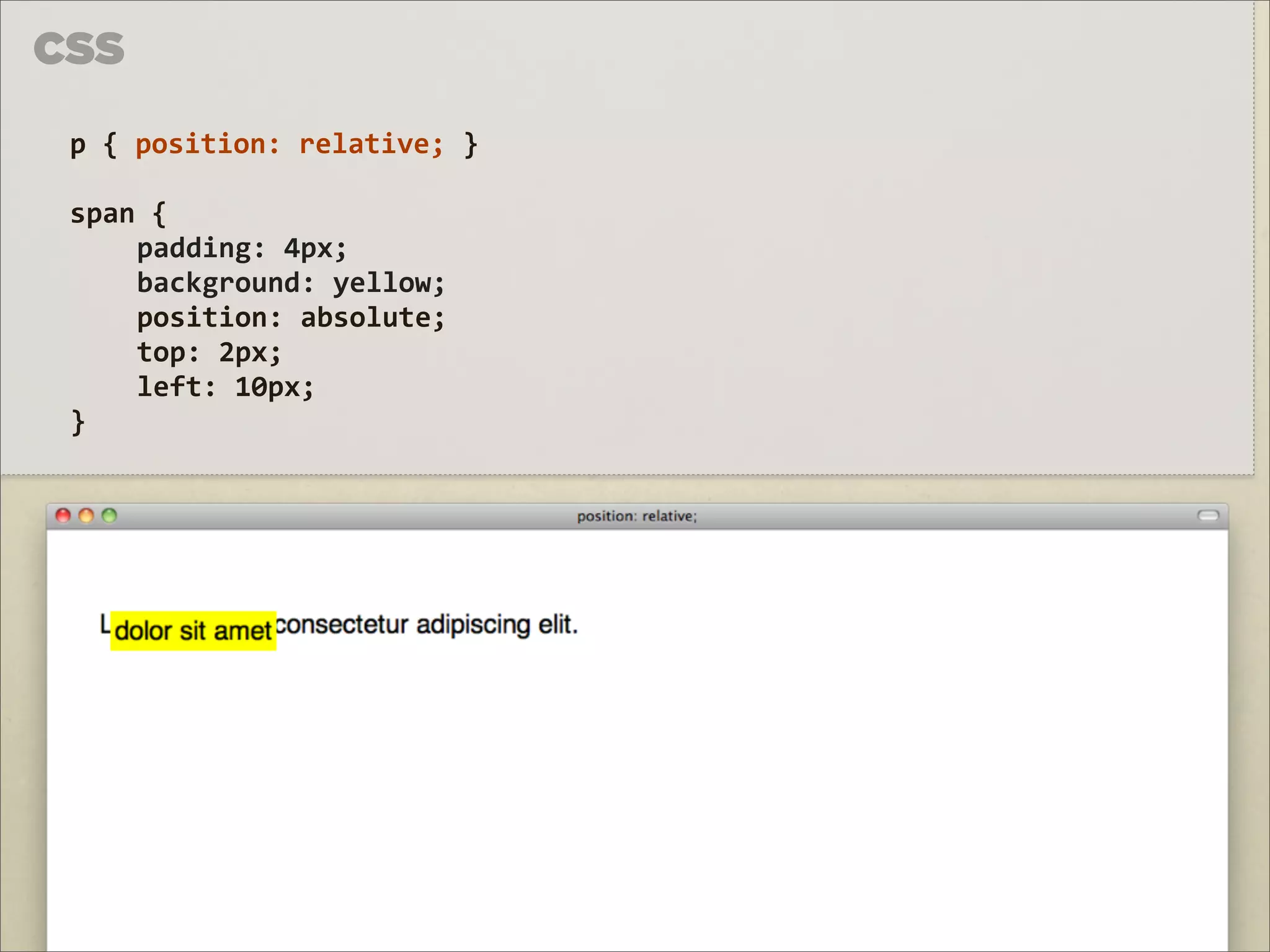
Leadership & Management
Automotive
Engineering
Software
Recruiting & HR
Retail
Sales
Services
Science
Small Business & Entrepreneurship
Food
Environment
Economy & Finance
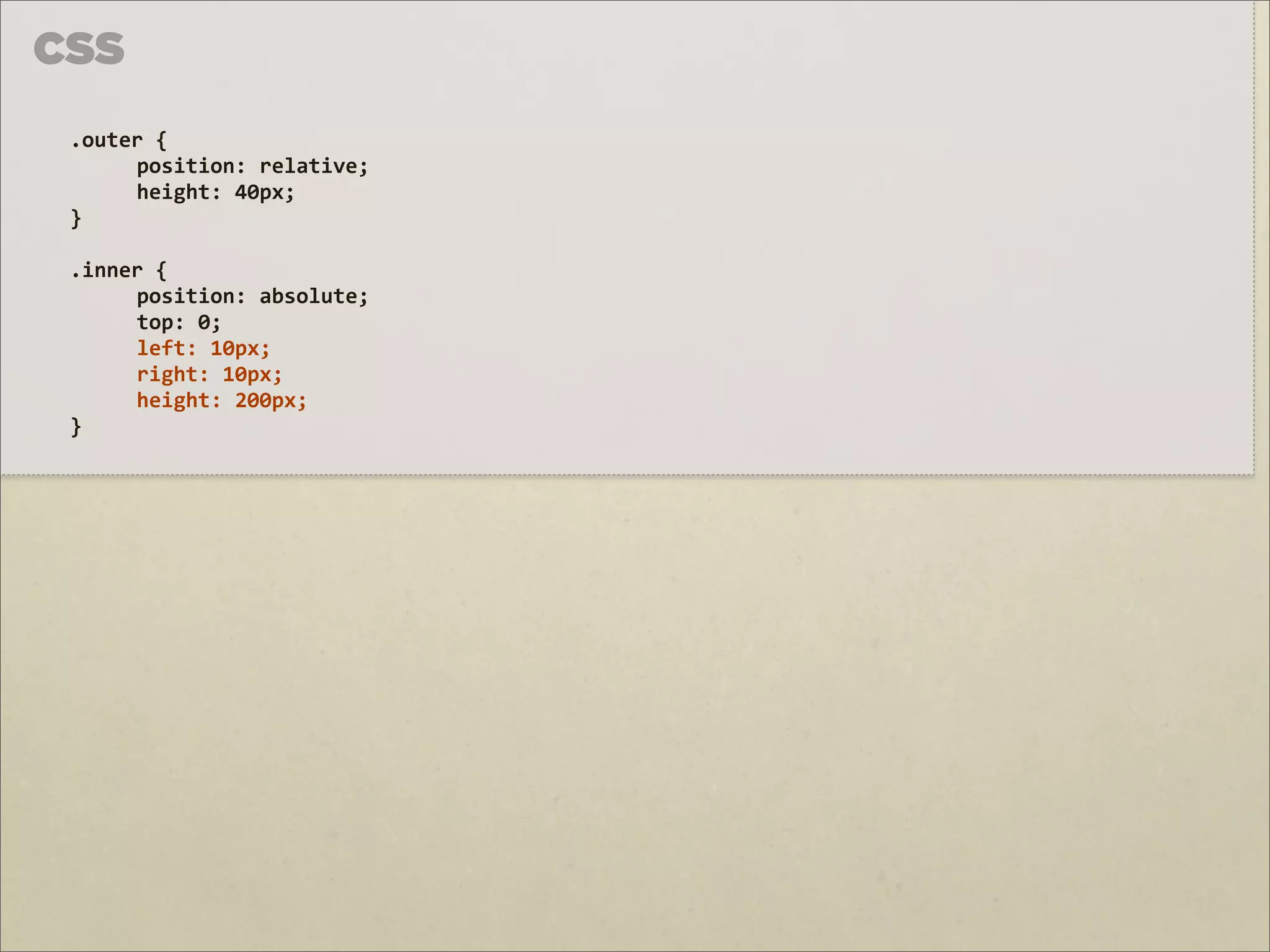
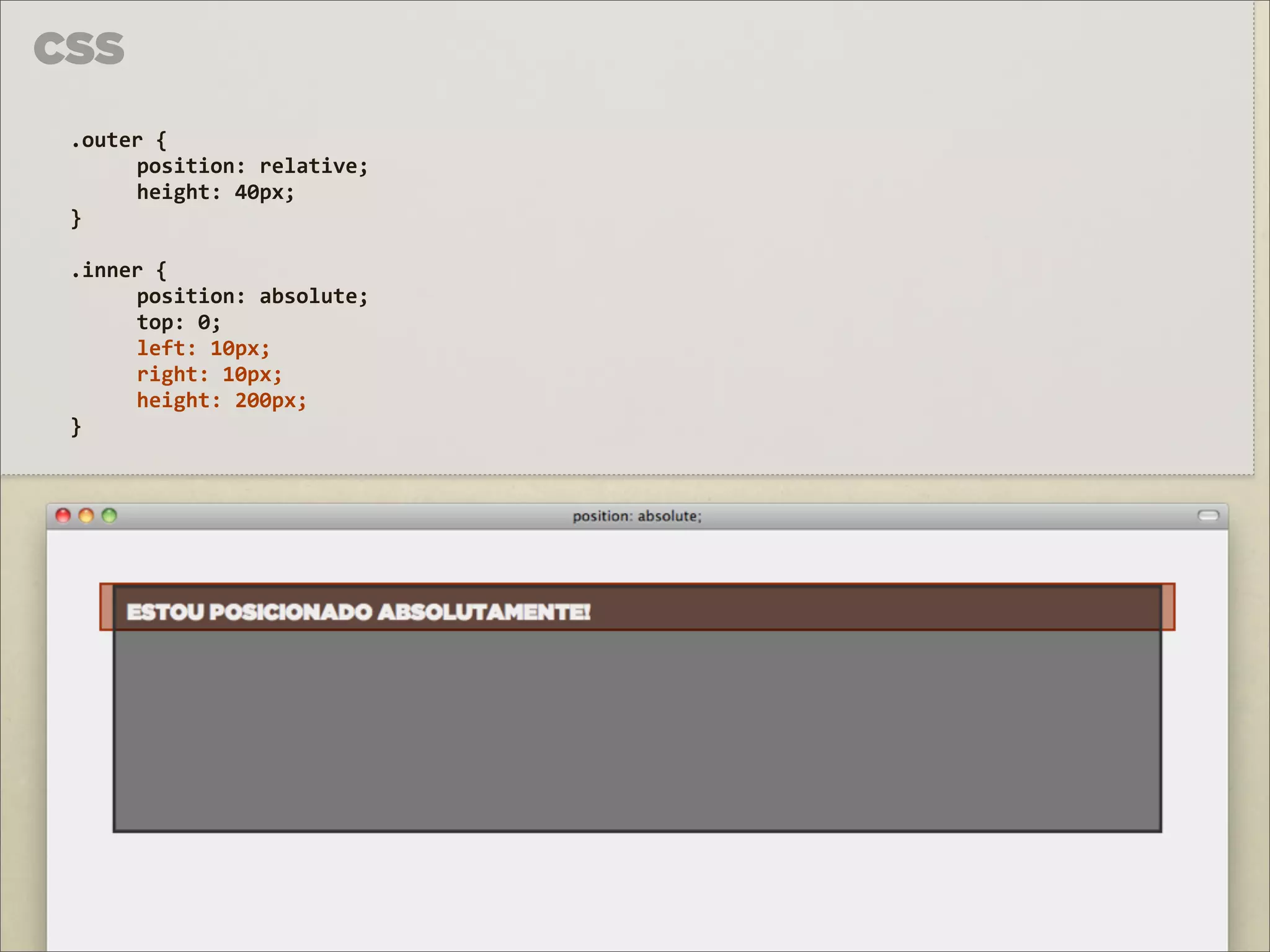
Data & Analytics
Investor Relations
Sports
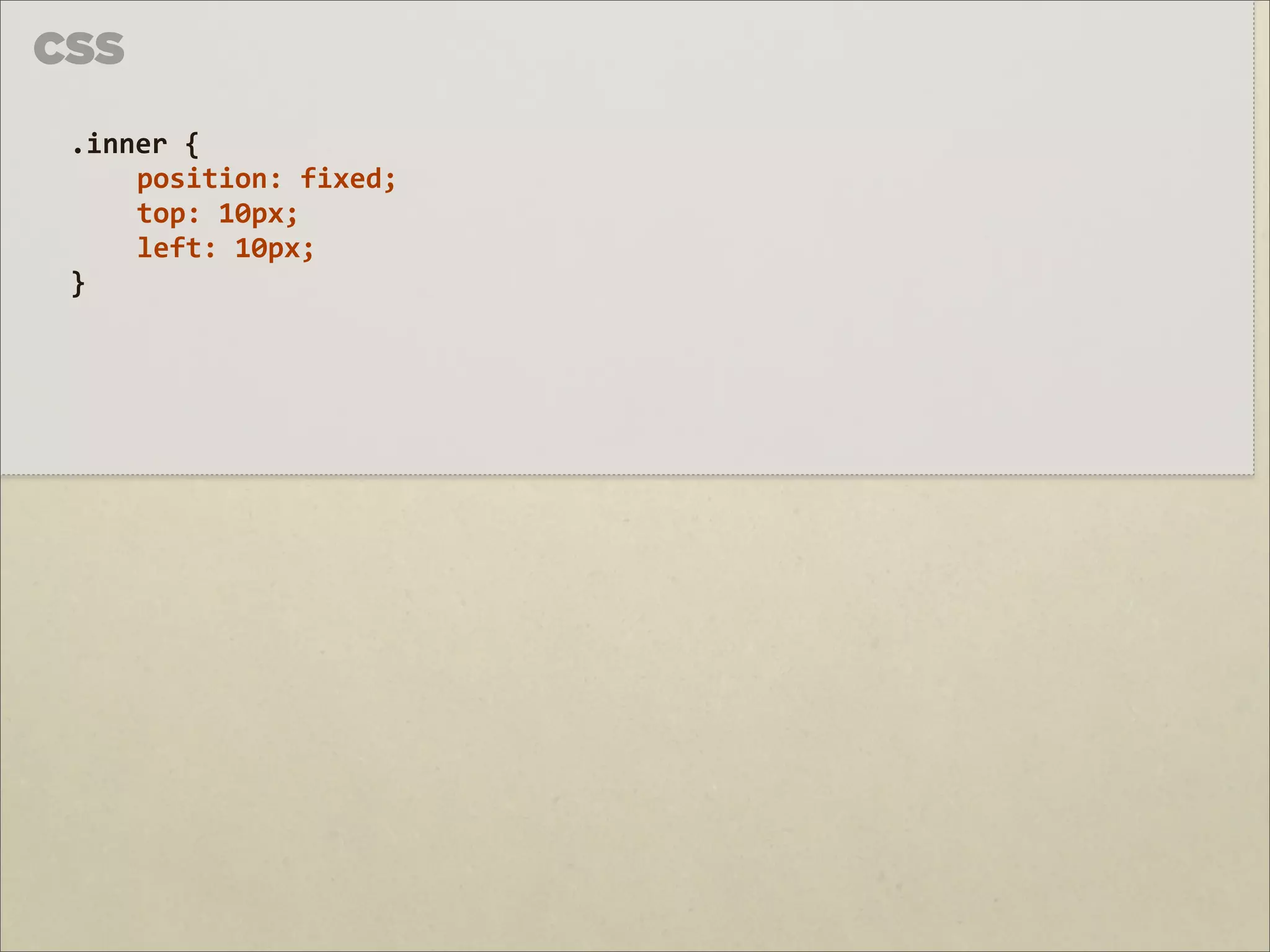
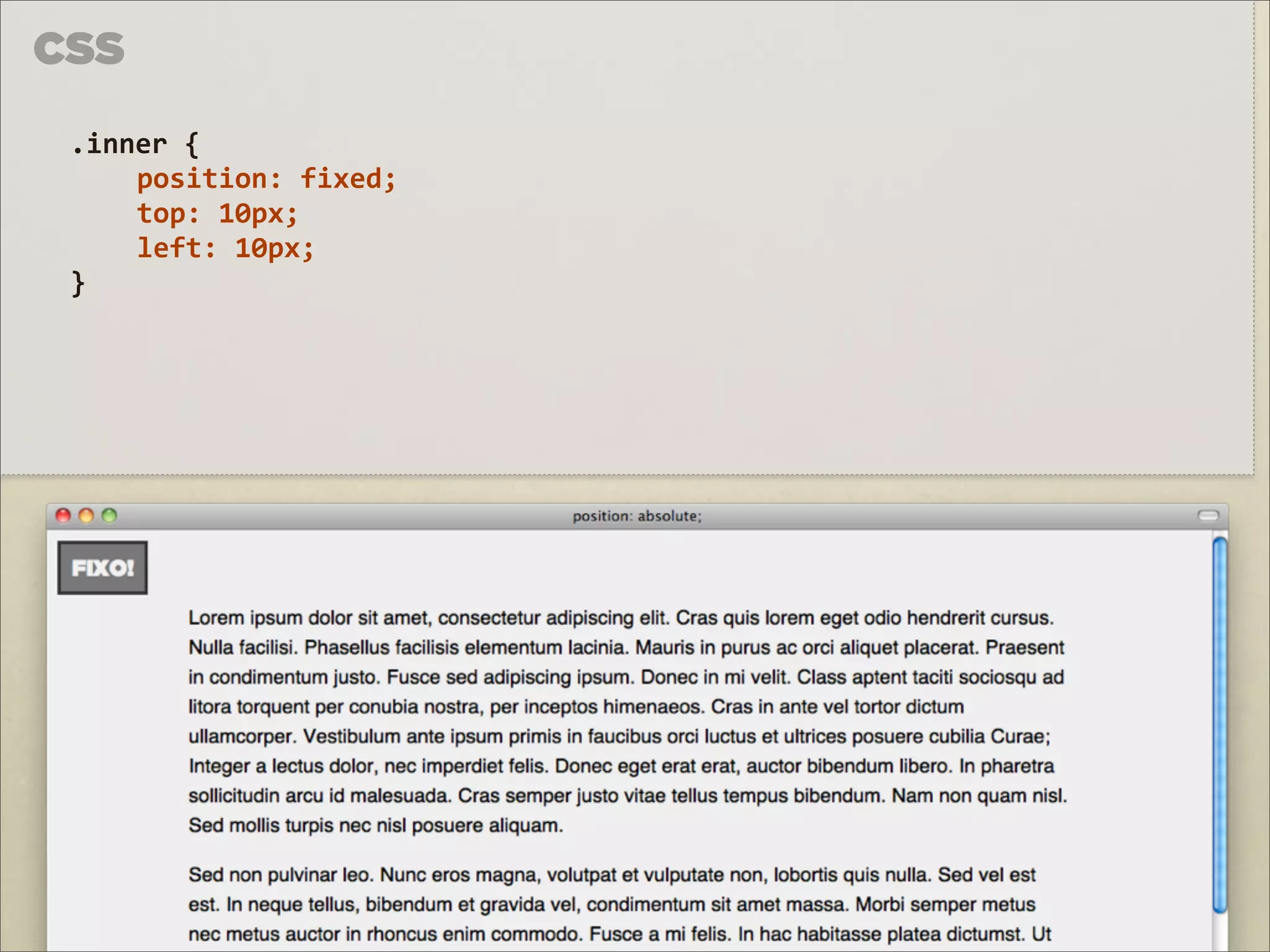
Spiritual
News & Politics
Travel
Self Improvement
Real Estate
Entertainment & Humor
Health & Medicine
Devices & Hardware
Lifestyle
Change Language
Language
English
Español
Português
Français
Deutsche
Cancel
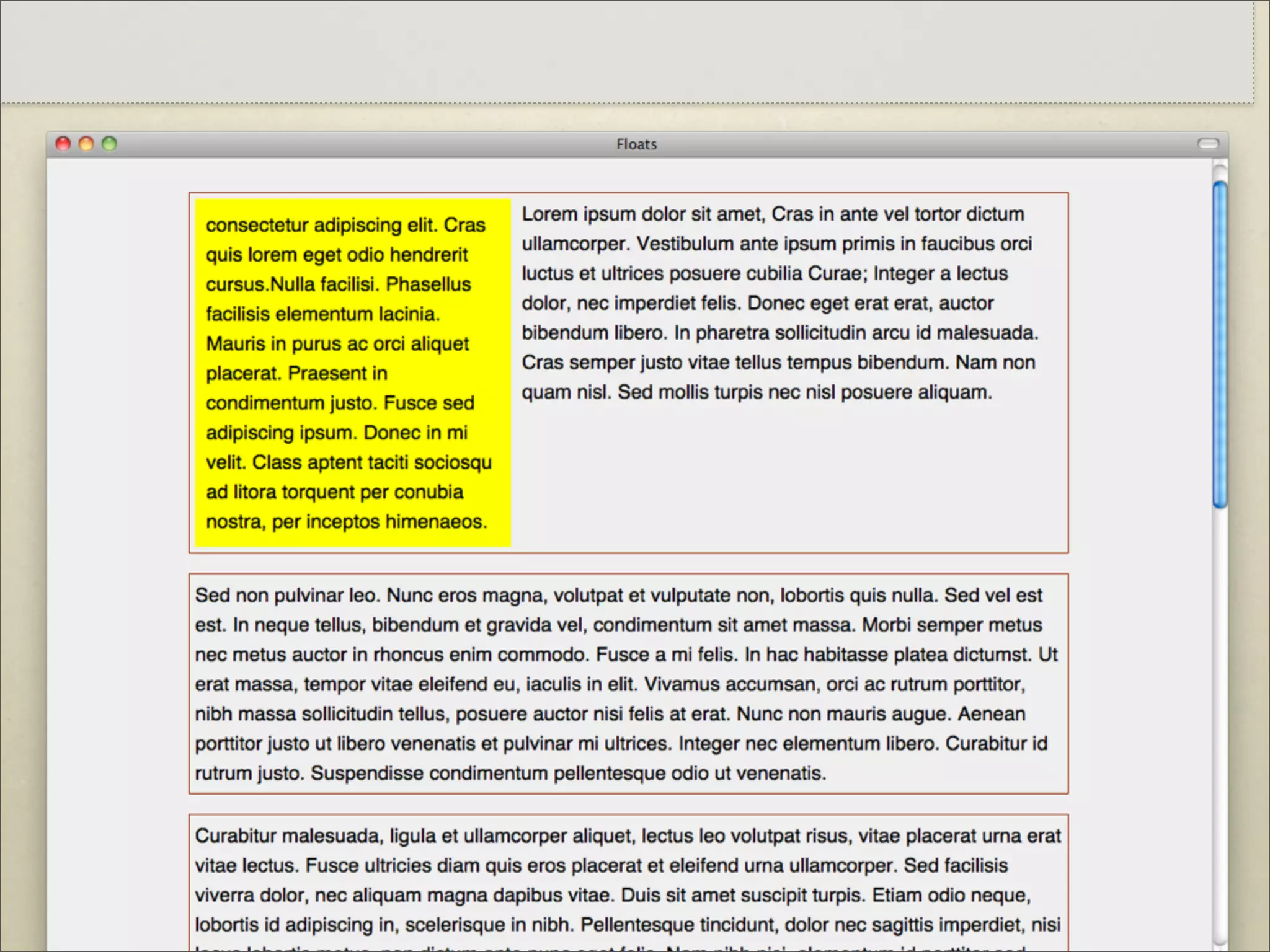
Save
Submit search
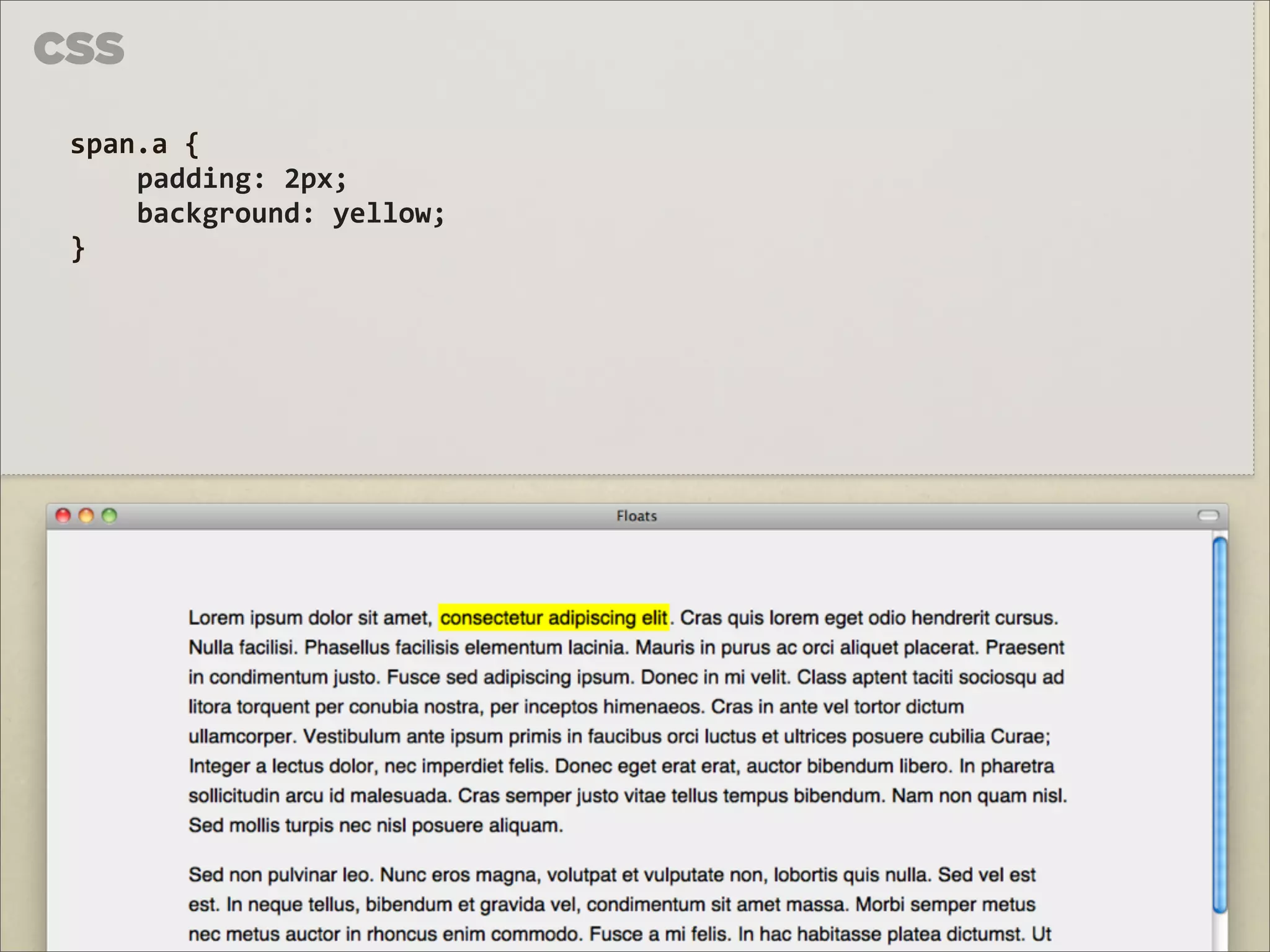
EN
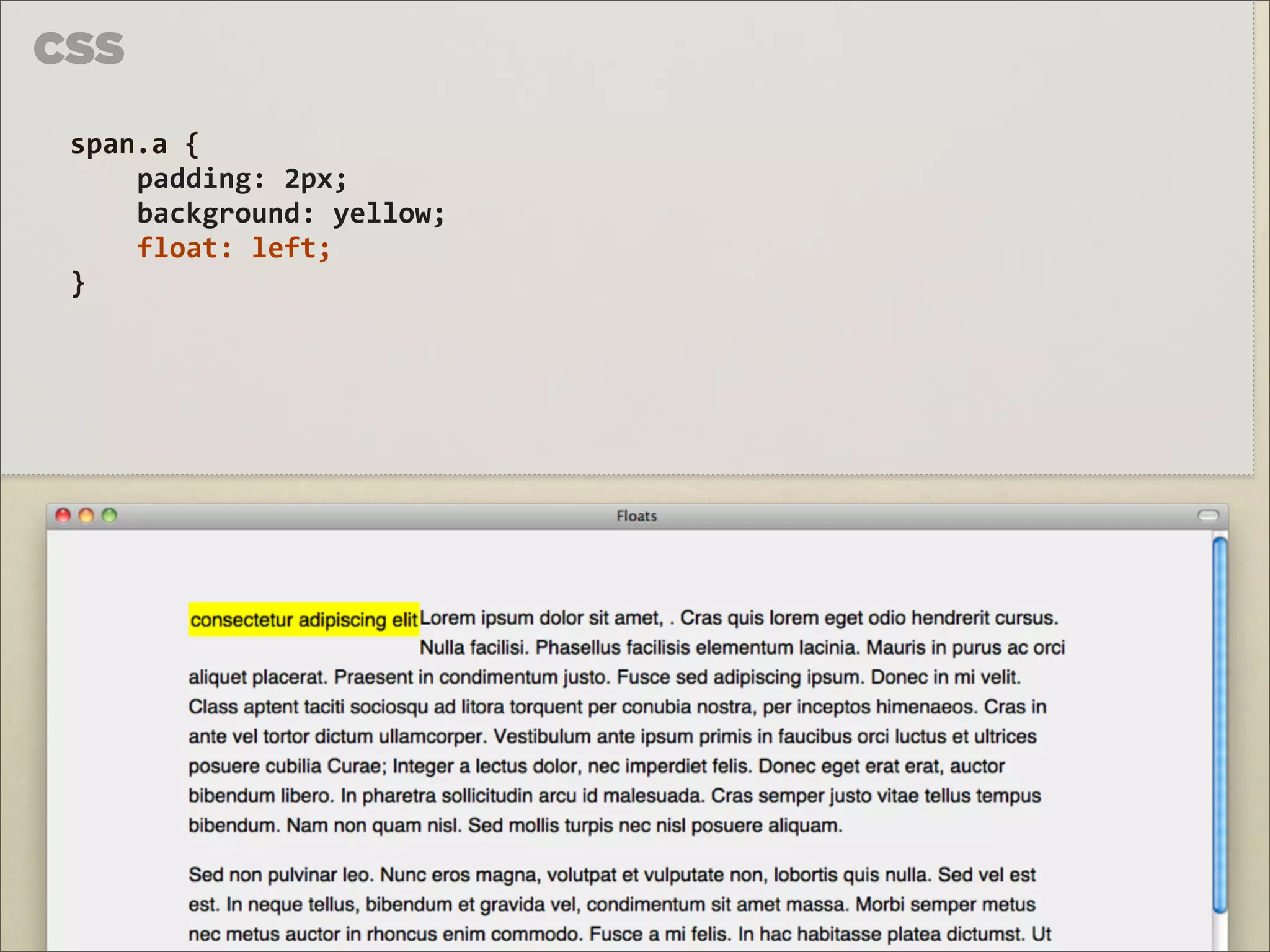
Uploaded by
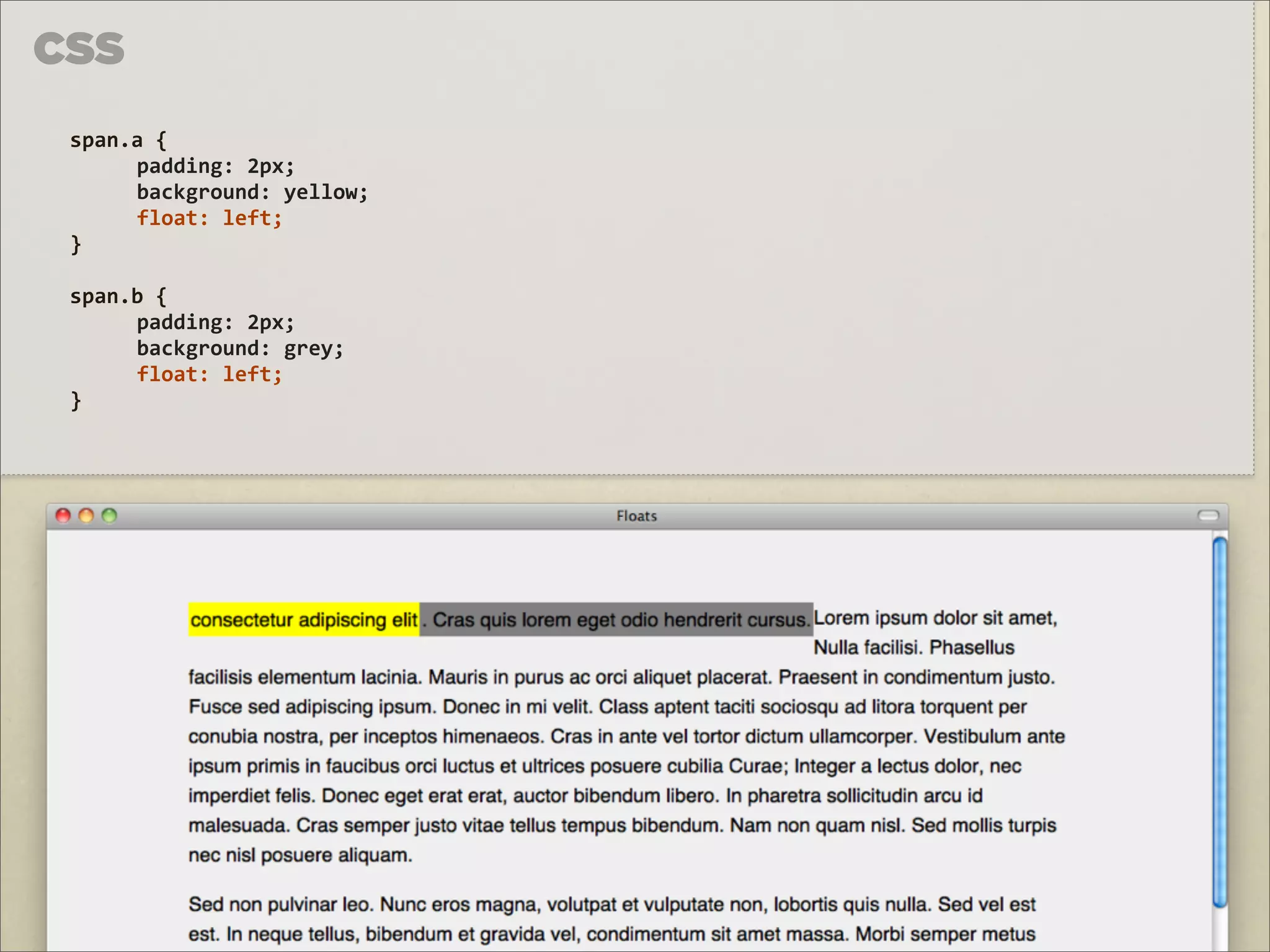
Dinis Correia
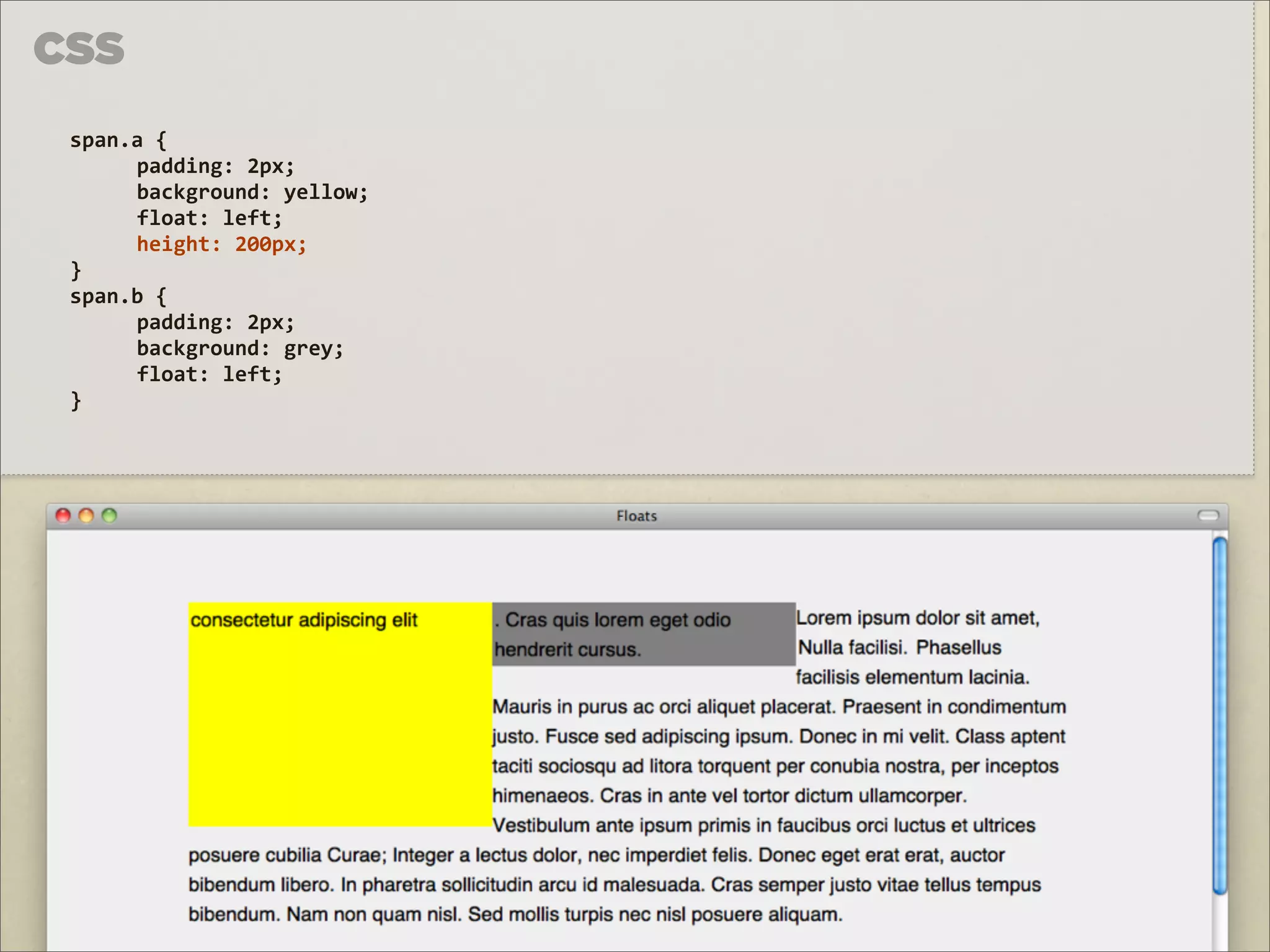
PDF, PPTX
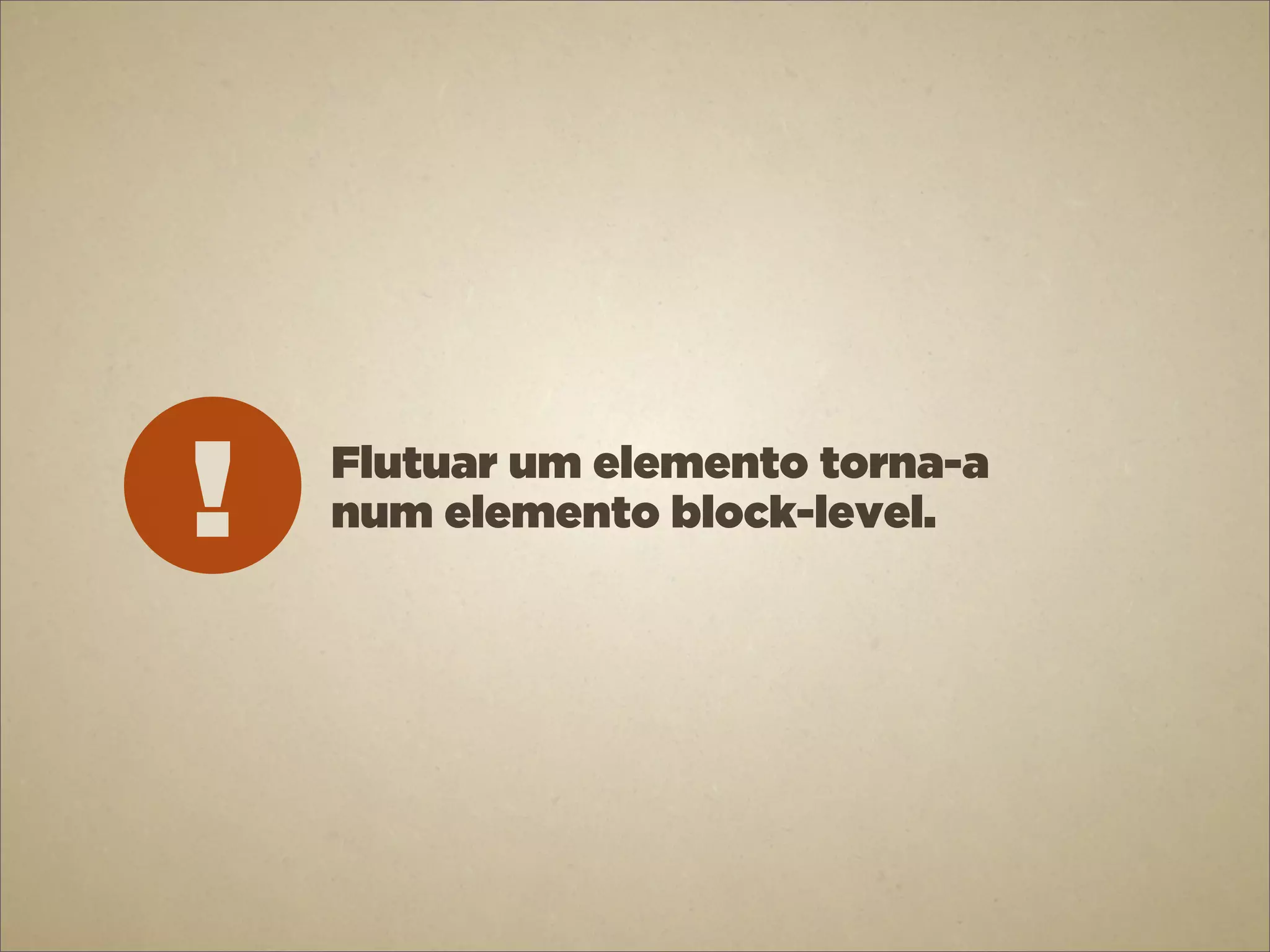
2,021 views
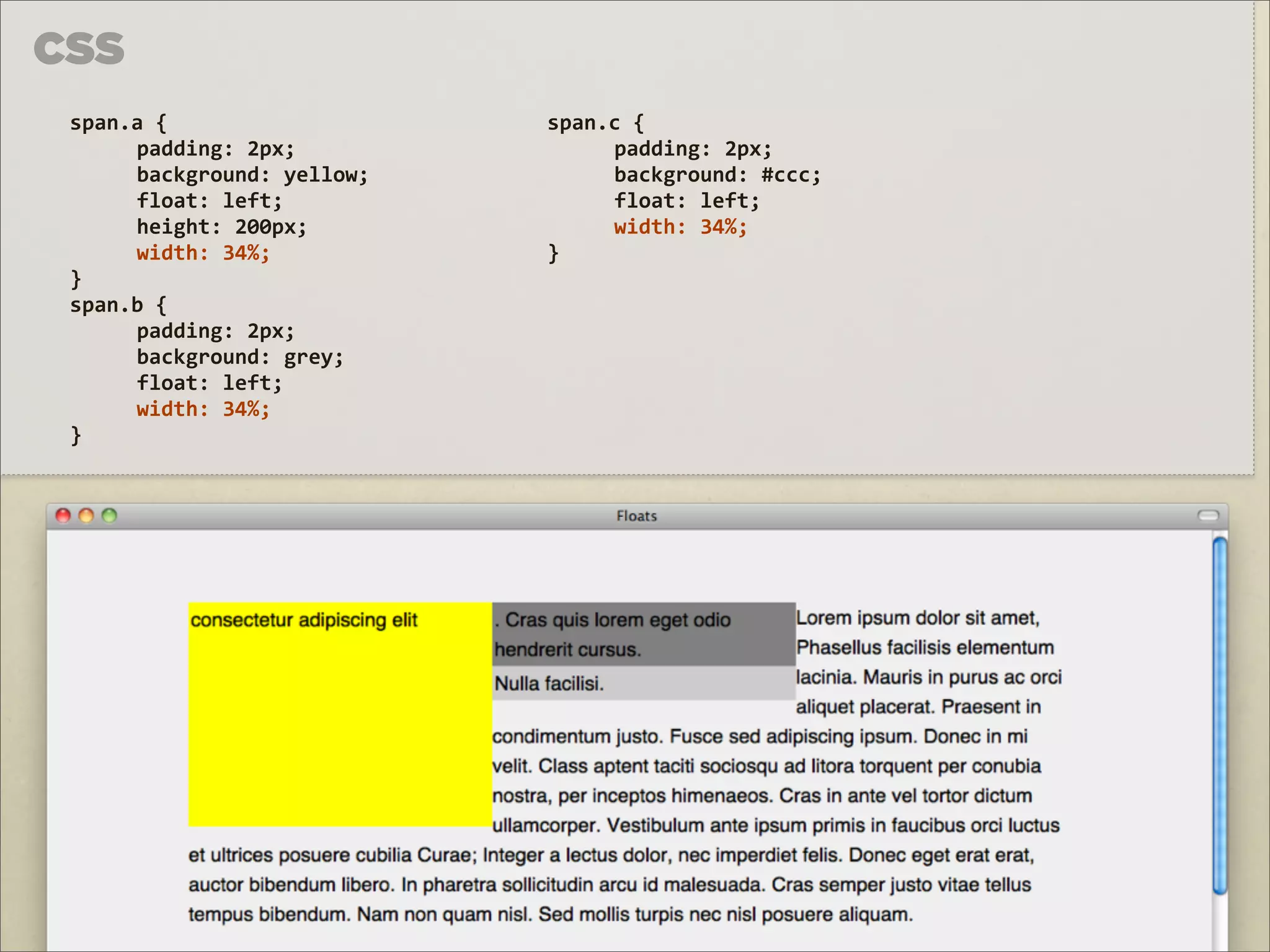
HTML&CSS 6 - Advanced CSS
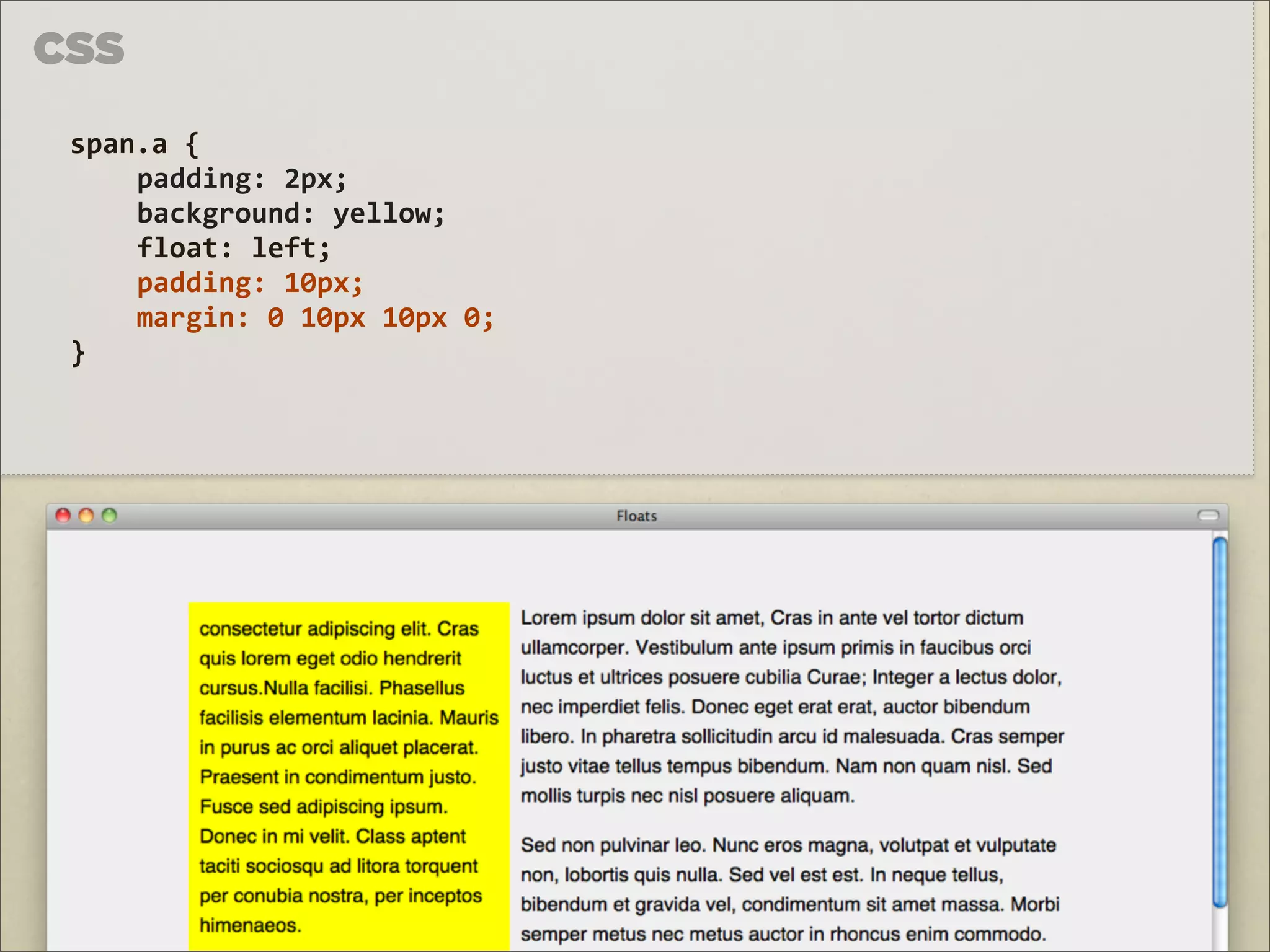
Slides for my in-house HTML & CSS trainning at SAPO. Intermediate CSS: position and float.
Technology
◦
Read more
4
Save
Share
Embed
Embed presentation
Download
Download as PDF, PPTX
1
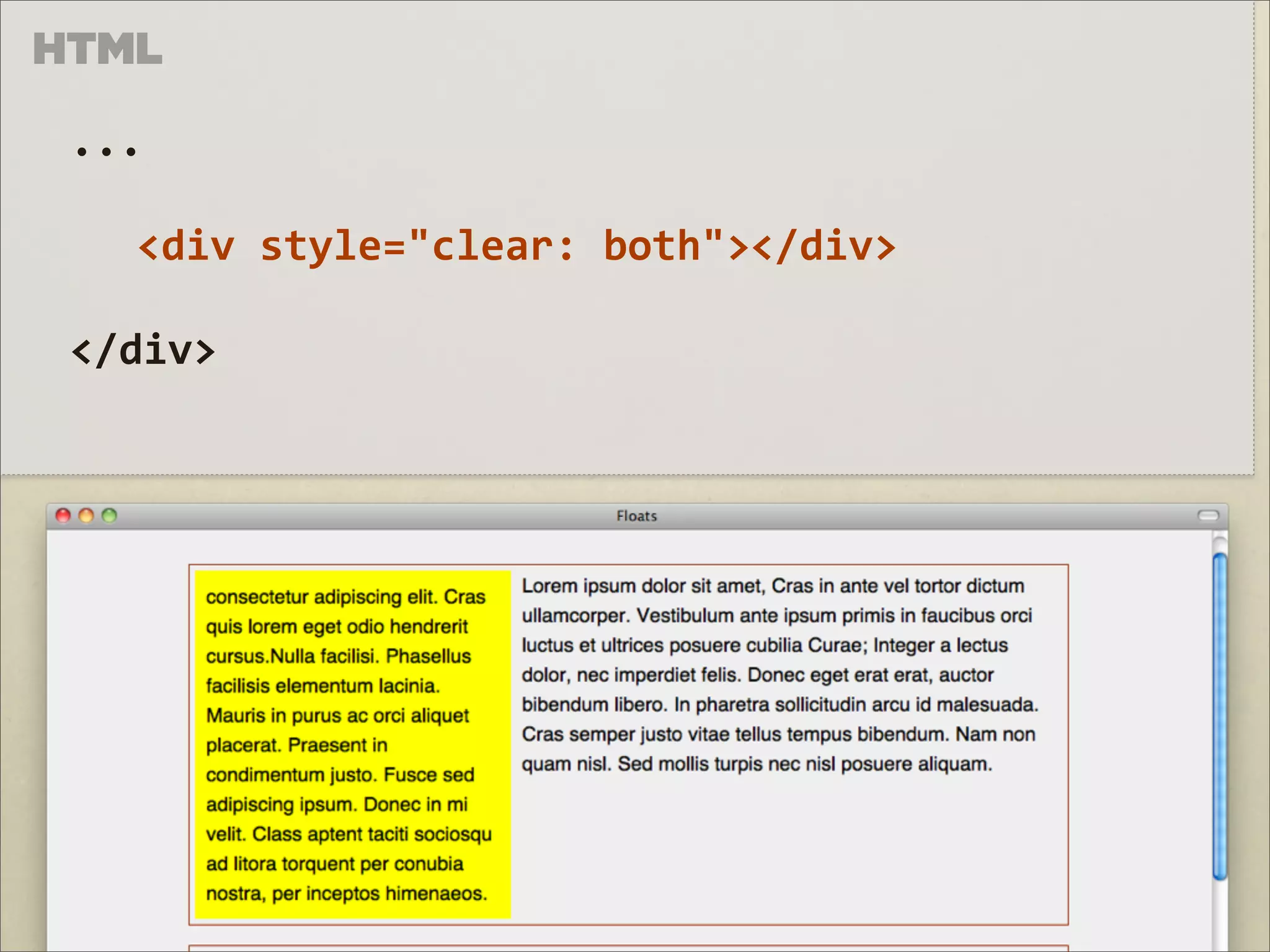
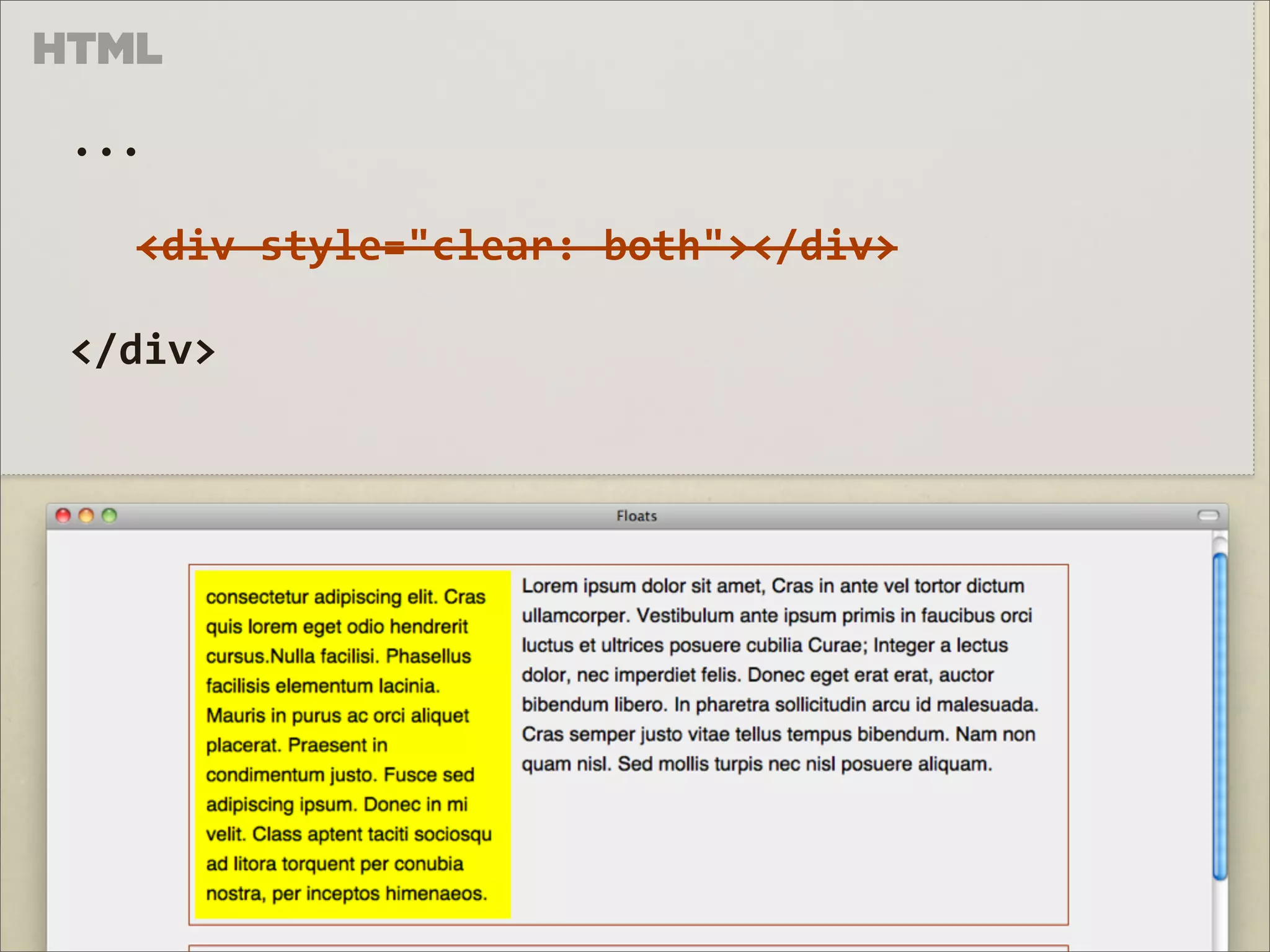
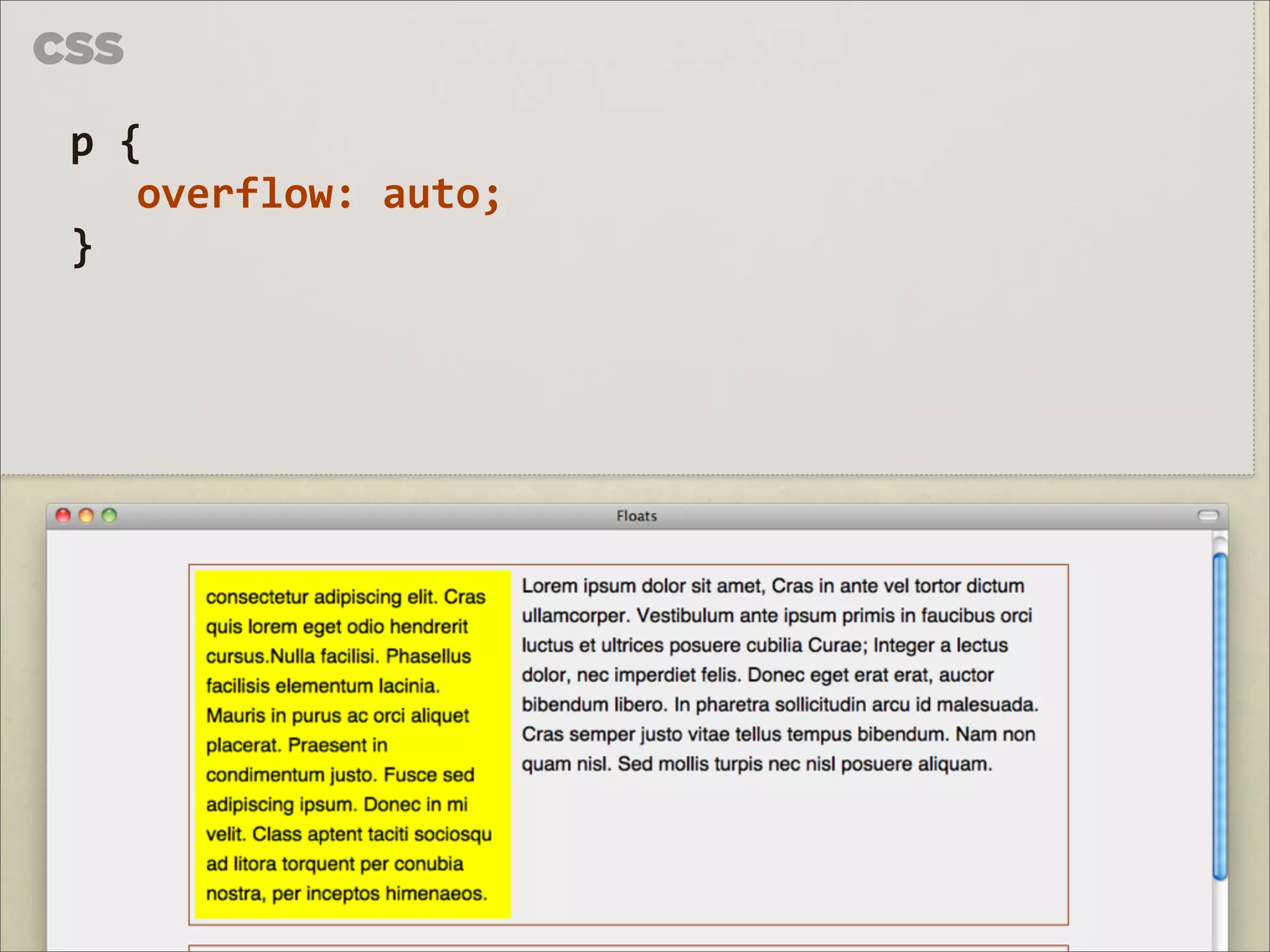
/ 79
2
/ 79
3
/ 79
4
/ 79
5
/ 79
6
/ 79
7
/ 79
8
/ 79
9
/ 79
10
/ 79
11
/ 79
12
/ 79
13
/ 79
14
/ 79
15
/ 79
16
/ 79
17
/ 79
18
/ 79
19
/ 79
20
/ 79
21
/ 79
22
/ 79
23
/ 79
24
/ 79
25
/ 79
26
/ 79
27
/ 79
28
/ 79
29
/ 79
30
/ 79
31
/ 79
32
/ 79
33
/ 79
34
/ 79
35
/ 79
36
/ 79
37
/ 79
38
/ 79
39
/ 79
40
/ 79
41
/ 79
42
/ 79
43
/ 79
44
/ 79
45
/ 79
46
/ 79
47
/ 79
48
/ 79
49
/ 79
50
/ 79
51
/ 79
52
/ 79
53
/ 79
54
/ 79
55
/ 79
56
/ 79
57
/ 79
58
/ 79
59
/ 79
60
/ 79
61
/ 79
62
/ 79
63
/ 79
64
/ 79
65
/ 79
66
/ 79
67
/ 79
68
/ 79
69
/ 79
70
/ 79
71
/ 79
72
/ 79
73
/ 79
74
/ 79
75
/ 79
76
/ 79
77
/ 79
78
/ 79
79
/ 79
More Related Content
PDF
CSS Pra Gente Grande
by
Shankar Cabus
PDF
Css positioning
by
Gerson Abesamis
PPTX
CSS Layout
by
景智 張
PPTX
Css position
by
Webtech Learning
PDF
CSS Layouting #5 : Position
by
Sandhika Galih
TXT
Plantilla miskinidea original
by
mickore
TXT
Johny coba dulu
by
sipali
DOCX
Drop Down
by
tutynaryanty
CSS Pra Gente Grande
by
Shankar Cabus
Css positioning
by
Gerson Abesamis
CSS Layout
by
景智 張
Css position
by
Webtech Learning
CSS Layouting #5 : Position
by
Sandhika Galih
Plantilla miskinidea original
by
mickore
Johny coba dulu
by
sipali
Drop Down
by
tutynaryanty
More from Dinis Correia
PDF
HTML&CSS 5 - Intermediate CSS (2/2)
by
Dinis Correia
PDF
HTML&CSS 4 - Intermediate CSS (1/2)
by
Dinis Correia
PDF
HTML&CSS 2 - Intermediate HTML
by
Dinis Correia
PDF
HTML&CSS 1 - Introduction to HTML
by
Dinis Correia
PDF
HTML&CSS 3 - Introduction to CSS
by
Dinis Correia
PDF
WordPress & Custm Post Types
by
Dinis Correia
HTML&CSS 5 - Intermediate CSS (2/2)
by
Dinis Correia
HTML&CSS 4 - Intermediate CSS (1/2)
by
Dinis Correia
HTML&CSS 2 - Intermediate HTML
by
Dinis Correia
HTML&CSS 1 - Introduction to HTML
by
Dinis Correia
HTML&CSS 3 - Introduction to CSS
by
Dinis Correia
WordPress & Custm Post Types
by
Dinis Correia
HTML&CSS 6 - Advanced CSS
1.
HTML
6 & CSS DINIS CORREIA 2011 cbn
2.
CSS
1 POSITION 2 FLOAT & CLEAR 3 LAYOUT
3.
3
LAYOUT CSS ⇪ na sessão anterior...
5.
CADA ELEMENTO É UMA CAIXA FOTO DE
Z287MARC c HTTP://FLIC.KR/P/5S7L11
6.
POSICIONAMENTO
position
7.
CSS
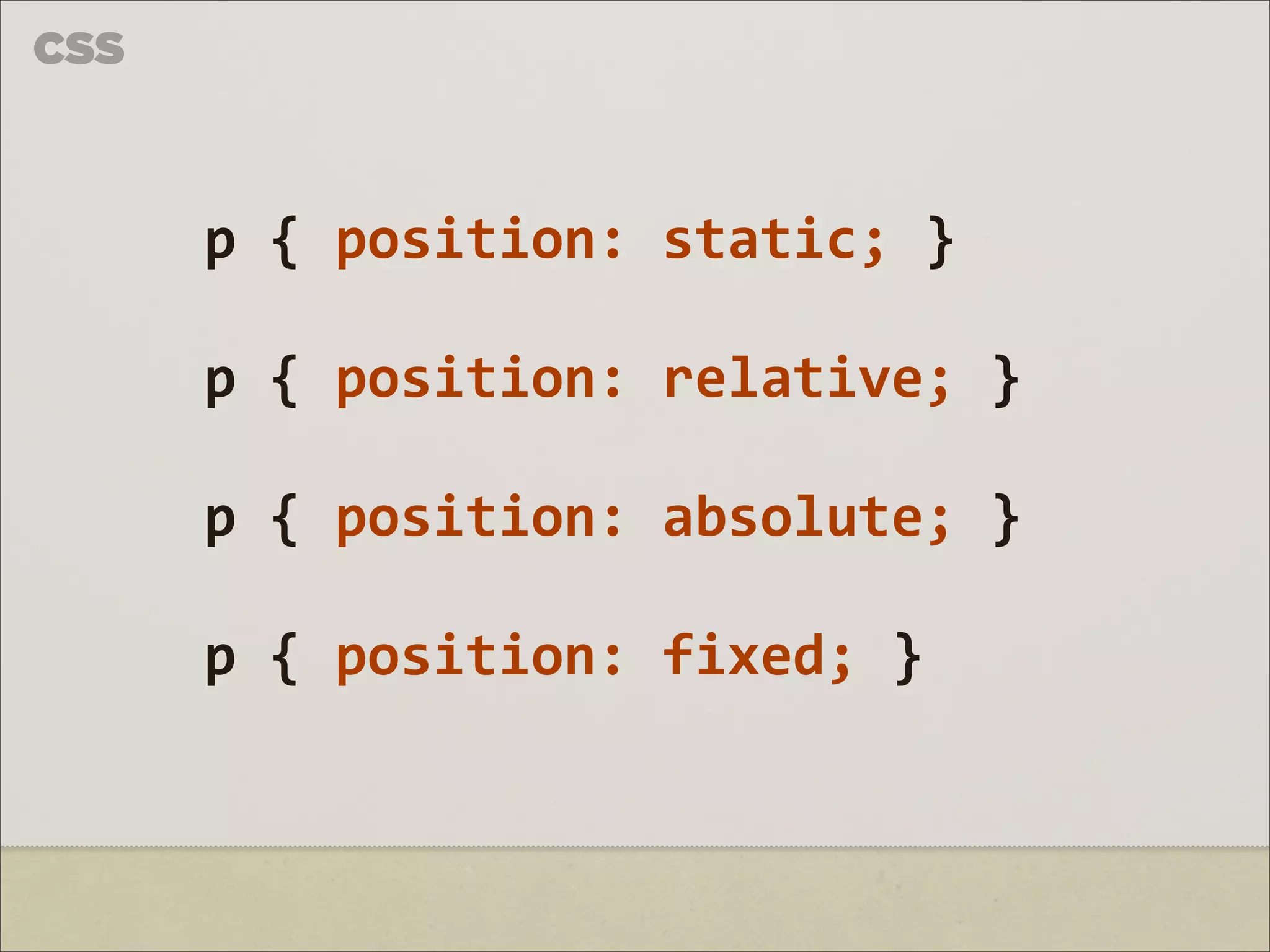
p { position: static; } p { position: relative; } p { position: absolute; } p { position: fixed; }
8.
RELATIVE
9.
CSS
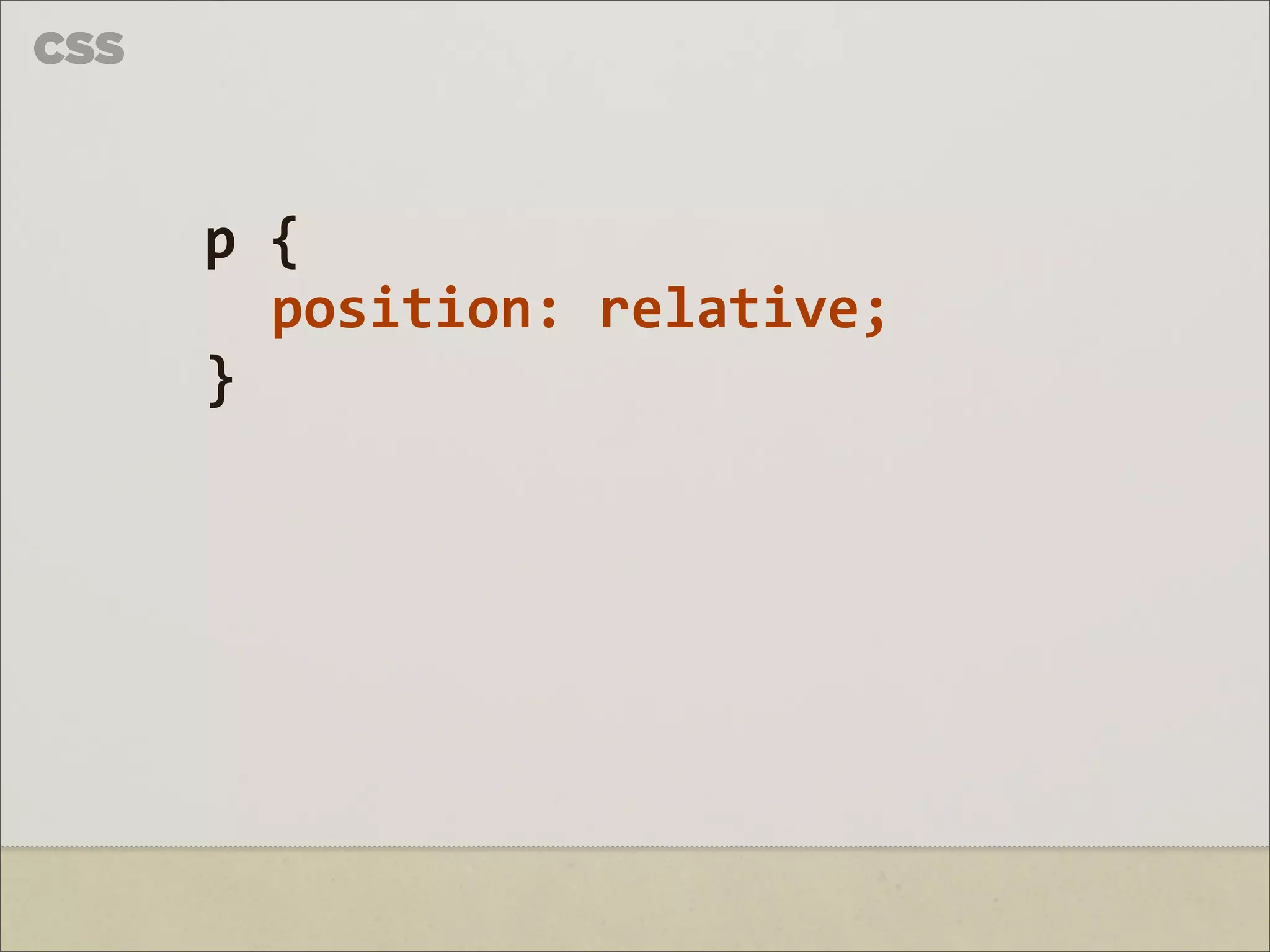
p { position: relative; }
10.
CSS
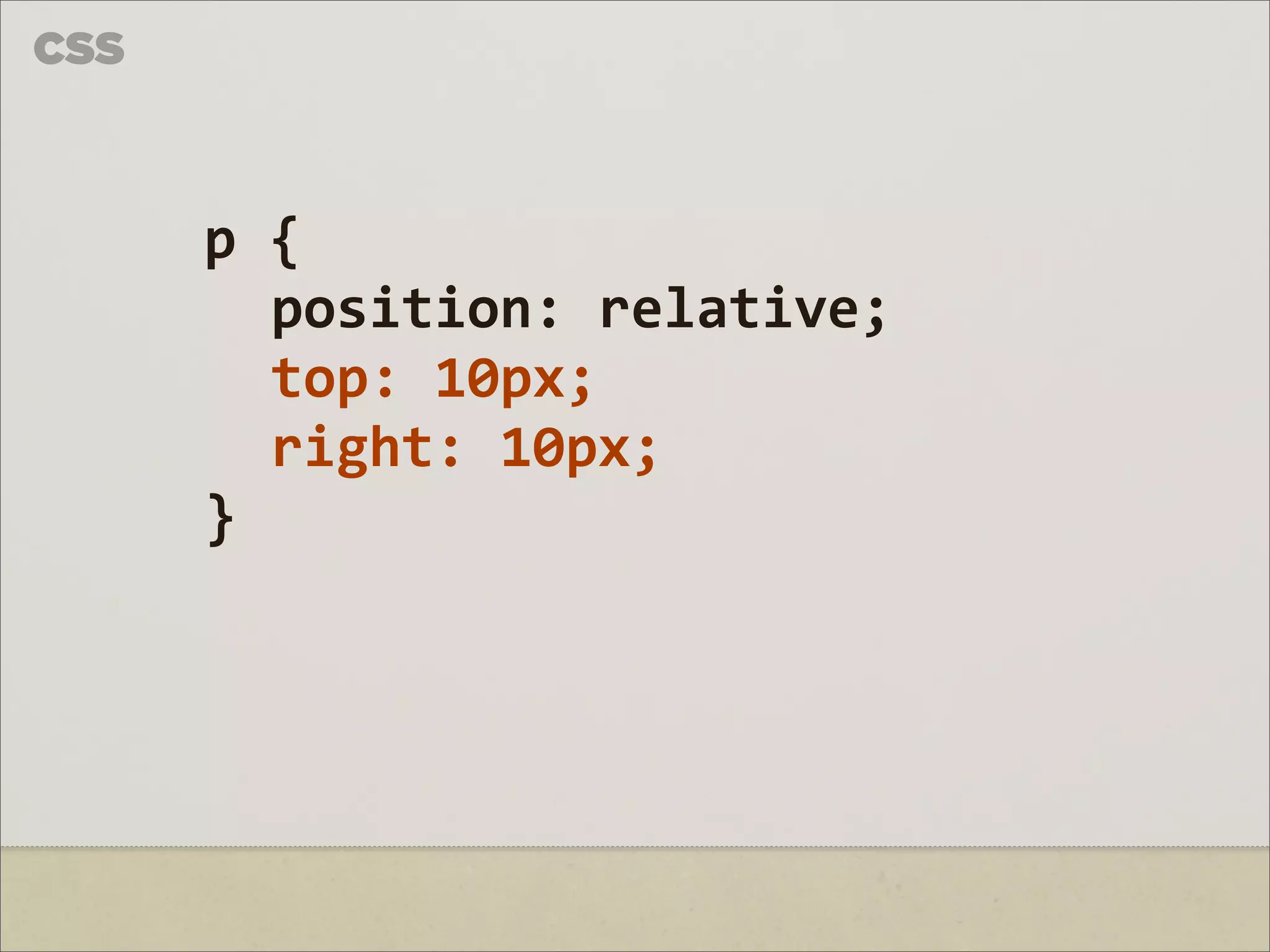
p { position: relative; top: 10px; right: 10px; }
11.
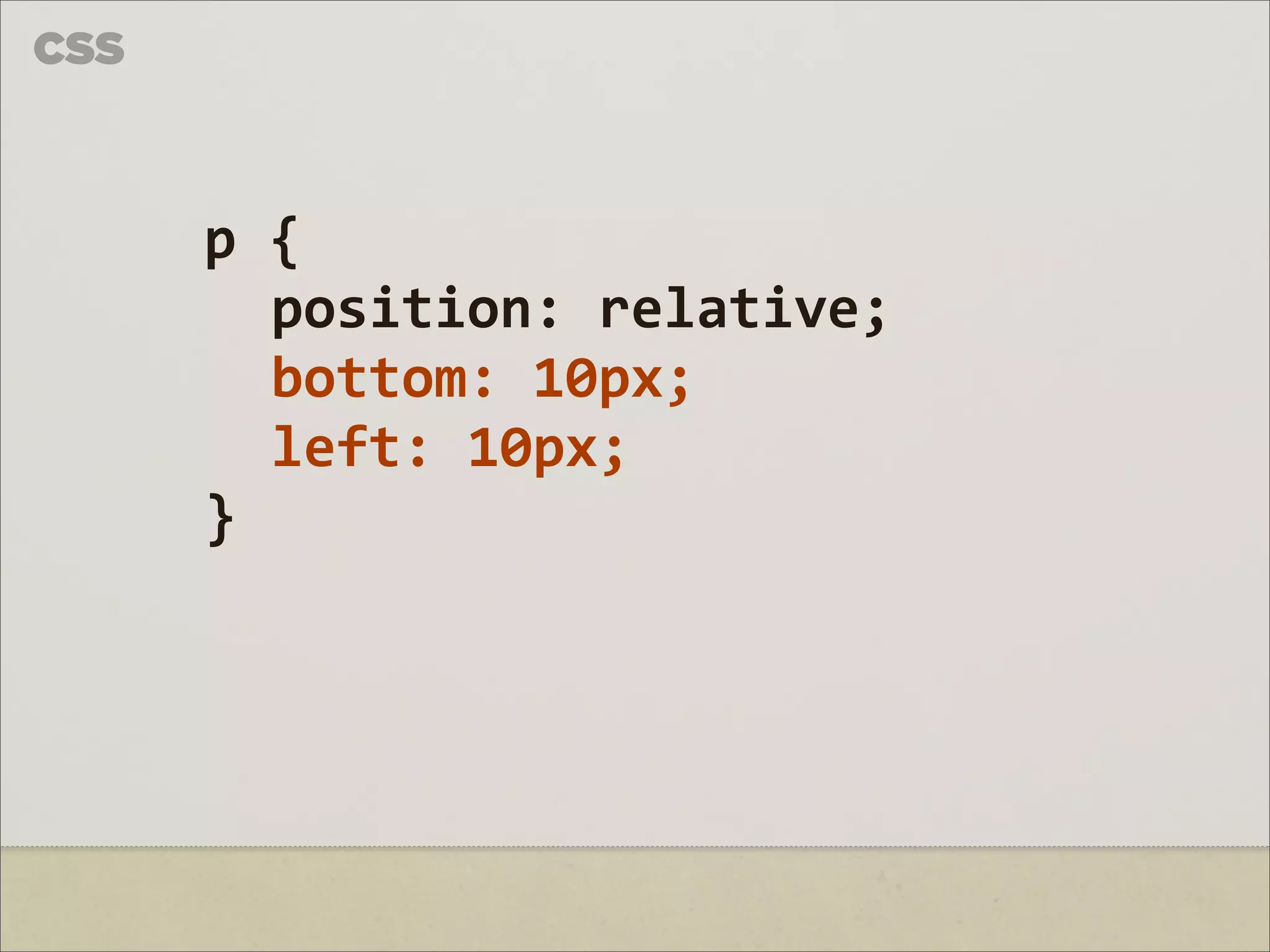
CSS
p { position: relative; bottom: 10px; left: 10px; }
12.
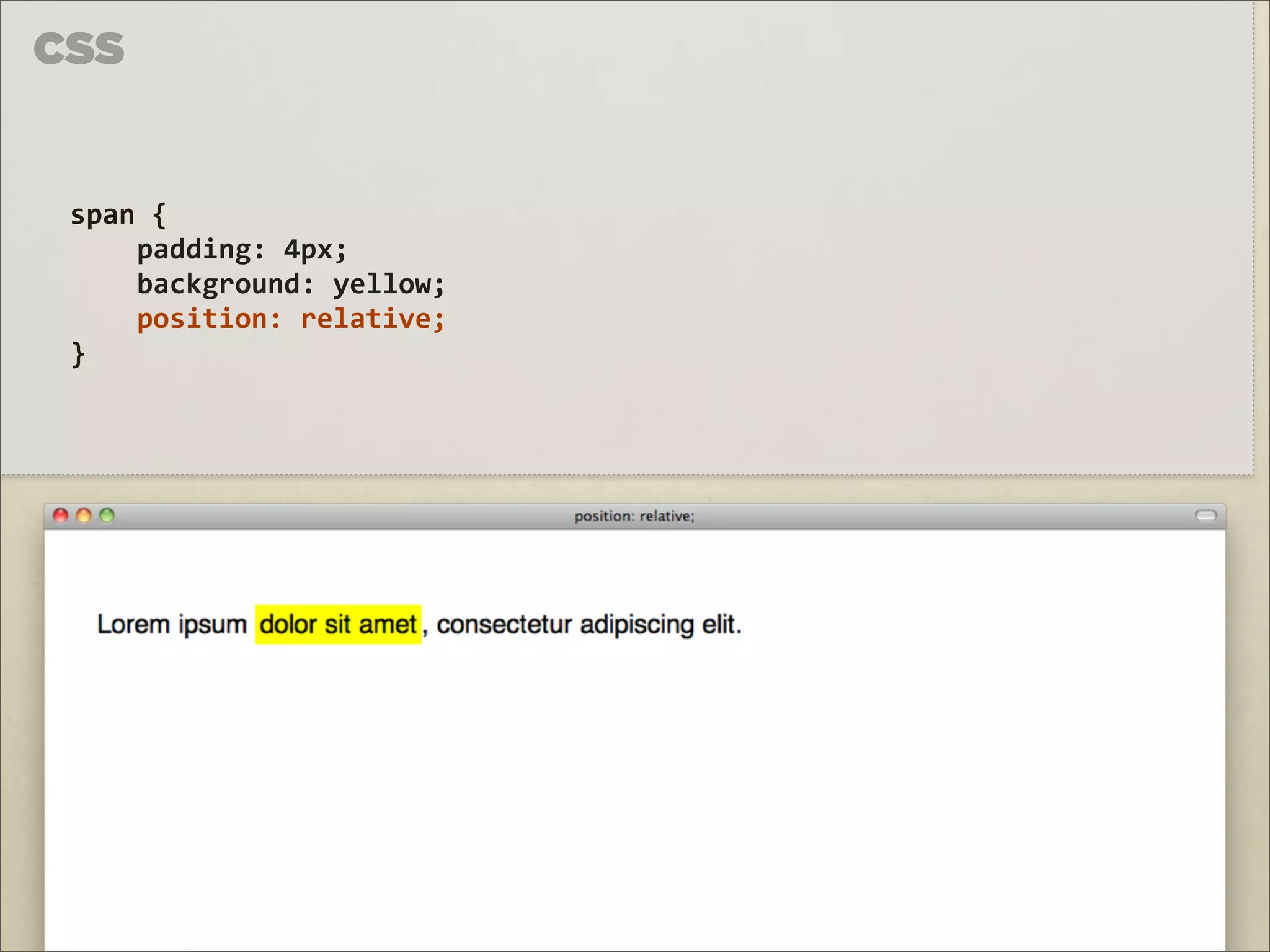
CSS span {
padding: 4px; background: yellow; position: relative; }
13.
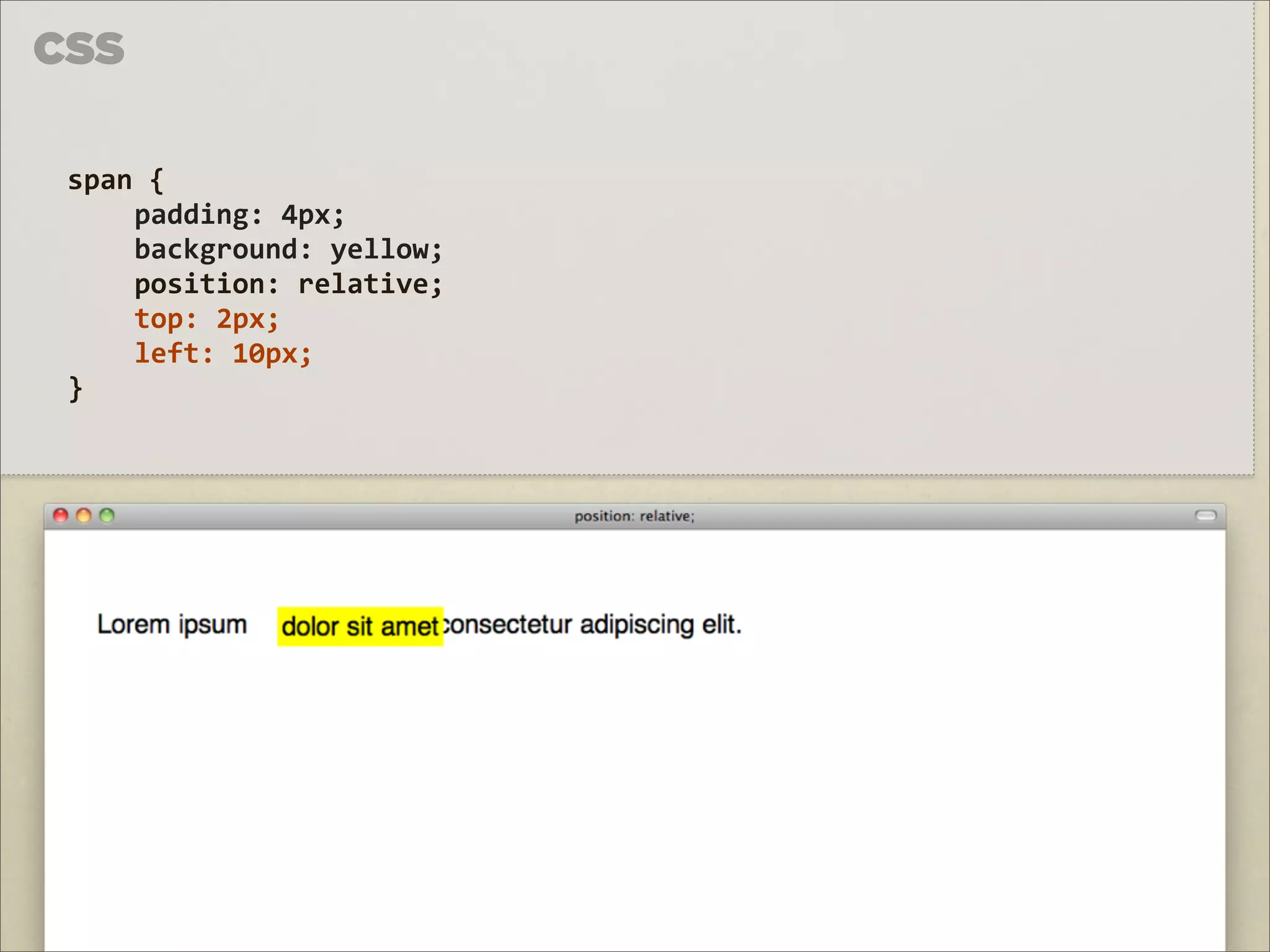
CSS span {
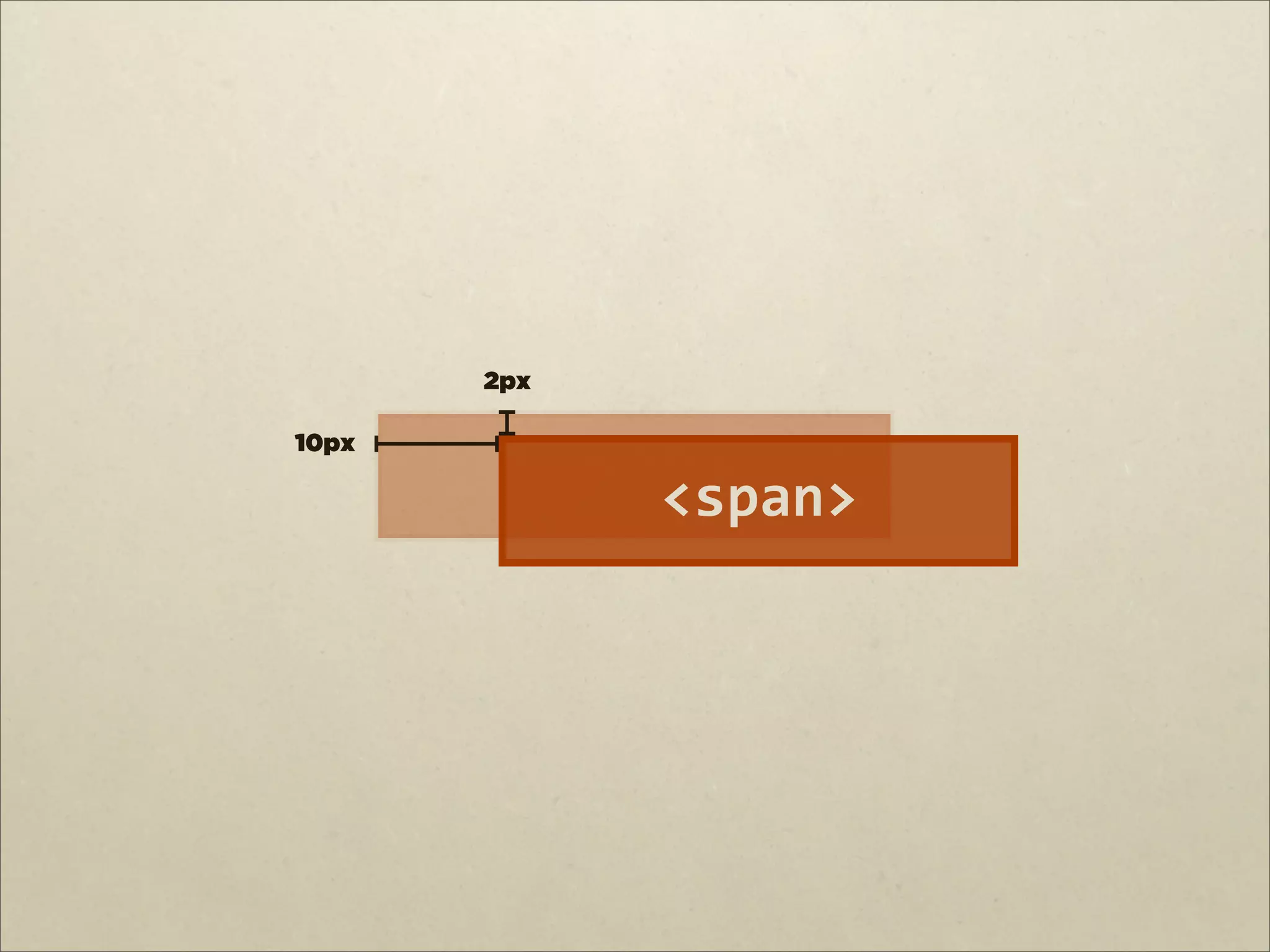
padding: 4px; background: yellow; position: relative; top: 2px; left: 10px; }
14.
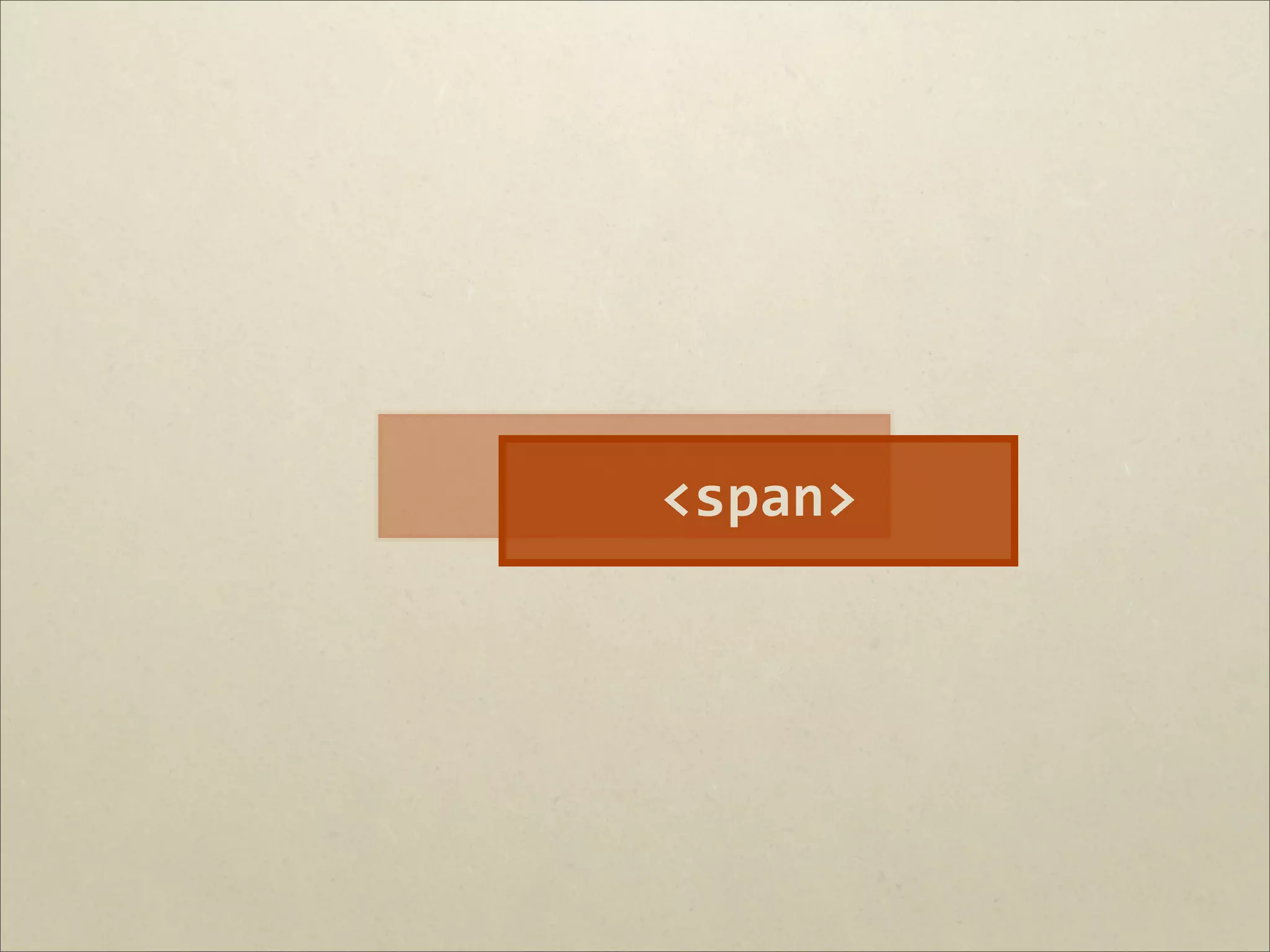
<span>
15.
<span>
16.
2px 10px
<span>
17.
ABSOLUTE
18.
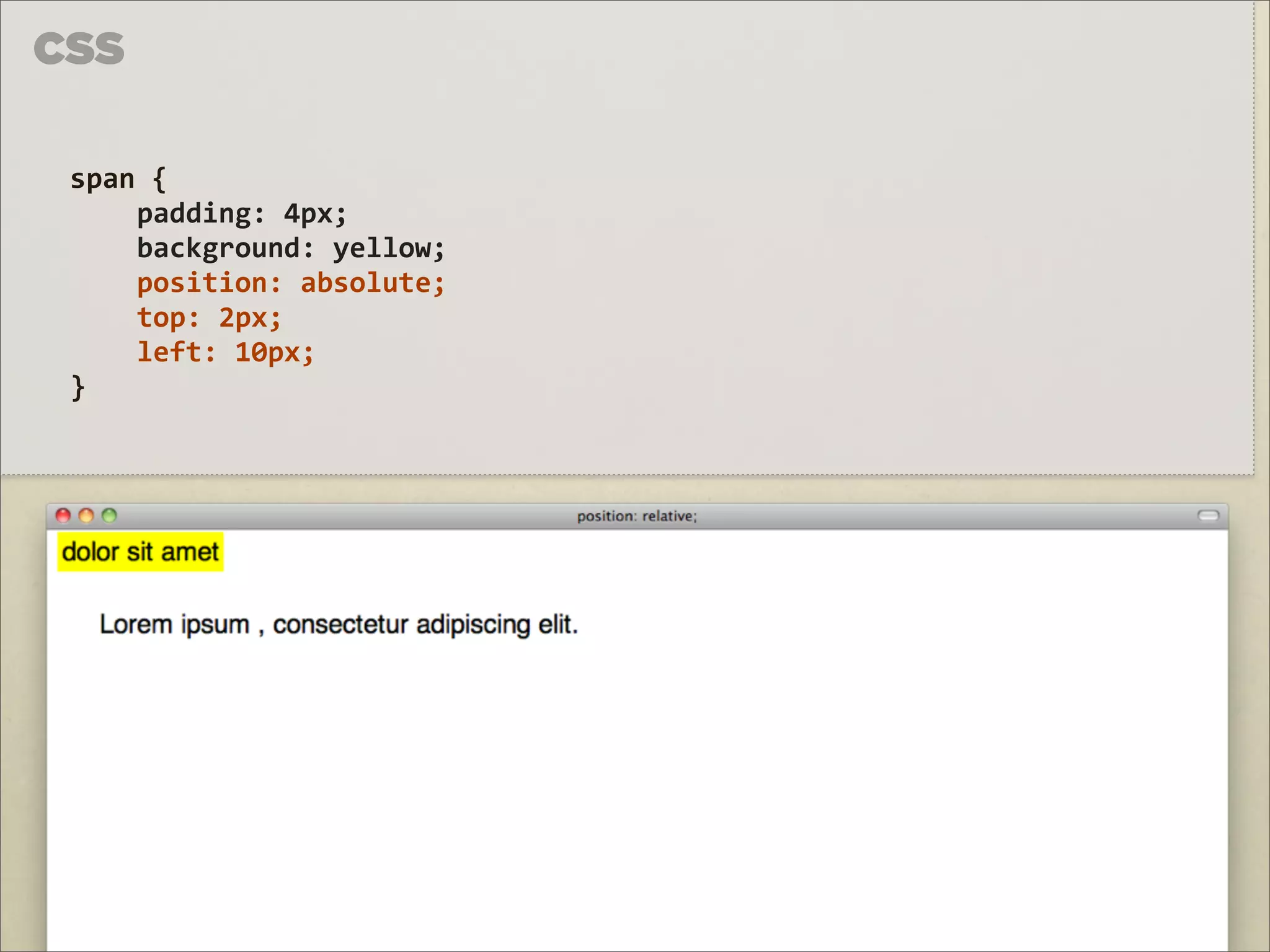
CSS span {
padding: 4px; background: yellow; position: absolute; top: 2px; left: 10px; }
19.
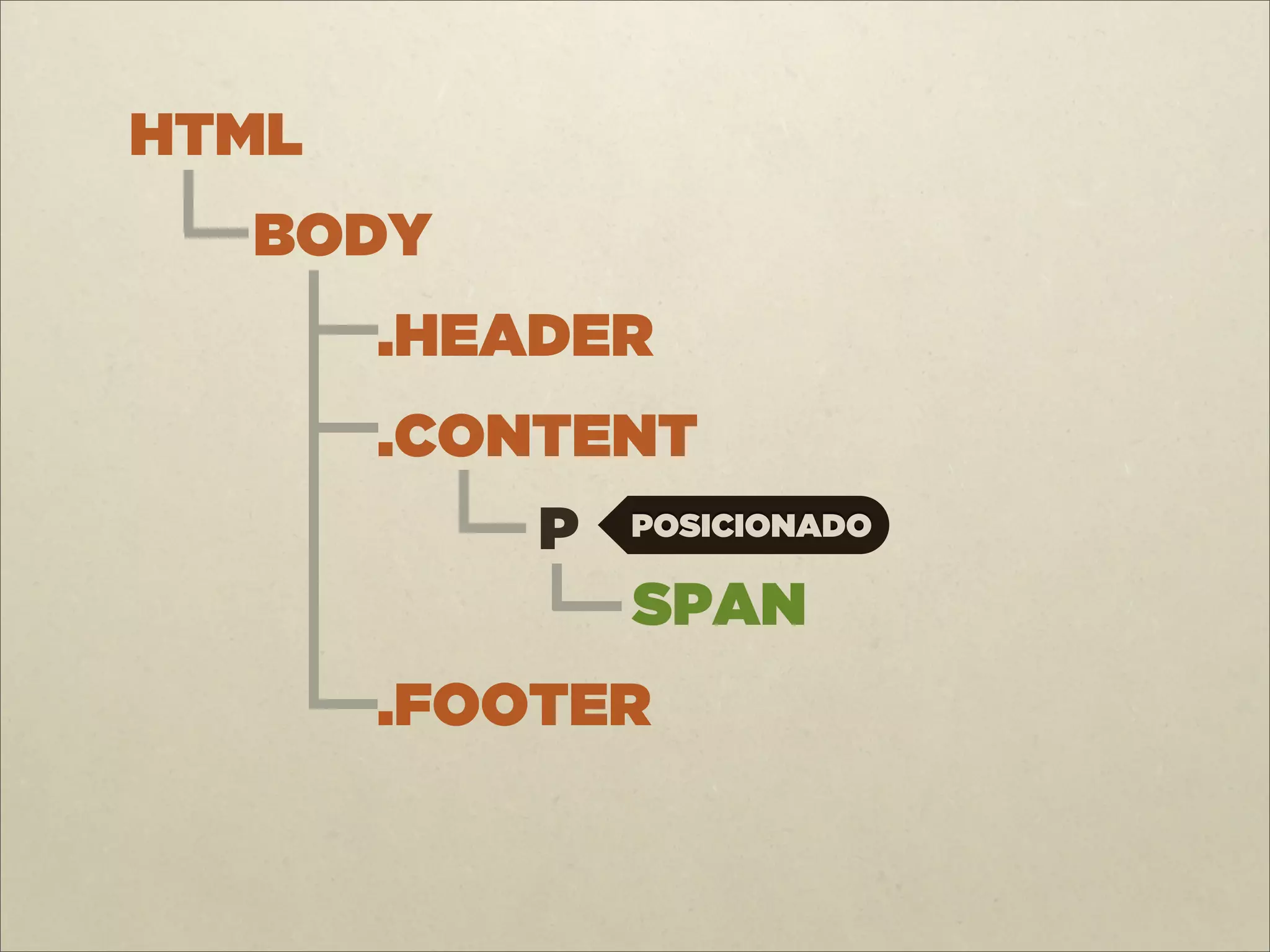
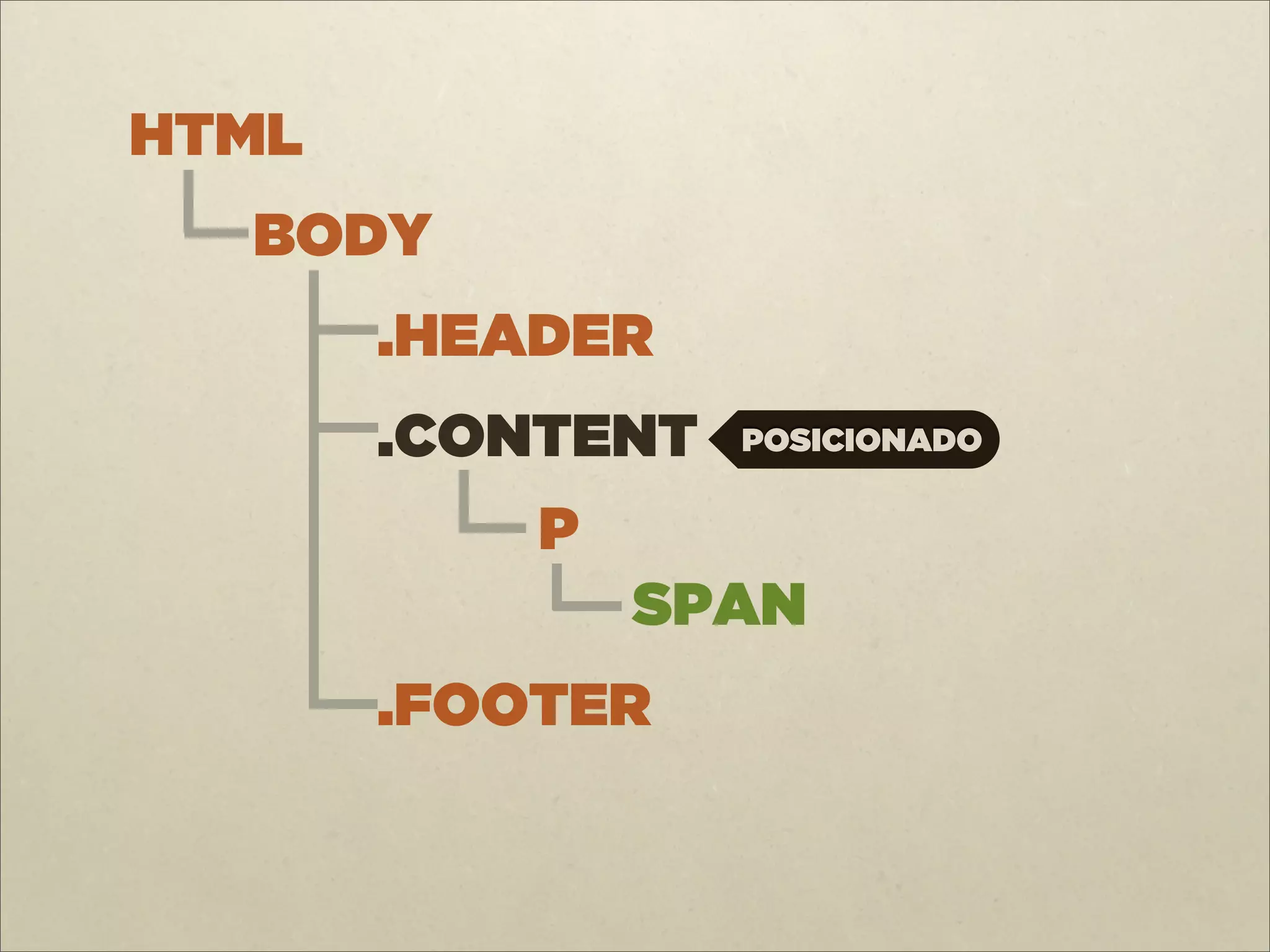
A posição de
um elemento ! posicionado absolutamente é calculada a partir do elemento "posicionado" mais próximo.
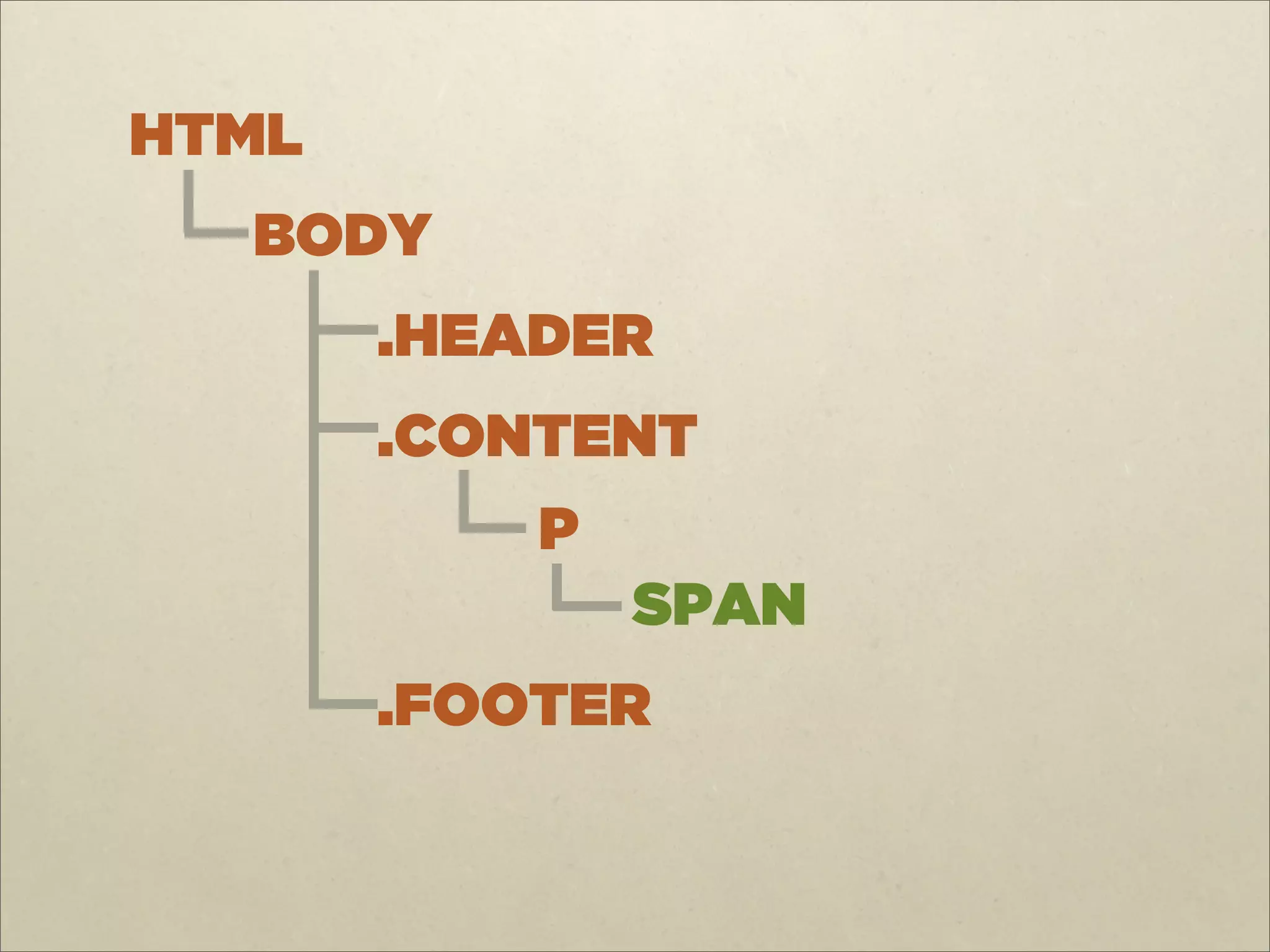
20.
HTML BODY
.HEADER .CONTENT P SPAN .FOOTER
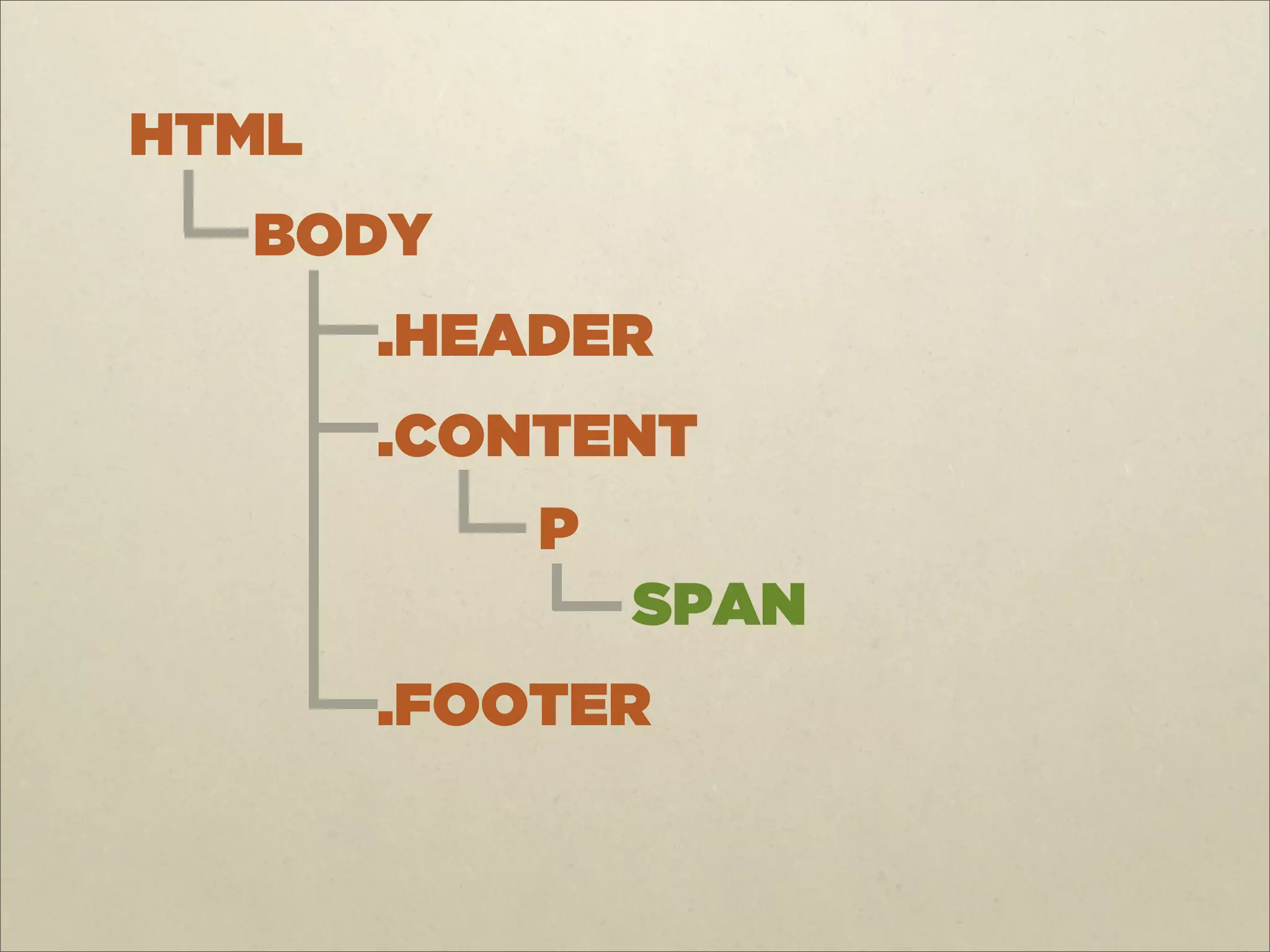
21.
HTML BODY
.HEADER .CONTENT P SPAN .FOOTER
22.
HTML BODY
.HEADER .CONTENT P POSICIONADO SPAN .FOOTER
23.
HTML BODY
.HEADER .CONTENT POSICIONADO P SPAN .FOOTER
24.
HTML BODY
POSICIONADO .HEADER .CONTENT P SPAN .FOOTER
25.
HTML
ÚLTIMO CASO BODY .HEADER .CONTENT P SPAN .FOOTER
26.
CSS span {
padding: 4px; background: yellow; position: absolute; top: 2px; left: 10px; }
27.
CSS p {
position: relative; } span { padding: 4px; background: yellow; position: absolute; top: 2px; left: 10px; }
28.
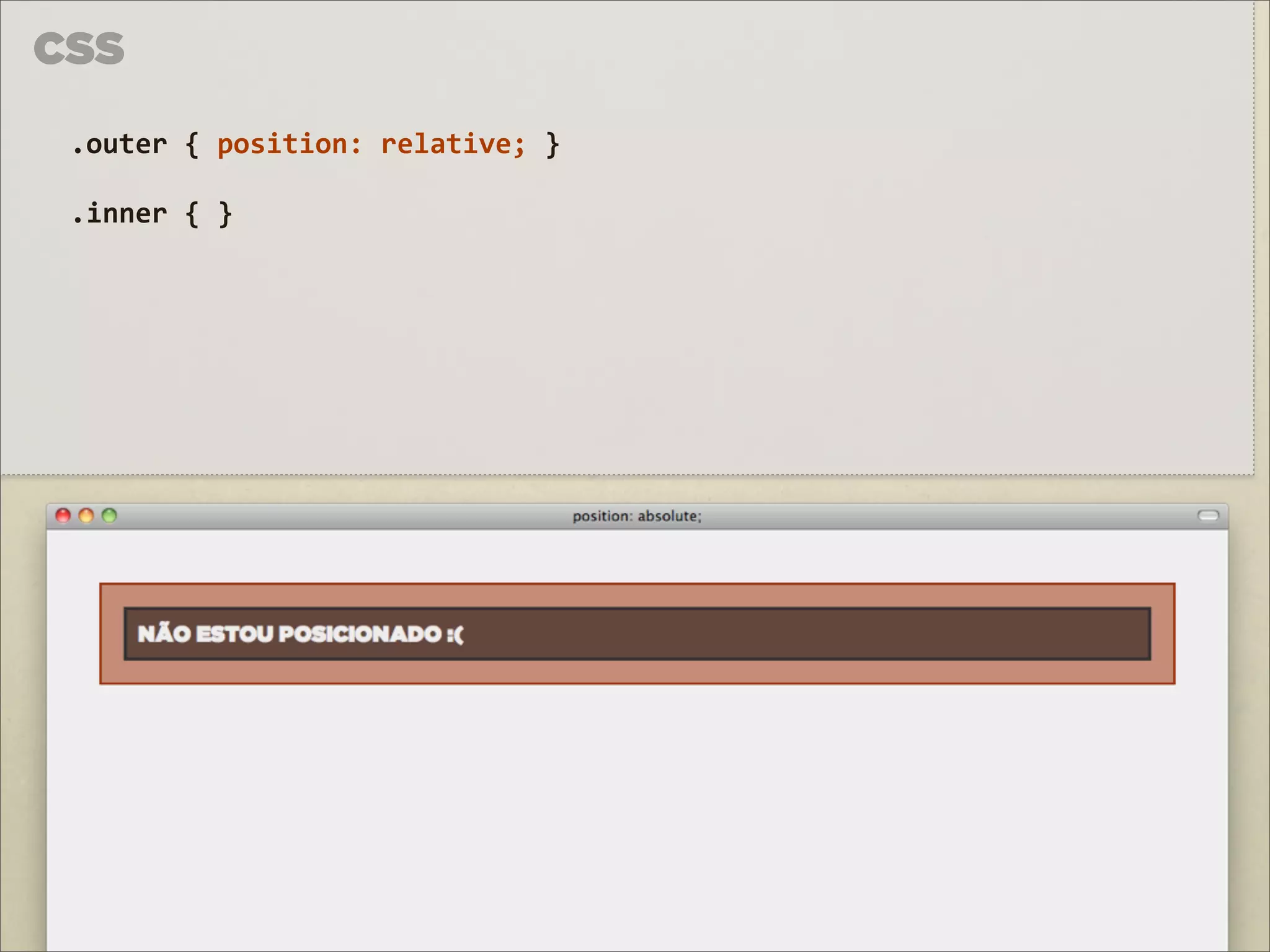
CSS .outer {
position: relative; } .inner { }
29.
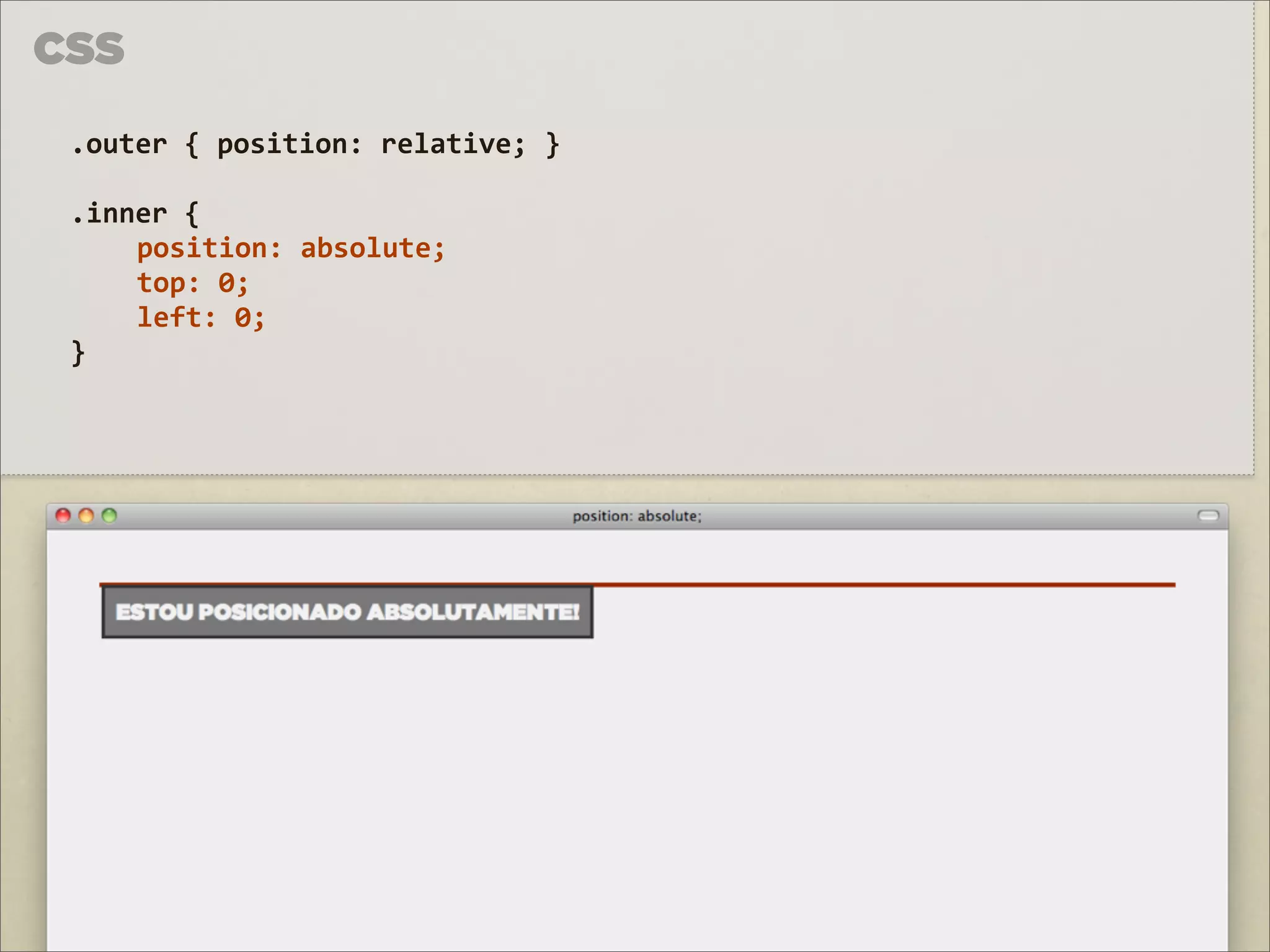
CSS .outer {
position: relative; } .inner { position: absolute; top: 0; left: 0; }
30.
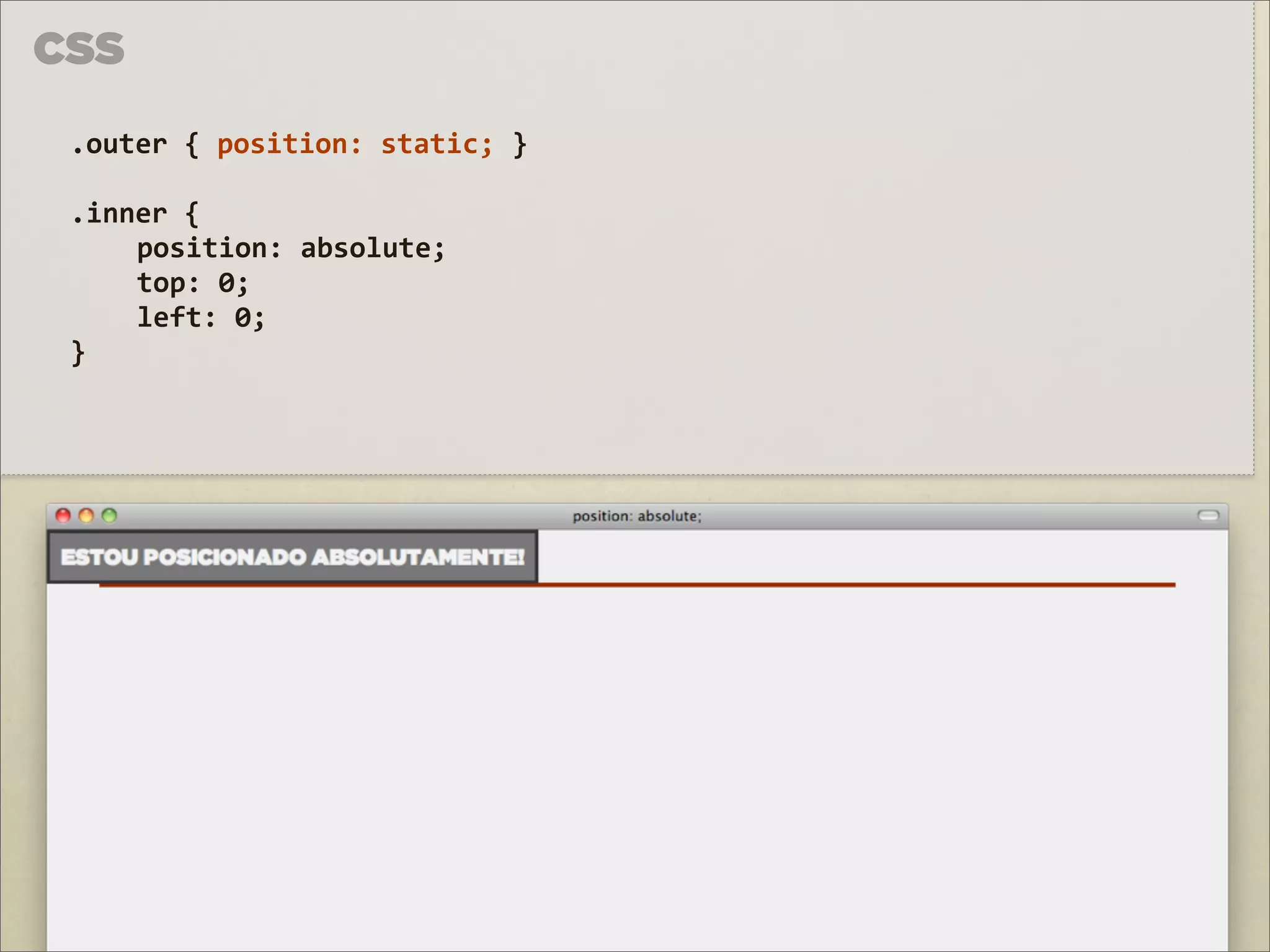
CSS .outer {
position: static; } .inner { position: absolute; top: 0; left: 0; }
31.
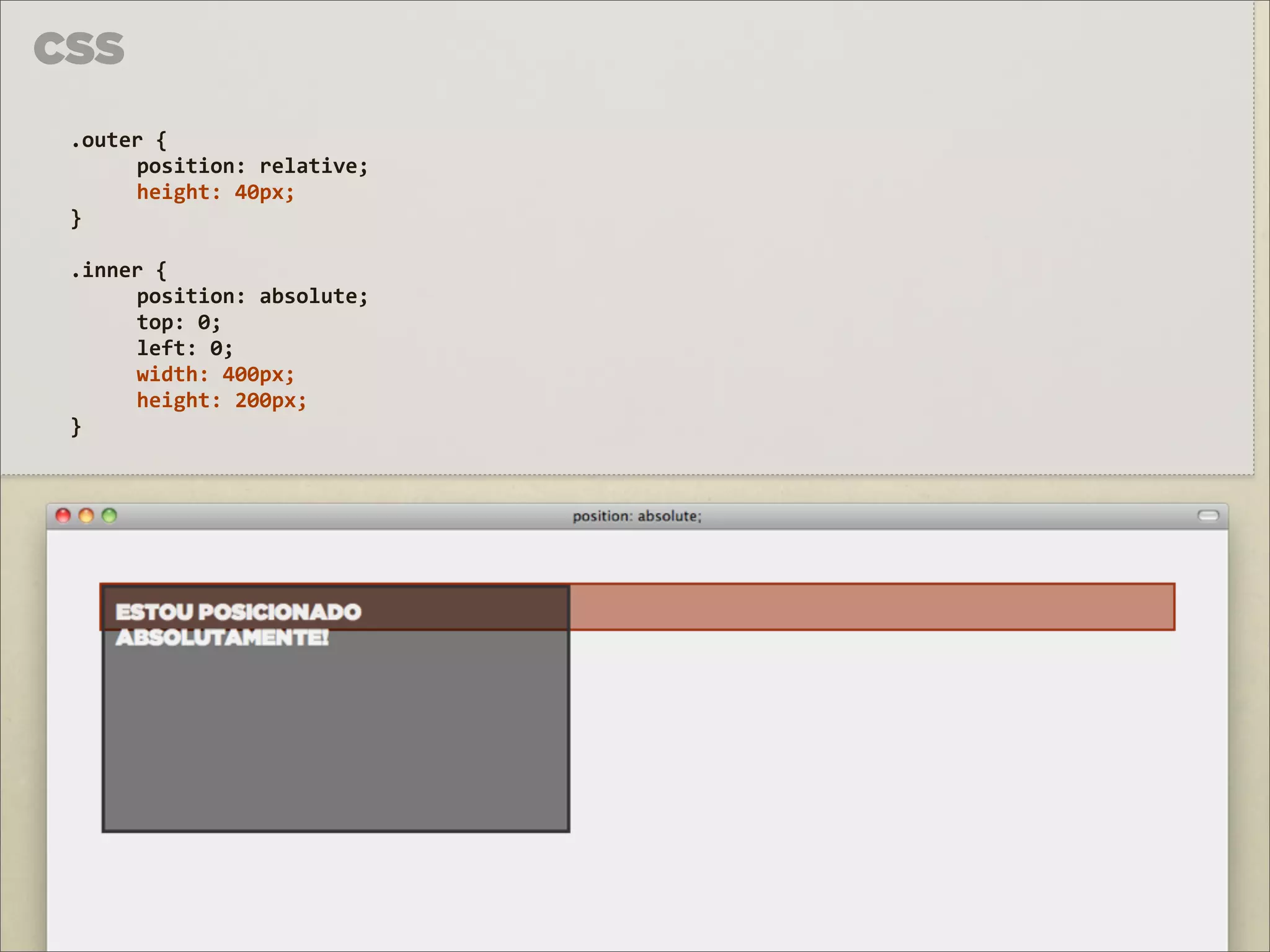
CSS .outer {
position: relative; height: 40px; } .inner { position: absolute; top: 0; left: 0; width: 400px; height: 200px; }
32.
CSS .outer {
position: relative; height: 40px; } .inner { position: absolute; top: 0; left: 10px; right: 10px; height: 200px; }
33.
CSS .outer {
position: relative; height: 40px; } .inner { position: absolute; top: 0; left: 10px; right: 10px; height: 200px; }
34.
FIXED
35.
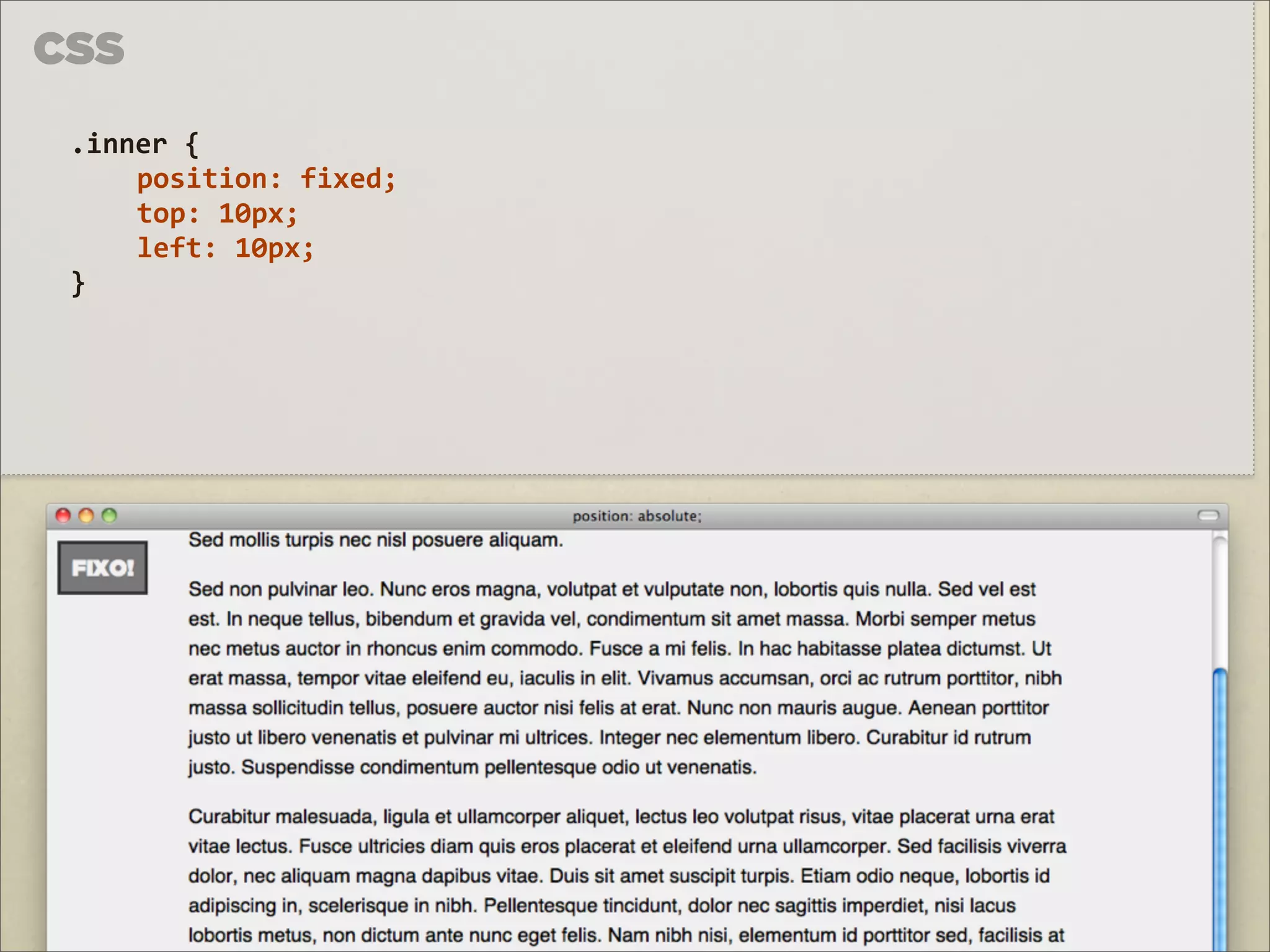
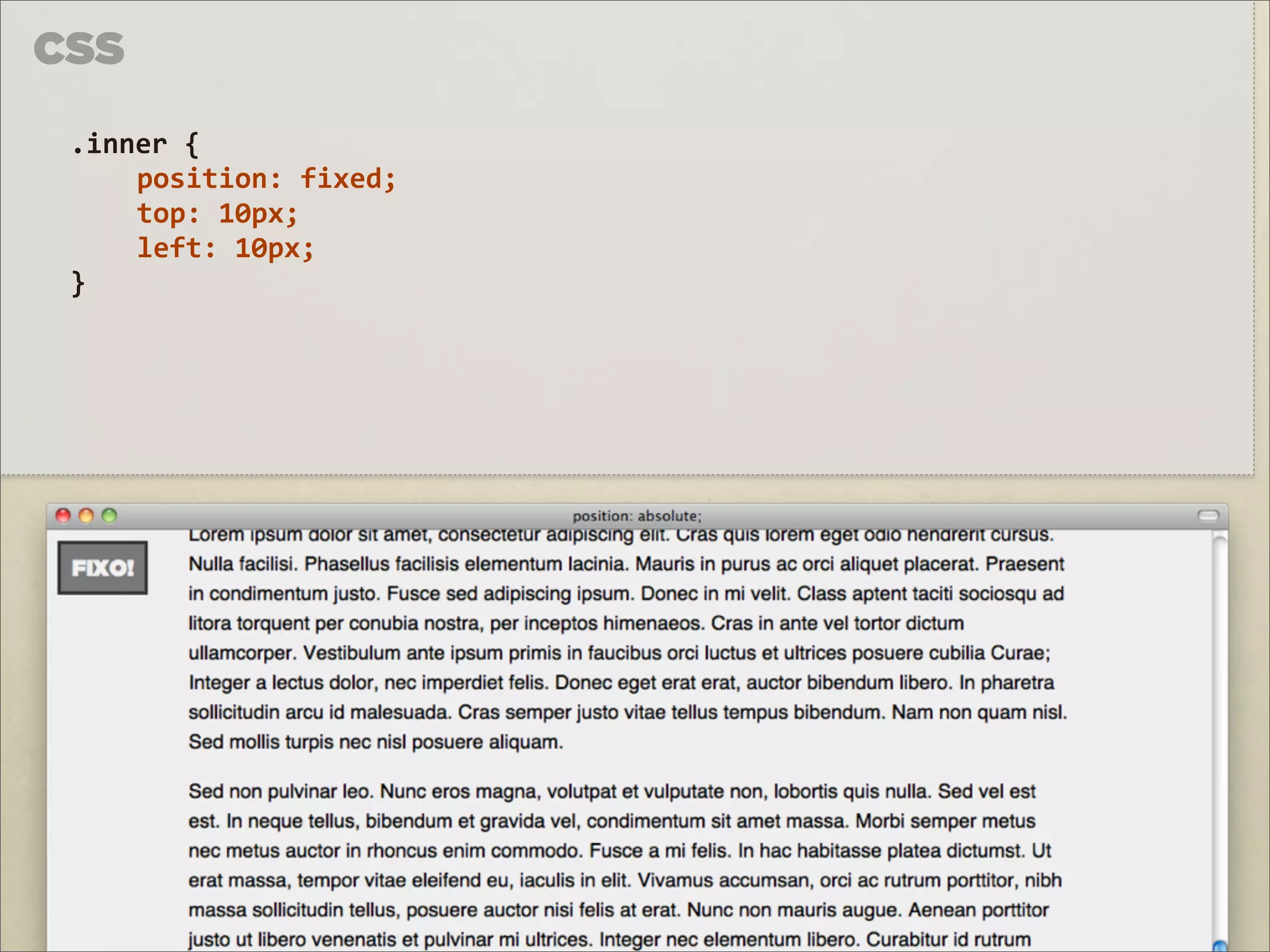
CSS .inner {
position: fixed; top: 10px; left: 10px; }
36.
CSS .inner {
position: fixed; top: 10px; left: 10px; }
37.
CSS .inner {
position: fixed; top: 10px; left: 10px; }
38.
CSS .inner {
position: fixed; top: 10px; left: 10px; }
39.
Z-INDEX
40.
Z-INDEX A 3ª DIMENSÃO
DO CSS FOTO DE MATT NEALE c HTTP://FLIC.KR/P/8947YE
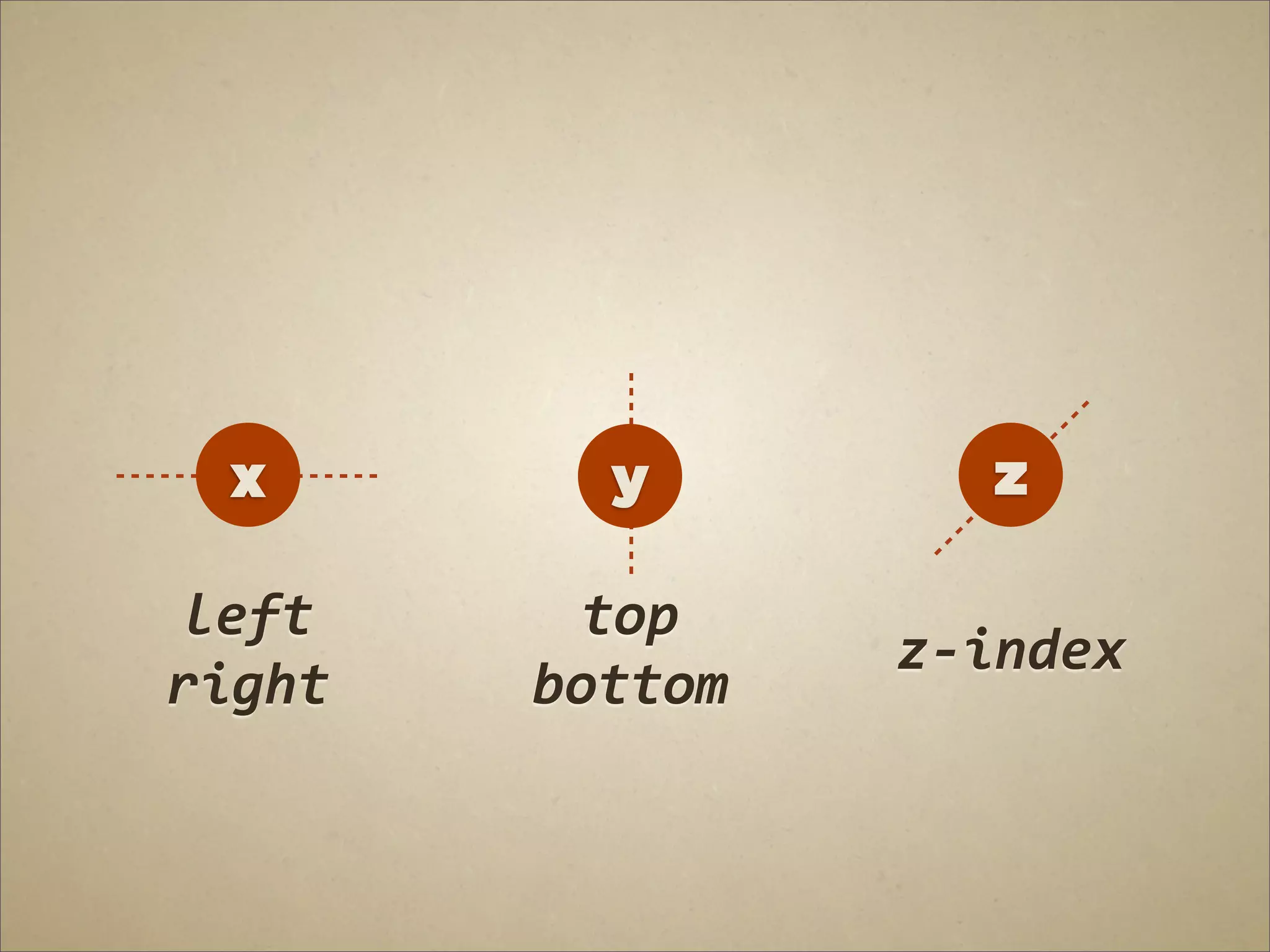
41.
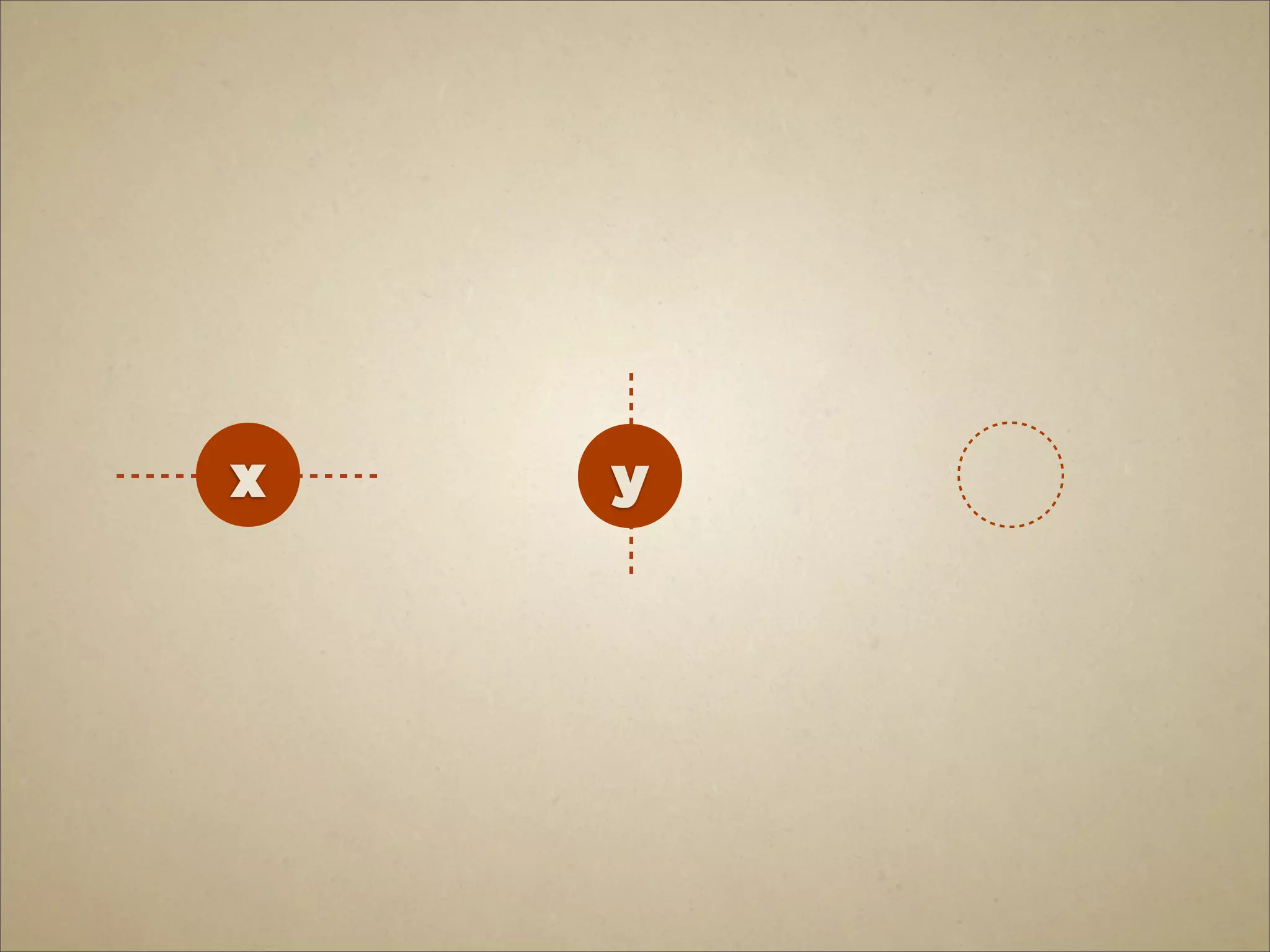
x
y
42.
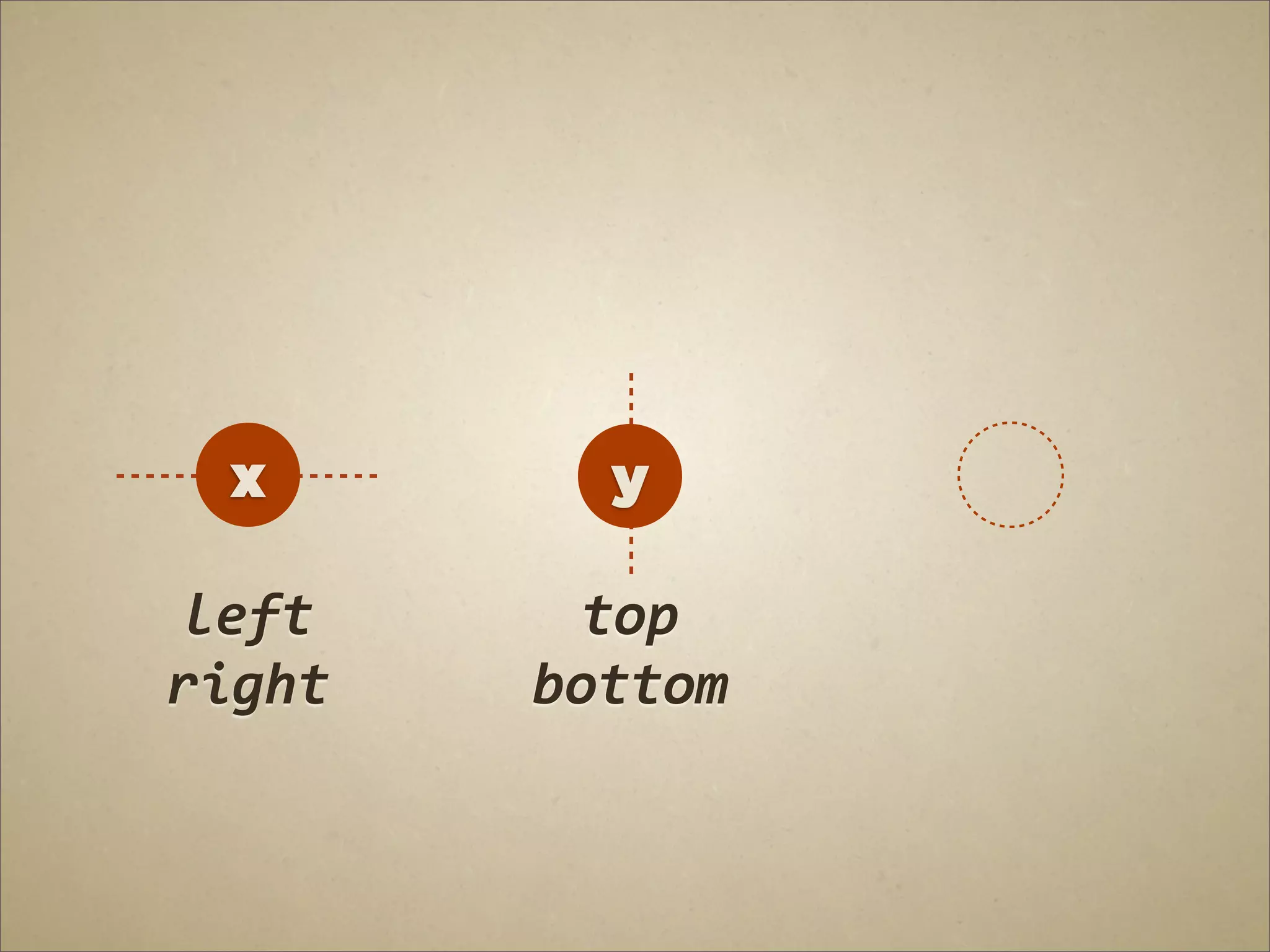
x
y left top right bottom
43.
x
y z left top z-‐index right bottom
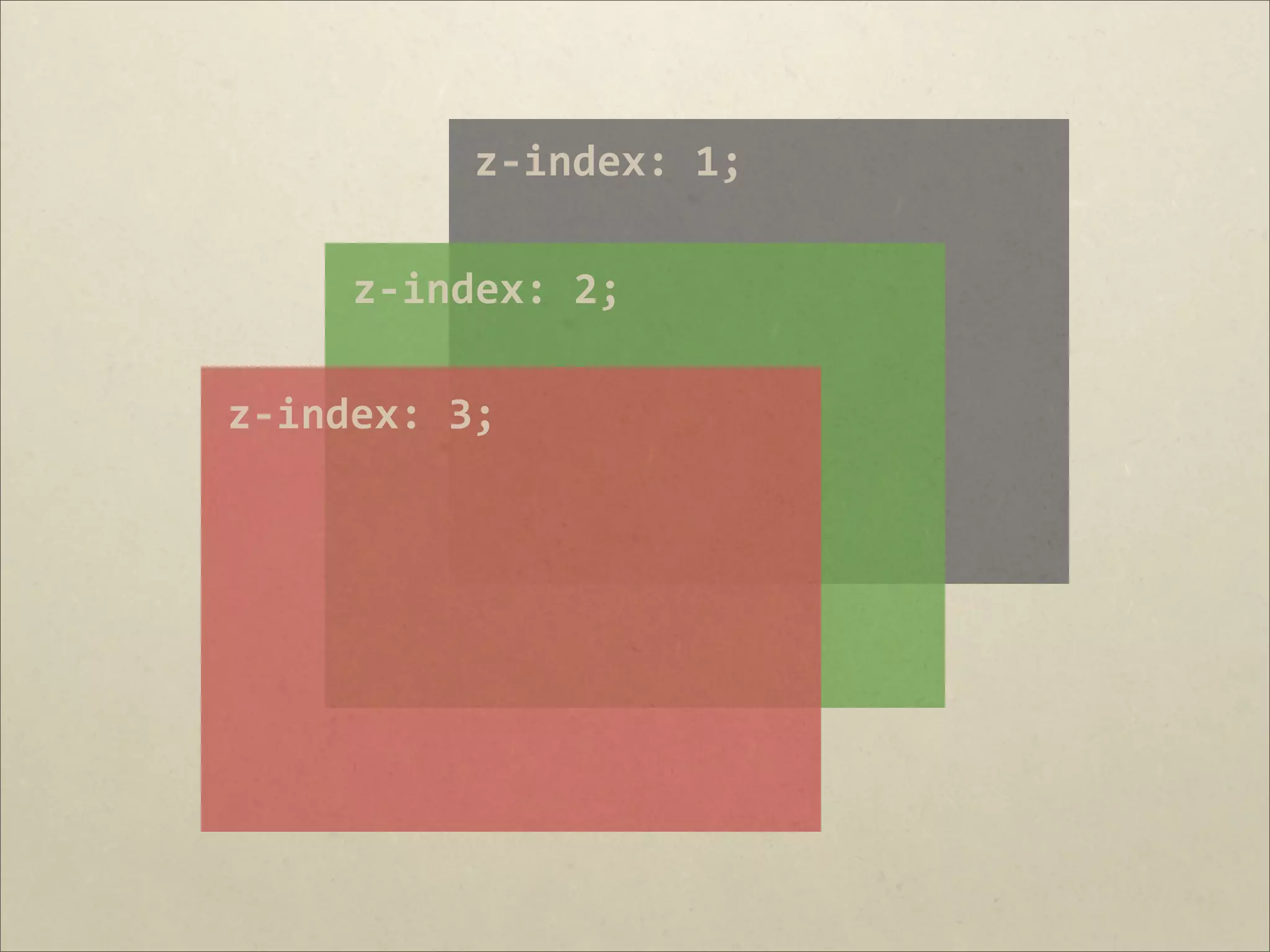
44.
z-‐index: 1;
z-‐index: 2; z-‐index: 3;
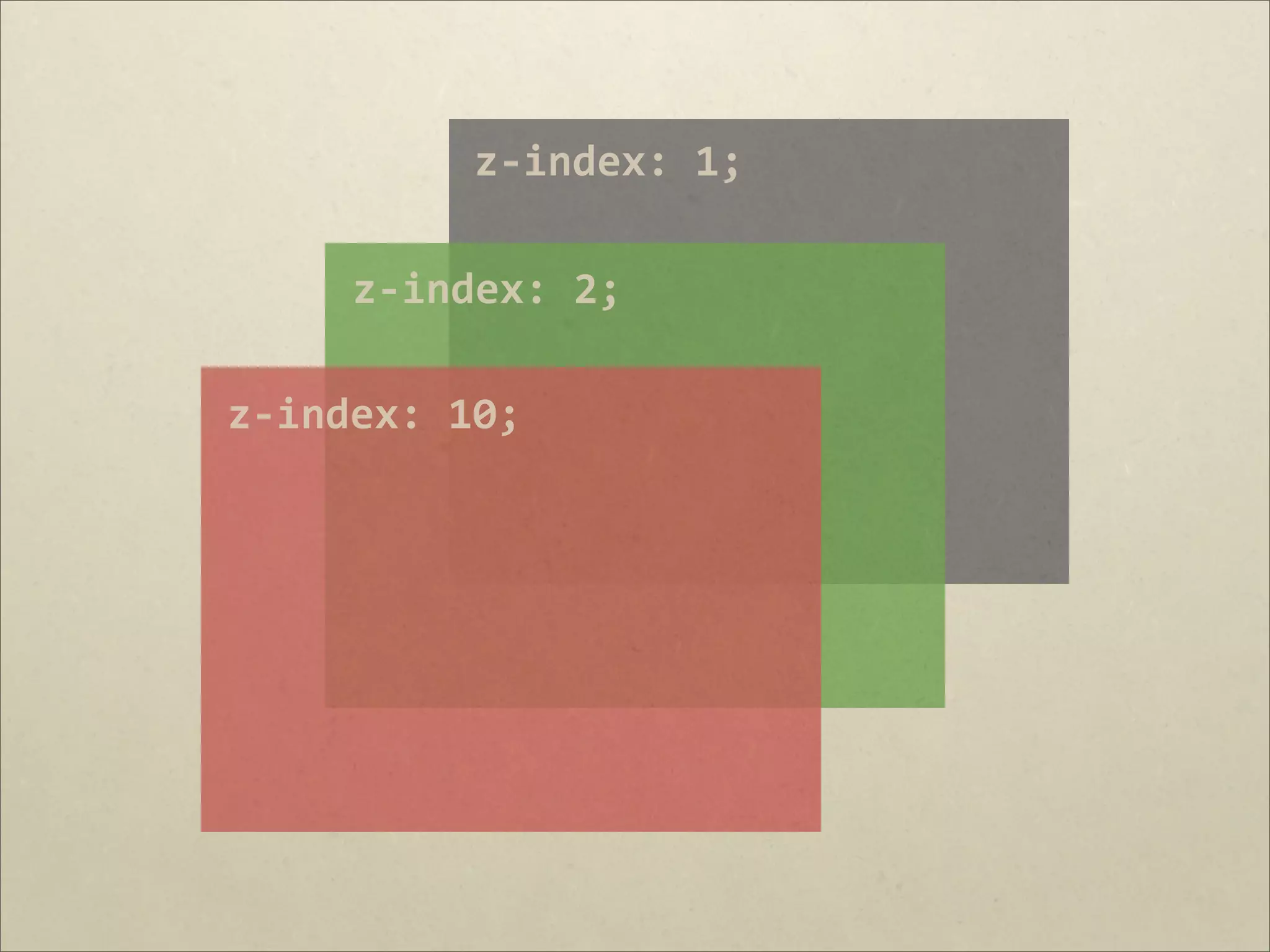
45.
z-‐index: 1;
z-‐index: 2; z-‐index: 10;
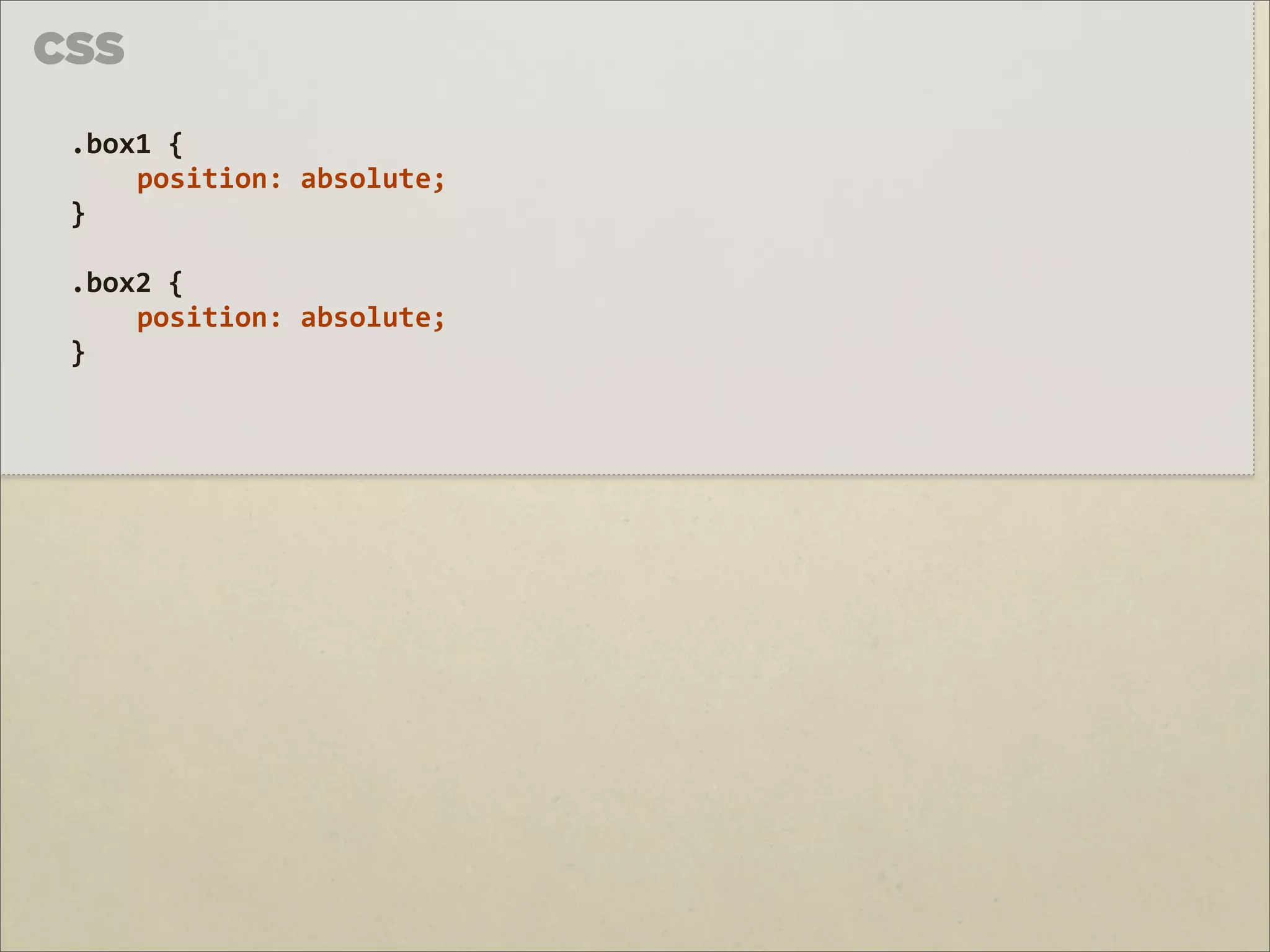
46.
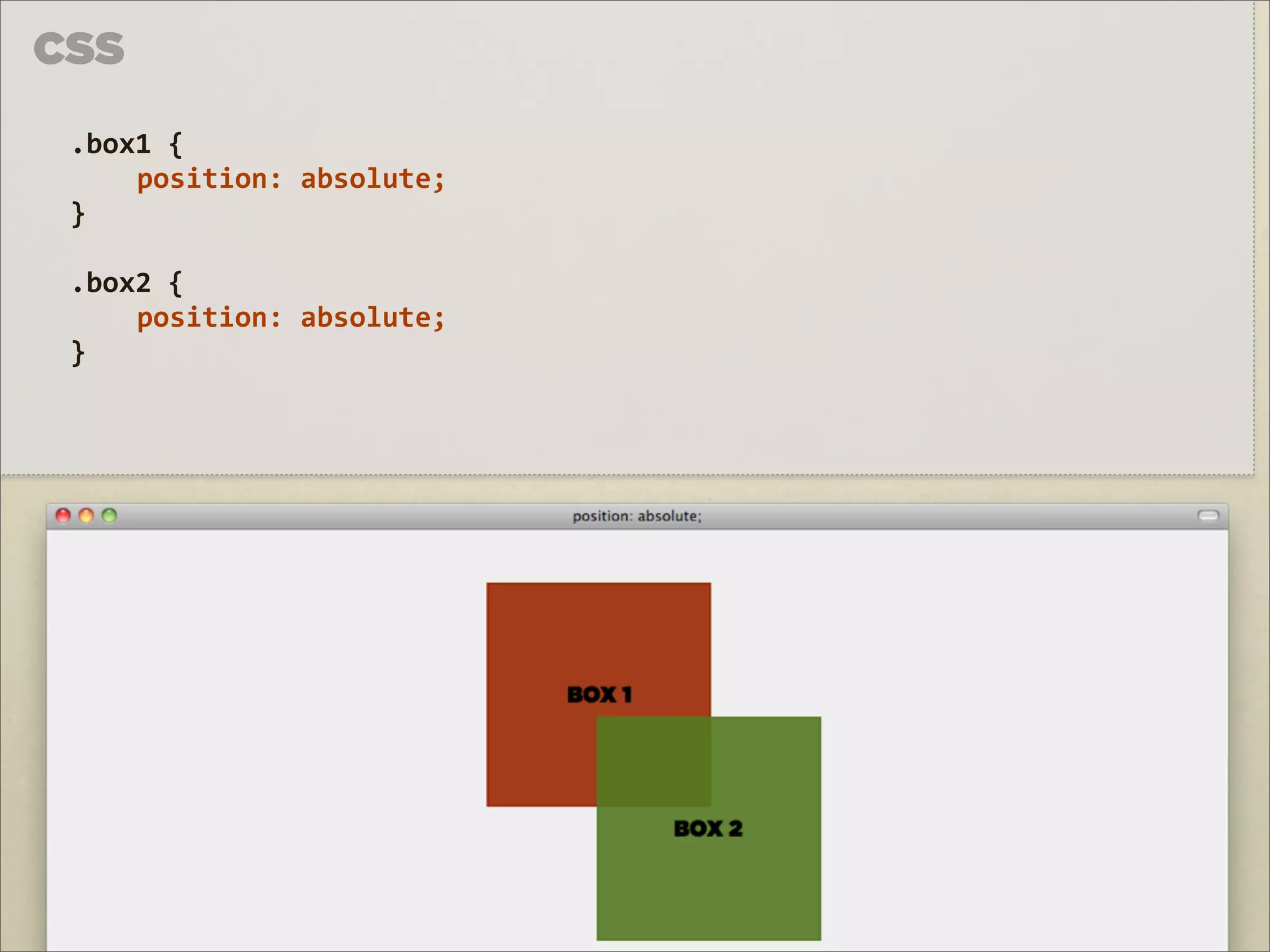
CSS .box1 {
position: absolute; } .box2 { position: absolute; }
47.
CSS .box1 {
position: absolute; } .box2 { position: absolute; }
48.
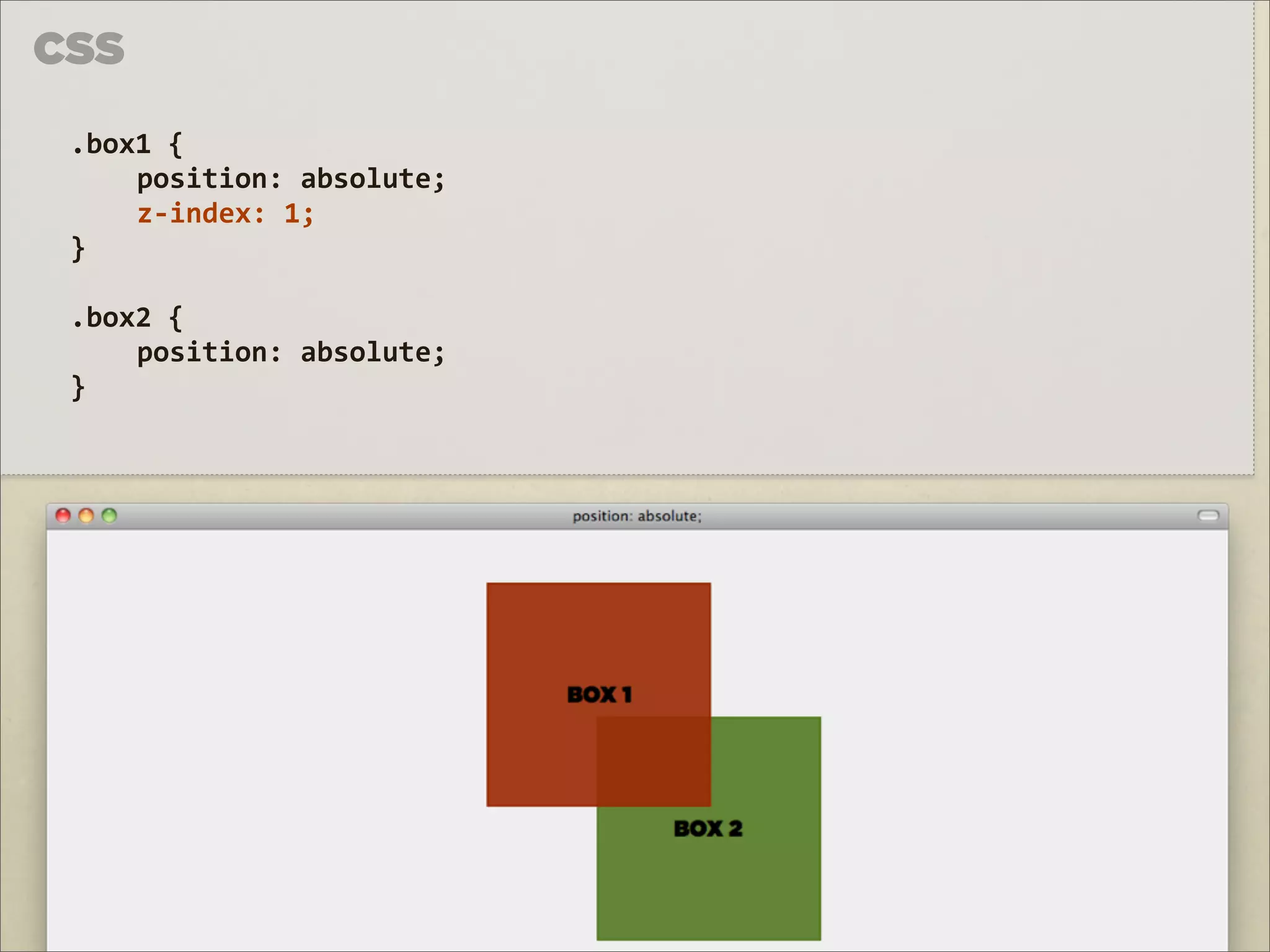
CSS .box1 {
position: absolute; z-‐index: 1; } .box2 { position: absolute; }
50.
FLOAT & CLEAR
51.
FLOAT
52.
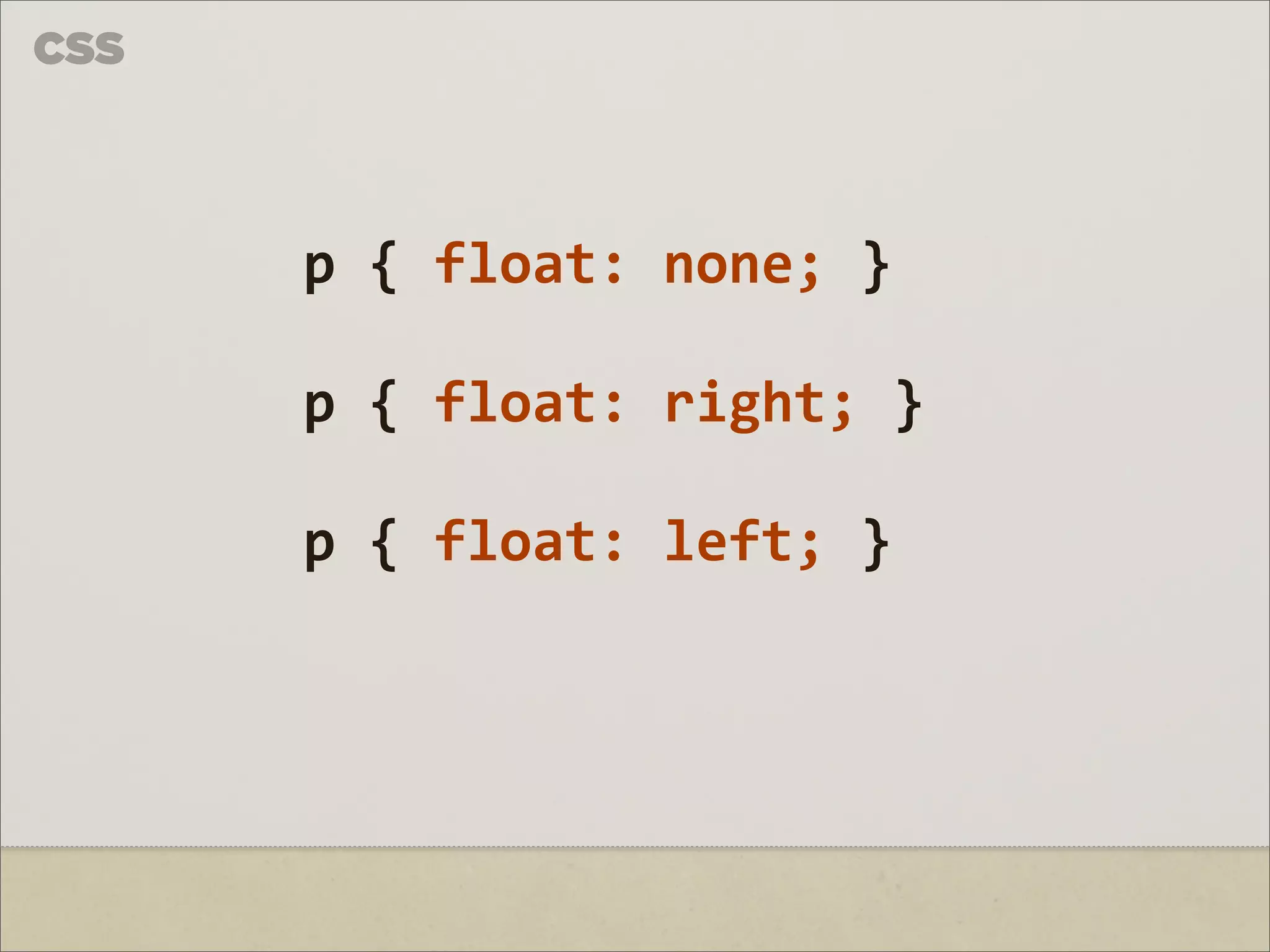
CSS
p { float: none; } p { float: right; } p { float: left; }
53.
!
À semelhança dos elementos posicionados absolutamente, também são removidos do flow.
54.
CSS span.a {
padding: 2px; background: yellow; }
55.
CSS span.a {
padding: 2px; background: yellow; float: left; }
56.
CSS span.a {
padding: 2px; background: yellow; float: left; } span.b { padding: 2px; background: grey; float: left; }
57.
CSS span.a {
padding: 2px; background: yellow; float: left; height: 200px; } span.b { padding: 2px; background: grey; float: left; }
58.
!
Flutuar um elemento torna-a num elemento block-level.
59.
CSS span.a {
span.c { padding: 2px; padding: 2px; background: yellow; background: #ccc; float: left; float: left; height: 200px; width: 34%; width: 34%; } } span.b { padding: 2px; background: grey; float: left; width: 34%; }
60.
CSS span.a {
padding: 2px; background: yellow; float: left; padding: 10px; margin: 0 10px 10px 0; }
61.
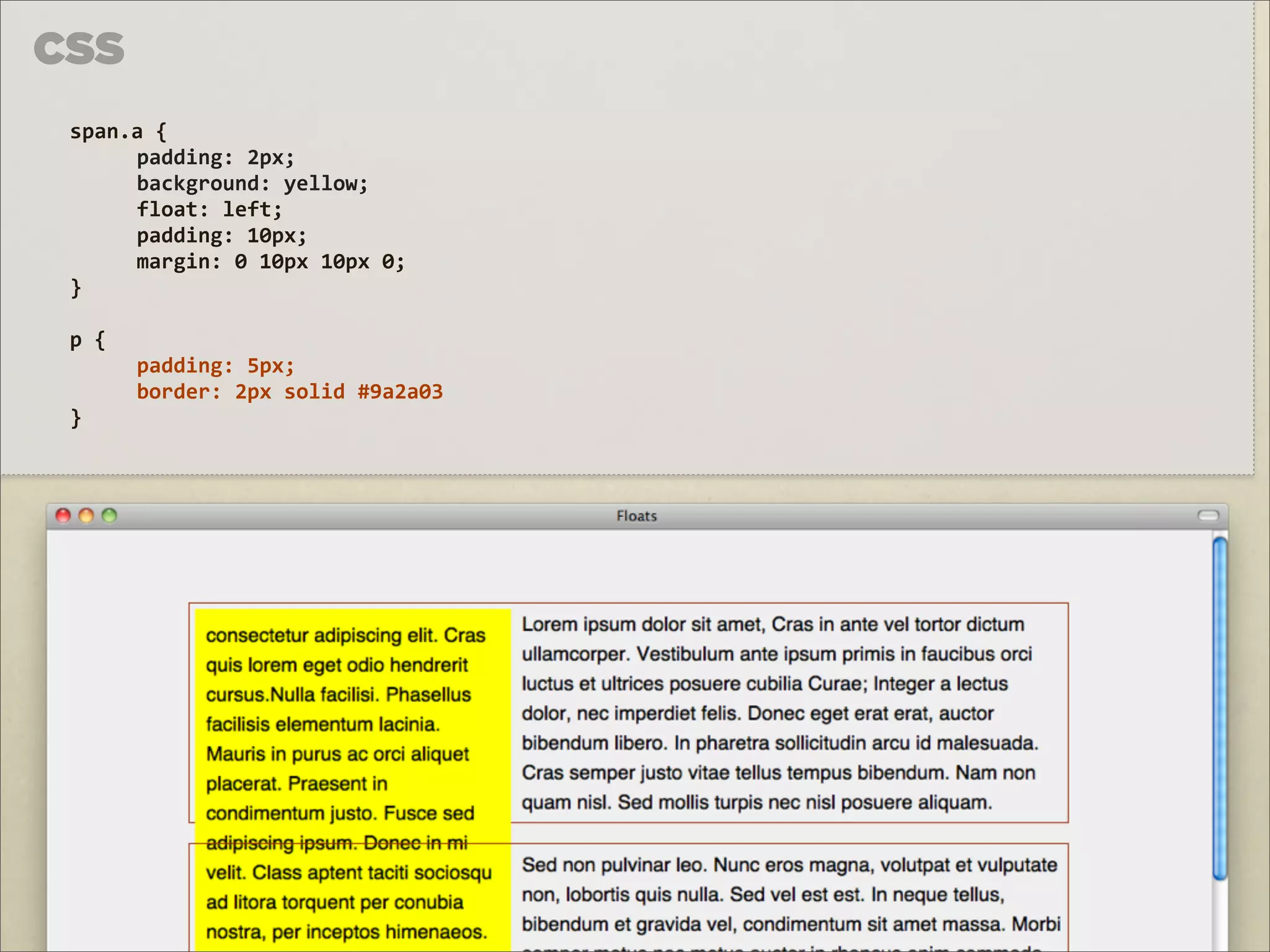
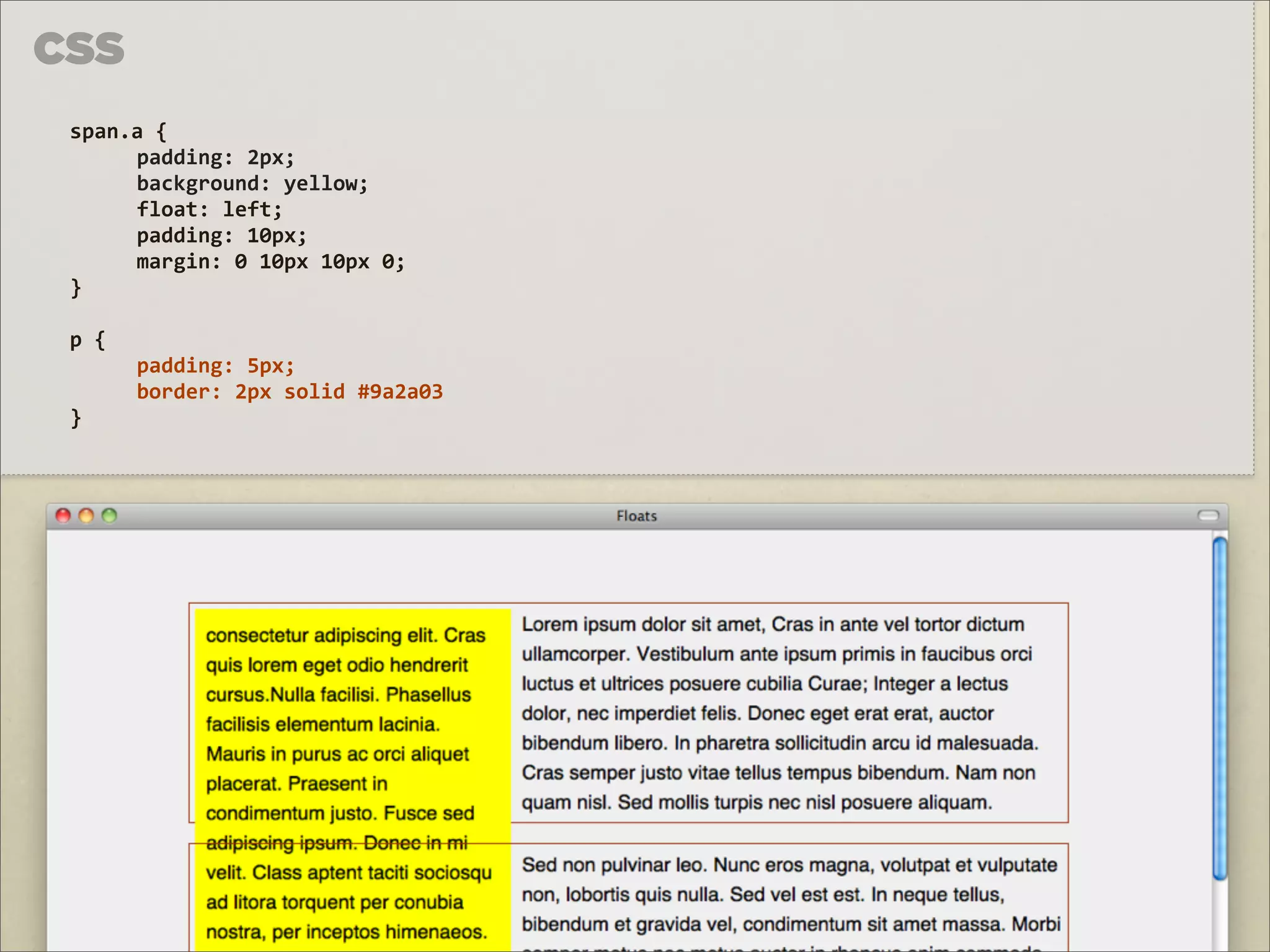
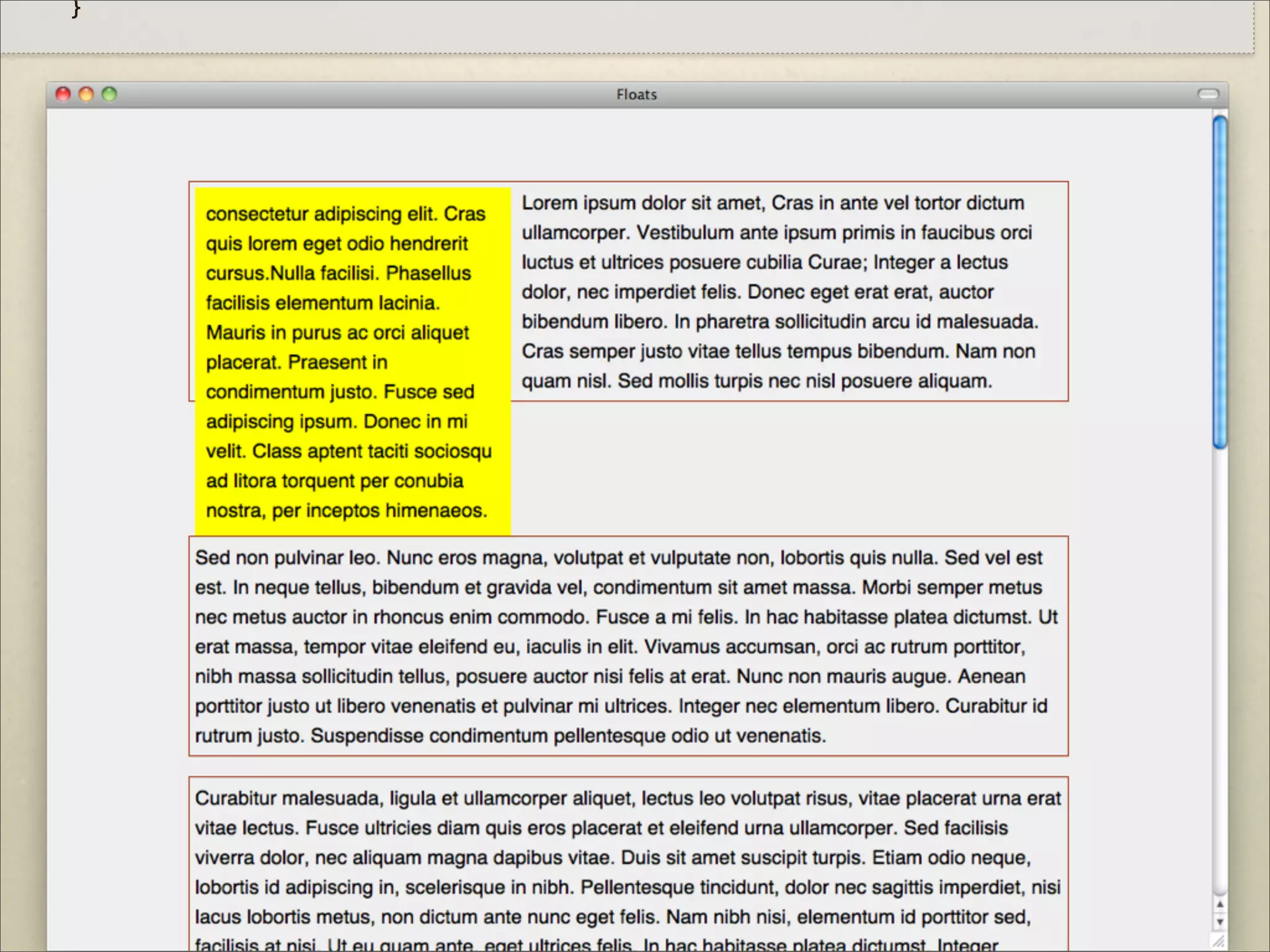
CSS span.a {
padding: 2px; background: yellow; float: left; padding: 10px; margin: 0 10px 10px 0; } p { padding: 5px; border: 2px solid #9a2a03 }
62.
}
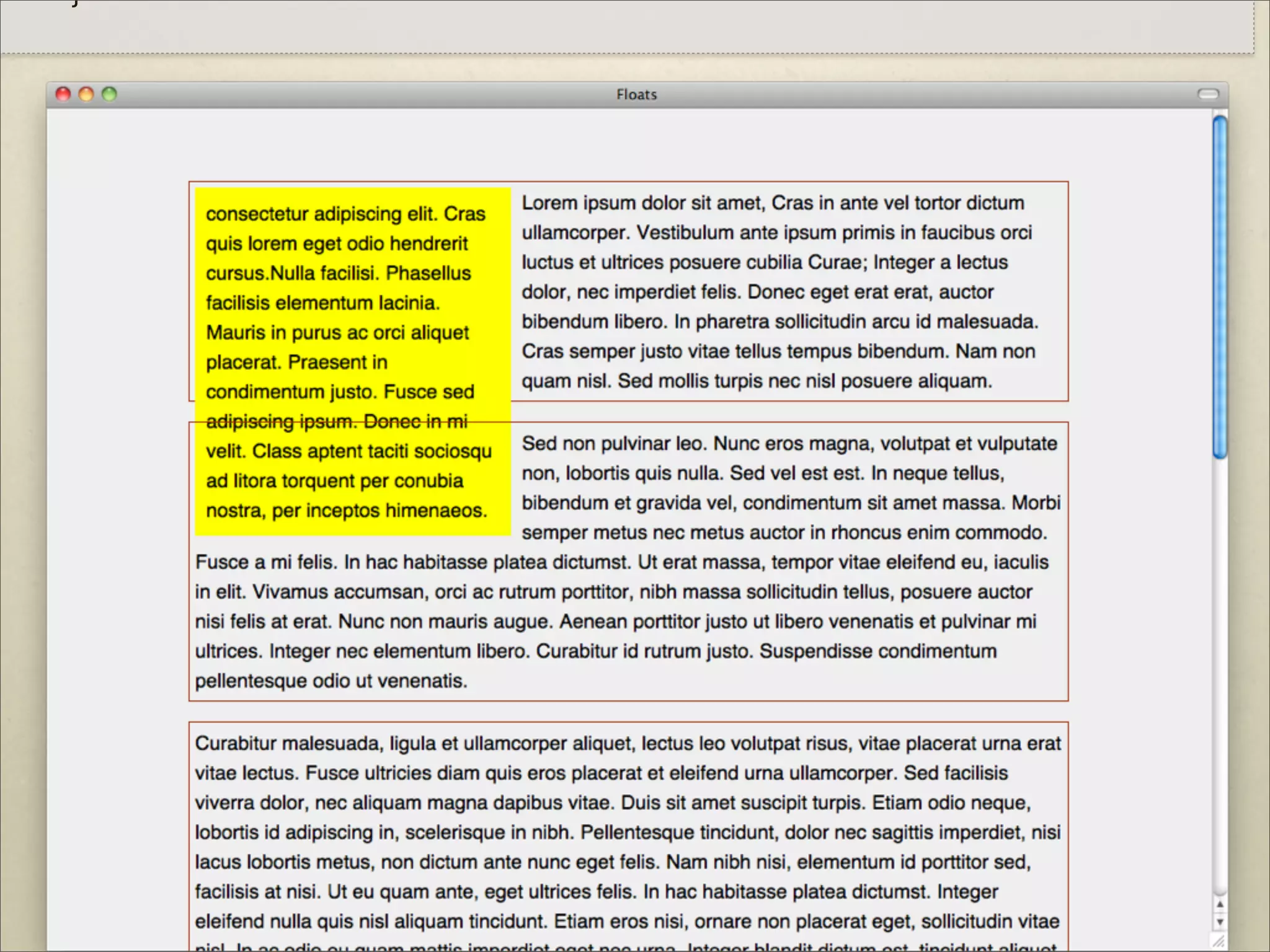
63.
CSS span.a {
padding: 2px; background: yellow; float: left; padding: 10px; margin: 0 10px 10px 0; } p { padding: 5px; border: 2px solid #9a2a03 }
64.
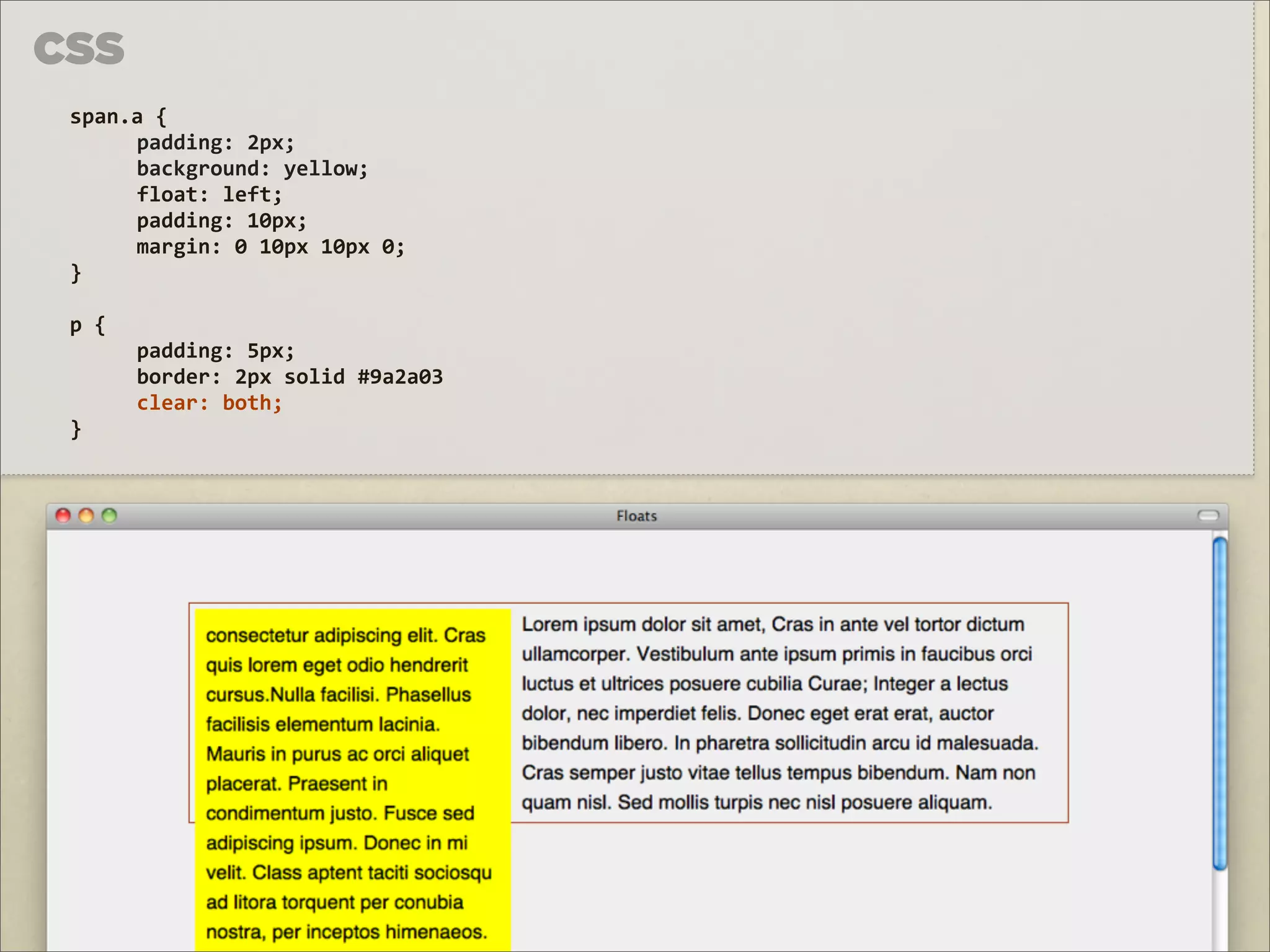
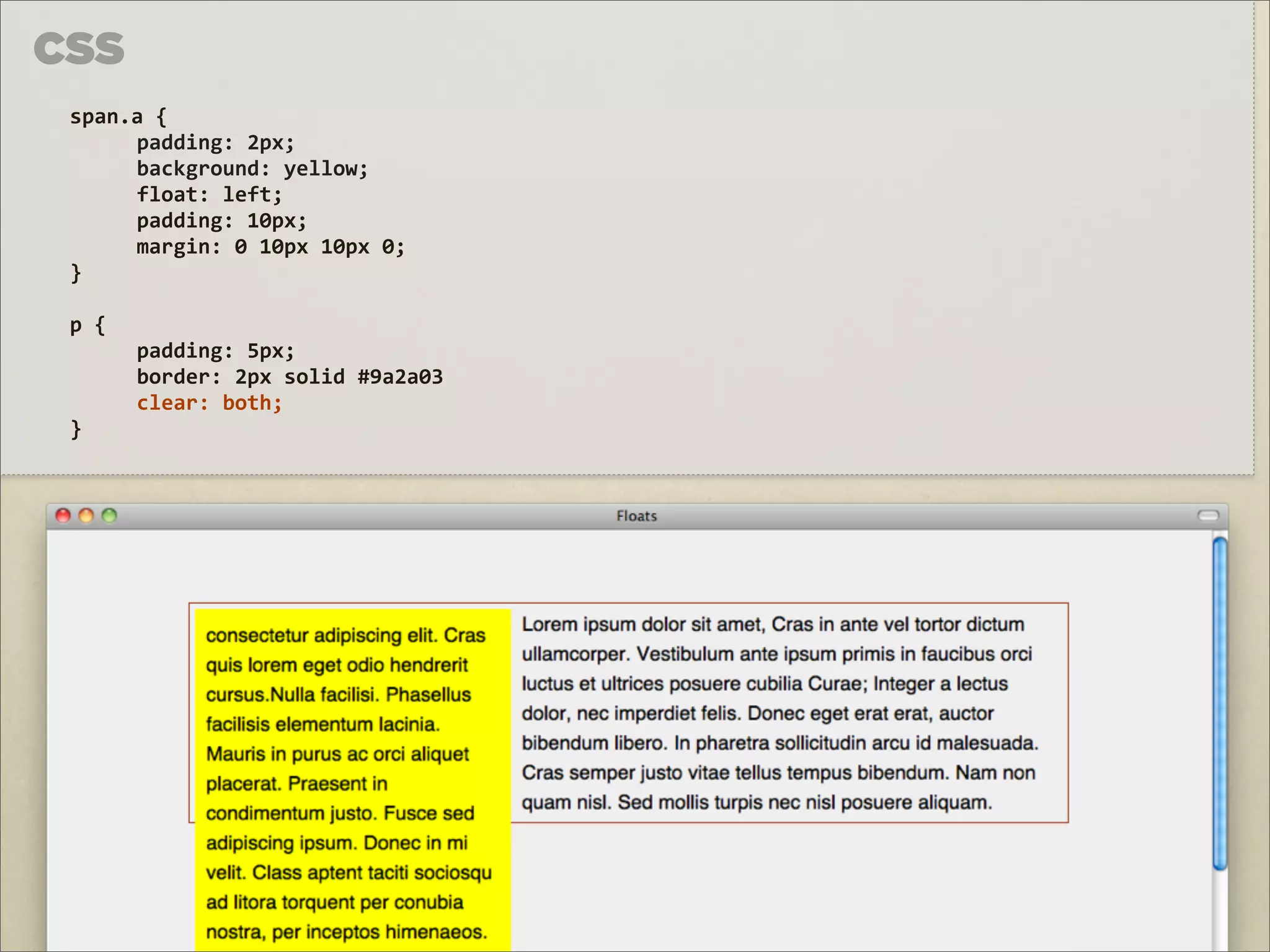
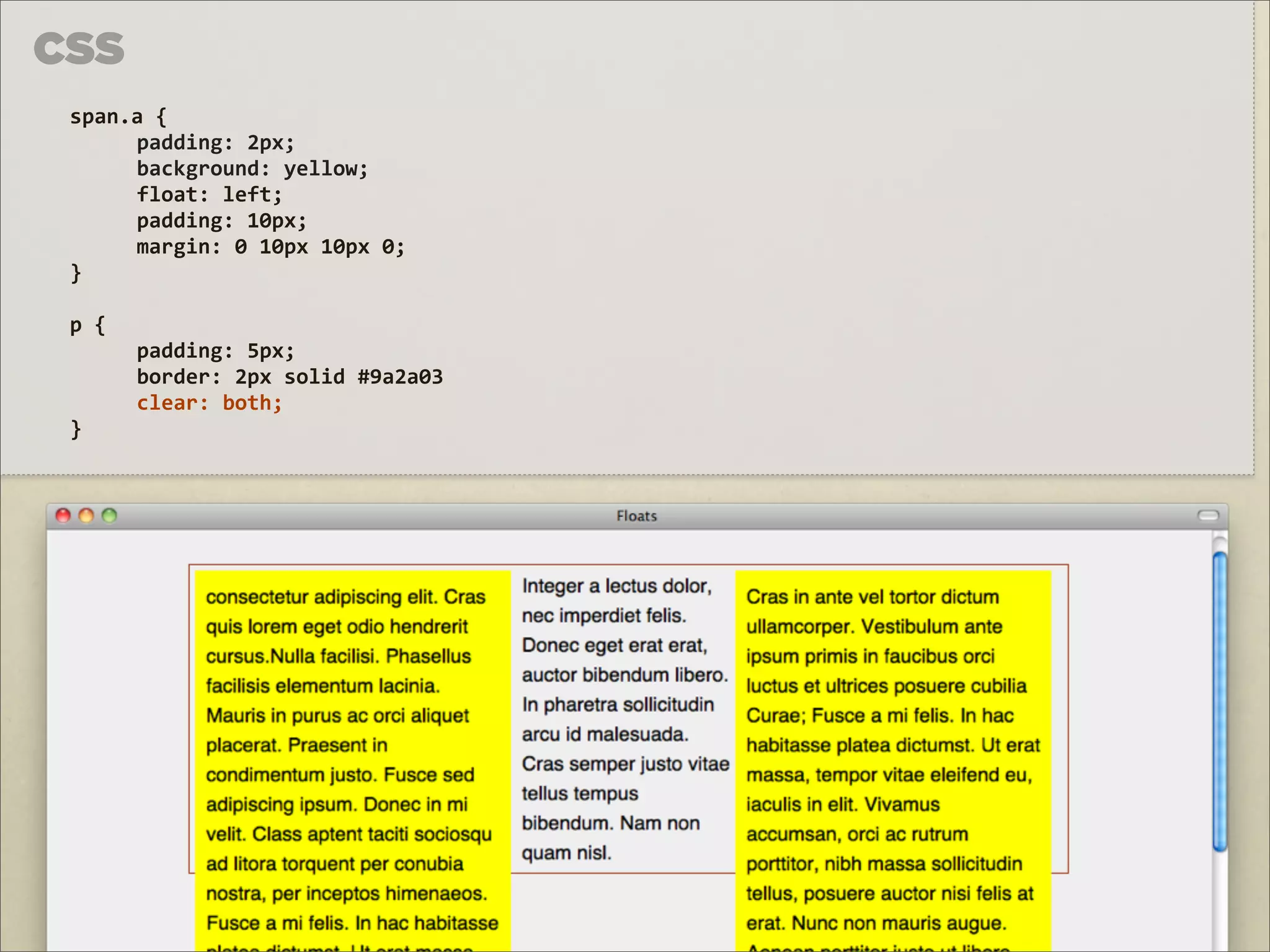
CLEAR
65.
CSS span.a {
padding: 2px; background: yellow; float: left; padding: 10px; margin: 0 10px 10px 0; } p { padding: 5px; border: 2px solid #9a2a03 clear: both; }
66.
}
67.
CSS span.a {
padding: 2px; background: yellow; float: left; padding: 10px; margin: 0 10px 10px 0; } p { padding: 5px; border: 2px solid #9a2a03 clear: both; }
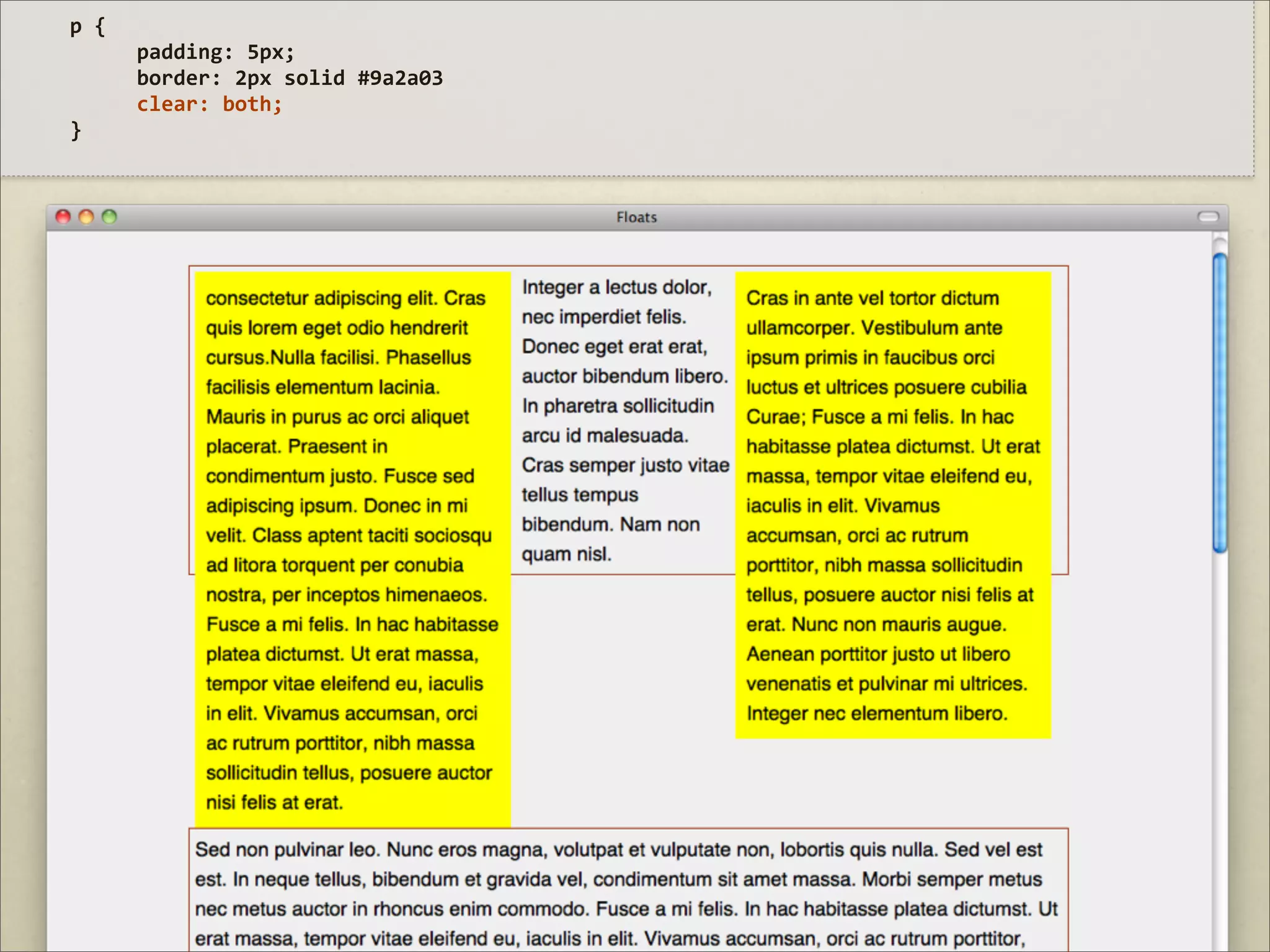
68.
CSS span.a {
padding: 2px; background: yellow; float: left; padding: 10px; margin: 0 10px 10px 0; } p { padding: 5px; border: 2px solid #9a2a03 clear: both; }
69.
p {
padding: 5px; border: 2px solid #9a2a03 clear: both; }
70.
p {
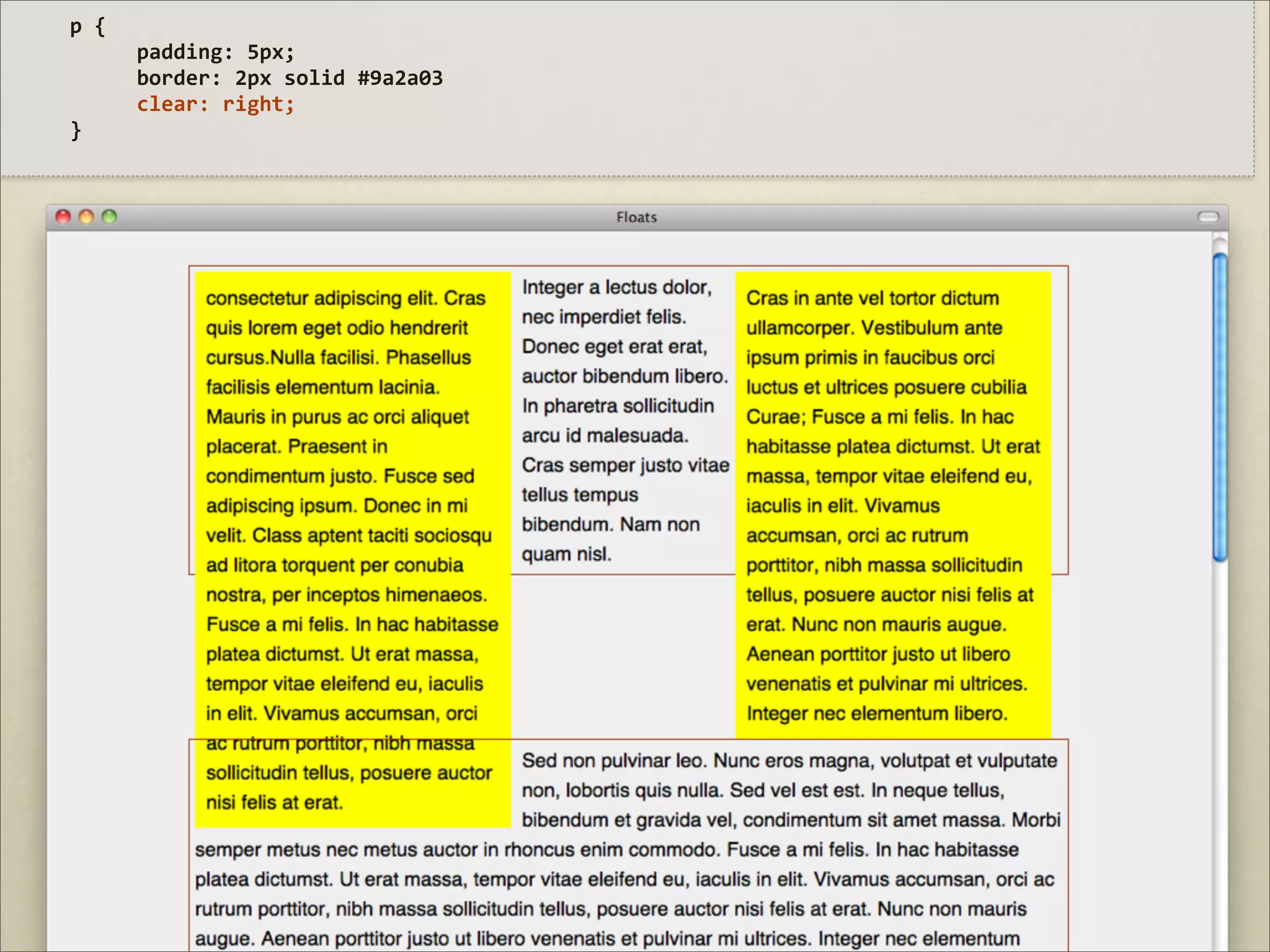
padding: 5px; border: 2px solid #9a2a03 clear: right; }
71.
CSS span.a {
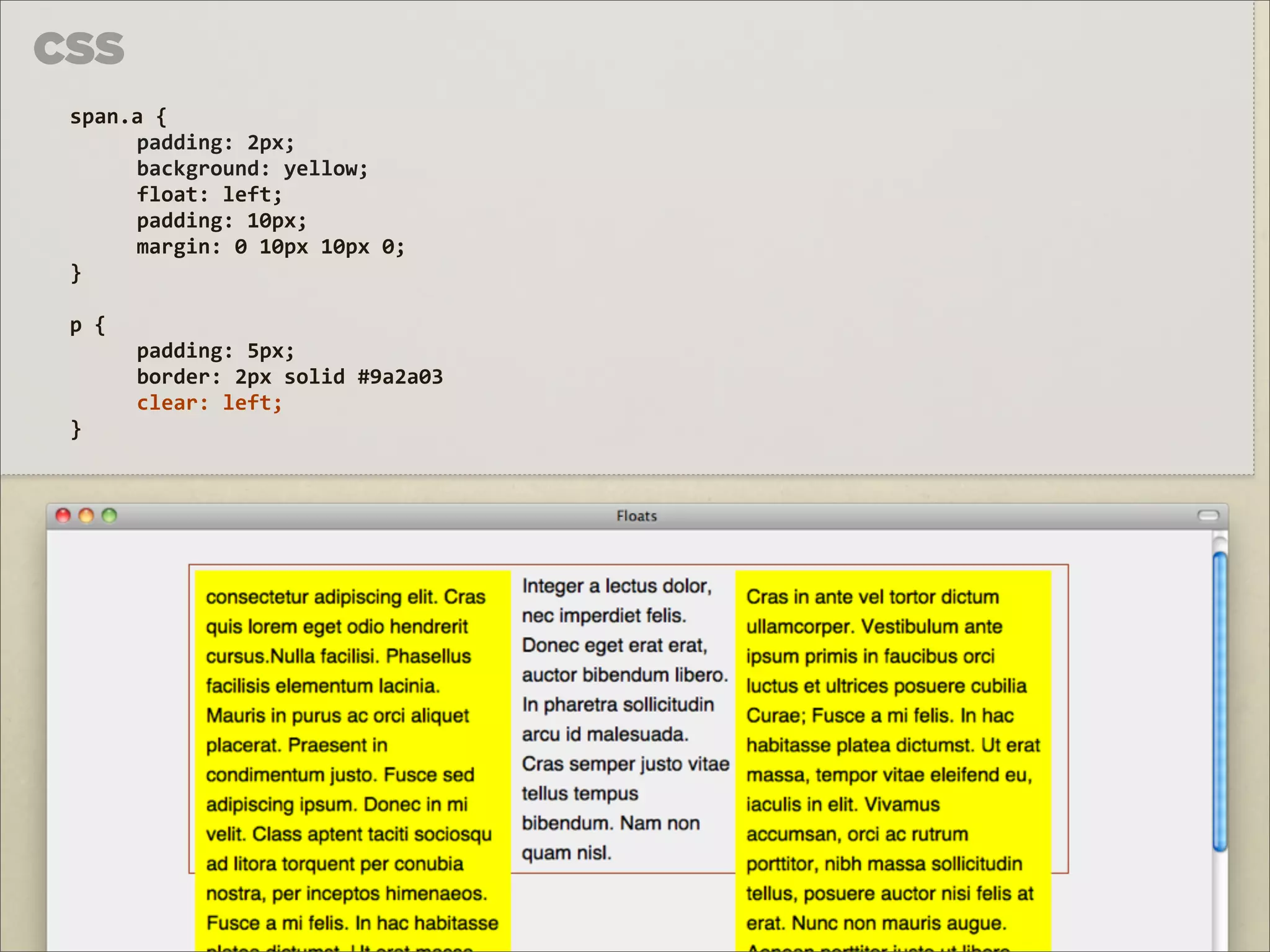
padding: 2px; background: yellow; float: left; padding: 10px; margin: 0 10px 10px 0; } p { padding: 5px; border: 2px solid #9a2a03 clear: left; }
72.
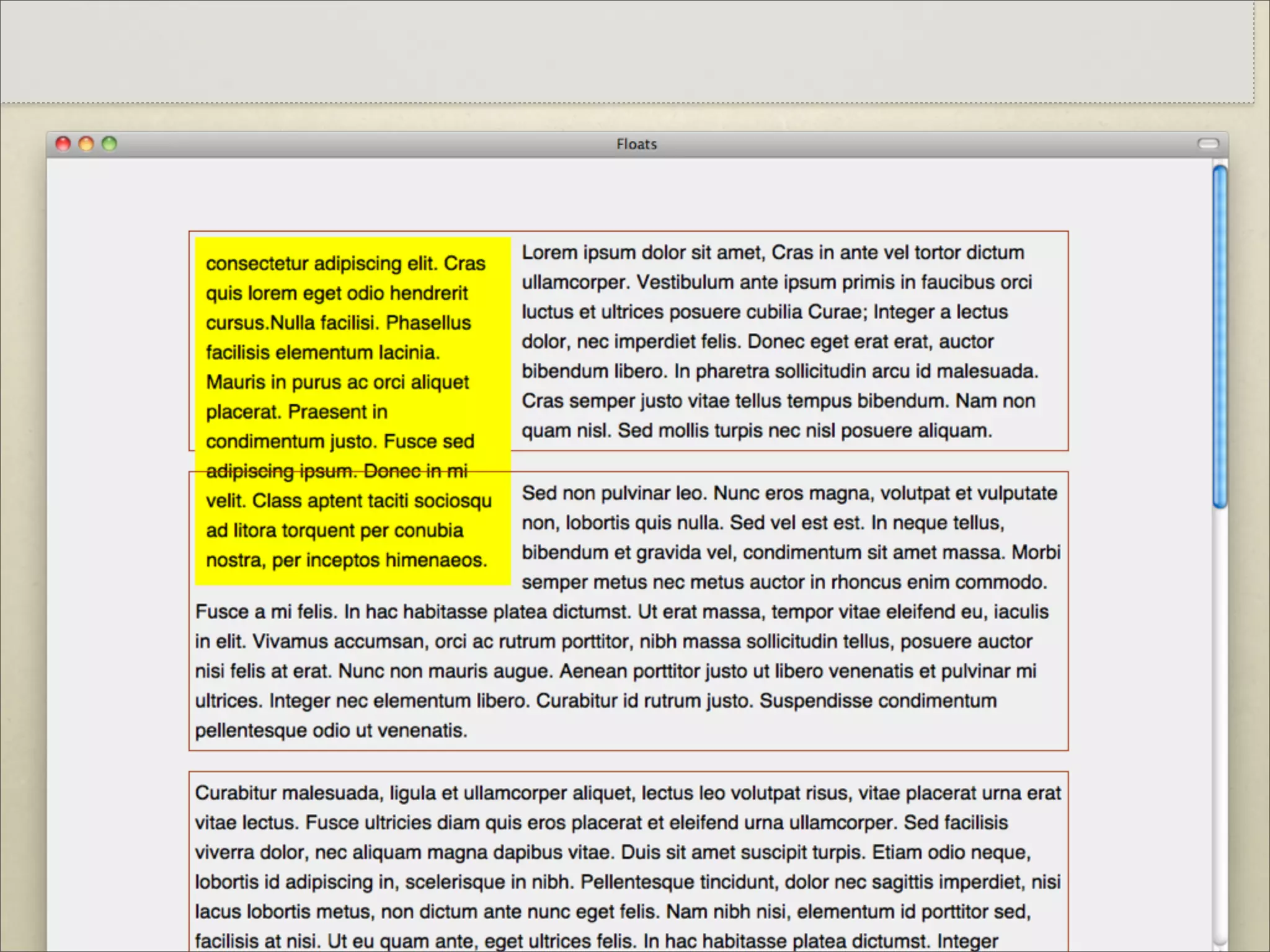
CONTER UM FLOAT
75.
HTML ...
<div style="clear: both"></div> </div>
76.
HTML ...
<div style="clear: both"></div> </div>
77.
CSS p {
overflow: auto; }
78.
HTML
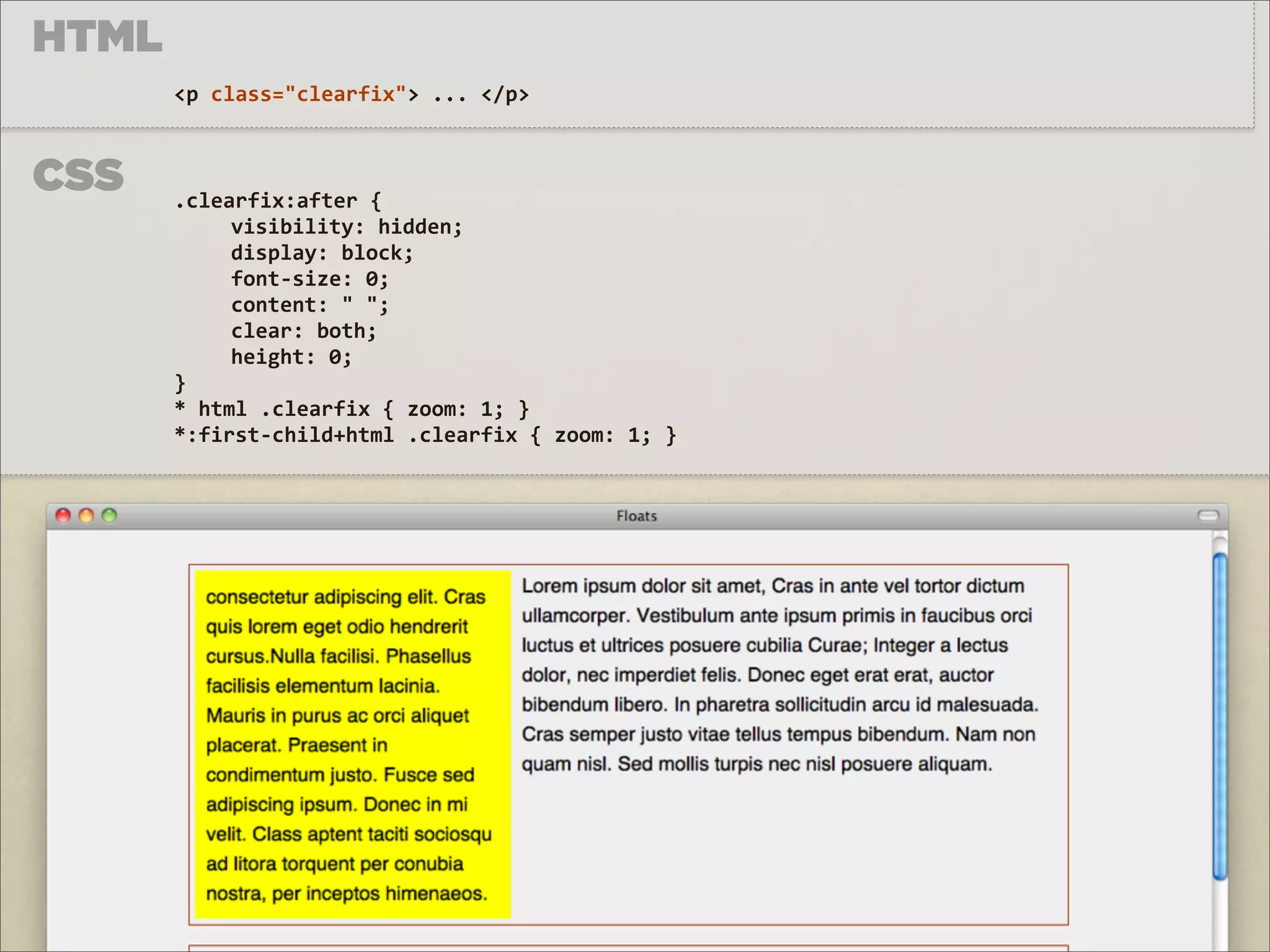
<p class="clearfix"> ... </p> CSS .clearfix:after { visibility: hidden; display: block; font-‐size: 0; content: " "; clear: both; height: 0; } * html .clearfix { zoom: 1; } *:first-‐child+html .clearfix { zoom: 1; }
79.
http://bit.ly/html_clearfix
Download