How to Troubleshoot Common Antivirus
Installation Issues?
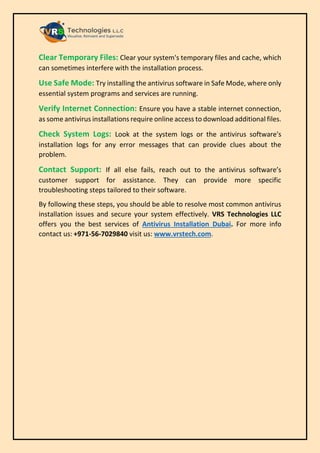
Encountering problems during antivirus installation can be frustrating. Installing
antivirus software is crucial for safeguarding your computer, but sometimes you
might run into hitches.
Here's a step-by-step guide to help you troubleshoot common issues:
Check System Requirements: Ensure your system meets the antivirus
software's minimum requirements. This includes checking the operating system
version, available disk space, and RAM.
Remove Conflicting Software: Uninstall any existing antivirus or security
software that may conflict with the new installation. Use the dedicated removal
tool provided by the previous antivirus vendor if necessary.
Disable Temporary Blockers: Temporarily disable firewalls, other security
software, or Windows Defender, which might be blocking the installation.
Run as Administrator: Right-click the antivirus installer file and select "Run
as administrator" to ensure it has the necessary permissions to install.
Update Operating System: Make sure your operating system is up to date with
the latest patches and updates, as these can resolve compatibility issues.
Check for Corrupted Installer: If the installation file is corrupted, re-
download the antivirus software from the official website.
Clear Temporary Files: Clear your system's temporary files and cache, which
can sometimes interfere with the installation process.
Use Safe Mode: Try installing the antivirus software in Safe Mode, where only
essential system programs and services are running.
Verify Internet Connection: Ensure you have a stable internet connection,
as some antivirus installations require online access to download additional files.
Check System Logs: Look at the system logs or the antivirus software's
installation logs for any error messages that can provide clues about the
problem.
Contact Support: If all else fails, reach out to the antivirus software’s
customer support for assistance. They can provide more specific
troubleshooting steps tailored to their software.
By following these steps, you should be able to resolve most common antivirus
installation issues and secure your system effectively. VRS Technologies LLC
offers you the best services of Antivirus Installation Dubai. For more info
contact us: +971-56-7029840 visit us: www.vrstech.com.

How to Troubleshoot Common Antivirus Installation Issues?

  • 1.
    How to TroubleshootCommon Antivirus Installation Issues? Encountering problems during antivirus installation can be frustrating. Installing antivirus software is crucial for safeguarding your computer, but sometimes you might run into hitches. Here's a step-by-step guide to help you troubleshoot common issues: Check System Requirements: Ensure your system meets the antivirus software's minimum requirements. This includes checking the operating system version, available disk space, and RAM. Remove Conflicting Software: Uninstall any existing antivirus or security software that may conflict with the new installation. Use the dedicated removal tool provided by the previous antivirus vendor if necessary. Disable Temporary Blockers: Temporarily disable firewalls, other security software, or Windows Defender, which might be blocking the installation. Run as Administrator: Right-click the antivirus installer file and select "Run as administrator" to ensure it has the necessary permissions to install. Update Operating System: Make sure your operating system is up to date with the latest patches and updates, as these can resolve compatibility issues. Check for Corrupted Installer: If the installation file is corrupted, re- download the antivirus software from the official website.
  • 2.
    Clear Temporary Files:Clear your system's temporary files and cache, which can sometimes interfere with the installation process. Use Safe Mode: Try installing the antivirus software in Safe Mode, where only essential system programs and services are running. Verify Internet Connection: Ensure you have a stable internet connection, as some antivirus installations require online access to download additional files. Check System Logs: Look at the system logs or the antivirus software's installation logs for any error messages that can provide clues about the problem. Contact Support: If all else fails, reach out to the antivirus software’s customer support for assistance. They can provide more specific troubleshooting steps tailored to their software. By following these steps, you should be able to resolve most common antivirus installation issues and secure your system effectively. VRS Technologies LLC offers you the best services of Antivirus Installation Dubai. For more info contact us: +971-56-7029840 visit us: www.vrstech.com.