Download to read offline


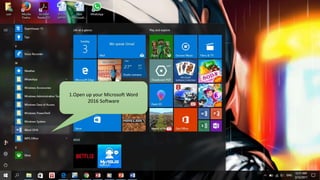
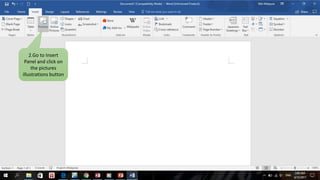
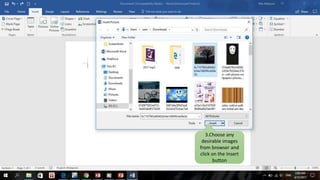
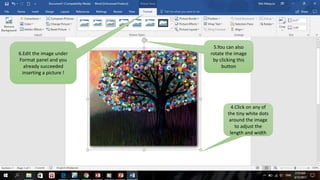
This document provides instructions for inserting a picture into Microsoft Word 2016. It outlines opening Word 2016, going to the Insert panel and clicking Pictures to browse for an image file. Once an image is selected, it can be inserted into the document and then formatted by adjusting its size, rotation, or other properties using the Format panel tools.


