How to  Edit  or  Withdraw   a recommendation  on  Linked-In Dave J. Taylor 2010
Ever wanted to  change  or  delete  a recommendation you made on LinkedIn ? This brief guide explains  how to do just that.
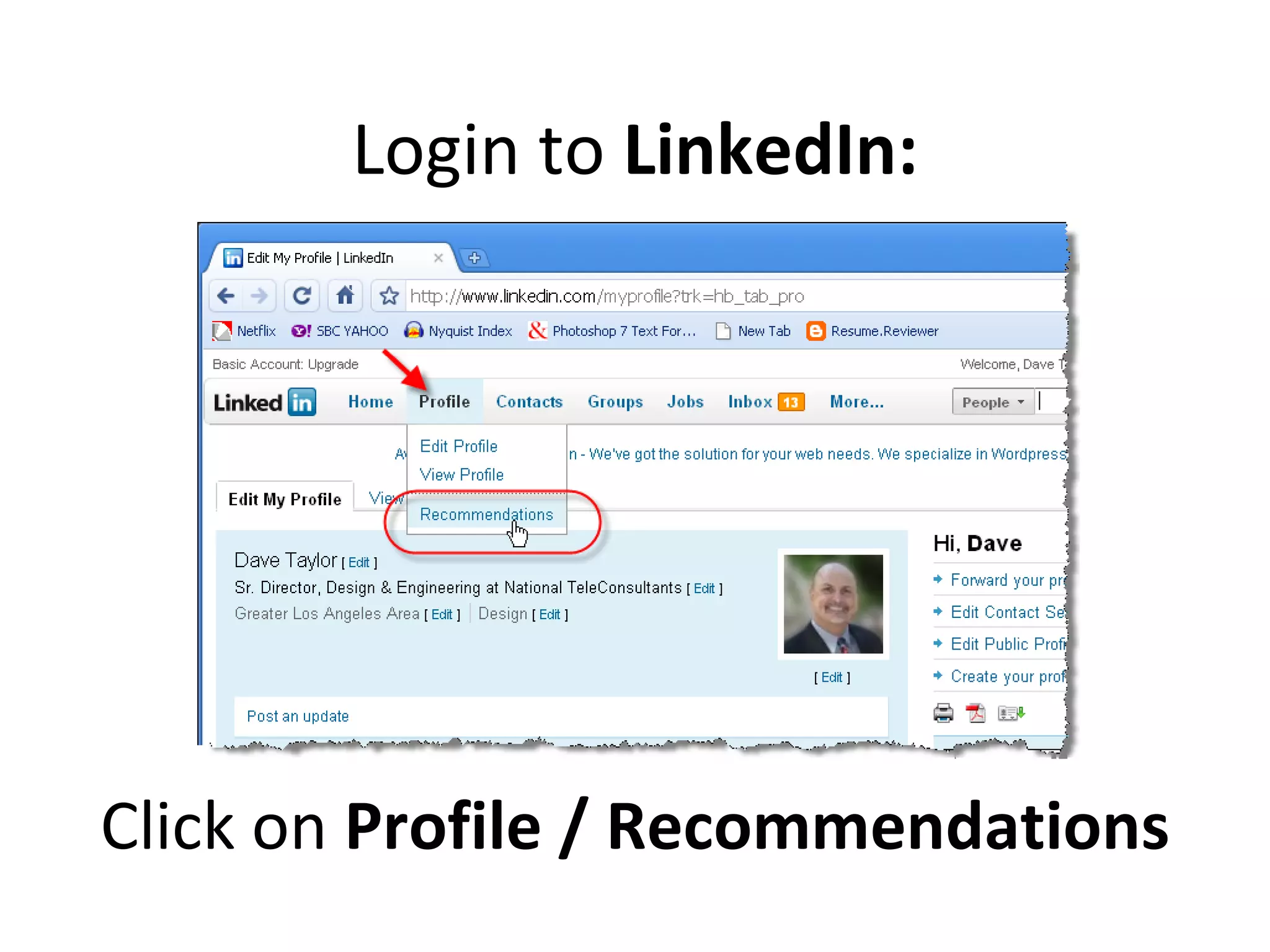
Login to  LinkedIn: Click on  Profile / Recommendations
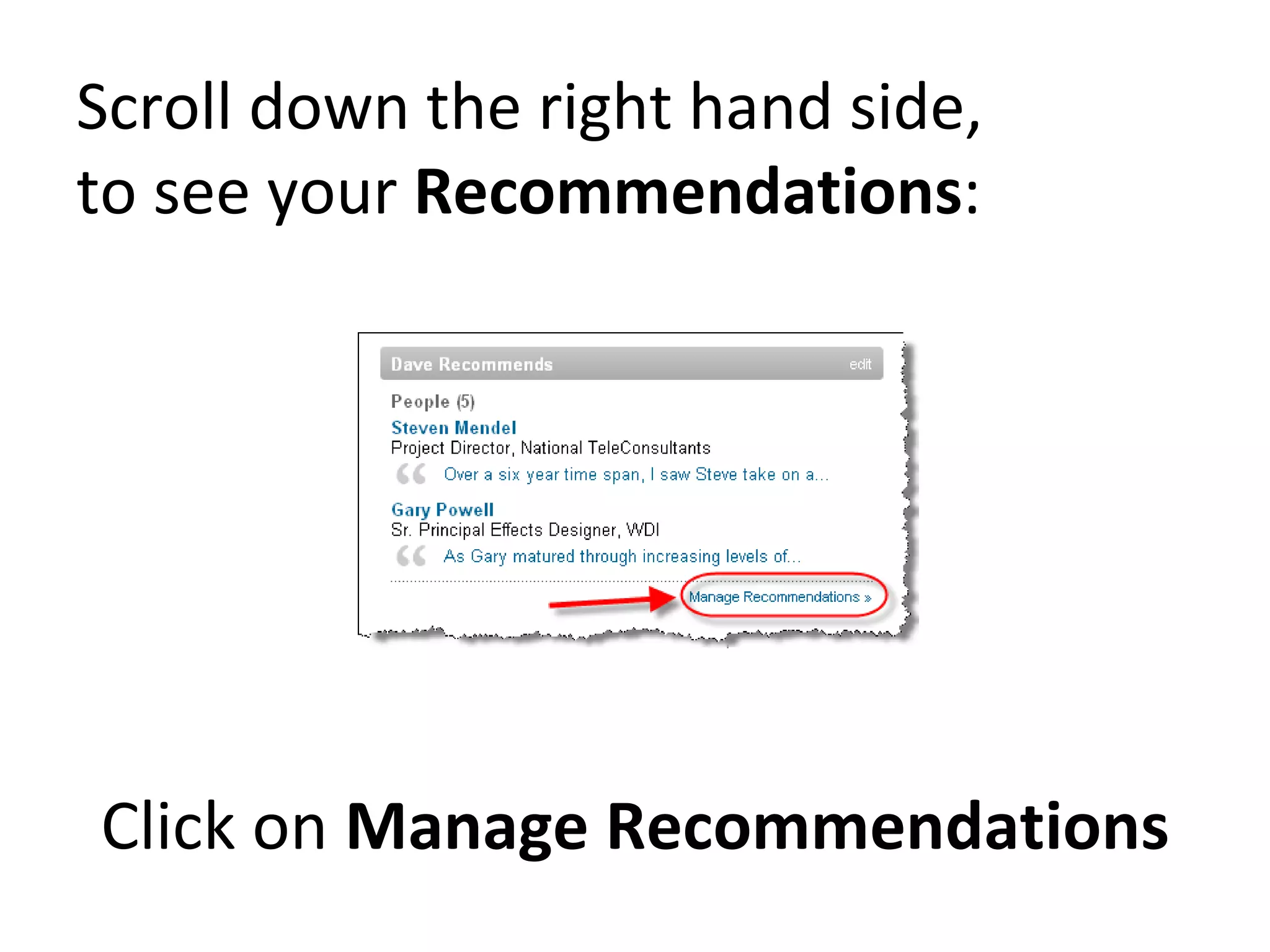
Scroll down the right hand side,  to see your  Recommendations : Click on  Manage Recommendations
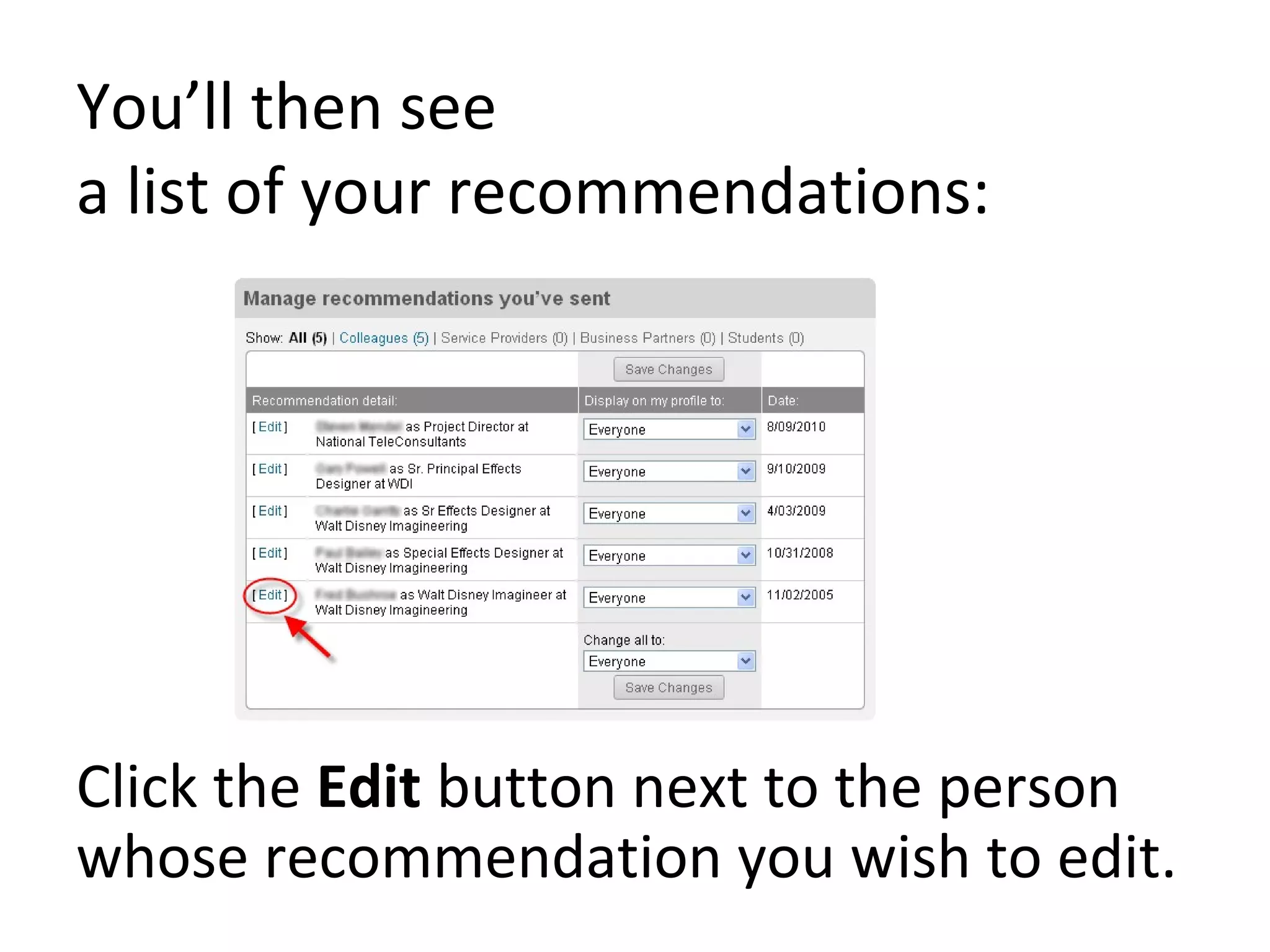
You’ll then see  a list of your recommendations: Click the  Edit  button next to the person whose recommendation you wish to edit.
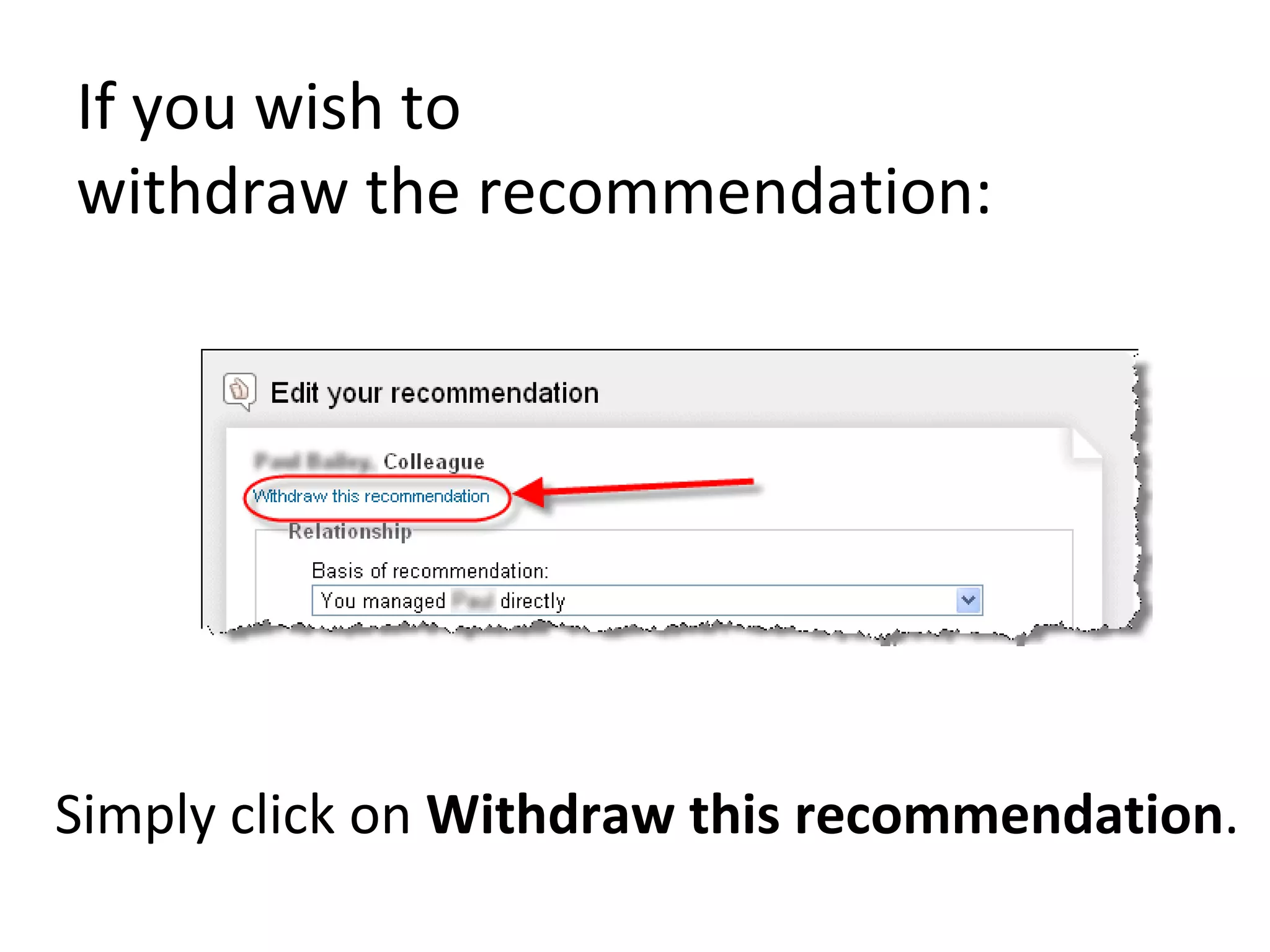
If you wish to  withdraw the recommendation: Simply click on  Withdraw this recommendation .
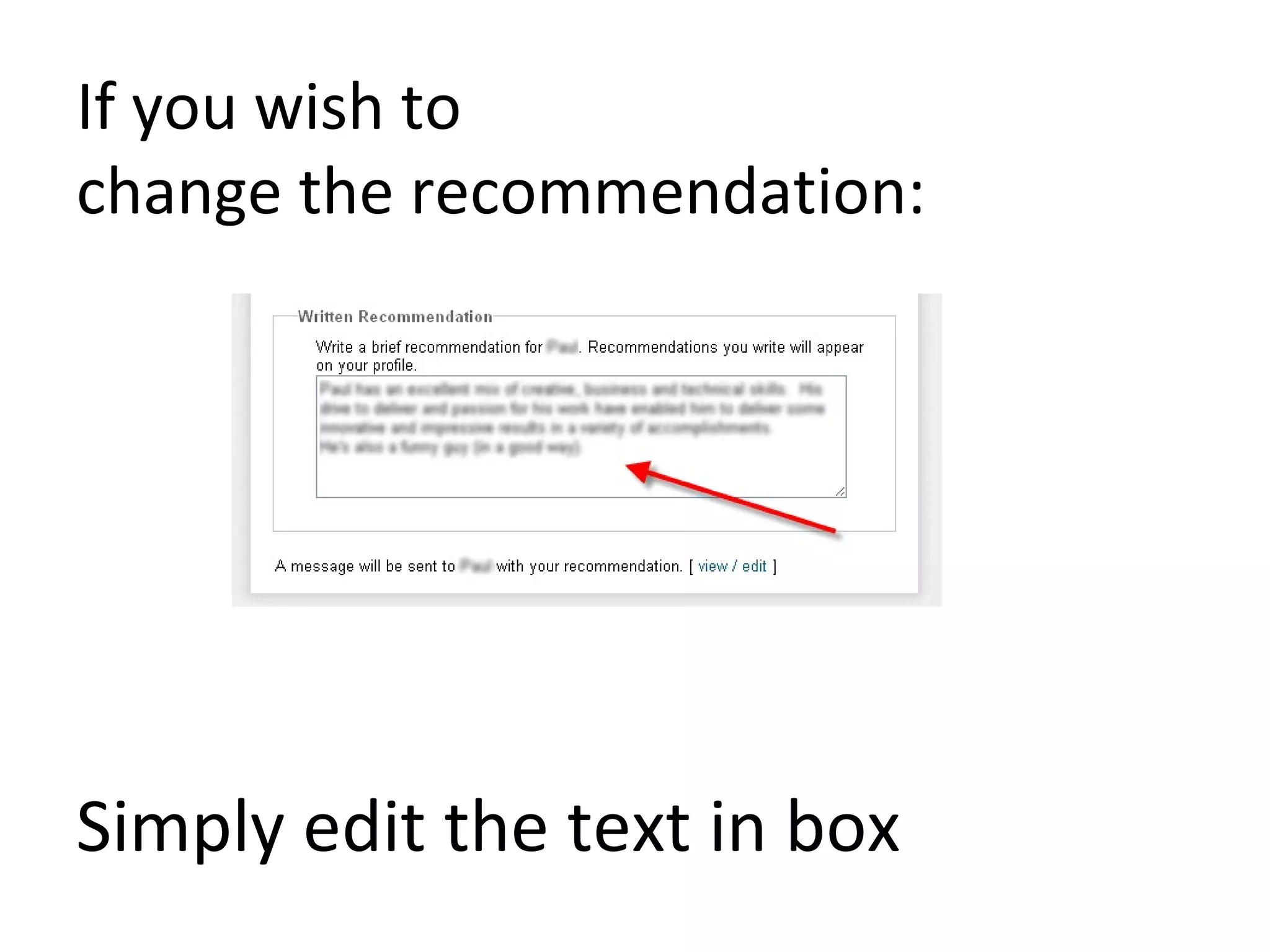
If you wish to  change the recommendation: Simply edit the text in box
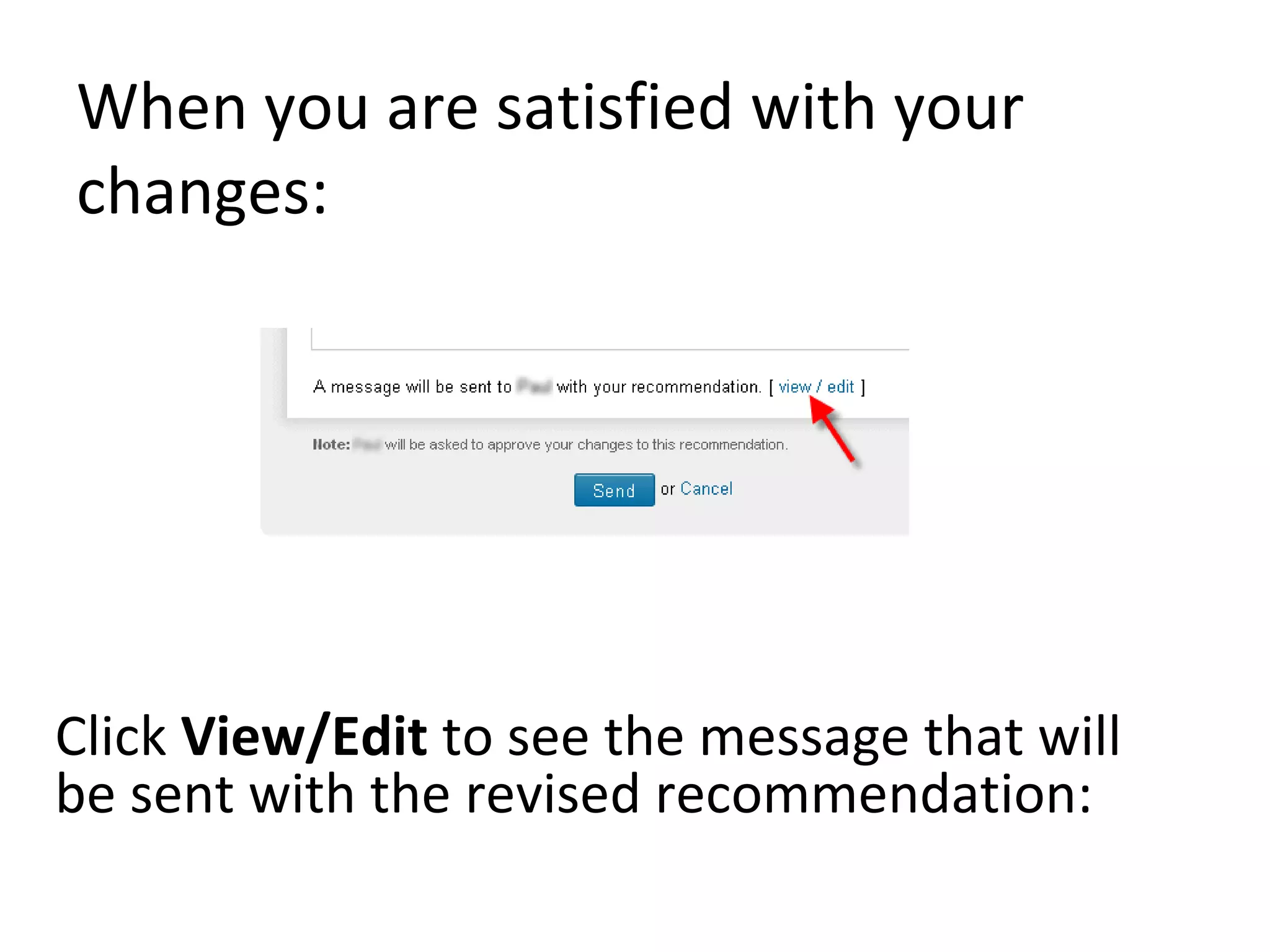
When you are satisfied with your changes: Click  View/Edit  to see the message that will be sent with the revised recommendation:
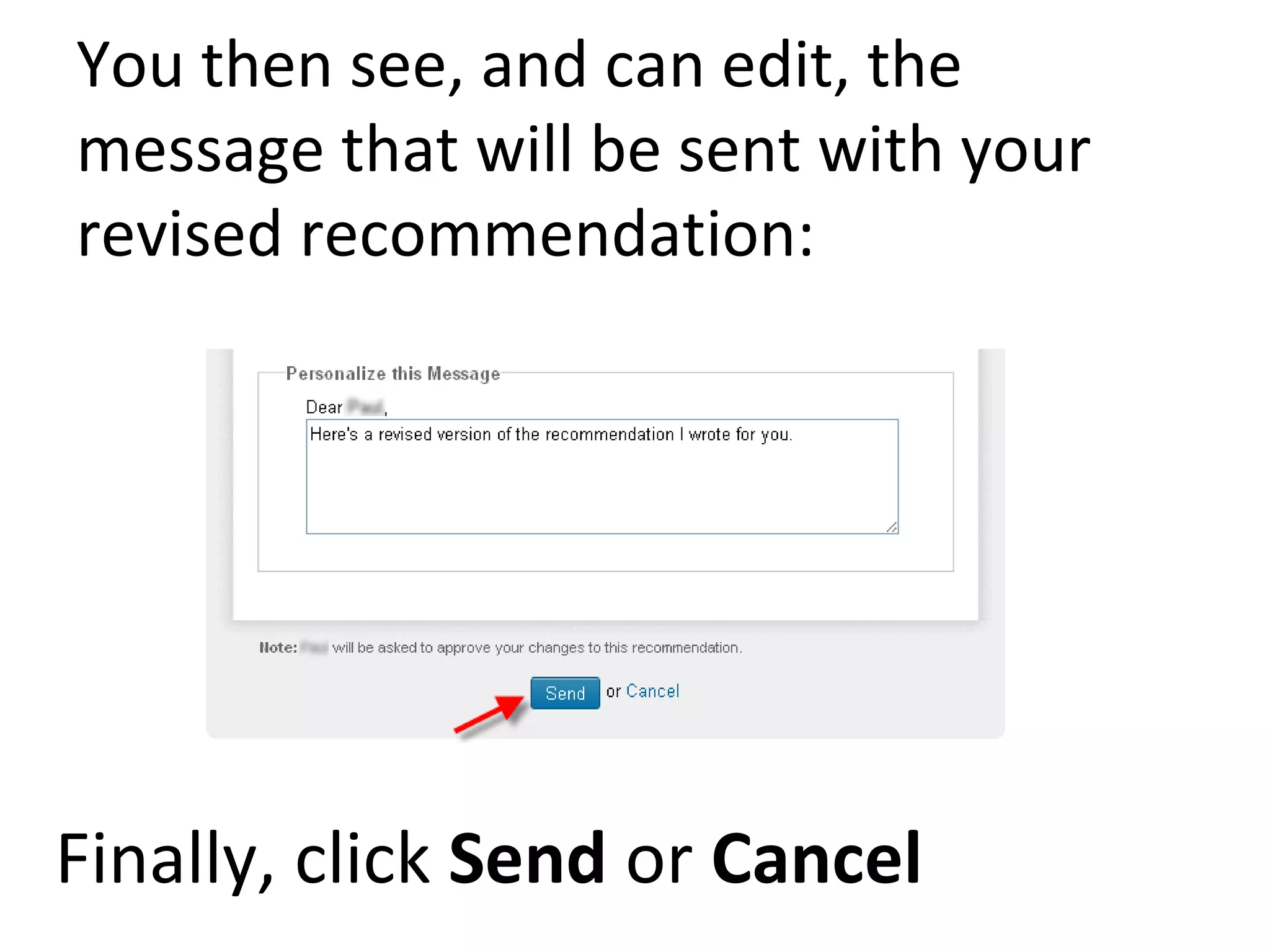
You then see, and can edit, the message that will be sent with your revised recommendation: Finally, click  Send  or  Cancel
End of procedure

How To Edit Or Withdraw A Recommendation On

  • 1.
    How to Edit or Withdraw a recommendation on Linked-In Dave J. Taylor 2010
  • 2.
    Ever wanted to change or delete a recommendation you made on LinkedIn ? This brief guide explains how to do just that.
  • 3.
    Login to LinkedIn: Click on Profile / Recommendations
  • 4.
    Scroll down theright hand side, to see your Recommendations : Click on Manage Recommendations
  • 5.
    You’ll then see a list of your recommendations: Click the Edit button next to the person whose recommendation you wish to edit.
  • 6.
    If you wishto withdraw the recommendation: Simply click on Withdraw this recommendation .
  • 7.
    If you wishto change the recommendation: Simply edit the text in box
  • 8.
    When you aresatisfied with your changes: Click View/Edit to see the message that will be sent with the revised recommendation:
  • 9.
    You then see,and can edit, the message that will be sent with your revised recommendation: Finally, click Send or Cancel
  • 10.