Download to read offline

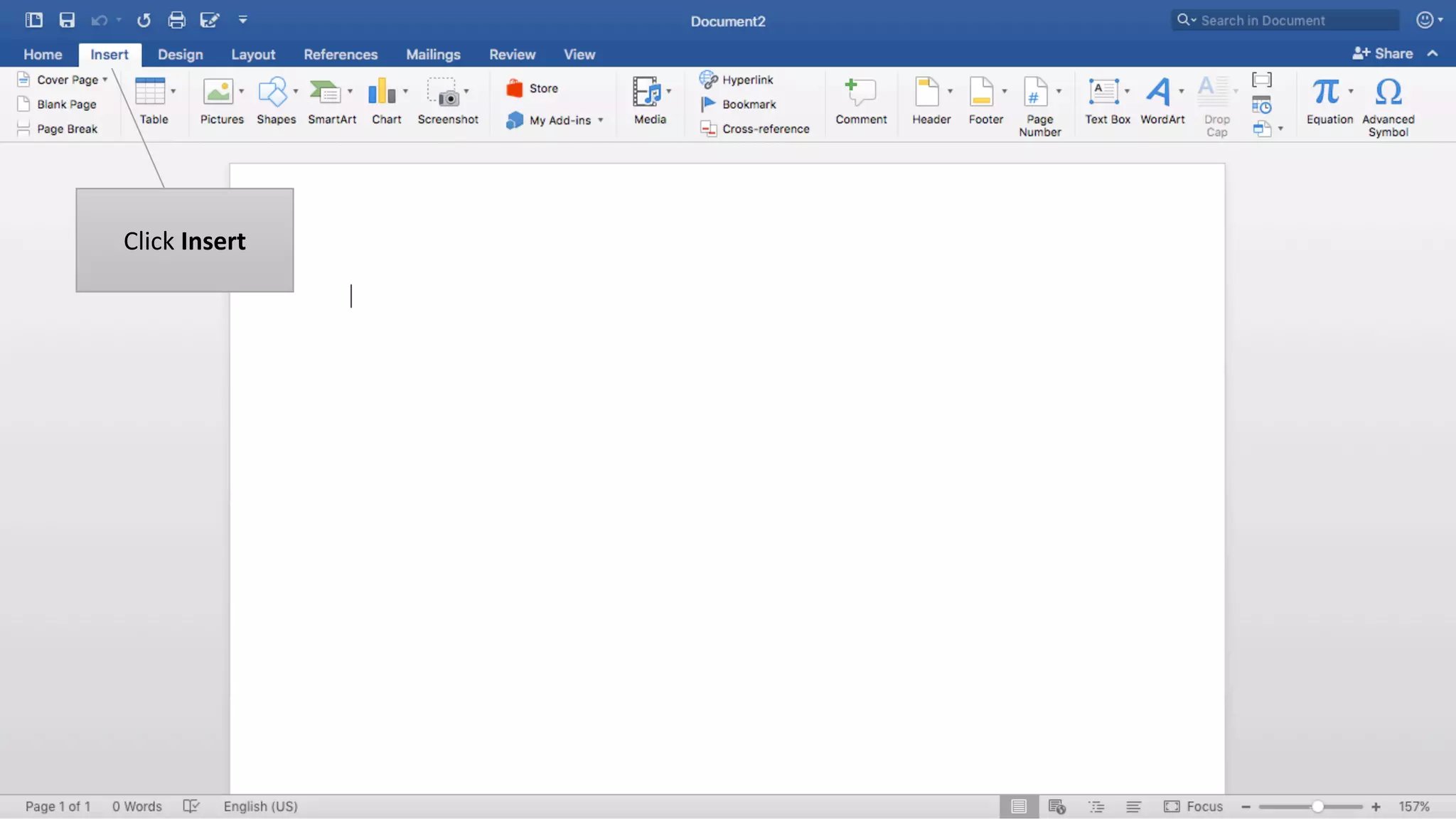
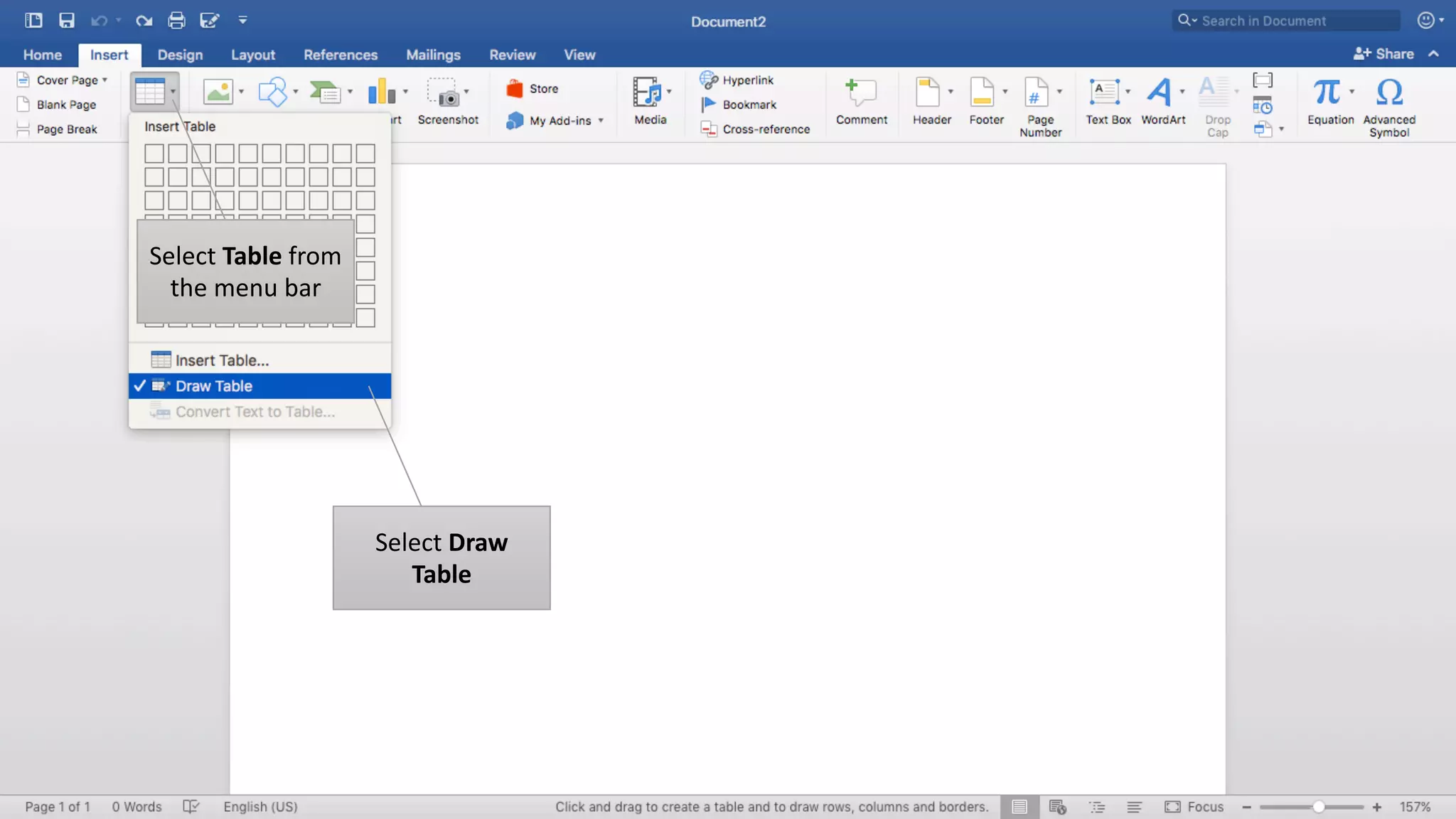
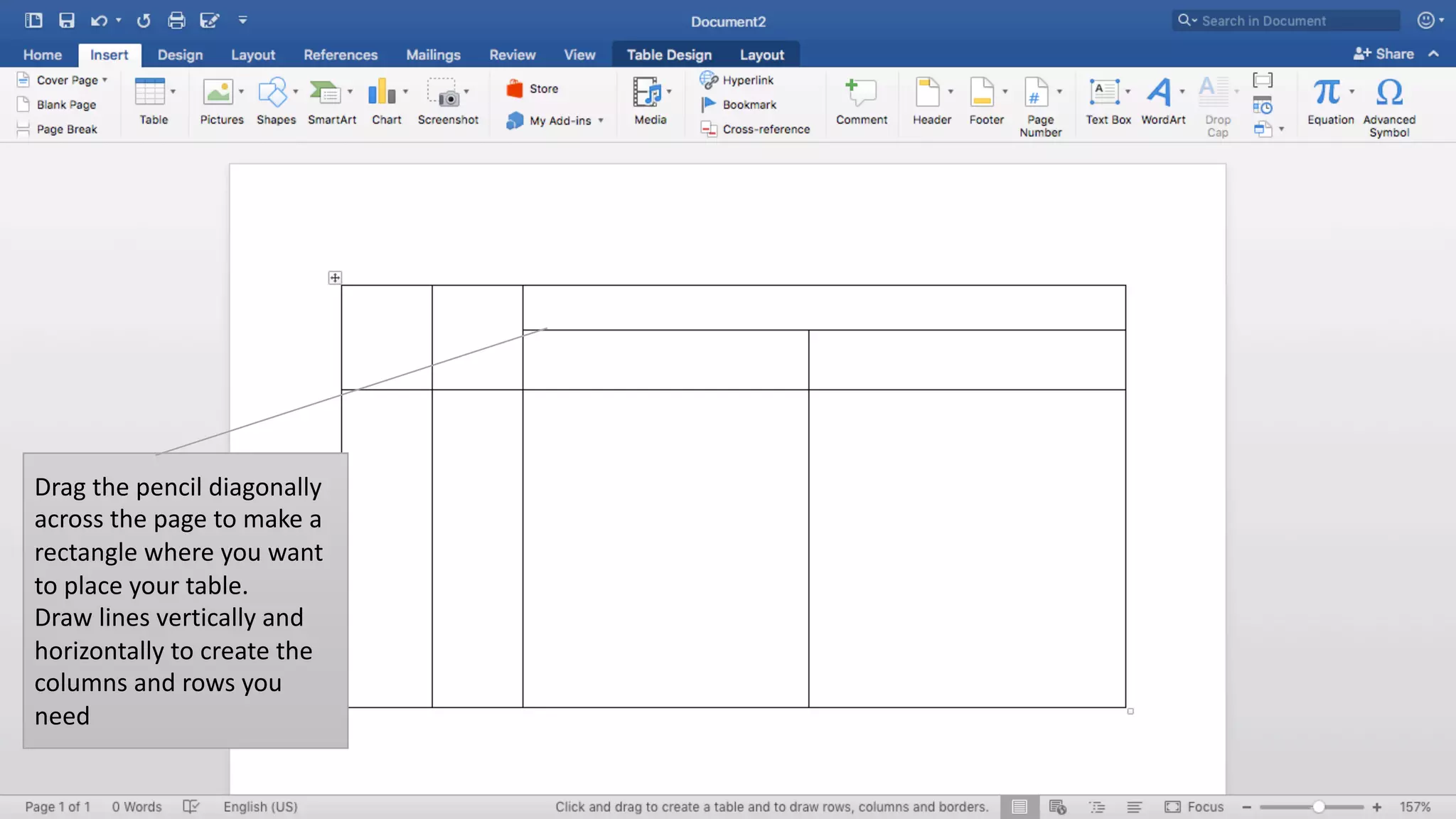
To draw a table in Microsoft Word, click Insert and select Table from the menu bar. Select Draw Table and drag the pencil diagonally across the page to make a rectangle where you want the table. Then draw lines vertically and horizontally within the rectangle to create the columns and rows of the table.


