Azure Pipelines/GitHub Actions用self-
hostedイメージを作ってみよう!
かめがわ かずし(kkamegawa)
自己紹介
personal:
name: かめがわ かずし
alias: kkamegawa
community:
MVP: Microsoft MVP for Developer Technologies(2009-)
UsersGroup: Team Foundation Server Users Group
URL: https://dev.azure.com/tfsug/tfsuginfo
Blog: はてなブログ
URL: https://kkamegawa.hatenablog.jp
devblog radio: https://devblog.connpass.com/
This contents based on 2020/12/17
ビルド時間を
早くしたい
ビルドマシン
作るの大変
最新版の
環境ほしい
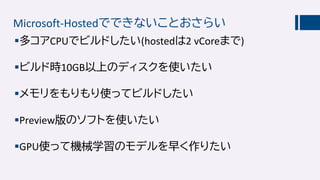
Microsoft-Hostedでできないことおさらい
多コアCPUでビルドしたい(hostedは2 vCoreまで)
ビルド時10GB以上のディスクを使いたい
メモリをもりもり使ってビルドしたい
Preview版のソフトを使いたい
GPU使って機械学習のモデルを早く作りたい
自分用のAzure Pipelines
イメージほしいですよね?
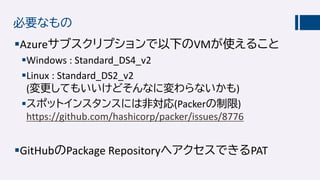
必要なもの
Azureサブスクリプションで以下のVMが使えること
Windows : Standard_DS4_v2
Linux : Standard_DS2_v2
(変更してもいいけどそんなに変わらないかも)
スポットインスタンスには非対応(Packerの制限)
https://github.com/hashicorp/packer/issues/8776
GitHubのPackage RepositoryへアクセスできるPAT
準備
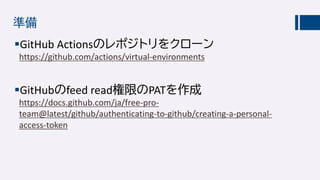
GitHub Actionsのレポジトリをクローン
https://github.com/actions/virtual-environments
GitHubのfeed read権限のPATを作成
https://docs.github.com/ja/free-pro-
team@latest/github/authenticating-to-github/creating-a-personal-
access-token
実行
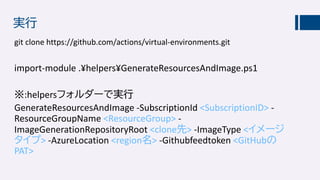
git clone https://github.com/actions/virtual-environments.git
import-module .¥helpers¥GenerateResourcesAndImage.ps1
※:helpersフォルダーで実行
GenerateResourcesAndImage -SubscriptionId <SubscriptionID> -
ResourceGroupName <ResourceGroup> -
ImageGenerationRepositoryRoot <clone先> -ImageType <イメージ
タイプ> -AzureLocation <region名> -Githubfeedtoken <GitHubの
PAT>
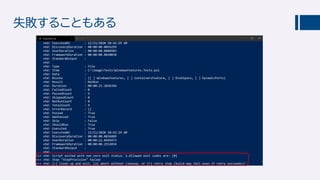
失敗することもある
いっぱい失敗しました
失敗したらリトライしないほうがいい
Windowsだとつらいけど
ファイル上書きでなぜか失敗する(PowerShellとしてはい
けるはずなのに…)
VS拡張インストールでなぜかエラーが出て失敗する
単独で実行するとうまくいくのに🤔🤔
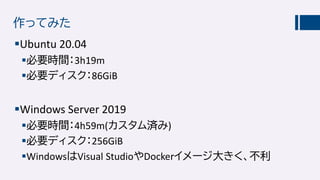
作ってみた
Ubuntu 20.04
必要時間:3h19m
必要ディスク:86GiB
Windows Server 2019
必要時間:4h59m(カスタム済み)
必要ディスク:256GiB
WindowsはVisual StudioやDockerイメージ大きく、不利
イメージ作った後は
VHDをダウンロードしてオンプレミスで使うもよし
Shared Image Galleryへ入れて、可用性スケールセット
作ってたくさん並べるもよし
azコマンド:
az sig image-definition create -g MyResourceGroup --gallery-name MyGallery --gallery-image-
definition MyImage --publisher GreatPublisher --offer GreatOffer --sku GreatSku --os-type linux
(windows)
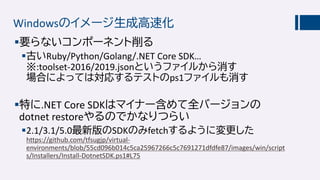
Windowsのイメージ生成高速化
要らないコンポーネント削る
古いRuby/Python/Golang/.NET Core SDK…
※:toolset-2016/2019.jsonというファイルから消す
場合によっては対応するテストのps1ファイルも消す
特に.NET Core SDKはマイナー含めて全バージョンの
dotnet restoreやるのでかなりつらい
2.1/3.1/5.0最新版のSDKのみfetchするように変更した
https://github.com/tfsugjp/virtual-
environments/blob/55cd096b014c5ca25967266c5c7691271dfdfe87/images/win/script
s/Installers/Install-DotnetSDK.ps1#L75
あなたにも自分のイメージが楽に作れる…かも?

How to create your own Azure Pipeline's image