Download to read offline



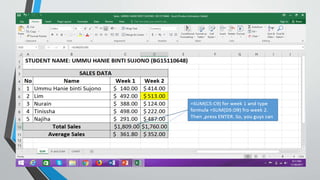
The document provides instructions on how to use the SUM function in Excel 2016 to add numbers and values across multiple cells. To create a formula using the SUM function, select the cells you want to sum, type =SUM( and then select the cells or type the cell references separated by commas before closing the parenthesis. The SUM formula will automatically add the values in the selected cells and update if any values change.


