Download to read offline

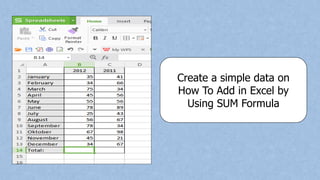
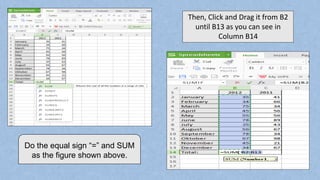
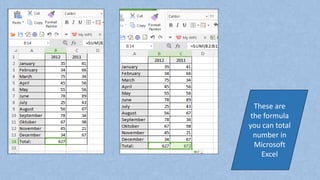
The document provides instructions on how to add numbers in Excel using the SUM formula. It explains to type "=SUM" followed by the cell range containing the numbers, such as "B2:B13", and drag the formula down to automatically add the numbers. The SUM formula allows you to easily total numbers across multiple cells in Excel.


