How to add a graph and
change its values.
0
50
100
150
200
250
Category 1 Category 2 Category 3 Category 4 Category 5 Category 6 Category 7
Chart Title
Column1 Column2 Series 1
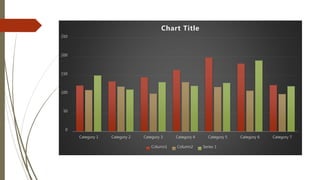
Click on graph button.
The graph appears.
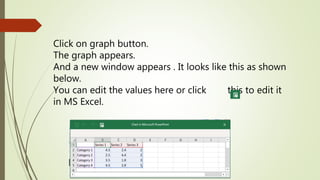
And a new window appears . It looks like this as shown
below.
You can edit the values here or click this to edit it
in MS Excel.

How to add a graph and change its values.pptx

  • 1.
    How to adda graph and change its values.
  • 2.
    0 50 100 150 200 250 Category 1 Category2 Category 3 Category 4 Category 5 Category 6 Category 7 Chart Title Column1 Column2 Series 1
  • 3.
    Click on graphbutton. The graph appears. And a new window appears . It looks like this as shown below. You can edit the values here or click this to edit it in MS Excel.