Get Started
How Power Automate
Streamlines Accounting
Workflows?
www.qservicesit.com
Power Automate - Introduction
The Need for Automation in Accounting
How Power Automate streamlines
accounting workflows
Accounting with QuickBooks and Power
Automate Integration
Best Practices for Implementing Power
Automate in Accounting
Conclusion
Contents
Microsoft Power Automate is a user-friendly
automation software designed to streamline manual
and repetitive tasks. Integrated into the Business
Central suite, it empowers users to automate tasks
effortlessly through rule-based sequential flows. With
Power Automate, you can visualize your automated
process through a flowchart and translate it into an
automated workflow, offering endless possibilities for
task automation.
Power Automate - Introduction
The Need for Automation in Accounting
In modern accounting, automation is essential for efficiency, accuracy,
and cost savings. Here's why it's crucial:
Efficiency: Saves time, enabling strategic planning.
Accuracy: Minimizes errors for reliable financial reports.
Cost Savings: Reduces operational expenses by streamlining workflows.
Analysis: Swiftly analyzes large datasets for informed decisions.
Security: Enhances data protection with restricted access and audit trails.
Speed: Enables quick responses to financial changes with instant data
retrieval.
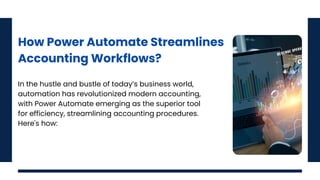
How Power Automate Streamlines
Accounting Workflows?
In the hustle and bustle of today’s business world,
automation has revolutionized modern accounting,
with Power Automate emerging as the superior tool
for efficiency, streamlining accounting procedures.
Here's how:
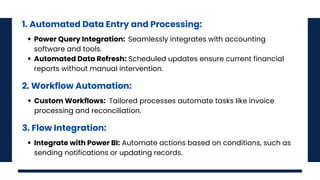
1. Automated Data Entry and Processing:
2. Workflow Automation:
Power Query Integration: Seamlessly integrates with accounting
software and tools.
Automated Data Refresh: Scheduled updates ensure current financial
reports without manual intervention.
Custom Workflows: Tailored processes automate tasks like invoice
processing and reconciliation.
3. Flow Integration:
Integrate with Power BI: Automate actions based on conditions, such as
sending notifications or updating records.
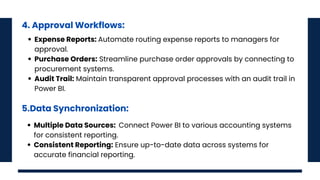
4. Approval Workflows:
Expense Reports: Automate routing expense reports to managers for
approval.
Purchase Orders: Streamline purchase order approvals by connecting to
procurement systems.
Audit Trail: Maintain transparent approval processes with an audit trail in
Power BI.
5.Data Synchronization:
Multiple Data Sources: Connect Power BI to various accounting systems
for consistent reporting.
Consistent Reporting: Ensure up-to-date data across systems for
accurate financial reporting.
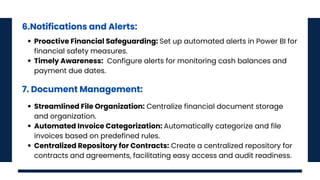
6.Notifications and Alerts:
Proactive Financial Safeguarding: Set up automated alerts in Power BI for
financial safety measures.
Timely Awareness: Configure alerts for monitoring cash balances and
payment due dates.
7. Document Management:
Streamlined File Organization: Centralize financial document storage
and organization.
Automated Invoice Categorization: Automatically categorize and file
invoices based on predefined rules.
Centralized Repository for Contracts: Create a centralized repository for
contracts and agreements, facilitating easy access and audit readiness.
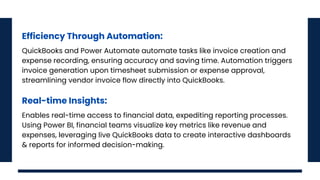
Efficiency Through Automation:
Real-time Insights:
QuickBooks and Power Automate automate tasks like invoice creation and
expense recording, ensuring accuracy and saving time. Automation triggers
invoice generation upon timesheet submission or expense approval,
streamlining vendor invoice flow directly into QuickBooks.
Enables real-time access to financial data, expediting reporting processes.
Using Power BI, financial teams visualize key metrics like revenue and
expenses, leveraging live QuickBooks data to create interactive dashboards
& reports for informed decision-making.
Compliance and
Control:
Detailed audit trails within QuickBooks meet
regulatory requirements, while automated
approval workflows ensure adherence to
company policies. Engaging a skilled Power
Automate developer maximizes integration
benefits.
Power Automate is a comprehensive solution for refining financial operations,
automating tasks, and enabling data-driven decision-making. It propels
businesses towards agility, efficiency, and empowerment in accounting.
Explore how Power Automate tackles startup challenges in our blog "A
Power Automate Approach to Overcoming Startup Challenges" for deeper
insights.
Conclusion
About Us
We are a bespoke software development or
staff augmentation service provider. We
partner in bringing your brand to life on
mobile and the web with bespoke, cutting-
edge, user-friendly solutions. We provide
end-to-end software outsourcing services,
web development services, app
development, and IT staffing solutions.
www.qservicesit.com

How Power Automate Streamlines Accounting Workflows.pdf

  • 1.
    Get Started How PowerAutomate Streamlines Accounting Workflows? www.qservicesit.com
  • 2.
    Power Automate -Introduction The Need for Automation in Accounting How Power Automate streamlines accounting workflows Accounting with QuickBooks and Power Automate Integration Best Practices for Implementing Power Automate in Accounting Conclusion Contents
  • 3.
    Microsoft Power Automateis a user-friendly automation software designed to streamline manual and repetitive tasks. Integrated into the Business Central suite, it empowers users to automate tasks effortlessly through rule-based sequential flows. With Power Automate, you can visualize your automated process through a flowchart and translate it into an automated workflow, offering endless possibilities for task automation. Power Automate - Introduction
  • 4.
    The Need forAutomation in Accounting In modern accounting, automation is essential for efficiency, accuracy, and cost savings. Here's why it's crucial: Efficiency: Saves time, enabling strategic planning. Accuracy: Minimizes errors for reliable financial reports. Cost Savings: Reduces operational expenses by streamlining workflows. Analysis: Swiftly analyzes large datasets for informed decisions. Security: Enhances data protection with restricted access and audit trails. Speed: Enables quick responses to financial changes with instant data retrieval.
  • 5.
    How Power AutomateStreamlines Accounting Workflows? In the hustle and bustle of today’s business world, automation has revolutionized modern accounting, with Power Automate emerging as the superior tool for efficiency, streamlining accounting procedures. Here's how:
  • 6.
    1. Automated DataEntry and Processing: 2. Workflow Automation: Power Query Integration: Seamlessly integrates with accounting software and tools. Automated Data Refresh: Scheduled updates ensure current financial reports without manual intervention. Custom Workflows: Tailored processes automate tasks like invoice processing and reconciliation. 3. Flow Integration: Integrate with Power BI: Automate actions based on conditions, such as sending notifications or updating records.
  • 7.
    4. Approval Workflows: ExpenseReports: Automate routing expense reports to managers for approval. Purchase Orders: Streamline purchase order approvals by connecting to procurement systems. Audit Trail: Maintain transparent approval processes with an audit trail in Power BI. 5.Data Synchronization: Multiple Data Sources: Connect Power BI to various accounting systems for consistent reporting. Consistent Reporting: Ensure up-to-date data across systems for accurate financial reporting.
  • 8.
    6.Notifications and Alerts: ProactiveFinancial Safeguarding: Set up automated alerts in Power BI for financial safety measures. Timely Awareness: Configure alerts for monitoring cash balances and payment due dates. 7. Document Management: Streamlined File Organization: Centralize financial document storage and organization. Automated Invoice Categorization: Automatically categorize and file invoices based on predefined rules. Centralized Repository for Contracts: Create a centralized repository for contracts and agreements, facilitating easy access and audit readiness.
  • 9.
    Efficiency Through Automation: Real-timeInsights: QuickBooks and Power Automate automate tasks like invoice creation and expense recording, ensuring accuracy and saving time. Automation triggers invoice generation upon timesheet submission or expense approval, streamlining vendor invoice flow directly into QuickBooks. Enables real-time access to financial data, expediting reporting processes. Using Power BI, financial teams visualize key metrics like revenue and expenses, leveraging live QuickBooks data to create interactive dashboards & reports for informed decision-making.
  • 10.
    Compliance and Control: Detailed audittrails within QuickBooks meet regulatory requirements, while automated approval workflows ensure adherence to company policies. Engaging a skilled Power Automate developer maximizes integration benefits.
  • 11.
    Power Automate isa comprehensive solution for refining financial operations, automating tasks, and enabling data-driven decision-making. It propels businesses towards agility, efficiency, and empowerment in accounting. Explore how Power Automate tackles startup challenges in our blog "A Power Automate Approach to Overcoming Startup Challenges" for deeper insights. Conclusion
  • 12.
    About Us We area bespoke software development or staff augmentation service provider. We partner in bringing your brand to life on mobile and the web with bespoke, cutting- edge, user-friendly solutions. We provide end-to-end software outsourcing services, web development services, app development, and IT staffing solutions. www.qservicesit.com