Java Hibernate Training
Hibernate - Part 2
Page 1Classification: Restricted
Agenda
• Generator Class in Hibernate
• SQL Dialects
• Collection Mapping
• One-to-one Mapping
• Cascade Types
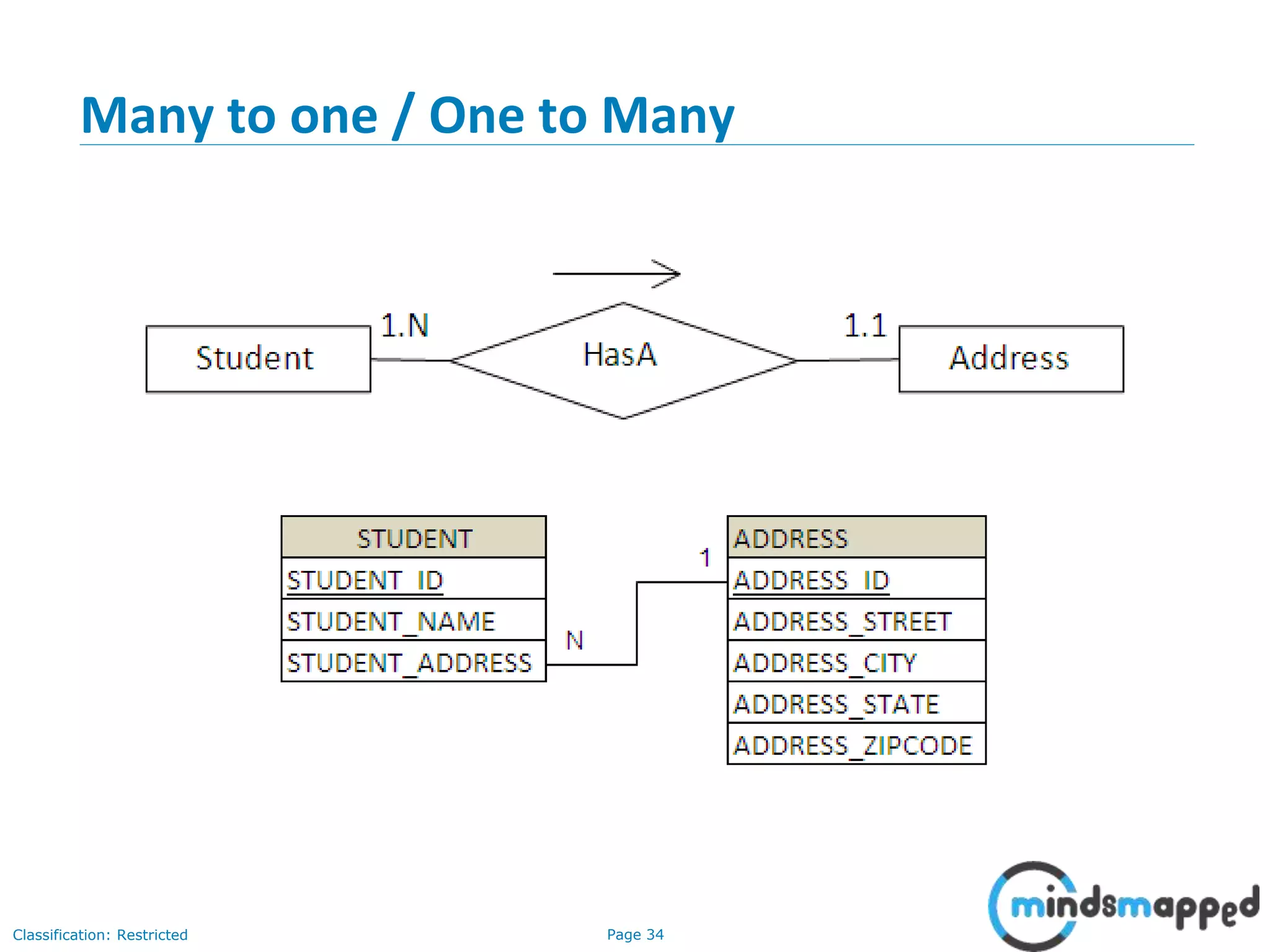
• Many to one / One to many
• Hibernate Lazy Loading
• Transaction Management
• HQL – Hibernate Query Language
• HCQL – Hibernate Criteria Query Language
• Hibernate Caching
Page 2Classification: Restricted
Hibernate
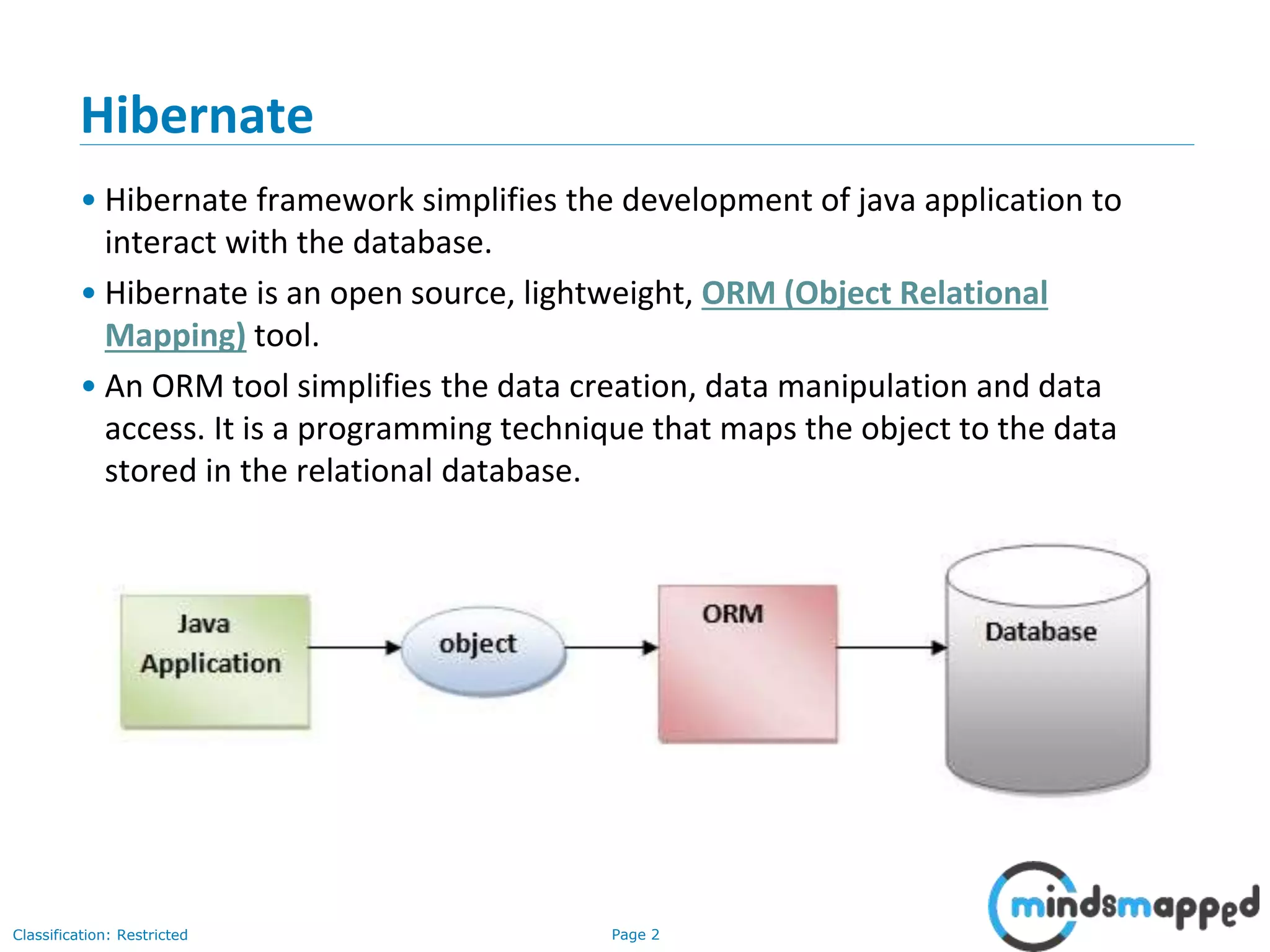
• Hibernate framework simplifies the development of java application to
interact with the database.
• Hibernate is an open source, lightweight, ORM (Object Relational
Mapping) tool.
• An ORM tool simplifies the data creation, data manipulation and data
access. It is a programming technique that maps the object to the data
stored in the relational database.
Page 3Classification: Restricted
Advantages of Hibernate
• Open-source and Lightweight: Hibernate framework is open-source and
lightweight.
• Fast performance: The performance of hibernate framework is fast because cache
is internally used in hibernate framework. There are two types of cache in hibernate
framework first level cache and second level cache. First level cache is enabled by
default.
• Database Independent query: HQL (Hibernate Query Language) is the object-
oriented version of SQL. It generates the database independent queries. So you
don't need to write database specific queries. Before Hibernate, If database is
changed for the project, we need to change the SQL query as well that leads to the
maintenance problem.
• Automatic table creation: Hibernate framework provides the facility to create the
tables of the database automatically. So there is no need to create tables in the
database manually.
• Simplifies complex join: To fetch data form multiple tables is easy in hibernate
framework.
• Provides query statistics and database status: Hibernate supports Query cache and
provide statistics about query and database status.
Page 4Classification: Restricted
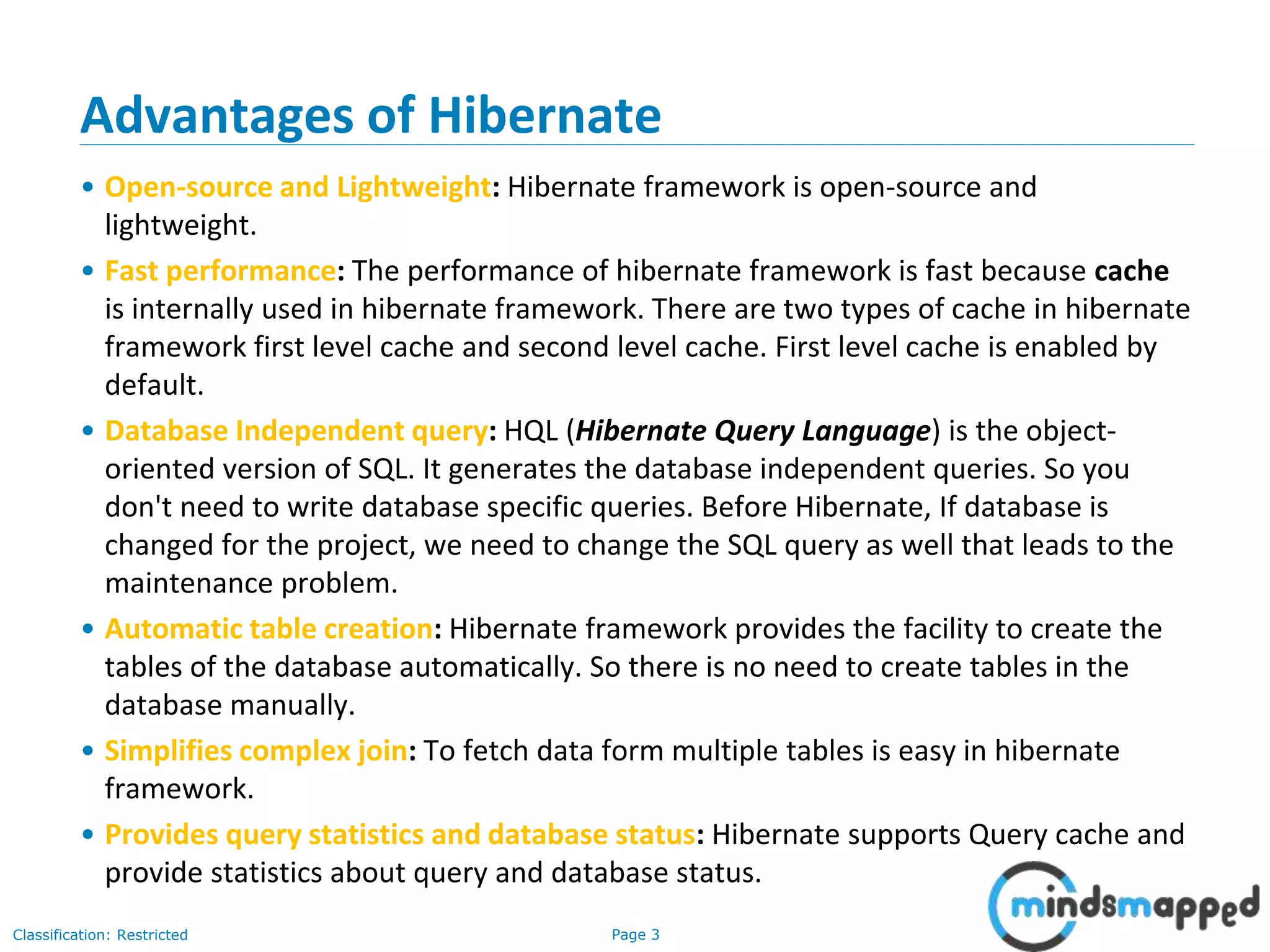
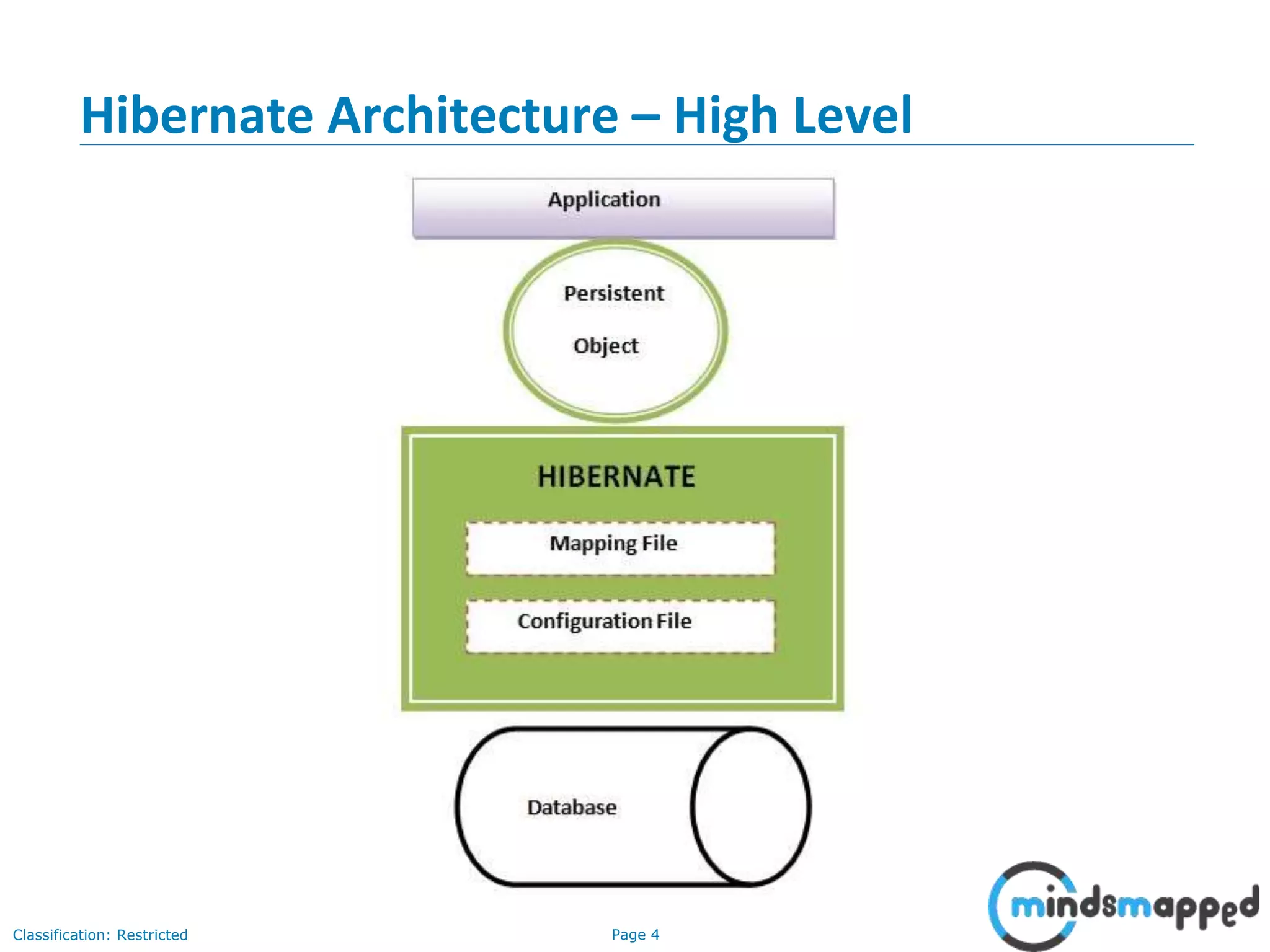
Hibernate Architecture – High Level
Page 5Classification: Restricted
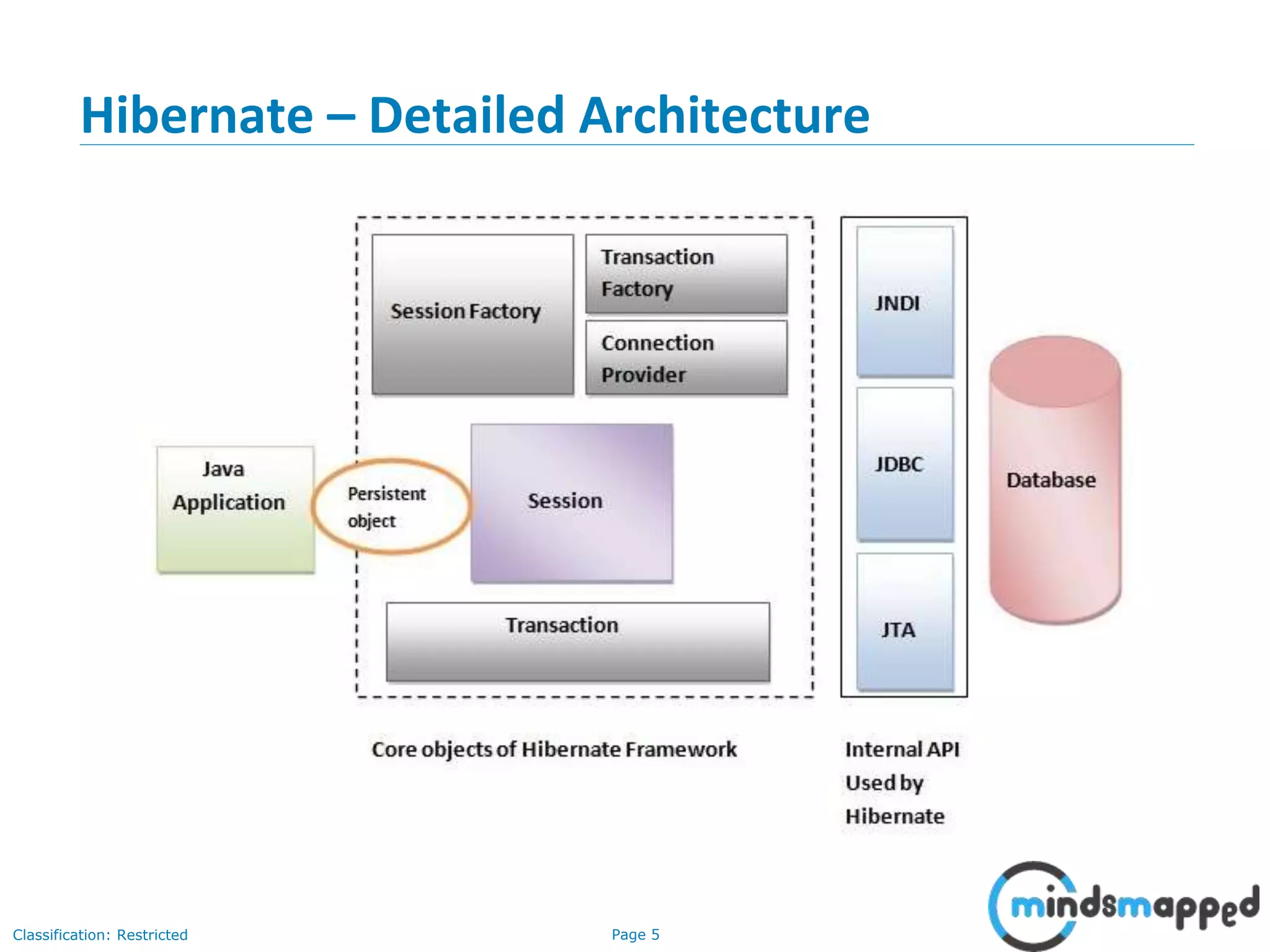
Hibernate – Detailed Architecture
Page 6Classification: Restricted
Hibernate Architecture – Important Elements
• SessionFactory
The SessionFactory is a factory of session and client of ConnectionProvider. It holds second
level cache (optional) of data. The org.hibernate.SessionFactory interface provides factory
method to get the object of Session.
• Session
The session object provides an interface between the application and data stored in the
database. It is a short-lived object and wraps the JDBC connection. It is factory of
Transaction, Query and Criteria. It holds a first-level cache (mandatory) of data. The
org.hibernate.Session interface provides methods to insert, update and delete the object. It
also provides factory methods for Transaction, Query and Criteria.
• Transaction
The transaction object specifies the atomic unit of work. It is optional. The
org.hibernate.Transaction interface provides methods for transaction management.
• ConnectionProvider
It is a factory of JDBC connections. It abstracts the application from DriverManager or
DataSource. It is optional.
• TransactionFactory
It is a factory of Transaction. It is optional.
Page 7Classification: Restricted
Hibernate jar files…
• Download from Hibernate official site
http://hibernate.org/orm/downloads/
Page 8Classification: Restricted
Hibernate tools download
• http://tools.jboss.org/downloads/
Page 9Classification: Restricted
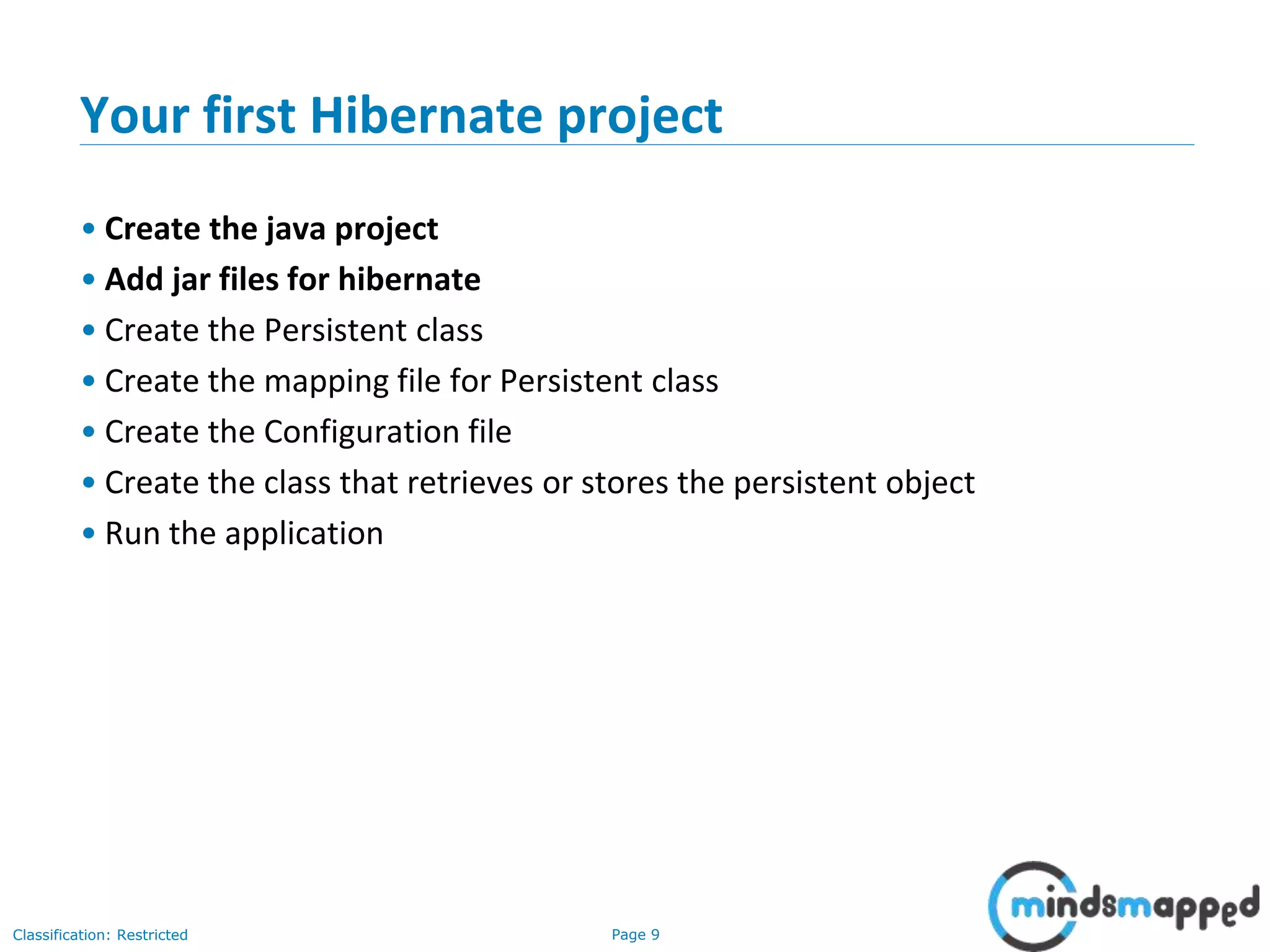
Your first Hibernate project
• Create the java project
• Add jar files for hibernate
• Create the Persistent class
• Create the mapping file for Persistent class
• Create the Configuration file
• Create the class that retrieves or stores the persistent object
• Run the application
Page 10Classification: Restricted
Your first Hibernate project – Steps in detail
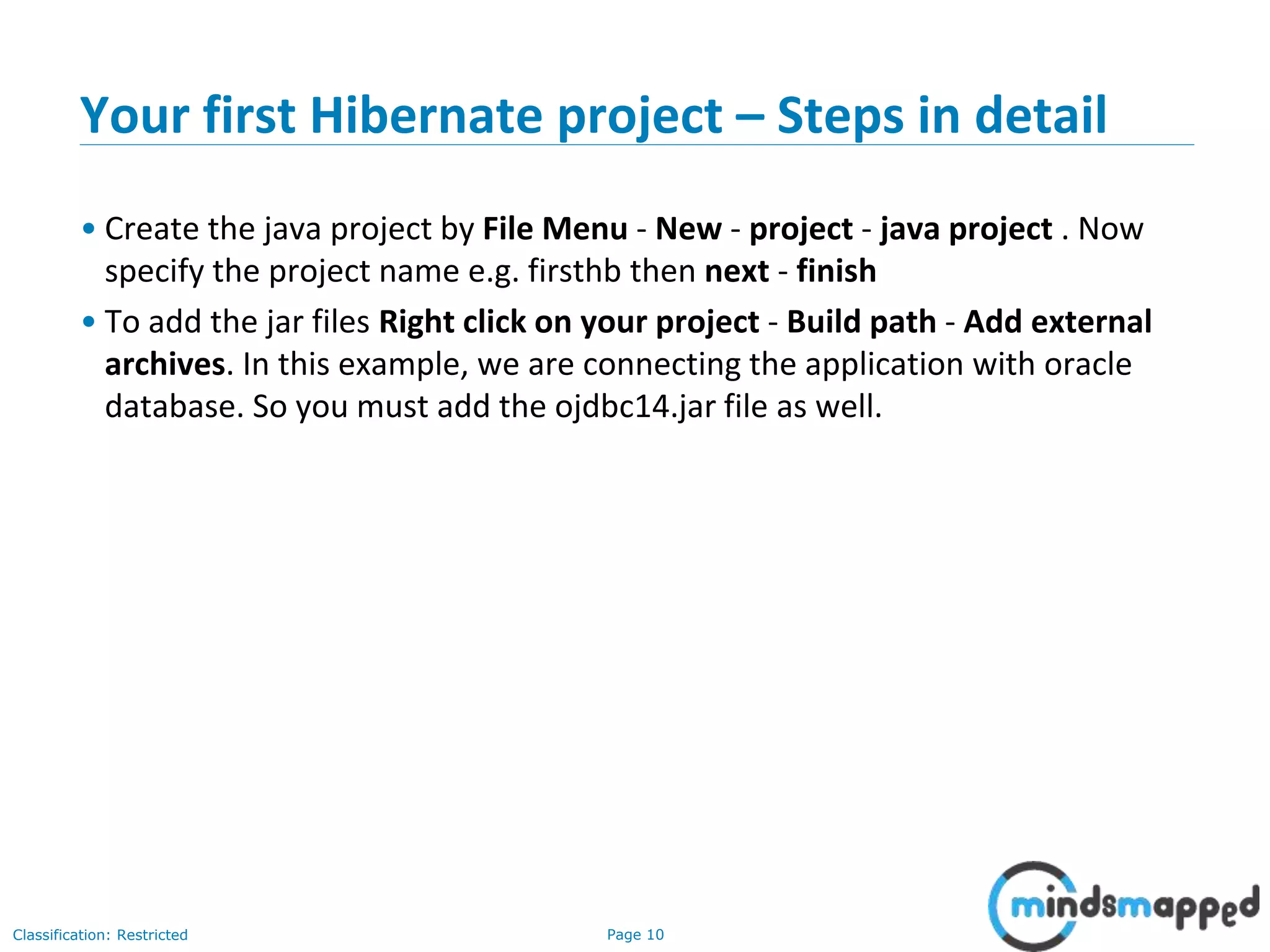
• Create the java project by File Menu - New - project - java project . Now
specify the project name e.g. firsthb then next - finish
• To add the jar files Right click on your project - Build path - Add external
archives. In this example, we are connecting the application with oracle
database. So you must add the ojdbc14.jar file as well.
Page 11Classification: Restricted
Your first Hibernate project – Steps in detail
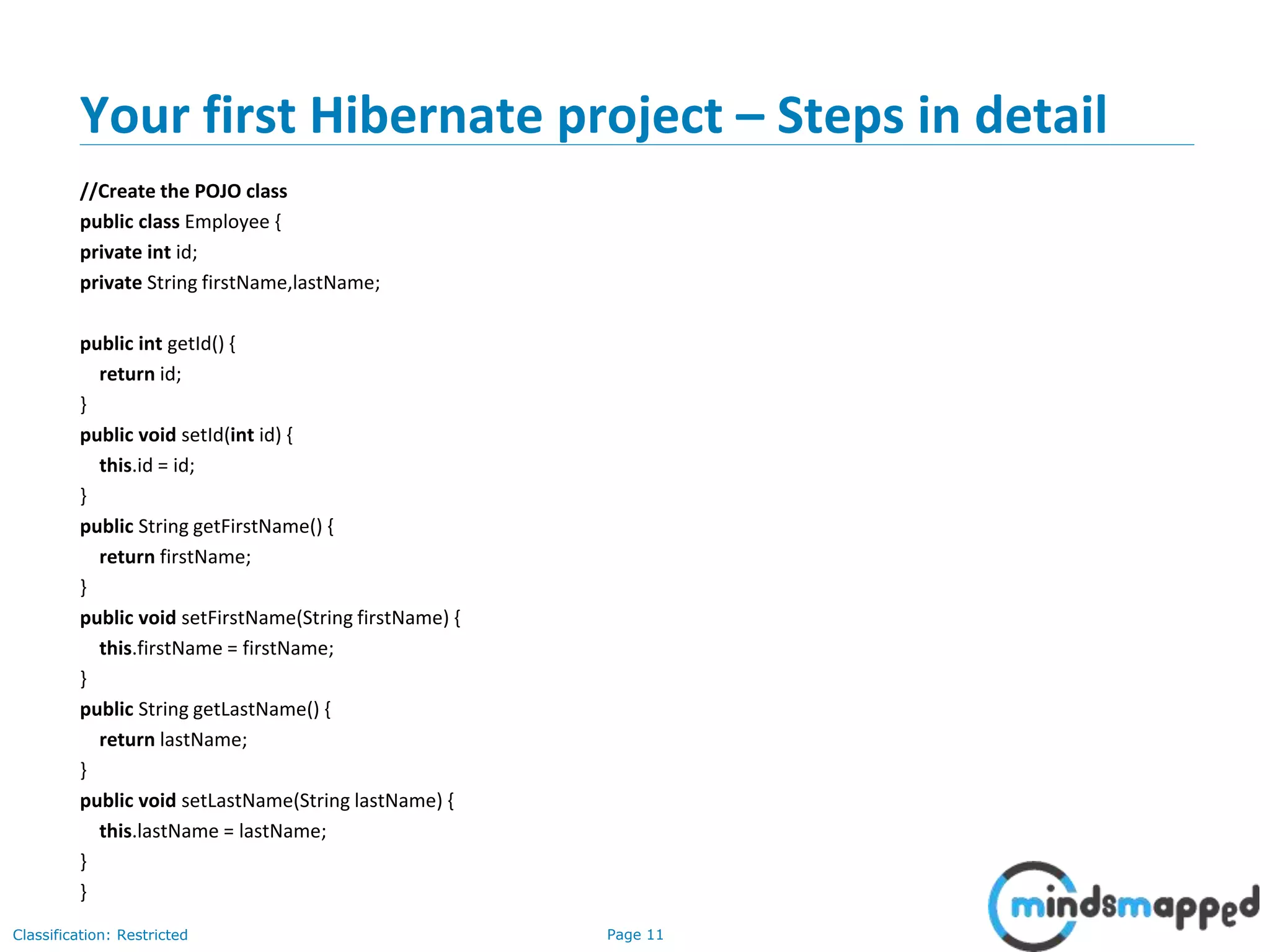
//Create the POJO class
public class Employee {
private int id;
private String firstName,lastName;
public int getId() {
return id;
}
public void setId(int id) {
this.id = id;
}
public String getFirstName() {
return firstName;
}
public void setFirstName(String firstName) {
this.firstName = firstName;
}
public String getLastName() {
return lastName;
}
public void setLastName(String lastName) {
this.lastName = lastName;
}
}
Page 12Classification: Restricted
Your first Hibernate project – Steps in detail
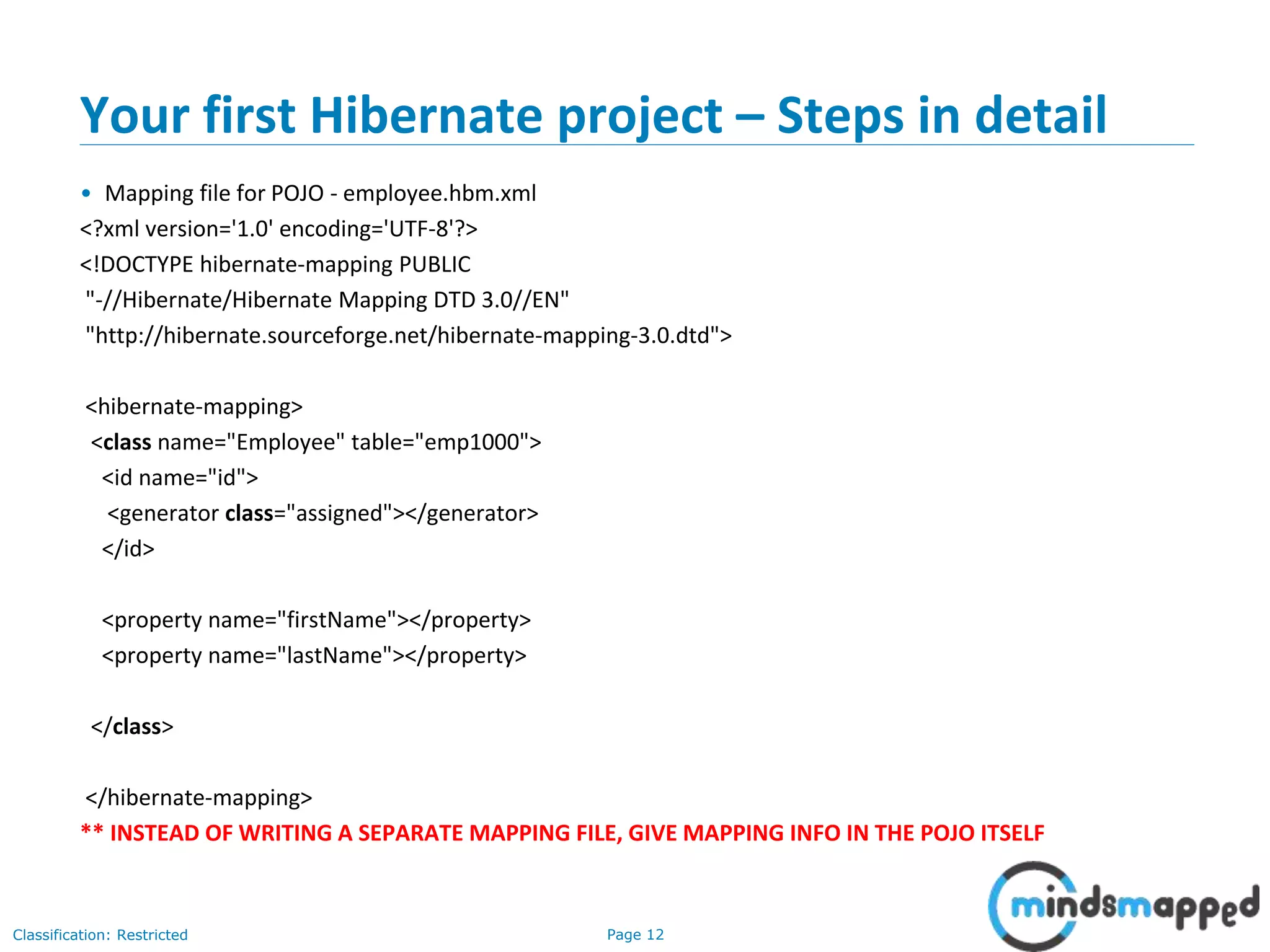
• Mapping file for POJO - employee.hbm.xml
<?xml version='1.0' encoding='UTF-8'?>
<!DOCTYPE hibernate-mapping PUBLIC
"-//Hibernate/Hibernate Mapping DTD 3.0//EN"
"http://hibernate.sourceforge.net/hibernate-mapping-3.0.dtd">
<hibernate-mapping>
<class name="Employee" table="emp1000">
<id name="id">
<generator class="assigned"></generator>
</id>
<property name="firstName"></property>
<property name="lastName"></property>
</class>
</hibernate-mapping>
** INSTEAD OF WRITING A SEPARATE MAPPING FILE, GIVE MAPPING INFO IN THE POJO ITSELF
Page 13Classification: Restricted
Your first Hibernate project – Steps in detail
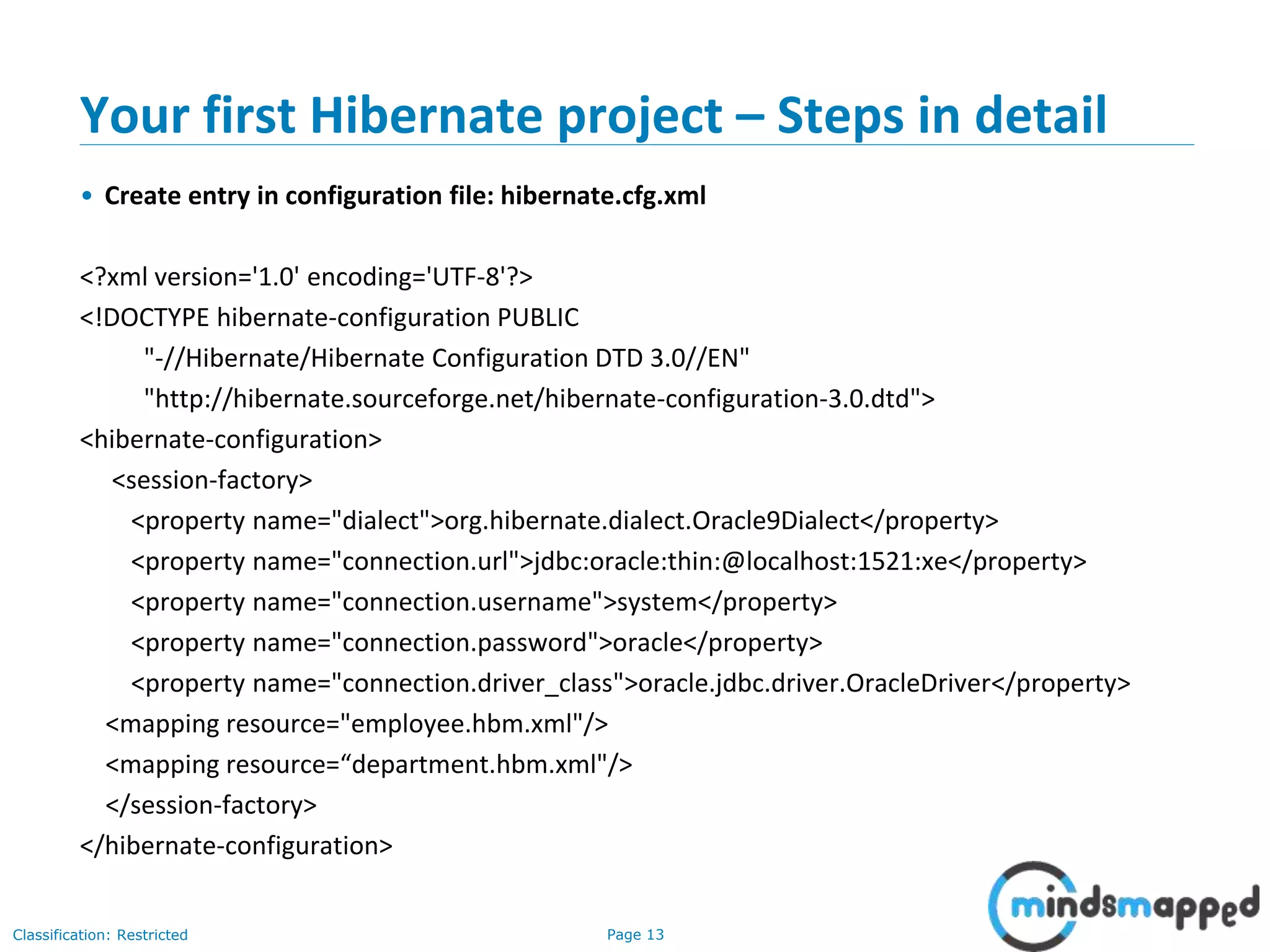
• Create entry in configuration file: hibernate.cfg.xml
<?xml version='1.0' encoding='UTF-8'?>
<!DOCTYPE hibernate-configuration PUBLIC
"-//Hibernate/Hibernate Configuration DTD 3.0//EN"
"http://hibernate.sourceforge.net/hibernate-configuration-3.0.dtd">
<hibernate-configuration>
<session-factory>
<property name="dialect">org.hibernate.dialect.Oracle9Dialect</property>
<property name="connection.url">jdbc:oracle:thin:@localhost:1521:xe</property>
<property name="connection.username">system</property>
<property name="connection.password">oracle</property>
<property name="connection.driver_class">oracle.jdbc.driver.OracleDriver</property>
<mapping resource="employee.hbm.xml"/>
<mapping resource=“department.hbm.xml"/>
</session-factory>
</hibernate-configuration>
Page 14Classification: Restricted
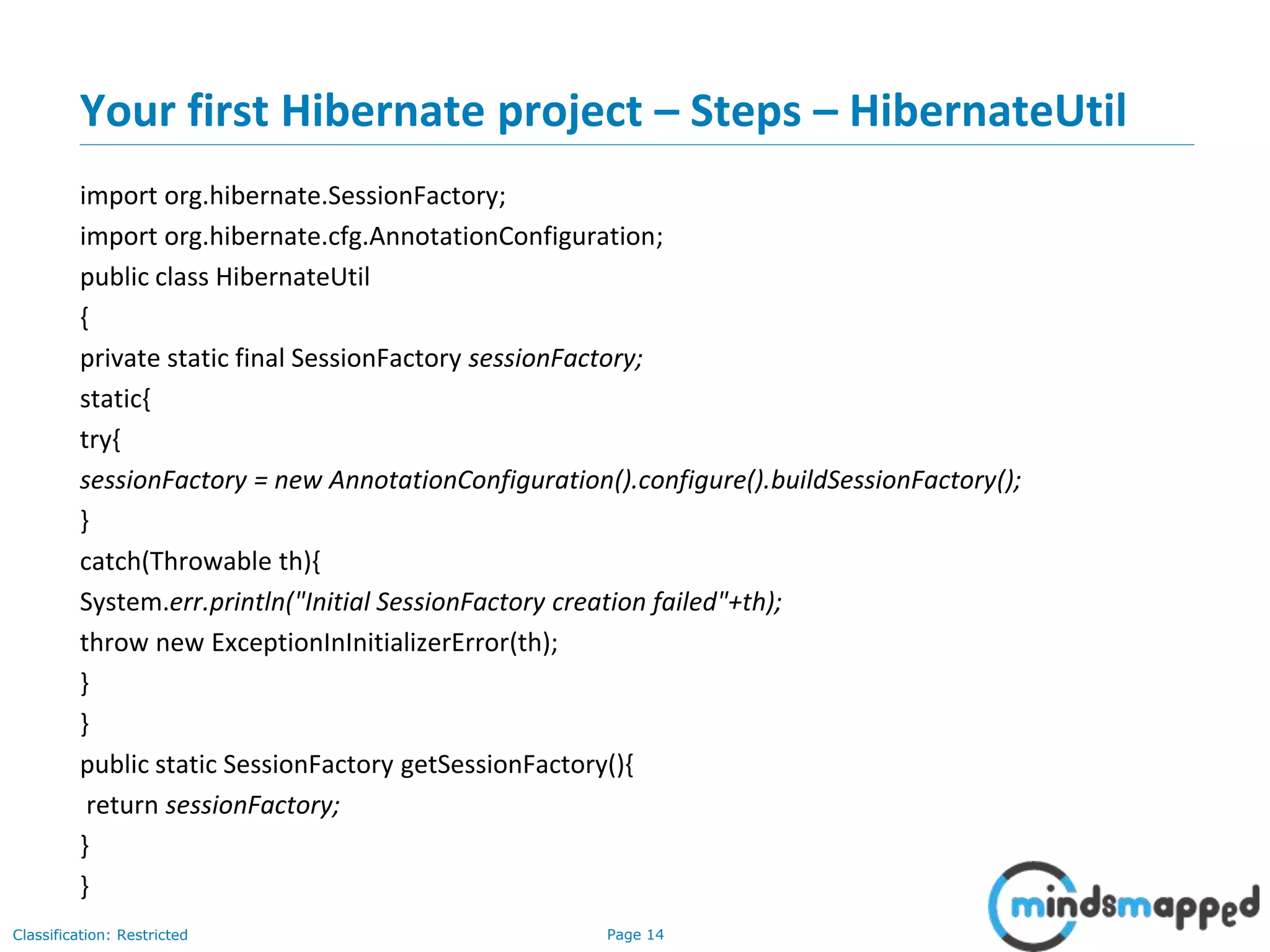
Your first Hibernate project – Steps – HibernateUtil
import org.hibernate.SessionFactory;
import org.hibernate.cfg.AnnotationConfiguration;
public class HibernateUtil
{
private static final SessionFactory sessionFactory;
static{
try{
sessionFactory = new AnnotationConfiguration().configure().buildSessionFactory();
}
catch(Throwable th){
System.err.println("Initial SessionFactory creation failed"+th);
throw new ExceptionInInitializerError(th);
}
}
public static SessionFactory getSessionFactory(){
return sessionFactory;
}
}
Page 15Classification: Restricted
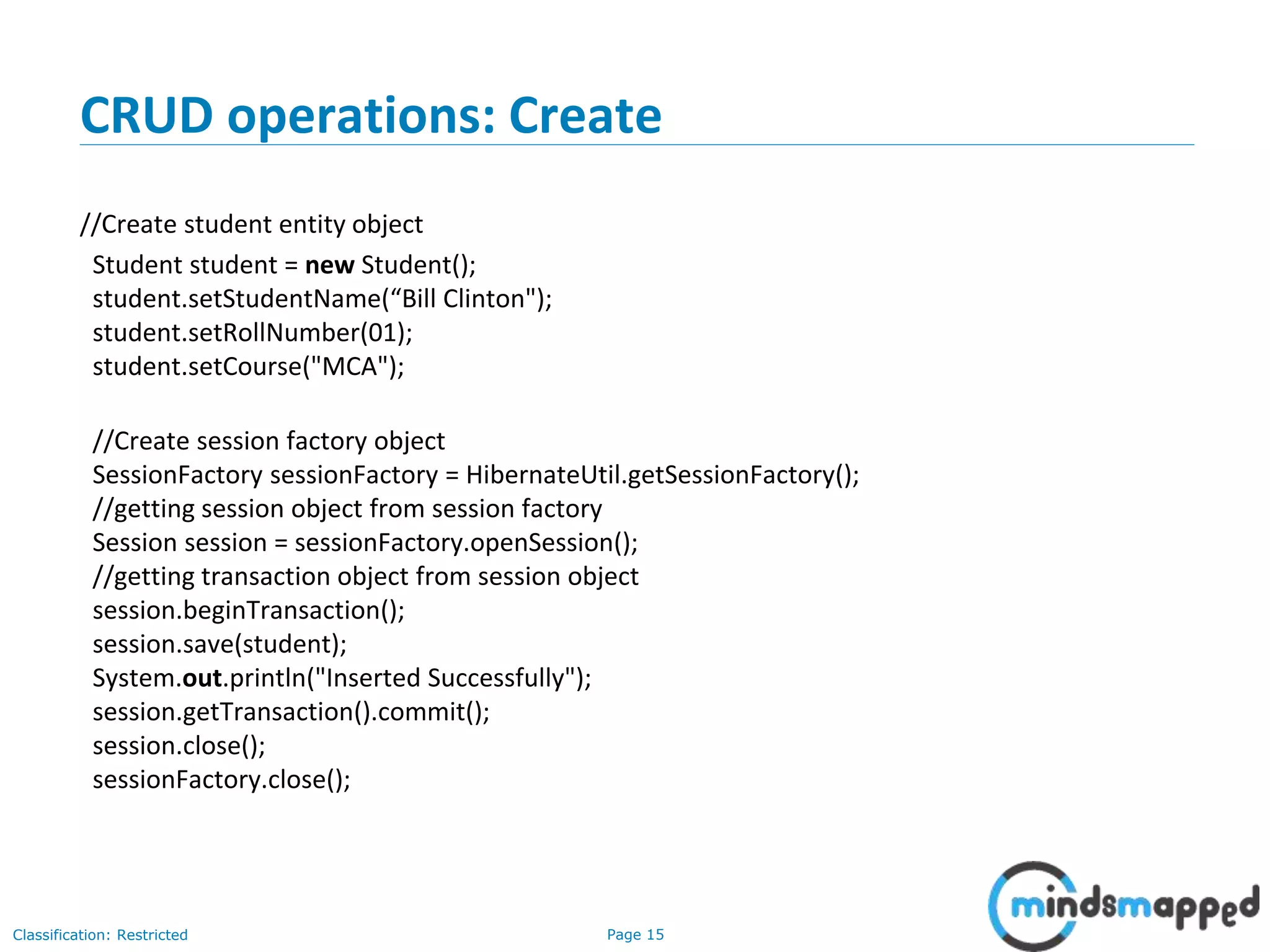
CRUD operations: Create
//Create student entity object
Student student = new Student();
student.setStudentName(“Bill Clinton");
student.setRollNumber(01);
student.setCourse("MCA");
//Create session factory object
SessionFactory sessionFactory = HibernateUtil.getSessionFactory();
//getting session object from session factory
Session session = sessionFactory.openSession();
//getting transaction object from session object
session.beginTransaction();
session.save(student);
System.out.println("Inserted Successfully");
session.getTransaction().commit();
session.close();
sessionFactory.close();
Page 16Classification: Restricted
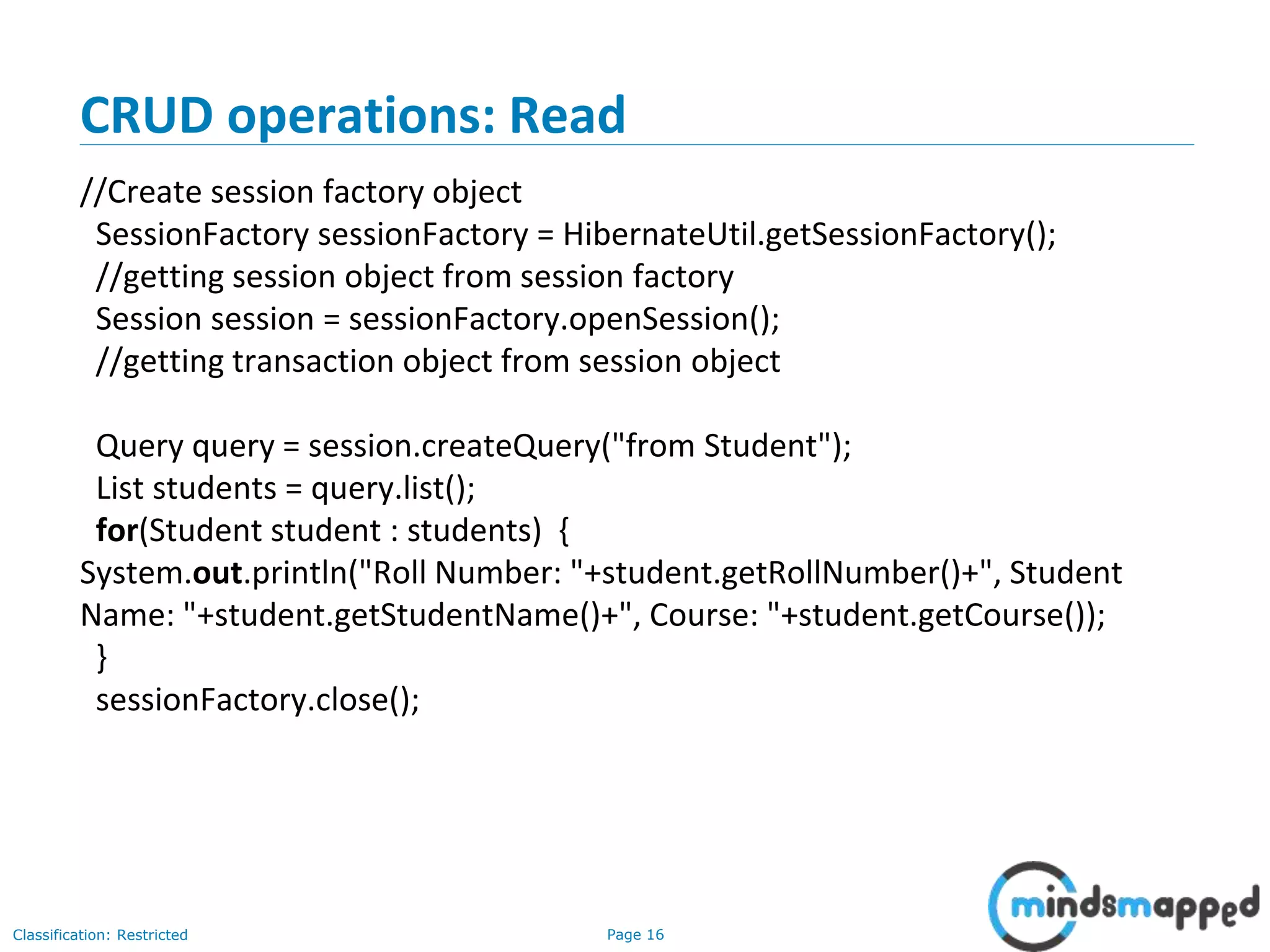
CRUD operations: Read
//Create session factory object
SessionFactory sessionFactory = HibernateUtil.getSessionFactory();
//getting session object from session factory
Session session = sessionFactory.openSession();
//getting transaction object from session object
Query query = session.createQuery("from Student");
List students = query.list();
for(Student student : students) {
System.out.println("Roll Number: "+student.getRollNumber()+", Student
Name: "+student.getStudentName()+", Course: "+student.getCourse());
}
sessionFactory.close();
Page 17Classification: Restricted
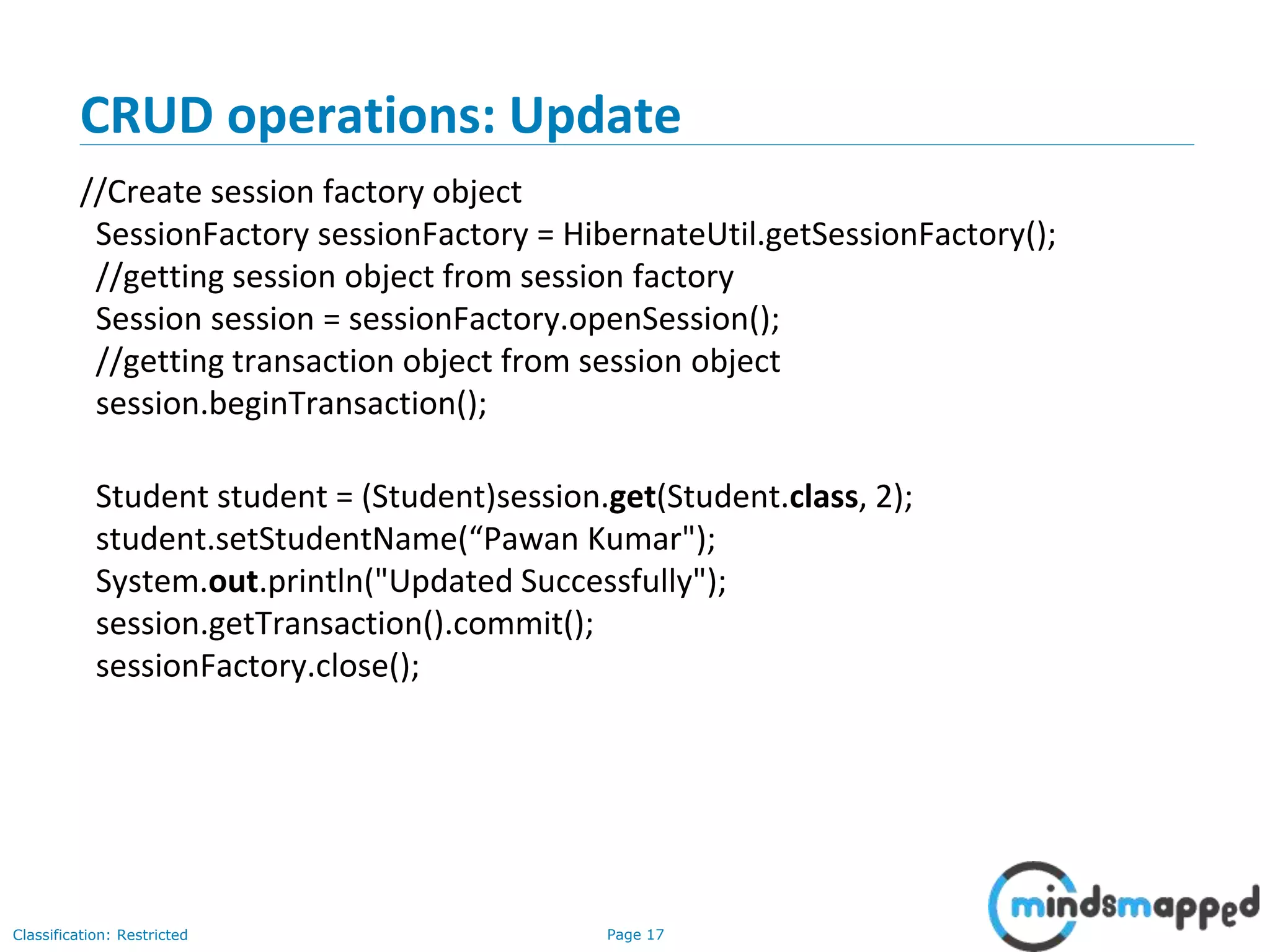
CRUD operations: Update
//Create session factory object
SessionFactory sessionFactory = HibernateUtil.getSessionFactory();
//getting session object from session factory
Session session = sessionFactory.openSession();
//getting transaction object from session object
session.beginTransaction();
Student student = (Student)session.get(Student.class, 2);
student.setStudentName(“Pawan Kumar");
System.out.println("Updated Successfully");
session.getTransaction().commit();
sessionFactory.close();
Page 18Classification: Restricted
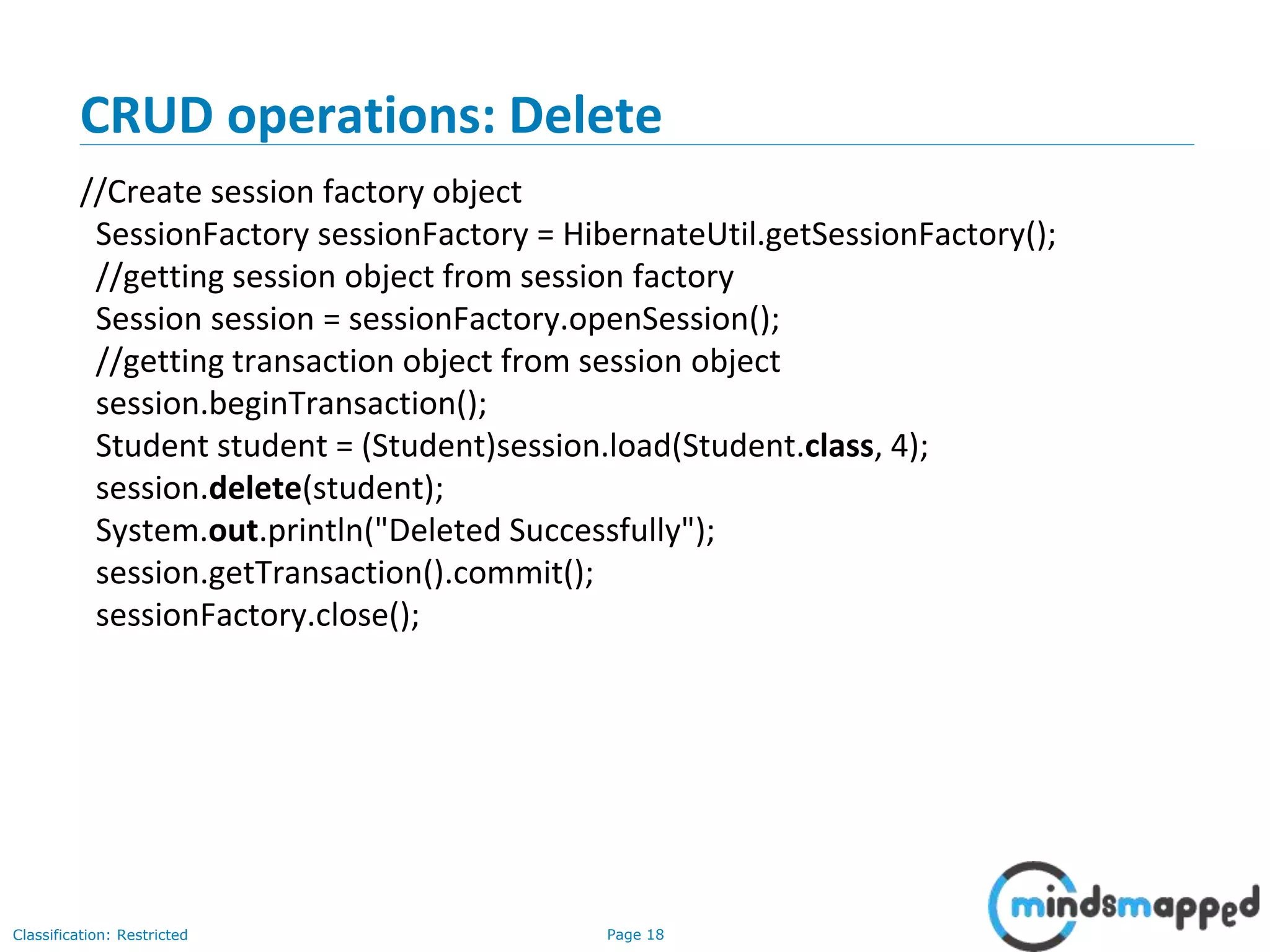
CRUD operations: Delete
//Create session factory object
SessionFactory sessionFactory = HibernateUtil.getSessionFactory();
//getting session object from session factory
Session session = sessionFactory.openSession();
//getting transaction object from session object
session.beginTransaction();
Student student = (Student)session.load(Student.class, 4);
session.delete(student);
System.out.println("Deleted Successfully");
session.getTransaction().commit();
sessionFactory.close();
Page 19Classification: Restricted
Hibernate Session API methods
• save()
• update()
• delete()
• get()
• saveOrUpdate()
• persist()
• load()
• merge() – Exercise…
Page 20Classification: Restricted
save() vs persist()
• persist() is well defined. It makes a transient instance persistent. However,
it doesn't guarantee that the identifier value will be assigned to the
persistent instance immediately, the assignment might happen at flush
time.
• persist() also guarantees that it will not execute an INSERT statement if it is
called outside of transaction boundaries. This is useful in long-running
conversations with an extended Session/persistence context.
• save() does not guarantee the same, it returns an identifier, and if an
INSERT has to be executed to get the identifier (e.g. "identity" generator,
not "sequence"), this INSERT happens immediately, no matter if you are
inside or outside of a transaction. This is not good in a long-running
conversation with an extended Session/persistence context.
Page 21Classification: Restricted
load() vs get()
Session.load():
• It will always return a “proxy” (Hibernate term) without hitting the
database. In Hibernate, proxy is an object with the given identifier value,
its properties are not initialized yet, it just look like a temporary fake
object.
• If no row found , it will throws an ObjectNotFoundException.
Session.get():
• It always hit the database and return the real object, an object that
represent the database row, not proxy.
• If no row found , it return null.
Page 22Classification: Restricted
merge()
• Exercise:
• What is the use of Session.merge() method?
• Hint: Refer to the API.
Page 23Classification: Restricted
Your first Hibernate project – Steps in detail
Demo of all CRUD operations…
Page 24Classification: Restricted
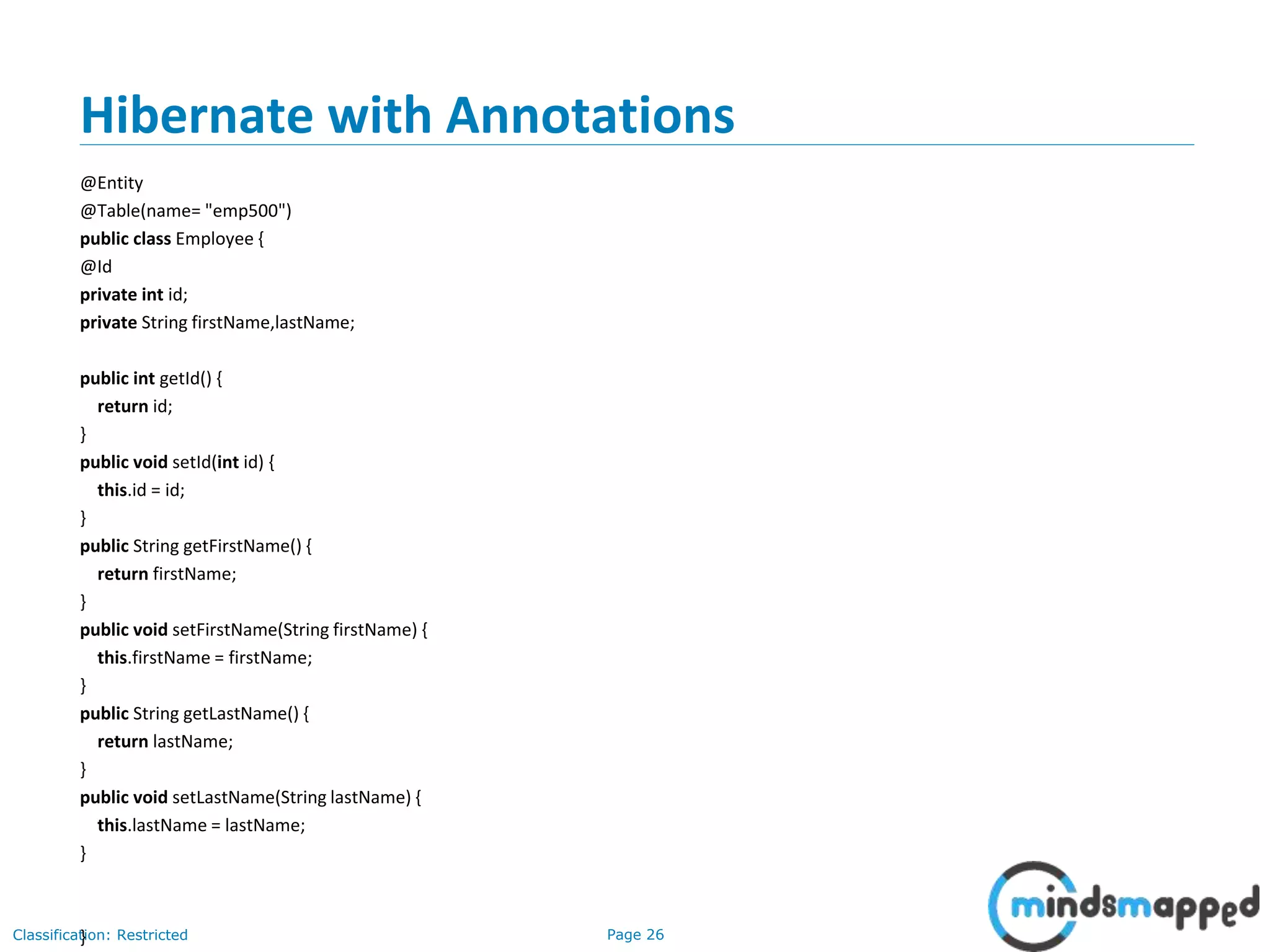
Hibernate with Annotations
• The hibernate application can be created with annotation. There are many
annotations that can be used to create hibernate application such as
@Entity, @Id, @Table etc.
• Hibernate Annotations are based on the JPA 2 specification and supports all
the features.
• All the JPA annotations are defined in the javax.persistence.* package.
Hibernate EntityManager implements the interfaces and life cycle defined
by the JPA specification.
• The core advantage of using hibernate annotation is that you don't need
to create mapping (hbm) file. Here, hibernate annotations are used to
provide the meta data.
Page 25Classification: Restricted
Hibernate with Annotations
• Add the jar file for oracle (if your database is oracle) and annotation
o hibernate-commons-annotations.jar
o ejb3-persistence.jar
o hibernate-annotations.jar
• Create the Persistent class
• Annotations used:
o @Entity annotation marks this class as an entity.
o @Table annotation specifies the table name where data of this entity is to be
persisted. If you don't use @Table annotation, hibernate will use the class name as
the table name by default.
o @Id annotation marks the identifier for this entity.
o @Column annotation specifies the details of the column for this property or field. If
@Column annotation is not specified, property name will be used as the column
name by default.
• Add mapping of Persistent class in configuration file
• Create the class that retrieves or stores the persistent object
Page 26Classification: Restricted
Hibernate with Annotations
@Entity
@Table(name= "emp500")
public class Employee {
@Id
private int id;
private String firstName,lastName;
public int getId() {
return id;
}
public void setId(int id) {
this.id = id;
}
public String getFirstName() {
return firstName;
}
public void setFirstName(String firstName) {
this.firstName = firstName;
}
public String getLastName() {
return lastName;
}
public void setLastName(String lastName) {
this.lastName = lastName;
}
}
Page 27Classification: Restricted
Exercise of Web application using Hibernate…
• Replace JDBC DAO class in the web app for Student registration information
with Hibernate code.
Page 28Classification: Restricted
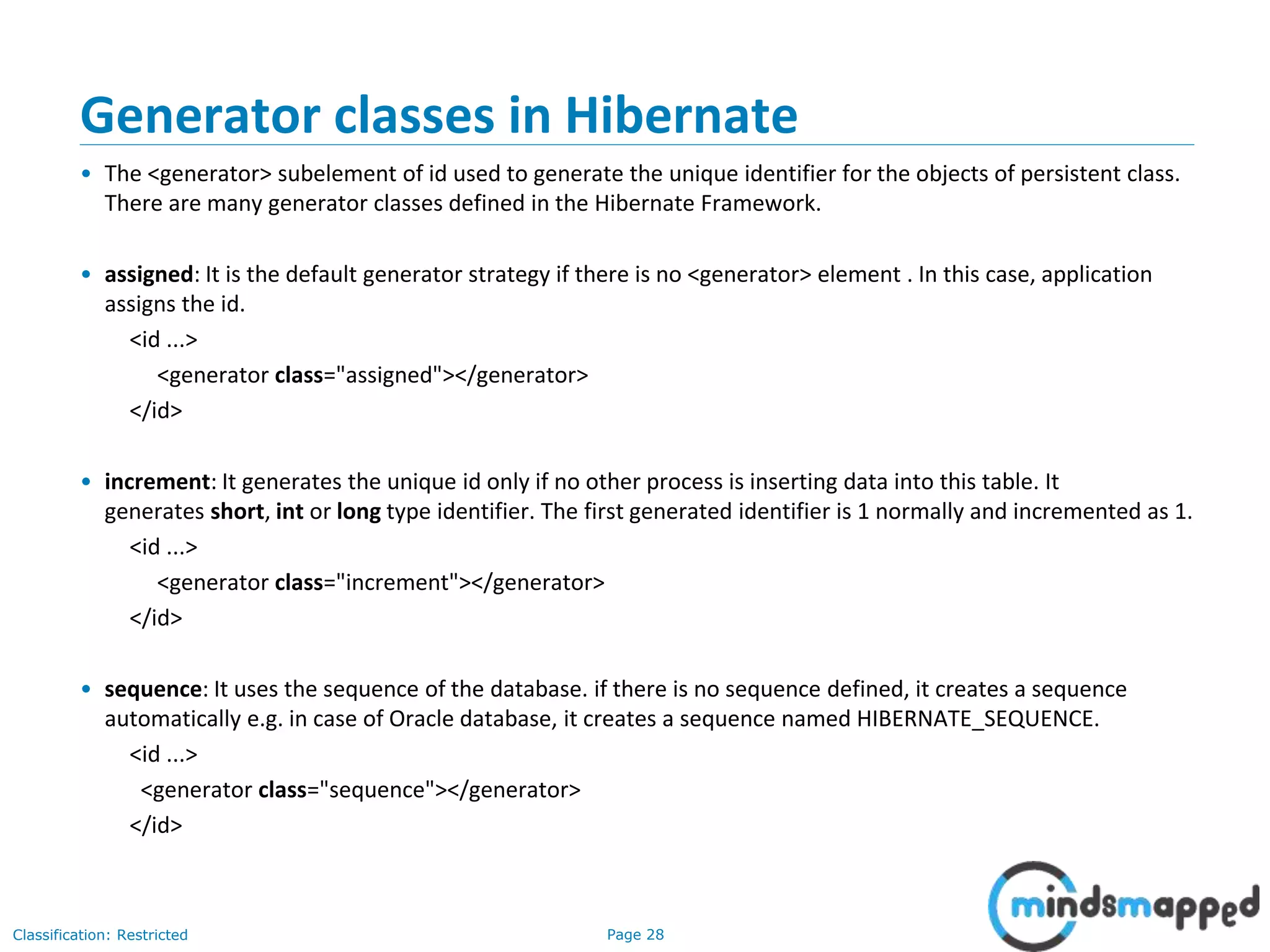
Generator classes in Hibernate
• The <generator> subelement of id used to generate the unique identifier for the objects of persistent class.
There are many generator classes defined in the Hibernate Framework.
• assigned: It is the default generator strategy if there is no <generator> element . In this case, application
assigns the id.
<id ...>
<generator class="assigned"></generator>
</id>
• increment: It generates the unique id only if no other process is inserting data into this table. It
generates short, int or long type identifier. The first generated identifier is 1 normally and incremented as 1.
<id ...>
<generator class="increment"></generator>
</id>
• sequence: It uses the sequence of the database. if there is no sequence defined, it creates a sequence
automatically e.g. in case of Oracle database, it creates a sequence named HIBERNATE_SEQUENCE.
<id ...>
<generator class="sequence"></generator>
</id>
Page 29Classification: Restricted
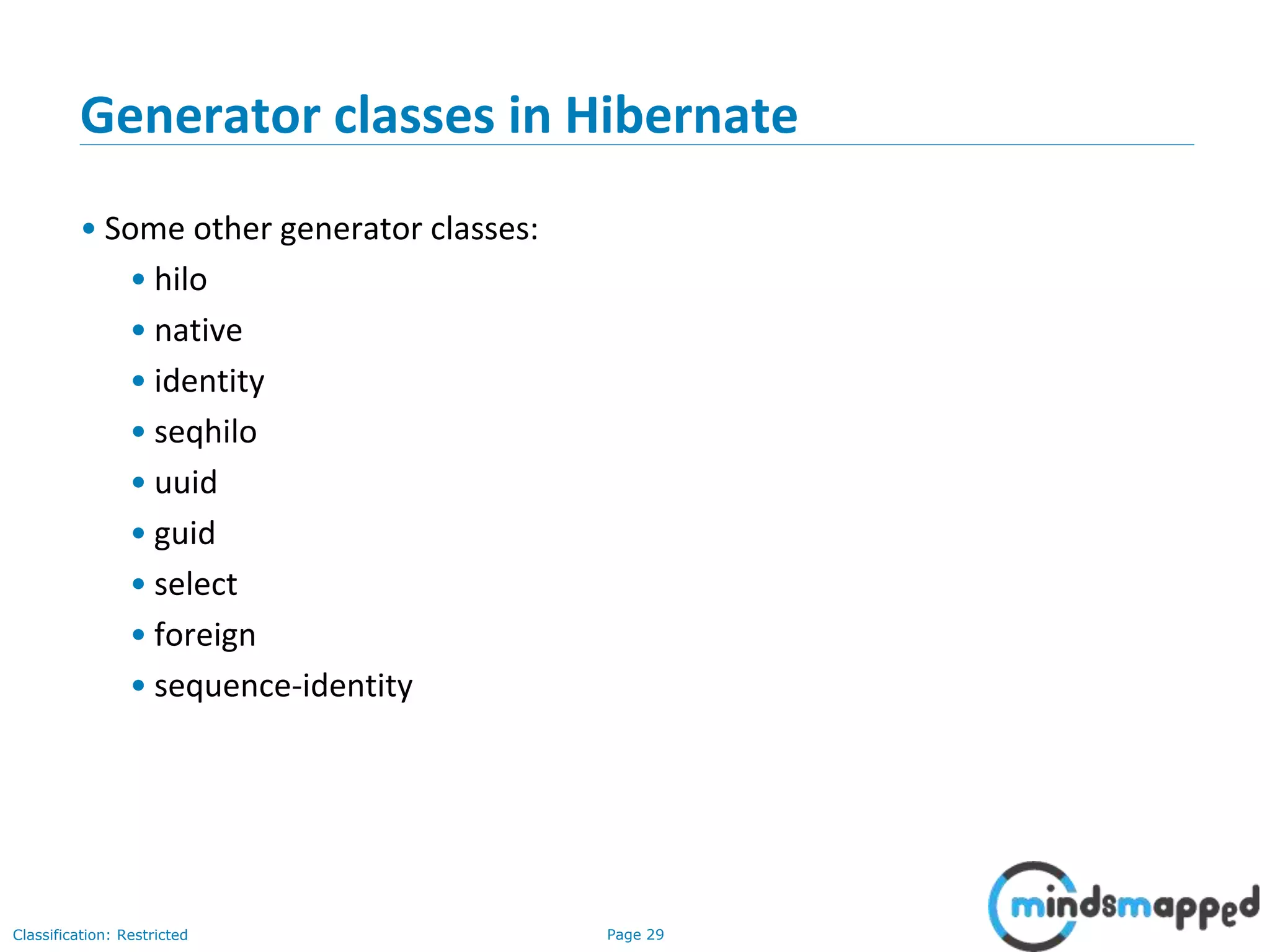
Generator classes in Hibernate
• Some other generator classes:
• hilo
• native
• identity
• seqhilo
• uuid
• guid
• select
• foreign
• sequence-identity
Page 30Classification: Restricted
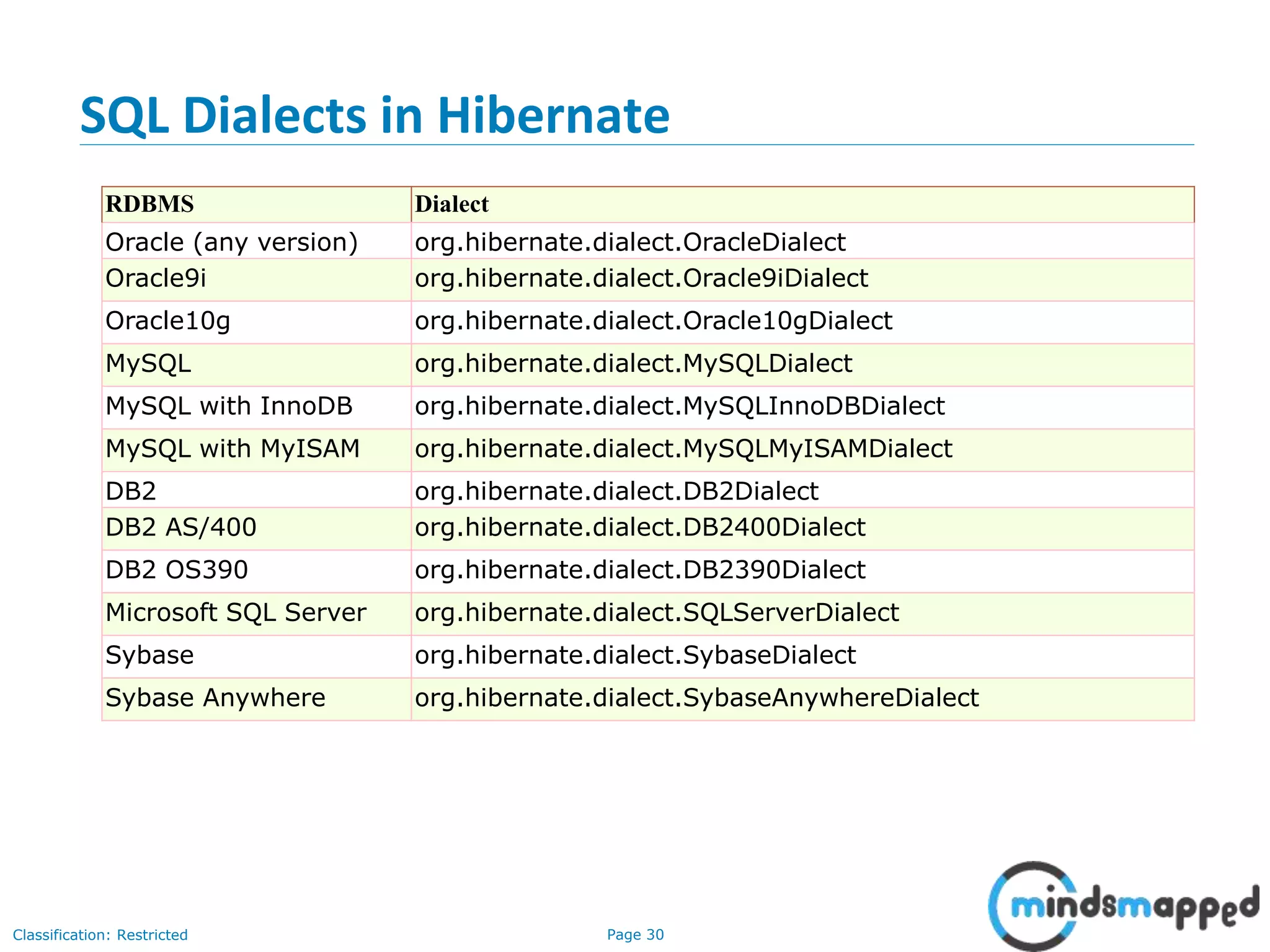
SQL Dialects in Hibernate
RDBMS Dialect
Oracle (any version) org.hibernate.dialect.OracleDialect
Oracle9i org.hibernate.dialect.Oracle9iDialect
Oracle10g org.hibernate.dialect.Oracle10gDialect
MySQL org.hibernate.dialect.MySQLDialect
MySQL with InnoDB org.hibernate.dialect.MySQLInnoDBDialect
MySQL with MyISAM org.hibernate.dialect.MySQLMyISAMDialect
DB2 org.hibernate.dialect.DB2Dialect
DB2 AS/400 org.hibernate.dialect.DB2400Dialect
DB2 OS390 org.hibernate.dialect.DB2390Dialect
Microsoft SQL Server org.hibernate.dialect.SQLServerDialect
Sybase org.hibernate.dialect.SybaseDialect
Sybase Anywhere org.hibernate.dialect.SybaseAnywhereDialect
Page 31Classification: Restricted
Collection Mapping in Hibernate
• One-to-one mapping
• Many-to-one mapping/One-to-many mapping
• Many-to-many mapping
Page 32Classification: Restricted
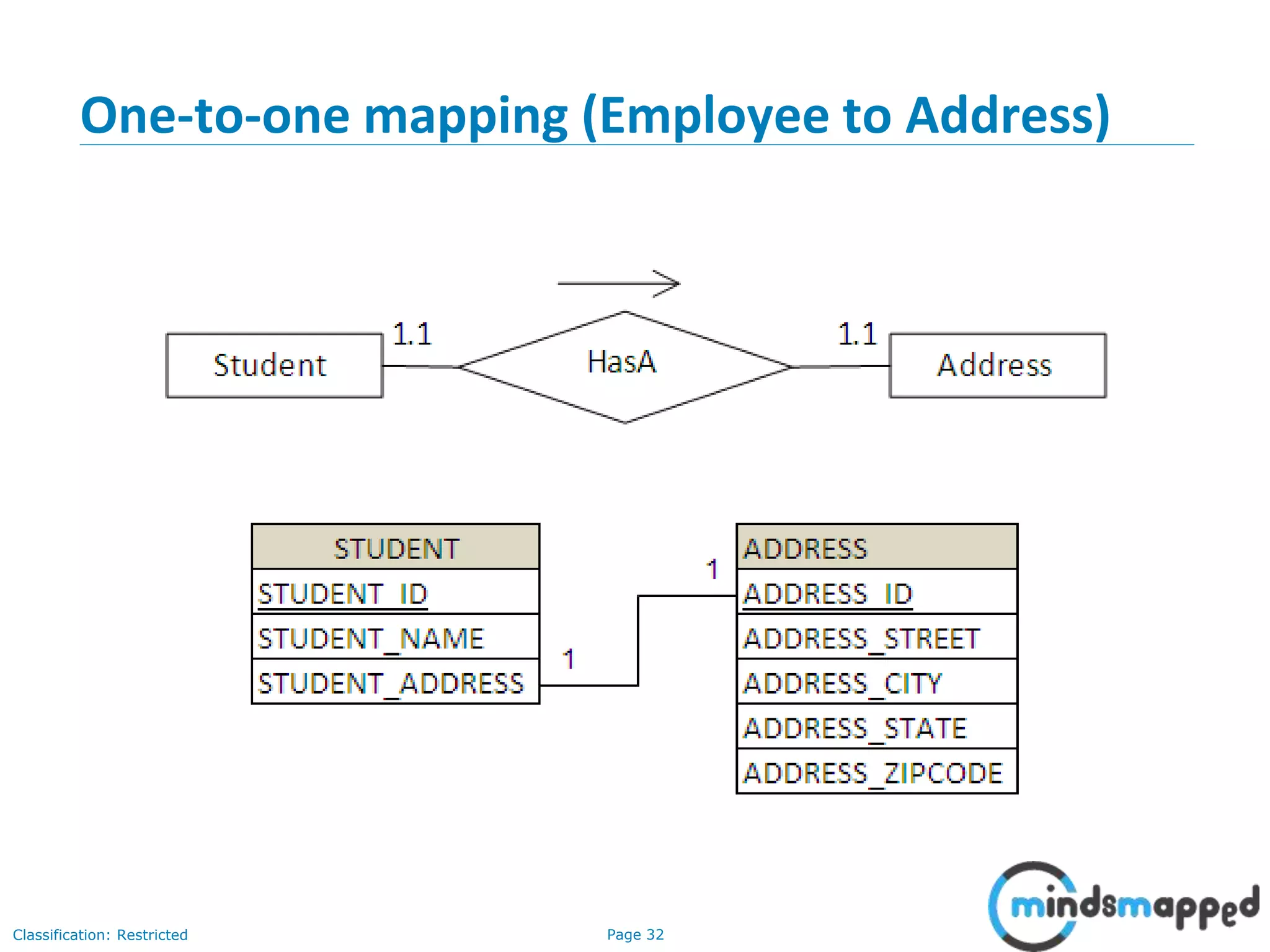
One-to-one mapping (Employee to Address)
Page 33Classification: Restricted
Cascade Types
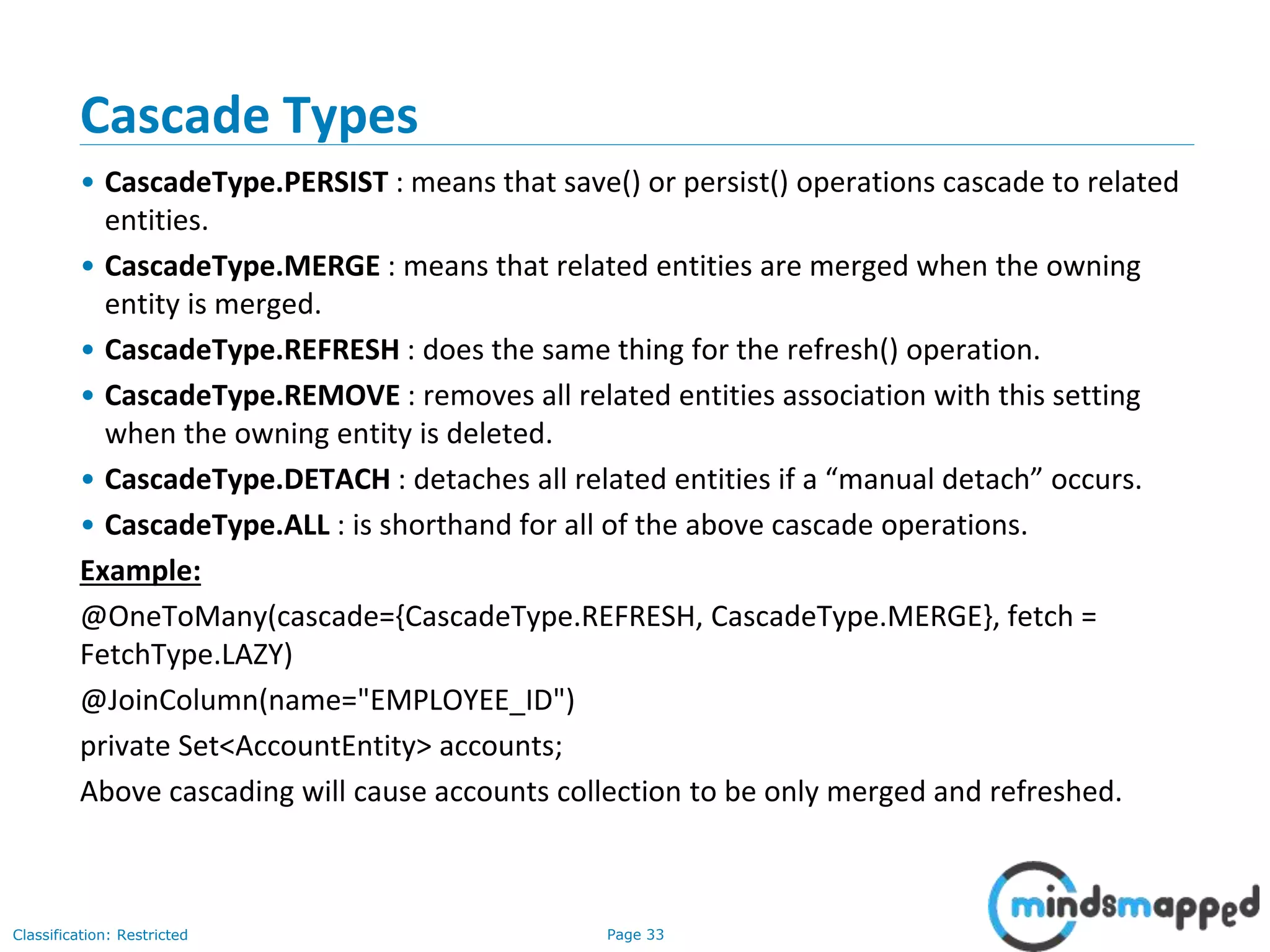
• CascadeType.PERSIST : means that save() or persist() operations cascade to related
entities.
• CascadeType.MERGE : means that related entities are merged when the owning
entity is merged.
• CascadeType.REFRESH : does the same thing for the refresh() operation.
• CascadeType.REMOVE : removes all related entities association with this setting
when the owning entity is deleted.
• CascadeType.DETACH : detaches all related entities if a “manual detach” occurs.
• CascadeType.ALL : is shorthand for all of the above cascade operations.
Example:
@OneToMany(cascade={CascadeType.REFRESH, CascadeType.MERGE}, fetch =
FetchType.LAZY)
@JoinColumn(name="EMPLOYEE_ID")
private Set<AccountEntity> accounts;
Above cascading will cause accounts collection to be only merged and refreshed.
Page 34Classification: Restricted
Many to one / One to Many
Page 35Classification: Restricted
One-to-many demo..
• Using List
• Using Bag
• Using Set
• Using Map
Page 36Classification: Restricted
Many-to-many demo
• Exercise: Will give you an exercise to try it out.
Page 37Classification: Restricted
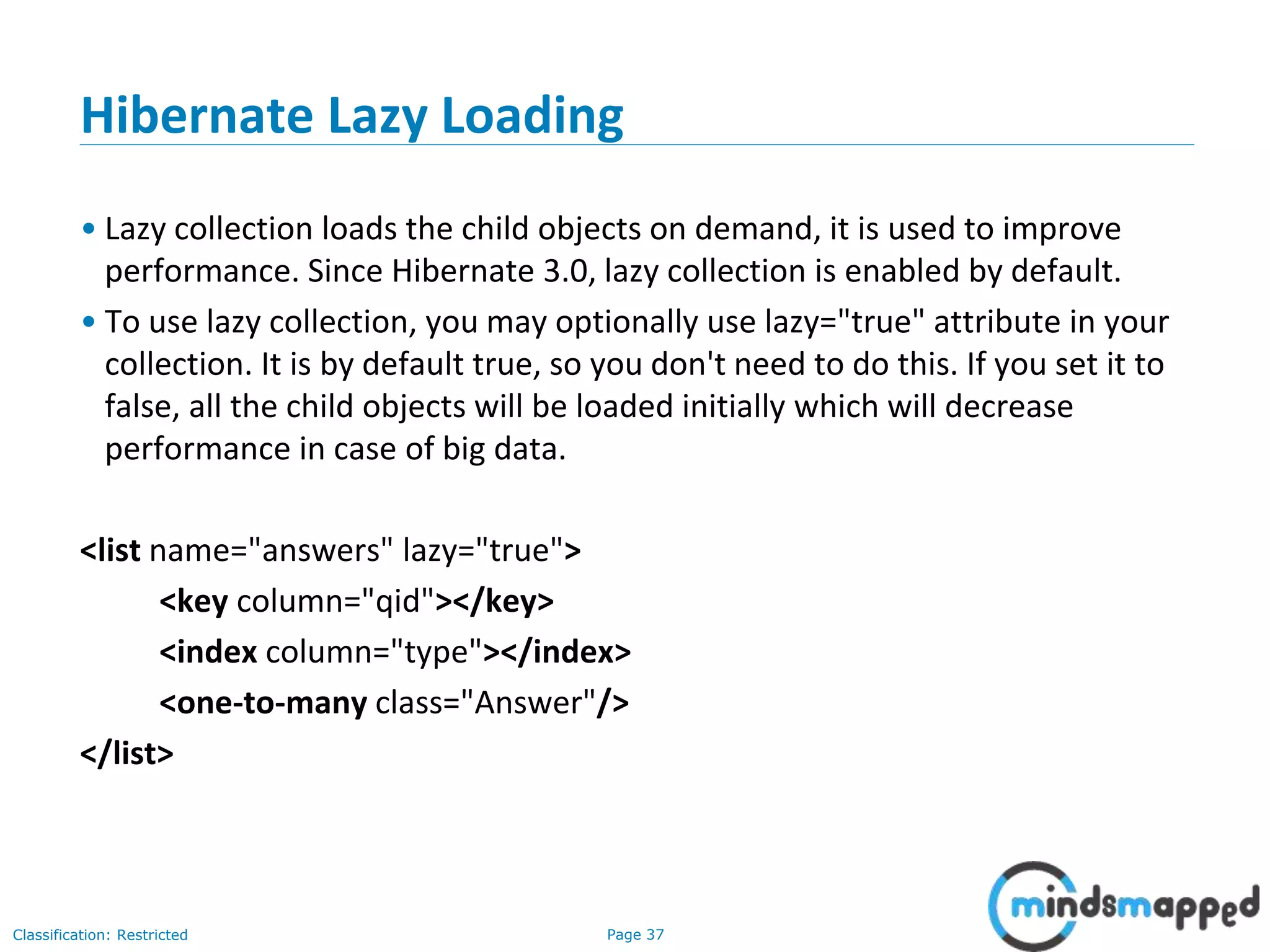
Hibernate Lazy Loading
• Lazy collection loads the child objects on demand, it is used to improve
performance. Since Hibernate 3.0, lazy collection is enabled by default.
• To use lazy collection, you may optionally use lazy="true" attribute in your
collection. It is by default true, so you don't need to do this. If you set it to
false, all the child objects will be loaded initially which will decrease
performance in case of big data.
<list name="answers" lazy="true">
<key column="qid"></key>
<index column="type"></index>
<one-to-many class="Answer"/>
</list>
Page 38Classification: Restricted
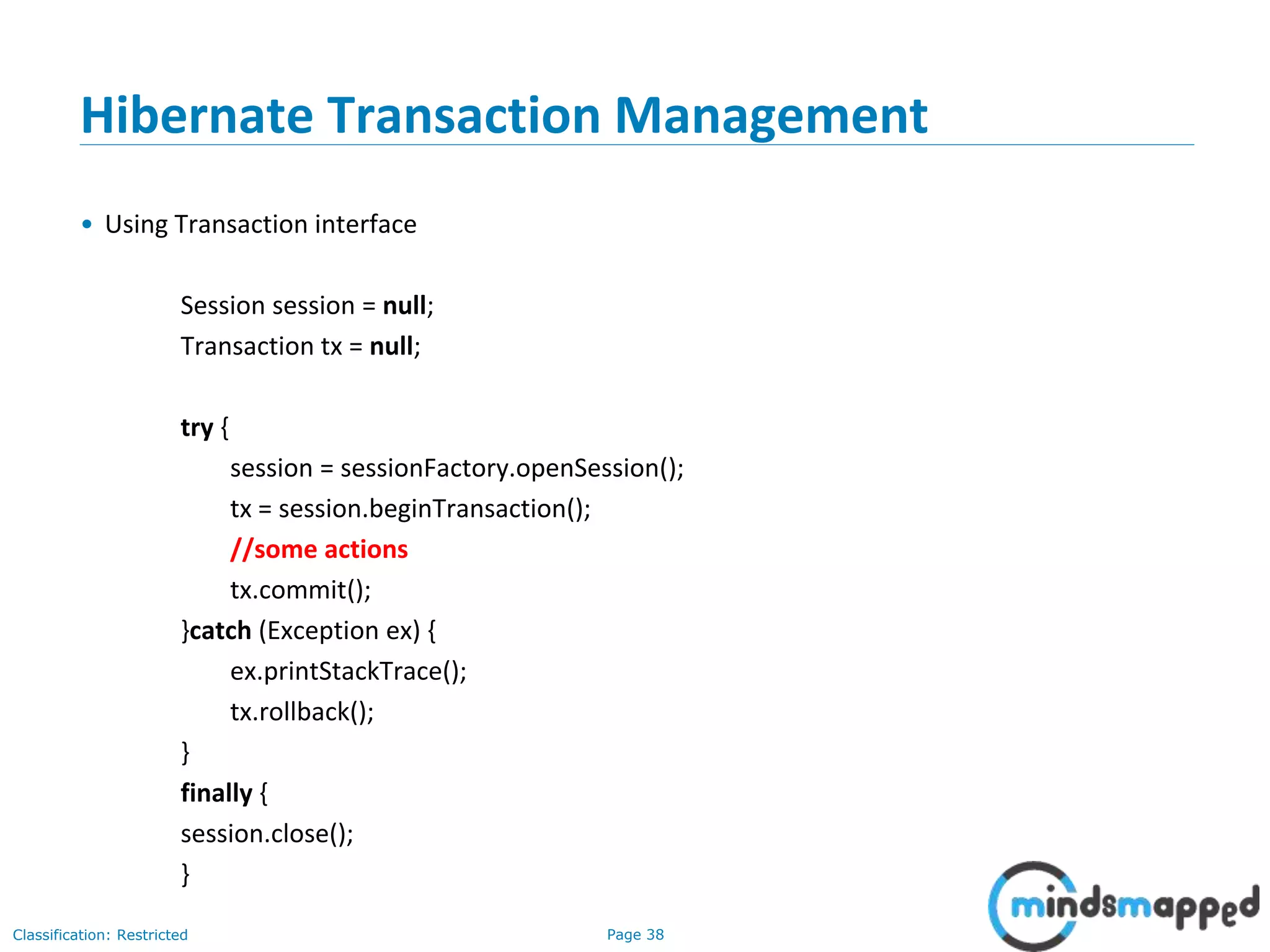
Hibernate Transaction Management
• Using Transaction interface
Session session = null;
Transaction tx = null;
try {
session = sessionFactory.openSession();
tx = session.beginTransaction();
//some actions
tx.commit();
}catch (Exception ex) {
ex.printStackTrace();
tx.rollback();
}
finally {
session.close();
}
Page 39Classification: Restricted
HQL – Hibernate Query Language
• public int executeUpdate() is used to execute the update or delete query.
• public List list() returns the result of the query as a list.
• public Query setFirstResult(int rowno) specifies the row number from
where record will be retrieved.
• public Query setMaxResult(int rowno) specifies the no. of records to be
retrieved from the relation (table).
• public Query setParameter(int position, Object value) it sets the value to
the JDBC style query parameter.
• public Query setParameter(String name, Object value) it sets the value to
a named query parameter.
Page 40Classification: Restricted
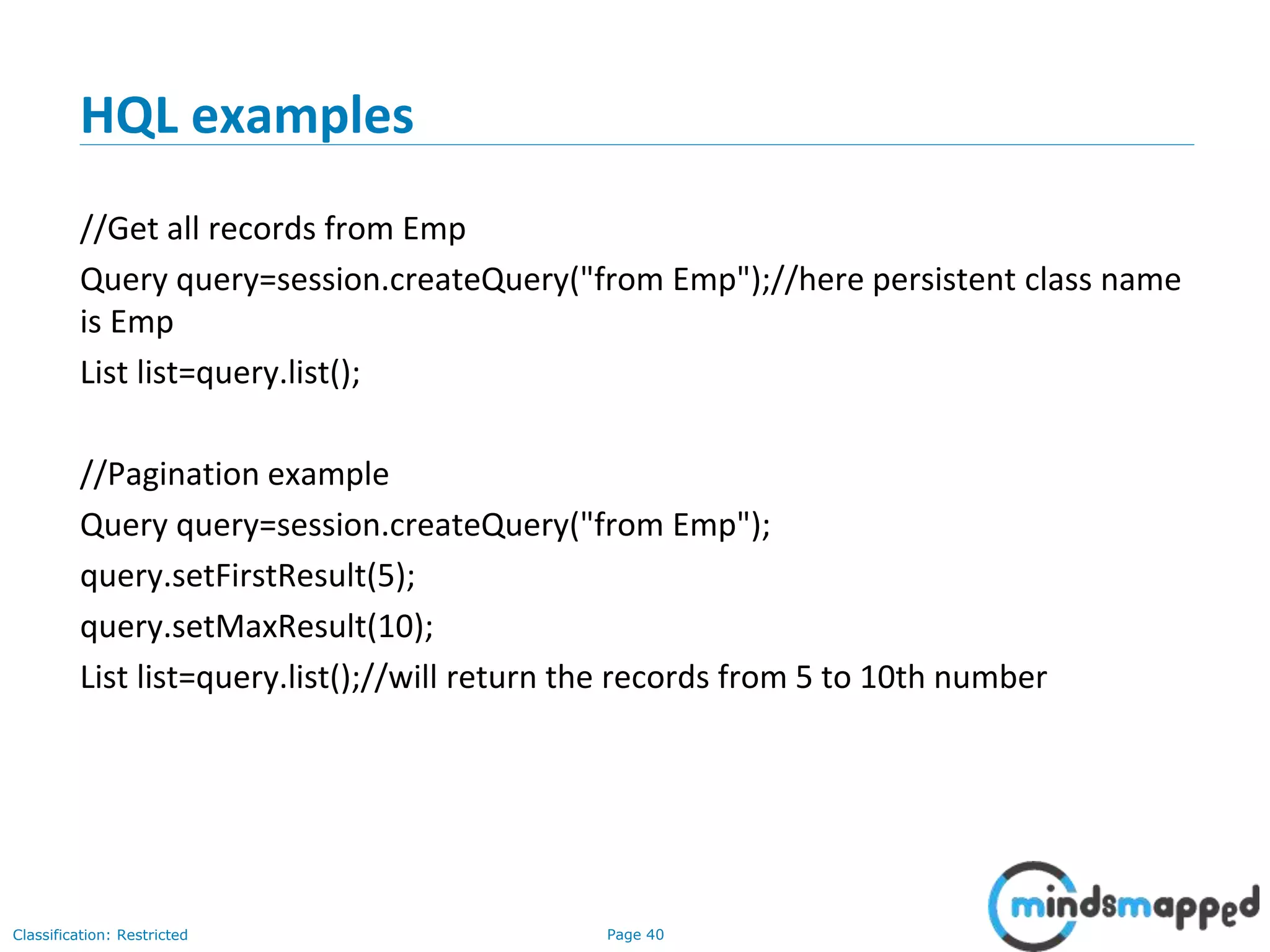
HQL examples
//Get all records from Emp
Query query=session.createQuery("from Emp");//here persistent class name
is Emp
List list=query.list();
//Pagination example
Query query=session.createQuery("from Emp");
query.setFirstResult(5);
query.setMaxResult(10);
List list=query.list();//will return the records from 5 to 10th number
Page 41Classification: Restricted
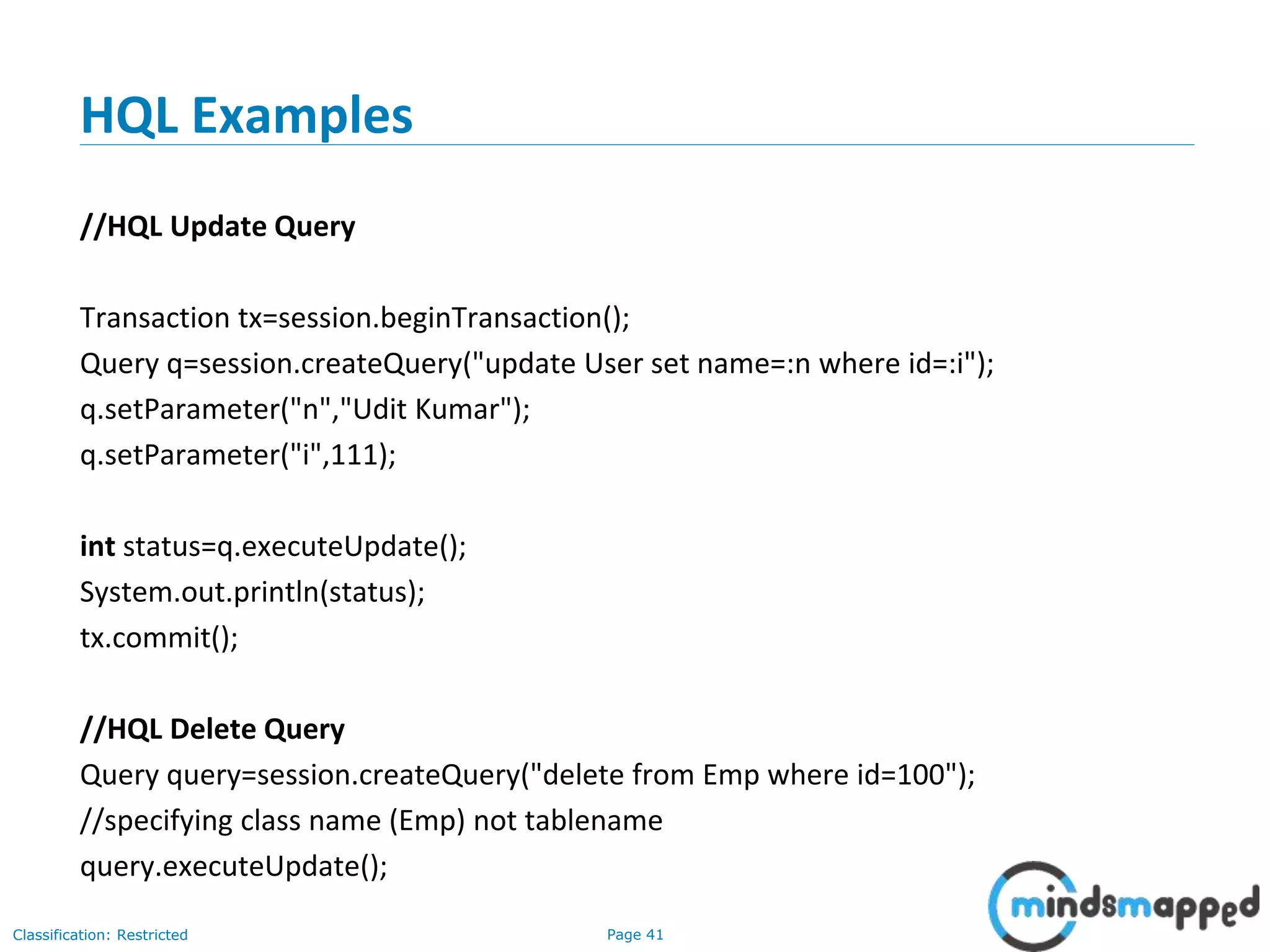
HQL Examples
//HQL Update Query
Transaction tx=session.beginTransaction();
Query q=session.createQuery("update User set name=:n where id=:i");
q.setParameter("n","Udit Kumar");
q.setParameter("i",111);
int status=q.executeUpdate();
System.out.println(status);
tx.commit();
//HQL Delete Query
Query query=session.createQuery("delete from Emp where id=100");
//specifying class name (Emp) not tablename
query.executeUpdate();
Page 42Classification: Restricted
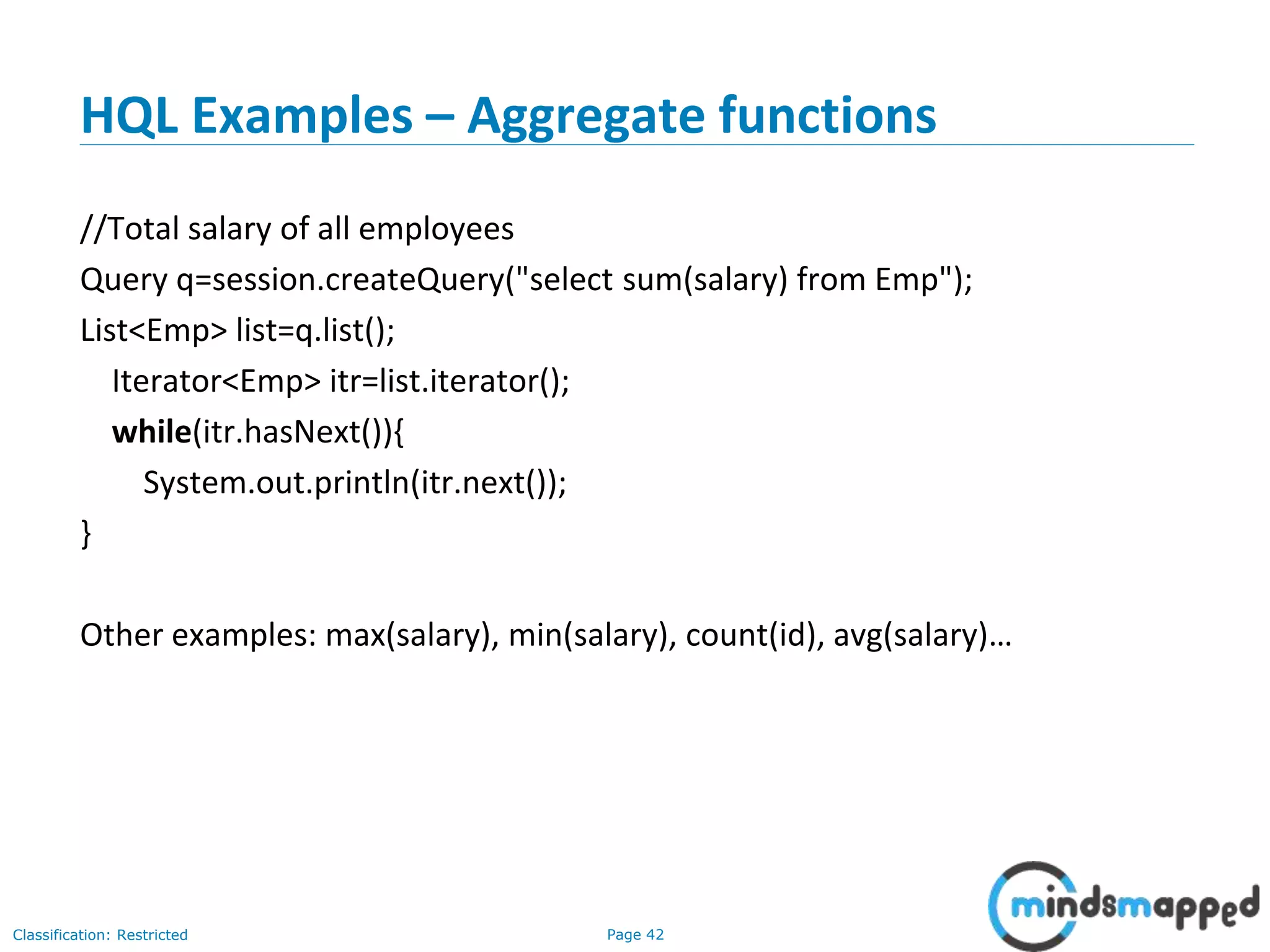
HQL Examples – Aggregate functions
//Total salary of all employees
Query q=session.createQuery("select sum(salary) from Emp");
List<Emp> list=q.list();
Iterator<Emp> itr=list.iterator();
while(itr.hasNext()){
System.out.println(itr.next());
}
Other examples: max(salary), min(salary), count(id), avg(salary)…
Page 43Classification: Restricted
Hibernate Criteria Query Language
• Fetch records based on specific criteria
• Advantage: The HCQL provides methods to add criteria, so it is easy for the
java programmer to add criteria. The java programmer is able to add many
criteria on a query.
• Uses:
• Criteria interface
• Order class
• Restrictions class
Page 44Classification: Restricted
HCQL Examples
//Get all records
Crietria c=session.createCriteria(Emp.class);//passing Class class argument
List list=c.list();
//Pagination
• Criteria c=session.createCriteria(Emp.class);
• c.setFirstResult(10);
• c.setMaxResult(20);
• List list=c.list();
//Records whose salary is greater than 10000
Criteria c=session.createCriteria(Emp.class);
c.add(Restrictions.gt("salary",10000));//salary is the propertyname
List list=c.list();
Page 45Classification: Restricted
HCQL Examples
//Records in asc order of salary
Crietria c=session.createCriteria(Emp.class);
c.addOrder(Order.asc("salary"));
List list=c.list();
//HCQL with Projection (i.e. specific columns of a table
Criteria c=session.createCriteria(Emp.class);
c.setProjection(Projections.property("name"));
List list=c.list();
Java & JEE Training
Advanced Concepts – Performance improvement using
Caching and Connection Pooling
Page 47Classification: Restricted
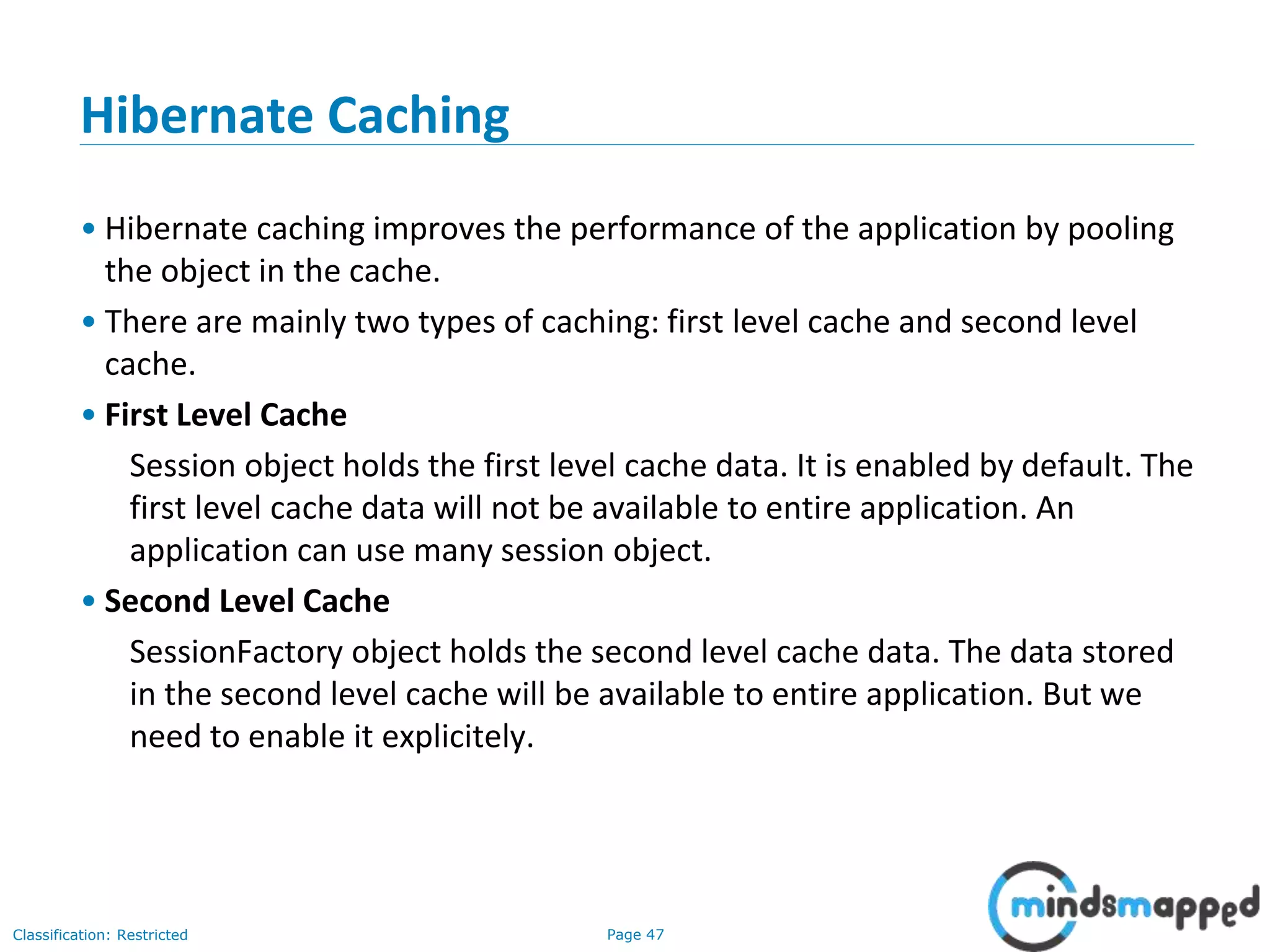
Hibernate Caching
• Hibernate caching improves the performance of the application by pooling
the object in the cache.
• There are mainly two types of caching: first level cache and second level
cache.
• First Level Cache
Session object holds the first level cache data. It is enabled by default. The
first level cache data will not be available to entire application. An
application can use many session object.
• Second Level Cache
SessionFactory object holds the second level cache data. The data stored
in the second level cache will be available to entire application. But we
need to enable it explicitely.
Page 48Classification: Restricted
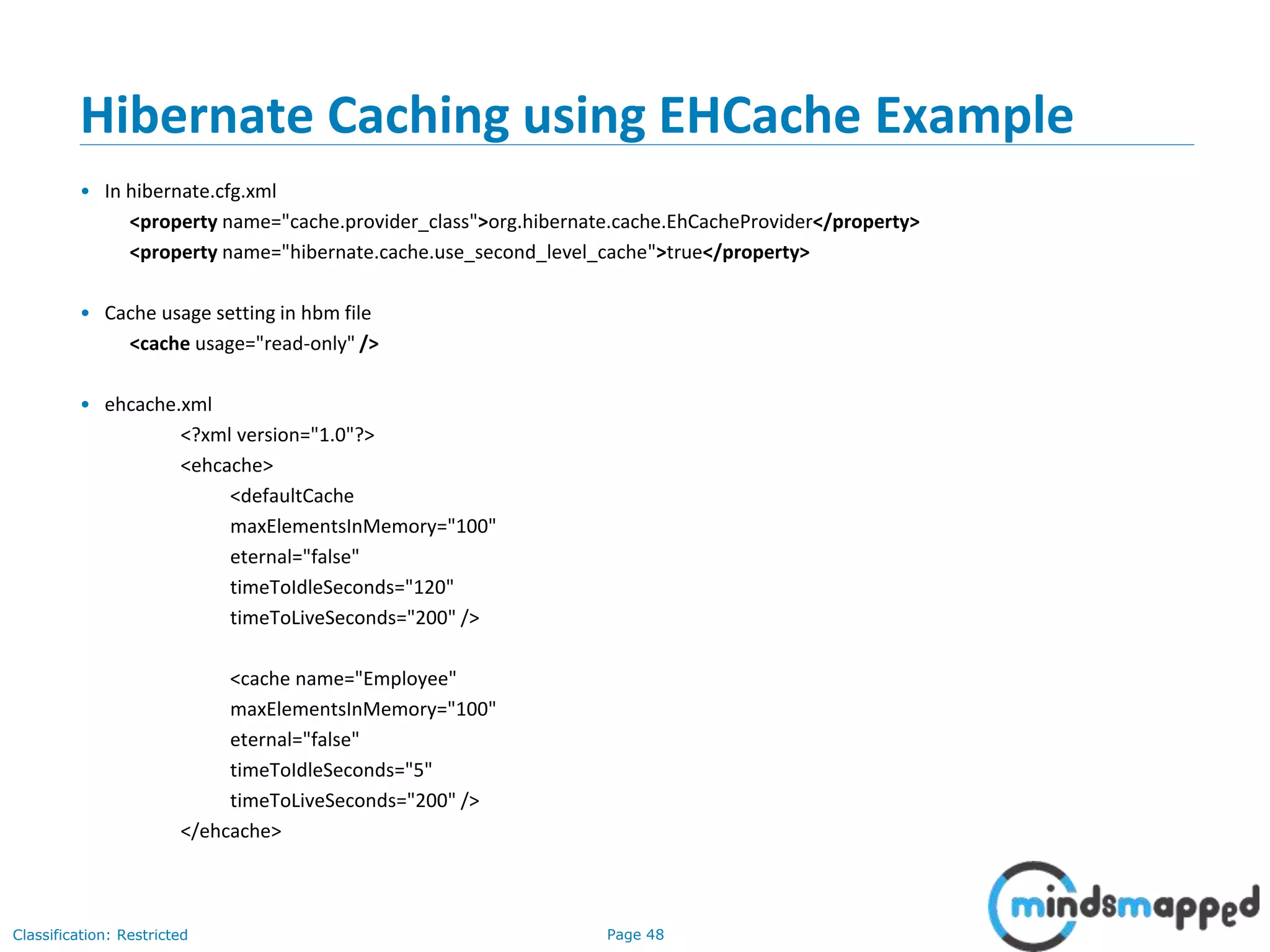
Hibernate Caching using EHCache Example
• In hibernate.cfg.xml
<property name="cache.provider_class">org.hibernate.cache.EhCacheProvider</property>
<property name="hibernate.cache.use_second_level_cache">true</property>
• Cache usage setting in hbm file
<cache usage="read-only" />
• ehcache.xml
<?xml version="1.0"?>
<ehcache>
<defaultCache
maxElementsInMemory="100"
eternal="false"
timeToIdleSeconds="120"
timeToLiveSeconds="200" />
<cache name="Employee"
maxElementsInMemory="100"
eternal="false"
timeToIdleSeconds="5"
timeToLiveSeconds="200" />
</ehcache>
Page 49Classification: Restricted
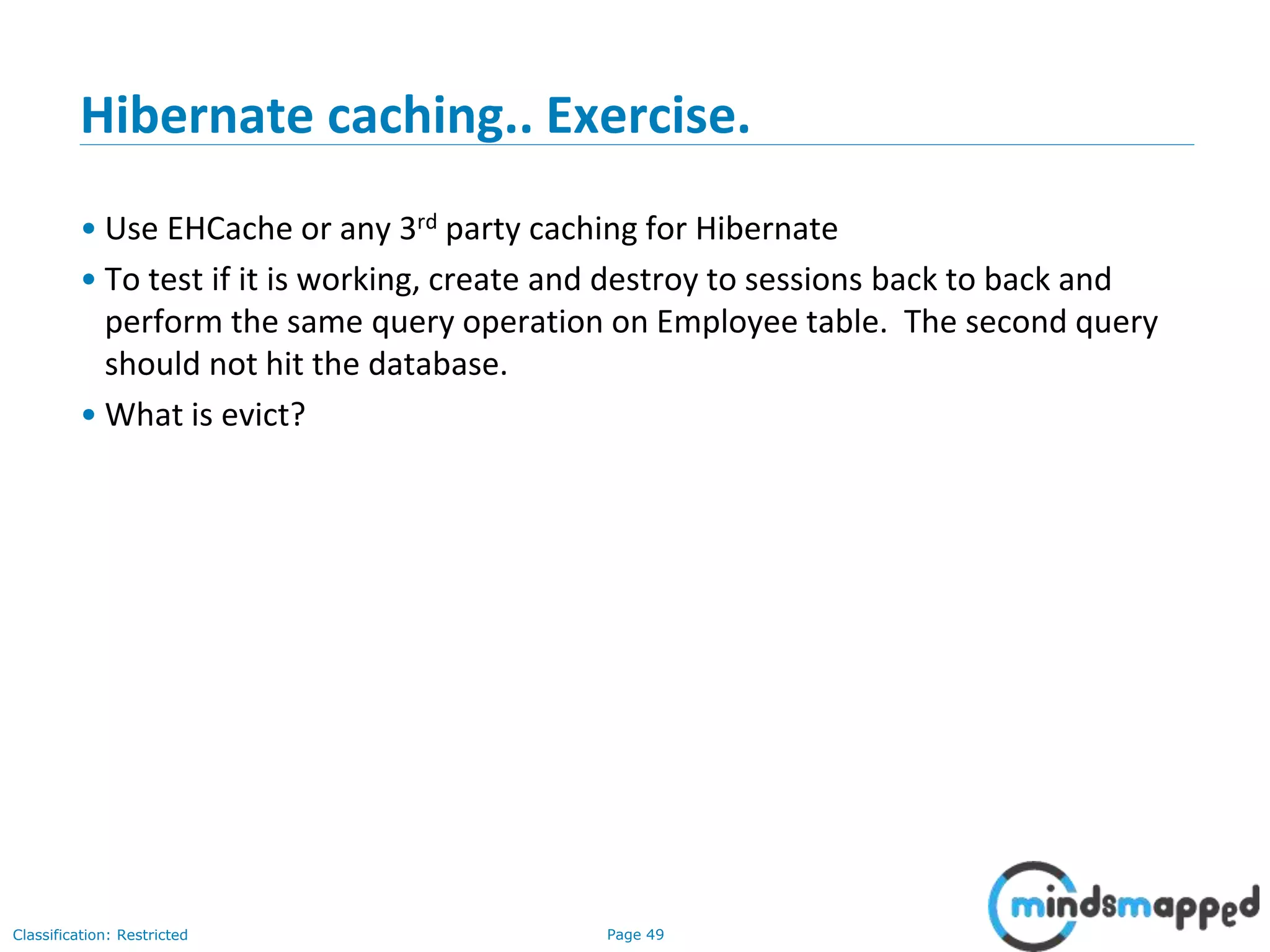
Hibernate caching.. Exercise.
• Use EHCache or any 3rd party caching for Hibernate
• To test if it is working, create and destroy to sessions back to back and
perform the same query operation on Employee table. The second query
should not hit the database.
• What is evict?
Page 50Classification: Restricted
Hibernate Exercise: Questions
• What is the difference between get() and load() methods?
• What is the difference between save() and persist() methods?
Page 51Classification: Restricted
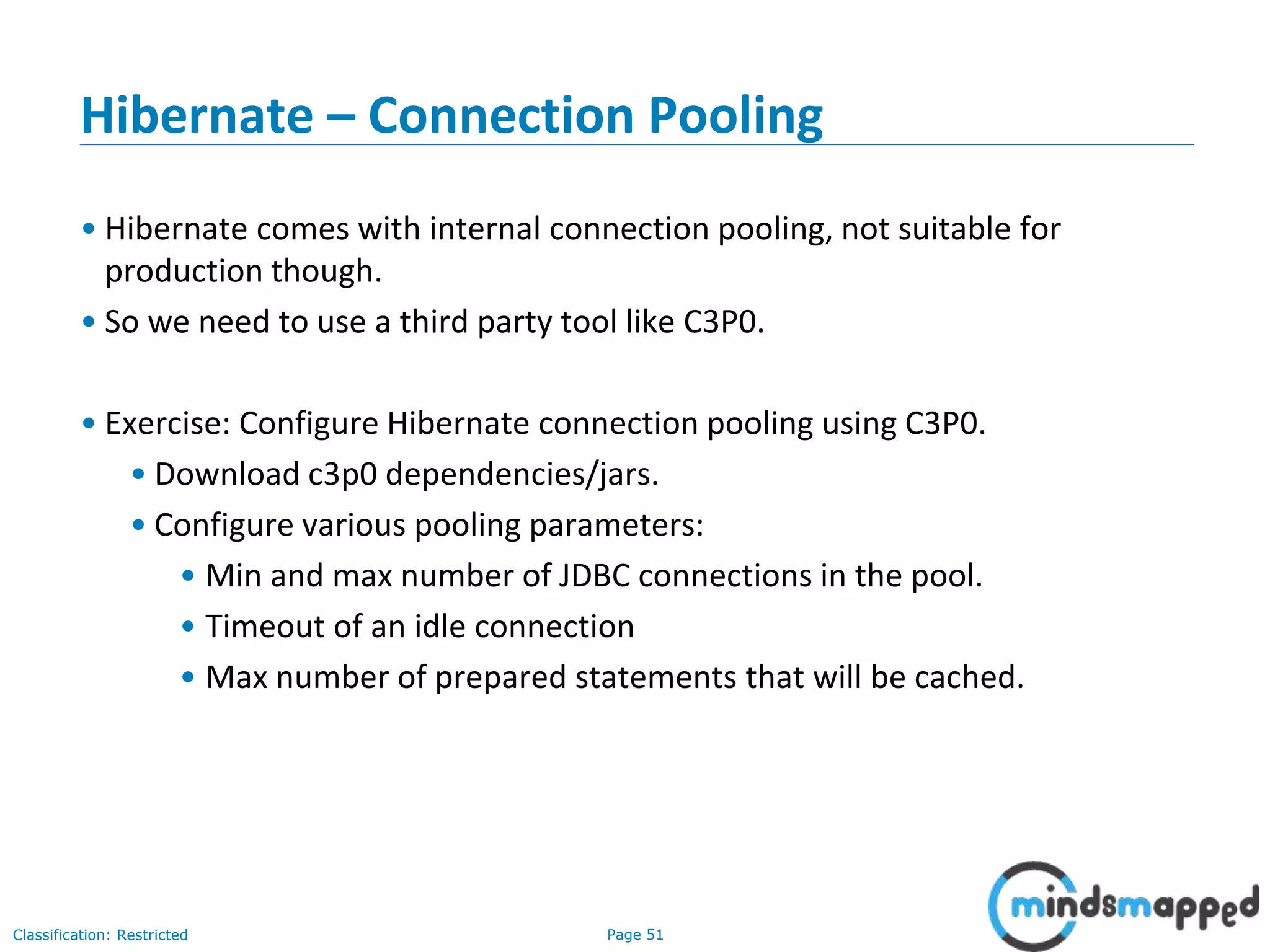
Hibernate – Connection Pooling
• Hibernate comes with internal connection pooling, not suitable for
production though.
• So we need to use a third party tool like C3P0.
• Exercise: Configure Hibernate connection pooling using C3P0.
• Download c3p0 dependencies/jars.
• Configure various pooling parameters:
• Min and max number of JDBC connections in the pool.
• Timeout of an idle connection
• Max number of prepared statements that will be cached.
Page 52Classification: Restricted
Topics to be covered in next session
• Introduction to Struts Framework
• Features
• Evolution
• Struts Demo
• Declarative validation
• Architecture
• Validators
• Interceptors
Page 53Classification: Restricted
Thank you!

Hibernate - Part 2

  • 1.
  • 2.
    Page 1Classification: Restricted Agenda •Generator Class in Hibernate • SQL Dialects • Collection Mapping • One-to-one Mapping • Cascade Types • Many to one / One to many • Hibernate Lazy Loading • Transaction Management • HQL – Hibernate Query Language • HCQL – Hibernate Criteria Query Language • Hibernate Caching
  • 3.
    Page 2Classification: Restricted Hibernate •Hibernate framework simplifies the development of java application to interact with the database. • Hibernate is an open source, lightweight, ORM (Object Relational Mapping) tool. • An ORM tool simplifies the data creation, data manipulation and data access. It is a programming technique that maps the object to the data stored in the relational database.
  • 4.
    Page 3Classification: Restricted Advantagesof Hibernate • Open-source and Lightweight: Hibernate framework is open-source and lightweight. • Fast performance: The performance of hibernate framework is fast because cache is internally used in hibernate framework. There are two types of cache in hibernate framework first level cache and second level cache. First level cache is enabled by default. • Database Independent query: HQL (Hibernate Query Language) is the object- oriented version of SQL. It generates the database independent queries. So you don't need to write database specific queries. Before Hibernate, If database is changed for the project, we need to change the SQL query as well that leads to the maintenance problem. • Automatic table creation: Hibernate framework provides the facility to create the tables of the database automatically. So there is no need to create tables in the database manually. • Simplifies complex join: To fetch data form multiple tables is easy in hibernate framework. • Provides query statistics and database status: Hibernate supports Query cache and provide statistics about query and database status.
  • 5.
    Page 4Classification: Restricted HibernateArchitecture – High Level
  • 6.
  • 7.
    Page 6Classification: Restricted HibernateArchitecture – Important Elements • SessionFactory The SessionFactory is a factory of session and client of ConnectionProvider. It holds second level cache (optional) of data. The org.hibernate.SessionFactory interface provides factory method to get the object of Session. • Session The session object provides an interface between the application and data stored in the database. It is a short-lived object and wraps the JDBC connection. It is factory of Transaction, Query and Criteria. It holds a first-level cache (mandatory) of data. The org.hibernate.Session interface provides methods to insert, update and delete the object. It also provides factory methods for Transaction, Query and Criteria. • Transaction The transaction object specifies the atomic unit of work. It is optional. The org.hibernate.Transaction interface provides methods for transaction management. • ConnectionProvider It is a factory of JDBC connections. It abstracts the application from DriverManager or DataSource. It is optional. • TransactionFactory It is a factory of Transaction. It is optional.
  • 8.
    Page 7Classification: Restricted Hibernatejar files… • Download from Hibernate official site http://hibernate.org/orm/downloads/
  • 9.
    Page 8Classification: Restricted Hibernatetools download • http://tools.jboss.org/downloads/
  • 10.
    Page 9Classification: Restricted Yourfirst Hibernate project • Create the java project • Add jar files for hibernate • Create the Persistent class • Create the mapping file for Persistent class • Create the Configuration file • Create the class that retrieves or stores the persistent object • Run the application
  • 11.
    Page 10Classification: Restricted Yourfirst Hibernate project – Steps in detail • Create the java project by File Menu - New - project - java project . Now specify the project name e.g. firsthb then next - finish • To add the jar files Right click on your project - Build path - Add external archives. In this example, we are connecting the application with oracle database. So you must add the ojdbc14.jar file as well.
  • 12.
    Page 11Classification: Restricted Yourfirst Hibernate project – Steps in detail //Create the POJO class public class Employee { private int id; private String firstName,lastName; public int getId() { return id; } public void setId(int id) { this.id = id; } public String getFirstName() { return firstName; } public void setFirstName(String firstName) { this.firstName = firstName; } public String getLastName() { return lastName; } public void setLastName(String lastName) { this.lastName = lastName; } }
  • 13.
    Page 12Classification: Restricted Yourfirst Hibernate project – Steps in detail • Mapping file for POJO - employee.hbm.xml <?xml version='1.0' encoding='UTF-8'?> <!DOCTYPE hibernate-mapping PUBLIC "-//Hibernate/Hibernate Mapping DTD 3.0//EN" "http://hibernate.sourceforge.net/hibernate-mapping-3.0.dtd"> <hibernate-mapping> <class name="Employee" table="emp1000"> <id name="id"> <generator class="assigned"></generator> </id> <property name="firstName"></property> <property name="lastName"></property> </class> </hibernate-mapping> ** INSTEAD OF WRITING A SEPARATE MAPPING FILE, GIVE MAPPING INFO IN THE POJO ITSELF
  • 14.
    Page 13Classification: Restricted Yourfirst Hibernate project – Steps in detail • Create entry in configuration file: hibernate.cfg.xml <?xml version='1.0' encoding='UTF-8'?> <!DOCTYPE hibernate-configuration PUBLIC "-//Hibernate/Hibernate Configuration DTD 3.0//EN" "http://hibernate.sourceforge.net/hibernate-configuration-3.0.dtd"> <hibernate-configuration> <session-factory> <property name="dialect">org.hibernate.dialect.Oracle9Dialect</property> <property name="connection.url">jdbc:oracle:thin:@localhost:1521:xe</property> <property name="connection.username">system</property> <property name="connection.password">oracle</property> <property name="connection.driver_class">oracle.jdbc.driver.OracleDriver</property> <mapping resource="employee.hbm.xml"/> <mapping resource=“department.hbm.xml"/> </session-factory> </hibernate-configuration>
  • 15.
    Page 14Classification: Restricted Yourfirst Hibernate project – Steps – HibernateUtil import org.hibernate.SessionFactory; import org.hibernate.cfg.AnnotationConfiguration; public class HibernateUtil { private static final SessionFactory sessionFactory; static{ try{ sessionFactory = new AnnotationConfiguration().configure().buildSessionFactory(); } catch(Throwable th){ System.err.println("Initial SessionFactory creation failed"+th); throw new ExceptionInInitializerError(th); } } public static SessionFactory getSessionFactory(){ return sessionFactory; } }
  • 16.
    Page 15Classification: Restricted CRUDoperations: Create //Create student entity object Student student = new Student(); student.setStudentName(“Bill Clinton"); student.setRollNumber(01); student.setCourse("MCA"); //Create session factory object SessionFactory sessionFactory = HibernateUtil.getSessionFactory(); //getting session object from session factory Session session = sessionFactory.openSession(); //getting transaction object from session object session.beginTransaction(); session.save(student); System.out.println("Inserted Successfully"); session.getTransaction().commit(); session.close(); sessionFactory.close();
  • 17.
    Page 16Classification: Restricted CRUDoperations: Read //Create session factory object SessionFactory sessionFactory = HibernateUtil.getSessionFactory(); //getting session object from session factory Session session = sessionFactory.openSession(); //getting transaction object from session object Query query = session.createQuery("from Student"); List students = query.list(); for(Student student : students) { System.out.println("Roll Number: "+student.getRollNumber()+", Student Name: "+student.getStudentName()+", Course: "+student.getCourse()); } sessionFactory.close();
  • 18.
    Page 17Classification: Restricted CRUDoperations: Update //Create session factory object SessionFactory sessionFactory = HibernateUtil.getSessionFactory(); //getting session object from session factory Session session = sessionFactory.openSession(); //getting transaction object from session object session.beginTransaction(); Student student = (Student)session.get(Student.class, 2); student.setStudentName(“Pawan Kumar"); System.out.println("Updated Successfully"); session.getTransaction().commit(); sessionFactory.close();
  • 19.
    Page 18Classification: Restricted CRUDoperations: Delete //Create session factory object SessionFactory sessionFactory = HibernateUtil.getSessionFactory(); //getting session object from session factory Session session = sessionFactory.openSession(); //getting transaction object from session object session.beginTransaction(); Student student = (Student)session.load(Student.class, 4); session.delete(student); System.out.println("Deleted Successfully"); session.getTransaction().commit(); sessionFactory.close();
  • 20.
    Page 19Classification: Restricted HibernateSession API methods • save() • update() • delete() • get() • saveOrUpdate() • persist() • load() • merge() – Exercise…
  • 21.
    Page 20Classification: Restricted save()vs persist() • persist() is well defined. It makes a transient instance persistent. However, it doesn't guarantee that the identifier value will be assigned to the persistent instance immediately, the assignment might happen at flush time. • persist() also guarantees that it will not execute an INSERT statement if it is called outside of transaction boundaries. This is useful in long-running conversations with an extended Session/persistence context. • save() does not guarantee the same, it returns an identifier, and if an INSERT has to be executed to get the identifier (e.g. "identity" generator, not "sequence"), this INSERT happens immediately, no matter if you are inside or outside of a transaction. This is not good in a long-running conversation with an extended Session/persistence context.
  • 22.
    Page 21Classification: Restricted load()vs get() Session.load(): • It will always return a “proxy” (Hibernate term) without hitting the database. In Hibernate, proxy is an object with the given identifier value, its properties are not initialized yet, it just look like a temporary fake object. • If no row found , it will throws an ObjectNotFoundException. Session.get(): • It always hit the database and return the real object, an object that represent the database row, not proxy. • If no row found , it return null.
  • 23.
    Page 22Classification: Restricted merge() •Exercise: • What is the use of Session.merge() method? • Hint: Refer to the API.
  • 24.
    Page 23Classification: Restricted Yourfirst Hibernate project – Steps in detail Demo of all CRUD operations…
  • 25.
    Page 24Classification: Restricted Hibernatewith Annotations • The hibernate application can be created with annotation. There are many annotations that can be used to create hibernate application such as @Entity, @Id, @Table etc. • Hibernate Annotations are based on the JPA 2 specification and supports all the features. • All the JPA annotations are defined in the javax.persistence.* package. Hibernate EntityManager implements the interfaces and life cycle defined by the JPA specification. • The core advantage of using hibernate annotation is that you don't need to create mapping (hbm) file. Here, hibernate annotations are used to provide the meta data.
  • 26.
    Page 25Classification: Restricted Hibernatewith Annotations • Add the jar file for oracle (if your database is oracle) and annotation o hibernate-commons-annotations.jar o ejb3-persistence.jar o hibernate-annotations.jar • Create the Persistent class • Annotations used: o @Entity annotation marks this class as an entity. o @Table annotation specifies the table name where data of this entity is to be persisted. If you don't use @Table annotation, hibernate will use the class name as the table name by default. o @Id annotation marks the identifier for this entity. o @Column annotation specifies the details of the column for this property or field. If @Column annotation is not specified, property name will be used as the column name by default. • Add mapping of Persistent class in configuration file • Create the class that retrieves or stores the persistent object
  • 27.
    Page 26Classification: Restricted Hibernatewith Annotations @Entity @Table(name= "emp500") public class Employee { @Id private int id; private String firstName,lastName; public int getId() { return id; } public void setId(int id) { this.id = id; } public String getFirstName() { return firstName; } public void setFirstName(String firstName) { this.firstName = firstName; } public String getLastName() { return lastName; } public void setLastName(String lastName) { this.lastName = lastName; } }
  • 28.
    Page 27Classification: Restricted Exerciseof Web application using Hibernate… • Replace JDBC DAO class in the web app for Student registration information with Hibernate code.
  • 29.
    Page 28Classification: Restricted Generatorclasses in Hibernate • The <generator> subelement of id used to generate the unique identifier for the objects of persistent class. There are many generator classes defined in the Hibernate Framework. • assigned: It is the default generator strategy if there is no <generator> element . In this case, application assigns the id. <id ...> <generator class="assigned"></generator> </id> • increment: It generates the unique id only if no other process is inserting data into this table. It generates short, int or long type identifier. The first generated identifier is 1 normally and incremented as 1. <id ...> <generator class="increment"></generator> </id> • sequence: It uses the sequence of the database. if there is no sequence defined, it creates a sequence automatically e.g. in case of Oracle database, it creates a sequence named HIBERNATE_SEQUENCE. <id ...> <generator class="sequence"></generator> </id>
  • 30.
    Page 29Classification: Restricted Generatorclasses in Hibernate • Some other generator classes: • hilo • native • identity • seqhilo • uuid • guid • select • foreign • sequence-identity
  • 31.
    Page 30Classification: Restricted SQLDialects in Hibernate RDBMS Dialect Oracle (any version) org.hibernate.dialect.OracleDialect Oracle9i org.hibernate.dialect.Oracle9iDialect Oracle10g org.hibernate.dialect.Oracle10gDialect MySQL org.hibernate.dialect.MySQLDialect MySQL with InnoDB org.hibernate.dialect.MySQLInnoDBDialect MySQL with MyISAM org.hibernate.dialect.MySQLMyISAMDialect DB2 org.hibernate.dialect.DB2Dialect DB2 AS/400 org.hibernate.dialect.DB2400Dialect DB2 OS390 org.hibernate.dialect.DB2390Dialect Microsoft SQL Server org.hibernate.dialect.SQLServerDialect Sybase org.hibernate.dialect.SybaseDialect Sybase Anywhere org.hibernate.dialect.SybaseAnywhereDialect
  • 32.
    Page 31Classification: Restricted CollectionMapping in Hibernate • One-to-one mapping • Many-to-one mapping/One-to-many mapping • Many-to-many mapping
  • 33.
    Page 32Classification: Restricted One-to-onemapping (Employee to Address)
  • 34.
    Page 33Classification: Restricted CascadeTypes • CascadeType.PERSIST : means that save() or persist() operations cascade to related entities. • CascadeType.MERGE : means that related entities are merged when the owning entity is merged. • CascadeType.REFRESH : does the same thing for the refresh() operation. • CascadeType.REMOVE : removes all related entities association with this setting when the owning entity is deleted. • CascadeType.DETACH : detaches all related entities if a “manual detach” occurs. • CascadeType.ALL : is shorthand for all of the above cascade operations. Example: @OneToMany(cascade={CascadeType.REFRESH, CascadeType.MERGE}, fetch = FetchType.LAZY) @JoinColumn(name="EMPLOYEE_ID") private Set<AccountEntity> accounts; Above cascading will cause accounts collection to be only merged and refreshed.
  • 35.
  • 36.
    Page 35Classification: Restricted One-to-manydemo.. • Using List • Using Bag • Using Set • Using Map
  • 37.
    Page 36Classification: Restricted Many-to-manydemo • Exercise: Will give you an exercise to try it out.
  • 38.
    Page 37Classification: Restricted HibernateLazy Loading • Lazy collection loads the child objects on demand, it is used to improve performance. Since Hibernate 3.0, lazy collection is enabled by default. • To use lazy collection, you may optionally use lazy="true" attribute in your collection. It is by default true, so you don't need to do this. If you set it to false, all the child objects will be loaded initially which will decrease performance in case of big data. <list name="answers" lazy="true"> <key column="qid"></key> <index column="type"></index> <one-to-many class="Answer"/> </list>
  • 39.
    Page 38Classification: Restricted HibernateTransaction Management • Using Transaction interface Session session = null; Transaction tx = null; try { session = sessionFactory.openSession(); tx = session.beginTransaction(); //some actions tx.commit(); }catch (Exception ex) { ex.printStackTrace(); tx.rollback(); } finally { session.close(); }
  • 40.
    Page 39Classification: Restricted HQL– Hibernate Query Language • public int executeUpdate() is used to execute the update or delete query. • public List list() returns the result of the query as a list. • public Query setFirstResult(int rowno) specifies the row number from where record will be retrieved. • public Query setMaxResult(int rowno) specifies the no. of records to be retrieved from the relation (table). • public Query setParameter(int position, Object value) it sets the value to the JDBC style query parameter. • public Query setParameter(String name, Object value) it sets the value to a named query parameter.
  • 41.
    Page 40Classification: Restricted HQLexamples //Get all records from Emp Query query=session.createQuery("from Emp");//here persistent class name is Emp List list=query.list(); //Pagination example Query query=session.createQuery("from Emp"); query.setFirstResult(5); query.setMaxResult(10); List list=query.list();//will return the records from 5 to 10th number
  • 42.
    Page 41Classification: Restricted HQLExamples //HQL Update Query Transaction tx=session.beginTransaction(); Query q=session.createQuery("update User set name=:n where id=:i"); q.setParameter("n","Udit Kumar"); q.setParameter("i",111); int status=q.executeUpdate(); System.out.println(status); tx.commit(); //HQL Delete Query Query query=session.createQuery("delete from Emp where id=100"); //specifying class name (Emp) not tablename query.executeUpdate();
  • 43.
    Page 42Classification: Restricted HQLExamples – Aggregate functions //Total salary of all employees Query q=session.createQuery("select sum(salary) from Emp"); List<Emp> list=q.list(); Iterator<Emp> itr=list.iterator(); while(itr.hasNext()){ System.out.println(itr.next()); } Other examples: max(salary), min(salary), count(id), avg(salary)…
  • 44.
    Page 43Classification: Restricted HibernateCriteria Query Language • Fetch records based on specific criteria • Advantage: The HCQL provides methods to add criteria, so it is easy for the java programmer to add criteria. The java programmer is able to add many criteria on a query. • Uses: • Criteria interface • Order class • Restrictions class
  • 45.
    Page 44Classification: Restricted HCQLExamples //Get all records Crietria c=session.createCriteria(Emp.class);//passing Class class argument List list=c.list(); //Pagination • Criteria c=session.createCriteria(Emp.class); • c.setFirstResult(10); • c.setMaxResult(20); • List list=c.list(); //Records whose salary is greater than 10000 Criteria c=session.createCriteria(Emp.class); c.add(Restrictions.gt("salary",10000));//salary is the propertyname List list=c.list();
  • 46.
    Page 45Classification: Restricted HCQLExamples //Records in asc order of salary Crietria c=session.createCriteria(Emp.class); c.addOrder(Order.asc("salary")); List list=c.list(); //HCQL with Projection (i.e. specific columns of a table Criteria c=session.createCriteria(Emp.class); c.setProjection(Projections.property("name")); List list=c.list();
  • 47.
    Java & JEETraining Advanced Concepts – Performance improvement using Caching and Connection Pooling
  • 48.
    Page 47Classification: Restricted HibernateCaching • Hibernate caching improves the performance of the application by pooling the object in the cache. • There are mainly two types of caching: first level cache and second level cache. • First Level Cache Session object holds the first level cache data. It is enabled by default. The first level cache data will not be available to entire application. An application can use many session object. • Second Level Cache SessionFactory object holds the second level cache data. The data stored in the second level cache will be available to entire application. But we need to enable it explicitely.
  • 49.
    Page 48Classification: Restricted HibernateCaching using EHCache Example • In hibernate.cfg.xml <property name="cache.provider_class">org.hibernate.cache.EhCacheProvider</property> <property name="hibernate.cache.use_second_level_cache">true</property> • Cache usage setting in hbm file <cache usage="read-only" /> • ehcache.xml <?xml version="1.0"?> <ehcache> <defaultCache maxElementsInMemory="100" eternal="false" timeToIdleSeconds="120" timeToLiveSeconds="200" /> <cache name="Employee" maxElementsInMemory="100" eternal="false" timeToIdleSeconds="5" timeToLiveSeconds="200" /> </ehcache>
  • 50.
    Page 49Classification: Restricted Hibernatecaching.. Exercise. • Use EHCache or any 3rd party caching for Hibernate • To test if it is working, create and destroy to sessions back to back and perform the same query operation on Employee table. The second query should not hit the database. • What is evict?
  • 51.
    Page 50Classification: Restricted HibernateExercise: Questions • What is the difference between get() and load() methods? • What is the difference between save() and persist() methods?
  • 52.
    Page 51Classification: Restricted Hibernate– Connection Pooling • Hibernate comes with internal connection pooling, not suitable for production though. • So we need to use a third party tool like C3P0. • Exercise: Configure Hibernate connection pooling using C3P0. • Download c3p0 dependencies/jars. • Configure various pooling parameters: • Min and max number of JDBC connections in the pool. • Timeout of an idle connection • Max number of prepared statements that will be cached.
  • 53.
    Page 52Classification: Restricted Topicsto be covered in next session • Introduction to Struts Framework • Features • Evolution • Struts Demo • Declarative validation • Architecture • Validators • Interceptors
  • 54.