1
Using YUI to get things done


                               Natarajan  Kannan
                                Web Developer
                               twitter: @knutties

                   `
Demo time


3
Overview

    • YUI is a Javascript/CSS library
    • Highly modular, extensible and heavily 
      documented
    • Lets you do a lot with less code
         •   Very suitable for hacks
    • Probably the only javascript library that comes 
      with its own package management


4
What can you do with YUI? 

    •   Create websites/templates
    •   Manipulate web pages easily
    •   Fetch data from remote sources
    •   Interact with YQL
    •   Use pre­built UI widgets


5
Creating website templates

    • First task in creating a website
      –   select a layout
    • YUI CSS grids builder
      –   Interface to create layout
      –   http://developer.yahoo.com/yui/grids/builder/
    • Default CSS styling with YUI base


6
Manipulate web pages

    • Locate elements on web pages
      –   Using CSS selectors
    • Update portions of web pages
      –   By adding/removing/changing content
    • Change styling of elements
      –   hide/resize/overlay elements


7
Examples – Using Simple YUI
    // get an element reference, add a click handler
    Y.one('#demo').on('click', function(e) {/*handle 
    click*/});


    // add content to an element
    Y.one('#demo').append(" Additional content added to 
    #demo.");


    // move #demo to the location of any click on the 
    document
    Y.one('document').on('click', function(e) {
         Y.one('#demo').setXY([e.pageX, e.pageY]);
    }
    );


8
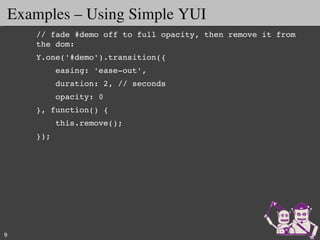
Examples – Using Simple YUI
    // fade #demo off to full opacity, then remove it from 
    the dom:
    Y.one('#demo').transition({
        easing: 'ease­out',
        duration: 2, // seconds
        opacity: 0
    }, function() {
        this.remove();
    });


9
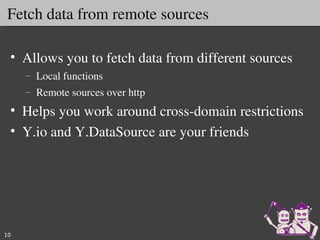
Fetch data from remote sources

 • Allows you to fetch data from different sources
     –   Local functions
     –   Remote sources over http
 • Helps you work around cross­domain restrictions 
 • Y.io and Y.DataSource are your friends


10
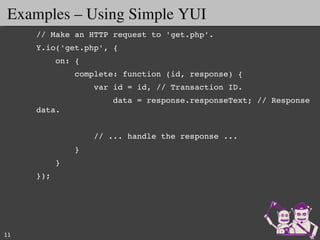
Examples – Using Simple YUI
     // Make an HTTP request to 'get.php'.
     Y.io('get.php', {
         on: {
             complete: function (id, response) {
                 var id = id, // Transaction ID.
                     data = response.responseText; // Response 
     data.


                 // ... handle the response ...
             }
         }
     });


11
YUI makes YQL very easy


12
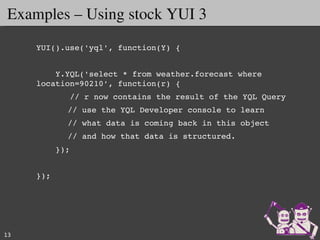
Examples – Using stock YUI 3
     YUI().use('yql', function(Y) {
      
         Y.YQL('select * from weather.forecast where 
     location=90210', function(r) {
            // r now contains the result of the YQL Query
           // use the YQL Developer console to learn
           // what data is coming back in this object
           // and how that data is structured.
         });
      
     });


13
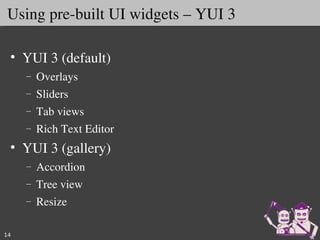
Using pre­built UI widgets – YUI 3

 • YUI 3 (default)
     –   Overlays
     –   Sliders
     –   Tab views
     –   Rich Text Editor
 • YUI 3 (gallery)
     –   Accordion
     –   Tree view
     –   Resize

14
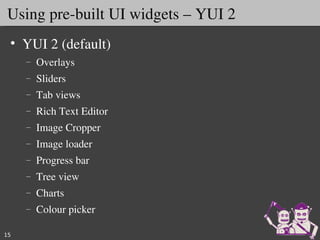
Using pre­built UI widgets – YUI 2
 • YUI 2 (default)
     –   Overlays
     –   Sliders
     –   Tab views
     –   Rich Text Editor
     –   Image Cropper
     –   Image loader
     –   Progress bar
     –   Tree view
     –   Charts 
     –   Colour picker

15
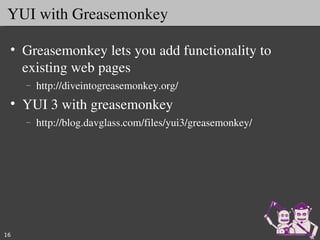
YUI with Greasemonkey

 • Greasemonkey lets you add functionality to 
   existing web pages
     –   http://diveintogreasemonkey.org/
 • YUI 3 with greasemonkey
     –   http://blog.davglass.com/files/yui3/greasemonkey/


16
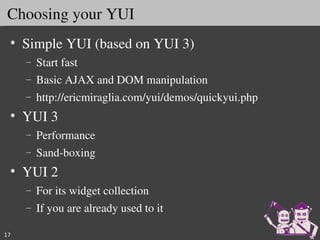
Choosing your YUI
 • Simple YUI (based on YUI 3)
     –   Start fast
     –   Basic AJAX and DOM manipulation
     –   http://ericmiraglia.com/yui/demos/quickyui.php
 • YUI 3 
     –   Performance
     –   Sand­boxing
 • YUI 2 
     –   For its widget collection
     –   If you are already used to it

17
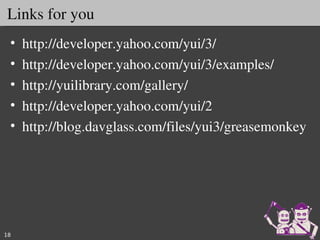
Links for you
 •   http://developer.yahoo.com/yui/3/
 •   http://developer.yahoo.com/yui/3/examples/
 •   http://yuilibrary.com/gallery/
 •   http://developer.yahoo.com/yui/2
 •   http://blog.davglass.com/files/yui3/greasemonkey


18

YUI - HackU 2010 IIT Mumbai

  • 1.
  • 2.
    Using YUI to get things done Natarajan  Kannan Web Developer twitter: @knutties `
  • 3.
  • 4.
    Overview • YUI is a Javascript/CSS library • Highly modular, extensible and heavily  documented • Lets you do a lot with less code • Very suitable for hacks • Probably the only javascript library that comes  with its own package management 4
  • 5.
    What can you do with YUI?  • Create websites/templates • Manipulate web pages easily • Fetch data from remote sources • Interact with YQL • Use pre­built UI widgets 5
  • 6.
    Creating website templates • First task in creating a website – select a layout • YUI CSS grids builder – Interface to create layout – http://developer.yahoo.com/yui/grids/builder/ • Default CSS styling with YUI base 6
  • 7.
    Manipulate web pages • Locate elements on web pages – Using CSS selectors • Update portions of web pages – By adding/removing/changing content • Change styling of elements – hide/resize/overlay elements 7
  • 8.
    Examples – Using Simple YUI // get an element reference, add a click handler Y.one('#demo').on('click', function(e) {/*handle  click*/}); // add content to an element Y.one('#demo').append(" Additional content added to  #demo."); // move #demo to the location of any click on the  document Y.one('document').on('click', function(e) {      Y.one('#demo').setXY([e.pageX, e.pageY]); } ); 8
  • 9.
    Examples – Using Simple YUI // fade #demo off to full opacity, then remove it from  the dom: Y.one('#demo').transition({     easing: 'ease­out',     duration: 2, // seconds     opacity: 0 }, function() {     this.remove(); }); 9
  • 10.
    Fetch data from remote sources • Allows you to fetch data from different sources – Local functions – Remote sources over http • Helps you work around cross­domain restrictions  • Y.io and Y.DataSource are your friends 10
  • 11.
    Examples – Using Simple YUI // Make an HTTP request to 'get.php'. Y.io('get.php', {     on: {         complete: function (id, response) {             var id = id, // Transaction ID.                 data = response.responseText; // Response  data.             // ... handle the response ...         }     } }); 11
  • 12.
  • 13.
    Examples – Using stock YUI 3 YUI().use('yql', function(Y) {       Y.YQL('select * from weather.forecast where  location=90210', function(r) {        // r now contains the result of the YQL Query // use the YQL Developer console to learn // what data is coming back in this object // and how that data is structured.     });   }); 13
  • 14.
    Using pre­built UI widgets – YUI 3 • YUI 3 (default) – Overlays – Sliders – Tab views – Rich Text Editor • YUI 3 (gallery) – Accordion – Tree view – Resize 14
  • 15.
    Using pre­built UI widgets – YUI 2 • YUI 2 (default) – Overlays – Sliders – Tab views – Rich Text Editor – Image Cropper – Image loader – Progress bar – Tree view – Charts  – Colour picker 15
  • 16.
    YUI with Greasemonkey • Greasemonkey lets you add functionality to  existing web pages – http://diveintogreasemonkey.org/ • YUI 3 with greasemonkey – http://blog.davglass.com/files/yui3/greasemonkey/ 16
  • 17.
    Choosing your YUI • Simple YUI (based on YUI 3) – Start fast – Basic AJAX and DOM manipulation – http://ericmiraglia.com/yui/demos/quickyui.php • YUI 3  – Performance – Sand­boxing • YUI 2  – For its widget collection – If you are already used to it 17
  • 18.
    Links for you • http://developer.yahoo.com/yui/3/ • http://developer.yahoo.com/yui/3/examples/ • http://yuilibrary.com/gallery/ • http://developer.yahoo.com/yui/2 • http://blog.davglass.com/files/yui3/greasemonkey 18