Contributing Back to Grails
         GR8CONF US
          July 31st, 2012
         Minneapolis, MN

          Bobby Warner
Who Am I

•   Blog

    •   http://bobbywarner.com

•   Social Networks

    •   @bobbywarner

    •   https://www.facebook.com/bobbywarner

    •   http://www.linkedin.com/in/bobbywarner

    •   http://bobbywarner.com/googleplus
Question #1


• How do I contribute to open-source
  software?
Ways to Contribute

•   Send Emails to Mailing List

•   Write Blog Posts

•   File Bug Reports

•   Create Plugins

•   Update Documentation

•   Write Code
Question #2


• Why should I spend time contributing to
  open-source software?
Benefits of Contributing


•   Learn more about the technology

•   Gain recognition in the community

•   Help evolve the framework

•   Customize to meet your needs

•   Excuse to learn Git and GitHub
Question #3


• How do I contribute to GRAILS?
Dev Tools

•   Email

    •   dev@grails.codehaus.org

•   JIRA

    •   http://jira.grails.org

•   GitHub

    •   https://github.com/grails

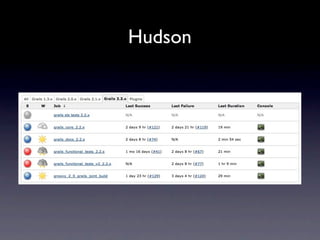
•   Hudson

    •   http://hudson.grails.org
JIRA

•   Create new feature requests

•   Review old issues

•   Vote to help set priority with core team

•   Add comments to existing issues

•   Submit bug reports

    •   Provide reproducible example as sample app

    •   Include tests and bug report
JIRA GRAILS Components

•   Build System

•   Documentation

•   Data Binding

•   URL Mappings

•   View Technologies

•   Persistence

•   Scaffolding

•   Plus many more...
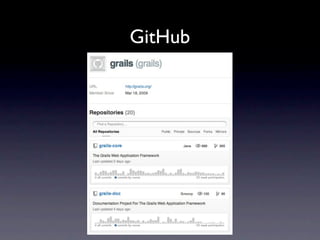
GitHub
GitHub Repos

•   grails/grails-core

•   grails/grails-doc

    •   pledbrook/grails-doc (request commit access)

•   grails/grails-howtos (request commit access)

•   springsource/grails-data-mapping

•   grails-samples

•   gpc

•   grails-plugins
GitHub Grails Core Branches


•   Open a pull request on any branch

    •   master (currently for 2.2)

    •   2.1.x

    •   2.0.x

•   Grails no longer uses “cherry-pick” for 2.1+

    •   2.1 branch merged into master periodically
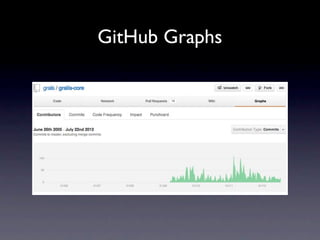
GitHub Graphs
Hudson
Tasks


•   Setup Environment

•   Code Change
Setup Environment

•   Step 1: GitHub

•   Step 2: Git

•   Step 3: Gradle

•   Step 4: Clone repo and configure

•   Step 5: Test it out

•   Step 6: IDE
GitHub


•   Create account if you don’t already have one

    •   https://github.com/signup/free


•   Fork the repo to your GitHub account

    •   https://help.github.com/articles/fork-a-repo
Git


•   git config --global user.name "Your Name Here"

•   git config --global user.email "your_email@youremail.com"

•   Git aliases in ~/.gitconfig

    •   https://gist.github.com/1634361
Gradle


•   Grails is built with Gradle

•   Setup the environment variable to configure JVM args
    •   export GRADLE_OPTS="-server -Xmx768M -Xms768M -XX:PermSize=256m"
Clone Repo and Configure
•   git clone git@github.com:youraccount/grails-core.git

•   git clone git@github.com:youraccount/grails-doc.git

•   cd grails-core

•   git remote add upstream git://github.com/grails/grails-core.git

•   git fetch upstream

•   cd ../grails-doc

•   git remote add upstream git://github.com/grails/grails-doc.git

•   git fetch upstream
Test It Out
•   cd grails-core

•   ./gradlew install

•   cd ../grails-doc

•   ./gradlew docs

    •   ./gradlew docs -Dgrails.home=../grails-core)

    •   ./gradlew publishGuide_en

•   Set your $GRAILS_HOME to the grails-core directory

•   grails create-app newapp (using the Grails we just built!)
IDE


•   Eclipse (SpringSource Tool Suite)

    •   ./gradlew eclipse

•   Intellij IDEA

    •   ./gradlew idea
Code Change


•   Step 1: Create a JIRA for the change

•   Step 2: Create a Git branch and code

•   Step 3: Run tests and / or build as needed

•   Step 4: Submit pull request and update JIRA

•   Step 5: Clean up after merge
Create a JIRA
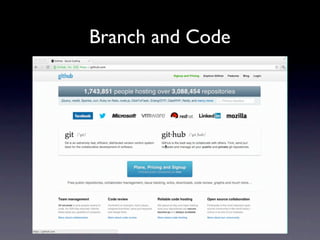
Branch and Code
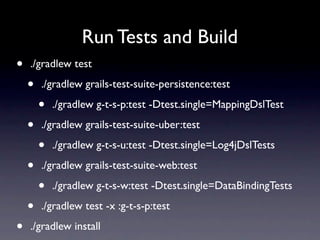
Run Tests and Build
•   ./gradlew test

    •   ./gradlew grails-test-suite-persistence:test

        •   ./gradlew g-t-s-p:test -Dtest.single=MappingDslTest

    •   ./gradlew grails-test-suite-uber:test

        •   ./gradlew g-t-s-u:test -Dtest.single=Log4jDslTests

    •   ./gradlew grails-test-suite-web:test

        •   ./gradlew g-t-s-w:test -Dtest.single=DataBindingTests

    •   ./gradlew test -x :g-t-s-p:test

•   ./gradlew install
Create Pull Request
Clean Up
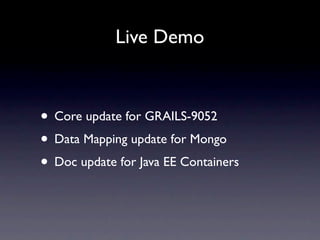
Live Demo


• Core update for GRAILS-9052
• Data Mapping update for Mongo
• Doc update for Java EE Containers
Next Steps


•   User group hackathons

•   Code walkthrough screencast(s)
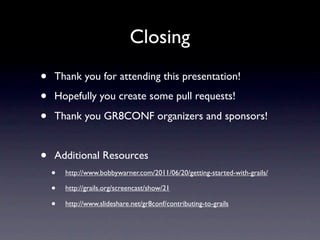
Closing
•   Thank you for attending this presentation!

•   Hopefully you create some pull requests!

•   Thank you GR8CONF organizers and sponsors!


•   Additional Resources
    •   http://www.bobbywarner.com/2011/06/20/getting-started-with-grails/

    •   http://grails.org/screencast/show/21

    •   http://www.slideshare.net/gr8conf/contributing-to-grails
Q &A


• Are there any questions?

GR8CONF Contributing Back To Grails

  • 1.
    Contributing Back toGrails GR8CONF US July 31st, 2012 Minneapolis, MN Bobby Warner
  • 2.
    Who Am I • Blog • http://bobbywarner.com • Social Networks • @bobbywarner • https://www.facebook.com/bobbywarner • http://www.linkedin.com/in/bobbywarner • http://bobbywarner.com/googleplus
  • 3.
    Question #1 • Howdo I contribute to open-source software?
  • 4.
    Ways to Contribute • Send Emails to Mailing List • Write Blog Posts • File Bug Reports • Create Plugins • Update Documentation • Write Code
  • 5.
    Question #2 • Whyshould I spend time contributing to open-source software?
  • 6.
    Benefits of Contributing • Learn more about the technology • Gain recognition in the community • Help evolve the framework • Customize to meet your needs • Excuse to learn Git and GitHub
  • 7.
    Question #3 • Howdo I contribute to GRAILS?
  • 8.
    Dev Tools • Email • dev@grails.codehaus.org • JIRA • http://jira.grails.org • GitHub • https://github.com/grails • Hudson • http://hudson.grails.org
  • 9.
    JIRA • Create new feature requests • Review old issues • Vote to help set priority with core team • Add comments to existing issues • Submit bug reports • Provide reproducible example as sample app • Include tests and bug report
  • 10.
    JIRA GRAILS Components • Build System • Documentation • Data Binding • URL Mappings • View Technologies • Persistence • Scaffolding • Plus many more...
  • 11.
  • 12.
    GitHub Repos • grails/grails-core • grails/grails-doc • pledbrook/grails-doc (request commit access) • grails/grails-howtos (request commit access) • springsource/grails-data-mapping • grails-samples • gpc • grails-plugins
  • 13.
    GitHub Grails CoreBranches • Open a pull request on any branch • master (currently for 2.2) • 2.1.x • 2.0.x • Grails no longer uses “cherry-pick” for 2.1+ • 2.1 branch merged into master periodically
  • 14.
  • 15.
  • 16.
    Tasks • Setup Environment • Code Change
  • 17.
    Setup Environment • Step 1: GitHub • Step 2: Git • Step 3: Gradle • Step 4: Clone repo and configure • Step 5: Test it out • Step 6: IDE
  • 18.
    GitHub • Create account if you don’t already have one • https://github.com/signup/free • Fork the repo to your GitHub account • https://help.github.com/articles/fork-a-repo
  • 19.
    Git • git config --global user.name "Your Name Here" • git config --global user.email "your_email@youremail.com" • Git aliases in ~/.gitconfig • https://gist.github.com/1634361
  • 20.
    Gradle • Grails is built with Gradle • Setup the environment variable to configure JVM args • export GRADLE_OPTS="-server -Xmx768M -Xms768M -XX:PermSize=256m"
  • 21.
    Clone Repo andConfigure • git clone git@github.com:youraccount/grails-core.git • git clone git@github.com:youraccount/grails-doc.git • cd grails-core • git remote add upstream git://github.com/grails/grails-core.git • git fetch upstream • cd ../grails-doc • git remote add upstream git://github.com/grails/grails-doc.git • git fetch upstream
  • 22.
    Test It Out • cd grails-core • ./gradlew install • cd ../grails-doc • ./gradlew docs • ./gradlew docs -Dgrails.home=../grails-core) • ./gradlew publishGuide_en • Set your $GRAILS_HOME to the grails-core directory • grails create-app newapp (using the Grails we just built!)
  • 23.
    IDE • Eclipse (SpringSource Tool Suite) • ./gradlew eclipse • Intellij IDEA • ./gradlew idea
  • 24.
    Code Change • Step 1: Create a JIRA for the change • Step 2: Create a Git branch and code • Step 3: Run tests and / or build as needed • Step 4: Submit pull request and update JIRA • Step 5: Clean up after merge
  • 25.
  • 26.
  • 27.
    Run Tests andBuild • ./gradlew test • ./gradlew grails-test-suite-persistence:test • ./gradlew g-t-s-p:test -Dtest.single=MappingDslTest • ./gradlew grails-test-suite-uber:test • ./gradlew g-t-s-u:test -Dtest.single=Log4jDslTests • ./gradlew grails-test-suite-web:test • ./gradlew g-t-s-w:test -Dtest.single=DataBindingTests • ./gradlew test -x :g-t-s-p:test • ./gradlew install
  • 28.
  • 29.
  • 30.
    Live Demo • Coreupdate for GRAILS-9052 • Data Mapping update for Mongo • Doc update for Java EE Containers
  • 31.
    Next Steps • User group hackathons • Code walkthrough screencast(s)
  • 32.
    Closing • Thank you for attending this presentation! • Hopefully you create some pull requests! • Thank you GR8CONF organizers and sponsors! • Additional Resources • http://www.bobbywarner.com/2011/06/20/getting-started-with-grails/ • http://grails.org/screencast/show/21 • http://www.slideshare.net/gr8conf/contributing-to-grails
  • 33.
    Q &A • Arethere any questions?