Organizing Files and Folders in your Google Drive, helps to easy finding your important documents. As well very easy to upload in another Google tools such as Docs,Slides,Sites,Sheets etc.
Department of ENglish,
MaharajaKrishnakumarsinhji Bhavnagar University
Organizing Two-Day ICT Workshop
Prepared by Divya Sheta
MA Sem 3, Dept.of English MKBU
9 August, 2022 Evening Session
Google Drive
2.
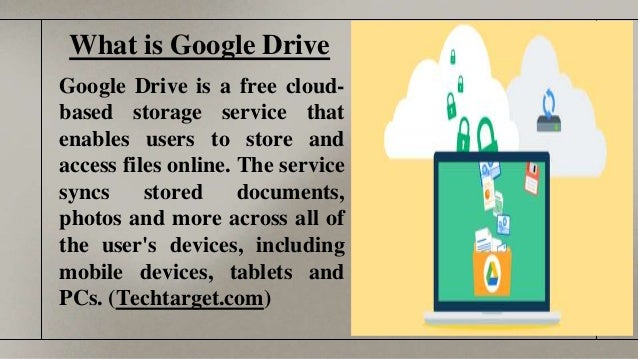
What is GoogleDrive
Google Drive is a free cloud-
based storage service that
enables users to store and
access files online. The service
syncs stored documents,
photos and more across all of
the user's devices, including
mobile devices, tablets and
PCs. (Techtarget.com)
3.
How to OrganizeFiles and Folders
● Use Consistent Naming
Conventions
● Organize into Folders and
Subfolders
● Use File and Folder Descriptions.
● Create a Master Folder for Each
School Year
● Color-Code Your Folders
● Try a Numbering System
● Add Emoji and Special Characters
● Try Hashtags
(Shakeup learning blog)
4.
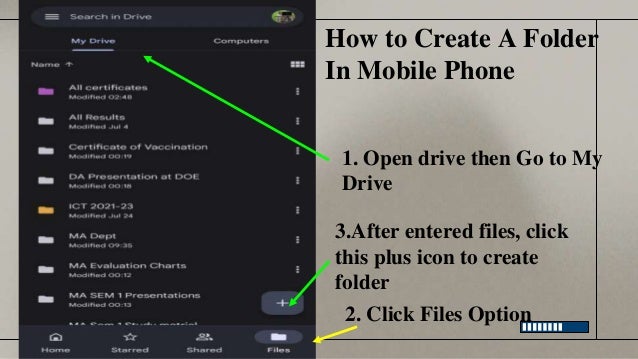
How to CreateA Folder
In Mobile Phone
2. Click Files Option
3.After entered files, click
this plus icon to create
folder
1. Open drive then Go to My
Drive
5.
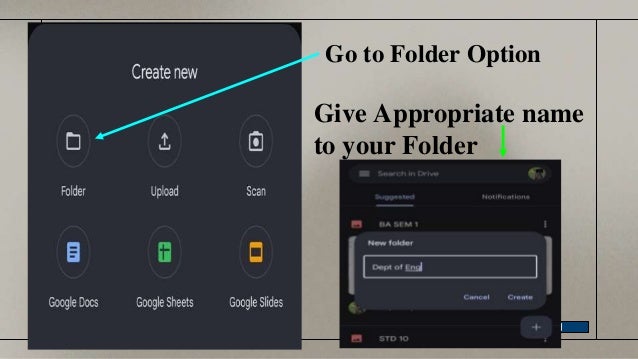
Go to FolderOption
Give Appropriate name
to your Folder
6.
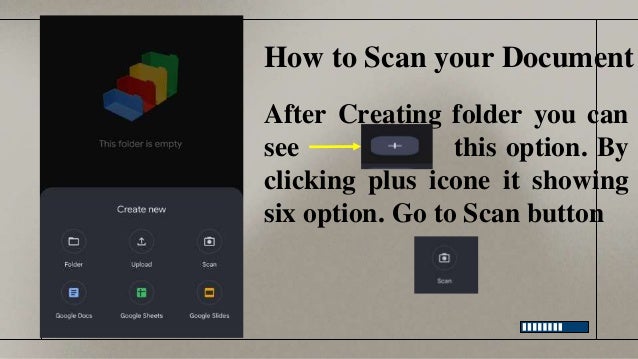
How to Scanyour Document
After Creating folder you can
see this option. By
clicking plus icone it showing
six option. Go to Scan button
7.
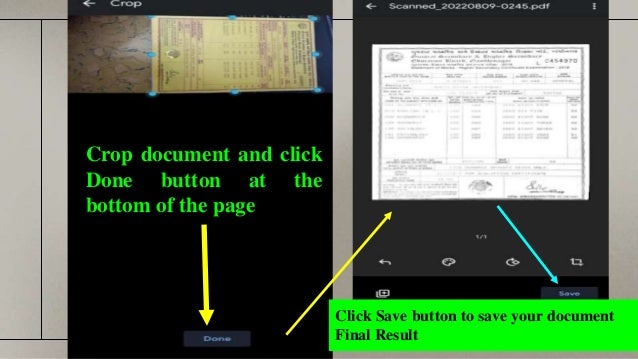
Crop document andclick
Done button at the
bottom of the page
Click Save button to save your document
Final Result