Download to read offline
![GlassFish 4.0
Quickguide: Start server, stop, deploy applications [HOW-TO]
@ElZakaria](https://image.slidesharecdn.com/glassfish4quickguide-140125173950-phpapp01/85/Glassfish-4-quick-guide-1-320.jpg)
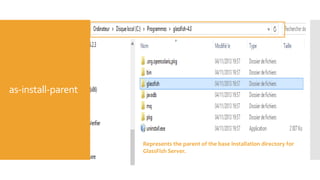
![as-install
[Windows]
Represents the base installation directory for GlassFish Server.](https://image.slidesharecdn.com/glassfish4quickguide-140125173950-phpapp01/85/Glassfish-4-quick-guide-3-320.jpg)


![Starting a
domain
[Only one
domain
present]
Need to add which domain in case of additional existing domain
in the domain-root-dir](https://image.slidesharecdn.com/glassfish4quickguide-140125173950-phpapp01/85/Glassfish-4-quick-guide-8-320.jpg)
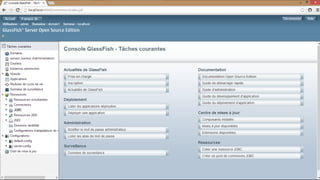
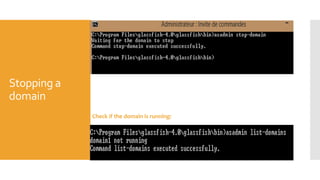


The document provides a quick guide for using GlassFish 4.0, detailing steps to start and stop the server, and deploy applications. It includes terminology related to installation directories, domain management, and specific commands for deploying and undeploying applications such as using the 'asadmin' command. Additionally, it outlines an automatic deployment process by copying the WAR file to the appropriate directory.


