Git Practices and Guidelines
Harshit Garg
Table of contents
1. Introduction
2. Guidelines
3. Practices
4. Summary
5. References & Readings
1
Introduction
Introduction
This talk is about the guidelines and practices to be followed for the
following actions:
1. commits
2. branching
2
Guidelines
Commit - When and What
General guidelines about when and what to commit
1. Commit Related Changes
2. Commit Early, Commit Often
3. Don’t Commit Half-Done Work
4. Test Before You Commit
5. Write Good Commit Messages
3
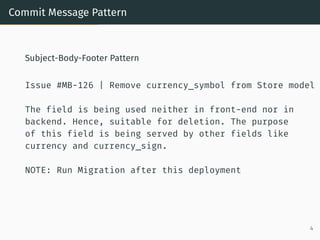
Commit Message Pattern
Subject-Body-Footer Pattern
Issue #MB-126 | Remove currency_symbol from Store model
The field is being used neither in front-end nor in
backend. Hence, suitable for deletion. The purpose
of this field is being served by other fields like
currency and currency_sign.
NOTE: Run Migration after this deployment
4
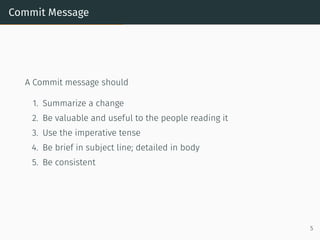
Commit Message
A Commit message should
1. Summarize a change
2. Be valuable and useful to the people reading it
3. Use the imperative tense
4. Be brief in subject line; detailed in body
5. Be consistent
5
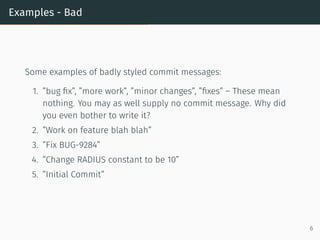
Examples - Bad
Some examples of badly styled commit messages:
1. ”bug fix”, ”more work”, ”minor changes”, ”fixes” – These mean
nothing. You may as well supply no commit message. Why did
you even bother to write it?
2. ”Work on feature blah blah”
3. ”Fix BUG-9284”
4. ”Change RADIUS constant to be 10”
5. ”Initial Commit”
6
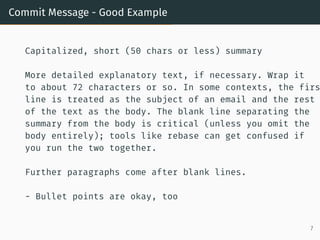
Commit Message - Good Example
Capitalized, short (50 chars or less) summary
More detailed explanatory text, if necessary. Wrap it
to about 72 characters or so. In some contexts, the firs
line is treated as the subject of an email and the rest
of the text as the body. The blank line separating the
summary from the body is critical (unless you omit the
body entirely); tools like rebase can get confused if
you run the two together.
Further paragraphs come after blank lines.
- Bullet points are okay, too
7
Branch
General guidelines about branching and related issues
1. Choose and follow one branch development model. Examples,
feature branch, trunk based development (TBD), git-flow, etc.
2. Use feature branch for development work
3. Periodically pull from remote repository to have latest changes
in your local repository
8
Practices
Commit Message
We are expected to follow the following rules while writing a commit
message:
1. Follow subject, body and footer pattern
2. Capitalize the subject line
3. Use the imperative mood in the subject line
4. Wrap the subject line between 50-80 characters
5. Do not end the subject line with a period
9
Commit Message - Body
1. Separate subject from body with a blank line
2. Wrap the body at 72 characters
3. Body should contain what and why
4. Use 80 chars as the hard limit
5. Optionally you can annotate the code using markdown
6. Use bullet points in case of avoid long paragraphs
10
Branch - Feature Branch Model
We are expected to follow the following rules while branching:
1. Branch name should be semantic to the feature
2. Naming convention should be <Issue-No>-<env>-<version>,
version being optional
Eg. MB-112-dev, MB-112-test
3. Optional version can be used as a suffix
Eg. MB-112-test-v1
4. Always rebase against the target branch
5. Use separate branch name for testing, development
6. Optional prefix can be hotfix-, etc.
7. Take ownership of managing your feature branches, like
creation, deleting, rebase etc. and avoid branch-hell
11
Summary
Summary
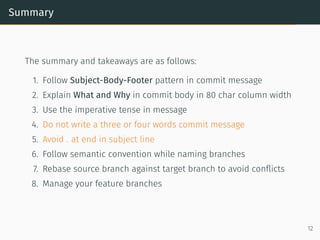
The summary and takeaways are as follows:
1. Follow Subject-Body-Footer pattern in commit message
2. Explain What and Why in commit body in 80 char column width
3. Use the imperative tense in message
4. Do not write a three or four words commit message
5. Avoid . at end in subject line
6. Follow semantic convention while naming branches
7. Rebase source branch against target branch to avoid conflicts
8. Manage your feature branches
12
References & Readings
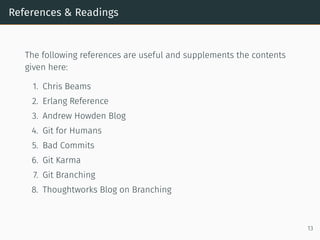
The following references are useful and supplements the contents
given here:
1. Chris Beams
2. Erlang Reference
3. Andrew Howden Blog
4. Git for Humans
5. Bad Commits
6. Git Karma
7. Git Branching
8. Thoughtworks Blog on Branching
13

Git_Practices - Guidelines.pdf

  • 1.
    Git Practices andGuidelines Harshit Garg
  • 2.
    Table of contents 1.Introduction 2. Guidelines 3. Practices 4. Summary 5. References & Readings 1
  • 3.
  • 4.
    Introduction This talk isabout the guidelines and practices to be followed for the following actions: 1. commits 2. branching 2
  • 5.
  • 6.
    Commit - Whenand What General guidelines about when and what to commit 1. Commit Related Changes 2. Commit Early, Commit Often 3. Don’t Commit Half-Done Work 4. Test Before You Commit 5. Write Good Commit Messages 3
  • 7.
    Commit Message Pattern Subject-Body-FooterPattern Issue #MB-126 | Remove currency_symbol from Store model The field is being used neither in front-end nor in backend. Hence, suitable for deletion. The purpose of this field is being served by other fields like currency and currency_sign. NOTE: Run Migration after this deployment 4
  • 8.
    Commit Message A Commitmessage should 1. Summarize a change 2. Be valuable and useful to the people reading it 3. Use the imperative tense 4. Be brief in subject line; detailed in body 5. Be consistent 5
  • 9.
    Examples - Bad Someexamples of badly styled commit messages: 1. ”bug fix”, ”more work”, ”minor changes”, ”fixes” – These mean nothing. You may as well supply no commit message. Why did you even bother to write it? 2. ”Work on feature blah blah” 3. ”Fix BUG-9284” 4. ”Change RADIUS constant to be 10” 5. ”Initial Commit” 6
  • 10.
    Commit Message -Good Example Capitalized, short (50 chars or less) summary More detailed explanatory text, if necessary. Wrap it to about 72 characters or so. In some contexts, the firs line is treated as the subject of an email and the rest of the text as the body. The blank line separating the summary from the body is critical (unless you omit the body entirely); tools like rebase can get confused if you run the two together. Further paragraphs come after blank lines. - Bullet points are okay, too 7
  • 11.
    Branch General guidelines aboutbranching and related issues 1. Choose and follow one branch development model. Examples, feature branch, trunk based development (TBD), git-flow, etc. 2. Use feature branch for development work 3. Periodically pull from remote repository to have latest changes in your local repository 8
  • 12.
  • 13.
    Commit Message We areexpected to follow the following rules while writing a commit message: 1. Follow subject, body and footer pattern 2. Capitalize the subject line 3. Use the imperative mood in the subject line 4. Wrap the subject line between 50-80 characters 5. Do not end the subject line with a period 9
  • 14.
    Commit Message -Body 1. Separate subject from body with a blank line 2. Wrap the body at 72 characters 3. Body should contain what and why 4. Use 80 chars as the hard limit 5. Optionally you can annotate the code using markdown 6. Use bullet points in case of avoid long paragraphs 10
  • 15.
    Branch - FeatureBranch Model We are expected to follow the following rules while branching: 1. Branch name should be semantic to the feature 2. Naming convention should be <Issue-No>-<env>-<version>, version being optional Eg. MB-112-dev, MB-112-test 3. Optional version can be used as a suffix Eg. MB-112-test-v1 4. Always rebase against the target branch 5. Use separate branch name for testing, development 6. Optional prefix can be hotfix-, etc. 7. Take ownership of managing your feature branches, like creation, deleting, rebase etc. and avoid branch-hell 11
  • 16.
  • 17.
    Summary The summary andtakeaways are as follows: 1. Follow Subject-Body-Footer pattern in commit message 2. Explain What and Why in commit body in 80 char column width 3. Use the imperative tense in message 4. Do not write a three or four words commit message 5. Avoid . at end in subject line 6. Follow semantic convention while naming branches 7. Rebase source branch against target branch to avoid conflicts 8. Manage your feature branches 12
  • 18.
  • 19.
    References & Readings Thefollowing references are useful and supplements the contents given here: 1. Chris Beams 2. Erlang Reference 3. Andrew Howden Blog 4. Git for Humans 5. Bad Commits 6. Git Karma 7. Git Branching 8. Thoughtworks Blog on Branching 13