Simplify writing code with
deliberate commits
March 2019
Joel Chippindale - CTO at Unmade - @joelchippindale
Joel
Chippindale
CTO at
Unmade
“If you can’t explain
it simply, you don’t
understand it well
enough.
- Albert Einstein (probably)
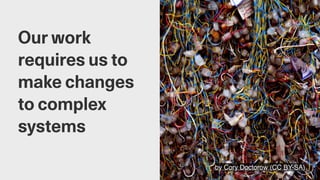
by Cory Doctorow (CC BY-SA)
Our work
requires us to
make changes
to complex
systems
@joelchippindale
We learn to break down
complex problems into
small, simple steps
by WOCinTech Chat (CC BY)
Great
developers are
really good at
doing this
@joelchippindale
This is hard
@joelchippindale
...and it takes discipline
and willpower
@joelchippindale
You know you are not
doing this when...
@joelchippindale
...you feel like you have to
keep track of lots of
things in your head.
@joelchippindale
...you have unstaged
changes in lots of files
and can't remember why.
@joelchippindale
...you are not sure if are
making progress or not.
@joelchippindale
We learn to employ a
wide variety of
techniques to help us
@joelchippindale
One tool we underuse is
our version control
system
@joelchippindale
The examples I will give
are for git but they apply
to other systems too
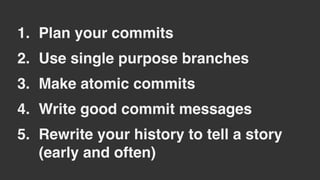
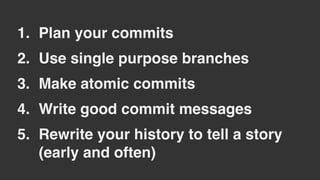
1. Plan your commits
2. Use single purpose branches
3. Make atomic commits
4. Write good commit messages
5. Rewrite your history to tell a story
(early and often)
by Alexander Baxevanis (CC BY)
Habit 1:
Plan your
commits
@joelchippindale
Make a plan for the
commits that you will
make
@joelchippindale
What if you don't know
enough yet to make a
plan?
@joelchippindale
What if the plan changes?
@joelchippindale
Plan your commits ahead
of time and re-plan when
you need to
Jon Bennet
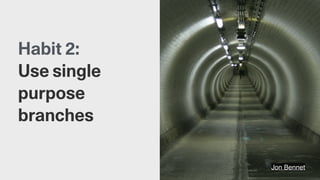
Habit 2:
Use single
purpose
branches
@joelchippindale
Name your branch to
reflect it's (single)
purpose
@joelchippindale
Notice when you are
starting to work on
something else
@joelchippindale
Notice if a commit has
value independent of the
branch
@joelchippindale
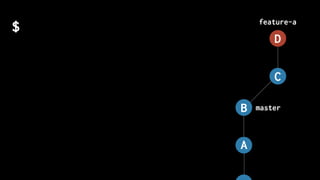
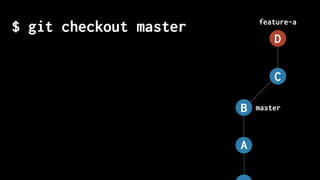
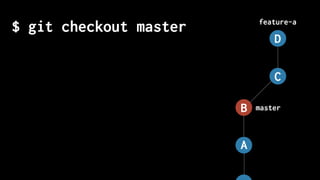
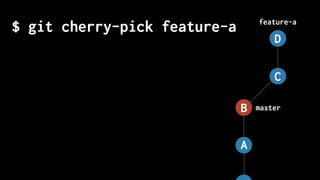
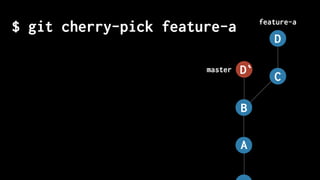
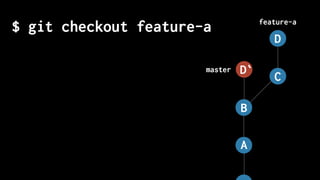
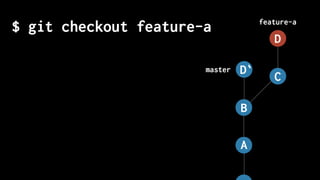
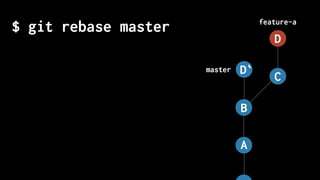
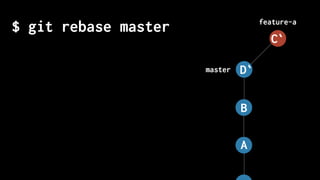
...and if it does, then
'cherry pick' it onto
master
master
feature-a
$
A
B
C
D
master
feature-a
$ git checkout master
A
B
C
D
$ git checkout master
master
feature-a
A
B
C
D
$ git cherry-pick feature-a
master
feature-a
A
B
C
D
$ git cherry-pick feature-a
master
feature-a
A
B
C
D
D`
$ git checkout feature-a
master
feature-a
A
B
C
D
D`
$ git checkout feature-a
master
feature-a
A
B
C
D
D`
$ git rebase master
master
feature-a
A
B
C
D
D`
$ git rebase master
master
feature-a
A
B
D`
C`
@joelchippindale
Keep focussed by making
each development
branch single purpose
by lupusphotos (CC BY)
Habit 3:
Make atomic
commits
@joelchippindale
Decide the one change
you are going to make
and commit it
@joelchippindale
How big a change should
I make?
@joelchippindale
Minimum valuable
commit
@joelchippindale
Be suspicious of 'and' in
your commit
@joelchippindale
Notice when you start
doing something else and
stop
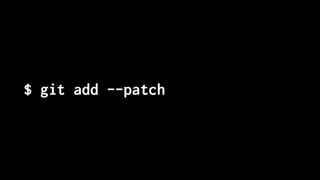
$ git add --patch
$ git add --patch
diff --git a/layout/models.py b/layout/models.py
index f2dd5a8..b4dd522 100644
--- a/layout/models.py
+++ b/layout/models.py
@@ -27,7 +27,7 @@ class Layout(models.Model):
def __str__(self):
if self.is_layplan:
- return "Layplan: {}".format(self.data.get("slug", self.code))
+ return "Layplan: {}".format(self.data.get("name", self.code))
else:
return "Layout: {}".format(self.code)
Stage this hunk [y,n,q,a,d,e,?]?
@joelchippindale
Make each step simple by
making atomic commits
by Ginny (CC BY-SA)
Habit 4:
Write good
commit
messages
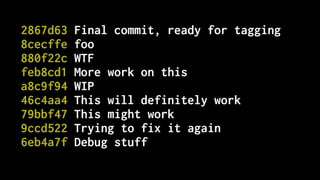
2867d63 Final commit, ready for tagging
8cecffe foo
880f22c WTF
feb8cd1 More work on this
a8c9f94 WIP
46c4aa4 This will definitely work
79bbf47 This might work
9ccd522 Trying to fix it again
6eb4a7f Debug stuff
@joelchippindale
What does good look
like?
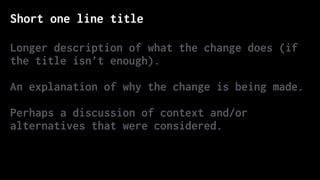
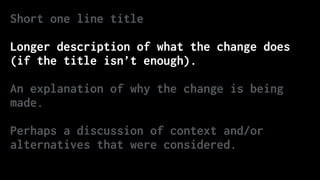
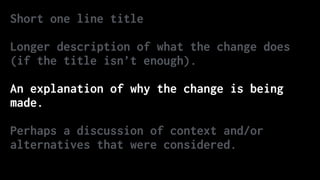
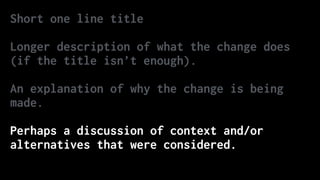
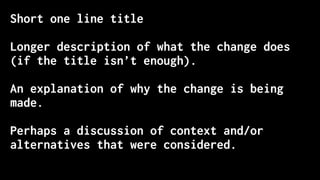
Short one line title
Longer description of what the change does (if
the title isn’t enough).
An explanation of why the change is being made.
Perhaps a discussion of context and/or
alternatives that were considered.
Short one line title
Longer description of what the change does
(if the title isn’t enough).
An explanation of why the change is being
made.
Perhaps a discussion of context and/or
alternatives that were considered.
Short one line title
Longer description of what the change does
(if the title isn’t enough).
An explanation of why the change is being
made.
Perhaps a discussion of context and/or
alternatives that were considered.
Short one line title
Longer description of what the change does
(if the title isn’t enough).
An explanation of why the change is being
made.
Perhaps a discussion of context and/or
alternatives that were considered.
Short one line title
Longer description of what the change does
(if the title isn’t enough).
An explanation of why the change is being
made.
Perhaps a discussion of context and/or
alternatives that were considered.
Correct the colour of FAQ link in course notice footer
PT: https://www.pivotaltracker.com/story/show/84753832
In some email clients the colour of the FAQ link in the
course notice footer was being displayed as blue instead of
white. The examples given in PT are all different versions of
Outlook. Outlook won't implement CSS changes that include `!
important` inline[1]. Therefore, since we were using it to
define the colour of that link, Outlook wasn't applying that
style and thus simply set its default style (blue, like in
most browsers). Removing that `!important` should fix the
problem.
[1] https://www.campaignmonitor.com/blog/post/3143/
outlook-2007-and-the-inline-important-declaration/
@joelchippindale
Clear space in your head
by writing good commit
messages
hoodedfang
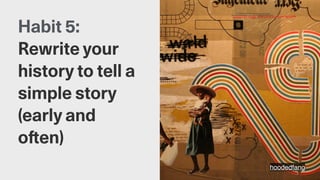
Habit 5:
Rewrite your
history to tell a
simple story
(early and
often)
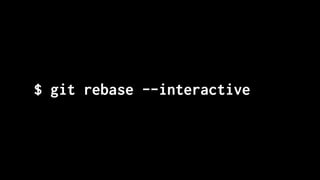
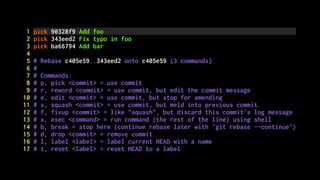
$ git rebase --interactive
@joelchippindale
Remove, reorder, edit,
merge and split commits
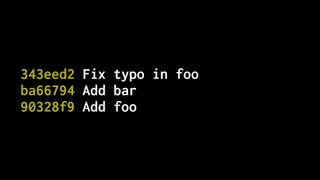
343eed2 Fix typo in foo
ba66794 Add bar
90328f9 Add foo
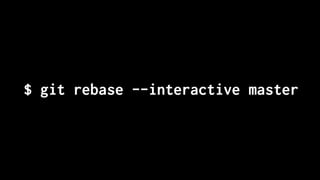
$ git rebase --interactive master
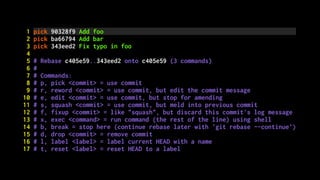
1 pick 90328f9 Add foo
2 pick ba66794 Add bar
3 pick 343eed2 Fix typo in foo
4
5 # Rebase c405e59..343eed2 onto c405e59 (3 commands)
6 #
7 # Commands:
8 # p, pick <commit> = use commit
9 # r, reword <commit> = use commit, but edit the commit message
10 # e, edit <commit> = use commit, but stop for amending
11 # s, squash <commit> = use commit, but meld into previous commit
12 # f, fixup <commit> = like "squash", but discard this commit's log message
13 # x, exec <command> = run command (the rest of the line) using shell
14 # b, break = stop here (continue rebase later with 'git rebase --continue')
15 # d, drop <commit> = remove commit
16 # l, label <label> = label current HEAD with a name
17 # t, reset <label> = reset HEAD to a label
1 pick 90328f9 Add foo
2 pick 343eed2 Fix typo in foo
3 pick ba66794 Add bar
4
5 # Rebase c405e59..343eed2 onto c405e59 (3 commands)
6 #
7 # Commands:
8 # p, pick <commit> = use commit
9 # r, reword <commit> = use commit, but edit the commit message
10 # e, edit <commit> = use commit, but stop for amending
11 # s, squash <commit> = use commit, but meld into previous commit
12 # f, fixup <commit> = like "squash", but discard this commit's log message
13 # x, exec <command> = run command (the rest of the line) using shell
14 # b, break = stop here (continue rebase later with 'git rebase --continue')
15 # d, drop <commit> = remove commit
16 # l, label <label> = label current HEAD with a name
17 # t, reset <label> = reset HEAD to a label
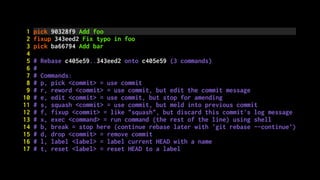
1 pick 90328f9 Add foo
2 fixup 343eed2 Fix typo in foo
3 pick ba66794 Add bar
4
5 # Rebase c405e59..343eed2 onto c405e59 (3 commands)
6 #
7 # Commands:
8 # p, pick <commit> = use commit
9 # r, reword <commit> = use commit, but edit the commit message
10 # e, edit <commit> = use commit, but stop for amending
11 # s, squash <commit> = use commit, but meld into previous commit
12 # f, fixup <commit> = like "squash", but discard this commit's log message
13 # x, exec <command> = run command (the rest of the line) using shell
14 # b, break = stop here (continue rebase later with 'git rebase --continue')
15 # d, drop <commit> = remove commit
16 # l, label <label> = label current HEAD with a name
17 # t, reset <label> = reset HEAD to a label
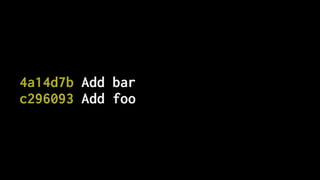
4a14d7b Add bar
c296093 Add foo
@joelchippindale
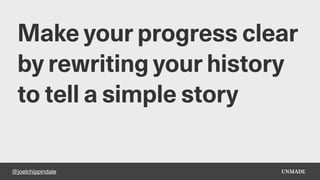
Make your progress clear
by rewriting your history
to tell a simple story
1. Plan your commits
2. Use single purpose branches
3. Make atomic commits
4. Write good commit messages
5. Rewrite your history to tell a story
(early and often)
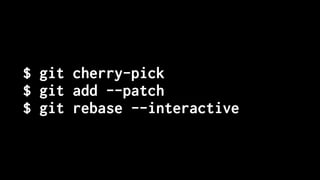
$ git cherry-pick
$ git add --patch
$ git rebase --interactive
@joelchippindale
Following these 5 habits
will free up your brain...
@joelchippindale
...and have the added
bonus of providing an
explanation for your work
“Every line of code is
always documented
- Mislav Marohnić
https://mislav.net/2014/02/hidden-documentation/
@joelchippindale
Any questions?
Joel Chippindale - CTO at Unmade - @joelchippindale
We are hiring
https://www.unmade.com/careers/
@joelchippindale
Thank you
Joel Chippindale - CTO at Unmade - @joelchippindale
We are hiring
https://www.unmade.com/careers/

Simplify writing code with deliberate commits - London Python Meetup

  • 1.
    Simplify writing codewith deliberate commits March 2019 Joel Chippindale - CTO at Unmade - @joelchippindale
  • 2.
  • 3.
    “If you can’texplain it simply, you don’t understand it well enough. - Albert Einstein (probably)
  • 4.
    by Cory Doctorow(CC BY-SA) Our work requires us to make changes to complex systems
  • 5.
    @joelchippindale We learn tobreak down complex problems into small, simple steps
  • 6.
    by WOCinTech Chat(CC BY) Great developers are really good at doing this
  • 7.
  • 8.
    @joelchippindale ...and it takesdiscipline and willpower
  • 9.
    @joelchippindale You know youare not doing this when...
  • 10.
    @joelchippindale ...you feel likeyou have to keep track of lots of things in your head.
  • 11.
    @joelchippindale ...you have unstaged changesin lots of files and can't remember why.
  • 12.
    @joelchippindale ...you are notsure if are making progress or not.
  • 13.
    @joelchippindale We learn toemploy a wide variety of techniques to help us
  • 14.
    @joelchippindale One tool weunderuse is our version control system
  • 15.
    @joelchippindale The examples Iwill give are for git but they apply to other systems too
  • 16.
    1. Plan yourcommits 2. Use single purpose branches 3. Make atomic commits 4. Write good commit messages 5. Rewrite your history to tell a story (early and often)
  • 17.
    by Alexander Baxevanis(CC BY) Habit 1: Plan your commits
  • 18.
    @joelchippindale Make a planfor the commits that you will make
  • 19.
    @joelchippindale What if youdon't know enough yet to make a plan?
  • 20.
  • 21.
    @joelchippindale Plan your commitsahead of time and re-plan when you need to
  • 22.
    Jon Bennet Habit 2: Usesingle purpose branches
  • 23.
    @joelchippindale Name your branchto reflect it's (single) purpose
  • 24.
    @joelchippindale Notice when youare starting to work on something else
  • 25.
    @joelchippindale Notice if acommit has value independent of the branch
  • 26.
    @joelchippindale ...and if itdoes, then 'cherry pick' it onto master
  • 27.
  • 28.
  • 29.
    $ git checkoutmaster master feature-a A B C D
  • 30.
    $ git cherry-pickfeature-a master feature-a A B C D
  • 31.
    $ git cherry-pickfeature-a master feature-a A B C D D`
  • 32.
    $ git checkoutfeature-a master feature-a A B C D D`
  • 33.
    $ git checkoutfeature-a master feature-a A B C D D`
  • 34.
    $ git rebasemaster master feature-a A B C D D`
  • 35.
    $ git rebasemaster master feature-a A B D` C`
  • 36.
    @joelchippindale Keep focussed bymaking each development branch single purpose
  • 37.
    by lupusphotos (CCBY) Habit 3: Make atomic commits
  • 38.
    @joelchippindale Decide the onechange you are going to make and commit it
  • 39.
    @joelchippindale How big achange should I make?
  • 40.
  • 41.
  • 42.
    @joelchippindale Notice when youstart doing something else and stop
  • 43.
    $ git add--patch
  • 44.
    $ git add--patch diff --git a/layout/models.py b/layout/models.py index f2dd5a8..b4dd522 100644 --- a/layout/models.py +++ b/layout/models.py @@ -27,7 +27,7 @@ class Layout(models.Model): def __str__(self): if self.is_layplan: - return "Layplan: {}".format(self.data.get("slug", self.code)) + return "Layplan: {}".format(self.data.get("name", self.code)) else: return "Layout: {}".format(self.code) Stage this hunk [y,n,q,a,d,e,?]?
  • 45.
    @joelchippindale Make each stepsimple by making atomic commits
  • 46.
    by Ginny (CCBY-SA) Habit 4: Write good commit messages
  • 47.
    2867d63 Final commit,ready for tagging 8cecffe foo 880f22c WTF feb8cd1 More work on this a8c9f94 WIP 46c4aa4 This will definitely work 79bbf47 This might work 9ccd522 Trying to fix it again 6eb4a7f Debug stuff
  • 48.
  • 49.
    Short one linetitle Longer description of what the change does (if the title isn’t enough). An explanation of why the change is being made. Perhaps a discussion of context and/or alternatives that were considered.
  • 50.
    Short one linetitle Longer description of what the change does (if the title isn’t enough). An explanation of why the change is being made. Perhaps a discussion of context and/or alternatives that were considered.
  • 51.
    Short one linetitle Longer description of what the change does (if the title isn’t enough). An explanation of why the change is being made. Perhaps a discussion of context and/or alternatives that were considered.
  • 52.
    Short one linetitle Longer description of what the change does (if the title isn’t enough). An explanation of why the change is being made. Perhaps a discussion of context and/or alternatives that were considered.
  • 53.
    Short one linetitle Longer description of what the change does (if the title isn’t enough). An explanation of why the change is being made. Perhaps a discussion of context and/or alternatives that were considered.
  • 54.
    Correct the colourof FAQ link in course notice footer PT: https://www.pivotaltracker.com/story/show/84753832 In some email clients the colour of the FAQ link in the course notice footer was being displayed as blue instead of white. The examples given in PT are all different versions of Outlook. Outlook won't implement CSS changes that include `! important` inline[1]. Therefore, since we were using it to define the colour of that link, Outlook wasn't applying that style and thus simply set its default style (blue, like in most browsers). Removing that `!important` should fix the problem. [1] https://www.campaignmonitor.com/blog/post/3143/ outlook-2007-and-the-inline-important-declaration/
  • 55.
    @joelchippindale Clear space inyour head by writing good commit messages
  • 56.
    hoodedfang Habit 5: Rewrite your historyto tell a simple story (early and often)
  • 57.
    $ git rebase--interactive
  • 58.
  • 59.
    343eed2 Fix typoin foo ba66794 Add bar 90328f9 Add foo
  • 60.
    $ git rebase--interactive master
  • 61.
    1 pick 90328f9Add foo 2 pick ba66794 Add bar 3 pick 343eed2 Fix typo in foo 4 5 # Rebase c405e59..343eed2 onto c405e59 (3 commands) 6 # 7 # Commands: 8 # p, pick <commit> = use commit 9 # r, reword <commit> = use commit, but edit the commit message 10 # e, edit <commit> = use commit, but stop for amending 11 # s, squash <commit> = use commit, but meld into previous commit 12 # f, fixup <commit> = like "squash", but discard this commit's log message 13 # x, exec <command> = run command (the rest of the line) using shell 14 # b, break = stop here (continue rebase later with 'git rebase --continue') 15 # d, drop <commit> = remove commit 16 # l, label <label> = label current HEAD with a name 17 # t, reset <label> = reset HEAD to a label
  • 62.
    1 pick 90328f9Add foo 2 pick 343eed2 Fix typo in foo 3 pick ba66794 Add bar 4 5 # Rebase c405e59..343eed2 onto c405e59 (3 commands) 6 # 7 # Commands: 8 # p, pick <commit> = use commit 9 # r, reword <commit> = use commit, but edit the commit message 10 # e, edit <commit> = use commit, but stop for amending 11 # s, squash <commit> = use commit, but meld into previous commit 12 # f, fixup <commit> = like "squash", but discard this commit's log message 13 # x, exec <command> = run command (the rest of the line) using shell 14 # b, break = stop here (continue rebase later with 'git rebase --continue') 15 # d, drop <commit> = remove commit 16 # l, label <label> = label current HEAD with a name 17 # t, reset <label> = reset HEAD to a label
  • 63.
    1 pick 90328f9Add foo 2 fixup 343eed2 Fix typo in foo 3 pick ba66794 Add bar 4 5 # Rebase c405e59..343eed2 onto c405e59 (3 commands) 6 # 7 # Commands: 8 # p, pick <commit> = use commit 9 # r, reword <commit> = use commit, but edit the commit message 10 # e, edit <commit> = use commit, but stop for amending 11 # s, squash <commit> = use commit, but meld into previous commit 12 # f, fixup <commit> = like "squash", but discard this commit's log message 13 # x, exec <command> = run command (the rest of the line) using shell 14 # b, break = stop here (continue rebase later with 'git rebase --continue') 15 # d, drop <commit> = remove commit 16 # l, label <label> = label current HEAD with a name 17 # t, reset <label> = reset HEAD to a label
  • 64.
  • 65.
    @joelchippindale Make your progressclear by rewriting your history to tell a simple story
  • 66.
    1. Plan yourcommits 2. Use single purpose branches 3. Make atomic commits 4. Write good commit messages 5. Rewrite your history to tell a story (early and often)
  • 67.
    $ git cherry-pick $git add --patch $ git rebase --interactive
  • 68.
    @joelchippindale Following these 5habits will free up your brain...
  • 69.
    @joelchippindale ...and have theadded bonus of providing an explanation for your work
  • 70.
    “Every line ofcode is always documented - Mislav Marohnić https://mislav.net/2014/02/hidden-documentation/
  • 71.
    @joelchippindale Any questions? Joel Chippindale- CTO at Unmade - @joelchippindale We are hiring https://www.unmade.com/careers/
  • 72.
    @joelchippindale Thank you Joel Chippindale- CTO at Unmade - @joelchippindale We are hiring https://www.unmade.com/careers/