VCS (Version Control System)
Helps to collaborate smoothly
Easy to learn - Lightning-fast performance.

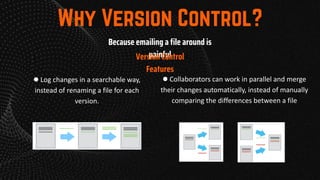
Because emailing a file around is
painful
● Log changes in a searchable way,
instead of renaming a file for each
version.
● Collaborators can work in parallel and merge
their changes automatically, instead of manually
comparing the differences between a file
Version Control
Features
• Social networking site for developers
• What all can you do?
• Show off your projects
• See other people’s code
• Identify issues
• Propose changes
• Git is a version control system.
• It can be used with various tools or locally on
your computer to help you keep track of
changes in your code projects.
• Think of it like Google Docs for code, but better.
• GitHub is a platform for code collaboration!
• GitHub uses Git for version control and
provides you all sorts of awesome
collaboration tools.
LINUX
sudo apt-get install git
MAC OS
brew install git (install homebrew first) or
download from the link given below
https://git-scm.com/download/mac
WINDOWS
Follow below link -
https://git-scm.com/download/win
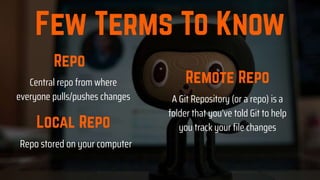
A Git Repository (or a repo) is a
folder that you’ve told Git to help
you track your file changes
Repo stored on your computer
Central repo from where
everyone pulls/pushes changes
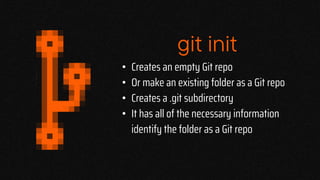
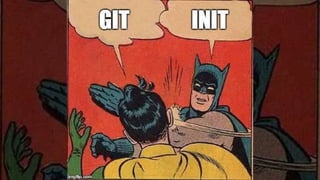
git init
• Creates an empty Git repo
• Or make an existing folder as a Git repo
• Creates a .git subdirectory
• It has all of the necessary information
identify the folder as a Git repo
git add .
• Used to add files/ file contents from the
working tree to the staging area
• Prepares the staged content for the
next commit git add<File name>
• git add .
git status
• Checks the status of untracked files from
the repository
• These files can be added to our repository
git commit
• Records changes in the repository. (Each commit has
a unique ID to track it)
• Share these changes with the version control system
• It saves “snapshots” of your project
• We can recall the commits or revert it to the older
version.
• git commit -m "Commit message"
git push
• Transfer commits from your local repo to a
remote repo.
• Capable of overwriting changes.
• git push origin master
git remote
• Explicitly adds a remote repo for your local
repo.
• Enables you to pull/push changes from the
remote repo.
• Remote repo is stored on a code hosting service
like GitHub.
• git remote add origin
Lets Code
git log
• Git log is a flexible command which allows users to
view the history of the repository.
• It has many flags which can modify the format in
which output is displayed
• You can also filter which commits to show.
• git log
git stash
• The git stash command takes your uncommitted
changes (both staged and unstaged), saves them
away for later use, and then reverts them from your
working copy.
• git stash
A fork in Git is simply a copy of an
existing repository in which the new
owner disconnects the codebase
from previous committers.
The git clone is a command-line
utility which is used to make a local
copy of a remote repository. It
accesses the repository through a
remote URL.
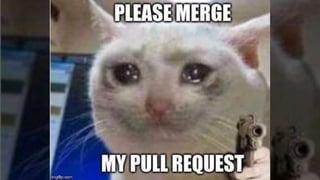
Pull requests let you tell others about changes
you've pushed to a branch in a repository on GitHub.
Once a pull request is opened, you can discuss and
review the potential changes with collaborators and
add follow-up commits before your changes are
merged into the base branch.
Issues let you track your work on GitHub, where
development happens. When you mention an issue in
another issue or pull request, the issue's timeline
reflects the cross-reference so that you can keep track
of related work. To indicate that work is in progress, you
can link an issue to a pull request. When the pull
request merges, the linked issue automatically closes.
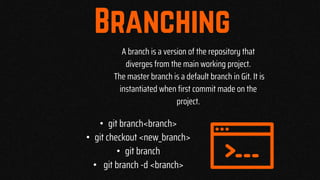
A branch is a version of the repository that
diverges from the main working project.
The master branch is a default branch in Git. It is
instantiated when first commit made on the
project.
• git branch<branch>
• git checkout <new_branch>
• git branch
• git branch -d <branch>
Lets see the
website
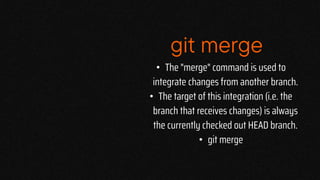
git merge
• The "merge" command is used to
integrate changes from another branch.
• The target of this integration (i.e. the
branch that receives changes) is always
the currently checked out HEAD branch.
• git merge
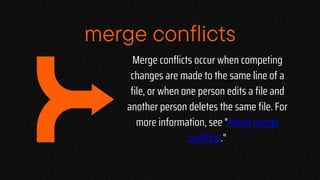
merge conflicts
Merge conflicts occur when competing
changes are made to the same line of a
file, or when one person edits a file and
another person deletes the same file. For
more information, see "About merge
conflicts."
merge conflicts
• To resolve a merge conflict caused by competing line
changes, you must choose which changes to incorporate
from the different branches in a new commit.
• For example, if you and another person both edited the
file styleguide.md on the same lines in different
branches of the same Git repository, you'll get a merge
conflict error when you try to merge these branches. You
must resolve this merge conflict with a new commit
before you can merge these branches.
resolving conflicts
• .gitignore file is a text file which includes all the
files or directories that Git knows to completely
exclude, ignore, and not be aware of in the Git
repository. Essentially, this is a way to tell Git which
untracked files should remain untracked and never
get committed.
• Each new line should list an additional file of folder
that we want git to ignore while making commits.
.gitignore
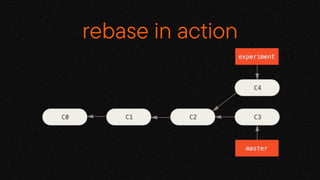
git rebase
• Git rebase is use to modify the commit history
• It helps us to maintain a clean commit history.
• It replaces the existing commits with new commits.
• git rebase master
rebase in action
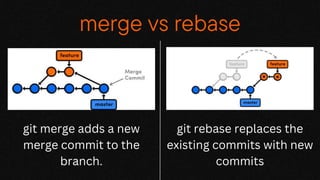
merge vs rebase
git merge adds a new
merge commit to the
branch.
git rebase replaces the
existing commits with new
commits
FRESHERS’ BE
task
COPS Freshers NameCards
Login/Create
your Github
Account
Try this if you’re done
Open the Repository
Varun-Kolanu/Freshers_Namecards
Go through the
README.md
file of the repository
See yourself over here
Git Session 2K23.pptx

Git Session 2K23.pptx

  • 4.
    VCS (Version ControlSystem) Helps to collaborate smoothly Easy to learn - Lightning-fast performance.
  • 5.
    Because emailing afile around is painful ● Log changes in a searchable way, instead of renaming a file for each version. ● Collaborators can work in parallel and merge their changes automatically, instead of manually comparing the differences between a file Version Control Features
  • 8.
    • Social networkingsite for developers • What all can you do? • Show off your projects • See other people’s code • Identify issues • Propose changes
  • 9.
    • Git isa version control system. • It can be used with various tools or locally on your computer to help you keep track of changes in your code projects. • Think of it like Google Docs for code, but better. • GitHub is a platform for code collaboration! • GitHub uses Git for version control and provides you all sorts of awesome collaboration tools.
  • 10.
    LINUX sudo apt-get installgit MAC OS brew install git (install homebrew first) or download from the link given below https://git-scm.com/download/mac WINDOWS Follow below link - https://git-scm.com/download/win
  • 11.
    A Git Repository(or a repo) is a folder that you’ve told Git to help you track your file changes Repo stored on your computer Central repo from where everyone pulls/pushes changes
  • 14.
    git init • Createsan empty Git repo • Or make an existing folder as a Git repo • Creates a .git subdirectory • It has all of the necessary information identify the folder as a Git repo
  • 16.
    git add . •Used to add files/ file contents from the working tree to the staging area • Prepares the staged content for the next commit git add<File name> • git add .
  • 17.
    git status • Checksthe status of untracked files from the repository • These files can be added to our repository
  • 18.
    git commit • Recordschanges in the repository. (Each commit has a unique ID to track it) • Share these changes with the version control system • It saves “snapshots” of your project • We can recall the commits or revert it to the older version. • git commit -m "Commit message"
  • 19.
    git push • Transfercommits from your local repo to a remote repo. • Capable of overwriting changes. • git push origin master
  • 21.
    git remote • Explicitlyadds a remote repo for your local repo. • Enables you to pull/push changes from the remote repo. • Remote repo is stored on a code hosting service like GitHub. • git remote add origin
  • 23.
  • 24.
    git log • Gitlog is a flexible command which allows users to view the history of the repository. • It has many flags which can modify the format in which output is displayed • You can also filter which commits to show. • git log
  • 25.
    git stash • Thegit stash command takes your uncommitted changes (both staged and unstaged), saves them away for later use, and then reverts them from your working copy. • git stash
  • 26.
    A fork inGit is simply a copy of an existing repository in which the new owner disconnects the codebase from previous committers.
  • 27.
    The git cloneis a command-line utility which is used to make a local copy of a remote repository. It accesses the repository through a remote URL.
  • 28.
    Pull requests letyou tell others about changes you've pushed to a branch in a repository on GitHub. Once a pull request is opened, you can discuss and review the potential changes with collaborators and add follow-up commits before your changes are merged into the base branch.
  • 29.
    Issues let youtrack your work on GitHub, where development happens. When you mention an issue in another issue or pull request, the issue's timeline reflects the cross-reference so that you can keep track of related work. To indicate that work is in progress, you can link an issue to a pull request. When the pull request merges, the linked issue automatically closes.
  • 30.
    A branch isa version of the repository that diverges from the main working project. The master branch is a default branch in Git. It is instantiated when first commit made on the project. • git branch<branch> • git checkout <new_branch> • git branch • git branch -d <branch>
  • 32.
  • 33.
    git merge • The"merge" command is used to integrate changes from another branch. • The target of this integration (i.e. the branch that receives changes) is always the currently checked out HEAD branch. • git merge
  • 35.
  • 36.
    Merge conflicts occurwhen competing changes are made to the same line of a file, or when one person edits a file and another person deletes the same file. For more information, see "About merge conflicts." merge conflicts
  • 38.
    • To resolvea merge conflict caused by competing line changes, you must choose which changes to incorporate from the different branches in a new commit. • For example, if you and another person both edited the file styleguide.md on the same lines in different branches of the same Git repository, you'll get a merge conflict error when you try to merge these branches. You must resolve this merge conflict with a new commit before you can merge these branches. resolving conflicts
  • 40.
    • .gitignore fileis a text file which includes all the files or directories that Git knows to completely exclude, ignore, and not be aware of in the Git repository. Essentially, this is a way to tell Git which untracked files should remain untracked and never get committed. • Each new line should list an additional file of folder that we want git to ignore while making commits. .gitignore
  • 41.
    git rebase • Gitrebase is use to modify the commit history • It helps us to maintain a clean commit history. • It replaces the existing commits with new commits. • git rebase master
  • 42.
  • 43.
    merge vs rebase gitmerge adds a new merge commit to the branch. git rebase replaces the existing commits with new commits
  • 47.
  • 49.
  • 50.
  • 51.
    Try this ifyou’re done
  • 52.
  • 53.
  • 55.