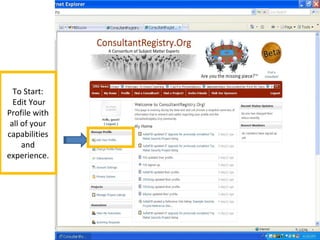
To Start:
Edit Your
Profile with
all of your
capabilities
and
experience.
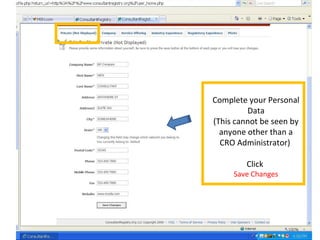
Complete your Personal
Data
(This cannot be seen by
anyone other than a
CRO Administrator)
Click
Save Changes
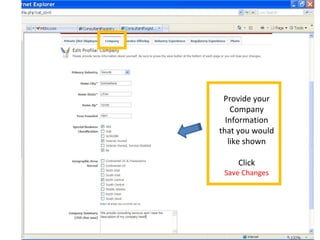
Provide your
Company
Information
that you would
like shown
Click
Save Changes
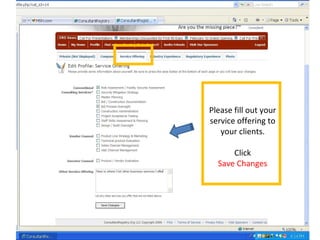
Please fill out your
service offering to
your clients.
Click
Save Changes
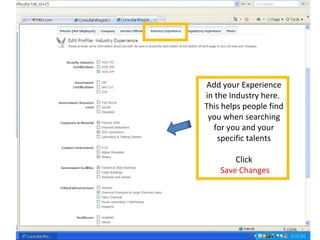
Add your Experience
in the Industry here.
This helps people find
you when searching
for you and your
specific talents
Click
Save Changes
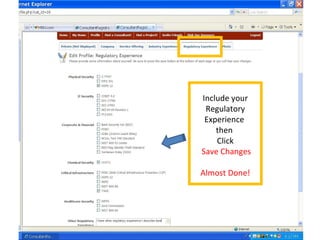
Include your
Regulatory
Experience
then
Click
Save Changes
Almost Done!
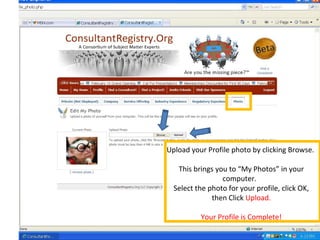
Upload your Profile photo by clicking Browse.
This brings you to “My Photos” in your
computer.
Select the photo for your profile, click OK,
then Click Upload.
Your Profile is Complete!
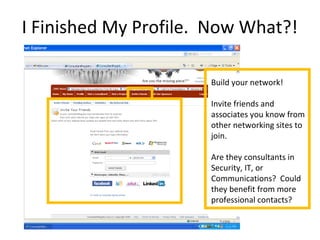
I Finished My Profile. Now What?!
Build your network!
Invite friends and
associates you know from
other networking sites to
join.
Are they consultants in
Security, IT, or
Communications? Could
they benefit from more
professional contacts?
Search for Projects
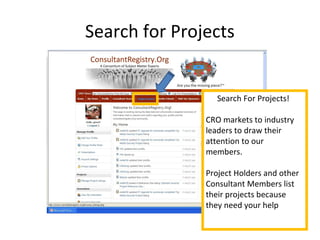
Search For Projects!
CRO markets to industry
leaders to draw their
attention to our
members.
Project Holders and other
Consultant Members list
their projects because
they need your help
Search for Consultants
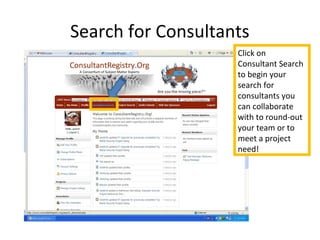
Click on
Consultant Search
to begin your
search for
consultants you
can collaborate
with to round-out
your team or to
meet a project
need!
Explore the Site
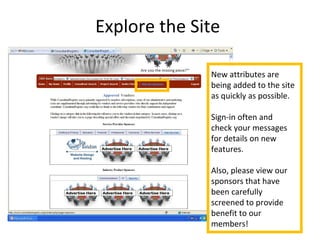
New attributes are
being added to the site
as quickly as possible.
Sign-in often and
check your messages
for details on new
features.
Also, please view our
sponsors that have
been carefully
screened to provide
benefit to our
members!

Getting Started on CRO

  • 1.
    To Start: Edit Your Profilewith all of your capabilities and experience.
  • 2.
    Complete your Personal Data (Thiscannot be seen by anyone other than a CRO Administrator) Click Save Changes
  • 3.
    Provide your Company Information that youwould like shown Click Save Changes
  • 4.
    Please fill outyour service offering to your clients. Click Save Changes
  • 5.
    Add your Experience inthe Industry here. This helps people find you when searching for you and your specific talents Click Save Changes
  • 6.
  • 7.
    Upload your Profilephoto by clicking Browse. This brings you to “My Photos” in your computer. Select the photo for your profile, click OK, then Click Upload. Your Profile is Complete!
  • 8.
    I Finished MyProfile. Now What?! Build your network! Invite friends and associates you know from other networking sites to join. Are they consultants in Security, IT, or Communications? Could they benefit from more professional contacts?
  • 9.
    Search for Projects SearchFor Projects! CRO markets to industry leaders to draw their attention to our members. Project Holders and other Consultant Members list their projects because they need your help
  • 10.
    Search for Consultants Clickon Consultant Search to begin your search for consultants you can collaborate with to round-out your team or to meet a project need!
  • 11.
    Explore the Site Newattributes are being added to the site as quickly as possible. Sign-in often and check your messages for details on new features. Also, please view our sponsors that have been carefully screened to provide benefit to our members!