Development Workshop
Organised by: GDG-SRGI & Coding Club
Your Guide to Getting Started
Harsh Agarwal
Speaker
(WEB DEV LEAD)
Aman Saluja
Faculty Advisor
Session 1
• Roadmap to Development
• Networking and Colaboration
• Linkedin
• Github
TIMELINE
Why This Workshop ?
• To provide you with a clear path.
• Saves your time and effort.
• Helps you focus on skills that actually matter.
Why are we Here Today ?
What We’ll Cover Today:
1. RoadMap to :
• DSA
• Web Development
• Machine Learning
• Devops
2. LinkedIn
3. Github
What is DSA?
• Data Structures: Ways to organize and store data (e.g., arrays, linked lists).
• Algorithms: Step-by-step instructions to solve a problem.
• DSA helps in writing efficient code to solve problems faster.”
Data Structures and Algorithms (DSA)
What are Data Structures:
• A data structure is a way of organizing and storing data so that it can be accessed
and worked with efficiently.
• It's like a container that holds data in an organized way, making it easier to find, use,
or modify later.
Types of Data Structure:
• Arrays
• Stacks
• Queues
• Trees
• Graphs
What are Algorithms:
• An algorithm is a step-by-step process or set of instructions to solve a
problem or complete a task.
• It’s like a recipe that tells you exactly what to do to get the desired result.
Types of Data Structure:
• Sorting
• Searching
• Recursion
• Dynamic Programming
Why Learn It?
Web Development
What is Web Development?
• Web development is the process of creating and maintaining websites.
• It involves building the structure, design, and interactivity of web pages.
Pathway
Types in Web Development:
1. Frontend:
• Buttons, layouts, animations.
• Use icons or screenshots to illustrate these (e.g., a colorful button or webpage layout).
2. Backend:
• User login systems, data storage.
• Show a diagram of how a database or API works with the server.
Why Learn It?
What is Machine Learning?
• Machine learning is when computers learn from data to make decisions or predictions,
without being told exactly what to do.
• It uses data to find patterns and improve over time. For example, recommending movies
based on what you’ve watched before.
Machine Learning
Applications:
• Recommendation systems (Netflix, Spotify).
• Autonomous vehicles.
• Fraud detection.
Why Learn ML ?
What is Devops?
• DevOps is a way for developers and operations teams to work together to make software
faster and more reliable.
• It focuses on automating tasks like testing and deployment so that software can be
delivered quickly and smoothly.
Devops
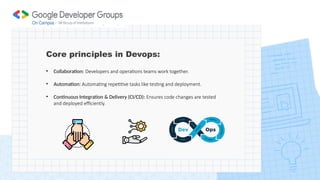
Core principles in Devops:
• Collaboration: Developers and operations teams work together.
• Automation: Automating repetitive tasks like testing and deployment.
• Continuous Integration & Delivery (CI/CD): Ensures code changes are tested
and deployed efficiently.
Why Learn Devops ?
LinkedIn
What is LinkedIn:
• Creating a professional profile to build an impactful online presence.
• LinkedIn is the world’s largest professional networking platform, designed to
connect professionals, businesses, and students to opportunities and resources.
• It is an essential tool for building your career and personal brand in today’s digital
era.
Why Use LinkedIn?
• Build Your Professional Network
• Showcase Your Skills and Achievements
• Job and Internship Opportunities
• Stay Updated with Industry Trends
• Learn from Professionals
Key Features of LinkedIn:
• Profile: Your personal page where you highlight your skills, experience, education.
• Connections: Add people to expand your network and stay connected.
• Posts & Articles: Share thoughts, updates, or write articles to demonstrate expertise.
• Jobs Section: Apply for roles and explore career opportunities tailored to your interests.
• Learning Platform: Access LinkedIn Learning to gain certifications in various fields.
Tips for Effective Cold Messaging
• Keep It Short and Professional
• Start with a Personalized Connection Request
• Clearly State Your Purpose
• Ask Specific, Actionable Questions
• Be Respectful of Their Time
LinkedIn Profile
Tips for Effective Cold Messaging
• Keep It Short and Professional
• Start with a Personalized Connection Request
• Clearly State Your Purpose
• Ask Specific, Actionable Questions
• Be Respectful of Their Time
Learning in Public on LinkedIn
• It is the practice of openly sharing your learning journey, progress,
and insights on a platform like LinkedIn.
• It helps you build your personal brand, connect with like-minded
people, and showcase your curiosity and commitment to growth.
• Accountability: Sharing your goals and progress keeps you motivated to stay consistent.
• Visibility: Your posts can attract mentors, peers, or recruiters who resonate with your
learning journey.
• Building a Network: Engage with others who are learning similar skills or working in the
same field.
• Reinforce Knowledge: Explaining what you’ve learned helps you understand it better.
• Career Growth: Demonstrating your learning process can make you stand out to
employers or collaborators.
Why Learn in Public on LinkedIn?
How to Learn in Public on LinkedIn?
• Share Your Goals: Post about what you’re learning or planning to learn.
• Post Regular Updates: Share milestones, completed projects, or insights gained.
• Ask for Feedback: Engage your audience by asking for advice or feedback on your work.
• Reflect on Challenges: Share problems you faced and how you solved them.
• Engage with Others: Comment on or share posts from others in your field. Show appreciation for
their work or add your insights.
Why Use Twitter(X) for Learning?
• Fast and Direct Engagement: It facilitates quick interactions with experts, peers, and
communities.
• Global Tech Communities: Join communities to connect with like-minded people.
• Real-Time Updates: Stay informed about industry news, trends, and tools as they happen.
• Build a Personal Brand: Sharing your learning journey on Twitter helps you build a reputation
in the tech community.
• Access to Mentorship: Many professionals and senior developers are active on Twitter and
often respond to questions or provide guidance.
Git & Github
Git is a tool that helps you track changes in your code. Think of it like a time
machine for your projects.
What is Github ?
What is Git
GitHub is a website where you can store your Git projects online. It lets you share your
code with others, work together, and showcase your projects to the world.
Difference between Git and Github
Why Use Git and GitHub?
• Version Control: Save different versions of your project and revert to previous ones if needed.
• Collaboration: Work on projects with teammates without overwriting each other’s changes.
• Portfolio Building: Showcase your coding projects to recruiters on GitHub.
• Backup: Keep your projects safe and accessible from anywhere.
• Open Source: Contribute to open-source projects to learn and grow your skills.
1. Install Git:
• Download Git from git-scm.com
2. Set Up Git:
• Configure Git with your name and email:
3. Initialize a Repository:
• Create a new repository in your project folder:
How to Use Git and GitHub?
4. Track Changes:
• Add files to staging area:
• Commit changes with a message:
5. Connect to GitHub:
• Create a repository on GitHub.
• Link your local repository to GitHub:
• Push your changes to GitHub:
• Use pull requests to review changes before merging them into the main project.
How to Use Git and GitHub?
Git Working Tree
• The working tree in Git is the part of your project that you can see and edit. It
represents the files and directories on your computer that belong to your project.
• The working tree is where you actively work on your project.
• It is where you make edits before saving them (committing) permanently to Git.
What is Branching?
• Branching is a way to create a separate version of a project within the same repository.
• Branching is a powerful feature in Git and GitHub, primarily used to manage multiple development
efforts within a single repository.
• It allows teams to work on different features or bug fixes in isolation from the main project.
• You create a branch, make changes, and merge it back to the main branch after review.
How to Create a Branch on GitHub?
1. Open your repository on GitHub.
2. Go to the branch dropdown menu (usually says "main").
3. Type a name for your branch and click "Create branch."
Commands for Branching in Git:
1. Create a branch:
2. Switch to the branch:
3. Merge the branch:
• Forking is creating a copy of someone else’s repository to your GitHub account.
• Forking is primarily used when you want to contribute to someone else's project or
when you want to experiment with a project without affecting the original repository.
• It creates a complete copy of the original repository under your GitHub account.
What is Forking?
Steps to Fork a Repository on GitHub
• Open the repository you want to fork.
• Click the "Fork" button in the top-right corner.
• A copy of the repository is created in your account.
• Clone the forked repository to your local machine:
• Make changes, commit, and push to your fork.
• Submit a pull request to propose your changes to the original repository.
Difference: Branching and Forking
When to use each?
1. Use Branching when:
• Working on a feature within a team’s shared repository
• Testing changes in your own project.
2. Use Forking when:
• Contributing to projects you don’t own.
• Wanting to experiment on a project without affecting the original.
Assignment
THANK YOU!!
GDG On Campus
SECE chapter
@gdg_
sece
GDG on
Campus: SECE

gdg_workshop 1 on web development and github

  • 1.
    Development Workshop Organised by:GDG-SRGI & Coding Club Your Guide to Getting Started
  • 2.
    Harsh Agarwal Speaker (WEB DEVLEAD) Aman Saluja Faculty Advisor
  • 3.
    Session 1 • Roadmapto Development • Networking and Colaboration • Linkedin • Github
  • 4.
  • 5.
    Why This Workshop? • To provide you with a clear path. • Saves your time and effort. • Helps you focus on skills that actually matter.
  • 6.
    Why are weHere Today ?
  • 8.
    What We’ll CoverToday: 1. RoadMap to : • DSA • Web Development • Machine Learning • Devops 2. LinkedIn 3. Github
  • 9.
    What is DSA? •Data Structures: Ways to organize and store data (e.g., arrays, linked lists). • Algorithms: Step-by-step instructions to solve a problem. • DSA helps in writing efficient code to solve problems faster.” Data Structures and Algorithms (DSA)
  • 10.
    What are DataStructures: • A data structure is a way of organizing and storing data so that it can be accessed and worked with efficiently. • It's like a container that holds data in an organized way, making it easier to find, use, or modify later. Types of Data Structure: • Arrays • Stacks • Queues • Trees • Graphs
  • 11.
    What are Algorithms: •An algorithm is a step-by-step process or set of instructions to solve a problem or complete a task. • It’s like a recipe that tells you exactly what to do to get the desired result. Types of Data Structure: • Sorting • Searching • Recursion • Dynamic Programming
  • 12.
  • 13.
    Web Development What isWeb Development? • Web development is the process of creating and maintaining websites. • It involves building the structure, design, and interactivity of web pages.
  • 14.
  • 15.
    Types in WebDevelopment: 1. Frontend: • Buttons, layouts, animations. • Use icons or screenshots to illustrate these (e.g., a colorful button or webpage layout).
  • 16.
    2. Backend: • Userlogin systems, data storage. • Show a diagram of how a database or API works with the server.
  • 17.
  • 18.
    What is MachineLearning? • Machine learning is when computers learn from data to make decisions or predictions, without being told exactly what to do. • It uses data to find patterns and improve over time. For example, recommending movies based on what you’ve watched before. Machine Learning
  • 19.
    Applications: • Recommendation systems(Netflix, Spotify). • Autonomous vehicles. • Fraud detection.
  • 20.
  • 21.
    What is Devops? •DevOps is a way for developers and operations teams to work together to make software faster and more reliable. • It focuses on automating tasks like testing and deployment so that software can be delivered quickly and smoothly. Devops
  • 22.
    Core principles inDevops: • Collaboration: Developers and operations teams work together. • Automation: Automating repetitive tasks like testing and deployment. • Continuous Integration & Delivery (CI/CD): Ensures code changes are tested and deployed efficiently.
  • 23.
  • 24.
    LinkedIn What is LinkedIn: •Creating a professional profile to build an impactful online presence. • LinkedIn is the world’s largest professional networking platform, designed to connect professionals, businesses, and students to opportunities and resources. • It is an essential tool for building your career and personal brand in today’s digital era.
  • 25.
    Why Use LinkedIn? •Build Your Professional Network • Showcase Your Skills and Achievements • Job and Internship Opportunities • Stay Updated with Industry Trends • Learn from Professionals
  • 26.
    Key Features ofLinkedIn: • Profile: Your personal page where you highlight your skills, experience, education. • Connections: Add people to expand your network and stay connected. • Posts & Articles: Share thoughts, updates, or write articles to demonstrate expertise. • Jobs Section: Apply for roles and explore career opportunities tailored to your interests. • Learning Platform: Access LinkedIn Learning to gain certifications in various fields.
  • 27.
    Tips for EffectiveCold Messaging • Keep It Short and Professional • Start with a Personalized Connection Request • Clearly State Your Purpose • Ask Specific, Actionable Questions • Be Respectful of Their Time
  • 28.
  • 29.
    Tips for EffectiveCold Messaging • Keep It Short and Professional • Start with a Personalized Connection Request • Clearly State Your Purpose • Ask Specific, Actionable Questions • Be Respectful of Their Time
  • 31.
    Learning in Publicon LinkedIn • It is the practice of openly sharing your learning journey, progress, and insights on a platform like LinkedIn. • It helps you build your personal brand, connect with like-minded people, and showcase your curiosity and commitment to growth.
  • 32.
    • Accountability: Sharingyour goals and progress keeps you motivated to stay consistent. • Visibility: Your posts can attract mentors, peers, or recruiters who resonate with your learning journey. • Building a Network: Engage with others who are learning similar skills or working in the same field. • Reinforce Knowledge: Explaining what you’ve learned helps you understand it better. • Career Growth: Demonstrating your learning process can make you stand out to employers or collaborators. Why Learn in Public on LinkedIn?
  • 33.
    How to Learnin Public on LinkedIn? • Share Your Goals: Post about what you’re learning or planning to learn. • Post Regular Updates: Share milestones, completed projects, or insights gained. • Ask for Feedback: Engage your audience by asking for advice or feedback on your work. • Reflect on Challenges: Share problems you faced and how you solved them. • Engage with Others: Comment on or share posts from others in your field. Show appreciation for their work or add your insights.
  • 34.
    Why Use Twitter(X)for Learning? • Fast and Direct Engagement: It facilitates quick interactions with experts, peers, and communities. • Global Tech Communities: Join communities to connect with like-minded people. • Real-Time Updates: Stay informed about industry news, trends, and tools as they happen. • Build a Personal Brand: Sharing your learning journey on Twitter helps you build a reputation in the tech community. • Access to Mentorship: Many professionals and senior developers are active on Twitter and often respond to questions or provide guidance.
  • 35.
    Git & Github Gitis a tool that helps you track changes in your code. Think of it like a time machine for your projects. What is Github ? What is Git GitHub is a website where you can store your Git projects online. It lets you share your code with others, work together, and showcase your projects to the world.
  • 36.
  • 37.
    Why Use Gitand GitHub? • Version Control: Save different versions of your project and revert to previous ones if needed. • Collaboration: Work on projects with teammates without overwriting each other’s changes. • Portfolio Building: Showcase your coding projects to recruiters on GitHub. • Backup: Keep your projects safe and accessible from anywhere. • Open Source: Contribute to open-source projects to learn and grow your skills.
  • 38.
    1. Install Git: •Download Git from git-scm.com 2. Set Up Git: • Configure Git with your name and email: 3. Initialize a Repository: • Create a new repository in your project folder: How to Use Git and GitHub?
  • 39.
    4. Track Changes: •Add files to staging area: • Commit changes with a message: 5. Connect to GitHub: • Create a repository on GitHub. • Link your local repository to GitHub: • Push your changes to GitHub: • Use pull requests to review changes before merging them into the main project. How to Use Git and GitHub?
  • 40.
    Git Working Tree •The working tree in Git is the part of your project that you can see and edit. It represents the files and directories on your computer that belong to your project. • The working tree is where you actively work on your project. • It is where you make edits before saving them (committing) permanently to Git.
  • 41.
    What is Branching? •Branching is a way to create a separate version of a project within the same repository. • Branching is a powerful feature in Git and GitHub, primarily used to manage multiple development efforts within a single repository. • It allows teams to work on different features or bug fixes in isolation from the main project. • You create a branch, make changes, and merge it back to the main branch after review.
  • 42.
    How to Createa Branch on GitHub? 1. Open your repository on GitHub. 2. Go to the branch dropdown menu (usually says "main"). 3. Type a name for your branch and click "Create branch." Commands for Branching in Git: 1. Create a branch: 2. Switch to the branch: 3. Merge the branch:
  • 43.
    • Forking iscreating a copy of someone else’s repository to your GitHub account. • Forking is primarily used when you want to contribute to someone else's project or when you want to experiment with a project without affecting the original repository. • It creates a complete copy of the original repository under your GitHub account. What is Forking?
  • 44.
    Steps to Forka Repository on GitHub • Open the repository you want to fork. • Click the "Fork" button in the top-right corner. • A copy of the repository is created in your account. • Clone the forked repository to your local machine: • Make changes, commit, and push to your fork. • Submit a pull request to propose your changes to the original repository.
  • 45.
  • 46.
    When to useeach? 1. Use Branching when: • Working on a feature within a team’s shared repository • Testing changes in your own project. 2. Use Forking when: • Contributing to projects you don’t own. • Wanting to experiment on a project without affecting the original.
  • 47.
  • 48.
  • 49.
    GDG On Campus SECEchapter @gdg_ sece GDG on Campus: SECE