



Introduction
  to Game
Prototyping
 & Research


               Dr. Ben Lewis-Evans
A bit more about me
• Human factors
  researcher
• Gamer
   – XBL: Gortag
   – PSN: LaglGortag
   – Steam: laglgortag
• All round Nerd

Contact:
b.lewis.evans@rug.nl
@ikbenben
Today
• Games User
  Research
   – Huh?
• Prototyping
   – What, why,
     when,
   & how
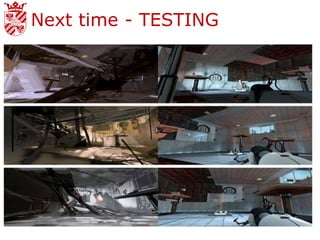
Next time - TESTING

              – Evaluate your own
                paper prototypes
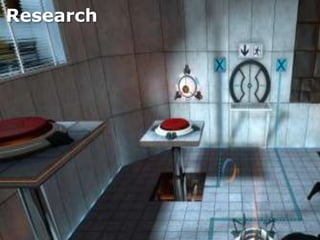
Research
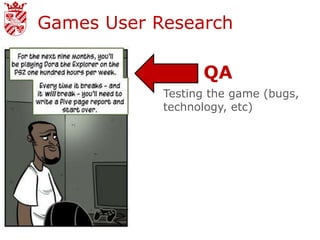
Games User Research

                  QA
            Testing the game (bugs,
            technology, etc)
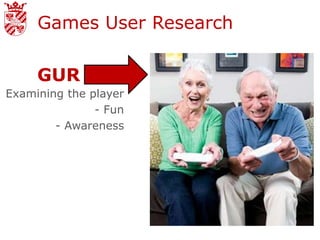
Games User Research

     GUR
Examining the player
               - Fun
        - Awareness
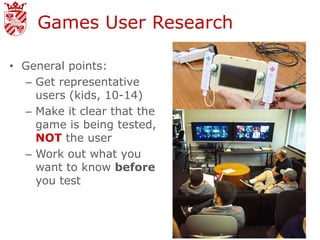
Games User Research

• General points:
  – Get representative
    users (kids, 10-14)
  – Make it clear that the
    game is being tested,
    NOT the user
  – Work out what you
    want to know before
    you test
Games User Research

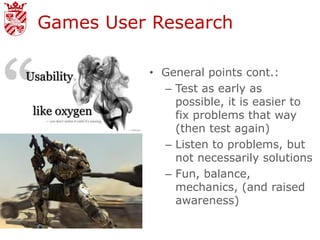
          • General points cont.:
            – Test as early as
              possible, it is easier to
              fix problems that way
              (then test again)
            – Listen to problems, but
              not necessarily solutions
            – Fun, balance,
              mechanics, (and raised
              awareness)
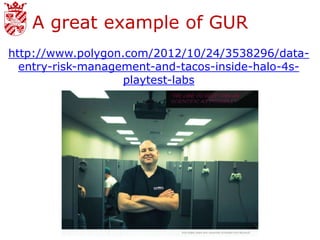
A great example of GUR
http://www.polygon.com/2012/10/24/3538296/data-
  entry-risk-management-and-tacos-inside-halo-4s-
                   playtest-labs
Methods
– Focus Groups
– Heuristic Evaluation
– Questionnaires,
  Surveys and
  Interviews
– Observational studies
– Gameplay metrics
– Biometrics/psychophy
  siology
– Think out loud
Prototyping
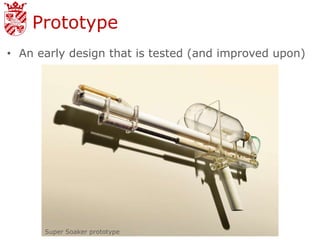
Prototype
• An early design that is tested (and improved upon)


      Super Soaker prototype
Why Prototype?
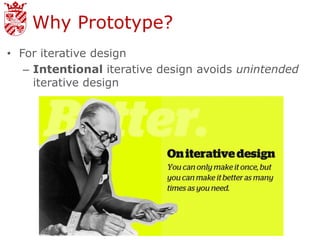
• For iterative design
   – Intentional iterative design avoids unintended
     iterative design
Why Prototype?
• For iterative design
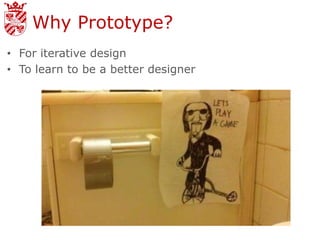
• To learn to be a better designer
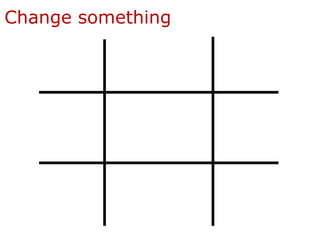
Change something
Why prototype?
• For iterative design
• To learn to be a better designer
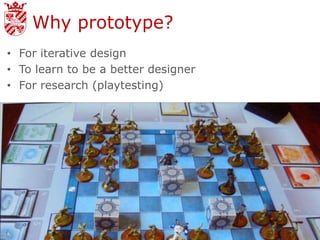
• For research (playtesting)
Why prototype?
          • For iterative design
          • To learn to be a better
            designer
          • For research (playtesting)
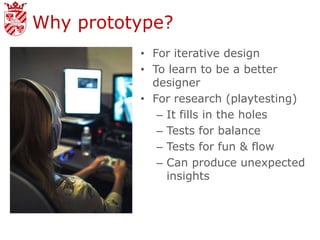
             – It fills in the holes
             – Tests for balance
             – Tests for fun & flow
             – Can produce unexpected
               insights
Why prototype?
• For iterative design
• To learn to be a better designer
• For research (playtesting)


      BECAUSE IT IS
     CHEAP, FAST AND
        EFFICIENT
When to prototype?
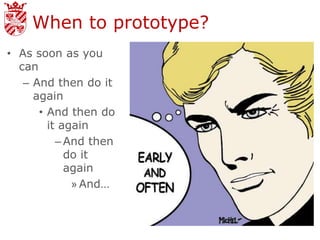
• As soon as you
  can
   – And then do it
     again
      • And then do
        it again
          – And then
            do it
            again
             » And…
How to prototype
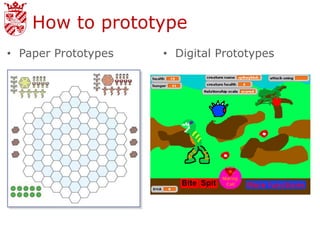
• Paper Prototypes   • Digital Prototypes
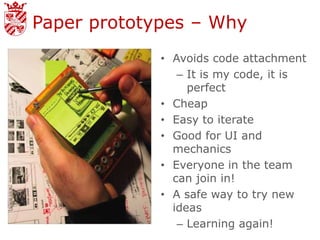
Paper prototypes – Why
             • Avoids code attachment
                – It is my code, it is
                  perfect
             • Cheap
             • Easy to iterate
             • Good for UI and
               mechanics
             • Everyone in the team
               can join in!
             • A safe way to try new
               ideas
                – Learning again!
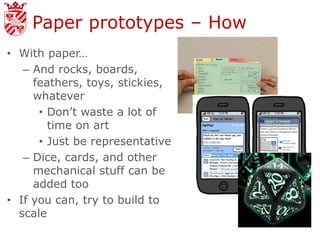
Paper prototypes – How
• With paper…
   – And rocks, boards,
     feathers, toys, stickies,
     whatever
      • Don’t waste a lot of
        time on art
      • Just be representative
   – Dice, cards, and other
     mechanical stuff can be
     added too
• If you can, try to build to
  scale
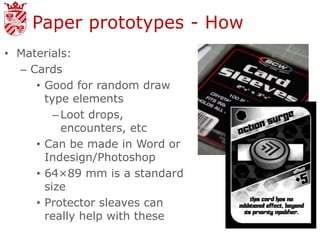
Paper prototypes - How
• Materials:
  – Cards
     • Good for random draw
       type elements
         – Loot drops,
           encounters, etc
     • Can be made in Word or
       Indesign/Photoshop
     • 64×89 mm is a standard
       size
     • Protector sleaves can
       really help with these
Paper prototypes - How
• Materials:
  – Tokens
     • Can also be made and then stuck onto
       cardboard
     • Or steal from other board games/use glass
       beads (from cheap stores in town)
  – Boards:
     • Draw them, print them, stick together sheets
       of paper, whatever works for you.
  – Dice
     • Two d10’s are your friends (% chance)
Paper prototypes – How
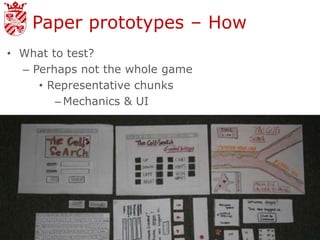
• What to test?
  – Perhaps not the whole game
     • Representative chunks
        – Mechanics & UI
Paper prototypes – How
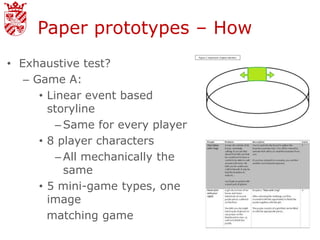
• Exhaustive test?
   – Game A:
      • Linear event based
        storyline
          – Same for every player
      • 8 player characters
          – All mechanically the
            same
      • 5 mini-game types, one
        image
        matching game
Paper prototypes – How
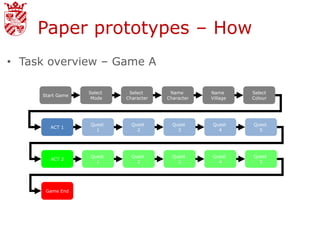
• Task overview – Game A

                  Select    Select      Name       Name      Select
     Start Game
                   Mode    Character   Character   Village   Colour


                  Quest      Quest       Quest     Quest     Quest
        ACT 1
                    1          2           3         4         5


                  Quest      Quest       Quest     Quest     Quest
        ACT 2
                    1          2           3         4         5


      Game End
Paper prototypes – How
• Exhaustive playtest?
   – Game B:
      • Random quest progression with 5 alternate
        endings
      • 4 or 5 mechanically different weapon types
        (damage, range, speed, agility & special effects)
        that are randomly distributed
          – vs mechanically stable enemies?
      • 6 player characters
          – 3 different mechanical types (jump, HP &
            speed)
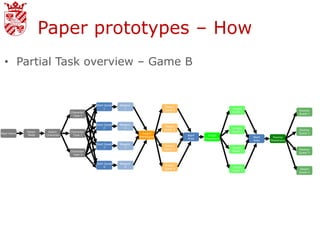
Paper prototypes – How
  • Partial Task overview – Game B


                                              Start Quest   Weapon
                                                                                 Desert
                                                   1          1                                                Jungle
                                                                                 Quest 1                                                     Swamp
                                  Character                                                                    Quest 1
                                                                                                                                             Quest 1
                                   Type 1


                                              Start Quest   Weapon
                                                                                 Desert
                                                   2          2                                                Jungle
                                                                                 Quest 2                                                     Swamp
             Select    Select     Character                                                                    Quest 2
Start Game                                                            Desert                                                                 Quest 2
              Mode    Character    Type 2                                                  Start    Jungle
                                                                     Wasteland                                           Start    Swamp
                                                                                           Area    Wasteland
                                                                                                                         Area    Wasteland
                                              Start Quest   Weapon
                                                                                 Desert
                                                   3          3                                                Jungle
                                                                                 Quest 3                                                     Swamp
                                  Character                                                                    Quest 3
                                                                                                                                             Quest 3
                                   Type 3


                                              Start Quest   Weapon
                                                                                 Desert
                                                   4          4                                                Jungle
                                                                                 Quest 4                                                     Desert
                                                                                                               Quest 4
                                                                                                                                             Quest 4
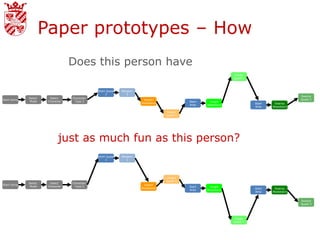
Paper prototypes – How
                                   Does this person have
                                                                                                                Jungle
                                                                                                                Quest 1


                                               Start Quest   Weapon
                                                    2          2
                                                                                                                                              Swamp
             Select     Select     Character
Start Game                                                             Desert                                                                 Quest 2
              Mode     Character    Type 2                                                  Start    Jungle
                                                                      Wasteland                                           Start    Swamp
                                                                                            Area    Wasteland
                                                                                                                          Area    Wasteland

                                                                                  Desert
                                                                                  Quest 3


                             just as much fun as this person?
                                               Start Quest   Weapon
                                                    1          1


                                                                                  Desert
                                                                                  Quest 2
             Select     Select     Character
Start Game                                                             Desert
              Mode     Character    Type 2                                                  Start    Jungle
                                                                      Wasteland                                           Start    Swamp
                                                                                            Area    Wasteland
                                                                                                                          Area    Wasteland


                                                                                                                                              Swamp
                                                                                                                                              Quest 3


                                                                                                                Jungle
                                                                                                                Quest 4
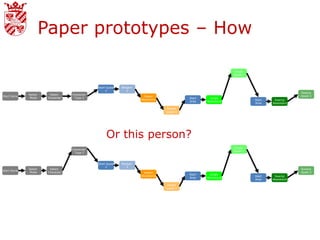
Paper prototypes – How

                                                                                                                Jungle
                                                                                                                Quest 1


                                               Start Quest   Weapon
                                                    2          2
                                                                                                                                              Swamp
             Select     Select     Character
Start Game                                                             Desert                                                                 Quest 2
              Mode     Character    Type 2                                                  Start    Jungle
                                                                      Wasteland                                           Start    Swamp
                                                                                            Area    Wasteland
                                                                                                                          Area    Wasteland

                                                                                  Desert
                                                                                  Quest 3


                                                    Or this person?
                                                                                                                Jungle
                                   Character
                                                                                                                Quest 1
                                    Type 1


                                               Start Quest   Weapon
                                                    2          2
             Select     Select                                                                                                                Swamp
Start Game
              Mode     Character                                       Desert                                                                 Quest 2
                                                                                            Start    Jungle
                                                                      Wasteland                                           Start    Swamp
                                                                                            Area    Wasteland
                                                                                                                          Area    Wasteland

                                                                                  Desert
                                                                                  Quest 3
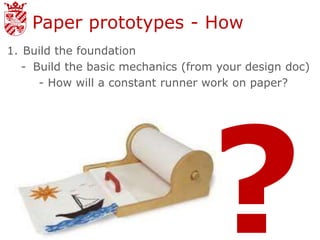
Paper prototypes - How
1. Build the foundation
   - Build the basic mechanics (from your design doc)
      - How will a constant runner work on paper?
Paper prototypes - How
1. Build the foundation
   - Design the basic mechanics:
     - How will a constant runner work on paper?
     - How do movement abilities work?
Paper prototypes - How
1. Build the foundation
   - Design the basic mechanics:
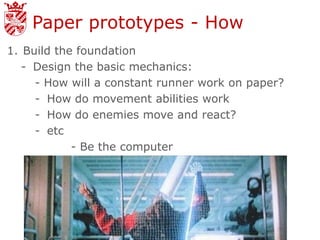
     - How will a constant runner work on paper?
     - How do movement abilities work
     - How do enemies move and react?
     - etc
            - Be the computer
Paper prototypes - How
2. Add structure
  - Additional rules and features
    - Basically the meat of the game
       - Different player abilities?
       - Different items, scoring systems?
       - How will the timer work? When and where
         does it stop?
       - Health and damage systems?
  - Focus on Rules first and then features later
Paper prototypes - How
3. Formalise
  - Tidy up and get things as close to “final” for the
    moment as possible.
    - Still time here to try optional rules or tweaks.

4. Continue to refine!
  - Test, test, test and test more. Not just at this
    step but even between each step above.
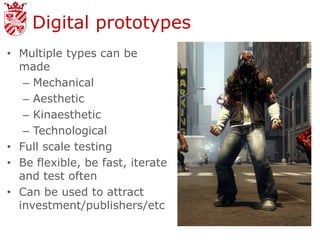
Digital prototypes
• Multiple types can be
  made
   – Mechanical
   – Aesthetic
   – Kinaesthetic
   – Technological
• Full scale testing
• Be flexible, be fast, iterate
  and test often
• Can be used to attract
  investment/publishers/etc
Game testing
1. Design Test
  - Test Script/Tasks
2. Recruit Participants
  - Representative
3. Carry out test
  - Observations
  - Recordings
  - Questions
4. Debrief
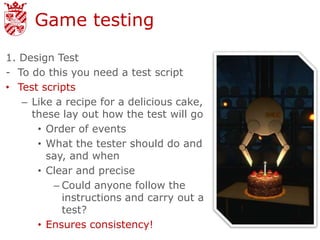
Game testing
1. Design Test
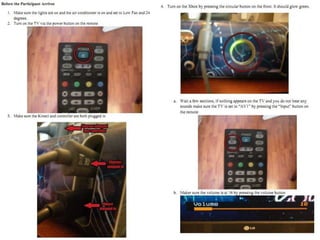
- To do this you need a test script
• Test scripts
   – Like a recipe for a delicious cake,
     these lay out how the test will go
      • Order of events
      • What the tester should do and
        say, and when
      • Clear and precise
         – Could anyone follow the
           instructions and carry out a
           test?
      • Ensures consistency!
Game testing
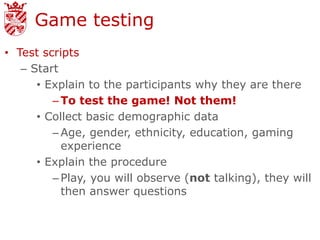
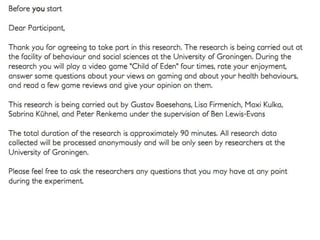
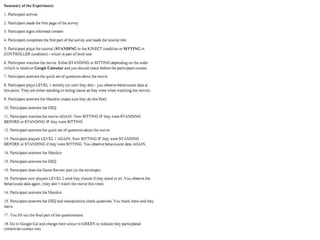
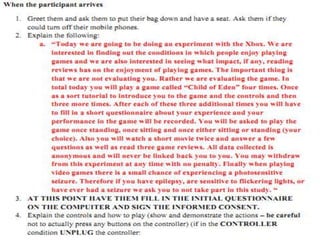
• Test scripts
   – Start
      • Explain to the participants why they are there
         – To test the game! Not them!
      • Collect basic demographic data
         – Age, gender, ethnicity, education, gaming
           experience
      • Explain the procedure
         – Play, you will observe (not talking), they will
           then answer questions
Game testing
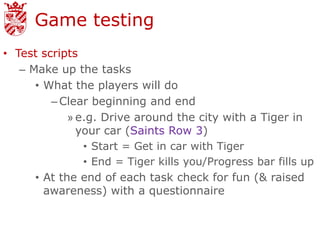
• Test scripts
   – Make up the tasks
      • What the players will do
         – Clear beginning and end
             » e.g. Drive around the city with a Tiger in
               your car (Saints Row 3)
                • Start = Get in car with Tiger
                • End = Tiger kills you/Progress bar fills up
      • At the end of each task check for fun (& raised
        awareness) with a questionnaire
Game testing
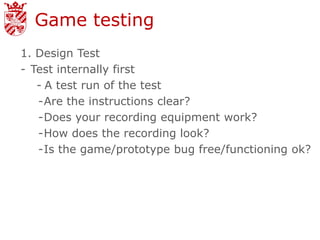
1. Design Test
- Test internally first
   - A test run of the test
   -Are the instructions clear?
   -Does your recording equipment work?
   -How does the recording look?
   -Is the game/prototype bug free/functioning ok?
Game testing
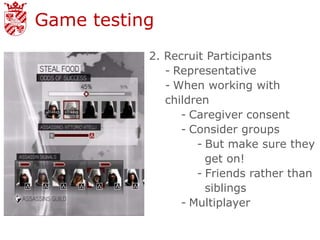
           2. Recruit Participants
              - Representative
              - When working with
              children
                 - Caregiver consent
                 - Consider groups
                    - But make sure they
                      get on!
                    - Friends rather than
                      siblings
                 - Multiplayer
Game testing

3. Carry out test
- Observe the participants, take notes on what they
  do/say & when they do/say it
   - If possible, record the participant & the game
     screen/paper prototype for later review
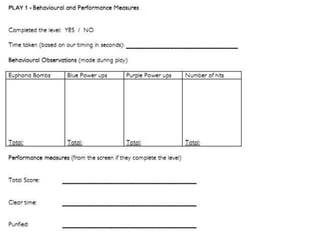
   - Premade logging sheets help
       - Spaces for participant number, task, times
         and observations
Game testing

3. Carry out test
- When observing only write down what you see
   - “Participant laughing and smiling” NOT
     “Participant is happy”
- Generally, do NOT talk to the participants about
  their performance & ask them politely not to talk
  to you
   - During prototyping this can be different as you
     may have to “talk” as part of the game
- Look for performance measures along with
  subjective ratings
   - Time taken, in-game score, damage taken, etc
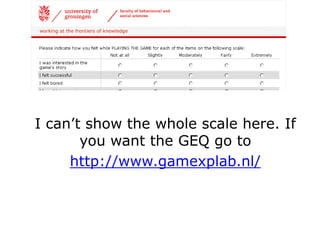
I can’t show the whole scale here. If
       you want the GEQ go to
     http://www.gamexplab.nl/
Game testing

3. Carry out test
- Questionnaires
   - Only ask what you want to know
   - Be direct and clear (don’t lead or ask double
     barrelled questions)
       - Use everyday language
   - Be consistent
   - If you are using statements use positive
     statements
Game testing

4. Debrief
- Thank participants
- Final questionnaire
- A brief interview (if needed)
   - Follow up on interesting observations
   - Gain additional player feedback
- If possible give yourself 15-30 minutes between
  each test participant/test group
- REMEMBER – You are also interested in
  awareness and attitudes!
Next time - TESTING

              – Evaluate your own
                paper prototypes
                 • 30 minutes test &
                   play
                 • 30 minutes test &
                   play
                 • 30 minutes
                   discussion
Credits
• Fullerton (2008) Game Design Workshop – A
  Playcentric Approach to Creating Innovative
  Games
• Sigman (2005) The Siren Song of the Paper
  Cutter: Tips and Tricks from the Trenches of
  Paper Prototyping -
  http://www.gamasutra.com/view/feature/130814/
• Gray, Gabler, Shodhan & Kucic How to Prototype
  a Game in Under 7 Days -
  http://www.gamasutra.com/view/feature/130848/
• The copyright owners of the videos and
  pictures I use. If you are unhappy email me at
  b.lewis.evans@rug.nl
Methods   Finding Out What They
          Think: A rough Primer To
          User Research Part 1
          http://www.gamasutra.com/vi
          ew/feature/169069/

          Finding Out What They
          Think: A rough Primer To
          User Research Part 2
          http://www.gamasutra.com/vi
          ew/feature/170332/

          Game Testing and
          Research: The Body and
          The Mind
          http://www.gamasutra.com/vi
          ew/feature/6341/

Introduction to Game (Paper) Prototyping and Research

  • 1.
    Introduction toGame Prototyping & Research Dr. Ben Lewis-Evans
  • 3.
    A bit moreabout me • Human factors researcher • Gamer – XBL: Gortag – PSN: LaglGortag – Steam: laglgortag • All round Nerd Contact: b.lewis.evans@rug.nl @ikbenben
  • 4.
    Today • Games User Research – Huh? • Prototyping – What, why, when, & how
  • 5.
    Next time -TESTING – Evaluate your own paper prototypes
  • 6.
  • 7.
    Games User Research QA Testing the game (bugs, technology, etc)
  • 8.
    Games User Research GUR Examining the player - Fun - Awareness
  • 9.
    Games User Research •General points: – Get representative users (kids, 10-14) – Make it clear that the game is being tested, NOT the user – Work out what you want to know before you test
  • 10.
    Games User Research • General points cont.: – Test as early as possible, it is easier to fix problems that way (then test again) – Listen to problems, but not necessarily solutions – Fun, balance, mechanics, (and raised awareness)
  • 11.
    A great exampleof GUR http://www.polygon.com/2012/10/24/3538296/data- entry-risk-management-and-tacos-inside-halo-4s- playtest-labs
  • 12.
    Methods – Focus Groups –Heuristic Evaluation – Questionnaires, Surveys and Interviews – Observational studies – Gameplay metrics – Biometrics/psychophy siology – Think out loud
  • 13.
  • 14.
    Prototype • An earlydesign that is tested (and improved upon) Super Soaker prototype
  • 15.
    Why Prototype? • Foriterative design – Intentional iterative design avoids unintended iterative design
  • 16.
    Why Prototype? • Foriterative design • To learn to be a better designer
  • 17.
  • 18.
    Why prototype? • Foriterative design • To learn to be a better designer • For research (playtesting)
  • 19.
    Why prototype? • For iterative design • To learn to be a better designer • For research (playtesting) – It fills in the holes – Tests for balance – Tests for fun & flow – Can produce unexpected insights
  • 20.
    Why prototype? • Foriterative design • To learn to be a better designer • For research (playtesting) BECAUSE IT IS CHEAP, FAST AND EFFICIENT
  • 21.
    When to prototype? •As soon as you can – And then do it again • And then do it again – And then do it again » And…
  • 22.
    How to prototype •Paper Prototypes • Digital Prototypes
  • 23.
    Paper prototypes –Why • Avoids code attachment – It is my code, it is perfect • Cheap • Easy to iterate • Good for UI and mechanics • Everyone in the team can join in! • A safe way to try new ideas – Learning again!
  • 24.
    Paper prototypes –How • With paper… – And rocks, boards, feathers, toys, stickies, whatever • Don’t waste a lot of time on art • Just be representative – Dice, cards, and other mechanical stuff can be added too • If you can, try to build to scale
  • 25.
    Paper prototypes -How • Materials: – Cards • Good for random draw type elements – Loot drops, encounters, etc • Can be made in Word or Indesign/Photoshop • 64×89 mm is a standard size • Protector sleaves can really help with these
  • 26.
    Paper prototypes -How • Materials: – Tokens • Can also be made and then stuck onto cardboard • Or steal from other board games/use glass beads (from cheap stores in town) – Boards: • Draw them, print them, stick together sheets of paper, whatever works for you. – Dice • Two d10’s are your friends (% chance)
  • 27.
    Paper prototypes –How • What to test? – Perhaps not the whole game • Representative chunks – Mechanics & UI
  • 28.
    Paper prototypes –How • Exhaustive test? – Game A: • Linear event based storyline – Same for every player • 8 player characters – All mechanically the same • 5 mini-game types, one image matching game
  • 29.
    Paper prototypes –How • Task overview – Game A Select Select Name Name Select Start Game Mode Character Character Village Colour Quest Quest Quest Quest Quest ACT 1 1 2 3 4 5 Quest Quest Quest Quest Quest ACT 2 1 2 3 4 5 Game End
  • 30.
    Paper prototypes –How • Exhaustive playtest? – Game B: • Random quest progression with 5 alternate endings • 4 or 5 mechanically different weapon types (damage, range, speed, agility & special effects) that are randomly distributed – vs mechanically stable enemies? • 6 player characters – 3 different mechanical types (jump, HP & speed)
  • 31.
    Paper prototypes –How • Partial Task overview – Game B Start Quest Weapon Desert 1 1 Jungle Quest 1 Swamp Character Quest 1 Quest 1 Type 1 Start Quest Weapon Desert 2 2 Jungle Quest 2 Swamp Select Select Character Quest 2 Start Game Desert Quest 2 Mode Character Type 2 Start Jungle Wasteland Start Swamp Area Wasteland Area Wasteland Start Quest Weapon Desert 3 3 Jungle Quest 3 Swamp Character Quest 3 Quest 3 Type 3 Start Quest Weapon Desert 4 4 Jungle Quest 4 Desert Quest 4 Quest 4
  • 32.
    Paper prototypes –How Does this person have Jungle Quest 1 Start Quest Weapon 2 2 Swamp Select Select Character Start Game Desert Quest 2 Mode Character Type 2 Start Jungle Wasteland Start Swamp Area Wasteland Area Wasteland Desert Quest 3 just as much fun as this person? Start Quest Weapon 1 1 Desert Quest 2 Select Select Character Start Game Desert Mode Character Type 2 Start Jungle Wasteland Start Swamp Area Wasteland Area Wasteland Swamp Quest 3 Jungle Quest 4
  • 33.
    Paper prototypes –How Jungle Quest 1 Start Quest Weapon 2 2 Swamp Select Select Character Start Game Desert Quest 2 Mode Character Type 2 Start Jungle Wasteland Start Swamp Area Wasteland Area Wasteland Desert Quest 3 Or this person? Jungle Character Quest 1 Type 1 Start Quest Weapon 2 2 Select Select Swamp Start Game Mode Character Desert Quest 2 Start Jungle Wasteland Start Swamp Area Wasteland Area Wasteland Desert Quest 3
  • 34.
    Paper prototypes -How 1. Build the foundation - Build the basic mechanics (from your design doc) - How will a constant runner work on paper?
  • 35.
    Paper prototypes -How 1. Build the foundation - Design the basic mechanics: - How will a constant runner work on paper? - How do movement abilities work?
  • 36.
    Paper prototypes -How 1. Build the foundation - Design the basic mechanics: - How will a constant runner work on paper? - How do movement abilities work - How do enemies move and react? - etc - Be the computer
  • 37.
    Paper prototypes -How 2. Add structure - Additional rules and features - Basically the meat of the game - Different player abilities? - Different items, scoring systems? - How will the timer work? When and where does it stop? - Health and damage systems? - Focus on Rules first and then features later
  • 38.
    Paper prototypes -How 3. Formalise - Tidy up and get things as close to “final” for the moment as possible. - Still time here to try optional rules or tweaks. 4. Continue to refine! - Test, test, test and test more. Not just at this step but even between each step above.
  • 39.
    Digital prototypes • Multipletypes can be made – Mechanical – Aesthetic – Kinaesthetic – Technological • Full scale testing • Be flexible, be fast, iterate and test often • Can be used to attract investment/publishers/etc
  • 40.
    Game testing 1. DesignTest - Test Script/Tasks 2. Recruit Participants - Representative 3. Carry out test - Observations - Recordings - Questions 4. Debrief
  • 41.
    Game testing 1. DesignTest - To do this you need a test script • Test scripts – Like a recipe for a delicious cake, these lay out how the test will go • Order of events • What the tester should do and say, and when • Clear and precise – Could anyone follow the instructions and carry out a test? • Ensures consistency!
  • 43.
    Game testing • Testscripts – Start • Explain to the participants why they are there – To test the game! Not them! • Collect basic demographic data – Age, gender, ethnicity, education, gaming experience • Explain the procedure – Play, you will observe (not talking), they will then answer questions
  • 48.
    Game testing • Testscripts – Make up the tasks • What the players will do – Clear beginning and end » e.g. Drive around the city with a Tiger in your car (Saints Row 3) • Start = Get in car with Tiger • End = Tiger kills you/Progress bar fills up • At the end of each task check for fun (& raised awareness) with a questionnaire
  • 49.
    Game testing 1. DesignTest - Test internally first - A test run of the test -Are the instructions clear? -Does your recording equipment work? -How does the recording look? -Is the game/prototype bug free/functioning ok?
  • 50.
    Game testing 2. Recruit Participants - Representative - When working with children - Caregiver consent - Consider groups - But make sure they get on! - Friends rather than siblings - Multiplayer
  • 51.
    Game testing 3. Carryout test - Observe the participants, take notes on what they do/say & when they do/say it - If possible, record the participant & the game screen/paper prototype for later review - Premade logging sheets help - Spaces for participant number, task, times and observations
  • 53.
    Game testing 3. Carryout test - When observing only write down what you see - “Participant laughing and smiling” NOT “Participant is happy” - Generally, do NOT talk to the participants about their performance & ask them politely not to talk to you - During prototyping this can be different as you may have to “talk” as part of the game - Look for performance measures along with subjective ratings - Time taken, in-game score, damage taken, etc
  • 54.
    I can’t showthe whole scale here. If you want the GEQ go to http://www.gamexplab.nl/
  • 55.
    Game testing 3. Carryout test - Questionnaires - Only ask what you want to know - Be direct and clear (don’t lead or ask double barrelled questions) - Use everyday language - Be consistent - If you are using statements use positive statements
  • 57.
    Game testing 4. Debrief -Thank participants - Final questionnaire - A brief interview (if needed) - Follow up on interesting observations - Gain additional player feedback - If possible give yourself 15-30 minutes between each test participant/test group - REMEMBER – You are also interested in awareness and attitudes!
  • 58.
    Next time -TESTING – Evaluate your own paper prototypes • 30 minutes test & play • 30 minutes test & play • 30 minutes discussion
  • 59.
    Credits • Fullerton (2008)Game Design Workshop – A Playcentric Approach to Creating Innovative Games • Sigman (2005) The Siren Song of the Paper Cutter: Tips and Tricks from the Trenches of Paper Prototyping - http://www.gamasutra.com/view/feature/130814/ • Gray, Gabler, Shodhan & Kucic How to Prototype a Game in Under 7 Days - http://www.gamasutra.com/view/feature/130848/ • The copyright owners of the videos and pictures I use. If you are unhappy email me at b.lewis.evans@rug.nl
  • 60.
    Methods Finding Out What They Think: A rough Primer To User Research Part 1 http://www.gamasutra.com/vi ew/feature/169069/ Finding Out What They Think: A rough Primer To User Research Part 2 http://www.gamasutra.com/vi ew/feature/170332/ Game Testing and Research: The Body and The Mind http://www.gamasutra.com/vi ew/feature/6341/

Editor's Notes

  • #57 Learn2play, Suck Less, etc