Ryan Edge IG3 Task 2
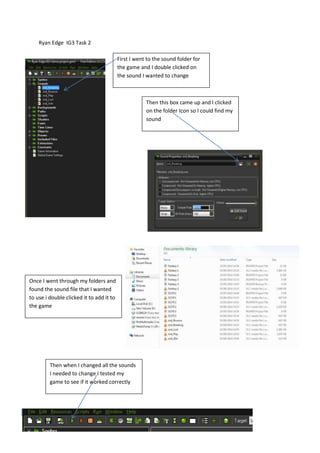
First I went to the sound folder for
the game and I double clicked on
the sound I wanted to change
Then this box came up and I clicked
on the folder Icon so I could find my
sound
Then when I changed all the sounds
I needed to change I tested my
game to see if it worked correctly
Once I went through my folders and
found the sound file that I wanted
to use i double clicked it to add it to
the game

Game maker screen shots

  • 1.
    Ryan Edge IG3Task 2 First I went to the sound folder for the game and I double clicked on the sound I wanted to change Then this box came up and I clicked on the folder Icon so I could find my sound Then when I changed all the sounds I needed to change I tested my game to see if it worked correctly Once I went through my folders and found the sound file that I wanted to use i double clicked it to add it to the game