by Vivek Singh Shekhawat
Index
• Introduction to Python
• Features of Python
• Benefits of Python
• Python Syntax
• Python Comments
• Python Data Types
• Python Variables
• Python Casting
• Python Strings
• Python Booleans
• Python Operators
• Python List
• Python Dictionaries
• Python Tuples
• Python Sets
• If-Else
• If - Elif – else
• For loop
• While loop
• Break Statement
• Continue Statement
• Pass Statement
Introduction to Python
Python is a high-level, interpreted programming language known for its
simplicity and readability. It is versatile and can be used for web
development, scientific computing, and data analysis. Python is also
popular for its large standard library and active community support.
Python Syntax
1 Structure
Python's syntax follows a clear and consistent structure, making it easy to write and
understand code.
2 Indentation
Indentation is crucial in Python and is used to denote blocks of code, ensuring readability
and enforcing good programming practices.
3 Case Sensitivity
Python is case-sensitive, meaning upper and lower case letters are treated differently,
which affects variable names and function calls.
Python Comments
1 Explanation
Comments in Python begin with the #
symbol and are used to explain the
code, provide context, and make notes
for future reference. Comments are
ignored by the Python interpreter.
2 Documentation
Comments also play a vital role in
generating documentation, helping
other developers understand the
code's functionality.
3 Best Practices
Using comments effectively is considered a best practice and greatly enhances code
maintenance and collaboration.
Python Data Types
Fundamental Types
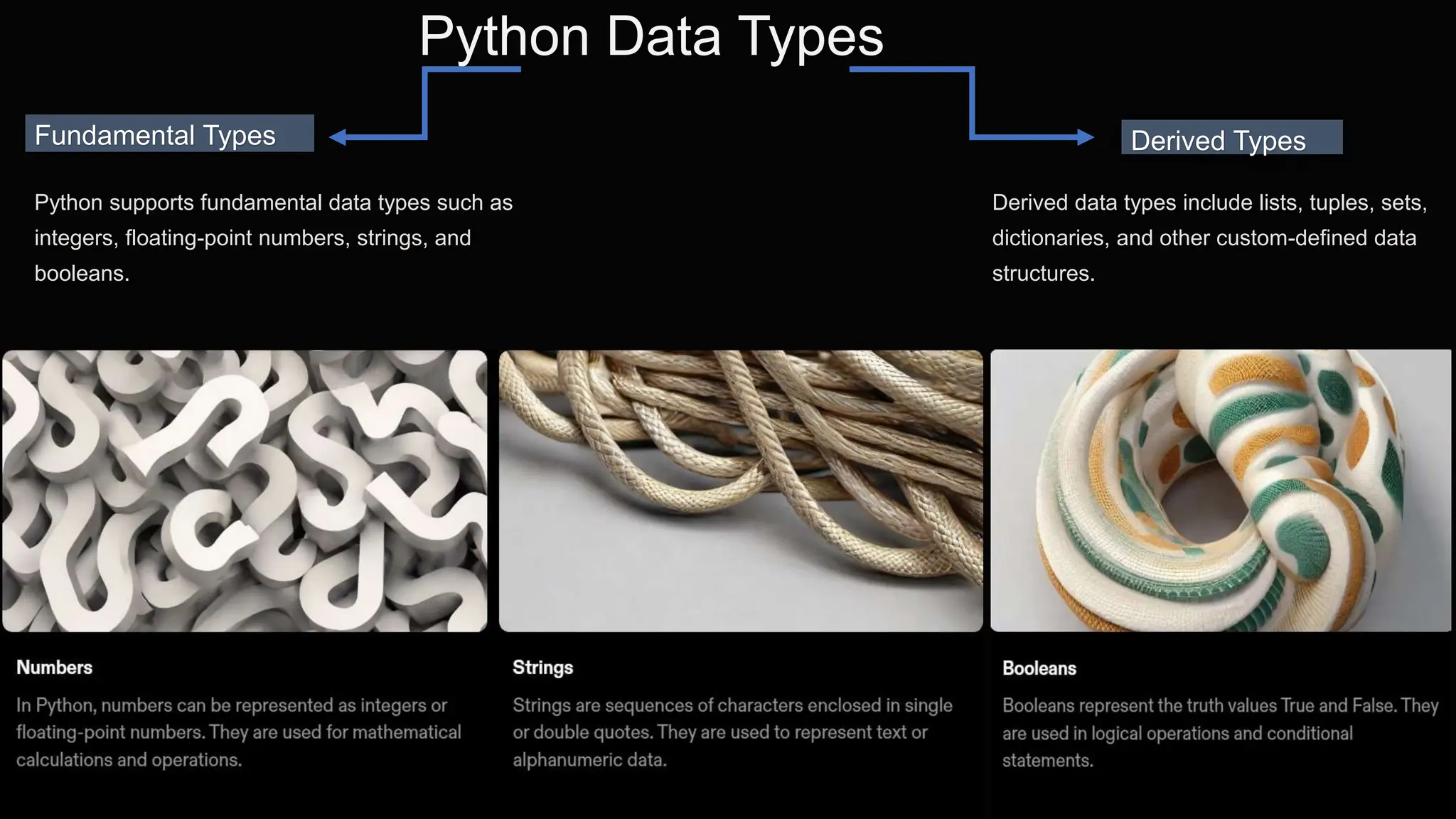
Python supports fundamental data types such as
integers, floating-point numbers, strings, and
booleans.
Derived Types
Derived data types include lists, tuples, sets,
dictionaries, and other custom-defined data
structures.
Python Variables
Naming
•Variable names in Python can contain letters,
numbers, and underscores.
•They must start with a letter or an underscore.
•Variable names are case-sensitive.
Assignment
Variables in Python are created by assigning a
value using the “=“ operator, and data types are
inferred based on the assigned value.
Scope and usage
• Understanding variable scope is essential to prevent naming conflicts and ensure proper variable
access within different parts of the code.
• Variables are commonly used to store and manipulate data in Python programs.
• They allow for dynamic and flexible programming by allowing values to be stored and updated as
needed.
• Variables can be used in mathematical operations, string manipulation, and more.
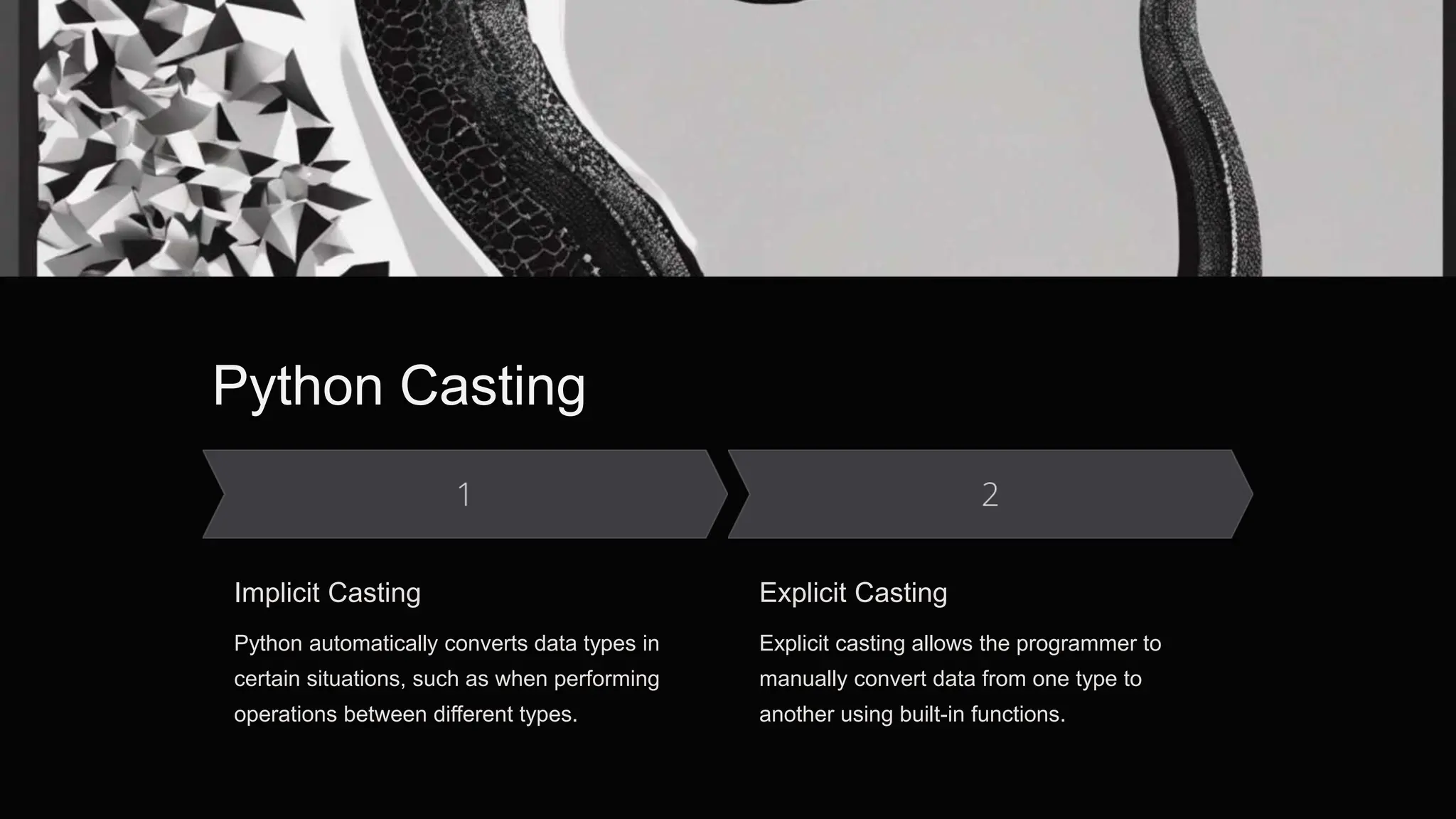
Python Casting
Implicit Casting
Python automatically converts data types in
certain situations, such as when performing
operations between different types.
Explicit Casting
Explicit casting allows the programmer to
manually convert data from one type to
another using built-in functions.
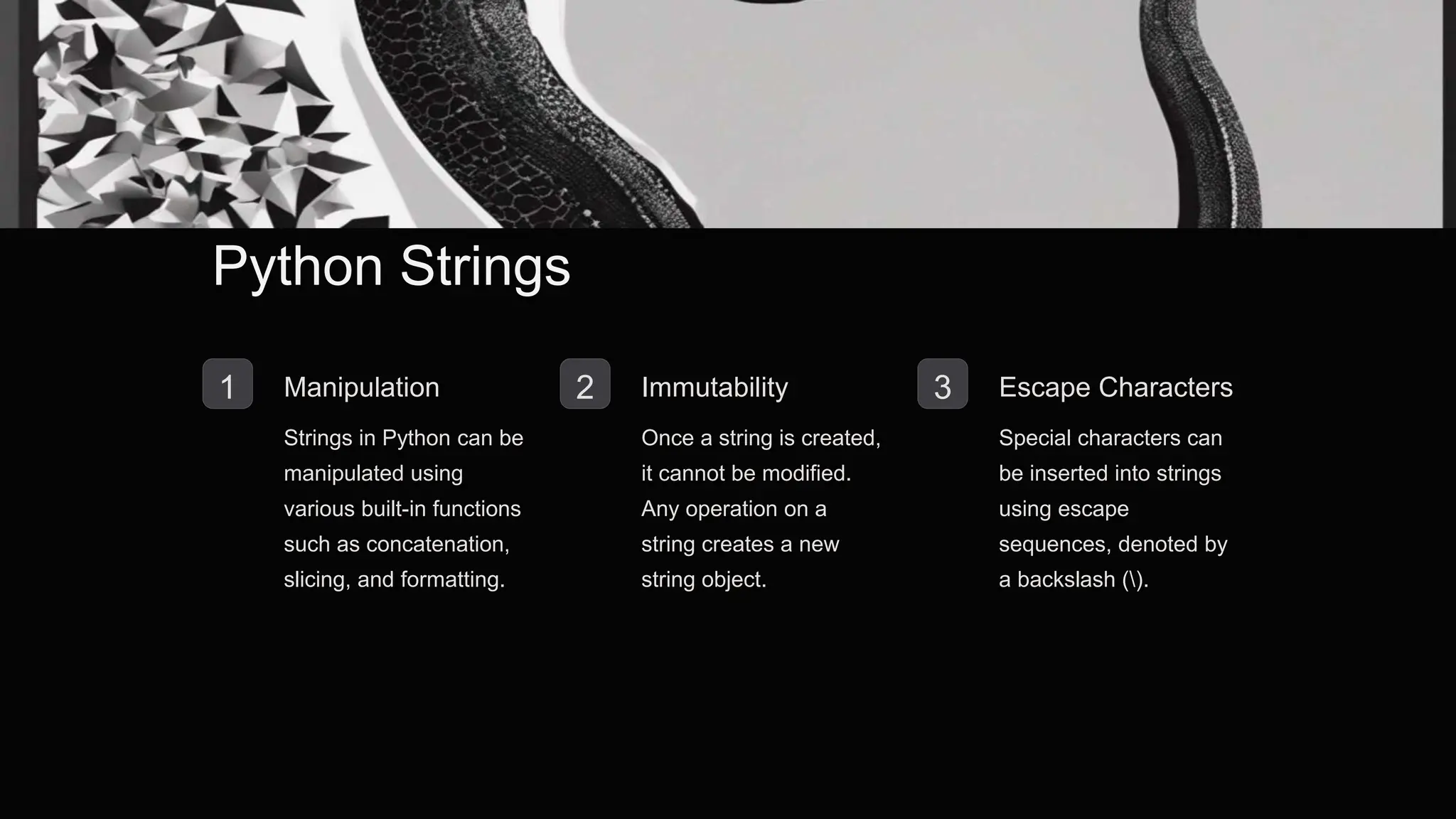
Python Strings
1 Manipulation
Strings in Python can be
manipulated using
various built-in functions
such as concatenation,
slicing, and formatting.
2 Immutability
Once a string is created,
it cannot be modified.
Any operation on a
string creates a new
string object.
3 Escape Characters
Special characters can
be inserted into strings
using escape
sequences, denoted by
a backslash ().
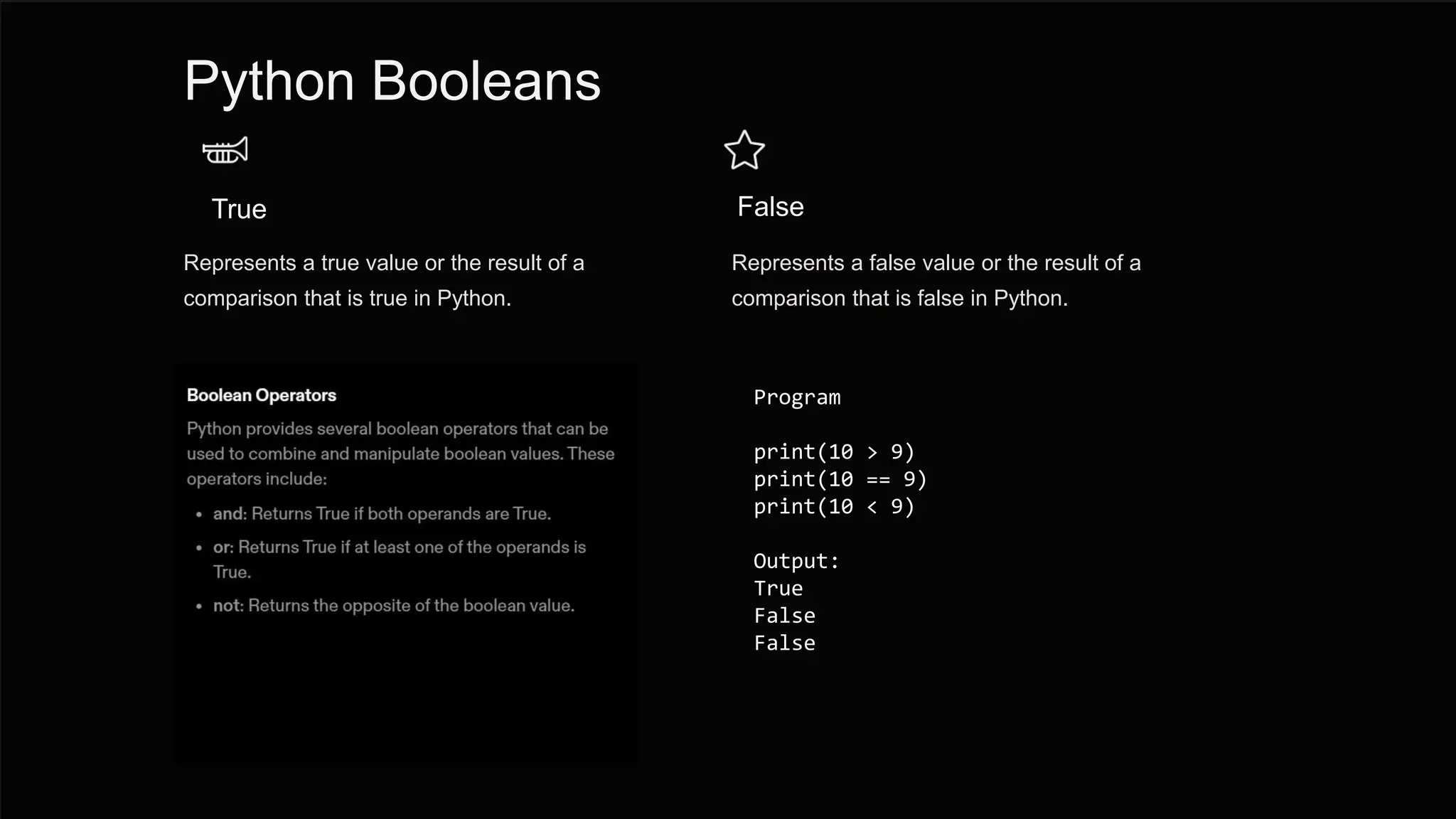
Python Booleans
True
Represents a true value or the result of a
comparison that is true in Python.
False
Represents a false value or the result of a
comparison that is false in Python.
Program
print(10 > 9)
print(10 == 9)
print(10 < 9)
Output:
True
False
False
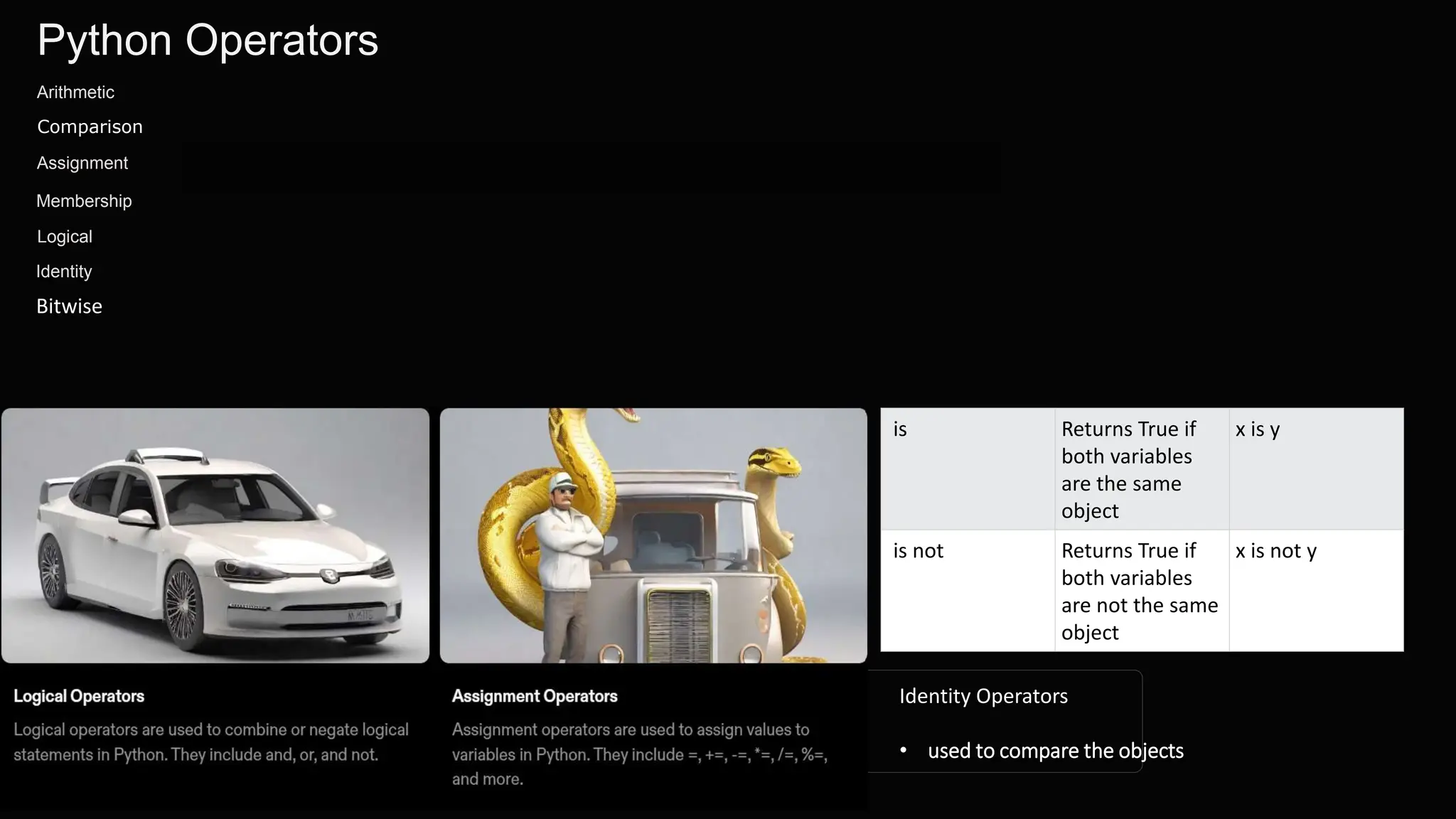
Python Operators
Arithmetic
Comparison
Logical
Assignment
Membership
Identity
Bitwise
Identity Operators
• used to compare the objects
is Returns True if
both variables
are the same
object
x is y
is not Returns True if
both variables
are not the same
object
x is not y
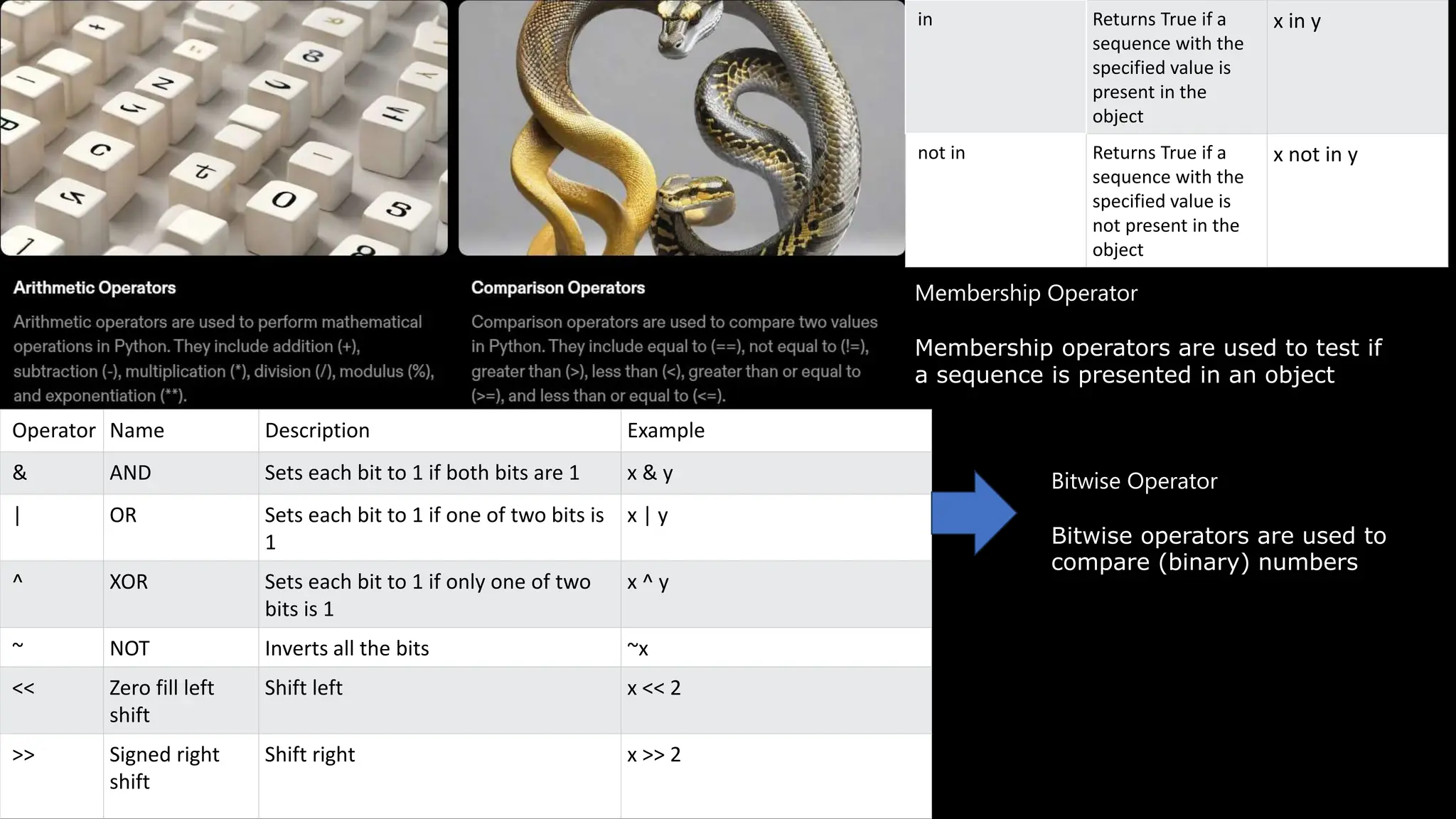
in Returns True if a
sequence with the
specified value is
present in the
object
x in y
not in Returns True if a
sequence with the
specified value is
not present in the
object
x not in y
Membership Operator
Membership operators are used to test if
a sequence is presented in an object
Operator Name Description Example
& AND Sets each bit to 1 if both bits are 1 x & y
| OR Sets each bit to 1 if one of two bits is
1
x | y
^ XOR Sets each bit to 1 if only one of two
bits is 1
x ^ y
~ NOT Inverts all the bits ~x
<< Zero fill left
shift
Shift left x << 2
>> Signed right
shift
Shift right x >> 2
Bitwise Operator
Bitwise operators are used to
compare (binary) numbers
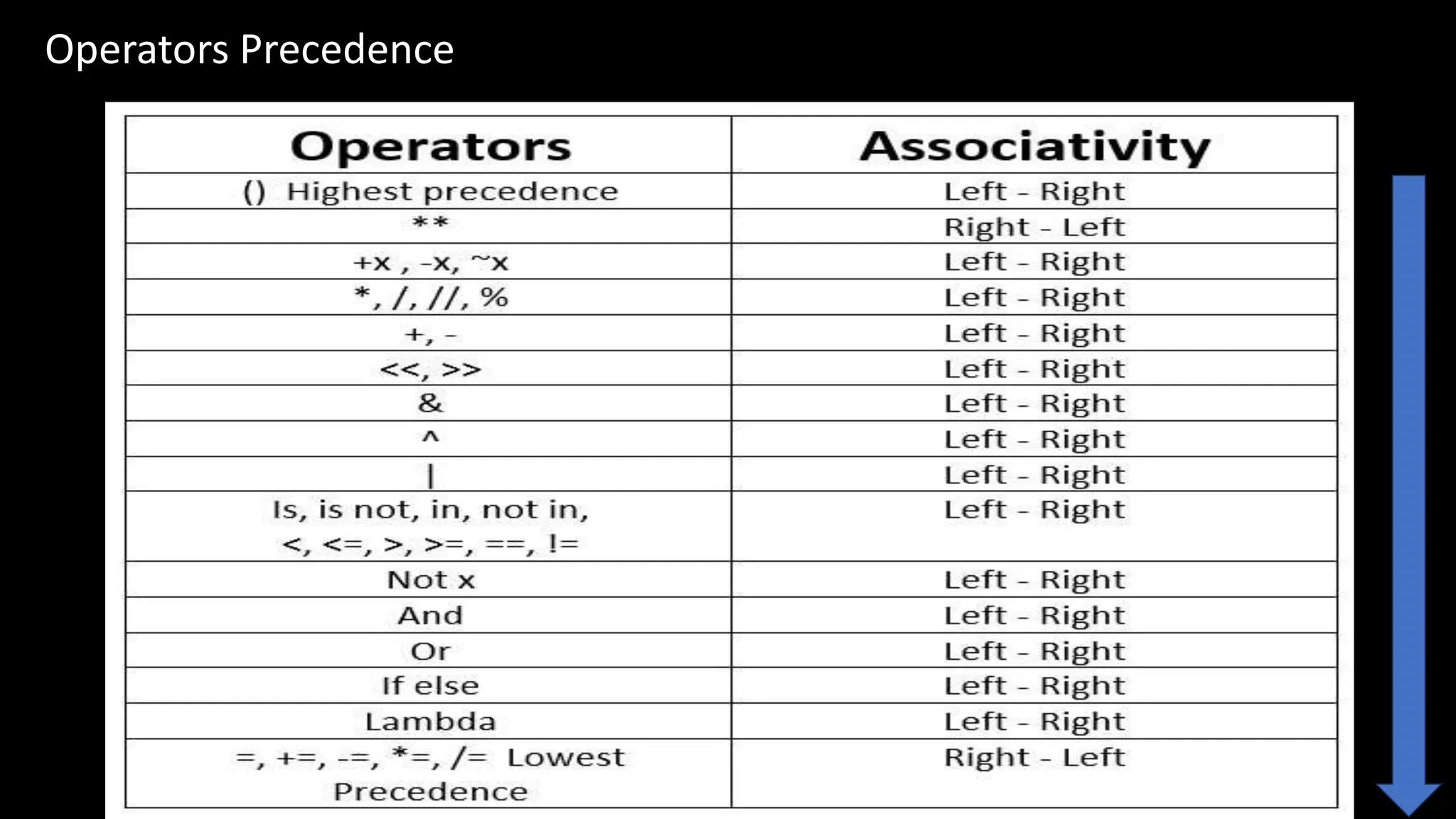
Operators Precedence
Python Lists
Python lists are ordered, mutable, and allow duplicate elements. They are
a versatile data type, often used to store and manipulate collections of
data. Lists are defined by square brackets and can contain any data type.
Creating Lists
Simple Syntax
Lists are created by placing a comma-
separated sequence of elements in
square brackets.
Concatenating Lists
New lists can be created by adding two
or more lists together using the +
operator.
Using List Comprehension
It provides an elegant way to create lists based on existing lists.
Accessing List Items
1 Indexing
Access elements by
referring to the index
number. The index starts
at 0.
2 Negative Indexing
Access elements from
the end of the list using
negative indexing.
3 Slicing
Get a specific segment
of a list using slicing. It
includes a start and stop
index.
Modifying List Items
Assigning Values
Modify a specific item by
referring to its index.
Appending Items
Add new items at the end of
the list using the append()
method.
Extending Lists
Add the elements of another
list to the current list using the
extend() method.
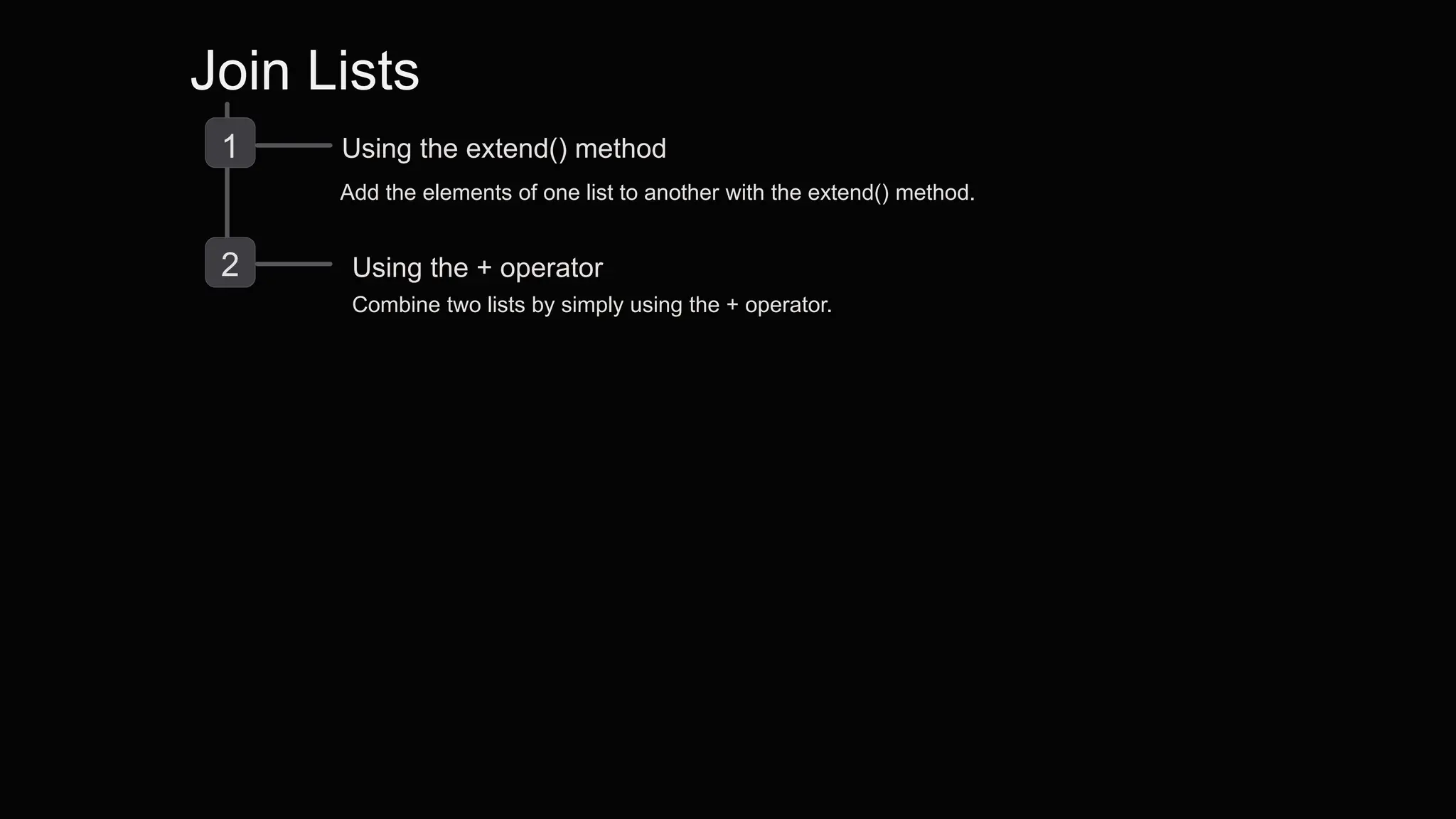
Join Lists
1 Using the extend() method
Add the elements of one list to another with the extend() method.
2 Using the + operator
Combine two lists by simply using the + operator.
# Define a list
my_list = [1, 2, 3, 4, 5]
# Indexing: Modify the value at index 2
index = 2
my_list[index] = 10
# Appending: Append an element to the list
element_to_append = 6
my_list.append(element_to_append)
# Extending: Add elements from another list to the current list
list_to_extend = [7, 8, 9]
my_list.extend(list_to_extend)
# Print the modified list
print("Modified List:", my_list)
Output :
Modified List: [1, 2, 10, 4, 5, 6, 7, 8, 9]
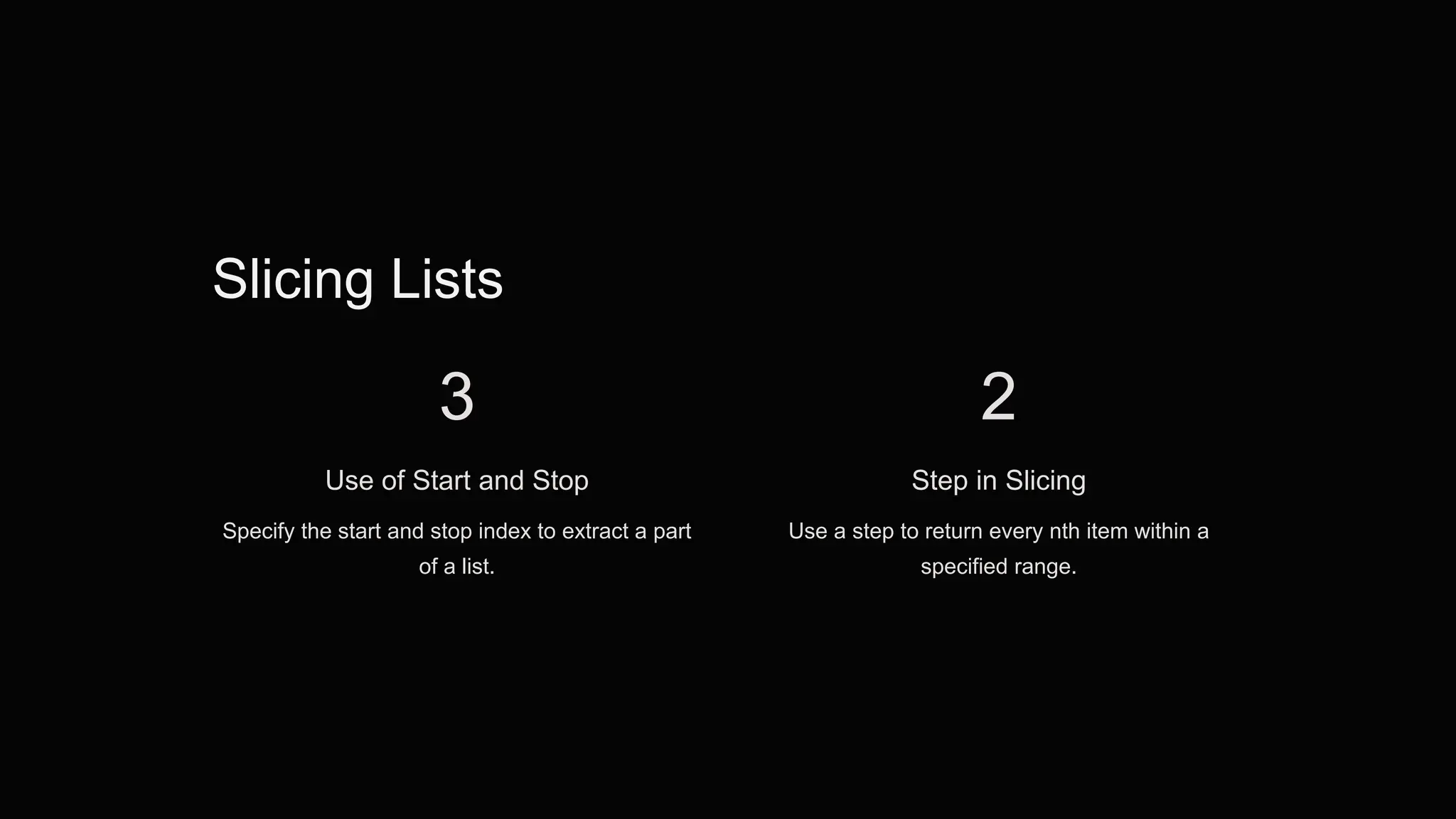
Slicing Lists
3
Use of Start and Stop
Specify the start and stop index to extract a part
of a list.
2
Step in Slicing
Use a step to return every nth item within a
specified range.
Adding Items to a List
Using append()
Add items to the end of the list using the append() method.
Using insert()
Insert an element at a specified position using the insert() method.
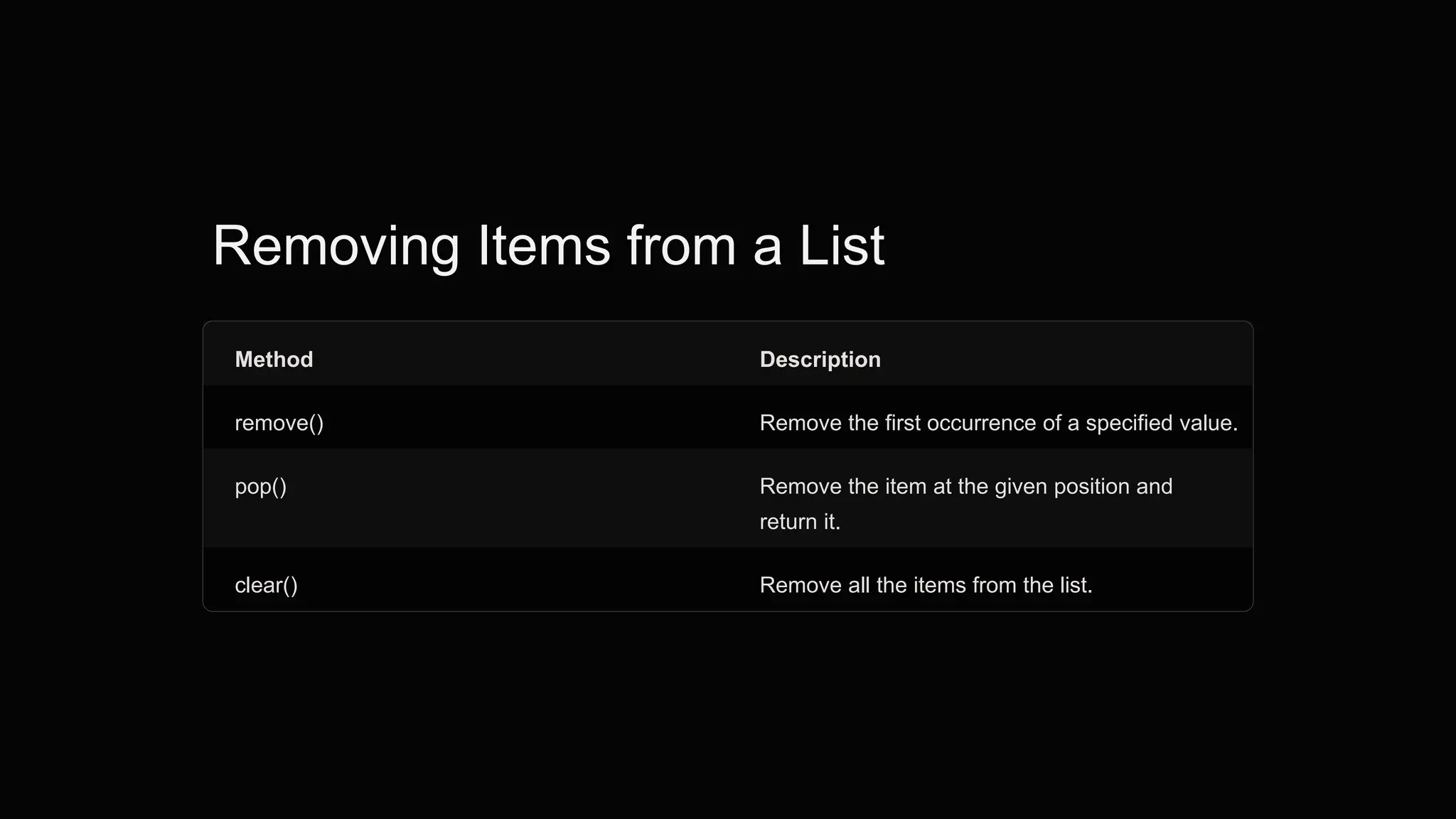
Removing Items from a List
Method Description
remove() Remove the first occurrence of a specified value.
pop() Remove the item at the given position and
return it.
clear() Remove all the items from the list.
List Methods
1 Common Methods
Explore methods like sort(), reverse(), and
count() to manipulate lists.
2 Copying Lists
Learn methods for creating a shallow or
deep copy of a list.
# Define an empty list
my_list = []
# Append elements to the list
my_list.append(1)
my_list.append(2)
my_list.append(3)
# List after appending elements: [1, 2, 3]
# Insert an element at a specific index
my_list.insert(1, 4)
# List after inserting element: [1, 4, 2, 3]
# Remove an element from the list
my_list.remove(2)
# List after removing element: [1, 4, 3]
# Pop an element from the list
popped_element = my_list.pop()
# Popped element: 3
# List after popping: [1, 4]
# Pop an element at a specific index
popped_element_at_index = my_list.pop(1)
# Popped element at index 1: 4
# List after popping at index 1: [1]
# Get the index of an element
index = my_list.index(1)
# Index of element 1: 0
# Extend the list with another list
other_list = [5, 6, 7]
my_list.extend(other_list)
# List after extending with another list: [1, 5, 6, 7]
# Sort the list
my_list.sort()
# List after sorting: [1, 5, 6, 7]
# Reverse the list
my_list.reverse()
# List after reversing: [7, 6, 5, 1]
# Access elements by index
element_at_index_2 = my_list[2]
# Element at index 2: 5
# Slicing
sliced_list = my_list[1:4]
# Sliced list: [6, 5, 1]
# Length of the list
length_of_list = len(my_list)
# Length of the list: 4
# Count occurrences of an element
count_of_5 = my_list.count(5)
# Count of element 5: 1
# Clear the list
my_list.clear()
# List after clearing: []
# Define a tuple
my_tuple = (1, 2, 3)
# Print the tuple
print("Tuple:", my_tuple) # Tuple: (1, 2, 3)
# Access elements by index
element_at_index_1 = my_tuple[1]
# Element at index 1: 2
# Slicing
sliced_tuple = my_tuple[0:2]
# Sliced tuple: (1, 2)
# Length of the tuple
length_of_tuple = len(my_tuple)
# Length of the tuple: 3
# Count occurrences of an element
count_of_2 = my_tuple.count(2)
# Count of element 2: 1
# Get the index of an element
index_of_3 = my_tuple.index(3)
# Index of element 3: 2
Python Dictionaries
# Define an empty dictionary
my_dict = {}
# Add key-value pairs to the dictionary
my_dict['a'] = 1
my_dict['b'] = 2
my_dict['c'] = 3
# Print the dictionary
print("Dictionary after adding key-value pairs:", my_dict)
# Dictionary after adding key-value pairs: {'a': 1, 'b': 2, 'c': 3}
# Access value by key
value_of_a = my_dict['a']
# Value of key 'a': 1
# Modify value by key
my_dict['b'] = 5
# Dictionary after modifying value: {'a': 1, 'b': 5, 'c': 3}
# Add new key-value pair
my_dict['d'] = 4
# Dictionary after adding new key-value pair: {'a': 1, 'b': 5, 'c': 3, 'd': 4}
# Remove key-value pair
removed_value = my_dict.pop('b')
# Removed value: 5
# Dictionary after removing key-value pair: {'a': 1, 'c': 3, 'd': 4}
# Get keys
keys = my_dict.keys()
# Keys: dict_keys(['a', 'c', 'd'])
# Get values
values = my_dict.values()
# Values: dict_values([1, 3, 4])
# Check if key exists
is_key_exists = 'b' in my_dict
# Is 'b' in dictionary: False
# Clear the dictionary
my_dict.clear()
# Dictionary after clearing: {}
If – else
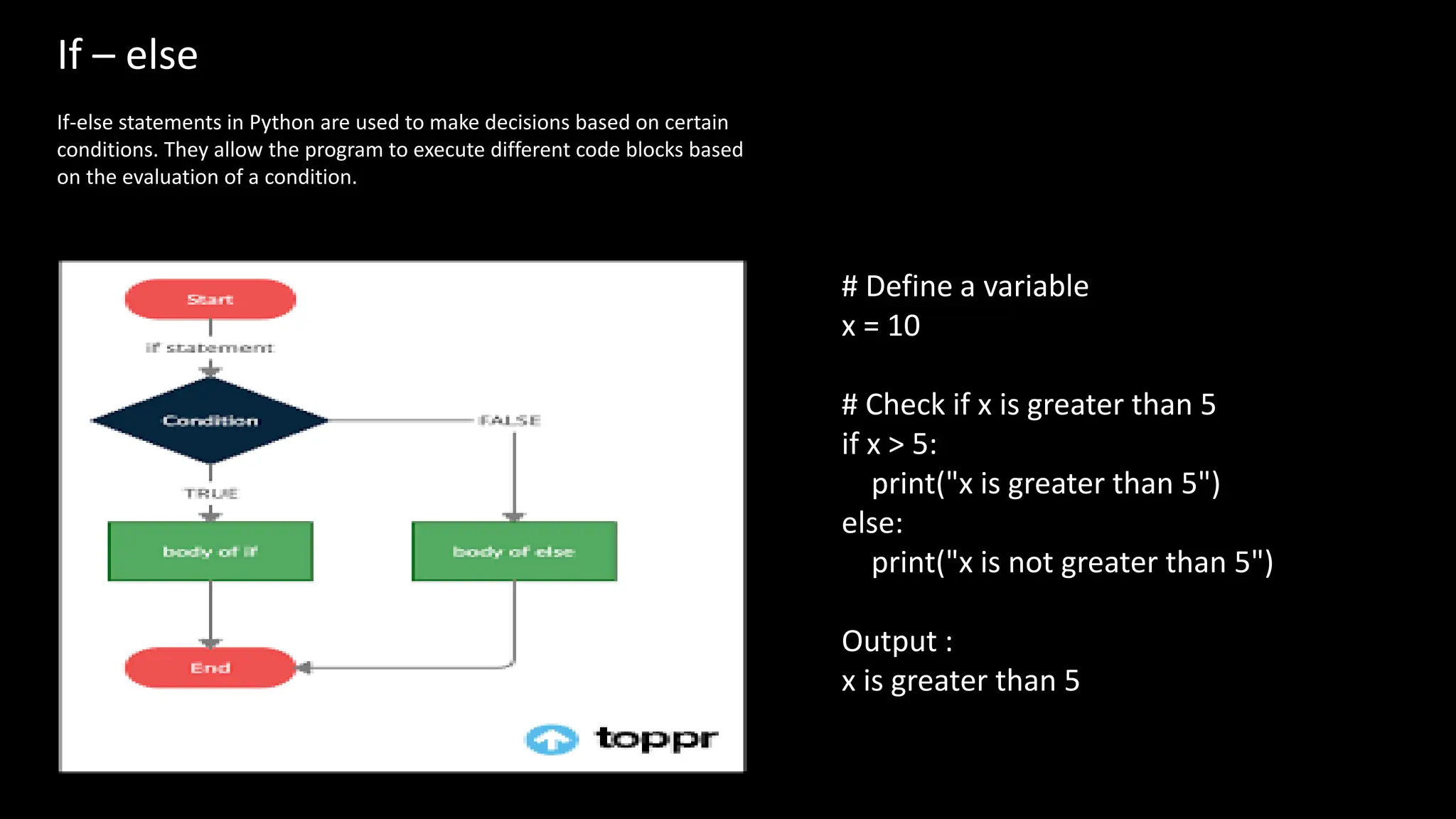
If-else statements in Python are used to make decisions based on certain
conditions. They allow the program to execute different code blocks based
on the evaluation of a condition.
# Define a variable
x = 10
# Check if x is greater than 5
if x > 5:
print("x is greater than 5")
else:
print("x is not greater than 5")
Output :
x is greater than 5
If - elif – else
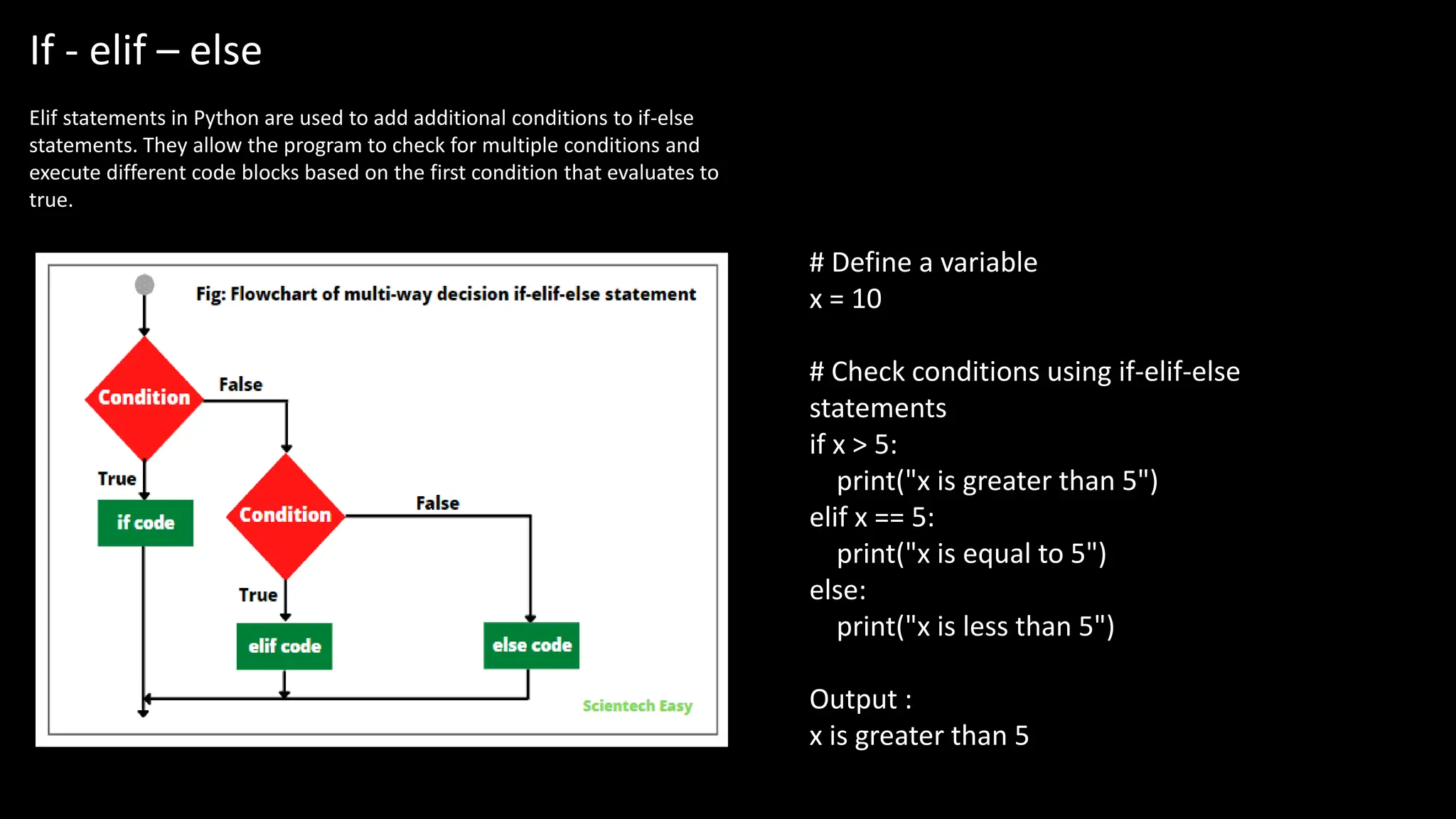
Elif statements in Python are used to add additional conditions to if-else
statements. They allow the program to check for multiple conditions and
execute different code blocks based on the first condition that evaluates to
true.
# Define a variable
x = 10
# Check conditions using if-elif-else
statements
if x > 5:
print("x is greater than 5")
elif x == 5:
print("x is equal to 5")
else:
print("x is less than 5")
Output :
x is greater than 5
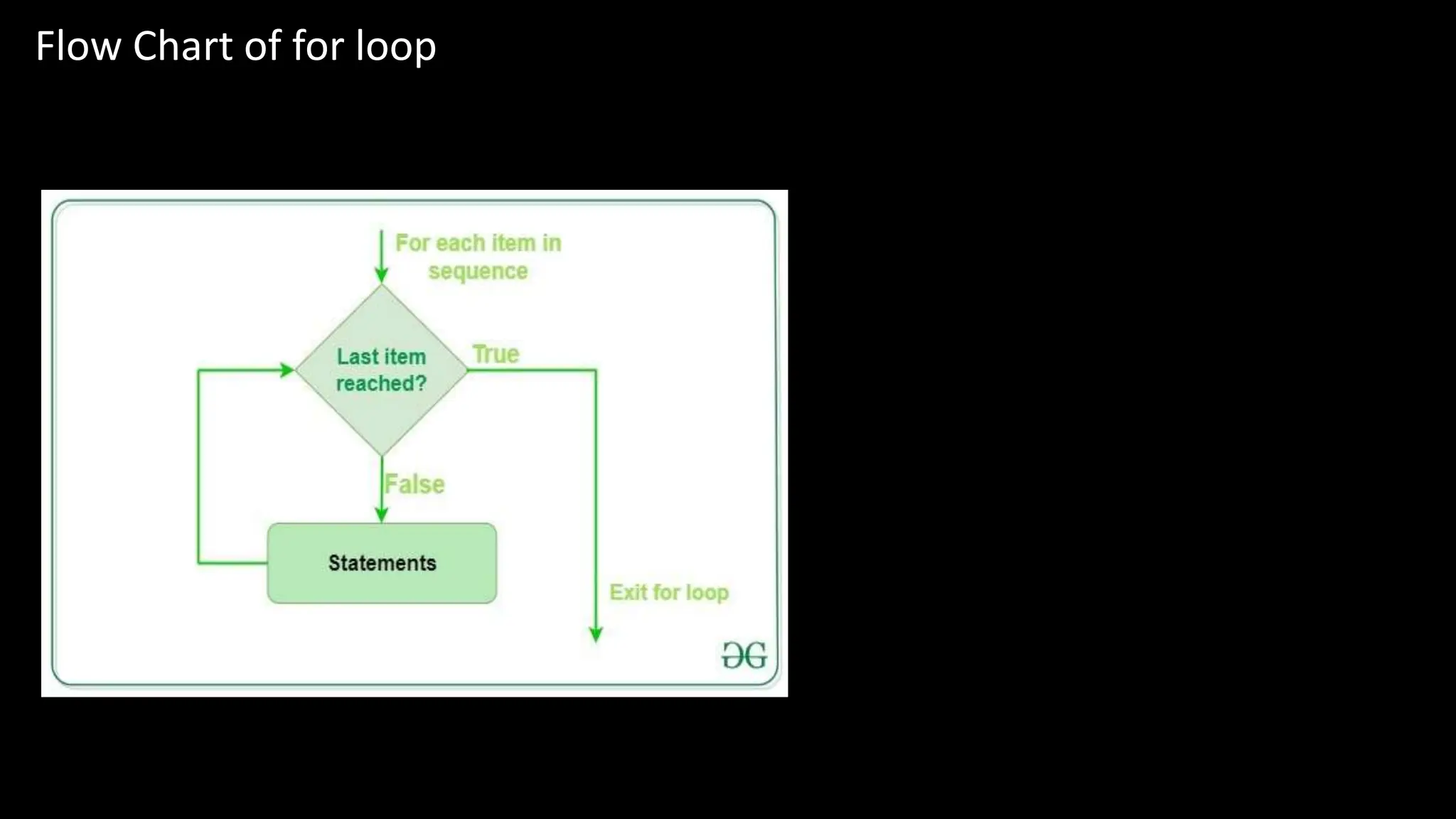
Flow Chart of for loop
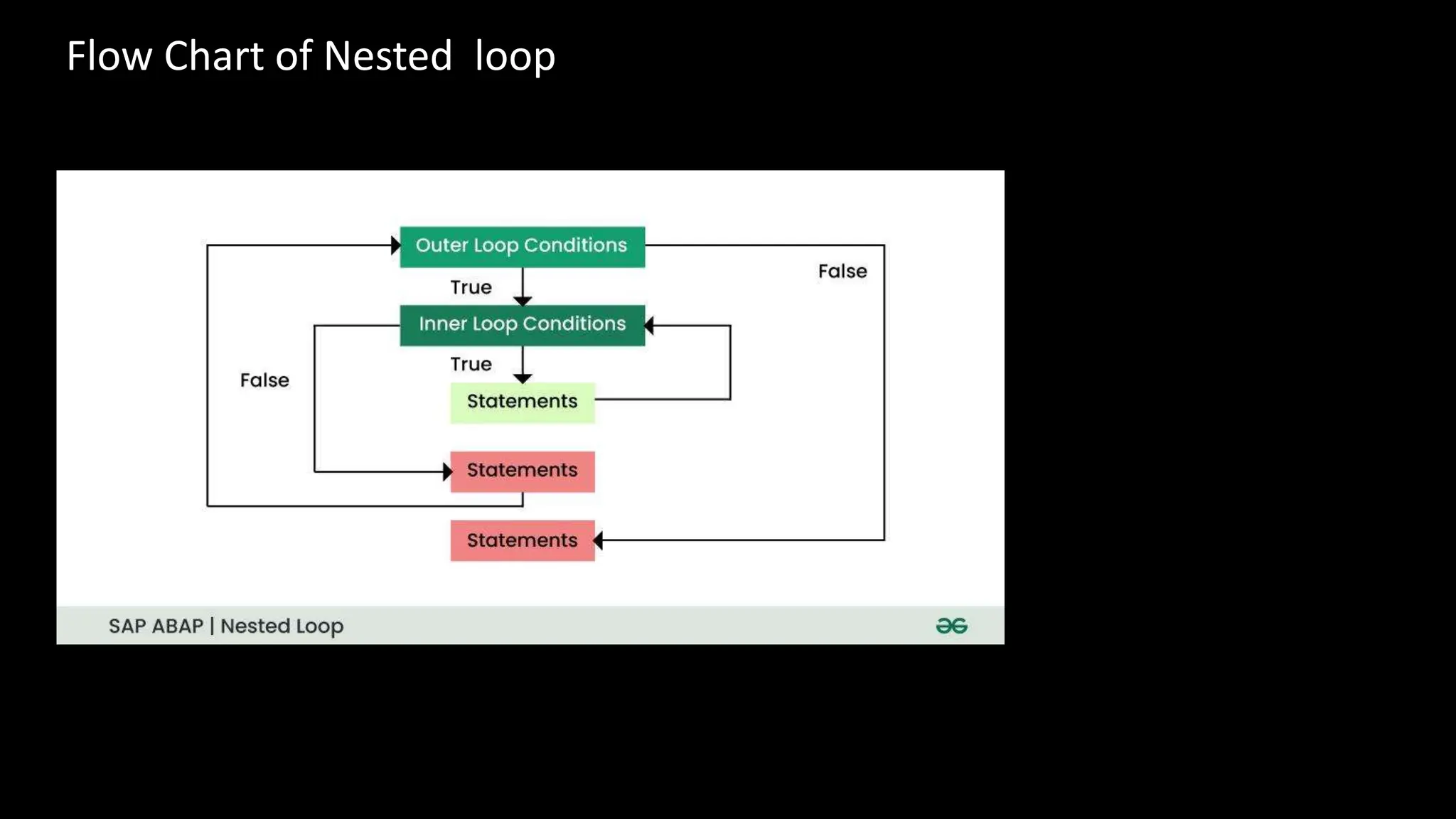
Flow Chart of Nested loop
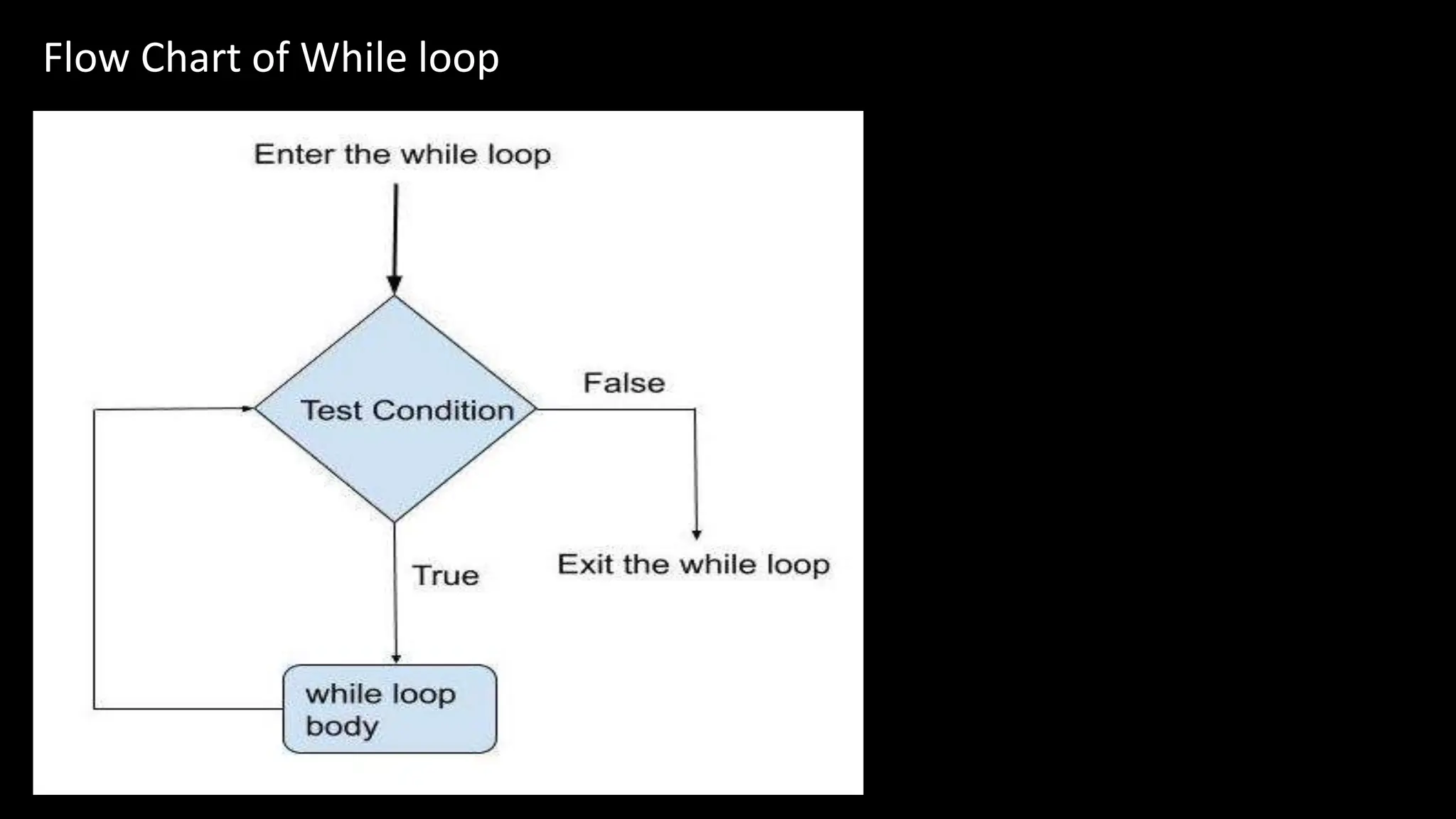
Flow Chart of While loop
Feature while Loop for Loop
Purpose
Executes a block of code repeatedly as long as a condition is
true
Iterates over a sequence and executes a block of code for
each element
Syntax ```python ```python
while condition: for item in sequence:
# Code block to be executed # Code block to be executed
``` ```
Iteration Condition Condition is evaluated at the beginning of each iteration Iteration over a sequence controls the loop
Loop Control Manual control required to break out of the loop Automatically iterates over each element in the sequence
Common Use Cases When the number of iterations is not known beforehand When iterating over a sequence or collection of items
Examples ```python ```python
x = 0 fruits = ["apple", "banana", "cherry"]
while x < 5: for fruit in fruits:
print(x) print(fruit)
x += 1
``` ```
Output 0 apple
1 banana
2 cherry
3
4
Difference between While loop and For loop
Break Statement
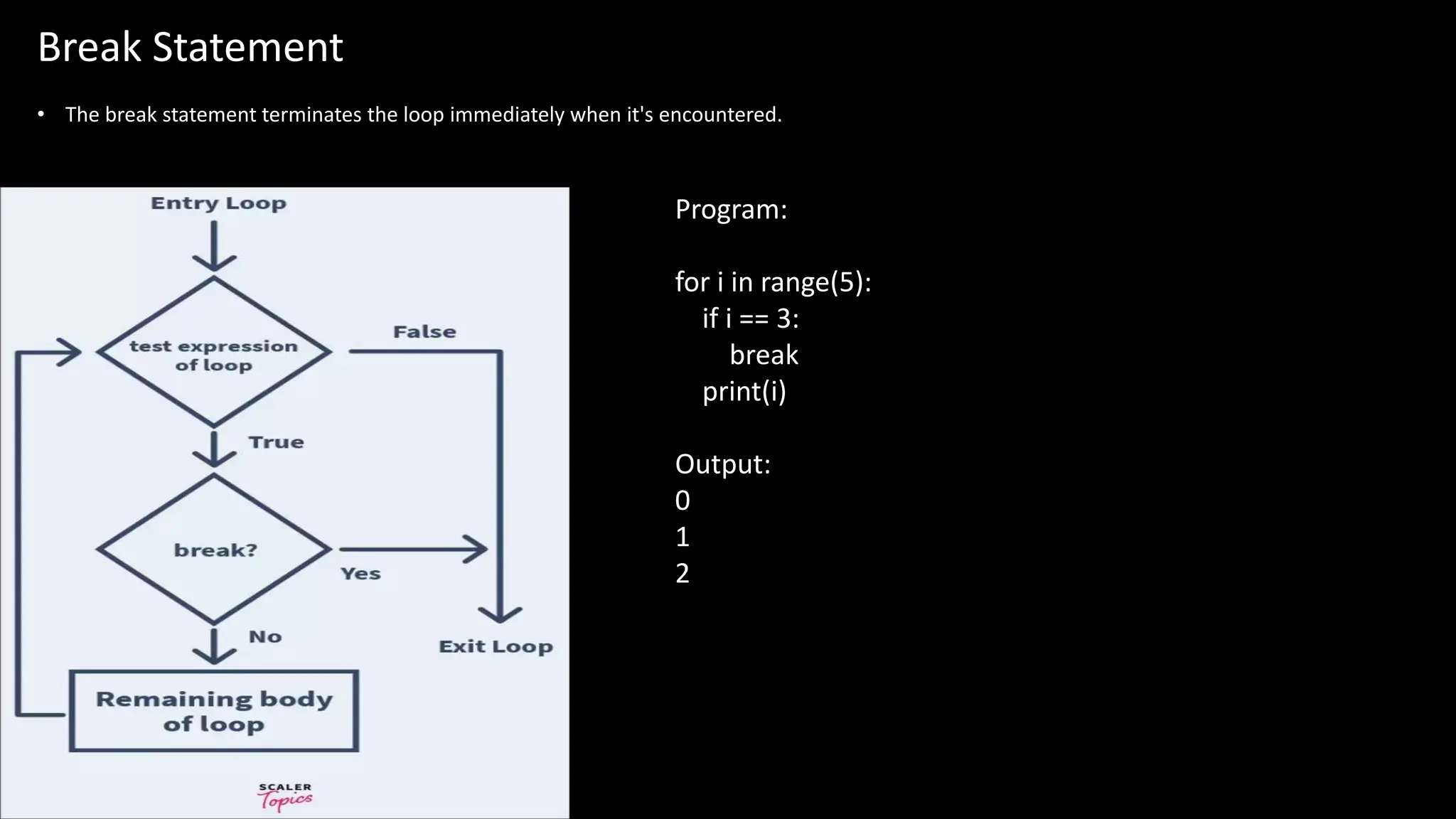
• The break statement terminates the loop immediately when it's encountered.
Program:
for i in range(5):
if i == 3:
break
print(i)
Output:
0
1
2
Continue Statement
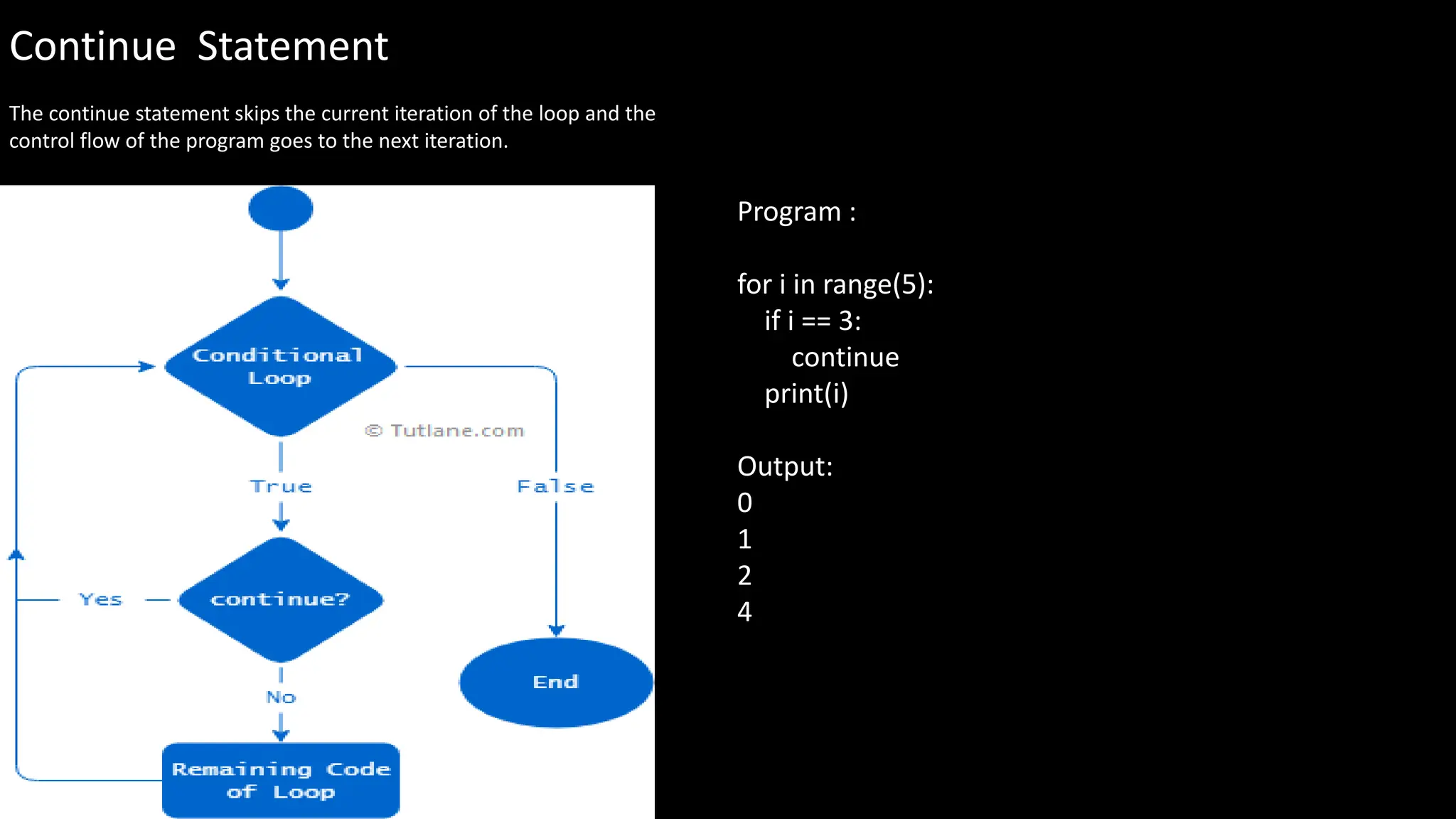
The continue statement skips the current iteration of the loop and the
control flow of the program goes to the next iteration.
Program :
for i in range(5):
if i == 3:
continue
print(i)
Output:
0
1
2
4
Pass Statement
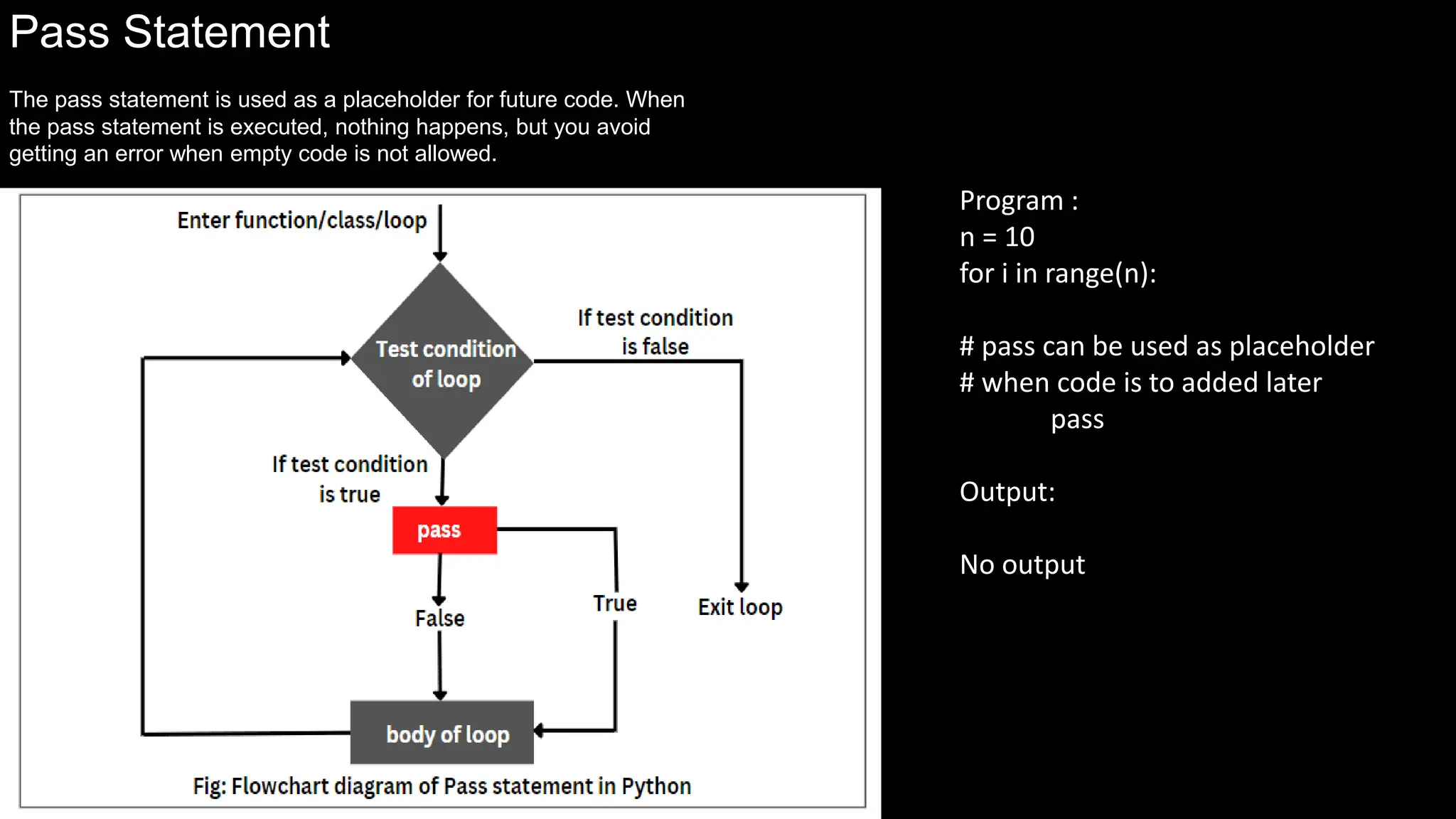
The pass statement is used as a placeholder for future code. When
the pass statement is executed, nothing happens, but you avoid
getting an error when empty code is not allowed.
Program :
n = 10
for i in range(n):
# pass can be used as placeholder
# when code is to added later
pass
Output:
No output
fundamental  of python --- vivek singh shekawat

fundamental of python --- vivek singh shekawat

  • 1.
    by Vivek SinghShekhawat
  • 2.
    Index • Introduction toPython • Features of Python • Benefits of Python • Python Syntax • Python Comments • Python Data Types • Python Variables • Python Casting • Python Strings • Python Booleans • Python Operators • Python List • Python Dictionaries • Python Tuples • Python Sets • If-Else • If - Elif – else • For loop • While loop • Break Statement • Continue Statement • Pass Statement
  • 3.
    Introduction to Python Pythonis a high-level, interpreted programming language known for its simplicity and readability. It is versatile and can be used for web development, scientific computing, and data analysis. Python is also popular for its large standard library and active community support.
  • 5.
    Python Syntax 1 Structure Python'ssyntax follows a clear and consistent structure, making it easy to write and understand code. 2 Indentation Indentation is crucial in Python and is used to denote blocks of code, ensuring readability and enforcing good programming practices. 3 Case Sensitivity Python is case-sensitive, meaning upper and lower case letters are treated differently, which affects variable names and function calls.
  • 6.
    Python Comments 1 Explanation Commentsin Python begin with the # symbol and are used to explain the code, provide context, and make notes for future reference. Comments are ignored by the Python interpreter. 2 Documentation Comments also play a vital role in generating documentation, helping other developers understand the code's functionality. 3 Best Practices Using comments effectively is considered a best practice and greatly enhances code maintenance and collaboration.
  • 7.
    Python Data Types FundamentalTypes Python supports fundamental data types such as integers, floating-point numbers, strings, and booleans. Derived Types Derived data types include lists, tuples, sets, dictionaries, and other custom-defined data structures.
  • 9.
    Python Variables Naming •Variable namesin Python can contain letters, numbers, and underscores. •They must start with a letter or an underscore. •Variable names are case-sensitive. Assignment Variables in Python are created by assigning a value using the “=“ operator, and data types are inferred based on the assigned value. Scope and usage • Understanding variable scope is essential to prevent naming conflicts and ensure proper variable access within different parts of the code. • Variables are commonly used to store and manipulate data in Python programs. • They allow for dynamic and flexible programming by allowing values to be stored and updated as needed. • Variables can be used in mathematical operations, string manipulation, and more.
  • 10.
    Python Casting Implicit Casting Pythonautomatically converts data types in certain situations, such as when performing operations between different types. Explicit Casting Explicit casting allows the programmer to manually convert data from one type to another using built-in functions.
  • 12.
    Python Strings 1 Manipulation Stringsin Python can be manipulated using various built-in functions such as concatenation, slicing, and formatting. 2 Immutability Once a string is created, it cannot be modified. Any operation on a string creates a new string object. 3 Escape Characters Special characters can be inserted into strings using escape sequences, denoted by a backslash ().
  • 14.
    Python Booleans True Represents atrue value or the result of a comparison that is true in Python. False Represents a false value or the result of a comparison that is false in Python. Program print(10 > 9) print(10 == 9) print(10 < 9) Output: True False False
  • 15.
    Python Operators Arithmetic Comparison Logical Assignment Membership Identity Bitwise Identity Operators •used to compare the objects is Returns True if both variables are the same object x is y is not Returns True if both variables are not the same object x is not y
  • 16.
    in Returns Trueif a sequence with the specified value is present in the object x in y not in Returns True if a sequence with the specified value is not present in the object x not in y Membership Operator Membership operators are used to test if a sequence is presented in an object Operator Name Description Example & AND Sets each bit to 1 if both bits are 1 x & y | OR Sets each bit to 1 if one of two bits is 1 x | y ^ XOR Sets each bit to 1 if only one of two bits is 1 x ^ y ~ NOT Inverts all the bits ~x << Zero fill left shift Shift left x << 2 >> Signed right shift Shift right x >> 2 Bitwise Operator Bitwise operators are used to compare (binary) numbers
  • 17.
  • 18.
    Python Lists Python listsare ordered, mutable, and allow duplicate elements. They are a versatile data type, often used to store and manipulate collections of data. Lists are defined by square brackets and can contain any data type.
  • 19.
    Creating Lists Simple Syntax Listsare created by placing a comma- separated sequence of elements in square brackets. Concatenating Lists New lists can be created by adding two or more lists together using the + operator. Using List Comprehension It provides an elegant way to create lists based on existing lists.
  • 20.
    Accessing List Items 1Indexing Access elements by referring to the index number. The index starts at 0. 2 Negative Indexing Access elements from the end of the list using negative indexing. 3 Slicing Get a specific segment of a list using slicing. It includes a start and stop index.
  • 21.
    Modifying List Items AssigningValues Modify a specific item by referring to its index. Appending Items Add new items at the end of the list using the append() method. Extending Lists Add the elements of another list to the current list using the extend() method.
  • 22.
    Join Lists 1 Usingthe extend() method Add the elements of one list to another with the extend() method. 2 Using the + operator Combine two lists by simply using the + operator.
  • 23.
    # Define alist my_list = [1, 2, 3, 4, 5] # Indexing: Modify the value at index 2 index = 2 my_list[index] = 10 # Appending: Append an element to the list element_to_append = 6 my_list.append(element_to_append) # Extending: Add elements from another list to the current list list_to_extend = [7, 8, 9] my_list.extend(list_to_extend) # Print the modified list print("Modified List:", my_list) Output : Modified List: [1, 2, 10, 4, 5, 6, 7, 8, 9]
  • 24.
    Slicing Lists 3 Use ofStart and Stop Specify the start and stop index to extract a part of a list. 2 Step in Slicing Use a step to return every nth item within a specified range.
  • 25.
    Adding Items toa List Using append() Add items to the end of the list using the append() method. Using insert() Insert an element at a specified position using the insert() method.
  • 26.
    Removing Items froma List Method Description remove() Remove the first occurrence of a specified value. pop() Remove the item at the given position and return it. clear() Remove all the items from the list.
  • 27.
    List Methods 1 CommonMethods Explore methods like sort(), reverse(), and count() to manipulate lists. 2 Copying Lists Learn methods for creating a shallow or deep copy of a list.
  • 28.
    # Define anempty list my_list = [] # Append elements to the list my_list.append(1) my_list.append(2) my_list.append(3) # List after appending elements: [1, 2, 3] # Insert an element at a specific index my_list.insert(1, 4) # List after inserting element: [1, 4, 2, 3] # Remove an element from the list my_list.remove(2) # List after removing element: [1, 4, 3] # Pop an element from the list popped_element = my_list.pop() # Popped element: 3 # List after popping: [1, 4] # Pop an element at a specific index popped_element_at_index = my_list.pop(1) # Popped element at index 1: 4 # List after popping at index 1: [1] # Get the index of an element index = my_list.index(1) # Index of element 1: 0 # Extend the list with another list other_list = [5, 6, 7] my_list.extend(other_list) # List after extending with another list: [1, 5, 6, 7] # Sort the list my_list.sort() # List after sorting: [1, 5, 6, 7] # Reverse the list my_list.reverse() # List after reversing: [7, 6, 5, 1] # Access elements by index element_at_index_2 = my_list[2] # Element at index 2: 5 # Slicing sliced_list = my_list[1:4] # Sliced list: [6, 5, 1] # Length of the list length_of_list = len(my_list) # Length of the list: 4 # Count occurrences of an element count_of_5 = my_list.count(5) # Count of element 5: 1 # Clear the list my_list.clear() # List after clearing: []
  • 30.
    # Define atuple my_tuple = (1, 2, 3) # Print the tuple print("Tuple:", my_tuple) # Tuple: (1, 2, 3) # Access elements by index element_at_index_1 = my_tuple[1] # Element at index 1: 2 # Slicing sliced_tuple = my_tuple[0:2] # Sliced tuple: (1, 2) # Length of the tuple length_of_tuple = len(my_tuple) # Length of the tuple: 3 # Count occurrences of an element count_of_2 = my_tuple.count(2) # Count of element 2: 1 # Get the index of an element index_of_3 = my_tuple.index(3) # Index of element 3: 2
  • 31.
  • 32.
    # Define anempty dictionary my_dict = {} # Add key-value pairs to the dictionary my_dict['a'] = 1 my_dict['b'] = 2 my_dict['c'] = 3 # Print the dictionary print("Dictionary after adding key-value pairs:", my_dict) # Dictionary after adding key-value pairs: {'a': 1, 'b': 2, 'c': 3} # Access value by key value_of_a = my_dict['a'] # Value of key 'a': 1 # Modify value by key my_dict['b'] = 5 # Dictionary after modifying value: {'a': 1, 'b': 5, 'c': 3} # Add new key-value pair my_dict['d'] = 4 # Dictionary after adding new key-value pair: {'a': 1, 'b': 5, 'c': 3, 'd': 4} # Remove key-value pair removed_value = my_dict.pop('b') # Removed value: 5 # Dictionary after removing key-value pair: {'a': 1, 'c': 3, 'd': 4} # Get keys keys = my_dict.keys() # Keys: dict_keys(['a', 'c', 'd']) # Get values values = my_dict.values() # Values: dict_values([1, 3, 4]) # Check if key exists is_key_exists = 'b' in my_dict # Is 'b' in dictionary: False # Clear the dictionary my_dict.clear() # Dictionary after clearing: {}
  • 34.
    If – else If-elsestatements in Python are used to make decisions based on certain conditions. They allow the program to execute different code blocks based on the evaluation of a condition. # Define a variable x = 10 # Check if x is greater than 5 if x > 5: print("x is greater than 5") else: print("x is not greater than 5") Output : x is greater than 5
  • 35.
    If - elif– else Elif statements in Python are used to add additional conditions to if-else statements. They allow the program to check for multiple conditions and execute different code blocks based on the first condition that evaluates to true. # Define a variable x = 10 # Check conditions using if-elif-else statements if x > 5: print("x is greater than 5") elif x == 5: print("x is equal to 5") else: print("x is less than 5") Output : x is greater than 5
  • 37.
    Flow Chart offor loop
  • 38.
    Flow Chart ofNested loop
  • 41.
    Flow Chart ofWhile loop
  • 42.
    Feature while Loopfor Loop Purpose Executes a block of code repeatedly as long as a condition is true Iterates over a sequence and executes a block of code for each element Syntax ```python ```python while condition: for item in sequence: # Code block to be executed # Code block to be executed ``` ``` Iteration Condition Condition is evaluated at the beginning of each iteration Iteration over a sequence controls the loop Loop Control Manual control required to break out of the loop Automatically iterates over each element in the sequence Common Use Cases When the number of iterations is not known beforehand When iterating over a sequence or collection of items Examples ```python ```python x = 0 fruits = ["apple", "banana", "cherry"] while x < 5: for fruit in fruits: print(x) print(fruit) x += 1 ``` ``` Output 0 apple 1 banana 2 cherry 3 4 Difference between While loop and For loop
  • 43.
    Break Statement • Thebreak statement terminates the loop immediately when it's encountered. Program: for i in range(5): if i == 3: break print(i) Output: 0 1 2
  • 44.
    Continue Statement The continuestatement skips the current iteration of the loop and the control flow of the program goes to the next iteration. Program : for i in range(5): if i == 3: continue print(i) Output: 0 1 2 4
  • 45.
    Pass Statement The passstatement is used as a placeholder for future code. When the pass statement is executed, nothing happens, but you avoid getting an error when empty code is not allowed. Program : n = 10 for i in range(n): # pass can be used as placeholder # when code is to added later pass Output: No output