Migrate IP Board
Fully Automated Solution to
There are no unsolved tasks.
There are inappropriately done.
“ “
Have you noticed such limitations while running a discussion board on
IP Board platform?
● lack of add-ons;
● complicated theme installation process;
● developer-friendly interface;
● too sophisticated system.
Migration
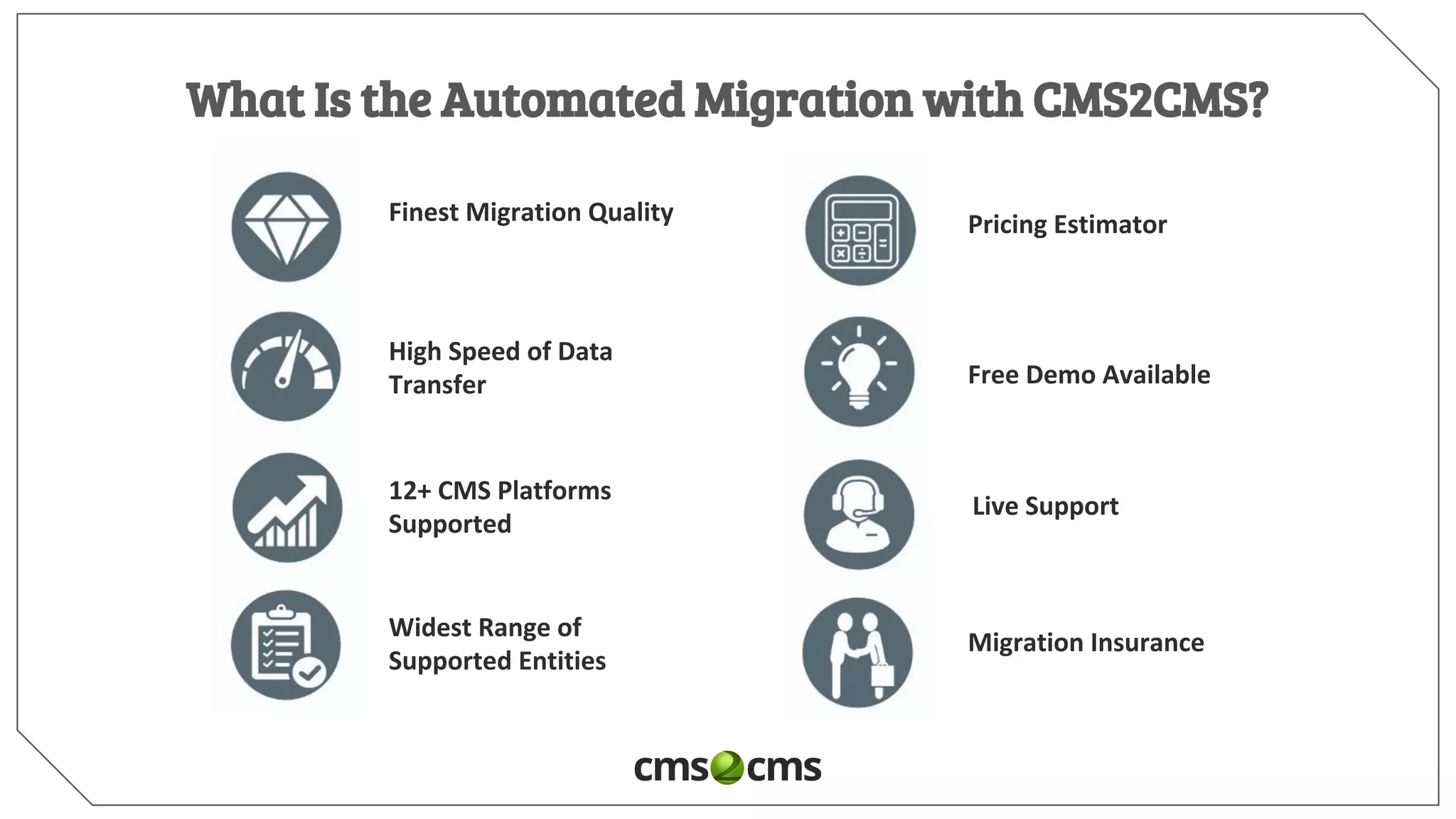
What Is the Automated Migration with CMS2CMS?
Finest Migration Quality
High Speed of Data
Transfer
12+ CMS Platforms
Supported
Widest Range of
Supported Entities
Pricing Estimator
Free Demo Available
Live Support
Migration Insurance
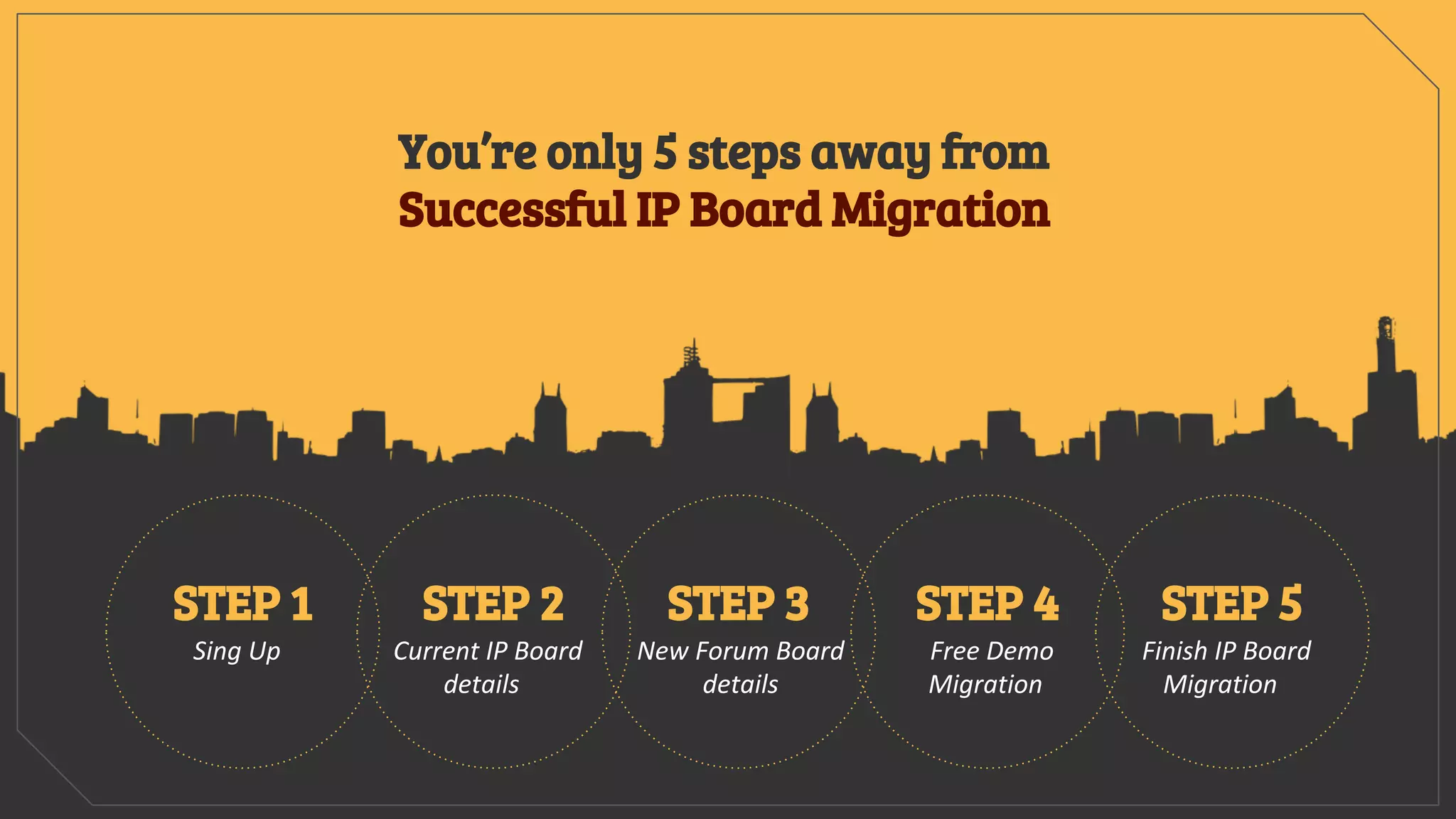
Sing Up
STEP 1
Current IP Board
details
STEP 2
New Forum Board
details
STEP 3
Free Demo
Migration
STEP 4
Finish IP Board
Migration
STEP 5
You’re only 5 steps away from
Successful IP Board Migration
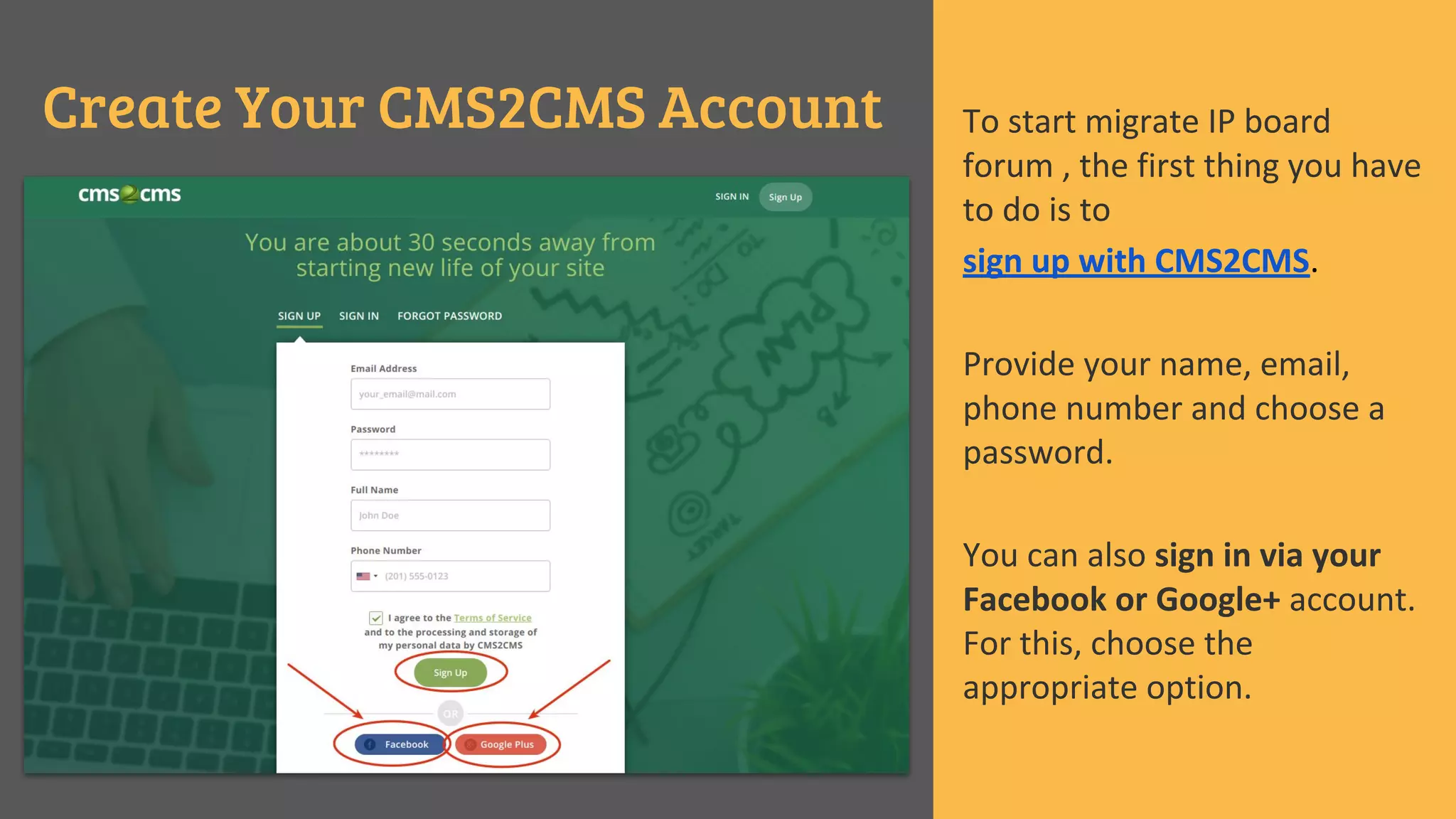
Create Your CMS2CMS Account To start migrate IP board
forum , the first thing you have
to do is to
sign up with CMS2CMS.
Provide your name, email,
phone number and choose a
password.
You can also sign in via your
Facebook or Google+ account.
For this, choose the
appropriate option.
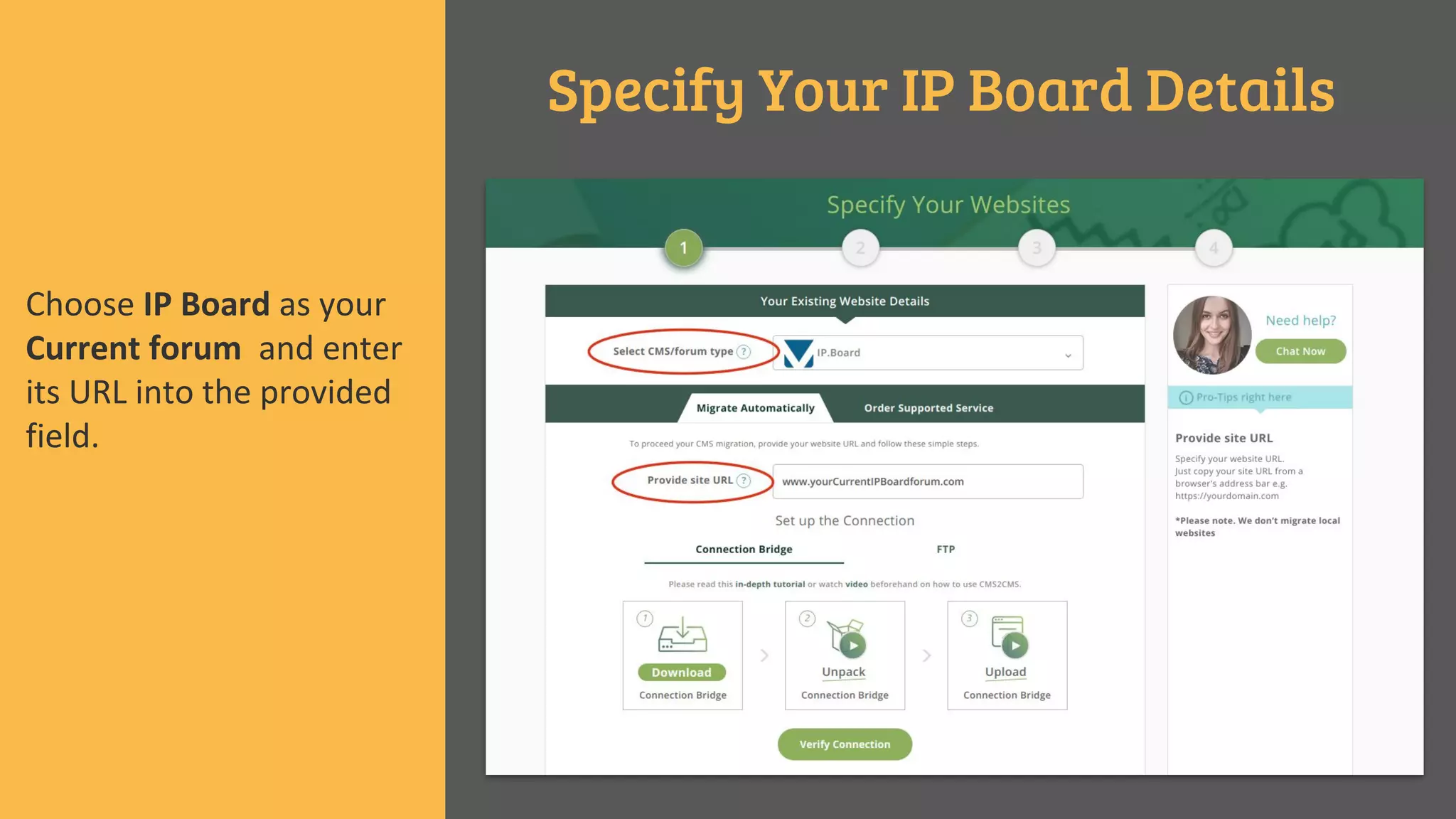
Specify Your IP Board Details
Choose IP Board as your
Current forum and enter
its URL into the provided
field.
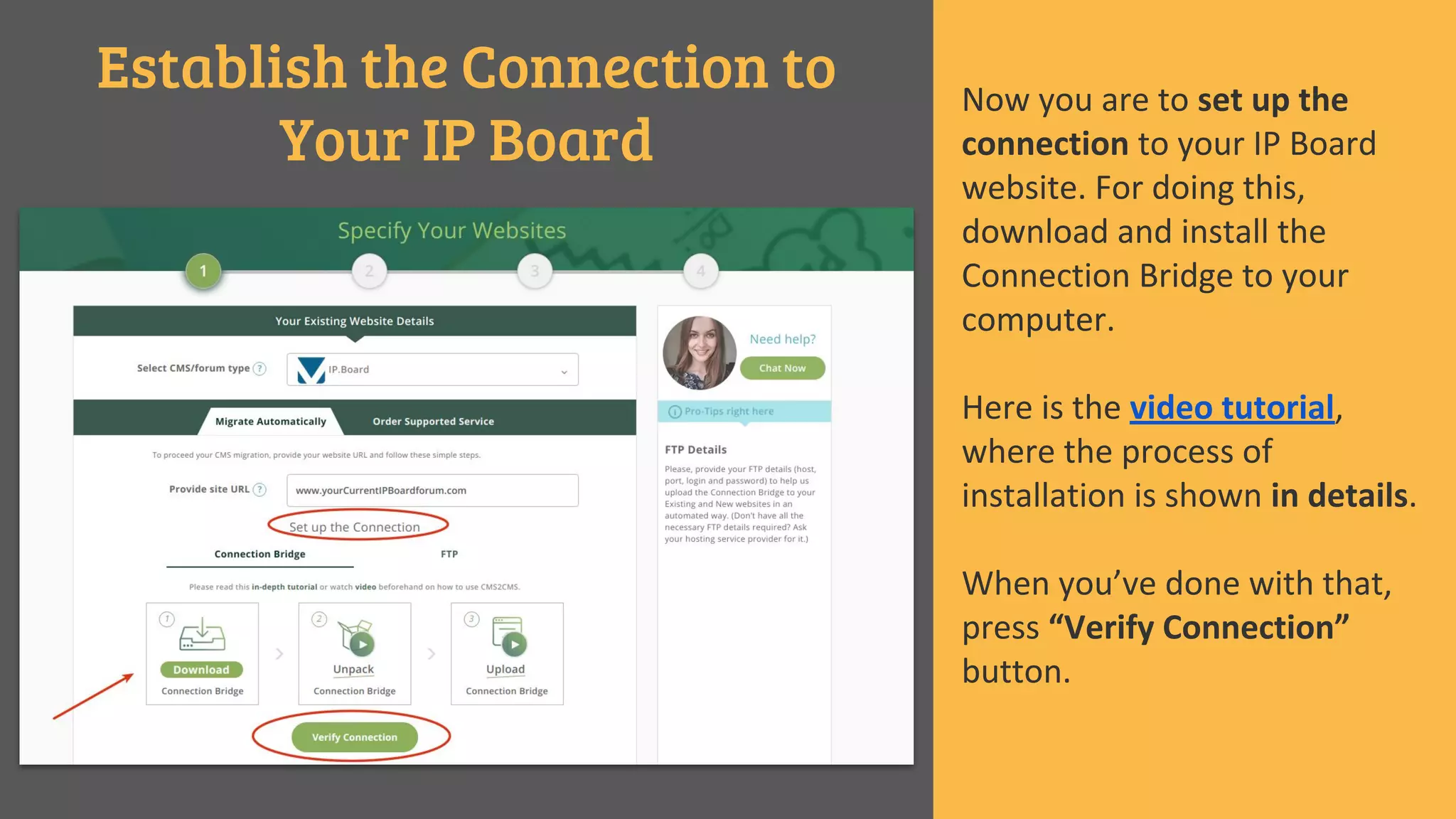
Establish the Connection to
Your IP Board
Now you are to set up the
connection to your IP Board
website. For doing this,
download and install the
Connection Bridge to your
computer.
Here is the video tutorial,
where the process of
installation is shown in details.
When you’ve done with that,
press “Verify Connection”
button.
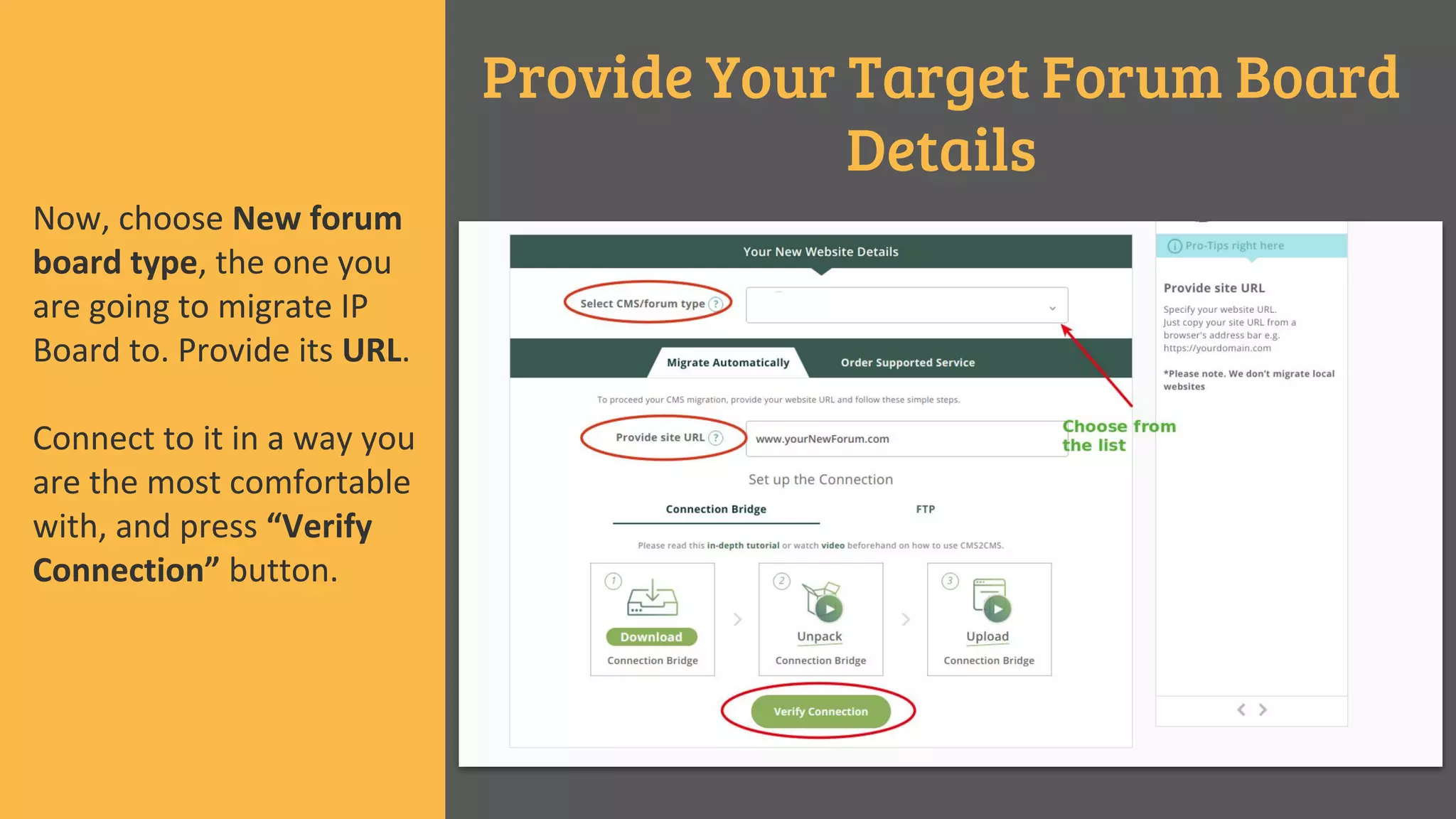
Provide Your Target Forum Board
Details
Now, choose New forum
board type, the one you
are going to migrate IP
Board to. Provide its URL.
Connect to it in a way you
are the most comfortable
with, and press “Verify
Connection” button.
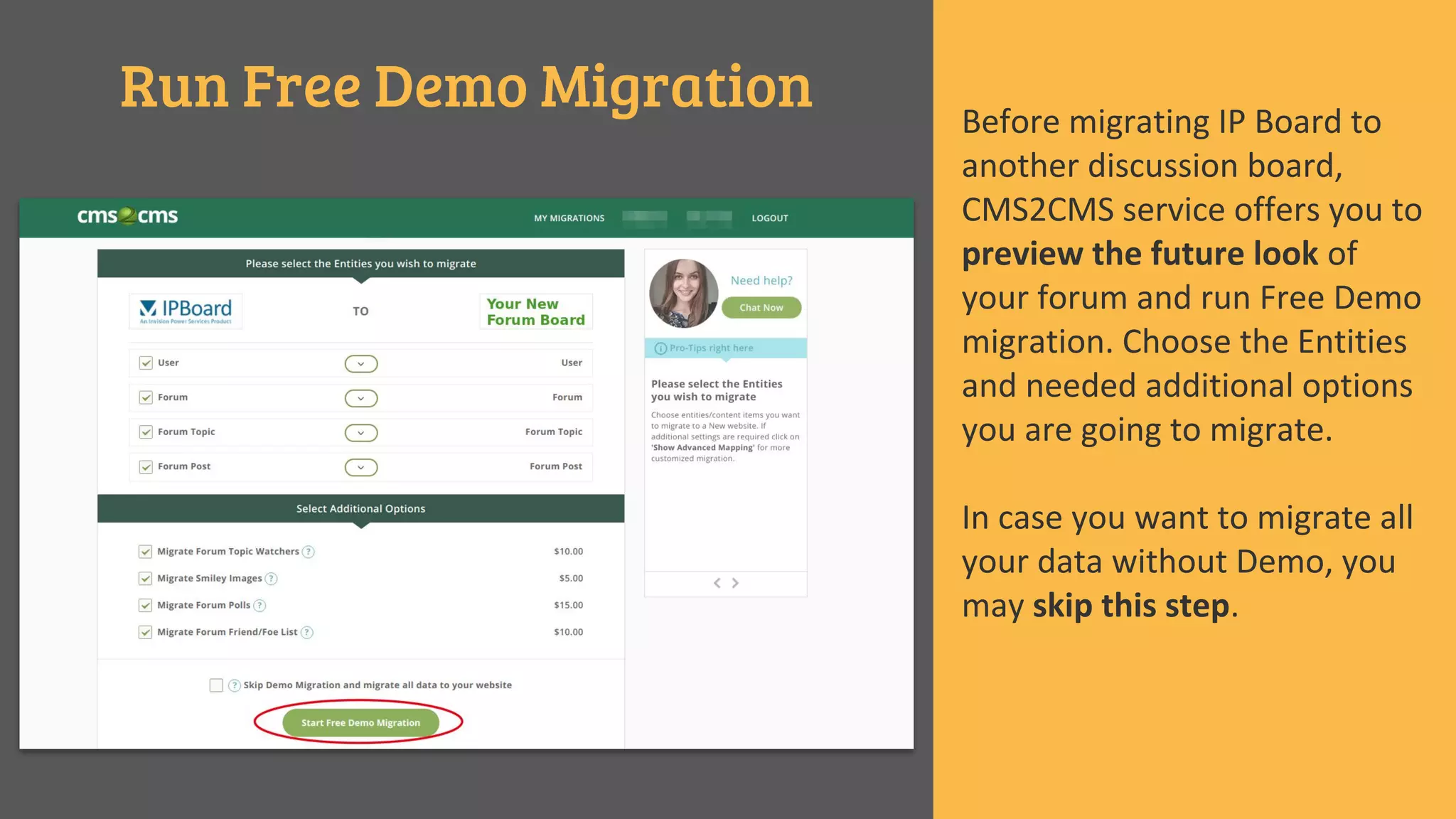
Run Free Demo Migration Before migrating IP Board to
another discussion board,
CMS2CMS service offers you to
preview the future look of
your forum and run Free Demo
migration. Choose the Entities
and needed additional options
you are going to migrate.
In case you want to migrate all
your data without Demo, you
may skip this step.
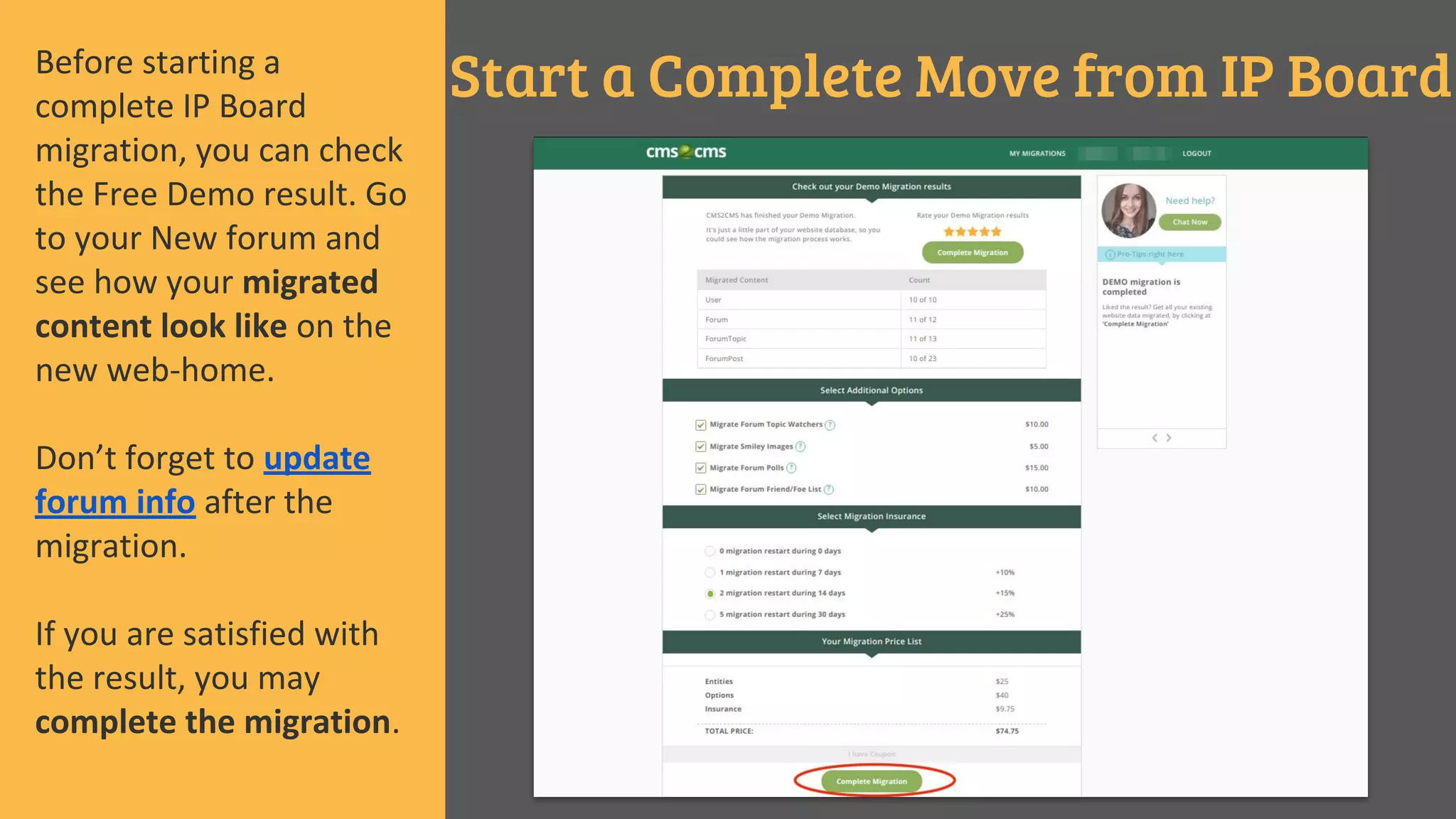
Start a Complete Move from IP BoardBefore starting a
complete IP Board
migration, you can check
the Free Demo result. Go
to your New forum and
see how your migrated
content look like on the
new web-home.
Don’t forget to update
forum info after the
migration.
If you are satisfied with
the result, you may
complete the migration.
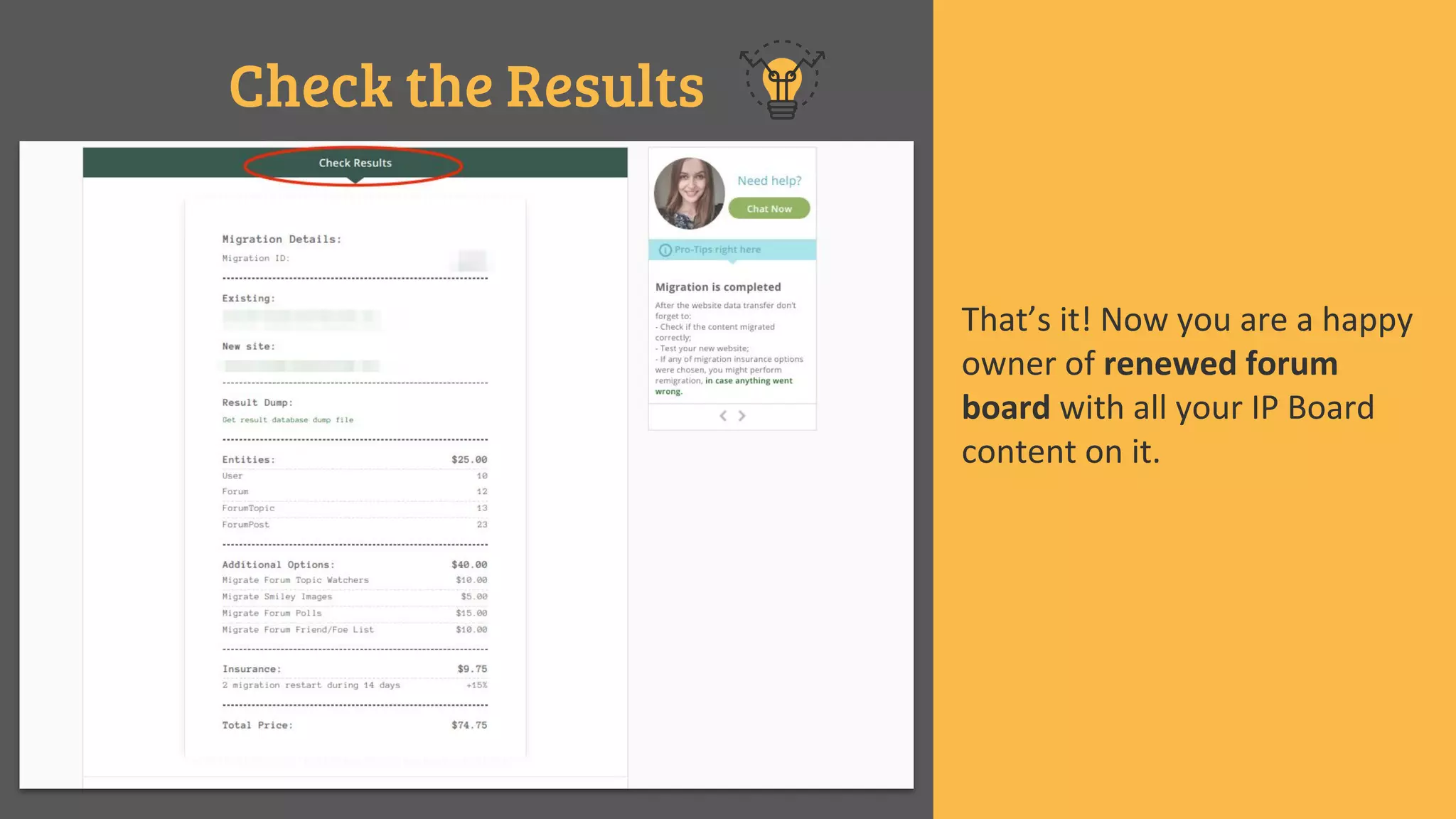
Check the Results
That’s it! Now you are a happy
owner of renewed forum
board with all your IP Board
content on it.
Start a New Life of Your Discussion Board Right Now
with
www.cms2cms.com
It’s never been easier!

Fully Automated Solution to Migrate IP Board

  • 1.
    Migrate IP Board FullyAutomated Solution to
  • 2.
    There are nounsolved tasks. There are inappropriately done. “ “
  • 3.
    Have you noticedsuch limitations while running a discussion board on IP Board platform? ● lack of add-ons; ● complicated theme installation process; ● developer-friendly interface; ● too sophisticated system. Migration
  • 4.
    What Is theAutomated Migration with CMS2CMS? Finest Migration Quality High Speed of Data Transfer 12+ CMS Platforms Supported Widest Range of Supported Entities Pricing Estimator Free Demo Available Live Support Migration Insurance
  • 5.
    Sing Up STEP 1 CurrentIP Board details STEP 2 New Forum Board details STEP 3 Free Demo Migration STEP 4 Finish IP Board Migration STEP 5 You’re only 5 steps away from Successful IP Board Migration
  • 6.
    Create Your CMS2CMSAccount To start migrate IP board forum , the first thing you have to do is to sign up with CMS2CMS. Provide your name, email, phone number and choose a password. You can also sign in via your Facebook or Google+ account. For this, choose the appropriate option.
  • 7.
    Specify Your IPBoard Details Choose IP Board as your Current forum and enter its URL into the provided field.
  • 8.
    Establish the Connectionto Your IP Board Now you are to set up the connection to your IP Board website. For doing this, download and install the Connection Bridge to your computer. Here is the video tutorial, where the process of installation is shown in details. When you’ve done with that, press “Verify Connection” button.
  • 9.
    Provide Your TargetForum Board Details Now, choose New forum board type, the one you are going to migrate IP Board to. Provide its URL. Connect to it in a way you are the most comfortable with, and press “Verify Connection” button.
  • 10.
    Run Free DemoMigration Before migrating IP Board to another discussion board, CMS2CMS service offers you to preview the future look of your forum and run Free Demo migration. Choose the Entities and needed additional options you are going to migrate. In case you want to migrate all your data without Demo, you may skip this step.
  • 11.
    Start a CompleteMove from IP BoardBefore starting a complete IP Board migration, you can check the Free Demo result. Go to your New forum and see how your migrated content look like on the new web-home. Don’t forget to update forum info after the migration. If you are satisfied with the result, you may complete the migration.
  • 12.
    Check the Results That’sit! Now you are a happy owner of renewed forum board with all your IP Board content on it.
  • 13.
    Start a NewLife of Your Discussion Board Right Now with www.cms2cms.com It’s never been easier!