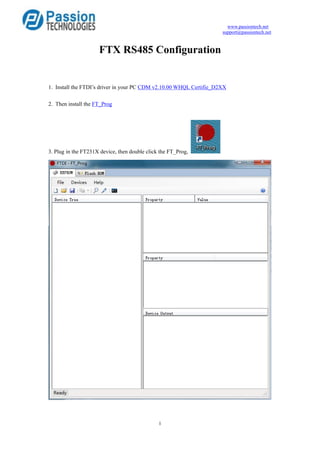
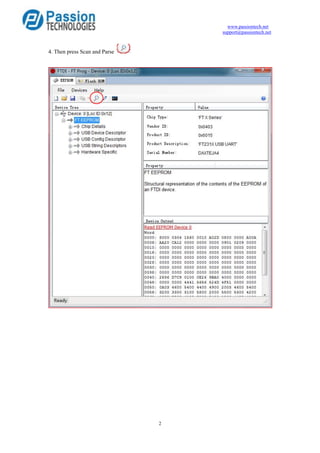
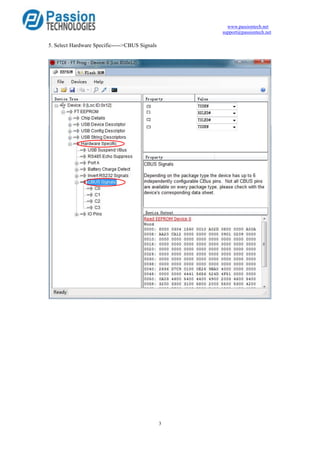
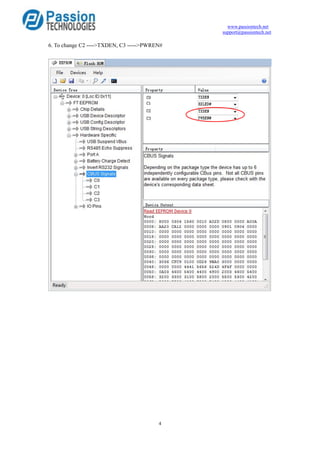
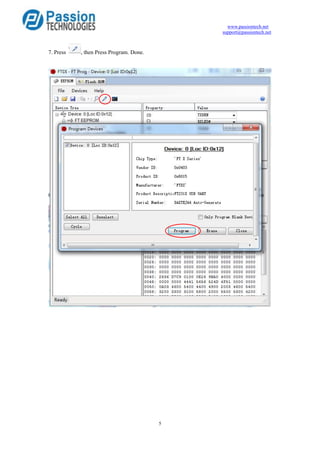
This document provides instructions for configuring an FTX RS485 device, including installing the necessary FTDI driver and FT_Prog software, scanning and parsing the connected FT231X device, selecting the CBUS signals menu to change the configuration of pins C2 and C3, and finally programming the new configuration.